Targeted Attacks in the Middle East Using KASPERAGENT and MICROPSIA

This blog is the result of joint research between Unit 42 and Eyal Sela ClearSky Cyber Security.

Over the past few months Palo Alto Networks have been working together with ClearSky on preventing and detecting targeted attacks in the Middle East using two relatively new Microsoft Windows malware families which we call KASPERAGENT and MICROPSIA. In addition, our research has uncovered evidence of links between attacks using these two new malware families and two families of Google Android malware we are calling SECUREUPDATE and VAMP.

We named the first new Microsoft Windows malware family “KASPERAGENT” based on strings we found in the malware. (Note that we DO NOT believe this is a reference to Kaspersky Lab). We named the second new Microsoft Windows malware family MICROPSIA because the malware is very tightly packed making it appear smaller than it is, similar to the human condition micropsia. We named the first new Google Android malware family SECUREUPDATE because it masks its malicious updates a secure updates. We named the second new Google Android malware family VAMP because it’s focused on stealing data.

The attacks are not highly sophisticated, but the themes used, organizations and geographies targeted, as well the persistence of the attacker suggest a determined and noteworthy adversary. Some of this activity has been covered in a recent post by 360 security, however there is still a great deal of extra detail we are able to add in this report.

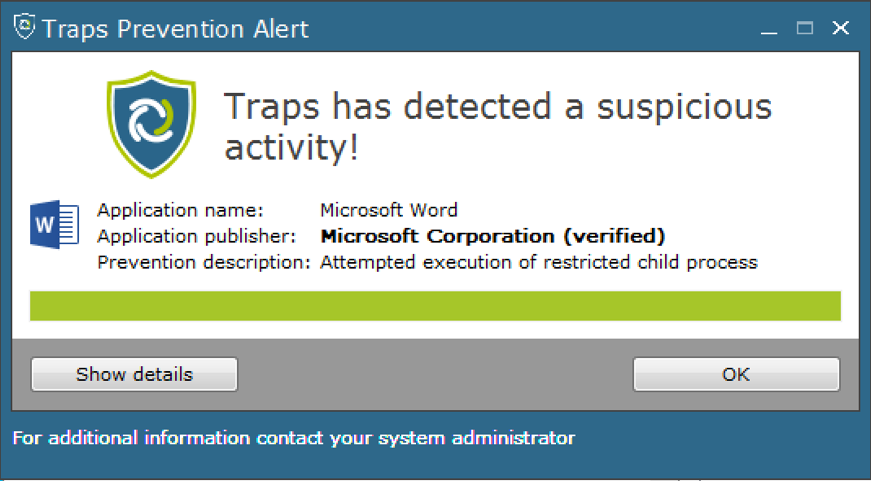
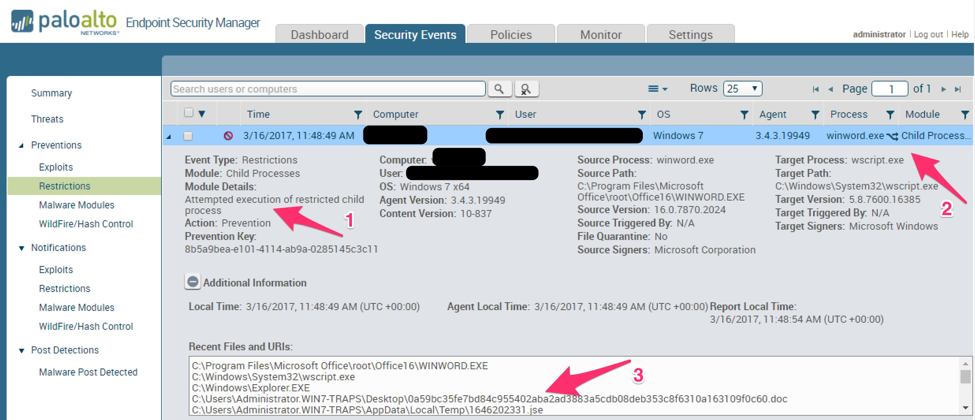
Starting in March 2016, Palo Alto Networks began monitoring this threat following the successful prevention of the execution of a sample of the KASPERAGENT malware on a customer system, however the malware had likely already been used in attacks as early as July, 2015.

At the time of writing, we have uncovered:

  • 113 samples of the KASPERAGENT malware
  • 94 samples of the MICROPSIA malware
  • 17 samples of Android Malware which are related to this activity.
  • 39 command and control domains registered in relation to this activity

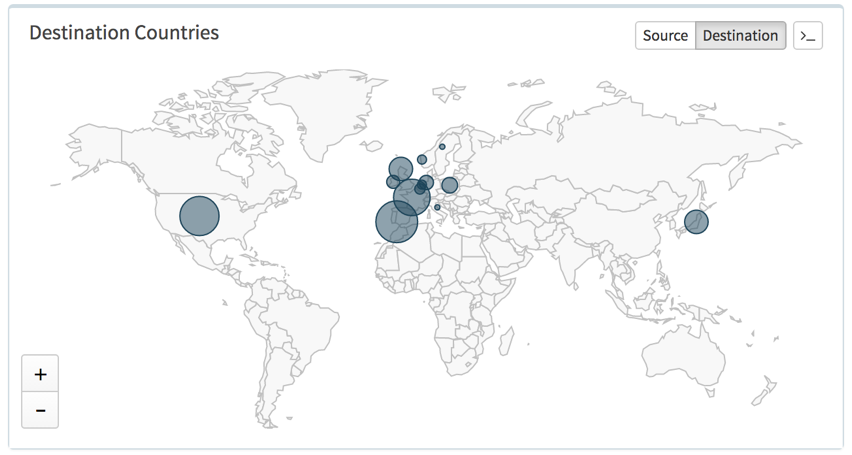
Most of the attacks discovered so far target users in the United States, Israel, Palestinian Territories, and Egypt; although there are occasional outliers. Notable outliers include media organizations in a variety of countries.

This post will begin by exploring how the attackers attempt to gain a foothold into target networks before briefly describing the malware families used.

One Bit.ly at a time

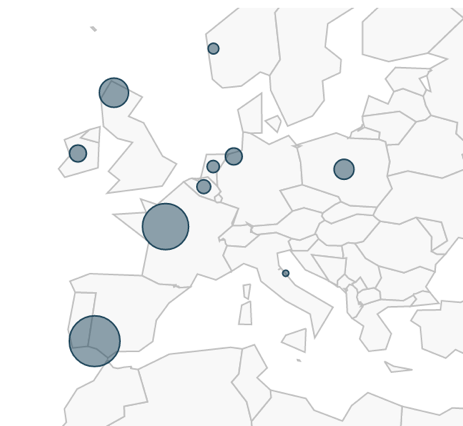
This group of attackers favors using URL shortening services to disguise the true links they are sending in spear phishing emails. In particular, a number of samples we analyzed were linked via the URL shortening service "bit.ly". The URL shortening service then redirects users to the malicious payload hosted on attacker controlled pages, with the malicious payload nearly always contained in an archive file (most commonly a RAR file.) Using the statistics provided by these link-shortening services, we can gain an immediate insight into the targets clicking these links:

fig1

Figure 1: The bit.ly statistics for a link to a dropper for the MICROPSIA malware family.

The statistics vary per link, suggesting different target audiences for different waves of spear phishing. For example, the statistics shown in Figure 1 the campaign targeted 113 users in Egypt, whereas in another example shown in Figure 2, Egypt did not make the top 3 countries targeted:

fig2

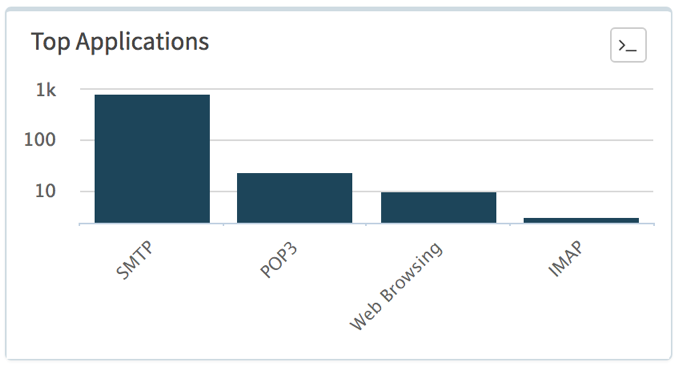
Figure 2: The bit.ly statistics for another link to a copy of the MICROPSIA malware family

FAKE NEWS!

Sending spear phishing emails with direct links to malicious shortened URLs was not the only method employed by the attackers to entice users to install the malware, another method favored by the attackers was the setting up of fake news sites.  Figure 3 shows examples of pages created by the attackers to this end.

fig3a


fig3b

Figure 3:  Two fake new sites with links to shortened malicious URLs.

We are unable to confirm how traffic was driven to these sites, the attackers may have helped drive traffic via fake social media accounts, or they may have sent spear phishing links to these pages.

Malware Analysis: MICROPSIA, KASPERAGENT and the missing link

During our analysis, we discovered two distinct malware families which for the most part leveraged distinct infrastructure with no overlaps, initially leading us to categorize these campaigns separately. Later, we discovered a key link between the two sets of activity which leads us to believe they are related.

The MICROPSIA activity centers around domains registered using the email address adam.swift.2016@gmail[.]com – and no samples of KASPERAGENT talk to these domains. However, one of the domains (drive.acount-manager[.]net) registered by this address was used to host a sample (babf156ede8b5c2e6c961b6ffcccc5eb7a3d283b398370754061613f439d40f9) of KASPERAGENT, causing us to link the two sets of activity.

KASPERAGENT

We have named the most common malware involved in this campaign, KASPERAGENT, due to PDB strings left behind in many samples of the malware. An example of a PDB string left behind is given below:

This analysis is based on the following file:

SHA256: babd654ef363e0645ce374dd9e2a42afe339c52f1cf17fc2285d8bebd3cfa11e

The file is compressed using the legitimate tool "mpress.exe" and once executed drops the payload to the directory C:\vault\igfxtray.exe which has the SHA256 hash f26caee34184b6a53ecbc0b5ce1f52e17d39af2129561dd6361fb4d4364e2c8b.

The malware also drops a decoy document containing Arabic names and ID numbers to the same folder and displays it to the user.

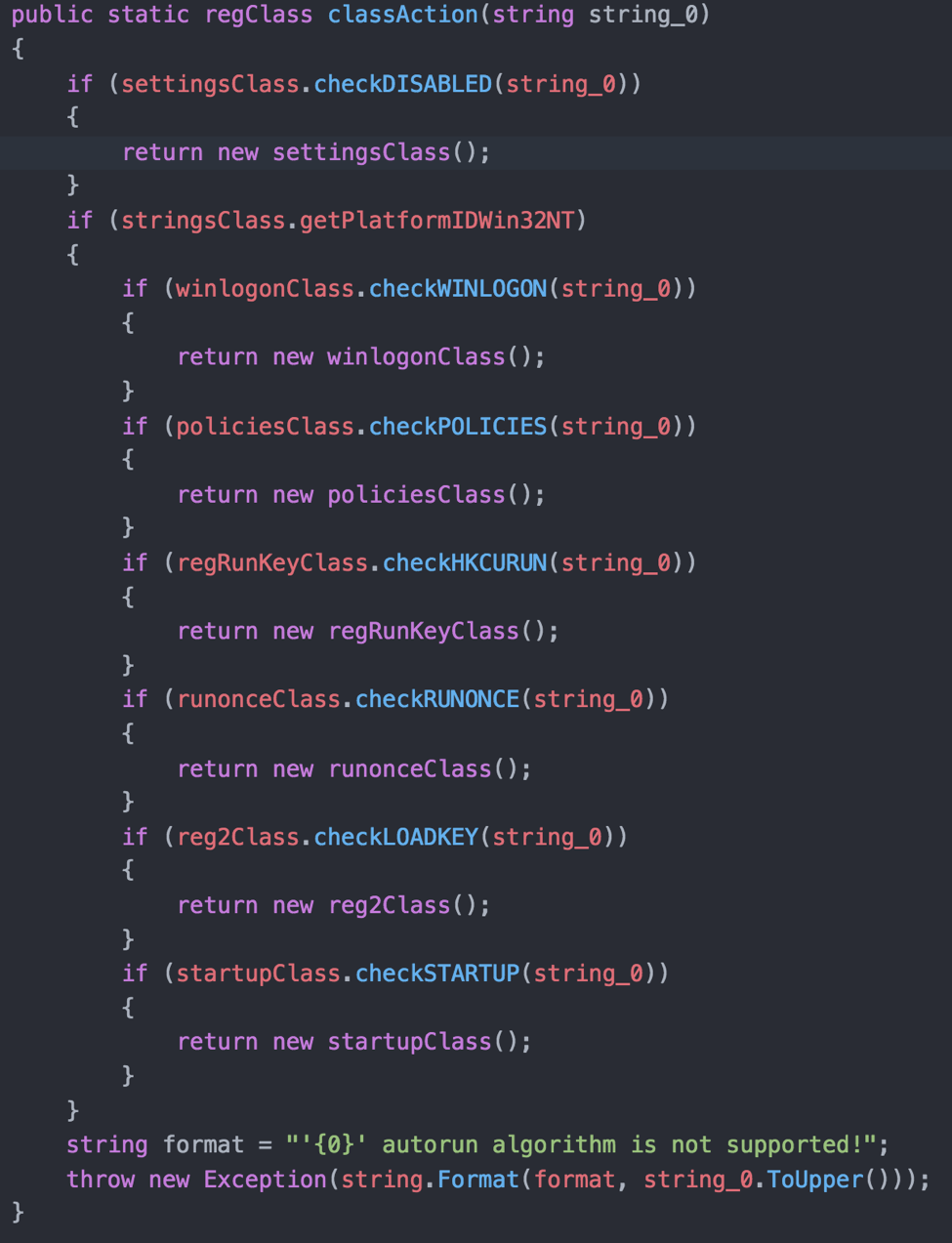
KASPERAGENT is developed in Microsoft Visual C++ and attempts to disguise itself as a product that does not exist: "Adobe Cinema Video Player". The malware first establishes persistence using the classic method of adding a Run key, using the value "MediaSystem".

The malware connects to a C2 serverhosted on www.mailsinfo[.]net. The C2 server string in the binary is "obfuscated" in the most basic of senses, with the author adding '@'  characters between letters and splitting the starting "www.m" to another string.

fig4

Figure 4: The Command and Control domain is obfuscated using a basic technique

Most of the samples of KASPERAGENT use "Chrome" as the user agent, but this recent sample uses "OPAERA", possibly a misspelling of “Opera”, the browser.

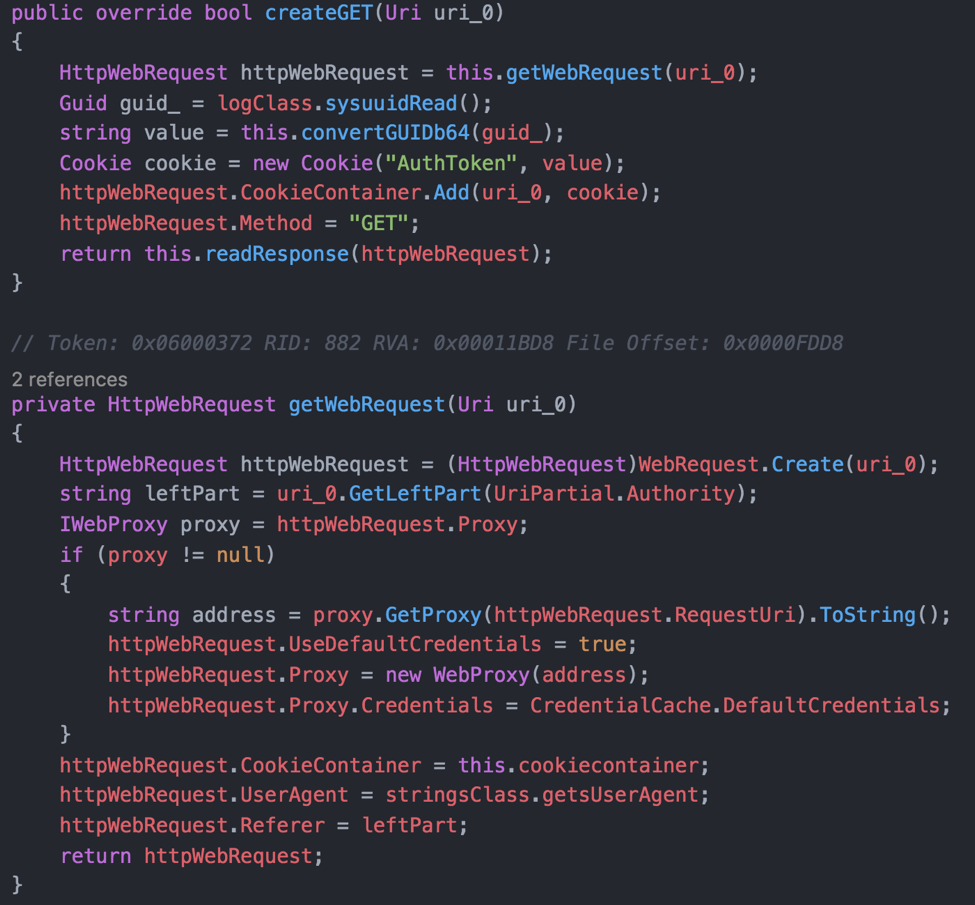
The malware communicates with the C2 server via HTTP requests and in the most recent samples observed the callbacks are made to PHP scripts whose names relate to towns or navigation. Example URLs used include:

  • GET request to /dad5/town.php
  • POST request to /dad5/addCity.php and /dad5/sign.php

Most examples of the malware are nearly identical, and the malware simply acts as a basic reconnaissance tool and downloader for further payloads, however some examples of the malware include extended capabilities beyond that of a simple downloader. Examples of the extended-capability KASPERAGENT samples include:

  • a52d3e65fe5bbf57bab79b1c5092b66d9650247249b72f667a927f266d09efe6
  • c9ffb81a97a9458f1fc96f35cd187b1d7311479e77d031586abdc3d426da0859
  • 7f11e0bbc892a97b7c42416c43fe178ebb240939d9dee70c3c598305ce8a2d4f

These extended-capability samples connect to www.stikerscloud[.]com and implement the following additional functionality:

  • Theft of passwords for Firefox and Chrome browsers
  • Take screenshots
  • Recording user keystrokes
  • Exfiltrate basic environment information such as the username and computer name
  • Perform arbitrary commands
  • Enumerate removable drives and copy files of interest to a new folder for exfiltration
  • Update the malware to a new version
  • Exfilitrate arbitrary files (zip compressed and encrypted)

It's also worth mentioning that sometimes that both versions of the malware are wrapped in a Microsoft .NET Framework loader which is responsible for deploying the malware and displaying the decoy document. The author (imaginatively) calls this wrapper 'Loader' an example of this is the file is 4c1973278a30d1b4ce206eca63676624d234260758a0674d191d338a02914d23, which contains the PDB string: C:\Users\Yousef\Desktop\MergeFiles\Loader v0\Loader\obj\Release\Loader.pdb

MICROPSIA Analysis

The MICROPSIA malware family is written in Delphi and is an information stealing malware family with a wide range of data theft functionality built in. This analysis is based on the following sample:

SHA256: 6e461a8430f251db38e8911dbacd1e72bce47a89c28956115b702d13ae2b8e3b

We named the malware MICROPSIA because of the way it is often packaged. The malware is often delivered as a RAR, which once extracted contains an EXE, which is further packed using UPX. Once unpacked from UPX, the next level is a further SFX RAR file, which then contains the actual malware files within. This effectively means the initial payload is extremely compressed and appears much smaller than it really is. The final payload contains four legitimate executables as resources:

  1. Two embedded DLLs relating to the OpenSSL library used for traffic encryption.
  2. A copy of a command line version of WinRAR - used for encrypting and compressing the exfiltrated data
  3. The file 'shortcut.exe' from optimumx.com (Creates, modifies or queries Windows shell links)
    this is used for persistence by creating a link in the startup folder to the payload.

The malware begins execution by first copying itself to a predefined location, setting up persistence via an LNK file (hence the inclusion of the aforementioned shortcut.exe)

The main capabilities of the malware are as follows:

  • Logging of keystrokes to a hardcoded text file and exfiltration to a remote server
  • Capturing screenshots of the infected machines
  • Searching for files with extensions matching Microsoft Office documents and using WinRAR to archive these prior to exfiltration. Example syntax of the command used is as follows:

The value “d58ccc009be55ff172a9039bf35cf27” is used to encrypt exfiltrated documents and appears to be an MD5 hash, but we have not identified a string that maps to this hash.

A side of phishing

Interestingly in some cases the attackers combined an attempt to infect targeted users with malware, with an attempt to steal their credentials via traditional phishing techniques. The attackers sometimes directed users to sites spoofing legitimate services such as Google Drive to download the malware, however first the target users would be asked to fill in their credentials in, giving the attackers two chances to successfully steal target users’ data (via the phish and via the eventual malware infection):

fig5a


fig5b

Figure 5: In some cases, users were required to fill in their credentials to download the malware

And there's an APK twist...

Whilst a large number of the domains associated with the adam.swift.2016@gmail[.]com email address are associated with MICROPSIA samples, some have been observed hosting Android apps or acting as C2 domains for Android malware samples. Analysis of these apps shows these are also malicious, and the apps also contain some social engineering tricks to enable installation.

There are two main APK malware families used by the threat actor. The first is a malware family used to gain a foothold on to the device, it is effectively a downloader with no additional functionality and we call this malware SECUREUPDATE.

fig6a fig6b

Figure 6: The applications often pretend to be social applications popular with end users.

In the sample we analyzed (6b4d65abf95cfb3cedd39b217ff0e4ee2229ae32aeda5170f34c5a3b9c5a0f3) the malware used the local calendar to sleep, creating an alarm in the future, at which point the malware would call back to receive an “Update”:

fig7

Figure 7: The alarm functionality in the SECUREPDATE malware was used to download and execute a further payload at a later date.

In a similar vein to the ‘a side of phishing’ section, some of the versions of SECUREUPDATE backdoor attempt to steal credentials for users, making them create accounts for these fake apps in addition to the installation of the malware. This technique relies on credential re-use across many accounts but will still yield some success for the attackers:

fig8

Figure 8: Some of the apps require users to “Login” giving the attacker the chance to record credentials of victims that may well be reused elsewhere.

The second malware family is a malware family we call VAMP, which is already described in great detail in the blog by 360, VAMP is fully featured with all the capabilities you’d expect from a malware family that resides on a phone. Features of the malware include:

  • Ability to record calls
  • Contact theft
  • Theft of documents stored on the device
  • Theft of messages

Another outlier in terms of domains registered by adam.swift.2016@gmail[.]com  is the domain AppPure[.]info. From the outset, the site appears to be a legitimate page:

fig9

Figure 9: The app store created by the attackers which we believe was used to distribute malicious apps.

Although we have been unable to find malicious content hosted on this site, we believe that it is very likely that amongst the many legitimate apps available for download via this store some malicious apps may exist.

Concluding thoughts

Through this campaign there is little doubt that the attackers have been able to gain a great deal of information from their targets. We have been unable to uncover any evidence which allows us to confidently attribute this campaign to any known threat actor at present.

The scale of the campaign in terms of sheer numbers of samples and the maintenance of several differing malware families involved suggests a reasonably sized team and that the campaign is not being perpetrated by a lone wolf, but rather a small team attackers.

The campaign also illustrates that for some targets old tricks remain sufficient to run a successful espionage campaign, including use of URL shortening services, classic phishing techniques as well as using archive files to bypass some simple file checks.

Palo Alto Networks customers are defended from this threat in the following ways:

  • WildFire and Traps detect all of the malware discussed in this report as malicious.
  • The C2 domains listed in this report are blocked through Threat Prevention.
  • AutoFocus customers can monitor this activity by looking at the tags:
  • VAMP
  • KASPERAGENT
  • MICROPSIA
  • SECUREUPDATE

Appendix A – Associated C2 Domains

mediafreeuploader[.]co[.]uk

appppure[.]net

upload404[.]club

upload999[.]net

upload999[.]com

upload999[.]org

arnani[.]info

al-amalhumandevelopment[.]com

acount-manager[.]net

gooogel-drive[.]com

acount-manager[.]org

acount-manager[.]info

appppure[.]info

stikerscloud[.]com

upload999[.]info

apppure[.]info

mary-crawley[.]com

mydriveweb[.]com

google-support-team[.]com

mavis-dracula[.]com

9oo91e[.]co

useraccountvalidation[.]com

mailsinfo[.]net

acount-manager[.]com

upload202[.]com

upload909[.]net

upload101[.]net

mediauploader[.]me

ran-togomory[.]com

shildon-cooper[.]info

mediauploader[.]info

akashipro[.]com

beauty-dance[.]net

margaery[.]co

go-mail-accounts[.]com

kagami-adam[.]com

kalisi[.]org

kalisi[.]info

cecilia-dobrev[.]com

kalisi[.]xyz

appppure[.]pro

cecilia-gilbert[.]com

gooogel[.]org

feteh-asefa[.]com


Appendix B – Associated Windows Malware Samples

KASPERAGENT

2c8a67f8118b6aef159dd280d5998b1c41edb406a1bc8e3960254a9642b6ae4b

a72178289bb518f9f100b78e56a9425332bf3a5220a6c5abd3d07c669a5d8b25

7fdf2bdc500a8703cceb76a427752ee70164b8283b4df42c5b13ed2124a88dbd

6926f430865bd08b621bd1c6581bfe77db3e9891b14f97d00563770186fc5e74

46b0f586a646e800ab63d1404a08864fb09aca73a13fd22542a9fce038643219

e9050c541859f2fabff6dcd492df02a48dd32d99b1f3e98ef7c14bbb6aa734a2

2709506acdb0c6aba5ce794ceada11b64078f5731b91359cb398bc967cb67eba

fcfe51fd23aadcab5a7878bd59b5354d3491d237b259e230ac51e49306b253c7

1bb2a7a6c271b7e607cf87f2a4003eae1653f304cde104fc0311611cbb96e431

b384ed2a4f484b70786e5ea84ff513d30fe4d068fd76cc214d448f7f1c4329fb

1bbd9498f50259917d737b70a875772f963424f69fb942b86d626283e154cab2

babd654ef363e0645ce374dd9e2a42afe339c52f1cf17fc2285d8bebd3cfa11e

f26caee34184b6a53ecbc0b5ce1f52e17d39af2129561dd6361fb4d4364e2c8b

325c5aa819dbd1596464ec018b9efb5938dbc59ac6a94c459932ef07412bca02

4b77194c47b5abb04b1395955ca25aa0bb63ce796247d22946bc07919c8e1b56

9ae853b1e678926358ac8c1cd583eb2d5968b99c2a16cf34334a22051bb630ec

1184916919ea9790adcd53b60c4bf875e54733e508344ffe6baf10b919a0fd1d

beb05e01b87e1a432b3ef37eb55db723a5a5231872a53ab777d7821358e97574

433d2c8a3e93191d09e11994438ec3413152baf64e26e8d9e43c2d2e056b700c

783486dd30ca43d3a6c6807530c023f61631e4b3e6f2e6c2830b5209ee384e13

2813409822b56ae81f08adcaed29a215b3bef0e4f1cc5a22c7169f9e16a188a0

6eca9aacc7d9ef570bf2521f5a1156825832282650d2d3734d964a834f97b3f4

b8285b66aa42f61de1c43423ea25f8cbe03ebb96d0917c153476e185a5909e57

6c51b3ca96d06cc695de3875f4d31962bb936331a82541ab610f269fec0b0a8c

cd051cb14f118e33a2299925a704a56d89ba92a310f2176a0942ec29babedee6

d5e145bf964b91210b79b25fc92ce19aacacadac14ebeb6f4111b6f4cabfd6c7

98553dacbb2fdd8d655907f29e8ba36265f931fd5c6fe83c4defafc10767d4f0

e1addb50f0fea302317c40017fcdad84e1b8bc0f6d5b3f2609de2a0576ad8f9a

a8825be2145fb5cc25194aa13f5168ac7ede1132632cdeebadfb640d063fc781

ae5625a0fe39b34884cfd33832181392e9cf5157b8070b2e1b3d04c87fb46eec

4eca7eedcb5cfa0f02306774b9ed685a5ffc738669bb90cb5d57dad87a46833b

400c9fa4012a67e88b986d206deb8b10acff3091b6e7c98f0f98ac553ebd021b

c7d2a0803f9d4f9f37d5a0f3a37b97eaa672d4b3c700163847736cb9f91aabad

71aa4f9bc78fd5d457e4a2f2914516fc0081d2d5d22da26e1c70f86d9bd6bab1

117f80111e0fb67f728091a1b96042ea6f1633ece8c8a519e45e38d408a6691e

4ae00d8000510629bbffc55652401ee4124109c55500075049f9440fe86391cb

df2f111c952ac720cb9e33afb24a1c9d0c9ecaeaea4c079f48fadc1a4ed333d5

2321fbde63ceb3d0086a9bbce55940cc6f05919acf49fdb731f75447863c795c

fa80f9b2163d7db3e026316967d241818c9e57c1376830899352115bc08d51ac

f296539deddb1b661868c69cde1783a2a2be15456ea3e31523652b5f10cc7d36

11cbd7a2ce58191e4dbd3efffba97c5c4c0edd437511e2ecbd42811dac1cfa3d

646b6591002c125108fa1e108aa9be84f4c83f3130836279745e372ee12867cf

4c1973278a30d1b4ce206eca63676624d234260758a0674d191d338a02914d23

e771f7512bd1efc86884fad12115f2fb5abc97eef78ca7dce1fbc9fb6f23360d

787f581acd27f8c8b449b3bc0ca214a1b3421197ff789333ef1b44a5de850c03

b119b2530baf4c80a5543b7c6bacb615357b2deff27d9b6a638f799617ec1641

00b9fe607cb0b6ba45cd7ffbc3d710264c6109fdbad992933f68bbfc15785a18

34a4a989a6d83eea916c455a9c304823786f11d39c7525583f75a0fd35906a1e

967fd8f1e08cde8dbc960f3d9fcac5a86b77003cae88d59be78ce0a7e6ad0d88

83d07d027709c724b146aaf44ff63d969b9c2824bb5f0b3c1be5af4f18b3cd97

42c12d9b35abbb79212bf9d35d7c391d18e2635e558eb6ab8472510df79da09f

f602d059bc6f7e1e5353b716fbbaf42fa5746e844532674198f59deec367490d

365be95490051c077b2bea93eb8e647cc4ab76cc51ebc6781abfca8b6d55b551

a52d3e65fe5bbf57bab79b1c5092b66d9650247249b72f667a927f266d09efe6

a8635544eab476c6128793b00bf1bd48ce9d41692585aab1690f2a44837efaac

4d54b94d081fa2d0c0626805f71bca86314201a6215fbd910c98024b372158c2

1a609b82e95501f56f0f47014c4224fdba457b27c58672292231c3adfcfdd7eb

babf156ede8b5c2e6c961b6ffcccc5eb7a3d283b398370754061613f439d40f9

e58267f9ff31408d0bb1b84948e1fd3c02231cfd0628797cc2a6045354e0b065

2dae0b95ba31c12c59d577b32c11ed3d1dff6db76f9c92064a2bc2764eb8611f

5e977ffbfc3d048c79640459ab33a932f1e17f77dae76d7a062c4cb0221b91f8

78536b8ba75ba8269950099bb8205a11e94db9c28558293971e981c3a9e57b24

f0cb1d8a58b389425f691522163a1cc3b2b6c4ca0004248c0f0daad7f4ffa12a

865bf72cd5f23350cba26bb185340ebc0def6b5bbd5d8c9c184e1d1e4d11c5b8

dff184a646f67fdf04fc7702e2a4ef60b4a165e56abb7e3a424f785ac8b02da9

3554b267dec35b5072ed5fce2510e70960e32195a0920811e83eb6207cc4bed0

baf0fe69b670a6b96489cfb0bd80b03d8b454d5a3d2407d3c1570f1db9b58927

e926cf1e40c46f9578c76bb0df3a3ba7667853b63cc58b0f064f529b4365fbe0

bacbcb52516bb1d54b82a8d128f460843827a9dff65024d4bedb88936fc40c97

618fc941c00005b02f62d9ebdb31363e4d51b2f927f3d0b36c238a333f080ad0

64c5bfc0a1c76aaf9ed8b8f2a45d229afa9353a63fa7a2bba6d4a8c47980e70b

27b3a779d2e3d44cf0c4cc8e9f2862226fe329db7127b2272ba42011332832f3

2a71fcd81cf6c3bc6a43260b23cd7ef1c0694b0d85cdcdfdc8b25b139922a352

244621fad10485386493efec3818196fc50f1a66e3048a62de456d64a2331720

7b1a513520f18612c4cd2ac9e5e5a1d660274a77b8f190bd277339247b6a51ee

7d74e531dafdb6e645ac429c17aba3903e9c0f4fe7e4f93688d37eb638c52f48

722cfac01badf1106887fbc985060a2fb31eabf9943520bd24abf2fa208217b8

5a83a289c0c4c222bb190152bb8bc5f429e6799ac233ba99b7a860b8519872bc

50cb597f33f8252bd94c54927bd2e0259a732ad64fb8b413a205e1f290870445

c721b5d3abc978ea8608f23b9a9a6ba81afe87d6d6660bc6006ee1ba83491d06

16e43f8d2e439b5ce8e48b75bb25e90011f1ccbb41278fe15f7982a304a832de

5579cfef934b47519388719f0bf532bd4326d0221b6ab47c69ca098f3d2d2de3

7e476fb1089b95bfb08ec3ab3931ae31da9fd1f742928bab339d297b70b9fcc2

6279030f7e5eaeacd28232de35382c38614fefc90ef753f2492300c1150e54f0

e4f015b6cc0539fff746dc39229d25385d95e827204695b8b0003457cd206dab

ea6dffd2bb7c13eebdb605060b26ff2319f6f4ab81e9c41998351c039c177d5a

4546413de0c2df37c83a88808cebe265dc74dd87c550c378f1d23d8e5430a7db

a02bdf36048e6440c50782dbbbc8e0529e4ee480bf2be43dcad2d22f3b47bc08

5e82f68b6560c959975b9e8c20a82de71fedc8dc7277d2a16c9a13829c91dd22

30912cc80cf7defaec360cdd08952ceed493e88d87ad705ec80831581c5c867d

44d0c56f4037d21b85fe00e944456cf2a67e71ca3133c3afd0ea1f35d29e7b33

bdb17c29b31fbe557200569f584c589104b52f188799dc5b45a33f3a7a16a34d

c1ab9ec3f1d6050a77cc8d976dac441c13ba2fd3c0229076c20a2406258198bf

397087699aa240e8a74a687902ad3c8b2a0f1535179fab046673cc1032c72796

2088d5f31b8f8a75464def9b02c159a2a1aa3056fc3c82056272c9b39cea0639

bb3676b9ea838344e955cf58b01d2df4384f6ba8b62fa00259ab8c449e77f358

a2e979e03c32e5de9ba34407b37143b6a887ab6f9d8cdcb07a6276f41202dc5d

c24e30b7a32f096bad4385012a1c1b3a61198156b19081f7658a4f1c25d055c4

7be574a767acb4fe9a1af425fe1fddcda17a97f4653837384352cebec21801e1

54b07adba4b1fd4467a2cae45480ae8f764866e8ae6bf66150f2cd860b36aaf2

4550e8b216c2ef7d78be2ef572fefbdde76c0c6640c6c1cb6757a3867a9710d7

455be9cff65b2178189444572b0a9b31d5cc5b709bcefc7381eaf4b9141ca46f

81410d2a560984fe41d371bd745f6de9f9f120dc929f439947f3cfc330774a95

5329652e9eb2aa681abc8e69955b24165a23a807a69ae76e67c07d1fdfe8fc38

42e8118271ce2df0a3313e271d8a86f425bdcd15e1b5bd6c6239701cfad6da3f

8ee8572d912eca16470679fcd4d98e6e22e4446c2dd74d5d96f1056ce3a93e22

c5fc26f84955a041de20f3ff2ee04a59f9d8a2ab5d6c4702b8da0cf03b4147ef

e75d209025a34fda854cb9289c1f329671fe010ba6616e24c0338eb9f17266c9

2c0ba35cdc0ef302fc52aef368565b61edbf9c7a962661cafa4b2cfc26eda371

1c1d858934f278abac6bce5f609db8649d58ceaada00f661b6e18b0dd13946b0

31a4d2f12b5e8ab7ca06a61dc117cc5742ea222e3101e495b60f4c289f14b547

7f11e0bbc892a97b7c42416c43fe178ebb240939d9dee70c3c598305ce8a2d4f

c9ffb81a97a9458f1fc96f35cd187b1d7311479e77d031586abdc3d426da0859

a136bc03de8cf0b99b8aa500460a8be6aa1c98ce78515c217ad03d6faa9e08f1

874febea579812e0fbbc3dc1e591264108e61864c48f9b8e15fc9644edee0621

f7bd43323917ce3ce71da472593e0899dd54ce957e2621083a29680a04a263e8

5ba356e5e96ce8b9cbccdcb11d817bb53924afdb7e3af72155898fc7bfae0920


MICROPSIA

453b9f7aed67f41ec192db3011459e2dd865bb729265c544ee1b8814c6e7dc53

c9e55094b84a06b3a40b7df1cd76fc287fdc02a2cdd30af359743bbc23475917

a627d2bff74ce07a619cc8fd36294f66eab94b92d41e50b06e63d736ffafd254

f70681c7e8ab419fd0938802a823337abad936cccc0ace9ee232f2b874e561f1

e3963ee9bf892d3f3eea0620585e2e773a30cf536c73a01dd51d6ce36f4daf5d

e2ac3cf79e7267d2e088c3a269aa84fc71fc6073019abb94d16a024d3ad16f3e

b08b96eb46b65af20688c3910a8edcc7dd072a5149ca4b541183acfa81220b97

cdada29d7cd7d88a49a4475a50ee0401d11e2d9a61c4396a60ab0a2fb3da0d01

ca438526ad398f240d3ba551cdd59ada402a6270755c4b0750bc0b120e058320

2fc2263416b3b55e1dfe67ab6435eed00a74a82e3fbdfdbb6a3a102a7f404641

15c9dc07d2858f496ea7f4110a13e58e6828fe836704582dbbdc630df18d3de5

579cf5f112c5b542f7240e200fec6312983255b497c6f0a65f2fe2d3b78391c5

15e3cd8a698d30ac7851b3232f8b7cbc7fbbb821c9eece34ef327b67dc281883

1e5739d640e24504a5e03d0847ad720622c64d0effcd2e1b80528a055049ca82

8f1ff9588630c3bc017468ff0eadb69c65cf77aae47a148e132eb4b48ae5c988

eb5e920dd1e2b2df4cede82d0efbda1556fa35ac1c4589533fca58832fd07a62

2fac7aab5c3b922b883941fa67fdd7c197e6aaef429e723dccb3fc2150083c8d

368845729255ab7fcfb5c0b6c153929d5ccb8d1f9a40cc02ca7c026b4b6813ec

41b3e90442c97e40abdf29d8b7ecedea1026a1fb4dbd6d6cc410d3f3463cb205

b284c718d5b6c30eea2a0df34d9d75d3a22baa776b8d6f75b579da5549529f43

74a94b549fd52e8c23c1fca23a80262a50ae8e08ae56adf9e94c54acf2b313bf

39aa9cc3747a7fc9c80a04ef47107950c1946386525d79fe97b0bfb593e4bdc2

6c3bcef39b3892b5c3ed5602624ca5ee244cca7bf86aebe293bbd11eaf57834f

c4e79e151986dc5e16ce763321de90d8c214909df7210ec05e590c4375423a76

5bab8a360d1d08e37e4e6c052f7fce13a291ad9b99f950770a647222bfc4d6b4

accf87a349b0cfe6403e827089d7a97a8a9bf94dc4535d9ce2e54ecf9bc699fa

4f1be1f1c28dfc337a37cf22611aa288565c294910083524be4a317306b5490c

6e461a8430f251db38e8911dbacd1e72bce47a89c28956115b702d13ae2b8e3b

7dd7cc9e90b074ecc3d8f5540864e105fc0cc034a18a0681bd0ab14252bd0387

023cee622d8ddd7afd7603c1ba13447931508140cfe0dfd85bf4adc5b0d2cf8e

63d9a5ef92a18dc7238bcc59330b41149cec4ef7602b18c0b99abdae83c0114c

adbb67b004131990598009162a195b04107231a79de25945de94d2978f96dcd5

39e4e3637e651d2d8251c0f891dc4b0f0494c9bada2da930761d3fe6cc6ebaae

6aeebb3cdb2ca9b325e042e76d195a5ac958b119baa559532c22d344f1491a30

fb95a719c4b26bb577cea5837cac6ba9fdfcfd240bc2fc7b1d0759bf392d5191

dd185667015d23438a994adc9e9b30572a1e7479c05f563e0b6c71b8c6023685

2cbafd6a0461e7ae1929897a8039ce5f198b76281465c49b4547abf9a139dd89

b6f8b5ba026af863e878eded79f40e5efa1dd7ce725cd0479e5f062dbf4fdd4f

cfbe077d7a4807203c889292668695e114ed9524a11a00b0d670a2f4da74a27c

d8d87ac1e004de113a5a394b757f612bcde22eaaab574e53d4b1909193b77b7f

6eea4d800b3af9363abcea6f5051039c2fe7bec3e690500077f022204588db6f

2b644917074452c385e4a960d9ef504ce22733047dc282ef31ba7c012041e58c

499569d014d6b05e2187b8aa5966e4b56133cd67ff7a110c259cda5299cdd4b9

0edc4424c8eeb9708b6b8bc74806b6c17c9cfbb49e2688f711092381823fc733

a9ad6b278cabc7c9ac063c37b0656cd924639a227977ff250339479d5aa0863a

e477b5e00699a9ccb3868de543c29087042fd44c631f8fcda5faaf7922382146

114ef36f968912ef885d06e3d092dad739f9b6afe2f246e52fb3ba5e6bf8ee00

85d2d2293364c90d51fba7696a44908e0fae50dae1337e59441692e91c25c9d1

7efaff81e5be73608bccad93185f6b559597d2819bb33c95436d9246ef602f49

2e225c32dc320ab2441274fc7acf6fe52bd9621314c27e806fa8c4bec409b5e3

8f3e3b93eddb3f1fecc75d46e9ea5eb5d2ba3283c1e040ca12cb7530b7eb2455

75329e7b79284f63c1383244b20fb0d9c4bb1e9c4feba04307f1223db30c9203

04f6422325cf3fbe35879cb6532745d3a3b555144ef7b4e88ed96bf3fe4e70ac

fb64d608573ba1b1fd4254e7a1c7b3ffa1dfdc678300cc5d16eb4a88cf7592e3

a2cad08db8e151a90857df70d9e9c5e605aac6fa0e6e5d5ad150c96027743612

b5846554ee1ef9de0a8d83527f609abf5b328d104056b7a763ed89e75152ddbf

cf9287ded9b5a6543afc66ca60c4d20e6f7e4c318e8f303567d781eb98e4168c

def8065164959595de2ff6b35141985e7fd7a6c836db0b7a3f389b022c7f3650

3a4498a6e4213a680dd2e57516637f7480c0bd7a342ec24788fdb9694b0d1150

6c21e4331ec2d02e427025efeb6fbaf8c779513027720d24365283d5166add77

e05a329bbfe8cc0f7f3e2296fe0bdf86b6d4df70a8242409feb6c846db0b221c

559e6970861563f815e097a7a152970508323666c511afbc8165c4869256f692

54e5f4ecd18c6a18a6f25be6b7a392cbbd5bc107b868d8a078bf3e3fa701e453

e0b2671b1ba7ac123b6ec3e152711691e8690839b8e04fbb748d2fa8a4f5e982

1adbad10e5193b7533bccbae9bfa660f29162730fd4bd89c332bf8ae5b96ae78

e8ab81ee03aca399d8e4e3f6ca9d6e98c7c75e68f22e12d6213c15d8b9cc3ace

425d427828205811258e22cd04eb9acb4e497590eecefed77cdb9252b3e45fcb

876919233b24808b457fe83c815a4e6b30e415771bb6fe2e68a5cdae8e9a6c6c

6b676728f3206db8aa7ae57d8ee0747f2919a64ab8157b28bd1add0c15d2bb59

76573e0c213dbdba3283887eee7418f2b0c0ce6506145567547319bec8f0d6a6

d1bbde1ddd5bb1b421f230ba2213013b098f2abe3ac526be142371e2728ba40f

9a32cc01c4e6120cec03aba783087df35724d5b1feb3f75fa0b78963e8cc7735

699f4f0513de49db7dafa3760daa3c27ca9cd12e216ff3e042966212870bb906

1a4d7b935cb365f75a3f33c6490023aad054facf55a1411cd7b9d723eb99cf53

14b34347a75bc46ee69e1782cb658f7f404487a8fc40b973649d53d008bc0e75

8cf8d06d2935153d3c8d570ecd5990432bb4933ca89845bc2cd763b40ba7edb4

a5daa9cf58a2f6bf3f39ae022b0c87458b3ade2d4a006e5489f2417ff639e011

582cd41417aeb2f3f86d2c9fb7f8add4e5edacfed7cae0aecc8cb088a823d240

0d94f4aaebcdcfaf5b377af33da42e69b453297cf6b90387db95868a48c172bc

2f40c95693d1c0b0aa8195a7b943b935634745a1aae3ea91752ca4a535e69007

7f02e8bece61a3fa6400e9dcbb0972a136b1818bf1629afe4456819beb04b4cf

77dc371fcdcaae8f38e942e9084855d62f2daf81460c33f2ea64c77a470f8c8c

06a69598b2251200cbdf51c53be45ad90240fd69502063aa4afa5b1086fc34b3

e73381e591dd8538641236530bda5bc0daa014e3486b11a4da820657b48db9f9

027b0d9ee5258bb18c824be1b6aff33aeb3060ca3e577f2f8fff06ed4854883d

7d4e98f9136c4c7952e3acbb328ad06e522718ad4d05bcd04eeb225335e75631

b033de3c20701482bd375ea6e45ecae38295de72336a5f96f4ab994e6cef212a

b22b98b8d50aab1b0bea0e458e0736940215365752797de892745bafda5d9ce9

75a708bf42ac01d857ecb3bff18c633e334329d4b89ae4201a989f564a2410b6

b679878e940eaee79436a895aa4f43e32416c3ad2fbfeb812fc39022c84b82d9

3fce85b9c279d94dd7018a656027a496b4b5df719933630d7375c42ac088dd87

d63da6f863609c87cf283cd6da7c325f9622bff986b05c47e106855a514da4b6

0e7507e955dfe8027ed5740400dda772c403510f75d066baf0077ca1ab478048


Appendix C – Associated Android Malware Samples

d909669b000c479b8bdd9f86fa62879a7c8b4dca8cde4f4a404862a4604c52e2

b6abeffe986eb38e411a4fe956280e2028d8bef699d9dd3244bde721a99b1dee

c1564c56c46146db36ec97afd994c45f3621f39c82cc692adba5b9f6d9a62897

c20438ba8c9e008c1e2eb4343f177757fc260437aeac52df61b156671b07ac14

5f3b4eddcc72598721b9ca395d1e5881acbd4fc562e09b688b2d42f65d3a4a93

544a1c303ef021f0d54e62a6147c7ae9cd0c84265e302f6da5ed08b616e45b78

522ae87e792fd0b2021af0edcdad283505d6258316783c489f37234231b9d6bf

22078e0d00d6a0f0441b3777e6a418170e3a9e4cce8141f0da8af044fdc1e266

58e70e498397acae9b5e84a153e27578ee25e0ee0aca16bcf8a1746423f210f6

e23d689fff3907cbc6f495d1ebaa9c4cdf6f93f9fd26b790f60680dedf489618

02e1692dbc95bffe12083786208a966bf6b184a428378aabebbd3fee501021c5

758dc6aff09885abf9a6503e4a6473bca83c878f6131acf41290a3c8a5df7cdb

f67356c2bcd99009f1d68806a1214b4108771926e423908d8997cd881277e76e

d066c1c5eccfcf64e8398a49ac7efacc9d70a8c8544fb71ba22e0e2f77bff543

16b4d65abf95cfb3cedd39b217ff0e4ee2229ae32aeda5170f34c5a3b9c5a0f3

43f2e20933638594c02c83e85bc058b46c308b4f851477e2c0a2a92b4fb1168b

2a28c199eeb622fedc9b0b16f65f9a2da113dddd264966a76654546ce70804a4

53ca656dd54c14b14ddc758e2160443e1d5d761ffecb37e15216da67fc94c468

B2036d2b31c75684527a8850182363fefbe436dd8f5ccb5e792df2a8535981bf


Appendix D – Observed PDB Strings

C:\Users\USA\Documents\Visual Studio 2008\Projects\New folder (2)\kasper\Release\kasper.pdb

C:\Users\Yousef\Desktop\MergeFiles\Loader v0\Loader\obj\Release\Loader.pdb

c:\Users\USA\Documents\Visual Studio 2008\Projects\New folder (2)\s7 - Copy - Copy 19-2-17\Release\s7.pdb

c:\Users\USA\Documents\Visual Studio 2008\Projects\New folder (2)\s7\Release\s7.pdb

C:\Users\Progress\Desktop\Loader v0\Loader\obj\Release\Loader.pdb

D:\Merge\Debug\testproj.pdb

c:\Users\USA\Documents\Visual Studio 2008\Projects\New folder (2)\kasper - Copy - 21-2-17\Release\kasper.pdb

C:\Users\Yousef\Desktop\MergeFiles\merge photos\Loader v0\Loader\obj\Release\Loader.pdb

C:\Users\Yousef\Desktop\Loader v0\Loader\obj\Release\Loader.pdb

Trochilus and New MoonWind RATs Used In Attack Against Thai Organizations

From September 2016 through late November 2016, a threat actor group used both the Trochilus RAT and a newly idenfied RAT we’ve named MoonWind to target organizations in Thailand, including a utility organization. We chose the name ‘MoonWind’ based on debugging strings we saw within the samples, as well as the compiler used to generate the samples. The attackers compromised two legitimate Thai websites to host the malware, which is a tactic this group has used in the past. Both the Trochilus and MoonWind RATs were hosted on the same compromised sites and used to target the same organization at the same time. The attackers used different command and control servers (C2s) for each malware family, a tactic we believe was meant to thwart attempts to tie the attacks together using infrastructure alone. The compromised websites are the site for a group of information technology companies in Thailand, and all the tools were stored in the same directory.

We were also able to find a post-compromise tool along with the two RATs, which afforeded us insight into one of the tools the attackers used once they gained a foothold inside an organization. In addition to Trochilus and MoonWind we found Mimikatz, a popular credential harvesting tool.

Further research led us to additional MoonWind samples using the same C2 (dns[.] webswindows [.]com) but hosted on a different compromised but legitimate website.  The attacks in that case took place in late September to early October 2016 and the attackers stored the MoonWind samples as RAR files, while in the November attacks the RATs were stored as executables. We were not able to find additional tools, but the attackers again compromised a legitimate Thai website to host their malware, in this case the student portal for a Thai University.

MoonWind Analysis

The MoonWind sample used for this analysis was compiled with a Chinese compiler known as BlackMoon, the same compiler used for the BlackMoon banking Trojan. While a number of attributes match the BlackMoon banking Trojan, the malware is not the same. Both malware families were simply compiled using the same compiler, and it was the BlackMoon artifacts that resulted in the naming of the BlackMoon banking Trojan. But because this new sample is different from the BlackMoon banking Trojan, we have named it MoonWind, by combining the BlackMoon compiler artifacts with the embedded string below:

E:\StarWind\FW__Project_RTPD-PIBICs\Table.ini

When MoonWind first runs, it will copy itself to one of the following locations with a filename of ‘svcohos.exe’:

  • C:\Documents and Settings\All Users\Ufyaginptxb\
  • C:\Users\All Users\
  • C:\PorgramData\
  • C:\Program Files\Common Files\

It then executes a new instance of itself in a new process. Also, it will remove the original file via the following command that is executed in a batch script named 'date.bat’.

During this routine, a randomly generated victim identifier will be created and written to a file named 'micr.ini'. This file is located in the same path as the malware. The following contents represent an example of a victim ID contained in this file:

During the install routine, the malware will also setup a timer that will execute a file named 'sevrsvos.exe'. This sample (815df680be80b26b5dff0bcaf73f7495b9cae5e3ad3acb7348be188af3e75201) acts as a runtime persistence mechanism. It installs itself as a service with the following properties:

Service Name: Windows  Ejlptxtxbfjn Rvzd
Display Name: Windows  Ejlptxtxbfjn Rvzd
Description: Windows  Ejlptxtxbfjn Rvzd Hlptxbfjnr
Startup Type: Automatic

This service serves the single purpose of checking every 60 seconds if the 'svcohos.exe' process is running. If not, the service will spawn a new instance of it. In doing so, this secondary malware sample acts as both a runtime persistence mechanism, as well as a persistence mechanism across reboots.

After installation, a keylogging routine begins. The malware writes keystrokes and window information to a filename in the present working directory with the following filename:

jop[year][month][day][hour][minute][seconds].zip

Additionally, it writes a 'win.ini' file that contains this file path above.

The malware proceeds to collect the following victim information:

  • Hostname
  • Username
  • Windows version
  • IP address
  • Current time
  • RAM amount
  • Number of total drives
  • Number of removable drives
  • Unique victim identifier

After this information is aggregated, MoonWind enters its command and control loop, and begins reaching out to the servers and ports specified in its configuration embedded in the svcohos.exe file. The following remote hosts were specified in this particular sample:

dns.webswindows[.]com|80
dns.webswindows[.]com|443
dns.webswindows[.]com|53
dns.webswindows[.]com|8080

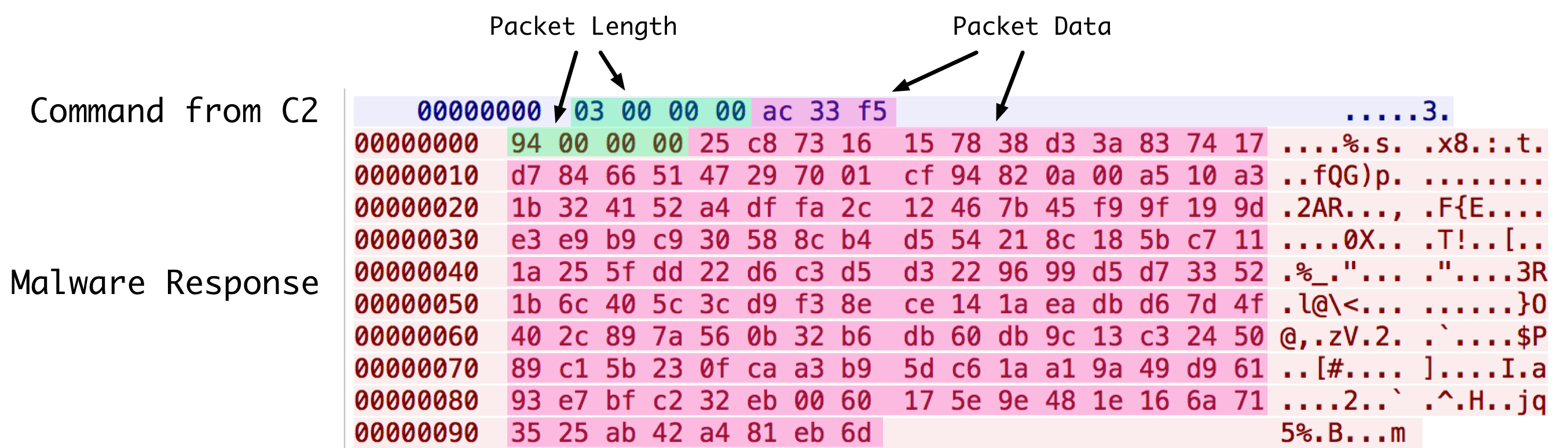
While the ports associated with this sample’s configuration pertain normally to HTTP, HTTPS, or DNS, network communication takes place via raw sockets. The malware first receives data, which has the following format as shown in Figure 1:

moonwind_1

Figure 1 C2 to MoonWind communication

Digging into the packet further, we can break out individual pieces, as seen in Figure 2:

moonwind_2

Figure 2 MoonWind network communication packet format

The encrypted data portion is encrypted via RC4 with the following static key:

HHSADh!@#$YUAGEWYGhjfsjd5465fsaQWAFGDA/jfdafdjhhasgfh==

In the above example, the encrypted data decrypts to ‘\x20\x20\x20\x20\x20\x20’, or six spaces. This particular command requests that the malware send the previously collected victim information.

The data returned by MoonWind has the same format, however, uses the following static key for encryption instead:

SSHqWSSAFdhjklfahj!@##4*&&!!HQ12785452!@!!$$$32#@$$11!!

An example of such data returned by the malware can be seen below in figure 3.

moonwind_3

Figure 3 MoonWind to C2 communication

When decrypted, we see the data shown in Figure 4. Note that the first six bytes contains the return command (‘WYR002’), followed by the payload. The payload contains information previously discussed, delimited by ‘*/*’. Certain variables, such as ‘cdg’ and ‘ip’ are hardcoded. We also see what is most likely a malware versioning string at the end (V2.1). This string is also hardcoded to the sample.

moonwind_4

Figure 4 Decrypted data sent by MoonWind

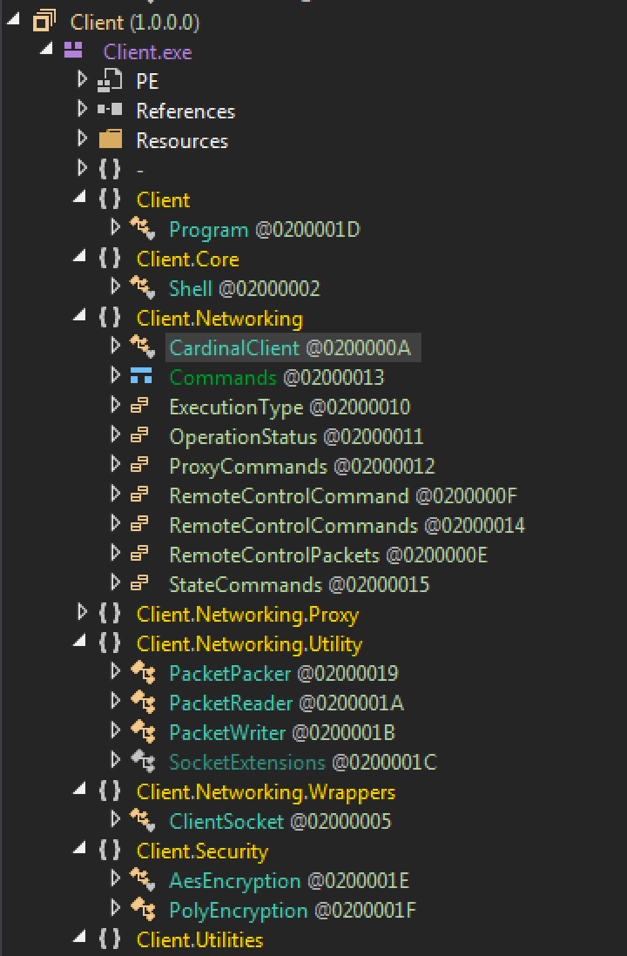
In total, MoonWind has 73 possibly commands that it can accept. We have not yet fully researched all of the commands, but the majority of them have been identified, as we can see in the Appendix.

Conclusion

Trochilus was first reported by Arbor Networks in their Seven Pointed Dagger report tying its use to other targeted Southeast Asia activity. The activity dates to at least 2013 and has ties to multiple reports by other researchers. It is highly likely MoonWind is yet another new tool being used by the group or groups responsible for that activity, indicating they are not only still active but continuing to evolve their playbook.

Palo Alto Networks customers are protected from this threat in the following ways:

  • The malware discussed in this report is blocked by WildFire and Traps
  • The domain names included in this report are blocked by Threat Prevention

AutoFocus subscribers can investigate the activities further with the following tags:

Appendix

MoonWind Commands

Command Description Response Command Notes
\x20\x20\x20\x20\x20\x20 Returns collected victim information. WYR002
WYR002 Null command. None
WYR003 Spawns message box that allows victim to send a message. WYR003
WYR005 Modifies services. WYR005 Subcommands of either 'fuwu' (create service), 'exit' (stop service), 'stop' (pause service), 'reun' (continue service), or 'yrun' (start service)
WYR006 Returns a list of running processes. WYR006
WYR007 Kills specified process. None
qdcmdl Spawns an interactive shell. cmdok1
WYR009 Send command to interactive shell and receive results. WYRCCC
WYR010 Terminates interactive shell. None
WYR011 Get size of disks. WYR011
WYR012 Returns space of given directory. WYR012
WYR013 Return a directory listing of specified directory (C:\ default). WYR013
WYR014 Execute specified command. None
WYR015 Open specified command with ShellExecuteA. None
WYR016 Open specified command with ShellExecuteA (Hidden). None
WYR018 Perform directory listing with file attributes. WYR018
xiazai Read contents of file specified. wrdown
cxqdcx Restart MoonWind. None Uses %TEMP%/restart.bat to perform restart.
pingmu Return screen resolution. pmgksj
qdkzpm Unknown.
jixujj Unknown.
sbkzxx Performs various mouse actions. None Subcommands of either 'sj' (double left-click), 'yk' (move to position and right-up), 'zk' (move to position and right-down), 'zx' (move to position and left-up), or 'yd' (move to position and left-down)
xhpmkz Unknown.
axjpsj Submits keyboard inputs. None
ksjljp Starts keylogging functionality. None
tzjljp Stops keylogging functionality. None
hqjljp Return keylogging data. jpjlhq
scjpjl Deletes the keylogging file. None
xzcxzs Uninstalls malware. None Uses ‘x.bat’ to accomplish uninstall. Written to present working directory (PWD) of malware.
httpxx Unknown.
zaicif Unknown.
xiaokl Unknown.
juxuxi Null command. None
shangc Unknown.
ecscwj Unknown.
scwjwb Unknown.
scmlcj Creates specified directory. mlwzcj
ycxiaz Unknown.
zcycxz Unknown.
ycxjml Creates specified directory. None
xjwjcj Writes specified file with provided contents. None Command format is

‘[filename]|[data]’.

shanwj Deletes specified file. None
shanml Removes specified directory. None
gengmj Moves specified file. None Command format is ‘[src]|^|[dst]’.
ycgwjj Sets hidden attribute on specified file. None
copywj Copies specified file. copyok Command format is ‘[src]^|^[dst]’.
fzmlwj Copies specified directory. copyok Command format is ‘[src]^|^[dst]’.
sdxtcs Unknown.
qypxxl Get disk space of specified drive. qdypxx
scdqwj Unknown.
wyycwj Unknown.
xzwcsc Unknown.
xzwcyx Executes specified command within batch script. None Uses ‘boot.bat’ to accomplish uninstall. Written to PWD of malware.
dwjjxc Unknown.
dwjcwj Unknown.
dqscds Returns filesize of specified file. qcwjcd
sjkqzd Unknown.
sswjsj Finds specified file and returns results including attributes. wjsswb
dwjsjx Unknown.
xzbwza Unknown.
hqurl1 Returns C2 configuration of MoonWind. qcsxdz
ghsxip Writes data to win.dll and loads it. sdczip
khljcg Unknown.
dqyxml Unknown.
gxycwj Unknown.
gxwjbc Unknown.
gxwjok Unknown.
fxgxcs Unknown.
gxwjsy Open specified command with ShellExecuteA. None
gxyxcx Unknown.
bddkzf Unknown.
scwjdx Unknown.
xzwjdx

Indicators of Compromise

MoonWind

fd4856f2ec676f273ff71e1b0a1729cf6251c82780fc9e7d628deca690b02928
ce3da112e68e00621920911b1f9c72d7175894901173e703a44ac3700e4d427c
e31679b82be58ace96b1d9fdfc2b62b6e91d371ed93957e0764cd7c464b04b9d
f2589745671949422b19beec0856ca8b9608c02d5df4402f92c0dcc9d403010b

MoonWind Persistence Mechanism

815df680be80b26b5dff0bcaf73f7495b9cae5e3ad3acb7348be188af3e75201

Trochilus

59f8a31d66f053f1efcc8d7c7ebb209a8c12233423cc2dc3673373dde9b3a149

webswindows[.]com
192.225.226[.]195

ignite17-social-cover-img-facebook-820x340

Ignite ’17 Security Conference: Vancouver, BC June 12–15, 2017

Ignite ’17 Security Conference is a live, four-day conference designed for today’s security professionals. Hear from innovators and experts, gain real-world skills through hands-on sessions and interactive workshops, and find out how breach prevention is changing the security industry. Visit the Ignite website for more information on tracks, workshops and marquee sessions.


Dimnie: Hiding in Plain Sight

A note to readers: The code samples included within this blog post may trigger alerts from your security software. Please note that this does not indicate an infection or an attack; rather, it is a notification that the code could be malicious if it were live.

Introduction

In mid-January of 2017 Unit 42 researchers became aware of reports of open-source developers receiving malicious emails. Multiple owners of Github repositories received phishing emails like the one below:

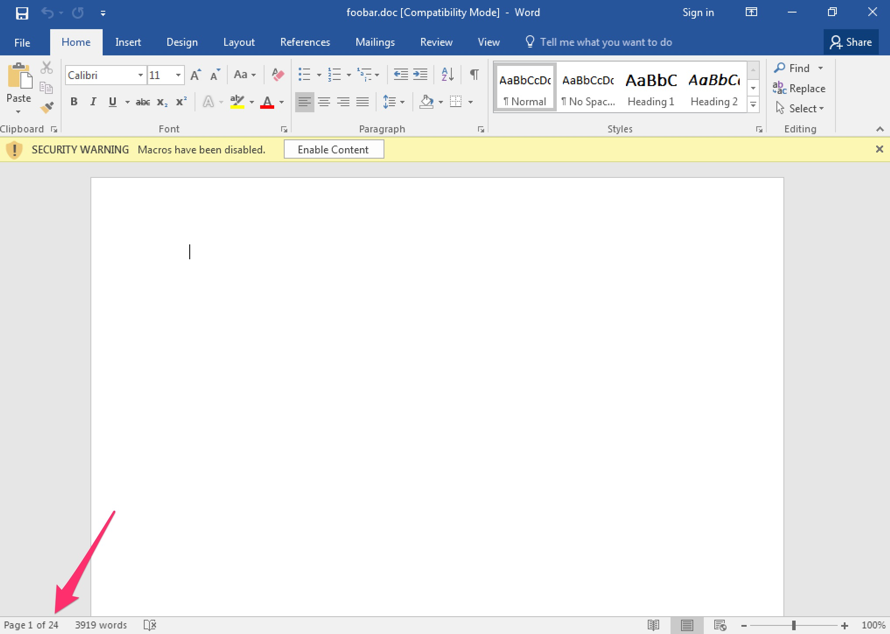
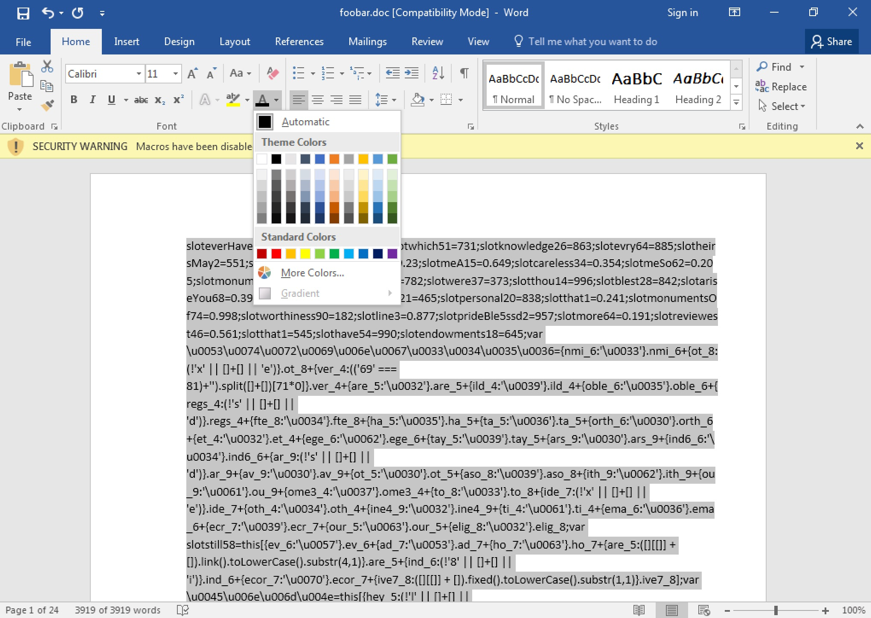
Though there were multiple waves of messages following a similar tactic, each one carried the same malicious .doc file as an attachment (SHA256: 6b9af3290723f081e090cd29113c8755696dca88f06d072dd75bf5560ca9408e). This file contained embedded macro code that executed a commonly observed PowerShell command to download and execute a file.

dimme_1_1

Figure 1. The attackers used  a common technique to try to avoid static detection by introducing characters which the Windows shell will ignore but static engines will typically see as part of the string.

A more readable version of the PowerShell code is shown below:

On initial inspection, everything appears to follow the same formula as many “traditional” malware campaigns: e-mail lure, malicious attachment, macro, PowerShell downloader, and finally a binary payload (SHA256: 3f73b09d9cdd100929061d8590ef0bc01b47999f47fa024f57c28dcd660e7c22). Examining the payload’s communications caused us to raise our eyebrows.

Dimnie, the commonly agreed upon name for the binary dropped by the PowerShell script above, has been around for several years. Palo Alto Networks has observed samples dating back to early 2014 with identical command and control mechanisms. The malware family serves as a downloader and has a modular design encompassing various information stealing functionalities. Each module is injected into the memory of core Windows processes, further complicating analysis. During its lifespan, it appears to have undergone few changes and its stealthy command and control methods combined with a previously Russian focused target base has allowed it to fly under the radar up until this most recent campaign.

Hidden Requests

Let us dive right in and have a look at a typical HTTP request from Dimnie to its command and control infrastructure.

dimme_1

Figure 2. Initial HTTP GET request from the compromised client and the server's reply. The HTTP payload is truncated in this image.

Does this malware use a (now-defunct) Google service to aid its initial phone home? Not quite. Examining the HTTP request, this appears to be an HTTP Proxy request, as described by RFC2616:

The absoluteURI form is REQUIRED when the request is being made to a proxy. The proxy is requested to forward the request or service it from a valid cache, and return the response. Note that the proxy MAY forward the request on to another proxy or directly to the serverspecified by the absoluteURI. In order to avoid request loops, a proxy MUST be able to recognize all of its server names, including any aliases, local variations, and the numeric IP address. An example Request-Line would be:GET http://www.w3.org/pub/WWW/TheProject.html HTTP/1.1To allow for transition to absoluteURIs in all requests in future versions of HTTP, all HTTP/1.1 servers MUST accept the absoluteURI form in requests, even though HTTP/1.1 clients will only generate them in requests to proxies.

Dimnie uses this feature to create a supposedly legit HTTP proxy request to a Google service. However, the Google PageRank service (toolbarqueries.google.com) has been slowly phased out since 2013 and as of 2016 is no longer open to the public. Therefore, the absolute URI in the HTTP request is for a non-existent service and the server is not acting as a proxy. This seemingly RFC compliant request is merely camouflage.

We know what it isn't, so we will dive deeper to figure out what is happening underneath the camouflage layer. Start by having a look at the DNS request that immediately preceded this HTTP GET request.

dimme_2

Figure 3. DNS request issued prior to the HTTP request above.

It looks pretty normal, but we can see an authoritative nameserver returning an IP address, 176.9.81[.]4, which is highlighted in the image below.

picture3

Figure 4. Nameserver responds to a Type A query with a valid response.

While it may not seem so at first glance, this DNS query is related to the initial GET request to Google. Below is the raw hex of the IP header of the HTTP request above:

dimme_4

Figure 5. Raw Hex of the IP Header from the HTTP GET request for Dimnie's initial phone home.

The answer (176.9.81[.]4) from the initial DNS request for onechat[.]pw is used as the destination IP for the follow up HTTP request that appears to connect to toolbarqueries.google.com. Sending the request to an entirely different server is not complicated to achieve, but how many analysts would simply see a DNS request with no [apparent] related subsequent traffic? That is precisely what Dimnie is relying upon to evade detections.

What the GET?

Since we have established the HTTP GET request to be largely falsified for camouflage purposes, we can now proceed to pick apart the initial outbound HTTP traffic. The contents of the HTTP GET parameter are reproduced below:

This GET request contains a single piece of data used by the malware: the contents of the "ch" parameter which is base64 encoded.

Decoding the "ch" parameter yields us a AES key which Dimnie uses to decrypt payloads. The attacker uses AES 256 in ECB mode to encrypt payloads which are push to a compromised host and decrypted.

The code below illustrates, in Python, the method we used to derive this key.

Besides the HTTP payload, which is an AES 256 ECB encrypted PE file (after decrypting, SHA256: 6173d2f1d7bdea5f6fe199d39bbefa575230c5a6c52b08925ff4693106518adf), the server reply contains only one other HTTP header that seems to be used by the malware; the Cookie value sent back from the C2 server. This Cookie is a 48 byte, base64 encoded, AES 256 ECB encrypted series of UINT32 values pertaining to the payload (when requested) or outbound data (HTTP POSTs, see next section) as can be seen below (comments appended after //.)

Here is a list of possible types which may be found at offset 0x24:

Value Description
0x00000000 Main PE module received.
0x00000001 16 byte information sent to C2, probably PING/PONG.
0x00000002 PE Module received.
0x000003a4 Get module.
0x000003a6 Get main module.
0x00002000 Running process.
0x00003000 PC Information (Computer name, language, network card, …)
0x00038000 Keylogger data
0x00058000 Screenshots in PNG.
0x00018000 Unknown.
0x00098000 Unknown.
0x00418000 Unknown.
0x00118000 Unknown.
0x00218000 Unknown.
0x00818000 Unknown.
0x02000000 Unknown.

The values contain a preset, defined size for the payload as well as an expected CRC32 value. Effectively, the Cookie parameter is used to verify the payload's integrity during the module downloader portion of the malware's lifecycle. When the Cookie value is included in later C2 traffic, it is primarily used to identify the type of data being sent back to the server and the reporting module.

More Camouflage

Data exfiltration by the associated modules is performed using HTTP POST requests to another Google domain, gmail[.]com. However, just like the module downloader portion of the malware, these HTTP requests are hardcoded to be sent to an attacker controlled server. Again, Dimnie attempts to blend in by looking at least somewhat legitimate, although the data exfiltration traffic is far less convincing than that of the module downloads.

dimme_5

Figure 6. HTTP POST request with encrypted data.

Once again, the data is appended to an image header and encrypted using AES 256 in ECB mode. The Cookie value follows the same structure provided in the previous section. This initial push contains system information as can be seen in the decrypted output below (data enclosed in brackets has been edited):

During our analysis, we identified follow on POST requests containing screenshots of the compromised desktop and process activity lists which were encrypted and appended to a false JPEG header as described previously.

dimme_6

Figure 7. Process activity list, post-decryption.

Decoding the Traffic

Now that we understand how Dimnie retrieves its modules and how it protects them, we can use the derived AES key to decode the observed payloads from our PCAP data. The payloads themselves are never written to disk as they are downloaded and subsequently injected directly into memory. The module ID is stored at offset 0x2C as a 32 byte value in the Cookie field, however to calculate the "true" module ID we must use the following formula using the key found at offset 0x04 in the cookie: uModuleID = uID – uKey. Below is a table of observed module IDs, their functions, and type of information as referenced by the Cookie Header (at offset 0x24):

Module ID Function Information Value
0x20001 Main module: downloads other modules and injects them into memory. N/A
0x20002 DLL module which exports SvcMain and is injected into another process. N/A
0x20003 Contains 58 bytes in front of the DOS header. Purpose unknown. Appears to be a copy of the main module. N/A
0x20004 Extracts PC information and sends it back to C2. 0x03000
0x20005 Enumerates running processes and sends the list back to the C2. 0x2000
0x20006 Module that can logkey strokes, take screenshots, interact with smartcards and more. Uses RegisterRawInputDevices/GetRawInputData for logging keys.  0x38000, 0x418000, 0x818000, 0x98000, 0x118000, 0x218000, 0x58000
0x20007 Keylogger module which has two PE files appended. Both PE files contain the same functionality but are different architecture (x86 and x64). It sends back the logged keys and clipboard data to the C2 0x38000
0x20008 Module that can take screenshots and send them back to the C2. 0x58000
0x20009 Self-destruct module which deletes all files on the C:\ Drive. 0x02000000

The self-destruct module, 0x20009, drops and executes the following batch script:

The primary purpose of the modules we’ve observed observed is information stealing and reconnaissance. It should be noted that Dimnie's modular framework allows for a variety of capabilities to be accessed by its operators, thus the modules observed during the analyzed campaign may not encompass all available functionality.

Conclusion

The global reach of the January 2017 campaign which we analyzed in this post is a marked departure from previous Dimnie targeting tactics. Multiple factors have contributed to Dimnie's relatively long-lived existence. By masking upload and download network traffic as innocuous user activity, Dimnie has taken advantage of defenders' assumptions about what normal traffic looks like. This blending in tactic, combined with a prior penchant for targeting systems used by Russian speakers, likely allowed Dimnie to remain relatively unknown.

Customers are protected by IPS, Dimnie is detected as malware by Wildfire, and Autofocus customers can see related samples using the Dimnie tag.

We are also including IOCs for this malware family dating back to 2014 which include domains from DNS lookups (Appendix A) and dropper hashes (Appendix B). IOCs specifically mentioned in this post are included in the next section.

IOCs Mentioned in this Report

We’ve purposefully omitted legitimate domains and IPs from this listing.

Initial Phishing Email: b70a17d21ec6552e884f01db47b4e0aa08776a6542883d144b9836d5c9912065

Malicious .doc file: 6b9af3290723f081e090cd29113c8755696dca88f06d072dd75bf5560ca9408e,

Dimnie loader: 3f73b09d9cdd100929061d8590ef0bc01b47999f47fa024f57c28dcd660e7c22,

Sample decrypted main module:  6173d2f1d7bdea5f6fe199d39bbefa575230c5a6c52b08925ff4693106518adf

Appendix A: Associated SHA256 Hashes

15895f99011f466f2ddfa8345478b2387762d98eecf2ada51ad7f70618406ba1

7d8ec31d9d98802e9b1ebc49c4b300fa901934b3d2d602fa36cc5d7c5d24b3bc

046bc7347a66c977a89ba693307f881b0c3568314bb7ffd952c8705a2ff9bf9d

1b5e57fa264b2ce145b39f9fc2279b21f6b212aeca8eaa27f68cdcdbdef1900f

4b10cc374ed9e2c69231fcfa1b1d96496785ecf148f9445192f24385068e7b0c

e47ce23ec14114d3abeba090baa77b9bec876f947df67076dddb9087387735c7

d99c699e399afcd9e5abcff8c9b4a40af3e428f0c452c646653c79ec1a623bba

b6dc94f75ea4d2b46cf41079b1ac4cf48fe7786019396f379822fe6e21c9929d

a4df4a25e847d95a86a257bef7d2b349e9908bec37f0199f9f217d9cc0e28564

caba117fdf3ca61b1b17121adb4546e829df5426ab8944e5c4672f4a8619d0fe

3ffec5efb775c7d977f1e0ad1e8a51a111394e0ed113f58809fc8441b2c0f731

3d94881f0125093576dd01cd54cfd937cdca2b3050ad9aa4c5db2514d9aa686c

1d06464bafd24c228fd66df9cbf8feceda1346cef8648c2cd87cf617547bbe1e

9c403782571042fe2e3efb3acc35a26867956235a2a9472798bd664b65698c3a

d0eaec396ae11110dc4f51f3340d4735790876510de438f8a161577c7aa72d1e

222beafedbb604d200099cee657505f1d11b371403c7c9c12103adf28a561289

0f76bcda668095a8d2fe7a1282d463dcf04201e1c5a35856f117703bcd9428ef

c4bc691d7b8a16ff68ed338878451d1ba681aa181922cabd0b999b935ded673e

67a1dead18afc43c69a97de3e39bd84dec91df751a45bbda7ac5874f746c147c

7c4c2c898f611fd12a244822f5a2080da51126713d4ed1b3c950aa0ba6f92d93

67df79166bb258e77959c326c21563ea41f3f119d8e8486043efb83c868e636f

5661e7c23ed6058157b39ed29fa37690148d377b1faa7c7b89024daf0ef7e904

bbe7abc992928a45b618fbd7fbdd472ec3e4a47126f21ec38ad8257afe0c091f

05e30073cbd18b0ff2cfeab307e2e8cd2226d921a1872f17fcc312fc601fa93e

4a25bf18783ad32e08aaff0707d8fdae88647da4e0bfd22d83850e0dfa4ab148

3109724914f0eec8ee5167b15e43fc71e58106983ad0d2137c96239d5b25ad7c

c333173687879f3a6387f5afd915d9a4f042ffeb96f4cdf4514a5433de558f6f

071d91e67c42811d96d15a4a6dff740cc5d704ca352d9bc03778a2a6abd552f4

d884ae7b4f88973d2fb763b00c41171353310696e66dcde5733558ca68cd68d5

3944c7586e17399051785e1ae0311f4b98e74825291249a784428a64a80240e5

f76fe0b83e45a77ebc36ab12a27a5cf49be74fb154c51cb793e946c45bc4e12f

9f2367e31987327ef5710f7dcbfa089382c1967247c5ac1e2342e1e10e495fb5

5f45450f3342fd4f7f08651d58f775d47a25a44758039a577811eed6c094dfa7

824b93c4662cdc072488cf82d34569dd27d6f1fced5cb83f045825ed2e4b463c

441b1db0595565ac059552790e96524851843b22787238291f286b16c9c951d4

ba6022401ed257f82b7107319a7ec928044acd3dcb60dfab1ac7df2823ffef25

0a5c9818aa579082af224abc02dad60d77f4ded6533d143100b7744b58e289a2

871cefc4f9faf8658804dbe8332e3b511172ea29545e13c303ae1809edf8a0f6

bf3869e420ac8686b9ae3b14d679f45b34909ff998887f9fd0c8126853d6a4ed

8eef688751eed591bedd2fcc18d32bb84df11fdda62a16c963561aeeae56f6f4

c18775abf5c992cbd9b3b0c401fb0ee66bbe092e44b0b1b3cdd17fdc353d825e

ea6a8a46b61e2a8813c4146461e4c961dfb2cbcf277d8bb9edfc14be73f9f073

119972c1029267df7c5a8e607a2f034e7f8a3396ea49c67430842e0ff2de70eb

488c93d2e5413b974f489030c1f7484d2a6610cda0dd5a389b6a30371817d108

4ebb33fcf64afcd534ac83e72e49a4392b586bd31ef20b7bea2717cb9cde4928

a8779654e5abf142aaaca29b1abc0cbf1f5430e8a8fe7d955ae3ba6f1a9a3747

445e1aaa68169f30efa3d7d04f378c646abbbb3515430005b66d9e9ac182006c

417d6ec4701da0396bdffb8da0d582dabde35dedf9d468bcbe36f94df6dcf8e3

8a4748311e74cbf4f66a55ee4561728d0542929e9c260eda6d30bbde054fa53c

6a71582fb919a1300b98b035eb154602bf5452ff80d364a1f6603240cdbd8293

b01756a3f4b8d687a9fce4301f5f56b4dfb7befe29550096b262935f63f02cc4

b91fbf574bf080af82cd24977d00205dc0860ad7afb01f8f4a0ce0f910f9de6e

829797843357a5417f4de7b7f8f970ccfaccf30ecc80ed9c15e796897012d3e5

b10a1189aeb784c899bb5eb46b6cf1528b2ef6e3c0673159db4438e7aa39f6d7

2ba2491ce6a1814206dfe2aa9b1129f6085f1a18fd9b8c831caad286b095ee90

78961c49fa961bac01ebc8ef62077bc8fc8a3389f39fd7ee9d655447f0282fe2

aaa1511a156a11cff7e09367184972c067b65cae6573a8b4844dbe0a01894118

e64678633c8e876fc9313bfe5a8401953eaefdd8e7e006221cd5009f471fc389

2cedcdaa116feed52819914db3f19edf58c004a4a28c62f556d2ce3ced84b0f6

417addbd5817cc9dcf4f77f6240a56cd11a94c9a89e646d589e5ed26710cbcac

ff19d4f2c6527b2d4ecf65fa85115fddaec5420ef4346e1b6a21b28ccc5604b5

6e676f6be660799fbb4037c0c1ad39f9933b3e84cba0642fb7b892465b87325b

f9531a1ca3ee933812b709cc07a7d6ab6f8ee9900eee64ad97e936a68c5847e5

df56d66b8d9a16258a0b449084e3d82f8e338f0d0ff140bbcec1848357107dda

81ff2560c2f999d51f45b62110a5d37921a94d1af47f694780f9df8ed6c932ca

f9e6817f348cbfc4ca672ea275f3da390c31b45266e57b1f0f13f7c7ca37a3eb

eda0dfc38e7f32efe209902e653553a231de906b3a8894d31c3e39bd3a7e3a99

567cce05449594ed622160b443e81fb9e38989d830749d9e8bb5853f73226d11

62b8b1c425bce735789ab19b7e520304d85005df418221eb0f9b242d9e671a45

03766d99a1d7551ac4056c121c017ae70443d50c152ec1b06249c891baed435a

1d0a9d2e3c08f54b95575e4341f1d9699eb29ddbcf45757b1814ceabc9418a03

7dcda64fdfb2069f3b5f5047cfac6f2abfb6a2fb7591f974e5c0348ae86b6909

913589ca3fa86f9de6582204040753c779dd830e33876de338683587d7498766

590a4dedb34956e454d384e882440e731d50a83a819cfef000596d165a7d32c5

d0b44b803893fc08c08c653b2e0ca2ca2e2f52ef8cd49f0ac145337af5b2175f

cc74ef19129d061ba97801839ff04c00df07f684ff62df89061d7694c3a9c244

302b0b3731f86facb6be3fbe8eadf18d00d696175fc1590fc012b9c90fd60de6

bf4b6f9f28166c0c6916548694a09f98ab5e4e9c3012323b3a5fb3e6a6b33d9e

b857f5244e18fa9efc9b820dc70b827674f28bcea9ab7ef666e2271f0de4c9ef

0a46ce6d1d54fed2b200622ad0d5977e00e7865fe26c4cc69efa573e1ae542ad

10b8eaae1e00dfb40186a1d32f0c3cc10a47b9258afbbbdd81569b96b2c79a07

7b23f7c1ca90affc891ac89d6c9b592e0c47f1a539b9e8a87f6431fc0158404f

cc8585b57a9a371fb6d7250395bdcddca07150a7dd97c3a9dd67e408812feb8e

35074e717332d8fe3336448c8cf065bab56b978819b4685e618b094674be06df

a60c52336dc58251b28fba6345f75236bd7cf82c19702fa777fc926f04a5f75f

0bf94cbf7120ba5810c24772ba9752d22a31129cbed2009ebbed5bce18c916d5

052e93c7733e1a1fc5094682ab3cc3324b838d5260a1bed899ff93ef0966608c

3a9ec7a665475ca2f8e4eb314a3b845a727b3a99a818263284604b76b1857960

30d40c80ead9fd48b39aeee9c6f9d38951470d16bbe2bac09107d66f197cf012

e91c5056fc764bea87cc5a265a18c93140420ac15b030fa061f4e54e453d6c1e

5893e01e6ac20cfa75f184d1f6d708e3ccb3ff6da9f5183da415e3126e4d84b7

2d9b959ad8e19d2dd1d60e1bcbcfb014fcd9d671316b310d864fb2d881c16462

770c79684d74bdf8fb6d0d7cf138ddd06fdf7506e91eab09d79ded677f04ab98

98bbf1b17196a525e810689833dae910b144daf8ce85f31c73b9d0ca2dbdc426

0c760dc72a02073921d696840c31a372648a9f964be0afc0bd14554cb3a6be61

66f3b47798a56b74517094038862ce1a4555e5c975427db3b00835377cc26725

21e406638bffc35ad1929c5b03a0bbd42d1a39fb481d1954e0c15135e01e3c6e

01431670bfa2a14419323ba4731e2b9f03d9bc7362ae78b06792eb605249ff0f

517db060d4b0d8ae3a22d37f67311d9f5e2bf93d07424a4b9be5fefe84c571e6

3eb15bd22b9c70cfaa57a08eccb60de60e6bdaba00489ad0c61139504ec1b274

cc7b1846fa441c13cc03a8089013c55fd8c7bbabde049cf578df2633afebabff

eb47d187d81488b11690ac3191ad8e17774d8a11e559d692fcc344a905c34183

7f8c517b0873991b320d3f94e76f639afadf1481550c8931bae2b46afe204aa9

414475578f2d5642be77f2ea18df1f3ea97fc78a5b985944076c41f8b6e3fa54

a9fc88b00fe9ba84397aa7eba29a3dcc34da69a2eb89d9135cbfc04725605703

d390f1198f1b0c2307859b523a8fca918994c48cc630bff60f1b1fe159f974cb

fa56be12aec3eae896d372839d20bb02f45a8f167cfb44ca9b9e517f8bf454c5

8f0cf083af5412a8c228fe8d7755c2dd186248bf73de5db693019a0435de7dad

e593d990025104eeacc1bf48c3cf02a9f4503b056e6f17806dbc82e66f1878cc

6764806968caeec57f239584098f45eb4cdf1c1610d1a85b5c065bd4a3682fd9

63aa7d6759523c216de2bc85621f34d2a08f6c3c9dea8f4d3e0d1eae28afecdb

4a8336797a98e2f74062a477cf88a1c6be603102a3ead70d69823c5d3306536a

0595605bb8b6f4369e04be003c8de77d60d51c676bf463452758f0441c3dddac

611f0f92151aef878550ca0cbfb98433180607f374f5b68b72393a3d43f65381

7e275e43f70ac7962e5f4b503521af1862ac86ac8952aad52f7ff8452463b6d4

fd7f3195d0b9530131c5860e5db4755f9bf95c5cdc2b1c5563be5f49b0d35857

2fee7fbabcf1b4381ec3c8ef951bcdf9e204b9d8418815cc84efdd909a882413

f423bf186440e7ac1924a75bf3c532d61d62592d664e7bb004c10881fda3bade

3e21da2bfb27dc428214f94f6424b3d745e5590df45f333ad1f20552afbd410a

7ccdecd7997e78e766e2eddc1dd0d5b2a0ff8d601a7acaddf024c0fc2f4204dc

fc9b309039e083e390627f8203b6428a51ab570b3839a1e1efcc4b2855803fab

a1ca4464b092f361ae6c0bf60867c93fb507ca3f9c6de045979d708997539a7f

8e6d0b88a84ce804938ea9b5c41b0ed497ce00b070ce0b596913b4dc65501352

2aefd28e364b92ea42573d5f937ec53bd864e73cd8b7d40da27cbda2c6f9592a

86bd7d9187a273a9b0082ca84fcfec05d7f7ad5fe03360533004eadd64a86017

20b1853bec49af02aff6cd22b2c25e41a48df7a2cfbff785f6a110eff8742f6b

beb5a1afc328ab2f34f56a65ff4161d37be91adecfceaa83a2bc20b63fd35eed

3998a7feb58bc3f4741b9585ecdad04b1d16026ba116630c0d7b69f2651a9ec8

82fc70f991759e53daa66f2cc4f0873426049215b073973365341b000fa26585

2acff0e4efcf15d9b21f15869b955cfafa8f188d7e38de52c729c260d3cffc4c

9aa03d7f128678225dcdde8b8f8a792b7d56c768afde401a7ee779469a469271

03262308f43830db8fa4c3568aee387df5de96743c287bc6b49bea309b2dc373

95637e684a42583be98f3c1d2567cb5bdc3e7fcb875f054b58b1036f32834ada

f3ac0db23744528e8169c1bc58c844b0fdfa4129c5e8700b4bffb07daa75d1e4

e38804084d5cb0e7e80fd9144ed012dc92e89b68586dc2611ee90392d2fe46f7

6a1999cd18373653766b9385c3e60a3f21ffa040180172eb206142f601384d76

85176e6b449dc548af04c29fe13e8622c275c84691d449d6392607013f6fce07

d653637357b94b8547f5d81e78248c5f7dec8f64a3f7918563c1b5fa9086b3e8

97ee5dc97b2d21d299034cb02cc814a63494a31689afa3be9e47015b40b8b308

b1f47264a60d732ad917770406badcfaa3b845d85841c46b27ea758ee82f18c2

201480d3fe6598cb7557c4940e5db96e71de9a15364b19865ee61c11658e2b5b

ed9f3dba0c9a987094d1921e5316398aea169bf907ce848d6518ea40db15c46d

c2ba05bbebb35e99780c87e23a3d6f7b05ffcb17b21ee27f05fb62ec13e25b0e

abc4b46a96f432605336dbe376a92feeb77d768c473d52b725a853a3abeae92c

b2eae31ae2fecf69a5940e5e7d3ec90b241bd1223a4af25204676b67a176c88c

2d2c65e64f18e38991c609ca7d16cafb928c5c96132fe8f361dc3f31473b93f7

5750fcf5b4e31fcab9e81f154e1ec04105dd909f46ffdb9bcb986d7da9e6c22b

8ab4e92cd37cda1273f2359ec8d2c4b9cc4cf02faa199f8fe71f4f200a3ab31d

c693c3983f3c6e2e20d338ba240ff7411121a674b267ff86914156f9a91d5be4

cc05d4bffba7464194bf25ef5f8dfe9541048404b29e31fa93392663b1873501

375005db3906b1aad931c0207932ccdc99a191e9ceb100ae364ee1f2ca15682d

f9b85d337aeba34d23cbe1340f596cc908f572cbeeb5fed4fb389d779c7d5004

941007ae7918e8eb1845598053cf7fc4b0c17d708c2dbd1d1b13d2dc12b138e1

6069b42bfdf59ce5ec95f068e871ee266fa7593457eb4b38dda113014be87ce6

d3f4e3459bbe753ea8c022eef425d5b098b0f32c0e4cc4f390442d9796ed4ee2

9dd9befeefdc13ae72bf90952892eb357bdff72083c282fb73dd3821afe43e72

eb1f746dbdc2598757423e4505ff898b8308282e638f9b940d84870e7a196fba

32b7a4f26eb3e2f44eeb82b95f9971572aeb82f1e218bbad39b2a8238d1448bd

e3e708a03186f373d002e6e84c649bbd95668c2c17dee9c7fb0143f3d675837c

b909e6e7f909abbb57af26b244b330f822ed552a3c4dadd028079d8070108c10

813fdde0b998bda3247eadab873677972681274b4a9905030bf8d76727d57a6c

0353e9168983735e8efd2d53b4c498b7810f49e67169e33eb42ed2ef8d3a13eb

49b2fae0ae4d9cf71c2766a0d965d8a50bacd8c522eb45656b8b5f6a1c7c8f51

54e54c459dbe3224d3f4947b30f20b365224552afac4bd45ddadfacee9a7cbe2

6b8b394add913d3c410787f0c711217fec60a917872465de04290a8003b73535

3977472c733eafb7e71f8fd6fece5d2cfc849ec88e9d6942082531f3f88818b2

b2faf0d9f8f436968f3851ae863f3b3d9190b1be5856f2bd044e6b04447efa2f

53e4330ba988627e5f1f5544f23fae1c66c0f2d714a922b1130a1c9dc2efeda5

2c5871fb46e6fbf95266830ba7b4923449d0bc99a4efd7586ff5556ca049ea1c

20b2c347268546d317711aa693d078c0dcac247e486e3b87e45b099fabdff607

c8dee4c2212c7bf8eb9cd7635ff42526b17340fb198a801cdaa8d4ef72a3c1db

c3511e8d5de1ab2146ddb8ecc735890ef5cec0b31d175fca2fb2b88d60ec3e43

947e55e3454031972cc3d11006a60091b2197cc9e241e562ed900b82e4f28bd9

ba03da023f13796dd6dd70db0234da5df33ddc18ba274cdc62c282d56c695ece

de3aa81710f2580d3ac690c1f6d087a4672f29ccaa36e3901e4904056f83a48d

b3f371cc899440583095bac2817fba2ae2c7c3cac9c121d0798e03730589ad33

daefdf3c053971d35eb4a7447cf74c0335066d557ddbe56f01611e8b9a38b512

0dac129154c01867ca391da20227fdf7d7e3a9dd4cf42eac76833a051153794f

dd3ada0bb17356592e13bae5961c0bb131e645d2c957f1f2047cc25528f60518

f94b5803298a18b6ddc5eab202db6ae4e7199adf298ce16698e8053a36d5f934

6e7cb2c05000d0e609cebdb7d598fffc48eb5e7d1d589fc0947e322cdcffa070

dfc6ff1c54d3b7c2d6aa3ab9573debfe83b2d9a82c20b765a852c77d792ab10e

a0af21826f06da5292dfea3574648137292e31df1cd70a8262f03354dabfb38b

788222fe51e7bc91ce229f67557843db34e1ad68296069ed3235b022407fa610

858dc8648024588c644466e0386e101a925295f4b8ba3e3b7235aab7eee2788c

25eb81fc61b60b1a01eafc040b292b8c206a883555d1db3b80103f6a09b92f7d

a0ee38e7edac534827a1501bcc535ab7f604abfe654eb34b330ececc544cb084

c870b4dffa82f8b60efaf7b98875e4f823a207dfb2f0023ca1700392ca91c5c0

cb677ce864730abb68cb007f5ce3cf067fa982d5ec5e79402f4dd28506f763c7

29c653c91fa209754ffdc7d5d450df1eacea065eb327943d613a5341d4d091b7

0919a323113724b2e8734a3178996cedee88f827f7706423acf8407568a93bce

4aceb41286ad09a78a31006e65c374fd82f3f0682592cfa1b06a390b4450404a

8a1d7fe6146ad99ee806586f217e067cd34d5bff7dd44d516e08576c22b1a382

6905b72571b27eb36191c5394fdb8aa91a25561e2f65bb7f6283cd67b8b42695

cd0fcb23fe5387245008d5aba8e9f937bae13da0f5319e4c0952a0e5f8715fca

927d28f4be7b208111298aede19ea6a33d69769081747504a2a6fc0e65596582

0f7810dddc7f204c7da31f6d599ddf7b671dc635aa1c415dd3f5a65ffa0d72e9

665079b17747eb20e80e97a8d8b432fd3760cbe72edba4bac5f3dc95e2576d57

d24c97b62ed06288d3887dd9b720da4900e8703360fe48d62899e6ee156eda20

1d130eee41544ea7389f90a1cc19d2535ab5236985912c3cc000e5a9d2416e81

485c8b3339b13cd8cbb52c03b1024665f9307490a107c0bd8205cebf76cdcd3b

fffef40864cecb56422bb793055749084ab1d756a35075d60cd547b2a7b074cd

444dfc3bbb7406135002e3b6a75e48cd4ac40bb3213f9ba4836ad202e5fcea4a

d13c9c157d9ef56620698b20e2ffca8d9dcac3dd3109382098f423ca9588031f

0f710fb601b78993e28808184c8e868a474dcb679d61bd80e01f215eecf22f83

4a9c473209596f2abb19c0a15b638458ef2c27a208053ec6f89b7b5e8efc882f

b36087991947633cfb1d758065323daf9e2179f668a31e6f639d85f946bef3cd

93ce0b122022fbd855b22e88b6598f705a319154cc3b6693f0a55fee8382fdbf

dc0bbbd2d6b7d37886059415d6cdcb4ac93b55ae06162670407b6aa0eaf44b63

ebfb311bf63b625ddf60d925669cf6b52a8980636a7b1536341cc78ac494eeb4

c7b07e16f61c792b8ccf5de098b0b291957b83184786b578bf87dcf3aba06d1e

550b73295af24954fba98ad5a86b2fb977d57e951c3b7f5deb10189bbb26a6fc

42c5651efc6ff62f6315f315f25c0407e773e702f43cca806ffb4c8ff899f524

69d69ef813c95e73881b8c0c567652f4c4c208d25ba778760f8becf79ac924e3

a1f766bbb2beae7a1211003e3b3e63f006ed28a1b7fb2e1549af1ffa2f0f477b

45c3824018e889e8fb006a83386a1e459b563cf9db1546f49c4bbc5faa9ea74e

e911e6e631d26b2f93779868d4b20224b2bfde798f2d42cb9870d951f4f10c53

f66536dff13b1ba415bd4c5fc172632465d33cc388899e976a49380da5620e45

f1af98d63fec8e0164aa6bac58c680c80075545aabdbdc49ef9cb45694d14642

e701fa1b68a80e77863e06de17a19a2f489aefe8af8b47bc0d908c726eb41053

03307e8bbbdceaa8393cdd13fd854d2705b5bfdf211b40a53113b915debbfc02

b5a785aa5284b96f08e9b191b3c1259d13e478523504486a24191b6e239b74e2

7c324b8b01db025d627df826283af003f54d2d5f20d6d52bee380a69a1fcd9d4

08cc9d83ae7f9805058555a43ec0f0daa73346feb38c2c244b3a4311f623d3b7

e73b2fdd33a250705dd044761a1890afe5ba0b1553b2c7ae5dbedd45e58c0a0a

e3d368a3e613f27cfd17db2ed439b6980f9bf0d10458d25066e316e4193c5d18

bfdad4010fb8104881c0392ff3d60e43e9eee73a7f8d00ab2097898dcfc14710

35f636b1876b17b923486924ebe629a98465b480f6635c9db09a16814a5eada3

320183fca03a973f746adba3e5bdac62be152bc4d32c6cf466383cd951ec2560

206c8c6f0bf5792631387b823cb4c1682041805b5c3241cd6d700c6e5475066b

b33e64b53c8f4af8e8cc75feb2de709da7614082ffd19f7a2110eb1b8b8ab546

31f6399b3423324eea084964bd979689bb367021b424e264f32c3787bfce85e7

4a1dcecd71ff7323eb3d0b1bcfc4d61b859e7734fcaa33b01bc3b727557b4d52

c2b5a2df6b792edac0d491a643cb525012f959934ba7a1846e14e51c810d8d42

ff5c86f1287d1b8ffc5822792ac00255176d706859749b7f2d4baef49f1f833a

dfa8a776451866e2773d57f79a839b2baddbf50792794993bdcefd0631c3f9b3

2977ecd28f44130c0afec70578b1c4fe240e39ad201d2ddd7fe1d9c2bd1330a2

5e0612a0124b15e193f630346800aee5307477110a5d4f8df23fc41d1d451387

b39ffb21bcba526d3ee503bcfdd18aee2a2bdec4b0798c6648fd3f25f3d78bb5

b86f42f252d586d032ee0e4022585c457f98f667bbe9f2f4ba4d53e6f34537fa

b30f53594e7e4b21a54c4011d67b2075185ca1b53084078b624341a8ab906702

7e83122da3f7152a5a03deca48dd600315b1c8c285c9e5922e7d691d6afe0f4f

271431e7eb1c89b52ffb154912925dcf9fc4210fa91a2b4c27f27037f1bc9e02

f98ac9b51c9395ed3d28dbfae6116b2f753dfec679223c6a4f9dac948a0e95a8

cc60033583227cda159007add0b3274f5752195bdae47495ee49d299b0a39ff4

0299289e2146e4655a8ba43191243dafab24023dafa857eaf82ed3ef423013a8

63f1f839dbac88b1ad4022e152379d3d909f30eaf34d08b3c459f16845082c94

b7bf2ad207ac67e422bc69ec0058fb21a8f52061b564e1ef565887eaf3dd1dca

d9c2be7b02dcf65889d764ba4ebf9908672c2a234cb4291d89826ff749909623

ca752bfec0b9f14a36c69e0c90edcc846f67923ae81ef5c5719480aecbbedff9

d23d4055c99b7bd3581a83443d934c95d2ec8dd9c690ba29b611e64587add39f

dd4d9ff987aaa9f2bdf526207a97d7182ef3be37fa08591a40e9bdcb8937c2d4

e3feff7f25d06c8e01d62d76a5f6272fa92f41ae05e0fbff51b67b9cc55cf452

00b3dcdeed117b8eaefff05246114c2ca49e88b3ccbac073c5cd87318e215f37

34084bc57ca269c05ef65720bc39d8bd284000316242721982f4538af351852a

df4e6982fe1977a49e37239b2d28a60b39317eb8dcb3e383c74b70fa62007b47

221302051095909ea47eac8ac8b9bcc82c51bab6946aca7c8822aee732fbee30

0205f46daf74ac9a66ac89dad04b805528656e482f452e616e9f260f1ec6f710

09cef29d19f76796b6effae5d6e193efc98c9e1e9e6523566ec995a78daf3dfc

ef704e0118c5935e0afd4632d10c1ef1e69ae026e73fcdc9d9b272db50a8aeba

126636a1fb2e955970051505d834d3d3571105cb82b28393c05222332e29e9c1

f9583642689abf8b472ebd1f67b7ef9b7728837452ac476e68c3f06d62447c6d

5050de5d74798d634d7639ef9638da8f9be63158bbcf2bbfb50038a7ee1e53ed

70871cb6d07a406f6b1748e5614e1ec33b879b159484a9f82354025a801cd1c3

26a93a22a3080545ab09ee93a7385cc0a85d9a75df8d0d88310d8bc639530714

abd5cf43abd878e8d7633e19bc309de840ec4e12624cabd99ac6152d9455d44f

b84328459e911de77827392db7967bb9ebefe90e365a8369ab8716a6b50aa5a2

dfdb3b363d82d552b8b1a1de116f6e68c2a055170a5c83f43575ad3ae9b90ddb

e5ef4e95831f24f345b4c00834b88b19098cada540da6aa60ba7ca861d20fd95

8e04108c5e164c1f077f0abeac10fdf295207e1f160350d999527ce23f078385

385b7126e4f3634ea1dda80d8bb4790e1b1a904d6232e51d0888ffd744b97dbf

3b12c8915af0cea47a7126b4a7f1ae788972dfac366d5573ef2681ff3d13ad41

05bb5e77bb934779bc7b6fff863bdc4f4db9759bf939c3cfff3ab0f75fcd13e7

e7ee85ec5a7c228be03b201502a1e74186f36c7611917bacd9fc67501df3606c

9f7e640951097f84b7ab42514ec2eae951b3c1b817c68efa9daae4345d2695b2

88e075627d93bbf43eabd699ca9afac0cceaf43f18f8c7ac43f2a7f93a247b55

06b8fa74196fa7edccb77a4bde000928a8ec15d56c5dd3c4af7237f876fc0991

c6db6e329d73616e6869bbb4f86fbdcab88c948176253df82729a2010493b09a

93867701be29f7154cf9f4bc72faad9e9859f4db3ed3030c04fcf03bab085b10

7f4fc4475cf86628ac5277c363fbe0bf47e87e726e4247eabe788e4440bf5bff

fd348ee3cc11647a87a7a065cc8dcc63cacad3349da567ce6cb5eb3f7d0a6ad1

fb6aa05b6c9a6d394d33f2a6cdd4a9c626eaf784990b69aab15e6ebc51908739

90aa424f52bd1f227ace86348c707ecc711c808526805915c50dfebf4bc49186

b131f561551cfe16804cffa4ed1651576ddb9e880913d245c23c7756311e474c

1d9ea027c8494e88148aa1b2d87bd13cf753902445423ac63257b89ccff1dd9e

88aafb45bb4e7d68b5476b4673fd38f49c233d42475f7460afae37610004b54a

40c4c891231a3932b5c15b42e1ff302f6fdf4776aab25a67f827333621795d9a

3191b3988616e9e834c883348ab635727d3d1b7e964226ee9488c1e7a482ce3f

f33d5ebb15bf924e590a2bea2c4cb914f1398b5694c2958b0c97c548327403ff

3f73b09d9cdd100929061d8590ef0bc01b47999f47fa024f57c28dcd660e7c22

76c566798ffcede356a8ba95a56c0400d41c746ad1a0f8503b66c9ae3a9e28da

09e39c3598fc68bd8193e47bad89723a8a989fc439cd717bc6cbdc596b144305

6d97956e23d15262be7af32eceff949ee708904cf5dce9cb6f6d732c37fe0692

5994178fd21ef4fbcea34a27890e24d56e5ebd247d26b4219f4d5475e4e00a9c

b2484daed920e8065605675822eb3b0e66d947f024dbc8193f39988a6e37afd9

4f7a58f1809fd0685ec815d0f5c910d39ef27ed2c4576339b3477a44aa756bad

86debb3398b60748c2c1d0d88694c7308f2017c6737490e84fe688396a0c5aa4

f2693ac1f73aa32dc4682ca66918e3ed78ed490cabc942018a6eca8c4aed9630

810e765fc4b9f838ed619a777528b243573d79e93ab29d8e1e3071ea2619fe0f

18241e18bdb290aa026d87c6d3dfa780d76347e8e966f3956bdfe44f36325473

c88771c9a6adc3c8bd6bd2d173c82f0e1c1a5966cbb2f05c5471b978840c2223

5f2e9aa038862b16ab09e6960262a25993e715df786a339bea352411e5e8ab12

f0b5592de97e7e7193b76e073ee21b090884f503c85258ab0cc1d780ae4e41c4

f22ed39d51c61cae0e03b2be39e05d1bfef05e55320aace141332a4a8ed3bd2c

de77795f1344857af0b583e38939f1cbf789b0989b6c8dca4e8ea3a6f0e646a1

60c2d4a1a5f757f5c9d3686bf85a5529e040049723ca3988e1f9560ea93a386d

3c0f463ac70d2f2415fbdb0446ba0fad290fd93b3db9708ffc4a4bdca0b5d4f7

9bb12887255696617d3e6356fe9f343473f6805db7dfabc6585a2ecd3289bff7

2829d72b813345348681d402184d53ec74fa491a0f3c726aae6c39b901fac1e9

d95990b7b03d017a64b8aa9f6133416176902d4195af9917660088245f4ebe7a

e267f9233c885d662804197e153e69cb2f7704f14b5d082dce7fe3c2d581d4df

6886aa1e2760b874a4950cac08e76259ff476a1976a0aeca4d392f60eefca6cc

1773b425ac6c670cabfdfa300c0b0c2724bd0585b87218c3119af39c170d3074

12558c50b9b61d080aac7b0890f1b95142316ae0d4e78dfb98672571543ecf6e

05789b1487fa274943d967834ad530bc89d94aeed8c240f96d9922f05d6fb101

a797aff0ed250f1fffbc6a718796b63907a94ac21d6bb712a5e7786670a9d1fe

f842607898e226fb480979112b0d67e3266ed7abf55f854851db0686ef5e4987

5584a83d69a01b2a3402c21f78284f6de8ac0a7e5dd5b25b6b9b59eb95f4eeaf

86c2d111086dba6c114ed114b1392183c2be4283b1702d5970601d7a29201178

1583319eb9266680c0cdc81937c76242306f365b767abe4f85322bace65f9d3c

949ad75ea9292d2d85498dc3a9ee033d736e40deba1a19a44419d91cee218a58

9011510e459b324b98b45284fba36d92c3dcafb2c9dc7a8a29256b3439a1c526

de6134aec7b39d8f90dcaf1da03ad50ecbc8b48a6e62b6a67d0cec68e9968267

c373ad48e60fb8a396a80927546e9898760422447981238d91679e6ee8a09d6d

2663d24e63d15e6f247039f7d0fb51958eddb5ad7043a2d305e24f8db6477271

8ff4c76bc1bf9a10b17fdcfdd300b89df94be848ecb0af81f6aefba38ec5bfae

102602fd35bd0d00d28f4dfb1bc4eb2a207e4d8cb9f4311ac7b1133f9e43da26

5f860598d21cceeb7d67142b3a75f94cdee5a4bd7ab8718a35b04264154097e3

f3e45f9e4dbd773b64cfe164de9e42f250f996b58b619fc2f0773be7965d235d

6369d5d194bcc1db2ba8d85c3d15b031a1c2f12463a4259e7cd4686c598e436b

ad91716f7148e6f1ecb70184139e32dcf8f5e521cd3f039f5a44d39d9c3ce09b

a8ba70be73578d901c5e2427fd2f63e06801dcba8726a82f1875d84ba147aaa3

7647a422655510e1de02e3d43b176d5c26d1d621680db9a58c047c9bdb615402

3b9b73d3b6e3337974e2bb2d1d49227fe5611354ebf294df56a514a8abfb413a

1a32705bffda8774bf600c81d77a517e809ba9efd93a4fa8608ae9ee78968e3c

413d664b5a7c3e6dbb1f39a971e09aee66e509846604f99ecfdb2be744ab8056

780129565290dfbc00f9bd85c6c0c2a74c980d2baa3ce7f60c102441155d4b07

bfff5e3879908b721c1c9c78cb8162dde2c557c7d8b2e191d75e702c437a4662

3f6a79d68262bbd4401fb9e889ab93d863cde5f095f6bbf3da286f06e41fb39d

215e742c07a0675d309855caf0a5b0560ef679e12b9f15c8ab2a22706bd6353a

1123b618043e9578eb6a50a5ee41bae55c23126448a100cdcfdae255a4f7d408

69c22ca5a0814c285769a05f93235161b24360d02cf24c9527a0eef8becc3886

103e8aa2363344bdbda105d471a6086d2fd4ca87bd71509c0704a096c13da70c

78d88775a781cb31e00dba41d7bb1f67a0928b2dc1b4ab6a0d26f038f894f175

ec341985ced6f2a6001e8b17491682cb69fefc417a90ae2773bc2de4fd6b705c

d2b523a861ecaa02e3ea0ea542087a09ea640ed36bc2c9cba311e91c7b01ecd0

66cbe12b2b6e8869bc5399f96aa73ebc949de0530030f358cca48077aae0b294

d9ee7be833f760311805e92c7b9c448d2c609f258997038383cb337d8183fe71

14ff515a168fb6649f58c4a9d86531b151187df3bfdd1589cbc9804d3a1ec7c9

023f81fd3a34ef94c9fd6928304426929672d4c7e9c98e60b631cbd2e2a56731

cbb7c2fedc753f62fa1bf47f2e0c6aa487eecfd27d867789764dbde97a8b9449

93369c703becbc0bb9960fb55b7d61ae733638e1e6eab10336faf8ce877925f6

f3a1fb80a5c79d3735ddc4328b915a4b034526ae96345c9b2465c16582ab54be

3e30805f1de04950d50d08176c8ac3c2974b42b30913c9aa11693d1a0e34b98a

3cada2c960ec431d0f13edcbee4dcfef1dcbdce0538b511f110cbee2e6470722

cec7a9270993443ed9cd798a3ac64693195805a410f56468518fa48cf5923876

9003bfa0553e0e027105f822d08a82050854ecf6488db4d3c412d6996b1bf632

5e139ca25b1519cc28a8096cb28d2be69f57b1af037674a81902f9c605777543

f40f1dda30d5f959bc21b0049432c53bb06992c7c8fdd5e886a9b3a0fab06877

b2a2d63c68fce4d4bfddd4fd8584b6c638ee26664785df436c48ffa16e177893

fa91599afa18eff9735b0c0328c8cb0fc305f8d924ebb36a609e50e4a6ab256c

0a31bfdc22ff3cea5a160b2c32a98764027be7512ced50825d1be0b93a7e7aa4

6bd3c86cb1f04d08407fccda35b0dd2fc8bd83a3c10f913dded93b4bbba182c9

0909f8383cd77107234b5c1aa1c80a1f1bc2e8a2832284ff3de6636d5ed16b8a

9dde31f29d5180b26eb93dfe2fc07bae76f929b8d3add20fc577033ae234b437

28e888ec5247511d01df376f4be7e08c64841df37d9846580e87145c8efbbd10

5693592ed69ca1cf0a5f8dcf8f548c063da287ce3e164a89df720a39a290feea

1b6651a523be1c42f779877ad11f3b52130686aad4fd4ecdfbc15afbcea56aa2

6d99f010c237fec5ff022cdf2f0df8b26429c1d5f223ca4f1658fc833c9cef3e

46089e4e9aebf5fd5ad1ffaecb3bee5d7490f2cc53b5ed66b7509282ca29438b

998481fbb26e890b83e1738ee12281103ca77775a20c1c6f1705eb6552237e3b

4b373c2d50e600fdae5259bbd3e989d002a776c443869b92afeb5d53b73bd1c0

1f376d4c4febcafa6bdcf8877121c20697046c15f71983a9210762fbf3b5455e

0321f7948476480ab1875ccdeac46c37a58c2f60d63d2a787bdcf292ff2a5685

3bb134617af6f7b0f0c483b315f7ea45b2ed2c4a91005b453c9ec9e86ef0d70b

dad5e918c4ce849f682485bd79e097ac097b554daa897b12151b4595d67980aa

7b801c415f2fb9210c4d89e7d6332c1a812defe78b234d658b60f9337b8f4266

75285821f9997b304058e8bf76c7c3f9f4abcf47e0dffea73d6256f657b9e778

210024ece45a6935da89ab7c5ae3293616679414e96e2157e49f9f607c831bdc

97bbfb81f930d138ff47c3b899eee6917802385b8c8c1626a7679c5cab41c4a2

cbc9e5552cda22130cd7a84cd4b3c68e95eb3f8c2e83dd77253bd1822d1f840d

bf00cd1bc34ce457b0e4a99a8df5b7fda512496dc32f2762923254bc85261afb

9de260dcfe2f5a852c0cff238ffc3fe3fc93feff008463af49f68c9f5b5ebc9b

cadb1646563a317ac72579e8691c464bab439667811fb0d850bc2e950a3a332c

dd3d708ba8ce177fd1f756ac5eb3347a0ec7cf65706438ea5bbdfe9125b0dbe4

31df6ec1089e720c09e29f35ce33203359128c99cc0e4b03ec3e38237e8151ff

e349394a043e11410ed3e7c35c70d85dbb9c5e512b593e51e1acde3b404414a2

dddb5843c775ae47b37fd02c378699b4e250ac32739f30e0949bdaa28050a595

42da6fd7f6ba8b90ffd1298d068045c7928cef6506642e69859e0b962b5864a8

e6624eb4520d41516f64aa64a00ee224c8bf257403a12a9665d552348dad1bd5

79ca3b8afac2ca896d7db2110789a187ad75810e2d92aa6f0378f73c1f72006f

ad08a0e1dace8d5a443a4bd21ec8d935e267f364ae1b152edaccb0b1f82870d7

b87ada7c17cdb5b7c3cf1e6a0d35515c62112126f2f983c1190a6d9d1060b7db

2ec204d0f35404c2548ac3dbc7b02e5db7ba28d4bc5c701986f0bfcee2a5fa5a

77e1dfaeb73c4edf762f9503c428c1d92af6882b48305f5f5b070ec136575e43

610d37dfb3089b516e4bced89de0c5161614d50ca511853f7be81138dfc4e844

60ff74d053037b5ae70eeaf199a0acba35f58d275d12915ae8ed813dbf9a5b55

376943f886b264824f6063e7dfc54a1a2d5071a3d44dec05208596079d6cf276

89d4d851e6729a854fccb4d4f9277f9f545396714ff2b108d29c7ff418a501a3

18db52a63720187b2afd57667e9ebdcb0a50a8e99909340281dcd07e266d761f

bb05a0d905b915e2e84a8e69c2af438f72730131c5a1e3e1fe85df13c61182ac

187155b727346d63c1b1c8e4e3ae88aed89746a4a323b5170139fa5aa760b3a3

7451c813eebe45ee8c743abc5e75c9475cab427d44e9a255f89f73c4e7ca7106

44cd0fdb877838f559d60500cd08cee66d8a79005d7e86f81671c18ec7ab3cb5

810aed604e1ec5d5aec00c783bc44e5ca753c5c0f2dc64f431c8f8d48b6dbf41

Appendix B: Associated Domains

1c-host[.]host

1cpred[.]org

allforest[.]pw

antiprt[.]com

atonix[.]pw

babbabbab[.]ru

babbabbab2[.]ru

babbebbab[.]com

babbebbab2[.]com

babbibbab2[.]ua

babbihbab[.]host

babblabbab2[.]link

babblahbab[.]com

babblebbab[.]pw

babblebbab2[.]pw

babblehbab[.]top

babblibbab2[.]xyz

babblihbab[.]link

babblohbab[.]pw

babblulbab[.]pw

babbobbab[.]link

babbohbab[.]com

babbolbab[.]host

babbolbab[.]ru

babbrabbab2[.]xyz

babbrebbab[.]rocks

babbrebbab2[.]rocks

babbrehbab[.]pw

babbribbab2[.]space

babbrihbab[.]xyz

babbrohbab[.]rocks

babbrulbab[.]rocks

babbulbab[.]com

babchabbab[.]org

babchabbab2[.]org

babchebbab2[.]ru

babchehbab[.]in

babchibbab[.]com

babchihbab[.]org

babcholbab[.]org

babclabbab2[.]space

babclebbab[.]biz

babclebbab2[.]biz

babclehbab[.]rocks

babclibbab2[.]in

babclihbab[.]space

babclohbab[.]biz

babclulbab[.]biz

babcrabbab2[.]in

babcrambab[.]ru

babcrebbab[.]org

babcrebbab2[.]org

babcrehbab[.]biz

babcribbab[.]ru

babcrihbab[.]in

babcrohbab[.]org

babcruhbab[.]host

babcrulbab[.]org

babdabbab[.]ua

babdabbab2[.]ua

babdebbab[.]link

babdebbab2[.]link

babdibbab2[.]pw

babdihbab[.]top

babdobbab[.]xyz

babdohbab[.]link

babdolbab[.]top

babdrabbab2[.]ru

babdrambab[.]ua

babdrebbab[.]com

babdrebbab2[.]com

babdrehbab[.]org

babdribbab[.]ua

babdrihbab[.]host

babdrohbab[.]com

babdruhbab[.]top

babdrulbab[.]com

babdulbab[.]link

babfabbab[.]pw

babfabbab2[.]pw

babfebbab[.]top

babfebbab[.]xyz

babfebbab2[.]xyz

babfibbab2[.]rocks

babfihbab[.]pw

babflabbab2[.]ua

babflambab[.]pw

babflebbab[.]link

babflebbab2[.]link

babflehbab[.]com

babflibbab[.]pw

babflihbab[.]top

babflohbab[.]link

babfluhbab[.]pw

babflulbab[.]link

babfobbab[.]space

babfohbab[.]xyz

babfolbab[.]pw

babfrabbab2[.]pw

babfrebbab[.]xyz

babfrebbab2[.]xyz

babfrehbab[.]link

babfribbab[.]rocks

babfrihbab[.]pw

babfrohbab[.]xyz

babfrulbab[.]xyz

babfulbab[.]xyz

babgabbab2[.]rocks

babgebbab[.]space

babgebbab2[.]space

babgibbab2[.]biz

babgihbab[.]rocks

babglabbab2[.]rocks

babglebbab[.]space

babglebbab2[.]space

babglehbab[.]xyz

babglibbab[.]biz

babglihbab[.]rocks

babglohbab[.]space

babglulbab[.]space

babgobbab[.]in

babgofbab[.]biz

babgohbab[.]space

babgrabbab2[.]biz

babgrebbab[.]in

babgrebbab2[.]in

babgrehbab[.]space

babgribbab[.]org

babgrihbab[.]biz

babgrohbab[.]in

babgrulbab[.]in

babgulbab[.]space

babhabbab2[.]biz

babhebbab[.]in

babhebbab2[.]in

babhibbab2[.]org

babhihbab[.]biz

babhohbab[.]in

babhulbab[.]in

babjabbab2[.]org

babjebbab[.]ru

babjebbab2[.]ru

babjibbab2[.]com

babjihbab[.]org

babjohbab[.]host

babjulbab[.]host

babkabbab2[.]com

babkebbab[.]ua

babkebbab2[.]ua

babkehbab[.]host

babkibbab2[.]link

babkihbab[.]com

babkohbab[.]top

babkulbab[.]top

bablabbab2[.]link

bablebbab[.]pw

bablebbab2[.]pw

bablehbab[.]top

bablibbab2[.]xyz

bablihbab[.]link

bablohbab[.]pw

bablulbab[.]pw

babmabbab[.]xyz

babmabbab2[.]xyz

babmebbab[.]rocks

babmebbab2[.]rocks

babmehbab[.]pw

babmibbab2[.]space

babmihbab[.]xyz

babmilbab[.]pw

babmohbab[.]rocks

babmulbab[.]rocks

babnabbab2[.]space

babnebbab[.]biz

babnebbab2[.]biz

babnehbab[.]rocks

babnibbab2[.]in

babnihbab[.]space

babnohbab[.]biz

babnulbab[.]biz

babpabbab2[.]in

babpebbab[.]org

babpebbab2[.]org

babpehbab[.]biz

babpibbab2[.]ru

babpihbab[.]in

babplabbab2[.]org

babplebbab[.]ru

babplebbab2[.]ru

babplehbab[.]in

babplibbab[.]com

babplifbab[.]ru

babplihbab[.]org

babplohbab[.]host

babplulbab[.]host

babpohbab[.]org

babprabbab2[.]com

babprebbab[.]ua

babprebbab2[.]ua

babprehbab[.]host

babpribbab[.]link

babprihbab[.]com

babprulbab[.]top

babpulbab[.]org

babrabbab2[.]ru

babrebbab[.]com

babrebbab2[.]com

babrehbab[.]org

babribbab2[.]ua

babrihbab[.]host

babrohbab[.]com

babrulbab[.]com

babsabbab2[.]ua

babsahbab[.]host

babsebbab[.]link

babsebbab2[.]link

babsehbab[.]com

babsibbab2[.]pw

babsihbab[.]top

babskabbab2[.]link

babskebbab[.]pw

babskebbab2[.]pw

babskehbab[.]top

babskibbab[.]xyz

babskihbab[.]link

babslabbab2[.]xyz

babslebbab2[.]rocks

babslehbab[.]pw

babslibbab[.]space

babslihbab[.]xyz

babsmabbab2[.]space

babsmebbab2[.]biz

babsmehbab[.]rocks

babsmibbab[.]in

babsmihbab[.]space

babsnabbab2[.]in

babsnebbab2[.]org

babsnehbab[.]biz

babsnibbab[.]ru

babsnihbab[.]in

babsofbab[.]pw

babsohbab[.]link

babspabbab[.]ru

babspabbab2[.]ru

babspebbab2[.]com

babspefbab[.]ru

babspehbab[.]org

babspibbab[.]ua

babspihbab[.]host

babspolbab[.]host

babstabbab[.]ua

babstabbab2[.]ua

babstebbab2[.]link

babstefbab[.]com

babstehbab[.]com

babstibbab[.]pw

babstihbab[.]top

babstolbab[.]top

babstrabbab[.]pw

babstrabbab2[.]pw

babstrebbab2[.]xyz

babstrefbab[.]pw

babstrehbab[.]link

babstribbab[.]rocks

babstrihbab[.]pw

babstrolbab[.]pw

babsulbab[.]link

babswabbab[.]rocks

babswabbab2[.]rocks

babswebbab2[.]space

babswehbab[.]xyz

babswibbab[.]biz

babswihbab[.]rocks

babswolbab[.]rocks

babtabbab2[.]pw

babtahbab[.]top

babtebbab[.]xyz

babtebbab2[.]xyz

babtehbab[.]link

babtibbab2[.]rocks

babtihbab[.]pw

babtohbab[.]xyz

babtrabbab[.]biz

babtrabbab2[.]biz

babtrebbab2[.]in

babtrehbab[.]space

babtribbab[.]org

babtrihbab[.]biz

babtrolbab[.]biz

babtulbab[.]xyz

babvabbab2[.]rocks

babvahbab[.]pw

babvebbab[.]space

babvebbab2[.]space

babvehbab[.]xyz

babvibbab2[.]biz

babvihbab[.]rocks

babvohbab[.]space

babvulbab[.]space

babwabbab2[.]biz

babwahbab[.]rocks

babwebbab[.]in

babwebbab2[.]in

babwehbab[.]space

babwibbab2[.]org

babwihbab[.]biz

babwohbab[.]in

babwulbab[.]in

babyabbab2[.]org

babyahbab[.]biz

babyebbab[.]ru

babyebbab2[.]ru

babyehbab[.]in

babyibbab2[.]com

babyihbab[.]org

babyohbab[.]host

babyulbab[.]host

babzabbab2[.]com

babzahbab[.]org

babzebbab[.]ua

babzebbab2[.]ua

babzehbab[.]host

babzibbab2[.]link

babzihbab[.]com

babzohbab[.]top

babzulbab[.]top

bannarbor[.]pw

bisquitshore[.]xyz

bitrixon[.]biz

buhgalter[.]pw

buhgalter[.]rocks

buhgalters[.]xyz

businessolution[.]site

cheturion[.]org

chipacom[.]net

cloneduring[.]pw

companysafa[.]biz

corpofname[.]pw

datamining[.]press

dersteoyna[.]pw

dovnikus[.]su

efros[.]pw

flashclicks[.]info

forbusinessgo[.]xyz

fortificar[.]net

fracking[.]host

gateoflife[.]pw

gaz[.]rocks

gedealer[.]pw

globuspp[.]pw

grandvita[.]pw

greenlanterns[.]xyz

greenworldsun[.]xyz

guardomorph[.]com

guwang[.]pw

jobforreborn[.]xyz

kokinatsu[.]pw

kukuzaki[.]me

kupala[.]me

lastsnow[.]link

maradonianos[.]pw

mercurytod[.]pw

muxa[.]club

mycorpsafa[.]biz

n-nalog78[.]com

newsunconcept[.]in

newsupport[.]us

nothingmore[.]us

novayarabota[.]pw

nvpn[.]pw

odejda77[.]net

okvd[.]biz

olen[.]bid

onechat[.]pw

placetobuy[.]pw

platej[.]pw

poplata-da[.]org

portw[.]org

powersand[.]link

pricemeet[.]pw

puldisk[.]xyz

rabotadnya[.]pw

raintor[.]pw

ricarier[.]org

rosgaz[.]pw

rumoney[.]xyz

salesforlife[.]top

salesline[.]top

sam-sam[.]pw

sandstyle[.]biz

sandw[.]pw

santrimo[.]lol

seclist[.]site

seclist[.]top

selenaspace[.]space

sellgrax[.]club

semodo[.]pw

sensetunoespossible[.]cat

shortsell[.]trade

shortselling[.]club

sixgoats[.]pw

snp500[.]trade

solotender[.]pw

sslprivate[.]org

tapalulumba[.]com

taskhoper[.]com

titleworld[.]pw

torglend[.]com

tradertop[.]top

trendkop[.]pw

tyuocruz1312[.]net

uchet[.]pw

uchet[.]space

visitpalace[.]xyz

volumexp[.]xyz

vortexenism[.]biz

vpnserv[.]pw

vwv.flashclicks[.]info

winsocket[.]xyz

yearreviews[.]net


ignite17-social-cover-img-facebook-820x340

Ignite ’17 Security Conference: Vancouver, BC June 12–15, 2017

Ignite ’17 Security Conference is a live, four-day conference designed for today’s security professionals. Hear from innovators and experts, gain real-world skills through hands-on sessions and interactive workshops, and find out how breach prevention is changing the security industry. Visit the Ignite website for more information on tracks, workshops and marquee sessions.

 

Updated 3/30/17: To remove unnecessary IPS Signature number.

Threat Brief: Credential Theft - The Keystone of the Shamoon 2 Attacks

Unit 42 researchers have been following the Shamoon 2 attacks closely since November 2016. To date, Shamoon 2 has unfolded in three separate attack waves on November 11, 2016, November 29, 2016, and January 23, 2017.

Based on our newest research, we can answer a question that many have had about these attacks: how is Shamoon 2 able to enter an organization’s network and spread so widely? The answer is simple: credential theft.

Credential theft has been known to be a key part of the Shamoon 2 attacks. What our research is showing that’s new is how the attackers use the credentials once they’ve breached the network.  And from this we can see how credential theft is the keystone of Shamoon 2 attacks; if an organization can prevent credential theft, the Shamoon 2 attacks can’t succeed.

In our research, we’re able to outline that Shamoon 2 enters and spreads through an organization in three stages:

  1. Shamoon 2 attackers access and compromise a single system in the network, using Remote Desktop Protocol (RDP) with stolen, legitimate credentials. This becomes their distribution server: they download their tools and malware to this system.
  2. Attackers execute commands on the distribution server to connect to specific, named systems on the network, using the stolen, legitimate credentials, and infect them with the Disttrack malware.
  3. The Disttrack malware will execute on those named systems the attacker has successfully infected. The Disttrack malware will attempt to connect to and spread itself to up to 256 IP addresses on its local network. Any systems successfully infected in this stage will also attempt to infect up to 256 IP addresses on their local networks.

These stages are outlined in the image below.

shamoon-diagram-social-ads-final_unit-42-diagram-linkedin-520x320

And that credential theft is a key element in each stage:

  1. Attackers must have valid credentials to gain access via RDP to the system they will use as their distribution server in Stage 1.
  2. Once on the distribution server, the attackers must be able to execute their tools and scripts in an account that has valid credentials for them to successfully connect to and control the named hosts in Stage 2.
  3. The Disttrack malware itself must have valid, stolen credentials embedded within it to spread itself in Stage 3.

It’s also worth noting that credentials are a keystone issue in Shamoon 2 wave 2 too: we saw evidence of targeting an organization’s virtual desktop infrastructure (VDI) solutions with default credentials. While not stolen credentials, the effect is the same: attackers can use those credentials to abuse otherwise legitimate access and privileges to carry out their attacks.

At this time, we do not have research that explains definitively how the Shamoon 2 attackers have obtained these credentials. We do believe there is evidence suggestive of a connection between Shamoon 2 and the Magic Hound campaign, which could indicate these two attack campaigns could have worked in conjunction with each other to execute the Shamoon 2 attacks.

We also believe the presence of specific, valid named hosts from the network used in Stage 2 shows they were obtained directly from Active Directory on a domain controller. This is also suggestive of access to the network through legitimate, stolen credentials. In one sample we examined, we found a total of 844 hostnames.

This also helps to set context for how widely Disttrack can attempt to spread: 844 systems, each attempting to spread to 256, means that from one distribution server, Shamoon 2 attackers could potentially try to spread Disttrack to 216,064 systems; and that’s not counting if any of those infected systems, in turn, attempts to spread to an additional 256 systems.

Shamoon 2 attacks are very targeted to a specific region. But it would be a mistake to write-off the threat that Shamoon 2 demonstrates. Shamoon 2 attackers are using a rudimentary, but effective, distribution system of their own making. The power of their attack doesn’t lie in the tools they use but in their ability to obtain and abuse legitimate credentials.

This underscores why credential theft is something that organizations should prioritize as a top threat and take steps to understand it and prevent it. We’ve recently published a new Unit 42 white paper on credential theft that we encourage you to read.

To help customers take steps to better understand and protect against this threat, we’ve posted information in our article PAN-OS Configuration Recommendations to Protect Against Shamoon 2 located in our Threat and Vulnerability Articles section on our Live Community. You can also join in the discussion in our “About Threat and Vulnerability Discussions” on the Live Community.

ignite17-social-cover-img-facebook-820x340

Ignite ’17 Security Conference: Vancouver, BC June 12–15, 2017

Ignite ’17 Security Conference is a live, four-day conference designed for today’s security professionals. Hear from innovators and experts, gain real-world skills through hands-on sessions and interactive workshops, and find out how breach prevention is changing the security industry. Visit the Ignite website for more information on tracks, workshops and marquee sessions.
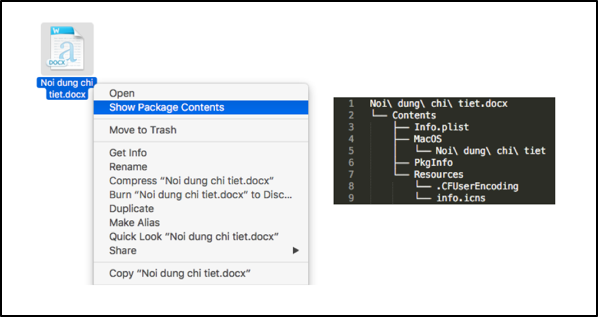
Shamoon 2: Delivering Disttrack

Since late November 2016, the Shamoon 2 attack campaign has brought three waves of destructive attacks to organizations within Saudi Arabia. Our investigation into these attacks has unearthed more details into the method by which the threat actors delivered the Disttrack payload. We have found evidence that the actors use a combination of legitimate tools and batch scripts to deploy the Disttrack payload to hostnames known to the attackers to exist in the targeted network.

Our analysis shows that the actors likely gathered the list of known hostnames directly from Active Directory or during their network reconnaissance activities conducted from a compromised host. This network reconnaissance, coupled with the credential theft needed to hardcode Disttrack payloads with legitimate username and password credentials, leads us to believe that it is highly likely the threat actors had sustained access to the targeted networks prior to Shamoon 2 attacks. Our research confirms that successful credential theft from targeted organizations was an integral part of the Shamoon 2 attackers’ playbook, and they used these stolen credentials for remote access and lateral movement.

Our analysis also shows an actor distributes Disttrack within the targeted network by first compromising a system that is used as the Disttrack distribution server on that network. The actor then uses this server to compromise other systems on the network by using the hostname to copy over and execute the Disttrack malware. On each of these named systems that are successfully compromised, the Disttrack malware will attempt to propagate itself to 256 additional IP addresses on the local network. This rudimentary, but effective, distribution system can enable Disttrack to propagate to additional systems from a single, initially compromised system in a semi-automated fashion.

In this posting we also explore a possible connection between Shamoon 2 and the Magic Hound campaign, where we outline evidence of a potential connection between these two attack campaigns. Furthermore, we explore a possible scenario on how these two attack campaigns could have worked in conjunction with each other to execute the Shamoon 2 attacks.

Delivery Method

Since our initial blog discussing the reemergence of Shamoon in November 2016, we were curious how the threat actor initially delivers the Disttrack payload to the targeted network. We were equally curious about how Disttrack was so effective at causing mass destruction on targeted networks, as we mentioned in our initial blog that the Disttrack Trojan itself is only able to spread to 256 IP addresses on the same local network as the compromised host.

From gathering files associated in the third wave of Shamoon 2 attacks, we found a Zip archive that contains files which the attacker used to infect other systems on the targeted network from a single compromised system they then use as a Disttrack distribution server. The actor deploys the Zip archive to this distribution server by logging in to the compromised system using Remote Desktop Protocol (RDP) with stolen, legitimate credentials and downloading the Zip from a remote server. The actor uses this single compromised system to distribute Disttrack to other systems in different parts of the network, where the Disttrack Trojan would attempt to spread to 256 other systems on each local network. The chart in Figure 1 visualizes the delivery of Disttrack at a high level.

Figure 1 High-level view of Disttrack deployment in Shamoon 2 attack

Distributing Disttrack

As mentioned before, we obtained files used by the threat actors to deploy the Disttrack payload to additional systems on the network. While we do not know exactly how the threat actor initially compromised and gained RDP access to the Disttrack distribution server, we believe the actor downloads a Zip archive contained a number of files to this system, including files with names listed in Table 1. The set of files saved to the distribution server includes executables, batch scripts and text files. We will explain the purpose and contents of each of these files and how the actor uses them in the deployment of Disttrack.

Filename Description
exec-template.txt Launcher commands (not a batch script) the actor runs to launch the deployment of the Disttrack payload onto additional systems at the targeted organization
1.txt – 400.txt Sequentially named text files containing DNS values for hostnames of systems on targeted network
ok.bat Deployment batch script
ntertmgr32.bat Disttrack installation batch script
ntertmgr32.exe Disttrack payload
pa.exe PAExec, Power Admin’s open source PsExec alternative

Table 1 Files associated with the Disttrack Distribution Server

When deploying Disttrack on the targeted network, the threat actor runs the commands stored in the exec-template.txt file that reads in the contents of each of the “1.txt” through “400.txt” text files, which contain a list of hostnames of systems on the network, one hostname per line. The commands then run the “ok.bat” deployment batch script once for each hostname from the text files. Figure 2 shows the contents of the “exec-template.txt” launcher script, which uses for loops to run the deployment batch script using each hostname within the text files as an argument (lines removed for brevity).

Figure 2 Contents of the exec-template.txt batch script

At first, we believed the actor would change the file extension of the exec-template.txt file to “.bat” and execute it as a batch script. We no longer believe this is the case as the “for” commands contained within exec-template.txt reference variables using a single percent symbol, specifically “%J” as seen in Figure 2. This causes a syntax error if executed within a batch script. According to MSDN, to execute these “for” commands within a batch script, the actor would have to use two percent symbols, specifically “%%J” in this case. We now believe that the threat actor manually copies the contents of exec-template.txt and pastes these commands directly within command prompt to run them.

We cannot show the contents of the “1.txt” through “400.txt” files, as they contain new-line-delimited lists of the DNS names for hosts specific to the targeted organizations.

In the files we obtained from the Disttrack distribution server, there were only 29 instead of 400 text files, each of which contained 30 hostnames, except for the last one only containing four for a total of 844 hostnames. In the text files we analyzed, the hostnames were included as their DNS name, specifically in the format <computer name>.<domain name>.local, which we believe shows they were obtained directly from Active Directory on a domain controller. The importance of including the DNS names for these hosts on the network is that is allows the actor to connect to these systems in subsequent commands.

The “ok.bat” batch script runs once per hostname mentioned above. This batch script is responsible for deploying Disttrack on each of these systems on the network. The script begins by copying two files to the “C:\Windows\temp” folder on the remote system. The two copied files – named “ntertmgr32.exe” and “ntertmgr32.bat” – are the Disttrack payload and a batch script used to install the Disttrack payload on the local system, respectively. The “ok.bat” script uses the PAExec (“pa.exe”) application to run the “ntertmgr32.bat” installation script on the remote system. The batch script also attempts to clear event logs via the Windows built-in “wevtutil” utility in an attempt to conceal their activities and disrupt incident response and forensic analysis. Figure 3 shows the contents of the “ok.bat” script. Interestingly, the actor included an argument “-r SVCNSS”, which is an invalid argument for PAExec and the actor would need to remove it prior to distribution. The “-r” argument is a valid argument within Microsoft’s PsExec that specifies the name of the remote service to create, suggesting the threat actors may have also used the PsExec application for distribution as well.

Figure 3 Contents of the ok.bat batch script

The “ntertmgr32.bat” batch script that runs on each end system is responsible for installing the Disttrack payload as a service on the local system. The batch script, as seen in Figure 4, first copies the Disttrack payload (“ntertmgr32.exe”) to the “C:\Windows\System32” folder and then executes the newly copied file using the “start” command with “service” as an argument. This script not only installs but also launches the Disttrack payload.

Figure 4 Contents of the ntertmgr32.bat batch script

Once the Disttrack payload executes, it will begin carrying out its functionality, specifically attempting to spread to other systems on the local network and wiping systems at a pre-defined time in the future. As discussed in our initial blog on Shamoon 2, the Disttrack payload will attempt to infect additional systems on the same subnet (x.x.x.0-x.x.x.255) by logging in to the remote system, copying itself to the system, and executing the copied payload by creating a scheduled task to run the payload.

Disttrack Distribution System – Possible Link to Magic Hound

As mentioned earlier in this blog post, we know that the threat actor downloads several files to the distribution server to infect systems on the network with Disttrack. In addition to the files mentioned in the previous section, it appears that the threat actor copied a PowerShell script to the distribution server as well. This PowerShell script, seen in Figure 5, appears to have been generated by Metasploit’s “web_delivery” module to download and execute a payload from a remote server at 45.76.128[.]71, which we speculate was used to create a meterpreter session on the system.

Figure 5 PowerShell script used to download files to distribution system

The server hosting the files has an IP address of 45.76.128[.]71, which resides within the IP range associated with a cloud hosting service that allows customers to create server instances in specific geographic locations and configurations. According to GeoIP mapping data for 45.76.128[.]71, it appears this IP range is geographically based in the London cloud instance. The use of this specific IP is interesting, as the Magic Hound campaign we previously reported on (February 2017) used a command and control (C2) server at 45.76.128[.]165, which is on the same Class C IP range.

While we cannot conclusively state the existence of a specific relationship between the Shamoon and Magic Hound adversaries, there are now several factors that are suggestive of some form of association, including:

  1. Targeting of entities within Saudi Arabia.
  2. Use of the same cloud computing service in the same Class C IP range.
  3. Use of PowerShell and meterpreter.

Taken together, these are all factors to consider when postulating a relationship between the Shamoon and Magic Hound attackers. Furthermore, it is possible that these artifacts were some of the factors used by our peers at X-Force and Kaspersky to tie the Magic Hound attacks to Shamoon.

If the Magic Hound attacks are indeed related to the Shamoon attack cycle, we may be able to hypothesize that the Magic Hound attacks were used as a beachhead to perform reconnaissance for the adversaries and gather network information and credentials. This may be further supported by the initial Magic Hound payloads we discovered, Pupy RAT and meterpreter, both of which have these types of capabilities.

Conclusion

We have determined that the actors conducting the Shamoon 2 attacks use one compromised system as a distribution point to deploy the destructive Disttrack Trojan to other systems on the targeted network, after which the Disttrack malware will seek to propagate itself even further into the network. Using an open source utility called PAExec and several batch scripts, the actor copies the Disttrack payload to other systems on the network, which we believe are discovered directly from Active Directory or through network reconnaissance activities. Once the Disttrack payload has been deployed to these initial hosts, Disttrack will attempt to spread on their local networks to amplify the impact of the attack. While the actors interact directly with the distribution system, the use of this single compromised system allows the actors to automate the deployment of the payload to quickly infect systems on the targeted network. Also, these findings provide a possible relation between the Shamoon and Magic Hound attack campaigns. We will continue to analyze these attacks to determine further activities carried out by these actors and expose any additional correlations to known threat groups.

The theft and subsequent reuse of credentials is a common element in many attackers’ playbooks. We have recently published a white paper, “Credential-Based Attacks: Exposing the Ecosystem and Motives Behind Credential Phishing, Theft and Abuse,” detailing how credentials are stolen and later abused, with guidance on how you can defend yourself and your organization against this type of threat. Collectively, the Shamoon 2 attacks are a good example not only of ways attackers obtain stolen credentials but also of what they can do with them.

Indicators of Compromise

4919436d87d224f083c77228b48dadfc153ee7ad48dd7d22f0ba0d5090b5cf9b: exec-template.txt
5475f35363e2f4b70d4367554f1691f3f849fb68570be1a580f33f98e7e4df4a: ok.bat
01a461ad68d11b5b5096f45eb54df9ba62c5af413fa9eb544eacb598373a26bc: pa.exe
c7f937375e8b21dca10ea125e644133de3afc7766a8ca4fc8376470277832d95: ntertmgr32.bat

ignite17-social-cover-img-facebook-820x340

Ignite '17 Security Conference: Vancouver, BC June 12–15, 2017

Ignite '17 Security Conference is a live, four-day conference designed for today’s security professionals. Hear from innovators and experts, gain real-world skills through hands-on sessions and interactive workshops, and find out how breach prevention is changing the security industry. Visit the Ignite website for more information on tracks, workshops and marquee sessions.
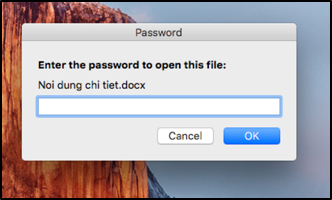
A New Trend in Android Adware: Abusing Android Plugin Frameworks

It is common for legitimate mobile apps to embed advertising SDKs or promote other apps. Showing ads or promoting other apps can generate revenue for legitimate app developers. However, we have recently observed an alarming trend in mobile ads communities where some adware programs in the Google Play store have become more aggressive by abusing the third-party DroidPlugin framework on Android.

In this posting we will outline how Unit 42 researchers have found aggressive adware that abuses the third-party DroidPlugin framework on Android. Our researchers have worked with Google to share our findings and have all apps that were found to violate Google’s terms of service removed from the Google Play store.

The “Good” and “Bad” of Android Plugin Technology

Plugin technology was initially introduced by third parties to add additional enhancements and capabilities to Android. For instance, there are apps that use this capability to enable a user to run two Twitter apps on one phone. Plugin technology can also improve the speed of hot patching. Unfortunately, the enhancements and capabilities that plugin technology offers can be used for malicious ends. Malware authors have been abusing legitimate Plugin technology to achieve ends like bypassing antimalware technology on devices, especially the static scanners. We’ve discussed this already in our research on PluginPhantom. Other researchers have discussed how this technology can be abused for phishing attacks.

Previously research has found malware have abusing the most popular open source plugin frameworks, “DroidPlugin” and “VirtualApp”. Both frameworks can launch arbitrary Android apps, theoretically without them being installed on the phone. Technically, the Android plugin technology is an application-level virtualization environment.

Unit 42 researchers have recently found how Android plugin functionality has become an innovative way to promote apps through adware. A plugin-enabled app has the ability to automatically launch different apps without installing them. This provides a shortcut for adware to make revenue from ad networks as the promoted app can be launched on without any user interaction.

This type of app promotion can post security risks because of the comparatively weak security mechanisms used in current plugin frameworks. These plugin frameworks lack the ability to separate permissions and isolate data amongst different plugin instances. Thus, when a promoted app is executed through the plugin framework, it has the same permissions as the host app (typically all Android permissions) and can access the data of the host app or other plugin apps. This violates an important aspect of Android Application Sandbox:

“The Android Application Sandbox, which isolates your app data and code execution from other apps.”

Legitimate apps that assume they will always be running in their own application sandbox are now at risk because they cannot predict if their app will be launched in a plugin environment.

For example, in Google Play, we have observed that 32 apps use the DroidPlugin framework, and 21 apps use the VirtualApp framework. Most of them are PUPs (potentially unwanted programs) or adware, which have been removed from Google Play (listed below in the appendix).

In the following examples, we will demonstrate how two adware families abuse plugin technology in the new app promotion style.

Example 1: Automated and Aggressive App Promotion

In September 2016, the developers of an app named “Clean Doctor” (package name: “com.nianclub.cleandoctor”) made it more aggressive in version 1.2.0. This adware abuses the VirtualApp framework. Its evolution timeline in Google Play is showed in Figure 1.

newtrend_1

Figure 1 Evolution timeline of “Clean Doctor”

Clean Doctor vs other Adware:

To promote apps, adware commonly downloads apps and then frequently displays the app installation GUI to the user. After users have installed the app, the adware creator receives a payment for “promoting” the new app. Clean Doctor (CD) took a different tactic to accomplish the same goal.

CD fetches task information from its C2 server “familysdk[.]com” and stealthily downloads many promoted apps from a cloud storage service. It does not request users install these downloaded apps but instead launches the apps one of two different ways:

1. Launch by clicking the shortcut:
CD creates shortcuts on the devices’ home screen for each downloaded app (Figure 2). When the user clicks the shortcut, it launches the corresponding app as a plugin app in the “Clean Doctor” sandbox. For most Android users, it is very difficult to notice the difference between this kind of launch and the default launch mode when clicking a shortcut. For example, when a user clicks the shortcut of the game “Evony: Battle On”, this game will be directly and immediately displayed but the game is actually launched as a plugin app and is running in the plugin virtual environment.

newtrend_2Figure 2 Created shortcuts of promoted apps

2. Automatically launch:
As all plugin apps are under the full control by the host app, the host app can control the lifecycle of each plugin app. CD can automatically launch the promoted app as a plugin app when receiving system events.

newtrend_3Figure 3 A promoted game app is launched as a plugin

Example 2: Multiple Apps Promotion

At the end of January 2017, we observed that developers of an adware app in Google Play called “bloodpressure” (package name: “com.blood.pressure.bost”) had also made it more aggressively promote apps by abusing the Android plugin technology. This adware automatically launches a separate app to display ads and recommends multiple apps in a single screen.

The adware started using the embedded VirtualApp framework with version 2.5, but it was removed Google Play at the start of February 2017. At the time of its removal it’s installation count was between 10,000 and 50,000 installs. The lifecycle of this adware in Google Play is shown in Figure 4.

newtrend_4

Figure 4 Timeline of evolution to plugin adware for “bloodpressure” app

Compared to Other Adware

Most advertising SDKs use the webview component to display ads such as banner ads and full screen ads. Apps built using these SKDs can only display one ad at a time. The bloodpressure adware sample we found is different and can display advertisements for many apps to the user on a single screen. To achieve this, the adware automatically launches a plugin app, in which many ads are displayed together (Figure 5).  This technique is not as harmful as simply launching promoted apps without the user’s interaction, but does allow the adware author more opportunities to have a promoted app installed.

newtrend_5Figure 5 The plugin app displays multiple ads

Technical Analysis

The workflow of this adware is depicted in Figure 6, and is explained as follows.

1. Get configuration from the remote server:
Once the host app launched, it connects to the remote server via the URL http[:]//qwe.ortpale[.]com/conf/bloodinfo.txt to get a configuration file. It is interesting to note that the User-Agent property in the HTTP request header is set to “Ray-Downer.”

2. Decode and save plugin app
The host app includes a raw resource named “protect.data”. This resource file is actually an encoded plugin APK file. The host app decodes this file and saves it.

3. Install plugin app
The host app takes advantage of VirtualApp framework to install the plugin app within the host app’s own sandbox.

4. Launch plugin app
After installing the plugin app successfully, the host app can launch the plugin via invoking VirutalApp’s API. Once the plugin app starts, it begins displaying adds to the user.

newtrend_6Figure 6 Plugin Adware Operation

Conclusion

The Android plugin technology makes it possible for adware authors to make a profit in a new way. This kind of abuse is harmful to ad networks as well as Android users. We hope that the mobile development community and the security community will work together to solve security problems in the Android Plugin technology.  Android users should learn that the private data of their plugin apps and their devices are at great risk when operating in an Android Plugin environment.

Customers of Palo Alto Networks are protected by our WildFire and URL filtering services. WildFire has successfully detected adware samples, which abuse the Android plugin technology. The related C2 URLs used by above two adware families have been marked as malicious.

Acknowledgement

We greatly appreciate the help from Ryan Olson and Kirill Zemnucha from Palo Alto Networks in working on this the blog publication and the original discovery of adware samples.

Other Removed Plugin Apps in Google Play

App Name Package name Developer name
Whale Camera com.bird.sky.whale.camera yu tongshi
Deep Cleaner com.blue.deep.cleaner yang songxi
Ice Camera com.cool.ice.camera mo tengbao
Sweet Camera com.filter.sweet.camera hou hanying
Orange Camera com.fishing.when.orangecamera chen shunya
穿越VPN com.fvcorp.ffclient.cs 林曦
Funny Camera com.g360.funny.camera qiu shixiu
Hot Camera com.group.hotcamera group
Insta Save for Instagram com.inslab.instasaver Li Game Studio Ltd.
Top Instagram Followers com.itop.top100insfollowers Dongli Level Studio
礼物说-礼物和全球好货指南 com.liwushuo.gifttalk TieTie Technology
Dual whazaap-alike ogwhastapp com.mob.dualwha qumobile
Wallpaper -recomended by 9apps com.mobile.ninewallpaper1 JiangHeng0255ss
Blinking Camera com.op.blinking.camera

com.op.blinkingcamera

yan huixin
File master-pro com.tec.file.master yan linqin
file explorer global.fm.filesexplorer tian xiexin
X Camera com.g360.zcamera steve zhao
Dual whats'app: Multi Account com.multi.account.parallel.dual Dev Tools Studio
Multi Messenger for WhatsWeb com.multi.whatweb What Multi APP
Clean Doctor: Safe & Clean com.nianclub.cleandoctor li lusong
AppLock com.security.multiple.account.applock ScreenLock Apps, Password to Secure Privacy
2Lines for WhatsApp com.tenappsmultiwhat KTeam
Downtuber : video downloader com.yiyue.wuhao li qinkui
Multi Space | Dual App dotapps.multispace Dot Apps Studio
2 Whazzap NoRoot dotapps.multiwhats Dot application
Game Talent -  Booster & Tuner opt.game.talent Game Talent

Sample SHA256 Hashes:

5e5bea52b1f9fcbd78c990cd09057780ebda669a5b632a8dd46ecfcfbfaf6369
24d308a8f2bcabd97b0e7acba8e22821914e464cdb7d0ed61a26400456870edd
6c2a23c0ca361fabc95e2eac3a13641cafe53803c8a4fc32b8a182374ac32ee1
dec71f2464bdfcc7a8fae02e2c103a31b746aa798aeebe1721ccd037156106f4
748dae1604fb0b747bcdeb476aea7d1f6bbec7d7a260613241a9fc3ef1243c66
ee7b82ef97928e0e4d100eb82c37bac6d87ee275cc89ec67c3f8a64fd13561be
5467ebe255bd59912c61aa1b801ea93972672885bfa29c3ee9756342ceb65228
49a9767d1775dd45545ea8fff1250e89fa6fd0c1a694b6583f4e79cd1b14c162
95d12555b71adf13eb40cb78c2f8cfa17aeaaf6f063bcd209a6037463e8fca66
d1916eb07c0a8494df21f8453511df6655fe1bc07efb37b526eae8724665ab91
4e25245dc9c0c8b6cf98e9fcdd6f94dd8e0dad7ad526248999f913682df28531

ignite17-social-cover-img-facebook-820x340

Ignite ’17 Security Conference: Vancouver, BC June 12–15, 2017

Ignite ’17 Security Conference is a live, four-day conference designed for today’s security professionals. Hear from innovators and experts, gain real-world skills through hands-on sessions and interactive workshops, and find out how breach prevention is changing the security industry. Visit the Ignite website for more information on tracks, workshops and marquee sessions.
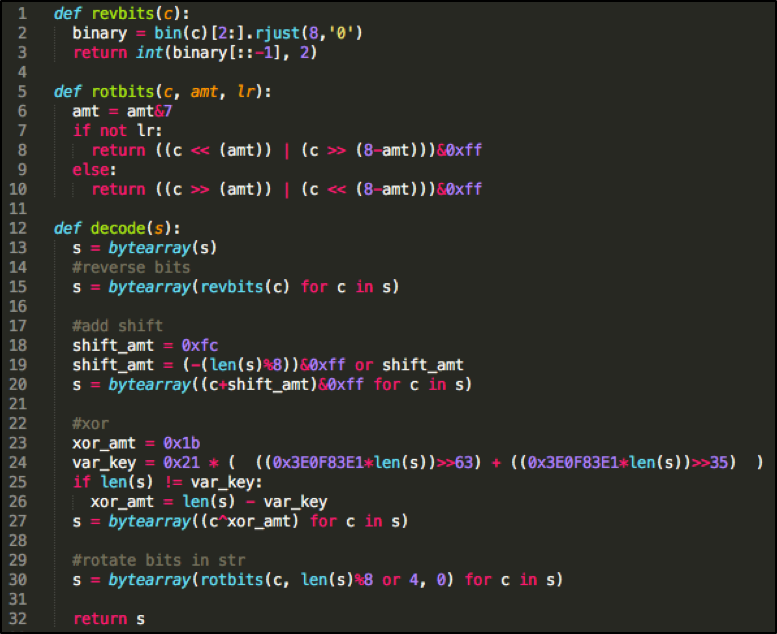
New White Paper on Preventing Credential Phishing, Theft and Abuse

Today we’re releasing a new Unit 42 white paper titled “Credential-Based Attacks: Exposing the Ecosystem and Motives Behind Credential Phishing, Theft and Abuse.” In this paper, we look at the problem of credential theft by exploring how it happens, what attackers do with credentials once they’ve stolen them, and what you can do to help prevent credential-based attacks.

Credentials and authentication have become synonymous, with valid credentials allowing access to sensitive resources. Adversaries are increasingly stealing and using credentials as part of their playbooks; impersonating legitimate users to access a company’s most sensitive information, erase data on servers, and reconfigure them so that they can’t boot; and undertake other malicious activities. Stolen credentials underpin some of the most critical and damaging attacks out there; both Shamoon 2 and the Sofacy threat actor group, for example, have made detailed use of credential theft.

Credential theft today can happen in many ways, but the most notable are through credential phishing and the use of malware like keyloggers (both staples of the Sofacy group), as well as password reuse. The impact of a successful credential theft is, ultimately, access and authorization. Attackers will use credential theft for remote access to an organization, to access cloud-based resources (which may have weaker credential protections than network-based resources), or to move laterally within an organization once they’ve gained entry. The most sophisticated attacks can – and do – blend these actions together, sometimes using multiple stolen credentials to penetrate networks, move laterally within them, elevate privileges, and then access and steal data.

Prevention of credential theft is too often overlooked. Organizations should continue with user education to help users better spot and not fall for phishing and spam attacks. You and your employees can also use password managers to make unique, complex passwords for each site not just a goal but a reality. Technology is also catching up; recent advances in two-factor/multi-factor authentication (2FA/MFA) and one-time passwords (OTP) represent the best long-term approaches to preventing credential theft. (Our newest release, PAN-OS 8.0, also includes protections to significantly limit or eliminate password reuse.)

Get your copy of our white paper here.

ignite17-social-cover-img-facebook-820x340

Ignite '17 Security Conference: Vancouver, BC June 12–15, 2017

Ignite '17 Security Conference is a live, four-day conference designed for today’s security professionals. Hear from innovators and experts, gain real-world skills through hands-on sessions and interactive workshops, and find out how breach prevention is changing the security industry. Visit the Ignite website for more information on tracks, workshops and marquee sessions.
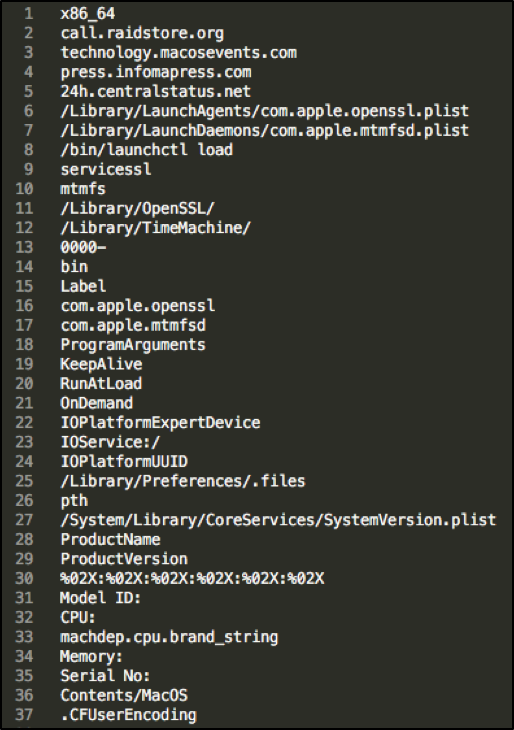
Palo Alto Networks Unit 42 Vulnerability Research March 2017 Disclosures

As part of Unit 42’s ongoing threat research, we can now disclose that Palo Alto Networks Unit 42 researchers have discovered three code execution vulnerabilities affecting Adobe Flash (APSB17-07) that were addressed in Adobe’s monthly security update release:

  1. CVE-2017-2997: Tao Yan
  2. CVE-2017-2998: Tao Yan
  3. CVE-2017-2999: Tao Yan

For current customers with a Threat Prevention subscription, Palo Alto Networks has also released IPS signatures providing proactive protection from these vulnerabilities. Traps, Palo Alto Networks advanced endpoint solution, can block memory corruption based exploits of this nature.

Palo Alto Networks is a regular contributor to vulnerability research in Microsoft, Adobe, Apple, Google Android and other ecosystems. By proactively identifying these vulnerabilities, developing protections for our customers, and sharing the information with the security community, we are removing weapons used by attackers to threaten users, and compromise enterprise, government, and service provider networks.

ignite17-social-cover-img-facebook-820x340

Ignite '17 Security Conference: Vancouver, BC June 12–15, 2017

Ignite '17 Security Conference is a live, four-day conference designed for today’s security professionals. Hear from innovators and experts, gain real-world skills through hands-on sessions and interactive workshops, and find out how breach prevention is changing the security industry. Visit the Ignite website for more information on tracks, workshops and marquee sessions.

NexusLogger: A New Cloud-based Keylogger Enters the Market

Unit 42 has recently discovered a new keylogger, named NexusLogger, being used in attempted unsuccessful attacks against Palo Alto Networks customers. NexusLogger is a cloud-based keylogger that uses the Microsoft .NET Framework and has a low level of sophistication. NexusLogger collects keystrokes, system information, stored passwords and will take screenshots. It also specifically seeks to harvest game credentials for UPlay, Minecraft, Steam, and Origin.

To date, we have identified 134 unique samples of the malware, with only 400 unique attacks observed. NexusLogger is primarily distributed via phishing e-mails, but we have observed a small number of download requests over HTTP. Based on our analysis in AutoFocus, we can say that multiple industries have been affected by this threat, including Wholesale, High Tech, and Aerospace and Defense. The domain that NexusLogger uses to function domain has been flagged as malicious and blocked by Palo Alto Networks.

Infiltration

We first observed NexusLogger attacks in AutoFocus in the beginning of 2017. As shown in the following timeline graph, the attacks increased in late January. This may be due to adoption of the malware family by criminals, as the malware was likely originally released in late December 2016/early January 2017. Further evidence of this may be found within the Distribution section of this post.

nexus_1

Figure 1 Timeline of NexusLogger attacks viewed within AutoFocus

The total number of attacks witnessed using NexusLogger is quite low when compared with other commodity malware families. Again, this is likely due to slow adoption by criminals. The keylogging market is quite saturated with numerous malware families, and it can be difficult for new players to enter the market.

To date, 94% of the observed attacks were delivered via either SMTP or POP3. Statistics regarding the top encountered email subjects and filenames may be seen below.

Top Email Subjects

  1. Needed Products List
  2. Re: DCE STATMENT as at 27 FEB 2017 - NS ALYANCE
  3. Re: TOP URGENT Editing remittance form (2/26/2017)
  4. Re: Revise Shipping Sample FW17 At00129 PI
  5. Revise Shipping Sample FW17 At00129 PI
  6. TOP URGENT Editing remittance form (2/26/2017)
  7. Returned Msg: NEW ORDER
  8. RECONFIRM YOUR BANK DETAILS FOR PAYMENT
  9. NEW ORDER

Top Filenames

  1. Needed Products4453487doc?gpj.exe
  2. DCE STATMENT.doc
  3. Scan 09892.doc
  4. PO938272.doc
  5. PO - BK0214017.exe
  6. scan_2371_001.doc
  7. Shipping details.exe
  8. NEW ORDER_BK150217.exe
  9. 20170256477867667557.exe
  10. Purchase Order No. LP 68321.doc

The remaining 6% of NexusLogger attacks were found to be supplied via a web download request. The following file paths were found to be used for downloading NexusLogger:

  • hxxp://coscon-vm[.]com/wire5/yours.exe
  • hxxp://www.coscon-vm[.]com/wire3/wiire3.exe
  • hxxp://cdn.che[.]moe/ruchar.exe
  • hxxp://zarketh[.]com/Zarketh%2010.5.1.zip
  • hxxp://www.nonoise[.]cn/.js/secure/NewOrder2333.zip

Distribution

NexusLogger is touted as a cloud-based keylogging solution and provides a number of features for its user-based. This particular keylogger, like others encountered in the past, claims to be a “parental monitoring software solution.” While a parent may use the tool, NexusLogger also provides features such as anti-vm/anti-debug, custom icons, and other features that are primarily witnessed in malware families and unlikely to be used by most parents.

nexus_2

Figure 2 NexusLogger website

Because NexusLogger is cloud-based, all samples are built within the web panel, and all data is stored on the same host by default. The nexuslogger[.]com domain was first registered on December 18, 2016. The domain original resolved to the 162.255.119[.]17 IP address, which is owned by Namecheap, but was quickly transitioned to OVH with an IP address of 176.31.252[.]15, which is where it resides as of this posting.

All NexusLogger samples require communications with the nexuslogger[.]com domain via HTTPS, which makes it trivial for defenders to block. This domain has been flagged as malicious by Palo Alto Networks.

NexusLogger is sold in three tiers based on how long an attacker wishes to use it—7 days, 1 month, or 1 year. Costs vary from $7 to $199 based on the tier chosen. The author of NexusLogger uses rocketr.net for transactions, and accepts both PayPal and bitcoin for payment. Additionally, customer service is provided via email or Skype, with account names of nexuslogger.com@gmail[.]com and live:nexuslogger respectively.

The portal provides a dashboard of infected hosts, as well as a configuration-rich builder for NexusLogger samples. All configuration options for the NexusLogger builder may be seen below.

nexuslogger_builder


Figure 3 NexusLogger builder configuration options

Malware Analysis

NexusLogger’s author obfuscates the .NET Framework compiled code via the ConfuserEx 1.0.0 open-source project. As there are no anti-debug or anti-vm routines within the malware itself, I’m lead to believe that using ConfuserEx is what handles these particular features. De-obfuscating ConfuserEx allows us to better understand what the malware is doing at a low level.

As stated earlier, when the malware originally executes, it will make two calls via HTTPS to the following URLs. The malware includes an embedded identifier, token, and key.

  • hxxps://www.nexuslogger[.]com/API/plan.php?id=[attackerID]&token=[attackerToken]
  • hxxps://www.nexuslogger[.]com/API/delivery.php?id=[attackerID]&key=[attackerKey]

NexusLogger simply looks for a response of ‘1’ in both instances in order to continue.

It should be noted that the attackerID looks to be an incrementing number for each new user. Using this information, we can conclude that roughly 275 unique users have purchased NexusLogger since it was originally created.

nexus_4

Figure 4 Decompiled main function of NexusLogger

After these initial checks, NexusLogger will enter its installation routine. It’s files are installed in a subdirectory of either the %localappdata% or %appdata% paths, depending on the option chosen by the attacker. After the malware copies itself, it will then delete the original file, if specified in the configuration, by providing an argument of ‘delFile [original_path]’ .

After NexusLogger installs itself, it has the option of performing a UAC bypass, as specified in the malware features by the author. In order to perform this bypass, the author uses a technique that I previously discussed being used by a unique Microsoft Office loader. It simply involves setting a specific registry key and executing the built-in ‘eventvwr.exe’ process. More information about this bypass technique may be found here.

nexus_5

Figure 5 UAC bypass function

Additionally, NexusLogger may persist by setting a Run registry key, as specified within the malware’s configuration.

The malware proceeds to spawn additional threads that perform the following operations:

  • Log keystrokes and clipboard data
  • Collect system information
  • Aggregate stored passwords from the victim
  • Perform screenshots of the victim machine
  • Kill processes
  • Recovery of video game-related credentials:
    • UPlay
    • Minecraft
    • Steam
    • Origin

It should be noted that in addition to collecting system information, NexusLogger will make a request to the following (non-malicious) URL in order to identify the system’s external IP address:

  • hxxps://ipinfo[.]io/ip

Additionally, the author does not implement functionality to collect stored passwords, but rather downloads and uses the Python-based open-source LaZagne project. This executable is downloaded from the following location, and subsequently spawned in a new process. The download of this executable is performed via the following HTTPS request:

  • hxxps://www.nexuslogger[.]com/API/lazagne.php

NexusLogger is configured to upload collected data via FTP. Unless otherwise specified by the attacker, NexusLogger will upload to the IP address associated with nexuslogger[.]com (176.31.252[.]15) using a username and password specific to a given user. Attackers also have the option of specifying their own FTP information for data upload.

Conclusion

Overall, NexusLogger certainly isn’t a terribly sophisticated threat. A number of shortcuts were made by the author to increase the number of features it touts. Additionally, adoption of this malware family is relatively low, and it is being distributed to victims using very common channels.

Palo Alto Networks customers are protected against this threat in the following ways:

  • WildFire and Traps identify all NexusLogger samples as malicious
  • All associated domains have been flagged as malicious
  • An AutoFocus tag has been created to track and identify this threat

Additionally, organizations and security vendors are encouraged to block the nexuslogger[.]com domain to stifle this threat.

Appendix

SHA256 Hashes

e98b417a8ecf464e113a18cf3f3269fa70f55e40d4228b08840efe61dee064c6
7fa743e2ce8eaa12f9c3e2aedd1f095ae5a50b5af34a202f1f92c0c414cb73c4
0f50c82e9c62eab992b33e4de93baf634d7ce2405cd4fe993b1532d2c775dc21
7153c18bc0a43c4902a6ebb0a7eedf94b3bc4d778295793035998c374cf607a9
bf6d2e3e097317404e57b194cbd8e50a6779603b828aa1b25364e6d81687e6af
6ae054a553120a1b5ffdfbf343ba1e258b188eef448c6474e22d148f7391afaa
7f5eee5c12ac89ab2604655cc7204723100e3ee6a2b6edb327c7c41a289de4f5
38d0d48685148ee070caaf82539083c8b62c8fe048ae6b0c0b3f43a6fe10a25d
ac03db9b52d9fb8ab268160bd4b496b7702df5ccc0cb4eb7b8bcd8e0d2c00873
2ce74bdf2b2488710a334e6638be4b47bc077740744b48652e3cb1d367202bc1
158030e14e011efa21c992fa69ebb0da0608b1b4d2e5edf3bf423314c11c5552
3d43ccdf338c2be33e32fc3eff49eae55ce0580a3273112d7b68a641f30ff1c3
0f1d36188a81cc4d04d695e7d24e052d3b8b67908b2bb74cd018c8337d5f60ef
89d5be72d58fbc4e5d008804939aa5440532ad02b6f56bcb7969412b1faceae3
e1243f5b3d1044f5fe4bd4560166c832fe447516c5ac7d3e71e368f8a5304ea4
7918e3763af17b6330d8044e211baead54d3da85e8d9e048dfd2482195876534
1b32d1e02e94b1d359730844fb5febb9ec812bc1da5883932dbc171f5682c732
69f11628448806ef6ab893ba760c01945de102b77ea883633036e5a05dfa6e97
d6695ea939a7e3655a7d3844a7a05b49e1d37e5bd9d9826aaae97bd3afe31471
017df7d1e2c45a615932a080c3984e46480102c9ae6b0a35597c2d18c5edfaa4
22715a7f7e758d99c017910e80aa1b6348e804b2f0dd3339e8a27d3800578a4c
d5e2d6727af7ad829c08f48c6ffec9d6e459ff8a8d8d457aac3638902b38ae0b
0d38a2f46d37de538dd1f65802af5c22960f253be059e93eb15631ed4ada315d
5513db12980bb60e7ec0fad3a5b45e2a3bf9c58d5f31b80c49ed2d304a41a384
0d064174b6689ce3934b4dbeaca3b2b6301f06a7440a83f4eb02954cb0ebcbcc
5ddb442ef2c97b77aa6cc4e1a54e59a3a340283b2bda112a21d46a15beba858f
212f1f3a139a12760beb8411833c535a5b7f0ae0b146f6d152178e273ac0e9bf
ca9ff7e8f2f25e21ab114fbccee3c62e84f37a4b8730c5370f36f3e5f71b0333
40de580e4ace02b5b5925278b7e73cf65e68dc171c65ba6a4f136a622e6b4e2c
5d17b7a43e2da6ec56ff859b0f200e044db62f32f068a4aee208c5accf8abee6
20076d984a2afe7417cc82d55dae0b41a8ae1f723b8096d4a4ca23f5b0a1f1a3
da151794c501fb86e1d170f76db6ddff98ac84d427495b5fc051b535e133188a
f00aff38ab2b1e3db07169b6fcad04ee5640a77ebc0170684728e92a1a56addc
52b22d2bde7563db3fa817e1b648c46218089605431def4abfe273e6c12f445c
b9fa0c3c2fb59f48e06a4be7f1aaee249ac0a0b04f49a14bc615fdc270372b39
e101c326dfd258bb94cb358fe5caf2cf6fcc121c1454d9d64e6c96523877fae8
dfdfe4120bbf2fcc24cae2b5d0b9e3e3d93bef1a467ada397aa7722618ae3c4c
3254c17775a8271caf7ec3e4a027b66ed46a2290fd8290d098d869e965d8460d
5e3beaa920083423a7f4bfa8cb8c19302e9b5a188292c031b266d1dac4b686c5
8fd98922ce985e864458e7b3e46ed540f81e54430787079db157bdaece34cc29
a5593f1486b260cccb9643581edfdfa95339712b126ba3c7028a530d7201c19d
0c186f1bfdb02d71a4903f9c739bb21a708d0008af5b3015406d3d20eabea3fe
318f8189636dbc8cb6818b89329af20ba014ed08f7cd0d9f86258c60d9f0d539
bd6a3e9e8e2f3c1bf78947e0d2e0fe6528765652c5b183de48e8ce60e37b44e9
204004b1491247b38f3844519f5f41395c5f989a769f4d9178b04a9694ed33b5
bd0b1c1e8d74f92a94d309258e8cd35b945777ad49b0c0a99110c52efb741648
7ae33fc91d7b64f08f0a3b16e6c1e59dc0495088226b9fab74b321a2bdeee3b4
afee031f43cb0355c9e72a876c8b81ed5e50c39173b87a7f7f88a347627d6365
d49fb8cc46c204bc4ac0ce1c8cd66babc0f1b19d46e683e81308a7c3b0fa8db5
7de41d2170954a5bff8534f2c086bc2efc6848f25d98ac31122b08989359dd35
54c84234ea2455323362ea9ce70cf1b45f095595f88fb77fab08c271417b1bb2
eb4ea28dc30b714453fcc880fe8b44c68561882fef2c9e35688da07a6f8d85c4
db025c22ebd79b16c3c2a3808573ade3802eac46921c01c39ece6b6e67078819
46a81790676a1820427ba08efe43b8b1e9b283509154d354045f955da2d81313
97bf222cb0d63bc98d796f297bda998b804cb581ca4c054f81ed3704b4b1ce01
a61392e6d1f71c22062461de7fbaabaa06990b031fab69a26aaa228ceacee657
d74d155b8b16209c0d3e04c21432a001e27a66a5ddbd801ee12f8e0cb92d6774
6e7cb271060fcdcee419637b76e500433f2c7ef34ae59b6f6a73076baeea21ae
c7bca01d699d290ed9c5d40249c8d0790b65c1fb7242bc236ab58269d01dabed
858a21cbf4cf529e5796f81f5eda7d05f0f3bd8df25bd277569e2f3b047bb63b
f4b4db298c410cea7847d3840497c12d24a77618bbdab5f7557f7b1dbb7aaf12
4bf9992092a889488d14e2bf7a528075cb7644398137bb3f6f2ddc01d120312f
69dc333cbc73d20bdbb608edff1cd682f6f13776f740d29c4aec45ba9e3ccb69
9798469a6d4d2bef2e0f6fb8d9c829d8696a568b900cd89a28f0768ae8702d5f
d30cec3482bd588c0480859097f869efdbe8d0f7396f5cd6b76dba12a06a8d94
7269f54bd4e382626f9729c192ef1b843a26aecec1050852bb061c70f4aa6ba1
dda349e63b80027ffd3082ed4d473dbb2f9635e26bc963ddd98b984ec41d9738
16e9f2a61dbbb05b410690578d9b35b7d813e457fd85a46274dd27729aa26930
aab243f0c161197d1a2082fa644b740924b44441d8caded67f6f376b3275a5b0
10807e197b0f761248acd95151168684035fe15eca433d1cc765ecb03821cebc
744c03508bb073985c23708b0bfdc4444b4775f2cd4e84d83ae715bff82aacb5
142a1939cba1590b0498e5bcc71dfe8c3e95aaa9cb29ce790a6e82384981af76
019ee2c0301978e23ef093b2120d2733fe244e70094aeb3cd2281556adad9273
c46393def4ba5653409fb799cb572fe8286e681da8d99a69ad49df6c4becc293
73878c52220e64f334f0d1a982ddf71ae249a5b2555ca037b20587df715f62dc
c663156a6a8c700965d73bbfcd709bbbaf9fc683fba583576502c6c81898e210
6eef292eeba37a96ad1f64af5f0e508718eac76d640fa59f069a6e7378808148
1ffe5e8fb2868ae4cb4449a7482fee4a97234d5aac87dd12d8b3e506c7e298fe
185d4c438fd009d382770308591ff5929947fa21a92bf4e1b9b6fb0415e76af3
dde1f27355c5c96696f400ac5b857055c5bb50a397313f2ce6bec6d8b14d03e9
3ff11c829cb0abb2e1487251480bad7e3de364e3f82acbf614922839b8389133
ba605782d06face7f42528f8ce731ecdf6c05bdf75670f86f28cae71f2851510
203bc35371574b637ffb3e542bedbc7fae49eee8a51b8cb5a3f862fc8df00678
c6072a02dcbbc40a860f7edfa7b3daae8940cc8efa2edabbf58a016e11dad81c
5a2992a35a2339eda44cfd884b60dcd821dbaca8f3c6eba93040a34f267c9d47
63615cf60769e0c42f6f2308ddf2b753f24b8adf017e7e118a47c5af52135d87
e8c75b9321816ca37ee988c0d3177cc389bfcf546607ac42f29cd6a4ce93c9d4
d2e572dcec71cf045df6aa0274643f264f720b61ba08e9553bceb391956359a3
ac7258e666424554c6f9152fcc2251e2d41de83d4bb9344d4bd126c4e3106e84
894378526f1f8ab955020cd18d8a3a8296c91570ad9a8da2e6f742a67ece2045
d6ea0a44dafcce258acca0f797f488f157cc86c4bfe022fad63211b2ab3e8c9b
71cbb7ea8e0e77b9bc1e75e4620b644b452da85f92099eff21f81f1a8bdca25d
dd9fe3d4b6362af45b8f02ad5523e8cae9e3f4977cb6feb4eebd22909ddf8863
52ab67dc95b9ba7b866f9a26fd949536b53023af0378f95570000757a9fc35bd
6a9b43930755f76d924ca5ad21edf5a764ba22956f5913f0c00bcafcafccbf13
cc9f6ea8612b61a11e4349b0a6f6a1735eef926324d6c5255e4281baf4515a96
3be14738eb4e9cdba5314c31cc54a1c68860bb2eab0df4e303fd1e5e3f7baeae
b7d6c21012652c1d20e01364d4f7e2041928d34e57a3419de207d8601b80a35d
21bbf0634b37e8f63604c6d5ed02fd4508b3e0cc4185f836ed230a8b8e899e24
3db5f75a6a2a4dff8d50dd7892e31ddfea4c4d0aa0bf03ec33795afc5c297902
3eda25e70c36231d2480947bc72ff07afa7c56410d9ddf611ece6b1258ecb4e9
f7f653de609c220b4b7cf133f48e8d3a2bb35592c50208f430b09279faeafa93
2bd748974511444e610b93fc61cfe15dd47345082333a839d73c8fd5d73618fe
4f787d10a793b16fba59daebd9ae89f8ddb5a80afe8e81bebe9bb33ea0528e54
c03a32ada2a0380e245648182c5238a8426aa9b308af921653dc662c94b38499
c3bc3955d6c1a80aad3e9d68337630f7db7d06ca8d61e726e046166a807e08ae
a9940332b0712d8d5490507985c248defe4c593d1d7ec21375b004a26554216e
cd2b6b098c9eea8a7ab3c8ca0f85b66442194bbfd8dc55d1e0b84cf20e614d9b
af40c829d8a0c5fecdaa98319100fbafc304e704ce9fa800cbfd5df78ea28290
806f2f6acf3b1333256d821af94648f12e21b891e9105eb7551bbe58c92d6710
9d603593b36c6a7a6a677047eabb80aa23582d5cea9bdac986d5cb6b5a5666b9
e9dc43afbb6ac39b7d9d99763f74db60345e765e0416f00238ece4568a80e096
afa10655749fdf43ecdb20344bbd1fb6d99ed51675a713bec6a909deb467d469
461296a2dcac94363e6b57e2a466c669bb2e007c89eba329107bd78a28eebb6f
03a122719c96daa76abe1d5cc18ba3caa21fea23a7fab9a4eae2758eb0a2af22
a92202aae7d1ad2709bf4324b4ce343d8fc5d29b130e30a6b235085b46110e57
30c562ae1923ea2d91475e5b1777c15e789d94266fc5edd4c69621d8da38f4fd
2ceac94d9237b7560603e9ec207bb665573ced4f00daaa55a3bdc5649f199a53
282485ed92f54bec7a9b9550f2f897235ae6049eaf22b148e006a1f6ac7e04de
39698757f5bb5b0ae41e1a3843a264e693357377132bac8a25c3b94082c82e43
a560e39609e22461ce439c04e130c6405f87b0067711dbb74d1ae2d22948ca75
19a7581afe74187e2e24ab8d7b4c4bd70063ddbe11b7febb34f5c23a6028657e
a401e4d026a50a1f8cb431e0e07597ffdac824a80612033118fdcbd4d61c59ce
577dd96941130189e551087fb89c5158e9cea2bd6576e986245c8507d06e7dfe
914206ff186148044c3ff8b97ae586ef09cfc3a2f1629a71686acd428d5fdf60
7da82d41d129fec896b4fe1cbf47b727136353a559068339d395fef20a9b3e7b
167980838e37f5cdea91f23c43a5ed712e1ad0dfcccaec459ae13d69675d3217
c910a9417ff26a9fba0994c3ec08e7b9a9457f90c5f8318e5e6b81e706863618
0cf0ef8d340b7734dd9215f74aa08be3ef20c7b69febd528b7413f00a40c06aa
aa298adb71b7883853b7655d8bcd63151414bf7867bfb0c72c8df3165128116b
2f3b2a1117f2e4e967955190d060e8a4e4a1e6146d74c4df67fe16fea096c892
fd9ba4f4464ced6783a00fd26a55d2f877ded75c00711bdac2bde35da2c416ce
dbfd42831634c704e228081d6b7f3d5f67d9c113fe1a10a6b1d427ccf5364a09
65598ed22c36182c0a05222d950c75f1fdf7521eeb7932f9b8055d2b2c5f4a54

ignite17-social-cover-img-facebook-820x340

Ignite '17 Security Conference: Vancouver, BC June 12–15, 2017

Ignite '17 Security Conference is a live, four-day conference designed for today’s security professionals. Hear from innovators and experts, gain real-world skills through hands-on sessions and interactive workshops, and find out how breach prevention is changing the security industry. Visit the Ignite website for more information on tracks, workshops and marquee sessions.
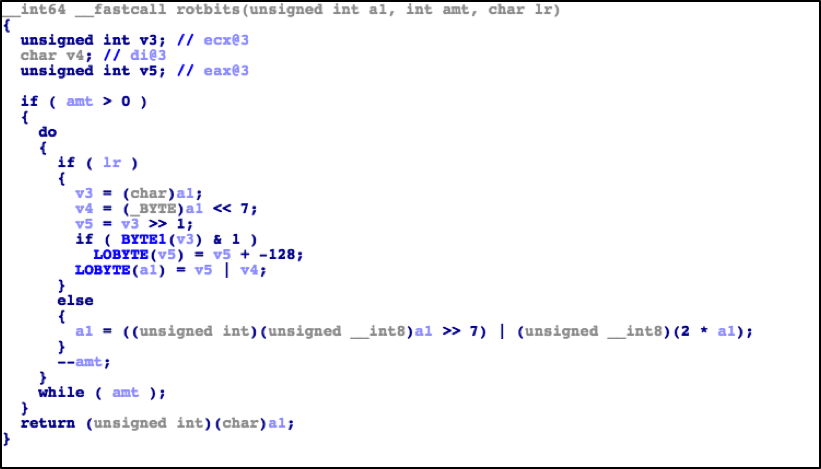
Regional Malware Trends in Latin America: July - December 2016

The Latin America (LATAM) region is geographically large and diverse, stretching from the northern border of Mexico to the southern tip of South America. It is also one of the fastest growing and largest regions of Internet users, recently surpassing North America (NAM) in sheer volume of users with Internet access. In just the last few years, the region has experienced an explosive growth in the number of users going online, and with it we’ve seen a similar expansion in the potential challenges that accompany growth. This blog discusses the threat trends Unit 42 has observed from July until December of 2016 in LATAM.

High Level Trends in the Second Half of 2016

From July 1, 2016 through December 31, 2016, we observed nearly 530,000 unique sessions of unknown malware in the LATAM region, across more than 37,000 unique malware samples. 89% of the malware we observed was delivered via email phishing and the large majority was the ransomware variant known as Locky. Locky is a well-known and widely used ransomware variant first discovered in February 2016. Locky can be particularly dangerous as it uses public-private key infrastructure (PKI) for encryption and is also constantly evolving to evade security controls. It was the first ransomware variant to be found using malicious macros for delivery, leveraging specific evasion techniques, using exploit kits for delivery, and more recently, using various forms of script files as a delivery vehicle.

Interestingly, as we look at the distribution of malware sessions across the time frame, we see a significant flat-lining of malware sessions beginning October 7 through November 28.


latam_1

This coincides with global observations of major Locky operator affiliates going offline on October 7, and slowly returning over the course of the month of November. Entering into late November through most of December however, we observed a massive increase in the amount of malicious activity across the LATAM region. Around late December around Christmas, we see another significant drop off in activity, likely due to a combination of less user interaction due to holidays as well as criminal operators potentially taking a holiday break themselves.

Additionally, in the month of September, we observed significant malicious activity involving the Bayrob Trojan. The Bayrob Trojan is fairly old, first discovered in 2007. The malware allows the operators complete access to the infected host, to perform such activity as harvesting personal information such as credit card numbers, to even allowing the operators to use the infected host to mine cryptocurrency. The observed activity spanned all across the LATAM region, but abruptly halted at the end of September. In December 2016, it was reported that the United States Department of Justice had extradited and charged three Romanian nationals in connection to Bayrob operation.

LAZARUS GROUP ATTACKS IN LATAM

Recently, several reports were published regarding a series of attacks occurring in the October and November 2016 timeframe linked to an adversary group called the Lazarus Group. The Lazarus Group most recently is thought to have been linked a 2016 attack on the SWIFT payment system. These new series of attacks targeted financial institutions by modifying their websites to be used as watering holes. Initially, the attacks were thought to be limited in scope to a financial entity in Poland, but additional investigation rapidly identified two other financial institution websites in the LATAM region that had also been modified to be used as watering holes. The websites of the Comisión Nacional Bancaria y de Valores in Mexico as well as the Banco de la República Oriental del Uruguay in Uruguay were both identified to have been modified to redirect victims to a custom exploit kit targeting Adobe Flash and Microsoft Silverlight vulnerabilities. Even more interestingly, researchers identified an allowlist of targeted subnets within the exploit code and these included IP addresses from Mexico, Chile, Brazil, Peru, and Colombia as shown in Figure 1. The attack would only deliver malware if the target was within these allowlisted IP addresses.

latam_2

Figure 1: Allowlisted Regions Source: BAE Systems

We believe the malware delivered by the exploit kit in this attack is a downloader tool previously associated with the Lazarus Group. This malware would allow the adversary to retrieve additional tools or perform other actions on the infected host. At this time, there has been no reports of stolen funds, although there is some reporting of large outbound data transfers from infected hosts.

MEXICO, BRAZIL, COLOMBIA, AND ARGENTINA

To better understand large scale threats that may be affecting the LATAM region, we will focus on four countries that our data showed experienced the most malware activity: Mexico, Brazil, Colombia, and Argentina.

MEXICO

Based on our data, 54% of the malicious activity we observed in the second half of 2016 in LATAM was in Mexico. The vast majority was malware delivered via email applications, but there was also a disproportionate amount of malicious activity occurring over FTP. While FTP was often abused in the past, today FTP is not a common network protocol leveraged by malware operators. In this case, from November 30 through December 5, we observed a significant outbreak of a malware variant known as Photominer.

latam_3

Figure 2 Activity in Mexico 2016 H2

This malware was first discovered in June 2016 and its main purpose was to spread itself and mine a cryptocurrency called Monero on infected hosts. To accomplish its task of spreading and infecting additional hosts, Photominer has the capability of searching for insecure FTP servers to place itself on. After placing itself on an FTP server, it then searches for any possible websites hosted on the FTP server, and modifies the website to infect any unsuspecting visitors.

BRAZIL

31% of the malicious activity we observed in LATAM occurred in Brazil. The malicious activity we observed largely comprised of attacks involving Locky. Most of these attacks were sent via email applications, followed by simple web browsing by users. Locky activity alone generated over 70% of all malicious activity in Brazil based off our data.

latam_4

Figure 3 Activity in Brazil 2016 H2

Outside of Locky activity, we began observing activity from a campaign we have called CerberSage Distribution towards the end of 2016. We’ve identified the CerberSage Distribution campaign as one that uses malicious Office documents to deliver Locky as well as two other ransomware, Cerber and Sage. Cerber is a widely available ransomware that is regularly updated and has a high success rate at encrypting hosts. Sage is a newer ransomware that behaves similar to other ransomware such as Locky or Cerber, but has an added ability to try and geolocate the victim as well as adding a persistence mechanism so that the infection starts every time the user logs into Windows. This tactic of using multiple kinds of ransomware in the CerberSage Distribution campaign may be used to expand the efficacy of infection using old, but reliable ransomware such as Locky while still being able to deliver newer variants with newer features such as Cerber or Sage in cases where Locky is ineffective.

COLOMBIA

Based on our analysis of data we found Colombia was one of the few countries not only in the LATAM region but also globally that was not dominated by Locky activity.

latam_5

Figure 4 Activity in Colombia 2016 H2

Instead, the bulk of the malicious activity consisted of the Bayrob Trojan and a malware variant called PredatorPain. PredatorPain has been around since 2008 and is another widely available, low-cost malware tool that any criminal operator could have access to. It is an information stealing Trojan capable of capturing passwords, keystrokes, screenshots, and other sensitive information. The PredatorPain activity occurred in a single wave from November 30 through December 2 via a phishing attack using a purchase order subject line in English as the lure. The Bayrob activity also used email phishing as the delivery mechanism, and in general, email applications were used in the vast majority of malware related activity in Colombia.

ARGENTINA

Much like the rest of LATAM, Locky activity was dominant in Argentina, making up over 66% of all malicious activity observed in the country. Activity involving the Bayrob Trojan was also prominent. Together, they accounted for 98% of all malicious activity observed in Argentina from July 2016 through December 2016.

latam_6

Figure 5 Activity in Argentina 2016 H2

Beyond the high volume of Locky and Bayrob activity however, several banking Trojans were also observed deployed against Argentinian targets. KINS, and Tinba, are banking Trojans whose objectives are to steal user credentials from financial institutions then siphon funds from the stolen accounts to their own accounts. KINS is a derivative of ZeuS, an older and well-known banking Trojan. KINS was created from the original leaked source code of ZeuS with minor, yet interesting changes increasing its capabilities. Tinba is now free due to its source code leaking in 2011. This makes it an attractive tool to use for many criminals. We also observed Pony, an older malware tool that has its source code available and remains very active. It was originally designed to steal user credentials, but is more often today used to retrieve additional malware once it has infected a host.

CONCLUSION

LATAM is a rapidly expanding region of Internet users that has no signs of slowing down. Criminals in particular seem to be quite aware of this phenomenon and appear to be treating the region as an emerging market to be leveraged. We know ransomware such as Locky has been largely victim-agnostic, but it has at times been questioned if certain regions might be more likely to pay a ransom versus others, which may lead to perhaps larger volume of attacks or more concentrated attacks against specific regions. The data collected and analyzed in this blog shows that this is unlikely to be the case, as ransomware activity appears to be just as voluminous in the LATAM region as any other region in the world.

The appearance of information stealers and banking Trojans activity is also interesting, as it may indicate that criminals have become aware of more users in LATAM using online banking and other online services in their everyday lives.

As the LATAM region continues to expand and develop, it is imperative that strong cybersecurity strategies are deployed throughout the region. Leveraging basic policies such as enforcing user privileges, blocking executable attachments in emails, and keeping applications patched can be extremely powerful in denying the adversaries their objectives. Pairing these policies with effective implementation of security technologies can further increase the efficacy of our strategies and allow us to maintain a strong security posture throughout the region.

ignite17-social-cover-img-facebook-820x340

Ignite '17 Security Conference: Vancouver, BC June 12–15, 2017

Ignite '17 Security Conference is a live, four-day conference designed for today’s security professionals. Hear from innovators and experts, gain real-world skills through hands-on sessions and interactive workshops, and find out how breach prevention is changing the security industry. Visit the Ignite website for more information on tracks, workshops and marquee sessions.
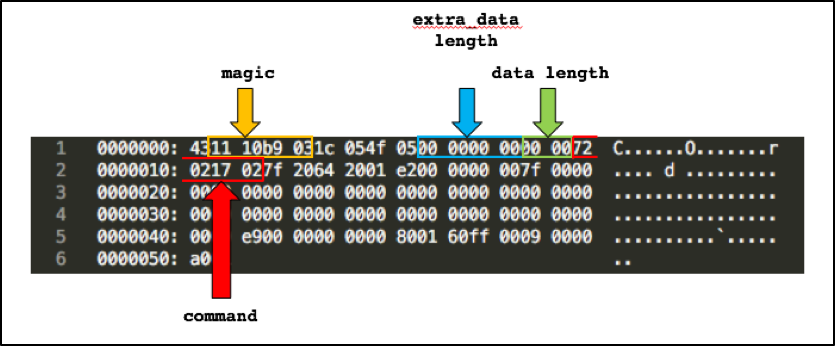
Pulling Back the Curtains on EncodedCommand PowerShell Attacks

A note to readers: The code samples included within this blog post may trigger alerts from your security software. Please note that this does not indicate an infection or an attack; rather, it is a notification that the code could be malicious if it were live.

PowerShell has continued to gain in popularity over the past few years as the framework continues to mature, so it’s no surprise we’re seeing it in more attacks. PowerShell offers attackers a wide range of capabilities natively on the system and with a quick look at the landscape of malicious PowerShell tools flooding out; you have a decent indicator of its growth.

Microsoft has done a fantastic job in later versions of PowerShell by giving multiple ways to log PowerShell activity (Transcription, ScriptBlock, etc) so there has been a shift to try and further obfuscate attacks at runtime.

Enter stage left - the PowerShell ‘-EncodedCommand’ parameter!

As shown above from the PowerShell Help output, it’s a command intended to take complex strings that may otherwise cause issues for the command-line and wrap them up for PowerShell to execute. By masking the “malicious” part of your command from prying eyes you can avoid strings that may tip-off the defense.

The purpose of this blog will be two-fold. First, in the “Analysis Overview”, I will be analyzing 4,100 recent samples identified within Palo Alto Networks AutoFocus that employ this EncodedCommand technique to see how PowerShell is being used and what techniques are being used in the wild for PowerShell attacks. Second, I will be using this blog to catalog the PowerShell code with examples of each decoded sample to aide in future identification or research.

Analysis Overview

To perform this analysis, I needed to first identify samples that were using this technique. Because PowerShell gives you a lot of flexibility when it comes to calling different parameters, identifying samples isn’t as straightforward as one might expect.

Below are three examples of different ways the EncodedCommand parameter can be called:

  1. Fully spelled out:
    powershell.exe –EncodedCommand ZQBjAGgAbwAgACIARABvAHIAbwB0AGgAeQAiAA==
  2. Truncated with alternate capitalization:
    powershell.exe –eNco ZQBjAGgAbwAgACIAVwBpAHoAYQByAGQAIgA=
  3. Using caret escape-character injection to break-up the string:
    powershell.exe –^e^C^ ZQBjAGgAbwAgACIAVwBpAHQAYwBoACIA

There are well over 100,000 variations possible by using combinations of these methods for the “EncodedCommand” parameter alone. Keeping that in mind, I came up with the below regex that gave decent coverage to the possible variants and could easily be applied to a huge corpus of dynamic analysis reports.

This allows for extraction of lines like the below at scale for further analysis.

Now, it’s no surprise but the majority of the encoded data is clearly generated from templates and public tools - attackers aren’t re-inventing the wheel every time they need to run shellcode or download another malicious file.  This is evidenced by the fact that the underlying code is almost identical with just slight adjustments to download locations and the like. To try and perform analysis on the data then, I needed to try and identify the code and attempt to determine what generated the code, or at minimum, attempt to cluster the code into like-buckets.

Profiling Approach

To illustrate some of the difficulties involved with this, back in 2012 Matthew Graeber published a blog post about a PowerShell script he put together that could load shellcode into memory and execute it. This script has been the cornerstone template for this technique, being used in most public tools that seek to use this functionality.

Following are two iterations of the technique from TrustedSec tools Social-Engineer Toolkit (SET) and Magic Unicorn. If you compare the two samples, you’ll see that SET uses “$c” whereas Magic Unicorn uses “$nLR” for the initial variable. Similarly, the “$size” variable in SET is “$g” in Magic Unicorn, the “$sc” variable is “$z”, and finally the “$x” variable is “$kuss”.

SET

Magic Unicorn

In Magic Unicorn, there is a line within the generating script that randomizes some variables. Below is an excerpt showing how this works.

This simply replaces some variables with a string of 3-4 random alphanumeric characters; however, not all variables get replaced so the combination of the random string with known anchors allows me to theorize how it was generated. Alternatively, I can also see when it looks like this particular piece of code was copied into another tool without the randomization part of the Magic Unicorn script as the variables don’t change or was further built upon by adding additional randomization.

It’s not an exact science and, when dealing with code that has been heavily re-used over many years by many different people, you’re bound to run into scenarios where the code just doesn’t lend itself well to profiling. I’ve attempted to classify it as accurately as possible but a word of caution - take the specific names with a grain of salt throughout this analysis as nothing is stopping someone simply copying and pasting the code into their own tool.

In total, I profiled 27 clusters of public tools or capabilities, which had unique identifiers to separate them apart from the rest. I’ll get into each of them later as I catalog each variant but, for now, the below table offers a breakdown of the variants, how many samples matched, and the overall percentage it accounted for in the sample set.


Variant Count % of Total
Downloader DFSP 1,373 33.49%
Shellcode Inject 1,147 27.98%
Unicorn 611 14.90%
PowerShell Empire 293 7.15%
SET 199 4.85%
Unknown 104 2.54%
Powerfun Reverse 100 2.44%
Downloader DFSP 2X 81 1.98%
Downloader DFSP DPL 24 0.59%
Downloader IEXDS 19 0.46%
PowerWorm 19 0.46%
Unicorn Modified 14 0.34%
Scheduled Task COM 11 0.27%
BITSTransfer 11 0.27%
VB Task 10 0.24%
TXT C2 10 0.24%
Downloader Proxy 9 0.22%
AMSI Bypass 8 0.20%
Veil Stream 7 0.17%
Meterpreter RHTTP 6 0.15%
DynAmite Launcher 6 0.15%
Downloader Kraken 5 0.12%
AppLocker Bypass 4 0.10%
PowerSploit GTS 3 0.07%
Powerfun Bind 2 0.05%
Remove AV 2 0.05%
DynAmite KL 1 0.02%


Over half of the samples analyzed utilized either a generic “DownloadFile-StartProcess” technique or a variant of the shellcode injection technique shown previously.

General Distribution / Stats

Across the 4,100 samples, there were 4 file formats seen.

File Format Count % of Total
"exe" 2,154 52.54%
"doc" 1,717 41.88%
"xls" 228 5.56%
"dll" 1 0.02%


EXE and DOC format account for the majority of extensions used across this sample set. Looking further at the DOC files, 77% of them, 1,326, matched the “Downloader DFSP” variant, which defines a generic downloader using the DownloadFile-StartProcess method as shown below.

Pivoting from there, 1,159 of the DOC files (87%) match known patterns for Cerber ransomware; the implication is that a tool is being used to generate the malicious Microsoft Word Documents that create the macro which launches PowerShell with this technique as the template.

The primary method of delivery across the DOC samples is SMTP/POP3, which aligns with the status quo of delivering ransomware by using malicious Microsoft Word Documents via e-mail campaigns.

fig1

Figure 1 Applications used to deliver malicious Powershell Word Documents

Looking at the target industries also shows a fairly even distribution throughout Higher Education, High Tech, Professional and Legal Services, and Healthcare.

fig2

Figure 2 Breakdown of Industries detecting malicious Powershell Word Documents

A quick look at the distribution over time also shows a number of large spikes that, again, aligns with the standard operating procedure of e-mail campaigns.

fig3

Figure 3 Number of malicious Powershell Word Documents captured in AutoFocus over the last 12 months

Looking at how the EXE samples were classified, nothing stands out as being dominant in terms of a group or malware family; however, interestingly enough there seems to be a preference for targeting companies in the High Tech industry.

fig4

Figure 4 Breakdown of Industries detecting malicious Executables using Powershell

The distribution over time is also fairly even in comparison to the DOC sample distribution over time.

fig5

Figure 5 Number of malicious Executables using Powershell captured in AutoFocus over the last 12 months

One possible explanation for this is a variation is distribution. For example, while DOC samples were primarily seen as attachments to e-mail, EXE samples were usually delivered through Web Browsing.

The last item I’ll touch on before diving into the commands themselves is the one DLL file that was detected using the EncodedCommand technique. This DLL contains no exports but when called with the DLLMain entry point will simply launch a PowerShell Empire stager which downloads an XOR’d script from a website and then uses PowerShell’s Invoke-Expression cmdlet to run the downloaded script. This sample was related to the Odinaff family that Symantec blogged about in October 2016.

Pre-Analysis Data / Stats

Before looking at the base64 encoded data, I looked at how each process was launched. This frequency analysis and inspection gives some insight into what additional parameters are being used alongside EncodedCommand.

EncodedCommand: (4,100 Samples – 100% Coverage)

Used to pass a base64 encoded string to PowerShell for execution.

Flag Count % of Total
"-enc" 3,407 83.29%
"-Enc" 412 10.05%
"-EncodedCommand" 229 5.59%
"-encodedcommand" 40 0.98%
"-encodedCommand" 7 0.17%
"-ec" 3 0.07%
"-en" 1 0.02%
"-ENC" 1 0.02%


WindowStyle Hidden: (2,083 Samples – 50.8% Coverage)

Used to prevent PowerShell from displaying a window when it executes code. The most used variant “-window hidden” is due to the PowerShell command that the previously mentioned Microsoft Word Documents distributing Cerber are using.

Flag Count % of Total
"-window hidden" 1,267 30.90%
"-W Hidden" 315 7.68%
"-w hidden" 159 3.88%
"-windowstyle hidden" 125 3.05%
"-win hidden" 67 1.63%
"-WindowStyle Hidden" 45 1.10%
"-win Hidden" 42 1.02%
"-wind hidden" 40 0.98%
"-WindowStyle hidden" 5 0.12%
"-WindowStyle hiddeN" 5 0.12%
"-windows hidden" 4 0.10%
"-Win Hidden" 3 0.07%
"-win hid" 2 0.05%
"-Window hidden" 2 0.05%
"-Wind Hidden" 1 0.02%
"-Win hidden" 1 0.02%


NonInteractive: (1,405 Samples – 42.4% Coverage)

Used to prevent creating an interactive prompt for the user. Used in combination with WindowStyle Hidden to hide signs of execution. For the “-noni” variation, 76% were the generic shellcode injection code and SET, whereas “-NonI” was PowerShell Empire.

Flag Count % of Total
"-noni" 1,042 25.41%
"-NonI" 331 8.07%
"-noninteractive" 27 0.66%
"-NonInteractive" 4 0.10%
"-nonI" 1 0.02%


NoProfile: (1,350 Samples – 32.9% Coverage)

Prevents PowerShell from loading profile scripts, which get executed on launch, so as to avoid potentially unwanted commands or settings. Similar to the breakdown for NonInteractive, “-nop” is primarily SET and the generic shellcode injection while “-NoP” is PowerShell Empire.

Flag Count % of Total
"-nop" 955 23.29%
"-NoP" 332 8.10%
"-noprofile" 57 1.39%
"-NoProfile" 5 0.12%
"-noP" 1 0.02%


ExecutionPolicy ByPass: (453 Samples – 11% Coverage)

Bypasses the default PowerShell script execution policy (Restricted) and will not block the execution of any scripts or create any prompts. It’s interesting to note that the code executed within EncodedCommand parameter does not apply to the execution policy.

Flag Count % of Total
"-ep bypass" 128 3.12%
"-exec bypass" 80 1.95%
"-executionpolicy bypass" 78 1.90%
"-Exec Bypass" 73 1.78%
"-ExecutionPolicy ByPass" 42 1.02%
"-ExecutionPolicy bypass" 26 0.63%
"-Exec ByPass" 9 0.22%
"-ExecutionPolicy Bypass" 5 0.12%
"-ExecuTionPolicy ByPasS" 4 0.10%
"-exe byPass" 2 0.05%
"-ep Bypass" 2 0.05%
"-ExecutionPolicy BypasS" 2 0.05%
"-Exe ByPass" 2 0.05%


Sta: (219 Samples - 5.3% Coverage)

Uses single-threaded apartment (now default as of PowerShell 3.0). This parameter was almost exclusively used in PowerShell Empire.

Flag Count % of Total
"-sta"  219  5.34%


NoExit: (23 Samples - 0.5% Coverage)

Prevents PowerShell from exiting after running the startup commands. This was exclusively used by the PowerWorm malware and was the only parameter used beside EncodedCommand.

Flag Count % of Total
"-noexit"  23  0.56%


ExecutionPolicy Hidden (5 Samples - 0.12% Coverage)

This actually isn’t a valid policy so PowerShell just ignores it. Every usage of it is related to a script I labeled “TXT C2”, which attempts to load a DNS TXT Record containing another PowerShell script, similar to PowerWorm. Most likely, the attacker meant to use ByPass here as they already have “-w hidden” later in their command.

Flag Count % of Total
"-ep hidden"  5  0.12%


NoLogo: (33 Samples - 0.8% Coverage)

Hides the copyright banner when PowerShell launches.

Flag Count % of Total
"-Nol" 10 0.24%
"-NoL" 10 0.24%
"-nologo" 9 0.22%
"-nol" 4 0.10%


ExecutionPolicy Unrestricted (1 Samples – 0.02% Coverage)

Similar to ByPass, but will warn the user before running unsigned scripts downloaded from the Internet. The underlying lone script that used this parameter tries to execute a script downloaded from the Internet, which should generate a warning.

Flag Count % of Total
"-ExecutionPolicy Unrestricted"  1  0.02%


Command (1 Samples – 0.02% Coverage)

Executes a command that follows the parameter as if they were typed at the PowerShell prompt. I only saw one instance of this and it was tied directly to a piece of malware that FireEye included in a blog about evading signature-based detections. The PowerShell code is included in the “Comments” field of a DOCM file and launched from a macro inside a Microsoft Word document. Below is the code in question that chains together multiple commands to perform an FTP transfer and subsequent NetCat connection.

Flag Count % of Total
"-c"  1  0.02%


Finally, I’ll end the parameter analysis by looking briefly at the top 10 combinations seen throughout this sample set.

Flag Combination Count % of Total
"-window hidden -enc" 1,242 30.29%
"-enc" 986 24.04%
"-nop -noni -enc" 736 17.95%
"-NoP -sta -NonI -W Hidden -Enc" 206 5.02%
"-EncodedCommand" 169 4.12%
"-ep bypass -noni -w hidden -enc" 102 2.48%
"-NoP -NonI -W Hidden -Enc" 60 1.46%
"-nop  -win hidden -noni -enc" 57 1.39%
"-executionpolicy bypass -windowstyle hidden -enc" 51 1.24%
"-nop -exec bypass -win Hidden -noni -enc" 41 1.00%


Even accounting for changes in case, the results only increase by a handful of samples in each category.

While doing the research to try and identify unique signatures for identification, I found multiple examples of the below, wherein the code author changes the parameters for a newer version of their tool.

fig6

Figure 6 Code Author Modified parameters between versions of a tool

This reduces the overall aggregate count for those families but I don’t believe it has much impact on the totals. In my review of the tools, authors are less focused on the dynamic ordering of the parameters or potentially dynamically adjusting parameter length to further obscure their attacks; instead they add in basic capitalization randomization and focus on the “meat” of their code. This can allow for some low-fidelity profiling based on just the way the PowerShell command is launched.

In addition, the top three combinations, which account for 72% of all combinations, are predominately straightforward and focused on just running code versus any clever attempts at further hiding their attacks from the user.

Post-Analysis Data / Stats

Next I’ll go over each of the identified variants and review their functionality. For each one that downloads a file or script, I’ll include the observed IP/Domain/URL at the end of this blog. Some of these may be malicious, some of them may be pentesters, and some of them may be people doing random testing of new techniques; unfortunately, it’s not usually possible to infer intention when doing bulk analysis but the data is provided for the reader to use as they see fit.

Downloaders

PowerShell code identified with the primary intention of downloading and running a secondary payload or executing PowerShell code obtained remotely.

Downloader DFSP (1,373 Samples - 33.49% Coverage)

This is a quintessential example of using PowerShell to download and run a file. It’s basically verbatim of the results you get when using Google to search for ways to download and run a file. As such, I’ve used the below template as a generic classification for the base64 encoded data that acts as a simple downloader for the true payload.

As was previously pointed out, almost all of the detections matching this category were linked back to the Microsoft Word documents launching this PowerShell command via a macro to download Cerber. One unique pattern observed in this sample was the usage of environment variables, in addition to their URI pattern.

Downloader for Cerber –

PowerShell Empire (293 Samples – 7.15% Coverage)

For this next one, the samples are using PowerShell Empire’s EncryptedScriptDropper to download a script remotely and decrypt it with an embedded XOR key.

In this example, the XOR key is “0192023a7bbd73250516f069df18b500” and the pulled down script, once decoded with that key, is the PowerShell Empire agent stager script that will POST system information to the C2 server and then download the encrypted Stage 1 Empire payload.

Downloader DFSP 2X (81 Samples - 1.98% Coverage)

This is the same as the previous downloader but it launches yet another instance of PowerShell to carry out the download. These were all linked to the Cerber downloader documents as well.

Downloader DFSP DPL (24 Samples - 0.59% Coverage)

Another downloader using the DownloadFile -> Start-Process technique that had two different variations within the sample set. A number of these samples matched behaviors related to Bartalex and may be indicative of changes to this well-known Office Macro generator.

Unabridged –

Abridged –

Downloader IEXDS (19 Samples – 0.46% Coverage)

This is another spin on a downloader that frequently pops-up when searching for methods to download and execute scripts for PowerShell. Effectively, the code simply downloads a PowerShell script remotely and executes it with Invoke-Expression. The resulting payloads can be quite different from one another and didn’t seem related.

The following two samples download an “Invoke-TwitterBot” script, which is “A Trojan bot controlled by a twitter account that was released at ShmooCon IX”.

BITSTransfer (11 Samples – 0.27% Coverage)

Another mechanism for downloading malware via PowerShell is through the BitsTransfer module. Background Intelligent Transfer Service (BITS) isn’t as frequently seen in downloading malware but offers similar functionality to other known transfer services, such as HTTP. Using this different method may allow attackers to avoid certain monitoring and take advantage of the fact that BITS will throttle transfers to not impact other bandwidth usage.

In my previous blog, I noted that a variant of the Cerber downloader was seen using BITS for a brief period of time and 10 out of these 11 samples were Microsoft Word documents leading to Cerber.

TXT C2 (10 Samples – 0.24% Coverage)

For this next one, the attacker uses PowerShell to make a DNS query for the TXT record of a domain. The TXT record contains another PowerShell script that is then passed to Invoke-Expression to execute.

Looking at the script which is returned shows that once this initial look-up occurs, it will set itself into a constant loop continuing to query for the TXT record of the domain and base64 decoding then executing the result.

This allows the attacker to establish a command and control channel when they are ready to interact with the compromised system.

John Lambert over at Microsoft recently tweeted about this variant and identified it as being used during penetration testing. Another example of the technique can be found in the Nishang framework for penetration testing.

Downloader Proxy (9 Samples – 0.22% Coverage)

This variant will explicitly use the configured proxy and credentials for the user running the PowerShell command. Of note for this one is the passing of the username as a value to the “u” parameter in the web request. This is a common “check-in” activity so the attacker knows whom they have infected; it can be used to further handle how subsequent interactions take place (e.g. block further connections if known sandbox username).

Meterpreter RHTTP (6 Samples – 0.15% Coverage)

This next technique simply pulls down the Invoke-Shellcode script used in tools such as PowerShell Empire and PowerSploit, and then calls the function to generate a reverse HTTPS Meterpreter shell.

All but one of the samples pulled code from GitHub, either directly through the official repository or through a forked version.

GitHub –

Non-GitHub –

Downloader Kraken (5 Samples – 0.12% Coverage)

I called this one “Kraken” simply because of the filename of the executable it downloads, (“Kraken.jpg”), but it uses a similar download technique as seen in Downloader DFSP. One difference is that instead of using the “$env” variable directly, it uses System.IO.Path to retrieve the path for the $TEMP directory.

AppLocker Bypass (4 Samples – 0.12% Coverage)

This next technique uses PowerShell to run the regsvr32 tool to bypass Microsoft Windows AppLocker. This technique was found by Casey Smith (@subTee) and abuses the fact that scripts are executed when unregistering a COM object via regsvr32.

Embedded Payloads

PowerShell code identified with the primary intention of launching embedded payloads, such as shellcode.

Shellcode Inject (1,147 Samples – 27.98% Coverage),

Unicorn (611 Samples – 14.90% Coverage),

SET (199 Samples – 4.85% Coverage),

Unicorn Modified (14 Samples – 0.34% Coverage)

As I already showed examples of SET and Magic Unicorn’s implementation of the Shellcode Injection technique, I’ve decided to just lump all of the variants together using this shellcode injection template. Below is a sample from the “Shellcode Inject” variant, which is a copy of Matt Graeber’s original post, and you’ll immediately see the similarities with the SET and Magic Unicorn code.

While the Cerber downloader accounted for a large sum of the EncodedCommand found in Microsoft Word documents, these four variants use the same technique accounting for almost the entirety launched from EXE files.

The gist of the code is that they import functions from DLL’s in the following order:

  • “kernel32.dll” VirtualAlloc
  • “kernel32.dll” CreateThread
  • “msvcrt.dll” memset

Then they load their shellcode into an array of bytes using the “0x” hex representation. Next, they call VirtualAlloc to allocate, at minimum, a 4,096 byte page of RWX memory, copy the byte-array to memory with memset, and finally transfer execution to the shellcode with CreateThread.

Out of the 1,971 samples, there were 1,211 unique shellcode payloads, indicating that over 50% of them were re-used in other attacks. Most of these tools utilize Metasploit to generate the shellcode and if they don’t accept specifying a payload, generally opted for reverse Meterpreter shells. For example, the below line is from the Magic Unicorn’s code showing how to specify the MSF payload.

The underlying code for the generation of the payload, including platform, architecture, and encoding:

Another interesting observation is that if you look at the shellcode length, the top 2 lengths were 294 and 312 bytes long, with 846 and 544 samples respectively; afterwards the sample counts fall off sharply.

Shellcode Length (Bytes) Count
294 846
312 544
337 145
303 131
285 46


What makes this interesting is the sheer volume of identical lengths signals to me that they are likely generating the same payload with the same tools and using something without much possible variation in length, such as a 4-byte IP compared to a variable length URL as the C2.

As this blog serves to catalog the differences between these variants, below are regex queries to identify the specific variant.

Shellcode Inject

Unicorn

SET

Unicorn Modified

Powerfun Reverse (100 Samples – 2.44% Coverage),

Powerfun Bind (2 Samples – 0.05% Coverage)

Another variation to code execution was found inside Powerfun, more specifically they use Metasploit’s “windows/powershell_reverse_tcp” and “powershell_bind_tcp” payloads to create interactive shells with the target system. The reverse payload is encoded with base64 and launched via a background process using System.Diagnostics.Process.

Reverse payload –

The bind payload sets up a TCP listener by listening with System.Net.Sockets.TCPClient and passing received PowerShell script to Invoke-Expression.

Bind payload –

PowerWorm (19 Samples – 0.46% Coverage)

PowerWorm is a malware family that TrendMicro blogged about in 2014 which has the capability of spreading by infecting other Microsoft Office DOC(X)/XLS(X) files. The PowerShell code is obfuscated with “junk” data placed between the legitimate commands.

Cleaned-up slightly –

The code will download Tor and Polipo by fetching download URL’s for the software from DNS TXT records and then eventually use the software to continuously check for new PowerShell commands that get passed to Invoke-Expression. Matt Graeber has done an excellent job of analyzing the full capabilities of this malware and provides de-obfuscated, commented, versions of the underlying PowerShell.

Veil Stream (7 Samples – 0.17% Coverage)

This is a similar technique as described in the “Powerfun Reverse” variant. The PowerShell code is injected into memory from a base64 string and executed with Invoke-Expression that eventually launches the actual shellcode payload. The layout of the code correlates to the Veil Framework implementation.

Persistence

PowerShell code identified with the primary intention of establishing persistence on the host.

Scheduled Task COM (11 Samples – 0.27% Coverage)

This variant seeks to create a persistence mechanism by creating a Scheduled Task that runs the malicious binary. The PE file this sample comes from drops a “minecraft.exe” and then launches this PowerShell command below - most likely, as it’s easier to pass this type of functionality off to PowerShell instead of trying to write the code into the original dropper.

The technique was seen primarily is samples associated to the Retefe banking trojan.

VB Task (10 Samples – 0.24% Coverage)

This grouping of PowerShell code originally comes from a PE that executes PowerShell with the EncodedCommand, which then creates a VBScript that is installed as a Scheduled Task. The VBSript simply launches another PowerShell script once it runs to achieve this.

DynAmite Launcher (6 Samples – 0.15% Coverage),

DynAmite KL (1 Sample – 0.02% Coverage)

DynAmite is a “Malware Creation Toolkit” which comes with your standard capabilities that one comes to expect with such a tool.

dynamitekl

It does give you the ability to mix and match the features you want and generates a PE wrapper that carries out the selected tasks, usually by simply executing PowerShell commands. The majority of code that I saw generated by this kit was taken from public tools but used swapped around variable names and locations.
The “DynAmite Launcher” variant covers the persistence aspect, which is established through creating Scheduled Tasks. Below are three different iterations of this, most likely from different versions and configurations.

For the “DynAmite KL” variant, it’s the keylogger portion of the kit but directly lifts code from an older version of the PowerSploit function Get-Keystrokes. Below are the meat of the script and a comparison of the two pieces, showing how DynAmite changes the location of the variables and types.


Get-Keystrokes –

Function DynAKey –

Other Techniques

AMSI Bypass (8 Samples – 0.20% Coverage)

Antimalware Scan Interface (AMSI) is a new feature Microsoft released in Windows 10 and is designed to facilitate communication between applications and AV products. Ideally, the application (PowerShell in this context) will take the script at runtime, after it’s deobfuscated or pulled in remotely from a website, and pass it through AMSI to your AV for scanning. If the AV software determines it’s malicious, it can now block the scripts execution.

#YAOMG (Yet Another of Matt Graebers)

Matt Graeber released a one-line tweet  that shows how you can bypass AMSI by simply changing “amsiInitFailed” to “True”, which makes it appear as if it failed to load and effectively skips this check.

The code shares a similar signature to PowerShell Empire’s XOR routine for their EncryptedScriptDropper and may be related or borrowed code.

PowerSploit GTS (3 Samples – 0.07% Coverage)

This is set of samples that simply use a module from another tool, in this case, the PowerSploit Get-TimedScreenshot. The code will take a screenshot using Drawing.Bitmap every 2 seconds.

For these types of attacks, the PowerShell code is just an augmentation to the overarching suite of tools being used in the attack, likely intended to save the attacker time in developing the desired functionality. In this case, Microsoft Excel documents contained macros that first launch a function to decode the PowerShell code and begin taking screenshots while a second function is called afterwards to decode a PE file that handles the rest of the attack.

fig7

Figure 7 Excel Macro decodes embedded Powershell script and PE file.

Remove AV (2 Samples – 0.05% Coverage)

This next variant uses PowerShell to forcefully uninstall both x86 and x64 versions of an installed AV application. It iterates over entries in the Uninstall registry path to find items with “*AVG*” and then quietly uninstalls each instance.

Notable One-Offs

After identifying as many variants as possible, I was left with around 100 “Unknown” samples, which were usually custom spins on the techniques described above. I’ll end this cataloging with a quick overview of some of the more notable samples.

Hidden Messages

This sample does some basic date checking through PowerShell and compares current datetime to an included datetime, if the current datetime is past the included one, it will not run. At the end of the code though, they leave a commented call-out to, possibly, their “hacking” group.

Another example of leaving hidden messages is in the sample below.

When you analyze the code it pulls down remotely from GitHub, which at the time of this writing kills PowerShell processes, it says “Hello SOC/IR team!  :-)”. It’s possible this is just a pentest or red-team exercise given the history of the file using “Test” a lot.

fig8

Figure 8 JavaScript file kills powershell and greets SOC/IR team.

Process Killing

This is another example of using PowerShell for specific purposes in an overarching attack. It will kill a number of processes typically associated with malware analysis.

Layers of Obfuscation

For this last example, it appears to be related to the samples shown in the “PowerSploit GTS” variants, as the originating macros are almost identical, but this sample did not use any of the other pieces.

This particular sample uses multiple layers of obfuscation to carry out its attack.

Layer 1 –

A Microsoft Excel document has a macro that pulls a base64 encoded data from a cell that is passes to PowerShell’s EncodedCommand parameter when it launches.

layer1

Layer 2 –

The decoded base64 is a long array of int values that get converted to their char value, and then executed as another PowerShell script.

Layer 3 –

The decoded data uses various techniques to obfuscate itself. The first technique is injecting backtick characters between other characters, which will be ignored at runtime. This is similar to the caret injection technique from the command-line, but works within the PowerShell code instead.

It also uses a technique commonly seen in other scripting languages by breaking up a string into a randomized list and then rebuilding the original string by calling specific values.

Cleaning up the code and building the strings shows that it downloads code remotely to pass to Invoke-Expression.

Conclusion

PowerShell is a robust scripting framework that offers a lot of capabilities, both for defense and offense. Hopefully this blog has served to highlight some of the current techniques being used in tools and attacks.

Across these samples, it seems clear that the majority of attacks are still relying on public tools, which isn’t surprising. As the PowerShell framework continues to be explored and matured, I suspect we will begin to see a lot more variation in attacks coming from this space. As it stands today, PowerShell seems to be mainly used as a tool to facilitate common functions attackers are used to within other frameworks, but will eventually start to take advantage of more native features once we move out of the “transference” phase to an “innovative” phase.

Observed C2 or Download Sites

Downloader DFSP

PowerShell Empire

Downloader DFSP 2X

Downloader DFSP DPL

Downloader IEXDS

BITSTransfer

TXT C2

Downloader Proxy

Downloader Kraken

PowerWorm

AMSI Bypass

Meterpreter RHTTP

Layers of Obfuscation

SHA1 Hashtag

Additional hashes to samples can be found here.

Targeted Ransomware Attacks Middle Eastern Government Organizations for Political Purposes

Recently, Unit 42 has observed attacks against multiple Middle Eastern government organizations using a previously unseen ransomware family. Based on embedded strings within the malware, we have named this malware ‘RanRan’. Due to the targeted nature of the ransom message delivered by the malware, and the small sample set of this malware family, we believe that this attack was targeted in nature. Our analysis shows no connections between these attacks and the recent waves of Shamoon 2 attacks.

The ransom note specifically attempts to extort a political statement by forcing the victims to create a public sub-domain with a name that would appear to advocate and incite violence against a Middle Eastern political leader.

The malware itself is fairly rudimentary and makes a number of mistakes in how files are encrypted. This allowed Unit 42 to create a script that is able to decrypt some files that were encrypted by RanRan.

RanRan Analysis

The malware author named the payload “Ran”, as seen in the following debug path within the binary:

C:\Users\pc\Desktop\Ran\Ran\Release\Services.pdb

When the malware is initially executed, it will create the following mutex:

  • Services1.0

RanRan will exit if this mutex already exists. This ensures only a single instance of RanRan executes at a time.

RanRan installs itself on the system by making a copy as “C:\services.exe”. It has the following base64 encoded string that it uses to create an autorun key on the system to execute itself each time the system boots:

TlFRICJVWFBIXEZCU0dKTkVSXFp2cGViZmJzZ1xKdmFxYmpmIEFHXFBoZWVyYWdJcmVmdmJhXEp2YXFiamYiIC9zIC9pIFlibnEgL2cgRVJUX0ZNIC9xIA==

The payload decodes this base64 string and applies a routine that either adds or subtracts 13 from each alpha character. We wrote a script to decode this string, for which  the output can be seen below:

RanRan uses this string to create a registry key, which can be seen in the following registry query:

This registry key is meant to execute “C:\services.exe” each time the system starts up.

Anti-disinfection and Limiting System Use

RanRan also attempts to make removing it to disinfect the system difficult, as it continually monitors for windows with titles that contain “task manager” and closes them, which makes killing the payload’s process difficult.

Additionally, the malware continually monitors the following services and processes and will periodically stop them.

  • MSSQLSERVER
  • SQLWriter
  • MSSQL$CONTOSO1
  • SQLServerAgent
  • MSSQL$SQLEXPRESS
  • Microsoft Exchange Information Store
  • OracleASMService+ASM
  • OracleCSService
  • OracleServiceORCL
  • OracleOraDb10g_home1TNSListener
  • usermanager
  • outlook
  • exchange
  • sql

We believe it is likely that the author chose to stop these services and processes to increase the ransomware’s chances of being able to appropriately encrypt associated database files by limiting any open handles to those files.

Main Functionality

The main purpose of RanRan is to encrypt files on the system and request a ransom from the victim to restore these files. The tool gathers a wide range of file types to encrypt based on the following file extensions:

  • .mdf
  • .ldf
  • .edb
  • .pst
  • .ost
  • .doc
  • .docx
  • .pdf
  • .xls
  • .xlsx
  • .ppt
  • .pps
  • .pptx
  • .ppsx
  • .accdb
  • .mdb
  • .zip
  • .rar
  • .txt
  • .jpg
  • .bad
  • .epf
  • .bdp
  • .efp
  • .vsd
  • .mpp
  • .xlt
  • .cmd
  • .lic
  • .me
  • .xlsm
  • .war
  • .bdr
  • .stm
  • .sdb
  • .psd
  • .eml
  • .vdw
  • .vdx
  • .tar
  • .csv
  • .max
  • .png
  • .ai
  • .dwg
  • .dxf
  • .7z
  • .c
  • .cpp
  • .bak
  • .ese
  • .ashx
  • .asmx
  • .soap
  • .svc
  • .bkf
  • .issue
  • .sql
  • .fmb
  • .olb
  • .java
  • .webm
  • .mkv
  • .flv
  • .dbf
  • .mtb
  • .asp
  • .aspx
  • .sln
  • .cs
  • .jar
  • .bmp
  • .iso
  • .resx
  • .exe
  • .tar
  • .dat
  • .rtf
  • .img
  • .gz
  • .vmdk
  • .log
  • .ace
  • .kdbx
  • .rdp
  • .psc
  • .bat
  • .cfg
  • .rmvb
  • .3gp
  • .swf
  • .ipdb
  • .db
  • .cmsc
  • .kmz
  • .edx

The files RanRan looks for includes (but is not limited to) Microsoft Office files, Adobe Acrobat files, images, web pages, SQL queries, archive and backup files.

RanRan expects the attacker to supply an RSA public key in the C:\pubkey location. If a public key is not provided, RanRan will encrypt files using the md5 hash of the string “aaoy09aaqqq@#433dd56fdfdf$Fss45*ss”.

Otherwise, a randomly generated string is written to a file named ‘C:\WINDOWS\pass’. The MD5 of this string is used as the RC4 password. A new password is generated for groups of files of the following sizes:

  • 0 – 5 MB
  • 5 – 30 MB
  • 30 – 100 MB
  • 100 – 300 MB
  • 300 – 700 MB
  • 700 – 2000 MB
  • 2000 – 3000 MB
  • 3000 MB and greater

After each successful round of encryption, the key being used for the particular group is encrypted using the supplied RSA public key and written to a file named using the following notation:

VictemKey_[lower_bound]_[upper_bound]

Where [lower_bound] is the lower file size for that particular group, and [upper_bound] is the upper file size for that particular group. This results in the following files being written after all encryption occurs:

  • VictemKey_0_5
  • VictemKey_5_30
  • VictemKey_30_100
  • VictemKey_100_300
  • VictemKey_300_700
  • VictemKey_700_2000
  • VictemKey_2000_3000
  • VictemKey_3000

During encryption, the encrypted files are then renamed to append a new file extension of “zXz” to the file. After encrypting the files, the payload will display a ransom message with a filename of zXz.html with instructions on how to get the files decrypted. The following screenshot shows the ransom message:

ranrab_1

Figure 1 RanRan ransom note

The ransom note above shows a number of interesting things. Unlike many other well-known and popular ransomware families, RanRan does not ask for direct payment. Instead, prior to any negotiations regarding payment, the victim must create a subdomain with a seemingly politically inflammatory name as well as a Ransomware.txt file hosted on this subdomain. The hosted file must include a statement of ‘Hacked’ and an email address. By performing these actions, the victim, a Middle Eastern government organization, has to generate a political statement against the leader of the country. It also forces the victim to publicly announce that they have been hacked by hosting the Ransomware.txt file.

As mentioned originally, RanRan makes a number of mistakes when encryption occurs. For one, they use a symmetric cipher (RC4) with a re-used key. Additionally, some files are encrypted, but the originals are not deleted. This is due to a number of reasons, one of which being that encryption is attempted against system files and other files that are opened by running processes. Because we are provided with a situation where we have an original file, a file that has been encrypted, and the RC4 key is re-used against other encrypted files, we have the ability to decrypt some of this data.

This only works in certain instances where the following criteria is met:

  • An encrypted and unencrypted file must be present for a given file size group (0-5MB, 5-30MB, etc). Using these two files, we are able to acquire the RC4 stream cipher.
  • The remaining encrypted files must be of lesser size than the previously obtained stream cipher. If a file is of greater size, it is only able to be partially decrypted.

Two scripts that may be used to decrypt files that meet the conditions above can be found here. The scripts have been provided in both their raw Python form, as well as Windows binaries that have been compiled with PyInstaller.

Upon investigation of the encryption, it was found that RanRan uses the following code to perform its encryption functionality:

https://github.com/eugenekolo/Charlie-2/blob/master/Hookcrypt/test/EncryptFile.cpp

The reuse of publicly available source code and a mistakes previously outlined suggests this is a rather unsophisticated threat actor.

Conclusion

Overall, RanRan represents an interesting shift in tactics by ransomware. Instead of being purely financially motivated, this specific actor takes a hacktivist approach by attempting to force a Middle Eastern government organization to make a negative public statement against their leader.

The malware itself was found to be unsophisticated, using both a symmetric cipher, as well as publicly available code. Other indicators, such as debug statements found within the malware also provide further evidence to compound this statement.

Palo Alto Networks customers are protected against this threat in the following ways:

  • WildFire accurately identifies all RanRan samples as malicious
  • An AutoFocus tag may be used to track this threat


Palo Alto Networks Unit 42 Vulnerability Research February 2017 Disclosures

As part of Unit 42’s ongoing threat research, we can now disclose that Palo Alto Networks Unit 42 researchers have discovered two code execution vulnerabilities affecting Adobe Flash (APSB17-04) that were addressed in Adobe’s monthly security update release:

  1. CVE-2017-2982: Tao Yan
  2. CVE-2017-2996: Tao Yan

For current customers with a Threat Prevention subscription, Palo Alto Networks has also released IPS signatures providing proactive protection from these vulnerabilities. Traps, Palo Alto Networks advanced endpoint solution, can block memory corruption based exploits of this nature.

Palo Alto Networks is a regular contributor to vulnerability research in Microsoft, Adobe, Apple, Google Android and other ecosystems. By proactively identifying these vulnerabilities, developing protections for our customers, and sharing the information with the security community, we are removing weapons used by attackers to threaten users, and compromise enterprise, government, and service provider networks.

"Blank Slate" Campaign Takes Advantage of Hosting Providers to Spread Ransomware

In recent months, we've been tracking a malicious spam (malspam) campaign using emails with no message content and an attached zip archive to spread ransomware. We've nicknamed this campaign "Blank Slate" because the malspam messages are blank with nothing to explain the malicious attachments.

Last month, we published a blog  that discussed farming Microsoft Word documents in AutoFocus associated with the Blank Slate campaign. It revealed more than 500 domains were used. These malicious domains were quickly taken offline, but Blank Slate actors quickly registered new ones, revealing a cycle of abuse towards legitimate hosting providers.

Today's blog describes the delivery, exploitation, and installation components of this attacker’s playbook, and it explores the cycle of abuse criminals follow against legitimate hosting providers to host ransomware associated with these infections.
The infection chain

The infrastructure behind the Blank Slate campaign has two distinct phases. The first phase is receiving malspam from a botnet. The second phase is when an attachment from the malspam retrieves ransomware from a web server. The ransomware is designed to infect Microsoft Windows computers, and a successful infection chain consists of the following steps:

  • Attacker's botnet sends malspam to the intended recipient.
  • User ignores security warnings and opens the zip archive included in the malspam.
  • User ignores security warnings and manually extracts either a Microsoft Word document or a JavaScript (.js) file.
  • User ignores warnings and manually enables macros for the Word document or user double-clicks the .js file.
  • Word macro or .js file retrieves a ransomware executable from a web server.
  • Word macro or .js file executes the ransomware on the user's computer in the user's security context.

blank-slate_1

Figure 1: The user receives an email from a host in the botnet.

These Blank Slate emails come from a botnet consisting of numerous compromised hosts across the globe. Sending email addresses are always spoofed, and they have no relation to the actual botnet host sending the message.  The emails only consist of a zip archive sent as a file attachment.  As shown in Figure 2, these email messages have no text whatsoever, only an attachment that intended victims are meant to open.

blank-slate_2

Figure 2: One of the malspam email messages.

The malspam's zip attachment is actually a double-zipped file, meaning it contains another zip archive which itself holds the malicious active content. We believe the attackers chose to use a double-zip tactic as a countermeasure against antispam/antimalware technologies. With an additional layer of user interaction, some intended victims may become frustrated or distracted, and this might lead to an increased failure/abandon rate. However, we believe the attackers decided this was less of a risk than detection by antispam/antimalware technologies.

That second zip archive contains either a Microsoft Word document with a malicious macro as shown in Figure 3, or it contains a .js file as shown in Figure 4.

blank-slate_3

Figure 3: Example of a malspam attachment with a double-zipped Word document.

blank-slate_4

Figure 4 Example of a malspam attachment with a double-zipped .js file.

The Word document macro has malicious Visual Basic for Applications (VBA) script that will execute after the user has opened the document and enabled macros. The .js file has malicious JavaScript that will execute within Windows Script Host when it is double-clicked.  In both cases, once the malicious script executes, it launches a PowerShell process to download and run ransomware on the Windows host as shown in Figure 5.

blank-slate_5

Figure 5: Communications between malicious script and server hosting ransomware.

Figure 6 shows an example of the traffic between a malicious .js file and a server hosting the Cerber ransomware.

blank-slate_6

Figure 6: Traffic from February 2nd 2017 of a .js file retrieving Cerber.

We primarily see Cerber ransomware distributed by the Blank Slate campaign, but other forms of ransomware like Sage 2.0 and Locky have also been noted.

The Blank Slate campaign has followed consistent patterns, and we've confirmed matching activity in AutoFocus as early as July 5th 2016 as shown in Figure 7.

blank-slate_7


Figure 7: Using AutoFocus to find Word documents from the Blank Slate campaign.

These results indicate at least seven months of obvious malspam, which raises the question: if the malspam is obvious, why is the Blank Slate campaign so long-lived?

Abusing hosting providers

A key factor to Blank Slate's longevity the abuse of hosting providers. Our previous post on this campaign listed 555 domains associated with this campaign over the span of seven months. These domains were active for a few days before they were taken off line. Then the criminals behind Blank Slate moved to newly-registered domains, sometimes using the same hosting provider. This cycle has repeated itself over and over since July 2016.

To examine more closely, we reviewed a five-day period from January 29th to February 2nd 2017. During that timeframe, we found at least eight domains across seven IP addresses hosting Cerber ransomware. The following list shows each domain followed by its IP address.

  • adibas[.]top - 46.173.219.161
  • footarepu[.]top - 35.165.86.173
  • guntergoner[.]top - 35.163.101.72
  • guntergoner[.]top - 185.159.130.89
  • ibm-technoligi[.]top - 35.165.251.24
  • ibm-technoligi[.]top - 62.109.29.26
  • polkiuj[.]top - 35.165.251.241
  • polkiuj[.]top - 46.173.219.161
  • suzemodels[.]top - 35.163.101.72
  • astrovoerta[.]top - 185.159.130.89
  • zofelaseo[.]top - 35.163.101.72

These domain names were registered a day or two before they were active. They remained active for up to seven days or more, depending on how quickly the hosting providers were notified.

So how do Blank Slate and other campaigns continue abusing hosting providers?

The requirements for establishing an account at a hosting provider are easy to acquire. The criminals only require a valid email, phone number, and credit card.

Most of these requirements are easy to obtain. Various free email services easily provide anyone a valid email address. Criminals can also purchase pre-paid phones without a contract (known as "burner phones") that are hard to track. And finally, criminals often use stolen credit card data when establishing these accounts.

blank-slate_8

Figure 8: Requirements for an account at a hosting provider.

Criminal accounts on hosting providers are relatively short-lived, since the domains are quickly discovered and reported to the provider's abuse department. However, these domains can stay online for a week or more before an abuse complaint is resolved. When a server is taken off-line, the criminals can easily establish another server through a new account using a different email, phone number, and stolen credit card data.

The cost is relatively inexpensive. A new email account can be established for free. Burner phones are cheap, as low as 20 to 30 dollars in the US. In the Russian underground, prices for a set of stolen credit card credentials are as low as five US dollars.

The situation lends itself to a cycle of abuse as criminals establish new servers, those servers are reported, the hosting provider shuts them down, and the criminals establish new servers.

blank-slate_9

Figure 9: The cycle of hosting provider abuse.

Conclusion

As implied by the cycle of abuse, domains and IP addresses associated with the Blank Slate campaign are constantly changing. With the current popularity of ransomware, we continue to see malspam daily in both targeted attacks and wide-scale distribution. We expect this trend will continue.

Palo Alto Networks customers are protected against this threat through our next-generation security platform. WildFire continues to identify Microsoft Office documents using these techniques as malicious. Finally, AutoFocus users can identify associated malware by using the PowerShellCaretObfuscation and CerberSage_Distribution tags.


Google Play Apps Infected with Malicious IFrames

Recently, we have discovered 132 Android apps on Google Play infected with tiny hidden IFrames that link to malicious domains in their local HTML pages, with the most popular one having more than 10,000 installs alone. Our investigation indicates that the developers of these infected apps are not to blame, but are more likely victims themselves. We believe it is most likely that the app developers’ development platforms were infected with malware that searches for HTML pages and injects malicious content at the end of the HTML pages it finds. If this is this case, this is another situation where mobile malware originated from infected development platforms without developers’ awareness. We have reported our findings to Google Security Team and all infected apps have been removed from Google Play.

google-play_1

Figure 1: A subset of all infected samples on Google Play

The infected apps that we observed included apps for design ideas ranging from cheesecake, to gardening and coffee tables, as shown in Figure 1. What all the apps have in common is that they employ Android WebView to display static HTML pages. At the first glance, each page does nothing more than loading locally stored pictures and show hard-coded text.  However, a deep analysis of the actual HTML code reveals a tiny hidden IFrame that links to well-known malicious domains. Although the linked domains were down at the time of investigation, the fact that so many apps on Google Play are infected is notable.
What is more notable is that, one of the infected pages also attempts to download and install a malicious Microsoft Windows executable file at the time of page loading, but as the device is not running Windows, it will not execute. This behavior fits well in the Non-Android Threat category recently released by the Google Android Security. According to the classification, Non-Android Threat refers to apps that are unable to cause harm to the user or Android device, but contains components that are potentially harmful to other platforms.
How the Infection Works

All infected apps currently only require the INTERNET permission and are equipped with two activities, one is to load interstitial advertisements and the other one is to load the main app. The latter one instantiates an Android WebView component and displays a local HTML page (Figure 2). The WebView component has JavaScriptInterface enabled. This functionality isn’t used by the samples we’ve examined, but this enables loaded JavaScript code to access the app’s native functionality.
google-play_2

Figure 2: An example of the infected sample’s UI and its underlying code

Each HTML page only displays pictures and text. However, at the end of each HTML page, a tiny hidden IFrame component has been added. We have observed two techniques used to hide this IFrame. One is to make the IFrame tiny by setting its height and width to be 1pixel. The other one is to set the display attribute in the IFrame specification to None. Finally, to evade detection based on simple string matching, the source URLs are obfuscated using HTML number codes.  In the examples shown in Figure 3, browser automatically performs the following conversions:


  • ‘&#46;’ → ‘.’
  • ‘&#105;’ → ‘i’
  • ‘&#117;’ → ‘u’

google-play_3

Figure 3: Two techniques observed in infected samples to hide the IFrame region

Eventually, all IFrame sources converge to two domains:

  • www[.]Brenz[.]pl/rc/
  • jL[.]chura[.]pl/rc/

The Polish CERT (cert.pl) took over both of these domains in 2013 and directed them to their sinkhole server to prevent them from harming users (Figure 4). Given that, both domains are not hosting malware at the time of our investigation, but they have a notorious history[1,2,3,4,5].

google-play_4

Figure 4: Both malicious domains current resolve to a sinkhole server.

During our investigation, we also identified a sample that didn’t contain an infected IFrame, but an entire VBScript was injected into the HTML (Figure 5). The script contained a Base64 encoded Windows executable that (on a Windows system) the script would decode, write to the file system, and execute. Since VBScript is a proprietary Microsoft Windows scripting language, the script is inert and does not execute on the Android platform: this piece of code will not cause damage to Android users. First of all, the code is appended outside the <HTML> tag, which makes it an illegal HTML page. But browsers have always attempted to render pretty much anything, whether it is malformed or not, in order not to make creating HTML pages difficult for people who might not understand the standard completely.

WildFire detects several malicious behaviors within the dropped PE file, including:

  • modify the network hosts file
  • modify windows firewall settings
  • inject code into another process
  • copy itself

google-play_5

Figure 5: Infected sample attempts to drop a window executable file

The Origin of the Infection

The 132 infected apps we discovered belong to seven different, unrelated developers. There is a geographical connection among the seven different developers: all seven have connections to Indonesia. The most straightforward clue comes from the app name. A significant number of discovered samples have the word “Indonesia” in their names. Moreover, one developer’s website links to a personal blog page written in Indonesian. The clearest pointer, though, is one developer’s certificate clearly states the state to be Indonesia.

google-play_6

Figure 6: Infected samples’ connection to Indonesia

One common way HTML files have been infected with malicious IFrames has been through file infecting viruses like Ramnit. After infecting a Windows host, these viruses search the hard drive for HTML files and append IFrames to each document. If a developer was infected with one of these viruses, their app’s HTML files could be infected. However, given that the developers may all be Indonesia, it’s also possible they may have downloaded an infected IDE from the same hosting website or they used the same infected online app generation platform.

In either case, we believe the developers are not malicious and are victims in this attack. There are a few other pieces of supporting evidences from our investigation:

  • All samples share similarities in their coding structure, suggesting that they may be generated from the same platform;
  • Both malicious domains used resolve to sinkholes. If developers were the attacks behind all these, they could have replaced them with working domains to cause real damage;
  • One infected sample attempts to download windows executable file. It suggests that, the attacker does not know about the target platform. Clearly, this is not the case for app developers.

Potential Damages and Mitigation

Currently, infected apps will not cause damage to Android users. However, this does represent a novel way for platforms to be a “carrier” for malware: not be infected themselves but spread the malware to other platforms without realizing it. Similar to the XcodeGhost attack we identified in 2015, this threat shows how attacking developers can impact end-users.

It’s easy to envision a more focused and successful attack: an attacker could easily replace the current malicious domains with advertising URLs to generate revenue. This not only steals revenue from app developers, but also can damages the developers’ reputation. Secondly, aggressive attackers could place malicious scripts on the remote server and utilize the JavaScriptInterface to access the infected apps’ native functionality. Through this vector, all resources within the app would be available to the attackers and under their control. They could also operate silently to replace the developer’s designated server with their own, and as a result, whatever information that was sent to developer’s server now falls in hands of the attacker. Advanced attackers can also directly modify the app’s internal logic, i.e., adding rooting utility, declaring additional permissions, or dropping malicious APK file, to escalate their capabilities.

WildFire customers are automatically protected against all infected samples. The APK analysis engine inside WildFire is capable of not only identifying the tiny hidden IFrame, but also correlating with the embedded domains.

Acknowledgements

We would like to thank Zhi Xu and Claud Xiao from Palo Alto Networks for their assistance and comments during the investigation. We greatly appreciate the expedited response from Google Security Team to help verify and take actions on the infected apps.

Appendix

Malicious domains:

  • www[.]Brenz[.]pl/rc/
  • jL[.]chura[.]pl/rc/

Infected samples’ hashes and package names (additional samples are available upon request through the blog comments):

  • c6e27882060463c287d1a184f8bc0e3201d5d58719ef13d9ab4a22a89400cf61, com.aaronbalderapps.awesome3dstreetart
  • a49ac5a97a7bac7d437eed9edcf52a72212673a6c8dc7621be22c332a1a41268, com.aaronbalderapps.awesomecheesecakeideas
  • 1d5878dce6d39d59d36645e806278396505348bddf602a8e3b1f74b0ce2bfbe8, com.aaronbalderapps.babyroomdesignideas
  • db95c87da09bdedb13430f28983b98038f190bfc0cb40f4076d8ee1c2d14dae6, com.aaronbalderapps.backyardwoodprojects
  • 28b16258244a23c82eff82ab0950578ebeb3a4947497b61e3b073b0f5f5e40ed, com.aaronbalderapps.bathroominteriordesigns
  • b330de625777726fc1d70bbd5667e4ce6eae124bde00b50577d6539bca9d4ae5, com.aaronbalderapps.beautifulbotanicalgardens
  • d6289fa1384fab121e730b1dce671f404950e4f930d636ae66ded0d8eb751678, com.aaronbalderapps.bedroomdesign5d