RedLine Stealer: Answers to Unit 42 Wireshark Quiz

Executive Summary

Earlier this month, our quiz Crossing the Line: Unit 42 Wireshark Quiz for RedLine Stealer introduced a packet capture (pcap) from July 2023 with a RedLine Stealer infection. This article provides answers to the quiz, and it offers a more in-depth look at RedLine Stealer traffic.

If you would like to review this material without any answers, please see our previous post announcing the standalone quiz.

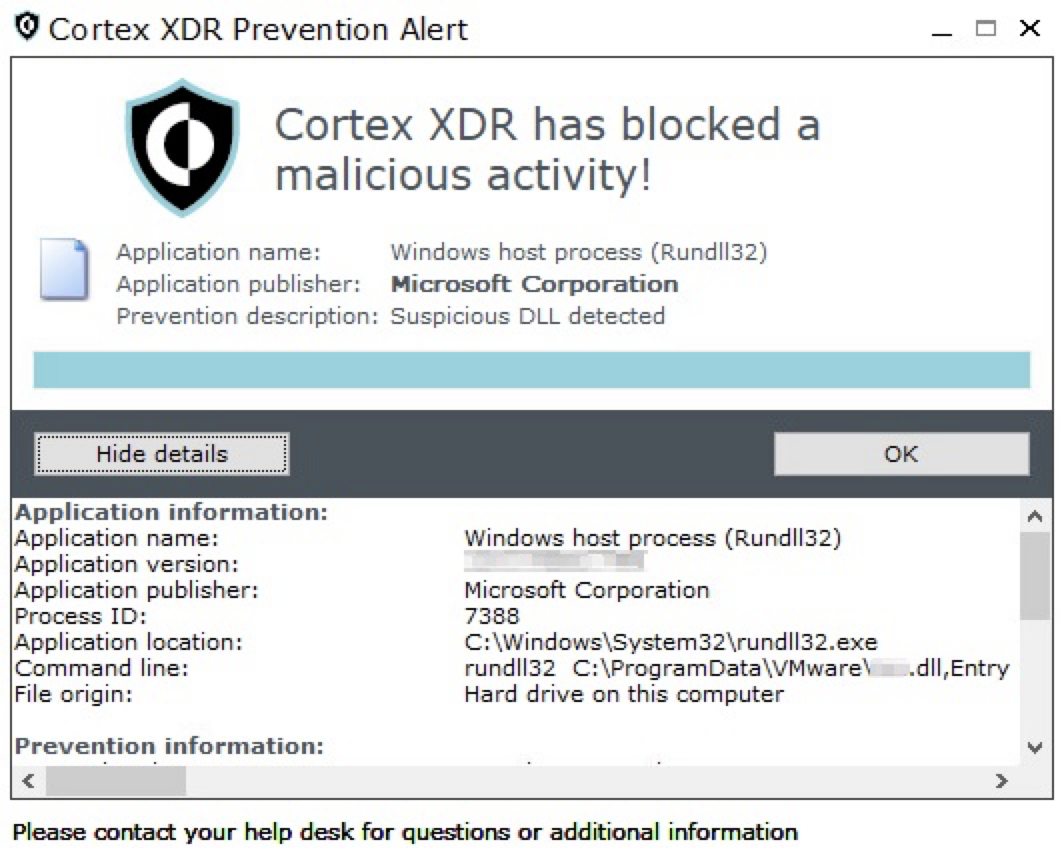
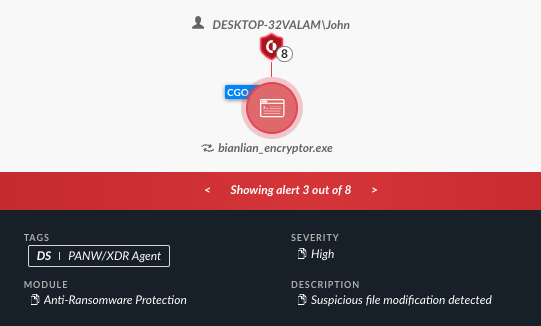
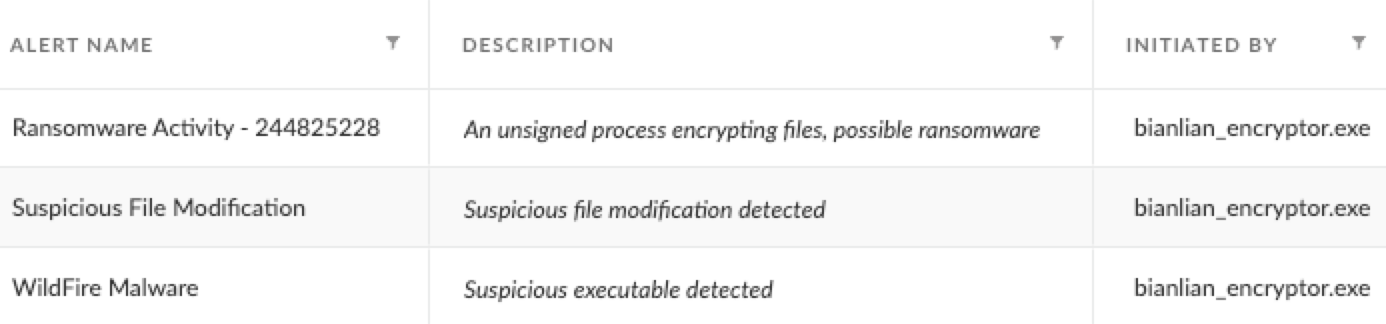
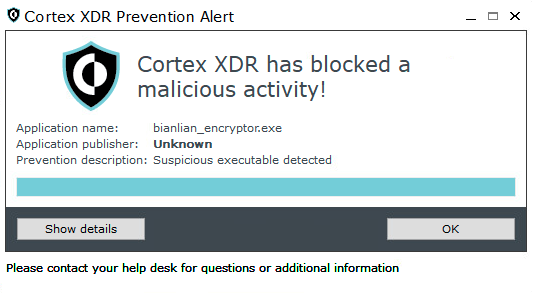
Palo Alto Networks customers are protected from RedLine Stealer and other malware through Cortex XDR and our Next-Generation Firewall with Cloud-Delivered Security Services that include WildFire and Advanced Threat Prevention.

Related Unit 42 Topics pcap, RedLine, RedLine Stealer, Wireshark, Wireshark Tutorial

Scenario, Requirements and Quiz Material

Traffic for this quiz occurred in an Active Directory (AD) environment during July 2023. Details of the Local Area Network (LAN) environment for the pcap follow.

Local Area Network (LAN) Details

  • LAN segment range: 10.7.10[.]0/24 (10.7.10[.]1 through 10.7.10[.]255)
  • Domain: coolweathercoat[.]com
  • Domain controller IP address: 10.7.10[.]9
  • Domain controller hostname: WIN-S3WT6LGQFVX
  • LAN segment gateway: 10.7.10[.]1
  • LAN segment broadcast address: 10.7.10[.]255

This quiz requires Wireshark, and we recommend using the latest version, since it has more features, capabilities and bug fixes over previous versions.

We also recommend readers customize their Wireshark display to better analyze web traffic. A list of tutorials and videos is available. As always, we recommend using Wireshark in a non-Windows environment like BSD, Linux or macOS when analyzing malicious Windows-based traffic.

To obtain the pcap, visit our GitHub repository, download the July 2023 ZIP archive and extract the pcap. Use infected as the password to unlock the ZIP archive.

Quiz Questions

For this RedLine Stealer infection, we ask participants to answer the following questions previously described in our standalone quiz post.

  • What is the date and time in UTC the infection started?
  • What is the IP address of the infected Windows client?
  • What is the MAC address of the infected Windows client?
  • What is the hostname of the infected Windows client?
  • What is the user account name from the infected Windows host?
  • What type of information did this RedLine Stealer try to steal?

Quiz Answers

Answers for this Wireshark quiz follow:

  • The infection started on July 10, 2023, at 22:39 UTC.
  • Infected Windows client IP address: 10.7.10[.]47
  • Infected Windows client MAC address: 80:86:5b:ab:1e:c4
  • Infected Windows hostname: DESKTOP-9PEA63H
  • Infected Windows client IP user account name: rwalters
  • Information RedLine malware attempted to steal:
    • Various types of files on the victim's desktop
    • Various types of files in the victim's Documents folder
    • User data for Chrome, Chromium, Edge, Opera, Vivaldi and various other web browsers
    • Data for various cryptocurrency wallets and browser plugins for those cryptocurrency wallets
    • API keys and login credentials from other applications

Pcap Analysis: Victim Details

The following analysis uses Wireshark customized from our tutorials. Applying the basic web filter reveals a single internal IP address at 10.7.10[.]47 as the only source IP address, as shown below in Figure 1. Using the frame details, we can correlate this source IP with a MAC address at 80:86:5b:ab:1e:c4.

Image 1 is a screenshot of Wireshark. Highlighted in a black box in the Source column are the source addresses. A black arrow points to “basic” filter. Highlighted in a second black box on the bottom is a second address.
Figure 1. Determining the victim’s IP address and MAC address in Wireshark.

Determine the victim’s hostname by filtering on NetBIOS Name Service (NBNS) traffic. Use the Wireshark filter nbns to find DESKTOP-9PEA63H, as shown below in Figure 2.

Image 2 is a screenshot of Wireshark. A green box indicates that the traffic filter is NBNS. Black arrows in the traffic window indicate DESKTOP-9PEA63H in the info column. Black arrows in the bottom window indicate the queries, name and address.
Figure 2. Determining the victim’s Windows hostname from NBNS traffic in Wireshark.

Verify the victim’s hostname and Windows user account name through Kerberos authentication traffic. Filter on kerberos.CNameString to find the Windows user account name rwalters, as shown below in Figure 3.

Image 3 is a screenshot of Wireshark. A green box indicates the traffic filter is set to kerberos.CNameString. A black outline draws the eye to the CNameString column. A black arrow points to rwalters at the bottom of this column.
Figure 3. Determining the victim’s Windows user account name from Kerberos traffic in our customized Wireshark setup.

Pcap Analysis: Malicious Web Traffic

Go back to the basic web filter to find three unencrypted HTTP GET requests in our pcap as shown below in Figure 4. Two of the GET requests are to 623start[.]site. The other GET request is a URL to hxxp://guiatelefonos[.]com/data/czx.jpg.

Image 4 is a screenshot of Wireshark. A black arrow indicates the basic filter has been applied. Surrounded by a black outline are three lines in the Dst, port, Host and Info columns. These are the unencrypted HTTP GET requests.
Figure 4. Three unencrypted HTTP GET requests seen in the web traffic.

Unencrypted HTTP GET requests not caused by the operating system are worth investigating. Follow the TCP stream for either of the HTTP GET requests to 623start[.]site. This should appear as TCP stream 68, and the User-Agent line in the HTTP request headers indicate this traffic was issued through Windows PowerShell as shown below in Figure 5.

Image 5 is a screenshot of Wireshark’s TCP stream window. Indicated by the black arrows pointing to the red text is the HTTP GET requests that both show PowerShell in the User-Agent line.
Figure 5. TCP stream showing probable PowerShell-generated traffic.

While User-Agent strings can be spoofed by malware or web browser extensions, WindowsPowerShell in the User-Agent line is a reliable indicator that this traffic was generated by a PowerShell script. URLs for these two HTTP GET requests are:

  • hxxp://623start[.]site/?status=start&av=Windows%20Defender
  • hxxp://623start[.]site/?status=install

These requests both returned a 404 HTTP Error from the server. The first HTTP request reported an antivirus used on the victim host. In this case, av=Windows%20Defender indicates Windows Defender is the antivirus. The second URL reports an install status for this malware.
In our pcap, the last unencrypted HTTP GET request is hxxp://guiatelefonos[.]com/data/czx.jpg. Follow the TCP stream for this GET request. The TCP stream reveals this URL redirected to an HTTPS version of the same URL as shown below in Figure 6.

Image 6 is a screenshot of Wireshark’s TCP stream window. A black arrow points to the HTTP URL. The second black arrow points to the location line, which is the URL of a JPEG. This URL has been reported as a RedLine stealer malware binary.
Figure 6. HTTP URL to guiatelefonos[.]com redirected to an HTTPS URL.
hxxps://guiatelefonos[.]com/data/czx.jpg has been reported to URLhaus as hosting a RedLine Stealer malware binary, and this specific RedLine Stealer malware binary is associated with the URL.

Pcap Analysis: RedLine Stealer Data Exfiltration

Command and Control (C2) traffic for RedLine Stealer uses TCP traffic over an ephemeral port. To find this traffic in our pcap, use the following Wireshark filter:

tcp.flags eq 0x0002 and !(tcp.port eq 443) and !(tcp.port eq 80) and !(ip.dst eq 10.7.10.0/24)

This filter searches for TCP SYN segments that represent the start of a TCP stream. The search excludes any web traffic over TCP port 80 and TCP port 443. This filter also excludes any SYN segments sent to the internal IP addresses from this AD environment. The result reveals a single TCP SYN segment sent to 194.26.135[.]119 over TCP port 12432 as shown below in Figure 7.

Image 7 is a Wireshark screen screenshot set to a specific filter to find the RedLine stealer command and control traffic.
Figure 7. Finding the Redline Stealer C2 traffic in Wireshark.

Follow the TCP stream to examine post-infection traffic from this RedLine Stealer infection. The window should show TCP stream 71 as shown below in Figure 8.

Image 8 is a screenshot of the TCP stream window in Wireshark, showing the command and control traffic for RedLine stealer that is generated by the infection.
Figure 8. TCP stream for Redline Stealer C2 traffic generated by this infection.

In Figure 8, initial strings from the TCP stream include the C2 channel at tcp://194.26.135[.]119:12432/ and URLs using tempuri[.]org. The term "tempuri" is short for "temporary URI," and the domain tempuri[.]org is a placeholder namespace URI used in Microsoft development tools like Visual Studio. This tempuri domain is not seen in any other traffic from our RedLine Stealer infection.

To better understand what this RedLine Stealer sample is looking for, select data sent from the server to the infected Windows host as shown below in Figure 9.

Image 9 is a screenshot of the TCP stream window in Wireshark. This is status sent from the command and control server to the infected Windows host.
Figure 9. TCP stream viewing data sent from the C2 server to the infected Windows host.

Data from the RedLine C2 server is requesting various types of user information from the victim’s host. Figure 10 highlights data this infection is looking for under the victim’s user profile.

Image 10 is a screenshot of the TCP stream window in Wireshark. Outlined with a black box and indicated by an arrow is the information that was looked for under the victim’s user profile.
Figure 10. Information searched for under the victim’s user profile.

The list includes wildcard searches on the victim’s desktop and the victim’s Documents folder. This includes text files, Word documents and cryptocurrency wallet files as shown below.

  • %userprofile%\Desktop|*.txt,*.doc*,*key*,*wallet*,*seed*|0
  • %userprofile%\Documents|*.txt,*.doc*,*key*,*wallet*,*seed*|0

The list then indicates data from different applications, based on their expected locations under the victim’s AppData directory in their user profile. The list is shown below in alphabetical order.

  • %USERPROFILE%\AppData\Local\360Browser\Browser\User Data
  • %USERPROFILE%\AppData\Local\7Star\7Star\User Data
  • %USERPROFILE%\AppData\Local\Amigo\User\User Data
  • %USERPROFILE%\AppData\Local\Battle.net
  • %USERPROFILE%\AppData\Local\BraveSoftware\Brave-Browser\User Data
  • %USERPROFILE%\AppData\Local\CatalinaGroup\Citrio\User Data
  • %USERPROFILE%\AppData\Local\CentBrowser\User Data
  • %USERPROFILE%\AppData\Local\Chedot\User Data
  • %USERPROFILE%\AppData\Local\Chromium\User Data
  • %USERPROFILE%\AppData\Local\Chromodo\User Data
  • %USERPROFILE%\AppData\Local\CocCoc\Browser\User Data
  • %USERPROFILE%\AppData\Local\Comodo\Dragon\User Data
  • %USERPROFILE%\AppData\Local\Comodo\User Data
  • %USERPROFILE%\AppData\Local\Coowon\Coowon\User Data
  • %USERPROFILE%\AppData\Local\CryptoTab Browser\User Data
  • %USERPROFILE%\AppData\Local\Elements Browser\User Data
  • %USERPROFILE%\AppData\Local\Epic Privacy Browser\User Data
  • %USERPROFILE%\AppData\Local\Fenrir Inc\Sleipnir5\setting\modules\ChromiumViewer
  • %USERPROFILE%\AppData\Local\Google(x86)\Chrome\User Data
  • %USERPROFILE%\AppData\Local\Google\Chrome\User Data
  • %USERPROFILE%\AppData\Local\Iridium\User Data
  • %USERPROFILE%\AppData\Local\K-Melon\User Data
  • %USERPROFILE%\AppData\Local\Kometa\User Data
  • %USERPROFILE%\AppData\Local\liebao\User Data
  • %USERPROFILE%\AppData\Local\Mail.Ru\Atom\User Data
  • %USERPROFILE%\AppData\Local\MapleStudio\ChromePlus\User Data
  • %USERPROFILE%\AppData\Local\Maxthon3\User Data
  • %USERPROFILE%\AppData\Local\Microsoft\Edge\User Data
  • %USERPROFILE%\AppData\Local\Nichrome\User Data
  • %USERPROFILE%\AppData\Local\NVIDIA Corporation\NVIDIA GeForce Experience
  • %USERPROFILE%\AppData\Local\Orbitum\User Data
  • %USERPROFILE%\AppData\Local\QIP Surf\User Data
  • %USERPROFILE%\AppData\Local\Sputnik\Sputnik\User Data
  • %USERPROFILE%\AppData\Local\Steam
  • %USERPROFILE%\AppData\Local\Torch\User Data
  • %USERPROFILE%\AppData\Local\uCozMedia\Uran\User Data
  • %USERPROFILE%\AppData\Local\Uran\User Data
  • %USERPROFILE%\AppData\Local\Vivaldi\User Data
  • %USERPROFILE%\AppData\Local\Yandex\YandexBrowser\User Data
  • %USERPROFILE%\AppData\Roaming\8pecxstudios\Cyberfox
  • %USERPROFILE%\AppData\Roaming\Comodo\IceDragon
  • %USERPROFILE%\AppData\Roaming\K-Meleon
  • %USERPROFILE%\AppData\Roaming\Moonchild Productions\Pale Moon
  • %USERPROFILE%\AppData\Roaming\Mozilla\Firefox
  • %USERPROFILE%\AppData\Roaming\NETGATE Technologies\BlackHaw
  • %USERPROFILE%\AppData\Roaming\Opera Software\
  • %USERPROFILE%\AppData\Roaming\Thunderbird
  • %USERPROFILE%\AppData\Roaming\Waterfox

Scroll down a little further, and we find what appears to be various cryptocurrency wallets this infection looked for as shown below in Figure 11. The data includes identifiers for extensions used by Chromium-based web browsers like Google Chrome and Microsoft Edge.

Image 11 is a screenshot of the TCP stream window in Wireshark. The data displayed are cryptocurrency wallet programs and their associated browser extensions.
Figure 11. Data on cryptocurrency wallet programs and their associated browser extensions.

These cryptocurrency wallet browser extensions are listed below, sorted alphabetically by wallet name. (Read: Chromium-based extension string|extension name.)

  • fhilaheimglignddkjgofkcbgekhenbh|AtomicWallet
  • fhbohimaelbohpjbbldcngcnapndodjp|BinanceChain
  • fihkakfobkmkjojpchpfgcmhfjnmnfpi|BitAppWallet
  • aodkkagnadcbobfpggfnjeongemjbjca|BoltX
  • odbfpeeihdkbihmopkbjmoonfanlbfcl|BraveWallet
  • aeachknmefphepccionboohckonoeemg|Coin98Wallet
  • hnfanknocfeofbddgcijnmhnfnkdnaad|Coinbase
  • blnieiiffboillknjnepogjhkgnoapac|EqualWallet
  • hpglfhgfnhbgpjdenjgmdgoeiappafln|GuardaWallet
  • nanjmdknhkinifnkgdcggcfnhdaammmj|GuildWallet
  • fnnegphlobjdpkhecapkijjdkgcjhkib|HarmonyWallet
  • kncchdigobghenbbaddojjnnaogfppfj|iWallet
  • cjelfplplebdjjenllpjcblmjkfcffne|JaxxxLiberty
  • pdadjkfkgcafgbceimcpbkalnfnepbnk|KardiaChain
  • kpfopkelmapcoipemfendmdcghnegimn|LiqualityWallet
  • dngmlblcodfobpdpecaadgfbcggfjfnm|MaiarDeFiWallet
  • afbcbjpbpfadlkmhmclhkeeodmamcflc|MathWallet
  • nkbihfbeogaeaoehlefnkodbefgpgknn|Metamask
  • nlbmnnijcnlegkjjpcfjclmcfggfefdm|MewCx
  • lpfcbjknijpeeillifnkikgncikgfhdo|NamiWallet
  • jbdaocneiiinmjbjlgalhcelgbejmnid|NiftyWallet
  • fhilaheimglignddkjgofkcbgekhenbh|Oxygen
  • mgffkfbidihjpoaomajlbgchddlicgpn|PaliWallet
  • bfnaelmomeimhlpmgjnjophhpkkoljpa|Phantom
  • fnjhmkhhmkbjkkabndcnnogagogbneec|RoninWallet
  • nkddgncdjgjfcddamfgcmfnlhccnimig|SaturnWallet
  • aiifbnbfobpmeekipheeijimdpnlpgpp|TerraStation
  • cgeeodpfagjceefieflmdfphplkenlfk|TonCrystal
  • ibnejdfjmmkpcnlpebklmnkoeoihofec|Tronlink
  • amkmjjmmflddogmhpjloimipbofnfjih|Wombat
  • hmeobnfnfcmdkdcmlblgagmfpfboieaf|XdefiWallet
  • ffnbelfdoeiohenkjibnmadjiehjhajb|YoroiWallet

Scroll to the end of the stream, and we find this infection searches for API keys and login data for other programs that might be installed on the host as shown below in Figure 12.

Image 12 is a screenshot of the TCP stream window in Wireshark. The data displayed are API keys and other sensitive data.
Figure 12. Data search includes API keys and other sensitive data associated with various applications.

This list includes various cloud platforms, social media applications, and miscellaneous tools. An alphabetically-sorted list follows.

  • ALGOLIA_API_KEY
  • AMAZON_AWS_ACCESS_KEY_ID
  • AMAZON_AWS_SECRET_ACCESS_KEY
  • AWS_ACCESS_KEY_ID
  • AWS_SECRET_ACCESS_KEY
  • AZURE_CLIENT_ID
  • AZURE_CLIENT_SECRET
  • AZURE_PASSWORD
  • AZURE_USERNAME
  • binance_api
  • binance_secret
  • BITTREX_API_KEY
  • BITTREX_API_SECRET
  • CF_PASSWORD
  • CF_USERNAME
  • CI_DEPLOY_PASSWORD
  • CI_DEPLOY_PASSWORD
  • CI_DEPLOY_USER
  • CI_DEPLOY_USER
  • CI_JOB_JWT
  • CI_JOB_JWT_V2
  • CI_JOB_TOKEN
  • CIRCLE_TOKEN
  • CODECLIMATE_REPO_TOKEN
  • CONSUMER_KEY
  • CONSUMER_SECRET
  • COVERALLS_REPO_TOKEN
  • DIGITALOCEAN_ACCESS_TOKEN
  • DOCKER_EMAIL
  • DOCKER_PASSWORD
  • DOCKER_USERNAME
  • DOCKERHUB_PASSWORD
  • FACEBOOK_ACCESS_TOKEN
  • FACEBOOK_APP_ID
  • FACEBOOK_APP_SECRET
  • FIREBASE_TOKEN
  • FOSSA_API_KEY
  • GH_ENTERPRISE_TOKEN
  • GH_TOKEN
  • GITLAB_USER_LOGIN
  • GOOGLE_API_KEY
  • GOOGLE_APPLICATION_CREDENTIALS
  • HEROKU_API_KEY
  • HEROKU_API_USER
  • MAILGUN_API_KEY
  • MCLI_PRIVATE_API_KEY
  • MCLI_PUBLIC_API_KEY
  • MSI_ENDPOINT
  • MSI_SECRET
  • NGROK_AUTH_TOKEN
  • NGROK_TOKEN
  • NPM_AUTH_TOKEN
  • OKTA_AUTHN_GROUPID
  • OKTA_CLIENT_ORGURL
  • OKTA_CLIENT_TOKEN
  • OKTA_OAUTH2_CLIENTID
  • OKTA_OAUTH2_CLIENTSECRET
  • OS_PASSWORD
  • OS_USERNAME
  • PERCY_TOKEN
  • SAUCE_ACCESS_KEY
  • SAUCE_USERNAME
  • SENTRY_AUTH_TOKEN
  • SLACK_TOKEN
  • square_access_token
  • square_oauth_secret
  • STRIPE_API_KEY
  • STRIPE_DEVICE_NAME
  • SURGE_LOGIN
  • SURGE_TOKEN
  • TOKEN
  • TRAVIS_OS_NAME
  • TRAVIS_SECURE_ENV_VARS
  • TRAVIS_SUDO
  • TWILIO_ACCOUNT_SID
  • VAULT_CLIENT_KEY
  • VAULT_TOKEN
  • VULTR_ACCESS
  • VULTR_SECRET

Next, switch the TCP stream window to view data sent from the infected host to the server. This reveals indicators that a screenshot of the infected victim’s Windows desktop was sent to the C2 server as shown below in Figure 13.

Image 13 is a screenshot of the TCP stream window in Wireshark. There is an option to select an entire conversation or two other options of various file sizes, and the final third option one is selected. The black arrow pointing to the left indicates the part of the data that is a screenshot of the infected victim’s desktop, and where it starts in the stream.
Figure 13. Data exfiltrated from the infected Windows host includes a screenshot of the victim’s desktop.

We can extract the screenshot from this traffic. First, show the data from the infected Windows host to the C2 server as "Raw," then save it, as shown below in Figure 14.

Image 14 is a screenshot of the TCP stream window in Wireshark. The black arrow on the left indicates the part of the data to be saved, the black arrow in the middle indicates that the data should be raw, and the arrow on the right indicates to choose “Save As.”
Figure 14. Saving raw data from infected host to C2 server in the TCP stream window.

Open the saved binary in a hex editor, and delete everything before the PNG image file starts as shown below in Figure 15.

Figure 14. Saving raw data from infected host to C2 server in the TCP stream window.
Figure 15. Carving the saved binary in a hex editor.

Save the edited file under a new name using the file extension .png. The first byte of your newly saved file should be 0x89. This newly saved file still contains other non-image data, but we can see the screenshot with an image viewer as shown below in Figure 16.

Image of 16 is a screenshot image from the infected Windows host. The screenshot is a PowerShell window with the data from a web traffic connection.
Figure 16. Viewing the screenshot image from the infected Windows host.

In Figure 16, the screenshot reveals a PowerShell window with data from a web traffic connection.

After reviewing the image, return to the TCP stream (tcp.stream eq 71), view it as ASCII data and select traffic only going from the infected Windows host to the C2 server. Scroll to the end to review additional data sent to the C2 server.

Knowing a little more about the infected Windows host will help us better understand this data. The infected Windows host was a minimal installation, and it only had one set of login credentials stored in the Microsoft Edge browser. The host had just one Word document stored in the user’s Documents folder. The file was named Top_secret_ducment.docx.

Near the end of this TCP stream we find a list of running processes as shown below in Figure 17. We can also find hardware information from the infected host, login credentials from the Edge browser, and the file named Top_secret_ducment.docx.

Image 17 is a screenshot of the TCP stream in Wireshark. Outlined in a black box at the top of the screenshot are the running processes. Indicated by a black arrow is the hardware info. Underneath this, outlined in a black box and indicated by an arrow are the login credentials from the Microsoft Edge browser. Underlined in black and indicated by an arrow is the only Microsoft Word document on the infected host.
Figure 17. Running processes, hardware info, login credentials, and Word document exfiltrated from the infected Windows host.

The running process list in Figure 17 also reveals a process for powershell.exe running a file at C:\Users\rwalters\Documents\mystery_file.ps1. That .ps1 file generated the infection traffic for this Wireshark quiz.

Conclusion

This post provides answers and analysis for our Unit 42 Wireshark quiz featuring a RedLine Stealer infection from July 2023. We now have a better idea of the information this malware looks for, and the types of data it sends from an infected host. RedLine Stealer is important to identify and stop, because it targets sensitive information like login credentials and cryptocurrency wallet info.

Since many security professionals lack access to full packet capture, they may also lack experience with RedLine Stealer and other malware traffic. Training material like this Wireshark quiz is designed to help. Pcap analysis is a very useful skill when investigating a malware infection.

You can read the original post, without answers, from our standalone quiz post.

Palo Alto Networks customers are protected from RedLine Stealer and other malware through Cortex XDR and our Next-Generation Firewall with Cloud-Delivered Security Services that include WildFire, Advanced Threat Prevention and Advanced URL Filtering.

If you think you might have been compromised or have an urgent matter, get in touch with the Unit 42 Incident Response team or call:

  • North America Toll-Free: 866.486.4842 (866.4.UNIT42)
  • EMEA: +31.20.299.3130
  • APAC: +65.6983.8730
  • Japan: +81.50.1790.0200

Palo Alto Networks has shared these findings, including file samples and indicators of compromise, with our fellow Cyber Threat Alliance (CTA) members. CTA members use this intelligence to rapidly deploy protections to their customers and to systematically disrupt malicious cyber actors. Learn more about the Cyber Threat Alliance.

Indicators of Compromise

Traffic from the pcap related to the RedLine Stealer infection:

  • hxxp://623start[.]site/?status=start&av=
  • hxxp://623start[.]site/?status=install
  • hxxp://guiatelefonos[.]com/data/czx.jpg
  • hxxps://guiatelefonos[.]com/data/czx.jpg
  • tcp://194.26.135[.]119:12432/

Files associated with traffic from this RedLine Stealer infection:

  • SHA256 hash: f754d7674a3a74969cccb7d834c99b72b9f79c29dc8d0e9c15854a6bfb1a9c97
  • File size: 800 bytes
  • File name: SECT_v4.ps1
  • File description: PowerShell script used to kick off the RedLine Stealer infection
  • Sample available at MalwareBazaar Database
  • SHA256 hash: 3c42b93801f02696487de64bb623f81cf7baf73a379a46e1459ca19ae7dc2454
  • File size: 348,160 bytes
  • File location: hxxps://guiatelefonos[.]com/data/czx.jpg
  • File description: Windows executable file for RedLine Stealer
  • Sample available at MalwareBazaar Database

Additional Resources

Wireshark Tutorial: Changing Your Column Display

Executive Summary

Wireshark is a free protocol analyzer that can record and display packet captures (pcaps) of network traffic. IT professionals use this tool to investigate a wide range of network issues. Security professionals also use Wireshark to review traffic generated from malware.

What makes Wireshark so useful? It is very customizable. Wireshark’s default column display provides a wealth of information, but you should customize the columns to meet your specific needs.

This article is the first in a series of Wireshark tutorials that provides customization options helpful for investigating malicious network traffic. It was first published in August 2018 and has been updated for 2023.

Related Unit 42 Topics pcap, Wireshark, Wireshark Tutorial

Requirements

We recommend using a non-Windows environment like BSD, Linux or macOS. Pcaps from Windows infections may contain malicious binaries that present a risk of infection when using Wireshark on a Windows computer. For this tutorial, we use the Xubuntu Linux distro.

If possible, review pcaps using the most recent version of Wireshark for your environment. Recent versions have more features, capabilities and bug fixes than older versions. We recommend at least version 3.6.2 or later. In this tutorial, we use Wireshark version 4.0.7.

Wireshark users must have a basic understanding of network traffic, and this series of tutorials focuses on IPv4 traffic. The term “basic understanding” means different things to different people, but the knowledge does not have to be extensive.

For example, readers should know the difference between a public IPv4 address and an internal, nonroutable IPv4 address. Basic network knowledge includes recognizing TCP and UDP traffic and knowing about DNS. Readers should also have some idea how network traffic is routed between an internal client like a desktop computer and an external server like a website.

Ultimately, this series of tutorials assumes readers have some sort of background and interest in reviewing malicious network traffic.

Supporting Material

The pcap for this tutorial is hosted at our GitHub repository. Download the pcap as shown below in Figure 1.

Image 1 is a screenshot of the Unit 42 Wireshark tutorials GitHub. A black arrow indicates the icon to download a file, which in this case is the tutorial for the column setup. A second black arrow points to the save button of the popup window for downloading the Zip archive.
Figure 1. Saving the pcap for this tutorial from our GitHub repository.

The name of your downloaded ZIP archive should be Wireshark-tutorial-column-setup.pcap.zip. Use infected as the password to unlock the ZIP archive as shown below in Figure 2.

Image 2 is how to extract the zip file to the end user’s download folder. After clicking on zip file in the downloads folder, a black arrow points to the menu where “Extract Here” is selected. A popup for a password has a filled password field. After hitting the button with a green check that says “OK” the .pcap file is extracted.
Figure 2. Extracting our pcap from the password-protected zip archive.

The extracted pcap for this tutorial is named Wireshark-tutorial-column-setup.pcap. Now that we have our pcap, let’s check our version of Wireshark.

Wireshark Version Check

Without any pcap loaded, Wireshark displays its version number on the welcome screen as shown below in Figure 3.

Image 3 a screenshot of the Welcome screen of Wireshark. Highlighted in a red box and indicated by a red arrow is the version number for Wireshark.
Figure 3. Wireshark’s version number displayed on its welcome screen.

We can also select “About Wireshark” under the Help menu to view the version number as shown below in Figure 4.

Image 4 is a screenshot of Wireshark's welcome screen. The help menu has been selected. A black arrow indicates to select About Wireshark. An inset popup of the About Wireshark menu shows the first tab, which is Wireshark. Indicated by a red rectangle and a red arrow is the version number. Here it is version 4.0.7.
Figure 4. Wireshark’s version number from About Wireshark under the Help menu.

Configuration Profiles

After confirming you have Wireshark version 3.6.2 or newer, select Configuration Profiles under Wireshark’s Edit menu. Make a copy of the default configuration profile by clicking the Copy button as shown below in Figure 5.

Image 5 is a screenshot of Wireshark’s Edit menu. Highlighted is the configuration profiles option. A black arrow indicates the pop-up window that comes up when this is selected. This is where you will copy the default profile and give it a new name. In the configure figuration profile, the default is selected, and a black arrow points to the copy icon.
Figure 5. Copying the default configuration profile in Wireshark.

After copying the default profile, give it a new name. We suggest changing the name to “Customized” as shown below in Figure 6.

Image 6 is a screenshot of the configuration profile window in Wireshark. A black arrow indicates the new, customized configuration profile, and the type is Personal. A tooltip notes that it is copied from the default.
Figure 6. Renaming the copy of the default configuration profile.

If this newly created profile is still selected when we close the Configuration Profiles window, any customizations to Wireshark will be stored to this newly created profile.

Web Traffic and the Default Wireshark Column Display

Malware distribution frequently occurs through web traffic. Data exfiltration and command and control activity can also use web traffic. However, when reviewing such malicious activity, Wireshark's default column options are not ideal.

Fortunately, we can customize Wireshark’s column display to provide a better view of web traffic. To view the default layout of Wireshark, open the pcap we previously downloaded for this tutorial. The default layout for Wireshark version 4.0.7 is shown below in Figure 7.

Image 7 is a screenshot of Wireshark that shows the default layout. Black arrows indicate, from the top down, the display filter, the column display, and the frame details. Another window shows the hexadecimal view of the frame.
Figure 7. Default layout for Wireshark version 4.0.7 after opening our pcap.

Examine your column display. Wireshark’s default columns are listed below in Table 1.

Column Name Column Description
No. Frame number from the beginning of the pcap. The first frame is always 1.
Time Seconds broken down to the microsecond from the first frame of the pcap. The first frame is always 0.000000.
Source Source address, commonly an IPv4, IPv6 or Ethernet address.
Destination Destination address, commonly an IPv4, IPv6 or Ethernet address.
Protocol Protocol used in the Ethernet frame, IP packet or TCP segment (ARP, DNS, TCP, HTTP, etc.).
Length Length of the frame in bytes.
Info Information about the Ethernet frame, IP packet or TCP segment.

Table 1. Columns used in Wireshark’s default display.

To better examine Windows-based malware traffic, this tutorial customizes Wireshark to use the columns shown below in Table 2.

Column Name Column Description
Time Date and time in UTC.
Source address IPv4, IPv6 or Ethernet source address.
Source port TCP or UDP port used by the source address for IPv4 or IPv6 traffic.
Destination address IPv4, IPv6 or Ethernet destination address.
Destination port TCP or UDP port used by the destination address for IPv4 or IPv6 traffic.
Domain Domain name used in HTTP or HTTPS traffic.
Info Information about the Ethernet frame, IP packet or TCP segment.

Table 2. Columns for our customized Wireshark column display.

To customize our Wireshark column display, we will first change the Time column to show the date and time in Universal Coordinated Time (UTC).

Changing Date and Time to UTC

When publicly sharing information about a malware infection, the recipients can be in any part of the world. Due to the different time-zones, a standard format for reporting the time of malicious activity is UTC.

To change Wireshark's time display format, under the View menu, go to "Time Display Format," and change the value from "Seconds Since Beginning of Capture" to "UTC Date and Time of Day." Use the same menu path to change the resolution from "Automatic" to "Seconds." Figure 8 shows the menu paths for these options.

Image 8 is a screenshot of the main view menu in Wireshark. A black arrow indicates that the time display format has been selected. A second menu from time display format shows the different options. Two black arrows indicate two separate selections. The first is UTC date and time of day, and the other is seconds. This will change Wireshark's time display format to UTC and seconds. Other options include nanoseconds, hundredths of a second, time of day, etc.
Figure 8. Changing Wireshark’s time display format to UTC date and time.

When finished, the column display shows the UTC date and time as noted below in Figure 9. Now when we review a pcap, we immediately know the date and time of the network traffic.

Image 9 is a screenshot of Wireshark showing the changed time display. The time column is highlighted with an a black rectangle. It now displays the time with seconds in a UTC format.
Figure 9. UTC date and time in our updated Wireshark column display.

Our next step in customizing Wireshark is to remove columns we do not need for our day-to-day work.

Removing Columns

The No., Protocol and Length columns are not necessary when reviewing web-based traffic, so we suggest removing them. To remove these columns, right-click on the column header and select "Remove this Column" from the menu as shown below in Figure 10.

Image 10 is a screenshot of Wireshark’s column display? A black arrow indicates the number column. By clicking on this column, you can select “remove this column” on the very bottom, as indicated by another black arrow.
Figure 10. Removing the No. column in Wireshark.

Your updated column display should now show only four columns: Time, Source, Destination and Info, as noted in Figure 11.

Image 11 is a Wireshark screenshot showing the four columns in the updated column display. These are time, source, destination, and info.
Figure 11. The four columns remaining in our updated column display.

After removing the unnecessary columns, we are ready to add new columns to our Wireshark display.

Adding Columns

We can add columns in Wireshark using the Column Preferences window. To open this window, right-click on any of the column headers, then select “Column Preferences…” in the resulting menu as shown below in Figure 12.

Image 12 is a screenshot of Wireshark's column preferences window, which displays after right-clicking on any of the columns in the column view. These are indicated by black arrows.
Figure 12. Getting to the Column Preferences window.

This brings up the Column Preferences window, which lists all of Wireshark’s columns, viewed or hidden. Near the bottom-left side of the Column Preferences window are two buttons. One is labeled with a plus sign to add columns. The other has a minus sign to remove columns. Left-click on the plus sign as shown below in Figure 13.

Image 13 is the Preferences window in Wireshark. Under the Appearance menu on the left, Columns has been selected. A black arrow indicates to select the green plus sign to add a new column to Wireshark's column display.
Figure 13. The button to add a new column to Wireshark’s column display.

A new entry with the title “New Column” should appear at the bottom of the list. Double-click on the title to change the column name as shown below in Figure 14.

Image 14 is the Preferences window in Wireshark. Under the Appearance menu on the left, Columns has been selected. A black arrow indicates that a new column has been created. The title is New Column. The type is Number.
Figure 14. Renaming the newly created column.

Name this new column “Src port” and change the column type from number by double-clicking on column type setting as shown below in Figure 15.

Image 15 is the Preferences window in Wireshark. Under the Appearance menu on the left, Columns has been selected. A black arrow indicates that the type of new column that has been created is Number. The title is now Src port.
Figure 15. Getting ready to change our newly created column’s type.

Click again to bring up a scrollable list of options for the column type. Scroll down and select “Src port (unresolved)” for the column type as shown below in Figure 16.

Image 16 is the Preferences window in Wireshark. Under the Appearance menu on the left, Columns has been selected. A black arrow indicates how to select Src port (unresolved) as the type.
Figure 16. Selecting Src port (unresolved).

Next, create a new column entry, label it “Dst port” and select “Dest port (unresolved)” as the column type as shown below in Figure 17.

Image 17 is the Preferences window in Wireshark. Under the Appearance menu on the left, Columns has been selected. A black arrow indicates that another new column has been created and the type is Dest port (unresolved).
Figure 17. Selecting Dest port (unresolved) for a newly created Dst port column.

When finished, the Column Preferences window should show the two newly created columns as shown below in Figure 18.

Image 18 is the Preferences window in Wireshark. Under the Appearance menu on the left, Columns has been selected. A red rectangle and a red arrow indicate that to new columns have been created that have been added to the column display. They are sore support and destination port. Both are unresolved.
Figure 18. Our two newly created columns for Wireshark’s column display.

We can drag these columns to place Src port after the Source address and Dst port after the Destination address entry. Left-click to select, hold the mouse button and drag the entry to its new position in the list. Figure 19 shows an attempt to move the Dst port column to a position immediately after the Destination address entry.

Image 19 is the Preferences window in Wireshark. Under the Appearance menu on the left, Columns has been selected. The icon of a gripped hand with an arrow indicates that the destination port is being moved, and the order of the columns has now changed.
Figure 19. Moving our newly created Dst port column entry.

After moving our newly created Src port and Dst port entries, we suggest changing the column type for your Source address to “Src addr (unresolved)” and Destination address to “Dest addr (unresolved).” If you do this, the Column Preferences window should appear similar to Figure 20.

Image 20 is the Preferences window in Wireshark. Under the Appearance menu on the left, Columns has been selected. The columns now display in a different order. From top to bottom, these are time, source, source port, destination, destination port, and information.
Figure 20. Our updated column list in the Column Preferences window.

After completing these changes, click OK to close the Column Preferences window. Wireshark should now display the following six columns (read: label - type):

  • Time - Time (format as specified)
  • Src - Src addr (unresolved)
  • Src port - Src port (unresolved)
  • Dst - Dest addr (unresolved)
  • Dst port - Dest port (unresolved)
  • Info - Information

Figure 21 shows an example of what this should look like.

Image 21 is the column display in Wireshark, showing the new columns that were added. Black arrows indicate their name and their order.
Figure 21. Wireshark’s column display after updating our columns.

Figure 21 reveals our newly created Src port and Dst port columns are aligned to the right, while all the other columns are aligned to the left. Right click the column header for each of our right-aligned columns to bring up a menu, then click the “Align Left” checkbox to align these columns to the left. Figure 22 shows an example for the Src port column.

Image 22 is a Wireshark screenshot showing how to align the new columns to the left. By right-clicking on the column header, Align Left can be selected from the menu.
Figure 22. Aligning our newly created Src port column to the left.

When finished, the Src port and Dst port columns should be aligned to the left, matching all the other columns as shown below in Figure 23.

Image 23 is a Wireshark screenshot. Two black rectangles indicate how the source port and the destination port columns are now both aligned left.
Figure 23. Src port and Dst port columns now aligned to the left.

While we can add several different types of columns through the Column Preferences window, we cannot add every conceivable column type. For example, we cannot add a column showing the domains associated with web traffic this way. Fortunately we can add a customized column that reveals these web traffic domains.

Adding Customized Columns

Wireshark allows users to add customized columns based on almost any value found in the frame details window. To better view the frame details, we should temporarily hide the hexadecimal view. Under the View menu, uncheck "Packet Bytes" as shown below in Figure 24.

Image 24 is a Wireshark screenshot. Under the view menu, a black arrow indicate to uncheck Packet Bytes.
Figure 24. Hiding the hexadecimal panel by unchecking the Packet Bytes view.

Now we should only have two sections displaying pcap data: the column display and the frame details.

First, we should create a customized column for domains used in unencrypted HTTP web traffic. In Wireshark, type http.request in the Wireshark filter bar and hit enter. Select the first frame in your column display. In the frame details section, expand the line for Hypertext Transmission Protocol. Then find the “Host” line. In this case, it should have msftconnecttest in the name. Left-click on that line to select it, then right-click to bring up a menu. Select “Apply as Column” as shown below in Figure 25.

Image 25 is a Wireshark screenshot. Three black arrows indicate that by selecting under the frame details window, you can select Apply as Column from the preferences.
Figure 25. Under the frame details window, find the line to create an HTTP hostname column.

This should create a new column titled Host as shown below in Figure 26.

Image 26 is a Wireshark screenshot. A black rectangle indicates the newly-created Host column.
Figure 26. Newly created Host column shown when viewing HTTP traffic in our pcap.

Next, let’s create another customized column for domains used in encrypted HTTPS web traffic. Clear your Wireshark filter bar, then type tls.handshake.type eq 1 and hit enter. Select the first frame in your column display.

In the frame details panel, expand the line for Transport Layer Security. Under that, expand the line for TLSv1.2 Record Layer: Handshake Protocol: Client Hello. Under that, expand the line that reads Handshake Protocol Client Hello. The expanded frame details are shown below in Figure 27.

Image 27 is a Wireshark screenshot. A black arrow indicates one line has been selected. three black arrows in the lower pane indicate the details from that line. These include Transport Layer Security, the TLSv1.2 Record Layer, and the Handshake Protocol. The filter used is tls.handshake.type. eq 1.
Figure 27. Filtering on HTTPS traffic and expanding items in the frame details window.

Scroll down in the frame details section to find and expand the line that starts with Extension: server_name. Under that, find and expand the line that reads Server Name: Indication extension. Under that is a line that reads Server Name: geo.prod.do.dsp.mp.microsoft.com. Left-click on that line to select it, right-click to bring up a menu and select Apply as Column as shown below in Figure 28.

Image 28 is a Wireshark screenshot. A black arrow indicates one line has been selected in the lower pane. Apply as column has been selected from the menu. The filter used is tls.handshake.type. eq 1.
Figure 28. Under the frame details window, find the line to create an HTTPS server name column.

This should create a new column to the right of our recently created Host column titled “Server Name” as shown below in Figure 29.

Image 29 is a Wireshark screenshot. A black rectangle indicates the new Server Name column. The filter used is tls.handshake.type. eq 1.
Figure 29. Newly created Server Name column shown when viewing HTTPS traffic in our pcap.

Right-click any of the column headers to bring up a menu to reach our Column Preferences window again. In our Column Preferences window, we see these two newly created customized columns as shown below in Figure 30.

Image 30 is a Wireshark screenshot of the Preferences window. A red rectangle highlights the host and server name in the column display. The type shows the both of these columns are custom.
Figure 30. Our two newly created customized columns in the Column Preferences window.

To save screen space, we should combine these two columns into a single column. First, double-click on the Fields value in the Server Name entry and copy the text reading tls.handshake.extensions_server_name as shown below in Figure 31.

Image 31 is a Wireshark screenshot of the Preferences window. The Server Name column has been selected. A black arrow indicate to copy this column in a popup menu.
Figure 31. Copying the Fields value from the Server Name column.

Next, use the or operand to combine that text with the Fields value for the Host entry. The new value for the Host entry should read http.host or tls.handshake.extensions_server_name as shown below in Figure 32.

Image 32 is a Wireshark screenshot of the Preferences window. The custom Host row has its Fields column highlighted in green.
Figure 32. New Fields value for our recently created Host column.

Since both Fields values are now in the Host entry, delete the Server Name entry as shown below in Figure 33.

Image 33 is a Wireshark screenshot of the Preferences window. The custom Server Name column is now being deleted. It is selected, and a black arrow indicates to hit the red minus button.
Figure 33. Delete the Server Name column, because it is no longer needed.

When finished, the list in your Column Preferences window should appear similar to Figure 34.

Image 34 is a Wireshark screenshot of the Preferences window. The updated column display list is now time, source, source port, destination, destination port, host, and info.
Figure 34. Our updated column display list.

Close the Column Preference window. Now we can filter for both HTTP and HTTPS activity, and any domains associated with this web traffic will appear in our updated Host column.

Type the following in your Wireshark filter:

http.request or tls.handshake.type eq 1

Scroll through the results in your updated Wireshark column display. The results should look similar to the Wireshark screenshot in Figure 35.

Image 35 is a Wireshark screenshot of the updated Host column. It is highlighted by a black rectangle. The filter used is http.request or tls.handshake.type eq 1.
Figure 35. Updated Host column showing domains associated with web traffic.

Now that we have created all of our columns, we can hide any of them as needed.

Hiding Columns

When reviewing pcaps of web traffic generated by malware, the activity is often collected from a single internal IP address used by the infected host. One such example is a pcap generated by an online sandbox that analyzes malware. When investigating an alert for a suspected infection, investigators pull traffic from the internal IP associated with that alert, if the traffic is available.

In these cases, filtering on web traffic will reveal the same internal IP address in our Src column. For this tutorial, we captured our pcap from an internal IP address at 172.16.1[.]135, so our column display will only show that IP in the Src column when filtering for web traffic.

Because of this, we can hide the Src and Src port columns to better focus on the web traffic.

To hide any column in Wireshark, left-click on any of the column headers, then uncheck the columns you want to hide. Figure 36 shows unchecked boxes for the Src and Src port columns.

Image 36 is a Wireshark screenshot demonstrating how to hide the Source and Source Port columns by unchecking boxes from the menu.
Figure 36. Hiding the Src and Src port columns by unchecking the boxes.

Hiding these columns provides a better idea of the traffic when viewing web activity. For example, we see the host generated unencrypted web traffic to the site httpforever[.]com on Aug. 7, 2023, at 18:57 UTC as revealed below in Figure 37.

Image 37 is a Wireshark screenshot that displays the more concise view of the web traffic.
Figure 37. A more concise view of the web traffic in our pcap.

Now that we have customized our column display, we should export our updated configuration profile.

Exporting Your Updated Configuration Profile

Recent versions of Wireshark allow users to export or load personal configuration profiles. This is useful when installing Wireshark in a new environment. Instead of redoing all the steps in this tutorial, we can load the profile saved from a previously exported configuration.

To export our newly customized configuration profile, select “Configuration Profiles…” under the Edit menu as shown below in Figure 38.

Image 38 is a Wireshark screenshot. From the edit menu, Configuration Profiles has been selected, as indicated by the black arrow.
Figure 38. Menu path for the Configuration Profiles window.

The Configuration Profiles window should still have our customized profile selected. To export this profile, click on the Export button as shown below in Figure 39. You can export multiple personal profiles you have created.

Image 39 is a screenshot of Wireshark's Configuration Profiles menu. Highlighted in blue is customized profile with the type being personal. A black arrow indicate to select Export, with all personal profiles being selected from the drop down menu.
Figure 39. Exporting your personal profile(s) from the Configuration Profile window.

Exported profile(s) are saved as a ZIP archive. If necessary, ensure your saved filename has a .zip file extension as shown below in Figure 40.

Image 40 displays how to save your exported profile as a zip from Wireshark. The name of the zip file is customized-profiles. Desktop has been selected as the location to save the zip file to.
Figure 40. Save your exported profile(s) as a ZIP archive.

To import a saved profile, click the Import button in your Configuration Profiles window as shown below in Figure 41.

Image 41 displays how to import a profile from a zip into Wireshark. Indicated by a black arrow is the import button. From the zip file has been selected from the drop-down menu.
Figure 41. Importing a previously exported configuration profile from the Configuration Profiles window.

Conclusion

Wireshark’s default configuration works well for many people, but users can customize Wireshark to better fit their specific needs. For example, the customizations in this tutorial can be extremely useful when reviewing web traffic to determine an infection chain.

Our next tutorial in this series focuses on display filter expressions useful for investigating suspicious network traffic.

Additional Resources

Why LaZagne Makes D-Bus API Vigilance Crucial

Executive Summary

Attackers have increased targeted attacks on Linux systems, and the easy accessibility of hacktool utilities like LaZagne (a popular open-source password recovery tool) has made this increasingly convenient for threat actors to use in malware attack chains for dumping passwords. The tool poses a significant risk to Linux users because it targets popular chat software like Pidgin, using D-Bus APIs to extract sensitive information including passwords.

This article provides a concise overview of how LaZagne leverages the Pidgin D-Bus APIs to fetch this information, and why keeping an eye on the D-Bus APIs can be a smart security move. We will also examine how attackers use LaZagne in specific malware campaigns.

Advanced WildFire for Linux empowered with eBPF successfully detects D-Bus API related activities. Palo Alto Networks customers receive protection from the hacktool LaZagne in Wildfire through YARA and behavioral rules to detect suspicious activity related to the LaZagne threat.

Related Unit 42 Topics Linux, API Attacks

Introduction to D-Bus

Desktop-Bus, commonly called D-Bus, is an inter-process communication (IPC) mechanism in *nix-based systems that allows applications and services to communicate with each other efficiently. D-Bus uses a client-server architecture where the dbus-daemon application acts as a server and applications act as clients.

D-Bus is widely used in popular software like NetworkManager, PulseAudio, systemd and Evolution, and it enables seamless communication between various system components and applications. For example, Evolution email clients use D-Bus for communication with other components like the Evolution Data Server. This data server handles tasks such as storing and managing email accounts, contacts and calendars.

The D-Bus APIs on a Linux system facilitate communication between applications and services, potentially exposing sensitive data. Therefore, the APIs could pose risk if they are not monitored. The LaZagne hacktool leverages the Pidgin D-Bus APIs to dump credentials.

How LaZagne Steals Pidgin Credentials

LaZagne connects to the Pidgin client’s D-Bus API and fetches account credentials, including usernames and passwords, while the application runs (as shown in Figure 1).

Image 1 is a screenshot of the LaZagne project fetching account credentials. Some of the information is redacted. Under the text Pidgin passwords, there is a notification that a password has been found, listing a login (redacted), and the password. Also included is the option to launch the program again using -v. The elapsed time is also listed.
Figure 1. LaZagne fetching account credentials.

The code in Figure 2 shows how the LaZagne hacktool connects with the Pidgin D-Bus APIs to retrieve credentials.

Image 2 is a screenshot of python code. Highlighted in three green boxes highlighted from top to bottom are the definition to get the password, try, and for. This is how LaZagne leverages D-Bus to fetch passwords.
Figure 2. LaZagne leveraging D-Bus to fetch passwords. Source: AlessandroZ/LaZagne.

Here is a breakdown of the highlighted code shown above in Figure 2.

  • The get_password_from_dbus method is defined inside the Pidgin class, which inherits from the ModuleInfo class.
  • D-Bus connections for each session are created using dbus.bus.BusConnection(session). For each method called on the purple object (created as an instance of the Pidgin D-Bus APIs), the dbus-python library internally handles the creation, sending and receiving of D-Bus messages.
  • The PurpleAccountGetUsername(_acc), PurpleAccountGetPassword(_acc) and PurpleAccountGetProtocolName(_acc) methods are used to interact with the Pidgin application. They fetch the username, password and protocol name respectively, for each account from the Pidgin D-Bus APIs.
  • The extracted information is then stored in a list called pwd_found as dictionaries.

Some of the low-level libdbus library APIs (shown in Figure 3) that could be used for similar processes include:

  • dbus_message_new_method_call()
    • To create a new D-Bus message for a method call
  • dbus_message_append_args()
    • To append arguments to a D-Bus message
  • dbus_connection_send_with_reply_and_block()
    • To send the message and wait for a reply
  • dbus_message_get_args()
    • To extract the arguments from the reply message
Image 3 is screenshot of the low-level libdbus library APIs in LaZagne’s Pidgin class. Four areas are highlighted in red. Highlighted by a yellow underline are username and password.
Figure 3. Low-level implementation of LaZagne’s Pidgin class.

LaZagne allows threat actors to dump credentials for other accounts in addition to Pidgin’s. It can also dump KDE Wallet (KWallet) passwords via D-Bus APIs. KWallet is a secure password management system used by the KDE desktop environment on Linux. These passwords are the individual passwords saved within the KWallet system, which can include passwords for websites, email accounts, Wi-Fi networks or any other credentials a user chooses to store.

Threat actors have leveraged these D-Bus APIs to obtain sensitive data, and various public sources document cases of criminal groups that have utilized LaZagne during the past few years.

LaZagne in Malware Campaigns

LaZagne's availability on multiple operating systems has made it an attractive tool for threat actors.

In 2019, suspected Iranian-sponsored threat group Agent Serpens (aka Charming Kitten or APT35) used LaZagne in a series of attacks that harvested login credentials from Windows-based systems.

In 2020, the activity cluster Unit 42 researchers track as CL-CRI-0025 (tracked by other companies as a threat actor known as UNC1945 or LightBasin), used a custom Quick Emulator (QEMU) Linux virtual machine that contained various tools, including LaZagne, to harvest credentials from Italian and other European targets.

Since 2020, the threat actor we track as Prying Libra (aka Gold Dupont, behind attacks leading to RansomEXX ransomware) have reportedly used LaZagne to extract credentials from targeted hosts.

As early as July 2021, Adept Libra (aka TeamTNT) used LaZagne as part of its Chimaera campaign to steal passwords from various operating systems, including Linux distributions in cloud-based environments. This campaign continued through at least December 2021, when Adept Libra used LaZagne to steal passwords from a WordPress site in a Kubernetes environment.

The following table summarizes the use of the hacktool in various malware attack campaigns:

Threat Actor Target Area LaZagne Usage in Campaigns  
Adept Libra  IoT and cloud Infrastructures Chimaera and kubelet campaigns
CL-CRI-0025  Telecommunication and defense industry Threat campaign against Italian enterprises
Agent Serpens  Military and diplomacy sectors Leveraged in Windows-based attack campaign
Prying Libra  Software and industrial companies  RansomEXX ransomware campaign 

Figure 4 shows an example of the bash script using LaZagne in the reported December 2021 attack.

Image 4 is a screenshot of an example bash script that uses LaZagne. This is from the attack reported in December 2021. Highlighted in yellow is where a lasagna was executed. Highlighted in red is where the data is stored. Highlighted in green is where the data is exfiltrated.
Figure 4. TeamTNT LaZagne script (VirusTotal results by hash).

The use of LaZagne by sophisticated threat groups in their campaigns highlight the tool's effectiveness in capturing passwords and enabling further exploitation.

Monitoring D-Bus API

Since LaZagne can leverage D-Bus to extract sensitive data from running applications, we can monitor D-Bus API calls to detect such suspicious activity. Library tracing tools such as those based on Extended Berkeley Packet Filter (eBPF) help in exposing the D-Bus API calls.

Figure 5 below illustrates monitoring of D-Bus APIs using the bpftrace tool against LaZagne hacktool activity (SHA256: d2421efee7a559085550b5575e2301a7c2ed9541b9e861a23e57361c0cdbdbdb)

Bpftrace is a command-line tool for Linux systems, designed for dynamic analysis of kernel and user-level programs. Using the bpftrace tool, we set the probe on the dbus_message_get_args() API. We used this API to extract the arguments from the reply message, which is defined in the libdbus-1.so.3 shared object library.

The one-liner bpftrace probe command we used is as follows:

Image 5 screenshot of two different terminals. On the left terminal is where Pidgin usernames and passwords were successfully dumped by LaZagne. In the right terminal is where the API calls were logged.
Figure 5. Monitoring D-Bus API using bpftrace.

Figure 5 above shows that Pidgin usernames and passwords were successfully dumped by LaZagne (on the left terminal) and the API calls were logged in the bpftrace output (on the right terminal).

Hooking high level D-Bus APIs and logging the details like process identifier (PID) and program name can be useful as they allow us to identify which process is calling the API.

Conclusion

Closely monitoring D-Bus APIs could be an important way for defenders to secure applications and connected systems against malware and hacktools. Developers and cybersecurity professionals must collaborate to stay informed about security risks and take necessary actions to protect applications and sensitive user data.

With the increasing adoption of cloud computing and IoT, robust security measures are essential. Advanced WildFire for Linux empowered with eBPF successfully detects D-Bus API related activities. Palo Alto Networks customers receive protection from the hacktool LaZagne in Wildfire through YARA and behavioral rules to detect suspicious activity related to the LaZagne threat.

If you think you may have been compromised or have an urgent matter, get in touch with the Unit 42 Incident Response team or call:

  • North America Toll-Free: 866.486.4842 (866.4.UNIT42)
  • EMEA: +31.20.299.3130
  • APAC: +65.6983.8730
  • Japan: +81.50.1790.0200

Palo Alto Networks has shared our findings, including file samples and indicators of compromise, with our fellow Cyber Threat Alliance (CTA) members. CTA members use this intelligence to rapidly deploy protections to their customers and to systematically disrupt malicious cyber actors. Learn more about the Cyber Threat Alliance.

Acknowledgments

I would like to thank Yang Ji and Dongrui Zeng for their valuable inputs and suggestions that helped shape up this article.

Indicators of Compromise

LaZagne binary

  • d2421efee7a559085550b5575e2301a7c2ed9541b9e861a23e57361c0cdbdbdb

LaZagne binary

  • d23707e0123732e03d156a0fd474a1384e1b3deee3235df9e96ff5d21a4d440c

LaZagne shell script (used in kubelet campaign)

  • b58bef842f6d6d4f53e6821f9ac1b63780267cc81006b649b56c263efeab1306

YARA

rule elf_hacktool_lazagne
{
meta:
author = "Siddharth Sharma - PaloAltoNetworks"
description = "the lazagne hacktool."

strings:
$str1="lazagne" ascii wide nocase
$str2="softwares.chats.pidgin" ascii wide nocase
$str3="softwares.wallet.gnome" ascii wide nocase
$str4="softwares.sysadmin.shadow" ascii wide nocase
$str5="libdbus" ascii wide nocase
condition:
uint32(0) == 0x464c457f and all of them
}

Crossing the Line: Unit 42 Wireshark Quiz for RedLine Stealer

Executive Summary

RedLine Stealer is information-stealing malware that harvests login credentials and other sensitive data from a victim's Windows host. This Wireshark quiz uses a packet capture (pcap) that “crosses a line” separating normal traffic from malicious activity. The malicious activity in this pcap is a RedLine Stealer infection from July 2023. Our pcap provides experience analyzing RedLine traffic, and we can determine what specific data was stolen from an infected Windows computer.

Anyone can participate in this quiz. To get the most benefit, participants should be familiar with Wireshark. This quiz also requires a basic understanding of IPv4 traffic. To help people gain this knowledge, we have a series of Wireshark tutorials available.

Palo Alto Networks customers receive protection from RedLine Stealer and other malware through Cortex XDR and our Next-Generation Firewall (NGFW) with Cloud-Delivered Security Services (CDSS) that includes WildFire and Advanced Threat Prevention.

Related Unit 42 Topics pcap, RedLine, RedLine Stealer, Wireshark, Wireshark Tutorial

Scenario

Traffic for this quiz occurred in an Active Directory (AD) environment during July 2023. Details of the local area network (LAN) environment for the pcap follow.

Local Area Network (LAN) Details

  • LAN segment range: 10.7.10[.]0/24 (10.7.10[.]1 through 10.7.10[.]255)
  • Domain: coolweathercoat[.]com
  • Domain controller IP address: 10.7.10[.]9
  • Domain controller hostname: WIN-S3WT6LGQFVX
  • LAN segment gateway: 10.7.10[.]1
  • LAN segment broadcast address: 10.7.10[.]255

Quiz Questions

  • What is the date and time in UTC the infection started?
  • What is the IP address of the infected Windows client?
  • What is the MAC address of the infected Windows client?
  • What is the hostname of the infected Windows client?
  • What is the user account name from the infected Windows host?
  • What type of information did this RedLine Stealer try to steal?

Requirements

Participants should use Wireshark to review the pcap. We encourage people to customize their Wireshark column display before reviewing the traffic. While you should personalize Wireshark according to your specific needs, we recommend starting with changes demonstrated in our Unit 42 series of tutorials and videos.

Participants should use the latest version of Wireshark if possible, due to its feature updates and bug fixes over previous versions. We do not recommend outdated Wireshark versions like 1.x and 2.x for these quizzes.

Infection traffic often contains malware or malicious code targeting Microsoft Windows. Because of this, we recommend using Wireshark in a non-Windows environment to review the pcap for this quiz. Operating systems like BSD, Linux or macOS provide an ideal environment for Wireshark when reviewing traffic from Windows-based malware like RedLine Stealer.

Accessing the Pcap

The pcap for this quiz is located in our GitHub repository as shown in Figure 1. Download the ZIP archive named 2023-07-Unit42-Wireshark-quiz.pcap.zip as shown in Figure 2. Use infected as the password to unlock the ZIP archive as shown in Figure 3.

Image 1 is a screenshot of the GitHub repository for the Unit 42 Wireshark quizzes.
Figure 1. Our GitHub repository for Unit 42 Wireshark quizzes.
Image 2 is a screenshot of how to download the zip file of material for the quiz. After clicking the “View raw” link on the GitHub page, this will prompt a download of the zip archive.
Figure 2. After selecting the pcap, download it from the GitHub repository.
Image 3 is a screenshot of how to extract the zip file contents from the zip. From the downloads window, the user can select “Extract Here” and enter the password into the “Password required” window.
Figure 3. Extracting the pcap from the downloaded ZIP archive.

Conclusion

RedLine Stealer is one of many information stealers within our current threat landscape. This Wireshark quiz can help participants better understand network traffic associated with a RedLine Stealer infection.

The answers to the Unit 42 Wireshark quiz for RedLine Stealer are published in a separate post.

Palo Alto Networks customers receive protection from RedLine Stealer and other malware through Cortex XDR and our NGFW with CDSS that includes WildFire and Advanced Threat Prevention.

If you think you might have been compromised or have an urgent matter, get in touch with the Unit 42 Incident Response team or call:

  • North America Toll-Free: 866.486.4842 (866.4.UNIT42)
  • EMEA: +31.20.299.3130
  • APAC: +65.6983.8730
  • Japan: +81.50.1790.0200

Palo Alto Networks has shared these findings, including file samples and indicators of compromise, with our fellow Cyber Threat Alliance (CTA) members. CTA members use this intelligence to rapidly deploy protections to their customers and to systematically disrupt malicious cyber actors. Learn more about the Cyber Threat Alliance.

Additional Resources

When a Zero Day and Access Keys Collide in the Cloud: Responding to the SugarCRM Zero-Day Vulnerability

Executive Summary

While the SugarCRM CVE-2023-22952 zero-day authentication bypass and remote code execution vulnerability might seem like a typical exploit, there’s actually more for defenders to be aware of. Because it’s a web application, if it’s not configured or secured correctly, the infrastructure behind the scenes can allow attackers to increase their impact. When a threat actor understands the underlying technology used by cloud service providers, they can accomplish a great deal if they can gain access to credentials that have the right permissions.

During the past year, Unit 42 responded to multiple cases where the SugarCRM vulnerability CVE-2023-22952 was an initial attack vector that allowed threat actors to gain access to AWS accounts. This was not due to a vulnerability in AWS, and it could have happened with any cloud environment. Instead, the threat actors took advantage of misconfigurations to expand their access after initial compromise.

This article maps out various attacks against AWS environments following the MITRE ATT&CK Matrix framework, wrapping up with multiple prevention mechanisms an organization can put in place to protect themselves. Some of these protections include taking advantage of controls and services provided by AWS, cloud best practices, and ensuring sufficient data retention to catch the full attack.

The complexity of these attacks shows how it’s important to set your logging and monitoring to detect any unauthorized AWS API calls, even if they’re seemingly innocuous. If threat actors are allowed to gain a foothold, this can lead to much more daunting activity that is not always traceable. One size does not fit all in cloud security, but these attacks highlight key areas to focus on to make sure you're ready to defend against those attacks when they come.

Palo Alto Networks customers receive protections from the attacks described in this article in the following ways:

Related Unit 42 Topics AWS, Cloud

MITRE ATT&CK Matrix

We’re framing the walk-through for these incidents with the MITRE ATT&CK Matrix, which is comprised of fourteen different tactics that describe the various components of a cybersecurity attack. With the various cases we responded to, nine of those fourteen tactics described the threat actor activity. Those nine were initial access, credential access, discovery, lateral movement, execution, exfiltration, privilege escalation, persistence and defense evasion.

Case Walk Through

Initial Access – CVE-2023-22952

The initial attack vector of these AWS account compromises was the zero-day SugarCRM vulnerability, CVE-2023-22952. SugarCRM is a customer relationship management platform that focuses on cross-team collaboration. The product has users in many different verticals due to their wide range of product features.

CVE-2023-22952 was published by NIST National Vulnerability Database on Jan. 11, 2023, with a base score of 8.8. This vulnerability allows threat actors to inject custom PHP code through the SugarCRM email templates module due to missing input validation.

To understand why the threat actors targeted SugarCRM for these attacks, it’s helpful to know that there is a wide range of sensitive data such as email addresses, contact information and account information in SugarCRM customer databases. If it was compromised, threat actors would either choose to sell this information directly or extort their victims to get more money.

By leveraging this vulnerability in SugarCRM, a threat actor can gain direct access to the underlying servers running this application due to the remote execution component of the vulnerability. In the cases we responded to, these servers were Amazon Elastic Cloud Compute (EC2) instances with long-term AWS access keys stored on the hosts, allowing the threat actors to expand their access. Since these organizations were hosting their infrastructure in the cloud, it opens different attack vectors for the threat actors than would be present with on-premises hosting.

Credential Access

Once the threat actors gained access to the EC2 instances, they successfully compromised long-term AWS access keys that existed on the host. Regardless of whether the computer exists on-premises or in the cloud, if a person uses the AWS command-line interface (CLI), they can choose to store temporary or permanent credentials used for the authentication within a credentials file stored on the host (as shown in Figure 1 below, which includes the file path).

In the cases we observed, these plain-text credentials existed on the compromised hosts, which allowed the threat actors to steal them and start using the access keys for discovery activity.

Image 1 is two lines of code. These are the file paths for credentials in AWS.
Figure 1. File paths for credentials file location.

Discovery

Before the threat actors performed any scanning activity, they first ran the command GetCallerIdentity. GetCallerIdentity is the AWS version of whoami. It returns various information about the entity that performed the call such as the user ID, account and Amazon Resource Name (ARN) of the principal associated with the credentials used to sign the request, as shown in Figure 2. The user ID is a unique identifier of the entity that performed the call, the account is the unique 12-digit identifier of the AWS account the credentials belong to, and the ARN includes the account ID and human-readable name of the principal performing the call.

Image 2 is a screenshot of the response to GetCallerIdentity. It is three lines in total, and includes the user ID, the account, and the ARN. An ARN is the acronym for the Amazon Resource Name.
Figure 2. Example GetCallerIdentity response.

Once the threat actor knew a little more about the credentials they compromised, they began their scanning activities. They utilized the tools Pacu and Scout Suite to gain a better understanding of what resources existed within the AWS account. Pacu is an open-source AWS exploitation framework, and it is designed to be the Metasploit equivalent in the cloud. Scout Suite is a security auditing tool used for security posture assessments of cloud environments.

In some of the cases we responded to, we saw Pacu already existed on hosts from previous penetration tests. Scout Suite was not something we saw downloaded onto the compromised EC2 instances, but we knew it was used based on the user agents associated with the threat actor activity. Both of these tools provide a lot of information for threat actors to get a lay of the land for the AWS account they’ve compromised.

In the cases, these tools scanned a variety of traditional services such as the following:

The threat actors also performed other discovery calls against services that would not necessarily be expected that provided helpful information to the attackers, such as the Organizations service and Cost and Usage service.

AWS Organizations provides companies with a centralized place to manage multiple AWS accounts and resources. When reviewing the threat actor activity in the CloudTrail logs, three Organizations API calls stood out. The first call was ListOrganizationalUnitsForParent, which lists out all the Organizational Units (OUs).

From there, the threat actors ran ListAccounts which returns all the account IDs associated with each of those OUs. The final call that provided the threat actor with the most useful information was the DescribeOrganization API call. This event returns the master account ID as well as the master account email address associated with that account. With that information, the threat actors have enough to attempt to log in as the Root user for that account.

The final discovery call of interest involved the Cost and Usage service. The threat actors performed various GetCostandUsage calls (shown in Figure 3) and the response returned information about the general costs within the compromised account (shown in Figure 4).

Defenders need to be aware that threat actors can determine how active an account is by understanding the cost within a cloud account. If the total cost in an account is large, it might be easier for them to spin up new resources undetected, because the cost might not stand out.

On the other hand, if there is very little spending in an account, a couple new resources could stand out a lot more. Account owners with less spending might also have tighter notifications around cost, which would potentially trigger alerts when the threat actors create new resources.

Image 3 is a screenshot of the request parameters for GetCostandUsage. It includes the time period with start and end dates; the granularity, which is monthly; and the metrics, which include the blended cost, unblended cost, and usage quantity.
Figure 3. Example GetCostandUsage request parameters.
Image 4 is a screenshot of the GetCostandUsage response. It includes results by time including the time period with start and end dates; the totals for blended cost with amount and unit; usage quantity with amount and unit; unblended cost with amount and unit, and estimated groups.
Figure 4. Example GetCostandUsage response.

Both the Organizations and Cost and Usage API calls are great examples of how the attack surface is different in the cloud. By using these innocuous looking API calls, threat actors gained a ton of information about the account structure and usage without performing a lot of suspicious activity that might trigger an alert.

Lateral Movement/Execution/Exfiltration – RDS

In the incidents we observed, once threat actors finished scanning the environment, they had enough information to narrow their activity from discovery across the whole account to taking actions on various services starting with the Relational Database Service (RDS). The threat actors moved laterally from the compromised SugarCRM EC2 instances to the RDS service and started executing commands to create new RDS snapshots from the various SugarCRM RDS databases. The creation of these snapshots resulted in no downtime of the original RDS databases.

From there, the attackers modified pre-existing security group rules that already allowed SSH inbound, and they added port 3306 for MySQL traffic. The threat actors then moved to exfiltration, creating brand new databases from the snapshots, making them public and attaching the modified security groups. Finally, they modified the newly created RDS databases by changing the master user password, which would allow them to log in to the databases.

To understand whether any exfiltration of data occurred, in the cases that had virtual private cloud (VPC) flow logs enabled, we could use the logs to see how many bytes of data left the environment. With the cases that did not have VPC flow logs enabled, we were limited in our findings of data exfiltration.

Lateral Movement/Execution – EC2

After the RDS activity, the threat actors again moved laterally back to the EC2 service and made some changes. The first thing the threat actors did was create new Amazon Machine Images (AMIs) from the running SugarCRM EC2 instances, and from there they ran the ImportKeyPair command to import their public key pair that they created with a third-party tool. With these tasks complete, the threat actors proceeded to create new EC2 instances. The threat actors also attached existing security groups to the EC2 instances that allowed inbound port 22 access from any IP address, as shown in Figure 5.

Image 5 is a screenshot of an example security group, allowing port 22 access.
Figure 5. Example security group allowing port 22 access.

The threat actors created EC2 instances in the same regions that the organizations used for the rest of their normal infrastructure. They also switched regions to a geographically new area, and created a new security group that allowed port 22 SSH traffic from any IP address. The threat actors then imported another key pair. Since the threat actors switched to a different region, the key pair had to be reimported even if it was the same key pair used in other regions.

After finishing the setup, they created a new EC2 instance, but this time they used a public AMI available on the AWS Marketplace. This EC2 instance activity shows the importance of enabling security services such as GuardDuty in all regions, to have visibility into all that is happening within an AWS account. As a proactive measure, organizations can disable unused regions as well.

Privilege Escalation – Root

For the privilege escalation portion of these attacks, the threat actors did not attempt to create new IAM users like we have seen in other cases. They instead opted for attempting to login as the Root user. Despite using information they obtained from the Organizations calls made during the discovery phase, the threat actors still failed to successfully log in as the Root user. Root login attempts are fairly noisy, so these failed Root logins stood out in the CloudTrail logs, as shown in Figure 6.

Image 6 is a screenshot of many lines of code. It is an example of a failed Root login from the CloudTrail logs.
Figure 6. Example failed Root login from CloudTrail logs.

Persistence – Regions

Beyond attempting to log in with the Root account, the threat actors did not try much in the way of persistence. The clearest attempt at persistence was the creation of EC2 instances in different regions than the organizations normally used to host their infrastructure. Similar to the Root login attempts, these new EC2 instances stood out in the CloudTrail logs. However, it can be easy to miss stuff when reviewing resources in the console, as it's a fair amount of work to switch regions and track down all resources created, as cloud environments get larger.

Defense Evasion

Once a threat actor compromises an AWS account, they have a finite amount of time before the account owners detect that they have an issue. In order to stay under the radar, the threat actors deployed resources in non-standard regions. However, they also turned the EC2 instances on and off throughout their time in the environments.

There are a couple of reasons why a threat actor might choose to do this. The first reason is to decrease their visibility. On the EC2 instance page in the AWS console, it defaults to showing only running EC2 instances. Unless a user is actively trying to review non-running EC2 instances, at an initial glance, the new EC2 instances created by the threat actors would be missed once they are placed in a stopped state.

The second reason they might choose to do this is that stopping these resources also avoids incurring extra costs in the organization’s account. If the organizations have tight notifications around costs, threat actors stopping the resources they created minimizes costs and helps prevent triggering a cost alert, which is another way they could evade defenses.

Other than creating resources in different regions and stopping the resources they created, the threat actors did not attempt other defense evasion techniques such as stopping CloudTrail logging or disabling GuardDuty.

Remediation

Access Keys

There are four main remediation actions that organizations can take to protect themselves against these types of attacks in the future. The first one revolves around access keys. It’s vital for organizations to protect their access keys, as we often see them being the root cause of AWS compromises.

There is never a good reason to use long-term access keys on EC2 instances. Instead, use EC2 Roles and the temporary credentials that are present in the Instance Metadata Service (IMDS). Also, make sure to only use IMDSv2, which protects against server-side request forgery (SSRF) attacks.

We recommend creating a cleanup process for any long-term access keys stored in the credentials files on the hosts. This can be accomplished by asking users to clean up those files when they have completed their work, or by creating an organizational-level process that automatically cleans up these files.

We also recommend that the access keys are rotated and deleted on a schedule. The longer an access key lives, the more chance it has of being compromised. Consistently rotating them and deleting unused keys proactively protects the AWS account. This whole process can be automated and helps keep access key security in check.

Least-Privileged IAM Policies

The only reason that these threat actors were able to accomplish all that they did in these attacks was because of the expansive permissions that the organizations gave to the IAM User principal on the SugarCRM host. These IAM Users that were present on the hosts needed some AWS permissions, but those should have been narrowly scoped to only include exactly what the application using the permissions needed. And these organizations were not alone in this situation – according to our Cloud Threat Report, Volume 6, 99% of cloud users, roles, services, and resources were granted excessive permissions, which were left unused.

You can use AWS Access Analyzer to examine the historical usage of APIs by a particular IAM principal and automatically generate an access policy that restricts its access to only those APIs that it has used in the time period of your choice.

It might be easier to write overly permissive policies, but it is certainly worth the effort to write narrowly scoped permissions to better protect your AWS account.

Monitoring Root

Another remediation step we recommend to these organizations is to set up monitoring around the Root account. This account should only be used in an environment for a couple account management tasks that require Root, which maintains this as a high-fidelity alert to help secure the most valuable account. We also recommend always enabling multifactor authentication on Root and making sure it is protected with a long password.

Logging and Monitoring

The final remediation we recommend to these organizations is to make sure they have the correct logging configured. CloudTrail and GuardDuty should both be enabled in all regions and logs sent to a centralized location.

When it comes to GuardDuty, the alerts should be sent to a team that will respond based on the alert severity. In our cases where the organization had GuardDuty enabled, we saw that GuardDuty caught these access key compromises fairly early on in the attack. This is an easy way to help protect your accounts.

We also recommend for organizations to enable VPC flow logs to help catch any data exfiltration that might take place. These logs are extremely helpful when troubleshooting network connectivity issues. And with all of these different services, it’s important to make sure to have a good retention period for the data. Regardless of the environment, compromise can happen anywhere, and it’s vital to make sure logs are retained long enough to catch the full attack.

Conclusion

Even though the threat actors were able to accomplish a lot in these attacks, we saw that there’s some great remediation steps organizations can put in place to better protect themselves. Since access keys are the most common initial attack vector, try to avoid the use of long-term access keys when possible. In AWS, this means using EC2 Roles, IAM Roles Anywhere or Identity Center integration for developer workstations. Another layer to protect those keys is setting up monitoring around abnormal usage. With these attacks, the threat actors performed abnormal API calls, which is all detectable with long-tail log analysis.

It’s also imperative to do basic least-privilege analysis so that code running inside or outside the cloud has only the permissions it needs to do its job.

You always want to make sure that you’re monitoring your cloud accounts for abnormal activity in addition to monitoring access keys. In AWS this can look like monitoring various services such as CloudTrail, VPC flow logs and S3 server access logs. If services within your cloud account are being accessed by or reaching out to new and unusual IP addresses over abnormal ports, you want to make sure your monitoring is configured to alert on this activity. Also, if your organization has sensitive data in S3 buckets, monitoring S3 server access logging to note abnormal calls to the bucket helps proactively find attacks.

And finally, the threat actors were able to accomplish all that they did in these cases because of the lack of granular permissions. If these compromised access keys that belonged to IAM Users had fewer permissions, that would have stopped the threat actors in their tracks.

Product Protections

Palo Alto Networks customers can leverage a variety of product protections and updates to identify and defend against this threat.

If you think you may have been compromised or have an urgent matter, get in touch with the Unit 42 Incident Response team or call:

  • North America Toll-Free: 866.486.4842 (866.4.UNIT42)
  • EMEA: +31.20.299.3130
  • APAC: +65.6983.8730
  • Japan: +81.50.1790.0200

Prisma Cloud

Prisma Cloud can provide alerting and mitigation solutions for the use-cases reported within this blog in the following ways:

  • Prisma Cloud Anomaly Policies can be deployed to detect instances running in out of use AWS regions, as well as detecting suspicious IAM credential usage through AI/ML algorithmic functionality.
  • Prisma Cloud’s Attack Path Policies can also detect lateral movement and privilege escalation attacks against the EC2 instances described within this blog.

Prisma Cloud uses the MITRE ATT&CK framework as the guiding principle for developing detection and risk mitigation capabilities.

Next-Generation Firewalls and Prisma Access With Advanced Threat Prevention

Next-Generation Firewall with the Advanced Threat Prevention security subscription can help block the attacks via the following Threat Prevention signature: 93591.

Cortex XDR

Cortex XDR for cloud provides SOC teams with a full incident story across the entire digital domain by integrating activity from cloud hosts, cloud traffic and audit logs, together with endpoint and network data.

Indicators of Compromise

IPs:

  • 13[.]90.77.93
  • 31[.]132.2.66

User Agents:

  • Boto3/1.26.45 Python/3.9.2 Linux/6.0.0-2parrot1-amd64 Botocore/1.29.45
  • Boto3/1.7.61 Python/3.5.0 Windows/ Botocore/1.10.62
  • aws-cli/1.19.1 Python/3.9.2 Linux/6.0.0-2parrot1-amd64 botocore/1.29.58
  • aws-cli/1.18.69 Python/3.5.2 Linux/4.4.0-1128-aws botocore/1.16.19
  • Scout Suite/5.12.0 Python/3.9.2 Linux/6.0.0-2parrot1-amd64 Scout Suite/5.12.0

Updated August 16, 2023, at 1:45 p.m. PT to add Cortex protections information. 

NodeStealer 2.0 – The Python Version: Stealing Facebook Business Accounts

Executive Summary

Unit 42 researchers have recently discovered a previously unreported phishing campaign that distributed an infostealer equipped to fully take over Facebook business accounts. Facebook business accounts were targeted with a phishing lure offering tools such as spreadsheet templates for business. This is part of a growing trend of threat actors targeting Facebook business accounts – for advertising fraud and other purposes –  which emerged around July 2022 with the discovery of the Ducktail infostealer.

About eight months later, in March 2023, FakeGPT, a new variant of a fake ChatGPT Chrome extension that steals Facebook Ad accounts, was reported. Unit 42 also reported on ChatGPT-themed scam attacks in April 2023. In May 2023, a report from Meta of new information-stealing malware named NodeStealer surfaced, which described malware that was compiled in July 2022 and malicious activity involving NodeStealer that was identified in January 2023. NodeStealer allowed threat actors to steal browser cookies to hijack accounts on the platform, specifically aiming toward business accounts.

While investigating the growing trend, we came across a campaign that started around December 2022, and has not been previously reported.

The infostealer distributed in the campaign shares multiple similarities with the NodeStealer variant compiled in July 2022 that Meta analyzed, which was written in JavaScript. However, the new campaign involved two variants written in Python, improved with additional features to benefit the threat actors. The threat actor equipped these variants with cryptocurrency stealing capabilities, downloader capabilities and the ability to fully take over Facebook business accounts.

NodeStealer poses great risk for both individuals and organizations. Besides the direct impact on Facebook business accounts, which is mainly financial, the malware also steals credentials from browsers, which can be used for further attacks.

In this article, we will shed some light on the unreported phishing campaign targeting Facebook business accounts and will provide a deep dive analysis of the malware. In addition, we will show the execution of the malware through the lens of Cortex XDR (set to detect-only mode). We will provide recommendations for how Facebook business account owners can protect their accounts.

While this specific campaign is no longer active, we have indications that the threat actors behind it may continue to use and evolve NodeStealer or use similar techniques to continue targeting Facebook business accounts. It is also possible that there may be ongoing effects for previously compromised organizations.

Palo Alto Networks customers also receive protections against NodeStealer in the following ways:

Related Unit 42 Topics Infostealer, Phishing

Phishing Campaign

From the telemetry available to us, the main infection vector for the infostealer was a phishing campaign. The phishing campaign took place around December of 2022 and was used for delivering two variants of the stealer, which we will refer to as Variant #1 and Variant #2. The differences between them will be described in the next sections of this article.

The main theme of the campaign was advertising materials for businesses. The threat actor used multiple Facebook pages and users to post information luring victims to download a link from known cloud file storage providers. After clicking on it, a .zip file was downloaded to the machine, containing the malicious infostealer executable.

Image 1 is a screenshot of a Facebook post by the Rational Media Group posted on December 26, 2022. The post text reads “Free 60 day 1,000 professional Excel templates. Ultimate monthly budget spreadsheet template for Google Sheets, financial planner dashboard, budget template, spending tracker, debt tracker.” There is a link to download via tinyurl.com. The end of the URL has been blurred. There is a screenshot of what the templates look like and a download button to a Google Drive file.
Figure 1. Facebook phishing post luring victims to download the infected .zip file.

Variant #1 Analysis

The first variant of the infostealer in the campaign was internally named word.exe. It was compiled with Nuitka, and the threat actor used a unique product name for the files: Peguis.

Image 2 is a screenshot is a screenshot of the metadata for word.exe. It includes the signature info and the signature verification, including the information that the file was not signed, and the final version information, which includes the product, description, original name, internal name, and the file version.
Figure 2. Metadata for word.exe.

Variant #1’s process tree is quite “noisy,” meaning it creates multiple processes and performs many actions that are considered as indications of abnormal activity, and not very clandestine, including pop-up windows presented to the user.

Main Features

As mentioned earlier, NodeStealer targets Facebook business accounts. Variant #1 has some additional features that enable it to do much more than that. Here are the main features of Variant #1:

  • Stealing Facebook business account information
  • Downloading additional malware
  • Disabling Windows Defender via GUI (graphical user interface)
  • MetaMask (cryptocurrency wallet) theft

Stealing Facebook Business Account Information

The first thing the malware does when executing is check if there is a Facebook business account logged in to the default browser on the infected machine. It does that by connecting to https://business.facebook.com/ads/ad_limits/ and checking the header.

Image 3 screenshot of many lines of code of Facebook's Graph API. Three areas are highlighted in red where information is being stolen.
Figure 3. Stealing information using Facebook’s Graph API.

If there is indeed a Facebook business account logged in, the malware connects to the Graph API – graph.facebook.com – with the user ID and the access token stolen from the header.

According to Meta, “The Graph API is the primary way to get data into and out of the Facebook platform. It's an HTTP-based API that apps can use to programmatically query data, post new stories, manage ads, upload photos, and perform a wide variety of other tasks.”

NodeStealer uses the Graph API to steal information about the target, including: followers count, user verification status, account credit balance, if the account is prepaid, and ads information.

The malware also gets the content of a Facebook JavaScript module AdsLWIDescribeCustomersContainer by sending a request to https://www.facebook.com/ajax/bootloader-endpoint/?modules=AdsLWIDescribeCustomersContainer.react.

This JavaScript module is a part of Facebook's advertising platform and is used for describing and managing custom audiences in Facebook Ads. Custom audiences allow advertisers to target specific groups of people based on their demographics, interests, behaviors or other criteria. The malware steals this information and sends it to its command and control server (C2).

In addition to stealing information about the Facebook business account, the malware also aims to steal those accounts credentials. In order to do so, it checks for Facebook users and passwords within the cookies and local databases of the following browsers: Chrome, Edge, Cốc Cốc, Brave and Firefox.

Image 4 is screenshot of many lines of code. Highlighted in three areas in red is where passwords are being stolen from multiple browser databases.
Figure 4. Stealing passwords from browsers’ databases.
Image 5 is a shot of the Cortex XDR program of the alerts for the execution of NodeStealer. The column on the left shows the alert names. The column on the right shows the description of the alert. There are five alerts in total.
Figure 5. Alerts for the execution of NodeStealer, as shown in Cortex XDR.

The malware then exfiltrates the output files through Telegram and deletes the files to remove its tracks:

Image 6 is a screenshot of many lines of code. Three areas are highlighted in red. This is where the malware exfiltrates output files through Telegram.
Figure 6. Exfiltration through Telegram.
Image 7 is a screenshot of the tracks being removed by NodeStealer.
Figure 7. Tracks removal by NodeStealer.

Downloading Additional Malware

Variant #1 is configured to download two .zip files from the following URLs:

  • hxxps://tinyurl[.]com/batkyc, which redirects to hxxp://adgowin66[.]site/ratkyc/4/bat.zip
  • hxxps://tinyurl[.]com/ratkyc2, which redirects to hxxp://adgowin66[.]site/ratkyc/4/ratkyc.zip

Bat.zip contains the ToggleDefender batch script that disables Windows Defender, and Ratkyc.zip contains three pieces of malware:

  • BitRAT named COM Surrogate.exe
  • A hidden virtual network computing (hVNC) RAT named Antimalware Service Executable.exe
  • XWorm named Host Process for Windows Tasks.exe

In order to download the .zip files, the malware implements the FodHelper UAC bypass. Using this method, the attackers attempt to bypass User Account Control (UAC) and execute the PowerShell scripts used to download the above-mentioned zip files.

Image 8 is a screenshot of many lines of code. Two areas are highlighted in red. This is where the FodHelper UAC bypass encoded command is in NodeStealer.
Figure 8. FodHelper UAC bypass encoded command in NodeStealer.

The base64 compressed command translates to the following:

Line 1 dollar sign OMG = "powershell.exe -w h -NoP -NonI -Exec Bypass -enc dollar sign code "; Line 2 reg add "HKCU\Software\Classes\.omg\Shell\Open\command" / d dollar sign OMG forward slash f; Line 3 reg add "HKCU\Software\Classes\ms-settings\CurVer" forward slash d ".omg" / f; Line 4 fodhelper.exe; Line 5 Start - Sleep - s 3; Line 6 reg delete "HKCU\Software\Classes\.omg\" forward slash f;reg delete " HKCU \ Line 7 Software \ Classes \ ms - settings \ " forward slash f;

Below is the execution flow of Variant #1, when Cortex XDR is set to detect-only mode:

Image 9 is a screenshot of a tree diagram in Cortex XDR. It is the execution flow of the first variant of the NodeStealer malware.
Figure 9. Execution flow for Variant #1, as shown in Cortex XDR, set to detect-only mode.

After downloading and extracting the files, NodeStealer sets persistence for the three pieces of malware (BitRAT, the hVNC RAT, and XWorm), as well as for its own binary (word.exe), via the registry run keys.

Disabling Windows Defender via GUI

Besides the ToggleDefender batch script, Variant #1 uses another technique to disable Windows Defender, this time using the GUI. This is a very noisy approach, since the end user would be able to see the Windows Defender GUI pop up on the machine and the malware acting to disable it.

The commands used to open the GUI and disable Windows Defender are shown in Figure 10 below.

Image 10 is a screenshot of many lines of code. These are the commands used to disable Windows Defender.
Figure 10. Commands used to disable Windows Defender.

MetaMask Theft

The malware also tries to maximize financial gain by stealing MetaMask credentials from Chrome, Cốc Cốc and Brave browsers.

MetaMask is an extension for accessing Ethereum Wallets through the browser. Stealing credentials for this application allows the attackers to steal cryptocurrency from the user’s wallets.

Just as it did in stealing Facebook cookies and credentials, the malware extracts the local databases used to store browsers’ information. It searches within them for the extension nkbihfbeogaeaoehlefnkodbefgpgknn, which is the extension of MetaMask when installed directly from the extension store.

Then, the malware copies the data into a file and exfiltrates it using Telegram, in the same fashion it did with the Facebook credentials.

Image 11 is a screenshot of many lines of code where the malware steals MetaMask credentials from the Brave browser. MetaMask is a cryptocurrency wallet.
Figure 11. Stealing MetaMask credentials from a Brave browser.

Variant #2 Analysis

The second variant of the infostealer in the campaign was internally named MicrosofOffice.exe and was compiled with Nuitka, same as the first variant. Unlike the first variant, it does not generate a lot of activity visible to the unsuspecting user. For this variant, the threat actor used the product name “Microsoft Coporation” (originally misspelled by the malware authors).

Image 12 is a screenshot of the metadata of variant 2 of the NodeStealer malware. It includes the signature info and the signature verification, including the information that the file was not signed, and the final version information, which includes the product, description, original name, internal name, and the file version.
Figure 12. Metadata of Variant #2 masquerading as MicrosofOffice.exe.

Main Features

Like the first variant, Variant #2 targets Facebook business account information and MetaMask wallets, but it goes beyond by:

  • Attempting to take over the Facebook account
  • Implementing anti-analysis features
  • Stealing emails

Taking Over the Facebook Account

Variant #2 attempts to purchase an online email service provided by a legitimate Vietnamese website (hotmailbox[.]me). It attempts to do so using an embedded API key that holds a credit balance for that specific service: https://api.hotmailbox[.]me/mail/buy?apikey=<redacted>&mailcode=HOTMAIL&quantity=1.

Image 13 is a screenshot of many lines of code. Code highlighted within a red box has some redacted information blurred. Here is where the NodeStealer variant is attempting to purchase a mailbox service.
Figure 13. Purchasing mailbox service from hotmailbox[.]me.
Image 14 is a screenshot of a browser address where some of the information has been redacted and is blurred. It also includes a line of code, which is the credit balance for the API key used by the malware.
Figure 14. Credit balance for the API key used by the malware.

If the purchase attempt is unsuccessful, the malware tries to purchase a mailbox service from another Vietnamese website (dongvanfb[.]net), again, using an API key that holds a dedicated credit balance — https://api.dongvanfb[.]net/user/buy?apikey=<redacted>&account_type=1&quality=1.

Image 15 is a screenshot of many lines of code where the malware attempts to purchase a mailbox service service from a.net address. Highlighted in red is the specific action, with some of the information redacted and blurred.
Figure 15. Purchasing mailbox service from dongvanfb[.]net.
If the purchase attempt succeeds, the malware saves the email and password for the new mailbox, which will be used in the next phase of the campaign.

Next, the malware modifies the account email address for the Facebook business account of the victim, using a technique that doesn’t require verifying the password using the following URL: https://www.facebook[.]com/add_contactpoint/dialog/submit/.

If needed, the malware sends a request to get the Facebook authentication code via email by sending a request to: https://getcode.hotmailbox[.]me.

Image 16 is a screenshot of many lines of code. Highlighted in red is where the malware requests a Facebook authentication code from the mailbox provider.
Figure 16. Code for requesting the Facebook authentication code from hotmailbox[.]me.
The malware then checks the updated email to see if the modification was successful:

Image 17 is a screenshot of many lines of code where the malware checks the updated email for the Facebook account. This is highlighted in red.
Figure 17. Checking the updated email for the Facebook account.

If successful, the attackers have now taken over the Facebook account by replacing the legitimate user’s email address with a mailbox under their control.

Reading Emails

In addition, the malware has a function that parses emails, so it can read the victim’s emails. It is possible that the threat actor added this functionality to potentially interfere with any Facebook alerts notifying the victim of the configuration changes, though we did not directly observe activity of this kind.

Image 18 is a screenshot of many lines of code. It is the function responsible for reading emails. Highlighted in red are four different areas that underline the process.
Figure 18. Function that is responsible for reading emails.

Anti Analysis and Anti VM

In several samples of Variant #2 that were analyzed, the threat actor added a simple function to check for the presence of several malware analysis tools and virtual machine processes. If one of them is running on the system, the malware terminates itself.

Image 19 is a screenshot of many lines of code with two areas highlighted in red. The first highlighted area is the blacklisted process, and the second is exit(0). This is the anti-virtual machine and anti-analysis function.
Figure 19. Anti-VM and anti-analysis function.

Differences Between the NodeStealer Variants

As mentioned above, there are similarities between the two variants of NodeStealer analyzed in this article, but there are many differences as well. To put things into order, below is a table that compare the main features of NodeStealer in the version reported by Meta, as well as those found in the different variants:

Feature Variant #1 Variant #2 Old Variant of NodeStealer
*According to Meta
Stealing Facebook business account information green check green check green check
Stealing browsers’ data green check green check

green check*excluding Cốc Cốc

Taking over the Facebook account red x green check red x
Using Telegram for exfiltration green check green check red x
Reading emails red x green check red x
Downloading additional malware green check red x red x
Disabling Windows Defender green check red x red x
MetaMask theft green check green check red x
Anti analysis red x green check red x

Table 1. Comparison of NodeStealer and the two variants.

Vietnamese Threat Actor

Interestingly, both Ducktail and NodeStealer were previously suspected by Meta to originate from threat actors based in Vietnam.

The suspected connection between the NodeStealer malware and a Vietnamese threat actor can be explained in different ways.

The first finding that may indicate this connection is that in the Python script of both variants analyzed in this blog, we came across many strings in Vietnamese. For example, see Figures 20 and 21.

Image 20 is two images. The first is a screenshot of code. The first string is highlighted in red: “TongChiTieu.” The second image is the same string translated in Google Translate. The Vietnamese language has been detected. Translated to English, it means “Total Spend.”
Figure 20. Translation of the string “TongChiTieu” found in NodeStealer.
Image 21 is two images. The first is a screenshot of code. The first string is highlighted in red: “ThoiGianCheck.” The second image is the same string translated in Google Translate. The Vietnamese language has been detected. Translated to English, it means “Check Time.”
Figure 21. Translation of the string “ThoiGianCheck” found in NodeStealer.

The second indication of the suspected connection to threat actors based in Vietnam is that the attackers targeted a browser named Cốc Cốc, which describes itself as “the web browser and search engine for Vietnamese people” on its About Us page.

Image 22 is the Wikipedia description for the Cốc Cốc browser. It is software and is a freeware web browser focused on the Vietnamese market. It was developed by Vietnamese company Cốc Cốc, and based on Chromium open source code. It is available for Windows, Windows Phone, Android, and macOS operating systems, and supports both English and Vietnamese. There is a link to Wikipedia.
Figure 22. Wikipedia description for Cốc Cốc software.

The third indication of a suspected Vietnamese connection to NodeStealer was found in Variant #2. This variant, as described earlier in the article, attempts to purchase an online mailbox service from two different Vietnamese websites: Hotmailbox[.]me and Dongvanfb[.]net.

Conclusion

In this article, we uncovered a campaign of the NodeStealer malware that targets Facebook business accounts. As part of the campaign, two variants of NodeStealer were discovered, Variant #1 and Variant #2. Analyzing the two variants revealed some interesting behavior of the malware that includes doing much more than its original intentions, all likely to increase the potential profit for the threat actor.

The threat actor, who is suspected to be of Vietnamese origin, provided the new variants with cryptocurrency stealing capabilities, downloader capabilities and the ability to fully take over Facebook business accounts. The potential damage for both individuals and organizations can be reflected not only in financial loss, but also in reputation damage for a target.

We encourage all organizations to review their protection policies and use the indicators of compromise (IoCs) provided in this report in order to address this threat. Facebook business account owners are encouraged to use strong passwords and enable multifactor authentication. Take the time to provide education for your organization on phishing tactics, especially modern, targeted approaches that play off current events, business needs and other appealing topics.

Protections and Mitigations

SmartScore, a unique ML-driven scoring engine that translates security investigation methods and their associated data into a hybrid scoring system, scored an incident involving NodeStealer an 86 out of 100, as shown in Figure 23. This type of scoring helps analysts determine which incidents are more urgent and provides context about the reason for the assessment, assisting with prioritization.

Image 23 is a screenshot of SmartScore. It is the scoring grade of an incident that involves NodeStealer. The score is 86 and explains the scoring and provides a list of detailed insights.
Figure 23. SmartScore information about an incident involving NodeStealer.

For Palo Alto Networks customers, our products and services provide the following coverage associated with this threat:

  • WildFire, our cloud-based threat analysis service, accurately identifies the samples as malicious.
  • Advanced URL Filtering and DNS Security identify URLs and domains associated with this group as malicious.
  • Next-Generation Firewall with Advanced Threat Prevention security subscriptions can help block samples.
  • Cortex XDR detects user- and credential-based threats by analyzing user activity from multiple data sources, including endpoints, network firewalls, Active Directory, identity and access management solutions, and cloud workloads. It builds behavioral profiles of user activity over time with machine learning. By comparing new activity to past activity, peer activity and the expected behavior of the entity, Cortex XDR detects anomalous activity indicative of credential-based attacks.
Image 24 is two screenshots of Cortex XDR prevention alerts. Cortex XDR has blocked a malicious activity. For both screenshots, it shows the application name, application, publisher, and the prevention description. The end-user can see the details, or just hit OK.
Figure 24. End user notification for blocking both NodeStealer variants.

It also offers the following protections related to the attacks discussed in this post:

  • Prevents the execution of known malicious malware, and prevents the execution of unknown malware using Behavioral Threat Protection and machine learning based on the Local Analysis module.
  • Protects against credential gathering tools and techniques using the new Credential Gathering Protection available from Cortex XDR 3.4.
  • Cortex XDR Pro detects post-exploit activity, including credential-based attacks, with Cortex Analytics and the ITDR module.

If you think you may have been impacted or have an urgent matter, get in touch with the Unit 42 Incident Response team or call:

  • North America Toll-Free: 866.486.4842 (866.4.UNIT42)
  • EMEA: +31.20.299.3130
  • APAC: +65.6983.8730
  • Japan: +81.50.1790.0200

Palo Alto Networks has shared these findings, including file samples and indicators of compromise, with our fellow Cyber Threat Alliance (CTA) members. CTA members use this intelligence to rapidly deploy protections to their customers and to systematically disrupt malicious cyber actors. Learn more about the Cyber Threat Alliance.

Indicators of Compromise

URLs

  • hxxps://tinyurl[.]com/batkyc
  • hxxp://adgowin66[.]site/ratkyc/4/bat.zip
  • hxxps://tinyurl[.]com/ratkyc2
  • hxxp://adgowin66[.]site/ratkyc/4/ratkyc.zip

Free 1,000 professional Excel templates.rar

  • 1a4e8bcf7dc4ad7215957210c8e047f552b45a70daf3d623436940979c38f94c
  • 92657c3a108bbedc6f05b4af0a174e99a58e51e69c15c707d9c9cc63cdf1b4ea
  • fed5ea7840461984fa40784d84ed1a0961cbf48b03d8b79c522286bf6e220922

Word.exe

  • 001f9d34e694a3d6e301a4e660f2d96bc5d6aa6898f34d441886c6f9160d9e48
  • fa5b9b72f248e1f79b3a424b61a1bcce8bf6a99452545cfe15d7211f3eb3e93b
  • 44dabadbf099bdb28fdc4d86cebe53c00085c9c2ad52df4d4774320409e7358b
  • 1998492619c1fc6a5b78d5c4c6beb05c582a1be6ad2b9ac734179c731bbcf5cc
  • e856cc78ce1603547bb6fdb3eb9da137f671e9547c072abea63b0248ec82ecb1
  • 6d12c657ee403272cb3115fd0a6cf1ffe69cd4476c5a03bbc13c624ddd153518
  • a6509563be7a8569e05198858658b8934d7bc5ad3d41e9806e261995c99a6acf
  • a8adea800186dd52173dc6e55c46aa0b3619bef3eee25b17b7edba9353d5d08e
  • f61403729e3f4e212411db486a537eabca2d0b84be21b789cddca4fc3aa85923
  • 3fff146c3e50a7ddc7e446ae51742c59c3d3277931f3c511d9651497e4ab14a7
  • 9a551426cbb2cd7aded923f277eec195a282913d51c41f1791683e03a85379e0
  • a8608b8537338659943802bd4c3f37465b6b7146c60088e890f1201452690510
  • f08394c78f40c3028156c78672d1a8030c64a9f292b1fbb4bd42437381c96a54
  • 2335a5b90cbf40f0bfe6434c7e9b461ab1ed8f470a9c3d5703d430af30cf5371
  • a03f37bb04dbd0f602ad8f5e52e87650ecf8fc57763c043de436996ce222e81d
  • 22d57a535c226b514da92d0dcc902f0029414c5f2b1141bc14ac9a057c791414
  • 7bf3d295fc8d2605528331c0da32d83f2b98489884bd92a24b71425fa13290db
  • eac6574eb3b1a6bf9818136875378ee2362901092b61d221541977925076edf3
  • 7c59713b5ae4dd41c94cda9c2cb15a2e6173b886157a2ba5a68842cc7bdde698
  • bd14e501b49bb332fd102f65558be47e762ff8885d9c7dfe6c152597603664f1
  • 34353c1734066cd11b1c002f770834d392aa225434e1bc8b4ec65ef753241e23
  • 2e56a8e4002de238bd1b792d495f59edd598cda49d649d42112f951ecb003432
  • 77459352c074012c1e0d010e2b8792d08f36ca6f7bf4882b2db2af4aa1944e5f
  • c8d4f567e2162fce6b49c15ca0908f9e3171e6bb6acbfd2c7b129872053b025d
  • dccc95c28bbc1f049c06e7b3a9866a920c4c4081e3176b26fc6aea2cb59daed7
  • 8582241f8e0163f6360486e9b59e54c91dd3219538e03619e9e999f90aa92f81
  • fab5abe774e1af199da4b85df87077e2e8f66c6f00f083b9074fd2186e455bfb
  • 9dba2cef0e28a24b59eda107633528cd83257f033a5d4330cf3302943b3e07c2
  • 440541d9e9c4d1fa8a1f33ce8c434ace11786e278278df7a600978290b33e93f
  • 009827ab2624370ded2cb8240ca2fe82af36e3a94cff1f8a2eac574b4b928c4e
  • bfb4f44e8dd9c0a708df89f0f114b523c446baaee19205d62ad99bb53a8b5935
  • 50b5ab35c1e78429fdcdd45e2a0ceacc140fbf4022f7c34bac4b5f296a17379a
  • bd16e9d3f730df6b88fff91485d3d27e544f3bb819347b0886806b1c14cbd575
  • 9b1dcde16f34ac3d5abc15510060cd1692591054988416167dae3c4643e5796c
  • 57c234dc3a210467b990c16092fbd3af2dc0aaf8aabbdfa1b566138b2abc5e82
  • 2cabb8e10c5ad57788d99f5218a1248e0ada9a5bdbd5f976d9523b2e4a47aacf
  • a62acb65022abbd849e0a741a17485156333fbfe26f32c50654b3818335c1d0d
  • 989f62528b32d47e50f1bd61cc7dc2e9cb25f54514374902d8a9ce41fcfcd779
  • a45ff2f03d88abfb949b8c8f40fa08fa7e72d22e756716f8dc18e2f34376b722
  • 7072dbc19da9713c997cdbcacbc68ca709e900d44bb3572bc34fb3c91ecbea9f
  • ce6314bfe207e4106df4249452b654ffa892a1bd45bc7ff9d6871b1dbe8e3e3b
  • d3e1060a003f6a8073dea4f6c976f552372cd4ab9251953c0932be22c6f6605f
  • 41a09e66c24953c7cb19f4a09b0779c8e9bcb39f0e544d0bdc9760c9b3d56e03
  • 9282f4b1fa8ecf1273ddf3291abcc8fc073b2e99a00f70985077197112a46c4c
  • a41b170f554a752a23769b28f3fa93703fa160b74897a8f35078d1e8923b91b0
  • 4316a560734e68303860899d0f2b07a9ef4618647da2e8ad38bab70a4e532f88
  • fe434fff6becc2d829bbfed6ba9bf88154028d0327e7c6aa870ad050235fc334
  • b87ead56ff364a052619c373b8c06d2150561196f87e584590f67a341ba78abc
  • 92eba1a137918f99fbe15651568b8b76ad5f59788b1bce9076bfb33bbc3484de
  • 1ada42adb9ee65aa02d5eb9d24d3455df61c85f69e84f310b9630d62ca83a518
  • 6777bbf5fd14eb1a7e81de33c477ac5ba4f446699df447995e8d362a8438a0a3
  • d12196087135b9383a4e9820d27625c059511c4776593a4d2eb83409a96af3a5
  • ea96973f3d71cccad26bce7f106f5800fcb007cf33d82fa00f5d564994397153
  • f31e2c430d4a8b17b45591bf68e5c4c7f7c28e4ccbd4cabcd10c33ba14b388c3
  • f80700c220246238507cf5eedcb2e1397c32b3646bb90ad990e7fb69199752b5
  • 415d70be7a2e3ae8fd2babc929c3110fce7ce66d23ec32c473c6aab73c5c00f8
  • 4932514acfad25c7b2a1631706aef8d91a415315e5207e1bc9a24791298e6319
  • 9ecba5aa60b9c202b1c69aade1edabb1c04072471a3618a5d714aa8833d570f4
  • 38cbccea7c9f3032a8348e54bb94871b26279a7cca64f5b79c3fa54c240960d2
  • 4f91fdf024b54ad650c13f7ffe1a7f3eb6cad66eb457e8a7fe494cf9bdb6f42a

MicrosofOffice.exe

  • 3ab41e160854a686baf56e5032b933778663c37e03d148d3bf669a6c3228f6da
  • 565bc8725a1ae03e534f66ad8995854d24ba3893fe37c8e3e13c58874129849b
  • c8fee685d506575138c8b02f118323ca586f62a6e80edf1d726fd555a1c386ba
  • 91b975e87d8d6469683168a48ca0bc11a333e3f5692f224d33f2008573173cc6
  • 5049de4c58ea923723389e4d732f1c134dc38582971f4872593e1153db945078
  • b2d44e572933ff26977e25a254c0ce705939fac9f422871fd22a875323487bcf
  • e90f31c41a64ce85abfa284126e63b693088934fd83ef8fea13724810f394efa
  • 3064aa87c463adda7752b84cd18e2e859723a9953e090f7757edf7ce4b96e536
  • 3366f47822b72445aa06d2e2c455dd4816e5df2f83e7bd03f21e77b1cb2b8948
  • a9aae05b05f42bd3d1f9d7894a68db976977573741ddcdf6f388b7d685765564
  • bf3b35d225b2ec555ad06eb1dd0af464bb48596bebb0b2543eaf9e060f0fb1b9
  • 6660776dfecf917cfbd51a0fa853052005f3d4a136c1edce0a3d6b7002c3f48e
  • cc03f53a7a85d9b1b28a6422556b295cb9b00e93b5afc96559140f32f96305e9
  • d4f8813b0aba21d6021719d022fcc6feab5cdd6e2a999dfe178347a394abfb84
  • 346d51b00a14087bcd63f063e4a3f572f49b1c41a5c60fa03095aac42837a7ce
  • c150086d14539040556c3c91c93c31395d23ee7bc348bd3dc1d0afa0ff9365bb
  • b07091d52014cf11c58f07f676eb150db006d9f9274ce6888d5aa8d7a6e4f793
  • f66434337a25804da491d45a7108eab49ad0de1b2b26f41650ae9567ec45a02a
  • 1a06498f31a70b7d3fe043269cc87dcd70528a9303af3fa66933ceaa372006b3
  • 43dd5f8d2a5bea2751bf8d02920038e93df6ba3b8f5c0b1193fa70cac1e9b9a2
  • 8896c07441ce8799660c1d94d64231a41735bac10a2e984838bc21a2682c9c99
  • 9d3ccd754f7e0b891fcad461df92746f52abcf727082750e3aefade7531f162e
  • 0901d9b4ad36a264904bb41b555b32c87790e7861969fa7495da7892aef8f67c
  • 65db46d1f48c9c15fe97147ee918fae626225c5603293b72da8e484a9c91123f
  • 9fe91d63d63f7667c1879f7ea3e31b9d6dacc2d3216df2b47392bb1dff741f89
  • cd06ab37c8e4d6e4264f2ac0949ab7694eb5cc11925853a50c33b13b012eca6f
  • 466158cf86c8f14d125d661f75fe0c4c2410e2896eaabd90b1d28137b7df81b3
  • fe1608dbfa620231ee9649a4687ac03c2acfbcec9b7ab49da06e182209c31eb5
  • 242e8e1ff2608f5c9fa80b89b31f605bb9432b15dace2eba961605b245d577d5
  • c272d218f34bc65e6753e7ece1fe6e56799782678a66a5084e71bbb8690fe724
  • 2a685317d74f78e8d627791ccf6ffec9e2a8690e4bffacbbffab934b12669ae9
  • e5026d9327dd19c8749ef1d93ebfbd7c1d3c3e1055bb2c1efc7ed261d7dd16de
  • bb500217f8940a3491cb69a26d10b5753e3ef1fab59909d88a12dba44344df1e
  • 2fdac894299a2889c36959e34bacd3898029974af1b2f60552534454c54bd976
  • bb8a127d9f8eb5c598617682a4ab29ee023ae8f40428c6076b0b493116eca8bb
  • 7aa48f6531c6d6dd7b60a4c6d10cacc69bdee98034b25379a04a8e308dece36f
  • 1ebba84f9352bd171f241bc5d0e06af3145a050fd3e063c503d78085aeba2c34
  • cfb50c7fe40334c1f52759a08289e36be0ada9056e3dcb22898efd8187b6464d
  • 9a6eae518100361b3e3fd4f34877623af5544e2b95cdf29a7e9e2d91e4baa271
  • d9524819eeb3ef9268d526703af8a7921a5d98429341834eb84f04b9edb34b64
  • f51880293a2bd24da4182965ad5c9b4936eab23a20ed0b4264b75d6c3a3eeac5
  • d117bdaeee8d1f3cca5c685930f19754b82ffbd6de8f2a6dc1895fee1a00e220
  • bf71b31e2612441e28df35f7e4ae56616ded9c6802758b010007b49e05876011
  • 61237de2472bbf39086a18d462fd5fd9649292d17fe630f1dd550159e26d711e
  • 31038f33d8d757c19050d41e62036a85026bbe99d37fd806fdde7f261fd2651b
  • f4b6a051789ba7b245db69a3b56dee1404b3f9eff9c7e7c80c54328bedcc44e9
  • cdcaf4ecae94421503364d28ef72eb65a83f300980cd1a8ba02bea1c29e193ec
  • b78a980b66327c4e45f95f2e0fc2dbaffebcac00107cd16ac2d2c2a42618e645
  • f2548fd9d622dae1b21e18323a2d8dca2f7670789dfbb5f6d32320f4fd289039
  • 65669e873a3732f1617c9c80667a1c3efda5f72538b5abd475e80a25efc0e5e2
  • 3984a025b7fb7c5ada86da0b4fa32bef88eb2a01fb337a7f73619cb716c859ab
  • 0d313ad0b46218acfc25fae744b53eb539169e56f9976eec47f37d99ebce510c
  • 834215c7226d28be513562991cacd7f56f4914b8ae1e27ff3ae85ca82e208605
  • fddb2fc6c63d33500f3ef0d8c3fe212abe21044820a2524379904131e7f11765
  • 86424c0a908fc3d651d86bc7c3d87ce38ef626516f48a160e2cfcf2630a1e9b8
  • 9f85de94a15c5c93a88375d9aacb9f9e111cedec611ee4f2b58a53727db92a88
  • 825379e514d1a0383120735c4c19530a3d4130d5e77ff51b7bb2eb3b6ca1d704
  • 9274f0391add4a1ac7c90942628a9fd80a9fca3d11aabb74b4e385eee4f66354
  • 45a6c41111677c6374899475aa253f713a08158ce9b5dbd7566e15eda1e61a0a
  • c37ee014b97eddbd9060e6bc3a27ec5de2c37a03c45f3a50fd9420a847145a20
  • 1ed522e66e9ddcc97ded3e008c014500e3c3e22a1db995199baa52a7dc93845b
  • 843028f3054707843ebc650a01b1ded0414d6933525cb056cf5a66a49afe3022
  • fd47754e9476d5d5969cd1c2db1a4d3203ab50e4b92e31bc7cc02945b8d2857e
  • 774bb5ed2bcb6ebd9cbd6b53e4dc1a352df58dfda17ef11da9c8ffa4d4851681
  • 283570b242e8de90f3ad4b9f332c03eefc3c8464981d1ad072cc061f9e29ce97
  • 1cf31091a0e6d9dade4675497593d04815d7ba22b0b018d06358211f3429ab49

Bat.zip

  • 1f093f818d2d3bd146c34d10bdb9de0a33931d3586f0bb942f881052a20114f9

Ratkyc.zip

  • 14000dc5c64ad50e534739afa86ce37c30b04a8aba48feb0f645b0a74b545744


Threat Brief: Multiple Vulnerabilities Including Zero-Day Remote Unauthenticated API Access – CVE-2023-35078 – in Ivanti Endpoint Manager Mobile (Updated)

Executive Summary

Update: As of August 23, over the last three weeks this incident has developed with three additional vulnerabilities discovered in Ivanti products. The first in MobileIron Core (CVE-2023-35082; the main topic of this threat brief post when first published in July), a second vulnerability discovered in the Ivanti Avalanche product (CVE-2023-32560), and the third in the Ivanti Sentry product (CVE-2023-38035).

On July 24, 2023, Ivanti Endpoint Manager Mobile (EPMM), previously known as MobileIron Core, publicly disclosed details about an unauthenticated API access zero-day vulnerability. CVE-2023-35078 affects versions 11.10, 11.9 and 11.8, but older versions are also at risk of possible exploitation.

At the time of writing, the only confirmed victims have been Norwegian government agencies. They confirmed their government ministries had been targeted in a cyberattack exploiting this vulnerability, but given the number of potentially vulnerable servers on the internet running this software, it's highly likely that other organizations will or already have fallen victim. Open source reporting indicates that these attacks most likely occurred prior to Ivanti knowing about the vulnerability.

As of July 24, data from our active attack surface management solution, Cortex Xpanse discovered over 5,500 Ivanti Endpoint Manager Mobile servers, spanning multiple versions, were publicly exposed on the internet. The highest number of these exposures were found in Germany, the United States and the United Kingdom.

The regional statistics from this scanning indicate over 80% of these servers reside in western countries and span multiple industry sectors including the following among many others:

  • Local and national government departments
  • Healthcare organizations
  • Law firms and other legal entities
  • Universities
  • Banks and financial institutions
  • Charities
  • Retail

Update: As of August 23, Unit 42 Xpanse data indicates a fairly consistent total number of Ivanti MobileIron servers on the internet compared to the same analysis three weeks ago. Also noted are hundreds of IP addresses previously showing older, vulnerable versions now with updated versions that should mitigate the known vulnerabilities. However, we also note many internet IP addresses today still serving Ivanti MobileIron and related services reporting potentially vulnerable, not to mention unsupported, versions.

This vulnerability allows unauthenticated users full API access through specific API endpoints. According to the CISA advisory, with this access malicious actors can extract personally identifiable information (PII) and perform administrative actions, like creating new accounts and making configuration changes, without needing any credentials.

Given the global reach of this incident, and the fact that the vulnerability has already been exploited in the wild, organizations should investigate exposures on their network, and remediate as quickly as possible, using the Ivanti-provided product upgrades.

Since the discovery of the Critical vulnerability CVE-2023-35078, another vulnerability with a High CVSS classification has also been reported within the Ivanti Endpoint Manager Mobile application. CVE-2023-35081 is a remote file write vulnerability that requires an authenticated administrator to write files to the compromised server, which could include additional payloads providing further access.

Update: As of August 23, in the past three weeks three additional vulnerabilities in Ivanti products have been announced, as follows:

  1. CVE-2023-35082 allows an attacker remote, unauthenticated API access in MobileIron Core 11.2 and older. This is similar to the original vulnerability in the set – CVE-2023-35078 – but covers some of the older versions of the product.
  2. CVE-2023-32560 allows an attacker to remotely exploit the Ivanti Avalanche software without authentication which could lead to execution of arbitrary code on the vulnerable system.
  3. CVE-2023-38035 is currently being exploited in the wild allowing attackers, via an API authentication bypass vulnerability in the Ivanti Sentry product, to gain access to sensitive admin portal configuration APIs.

Unit 42 recommends that users of the affected software upgrade to the latest versions that include fixes for the vulnerability. It’s especially important to review your network topology to ensure that any public-facing Ivanti Endpoint Manager Mobile services are up-to-date with the latest patch.

For those who can’t upgrade to fixed versions of the software, we also recommend taking precautionary measures to control access to vulnerable servers, and considering restricting access to the public until they can be patched.

Cortex Xpanse customers can identify external facing instances of the application through the “Insecure Ivanti Endpoint Manager Mobile (MobileIron Core)” attack surface rule.

The timeline below provides an overview of the situation to-date. 

Event Public announcement (discovery or disclosure) Details
CVE-2023-35078 July 24 Allows unauthorized users to access restricted functionality or resources of the application without proper authentication
CVE-2023-35081 July 28 Attacker can write arbitrary files onto the appliance
CVE-2023-35082 August 2 Unauthorized users could access restricted functionality or resources of application without proper authentication
CVE-2023-32560 August 16 Unauthenticated stack-based buffer overflows
CVE-2023-38035 August 21 Enables an unauthenticated actor to access some sensitive APIs that are used to configure Ivanti Sentry on the administrator portal (commonly, MICS)

Table 1. Timeline of discovery of CVEs. Source of details column: Ivanti.

Vulnerabilities Discussed CVE-2023-35078, CVE-2023-35081, CVE-2023-35082, CVE-2023-32560, CVE-2023-38035

Details of the Vulnerability: CVE-2023-35078

Of the 5,500 Ivanti Endpoint Manager Mobile servers discovered through Palo Alto Networks Cortex Xpanse data, Figure 1 below shows a subset of those servers that we were able to obtain a product version for, and the count of said version. The Ivanti-supported version numbers are mentioned above. However, as you can see in the figure below, there are many other, older, unsupported versions still publicly exposed on the internet.

Just under a quarter of the servers we could obtain version information for were supported and, despite the partial information, that pattern is quite concerning. This is an important point to make: Software, especially when it’s internet-facing, should be protected and kept up to date.

Image 1 is a column chart of the number of affected hosts captured by Unit 42 research where the version was known. The highest affected is version 11.1 with 1,372.
Figure 1. Chart showing the number of hosts running Ivanti Endpoint Manager Mobile (MobileIron Core), by their versions (where the version was obtainable).

The vulnerability has received a CVSS v.3.0 base score of 10.0, the highest rating possible, and a severity of Critical.

Given the ease of exploitation to the internet-facing application's API, provided as default by each organization running the affected software, there is no so-called proof of concept code required to exploit the vulnerability. It is, unfortunately, as simple as interacting with the system's API using commands (many of which are documented and publically available) to perform various actions within the victim's environment. As described by CISA, such commands can extract PII and perform administrative actions, like creating new accounts and making configuration changes, without needing any credentials.

Details of the Vulnerability: CVE-2023-35081

On July 28, 2023, another vulnerability with a High CVSS classification was reported within the Ivanti Endpoint Manager Mobile application. CVE-2023-35081 is a remote file write vulnerability that requires an authenticated administrator to write files to the compromised server, which could include additional payloads providing further access.

According to Ivanti, there are reports of victims impacted by the new vulnerability used in conjunction with the original vulnerability. The original provides unauthenticated access while the second provides additional capabilities.

This news is somewhat reminiscent of the recent MOVEit vulnerability where, in the weeks following the discovery, both the vendor and security researchers had uncovered additional vulnerabilities perhaps due to the focus drawn by the initial findings.

Current Scope of the Attack: CVE-2023-35078

As Ivanti's public notification about CVE-2023-35078 in their forums states, "If exploited, this vulnerability enables an unauthorized, remote (internet-facing) actor to potentially access users’ personally identifiable information and make limited changes to the server." Furthermore, Ivanti stated they were aware of a very limited number of customers that have been impacted.
Our research shows that a total of 85 countries hosted the 5,500 Ivanti Endpoint Manager Mobile servers on the internet. A dozen or so countries had a single server present at the time of our scan, but many countries had dozens each, if not hundreds. Germany and the United States both had over 1,000 servers.

Figure 2 shows the breakdown of the top 10 countries hosting the highest number of servers.

Image 2 is a chart showing the affected MobileIron Core servers affected, by country. The top country is Germany at 42 percent. Second is the United States at 27 percent, and third is the United Kingdom at 6.5 percent.
Figure 2. Chart showing the top 10 countries hosting the highest number of MobileIron Core servers. (Percentages shown in chart cover only the countries shown.)

So far, the only publicly confirmed victims are Norwegian authorities and their government ministries. The attack against them was confirmed to be a zero day and later confirmed to be a vulnerability in Ivantis software. However, it's highly likely that other organizations will have fallen victim as well, given the number of potentially vulnerable servers on the internet running this software.

Interim Guidance

Ivanti recommends for users of their software to upgrade to the latest versions that include fixes for the vulnerability.

Unit 42 recommends reviewing your network topology to ensure that any public-facing Ivanti Endpoint Manager Mobile services are up-to-date with the latest patch. If not, consider restricting access to the public until they can be patched.

Conclusion

Based on the amount of publicly available information, the ease of use and the extreme effectiveness of the exploit for CVE-2023-35078, Palo Alto Networks highly recommends following Ivanti's guidance to protect your organization. Palo Alto Networks and Unit 42 will continue to monitor the situation for updated information and provide evidence of more widespread exploitation, if and when that occurs.

Network-based, and especially internet-facing, services are popular targets for threat actors to exploit and leverage to gain access into an environment. This has happened in the past with MobileIron, as documented by the UK NCSC describing nation-state actors using CVE-2020-15505 to compromise the networks of UK organizations.

The recent news of another vulnerability — CVE-2023-35081 — in the Ivanti Endpoint Manager Mobile application, providing a remote file write capability to an authenticated administrator came quickly after the original vulnerability disclosure. As was seen with the MOVEit vulnerability over the last couple of months, once a significant vulnerability is identified within a piece of software, attention is drawn for security researchers, threat actors and the software vendor in an attempt to uncover additional issues for different motivations.

We will update this threat brief as more relevant information becomes available.

Palo Alto Networks Product Protections for CVE-2023-35078

If you think you may have been compromised or have an urgent matter, get in touch with the Unit 42 Incident Response team or call:

  • North America Toll-Free: 866.486.4842 (866.4.UNIT42)
  • EMEA: +31.20.299.3130
  • APAC: +65.6983.8730
  • Japan: +81.50.1790.0200

Cortex Xpanse

Cortex Xpanse customers can identify external facing instances of the application through the “Insecure Ivanti Endpoint Manager Mobile (MobileIron Core)” attack surface rule. The rule is available to all customers with a default state of “On.”

Image 3 is a screenshot of the Cortex Xpanse interface. On the left is a menu. The policies and rules tab has been selected, and from that menu attack surface rules has been selected. The attack surface rules include a table that lists status, build ID, severity, a description, the rule name, and when it was modified. This all lists the information for CVE-2023-25078.
Figure 3. A screenshot of the Cortex Xpanse interface, showing the Insecure Ivanti Endpoint Manager/MobileIron rule enabled.

Within Cortex Xpanse’s Threat Response Center, organizations can also find curated threat intel summaries, exploit consequences, previous exploit activity and links to other sources for additional information. This allows you to see how risk is distributed across your organization and build a remediation plan based on the guidance provided. Cortex Xpanse identifies service owners automatically, so organizations can easily assign a ticket to the right person.

Image 4 is a screenshot of the Cortex Xpanse interface that lists the threat summary for CVE-2023-35078, including remediation and mediation, suggestions, and the exploit consequences. It also has a table of related CVEs.
Figure 4. A screenshot of the Cortex Xpanse interface, showing the Threat Summary, including Remediation and Mitigation Suggestions.

Additional References

Previous vulnerability:

Updated August 23, 2023, at 11:21 a.m. PT to include three new CVEs affecting Ivanti and a timeline of their discovery. 

Threat Brief: RCE Vulnerability CVE-2023-3519 on Customer-Managed Citrix Servers

Executive Summary

On July 18, 2023, Citrix published a security bulletin for vulnerabilities affecting their NetScaler ADC and NetScaler Gateway products. When these appliances are configured as a gateway or authentication server and managed by a customer (i.e., not Citrix-managed) they can be vulnerable to remote code execution initiated by an attacker. Vulnerabilities on Citrix-managed servers have already been mitigated.

Citrix states that they have observed attacks targeting CVE-2023-3519 against appliances that haven’t been patched. The Cybersecurity and Infrastructure Security Agency (CISA) has also released an advisory detailing an attack using this vulnerability.

Palo Alto Networks customers receive protections from and mitigations for CVE-2023-3519 in the following ways:

Palo Alto Networks also recommends patching against these vulnerabilities, including CVE-2023-3519, with the software update provided by Citrix.

Vulnerabilities Discussed CVE-2023-3519, CVE-2023-3466CVE-2023-3467

Details of the Vulnerabilities

CVE-2023-3519 is a remote code execution (RCE) vulnerability with a CVSS severity score of 9.8 that was disclosed on July 18, 2023. This vulnerability affects older installations of NetScaler ADC (an application delivery controller firmware for securing network traffic) as well as NetScaler Gateway, which is an access gateway that provides VPN and single sign-on (SSO) capabilities for remote end users of network assets.

Additional vulnerabilities covered in this security bulletin affecting NetScaler users include CVE-2023-3466 and CVE-2023-3467. According to Citrix, CVE-2023-3466 is a reflected Cross-Site Scripting (XSS) vulnerability that requires a victim to visit an attacker-controlled link via web browser while the virtual NetScaler appliance is on the same network with connectivity to the NetScaler IP (NSIP).

CVE 2023-3467 is a privilege escalation vulnerability that requires attackers to have unauthenticated access to the NSIP or subnet IP (SNIP) with management interface access, and allows for potential privilege elevation to root administrator access. CVE-2023-3466 and CVE-2023-3467 have severity scores of 8.3 and 8 respectively.

According to Citrix, these three vulnerabilities affect the following versions of Citrix NetScaler ADC and NetScaler Gateway:

  • NetScaler ADC and NetScaler Gateway 13.1 before 13.1-49.13
  • NetScaler ADC and NetScaler Gateway 13.0 before 13.0-91.13
  • NetScaler ADC and NetScaler Gateway version 12.1 (EOL)
  • NetScaler ADC 13.1-FIPS before 13.1-37.159
  • NetScaler ADC 12.1-FIPS before 12.1-55.297
  • NetScaler ADC 12.1-NDcPP before 12.1-55.297

CISA also reports that the appliance requires configuration as a gateway or authentication, authorization and auditing (AAA) server for exploitation. These updates from Citrix patch for all three of the aforementioned vulnerabilities.

Current Scope of the Attack

CISA has reported at least one attack in which a threat actor had exploited this vulnerability as a zero-day exploit, to gain access to a critical infrastructure organization’s NetScaler appliance. For this incident, the threat actor leveraged CVE-2023-3519 to drop a PHP webshell on the targeted appliance.

The threat actor then used the dropped web shell to enumerate and exfiltrate Active Directory data. The threat actor also attempted further discovery activities but failed because the exploited NetScaler appliance was in a segmented environment.

Interim Guidance

Citrix has released a patch for this vulnerability and recommends that all customer managed appliances update as soon as possible. Additionally, CISA released an advisory article with an accompanying document containing information on detection methods, incident response tips, mitigations, and validating security controls for securing your organization against this vulnerability and others like it.

The CISA detection methods include information such as the following:

  • Instructions for modifying specific parameters regarding your NetScaler appliance installation
  • Specific commands for checking logs that may contain abnormalities
  • Guidance on reviewing various network logs that could indicate anomalous Application Delivery Controller (ADC) activity

Their incident response guidance depicts basic steps to quarantine and reimage affected hosts, while provisioning account credentials and reviewing system and network artifacts such as processes, services, and logs.

In terms of mitigations, CISA provides the following recommendations for organizations:

  • Install the relevant updated version of NetScaler ADC and NetScaler Gateway as soon as possible.
  • Follow cybersecurity best practices in your production and enterprise environments, including mandating phishing-resistant multifactor authentication (MFA) for all staff and for all services.

Additional best practices can be found by referring to CISA’s Cross-Sector Cybersecurity Performance Goals.

Conclusion

Based on the amount of publicly available information, Palo Alto Networks highly recommends following CISA’s guidance on mitigations for protecting your organization against CVE-2023-3519, CVE-2023-3466 and CVE-2023-3467. These mitigations include applying vendor-provided patches as well as executing their described detection and mitigation methods in your network environment.

Palo Alto Networks and Unit 42 will continue to monitor the situation for updated information including release of proof-of-concept code or evidence of more widespread exploitation.

Palo Alto Networks customers are protected by our products, as listed below. We will update this threat brief as more relevant information becomes available.

Palo Alto Networks Product Protections for CVE-2023-3519

Palo Alto Networks customers can leverage a variety of product protections and updates to identify and defend against this threat.

If you think you may have been compromised or have an urgent matter, get in touch with the Unit 42 Incident Response team or call:

  • North America Toll-Free: 866.486.4842 (866.4.UNIT42)
  • EMEA: +31.20.299.3130
  • APAC: +65.6983.8730
  • Japan: +81.50.1790.0200

Next-Generation Firewalls and Prisma Access With Advanced Threat Prevention

Next-Generation Firewall with the Advanced Threat Prevention security subscription can help block the attacks via the following Threat Prevention signature: 94145.

Cortex Xpanse

Cortex Xpanse customers can identify external facing instances of the application through the “Insecure Citrix Application Delivery Controller” attack surface rule. The rule is available to all customers with a default state of “On.”

Image 1 is a screenshot of the Cortex Xpanse interface. On the left is a menu. The policies and rules tab has been selected, and from that menu attack surface rules has been selected. The attack surface rules include a table that lists status, build ID, severity, a description, the rule name, and when it was modified. This all lists the information for CVE-2023-3519 affecting Citrix.
Figure 1. A screenshot of the Cortex Xpanse interface, showing the Insecure Citrix Application Delivery Controller rule enabled.

Within Cortex Xpanse’s Threat Response Center, organizations can also find curated threat intel summaries, exploit consequences, previous exploit activity, and links to other sources for additional information. This allows you to see how risk is distributed across your organization and build a remediation plan based on the guidance provided. Cortex Xpanse identifies service owners automatically, so organizations can easily assign a ticket to the right person.

Image 2 is a screenshot of the Cortex Xpanse interface that lists the threat summary for CVE-2023-3519, including remediation and mediation, suggestions, and the exploit consequences. It also has a table of related CVEs.
Figure 2. A screenshot of the Cortex Xpanse interface, showing the Threat Summary, including Remediation and Mitigation Suggestions.

Indicators of Compromise

SHA-256 Hash

  • 293fe23849cffb460e8d28691c640a5292fd4649b0f94a019b45cc586be83fd9

IP Addresses

  • 216.41.162[.]172
  • 216.51.171[.]17

References


Ransomware Delivery URLs: Top Campaigns and Trends

Executive Summary

Threat actors seeking new ways to get their creations past victims’ defenses are increasingly turning to sending ransomware through URLs. They are also using increasingly dynamic behaviors to deliver their ransomware. In addition to treading the well-worn path of using polymorphic versions of their ransomware, threat actors often rotate hostnames, paths, filenames or a combination of all three to widely distribute ransomware.

We’ll show our findings on how threat actors are distributing ransomware via URLs, as well as discussing the following aspects of this data:

  • How threat actors are abusing hosting providers and top level domains
  • How threat actors are abusing public hosting, social media and sharing services
  • How threat actors rotate hostnames, paths or filenames in URLs using several case studies

Palo Alto Networks Next-Generation Firewall customers with Advanced URL Filtering and DNS Security subscriptions are protected against malicious ransomware campaigns similar to the ones described in this article. All the mentioned ransomware samples are also covered by WildFire products.

Related Unit 42 Topics Ransomware, Web Hosting

Prevalence of Web Browsing-Delivered Ransomware

Delivery Protocol of Ransomware

The three most popular methods of delivery for ransomware are through URLs, emails and third-party apps. People encounter ransomware delivered by URLs when they browse a site themselves, or if malware or other software surreptitiously placed on a compromised system accesses it. Ransomware delivered through email arrives as an attachment in the email itself rather than a ransomware URL included in the body of an email.

In 2021, Unit 42 published an article discussing trends in ransomware delivery methods. At that time, email attachments (e.g., SMTP and POP3 protocols) were the most widely-used channel for distributing ransomware. More recently, our analysis of ransomware samples from the entire year of 2022 revealed a shift in the primary entry vector for ransomware infections (as shown in Figure 1). URL or web browsing has emerged as the leading method for ransomware delivery, accounting for over 77% of cases.

Ransomware delivery through emails has decreased in prevalence to be the second most popular method, comprising almost 12% of the total.

Image 1 is a graph of the percentage of arrival protocols used to deliver ransomware in 2022. The largest percentage is through HTTPS at 76.5%.
Figure 1. Arrival protocols used to deliver ransomware in 2022.

Within the URLs that are used to deliver ransomware, we observed some notable trends including ransomware hosting URLs being used in various polymorphic forms to increase the agility of attacks. For example, threat actors have been observed both rotating different URLs to host the same ransomware (e.g., hxxp://oddsium[.]com/g76dbf and hxxp://clicktoevent[.]com/g76dbf?lrebib=kvqqhaohs) and using the same URL to deliver different ransomware (e.g., rgyui[.]top/dl/build.exe). We discuss various recent tactics in detail in the ransomware campaigns and case studies section below.

Ransomware Family Distributions

We also observed a variety of different families in the traffic we captured with our URL-based ransomware detection service. Figure 2 shows the distribution of the URLs in the top 10 ransomware families we observed in the last quarter of 2022. Lazy and Virlock ransomware, which have been in circulation for years, made up over 50% of the ransomware we observed.

Image 2 is a graph of the top 10 ransomware families by percentage detected. The largest percentage is Lazy at almost 40%.
Figure 2. Top 10 ransomware families detected by the URL-based ransomware detection service in 2022.

Web Hosting Infrastructure

Between October and December 2022, our Advanced URL Filtering and DNS Security services detected over 27,000 unique URLs and hostnames hosting ransomware. In this section, we analyze and provide insights into the hosting infrastructure of 7,000 random samples from these ransomware hosting URLs, which consist of 3,335 domains.

Domain Distribution

As we analyzed the hosts of ransomware URLs, we were concerned to see that (as of the end of December 2022) more than 20% of the URLs we observed were still active days or weeks after our detectors flagged them. Most of these URLs are compromised websites, and have likely gone undetected by site owners.

Figure 3 shows the most commonly abused top-level domains (TLDs), where the count shows the number of second level domains (2LDs). Aside from the expected abuse of generic top-level domains (gTLDs) (e.g., .com, .net, .org, .xyz, .top and .mobi) due to them comprising the lion’s share of the domain market, it is noteworthy to observe that attackers also abused country code top-level domains (ccTLDs) including .ru, and .cn, possibly indicating that these countries have less strict policies in place for registration of domains.

Image 3 is a graph of the top-level domains that are most commonly abused as ransomware hosts with .com first by a large margin.
Figure 3. Most commonly abused TLDs for hosting ransomware.

Abuse of Public Hosting, Social Media and Sharing Services

Threat actors often abuse, take advantage of or subvert legitimate products for malicious purposes. This does not necessarily imply a flaw or malicious quality to the legitimate product being abused.

Figure 4 shows the most commonly abused public hosting, social media and sharing services. Attackers usually create subdomains or paths under these popular services to reach a wider audience and to stay under the radar. These URLs are likely to fall through the cracks of many existing URL blocking services due to the good reputation involved with these services.

Image 4 is a graph of the most commonly abused public hosting, social media and sharing services. The largest percentage is the first social media service at over 1500 ransomware URLs. The second is a media sharing service, and the rest of the media sharing, file sharing, and hosting services are distributed more evenly.
Figure 4. Most commonly abused public hosting, social media and sharing services.

We analyzed the remaining 855 second-level domains hosting ransomware that are not abusing public hosting, social media or sharing services. We observed that 64% (547) of these domains were registered two or more years earlier and, according to passive DNS footprints, these domains were visited on average 215,892 times in the last six months.

Long lived domains coupled with consistently high DNS footprints indicate that these were compromised benign domains. Attackers take advantage of the trust in these websites to slip through people’s defenses.

Ransomware Campaigns and Case Studies

We observed a lot of different threat actors exhibiting differing campaign behaviors within our detections. For some campaigns, the attackers rotated different ransomware files with the same URLs. For other campaigns, the attackers rotated different URLs delivering the same ransomware.

Some attackers rotate both URLs and ransomware files. The same ransomware can be delivered through multiple URLs, and the same URL can deliver multiple ransomware variants, or even other types of malware (e.g., wipers, stealers or loaders).

Rotating Ransomware Using the Same URL

During our analysis of ransomware campaigns, we observed instances where a single URL or a group of URLs consistently delivers ransomware with a different SHA-256 hash value with each visit. This technique likely serves to evade hash-based blocking efforts.

In some cases, a single URL is used to distribute hundreds of distinct versions of ransomware. For example, in one STOP/DJVU ransomware campaign we captured, we identified over 800 different ransomware samples delivered through 14 different URLs.

Example URLs:

  • miiwes[.]top/dl/buildz.exe
  • rgyui[.]top/dl/build.exe
  • rgyui[.]top/dl/build2.exe
  • rgyui[.]top/dl/buildz.exe
  • uaery[.]top/dl/build.exe
  • uaery[.]top/dl/build2.exe
  • uaery[.]top/dl/buildz.exe
  • zerit[.]top/dl/build.exe
  • zerit[.]top/dl/build2.exe
  • zerit[.]top/dl/buildz.exe
  • ex3mall[.]com/files/1/build3.exe
  • spaceris[.]com/files/1/build3.exe
  • bihsy[.]com/files/1/build3.exe
  • ugll[.]org/files/1/build3.exe

SHA-256 hashes for example ransomware files delivered:

  • 0708d5027c26f96f5bf81b373348346149511a4b9f11391a979159185371bcc5
  • 9921cc50e6272053814c7fe2ab5ae566a9deaebc9c0412c8b518313eee65d9d9
  • d05a67845680af53a1efe0d852aa7ab85ad97e76cc8aaa62b1aad70288665026

We also observed that some of the attackers use stealers and loaders (e.g., Racoon Stealer and Smoke Loader) as the initial stepping stones for the ransomware attack. With stealers deployed on a compromised environment, ransomware actors are enabled to get access to the environment.

Below is one loader campaign we identified, which is associated with the ransomware campaign above.

For example, the loader with SHA-256 4e1f743b60d65732d43e6a8c064016369a2cb6d03e81e04e114ed6a31297a2a7 is delivered through https://privacy-tools-for-you-780[.]com/downloads/toolspab3.exe. During execution, it contacts zerit[.]top/dl/buildz.exe from the above ransomware campaign to load ransomware binaries.

Similar to the ransomware delivery campaign above, the attacker keeps rotating the loader samples with a limited number of URLs. One URL could trigger the download of hundreds of different loader samples when visited at different times.

Example URLs:

  • https://coin-coin-coin-2[.]com/downloads/toolspab2.exe
  • https://coin-coin-coin-2[.]com/downloads/toolspab4.exe
  • https://data-host-file-16[.]com/downloads/toolspab2.exe
  • https://host-coin-data-1[.]com/downloads/toolspab1.exe
  • https://privacy-tools-for-you-453[.]com/downloads/toolspab4.exe
  • https://privacy-tools-for-you-780[.]com/downloads/toolspab3.exe

We observed that all the domains are registered with the same email radamir[.]ramiev@gmail[.]com. Using this information allowed us to identify other malicious infrastructure and malware delivery URLs related to this activity.

While most of the URLs mentioned above are hosted on public cloud infrastructure, the attacker is using geographically distributed locations, such as 34[.]69[.]12[.]51 (in Iowa), 34[.]65[.]61[.]83 (in Europe) and 34[.]106[.]70[.]53 (in Utah), possibly to increase the coverage and agility of the attack.

All of these domains are also related to a threat actor called superstar75737 who sold access to Raccoon Stealer logs on a Russian-speaking cybercrime forum, exploit[.]in, in November 2022.

Example SHA-256 hash values of the malware delivered by this campaign:

  • 168d41799cdb359a86c7e28e4b3eee3494270ec6e2884452dd61134b627b1c68
  • 8a56cecfe36b7c105401fd246f8f3ba97bdc4d1db776eaa4991fcedf8aaaaa52
  • ff6d6f616687fac25a1d77e52024838239e9a3bbb7b79559b0439a968ac384fe
  • ba8533bd8118ec6881e25e4af2e2101996b4a9aef3f1f1931423bff03da0ace5
  • 4e1f743b60d65732d43e6a8c064016369a2cb6d03e81e04e114ed6a31297a2a7

Rotating Hostnames for the Same Ransomware File

Another tactic frequently used by attackers is to distribute the same ransomware binary from different hostnames. It’s possible that this is done to avoid static blocklist-based URL blocking services and to evade takedown.

The following example shows a campaign (TeslaCrypt) that uses this tactic, possibly to evade detection.

Example URLs for the first campaign with the same SHA-256:

  • http://oddsium[.]com/g76dbf
  • http://veterinary-surgeons[.]net/g76dbf?grpvldcmq=pnstptslwh
  • http://clicktoevent[.]com/g76dbf?lrebib=kvqqhaohs

SHA-256: 12d3077c923bc12aff8c2f3d04f96db427d841b185fa84a0a151d882cb3f08f8

This sample was originally observed in 2016. However, it is still being actively reused with new delivery URLs.

Conclusion

As ransomware operators continue to probe victim’s defenses using a revolving set of tactics, these threats require a defense-in-depth strategy where both binaries and URLs are analyzed to proactively detect ransomware to keep networks secure.

We observed a wide variety of tactics threat actors used to distribute ransomware on the web. Ransomware binaries are often delivered from compromised websites, which should serve as a reminder for site administrators to maintain up-to-date web applications to minimize the impact of known vulnerabilities.

Since its inception in October 2022, the Palo Alto Networks Advanced URL Filtering and DNS Security product releases have automatically blocked over 2,000 sessions involving ransomware URLs daily. Our models also detect over 600 ransomware URLs per day.

In fact, over 49% of those ransomware URLs detected by our service are blocked from our customer traffic before reaching their devices. This indicates that our detectors identify active ransomware that is currently in circulation.

Our recent product release of a ransomware category of URLs is part of a continuous effort by Palo Alto Networks to secure our customers by more deeply analyzing URLs. This adds to the portfolio of static/dynamic analysis and deep learning-based detection of ransomware capabilities we already provide.

We have also trained a deep-learning model to identify ransomware based on the lexical patterns in the URLs. The model can search for words or chunks of text that frequently appear in malicious campaigns.

An added benefit of using these lexical similarities is that newly detected ransomware URLs can be traced back to patterns in the training samples. This serves as an explanation for detections and helps to identify campaigns of newly detected URLs.

Palo Alto Networks Next-Generation Firewall customers with Advanced URL Filtering and DNS Security subscriptions are protected against malicious ransomware campaigns similar to the ones described in this blog. All the mentioned ransomware samples are also covered by WildFire products.

Acknowledgments

We would like to thank Kyle Wilhoit and Doel Santos for their assistance in verifying ransomware samples and for their valuable feedback. We would also like to thank Billy Melicher, Alex Starov, Wenjun Hu, Billy Hewlett and Daiping Liu for their valuable feedback and support.

Indicators of Compromise

URLs

Teslacrypt Campaign URLs

  • oddsium[.]com/g76dbf
  • clicktoevent[.]com/g76dbf?lrebib=kvqqhaohs
  • http://veterinary-surgeons[.]net/g76dbf?grpvldcmq=pnstptslwh
  • rgyui[.]top/dl/build.exe

AI-Detected URLs for MSIL.Blocker, Xorist and Hidden Tear Ransomware

  • s25[.]stazeni[.]ua[.]rs/download/ill2a7r2hsyufadaluvhv71xuuhubneg
  • s30.stazeni[.]ua[.]rs/download/p1rcwy69oe09csyefqj4j9fmhmx1hamq
  • s24.stazeni[.]ua[.]rs/download/5pg08rc9pxvy743ncrn30d2zylf2l12a
  • s20.stazeni[.]ua[.]rs/download/z2guqagslno4pb06hnpuy1ocf7wstfxf

URLs for STOP/DJVU Ransomware/Stealer

  • miiwes[.]top/dl/buildz.exe
  • rgyui[.]top/dl/build.exe
  • rgyui[.]top/dl/build2.exe
  • rgyui[.]top/dl/buildz.exe
  • uaery[.]top/dl/build.exe
  • uaery[.]top/dl/build2.exe
  • uaery[.]top/dl/buildz.exe
  • zerit[.]top/dl/build.exe
  • zerit[.]top/dl/build2.exe
  • zerit[.]top/dl/buildz.exe
  • ex3mall[.]com/files/1/build3.exe
  • spaceris[.]com/files/1/build3.exe
  • bihsy[.]com/files/1/build3.exe
  • ugll[.]org/files/1/build3.exe

Smoke Loader Campaign URLs

  • https://privacy-tools-for-you-780[.]com/downloads/toolspab3.exe
  • https://coin-coin-coin-2[.]com/downloads/toolspab2.exe
  • https://coin-coin-coin-2[.]com/downloads/toolspab4.exe
  • https://data-host-file-16[.]com/downloads/toolspab2.exe
  • https://host-coin-data-1[.]com/downloads/toolspab1.exe
  • https://privacy-tools-for-you-453[.]com/downloads/toolspab4.exe
  • https://privacy-tools-for-you-780[.]com/downloads/toolspab3.exe
  • zerit[.]top/dl/buildz.exe

SHA-256 Hashes

MSIL.Blocker

  • 647b12dd3809b62d8b051ec643a1c5d26c32ec3397266c76e6f58e3894e39c4b

Xorist Ransomware

  • 08c524509178aa6a93de9861790804266289fbed704af269f3c4ddde75518b15
  • d1ad11b98dd193b107731349a596558c6505e51e9b2e7195521e81b20482948d

Hidden Tear Ransomware

  • 87102e5614509da4c59b134861130708f239b68d1e062d08d1e71464c8041326

STOP/DJVU Ransomware/Stealer

  • 0708d5027c26f96f5bf81b373348346149511a4b9f11391a979159185371bcc5
  • 9921cc50e6272053814c7fe2ab5ae566a9deaebc9c0412c8b518313eee65d9d9
  • d05a67845680af53a1efe0d852aa7ab85ad97e76cc8aaa62b1aad70288665026

Smoke Loader

  • 4e1f743b60d65732d43e6a8c064016369a2cb6d03e81e04e114ed6a31297a2a7
  • 168d41799cdb359a86c7e28e4b3eee3494270ec6e2884452dd61134b627b1c68
  • 8a56cecfe36b7c105401fd246f8f3ba97bdc4d1db776eaa4991fcedf8aaaaa52
  • ff6d6f616687fac25a1d77e52024838239e9a3bbb7b79559b0439a968ac384fe
  • ba8533bd8118ec6881e25e4af2e2101996b4a9aef3f1f1931423bff03da0ace5

Teslacrypt

  • 12d3077c923bc12aff8c2f3d04f96db427d841b185fa84a0a151d882cb3f08f8

Updated July 28, 2023, at 9:44 a.m. PT to correct a data point.

Updated July 31, 2023, at 8:55 a.m. PT to correct number of Smoke Loader hashes. 

Updated March 21, 2024 at 9:46 a.m. PT to update Figure 1 with more accurate labeling. 

Threat Group Assessment: Mallox Ransomware

Executive Summary

Mallox (aka TargetCompany, FARGO and Tohnichi) is a ransomware strain that targets Microsoft (MS) Windows systems. It has been active since June 2021, and is notable for exploiting unsecured MS-SQL servers as a penetration vector to compromise victims' networks.

Recently, Unit 42 researchers have observed an uptick of Mallox ransomware activities – with an increase of almost 174% compared to the previous year – exploiting MS-SQL servers to distribute the ransomware. Unit 42 incident responders have observed Mallox ransomware using brute forcing, data exfiltration and tools such as network scanners. In addition, we have found indications that the group is working on expanding their operations and recruiting affiliates on hacking forums.

Palo Alto Networks customers receive protections from Mallox ransomware and the techniques discussed in this blog through Cortex XDR, which provides a multilayer defense that includes behavioral threat protection and exploit protection.

Video showing Cortex preventing the execution of the Mallox ransomware.

The Advanced WildFire cloud-delivered malware analysis service accurately identifies samples related to Mallox as malicious. Cloud-Delivered Security Services, including Advanced URL Filtering and DNS Security identify domains associated with this group as malicious.

If you believe you have been compromised, the Unit 42 Incident Response team can provide a personalized response.

Related Unit 42 Topics Ransomware

Overview of Mallox Ransomware

Mallox ransomware, like many other ransomware threat actors, follows the double extortion trend: stealing data before encrypting an organization’s files, and then threatening to publish the stolen data on a leak site as leverage to convince victims to pay the ransom fee.

Figure 1 below displays the Mallox ransomware website on the Tor browser. Though the organizations’ names and logos have been redacted, this is how the group displays the leaked data of its targets.

Image 1 is a shot of the Mallox ransomware gang website on the Tor browser. The website is titled Mallox Data Leaks. Six thumbnails have been blurred. These are the victims that have been posted by the gang.
Figure 1. Mallox website on Tor browser.

Each victim is given a private key to interact with the group and negotiate terms and payment. Figure 2 below presents the chat used for communicating with the group.

Image 2 is a screenshot of Mallox ransomware gang’s private chat on their website on Tor. There is a chat window, a client information window, payment details, and a list of online staff. The conversation is between support and someone unknown. A file is sent, the Mallox member says that they can discuss a price, there is a reply from the unknown party asking if the price is fixed, and that is the end of the conversation shown here.
Figure 2. Mallox private chat Tor website.

The Mallox ransomware group claims hundreds of victims. While the actual number of victims remains unknown, our telemetry indicates dozens of potential victims worldwide, across multiple industries, including manufacturing, professional and legal services, and wholesale and retail.

Since the beginning of 2023, there has been a constant uptick in Mallox activities. According to our telemetry and data collected from open threat intel sources, in 2023, there has been an increase of approximately 174% in Mallox attacks compared to the latter half of 2022 (see Figure 3).

Image 3 is a graph from January 2023 to June 2023 showing the increase of Mallox ransomware attack attempts.
Figure 3. Mallox attack attempts from the second half of 2022 to the first half of 2023, based on Palo Alto Networks' telemetry.

Initial Access

Since its emergence in 2021, the Mallox group has kept the same approach to gaining initial access: The group targets unsecured MS-SQL servers to infiltrate a network. These attacks start with a dictionary brute force attack, trying a list of known or commonly used passwords against the MS-SQL servers. After gaining access, the attackers use a command line and PowerShell to download the Mallox ransomware payload from a remote server (see Figure 4).

Image 4 is a screenshot in Cortex XDR and XSIAM of an alert. The alert name is “possible brute force attempt.” The description is, “A user account attempted to authenticate to a target an excessive number of times in a short period. This may indicate a brute force attack.”
Figure 4. Example of an alert raised in response to a Mallox ransomware dictionary brute force attack, as raised by Cortex XDR and XSIAM.

A command line example used for a Mallox ransomware infection:

This command line does the following:

  • Downloads the ransomware payload from: hxxp://80.66.75[.]36/aRX.exe, and saves it as tzt.exe
  • Runs a PowerShell script named updt.ps1

The payload then goes on to do the following (not pictured in the command line script shown above):

  • Downloads another file named system.bat, and saves it as tzt.bat
  • The tzt.bat file is used to create a user named SystemHelp and enable the remote desktop (RDP) protocol
  • Executes the ransomware payload tzt.exe using Windows Management Instrumentation (WMI)

Figure 5 below shows how Cortex XDR and XSIAM detect one of the first phases of the SQL server exploitation, as described above.

Image 5 is a screenshot in Cortex XDR and XSIAM of the SQL server exploitation process tree. There is an alert name that is “uncommon user management via net.EXE.”
Figure 5. SQL server exploitation process tree, as shown by Cortex XDR and XSIAM (set to detect-only mode for testing purposes).

Ransomware Execution

Before any encryption takes place, the ransomware payload attempts multiple actions to ensure successful execution of the ransomware, such as:

  • Attempts to stop and remove SQL-related services using sc.exe and net.exe (see the Appendix for the full command line). This way, the ransomware can access and encrypt the victim’s file data.
  • Attempts to delete volume shadows, making it harder to restore files once they are encrypted. See Figure 6 for how this alert appears in Cortex XDR and XSIAM.
Image 6 is a screenshot of an alert name in Cortex XDR and XSIAM. The alert name is “Process request for deletion of windows, shadow copies.” The category is “Tampering.”
Figure 6. Alert for deleting shadow copies, raised by Cortex XDR and XSIAM.
  • Attempts to clear the application, security, setup and system event logs using Microsoft’s wevtutil command line utility to thwart detection and forensic analysis efforts.
  • Modifies file permission using the Windows built-in takeown.exe command, denying access to cmd.exe and other key system processes.
  • Prevents the system administrator from manually loading the System Image Recovery feature using bcdedit.exe.
  • Attempts to terminate security-related processes and services using taskkill.exe to evade security solutions.
  • Attempts to bypass the Raccine anti-ransomware product, if present, by deleting its registry key. See Figure 7 for an example of this process.
Image 7 is a screenshot of a few lines of code of the attempt to bypass of the Raccine anti-ransomware product.
Figure 7. Deleting the Raccine registry key.

In Figure 8, some of these mentioned activities are shown in the process tree of the ransomware:

Image 8 is a screenshot of the full process tree of a Mallox ransomware attack in Cortex XDR and XSIAM. The tree splits into five final branches.
Figure 8. A full process tree of the attack, as shown by Cortex XDR and XSIAM (set to detect-only mode for testing purposes).

This investigated sample of Mallox ransomware encrypts files using the ChaCha20 encryption algorithm and appends the .malox extension for the encrypted files. Other file extensions observed were: .FARGO3, .exploit, .avast, .bitenc and .xollam, in addition to the use of victims’ names as the extension. See Figure 9 for an example of encrypted files in Cortex XDR.

Image 9 is a screenshot of two columns in Cortex XDR. The first column is named “Action Type. The second column is named “File Name.” The files listed have been encrypted by Mallox ransomware.
Figure 9. Examples of files encrypted by Mallox ransomware, as detected by Cortex XDR (set to detect-only mode).

Mallox leaves a ransom note in every directory on the victim’s drive. This ransom note explains the infection and provides contact information. Figure 10 is an example of one of these ransom notes.

Image 10 is an example Mallox ransomware note. Hello, your files are encrypted and cannot be used. To return your files in work condition you need decryption tool. Follow the instructions to decrypt all your data. Do not try to change or restore files yourself, this will break them. If you want, on our site, you can decrypt one file for free. Free test decryption allowed only for not valuable file with size less than 3MB. How to get decryption tool: 1. Download and install Tor browser by this link [Tor link]. 2: If Tor blocked in your country and you can't access to the link use any VPN software. 3. Run Tor browser and open the site. 4. Copy your private ID in the input field. Your private key (this portion is blurred). 5. You will see payment information and we can make free test decryption here. Our blog of leaked companies [this is an Onion link]. If you are unable to contact us through the site, then you can email us: [this is an email at onionmail[.]org.] If you are unable to contact us through the site, waiting for a response via email can be several days. Do not use it if you have not tried contacting through the site.
Figure 10. Example of Mallox ransom note.
After execution, the malware deletes itself.

Growing Potential

According to one of its members – as stated in an interview in January 2023 – Mallox is a relatively small and closed group. However, the group appears to be working to expand its operations by recruiting affiliates.

A few days after this interview, a user named Mallx posted on the hacking forum RAMP that the Mallox ransomware group was recruiting affiliates for a new Mallox ransomware-as-a-service (RaaS) affiliate program, as shown in Figure 11.

Image 11 is a screenshot of user Mallx’s post on the hacking forum RAMP. It invites anyone to join the Mallox ransomware team as a pentester, listing the job requirements as features and the conditions of the job including splitting profits and what happens to non-active participants. Finally, it lists contact information.
Figure 11. User Mallx's post on RAMP.

Back in May 2022, a user named RansomR posted on the well-known hacking forum nulled[.]to that the Mallox group was looking for affiliates to join the team. As of June 2023, the option to join is still relevant, according to the comments in the thread.

Image 12 is a screenshot of RansomR’s post on the hacking forum Nulled. It was posted in March 2022 and says Ransomware staff recruitment. RaaS - Ransomware. Ransomware as a service. We need people who already have access to victims, corporate networks, the one who knows how to get such material! Then it lets contact information for Jabber and TOX as well as MALLOX in all caps at the bottom.
Figure 12. RansomR's post on Nulled.

If recruitment efforts for their affiliate program succeed, the Mallox group might expand its reach to target more organizations.

Conclusion

The Mallox ransomware group has been more active in the past few months, and their recent recruiting efforts may enable them to attack more organizations if the recruitment drive is successful.

Organizations should implement security best practices and be prepared to defend against the ongoing threat of ransomware. This is true not only for Mallox ransomware but for other opportunistic criminal groups as well.

The Unit 42 team recommends making sure that all internet-facing applications are configured properly and all systems are patched and up to date wherever possible. These measures will help to reduce the attack surface, thereby limiting the exploitation techniques available to attackers.

Deploy an XDR/EDR solution to perform in-memory inspection and detect process injection techniques. Perform threat hunting, looking for signs of unusual behavior related to security product defense evasion, service accounts for lateral movement and domain administrator-related user behavior.

Protections and Mitigations

Palo Alto Networks Cortex XDR detects and prevents file manipulation and other activities performed by Mallox ransomware.

Image 13 is a screenshot of a notification in Cortex XDR where malicious activity has been blocked.
Figure 13. End user notification for blocking the Mallox execution.
Image 14 is a screenshot of an alert in Cortex XDR and XSIAM showing the module and description of a file modification.
Figure 14. Alert for suspicious file modification, raised by the Cortex XDR and XSIAM (set to detect-only mode for testing purposes).

SmartScore, A unique ML-driven scoring engine that translates security investigation methods and their associated data into a hybrid scoring system, scored an incident involving Mallox ransomware at 100, which is its highest level of severity (Figure 15). This type of scoring helps analysts determine which incidents are more urgent and provides context about the reason for the assessment, assisting with prioritization.

Image 15 is a screenshot of the program SmartScore. It lists incident information with a rating and why the incident was rated the severity it was.
Figure 15. SmartScore information about a Mallox ransomware incident.

For Palo Alto Networks customers, our products and services provide the following coverage against Mallox ransomware:

  • WildFire cloud-based threat analysis service identifies the known samples as malicious.
  • Advanced URL Filtering and DNS Security identify domains associated with this group as malicious.
  • Cortex XDR detects user and credential-based threats by analyzing user activity from multiple data sources, including endpoints, network firewalls, Active Directory, identity and access management solutions, and cloud workloads. Cortex XDR also builds behavioral profiles of user activity with machine learning. By comparing new activity to past activity, peer activity and the expected behavior, Cortex XDR detects anomalous activity indicative of credential-based attacks. Cortex XDR also offers the following protections related to the attacks discussed in this post:
    • Prevents the execution of known malicious malware, and prevents the execution of unknown malware using Behavioral Threat Protection and machine learning based on the Local Analysis module.
    • Protects against credential gathering tools and techniques using the new Credential Gathering Protection available from Cortex XDR 3.4.
    • Protects from threat actors dropping and executing commands from webshells using Anti Webshell Protection as of Cortex XDR 3.4.
    • Protects against exploitation of different vulnerabilities, including ProxyShell, ProxyLogon and OWASSRF, using the Anti-Exploitation modules as well as Behavioral Threat Protection.
    • Cortex XDR Pro detects post-exploit activity, including credential-based attacks, with Cortex Analytics.

If you think you may have been impacted or have an urgent matter, get in touch with the Unit 42 Incident Response team or call:

  • North America Toll-Free: 866.486.4842 (866.4.UNIT42)
  • EMEA: +31.20.299.3130
  • APAC: +65.6983.8730
  • Japan: +81.50.1790.0200

Palo Alto Networks has shared these findings, including file samples and indicators of compromise, with our fellow Cyber Threat Alliance (CTA) members. CTA members use this intelligence to rapidly deploy protections to their customers and to systematically disrupt malicious cyber actors. Learn more about the Cyber Threat Alliance.

Appendix

Command line Used by Mallox To Stop and Remove SQL-Related Services

"C:\Windows\System32\cmd.exe" / C sc delete "MSSQLFDLauncher" && sc delete "MSSQLSERVER" && sc delete "SQLSERVERAGENT" && sc delete "SQLBrowser" && sc delete "SQLTELEMETRY" && sc delete "MsDtsServer130" && sc delete "SSISTELEMETRY130" && sc delete "SQLWriter" && sc delete "MSSQL$VEEAMSQL2012" && sc delete "SQLAgent$VEEAMSQL2012" && sc delete "MSSQL" && sc delete "SQLAgent" && sc delete "MSSQLServerADHelper100" && sc delete "MSSQLServerOLAPService" && sc delete "MsDtsServer100" && sc delete "ReportServer" && sc delete "SQLTELEMETRY$HL" && sc delete "TMBMServer" && sc delete "MSSQL$PROGID" && sc delete "MSSQL$WOLTERSKLUWER" && sc delete "SQLAgent$PROGID" && sc delete "SQLAgent$WOLTERSKLUWER" && sc delete "MSSQLFDLauncher$OPTIMA" && sc delete "MSSQL$OPTIMA" && sc delete "SQLAgent$OPTIMA" && sc delete "ReportServer$OPTIMA" && sc delete "msftesql$SQLEXPRESS" && sc delete "postgresql-x64-9.4" && rem Kill "SQL" && taskkill - f - im sqlbrowser.exe && taskkill - f - im sqlwriter.exe && taskkill - f - im sqlservr.exe && taskkill - f - im msmdsrv.exe && taskkill - f - im MsDtsSrvr.exe && taskkill - f - im sqlceip.exe && taskkill - f - im fdlauncher.exe && taskkill - f - im Ssms.exe && taskkill - f - im SQLAGENT.EXE && taskkill - f - im fdhost.exe && taskkill - f - im fdlauncher.exe && taskkill - f - im sqlservr.exe && taskkill - f - im ReportingServicesService.exe && taskkill - f - im msftesql.exe && taskkill - f - im pg_ctl.exe && taskkill - f - im postgres.exe

Indicators of Compromise

SHA256 hashes for Mallox ransomware samples:

  • 6c743c890151d0719150246382b5e0158e8abc4a29dd4b2f049ce7d313b1a330
  • b03f94c61528c9f3731a2e8da4975c072c9ed4e5372d3ec6b0939eebe01e54a4
  • de9d3e17555e91072919dc700dc7e588cd52617debcad2f764ef9c7fbf6c9f7b
  • 2a549489e2455a2d84295604e29c727dd20d65f5a874209840ce187c35d9a439
  • 1c8b6d5b79d7d909b7ee22cccf8f71c1bd8182eedfb9960c94776620e4543d13
  • 36269d1892283991a9db23492cd8efcd68af74060384b9686219a97f76a9989e
  • 10eea0c13fd1a782c065627e23e7051edc1622f2eae5fbe138725369c12f4b6d
  • Df30d74ab6600c1532a14c53a7f08f1afd41ec63cf427a4b91b99c3c2524caba
  • 0463277782f9e98b0e7a028cea0f689a81cf080fa0d64d4de8ef4803bb1bf03a
  • 1f793f973fd906f9736aa483c613b82d5d2d7b0e270c5c903704f9665d9e1185
  • e284ad63a832123240bd40b6c09565fae8525c00ddf308d5b8f5c8ce69ed6b09
  • e3a0bbd623db2b865fc3520c8d05e8b92016af2e535f0808460295cb8435836a
  • 7c84eafb3b05f0d5316fae610d9404c54ef39383d0fe0e3c07407a26bb9f6750
  • 1276786fc51f3b7e987aa95ebff0a3e1e358ee4e86e2302e472f84710271af7b
  • f730e83049c7fe81f6e4765ab91efbb7a373751d51fdafe697a4977dc7c1ea11
  • 05194b34f8ff89facdd7b56d05826b08edaec9c6e444bdc32913e02cab01afd4
  • c599bebc9ae54a54710008042361293d71475e5fbe8f0cbaceb6ee4565a72015
  • 060ed94db064924a90065a5f4efb50f938c52619ca003f096482353e444bd096
  • 90be90ad4fb906574f9e7afe587f0826a71152bfc32cfc665a58877562f2edd4
  • 1b2727af9fc187cd5c932c6defe50b983ad7508b4196ad6c5ff5e96686277c56
  • a9543bc9612276863fc77b663fa3ff6efb85db69a01baa86c6dfabf73684b5c1
  • 4e00f3e0e09d13e76da56009173098eefafc4ad50806583d5333990fa44e6420
  • 6c109d098a1f44017f3937a71628d9dbd4d2ca8aa266656ee4720c37cc31558e
  • 7f8f1afa1390246409263e606aa05e2896b8d1da7018c534e67ca530a59ebda1
  • 8e54c38bc3585c3163c3e25d037bcf55695c274aaea770f2f59f0a0910a4b572
  • 724aa6dae72829e9812b753d188190e16fb64ac6cd39520897d917cfdccc5122
  • 7164ba41639c8edcd9ff1cf41a806c9a23de566b56a7f34a0205ba1f84575a48
  • 0e1c7ea4148e7473e15a8e55413d6972eec6e24ef365e9f629884f89645de71a
  • 4ed74a205fad15c843174d7d8b30ae60a181e79f31cc30ebc683072f187e4cdd
  • ee6fd436bf5aff181e3d4b9a944bf644076e902a1bbf622978b5e005522c1f77
  • ebdcf54719cceddffc3c254b0bfb1a2b2c8a136fa207293dbba8110f066d9c51
  • 9a3050007e1c46e226e7c2c27d4703f63962803863290449193a0d0ca9661b3b
  • d6c51935d0597b44f45f1b36d65d3b01b6401593f95cb4c2786034072ad89b63
  • 586d4f86615cb3a8709ae1c08dde35087580814c1d1315af3d7b932639ff48e0
  • 8e974a3be94b7748f7971f278160a74d738d5cab2c3088b1492cfbbd05e83e22
  • 3fa36079fdc548db1b5122450c2e4c9e40c37059de116d1c03f6459b13fc2dc4
  • D15f12a7cf2e8ec3d6fceabfab64956c7e727caab91cff9c664f92b5c8552570
  • 0427a9f68d2385f7d5ba9e9c8e5c7f1b6e829868ef0a8bc89b2f6dae2f2020c4
  • 4cbac922af3cfaba5fa7a3251bd05337bffd9ed0ada77c55bb4f78a041f4ebf2
  • 10f96f64659415e46c3f2f823bdb855aab42d0bfced811c9a3b72aea5f22d880
  • 5ccff9af23c18998221f45396732539d18e330454327d1e7450095c682d8c552
  • 77fdce66e7f909300e4493cbe7055254f7992ba65f9b7445a6755d0dbd9f80a5
  • ee08e3366c04574f25909494ef276e65e98d54f226c0f8e51922247ca3cfade9
  • 2fd3c8fab2cfaaabf53d6c50e515dd5d1ef6eceeebdd5509c23030c4d54cb014
  • 603846d113ef1f588d9a3a695917191791fbad441f742bcfe797813f9fc5291e
  • a5085e571857ec54cf9625050dfc29a195dad4d52bea9b69d3f22e33ed636525
  • 9b833d5b4bdbc516e4773c489ced531b13028094ce610e96ebc30d3335458a97
  • b9e895830878124e20293f477549329d4d8752ff118f4fe893d81b3a30852c0b
  • cd80506f971b95b3b831cef91bb2ec422b1a27301f26d5deac8e19f163f0839a
  • c0e35b19f97021416e3724006511afc95d6aa409404e812d8c62b955bc917d3c
  • 342930d44aed72f826a3f0f4a3964158f2bd86fb53703fb3daa6c937b28a53e4
  • 9ee35c6eb97230cd9b61ba32dba7befea4122f89b3747d2389970050a1d019f9
  • e7e00e0f817fcb305f82aec2e60045fcdb1b334b2621c09133b6b81284002009
  • e3f63ab8ef91e0c52384c0e3e350db2427c8cb9237355800a3443b341cf8cf4f
  • f7e8a0eac54dd040e2609546fca263f2c2753802ff57e7c62d5e9ccfa04bdb1a
  • e7178a4bad4407316b85894307df32fdf85b597455364eb8ec4d407749e852ce

SHA256 hashes for PowerShell scripts Updt.ps1 and Upddt.ps1

  • dcc9e23fd6ac926eb9ee7e0ee422dacd2059b4a42c8642d32bdf4f5c8eb33f6a
  • fead3d518752ddb4d2407f16ca5f3c9b3c0bf01972a2618369d02913f7c6af1a
  • 0901a9920c9f0c74fb2170524477693d62c8493715520ae95143abd8055e7a39
  • ba97fd533e8a552664695434227b24ca1e2e661c360a7a0a40ff59ba6b8fe949
  • 53da732df7599f5ad21a26b669500788a827f3a8358dcdca10997d2b8187c95c
  • 189c9c4603defb14fa8c942f5ff7814804654269917640478686530f91c4b66c
  • fd0030883b9e74b383ee6381a2aaa7e2e5b93a00003b555e2f7c8b7be65ab176
  • d22b3218c4b7f13fe114854d1dbda02c3ad94a1b6c69daa1cf6a504ada8b8bca
  • b6447b0636085fcb41fd574e84500958f21dfe87fe06b0813fb9399d63f28851
  • 5c34f6fa6eada3197404bf95eced9d288688537598629158a4f4e18d6882cb9b
  • d81b0425d4ec49bad194b8dc750524c2a29994fe972e733376349f47961cfa62

System.bat

  • 1e2515efb64200258752d785863fd35df6039441a80cb615dfff4fbdffb484ec
  • 777a5782426e5b42e0e5e8445dd9602d123e8acc27aca4daa8e9c053f3d5b899
  • 9e3684be0b4c2dc93f962c03275e050fed57d9be6411396f51bdf8d4bb5e21c0
  • cb47327c7cce30cff8962c48fa3b51e57e331e1592ea78b21589164c5396ccd9

IP addresses related to Mallox ransomware activity

  • 103.96.72[.]140
  • 80.66.75[.]36
  • 80.66.75[.]37
  • 80.66.75[.]126
  • 80.66.75[.]116
  • 92.118.148[.]227
  • 62.122.184[.]113
  • 87.251.64[.]245
  • 119.3.125[.]197
  • 49.235.255[.]219
  • 80.66.75[.]55
  • 87.251.67[.]92
  • 121.4.69[.]26
  • 124.223.11[.]169
  • 45.93.201[.]74
  • 80.66.75[.]135
  • 194.26.135[.]44
  • 80.66.75[.]51
  • 89.117.55[.]149
  • 5.181.86[.]241
  • 185.170.144[.]153

Additional Resources

P2PInfect: The Rusty Peer-to-Peer Self-Replicating Worm

Executive Summary

On July 11, 2023, Unit 42 cloud researchers discovered a new peer-to-peer (P2P) worm we call P2PInfect. Written in Rust, a highly scalable and cloud-friendly programming language, this worm is capable of cross-platform infections and targets Redis, a popular open-source database application that is heavily used within cloud environments. Redis instances can be run on both Linux and Windows operating systems. Unit 42 researchers have identified over 307,000 unique Redis systems communicating publicly over the last two weeks, of which 934 may be vulnerable to this P2P worm variant. While not all of the 307,000 Redis instances will be vulnerable, the worm will still target these systems and attempt the compromise.

The P2PInfect worm infects vulnerable Redis instances by exploiting the Lua sandbox escape vulnerability, CVE-2022-0543. While the vulnerability was disclosed in 2022, its scope is not fully known at this point. However, it is rated in the NIST National Vulnerability Database with a Critical CVSS score of 10.0. Additionally, the fact that P2PInfect exploits Redis servers running on both Linux and Windows operating systems makes it more scalable and potent than other worms. The P2P worm observed by Unit 42 researchers serves as an example of a serious attack threat actors could conduct using this vulnerability.

P2PInfect exploits CVE-2022-0543 for initial access and then drops an initial payload that establishes P2P communication to a larger P2P network. Once the P2P connection is established, the worm pulls down additional malicious binaries such as OS-specific scripts and scanning software. The infected instance then joins the P2P network to provide access to the other payloads to future compromised Redis instances.

Exploiting CVE-2022-0543 in this way makes the P2PInfect worm more effective at operating and propagating in cloud container environments. This is where Unit 42 researchers discovered the worm by it compromising a Redis container instance within our HoneyCloud environment, which is a set of honeypots that we use to identify and study novel cloud-based attacks across public cloud environments.

Unit 42 believes this P2PInfect campaign is the first stage of a potentially more capable attack that leverages this robust P2P command and control (C2) network. There are instances of the word “miner” within the malicious toolkit of P2PInfect. However, researchers did not find any definitive evidence that cryptomining operations ever occurred. Additionally, the P2P network appears to possess multiple C2 features such as “Auto-updating” that would allow the controllers of the P2P network to push new payloads into the network that could alter and enhance the performance of any of the malicious operations. Unit 42 researchers will continue to monitor for changes and update accordingly.

Palo Alto Networks customers receive protections against the types of threats discussed in this article through products including:

If you believe you have been compromised by P2PInfect, the Unit 42 Incident Response team can provide a personalized response.

Related Unit 42 Topics Cloud, Worm, P2P

Self-replicating Peer-to-Peer Worm

Unit 42 discovered the first known instance of P2PInfect on July 11, 2023, using our HoneyCloud environment, which is a set of honeypots that we use to identify and study novel cloud-based attacks across public cloud environments.

The P2PInfect worm uses a P2P network to support and facilitate the transmission of malicious binaries. We chose the name because the term P2PInfect appears in the leaked symbols reflecting the malware author project structure, as shown in Figure 1.

Image 1 is a screenshot of the artifacts of the Windows version, including names and the Redis module.
Figure 1. Artifacts of the Windows version, names and Redis module.

All collected samples of the P2P worm are written in Rust, a highly scalable and cloud-friendly programming language. This allows the worm to be capable of cross-platform infections that target Redis instances on both Linux and Windows operating systems (please note that Redis does not officially support the Windows OS).

The worm infects vulnerable Redis instances using the Lua sandbox escape vulnerability, CVE-2022-0543. The first exploit for this particular vulnerability was published in March 2022, which resulted in the connection of the infected Redis instance to the Muhstik botnet. However, the P2PInfect worm appears to be associated with a different malicious network, not known to be related to the Muhstik botnet.

After initial infection through the exploitation of the Lua vulnerability, an initial payload is executed that establishes a P2P communication to the larger C2 botnet, which serves as a P2P network for delivering other payloads to future compromised Redis instances. Once the P2P connection is established, the worm pulls down additional payloads, such as a scanner. The newly infected instance then joins the ranks of the P2P network to provide scanning payloads to future compromised Redis instances.

Exploiting CVE-2022-0543 makes P2PInfect effective in cloud container environments. Containers have a reduced set of functionalities – for example, they do not have “cron” services. Many of the most active worms exploiting Redis use a technique to achieve remote code execution (RCE) using cron services. This technique does not work in containers. P2PInfect incorporates the exploit for CVE-2022-0543 with the intention of covering as many vulnerable scenarios as possible, including cloud container environments.

The following sections will cover details about the exploitation payloads, the behavior of P2PInfect, and some of the details of the P2P network protocol.

Since the P2PInfect worm is newly discovered, we have focused here on providing an overview of its behavior and the P2P architecture it supports, as well as basic sample analysis. However, additional analysis and study is warranted in future research.

Exploitation of CVE-2022-0543

P2PInfect currently exploits the Lua sandbox escape vulnerability CVE-2022-0543 for initial access. This vulnerability has been used in previous attacks such as Muhstik and Redigo, both of which resulted in the compromised Redis instances participating in denial-of-service (DoS), flooding and brute-forcing attacks against other systems.

This exploit vector follows a similar pattern to what has been seen previously. However, the post-exploit operations of P2PInfect are significantly different from the previous uses of the vulnerability. It is important to note that this vulnerability is not a Redis application vulnerability — it is specifically a Lua sandbox vulnerability.

While this campaign does target vulnerable Redis instances and perform worm-like operations, there are no known links to other threat actor groups known for targeting Redis and deploying worms, such as Automated Libra (aka PurpleUrchin), Adept Libra (aka TeamTNT), Thief Libra (aka WatchDog), Money Libra (aka Kinsing), Aged Libra (aka Rocke) or Returned Libra (aka 8220).

How P2PInfect Leverages CVE-2022-0543 to Infect Vulnerable Redis Instances

The P2PInfect worm’s initial infection vector – exploiting Redis through CVE-2022-0543 – is not common among other cryptojacking-focused worms known to target Redis instances, such as those created by Adept Libra (aka TeamTnT), Thief Libra (aka WatchDog) threat actors or the ones delivering Money Libra (aka Kinsing) variants. These groups use alternative Redis vulnerabilities or misconfigurations in order to operate.

CVE-2022-0543 is a vulnerability with the Lua library related to the way Redis is packaged and delivered by Debian Linux package management. As such, it only affects users of Redis who use the Debian or derived (Ubuntu and others) distributions. Due to the focus on the OS and leveraging a subcomponent of Redis to compromise, P2PInfect’s exploitation efforts are therefore complex. Figure 2 shows an example of a captured exploit for CVE-2022-0543.
Image 2 is a screenshot of a few lines of code. It is the P2PInfect exploit on the Debian OS.
Figure 2. Example of the P2PInfect exploit on the Debian OS.

Within the above image, one can see how the vulnerability is being weaponized. By using network requests through /dev/tcp, as seen on line four, the threat actor connects to a C2 IP address, written as ip-cnc over port 60100. Port 60100 is one of the P2P communication ports used by P2PInfect to maintain C2 communication. The initial payload, also seen on line four, sets the GET request to the directory /linux, which is the main dropper maintaining the core functionality of the P2PInfect worm. Other binaries are distributed within the P2P network, as we are going to see later in the article.

Network Communication Behavior

P2PInfect uses its P2P network to distribute follow-up malware to newly infected systems or cloud instances. When a system is first compromised, it will make a network connection to the P2P network and download the samples for the custom protocol to be used. As Figure 3 illustrates, the command: GET /linux, is followed by the image download of the core P2PInfect functionality.

Image 3 is a Wireshark screenshot. The first line of the inset window shows the GET linux which displays the download of PTPInfect.
Figure 3. Network communication protocol displaying the download of P2PInfect.

Both Linux and Windows OS P2PInfect samples communicate in the same manner. The following samples were downloaded from the P2P network in plaintext: linux, miner, winminer and windows (see Figure 4).

Image 4 is a screenshot of yellow highlighted malware samples (eight total) downloaded from the P2P network and displayed in plaintext.
Figure 4. List of the malware samples pulled from the P2P network.

Once the core P2PInfect sample finishes execution, the payload will start scanning for additional hosts to compromise. The scanning operation focuses on exposed Redis hosts. However, researchers also found that compromised Redis instances also perform scanning attempts over port 22, SSH. While it is not clear why this scanning operation is taking place, as there are no known exploitation attempts by P2PInfect to compromise SSH, it is not altogether uncommon for port 22 to be scanned post-compromise by other known worms. Please see the Scanning Behavior section for additional details.

Node Communications

The main dropper communicates with any other listening P2P members on the current list of configured nodes using TLS 1.3. The C2 infrastructure is updated when the compromised node sends a json request with all known nodes to the P2P network. Updates to the C2 infrastructure will automatically be downloaded. The following image, Figure 5, shows an example of the nodes update.

Image 5 is a screenshot of lines of code. Nodes, seven total, are enclosed by brackets.
Figure 5. P2P nodes update.

The values with x.x.x.x are the current node IP, or the new learned nodes.

Scanning Behavior

Figure 6 illustrates the network scanning behavior of an infected host scanning for exposed SSH instances. These scanning operations occur across a random netrange selected by the P2PInfect functionality.

Image 6 is a screenshot of Wireshark traffic. The traffic is being scanned for SSH instances. The columns shown are number, time, source, destination, protocol, length and information.
Figure 6. Scanning traffic for SSH instances.

Figure 7 illustrates the P2PInfect scanning operations for exposed Redis instances.

Image 7 is a screenshot of Wireshark traffic. The traffic is being scanned for Redis instances. The columns shown are number, time, source, destination, protocol, length and information.
Figure 7. Scanning traffic for Redis instances.

Other Observations of P2PInfect

Some of the initial payload P2PInfect samples delivered to exploited systems were packed with UPX, while the second-stage malware samples, miner and winminer, were not UPX packed.

After the first dropper runs, it starts decrypting the configuration received from a command line, with information about other nodes in the P2P network. We found that the P2P port was variable – a design choice that allows the attack to be resilient to blocking and network firewall mitigation techniques (see Figure 8).

Image 8 is a screenshot of the variable port usage of the worm.
Figure 8. Example of the variable port usage of P2PInfect.

All samples identified by Unit 42 researchers have been written in Rust, and some have “symbols leaked” inside, which gives indicators about the malware authors’ project structure. For example, the windows sample main execution thread leaks the name of the project as well as the file directory usage of the threat actor (see Figure 9).

Image 9 is a screenshot of many lines of code. It is the analysis of the core Windows P2PInfect sample. The word “void” is highlighted in yellow in multiple places.
Figure 9. Analysis pulled from the core Windows P2PInfect sample.

We also identified a PowerShell script designed to establish and maintain communication between the compromised host and the P2P network. The PowerShell script leveraged the encode command to obfuscate the communication initiation (see Figure 10).

Image 10 is a screenshot of an obfuscated PowerShell command to establish a P2P network connection. It starts with CreateProcessW.
Figure 10. Obfuscated PowerShell command to establish P2P network connection.

One of the first operations performed by the PowerShell command is to configure the local system firewall to block legitimate access to or from the compromised Redis application (see line five of Figure 11). Then (starting on line 17 in Figure 11), the script opens a communication port for the threat actor to access the compromised instance. This is a form of persistence, allowing the threat actors to maintain access to the infected host and keep it operable.

Image 11 is a screenshot of many lines of code. Line five is where the PowerShell command configures the local system firewall to block legitimate access. Line 11 is where the script opens a communication port.
Figure 11. Modifying the network traffic rules of a compromised Windows instance.

Of note from the decoded PowerShell, shown in Figure 11, are the following firewall configuration settings:

  • Peer-to-peer port is 60102 – this port is variable, as not all nodes use the same port
  • Redis port 6379 is only allowed to connect known C2 IPs
  • The firewall rule is named Microsoft Sync

The Monitor Process

Another interesting feature of the initial P2PInfect payload when running in Windows OS is a process called the Monitor. The Monitor process fulfills the role of maintaining the functionality of the P2PInfect running processes on the infected host. The Monitor is dumped to C:\Users\username\AppData\Local\Temp\cmd.exe (see Figure 12 for an example of the Monitor (cmd.exe) enumerating system running processes).

Image 12 is a screenshot of the cmd.exe process tree of the P2PInfect monitor sample. There are 16 lines in all.
Figure 12. The P2PInfect Monitor sample, cmd.exe process tree.

After launching the Monitor (cmd.exe), the initial P2PInfect payload downloads new versions of itself from the P2P network and persists them with random names into the same original folder and an encrypted configuration is dropped (.conf) (see Figure 13).

Image 13 is a screenshot of random filenames in a folder. This is how the new version of P2PInfect persists.
Figure 13. Example of the random filenames.

The new P2PInfect download versions are executed, and the scanning operations to locate additional vulnerable Redis instances starts. The initial P2PInfect dropper will attempt to delete itself (see Figure 14).

Image 14 is a screenshot of the attempt of the P2PInfect dropper to delete itself.
Figure 14. Deletion of the core P2PInfect payload.

Conclusion

The P2PInfect worm appears to be well designed with several modern development choices. Key among these is the use of the Rust language, which provides resilient capabilities and the flexibility to allow the worm to rapidly spread across multiple operating systems.

The design and building of a P2P network to perform the auto-propagation of malware is not something commonly seen within the cloud targeting or cryptojacking threat landscape. At the same time, we believe it was purpose-built to compromise and support as many Redis vulnerable instances as possible across multiple platforms.

We have caught several samples within our HoneyCloud platform, across multiple geographic regions, and we strongly believe the number of P2P nodes is growing. This is due to the volume of potential targets – over 307,000 Redis instances communicating publicly over the last two weeks – and since the worm was able to compromise multiple of our Redis honeypots across disparate regions. However, we don't have an estimate yet of how many nodes exist or how fast the malicious network associated with P2PInfect is growing.

We recommend that organizations monitor all Redis applications, both on-premises and within cloud environments, to ensure they do not contain random filenames within the /tmp directory. Additionally, DevOps personnel should continually monitor their Redis instances to ensure they maintain legitimate operations and maintain network access. All Redis instances should also be updated to their latest versions or anything newer than redis/5:6.0.16-1+deb11u2, redis/5:5.0.14-1+deb10u2, redis/5:6.0.16-2 and redis/5:7.0~rc2-2.

Palo Alto Networks customers receive protections against the types of threats in the following ways:

If you think you might have been impacted or have an urgent matter, get in touch with the Unit 42 Incident Response team or call:

  • North America Toll-Free: 866.486.4842 (866.4.UNIT42)
  • EMEA: +31.20.299.3130
  • APAC: +65.6983.8730
  • Japan: +81.50.1790.0200

Palo Alto Networks has shared these findings, including file samples and indicators of compromise, with our fellow Cyber Threat Alliance (CTA) members. CTA members use this intelligence to rapidly deploy protections to their customers and to systematically disrupt malicious cyber actors. Learn more about the Cyber Threat Alliance.

Indicators of Compromise

SHA256 Samples

Linux:

  • 88601359222a47671ea6f010a670a35347214d8592bceaf9d2e8d1b303fe26d7

Miner:

  • b1fab9d92a29ca7e8c0b0c4c45f759adf69b7387da9aebb1d1e90ea9ab7de76c

Windows:

  • 68eaccf15a96fdc9a4961daffec5e42878b5924c3c72d6e7d7a9b143ba2bbfa9

WinMiner:

  • 89be7d1d2526c22f127c9351c0b9eafccd811e617939e029b757db66dadc8f93

IPs

  • 35.183.81[.]182
  • 66.154.127[.]38
  • 66.154.127[.]39
  • 8.218.44[.]75
  • 97.107.96[.]14

CNC Requests

  • GET /linux
  • GET /linux_sign
  • GET /miner
  • GET /miner_sigg
  • GET /winminer
  • GET /winminer_sign
  • GET /windows_sign
  • GET /windows

Updated July 20, 2023, at 1:08 p.m. PT.

CVE-2023-36884 - Microsoft Office and Windows HTML Remote Code Execution: Threat Brief (Updated)

Executive Summary

With July's Patch Tuesday release, Microsoft disclosed a zero-day Office and Windows HTML Remote Code Execution Vulnerability, CVE-2023-36884, which it rated "important" severity. Microsoft has observed active in-the-wild exploitation of this vulnerability using specially crafted Microsoft Office documents. It should be noted that exploitation requires the user to open the malicious document.

Unit 42 Threat Intelligence can confirm that this vulnerability has been utilized since at least July 3, 2023. Further analysis is being conducted; an update will be made to this Threat Brief as the analysis is completed.

Microsoft has released a patch for Microsoft Office that stops the attack chain leading to execution of this vulnerability. For those unable to patch, they recommend blocking Office applications from creating child processes or setting FEATURE_BLOCK_CROSS_PROTOCOL_FILE_NAVIGATION registry key to avoid exploitation. See the Security Updates page for more information.

Palo Alto Networks customers receive protections from and mitigations for CVE-2023-36884 in the following ways:

  • Organizations can engage the Unit 42 Incident Response team for specific assistance with this threat and others.
  • Cortex XDR and XSIAM agents help protect against post-exploitation activities associated with exploitation of CVE-2023-36884 as well as use Local Analysis detections for RomCom binaries on Windows environments.
  • Cortex XDR blocks the publicly known exploit chain for CVE-2023-36884.
  • Advanced WildFire can help detect and prevent attacks involving highly evasive malware.
  • Next-Generation Firewall with Advanced Threat Prevention security subscriptions can help block associated payloads and attack.
  • Cloud-Delivered Security Services can categorize C2 domains associated with this activity as malicious.

Unit 42 will continue to monitor the situation for updated information, release of proof-of-concept code and evidence of more widespread exploitation. This brief will be updated as more information on the vulnerability and mitigations becomes available.

Vulnerabilities Discussed CVE-2023-36884, RomCom RAT

Details of the Vulnerability

With July's Patch Tuesday release, Microsoft disclosed a zero-day Office and Windows HTML Remote Code Execution Vulnerability, CVE-2023-36884, which it rated “important” severity. Microsoft has observed active in-the-wild exploitation of this vulnerability using specially crafted Microsoft Office documents.

It should be noted that all exploitation examples seen so far require the user to open a malicious document. After the user opens the malicious document, it downloads a file containing a script that initiates an iframe injection resulting in the download of a malicious payload. It is not currently clear whether the underlying vulnerability is reliant on office documents for delivery. It is possible the vulnerability could be exploited using other, yet to be seen, delivery mechanisms. For example, Microsoft’s security advisory includes a mitigation that recommends adding wordpad.exe as one of nine applications under a registry key that would block urls using the file: protocol originating from untrusted zones, such as the Internet zone or Restricted Sites zone.

Current Scope of the Attack

Unit 42 Threat Intelligence can confirm that this vulnerability has been utilized since at least July 3, 2023. Early exploitation of this vulnerability includes the use of the RomCom malware, which was reported by Microsoft on July 11, 2023. RomCom, originally observed by Unit 42 in May 2022, is a low-volume malware family that was historically observed in various attacks throughout the past year, including ransomware attacks, as well as targeted espionage-related attacks. The malware acts as a Remote Access Trojan (RAT), and provides an attacker with various capabilities including, but not limited to, directory listings, filesystem modifications, uploading and downloading files, and execution of processes.

Interim Guidance

Microsoft recommends blocking Office applications from creating child processes or setting the FEATURE_BLOCK_CROSS_PROTOCOL_FILE_NAVIGATION registry key to avoid exploitation. See the Security Updates page for more information.

Conclusion

Based on the amount of publicly available information and current research and analysis, Palo Alto Networks highly recommends applying the patch for Microsoft Office to protect your organization. Palo Alto Networks and Unit 42 will continue to monitor the situation for updated information, release of proof-of-concept code and evidence of more widespread exploitation. 

Palo Alto Networks customers are protected by our products and services, as listed below. We will update this threat brief as more relevant information becomes available.

Palo Alto Networks has shared our findings, including file samples and indicators of compromise, with our fellow Cyber Threat Alliance (CTA) members. CTA members use this intelligence to rapidly deploy protections to their customers and to systematically disrupt malicious cyber actors. Learn more about the Cyber Threat Alliance.

Palo Alto Networks Product Protections for CVE-2023-36884

Palo Alto Networks customers can leverage a variety of product protections and updates to identify and defend against this threat.

Unit 42 Incident Response

If you think you may have been compromised or have an urgent matter, get in touch with the Unit 42 Incident Response team or call:

  • North America Toll-Free: 866.486.4842 (866.4.UNIT42)
  • EMEA: +31.20.299.3130
  • APAC: +65.6983.8730
  • Japan: +81.50.1790.0200

Advanced Wildfire

Advanced WildFire uses multiple techniques (Automated Unpacking, Dependency Emulation, Run-Time Memory Analysis, Machine Learning, Static Analysis, Dynamic Analysis, Heuristic Analysis, and others) to detect and protect against RomCom and other highly evasive malware and variants of such.

Next-Generation Firewalls and Prisma Access With Advanced Threat Prevention

Next-Generation Firewall with the Advanced Threat Prevention security subscription can help block the associated payloads and attack via the following Threat Prevention signatures: 86775, 86776, 86777.

Cloud-Delivered Security Services for the Next-Generation Firewall

Command and control (C2) domains associated with this malicious activity are categorized as malicious by Advanced URL Filtering and DNS Security.

Cortex XSOAR

Cortex XSOAR has released a response pack and playbook for CVE-2023-36884 to help automate and speed the mitigation process.

This playbook automates the following tasks:

  • Indicators of compromise (IoC) downloads and hunting
  • Threat hunting queries related to behavior identified as part of exploitation patterns
  • Microsoft mitigation actions

The playbook can be triggered manually or run as a job.

Cortex XDR and XSIAM

Cortex XDR and XSIAM agents help protect against post-exploitation activities described in this article using Behavioral Threat Protection, the multiple protection modules and detect suspicious activity using Cortex Analytics as well as using Local  Analysis detections for RomCom binaries on Windows environments. Cortex XDR blocks the publicly known exploit chain for CVE-2023-36884.

Indicators of Compromise

  • a61b2eafcf39715031357df6b01e85e0d1ea2e8ee1dfec241b114e18f7a1163f
  • e7cfeb023c3160a7366f209a16a6f6ea5a0bc9a3ddc16c6cba758114dfe6b539
  • 3a3138c5add59d2172ad33bc6761f2f82ba344f3d03a2269c623f22c1a35df97
  • 48142dc7fe28a5d8a849fff11cb8206912e8382314a2f05e72abad0978b27e90
  • 07377209fe68a98e9bca310d9749daa4eb79558e9fc419cf0b02a9e37679038d
  • 5f40cb4852ec50ee24f3cd951a172c725d02012d17dd645b6ce22d324aa140ad
  • 1a7bb878c826fe0ca9a0677ed072ee9a57a228a09ee02b3c5bd00f54f354930f
  • 0501d09a219131657c54dba71faf2b9d793e466f2c7fdf6b0b3c50ec5b866b2a
  • 74.50.94[.]156 
  • 94.232.40[.]34
  • 66.23.226[.]102
  • 104.234.239[.]26
  • 65.21.27[.]250
  • finformservice[.]com
  • altimata[.]org
  • penofach[.]com
  • bentaxworld[.]com
  • wexonlake[.]com
  • ukrainianworldcongress[.]info

Updated July 13, 2023, at 3:00 p.m. PT to add Advanced Wildfire protections information.

Updated July 13, 2023, at 8:45 p.m. PT to note status of patch and detection guidance. 

Updated July 14, 2023, at 11:58 a.m. PT to add protections information for Next-Generation Firewall and Cloud-Delivered Security Services. Cortex XDR and XSIAM protections information was updated. Details, attack scope, interim guidance, and threat hunting queries were added. IoCs are now listed. 

Updated July 17, 2023, at 4:15 p.m. PT to add Cortex XSOAR information.

Updated August 9, 2023, at 10:35 a.m. PT to include patch released by Microsoft.

Updated August 10, 2023, at 10:25 a.m. PT to include additional Cortex XDR protections.

Diplomats Beware: Cloaked Ursa Phishing With a Twist

Executive Summary

Russia’s Foreign Intelligence Service hackers, which we call Cloaked Ursa (aka APT29, UAC-0004, Midnight Blizzard/Nobelium, Cozy Bear) are well known for targeting diplomatic missions globally. Their initial access attempts over the past two years have predominantly used phishing lures with a theme of diplomatic operations such as the following:

  • Notes verbale (semiformal government-to-government diplomatic communications)
  • Embassies’ operating status updates
  • Schedules for diplomats
  • Invitations to embassy events

These types of lures are generally sent to individuals who handle this type of embassy correspondence as part of their daily jobs. They are meant to entice targets to open the files on behalf of the organization they work for.

Recently, Unit 42 researchers observed instances of Cloaked Ursa using lures focusing on the diplomats themselves more than the countries they represent. We have identified Cloaked Ursa targeting diplomatic missions within Ukraine by leveraging something that all recently placed diplomats need – a vehicle.

We observed Cloaked Ursa targeting at least 22 of over 80 foreign missions located in Kyiv. While we don’t have details on their infection success rate, this is a truly astonishing number for a clandestine operation conducted by an advanced persistent threat (APT) that the United States and the United Kingdom publicly attribute to Russia’s Foreign Intelligence Service (SVR).

Our assessment that Cloaked Ursa is responsible for these lures is based on the following:

  • Similarities to other known Cloaked Ursa campaigns and targets
  • Use of known Cloaked Ursa TTPs
  • Code overlap with other known Cloaked Ursa malware

These unconventional lures are designed to entice the recipient to open an attachment based on their own needs and wants instead of as part of their routine duties.

The lures themselves are broadly applicable across the diplomatic community and thus are able to be sent and forwarded to a greater number of targets. They’re also more likely to be forwarded to others inside of an organization as well as within the diplomatic community.

Overall, these factors increase the odds of a successful compromise within targeted organizations. While not likely to fully supplant diplomatic operations-themed lures, these lures focusing on individuals do provide Cloaked Ursa with new opportunities and a broader range of susceptible potential espionage targets.

Palo Alto Networks customers receive protections against the types of threats discussed in this article by products including:

If you believe you have been compromised, the Unit 42 Incident Response team can provide a personalized response.

Related Unit 42 Topics Russia, Ukraine, phishing
Cloaked Ursa APT Group AKAs APT29, UAC-0004, Midnight Blizzard/Nobelium, Cozy Bear

BMW for Sale

One of the most recent of these novel campaigns that Unit 42 researchers observed appeared to use the legitimate sale of a BMW to target diplomats in Kyiv, Ukraine, as its jumping off point.

The campaign began with an innocuous and legitimate event. In mid-April 2023, a diplomat within the Polish Ministry of Foreign Affairs emailed his legitimate flyer to various embassies advertising the sale of a used BMW 5-series sedan located in Kyiv. The file was titled BMW 5 for sale in Kyiv - 2023.docx.

The nature of service for professional diplomats is often one that involves a rotating lifestyle of short- to mid-term assignments at postings around the world. Ukraine presents newly assigned diplomats with unique challenges, being in an area of armed conflict between Russia and Ukraine.

How do you ship personal goods, procure safe accommodations and services, and arrange for reliable personal transportation while in a new country? The sale of a reliable car from a trusted diplomat could be a boon for a recent arrival, which Cloaked Ursa viewed as an opportunity.

We assess that Cloaked Ursa likely first collected and observed this legitimate advertising flyer via one of the email’s recipients’ mail servers being compromised, or by some other intelligence operation. Upon seeing its value as a generic yet broadly appealing phishing lure, they repurposed it.

Two weeks later, on May 4, 2023, Cloaked Ursa emailed their illegitimate version of this flyer to multiple diplomatic missions throughout Kyiv. These illegitimate flyers (shown in Figure 1) use benign Microsoft Word documents of the same name as that sent by the Polish diplomat.

Image 1 is an emailed flyer advertising a car for sale. The heading text says “car for sale in Kyiv, the price is reduced!!!” “BMW 5 (F10) 2.0, TDI, 7,500 Euros!! Very good condition, low fuel consumption.” There are two pictures of the car, of the back and the front. “More high-quality photos are here” includes an embedded link and a shortened link. The bottom of the flyer has a table with the stats of the car, including model, year, mileage, engine, transmission, color, package, price, custom, and contact information, which has a name and a phone number. The contact information and license plates are redacted.
Figure 1. Example lure used in BMW campaign (SHA256 311e9c8cf6d0b295074ffefaa9f277cb1f806343be262c59f88fbdf6fe242517).

The key difference with these illegitimate versions is that if a victim clicks on a link offering “more high quality photos,” a URL shortener service (either t[.]ly or tinyurl[.]com) will redirect them to a legitimate site. This site would have been coopted by Cloaked Ursa, resulting in the download of a malicious payload.

When a victim attempts to view any of the “high quality photos” (shown in Figure 2) in the download, the malware executes silently in the background while the selected image displays on the victim’s screen.

Image 2 is a screenshot of Windows shortcut files masquerading as image files. The columns are name, date modified, type, and size. Even though all of the image end with .PNG, the type for every single one is listed as shortcut. Another screenshot shows the properties of one of the PNG files, and the details tab also shows that it is a shortcut.
Figure 2. Windows shortcut files masquerading as image files.

Figure 3 illustrates the full execution flow.

Image 3 is the execution flow chart, starting with a hyperlink that leads to a download of further HTML, and ending with a final payload beacons to dropbox and Microsoft graph, API-based command and controls (C2).
Figure 3. Execution flow.

These pictures are actually Windows shortcut files masquerading as PNG image files.

We’ve observed two versions of these illegitimate flyers. The only difference between the two is the shortened URL used in each case. The URLs ultimately redirect the victim to the same coopted site (hxxps://resetlocations[.]com/bmw.htm).

At the time of this writing, one of the flyer versions (SHA256: 311e9c8cf6d0b295074ffefaa9f277cb1f806343be262c59f88fbdf6fe242517) is detected as malicious by multiple vendors according to VirusTotal, while the other version (SHA256: 8902bd7d085397745e05883f05c08de87623cc15fe630b36ad3d208f01ef0596) is not detected. For a full overview of the malware, please refer to the Appendix.

Overall, we observed Cloaked Ursa targeting at least 22 of over 80 foreign missions located in Kyiv in this campaign, as shown in Table 1. The actual number targeted is likely higher. This is staggering in scope for what generally are narrowly scoped and clandestine APT operations.

Known Embassies in Kyiv Targeted by Cloaked Ursa in BMW Campaign

  • Albania
  • Argentina
  • Canada
  • Cyprus
  • Denmark
  • Estonia
  • Greece
  • Iraq
  • Ireland
  • Kuwait
  • Kyrgyzstan
  • Latvia
  • Libya
  • Netherlands
  • Norway
  • Slovakia
  • Spain
  • Sudan
  • Turkey
  • Turkmenistan
  • United States
  • Uzbekistan

Table 1. Known embassy targets of BMW campaign.

For the activity we observed, Cloaked Ursa used publicly available embassy email addresses for approximately 80% of the targeted victims. The remaining 20% consisted of unpublished email addresses not found on the surface web.

This indicates that attackers likely also used other collected intelligence to generate their victim target list, to ensure they were able to maximize their access to desired networks. The majority of the targeted organizations in this campaign were embassies. However, we also observed Cloaked Ursa targeting both Turkish Ministry of Trade representatives in Ukraine (via their ticaret[.]gov[.]tr work emails) and their embassy in the BMW campaign.

While there were a handful of emails sent directly to individuals’ work addresses within the campaign, the majority of the targeted emails consisted of general inboxes for the embassy, such as country.embassy@mfa[.]gov[.]xx. Despite the thought and detail put into targets for this campaign, at least two of the email addresses contained errors and never reached the intended targets. Overall, the use of these group inboxes likely increased the odds of the emails being reviewed and passed on to individuals within the embassies looking for transportation.

With a few of the embassies we observed being targeted, this was done via group emails hosted on free online webmail services. While these services offer some protection, they also outsource a portion of the security provided to targeted organizations and their employees to external entities. The use of free online webmail could have the unintended consequence of increasing a diplomatic organization’s difficulty in observing and understanding the totality of threats targeting it while also increasing its attack surface.

Turkish Diplomats: Humanitarian Assistance for Earthquake

Another of the novel Cloaked Ursa campaigns we observed likely targeted the Turkish Ministry of Foreign Affairs (MFA) earlier in 2023, within a February to March timeframe. While we were unable to obtain the malicious email lure associated with this campaign, we know that it related to a document that purported to be Turkish MFA guidance on humanitarian assistance pertaining to the Feb. 21, 2023, earthquake in Turkey. The earthquake in late February further ravaged a region already devastated by a massive earthquake two weeks earlier, which ultimately killed more than 50,000 and displaced more than 5.9 million people.

We were able to determine this second campaign targeting the MFA based on a PDF (shown in Figure 4) that was contained in a downloaded payload (SHA256: 0dd55a234be8e3e07b0eb19f47abe594295889564ce6a9f6e8cc4d3997018839 – for a full overview of the malware, please refer to the Appendix).

Not one to let a disaster and the highly sympathetic charge it generates go to waste, Cloaked Ursa likely saw a lure providing MFA guidance on humanitarian support for this tragedy as a way to ensure a high level of interest from their targets – these recipients would feel a patriotic obligation and would understand the MFA’s expectations to support their nation and its victims. In addition, given the timely and momentous nature of the lure, it was almost certainly forwarded by concerned employees to others in their organization who would be interested in the guidance.

Image 4 is an excerpt from a memo. It is written in Turkish.
Figure 4. Excerpt from Turkish MFA memorandum.

Conclusion

Diplomatic missions will always be a high-value espionage target. Sixteen months into the Russian invasion of Ukraine, intelligence surrounding Ukraine and allied diplomatic efforts are almost certainly a high priority for the Russian government.

As the above campaigns show, diplomats should appreciate that APTs continually modify their approaches – including through spear phishing – to enhance their effectiveness. They will seize every opportunity to entice victims into compromise. Ukraine and its allies need to remain extra vigilant to the threat of cyber espionage, to ensure the security and confidentiality of their information.

Recommendations

  • Train newly assigned diplomats and employees to a diplomatic mission on the cybersecurity threats for the region prior to their arrival. This training should include the specific tactics, techniques and procedures (TTPs) used by APTs in that region.
  • Always take extra precautions to observe URL redirection when using URL-shortening services.
  • Always be cautious of downloads, even from seemingly innocuous or legitimate sites. APTs routinely co-opt legitimate sites or services for malicious purposes.
  • Always take extra precautions with attachments that require a web browser to open. These types of attachments include the following file extensions: .hta, .htm, .html, .mht, .mhtml, .svg, .xht and .xhtml.
  • Always verify file extension types to ensure you are opening the type of file you intend to. If the file extension does not match, or if it is attempting to obfuscate its nature, it is very likely malicious.
  • When received as an attachment to an email, or when downloaded from a link within an email, always look for hidden files and directories in archives such as those with the extensions .zip, .rar, .7z, .tar and .iso. The presence of hidden files or directories could indicate the archive is malicious.
  • Consider disabling JavaScript as a rule.

Palo Alto Networks customers receive protections against the types of threats discussed in this article by products including:

If you think you may have been compromised or have an urgent matter, get in touch with the Unit 42 Incident Response team or call:

  • North America Toll-Free: 866.486.4842 (866.4.UNIT42)
  • EMEA: +31.20.299.3130
  • APAC: +65.6983.8730
  • Japan: +81.50.1790.0200

Palo Alto Networks disclosed this activity to Microsoft and Dropbox.

Palo Alto Networks has shared these findings, including file samples and indicators of compromise, with our fellow Cyber Threat Alliance (CTA) members. CTA members use this intelligence to rapidly deploy protections to their customers and to systematically disrupt malicious cyber actors. Learn more about the Cyber Threat Alliance.

Indicators of Compromise

Samples

  • 311e9c8cf6d0b295074ffefaa9f277cb1f806343be262c59f88fbdf6fe242517
  • 8902bd7d085397745e05883f05c08de87623cc15fe630b36ad3d208f01ef0596
  • 47e8f705febc94c832307dbf3e6d9c65164099230f4d438f7fe4851d701b580b
  • 79a1402bc77aa2702dc5dca660ca0d1bf08a2923e0a1018da70e7d7c31d9417f
  • 38f8b8036ed2a0b5abb8fbf264ee6fd2b82dcd917f60d9f1d8f18d07c26b1534
  • 706112ab72c5d770d89736012d48a78e1f7c643977874396c30908fa36f2fed7
  • c62199ef9c2736d15255f5deaa663158a7bb3615ba9262eb67e3f4adada14111
  • cd4956e4c1a3f7c8c008c4658bb9eba7169aa874c55c12fc748b0ccfe0f4a59a
  • 0dd55a234be8e3e07b0eb19f47abe594295889564ce6a9f6e8cc4d3997018839
  • 60d96d8d3a09f822ded0a3c84194a5d88ed62a979cbb6378545b45b04353bb37
  • 03959c22265d0b85f6c94ee15ad878bb4f2956a2b0047733edbd8fdc86defc48

URLs

  • hxxp://tinyurl[.]com/ysvxa66c
  • hxxp://t[.]ly/1IFg
  • hxxps://resetlocations[.]com/bmw.htm
  • hxxps://tinyurl[.]com/mrxcjsbs
  • hxxps://simplesalsamix[.]com/e-yazi.html
  • hxxps://www.willyminiatures[.]com/e-yazi.html

Known Email Senders

  • dawid.tomaszewski@resetlocations[.]com
  • ops.rejon4@kazmierz[.]pl

BMW Payload: Dropbox and MS Graph API Tokens and Secrets

  • Teams_test
  • 840aae0d-cd89-4869-bce1-94222c33035e
  • M.R3_BL2.-CYZcTMwdTTD5X9lMxE*wscQcrZ56RUoklIvNkUw5pW1kJ9tfqvv1vRT8VgOb8uXtJTPB3E2CKV!pmm4V6DF8TRvo60QFCxMnUAnuv3jJ78TqHMdxPHONUDeI!B4DbLyg6ZjPZzghLXtmTZqzxOfpCUInOnhFJGoiL6kob7hKVhxm2dJQ9whK9zORxKg0FAnmd0tAR9lKJJaIUkVLcQ939EG2EKG9xsVVWwL04kX0092j7r2jo0rQR9Nqe4DuG0cRAMoODktAbTiuIsehkO5bM0ZuHsDuRr6mMoJrpwbqP0nt5PqJ*E7TS2scdYYOxnQ0mQ$$
  • iofd62cx8jy9vyp
  • sx6qt5iw2t9y7r8
  • GCy8UdFrumsAAAAAAAAAASYLcT6_Rjx8PYFAvKH3Q3fT27eYzNsXJYCz7320YBIM

Turkey MFA Payload: Dropbox and MS Graph API Tokens and Secrets

  • e0f94357-98c9-475d-94eb-27b6c74a6429
  • mytestworkapp1
  • M.R3_BL2.-CUanxFBYCxVzJ6hwSYPoLZ49NQ3X*y5rETt!aN*487MvafwQFn7kevSiXUwpGnHaquakM8vH6iESLDlXP38hmqQn98rRLvOzWwlKmD!8Xb5yEewCaa13S4Y1VyTIswo54Ez5ihRdUYCkYxkidMsZBn5!4icBZKpwC9hDW6G8OLcj8c2ZDtl8kUJ5PaX5TTDgXRzYdLPcqJFiNREjNg0*L569xMG1D14JpmjuO3HLBN2OclUv6c9FeuRwe5EuHA9aKhdqWkdjxWbnGGMgn9SnyDF7VSVCYT0*KBPNE!WYm*CXbE4jNTqJnkyPzvDJtj0OoA$$
  • 3a1n71ujslwse9v
  • 75vedbskd505jyk
  • Hd0j7avNBxsAAAAAAAAAARq2fs5Ei8Z0-ahPPeB1McEek6NMzkGRmYHuxjsCZTfE

Additional Resources

Appendix

Technical Analysis of BMW Campaign

The hyperlinks found within the malicious BMW 5 for sale in Kyiv - 2023.docx flyers (SHA256: 311e9c8cf6d0b295074ffefaa9f277cb1f806343be262c59f88fbdf6fe242517 and (SHA256: 8902bd7d085397745e05883f05c08de87623cc15fe630b36ad3d208f01ef0596) lead to a site (hxxps://resetlocations[.]com/bmw.htm) that was offline in mid-June, but they originally retrieved a large HTA file. (SHA256: 47e8f705febc94c832307dbf3e6d9c65164099230f4d438f7fe4851d701b580b) This HTA file contains roughly 10 MB of Base64-encoded and XORed data, followed by JavaScript code.

The JavaScript code would first make a request to the same domain on the URI kll.php, before decoding the embedded data mentioned above and triggering the browser to download it using msSaveOrOpenBlob, or a mix of createElement and createObjectURL should msSaveOrOpenBlob fail. The downloaded file is assigned the name bmw.iso (SHA256: 79a1402bc77aa2702dc5dca660ca0d1bf08a2923e0a1018da70e7d7c31d9417f), matching the theme seen thus far.

Once downloaded, execution is reliant on the user clicking the downloaded file, which mounts the disk image to the system and opens up Windows File Explorer. This reveals nine total files masquerading as images, which are instead LNK shortcut files (shown in the execution flow diagram in Figure 3).

A hidden folder named $Recycle.Bin is created alongside the LNK files. This folder contains the real PNG images as well as three DLLs, an encrypted payload and a legitimate copy of Microsoft Word named windoc.exe.

If one of the LNK files is clicked, the following command line is executed. Note that the image name is changed depending on the LNK file clicked:

Command line of the LNK file

While windoc.exe is not malicious, it does attempt to load several DLLs on runtime and falls victim to DLL hijacking. As a result, it will load two of the three DLLs within its current directory, namely APPVISVSUBSYSTEMS64.dll (SHA256: 38f8b8036ed2a0b5abb8fbf264ee6fd2b82dcd917f60d9f1d8f18d07c26b1534) and MSVCP140.dll. (SHA256: 706112ab72c5d770d89736012d48a78e1f7c643977874396c30908fa36f2fed7). The third DLL (Mso20Win32Client.dll) does not appear to be essential to the malware’s functioning and is added so that windoc.exe runs correctly, similarly to the DLL described below.

MSVCP140 is not digitally signed, but does not contain any malicious functionality. It appears to only contain a select few exports from a legitimate copy of MSVCP140. It’s likely that this was included to execute windoc.exe on systems that did not have Microsoft Visual C++ Redistributables – at least enough so that it would load APPVISVSUBSYSTEMS64.

APPVISVSUBSYSTEMS64, on the other hand, is a fairly obfuscated DLL. It leverages a large number of unnecessary assembly instructions, including the following, likely hindering decompilation efforts and slowing down analysis:

  • Psllq
  • Emms
  • Pcmpeqd
  • Punpckhbw

APPVISVSUBSYSTEMS64 contains a number of anti-analysis techniques, including the following:

  • Making sure its process name is set to windoc.exe
  • Checking that the system has more than one processor
  • Leveraging NtQueryObject to search for any existing Debug Objects, to check for the existence of a debugger

If these checks are all passed, the sample will proceed to open the encrypted payload file found within the ISO file, in this case named ojg2.px. (SHA256: c62199ef9c2736d15255f5deaa663158a7bb3615ba9262eb67e3f4adada14111). Once read into memory, it will decrypt the file using an XOR operation, which results in a secondary shellcode layer.

The shellcode is then injected into the first two active Windows processes that it can inject into, such as taskhost.exe or sihost.exe, using a technique that is somewhat similar to one previously used by Cloaked Ursa (as recently described by the Military Counterintelligence Service and CERT.PL).

First, the shellcode is mapped and copied into the remote process using NtMapViewOfSection before a new remote thread is created in a suspended state using NtCreateThreadEx. The interesting aspect of this injection technique is that instead of the created thread pointing to the shellcode entry point or any Windows API, it is given a start address of a function within the APPVISVSUBSYSTEMS64 process. It’s possible that the authors did this to evade monitoring tools from identifying a newly created thread pointing to malicious shellcode.

Before the thread is resumed with NtResumeThread, APPVISVSUBSYSTEMS64 will use NtGetContextThread and NtSetContextThread to modify the RCX register (which will contain the thread entry) to point to the entry point of the shellcode.

Image 5 is a screenshot of many lines of code. It starts with NTCreateThreadEx(. The creation of the thread points to a local function, resolves, API, and modifies the thread context.
Figure 5. Creation of thread pointing to a local function (resolves API) and modification of thread context.

This results in the resumed thread calling RtlUserThreadStart, which will move the value in the RCX register to R9 before calling it, thus triggering the shellcode.

The goal of the shellcode is to extract the final executable file payload in memory and transfer execution to it. This payload is the final sample in the infection chain and is responsible for handling communication to and from the command and control (C2) server.

The final payload contains a large array of obfuscation techniques, including string encryption and junk functions, as well as modifying exception handling structures to place “try and except” clauses part way through assembly instructions. This effectively breaks the instructions when disassembling, as many disassemblers will take these structure values into consideration when parsing a binary file. This results in a mangled control flow graph and failed decompilation due to the modifications in the exception handling structures.

For communication, the payload uses both the Microsoft Graph and Dropbox API. Cloaked Ursa has previously leveraged Dropbox as a C2 server. However, Cloaked Ursa’s use of Microsoft Graph API to facilitate C2 communications appears to be a relatively new addition to their toolkit.

In addition to the string encrypted tokens and API keys required to communicate with these platforms, there is another string that stands out (shown in Figure 6), used when communicating with the Microsoft Graph API: Teams_test.

Image 6 is a screenshot of a few strings. These are string decryption functions, used to decrypt core Dropbox and Microsoft Graph API information.
Figure 6. String decryption functions used to decrypt core Dropbox and Microsoft Graph API information.

Given that the Graph API allows for interacting with a number of different Microsoft 365 Services including Microsoft Teams, it’s possible that this was an initial test for communicating via Teams or the Graph API.

If communication fails via the Graph API several times, communication via Dropbox is attempted. Several decrypted strings in the binary provide insight into the use of Dropbox for communication:

Decrypted strings in the binary that used the Dropbox API. There are eight in total.

Previously, Cloaked Ursa-linked payloads that communicate with Dropbox had wrapped communications in a packet that resembled an MP3 file. The MP3 magic bytes (ID3\x04\x00\x00\x00\x00\x00#TSSE) were prepended to the encrypted data and uploaded to Dropbox as an MP3 file.

In this sample, it appears that they have opted to use BMP files. The threat actor-owned C2 will upload commands to Dropbox that are wrapped in the BMP format. These commands are retrieved by the payload and then parsed, decrypted and executed. Any data that the payload uploads to Dropbox will also be encrypted and wrapped in the BMP format.

In terms of handled commands, the payload accepts five possible requests from the C2 server, as described in the table below.

Command Value Command Description
0 Inject shellcode into explorer.exe or smartscreen.exe
1 Execute specified command with CMD.exe
2 Read from local file
3 Write data to local file
4 Spawn and inject code into WerFault.exe

Table 2. Commands handled by sample.

Based on the lack of additional commands, it’s likely this is merely a loader for a further sample. As of mid-June, the Dropbox and Graph API credentials are no longer valid, preventing access to any information that was uploaded to either platform.

Technical Analysis of Turkey Campaign

We identified an additional sample with similar characteristics to other attributed Cloaked Ursa campaigns, which we believe to have been targeting the Turkish Ministry of Foreign Affairs. We did not observe the lure or lures used in this campaign, but we are able to identify the attack chain after the original lure. We assess that the original lure enticed the target to click on hxxps:// simplesalsamix[.]com/e-yazi.html. The URL is no longer active, but it originally retrieved an HTTP smuggling file named e-yazi.html (SHA256: cd4956e4c1a3f7c8c008c4658bb9eba7169aa874c55c12fc748b0ccfe0f4a59a).

The downloaded file is assigned the name e-yazi.zip. (SHA256: 0dd55a234be8e3e07b0eb19f47abe594295889564ce6a9f6e8cc4d3997018839). This sample contains five files.

Once again, a legitimate WinWord.exe binary was found within the archive, named e-yazi.docx.exe. However, whitespace was added between the .docx and .exe, resulting in the file appearing as a document file.

Alongside the WinWord.exe, a file named APPVISVSUBSYSTEMS64.dll (SHA256:

60d96d8d3a09f822ded0a3c84194a5d88ed62a979cbb6378545b45b04353bb37

) was present once again, as well as a file named okxi4t.z (SHA256: 03959c22265d0b85f6c94ee15ad878bb4f2956a2b0047733edbd8fdc86defc48). This file is similar to the previously mentioned ojg2.px in that it contains encrypted shellcode.

On execution of WinWord.exe, APPVISVSUBSYSTEMS64.dll is sideloaded and (assuming the standard anti-analysis checks were passed) it would open and read the data from okxi4t.z before decrypting it and injecting it into the first running process it can.

The injected shellcode shares a number of similarities with code seen in the BMW-related sample, such as the following:

  • General execution flow
  • Functionality to unhook numerous Windows API calls
  • Its obfuscation techniques

We were also able to confirm that the shellcode contained overlaps with the fourth-stage shellcode dropper loader, shown in Figure 7, as described in the Cloaked Ursa QUARTERRIG malware report by Military Counterintelligence Service and CERT.PL. The same algorithm and payload structure can be seen within the injected shellcode, as shown in Figure 8, aside from minor differences such as the values of the magic_const and hashed_str.

Image 7 is a screenshot of the shell code structure, and there are options to filter by hashed_str, magic_const, key_a, data_size, key_b, and encrypted_data.
Figure 7. CERT.PL shellcode structure image. (Source: Figure 10 of the QUARTERRIG Malware Analysis Report, 2023)
Image 8 is a screenshot of the extracted shell code blob. Highlighted in blue in the second row is 57 43 54 4E 46 37 52 58. In the same row is also highlighted WCTNF7RX.
Figure 8. Extracted shellcode blob.

The final payload within this infection chain is somewhat similar to the BMW-linked final payload, in that it leverages both Microsoft Graph API and the Dropbox API for C2 communication. Instead of Teams_test being the project name, it’s set to mytestworkapp1. The hard-coded API tokens are also different from the initially analyzed sample.

Similar obfuscation was employed within this sample, including string encryption and control flow obfuscation via abusing the exception handling structures. However, there are no junk functions added to the sample, resulting in a much smaller file size of 498 KB.

It’s worth noting that the string encryption algorithms appear to line up with those seen within the Cloaked Ursa SNOWYAMBER and QUARTERRIG malware reports by the Military Counterintelligence Service and CERT.PL. Many of the string decryption functions leverage inline assembly keys (as seen in Figure 9), while the rest retrieve keys from the .rdata directory.

Image 9 is two screenshots of code, one on the left and one on the right. The code in the left box is the first string description function type. The code in the right box is the second string decryption function type.
Figure 9. First (left) and second (right) string decryption function types.

It’s clear that Cloaked Ursa remains dedicated to identifying legitimate platforms to host their C2 servers, based on their usage of the Microsoft Graph API within these two samples, as well as past reports describing C2 communication via Notion and Google Drive.

Updated July 20, 2023, at 12:43 p.m. PT to change UAC-0029 to UAC-0004. 

Six Malicious Python Packages in the PyPI Targeting Windows Users

Executive Summary

In March 2023, Unit 42 researchers discovered six malicious packages on the Python Package Index (PyPI) package manager. The malicious packages were intended to steal Windows users’ application credentials, personal data and tracking information for their crypto wallets. The attack was an attempted imitation of the attack group W4SP, which had previously launched several supply chain attacks using malicious packages.

We will discuss the ease with which threat actors can use malicious packages to release malicious code in an open-source ecosystem. The behavior we observed is not an organized campaign planned by an attack group, but most likely an imitator who read technical reports of previous campaigns to execute their own attack. We will walk through a technical analysis of the malicious code and unravel what the threat actor tried to achieve in the attack.

We will describe the indicators used by Palo Alto Networks Prisma Cloud modules that identified the malicious packages discussed here. Palo Alto Networks customers receive protections from open-source packages containing malicious code via Prisma Cloud.

Related Unit 42 Topics Cloud, Python, Open Source

Overview

Malicious packages are software components that were intentionally designed to cause harm to computer systems or the data they process. Such packages can be distributed through various means, including phishing emails, compromised websites or even legitimate software repositories.

Malicious packages can have far-reaching consequences, from surreptitiously pilfering sensitive data to causing system disruptions and even assuming control over entire systems. Moreover, these nefarious packages possess the ability to spread to other interconnected systems, instigating widespread damage and impeding productivity. Thus, it is important to exercise utmost caution when engaging in software downloads and installations, especially when the source is unfamiliar or untrusted.

By remaining vigilant and discerning, users can safeguard their systems and prevent potential harm from threat actors infiltrating their technological environment.

New Malicious Packages Discovered in PyPI

In March 2023, Prisma Cloud researchers discovered six malicious packages on the PyPI package manager targeting Windows users. The malicious packages were intended to steal application credentials, personal data and cryptocurrency wallet information.

Our Prisma Cloud engine, designed to detect malicious PyPI packages, identified several packages with suspicious attributes that were uploaded within a short time frame:

  • The packages lacked an associated GitHub repository, which is commonly found with legitimate packages. This could indicate a desire to hide the code from view. This, coupled with a limited number of downloads, further raised our suspicions.
  • When executed, the packages performed malicious actions such as collecting sensitive data and sending it to third-party URLs.
  • The packages contained a malicious code pattern (as will be demonstrated later), which was detected by our engine.
  • Because the package authors were newly created, had only uploaded one package, and did not provide supporting information such as links to other projects or to any repository, they were not considered reputable.
  • Finally, the usernames of the packages’ author(s) were created within minutes of each other, following a distinctive pattern (e.g., Anne1337, Richard1337). Each of these usernames had uploaded only a single package.

The second stage of the attack was similar to previous attacks we have seen by the W4SP attack group. This group specializes in exploiting vulnerabilities in the open-source ecosystem, targeting organizations and spreading malware. Their primary goal is to gain unauthorized access to sensitive information, such as user credentials and financial data. They often use automated tools to scan for vulnerabilities and attempt to exploit them. In addition to traditional attacks, W4SP attackers were also seen executing supply chain attacks.

Findings

Prisma Cloud engine detected the packages that were marked as potentially containing malicious code. Each package contained a link to a suspicious remote URL, trying to download contents after having been uploaded individually by a single user.

The users for each uploaded package, whose usernames were created just before the upload, didn’t have any history of previously uploading packages. Each package reached hundreds of downloads, until they and the fraudulent user accounts that uploaded them were removed by PyPI due to our research team reporting the abuse.

We analyzed the code and tried to track down the package authors. We discovered a pattern in every package author’s username where they used “1337” as a suffix, which indicates that some automatic process created those users, as shown in Table 1. Figure 1 shows an author page for one of these usernames.

Package Name Author  Malicious Link Number of Downloads
ligitgays Anne1337 hxxps://paste.bingner[.]com/paste/o27gb/raw 191
xboxredeemer Richard1337 hxps://paste.bingner[.]com/paste/47rpu/raw 160
syntax-init Debbie1337 hxxps://paste.bingner[.]com/paste/q77t3/raw 140
xboxlivepy Christopher1337 hxxps://paste.bingner[.]com/paste/jr7ow/raw 153
Ligitkidss Sara1337 hxxps://paste.bingner[.]com/paste/9mzzs/raw 158
tls-python Kevin1337 hxxps://paste.bingner[.]com/paste/97vnn/raw 240

Table 1. Malicious package findings.

Image 1 is a screenshot of an author page on PyPI. The user has not uploaded any projects. The name of the user is Travis Elliott, they joined March 13, 2023, and their user name is Richard1337.
Figure 1. An author page on PyPI.

The Attack: Custom Package Entry Point

The attack was similar to previous attacks we have seen by the W4SP attack group, which was covered in detail in the Bleeping Computer article, “Devs targeted by W4SP Stealer malware in malicious PyPi packages.” These similarities led us to believe this was a copycat attack.

There were aspects of this case that were less complex than we would expect for a true W4SP attack, for example:

  • There was no targeting of any organization.
  • The malicious packages did not use typosquatting for common popular packages, as expected for W4SP attacks.
  • The second phase of the attack was not encrypted. In the true attacks from W4SP, this phase was encrypted and it made detection more difficult.
  • Most of the code used by W4SP for previous attacks was already available for download, so it could be easily accessed and repurposed.

In the previous attack, W4SP Stealer was delivered as a second stage payload downloaded from a free file hosting service, which allowed the attacker to avoid detection at the package repository itself.

Rather than containing overtly malicious code, these packages were crafted to have specific entry points that would be triggered during the installation or execution process. By leveraging free file hosting services and employing custom entry points, the attackers aimed to remain undetected, posing a significant challenge to security professionals and researchers tasked with detecting and mitigating such threats.

These attacks are easy to implement and can be launched with little security expertise. However, they can be very effective, as the installation process automatically executes the attack as opposed to a threat actor needing to launch the attack when the imported module is used.

When a software developer wants to use a Python package they have to perform two actions. The first is to install the package, and the second is to import or declare in the code to use it. As we discuss in the next section, the attack code actually starts in the installation file (setup.py), which means that the attack is already carried out during the installation of the package.

In the case we investigated, the attacker called themself @EVIL$ STEALER. However, the attacker’s name changed with every attack. Below is the collection of names, as found in the code signature:

  • ANGEL Stealer
  • Celestial Stealer
  • Fade Stealer
  • Leaf $tealer
  • PURE Stealer
  • Satan Stealer
  • @skid Stealer

Malicious Code

The setup.py file was the same in all packages and contained the following code snippet that downloads content from a remote URL before executing it:

Image 2 is a screenshot of many lines of python code. This code snippet downloads content from a remote URL before executing it.
Figure 2. Setup.py (first stage) malicious code.

Figure 2 (above) shows the following activities:

  1. The attacker uses the _ffile object to create a temporary file, and the contents of the file are written using the write method.
    • The usage of a temporary file with the NamedTemporaryFile function is a well-known technique to hide malicious code from detection by antivirus software or other security measures.
  2. The file's contents are obtained by downloading the contents of a URL using the urlopen function from the urllib.request module, and then executes the contents of the file using the exec function.
  3. After the contents of the temporary file have been written, the file is closed and an attempt is made to execute it using the start command in the system shell. If this is successful, the setup function is called to create the package.
    • The attacker then uses the start command to start the Python engine's executable (pythonw.exe).
    • This executable will then execute the script file that is passed as a parameter. Since that malicious package targeted Windows users, if the script file is not signed, it will not be subject to SmartScreen (Windows security feature to detect and prevent the execution of potentially malicious files) or signature checking.
    • This means it will execute malicious code on a target computer, even if the target computer has SmartScreen and signature checking enabled.

The Second Stage: W4SP Stealer

According to our research, for the second stage, the attacker used a configured version of W4SP Stealer 1.1.6. This version is similar to previous ones where the code imports several libraries, including requests, Crypto.Cipher, json and sqlite3. Then, it uses various techniques to extract and decrypt stored browser credentials, including passwords and cookies, and sends this information to a Discord webhook.

This stage was similar within all of the malicious packages found. The W4SP Stealer is well known by the cybersecurity community. This section will give a short overview.

The main body of the code defines a class DATA_BLOB, which is used to store data for the CryptUnprotectData function. This function decrypts a Windows Data Protection API (DPAPI)-protected value, which is used to store sensitive data such as passwords and API keys. The code attempts to decrypt a value using the CryptUnprotectData and DecryptValue functions, and then sends it to a remote server via a Discord webhook, as shown in Figure 3.

Image 3 is a screenshot of many lines of code. It first defines the DATA_BLOB class before attempting to decrypt a value.
Figure 3. Attempts to decrypt a Windows Data Protection API (DPAPI)-protected value.

The figures below show several examples from the malicious code in which the attacker tries to collect information about the victim. In Figure 4, the attacker tries to collect information about the victim including IP address, username, country and country code.

Image 4 is a screenshot of code that retrieved information about the user’s IP address, location, and user name along with country code, country name, and other information.
Figure 4. Code that retrieves information about the user's IP address, location and username among other things.

In Figure 5, the attacker interacts with the Discord API to retrieve a user's friend list and extract information about their owned badge.

Image 5 is a screenshot of code that retrieves a list of a user’s friend on Discord, which is an application that acts like a custom chat room. These chat rooms are called channels.
Figure 5. Code to retrieve a list of a user's friends on Discord.

Later in code, they try to use a Discord webhook prepared in advance (shown in Figure 6) and then they try to send the victim information via HTTP requests to the associated Discord channel.

Image 6 is a screenshot of a Discord API webhook.
Figure 6. Discord webhook.

Finally, as shown in Figure 7, the attacker tries to verify whether the victim's machine is suitable for carrying out the attack. If it’s determined that the machine is suitable, the DETECTED variable will be set to true and the information from the victim's machine will be sent to the remote server.

Image 7 is a screenshot of code that can search for cookies.
Figure 7. Code searching for cookies.

PyPI as a Convenient Platform for Uploading Malicious Packages

Within the realm of PyPI, which is a revered and widely embraced repository that hosts a staggering number of Python packages, a disconcerting reality has emerged. The repository's unrivaled popularity has inadvertently attracted the attention of unscrupulous entities, fervently seeking to exploit its vast user base by surreptitiously disseminating malicious packages.

This distressing trend poses a paramount challenge, as the decentralized nature of PyPI renders the monitoring and detection of these malevolent entities an arduous endeavor. The ramifications of falling victim to such nefarious packages are profound, posing severe consequences for unsuspecting users and enterprises alike, such as data, credential or crypto theft. Hence, fortifying the safety and security of PyPI's package ecosystem assumes a critical imperative, necessitating the implementation of robust countermeasures to combat this persistent threat.

As a result of this, it was not surprising that on May 20, 2023, PyPI announced that they temporarily suspended the registration and upload of new packages due to a concerning rise in malicious activities, malicious users and projects on the platform. Unfortunately, no specific information about the nature of the malware or the threat actors involved has been disclosed at this time.

This decision to freeze new user and project registrations reflects the ongoing challenges software registries like PyPI face, as they have become attractive targets for attackers seeking to compromise developer environments and tamper with the software supply chain.

Conclusion

The rise and prevalence of open-source software and the proliferation of package managers have made it easier than ever for attackers to slip these dangerous packages into unsuspecting systems. With software becoming increasingly pervasive in our daily lives, the threat of malicious packages has become more significant. Attackers can disguise these packages as legitimate software and exploit vulnerabilities in unsuspecting systems, causing significant damage such as data theft, system shutdown and network control.

To combat this threat, software developers and organizations must prioritize software security in their development process. Implementing robust security measures, such as code reviews, automated testing and penetration testing can help identify and remediate vulnerabilities before deployment. Additionally, staying up to date with security patches and updates can prevent attackers from exploiting known vulnerabilities.

In addition to technical measures, increasing awareness and education around software security can also help mitigate the risk of malicious packages. Regular training for developers, IT staff and end users on best security practices (e.g., password hygiene and suspicious email identification) can help prevent successful attacks. The collective effort of security professionals, developers and end users is necessary to ensure that malicious packages are identified and prevented from causing harm to systems and networks.

Publishing technical reports about malware and malicious packages also plays a critical role in advancing our understanding of these threats and improving our ability to protect against them. Technical reports provide an in-depth analysis of the behavior and functionality of malware, which helps researchers and security professionals develop more effective countermeasures. Additionally, sharing technical details about malware can help organizations stay up to date with the latest threats and vulnerabilities, allowing them to improve their security posture and reduce the risk of cyberattacks.

Palo Alto Networks Product Protections

Prisma Cloud Runtime Protection Solution

Prisma Cloud runtime defenses involve a configurable set of features that provide the identification of specified and predictive protections for cloud virtual machines, containers and serverless functions. Predictive protections include capabilities like determining when a cloud or container instance executes an unknown process or creates an unexpected network socket.

Threat-based protections include capabilities like detecting when malware is added to a workload, or when a workload connects to a botnet. This detection of malicious binaries is made possible through the integration of the Palo Alto Networks WildFire cloud-based malware protection engine. These runtime incidents can also be detected predeployment, using the Image Analysis Sandbox.

Prisma Cloud Malicious Package Solution

Prisma Cloud offers an advanced end-to-end cybersecurity solution that encompasses a comprehensive suite of proactive measures designed to safeguard Prisma customers against a wide array of potential attacks, mitigating risks well in advance of their public exposure.

At the heart of this cutting-edge defense system lies the Prisma CVE Viewer, a dynamic resource that operates in real-time, continuously updated to reflect the latest threat landscape.

Incorporating a unique identification system known as Prisma-IDs, this viewer serves as a central repository for public vulnerabilities meticulously unearthed by our diligent research team. Leveraging this proprietary identifier, it bridges the gap for vulnerabilities that have yet to receive a Common Vulnerabilities and Exposures (CVE) ID, ensuring no security gaps go unnoticed or unaddressed. Moreover, the Prisma CVE Viewer diligently archives any malicious packages discovered by our expert researchers, empowering Prisma customers with unparalleled visibility into potential threats lurking within their software supply chain.

As shown in Figure 8, by arming customers with Prisma-IDs and equipping them with preemptive protection, Prisma Cloud protects against possible exploits before they have an opportunity to materialize. This robust security approach serves as a formidable deterrent against supply chain attacks, proactively thwarting threats and preserving the integrity and resilience of our customers' systems and infrastructure.

Image 8 is a screenshot of the Prisma Cloud application. It is the CVE viewer. It has detected a malicious package in its CVE database. There is a search field, and then a table displaying the CVE, package, distro, release, CVSS score, which is 7.5, the severity, which is high, the affected versions, and when it was modified in IS.
Figure 8. Prisma Cloud detection.

On top of that, the new Prisma Cloud CI/CD Security module (shown in Figure 9) offers comprehensive protection against emerging methods of executing code in CI pipelines and developers’ environments through malicious software dependencies (e.g., dependency confusion, typosquatting and compromised known packages). This is done by analyzing the different settings, configurations and interconnections of the various systems across the software delivery pipelines, such as the version control and CI systems.

Image 9 is a screenshot of the Prisma Cloud CI/CD Security module. It is a dashboard with many different statistics displaying a wide range of data.
Figure 9. Prisma Cloud CI/CD Security module.

Cortex EDR analytics

Cortex XDR provides EDR analytics capabilities on top of Cortex XDR agents, thus providing analytics-based detection capabilities for runtime command and control (C2) detection of malicious Python packages being used at runtime. An example for EDR analytics C2 coverage is discussed in our Cortex XDR technical documentation. See the Variant subsection “UNIX LOLBIN process connected to a rare external host” under the "A process connected to a rare external host" section.

Indicators of Compromise

Malicious Packages

  • ligitgays
  • xboxredeemer
  • syntax-init
  • xboxlivepy
  • Ligitkidss
  • Tls-python


Malicious URLs

  • hxxps://paste.bingner[.]com/paste/o27gb/raw
  • hxps://paste.bingner[.]com/paste/47rpu/raw
  • hxxps://paste.bingner[.]com/paste/q77t3/raw
  • hxxps://paste.bingner[.]com/paste/jr7ow/raw
  • hxxps://paste.bingner[.]com/paste/9mzzs/raw
  • hxxps://paste.bingner[.]com/paste/97vnn/raw

Malicious Users

Updated July 14, 2023, at 9:15 a.m. PT to add more context to the code in Figure 2. 

Manic Menagerie 2.0: The Evolution of a Highly Motivated Threat Actor

Executive Summary

Unit 42 researchers discovered an active campaign that targeted several web hosting and IT providers in the United States and European Union from late 2020 to late 2022. Unit 42 tracks the activity associated with this campaign as CL-CRI-0021 and believes it stems from the same threat actor responsible for the previous campaign known as Manic Menagerie.

The threat actor deployed coin miners on hijacked machines to abuse the compromised servers’ resources. They have further deepened their foothold in victims’ environments by mass deployment of web shells, which granted them sustained access, as well as access to internal resources of the compromised websites.

In doing so, the attackers could potentially have turned the hijacked legitimate websites – hosted by the targeted web hosting and IT providers – into command and control (C2) servers at scale, affecting thousands of web pages. The threat actor could thus run their C2 activity from legitimate websites that have good reputations, and which are not necessarily flagged by security solutions as malicious. This could have a tremendous impact on the abused legitimate websites, which would in that circumstance be made to unknowingly host malicious content and harbor criminal activity. Such criminal activity could inflict legal and/or reputational damages upon the owners of the websites or the web hosting companies.

While operating in the victims’ networks, the attackers attempted multiple techniques to evade the detection of various monitoring tools as well as active commercial cybersecurity products. They also kept executing payloads, redeploying and rerunning tools that were previously blocked, or using other similar tools. Attackers tried to stay under the radar by avoiding known malware, introducing custom tools and relying on publicly available legitimate tools.

Based on the tactics, techniques and procedures (TTPs) that we observed in this attack, the threat actor whose previous campaign was dubbed Manic Menagerie carried out this more recently observed campaign, which we therefore call Manic Menagerie 2.0.

This threat actor was reported as active from at least 2018, targeting web hosting companies in Australia, by the Australian Cyber Security Center. The name is most likely a reference to their noisy activity, plus the large number of attacked web hosting companies and different tools used by the attacker.

Palo Alto Networks customers receive protections from the threats mentioned in this article through the following products and services:

Related Unit 42 Topics Cryptominers, Web shells

Initial Access and Persistence

The initial foothold in the Manic Menagerie 2.0 campaign was first observed in late 2020, targeting companies in the United States and European Union. In this campaign, the threat actors gained access to target machines by exploiting vulnerable web applications and IIS servers, and deploying different web shells on these infected servers.

Deploying web shells on an active web server allows the threat actor to hijack legitimate websites. The web shells are placed on these hosted websites in the following folders on the compromised server: C:\[hosted websites on the server path]\wwwroot\example.com\webshell.aspx)

These actions also allow public access from outside the victim’s network in the future. This effectively allows these websites to be turned into future C2 servers for the attacker.

We also observed the same web shell, xn.aspx, mentioned in the Australian Cyber Security Center’s (ACSC) report about the original Manic Menagerie operation targeting web host companies in Australia.

After deploying web shells in Manic Menagerie 2.0, the threat actor initiated the deployment of coin miners. This was likely done to abuse the compromised servers' powerful computing resources for the threat actor’s financial gain through coin mining.

During 2021-2022, upon the public disclosure of multiple Microsoft Exchange Server vulnerabilities, the threat actor attempted to exploit the following vulnerabilities in some targets:

  • CVE-2021-26855, CVE-2022-41040: (ProxyNotShell) Exchange Server SSRF vulnerabilities
  • CVE-2021-34473: (One of the ProxyShell vulnerabilities) Exchange Server remote code execution vulnerability
  • CVE-2021-33766: (ProxyToken) Allows an attacker to modify the configuration of mailboxes of arbitrary users

Therefore, in addition to vulnerabilities in the IIS servers as well as vulnerable web applications in the environment, the previously mentioned vulnerabilities provided the threat actor another penetration and persistence vector. Morphisec recently researched a campaign where attackers used Exchange Server vulnerabilities (collectively known as ProxyShell) to drop cryptominers.

Reconnaissance and Privilege Escalation

From late 2020, threat actors involved in the Manic Menagerie 2.0 campaign began periodically trying to execute local privilege escalation proof-of-concept (PoC) tools (detailed below) to add their own users to the Administrators group in IIS servers, to further promote their interests. When one tool failed, they would try another tool with similar functionality.

Attackers employed a runas.exe .NET wrapper called RunasCs. This publicly available tool enables extended functionality that the original runas.exe utility lacks, such as executing processes by using explicit user credentials.

The threat actors were observed attempting to perform further network reconnaissance in an infected environment by running under a vulnerable web application. They then attempted to add their own user by running au.exe (shown in Figure 1), which is short for “add user.” This file must be run by an elevated user. They then made sure their username existed by running net commands.

Their usage of the usernames iis_user and iis_uses is notable, as the latter might initially seem to be a typo. This naming convention is also mentioned in the ACSC report mentioned above.

Image 1 is a screenshot of the Command Prompt. The user is au.exe and creates iis_user as well as a password. There is some redacted information in this screenshot.
Figure 1. au.exe creates iis_user user and generates a password for it.

The aforementioned au.exe is a tool that the threat actor attempted to run multiple times, chained with different PoC local privilege escalation tools, as shown in Figure 2.

Image 2 is a tree diagram of the blocked execution of RunasCs. The execution is blocked at the second level.
Figure 2. Attempted execution of RunasCs together with other commands under a vulnerable web application, blocked by Cortex XDR.

The threat actor was observed using multiple tools for the same purpose of privilege escalation. In Figure 2 above, a 64-bit version of PrintSpoofer is one of these tools. This public tool was used by attackers to elevate au.exe, which otherwise wouldn’t add the user it was intended to.

Fork Bomb and More Local Privilege Escalations

The threat actors were observed attempting local privilege escalation (LPE) using multiple publicly available tools, leveraging the following vulnerabilities:

Another interesting execution that we observed in Manic Menagerie 2.0 is the svchost.exe fork bomb. The ACSC report on the original Manic Menagerie campaign also mentioned the presence of this type of denial-of-service (DoS) tool.

The code for this fork bomb is very simple, as it runs in an endless loop (shown in Figure 3), opening more and more instances of itself until the machine runs out of memory. This activity is intended to crash the machine and force a reboot. This allows the persistence mechanism of an executable that requires a reboot to fire up.

Image 3 is a screenshot of the code snippet creating an endless loop from the form bomb binary. It starts with while(1).
Figure 3. The endless loop code snippet from the fork bomb binary.

dllnc.dll: Run Payloads and Add User Tool

Another tool that we observed in the Manic Menagerie 2.0 campaign called dllnc has two main features. One is loading some of the attacker's executables and batch files, and the other one is serving as another tool that is supposed to add the attacker’s user to the Administrators group.

It contains an indicative PDB path:

F:\upfile\3389\opents\dlladduser\x64\Release\dllnc.pdb, which did not yield any other results in VirusTotal as of the middle of May 2023. This is a good indication that this is a custom tool for this specific attacker.

The loader code segment attempts to load some of the tools it expects to already be in the attacker’s path (as shown in Figure 4), since there are no checks whether they are actually present or not. While doing so, it considers several possible hard-coded paths, most of them seen in this campaign.

Image 4 is many lines of code — the hard-coded paths of the attacker’s tools.
Figure 4. Hard-coded paths of the attacker’s tools as seen in dllnc.dll.

The tool then deletes the current iis_user user and then re-adds it, this time with a hard-coded password. Again, this behavior correlates with the ACSC report on the original Manic Menagerie campaign. An old variant of the Relative ID (RID) hijacking tool (shown in Figure 5), which was also mentioned in that report, resembles this behavior.

Image 5 is a screenshot of the Administrator command line. It is the RID hijacking tool output. There is some redacted information in this screenshot.
Figure 5. RID hijacking tool output. Source: Figure 6 of the Australian Cyber Security Centre (ACSC) Report 2018-143.

There is a clear, strong resemblance between the password in both variants, as both use the xman prefix and a similar suffix (shown in Figure 6).

Image 6 is a screenshot of the iis_user and the password. Some of the informal is redacted.
Figure 6. The user iis_user and its hard-coded password.

PCHunter

PCHunter, another tool we observed being used by the Manic Menagerie 2.0 campaign, is reminiscent of older tools like GMER and Rootkit Unhooker. It is a legitimate and powerful toolkit for browsing and modifying different Windows Internals components. Figure 7 shows the attempted execution of PCHunter being blocked.

Image 7 is a screenshot of Cortex XDR where PCHunter64.exe has been blocked. Included is the path and the SHA and signature.
Figure 7. PCHunter blocked execution.

Figure 8 shows the digital signature of PCHunter, by “Epoolsoft Corporation.” The comments in Chinese provide a quick description of the tool. This is translated as “Yipmin is a Windows system information viewing tool (security category).”

Image 8 is a screenshot of the PCHunter signer information. It includes the copyright, product, description, original name, internal name, file version, comments (which are written in Chinese characters) and the date signed.
Figure 8. PCHunter signer information.

Second Wave: Backdooring at Scale

Deploying a Known Web Shell to Multiple Destinations

The second distinct wave of attacks observed in the Manic Menagerie 2.0 campaign is characterized mainly by massive deployment of web shells to the hosted websites. This allows the attacker to strengthen their foothold by enabling them future public access, and to hide their web shells deep in nested folders. These legitimate hijacked websites could potentially be used as C2 servers in the future (e.g., as part of a botnet infrastructure).

The attacker’s deployment attempts go back to early 2022, when they deployed the same known web shell called ASPXSpy to multiple hosted websites. We observed this web shell being written to hundreds of different paths, as shown in Figure 9.

Image 9 is a screenshot of Cortex XDR. The columns are action type, file, path, and the SHA. The action type is File Write and most of the file path has been redacted.
Figure 9. ASPXSpy web shell being written to different hosted websites paths.

GoIIS

The attackers also ran a tool called IIS1.asp or GoIIS.exe (shown in Figure 10), compiled in 2017. The tool is written in Golang and is used to traverse the server’s folders to retrieve the server’s configuration information. This allows the attacker to gain valuable information about the compromised server.

Image 10 is a screenshot of the ISS tool output. This is highlighted in the two red boxes.
Figure 10. IIS tool output.

Sh.exe: A Custom Web Shell Deployment Tool

Later in 2022, the attacker deployed a custom tool named sh.exe as part of the Manic Menagerie 2.0 campaign, whose execution can be seen in Figure 11 below. The role of this tool is to write web shells at scale to hosted websites, based on a preconfigured list of paths and legitimate hijacked websites on the server sharing the same public IP address.

In order to facilitate the use of this tool, the attackers used a custom wrapper for caclcs.exe (that they named mycacls.com), which is a command-line tool used to manage access control lists (ACLs). This tool enabled them to change the web server’s ACL permissions in bulk as well as lowering the IIS security settings.

Image 11 is a screenshot of Cortex XDR. It is a tree diagram showing where exactly the sh.exe was blocked. Included in the screenshot are multiple file paths.
Figure 11. Attempted sh.exe execution along with other tools and commands, as blocked by Cortex XDR.

The parameters passed on to sh.exe contain a list of relevant websites that share the same public IP. Upon execution, the sh.exe tool generates various legitimate-looking subfolders, such as images and css to further conceal their activity. It’s possible that this was intended to give attackers future access to victims’ machines from the internet and to potentially use this infrastructure in the future as C2 servers at scale.

sh.exe is signed with an invalid certificate issued by "Fujian identical investment co.,Ltd." as shown in Figure 12. This is the same name used to sign another tool, which the ACSC report described in a previous campaign.

In the sample we observed, sh.exe was compiled on Nov. 3, 2022. Its certificate was signed on Dec. 6, 2022. Shortly after signing it, threat actors were seen executing sh.exe in one of the compromised environments. The compilation timestamp and the date range of the invalid certificate could indicate the tool was made specifically for this particular campaign.

Image 12 is a pop-up window of the digital signature details. It is open to the general tab. The information included is the name, email, signing time, and an option to view the certificate. Countersignatures are also available.
Figure 12. sh.exe invalid signature.

While the threat actor deleted most of the files, we found a connection between sh.exe and the files it dropped that could not be recovered. Our investigation uncovered three distinct compiled .NET DLLs that the attackers used.

These DLLs are compiled by the IIS server once a “raw” ASPX file is accessed for the first time. Upon decompiling the code, interesting similarities were found between the web shell and sh.exe, based on indicative strings found in both files.

Browsing to one of the websites where one of the web shells was dropped, the content on the page is the string ONEPIECE, as shown in Figure 13 below.

Image 13 is a screenshot of the web shell resource with information redacted.
Figure 13. Browsing the web shell resource in one of the hijacked websites.

Browsing the code of one of the web shells and looking at the code responsible for showing the HTML content, this string can be seen together with other indicative strings, such as x_best_911 (shown in Figure 14).

Image 14 is a screenshot of a few lines of code. These are the strings, and included is ONEPIECE, which is hard coded in the web shell's DLL code.
Figure 14. The ONEPIECE string hard-coded in the compiled web shell’s DLL code.

The x_best_911 string can also be found in sh.exe, as shown in Figure 15.

Image 15 is a screenshot of a few lines of code. Hardcoded is a string for x_best_911.
Figure 15. The x_best_911 string hard-coded in sh.exe.

Going back to the report by the ACSC, the password generated upon execution of the aforementioned RID Hijack tool contains the xman string. This string can be also found in sh.exe, as shown in Figure 16, which indicates yet another similarity between the novel tool seen in this recent campaign and the previous Manic Menagerie campaign.

Image 16 is a screenshot of a few lines of code. Hard-code into sh.exe is the xman string.
Figure 16. The xman string is hard-coded in sh.exe.

More LPE Attempts

LPE Toolset: Hippos and Potatoes

As mentioned in the previous section, once the IIS server accesses a web shell, a .NET DLL is compiled on the fly and placed in a temporary directory. One such compiled DLL web shell file, which can be seen in Figure 17 below, is App_Web_xvuga1zl.dll.

The connection the attackers had made with the web shell resulted in yet another attempt to remotely execute multiple LPE publicly available tools, as seen in many stages of attacks associated with this campaign.

As the attacker had done previously, they also used several privilege escalation tools. In one case, there were only minutes separating each execution, to try to avoid being blocked:

  • JuicyPotato
  • PrintSpoofer
  • JuicyPotatoNG
  • EfsPotato
  • PetitPotam (“little hippo” in French)
Image 17 is a Cortex XDR screenshot. It is a tree diagram. It displays the multiple local privilege escalation tools that were detected and blocked by the program. Highlighted in a red rectangle is a DLL.
Figure 17. Multiple local privilege escalation tools detected and blocked by Cortex XDR.

MyComEop

As we analyzed several loaders recovered from organizations targeted by the Manic Menagerie 2.0 campaign, another finding caught our eye. These loaders included hard-coded strings for the files x and x.tmp. When executing these loaders in a debugger, they successfully decrypted their payloads, revealing yet another PoC LPE tool and backdoor, with distinctive PDB paths:

  • E:\git\MyComEopPower\MyComEopPipe\Build\Quantum.pdb
  • E:\git\MyComEopPower\MyComEopPipe\Build\MyComEop.pdb

While searching for the PDB paths in VirusTotal, we found more notable metadata from two other variants, as shown in Figure 18.

Image 18 is the file version information of a variant. Included is the copyright, product, description, original name, internal name, and the file version. It is a mix of English language as well as Chinese characters.
Figure 18. File metadata retrieved from another variant sharing the same PDB path.

The product name and description translate to “protocol rights escalation tool” and “internal special edition.” Pivoting on the two different metadata components returned more similar variants with very similar PDB paths. Some of these variants are tagged with the CVE-2017-0213 tag in VirusTotal.

After further research, we found this is yet another rarely seen privilege escalation tool and backdoor, as shown in Figures 19a and 19b.

Image 19 is a screenshot of a few lines of code. It is a hard-coded paths from a privilege escalation tool.
Figure 19a. Hardcoded paths from the described tool.
Image 20 is a screenshot of a few lines of code. Highlighted in red through the screenshot is the word backdoor. These are backdoor logs from the described tool.
Figure 19b. Backdoor logs from the described tool.

Back in the Game

In April 2023, while monitoring activity associated with Manic Menagerie 2.0, we began to see the threat actor deploying new modified tools and accessing compromised environments via a previously deployed web shell. This was found in addition to indicators of older tools being deployed in parallel, as well as updated tools, such as au.exe.

The attacker also searched for the presence of their iis_user by executing net commands. They then started deploying modified tools in the %programdata%\x path, which was also familiar behavior.

One of the tools they deployed is called GodPotato, shown in Figure 20, which is another variant of the known “potatoes” LPE family. This tool is also publicly available.

Image 21 is a screenshot from the GodPotato tool. The word GodPotato is text art made from capital F. The screenshot also includes arguments and eggs, an example of what to enter in the command line.
Figure 20. A screenshot from the GodPotato tool.

Another tool that we observed is yet another custom backdoor, shown in Figure 21. By looking at its PDB path, D:\project\后门类\dllnc\exenc\x64\Release\exenc.pdb, it appears to be a new variant to the aforementioned dllnc tool. This variant focuses on backdooring capabilities rather than serving mainly as a loader. “后门类” literally means “back door” when translated into English.

Image 22 is a screenshot of money lines of code. It shows the main method of the new back door. There is some redacted information in the screenshot.
Figure 21. The main method of the new backdoor.

Conclusion

Unit 42 researchers uncovered an active campaign, which we have called “Manic Menagerie 2.0,” that targeted web hosting and IT companies for over two years. We believe the campaign was conducted by a threat actor whose previous endeavor was dubbed “Manic Menagerie.” The current campaign demonstrates an evolved iteration of that operation.

Unit 42 tracks the activity associated with this campaign under CL-CRI-0021. The threat actor associated with Manic Menagerie 2.0 is still active, continuing to change their TTPs to try to remain under the radar.

The main goal of the threat actor behind this operation appeared to be to abuse the resources of the compromised web servers for monetary gain. The threat actor deployed multiple coin miners in Manic Menagerie 2.0, as previously reported by the ACSC that they did in the original campaign.

Our investigation also revealed that the attackers expanded their arsenal and evolved their TTPs over time to hijack legitimate websites. They did this by mass deploying web shells to compromised sites at scale, which they could then use as C2 servers.

Protections and Mitigations

Palo Alto Networks customers receive protections from the campaign mentioned in this article through the following products and services:

    • The Next-Generation Firewall with a Threat Prevention security subscription can block the attacks with Best Practices via Threat Prevention signatures 90796, 90815, 91505, 91651, 91368, 91589 and 91577
    • The WildFire cloud-delivered malware analysis service accurately identifies known samples as malicious.
    • Advanced URL Filtering and DNS Security identify domains associated with this group as malicious.
    • Cortex XDR detects user and credential-based threats by analyzing user activity from multiple data sources including endpoints, network firewalls, Active Directory, identity and access management solutions, and cloud workloads. It builds behavioral profiles of user activity over time with machine learning. By comparing new activity to past activity, peer activity and the expected behavior of the entity, Cortex XDR detects anomalous activity indicative of credential-based attacks.
      It also offers the following protections related to the attacks discussed in this post:

      • Prevents the execution of known malicious malware, and also prevents the execution of unknown malware using Behavioral Threat Protection and machine learning based on the Local Analysis module.
      • Protects against credential gathering tools and techniques using the new Credential Gathering Protection available from Cortex XDR 3.4.
      • Protects from threat actors dropping and executing commands from web shells using Anti-Webshell Protection, newly released in Cortex XDR version 3.4.
      • Protects against exploitation of different vulnerabilities including ProxyShell and ProxyLogon using the Anti-Exploitation modules as well as Behavioral Threat Protection.
      • Cortex XDR Pro detects post-exploit activity, including credential-based attacks, with behavioral analytics.

If you think you might have been impacted or have an urgent matter, get in touch with the Unit 42 Incident Response team or call:

North America Toll-Free: 866.486.4842 (866.4.UNIT42)

  • EMEA: +31.20.299.3130
  • APAC: +65.6983.8730
  • Japan: +81.50.1790.0200

Palo Alto Networks has shared these findings, including file samples and indicators of compromise, with our fellow Cyber Threat Alliance (CTA) members. CTA members use this intelligence to rapidly deploy protections to their customers and to systematically disrupt malicious cyber actors. Learn more about the Cyber Threat Alliance.

Indicators of Compromise

Web Shells

  • B00cd3b39bc2fd6a4077c679f050d97ed26ef20a1fe80ad3525ea0dbbd131f74
  • 0153246cf5e1d980d65d4920bdc5b2ac4c9aba6d5b6676f0e9bbde794dd04314
  • 0f9dca8599d7b350050149e63a6a977f1d157d5967ba6da534919530063cdcde
  • 9215371ec6058ba38780a5d336eb3201a47c77bb97bb00a60f1bec0386185c77
  • adf2ee0ad2f5f13b9bf72741c75910f786d2cfee84b5ae78ea3e5464f46addde

Compiled Web Shell DLLs

  • fcd44c32ae6078f2ba44c8c5e2efa3f9b788d4c6470a5ee9bd4944699fb8357a
  • 2e24c384f9ae7d09179bd41e51c4a9bb43102d170990e8e1576e79362b049ed6
  • 3ab6a849d81b66a52d717cc1b0178882e30d44c39b1089604c5746a187b2e4ce
  • 905cf864acad6b4a664582eb9fc6e0afab87198274a29e5f7d7863fee29f37cd

StreamEx Malware

  • a812d5472458c6fc993ae1e9e8b9f04e31d176e2ec9f5ce5ac48e32ed72fb414
  • 8402967a4b0bff39fc3ccc7a5b613734135551e9f6f32cf8c14fd6541a85d4d5

Coin Miners

  • 4cdcec18ef5d3657b488f32912a8ccf4541891e4e4c8518afbc1e1b0e147e96b
  • db2712470ca60e874b15fa1e5ef667dbf6b755223ee5eb20843843115537e1c4
  • c67ce681677909aa5ae9abcf42c35faffee08cd73b5cee8d975fa07159f76c87
  • 308643ef08bd65afaba08315826985975515845fb5d6235db80a9bc5bdbb00f3

SpoolPotato

  • 238f5771b8350633e258221e25223e52545709b74cbe2c9361e2b730f9dbfa00

JuicyPotato

  • 5cb0710bef7c7b0ff226bf5ca12f499859505547696f22fa06ce1f47ea312d82

x.bat

  • f20b0a716c3980c46a2996ae21e3566c0151202557417d171566b82e97057f2f

x.tmp

  • b4de4eb9763ad18e060513048eed4ac39481cfe62127345d0bb058eb26a18528

x.tmp (decrypted)

  • 2092ce3cef30198cb7833851a1b1805bbfe71474152c1357ecd27f71ce807527

x

  • 6f77fea2e8e34fe3bb7134e110036e44e30a6d5144794669a6de21a30f3b7247

x (decrypted)

  • db7290032479a53fa7a43262188132d572fab63d00d6d64d39f9256df6c10f55

PCHunter

  • 5cb0710bef7c7b0ff226bf5ca12f499859505547696f22fa06ce1f47ea312d82

PrintSpoofer

  • 609d04a4be3878328503c342f0d73c9ba5ff1c6c62f4c894516e50721207ef83

PetitPotam

  • 419e8bfae7a0887fad0eb273791cf0d03c0ed01d1957c7dc796c6e0d1a43f3d6

JuicyPotatoNG

  • 181daac34fd958aaadf1c9de1414cc3b331ef394ba47d5d2c77d30e9ac89ef17

EfsPotato

  • ef8eae74cddea603c5051de7808f402943d674c6bb557db1eff6a50d25114b6b

au.exe

  • b08a089f0e44c2703a9e0dc4f6ef8d9285a08241499ad21dbf7f1fbc262d22bd
  • 1d61842f5ecdca970f43246ce93f51fa4c85c00b93b6b9e37db17325077497eb

RunasCs_net2

  • 009a28656abb84a6e7794fdd721565a2e2ca2565870597962d67a8e2c3707241

CVE-2018-8120

  • 88f62989cb2f220db3d289ffea924423487b180fabe37711d2ef5c7f2e306f13

CVE-2019-0803

  • 068bfbb2dc6dadc3860eb16cc7ece97d935948f9b64ec66d5afda08e682be790

CVE-2019-1458

  • 3e2041c2efd120960c00bf794b5db4c967fc862e2d536ed5f7b5d5d1cf9bfda0

CVE-2019-0623

  • 74b95e6b8e02ea623849b6bcbf702922dd064ae06238b27cbb20504e38d85756

Fork bomb

  • 6c569dd683df9600a098a93c9200d44778d535f58f5a82f4a58aeed3855fb9ca

dllnc

  • 67fdef1b6fdf6fbec44e4df1608fb46dfbcfa3363bf62872ec132d000092a18f
  • ae35de63065040d752ef9fa76c553c0fa5c3cc5c8d67cf6981c66d3c8d86a6a6

sh.exe

  • 9e761c6811679311c80291b7d65f23cdd53865f72af64b5a72ae1a86d9ef27d0

GodPotato

  • 4e04472b21365c76d9cf0a324f889f723621fc42433a2f211a23dce728fa4a8a
  • 5a4a2272ce4388e56fb9d33255ac8c584d41c7099588ef9f39e4bee54be92992

MyCACLS

  • 15c52422bfa461b01901953f5e0d9c77aa0f898c8de4841303a572c59a269674

PDB Paths

  • “F:\upfile\3389\opents\dlladduser\x64\Release\dllnc.pdb”
  • “E:\git\MyComEopPower\MyComEopPipe\Build\Quantum.pdb”
  • “E:\git\MyComEopPower\MyComEopPipe\Build\MyComEop.pdb”
  • “D:\project\后门类\dllnc\exenc\x64\Release\exenc.pdb”

Additional Resources