Cobalt Strike Analysis and Tutorial: CS Metadata Encryption and Decryption

Executive Summary

Cobalt Strike is commercial threat emulation software that mimics a quiet, long-term embedded actor in a network. This actor, known as Beacon, communicates with an external team server to emulate command-and-control (C2) traffic. Due to its versatility, Cobalt Strike is commonly used as a legitimate tool by red teams – but is also widely used by threat actors for real-world attacks. Different elements of Cobalt Strike contribute to its versatility, including the processes that encrypt and decrypt metadata sent to the C2 server.

In a previous blog, “Cobalt Strike Analysis and Tutorial: CS Metadata Encoding and Decoding,” we learned that the encrypted metadata is encoded for an HTTP transaction.

When Cobalt Strike’s Beacon “phones home,” it encrypts metadata – information about the compromised system – with the RSA algorithm public key and sends it to the Cobalt Strike TeamServer. The TeamServer will use the private key to recover the Beacon plaintext metadata to differentiate the Beacon clients. Also, the AES symmetric key can be extracted from decrypted metadata. The client and server can use the AES key to encrypt and decrypt the further request and response data to finish the C2 traffic communication.

In this blog post, we will detail and demonstrate the data encryption and decryption algorithm, key generation and extraction, metadata encryption and decryption, and metadata schema definitions. One of the interesting components is how the encryption and decryption algorithm works during C2 traffic communication – and why this versatility makes Cobalt Strike an effective emulator that is difficult to defend against.

Related Unit 42 Topics Cobalt Strike, C2, Tutorials

Data Encryption/Decryption Algorithm

The Cobalt Strike Beacon communicates with the TeamServer using a combination of symmetric (AES) and asymmetric (RSA) encryption key algorithms. The TeamServer will then create a new public/private key combination and store the key pair in a .cobaltstrike.beacon_keys file. The file is stored in the same directory where the Cobalt Strike setup is extracted. If the file already exists, it uses the same key pair.

The asymmetric key algorithm uses RSA/ECB/PKCS1Padding, while the symmetric key algorithm uses the AES/CBC/NoPadding format to encrypt/decrypt the data. The AES algorithm is initialized with a hard-coded initialization vector (IV). The static IV is abcdefghijklmnop.

Figure 1 highlights the C2 traffic between the Cobalt Strike Beacon and the TeamServer.

The diagram details the communication flow between the Beacon Process (left) and the TeamServer (right). Between we see how the Beacon process sends SRA encrypted metadata through a GET transaction and receives an AES encrypted task. We also see how the Beacon process sends the TeamServer AES encrypted task output and receives a response that it then discards.
Figure 1. C2 Communication between the Beacon process and the TeamServer.

Metadata Schema Definition

As the name suggests, metadata contains information about the target. The metadata follows a structured format with the 4-byte magic number (0xBEEF) at the start. Figure 2 shows the metadata structure.

The Beacon metadata structure includes a header as shown, a set of bytes that reveal the size of the data field and finally the decrypted data itself.
Figure 2. Beacon metadata structure.

The decrypted data is a blob of different information. The structure of the decrypted blob was updated in Cobalt Strike version 4.0, and the Beacon has added more information in the metadata. The size of the data field is 4 bytes long, and this suggests that the author may update the metadata structure in the future. Figure 3 shows the various types of information packed in the metadata. This structure is in accordance with the current implementation.

The diagram maps the metadata schema for Cobalt Strike, including a header, the data size field, the ANSI charset, OEM charsets, BeaconID, Process ID, Port, Flag, Version numbers, build version, 4-byte prefix, IP address of the target, \t delimited data, pointers to GetModuleHandleA and GetProc Address and more.
Figure 3. Metadata schema.

Below is the breakdown of the various data fields in the decrypted data in order.

  • The first 16 bytes are the random bytes generated by the Beacon and are unique to each process run. The Beacon and TeamServer use these bytes to create the AES key and HMAC key. The process calculates the SHA256 hash of the bytes. The first 16 bytes of the SHA256 are assigned as the AES key for symmetric encryption, and the remaining 16 bytes are the HMAC keys for the message authentication code.
  • The next two little endian bytes are decoded as ANSI Charset. For the complete list of charsets, refer to documentation on Code Page Identifiers.
  • Two little endian bytes are assigned to OEM Charsets.
  • Four big-endian bytes are the Beacon ID, with each Beacon getting a unique ID.
  • Four big-endian bytes are the Process ID of the Beacon on the victim’s machine.
  • Two bytes are decoded as the port.
  • One byte decodes as the flag. In the current implementation of Cobalt Strike, the flag value is used to set the architecture (32/64 bit) of the Beacon.
  • Two bytes are the Beacon version number. These bytes are converted into a string with a “.” inserted between them. Ex: A.B
  • Two bytes are decoded as the build version of the Beacon.
  • The next 4-byte big endian value is used to prefix the pointers to functions if the architecture of the beacon is 64 bit. These 4 bytes are discarded if the architecture is 32 bit.
  • The following two 4-byte values are the pointers to GetModuleHandleA and GetProcAddress. The value of these will help the shellcode to resolve further functions without being imported explicitly. If the Beacon is 64 bit, the earlier values are prefixed and the entire value is stored in a variable.
  • Next four bytes are the IP address of the target. The bytes are then converted to an IPv4-readable address.
  • Last set of bytes are UTF-8, and the values are delimited by \t. As of the current version, the data is structured as ComputerName\tUserName\tBeaconProcessName

Public/Private Key Generation and Extraction

When the Beacon checks in, it will send the metadata blob encrypted by the RSA public key to the TeamServer. The TeamServer uses the private key to decrypt and recover the plain text metadata and extract the AES key along with other metadata used for further communication. This can prevent a meddler-in-the-middle (MitM) attack and evade detection since the AES key is encrypted by asymmetric key, which is extremely difficult to decipher. Additionally, the C2 communication is encrypted by the symmetric key, making it difficult to find a fingerprint to mark it.

When the TeamServer starts with the profile loaded, it generates a public/private key pair and stores them in the .cobaltstrike.beacon_keys file in the TeamServer root directory if the file doesn’t exist.

We can use the key dump Java program shared in GitHub to extract the public/private key. See below for details on how this is done.

1. Public/private key pair stored in .cobaltstrike.beacon_keys as java.security.KeyPair object as Figure 4 shows.

Public/private key pair stored in .cobaltstrike.beacon_keys as java.security.KeyPair object
Figure 4. Public/private key pair Java object.

2. Execute the command in Figure 5 to compile and run the Java program in the TeamServer root directory, and then the public/private key pair will be base64 encoded.

The command shown here compiles and runs the JavaScript in the TeamServer root directory, and then the public/private key pair will be base64 encoded.
Figure 5. Public/private key.

An Example of C2 Metadata Encryption/Decryption with RSA and AES

In the following example, we will discuss how both encryption and decryption work in the context of Cobalt Strike Beacon’s metadata and C2 HTTP traffic communication.

The analysis is of a sample taken from the wild, downloadable directly from VirusTotal (SHA256: 50ea11254f184450a7351d407fbb53c54686ce1e62e99c0a41ee7ee3e505d60c).

The C2 traffic analysis for this example is separated into three sections:

  1. Cobalt Strike Beacon Download
  2. C2 Beacon Heartbeat
  3. C2 Tasks Request and Response (Callback)

These sections contain encryption/decryption analysis that will describe the following process:

  1. Decrypt metadata using RSA public/private leaked keys to get the AES and HMAC keys.
  2. Use an AES key to decrypt the task data encrypted in the HTTP GET response.
  3. Use an AES key to decrypt the task execution result in the HTTP POST request body.

Cobalt Strike Beacon Download

The screenshot shows a Wireshark pcap of the Beacon download.
Figure 6. Beacon download

By parsing the configuration using the 1768.py script, it can be shown that the Beacon was generated by a version of Cobalt Strike’s software that has leaked RSA private keys.

The screenshot shows that the Beacon was generated by a version of Cobalt Strike's software that has leaked RSA private keys.
Figure 7. Beacon parsing/private key search.

C2 Beacon Heartbeat

Once the Beacon was downloaded and executed, the next step was to perform a C2 checkin on the TeamServer and to exfiltrate encrypted metadata information about the compromised machine inside of the cookie of the HTTP request.

The screenshot shows a Wireshark pcap. After the Beacon is downloaded and executed, its next step is to perform a C2 checkin on the TeamServer and to exfiltrate encrypted metadata information about the compromised machine inside of the cookie of the HTTP request.
Figure 8. C2 Heartbeat.

In order to decrypt the metadata information, an execution of the cs-crypto-parser.py script (a slightly modified version of the cs-mitm.py script) should be performed and pass the value from the cookie – XjaoBxbLchqKBL/s/m8Pgz/wHRbx660/2Aa8Toa9T/AJ0Ns8mgjPBWdYIL9mEFM1DE/5GXGCSURf6RP+wxo5Zx0G/yENlMTuzPaCO11/XPNxRjj69Nf6++05qe7iMKfg8D4ZFGiEQAVo6UXqUteZlAqubJ+uNZBglsyioa+aSQw= – as a first argument.

RSA Decryption

The first task this script performs is a call to the RSADecrypt() function that receives two parameters: 1) The private key, and 2) The encrypted cookie value. Once this task is completed, it decodes and imports the RSA private key and instantiates a new PKCS1 object. Finally, the script calls the decrypt function and passes the encrypted data variable as argument to perform the actual decryption of the ciphertext.

A screenshot of the RSADecrypt() function, which receives two parameters: 1) the private key and 2) the encrypted cookie value.
Figure 9. RSADecrypt function.

The output will show a detailed breakdown of the metadata along with its hex values.

The output shows a detailed breakdown of the decrypted metadata along with its hex values.
Figure 10. C2 decrypted metadata.

Readers can use the Metadata Schema Definition section of this blog for reference.

C2 Task Request and Response (Callback)

AES and HMAC Keys

The payload is encrypted using AES256 encryption in CBC mode with an HMAC SHA256-keyed hashing algorithm. Since there is access to the RSA private key and the decrypted data, it includes the raw key. This key is 16 bytes long and is located at the eighth byte of the decrypted payload. In the case of this malware sample, the key (hex) is 1a 13 7e 76 f9 15 6a 67 f9 99 af d6 57 64 75 bd. In order to generate the AES and HMAC keys, the SHA256 hash is computed out of the raw key where the first half (16 bytes) is the actual AES key and the second half (16 bytes) is the HMAC key. Figure 11 below depicts such computation by the execution of the crypto-parser script.

A yellow box highlights the SHA-256 digest in the malware sample. The section outlined in red is the AES key and the section outlined in blue is the HMAC key. Together, these comprise the metadata encryption and decryption hash and keys.
Figure 11. Encryption/decryption hash and keys.

C2 Task Request

Once a C2 channel is established and the checkin action is in place, the Beacon performs a check or any new tasks. In Figure 12, you will see that the task request received a response payload from the TeamServer.

The screenshot from Wireshark shows the HTTP GET response.
Figure 12. C2 task request (retrieval).

The payload data of 48 bytes is now passed to the script to get decrypted. The last 16 bytes of the encrypted blob is the HMAC Signature that acts as an integrity measure for the request. FIgure 13 below shows the data parsing and decryption of the task payload.

The data parsing and decryption of the task payload is shown. The HMAC signature is outlined in a yellow box.
Figure 13. Cobalt Strike task request payload decryption.

The decryption process is handled by the Decrypt() function, which performs the following actions:

  1. Receive the encrypted data as parameter.
  2. Extract the HMAC signature out of the encrypted payload.
  3. Calculate and validate the HMAC signature by using the HMAC key on the encrypted payload.
  4. Load the AES key and set the mode (CBC), and its initialization vector (IV).
  5. Decrypt the encrypted payload.
The Decrypt() function is shown. It receives the encrypted data as parameter, extracts the HMAC signature out of the encrypted payload, calculates and validates the HMAC signature by using the HMAC key on the encrypted payload, loads the AES key and sets the mode and its initialization vector, and decrypts the encrypted payload.
Figure 14. AES / HMAC decryption function.

C2 Task Response

When a Beacon receives and executes a task provided by the C2 server, the results are collected and returned to the TeamServer.

Wireshark screenshot of HTTP POST request.
Figure 15. Cobalt Strike task response (data exfiltration).

By using the same Decrypt() function mentioned above, the encrypted payload is also provided. However, for a Cobalt Strike task response, the first four bytes are not considered for decryption, resulting in those bytes being excluded in the data passed to the function.

In the Cobalt Strike task response shown, the counter is outlined in blue, the data size is outlined in yellow, the type is outlined in red and the task data is outlined in orange.
Figure 16. Cobalt Strike task response decryption.

The task data response contained in this request corresponds to the ASCII string BOBSPC\\Administrator, which is the machine and user of the compromised computer.

Conclusion

Cobalt Strike is a potent post-exploitation adversary emulator. The metadata encryption/decryption detailed above are elaborate and are designed to evade security detections. A single security appliance is not well-suited to prevent a Cobalt Strike attack. Only a combination of security solutions – firewalls, sandboxes, endpoints and the appropriate software to integrate all these components – can help prevent an attack of this nature.

Palo Alto Networks customers receive protections from attacks similar to those by Cobalt Strike with the help of:

  1. Next-Generation Firewalls (NGFW) with Threat Prevention signatures 86445 and 86446 identify HTTP C2 requests with the base64 metadata encoding in default profiles. Advanced Threat Prevention has new capabilities to detect these attacks without the need for signatures.
  2. WildFire, an NGFW security subscription, and Cortex XDR identify and block Cobalt Strike Beacon.
  3. AutoFocus users can track this activity using the CobaltStrike tag

Indicators of Compromise

CS Samples

  • 50ea11254f184450a7351d407fbb53c54686ce1e62e99c0a41ee7ee3e505d60c

CS Beacon Samples

  • /lNj8
    • SHA256 Hash:
      • e712d670382ad6f837feeb5a66adb2d0f133481b5db854de0dd4636d7e906a8e

CS TeamServer IP addresses

  • 92.255.85[.]93

Additional Resources


ChromeLoader: New Stubborn Malware Campaign

Executive Summary

In January 2022, a new browser hijacker/adware campaign named ChromeLoader (also known as Choziosi Loader and ChromeBack) was discovered. Despite using simple malicious advertisements, the malware became widespread, potentially leaking data from thousands of users and organizations.

Instead of more traditional malware like a Windows executable (.exe) or Dynamic Link Library (.dll), the malware authors used a browser extension as their final payload. The browser extension serves as adware and an infostealer, leaking all of the user’s search engine queries. We discovered significant changes and additions of capabilities throughout this campaign's evolution, and we predict further changes as this campaign continues.

In this article, we examine the technical details of this malware, focus on the evolution between its different versions and describe changes in its infection process. This article also reviews new variants that have not yet been publicly reported.

Palo Alto Networks customers using Cortex XDR and WildFire receive protections against this newly discovered malware out of the box.

Names for malware discussed ChromeLoader, Choziosi Loader, ChromeBack

Introduction to ChromeLoader Malware

ChromeLoader is a multi-stage malware family. Each variant contains different stages throughout its infection chain, but the infection chain often looks quite similar among the different variants, including malicious browser extensions used in all variants.

The different payload extensions we tracked had a hardcoded version added by the attacker. This labeling routine contributed to the research process, linking the different versions to the same campaign – and by their correct chronological order.

The various extension versions are related to different variants of this malware. We differentiate the variants not only by the related extension version but also by the techniques used throughout their infection chain and the targeted operating systems.

The different variants are mentioned in this article by their detection order and referenced throughout this document as follows:

Variant 0: Named that way since it was active before Variant 1 (the first variant that was discovered in the wild). It used AutoHotKey (AHK)-compiled executables and version 1.0 of the Chrome extension. Its first known attack occurred in December. In this article, this variant is discussed fourth (in the section titled “The Real First Windows Variant”).

Variant 1: Mentioned first (beginning in the “Infection Vector” section). It used versions 2.0-4.4 of the Chrome extension as its payload and a DotNet executable that launches obfuscated PowerShell as its dropper. It was mainly active in January.

Variant 2: Mentioned third (see the section “Second Windows Variant”). It uses the 6.0 version of the Chrome extension and uses an obfuscated executable as its initial dropper. It has been active since March.

MacOS Variant: Mentioned second (see the section “MacOS Variant”). This variant focuses on MacOS computers (while other variants target Windows users only). Uses the 6.0 version of the extension. Active since March.

The infection chain followed by the various ChromeLoader variants: malicious ad or tweet > downloaded file > dropper > chrome extension.
Figure 1. The infection chain of the different variants.

Infection Vector (Variant 1)

The first variant of ChromeLoader Malware (referred to in the Introduction as Variant 1) was first seen in January 2022.

The chain of events starts when a user is enticed to download a torrent or a cracked video game through malvertising campaigns on ad sites and social media platforms. The user scans a QR code on these web pages and is redirected to a compromised website that presents an ISO image (an optical disc image file, typically used with CD/DVD). The user downloads the ISO image, mounts it by double-clicking and executes content contained in the mounted ISO image.

The image shows what appears to be a QR code to download "The entire five nights at Freddy's."
Figure 2. An example of a QR code posted on Twitter.
The screenshot shows the "Five Nights at Freddy's" download, but the link to the QR code leads to a malicious ISO image as shown.
Figure 3. An example of a download link to the malicious ISO image from the QR code.

Deployment

The downloaded ISO image contains the following:

  • Microsoft.Win32.TaskScheduler.dll: a legitimate .NET DLL signed by Microsoft, used by other .NET programs for integrating with the scheduled tasks mechanism.
  • Language folders: contains a resource file used by the mentioned DLL.
  • CS_installer.exe and its config file: malicious executable written by the malware authors (note that the name might change from one version to another). In some versions, the authors (probably accidentally) left its PDB file, containing its debug data, inside this folder as well
  • _meta.txt: a text file found in advanced versions of this malware, containing scrambled ASCII letters.

Most files in this directory are hidden, and the ordinary user will not notice them when opening this directory using Windows File Explorer. The only non-hidden file is CS_installer.exe, which tempts the victim to double-click it to complete the software installation download.

Selecting "show hidden files" reveals a number of additional files in the mounted malicious ISO image – everything except CS_installer.exe
Figure 4. An example of a mounted malicious ISO image (after selecting “show hidden files”).

The victim launches CS_installer.exe by double-clicking it. In most cases, the executable presents the message shown below in Figure 5, indicating that the program failed to execute. However, this is an attempt by the authors to mislead their targets.

The screenshot shows a misleading message box. It says, "Install Error, incompatible system." However, the executable accomplishes its tasks despite the message.
Figure 5. Message box presented by the dropper, designed to deceive the user.

The executable is a non-obfuscated program written in .NET, so .NET reflectors can decompile it to read the source code. The code shown in Figure 6 is revealed when the executable is loaded into a reflector. This code creates a scheduled task configured to execute a malicious base64 encoded PowerShell command every ten minutes. The task name is constructed from the Chrome string concatenated with a random suffix from the namesDict array.

The decompiled CS_installer.exe source code shown is annotated to show where the code opens the message box, checks whether a malicious task already exists and creates a new malicious task named Chrome*
Figure 6. An example of decompiled CS_installer.exe source code.


The script content derives from the _meta.txt file, unscrambled by the following predefined function below in Figure 7, which applies simple character replacement.

The predefined function shown here applies simple character replacement to unscramble the script content in the _meta.txt file.
Figure 7. An example of the unscramble function.

Some of the features mentioned were missing in earlier versions of this variant of the malware. For instance, in the version shown in Figure 8, which was discovered only one week before the version mentioned in Figures 6 and 7, the authors did not use a descramble function but simply hardcoded the encoded PowerShell script in the .NET executable and used the predefined ChromeLoader name for their task instead of generating a more randomized suffix.

In the older version of the malicious ChromeLoader browser extension shown here, the authors did not use a descramble function but instead simply hardcoded the encoded PowerShell script in the .NET executable and used the predefined ChromeLoader name for their task instead of generating a more random suffix.
Figure 8. An example of source code from an older version of Variant 1.

The attacker uses the encoded PowerShell script for downloading and loading a malicious browser extension into the user’s Chrome browser.

Variable definitions in ChromeLoader's PowerShell dropper include extPath, confPath, archiveName, taskName and domain.
Figure 9. An example of variable definition in the PowerShell dropper.
For this ChromeLoader payload download attempt, annotations show where the code removes the scheduled task when a connection is successfully established and where it downloads and extracts the payload.
Figure 10. An example of a payload download attempt.
The screenshot shows how Get-Process and Start-Process attempt to load the ChromeLoader payload into the user's browser.
Figure 11. An attempt to load the payload into the user’s browser.

Figure 11. An attempt to load the payload into the user’s browser.

The evolution from early versions of this malware to later ones is also seen in the encoded PowerShell script. Figure 12 shows PowerShell script executed by an earlier version of this variant, which is significantly shorter and contains less complicated code.

PowerShell script executed by an earlier version of this variant, which is significantly shorter and contains less complicated code.
Figure 12. An example of an older version of this PowerShell dropper.

Dropper Statistics

ChromeLoader attacks on Palo Alto Networks Cortex XDR customers were blocked by our Behavioral Threat Protection module starting from the first day of this campaign. However, we were curious about the following stages of this attack. Consequently, we decided to continue our research, tracking down the attacker’s footprints and intentions.

The scheduled task is using the malware to download a malicious Chrome extension and installing it to the victim’s browser. The URL hosting the Chrome extension is hardcoded in the obfuscated PowerShell command and changes between the different versions.

A list of Installation Servers (left) and the dates of the first connection attempt (right)
Figure 13. First infection attempt for installation servers.
ilsandothe 1.5%, yeconnected 3.1%, idwhitdoe 4.6%, rsonalrecom 3.1%, ithconsukultin 7.7%, etterismype 10.8%, yflexibilituky 38.5%, learnataloukt 12.3%, brokenna 15.4%
Figure 14. Installation server connection attempts distribution.
US 56, EU 8, CA 1 - blocked infections per region
Figure 15. Blocked infections per region.
shows infection attempts per day per installation server during Variant 1's most active time. Color coded bars in the chart represent roossonech, ilsandothe, idwhitdoe, eadirtlseiv, rsonalrecom, etterismype, yflexibilituky, learnataloukt, brokenna, yeconnected and ithconsukultin
Figure 16. Infection attempts per day per installation server during the Variant 1’s most active time.

Payload

The payload of the malware is a Chrome extension – every downloadable extension has the same format:

Downloaded extension files include background.js, conf.js, manifest.json and settings.png
Figure 17. An example of the downloaded extension files.

Using some definitions in the manifest file, and using a known legitimate picture, the extension claims to be legitimate and harmless. However, the extension asks for elevated privileges. Requested privileges include accessing browser data, manipulating web requests and accessing every possible URL address, which legitimate browser extensions would not do.

Annotations call out where the downloaded extension pretends to be a legitimate extension named "settings" by changing its name, description and title, and also where is asks for high privilege permissions.
Figure 18. An example of a downloaded extension’s manifest file.

The Javascript file conf.js declares constant variables, which will use the main script background.js later. The C2 domain is stored in _ExtDomNoSchema.

The conf.js declares constant variables, which will use the main script background.js later.
Figure 19. An example of a downloaded extension’s conf.js file.

background.js is a one-line JavaScript file containing all of the extension’s functionality; it is heavily obfuscated but can be converted to readable JavaScript code in a short series of steps. However, any attempt to deobfuscate this code using known public JavaScript deobfuscation tools will fail due to reasons which will be detailed later.

The example of a downloaded extension's obfuscated background.js file starts with s0QQ.W3
Figure 20. An example of a downloaded extension’s obfuscated background.js file.

This script uses various obfuscation techniques to hide its purpose and malicious code. One of the first functions executed is responsible for copying standard JavaScript functions and objects into new objects with scrambled names, which will later use the script for decoding the final payload, located in this script's last instructions.

The code snippet shows the renaming mechanism, part of ChromeLoader's obfuscation techniques.
Figure 21. An example of the renaming mechanism. For instance, in this case, the String object is stored as b4VV.

During the entire execution of this script, the authors use switch-case-oriented programming to make their program harder for malware analysts to read and understand.

The malware authors use switch-case-oriented programming as shown to make their program harder for malware analysts to read and understand.
Figure 22. An example of switch-case-oriented programming.

The program loops using the E3 variable shown above in Figure 22 and acts differently for each value. When the relevant flow in the switch case has ended, the program changes the value of E3 to its next instruction. The program also uses the obfuscated object names mentioned previously. In Figure 22, we added the original object name in a comment below the relevant code line.

After understanding the obfuscated names and switch-case-oriented programming, we can better analyze the purpose of this code section. It uses a hardcoded four-sized array of integers, translating it to the associated ASCII characters and sorting it by randomized order. Later, this array will be joined to a string, and the program will search for a defined function in that name. The execution flow will start over if the function isn’t found.

This stage reveals another obfuscation technique in the script. One of the key features used by standard deobfuscation tools is dropping unreferenced functions and objects. Often, it helps to shorten the code, leaving out complicated parts which will never actually run – removing functions whose whole purpose is to mislead a malware analyst. However, in this case, using deobfuscation tools drops an essential function, and the script will be stuck in an endless loop without it.

The function h0QQ is not directly referenced even once during the script execution. Yet, the previously mentioned code section using a randomized sort algorithm will eventually attempt to execute it, since h0QQ is a permutation of the 0hQQ string. If h0QQ does not exist, the code simply tries to sort the characters and repeatedly looks for a function name.

An example of the unreferenced crucial function (h0QQ)
Figure 23. An example of the unreferenced crucial function.

This function returns a long scrambled string, XORed by a hardcoded key, and then splits into an array of strings.

The unreferenced crucial function returns a long scrambled string, XORed by a hardcoded key, and then splits into an array of strings. The figure shows an example of a deXORed array containing strings used by the malware.
Figure 24. An example of a deXORed array containing strings used by the malware.

The malware eventually uses these strings to decode its malicious code. It references the string at the relevant index in this array instead of hardcoding the string name in the code.

An example of the malware usage of the deXORed array to decode its final payload. You can also see that the malware doesn’t use integers as the array’s indexes but strings combined with arithmetic operations.
Figure 25. An example of the malware usage of the deXORed array to decode its final payload. You can also see that the malware doesn’t use integers as the array’s indexes but strings combined with arithmetic operations.

We exported the mentioned list members after utilizing a debugger to execute the initialization code. Then we used a Python script to deobfuscate the remaining sections of the JavaScript code.

We used a Python script as shown to deobfuscate the remaining sections of the JavaScript code.
Figure 26. A script used for deobfuscating background.js.

Infostealer and Adware

For communicating with the malicious extension, the authors used command and control servers (C2s), which are different from the installation server used for installing the extension previously. The malware uses various extension features, giving it a strong foothold in the user’s browser.

When the extension is installed, it adds two Chrome alarms as shown.
Figure 27. An example of alerts installed by the malware.

When the extension is installed, it adds two Chrome alarms (alarms allow the developer to install a callback / scheduled task that will be triggered periodically). When these alarms are triggered, two corresponding functions are being called:

  • When the ad alarm is triggered, the extension asks the C2 for an advertisement and presents it in a new tab.
  • The hb callback is triggering functions that communicate with the C2, informing it of the current state of the execution.
The code shows the result of the alerts being triggered. When the ad alarm is triggered, the extension asks the C2 for an ad. When the hb callback is triggered, it informs the C2 of the current state of the execution.
Figure 28. An example of the malware’s reaction when its alerts are triggered.

Another interesting activity can be seen in the code shown in Figure 29. The extension installs a listener, which allows it to intercept every outgoing request, and uses it to check whether the request was sent to a search engine – Google, Yahoo or Bing. If it does, the extension will send the search details to the C2, leaking the victim’s thoughts and interests.

The code snippet illustrates the following: The extension installs a listener, which allows it to intercept every outgoing request, and uses it to check whether the request was sent to a search engine – Google, Yahoo or Bing. If it does, the extension will send the search details to the C2, leaking the victim’s thoughts and interests.
Figure 29. An example of browser hijacker capability.

In addition, the extension uses different mechanisms to verify that it executes properly. For example:

  • A hard-coded header named dd for each outgoing packet to the C2. This could be used by the C2 to identify the different distribution channels/affiliates.
A hard-coded header named dd is used for each outgoing packet to the C2 as shown. This could be used by the C2 to identify the different distribution channels/affiliates.
Figure 30. An example of the added dd header.
  • Cancelling search suggestions, probably in order to make sure that the search queries were intended by the user.
  • Uninstalling existing Chrome extensions from the browser. It also sends the names of the extensions to the C2 and gets back an allowlist json, in order to exclude chosen extensions from being removed.
  • Disabling every attempt to access chrome://extensions and open chrome://settings instead to prevent the user from uninstalling this malicious extension.

Version Control

Most malicious extensions contained a file named conf.js alongside the main Javascript code stored at background.json. This conf.js (or manifest.json, or background.js file if conf.json is missing) file stores relevant configuration for the extension: the C2’s hostname (e.g., krestinaful[.]com and tobepartou[.]com), the verification header’s value of dd, the extension name, and its version. It seems like the version information is accurate – there are several differences between the versions we saw (2.0, 3.0, and 4(.0,.3,.4)). (For our observations on the relationship between variants and versions, please see the “Introduction” section.)

Version 2.0 (First seen Jan. 4, 2022):

Missing functionality:

  • No advertisements for victims.
  • Search engine query gathering from Google only.
  • No deletion of existing browser extensions.

Version 3.0 (Jan. 6, 2022):

Added functionality:

  • Search engine queries are now gathered from Yahoo and Bing as well.
  • SetWithExpiry() and GetWithExpiry() functions added and used for storing variables (i.e., query URL) and deleting existing extensions, respectively.
  • Existing extensions deletion mechanism.

4.* versions (Jan. 7, 2022):

Added functionality:

  • More obfuscations throughout the script.
  • Chrome advertising mechanism added.
  • Changed the hardcoded C2 URL.
  • Chrome alert mechanism.

MacOS variant

In March 2022, a new variant emerged targeting MacOS users. This variant remains active and uses similar techniques to install its payload and hide its actions. It uses the same infection method of directing victims to compromised pay-per-download websites to install its dropper.

In this case, the dropper is a disk image (DMG) file – the MacOS implementation for ISO files – containing several files, including one bash script. The bash script resembles the scheduled PowerShell script in multiple manners:

  • Downloads the payload – a browser extension from a remote installation server.
  • Loads the payload into the target’s browsers – Google Chrome and the built-in Safari browser.
An example of an early version of the MacOS installation script for ChromeLoader.
Figure 31. An example of an early version of the MacOS installation script.

In more advanced cases, instead of hardcoding the download execute portion in the bash script, the authors encoded these commands in a separate file, then decoded and executed by the bash script using OpenSSL.

An example of a later MacOS installation script for ChromeLoader.
Figure 32. An example of a later MacOS installation script.

The downloaded extension functions were similar to those used in the Windows OS versions. The MacOS variant uses the same obfuscation method to execute the same vital components – gather search engine queries and present advertisements. In addition, new C2 addresses were used in this version.

Based on the version number of the malicious extensions delivered by this variant, the attackers reference the MacOS variant as later than the Windows variants, which fits the timeline of infections in this campaign. In our research, the extensions found with this variant were labeled as the 6.0 version of this malware.

Second Windows Variant (Variant 2)

In March 2022, several weeks after the last known infection of Variant 1, we identified a new campaign with multiple similarities to the first one, which makes us believe that we are actually facing another variant of the same ChromeLoader malware, referred to in this blog as Variant 2.

The infection vector for this Variant 2 is identical to Variant 1. Users are enticed to download a torrent or cracked video game through malvertising campaigns on pay-per-install sites and social media.

ISO images used for Variant 2 contain new executables. Victims would only see a Windows shortcut, which they would double-click to install the desired software or watch the movie.

ISO images used for Variant 2 contain new executables. Victims would only see a Windows shortcut as shown, which they would double-click to install the desired software or watch the movie.
Figure 33. An example of a malicious mounted ISO.

However, the ISO image contains other hidden files executed when the victim launches the Windows shortcut (.lnk file). The .lnk file simply runs a batch script named resources.bat. The script, in turn, extracts the contents of app.zip into %APPDATA%. The zip archive contains an executable named Tone.exe, which is eventually stored into a registry run key by the batch script, making the infection persistent.

The .lnk file runs a batch script named resources.bat as shown.
Figure 34. An example of the LNK file configuration.
An example of resources.bat content. Note the presence of Tone.exe
Figure 35. An example of resources.bat content.

Like Variant 1, Variant 2 installed the same type of Chrome extension. The malware launched a cmd.exe process, which in turn executed powershell.exe. The PowerShell process executed WMI queries, used for installing a new scheduled task named chrome *, launching another encoded PowerShell command.

An example of a causality chain when the malware installs a scheduled task.
Figure 36. An example of a causality chain when the malware installs a scheduled task.

When analyzing the above-mentioned obfuscated PowerShell script, we were faced with a script used as a dropper. This script doesn’t directly install a new Chrome extension, so it does not exactly match Variant 1’s PowerShell script pattern. However, the structure and use of variables resembles the behavior of Variant 1.

An example of the installed schedule task script content after decoding. The structure and use of variables resembles the behavior of Variant 1.
Figure 37. An example of the installed schedule task script content after decoding.

Using XQL queries, when the installation server is available, the PowerShell script creates and loads the familiar malicious Chrome extension (the 6.0 version, used in the latest MacOS variant).

An example of the files downloaded by the encoded PowerShell. These include manifest.json and background.js
Figure 38. An example of the files downloaded by the encoded PowerShell.

The Real First Windows Variant – December 2021 (Variant 0)

Due to its multiple infection incidents, this malware family has drawn worldwide attention in the cybersecurity community.

As mentioned earlier, we detected different versions of this malware during our investigation. Each version was labeled not only by us but also by the malware authors themselves. The earliest labeled version we detected was 2.0. Therefore, we were confident that this wasn’t the first time these attackers struck, and we were determined to expose the actual first version of this malware.

Due to the attackers’ history of frequent payload updates, we were convinced that the first infection case occurred relatively close to the currently reported infection case in January 2022.

Pivoting over the installation server domains used for the Variant 1 PowerShell dropper revealed that another piece of malware used some of these domains as its installation servers in December 2021.

This malware was an executable file written using AutoHotKey (AHK) - a framework used for scripting automation.

Using this tool, the programmer can write short, easy-to-understand scripts using the AHK syntax. Then, by the programmer’s definitions, the framework creates matching hooks that will cause the execution of these scripts.

When transforming AHK scripts into Windows executables, the original script source code is pasted into the end of the executable, making the investigation process for the researcher much more effortless compared to the other variants, which used heavy obfuscation. In this case, the hardcoded script contained the following source code, which looks quite similar to the PowerShell droppers we already analyzed:

An example of the AutoHotKey script content. Of note, it looks quite similar to the PowerShell droppers we already analyzed.
Figure 39. An example of the AutoHotKey script content.

In short, this dropper downloads a payload from its installation server. We can assume that this payload is another browser extension by the variable name used for the downloaded payload (Extension_Name).

After a more thorough investigation, we found the downloaded extension. Unsurprisingly, it also contained features related to the ChromeLoader malware family – but more importantly, it was labeled version 1.0 (!)

These extensions were quite similar to the rest of the extensions related to this family, with one main difference – this time, the extension was not obfuscated. It even contained some of the author’s comments regarding different code sections.

An example of the extension downloaded by Variant 0 of ChromeLoader, without any changes from our side.
Figure 40. An example of the extension downloaded by this variant, without any changes from our side.

Conclusion

This blog documents different examples of a new malware family, ChromeLoader, spread using malicious advertisements. This malware demonstrates how determined cybercriminals and malware authors can be: In a short time period, the authors of ChromeLoader released multiple different code versions, used multiple programming frameworks, enhanced features, advanced obfuscators, fixed issues, and even adding cross-OS support targeting both Windows and MacOS.

This malware is used for hijacking victims’ browser searches and presenting advertisements – two actions that do not cause serious damage or leak highly sensitive data. However, based on the wide distribution the attackers gained in such a short time, they were able to inflict heavier damage than the damage inflicted by the two primary functions of the Chrome Extension.

Additionally, the authors were quite organized, labeling their different malware versions and using similar techniques throughout their attack routines. This probably made their lives easier while developing their attack framework and maintaining their attack chains, but unintentionally, this also made the investigation process significantly easier. In fact, it improved the research ability so much that we were able to detect two new versions of this malware – the first one and the latest, which have never been linked to this malware family before.

Finally, this attack chain demonstrates two rising trends among malware authors that security products and even common users should be aware of – the use of ISO (and DMG) files and the use of browser extensions.

Product Coverage

Palo Alto Networks customers using Cortex XDR Prevent or and Pro receive protections from such campaigns in different layers, including the Local Analysis Machine Learning module, Behavioral Threat Protection, BIOC and Analytics BIOCs rules that identify the tactics and techniques that ChromeLoader uses at different stages of its execution.

Most rules are not customized for ChromeLoader and are based on unusual, rare behaviors – and therefore provide protection against many additional malware families and campaigns that use the same methods.

The following rules provide behavioral detections and preventions that block this malware at different stages for Cortex XDR customers:

Rule Name Description
Power Empire - 2280642765 Power Empire post-exploitation framework
PowerShell Activity - 83290630 Suspicious PowerShell activity
PowerShell Activity - 1683698903 Suspicious PowerShell activity
PowerShell Activity - 1038764491 Suspicious PowerShell activity
PowerShell Activity - 2677692363 Suspicious PowerShell activity
Suspicious Scheduled Task Installed - 161058768 Potential malware granted persistency via scheduled task
Suspicious File Dropped - 1664970582 Potential malware dropped a suspicious payload executable
Suspicious File Dropped - 1833473256 Potential malware dropped a suspicious payload executable
Suspicious Chromium Extension - 4043645859 Potential malware tries to load malicious extension to victim's browser
Staged Malware Activity - 2903131508 Activity similar to ChromeLoader malware
Staged Malware Activity - 4059467241 Activity similar to ChromeLoader malware

In addition, you can use the following XQL queries to detect ChromeLoader variants during their different execution stages.

Variant 1 (January) – Installer

Variant 2 (March) – Scheduled Task Installer

Variant 2 (March) – Tone.exe Extraction

MacOS Variant – Extension Download Encrypted

Suspicious Browser Extension Loaded

Palo Alto Networks customers using WildFire also receive protections from this threat.

Indicators of Compromise

Variant 1 ISO hashes

fa52844b5b7fcc0192d0822d0099ea52ed1497134a45a2f06670751ef5b33cd3
e1f9968481083fc826401f775a3fe2b5aa40644b797211f235f2adbeb0a0782f
860c1f6f3393014fd84bd29359b4200027274eb6d97ee1a49b61e038d3336372
0ecbe333ec31a169e3bce6e9f68b310e505dedfed50fe681cfd6a6a26d1f7f41
614e2c3540cc6b410445c316d2e35f20759dd091f2f878ddf09eda6ab449f7aa
2e006a8e9f697d8075ba68ab5c793670145ea56028c488f1a00b29738593edfb
bcc6cfc82a1dc277be84f28a3b3bb037aa9ef8be4d5695fcbfb24a1033174947
6d89c1cd593c2df03cdbd7cf3f58e2106ff210eeb6f60d5a4bf3b970989dee2e
edeec82c65adf5c44b52fbdc4b7ff754c6bd391653bba1e0844f0cab906a5baf
6c54e1ea9c54e4d8ada1d15fcdbf53e4ee7e4a677d33c0ea91f6203e02140788
a9670d746610c3be342728ff3ba8d8e0680b5ac40f4ae6e292a9a616a1b643c8
fb9cce7a3fed63c0722f8171e8167a5e7220d6f8d89456854c239976ce7bb5d6
1717de403bb77e49be41edfc398864cfa3e351d9843afc3d41a47e5d0172ca79
1b4786ecc9b34f30359b28f0f89c0af029c7efc04e52832ae8c1334ddd2b631e
486c966b6e2d24dd8373181faf565d85abfd39559d334765f5135e20af55542c
03b2f267de27dae24de14e2c258a18e6c6d11581e6caee3a6df2b7f42947d898
dd2da35d1b94513f124e8b27caff10a98e6318c553da7f50206b0bfded3b52c9
3927e4832dcbfae7ea9e2622af2a37284ceaf93b86434f35878e0077aeb29e7e
e449eeade197cab542b6a11a3bcb972675a1066a88cfb07f09e7f7cbd1d32f6d
8840f385340fad9dd452e243ad1a57fb44acfd6764d4bce98a936e14a7d0bfa6
26977d22d9675deddfde231e89a77c013062b8820aa117c8c39fd0a0b6ab0a23

Variant 1 executable hashes (aka CS_Installer.exe)

ded20df574b843aaa3c8e977c2040e1498ae17c12924a19868df5b12dee6dfdd
1dbe5c2feca1706fafc6f767cc16427a2237ab05d95f94b84c287421ec97c224
9eca0cd45c00182736467ae18da21162d0715bd3d53b8df8d92a74a76a89c4a0
c56139ea4ccc766687b743ca7e2baa27b9c4c14940f63c7568fc064959214307
3b5a18d45ab6fcf85df51703ef6fac8226fc274ecd0a21c0a1f15f15f7d39e01
44464fb09d7b4242249bb159446b4cf4c884d3dd7a433a72184cdbdc2a83f5e5
2d4454d610ae48bf9ffbb7bafcf80140a286898a7ffda39113da1820575a892f
53347d3121764469e186d2fb243f5c33b1d768bf612cc923174cd54979314dd3
afc8a5f5f8016a5ce30e1d447c156bc9af5f438b7126203cd59d6b1621756d90
564e913a22cf90ede114c94db8a62457a86bc408bc834fa0e12e85146110c89b

Variant 2 ISO hashes

e72a42ad27c06ba0a9951705423a3650a0c4a1f8c18c5782ab98e2e72021bbb8
26bce62ea1456b3de70d7ac328f4ccc57fe213babce9e604d8919adf09342876
44f9680710ba7635bb3bfe025b087e85d51857d9618c5ffa5c247ccdc8bca3c3
5ee2b7ea46cc3f34b796ab4992e778938c057490695e9109f016fc7a1b308395
a0ff3b427c77594fa48d79ed52d372bd2a8baae54ee85b243d86d9dd493ffbc6
f3176bcd28b89e4ae7a4426c82c8b73ca22c62ecbc363296193c8f5becef973c
424347b6f5caca8174d1b0ac2e32867a4201a41176fed1af7b3e1a0716fc7e46
c67b87cb7420500e4b0bb6500f1875bc77a7d96997ed2850d8142dfd9636da29
8f2da6c721251edd251addb795552ed54d89fb53d2a470d8a7f807e77aac402c
e0d57152524e79a07e5b7d7b37831cb7596cd3afe651b4eecaf4123b1af1ffa6
606d49ae054e13461bad3e405cc5996462c14bd48e94fe8a63f923fbb7c14b71
7ef7bdf8ea2f8751f45482453bf7441d2b2f92d743324afdf1afc11ea248c56d
84c93f1f7bdc44e8e92be10bf5e566f3116c9962c35262643fe2084c3b8d1bb5
4673c1f8d307b70c4be837e842cfdf5cce60c6bf793ae85a1bce07c9c15fe14d
0257dccfdeb1bc9683334d0d964c72ea0eeedbfda33cba1f60a395cca8e516da
0d510dbcf8ed5c7b81206598886a7fbd86f11d36871612ba066d6ec85723fada
e920dbc4741114f747a631928e398ef671fe9133b6aab33991d18150b4fcd745
3d65f5a060f8ecc92de9f5e0754b8f6c129cb9a243bf1504a92143ac3bc5a197
11174dbaca376288fd59c66d1c00255ad6c034beff96a075e833897ef3a113cc
44e77ac27a8b7d9227d95feb87bad1cc2a4ed2172c85f5e16d335a4d62d385f4

Variant 2 executable hashes (aka Tone.exe)

00c07e354014c3fb21d932627c2d7f77bf9b4aeb9be6efb026afdbd0368c4b29
3c7acdce8a37e40672eb4fba092804f9e783f284e7d52cbcf8a9f9f3cf306af7
5fbf4d8d44b2e26450c1dd927c92b93f77550cebfbc267c80ff9d224c5318b88
1bb6f2a9498a220ade34b64f3208287fca6699847a5fd61e0e5ed4ee56b19316
4e5001c698f9f1758874067c5fb6fb2911e1f948db2cc0f289d42c61f2e2fec1
747ba8be14e4d465f79a8211a26204230719ce19293725ca139f4386e57a7dff
fcc92f1736b5b4bd9fe503e7d6debeb7e69858fc582783c3f35e7cdece9d4feb
0b00a215a42739809a55f05b6028399843e305fb285028de6efc5544b949a1ef
66ababb8bd9f8b19193f56678568197350be6306f448ee9a01eeee21a487f765
ce129e2e14fb0de7bd0af27a8303686bde1c330c05449c1ff95591f364189e33
1a01be5f08943ce03811f398f7b77aba26313dc0d0681cfad89f37db59819bc2
c93fbf63d82b816cd32dfc7bb0eaf7053fb27cfb78433638248010e83636ae20
7f9d31d382cef81bf858b8e848897b41397c033ad5aa5c416277cf843d7218f5
6c87e496ba0595ac161be8abb4e6da359d5d44c7e5afbe7de8fd689e4bb88249
d3212f79f33c8ccf6ba27984ed18acc86ec2297fe9c3df8fad5a00878986f2e2
329e7494d516652e64c1181979fdf53b507b4a3ab23b4821823f0aef96abc6a4
b73becdb7ad8b130072622ac7b2f03d450d7d0f9aae28e67dcb6724e5727f96c
10bd1b5144d9a2582aaecd28eb0b80366a2675d0fd8a2f62407f8c108d367ec7
11ad9d3e25bee2275f4930818bd737df1e1d79b334f990970c61763078c532d0
061408f4e1f37feb0b89db3cafc496194941fade412c96ee03fc46e492df3d29
8bdaf2a1e5400df06ce4d47b5b302b20cfb62e662e778a657485c6599865e393

Variant 0 executable hashes

0bc3516e327fea0b5f65299366182d1e7577c9998d0cbd07891709f51fb0ac47
0e1c5477ea71fdc1271e63989107b2d855c685c6c2303f297a610eb875520ec0
140162b2c314e603234f2b107a4c69eb24aece3a3b6bd305101df7c26aee5f8e
1dbc8aa73b64a1a607bcbe448347314d9a456d4d31a6cf846e25277b575bbb5b
32aa2f66b96a95a00b032758232fc09e18439395466660b995a7d82905ef0637
3ff8e17ee3c130e327a614400f594fec404c42188c0e7df0ce3b2bb3a3c1aff6
57c0f3d24452b68d756577af78e809e2da12694691e62448bb132c12311360ec
8ef4026b254dd0918bf3ace7741b26ff52a52ef024c721d8129c5ccfa4ccde24
d2b1b9642884a6839f09204135944c02c7437f7e692d07bb0d0269c4ff8316bb
d8d18baa934a4f1ad6777f2ca862be8d3b3a59a1fedb8d2a8e50f0a419793a15
e4ab0e5ecbd6c87432f08398b7f7424a248f98ff780e0adb710edd0698bf5434
45510bf70bc9063392ac0514f4e26431b9c38631ed0e61b6847fe9385f5eb17c
e4ab0e5ecbd6c87432f08398b7f7424a248f98ff780e0adb710edd0698bf5434
f3727e372949d12ce9f214b0615c9d896dcf2ac0e09fcd40f4a85ff601ef01f0

MacOS DMG hashes

965a6729b89f432f61b65a7addbe376317e8fd4a188c05c6aae7f9e4a1a88fbb
6f105daec2336658629042afa4f334f4949fc189404f66c09400fd2ca260eb0c
267ab450a5965a525bda34deccd64bf22b5fb6cc04d811a3eec1d9289e28bc73
a6c8cbbe502df8407861590b97e634f51b85e4fe176bf68f86f6088ce81baaac
6845a4b37e51fbf01a9573330c81483d5a438dbb1c87cbe069f72896927b4dab
fad5e680c181fd7415e8c03ee20735411d1259f4ae19ead0100f0929d48f3f53
40232e0ffdb8fe925f9d4a1f10d5aeda208bb58d82390ac7d1952f9219770103
fd9a89dc83d26994708a1d9661322df12d107693d4b483a89bf9b03c974f418c
b65dc44a3288b1718657d2197b1e0b22aa97d0e33b05e2877320e838da0ccb26
2b24417ea8cb3271636e1747be0cc205af4bdc0d31686f024693259afdca259e
dffdad0ced320b9934019a75658b16cf8f6abb2e4af48cb73f66a761dfe72392
0c1700551ca47143590722ae60204f1a597040d5fa6afa966d4fc3c42d82d517
060c0b17a2d6fc7fb3a7a866c2013891527f1cf4602c420bc186d55b1802e382
1286ff043574dffb0c0a677b102272d7ea858030dc48d6c50534dba19d95adb6
1adc521a448a3588c892c98e00c9e58ba30a453b0795286b79ff2f0eaf821d25
90acb46c7964404cf22b7faad5910dfa97ae8d49b45808bd9f98bb61b7bc878f
f0da9bf1fc8da212ae1bcb10339539f5127e62aae0ad5809c2ae855921d2ab96
c0e50646addd20136befa520380e4d0f8915c0e0808fd8d393a386f5af87e623
2612ee5c099d6115dcbed7247cc56838fdeeb2654ba365b1b00d6294e6981f22
8ea53e242e05e5da560ac9a4c286f707e888784d9c64c43ae307d78b296d258a
a660f95f4649f7c1c4a48e1da45a622f3751ee826511167f3de726e2a03df05c

Zipped extension hashes

6c1f93e3e7d0af854a5da797273cb77c0121223485543c609c908052455f045d
92dc59664ab3427fb4b0d2d4108f1729abb506a2567770f7c4406e64db9aafae
79114e6392bb8ffee76738e71f47131b0a2c843efe3e14f1b5e6a6d2a94c1046
667f5bb50318fe13ea11227f5e099ab4e21889d53478a8ee1677b0f105bdc70a
34d21f3a543a69f34973c25bbaaedb5c8bc797d63da493cbac97bfbbedbe7206
a950e93ab9b2c4d1771a52fbeb62a9f2f47dc20e9921b9d23d829b949ba187b5
48efaa1fdb9810705945c15e80939b0f8fe3e5646b4d4ebcace0c049d1a67789
6c1af2e5cf6d6ea68c7e017d279b432d5259358b81ea1c444dc20625805b95b9
0f5fb924eb5eb646ba6789db665545a08c0438e99e5a24f27c37bc0279b1a8a6
a1005c22c2305781fbbce5552dcc095f9ef0237023d7041eace005542fcd3d81
7f2cd9ad91ddab408619d3c80eef614b91a727c35285ebd813bcd1636b2cb030
7e3d97c3802cc8bc9524480170d78aa68a9de28e3a7f4ce35d103f77843a3d0c
f940e948586d3148e28df3e35e5671e87bc7c49525606068ac6f00783409d7aa
63c97409bb2a8b5026b459ff6c6dcc93dd12fdd8c0a4915e9298bd96dfdedb5c
3b4c3c598b87a3c3b9590940b4e67861c6541316bac1e1c07a139b1892307c04
a113128466145973de141c4e5c5199e5474050edd4d9225463d0527d68935ef0
ef633a38fb49a81a30fe8977dff378bb9e89f849ceceb709cbcf76272f92c402
cc01324cbefb6d79e3a7ea1031edb6256fb3d40832ea621913aadda70e08a3b9
3271eac4d9d20044a5fc27be6d0feece31791f3889dce2788f7ef4e201ffff4e
8e74b6d667d7ddb7859687fd5c599f67b62b491087d1d926037effc7f7890b43
4556d3c5e6a3322fcb39da3ef5b36d541bab70fa2f68a12e52c3de41bef092a6
181a15d583d1ba4ad42b09ab62f3ef401c8cc2103e7ea2717d0571864f5440fd
a950e93ab9b2c4d1771a52fbeb62a9f2f47dc20e9921b9d23d829b949ba187b5
308071d4e8298b4eba9f82ca7269ac58f8e39f64da515c0761406aacd110b731
ddb1793220d75c7126eb8af9f0d35f22e7be6998bf8ede8199c2019119b26592
5b7dedcf0802547c8e18d46fbfe1a5daa91e77a6cf464c4b5f0cfc48fa235c1d
b8b8f57edbd70345e2134abd8917371a29e04aa37210b553879710f717b69ddd
6b1db4f891aa9033b615978a3fcfef02f1904f4eba984ba756ff5cd755d6f0b4
099c2d8c3c34a24f6ed3cbf5c4ff6b22312546f2c3881281b7cc66ebff899136
70f1d1b35ee085768aa75f171c4d24b65d16099b2b147f667c891f31d594311b
3da0189884e07adfe946ef8f214fa9ec1c01bf093d69418563368f39fdc98e12
216f9f9c3e69c6723203afb79ee91917eff7707312058d7e9858d70bfb6acf92
f85e706123bedf3b98eb23e2fb4781e2845b2b438aa0f6789c2b496bfb36d580
18b8ab327177cbde47867694d3d7acb93c83237d2418271f1020fe943760c026
23f30fa4e9fe3580898be54f8762f85d5098fd526a51183c457b44822446c25a
276f4008ce6dcf867f3325c6b002950cbd0fdb5bf12dc3d3afb1374622820a4e
309c87b34966daecd05c48b787c3094eeed85b5f23ec93b20fc9cdbf8ff9b586
47c65ef4d6b0ffe7109c588e04575dcf05fdf3afe5796078b4f335cb94c438b7
502a8d1e95c21b5dc283ef4877ca2fe2ba41570bd813c47527fca2fb224d5380
5e6b5a9c0849db8ca0696a16c882d6945a62e419bd646f23d4d00533bbe9bca5
6e0cb7518874437bac717ba1888991cee48dfaca4c80a4cbbbe013a5fe7b01a6
83cf9d2244fa1fa2a35aee07093419ecc4c484bb398482eec061bcbfbf1f7fea
87f0416410ac5da6fd865c3398c3d9012e5488583b39edacd37f89bc9469d6a9
c6a68fac895c0b15d5cbbba63f208e5b0a6f3c1d2382b9465375d1794f447ac5
c7aedc8895e0b306c3a287995e071d7ff2aa09b6dac42b1f8e23a8f93eee8c7a
d374ef30aa17f8bad0fb88d0da47f4038669c340d4c7fc2ff6505b07c17fdf65
dfc90f64139b050cf3c72d833e1a7915af1bd689ece7222b9ac2c8426a0bfd0a
9a5be852afef127b5cbe3af23ef49055677b07bcaca1735cf4ad0ff1e8295ccb
7ba5e623ad2e09896f0e1d1167758bcf22a9092e4a65856f825a2b8740e748f6
edb21b3f6f52ab0d0e17aca7e658a6e3f9ce98002433810612562b8e6ab41920
0cf40fbce8a48bfc5068ac24ec1dd1f828af31fe3cff0342003d12b0ea561dcf
4a0ababa34024691dc1a9e6b050fe1e5629220af09875998917b1a79af4e2244
52c7bb3efafdd8f16af3f75ca7e6308b96e19ef462d5d4083297da1717db8b07
bcac3fee6182a64764e88b4ed4f78cc071f297c501746df6473b0e9e679b3b43
aa9b742267bba71507a644ea4ee52a0f118ee6d595bd7eac816a8e8ee0246427
55f240467cf2c0891484d97ded9e0c53b259a88814b6f1c78a8961bda58c9377
49006f7529453966d6796040bb1c0ab2d53a1337c039afe32aaa14a8cce4bf0e
08de8a1103ccd7980a9900e2ceccdef0fe4db6bd06184eb628bfbcf76a7ff997
2eb1056cc176747c1be4b115be90cc7ee26da11a597cff6631da54c517d1a15c
436dde0fb44f95371832a55e56ed9ee9cb22f5323ce0d2a4cdcd61cbab713503
c05dbec1aaa11703195c743433a4319d49180c7fbd9a962e162cacd6b605ddd9
b919fbd354654a7bf99db7206adf6a5fba9ce73ee3fedb6d08ed932ee527f301
bfead4ccc3c16dee5f205b78e12aaaa2b33bdedbc57e22a4dbc48724f13f6277
eddd3ce6d39909be6fd5a093c2798a0c9113769b8f0f24a038449b409232472a
22f4a87053769ae21efa8945a83e46df2f56e8f01a66f156cacf5ef6b6a8262a
a3631d6012b72a63b0f1b4a013d0971ea8505ee3db32d4a0b7b31cb9ba8dd309
1ad535854fe536fd17aa56ae82f74872d6fad18545e19950afa3863bcbcf34eb
9d46a0509291bf3365771f6ad53e213ffb58e4926f11365687f4a11fd0f03855

C2 and Installation Servers

Installation Servers

brokenna[.]work
etterismype[.]co
idwhitdoe[.]work
ithconsukultin[.]com
learnataloukt[.]xyz
rsonalrecom[.]co
yflexibilituky[.]co
yeconnected[.]com


ableawid[.]com
airplanegoobly[.]com
baganmalan[.]com
balljoobly[.]com
balokyalokd[.]com
boogilooki[.]com
bookimooki[.]com
carfunusme[.]com
carmoobly[.]com
chairtookli[.]com
chookiebooki[.]com
choopinookie[.]com
ckgrounda[.]com
computermookili[.]com
dubifunme[.]com
dudesurfbeachfun[.]com
exkcellent[.]com
funbeachdude[.]com
ketobepar[.]com
kooblniplay[.]com
letfunhapeme[.]com
lookiroobi[.]com
lookitoogi[.]com
madorjabl[.]com
malanbagam[.]com
mokkilooki[.]com
myeducatio[.]com
nakasulba[.]com
ndinterper[.]com
ndworldwi[.]com
nookiespooti[.]com
oempafnyfi[.]com
saveifmad[.]com
siwoulukdli[.]com
slootni[.]com
sonalskills[.]com
tabletoobly[.]com
toogimoogi[.]com
toukfarep[.]com
uiremukent[.]com
ukrawinrusyes[.]com
utfeablea[.]com
voobmijump[.]com
xoomitsleep[.]com
yalfnbagan[.]com
yalokmalos2[.]com
yescoolservmate[.]com
yourretyeq[.]com


tcaukthw[.]com
tooblycars[.]com
koooblycar[.]com
rooblimyooki[.]com
yooblygoobnku[.]com
playkooblni[.]com
rockslootni[.]com
muendakere[.]xyz
mployeesihigh[.]xyz
adiingsinsp[.]xyz


ajorinryeso[.]xyz
ktyouexpec[.]xyz
learnataloukt[.]xyz
ngwitheaam[.]xyz
ptonnervent[.]xyz
ukmlasttyye[.]xyz
ukseseem[.]xyz
withyourret[.]xyz

C2s

betasymbolic[.]com
krestinaful[.]com
tobepartou[.]com
tobedirectuke[.]com
eandworldw[.]com
etobepartou[.]com
kfareputfeabl[.]com
blesasmetot[.]com
siwoulukdlik[.]com
sforourcompa[.]com

Additional Resources

CS_Installer Threat Remediation Scripts
ChromeLoader: a pushy malvertiser
QR codes on Twitter deliver malicious Chrome extension
Choziosi Loader Analysis
Malicious Chrome Browser Extension Exposed

When Pentest Tools Go Brutal: Red-Teaming Tool Being Abused by Malicious Actors

Executive Summary

Unit 42 continuously hunts for new and unique malware samples that match known advanced persistent threat (APT) patterns and tactics. On May 19, one such sample was uploaded to VirusTotal, where it received a benign verdict from all 56 vendors that evaluated it. Beyond the obvious detection concerns, we believe this sample is also significant in terms of its malicious payload, command and control (C2), and packaging.

The sample contained a malicious payload associated with Brute Ratel C4 (BRc4), the newest red-teaming and adversarial attack simulation tool to hit the market. While this capability has managed to stay out of the spotlight and remains less commonly known than its Cobalt Strike brethren, it is no less sophisticated. Instead, this tool is uniquely dangerous in that it was specifically designed to avoid detection by endpoint detection and response (EDR) and antivirus (AV) capabilities. Its effectiveness at doing so can clearly be witnessed by the aforementioned lack of detection across vendors on VirusTotal.

In terms of C2, we found that the sample called home to an Amazon Web Services (AWS) IP address located in the United States over port 443. Further, the X.509 certificate on the listening port was configured to impersonate Microsoft with an organization name of “Microsoft” and organization unit of “Security.” Additionally, pivoting on the certificate and other artifacts, we identified a total of 41 malicious IP addresses, nine BRc4 samples, and an additional three organizations across North and South America who have been impacted by this tool so far.

This unique sample was packaged in a manner consistent with known APT29 techniques and their recent campaigns, which leveraged well-known cloud storage and online collaboration applications. Specifically, this sample was packaged as a self-contained ISO. Included in the ISO was a Windows shortcut (LNK) file, a malicious payload DLL and a legitimate copy of Microsoft OneDrive Updater. Attempts to execute the benign application from the ISO-mounted folder resulted in the loading of the malicious payload as a dependency through a technique known as DLL search order hijacking. However, while packaging techniques alone are not enough to definitively attribute this sample to APT29, these techniques demonstrate that users of the tool are now applying nation-state tradecraft to deploy BRc4.

Overall, we believe this research is significant in that it identifies not only a new red team capability that is largely undetectable by most cybersecurity vendors, but more importantly, a capability with a growing user base that we assess is now leveraging nation-state deployment techniques. This blog provides an overview of BRc4, a detailed analysis of the malicious sample, a comparison between the packaging of this sample and a recent APT29 sample, and a list of indicators of compromise (IoCs) that can be used to hunt for this activity.

We encourage all security vendors to create protections to detect activity from this tool and all organizations to be on alert for activity from this tool.

Palo Alto Networks customers receive protections from the threats described in this blog through Threat Prevention, Cortex XDR and WildFire malware analysis.

Full visualization of the techniques observed, relevant courses of action and indicators of compromise (IoCs) related to this report can be found in the Unit 42 ATOM viewer.

Related Unit 42 Topics APT29, Cobalt Strike

Brute Ratel C4 Overview

Brute Ratel C4 made its initial debut as a penetration testing tool in December 2020. At the time, its development was a part-time effort by a security engineer named Chetan Nayak (aka Paranoid Ninja) living in India. According to his website (Dark Vortex), Nayak amassed several years of experience working in senior red team roles across western cybersecurity vendors. Over the past 2.5 years, Nayak introduced incremental improvements to the pentest tool in terms of features, capabilities, support and training.

In January 2022, Nayak left his day job in order to pursue full-time development and training workshops. That same month, he released Brute Ratel v0.9.0 (Checkmate), which is described as the “biggest release for Brute Ratel till date.”

Checkmate release notes: "Brute Ratel v0.9.0 (Checkmate) is biggest release for Brute Ratel till date. This release brings major changes to the Brute Ratel's loader, reflective DLL, shellcode and the internal APIs being called. As detailed in the provided version, where several syscall injection techniques were added for evasion, but they were limited to the reflective DLLs loader of BRc4 and the VEH API of Windows. This version uses an updated version of Syscalls for almost everything except a few of those which I was pretty sure would never be hooked since they are too nosy. This release was built after reverse engineering several top tier EDR and Antivirus DLLs. A quick summary of the changes can be found in the release notes.
Figure 1. Checkmate release notes.

However, of greater concern, the release description also specifically noted that “this release was built after reverse engineering several top tier EDR and Antivirus DLLs.”

Our analysis highlights the ongoing and relevant debate within the cybersecurity industry surrounding the ethics relating to the development and use of penetration testing tools that can be exploited for offensive purposes.

BRc4 currently advertises itself as “A Customized Command and Control Center for Red Team and Adversary Simulation.” On May 16, Nayak announced that the tool had gained 480 users across 350 customers.

Twitter post by Paranoid Ninja (Brute Ratel C4): Extremely happy to announce that Brute Ratel has crossed 350 customers and around 480+ licenses last week. #BRc4 started off as a fun project 2 years back, before I decided to make it commercial. I had my doubts when I started, since BRc4 was very basic back then and had a few bugs. But a lot of my followers seemed to have faith in me and the product. I decided to make the whole support transparent on discord so that customers can discuss on the channel and report anything they find. And with a lot of feedback and support from the community, BRc4 became better and better with every release and has more features and is stable than any other C2 in the market. There are some seriously insane features in the roadmap in the next few months and I couldn't be happier with the decision I took 2 years back.
Figure 2. BRC4 customer announcement. Source: https://twitter.com/NinjaParanoid/status/1526110403356282880

The latest version, Brute Ratel v1.0 (Sicilian Defense) was released a day later on May 17, and is currently offered for sale at a price of $2,500 per user and $2,250 per renewal. With this price point and customer base, BRc4 is positioned to take in more than $1 million dollars in sales over the next year.

Brute Ratel Licensing and Cost - Includes documentation, email/discord support, bug fixes and updates for all new features till the license expires. License Cost: $2500 per user. Inclusive of taxes (GST extra wherever applies) 1 year license. Request Demo at [email address]. License Renewal: $2250 per user, inclusive of taxes, etc.
Figure 3. BRc4 licensing and cost.
In terms of features, BRc4 advertises the following capabilities:

  • SMB and TCP payloads provide functionality to write custom external C2 channels over legitimate websites such as Slack, Discord, Microsoft Teams and more.
  • Built-in debugger To detect EDR userland hooks.
  • Ability to keep memory artifacts hidden from EDRs and AV.
  • Direct Windows SYS calls on the fly.
  • Egress over HTTP, HTTPS, DNS Over HTTPS, SMB and TCP.
  • LDAP Sentinel provides a rich GUI interface to query various LDAP queries to the domain or a forest.
  • Multiple command and control channels – multiple pivot options such as SMB, TCP, WMI, WinRM and managing remote services over RPC.
  • Take screenshots.
  • x64 shellcode loader.
  • Reflective and object file loader.
  • Decoding KRB5 ticket and converting it to hashcat.
  • Patching Event Tracing for Windows (ETW).
  • Patching Anti Malware Scan Interface (AMSI).
  • Create Windows system services.
  • Upload and download files.
  • Create files via CreateFileTransacted.
  • Port scan.

From Click to Brute

Screenshot of VirusTotal verdicts for Roshan_CV sample: "No security vendors and no sandboxes flagged this file as malicious."
Figure 4. VirusTotal verdicts for sample as of June 27, 2022.

The file in VirusTotal named Roshan_CV.iso (SHA256: 1FC7B0E1054D54CE8F1DE0CC95976081C7A85C7926C03172A3DDAA672690042C) appears to be a curriculum vitae (similar to a resume) of an individual named Roshan. It was uploaded to VirusTotal on May 19, 2022, from Sri Lanka. The ISO file extension refers to an optical disc image file, derived from the International Organization for Standardization’s ISO 9960 file system, which is typically used to back up files for CD/DVD. The ISO file is not malicious and requires a user to double-click, which mounts the ISO as a Windows drive. Finally, the archived files of the ISO are displayed to the user. In this case, when the ISO is double-clicked, a user is presented with the following:

The screenshot shows the Roshan-Bandara-CV-Dialog file that appears when the ISO image is viewed.
Figure 5. Viewing ISO image.

As depicted in Figure 5, the user would see a file named Roshan-Bandara_CV_Dialog, which has a fake icon image of Microsoft Word, purporting to be an individual's CV, and written in Microsoft Word. From the window dialog box it can be ascertained that the ISO was assembled on May 17, 2022, which coincidentally is the same day the new BRc4 was released.

If the user were to double-click on the file, it would then install Brute Ratel C4 on the user's machine.

By default, on Windows operating systems, hidden files are not displayed to the user. In Figure 6, there are four hidden files concealed from view. If the display of hidden files is enabled, the user sees the following:

With "show hidden files" enabled, more files are visible: Roshan-Bandara-CV-Dialog, version.dll, vresion.dll, OneDrive.Update, OneDriveUpdater.exe
Figure 6. Viewing ISO image with “show hidden files” enabled.

The lure file, the one visible to the user, is a Windows shortcut file (LNK) with the following properties:

Screenshot of what appears when Roshan-Bandara-CV-Dialog Properties is opened.
Figure 7. Roshan-Bandara_CV_Dialog properties.

Microsoft shortcut files, those with a .lnk file extension, contain enriched metadata that can be used to provide artifacts about the file. Some key artifacts of this file are:

  • Link CLSID: 20D04FE0-3AEA-1069-A2D8-08002B30309D
    • The CLSID used here isn’t the normal CLSID for LNK files, as this CLSID is associated with the Control Panel (always Icons view).
  • Command line arguments: %windir%/system32/cmd.exe /c start OneDriveUpdater.exe
  • Icon location: C:\Program Files\Microsoft Office\root\Office16\WINWORD.EXE

When Roshan-Bandara_CV_Dialog is double-clicked, the following actions occur:

  1. cmd.exe is launched with the parameters of:
    1. /c start OneDriveUpdater.exe. The /c parameter instructs cmd.exe to launch OneDriveUpdater.exe via Windows start command from the current working directory and exit.
  2. OneDriveUpdater.exe is a digitally signed binary by Microsoft that is used to synchronize data from a local machine to the cloud. It is not malicious and is being abused to load the actor’s DLL. Once OneDriveUpdater.exe is executed, the following actions occur:
    1. Since Version.dll is a dependency DLL of OneDriveUpdater.exe and exists in the same directory as OneDriveUpdater.exe, it will be loaded.
    2. Version.dll has been modified by the actors to load an encrypted payload file, OneDrive.update. The modification decrypts the file and in-memory loads the first stage of shellcode. To maintain code capabilities, the actors use DLL API proxying to forward requests to the legitimate version.dll named vresion.dll. Vresion.dll is a dependency file of the actor’s version.dll and will be loaded with the actor’s version.dll.
  3. The in-memory code, that is Brute Ratel C4, executes as a Windows thread in the RuntimeBroker.exe process space and begins to communicate with IP 174.129.157[.]251 on TCP port 443.

Figure 8 below gives an overview of how this process would look.

Rosahan-Bandara-CV-Dialog > cmd.exe executed > OneDriveUpdate.exe executed via cmd.exe > version.dll > OneDrive.Update > actor's malicious files > Brute Ratel running as a thread within the Windows RuntimeBroker.exe process
Figure 8. Execution flow when double-clicking Roshan-Bandara_CV_Dialog

Packaging of Roshan_CV.ISO

The composition of the ISO file, Roshan_CV.ISO, closely resembles that of other nation-state APT tradecraft. The following table shows a side-by-side comparison of Roshan_CV.ISO and that of a previously identified APT29 sample (Decret.ISO).

Comparison between Roshan file and Decret file (known APT29 sample). It shows that both abuse trusted applications digitally signed, contain hidden files, share a file extension, drop a shortcut (LNK) file as a lure, use a fake icon and use Version.dll. Roshan uses an encrypted payload where Decret does not. The image also contains SHA-256 hashes for both files.
Table 1. Package deployment comparison to known APT29 sample.

The following images show how Roshan_CV.ISO and Decret.ISO would look to a user when double-clicked. Figure 9 is a screenshot of the default Windows File Explorer; “show hidden files” is not checked. In both images, the user is presented with a shortcut file (LNK file) that starts the malicious activity when double-clicked.

Decret and Roshan both show a single file in the mounted ISO image when "show hidden files" is not enabled.
Figure 9. Side-by-Side comparison of mounted ISO images. "Show hidden files" is not enabled.

Figure 10 shows how the ISOs would appear when show hidden files” is enabled for viewing.

When "show hidden files" is enabled, both Roshan and Decret reveal dlls and exes.
Figure 10. Side-by-Side comparison of mounted ISO images. "Show hidden files" is enabled.

The flow of execution is the following:

Roshan_CV.ISO→Roshan-Bandar_CV_Dialog.LNK→cmd.exe→OneDriveUpdater.exe→version.dll→OneDrive.Update

Decret.ISO→Decret.LNK→cmd.exe→HPScan.exe→version.dll→HPScanApi.dll

The delivery of packaged ISO files is typically sent via spear phishing email campaigns or downloaded to the victim by a second-stage downloader.

While we lack insight into how this particular payload was delivered to a target environment, we observed connection attempts to the C2 server originating from three Sri Lankan IP addresses between May 19-20.

Modification of Version.dll

Version.dll is a modified version of a legitimate Microsoft file written in C++. The implanted code is used to load and decrypt an encrypted payload file. The decrypted payload is that of shellcode (x64 assembly) that is further used to execute Brute Ratel C4 on the host.

In order for Version.dll to maintain its code capabilities for OneDriveUpdater.exe, the actors include the legitimate digitally signed Microsoft version.dll and named it vresion.dll. Any time OneDriveUpdater.exe makes a call into the actor’s Version.dll, the call is proxied to vresion.dll. Because of this, the actor’s version.dll will load vresion.dll as a dependency file.

The implanted code begins when the DLL is loaded via DLL_PROCESS_ATTACH and performs the following at the DLLMain subroutine:

  1. Enumerate all processes and locate the process ID (PID) for Runtimebroker.exe.
  2. Read the payload file OneDrive.Update from the current working directory.
  3. Call the Windows API ntdll ZwOpenProcess using the process ID from step 1. The process is opened with full control access.
  4. Decrypt the payload file using the XOR encryption algorithm with a 28-byte key of: jikoewarfkmzsdlhfnuiwaejrpaw
  5. Call the Windows API NtCreateSection, which creates a block of memory that can be shared between processes. This API is used to share memory with Runtimebroker.exe and Version.dll.
  6. Two calls into the Windows API NtMapViewOfSection. The first call maps the contents of the decrypted payload into the current process memory space, and the second call maps the contents into the Runtimebroker.exe memory space.
  7. Calls the Windows API NtDelayExecution and sleeps (pauses execution) for ~4.27 seconds.
  8. Call the Windows API NtCreateThreadEx. This API starts a new thread with the start address of the memory copied to Runtimebroker.exe.
  9. Calls the Windows API NtDelayExecution and sleeps (pauses execution) for ~4.27 seconds.
  10. Finished.

The technique outlined above uses process injection via undocumented Windows NTAPI calls. The decrypted payload is now running within the runtimebroker.exe memory space. The following is a snippet of code from version.dll that starts the execution of the in-memory decrypted payload.

Version.dll calling NtCreateThreadEx.
Figure 11. Version.dll calling NtCreateThreadEx.

X64 Shellcode – Decrypted OneDrive.Update

The decrypted payload file is x64 shellcode (assembly instructions) that involves a series of executions to unpack itself. The assembly instructions involve multiple push and mov instructions. The purpose of this is to copy the Brute Ratel C4 code (x64 assembly) onto the stack eight bytes at a time and eventually reassemble it into a memory space for execution – a DLL with a stripped MZ header. Using a series of push and mov instructions evades in-memory scanning as the shellcode is assembled in blocks versus the entire code base being exposed for scanning. The entry point of the decrypted payload is the following:

Version.dll entry point of decrypted payload.
Figure 12. Version.dll entry point of decrypted payload.

The unpacking involves 25,772 push and 25,769 mov instructions. When finished, the code performs the following.

  1. Using API hashing (ROR13 – rotate right 13) looks up the hash for NtAllocateVirtualMemory. All API calls are made via API hash lookups.
  2. Resolves the system call index from the System Service Dispatch Table (SSDT) for NtAllocateVirtualMemory. All Windows API functions are made via syscalls, which is a feature of Brute Ratel C4 (Syscall Everything).
  3. Calls the Windows API NtAllocateVirtualMemory, allocating 0x3000 bytes of memory.
  4. Makes a second Windows API call into NtAllocateVirtualMemory, which allocates memory for the configuration file used by Brute Ratel C4.
  5. Copies the shellcode that was pushed onto the stack in the previous steps to the newly allocated memory segment.
  6. Changes the protection of the newly allocated memory block using Windows API call NtProtectVirtualMemory.
  7. Calls NtCreateThreadEx with the start address of the newly allocated memory and passes the configuration data as a parameter.
  8. Finished.

The following is a snippet of the code that calls NtCreateThreadEx and starts the execution of the second-stage shellcode.

Calling second layer of shellcode.
Figure 13. Calling second layer of shellcode.

The configuration data is passed as a parameter to the start address of the new thread. This data includes the encrypted configuration settings for Brute Ratel C4. The encrypted contents are the following:

BRc4 encrypted configuration.
Figure 14. BRc4 encrypted configuration.

The data is base64-encoded and RC4-encrypted. The 16-byte RC4 decryption key is: bYXJm/3#M?:XyMBF

The decrypted configuration file is:

Contents of decrypted configuration file

Each parameter is delineated with a pipe | character, and one of the values is the IP seen earlier of 174.129.157[.]251 and port of 443.

Target Network Infrastructure

The IP 174.129.157[.]251 is hosted on Amazon AWS, and Palo Alto Networks Cortex Xpanse history shows the IP had TCP port 443 open from April 29, 2022, until May 23, 2022, with a self-signed SSL certificate impersonating Microsoft Security:

  • subjectFullName: C=US,ST=California,O=Microsoft,OU=Security,CN=localhost
  • Serial Number: 476862511373535319627199034793753459614889484917
  • sha256_fingerprint: d597d6572c5616573170275d0b5d5e3ab0c06d4a9104bbdbe952c4bcb52118c9

Once the SSL handshake to IP 174.129.157[.]251 is complete, the following data is sent via HTTP POST to the Brute Ratel C4 listener port.

BRc4 HTTP POST.
Figure 15. BRc4 HTTP POST.

Identifying OneDrive.Update

To identify the decrypted in-memory payload as being associated with Brute Ratel C4, we conducted hunting based on the unique in-memory assembly instructions, push and mov. These instructions are used to build the second layer of shellcode. Searching across VirusTotal, we found a second sample with the same push and mov instructions:

  • File name: badger_x64.exe
  • SHA256: 3AD53495851BAFC48CAF6D2227A434CA2E0BEF9AB3BD40ABFE4EA8F318D37BBE
  • File Type: Windows Executable (x64)

Initially, what stood out to us was the filename containing the word “badger.” According to the Brute Ratel C4 website, the word “badger” represents payloads used for remote access. When uploaded to VirusTotal, only two out of 66 vendors considered the sample malicious. Currently, 12 vendors identify the sample as malicious with eight classifying this sample as “Brutel,” further supporting that our in-memory code is somehow associated with that of Brute Ratel C4.

Side-by-side comparison of the entry point of badger_x64.exe and our decrypted OneDrive.Update sample:

Comparison of OneDrive.Update and badger_x64.exe
Figure 16. Comparison of OneDrive.Update and badger_x64.exe

When badger_x64.exe is finished with the push and mov instructions, it makes the same Windows API calls as OneDrive.Update using API hashing, but does not use direct syscall (a user configuration feature of Brute Ratel C4). Example of badger_x64.exe:

badger_x64.exe calling shellcode.
Figure 17. badger_x64.exe calling shellcode.

Like the OneDrive.Update sample, the parameter passed to the calling thread is the configuration data for Brute Ratel C4. In this sample, the data is not base64-encoded or RC4-encrypted, and is passed in the clear. The following is the configuration used for this sample:

The configuration used for the OneDrive.Update sample

In this case, the sample is configured to communicate with IP 159.65.186[.]50 on TCP port 443.

Based on the following, we can conclude that OneDrive.Update is indeed associated with Brute Ratel C4.

  • The configuration file structure is the same and uses pipes to delineate fields.
  • Same Windows calling pattern used to run the second-stage shellcode via NtCreateThreadEx/CreateThread.
  • Function instruction match for copying shellcode to memory allocation.
  • Both samples of second-stage shellcode have the following strings referencing the word “badger.” Note: The OneDrive.Update sample RC4 encrypts these strings.
    • imp_Badger
    • BadgerDispatch
    • BadgerDispatchW
    • BadgerStrlen
    • BadgerWcslen
    • BadgerMemcpy
    • BadgerMemset
    • BadgerStrcmp
    • BadgerWcscmp
    • BadgerAtoi
  • The Badger* names match the export names listed on the BRc4 GitHub website.

The file badger_x64.exe is a standalone x64 executable that runs Brute Ratel C4 (badger payload) while the decrypted OneDrive.Update file is the in-memory component of Brute Ratel C4 that is executed using the actor's modified DLL, version.dll.

Badger_x64.exe Employment

After validating that badger_x64.exe and OneDrive.Update were both BRc4 payloads, we set to work analyzing the employment of this second sample.

VirusTotal records revealed that the sample was uploaded by a web user in Ukraine on May 20, 2022. Coincidentally, this happens to be one day after the ​​Roshan_CV.ISO file was uploaded.

As noted above, the sample was configured to call home to 159.65.186[.]50 on port 443. Palo Alto Networks Cortex Xpanse history shows that this port was open from May 21-June 18, 2022, with the same “Microsoft Security” self-signed SSL certificate seen above. Given this timeline, it's worth noting that the sample was actually uploaded to VirusTotal prior to the C2 infrastructure being configured to listen for the callbacks.

Evaluating netflow connections for 159.65.186[.]50 during this time window revealed several connections to ports 22, 443 and 8060 originating from a Ukrainian IP (213.200.56[.]105). We assess this Ukrainian address is likely a residential user IP that was leveraged to administer the C2 infrastructure. A deeper look at connections in and out of 213.200.56[.]105 further revealed several flows over UDP port 33445. This port is commonly used by Tox, a secure peer-to-peer chat and video application that offers end-to-end encryption.

Examining additional connections to port 443 on 159.65.186[.]50, we identified several suspected victims including an Argentinian organization, an IP television provider providing North and South American content, and a major textile manufacturer in Mexico. Coincidentally, recent attempts to browse the textile manufacturer’s website result in a 500 internal server error message.

Given the geographic dispersion of these victims, the upstream connection to a Ukrainian IP and several other factors, we believe it is highly unlikely that BRc4 was deployed in support of legitimate and sanctioned penetration testing activities.

Other Samples and Infrastructure

Over the past year, the fake Microsoft Security X.509 certificate has been linked to 41 IP addresses. These addresses follow a global geographic dispersion and are predominantly owned by large virtual private server (VPS) hosting providers. Expanding our research beyond the two samples discussed above, we have also identified an additional seven samples of BRc4 dating back to February 2021.

Protections and Mitigations

For Palo Alto Networks customers, our products and services provide the following coverage associated with this group:

Threat Prevention provides protection against Brute Ratel C4. The "Brute Ratel C4 Tool Command and Control Traffic Detections" signature is threat ID 86647.

Cortex XDR detects and protects endpoints from the Brute Ratel C4 tool.

WildFire cloud-based threat analysis service accurately identifies Brute Ratel C4 samples as malware.

Conclusion

The emergence of a new penetration testing and adversary emulation capability is significant. Yet more alarming is the effectiveness of BRc4 at defeating modern defensive EDR and AV detection capabilities.

Over the past 2.5 years this tool has evolved from a part-time hobby to a full-time development project with a growing customer base. As this customer base has expanded into the hundreds, the tool has gained increased attention across the cybersecurity domain from both legitimate penetration testers as well as malicious cyber actors.

The analysis of the two samples described in this blog, as well as the advanced tradecraft used to package these payloads, make it clear that malicious cyber actors have begun to adopt this capability. We believe it is imperative that all security vendors create protections to detect BRc4 and that all organizations take proactive measures to defend against this tool.

Palo Alto Networks has shared these findings, including file samples and indicators of compromise, with our fellow Cyber Threat Alliance members. CTA members use this intelligence to rapidly deploy protections to their customers and to systematically disrupt malicious cyber actors. Learn more about the Cyber Threat Alliance.

Note that the Microsoft name and logo shown are an attempt to impersonate a legitimate organization and do not represent an actual affiliation with Microsoft. This impersonation does not imply a vulnerability in Microsoft’s products or services.

Indicators of Compromise

Brute Ratel C4 ISO Samples:

1FC7B0E1054D54CE8F1DE0CC95976081C7A85C7926C03172A3DDAA672690042C

X64 Brute Ratel C4 Windows Kernel Module:

31ACF37D180AB9AFBCF6A4EC5D29C3E19C947641A2D9CE3CE56D71C1F576C069

APT29 ISO Samples:

F58AE9193802E9BAF17E6B59E3FDBE3E9319C5D27726D60802E3E82D30D14D46

X64 Brute Ratel C4 Samples:

3ED21A4BFCF9838E06AD3058D13D5C28026C17DC996953A22A00F0609B0DF3B9
3AD53495851BAFC48CAF6D2227A434CA2E0BEF9AB3BD40ABFE4EA8F318D37BBE
973F573CAB683636D9A70B8891263F59E2F02201FFB4DD2E9D7ECBB1521DA03E
DD8652E2DCFE3F1A72631B3A9585736FBE77FFABEE4098F6B3C48E1469BF27AA
E1A9B35CF1378FDA12310F0920C5C53AD461858B3CB575697EA125DFEE829611
EF9B60AA0E4179C16A9AC441E0A21DC3A1C3DC04B100EE487EABF5C5B1F571A6
D71DC7BA8523947E08C6EEC43A726FE75AED248DFD3A7C4F6537224E9ED05F6F
5887C4646E032E015AA186C5970E8F07D3ED1DE8DBFA298BA4522C89E547419B

Malicious DLLs:

EA2876E9175410B6F6719F80EE44B9553960758C7D0F7BED73C0FE9A78D8E669

Malicious Encrypted Payloads:

B5D1D3C1AEC2F2EF06E7D0B7996BC45DF4744934BD66266A6EBB02D70E35236E

X.509 Cert SHA1s:

55684a30a47476fce5b42cbd59add4b0fbc776a3
66aab897e33b3e4d940c51eba8d07f5605d5b275

Infrastructure linked to X.509 Certs or Samples:

104.6.92[.]229
137.184.199[.]17
138.68.50[.]218
138.68.58[.]43
139.162.195[.]169
139.180.187[.]179
147.182.247[.]103
149.154.100[.]151
15.206.84[.]52
159.223.49[.]16
159.65.186[.]50
162.216.240[.]61
172.105.102[.]247
172.81.62[.]82
174.129.157[.]251
178.79.143[.]149
178.79.168[.]110
178.79.172[.]35
18.133.26[.]247
18.130.233[.]249
18.217.179[.]8
18.236.92[.]31
185.138.164[.]112
194.29.186[.]67
194.87.70[.]14
213.168.249[.]232
3.110.56[.]219
3.133.7[.]69
31.184.198[.]83
34.195.122[.]225
34.243.172[.]90
35.170.243[.]216
45.144.225[.]3
45.76.155[.]71
45.79.36[.]192
52.48.51[.]67
52.90.228[.]203
54.229.102[.]30
54.90.137[.]213
89.100.107[.]65
92.255.85[.]173
92.255.85[.]44
94.130.130[.]43
ds.windowsupdate.eu[.]org

Additional Resources

Hunting for APT29 Spear Phishing Using XDR - Palo Alto Networks Blog
Cozy Smuggled Into The Box: APT29 Abusing Legitimate Software For Targeted Operations In Europe
Trello From the Other Side: Tracking APT29 Phishing Campaigns
New sophisticated email-based attack from NOBELIUM

Updated July 6, 2022, at 9:30 a.m. PT. 
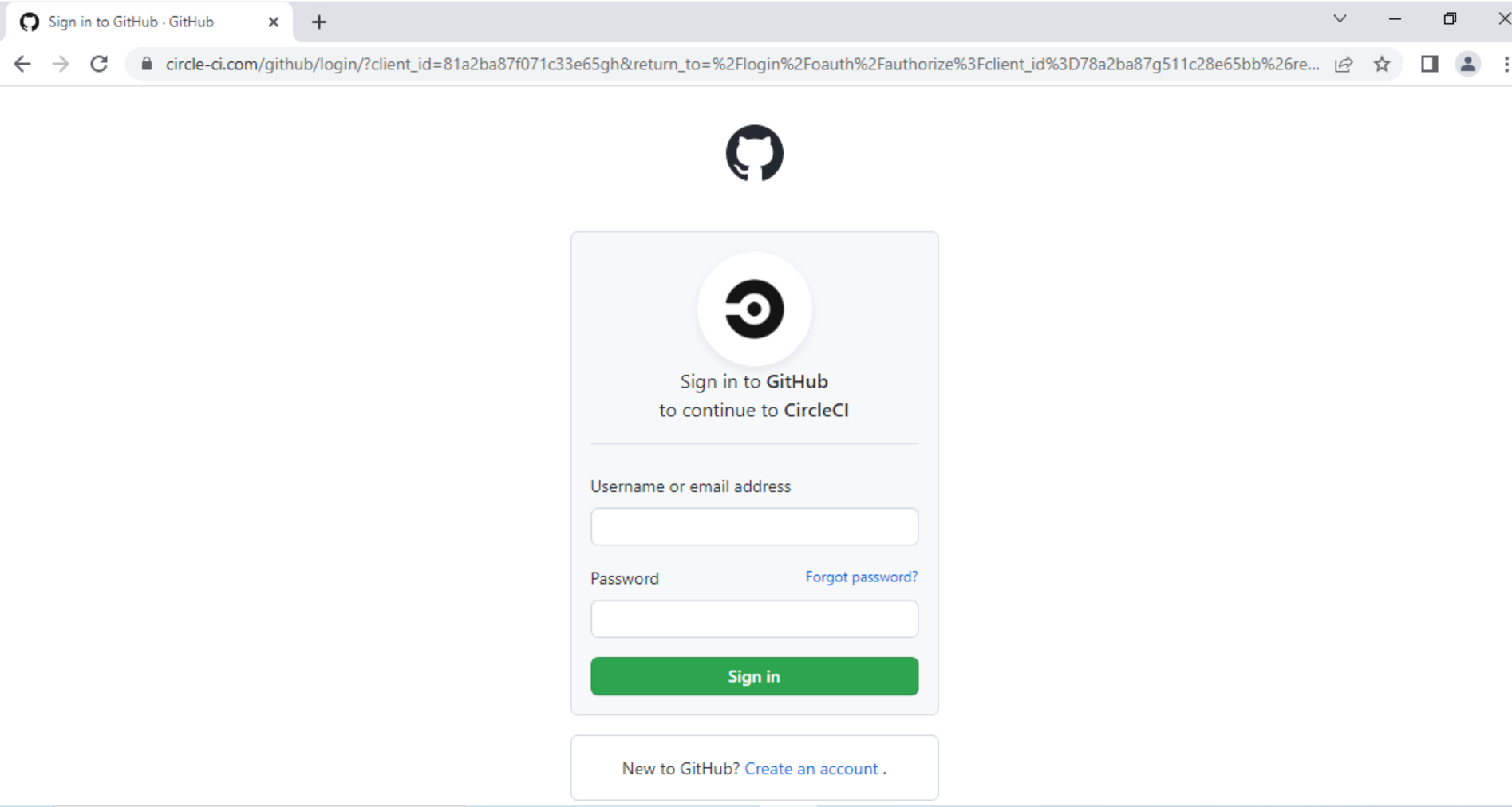
FabricScape: Escaping Service Fabric and Taking Over the Cluster

Executive Summary

Unit 42 researchers identified FabricScape (CVE-2022-30137), a vulnerability of important severity in Microsoft’s Service Fabric – commonly used with Azure – that allows Linux containers to escalate their privileges in order to gain root privileges on the node, and then compromise all of the nodes in the cluster. The vulnerability could be exploited on containers that are configured to have runtime access, which is granted by default to every container.

Service Fabric hosts more than 1 million applications and runs millions of cores daily, according to Microsoft. It powers many Azure offerings, including Azure Service Fabric, Azure SQL Database and Azure CosmosDB, as well as other Microsoft products including Cortana and Microsoft Power BI.

Using a container under our control to simulate a compromised workload, we were able to exploit the vulnerability on Azure Service Fabric, which is an Azure offering that deploys private Service Fabric clusters in the cloud. A few other exploitation attempts on Azure's offerings that are powered by managed multi tenant Service Fabric clusters have failed as Microsoft disables runtime access on containers of those offerings.

We worked closely with Microsoft (MSRC) to remediate the issue, which was fully fixed on June 14, 2022. Microsoft released a patch to Azure Service Fabric that has already mitigated the issue in Linux clusters, and also updated internal production environments of offerings and products that are powered by Service Fabric.

We advise customers running Azure Service Fabric without automatic updates enabled to upgrade their Linux clusters to the most recent Service Fabric release. Customers whose Linux clusters are automatically updated do not need to take further action.

Both Microsoft and Palo Alto Networks recommend avoiding execution of untrusted applications in Service Fabric. See Service Fabric documentation for more information.

While we're not aware of any attacks in the wild that have successfully exploited this vulnerability, we want to urge organizations to take immediate action to identify whether their environments are vulnerable and quickly implement patches if they are.

Related Unit 42 Topics Containers

Service Fabric Overview

Service Fabric is an application hosting platform that supports different forms of packaging and managing services, including, but not limited to containers.

Microsoft had previously published documentation that Service Fabric is being used in many core Azure services:

Services powered by Service Fabric shown in the diagram include Azure Core Infrastructure, Azure Document DB, Intune, Skype for Business, Event Hubs, Bing Cortana, Azure SQL Database, Power BI, IoT Suite
Figure 1. A partial list of services powered by Service Fabric (as of 2019).

In 2016, in light of Service Fabric's success in internal environments, Microsoft released Azure Service Fabric as a platform as a service, allowing customers to create and manage their own dedicated Service Fabric clusters in Azure Cloud. It’s widely used by enterprises across a variety of sectors including government, media, automotive, fashion, transportation and multinational conglomerates.

Service Fabric Architecture

A general understanding of the basic architecture of Service Fabric is required in order to understand the full impact of FabricScape, so we’ll start with a quick overview of Service Fabric architecture.

A Service Fabric cluster consists of many nodes as each one runs a container engine that executes the desired containerized applications, just like Kubernetes. It supports Linux and Windows nodes and uses Docker on both while supporting Hyper-V isolation mode in Windows nodes for maximum isolation. When deploying an application into a Service Fabric cluster, Service Fabric will deploy the application as containers according to the application manifest.

Under the hood every node runs multiple components, allowing multiple nodes to work in synergy and form a reliable and distributed cluster. There is almost no public documentation about these components, but Microsoft released Service Fabric version 6.4 source code in 2018, and that allowed the public to read the code and understand the components' purposes and operations.

Linux Fabric Node: Fabric Components - Fabric Gateway, Fabric RM, Fabric DCA, Fabric IS, Fabric CAS, File Store Service. These are shown in the diagram beside several Docker containers.
Figure 2. Service Fabric Linux node example.

The Vulnerability

Service Fabric supports deploying applications as containers, and during each container initialization, a new log directory is created and mounted into each container with read and write permission. All of those directories are centralized in one path on every node. For example, in Azure Service Fabric offering, those directories are at /mnt/sfroot/log/Containers.

One of Service Fabric's components is the Data Collection Agent (DCA). Among other things, it is responsible for collecting the logs from those directories to be processed later. In order to access the directories, it needs high privileges and therefore runs as root on every node.

At the same time, it handles files that could be modified by containers. Thus, exploiting a vulnerability in the agent's mechanism that handles these files could result in a container escape and gaining root on the node. This could happen, for example, if the user runs a malicious container or package, or if a container is taken over by an attacker.

By digging into DCA's old source code, we noticed a potential race-conditioned arbitrary write in the function GetIndex (PersistedIndex.cs:48).

This function reads a file, checks that the content is in the expected format, modifies some of the content and overwrites the file with the new content.

In order to do so, it uses two sub-functions:

  • LoadFromFile – reads the file.
  • SaveToFile – writes the new data to the file.
Code shown begins with "internal bool GetIndex(TItem key, out int index)"
Figure 3. GetIndex function.

This functionality results in a symlink race. An attacker in a compromised container could place malicious content in the file that LoadFromFile reads. While it continues to parse the file, the attacker could overwrite the file with a symlink to a desirable path so that later SaveToFile will follow the symlink and write the malicious content to that path.

As DCA runs as root on the node file system, it will follow the symlink and overwrite files in the node file system.

Exploitation of CVE-2022-30137

In order to exploit the issue, an attacker needs to trigger DCA to run the vulnerable function on a file that it controls. DCA monitors the creation of specific filenames in the log directories we mentioned above, and executes different functionality for each file. One of those files is ProcessContainerLog.txt.

"Whenever a container crashes/fails to start, we create a marker file (ContainerLogRemovalMarkerFile) for FabricDCA to consume. FabricDCA will then delete the directory. If the flag "forProcessing" is set to true. It will create the ContainerLogProcessMarkerFile which informs DCA that the host is Container host and has FabricRuntime in it. FabricDCA can now start monitoring this file for logs."
Figure 4. ProcessContainerLog documentation in the code.

When DCA identifies that this file was created, it executes a function that eventually runs GetIndex numerous times on paths inside the log directory, which the container can modify.

Code snippet begins with "private void ContainerLogFolderProcessingStartup(string containerLogFolderFullPath)"
Figure 5. Monitoring ProcessContainerLog.

This means that a malicious container could trigger the execution of GetIndex on a file that it controls and try to beat the race condition in order to overwrite any path on the node filesystem.

In order to beat it consistently, we changed the malicious file to weigh 10 MB, so that it will take LoadFromFile a considerable amount of time to parse it, giving us sufficient time to overwrite it with a symlink and beat the race every single time.

At this point, we were able to exploit GetIndex from the context of the container and overwrite any file on the node.

While this behavior can be observed on both Linux containers and Windows containers, it is only exploitable in Linux containers because in Windows containers unprivileged actors cannot create symlinks in that environment.

From now on, we will focus on the exploitation of a Linux node (Ubuntu 18.04) in order to gain code execution on the node.

Gaining Code Execution on the Node

Gaining code execution on a machine using a privileged arbitrary write vulnerability is a trivial task that can be accomplished using many techniques such as adding malicious ssh keys, adding a malicious user or installing a backdoor by overwriting benign binaries.

None of these techniques is applicable in this case since the write primitive to the node filesystem is weak because of two reasons:

  1. GetIndex modifies internal Service Fabric files and therefore verifies that the file (payload content) is in the right internal format before continuing to SaveToFile.
  2. The overwritten file on the node file system doesn't have execution permissions.
"Version: <int> - <malicious string>, <malicious int>," etc
Figure 6. Example of the internal format.

After some digging, we figured out that the format is very similar to the format of files that contain environment variables.

An example showing what a malicious file involved with FabricScape might look like
Figure 7. Malicious file example.

We choose to use /etc/environment for the exploitation as it contains environment variables specifying the basic environment variables for new shells but can be used by other programs. After some research, we found out that every executed job in the Linux task scheduler (cron) imports this file, and luckily, there is a job that is executed every minute by root on every node, meaning we could inject malicious environment variables into new processes that run as root on the node.

After digging deeper, we found that having jobs on the scheduler is not necessary for exploitation since cron executes an internal hourly job as root, which could be exploited.

This shows a snippet of the cron job and related comments
Figure 8. The cron job that is executed every minute.

In order to gain code execution, we used a technique called dynamic linker hijacking. We abused the LD_PRELOAD environment variable. During the initialization of a new process, the linker loads the shared object that this variable points to, and with that, we inject shared objects to the privileged cron jobs on the node.

We wrote a dummy shared object with a function that initiates a reverse shell and added a construction attribute so that when the shared object is loaded, it will initiate a reverse shell automatically. We compiled the shared object and copied it to the log directory in the container so that we could point LD_PRELOAD to the object path.

One minute after exploitation, we got a reverse shell in the context of root on the node.

Linux Fabric Node. Exploitation flow is illustrated step by step. 1) Exploit the vulnerability to overwrite /etc/environment on the host, 2) New CronJobs import malicious environment variables, 3) LD_PRELOAD loads malicious shared object, 4) Host root reverse shell
Figure 9. Exploitation flow.

We tested this exploitation successfully on the Azure Service Fabric offering using the latest version available at that time (8.2.1124.1), on both Ubuntu 16.04 and 18.04. We were able to beat the race condition consistently and successfully break out and execute code on the node every single time.

Cluster Takeover

Microsoft provides users an easy way to manage and interact with their Service Fabric clusters by using the sfctl CLI tool.

A list of Sfctl commands, "commands for managing ServiceFabric clusters and entities. This version is compatible with Service Fabric 7.0 runtime. Commands follow the noun-verb patters. Commands include subgroups such as application, chaos, cluster, etc.
Figure 10. Sfctl subcommands.

In order to interact and manage a cluster, users need to provide sfctl two arguments:

  1. The cluster endpoint address.
  2. A private certificate.

When executing a command, sfctl sends requests to a REST API in the cluster and uses the certificate for authentication. This API can perform many functionalities and provides a way to manage the cluster remotely. It listens on port 19080 by default in the Azure Service Fabric offering and is open to the internet so that users would be able to access it.

Code snippet begins with "sfctl cluster select"
Figure 11. Selecting a cluster using sfctl.

Besides the API, this endpoint has a graphical interface that can be accessed by browsers if the private certificate is applied. This interface is called Service Fabric Explorer, and it is used as a graphical way to manage and analyze the cluster.

A screenshot of the interface called Service Fabric Explorer that is included in Microsoft Azure
Figure 12. Service Fabric Explorer index page.

After gaining root privileges on the node by exploiting CVE-2022-30137, we explored the file system and found the directory /var/lib/waagent/ contains sensitive files, including the certificate that controls the whole cluster.

By applying the compromised certificate, we were able to authenticate to any of the REST API endpoints (and the load balancer) and send requests to trigger functionalities in the cluster.

We were able to use the certificate to run sfctl and manage the cluster, or even browse to the Service Fabric Explorer.

This is the code snipped used to test the compromised certificate after gaining root privileges to the node by exploiting FabricScape
Figure 13. Testing the compromised certificate.

Broader Impact of FabricScape

Microsoft does not publicly disclose what offerings are powered by Service Fabric but does provide a partial list as shown in Figure 1.

This means that if a malicious actor gains control over a container in Service Fabric, it would be possible to compromise the whole cluster as demonstrated above.

Limitations

A Service Fabric cluster is single-tenant by design, and hosted applications are considered trusted. They are therefore able to access the Service Fabric runtime data by default. This access allows the applications to read data regarding their Service Fabric environment and write logs to specific locations. In order to exploit FabricScape, the compromised container must have runtime access because that is necessary for the logs directory to be accessible. If developers consider their applications as untrusted or if the cluster is multitenant, this access can be disabled for each application on the cluster separately by modifying each application manifest and setting RemoveServiceFabricRuntimeAccess to true.

Other than our successful exploitation in Azure Service Fabric, we tested Azure Container Instances, Azure PostgreSQL and Azure Functions. All of these services can be deployed in a serverless plan and are powered by multitenant Service Fabric clusters.

We could not exploit FabricScape over those services since Azure disabled the runtime access on those services.

Disclosure and Mitigations

We disclosed the vulnerability, including a full operational exploit, to Microsoft on Jan. 30, 2022.

Microsoft released a fix for the issue on June 14, 2022.

We advise that customers running Azure Service Fabric without automatic updates enabled should upgrade their Linux clusters to the most recent Service Fabric release. Customers whose Linux clusters are automatically updated do not need to take further action.

Customers that use other Azure offerings that are based on managed Service Fabric clusters are safe as Microsoft has updated its software.

Conclusion

As the trend of migrating to the cloud grows exponentially, the cloud ecosystem adapts and reinvents itself constantly to keep up with demand by developing new technologies.

As part of a Palo Alto Networks commitment to improving public cloud security, we actively invest in researching such technologies and report issues to the vendors in order to keep customers and users safe.

There Is More Than One Way to Sleep: Dive Deep Into the Implementations of API Hammering by Various Malware Families

Executive Summary

Unit 42 has discovered Zloader and BazarLoader samples that had interesting implementations of a sandbox evasion technique. This blog post will go into details of the unique implementations of API Hammering in these types of malware. API Hammering involves the use of a massive number of calls to Windows APIs as a form of extended sleep to evade detection in sandbox environments.

Sandboxing is a popular technique used to detect if a sample is malicious. A sandbox analyzes the behaviors of the binary as it executes inside a controlled environment. Sandboxes have to deal with many challenges while analyzing a large number of binaries with limited computing resources. Malware sometimes abuses these challenges by “sleeping” in the sandbox before carrying out malicious procedures to hide its real intentions.

Palo Alto Networks customers receive protections from malware families using evasion techniques through Cortex XDR or the Next-Generation Firewall with WildFire and Threat Prevention security subscriptions.

Related Unit 42 Topics Malware, evasion

Common Ways for Malware to Sleep

The most common way for malware to sleep is to simply call the Windows API function Sleep. A sneakier way that we often see is the Ping Sleep technique where the malware constantly sends ICMP network packets to an IP address (ping) in a loop. To send and receive such useless ping messages takes a certain amount of time, thus the malware indirectly sleeps. However, all these methods are easily detected by many sandboxes.

What Is API Hammering?

API Hammering has been a known sandbox bypass technique that is sometimes used by malware authors to evade sandboxes. We’ve recently observed Zloader – a dropper for multiple types of malware – and the backdoor BazarLoader using new and unique implementations of API Hammering to remain stealthy.

API Hammering consists of a large number of garbage Windows API function calls. The execution time of these calls delays the execution of the real malicious routines of the malware. This allows the malware to indirectly sleep during the sandbox analysis process.

API Hammering in BazarLoader

An older variant of BazarLoader made use of a fixed number (1550) of printf function calls to time out malware analysis. While analyzing a newer version of BazarLoader, we found a new and more complex implementation of API Hammering.

The following decompiled procedure shows how this new variant is implemented in the BazarLoader sample we analyzed. It makes use of a huge loop with a random count that repeatedly accesses a list of random registry keys in Windows.

Learn about the unique implementations of API Hammering malware samples and learn how Palo Alto Networks customers are protected.
Figure 1. API Hammering loop in BazarLoader.

To generate the random loop count and list of registry keys, the sample reads the first file from the System32 directory that matches a defined size. This file is then encoded (see Figure 2) to remove most of its null bytes. The random count is then computed based on the offset of the first null byte in that file. The list of random registry keys are generated from fixed length chunks from the encoded file.

Learn about the unique implementations of API Hammering malware samples and learn how Palo Alto Networks customers are protected.
Figure 2. Encoding the selected file in BazarLoader.

With a different Windows version (Windows 7, 8, etc.) and a different set of applied updates, there is also a different set of files in the System32 directory. This results in a varying loop count and list registry keys used by BazarLoader when executed in different machines.

The API Hammering function is located in the packer of the BazarLoader sample (see Figure 3). It delays the payload unpacking process to evade detection of the aforementioned. Without completing the unpacking process, the BazarLoader sample would appear to be just accessing random registry keys, a behavior that can be also seen in many legitimate types of software.

Learn about the unique implementations of API Hammering malware samples and learn how Palo Alto Networks customers are protected.
Figure 3. API Hammering delaying unpacking process in BazarLoader.

API Hammering in Zloader

While the BazarLoader sample relied on a loop to carry out API Hammering, Zloader uses a different approach. It does not require a huge loop, but instead consists of 4 large functions which contain nested calls to multiple other smaller functions (see Figure 4).

Learn about the unique implementations of API Hammering malware samples and learn how Palo Alto Networks customers are protected.
Figure 4. One of the large functions responsible for API Hammering in ZLoader.

Inside each of these small procedures are four API function calls related to file I/O. The functions are GetFileAttributesW, ReadFile, CreateFileW and WriteFile (see Figure 5).

Learn about the unique implementations of API Hammering malware samples and learn how Palo Alto Networks customers are protected.
Figure 5. One of the small functions responsible for API Hammering in ZLoader.

By using a debugger, we could figure out the number of calls made to four file I/O functions (see Figure 6). The large and smaller functions together generate more than a million function calls in total, without the use of a single large loop as seen in BazarLoader.

Learn about the unique implementations of API Hammering malware samples and learn how Palo Alto Networks customers are protected.
Figure 6. Debugger log for APIs responsible for API Hammering in ZLoader.

The following table shows the API function call counts made during our analysis process:

I/O API function Total Call Count
ReadFile 278,850
WriteFile 280,921
GetFileAttributesW 113,389
CreateFileW 559,771

Table 1. API function call counts.

The execution time of the four large functions delays the injection of the Zloader payload. Without complete execution of these functions, the sample would appear to be a benign sample just carrying out file I/O operations.

The following disassembled code shows the four API hammering procedures followed by the injection procedures:

Learn about the unique implementations of API Hammering malware samples and learn how Palo Alto Networks customers are protected.
Figure 6. API Hammering before payload injection in ZLoader.

Conclusion: WildFire vs API Hammering

Results from analyzing various implementations of API Hammering enabled the detection of malware samples using API Hammering for sandbox evasion in WildFire. WildFire detects the use of API Hammering by BazarLoader, Zloader, and other malware families.

The following excerpt from the WildFire report of our BazarLoader sample shows the detected entry for API Hammering.

Learn about the unique implementations of API Hammering malware samples and learn how Palo Alto Networks customers are protected.
Figure 7. WildFire detected API Hammering along with other behaviors in a Bazarloader sample.

Palo Alto Networks customers receive further protections against other malware families using similar sandbox evasion techniques through Cortex XDR or our Next-Generation Firewall with WildFire and Threat Prevention security subscriptions.

Indicators of Compromise

BazarLoader Sample
ce5ee2fd8aa4acda24baf6221b5de66220172da0eb312705936adc5b164cc052

Zloader Sample
44ede6e1b9be1c013f13d82645f7a9cff7d92b267778f19b46aa5c1f7fa3c10b


Why Are My Junctions Not Followed? Exploring Windows Redirection Trust Mitigation

Executive Summary

In recent years, one of the most common classes of elevation-of-privilege vulnerabilities is file system redirection attacks. This class abuses the fact that a privileged component, such as a Windows service, operates on files or directories that are writable by unprivileged users. By using different types of file system links, such as hard links or junctions, attackers can trick the privileged component into operating on files it didn’t intend to. The end goal for such attacks is usually to write an attacker-supplied executable (such as a DLL or a script) to disk, and to get it executed with system permissions.

Some examples for such exploits can be found in my BlueHat IL 2020 talk, CVE-2020-0787 Metasploit module and many more.

This piece explains junctions and how threat actors use them in file system redirection attacks, then explores a developing mitigation.

Palo Alto Networks customers receive protections from Cortex XDR against exploits for different types of file system redirection attacks.

What Are Junctions?

Junctions are a feature of the NT file system (NTFS) that make it possible to link one directory into another. They are used by default, linking some directories such as C:\Documents and Settings.

The screenshot shows an example of how a junction is used in NTFS to link one directory into another – in this case, Documents and Settings.
Figure 1. Example of junction in use.

In 2019, Microsoft introduced a mitigation that requires the creator of hard links to have write access to those links’ targets. Since then, junctions became the way to go for attackers when exploiting file system redirection attacks.

A common vulnerable pattern is usually as follows:

  • A privileged service exposes functionality that can be triggered through some interprocess communication (IPC) mechanism, such as remote procedure call (RPC). That functionality can be triggered by users running at lower privilege levels.
  • That functionality operates on a file (e.g. writing data into that file) that is located under a globally writable directory. The operation is done without impersonation, meaning it occurs with the permissions of that system service.

To exploit such bugs, the attacker first creates a junction between that directory and their target, which is usually C:\Windows or one of its subdirectories. Next, the attacker triggers the RPC call, which follows the junction to overwrite a system DLL file. Finally, that malicious DLL is loaded by some service, and the attacker’s supplied code gets executed with system permissions.

The flow chart shows how a file system redirection attack works. Beginning from the execution by the user of an attacker's file, an RPC (WriteLogFile("update.dll", buffer) leads to system execution, which leads to the creation of a file written to logs, which then follows a junction to overwrite a system DLL file.
Figure 2. Example of a file system redirection attack.

Redirection Trust Mitigation

Microsoft announced they are going to ship a mitigation for this bug class in David Weston’s talk at BlueHat IL 2020 – “Keeping Windows Secure.” However, this mitigation only appeared on recent Windows 10 builds, so I decided to reverse engineer it and explore how it works.

The presentation slide reads, "Path Redirection Mitigations - Mitigations coming in a future release. Hardlink mitigation - will now require write permission to link destination before creation. Already available in Windows Insider Preview (and bounty eligible). Junction mitigation - Newly created junctions gain a 'mark of the Medium IL,' services running highly privileged will not follow "marked" junctions. SYSTEM%TEMP% change - Today, SYSTEM's %TEMP% value is \Windows\Temp, which is world writable, GetTempPath will return a new, properly ACL'd path for SYSTEM."
Figure 3. Screenshot from a presentation called “Keeping Windows Secure,” given at BlueHat IL 2020.

How Redirection Trust Works

The mitigation is fairly simple and follows the guidelines presented at Microsoft’s BlueHat talk. Its goal is to mark junctions created by unprivileged, medium-integrity actors, and prevent privileged processes from following them.

Every time a junction is created, ntfs.sys calls nt!IoComputeRedirectionTrustLevel to compute the caller’s trust level. The level is determined based on the caller’s token – either the impersonation token (if present) or the primary token. Later, it sets that value into that junction file control block’s standard information.

The screenshot shows an example of how, when a junction is created, ntfs.sys calls nt!IoComputeRedirectionTrustLevel to compute the caller's trust level.
Figure 4. ntoskrnl.exe 10.0.19041[.]1645
Currently, there are only two trust levels:

  • Level 1 – Indicating the junction was created by a medium-integrity actor.
  • Level 2 – Indicating the junction was created by a privileged actor (administrator, system or kernel).

To complete the mitigation, the trust level is verified before following junctions. This is done only if the mitigation is enabled, which is controlled by a new process mitigation policy – ProcessRedirectionTrustPolicy. That policy has two modes: audit or enforce.

The screenshot shows the two modes available in the ProcessRedirectionTrustPolicy: audit or enforce.
Figure 5. New struct added to winnt.h header.

When SetProcessMitigationPolicy is called with the relevant arguments, it ends up calling nt!PspSetRedirectionTrustPolicy. This enables the mitigation on the process’s primary token.

SetProcessMitigationPolicy calls nt!PspSteRedirectionTrustPolicy as shown, enabling the junction mitigation.
Figure 6. Enabling the mitigation.

Finally, when ntfs.sys goes through a junction redirection, it verifies it against the caller’s token using nt!IoCheckRedirectionTrustLevel. This means that when a privileged service operates with its own system privileges, untrusted junctions are not followed. Failed redirects end up with error 0xc00004be – “The path cannot be traversed because it contains an untrusted mount point.”

Is the Mitigation Enabled?

After reverse engineering the mitigation, I wanted to check whether it is enabled on the current Windows build, and in which mode. I created a sample app that queries the state of all running processes (using GetProcessMitigationPolicy), and found out that the mitigation is currently only enabled in audit mode for several services. Hopefully, in the near future, Microsoft will enable it in enforce mode.

The screenshot shows the details of how the mitigation is enabled on the current Windows build, and in which mode - the result of a sample app that queries the state of all running processes. The mitigation is currently only enabled in audit mode in several services.
Figure 7. Redirection trust policy enablement.

Conclusion

In the last few years, Microsoft has pushed numerous mitigations to address file system redirection attacks. It is important to explore them and assess their effectiveness, trying to identify gaps and conditions where bugs can still be exploitable.

Palo Alto Networks Cortex XDR already has many protections in place to prevent exploits for different types of file system redirection attacks, and was proven to prevent such attacks in the wild.

GALLIUM Expands Targeting Across Telecommunications, Government and Finance Sectors With New PingPull Tool

Executive Summary

Unit 42 recently identified a new, difficult-to-detect remote access trojan named PingPull being used by GALLIUM, an advanced persistent threat (APT) group.

Unit 42 actively monitors infrastructure associated with several APT groups. One group in particular, GALLIUM (also known as Softcell), established its reputation by targeting telecommunications companies operating in Southeast Asia, Europe and Africa. The group’s geographic targeting, sector-specific focus and technical proficiency, combined with their use of known Chinese threat actor malware and tactics, techniques and procedures (TTPs), has resulted in industry assessments that GALLIUM is likely a Chinese state-sponsored group.

Over the past year, this group has extended its targeting beyond telecommunication companies to also include financial institutions and government entities. During this period, we have identified several connections between GALLIUM infrastructure and targeted entities across Afghanistan, Australia, Belgium, Cambodia, Malaysia, Mozambique, the Philippines, Russia and Vietnam. Most importantly, we have also identified the group’s use of a new remote access trojan named PingPull.

PingPull has the capability to leverage three protocols (ICMP, HTTP(S) and raw TCP) for command and control (C2). While the use of ICMP tunneling is not a new technique, PingPull uses ICMP to make it more difficult to detect its C2 communications, as few organizations implement inspection of ICMP traffic on their networks. This blog provides a detailed breakdown of this new tool as well as the GALLIUM group's recent infrastructure.

Palo Alto Networks customers receive protections from the threats described in this blog through Threat Prevention, Advanced URL Filtering, DNS Security, Cortex XDR and WildFire malware analysis.

Full visualization of the techniques observed, relevant courses of action and indicators of compromise (IoCs) related to this report can be found in the Unit 42 ATOM viewer.

Related Unit 42 Topics Advanced persistent threats

PingPull Malware

PingPull was written in Visual C++ and provides a threat actor the ability to run commands and access a reverse shell on a compromised host. There are three variants of PingPull that are all functionally the same but use different protocols for communications with their C2: ICMP, HTTP(S) and raw TCP. In each of the variants, PingPull will create a custom string with the following structure that it will send to the C2 in all interactions, which we believe the C2 server will use to uniquely identify the compromised system:

PROJECT_[uppercase executable name]_[uppercase computer name]_[uppercase hexadecimal IP address]

Regardless of the variant, PingPull is capable of installing itself as a service with the following description:

Provides tunnel connectivity using IPv6 transition technologies (6to4, ISATAP, Port Proxy, and Teredo), and IP-HTTPS. If this service is stopped, the computer will not have the enhanced connectivity benefits that these technologies offer.

The description is the exact same as the legitimate iphlpsvc service, which PingPull purposefully attempts to mimic using Iph1psvc for the service name and IP He1per instead of IP Helper for the display name. We have also seen a PingPull sample use this same service description but with a service name of Onedrive.

The three variants of PingPull have the same commands available within their command handlers. The commands seen in Table 1 show that PingPull has the ability to perform a variety of activities on the file system, as well as the ability to run commands on cmd.exe that acts as a reverse shell for the actor.

Command Description
A Enumerate storage volumes (A: through Z:)
B List folder contents
C Read File
D Write File
E Delete File
F Read file, convert to hexadecimal form
G Write file, convert from hexadecimal form
H Copy file, sets the creation, write, and access times to match original files
I Move file, sets the creation, write, and access times to match original files
J Create directory
K Timestomp file
M Run command via cmd.exe

Table 1. Commands available in PingPull’s command handler.

To run a command listed in Table 1, the actor would have the C2 server respond to a PingPull beacon with the command and arguments that it encrypts using AES in cipher block chaining (CBC) mode and encodes with base64. We have seen two unique AES keys between the known PingPull samples, specifically P29456789A1234sS and dC@133321Ikd!D^i.

PingPull would decrypt the received data and would parse the cleartext for the command and additional arguments in the following structure:

&[AES Key]=[command]&z0=[unknown]&z1=[argument 1]&z2=[argument 2]

We are not sure of the purpose of the z0 parameter in the command string, as we observed PingPull parsing for this parameter but do not see the value being used. To confirm the structure of the command string, we used the following string when issuing commands in our analysis environment, which would instruct PingPull to read the contents of a file at C:\test.txt:

&P29456789A1234sS=C&z0=2&z1=c:\\test.txt&z2=none

During our analysis, PingPull would respond to the command string above with ya1JF03nUKLg9TkhDgwvx5MSFIoMPllw1zLMC0h4IwM=, which decodes to and decrypts (AES key P29456789A1234sS) to some text in a test file.\x07\x07\x07\x07\x07\x07\x07, which is the content (PKCS5_PADDING-padded) of the file C:\test.txt on our analysis system.

ICMP Variant

PingPull samples that use ICMP for C2 communications issue ICMP Echo Request (ping) packets to the C2 server. The C2 server will reply to these Echo requests with an Echo Reply packet to issue commands to the system. Both the Echo Request and Echo Reply packets used by PingPull and its C2 server will have the same structure as follows:

[8-byte value]R[sequence number].[unique identifier string beginning with “PROJECT”]\r\ntotal=[length of total message]\r\ncurrent=[length of current message]\r\n[base64 encoded and AES encrypted data]

When issuing a beacon to its C2, PingPull will send an Echo Request packet to the C2 server with total and current set to 0 and will include no encoded and encrypted data, as seen in Figure 1.

The data section in the ICMP packet in Figure 1 begins with an 8-byte value of 0x702437047E404103 (\x03\x41\x40\x7E\x04\x37\x24\x70) that PingPull has hardcoded in its code, which is immediately followed by a hardcoded R.
Figure 1. PingPull ICMP beacon example with hardcoded 8-byte value.

The data section in the ICMP packet in Figure 1 begins with an 8-byte value of 0x702437047E404103 (\x03\x41\x40\x7E\x04\x37\x24\x70) that PingPull has hardcoded in its code, which is immediately followed by a hardcoded R. However, another PingPull sample that used ICMP for its C2 communications omitted this 8-byte value, as seen in Figure 2.

Another PingPull sample that used ICMP for its C2 communications omitted this 8-byte value, as seen here.
Figure 2. PingPull ICMP beacon example without hardcoded 8-byte value.

After the R is a sequence number that increments when sending or receiving data that exceeds the maximum size of the ICMP data section. The sequence number is immediately followed by a period “.” and then the unique identifier string generated by PingPull that begins with PROJECT. The ICMP data section then includes total=[integer] and current=[integer], which are used by both PingPull and its C2 to determine the total length of the data transmitted and the length of the chunk of data transmitted in the current packet. The data transmitted in each ICMP packet comes in the form of a base64-encoded string of ciphertext generated using AES and the key specific to the sample. This encoded and encrypted data comes after the new line that immediately follows the “current” value. For instance, when responding to our test command, PingPull sent the ICMP Echo Request packet seen in Figure 3 to the C2 server, which has the expected base64-encoded string of ya1JF03nUKLg9TkhDgwvx5MSFIoMPllw1zLMC0h4IwM= for the results of the command.

An ICMP Echo Request packet sent by PingPull in response to our test command.
Figure 3. PingPull responding to command over ICMP.

HTTPS Variant

Another variant of PingPull uses HTTPS requests to communicate with its C2 server instead of ICMP. The initial beacon uses a POST request over this HTTPS channel, using the unique identifier string generated by PingPull as the URL. Figure 4 is an example POST request sent by PingPull as a beacon, where samp.exe was the filename, DESKTOP-U9SM1U2 was the hostname of the analysis system and 172.16.189[.]130 (0xAC10BD82) was the system's IP address.

This is an example POST request sent by PingPull as a beacon, where samp.exe was the filename, DESKTOP-U9SM1U2 was the hostname of the analysis system and 172.16.189[.]130 was the system's IP address.
Figure 4. PingPull HTTPS beacon example.
The initial beacon is a POST request that did not have any data, which resulted in the Content-Length of 0 within the HTTP headers. When responding with the results to commands, PingPull will issue a second POST request using the same URL structure with the results in the data section in base64-encoded and encrypted form using the AES key. Figure 5 shows PingPull responding to our test command to read the contents of C:\test.txt with ya1JF03nUKLg9TkhDgwvx5MSFIoMPllw1zLMC0h4IwM= in the data section of the POST request, which decodes and decrypts to some text in a test file.\x07\x07\x07\x07\x07\x07\x07.

This shows PingPull responding to our test command to read the contents of C:\test.txt with ya1JF03nUKLg9TkhDgwvx5MSFIoMPllw1zLMC0h4IwM= in the data section of the POST request, which decodes and decrypts to some text in a test file.\x07\x07\x07\x07\x07\x07\x07.
Figure 5. PingPull responding with results of a command over HTTPS.

TCP Variant

This variant of PingPull does not use ICMP or HTTPS for C2 communication, rather it uses raw TCP for its C2 communication. Much like the other C2 channels, the data sent in this beacon includes the unique identifier string generated by PingPull that begins with PROJECT. However, the TCP C2 channel begins with a 4-byte value for the length of data that follows, as seen in the following beacon structure:

[DWORD length of data that follows]PROJECT_[uppercase executable name]_[uppercase computer name]_[uppercase hexadecimal IP address]

Figure 6 shows an example of the entire TCP communications channel:

  • The beacon sent by PingPull in the first red text.
  • The C2 issuing a command in the blue text.
  • PingPull responding to the command in the second red text at the bottom of the image.
An example of the entire TCP communications channel: The beacon sent by PingPull in the first set of text (highlighted red), the C2 issuing a command in the second set of text (highlighted blue) and Pingpull responding to the command in the third set of text (highlighted in red).
Figure 6. PingPull TCP beacon, C2 issuing command and PingPull sending result.

The beacon seen in Figure 6 begins with a data length of 44-bytes (0x2c), with the unique identifier string generated where samp_f86ebe.exe was the filename, DESKTOP-U9SM1U2 was the hostname of the analysis system and 172.16.189[.]130 (0xAC10BD82) was the system's IP address. The C2 response to the beacon begins with the data length of 64 bytes (0x40) followed by the base64-encoded string that represents the ciphertext of the command. PingPull ran the command supplied by the C2 and sent the results in a packet that begins with a data length of 44 bytes (0x2c), followed by the expected base64-encoded string of ya1JF03nUKLg9TkhDgwvx5MSFIoMPllw1zLMC0h4IwM= for the results of the command.

Infrastructure

On Sept. 9, 2021, a sample of PingPull named ServerMannger.exe (SHA256: de14f22c88e552b61c62ab28d27a617fb8c0737350ca7c631de5680850282761) was shared with the cybersecurity community by an organization in Vietnam. Analysis of this sample revealed that it was configured to call home to t1.hinitial[.]com. Pivoting on the C2, we identified several subdomains hosted under the hinitial[.]com domain that exhibited a similar naming pattern:

t1.hinitial[.]com
v2.hinitial[.]com
v3.hinitial[.]com
v4.hinitial[.]com
v5.hinitial[.]com

Digging deeper into these domains, we began to identify overlaps in certificate use between the various IP infrastructure associated with each of the subdomains. One certificate that stood out in particular was an oddly configured certificate with a SHA1 of 76efd8ef3f64059820d937fa87acf9369775ecd5. This certificate was created with a 10-year expiration window, a common name of bbb, and no other details, which immediately raised the question of legitimacy.

The certificate shown includes several questionable features, as seen: It was created with a 10-year expiration window, a common name of bbb, and no other details.
Figure 7. X.509 certificate associated with hinitial[.]com infrastructure.
First seen in September 2020, this certificate was linked to six different IP addresses all hosting a variant of the hinitial[.]com subdomains as well as an additional pivot to a dynamic DNS host (goodjob36.publicvm[.]com). Continuing this method of pivoting across all of the PingPull samples and their associated C2 domains has resulted in the identification of over 170 IP addresses associated with this group dating back to late 2020. The most recent IP infrastructure is provided below for defensive purposes.

Protections and Mitigations

We recommend that telecommunications, finance and government organizations located across Southeast Asia, Europe and Africa leverage the indicators of compromise (IoCs) below to identify any impacts to your organizations.

For Palo Alto Networks customers, our products and services provide the following coverage associated with this group:

Cortex XDR detects and protects endpoints from the PingPull malware.

WildFire cloud-based threat analysis service accurately identifies PingPull malware as malicious.

Threat Prevention provides protection against PingPull malware. The “Pingpull Command and Control Traffic Detection” signature (threat IDs 86625, 86626 and 86627) provides coverage for the ICMP, HTTP(S) and raw TCP C2 traffic.

Advanced URL Filtering and DNS Security identify domains associated with this group as malicious.

Users of the AutoFocus contextual threat intelligence service can view malware associated with these attacks using the PingPull tag.

If you think you may have been impacted or have an urgent matter, get in touch with the Unit 42 Incident Response team or call:

  • North America Toll-Free: 866.486.4842 (866.4.UNIT42)
  • EMEA: +31.20.299.3130
  • APAC: +65.6983.8730
  • Japan: +81.50.1790.0200

Conclusion

GALLIUM remains an active threat to telecommunications, finance and government organizations across Southeast Asia, Europe and Africa. Over the past year, we have identified targeted attacks impacting nine nations. This group has deployed a new capability called PingPull in support of its espionage activities, and we encourage all organizations to leverage our findings to inform the deployment of protective measures to defend against this threat group.

Special thanks to the NSA Cybersecurity Collaboration Center, the Australian Cyber Security Centre and other government partners for their collaboration and insights offered in support of this research.

Palo Alto Networks has shared these findings, including file samples and indicators of compromise, with our fellow Cyber Threat Alliance members. CTA members use this intelligence to rapidly deploy protections to their customers and to systematically disrupt malicious cyber actors. Learn more about the Cyber Threat Alliance.

Additional Resources

Mitre - GALLIUM group
Microsoft - GALLIUM: Targeting Global Telecom
CyberReason - Operation Soft Cell: A Worldwide Campaign Against Telecommunications Providers

Indicators of Compromise

Samples

de14f22c88e552b61c62ab28d27a617fb8c0737350ca7c631de5680850282761
b4aabfb8f0327370ce80970c357b84782eaf0aabfc70f5e7340746f25252d541
fc2147ddd8613f08dd833b6966891de9e5309587a61e4b35408d56f43e72697e
c55ab8fdd060fb532c599ee6647d1d7b52a013e4d8d3223b361db86c1f43e845
f86ebeb6b3c7f12ae98fe278df707d9ebdc17b19be0c773309f9af599243d0a3
8b664300fff1238d6c741ac17294d714098c5653c3ef992907fc498655ff7c20
​​1ce1eb64679689860a1eacb76def7c3e193504be53ebb0588cddcbde9d2b9fe6

PingPull C2 Locations

df.micfkbeljacob[.]com
t1.hinitial[.]com
5.181.25[.]55
92.38.135[.]62
5.8.71[.]97

Domains

micfkbeljacob[.]com
df.micfkbeljacob[.]com
jack.micfkbeljacob[.]com
hinitial[.]com
t1.hinitial[.]com
v2.hinitial[.]com
v3.hinitial[.]com
v4.hinitial[.]com
v5.hinitial[.]com
goodjob36.publicvm[.]com
goodluck23.jp[.]us
helpinfo.publicvm[.]com
Mailedc.publicvm[.]com

IP Addresses

(Active in last 30 days)

92.38.135[.].62
5.181.25[.]55
5.8.71[.]97
101.36.102[.]34
101.36.102[.]93
101.36.114[.]167
101.36.123[.]191
103.116.47[.]65
103.179.188[.]93
103.22.183[.]131
103.22.183[.]138
103.22.183[.]141
103.22.183[.]146
103.51.145[.]143
103.61.139[.]71
103.61.139[.]72
103.61.139[.]75
103.61.139[.]78
103.61.139[.]79
103.78.242[.]62
118.193.56[.]130
118.193.62[.]232
123.58.196[.]208
123.58.198[.]205
123.58.203[.]19
128.14.232[.]56
152.32.165[.]70
152.32.203[.]199
152.32.221[.]222
152.32.245[.]157
154.222.238[.]50
154.222.238[.]51
165.154.52[.]41
165.154.70[.]51
167.88.182[.]166
176.113.71[.]62
2.58.242[.]230
2.58.242[.]231
2.58.242[.]235
202.87.223[.]27
212.115.54[.]54
37.61.229[.]104
45.116.13[.]153
45.128.221[.]61
45.128.221[.]66
45.136.187[.]98
45.14.66[.]230
45.154.14[.]132
45.154.14[.]164
45.154.14[.]188
45.154.14[.]254
45.251.241[.]74
45.251.241[.]82
45.76.113[.]163
47.254.192[.]79
92.223.30[.]232
92.223.30[.]52
92.223.90[.]174
92.223.93[.]148
92.223.93[.]222
92.38.139[.]170
92.38.149[.]101
92.38.149[.]241
92.38.171[.]127
92.38.176[.]47
107.150.127[.]124
118.193.56[.]131
176.113.71[.]168
185.239.227[.]12
194.29.100[.]173
2.58.242[.]236
45.128.221[.]182
45.154.14[.]191
47.254.250[.]117
79.133.124[.]88
103.137.185[.]249
103.61.139[.]74
107.150.112[.]211
107.150.127[.]140
146.185.218[.]65
152.32.221[.]242
165.154.70[.]62
176.113.68[.]12
185.101.139[.]176
188.241.250[.]152
188.241.250[.]153
193.187.117[.]144
196.46.190[.]27
2.58.242[.]229
2.58.242[.]232
37.61.229[.]106
45.128.221[.]172
45.128.221[.]186
45.128.221[.]229
45.134.169[.]147
103.170.132[.]199
107.150.110[.]233
152.32.255[.]145
167.88.182[.]107
185.239.226[.]203
185.239.227[.]34
45.128.221[.]169
45.136.187[.]41
137.220.55[.]38
45.133.238[.]234
103.192.226[.]43
92.38.149[.]88
5.188.33[.]237
146.185.218[.]176
43.254.218[.]104
43.254.218[.]57
43.254.218[.]98
92.223.59[.]84
43.254.218[.]43
81.28.13[.]48
89.43.107[.]191
103.123.134[.]145
103.123.134[.]161
103.123.134[.]165
103.85.24[.]81
212.115.54[.]241
43.254.218[.]114
89.43.107[.]190
103.123.134[.]139
103.123.134[.]240
103.85.24[.]121
103.169.91[.]93
103.169.91[.]94
45.121.50[.]230

Updated June 13, 2022, at 4:45 a.m. PT 

Exposing HelloXD Ransomware and x4k

Executive Summary

HelloXD is a ransomware family performing double extortion attacks that surfaced in November 2021. During our research we observed multiple variants impacting Windows and Linux systems. Unlike other ransomware groups, this ransomware family doesn’t have an active leak site; instead it prefers to direct the impacted victim to negotiations through TOX chat and onion-based messenger instances.

Unit 42 performed an in-depth analysis of the ransomware samples, the obfuscation and execution from this ransomware family, which contains very similar core functionality to the leaked Babuk/Babyk source code. It was also observed that one of the samples deployed MicroBackdoor, an open-source backdoor allowing an attacker to browse the file system, upload and download files, execute commands, and remove itself from the system. We believe this was likely done to monitor the progress of the ransomware and maintain an additional foothold in compromised systems.

During the analysis of the MicroBackdoor sample, Unit 42 observed the configuration and found an embedded IP address, belonging to a threat actor we believe is potentially the developer: x4k, also known as L4ckyguy, unKn0wn, unk0w, _unkn0wn and x4kme.

Unit 42 has observed x4k in various hacking and non-hacking forums, which has linked the threat actor to additional malicious activity such as:

  • Cobalt Strike Beacon deployment.
  • Selling proof-of-concept (PoC) exploits.
  • Crypter services.
  • Developing custom Kali Linux distros.
  • Hosting and distributing malware.
  • Deployment of malicious infrastructure.

Palo Alto Networks detects and prevents HelloXD and adjacent x4k activity with the following products and services: Cortex XDR and Next-Generation Firewalls (including cloud-delivered security subscriptions such as WildFire).

Due to the surge of this malicious activity, we’ve created this threat assessment for overall awareness.

Related Unit 42 Topics Ransomware, Ransomware Threat Report

HelloXD Malware Overview

HelloXD is a ransomware family first observed in the wild on Nov. 30, 2021. This ransomware family uses a modified ClamAV logo in their executables. ClamAV is an open-source antivirus engine used to detect malware. We also have observed additional samples with different versions of the logo, which led us to believe the ransomware developer may like using the ClamAV branding for their ransomware. Additionally, some of the observed samples include properties information that can be observed in Figure 1.

Figure 1. Ransomware sample properties details.

The file description included the entry VlahmAV, a play on words on ClamAV, and the developer named the ransomware HelloXD and used another potential alias, uKnow, as the developer of HelloXD in the copyright section.

When executed, HelloXD tries to disable shadow copies to inhibit system recovery before encrypting files using the following commands embedded in the sample:

HelloXD uses the commands shown to disable shadow copies

Additionally the ransomware does a ping to 1.1.1[.]1 and asks to wait a timeout of 3000 milliseconds between each reply, quickly followed with a delete command to delete the initial payload.

cmd.exe /C ping 1.1.1[.]1 -n 1 -w 3000 > Nul & Del /f /q
"C:\Users\admin\Desktop\xd.exe"

Two of the initial set of samples identified create a unique mutex containing the following message:

mutex: With best wishes And good intentions... 

After those commands are executed, the ransomware finishes by appending the file extension .hello, alongside a ransom note titled Hello.txt (Figure 2).

Figure 2. Encrypted files and ransom note.

The ransom note was modified between the observed samples. In the first sample we encountered (Figure 3, left), the ransom note only linked to a TOX ID, whereas a later observed sample (Figure 3, right) links to an onion domain as well as a TOX ID (different from the one in the first version). At the time of writing, this site is down.

Figure 3. Ransomware note comparison between the two observed variants.

The ransomware creates an ID for the victim which has to be sent to the threat actor to make it possible to identify the victim and provide a decryptor. The ransom note also instructs victims to download Tox and provides a Tox Chat ID to reach the threat actor. Tox is a peer-to-peer instant messaging protocol that offers end-to-end encryption and has been observed being used by other ransomware groups for negotiations. For example, LockBit 2.0 leverages Tox Chat for threat actor communications.

When observing both variants executing on virtual environments, we noted that the more recent variants changed the background to a ghost – a theme we’ve noticed in this threat actor’s work since our earliest observations of it. However, the previous version didn’t change the background at all – it simply left the ransom note we observed previously (Figure 4).

Figure 4. Desktop wallpaper change – none for older variant (left), ghost for newer variants (right).

Packer Analyses

During analysis and threat intel gathering, we discovered two main packers used for HelloXD ransomware binaries, as well as for other malware samples linked to the potential author (Figure 5).

The first type of packer is a modified version of UPX. The code is extremely similar between UPX-packed binaries and the custom packer, however the custom packer avoids using identifiable section names such as .UPX0 and .UPX1, and leaves the default .text, .data, and .rsrc names unchanged. There are also no magic bytes within the packed payload, unlike UPX-packed binaries, which contain the magic bytes UPX!.

However, a dead giveaway that the sample is packed is the raw size of the .text section, which is zeroed out, while the virtual size is much larger, as expected; this is identical to a .UPX0 section. As there is no data within the .text section on disk, the entry point of the unpacking stub is within the .data section, which will unpack the malicious code into the .text section on runtime.

All of these details point toward the threat actor having modified or copied certain elements from the UPX packer, which can be further confirmed by comparing a UPX-packed binary with a custom-packed HelloXD binary.

Figure 5. Similarities between custom packed sample (left) and sample packed with original UPX (right).

The second packer we discovered consists of two layers, with the second being the custom UPX packer discussed above. This particular packer seems to be more common on x64 binaries and involves decrypting embedded blobs using a seemingly custom algorithm containing unconventional instructions such as XLAT (Figure 6).

Figure 6. Decryption with XLAT and ROR8 instructions inside packer.

Aside from storing the encrypted second layer, there is little to no obfuscation within the packer; API calls such as VirtualAlloc and VirtualProtect are clearly visible, and there is no control flow obfuscation.

Ransomware Internals

We have observed two different samples of the HelloXD ransomware publicly available, indicating it is still under development by the author(s). The first sample is fairly rudimentary, with minimal obfuscation and typically paired with an obfuscated loader responsible for decrypting it through the use of the WinCrypt API before injecting it into memory. The second sample, on the other hand, is far more obfuscated, and is executed in memory by a packer rather than a full-scale loader.

While the obfuscation and execution may differ between the two, both samples contain very similar core functionality, due to the author copying the leaked Babuk/Babyk source code in order to develop the HelloXD ransomware (Figure 7). As a result, a lot of the function structure overlaps with Babuk, after getting past the obfuscation.

Sample  1 - Windows Sample 2 - Windows
Hashes 4a2ee1666e2e9c40d372853e2203a7f2336b6e03 1758a8db8485f7e70432c07a9e3d5c0bb5743889
Execution Obfuscated Loader Packer
Algorithms Modified HC-128, Curve25519-Donna Rabbit Cipher, Curve25519-Donna
Obfuscation Minimal Control Flow
Files Generic Files Generic Files, MBR, Boot Files

Table 1. Ransomware sample comparison summary.

Figure 7. Side-by-side of encryption function in Babuk (left) and HelloXD (right).

While there is a lot of overlap between HelloXD and Babuk, there are some small but crucial differences to take note of between Babuk and the two different variants.

HelloXD version 1 is the least modified, utilizing Curve25519-Donna and a modified HC-128 algorithm to encrypt file data, while also containing the same CRC hashing routine incorporating the string dong, possibly referencing Chuong Dong, who had previously analyzed and reported on the first version of Babuk (Figure 8).

Figure 8. HelloXD checksum calculation.

The HelloXD author(s) did modify the infamous file marker and mutex however, opting for dxunmgqehhehyrhtxywuhwrvzxqrcblo as the file marker and With best wishes And good intentions… as the mutex (Figure 9).

Figure 9. Original HelloXD mutex.

With HelloXD version 2, the author(s) opted to alter the encryption routine, swapping out the modified HC-128 algorithm with the Rabbit symmetric cipher. Additionally, the file marker changed again, this time to what seems to be random bytes rather than a coherent string. The mutex is also modified, set to nqldslhumipyuzjnatqucmuycqkxjon in one of the samples (Figure 10).

Figure 10. Rabbit cipher.

Both versions have been compiled with the same compiler (believed to be GCC 3.x and above based on the mangling of export names), resulting in very similar exports between not only the ransomware variants, but also other malware that we have linked to the potential author (Figure 11).

Figure 11. Export tables revealing similar export naming conventions.

The biggest difference between the versions is the interesting addition of a secondary payload embedded within version 2. This payload is encrypted using the WinCrypt API, in the same fashion as the obfuscated loader discussed above. Once decrypted, the payload is dropped to System32 with the name userlogin.exe before a service is created that points to it. userlogin.exe is then executed (Figure 12).

Figure 12. HelloXD decrypts and drops MicroBackdoor to userlogin.exe

What is peculiar about this file is it is a variant of the open-source MicroBackdoor, a backdoor allowing an attacker to browse the file system, upload and download files, execute commands and remove itself from the system (Figure 13). As the threat actor would normally have a foothold into the network prior to ransomware deployment, it raises the question of why this backdoor is part of the ransomware execution. One possibility is that it is used to monitor ransomed systems for blue team and incident response (IR) activity, though even in that case it is unusual to see offensive tools dropped at this point in the infection.

Figure 13. MicroBackdoor configuration.

WTFBBQ Pivots

While analyzing the ransomware binaries, we discovered a unique string prevalent in almost all of the samples: :wtfbbq (stored as UTF-16LE). Querying VirusTotal with this string led to the discovery of eight files, six of which could be directly attributed to x4k through their own VirusTotal graph mapping out their infrastructure. The discovered samples are primarily Cobalt Strike Beacons, utilizing heavy control flow obfuscation – unlike the HelloXD ransomware samples we had previously seen.

Unfortunately, this specific string is not completely unique to x4k, and is instead found on several GitHub repositories as part of a technique to allow a running executable to delete itself from disk through renaming primary data streams within the file to :wtfbbq. Running a search for the non-UTF-16LE string results in multiple files, and filtering for executables yields 10 results, the majority of which are NIM-based binaries – potentially linked to this GitHub repository.

While the :wtfbbq string is not unique to x4k, by searching for the UTF-16LE version found inside the analyzed HelloXD ransomware samples, we only came across binaries linked to x4k’s infrastructure, providing a fairly strong link between HelloXD and x4k.

Hunting for Ransomware Attribution

The backdoor provided extremely useful insight into the potential threat actor behind the ransomware, as it had the following hardcoded IP address to use as the command and control (C2): 193[.]242[.]145[.]158. Upon navigating to this IP address, we observed an email address – tebya@poime[.]li – on the page title, the first link in the chain of attribution (Figure 14).

Figure 14. Site contents with the email address on the page title.

Using the email address as a pivot, we identified additional domains that were linked to tebya@poime[.]li.

Domain Email Phone Nameserver Registrar Country Created IP 
x4k.us tebya@poime.li 19253078717 dns1.registrar-servers.com;dns2.registrar-servers.com; namecheap, inc. NZ 2020-07-26 167[.]86[.]87[.]27
1q.is tebya@poime.li 19253078717 forwarding00.isnic.is N/A NZ 2021-05-30 164[.]68[.]114[.]29 

Table 2. Domains linked to tebya@poime.li

Some of them historically resolved to some malicious IPs, which led us to discover additional infrastructure and malware being hosted in other domains (Table 3). Many of these also use the x4k name in the domain.

Domain IP First Seen Last Seen
1q.is 164[.]68[.]114[.]29 2021-06-15 2022-03-24
x4k.sh 164[.]68[.]114[.]29 2021-01-14 2022-03-22
mundo-telenovelas.x4k.dev 164[.]68[.]114[.]29 2021-11-02 2021-11-02
acp.x4k.dev 164[.]68[.]114[.]29 2021-11-02 2021-11-02
relay1.l4cky.com 164[.]68[.]114[.]29 2021-03-25 2021-04-28
oelwein-ia.x4k.dev 164[.]68[.]114[.]29 2021-11-02 2021-11-02
mallik.x4k.dev 164[.]68[.]114[.]29 2022-03-19 2022-03-19
mamba77.red 164[.]68[.]114[.]29 2021-09-19 2021-09-24
xn--90a5ai.com 164[.]68[.]114[.]29 2021-09-29 2021-09-29
x4k.dev 164[.]68[.]114[.]29 2020-09-17 2021-10-28
oxoo.cc 167[.]86[.]87[.]27 2020-08-16 2020-09-15
bw.x4k.me 167[.]86[.]87[.]27 2020-09-24 2021-04-24
ldap.l4cky.men 167[.]86[.]87[.]27 2020-08-08 2020-12-15
www.y24.co 167[.]86[.]87[.]27 2019-03-11 2019-03-25
smtp1.l4cky.com 167[.]86[.]87[.]27 2020-12-26 2020-12-26
vmi606037.contaboserver.net 167[.]86[.]87[.]27 2021-10-15 2021-10-30
x4k.us 167[.]86[.]87[.]27 2020-07-29T 2020-07-29

Table 3. PDNS of 164[.]68[.]114[.]29 and 167[.]86[.]87[.]27

When looking at this infrastructure on VirusTotal, we observed that some of the domains we found were part of a VirusTotal graph called a.y.e/ created by the user x4k on June 30, 2021. On this graph, we found his infrastructure mapped out and malicious files that were also linked to the domains. This, however, was not the only graph we observed x4k creating. We also encountered additional graphs, mapping different things such as “Russian Hosts,” “DDoS Guard” and others, dating back to August 10, 2020 (Figure 15).

Figure 15. x4k VirusTotal Graph created by x4k.

Additionally, we observed the initial email being linked to a GitHub account (Figure 16), as well as various forums including XSS, a known Russian-speaking hacking forum created to share knowledge about exploits, vulnerabilities, malware and network penetration.

Figure 16. x4k GitHub account.

From the GitHub page, we also observed a URL to a site – xn--90a5ai[.]com(фсб[.]com) – resolving to the previously mentioned IP 164[.]68[.]114[.]29, which at this point in time only shows an animation of interconnecting points. That being said, when looking at the HTML source code of the site, we discovered a couple of references to the user observed before – x4kme – and other aliases such as uKn0wn, which was observed in the HelloXD ransomware samples.

Figure 17. Snippet of Script in HTML Source Code xn--90a5ai[.]com
From the list of aliases used by the threat actor, we were able to observe another GitHub account with the name l4ckyguy, sharing the profile picture, location and URL in the description, with a link to the previously observed account (x4kme), and a name, Ivan Topor, which we believe may be another alias for this threat actor. A further account, l4cky-control, was also discovered. This repository contained a Python script that would decrypt a secondary Python script which reached out to the IP 167[.]86[.]87[.]27 to download and execute another Python script. This particular IP was linked to a Contabo server that x4k had also included within their VirusTotal graph discussed above.

We also found a YouTube account linked to the actor through the initial email tebya@poime[.]li, using another alias, Vanya Topor. It’s worth pointing out that “Vanya” is a diminutive for Ivan.

Figure 18. GitHub account for l4ckyguy (left) and YouTube account for Vanya Topor (right).

The YouTube account has no public videos, but we observed this threat actor sharing unlisted links in various hacking forums. The content of the videos were tutorials and walkthroughs, where the threat actor showed his methodology of performing certain actions, depending on the video. The videos had no sound, but the threat actor would type commentary on a terminal to address something the viewer was observing on screen.

The videos found gave us insight into x4k operations before moving into ransomware activity specifically. We learned how this threat actor leverages Cobalt Strike for his operations, including how to set up Beacons as well as how to send files to compromised systems. In one of the videos, we actually observed the threat actor performing a DNS leak test on his Android phone. We also got to observe how the domain фсб[.]com used to look in October 2020 – a blog of sorts titled “Ghost in the Wire.” Where the threat actor keeps alluding to his “Ghost” theme, a similar theme was observed in the HelloXD ransomware samples (Figure 19).

Figure 19. Screenshots of unlisted x4k YouTube videos.

In another video instance, we observed the threat actor submit a LockBit 2.0 sample on Cuckoo sandbox and compare the results with another presumably LockBit 2.0 sample prior to the one submitted in the video. At the time of writing, we don’t believe x4k is related to LockBit 2.0 activity, but we did find the choice of this particular ransomware family interesting (Figure 20). We also noticed this threat actor leveraging the use of other sandboxes besides Cuckoo – such as ANY.RUN and Hybrid Analysis – to test out verdicts and tooling, alongside the use of various virtual machines.

Figure 20a. LockBit 2.0 samples executed on X4K YouTube video.
Figure 20b. LockBit 2.0 samples executed on X4K YouTube video.

Additionally, this threat actor not only leverages open-source tooling, but also develops his own tools and scripts. We were able to see this threat actor demonstrating some of his tools performing automated actions in his videos, such as obfuscating files, creating executables and code signing (Figure 21).

Figure 21. Custom scripts used by x4k

Taking a closer look at x4k’s main OS, we believe it to be a customized Kali Linux instance, tailored to his needs. Most of his videos, comments, configurations and tutorials are written in Russian – and when combined with knowledge gained from a few OPSEC mistakes – Russia is also where we believe x4k originates from. Additionally, we encountered the ClamAV logo during one of the threat actor walkthrough videos – the same logo used on the HelloXD ransomware samples (Figure 22). This time around, x4k is using the logo as the start menu for his OS enviorment.

Figure 22. ClamAV logo used in the threat actor’s personal environment.

On the same taskbar, we also noticed the Telegram icon, which is a very popular messaging app for chatting – but is also used by threat actors such as LAPSUS$ to post news into specific channels. Using his username and alias and pivot, we were able to identify two Telegram accounts sharing the same picture as observed before, and descriptions pointing to the threat actor’s main site фсб[.]com. We noticed that the x4k Telegram account is used actively versus the old account – which, according to Telegram, hasn’t been active in a while (Figure 23).

Figure 23. Telegram accounts.

x4k has a very solid online presence, which has enabled us to uncover much of his activity in these last two years. This threat actor has done little to hide malicious activity, and is probably going to continue this behavior.

Conclusion

Unit 42 research encountered HelloXD, a ransomware family in its initial stages – but already intending to impact organizations. While the ransomware functionality is nothing new, during our research, following the lines, we found out the ransomware is most likely developed by a threat actor named x4k. This threat actor is well known on various hacking forums, and seems to be of Russian origin. Unit 42 was able to uncover additional x4k activity being linked to malicious infrastructure, and additional malware besides the initial ransomware sample, going back to 2020.

Ransomware is a lucrative operation if done correctly. Unit 42 has observed ransom demands and average payments going up in the latest Ransomware Threat Report. Unit 42 believes that x4k, this threat actor, is now expanding into the ransomware business to capitalize on some of the gains other ransomware groups are making.

Palo Alto Networks detects and prevents HelloXD and x4k activity in the following ways:

  • WildFire: All known samples are identified as malware.
  • Cortex XDR with:
    • Indicators for HelloXD.
    • Anti-Ransomware Module to detect HelloXD encryption behaviors on Windows.
    • Local Analysis detection for HelloXD binaries on Windows.
    • Behavioral Threat Protection rule prevents Ransomware activity on Linux.
  • Next-Generation Firewalls: DNS Signatures detect the known C2 domains, which are also categorized as malware in the Advanced URL Filtering database.

If you think you may have been compromised or have an urgent matter, get in touch with the Unit 42 Incident Response team or call:

  • North America Toll-Free: 866.486.4842 (866.4.UNIT42)
  • EMEA: +31.20.299.3130
  • APAC: +65.6983.8730
  • Japan: +81.50.1790.0200

Palo Alto Networks has shared these findings, including file samples and indicators of compromise, with our fellow Cyber Threat Alliance members. CTA members use this intelligence to rapidly deploy protections to their customers and to systematically disrupt malicious cyber actors. Learn more about the Cyber Threat Alliance.

Indicators of Compromise

HelloXD Ransomware samples

435781ab608ff908123d9f4758132fa45d459956755d27027a52b8c9e61f9589
ebd310cb5f63b364c4ce3ca24db5d654132b87728babae4dc3fb675266148fe9
65ccbd63fbe96ea8830396c575926af476c06352bb88f9c22f90de7bb85366a3
903c04976fa6e6721c596354f383a4d4272c6730b29eee00b0ec599265963e74
7247f33113710e5d9bd036f4c7ac2d847b0bf2ac2769cd8246a10f09d0a41bab
4e9d4afc901fa1766e48327f3c9642c893831af310bc18ccf876d44ea4efbf1d
709b7e8edb6cc65189739921078b54f0646d38358f9a8993c343b97f3493a4d9

Malware linked to x4k infrastructure

0e1aa5bb7cdccacfa8cbfe1aa71137b361bea04252fff52a9274b32d0e23e3aa
1fafe53644e1bb8fbc9d617dd52cd7d0782381a9392bf7bcab4db77edc20b58b
3477b704f6dceb414dad49bf8d950ef55205ffc50d2945b7f65fb2d5f47e4894
3eb1a41c86b3846d33515536c760e98f5cf0a741c682227065cbafea9d350806
4245990f42509474bbc912a02a1e5216c4eb87ea200801e1028291b74e45e43b
4de1279596cf5e0b2601f8b719b5240cb00b70c0d6aa0c11e2f32bc3ded020aa
4ea43678c3f84a66ce93cff50b11aabbe28c99c058e7043f275fea3456f55b88
5ae0d9e7ae61f3afb989aaf8e36eda1816ec44ceae666aea87a9fdc6fed35594
667b8abb731656c83f2f53815be68cce5d1ace3cb4ed242c9fecd4a66ac2f816
78ae3726d5b0815ad2e5a775ecf1a6cd36e1eeeee133b0766158a6b107ef7c34
7da83a27e4d788ca33b8b05d365fdf803cb68e0df4d69942ba9b7bde54619322
8a02f01cc3ac71b2c440148fd51b44e260a953e4fc1ee1c3fe787395b8c712ab
963cacd7eeebfb09950668bf1c6adf5452b992fc09119835cd256c5d3cf17f91
a57b1cfd3e801305856cdb75839de05f03439e264ccdbd1497685878a2605b5a
bd111240c24a6a188f2664eb15195630b13aa6d9483fc8cfed339dddf803fd4e
d8026801e1b78d9bdcb4954c194748d0fdc631594899b29a2746ae425b8bfc79
d8db562070b06d835721413a98f757b88d59277bf638467fda2ee254afc692a0
d97d666239cc973a38dc788bf017f5d8ae19257561888b61ecff8e086c4e3ea0
19d7e899777fbe432b2c90b992604599706b4109c3ceaa7946e8548f4c190a19
1dbf8ae62cc90c837ba12ceee08a1d989732a95bdcef5ca18151ef698ed98a03
22b32bb7c791842a6aa604d08208b13db07ccd1fe81f47ea8369537addb26c7b
26019b86686c1038326f075663d79803e4412bf9952eae65d7b9278be74ac55c
26cccc7e9155bd746e3bb963d40d6edfc001e6d936faf9392202e3788996105a
43fa55c88453db0de0c22f3eb0b11d1db9286f3ee423e82704fdce506d3af516
4564ca0c436fde9e76f5fa65cbcf483adf1fbfa3d7369b7bb67d2c95457f6bc5
585a22e822ade633cee349fd0a9e6a7d083de250fb56189d5a29d3fc5468680c
592b1e55ceef3b8a1ecb28721ebf2e8edd109b9b492cf3c0c0d30831c7432e00
611f3b0ed65dc98a0d7f5c57512212c6ab0a5de5d6bbf7131d3b7ebf360773c6
6b437208dfb4a7906635e16a5cbb8a1719dc49c51e73b7783202ab018181b616
6e8ececfdc74770885f9dc63b4b2316e8c4a011fd9e382c1ba7c4f09f256925d
99f97a47d8d60b8fa65b4ddaf5f43e4352765a91ab053ceb8a3162084df7d099
9e2524b2eaf5248eed6b2d20ae5144fb3bb543647cf612e5ca52135d16389f1a
c15111a5f33b3c51a26f814b64c891791ff21104ee75a4773fef86dfc7a8e7ca
cd9908f50c9dd97a2ce22ee57ba3e014e204369e5b75b88cefb270dc44a5ca50
ddc96ac931762065fc085be8138c38f2b6b52095a42b34bc415c9572de17386a
e9b832fa02235b95a65ad716342d01ae87fcdb686b448e8462d6e86c1f4b3156
f055577220c7dc4be46510b9fed4ecfa78920025d1b2ac5853b5bf7ea136cf37
f7ae6b5ed444abfceda7217b9158895ed28cfdd946bf3e5c729570a5c29d5d82
b843d7498506ddc272e183bbe90cf73cc4779b37341108e002923aa938ca9169
77dec8fc40ff9332eb6d40ded23d606c88d9fa3785a820ea7b1ef0d12a5c4447
f52fb7ba5061ee4144439ff652c0b4f3cf941fe37fbd66e9d7672dd213fbcdb2
beee37fb9cf3e02121b2169399948c1b0830a626d4ed27a617813fa67dd91d58
b4c11c97d23ea830bd13ad4a05a87be5d8cc55ebdf1e1b458fd68bea71d80b54
f1425cff3d28afe5245459afa6d7985081bc6a62f86dce64c63daeb2136d7d2c
c619edb3fa8636c50b59a42d0bdc4c71cbd46a0586b683773e9a5e509f688176
50a479f16713d03b95103e0a95a3d575b7263bd16c334258eefa3ae8f46e3d1d
83b5c6d73f3fc893dbd7effa7c50dc9b2455ec053aa9c51d70e13305ecf21fa4
02894fa01c9b82dcfd93e35f49a0d5408f7f4f8a25f33ad17426bb00afa71f63
98ba86c1273b5e8d68ce90ac1745d16335c5e04ec76e8c58448ae6c91136fc4d
5fa5b5dddfe588791b59c945beba1f57a74bd58b53a09d38ac8a8679a0541f16

x4k Infrastructure

164[.]68[.]114[.]29
167[.]86[.]87[.]27
63[.]250[.]53[.]180
45[.]15[.]19[.]130
46[.]39[.]229[.]17
www.zxlab.iol4cky[.]men
btc-trazer[.]xyz
sandbox[.]x4k[.]me
malware[.]x4k[.]me
f[.]x4k[.]me
0[.]x4k[.]me
pwn[.]x4k[.]me
docker[.]x4k[.]me
apk[.]x4k[.]me
x4k[.]me
powershell[.]services
vmi378732[.]contaboserver[.]net
x4k[.]in
L4cky[.]men
m[.]x4k[.]me
mx2[.]l4cky[.]com
mailhost[.]l4cky[.]com
www1[.]l4cky[.]com
authsmtp[.]l4cky[.]com
ns[.]l4cky[.]com
mailer[.]l4cky[.]com
imap2[.]l4cky[.]com
ns2[.]l4cky[.]com
server[.]l4cky[.]com
auth[.]l4cky[.]com
remote[.]l4cky[.]com
mx10[.]l4cky[.]com
ms1[.]l4cky[.]com
mx5[.]l4cky[.]com
relay2[.]l4cky[.]com
ns1[.]l4cky[.]com
email[.]l4cky[.]com
imap[.]l4cky[.]com
mail[.]x4k[.]me
repo[.]x4k[.]me
bw[.]x4k[.]me
collabora[.]x4k[.]me
cloud[.]x4k[.]me
yacht[.]x4k[.]me
book[.]x4k[.]me
teleport[.]x4k[.]me
subspace[.]x4k[.]me
windows[.]x4k[.]me
sf[.]x4k[.]me
dc-b00e12923fb6.l4cky[.]men
box[.]l4cky[.]men
mail[.]l4cky[.]men
www[.]l4cky[.]men
mta-sts[.]l4cky[.]men
ldap[.]l4cky[.]men
cloud[.]l4cky[.]men
office[.]l4cky[.]men
rexdooley[.]ml
relay2[.]kuimvd[.]ru
ns2[.]webmiting[.]ru
https://фсб[.]com

Additional Resources

2022 Unit 42 Ransomware Threat Report Highlights

LockBit 2.0: How This RaaS Operates and How to Protect Against It

Executive Summary

LockBit 2.0 is ransomware as a service (RaaS) that first emerged in June 2021 as an upgrade to its predecessor LockBit (aka ABCD Ransomware), which was first observed in September 2019.

Since its inception, the LockBit 2.0 RaaS attracted affiliates via recruitment campaigns in underground forums, and thus became particularly prolific during the third quarter of calendar year 2021. The LockBit 2.0 operators claimed to have the fastest encryption software of any active ransomware strain as of June 2021, claiming accordingly that this added to its effectiveness and ability to disrupt the ransomware landscape.

While several top-tier RaaS affiliate programs, such as Babuk, DarkSide and REvil (aka Sodinokibi) disappeared from the underground in 2021, LockBit 2.0 continued to operate and gradually became one of the most active ransomware operations. While Conti was recognized as being the most prolific ransomware deployed in 2021 per our 2022 Unit 42 Ransomware Threat Report, LockBit 2.0 is the most impactful and widely deployed ransomware variant we have observed in all ransomware breaches during the first quarter of 2022, considering both leak site data and data from cases handled by Unit 42 incident responders.

According to data analysis of ransomware groups’ dark web leak sites, LockBit 2.0 was the most impactful RaaS for five consecutive months. As of May 25, LockBit 2.0 accounted for 46% of all ransomware-related breach events for 2022. And the LockBit 2.0 RaaS leak site has the most significant number of published victims, with over 850 in total.

Additionally, LockBit 2.0 has affected many companies globally, with top victims based in the U.S., Italy and Germany. Its most highly targeted industry verticals include professional services, construction, wholesale and retail, and manufacturing.

Palo Alto Networks customers receive protections against LockBit 2.0 attacks from Cortex XDR, as well as from the WildFire cloud-delivered security subscription for the Next-Generation Firewall. (Please see the Conclusion section for more detail.)

Related Unit 42 Topics Ransomware, Ransomware Threat Report

LockBit 2.0 Overview

LockBit 2.0 is another example of RaaS that leverages double extortion techniques as part of the attack to pressure victims into paying the ransom.

In some cases, LockBit 2.0 operators have performed DDoS attacks on the victims' infrastructure as well as using a leak site. This practice is known as triple extortion, a tactic observed in groups like BlackCat, Avaddon and SunCrypt in the past.

Like other ransomware families such as BlackByte, LockBit 2.0 avoids systems that use Eastern European languages, including many written with Cyrillic alphabets.

Unlike other RaaS programs that don't require the affiliates to be super technical or savvy, LockBit 2.0 operators allegedly only work with experienced penetration testers, especially those experienced with tools like Metasploit and Cobalt Strike. Affiliates are tasked with gaining initial access to the victim network, allowing LockBit 2.0 to conduct the rest of the attack.

LockBit 2.0 has been observed changing infected computers’ backgrounds to a ransomware note. The ransomware note was also used to recruit insiders from victim organizations. The notes claimed the threat actors would pay “millions of dollars” to insiders who provided access to corporate networks or facilitated a ransomware infection by opening a phishing email and/or launching a payload manually. The threat actors also expressed interest in other access methods such as RDP, VPN and corporate email credentials. In exchange, they offer a cut of the paid ransom.

Victimology

LockBit 2.0 targets organizations opportunistically. The operators work with initial access brokers to save time and allow for a larger profit potential. While typically seeking victims of opportunity, LockBit 2.0 does appear to have victim limitations. The group announced that they would not target healthcare facilities, social services, educational institutions, charitable organizations and other organizations that “contribute to the survival of the human race”. However, despite these claims, there have been instances of affiliates undermining these guidelines by still opting to attack industry verticals such as healthcare and education.

Organizations in Europe and the U.S. are hit more often by LockBit 2.0 than those in other countries, likely due to the high profitability and insurance payouts.

Leak Site Data

During the first calendar year quarter of 2022, LockBit 2.0 persisted as the most impactful and the most deployed ransomware variant we observed in all ransomware breaches shared on leak sites.

LockBit 2.0 46%, Conti 17%, BlackCat (ALPHV) 10%, Stormous 6%, Hive 6%, Vice Society 5%, Black Basta 3%, BlackByte 3%, Cuba 3%, Kelvin Security 2%
Figure 1. Ransomware leak site data from the first calendar year quarter of 2022.

According to leak site data analysis, LockBit 2.0 was the most impactful RaaS for five consecutive months. As of May 25, LockBit 2.0 accounted for 46% of all ransomware-related breach events for 2022 shared on leak sites.

Additionally, the LockBit 2.0 RaaS leak site has the most significant number of published victims, with over 850 in total. The site itself typically features information such as victim domains, a time tracker and measures of how much data was compromised.

A screenshot of the LockBit 2.0 extortion site. The header reads "conditions for partners and contacts."
Figure 2. LockBit 2.0 leak site extortion site.

LockBit 2.0 claims that they have demanded ransom from at least 12,125 companies, as shown in the figure below.

A screenshot showing LockBit 2.0's claim that they have demanded ransom from at least 12,125 companies.
Figure 3. Source: VX-underground.

According to leak site data for LockBit 2.0, since its inception in June 2021, the RaaS has affected many companies globally, with top victims based in the U.S., Italy and Germany.

Top 10 countries impacted by LockBit 2.0: United States 49.6%, Italy 9.6%, Germany 7.9%, Canada 6.6%, France 6.1%, United Kingdom 5.9%, Spain 4.8%, Thailand 3.5%, Brazil 3.1%, Switzerland 2.9%
Figure 4. LockBit 2.0 geographical impact chart.

LockBit 2.0 has also impacted various victims across multiple industry verticals. Its most highly targeted industry verticals include professional services, construction, wholesale and retail and manufacturing.

Top Leaked Industry Verticals - Professional and Legal 45.6%, Construction 12.8%, Federal Government 7.5%, Real Estate 7.3%, Wholesale and Retail 11.3%, High Tech 5.3%, Manufacturing 10.2%
Figure 5. LockBit 2.0 impacted industry vertical chart.

When looking at leak site data across all ransomware families, we’ve observed LockBit 2.0 targeting the highest number of organizations in the following regions: JAPAC, EMEA, and LATAM.

Unit 42 Incident Response Data on LockBit 2.0

Cases handled by Unit 42 security consultants involving LockBit 2.0 since its appearance in June 2021 demonstrate shorter dwell times and less flexibility in negotiation in the beginning of FY 2022 (measured October-September) in comparison to the end of FY 2021. The following data is broken into fiscal years and quarters based on when the threat actor breached the network, not when the activity was noticed by a client.

LockBit 2.0 has shown a decrease in dwell time in FY 2022. From the last two quarters of FY 2021 to the first two quarters of FY 2022, there has been an average 37-day difference.

LockBit 2.0 Average Dwell Time - FY21 Q3 - approx 55 days, FY21 Q4 approx 73 days, FY22 Q1 approx 35 days, FY22 Q2 approx 18 days
Figure 6. LockBit 2.0 average dwell time by fiscal quarter.

The difference in initial and final ransom demands over the past fiscal year has been converted to percentages and then averaged. The graph below demonstrates that at the end of FY 2021, threat actors using LockBit 2.0 were much more open to negotiations of ransom amounts; during that time the ransom was dropped approximately 83% from the initial ask on average. In comparison, we see less flexibility in FY 2022 Q1 and Q3 – threat actors only offered an average of about 30% as a price drop. FY 2022 Q2 is not included due to lack of sufficient information.

LockBit 2.0 Average Difference in Initial vs Final Ransom - FY21 Q4 - approx 83%, FY22 Q1 - approx 30%, FY22 Q3 - approx 30%
Figure 7. LockBit 2.0 average difference in initial vs final ransom amount, shown as percentages.

LockBit 2.0 Tactics, Techniques and Procedures

Technically speaking, we have observed LockBit 2.0 affiliates leveraging the following tactics, techniques and procedures:

TA0001 Initial Access
T1078 Valid Accounts Credentials that have either been reused across multiple platforms or have previously been exposed. Additionally, this includes VPN accounts – not just domain and local accounts.
T1133 External Remote Services Affiliates have been seen brute forcing exposed RDP services and compromising accounts with weak passwords.
T1190 Exploit Public-Facing Applications Vulnerabilities such as ProxyShell (CVE-2021-34473) and improper SQL sanitization (CVE-2021-20028) have been observed being utilized as footholds into the environment.
TA0002 Execution
T1053.005 Scheduled Task/Job Scheduled Task. LockBit 2.0 can be executed via scheduled tasks.
T1059 Command and Scripting Interpreter LockBit 2.0 is typically executed via command line arguments via a hidden window.

Windows SysInternals PsExec has been utilized for both persistence and execution purposes. Its ability to execute processes on other systems spread the ransomware and assisted in reconnaissance activities. 

TA0003 Persistence
T1053.005 Scheduled Task/Job Scheduled Task. It was quite common to see scheduled tasks used to create persistence for the ransomware executable, PsExec, and occasionally some defense evasion batch scripts.
T1078 Valid Accounts Compromised accounts may be used to maintain access to the network.
T1136.001 Create Account In rare cases, LockBit 2.0 has been observed to create accounts for persistence with simple names, such as “a.”
T1505.003 Server Software Component With the upsurgence of ProxyShell, webshells have become more common entry points.
TA0004 Privilege Escalation
T1068 Exploitation for Privilege Escalation The ProxyShell elevation of privilege on the Exchange PowerShell Backend (CVE-2021-34523), Windows Background Intelligent Transfer Service (BITS) improperly handling symbolic links (CVE-2020-0787), and abusing the CMSTPLUA COM interface have all been seen as methods of privilege escalation.
T1548.002 Abuse Elevation Control Mechanism: Bypass User Account Control LockBit 2.0 has utilized a UAC bypass tool.
TA0005 Defense Evasion
T1070 Indicator Removal on Host Indicators, such as logs in Windows Event Logs or malicious files, are typically removed using wevtutil, a batch script, or CCleaner.
T1140 Deobfuscate/Decode Files or Information Most PowerShell scripts involved in LockBit 2.0 cases are Base64 encoded.
T1484.001 Domain Policy Modification: Group Policy Modification LockBit 2.0 has been seen using the PowerShell module InvokeGPUpdate to update the group policy.
T1562.001 Impair Defenses: Disable or Modify Tools Windows Defender, other anti-malware solutions and monitoring tools are disabled utilizing a process explorer tool, a batch script or a specially crafted command line script.
T1564.003 Hide Artifacts: Hidden Window Affiliates use hidden windows to hide malicious activity from plain sight.
TA0006 Credential Access
T1003 OS Credential Dumping As seen with other ransomware cases, Mimikatz is a key player in dumping credentials but LockBit 2.0 has been occasionally seen utilizing MiniDump as well.
T1555 Credentials from Password Stores LockBit 2.0 has been seen utilizing numerous tools to dump passwords from password stores and Chrome using GrabChrome and GrabRFF.
TA0007 Discovery
T1046 Network Service Discovery Both Advanced Port Scanner and NetScan have been used to discover local network infrastructure devices and services running on remote hosts. Active Directory queries for remote systems have been performed by ADFind.
T1057 Process Discovery Process Explorer, Process Monitor and PCHunter have been utilized to discover any anti-malware or monitoring software and terminate it.
T1082 System Information Discovery LockBit 2.0 enumerates system information such as hostname, shares, and domain information.
T1614 System Location Discovery Attempts to check the language settings.
TA00008 Lateral Movement
T1021 Remote Services Although Cobalt Strike has many capabilities beneficial to threat actors in ransomware attacks, it was mainly seen in LockBit 2.0 investigations acting as a command and control beacon, a method of lateral movement and a tool for downloading/executing files.
T1021.002 Remote Services: SMB/Windows Admin Shares LockBit 2.0 has been known to self-propagate via SMB.
TA0010 Exfiltration
T1030 Data Transfer Size Limits In some cases, LockBit 2.0 will limit the data transfer sizes to fly under the radar of any monitoring services a client may have set up.
T1041 Exfiltration over C2 Channel MEGASync is the leading way for LockBit 2.0 affiliates to exfiltrate data from clients with it being occasionally replaced by RClone.
TA0011 Command and Control
T1219 Remote Access Software AnyDesk has been the most common legitimate desktop software used to establish an interactive command and control channel, with ConnectWise seen slightly less frequently.
TA0040 Impact
T1486 Data Encrypted for Impact LockBit 2.0 is known for its extortion tactics, encrypting devices and demanding a ransom.
T1489 Service Stop During the defense evasion phase, anti-malware and monitoring software is often disabled. Firewall rules have occasionally been seen being disabled as well.

LockBit 2.0 Technical Details

LockBit 2.0 was developed using the Assembly and Origin C programming languages and leverages advanced encryption standard (AES) and elliptic-curve cryptography (ECC) algorithms to encrypt victim data. It can affect both Windows and Linux OS, as the operator released a Linux version of LockBit 2.0 to target VMware ESXi hypervisor systems in October 2021, coded exclusively in the C programming language.

The LockBit group claimed that LockBit 2.0 is “the fastest encryption software all over the world” and provided a comparative table showing the encryption speed of various ransomware samples.

Encryption speed comparative table for some ransomware - 02.08.2021 - The chart provided on the LockBit blog shows LockBit and LockBit 2.0 at the top of a list of encryption speed compared to other ransomware families. It also claims to self-spread.
Figure 8. LockBit encryption comparative table | Source: LockBit blog.

LockBit 2.0 also contains a self-spreading feature, clears logs and can print the ransom note on network printers until the paper runs out.

A management panel that affiliates can use to manage victims and affiliate accounts, generate new ransomware builds and generate the decryptor if the demanded ransom is paid also exists.

This screenshot of the ransomware management panel shows an example of a chat function that allows communication between threat actor and victim.
Figure 9. LockBit 2.0 management panel. Source: ProDaft.

LockBit 2.0 operators also released an information-stealer dubbed StealBit, which was developed to support affiliates of the LockBit 2.0 RaaS when exfiltrating data from breached companies.

StealBit contains the following capabilities:

  • Operates as a file grabber and dumps/uploads victim data to the LockBit victim-shaming site.
  • No reliance on third-party cloud file-sharing services, where data can be easily removed if the victim submitted a complaint.
  • The download speed is limited only by internet connection bandwidth, so it is possible to clone folders from corporate networks and upload them to the LockBit victim shaming blog quickly.

The operator of LockBit 2.0 has provided a comparative table speed showing the information stealer compared to other tools.

Comparative table of the information download speed of the attacked company. - an information sheet provided by the operator of LockBit 2.0 ransomware.
Figure 10. LockBit 2.0 download speed, according to LockBit 2.0 operator.

LockBit 3.0

There was a bug that existed in LockBit 2.0 that allowed researchers to revert the encryption process on an MSSQL database. After the bug’s disclosure, LockBit forum members discussed how the bug will not exist in LockBit’s next iteration. Moreover, on March 17, LockBit forum members mentioned the release of LockBit’s next version in one or two weeks. On March 25, VX underground posted a tweet with details of this new version, dubbed LockBit Black.

The screen reads: LockBit Black - All your important files are stolen and encrypted! You must find 7WYIIG83f.README.txt file and follow the instruction!
Figure 11. LockBit Black post-infection desktop wallpaper (Source: VX-underground).

Courses of Action

Several adversarial techniques were observed in this activity and the following measures are suggested within Palo Alto Networks products and services to ensure mitigation of threats related to LockBit 2.0 ransomware, as well as other malware using similar techniques:

Product / Service Course of Action
Initial Access, Execution, Persistence, Privilege Escalation, Defense Evasion
The courses of action below mitigate the following techniques:

Exploit Public-Facing Application [T1190], Command and Scripting Interpreter [T1059], Local Account [T1136.001], Web Shell [T1505.003], Exploitation for Privilege Escalation [T1068], Indicator Removal on Host [T1070], Deobfuscate/Decode Files or Information [T1140], Disable or Modify Tools [T1562.001], Hidden Window [T1564.003], Valid Accounts [T1078], External Remote Services [T1133], Scheduled Task [T1053.005], Bypass User Account Control [T1548.002], Group Policy Modification [T1484.001]

THREAT PREVENTION Ensure a secure Vulnerability Protection Profile is applied to all security rules allowing traffic
Ensure a Vulnerability Protection Profile is set to block attacks against critical and high vulnerabilities, and set to default on medium, low, and informational vulnerabilities
Ensure DNS sinkholing is configured on all anti-spyware profiles in use
Ensure an anti-spyware profile is configured to block on all spyware severity levels, categories, and threats
Ensure a secure anti-spyware profile is applied to all security policies permitting traffic to the internet
Ensure passive DNS monitoring is set to enabled on all anti-spyware profiles in use
CORTEX XSOAR Deploy XSOAR Playbook Cortex XDR - Isolate Endpoint
Deploy XSOAR Playbook - Block Account Generic
Deploy XSOAR Playbook - Access Investigation Playbook
Deploy XSOAR Playbook - Impossible Traveler
NEXT-GENERATION FIREWALLS Ensure 'Service setting of ANY' in a security policy allowing traffic does not exist
Ensure application security policies exist when allowing traffic from an untrusted zone to a more trusted zone
Ensure 'Security Policy' denying any/all traffic to/from IP addresses on Trusted Threat Intelligence Sources Exists
Ensure that the User-ID service account does not have interactive logon rights
Define at least one 'Include Network'.
Ensure that User-ID is only enabled for internal trusted interfaces
Ensure that 'Include/Exclude Networks' is used if User-ID is enabled
Ensure remote access capabilities for the User-ID service account are forbidden.
Ensure that the User-ID Agent has minimal permissions if User-ID is enabled
CORTEX XDR PREVENT Enable Anti-Malware Protection
Enable Anti-Exploit Protection
Configure Host Firewall Profile
Configure Behavioral Threat Protection under the Malware Security Profile
Credential Access
The courses of action below mitigate the following techniques:

OS Credential Dumping [T1003], Credentials from Password Stores [T1555]

CORTEX XDR PREVENT Enable Anti-Exploit Protection
Enable Anti-Malware Protection
Discovery
The below courses of action mitigate the following techniques:

Network Service Scanning [T1046], Process Discovery [T1057], System Location Discovery [T1614], System Information Discovery [T1082]

CORTEX XDR PREVENT Configure Behavioral Threat Protection under the Malware Security Profile
NEXT-GENERATION FIREWALLS Ensure that all zones have Zone Protection Profiles with all Reconnaissance Protection settings enabled, tuned, and set to appropriate actions
Ensure 'Service setting of ANY' in a security policy allowing traffic does not exist
Ensure 'Security Policy' denying any/all traffic to/from IP addresses on Trusted Threat Intelligence Sources Exists
Ensure application security policies exist when allowing traffic from an untrusted zone to a more trusted zone
CORTEX XSOAR Deploy XSOAR Playbook - Port Scan
Lateral Movement
The courses of action below mitigate the following techniques:

Remote Services [T1021], SMB/Windows Admin Shares [T1021.002]

NEXT-GENERATION FIREWALLS Ensure remote access capabilities for the User-ID service account are forbidden.
Ensure that User-ID is only enabled for internal trusted interfaces
Ensure that the User-ID Agent has minimal permissions if User-ID is enabled
Ensure that the User-ID service account does not have interactive logon rights
Ensure that 'Include/Exclude Networks' is used if User-ID is enabled
Ensure that security policies restrict User-ID Agent traffic from crossing into untrusted zones
CORTEX XSOAR Deploy XSOAR Playbook - Block Account Generic
Deploy XSOAR Playbook - Access Investigation Playbook
Command and Control
The courses of action below mitigate the following techniques:

Remote Access Software [T1219]

NEXT-GENERATION FIREWALLS Ensure that the Certificate used for Decryption is Trusted
Ensure application security policies exist when allowing traffic from an untrusted zone to a more trusted zone
Ensure 'Security Policy' denying any/all traffic to/from IP addresses on Trusted Threat Intelligence Sources Exists
Ensure 'SSL Forward Proxy Policy' for traffic destined to the internet is configured
Ensure 'SSL Inbound Inspection' is required for all untrusted traffic destined for servers using SSL or TLS
Ensure 'Service setting of ANY' in a security policy allowing traffic does not exist
THREAT PREVENTION Ensure DNS sinkholing is configured on all anti-spyware profiles in use
Ensure passive DNS monitoring is set to enabled on all anti-spyware profiles in use
Ensure a secure anti-spyware profile is applied to all security policies permitting traffic to the Internet
Ensure that antivirus profiles are set to block on all decoders except 'imap' and 'pop3'
Ensure an anti-spyware profile is configured to block on all spyware severity levels, categories, and threats
Ensure a secure antivirus profile is applied to all relevant security policies
URL FILTERING Ensure secure URL filtering is enabled for all security policies allowing traffic to the internet
Ensure all HTTP Header Logging options are enabled
Ensure that PAN-DB URL Filtering is used
Ensure that URL Filtering uses the action of ‘block’ or ‘override’ on the URL categories
Ensure that access to every URL is logged
CORTEX XSOAR Deploy XSOAR Playbook - PAN-OS Query Logs for Indicators
Exfiltration
The courses of action below mitigate the following techniques:

Data Transfer Size Limits [T1030], Exfiltration Over C2 Channel [T1041]

THREAT PREVENTION Ensure DNS sinkholing is configured on all anti-spyware profiles in use
Ensure that antivirus profiles are set to block on all decoders except 'imap' and 'pop3'
Ensure an anti-spyware profile is configured to block on all spyware severity levels, categories, and threats
Ensure passive DNS monitoring is set to enabled on all anti-spyware profiles in use
Ensure a secure anti-spyware profile is applied to all security policies permitting traffic to the Internet
Ensure a secure antivirus profile is applied to all relevant security policies
URL FILTERING Ensure that PAN-DB URL Filtering is used
Ensure that access to every URL is logged
Ensure that URL Filtering uses the action of ‘block’ or ‘override’ on the URL categories
Ensure secure URL filtering is enabled for all security policies allowing traffic to the internet
Ensure all HTTP Header Logging options are enabled
CORTEX XSOAR Deploy XSOAR Playbook - Block URL
Deploy XSOAR Playbook - PAN-OS Query Logs for Indicators
Deploy XSOAR Playbook - Block IP
DNS SECURITY Enable DNS Security in Anti-Spyware profile
NEXT-GENERATION FIREWALLS Setup NetFlow Monitoring
Ensure application security policies exist when allowing traffic from an untrusted zone to a more trusted zone
Ensure 'Service setting of ANY' in a security policy allowing traffic does not exist
Ensure 'Security Policy' denying any/all traffic to/from IP addresses on Trusted Threat Intelligence Sources Exists
Impact
The courses of action below mitigate the following techniques:

Data Encrypted for Impact [T1486], Service Stop [T1489]

CORTEX XSOAR Deploy XSOAR Playbook - Ransomware Manual for incident response.

†These capabilities are part of the NGFW security subscriptions service
Note: This is not an all-inclusive list of the protections provided by Palo Alto Networks. This is a subset of our current Courses of Action initiative and will be updated as the project progresses.

Conclusion

LockBit 2.0 and its evolution over time is a perfect example to illustrate the persistence, increasing complexity and impact brought by the ransomware landscape as a whole. With claims of this RaaS offering the fastest encryption on the ransomware market, coupled with the fact that it has been delivered in high volume by experienced affiliates, this RaaS poses a significant threat. LockBit’s continuation with operations and its next iteration coming up on the horizon means that organizations and their security teams need to stay vigilant in the ever-evolving threat landscape.

Palo Alto Networks detects and prevents LockBit 2.0 ransomware in the following ways:

  • WildFire: All known samples are identified as malware.
  • Cortex XDR:
    • Identifies indicators associated with LockBit 2.0.
    • Anti-Ransomware Module to detect LockBit 2.0 encryption behaviors on Windows.
    • Local Analysis detection for LockBit 2.0 binaries on Windows.
  • Next-Generation Firewalls: DNS Signatures detect the known C2 domains, which are also categorized as malware in Advanced URL Filtering.

If you think you may have been compromised or have an urgent matter, get in touch with the Unit 42 Incident Response team or call:

  • North America Toll-Free: 866.486.4842 (866.4.UNIT42)
  • EMEA: +31.20.299.3130
  • APAC: +65.6983.8730
  • Japan: +81.50.1790.0200

Palo Alto Networks has shared these findings, including file samples and indicators of compromise, with our fellow Cyber Threat Alliance members. CTA members use this intelligence to rapidly deploy protections to their customers and to systematically disrupt malicious cyber actors. Learn more about the Cyber Threat Alliance.

Appendix A

In August 2021, a Russian blogger published a 22-minute interview with an alleged representative of the group behind LockBit 2.0 called “LockBitSupp” on a YouTube channel called “Russian-language open source intelligence (OSINT).” The same Russian blogger previously published interviews with a representative of the group behind the REvil ransomware-as-a-service (RaaS), hackers and security experts.

Some key takeaways from the claims made in the interview were:

  • The LockBit 2.0 threat actor claimed the group’s RaaS was unlikely to be rebranded since the team allegedly was a business that was honest with their customers – suggesting a supposed contrast between LockBit 2.0 and Avaddon, DarkSide and REvil affiliates.
  • The LockBit 2.0 ransomware disregarded keyboard layout, but it allegedly would not run on a host where the system language was set to any of the languages spoken in the Commonwealth of Independent States region.
  • The group did not devise attacks on companies of their choice; they simply worked with initial access to any corporate network they obtained elsewhere, since this was more profitable and saved time. The team selected targets for ransomware attacks based on the company’s finances — the bigger, the better. The location also did not matter. However, team members allegedly did not attack healthcare facilities, social services, educational institutions and charitable organizations or any other organization that “contributed to the survival of the human race.” [Note that Unit 42 case data does include indications that threat actors using LockBit 2.0 have targeted healthcare organizations at times.]
  • The threat actor claimed that the largest number of victims who paid ransom were company representatives who did not care about creating backup copies and did not protect their sensitive data. According to the threat actor’s claims, companies that violated regulations about collecting and handling customer or user personal information were among those eager to pay. The threat actor claimed that there generally were only a few companies who refused to pay ransom on principle, while most of the victims evaluated profit and loss to decide whether or not to pay a ransom.
  • LockBit 2.0 operators allegedly almost always offered discounts to their victims since the goal was to streamline attacks.
  • The threat actor claimed that the COVID-19 pandemic facilitated ransomware attacks significantly, saying it was easy to compromise home computers of employees who work remotely and use them as a springboard to access other networked systems.
  • Companies in Europe and the U.S. were hit with ransomware much more often than companies based in other countries allegedly because of high profit and insurance and not because of language barriers.
  • Ransomware operators usually recruit negotiators, who coerce victims to pay ransom, since professional penetration testers allegedly lack the time for chatter.

Additional Resources

LockBit 3.0: Another Upgrade to the World’s Most Active Ransomware
Ransomware Groups to Watch: Emerging Threats
Average Ransom Payment Up 71% This Year, Approaches $1 Million
2022 Unit 42 Ransomware Threat Report Highlights

Threat Brief: Atlassian Confluence Remote Code Execution Vulnerability (CVE-2022-26134) (Updated)

Executive Summary

On June 2, Volexity reported that over Memorial Day weekend, they identified suspicious activity on two internet-facing servers running Atlassian’s Confluence Server application. After analysis of the compromise, Volexity determined the initial foothold was the result of a remote code execution vulnerability in Confluence Server and Data Center. The details were reported to Atlassian on May 31, and Atlassian has since assigned the issue to CVE-2022-26134.

Based on the security advisory issued by Atlassian, it appears that the exploit is indeed an unauthenticated, remote code execution vulnerability. If the vulnerability is exploited, threat actors could bypass authentication and run arbitrary code on unpatched systems. At the time of publication, the Palo Alto Networks attack surface management solution Cortex Xpanse identified 19,707 instances of Confluence Servers that are potentially affected by this CVE.

A patch resolving the issue has been posted by Atlassian. Palo Alto Networks strongly advises organizations to patch immediately.

Updated June 7 to add additional in-the-wild observations.

Vulnerabilities Discussed CVE-2022-26134

Vulnerable Systems

The Palo Alto Networks attack surface management solution Cortex Xpanse found 19,707 instances of Confluence Servers that are potentially affected by this CVE. The majority of these instances were discovered to reside within the United States, Germany, China and Russia.

Geo stats on Confluence Servers potentially vulnerable to CVE-2022-26134: USA 34.6%, Germany 18.3%, China 9.6%, Russia 5.2%, Ireland (small share), Rest of World 29.2%
Figure 1. On June 3, 2022, Cortex Xpanse found potentially vulnerable Confluence Servers distributed as shown throughout the globe. (The 29.2% shown in gray indicates potentially vulnerable servers in the rest of the world.)

Additionally, the Xpanse research team also found 1,251 end-of-life versions of the Confluence Server exposed on the public internet. Assets running end-of-life software should never be internet-facing. If an asset cannot be updated to secure versions of software, it should be isolated or decommissioned altogether. To learn more about the ubiquitous problem of end-of-life software, please refer to the 2022 Cortex Xpanse Attack Surface Threat Report.

CVE-2022-26134 in the Wild

Thus far, Unit 42 has noted historical scans being performed by the IP addresses publicly shared by Volexity. These scans date back as early as May 26, 2022, and target organizations in various industries.

Additionally, a purported proof of concept (PoC) has reached the public domain, increasing the threat this particular vulnerability poses.

Cortex Managed Threat Hunting Detections of CVE-2022-26134

The Cortex Managed Threat Hunting team has detected several exploitation attempts. Among the attempts, we found successful exploitation, which resulted in the Cerber Ransomware attack. 

The ransomware was blocked by the Cortex XDR agent. The Managed Threat Hunting team immediately reported this incident to the customer and continues to monitor our customers using the XQL queries in the following section. Cortex XDR also includes multiple detections for post-exploitation activities.

Below are details of what was seen in the attempt. 

A flowchart showing what was observed in successful CVE-2022-26134 exploitation activity.
Figure 2. Successful CVE-2022-26134 exploitation activity.

In this case, the process tomcat.exe spawned multiple reconnaissance commands such as: whoami, systeminfo, arp, ipconfig, etc.

On top of that, a Base64-encoded PowerShell command was executed and retrieved a ransomware binary.

Decoded Base64 PowerShell command. The command shown begins with IEX.
Figure 3. Decoded Base64 PowerShell command.

In order to confirm the assumption that the above activity is related to CVE-2022-26134, we looked into the Confluence Apache access logs (atlassian-confluence.log) and found the PowerShell execution.

atlassian-confluence.log file. The atlassian-confluence.log file shows the PowerShell execution (highlighted in green in the image)
Figure 4. atlassian-confluence.log file.

Hunting Queries

The Cortex Managed Threat Hunting team continues to track any attempts to exploit CVE-2022-26134 across our customers, using Cortex XDR and the XQL queries below.

Conclusion

Palo Alto Networks provides protection against the exploitation of this vulnerability in the following ways:

  • Next-Generation Firewalls (PA-Series, VM-Series and CN-Series) or Prisma Access with a Threat Prevention security subscription can automatically block sessions related to this vulnerability using Threat ID 92632 (Application and Threat content update 8577).
  • Cortex XDR for Linux helps block CVE-2022-26134 attacks out of the box. Cortex XDR helps protect against post-exploitation activities on all OSes.
  • Prisma Cloud Web Application and API Security (WAAS) customers can use the OGNL Evaluation Injection custom rule in order to detect and block exploitation attempts.

Additionally, Xpanse has the ability to identify and detect Atlassian Confluence Servers that may be a part of your attack surface or the attack surface of third-party partners connected to your organization. Xpanse is even able to classify those servers which have not been upgraded to the most recent version. These abilities will be updated to detect additional instances or versions that are insecure against this CVE.

Existing Xpanse customers can log into Expander and identify their enumerated Atlassian Confluence devices by filtering by “Atlassian Confluence Server” in the Services tab.

As further information emerges or additional detections and protections are put into place, Palo Alto Networks will update this publication accordingly.

Indicators of Compromise 

During the hunting process, we encountered exploitation attempts that originated from the following IP addresses:

IoC Type IoC
Ipv4 172.104.31.117
Ipv4 191.37.248.120
Ipv4 84.17.48.94
Ipv4 193.106.191.71
Ipv4 18.216.140.250
Ipv4 18.221.234.103
Ipv4 89.187.170.129
Ipv4 2.56.11.65
Ipv4 87.249.135.167
Ipv4 192.99.152.200
Ipv4 31.13.191.157
Ipv4 27.1.1.34
Ipv4 167.99.57.116

(Table updated Sept. 22, 2022, to remove an IP address that is being used in legitimate scanning.)

Updated Sept. 22, 2022, at 11:30 a.m. PT.
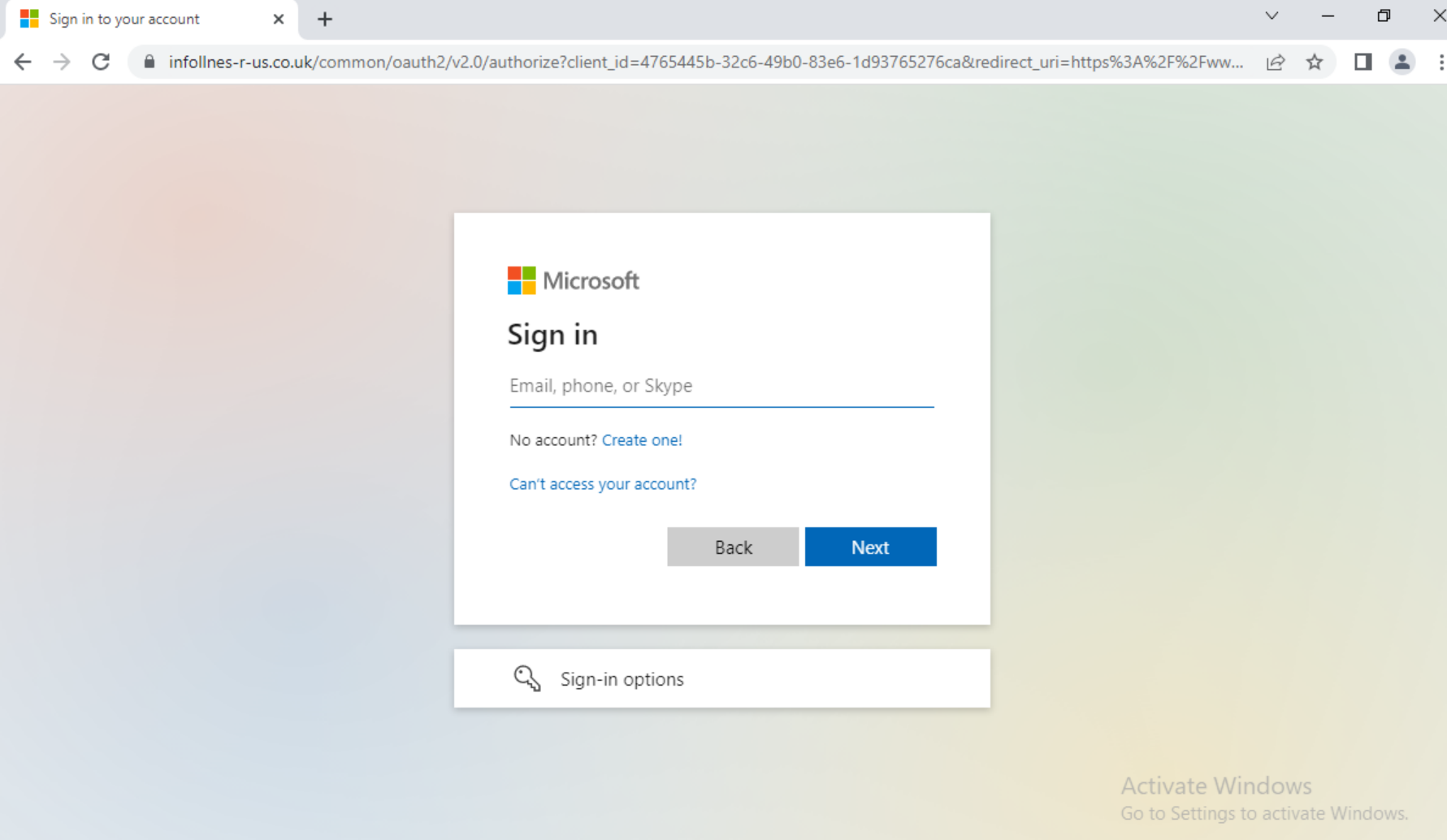
Understanding REvil: REvil Threat Actors May Have Returned (Updated)

Executive Summary

REvil has emerged as one of the world’s most notorious ransomware operators. In summer 2021, it extracted an $11 million payment from the U.S. subsidiary of the world’s largest meatpacking company based in Brazil, demanded $5 million from a Brazilian medical diagnostics company and launched a large-scale attack on dozens, perhaps hundreds, of companies that use IT management software from Kaseya VSA.

While REvil (which is also known as Sodinokibi) may seem like a new player in the world of cybercrime, Unit 42 has been monitoring the threat actors tied to this group for three years. We first encountered them in 2018 when they were working with a group known as GandCrab. At the time, they were mostly focused on distributing ransomware through malvertising and exploit kits, which are malicious advertisements and malware tools that hackers use to infect victims through drive-by downloads when they visit a malicious website.

That group morphed into REvil, grew and earned a reputation for exfiltrating massive data sets and demanding multimillion dollar ransoms. It is now among an elite group of cyber extortion gangs that are responsible for the surge in debilitating attacks that have made ransomware among the most pressing security threats to businesses and nations around the globe.

Updated June 3, 2022: In October 2021, REvil went offline at least in part due to major multi-government entities pursuing the group. The absence, however, was apparently short lived. On April 20, 2022, REvil’s old leak site came back online. We’ve updated our original report on REvil’s activity to include insights on the most recent samples and attacks – though we note that it is not yet clear whether the threat actors behind this activity are actually members of the original group or if this is REvil under a new administration. The new information is included under the header “REvil in 2022.”

Palo Alto Networks WildFire, Threat Prevention and Cortex XDR detect and prevent REvil ransomware infections.

If you think you may have been impacted, please get in touch with the Unit 42 Incident Response team.

REvil in 2022: New Observations of Ransom Notes, Leak Site, Payment Site and More

REvil, one of the most prolific ransomware groups of 2021, went offline in October 2021. The dissolution of REvil was due to major multi-government entities pursuing the group’s operations, with arrests occurring, infrastructure seized, the disappearance of ransomware-as-a-service (RaaS) leadership and general mistrust between members of the group

On April 20, 2022, REvil’s old leak site came back online and started redirecting visitors to a new Onion address, listing new and previous victims. Of particular note, the new site also looks a bit different from the original “Happy Blog” led by the original REvil group – for example, the new site includes an RSS 2.0 feed and a “Join Us” section for active affiliate recruiting. Additionally, the proof of concept links are offline or removed for old victims, leading Unit 42 to believe that the website was revived from a backup and it didn’t update any of the content inside the posts. It is also possible that the blog is being recreated by another group – not necessarily the same threat actors who claimed the work of REvil before. 

During early May, we noticed new alleged victim organizations being listed and then removed from the site numerous times. Typically, when an organization is removed from the site, it’s because they have paid the ransom, but this does not appear to be the case here. Instead, the same potential victims were added and then removed several times. The organizations were an India-based oil organization, a U.S.-based education organization and a France-based sign manufacturer. We observed the site being unstable at times – in some instances showing a blank page with no victims listed. 

“New“ REvil leak site, with new alleged victims listed
Figure 1. “New“ REvil leak site.

The recruiting section on the revived leak site at first directed victims to RuTOR, a known Russian-speaking forum marketplace typically selling illicit goods, leveraging the platform's automated escrow service. An affiliate interested in joining this iteration of REvil was asked to deposit money as part of an automated escrow agreement with an REvil member. Once this process was complete, the affiliate would then get an invite to the group. 

Recruitment section of the new leak site. Russian-language posts originally directed would-be members to RuTOR.
Figure 2. Recruitment section of leak site.

We find the use of RuTOR interesting, since it’s not particularly known for ransomware operators, unlike other forums such as RAMP, Exploit or XSS – where posts seeking “security services” such as pentesters often turn out to be ransomware-related. 

On April 22, we observed a post on RuTOR titled, “REvil’s TOR Sites are suddenly up and running again,” which prompted a response from WD, one of the RuTOR administrators, declaring that REvil is not welcome on the forum (Figure 3). 

It’s worth noting that shortly after this post was made public, the threat actor behind the REvil leak site removed mentions of RuTOR from the leak site – from then on only leveraging TOX Chat for communication. The account useransom that was being used on RuTOR got suspended. 

Translation: “I officially declare: we are not working with these gentlemen, If this is really you, then I’m sorry. Wrong time, wrong place.”
Figure 3. Post from RuTOR adminstrator, WD. Translation: “I officially declare: we are not working with these gentlemen, If this is really you, then I’m sorry. Wrong time, wrong place.”

On April 29, a REvil/Sodinokibi variant emerged in VirusTotal, initially reported by a researcher at AVAST. The observed sample (SHA256: 0c10cf1b1640c9c845080f460ee69392bfaac981a4407b607e8e30d2ddf903e8) was compiled on April 26, three days before the researchers encountered the sample in the wild. This is believed to be a new version of the REvil sample. This sample includes various updates compared to previous REvil samples, including adding pointers to the new leak site and payment site. (The payment site appears similar to previous versions.) 

The sample also has a new field embedded in its JSON configuration, named accs. This field had accounts associated with two different organizations – one in Taiwan and one in Israel. At the time, those two organizations hadn’t been observed on the new REvil leak site, which could indicate they were perhaps victims being actively targeted. 

The “ransomware” sample in fact only seems to behave like ransomware – it appears to encrypt files but doesn’t actually do so. The analyzed sample only renames existing files with a random extension – removing the extension will restore the file back to its original state (Figure 4). 

Figure 4. Changing extensions on renamed files.

The ransom note is almost identical to the original used by this group; notable differences include:

  • Removal of the clearnet site that was previously included – decoder[.]re
  • New updated domains added, pointing to new infrastructure
  • Additional comments from the threat actors, such as a “Sensitive Data'' section that is identical to the one seen in the BlackCat ransom note

The similarity to the BlackCat ransom note isn’t surprising – ransomware groups are known to copy each other's ransom notes from time to time (See Figure 5 for the full REvil note).

"Welcome, again," begins the new ransom note sent by those claiming to be REvil threat actors. Sections in the note include "Whats Happen?" "What guarantees?" "Sensitive Data" "Using a TOR browser" and "Key."
Figure 5. New REvil ransom note.

Their new payment site also seems to be similar to what REvil used in the past. 

In the case of the April 29 sample, the requested ransom is $1.5 million. As seen in previous REvil cases, the ransom request doubles if payment is not performed within the established time frame. We looked for transactions on the BTC wallet address posted on the payment site. As of the writing of this updated report, there haven’t been any transactions made to that wallet address. 

Screenshot of REvil payment site. It begins with a banner that says, "Your network has been infested," then includes deadline and price information as well as information about a Bitcoin wallet.
Figure 6. REvil payment site.

It’s still too early to say whether the threat actors behind this activity are actually members of the original group or if this is REvil under a new administration. 

The “return” of the REvil/Sodinokibi name is not surprising; REvil had quite a reputation, built from three years of active ransomware activity. That being said, the REvil brand also has been tarnished. The group has gone offline multiple times due to high-profile attacks that led to law enforcement pursuit – and lost the trust of affiliates in the process. With the sudden disappearance of prominent leaders – Unknown(aka UNKN) in July and 0_neday shortly after in October 2021 REvil leadership wasn’t able to restore confidence. 

REvil representative 0_neday announcing compromise of REvil servers.
Figure 7. REvil representative 0_neday announcing compromise of REvil servers.

Even with the apparent return of REvil, other cybercriminals are skeptical, and some suspect law enforcement is behind it. Recruiting with such a reputation may be a bit difficult, and this is one of the main reasons why ransomware groups rebrand. 

Regardless of who is behind the reemergence of this group, we continue to recommend that organizations prepare themselves to combat any ransomware that emerges. As always, the best time to prepare for a ransomware incident is before it happens.

Ransomware as a Service

REvil is one of the most prominent providers of ransomware as a service (RaaS). This criminal group provides adaptable encryptors and decryptors, infrastructure and services for negotiation communications, and a leak site for publishing stolen data when victims don’t pay the ransom demand. For these services, REvil takes a percentage of the negotiated ransom price as their fee. Affiliates of REvil often use two approaches to persuade victims into paying up: They encrypt data so that organizations cannot access information, use critical computer systems or restore from backups, and they also steal data and threaten to post it on a leak site (a tactic known as double extortion).

Threat actors behind REvil operations often stage and exfiltrate data followed by encryption of the environment as part of their double extortion scheme. If the victim organization does not pay, REvil threat actors typically publish the exfiltrated information. We have observed threat actors who are clients of REvil focus on attacking large organizations, which has enabled them to obtain increasingly large ransoms. REvil and its affiliates pulled in an average payment of about $2.25 million during the first six months of 2021 in the cases that we observed. The size of specific ransoms depends on the size of the organization and type of data stolen. Further, when victims fail to meet deadlines for making payments via bitcoin, the attackers often double the demand. Eventually, they post stolen data on the leak site if the victim doesn’t pay up or enter into negotiations.

2021 Trends – Something Old, Something New

Unit 42 has worked over a dozen REvil ransomware cases so far this year. While some of the tactics cited in our 2021 Unit 42 Ransomware Threat Report have remained the same, we have seen a few deviations from REvil’s standard attack lifecycle. For a quick reference, we have generated Actionable Threat Objects and Mitigations (ATOMs) to display REvil’s tactics, techniques, procedures and other indicators of compromise (IOCs).

How REvil Threat Actors Gain Access

REvil threat actors continue to use previously compromised credentials to remotely access externally facing assets through Remote Desktop Protocol (RDP). Another commonly observed tactic is phishing leading to a secondary payload. However, we also observed a few unique vectors that relate to the recent Microsoft Exchange Server CVEs, as well as a case that involved a SonicWall compromise. Below are the five unique entry vectors observed thus far in 2021.

  • A user downloads a malicious email attachment that, when opened, initiates a payload that downloads and installs a QakBot variant of malware. In at least one case, the version of QakBot we observed collected emails stored on the local system, archived them and exfiltrated them to an attacker controlled server.
  • In one instance, a malicious ZIP file attachment containing a macro-embedded Excel file that led to an Ursnif infection was used to initially compromise the victim network.
  • Several actors utilized compromised credentials to access internet-facing systems via RDP. It’s unclear how the actors gained access to the credentials in these instances.
  • An actor exploited a vulnerability in a client SonicWall appliance categorized as CVE-2021-20016 to gain access to credentials needed to access the environment.
  • An actor utilized the Exchange CVE-2021-27065 and CVE-2021-26855 vulnerabilities to gain access to an internet-facing Exchange server, which ultimately allowed the actor to create a local administrator account named “admin” that was added to the “Remote Desktop Users” group.

How REvil Threat Actors Establish Their Presence Within an Environment

Once access is obtained, REvil threat actors typically utilize Cobalt Strike BEACON to establish their presence within an environment. In several instances we observed, they used the remote connection software ScreenConnect and AnyDesk. In other cases, they chose to create their own local and domain accounts, which they added to the “Remote Desktop Users” group. Further, the threat actors often disabled antivirus, security services and processes that would interfere with or otherwise detect their presence within the environment.

Below are specific techniques we observed thus far in 2021:

  • Once the actor had access to the environment, they utilized different toolsets to establish and maintain their access, including the use of Cobalt Strike BEACON as well as local and domain account creation. In one instance, the REvil group utilized a BITS job to connect to a remote IP, download and then execute a Cobalt Strike BEACON.
  • In several incidents, Unit 42 identified the use of “Total Deployment Software” by REvil threat actors to deploy ScreenConnect and AnyDesk software to maintain access within the environment.
  • In many instances, the REvil actor(s) created local and domain level accounts through BEACON and NET commands even if they had access to domain-level administrative credentials.
  • Unit 42 observed common evasion techniques across all engagements in which REvil threat actors used [1-3] alphanumeric batch and PowerShell scripts that stopped and disabled antivirus products, services related to Exchange, VEAAM, SQL and EDR vendors, as well as enabled terminal server connections.

How REvil Threat Actors Expand Access and Gather Intelligence

In most cases, REvil actors need to gain access to additional accounts that have a wider set of privileges in order to move further within the victim environment and carry out their mission. They often use Mimikatz to access cached credentials on the local host. However, Unit 42 also observed the SysInternals tool procdump as a means to dump the LSASS process. Unit 42 also found it common for this threat actor to access files with the name “password” within the filename. In one instance, we observed an attempt to gain access to a KeePass Password Safe.

During the reconnaissance phase of attacks, REvil threat actors often utilize various open source tools to gather intelligence on a victim environment and in some cases resort to utilizing administrative commands NETSTAT and IPCONFIG to gather information.

Below are specific observations of REvil’s behavior in 2021.

  • Network reconnaissance tools netscan, Advanced Port Scanner, TCP View and KPort Scanner were observed in over half the engagements Unit 42 responded to.
  • The threat actors often use Bloodhound and AdFind to map out networks and gather other active directory information.
  • In two engagements, Unit 42 observed the use of ProcessHacker and PCHunter in what appeared to be an attempt to gain insight into processes and services running on hosts within the environment.

How REvil Threat Actors Move Laterally Throughout Compromised Environments

In general, REvil threat actors utilize Cobalt Strike BEACON and RDP with previously compromised credentials to laterally move throughout compromised environments. Additionally, Unit 42 observed use of the ScreenConnect and AnyDesk software as methods of lateral movement. While we have seen other ransomware groups employ these tactics, we observed REvil threat actors retrieving these binaries from file sharing sites such as MEGASync and PixelDrain.

How REvil Threat Actors Complete Their Objectives

Finally, we observed REvil threat actors moving to the final stage of their attack, encrypting networks, staging and exfiltrating data, and destroying data to prevent recovery and hinder analysis.

Ransomware Deployment
  • REvil threat actors typically deployed ransomware encryptors using the legitimate administrative tool PsExec with a text file list of computer names or IP addresses of the victim network obtained during the reconnaissance phase.
  • In one instance, a REvil threat actor utilized BITS jobs to retrieve the ransomware from their infrastructure. In a separate instance, the REvil threat actor hosted their malware on MEGASync.
  • REvil threat actors also logged into hosts individually using domain accounts and executed the ransomware manually.
  • In two instances, the REvil threat actor utilized the program dontsleep.exe in order to keep hosts on during ransomware deployment.
  • REvil threat actors often encrypted the environment within seven days of the initial compromise. However, in some instances, the threat actor(s) waited up to 23 days.
Exfil
  • Threat actors often used MEGASync software or navigated to the MEGASync website to exfiltrate archived data.
  • In one instance, the threat actor used RCLONE to exfiltrate data.
Defense Maneuvers

During the encryption phase of these attacks, the REvil threat actors utilized batch scripts and wevtutil.exe to clear 103 different event logs. Additionally, while not an uncommon tactic these days, REvil threat actors deleted Volume Shadow Copies in an apparent attempt to further prevent recovery of forensic evidence.

Conclusion: Evolve

While the REvil operational group may target large organizations, all are potentially susceptible to attack. As we draw closer to a post COVID-19 environment, IT and other defenders of networks should take time to learn what’s normal in their environments and notice and question abnormalities. Investigate them. Question your defenses. Do all users need to be able to open macro-enabled documents? Do you have endpoint visibility and protections to, at minimum, alert you to secondary infections such as QakBot? If you absolutely need RDP, are you using tokenized MFA? And don’t question just once – question routinely. Think like the attacker. You might be able to stop your organization from being the next victim and escape being in the headlines for the wrong reasons.

Palo Alto Networks customers are protected by:

  • WildFire: All known samples are identified as malware.
  • Cortex XDR with:
    • Prevention for known REvil indicators
    • Anti-Ransomware Module to prevent REvil encryption behaviors.
    • Local Analysis detection to prevent REvil binary executions.
    • Behavioral Threat Protection, Anti-exploitation modules and Suspicious Process Creation to prevent REvil techniques.
    • XDR Analytics, Analytics BIOCs and BIOCs to detect REvil techniques.
  • AutoFocus: Tracking related activity using the REvil tag.
  • Cortex XSOAR: “Kaseya VSA 0-day - REvil Ransomware Supply Chain Attack” playbook. Playbook includes the following tasks:
    1. Collect related known IOCs from several sources.
    2. Indicators, PS commands, Registry changes and known HTTP requests hunting using PAN-OS, Cortex XDR and SIEM products.
    3. Block IOCs automatically or manually.

If you think you may have been compromised or have an urgent matter, get in touch with the Unit 42 Incident Response team or call:

  • North America Toll-Free: 866.486.4842 (866.4.UNIT42)
  • EMEA: +31.20.299.3130
  • APAC: +65.6983.8730
  • Japan: +81.50.1790.0200

Additional Resources

Threat Assessment: GandCrab and REvil Ransomware

2022 Unit 42 Ransomware Threat Report Highlights: Ransomware Remains a Headliner

Ransomware Trends: Higher Ransom Demands, More Extortion Tactics

Breaking Down Ransomware Attacks

Ransomware’s New Trend: Exfiltration and Extortion

Cortex XSOAR playbook documentation

Originally posted July 6, 2021. Now updated with additional 2022 insights.

Popping Eagle: How We Leveraged Global Analytics to Discover a Sophisticated Threat Actor

Executive Summary

To better detect attacks that affect the actions of signed applications – such as supply-chain attacks, dynamic-link libraries (DLL) hijacking, exploitation and malicious thread injection – we have devised a suite of analytics detectors that are able to detect global statistical anomalies.

Using these new detectors, we found what seems to be an industrial espionage attack. The observed activity includes performing a specially crafted DLL hijacking attack used by a previously unknown piece of malware that we dubbed "Popping Eagle" due to several artifacts found in the samples. It also includes a second stage malicious tool written in Go dubbed "Going Eagle." In this particular case, we observed the attacker following this by performing several network scans and lateral movement steps.

Discovering Popping Eagle using this new suite of analytics detectors underscores the following key points:

  • These analytical and statistical methods have capabilities that allow for the identification of malware that might otherwise have been missed.
  • Though the malware loaded itself into a signed process with the goal of remaining undetected, these detectors found it due to the attempted obfuscation.

In this blog post, we discuss the hunting method, analyze the tools used in the attack and detail the actions performed by the attacker in the victim’s environment.

Palo Alto Networks customers are protected from this kind of attack by Cortex XDR, as well as the WildFire cloud-delivered security subscription for the Next-Generation Firewall. (Please see the Conclusion section for more detail.)

Malware Discussed Popping Eagle, Going Eagle

Hunting for Statistical Irregularities in Signed Applications

Motivation

Over the last couple of years, the number of supply-chain attacks has increased dramatically. Examples include SolarStorm, NotPetya, Kaseya, KeRanger and others.

From previous events, we learned that even though threat actors leveraging supply-chain attacks usually run code on a large number of organizations, they tend to focus the attack’s "second stage" on a small number of high-value targets.

Leveraging a large Cortex XDR dataset, we built a global baseline of "normal" application behavior and hunted for anomalies.

Identifying these anomalies detects several kinds of techniques – examples include supply chain attacks, DLL side-loading or malicious thread injections – and any attack that may cause a legitimate signed application to behave differently.

Implementation

Each application can perform several different types of actions. Actions that are shared across multiple environments are more likely to be benign, so we leverage them to create a global baseline for each application.

In addition, some actions are unique to each organization, even when performed by the same application (for example, connecting to the domain of the organization itself). Recognizing this, we also build a local baseline for each organization and for each application.

Using these baselines, we compare actions performed by each application and flag anomalous activities.

Once we have a set of suspicious cases, we further analyze them to validate if these are actual attacks.

Finding Popping Eagle

After filtering out cases with known malicious indicators of compromise (IoCs), we came across the following case:

The application clicksharelauncher.exe, signed by "Barco N.V.," had been seen in a few hundred different environments, indicating we have a good baseline on its behavior, but it performed unique domain resolutions in only one environment. Furthermore, the domain it contacted, dnszonetransfer[.]com, was only seen in that environment, and only on three unique agents out of thousands.

In the course of the research, we found two types of tools left on the hosts that sparked our curiosity as they were unknown not only by hash but also by all other IoCs found during the research (see “Searching for Related IoCs” for further elaboration).

Analyzing Popping Eagle’s First Stage

Loading Method – DLL Proxy

Looking into the causality chain of clicksharelauncher.exe, we saw that before it contacted the dnszonetransfer[.]com domain, it loaded an unsigned DLL from the same directory as the executable named uxtheme.dll.

This DLL name also belongs to a known Microsoft signed DLL that's usually located at %windir%\SysWOW64\UxTheme.dll, and the DLL name is also in the import table of clicksharelauncher.exe.

The first stage of Popping Eagle includes a DLL proxy. The screenshot shows the import table of clicksharelauncher.exe, which is being used for DLL Search Order Hijacking.
Figure 1. Partial import table of clicksharelauncher.exe

This is a classic example of DLL Search Order Hijacking; clicksharelauncher.exe tries to load uxtheme.dll from the current directory before %windir%\SysWOW64\, so it loads the attacker’s DLL instead of Microsoft’s DLL.

Comparing the export table of the unsigned uxtheme.dll with the original one also shows the same functions, with the addition of one additional exported function: popo.

Comparing the export table of the malicious proxied DLL (left) and the original DLL (right) reveals that same functions, with the addition of one additional exported function on the malicious side: popo (outlined in red in the screenshot).
Figure 2. Partial export table of the malicious proxied DLL (left) and original DLL (right).

Analyzing the uxtheme.dll Sample

This executable was written as a 32-bit DLL in C++. The original compiled name from the DLL metadata is CoL_Final_Lib.dll, and its compile timestamp records the same day we first saw it. In conjunction with the fact that each of the three hosts we saw it on had a different SHA256 hash, this may indicate that it was compiled "on the spot."

The use of the Barco software as a loader also indicates that the sample was tailor-made to this victim’s environment – its use as a loader is rather unique.

Checking the memory locations of its entry point and exports shows mostly strings, while only one is an actual function. This further indicates that this DLL doesn't implement actual logic for these functions and they only exist to better mimic the proxied DLL.

To run its functionality right away on load (avoiding the need to wait to be called explicitly), the malware runs its main code on the main DLL entry point and in a new thread (to not block the rest of the DLL load flow).

To run its functionality right away on load (avoiding the need to wait to be called explicitly), the malware runs its main code on the main DLL entry point and in a new thread (to not block the rest of the DLL load flow). This main function decodes the C2 URL (using a simple one-byte XOR) and connects to it using a Win32API function. From strings found in the code, it seems that the malware authors used the open-source C++ project WinHttpClient to perform the network logic. The image shows three screenshots, with arrows flowing from one to the next. Key lines are highlighted in yellow and/or outlined in red.
Figure 3. The malware's main function in the DLL. This function is also called from the popo entry point.

This main function decodes the C2 URL (using a simple one-byte XOR) and connects to it using a Win32API function. From strings found in the code, it seems that the malware authors used the open-source C++ project WinHttpClient to perform the network logic. The malware then enters its main event loop, which performs these actions:

  • Sends a POST request to the URL with a hardcoded old Linux user agent and message.
  • Verifies that the response starts with Unicode 726563697074 – "recipt" (may suggest a non-native English-speaking author).
  • Parses a struct with several different commands including:
    • Saving files on the remote host.
    • Loading and running DLLs from a specific folder.
  • Sleeps for one hour + a randomly generated timeframe.
The first request sent to the server by the Popping Eagle malware. Note the use of a hardcoded old Linux user agent and message.
Figure 4. The first request sent to the server by the malware.

Going Eagle Second Stage Analysis

Most of the time this DLL was observed, it didn't seem to receive any commands from the malicious actor. But on one occasion the IP resolved by dnszonetransfer[.]com temporarily changed to 51.38.89[.]53 for a few days when the attacker was active. This is a common tactic attempting to avoid detection where the C2 domain only points to the attacker’s infrastructure when the malware needs to be controlled. This attacker-controlled IP used the first-stage malware to load a second stage DLL that we call “Going Eagle.”

Analyzing ClickRuntime-amd86.dll

This executable was written as a 32-bit DLL in Go. The original "compiled name" from the DLL metadata is iphlpapi.dll. Somewhat interestingly, this DLL proxies a different Microsoft DLL by the same name (and mimics all the relevant named export functions). This isn’t necessary as the first stage loads it with LoadLibrary and not by the DLL-hijacking technique.

Comparison of the export tables of the malicious proxied DLL (left) and original DLL (right). Again, we see popo in the malicious proxied DLL - outlined in red in the image.
Figure 5. Partial export table of the malicious proxied DLL (left) and original DLL (right).

There are more similarities between the DLLs although they were written in different languages (C++, Go)

  • Compile timestamp – created and dropped on the same day.
  • Created as a proxy DLL.
  • Has an export function named popo
  • The DllMain and popo functions call a function that invokes the malware’s inner logic in another thread (so the malware logic will run right on the DLL load or on another popo invocation).

This tool was created for one task only – to create a reverse SOCKS proxy to get the attacker control over the machine (as described in the “Lateral Movement” section later on).

Since the malware is written in Go, we can extract extra data from its plaintext strings:

  • Original package name Eagle2.5-Client-Dll (outlined in red in Figure 6).
  • Original function names (like main.StartEagle).
  • Packages from Go standard and extended library (like bufio, log, x/net).
  • Packages from other resources like GitHub repositories (outlined in yellow and green in Figure 6).
The figure shows the original package name outlined in red. Packages from other resources like GitHub repositories are outlined in yellow and green.
Figure 6. Strings found in the malware sample.
Outlined in red is the popo inner call to StartEagle function with the C2 as a parameter.
Figure 7. popo inner call to StartEagle function with the C2 as a parameter.
From clicksharelauncher.exe to DLL search order hijacking, to uxtheme.dll (proxy), to write and load DLL, to ClickRuntime-amd86.dll. Uxtheme.dll communicates with dnszonetransfer[.]com, which leads to the first C2, 51.38.89[.]53. ClickRuntime communicates with reporterror[.]net, which leads to the second C2, 51.75.57[.]245
Figure 8. Illustration of the attack flow.

Lateral Movement

Using the second-stage SOCKS binary, Going Eagle, the attackers tunneled their machine to perform several network-based attacks.

At first, they scanned multiple hosts for open Remote Desktop Protocol (RDP) and Server Message Block (SMB) ports, in order to find targets toward which to move laterally. Leveraging password reuse of the local administrator account on several different hosts, the attackers used Impacket's wmiexec to run discovery commands on multiple machines.

This caused the following detectors to be raised:

Cortex XDR Analytics BIOC - Remote WMI process execution; Cortex XDR Analytics BIOC - Uncommon IP Configuration Listing via ipconfig.exe; Cortex XDR Analytics BIOC - Rare NTLM Access by user to host; Cortex XDR Analytics - Multiple Discovery Commands; Cortex XDR Analytics - Failed Connections; Cortex XDR BIOC - Command execution via wmiexec; Cortex XDR Analytics BIOC - Uncommon ARP cache listing via arp.exe; Cortex XDR Analytics BIOC - Uncommon user management via net.exe; Cortex XDR Agent - Behavioral Threat Protection (suspicious remote service); Cortex XDR Agent - Behavioral Threat Protection (impacket_cmd)
Table 1. Detectors raised in Cortex XDR by the activity of Going Eagle.
Cortex XDR grouped several lateral-movement related alerts observed in relation to Popping Eagle activity into an Incident.
Figure 9. Cortex XDR grouped several lateral-movement related alerts into an Incident.

In addition to wmiexec, the attackers used RDP to move laterally through the network. They uploaded PsExec and used it to run taskmgr.exe as SYSTEM to gather credentials by dumping lsass memory.

This was blocked by the Cortex XDR agent as well and raised several other alerts from Cortex XDR Analytics and Cortex XDR BIOCs:

Cortex XDR Agent - Behavioral Threat Protection, Cortex XDR Analytics BIOC - Suspicious process executed with a high integrity level, Cortex XDR BIOC - PsExec execution EulaAccepted flag added to the Registry; Cortex XDR BIOC - PsExec runs with System privileges
Table 2. Alerts raised from Cortex XDR Analytics and Cortex XDR BIOCs.

At a certain point, the attackers managed to acquire a privileged domain account and tried using it to steal secrets from the domain controller using Impacket's secretsdump. But their attempts were blocked by the Cortex XDR agent.

Cortex XDR Agent - heuristic.b.save_sam_or_security_remote (SYNC - Credential Gathering - 3406296443)
Table 3. Table showing how the Cortex XDR Agent blocked an attempt to steal secrets from the domain controller.

It seems that the attacker failed to reach their goals and stopped trying to move laterally due to the multiple protections in place.

Second-Stage Timeline

Time (UTC) MITRE Technique Action Detection
Day 1 17:28 Dynamic Resolution The attacker changed IP resolution for dnszonetransfer[.]com to 51.38.89[.]53
Day 2 20:19 Application Layer Protocol The infected host got the first command from 51.38.89[.]53
Signed Binary Proxy Execution Loaded the second-stage DLL, Going Eagle (ClickRuntime-amd86.dll) Globally uncommon image load from a signed process (Added after the fact)
Application Layer Protocol First transmission to reporterror[.]net Globally uncommon root domain from a signed process
(Added after the fact)
Proxy Attacker machine was tunneled using the SOCKS proxy
Day 2 20:29 Network Service Scanning Scanned multiple hosts for open RDP, SMB and Remote Procedure Call (RPC) ports Failed Connections
Day 2 20:35 Remote Services Connected to the first host using wmiexec Remote WMI process execution
Rare NTLM Access By User To Host
Command execution via wmiexec
Behavioral Threat Protection (suspicious_remote_service)
Behavioral Threat Protection (impacket_cmd)
System Network Configuration Discovery Run discovery commands Uncommon IP Configuration Listing via ipconfig.exe
Account Discovery Uncommon user management via net.exe
Uncommon ARP cache listing via arp.exe
Multiple Discovery Commands
Day 2 20:50 Remote Services Connected to the second host using wmiexec Remote WMI process execution
Rare NTLM Access By User To Host
Command execution via wmiexec
Behavioral Threat Protection (suspicious_remote_service)
Behavioral Threat Protection (impacket_cmd)
System Network Configuration Discovery Run discovery commands Uncommon IP Configuration Listing via ipconfig.exe
Account Discovery Uncommon user management via net.exe
Uncommon ARP cache listing via arp.exe
Multiple Discovery Commands
Day 2 20:53
Network Service Scanning Scanned multiple hosts for open RDP, SMB and RPC ports Failed Connections
Day 2 20:54 Remote Services Connected to the third host using wmiexec Remote WMI process execution
Rare NTLM Access By User To Host
Command execution via wmiexec
Behavioral Threat Protection (suspicious_remote_service)
Behavioral Threat Protection (impacket_cmd)
System Network Configuration Discovery Run discovery commands Uncommon IP Configuration Listing via ipconfig.exe
Uncommon user management via net.exe
Account Discovery Uncommon ARP cache listing via arp.exe
Multiple Discovery Commands
Day 2 21:40 Network Service Scanning Scanned multiple hosts for open RDP, SMB and RPC ports Failed Connections
Day 2 21:54 Remote Desktop Protocol Laterally moved using RDP to the fourth host
Day 2 21:56 LSASS Memory Tried to dump lsass using taskmgr Behavioral Threat Protection (minidumpwritedump_handle_terminate)
Day 2 22:01 LSASS Memory Tried to dump lsass using taskmgr running as SYSTEM Behavioral Threat Protection (minidumpwritedump_handle_terminate)
Suspicious process executed with a high integrity level
PsExec execution EulaAccepted flag added to the Registry
PsExec runs with System privileges
Day 3 01:10 NTDS Run secretsdump on the first DC and was blocked heuristic.b.save_sam_or_security_remote (SYNC - Credential Gathering - 3406296443)
Day 3 01:36 NTDS Run secretsdump on the second DC and was blocked heuristic.b.save_sam_or_security_remote (SYNC - Credential Gathering - 3406296443)
Day 8 11:16 Dynamic Resolution The attacker changed dnszonetransfer[.]com IP resolution to a benign IP

Table 4. Timeline of activities, attack techniques and detections involved in the Popping Eagle attack.

Searching for Related IoCs

After we finished analyzing the malware's behavior, we set our goals to find related samples by the same actor.

Hypothesis

Observing the facts:

  • The first stage downloads and loads the second stage DLL and invokes the function popo from it. Both DLLs export the popo function.
  • The second stage unnecessarily proxies the DLL.

Also, both of the DLLs contain possible indicator strings for a version or a development ready status

  • CoL_Final_Lib.dll
  • Eagle2.5-Client-Dll

This data can sum up to a possible modus operandi of an adversary:

  • Create and use multiple small-effort tools written using known public projects and libraries.
  • It is feasible to assume that they have a framework to easily create proxy DLLs with a single export function (in our case: popo).
  • Developer(s) knowledgeable in several programming languages (C++, Go, Python).

Hunting and Searching Methodology

At first we searched for the initial indicators (hash, domain, IP, URL) on AutoFocus and common public threat intel platforms, but nothing new was found.

Additionally, while analyzing the malware, we created generic "hunting" and specific "adversary" Yara rules to search for related samples. The generic rules yielded surprisingly good results by finding additional "Go socks" samples unrelated to this actor, most of which are malware.

The specific adversary rules did not find any additional samples.

Conclusion

As seen in the case above, attackers are using open-source code to develop custom malware that's designed to evade security detection. In order to combat more advanced actors, we must leverage more sophisticated detection techniques. Hunting for anomalous actions done by signed applications has proven itself successful in finding previously unknown attacks and "dormant" backdoors.

Due to the malware's apparently being tailor-made for the attacked network and the use of common attack tools, we couldn't attribute it to a specific actor.

Palo Alto Networks customers are protected from this kind of attack by the following:

1. Cortex XDR's Global Analytics BIOC alerts, implementing, among many things, the statistical techniques described earlier.

Cortex XDR Analytics BIOC - globally uncommon root domain from a signed process; Cortex XDR Analytics BIOC - Globally uncommon injection from a signed process; Cortex XDR Analytics BIOC - Globally uncommon image load from a signed process
Table 5. Cortex XDR Global Analytics BIOC alerts that can help protect against Popping Eagle.

2. Cortex XDR Agent Behavioral Threat Protection blocks the DLL hijacking attack on the vulnerable application, preventing future malware from using the same loading method.

3. WildFire, a cloud-delivered security subscription for the Next-Generation Firewall, and Cortex XDR identify and block all IoCs mentioned as well as all future IoCs identified by the Yara rules

Appendix

Indicators of Compromise

SHA256 File Name
e5e89d8db12c7dacddff5c2a76b1f3b52c955c2e86af8f0b3e36c8a5d954b5e8 uxtheme.dll
95676c8eeaab93396597e05bb4df3ff8cc5780ad166e4ee54484387b97f381df uxtheme.dll
59d12f26cbc3e49e28be13f0306f5a9b1a9fd62909df706e58768d2f0ccca189 uxtheme.dll
0dc8f17b053d9bfab45aed21340a1f85325f79e0925caf21b9eaf9fbdc34a47a ClickRuntime-amd86.dll


Domain
dnszonetransfer[.]com
reporterror[.]net


IP
51.38.89[.]53
51.75.57[.]245

URL
hxxps[:]//dnszonetransfer[.]com/Protocol/extensions.php

User agent
Mozilla/5.0 (X11; Linux x86_64) AppleWebKit/537.36 (KHTML, like Gecko) Chrome/51.0.2704.103 Safari/537.36

Hunting Yara Rules

Suspicious Go Executables

Possible Tools From This Adversary

Threat Brief: CVE-2022-30190 – MSDT Code Execution Vulnerability

Executive Summary

On May 27, 2022, details began to emerge of malicious Word documents leveraging remote templates to execute PowerShell via the ms-msdt Office URL protocol. The use of this technique appeared to allow attackers to bypass local Office macro policies to execute code within the context of Word. Microsoft has since released protection guidance and assigned CVE-2022-30190 to this vulnerability.

Due to the amount of publicly available information, ease of use, and the extreme effectiveness of this exploit, Palo Alto Networks is providing this threat brief to make our customers aware of this critical vulnerability and the options available to ensure proper protections are put into place until a patch can be issued by Microsoft.

The vulnerability enables remote code execution with the same privileges as the calling application and there are proof-of-concept examples of zero-click variants. Therefore, exploits for this vulnerability have potential to be of high impact.

We highly recommend following Microsoft’s guidance to protect your enterprise until a patch is issued to fix the problem.

All known samples and URLs associated with this attack have been flagged in the Palo Alto Networks product suite so customers can receive protections.

Vulnerability Discussed CVE-2022-30190 aka Follina

Attack Details for CVE-2022-30190

On May 27, 2022, a cybersecurity research team out of Tokyo, Japan, nao_sec, uncovered a malicious Word document uploaded to VirusTotal from an IP in Belarus. The document was abusing the Microsoft Word remote template feature to retrieve a malicious HTML file that subsequently used the ms-msdt Office URI scheme to execute PowerShell within the context of Word.

On May 30, Keven Beaumont wrote an article detailing the specifics of the initial incident. The important thing to note here is that the decoy Word document had nothing inherently malicious outside of the link to the template hosted at hxxp://xmlformats[.]com, allowing it to bypass EDR solutions. The HTML code from the remote template is shown in Figure 1 below.

Remote template HTML code related to CVE-2022-30190. Contains embedded JavaScript that uses the ms-mdft schema to invoke the PCVDiagnostic pack to reference the IT_BrowseForFile to execute the base64-encoded PowerShell Invoke-Expression command.
Figure 1. Remote template HTML code.

The JavaScript embedded within the HTML uses the ms-msdt schema to invoke the PCWDiagnostic pack, to reference the IT_BrowseForFile to execute the base64-encoded PowerShell Invoke-Expression command.

The base64-decoded text within the PowerShell Invoke-Expression is shown in Figure 2 below.

Base64-decoded PowerShell contents. The code shown here kills the msdt.exe process, loops through files looking for a CAB file, stores it in a file, etc.
Figure 2. Base64-decoded PowerShell contents.

This code does a few things. First it kills the msdt.exe process. Then the code loops through the files within a .rar archive looking for a CAB file (TVNDRgAAAA base64 decodes to MSCF, which is the magic header of a CAB file). It then stores it in a file called 1.t. 1.t, which gets base64 decoded to 1.c, expanded to rgb.exe and then finally executed.

None of the reports we’ve seen have recovered the final payload. Therefore, the contents are unknown.

The use of remote templates to deliver malicious documents is not new, however, historically they’ve been used to host .docm or dotm (macro-enabled Word documents), which would still be affected by the local systems’s Word macro policy. Therefore, the vulnerability of particular note in this attack lies in calling the Microsoft Support Diagnostic Tool (MSDT) using the ms-msdt URL Protocol within Word via the remotely loaded template file. This allows execution of code within the context of Microsoft Word, even if macros are disabled.

Protected View was triggered during execution of the nao_sec example, however, John Hammond demonstrated you can bypass Protected View by using an RTF file instead. This allows the attack to succeed even if the user simply views the file in the preview pane – with no clicks on the document necessary – making the attack much more dangerous.

Microsoft has since released protection guidance and assigned CVE-2022-30190 to this vulnerability. They provided a workaround to disable the MSDT URL protocol, however, this may break other diagnostic tools that rely on the MSDT URL protocol to operate. They also recommend ensuring cloud-delivered protections and automatic sample submission for Microsoft Defender are enabled. Microsoft recommends that customers of Microsoft Defender for Endpoint enable the attack surface reduction rule BlockOfficeCreateProcessRule.

CVE-2022-30190 in the Wild

So far, Palo Alto Networks is only seeing indications of testing within our customer telemetry indicated by final payload execution of benign executables such as calc.exe and notepad.exe. Palo Alto Networks and Unit 42 will continue to monitor for evidence of exploitation and further novel use cases.

Conclusion

Based on the amount of publicly available information, the ease of use and the extreme effectiveness of this exploit, Palo Alto Networks highly recommends following Microsoft’s guidance to protect your enterprise until a patch is issued to fix the problem.

Next-Generation Firewalls (PA-Series, VM-Series and CN-Series) or Prisma Access with a Threat Prevention security subscription can automatically block sessions related to this vulnerability using Threat ID 92623 (Application and Threat content update 8575).

WildFire and Cortex XDR categorize all known samples we’ve come across as malware.

Cortex XDR Agent 7.5 and higher (with content version 540-92526) prevents attempts to exploit this vulnerability with the Behavioral Threat Protection module. The Cortex XSOAR “CVE-2022-30190 - MSDT RCE” playbook helps speed up the discovery and remediation of compromised hosts within the network. The playbook can be found on the XSOAR marketplace.

Additionally, all encountered URLs have been flagged as malware within PAN-DB, the Advanced URL Filtering URL database. Customers can leverage this service with best practice configuration for further protection.

If you think you may have been compromised or have an urgent matter, get in touch with the Unit 42 Incident Response team or call:

  • North America Toll-Free: 866.486.4842 (866.4.UNIT42)
  • EMEA: +31.20.299.3130
  • APAC: +65.6983.8730
  • Japan: +81.50.1790.0200

As further information or detections are put into place, Palo Alto Networks will update this publication accordingly.

Updated June 3, 2022, at 3:30 p.m. PT. 
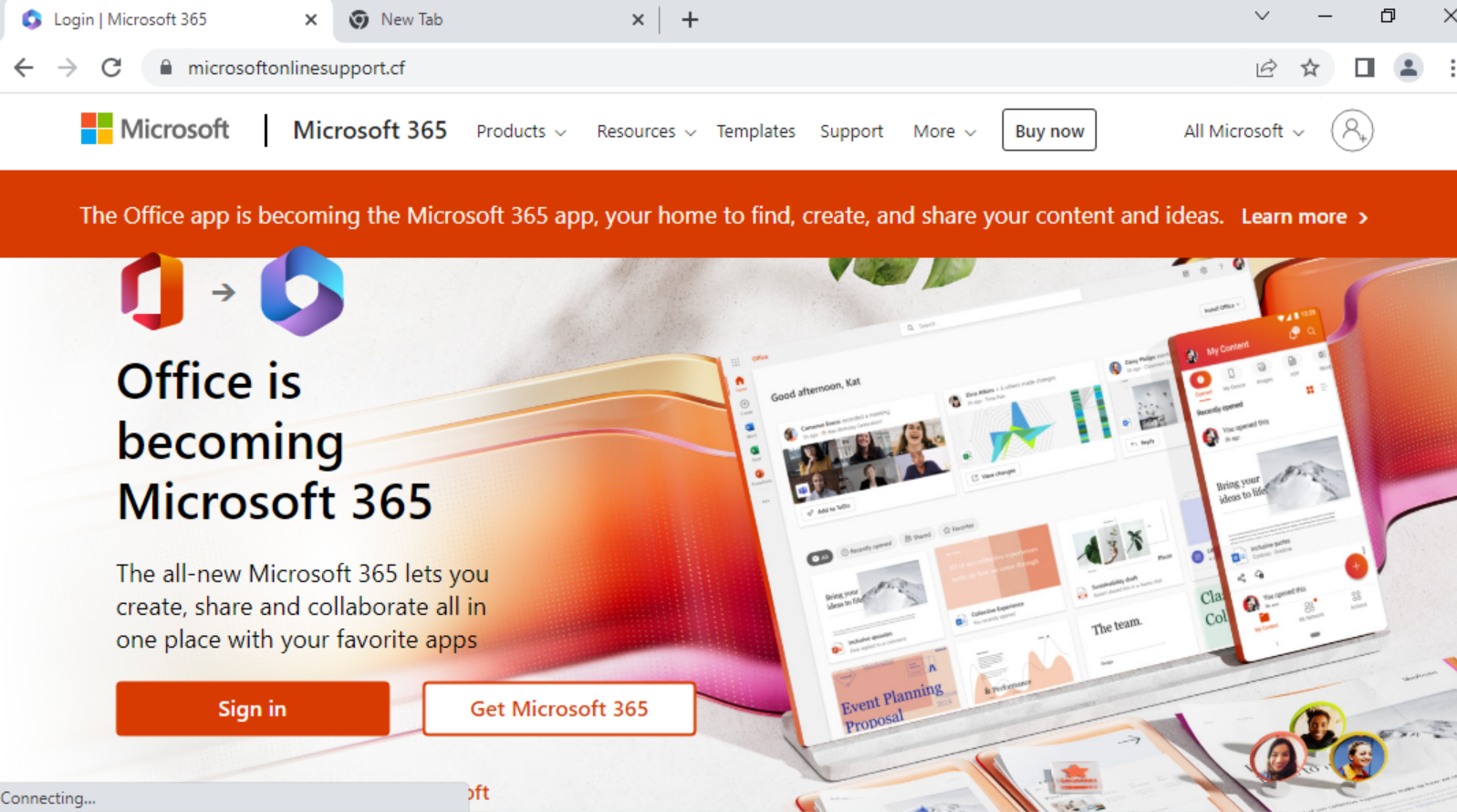
Network Security Trends: November 2021 to January 2022

Executive Summary

Unit 42 researchers continually observe network attacks and search for insights that can assist defenders. Here, we summarize key trends from November 2021 to January 2022. In the following sections, we present our analysis of the most recently published vulnerabilities, including the severity distribution. We also classify vulnerabilities to provide a clear view of the prevalence of, for example, cross-site scripting or denial of service.
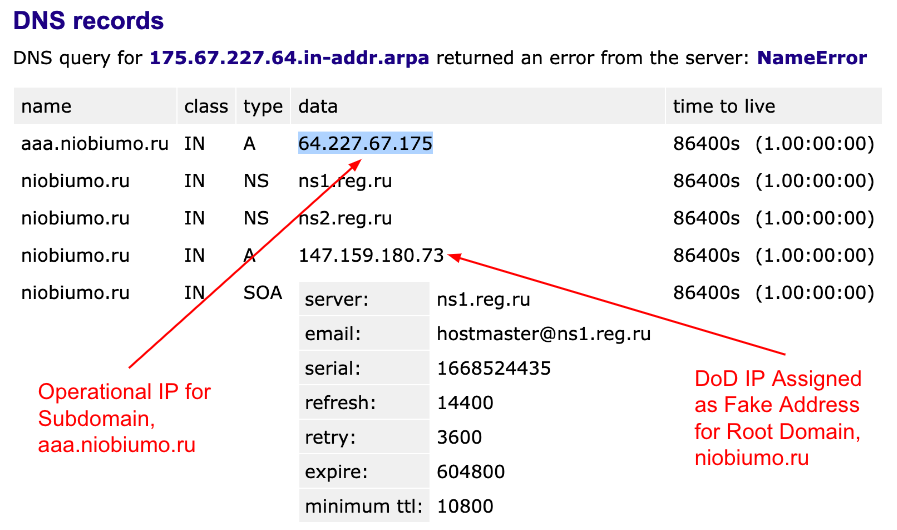
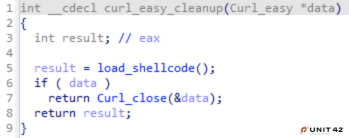
Cross-site scripting stood out as a commonly used technique. Among around 6,443 newly published vulnerabilities, we found that a large portion (almost 10.6%) still involve this technique. However, by evaluating around 167 million attack sessions and focusing on the latest exploits in the wild, we conclude that remote code execution is still a great concern, while information disclosure and traversal is ranking high when we categorize those attacks. Defenders should pay attention to the trends and adjust mitigation methodology accordingly.

Additionally, we provide insight into how the vulnerabilities are actively exploited in the wild based on real-world data collected from Palo Alto Networks Next-Generation Firewalls. For example, we chart a timeframe showing how frequently the most commonly exploited vulnerabilities were attacked through networks and the locations from which the attacks appeared to originate. We then draw conclusions about the most commonly exploited vulnerabilities the attackers are using, as well as the severity, category and origin of each attack.

Palo Alto Networks Next Generation Firewall customers are protected from the vulnerabilities discussed here by cloud-delivered security subscriptions, including Threat Prevention and Advanced URL Filtering.

CVEs Discussed CVE-2021-44228, CVE-2021-45046, CVE-2021-38647, CVE-2021-20837, CVE-2021-22205, CVE-2021-41349, CVE-2021-42237, CVE-2021-41277, CVE-2021-22053, CVE-2021-36749, CVE-2021-43778, CVE-2021-21980CVE-2021-24750, CVE-2021-24946, CVE-2021-41951, CVE-2021-41174
Types of Attacks and Vulnerabilities Covered Cross-site scripting, denial of service, information disclosure, buffer overflow, privilege escalation, memory corruption, code execution, SQL injection, out-of-bounds read, cross-site request forgery, directory traversal, command injection, improper authentication, security feature bypass
Related Unit 42 Topics Network Security Trends, exploits in the wild, attack analysis

Analysis of Published Vulnerabilities, November 2021 to January 2022

From November 2021 to January 2022, a total of 6,443 new Common Vulnerabilities and Exposures (CVE) numbers were registered. To better understand the potential impact these newly published vulnerabilities could have on network security, we provide our observations based on the severity, proof-of-concept code feasibility and vulnerability categories.

How Severe Are the Latest Vulnerabilities?

To estimate the potential impact of vulnerabilities, we consider their severity and examine any reliable proof-of-concept (PoCs) which attackers can feasibly launch exploits that are available. Some of the public sources we use to find PoCs are Exploit-DB, GitHub and Metasploit. Distribution for the 5,427 CVEs that have an assigned severity score of medium or higher can be seen in the following table:

Severity Count Ratio PoC Availability
Critical 797 14.7% 7.2%
High 2299 42.5% 3.0%
Medium 2331 43.0% 3.5%

Table 1. Severity distribution for CVEs registered in November 2021 to January 2022.

Network security trends observed November 2021 to January 2022 included high levels of cross-site scripting.
Figure 1. Severity distribution for CVEs registered in November 2021 to January 2022.

Vulnerabilities classified as critical are the least common, but they are also more likely to have PoCs available. The data suggests a correlation between the availability of a PoC and the severity of a vulnerability. In the discussed quarter, the critical severity PoC ratios increased while high severity and medium severity PoC ratios decreased slightly. This could be influenced by the Apache Log4j vulnerabilities disclosed in December and the amount of attention a vulnerability receives when it is more severe, as it is more interesting to both security researchers and attackers. Palo Alto Networks continues to leverage threat intelligence information on the latest vulnerabilities and real-time monitoring of exploits in the wild to provide protections for our customers.

Vulnerability Category Distribution, including Cross-Site Scripting

The type of vulnerability is also crucial to understanding its consequences. Out of the newly published CVEs that were analyzed, 31.3% are classified as local vulnerabilities, requiring prior access to compromised systems, while the remaining 68.7% are remote vulnerabilities, which can be exploited over a network. This means that the majority of newly published vulnerabilities introduce the potential for threat actors to attack vulnerable organizations anywhere in the world.

The most common vulnerability types are shown below, ranked by how prevalent they were among the most recent set of published vulnerabilities:

Network security trends observed November 2021 to January 2022 included high levels of cross-site scripting.
Figure 2. Vulnerability category distribution for CVEs registered in November 2021 to January 2022.

Cross-site scripting remains ranked first and more denial-of-service vulnerabilities were published this quarter than last quarter. However, most cross-site scripting and denial-of-service attacks are at medium or high severity. At the same time, the prevalence of buffer overflow vulnerabilities increased in November 2021 to January 2022.

Network Security Trends: Analysis of Exploits in the Wild, November 2021 to January 2022

Data Collection

By leveraging Palo Alto Networks Next-Generation Firewalls as sensors on the perimeter, Unit 42 researchers observed malicious activities from November 2021 to January 2022. We analyzed more than 200 million sessions in total for this quarter. The malicious traffic we identify is further processed based on metrics like IP addresses, port numbers and timestamps. This ensures the uniqueness of each attack session and thus eliminates potential data skews. We filtered out 167.34 million valid malicious sessions. Our researchers then correlated the refined data with other attributes to infer attack trends over time to get a picture of the threat landscape.

How Severe Were the Attacks Exploited in the Wild?

To arrive at 167.34 million valid malicious sessions, we exclude from the original set of low severity signature triggers that are used to detect scanning and brute-force attacks. Therefore, we consider exploitable vulnerabilities with a severity ranking of medium and higher (based on the CVSS v3 Score) as a verified attack.

Network security trends observed November 2021 to January 2022 included high levels of cross-site scripting.
Figure 3. Attack severity distribution in November 2021 to January 2022.

Figure 3 shows the session count and ratio of attacks grouped by the severity of each vulnerability. Compared with the previous quarters’ severity distribution, this quarter shows a noticeable increase in the prevalence of high severity attacks and a decrease in medium severity attacks. High severity attacks represent more than half of the observed attacks for the first time. However, we still focus more on critical severity attacks because of their greater potential impact. Even though many published vulnerabilities are scored medium severity, attackers leverage more severe vulnerabilities for exploits. Defenders should pay attention to preventing and mitigating high and critical severity network attacks.

When Did the Network Attacks Occur?

For this installment of our network security trends analysis, we collected data from November 2021 to January 2022. Attackers steadily leveraged high severity exploits throughout this period. From the week of December 6th, we observed large amounts of traffic on critical vulnerabilities related to the Apache log4j remote code execution vulnerability.

Network security trends observed November 2021 to January 2022 included high levels of cross-site scripting.
Figure 4. Attack severity distribution measured weekly from November 2021 to January 2022.

Vulnerabilities that are frequently exploited seem relatively similar to the last quarter, where attempts of exploiting recently disclosed and high severity vulnerabilities remain the majority of threats we’ve observed. As we addressed before, prompt and proper application of patches is very important. And software and systems should be updated to date once patches are publicly available.

Network security trends observed November 2021 to January 2022 included high levels of cross-site scripting.
Figure 5. Observed attacks broken down by the year in which the exploited CVE was disclosed, measured weekly from November 2021 to January 2022.

Exploits in the Wild, November 2021 to January 2022: A Detailed View

With the generic attacks trend and statistics shown above, we detail attacks below that were widely used due to high severity and ease of exploitation, according to our observation. Snippets and details showing how attackers utilized open-source tools to compromise targets are also presented in this section so researchers can have more tools to defend against known threats and their variations.

CVE-2021-44228, CVE-2021-45046

Apache Log4j Remote Code Vulnerability is the leading cause of the sharp increase in traffic beginning the week of December 6, 2021. Unit 42 researchers have already posted a blog on this attack.

CVE-2021-38647

Microsoft OMI has a remote code execution vulnerability. An unauthenticated, remote attacker can exploit this flaw by sending a specially crafted request to a vulnerable user over a publicly accessible remote management port. The specially crafted request needs to be sent without an authorization header. As a result, this vulnerability is the most severe out of the four flaws encompassing OMIGOD.

Network security trends observed November 2021 to January 2022 included high levels of cross-site scripting.
Figure 6. Microsoft Open Management Infrastructure Remote Code Execution Vulnerability.

CVE-2021-20837

Movable Type products allow remote attackers to execute arbitrary OS commands via unspecified vectors.

Network security trends observed November 2021 to January 2022 included high levels of cross-site scripting.
Figure 7. MovableTypeCMS Remote Code Execution Vulnerability.

CVE-2021-22205

An issue has been discovered in GitLab CE/EE. GitLab was not properly validating image files that were passed to a file parser which resulted in remote code execution.

Network security trends observed November 2021 to January 2022 included high levels of cross-site scripting.
Figure 8. GitLab Remote Code Execution Vulnerability.

CVE-2021-41349

Remote attackers can perform a reflected cross-site scripting attack (XSS) by injecting malicious payload.

Network security trends observed November 2021 to January 2022 included high levels of cross-site scripting.
Figure 9. Microsoft Exchange Server Spoofing Vulnerability.

CVE-2021-42237

Sitecore Experience Platform is vulnerable to an insecure deserialization attack where it can achieve remote command execution on the machine. No authentication or special configuration is required to exploit this vulnerability.

Network security trends observed November 2021 to January 2022 included high levels of cross-site scripting.
Figure 10. Sitecore Experience Platform Deserialization Vulnerability.

CVE-2021-41277

Metabase, an open source data analytics platform, is affected by a potential local file inclusion vulnerability. URLs were not validated prior to being loaded. This issue is fixed in a new maintenance release. Alternatively, you can mitigate this by including rules in your reverse proxy or load balancer or WAF to provide a validation filter before the application.

Network security trends observed November 2021 to January 2022 included high levels of cross-site scripting.
Figure 11. Metabase Information Disclosure Vulnerability.

CVE-2021-22053

Applications using both spring-cloud-netflix-hystrix-dashboard and spring-boot-starter-thymeleaf expose a way to execute code submitted within the HTTP request URI path during the resolution of view templates. When a request is made, the path elements following hystrix are evaluated as SpringEL expressions, which can lead to code execution.

Network security trends observed November 2021 to January 2022 included high levels of cross-site scripting.
Figure 12. Spring Cloud Netflix Hystrix Dashboard Remote Code Execution Vulnerability.

CVE-2021-36749

In the Druid ingestion system, the InputSource is used for reading data from a certain data source. However, the HTTP InputSource allows authenticated users to read data from other sources than intended, such as the local file system, with the privileges of the Druid server process.

Network security trends observed November 2021 to January 2022 included high levels of cross-site scripting.
Figure 13. Apache Druid Remote Code Execution Vulnerability.

CVE-2021-43778

Barcode is a GLPI plugin for printing barcodes and QR codes. GLPI instances with the barcode plugin installed are vulnerable to a path traversal vulnerability.

Network security trends observed November 2021 to January 2022 included high levels of cross-site scripting.
Figure 14. Barcode GLPI Plugin Path Traversal Vulnerability.

CVE-2021-21980

The vSphere Web Client (FLEX/Flash) contains an unauthorized arbitrary file read vulnerability. A malicious actor with network access on vCenter Server may exploit this issue to gain access to sensitive information.

Network security trends observed November 2021 to January 2022 included high levels of cross-site scripting.
Figure 15. VMware vCenter Server Information Leak Vulnerability.

CVE-2021-24750

The WordPress Visitor Statistics plugin does not properly sanitize and escape the refUrl in the refDetails AJAX action available to any authenticated user, which could allow users with a role as low as subscriber to perform SQL injection attacks.

Network security trends observed November 2021 to January 2022 included high levels of cross-site scripting.
Figure 16. WordPress Visitor Statistics Plugin SQL Injection Vulnerability.

CVE-2021-24946

The Modern Events Calendar Lite WordPress plugin does not sanitize and escape the time parameter before using it in a SQL statement in the mec_load_single_page AJAX action, available to unauthenticated users, leading to an unauthenticated SQL injection issue.

Network security trends observed November 2021 to January 2022 included high levels of cross-site scripting.
Figure 17. WordPress Modern Events Calendar Plugin SQL Injection Vulnerability.

Others Active CVEs this quarter:

CVE-2021-41951: Montala Limited ResourceSpace index.php Cross-Site Scripting Vulnerability

CVE-2021-41174: Grafana Labs Grafana Cross-site Scripting Vulnerability

Attack Category Distribution

We classified each network attack by category and in order of prevalence. Remote code execution ranks first in this quarter, followed by information disclosure. Attackers typically want to gain as much information as they can and as much control as possible over the systems they target. Traversal attacks increased this quarter – mature attack services and tools make it relatively simple for attackers to succeed with these types of exploits.

Network security trends observed November 2021 to January 2022 included high levels of cross-site scripting.
Figure 18. Attack category distribution, November 2021 to January 2022.

Where Did the Attacks Originate?

After identifying the region from which each network attack originated, we discovered that the largest number of them seem to originate from the United States, followed by Germany and Russia. However, we recognize that the attackers might leverage proxy servers and VPNs located in those countries to hide their actual physical locations.

Network security trends observed November 2021 to January 2022 included high levels of cross-site scripting.
Figure 19. Locations ranked in terms of how frequently they were the origin of observed attacks from November 2021 to January 2022.
Network security trends observed November 2021 to January 2022 included high levels of cross-site scripting.
Figure 20. Attack geolocation distribution from November 2021 to January 2022.

Conclusion

Due to the huge impact of the Log4j vulnerability (CVE-2021-44228, CVE-2021-45046) and its publicly available proof of concept, we observed an unprecedented amount of attacks during this quarter, where most attacks started right after the details of exploitation were disclosed. This kind of proactivity on the part of cybercriminals suggests that more attention should be paid to severe vulnerability incidents. Corresponding patches should be applied promptly with best security practices implemented.

While cybercriminals will never cease their malicious activities, Palo Alto Networks customers are fully protected from the attacks discussed here by Next-Generation Firewalls. Additional mitigations include:

  • Run a Best Practice Assessment to identify where your configuration could be altered to improve your security posture.
  • Continuously update your Next-Generation Firewalls with the latest Palo Alto Networks Threat Prevention content (e.g. versions 8572 and above).

Additional Resources


Operation Delilah: Unit 42 Helps INTERPOL Identify Nigerian Business Email Compromise Actor

Executive Summary

Today, INTERPOL and The Nigeria Police Force announced the arrest of a prominent business email compromise (BEC) actor who has been active since 2015. His apprehension marks the latest success for Operation Delilah - a counter-BEC operation that began in May 2021 and has involved international law enforcement and industry cooperation across four continents.

BEC remains the most common and most costly threat facing organizations globally. This threat held the top spot for the sixth year in a row on the 2021 FBI Internet Crime Complaint Center (IC3) report. Over half a decade, global losses have ballooned from $360 million in 2016 to a staggering $2.3 billion in 2021. Despite these massive loss amounts, industry and global law enforcement continue to make considerable strides toward thwarting this activity.

Unit 42 tracks Nigerian BEC actors under the name SilverTerrier. Following the arrest of 11 BEC actors as part of Operation Falcon II in December 2021, this recent operation is significant in that it demonstrates the resolve of global law enforcement to hold BEC actors accountable despite temporary setbacks. Specifically, in this case, the SilverTerrier actor fled Nigeria in 2021 when authorities initially attempted to apprehend him. Months later, in March 2022, he attempted to return home and was quickly identified and detained as he attempted to re-enter Nigeria. This level of international cooperation, tracking of actors as they travel internationally and subsequent apprehension of actors upon returning to their home countries represents a laudable advancement in the ability of global law enforcement organizations to combat these types of crimes.

Palo Alto Networks Unit 42 was thanked for its collaboration with INTERPOL in Operation Delilah. The team provided telemetry and other insights about BEC actors.

This blog provides a brief overview of the actor’s activities and provides recommendations to help organizations protect against these threats.

Palo Alto Networks customers are protected against the types of BEC threats discussed in this blog by products including Cortex XDR and the WildFire, Threat Prevention, AutoFocus and Advanced URL Filtering subscription services for the Next-Generation Firewall.

Related Unit 42 topics SilverTerrier, Cybercrime, Business Email Compromise

SilverTerrier Actor

Photo of threat actor from social media. He was arrested as part of Operation Delilah.
Figure 1. Photo of threat actor from social media.

Domains: We have identified over 240 domains that were registered using this actor's aliases. Of that number, over 50 were used to provide command and control for malware. Most notably, this actor falsely provided a street address in New York city associated with a major financial institution when registering his malicious domains. Examples of domains registered by this actor include: goldmedal-inlt[.]com,gulfmedlcal[.]com, magen-ecoenregy[.]com, nauticelegal[.]com, sanof1[.]com and scbc-uk[.]com.

Malware: ISRStealer, Pony, LokiBot

Oldest Activity: 2015

Departing Nigeria: Upon fleeing Nigeria in June 2021, this actor was observed attempting to sell his Autobiography Special Edition Range Rover for 5.8 million Naira.

Threat actor arrested as part of Operation Delilah attempting to sell Range Rover on social media.
Figure 2. Attempting to sell Range Rover on social media.

Interesting Notes: This actor shares social media connections with Onuegbu Ifeanyi Ephraim, Darlington Ndukwu, and Onukwubiri Ifeanyi Kingsley, all of whom were arrested in 2021 as part of Operation Falcon II. He is also considered to be well connected with other known BEC actors.

Protections and Mitigations

The best defense against BEC campaigns is a security posture that favors prevention. Please see our full list of recommendations for a prevention-focused approach to BEC.

Finally, for Palo Alto Networks customers, our products and services provide several capabilities designed to thwart BEC attempts, including:

Cortex XDR logo Cortex XDR protects endpoints from all malware, exploits and fileless attacks associated with SilverTerrier actors.
WildFire logo WildFire® cloud-based threat analysis service accurately identifies samples associated with information stealers, RATs and document packaging techniques used by these actors.
Threat Prevention logo Threat Prevention provides protection against the known client and server-side vulnerability exploits, malware and command and control infrastructure used by these actors.
Advanced URL Filtering logo Advanced URL Filtering identifies all phishing and malware domains associated with these actors and proactively flags new infrastructure associated with these actors before it is weaponized.
AutoFocus logo Users of AutoFocus™ contextual threat intelligence service can view malware associated with these attacks using the SilverTerrier tag.

Conclusion

While BEC schemes remain the most profitable and widespread form of cybercrime on the internet, private/public collaborative efforts continue to make tremendous strides in combating these threats on a global scale. The success of this most recent joint operation highlights the expanding capability of global law enforcement to coordinate and track actors as they travel abroad, ultimately leading to apprehension of BEC actors when they return to their home countries.

Palo Alto Networks was the first cybersecurity company to sign a partnership agreement with INTERPOL in 2017. This agreement served as the foundation for our collaborative efforts in combating criminal trends in cyberspace and other cyberthreats globally. Since then the partnership has continued to evolve, and today Palo Alto Networks remains a proud contributing member of INTERPOL's Gateway program.

Additional Resources

2022 - Operation Falcon II: Unit 42 Helps INTERPOL Identify Nigerian Business Email Compromise Ring Members
2021 - Interpol Operation Falcon II
2021 – Credential Harvesting at Scale Without Malware
Mitre: SilverTerrier Group
2020 - Interpol Operation Falcon
2020 – SilverTerrier: New COVID-19 Themed Business Email Compromise Schemes
2019 – SilverTerrier: 2019 Nigerian Business Email Compromise Update
2018 – SilverTerrier: 2018 Nigerian Business Email Compromise Update
2017 – SilverTerrier: The Rise of Nigerian Business Email Compromise
2016 – SilverTerrier: The Next Evolution in Nigerian Cybercrime
2014 – 419 Evolution
Unit 42 - Business Email Compromise - Response Services
Unit 42 - Business Email Compromise - Readiness Assessment