On March 14, 2023, Microsoft released a patch for CVE-2023-23397. CVE-2023-23397 is a vulnerability in the Windows Microsoft Outlook client that can be exploited by sending a specially crafted email that triggers automatically when it is processed by the Outlook client. No user interaction is required to trigger the exploit.
Exploitation of the vulnerability will leak the targeted user’s Net-NTLMv2 hashes. This could then be used to conduct relay attacks to other systems that support NTLMv2, allowing the threat actor to authenticate as the targeted user.
Relay attacks are much more effective when the threat actor already has a foothold into the targeted network. This is because Windows New Technology LAN Manager (NTLM) authentication is commonly used within an Active Directory (AD) environment and not for services exposed to the Internet. Therefore, relaying leaked hashes remotely should be much less common.
Remote attacks will rely on cracking weak underlying credentials of the leaked Net-NTLMv2 hashes and using the cracked, cleartext credentials to manually log into externally exposed services the targeted user has access to.
The vulnerability affects all versions of Outlook for Windows. Outlook for Android, iOS, Mac, and Windows users who use Outlook on the web (formerly known as Outlook Web Application) without using the Outlook client are not affected.
CVE-2023-23397 is a vulnerability in Microsoft Outlook that allows a threat actor to craft a message (.msg) file with a custom PidLidReminderFileParameter property that contains a Universal Naming Convention (UNC) path pointing to an attacker controlled Server Message Block (SMB) server. The PidLidReminderFileParameter allows the message sender to set a custom notification sound for items such as meeting notifications.
Connections to the threat actor-controlled SMB server will leak the Net-NTLMv2 hashes of the targeted user. The threat actor can then use the hashes to conduct a relay attack to authenticate with other servers that support NTLMv2 authentication, or they can attempt to crack the hashes to obtain the underlying cleartext credentials.
Upon receiving this malicious message, Outlook adds an asynchronous task to play the scheduled reminder through HrAsyncPlayReminderSound, as shown in Figure 1. When playing the reminder, it will eventually call SearchPathW with the supplied file path of the sound reminder file. This triggers the SMB connection.
Figure 1. Control flow graph showing Outlook adding an asynchronous task to the sound file to play the scheduled reminder.
The patched code calls IsFileZoneLocalIntranetOrTrusted on the file path. This function checks if the file path is part of the device's local intranet or a trusted domain, and it should not allow external connections. This patch might be insufficient, as it still allows an internal connection if an attacker already has access to the internal network.
The vulnerability affects all versions of Outlook for Windows. Outlook for Android, iOS, Mac, and Windows users who use Outlook on the web (formerly known as Outlook Web Application) without using the Outlook client are not affected. The attack only requires that the targeted user receive the message. No user interaction is required to trigger the exploit.
If the threat actor has already established a foothold on the internal network, exploitation of CVE-2023-23397 is trivial and NTLMv2 relay attacks will likely allow for effective lateral movement within the environment as well privilege escalation.
Remote exploitation is technically possible, but should be much more difficult unless the underlying credentials are weak and are easily cracked. This is because conducting NTLM relay attacks require access to servers that support NTLMv2 authentication. We are not currently aware of any external services that support NTLMv2 authentication, and Microsoft recommends denying incoming NTLM traffic to the domain for this very reason.
Outlook for Web (previously known as Outlook Web Application) does not support NTLM authentication. However, it does support Active Directory Federated Services (AD FS). According to Microsoft, “it is possible that a federated identity provider may be susceptible.”
Current Scope of the Attack
Microsoft has stated that they have traced evidence of potential exploitation of this vulnerability back to April 2022. At this point, observed attacks have been limited to threat actors attributed to Russia targeting Ukrainian infrastructure.
Interim Guidance
Microsoft provided guidance to aid organizations in hunting for indicators of compromise or failed exploitation attempts. Microsoft’s guidance also provided mitigation measures for organizations that might not be able to implement the patch.
Microsoft has provided a script to hunt for messages where the PidLidReminderFileParameter parameter is set. They also provided guidance on hunting for outbound SMB connections, WebDAV connection attempts, and review of Exchange Server and SMBClient logs for evidence of suspicious activity.
Microsoft’s mitigation strategy, for those who cannot patch, includes adding privileged accounts to the Protected Users Group and blocking outbound SMB connections. Cortex XDR and XSIAM customers should upgrade to XDR Agent version 8.0, use a content version higher than 910-49200, and enable the Advanced API monitoring feature to get reporting capabilities.
Unit 42 Managed Threat Hunting Queries
The Unit 42 Managed Threat Hunting team continues to track any attempts to exploit these CVEs across our customers, using Cortex XDR and the XQL queries below. Cortex XDR customers can also use these XQL queries to search for signs of exploitation.
1
2
3
4
5
6
7
8
9
10
11
12
13
14
15
16
17
18
19
// Description: WebDAV connection attempt to public IP address.
// Note: False positives may result from legitimate activities.
Palo Alto Networks highly recommends applying Microsoft’s patch for the Outlook client software. If you can’t apply the patch, follow Microsoft's guidance to protect your organization until patching is convenient. Palo Alto Networks and Unit 42 will continue to monitor the situation for updated information, release of proof-of-concept code and evidence of more widespread exploitation.
Palo Alto Networks Product Protections for CVE-2023-23397
Palo Alto Networks customers can leverage a variety of product protections and updates to identify and defend against this threat.
If you think you may have been compromised or have an urgent matter, get in touch with the Unit 42 Incident Response team or call:
North America Toll-Free: 866.486.4842 (866.4.UNIT42)
EMEA: +31.20.299.3130
APAC: +65.6983.8730
Japan: +81.50.1790.0200
Next-Generation Firewalls and Prisma Access With Advanced Threat Prevention
Next-Generation Firewalls (PA-Series, VM-Series, and CN-Series) and Prisma Access with the Advanced Threat Prevention subscription can automatically block sessions related to CVE-2023-23397 using Threat ID 93584 (Application and Threat content update 8687).
Cortex XSOAR
The Cortex XSOAR CVE-2023-23397 - Microsoft Outlook EoP (Elevation of Privilege) pack includes an automated playbook that helps collect indicators, identify suspicious emails and process them. It also uses Microsoft's PowerShell hunting script, which allows for locating and deleting suspicious emails. The playbook also provides the mitigations and workarounds published for this vulnerability.
Cortex XDR and XSIAM
Cortex XDR running agent version 8.0, with content version 910-49200, and with Advanced API Monitoring enabled, detects the exploitation of CVE-2023-23397 by monitoring the behavior of outlook.exe process. Every time a reminder is played with a sound file path from UNC, an alert will be triggered, with details of the remote path.
Prisma Cloud
The Windows Outlook Client is an end user application and not an application associated with cloud or container operations. It is not recommended to run a Windows Outlook Client in a cloud or container environment. Any occurrence of a Windows Outlook Client operating within a cloud or container environment should be considered extremely suspicious.
Prisma Cloud does not detect CVE-2023-23397 vulnerabilities, however Prisma Cloud can detect the occurrence of a Windows Outlook Client running within cloud or container environments.
Several malicious samples have been uploaded to VirusTotal and a signature has been created that identifies potentially malicious messages associated with exploitation of CVE-2023-23397. VirusTotal subscribers can review those results.
Known IP addresses associated with exploitation of this vulnerability in the above VirusTotal results are listed below. Note: These IP addresses were assessed by Microsoft Threat Intelligence to be compromised infrastructure.
On March 29, 2023, there was a supply chain attack involving a software-based phone application called 3CXDesktopApp. As of March 30, the 3CXDesktopApp installer hosted on the developer’s website will install the application with two malicious libraries included. The malicious libraries will ultimately run shellcode to load a backdoor on the system that allows actors to install additional malware on the victim machine.
On March 31, 2023, we updated this blog to include a Next-Generation Firewall protections summary.
On April 3, 2023, we updated this blog to include an XSOAR protections summary. For Cortex XDR and XSIAM, we specified the content version for MacOS coverage. All XDR customers are and were protected with no upgrade required.
At this time, we cannot determine exactly how these malicious libraries were included in the 3CXDesktopApp installer. We speculate that threat actors might have introduced these malicious libraries during the build process of the 3CXDesktopApp application. Because malicious content was added to this legitimate application in order to compromise the users of 3CXDesktopApp, it could suggest that this is intended to be a supply chain attack.
3CX products are widely used across the globe. Our Cortex Xpanse product was able to fingerprint 247,277 distinct IP addresses in 199 countries that are using 3CX applications.
Between March 9-30, 2023, we observed activity at 127 Cortex XDR customers that involved the 3CXDesktopApp process attempting to run shellcode, which was blocked by the XDR Agent’s In-process Shellcode Protection Module. Due to blocking the shellcode, we were unable to obtain the secondary payload used in this attack, so we cannot determine its capabilities or any post-exploitation activities carried out by the threat actor.
The 3CXDesktopApp supply chain attack began with threat actors introducing malicious libraries into the legitimate 3CXDesktopApp installation application, likely by including these libraries during the build process of 3CXDesktopApp. With the malicious libraries included in the legitimate installer, individuals fall victim by downloading and running the 3CXDesktopApp installer from the developer’s website.
At the time of publishing this threat brief, the Unit 42 team is aware of malicious 3CXDesktopApp installers meant to run on both Windows and macOS. The former comes as a Windows Installer File (.msi) and the latter comes as an Apple Disk Image file (.dmg). Figure 1 shows a diagram of the overall process.
Figure 1. Installation process for malicious 3CXDesktopApp installer for Windows.
On a Windows system, the MSI installer extracts several files and runs 3CXDesktopApp.exe, which loads a malicious library file named ffmpeg.dll. This DLL was originally compiled on Nov. 12, 2022, based on compiler metadata.
The ffmpeg.dll library reads in a second extracted library with a file name of d3dcompiler_47.dll, decrypts a portion of it using RC4 and a key of 3jB(2bsG#@c7, and runs the decrypted contents as shellcode. The shellcode loads an embedded DLL and calls the DllGetClassObject function exported by the DLL.
Once initially executed, the malware will generate a randomly selected date that is between 1-4 weeks in the future. This timestamp is then checked against the current time of the compromised machine, and the malware will sleep until that time is encountered. In doing so, this prevents the malware from executing for a significant amount of time, to prevent victims suspecting that the program was backdoored.
The DLL attempts to obtain its command and control (C2) server by downloading an icon file from the following URL whose filename includes a randomly generated number between 1 and 15:
The GitHub account above no longer exists; however, we were able to obtain the icon files that were hosted at the above URLs. Table 1 includes the hash of the icon file, the filename and the C2 URL extracted from within the file.
Table 1. Icon files hosted at GitHub account used by payload to locate C2 URL.
It should also be noted that the .ico files originally appeared on this GitHub repository Dec. 7, 2022, as shown in the git logs in Figure 2 below. This provides additional insight into the timeline as to when this attack originated.
Figure 2. Logs indicating earliest modifications to GitHub repository.
After the .ico files are downloaded, parsed and subsequently decrypted to extract the next stage URL, the malware will perform an HTTPS request to it. The requests are similar to the following:
While the remote C2 servers are no longer available, we can understand what the malware expects based on its own control flow. The C2 server is expected to respond with a JSON blob, containing the following keys.
The “meta” field is parsed, and the data contained within this field is subsequently decrypted using the same routine that was previously leveraged. Finally, this decrypted data is directly executed on the victim machine.
Both of the known macOS variants involve DMG installers that contain a malicious FFmpeg library, specifically at the following path:
This malicious library is similar in functionality but simpler than the Windows variant, as libffmpeg.dylib library does not attempt to obtain its C2 URL by extracting the URL from within an icon file hosted in a GitHub account. Instead, the Mac variant contains a list of 16 hardcoded URLs that it will communicate with as its C2 server, as seen in the following list:
msstorageazure[.]com/analysis
officestoragebox[.]com/api/biosync
visualstudiofactory[.]com/groupcore
azuredeploystore[.]com/cloud/images
msstorageboxes[.]com/xbox
officeaddons[.]com/quality
sourceslabs[.]com/status
zacharryblogs[.]com/xmlquery
pbxcloudeservices[.]com/network
pbxphonenetwork[.]com/phone
akamaitechcloudservices[.]com/v2/fileapi
azureonlinestorage[.]com/google/storage
msedgepackageinfo[.]com/ms-webview
glcloudservice[.]com/v1/status
pbxsources[.]com/queue
www.3cx[.]com/blog/event-trainings/
Note that the www.3cx[.]com URL above is a legitimate website owned by the 3CX vendor, which is not believed to be used for C2 communication at the time of writing.
The URLs found in the macOS variant use the same domains as the Windows variant, with the exception of the pbxphonenetwork[.]com domain. However, the URL paths differ between the macOS and Windows variants when interacting with the same domain.
CrowdStrike has publicly attributed this activity to a threat actor they track as Labyrinth Chollima. While we cannot confirm the overlap that led to this attribution, we believe the use of the RC4 key of 3jB(2bsG#@c7 in this attack was seen in previous activity associated with Labyrinth Chollima. Huntress Labs mentioned this key has been used in the past by DPRK threat actors, which suggests it could be the linkage to Labyrinth Chollima. At this time, we cannot confirm or deny this overlap and will continue to look for attributable evidence.
Current Scope of the Attack
According to 3CX’s announcement, the supply chain attack involved the 3CX Electron Windows App shipped in Update 7, version numbers 18.12.407 and 18.12.416, and Electron Mac App version numbers 18.11.1213, 18.12.402, 18.12.407 and 18.12.416.
According to XDR and XSIAM telemetry, we observed activity on 127 customers' systems that involved the 3CXDesktopApp process attempting to run shellcode, which was blocked by XDR Agent’s In-process Shellcode Protection Module. We observed 5,796 of these events across 1,832 unique systems between March 9-30, 2023. Note all XDR customers were protected from zero-day with no upgrade needed.
Due to the blocking of the execution of the shellcode, we were unable to obtain the secondary payload of this attack that would contain the functionality needed by the threat actor to carry out any additional activities.
To determine the prevalence of 3CX products, we created a fingerprint of their publicly accessible applications and scanned the internet with our Xpanse product. The scan results showed 247,277 unique IP addresses in 199 countries that match this fingerprint, which suggests 3CX products are widely used at organizations across the globe.
Figure 3 shows a heatmap of the countries with IP address and TCP port combinations matching our fingerprint for 3CX products.
Figure 3. Heatmap of countries with 3CX applications.
Interim Guidance
According to 3CX’s announcement, the vendor suggests customers use the company’s PWA product instead of the desktop application while the vendor updates the application. As of March 30, all of the C2 domain names and the GitHub repository hosting the icon files have been taken down. However, we suggest any system running the known malicious versions of 3CXDesktopApp investigate for compromise.
Unit 42 Managed Threat Hunting Queries
1
2
3
4
5
6
7
8
9
10
11
12
13
14
// Description: Detect execution of 3cx application "3CXDesktopApp.exe"
The 3CXDesktopApp supply chain attack has received significant attention, as these products are widely used, with at least 247,000 systems across the globe according to our Xpanse product. The compromised 3CXDesktopApp application was seen in the environments of 127 of our customers, and we blocked the execution of the malicious shellcode executed by the application via the XDR Agent’s In-process Shellcode Protection Module.
At this time, the malicious 3CXDesktopApp installers do not have any active C2 domains to communicate with. However, systems that have run the known compromised 3CXDesktopApp versions or communicated with any of the C2 URLs should be investigated for potential compromise.
Palo Alto Networks Product Protections for 3CXDesktopApp Supply Chain Attack
Palo Alto Networks customers can leverage a variety of product protections and updates to identify and defend against this threat.
Next-Generation Firewalls with a Threat Prevention security subscription can help block the C2 traffic with Best Practices via Threat Prevention signature 86729.
If you think you may have been compromised or have an urgent matter, get in touch with the Unit 42 Incident Response team or call:
North America Toll-Free: 866.486.4842 (866.4.UNIT42)
EMEA: +31.20.299.3130
APAC: +65.6983.8730
Japan: +81.50.1790.0200
Cortex XSOAR
The 3CXDesktopApp Supply Chain Attack pack includes an automated playbook that helps collect indicators and run advanced queries in the organization SIEM and XDR, furthermore signatures to deploy in 3rd party integration. The playbook also provides remediation for the possible compromised endpoints.
Cortex XDR and XSIAM
In-process Shellcode Protection Module and Behavioral Threat Protection help protect against these attacks and they have blocked multiple attacks in-the-wild prior to any malicious execution. For macOS coverage, please make sure you are running content version 910-49625. All customers remain protected.
The March 2023 Unit 42 Wireshark quiz laid out a scenario based on previously reported Gozi (ISFB/Ursnif) activity from March 6, 2023. Readers who work through the quiz gain experience with pcap analysis, as well as a look into Gozi post-infection traffic.
This blog presents the answers to the quiz. The information is ideal for security professionals who investigate suspicious network activity in an Active Directory (AD) environment, but everyone is welcome to review. To get the most benefit, readers should understand basic network traffic concepts and be familiar with Wireshark.
This infection is based on previously reported Gozi (ISFB/Ursnif) activity from March 6, 2023. The pcap for this month’s Wireshark quiz is from an AD environment, and it contains real-world traffic from a simulated enterprise setting. Details of the local area network (LAN) from the pcap follow.
LAN segment range: 172.16.1[.]0/24 (172.16.1[.]1 through 172.16.1[.]255)
Domain: pcapworkshop[.]net
Domain Controller IP address: 172.16.1[.]16
Domain Controller host name: PCAPWORKSHOP-DC
LAN segment gateway: 172.16.1[.]1
Land segment broadcast address: 172.16.1[.]255
Our investigation for this month’s quiz requires Wireshark. This blog utilizes a recent version of Wireshark, and we recommend at least version 3.x.
Participants should have some basic knowledge of network traffic fundamentals. We also recommend readers customize their Wireshark display to better analyze web traffic. A list of tutorials and videos is available. As always, we recommend using Wireshark in a non-Windows environment like BSD, Linux or macOS when analyzing malicious Windows-based traffic.
To obtain the pcap, visit our GitHub repository. Download the ZIP archive and extract the pcap. Use infected as the password to unlock the ZIP archive.
Quiz Questions
For our Gozi infection, this month’s Wireshark quiz asks participants to answer the following questions originally described in the March 2023 standalone quiz post:
What is the IP address, host name and Windows user account name for the infected Windows client?
What is the URL and SHA-256 hash of the ZIP archive downloaded by the infected Windows host?
The answers for this month’s Wireshark quiz follow.
Infected Windows client IP address: 172.16.1[.]137
Infected Windows client host name: DESKTOP-3GJL3PV
Infected Windows client user account name: sherita.kolb
URL for ZIP archive: hxxp://unapromo[.]com/mise/Cliente.zip
SHA-256 hash for ZIP archive: 33db5b2a2cc592fd10c65ba38396e4c7574ad78e786d78e8a3acdc93a90c3209
The URL and file from the initial ZIP download are different. Otherwise, there are no notable differences in indicators between this Gozi infection and the previously reported Gozi infection.
The client’s internal, non-routable IP address from this pcap is 172.16.1[.]137. To find it, use the basic web filter provided in our Wireshark tutorials, or type the following in your Wireshark filter bar:
(http.request or tls.handshake.type eq 1) and !(ssdp)
The results in the column display should show the source IP address as 172.16.1[.]137 as shown in Figure 1.
Figure 1. Filtering on web traffic to find the victim’s IP address.
Network Basic Input/Output System (NetBIOS) Name Service (NBNS) traffic is usually the quickest way to determine the victim’s host name. Use the following Wireshark filter:
nbns
The default host name for a Windows 10 or Windows 11 computer is a 15-character string. The name starts with DESKTOP- and is followed by an alphanumeric string of seven additional ASCII characters. Using the nbns filter, we can see DESKTOP-3GJL3PV in the column display and frame details as shown in Figure 2.
Figure 2. Finding a Windows host name in NBNS traffic.
Kerberos authentication traffic is generated when a user logs in, and it may provide a Windows user account name in the pcap. Filter on kerberos.CNameString and scroll to the end of the results in your column display. Select one of the last few frames in the column display. Go to the frame details section and expand the Kerberos line. Keep expanding values until you find the CNameString that has a value of sherita.kolb, as shown in Figure 3.
Figure 3. Finding the victim’s Windows user account name in Kerberos traffic.
As stated in our tutorial on identifying hosts and users, you can select the CNameString value and apply it as a column in your Wireshark display. The result is a CNameString column as shown above in Figure 3.
Pcap Analysis: Initial ZIP Archive
The chain of events for this Gozi infection starts with a malicious ZIP archive. We can find the URL by using the following Wireshark filter:
http.request.url contains ".zip"
This should return an HTTP GET request to unapromo[.]com for /mise/Cliente.zip, as shown below in Figure 4.
Figure 4. URL ending in .zip from HTTP traffic in the pcap.
Use the File → Export Objects → HTTP menu path to export Cliente.zip from the pcap as shown in Figure 5.
Figure 5. Exporting the ZIP file returned from unapromo[.]com using Wireshark’s Export Objects function.In a Linux or macOS environment, we can easily check the file type of this exported object using a terminal window and the file command. The file command confirms Cliente.zip is a ZIP archive, as shown in Figure 6. Check the SHA-256 hash using the shasum -a 256 command, also shown in Figure 6.
Figure 6. Determining the file type and SHA-256 hash in a Linux terminal window.
The SHA-256 hash for Cliente.zip is 33db5b2a2cc592fd10c65ba38396e4c7574ad78e786d78e8a3acdc93a90c3209. This ZIP archive contains an internet shortcut, which is a text-based file with a .url file extension. We can extract the internet shortcut from Cliente.zip using a terminal window with the unzip command, then view its contents using less as shown in Figures 7 and 8.
Figure 7. Extracting the internet shortcut from Cliente.zip and using the less command to view it.Figure 8. Contents of the internet shortcut file.
URLs often start with http or https. However, our extracted internet shortcut contains a URL with file instead of http or https, as shown above in Figure 8. This URL starting with file generates traffic for the Server Message Block (SMB) protocol over TCP port 445. On a Windows host, content from this URL can be accessed through Windows File Explorer (shown in Figure 9).
Figure 9. Content from the internet shortcut shown in Windows File Explorer.
This month’s pcap contains SMB traffic generated by our extracted internet shortcut for server.exe. Next, we determine if we can extract server.exe from our pcap.
Pcap Analysis: Malware Sent Over SMB
In July 2019, we published a Wireshark tutorial on exporting objects from a pcap. This tutorial includes exporting objects from SMB traffic by using the File → Export Objects → SMB menu path. Try this for 46.8.19[.]32\mise\server.exe in our pcap as shown in Figure 10.
Figure 10. Exporting SMB objects from our pcap.
The Export SMB object list window has six entries for server.exe from \\46.8.19[.]32\mise as shown below in Figure 11. Check the Content Type column to see if any of these entries show 100% from our pcap.
Figure 11. Export objects type.
Unfortunately, none of these entries show 100%, so we cannot rely on this data. If we export any of the SMB objects named server.exe from this pcap, they will not represent the file that was actually transferred during this infection. The file that was transferred is most likely the same file from Gozi in our previously referenced Unit 42 tweet.
Pcap Analysis: Gozi Post-Infection Traffic
Post-infection traffic for Gozi consists of encoded data most often sent using unencrypted HTTP GET and POST requests over TCP port 80. In this particular case, the command and control (C2) servers for Gozi use IP addresses instead of domains.
Filter on http.request in Wireshark to get a better idea of the Gozi post-infection traffic as shown in Figure 12.
Figure 12. Filtering on HTTP traffic to better see the Gozi C2 activity.
Gozi traffic consists of HTTP GET and POST requests with long URLs that contain base64 text with backslashes and underscores. Data sent to and received from these C2 servers are encoded or encrypted. Figure 13 shows an example from the initial HTTP GET request for Gozi C2 traffic.
Figure 13. Initial Gozi C2 traffic from the pcap.
Gozi uses modules or plugins that perform various functions like stealing passwords from a victim’s browser cache. These modules are sent as encoded or encrypted binaries using relatively short URLs ending in .rar, such as:
GET /stilak32.rar
GET /stilak64.rar
GET /cook32.rar
GET /cook64.rar
These URLs end in .rar, and HTTP response headers from the C2 server identify the returned files as Content-Type:application/x-rar-compressed. However, these files are not .rar archives. They are encoded or encrypted binaries.
A full list of IP addresses for the Gozi C2 URLs are available below in the Indicators of Compromise section.
These URLs follow the same patterns as the Gozi variant previously reported in our Unit 42 tweet, and all of the Gozi C2 IP addresses seen in this month’s Wireshark exercise are included in technical data for that tweet. The only notable difference is the URL and file hash for the initial ZIP archive that kicked off this infection.
Conclusion
This blog provides answers to our Unit 42 Wireshark quiz for March 2023. We reviewed traffic from the pcap and answered questions based on the Gozi infection.
Many organizations lack access to full packet capture in their IT environment. As a result, security professionals may lack experience in reviewing network traffic. Training material like this Wireshark quiz can help. Pcap analysis is a useful skill that helps us better understand malicious activity.
You can also read the original post, without answers, for this month’s Unit 42 Wireshark quiz.
The Palo Alto Networks Unit 42 Twitter handle tweeted Monday, March 6, 2023, about Gozi (ISFB/Ursnif) malware targeting Italy. Also known as ISFB or Ursnif, Gozi malware or its variants have been part of our cyberthreat landscape for the past several years. Gozi generates distinct traffic patterns during post-infection activity.
This month's Unit 42 Wireshark quiz presents real-world traffic from a Gozi infection in an Active Directory (AD) environment. Participants are asked questions based on the network activity. A separate Unit 42 blog post will provide the answers.
Participants will review a packet capture (pcap) from the infection to answer our quiz questions. While designed for security professionals who focus on suspicious network activity, anyone can participate. Participants should understand basic network traffic concepts and be familiar with Wireshark to get the most benefit.
A threat hunt revealed the same activity seen from the Unit 42 tweet in your organization Tuesday, March 7, 2023, at approximately 02:07 UTC.
Details of the local area network (LAN) for this month’s exercise follow.
LAN segment range: 172.16.1[.]0/24 (172.16.1[.]1 through 172.16.1[.]255)
Domain: pcapworkshop[.]net
Domain Controller IP address: 172.16.1[.]16
Domain Controller host name: PCAPWORKSHOP-DC
LAN segment gateway: 172.16.1[.]1
Land segment broadcast address: 172.16.1[.]255
Your Security Operations Center (SOC) provides a pcap, and you are tasked to determine who was infected. You should also find any notable differences between indicators from this month’s exercise pcap and indicators from this Gozi activity previously reported by Unit 42.
Requirements
This quiz requires Wireshark to review pcap files. However, Wireshark’s default settings are not optimized for web-based traffic commonly generated by malware. Therefore, we encourage participants in this quiz to customize Wireshark after installing it. To help, Unit 42 has published a series of tutorials and videos that include customizing Wireshark.
We recommend using a 3.x or later version of Wireshark, since it has more features, capabilities and bug fixes over previous Wireshark versions.
Furthermore, we recommend using a non-Windows environment like BSD, Linux or macOS to analyze malicious traffic. Malware traffic could contain malicious code targeting Microsoft Windows. This presents a risk of infection if participants use a Windows computer to analyze the pcap.
Quiz Material
To obtain the pcap for this month’s quiz, visit our GitHub repository. Download the ZIP archive and extract the pcap as shown below in Figures 1 and 2. Use infected as the password to unlock the ZIP archive.
Figure 1. Download the ZIP archive containing the pcap from our GitHub repository.
Figure 2. Extract the pcap file from the password-protected ZIP archive.
Questions
For this month’s Wireshark Quiz, answer the following questions:
What is the IP address, host name and Windows user account name for the infected Windows client?
What is the URL and SHA-256 hash of the ZIP archive downloaded by the infected Windows host?
Palo Alto Networks encourages the security community to continue developing our skills, so we can better protect ourselves against criminals and other cyberthreats. This month’s Wireshark quiz can help participants better detect Gozi, one of many different malware families in our current threat landscape.
The answers to this month’s Unit 42 Wireshark quiz will be published in a separate blog post on Monday, March 27.
Unit 42 researchers have been tracking a widespread malicious JavaScript (JS) injection campaign that redirects victims to malicious content such as adware and scam pages. This threat was active throughout 2022 and continues to infect websites in 2023.
We detected the injected JS code on more than 51,000 websites, including hundreds of websites in Tranco’s top 1 million website ranking list. The presence of affected websites in Tranco indicates that this campaign could have impacted a large number of people.
We also found that this campaign is multifaceted in that it performs multistep injections before redirecting to malicious web pages, and uses obfuscation and benign append attacks to bypass detections. Malware authors leverage these techniques to inject multiple variants of malicious JS code samples into the websites.
Our novel adversarial deep learning technique, Innocent Until Proven Guilty (IUPG), detected multiple variants of the injected JS code. This model is part of the Advanced URL Filtering (AUF) subscription of our Next-Generation Firewall offering. It detects malicious JS samples and classifies content from both our offline crawlers as well as inline protection, which performs a real-time analysis of traffic on the firewall.
We have detected numerous variants of a campaign where attackers inject malicious JS code into websites. This injected code redirects victims to a variety of malicious content, such as adware and scams.
We detected this campaign on an estimated 170,000 URLs from 51,000 hostnames, since the beginning of 2022. As shown in Figure 1, the campaign remained active throughout the past year and continues to impact websites in 2023.This campaign peaked between May-August 2022, when we saw an average of 4,000 daily URLs.
Figure 1. Graph of the campaign throughout 2022 and the beginning of 2023 peaking between May-August 2022.
We suspect that this campaign has impacted a large number of people, since hundreds of these infected websites were ranked in Tranco’s top million websites at the time of writing. During January 2023, we blocked an estimated 240,000 sessions from these websites across 14,773 devices.
Examples of JS Injections
This malicious JS injection campaign uses various techniques to bypass detection, such as obfuscation, appending code to large benign files and multistep injections. We will share examples of malicious JS code that the campaign operators obfuscated and concealed in larger JS files. We will also share an example in which the malware performs a series of JS injections before finally loading the payload.
Obfuscation
Figures 2a, b and c show examples of commonly detected JS snippets from the campaign. In all these examples, the injected JS code was obfuscated to hide the malicious payload to bypass detection. Specifically, this obfuscated code hides the external URL used to load the malicious JS. The code also includes the behavior of dynamically adding the malicious JS to the document object model (DOM).
For example, the first two JS code snippets below (Figures 2a and b) hide the link to malicious JS using String.fromCharCode, which is a common obfuscation technique. Figure 2c shows another example of obfuscation. The obfuscated code is displayed on the left and deobfuscated code on the right. The name of the function call (such as fromCharCode) was obfuscated by using their hexadecimal representation in the variable _0xfcc4.
Figure 2a. Example of hiding links to malicious JS using String.fromCharCode.Figure 2b. Example of hiding links to malicious JS using String.fromCharCode.Figure 2c. Example of hiding the name of the function calls. The left side of the image shows how function calls are obfuscated using their hexadecimal representations in the variable _0xfcc4. The right side of the image shows the function call fromCharCode after deobfuscation.
Appending JS Code to Large Files
We found examples of these obfuscated JS snippets injected into common utility JS files (e.g., jQuery) on some websites. Malware authors often use this strategy to append malicious code to large blocks of benign code, which is also known as a benign append attack. This technique can help malware authors evade detection by security crawlers.
The injected JS code in all of the JS code snippets (shown in Figures 2a, b and c) appends external malicious JS code by manipulating the DOM. This gives the attacker the ability to change the malicious payload.
A more recent variant of this campaign injects malicious JS code onto a website. It then performs a series of intermediate JS injections before loading a payload that redirects victims to a malicious webpage.
Figure 3 shows an example where each injected JS code sequentially executes JS code from another website before dropping a malicious payload. One reason for including JS injections from different websites could be that attackers want to keep changing the URL that loads the final payload, in case the URL loading JS is blacklisted by security crawlers.
Figure 3. An example of a script injection on a website that performs a series of intermediate script injections before finally loading a payload that redirects to a malicious web page.
Redirection to Malicious Content
The final payload redirects users to different websites before landing on the final webpage, which is typically adware or a scam page. For example, a person could be redirected to a fake notification scam page, as shown in Figure 4a. On this page, people are shown deceptive content that can trick them into allowing an attacker-controlled website to send browser notifications.
Figure 4a. Fake CAPTCHA image is shown to lure people into allowing the website to send notifications.
In another example, shown in Figure 4b, the final malicious web page shows deceptive content in the form of a fake warning from a look-alike page of a well known video sharing platform. This deceptive content could lure people into downloading a fake browser.
Figure 4b. Look-alike page of a well-known video sharing platform is shown with a fake warning, to lure people into downloading a fake browser.
How the JS Was Injected on Websites
Unit 42 researchers suspect that a large number of websites could be compromised due to one or more vulnerable content management system (CMS) plugins. The exploitation of CMS plugins for a similar campaign was reported by Sucuri researchers. We also found that an estimated three quarters of the detected websites (out of 51,000) were using a popular CMS.
The injected malicious JS code was included on the homepage of more than half of the detected websites. One common tactic used by the campaign’s operators was to inject malicious JS code on frequently used JS filenames (e.g., jQuery) that are likely to be included on the homepages of compromised websites. This potentially helps attackers target the website’s legitimate users, since they are more likely to visit the website's home page.
Detecting Malicious JS injections With Deep Learning
Malware authors constructed different variants of the malicious JS code that was injected into websites for this campaign. Deep learning techniques are commonly known to be robust at detecting different variants of the same attack. Therefore, deep learning techniques could increase the coverage of malicious JS injections.
Deep learning techniques can also be resistant to adversarial evasion attempts from the malware. One specific example of these types of adversarial evasions is a pervasive black box adversarial threat called benign append attacks.
Conclusion
A widespread malicious JavaScript injection campaign was detected on more than 51,000 websites throughout 2022 and early 2023. We found that malware authors obfuscate malicious JS to bypass detection and perform multistep injections before redirecting to malicious web pages.
The injected JS code has potentially impacted a large number of internet users since hundreds of the infected websites were ranked among the Tranco top 1 million websites. We recommend that website owners and customers keep third-party plugins and software updated to protect their websites from such injections.
The injected malicious JS code in this campaign is one common example of append attacks that we see in the wild. The training procedure of our IUPG model is specifically designed to identify and isolate malicious subpatterns in a background of benign content, as explained in our work on the IUPG model published in IEEE Security and Privacy Workshops (SPW).
Our deep learning model Innocent Until Proven Guilty (IUPG) detected multiple variants of the injected malicious JS code. This model is part of one of the detection capabilities of the Advanced URL Filtering cloud-delivered security service that detects malicious JS samples. It also classifies content from both our offline crawlers as well as inline, real-time analysis of traffic on the firewall.
Next-Generation Firewall customers who use Advanced URL Filtering and DNS Security subscriptions are protected against known URLs and hostnames of the malicious JS injection campaign described in this blog. We are also providing a link to known indicators of compromise to help combat the threats discussed in this post.
While much attention has been paid to ransomware in recent years, modern threat actors increasingly use additional extortion techniques to coerce targets into paying—or dispense with ransomware altogether and practice extortion on its own.
Organizations, in turn, need to evolve defenses to address the various methods threat actors use to apply pressure. Incident response plans today need to involve not only technical considerations but also safeguards for an organization’s reputation and considerations for how to protect employees or customers who may become targets for some of extortionists’ more aggressive tactics.
Our 2023 Unit 42 Ransomware Threat Report explores recent incident response cases, as well as our threat intelligence analysts’ assessment of the larger threat landscape. It also offers predictions for how we believe threat actors will use ransomware and extortion tactics going forward.
Key Findings From the 2023 Unit 42 Ransomware and Extortion Threat Report
Multi-Extortion Tactics Continue to Rise.
In Unit 42 ransomware cases, as of late 2022, threat actors engaged in data theft in about 70% of cases on average. Compare this to mid-2021, and we saw data theft in only about 40% of cases on average. Threat actors often threaten to leak stolen data on dark web leak sites, which are increasingly a key component of their efforts to extort organizations.
Harassment is another extortion tactic we see being used in more ransomware cases. Ransomware threat actor groups will target specific individuals in the organization, often in the C-suite, with threats and unwanted communications. By late 2022, harassment was a factor in about 20% of ransomware cases. Compare this to mid-2021, when harassment was a factor in less than 1% of Unit 42 ransomware cases.
Extortion Gangs Are Opportunistic–But There Are Some Patterns in the Organizations They Attack.
Based on our analysis of dark web leak sites, manufacturing was the most targeted industry in 2022, with 447 compromised organizations publicly exposed on leak sites. Unit 42 believes this is due to the prevalence of systems used by this industry running on out-of-date software that isn’t regularly or easily updated or patched—not to mention the industry’s low tolerance for downtime.
Organizations based in the United States were most severely affected, according to leak site data, accounting for 42% of the observed leaks in 2022.
Large, Multinational Organizations Can Be Lucrative Targets for Threat Actors
Attacks on the world’s largest organizations represent a small but notable percentage of public extortion incidents. In 2022, 30 organizations on the Forbes Global 2000 list were publicly impacted by extortion attempts. Since 2019, at least 96 of these organizations have had confidential files publicly exposed to some degree as part of attempted extortion.
Predictions for What to Expect From Extortion in the Coming Year
Unit 42 experts have put together predictions for what we expect to see from extortion groups in the coming year. Our predictions for 2023 include:
A large cloud ransomware compromise
A rise in extortion related to insider threats
A rise in politically motivated extortion attempts
The use of ransomware and extortion to distract from attacks aimed to infect the supply chain or source code
Recommendations to Improve Ransomware and Extortion Preparedness
Prepare a Playbook for Multi-Extortion
During an active extortion incident, rapid support from your incident response partner and outside legal counsel is critical. From a mitigation perspective, having a comprehensive incident response plan with corresponding crisis communication protocols will greatly reduce uncertainty. It’s important to know which stakeholders should be involved, and the process to make decisions promptly (e.g., whether or not to pay, or who is authorized to approve payments).
The crisis communication plan should also cover what to do (or avoid doing) in the event that employees or clients are being harassed. Ransomware harassment awareness training should be delivered to an organization’s staff to equip them with tools and processes to follow during an active harassment incident.
Organizations should conduct a post-mortem compromise assessment to validate that any remnant backdoors or other indicators of compromise (IoCs) (e.g., scheduled tasks or jobs) have been removed. This ensures that the threat actor cannot easily conduct a follow-up attack after an initial breach.
If you think you may be subject to an active ransomware or extortion attack or have an urgent matter, get in touch with the Unit 42 Incident Response team or call:
North America Toll-Free: 866.486.4842 (866.4.UNIT42)
Malware authors often throw curve balls that are meant to confound automated detection systems. We’ve adapted to these techniques by tailoring our analysis platform in a couple of notable ways that we’ll discuss, particularly to address malware that engages in sandbox evasion.
The first is an approach we call “dependency emulation,” where we can successfully detonate malware samples that would not normally be able to execute in our sandbox environment due to a lack of dependencies. We will also discuss our strategies of stealthy instrumentation for analysis of encrypted network traffic, to combat the ways SSL can be used to complicate command-and-control (C2) traffic analysis.
One overarching goal malware authors share is to remain undetected until their overall objective is reached. As we’ve previously detailed in this blog post series, this has resulted in a seemingly limitless number of evasions and strategies targeted at confounding sandboxing and static analysis approaches. Due to the endless cat-and-mouse nature of reacting to malware authors’ efforts to remain undetected, we’ve come to understand that the most important characteristic for any automated malware analysis platform is adaptability.
Palo Alto Networks customers receive improved detection for the evasions discussed in this blog through Advanced WildFire.
In the context of malware execution, we talk a lot about dependencies. When we do, we’re referring to additional code that an executable depends on that is not inside the executable file. On Windows, external dependencies are usually Dynamically Linked Libraries (DLLs) that contain additional functionality that can be imported into the process to execute.
Often malware does not require external libraries in order to execute its malicious code, or it might call functions from those external libraries in a very late stage of its execution. Over the past few years we’ve noticed a large uptick in malicious Windows executables that require external libraries for things like graphical user interfaces or better cross-platform support, and if the libraries are missing, then the malicious sample won’t be able to run. When Windows cannot load an application because of a missing library, it will show a “System Error” error message box that displays the missing library name.
When we run any executable in our sandbox environment that requires dependencies that are not present, we would see the same error. But we wouldn’t be able to get any analysis information from the sample because no malicious code was executed.
In Figure 1, we can see a screenshot of the ATMSpitter malware family, which requires the DLL MSXFS.dll to fully detonate. Without the required DLL, we would just see an error dialog telling us that Windows can’t run this file. If we place the correct file inside the same directory and run the sample again, it runs just fine and we can extract information such as executed system calls and modified memory regions.
Figure 1. ATMSpitter malware requires MSXFS.dll to run.
File infectors like Sality, Floxif, Expiro and Ramnit typically infect predefined sets of executables that they find on the disk. If the infected file requires specific libraries that are not part of the operating system (OS), then chances are it’s not going to detonate inside a malware analysis sandbox because these dependencies likely won’t be preinstalled in the environment. Our sandbox environments are constrained in resources like disk space, and the number of DLL files in the world is seemingly infinite.
Normally, when we run into this situation and the OS loader refuses to execute our file, we are left with no data at all from dynamic analysis. What is even more frustrating about this situation is that in many cases, those dependencies don’t matter for infected files in that they aren’t even going to be used.
File infectors usually call their malicious code very early (e.g., by replacing an early call instruction to their malicious code, or by overwriting the entry point in the PE header) before any function calls from external libraries are ever called. The OS will refuse to load and execute our file, despite the fact that none of the dependencies mattered anyway.
Example File Infector
Let’s take a look at one file that has been infected by the Sality malware, which requires external dependencies to run inside a sandbox. The original file is Groove Audit Service from Microsoft Office, and it requires dependencies from the libraries GrooveNew.dll and GroveUtil.dll (shown in Figure 2). If those two libraries are missing on the system, then the sample won’t be able to run.
Figure 2. The required dependencies.
If we compare the original file to the infected file inside a PE viewer like StudPE (shown in Figure 3), we notice that the infector has modified only a few values in the PE headers including the size of the image, checksum and section flags to make the last section executable.
Figure 3. Sality infected executable compared to the original file.
But if we open both the executables inside IDA Pro, we immediately see that the code at the entry point is totally different compared to the original (shown in Figures 4 and 5, below). The malicious code in the infected file is being called right at the entry point and doesn’t require any dependencies to fully infect the system. However, because of the required dependencies, regular malware analysis sandboxes won’t be able to run this kind of file.
Figure 4. Original entry point.Figure 5. Modified entry point.
Mitigating the Dependency Problem
What can we do about this dependency problem for analysis at scale? Dependency emulation is an approach we’ve recently prototyped and found useful to address this.
The main idea of this approach is to detect this situation automatically, and to adapt our sandbox environment to the files being detonated to ensure executables will have a chance to detonate. Since we have full control over the sandbox, it’s easy to determine that the executable under analysis requires an external library, and to lie to the executable that all of its dependency requirements are met.
Given the million or so unique Windows executables we process daily, it would be an extremely difficult (if not impossible) task to automatically detect and add the specific external libraries for each executable that required external dependencies. There are literally hundreds of millions of libraries out there with numerous versions for each, and it’s not really feasible to support providing any arbitrary library in a way that guarantees the intended execution of every sample.
However, as we’ve discussed in our initial post in this blog series, we often don't need full execution for accurate detection. If we can get the malware sample under analysis to get past the Windows loader, initialize itself and unpack any additional payloads, we have a much better shot at detection. Otherwise, we simply get an error from the Windows loader (as shown in Figure 1) and no additional information beyond what static analysis would buy us.
But what happens when the executable tries to call a function in one of those dependencies? The bad news is that, since we aren’t trying to provide actual copies of the required libraries, we can’t correctly simulate the function calls into any of the libraries not present in our environment.
The good news is that, in most cases, this is still enough for accurate detection. We don’t need to correctly execute every code path present in the executable, we just need enough execution and memory artifacts for accurate detection. For this reason, in order to avoid unintentional crashes or bugs from the analyzed sample, our sandbox stops the execution if any function from the generated stub libraries is called.
All things considered, with this approach we've seen a lot of samples detonate that wouldn't otherwise, and we've seen many correct detections.
VMI SSL/TLS Decryption
Another challenge we’ve faced with analyzing malware at scale is how to stealthily spy on TLS encrypted traffic in a way that’s not detectable by the malware. As HTTPS and other protocols built on SSL have become increasingly ubiquitous for accessing resources across the internet, it’s not surprising that malware authors also use this protocol for other things, such as pulling down the next stage of their payload, or C2 communications.
It is possible, of course, to take the easy route and intercept and decrypt all of the traffic from our sandbox with a meddler-in-the-middle approach. The problem with this is that it’s detectable by examining and validating TLS certificates. It’s also possible to instrument and log calls to some of the higher level networking APIs, but again, this is also detectable in many cases and isn’t going to get us all encrypted communications.
One solution we’ve found useful for this problem is to detect when TLS connections are being initiated and log the symmetric keys generated for the SSL/TLS connection using virtual machine introspection (VMI).
Before we look into that detection method, let’s have a quick lesson on TLS handshakes.
TLS Handshakes
When an SSL/TLS connection is being established, certain data between the local system and the remote server is exchanged to validate each side's authenticity and generate symmetric keys to encrypt data over the wire.
This data includes the following:
Preferred TLS version
Supported cipher suites
32 bytes of random data used in the key generation algorithm
A data signature, in the case of an ephemeral elliptic-curve Diffie-Hellman (ECDHE) key exchange
An example of an ECDHE “Server Hello” message is shown in Figure 6.
Figure 6. Wireshark screenshot illustrating the initial handshake for an SSL connection.
In the case of a Diffie-Hellman (DH) handshake, additional DH parameters are then exchanged, and each side separately calculates a pre-master secret. Finally, the same master secret key is calculated on each side by utilizing the pre-master secret and the client and server random values.
The calculated master secret is 48 bytes in length. Through reverse engineering efforts, we discovered that this key generation occurs in the ncrypt.dll library in recent versions of the Windows OS.
The key generation happens in memory, so the key is never written to disk and it doesn’t traverse the wire. By knowing the exact location in code where each master key is generated and precisely where it resides in memory, it is possible to extract the key. This can be accomplished with, for example, an analysis engine via virtual machine introspection, which makes a system invisible to the malware. A similar approach can be implemented in instances where other third party libraries are used for key generation, such as OpenSSL.
An example output, which includes everything needed to decrypt TLS traffic, is shown in Figure 7.
Figure 7. Extracted random value and master key.
Final keys and initialization vectors used to encrypt and decrypt network traffic are generated from the master secret through a key expansion. Conveniently, the open source tool Wireshark/Tshark accepts a keyfile to perform this decryption automatically on collected pcap traffic.
Example SSL Decryption With Wireshark
Let's take a look at a real world example of a sample that belongs to the malware family FormBook. The sample is loaded by a loader written in Delphi, which downloads the next stage from a public file storage service using HTTPS.
If we open the recorded package capture in Wireshark and provide the extracted SSL/TLS keys that were extracted by the analysis platform, we should be able to see the SSL encrypted traffic to the public file storage service, including the downloaded data.
The random client value and the master secret key must be stored in a specific file format that Wireshark supports. It looks like this:
After opening the capture (pcap) in Wireshark, the TLS encrypted data will be decrypted, and we can use the http filter to get the decrypted HTTPS traffic. This is shown in Figure 8.
Figure 8. Decrypted HTTPS traffic.
In Figures 9 and 10, we can see the communication to the public file storage service.
Figure 9. Communication to the public file storage service.Figure 10. Downloaded data from public file storage.
With the decrypted content, we can write more precise behaviors and signatures that match a malicious sample's network communication.
Conclusion
In this post we have discussed two important ways we’ve been able to tailor our analysis environment. As we’ve mentioned in previous posts, adaptability in sandboxing is exceptionally important when it comes to staying on top of the malware detection problem. Threats are continually evolving, and architecting analysis systems as more of a flexible, nicely abstracted software development kit instead of a stand-alone monolithic application is crucial.
With this in mind, we’ve gone over two important ways our platform adaptability has paid off in Advanced WildFire. With Dependency Emulation, we can increase our detonation rates to collect more execution logs necessary for accurate detection. With VMI SSL/TLS Decryption, we have visibility into all SSL/TLS communications in a way that isn’t detectable by malware authors.
Once again, if you’ve made it this far, thank you again for reading and we hope you enjoyed this peek into some of the more interesting work we’ve been doing as part of our never-ending endeavor to accurately detect every last malicious file the global internet has to offer us.
Trigona ransomware is a relatively new strain that security researchers first discovered in late October 2022. By analyzing Trigona ransomware binaries and ransom notes obtained from VirusTotal, as well as information from Unit 42 incident response, we determined that Trigona was very active during December 2022, with at least 15 potential victims being compromised. Affected organizations are in the manufacturing, finance, construction, agriculture, marketing and high technology industries.
Unit 42 researchers identified two new Trigona ransom notes in January 2023 and two in February 2023. Trigona’s ransom notes are unique; rather than the usual text file, they are instead presented in an HTML Application with embedded JavaScript containing unique computer IDs (CID) and victim IDs (VID).
The first mention of Trigona, also the name of a family of stingless bees, comes from a tweet by security researchers in late October 2022. Malware samples were passed to BleepingComputer, which in turn published a blog post on the ransomware on Nov. 29, 2022. Unit 42 consultants also have seen Trigona firsthand in the course of incident response.
Unit 42 researchers have observed Trigona’s threat operator engaging in behavior such as obtaining initial access to a target’s environment, conducting reconnaissance, transferring malware via remote monitoring and management (RMM) software, creating new user accounts and deploying ransomware.
Ransomware Analysis
Ransomware Binary
Unit 42 obtained and analyzed a sample of the Trigona ransomware binary, named svhost.exe. Upon execution, the ransomware binary uses TDCP_rijndael (a Delphi AES library) to encrypt files. The ransomware then appends the ._locked file extension, modifies registry keys to maintain persistence, and drops ransom notes.
The ransomware binary supports the following command line arguments:
Argument
Description
/full
Performs all functions of the ransomware. Encrypts both local and network files. Creates two registry keys for persistence, one for the ransomware binary and another for the ransom note.
/!autorun
Skips creation of registry keys for persistence
/test_cid “test”
Overwrites default victim generated CID and replace with “test” value
/test_vid “test”
Overwrites default VID and replace with “test” value
/p, /path “path”
Encrypts only files contained within specified path
/!local
Does not encrypt local system files, only encrypts files on local network
/!lan
Does not encrypt local network files, only encrypts files on local system
/autorun_only “path”
Creates registry key for persistence only. Allows for optional “path” to be provided to override default path, does not encrypt files
The ransomware establishes persistence through the creation of two keys in CurrentVersion\Run. Keys found in CurrentVersion\Run contain references to programs that will execute when a user logs in.
One key executes the ransomware binary whenever the user logs in, ensuring that the encryption process would resume upon reboot. The other key ensures that the ransom note is opened every time the user logs in.
Ransom Note
Trigona’s ransom note is dropped to the system with the name how_to_decrypt.hta. The HTML code in this file contains embedded JavaScript functionality, which displays ransom note details as shown below in Figure 1.
Figure 1. Sample Trigona ransom note.
Unit 42 researchers observed that the JavaScript within the ransom note contains the following information:
A uniquely generated CID and VID
A link to the negotiation Tor portal
An email address to contact.
The contact email shown below in Figure 2 is phandaledr@onionmail[.]org. We have also seen farusbig@tutanota[.]com used as the contact email in other Trigona ransom notes.
Figure 2. Embedded JavaScript containing campaign ID and victim ID.
Victimology
By looking at the victim ID in the embedded JavaScript in the Trigona ransom notes, we were able to identify at least 15 potential victims that were compromised in December 2022. We also identified two new Trigona ransom notes in January 2023 and two in February 2023.
Trigona ransomware has been linked to compromises impacting multiple organizations worldwide, in sectors including manufacturing, finance, construction, agriculture, marketing and high technology. The companies impacted were in the United States, Italy, France, Germany, Australia and New Zealand.
Leak Site Analysis
When Trigona was first observed, there was no evidence of this group using a leak site for double extortion. Their ransom note pointed the victims to their negotiation portal instead. During the investigation of this ransomware family, we observed that a researcher identified a leak site attributed to Trigona hosted on the IP address 45.227.253[.]99.
Unit 42 researchers pivoted on the SSH key for 45.227.253[.]99 and identified three other IP addresses related to Trigona’s infrastructure:
45.227.253[.]106
45.227.253[.]98
45.227.253[.]107
Each IP shares the same SSH key of ecdsa-sha2-nistp256 AAAAE2VjZHNhLXNoYTItbmlzdHAyNTYAAAAIbmlzdHAyNTYAAABBBMjqeyIfJyuimtE414TBCxN+lHleN5/P3CNiD4uln5xyHjyw4muLePQj2y3yOJ7GLlTvjrheWlrot3REko99eKQ=.
IPs 45.227.253[.]99 and 45.227.253[.]106 hosted web servers on port 8000, while 45.227.253[.]98 and 45.227.253[.]107 hosted no web services.
We identified that 45.227.253[.]99 hosted a web server between Dec. 6, 2022, and Jan. 27, 2023. On Feb. 13, 2023, 45.227.253[.]106 started hosting a web server with the HTML title Trigona Leaks that was active until March 3, 2023.
As shown in Figure 3, each post contained the following information:
A description of the company
The victim’s ZoomInfo page
A description of the stolen data
Links to screenshots of example files
A countdown timer
A button to bid for the data.
The “@ Place a bid” button contained a mailto link to auction@mailthink[.]net. Mailthink is a service that allows users to create temporary, disposable email addresses.
Figure 3. Trigona leak site.
While the leak site was active, there were four victims:
Victim 2 has a duplicate post on the BlackCat (ALPHV) leak site and a countdown timer of over 300 days. It’s unclear whether Victim 2 was impacted by Trigona.
Victim 3 has an associated ransom note on VirusTotal and a countdown timer of just over 30 days. Unit 42 assesses with high confidence that Victim 3 was impacted by Trigona.
Victim 4 is not mentioned on any other ransomware gang’s leak site and has a countdown timer of over 300 days. Unit 42 did not identify any associated ransom notes and it’s unclear whether Victim 4 was impacted by Trigona.
The countdown timers of over 300 days for Victims 1, 2 and 4 were well beyond the usual timeframe that we have observed in incident response cases where attackers demand payment, which is between two and four weeks.
Given the following features, the Unit 42 team believes with moderate confidence that the surface web leak page was a development environment to test out features before a possible move to the dark web:
Several posts appear to be duplicates from the BlackCat leak site (as shown in Figure 4)
Several of the countdown timers are considerably longer
The leak site is no longer available on the surface web
Figure 4. Comparison between Trigona leak site (left) and BlackCat (ALPHV) leak site (right).
Similarities to CryLock Ransomware
Trigona operators share overlap in tactics, techniques and procedures (TTPs) with CryLock ransomware operators, suggesting that ransomware threat actors that once deployed CryLock ransomware might have moved on to deploying Trigona ransomware. The email associated with Trigona ransom notes analyzed by Unit 42 (phandaledr@onionmail[.]org) was mentioned in an online forum discussing CryLock ransomware, as shown below in Figure 5.
Figure 5. A user on SafeZone, a Russian anti-malware forum, seeking help for Crylock ransomware.
Both ransomware families also drop ransom notes in HTML Application format, named how_to_decrypt.hta. There are also similarities in the ransom message, including:
Their claim that all “documents, databases, backups, and other critical” files and data were encrypted
AES as their choice of cryptographic algorithm
Their statement that “the price depends on how soon you will contact us”
Tools and Techniques
Unit 42 has seen evidence of malicious activity associated with Trigona originating from a compromised Windows 2003 server, followed by the threat operators executing NetScan for internal reconnaissance.
NetScan
Unit 42 analysts recovered the NetScan output and noticed that it contained Cyrillic characters, as shown below in Figure 6. Changing the default language of NetScan to Russian is an option that can be configured upon initial installation.
Figure 6. NetScan output that operator(s) left on disk containing Cyrillic characters.
After conducting reconnaissance, Trigona operators used Splashtop – a remote access and management (RMM) tool – to transfer the following malware into the target’s environment.
Threat actors often abuse, take advantage of or subvert legitimate products for malicious purposes. This does not necessarily imply a flaw or malicious quality to the legitimate product being abused.
Start.bat
Start.bat is a batch script that performs the following activities:
It creates a new folder at C:\temp
It copies other malicious batch and EXE files from a compromised internal Server Message Block (SMB) server to the newly created temp folder
It executes Turnoff.bat
Turnoff.bat
Turnoff.bat is a cleanup script used to remove evidence of the attack on a system. It does so by performing the following activities:
Clearing the Recycle Bin of any mounted drive
Attempting to use sc stop and taskkill to stop over 100 services related to various areas ranging from remote desktop tools to Windows Defender
Attempting to stop services related to VMware, Hyper-V and SQL
Ending several running tasks related to the stopped services mentioned above
Clear Windows Event Logs (using wevutil cl)
Deleting Volume Shadow Copies
Disconnecting all network drives
Unit 42 researchers have observed that cleanup scripts from other threat actors are usually smaller and more specific to the tools used by that actor. The scattershot variety of services and tasks that turnoff.bat stops could suggest that the tool is attempting to ensure that a wider variety of systems are encrypted.
Newuser.bat
Newuser.bat is a batch script that creates a new user with the name fredla and the password Qw123456. It then adds the fredla user to the local groups Administrator and Remote Desktop Users. Threat actors sometimes create privileged user accounts to keep access to target systems without having to install persistent remote access tools on the system.
DC2.exe
DC2.exe contains a password protected version of Mimikatz, which is a tool used for extracting sensitive information such as passwords and authentication credentials from a Windows operating system.
This version of Mimikatz has been compressed using UPX. While UPX is often legitimately used to reduce file size, we have observed threat actors utilizing UPX and other packing programs to evade static detection of the underlying payload.
The tool is also password protected, which adds an extra layer of complexity when ascertaining the program’s functionality.
When the executable is run, the threat actor is prompted for a password to continue. The MD5 hash of the password is then calculated, and if it is equal to 4dbf44c6b1be736ee92ef90090452fc2, the program will continue running.
The password required to achieve the MD5 hash is boris.
Among its many legitimate uses, Unit 42 researchers have most often observed Mimikatz being leveraged maliciously by threat actors in the following ways:
Credential Loading
Mimikatz loads credentials from various sources such as Windows memory, Local Security Authority Subsystem Service (LSASS) process and the Windows registry.
Credential Dumping
The tool then extracts and dumps the credentials, including usernames and passwords, hashes, and Kerberos tickets to the screen or to a file.
Credential Manipulation
Mimikatz allows the user to manipulate the dumped credentials, such as changing passwords, creating new user accounts and adding users to groups.
Credential Injection
The tool can also inject the manipulated credentials into other processes, allowing the user to impersonate another user and gain access to restricted resources.
DC4.exe
DC4.exe is a small, UPX-packed password protected binary that generates and executes an embedded batch file. Like DC2.exe, the password to allow the binary to run is boris.
Upon execution, the batch file makes the following changes to the system:
Disables the User Account Control (UAC) and sets cmd.exe as a debugger for HelpPane.exe, utilman.exe, Magnify.exe and sethc.exe. This is a common method of creating a “Sticky Keys backdoor” that allows for the creation of a command prompt with NT AUTHORITY\SYSTEM privileges.
Opens specific ports on the firewall to allow remote desktop connections using the netsh command.
Modifies the Windows registry to allow remote desktop connections.
Creates a new user account with the username sys and password Mm1518061+-, and adds this user to the Administrator and Remote Desktop Users groups.
DC6.exe
DC6.exe is an installer for the publicly available tool Advanced Port Scanner, wrapped up in an Inno Setup installer package. Inno Setup is a free software installer for Windows programs. Advanced Port Scanner is a tool that is commonly abused by threat actors for network scanning and mapping, for lateral movement and discovery purposes.
Wrapping Advanced Port Scanner in Inno Setup adds an additional layer of obfuscation to the code, and it is likely to evade static signature detection, forcing dynamic analysis to determine functionality rather than relying on traditional static code signatures.
TTPs
Tactic / Technique
Notes
TA0002 Execution
T1072. Software Deployment Tools
Trigona operators use Splashtop to move laterally and transfer malware between compromised hosts in the victim’s environment.
TA0003 Persistence
T1546.008. Accessibility Features
DC4.exe creates a batch script that, when executed, creates a “Sticky Keys backdoor” that allows for creation of a command prompt with NT AUTHORITY\SYSTEM privileges.
T1136. Create Account
Newuser.bat creates a new user with the username fredla and password Qw123456.
T1098. Account Manipulation
Trigona operators compromise administrator accounts and use them to conduct malicious activities, such as executing NetScan.
TA0005 Defense Evasion
T1027. Obfuscated Files or Information
Trigona operators use UPX to pack DC2.exe and DC4.exe to avoid static signature detection. For DC6.exe, Trigona hid the installer for Advanced Port Scanner within Inno Setup installer to evade static signature detection.
T1112. Modify Registry
DC4.exe creates a batch script that, when executed, modifies the Windows Registry to allow remote desktop connections.
T1562.004. Disable or Modify System Firewall
Trigona operators open up an Remote Desktop Protocol (RDP) port in the firewall with DC4.exe.
T1070.001. Indicator Removal: Clear Windows Event Logs
Trigona operators use turnoff.bat to clear event logs via wevtutil cl.
T1070.004. Indicator Removal: File Deletion
Trigona operators delete files such as mim.exe, mim32.exe, zam.exe and zam.bat to cover their tracks. Mim32.exe is associated with Mimikatz while zam.exe and zam.bat are associated with NetScan.
T1036.004. Masquerade Task or Service
Trigona’s ransomware binary was named svhost.exe to mimic the legitimate Windows binary svchost.exe.
TA0006 Credential Access
T1555. Credentials from Password Stores
Trigona operators use Mimikatz to dump passwords.
T1003.001. OS Credential Duping: LSASS Memory
Trigona operators use Mimikatz to dump passwords from LSASS.
TA0007 Discovery
T1046. Network Service Discovery
Trigona operators use NetScan to enumerate hosts within victims’ domains that might be vulnerable to remote software exploitation.
T1069. Permission Groups Discovery
Trigona operators use NetScan to enumerate the security-enabled local group membership of the Administrators group.
T1021.001. Remote Desktop Protocol
Trigona operators utilize RDP to move laterally in the victim’s environment.
TA0008 Lateral Movement
T1570. Lateral Tool Transfer
Trigona operators use Splashtop to transfer malicious tools from computer to computer in the victim’s environment.
TA0011 Command and Control
T1105. Ingress Tool Transfer
Trigona operators utilize Splashtop to transfer netscan.exe, netscan.lic, netscan.xml, newuser.bat, start.batand turnoff.bat.
T1219. Remote Access Software
Trigona operators install and execute remote access tools such as Splashtop on targeted systems.
TA0040 Impact
T1486. Data Encrypted for Impact
Trigona ransomware encrypts files with the ._locked file extension.
T1489. Service Stop
Turnoff.bat uses sc stopand taskkillto stop services related to remote desktop tools (e.g., ScreenConnect, LogMeIn and TeamViewer), as well as VMware, Hyper-V and SQL.
T1490. Inhibit System Recovery
Trigona operators use Turnoff.bat to delete Volume Shadow Copies.
Conclusion
Trigona is a newer strain of ransomware that, to date, has had minimal coverage by security news articles. This lack of security community awareness allows Trigona to discreetly attack victims while other higher-profile ransomware operations dominate the news headlines. We hope that shining a light on Trigona and its uncommon technique of using password-protected executables to obfuscate malware helps defenders better protect their organizations against this threat.
Due to the stream of victims identified by the Unit 42 team and Trigona’s currently developing leak site, the operator and/or affiliates behind the ransomware likely will continue (and possibly even ramp up) its malicious activity.
Palo Alto Networks customers receive protections from Trigona threats through the following products:
WildFire currently lists all known binaries of Trigona as malicious, which will trigger alerting within Prisma Cloud and Cortex XDR.
Prisma Cloud will detect any instance of this malware being executed through properly configured Defender agents using Wildfire.
Additionally, Prisma Cloud Defender agents can be installed on Windows 2016 and 2019 servers, as well as on Windows Docker Container hosts.
If you think you may have been compromised or have an urgent matter, get in touch with the Unit 42 Incident Response team or call:
North America Toll-Free: 866.486.4842 (866.4.UNIT42)
EMEA: +31.20.299.3130
APAC: +65.6983.8730
Japan: +81.50.1790.0200
Palo Alto Networks has shared these findings, including file samples and indicators of compromise, with our fellow Cyber Threat Alliance (CTA) members. CTA members use this intelligence to rapidly deploy protections to their customers and to systematically disrupt malicious cyber actors. Learn more about the Cyber Threat Alliance.
The below courses of action mitigate the following techniques:
Command and Scripting Interpreter [T1059], Create Account [T1136], Account Manipulation [T1098], Local Account [T1136.001], File Deletion [T1070.004], Modify Registry [T1112], Disable or Modify Tools [T1562.001], Disable or Modify System Firewall [T1562.004], Deobfuscate/Decode Files or Information [T1140], Match Legitimate Name or Location [T1036.005], Disable Windows Event Logging [T1562.002], Obfuscated Files or Information [T1027], Clear Windows Event Logs [T1070.001], Masquerade Task or Service [T1036.004], Credentials from Password Stores [T1555], OS Credential Dumping [T1003], LSASS Memory [T1003.001], System Network Configuration Discovery [T1016], System Information Discovery [T1082], Network Service Discovery [T1046], Permission Groups Discovery [T1069], Remote Desktop Protocol [T1021.001], Lateral Tool Transfer [T1570], Software Deployment Tools [T1072], Registry Run Keys / Startup Folder [T1547.001], Accessibility Features [T1546.008], Bypass User Account Control [T1548.002]
Next-Generation Firewalls
Ensure that the User-ID Agent has minimal permissions if User-ID is enabled
Ensure that security policies restrict User-ID Agent traffic from crossing into untrusted zones
Ensure that the User-ID service account does not have interactive logon rights
Ensure that 'Include/Exclude Networks' is used if User-ID is enabled
Ensure remote access capabilities for the User-ID service account are forbidden.
Ensure that User-ID is only enabled for internal trusted interfaces
Define at least one 'Include Network'.
Ensure that all zones have Zone Protection Profiles with all Reconnaissance Protection settings enabled, tuned, and set to appropriate actions
Ensure 'Service setting of ANY' in a security policy allowing traffic does not exist
Ensure 'Security Policy' denying any/all traffic to/from IP addresses on Trusted Threat Intelligence Sources Exists
Ensure application security policies exist when allowing traffic from an untrusted zone to a more trusted zone
The below courses of action mitigate the following techniques:
Create Account [T1136], Account Manipulation [T1098], Local Account [T1136.001], File Deletion [T1070.004], Modify Registry [T1112], Disable or Modify Tools [T1562.001], Disable or Modify System Firewall [T1562.004], Deobfuscate/Decode Files or Information [T1140], Match Legitimate Name or Location [T1036.005], Disable Windows Event Logging [T1562.002], Obfuscated Files or Information [T1027], Clear Windows Event Logs [T1070.001], Masquerade Task or Service [T1036.004], Credentials from Password Stores [T1555], OS Credential Dumping [T1003], LSASS Memory [T1003.001], System Network Configuration Discovery [T1016], System Information Discovery [T1082], Network Service Discovery [T1046], Permission Groups Discovery [T1069], Remote Desktop Protocol [T1021.001], Lateral Tool Transfer [T1570], Software Deployment Tools [T1072], Registry Run Keys / Startup Folder [T1547.001], Accessibility Features [T1546.008], Bypass User Account Control [T1548.002]
Next-Generation Firewalls
Ensure that the User-ID Agent has minimal permissions if User-ID is enabled
Ensure that security policies restrict User-ID Agent traffic from crossing into untrusted zones
Ensure that the User-ID service account does not have interactive logon rights
Ensure that 'Include/Exclude Networks' is used if User-ID is enabled
Ensure remote access capabilities for the User-ID service account are forbidden.
Ensure that User-ID is only enabled for internal trusted interfaces
Define at least one 'Include Network'.
Ensure that all zones have Zone Protection Profiles with all Reconnaissance Protection settings enabled, tuned, and set to appropriate actions
Ensure 'Service setting of ANY' in a security policy allowing traffic does not exist
Ensure 'Security Policy' denying any/all traffic to/from IP addresses on Trusted Threat Intelligence Sources Exists
Ensure application security policies exist when allowing traffic from an untrusted zone to a more trusted zone
The below courses of action mitigate the following techniques:
Create Account [T1136], Account Manipulation [T1098], Local Account [T1136.001], File Deletion [T1070.004], Modify Registry [T1112], Disable or Modify Tools [T1562.001], Disable or Modify System Firewall [T1562.004], Deobfuscate/Decode Files or Information [T1140], Match Legitimate Name or Location [T1036.005], Disable Windows Event Logging [T1562.002], Obfuscated Files or Information [T1027], Clear Windows Event Logs [T1070.001], Masquerade Task or Service [T1036.004], Registry Run Keys / Startup Folder [T1547.001], Accessibility Features [T1546.008], Bypass User Account Control [T1548.002]
Next-Generation Firewalls
Ensure that the User-ID Agent has minimal permissions if User-ID is enabled
Ensure that security policies restrict User-ID Agent traffic from crossing into untrusted zones
Ensure that the User-ID service account does not have interactive logon rights
Ensure that 'Include/Exclude Networks' is used if User-ID is enabled
Ensure remote access capabilities for the User-ID service account are forbidden.
Ensure that User-ID is only enabled for internal trusted interfaces
The below courses of action mitigate the following techniques:
File Deletion [T1070.004], Modify Registry [T1112], Disable or Modify Tools [T1562.001], Disable or Modify System Firewall [T1562.004], Deobfuscate/Decode Files or Information [T1140], Match Legitimate Name or Location [T1036.005], Disable Windows Event Logging [T1562.002], Obfuscated Files or Information [T1027], Clear Windows Event Logs [T1070.001], Masquerade Task or Service [T1036.004], Registry Run Keys / Startup Folder [T1547.001], Accessibility Features [T1546.008], Bypass User Account Control [T1548.002]
Cortex XDR Prevent
Configure Behavioral Threat Protection under the Malware Security Profile
Enable Anti-Exploit Protection
Configure Restrictions Security Profile
Enable Anti-Malware Protection
Privilege Escalation, Defense Evasion
The below courses of action mitigate the following techniques:
File Deletion [T1070.004], Modify Registry [T1112], Disable or Modify Tools [T1562.001], Disable or Modify System Firewall [T1562.004], Deobfuscate/Decode Files or Information [T1140], Match Legitimate Name or Location [T1036.005], Disable Windows Event Logging [T1562.002], Obfuscated Files or Information [T1027], Clear Windows Event Logs [T1070.001], Masquerade Task or Service [T1036.004], Bypass User Account Control [T1548.002]
Cortex XDR Prevent
Configure Behavioral Threat Protection under the Malware Security Profile
Enable Anti-Exploit Protection
Configure Restrictions Security Profile
Enable Anti-Malware Protection
Defense Evasion
The below courses of action mitigate the following techniques:
File Deletion [T1070.004], Modify Registry [T1112], Disable or Modify Tools [T1562.001], Disable or Modify System Firewall [T1562.004], Deobfuscate/Decode Files or Information [T1140], Match Legitimate Name or Location [T1036.005], Disable Windows Event Logging [T1562.002], Obfuscated Files or Information [T1027], Clear Windows Event Logs [T1070.001], Masquerade Task or Service [T1036.004]
Cortex XDR Prevent
Configure Behavioral Threat Protection under the Malware Security Profile
Enable Anti-Exploit Protection
Configure Restrictions Security Profile
Enable Anti-Malware Protection
Credential Access
The below courses of action mitigate the following techniques:
Credentials from Password Stores [T1555], OS Credential Dumping [T1003], LSASS Memory [T1003.001]
Cortex XDR Prevent
Enable Anti-Exploit Protection
Enable Anti-Malware Protection
Discovery
The below courses of action mitigate the following techniques:
System Network Configuration Discovery [T1016], System Information Discovery [T1082], Network Service Discovery [T1046], Permission Groups Discovery [T1069]
Next-Generation Firewalls
Ensure that all zones have Zone Protection Profiles with all Reconnaissance Protection settings enabled, tuned, and set to appropriate actions
Ensure 'Service setting of ANY' in a security policy allowing traffic does not exist
Ensure 'Security Policy' denying any/all traffic to/from IP addresses on Trusted Threat Intelligence Sources Exists
Ensure application security policies exist when allowing traffic from an untrusted zone to a more trusted zone
Cortex XSOAR
Deploy XSOAR Playbook - Port Scan
Lateral Movement
The below courses of action mitigate the following techniques:
Remote Desktop Protocol [T1021.001], Lateral Tool Transfer [T1570]
Next-Generation Firewalls
Ensure 'Service setting of ANY' in a security policy allowing traffic does not exist
Ensure remote access capabilities for the User-ID service account are forbidden.
Ensure that the User-ID Agent has minimal permissions if User-ID is enabled
Ensure that User-ID is only enabled for internal trusted interfaces
Ensure application security policies exist when allowing traffic from an untrusted zone to a more trusted zone
Ensure that the User-ID service account does not have interactive logon rights
Ensure that all zones have Zone Protection Profiles with all Reconnaissance Protection settings enabled, tuned, and set to appropriate actions
Ensure that 'Include/Exclude Networks' is used if User-ID is enabled
Ensure that security policies restrict User-ID Agent traffic from crossing into untrusted zones
Ensure 'Security Policy' denying any/all traffic to/from IP addresses on Trusted Threat Intelligence Sources Exists
Unit 42 researchers recently discovered a new sample of Golang-based malware. We have dubbed it GoBruteforcer, and it targets web servers, specifically those running phpMyAdmin, MySQL, FTP and Postgres services. The sample was originally captured from our Next-Generation Firewall. Upon further research, we found that the malware was hosted on a legitimate website.
Further investigation revealed that the attacker hosted binaries for x86, x64 and ARM processor architectures. We also discovered that GoBruteforcer had deployed an internet relay chat (IRC) bot on the victim server, which communicates with the attacker’s server.
This blog details information collected based on a static overview of the GoBruteforcer attack chain components. For successful execution, the samples require special conditions on the victim system like specific arguments being used and targeted services already being installed (with weak passwords).
Go programming language, also known as Golang, is a newer language that’s becoming more popular with malware programmers. It has proven to be versatile enough to develop all kinds of malware, including ransomware, stealers or remote access trojans (RATs). Golang-based botnets in particular seem to be gaining the interest of threat actors.
GoBruteforcer is a new kind of botnet malware that is written in Golang and targets web servers, specifically those running phpMyAdmin, MySQL, FTP and Postgres services.
GoBruteforcer chose a Classless Inter-Domain Routing (CIDR) block for scanning the network during the attack, and it targeted all IP addresses within that CIDR range. The threat actor chose CIDR block scanning as a way to get access to a wide range of target hosts on different IPs within a network instead of using a single IP address as a target.
Once a host is found, GoBruteforcer tries to get access to the server via brute force. After achieving access, GoBruteforcer deploys an IRC bot containing the attacker’s URL.
Later, GoBruteforcer also tries to query the victim system using a PHP web shell. We found that this web shell was already deployed onto the victim server. Figure 1 depicts this attack flow.
Figure 1. GoBruteforcer attack chain.
The cache_init file highlighted in Figure 2 is the GoBruteforcer malware we found hosted in the /.x/ directory of the targeted server. The initial vector of the GoBruteforcer and the PHP web shell campaign is not known yet.
We have notified the victim about the malicious GoBruteforcer binaries hosted on their site.
Figure 2. GoBruteforcer hosted on a victim server.
The GoBruteforcer malware hashes we found mainly targeted Unix-like (*nix) platforms, with versions for x86, x64 and ARM architectures. It seems likely that this is their OS of choice because *nix operating systems are a popular choice for hosting servers.
We believe that GoBruteforcer is in active development, and as such, things like initial infection vectors or payloads could change in the near future.
Scanning and System Access
The GoBruteforcer malware samples are packed with UPX Packer. Upon unpacking a sample (SHA256 ebe11121aafdac5d8f2eecba710ba85efa31617a5eb825ba2e89e23379b26b84), we observed that GoBruteforcer has a multiscan module (shown in Figure 3) it uses to scan for the hosts inside a CIDR for its attack.
Figure 3. GoBruteforcer multiscan function.
On the target IP address, the malware starts scanning for phpMyAdmin, MySQL, FTP and Postgres services. The attacker has defined separate scanning modules against all the aforementioned services, as shown in Figure 4.
Figure 4. Modules inside GoBruteforcer for scanning different services.
Inside the modules, the malware first checks if the port belonging to the service is open. For this, the port scan module (shown in Figure 5) is called inside every scanning module.
Figure 5. Portscan function (present inside every scanning module).
For the phpMyAdmin Service
When scanning for phpMyAdmin services, if the target port (port 80) is open, the GoBruteforcer malware tries to login and get access to the victim server via brute force. To do this, the malware uses a set of credentials that is hard coded into the malware binary, as shown in Figure 6.
Figure 6. Hard-coded credentials for brute forcing.
IRC Bot Deployment
Upon successful login via phpMyAdmin service into the victim server, GoBruteforcer deploys and executes an IRC bot on the victim server. The files fb5 and ab5 are IRC bots compiled for x86_64 and ARM architectures respectively, as shown in Figures 7 and 8.
Figure 7. GoBruteforcer deploying IRC bot for x86-supported platforms.Figure 8. GoBruteforcer deploying IRC bot for ARM-supported platforms.
Later, the malware starts communication between the command and control channel (C2) and the victim server via the IRC bot, as shown in Figure 9.
Figure 9. Victim and C2 communication via IRC bot.
Additionally, the IRC bot also registers itself inside cron for recurring execution.
Figure 10. IRC registering itself in cron.
For MySQL and Postgres Services
When scanning for MySQL and Postgres services, the GoBruteforcer malware first checks whether ports 3306 and 5432 are open. If the malware finds the ports open, then the malware tries to ping the host’s database with a certain username and password. (Figures 11 and 12 show this activity, and you can also refer to the following post on the Golang Issues forum for more information).
Figure 11. MySql ping done by GoBruteforcer malware.Figure 12. Postgres ping done by GoBruteforcer malware.
For the FTP Service
When scanning for FTP services, GoBruteforcer checks whether port 21 is open. If the malware finds it open, it tries to authenticate to the server (as shown in Figure 13) using the goftp library, which is an FTP client package for Golang.
Figure 13. FTP login attempt.
Upon successful authentication to the victim server, the malware calls the PostResult module.
PostResult Module and Web Shell Connection
Inside GoBruteforcer's PostResult module, which is called after every service scanning module, we observed a hard coded link (query) as shown in Figure 14.
Figure 14. Hard coded link found inside GoBruteforcer binary.
On further investigation into the directories within the victim IP address, we found a web shell named x, (http[:]//victim-ip/x) with SHA256 de7994277a81cf48f575f7245ec782c82452bb928a55c7fae11c2702cc308b8b. This web shell seemed similar to the pst.php PHP file (SHA256 602129f00bb002f07db07affa78d46f67bd0b2c8fb0867ea2da5fc3e73dd2665) associated with http[:]//5.253.[.]84[.]159 (see Figure 15).
The PHP web shell had reverse shell and bind shell capabilities, as shown in Figure 15.
Figure 15. Bind shell and reverse shell capabilities inside webshell.
Along with these capabilities, the web shell also has a packet crafter (shown in Figure 16) having the options for input like host, start, end port and timeouts for connection and the stream. This gives the attacker the ability to gain more insight into the targeted network.
Figure 16. Simple packet crafter capabilities inside web shell.
GoBruteforcer Makes Advances
During our hunt for the samples related to GoBruteforcer campaign, we found another sample (SHA256 acc705210814ff5156957c028a8d6544deaca0555156504087fdc61f015d6834). This is possibly an older version of the GoBruteforcer family that only targeted the phpMyAdmin service in order to infect web servers. The sample was uploaded on VirusTotal some months ago and had 0 detections, as shown in Figure 17.
Figure 17. VirusTotal detection: older version of GoBruteforcer.
Conclusion
Web servers have always been a lucrative target for threat actors. Weak passwords could lead to serious threats as web servers are an indispensable part of an organization. Malware like GoBruteforcer takes advantage of weak (or default) passwords.
The GoBruteforcer bot comes with a multiscan capability, which gives it a wide range of targets that it can use to get into a network. GoBruteforcer also seems to be in active development, so attackers could change the techniques they use to target web servers in the near future.
Unit 42 researchers have uncovered a malware distribution campaign that is delivering the LokiBot information stealer via business email compromise (BEC) phishing emails. This malware is designed to steal sensitive information from victims' systems, such as passwords and banking information, as well as other sensitive data.
In this blog, we will explain how attackers used an innocent-looking email to lure victims into opening an attachment. The attachment contained a LokiBot information stealer.
We will provide technical details on how the LokiBot sample uses obfuscation and a persistence mechanism to avoid detection. We will also describe the command and control (C2) channel communication. Finally, we will list the various applications from which the malware steals data.
The Appendix of this blog will provide an in-depth description of each data byte in the HTTP based C2 communication, detailing the specific purpose of each byte. It will also provide a breakdown of how the data byte is structured.
Palo Alto Networks customers receive protections from and mitigations for LokiBot information stealer C2 communication in the following ways:
LokiBot (often referred to as Loki-bot or Loki PWS) is notorious information-stealing malware. It collects sensitive data from web browsers, email clients, FTP servers and crypto wallets. This threat then uploads this information to an attacker-controlled machine via HTTP POST.
The malware can also create a backdoor on the infected machine, enabling an attacker to install further malicious software. First identified in 2015, LokiBot has since been used in multiple security breaches. Furthermore, the malware is constantly evolving, making it difficult to contain and protect against.
During the winter holiday season of 2022, Unit 42 researchers noticed that our machine learning-based C2 detection solution identified a particular HTTP payload as malicious. After analyzing its traffic patterns, we identified that it belonged to a LokiBot infection.
After investigating the attack vector delivering this malware and further network traffic activity, we found the original email that included a ZIP file attached, which contained an ISO file. The ISO file had the final payload.
We have found that this attempt to deliver the LokiBot malware has strong ties to a BEC campaign. BEC entails gaining unauthorized access to email leading to financial fraud, and it is one of the most prevalent and costly forms of cyberattacks today.
Signs of BEC include fraudulent wire transfer requests, as well as spam or phishing emails sent from a customer’s corporate domain. Victims might also notice missing or deleted emails due to unauthorized access to email systems.
Figure 1. Malspam delivers a LokiBot sample.
When collecting data, we also analyzed additional threat intel data sources such as ThreatFox. We noticed that LokiBot activity had a relatively small amount of indicators of compromise (IoCs) when we first detected this sample. However, during the end of 2022, the number of occurrences peaked in the last three days of December.
Threat actors often increase their attack efforts during U.S. or other targeted nations' holidays. During this time, cyberattacks are often more effective as security and other personnel take this time off.
Figure 2 shows LokiBot activity from ThreatFox.
Figure 2. ThreatFox LokiBot monitoring. Data source: ThreatFox.
LokiBot Malware Analysis
First Stage
The ISO file format is typically used to package the contents of an optical disc. In this instance, it is used to deliver the LokiBot malware. By using this file format, the attackers are trying to bypass malspam detection technologies that usually focus on detecting file types more commonly used in malware infection chains (e.g., EXE and DLL files, MS Office files).
ISO files are also attractive to attackers because, while specific software was required to open them in the past, Windows includes an ISO file opener that mounts and opens the file with a simple double-click. To the victim, the opening process simply looks like a regular directory.
Loader
Opening the ISO file gives us access to a PE EXE file that is actually a loader. This file is an obfuscated .NET file using process hollowing, which is a code injection technique in which an attacker removes legitimate code from an executable and replaces it with malicious code.
In this case, process hollowing was used to inject a malicious PE file into the legitimate process called aspnet_compiler.exe. Figure 3 shows some IoCs in the memory of the infected process. Dumping the PE from the process memory gives us access to the final LokiBot payload.
Figure 3. The infected process that contains IoCs.
Final Payload
Obfuscation
This LokiBot sample only uses one code obfuscation technique: API hashing. Malware authors use this technique to retrieve export functions from loaded libraries using a computed hash.
Replicating the hashing function implementation allows us to retrieve the corresponding APIs in the appropriate library. Figure 4 shows a Python implementation of the API hashing algorithm used in the malware sample.
Figure 4. API hashing algorithm.
Main Stealing Feature
The main function of the sample is building two arrays of 101 elements. The first array is filled with indexes, and the second array is filled with pointers to functions. The latter are the stealing functions.
These functions are made to steal credentials from different types of applications and services on the Windows operating system:
Browsers: Safari, Internet Explorer, Firefox and Chromium-based browsers
FTP/SSH apps and clients
Backup applications
Email applications
Notes applications
Poker applications
Password managers
Windows credentials
The main function of the malware is looping over these stealer functions to execute them, as shown in Figure 5.
Figure 5. Main stealer function loop.
All the credentials collected and extracted from the installed software will then be compressed by the aPLib algorithm and submitted to the C2 server through HTTP protocol using the POST method. We’ll go into this in more detail in the HTTP C2 Communication section.
Persistence
In order to establish persistence on the targeted host, the malware starts by saving a copy of itself in a new folder in the %APPDATA% directory via the MoveFileExW or CopyFileW Windows API. Then, it creates and sets a new value for the registry key HKCU\Software\Microsoft\Windows\CurrentVersion\Run. This value, named as the created folder, is set to the path of the copied executable.
HTTP C2 Communication
LokiBot exfiltrates information to the C2 through the HTTP protocol. This information includes the bot's version number (1.8) and can be found in the two bytes of the HTTP payload. It also contains a User-Agent set as “Mozilla/4.08 (Charon; Inferno)”, and the Content-Key, which is a custom HTTP header whose value corresponds to a hash generated out of the HTTP header.
Figure 6 shows a HTTP POST request and its corresponding message body. This body contains the exfiltrated information, which is highlighted in different colors for each field. We’ve also included the corresponding offset and size to provide a better visual reference of the data structure used by the malware, and to easily cross-reference each field of interest.
Figure 6. HTTP POST request (type 27 / data exfiltration).
For a detailed list of each data field (offset and size) of the HTTP body (payload) please refer to the Appendix section.
Similar to other information-stealing malware, this threat searches for and exfiltrates the following information:
OS architecture
Built-in admin
Domain host name
Hostname
Local admin
Operating system
Screen resolution
Username information
The exfiltrated data that is unique to this information stealer malware includes the following:
Unique key, which is an identifier that includes five randomly generated characters
Binary ID, which indicates a domain that is commonly used in LokiBot infections (ckav[.]ru)
Mutex value, which consists of a 24-character length string (taken from hashing the machine’s GUID using the MD5 algorithm)
Potential hidden files (e.g., %APPDATA%\\079D53\\3AFB91.hdb), which are taken from the mutex value (for directory name with a character range from 8-13 bytes and a file name with a character range from 13-18 bytes)
Hash database (.hdb)
Keylogger database (.kdb)
Lock file (.lck)
Malware EXE (.exe)
The bot also makes use of different payload types (located at the third and fourth byte of the HTTP body). These types include the following:
Stolen application/credential data (0x27)
Get C2 commands from C2 Server (0x28)
Exfiltrate keylogger data (0x2B)
Other versions of this malware family can use additional payload types depending on the final action including the following:
Exfiltrate cryptocurrency wallet (0x26)
Exfiltrate files (0x29)
Exfiltrate PoS data (0x2a)
Exfiltrate screenshots (0x2c)
Conclusion
LokiBot malware has been used by attackers for many years. There have been multiple versions of this threat. It takes a lot of effort for any security team to constantly monitor the behavior changes in the malware and add the necessary protections.
The Palo Alto Networks machine learning-based C2 detection solution, as part of Advanced Threat Prevention, detects and stops malicious C2 activity inline. The model is regularly updated with the latest C2 communication from various types of malware. This ensures that the detection capabilities are always up to date and capable of countering the ever-evolving threats posed by malicious actors.
We would like to extend our gratitude to Doel Santos from Unit 42 and Nina Smith for helping on this investigation.
Palo Alto Networks customers receive protections from and mitigations for LokiBot information stealer C2 communication in the following ways:
WildFire and Cortex XDR can identify and block the attachment file described in the blog.
We have distilled the knowledge we’ve gained from responding to hundreds of BEC incidents into our BEC Readiness Assessment offering, which is designed to help organizations strengthen their processes and technology to mitigate threats like the ones discussed in this blog.
If you think you may have been compromised or have an urgent matter, get in touch with the Unit 42 Incident Response team or call:
North America Toll-Free: 866.486.4842 (866.4.UNIT42)
EMEA: +31.20.299.3130
APAC: +65.6983.8730
Japan: +81.50.1790.0200
Palo Alto Networks has shared these findings, including file samples and indicators of compromise, with our fellow Cyber Threat Alliance (CTA) members. CTA members use this intelligence to rapidly deploy protections to their customers and to systematically disrupt malicious cyber actors. Learn more about the Cyber Threat Alliance.
Indicators of Compromise
Samples
ZIP file: 4edd01345f58b9cc04a88ca15d6b82895f44f5b9cb51ad63b809de09029670ac
Cybercriminals regularly leverage popular dynamic domain name system (DDNS) or web hosting services to store and distribute their content. Threat actors leverage these for command and control (C2), malware distribution and phishing. This abuse has created the need for new detection methods for malicious subdomains.
DDNS and web hosting services often allow people to serve content from subdomains of a domain registered by the service provider. These subdomains offer the possibility of detecting malicious activity at the level of the DNS, but to do so is more difficult than detecting malicious registered domains.
Malicious domain detection has typically relied on information that may not be available for these subdomains of registered domains. For example, WHOIS information can reveal whether a domain has recently been registered, and (in some cases) who registered the domain. WHOIS information is not available for the subdomains of public apex domains, though.
Given this lack of information typically used to detect malicious domains, identifying malicious subdomains requires new methods. Palo Alto Networks has developed a system to detect malicious subdomains of public apex domains.
The DNS serves as the directory of the internet: a globally distributed database containing information about all the domain names that exist within the internet. To store and retrieve information for the vast number of domains in use, the DNS depends on delegation.
Various groups – including companies, governments and educational institutions – are responsible for managing portions of the DNS namespace. These groups control what domains are registered within the portion of the namespace they manage. They also maintain records for these domains and run servers that distribute those records.
For example, Verisign manages the .com top level domain (TLD). Verisign works with registrars to allow people to register names in the .com TLD, such as paloaltonetworks[.]com. It also maintains nameservers that refer people to where they can find information about these domains.
Similarly, Palo Alto Networks manages paloaltonetworks[.]com. We create subdomains, such as www[.]paloaltonetworks[.]com, and ensure DNS records for those subdomains are available in authoritative nameservers.
Delegation of responsibility for a domain usually happens when a domain is registered. Top level domains (TLDs) such as .com or .edu are, of course, special cases. The Internet Assigned Numbers Authority (IANA) delegates authority for TLDs through processes unique to TLDs. At lower levels of the DNS namespace, where most of the delegating action occurs, responsibility for a domain belongs to the party that registers the domain.
Typically only the party that registers a domain uses that domain (known as the apex domain) and its subdomains to provide content or services. For example, only Palo Alto Networks uses paloaltonetworks[.]com and its subdomains. For some registered domains, however, many parties may control subdomains. We refer to these domains as public apex domains. Figure 1 illustrates the two scenarios.
The case in which multiple parties control subdomains of a registered domain frequently occurs when the domain registrant runs a service that allows people to claim subdomains of its registered domain. Dynamic DNS providers and web hosting platforms frequently provide this option.
Figure 1. Scenarios for use of registered domains.
While the providers can – and often do – remove malicious domains and content, they are not creating the content or services represented by these subdomains. This arrangement creates challenges for detecting malicious subdomains.
Malicious Domain Detection
Malicious domain detection relies on various sources of information. First, we can observe attacks and blocklist the domains involved. This is a standard and helpful approach, but it only covers a portion of the threats evident in the DNS. Also, as a reactive measure, it may detect malicious domains too late to stop many attacks.
Other approaches look at the characteristics of observed domain names or their subdomains to determine if they are likely to have been generated by a domain generation algorithm (DGA), or used for DNS Tunneling. Still more can be learned from assessing a domain’s reputation.
Reputation comprises information about a domain such as age, usage patterns, popularity, what IP addresses it uses and what other domains use the same IP addresses. Newly registered domains or domains that have been dormant since registration (strategically aged domains) are treated with caution.
If a domain resolves to IP addresses in diverse networks over a short period, it is likely to be a fast-flux domain. These are just some of the ways in which a domain’s characteristics build its reputation and suggest whether it’s malicious. For subdomains of public apex domains, though, much of this information is not available or not helpful.
Malicious Subdomains: A New Challenge
DDNS is a technology that allows domains to map to different IP addresses over time without requiring network operators to manually change DNS records. Some providers of DDNS services allow people to manage subdomains of the provider’s registered domains.
For example, No-IP offers people the ability to create subdomains under 80 of its registered domains, including ddns[.]net and couchpotatofries[.]org. Similarly, FreeDNS enables users to claim subdomains of several thousand domains such as chickenkiller[.]com and undo[.]it. These free subdomains allow users who do not want to go to the expense or trouble of registering a domain to use the DNS for locating their servers.
Other services easing entry into the internet include various hosting platforms. Many well-known companies offer tools and resources that allow users to easily create and distribute content.
These providers may also offer people free subdomains from which to serve their content. For example, bloggers can share stories from subdomains of blogspot[.]com, researchers can showcase their projects at subdomains of github[.]io and companies building websites with Netlify can host those sites from subdomains of netlify[.]app.
Some providers of public apex domains have a large number of users and thus they have a non-trivial impact on the shape of DNS traffic. For example, in a day’s worth of Palo Alto Networks passive DNS data, the records for 93% of the top-level domains contained fewer than 87,000 unique registered domains. This is fewer than the number of subdomains seen for public apex domains such as github[.]io, netlify[.]app or ddns[.]net.
In the same passive DNS dataset, the number of subdomains for netlify[.]app was greater than the number of registered domains for the .tokyo and .work TLDs, both of which are in the top 10 TLDs for grayware use. Of course, these public apex domains only account for a tiny portion of the DNS traffic seen. Nonetheless, the fact that they have more subdomains than many TLDs demands that we consider their unique dynamics and how well we can characterize their subdomains.
This consideration becomes more pressing given attackers’ proclivity to use subdomains of public apex domains in their campaigns. Attackers regularly leverage DDNS to manage their infrastructure. Examples of this include C2 servers for Adwind malware and hosts used for COVID-19 related phishing campaigns.
Detecting which subdomains of public apex domains are malicious presents several unique challenges, as traditional approaches might not work or could require adjustments. Domain name characteristics are still somewhat helpful. For example, a random domain name like yjhtbgvfdcsdx[.]duckdns[.]org or a group of very similar domain names (e.g., nicetshirt171[.]blogspot[.]com, nicetshirt180[.]blogspot[.]com, nicetshirt186[.]blogspot[.]com) are inherently suspicious.
However, there are complications to using these characteristics for detection. Some providers might offer default algorithmically generated subdomain names that are DGA-like or very similar to each other. These characteristics would trigger many false positives if we used typical DGA detection approaches.
Establishing subdomain reputation is also more difficult than with registered domains. Information from WHOIS data does not help, as that pertains to the apex domain, not the subdomain itself.
Similarly, information about nameservers or sibling domains is not helpful, as the service provider manages the nameserver, and sibling domains are owned by thousands of different users. IP reputation might still help with DDNS domains, but for subdomains belonging to hosting providers, IP address information is practically useless. These subdomains resolve to the providers’ IP addresses which, like the nameservers, are shared by thousands of subdomains controlled by unrelated parties.
In short, traditional approaches to building domain reputation are insufficient to characterize subdomains of public apex domains. We need new approaches, and that is what Palo Alto Networks has developed.
Detecting Malicious Subdomains of Public Apex Domains
The system Palo Alto Networks has developed for detecting malicious subdomains of public apex domains uses the same basic principles as traditional malicious domain detection approaches. They check for suspicious lexical characteristics, and evaluate reputation. However, the methods for determining what is suspicious and for finding clues to reputation have changed.
Since many typical sources of information are no longer available, we have to be creative, consider a greater variety of inputs, and filter the inputs based on providers’ practices and policies. Putting these inputs together, we can start to characterize subdomains of public apex domains.
Our detectors currently focus on subdomains of a half dozen public apex domains chosen for evaluation largely based on how often their subdomains are reported by our other detectors. The detector identifies an average of over 300 new subdomains per day (shown in Figure 2).
Figure 2. Number of newly detected subdomains per day.
Subdomains detected include those used for sites serving various scams, adult content, and other questionable or malicious content. Two of the more interesting cases we observed include a large-scale SMS phishing campaign and a free Robux scam.
Case One: SMS Phishing
For several months, our system has detected subdomains of duckdns[.]org involved in a campaign to distribute malware and steal credentials. The threat actor group Roaming Mantis runs the campaign, which targets mobile device users in several countries.
An attack typically starts with SMS phishing messages, and it is designed to have victims install the MoqHao malware (Android users) or to steal victims’ credentials (iPhone users). Attackers use geofencing to ensure only visitors from the target regions reach the landing page.
The attack regularly evolves. In mid-2022, we observed a portion of the campaign targeting au ID users. An au ID is an ID created by a Japanese telecommunications provider that allows users to easily perform actions such as accessing account information or making purchases.
Originally, the attack was different for Android and iPhone users, but after several weeks, we observed a change in the strategy. Figure 3 shows the structure of the campaign when we originally observed it (March 2022).
Figure 3. Structure of Roaming Mantis campaign observed in March 2022.
The attack started with a web page that automatically redirected users. On the second page, the user was redirected based on the user agent (shown in Figure 4).
Figure 4. Redirection based on user agent.
If the user agent was iPhone, the visitor was redirected to a login page posing as an au ID login, but it was actually located at a duckdns[.]org DGA-like subdomain (shown in Figure 5a). If the user agent was Android, victims were redirected to a page where they are encouraged to install a service that was purported to detect annoying or fraudulent SMS and calls (shown in Figure 5b). Again, this page looked similar to those belonging to au ID, but it was located at a DGA-like duckdns[.]org subdomain.
Figure 5a. Fake login page to which iPhone users were originally sent.Figure 5b. Page to which Android users were redirected, encouraging users to download software.
By early June 2022, the attack had changed as shown in Figure 6, and victims using both Android and iPhone ended up at the same page.
Figure 6. Structure of Roaming Mantis campaign observed in June 2022.
In this version of the campaign, the page with the agent-based redirect still appeared in the chain, but both redirects led to pages with the same message. This page informed visitors they have an unpaid balance in electricity charges, and warned that their power would be stopped if they did not pay immediately (shown in Figure 7a).
Following the link to make the payment led to another page with a form in which visitors could fill in information for V-Preca (prepaid Visa) cards in order to make payments for the fake charges (shown in Figure 7b). The payments, of course, go to the attacker.
Figure 7a. Page warning visitors to pay bill.Figure 7b. Form where visitors can enter V-Preca card information for payment.
Case Two: Free Robux Generator
Since the middle of December 2022, our detection system has identified over 3,000 subdomains of a popular blog hosting service involved in a phishing campaign targeting Roblox users. Roblox’s platform is free, but users can purchase Roblox currency – called Robux – to access certain perks in the Roblox virtual world. Until recently, most Roblox users were under the age of 13, and children make up a large portion of the platform's users. Roblox’s site expressly states that there is no such thing as free Robux, but that has not stopped scammers from trying to convince people otherwise.
The blogs involved appear to be automatically generated using a few templates, and they include text or images related to Roblox (shown in Figure 8).
Figure 8. Examples of blogs used in free Robux scam.
Scripts on these pages redirect automatically to bux[.]wellter[.]de. Visitors might need to click through browser warnings, but those who do arrive at a page offering free Robux (shown in Figure 9).
Figure 9. Site advertising free Robux.
After running the generator, visitors are redirected again to a page at appinstallcheck[.]com listing several possible tasks users might need to perform in order to complete verification. These tasks include installing software, entering a contest to win money, or using a tool to monitor credit scores (shown in Figure 10).
Figure 10. After requesting free Robux, users are required to complete two more tasks.
Conclusion
Systems to detect malicious subdomains of public apex domains cannot simply employ the same approaches traditionally used to detect malicious registered domains. These subdomains have unique characteristics that require defenders to adapt methods to establish subdomain reputation. Developing such methods is an important task for security researchers and network defenders.
This blog presents the answers for our February 2023 Unit 42 Wireshark quiz. The information is ideal for security professionals who investigate suspicious network activity in an Active Directory (AD) environment, but everyone is welcome to review. To get the most benefit, readers should understand basic network traffic concepts and be familiar with Wireshark.
The pcap for this month’s Wireshark quiz is from an AD environment, and it contains real-world traffic from a simulated enterprise setting. Details of the local area network (LAN) from the pcap follow.
LAN segment range: 10.0.0[.]0/24 (10.0.0[.]0 through 10.0.0[.]255)
Domain: work4us[.]org
Domain Controller IP address: 10.0.0[.]6
Domain Controller host name: WORK4US-DC
LAN segment gateway: 10.0.0[.]1
Land segment broadcast address: 10.0.0[.]255
Our investigation for this month’s quiz requires Wireshark. This blog utilizes a recent version of Wireshark, and we recommend at least version 3.x.
Participants should have some basic knowledge of network traffic fundamentals. We also recommend readers customize their Wireshark display to better analyze web traffic. A list of tutorials and videos is available. As always, we recommend using Wireshark in a non-Windows environment like BSD, Linux or macOS when analyzing malicious Windows-based traffic.
To obtain the pcap, visit our GitHub repository. Download the ZIP archive and extract the pcap. Use infected as the password to unlock the ZIP archive.
Quiz Questions
This month’s Wireshark quiz asks participants to write an incident report on the activity, as described in the February 2023 standalone quiz post. The incident report should consist of three sections:
Executive Summary: State in simple, direct terms what happened (when, who and what).
Victim Details: Victim’s IP address, MAC address, Windows hostname and Windows user account name.
Indicators of Compromise (IoCs): IP addresses, ports, domains and URLs associated with the infection. SHA256 hashes if any files from the infection can be extracted from the pcap.
Quiz Answers
The incident report should look similar to the following write-up.
Executive Summary:
On 2023-02-03 at 17:04 UTC, a Windows computer used by Damon Bauer was infected with Qakbot (Qbot) malware. The Qakbot infection may have spread to the domain controller.
Victim Details:
IP address: 10.0.0[.]149
MAC address: 00:21:5d:9e:42:fb
Host name: DESKTOP-E7FHJS4
Windows user account: damon.bauer
IoCs:
Malicious network traffic
Port 80 - hxxp://128.254.207[.]55/86607.dat
102.156.32[.]143:443 - HTTPS/SSL/TLS traffic
208.187.122[.]74:443 - HTTPS/SSL/TLS traffic
5.75.205[.]43:443 - HTTPS/SSL/TLS traffic
23.111.114[.]52:65400 - TCP traffic
78.31.67[.]7:443 - TCP traffic for VNC activity
Various IP addresses over TCP ports 25 and 465 - SMTP traffic to servers on various email domains
ARP scanning from the infected Windows host
File transfer over SMB between the infected Windows host and the domain controller
The common internal, non-routable IP address from this pcap is 10.0.0[.]149. To find it, use the basic web filter provided in our Wireshark tutorials, or type the following in your Wireshark filter bar:
(http.request or tls.handshake.type eq 1) and !(ssdp)
The results in the column display should show the source IP address as 10.0.0[.]149. The frame details section provides a corresponding MAC address of 00:21:5d:9e:42:fb as shown in Figure 1.
Figure 1. Filtering on web traffic to find the victim’s IP and MAC address.
Network Basic Input/Output System (NetBIOS) Name Service (NBNS) traffic or Server Message Block (SMB) traffic may also provide a victim’s Windows host name. Use the following filter in Wireshark:
nbns or smb or smb2
The default host name for a Windows 10 or Windows 11 computer is a 15-character string. The name starts with DESKTOP- and is followed by an alphanumeric string of seven additional ASCII characters. We find DESKTOP-E7FHJS4 in the column display and frame details as shown in Figure 2.
Figure 2. Finding a Windows host name in NBNS or SMB traffic.
Kerberos authentication traffic is generated when a user logs in, and it may provide a Windows user account name in the pcap. Filter on kerberos.CNameString and scroll to the end of the results in your column display. Select one of the last few frames in the column display. Go to the frame details section and expand the Kerberos line. Keep expanding values until you find the CNameString that has a value of damon.bauer, as shown in Figure 3.
Figure 3. Finding the victim’s Windows user account name in Kerberos traffic.
As stated in our tutorial on identifying hosts and users, you can select the CNameString value and apply it as a column in your Wireshark display. The result is a CNameString column as shown above in Figure 3.
Pcap Analysis: Identifying the Malware
After gathering the victim’s details, determine when the malicious traffic started. First, check unencrypted HTTP traffic for any unusual URLs. Modify our basic web filter by removing tls.handshake.type eq 1, so we only see the HTTP requests over TCP port 80. Your Wireshark filter will look like this:
http.request and !(ssdp)
The filter reveals only two results in our Wireshark column display. The second result is an HTTP GET request to cacerts.digicert[.]com, which is typical traffic generated by the operating system or seen during routine web browsing.
The first result is an HTTP GET request to an IP address, which is highly suspicious.
Follow the TCP stream on that suspicious HTTP GET request to 128.254.207[.]55 for 86607.dat. The TCP stream window shows minimal request headers, and the server returns a Windows executable (.exe) or DLL file as shown in Figure 4.
Figure 4. Highly suspicious HTTP traffic over TCP port 80.
Use the File → Export Objects → HTTP menu path to export 86607.dat from the pcap as shown in Figure 5.
Figure 5. Exporting the file returned from 128.254.207[.]55 using Wireshark’s Export Objects function.In a Linux or macOS environment, we can easily check the file type of this exported object using a terminal window and the file command. The file command reveals that 86607.dat is a Windows DLL file, as shown in Figure 6. Check the SHA256 hash using the shasum -a 256 command, also shown in Figure 6.
Figure 6. Determining the file type and SHA256 hash in a Linux terminal window.
This type of unencrypted HTTP request is usually the first malicious traffic from a Qakbot infection. The HTTP request for 86607.dat happened on Feb. 3, 2023 at 5:04 p.m. UTC, which is our start time for this infection.
HTTPS traffic directly to IP addresses using self-signed certificates with random values in the certificate issuer fields
HTTPS traffic directly to an IP address using a self-signed certificate spoofing vipsauna[.]com
HTTPS traffic to several legitimate domains used for connectivity checks as we previously tweeted about for previous Qakbot infection traffic
Traffic over TCP port 65400
Please note that threat actors often contact legitimate websites to check an infected host’s internet connectivity. For example, Qakbot has used www.openssl[.]org for connectivity checks during the past several years, and the site is not malicious.
Qakbot often leads to:
Spambot traffic over ports for Simple Mail Transfer Protocol (SMTP)
Cobalt Strike activity
Virtual network computing (VNC) traffic
We might see any combination from those three activities. For example, we reported Cobalt Strike and VNC activity from a Qakbot-infected host in January 2023.
To find HTTPS traffic sent directly to an IP address, use the following Wireshark filter:
tls.handshake.type eq 1 and !(tls.handshake.extension.type eq 0)
This reveals HTTPS web traffic without any associated domain, as shown in Figure 7.
Figure 7. Filtering for HTTPS web traffic directly to IP addresses.
Use the Statistics → Endpoints menu path and review filtered results for all IPv4 addresses, as shown in Figure 8.
Figure 8. Endpoint statistics for IPv4 addresses on the filtered results.
The results consist of four IP addresses. One is the internal IP address of our infected Windows host. The other three are Qakbot servers for command and control (C2) traffic. The three Qakbot C2 server addresses are:
102.156.32[.]143
208.187.122[.]74
5.75.205[.]43
Confirm these are Qakbot C2 servers by reviewing their HTTPS certificate data from the pcap. Use the following filters, one for each IP address:
tls.handshake.type eq 11 and ip.addr eq 102.156.32[.]143
tls.handshake.type eq 11 and ip.addr eq 208.187.122[.]74
tls.handshake.type eq 11 and ip.addr eq 5.75.205[.]43
Use the above filter for 102.156.32[.]143 and select the frame result. Expand the frame details following the certificate fields until you reach the rdnSequence section for the certificate issuer (shown in Figure 9).
Figure 9. Certificate issuer data for Qakbot C2 server at 102.156.32[.]143.Certificate issuer data for HTTPS traffic from the server at 102.156.32[.]143 is:
These appear to be random characters in most of the fields for the certificate issuer. We should find similar certificate issuer data for 208.187.122[.]74 as shown in Figure 10.
Figure 10. Certificate issuer data for Qakbot C2 server at 208.187.122[.]74.Certificate issuer data for HTTPS traffic from the server at 208.187.122[.]74 is:
it-ad-countryName=PT
it-ad-stateOrProvinceName=OC
it-ad-localityName=Ariy
it-ad-organizationName=Stecisp Ondpsqg Ajfqkosna
it-ad-commonName=ptvcdl.mobi
As shown in Figure 11, the certificate issuer data from 5.75.205[.]43 is different from the other two Qakbot C2 servers:
it-ad-countryName=US
it-ad-stateOrProvinceName=CA
it-ad-localityName=Los Angeles
it-ad-organizationName=vipsauna[.]com
it-ad-commonName=vipsauna[.]com
Figure 11. Certificate issuer data for Qakbot C2 server at 5.75.205[.]43.This certificate does not have random characters in the issuer fields, and it lists vipsauna[.]com in the organizationName and commonName fields. The traffic is not actually from vipsauna[.]com, and this appears to be a self-signed certificate.
Registered since 2012, the domain vipsauna[.]com has not resolved to any IP address for the past several years. This same certificate issuer has also been noted from at least one other Qakbot C2 IP address in 2022.
Another identifier of Qakbot activity is traffic over TCP port 65400. To review it, use the following Wireshark filter:
tcp.port eq 65400 and tcp.flags eq 0x0002
The results should look similar to Figure 12.
Figure 12. Finding and reviewing Qakbot traffic over TCP port 65400.
This traffic uses 23.111.114[.]52 for its IP address. The TCP stream reveals the infected host’s identification string and public IP address within the first 80 bytes of traffic. In this case, the identification string is jzbxct683972, and the public IP address is 71.167.93[.]52. Of note, this information was altered in the pcap to help sanitize network traffic for this month’s exercise. These are neither the actual identification string nor the real-world public IP address.
Pcap Analysis: Follow-up Spambot Activity
Various reports have linked Qakbot to different ransomware groups. Qakbot has most recently been associated with the Black Basta ransomware gang. On a Qakbot-infected host, ransomware groups use tools like Cobalt Strike to gain a foothold, map the internal network and perform lateral movement.
The AD environment used for this month’s pcap does not provide a high-value target for ransomware groups. However, Qakbot infections in this type of environment can still lead to follow-up actions like Cobalt Strike malware, VNC activity and spambot traffic.
For this month’s exercise, our pcap from the Qakbot infection contains probable spambot activity and VNC traffic.
To check a pcap for possible spambot activity, filter on smtp in Wireshark. This results in several lines of unencrypted SMTP traffic in the Wireshark column display (shown in Figure 13).
Figure 13. Filtering for SMTP traffic in Wireshark.
Windows clients in an AD environment should not establish connections with several different public email servers in a short period of time. This is an indicator of spambot activity. Determine how many SMTP connections occurred with the following Wireshark filter:
smtp.req.command contains "EHLO"
Your results should look similar to Figure 14.
Figure 14. Refined filtering for SMTP activity.
The filter reveals our infected Windows host contacted at least five email servers in approximately 10 to 11 minutes. But this only represents SMTP traffic that is either unencrypted or encrypted after establishing the SMTP connection. The following Wireshark filter presents more accurate indicators of spambot activity:
tls.handshake.type eq 1 and (tcp.port eq 25 or tcp.port eq 465 or tcp.port eq 587
Your results should look similar to Figure 15.
Figure 15. Filtering for TLS encrypted email traffic.
This Wireshark filter looks for TLS connections over the three most common TCP ports used in SMTP traffic: port 25, port 465 and port 587. As Figure 15 shows, our new filter reveals at least 25 email servers contacted in approximately 19 to 20 minutes. This is more clearly an indicator of spambot activity.
Check if any emails were sent over unencrypted SMTP traffic by using the File → Export Object → IMF menu path as shown in Figure 16. Unfortunately, in this case, no spambot emails are available to export.
Figure 16. No luck exporting any emails from unencrypted SMTP traffic.
Pcap Analysis: Follow-up VNC Activity
VNC is a graphical desktop sharing system that uses the remote framebuffer (RFB) protocol to control another computer. Over a network, someone running VNC transmits keyboard and mouse input to a targeted computer and receives graphical updates from the targeted computer’s screen.
VNC has legitimate use cases, but threat actors occasionally use VNC to maliciously control an infected Windows host. Such VNC traffic can be found in this month’s pcap.
For the past several months, VNC activity from Qakbot infections has used 78.31.67[.]7 over TCP port 443. Use the following filter in Wireshark to find this traffic:
ip.addr eq 78.31.67[.]7 and tcp.flags eq 0x0002
This filter reveals the start of two TCP streams for VNC traffic as shown in Figure 17.
Figure 17. VNC traffic from the Qakbot infection.
VNC traffic in the pcap consists of two TCP streams. The first stream contains a sequence of 13 bytes that continually repeat with some minor variations. The second stream is noticeably larger and contains RFB content. The ASCII characters VNC appear about 40 bytes into the second TCP stream.
These traffic patterns are typical for VNC traffic from Qakbot infections.
Pcap Analysis: ARP Scanning
Address resolution protocol (ARP) scans are occasionally used by threat actors to discover other active IP addresses in a compromised network.
ARP scanning happens at the MAC address layer, where a MAC address sends ARP queries to the broadcast MAC address at ff:ff:ff:ff:ff:ff for all IP addresses within a network segment. The goal is to determine if any other IP addresses are assigned to a MAC address.
ARP queries from a Windows client for sequential IP addresses in a network segment indicate ARP scanning.
In this month’s pcap starting from 7:22 p.m. UTC, the infected host at 00:21:4d:9e:42:fb broadcasts ARP queries for every IP address in the network segment, starting with 10.0.0[.]254 and sequentially working down to 10.0.0[.]2. The only addresses not included in the ARP scan are known IP addresses like:
The infected Windows host at 10.0.0[.]149
The domain controller at 10.0.0[.]6
The network segment gateway at 10.0.0[.]1
The segment broadcast address at 10.0.0[.]255
To find this traffic, use the following Wireshark filter:
arp and eth.dst eq ff:ff:ff:ff:ff:ff
The results should look similar to Figure 18.
Figure 18. ARP scanning from the Qakbot-infected host.
During the ARP scan, if the infected Windows host finds any other active IP addresses on the network segment, it sends a ping echo request over ICMP. If the targeted address responds, the infected Windows host then probes it by attempting to connect over various TCP or UDP ports.
For this month’s pcap, the only other IP addresses are the domain controller and the network segment gateway. No other clients or servers are active in this AD environment.
Filter on icmp to see the infected Windows host ping the domain controller and the network segment gateway. Filter on ip.addr eq 10.0.0[.]1 to view TCP and UDP ports probed by our infected Windows host.
ARP scanning and subsequent probing of any active IP addresses is not limited to Qakbot infections. We have seen similar activity from hosts infected with Bumblebee, IcedID, Emotet and other malware families.
Pcap Analysis: File Transfer Over SMB
Server Message Block (SMB) protocol enables file transfers between Windows hosts. The ultimate goal of threat actors who have gained access to a Windows client in an AD environment is to gain administrative access to the environment’s domain controller.
In an AD environment, the Windows client routinely communicates with the domain controller as part of normal system operations. However, certain types of activity like file transfers over SMB can be suspect.
To find file transfers over SMB, use the File → Export Objects → SMB... menu path as shown in Figure 19.
Figure 19. Menu path to export SMB objects in Wireshark.
This reveals normal file activity, but we also see some suspicious files as highlighted in Figure 20.
Figure 20. Wireshark’s export SMB object list, with the suspicious files highlighted.
Windows EXE or DLL files in SMB traffic can be suspicious, but this activity can also represent a legitimate use case. For example, Windows Server Update Service (WSUS) deploys Microsoft updates from servers within an AD environment. WSUS generates file transfers over SMB traffic consisting of EXE and other files.
But randomly named EXE or DLL files are highly suspicious. These types of files from the export SMB object list follow.
The above list contains file names with seemingly random letters, and they are associated with the domain controller. They have either a .dll file extension or a .dll.cfg file extension.
From the export SMB object list window, select each of these files and export them from the pcap. In a macOS or a Linux environment, check the file types and SHA256 hashes using a terminal window as shown in Figure 21.
The 105 byte .bin.cfg files are data binaries, and the 1,761 KB .dll files are all Windows DLL files with a SHA256 hash of 713207d9d9875ec88d2f3a53377bf8c2d620147a4199eb183c13a7e957056432. This is the same SHA256 hash for the initial Qakbot DLL sent over HTTP traffic at the beginning of the infection.
Figure 21. Determining file types and SHA256 hashes of the files exported from SMB traffic.
These Qakbot DLL files are listed with the domain controller in the export SMB object list. Our infected Windows host apparently sent these files to the domain controller. This implies the domain controller may have a vulnerability that allows malicious file transfer.
To better understand the SMB traffic used for these file transfers, filter on smb2 and scroll through the results. While reviewing SMB traffic, examine the Info column in your Wireshark column display. The frame details section contains additional data to further illustrate activity from the Info column.
In a real-world scenario with similar activity, analysts would also investigate the domain controller. However, our pcap only contains traffic to and from the infected Windows client. We do not have traffic from the domain controller to the internet or to other hosts.
Further investigation is not required for this month’s Wireshark quiz. But the pcap will remain available for additional review if participants want to hone their traffic analysis skills.
Conclusion
This blog provides answers to our Unit 42 Wireshark quiz for February 2023. We reviewed traffic from the pcap and presented an incident report based on the infection.
Many organizations lack access to full packet capture in their IT environment. As a result, security professionals may lack experience in reviewing network traffic. Training material like this Wireshark quiz can help. Pcap analysis is a useful skill that helps us better understand malicious activity. Incident reports help investigators organize their findings in a more easily digestible format, and security professionals with incident report-writing experience are better able to recognize similar activity. A well-written report helps other people within your organization take appropriate steps to prevent the incident from happening again.
You can also read the original post, without answers, for this month’s Unit 42 Wireshark quiz.
Welcome to the February 2023 Unit 42 Wireshark quiz. This blog presents a packet capture (pcap) of malicious activity and asks participants to write an incident report. A separate Unit 42 blog post will present the answers: an example of an incident report and detailed explanations for the report content.
These quizzes are designed for security professionals who investigate suspicious network activity, but anyone can participate. To get the most benefit, readers should understand basic network traffic concepts and be somewhat familiar with Wireshark.
The material provides experience reviewing real-world traffic from a live setting. This month’s Wireshark quiz uses a pcap of infection activity from an Active Directory (AD) environment.
The pcap for this month’s Wireshark quiz is from an AD environment, and it contains real-world traffic from a simulated enterprise setting. Details of the local area network (LAN) from the pcap follow.
LAN segment range: 10.0.0[.]0/24 (10.0.0[.]0 through 10.0.0[.]255)
Domain: work4us[.]org
Domain Controller IP address: 10.0.0[.]6
Domain Controller host name: WORK4US-DC
LAN segment gateway: 10.0.0[.]1
Land segment broadcast address: 10.0.0[.]255
Requirements
This quiz requires Wireshark to review pcap files. However, Wireshark’s default settings are not optimized for web-based traffic commonly generated by malware. Therefore, we encourage participants in this quiz to customize Wireshark after installing it. To help, Unit 42 has published a series of tutorials and videos that include customizing Wireshark.
We recommend using a 3.x or later version of Wireshark, since it has more features, capabilities and bug fixes over previous Wireshark versions.
Furthermore, we recommend using a non-Windows environment like BSD, Linux or macOS to analyze malicious traffic. Malware traffic could contain malicious code targeting Microsoft Windows. This presents a risk of infection if participants use a Windows computer to analyze the pcap.
Quiz Material
To obtain the pcap for this month’s quiz, visit our GitHub repository. Download the ZIP archive and extract the pcap as shown below in Figures 1 and 2. Use infected as the password to unlock the ZIP archive.
Figure 1. Download the ZIP archive containing the pcap from our GitHub repository.Figure 2. Extract the pcap file from the password-protected ZIP archive.
Incident Report Format
In this scenario, quiz participants provide an incident report to document the infection. Depending on your workplace requirements, incident report formats vary. For this month’s Unit 42 Wireshark quiz, we recommend a generic format applicable to many situations. Our recommended incident report format contains the following three sections:
Executive summary
Victim details
Indicators of compromise (IoCs)
The executive summary is a paragraph describing the incident. This should give the reader a clear idea of what happened. The executive summary states the type of malicious activity and any corrective actions taken. An example follows.
On 2023-02-01 at 12:53 UTC, a Windows computer used by John Doe was infected with unknown, Windows-based malware. Security confiscated the infected host at 13:15 UTC, then help desk personnel wiped and re-imaged it. John Doe changed his login password and was instructed to change any other passwords used on the infected computer.
Most of the summary lists corrective actions. But our quizzes focus on analysis of the event, so we only require the first sentence.
On [date] at [time in UTC], a Windows computer used by [victim’s name] was infected with [name of malware, if known].
The victim details section contains the following information:
Victim’s IP address
Victim’s MAC address
Victim’s Windows host name
Victim’s Windows user account name
In the AD environments used for our Wireshark quizzes, all Windows user account names are formatted as firstname.lastname. For example, the user account for someone named John Doe would be john.doe.
Finally, the IoCs section consists of IP addresses, port numbers, domain names and URLs associated with the infection. Include file information if any malicious binaries from an infection can be exported from the pcap, like SHA256 hash and file size.
Conclusion
When network traffic is available, pcap analysis of an infection provides valuable insight on the activity. This insight helps security personnel identify the victim and determine the time of infection. Data from a pcap might also provide indicators that help identify the malware.
Reviewing traffic from real-world infections can help members of the security community secure their networks and better protect our digital way of life. Incident reports help investigators organize their findings in a more easily digestible format. Security professionals who write incident reports are better able to recognize similar activity. A well-written report helps other people within the organization take appropriate steps to prevent the incident from happening again.
The answers to this month’s Unit 42 Wireshark quiz will be published in a separate blog post on Monday, Feb. 27.
We are providing a content warning because the following contains usage of a racial slur by a threat actor, which is not condoned in any instance by Unit 42. Unit 42 has partially redacted the racial slur to provide researchers with the ability to identify it and check IoCs as needed.
Executive Summary
From July to December 2022, Unit 42 researchers observed a Mirai variant called V3G4, which was leveraging several vulnerabilities to spread itself. The vulnerabilities exploited include the following:
CVE-2022-4257: C-Data Web Management System Command Injection Vulnerability
Once the vulnerable devices are compromised, they will be fully controlled by attackers and become a part of the botnet. The threat actor has the capability to utilize those devices to conduct further attacks, such as distributed denial-of-service (DDoS) attacks. The exploit attempts captured by Unit 42 researchers leverage the aforementioned vulnerabilities to spread V3G4, which targets exposed servers and networking devices running Linux.
Since July 2022, Unit 42 researchers have observed three campaigns utilizing the Mirai V3G4 variant. Based on our analysis, we believe the campaigns were operated by the same threat actor for the following reasons:
The hardcoded command and control (C2) domains among these three campaigns contain the same string (8xl9)
The malware shell script downloaders are almost identical between the three campaigns
The botnet client samples use the same XOR decryption key
The botnet client samples use the same “stop list” (a list of target processes that the botnet client searches for and terminates)
The botnet client samples use almost identical functions
The threat actor exploited 13 vulnerabilities that could lead to remote code execution. Upon successful exploitation, the wget and curl utilities are automatically executed to download Mirai client samples from malware infrastructure and then execute the downloaded bot clients.
The utilized vulnerabilities are listed in Figure 1 below, and the detailed vulnerability information is listed in the Appendix section.
Figure 1. V3G4 Campaign Overview.
V3G4 Malware Analysis
Based on behavior and patterns Unit 42 researchers observed during analysis of the downloaded botnet client samples, we believe that the botnet sample is a variant of the Mirai botnet.
Upon execution, the botnet client prints xXxSlicexXxxVEGA. to the console. The malware also contains a function that makes sure only one instance of this malware is executing on the infected device. If a botnet process already exists, the botnet client will simply print a string from the console and exit, as depicted in Figure 2.
Figure 2. V3G4 ensures single instance execution.
The botnet client also contains a list of process names, and it tries to terminate those processes by checking the running process names on the infected host. The process names in that list belong to other botnet malware families and other Mirai variants. The full stop list is shown in Figure 3.
Figure 3. V3G4’s stop list.
The V3G4 variant tries to connect to its hardcoded C2. This activity is shown in Figure 4.
Figure 4. V3G4 malware C2 domain.
Most Mirai variants use the same key for string encryption. However, this V3G4 variant uses different XOR encryption keys for different scenarios.
Botnet Client Execution-Related String Decryption
For strings related to botnet client execution, this V3G4 variant will first initialize an encrypted string table. It will then retrieve the encrypted string through an index (shown in Figures 5 and 6).
All the botnet client execution-related strings are decrypted with four rounds of XOR decryption (shown in Figure 7). The decryption keys used are the following:
First round: 0xbc
Second round: 0x69
Third round: 0x3a
Fourth round: 0xe6
Figure 7. V3G4 four rounds of XOR decryption.
Brute Force Credential String Decryption
V3G4 inherits its most significant feature from the original Mirai variant – a data section with embedded default login credentials for the scanner and brute force purposes. Like the original Mirai, it also encrypts all credentials with XOR key 0x37.
Figure 8. V3G4 credentials XOR Decryption.
The V3G4 variant initializes the table of telnet/SSH login credentials in the scanner function. It then spreads itself through brute forcing network devices’ weak username/password combinations.
Before the botnet client establishes a connection with the C2 server, the malware will first initialize all DDoS attack functions (shown in Figure 9). Once the client establishes a connection with the C2 server, the threat actor can issue commands to the client to launch DDoS attacks.
Figure 9. V3G4 DDoS functions.
We also noticed that the malware samples from the three campaigns we observed are slightly different. The original Mirai botnet sample spread itself by brute-forcing weak telnet/SSH credentials, whereas some Mirai variants utilize both brute-force and embedded exploits to spread themselves. However, samples from the September and December 2022 campaigns don’t contain the functions of vulnerability exploitation and brute force of credentials (this is shown in Figure 10).
Figure 10. Campaign samples comparison.
Conclusion
The vulnerabilities mentioned above have less attack complexity than previously observed variants, but they maintain a critical security impact that can lead to remote code execution. Once the attacker gains control of a vulnerable device in this manner, they could take advantage by including the newly compromised devices in their botnet to conduct further attacks such as DDoS. Therefore, it is highly recommended that patches and updates are applied when possible.
Palo Alto Networks customers receive protection from the vulnerabilities and malware discussed above through the following products and services:
The Palo Alto Networks IoT Security platform can leverage network traffic information to identify the vendor, model and firmware version of a device and identify specific devices that are vulnerable to particular CVEs.
In addition, IoT Security has inbuilt machine learning-based anomaly detection that can alert the customer if a device exhibits nontypical behavior such as a sudden appearance of traffic from a new source, an unusually high number of connections or an inexplicable surge of certain attributes typically appearing in IoT application payloads.
This malicious traffic was first detected as part of the V3G4 campaign on July 4, 2022. The exploit targets a command injection vulnerability in the FreePBX Elastix callme_startcall function, which does not successfully sanitize the user input in the callmenum parameter, leading to arbitrary command execution.
We captured this exploit traffic on July 4, 2022. The exploit works due to Gitorious’ insufficient input validation, which allows the attacker to exploit the vulnerability to launch a command injection.
Figure 12. Gitorious vulnerability exploit in the wild.
We observed this malicious traffic on July 4, 2022. This remote command execution vulnerability is due to a failure to sanitize the value of the var:lang parameter in the cgi-bin/webcm interface of the FRITZ!Box Webcam.
This exploit traffic was detected on July 4, 2022. The exploit targets a remote command execution vulnerability in the Mitel audio, web and video conferencing (AWC) product. The server fails to adequately sanitize the user-supplied input data, which leads to remote command execution.
Figure 14. Mitel AWC exploit in the wild.
CVE-2017-5173: Geutebruck IP Cameras Remote Command Execution Vulnerability
We detected this exploit traffic on July 4, 2022. The user input to Geutebruck IP Cameras’ testaction.cgi component is not correctly sanitized, allowing the attacker to run shell commands with root privilege.
This malicious traffic was detected on July 4, 2022. The exploit targets a command injection vulnerability in the password_change.cgi component within the Webmin product. The component does not successfully sanitize the parameters, which in turn can lead to arbitrary command execution.
We observed this exploit traffic on July 4, 2022. The exploit targets the Spree Commerce product’s insufficient input validation, the attacker can exploit the vulnerability to launch a remote command execution attack.
This exploit traffic was captured on July 4, 2022. The exploit works due to the FLIR Thermal Camera failing to sanitize user input, which in turn could lead to remote command execution.
Figure 18. FLIR Thermal Camera exploit in the wild.
We captured this exploit traffic on Sep. 13, 2022. The exploit targets the cgi-bin/mainfunction.cgi component of DrayTek Vigor. The component does not successfully sanitize the value of the HTTP parameter keyPath, which leads to remote command execution.
This malicious traffic was captured on Sep. 13, 2022. The exploit works due to the /cgi-bin/mainfunction.cgi/cvmcfgupload endpoint of DrayTek Vigor failing to sanitize the value of the HTTP parameter filename.
We detected this exploit traffic on Sep. 14, 2022. The exploit targets a remote command execution vulnerability in the Airspan AirSpot cgi-bin/diagnostics.cgi component. The component does not successfully sanitize the value of the HTTP parameter targetIP in the pingDiagnostic command.
This exploit traffic was captured on Sep. 12, 2022. An Object-Graph Navigation Language (OGNL) injection vulnerability exists in the Confluence Server and Data Center that would allow an unauthenticated attacker to execute arbitrary code on a Confluence Server or Data Center instance.
Figure 22. CVE-2022-26134 exploit in the wild.
CVE-2022-4257: C-Data Web Management System Command Injection Vulnerability
We observed this malicious traffic on Dec. 25, 2022. The exploit targets a remote code execution vulnerability in the diagnosis_config_save.php component of the C-Data Web management system. The component does not properly sanitize the values of the HTTP parameters iface and hostname, which in turn can lead to arbitrary command execution.
Unit 42 researchers discuss a machine learning pipeline we’ve built around memory-based artifacts from our hypervisor-based sandbox, which is part of Advanced WildFire. This alternative approach is one we’ve come up with to boost detection accuracy against malware using a variety of different evasion techniques.
As we discussed in our first two posts in this series, malware authors are routinely refining their shenanigans to make strategies like static analysis and sandboxing ineffective. The continual development and permutation of techniques like packing methodologies and sandbox evasions create a continual cat and mouse game that is difficult to stay on top of for any detection team.
To make matters worse, popular detection techniques such as structural analysis, static signatures and many types of dynamic analysis do not fare well against the ever-increasing complexity we encounter in the more prevalent malware families.
Malware authors increasingly employ evasion techniques such as obfuscation, packing and execution of dynamically injected shellcode in process memory. Using cues from the file structure for malware detection might not always succeed. Packing techniques modify the file structure sufficiently to eliminate these clues. Thus, machine learning models trained on this class of features alone would not effectively detect such samples.
Another popular alternative to this detection method is to use a machine learning model that predicts maliciousness based on the malware’s execution traces inside a sandbox. However, as detailed in our previous post in this series, sandbox evasions are extremely prevalent and payloads will often choose not to execute based on any number of clues that would point to a sample being emulated.
Malware can also inadvertently or intentionally corrupt the sandbox environment, overwrite log files or prevent successful analysis for any number of reasons due to the low-level tricks it is playing. This means that training our machine learning models on the execution logs is also not going to be enough to catch these evasive types of malware.
GuLoader Encrypted With NSIS Crypter
In this post, we will analyze one GuLoader downloader that has been encrypted with an Nullsoft Scriptable Install System (NSIS) crypter. NSIS is an open source system to create Windows installers.
The GuLoader malware is encrypted, and it is also delivered through a NSIS installer file that is not ideal for static analysis because the file contents must be unpacked first. Once it’s unpacked, we are still left with encrypted data and one NSIS script. The script itself also dynamically decrypts some parts of the code, which is another factor that makes it harder to detect.
However, there are not many structural clues that would identify this as possible malware. Thus, a machine learning model trained on the Portable Executable (PE) file structure would not be effective in differentiating the file from other benign files.
NSIS Script and Extracting GuLoader Shellcode
To extract the NSIS script, we have to use an older version of 7-Zip, version 15.05. This version of 7-Zip is able to unpack the script, where newer versions have removed the functionality to unpack NSIS scripts. Once we have extracted the file contents and the NSIS script (shown in Figure 1), we can start analyzing the script and see how the GuLoader sample is being executed.
Figure 1. The NSIS script.
If we scroll down the script, we quickly notice that the files are being copied into a newly created folder named %APPDATA%\Farvelade\Skaermfeltet. Though it’s not clear why, the file paths used seem to be in Danish. After the copying activity, we have regular installation logic in the script, but there is one interesting function named func_30.
Before this function is called, the string $INSTDIR\Filterposerne\Malkekvg.Nat is copied into a string variable named $4, as shown in Figures 2 and 3. The function func_30 reads data from the Programmeludviklinger210.Kon file and builds up code, which it will call immediately after the character Z has been seen.
NSIS gives developers the ability to call any exported function from a Windows DLL, and it also allows developers to save the results directly in NSIS registers/stack. This functionality allows malware authors to dynamically call Windows API functions on runtime and makes static analysis harder because it must be evaluated before being analyzed.
Figure 2. Calling function func_30.Figure 3. Decoding NSIS code.
To decode the dynamic code, we can write a short Python script that reproduces the behavior and extracts the Windows API calls:
1
2
3
4
5
6
7
8
9
10
11
12
13
with open('Programmeludviklinger210.Kon','rb')asf:
Figure 4 shows the decoded data that results from the script above.
Figure 4. Decoded Windows API calls.
The decoded functions together read a shellcode from another file from the NSIS archive, and they execute it using the EnumWindows function. If we had to write this process in pseudo code, it would look something like this:
To make the remaining analysis easier, we are going to generate one PE with the shellcode. To generate the executable, we can either use a tool like Cerbero Profiler or LIEF Python library.
In this case, we have used the LIEF library to build a new executable. All we have to do is to add a new section with the contents of file Malkekvg.Nat and set the entry point to be at the correct offset. Once we get that, we should be able to open our shellcode in IDA Pro (shown in Figure 5) and see that it contains valid x86 instructions.
Figure 5. Generated PE file at entry point in IDA Pro.
Analysis of the Shellcode
Now that we have the first stage of the shellcode inside a PE file we can run it in dynamic analysis and see what happens. The first thing that we will see is that it detects virtual machines and stops its execution after showing a message box. This text is decrypted on runtime using a 4-byte XOR key.
Figure 6. The sample can’t be executed in a virtual environment.
If we open the file in IDA Pro and follow the code a little, we should be able to see the large function for decrypting the first stage. While the function graph overview looks large, it’s still easy to identify junk code.
The code that is doing the decryption can be seen below in Figure 7. In Figure 8 we can see the final call that jumps to the second stage. At this point, we can dump the second stage into another executable for decryption.
We can dump the executable directly from memory, but we must make sure to patch the entry point to point to the correct address (which is 0x404328 in this example).
Figure 7. Shellcode decryption of first stage.Figure 8. Call to the next stage.
The second stage uses many anti-analysis techniques, which would be too long to describe here and are described elsewhere, so we won’t go too much detail. Here are a few of the anti-analysis techniques mentioned:
Memory scan for known sandbox strings
Hypervisor checks
Time measuring
Instruction hammering
To get the final payload that is being downloaded by GuLoader, we would have to either manually bypass all these checks, run it inside a sandbox that is immune to all of these techniques, or run it on a bare-metal sandbox.
Extracting Payload Information
To get the payload information (including all the strings) without analyzing the second stage, we can use a little trick that has been described by Spamhaus. GuLoader uses simple XOR encryption for encrypting its strings, which includes the payload URL.
All we need is the encryption key to decrypt everything. The good news is that the key resides somewhere inside the second stage.
To decrypt the strings, we can use brute-force on a pattern that we already know exists inside the second stage. The result of that XOR operation would be our key. The only limitation to this is that the pattern must be large enough so that we are able to fully decrypt the payload URL. For example, a good pattern might be the user-agent string, which is set by default to Mozilla/5.0 (Windows NT 10.0; WOW64; Trident/7.0; rv:11.0) like Gecko.
To quickly find the decryption key automatically, we have to encrypt a short pattern first (e.g., first 8 bytes of the user-agent string) and search if that result is somewhere in the file. If it is somewhere in the file, then we can continue and encrypt the remaining pattern to get the full encryption key.
At the end of this blog, we have attached the Python script that is able to find the encryption key from the payload by the method described above. Once we run the script on any dumped second stage GuLoader payload, we should be able to see a few strings and the payload URL.
GuLoader sometimes includes 7 to 8 random characters in front of the payload URL, which it replaces on runtime with either http:// or https://. The distinction of whether http or https is used is made by the fourth character from that random pattern.
1
2
3
4
5
6
7
8
9
10
11
12
13
14
15
16
17
18
19
Using key fordecryption:38d45279998ce6f1d737dc8dcebaf88e4964ee5d2aabccc033cf4526b27ab2309bf33c429a95a7490aff0a4dceabbde720aa98e99290e97c4b5f48e1
In this sample, the payload URL was http://ozd[.]com[.]ar/wp-includes/nHMoYlbGLWls101.qxd and the payload was still online at the time of this analysis.
The final downloaded payload is from the FormBook malware family, and it had the SHA256 value of fa0b6404535c2b3953e2b571608729d15fb78435949037f13f05d1f5c1758173.
How Can Machine Learning Detect This?
In a previous blog post, we detailed several types of observable artifacts that we can extract from memory during a live sandbox run. We’ve found that the data from memory analysis is extremely powerful when combined with machine learning for the detection of malware with multiple evasion techniques.
The following section describes our strategy for taking all these observations about what was modified in memory at runtime and combining them with machine learning at scale for malware detection. The algorithm can find patterns automatically, and it can identify commonalities that indicate when malware is attempting to hide its footprints in memory, dynamically allocating and executing shell code, or using unpacking.
In this GuLoader sample, right off the bat, a human analyst would identify that there are a few unique function pointers. We would also notice that the malware has changed the page permissions of multiple pages in its own process memory to writable and executable. Our machine learning model is able to automatically perform these activities, taking the features extracted from the various memory artifacts to detect the GuLoader sample.
As we discussed earlier in this blog series, the automated analysis platform we’ve created for Advanced WildFire will automatically extract all of these memory-based artifacts in a performant way. This means that all of the information related to dynamically resolved function pointers, permissions changes and unpacked executables can be utilized either in our manually curated detection logic or additionally for our machine learning pipelines.
Detection Using Machine Learning
Figure 9 shows a high level view of how we created a machine learning model pipeline trained on custom features extracted from the aforementioned memory-based artifacts. The features we chose were fashioned to retain the most useful information from the verbose artifacts.
We also included malware execution traces as an extra source of information and built an ensemble model to detect the malicious samples. As shown in Figure 9 below, various custom features are automatically extracted from the four memory artifacts and malware execution traces, and they are passed to a classification model for detecting malicious samples. Furthermore, we have built an ensemble model that is trained on memory artifacts and execution trace based features to boost its performance.
Figure 9. Machine learning model architecture.
Feature Engineering
We’ve experimented with the efficacy of raw values from the different feature sources versus custom features for the purposes of model accuracy. Using custom features built using domain knowledge enables us to reduce noise and minimize the number of features overall, thus helping avoid the curse of dimensionality.
At the same time, using raw values as features allows us to quickly adapt to newer malware trends that might use changing attack tactics and techniques. We have utilized deep learning to extract features from the logs involving extracted memory-based artifacts and combine that with custom features. Our experiments show that the models work best with a combination of the two approaches.
Model Selection
When it comes to model selection, there are a few factors that we have to consider:
Small model size allows for scaling up the machine learning service to accommodate the ever growing number of samples to process.
Account for the absence of certain feature sources, (e.g., execution traces) in case of errors encountered.
Model predictions should be interpretable so we can identify the causal features in the case of disruptive false positives.
The model should attempt to retain as much information as possible from the samples it has trained on.
A gradient-boosted trees model trained on domain-specific features and custom features extracted from raw data satisfies many of the aforementioned criteria.
Training the Machine Learning Model
Figure 10. Machine learning training pipeline.
The file samples are processed by a streaming pipeline to save memory artifacts and other malware attributes to a feature store. The feature extraction stage uses a combination of streaming and batch processing PySpark jobs to generate the final feature vector used for training the model.
The ground truth labels come from a separate pipeline that assigns labels to the samples based on malware characteristics and researcher inputs. The pipeline generates non-overlapping training and evaluation datasets by using the sample first seen time and hashes.
Once the machine learning model is trained and satisfies the predefined evaluation checks, including expected improvement over the currently active model, it’s pushed to the production machine learning service.
Interpreting Model Predictions
It’s crucial to understand the machine learning model’s predictions in order to identify the limitations and the capabilities of the model. Machine learning is prone to false positives, as it’s heavily dependent on the quality and variety of the training data, as well as the ability to generalize on a changing landscape of files to predict on. Thus, having the ability to identify the causal features for a prediction can be very helpful.
We use two methodologies to assist with this process.
Interpreting Shapley Values
Shapley Additive Explanations (SHAP) is a game-theoretical approach used to explain the output of any machine learning model. The SHAP values explain the influence of each feature on the actual prediction for an input feature vector as opposed to the baseline prediction. In Figure 11, the features in red, from right to left, are the topmost features that push the model towards a malicious prediction. The features in blue, from left to right, indicate the topmost features that reduce the probability of the prediction being malware.
Figure 11. Force plot of SHAP values for GuLoader sample.
In the figure above, we have plotted the force plot for the top seven features with significant SHAP values and their corresponding raw feature values. Our machine learning model was able to detect GuLoader due to the presence of these top features. These features correspond to several specific dynamically resolved API pointers and their relative locations in memory, as well as the relative types of memory page permission changes that were made by the sample.
Finding Similar Samples Through Clustering
Another approach to understanding the model’s predictions is to identify similar samples in the training dataset. We use density based scan (DBScan) as a clustering technique, shown in Figure 12, as it allows for outliers and different shaped clusters.
Figure 12. DBSCAN based clustering.
This approach also expands its use beyond model interpretation to find similar samples that belong to the same malware family or APT group. Using DBScan we can find out the cluster where the GuLoader sample resides and extract samples. Furthermore, we can also extract samples which are similar to it in feature space.
Conclusion
The GuLoader family is an excellent example of malware to detect with our machine learning model, because its use of sandbox evasions and static armoring makes it hard for traditional defenses to detect using structural cues and execution logs alone.
With Advanced WildFire, we introduce a hypervisor-based sandbox that can stealthily observe the memory of GuLoader during execution to parse meaningful memory resident artifacts and information useful for our machine learning detection pipeline. This allows us to accurately detect the malicious behavior using features extracted from the observed memory-based artifacts.
Palo Alto Networks customers receive protections from threats such as those discussed in this post with Advanced WildFire.



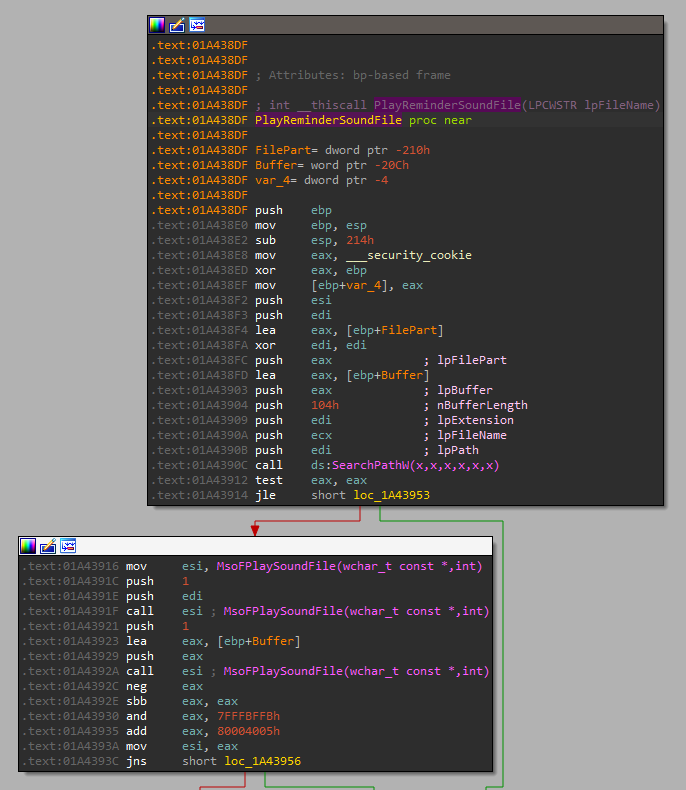

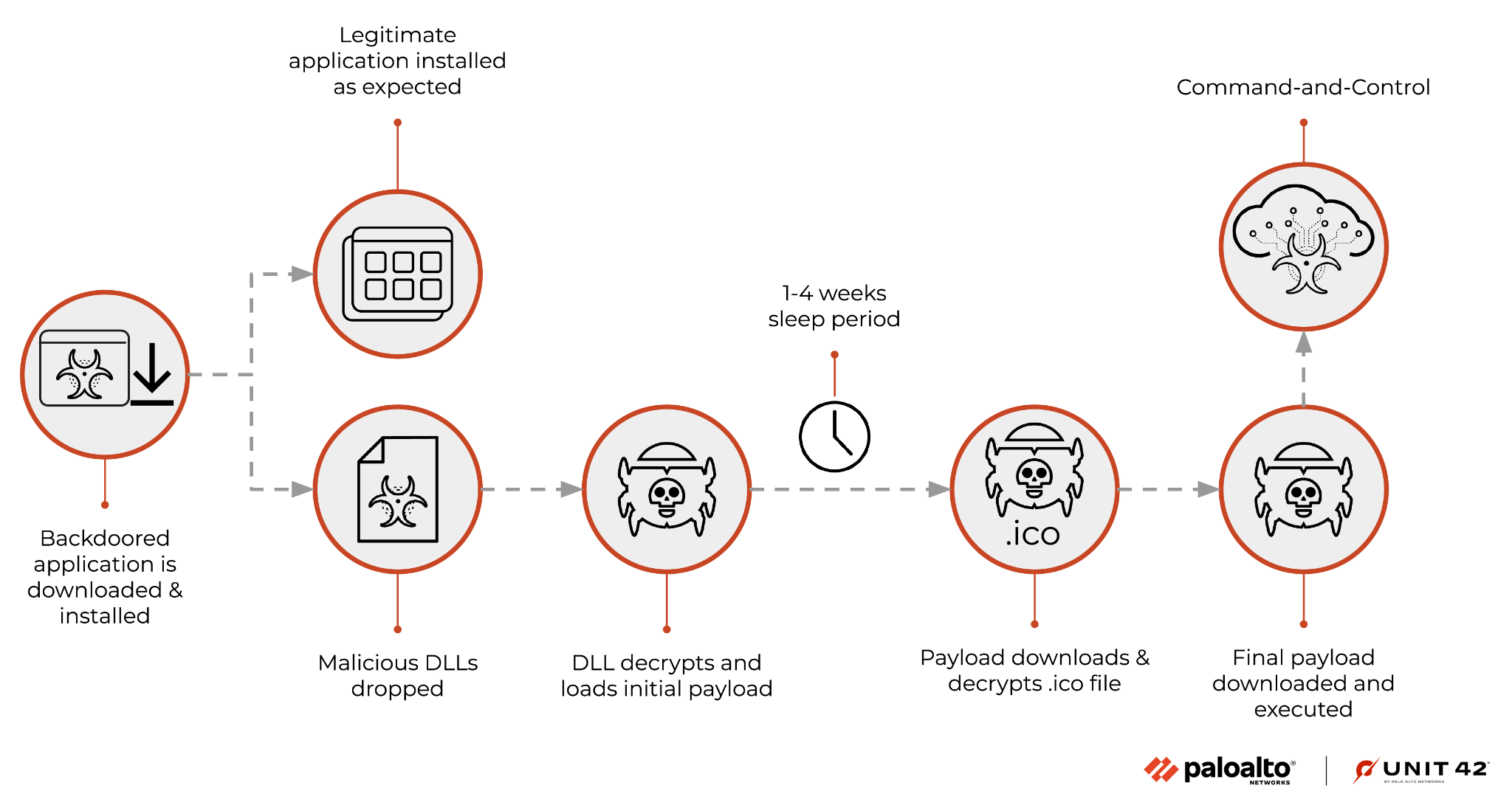
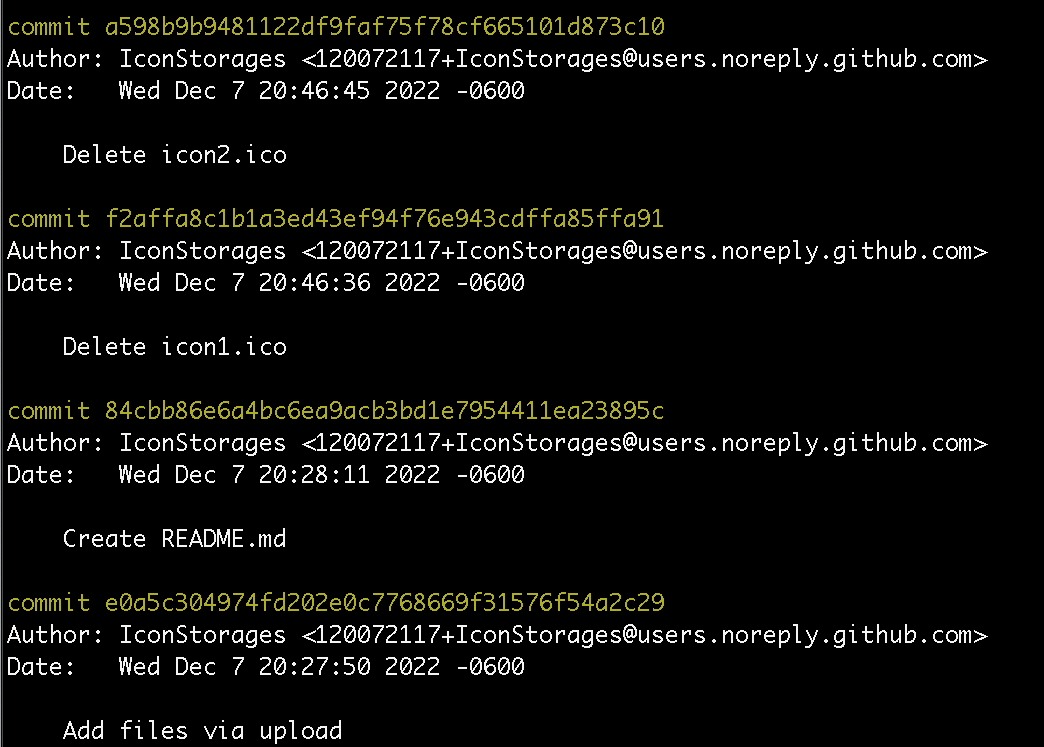
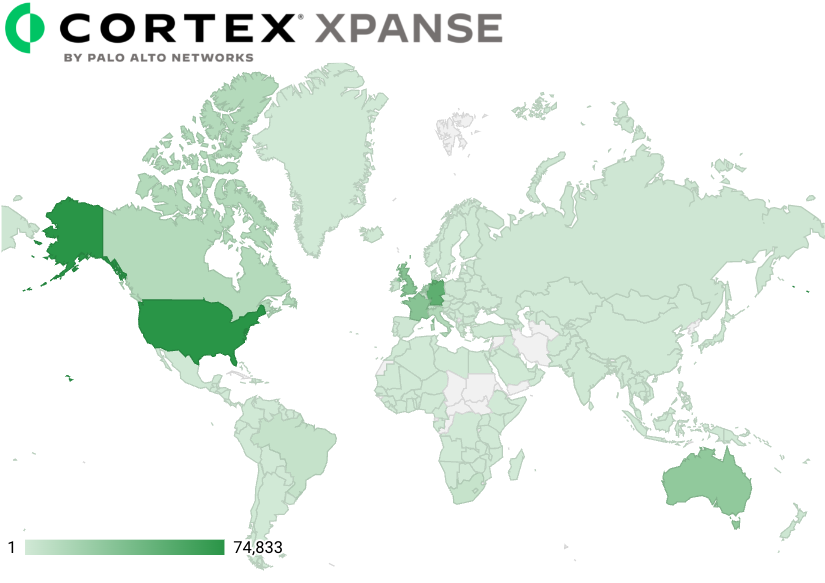

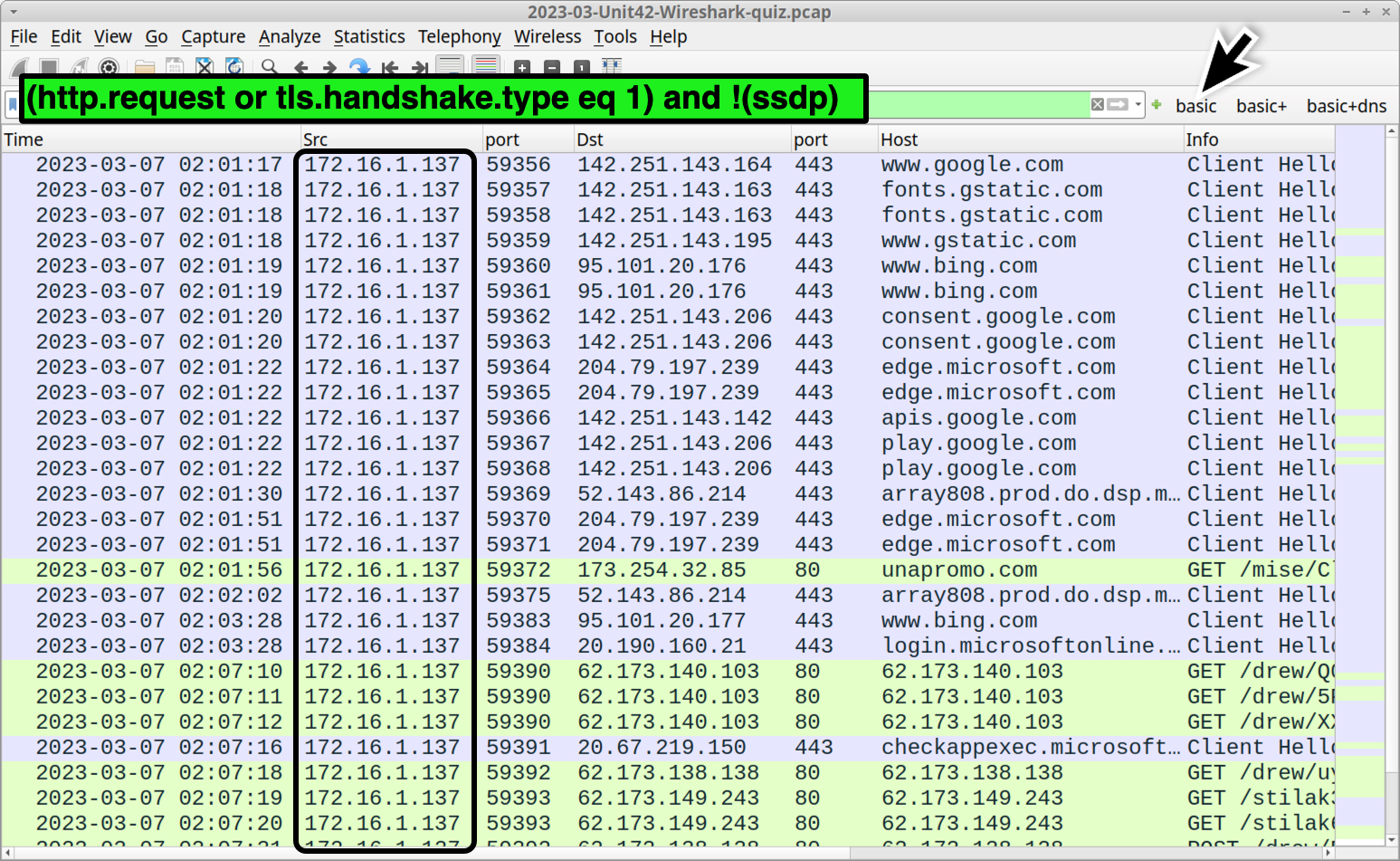
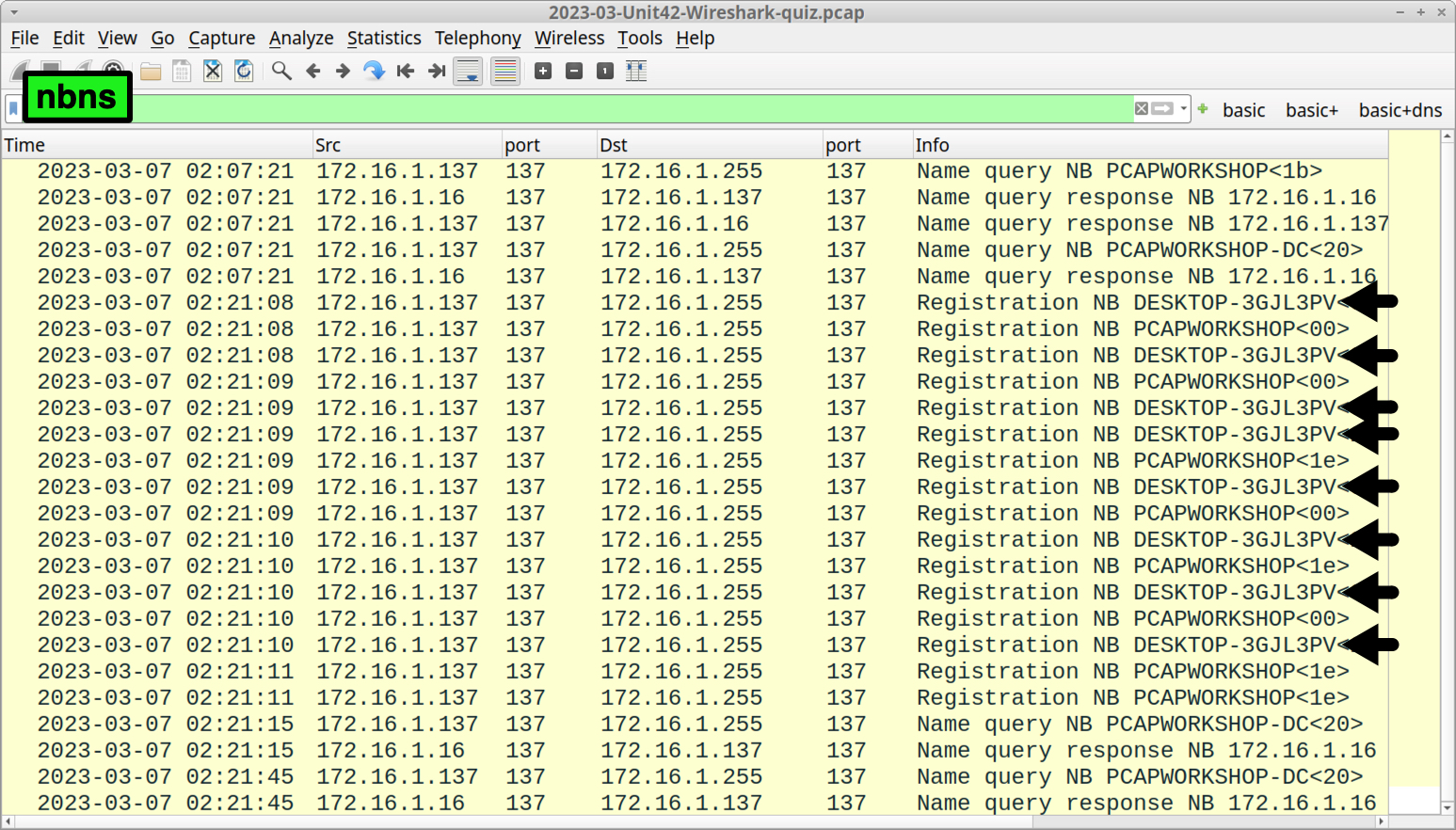
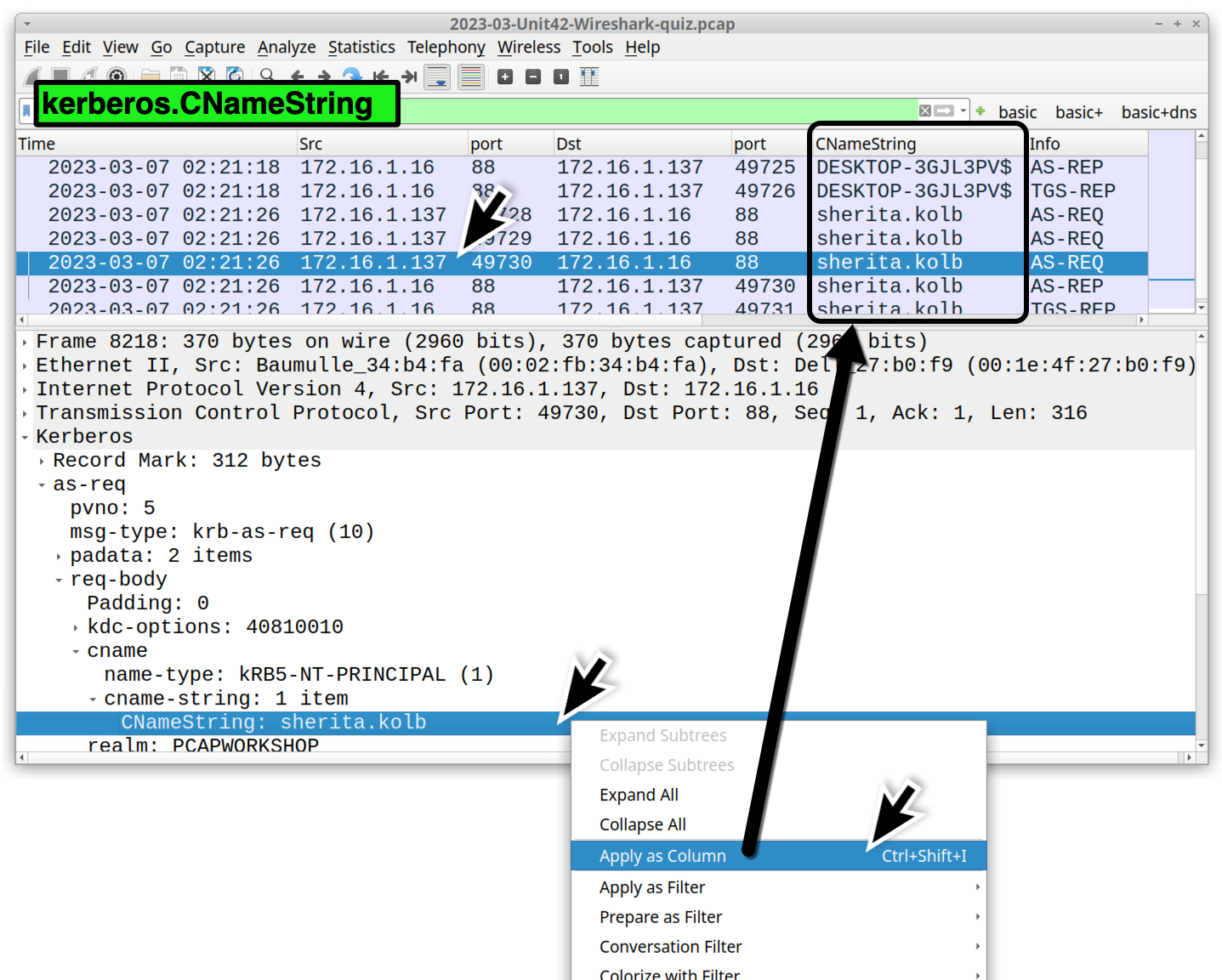
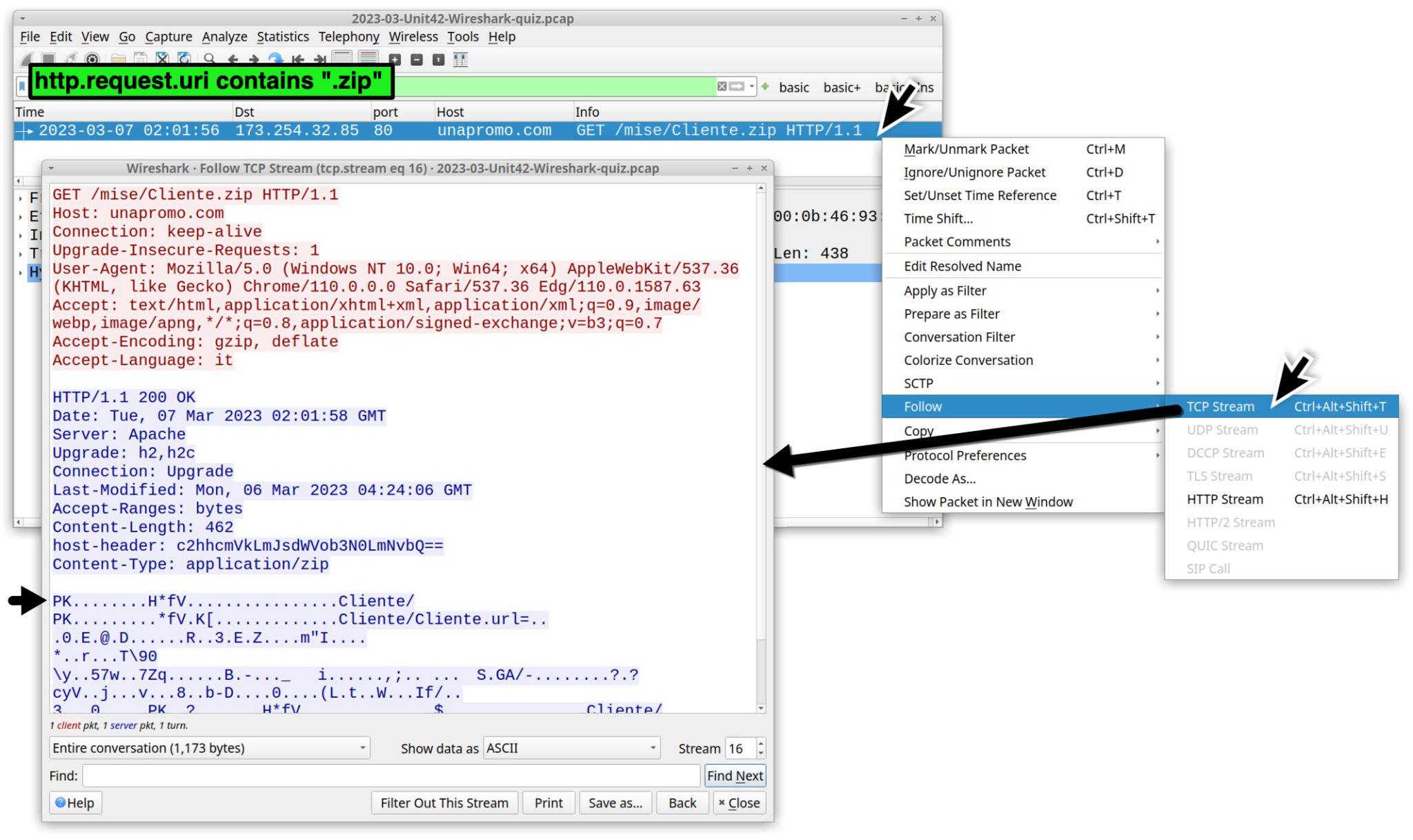
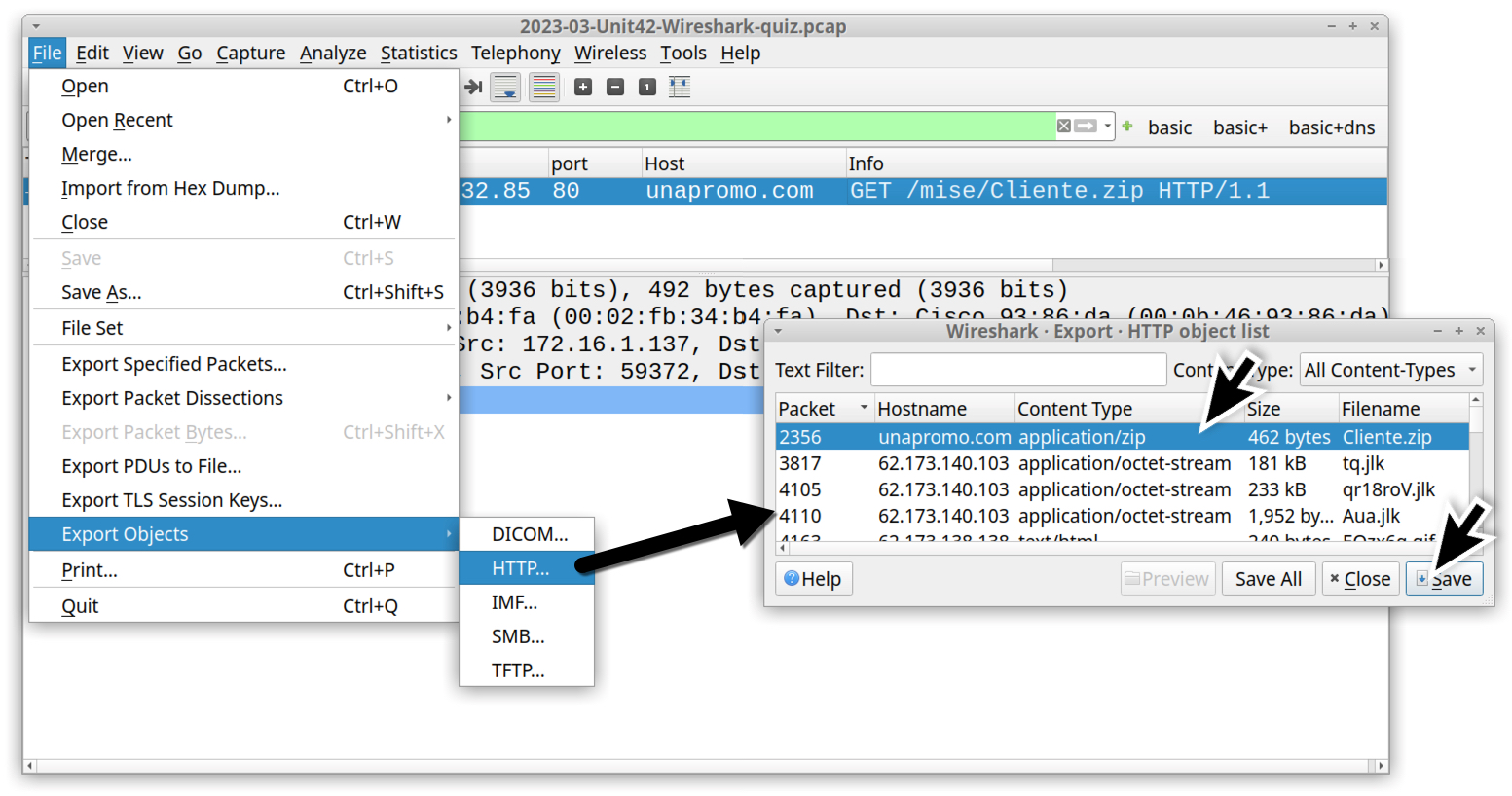
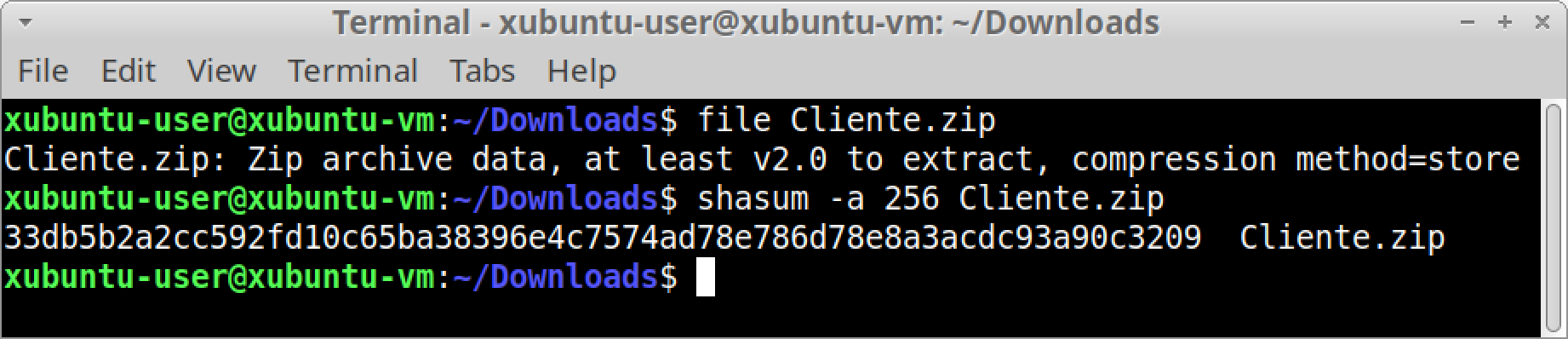
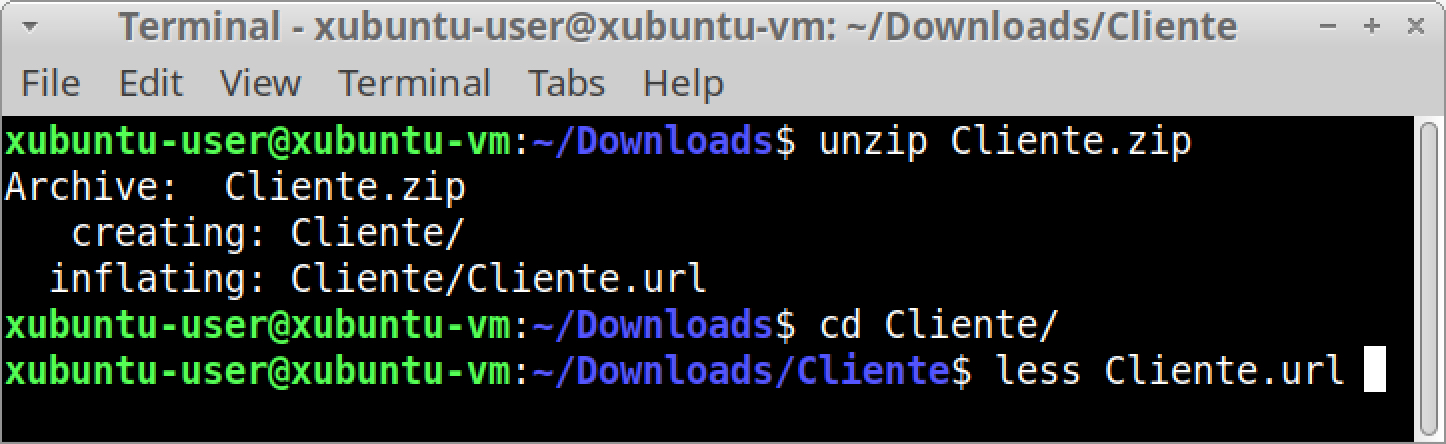
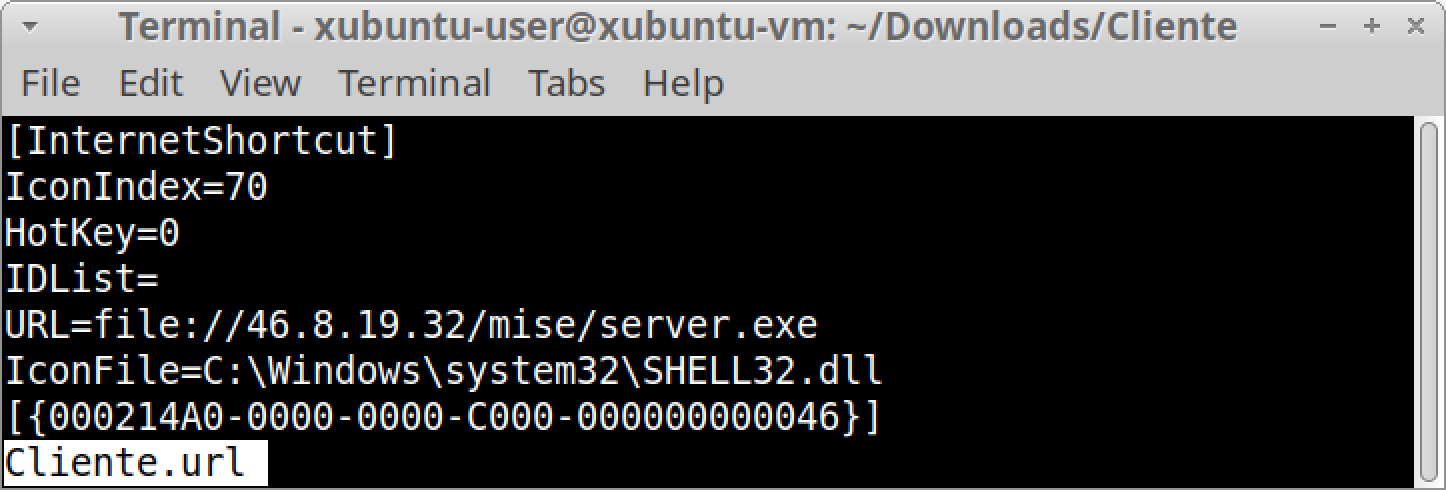
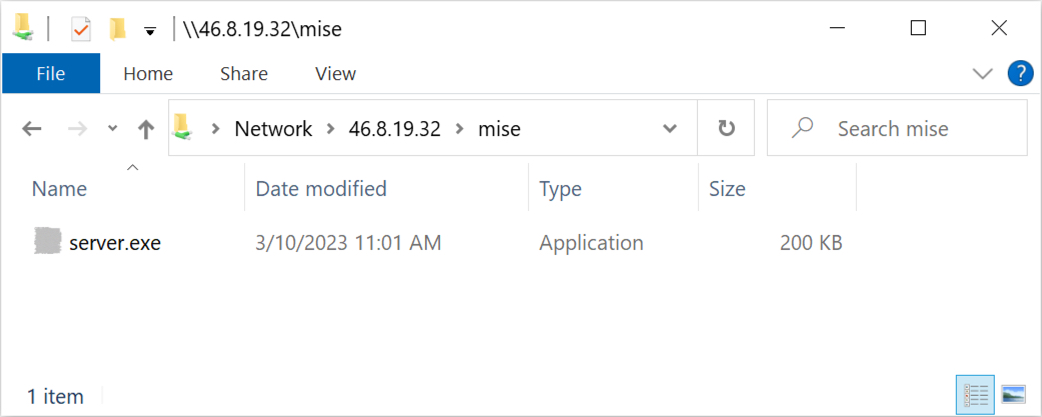
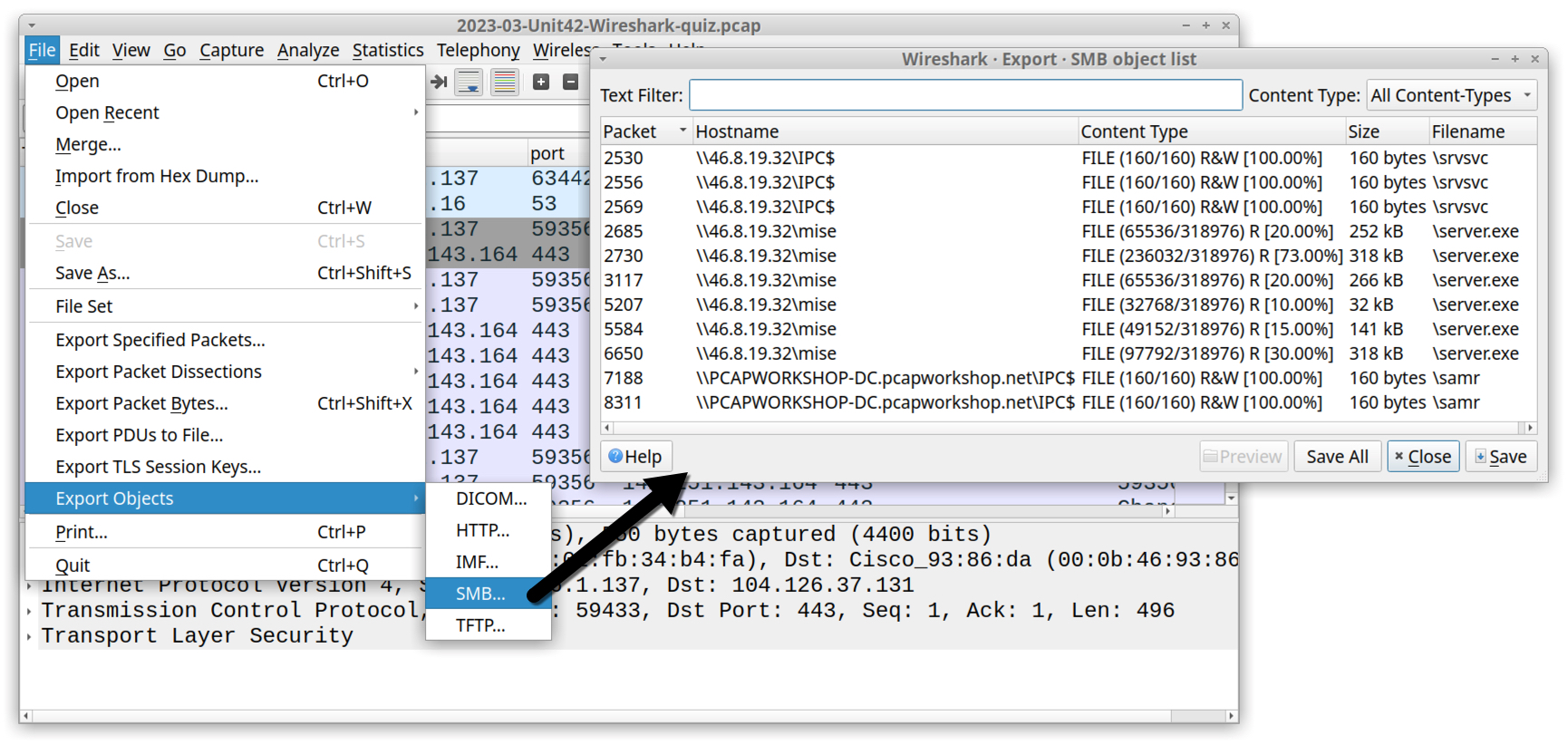
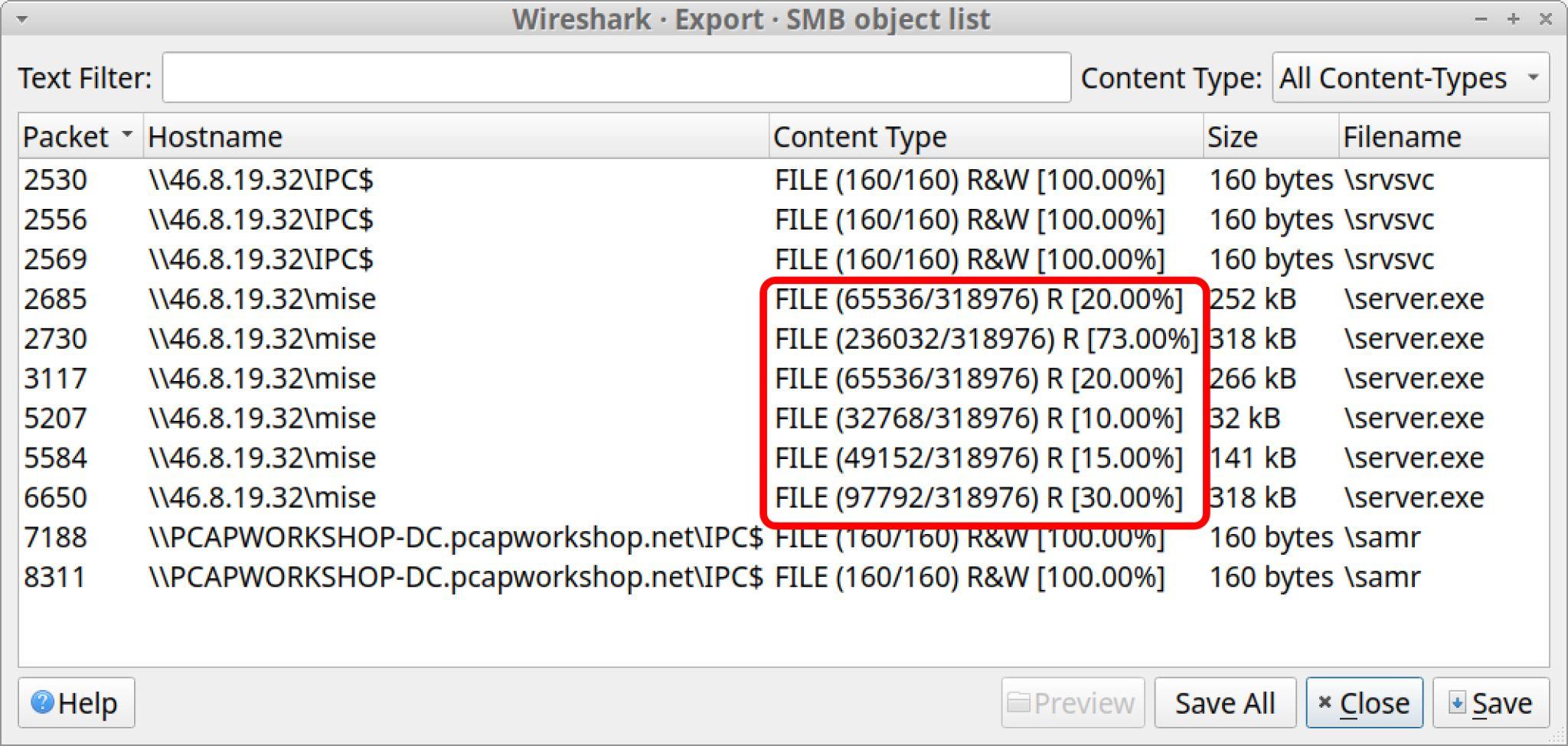
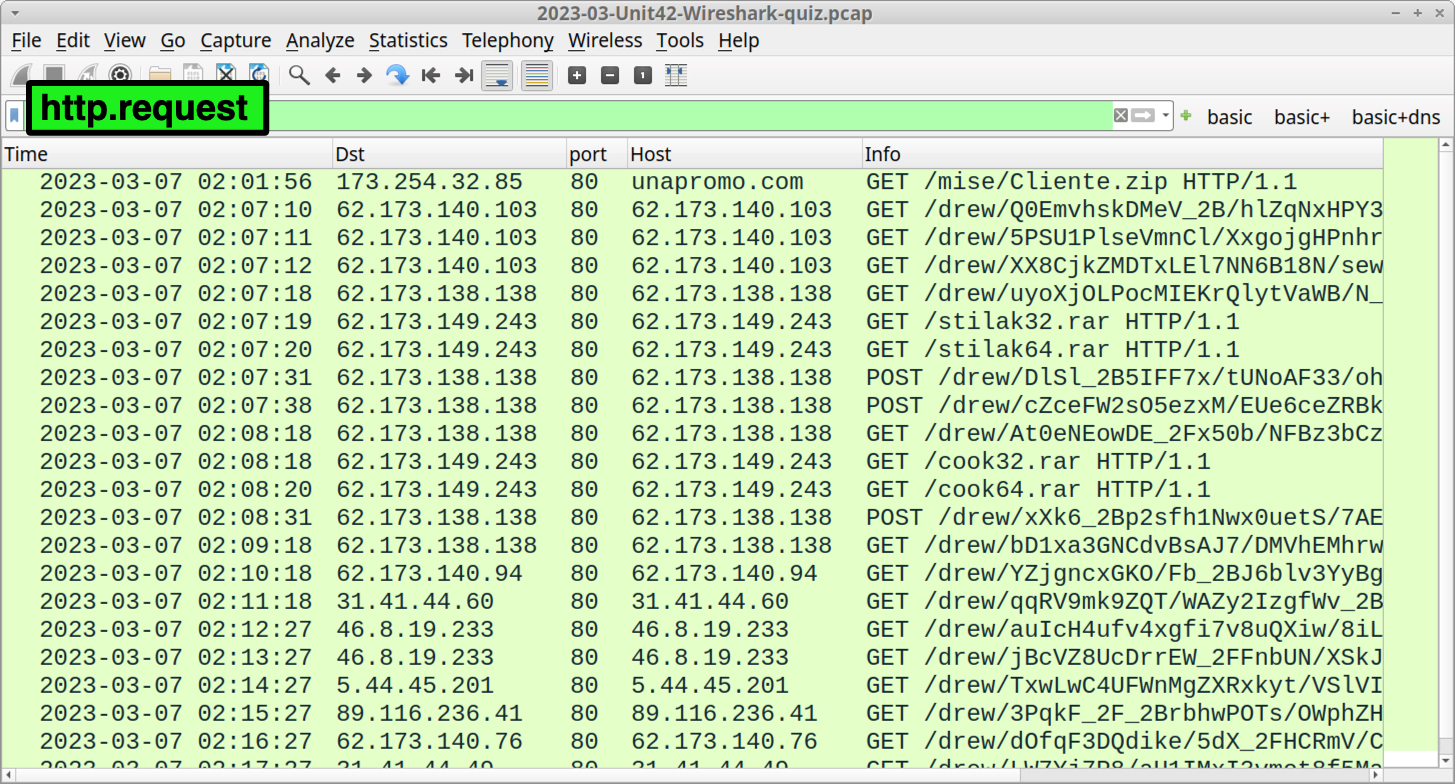
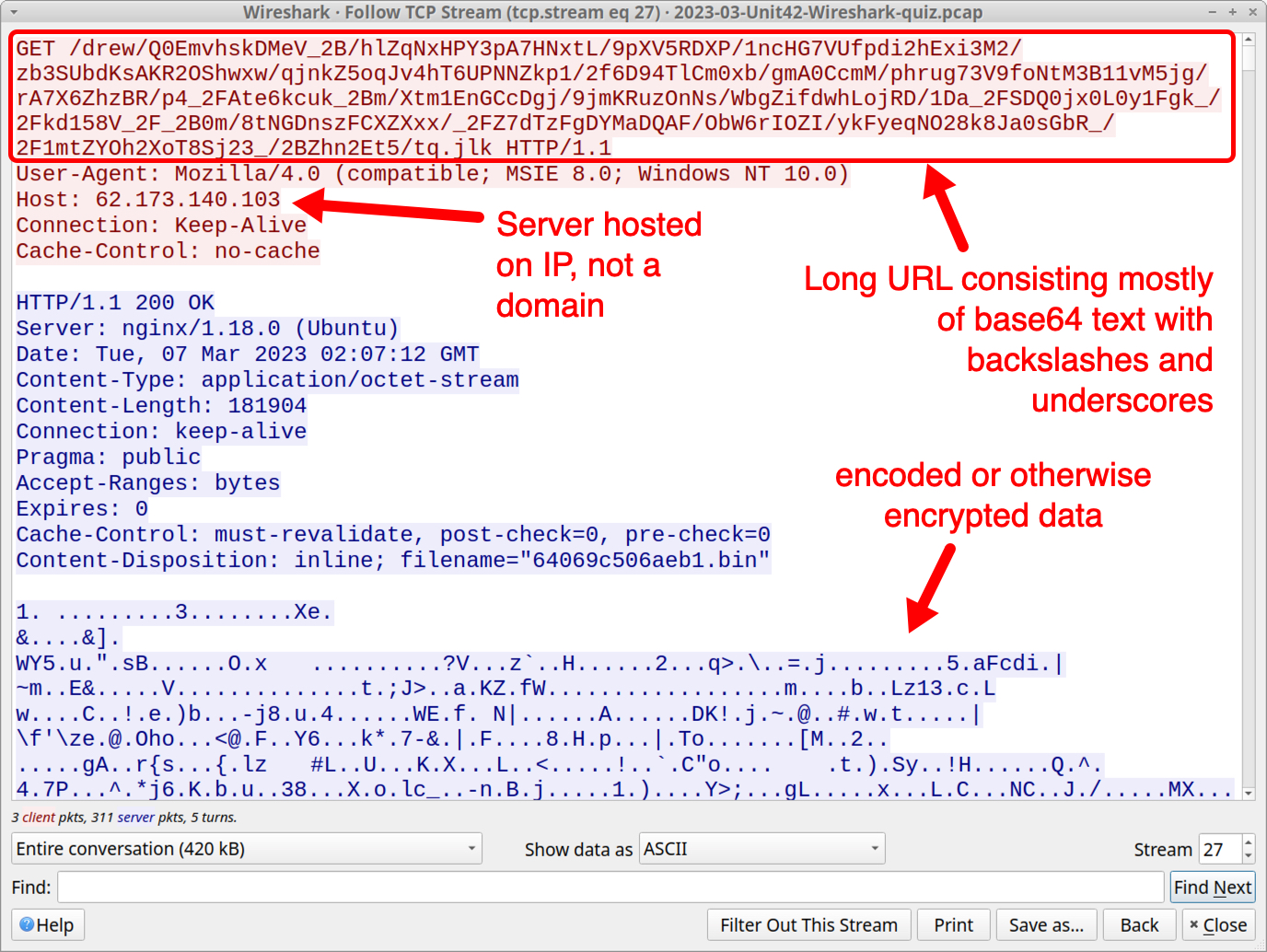

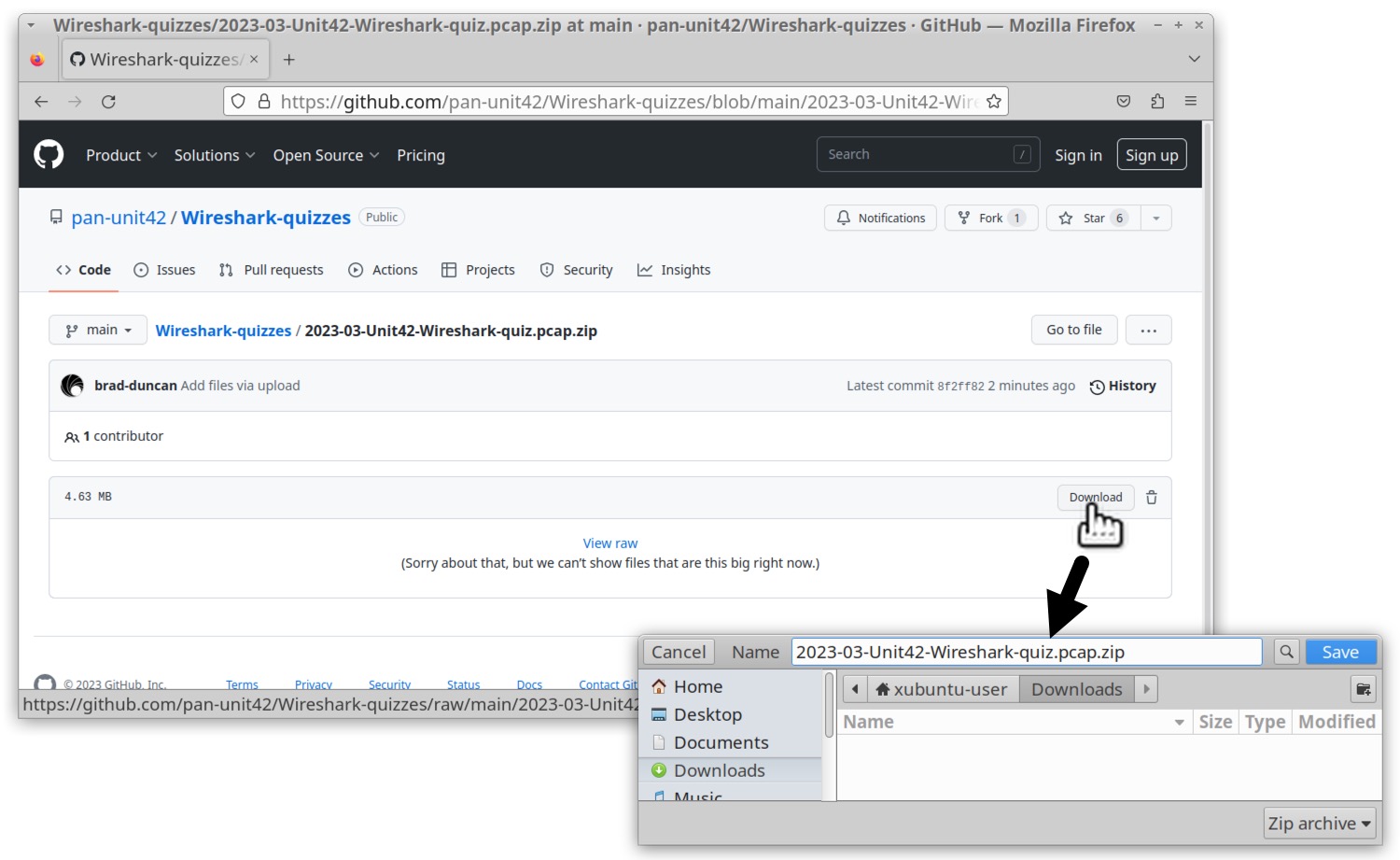
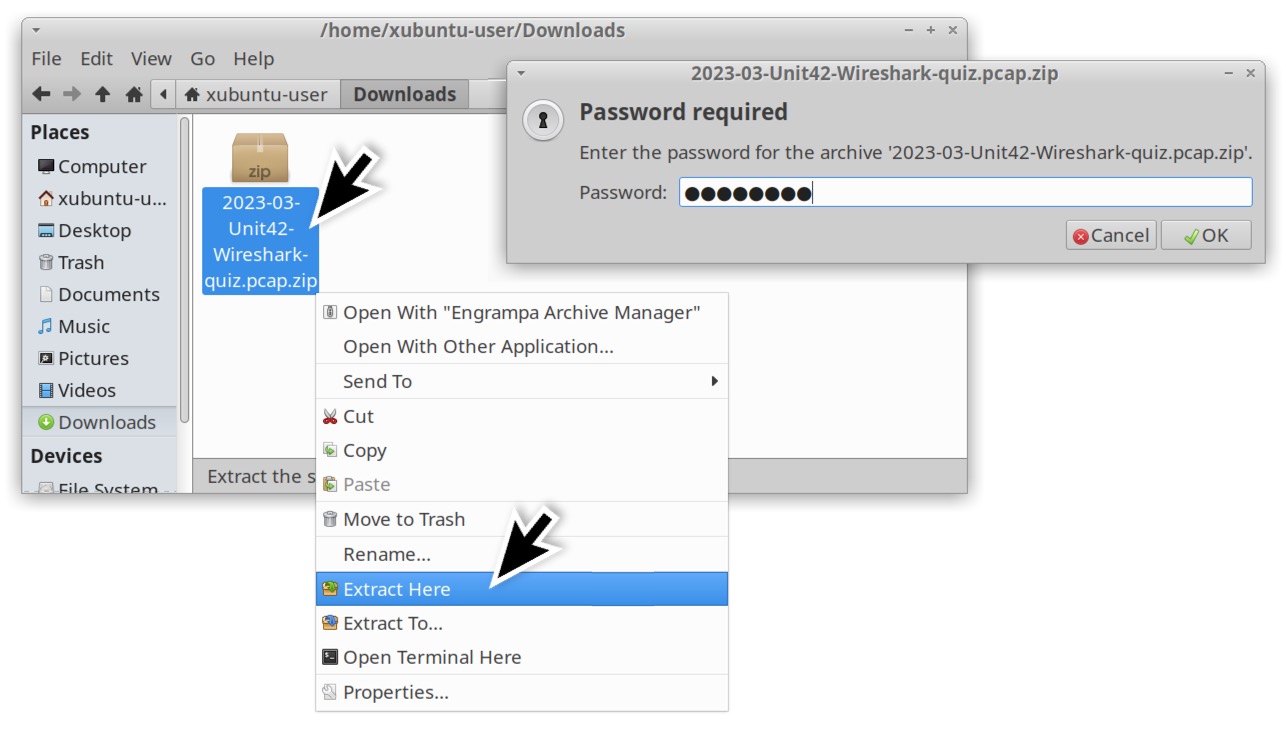

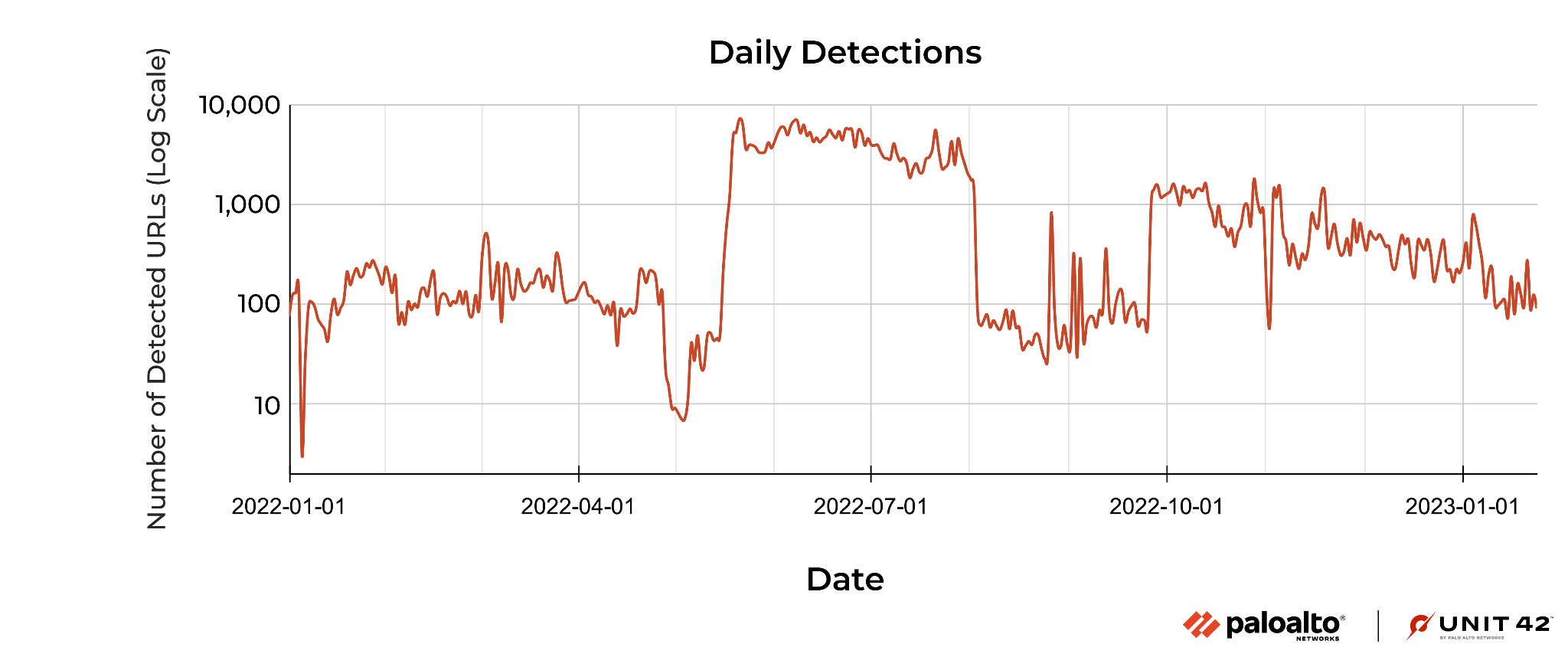
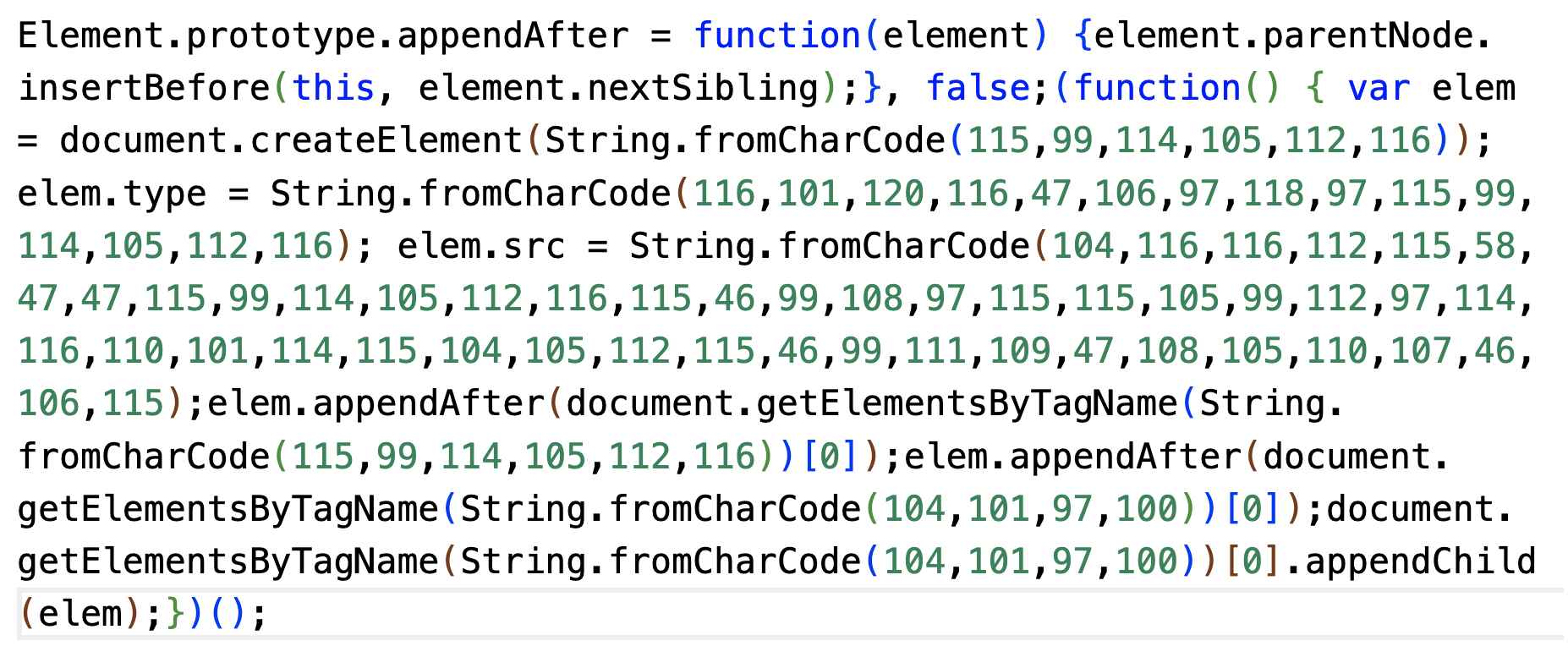
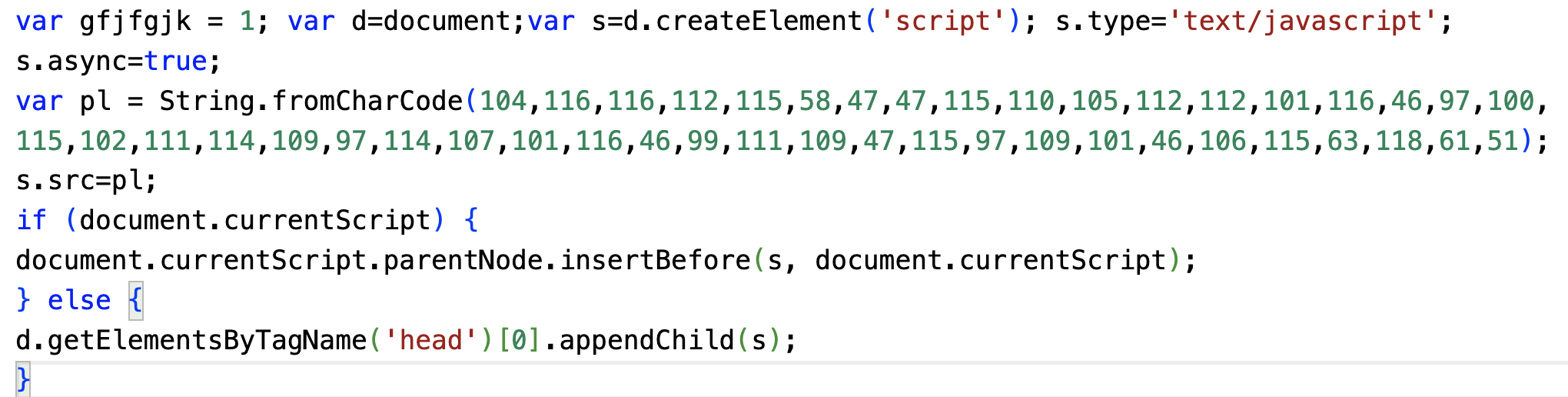
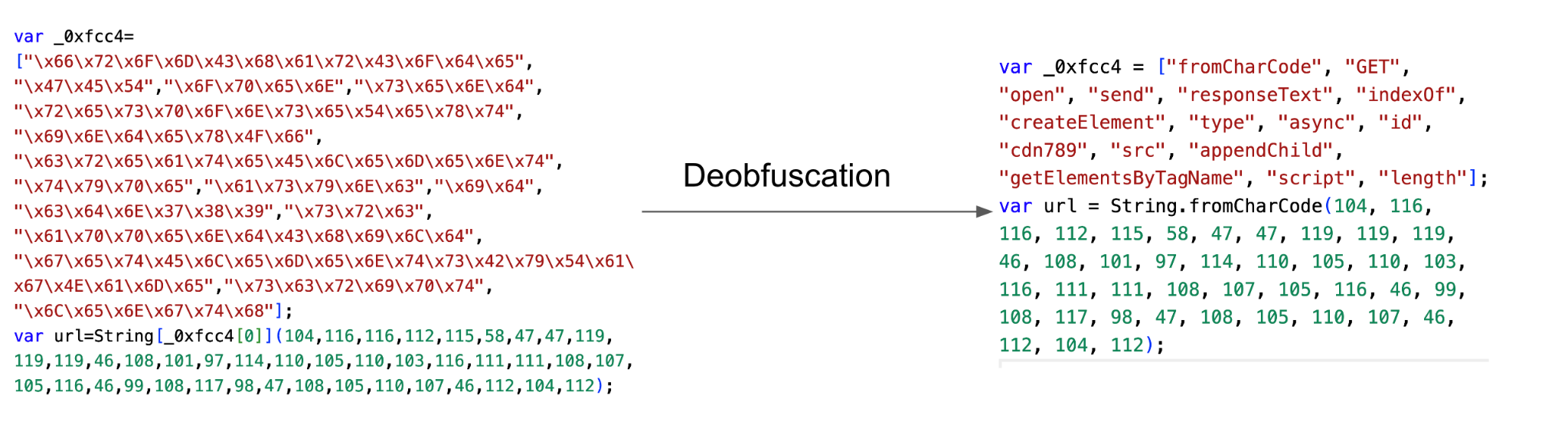
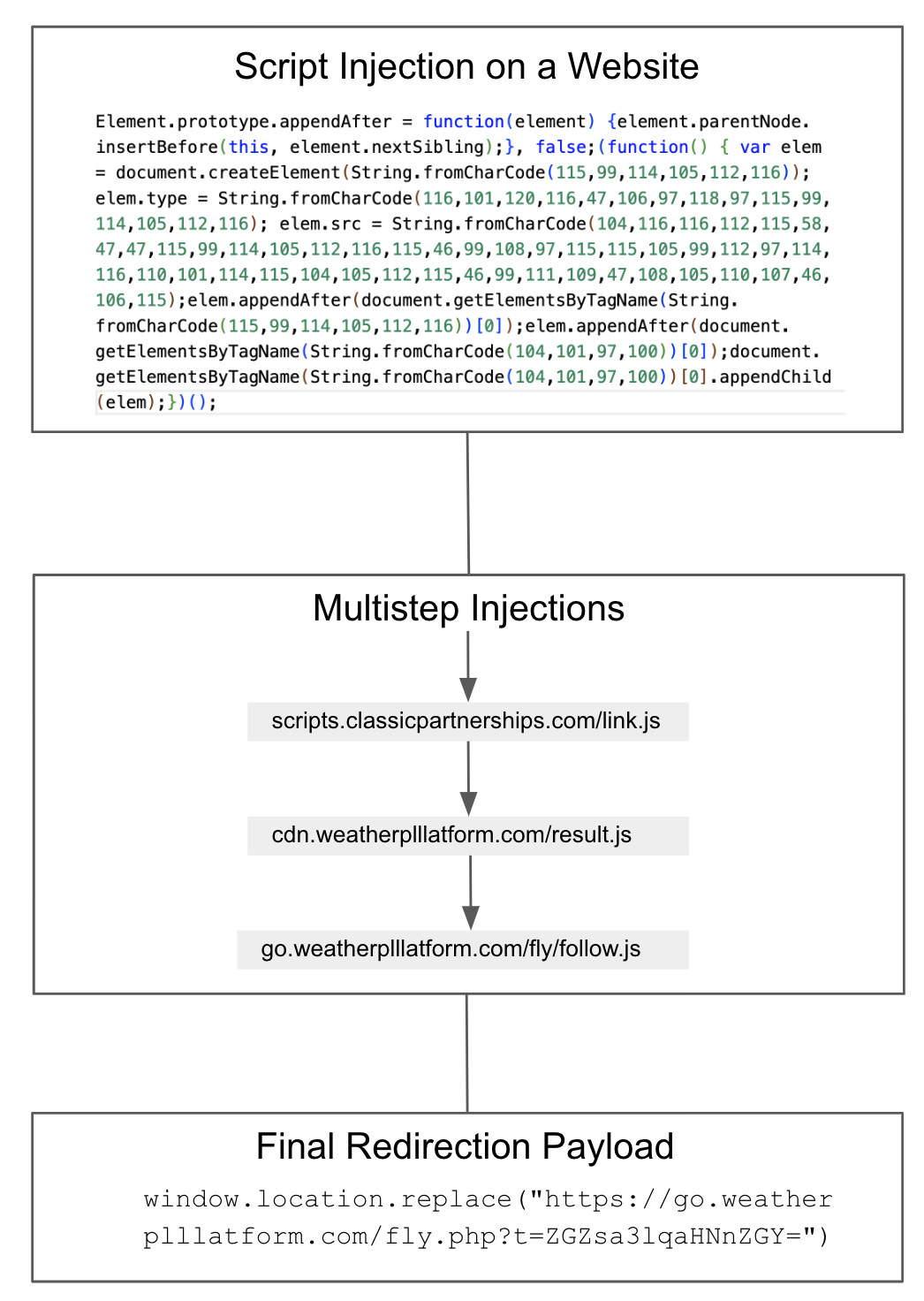
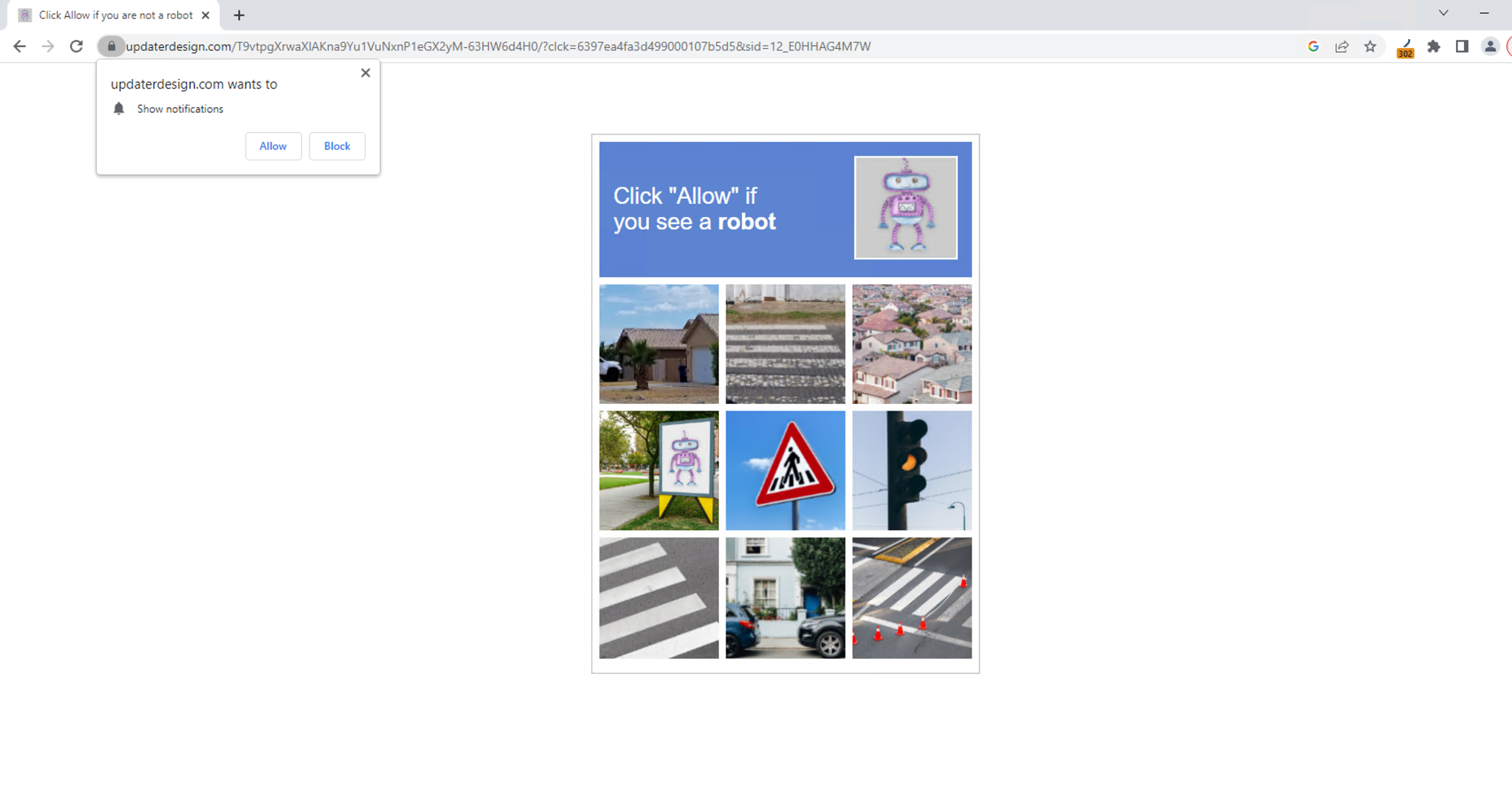
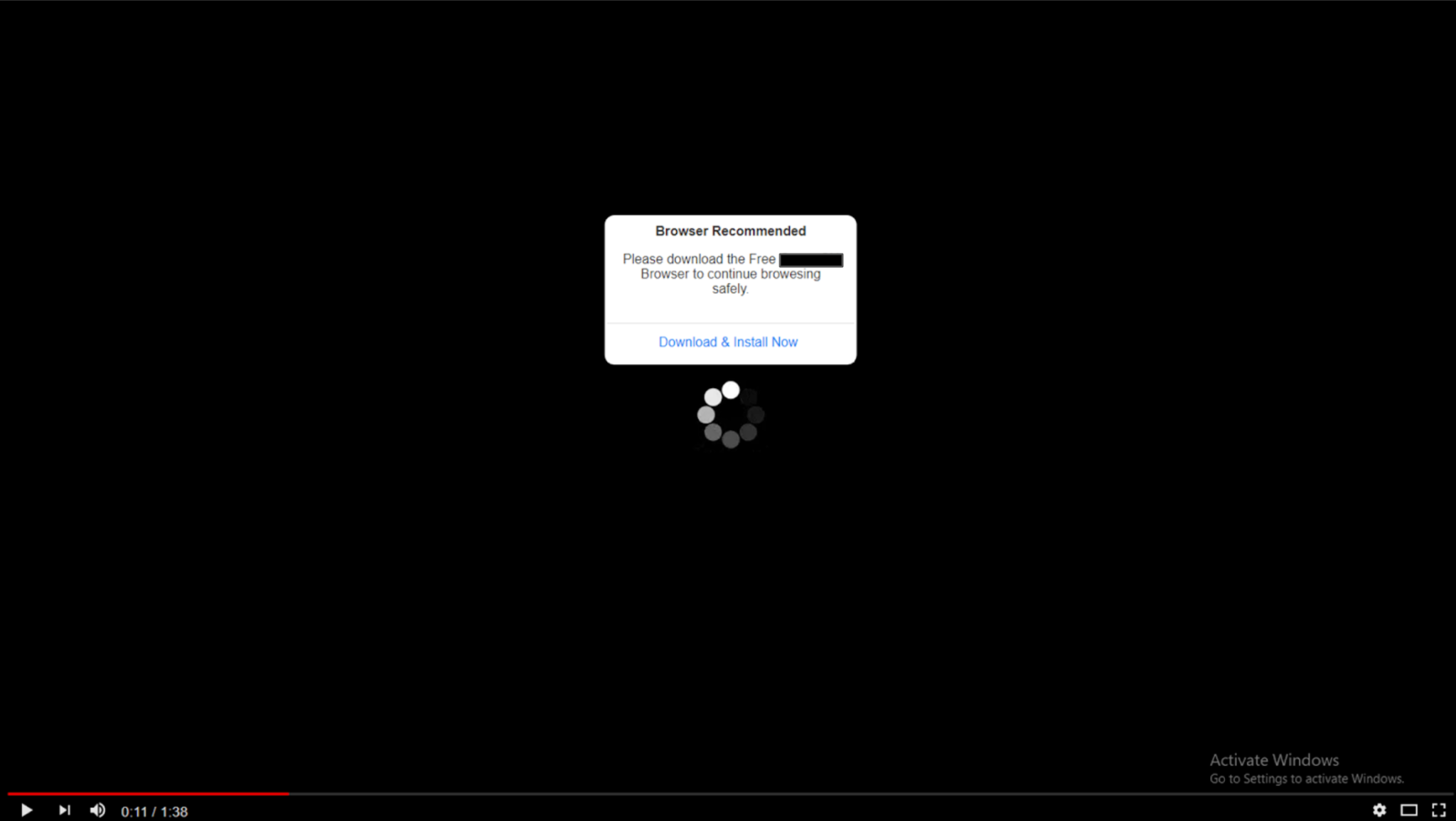


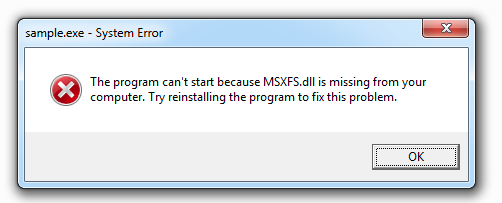
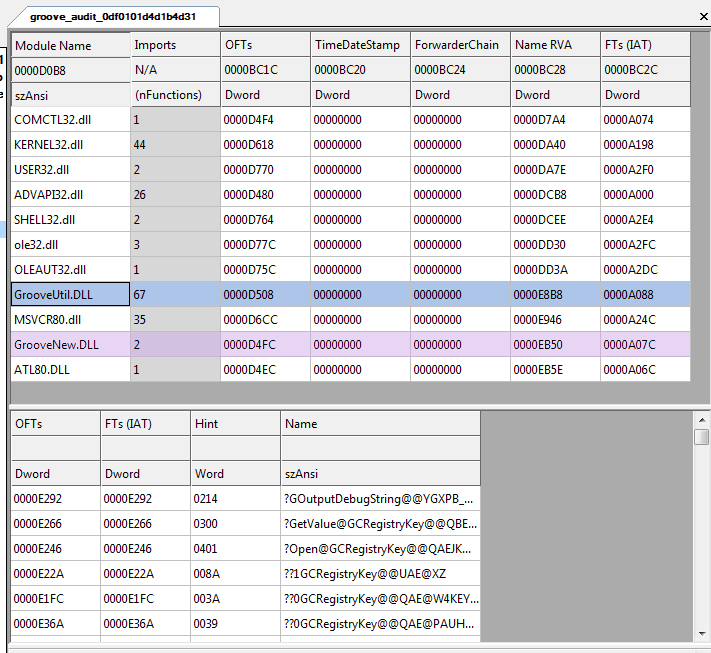
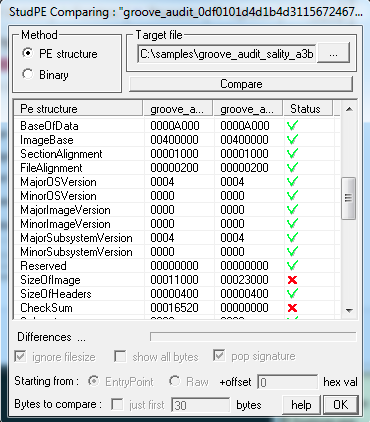
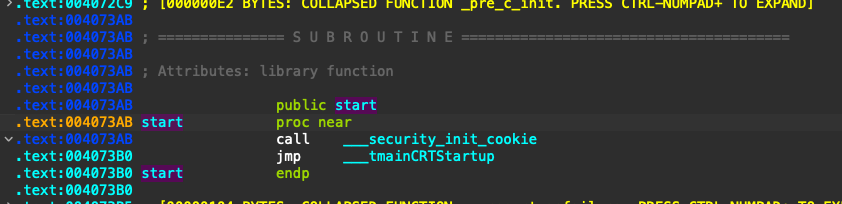
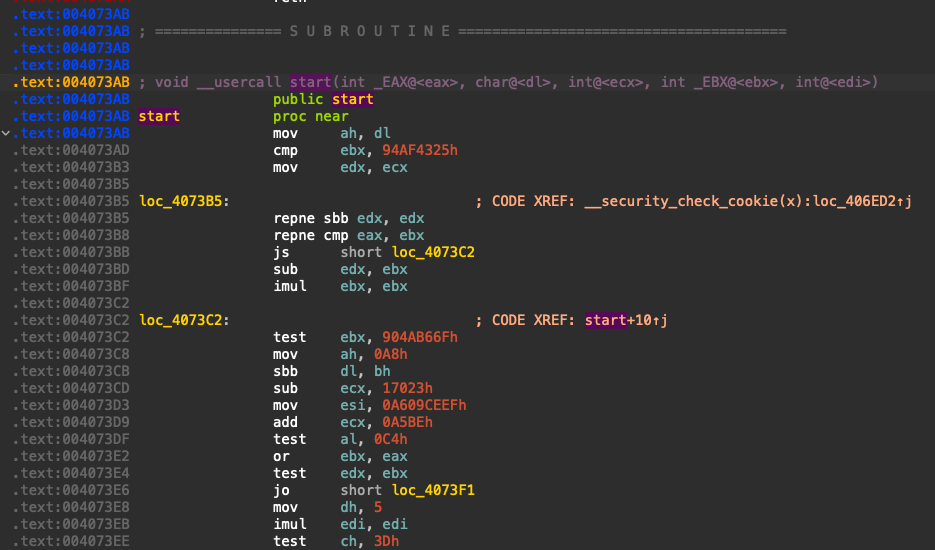
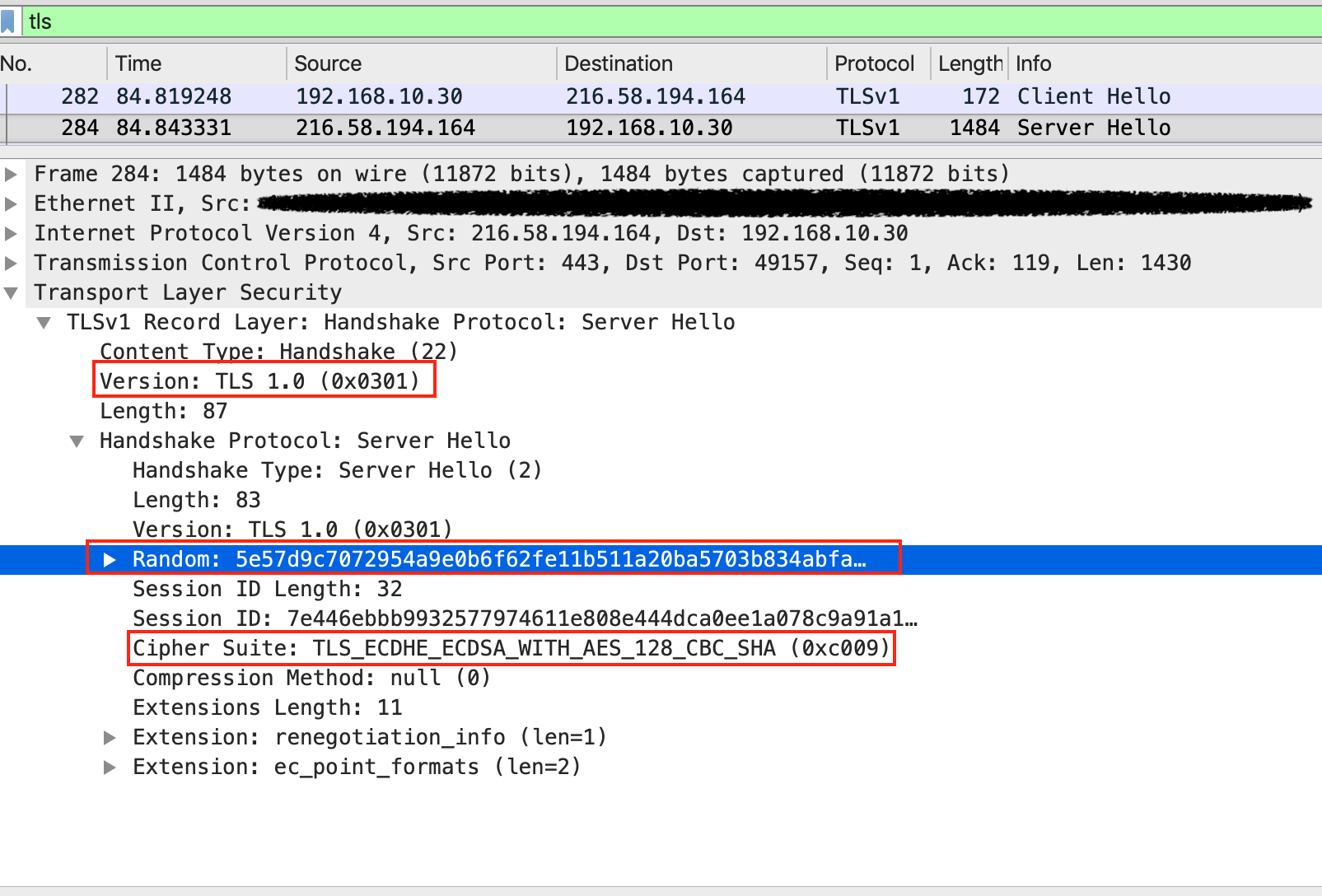


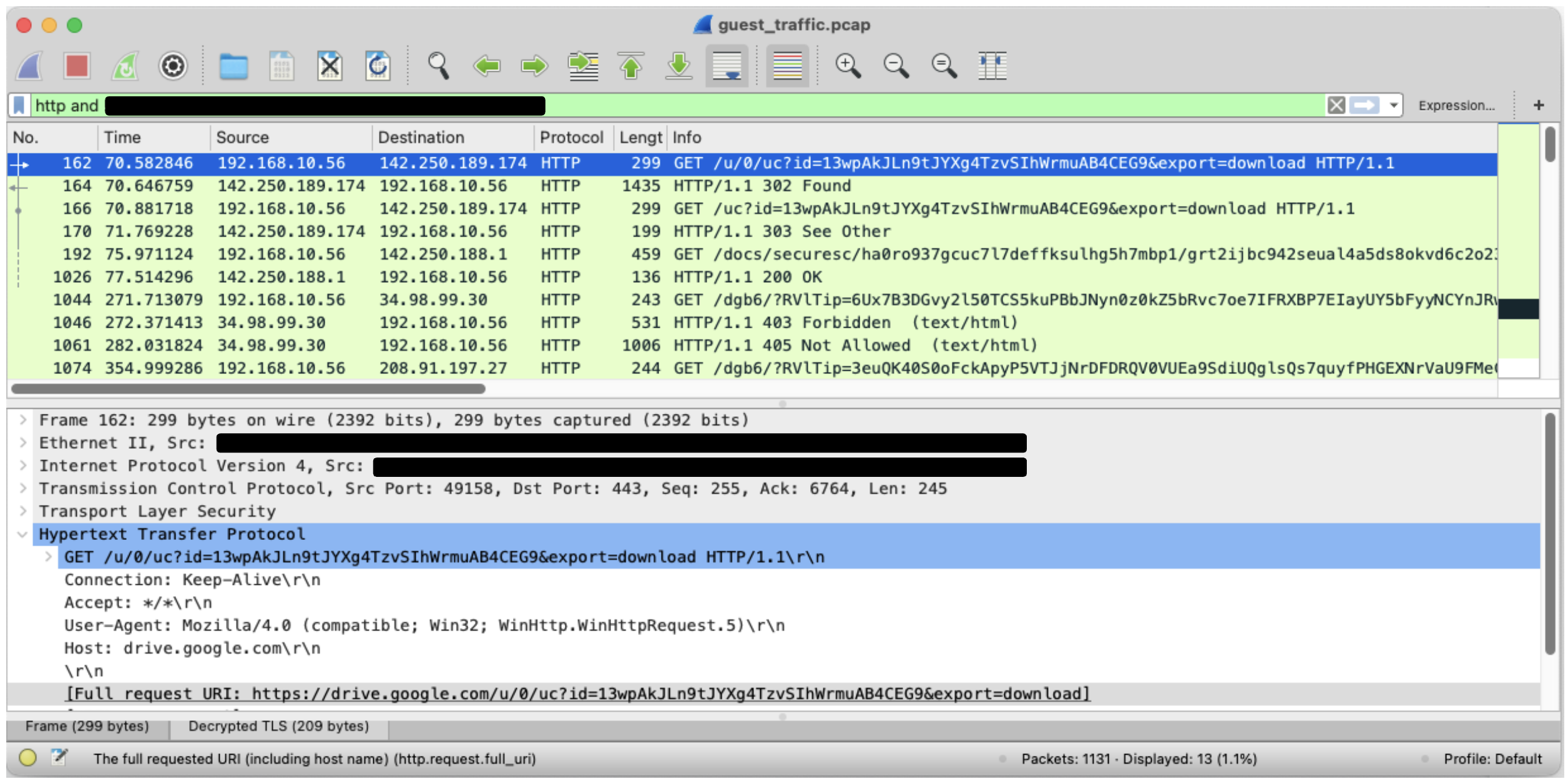
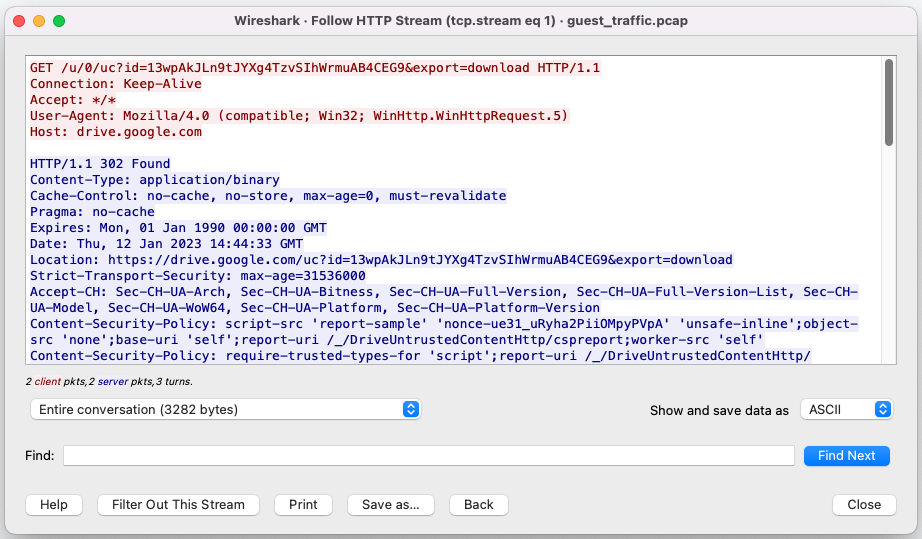
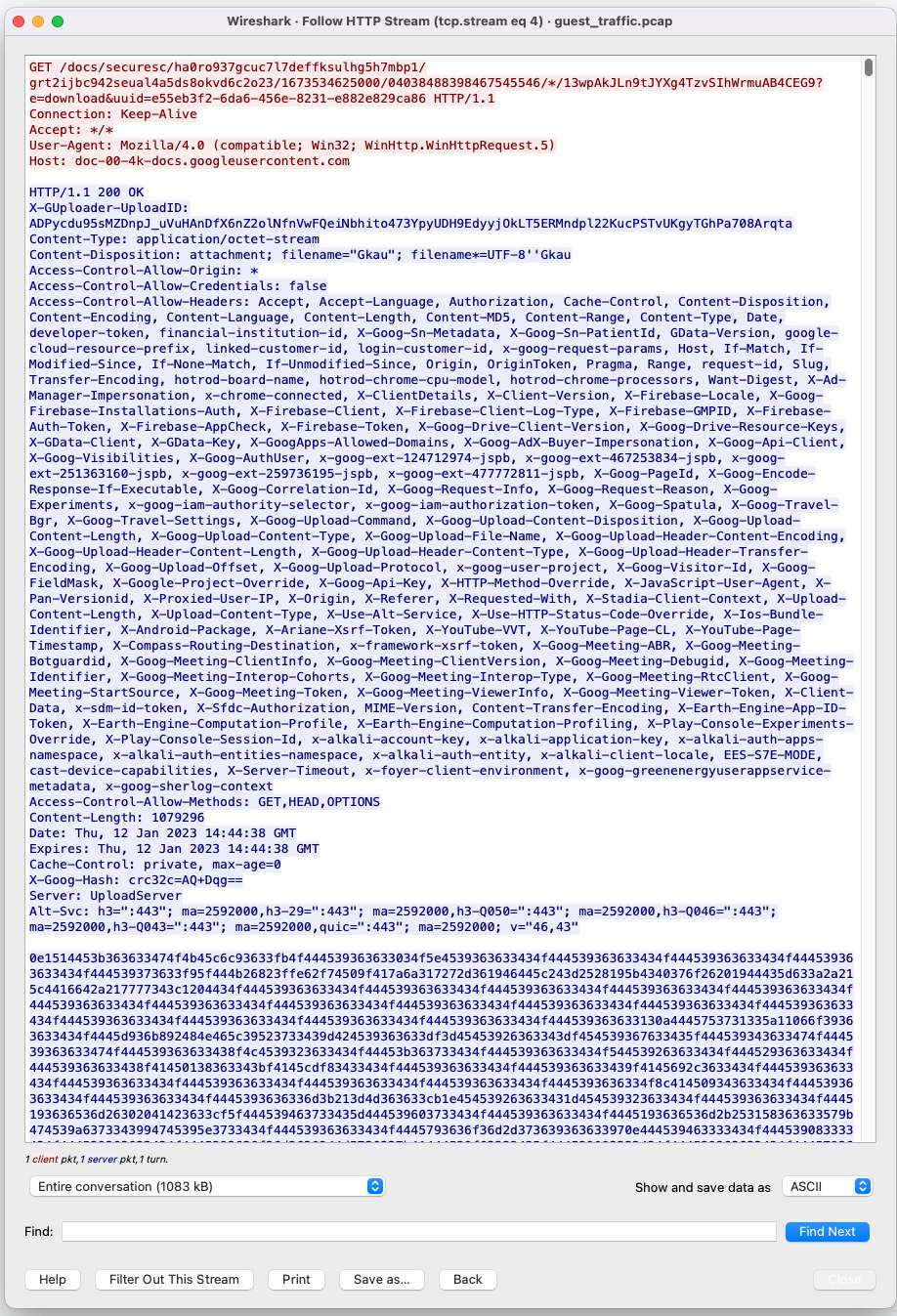

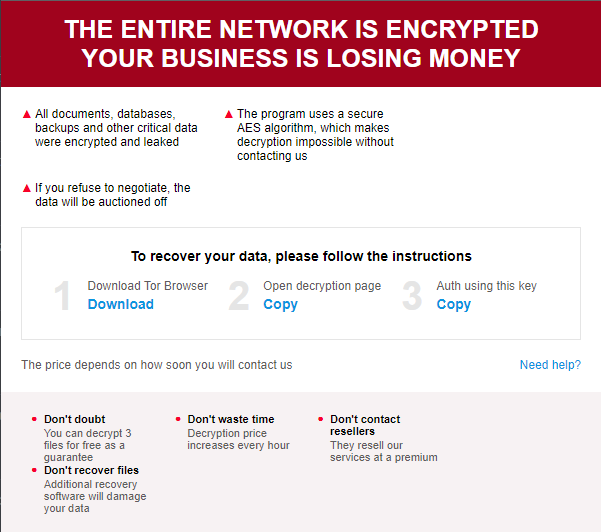

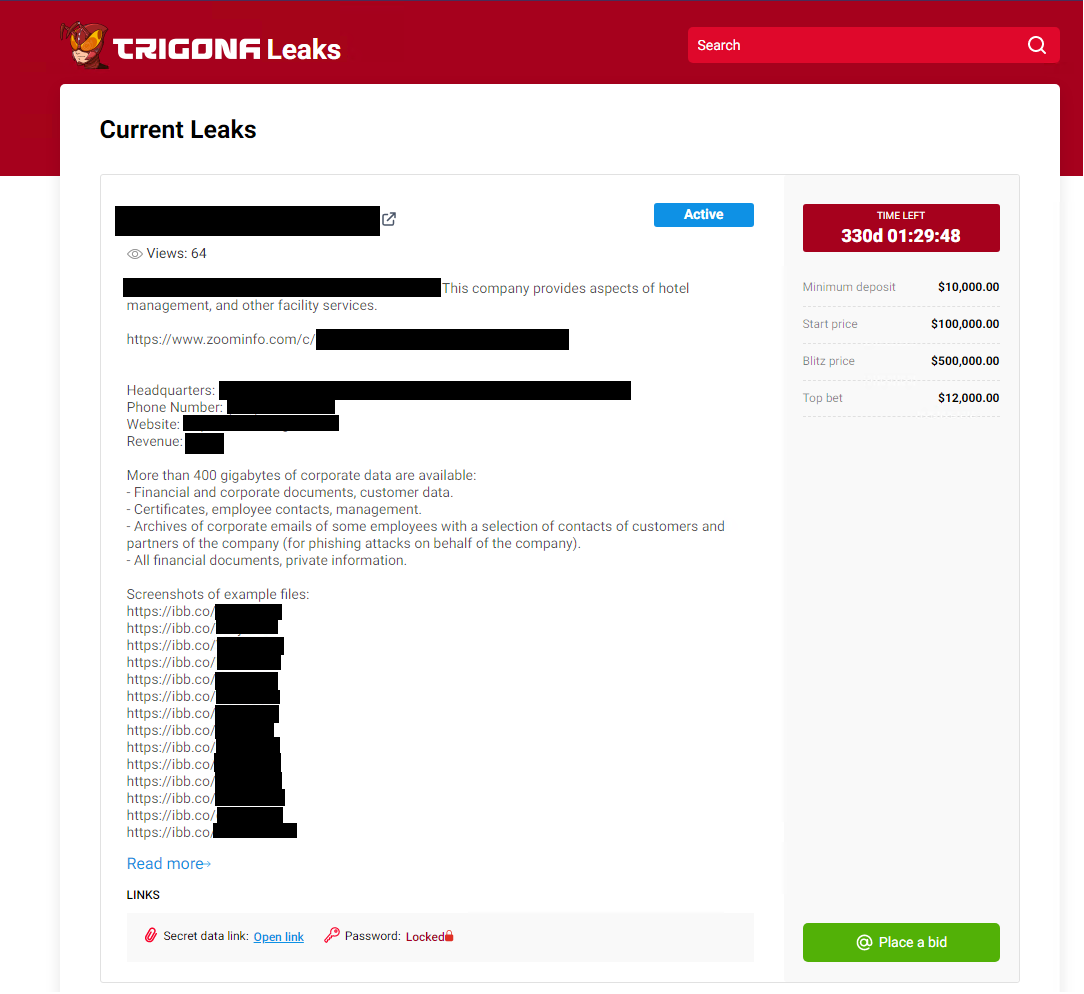
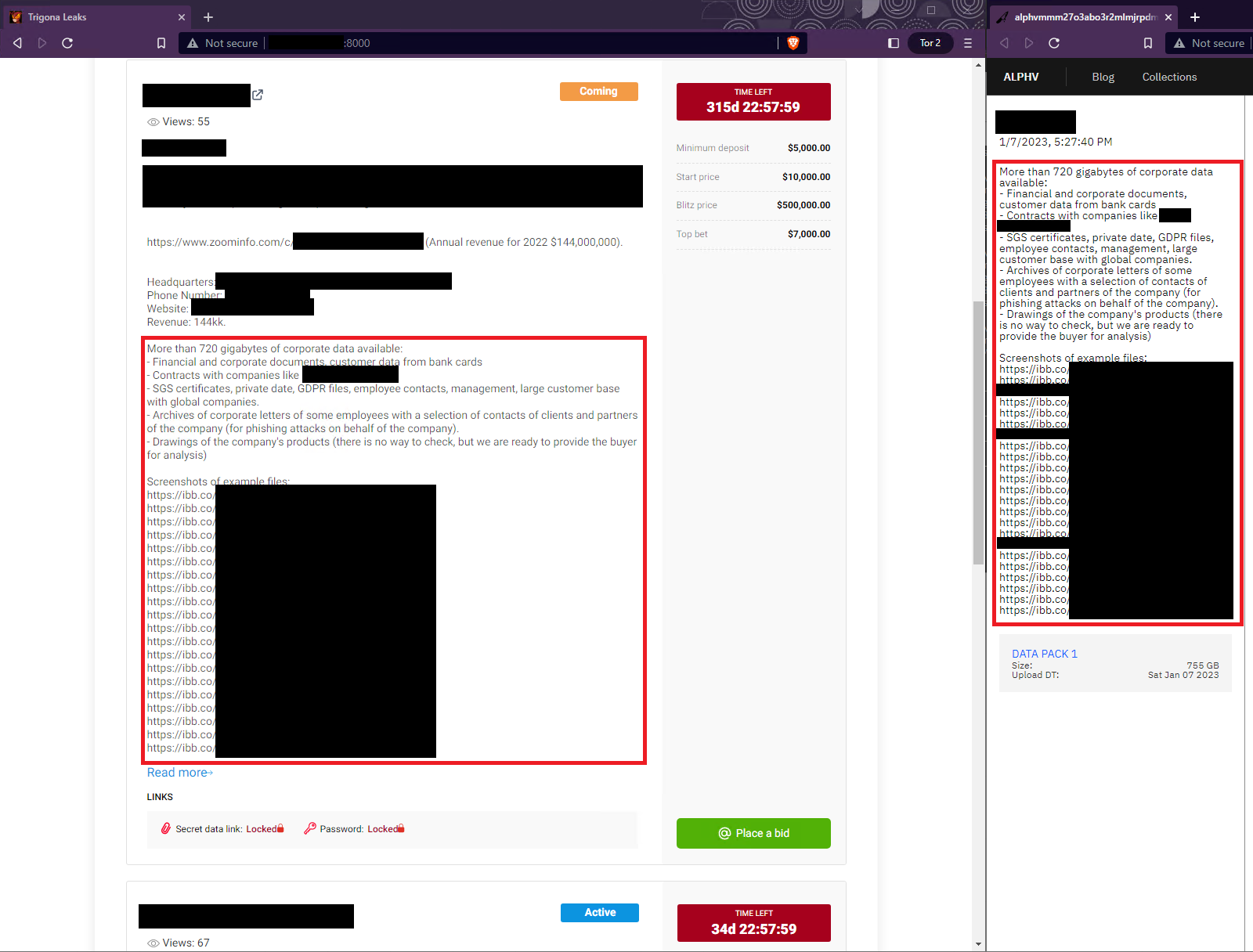
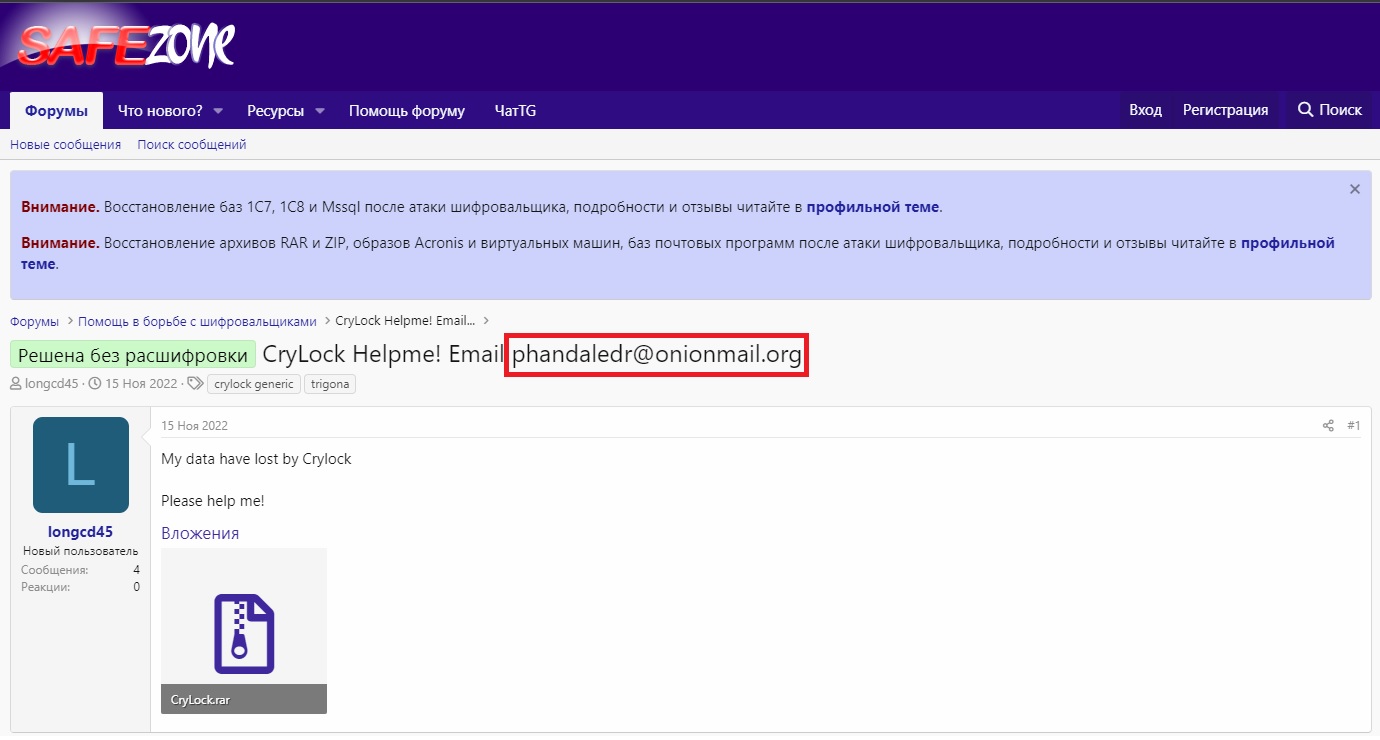
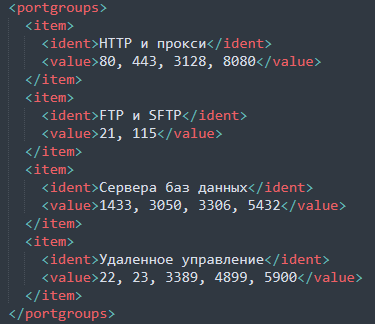
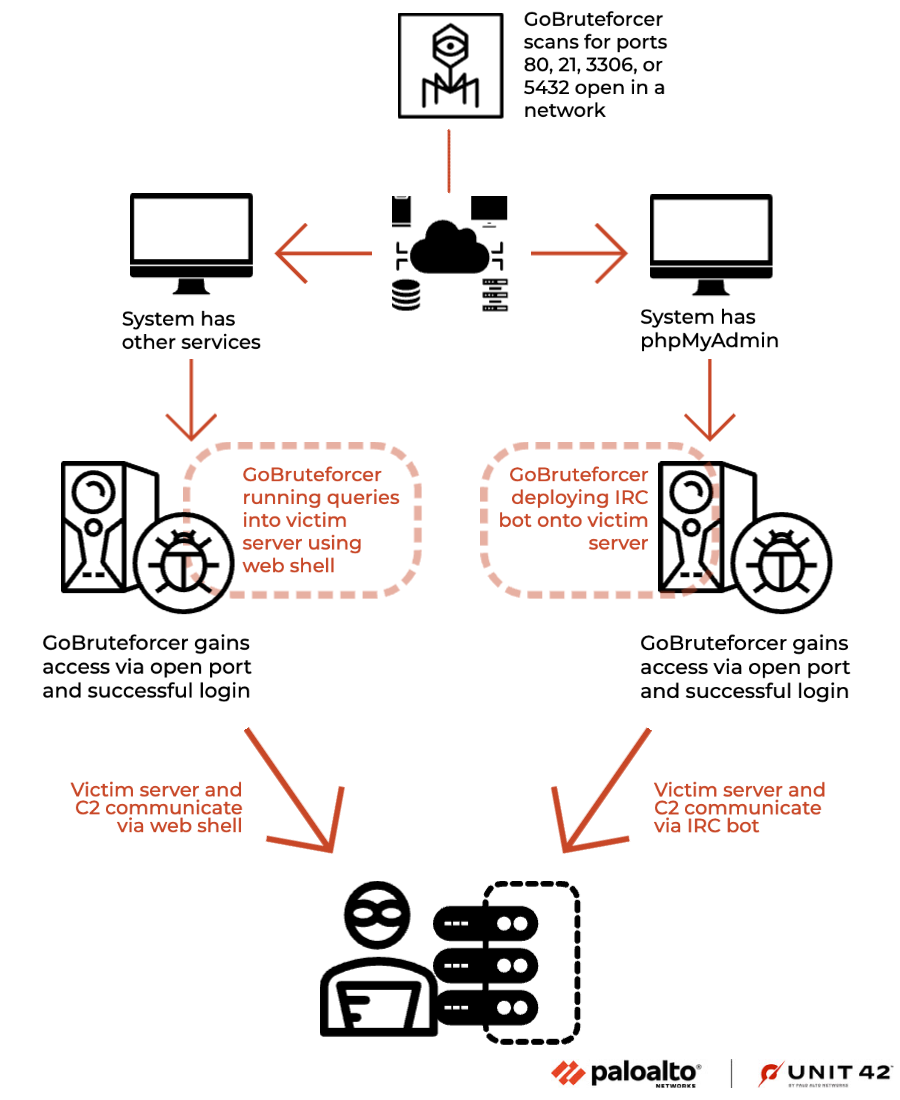

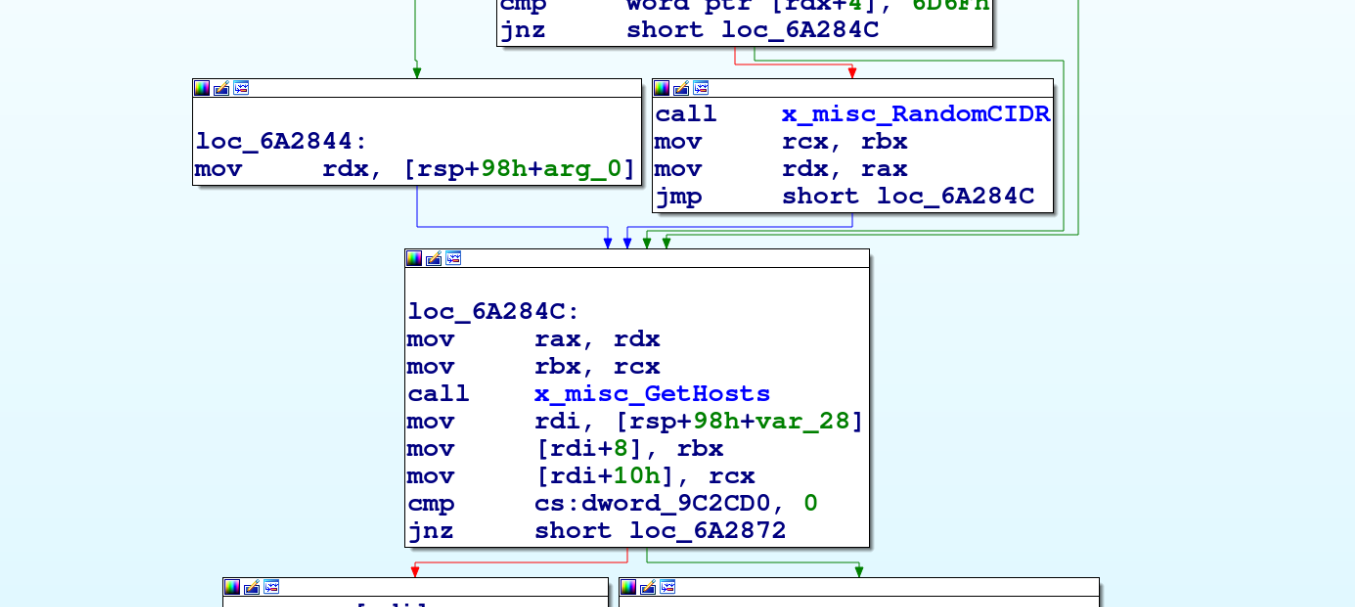
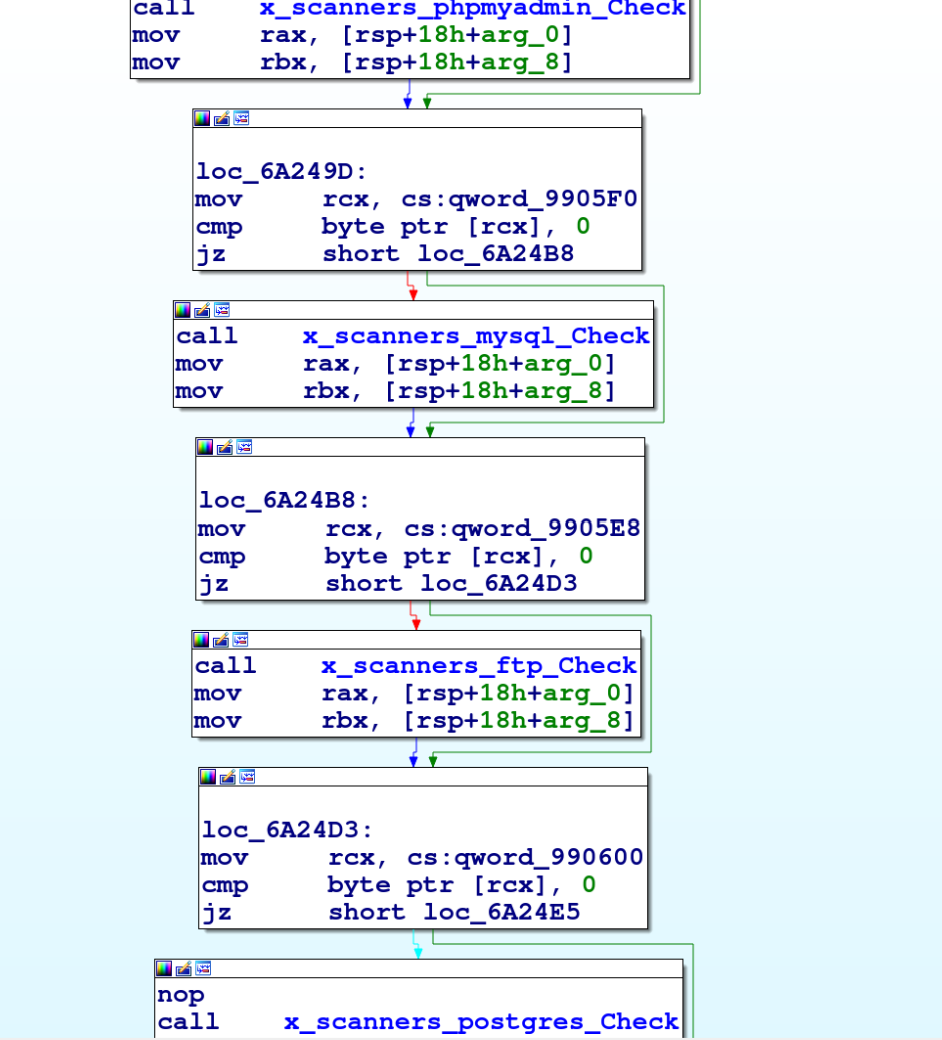
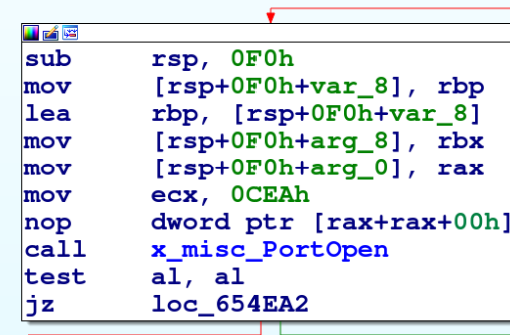

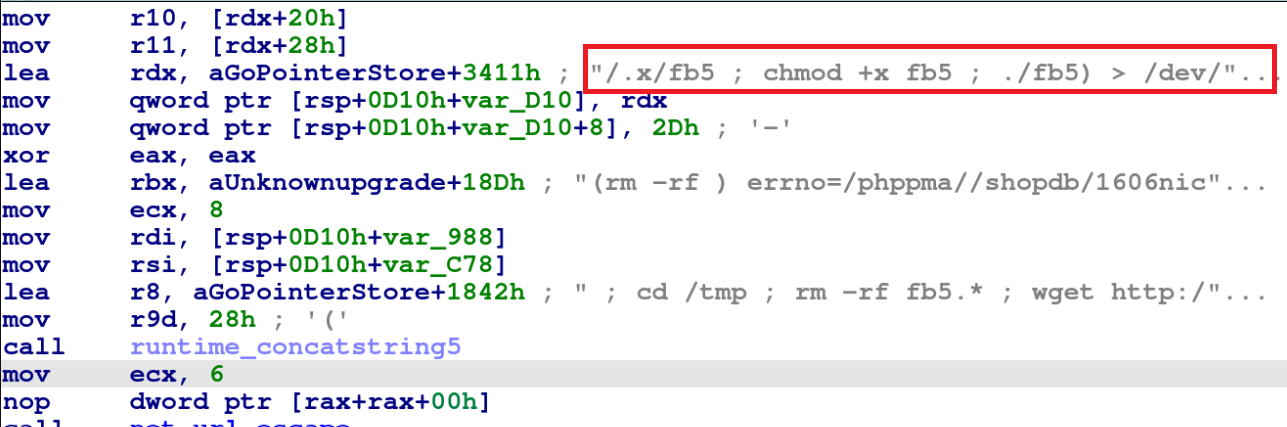
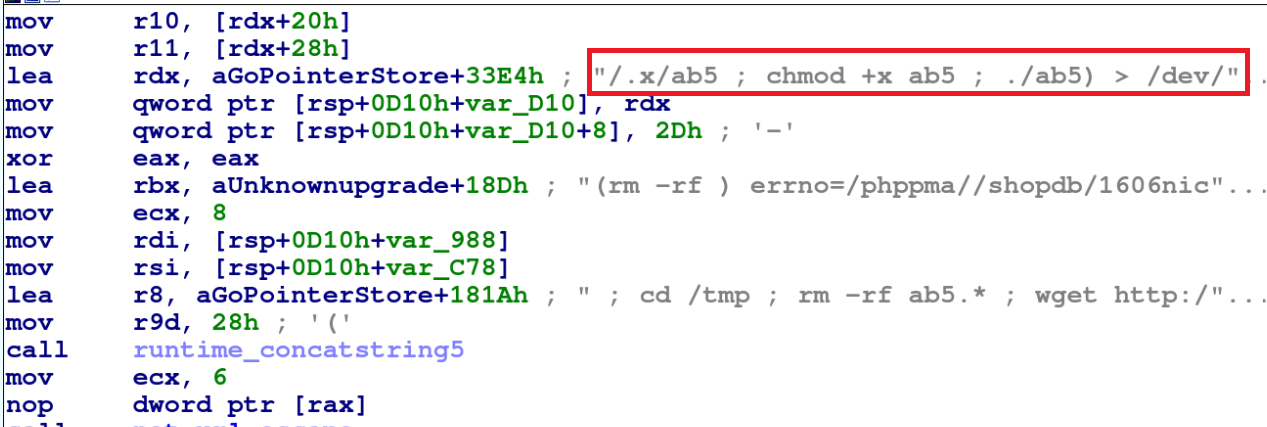
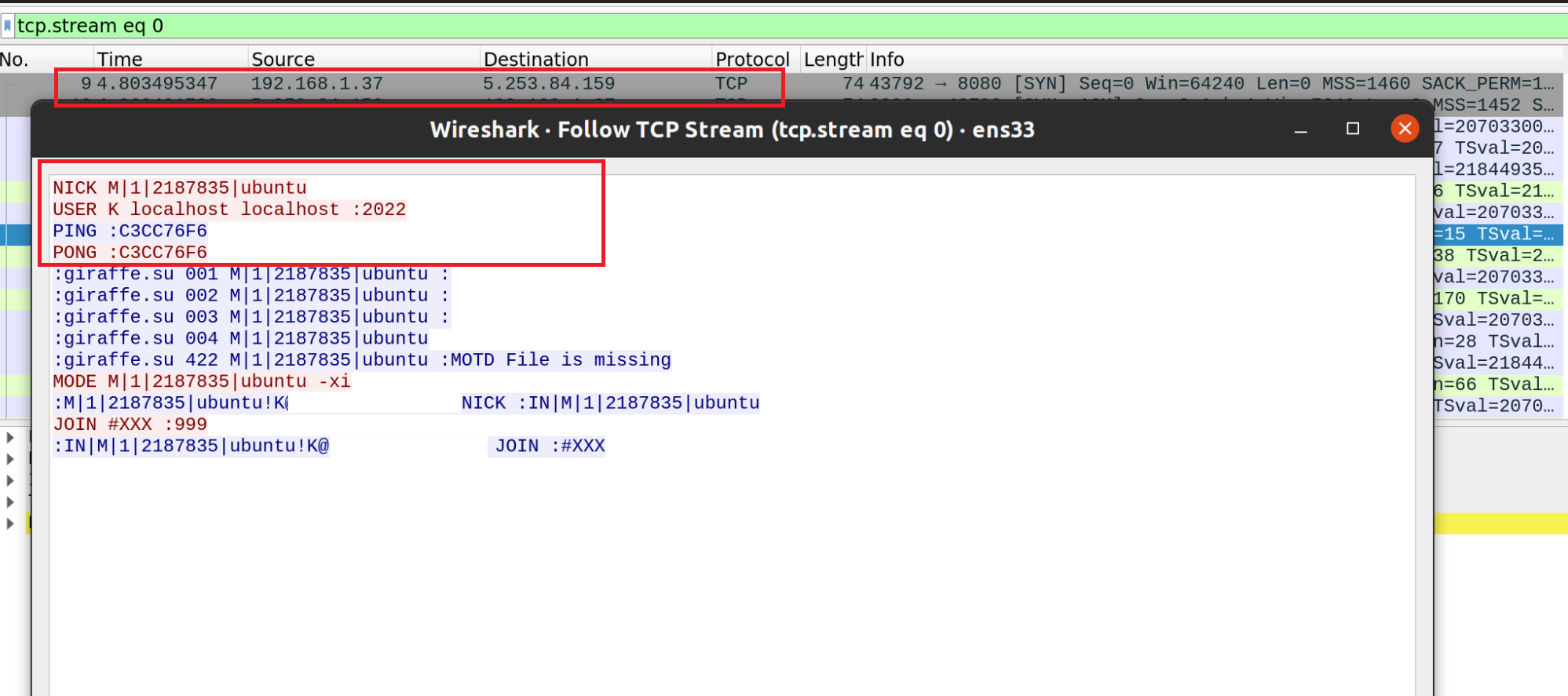

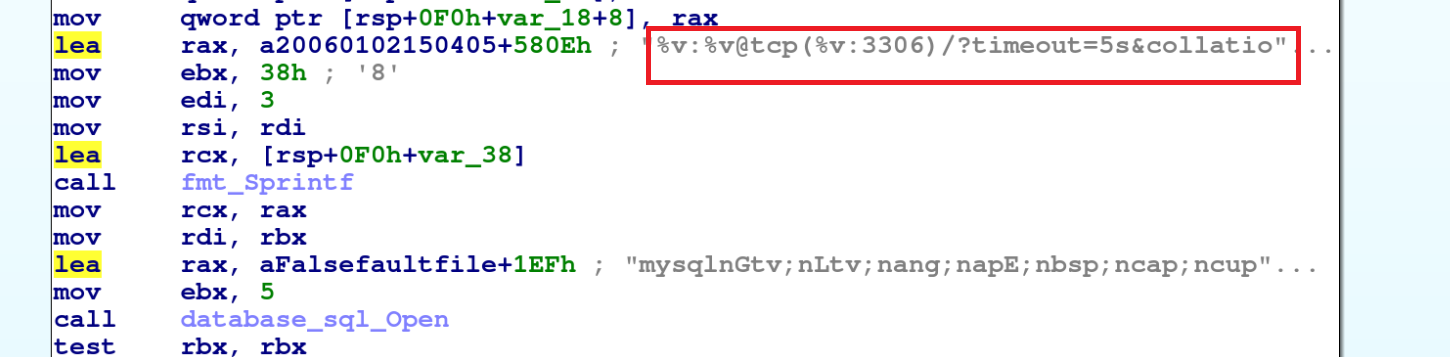
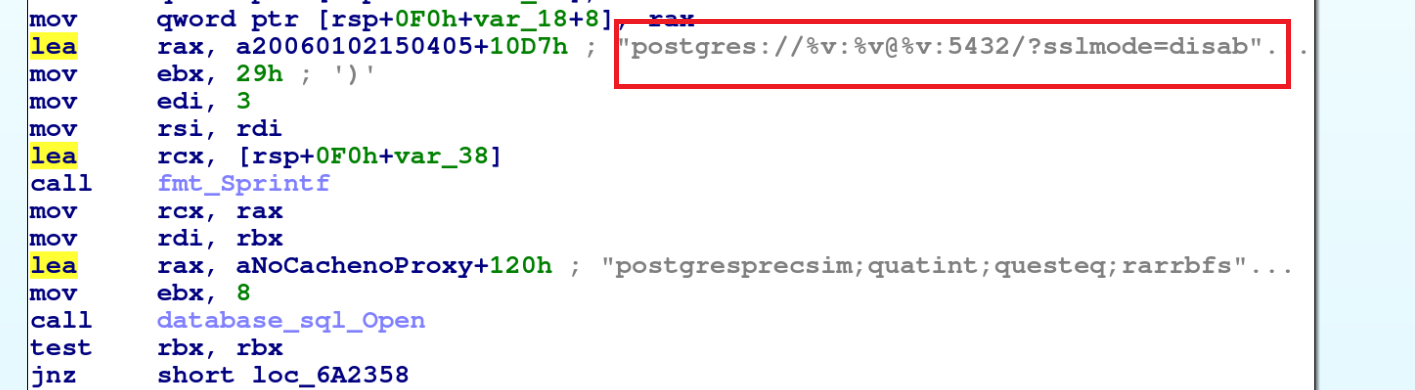
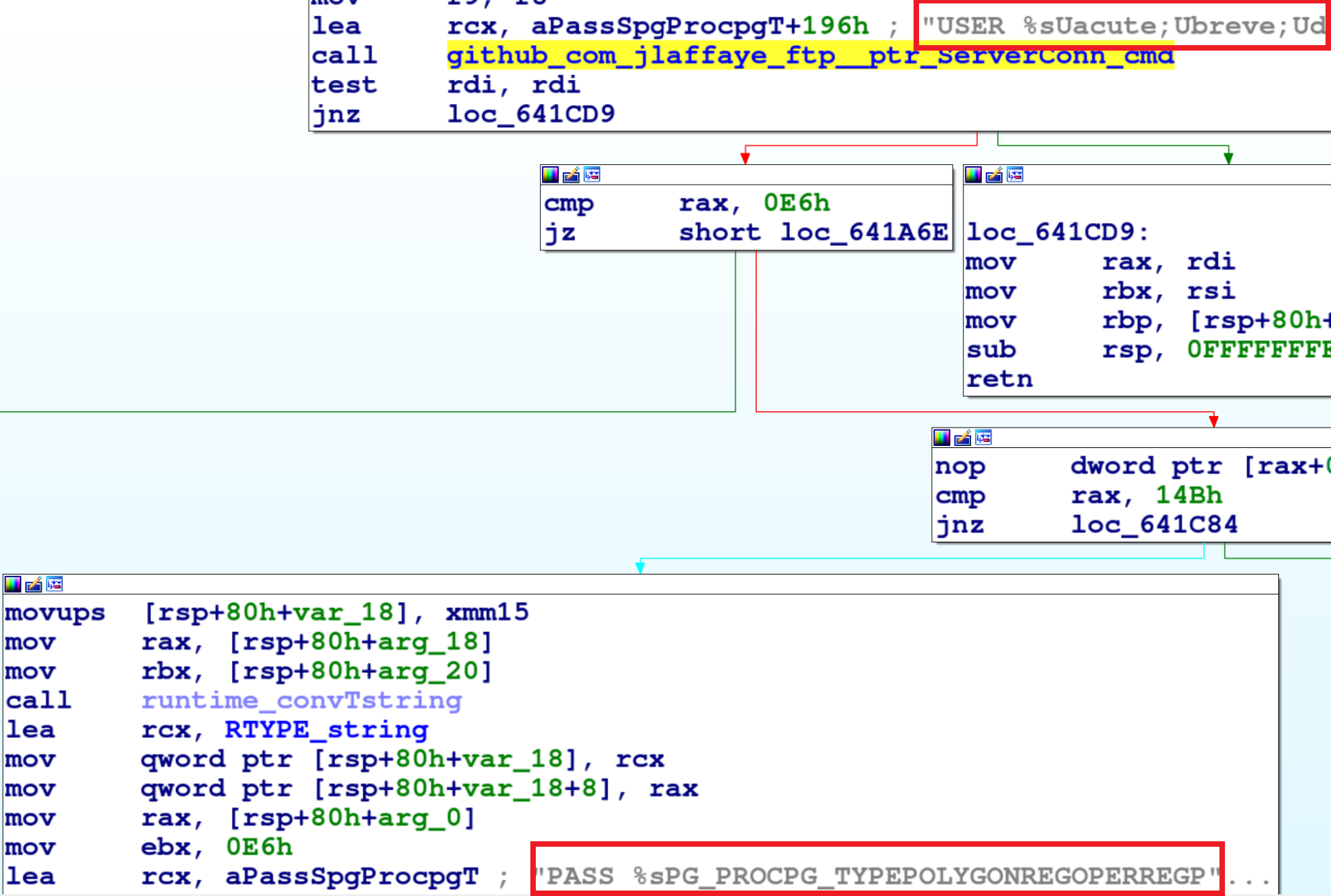


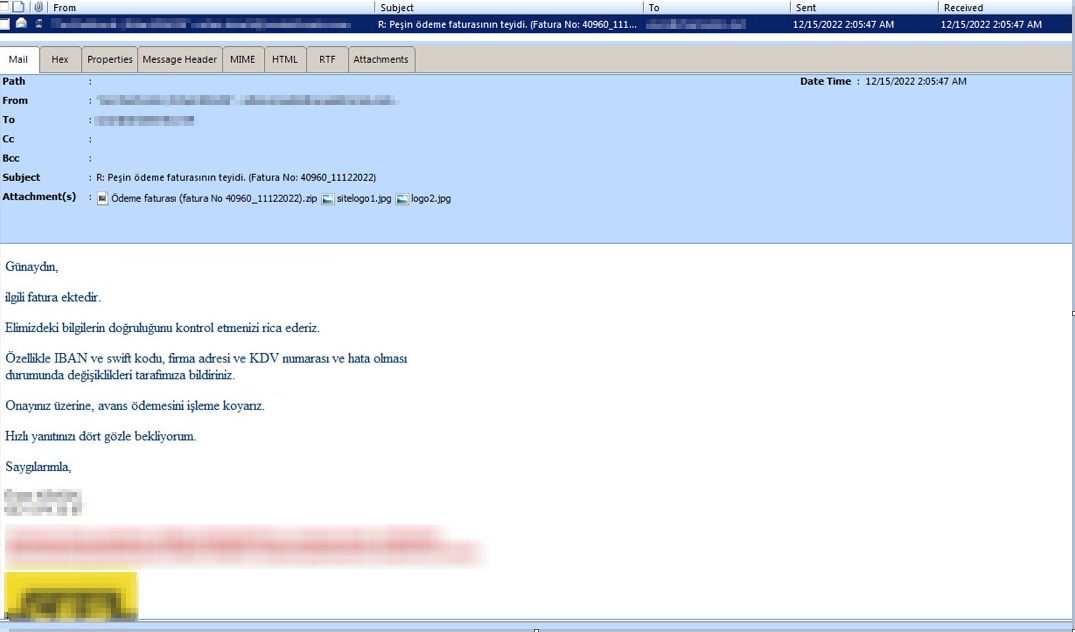
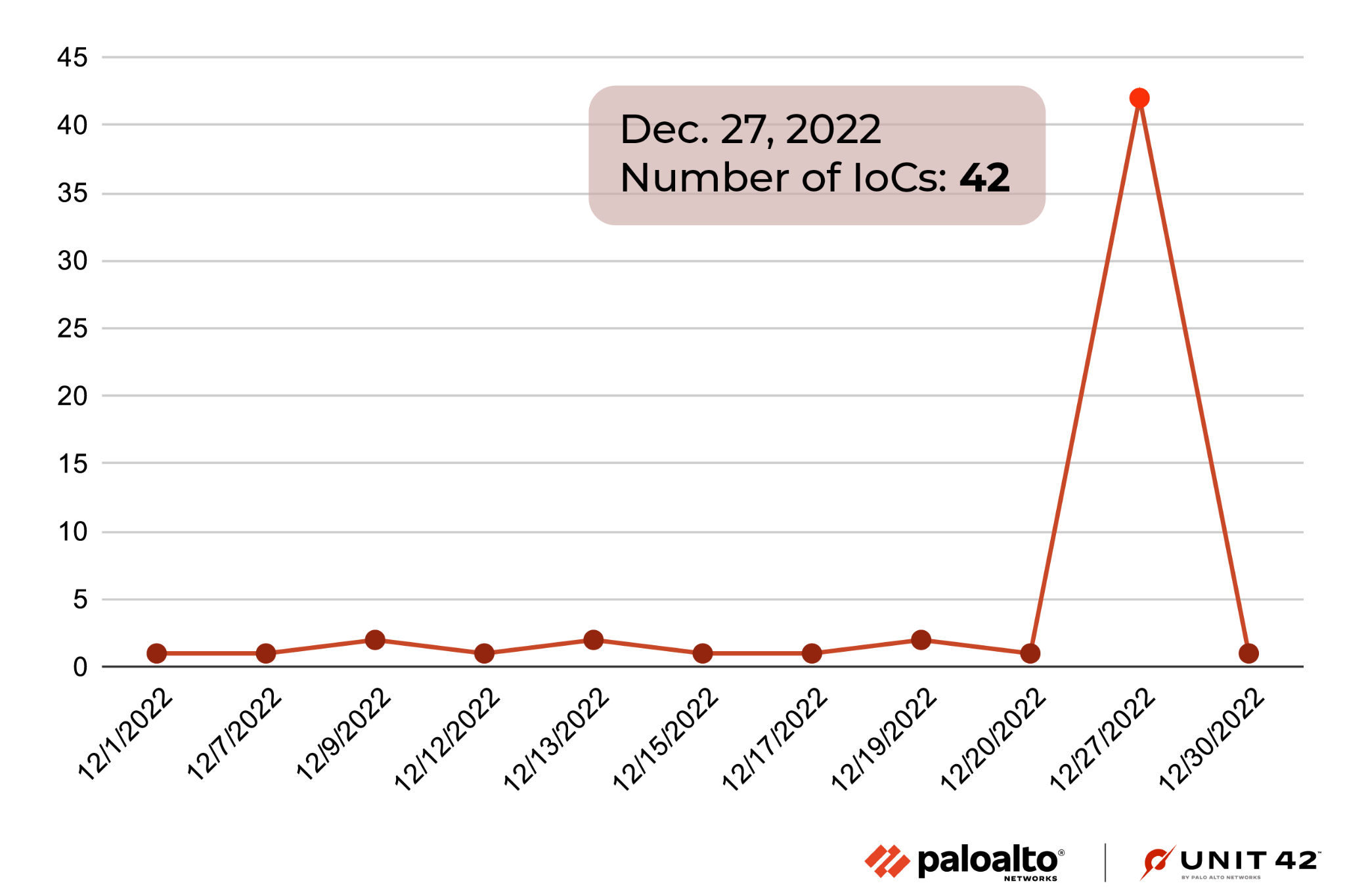
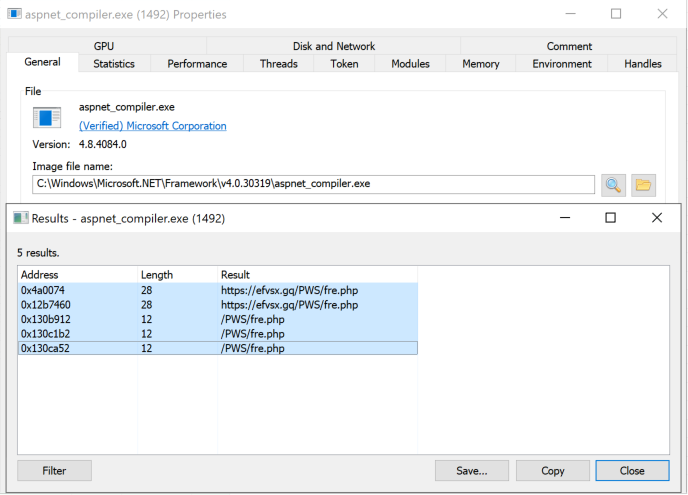
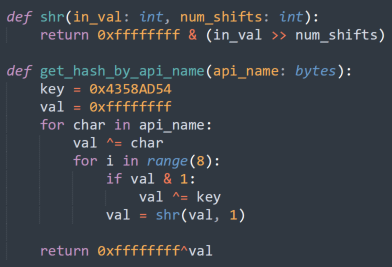
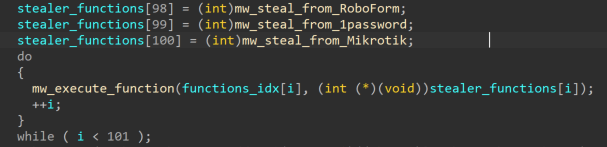
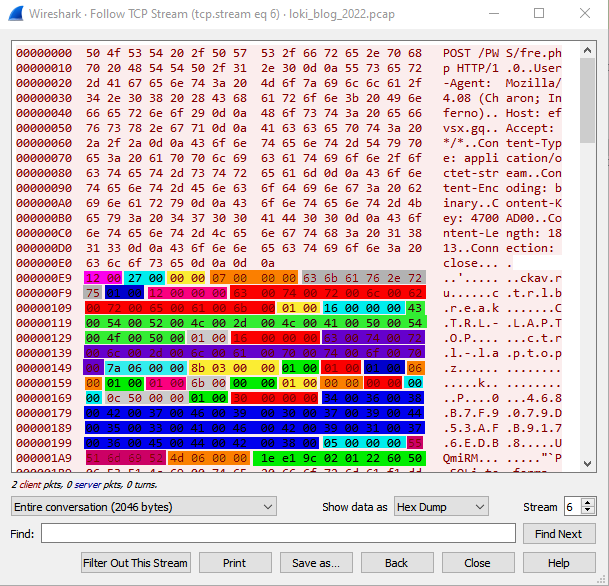
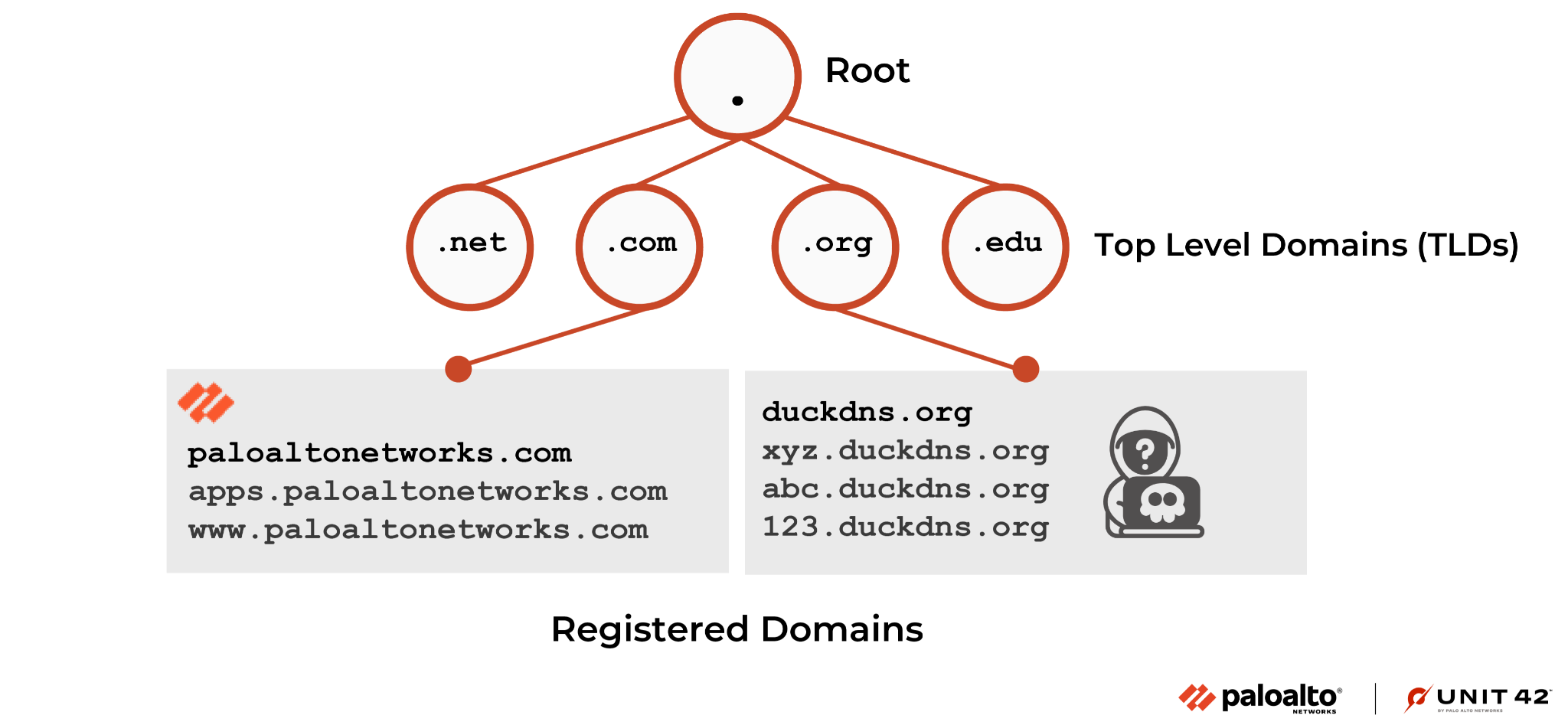
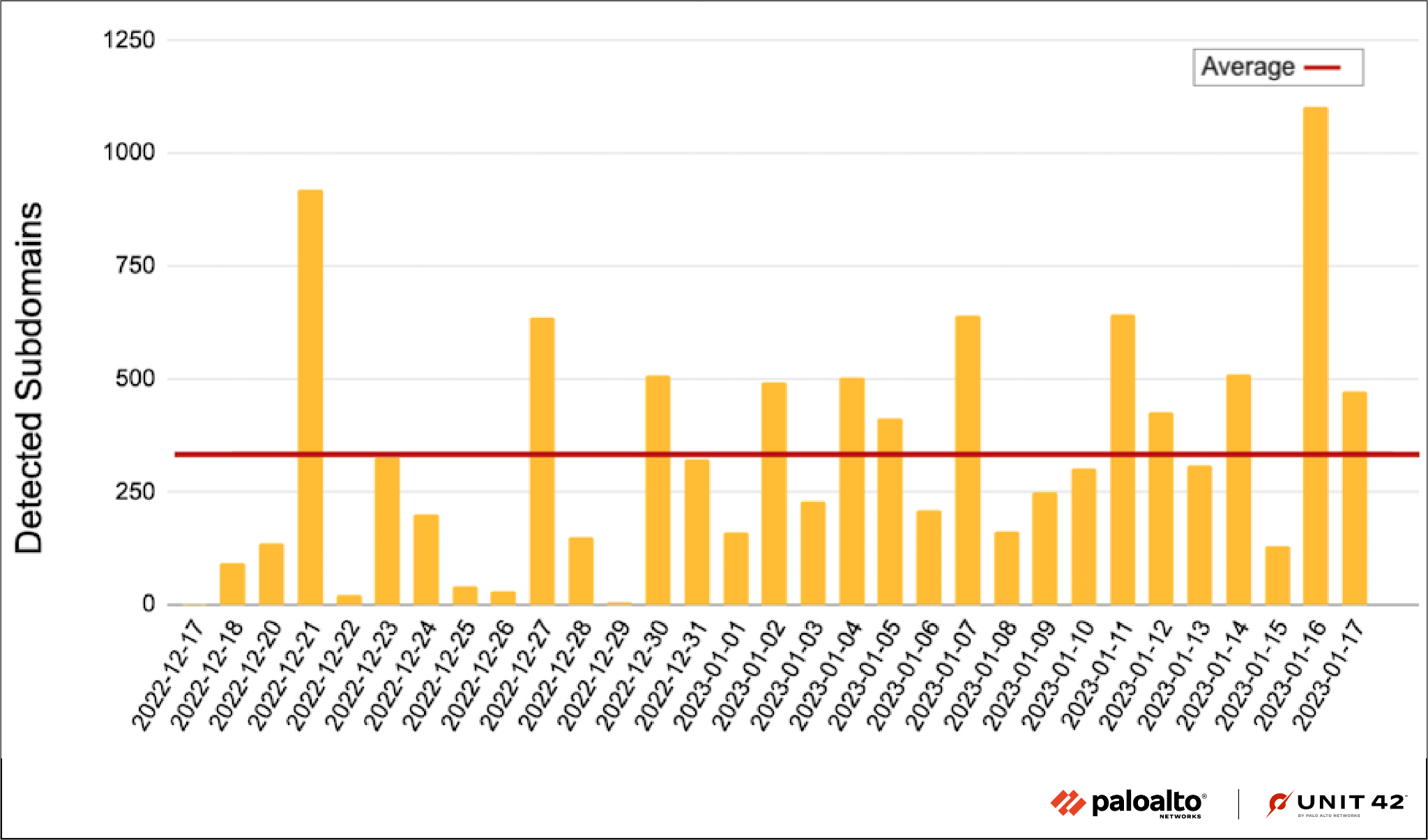
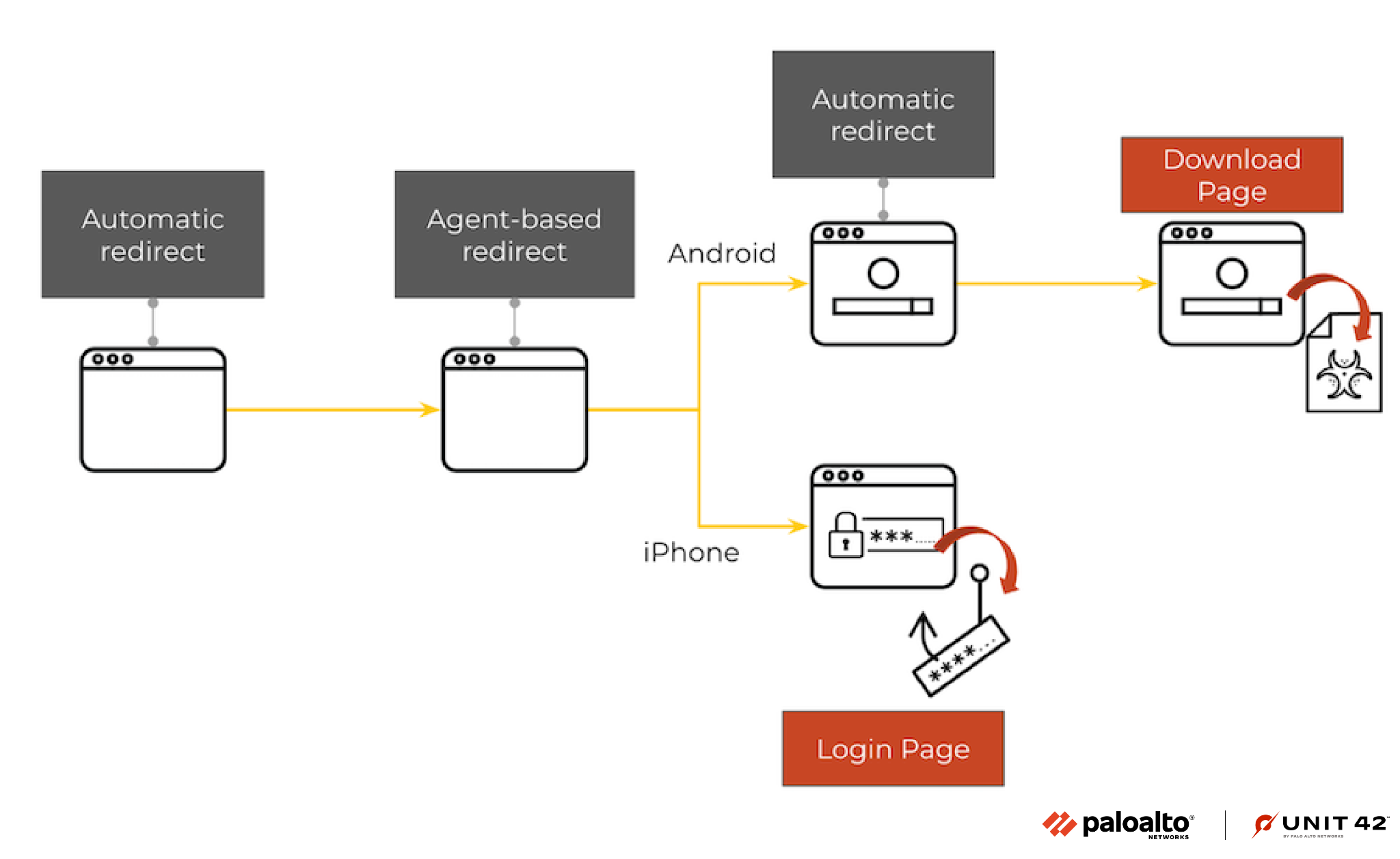
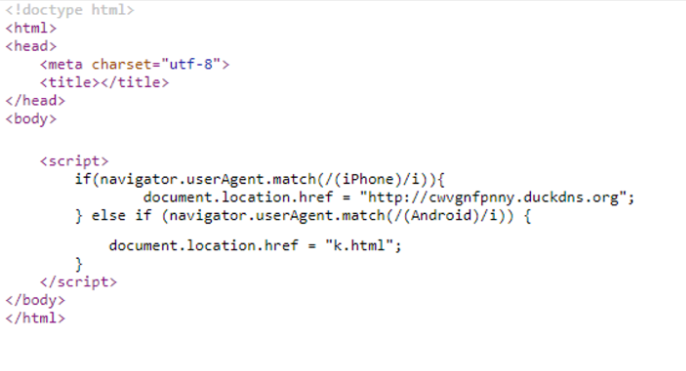
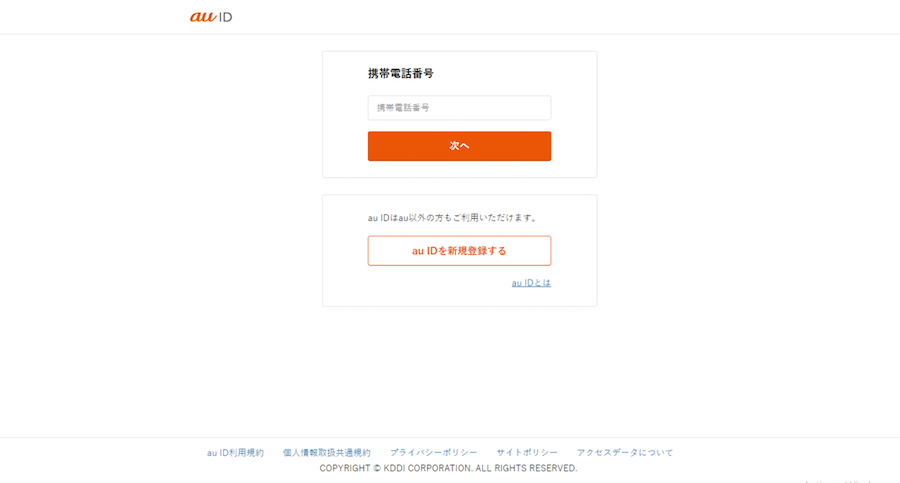
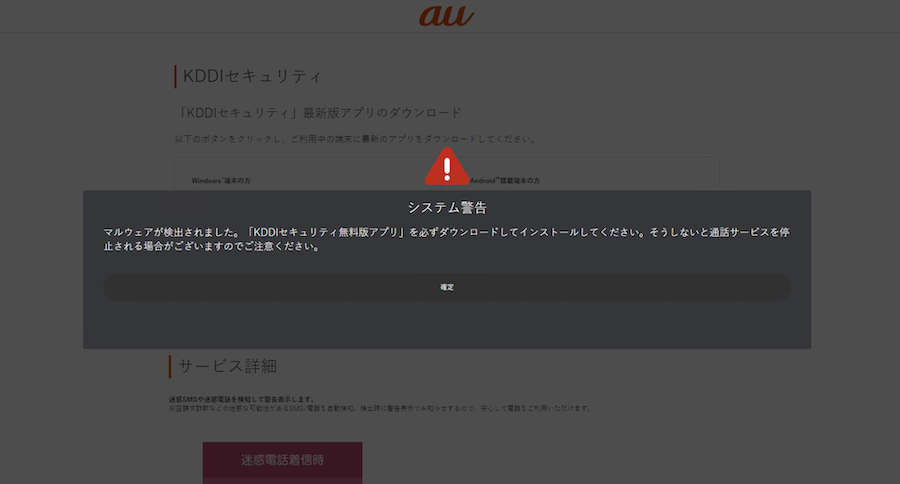
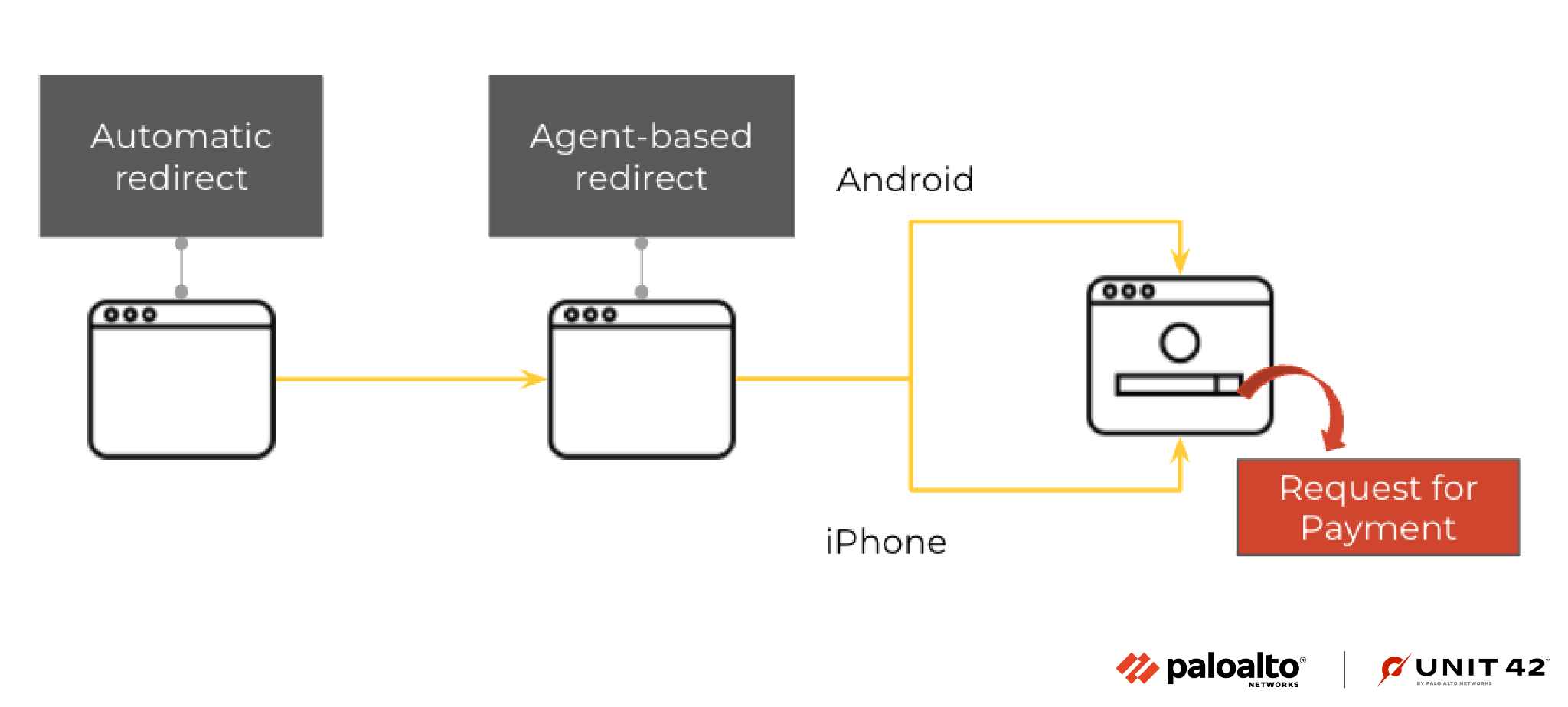
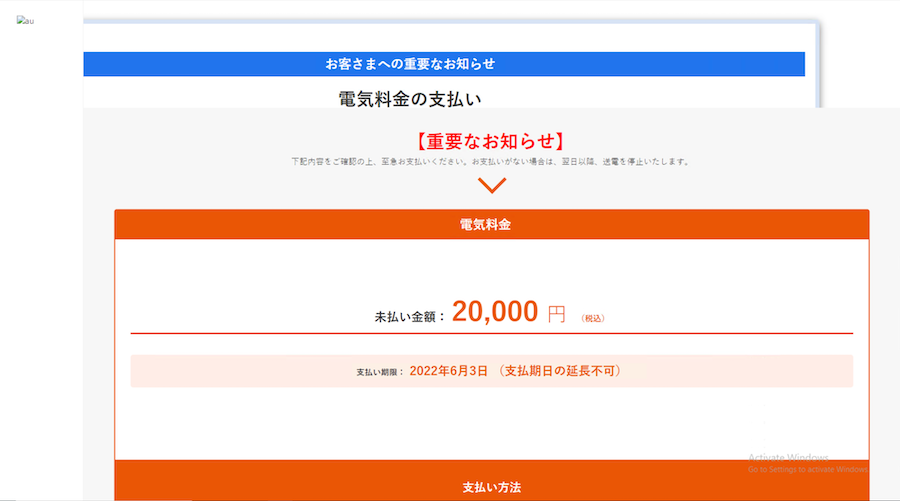
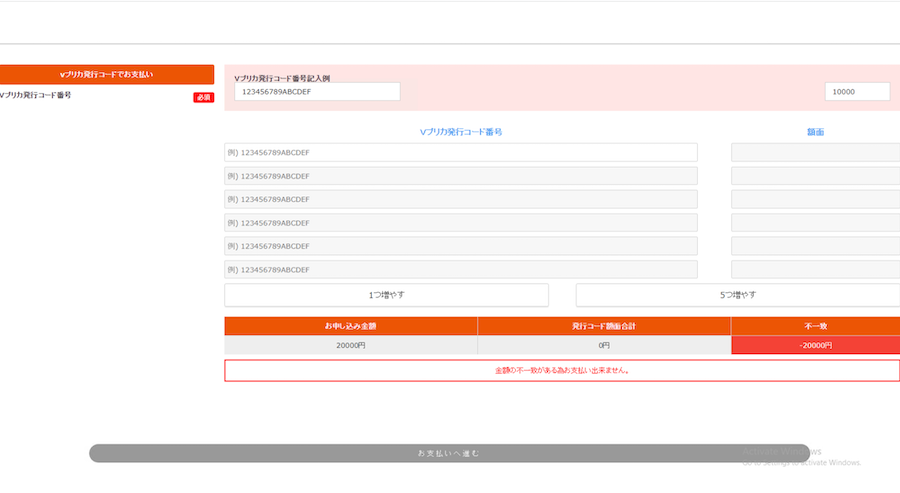
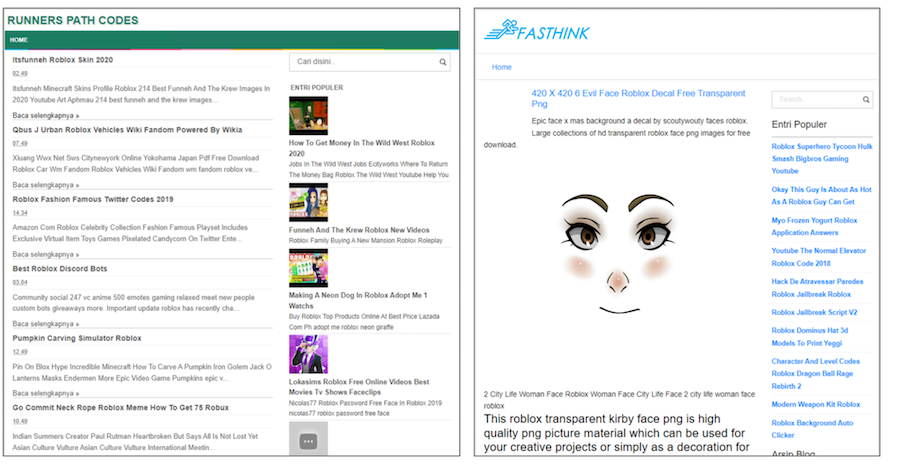


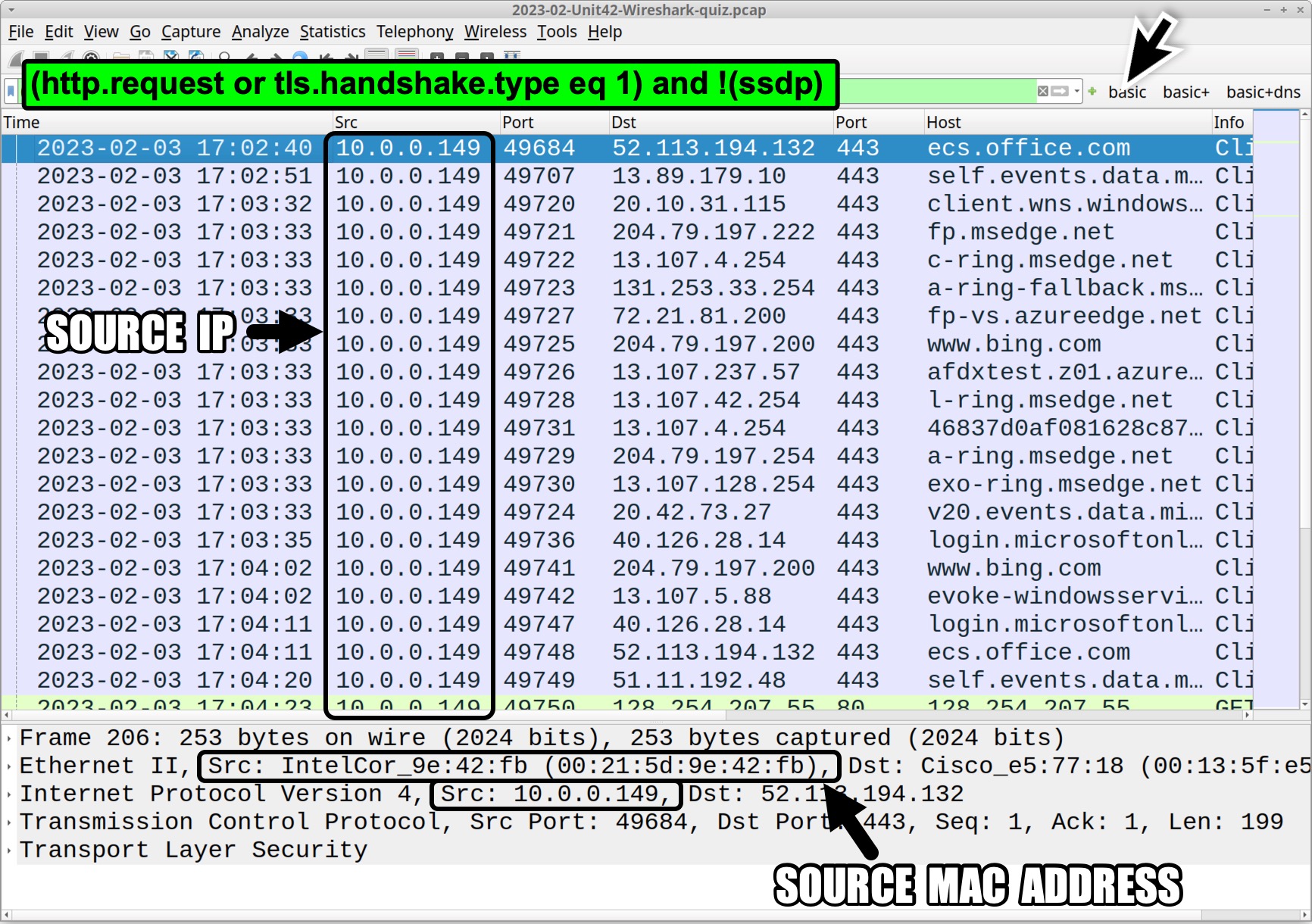
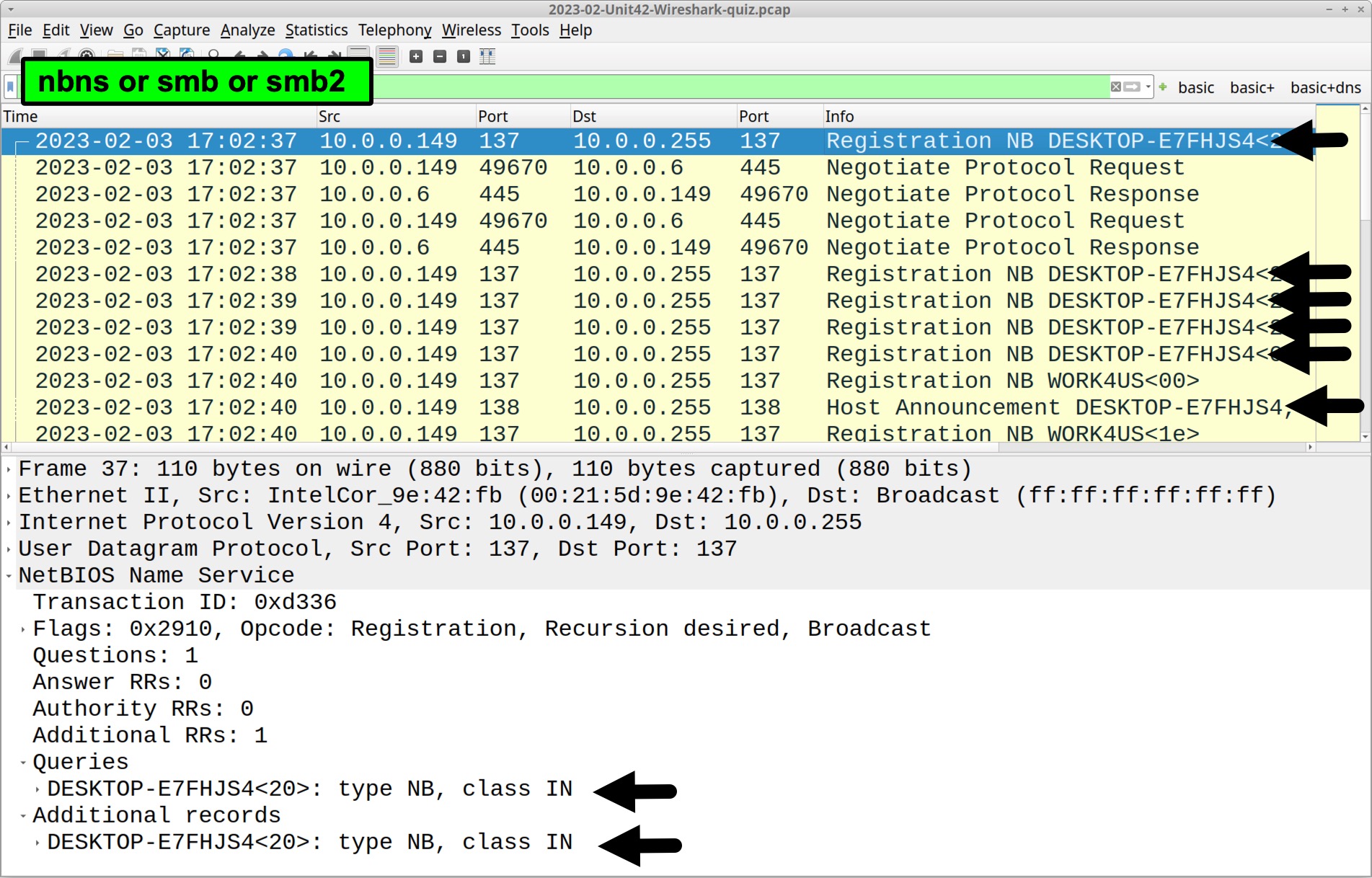
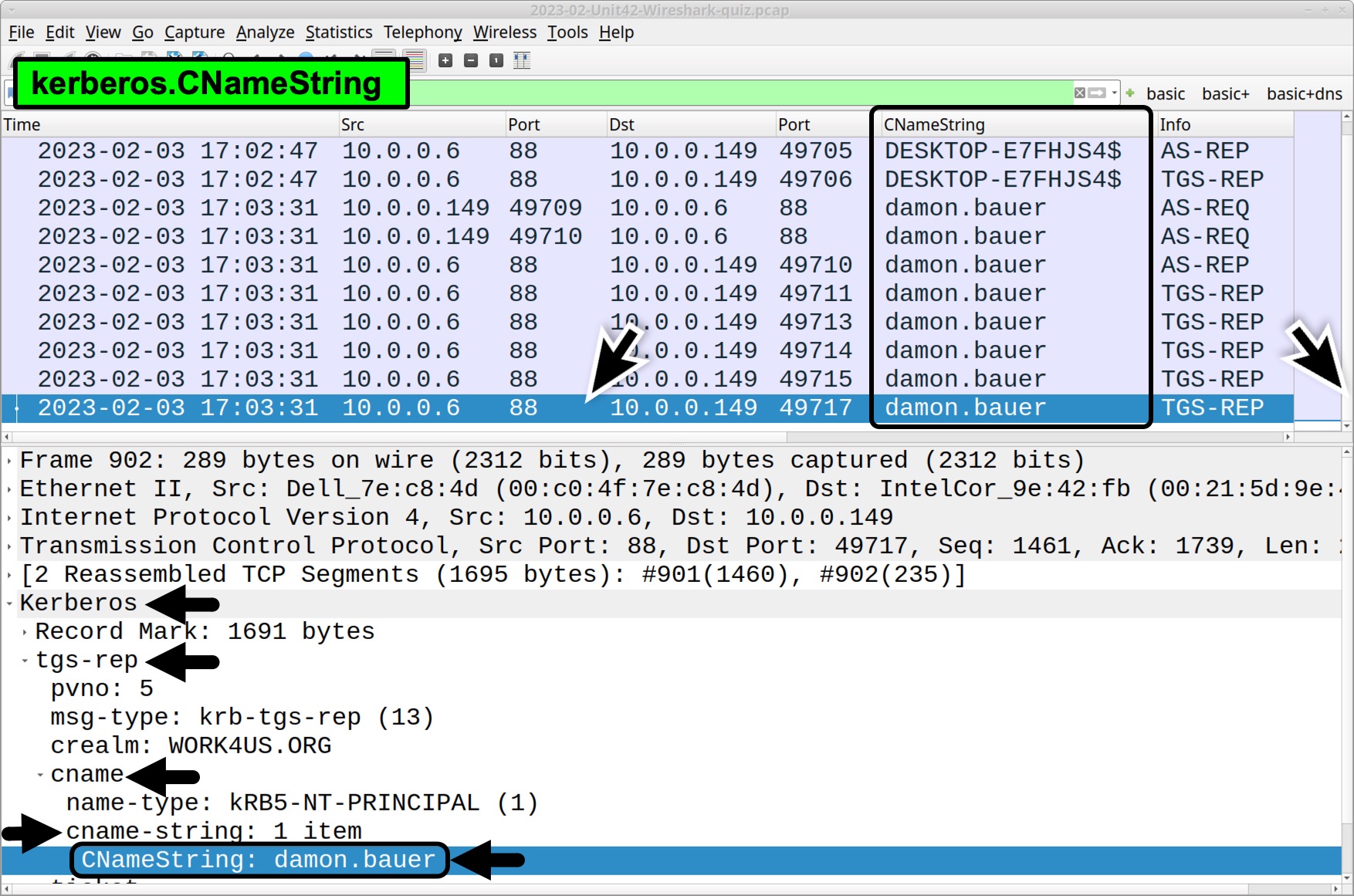
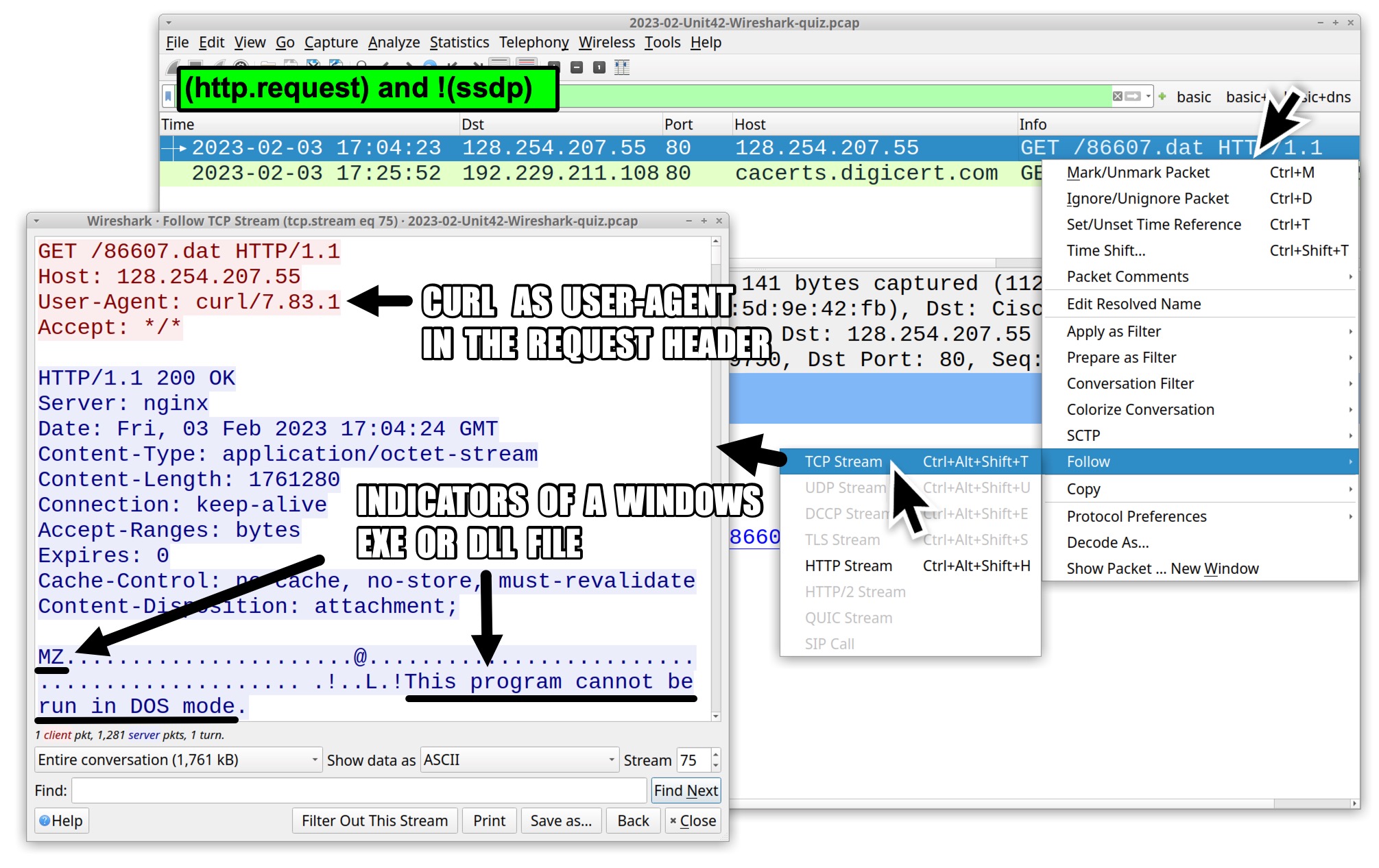
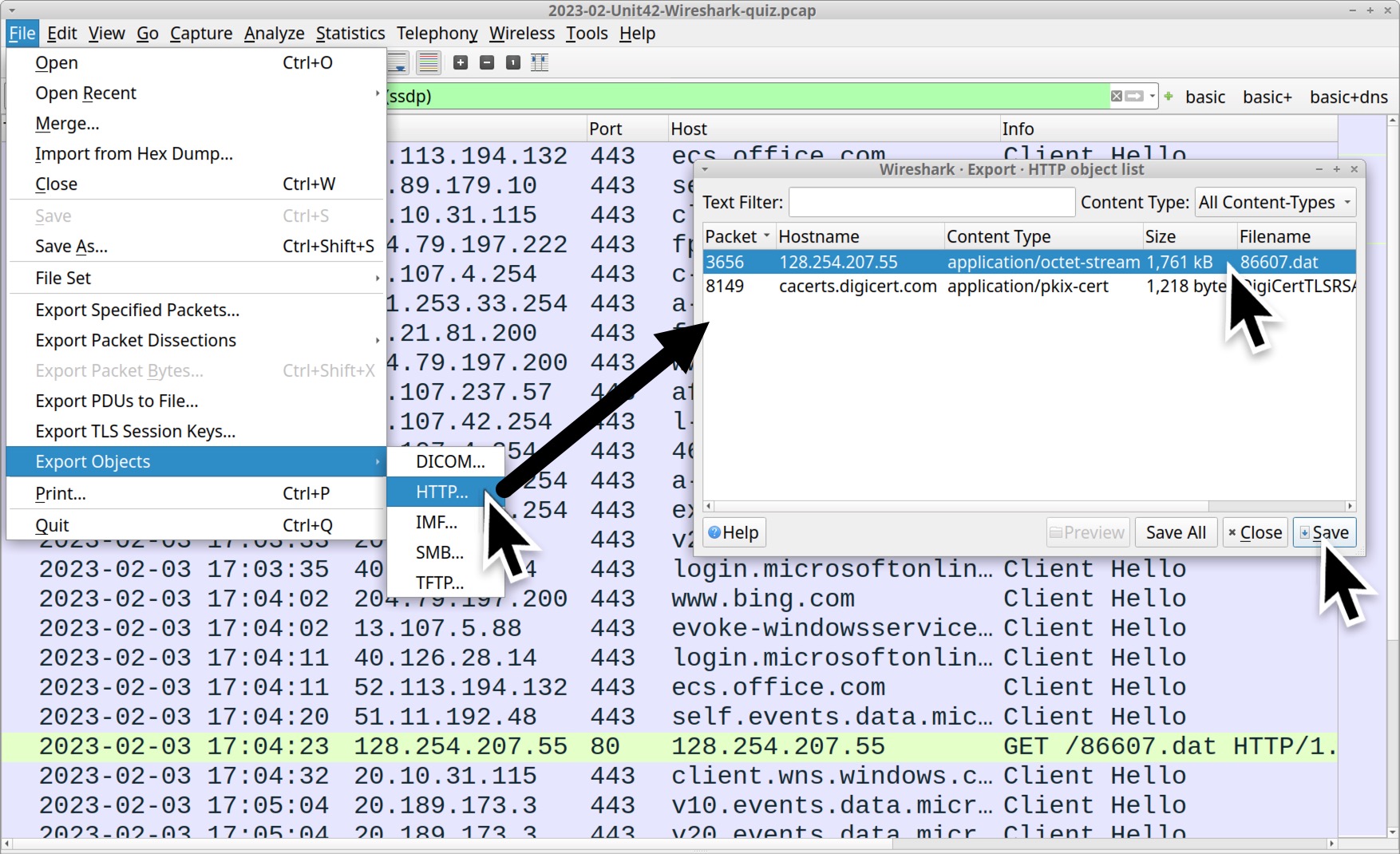
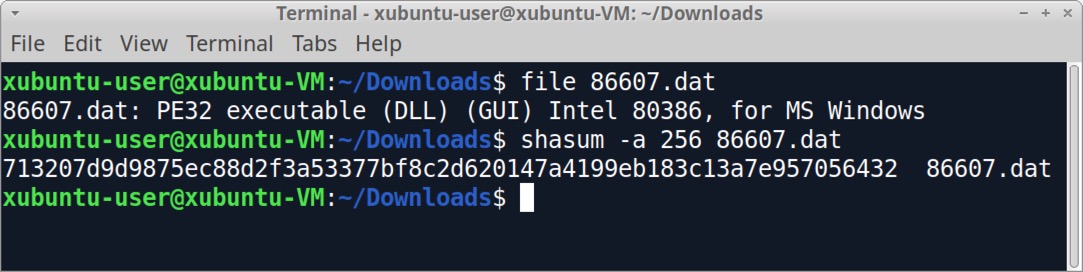
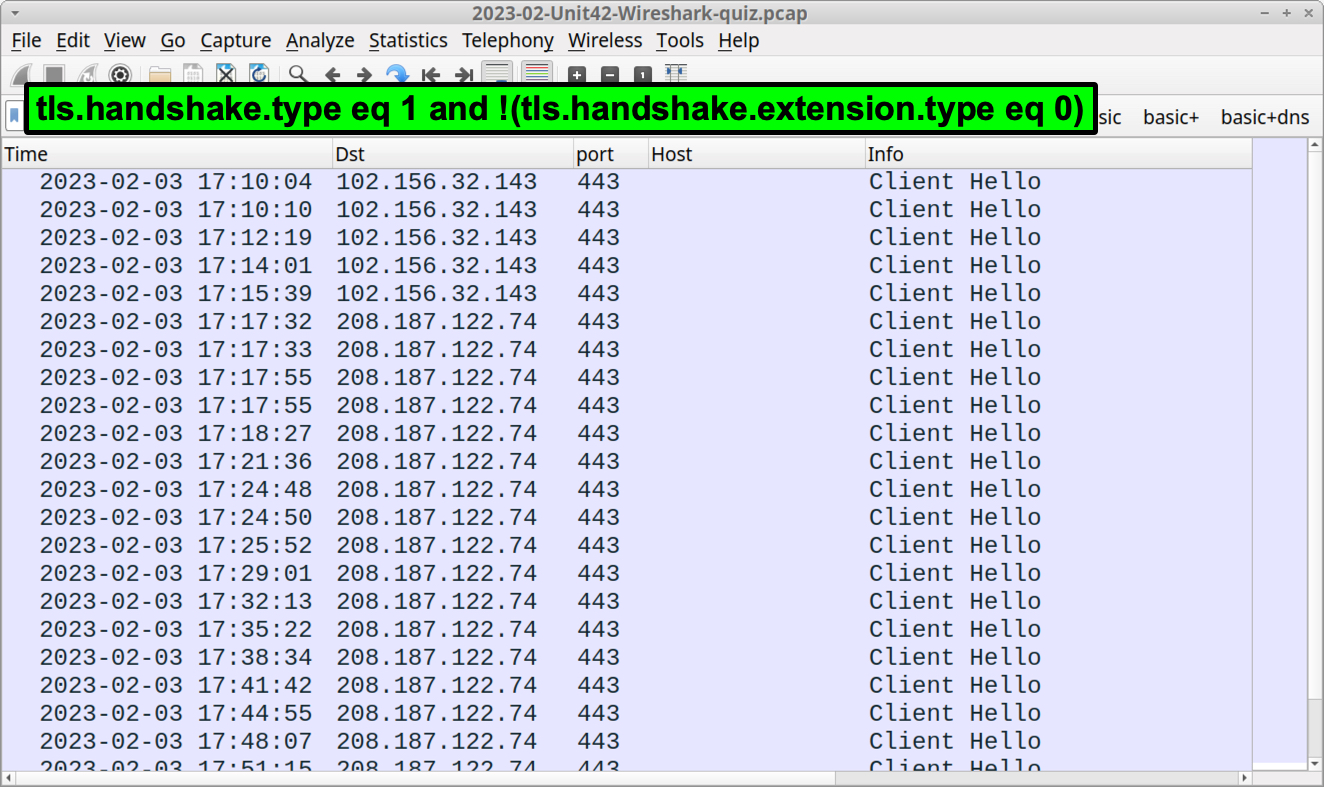
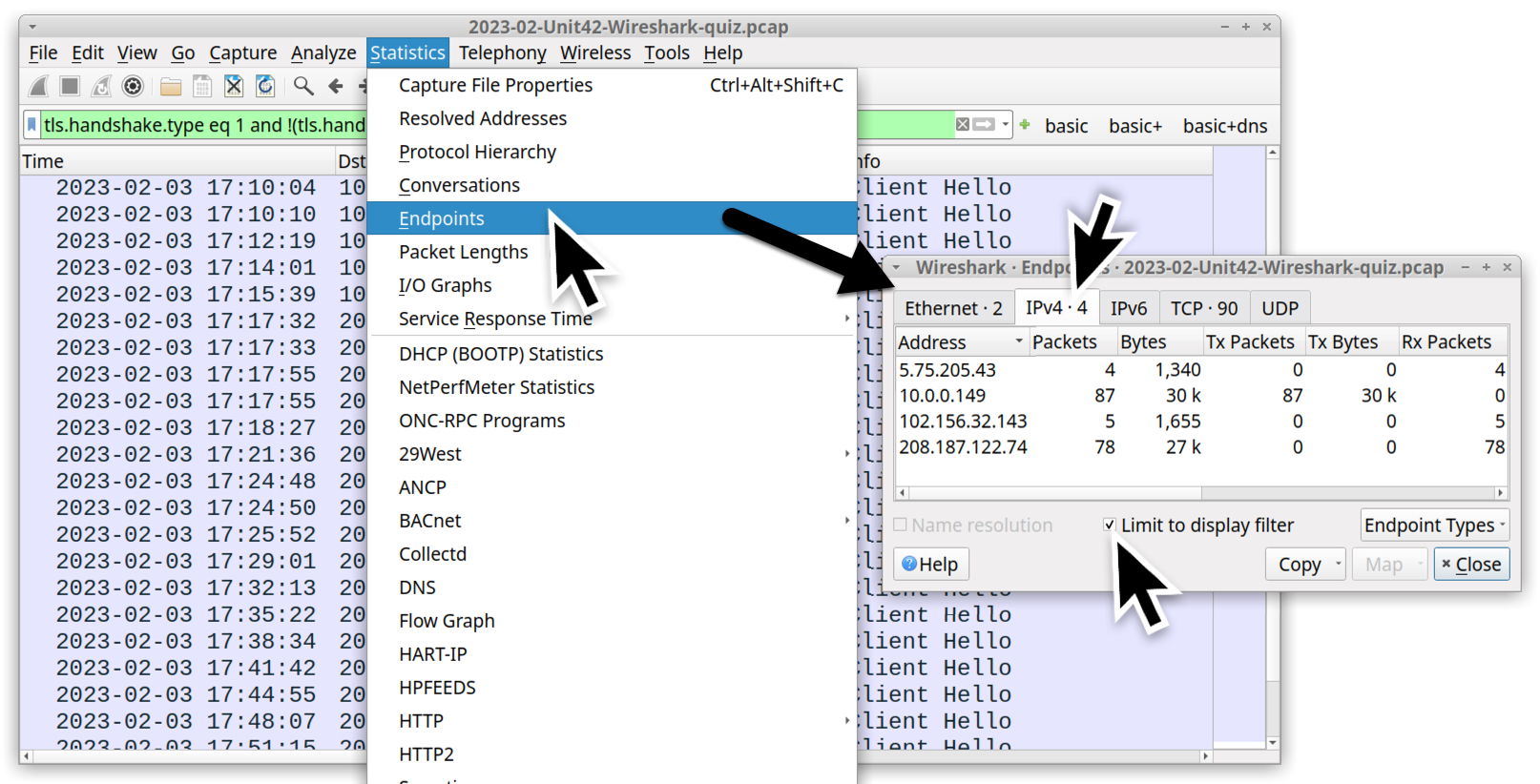
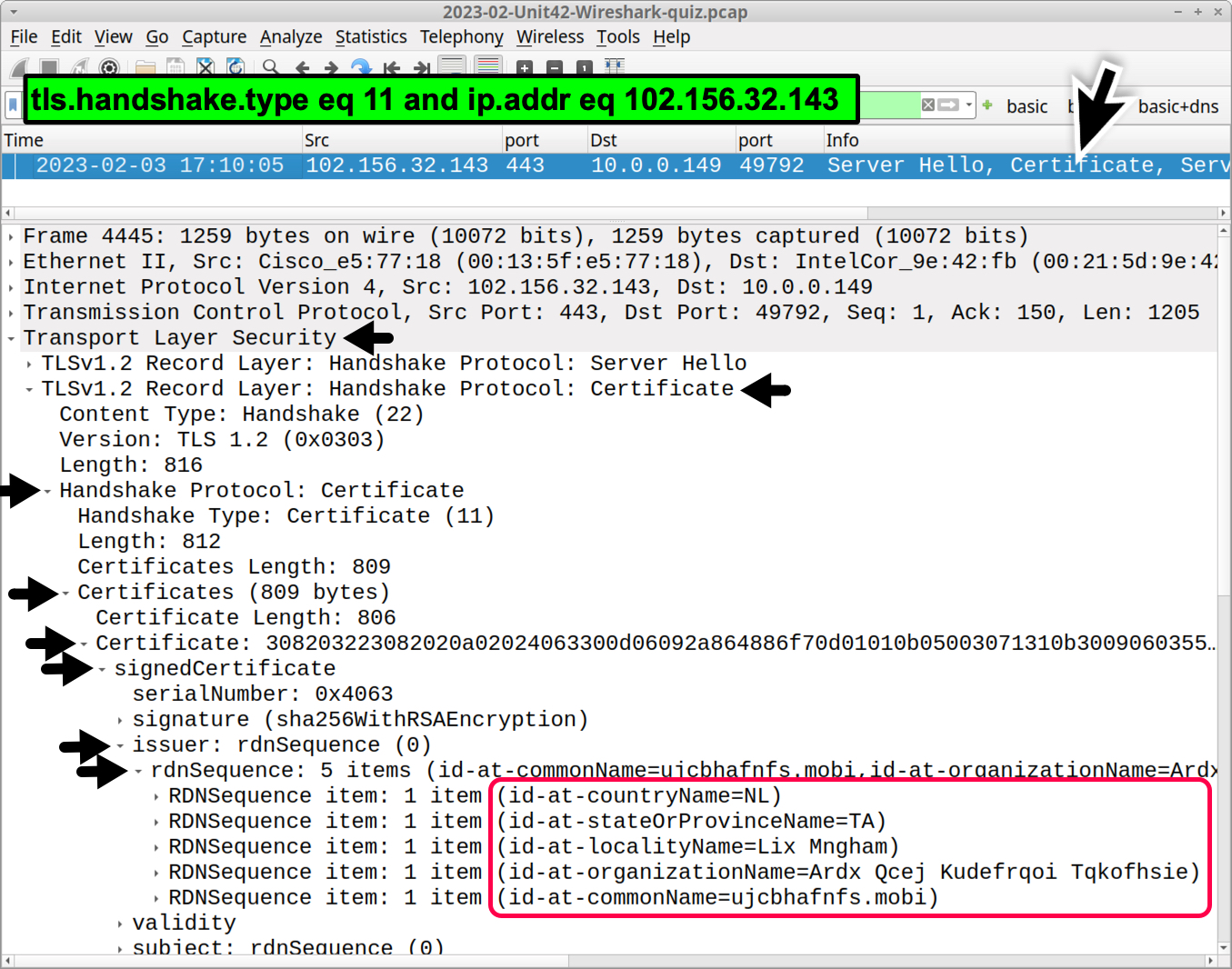
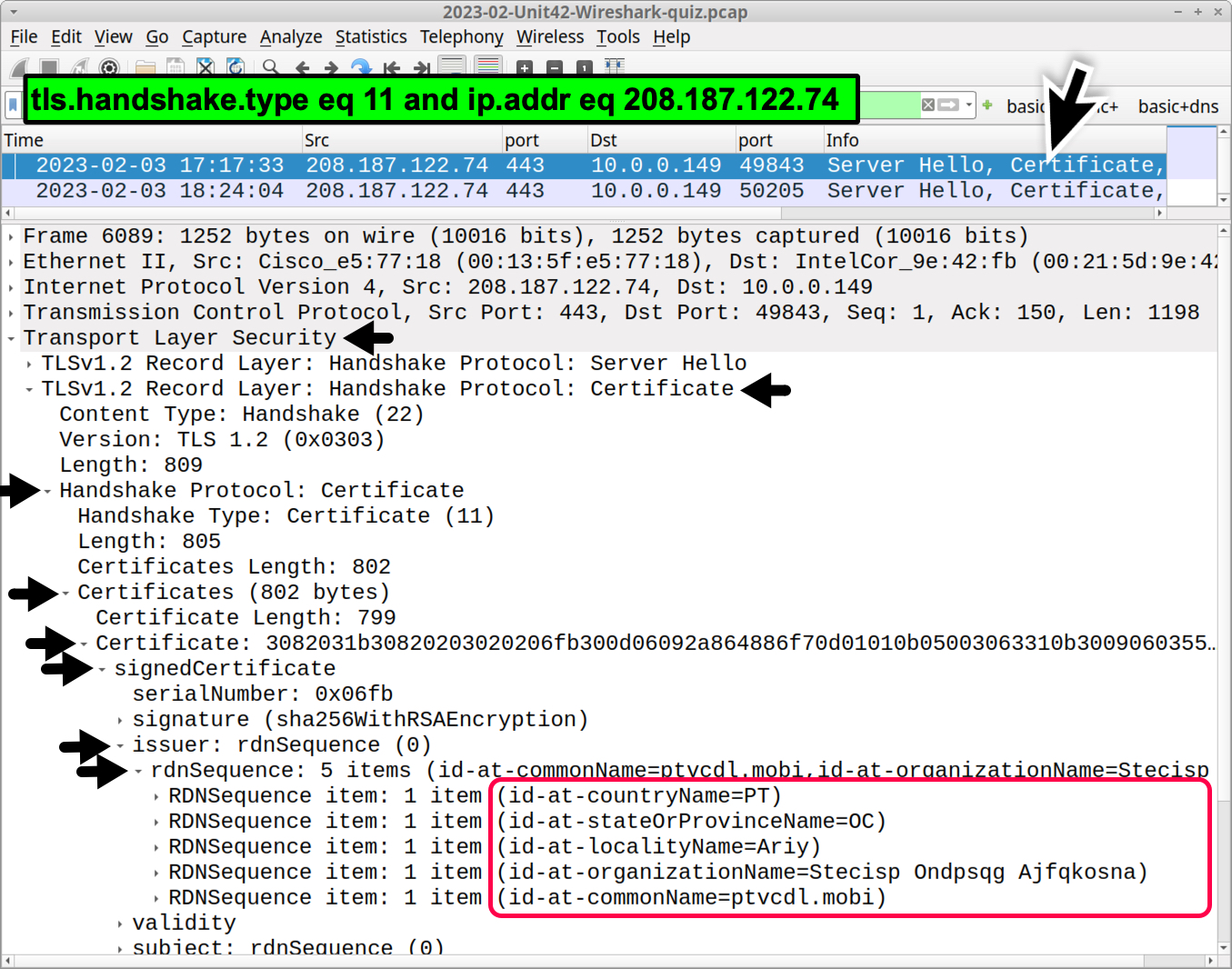
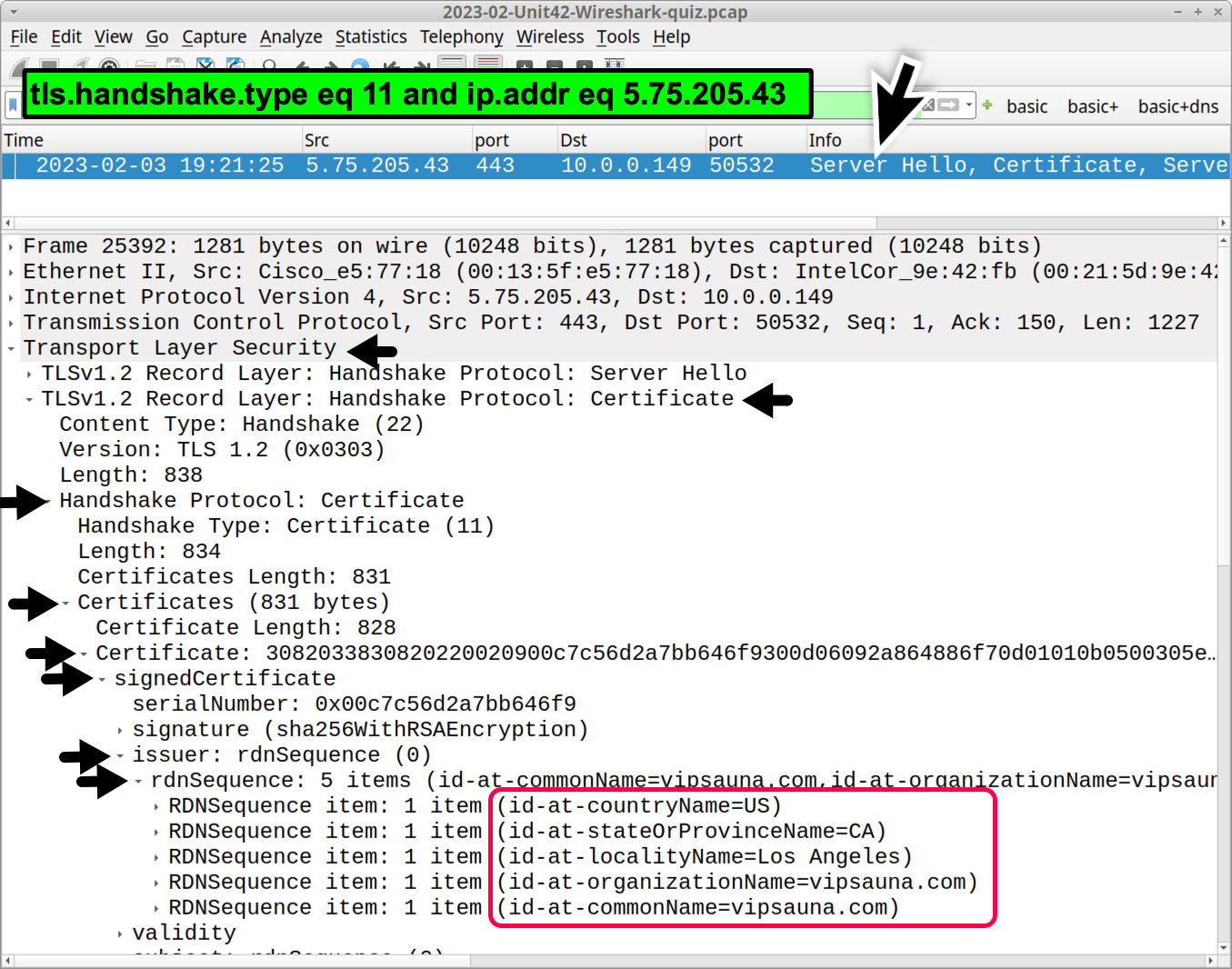
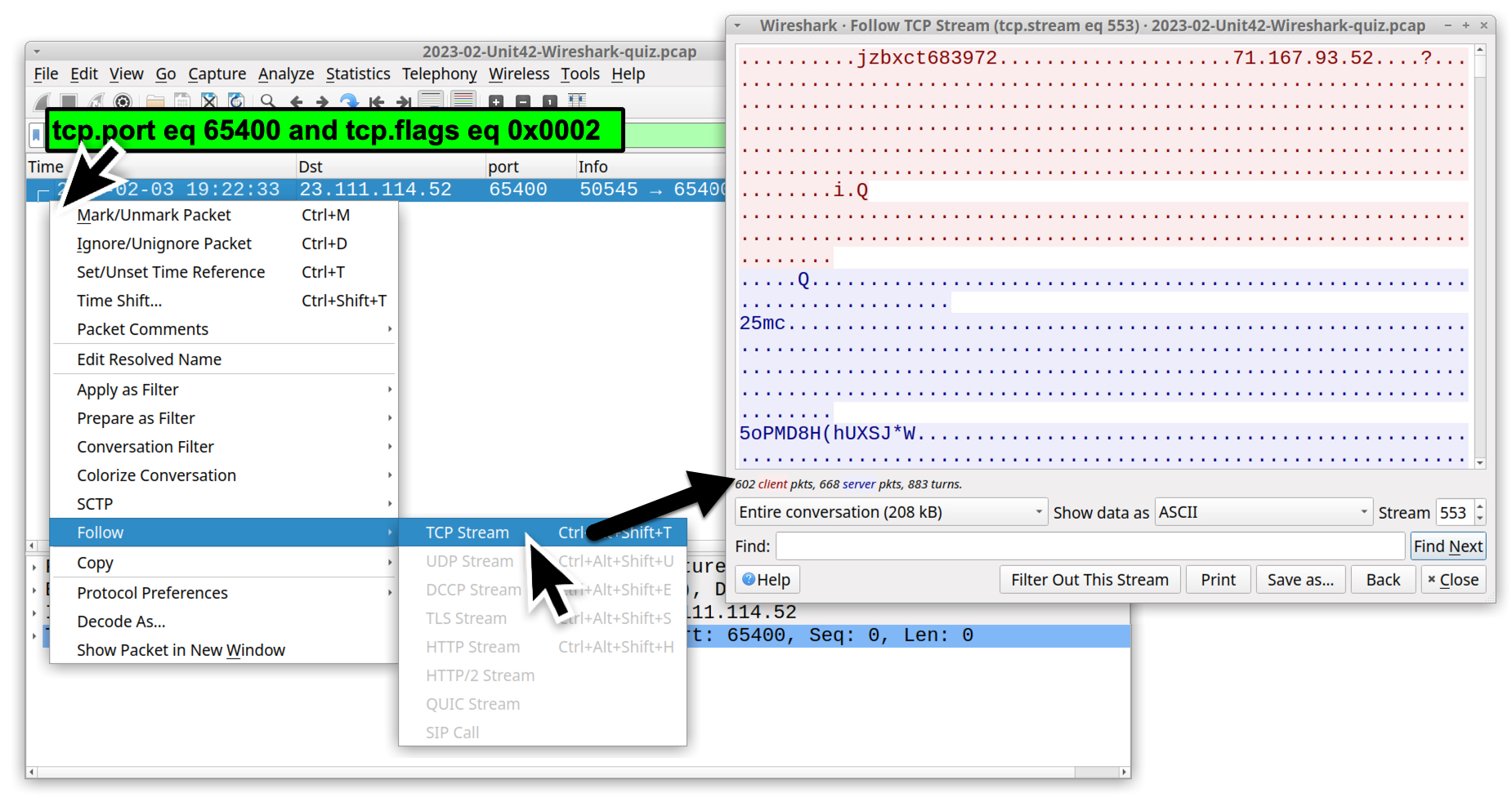
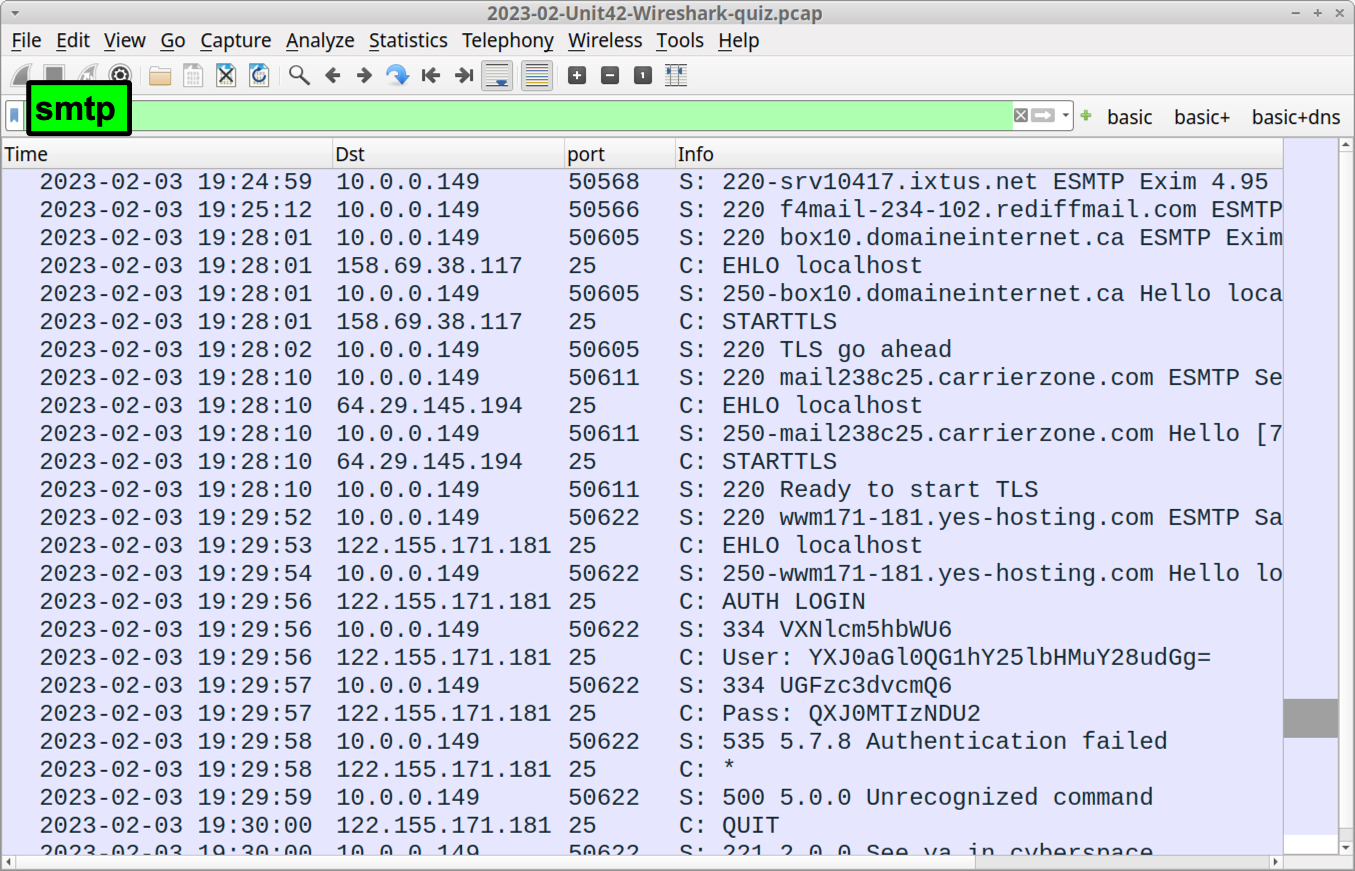
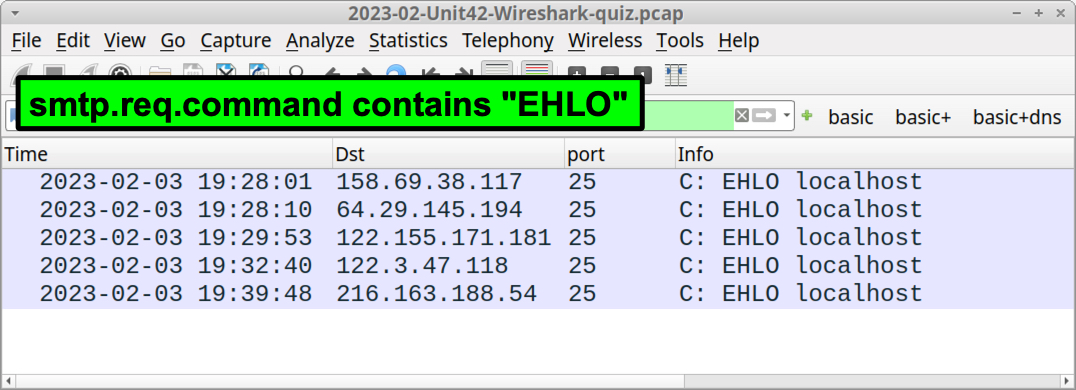
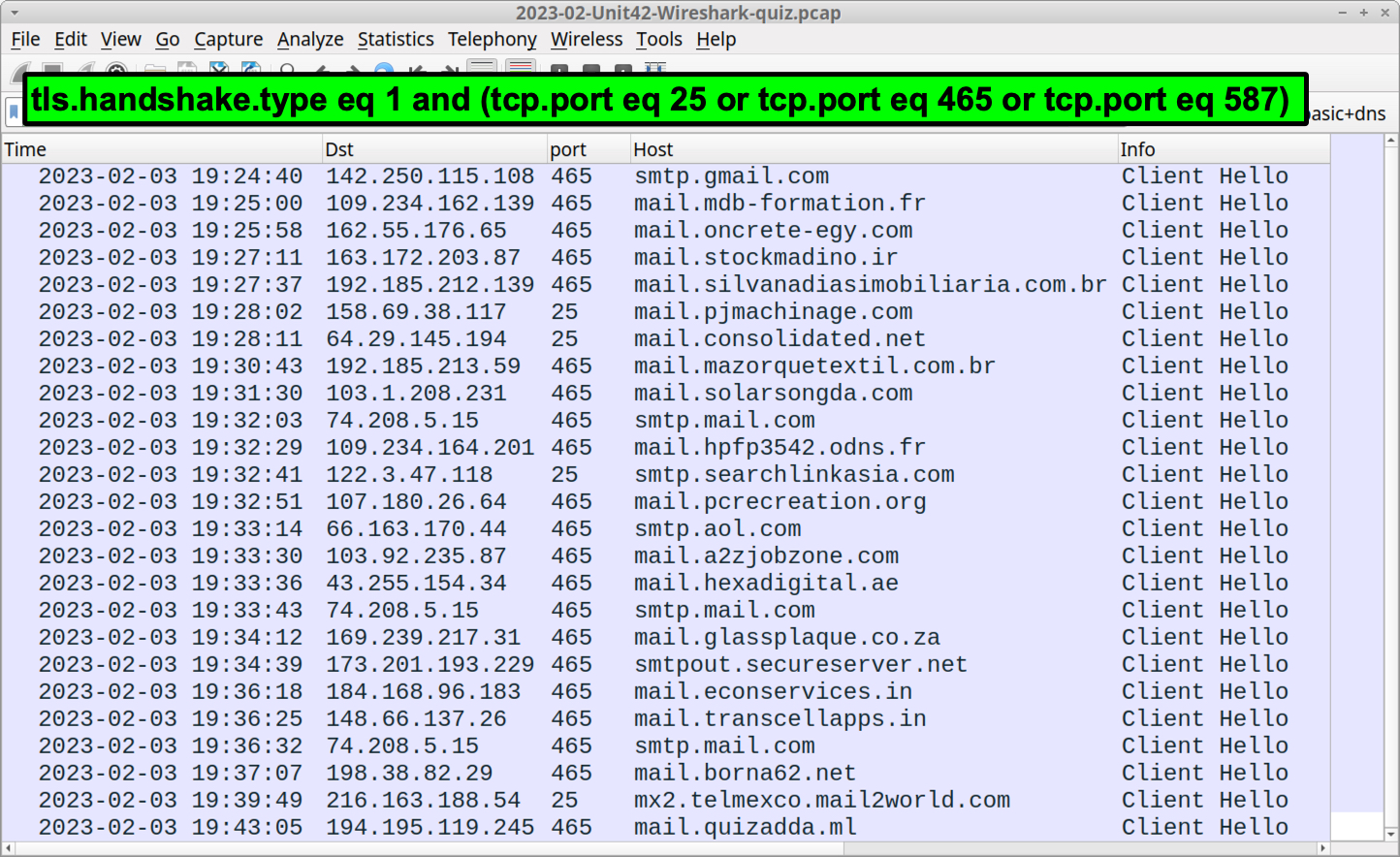
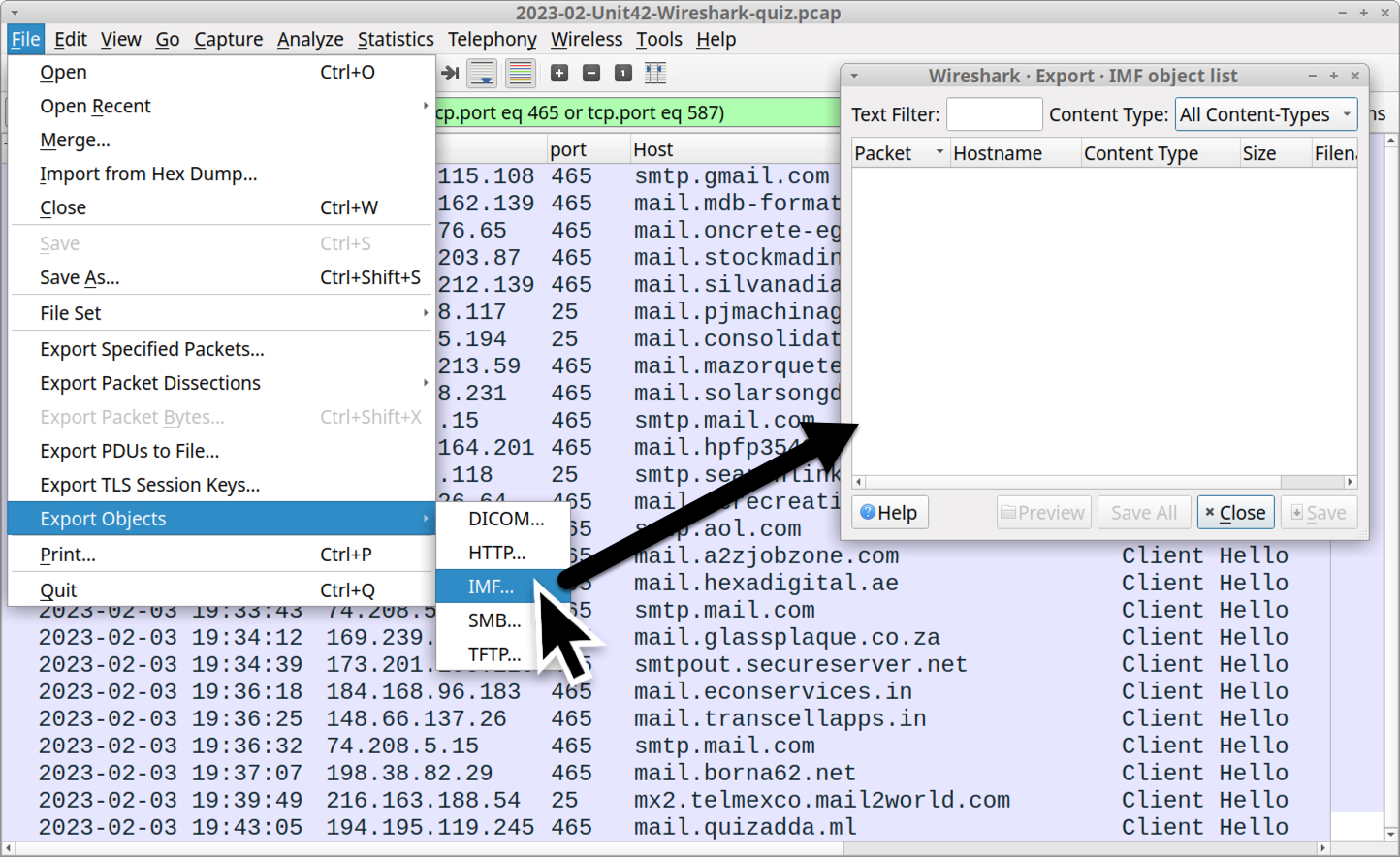
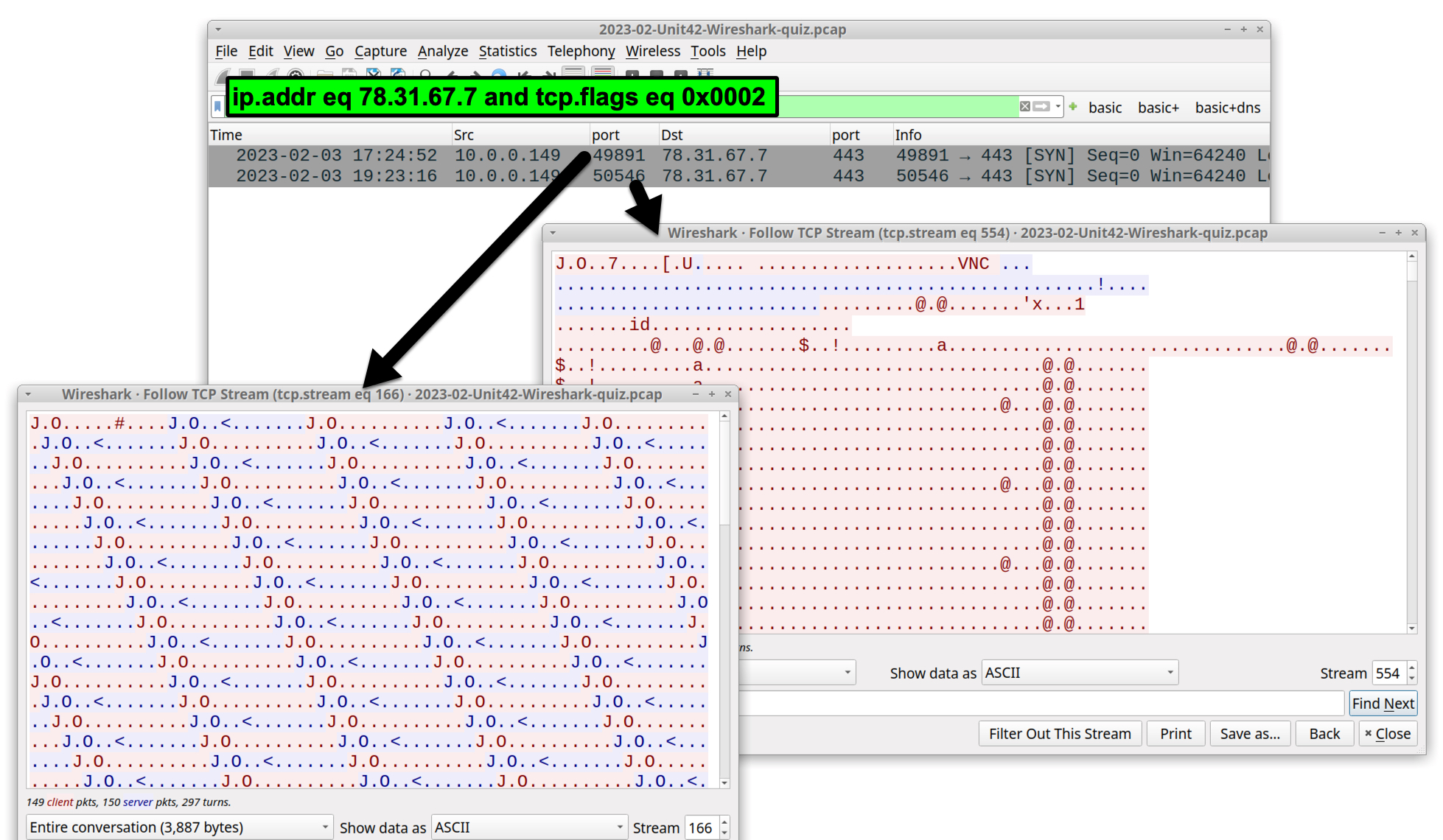
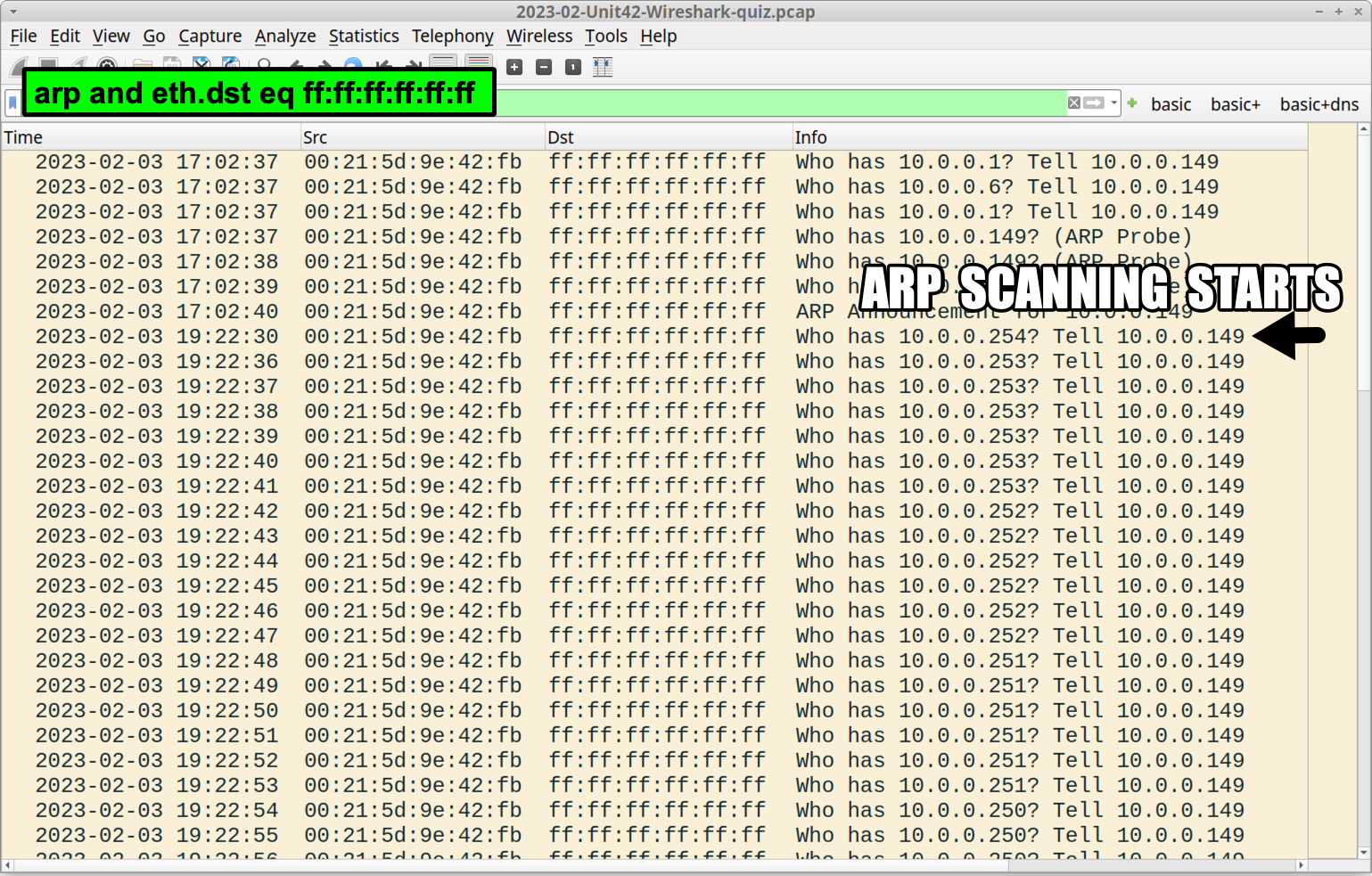
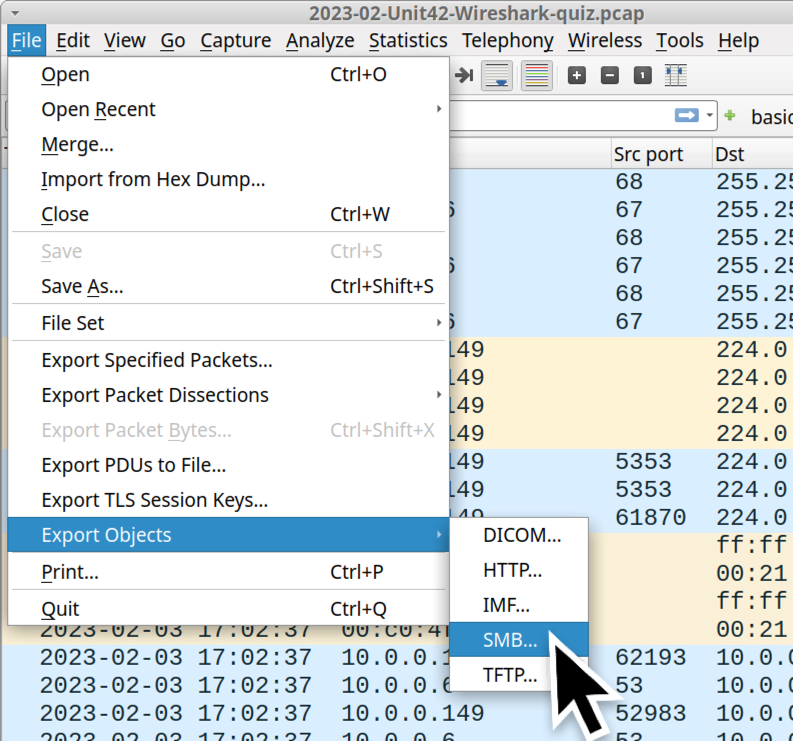
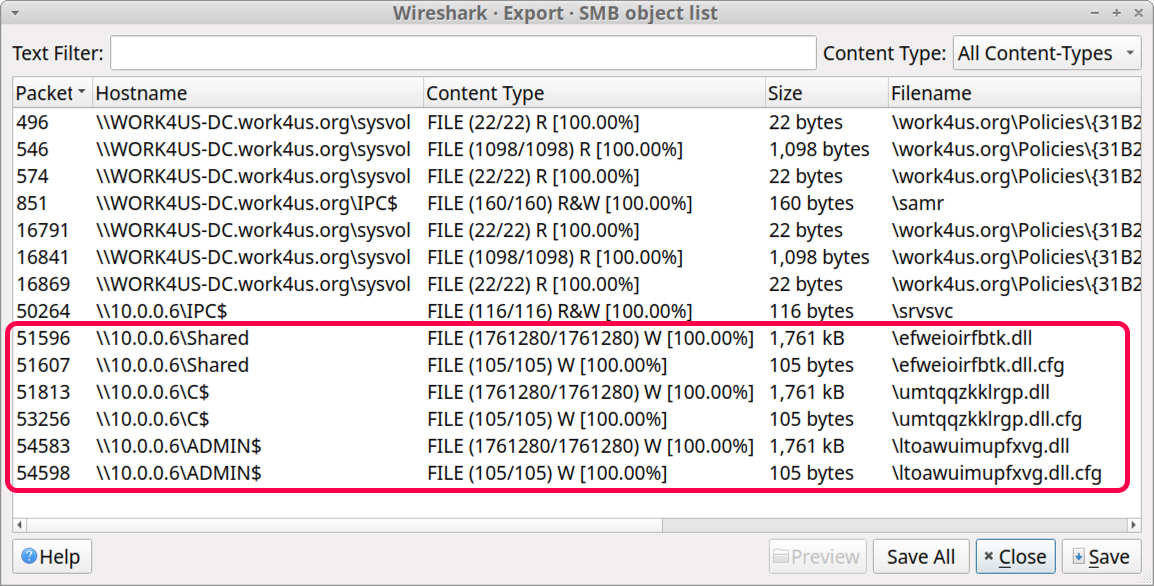
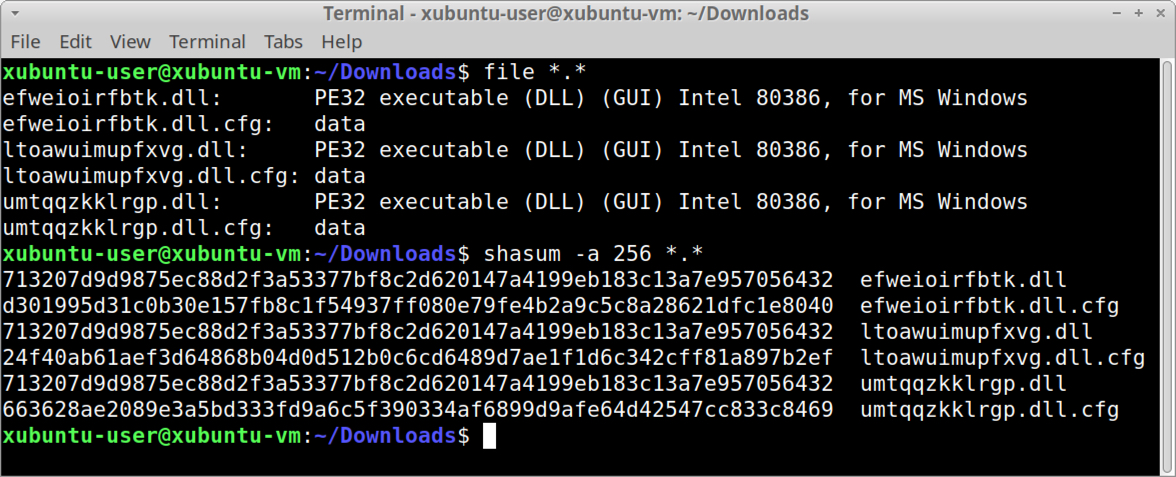

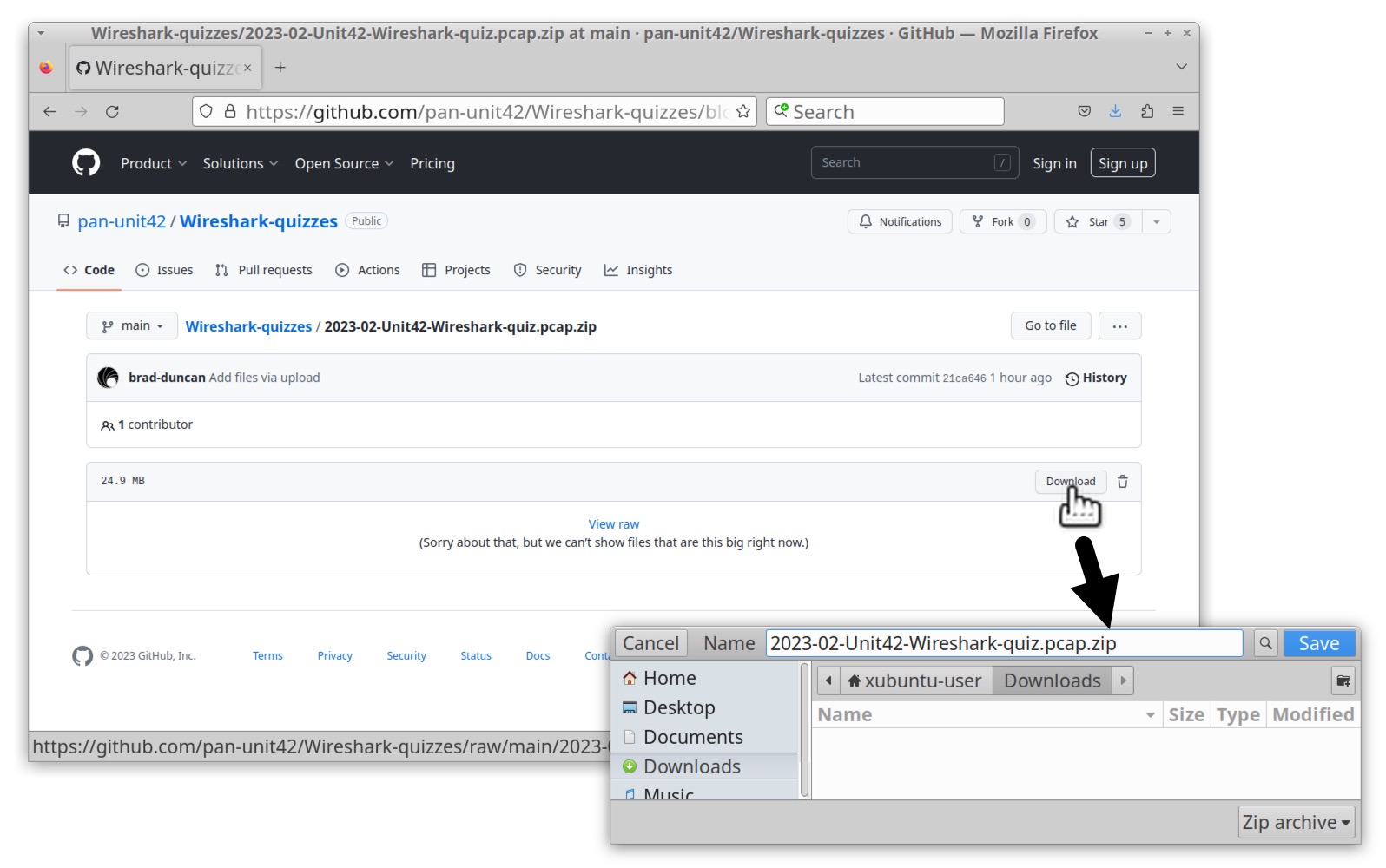
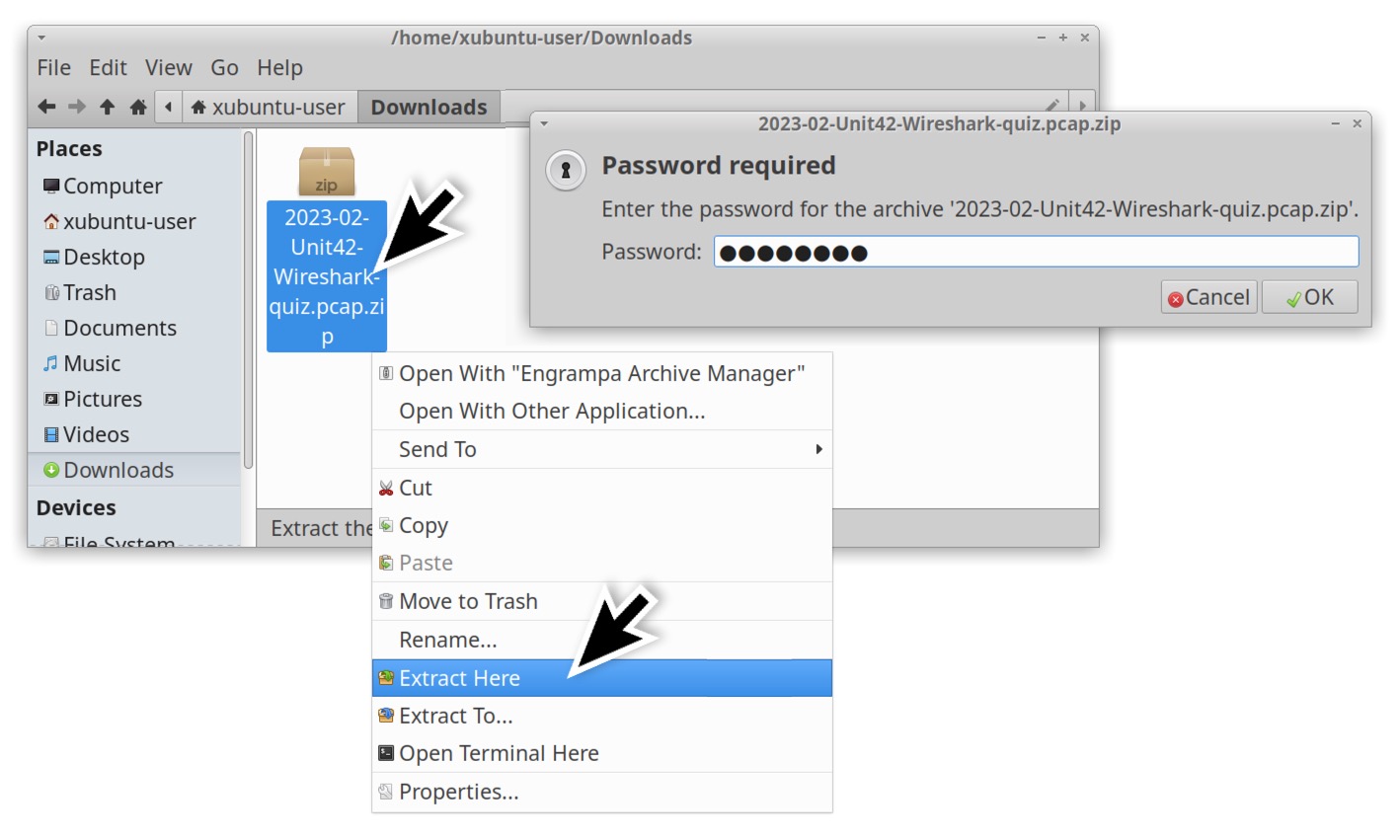
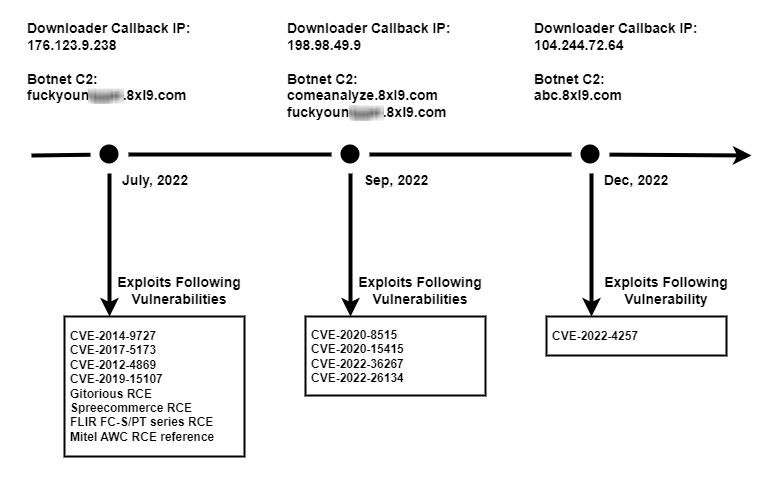
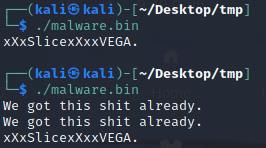

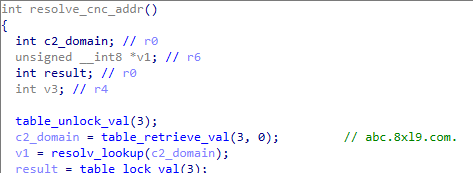
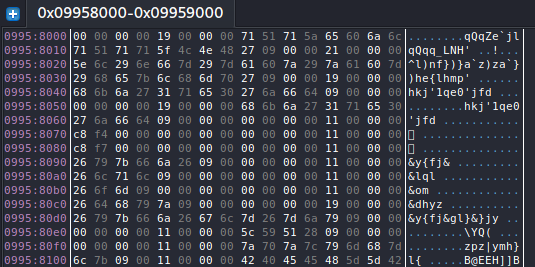
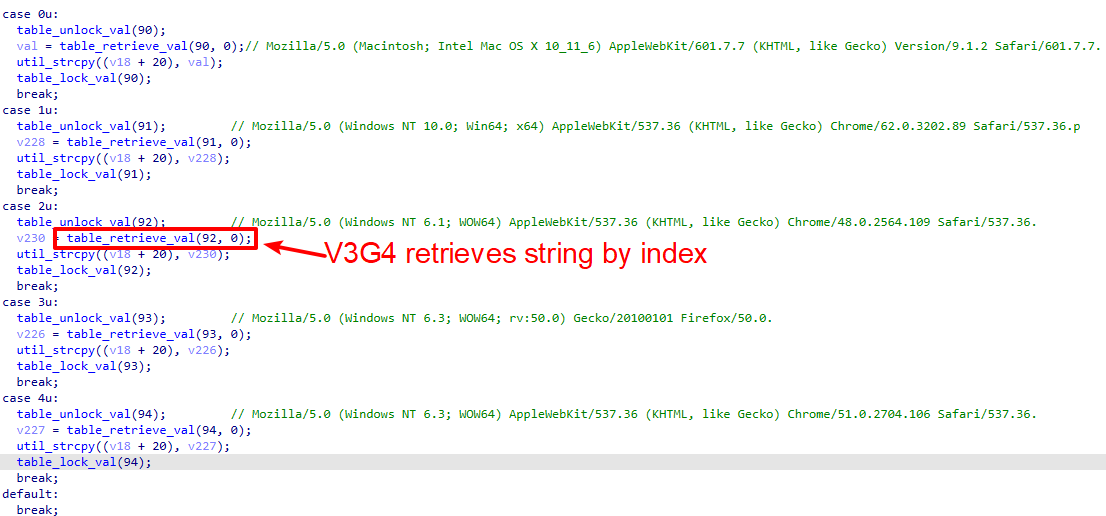
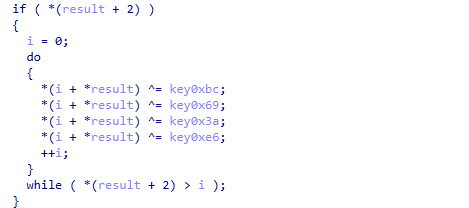
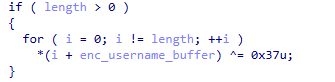
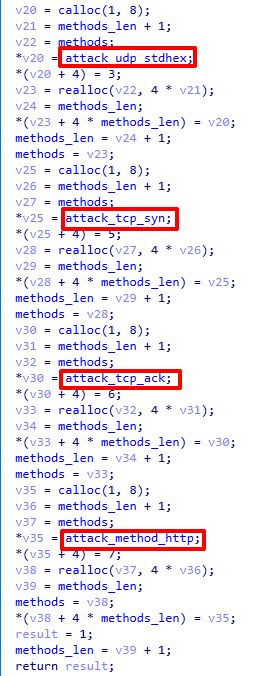
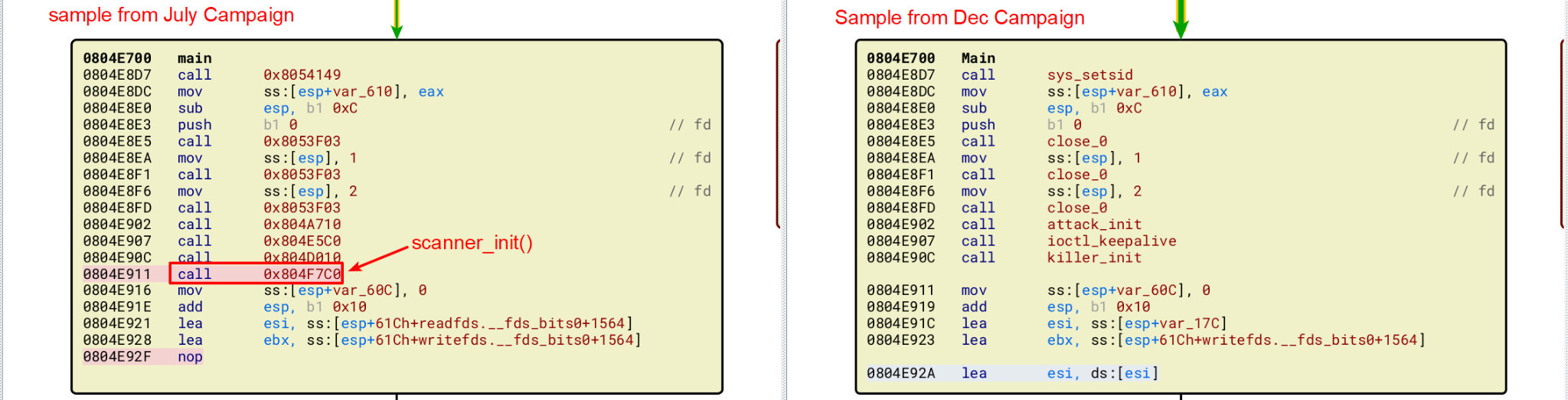
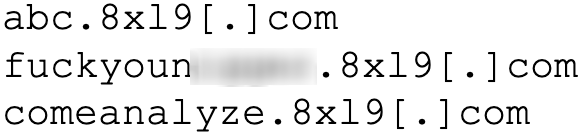

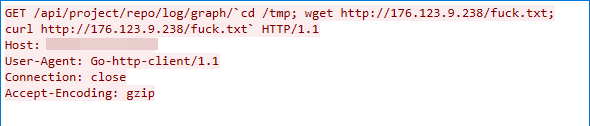


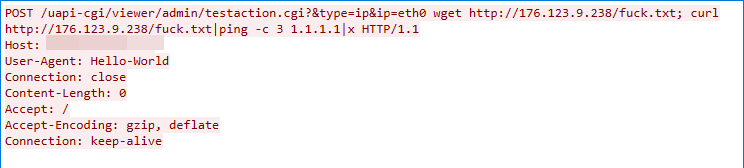


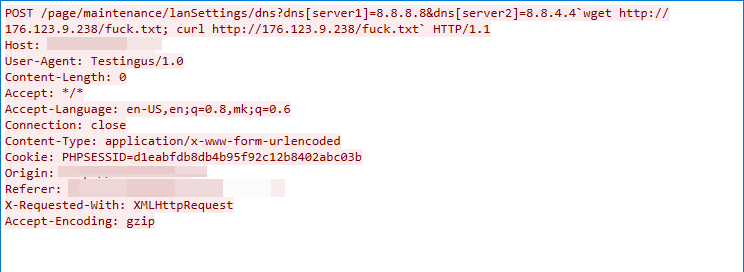
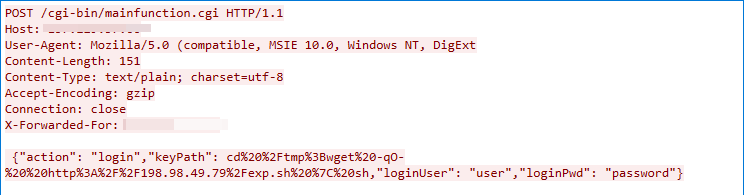
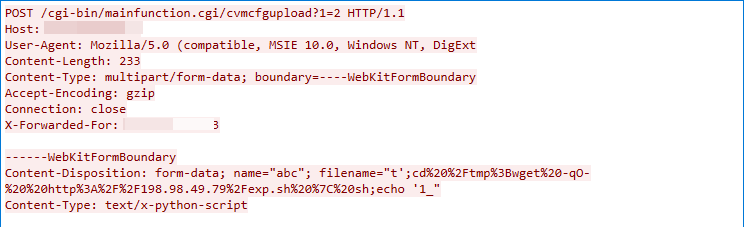
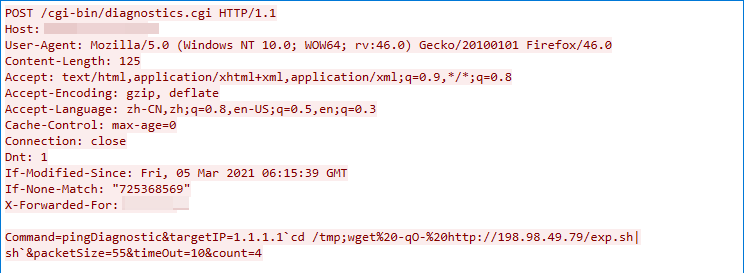
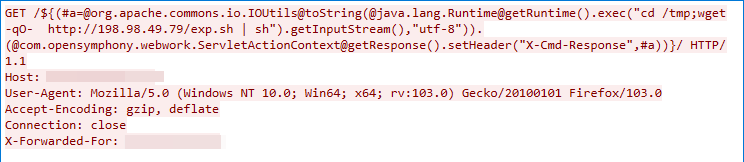
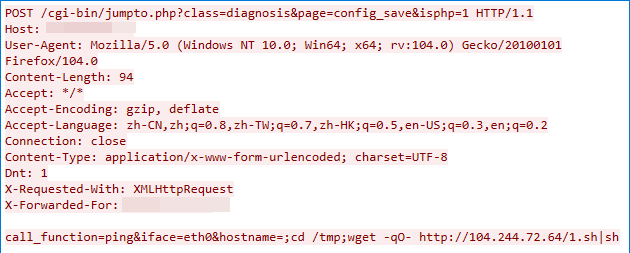

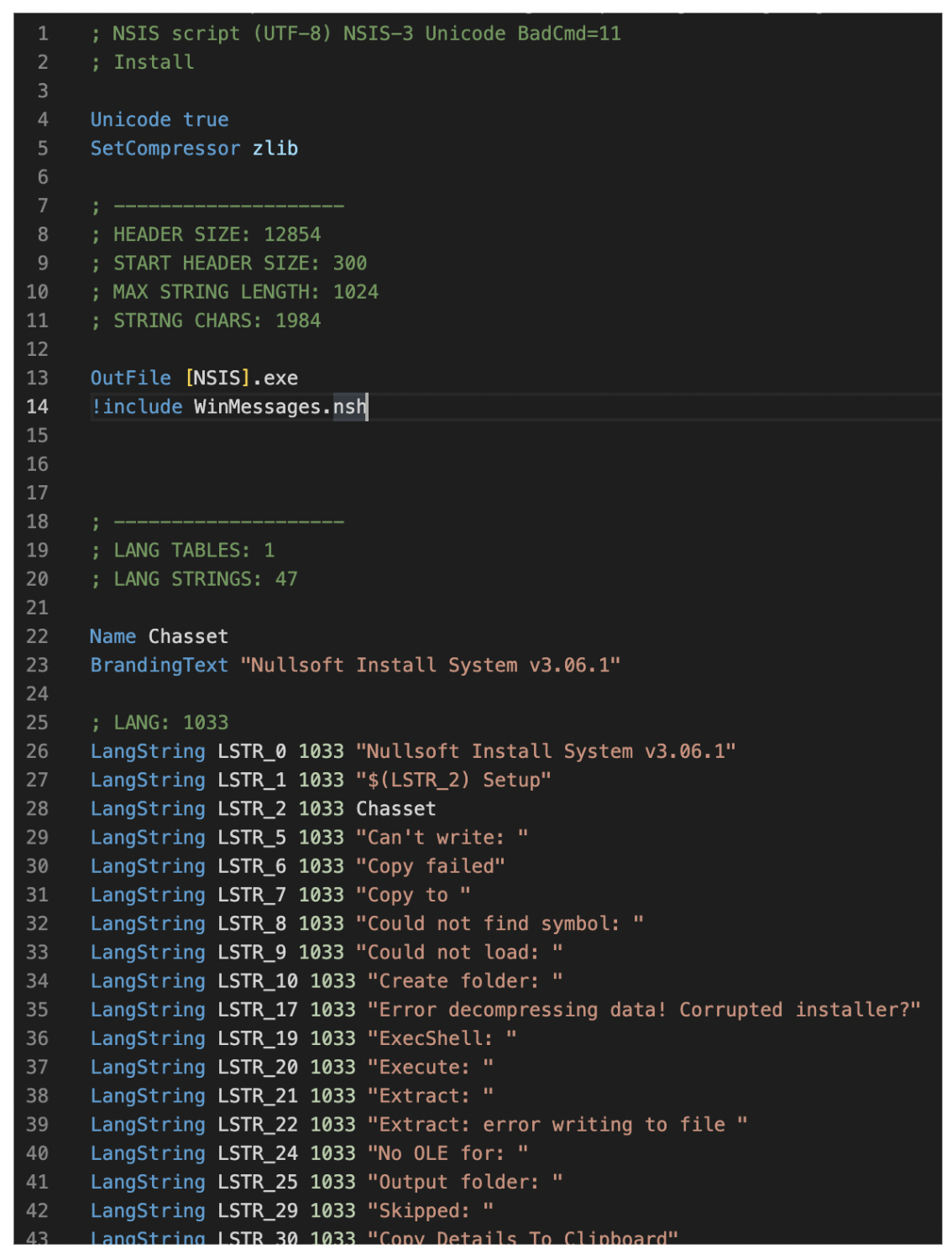

 If we open the file in IDA Pro and follow the code a little, we should be able to see the large function for decrypting the first stage. While the function graph overview looks large, it’s still easy to identify junk code.


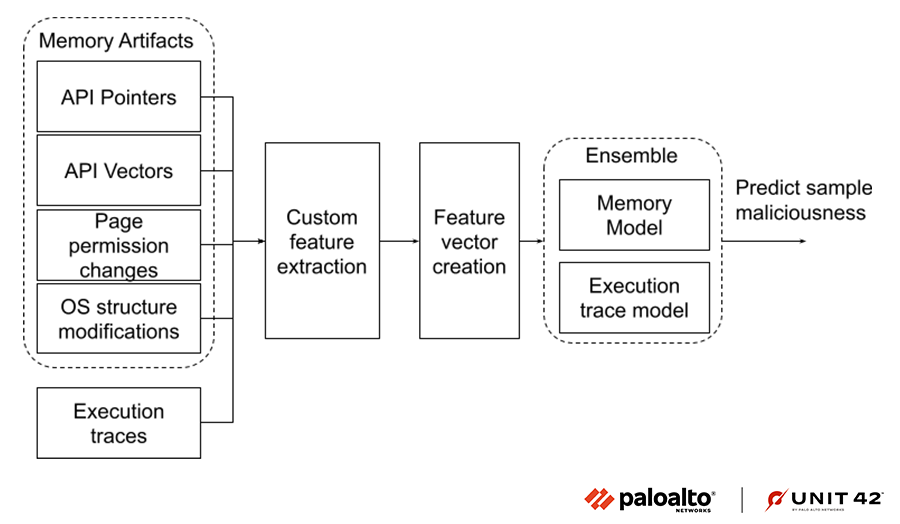
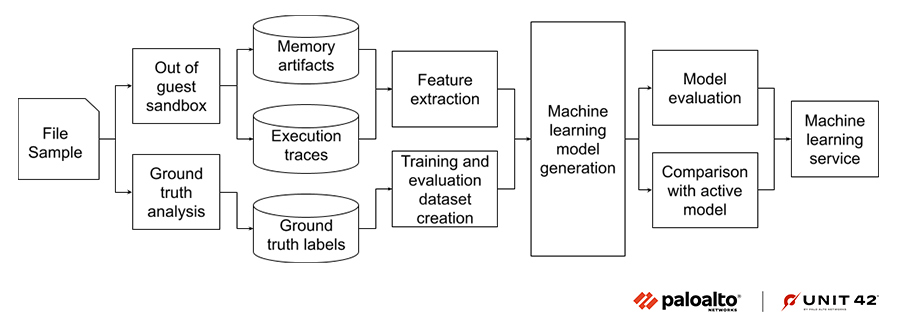
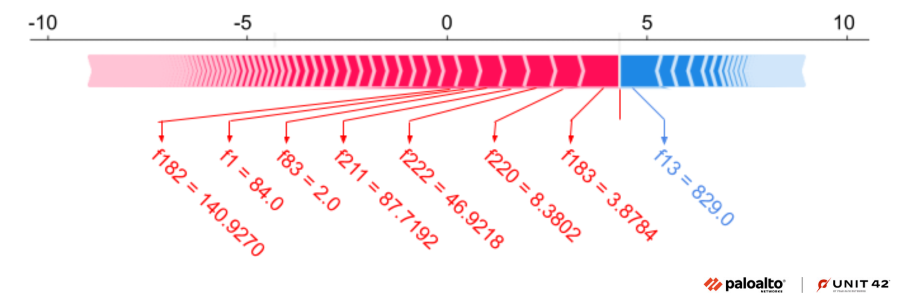
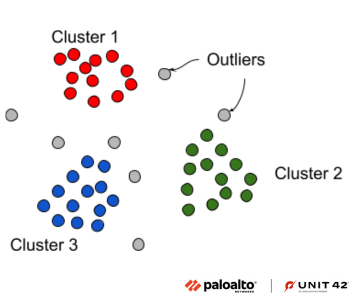

 Get updates from Unit 42
